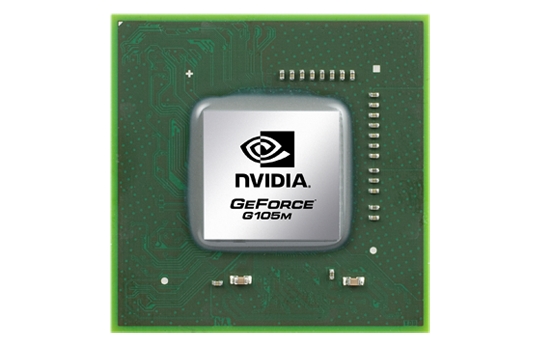
Notebook reviews with NVIDIA GeForce G 105M graphics card
Review Packard Bell EasyNote TJ65 Notebook
Second League? Packard Bell wants to principally score by those customers who want to a play bit, work a bit but especially want a lot of multimedia. The value for money ratio should also be alright. Will the TJ65 turn out to be a cheapskate or can it supply solid quality for a fairly low price?
Intel Pentium Dual Core T4300, NVIDIA GeForce G 105M, 15.6", 2.7 kg
Review HP dv3-2210eg Notebook
A Touch of Flower Power. Hewlett Packard has been on a trip through past decades since a few years in view of its notebook design. Especially floral wallpaper patterns and the gleaming chrome cars of the 60's seem to appeal to HP designers. But the little Pavilion dv3 comes along in swinging patterns, a chrome look and even with a touchscreen. If the performance rates are up-to-date or if they're rather retro, you'll find out in this review.
Intel Core 2 Duo T6600, NVIDIA GeForce G 105M, 13.3", 2.4 kg
Review Dell Inspiron 13z Notebook
Mobile Entertainer. The new product lines of Dell, a well-known direct distributor, with a 'z' in their name are designed with one purpose in mind: an extraordinary good balance of mobility and performance. While the Inspiron 11z and Latitude 16z are already available for some weeks, the product range has now been extended by a model of the popular 13-inch category called 13z. The following test will reveal how successful this new subnotebook can cover the span between performance and mobility.
Intel Core 2 Duo SU7300, NVIDIA GeForce G 105M, 13.3", 2 kg
Review Asus UX50V Notebook
Judge a book by its cover? Asus wants to poach in the starter sector of multimedia notebooks with glossy piano lacquer, a snazzy design and a switchable graphic solution. Or don't they? Is the 15.6 inch notebook UX50V more an office device that looks good but is barely suitable for multimedia due to the weak hardware? We released the designer laptop on our test course and made our verdict without being blinded by its looks.
Intel Core 2 Solo SU3500, NVIDIA GeForce G 105M, 15.6", 2.6 kg
Review Samsung Q320
The new Samsung Q320, an attractive, dynamically designed notebook, is now facing our tests. The 13.4 inch display executed in an edge-to-edge design bids a 16:9 cinematic format. Aside from that, there is a dedicated GeForce G105M graphic card from nVidia inside. Read on to find out more about the strengths and weaknesses of the new Samsung generation.
Intel Core 2 Duo P7450, NVIDIA GeForce G 105M, 13.4", 2.2 kgAsus U50VG-XX057C: Intel Core 2 Duo T6500, 15.60", 2.6 kg
Review » Review Asus U50Vg Notebook
HP Pavilion dv3-2299eo: Intel Pentium Dual Core T4300, 13.30", 2.1 kg
External Review » HP Pavilion dv3-2299eo
Acer Aspire 5738ZG: Intel Pentium Dual Core T4200, 15.60", 2.8 kg
External Review » Acer Aspire 5738ZG
HP Pavilion dm3-1030eg: Intel Core 2 Duo SU7300, 13.30", 1.9 kg
External Review » HP Pavilion dm3-1030eg
HP Pavilion dv3-2230ea: Intel Core 2 Duo T6600, 13.30", 2.2 kg
External Review » HP Pavilion dv3-2230ea
HP Pavilion dm3-1035tx: Intel Core 2 Duo SU7300, 13.30", 1.9 kg
External Review » HP Pavilion dm3-1035tx
HP Pavilion dv6-2173cl: Intel Core i3-350M, 15.60", 2.8 kg
External Review » HP Pavilion dv6-2173cl
HP Pavilion dv7-3183cl: Intel Core i5-430M, 17.30", 3.2 kg
External Review » HP Pavilion dv7-3183cl
Dell Inspiron 13z: Intel Core 2 Duo SU7300, 13.30", 2 kg
External Review » Dell Inspiron 13z
Novatech X16: Intel Pentium Dual Core T4200, 15.60", 2.8 kg
External Review » Novatech X16
Mesh Edge17 HD Pro R: Intel Core 2 Duo T9600, 17.00", 2.9 kg
External Review » Mesh Computers Edge17 HD Pro R
HP Pavilion dv3-2210eg: Intel Core 2 Duo T6600, 13.30", 2.4 kg
External Review » HP Pavilion dv3-2210eg
Nexoc E630: Intel Pentium Dual Core T4200, 15.60", 2.7 kg
External Review » Nexoc E630
Samsung R470 : Intel Core 2 Duo T6500, 14.00", 2.3 kg
External Review » Samsung R470
Packard Bell EasyNote TJ65: Intel Pentium Dual Core T4300, 15.60", 2.7 kg
External Review » Packard Bell EasyNote TJ65
Packard Bell EasyNote TR85: Intel Core 2 Duo T6500, 15.60", 2.8 kg
External Review » Packard Bell EasyNote TR85
Acer Aspire 5738G: Intel Core 2 Duo T6400, 15.60", 2.8 kg
External Review » Acer Aspire 5738G
Zoostorm 84-5200: Intel Core 2 Duo P8600, 15.40", 2.8 kg
External Review » Zoostorm 84-5200
HP Pavilion dv3-2050ea: Intel Pentium Dual Core T4200, 13.30", 2.3 kg
External Review » HP Pavilion dv3-2050ea
Asus U50VG: Intel Core 2 Duo T6400, 15.60", 2.6 kg
External Review » Asus U50VG
Asus UX50V: Intel Core 2 Solo SU3500, 15.60", 2.6 kg
External Review » Asus UX50V
Gateway ID5805g: Intel Core 2 Duo P8700, 15.60", 3 kg
External Review » Gateway ID5805g
HP Pavilion dv3-2055ea: Intel Core 2 Duo T6400, 13.30", 2.2 kg
External Review » HP Pavilion dv3-2055ea
Zoostorm 83-5200: Intel Pentium Dual Core T4200, 15.40", 2.8 kg
External Review » Zoostorm 83-5200
Samsung Q320-Aura P8700: Intel Core 2 Duo P8700, 13.40", 2.3 kg
External Review » Samsung Q320-Aura P8700
Acer Aspire 4937G: Intel Core 2 Duo P8700, 14.00", 2.4 kg
External Review » Acer Aspire 4937G
Novatech X15: Intel Core 2 Duo T6400, 15.40", 2.5 kg
External Review » Novatech X15
Lenovo IdeaPad Y650: Intel Core 2 Duo P8700, 16.00", 2.8 kg
External Review » Lenovo IdeaPad Y650
Medion P6613: Intel Pentium Dual Core T4200, 16.00", 3 kg
External Review » Medion P6613






 - Average benchmark values



 Add as a preferred source on Google


