




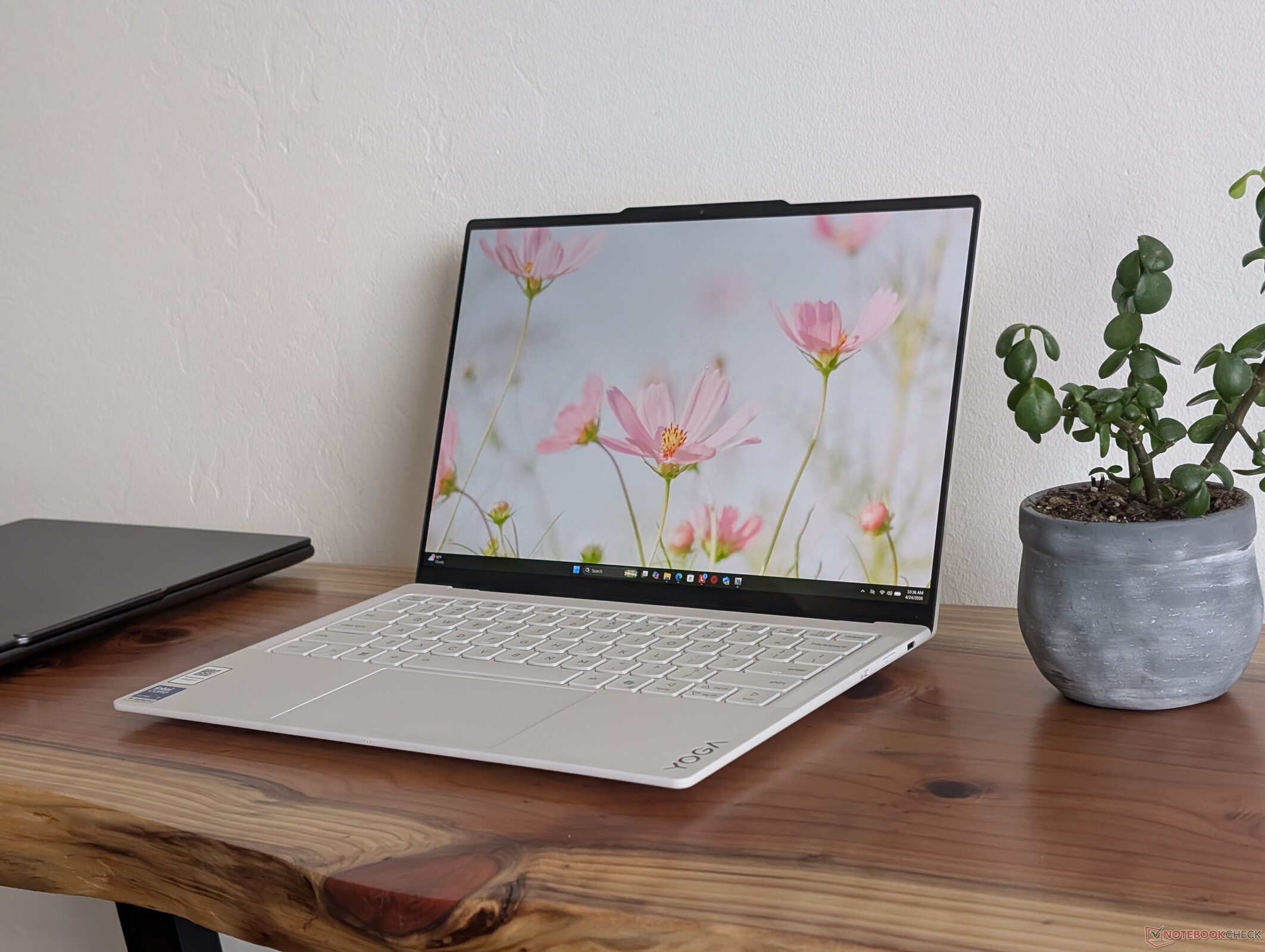
Verdict — Our New Favorite Clamshell From Lenovo
By focusing almost purely on the basics, the Yoga Slim 7 Ultra 14 Aura Edition is easily one of Lenovo's best subnotebooks for travelers who just want an ultralight clamshell with the latest Intel processor but none of the fluff or tacked-on novelties. Panther Lake in particular is such a huge step up in terms of efficiency that reaching the <1 kg target weight requires fewer cut corners than one might expect. While older 14-inch form factors under 1 kg have existed in the past, their drawbacks were wide and obvious including poorer performance, shorter runtimes, no touchscreen support, and a more yielding chassis. The new Yoga Slim 7 Ultra 14 Aura offers decent gaming-level performance (if configured with the X7), respectable battery life, OLED touchscreen as standard, and a rigid chassis for outstanding first impressions especially once you remember that it's over 500 g lighter than the competing XPS 14.
A few setbacks are nevertheless present as minor as they be. Users looking to maximize chassis rigidity and battery life will still find the heavier XPS 14 to be tougher, longer-lasting, quieter, and with more powerful internal speakers and 3.5 mm audio support. But, if you find yourself constantly moving about and not docked to a single desk for most of the day, then the Lenovo is arguably the stronger option.
Pros
Cons
Price and Availability
Lenovo is now shipping the Yoga Slim 7i Aura Edition starting at $1630 as configured in this review.

Unveiled at CES 2026 and launched just a few months later, the Yoga Slim 7 Ultra 14IPH11 (or Yoga Slim 7i Ultra 14 Aura Edition G11) is one of the first Lenovo laptops to ship with Intel Panther Lake to replace the Meteor Lake options on the 2024 9th gen model and Lunar Lake options on the 2025 10th gen model. It sports a fully refreshed design yet again that skips the fancy 2.5D glass and massive 32 MP webcam sensors of yesteryear for a lighter and more focused approach.
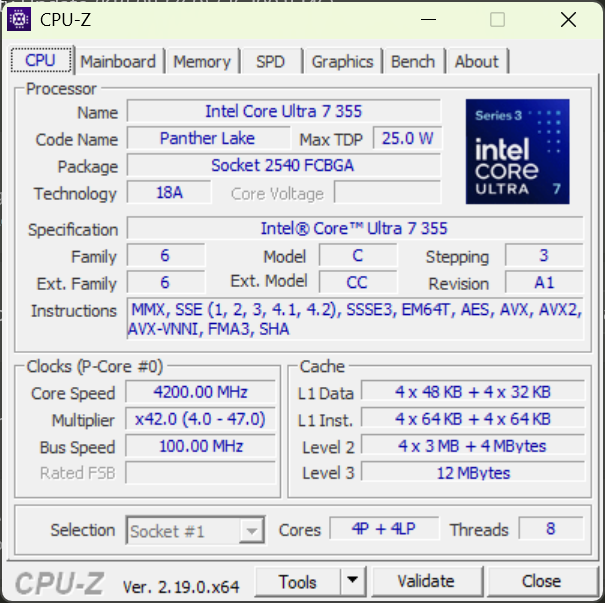
Our test unit is a middle configuration with the Core Ultra 7 355 CPU for approximately $1700 USD. Lower-end SKUs include the Core Ultra 5 325 while higher-end SKUs have the Core Ultra X7 358H or Core Ultra X9 388H, but all configurations ship with the same 2.8K POLED touchscreen.
Competitors to the Yoga Slim 7i Ultra 14 include other flagship 14-inch subnotebooks like the MSI Prestige 14 AI+, Dell XPS 14, Asus Zenbook 14, or the HP OmniBook Ultra 14.
More Lenovo reviews:
Specifications
Case
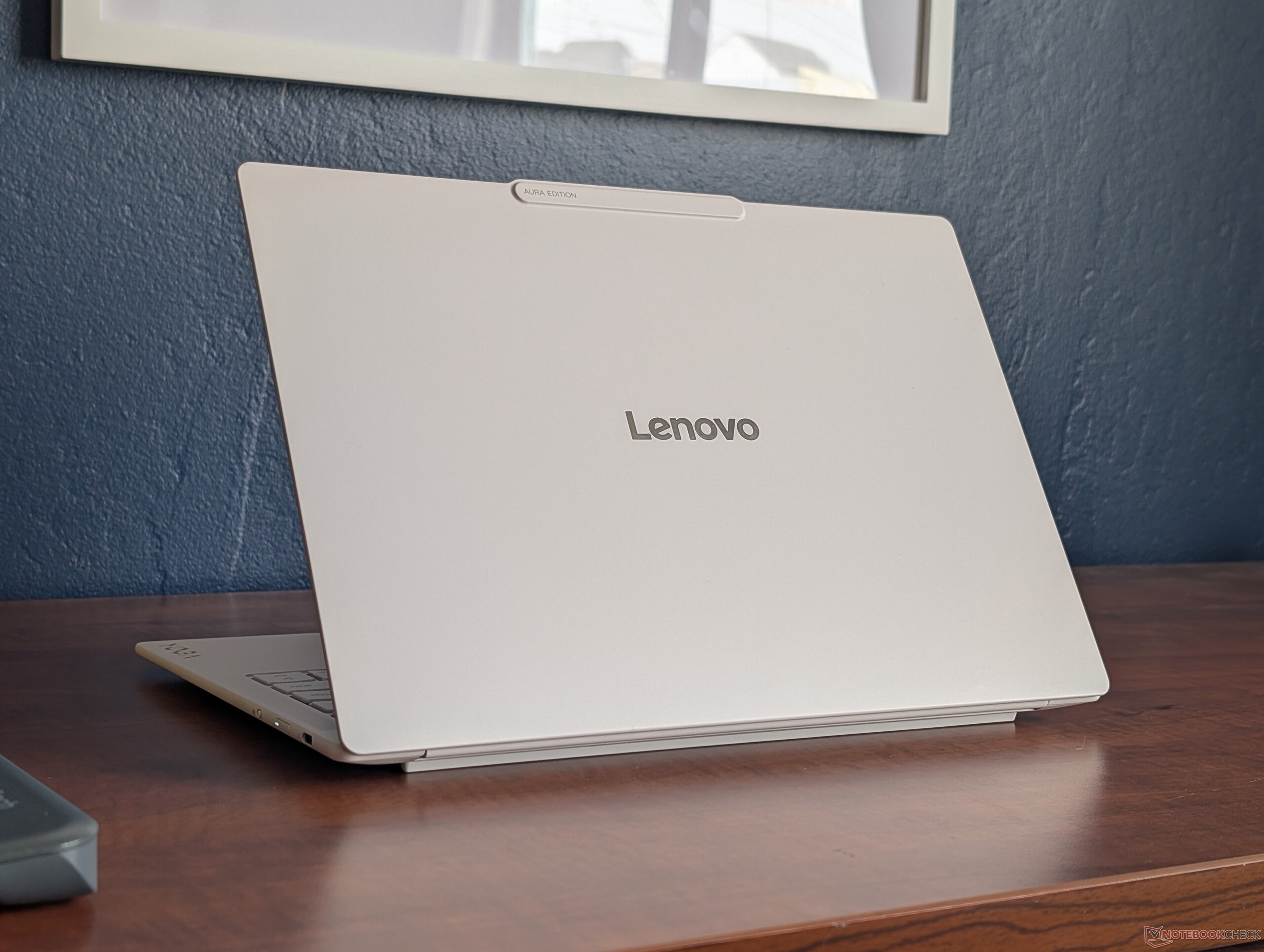
The Yoga Slim 7i Ultra 14 shares very similar external features to the AMD-based Yoga Slim 7a 14. Our Intel-based version, however, sports smaller hinges, a slightly shorter length, and a completely different motherboard design all leading to a significantly lighter weight of only 978 g. This is easily one of Lenovo's lightest 14-inch clamshells without needing to sacrifice rigidity or touchscreen features a la the LG Gram.
Notably, the hinges open very wide up to around 170 degrees.
Connectivity


Communication
Webcam


Maintenance
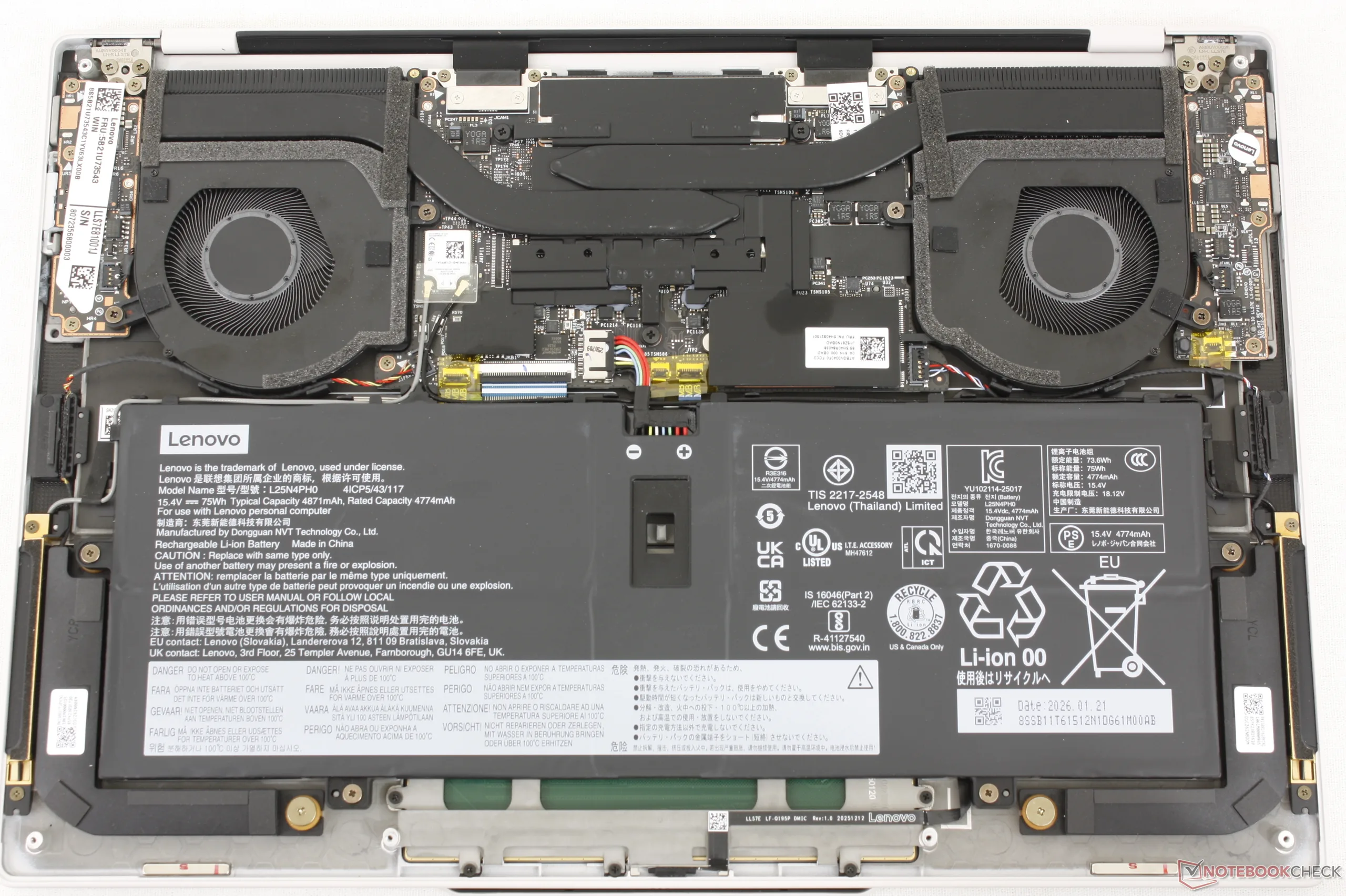
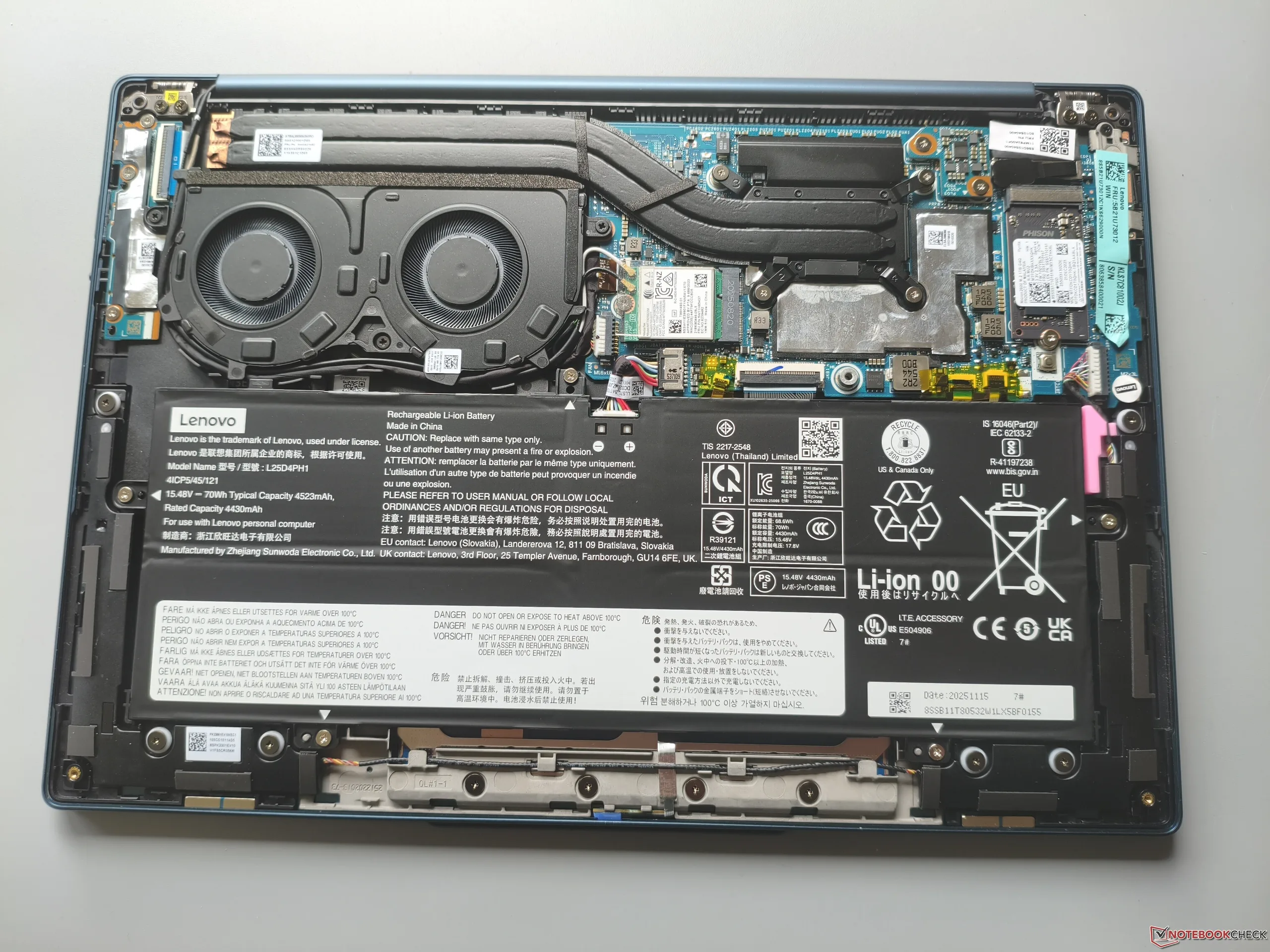
Servicing requires a T5 Torx wrench to remove the bottom panel.
Sustainability
The system utilizes up to 90 percent recycled magnesium alloy for the top cover, 60 percent recycled aluminum alloy for the keyboard base, 100 percent recycled copper and cobalt for the PCB and battery cells, respectively, and up to 90 percent PCC recycled plastic for various parts of the chassis. The packaging is free of plastic and fully recyclable.
Accessories And Warranty
There are no extras in the box beyond the AC adapter and paperwork. The usual one-year limited warranty applies if purchased in the US.
Input Devices
Display
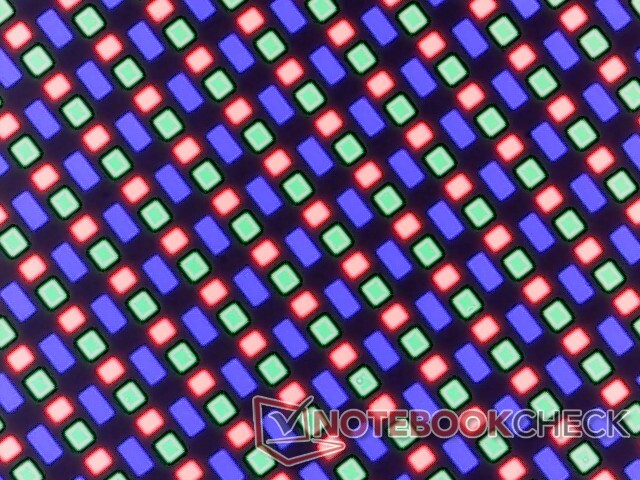
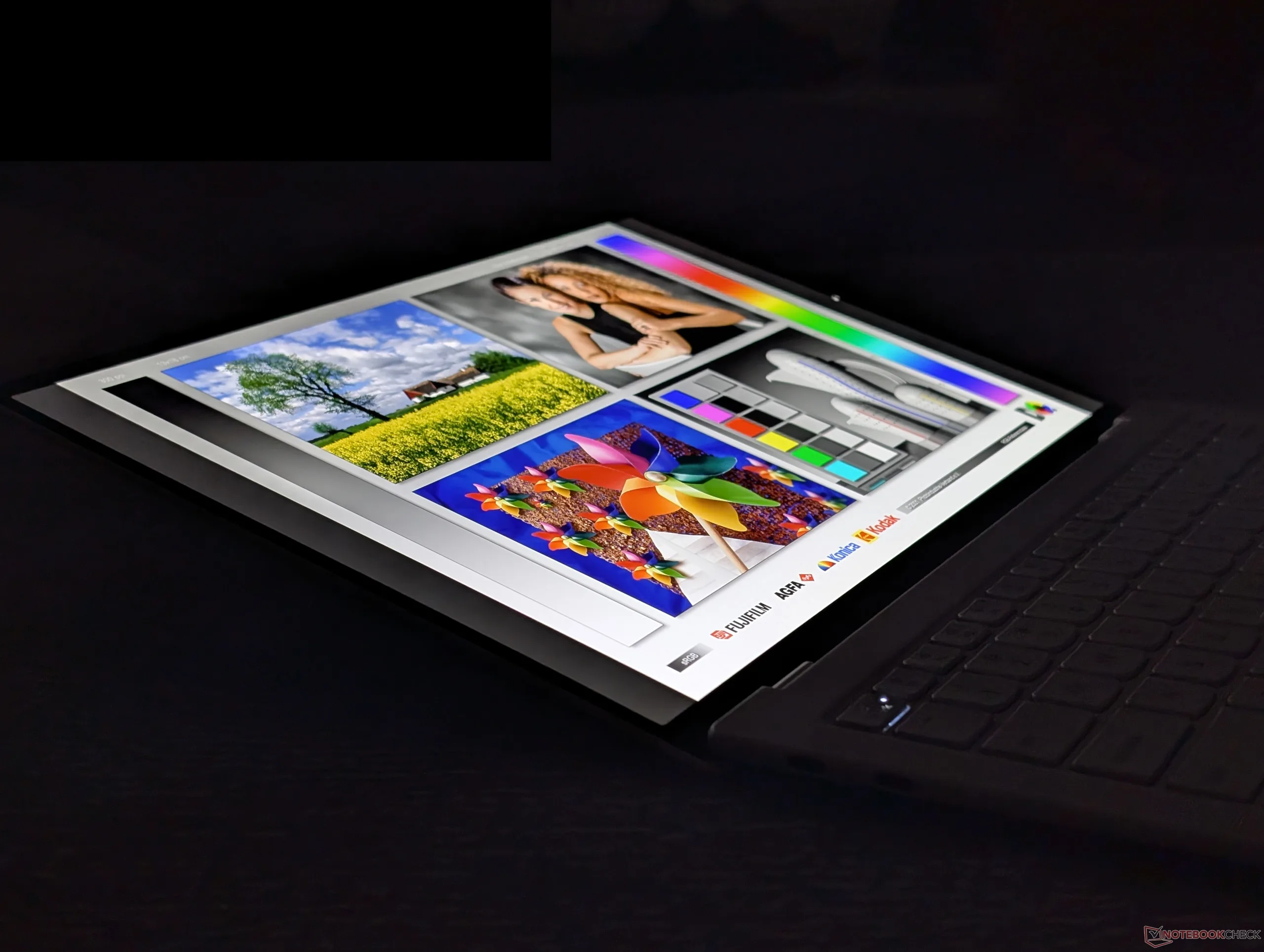
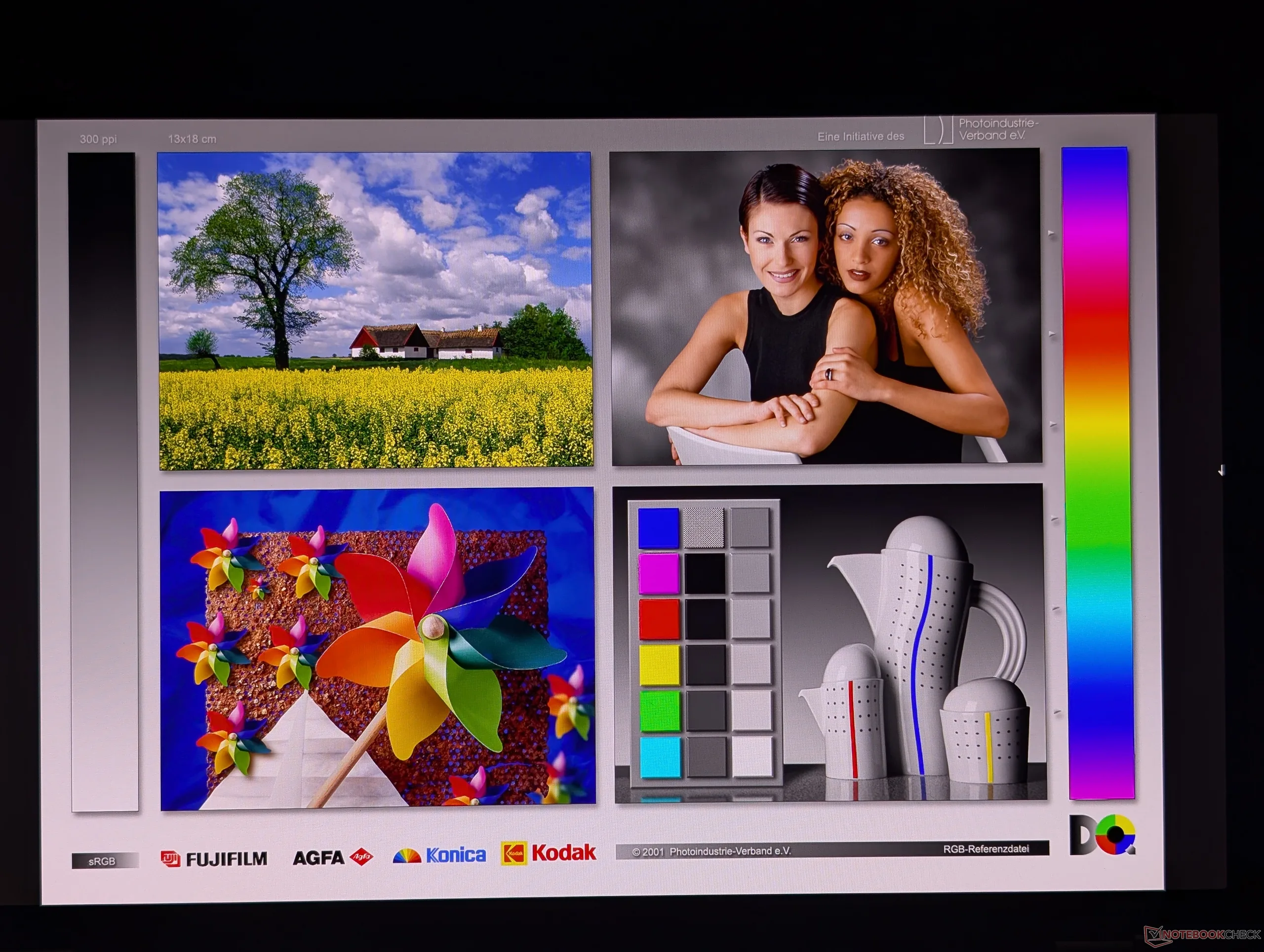
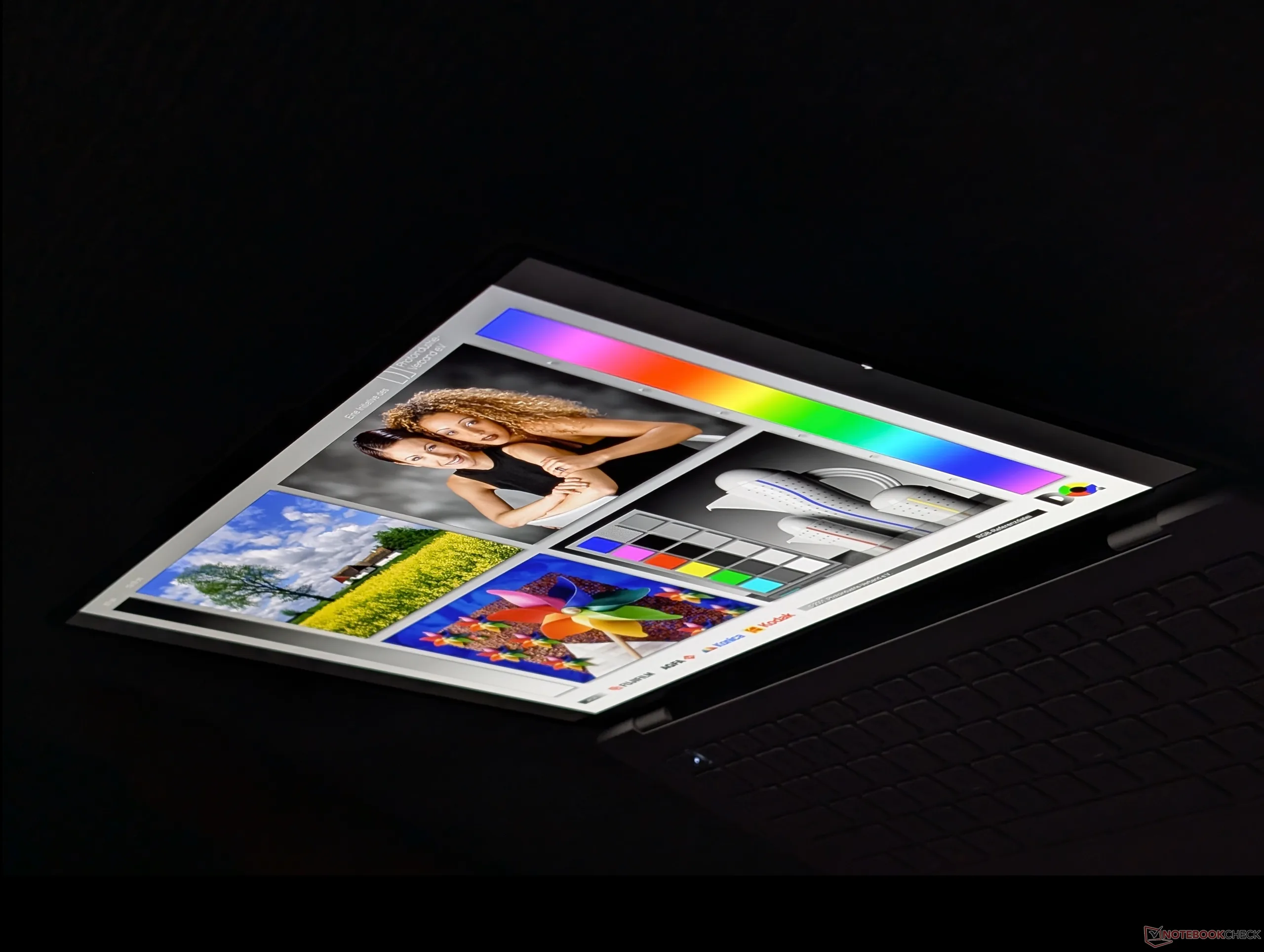
The Yoga Slim 7 Ultra 14IPH11 utilizes the exact same OLED panel as found on the Yoga Slim 7a 14AGP11 for essentially the same viewing experience between the two laptop models. Features like the 120 Hz refresh rate, DisplayHDR1000 support, and 1800p native resolution are unchanged. The latter in particular is notably denser than on many other 14-inch screen sizes leading to a very sharp picture on our Lenovo.
When compared to the display on the 2025 Yoga Slim 7i Aura, the display on our new 2026 Yoga Slim 7i Ultra Aura has double the refresh rate, double the HDR brightness (up to 1056 nits in our testing), and 2.25x the resolution.
| |||||||||||||||||||||||||
Brightness Distribution: 94 %
Center on Battery: 470.7 cd/m²
Contrast: ∞:1 (Black: 0 cd/m²)
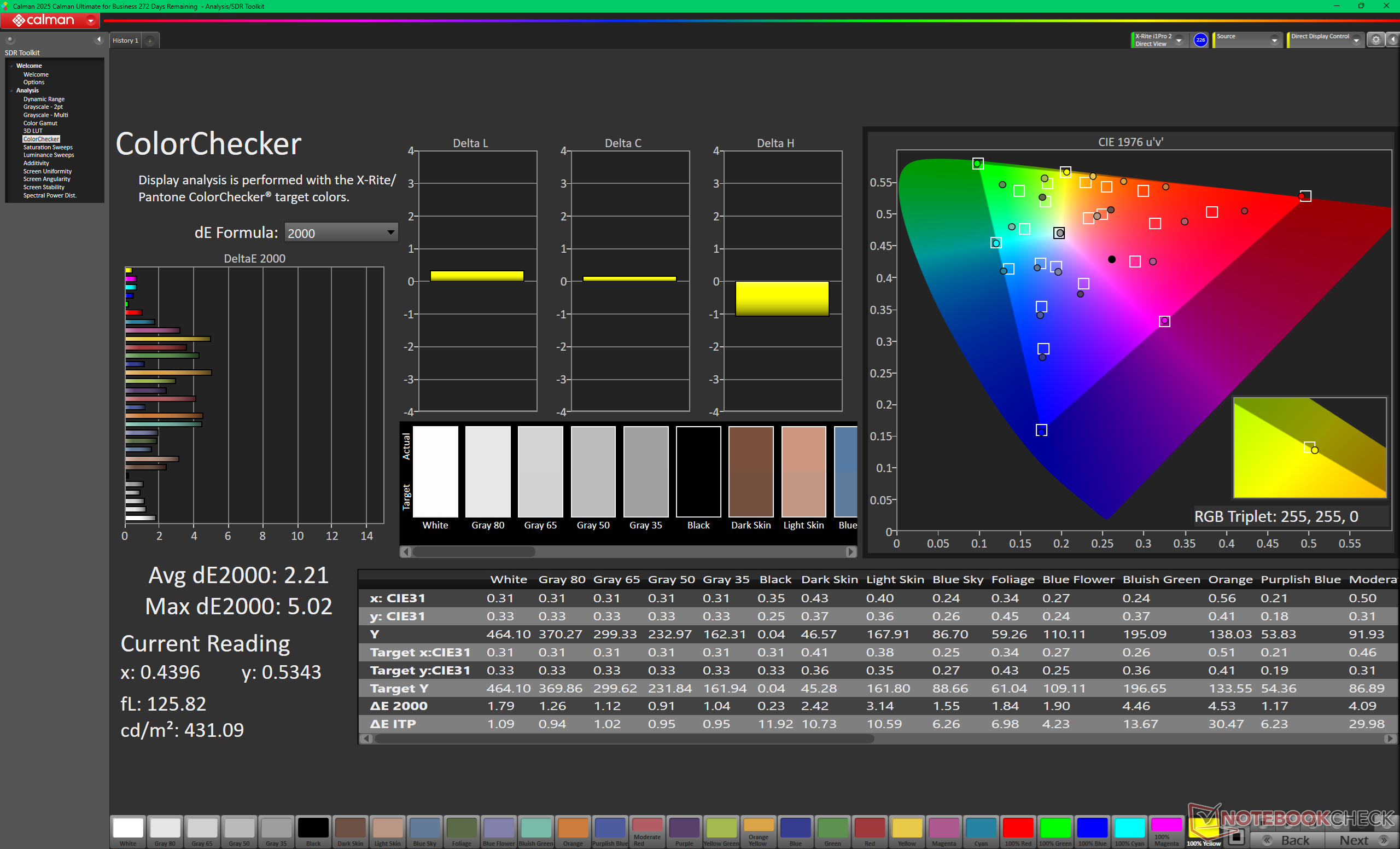
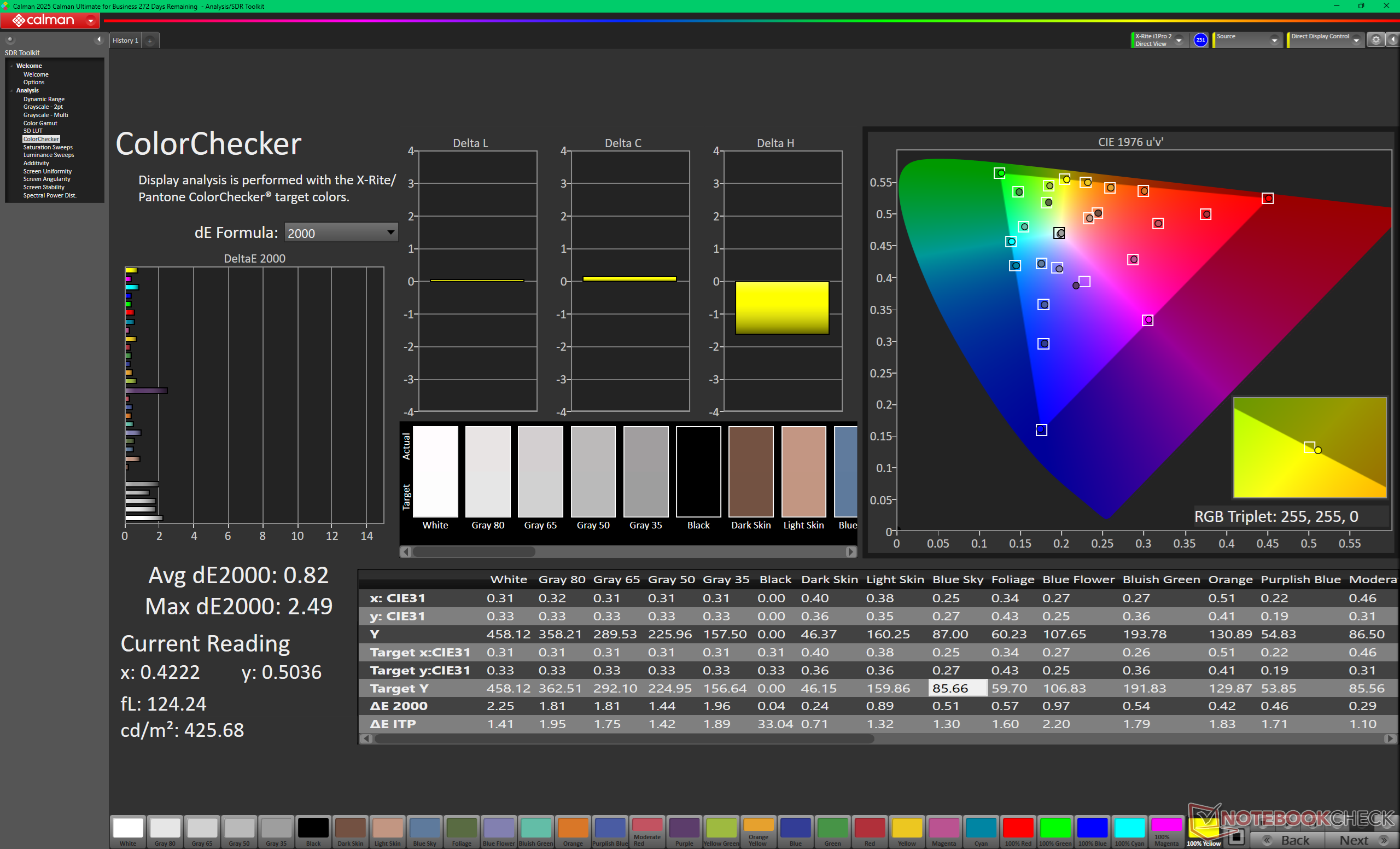
ΔE ColorChecker Calman: 2.21 | ∀{0.5-29.43 Ø4.7}
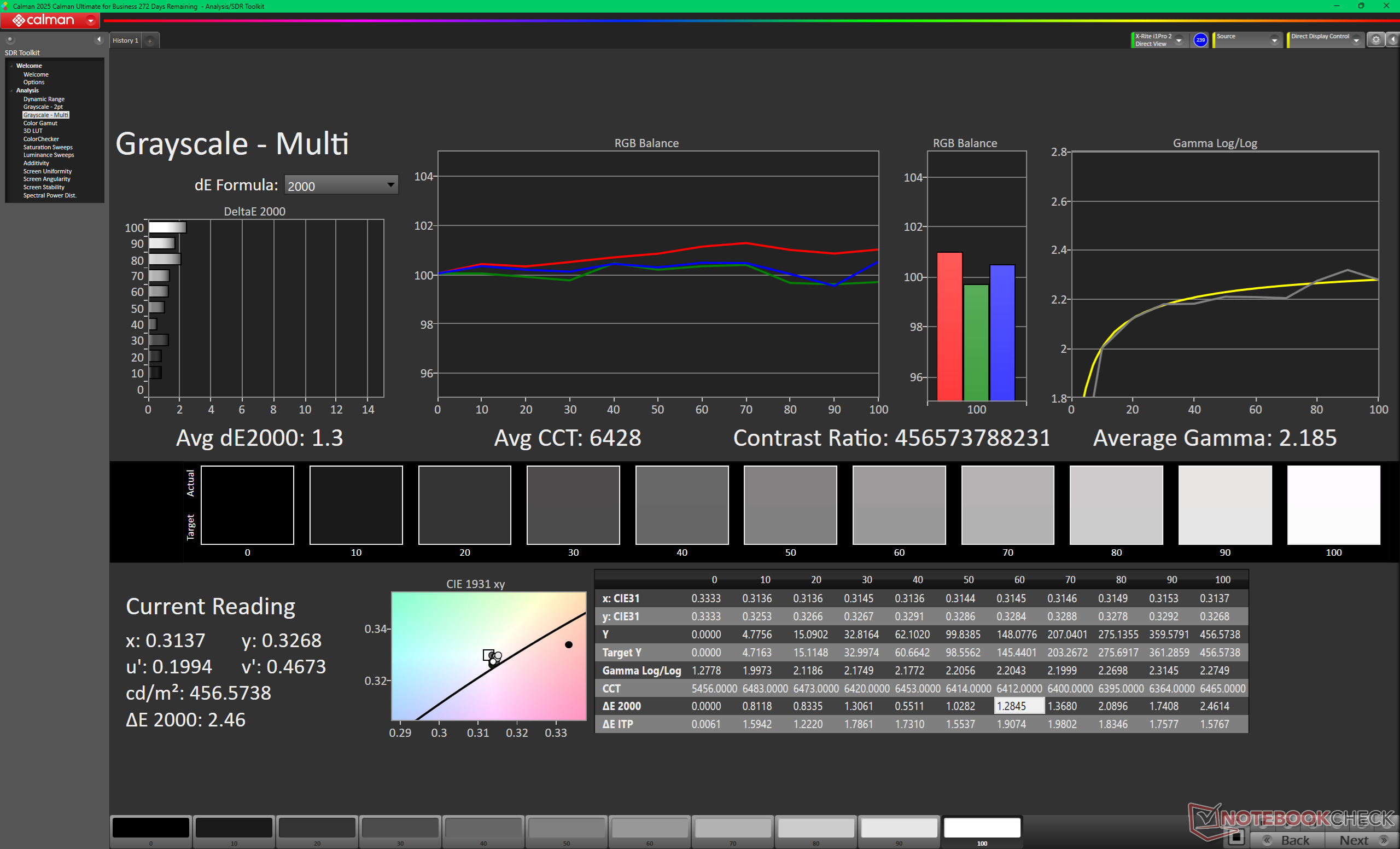
calibrated: 0.82
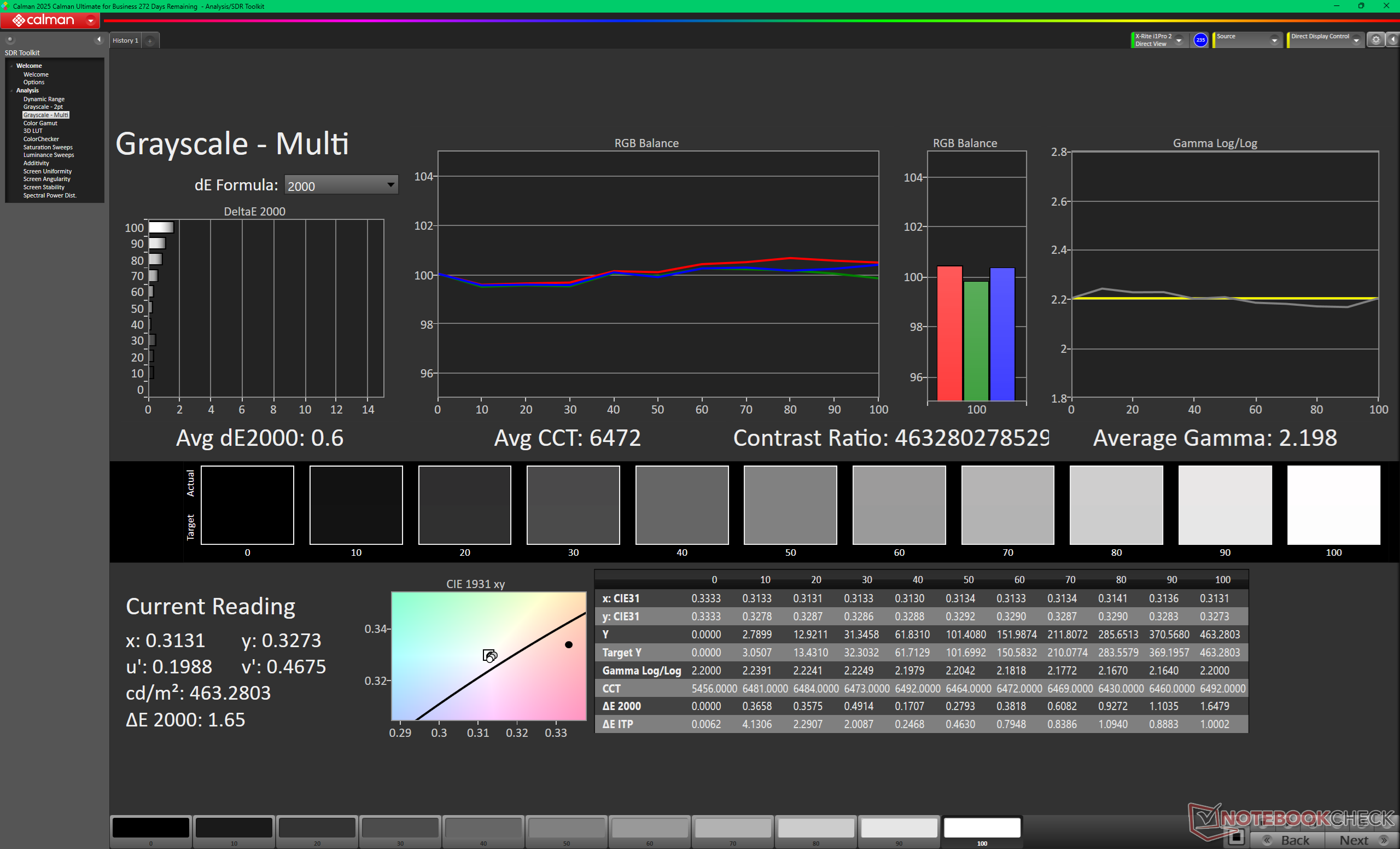
ΔE Greyscale Calman: 0.6 | ∀{0.09-98 Ø4.95}
87.7% AdobeRGB 1998 (Argyll 3D)
100% sRGB (Argyll 3D)
99.3% Display P3 (Argyll 3D)
Gamma: 2.2
CCT: 6472 K
| Lenovo Yoga Slim 7 Ultra 14IPH11 LEN140WQ+, OLED, 2880x1800, 14", 120 Hz | Lenovo Yoga Slim 7a 14AGP11 LEN140WQ+, OLED, 2880x1800, 14", 120 Hz | MSI Prestige 14 Flip AI+ 2026 ATNA40KW05-0, OLED, 1920x1200, 14", 60 Hz | Dell XPS 14 Core Ultra 7 355 LG Philips 140WUX, IPS, 1920x1200, 14", 120 Hz | HP OmniBook Ultra 14 BOE0C9E, IPS, 2240x1400, 14", 60 Hz | Asus ZenBook 14 OLED UX3405CA, Ultra 7 255H ATNA40CT02-0, OLED, 1920x1200, 14", 60 Hz | |
|---|---|---|---|---|---|---|
| Display | 3% | 2% | -22% | -18% | 3% | |
| Display P3 Coverage (%) | 99.3 | 99.9 1% | 100 1% | 64 -36% | 67.1 -32% | 99.7 0% |
| sRGB Coverage (%) | 100 | 100 0% | 100 0% | 95.3 -5% | 99 -1% | 100 0% |
| AdobeRGB 1998 Coverage (%) | 87.7 | 94.2 7% | 91.8 5% | 66.2 -25% | 68.9 -21% | 96.9 10% |
| Response Times | 48% | -66% | -6472% | -4194% | -73% | |
| Response Time Grey 50% / Grey 80% * (ms) | 0.64 ? | 0.4 ? 37% | 1.87 ? -192% | 57.7 ? -8916% | 35.9 ? -5509% | 1.6 ? -150% |
| Response Time Black / White * (ms) | 0.94 ? | 0.5 ? 47% | 1.53 ? -63% | 38.8 ? -4028% | 28 ? -2879% | 2 ? -113% |
| PWM Frequency (Hz) | 479.46 ? | 600 ? | 480 ? | 480 | ||
| PWM Amplitude * (%) | 50 | 20 60% | 22 56% | 28 44% | ||
| Screen | -32% | -27% | -46% | -53% | -53% | |
| Brightness middle (cd/m²) | 470.7 | 485 3% | 292 -38% | 561.2 19% | 359.5 -24% | 372 -21% |
| Brightness (cd/m²) | 488 | 488 0% | 292 -40% | 505 3% | 361 -26% | 376 -23% |
| Brightness Distribution (%) | 94 | 98 4% | 98 4% | 85 -10% | 92 -2% | 97 3% |
| Black Level * (cd/m²) | 0.01 | 0.22 | 0.27 | 0.01 | ||
| Colorchecker dE 2000 * | 2.21 | 2.1 5% | 1.4 37% | 2.09 5% | 1.64 26% | 1.96 11% |
| Colorchecker dE 2000 max. * | 5.02 | 6.79 -35% | 2.2 56% | 4.37 13% | 4.68 7% | 4.02 20% |
| Colorchecker dE 2000 calibrated * | 0.82 | 1.81 -121% | 1.09 -33% | 0.97 -18% | 1.96 -139% | |
| Greyscale dE 2000 * | 0.6 | 1.1 -83% | 1.7 -183% | 2.5 -317% | 2.6 -333% | 1.94 -223% |
| Gamma | 2.2 100% | 2.219 99% | 2.12 104% | 2.19 100% | 2.22 99% | 2.4 92% |
| CCT | 6472 100% | 6338 103% | 6510 100% | 6760 96% | 6388 102% | 6530 100% |
| Contrast (:1) | 29200 | 2551 | 1331 | 37200 | ||
| Total Average (Program / Settings) | 6% /
-6% | -30% /
-30% | -2180% /
-1111% | -1422% /
-734% | -41% /
-45% |
* ... smaller is better
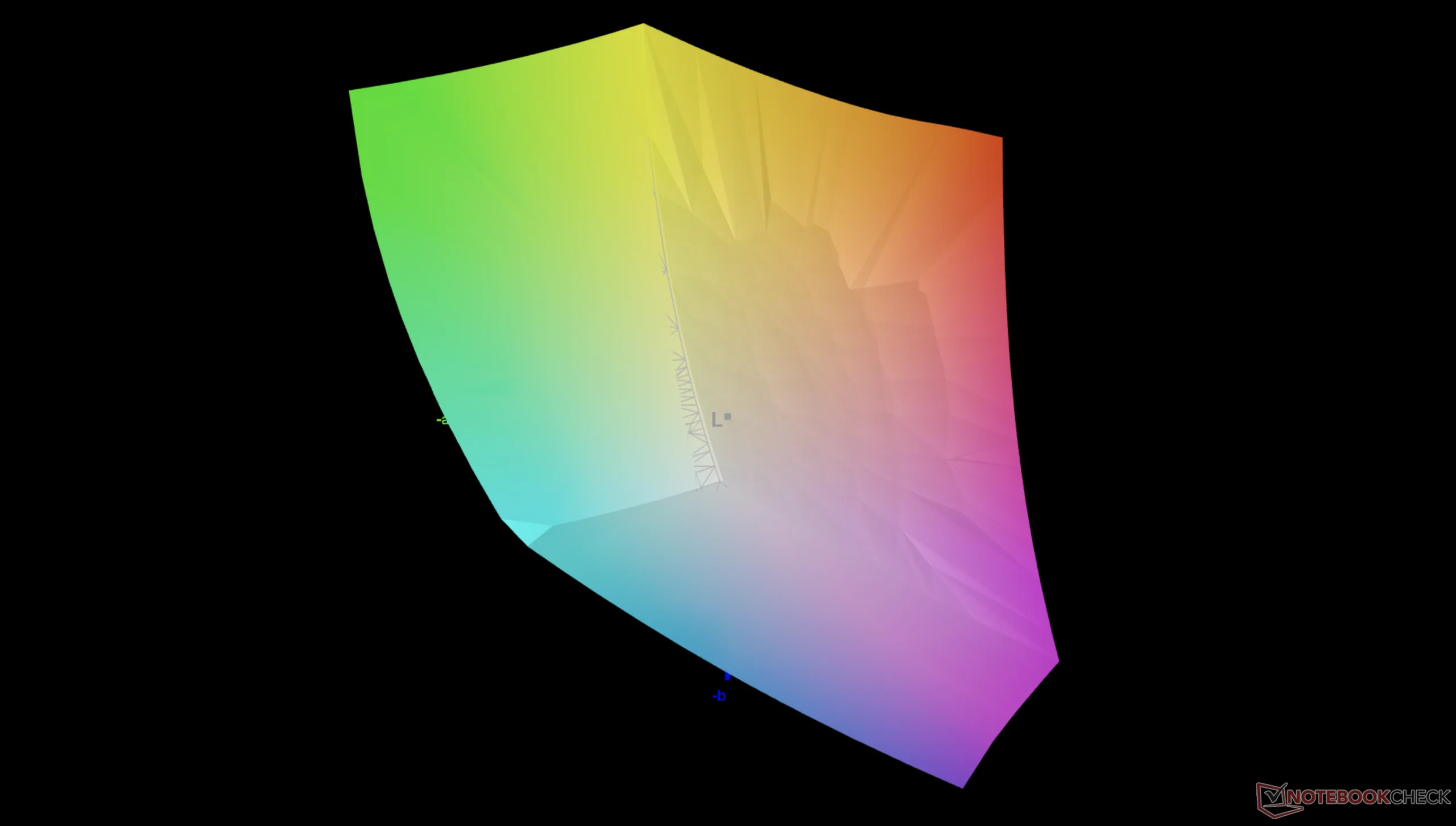
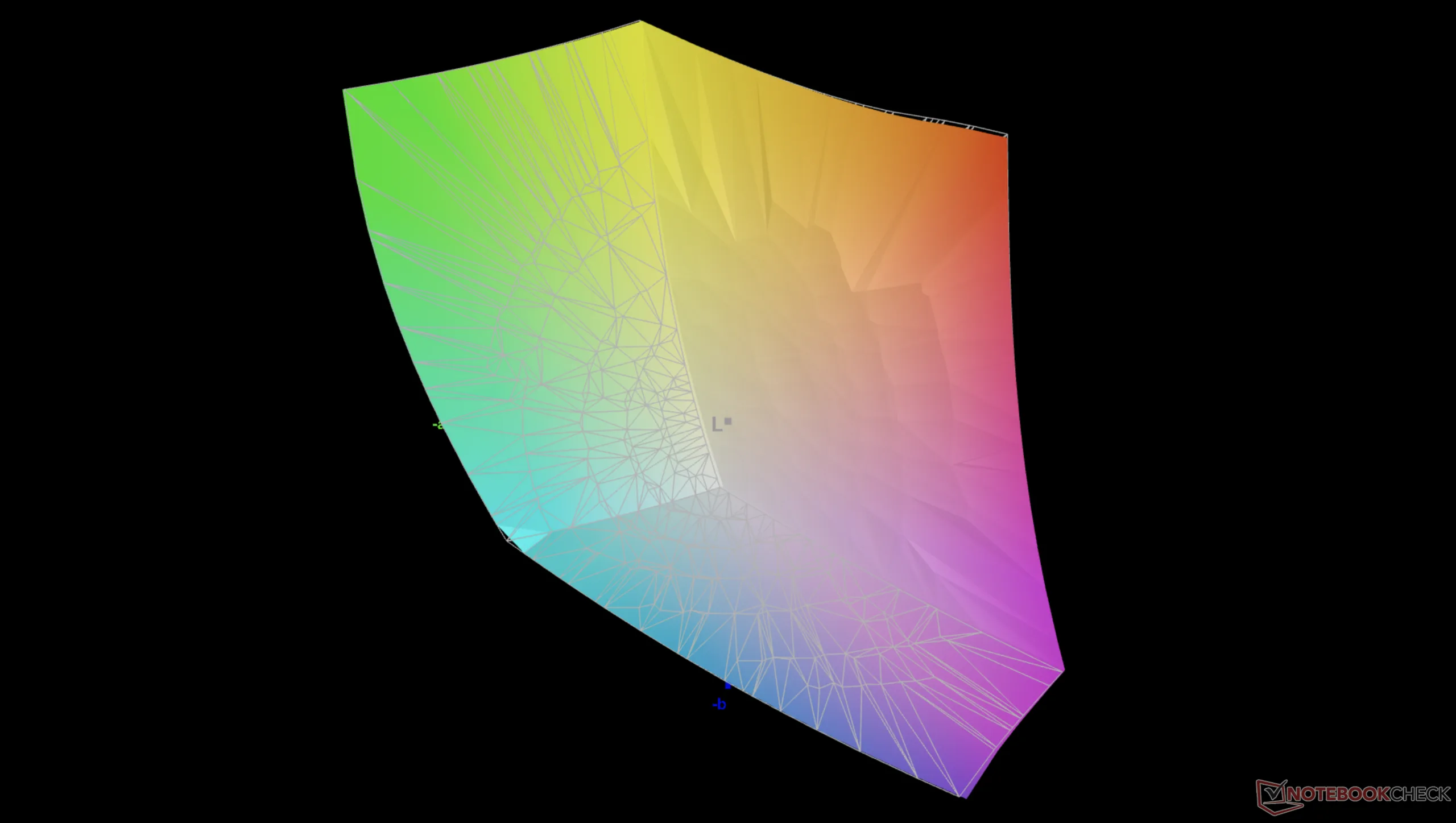
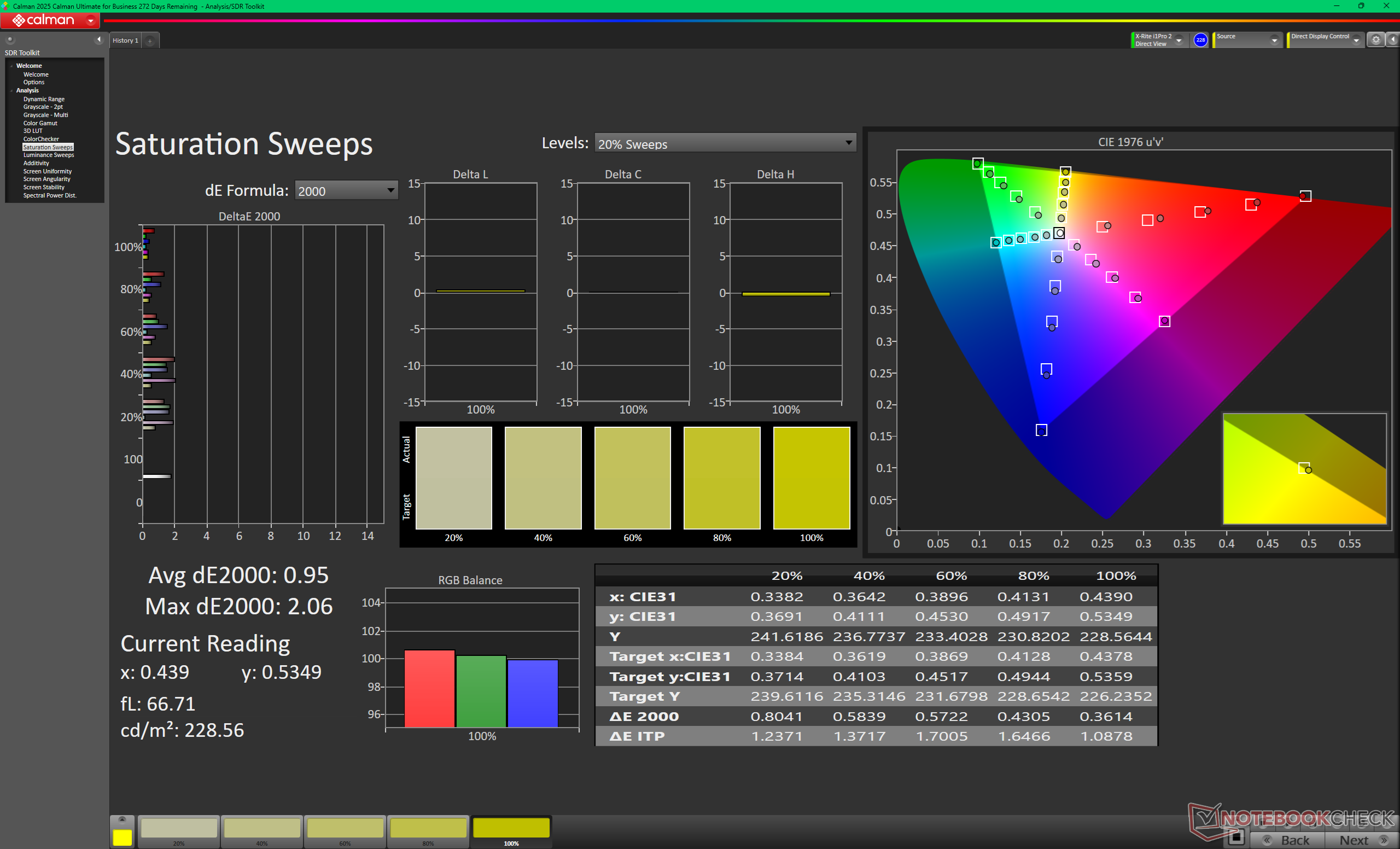
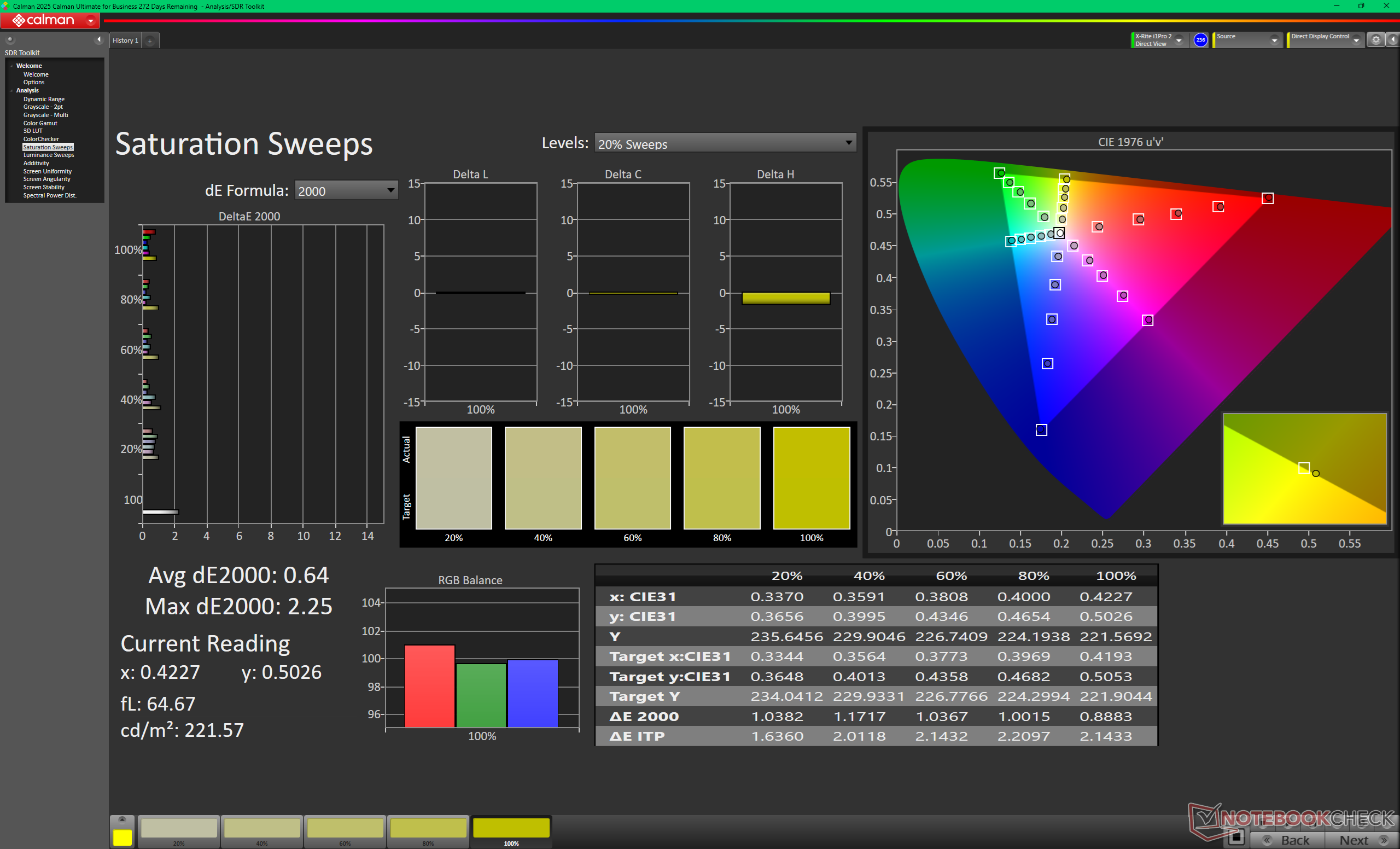
The display comes well-calibrated against the P3 standard with average grayscale and color deltaE values of only 0.6 and 2.21, respectively.
Display Response Times
| ↔ Response Time Black to White | ||
|---|---|---|
| 0.94 ms ... rise ↗ and fall ↘ combined | ↗ 0.45 ms rise | 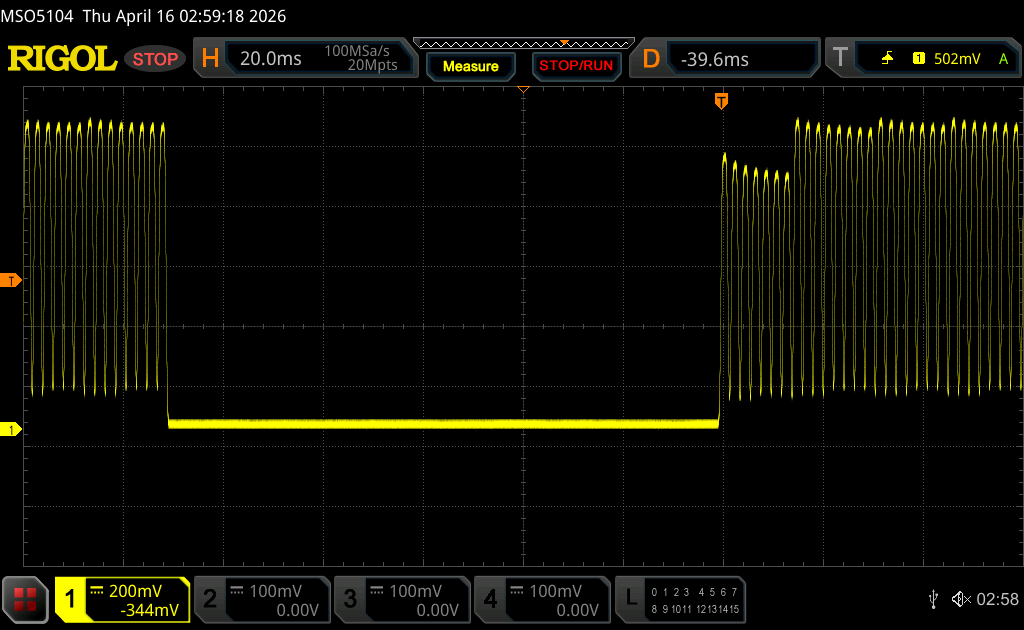 |
| ↘ 0.49 ms fall | ||
| The screen shows very fast response rates in our tests and should be very well suited for fast-paced gaming. In comparison, all tested devices range from 0.1 (minimum) to 240 (maximum) ms. » 4 % of all devices are better. This means that the measured response time is better than the average of all tested devices (19.7 ms). | ||
| ↔ Response Time 50% Grey to 80% Grey | ||
| 0.64 ms ... rise ↗ and fall ↘ combined | ↗ 0.34 ms rise | 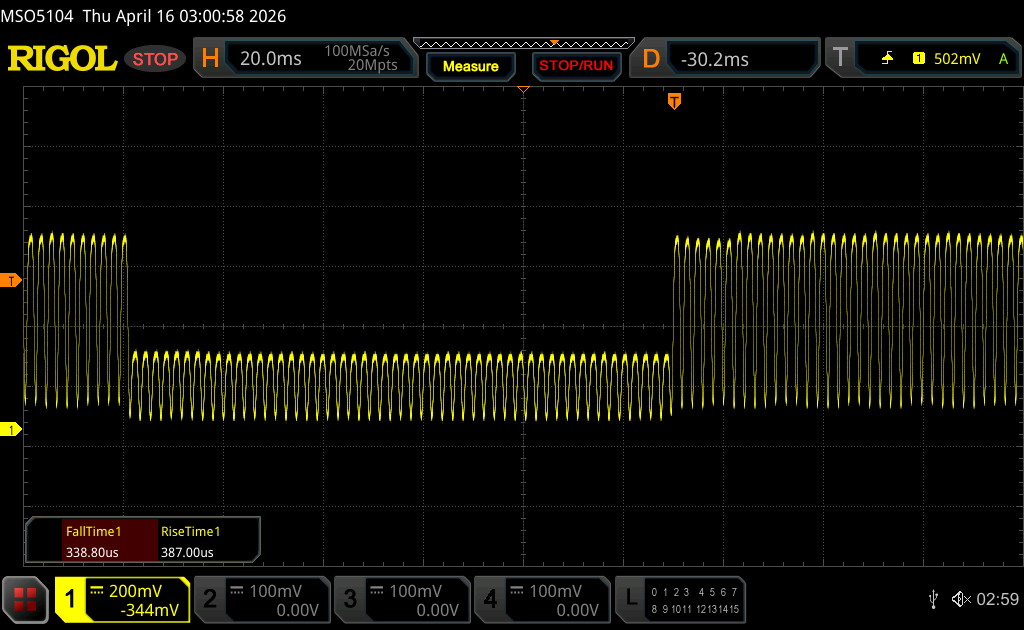 |
| ↘ 0.3 ms fall | ||
| The screen shows very fast response rates in our tests and should be very well suited for fast-paced gaming. In comparison, all tested devices range from 0.13 (minimum) to 636 (maximum) ms. » 2 % of all devices are better. This means that the measured response time is better than the average of all tested devices (30.8 ms). | ||
Screen Flickering / PWM (Pulse-Width Modulation)
| Screen flickering / PWM detected | 479.46 Hz Amplitude: 50 % | ≤ 100 % brightness setting | 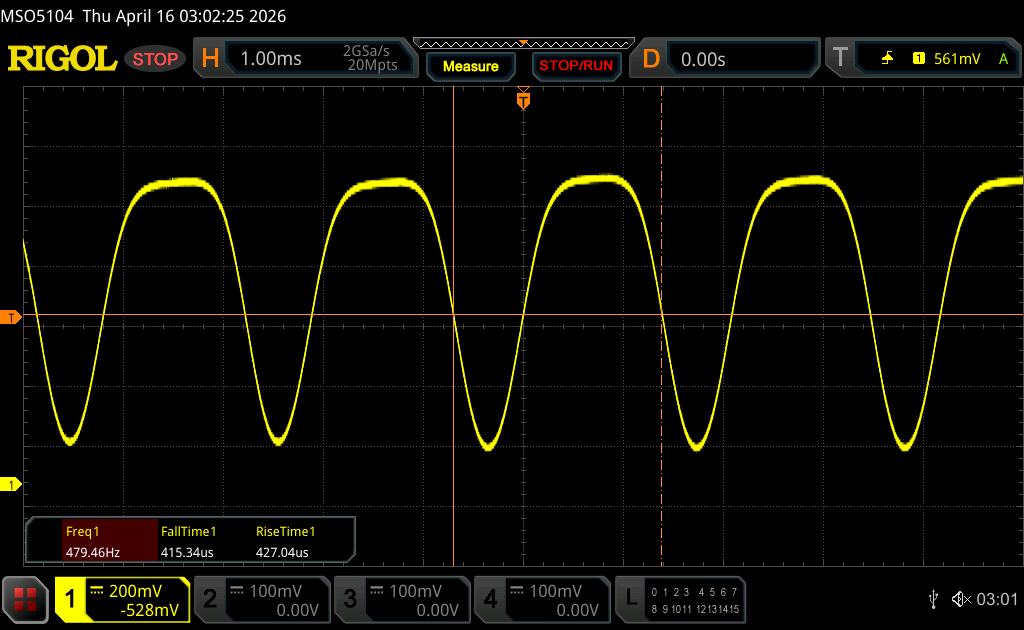 |
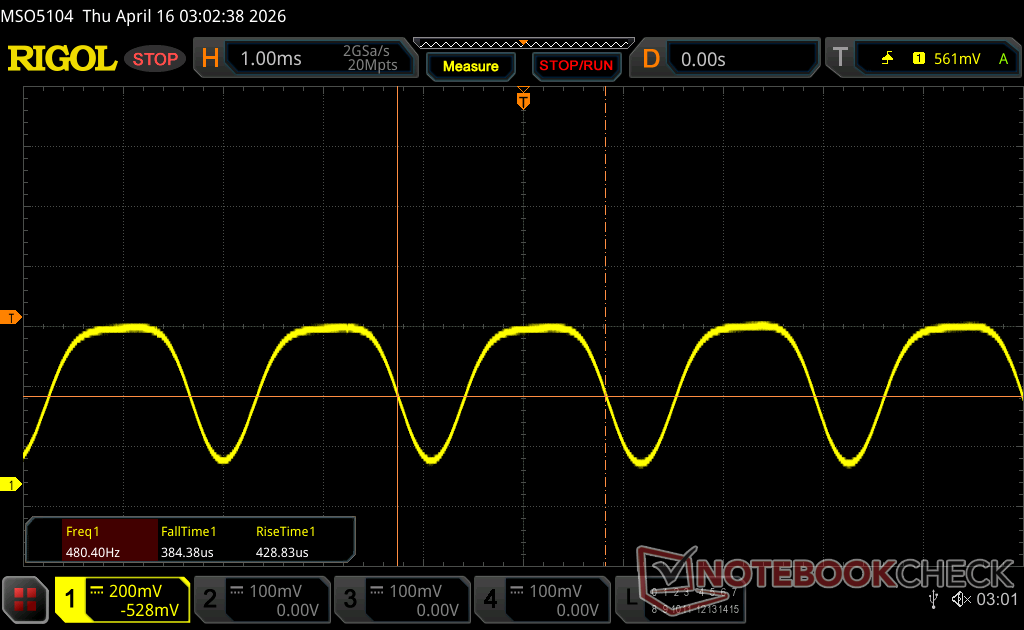
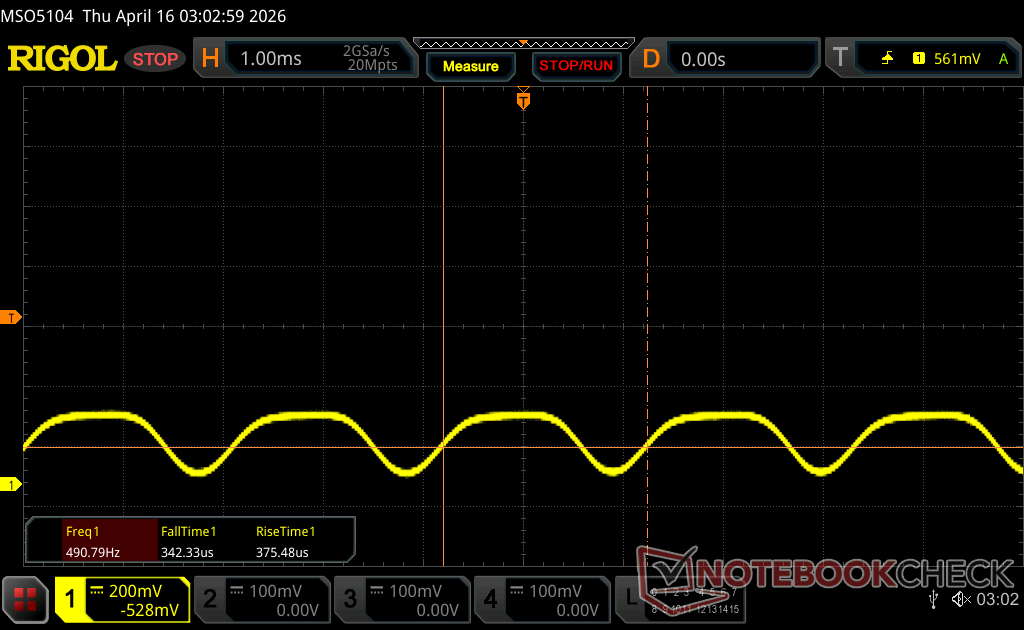
The display backlight flickers at 479.46 Hz (worst case, e.g., utilizing PWM) Flickering detected at a brightness setting of 100 % and below. There should be no flickering or PWM above this brightness setting. The frequency of 479.46 Hz is relatively high, so most users sensitive to PWM should not notice any flickering. However, there are reports that some users are still sensitive to PWM at 500 Hz and above, so be aware. In comparison: 52 % of all tested devices do not use PWM to dim the display. If PWM was detected, an average of 7665 (minimum: 5 - maximum: 343500) Hz was measured. | |||
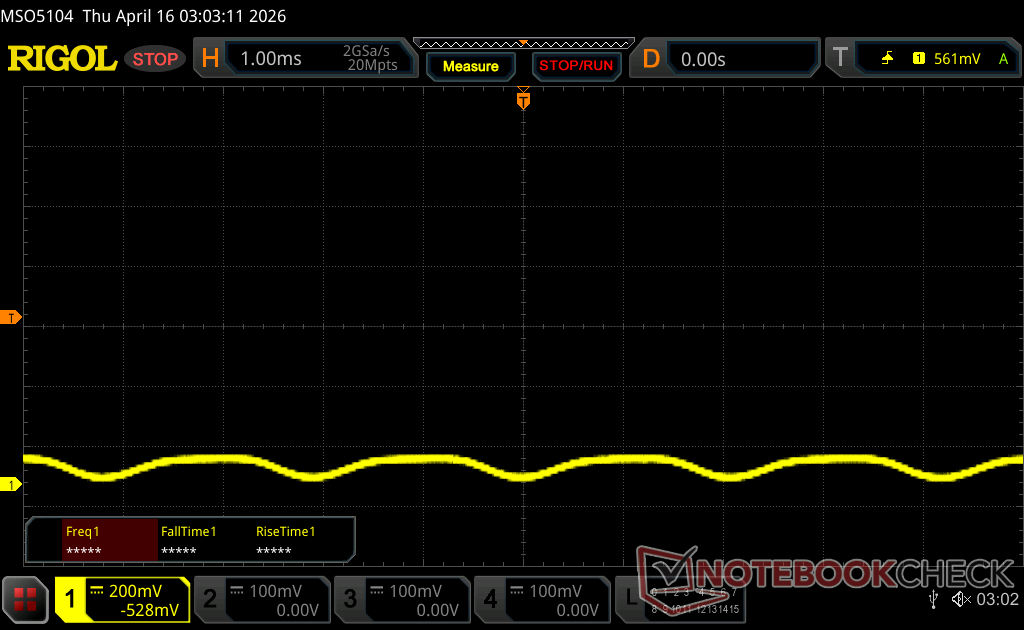
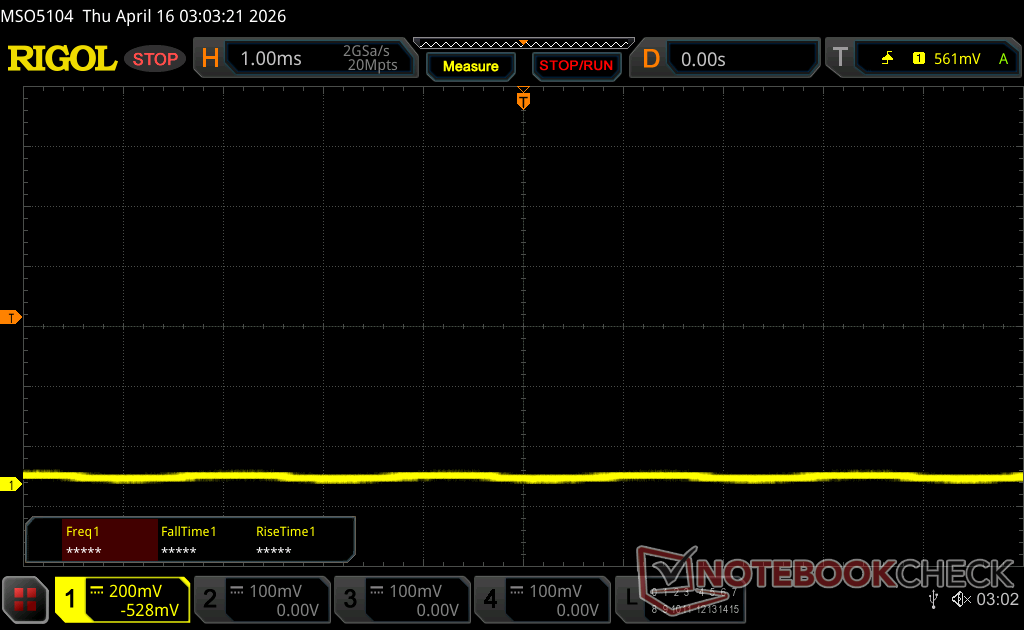


Performance
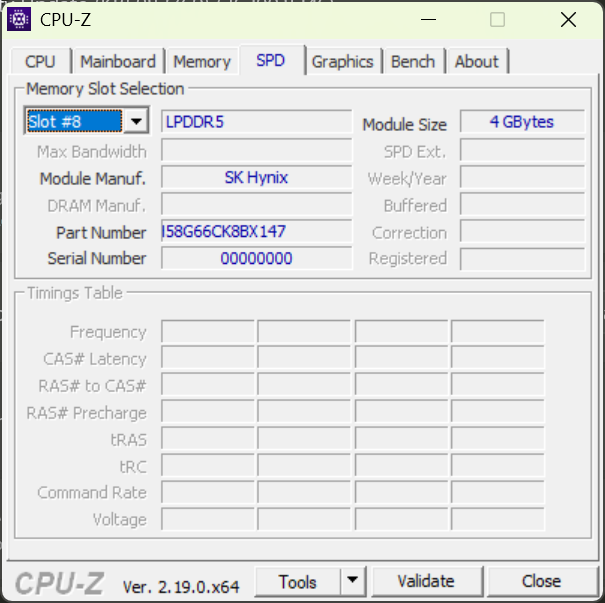
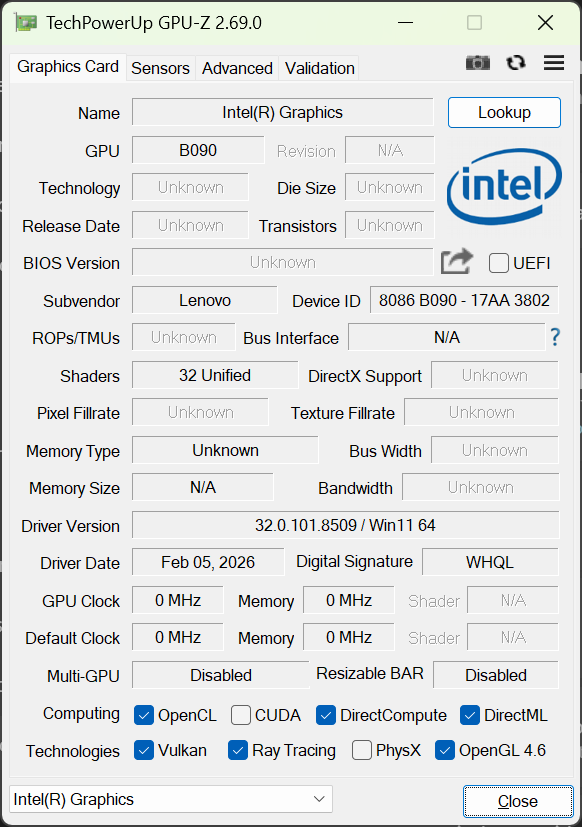
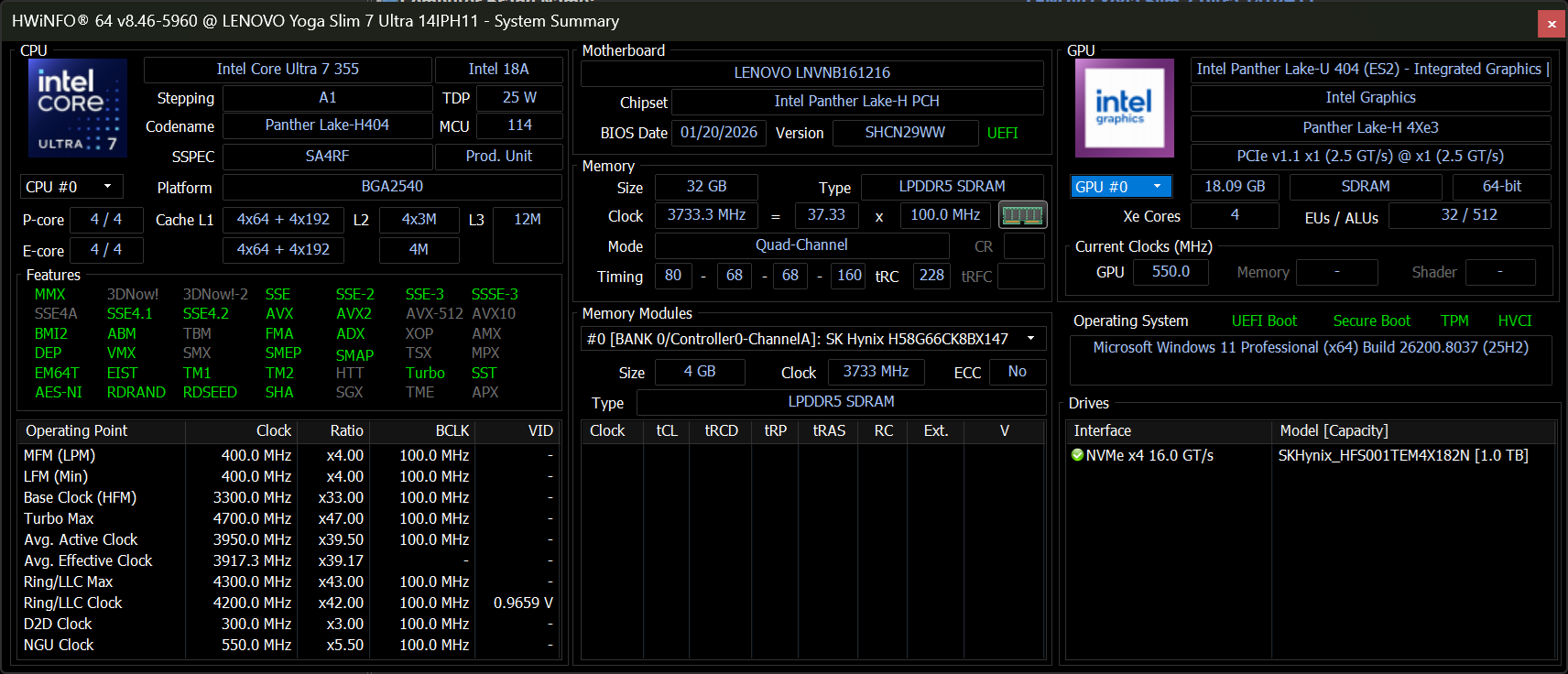
Testing Conditions
We set Windows to Performance mode prior to running the benchmarks below.
Processor
The Panther Lake Core Ultra 7 355 is neck-to-neck with last year's Lunar Lake Core Ultra 7 258V in terms of processor performance. Upgrading to the Core Ultra X7 is expected to increase multi-thread performance rather significantly by as much as 60 percent.
Note that downgrading to the less expensive Core Ultra 5 325 from our Core Ultra 7 355 configuration entails almost no performance deficit.
Cinebench R15 Multi Loop
Cinebench R23: Multi Core | Single Core
Cinebench R20: CPU (Multi Core) | CPU (Single Core)
Cinebench R15: CPU Multi 64Bit | CPU Single 64Bit
Blender: v2.79 BMW27 CPU
7-Zip 18.03: 7z b 4 | 7z b 4 -mmt1
Geekbench 6.7: Multi-Core | Single-Core
Geekbench 5.5: Multi-Core | Single-Core
HWBOT x265 Benchmark v2.2: 4k Preset
LibreOffice : 20 Documents To PDF
R Benchmark 2.5: Overall mean
Cinebench R23: Multi Core | Single Core
Cinebench R20: CPU (Multi Core) | CPU (Single Core)
Cinebench R15: CPU Multi 64Bit | CPU Single 64Bit
Blender: v2.79 BMW27 CPU
7-Zip 18.03: 7z b 4 | 7z b 4 -mmt1
Geekbench 6.7: Multi-Core | Single-Core
Geekbench 5.5: Multi-Core | Single-Core
HWBOT x265 Benchmark v2.2: 4k Preset
LibreOffice : 20 Documents To PDF
R Benchmark 2.5: Overall mean
* ... smaller is better
AIDA64: FP32 Ray-Trace | FPU Julia | CPU SHA3 | CPU Queen | FPU SinJulia | FPU Mandel | CPU AES | CPU ZLib | FP64 Ray-Trace | CPU PhotoWorxx | CPU CheckMate
| Performance rating | |
| HP OmniBook Ultra 14 -1! | |
| MSI Prestige 14 Flip AI+ 2026 -1! | |
| Lenovo Yoga Slim 7a 14AGP11 -1! | |
| Asus ZenBook 14 OLED UX3405CA, Ultra 7 255H -1! | |
| Lenovo Yoga Slim 7 Ultra 14IPH11 -1! | |
| Average Intel Core Ultra 7 355 | |
| Dell XPS 14 Core Ultra 7 355 | |
| AIDA64 / FP32 Ray-Trace | |
| HP OmniBook Ultra 14 (v6.92.6600) | |
| Lenovo Yoga Slim 7a 14AGP11 (v8.20.8100) | |
| MSI Prestige 14 Flip AI+ 2026 (v8.20.8100) | |
| Asus ZenBook 14 OLED UX3405CA, Ultra 7 255H (v6.92.6600) | |
| Average Intel Core Ultra 7 355 (12088 - 12838, n=5) | |
| Lenovo Yoga Slim 7 Ultra 14IPH11 (v8.20.8100) | |
| Dell XPS 14 Core Ultra 7 355 (v8.20.8100) | |
| AIDA64 / FPU Julia | |
| HP OmniBook Ultra 14 (v6.92.6600) | |
| MSI Prestige 14 Flip AI+ 2026 (v8.20.8100) | |
| Lenovo Yoga Slim 7a 14AGP11 (v8.20.8100) | |
| Asus ZenBook 14 OLED UX3405CA, Ultra 7 255H (v6.92.6600) | |
| Dell XPS 14 Core Ultra 7 355 (v8.20.8100) | |
| Average Intel Core Ultra 7 355 (60741 - 65963, n=5) | |
| Lenovo Yoga Slim 7 Ultra 14IPH11 (v8.20.8100) | |
| AIDA64 / CPU SHA3 | |
| HP OmniBook Ultra 14 (v6.92.6600) | |
| MSI Prestige 14 Flip AI+ 2026 (v8.20.8100) | |
| Asus ZenBook 14 OLED UX3405CA, Ultra 7 255H (v6.92.6600) | |
| Lenovo Yoga Slim 7 Ultra 14IPH11 (v8.20.8100) | |
| Average Intel Core Ultra 7 355 (2763 - 2845, n=5) | |
| Lenovo Yoga Slim 7a 14AGP11 (v8.20.8100) | |
| Dell XPS 14 Core Ultra 7 355 (v8.20.8100) | |
| AIDA64 / CPU Queen | |
| HP OmniBook Ultra 14 (v6.92.6600) | |
| Asus ZenBook 14 OLED UX3405CA, Ultra 7 255H (v6.92.6600) | |
| Dell XPS 14 Core Ultra 7 355 (v6.92.6600) | |
| Average Intel Core Ultra 7 355 (n=1) | |
| AIDA64 / FPU SinJulia | |
| HP OmniBook Ultra 14 (v6.92.6600) | |
| Lenovo Yoga Slim 7a 14AGP11 (v8.20.8100) | |
| Asus ZenBook 14 OLED UX3405CA, Ultra 7 255H (v6.92.6600) | |
| MSI Prestige 14 Flip AI+ 2026 (v8.20.8100) | |
| Lenovo Yoga Slim 7 Ultra 14IPH11 (v8.20.8100) | |
| Dell XPS 14 Core Ultra 7 355 (v8.20.8100) | |
| Average Intel Core Ultra 7 355 (4585 - 4601, n=5) | |
| AIDA64 / FPU Mandel | |
| HP OmniBook Ultra 14 (v6.92.6600) | |
| MSI Prestige 14 Flip AI+ 2026 (v8.20.8100) | |
| Lenovo Yoga Slim 7a 14AGP11 (v8.20.8100) | |
| Asus ZenBook 14 OLED UX3405CA, Ultra 7 255H (v6.92.6600) | |
| Dell XPS 14 Core Ultra 7 355 (v8.20.8100) | |
| Average Intel Core Ultra 7 355 (32404 - 35293, n=5) | |
| Lenovo Yoga Slim 7 Ultra 14IPH11 (v8.20.8100) | |
| AIDA64 / CPU AES | |
| HP OmniBook Ultra 14 (v6.92.6600) | |
| Asus ZenBook 14 OLED UX3405CA, Ultra 7 255H (v6.92.6600) | |
| MSI Prestige 14 Flip AI+ 2026 (v8.20.8100) | |
| Lenovo Yoga Slim 7a 14AGP11 (v8.20.8100) | |
| Lenovo Yoga Slim 7 Ultra 14IPH11 (v8.20.8100) | |
| Average Intel Core Ultra 7 355 (38981 - 39424, n=5) | |
| Dell XPS 14 Core Ultra 7 355 (v8.20.8100) | |
| AIDA64 / CPU ZLib | |
| HP OmniBook Ultra 14 (v6.92.6600) | |
| MSI Prestige 14 Flip AI+ 2026 (v8.20.8100) | |
| Asus ZenBook 14 OLED UX3405CA, Ultra 7 255H (v6.92.6600) | |
| Lenovo Yoga Slim 7a 14AGP11 (v8.20.8100) | |
| Lenovo Yoga Slim 7 Ultra 14IPH11 (v8.20.8100) | |
| Average Intel Core Ultra 7 355 (635 - 646, n=5) | |
| Dell XPS 14 Core Ultra 7 355 (v8.20.8100) | |
| AIDA64 / FP64 Ray-Trace | |
| HP OmniBook Ultra 14 (v6.92.6600) | |
| Lenovo Yoga Slim 7a 14AGP11 (v8.20.8100) | |
| MSI Prestige 14 Flip AI+ 2026 (v8.20.8100) | |
| Asus ZenBook 14 OLED UX3405CA, Ultra 7 255H (v6.92.6600) | |
| Dell XPS 14 Core Ultra 7 355 (v8.20.8100) | |
| Average Intel Core Ultra 7 355 (6138 - 6833, n=5) | |
| Lenovo Yoga Slim 7 Ultra 14IPH11 (v8.20.8100) | |
| AIDA64 / CPU PhotoWorxx | |
| MSI Prestige 14 Flip AI+ 2026 (v8.20.8100) | |
| Lenovo Yoga Slim 7 Ultra 14IPH11 (v8.20.8100) | |
| Average Intel Core Ultra 7 355 (57998 - 60440, n=5) | |
| Dell XPS 14 Core Ultra 7 355 (v8.20.8100) | |
| Asus ZenBook 14 OLED UX3405CA, Ultra 7 255H (v6.92.6600) | |
| HP OmniBook Ultra 14 (v6.92.6600) | |
| Lenovo Yoga Slim 7a 14AGP11 (v8.20.8100) | |
| AIDA64 / CPU CheckMate | |
| MSI Prestige 14 Flip AI+ 2026 (v8.20.8100) | |
| Lenovo Yoga Slim 7a 14AGP11 (v8.20.8100) | |
| Lenovo Yoga Slim 7 Ultra 14IPH11 (v8.20.8100) | |
| Dell XPS 14 Core Ultra 7 355 (v8.20.8100) | |
| Average Intel Core Ultra 7 355 (2747 - 2813, n=5) | |
System Performance
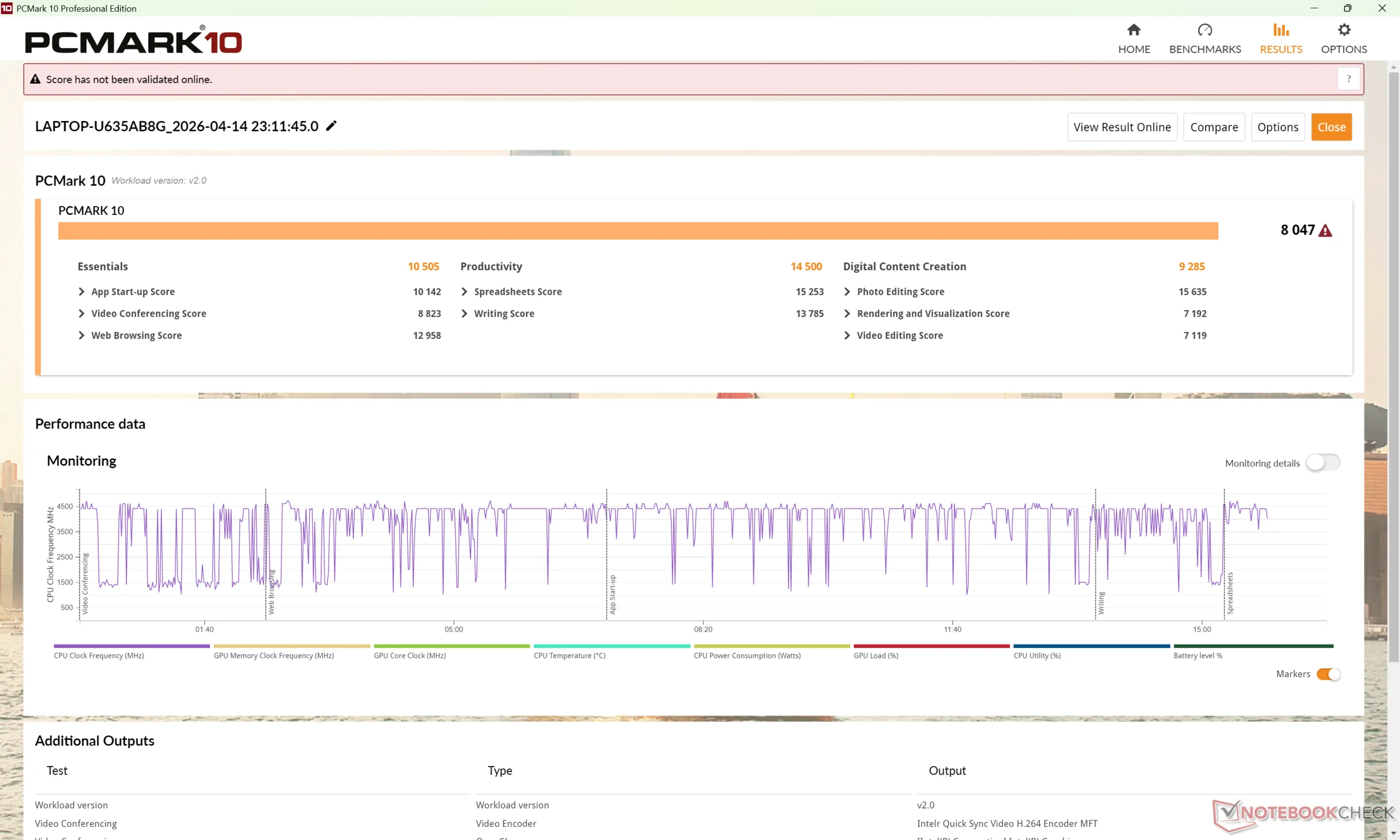
PCMark 10: Score | Essentials | Productivity | Digital Content Creation
CrossMark: Overall | Productivity | Creativity | Responsiveness
WebXPRT 3: Overall
WebXPRT 4: Overall
Mozilla Kraken 1.1: Total
Geekbench AI: Quantized GPU 1.7 | Half Precision GPU 1.7 | Single Precision GPU 1.7
| PCMark 10 / Score | |
| MSI Prestige 14 Flip AI+ 2026 | |
| Dell XPS 14 Core Ultra 7 355 | |
| Lenovo Yoga Slim 7 Ultra 14IPH11 | |
| HP OmniBook Ultra 14 | |
| Asus ZenBook 14 OLED UX3405CA, Ultra 7 255H | |
| Lenovo Yoga Slim 7a 14AGP11 | |
| CrossMark / Overall | |
| MSI Prestige 14 Flip AI+ 2026 | |
| Lenovo Yoga Slim 7 Ultra 14IPH11 | |
| Asus ZenBook 14 OLED UX3405CA, Ultra 7 255H | |
| HP OmniBook Ultra 14 | |
| Dell XPS 14 Core Ultra 7 355 | |
| Lenovo Yoga Slim 7a 14AGP11 | |
| WebXPRT 3 / Overall | |
| HP OmniBook Ultra 14 | |
| MSI Prestige 14 Flip AI+ 2026 | |
| Dell XPS 14 Core Ultra 7 355 | |
| Lenovo Yoga Slim 7 Ultra 14IPH11 | |
| Lenovo Yoga Slim 7a 14AGP11 | |
| Asus ZenBook 14 OLED UX3405CA, Ultra 7 255H | |
| WebXPRT 4 / Overall | |
| MSI Prestige 14 Flip AI+ 2026 | |
| Dell XPS 14 Core Ultra 7 355 | |
| Lenovo Yoga Slim 7 Ultra 14IPH11 | |
| HP OmniBook Ultra 14 | |
| Asus ZenBook 14 OLED UX3405CA, Ultra 7 255H | |
| Lenovo Yoga Slim 7a 14AGP11 | |
| Geekbench AI / Quantized GPU 1.7 | |
| Asus ZenBook 14 OLED UX3405CA, Ultra 7 255H | |
| Lenovo Yoga Slim 7 Ultra 14IPH11 | |
| Dell XPS 14 Core Ultra 7 355 | |
| Geekbench AI / Half Precision GPU 1.7 | |
| Dell XPS 14 Core Ultra 7 355 | |
| Lenovo Yoga Slim 7 Ultra 14IPH11 | |
| Asus ZenBook 14 OLED UX3405CA, Ultra 7 255H | |
| Geekbench AI / Single Precision GPU 1.7 | |
| Asus ZenBook 14 OLED UX3405CA, Ultra 7 255H | |
| Lenovo Yoga Slim 7 Ultra 14IPH11 | |
| Dell XPS 14 Core Ultra 7 355 | |
* ... smaller is better
| PCMark 10 Score | 8047 points | |
Help | ||
| AIDA64 / Memory Copy | |
| MSI Prestige 14 Flip AI+ 2026 | |
| Lenovo Yoga Slim 7 Ultra 14IPH11 | |
| Average Intel Core Ultra 7 355 (97301 - 105135, n=5) | |
| Dell XPS 14 Core Ultra 7 355 | |
| Asus ZenBook 14 OLED UX3405CA, Ultra 7 255H | |
| HP OmniBook Ultra 14 | |
| Lenovo Yoga Slim 7a 14AGP11 | |
| AIDA64 / Memory Read | |
| MSI Prestige 14 Flip AI+ 2026 | |
| HP OmniBook Ultra 14 | |
| Lenovo Yoga Slim 7 Ultra 14IPH11 | |
| Average Intel Core Ultra 7 355 (79551 - 85807, n=5) | |
| Asus ZenBook 14 OLED UX3405CA, Ultra 7 255H | |
| Dell XPS 14 Core Ultra 7 355 | |
| Lenovo Yoga Slim 7a 14AGP11 | |
| AIDA64 / Memory Write | |
| MSI Prestige 14 Flip AI+ 2026 | |
| Lenovo Yoga Slim 7a 14AGP11 | |
| Lenovo Yoga Slim 7 Ultra 14IPH11 | |
| Average Intel Core Ultra 7 355 (103056 - 108621, n=5) | |
| Dell XPS 14 Core Ultra 7 355 | |
| HP OmniBook Ultra 14 | |
| Asus ZenBook 14 OLED UX3405CA, Ultra 7 255H | |
| AIDA64 / Memory Latency | |
| Asus ZenBook 14 OLED UX3405CA, Ultra 7 255H | |
| HP OmniBook Ultra 14 | |
| Lenovo Yoga Slim 7a 14AGP11 | |
| Dell XPS 14 Core Ultra 7 355 | |
| Average Intel Core Ultra 7 355 (99.7 - 105.8, n=5) | |
| Lenovo Yoga Slim 7 Ultra 14IPH11 | |
| MSI Prestige 14 Flip AI+ 2026 | |
* ... smaller is better
DPC Latency
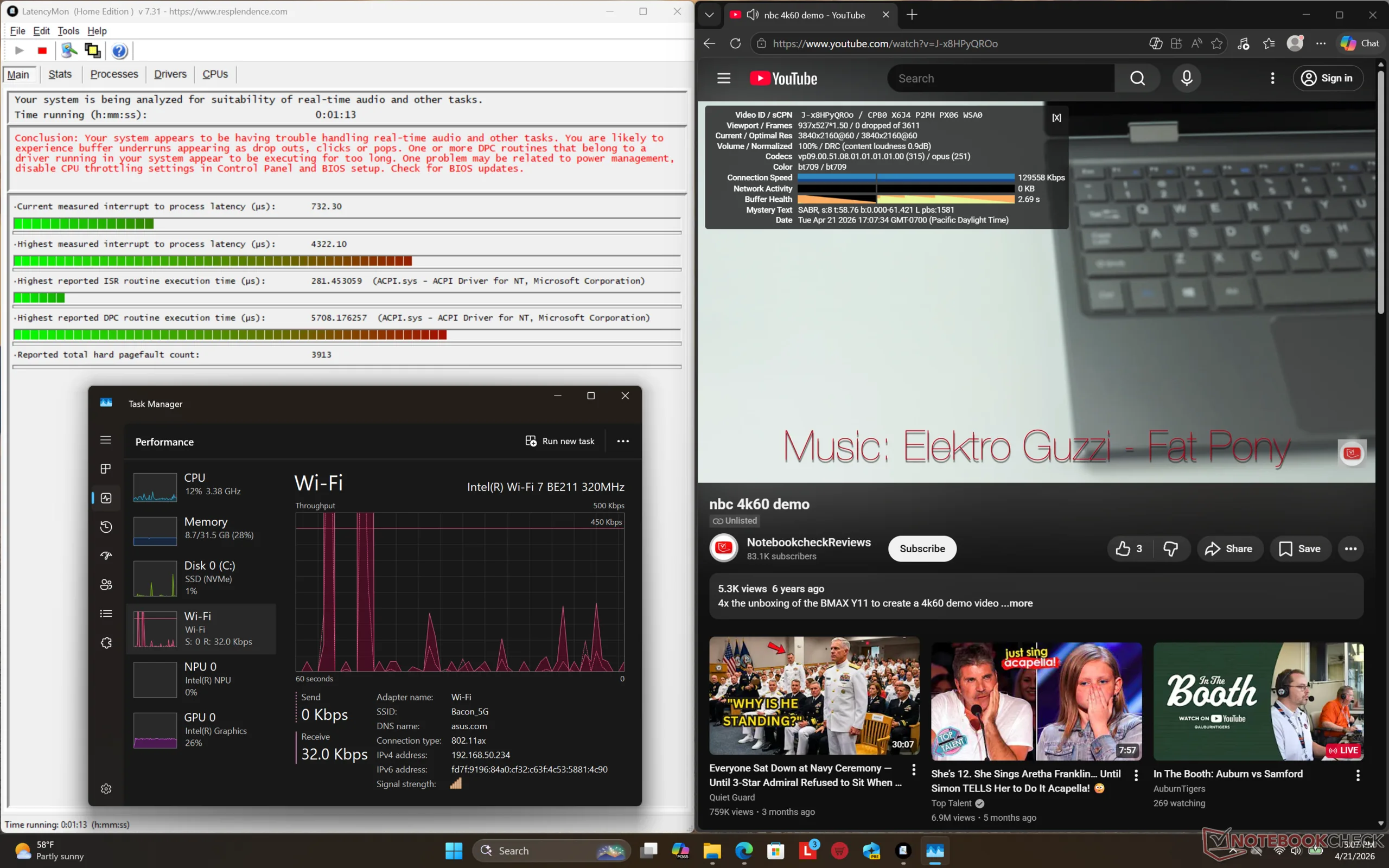
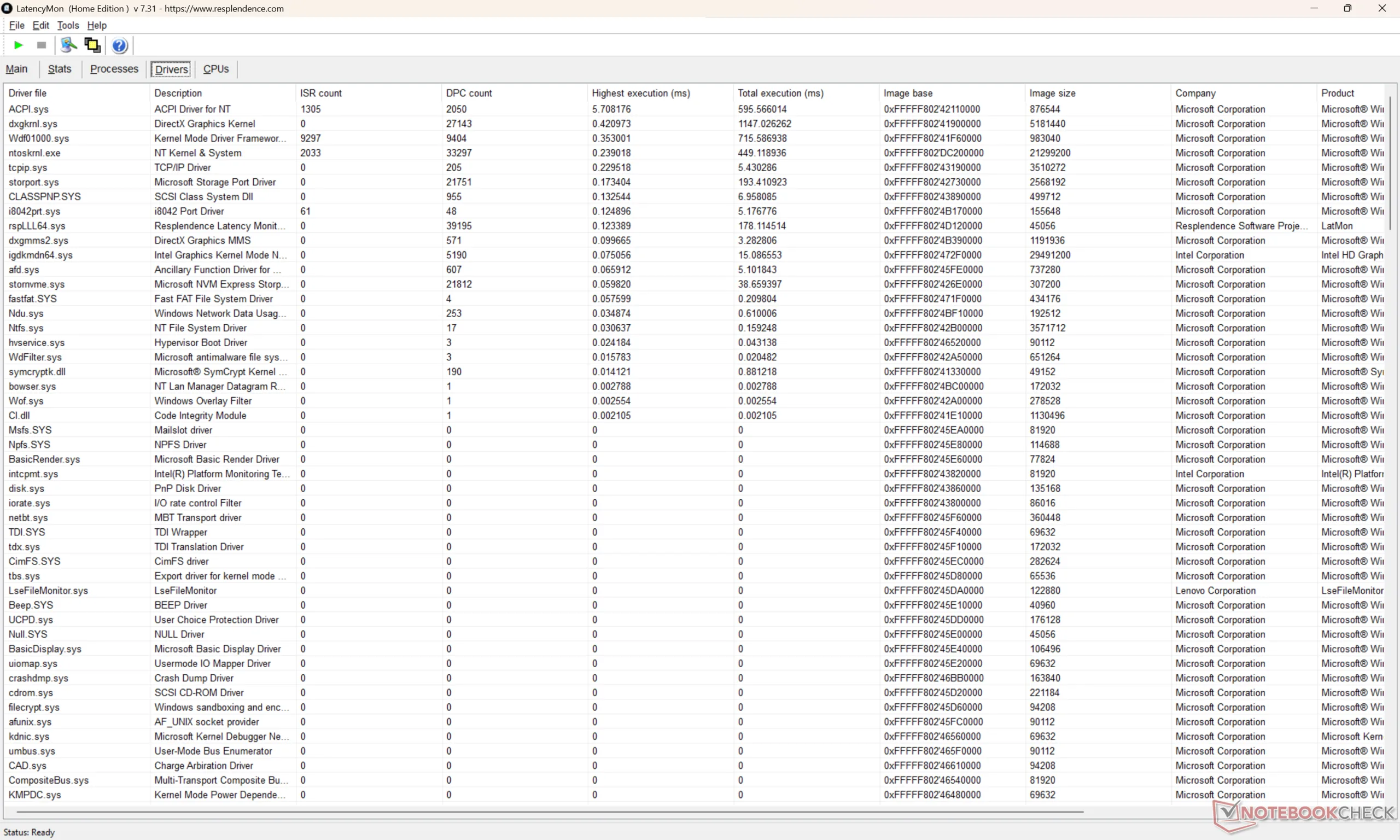
| DPC Latencies / LatencyMon - interrupt to process latency (max), Web, Youtube, Prime95 | |
| MSI Prestige 14 Flip AI+ 2026 | |
| Lenovo Yoga Slim 7 Ultra 14IPH11 | |
| Asus ZenBook 14 OLED UX3405CA, Ultra 7 255H | |
| Dell XPS 14 Core Ultra 7 355 | |
| Lenovo Yoga Slim 7a 14AGP11 | |
* ... smaller is better
Storage Devices
Transfers rates with the SK Hynix PCIe4 SSD are much more stable when compared to the Micron SSD in the Yoga Slim 7a 14 as shown by our DiskSpd loop graph below.
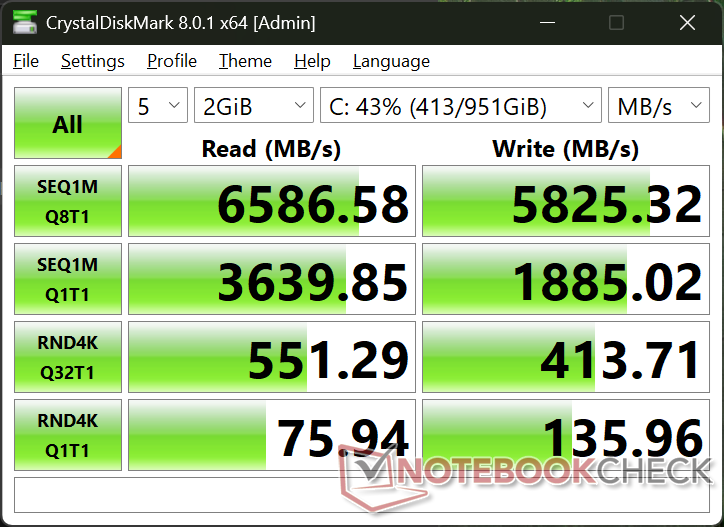
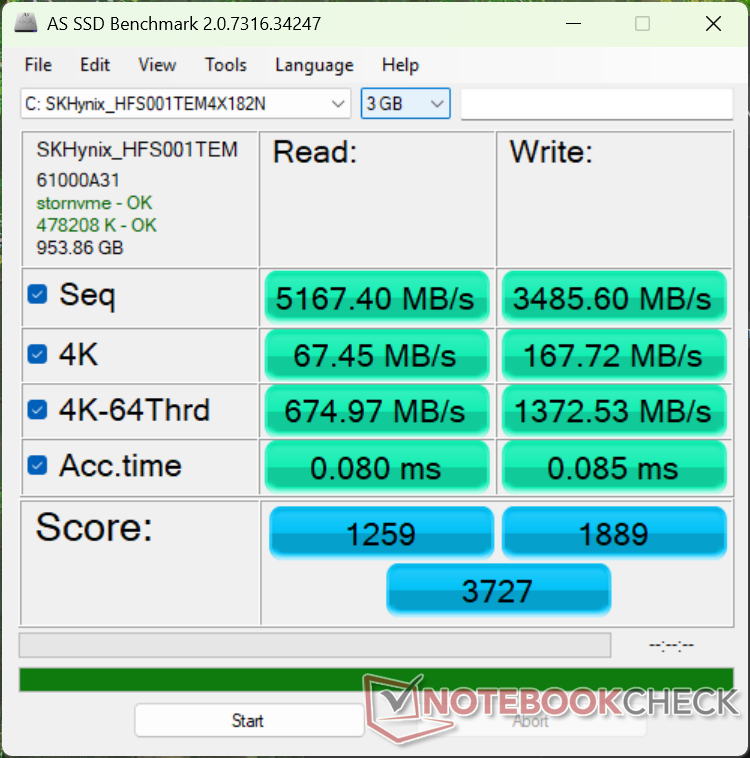

* ... smaller is better
Disk Throttling: DiskSpd Read Loop, Queue Depth 8
GPU Performance
The Panther Lake Xe3 4 iGPU is a decent improvement over the previous generation Iris Xe 96 EUs commonly found on many older Core i7 Ultrabooks. Performance levels are roughly on par with the competing Radeon 860M if not slightly faster.
Upgrading to the Core Ultra X7 Arc B390 configuration would increase graphics performance significantly by roughly 2.5x for GeForce RTX 3050-like gaming performance.
| Power Profile | Graphics Score | Physics Score | Combined Score |
| Performance Mode | 6837 | 19167 | 2219 |
| Balanced Mode | 6610 (-3%) | 19460 (-0%) | 2157 (-3%) |
| Battery Power | 6762 (-1%) | 19235 (-0%) | 2197 (-1%) |
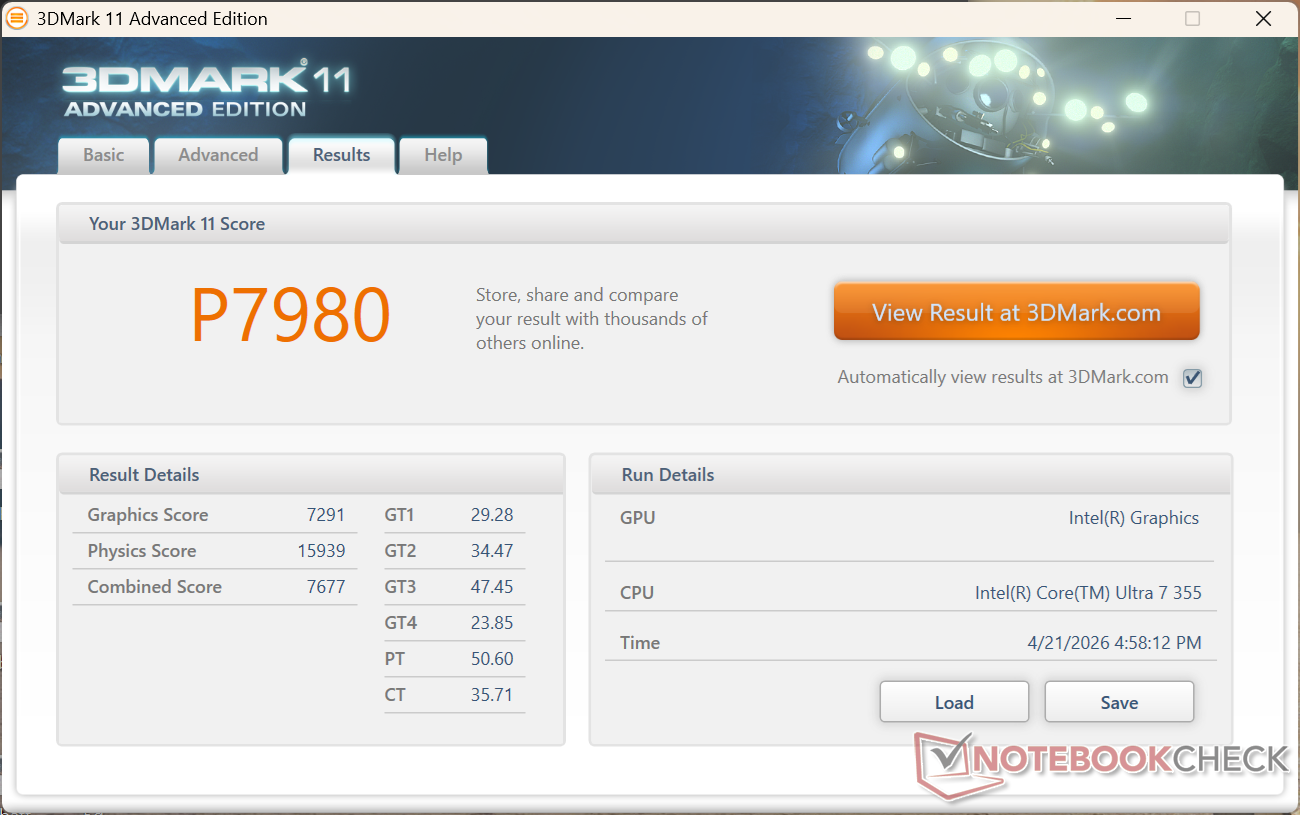
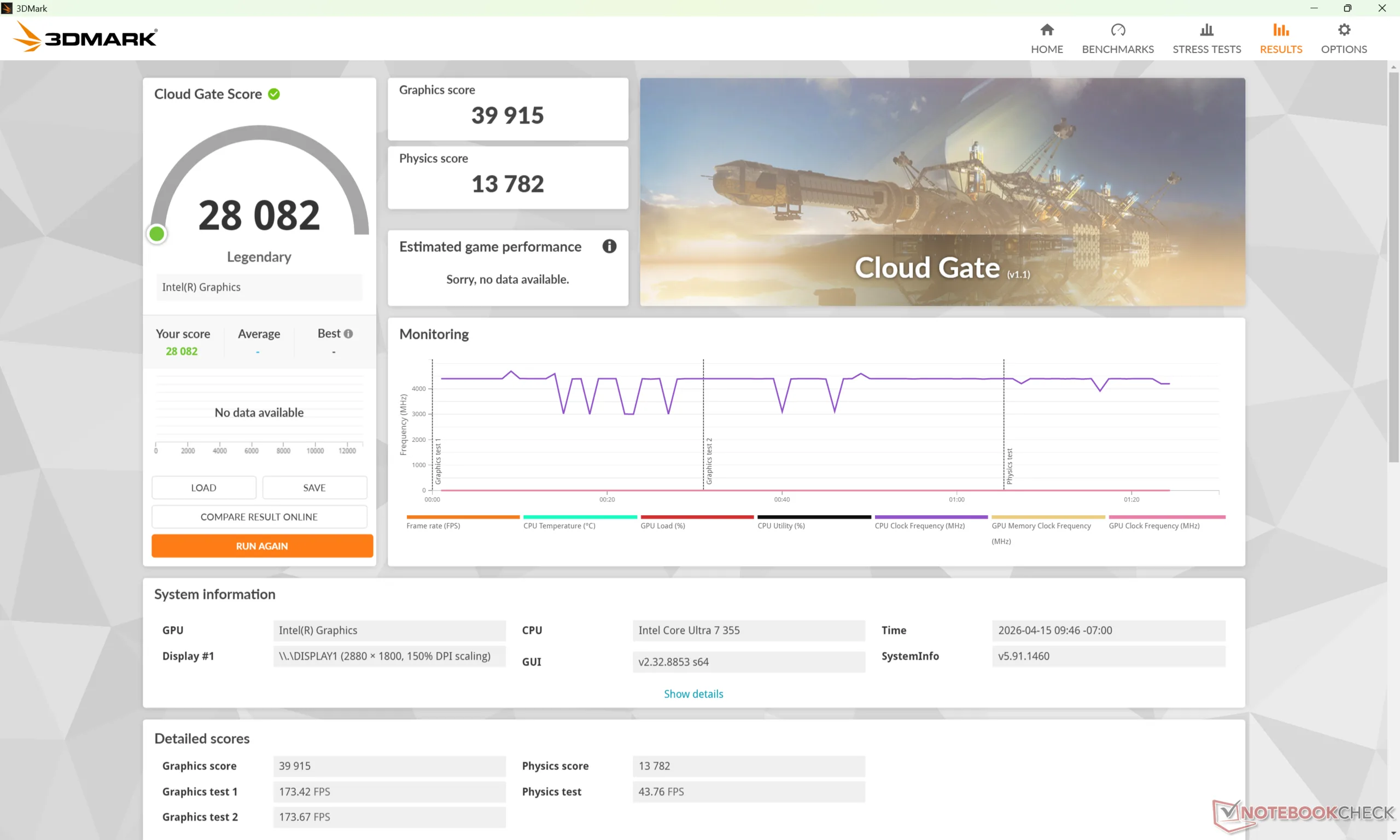
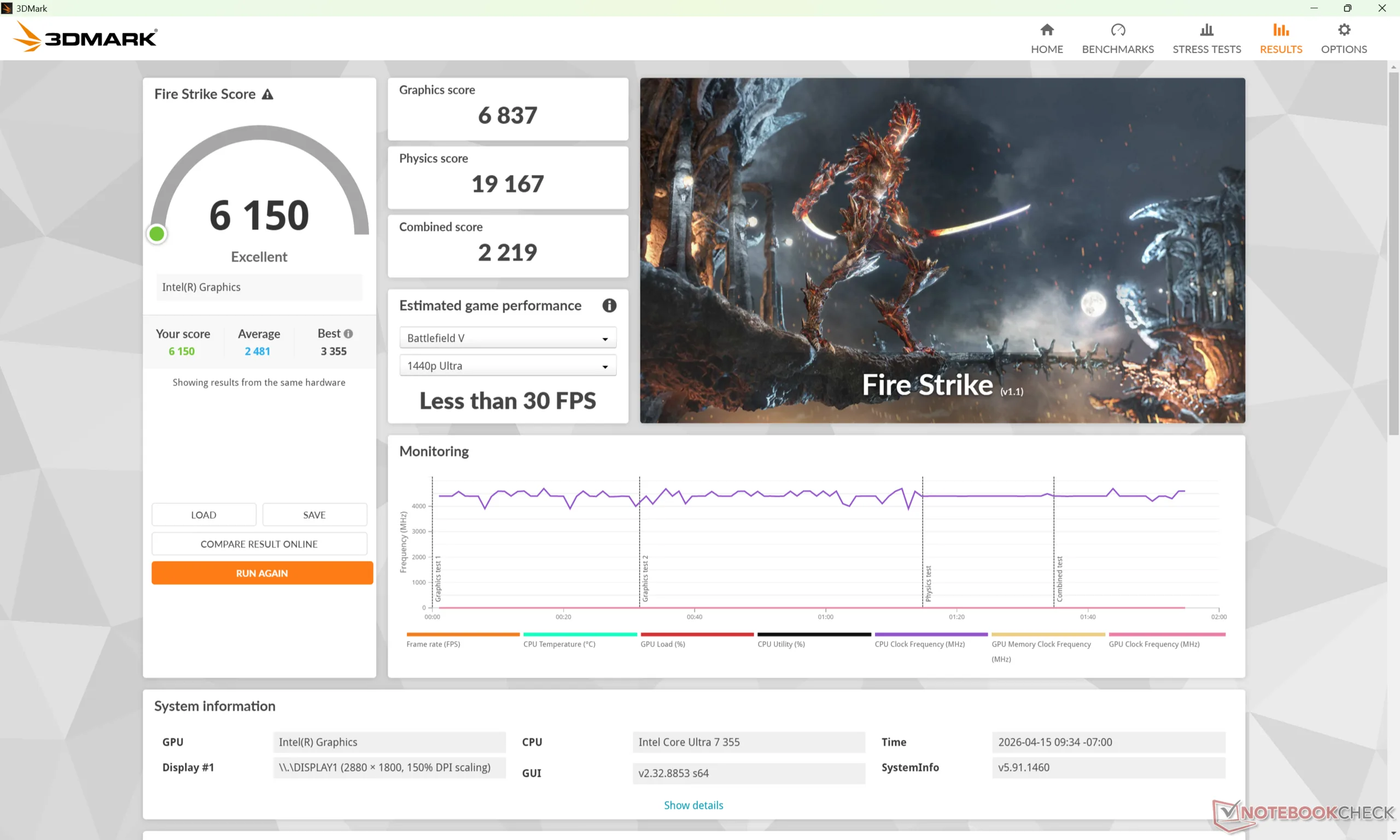
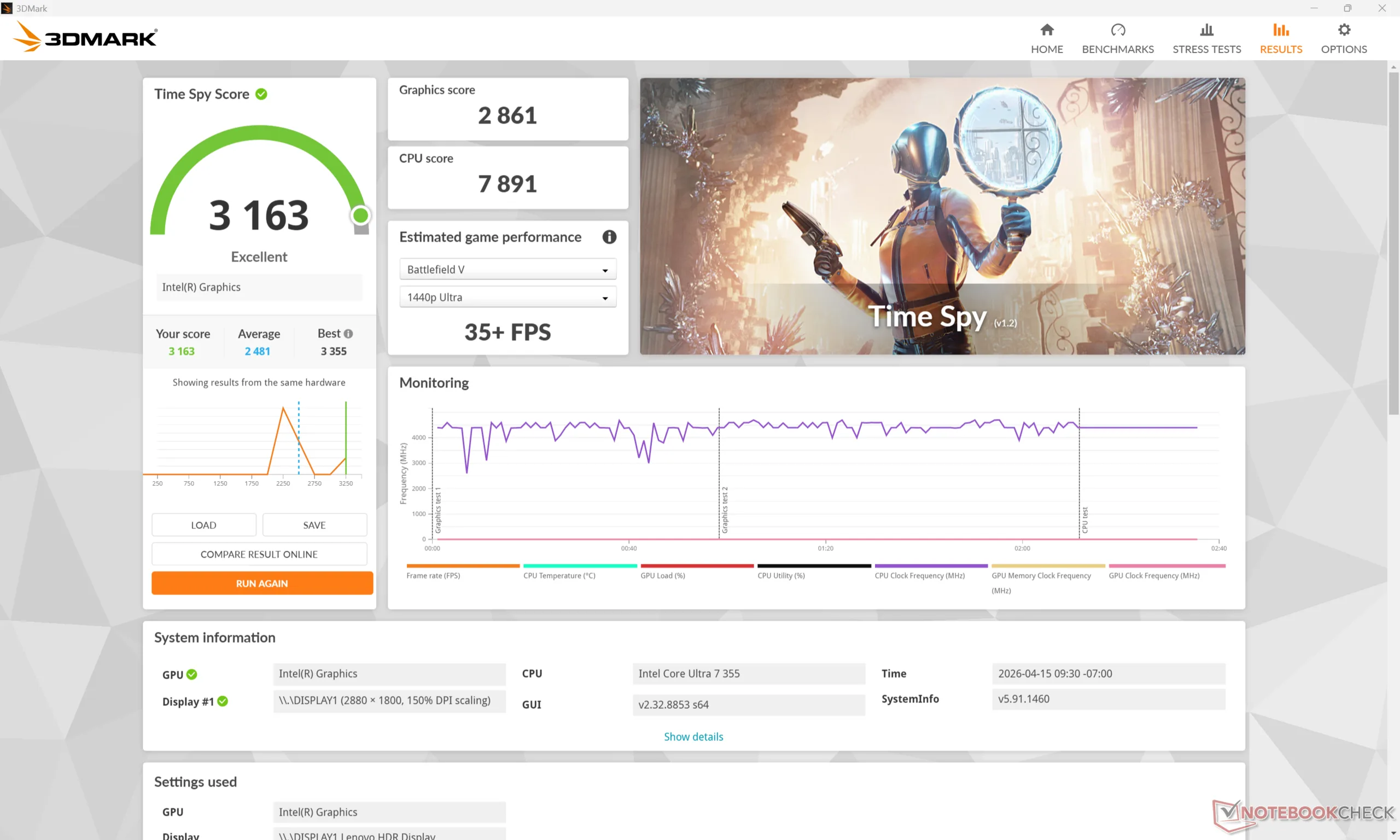
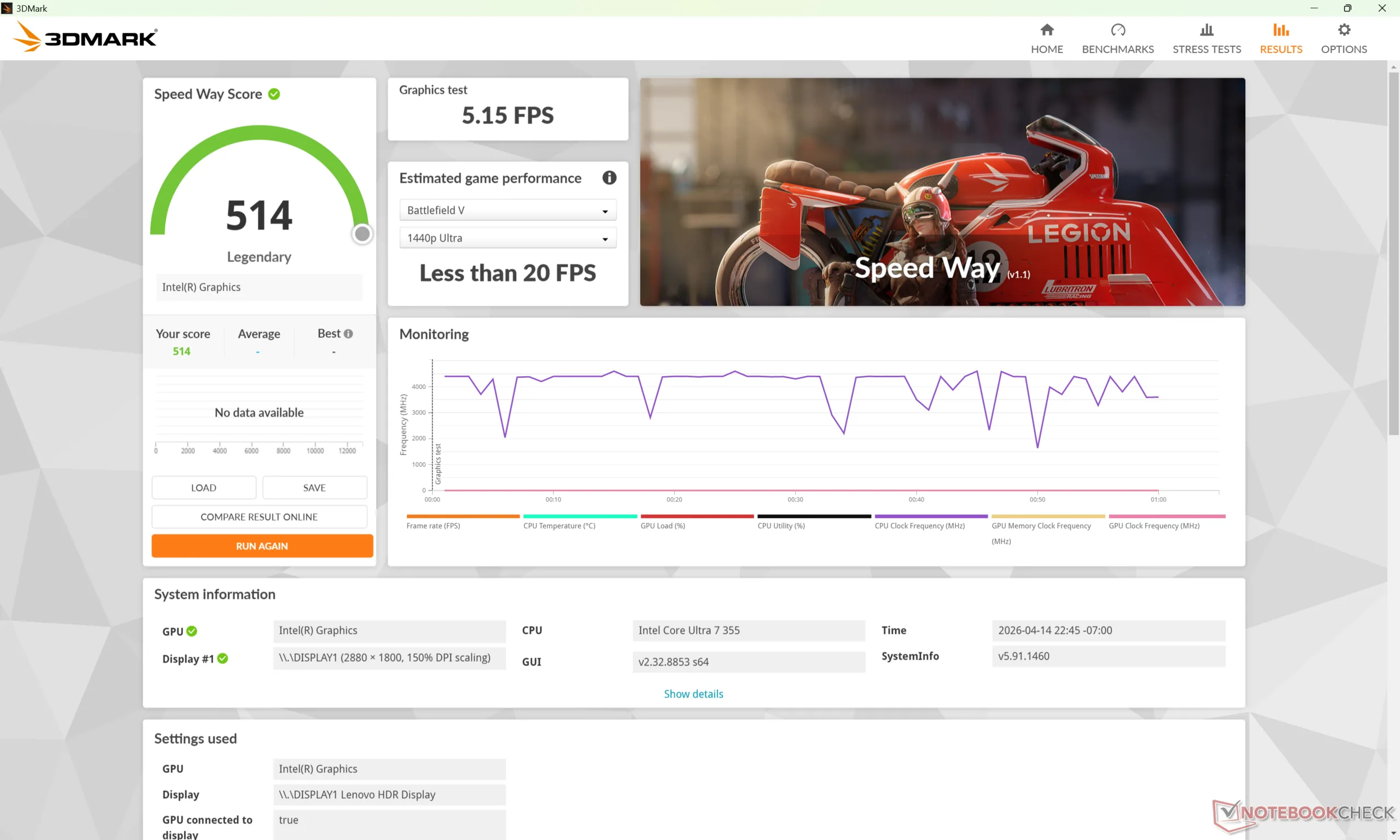
| 3DMark 11 Performance | 7980 points | |
| 3DMark Cloud Gate Standard Score | 28082 points | |
| 3DMark Fire Strike Score | 6150 points | |
| 3DMark Time Spy Score | 3163 points | |
Help | ||
* ... smaller is better
| Cyberpunk 2077 - 1920x1080 Ultra Preset (FSR off) | |
| MSI Prestige 14 Flip AI+ 2026 | |
| HP OmniBook Ultra 14 | |
| Lenovo Yoga Slim 7 Ultra 14IPH11 | |
| Asus ZenBook 14 OLED UX3405CA, Ultra 7 255H | |
| Dell XPS 14 Core Ultra 7 355 | |
| Lenovo Yoga Slim 7a 14AGP11 | |
| Baldur's Gate 3 - 1920x1080 Ultra Preset AA:T | |
| MSI Prestige 14 Flip AI+ 2026 | |
| HP OmniBook Ultra 14 | |
| Lenovo Yoga Slim 7 Ultra 14IPH11 | |
| Asus ZenBook 14 OLED UX3405CA, Ultra 7 255H | |
| Dell XPS 14 Core Ultra 7 355 | |
| Lenovo Yoga Slim 7a 14AGP11 | |
| GTA V - 1920x1080 Highest AA:4xMSAA + FX AF:16x | |
| MSI Prestige 14 Flip AI+ 2026 | |
| HP OmniBook Ultra 14 | |
| Lenovo Yoga Slim 7 Ultra 14IPH11 | |
| Dell XPS 14 Core Ultra 7 355 | |
| Lenovo Yoga Slim 7a 14AGP11 | |
| Asus ZenBook 14 OLED UX3405CA, Ultra 7 255H | |
| Final Fantasy XV Benchmark - 1920x1080 High Quality | |
| MSI Prestige 14 Flip AI+ 2026 | |
| HP OmniBook Ultra 14 | |
| Asus ZenBook 14 OLED UX3405CA, Ultra 7 255H | |
| Lenovo Yoga Slim 7 Ultra 14IPH11 | |
| Dell XPS 14 Core Ultra 7 355 | |
| Strange Brigade - 1920x1080 ultra AA:ultra AF:16 | |
| MSI Prestige 14 Flip AI+ 2026 | |
| HP OmniBook Ultra 14 | |
| Lenovo Yoga Slim 7 Ultra 14IPH11 | |
| Asus ZenBook 14 OLED UX3405CA, Ultra 7 255H | |
| Dell XPS 14 Core Ultra 7 355 | |
| Dota 2 Reborn - 1920x1080 ultra (3/3) best looking | |
| MSI Prestige 14 Flip AI+ 2026 | |
| Lenovo Yoga Slim 7 Ultra 14IPH11 | |
| Dell XPS 14 Core Ultra 7 355 | |
| Asus ZenBook 14 OLED UX3405CA, Ultra 7 255H | |
| Lenovo Yoga Slim 7a 14AGP11 | |
| HP OmniBook Ultra 14 | |
Cyberpunk 2077 ultra FPS Chart
| low | med. | high | ultra | |
|---|---|---|---|---|
| GTA V (2015) | 169.3 | 164.3 | 53.7 | 21.6 |
| Dota 2 Reborn (2015) | 105.1 | 82.1 | 79.5 | 74.2 |
| Final Fantasy XV Benchmark (2018) | 68.4 | 36.6 | 26.2 | |
| X-Plane 11.11 (2018) | 40.5 | 31 | 31.1 | |
| Strange Brigade (2018) | 190.6 | 69.7 | 60 | 52.1 |
| Baldur's Gate 3 (2023) | 33 | 27.1 | 23.5 | 23 |
| Cyberpunk 2077 (2023) | 38.6 | 29.5 | 25.5 | 21.5 |
| F1 24 (2024) | 67.2 | 64.1 | 46.1 | 14.7 |
Emissions
System Noise
The system runs almost silently when web browsing or streaming, but the internal fans pick up rather quickly when higher loads are introduced. When running Cyberpunk 2077, for example, fan noise would reach its ~44 dB(A) maximum in less than a minute after the initial launch.
Noise level
| Idle |
| 25.4 / 25.5 / 25.5 dB(A) |
| Load |
| 44.4 / 45.5 dB(A) |
 | ||
30 dB silent 40 dB(A) audible 50 dB(A) loud |
||
min:  , med: , med:  , max: , max:  Earthworks M23R, Arta (15 cm distance) environment noise: 23.1 dB(A) Earthworks M23R, Arta (15 cm distance) environment noise: 23.1 dB(A) | ||
| Lenovo Yoga Slim 7 Ultra 14IPH11 Ultra 7 355, Intel Graphics 4 Xe3 PTL | Lenovo Yoga Slim 7a 14AGP11 Ryzen AI 7 445, Radeon 840M | MSI Prestige 14 Flip AI+ 2026 Ultra X7 358H, Arc B390 Panther Lake iGPU | Dell XPS 14 Core Ultra 7 355 Ultra 7 355, Intel Graphics 4 Xe3 PTL | HP OmniBook Ultra 14 Ryzen AI 9 HX 375, Radeon 890M | Asus ZenBook 14 OLED UX3405CA, Ultra 7 255H Ultra 7 255H, Arc 140T | |
|---|---|---|---|---|---|---|
| Noise | 5% | 1% | 11% | 6% | 7% | |
| off / environment * (dB) | 23.1 | 24 -4% | 25.4 -10% | 23 -0% | 23.8 -3% | 24 -4% |
| Idle Minimum * (dB) | 25.4 | 24 6% | 25.4 -0% | 23 9% | 24.9 2% | 24 6% |
| Idle Average * (dB) | 25.5 | 25 2% | 25.4 -0% | 23 10% | 24.9 2% | 24 6% |
| Idle Maximum * (dB) | 25.5 | 26 -2% | 25.4 -0% | 23.1 9% | 24.9 2% | 24 6% |
| Load Average * (dB) | 44.4 | 40 10% | 33.1 25% | 30.8 31% | 32.9 26% | 38.21 14% |
| Cyberpunk 2077 ultra * (dB) | 43.4 | 37 15% | 46.5 -7% | 35.4 18% | 40.9 6% | 39.05 10% |
| Load Maximum * (dB) | 45.5 | 43 5% | 46.5 -2% | 45.9 -1% | 43 5% | 39.05 14% |
* ... smaller is better
Temperature
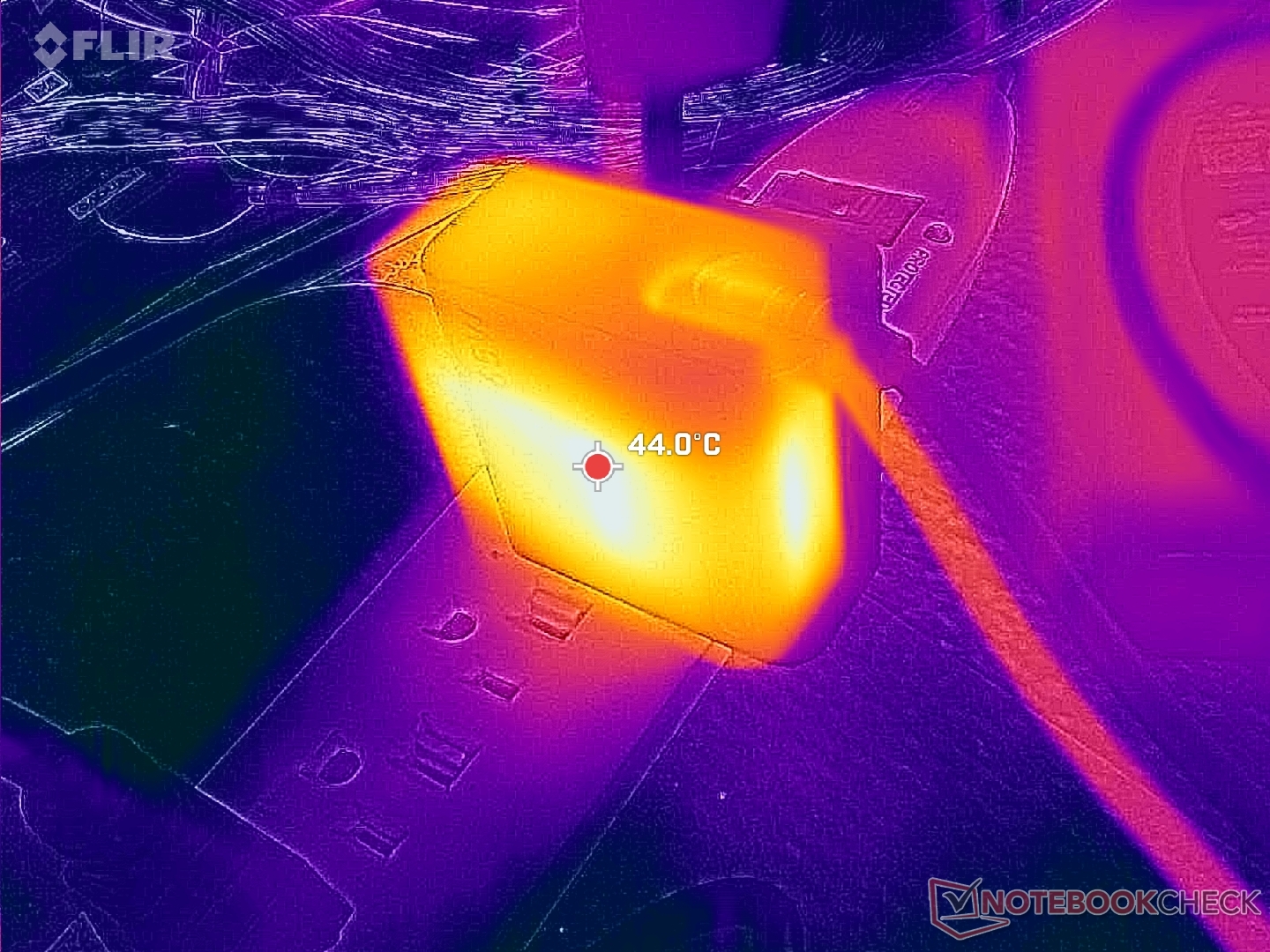
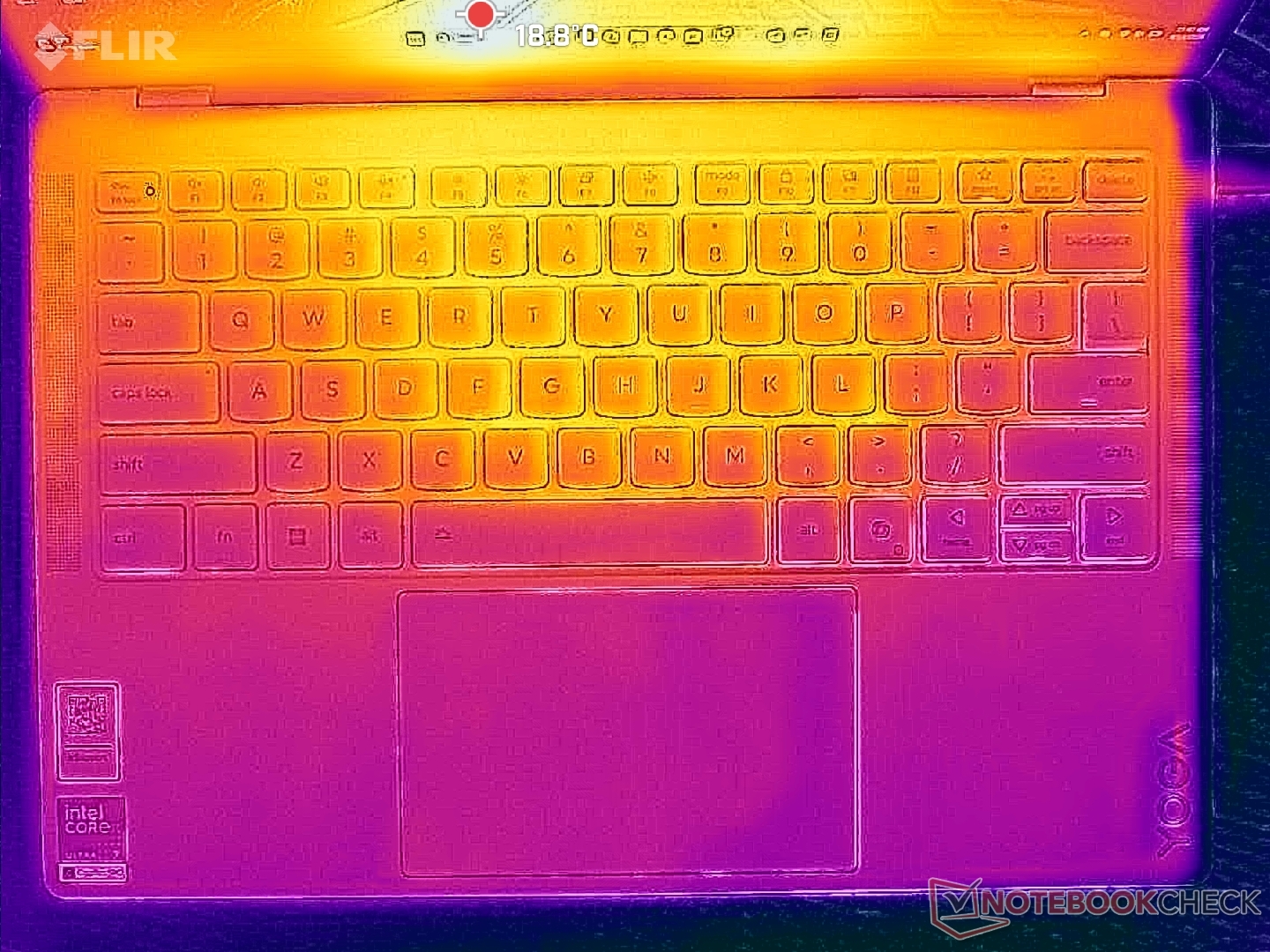
Surface temperatures are relatively cool even when running demanding loads. Hot spots top out at only 34 C compared to over 43 C on the HP OmniBook Ultra 14.
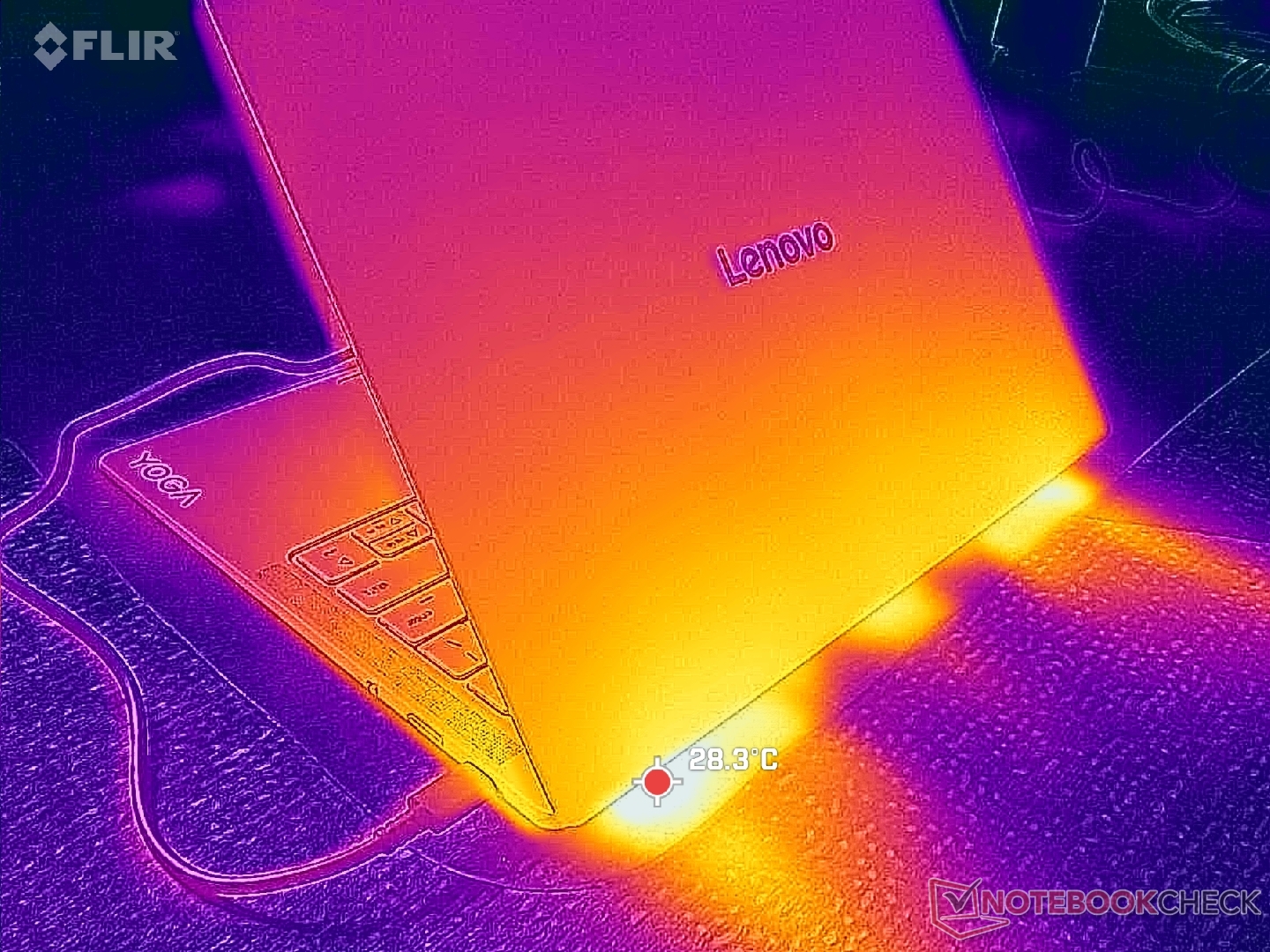
(+) The maximum temperature on the upper side is 33.6 °C / 92 F, compared to the average of 36.8 °C / 98 F, ranging from 21 to 71 °C for the class Multimedia.
(+) The bottom heats up to a maximum of 28.8 °C / 84 F, compared to the average of 39.1 °C / 102 F
(+) In idle usage, the average temperature for the upper side is 23.4 °C / 74 F, compared to the device average of 31.3 °C / 88 F.
(+) The palmrests and touchpad are cooler than skin temperature with a maximum of 24.6 °C / 76.3 F and are therefore cool to the touch.
(+) The average temperature of the palmrest area of similar devices was 28.7 °C / 83.7 F (+4.1 °C / 7.4 F).
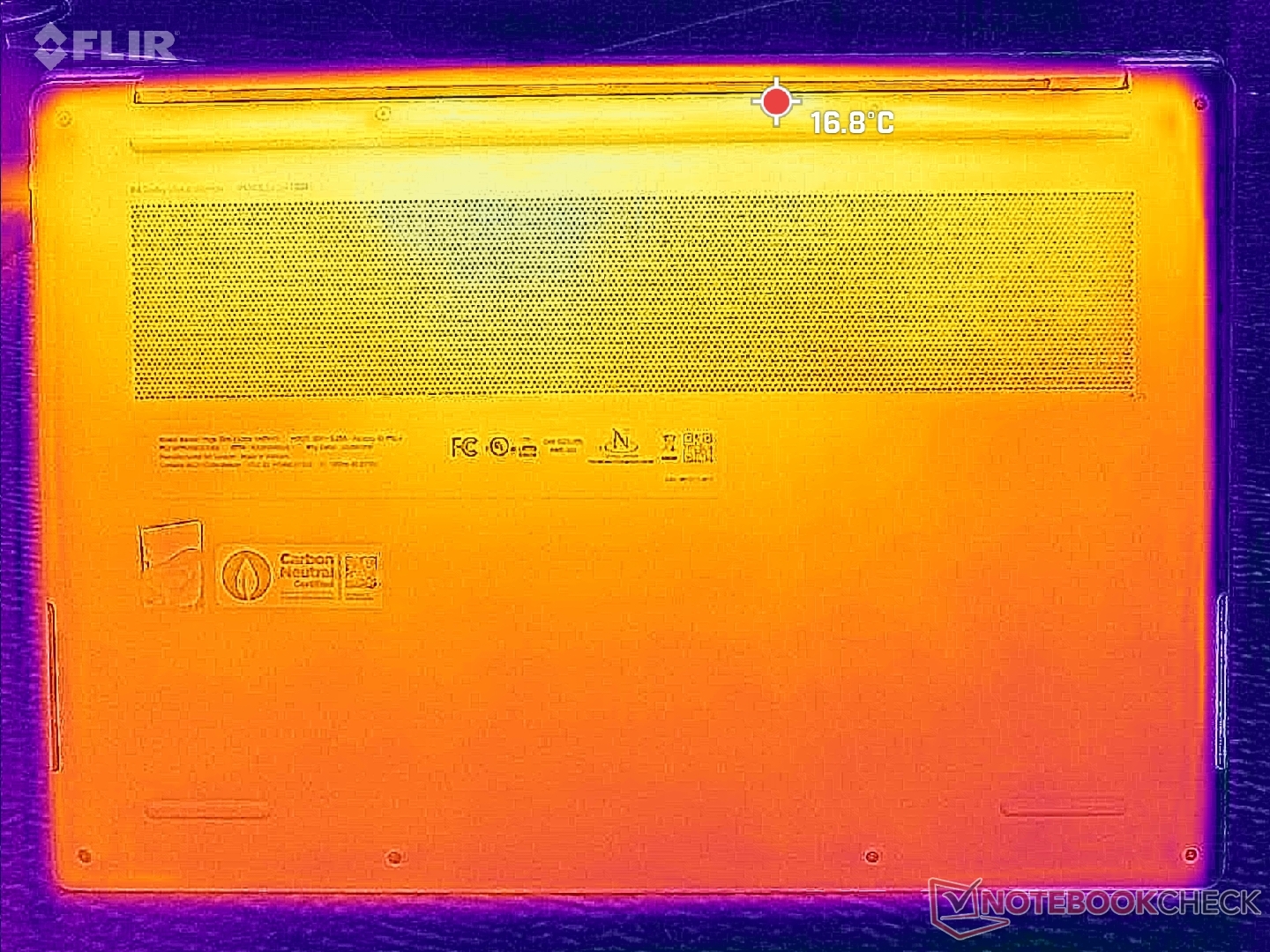
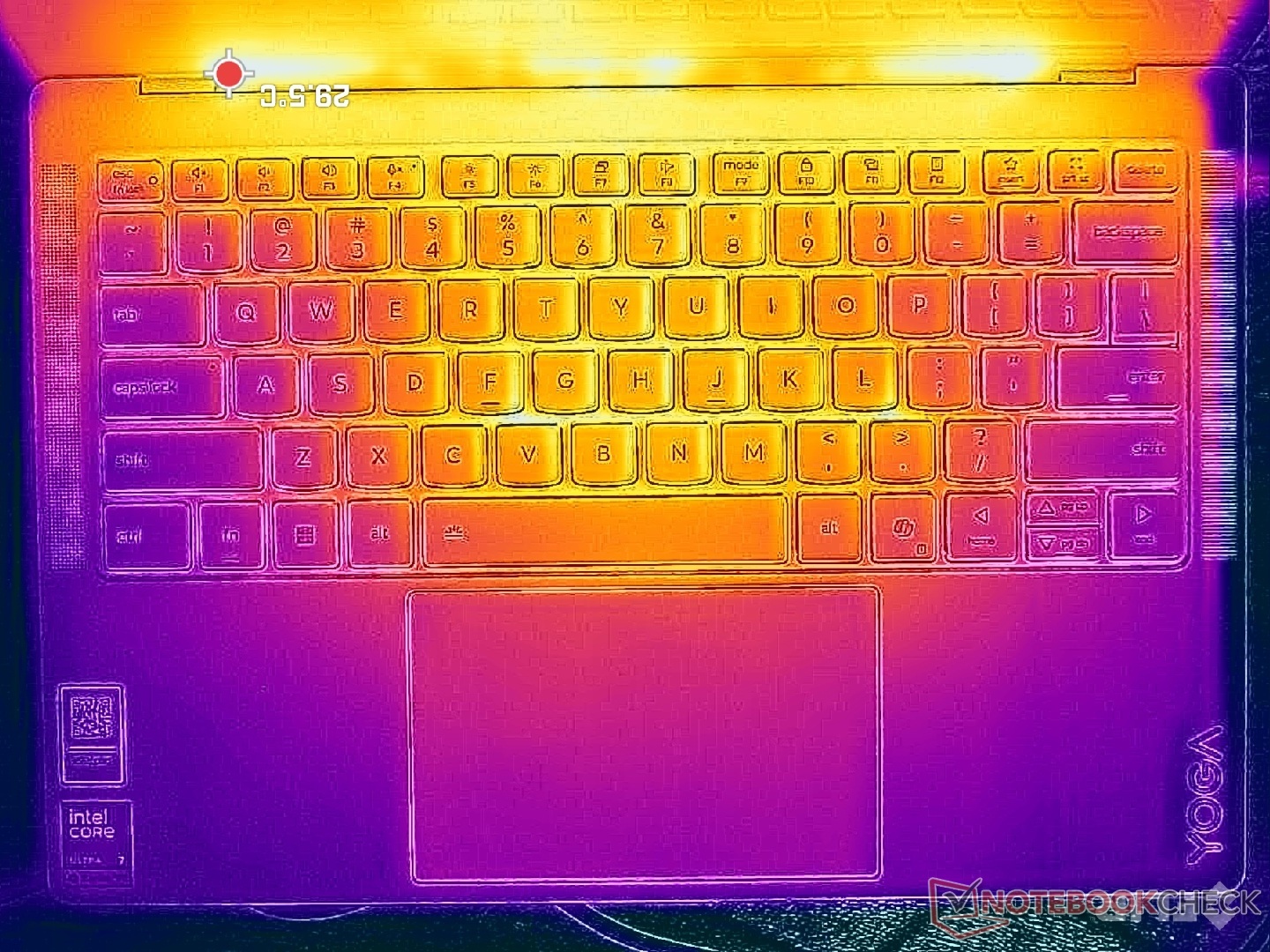
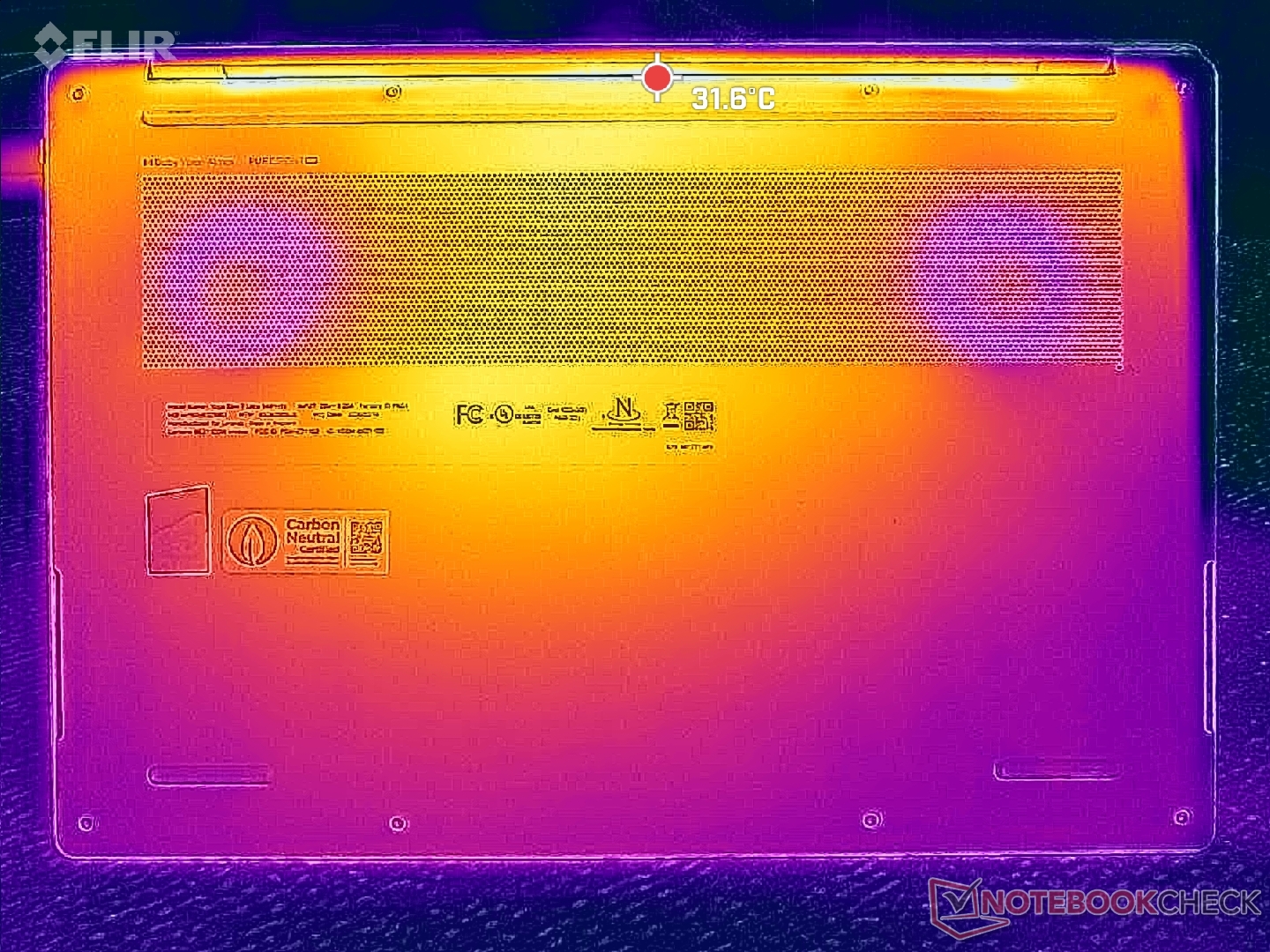
| Lenovo Yoga Slim 7 Ultra 14IPH11 Ultra 7 355, Intel Graphics 4 Xe3 PTL | Lenovo Yoga Slim 7a 14AGP11 Ryzen AI 7 445, Radeon 840M | MSI Prestige 14 Flip AI+ 2026 Ultra X7 358H, Arc B390 Panther Lake iGPU | Dell XPS 14 Core Ultra 7 355 Ultra 7 355, Intel Graphics 4 Xe3 PTL | HP OmniBook Ultra 14 Ryzen AI 9 HX 375, Radeon 890M | Asus ZenBook 14 OLED UX3405CA, Ultra 7 255H Ultra 7 255H, Arc 140T | |
|---|---|---|---|---|---|---|
| Heat | -30% | -24% | -4% | -31% | -31% | |
| Maximum Upper Side * (°C) | 33.6 | 45 -34% | 47.1 -40% | 37.8 -12% | 40.4 -20% | 40 -19% |
| Maximum Bottom * (°C) | 28.8 | 46 -60% | 46.2 -60% | 38.6 -34% | 43.6 -51% | 47 -63% |
| Idle Upper Side * (°C) | 25.2 | 27 -7% | 24.3 4% | 21.2 16% | 31 -23% | 29 -15% |
| Idle Bottom * (°C) | 24.6 | 29 -18% | 24.5 -0% | 21.4 13% | 32.2 -31% | 31 -26% |
* ... smaller is better
Stress Test
The CPU would boost to 3.6 GHz, 51 W, and 98 C when initiating Prime95 stress before falling and stabilizing to 3.1 GHz, 32 W, and 79 C just 30 seconds later. Turbo Boost potential is therefore limited on the Yoga Slim 7 Ultra 14.
GPU clock rate and temperature when running Cyberpunk 2077 would stabilize at 2500 MHz and 78 C, respectively, which is almost exactly what we recorded on the competing XPS 14 under similar conditions.
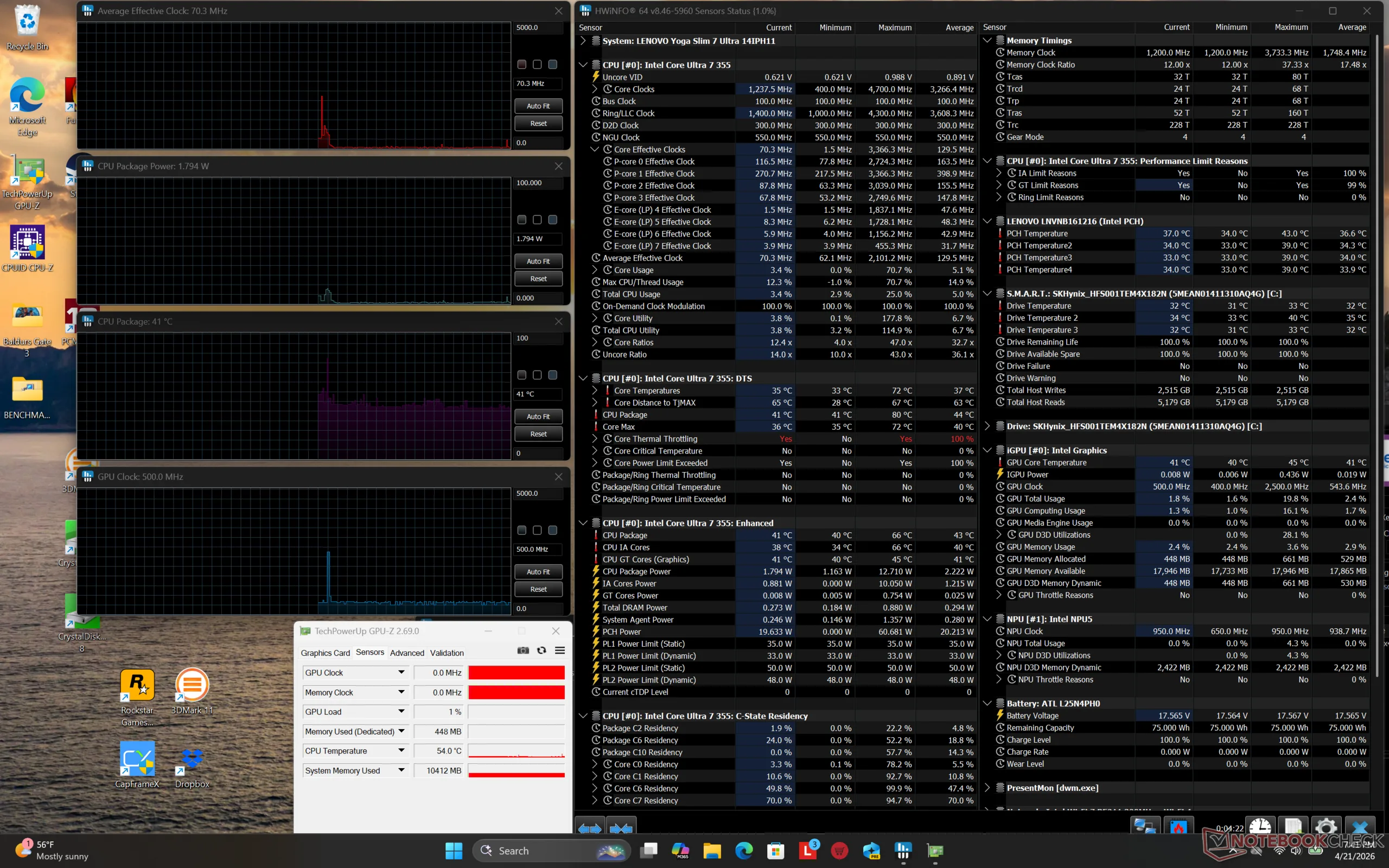
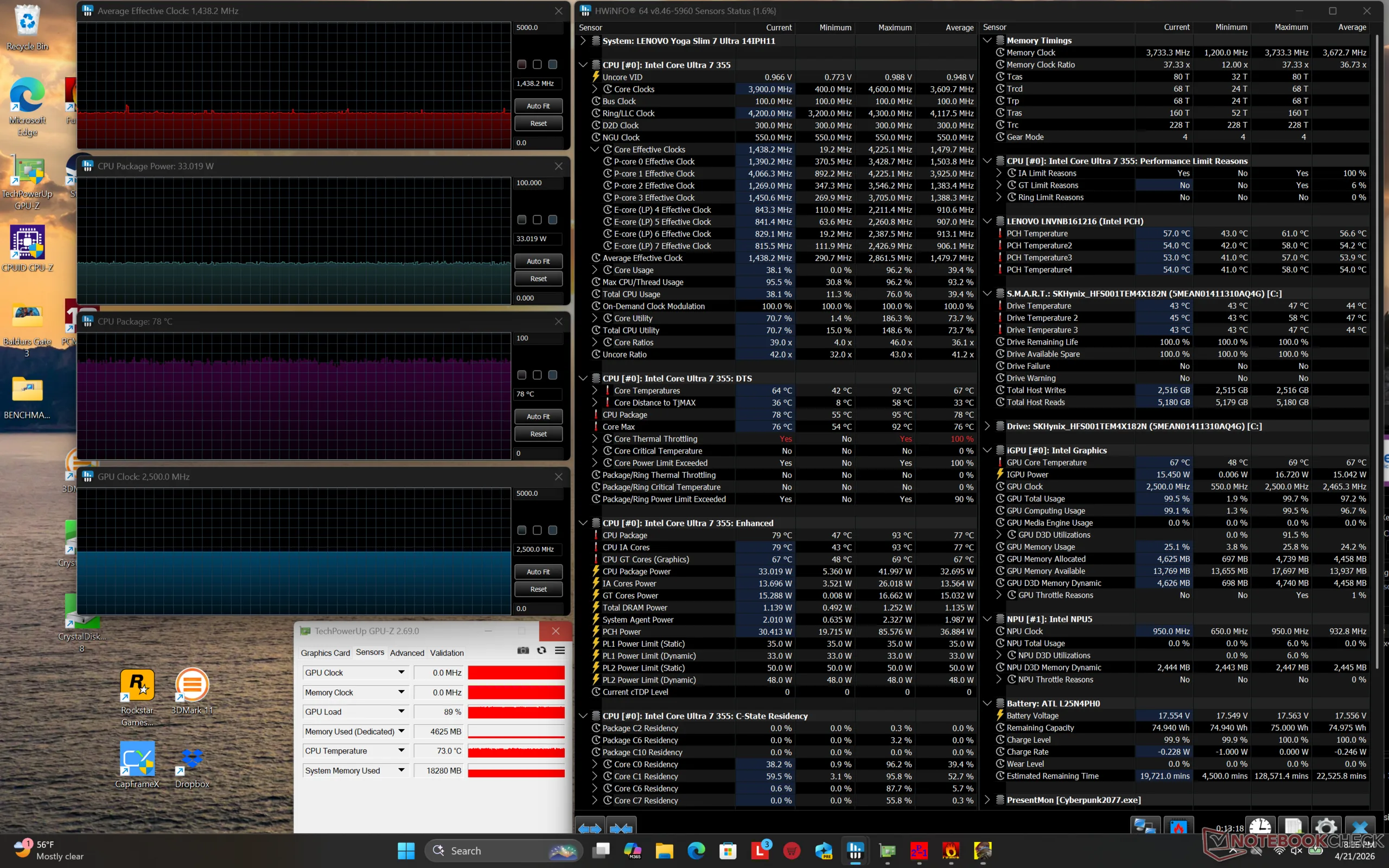
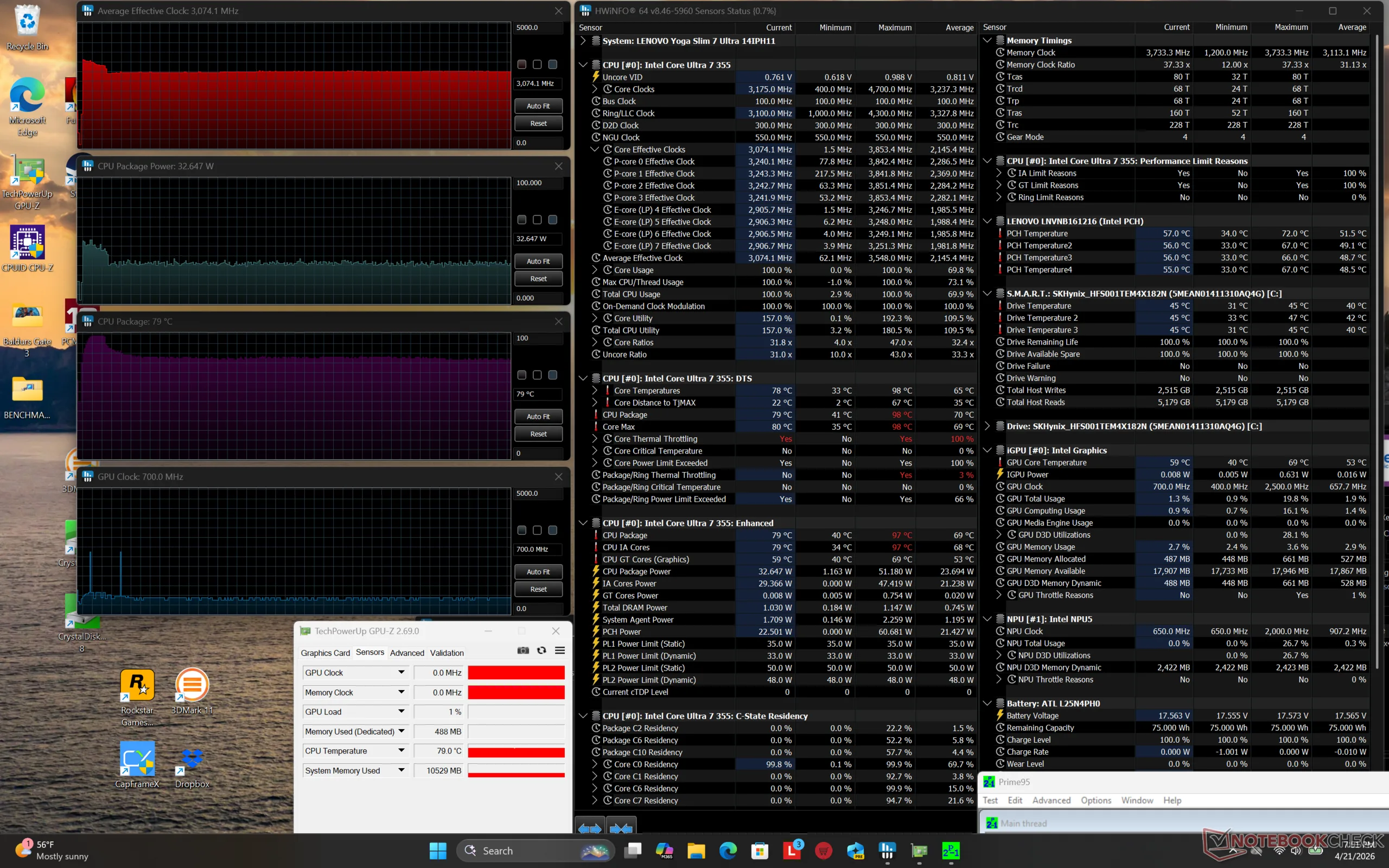
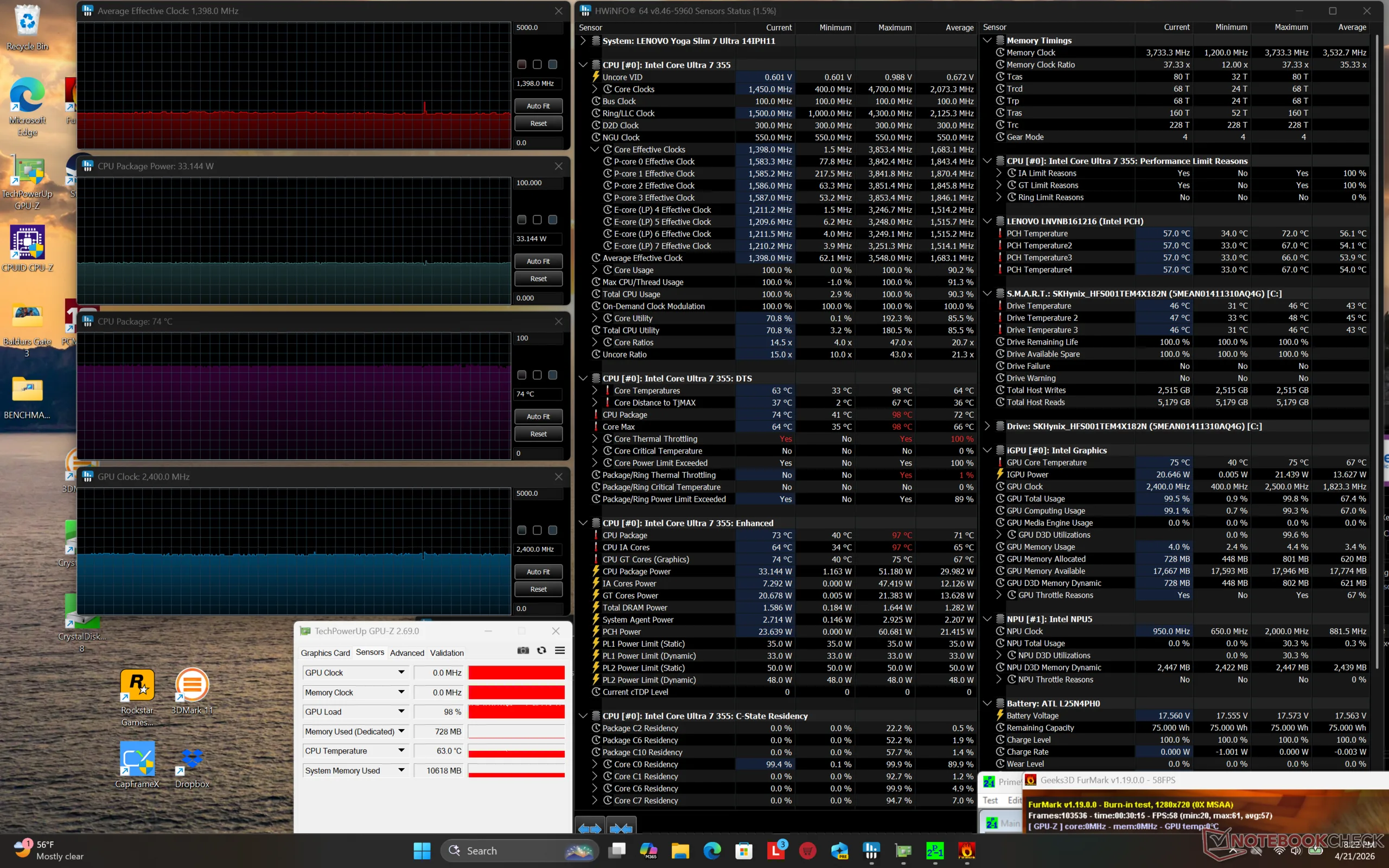
| Average CPU Clock (GHz) | GPU Clock (MHz) | Average CPU Temperature (°C) | |
| System Idle | -- | -- | 41 |
| Prime95 Stress | 3.1 | -- | 79 |
| Prime95 + FurMark Stress | 1.4 | 2400 | 74 |
| Cyberpunk 2077 Stress | 1.4 | 2500 | 78 |
Speakers
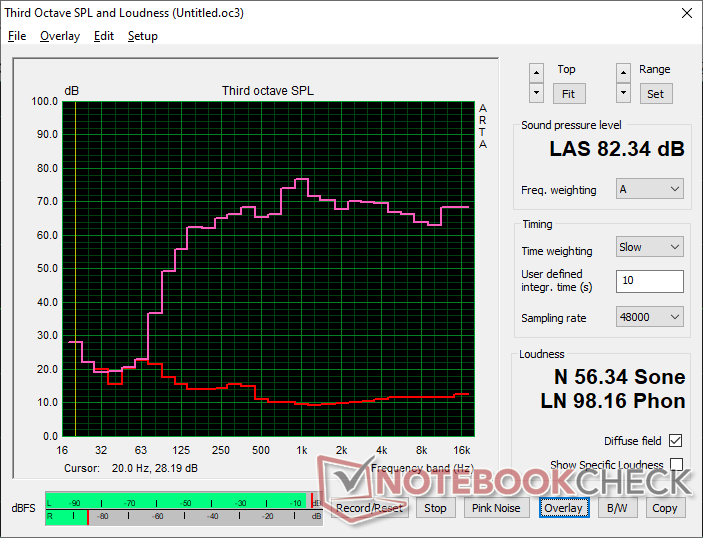
Lenovo Yoga Slim 7 Ultra 14IPH11 audio analysis
(+) | speakers can play relatively loud (82.3 dB)
Bass 100 - 315 Hz
(±) | reduced bass - on average 6.7% lower than median
(±) | linearity of bass is average (9% delta to prev. frequency)
Mids 400 - 2000 Hz
(+) | balanced mids - only 3.7% away from median
(+) | mids are linear (5.8% delta to prev. frequency)
Highs 2 - 16 kHz
(+) | balanced highs - only 2.4% away from median
(+) | highs are linear (2.4% delta to prev. frequency)
Overall 100 - 16.000 Hz
(+) | overall sound is linear (8.4% difference to median)
Compared to same class
» 10% of all tested devices in this class were better, 2% similar, 89% worse
» The best had a delta of 5%, average was 17%, worst was 45%
Compared to all devices tested
» 2% of all tested devices were better, 1% similar, 97% worse
» The best had a delta of 4%, average was 23%, worst was 136%
Apple MacBook Pro 16 2021 M1 Pro audio analysis
(+) | speakers can play relatively loud (84.7 dB)
Bass 100 - 315 Hz
(+) | good bass - only 3.8% away from median
(+) | bass is linear (5.2% delta to prev. frequency)
Mids 400 - 2000 Hz
(+) | balanced mids - only 1.3% away from median
(+) | mids are linear (2.1% delta to prev. frequency)
Highs 2 - 16 kHz
(+) | balanced highs - only 1.9% away from median
(+) | highs are linear (2.7% delta to prev. frequency)
Overall 100 - 16.000 Hz
(+) | overall sound is linear (4.6% difference to median)
Compared to same class
» 0% of all tested devices in this class were better, 0% similar, 100% worse
» The best had a delta of 5%, average was 17%, worst was 45%
Compared to all devices tested
» 0% of all tested devices were better, 0% similar, 100% worse
» The best had a delta of 4%, average was 23%, worst was 136%
Energy Management
Power Consumption
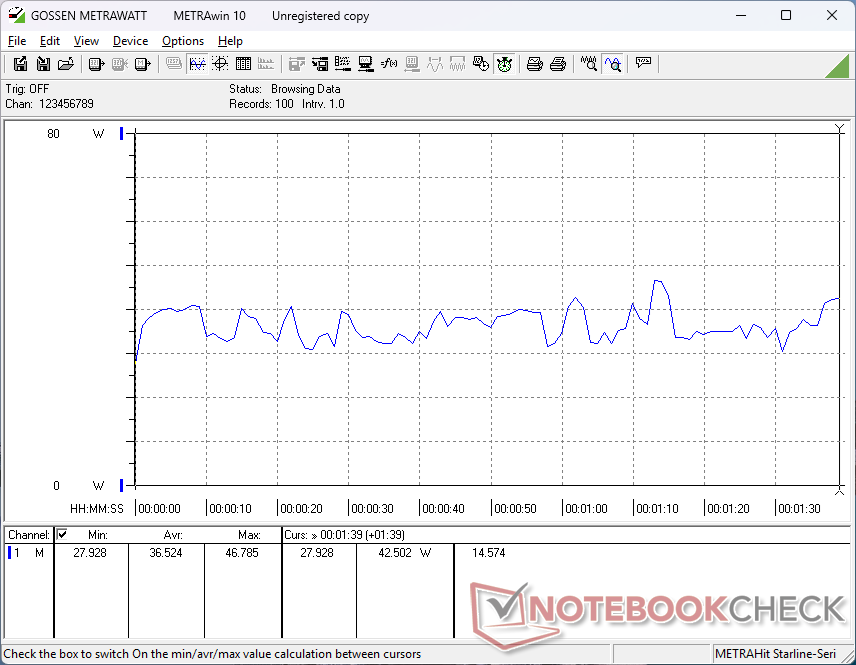
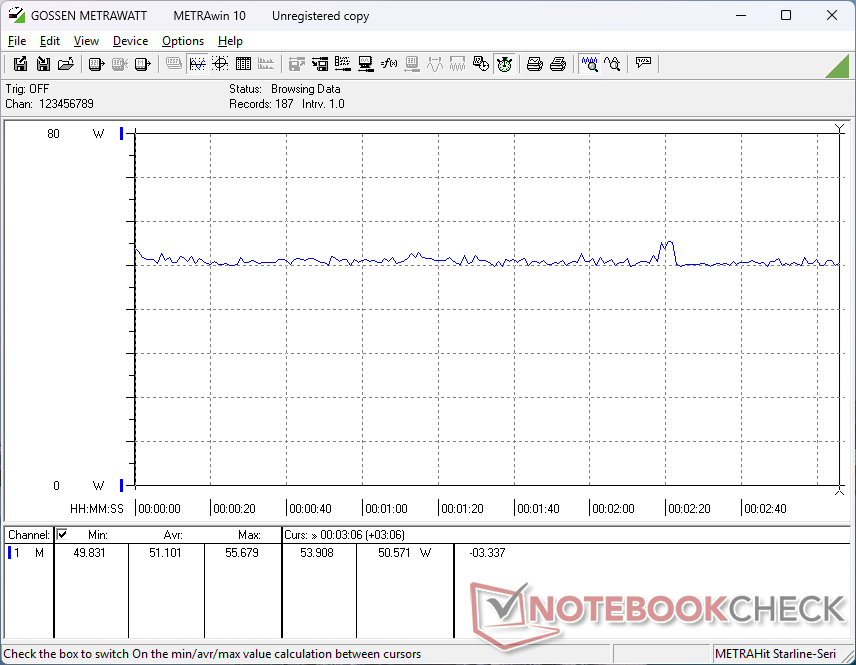
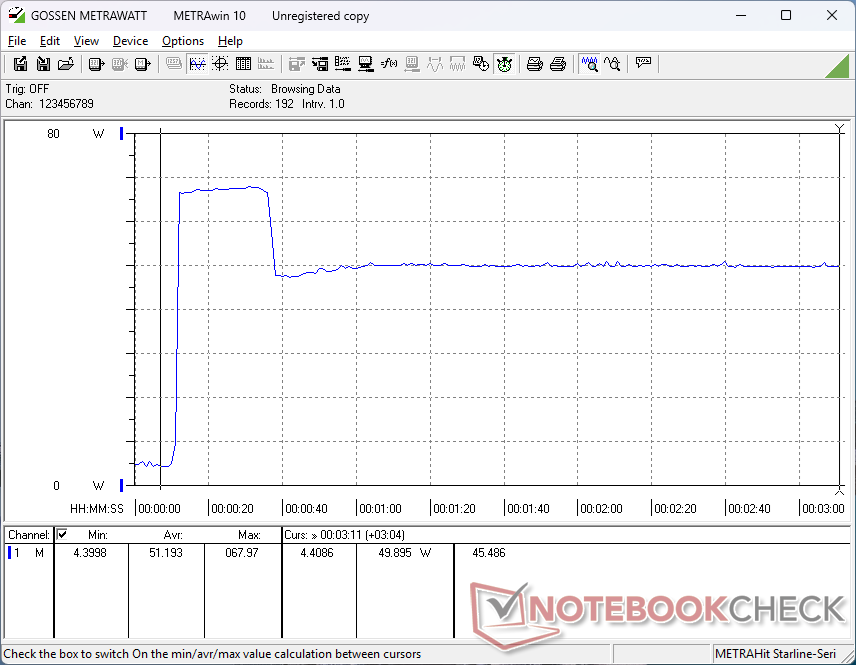
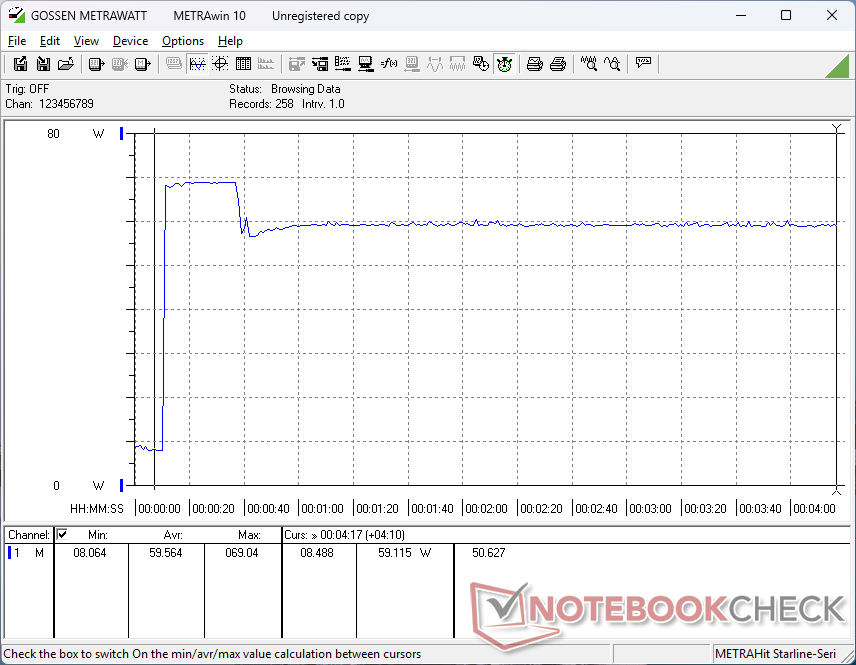
Consumption when running Prime95 would be about 12 percent less than the AMD-powered Yoga Slim 7a 14 even though our Intel CPU is 20 percent faster for superior performance-per-watt over the Ryzen AI 400 competitor. Similarly, both performance and performance-per-watt would again be slightly in Intel's favor when the GPU is stressed.
We're able to measure a temporary maximum of 69 W from the small (~5.5 x 5.5 x 2.9 cm) 65 W USB-C AC adapter when the CPU is fully stressed. Configurations with the faster Core Ultra X7 are expected to be slightly more demanding in general based on our experience with the XPS 16 SKUs.
| Off / Standby | 0.19 / 0.47 Watt |
| Idle | 3.2 / 3.9 / 12.3 Watt |
| Load |
36.5 / 69 Watt |
   
| |
Key:
min: ,
med: ,
max: Metrahit Energy | |
| Lenovo Yoga Slim 7 Ultra 14IPH11 Ultra 7 355, Intel Graphics 4 Xe3 PTL, SK hynix PVC10 HFS001TEM4X182N, OLED, 2880x1800, 14" | Lenovo Yoga Slim 7a 14AGP11 Ryzen AI 7 445, Radeon 840M, Micron 2600 1TB MTFDKBA1T0QHK, OLED, 2880x1800, 14" | MSI Prestige 14 Flip AI+ 2026 Ultra X7 358H, Arc B390 Panther Lake iGPU, Phison 1 TB ESR01TBTCCZ-27J, OLED, 1920x1200, 14" | Dell XPS 14 Core Ultra 7 355 Ultra 7 355, Intel Graphics 4 Xe3 PTL, WD PC SN7100S SDFPMSL-512G-1101, IPS, 1920x1200, 14" | HP OmniBook Ultra 14 Ryzen AI 9 HX 375, Radeon 890M, SK hynix PC801 HFS002TEJ9X101N, IPS, 2240x1400, 14" | Asus ZenBook 14 OLED UX3405CA, Ultra 7 255H Ultra 7 255H, Arc 140T, Samsung PM9C1 MZVL81T0HELB-00BTW, OLED, 1920x1200, 14" | |
|---|---|---|---|---|---|---|
| Power Consumption | -18% | 1% | 16% | -17% | 10% | |
| Idle Minimum * (Watt) | 3.2 | 5.1 -59% | 2.8 13% | 1.6 50% | 2.7 16% | 3 6% |
| Idle Average * (Watt) | 3.9 | 5.3 -36% | 4.2 -8% | 3.7 5% | 5.4 -38% | 3.5 10% |
| Idle Maximum * (Watt) | 12.3 | 6.2 50% | 4.5 63% | 3.9 68% | 5.5 55% | 4.2 66% |
| Load Average * (Watt) | 36.5 | 58 -59% | 48.9 -34% | 36 1% | 67.4 -85% | 52.3 -43% |
| Cyberpunk 2077 ultra * (Watt) | 51.1 | 57.3 -12% | 59.9 -17% | 50.9 -0% | 67.9 -33% | 38.7 24% |
| Cyberpunk 2077 ultra external monitor * (Watt) | 50.6 | 54.8 -8% | 58.6 -16% | 47.7 6% | 67.8 -34% | 49.8 2% |
| Load Maximum * (Watt) | 69 | 72 -4% | 64 7% | 80 -16% | 68.3 1% | 66 4% |
* ... smaller is better
Power Consumption Cyberpunk / Stress Test
Power Consumption external Monitor
Battery Life
The nearly 11-hour WLAN runtime is excellent especially for a system with 120 Hz OLED.
| Lenovo Yoga Slim 7 Ultra 14IPH11 Ultra 7 355, Intel Graphics 4 Xe3 PTL, 75 Wh | Lenovo Yoga Slim 7a 14AGP11 Ryzen AI 7 445, Radeon 840M, 70 Wh | MSI Prestige 14 Flip AI+ 2026 Ultra X7 358H, Arc B390 Panther Lake iGPU, 81 Wh | Dell XPS 14 Core Ultra 7 355 Ultra 7 355, Intel Graphics 4 Xe3 PTL, 70 Wh | HP OmniBook Ultra 14 Ryzen AI 9 HX 375, Radeon 890M, 68 Wh | Asus ZenBook 14 OLED UX3405CA, Ultra 7 255H Ultra 7 255H, Arc 140T, 75 Wh | |
|---|---|---|---|---|---|---|
| Battery runtime | -15% | 85% | 37% | 4% | 45% | |
| WiFi v1.3 (h) | 10.6 | 9 -15% | 19.6 85% | 14.5 37% | 11 4% | 15.4 45% |
| Reader / Idle (h) | 36.6 | |||||
| Load (h) | 1.5 | 2.7 | ||||
| H.264 (h) | 12.2 |
Notebookcheck Rating
The Lenovo Yoga Slim 7 Ultra 14 Aura Edition is built for travelers who want both the lightest 14-inch OLED system and the latest CPU tech from Intel.
Lenovo Yoga Slim 7 Ultra 14IPH11
- 07/24/2026 v8
Allen Ngo
 Total Sustainability Score:
 Potential Competitors in Comparison
Image | Model / Review | Price | Weight | Height | Display |
|---|---|---|---|---|---|
1. 84.9%  | Lenovo Yoga Slim 7 Ultra 14IPH11 Intel Core Ultra 7 355 ⎘ Intel Graphics 4 Xe3 Panther Lake iGPU ⎘ 32 GB Memory, 1024 GB SSD | Amazon: List Price: 1700 USD | 978 g | 13.9 mm | 14.00" 2880x1800 243 PPI OLED |
2. 84.1%  | Lenovo Yoga Slim 7a 14AGP11 AMD Ryzen AI 7 445 ⎘ AMD Radeon 840M ⎘ 16 GB Memory, 1024 GB SSD | Amazon: List Price: 1299 EUR | 1.2 kg | 14 mm | 14.00" 2880x1800 243 PPI OLED |
3. 84.2%  | MSI Prestige 14 Flip AI+ 2026 Intel Core Ultra X7 358H ⎘ Intel Arc B390 12 Xe3 Panther Lake iGPU ⎘ 32 GB Memory, 1000 GB SSD | Amazon: 1. $2,399.00 MSI Prestige 14 Flip AI+ Pre... 2. $1,403.99 MSI Prestige 14 AI+ EVO PRE1... 3. $1,479.00 MSI Prestige 16 AI+ Evo 16" ... List Price: 1549€ | 1.4 kg | 13.9 mm | 14.00" 1920x1200 162 PPI OLED |
4. 84.8%  | Dell XPS 14 Core Ultra 7 355 Intel Core Ultra 7 355 ⎘ Intel Graphics 4 Xe3 Panther Lake iGPU ⎘ 16 GB Memory, 512 GB SSD | Amazon: 1. $1,780.09 Dell XPS 14 Premium Laptop D... 2. $1,849.99 Dell XPS 14 Premium Laptop D... 3. $1,549.99 Dell XPS 13 9350, 13.4" FHD+... List Price: 1600 USD | 1.5 kg | 15.2 mm | 14.00" 1920x1200 162 PPI IPS |
5. 88%  | HP OmniBook Ultra 14 AMD Ryzen AI 9 HX 375 ⎘ AMD Radeon 890M ⎘ 32 GB Memory, 2048 GB SSD | Amazon: List Price: 1030 USD | 1.5 kg | 16.5 mm | 14.00" 2240x1400 189 PPI IPS |
6. 87.6%  | Asus ZenBook 14 OLED UX3405CA, Ultra 7 255H Intel Core Ultra 7 255H ⎘ Intel Arc Graphics 140T ⎘ 16 GB Memory, 1024 GB SSD | Amazon: List Price: 1599 Euro | 1.3 kg | 14.9 mm | 14.00" 1920x1200 162 PPI OLED |
Transparency
The selection of devices to be reviewed is made by our editorial team. The test sample was provided to the author as a loan by the manufacturer or retailer for the purpose of this review. The lender had no influence on this review, nor did the manufacturer receive a copy of this review before publication. There was no obligation to publish this review. As an independent media company, Notebookcheck is not subjected to the authority of manufacturers, retailers or publishers.
This is how Notebookcheck is testing
Every year, Notebookcheck independently reviews hundreds of laptops and smartphones using standardized procedures to ensure that all results are comparable. We have continuously developed our test methods for around 20 years and set industry standards in the process. In our test labs, high-quality measuring equipment is utilized by experienced technicians and editors. These tests involve a multi-stage validation process. Our complex rating system is based on hundreds of well-founded measurements and benchmarks, which maintains objectivity. Further information on our test methods can be found here.
 Add as a preferred source on Google


