




Verdict on the Lenovo Tab K12
At first glance, the Lenovo Tab K12 and Lenovo Idea Tab Plus look confusingly similar. However, a closer look reveals differences in the features, scope of delivery and other details: The Tab K12 only comes with a one-year warranty, which is normal for business devices. For private customers in the EU, however, the dealer warranty is still valid for 24 months.
The Tab K12 also comes with a charger ex works. The software does without some pre-installed bloatware and is better optimized for central management in companies. In Central Europe, you mainly get the version with 5G, which we criticized for not being available on the Idea Tab Plus. On the other hand, you have to do without the stylus in the scope of delivery, but you also get 12 GB of RAM in return.
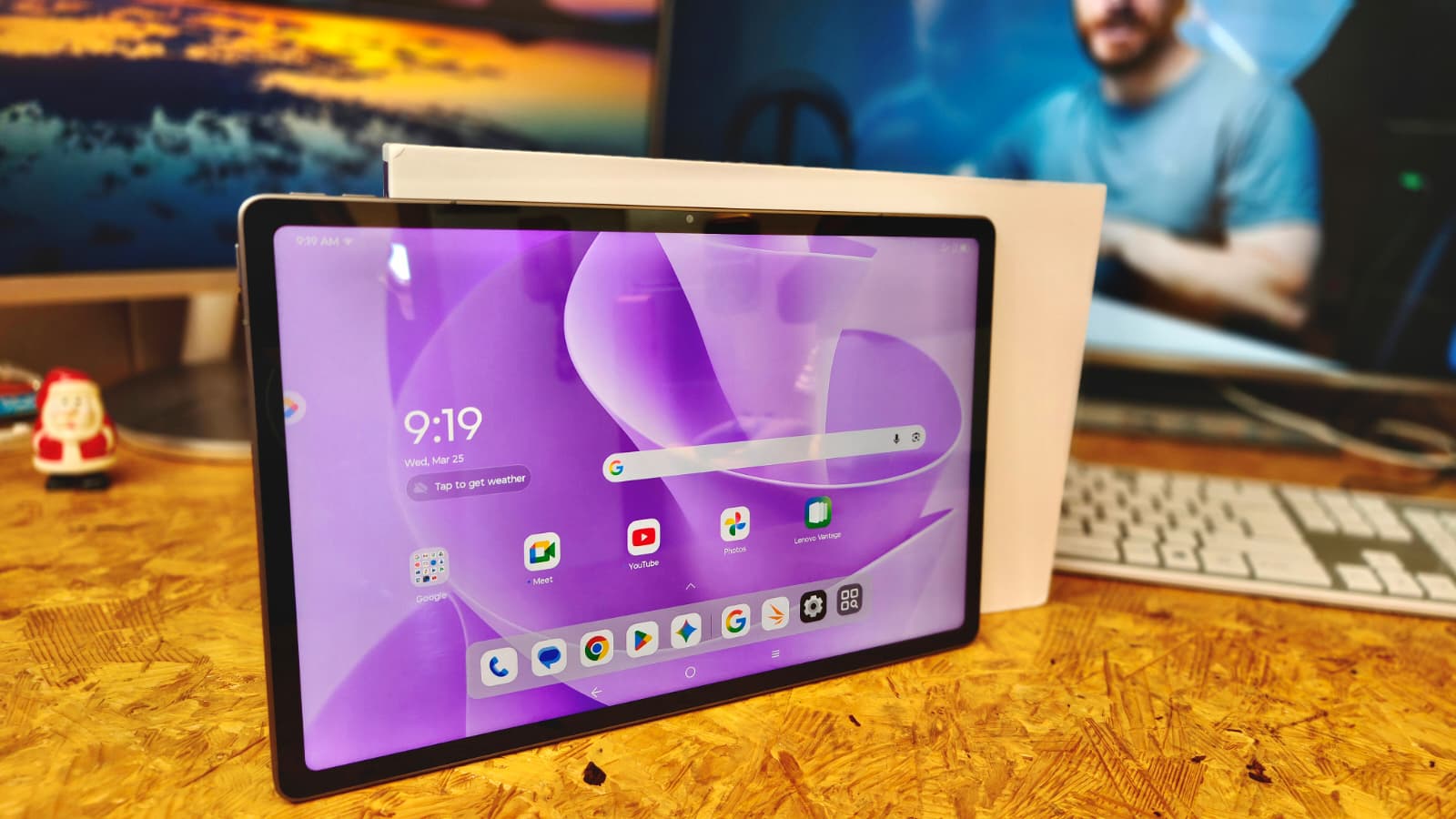
On its own, the Lenovo Tab K12 is a convincing 12-inch tablet with a relatively light aluminum casing and precise GPS. Charging is quite fast and the battery life is also convincing. You also get a PWM-free display and good speakers.
However, the lame Wi-Fi and only passable performance as well as the lack of a fingerprint sensor are annoying.
Pros
Cons
Price and availability
In Germany, the Lenovo Tab K12 is available from amazon.de for around 420 Euros (~$485).
However, other online retailers also offer it for less, from around 350 Euros (~$404).

- $248.00Lenovo Idea Tab - College Tablet - 11″ 2.5K IPS Touchscreen Display - 90Hz - MediaTek Dimensity 6300-8 GB Memory - 256 GB Storage - Integrated Arm Mali-G57 MC2 - Tab Pen and Folio Case
- $130.01Lenovo Tab One - Lightweight Tablet - up to 12.5 Hours of YouTube Streaming - 8.7" HD Display - 4 GB Memory - 64 GB Storage - MediaTek Helio G85 - Includes Folio Case
- $273.60Lenovo Idea Tab Plus - Lightweight Tablet - 12.1″ 2.5K IPS Touchscreen Display - 90Hz - MediaTek Dimensity 6400-8GB Memory - 128GB Storage - Integrated Arm Mali-G57 MC2 - tab Pen & Folio case
Table of Contents
- Verdict on the Lenovo Tab K12
- Specifications
- Housing - Impressive lightweight aluminum chassis
- Features - Tablet with lots of RAM
- Software - A little less bloatware
- Communication and GNSS - Slow WiFi 5 disappoints
- Cameras - Simple pictures
- Accessories - pen input possible
- Input devices and operation - The fingerprint sensor is missing
- Display - IPS screen without PWM
- Performance - More would be better
- Emissions - hardly any warming
- Battery life - Fast charging for long runtimes
- Notebookcheck overall rating
- Possible alternatives in comparison
The Lenovo Tab K12 is not entirely unknown: The Idea Tab Plus is a close relative. However, the Tab K12 aims to score points with special business features and comes with a power supply unit, more RAM and even 5G on request. However, you also have to put up with a shorter warranty.
We take a closer look at the business version and see whether the investment is worth it.
Specifications
Housing - Impressive lightweight aluminum chassis
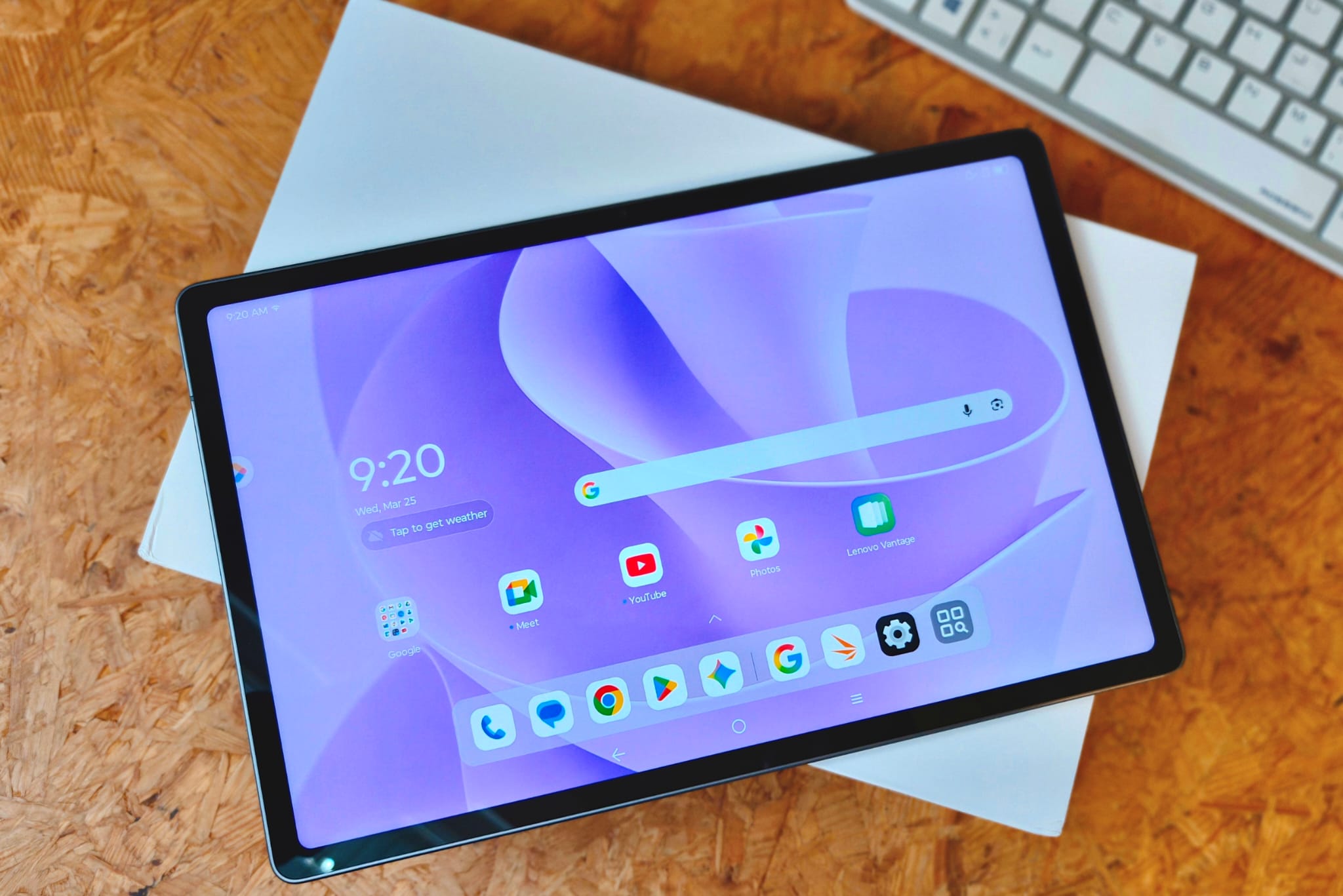
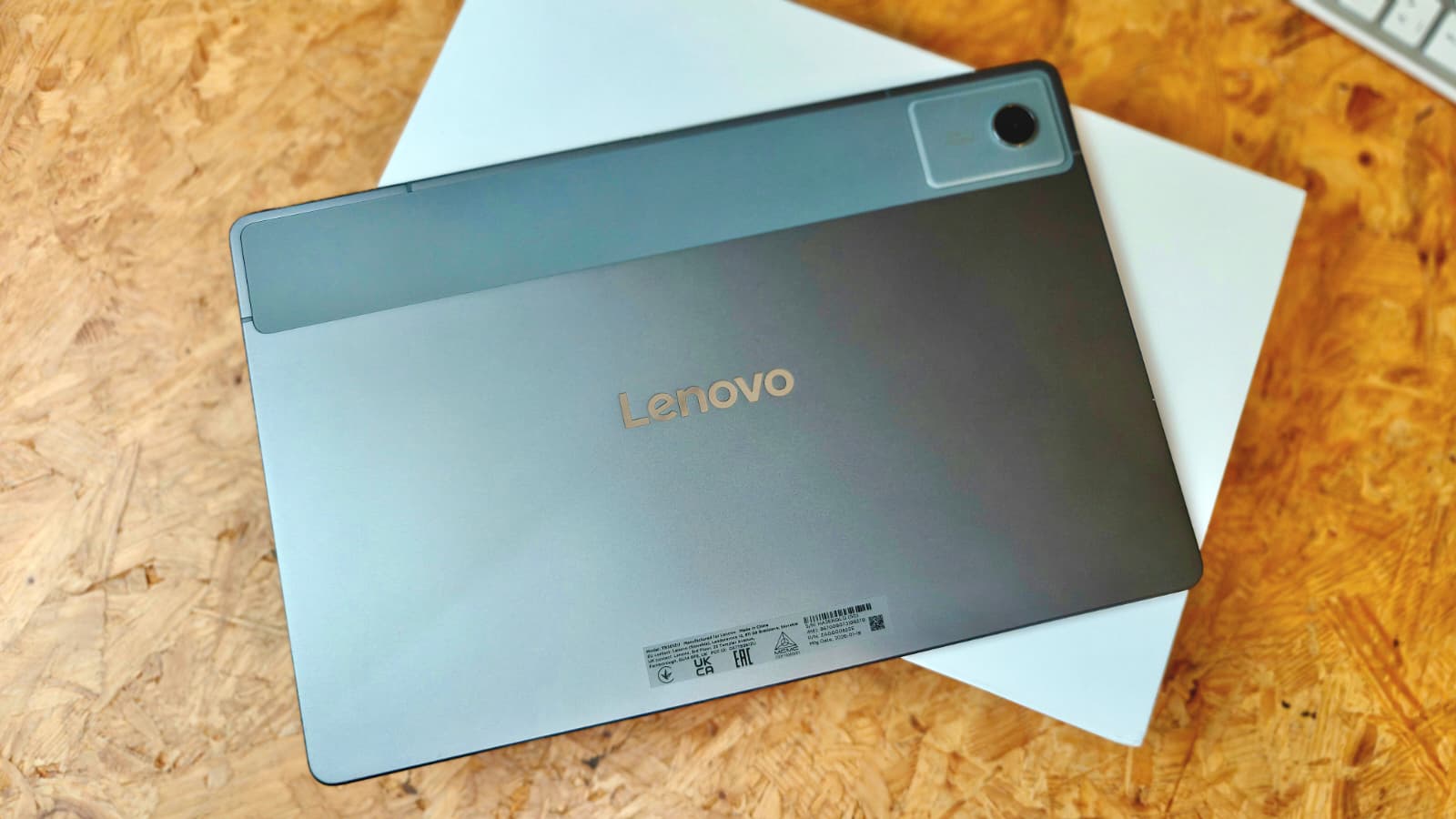
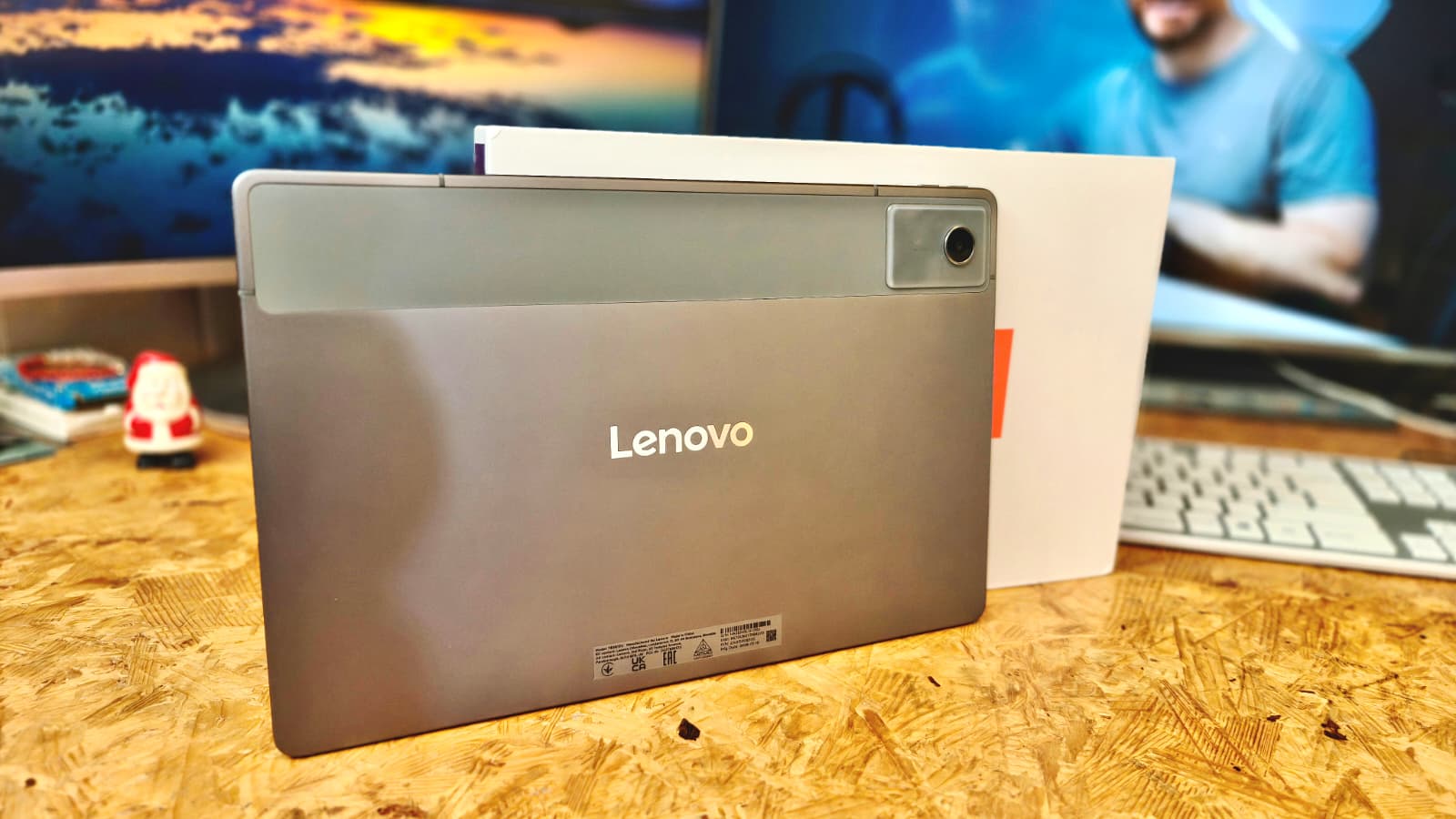
At 530 grams (~1.2 lbs), the aluminum chassis of the Tab K12 is very light for its size, but still looks sturdy and can hardly be twisted.
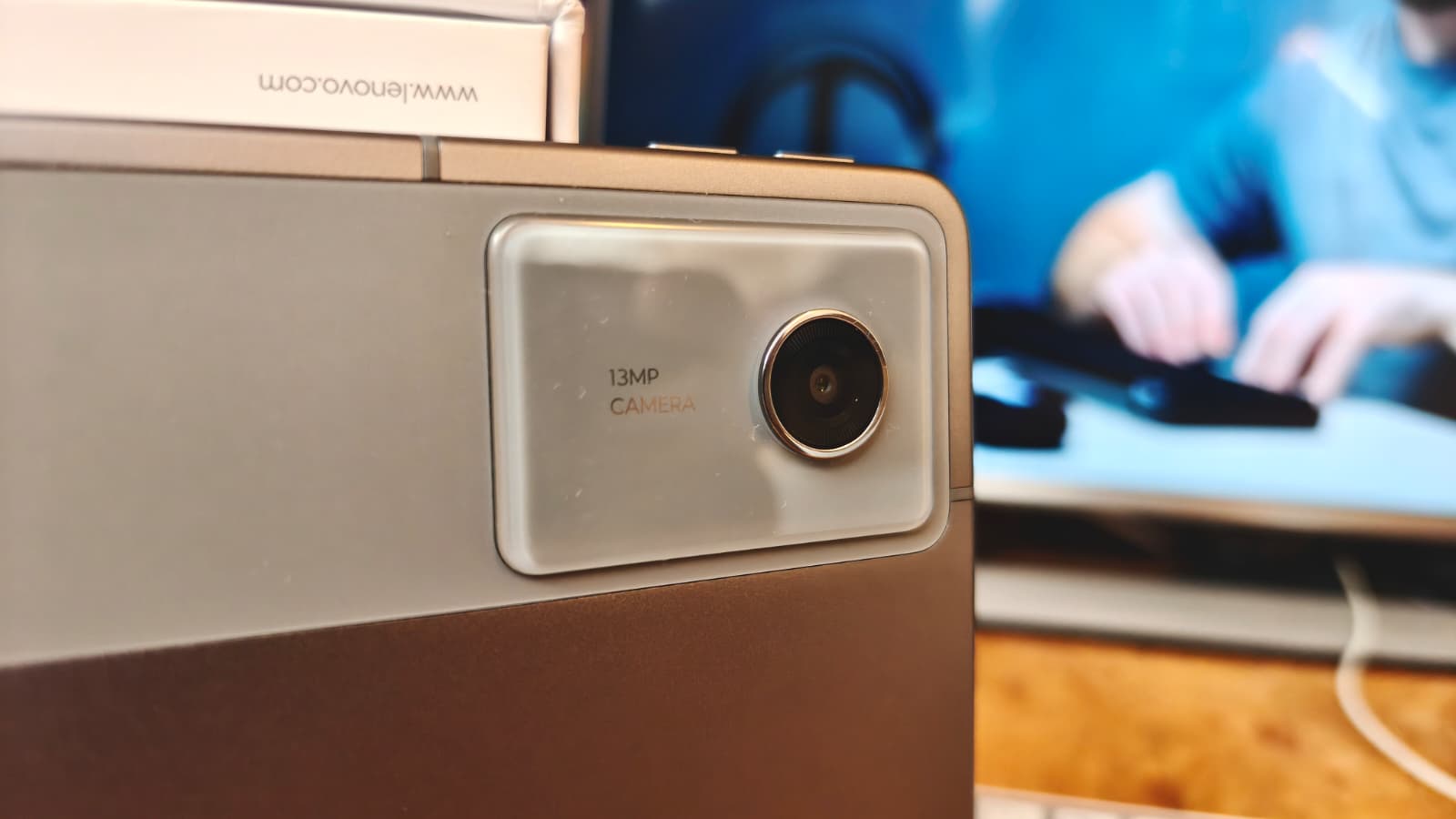
It looks as if the antennas are printed on the casing in high quality, but as there is also a wide plastic strip on the back, we suspect that the antennas are hidden behind it and the rest is just decoration.
At 7 millimeters (~0.3 in), the display edges are quite slim, but the tablet can still be held and operated reliably.
The tablet is IP52-protected against dust and splash water and should not be immersed in water. The color is only a slightly bluish gray.
Features - Tablet with lots of RAM
Our test device comes with 12 GB RAM and 256 GB mass storage. We also have a 5G module on board, but there are also smaller storage and WLAN-only variants. The wide variety indicates good configurability for corporate customers.
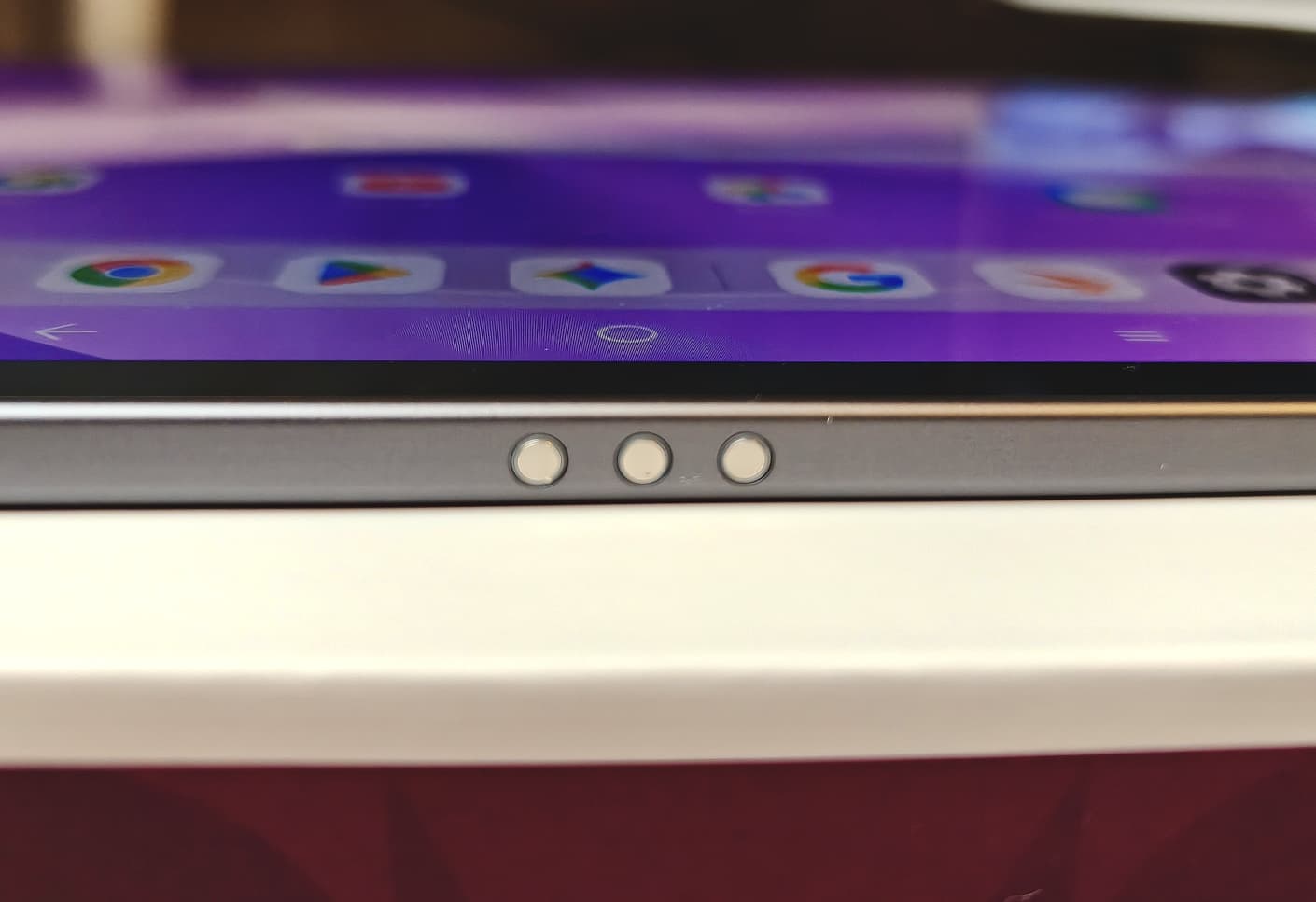
Unfortunately, the USB port only transfers data in accordance with the USB 2.0 standard and cannot output image signals. Three pogo pins on the underside allow a keyboard cover to be connected.
microSD Card Reader
Up to 2 TB cards can be used with the tablet. The data rates are above average in our tests with the Angelbird V60 reference card.
| SD Card Reader - average JPG Copy Test (av. of 3 runs) | |
| Lenovo Idea Tab Plus (Angelbird V60) | |
| Lenovo Tab K12 (Angelbird V60) | |
| Motorola Moto Pad 60 Pro (Angelbird V60) | |
| Average of class Tablet (10.2 - 79.2, n=44, last 2 years) | |
| Xiaomi Redmi Pad 2 Pro (Angelbird AV Pro V60) | |
Cross Platform Disk Test (CPDT)
Software - A little less bloatware
Our test device comes with Android 16 and security updates from November 2025, so Lenovo doesn't seem to be making much of an effort to provide timely updates. There should be new operating systems until Android 17 and security updates until 01.09.2029. This is actually OK for a tablet in this price range, but the EU actually stipulates longer updates.
Special modes allow apps to be opened in windows or split-screen view. There are also improved management options if you have many tablets in use in the company. Lenovo has also reduced the pre-installed bloatware to facilitate faster setup. Nevertheless, some apps are still pre-installed, which is incomprehensible in a professional environment.
Sustainability
The packaging is plastic-free, and the manufacturer usually provides repair instructions and spare parts after a few months.
There is no information on the CO2 footprint or the materials used.
Communication and GNSS - Slow WiFi 5 disappoints
It is not really fast in the Wi-Fi environment; Wi-Fi 5 is the best you can get. With our reference router Asus ROG Rapture AXE11000, the data rates are at an expected level and quite stable, but comparable tablets are sometimes much faster.
A 5G module is installed. It offers a wide range of frequencies so that the tablet can be used on the mobile internet in many countries. The reception quality was mostly good in random tests during our test.
| Networking | |
| Lenovo Tab K12 | |
| iperf3 transmit AXE11000 | |
| iperf3 receive AXE11000 | |
| Lenovo Idea Tab Plus | |
| iperf3 transmit AXE11000 | |
| iperf3 receive AXE11000 | |
| Motorola Moto Pad 60 Pro | |
| iperf3 transmit AXE11000 6GHz | |
| iperf3 receive AXE11000 6GHz | |
| Xiaomi Redmi Pad 2 Pro | |
| iperf3 transmit AXE11000 | |
| iperf3 receive AXE11000 | |
| iperf3 transmit AXE11000 6GHz | |
| iperf3 receive AXE11000 6GHz | |
| Average 802.11 a/b/g/n/ac | |
| iperf3 transmit AXE11000 | |
| iperf3 receive AXE11000 | |
| iperf3 transmit AXE11000 6GHz | |
| iperf3 receive AXE11000 6GHz | |
| Average of class Tablet | |
| iperf3 transmit AXE11000 | |
| iperf3 receive AXE11000 | |
| iperf3 transmit AXE11000 6GHz | |
| iperf3 receive AXE11000 6GHz | |
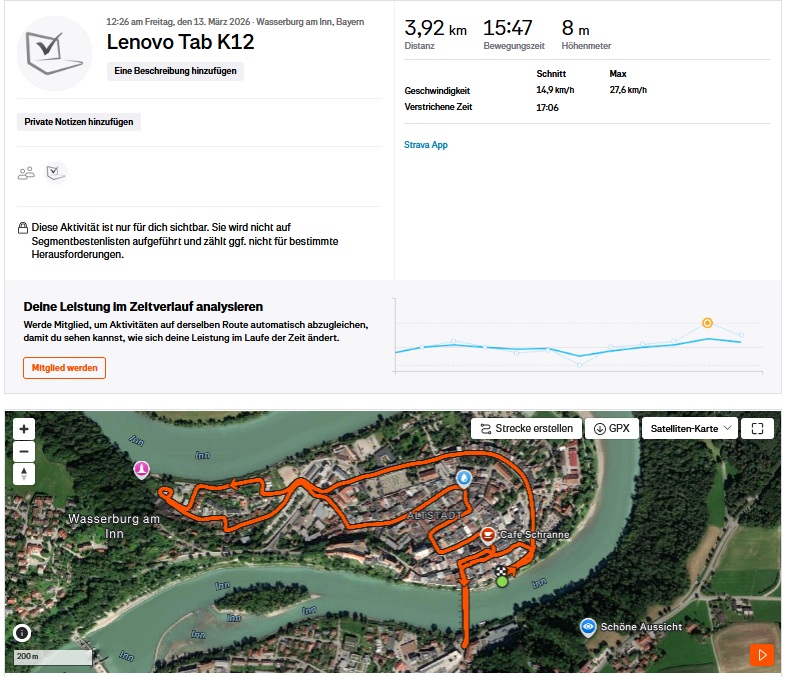
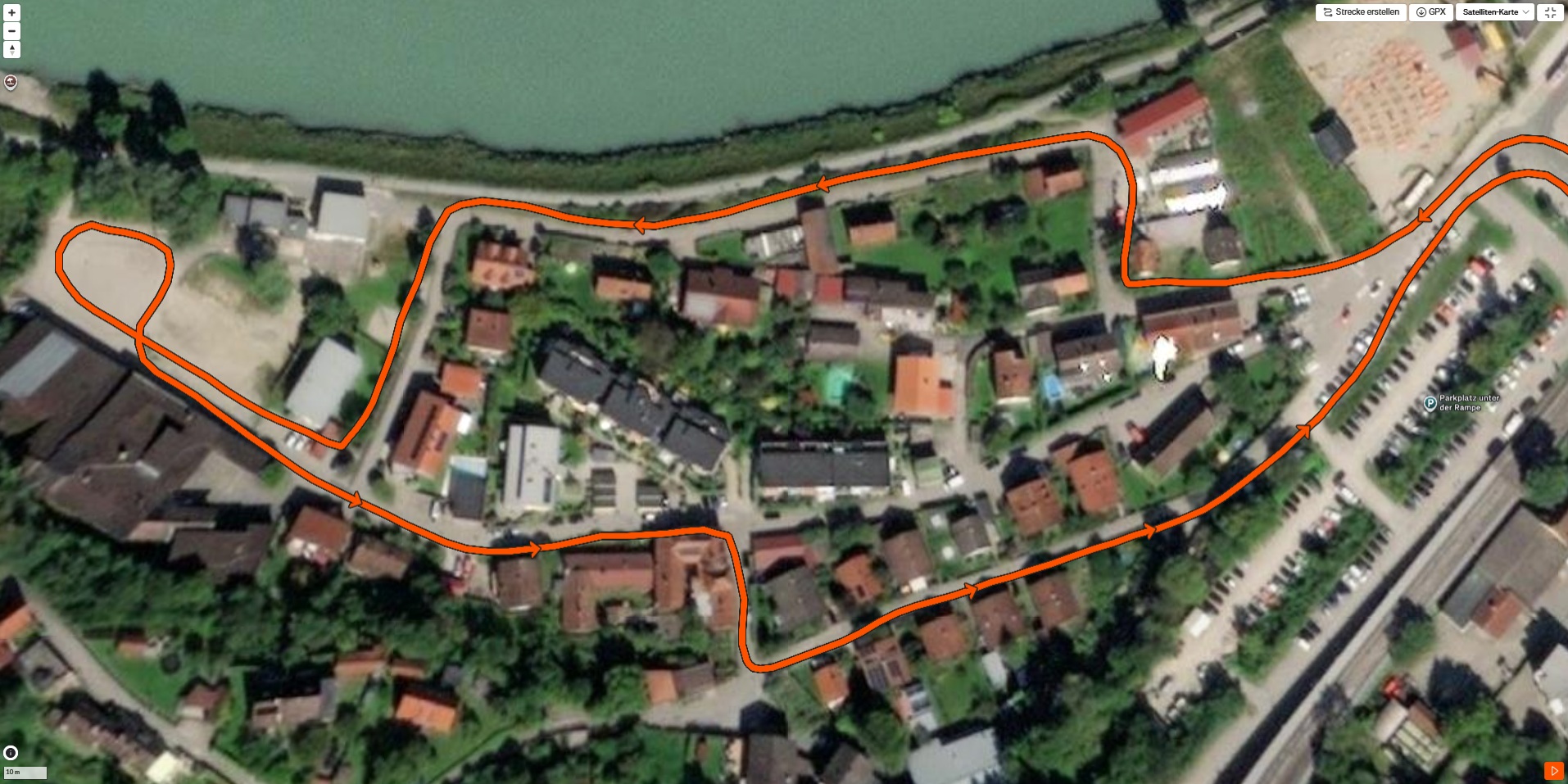
In addition to GPS, GLONASS and Galileo, SBAS is also on board for greater accuracy in satellite positioning.
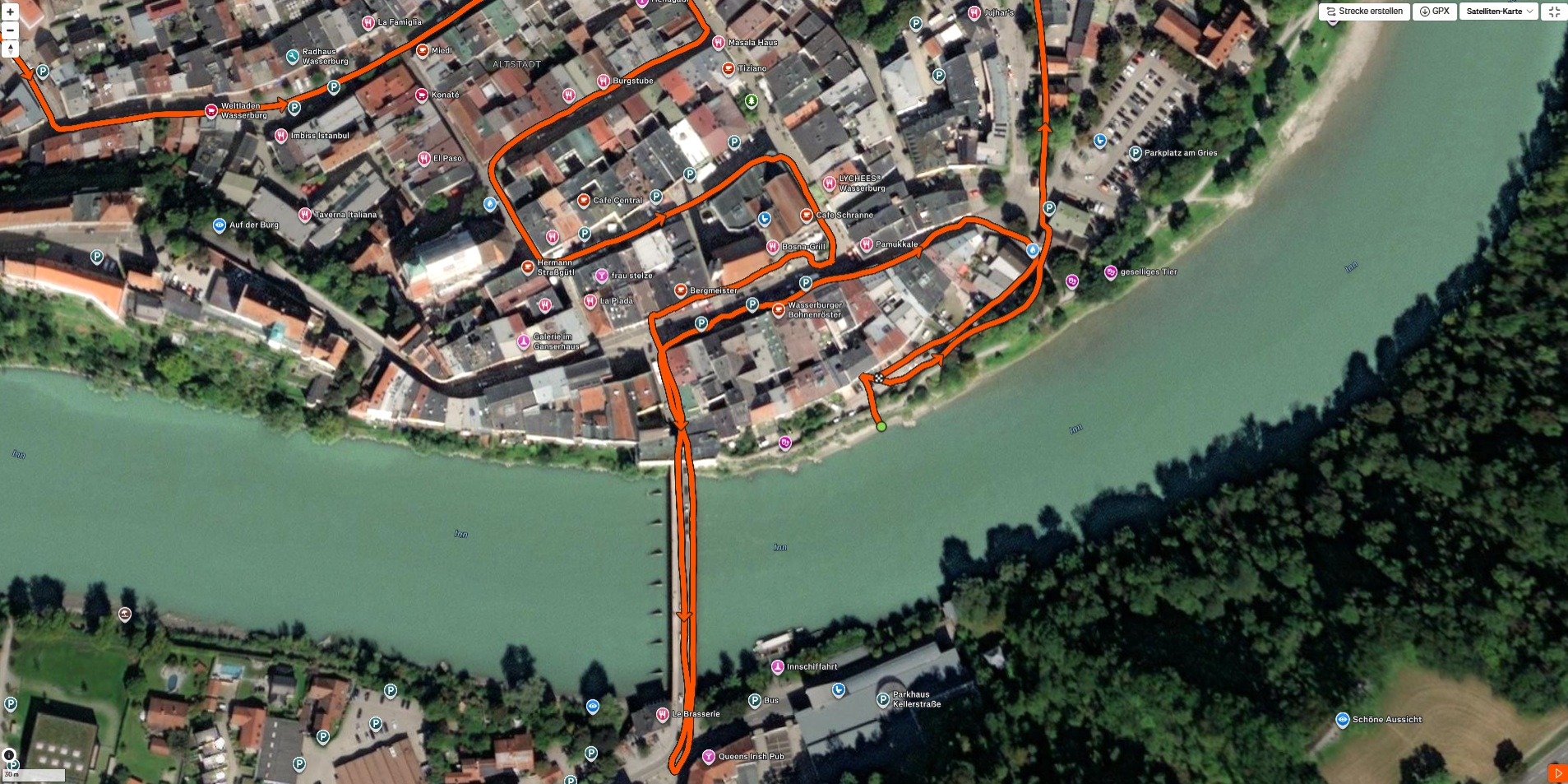
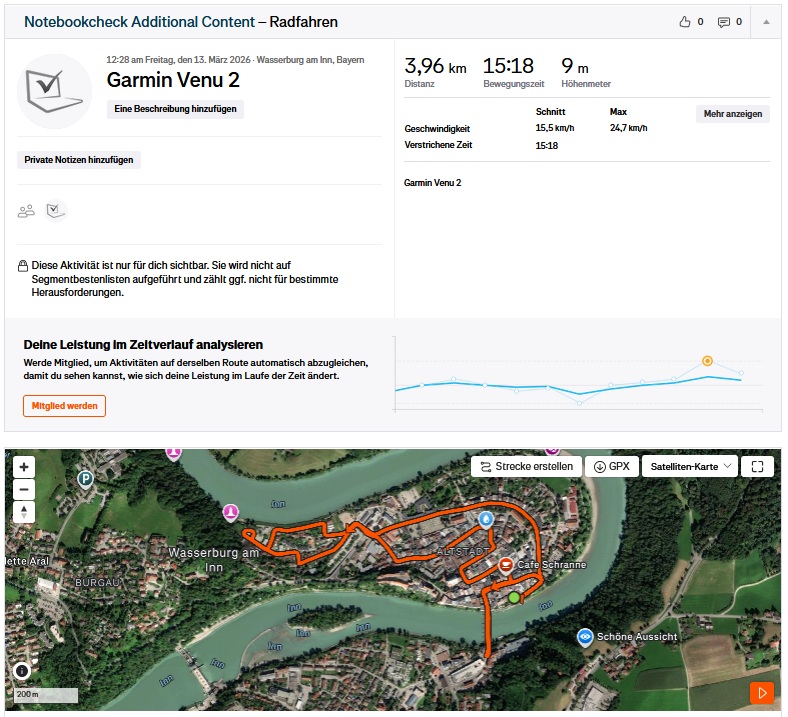
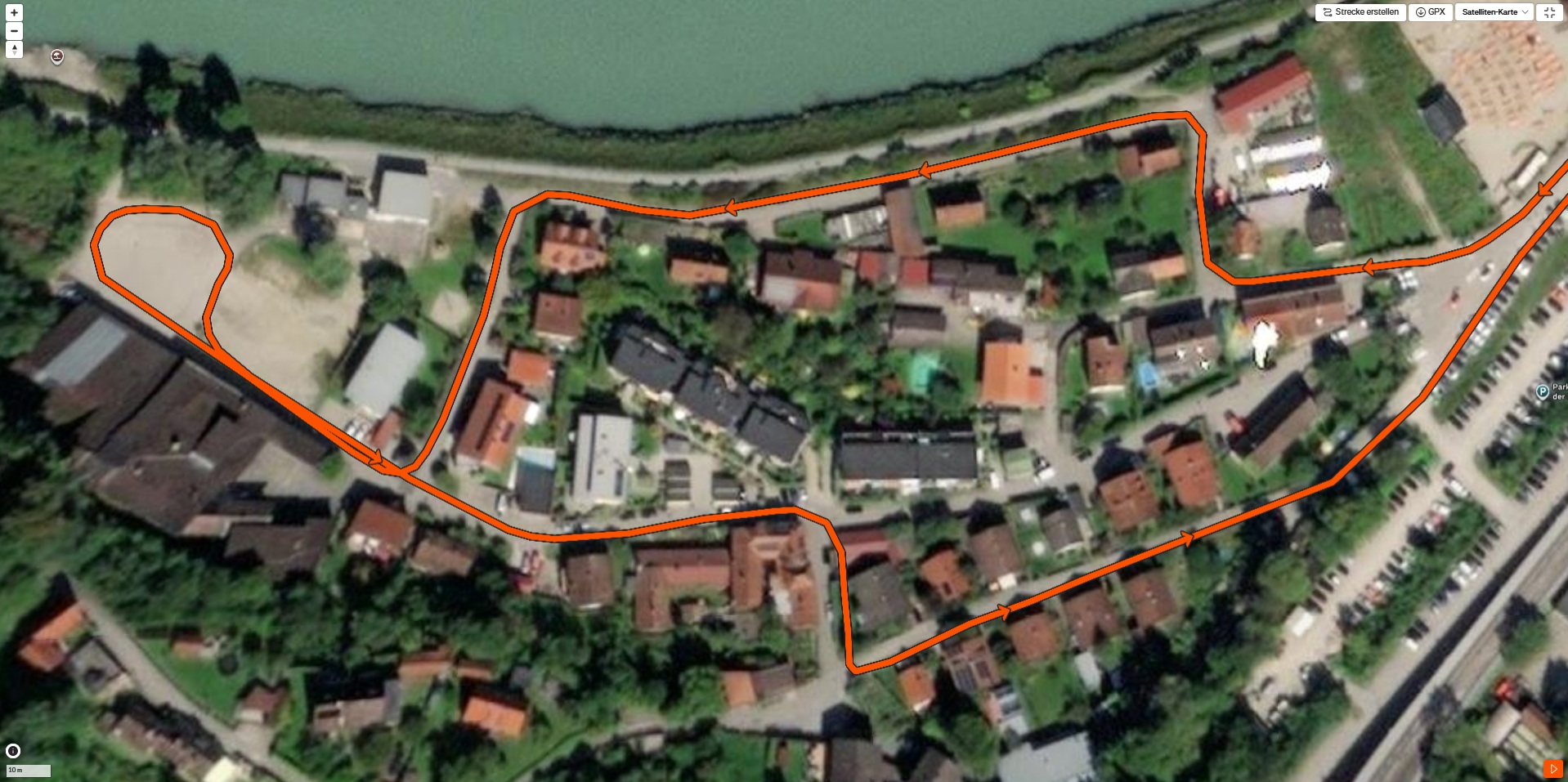
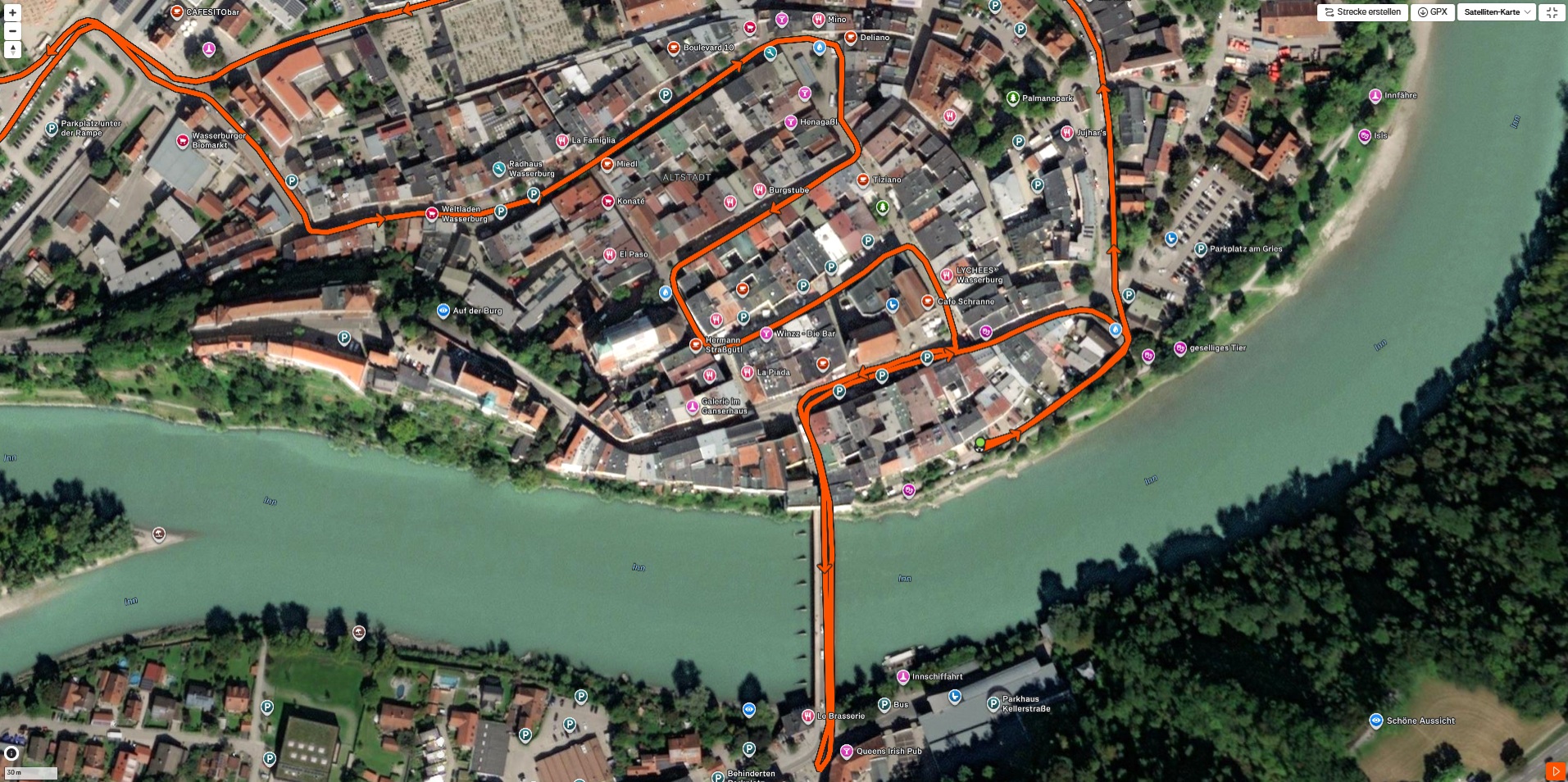
Our bike tour shows good, albeit not completely accurate positioning on roads and paths. The tablet can be used for navigation without any major limitations.
Cameras - Simple pictures

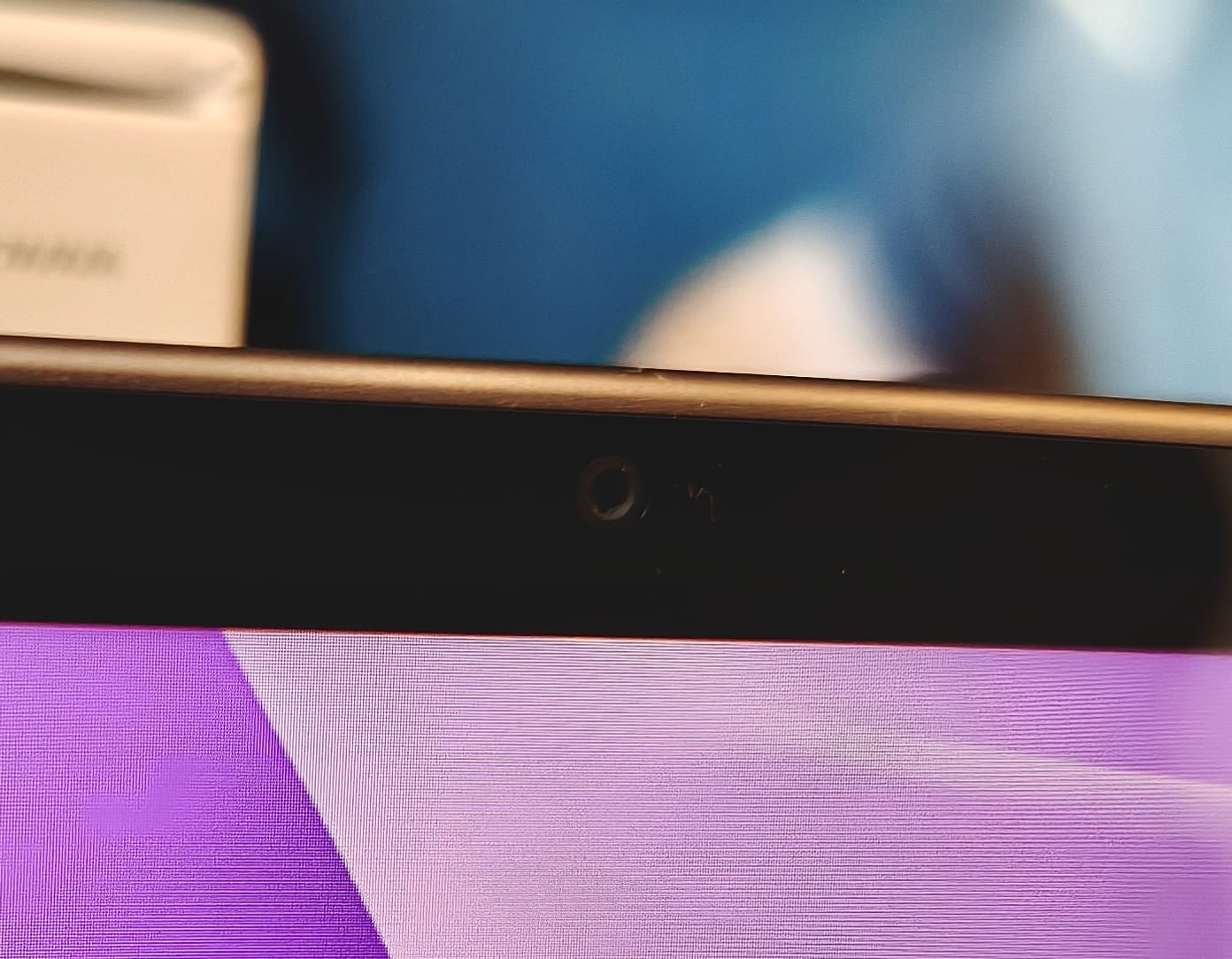
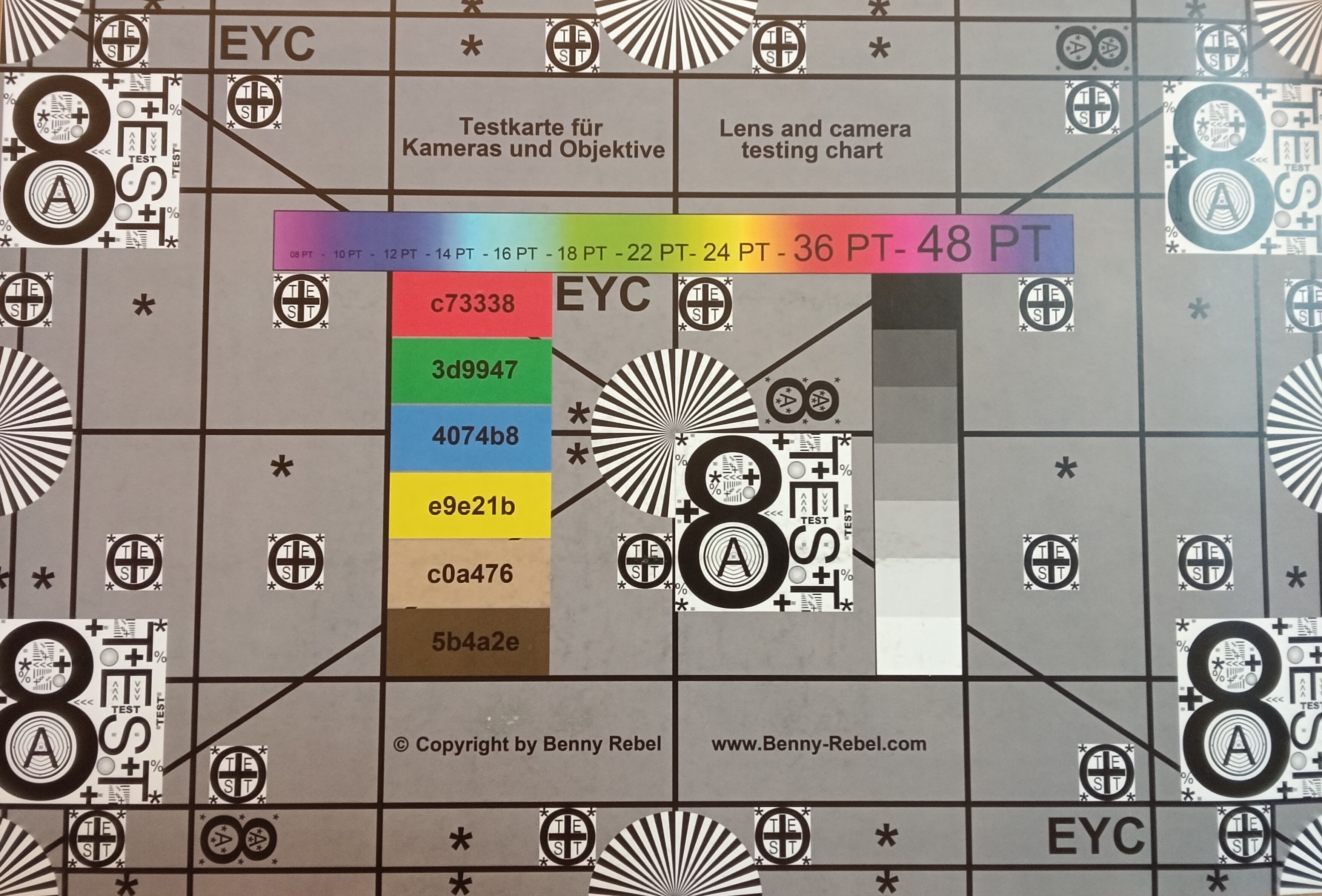
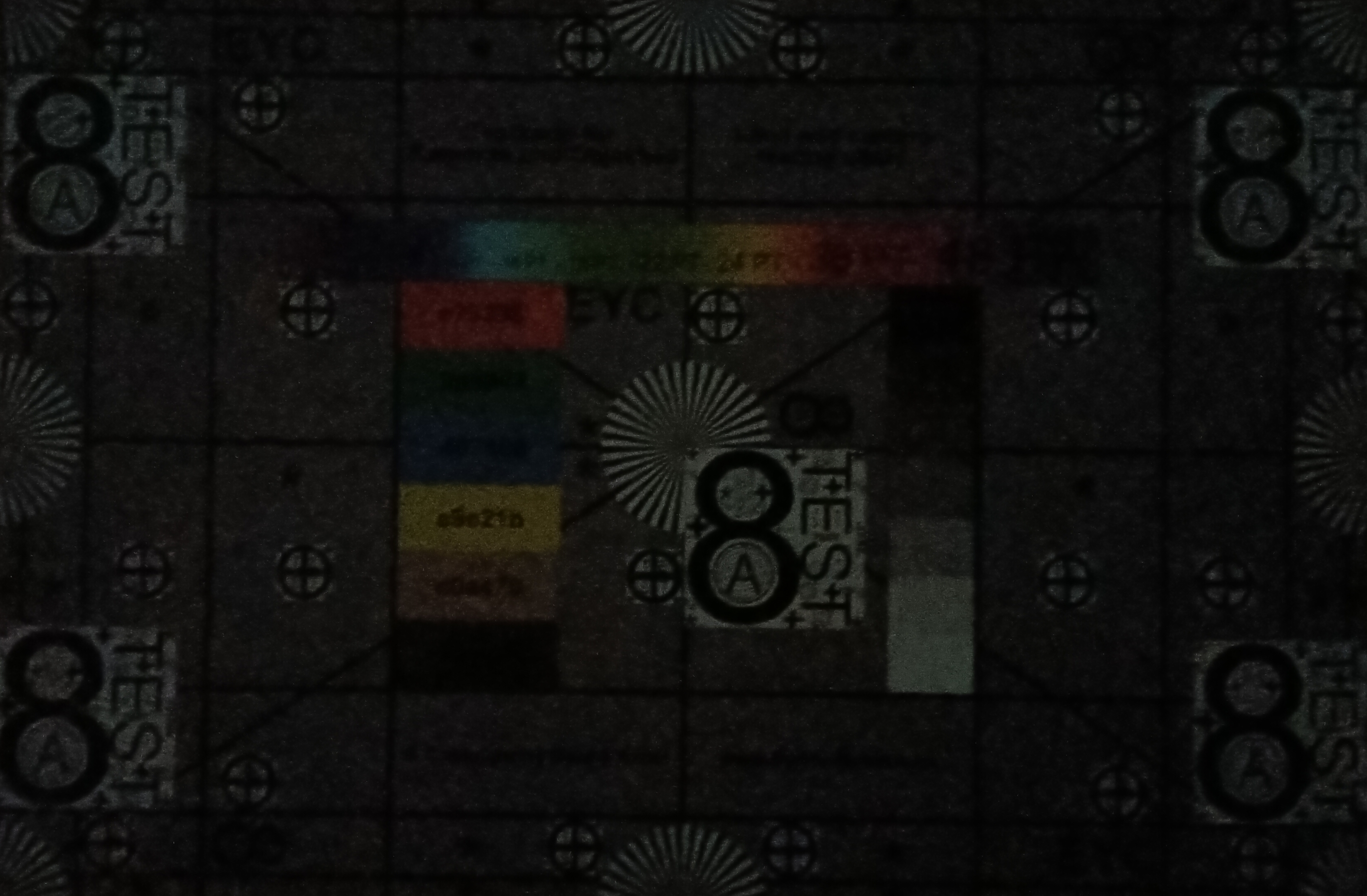
The main camera has a resolution of 13 megapixels and offers autofocus, while the front camera with 8 megapixels has to make do with fixed focus.
The image quality is acceptable, but real photo enthusiasts will quickly return to the smartphone.
You can also scan documents with the main camera and use the front camera for video conferencing. Both work quite well, but you should always make sure there is sufficient lighting.
Image comparison
Choose a scene and navigate within the first image. One click changes the position on touchscreens. One click on the zoomed-in image opens the original in a new window. The first image shows the scaled photograph of the test device.
Main camera plantMain camera environmentMain camera Low Light




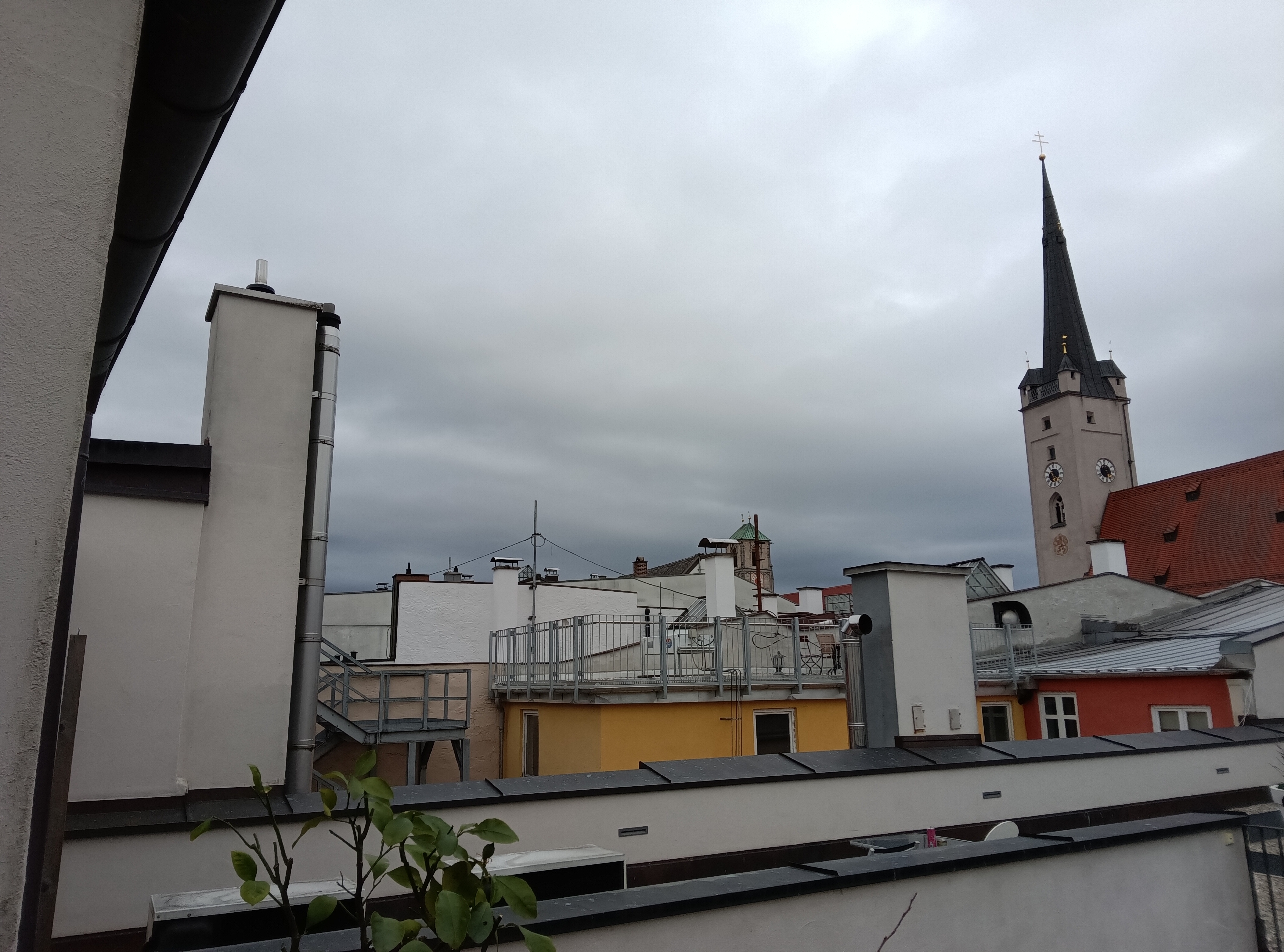
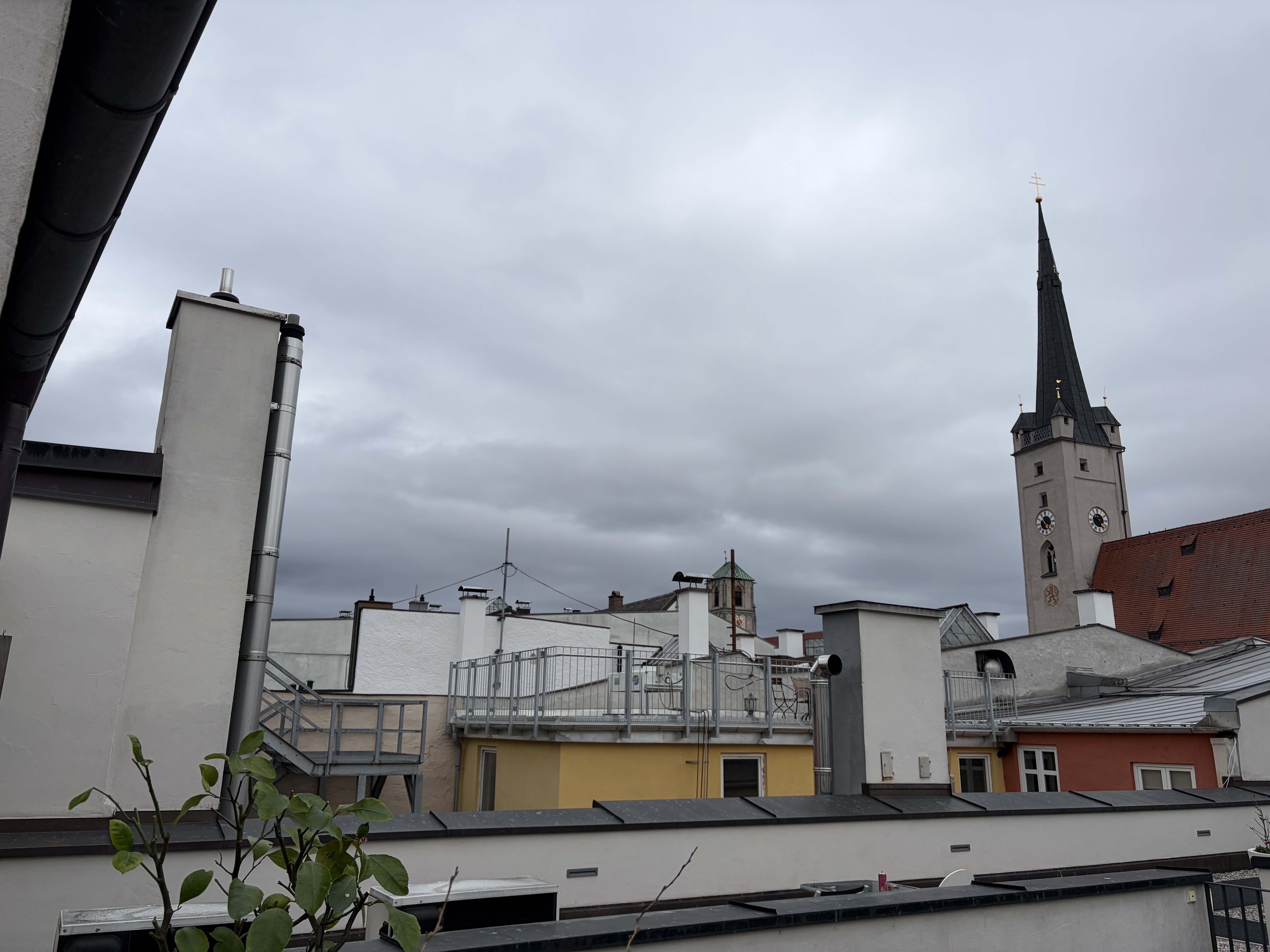
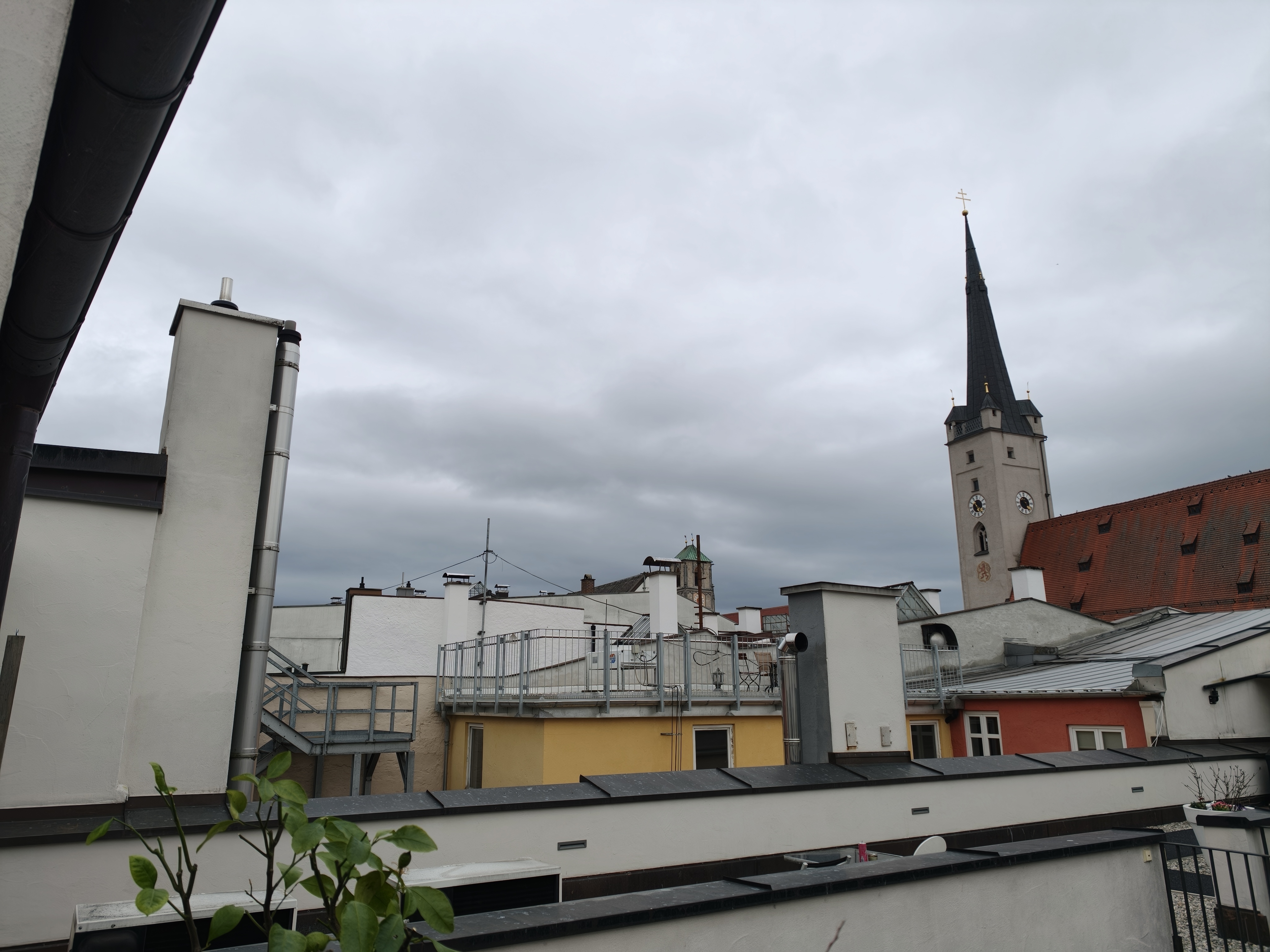
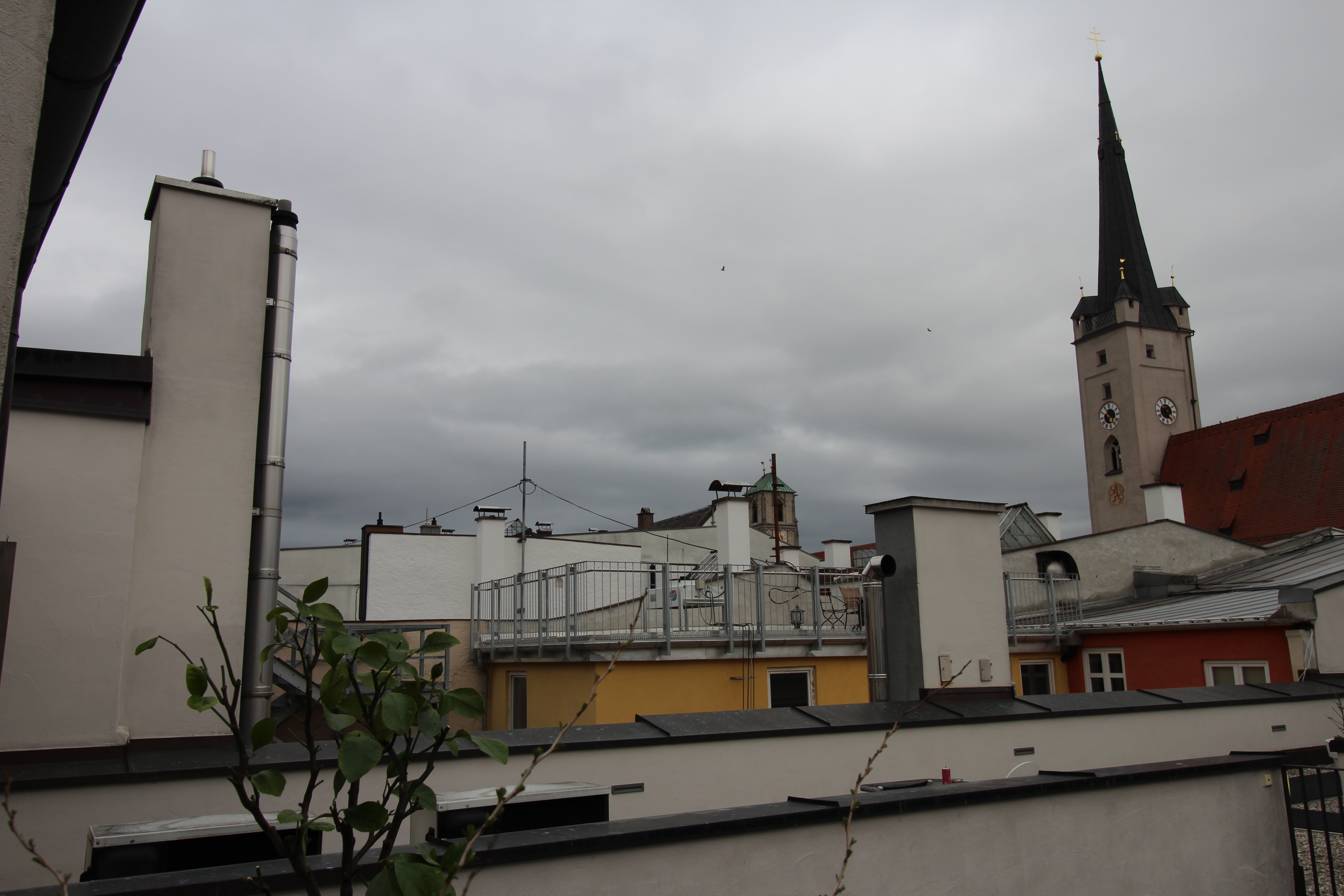








Accessories - pen input possible
The package includes a 45-watt charger and a USB cable, as well as a SIM tool to open the card slot.
You have to buy a stylus separately; Lenovo offers the Tab Pen Plus with Bluetooth for around 59 Euros (~$68), for example. Keyboard covers are available from Lenovo or third-party providers in many variants.
Input devices and operation - The fingerprint sensor is missing
The touchscreen responds quickly and the screen's 90 Hz frame rate means that inputs can also be made quickly.
There is no fingerprint sensor, you can only use 2D facial recognition for biometric unlocking. This works reliably enough, but is not as secure. It is therefore better not to keep business secrets on the tablet.
We describe in detail how the pen input feels in our review of the Idea Tab Plus.
Display - IPS screen without PWM
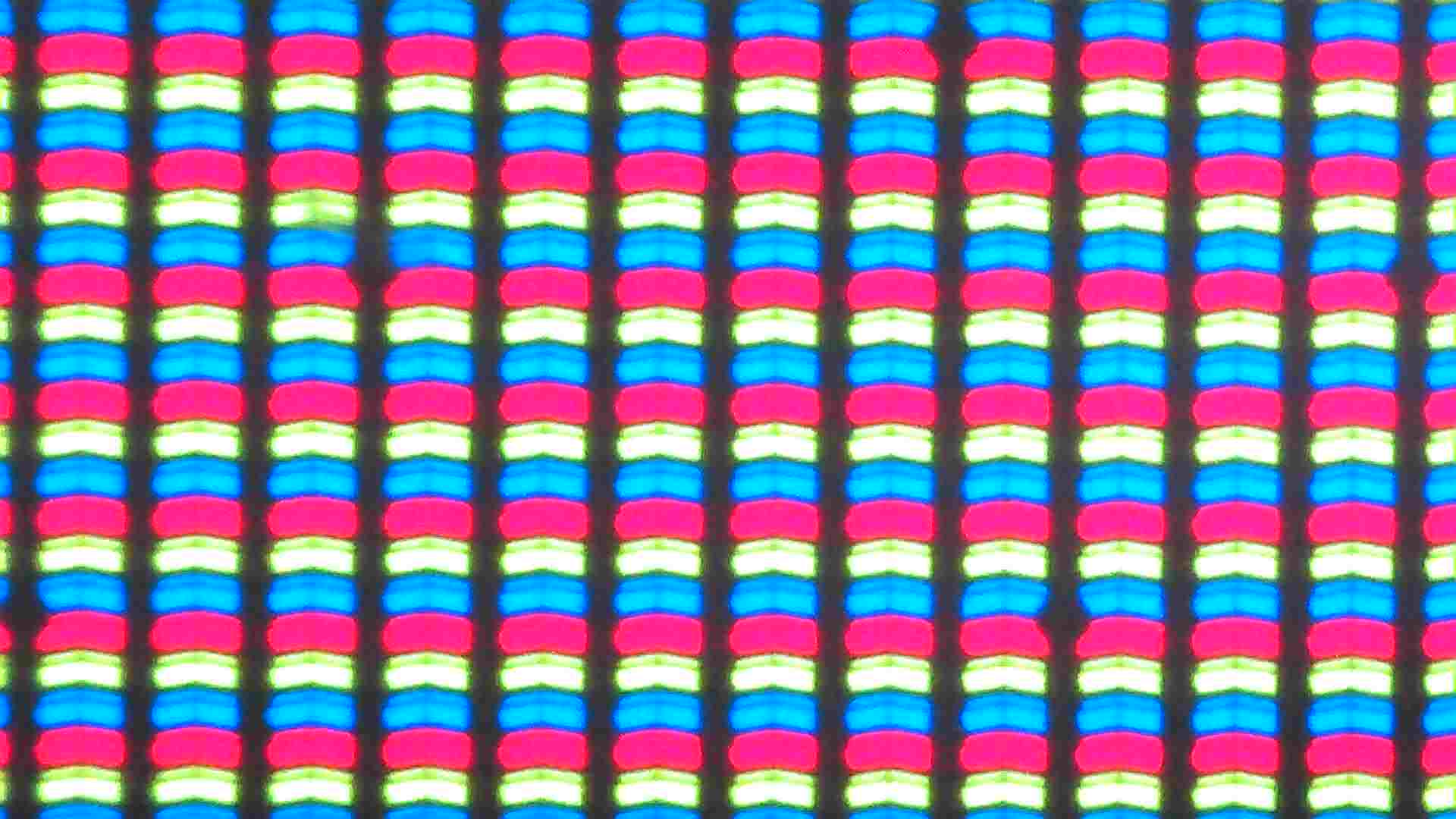
Fortunately, the IPS screen of the Tab K12 does not have PWM flickering, so it is also suitable for more sensitive people. The resolution is 2,560 x 1,600 pixels, which results in a good pixel density and fine display.
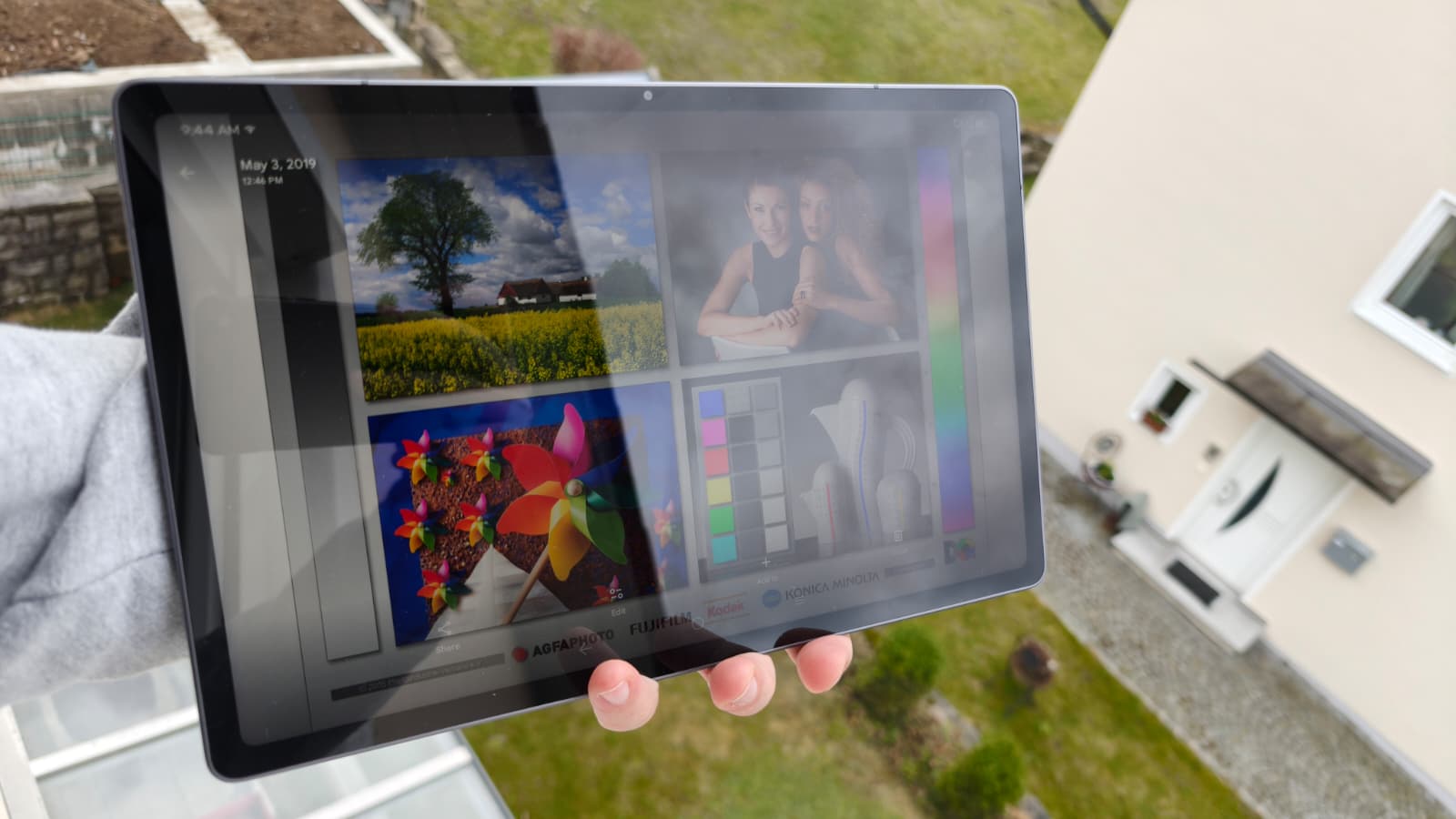
In bright ambient light, the screen achieves a brightness of around 630 cd/m². This value can increase slightly on smaller surfaces. The tablet can be used outdoors, but it is difficult to see anything on the screen in direct sunlight.
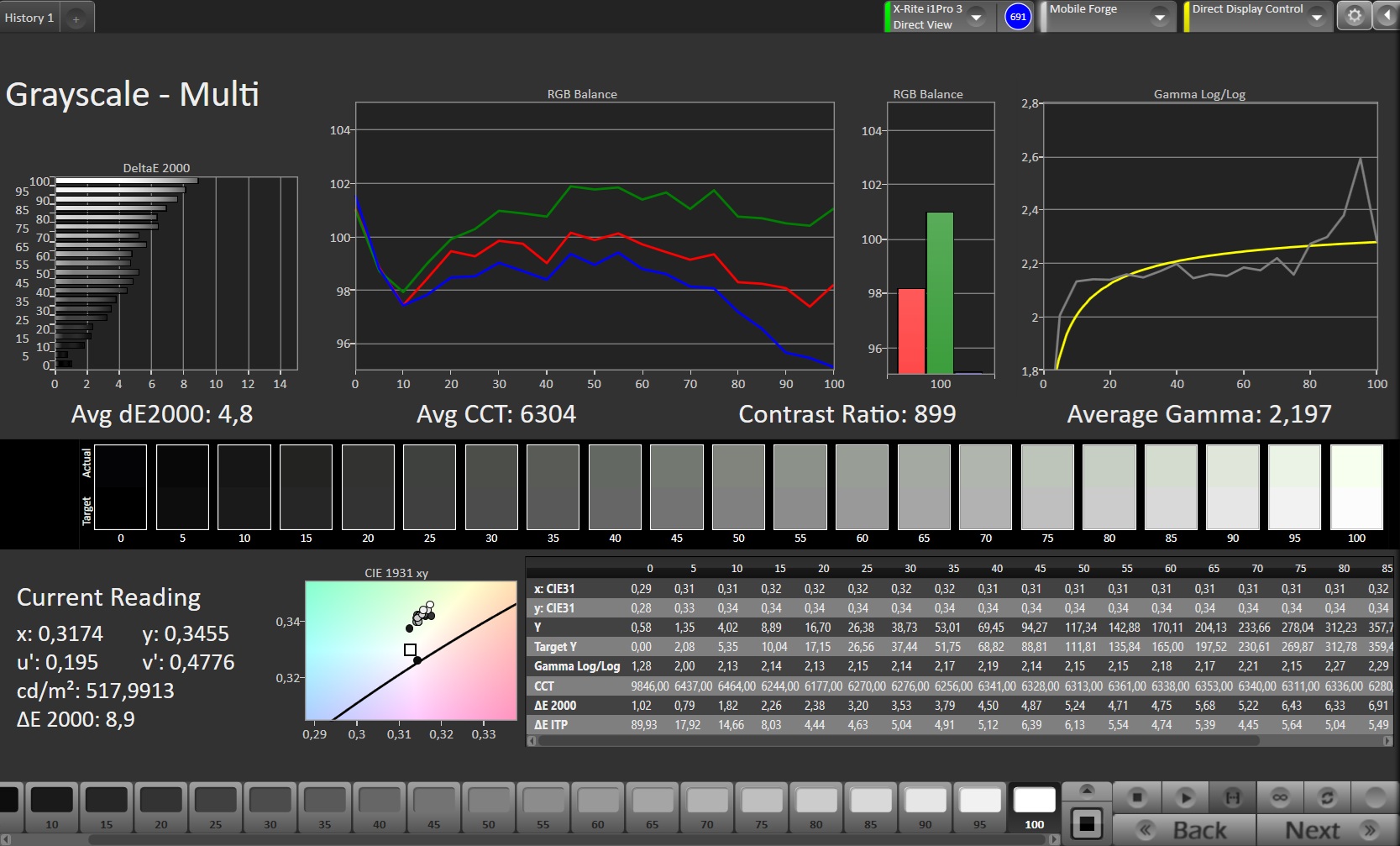
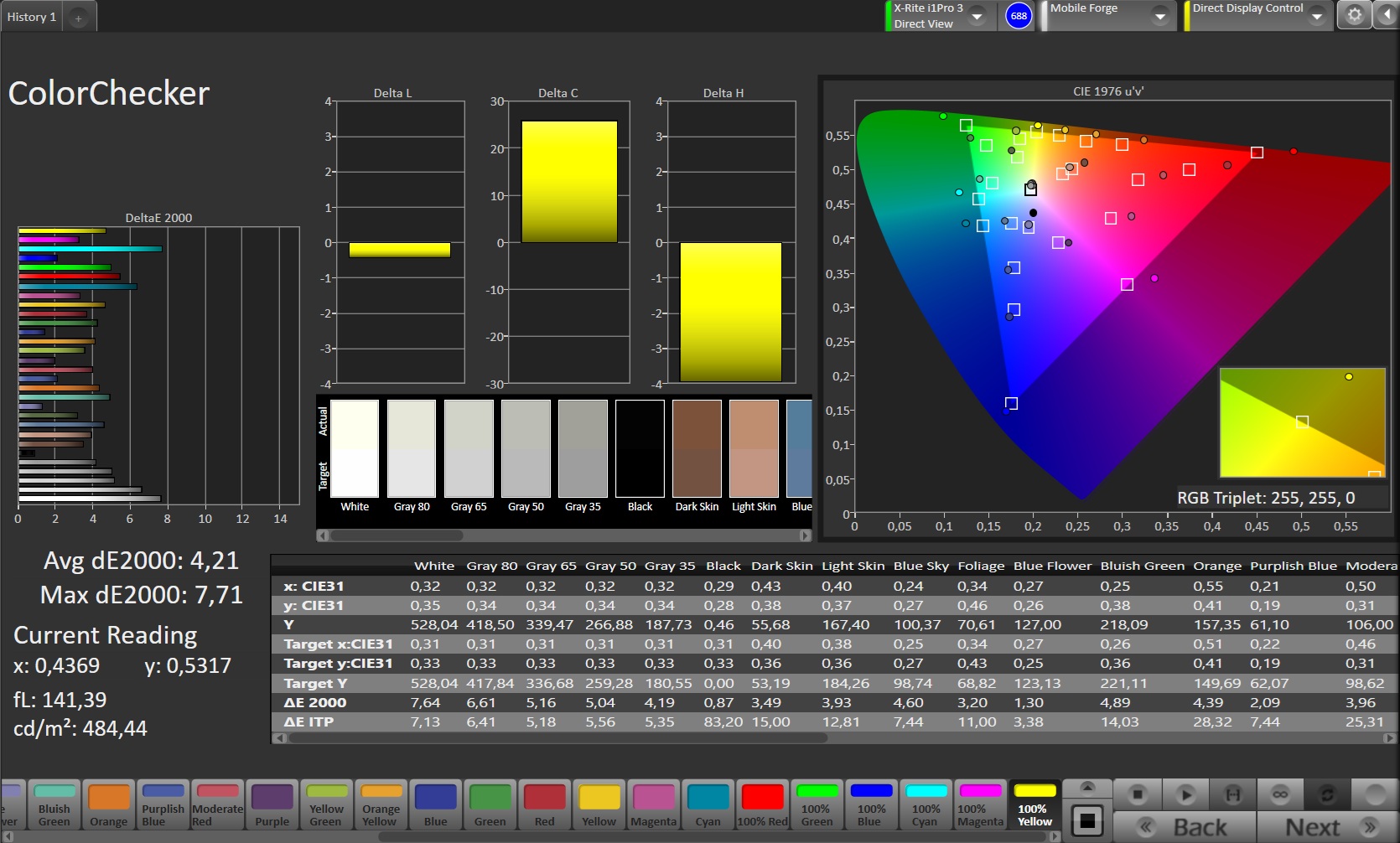
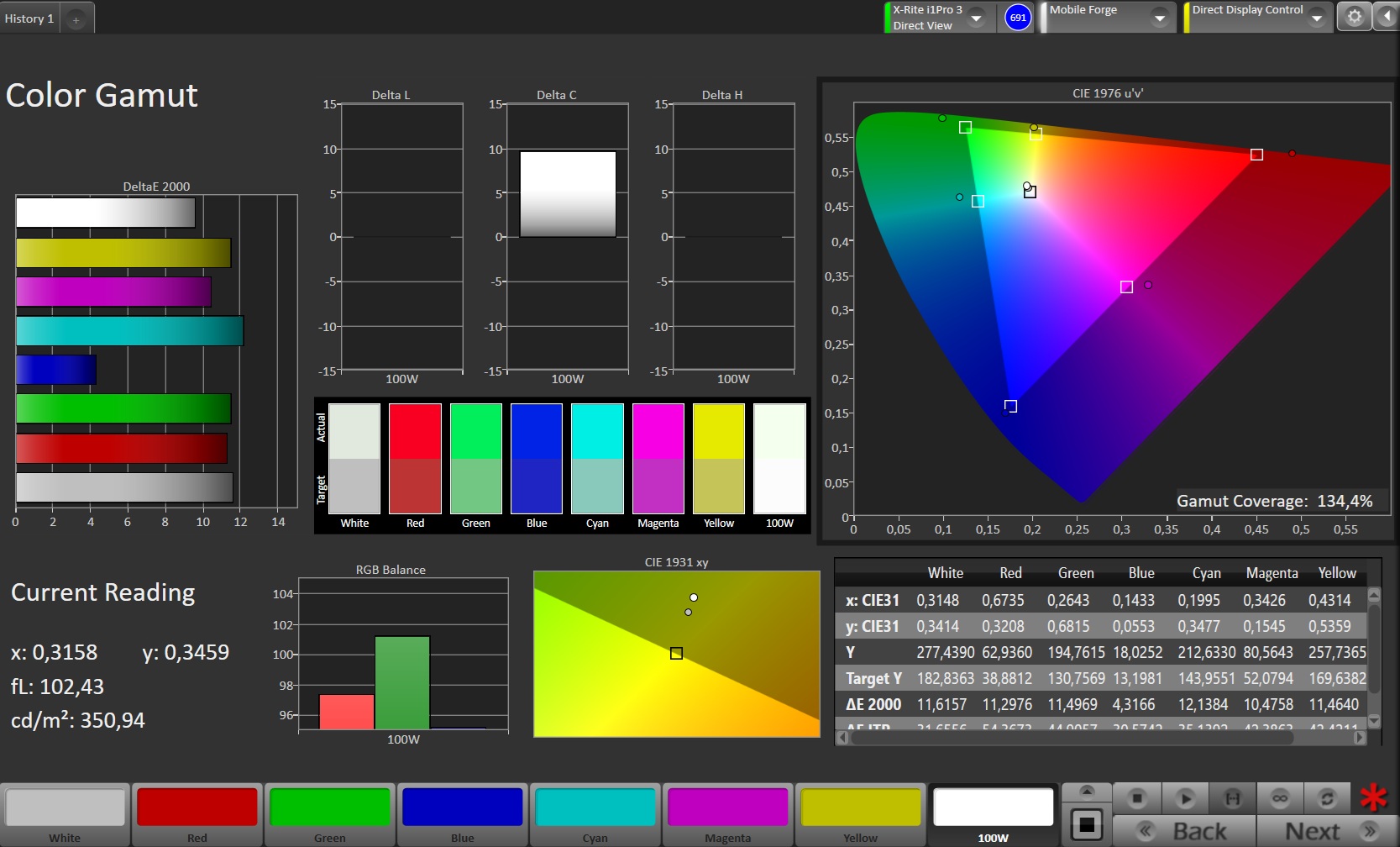
The color display is occasionally somewhat inaccurate and slightly greenish overall.
| |||||||||||||||||||||||||
Brightness Distribution: 97 %
Center on Battery: 635 cd/m²
Contrast: 1296:1 (Black: 0.49 cd/m²)
ΔE ColorChecker Calman: 4.21 | ∀{0.5-29.43 Ø4.69}
ΔE Greyscale Calman: 4.8 | ∀{0.09-98 Ø4.94}
134.4% sRGB (Calman 2D)
Gamma: 2.197
CCT: 6304 K
| Lenovo Tab K12 IPS, 2560x1600, 12.1" | Lenovo Idea Tab Plus IPS, 2560x1600, 12.1" | Motorola Moto Pad 60 Pro IPS, 2944x1840, 12.7" | Xiaomi Redmi Pad 2 Pro TFT-LCD, 2560x1600, 12.1" | |
|---|---|---|---|---|
| Screen | 18% | -5% | 32% | |
| Brightness middle (cd/m²) | 635 | 633 0% | 413 -35% | 582 -8% |
| Brightness (cd/m²) | 624 | 622 0% | 394 -37% | 553 -11% |
| Brightness Distribution (%) | 97 | 95 -2% | 89 -8% | 87 -10% |
| Black Level * (cd/m²) | 0.49 | 0.54 -10% | 0.45 8% | 0.33 33% |
| Contrast (:1) | 1296 | 1172 -10% | 918 -29% | 1764 36% |
| Colorchecker dE 2000 * | 4.21 | 1.81 57% | 2.85 32% | 0.8 81% |
| Colorchecker dE 2000 max. * | 7.71 | 2.98 61% | 6.16 20% | 2.2 71% |
| Greyscale dE 2000 * | 4.8 | 2.5 48% | 4.3 10% | 1.6 67% |
| Gamma | 2.197 100% | 1.934 114% | 2.239 98% | 2.21 100% |
| CCT | 6304 103% | 6853 95% | 7476 87% | 6294 103% |
* ... smaller is better
| Display / APL18 Peak Brightness | |
| Lenovo Tab K12 | |
| Xiaomi Redmi Pad 2 Pro | |
| Display / HDR Peak Brightness | |
| Lenovo Tab K12 | |
| Xiaomi Redmi Pad 2 Pro | |
Screen Flickering / PWM (Pulse-Width Modulation)
| Screen flickering / PWM not detected | 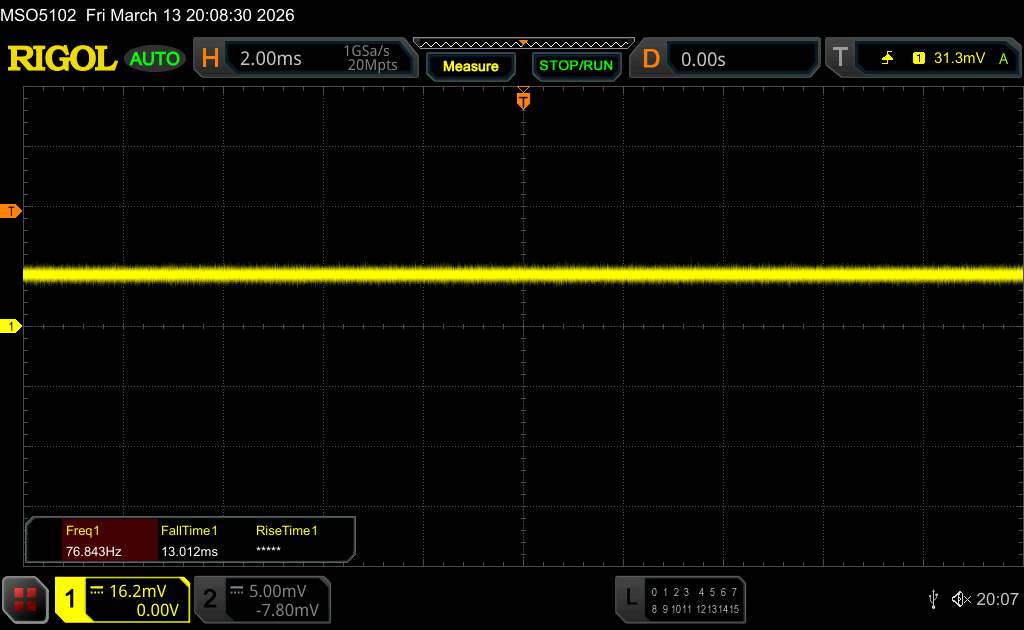 | ||
In comparison: 52 % of all tested devices do not use PWM to dim the display. If PWM was detected, an average of 7625 (minimum: 5 - maximum: 343500) Hz was measured. | |||
Display Response Times
| ↔ Response Time Black to White | ||
|---|---|---|
| 24.5 ms ... rise ↗ and fall ↘ combined | ↗ 14.2 ms rise | 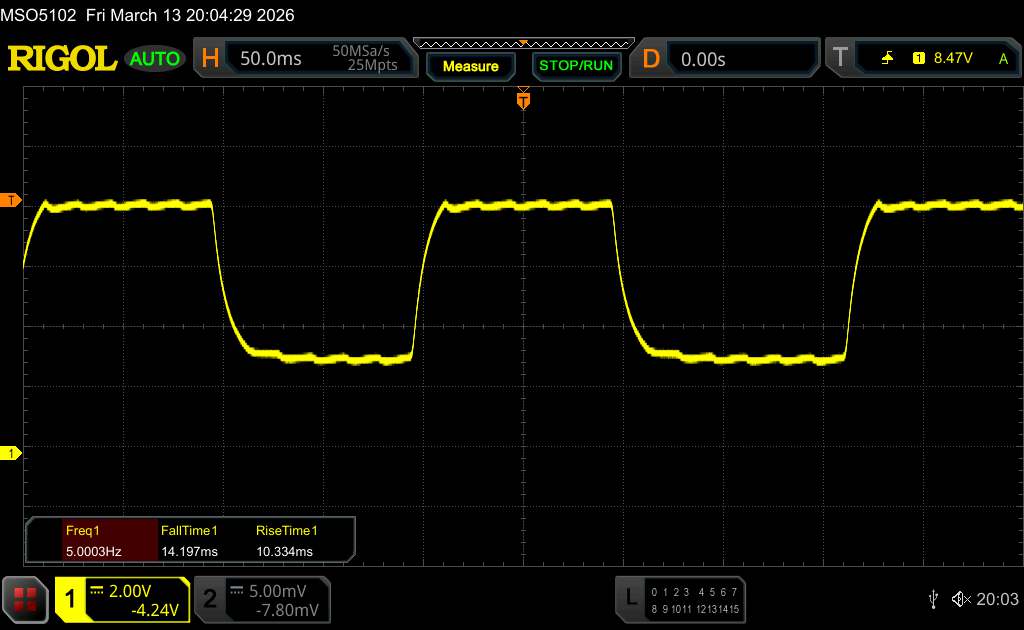 |
| ↘ 10.3 ms fall | ||
| The screen shows good response rates in our tests, but may be too slow for competitive gamers. In comparison, all tested devices range from 0.1 (minimum) to 240 (maximum) ms. » 58 % of all devices are better. This means that the measured response time is worse than the average of all tested devices (19.7 ms). | ||
| ↔ Response Time 50% Grey to 80% Grey | ||
| 21.6 ms ... rise ↗ and fall ↘ combined | ↗ 13.2 ms rise | 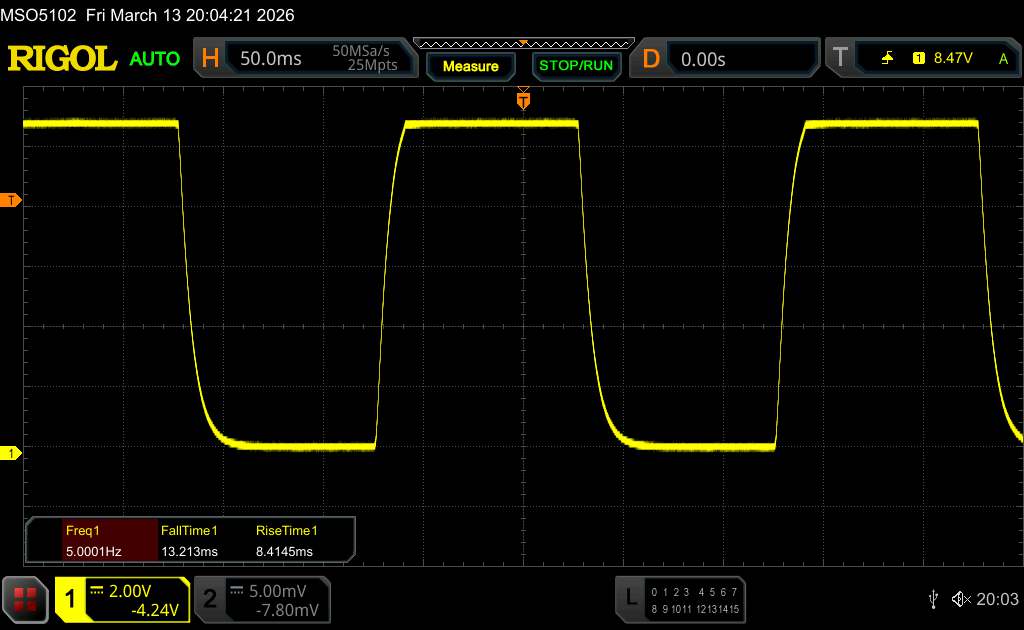 |
| ↘ 8.4 ms fall | ||
| The screen shows good response rates in our tests, but may be too slow for competitive gamers. In comparison, all tested devices range from 0.13 (minimum) to 636 (maximum) ms. » 34 % of all devices are better. This means that the measured response time is better than the average of all tested devices (30.7 ms). | ||
Performance - More would be better
The MediaTek Dimensity 6400 is equipped with sufficient performance for the mid-range, but at the same time you can also get significantly more powerful tablets in this price range, as our benchmark comparison shows. In addition, the SoC does not always manage to guarantee really smooth operation.
In terms of graphics performance, you shouldn't expect smooth gaming at the highest settings for demanding games. Surfing the internet is usually fast and smooth. The memory is not all that fast, but allows for sufficiently fast data transfers.
| Antutu v10 - Total Score | |
| Average of class Tablet (250503 - 4185521, n=52, last 2 years) | |
| Xiaomi Redmi Pad 2 Pro | |
| Average Mediatek Dimensity 6400 (430344 - 468240, n=2) | |
| Lenovo Idea Tab Plus | |
| UL Procyon AI Inference for Android - Overall Score NNAPI | |
| Average of class Tablet (3600 - 76852, n=53, last 2 years) | |
| Xiaomi Redmi Pad 2 Pro | |
| Lenovo Tab K12 | |
| Average Mediatek Dimensity 6400 (6803 - 6819, n=2) | |
| Lenovo Idea Tab Plus | |
| AImark - Score v3.x | |
| Average of class Tablet (252 - 50153, n=35, last 2 years) | |
| Lenovo Tab K12 | |
| Average Mediatek Dimensity 6400 (910 - 915, n=2) | |
| Lenovo Idea Tab Plus | |
| Xiaomi Redmi Pad 2 Pro | |
GFXBench (DX / GLBenchmark) 2.7: T-Rex Onscreen | 1920x1080 T-Rex Offscreen
GFXBench 3.0: on screen Manhattan Onscreen OGL | 1920x1080 1080p Manhattan Offscreen
GFXBench 3.1: on screen Manhattan ES 3.1 Onscreen | 1920x1080 Manhattan ES 3.1 Offscreen
GFXBench: on screen Car Chase Onscreen | 1920x1080 Car Chase Offscreen | on screen Aztec Ruins High Tier Onscreen | 2560x1440 Aztec Ruins High Tier Offscreen | on screen Aztec Ruins Normal Tier Onscreen | 1920x1080 Aztec Ruins Normal Tier Offscreen | 3840x2160 4K Aztec Ruins High Tier Offscreen
| 3DMark / Wild Life Extreme Unlimited | |
| Motorola Moto Pad 60 Pro | |
| Lenovo Tab K12 | |
| Lenovo Idea Tab Plus | |
| 3DMark / Wild Life Extreme | |
| Motorola Moto Pad 60 Pro | |
| Lenovo Tab K12 | |
| Lenovo Idea Tab Plus | |
| 3DMark / Wild Life Unlimited Score | |
| Motorola Moto Pad 60 Pro | |
| Lenovo Tab K12 | |
| Lenovo Idea Tab Plus | |
| 3DMark / Steel Nomad Light Unlimited Score | |
| Lenovo Tab K12 | |
| Lenovo Idea Tab Plus | |
| 3DMark / Steel Nomad Light Score | |
| Lenovo Tab K12 | |
| Lenovo Idea Tab Plus | |
| GFXBench (DX / GLBenchmark) 2.7 / T-Rex Onscreen | |
| Xiaomi Redmi Pad 2 Pro | |
| Lenovo Tab K12 | |
| Lenovo Idea Tab Plus | |
| GFXBench (DX / GLBenchmark) 2.7 / T-Rex Offscreen | |
| Xiaomi Redmi Pad 2 Pro | |
| Lenovo Idea Tab Plus | |
| Lenovo Tab K12 | |
| GFXBench 3.0 / Manhattan Onscreen OGL | |
| Xiaomi Redmi Pad 2 Pro | |
| Lenovo Idea Tab Plus | |
| Lenovo Tab K12 | |
| GFXBench 3.0 / 1080p Manhattan Offscreen | |
| Xiaomi Redmi Pad 2 Pro | |
| Lenovo Idea Tab Plus | |
| Lenovo Tab K12 | |
| GFXBench 3.1 / Manhattan ES 3.1 Onscreen | |
| Xiaomi Redmi Pad 2 Pro | |
| Lenovo Idea Tab Plus | |
| Lenovo Tab K12 | |
| GFXBench 3.1 / Manhattan ES 3.1 Offscreen | |
| Xiaomi Redmi Pad 2 Pro | |
| Lenovo Idea Tab Plus | |
| Lenovo Tab K12 | |
| GFXBench / Car Chase Onscreen | |
| Xiaomi Redmi Pad 2 Pro | |
| Lenovo Tab K12 | |
| Lenovo Idea Tab Plus | |
| GFXBench / Car Chase Offscreen | |
| Xiaomi Redmi Pad 2 Pro | |
| Lenovo Idea Tab Plus | |
| Lenovo Tab K12 | |
| GFXBench / Aztec Ruins High Tier Onscreen | |
| Motorola Moto Pad 60 Pro | |
| Xiaomi Redmi Pad 2 Pro | |
| Lenovo Tab K12 | |
| Lenovo Idea Tab Plus | |
| GFXBench / Aztec Ruins High Tier Offscreen | |
| Motorola Moto Pad 60 Pro | |
| Xiaomi Redmi Pad 2 Pro | |
| Lenovo Tab K12 | |
| Lenovo Idea Tab Plus | |
| GFXBench / Aztec Ruins Normal Tier Onscreen | |
| Motorola Moto Pad 60 Pro | |
| Xiaomi Redmi Pad 2 Pro | |
| Lenovo Tab K12 | |
| Lenovo Idea Tab Plus | |
| GFXBench / Aztec Ruins Normal Tier Offscreen | |
| Motorola Moto Pad 60 Pro | |
| Xiaomi Redmi Pad 2 Pro | |
| Lenovo Tab K12 | |
| Lenovo Idea Tab Plus | |
| GFXBench / 4K Aztec Ruins High Tier Offscreen | |
| Motorola Moto Pad 60 Pro | |
| Xiaomi Redmi Pad 2 Pro | |
| Lenovo Tab K12 | |
| Lenovo Idea Tab Plus | |
| Jetstream 2 - 2.0 Total | |
| Average of class Tablet (48 - 420, n=54, last 2 years) | |
| Xiaomi Redmi Pad 2 Pro (Chrome 142.0.7444.48) | |
| Average Mediatek Dimensity 6400 (94.3 - 100.3, n=5) | |
| Lenovo Tab K12 (Chrome 146) | |
| Lenovo Idea Tab Plus (Chrome 140.0.7339.155) | |
| Speedometer 2.0 - Result 2.0 | |
| Average of class Tablet (45 - 790, n=33, last 2 years) | |
| Xiaomi Redmi Pad 2 Pro (Chrome 142.0.7444.48) | |
| Lenovo Tab K12 (Chrome 146) | |
| Average Mediatek Dimensity 6400 (87.9 - 88, n=2) | |
| Lenovo Idea Tab Plus (Chrome 140.0.7339.155) | |
| Speedometer 3 - Score 3.0 | |
| Average of class Tablet (3 - 49.1, n=49, last 2 years) | |
| Xiaomi Redmi Pad 2 Pro (Chrome 142.0.7444.48) | |
| Lenovo Tab K12 (Chrome 146) | |
| Average Mediatek Dimensity 6400 (6.11 - 6.35, n=2) | |
| Lenovo Idea Tab Plus (Chrome 140.0.7339.155) | |
| WebXPRT 4 - Overall | |
| Average of class Tablet (54 - 376, n=53, last 2 years) | |
| Xiaomi Redmi Pad 2 Pro (Chrome 142.0.7444.48) | |
| Lenovo Tab K12 (Chrome 146) | |
| Average Mediatek Dimensity 6400 (90 - 91, n=2) | |
| Lenovo Idea Tab Plus (Chrome 140.0.7339.155) | |
| Octane V2 - Total Score | |
| Average of class Tablet (4497 - 138481, n=69, last 2 years) | |
| Xiaomi Redmi Pad 2 Pro (Chrome 142.0.7444.48) | |
| Motorola Moto Pad 60 Pro (Chrome 139) | |
| Lenovo Tab K12 (Chrome 146) | |
| Average Mediatek Dimensity 6400 (28640 - 28702, n=2) | |
| Lenovo Idea Tab Plus (Chrome 140.0.7339.155) | |
| Mozilla Kraken 1.1 - Total | |
| Lenovo Tab K12 (Chrome 146) | |
| Average Mediatek Dimensity 6400 (1504 - 1504, n=2) | |
| Lenovo Idea Tab Plus (Chrome 140.0.7339.155) | |
| Average of class Tablet (243 - 13119, n=64, last 2 years) | |
| Xiaomi Redmi Pad 2 Pro (Chrome 142.0.7444.48) | |
* ... smaller is better
| Lenovo Tab K12 | Lenovo Idea Tab Plus | Motorola Moto Pad 60 Pro | Xiaomi Redmi Pad 2 Pro | Average 256 GB UFS 2.2 Flash | Average of class Tablet | |
|---|---|---|---|---|---|---|
| AndroBench 3-5 | -4% | 114% | 9% | 12% | 113% | |
| Sequential Read 256KB (MB/s) | 602.3 | 526.82 -13% | 2123 252% | 983.31 63% | 905 ? 50% | 2098 ? 248% |
| Sequential Write 256KB (MB/s) | 601.8 | 527.26 -12% | 1745 190% | 915.09 52% | 738 ? 23% | 1691 ? 181% |
| Random Read 4KB (MB/s) | 258.6 | 271.5 5% | 244 -6% | 150.42 -42% | 224 ? -13% | 279 ? 8% |
| Random Write 4KB (MB/s) | 289.9 | 304.01 5% | 352 21% | 180.77 -38% | 248 ? -14% | 329 ? 13% |
Emissions - hardly any warming
Temperature
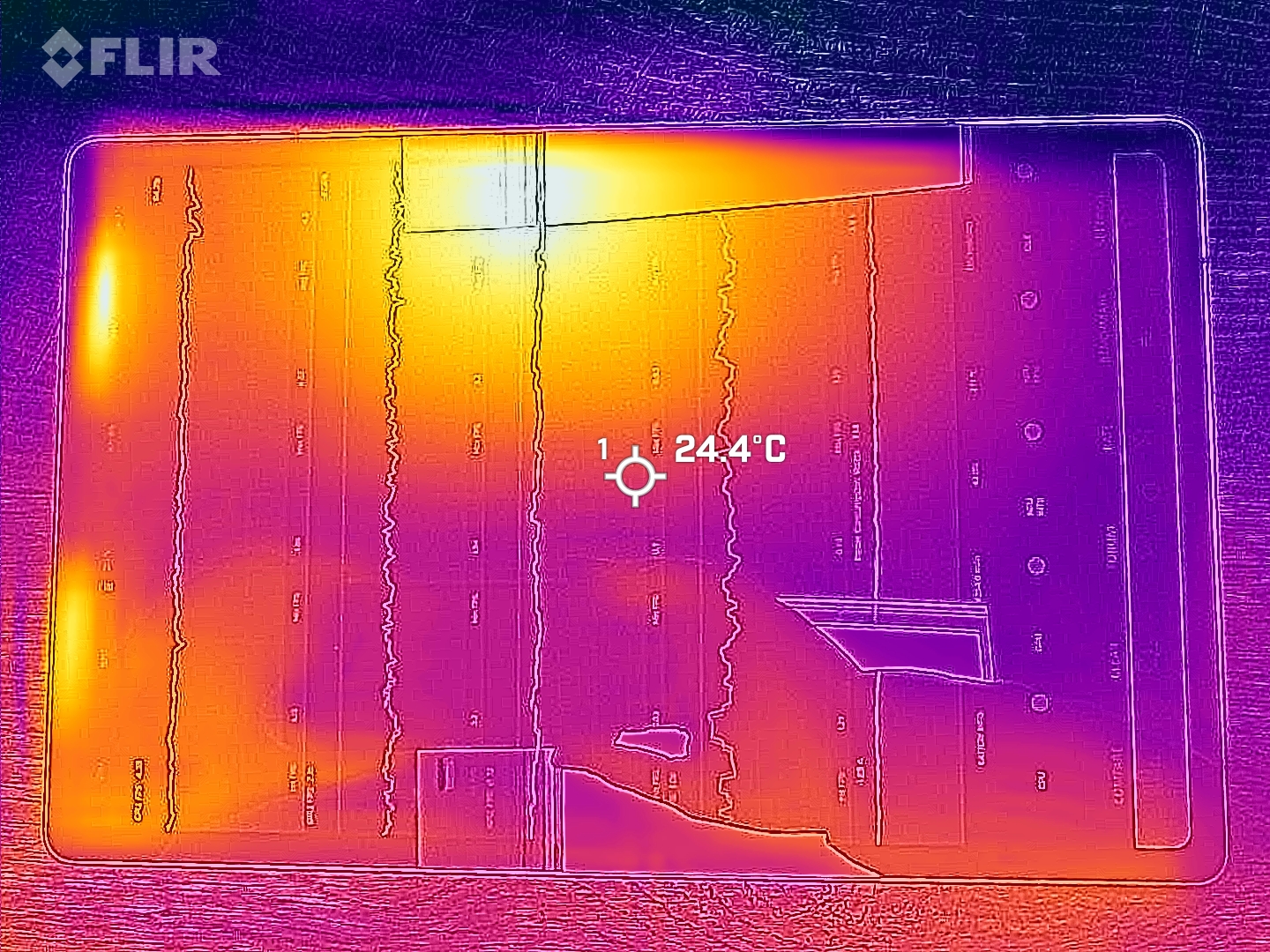
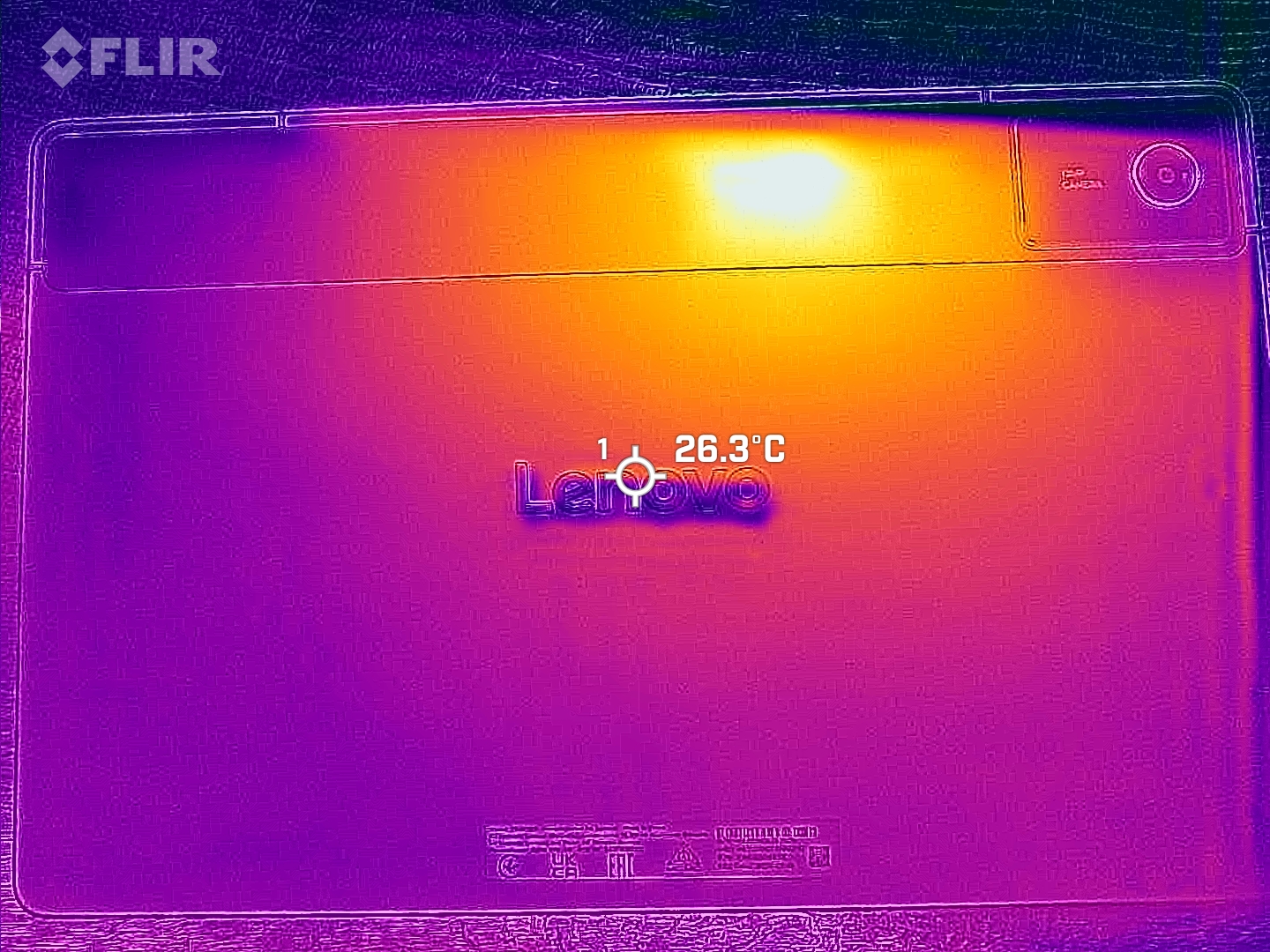
The tablet usually remains quite cool, even after prolonged load.
The stress tests also show no throttling of the SoC.
(+) The maximum temperature on the upper side is 34.2 °C / 94 F, compared to the average of 33.7 °C / 93 F, ranging from 20.7 to 53.2 °C for the class Tablet.
(+) The bottom heats up to a maximum of 34.5 °C / 94 F, compared to the average of 33.2 °C / 92 F
(+) In idle usage, the average temperature for the upper side is 24.3 °C / 76 F, compared to the device average of 30 °C / 86 F.
3DMark Stress Tests
| 3DMark | |
| Wild Life Stress Test Stability | |
| Lenovo Tab K12 | |
| Lenovo Idea Tab Plus | |
| Wild Life Extreme Stress Test | |
| Lenovo Tab K12 | |
| Lenovo Idea Tab Plus | |
| Motorola Moto Pad 60 Pro | |
| Steel Nomad Light Stress Test Stability | |
| Lenovo Idea Tab Plus | |
| Lenovo Tab K12 | |
Speaker
The four speakers produce a decent sound and can be sufficiently loud. The sound becomes a little thinner at high volumes, but the slightly audible bass usually makes up for this.
There is no 3.5 mm audio port, instead the USB port is used for audio connections. Alternatively, speakers and headphones can also be connected via Bluetooth, for which many important codecs are available.
Lenovo Tab K12 audio analysis
(+) | speakers can play relatively loud (85 dB)
Bass 100 - 315 Hz
(-) | nearly no bass - on average 15.7% lower than median
(±) | linearity of bass is average (13.1% delta to prev. frequency)
Mids 400 - 2000 Hz
(±) | higher mids - on average 6.1% higher than median
(±) | linearity of mids is average (9.6% delta to prev. frequency)
Highs 2 - 16 kHz
(+) | balanced highs - only 3.5% away from median
(±) | linearity of highs is average (8.4% delta to prev. frequency)
Overall 100 - 16.000 Hz
(±) | linearity of overall sound is average (22.2% difference to median)
Compared to same class
» 69% of all tested devices in this class were better, 4% similar, 27% worse
» The best had a delta of 7%, average was 21%, worst was 130%
Compared to all devices tested
» 65% of all tested devices were better, 6% similar, 29% worse
» The best had a delta of 4%, average was 23%, worst was 136%
Xiaomi Redmi Pad 2 Pro audio analysis
(+) | speakers can play relatively loud (92.3 dB)
Bass 100 - 315 Hz
(±) | reduced bass - on average 14.2% lower than median
(+) | bass is linear (5.1% delta to prev. frequency)
Mids 400 - 2000 Hz
(±) | higher mids - on average 8.5% higher than median
(+) | mids are linear (4.8% delta to prev. frequency)
Highs 2 - 16 kHz
(±) | higher highs - on average 5.3% higher than median
(±) | linearity of highs is average (7.3% delta to prev. frequency)
Overall 100 - 16.000 Hz
(±) | linearity of overall sound is average (17.1% difference to median)
Compared to same class
» 42% of all tested devices in this class were better, 4% similar, 53% worse
» The best had a delta of 7%, average was 21%, worst was 130%
Compared to all devices tested
» 31% of all tested devices were better, 8% similar, 60% worse
» The best had a delta of 4%, average was 23%, worst was 136%
Battery life - Fast charging for long runtimes
Energy consumption
The tablet can be charged with up to 45 watts and the charging process takes less than 1:30 hours.
The energy consumption is quite low overall compared to similar devices.
| Off / Standby |   0.1 / 0.2 Watt 0.1 / 0.2 Watt |
| Idle |  2 / 2.3 / 2.5 Watt 2 / 2.3 / 2.5 Watt |
| Load |
5.9 / 7.2 Watt |
    
| |
Key:
min: ,
med: ,
max: Metrahit Energy | |
| Lenovo Tab K12 10200 mAh | Lenovo Idea Tab Plus 10200 mAh | Xiaomi Redmi Pad 2 Pro 12000 mAh | Average Mediatek Dimensity 6400 | Average of class Tablet | |
|---|---|---|---|---|---|
| Power Consumption | 3% | -88% | 6% | -60% | |
| Idle Minimum * (Watt) | 2 | 1.9 5% | 1.22 39% | 1.597 ? 20% | 2.16 ? -8% |
| Idle Average * (Watt) | 2.3 | 2.1 9% | 7.21 -213% | 2.19 ? 5% | 3.9 ? -70% |
| Idle Maximum * (Watt) | 2.5 | 2.4 4% | 7.23 -189% | 2.37 ? 5% | 4.29 ? -72% |
| Load Average * (Watt) | 5.9 | 5.9 -0% | 8.9 -51% | 5.9 ? -0% | 8.87 ? -50% |
| Load Maximum * (Watt) | 7.2 | 7.3 -1% | 8.94 -24% | 7.25 ? -1% | 14.4 ? -100% |
* ... smaller is better
Power consumption: Geekbench (150 cd/m²)
Power consumption: GFXbench (150 cd/m²)
Battery life
With just under 15 hours in our WLAN test, the tablet performs well and gets good runtimes from the 10,200 mAh battery such that you can even survive a long working day without a power socket nearby.
| Lenovo Tab K12 10200 mAh | Lenovo Idea Tab Plus 10200 mAh | Motorola Moto Pad 60 Pro 10200 mAh | Xiaomi Redmi Pad 2 Pro 12000 mAh | |
|---|---|---|---|---|
| Battery runtime | 1% | -11% | 14% | |
| Reader / Idle (h) | 45.9 | 48.3 5% | ||
| WiFi v1.3 (h) | 14.8 | 14.9 1% | 13.1 -11% | 17.5 18% |
| Load (h) | 4 | 4.8 20% |
Notebookcheck overall rating
The Lenovo Tab K12 is aimed at business customers, but can also be an interesting offer for private customers if they value good equipment and a lot of RAM.
Lenovo Tab K12
- 03/27/2026 v8
Florian Schmitt
 Total Sustainability Score:
 Possible alternatives in comparison
Image | Model / Review | Price | Weight | Drive | Display |
|---|---|---|---|---|---|
1. 78.7%  | Lenovo Tab K12 Mediatek Dimensity 6400 ⎘ ARM Mali-G57 MP2 ⎘ 12 GB Memory, 256 GB UFS 2.2 | Amazon: $934.69 List Price: 349€ | 530 g | 256 GB UFS 2.2 Flash | 12.10" 2560x1600 249 PPI IPS |
2. 78.9%  | Lenovo Idea Tab Plus Mediatek Dimensity 6400 ⎘ ARM Mali-G57 MP2 ⎘ 8 GB Memory, 256 GB UFS 2.2 | Amazon: 1. $273.60 Lenovo Idea Tab Plus - Light... 2. $248.00 Lenovo Idea Tab - College Ta... 3. $239.99 Lenovo Tab Plus, 12.1 Inch A... List Price: 299 Euro | 530 g | 256 GB UFS 2.2 Flash | 12.10" 2560x1600 249 PPI IPS |
3. 83%  | Motorola Moto Pad 60 Pro MediaTek Dimensity 8300 ⎘ ARM Mali-G615 MP6 ⎘ 8 GB Memory, 128 GB UFS 3.1 | Amazon: 1. $15.78 Case for Motorola Moto Pad 6... 2. $12.99 Case for Motorola Moto Pad 6... 3. $12.99 Case for Motorola Moto Pad 6... List Price: 310€ | 620 g | 128 GB UFS 3.1 Flash | 12.70" 2944x1840 273 PPI IPS |
4. 81.2%  | Xiaomi Redmi Pad 2 Pro Qualcomm Snapdragon 7s Gen 4 ⎘ Qualcomm Adreno 810 ⎘ 8 GB Memory, 256 GB UFS 2.2 | List Price: 300€ | 610 g | 256 GB UFS 2.2 Flash | 12.10" 2560x1600 249 PPI TFT-LCD |
Transparency
The selection of devices to be reviewed is made by our editorial team. The test sample was freely purchased by the author at his/her own expense. The lender had no influence on this review, nor did the manufacturer receive a copy of this review before publication. There was no obligation to publish this review. As an independent media company, Notebookcheck is not subjected to the authority of manufacturers, retailers or publishers.
This is how Notebookcheck is testing
Every year, Notebookcheck independently reviews hundreds of laptops and smartphones using standardized procedures to ensure that all results are comparable. We have continuously developed our test methods for around 20 years and set industry standards in the process. In our test labs, high-quality measuring equipment is utilized by experienced technicians and editors. These tests involve a multi-stage validation process. Our complex rating system is based on hundreds of well-founded measurements and benchmarks, which maintains objectivity. Further information on our test methods can be found here.
 Add as a preferred source on Google


