





Verdict - Xiaomi Redmi Pad 2 Pro
A lot of technology for not a lot of money: The 256 GB Wi-Fi version of the Xiaomi Redmi Pad 2 Pro offers excellent value for money.
For just under £250, you get a 12.1-inch tablet with a stylish design, great battery life, good sound, 256 GB of storage, expandable memory card storage via the microSD card slot, and seven years of updates. The tablet also comes with optional 5G connectivity, GPS, and eSIM support. On top of this, the Redmi Pad 2 Pro supports an active stylus.
There are also a few things we feel the need to criticize: The LCD display's viewing angles are not very stable and are too dim for HDR, the WiFi version comes without GPS and with its IP53 rating, the tablet only offers basic protection against dust and water.
Pros
Cons
Price and availability
At the time of reviewing, our 256 GB Wi-Fi review version can be purchased on Amazon for around £249.

- $249.50XIAOMI Redmi Pad 2 PRO Only WiFi (No Calls or Text) 12.1" 2.5K Octa Core 4 Speakers Global ROM 12000mAh Bluetooth Wi-Fi 6 8MP Model 25099RP13G (Silver, 128GB + 6GB)
- $289.75XIAOMI Redmi Pad 2 PRO Only WiFi (No Calls or Text) 12.1" 2.5K Octa Core 4 Speakers Global ROM 12000mAh Bluetooth Wi-Fi 6 8MP Model 25099RP13G (Gray, 256GB + 8GB)
- $249.00XIAOMI Redmi Pad 2 PRO Only WiFi (No Calls or Text) 12.1" 2.5K Octa Core 4 Speakers Global ROM 12000mAh Bluetooth Wi-Fi 6 8MP Model 25099RP13G (Graphite Gray, 128GB + 6GB)
Table of Contents
- Verdict - Xiaomi Redmi Pad 2 Pro
- Specifications
- Case - Made of metal and available in 3 colors
- Features - Also available with a matte display
- Software - HyperOS 2.0 and updates up to Oktober 2032
- Communication - The Wi-Fi version lacks GPS
- Cameras - Two 8-megapixel cameras
- Features and warranty - Optional active stylus
- Input devices and operation - The 120 Hz display ensures smooth operation
- Display - A 600-nit TFT LCD
- Performance - The Redmi Pad 2 Pro packs a Snapdragon 7s Gen 4
- Games - Sufficient GPU performance for most games
- Emissions - A cool tablet with good sound
- Battery runtimes - The 12,000 mAh battery ensures long runtimes
- Notebookcheck overall rating
- Possible alternatives compared
Large tablets are popular, and the Xiaomi Redmi Pad 2 Pro is doing its best to keep it that way. This particular 12.1-inch Android tablet boasts a combination of attractive pricing and solid features.
The mid-range slate officially starts at £269, and for that price, the Redmi Pad 2 Pro offers a metal case, a 120Hz LCD display, and snappy everyday performance thanks to its Snapdragon 7s Gen 4 processor. It also packs WiFi 6 and 128 GB of storage.
On its online store, Xiaomi also offers a 5G version of its tablet, which can currently be had for £299. In this review, we'll be analyzing the tablet's performance in everyday situations to determine whether it's worth your hard-earned cash.
Specifications
Case - Made of metal and available in 3 colors
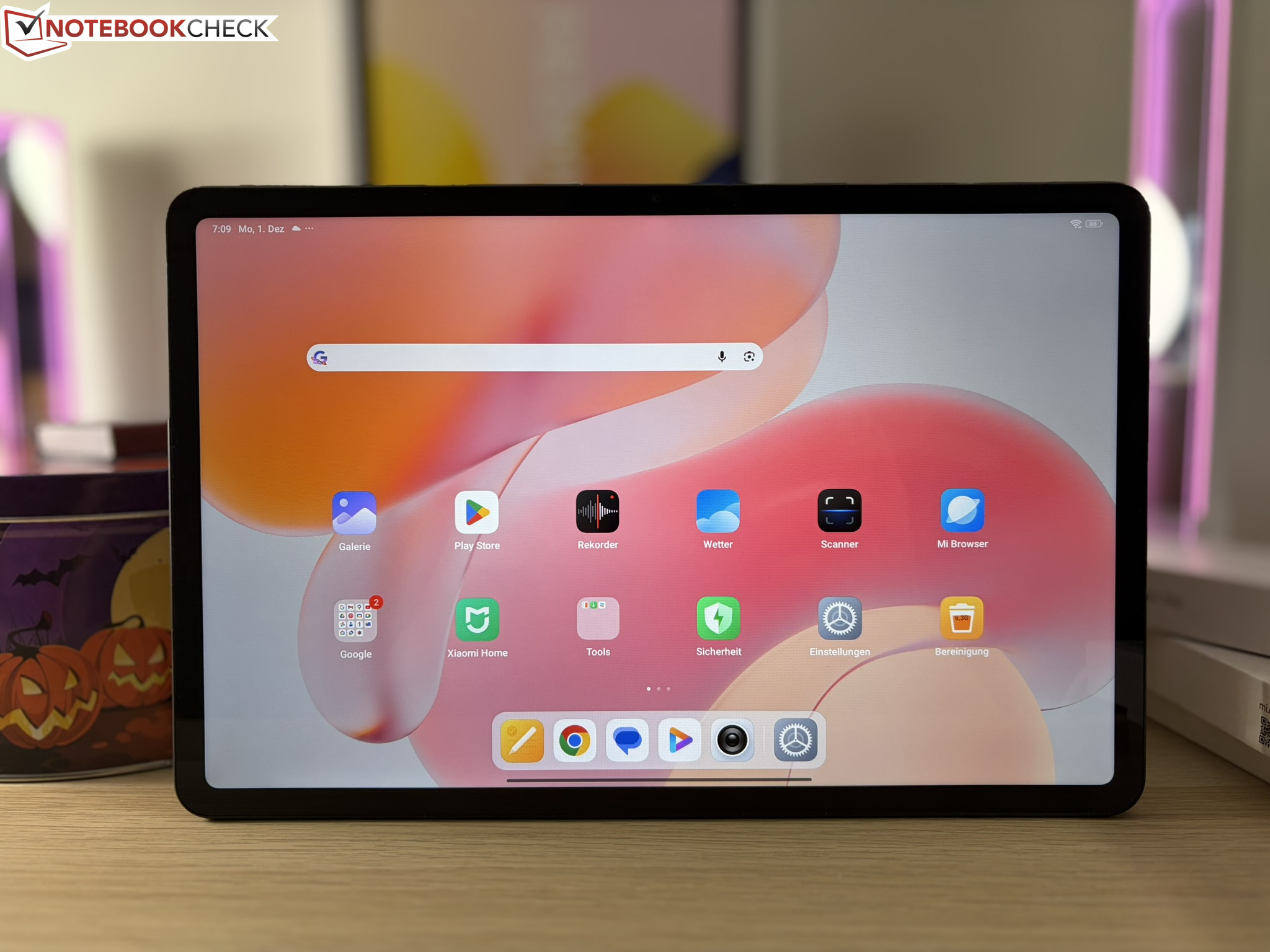
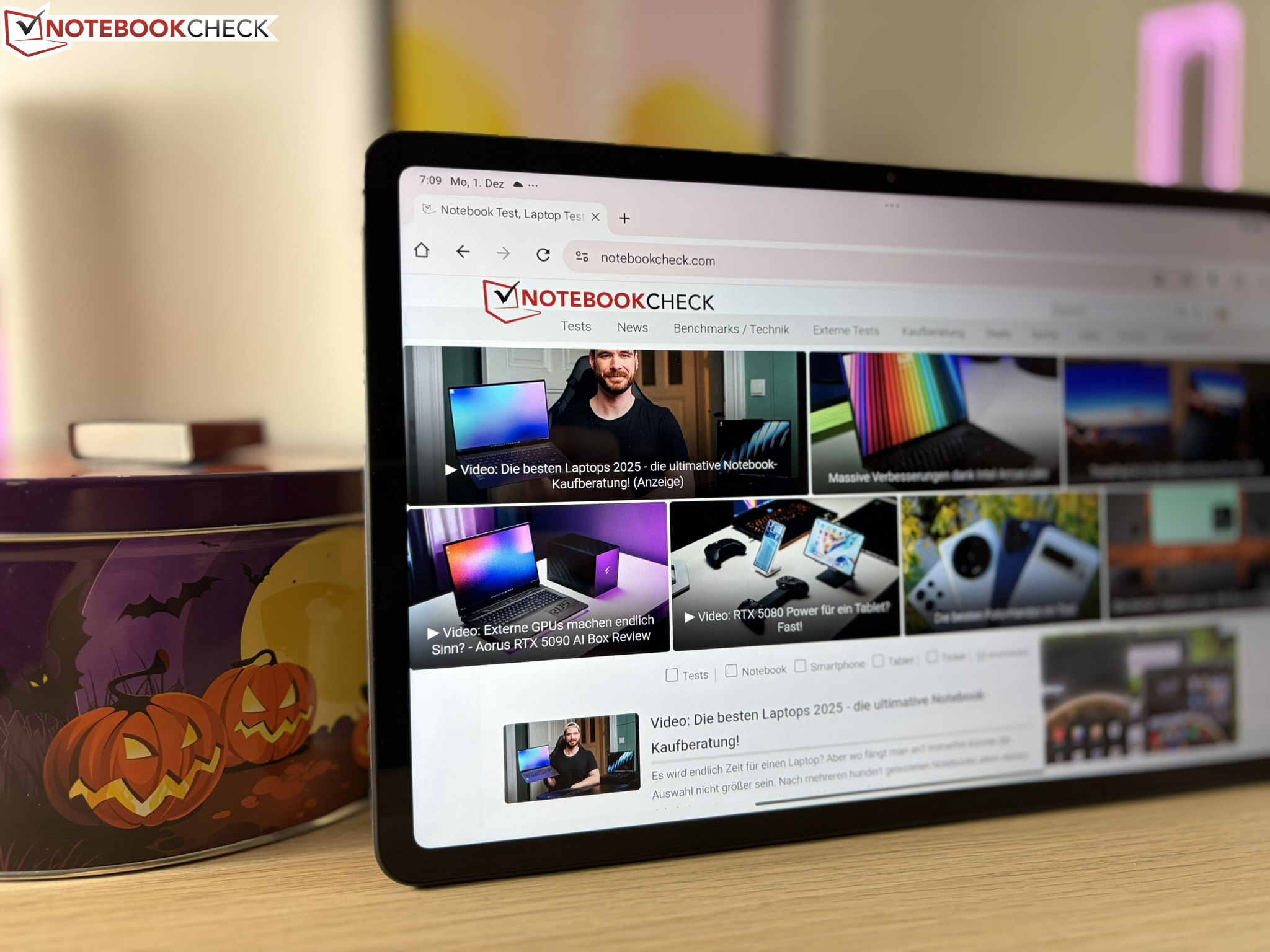
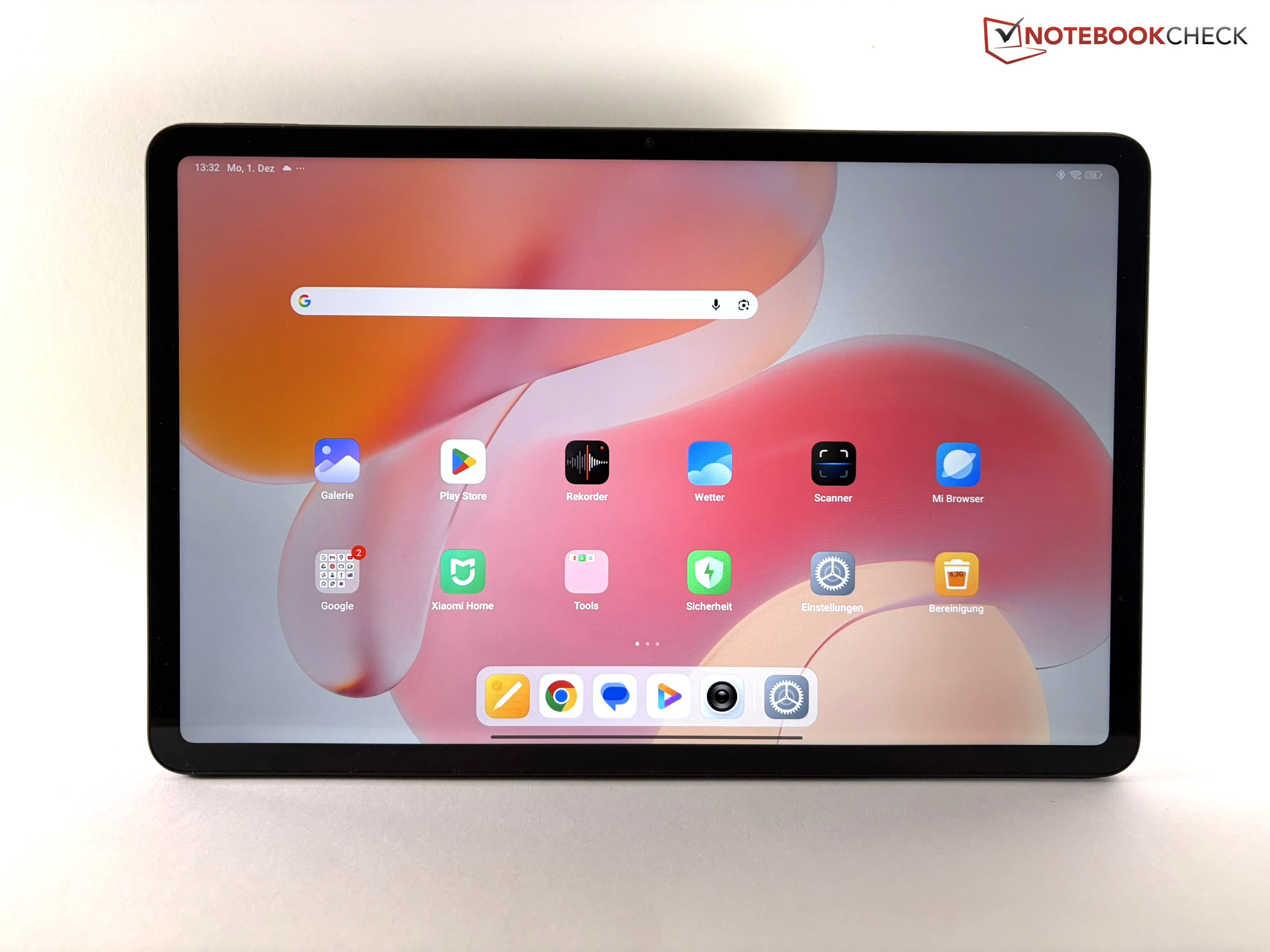
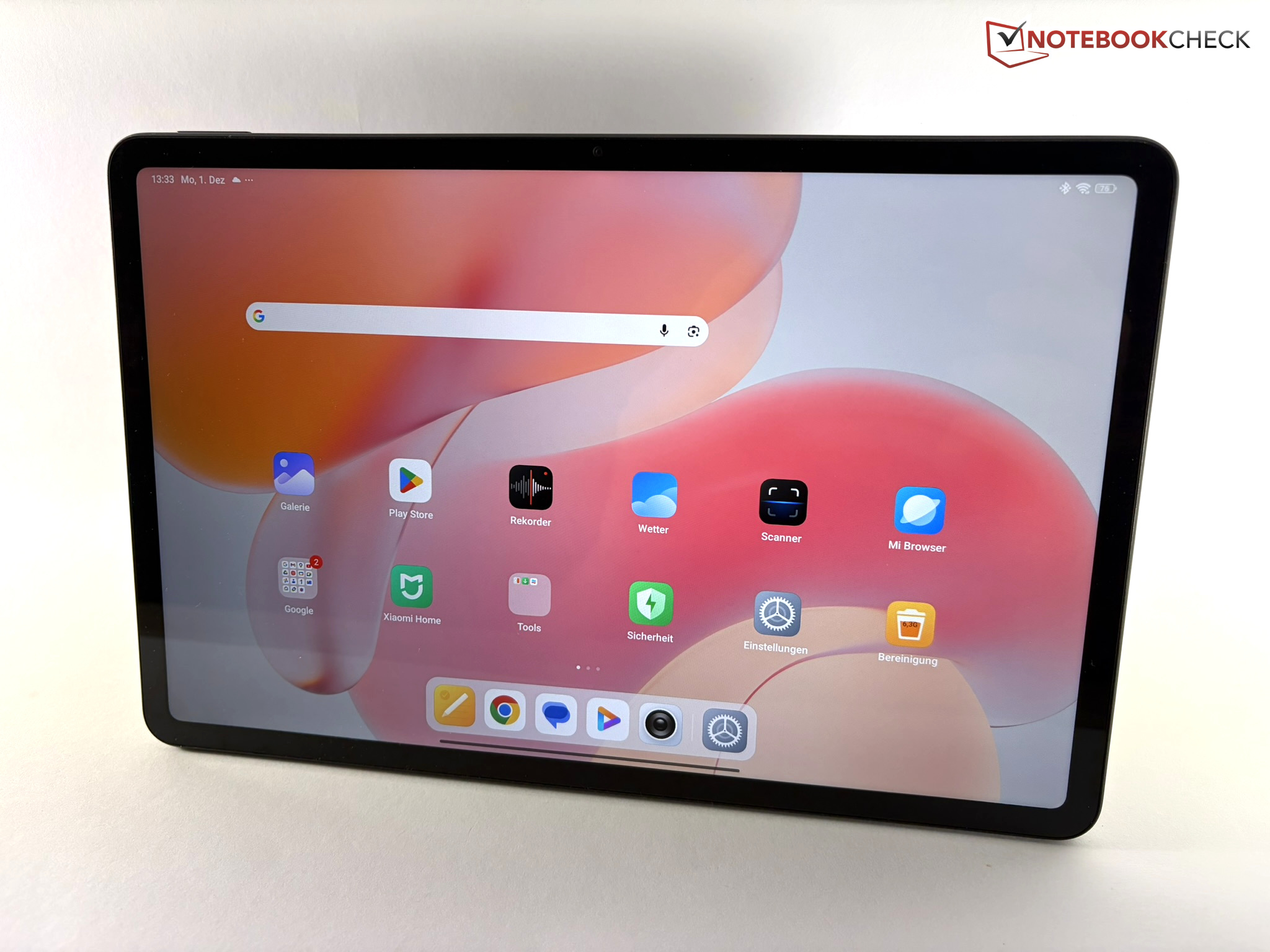
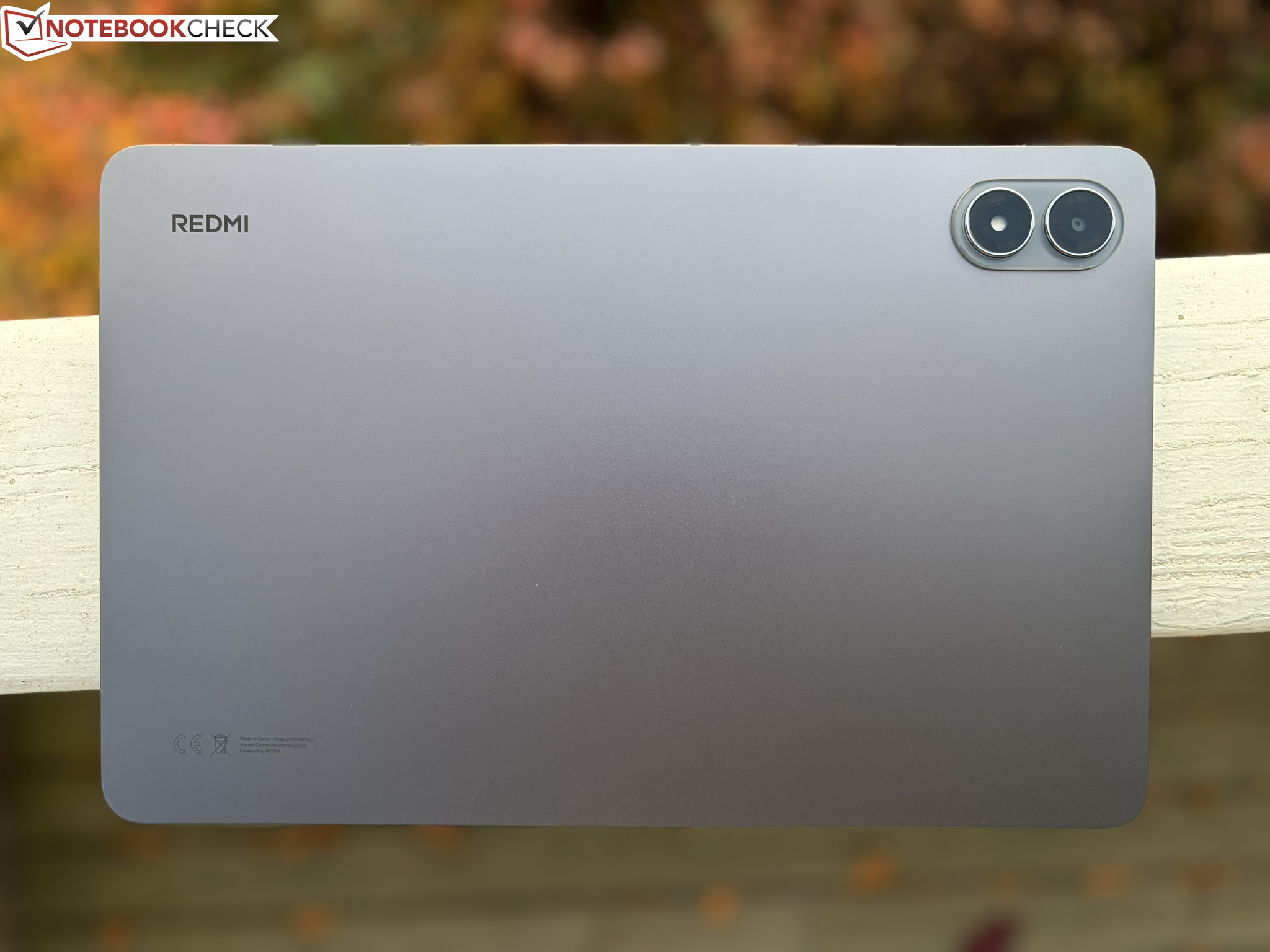
With a thickness measuring 28 x 18.2 centimeters and 7.5 millimeters, the Redmi Pad 2 Pro houses a 12.1-inch screen and weighs a relatively substantial 610 grams. Xiaomi offers its tablet in light purple and silver, as well as our dark gray version.
The design hasn't changed much compared to its predecessor. The successor also comes with a solidly constructed metal unibody, making the tablet robust enough for everyday use. While the transition from the display to the frame is noticeable, all in all, the Redmi Pad 2 exudes a premium feel.
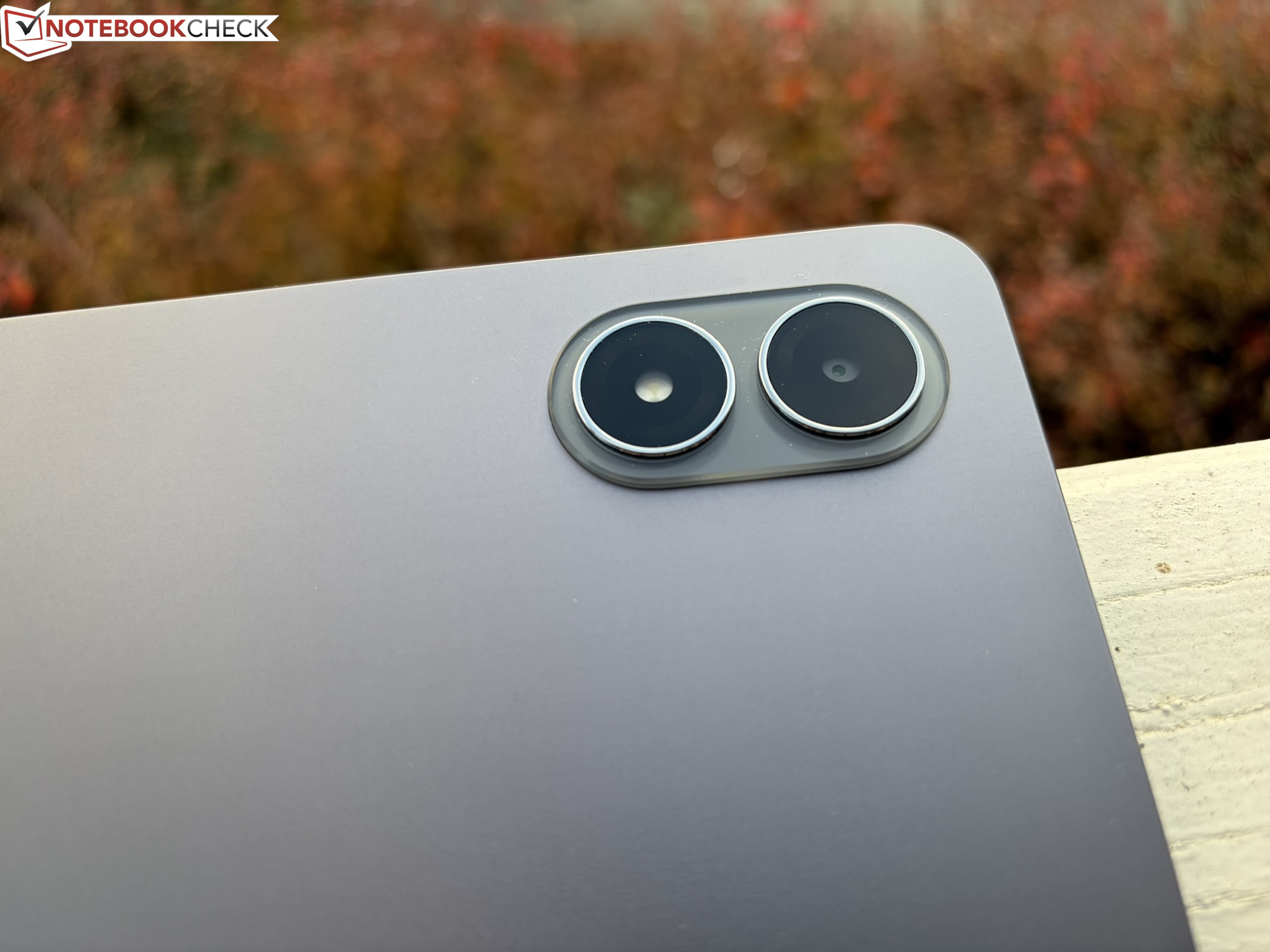
An 8 MP camera is located on both the front and back. The lens on the back cover is flanked by an LED flash that looks deceptively like a second camera. The 5G version's upper area around the cameras is visually and tactually distinct from the rest of the back cover as a result of its textured surface.


Features - Also available with a matte display
Xiaomi offers its tablet in several versions. The main difference is that it comes in either a Wi-Fi or 5G version. Every version offers a choice of two storage sizes. The prices are unchanged compared to the previous model.
- Xiaomi Redmi Pad 2 Pro WiFi - 6 GB of RAM / 128 GB of mass storage: £269
- Xiaomi Redmi Pad 2 Pro WiFi - 8 GB of RAM / 256 GB of mass storage: £299
- Xiaomi Redmi Pad 2 Pro 5G - 6 GB of RAM / 128 GB of mass storage: £299
- Xiaomi Redmi Pad 2 Pro 5G - 8 GB of RAM / 256 GB of mass storage: £349
A matte glass version is also available. This model only comes with a dark gray case and 8/256 GB of storage, and Xiaomi's suggested retail price is £329.
Anyone purchasing the Redmi Pad 2 Pro gets a tablet with a 3.5 mm headphone jack and a USB 2.0 port. NFC is not on board, but it does feature four speakers that include Dolby Atmos support and Bluetooth 5.4. The 5G version supports dual SIM and eSIMs.


microSD Card Reader
A microSD card reader is included with every tablet model, and it can accommodate cards with a capacity of up to 2 TB. On the 5G version, this has required the sacrifice of a SIM card slot.
Using our Angelbird AV Pro V60 reference card, the card reader achieves acceptable transfer speeds, but still lags somewhat behind the competition, which isn't significantly faster either.
| SD Card Reader - average JPG Copy Test (av. of 3 runs) | |
| Lenovo Idea Tab Plus (Angelbird V60) | |
| Teclast Art Pad Pro (Angelbird V60) | |
| Xiaomi Redmi Pad Pro (Angelbird V60) | |
| Motorola Moto Pad 60 Pro (Angelbird V60) | |
| Average of class Tablet (10.2 - 79.2, n=45, last 2 years) | |
| Xiaomi Redmi Pad 2 Pro (Angelbird AV Pro V60) | |
Cross Platform Disk Test (CPDT)
Software - HyperOS 2.0 and updates up to Oktober 2032
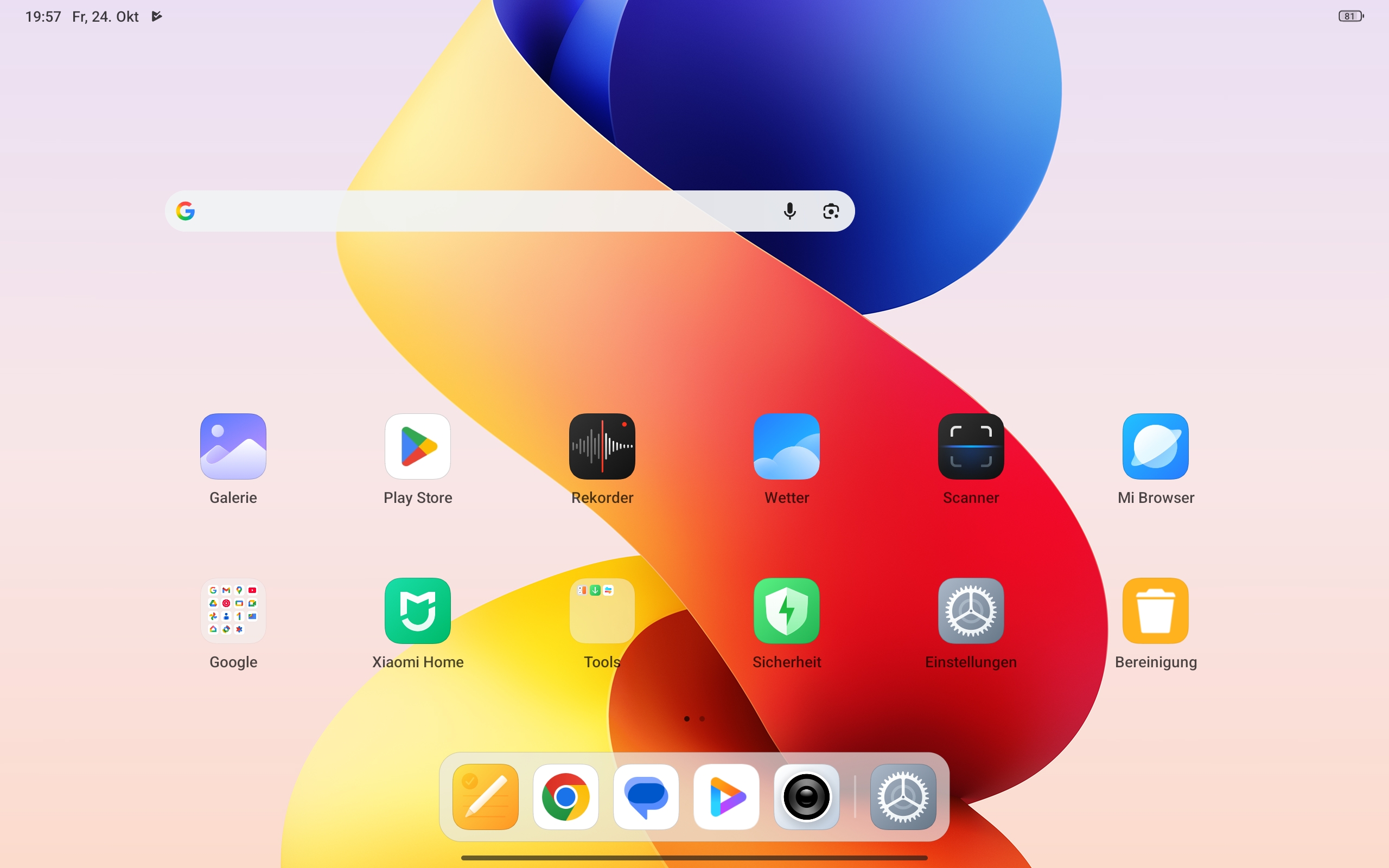
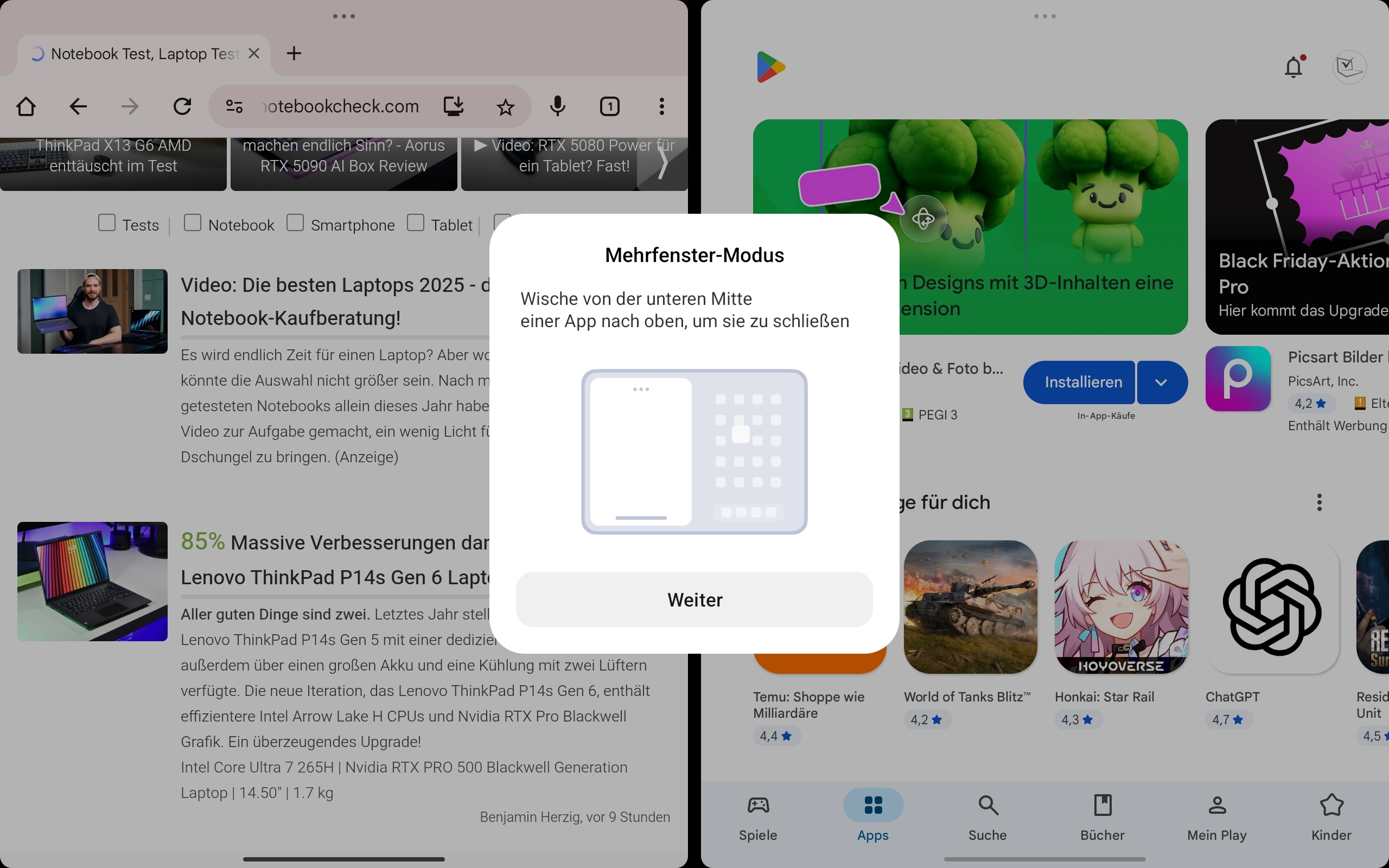
The Redmi Pad 2 Pro runs Xiaomi's HyperOS version 2.0. Based on Android 15, it allows you to display two apps simultaneously in split-screen mode.
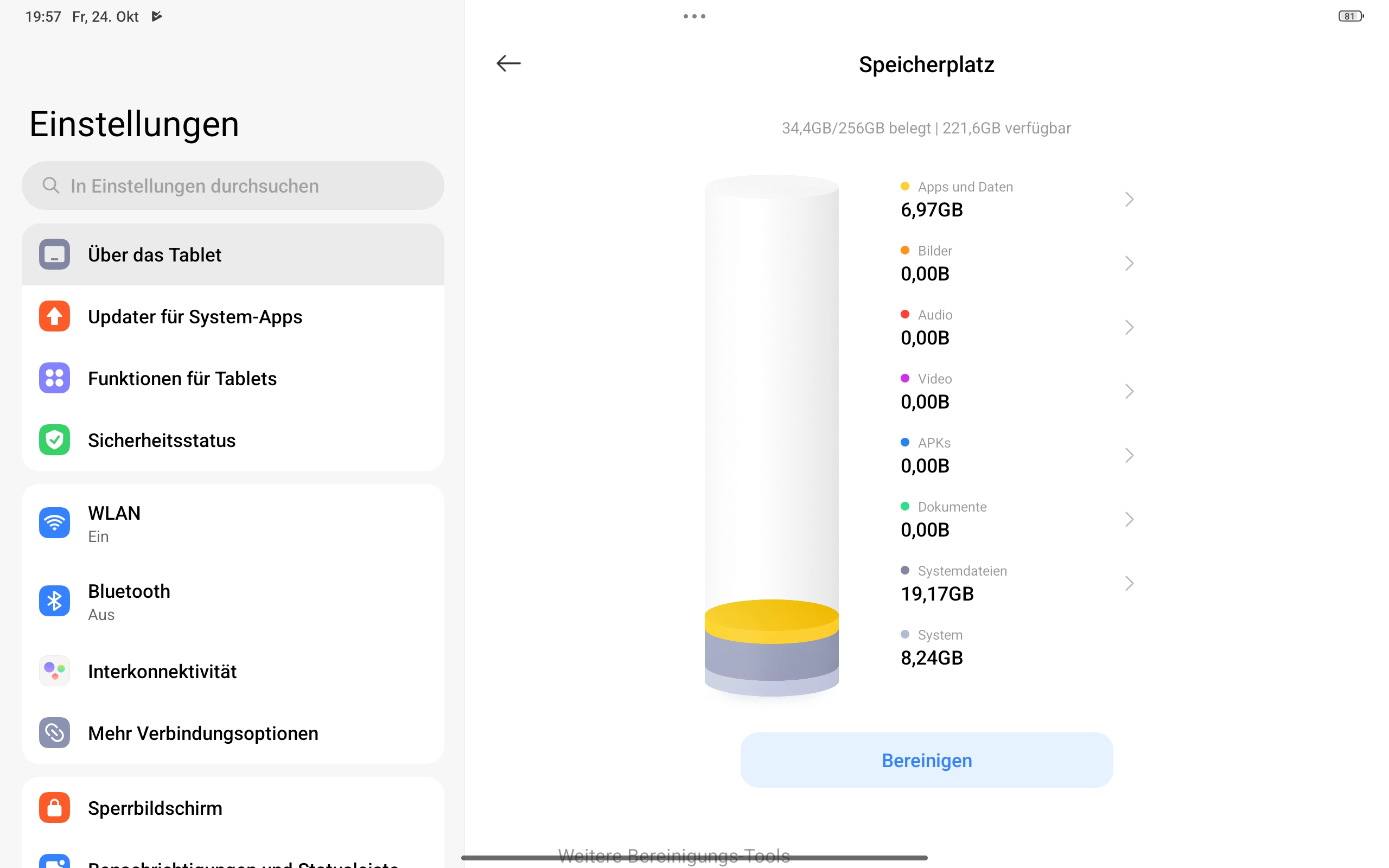
It also includes Mi Canvas, a drawing app for its optional active stylus. Several third-party apps come pre-installed, but these can be easily removed from the tablet. The device supports Widevine L1 DRM, which allows it to play HD content from streaming platforms such as Netflix.
Buyers should expect long-term support, with Xiaomi planning to provide the tablet with a total of five OS upgrades, culminating in Android 20. Security updates are slated to be provided for seven years - every 90 days - all the way up to October 2032, according to the Xiaomi Trust Center.
At the time of reviewing in late November, the Redmi Pad 2 Pro was receiving new security patches that were up-to-date as of November 2025.


Sustainability
In addition to its extensive software support, the Xiaomi Redmi Pad 2 Pro has also made a positive sustainability impression with its plastic-free packaging. However, the manufacturer has not provided information regarding the percentage of recycled materials used in its tablet. Xiaomi offers a trade-in program for old devices.
Communication - The Wi-Fi version lacks GPS
The Redmi Pad 2 Pro uses WiFi 6E, the fastest Wi-Fi standard, and this means it can also utilize the 6 GHz band, unlike its predecessor. Although transfer speeds weren't particularly stable when we connected the tablet to our Asus ROG Rapture GT AXE11000 reference router, the 12.1-inch tablet was still above average compared to its peers.
The Wi-Fi version of the tablet doesn't house a GPS receiver, as this is reserved for the 5G version. Therefore, we are unable to comment on its GPS reception quality.
| Networking | |
| Xiaomi Redmi Pad 2 Pro | |
| iperf3 transmit AXE11000 | |
| iperf3 receive AXE11000 | |
| iperf3 transmit AXE11000 6GHz | |
| iperf3 receive AXE11000 6GHz | |
| Lenovo Idea Tab Plus | |
| iperf3 transmit AXE11000 | |
| iperf3 receive AXE11000 | |
| Motorola Moto Pad 60 Pro | |
| iperf3 transmit AXE11000 6GHz | |
| iperf3 receive AXE11000 6GHz | |
| Teclast Art Pad Pro | |
| iperf3 transmit AXE11000 | |
| iperf3 receive AXE11000 | |
| Xiaomi Redmi Pad Pro | |
| iperf3 transmit AXE11000 | |
| iperf3 receive AXE11000 | |
| Average 802.11 a/b/g/n/ac/ax | |
| iperf3 transmit AXE11000 | |
| iperf3 receive AXE11000 | |
| iperf3 transmit AXE11000 6GHz | |
| iperf3 receive AXE11000 6GHz | |
| Average of class Tablet | |
| iperf3 transmit AXE11000 | |
| iperf3 receive AXE11000 | |
| iperf3 transmit AXE11000 6GHz | |
| iperf3 receive AXE11000 6GHz | |
Cameras - Two 8-megapixel cameras

You shouldn't expect too much from tablet cameras, and the same holds true for the Redmi Pad 2 Pro. Its selfie and main cameras both have 8 MP resolutions.
Their photos can't compete with those of high-end smartphone cameras. The image sharpness isn't wonderful, and they tend to overexpose bright areas.
However, they're perfectly fine for snapshots, and they also score points for their vibrant colors. In addition to being well-suited for photographing documents, both the main and selfie cameras can record videos at up to 1080p and 30 frames per second.
Image comparison
Choose a scene and navigate within the first image. One click changes the position on touchscreens. One click on the zoomed-in image opens the original in a new window. The first image shows the scaled photograph of the test device.
Daylight imageDaylight image5x zoomLow light image




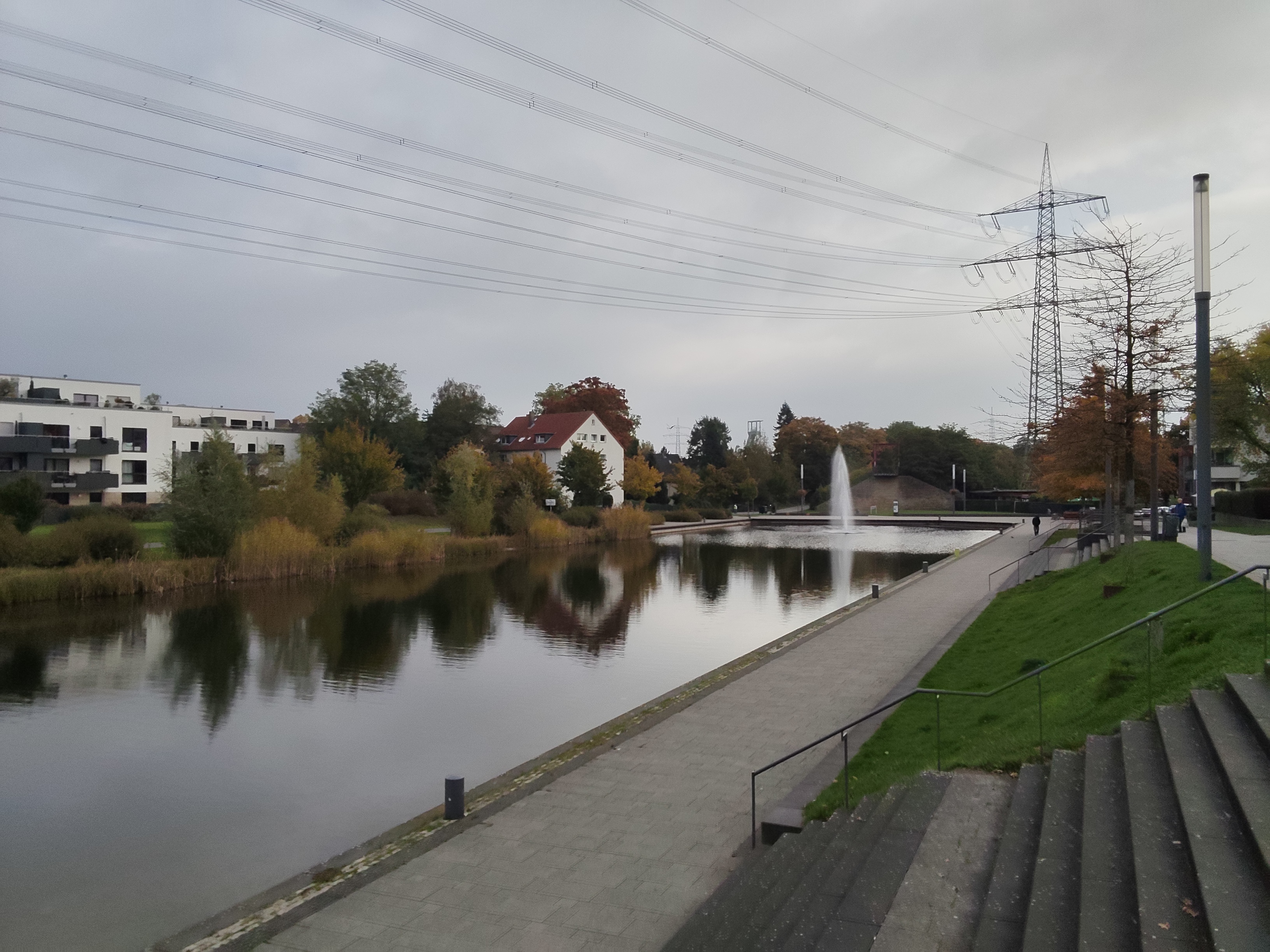
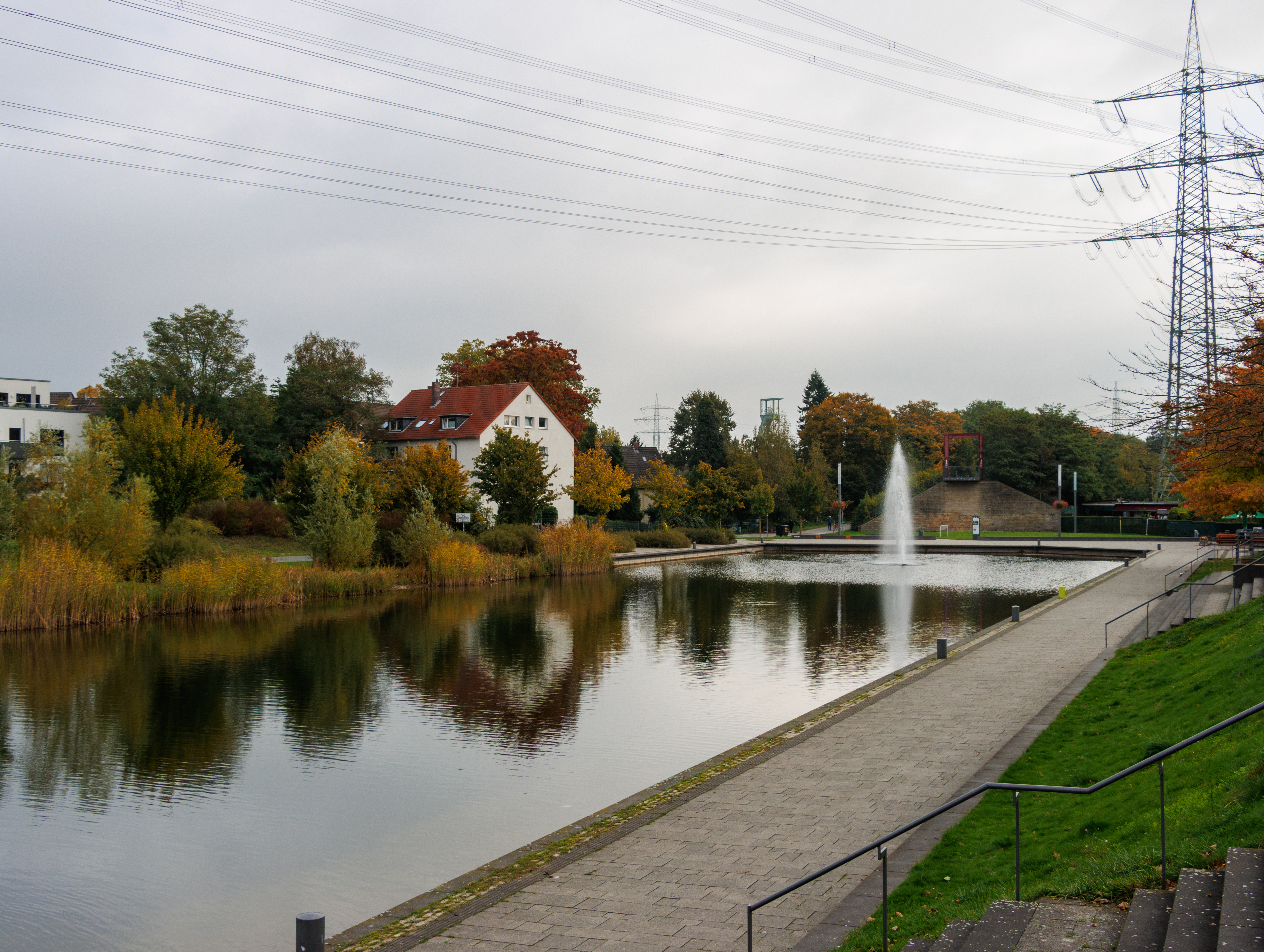
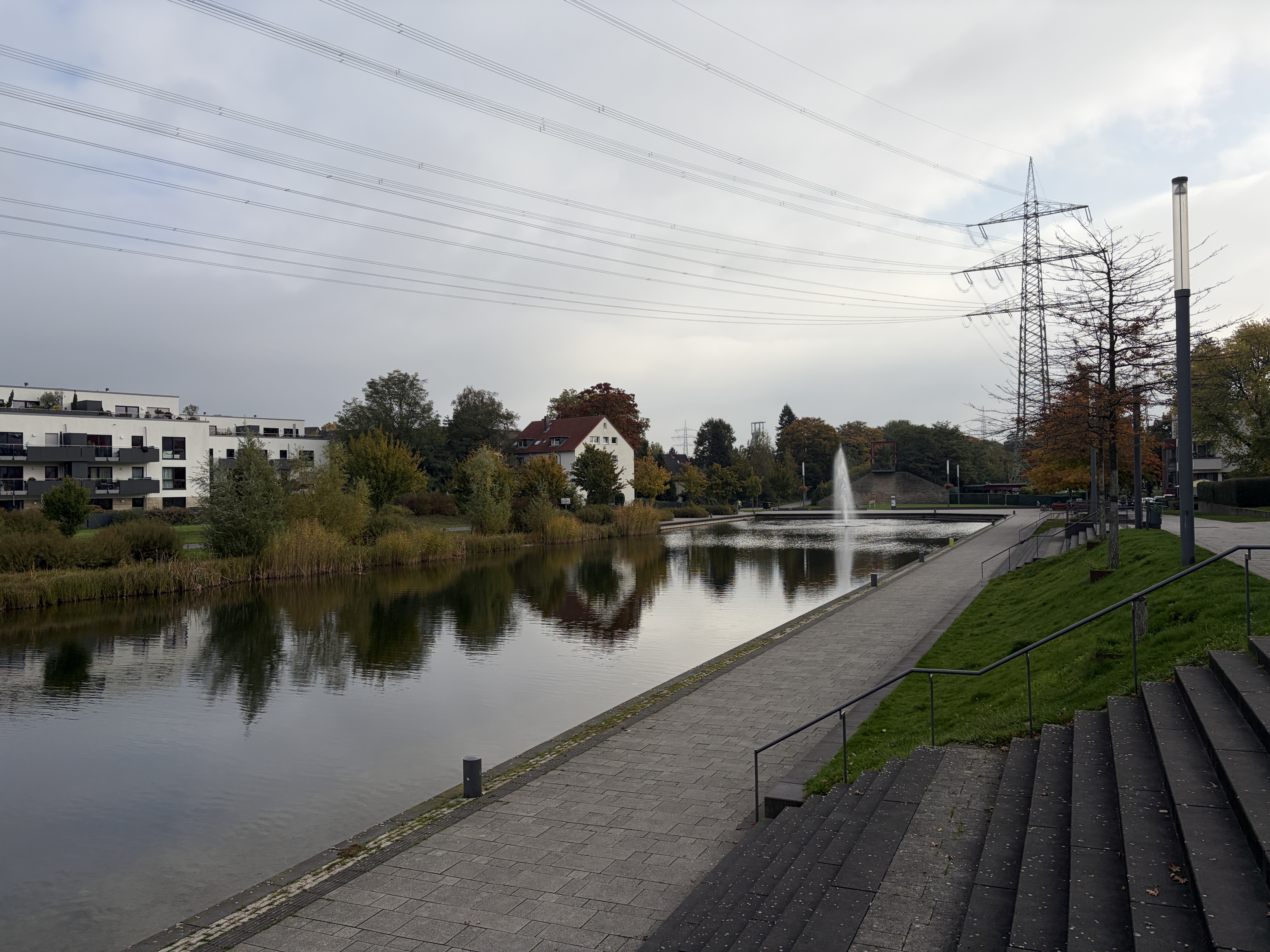
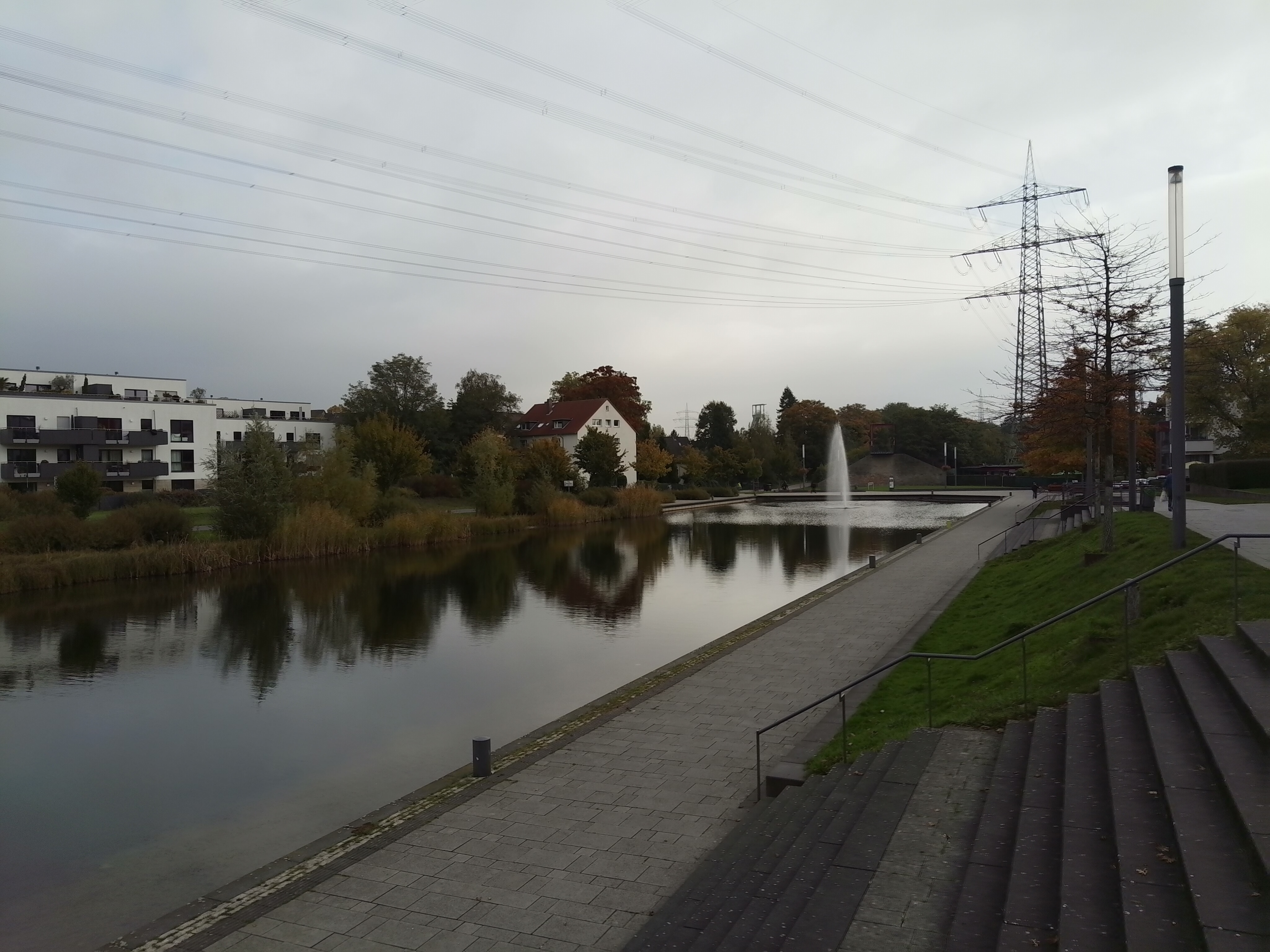








Under controlled lighting conditions, the main camera demonstrated its ability to accurately reproduce colors. With optimal brightness, it also produced a sharp image of the test chart. However, the camera's reliance on good lighting conditions quickly became apparent in our second test scenario with a 1 lux brightness level. The resulting test chart image was virtually unrecognizable.



Features and warranty - Optional active stylus

The Redmi Pad 2 Pro comes with a USB cable, a quick start guide, as well as a warranty card. The tablet is compatible with the Redmi Smart Pen ($70), and the optional Redmi Pad 2 Pro Cover ($35) and Redmi Pad 2 Pro Keyboard ($100) were both available for testing.
The Redmi Pad 2 comes with a 12-month warranty, which doesn't affect the 24-month dealer's warranty within the EU.
Input devices and operation - The 120 Hz display ensures smooth operation
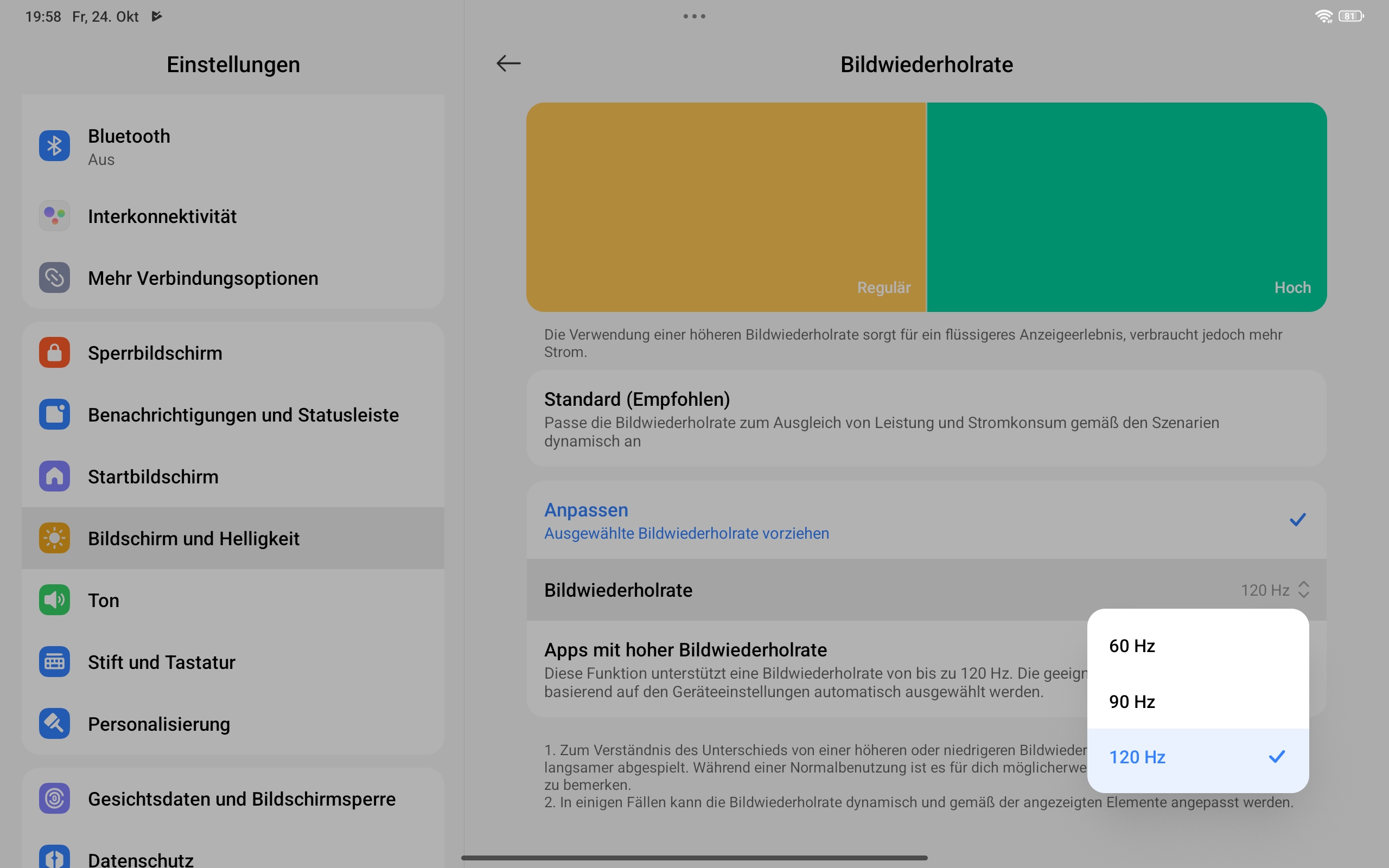
The Redmi Pad 2 Pro's touchscreen is sampled 240 times per second, and this can increase to up to 360 Hz when using the optional stylus. Even without the stylus, the 120 Hz display responds very quickly to input and ensures smooth operation.
The tablet doesn't pack a fingerprint sensor, which means you can only log in biometrically via facial recognition. Even in the dark, this works well, as long as the screen is bright enough, but its 2D recognition method doesn't offer a particularly high level of security.
The Redmi Smart Pen and the optional Redmi Pad 2 Pro Keyboard can be charged via USB-C and also connect to the tablet via Bluetooth. Thanks to the tablet's generous size, you can even type longer texts relatively comfortably using the keyboard dock. However, a touchpad and backlighting are both absent, and the Redmi Pad 2 Pro keyboard doesn't feel particularly premium to the touch due to its plastic surface.
By contrast, using the Redmi Smart Pen is a real pleasure. The pen responds just as quickly and precisely to input as the touchscreen. It also supports 4,096 levels of pressure sensitivity and has two buttons that allow you to switch brush types and colors in the Mi Canvas app with a single press.


Display - A 600-nit TFT LCD
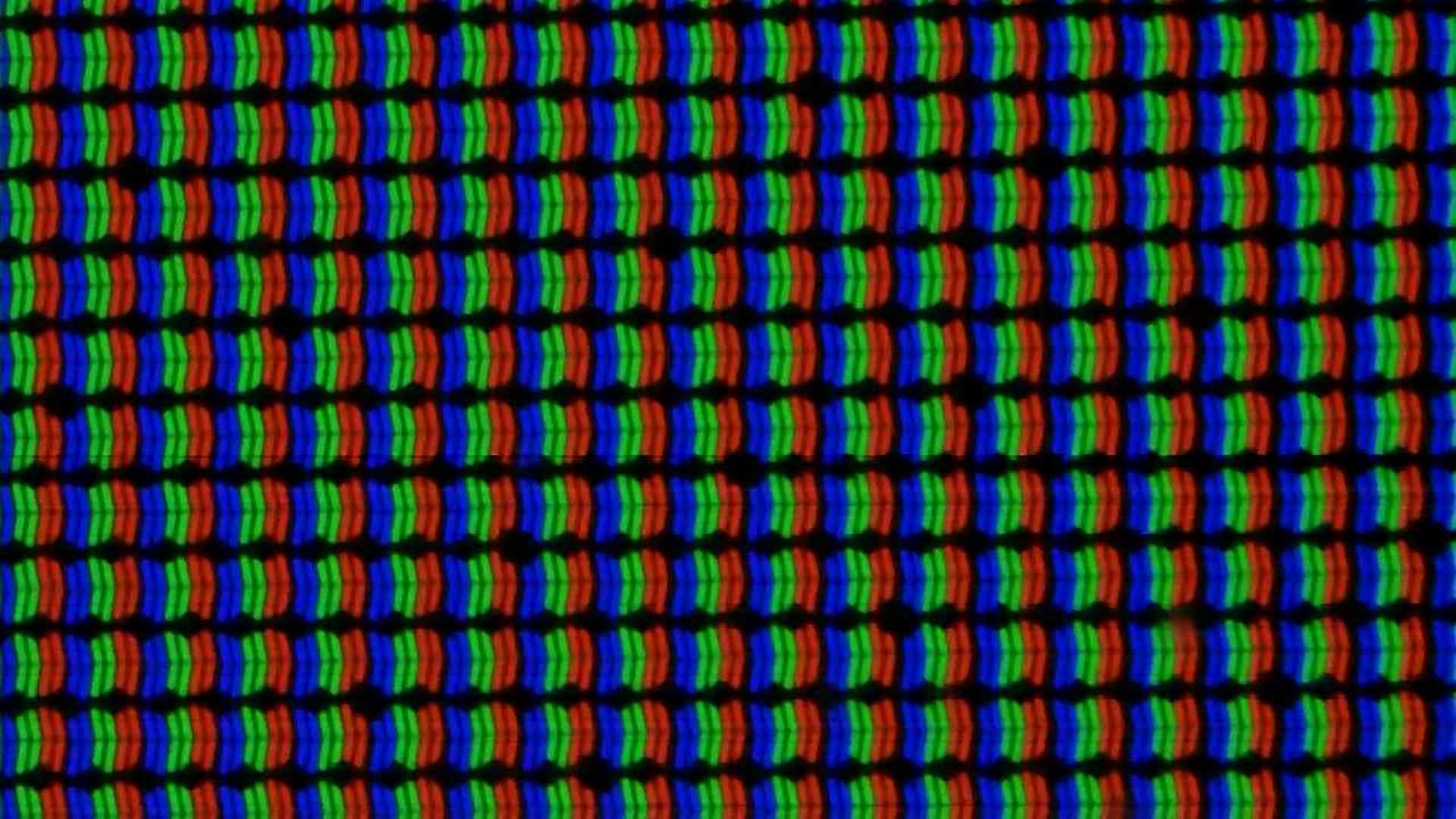
With its 2560 x 1440-pixel resolution, the Xiaomi Redmi Pad 2 Pro's 12.1-inch LCD display produces crisp, clear images (249 PPI).
In addition to its 120 Hz refresh rate, the LCD panel also boasts impressive brightness, which is usually 500 nits and can top out at 600 nits, according to the manufacturer.
With an average brightness of 553 cd/m², the tablet is a mid-range performer, surpassing many of its competitors. Among the comparison devices, only the Lenovo Idea Tab Plus manages to achieve an even higher brightness level, but either way, this is not sufficient to display HDR content attractively.
| |||||||||||||||||||||||||
Brightness Distribution: 87 %
Center on Battery: 582 cd/m²
Contrast: 1764:1 (Black: 0.33 cd/m²)
ΔE ColorChecker Calman: 0.8 | ∀{0.5-29.43 Ø4.69}
ΔE Greyscale Calman: 1.6 | ∀{0.09-98 Ø4.94}
96.6% sRGB (Calman 2D)
Gamma: 2.21
CCT: 6294 K
| Xiaomi Redmi Pad 2 Pro TFT-LCD, 2560x1600, 12.1" | Lenovo Idea Tab Plus IPS, 2560x1600, 12.1" | Motorola Moto Pad 60 Pro IPS, 2944x1840, 12.7" | Teclast Art Pad Pro IPS, 2176x1600, 12.7" | Xiaomi Redmi Pad Pro IPS, 2560x1600, 12.1" | |
|---|---|---|---|---|---|
| Screen | -36% | -93% | -229% | -89% | |
| Brightness middle (cd/m²) | 582 | 633 9% | 413 -29% | 291 -50% | 513 -12% |
| Brightness (cd/m²) | 553 | 622 12% | 394 -29% | 269 -51% | 480 -13% |
| Brightness Distribution (%) | 87 | 95 9% | 89 2% | 82 -6% | 86 -1% |
| Black Level * (cd/m²) | 0.33 | 0.54 -64% | 0.45 -36% | 0.33 -0% | 0.4 -21% |
| Contrast (:1) | 1764 | 1172 -34% | 918 -48% | 882 -50% | 1283 -27% |
| Colorchecker dE 2000 * | 0.8 | 1.81 -126% | 2.85 -256% | 7.79 -874% | 2.82 -252% |
| Colorchecker dE 2000 max. * | 2.2 | 2.98 -35% | 6.16 -180% | 10.97 -399% | 8.83 -301% |
| Greyscale dE 2000 * | 1.6 | 2.5 -56% | 4.3 -169% | 8 -400% | 2.9 -81% |
| Gamma | 2.21 100% | 1.934 114% | 2.239 98% | 2.007 110% | 2.265 97% |
| CCT | 6294 103% | 6853 95% | 7476 87% | 8922 73% | 7189 90% |
* ... smaller is better
Screen Flickering / PWM (Pulse-Width Modulation)
| Screen flickering / PWM not detected | 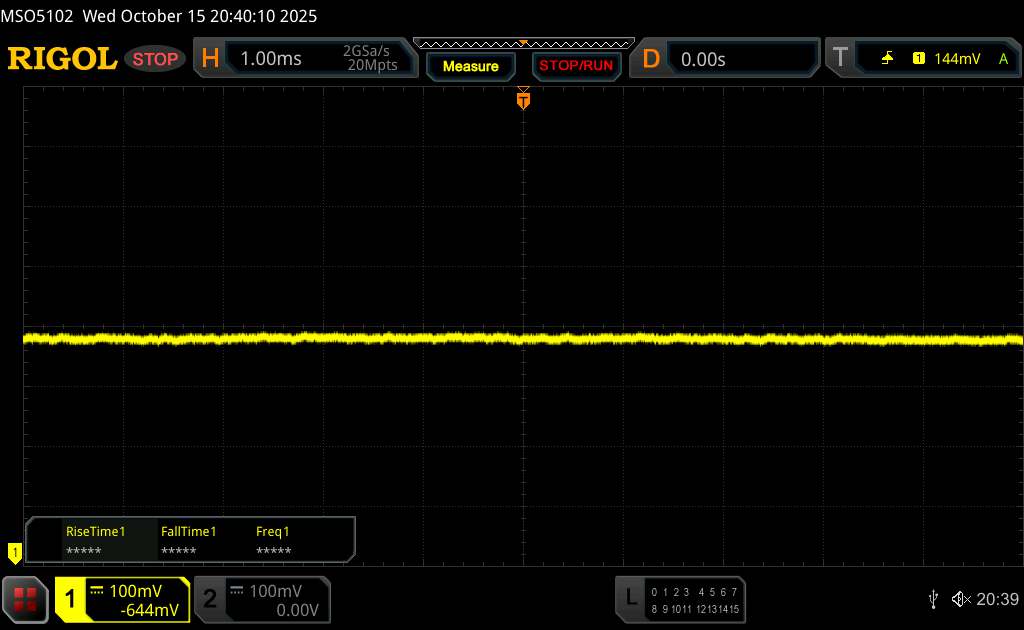 | ||
In comparison: 52 % of all tested devices do not use PWM to dim the display. If PWM was detected, an average of 7588 (minimum: 5 - maximum: 343500) Hz was measured. | |||
The display can be adjusted via three color modes (Vivid, Saturated, and Standard). In addition, the color temperature can be changed, either using a color wheel or via the Standard, Warm, and Cool presets. In the Standard color scheme, the Redmi Pad 2 Pro impressed us with excellently calibrated image parameters - something that's quite unusual for a tablet in this price range.


Display Response Times
| ↔ Response Time Black to White | ||
|---|---|---|
| 18.41 ms ... rise ↗ and fall ↘ combined | ↗ 6.778 ms rise | 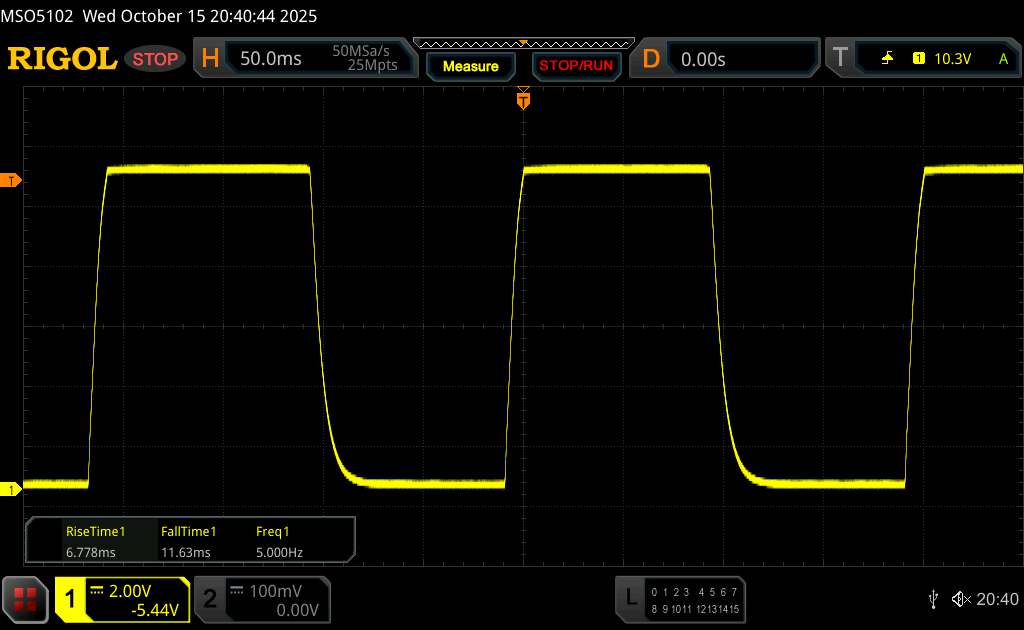 |
| ↘ 11.63 ms fall | ||
| The screen shows good response rates in our tests, but may be too slow for competitive gamers. In comparison, all tested devices range from 0.1 (minimum) to 240 (maximum) ms. » 42 % of all devices are better. This means that the measured response time is similar to the average of all tested devices (19.6 ms). | ||
| ↔ Response Time 50% Grey to 80% Grey | ||
| 36.52 ms ... rise ↗ and fall ↘ combined | ↗ 16.4 ms rise | 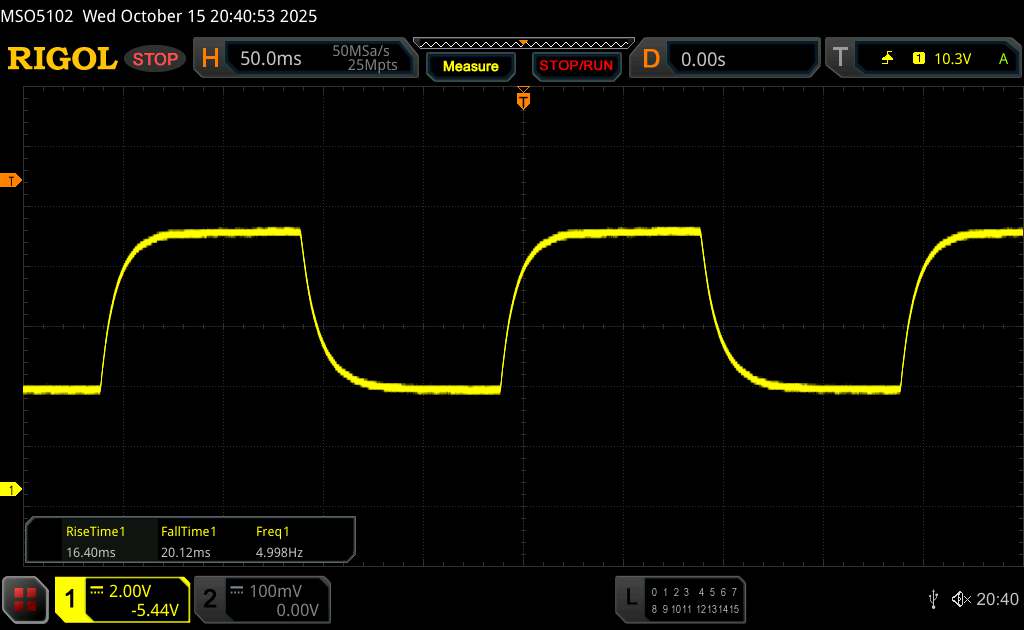 |
| ↘ 20.12 ms fall | ||
| The screen shows slow response rates in our tests and will be unsatisfactory for gamers. In comparison, all tested devices range from 0.13 (minimum) to 636 (maximum) ms. » 53 % of all devices are better. This means that the measured response time is worse than the average of all tested devices (30.7 ms). | ||
Thanks to its relatively high brightness, the Redmi Pad 2 Pro can certainly be put to good use outdoors. However, anyone who frequently does just that should consider the matte glass version of the tablet, since the display surface's strong reflections quickly become bothersome on bright days.


One of the LCD panel's drawbacks is its limited viewing angle stability, at least when it comes to brightness. When viewed side on, the colors remain consistent, but the display does dim slightly. However, this isn't particularly noticeable in our viewing angle photos.

Performance - The Redmi Pad 2 Pro packs a Snapdragon 7s Gen 4
The Xiaomi tablet uses the Snapdragon 7s Gen 4, which is a fairly speedy SoC for its price range. As the synthetic benchmarks show, the mid-range processor is responsible for smooth operation in everyday situations, but soon reaches its limits running demanding apps, similar to the predecessor's Snapdragon 7s Gen 3.
| UL Procyon AI Inference for Android - Overall Score NNAPI | |
| Average of class Tablet (3600 - 76852, n=53, last 2 years) | |
| Teclast Art Pad Pro | |
| Average Qualcomm Snapdragon 7s Gen 4 (8216 - 8756, n=3) | |
| Xiaomi Redmi Pad 2 Pro | |
| Xiaomi Redmi Pad Pro | |
| Lenovo Idea Tab Plus | |
With its Adreno 810 GPU, the Redmi Pad 2 Pro performed well in graphics benchmarks, but overall it fell short of the Motorola Moto Pad 60 Pro. Smooth gameplay in native QHD resolution should be possible as long as you lower the graphics details.
GFXBench 3.0: on screen Manhattan Onscreen OGL | 1920x1080 1080p Manhattan Offscreen
GFXBench 3.1: on screen Manhattan ES 3.1 Onscreen | 1920x1080 Manhattan ES 3.1 Offscreen
GFXBench: on screen Car Chase Onscreen | 1920x1080 Car Chase Offscreen | on screen Aztec Ruins High Tier Onscreen | 2560x1440 Aztec Ruins High Tier Offscreen | on screen Aztec Ruins Normal Tier Onscreen | 1920x1080 Aztec Ruins Normal Tier Offscreen | 3840x2160 4K Aztec Ruins High Tier Offscreen
| GFXBench (DX / GLBenchmark) 2.7 / T-Rex Onscreen | |
| Xiaomi Redmi Pad 2 Pro | |
| Xiaomi Redmi Pad Pro | |
| Teclast Art Pad Pro | |
| Lenovo Idea Tab Plus | |
| GFXBench (DX / GLBenchmark) 2.7 / T-Rex Offscreen | |
| Xiaomi Redmi Pad 2 Pro | |
| Xiaomi Redmi Pad Pro | |
| Teclast Art Pad Pro | |
| Lenovo Idea Tab Plus | |
| GFXBench 3.0 / Manhattan Onscreen OGL | |
| Xiaomi Redmi Pad 2 Pro | |
| Xiaomi Redmi Pad Pro | |
| Teclast Art Pad Pro | |
| Lenovo Idea Tab Plus | |
| GFXBench 3.0 / 1080p Manhattan Offscreen | |
| Xiaomi Redmi Pad 2 Pro | |
| Xiaomi Redmi Pad Pro | |
| Teclast Art Pad Pro | |
| Lenovo Idea Tab Plus | |
| GFXBench 3.1 / Manhattan ES 3.1 Onscreen | |
| Xiaomi Redmi Pad 2 Pro | |
| Xiaomi Redmi Pad Pro | |
| Teclast Art Pad Pro | |
| Lenovo Idea Tab Plus | |
| GFXBench 3.1 / Manhattan ES 3.1 Offscreen | |
| Xiaomi Redmi Pad 2 Pro | |
| Xiaomi Redmi Pad Pro | |
| Teclast Art Pad Pro | |
| Lenovo Idea Tab Plus | |
| GFXBench / Car Chase Onscreen | |
| Xiaomi Redmi Pad 2 Pro | |
| Xiaomi Redmi Pad Pro | |
| Teclast Art Pad Pro | |
| Lenovo Idea Tab Plus | |
| GFXBench / Car Chase Offscreen | |
| Xiaomi Redmi Pad 2 Pro | |
| Xiaomi Redmi Pad Pro | |
| Teclast Art Pad Pro | |
| Lenovo Idea Tab Plus | |
| GFXBench / Aztec Ruins High Tier Onscreen | |
| Motorola Moto Pad 60 Pro | |
| Xiaomi Redmi Pad 2 Pro | |
| Xiaomi Redmi Pad Pro | |
| Teclast Art Pad Pro | |
| Lenovo Idea Tab Plus | |
| GFXBench / Aztec Ruins High Tier Offscreen | |
| Motorola Moto Pad 60 Pro | |
| Xiaomi Redmi Pad 2 Pro | |
| Xiaomi Redmi Pad Pro | |
| Teclast Art Pad Pro | |
| Lenovo Idea Tab Plus | |
| GFXBench / Aztec Ruins Normal Tier Onscreen | |
| Motorola Moto Pad 60 Pro | |
| Xiaomi Redmi Pad 2 Pro | |
| Xiaomi Redmi Pad Pro | |
| Teclast Art Pad Pro | |
| Lenovo Idea Tab Plus | |
| GFXBench / Aztec Ruins Normal Tier Offscreen | |
| Motorola Moto Pad 60 Pro | |
| Xiaomi Redmi Pad 2 Pro | |
| Xiaomi Redmi Pad Pro | |
| Teclast Art Pad Pro | |
| Lenovo Idea Tab Plus | |
| GFXBench / 4K Aztec Ruins High Tier Offscreen | |
| Motorola Moto Pad 60 Pro | |
| Xiaomi Redmi Pad 2 Pro | |
| Xiaomi Redmi Pad Pro | |
| Lenovo Idea Tab Plus | |
| Teclast Art Pad Pro | |
The Redmi Pad 2 Pro performs admirably when browsing the web, and even manages to load large websites quickly. This is reflected in the browser benchmarks, where the device consistently ranks among the top performers.
| Jetstream 2 - 2.0 Total | |
| Average of class Tablet (48 - 420, n=54, last 2 years) | |
| Average Qualcomm Snapdragon 7s Gen 4 (143.9 - 180.2, n=2) | |
| Xiaomi Redmi Pad 2 Pro (Chrome 142.0.7444.48) | |
| Xiaomi Redmi Pad Pro (Chrome 128) | |
| Lenovo Idea Tab Plus (Chrome 140.0.7339.155) | |
| Teclast Art Pad Pro (Chrome 138.0.7204.179) | |
| Speedometer 2.0 - Result 2.0 | |
| Average of class Tablet (45 - 790, n=33, last 2 years) | |
| Xiaomi Redmi Pad 2 Pro (Chrome 142.0.7444.48) | |
| Average Qualcomm Snapdragon 7s Gen 4 (171 - 191, n=3) | |
| Teclast Art Pad Pro (Chrome 138.0.7204.179) | |
| Lenovo Idea Tab Plus (Chrome 140.0.7339.155) | |
| Speedometer 3 - Score 3.0 | |
| Average of class Tablet (3 - 49.1, n=49, last 2 years) | |
| Average Qualcomm Snapdragon 7s Gen 4 (10.8 - 11.6, n=3) | |
| Xiaomi Redmi Pad 2 Pro (Chrome 142.0.7444.48) | |
| Xiaomi Redmi Pad Pro (Chrome 128) | |
| Teclast Art Pad Pro (Chrome 138.0.7204.179) | |
| Lenovo Idea Tab Plus (Chrome 140.0.7339.155) | |
| WebXPRT 4 - Overall | |
| Average of class Tablet (54 - 376, n=53, last 2 years) | |
| Xiaomi Redmi Pad 2 Pro (Chrome 142.0.7444.48) | |
| Average Qualcomm Snapdragon 7s Gen 4 (125 - 147, n=3) | |
| Xiaomi Redmi Pad Pro (Chrome 128) | |
| Lenovo Idea Tab Plus (Chrome 140.0.7339.155) | |
| Teclast Art Pad Pro (Chrome 138.0.7204.179) | |
| Octane V2 - Total Score | |
| Average of class Tablet (4497 - 138481, n=69, last 2 years) | |
| Xiaomi Redmi Pad 2 Pro (Chrome 142.0.7444.48) | |
| Average Qualcomm Snapdragon 7s Gen 4 (48731 - 49622, n=3) | |
| Motorola Moto Pad 60 Pro (Chrome 139) | |
| Xiaomi Redmi Pad Pro (Chrome 128) | |
| Lenovo Idea Tab Plus (Chrome 140.0.7339.155) | |
| Teclast Art Pad Pro (Chrome 138.0.7204.179) | |
| Mozilla Kraken 1.1 - Total | |
| Teclast Art Pad Pro (Chrome 138.0.7204.179) | |
| Lenovo Idea Tab Plus (Chrome 140.0.7339.155) | |
| Average of class Tablet (243 - 13119, n=64, last 2 years) | |
| Xiaomi Redmi Pad Pro (Chrome 128) | |
| Xiaomi Redmi Pad 2 Pro (Chrome 142.0.7444.48) | |
| Average Qualcomm Snapdragon 7s Gen 4 (812 - 819, n=3) | |
* ... smaller is better
Just like the Redmi Pad Pro before it, the Redmi Pad 2 Pro uses slightly ageing UFS 2.2 storage. In the meantime, many similarly affordable tablets, such as the Motorola Moto Pad 60 Pro, use significantly more performant storage. However, this isn't a major disadvantage, with loading times still being relatively short on the Redmi Pad 2 Pro.
| Xiaomi Redmi Pad 2 Pro | Lenovo Idea Tab Plus | Motorola Moto Pad 60 Pro | Teclast Art Pad Pro | Xiaomi Redmi Pad Pro | Average 256 GB UFS 2.2 Flash | Average of class Tablet | |
|---|---|---|---|---|---|---|---|
| AndroBench 3-5 | 15% | 91% | 19% | 9% | 15% | 92% | |
| Sequential Read 256KB (MB/s) | 983.31 | 526.82 -46% | 2123 116% | 1007.37 2% | 844.9 -14% | 905 ? -8% | 2117 ? 115% |
| Sequential Write 256KB (MB/s) | 915.09 | 527.26 -42% | 1745 91% | 873.36 -5% | 705.3 -23% | 738 ? -19% | 1691 ? 85% |
| Random Read 4KB (MB/s) | 150.42 | 271.5 80% | 244 62% | 237.46 58% | 215.5 43% | 224 ? 49% | 280 ? 86% |
| Random Write 4KB (MB/s) | 180.77 | 304.01 68% | 352 95% | 215.52 19% | 231.4 28% | 248 ? 37% | 327 ? 81% |
Games - Sufficient GPU performance for most games
With its Adreno 810 GPU, the Xiaomi Redmi Pad 2 Pro runs many games smoothly. For example, in our tests, the tablet managed to display PUBG Mobile at a stable 40 frames per second even when selecting Ultra HD settings. Asphalt 9: Legends also ran without any problems, averaging almost 60fps.
However, the situation was somewhat different when playing graphically demanding games such as Genshin Impact on the Redmi Pad 2 Pro. At low detail settings, the graphics remained smooth, but at maximum details, they became somewhat choppy.
We also measured the game frame rates using Gamebench.


Emissions - A cool tablet with good sound
Temperature
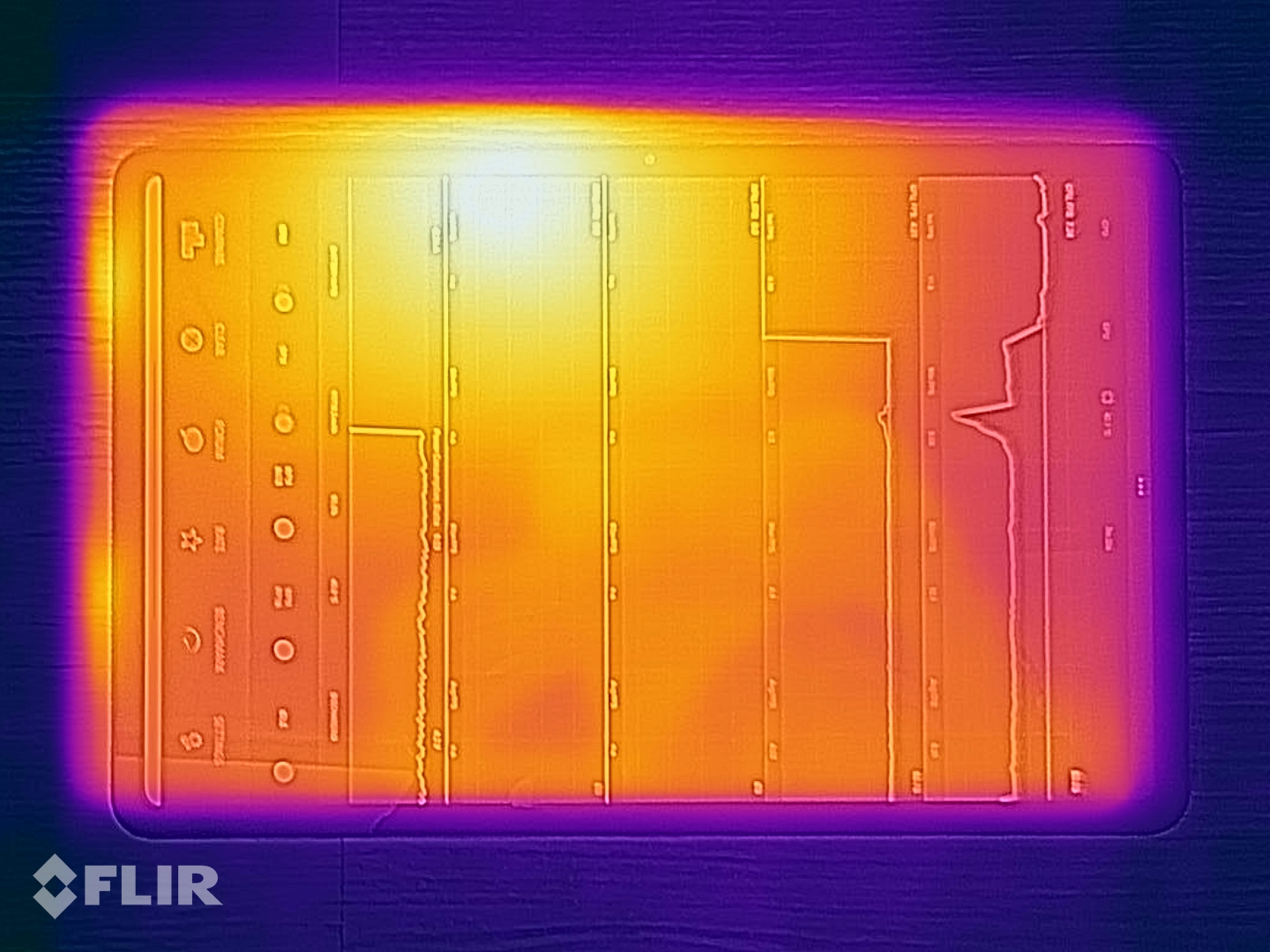
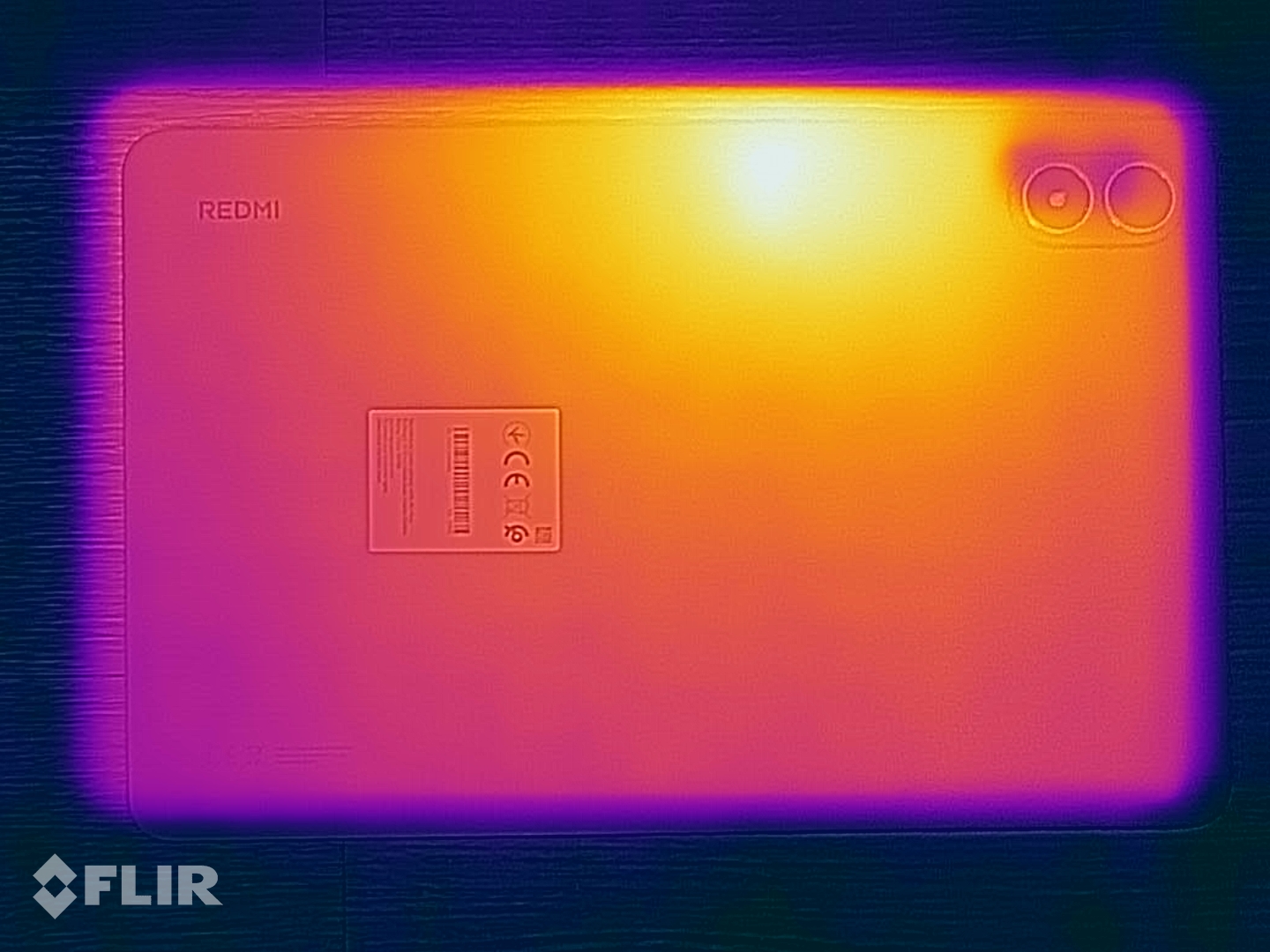
The Xiaomi tablet remains cool during operation. In our tests, we were unable to get it to exceed a surface temperature of 38.8 °C. This corresponds to the GFXBench T-Rex stress test, in which the tablet showed no dips in performance even after prolonged maximum load.
However, it's worth noting that the 3DMark stress tests could not be launched because Xiaomi blocked the execution of every 3DMark benchmark on our review version of the tablet.
(+) The maximum temperature on the upper side is 35.5 °C / 96 F, compared to the average of 33.7 °C / 93 F, ranging from 20.7 to 53.2 °C for the class Tablet.
(+) The bottom heats up to a maximum of 38.8 °C / 102 F, compared to the average of 33.2 °C / 92 F
(+) In idle usage, the average temperature for the upper side is 30.5 °C / 87 F, compared to the device average of 30 °C / 86 F.
Speakers
The Redmi Pad 2 Pro's four speakers deliver good sound. Although bass tones are somewhat lacking, and don't add much depth to the overall sound mix, mids and highs are reproduced very well, resulting in excellent voice clarity.
External audio devices can be connected to the tablet using the 3.5 mm headphone jack (unfortunately, the sound quality isn't particularly good with a signal-to-noise ratio of 68.74 dBFS) or Bluetooth 5.4. Bluetooth 5.4 supports most of the latest Bluetooth codecs, including SBC, AAC, aptX HD, aptX Adaptive, and LDHC.
Xiaomi Redmi Pad 2 Pro audio analysis
(+) | speakers can play relatively loud (92.3 dB)
Bass 100 - 315 Hz
(±) | reduced bass - on average 14.2% lower than median
(+) | bass is linear (5.1% delta to prev. frequency)
Mids 400 - 2000 Hz
(±) | higher mids - on average 8.5% higher than median
(+) | mids are linear (4.8% delta to prev. frequency)
Highs 2 - 16 kHz
(±) | higher highs - on average 5.3% higher than median
(±) | linearity of highs is average (7.3% delta to prev. frequency)
Overall 100 - 16.000 Hz
(±) | linearity of overall sound is average (17.1% difference to median)
Compared to same class
» 42% of all tested devices in this class were better, 4% similar, 53% worse
» The best had a delta of 7%, average was 21%, worst was 130%
Compared to all devices tested
» 32% of all tested devices were better, 8% similar, 60% worse
» The best had a delta of 4%, average was 23%, worst was 136%
Lenovo Idea Tab Plus audio analysis
(+) | speakers can play relatively loud (84.1 dB)
Bass 100 - 315 Hz
(±) | reduced bass - on average 11.5% lower than median
(±) | linearity of bass is average (10.6% delta to prev. frequency)
Mids 400 - 2000 Hz
(±) | higher mids - on average 5.3% higher than median
(+) | mids are linear (6.5% delta to prev. frequency)
Highs 2 - 16 kHz
(±) | higher highs - on average 5% higher than median
(±) | linearity of highs is average (9.5% delta to prev. frequency)
Overall 100 - 16.000 Hz
(+) | overall sound is linear (14.2% difference to median)
Compared to same class
» 29% of all tested devices in this class were better, 3% similar, 67% worse
» The best had a delta of 7%, average was 21%, worst was 130%
Compared to all devices tested
» 18% of all tested devices were better, 4% similar, 79% worse
» The best had a delta of 4%, average was 23%, worst was 136%
Battery runtimes - The 12,000 mAh battery ensures long runtimes
Power consumption
In operation, the Redmi Pad 2 Pro proves itself to be quite energy-efficient. Although it consumes more power on average than its competitors when idle, it generally performs more efficiently under load.
The 12,000 mAh battery can be charged at up to 33 watts. However, the tablet doesn't come with a suitable power adapter. A full charge cycle took 2 hours and 42 minutes in our test, starting from a completely depleted battery. The tablet also supports wired reverse charging at up to 27 watts.
| Off / Standby |   0.06 / 0.14 Watt 0.06 / 0.14 Watt |
| Idle |  1.22 / 7.21 / 7.23 Watt 1.22 / 7.21 / 7.23 Watt |
| Load |
8.9 / 8.94 Watt |
    
| |
Key:
min: ,
med: ,
max: Metrahit Energy | |
| Xiaomi Redmi Pad 2 Pro 12000 mAh | Lenovo Idea Tab Plus 10200 mAh | Teclast Art Pad Pro 10000 mAh | Xiaomi Redmi Pad Pro 10000 mAh | Average Qualcomm Snapdragon 7s Gen 4 | Average of class Tablet | |
|---|---|---|---|---|---|---|
| Power Consumption | 27% | -74% | 14% | 30% | -9% | |
| Idle Minimum * (Watt) | 1.22 | 1.9 -56% | 5.6 -359% | 1.7 -39% | 1.136 ? 7% | 2.12 ? -74% |
| Idle Average * (Watt) | 7.21 | 2.1 71% | 6.1 15% | 2.2 69% | 3.77 ? 48% | 3.84 ? 47% |
| Idle Maximum * (Watt) | 7.23 | 2.4 67% | 6.4 11% | 2.9 60% | 3.85 ? 47% | 4.22 ? 42% |
| Load Average * (Watt) | 8.9 | 5.9 34% | 10 -12% | 5.8 35% | 5.5 ? 38% | 8.82 ? 1% |
| Load Maximum * (Watt) | 8.94 | 7.3 18% | 11.2 -25% | 13.9 -55% | 8.08 ? 10% | 14.4 ? -61% |
* ... smaller is better
Power consumption: Geekbench (150 cd/m²)
Power consumption: GFXbench (150 cd/m²)
Battery life
The Redmi Pad 2 Pro's above-average-sized battery also helps it achieve above-average battery life. The Xiaomi tablet managed well over 17 hours when we continuously browsed websites with the screen brightness set to 150 cd/m². Its competitors are unable to keep up, managing no more than 15 hours.
| Xiaomi Redmi Pad 2 Pro 12000 mAh | Lenovo Idea Tab Plus 10200 mAh | Motorola Moto Pad 60 Pro 10200 mAh | Teclast Art Pad Pro 10000 mAh | Xiaomi Redmi Pad Pro 10000 mAh | |
|---|---|---|---|---|---|
| Battery runtime | -15% | -25% | -42% | -17% | |
| Reader / Idle (h) | 48.3 | 37.3 -23% | |||
| WiFi v1.3 (h) | 17.5 | 14.9 -15% | 13.1 -25% | 10.1 -42% | 15.4 -12% |
| Load (h) | 4.8 | 4.1 -15% |
Notebookcheck overall rating
The Xiaomi Redmi Pad 2 Pro can be used with a stylus and a docking keyboard and offers excellent value for money. The result is a 12.1-inch device that's a great choice for anyone on the hunt for an affordable yet well-equipped tablet for browsing, entertainment, and occasional gaming.
Xiaomi Redmi Pad 2 Pro
- 01/30/2026 v8
Manuel Masiero
 Total Sustainability Score:
 Possible alternatives compared
Image | Model / Review | Price | Weight | Drive | Display |
|---|---|---|---|---|---|
1. 81.2% 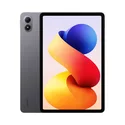 | Xiaomi Redmi Pad 2 Pro Qualcomm Snapdragon 7s Gen 4 ⎘ Qualcomm Adreno 810 ⎘ 8 GB Memory, 256 GB UFS 2.2 | List Price: 300€ | 610 g | 256 GB UFS 2.2 Flash | 12.10" 2560x1600 249 PPI TFT-LCD |
2. 78.9%  | Lenovo Idea Tab Plus Mediatek Dimensity 6400 ⎘ ARM Mali-G57 MP2 ⎘ 8 GB Memory, 256 GB UFS 2.2 | Amazon: 1. $267.90 Lenovo Idea Tab Plus - Light... 2. $242.40 Lenovo Idea Tab - College Ta... 3. $359.99 Lenovo Idea Tab Plus 12 1 In... List Price: 299 Euro | 530 g | 256 GB UFS 2.2 Flash | 12.10" 2560x1600 249 PPI IPS |
3. 83%  | Motorola Moto Pad 60 Pro MediaTek Dimensity 8300 ⎘ ARM Mali-G615 MP6 ⎘ 8 GB Memory, 128 GB UFS 3.1 | Amazon: 1. $15.78 Case for Motorola Moto Pad 6... 2. $12.99 Case for Motorola Moto Pad 6... 3. $19.50 Case for Motorola Moto Pad 6... List Price: 310€ | 620 g | 128 GB UFS 3.1 Flash | 12.70" 2944x1840 273 PPI IPS |
4. 75.8%  | Teclast Art Pad Pro Mediatek Helio G99 ⎘ ARM Mali-G57 MP2 ⎘ 8 GB Memory, 256 GB UFS 2.2 | Amazon: List Price: 350 Euro | 674 g | 256 GB UFS 2.2 Flash | 12.70" 2176x1600 213 PPI IPS |
5. 78.7% 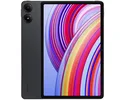 | Xiaomi Redmi Pad Pro Qualcomm Snapdragon 7s Gen 2 ⎘ Qualcomm Adreno 710 ⎘ 6 GB Memory, 128 GB UFS 2.2 | Amazon: List Price: 380€ | 571 g | 128 GB UFS 2.2 Flash | 12.10" 2560x1600 249 PPI IPS |
Transparency
The selection of devices to be reviewed is made by our editorial team. The test sample was given to the author by the manufacturer free of charge for the purposes of review. There was no third-party influence on this review, nor did the manufacturer receive a copy of this review before publication. There was no obligation to publish this review. As an independent media company, Notebookcheck is not subjected to the authority of manufacturers, retailers or publishers.
This is how Notebookcheck is testing
Every year, Notebookcheck independently reviews hundreds of laptops and smartphones using standardized procedures to ensure that all results are comparable. We have continuously developed our test methods for around 20 years and set industry standards in the process. In our test labs, high-quality measuring equipment is utilized by experienced technicians and editors. These tests involve a multi-stage validation process. Our complex rating system is based on hundreds of well-founded measurements and benchmarks, which maintains objectivity. Further information on our test methods can be found here.
 Add as a preferred source on Google


