




Lenovo keeps shipping laptops with high refresh rate displays set to 60 Hz. Here's the easy fix
Laptops with display refresh rates faster than 60 Hz are very common nowadays. On the vast majority of them, they come preset right out of the box at their respective highest refresh rate levels for the best first impressions. After testing dozens of laptops almost monthly, however, we've noticed that most Lenovo models are an interesting exception.
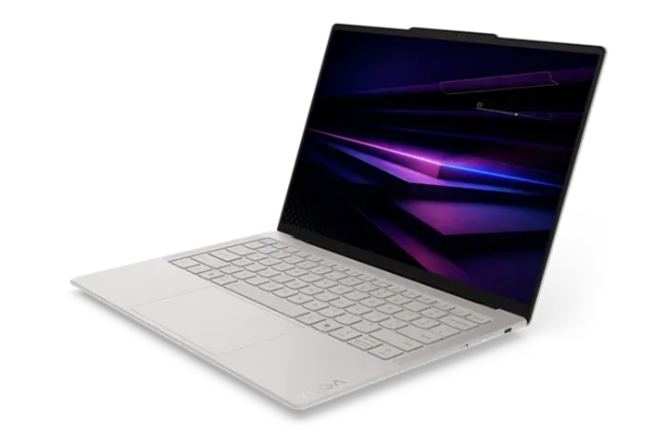
More often than not, the displays on most Lenovo laptops are set to 60 Hz out of the box even if the panels themselves support faster native refresh rates. The recent Yoga Slim 7 Ultra 14 Aura and Pro 9i 16 G11, for example, each natively support a refresh rate of 120 Hz and yet both of our test units are set to 60 Hz by default. In contrast, our Legion test units would typically ship at their highest refresh rate levels by default. This suggests that Lenovo may be intentionally setting all of their non-gaming models to 60 Hz possibly for battery life reasons.
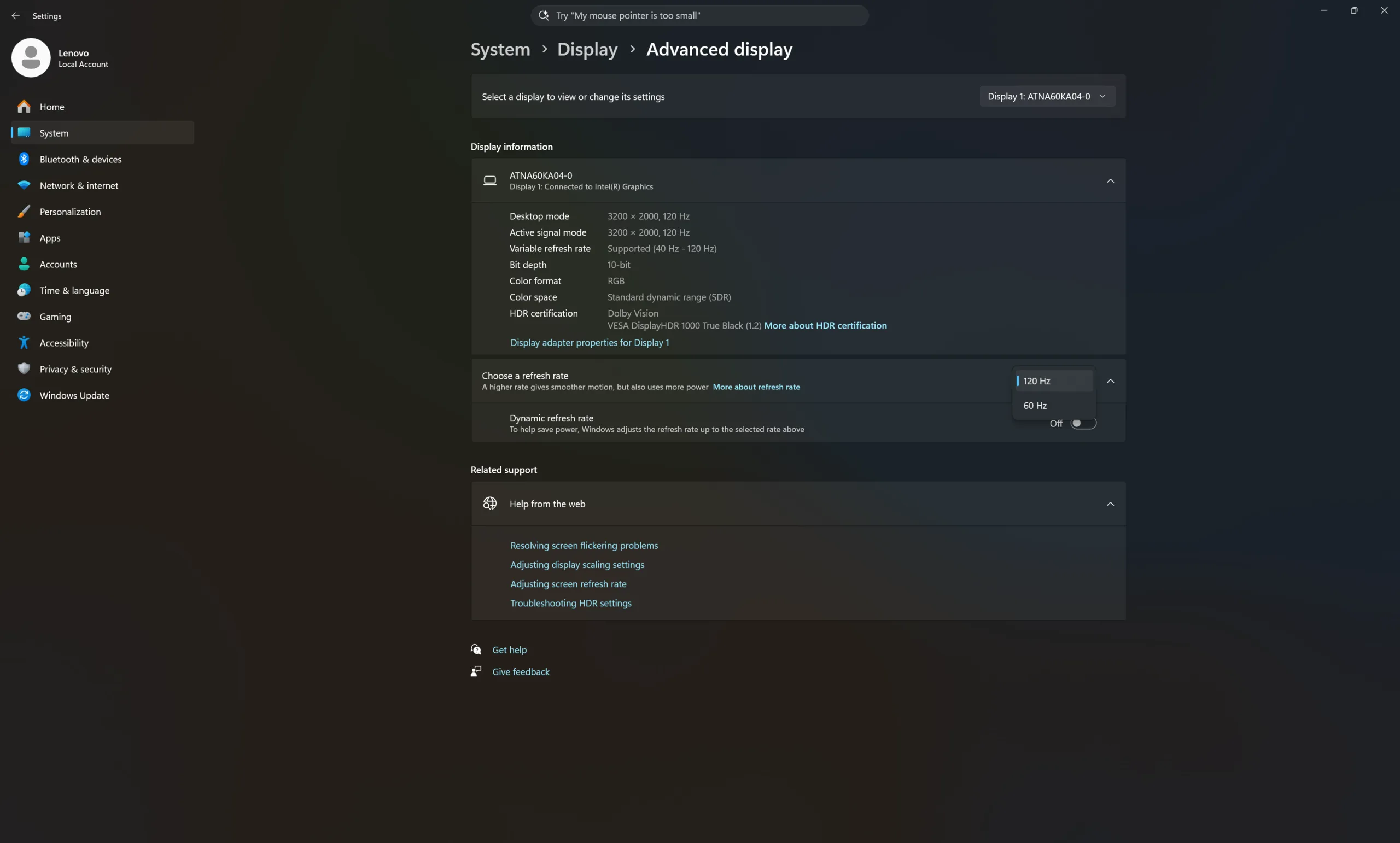
Thankfully, changing the refresh rate of the display is easy through Windows 11. Simply right click on desktop, open 'Display settings', open 'Advanced display', and select the highest available refresh rate.
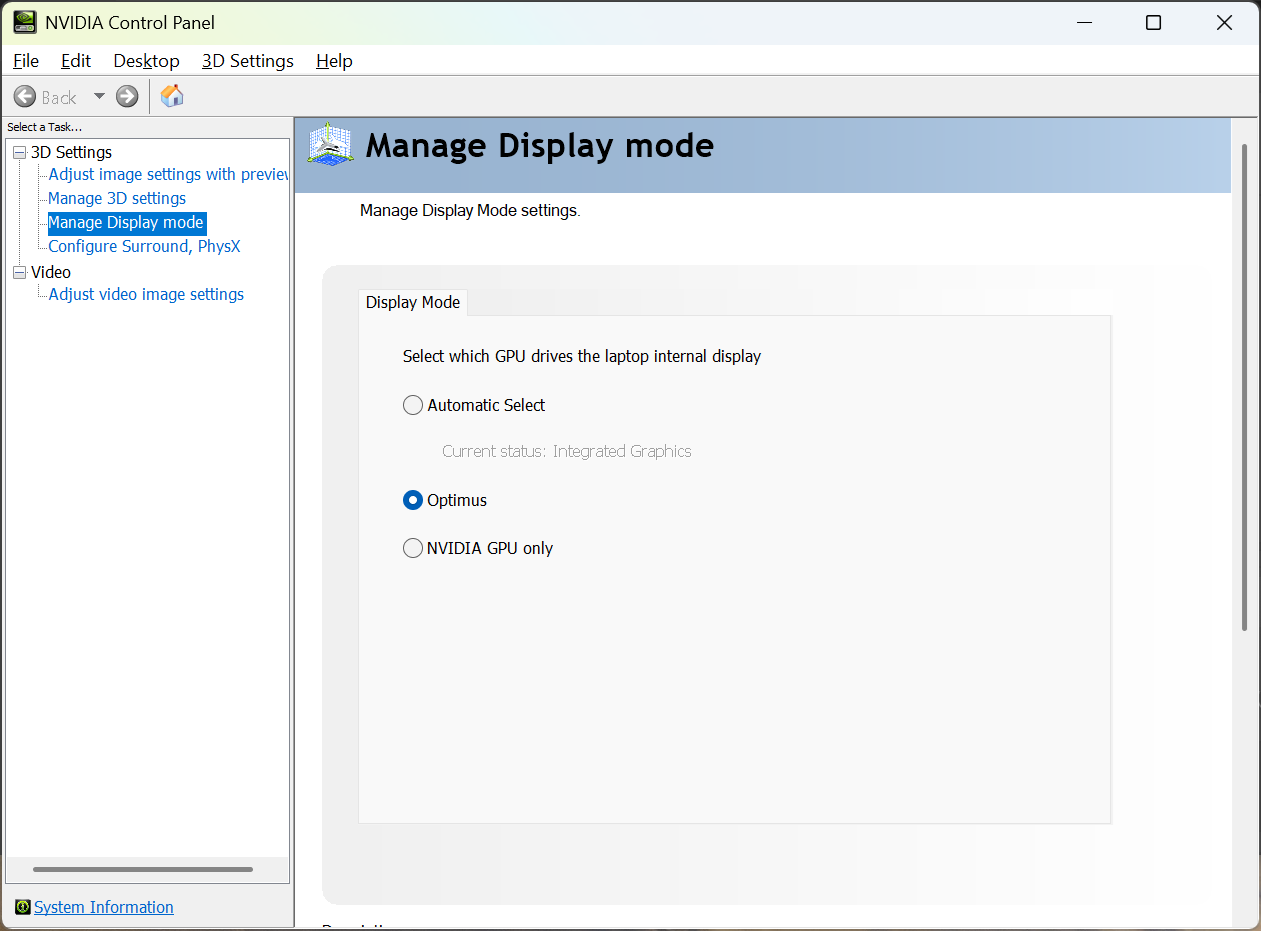
Alternatively, setting the system to discrete graphics mode should the model have an Nvidia GPU will also simultaneously change the refresh rate to its highest setting. On the Lenovo Pro 9i 16 G11, for example, opening 'Nvidia Control Panel' and then checking 'Nvidia GPU only' under 'Manage Display mode' will change change the refresh rate from 60 Hz to 120 Hz. Most users, and not just enthusiasts, will instantly notice the visual difference.
 Add as a preferred source on Google


