




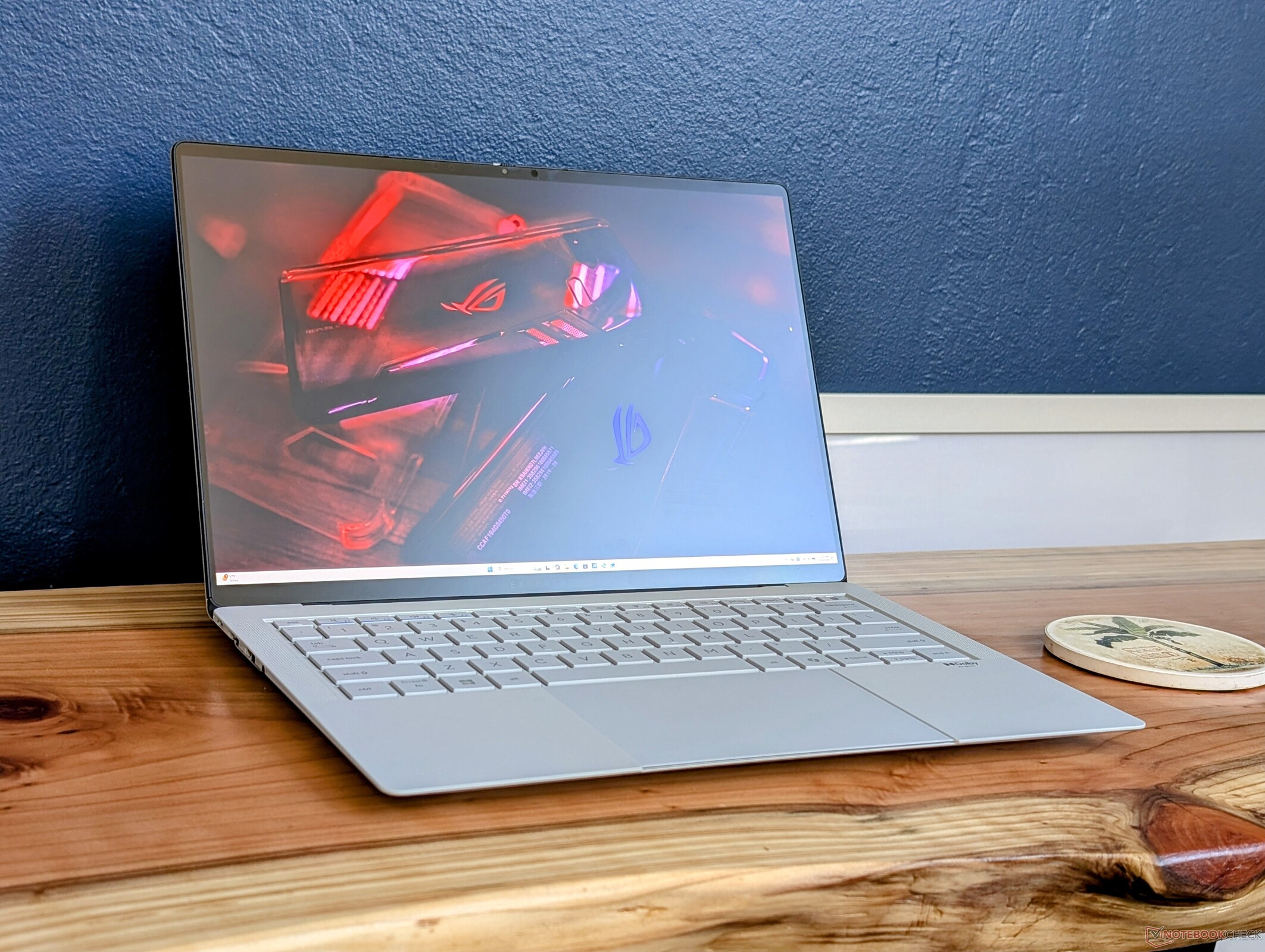
Verdict — A 1 kg Business Laptop With Gaming Prowess
Panther Lake is a generational leap over Lunar Lake and Arrow Lake especially in terms of graphics performance and GPU performance-per-watt. It runs under a similar power envelope as Arrow Lake-H while offering GeForce RTX 4050-like performance on a 1 kg 14-inch laptop. Furthermore, the CPU inherits many of the benefits of Lunar Lake including both a long battery life and a strong NPU. AMD Strix Halo systems like the 14-inch HP ZBook Ultra G1a can be even faster, but they also operate under higher power envelopes than the Panther Lake-X series.
A notable drawback to the Asus is that it must be plugged into mains for maximum processor performance. Otherwise, the system caps out at a lower TDP ceiling which entails a performance deficit. Most older laptops with integrated graphics do not exhibit this behavior when running on battery power.
As for the laptop itself, the haptic clickpad can be overly sensitive while the matte OLED is noticeably grainier than the more common glossy panels. Certain business users may nonetheless shrug off these shortcomings for the impressive portability and performance potential of the system as a whole.
Pros
Cons
Price and Availability
The ExpertBook Ultra with Panther Lake is expected to ship in Q2 2026. Asus has not announced any prices at the time of publishing.

Table of Contents
- Verdict — A 1 kg Business Laptop With Gaming Prowess
- Specifications
- Case — Magnesium Aluminum Alloy CNC with Nano-Ceramic Coating
- Connectivity
- Input Devices — Overly Sensitive Clickpad
- Display — Tandem OLED, VRR, HDR, And Matte Corning Gorilla Glass
- Performance — Gaming Laptop In Disguise
- Emissions
- Energy Management
- Notebookcheck Rating
- Potential Competitors in Comparison
Unveiled just a few weeks ago at CES 2026, the ExpertBook Ultra is Asus' new flagship 14-inch business laptop packed with brand new features in an ultralight package. The model is notable for being one of the first widely available laptops running on Intel's latest Panther Lake-H platform.
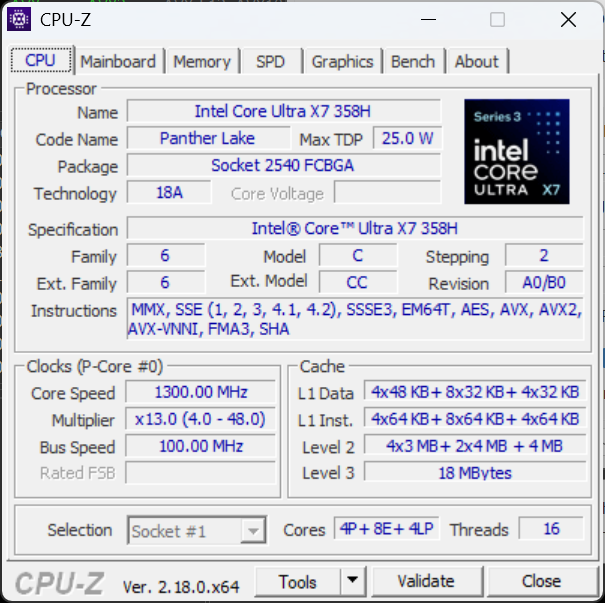
Our test unit ships with the Core Ultra X7 358H CPU and 32 GB of soldered LPDDR5X RAM while higher-end options ship with the Core Ultra X9 388H with double the memory. All US configurations include the same tandem OLED 2880 x 1800 120 Hz matte touchscreen and integrated Arc B390 graphics. Morn Grey and Jet Fog color options are available.
Competitors in this space include other thin-and-light 14-inch business laptops like those from the Lenovo ThinkPad T14s series, Dell Pro 14 Premium series, or the HP EliteBook Ultra 14 series.
More Asus reviews:
Specifications
Case — Magnesium Aluminum Alloy CNC with Nano-Ceramic Coating
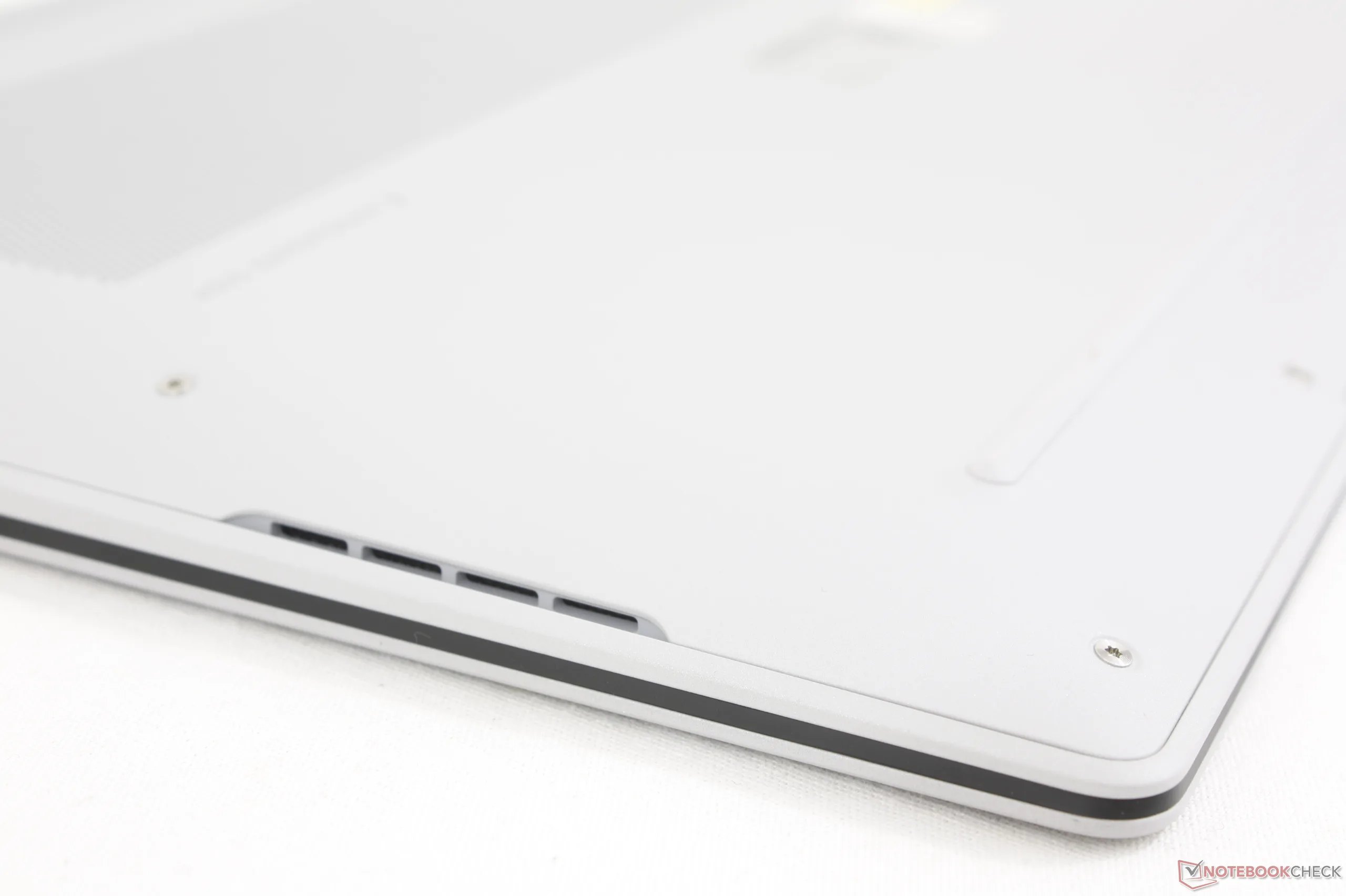
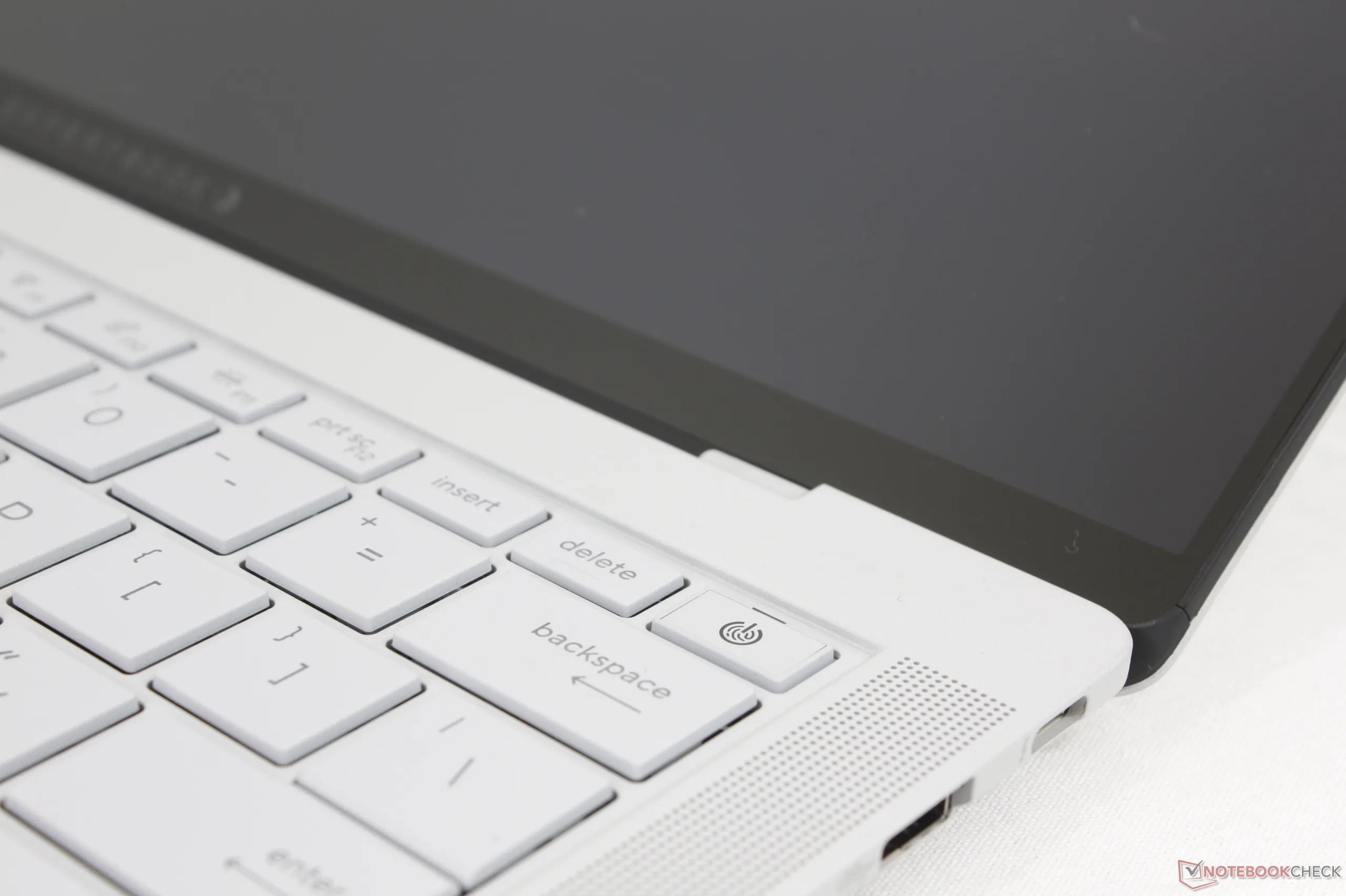
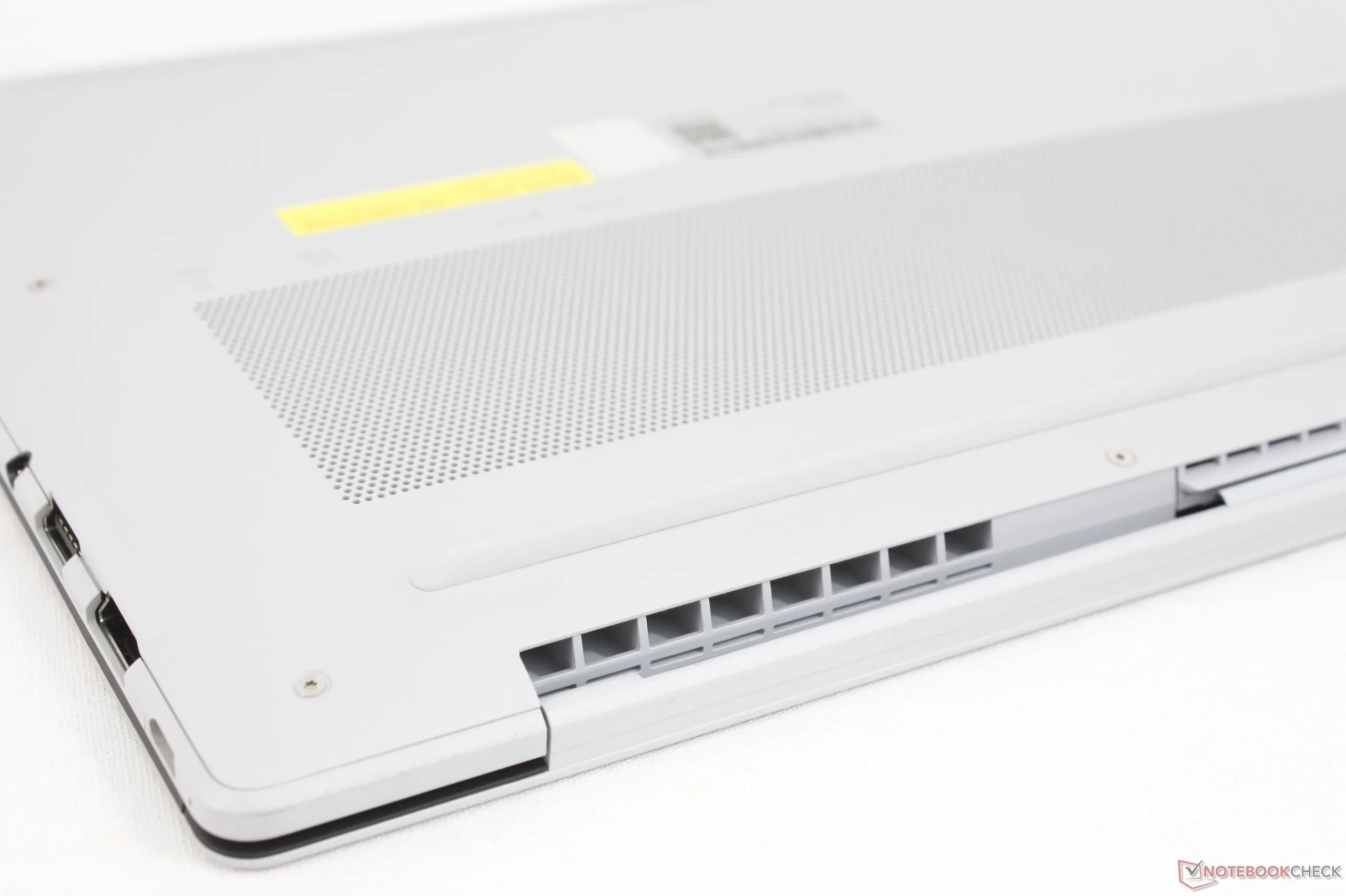
Aside from its attractive looks, the ExpertBook Ultra chassis is unique for its 9H "nano ceramic" coating to resist scratches and fingerprints more effectively than the usual brushed metal alloy of most other high-end laptops. Texture-wise, its matte surface is rougher and slightly grainy in contrast to the super-smooth and shiny luster of alternatives. Chassis rigidity is mostly retained with MIL-STD 810H certification and just slightly more flexing along the base and lid when compared to something like the Razer Blade 14.
Hinge rigidity is too weak as simply lifting the system causes the display to fall back. Asus says this issue will be addressed when the model becomes available to consumers.
An integrated white light bar called ExpertLumi can be found along the bottom edge of the display. However, the LED is purely aesthetic at launch as it serves no purpose other than to glow during boot up and log in.
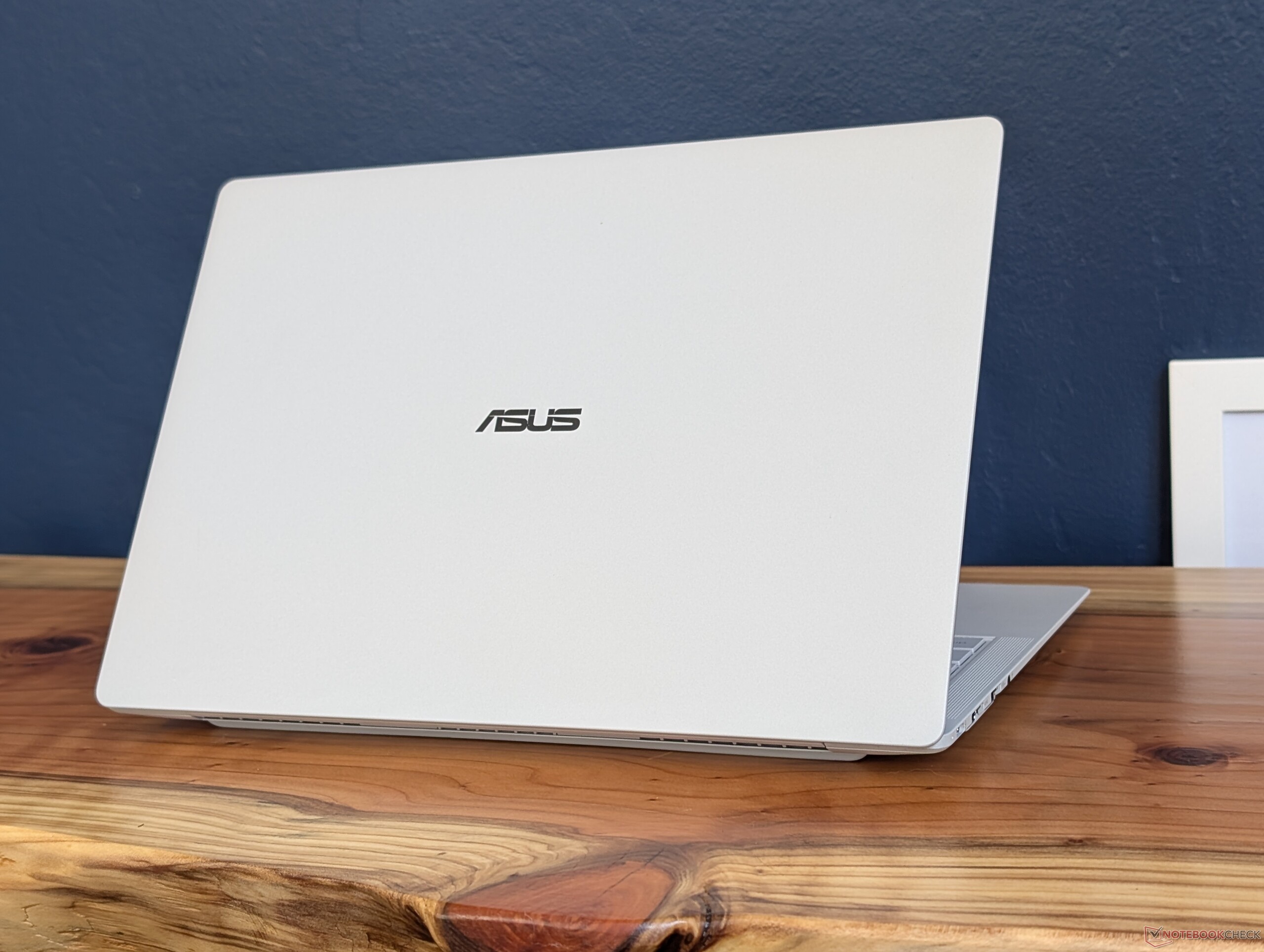
Not only is this Asus of one of the first laptops with Panther Lake, but it is also one of the lightest models in the 14-inch category at just 1.1 kg. Even thinner competitors are available including the EliteBook Ultra G1i 14 or Samsung Galaxy Book5 Pro 14, but they are also each slightly heavier than our Asus.
Connectivity
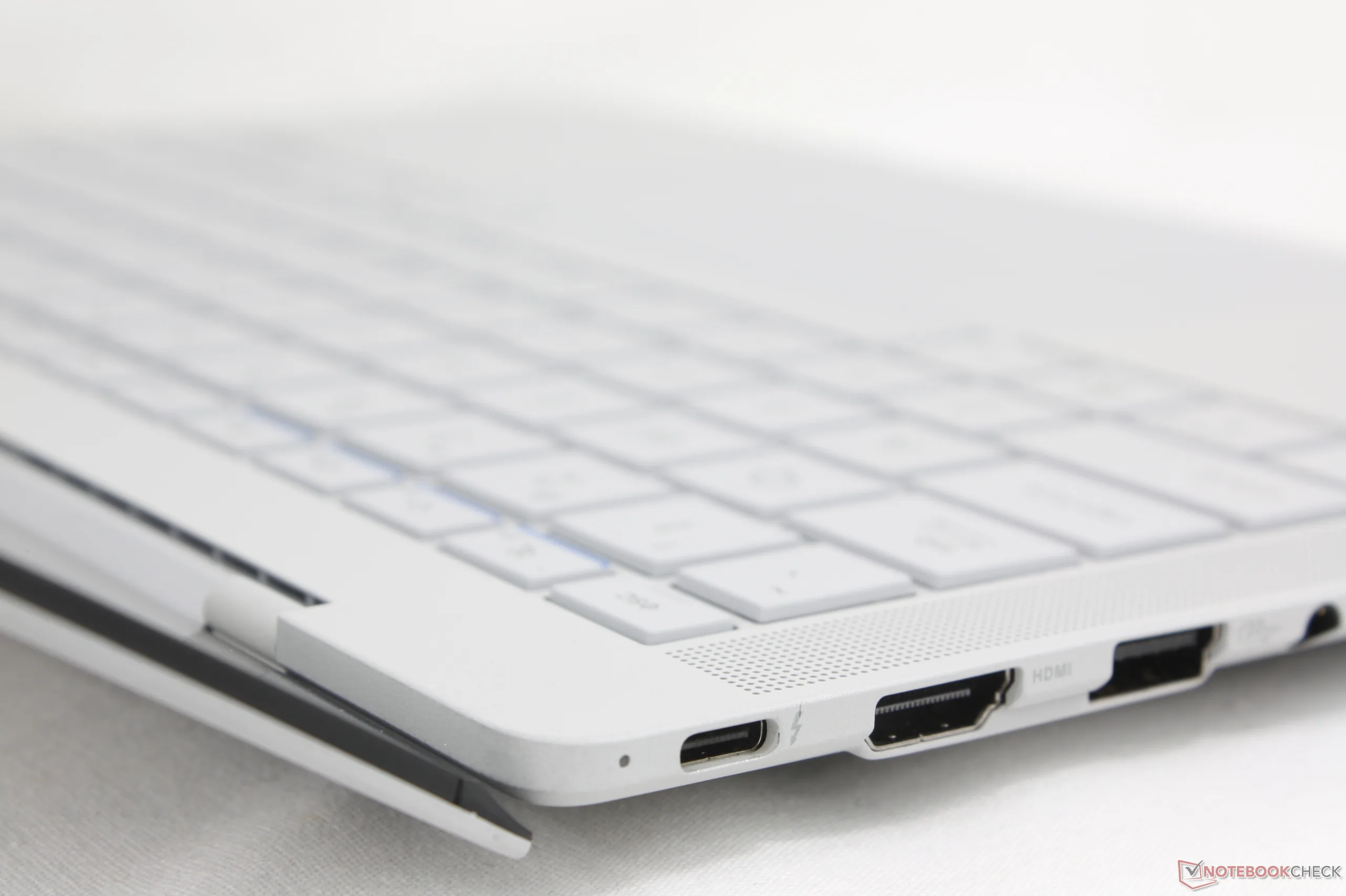
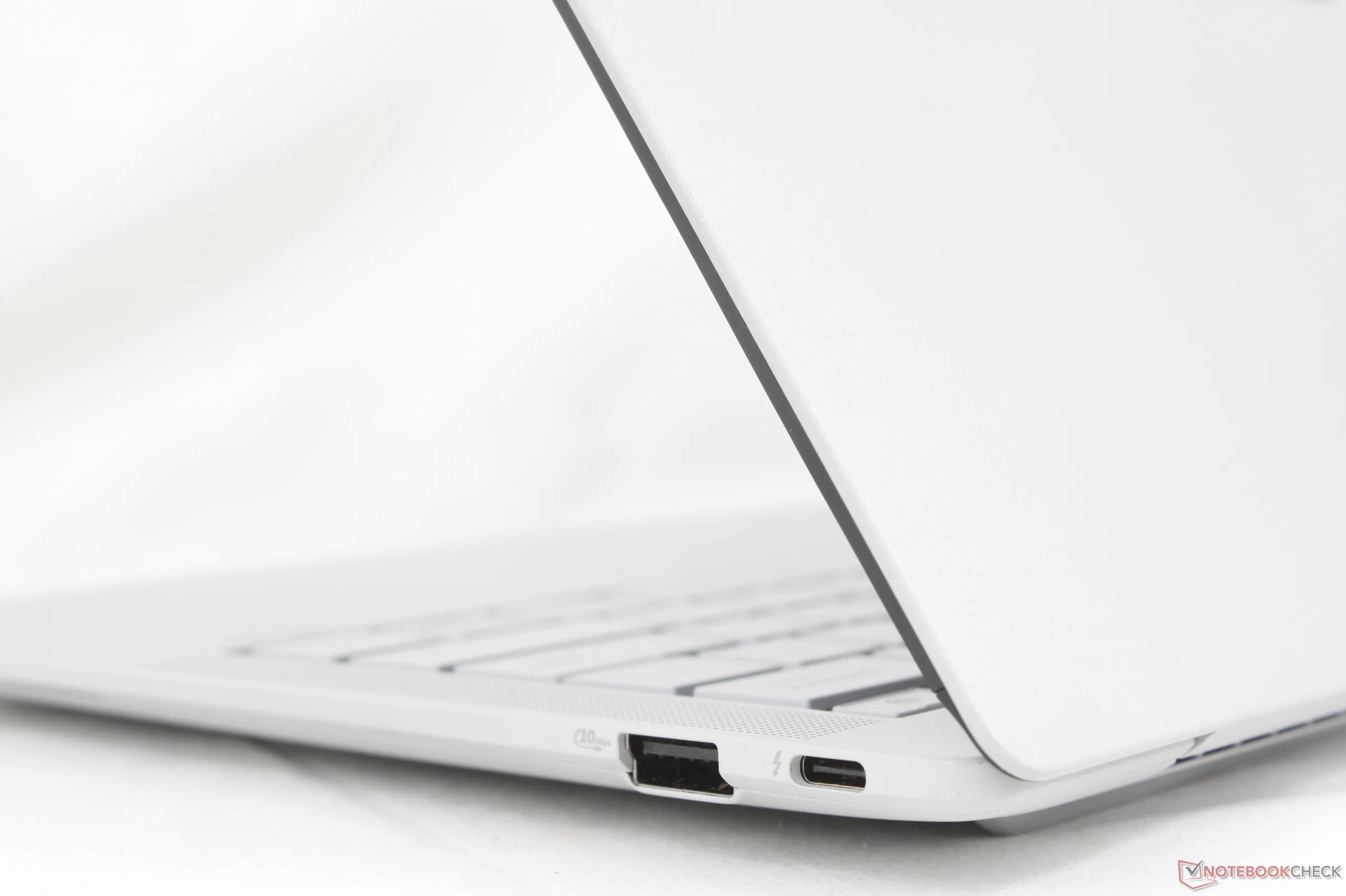
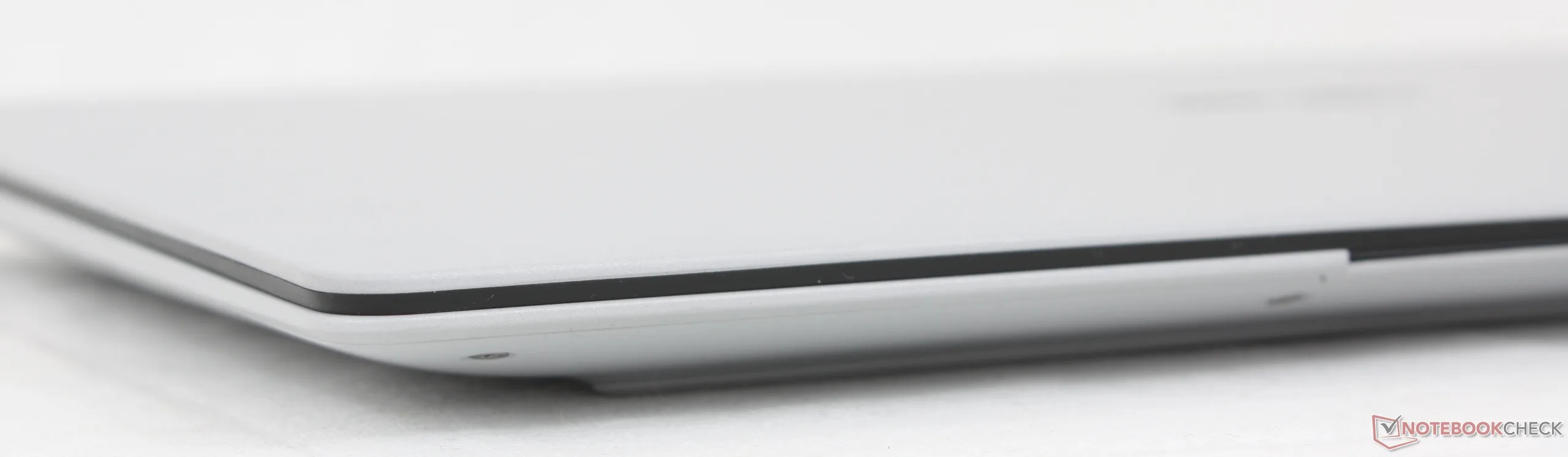
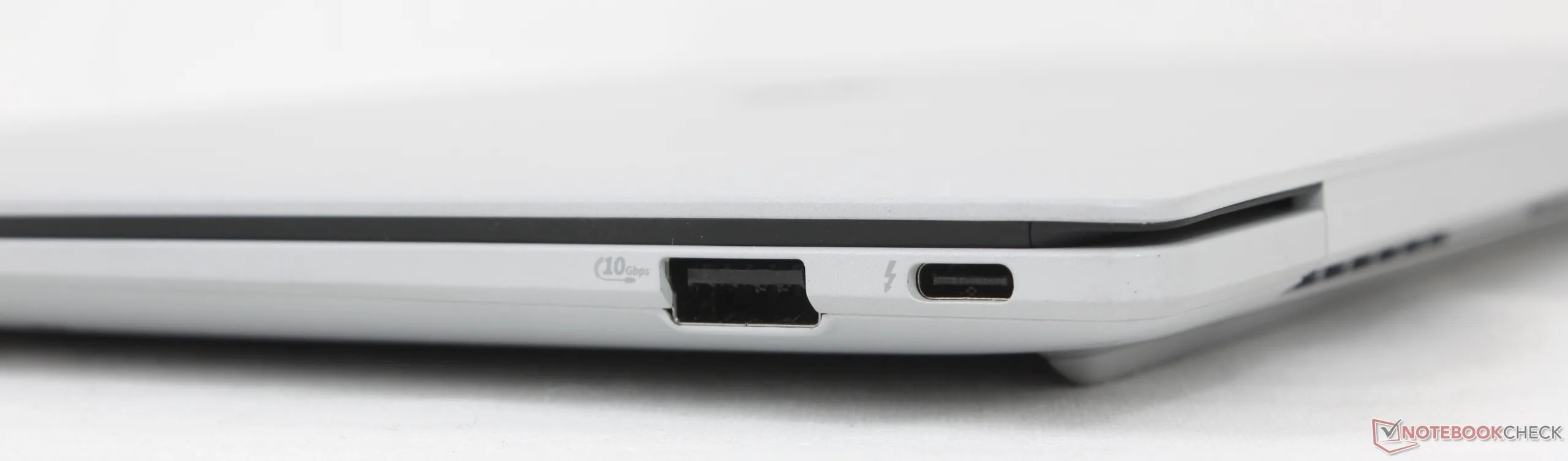
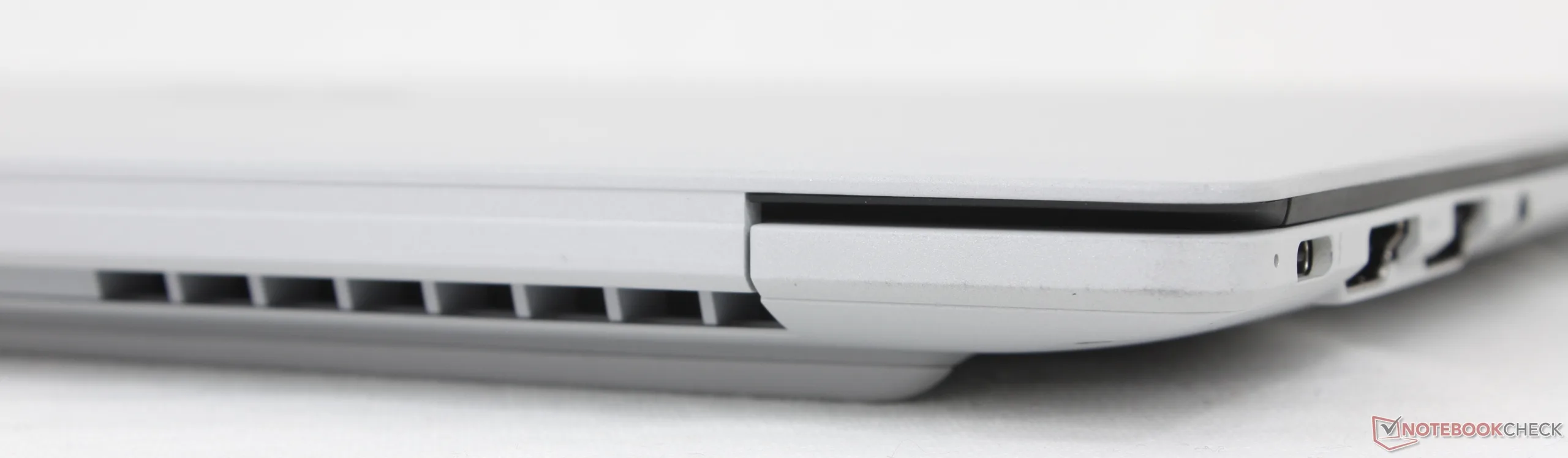
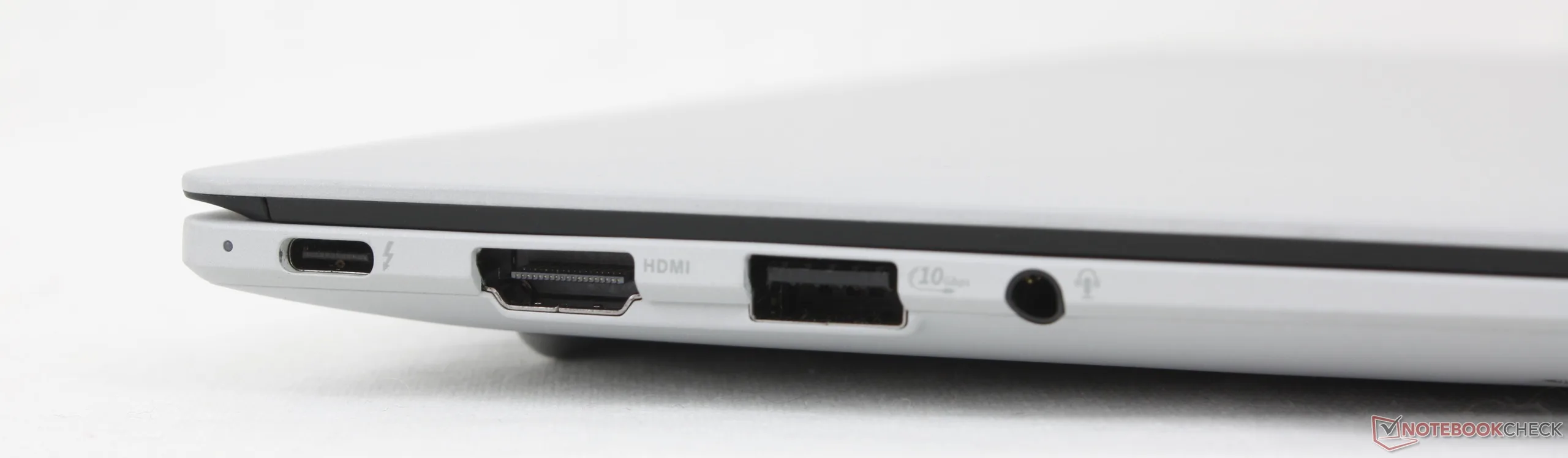
Port options are comparable to the ThinkPad T14s Gen 6 albeit without Smart Card options. On the Asus, however, we appreciate that the two USB-C ports are split between the right and left edges of the system for easier charging. In comparison, the same two USB-C ports on the aforementioned ThinkPad are only along the left edge.
Communication
Webcam


Maintenance
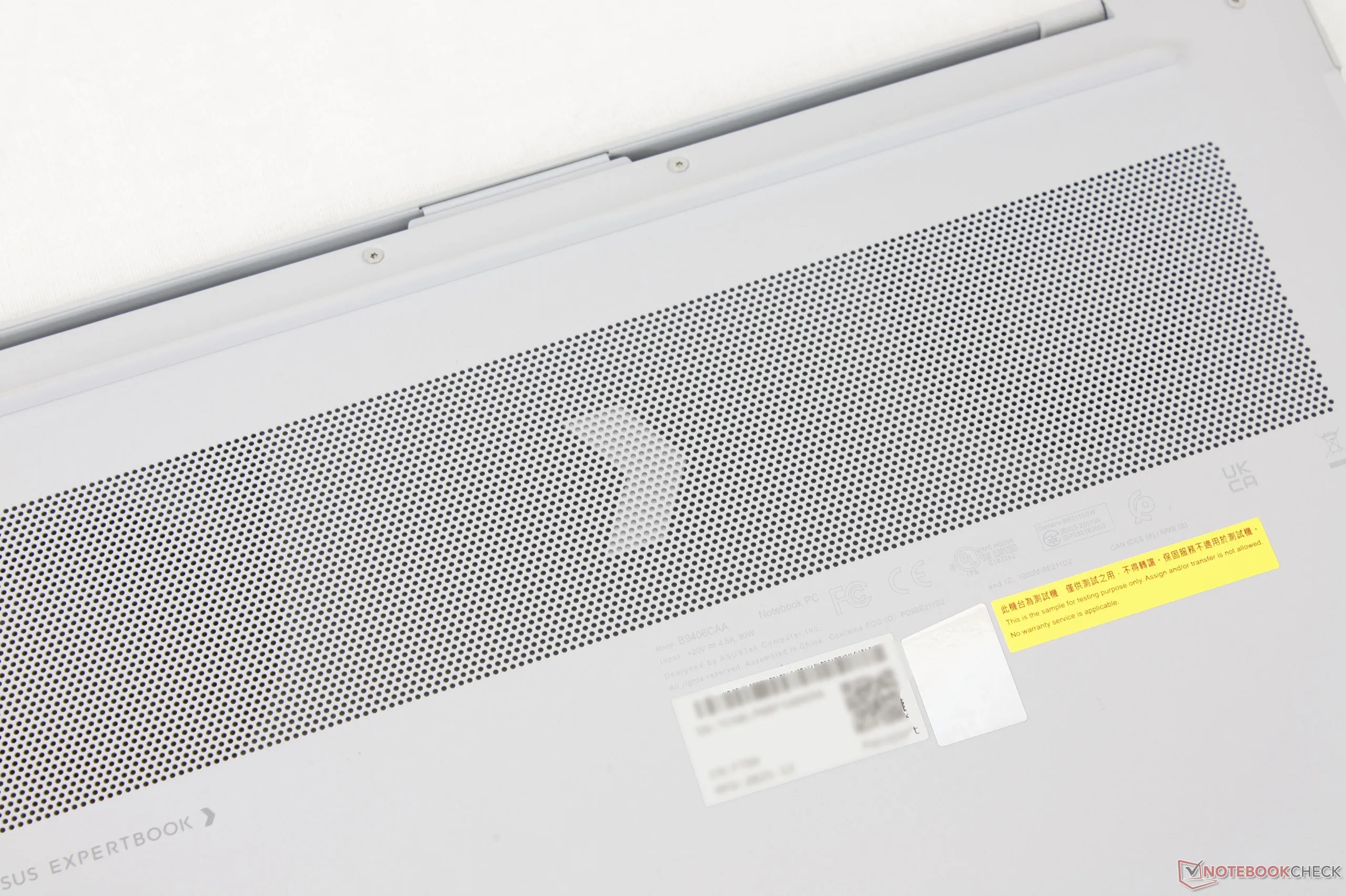
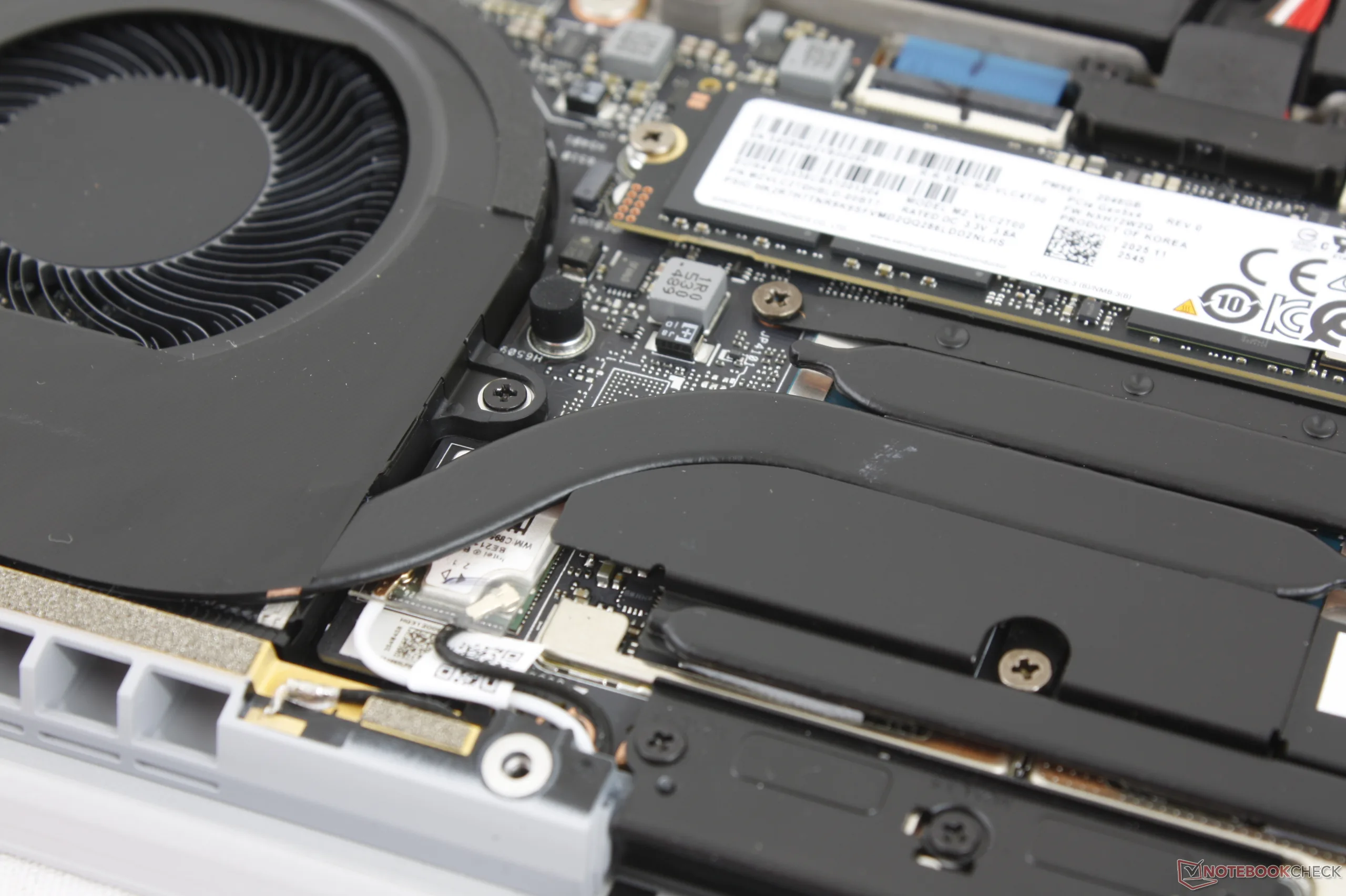
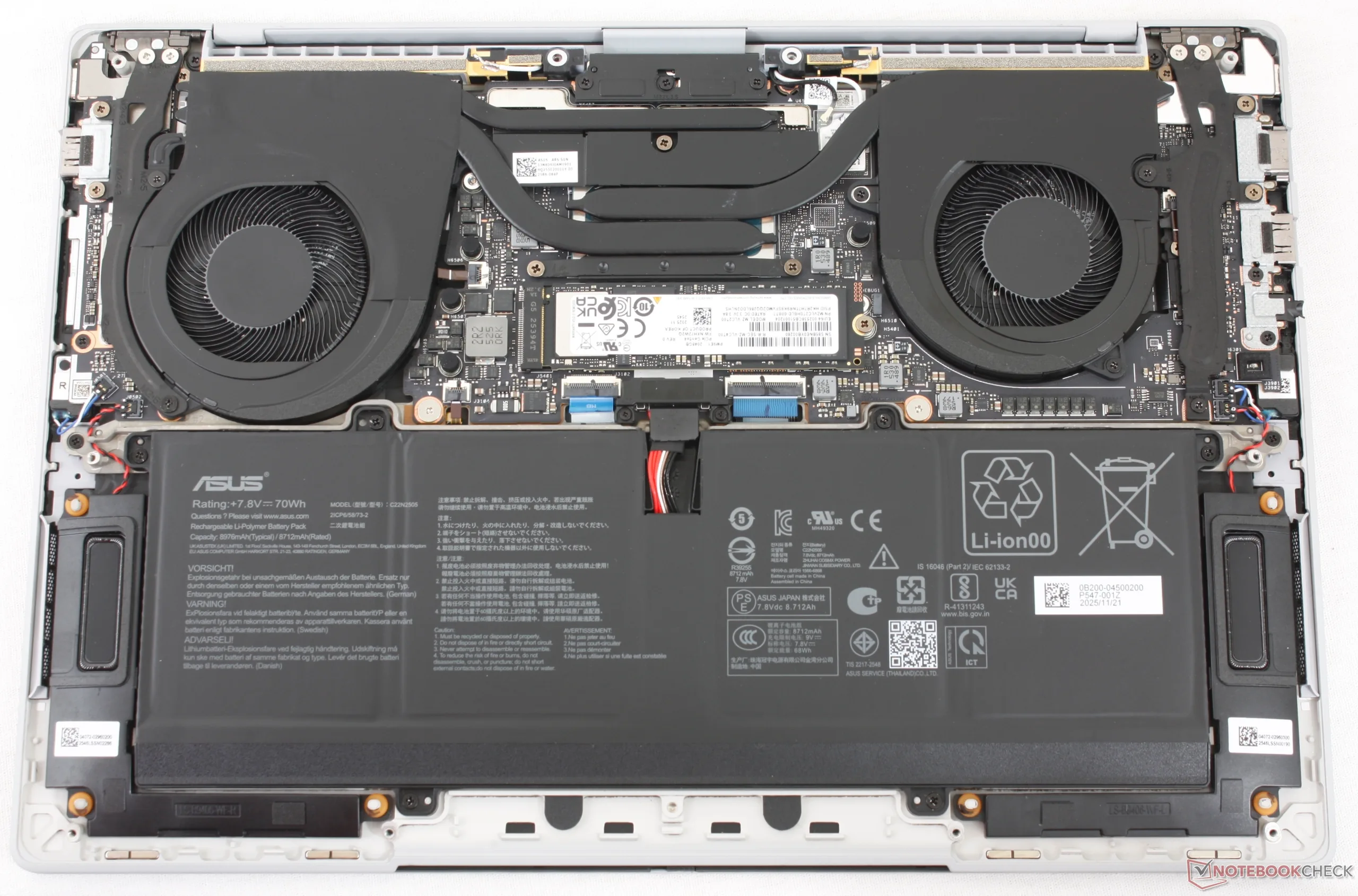
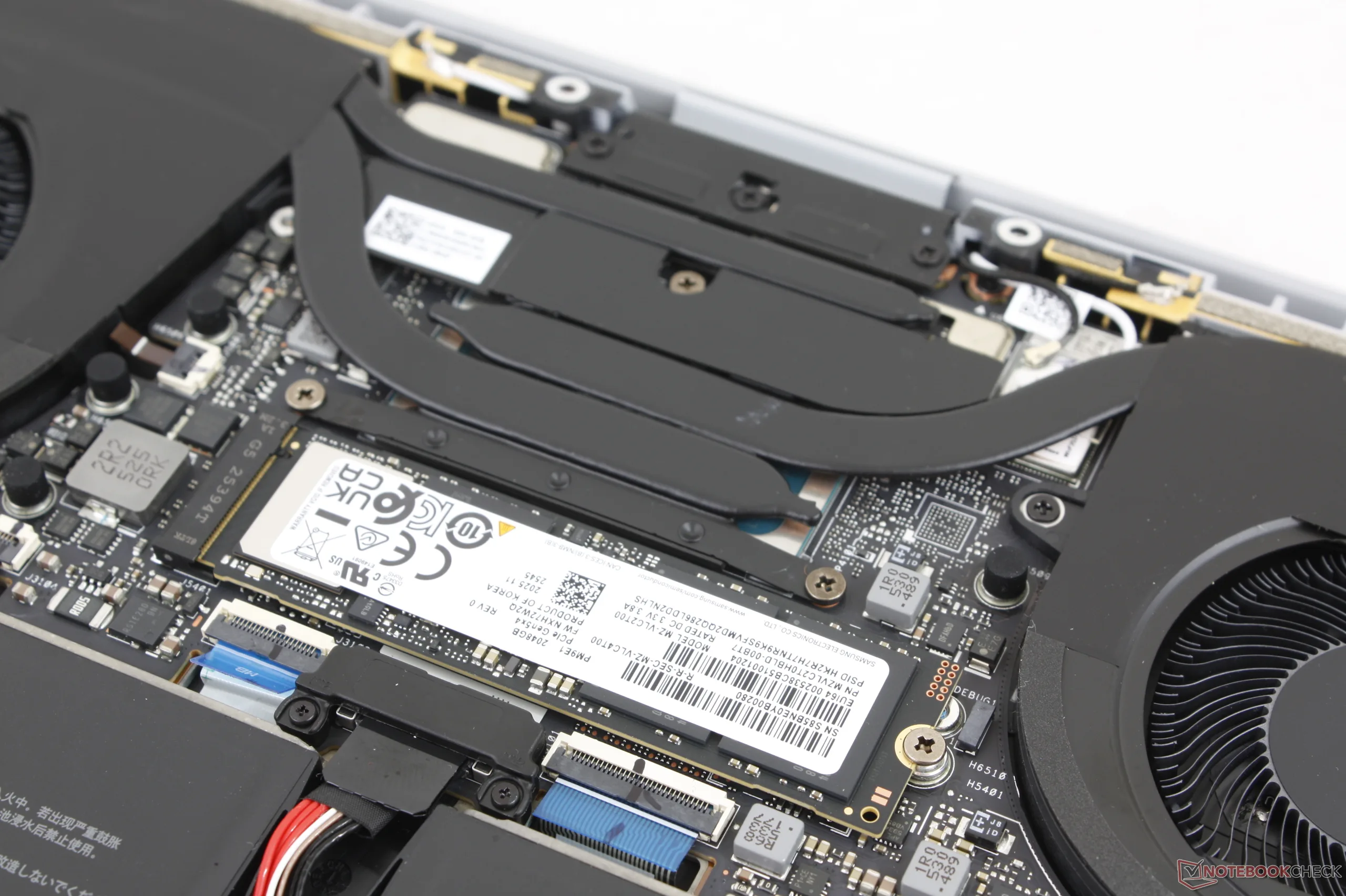
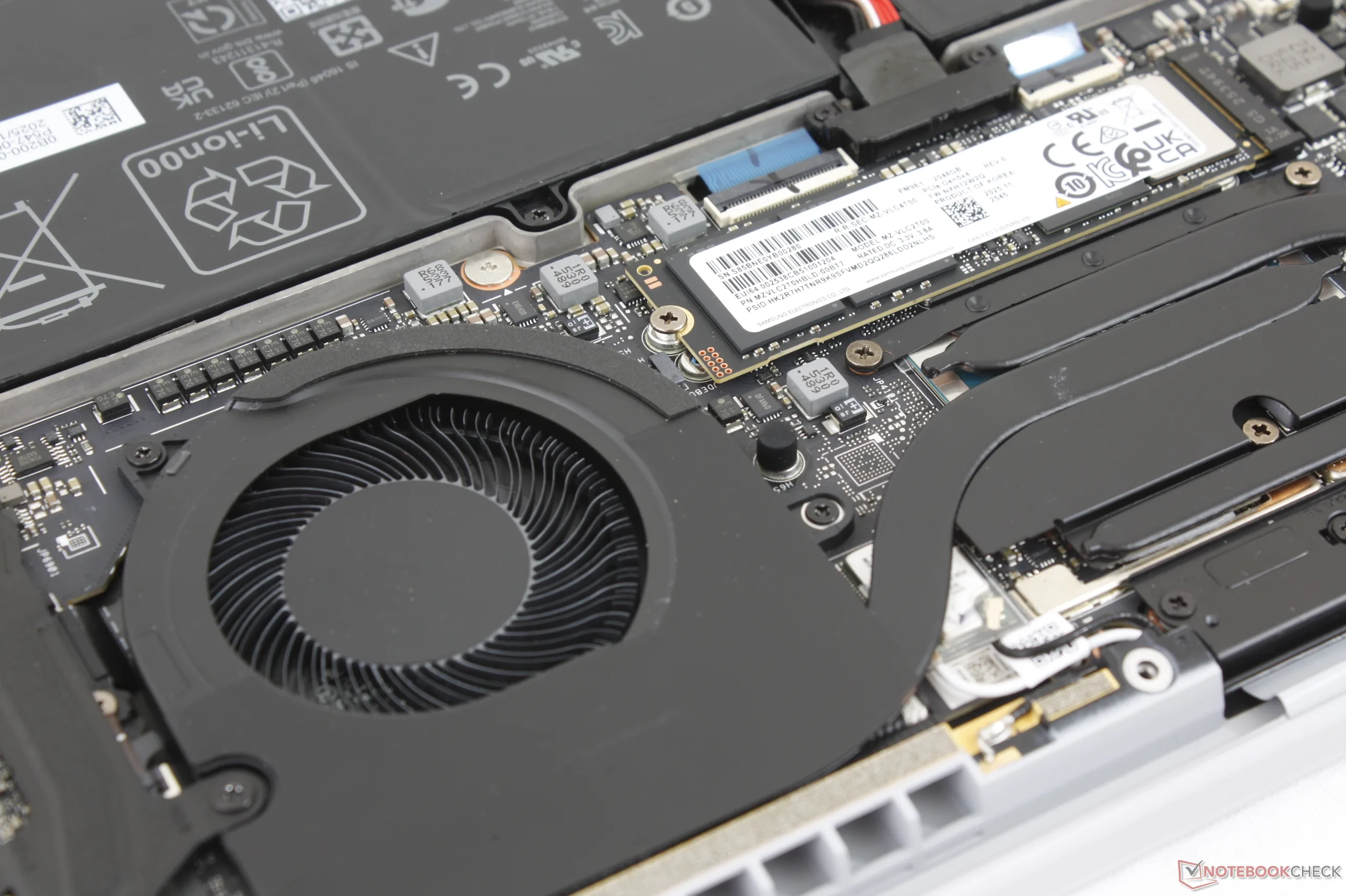
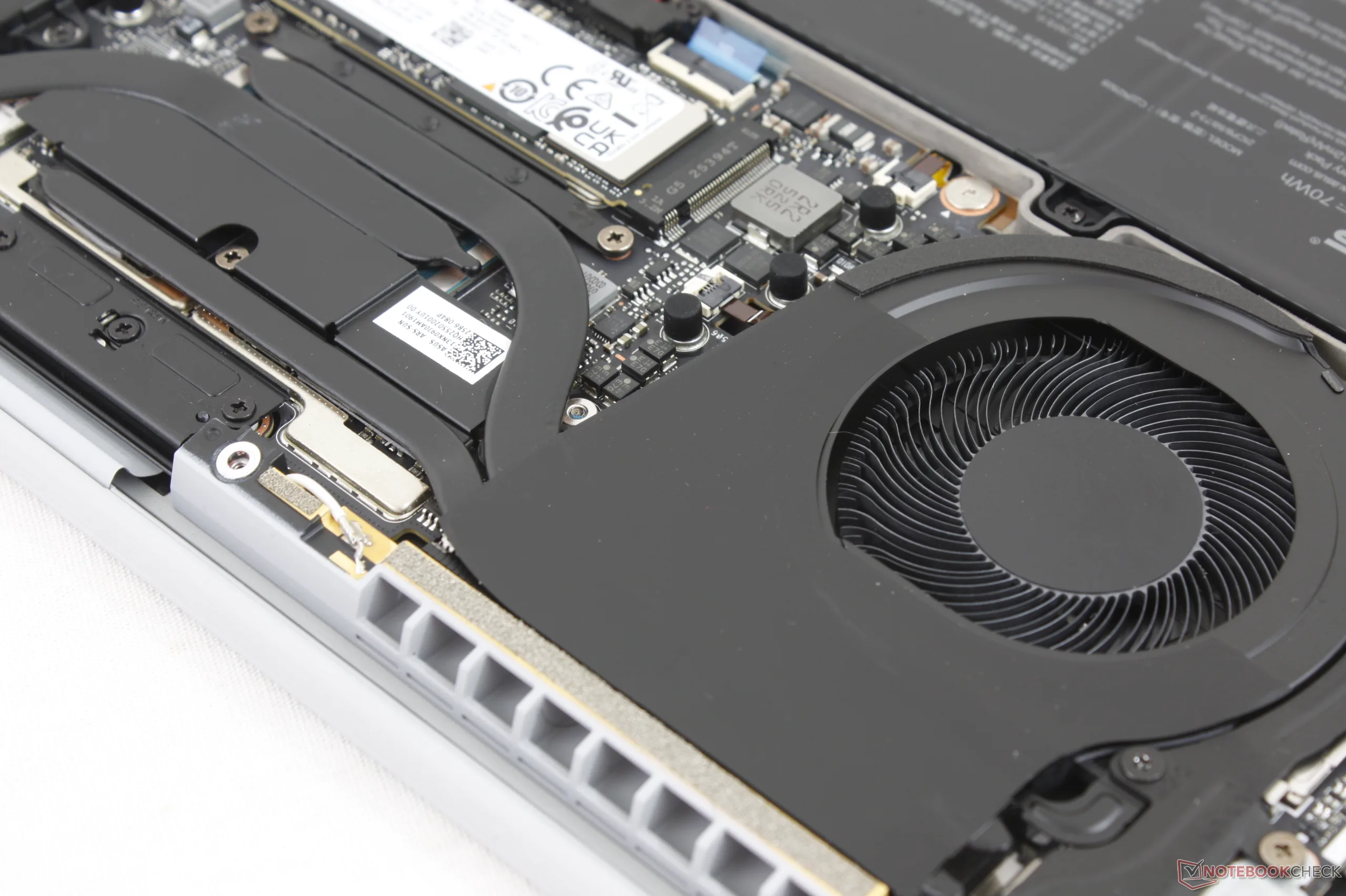
The bottom panel is secured by ten T5 Torx screws for relatively easy servicing. Upgrades are nonetheless limited as the RAM modules are soldered and there is only space for a single M.2 2280 SSD.
Sustainability
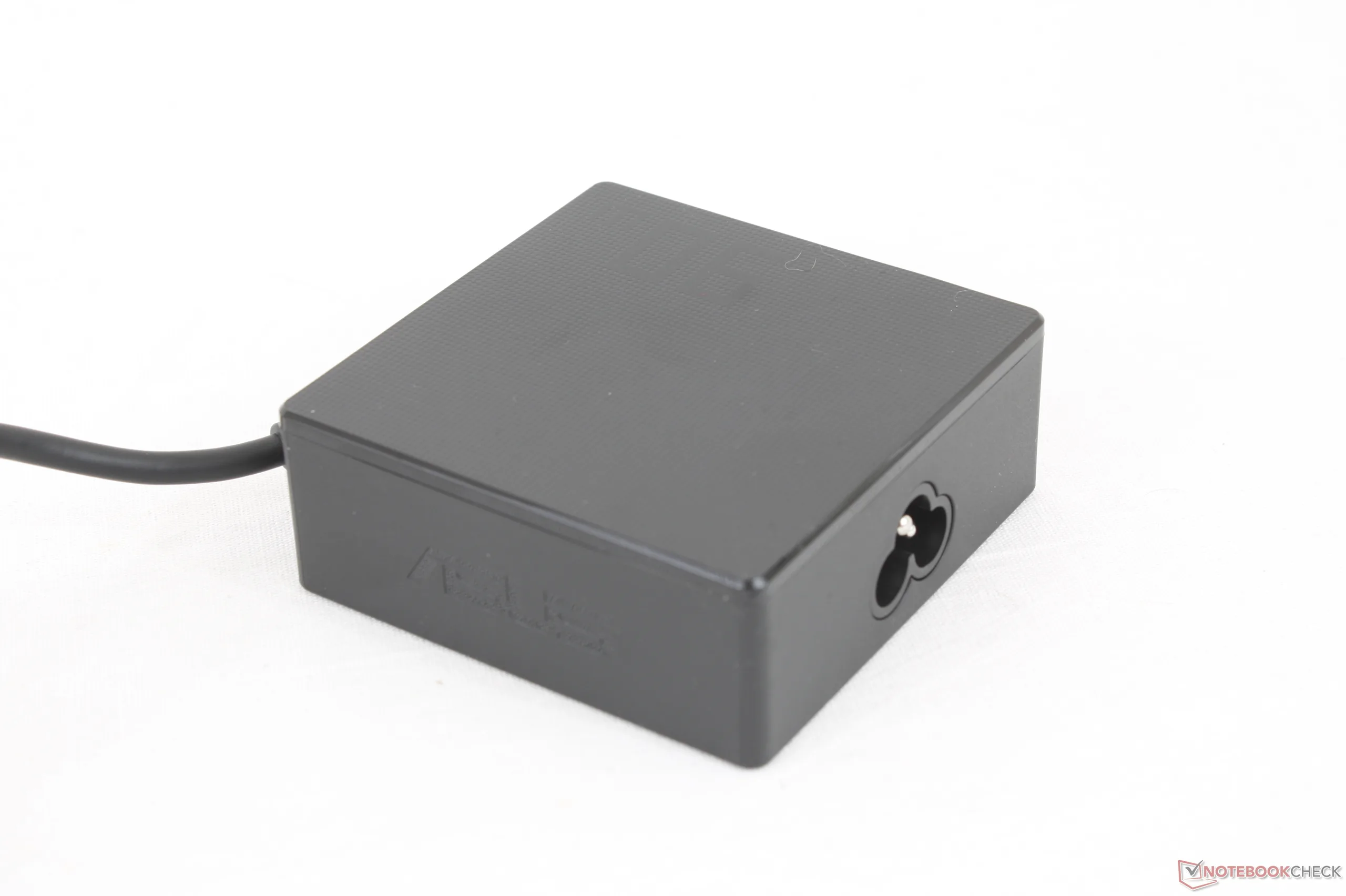
The model utilizes 90 percent recycled magnesium-aluminum alloy, up to 35 percent plastics for the key caps and bezel, and 100 percent recycled rare-earth metals. The packaging is almost all paper and cardboard with plastic wrapping for the AC adapter.
Accessories And Warranty
There are no extras in the retail box other than the AC adapter and paperwork. A three-year limited manufacturer warranty applies if purchased in the US.
Input Devices — Overly Sensitive Clickpad
Keyboard
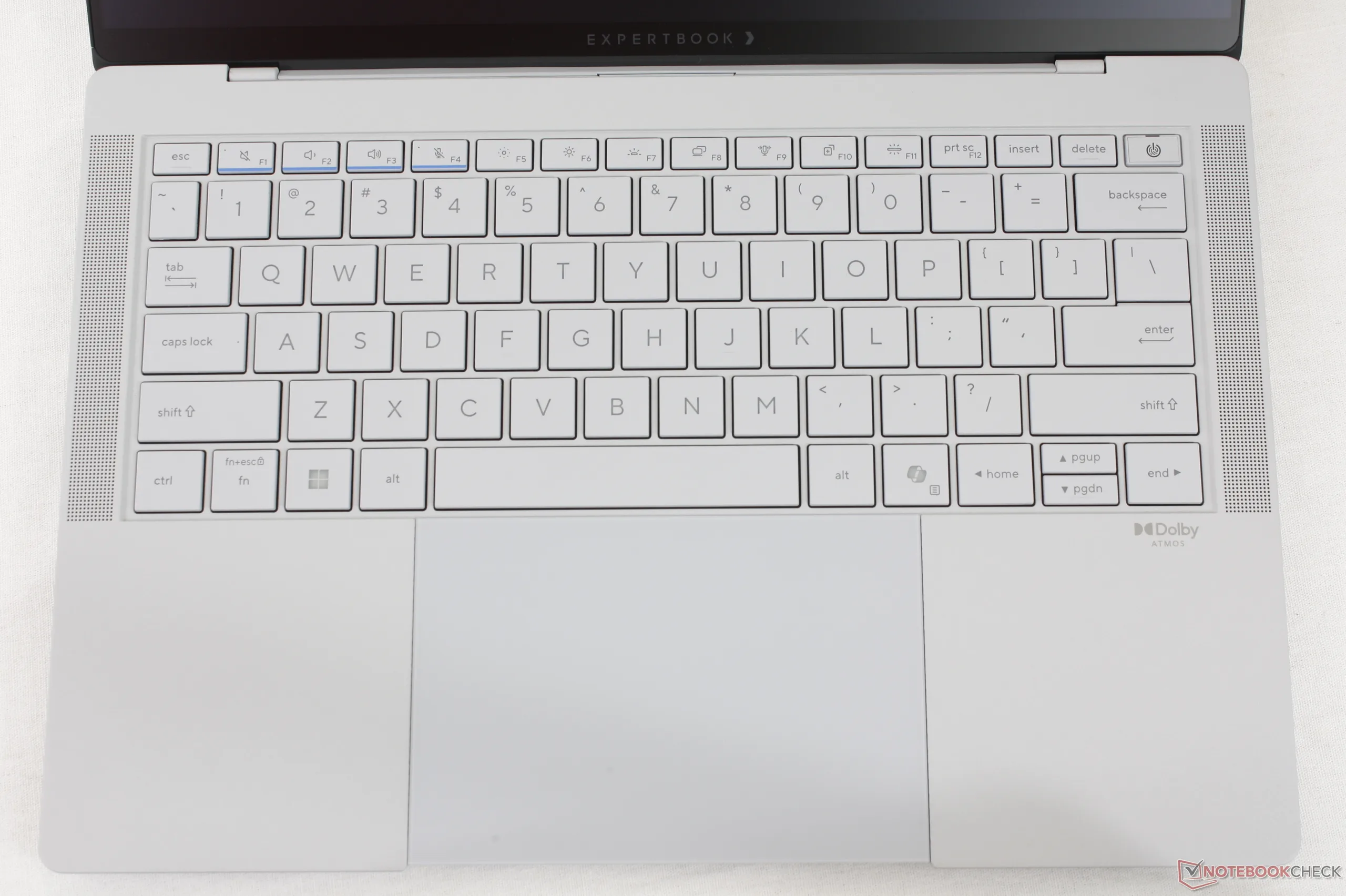
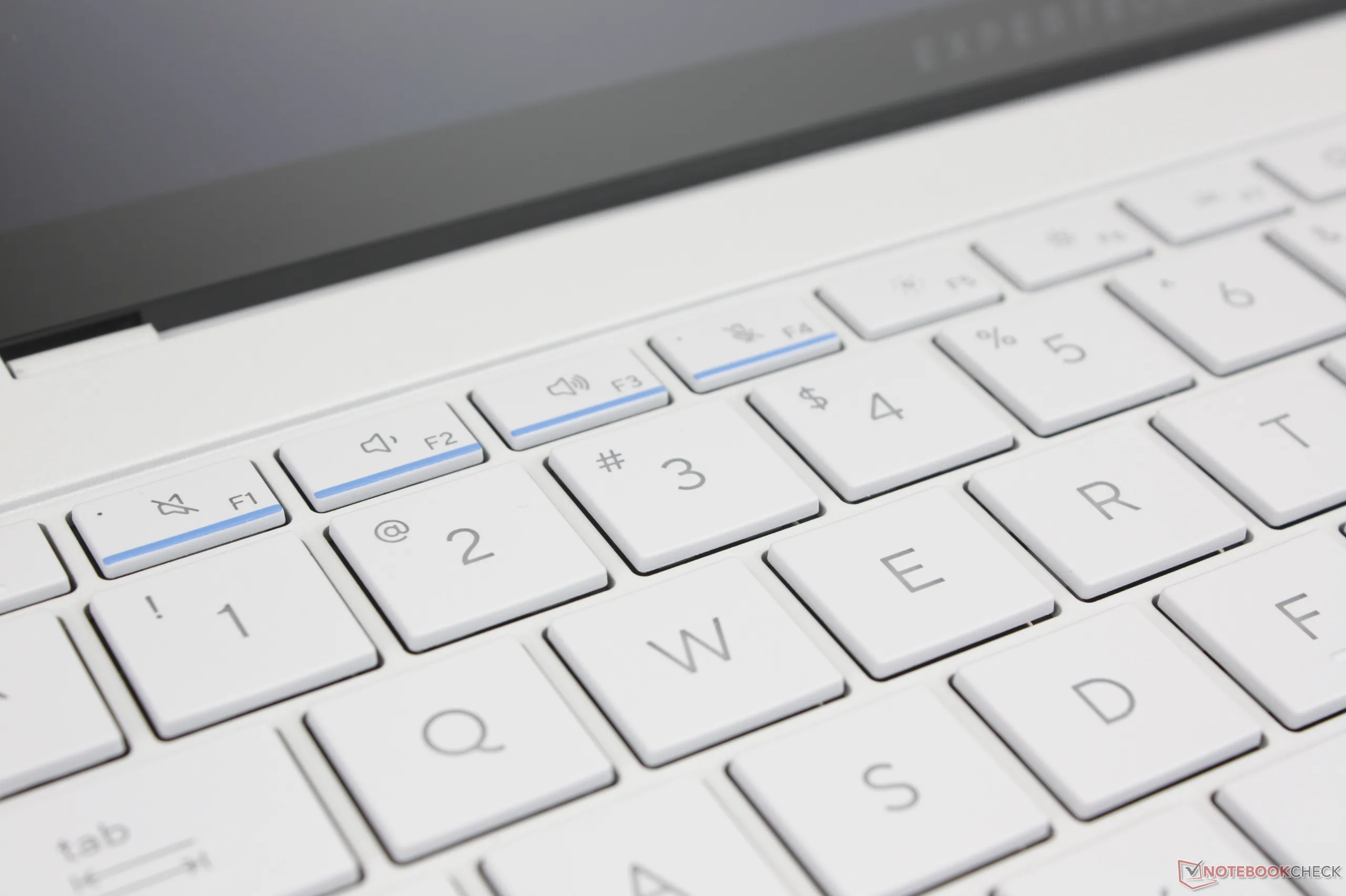
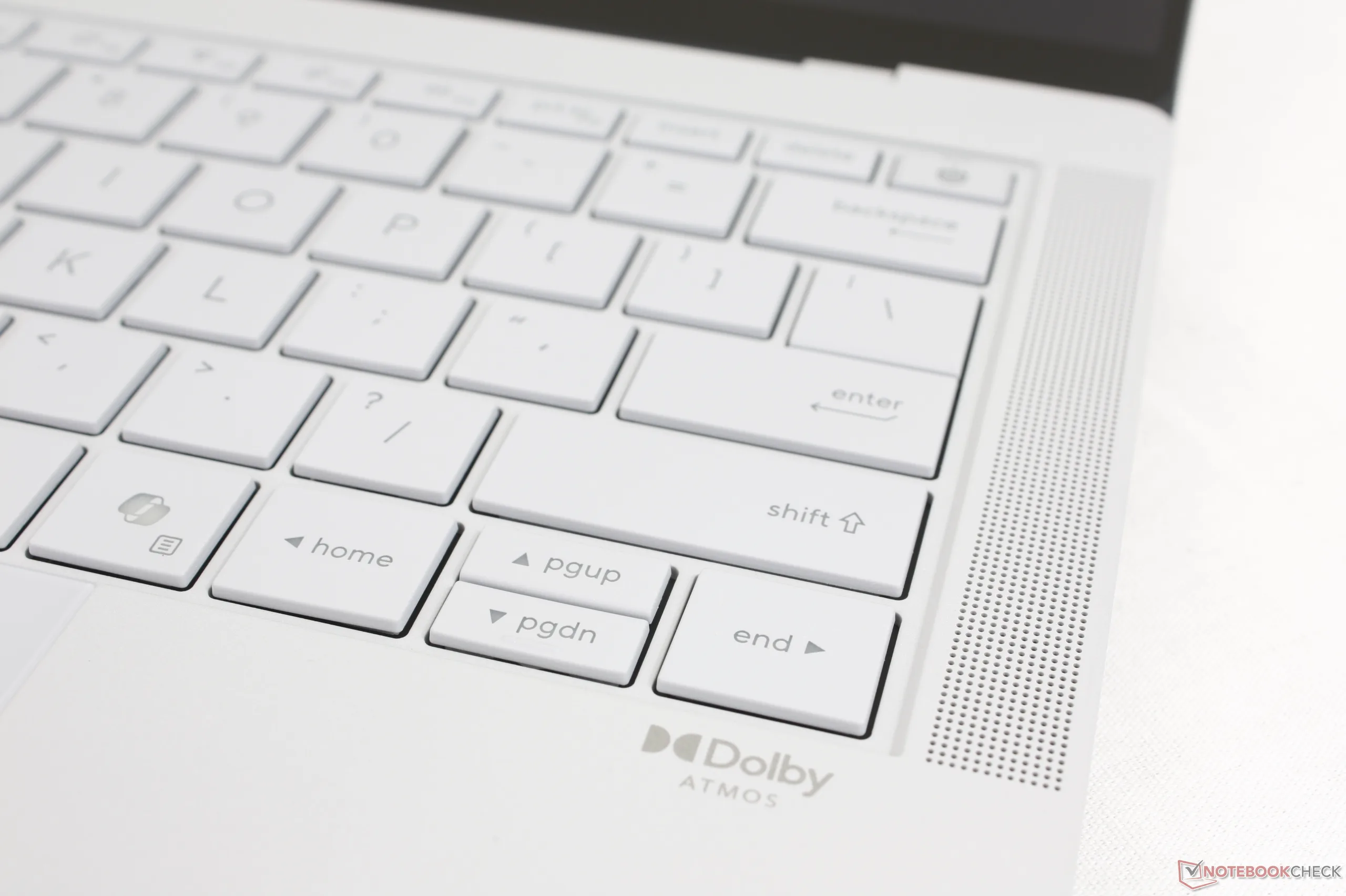
The keys have 1.5 mm of travel with decently firm feedback for typists. Even so, the Space and Enter keys in particular could have benefited from stronger feedback as they feel rather light when compared to the same keys on a ThinkPad or EliteBook.
Touchpad
While the clickpad is decently large at 12.8 x 8.8 cm, the haptic feedback when clicking is very weak for an unsatisfying feel. Furthermore, the front edge of the clickpad is completely flush against the front edge of the chassis unlike on most other laptops meaning accidental clicks or movements are more common in our experience.

Display — Tandem OLED, VRR, HDR, And Matte Corning Gorilla Glass

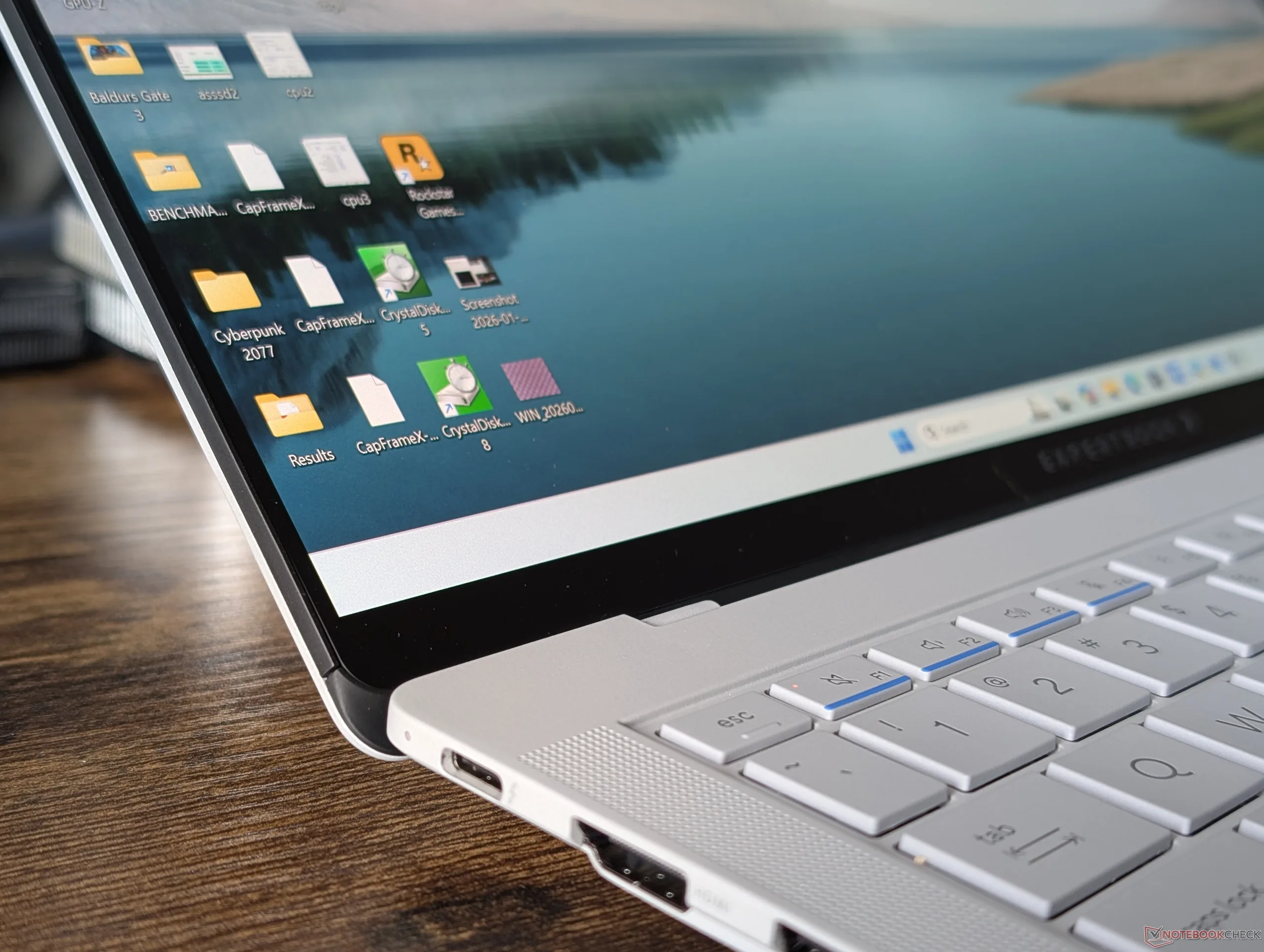
A key advantage with tandem OLED is its much higher brightness levels compared to standard OLED. Indeed, we're able to measure a maximum brightness of 1403 nits on HDR mode whereas the OLED displays on most other laptops top out at just half or lower. Higher brightness levels accompanied by the deep black levels OLED is known for lead to even more vibrant HDR content on the ExpertBook Ultra. Maximum brightness is otherwise limited to 600 nits when on the default SDR mode.
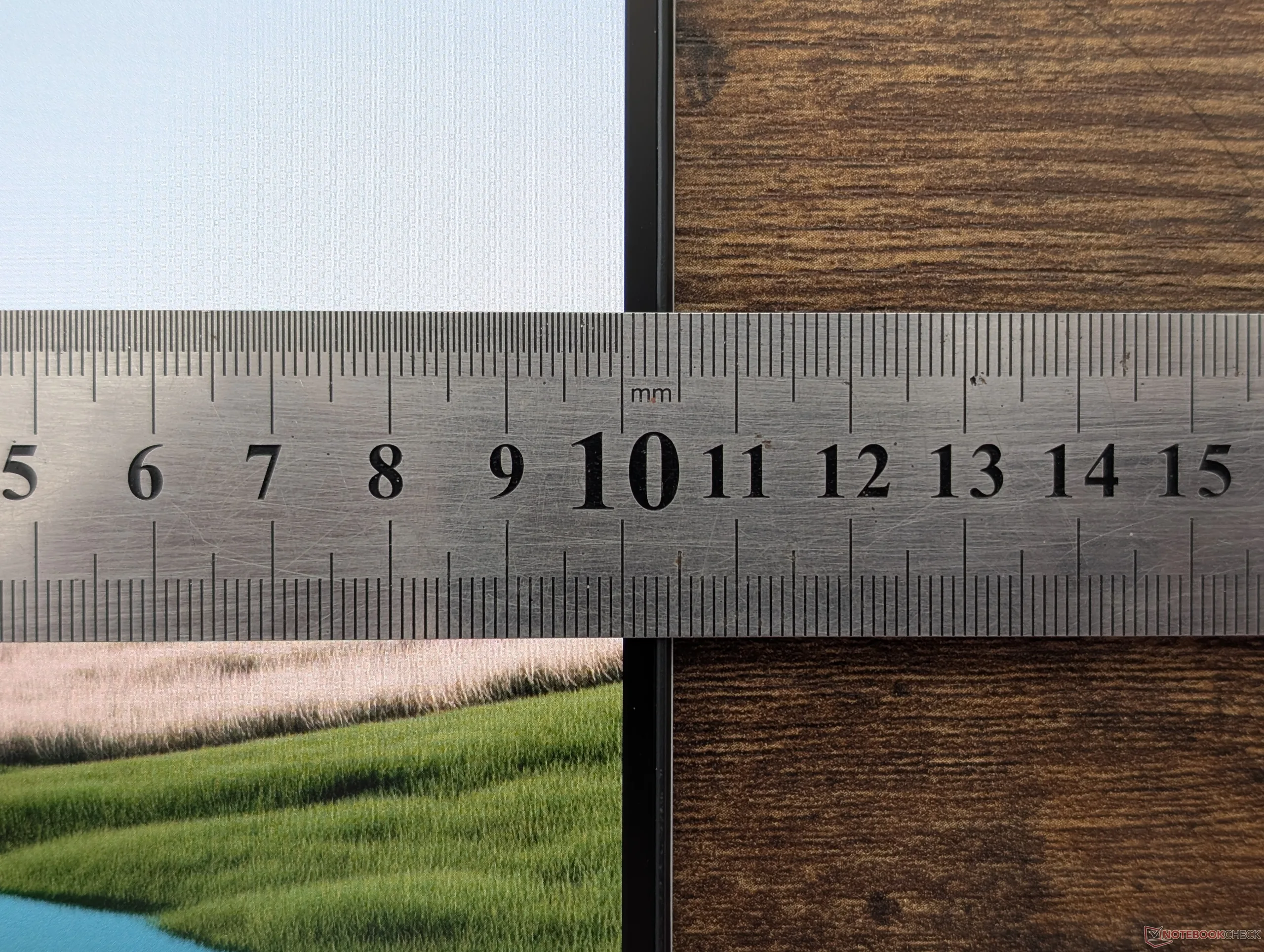
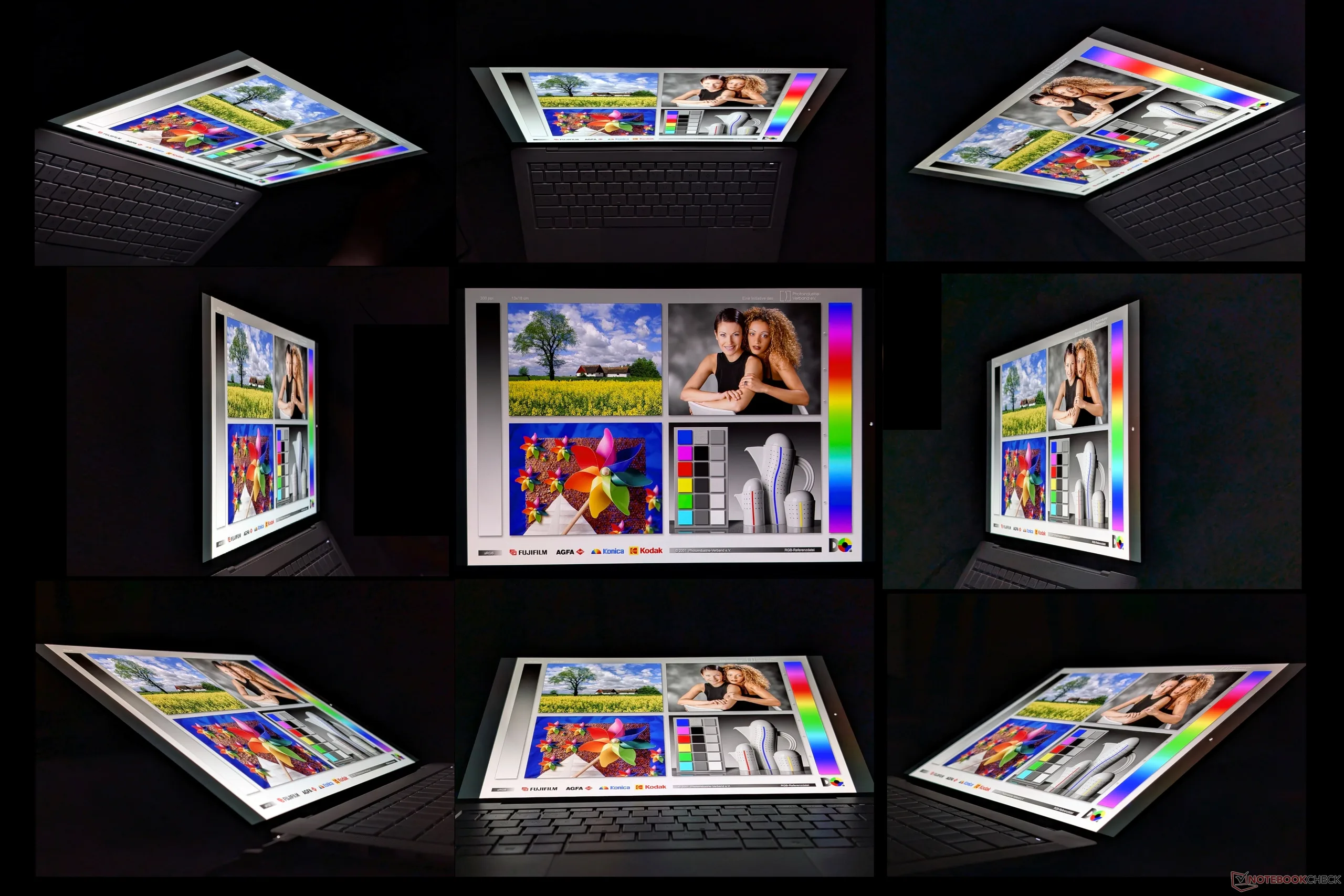
Unfortunately, the matte Gorilla Glass overlay on this model leads to noticeable graininess when compared to the typical glossy OLED panels that most users are accustomed to.
| |||||||||||||||||||||||||
Brightness Distribution: 96 %
Center on Battery: 600.5 cd/m²
Contrast: ∞:1 (Black: 0 cd/m²)
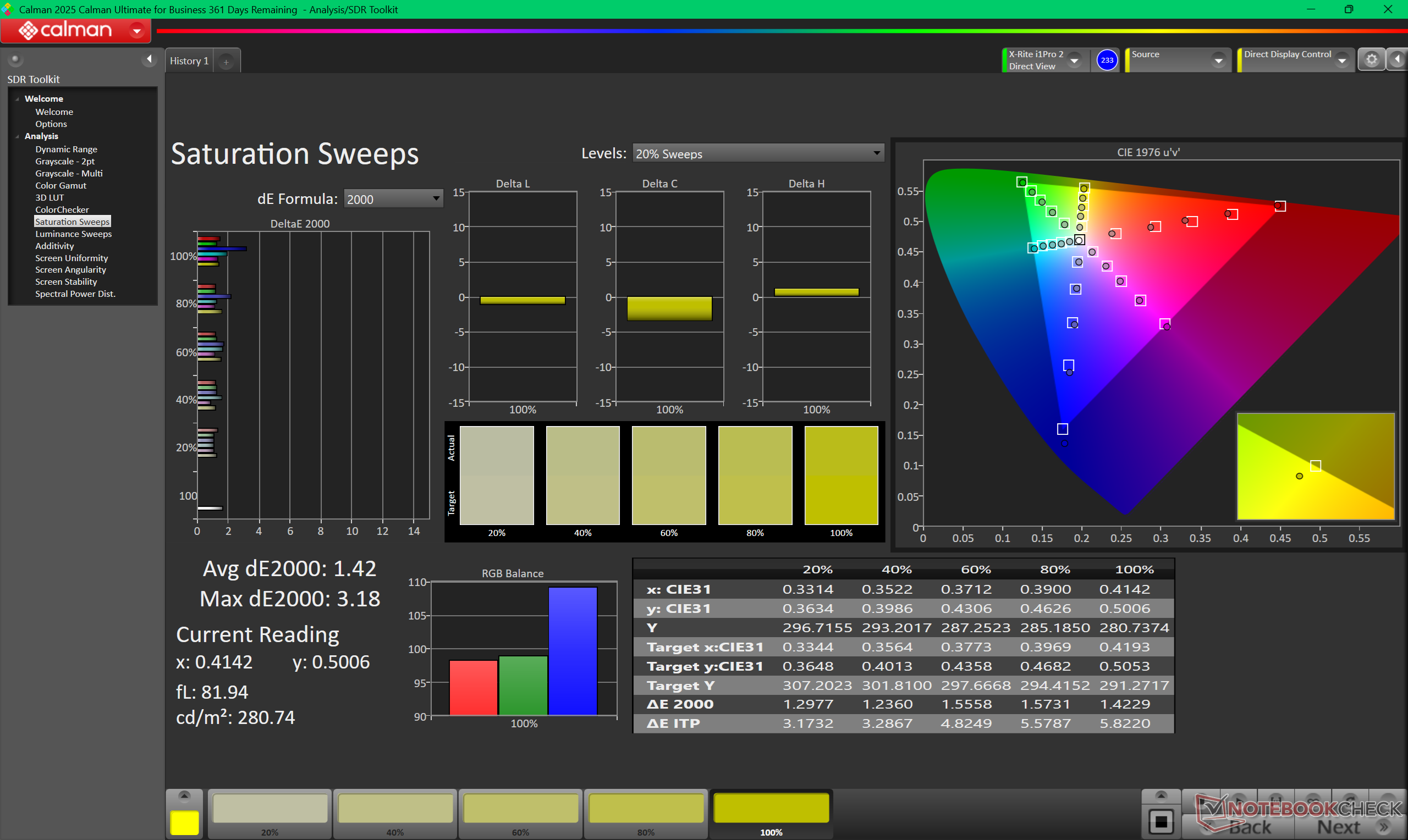
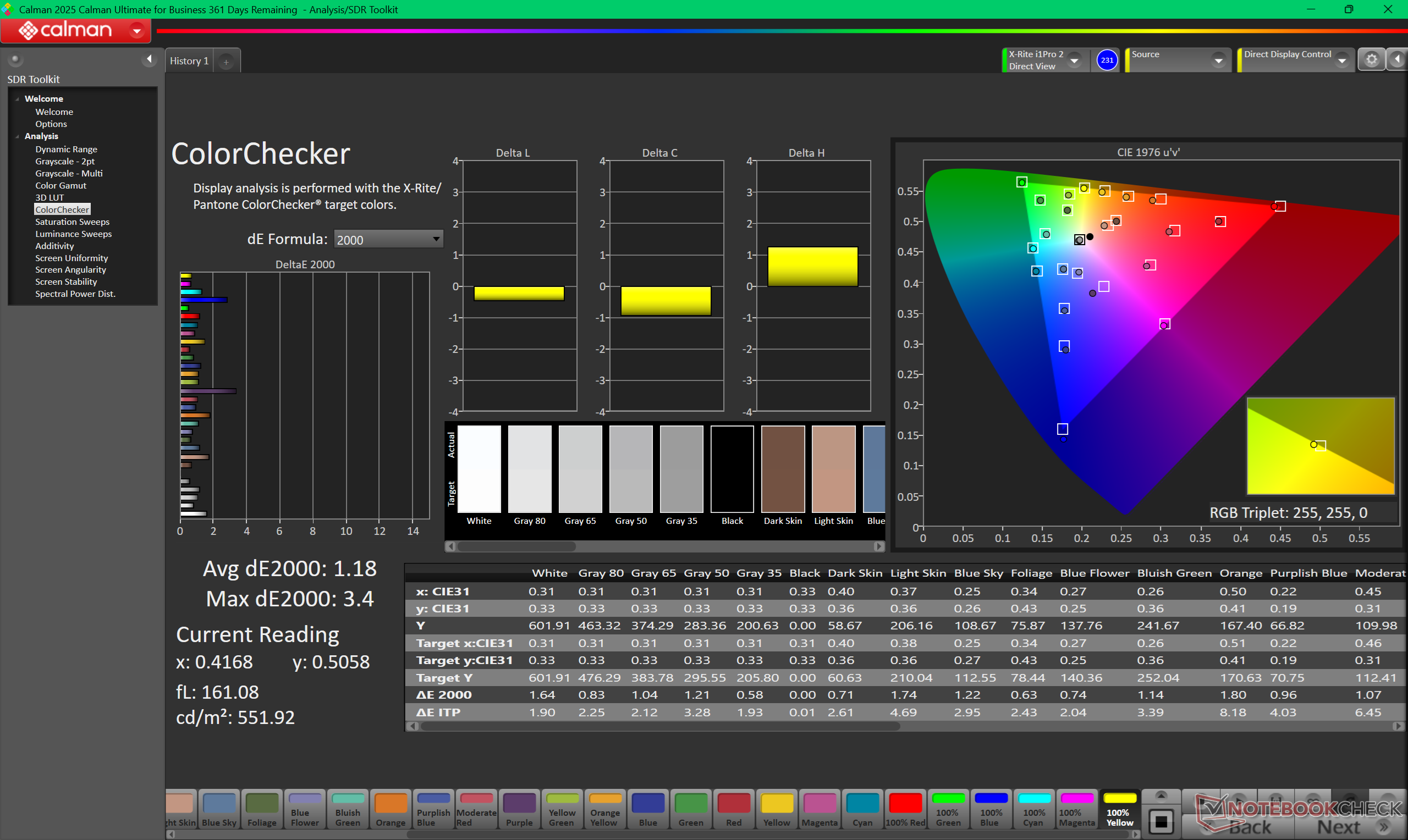
ΔE ColorChecker Calman: 1.18 | ∀{0.5-29.43 Ø4.68}
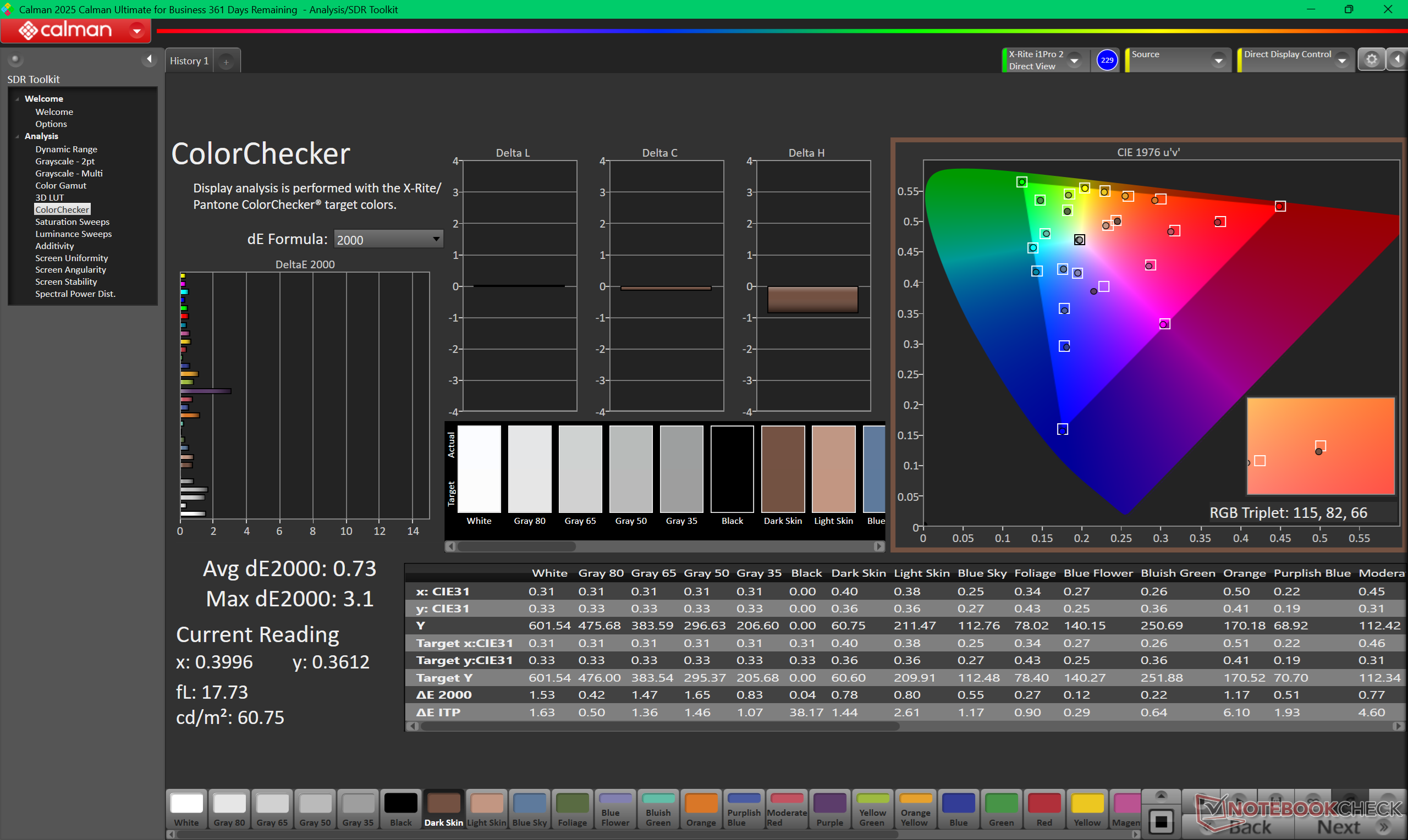
calibrated: 0.73
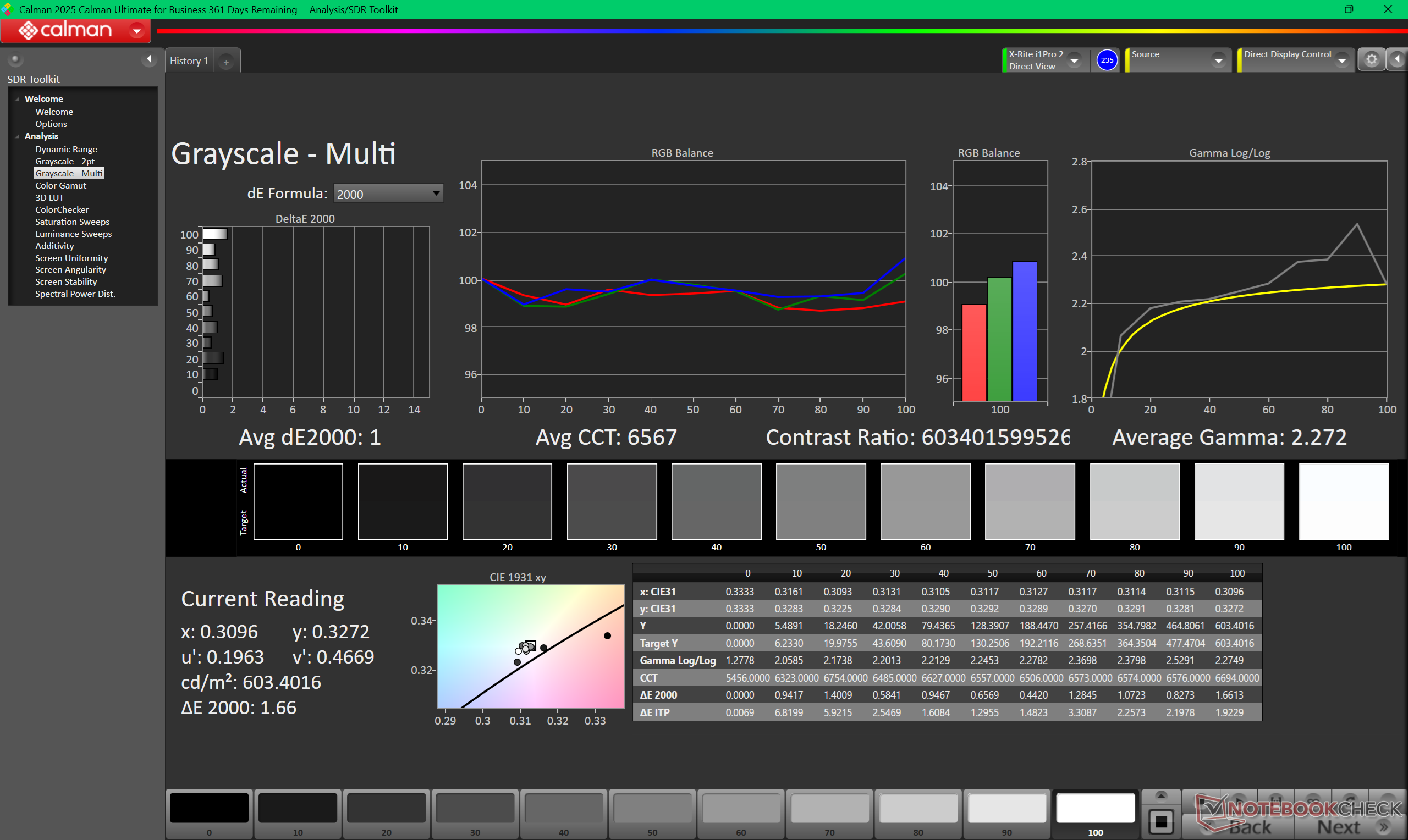
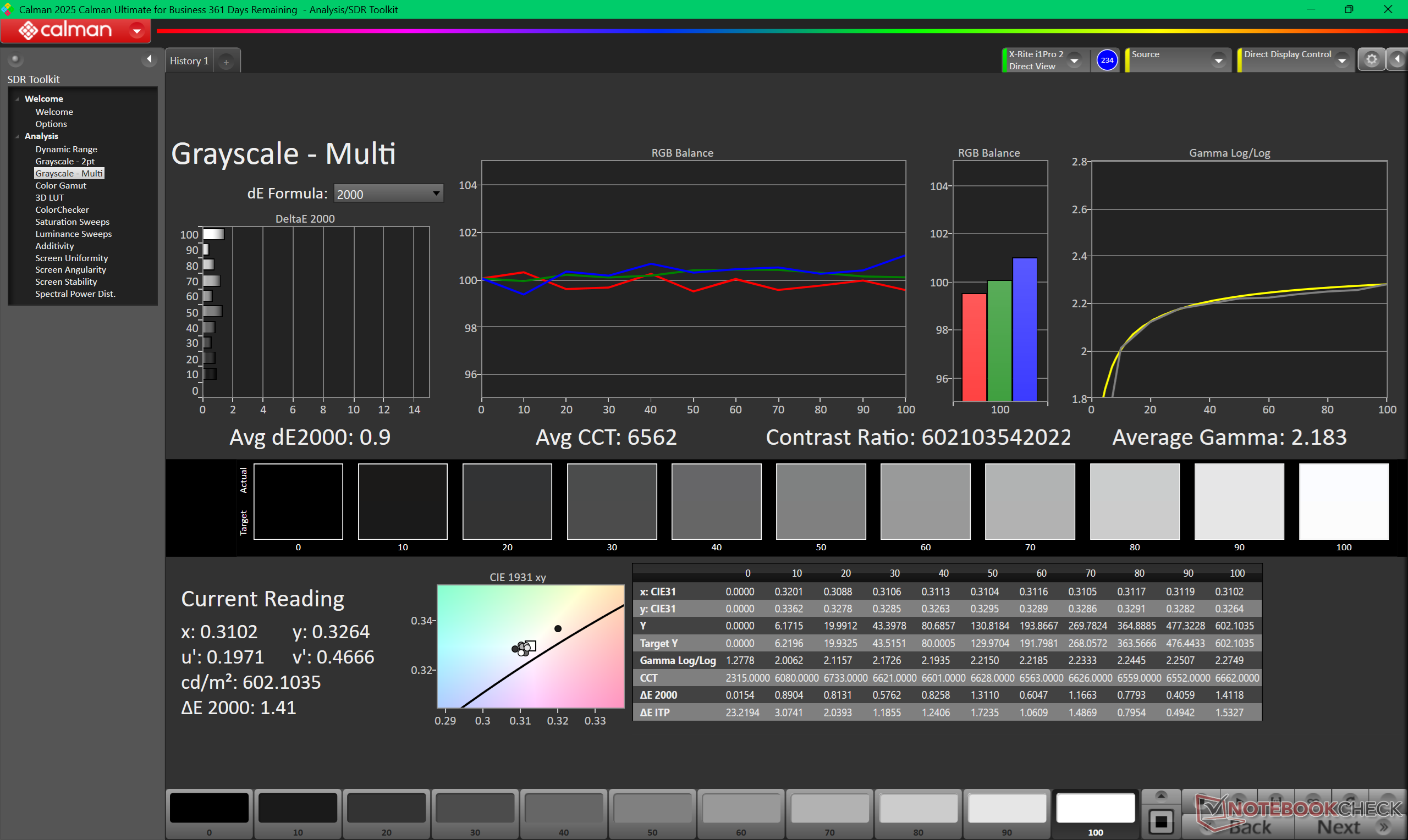
ΔE Greyscale Calman: 1 | ∀{0.09-98 Ø4.93}
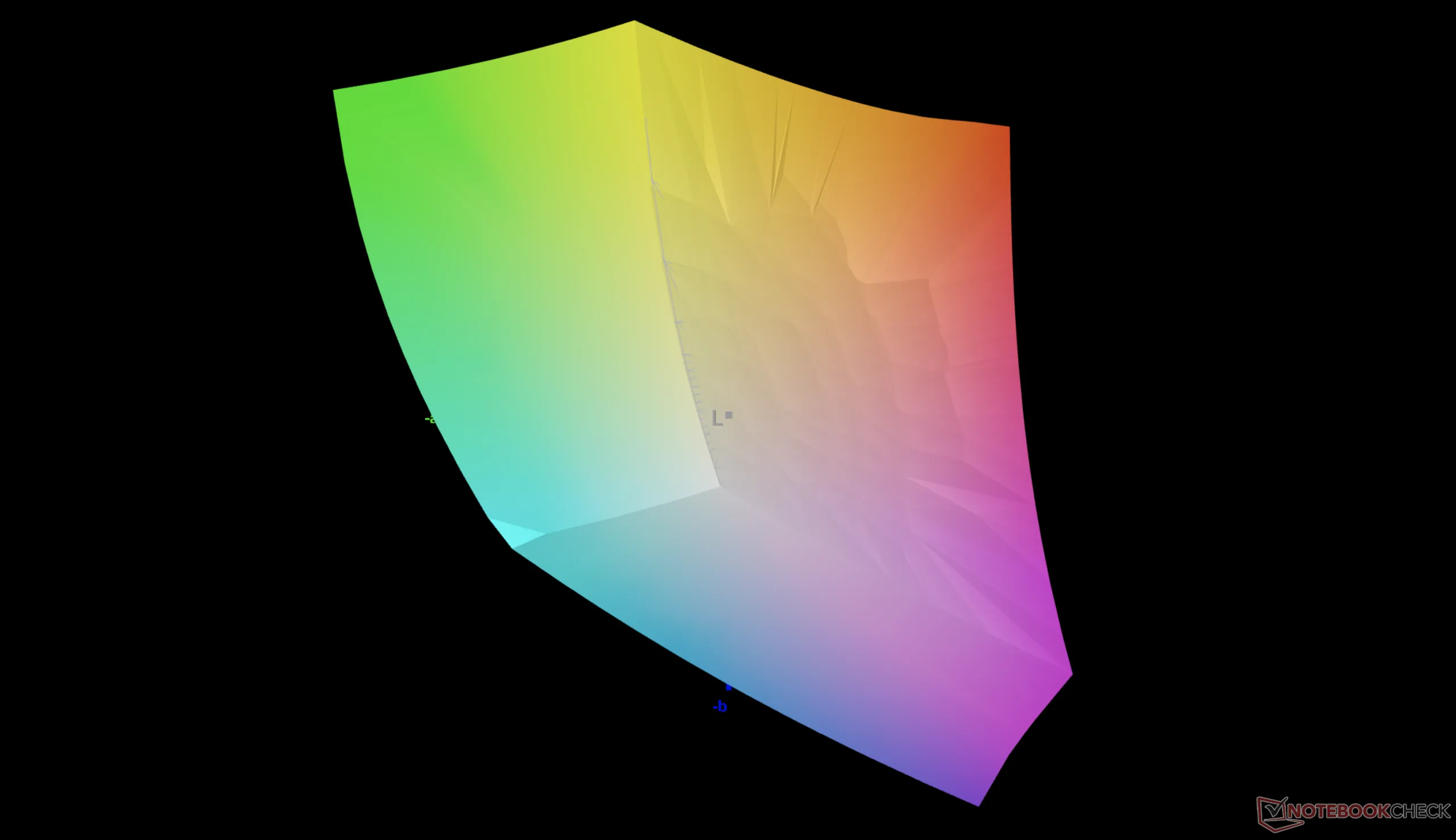
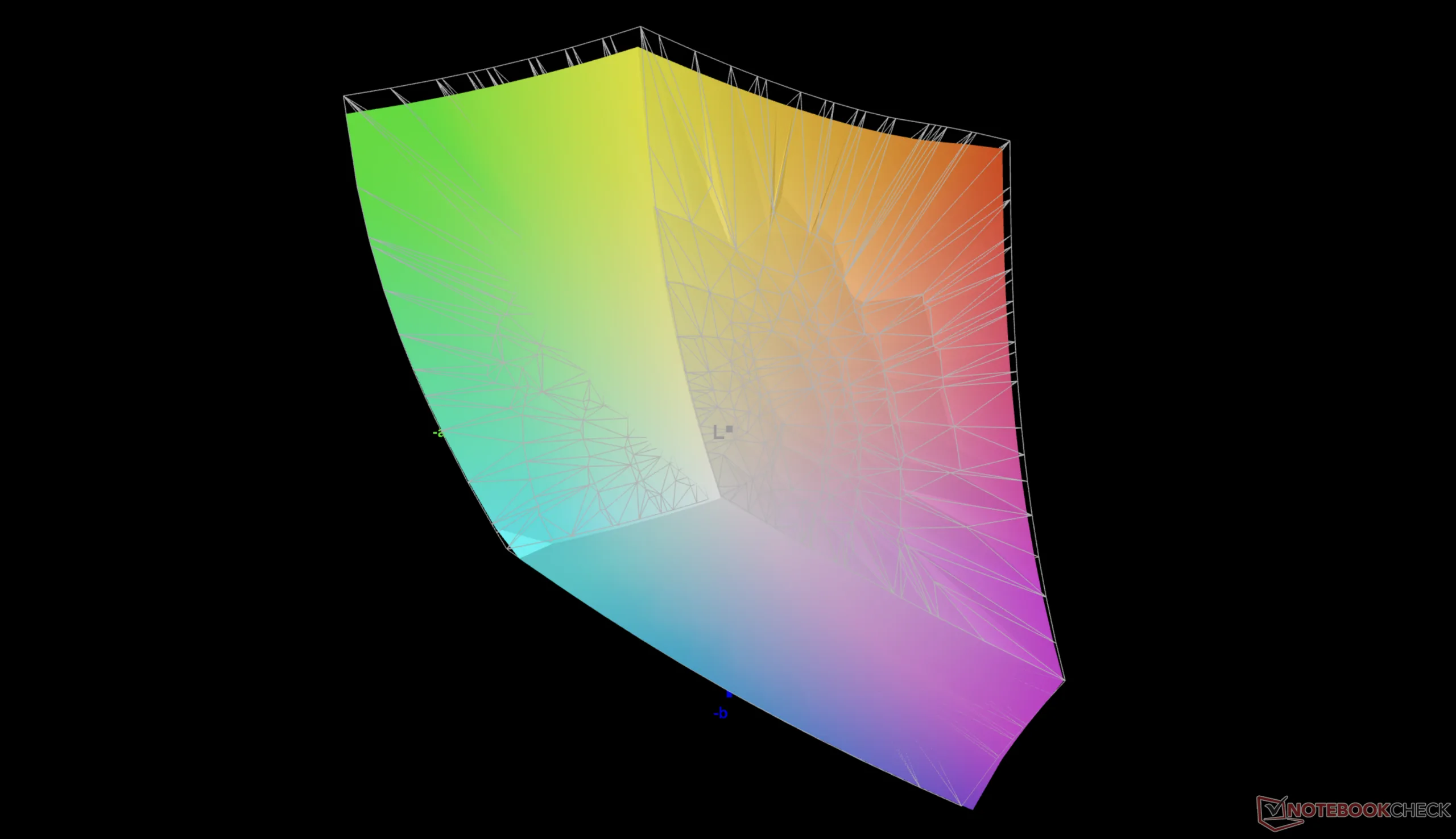
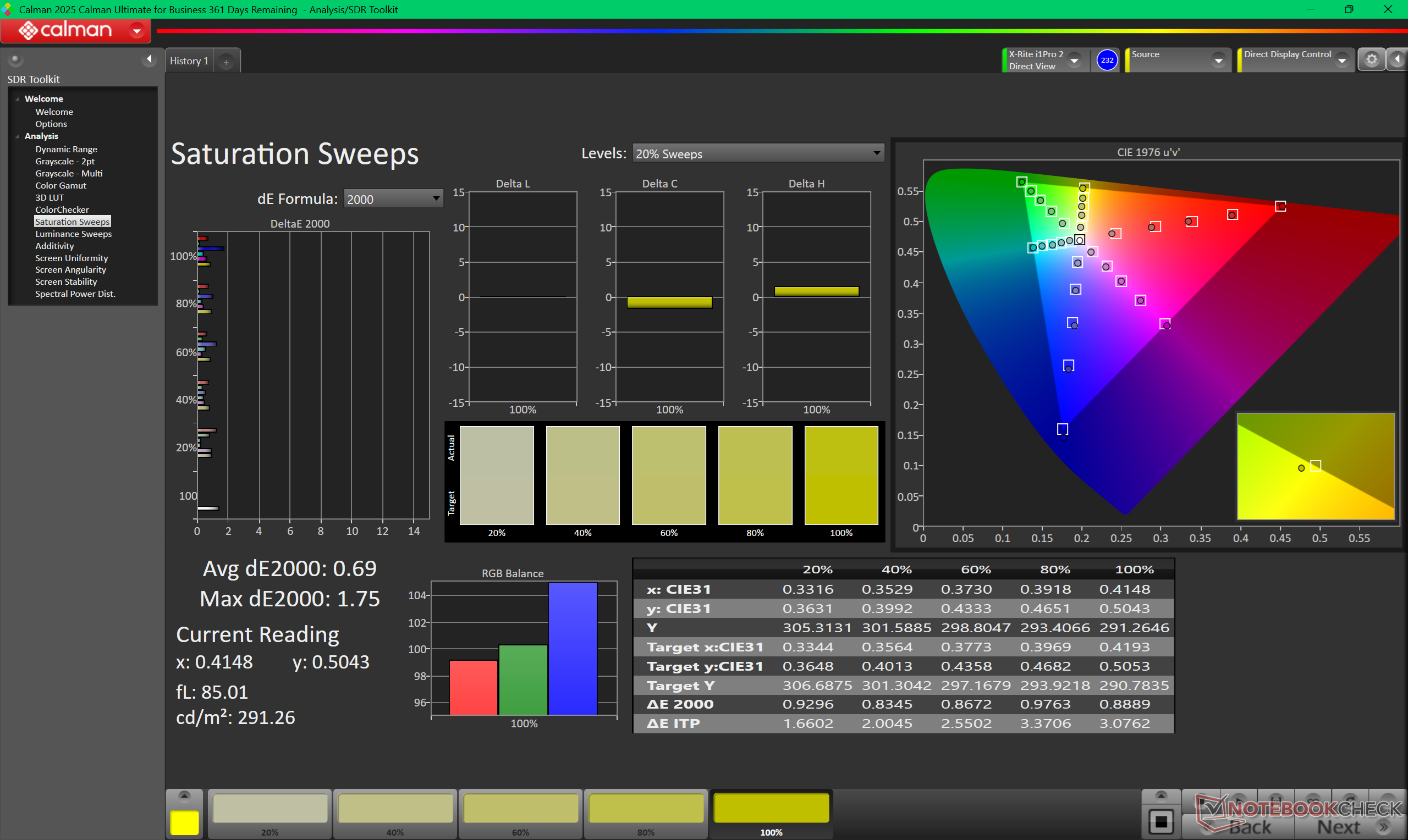
86.7% AdobeRGB 1998 (Argyll 3D)
100% sRGB (Argyll 3D)
96.2% Display P3 (Argyll 3D)
Gamma: 2.27
CCT: 6567 K
| Asus ExpertBook Ultra B9406CAA Samsung ATNA40LE01-0, OLED, 2880x1800, 14", 120 Hz | Dell Pro 14 Plus PB14255 GH77W LP140WU4, IPS LED, 1920x1200, 14", 60 Hz | Asus ExpertBook PM3406 MNE007QS3-6, IPS, 1920x1200, 14", 60 Hz | Lenovo ThinkPad P14s Gen 6 21QT0012GE TL145MDXP02, IPS LED, 3072x1920, 14.5", 120 Hz | Samsung Galaxy Book5 Pro 14 940XHA ATNA40CU07-0, OLED, 2880x1800, 14", 120 Hz | HP EliteBook Ultra G1i 14 SDC41AA, OLED, 2880x1800, 14", 120 Hz | |
|---|---|---|---|---|---|---|
| Display | -53% | -51% | 1% | 5% | 6% | |
| Display P3 Coverage (%) | 96.2 | 37.5 -61% | 39.3 -59% | 98.3 2% | 99.9 4% | 99.7 4% |
| sRGB Coverage (%) | 100 | 56.3 -44% | 58.1 -42% | 100 0% | 100 0% | 100 0% |
| AdobeRGB 1998 Coverage (%) | 86.7 | 38.8 -55% | 40.6 -53% | 86.5 0% | 95.7 10% | 98 13% |
| Response Times | -2931% | -2748% | -2962% | -73% | -3% | |
| Response Time Grey 50% / Grey 80% * (ms) | 0.71 ? | 27.1 ? -3717% | 27.6 ? -3787% | 28.3 ? -3886% | 0.83 ? -17% | 0.74 ? -4% |
| Response Time Black / White * (ms) | 0.94 ? | 21.1 ? -2145% | 17 ? -1709% | 20.1 ? -2038% | 0.69 ? 27% | 0.7 ? 26% |
| PWM Frequency (Hz) | 968.8 ? | 240 ? | 480 ? | |||
| PWM Amplitude * (%) | 20 | 66 -230% | 26 -30% | |||
| Screen | -242% | -215% | -60% | -55% | -60% | |
| Brightness middle (cd/m²) | 600.5 | 315 -48% | 320 -47% | 546 -9% | 400 -33% | 392 -35% |
| Brightness (cd/m²) | 612 | 295 -52% | 310 -49% | 502 -18% | 402 -34% | 378 -38% |
| Brightness Distribution (%) | 96 | 87 -9% | 93 -3% | 88 -8% | 99 3% | 95 -1% |
| Black Level * (cd/m²) | 0.25 | 0.26 | 0.4 | |||
| Colorchecker dE 2000 * | 1.18 | 6 -408% | 5.1 -332% | 3.1 -163% | 2.1 -78% | 2.4 -103% |
| Colorchecker dE 2000 max. * | 3.4 | 15.2 -347% | 18.1 -432% | 6.1 -79% | 3.3 3% | 6.6 -94% |
| Colorchecker dE 2000 calibrated * | 0.73 | 5.1 -599% | 4.9 -571% | 1.6 -119% | ||
| Greyscale dE 2000 * | 1 | 3.3 -230% | 1.7 -70% | 1.8 -80% | 2.3 -130% | 1.9 -90% |
| Gamma | 2.27 97% | 2.02 109% | 2.21 100% | 2.16 102% | 2.26 97% | 2.21 100% |
| CCT | 6567 99% | 6140 106% | 6398 102% | 6824 95% | 6795 96% | 6463 101% |
| Contrast (:1) | 1260 | 1231 | 1365 | |||
| Total Average (Program / Settings) | -1075% /
-643% | -1005% /
-596% | -1007% /
-571% | -41% /
-46% | -19% /
-29% |
* ... smaller is better
Display Response Times
| ↔ Response Time Black to White | ||
|---|---|---|
| 0.94 ms ... rise ↗ and fall ↘ combined | ↗ 0.49 ms rise | 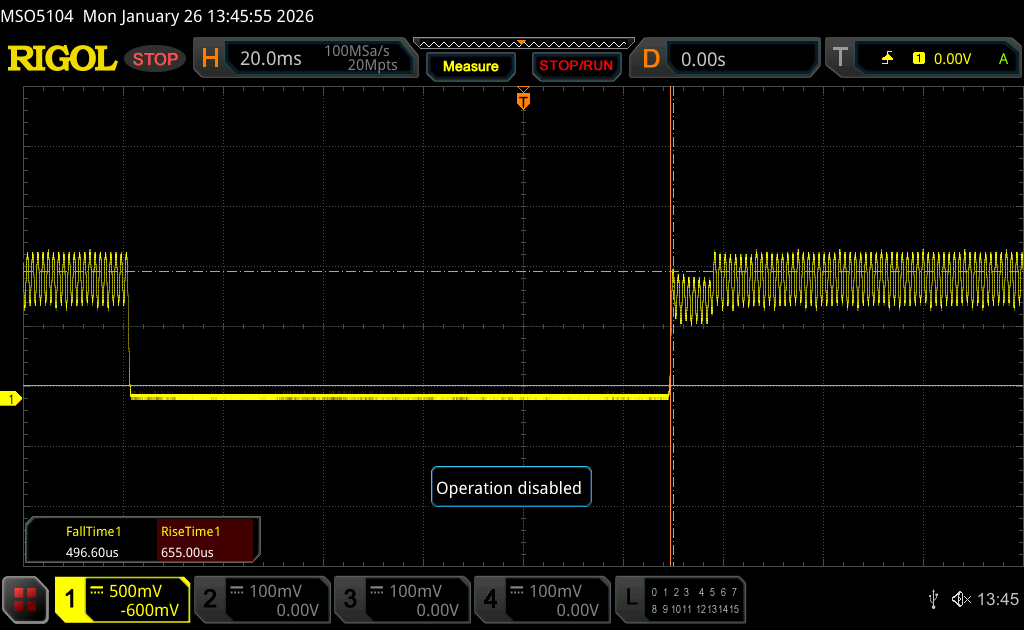 |
| ↘ 0.45 ms fall | ||
| The screen shows very fast response rates in our tests and should be very well suited for fast-paced gaming. In comparison, all tested devices range from 0.1 (minimum) to 240 (maximum) ms. » 4 % of all devices are better. This means that the measured response time is better than the average of all tested devices (19.6 ms). | ||
| ↔ Response Time 50% Grey to 80% Grey | ||
| 0.71 ms ... rise ↗ and fall ↘ combined | ↗ 0.38 ms rise | 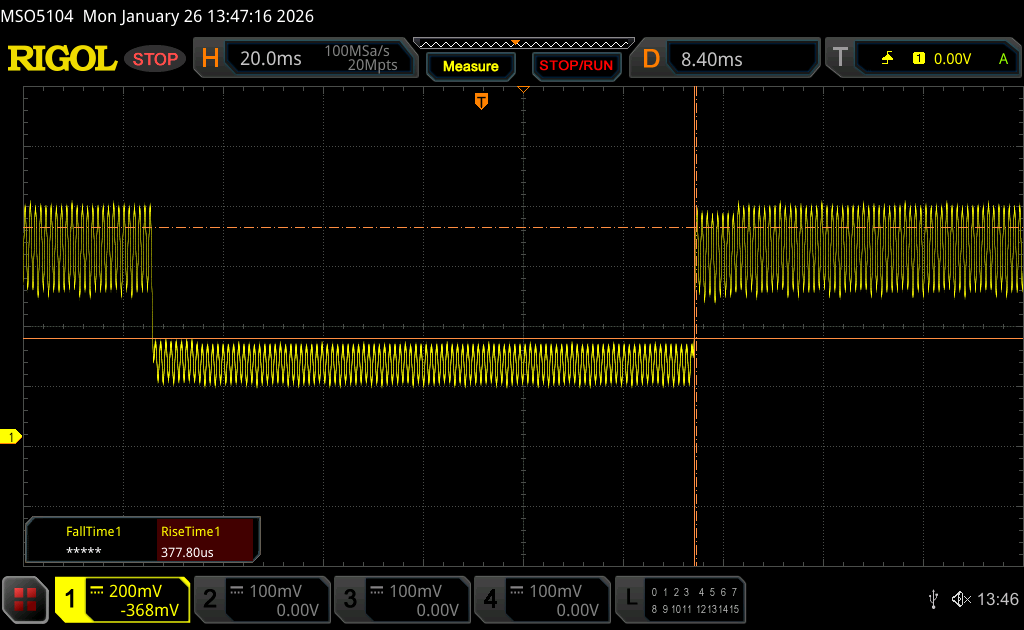 |
| ↘ 0.33 ms fall | ||
| The screen shows very fast response rates in our tests and should be very well suited for fast-paced gaming. In comparison, all tested devices range from 0.13 (minimum) to 636 (maximum) ms. » 3 % of all devices are better. This means that the measured response time is better than the average of all tested devices (30.7 ms). | ||
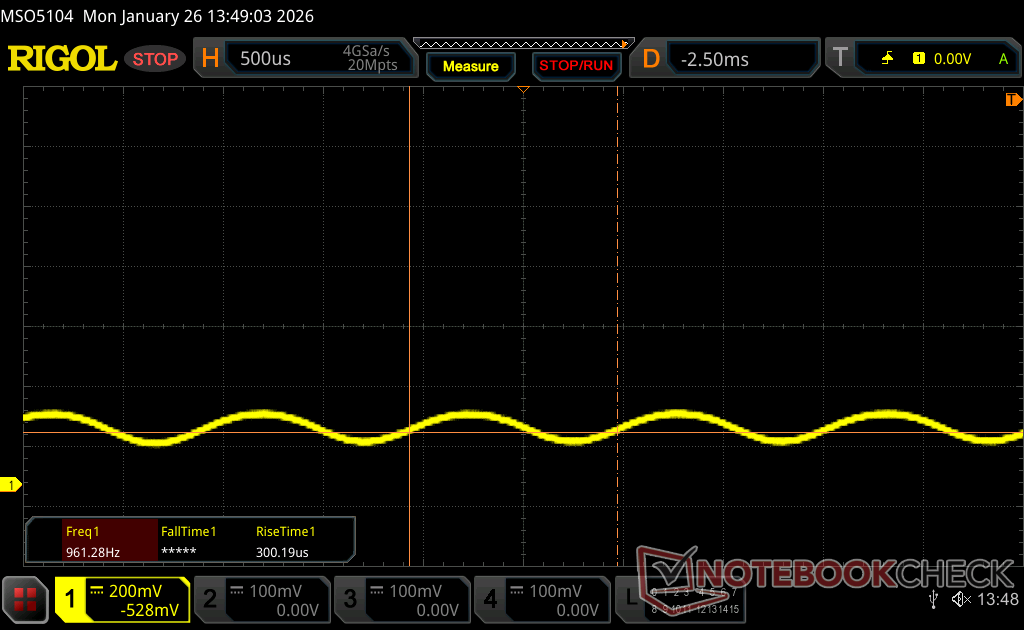
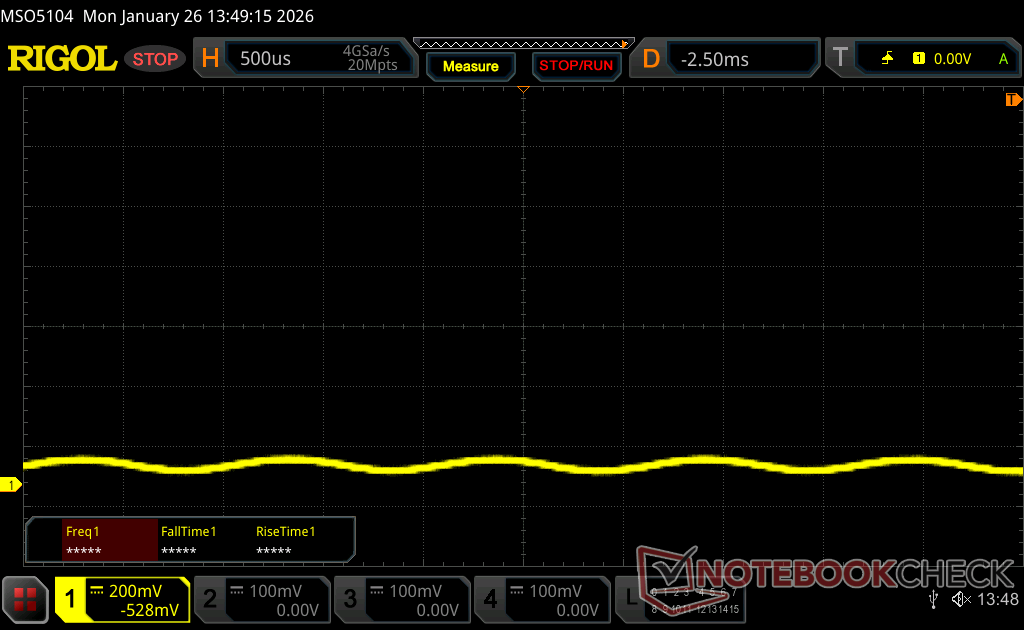
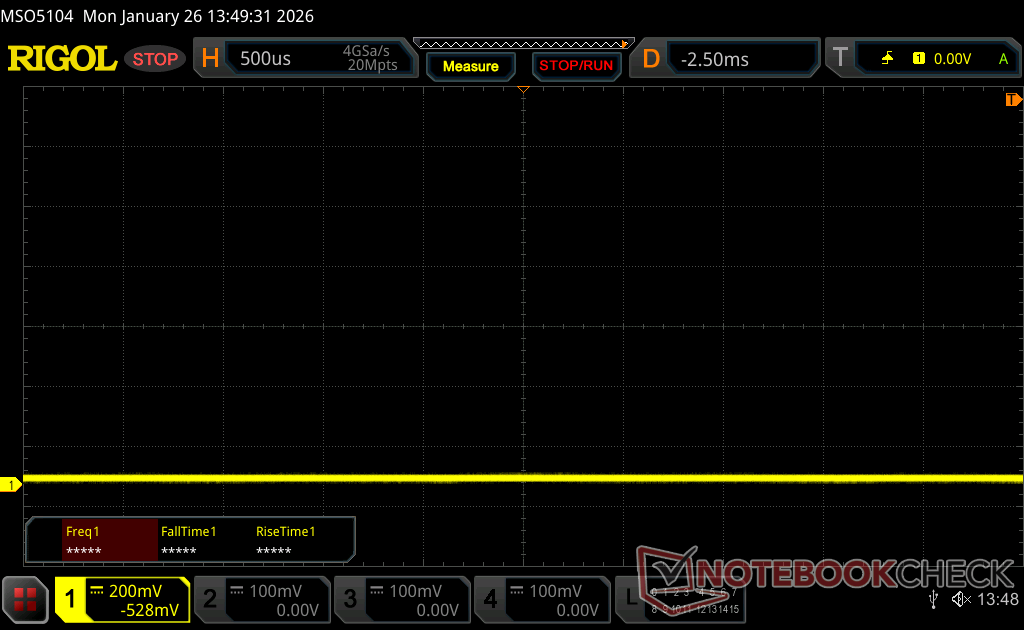
Screen Flickering / PWM (Pulse-Width Modulation)
| Screen flickering / PWM detected | 968.8 Hz Amplitude: 20 % | ≤ 100 % brightness setting | 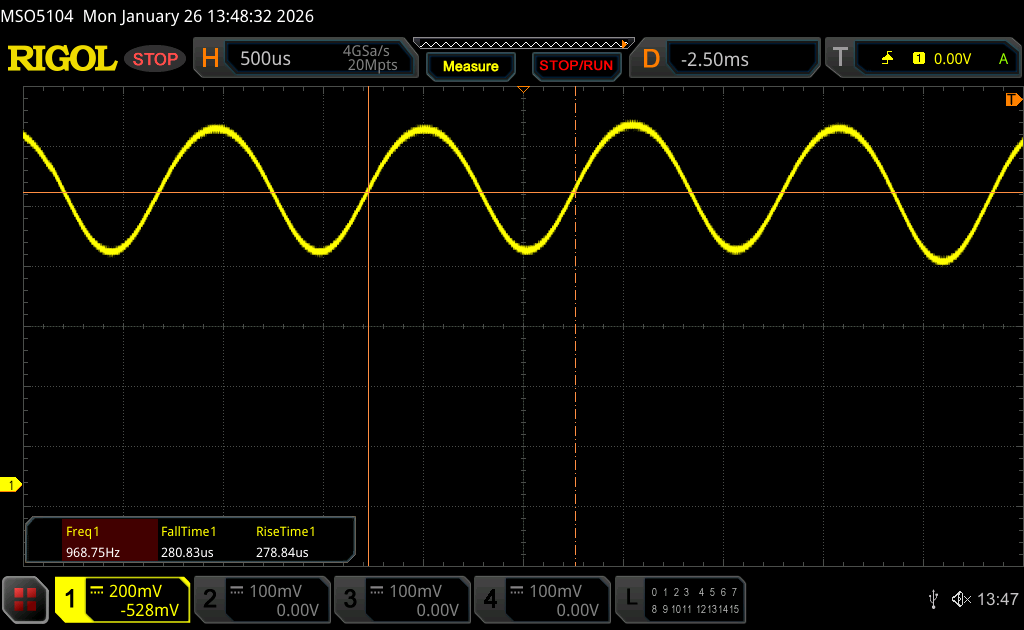 |
The display backlight flickers at 968.8 Hz (worst case, e.g., utilizing PWM) Flickering detected at a brightness setting of 100 % and below. There should be no flickering or PWM above this brightness setting. The frequency of 968.8 Hz is quite high, so most users sensitive to PWM should not notice any flickering. In comparison: 52 % of all tested devices do not use PWM to dim the display. If PWM was detected, an average of 7572 (minimum: 5 - maximum: 343500) Hz was measured. | |||
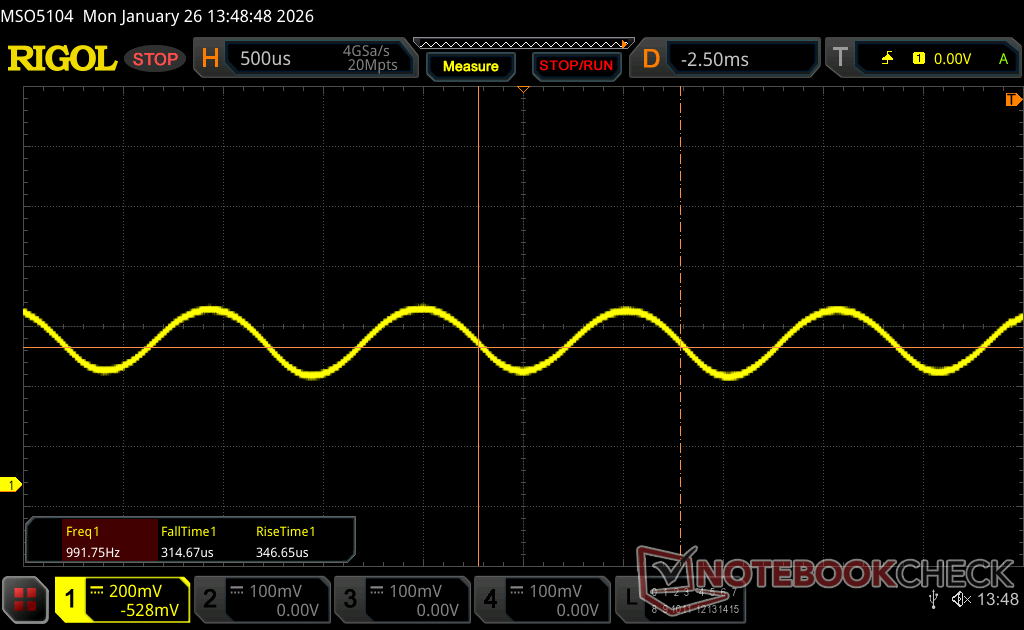
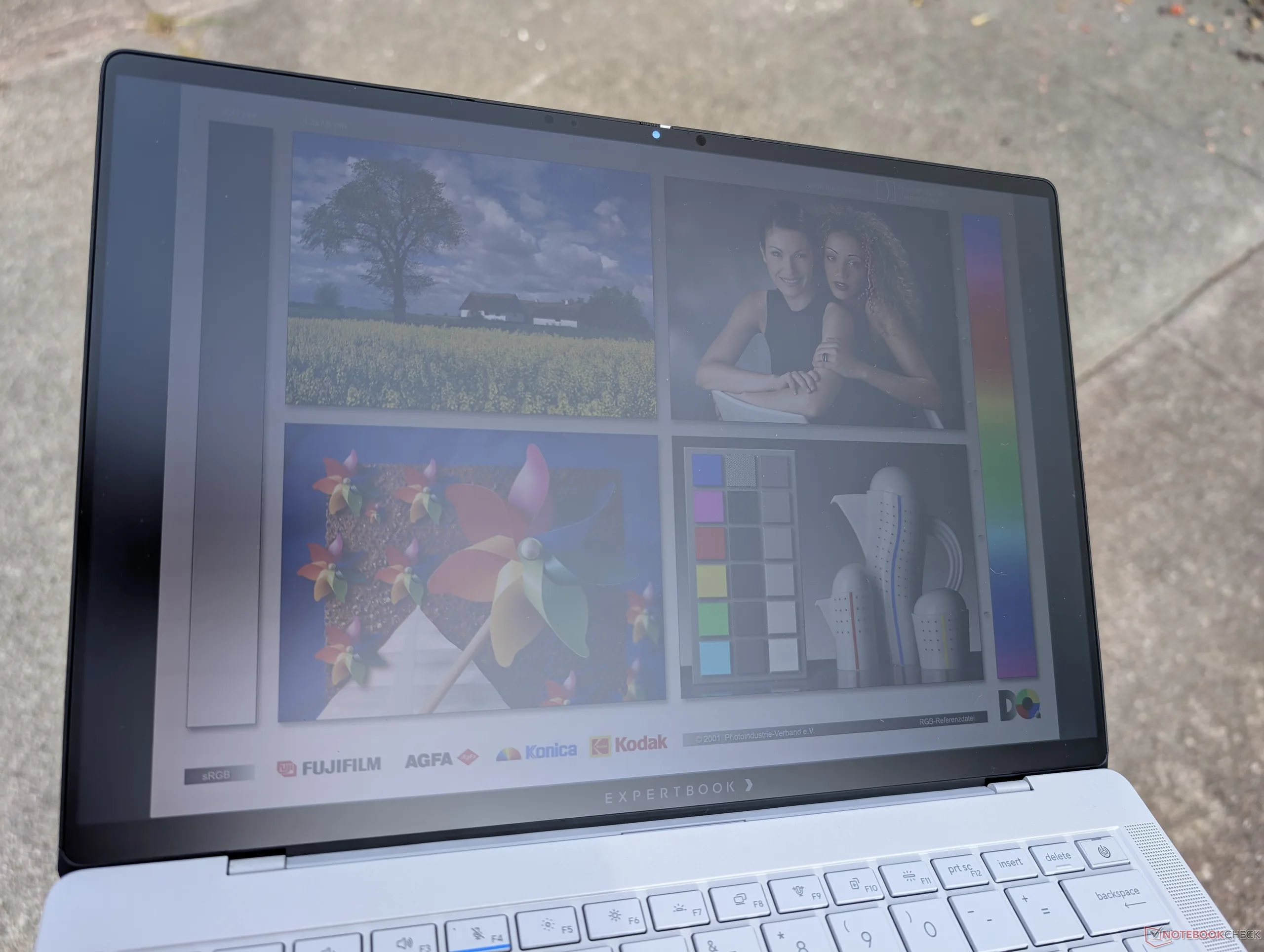
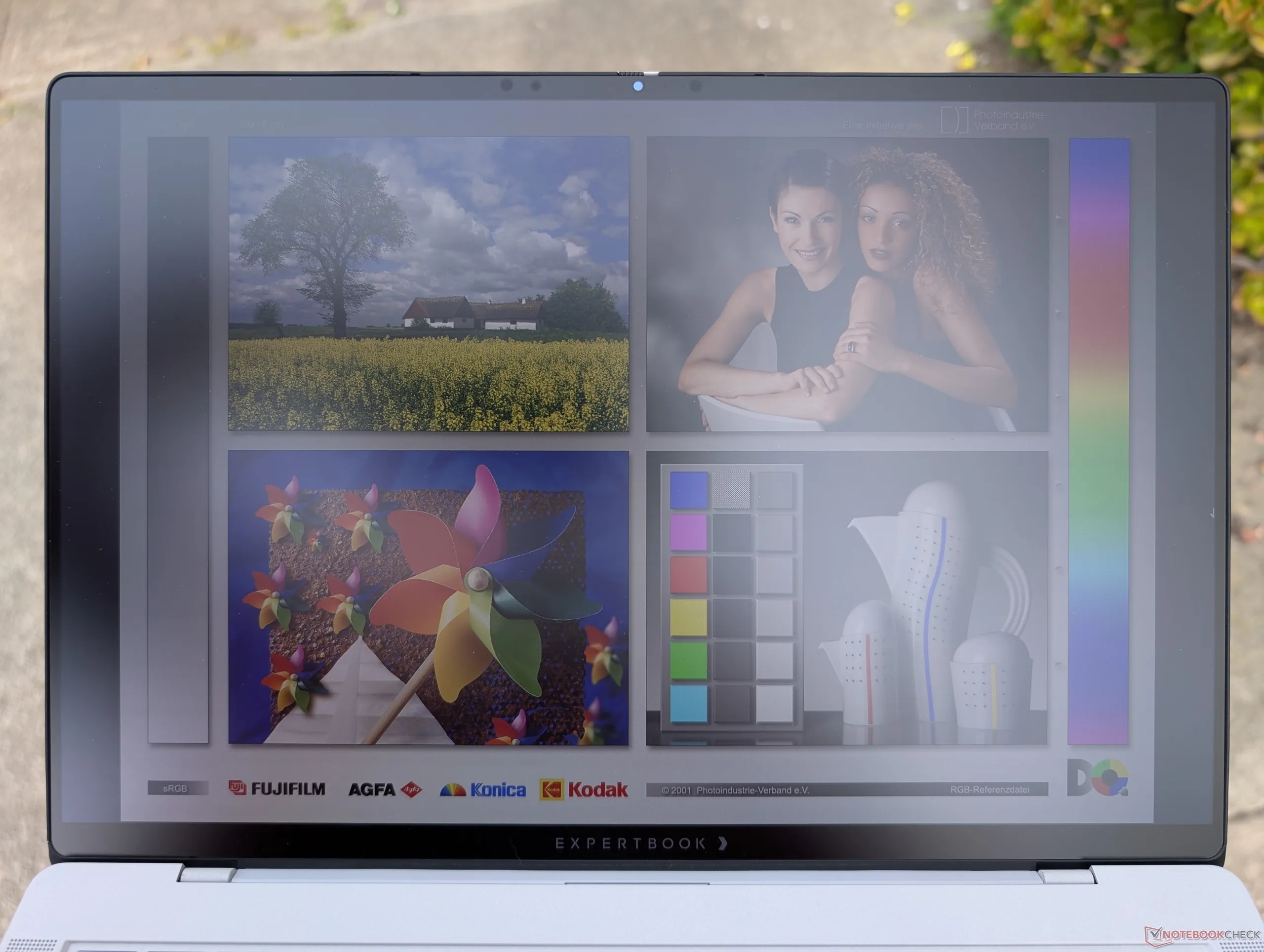
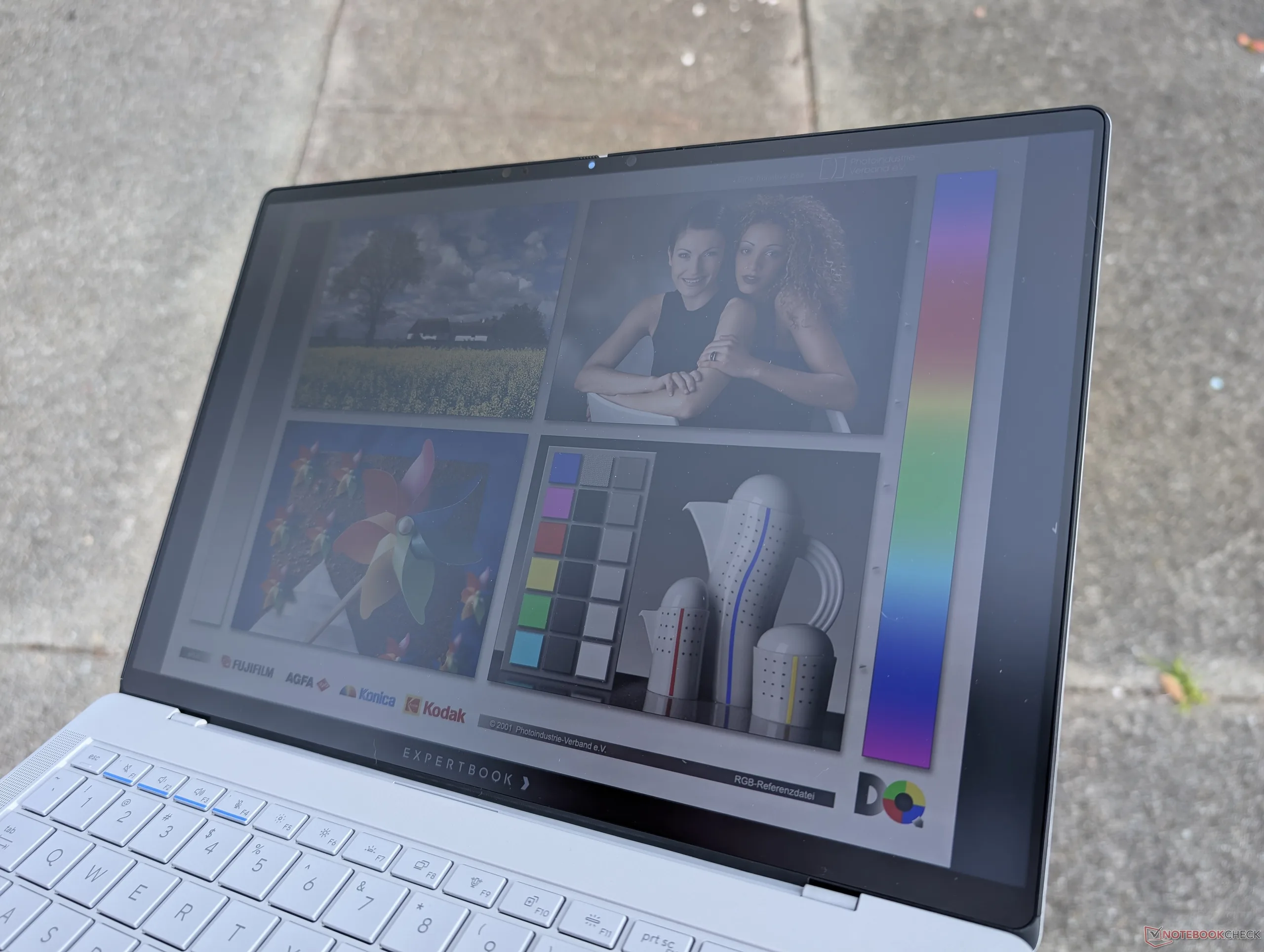
Outdoor visibility is only average despite the matte overlay as colors can still look washed out or muted on a cloudy day.
Performance — Gaming Laptop In Disguise
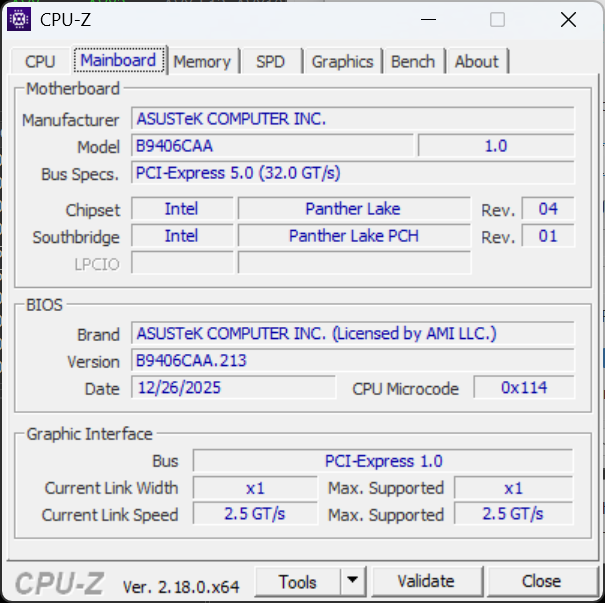
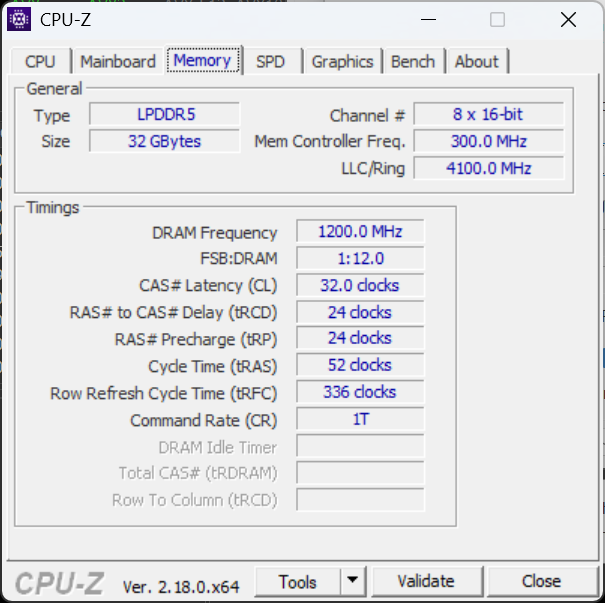
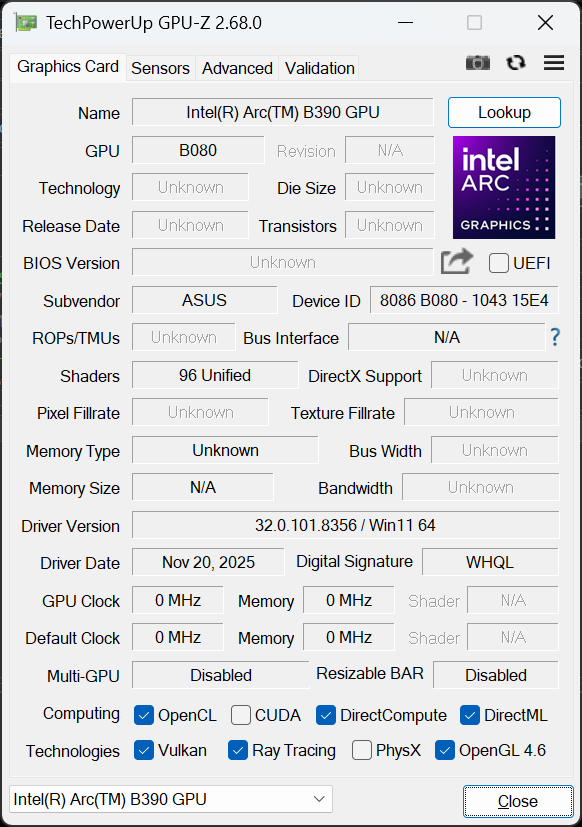
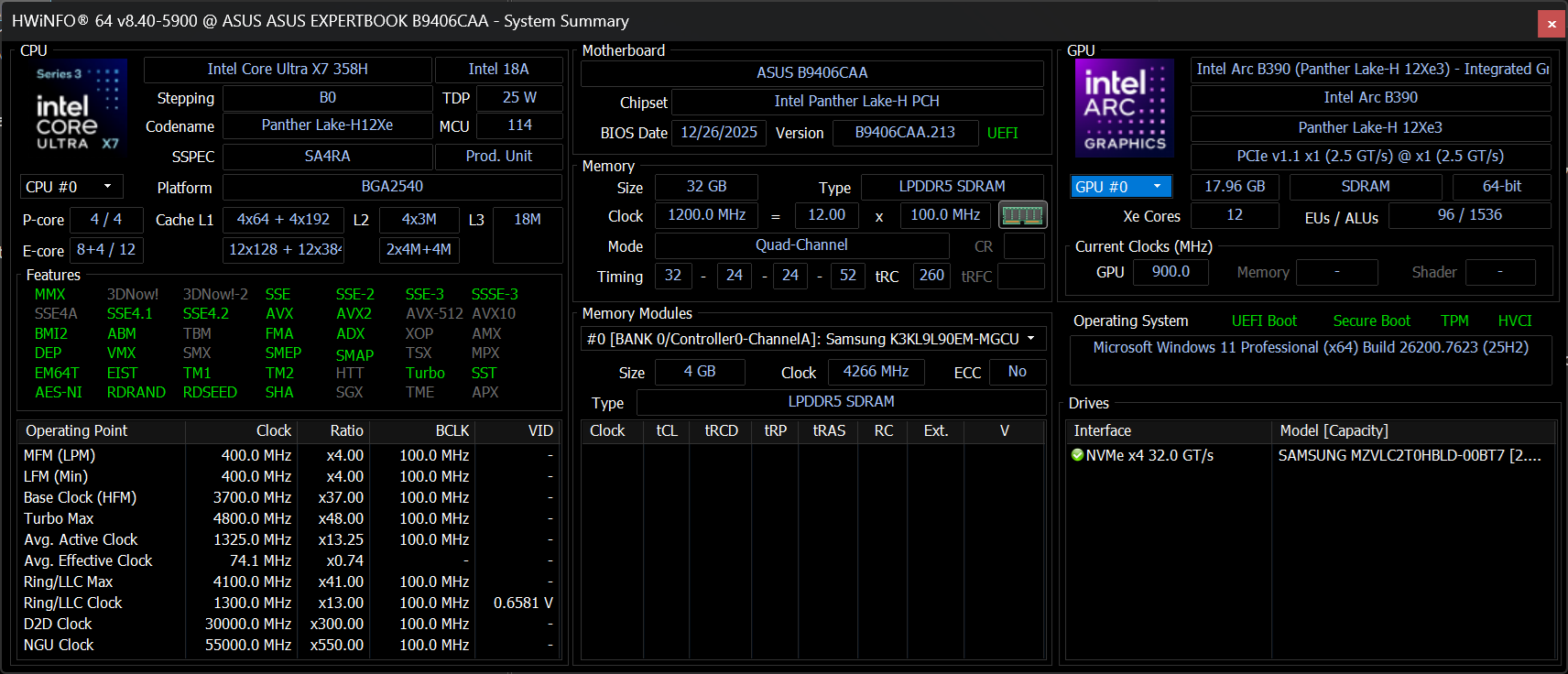
Testing Conditions
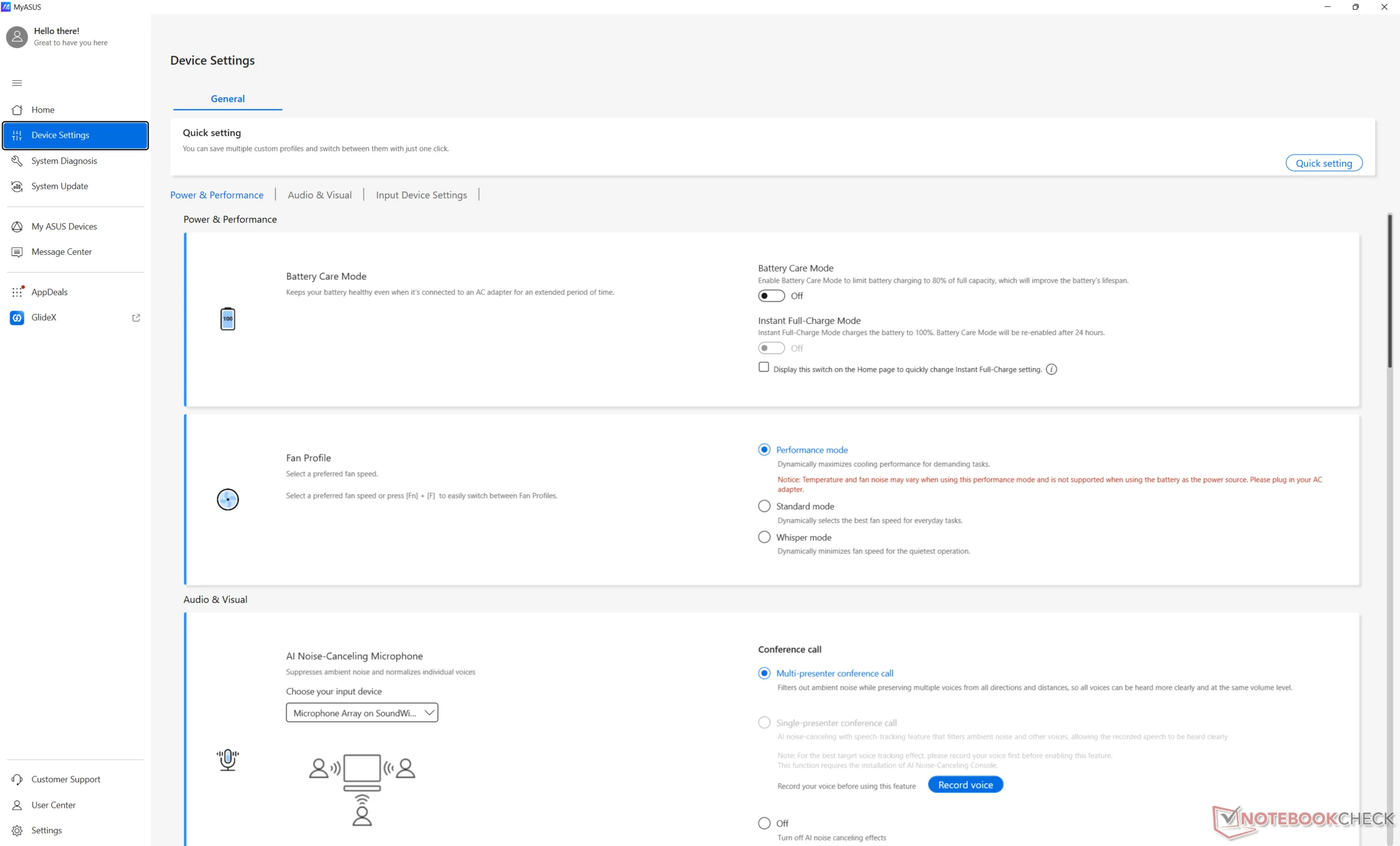
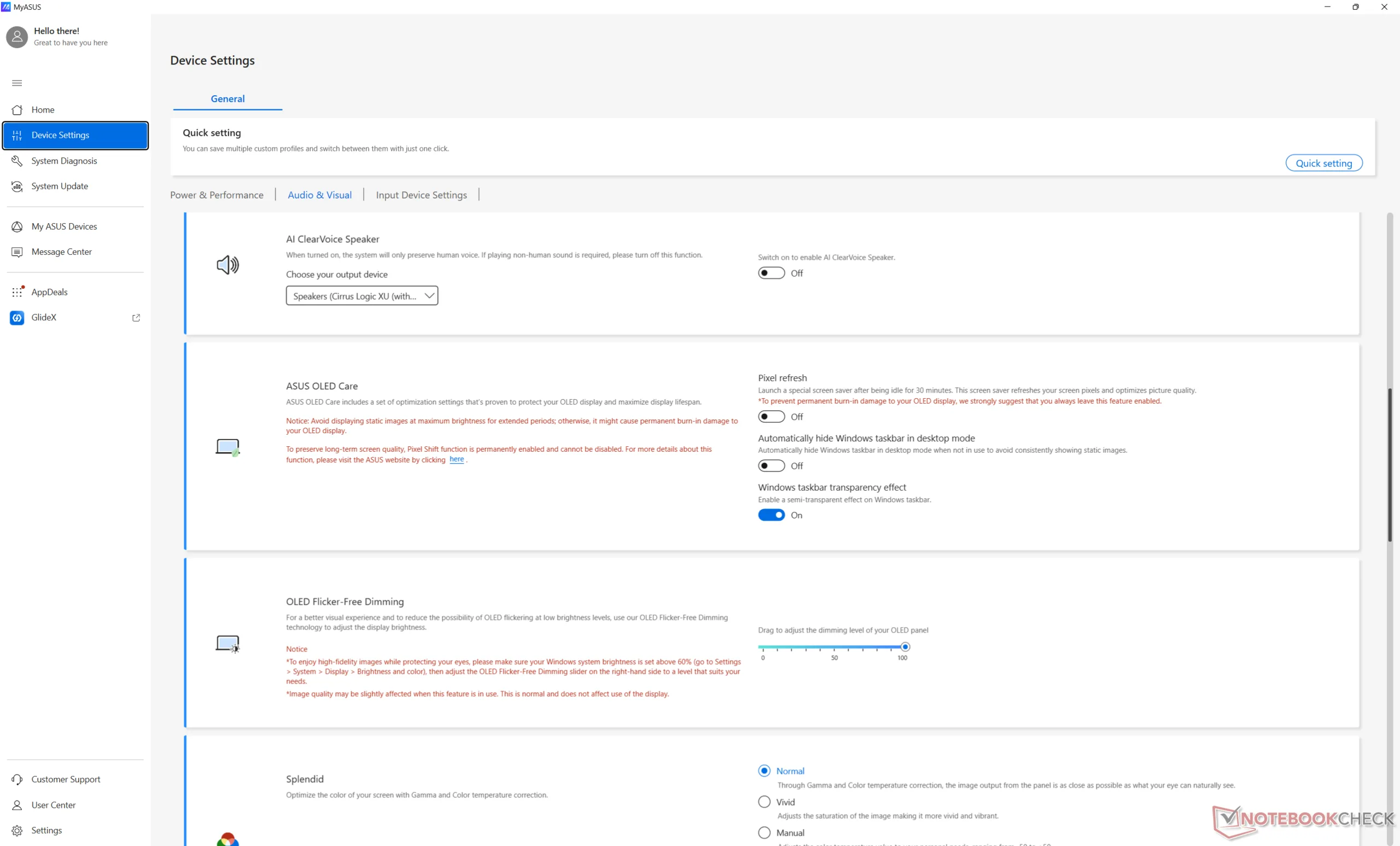
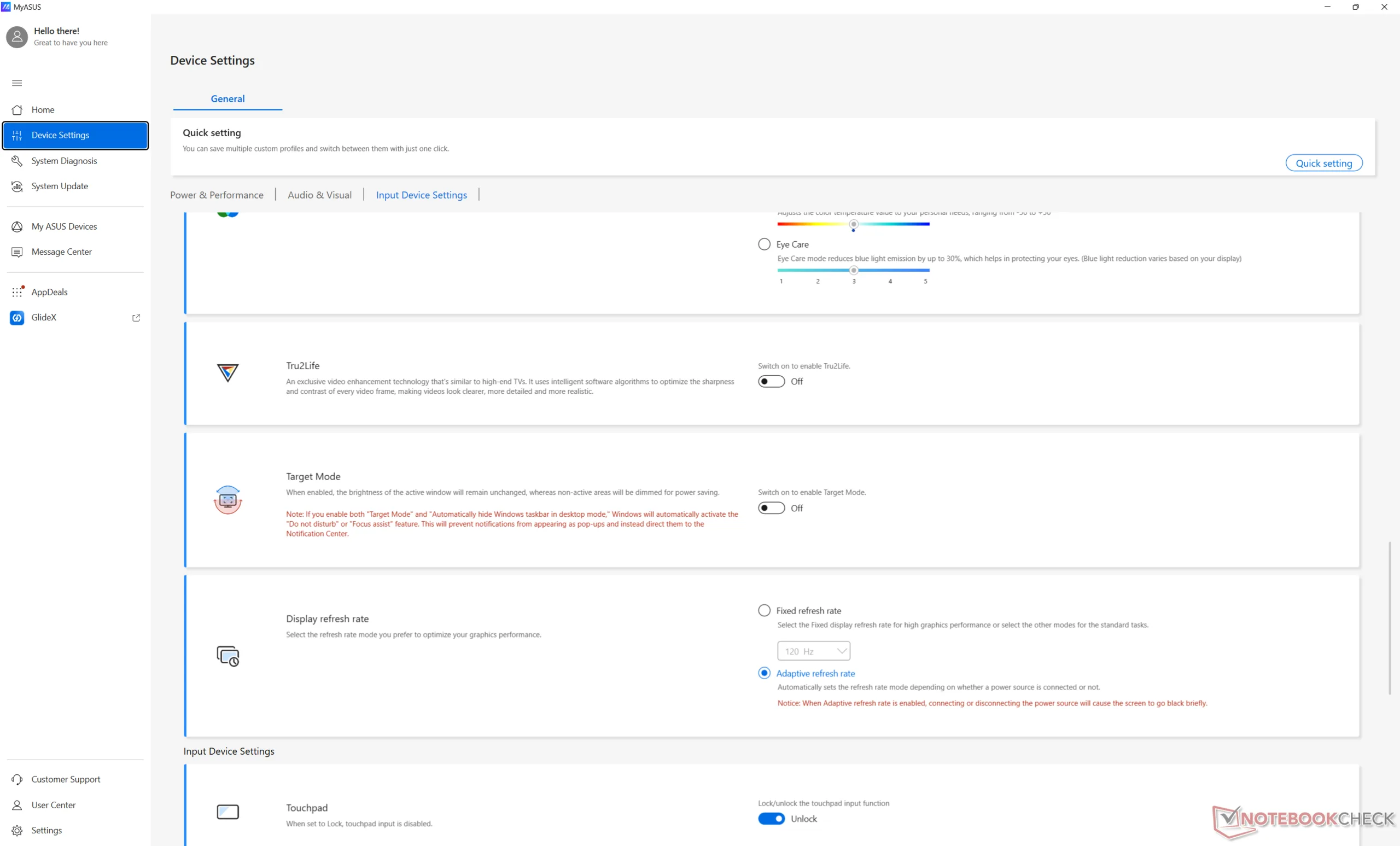
We set Windows and MyAsus to Performance mode prior to running the benchmarks below.
Processor
Raw CPU performance from the Core Ultra X7 358H is almost identical to last year's Arrow Lake-H Core Ultra 7 265H or about 10 to 15 percent faster than the more common Core Ultra 7 255H. While this may sound unimpressive, the gains made to iGPU performance, NPU performance, and power consumption are much more significant as our numbers will show in the following sections.
Processor performance is relatively steady over time with just slightly more fluctuations than the Core Ultra 7 265H in the ThinkPad P14s Gen 6 as shown by the graph below.
The competing Ryzen AI 9 HX 370 can still be faster by about 20 percent when it comes to multi-threaded loads for users who want to maximize raw processing horsepower.
Cinebench R15 Multi Loop
Cinebench R23: Multi Core | Single Core
Cinebench R20: CPU (Multi Core) | CPU (Single Core)
Cinebench R15: CPU Multi 64Bit | CPU Single 64Bit
Blender: v2.79 BMW27 CPU
7-Zip 18.03: 7z b 4 | 7z b 4 -mmt1
Geekbench 6.7: Multi-Core | Single-Core
Geekbench 5.5: Multi-Core | Single-Core
HWBOT x265 Benchmark v2.2: 4k Preset
LibreOffice : 20 Documents To PDF
R Benchmark 2.5: Overall mean
Cinebench R23: Multi Core | Single Core
Cinebench R20: CPU (Multi Core) | CPU (Single Core)
Cinebench R15: CPU Multi 64Bit | CPU Single 64Bit
Blender: v2.79 BMW27 CPU
7-Zip 18.03: 7z b 4 | 7z b 4 -mmt1
Geekbench 6.7: Multi-Core | Single-Core
Geekbench 5.5: Multi-Core | Single-Core
HWBOT x265 Benchmark v2.2: 4k Preset
LibreOffice : 20 Documents To PDF
R Benchmark 2.5: Overall mean
* ... smaller is better
AIDA64: FP32 Ray-Trace | FPU Julia | CPU SHA3 | CPU Queen | FPU SinJulia | FPU Mandel | CPU AES | CPU ZLib | FP64 Ray-Trace | CPU PhotoWorxx
| Performance rating | |
| Asus ExpertBook PM3406 | |
| Lenovo ThinkPad P14s Gen 6 21QT0012GE | |
| Dell Pro 14 Plus PB14255 GH77W | |
| Average Intel Core Ultra X7 358H | |
| Asus ExpertBook Ultra B9406CAA | |
| Samsung Galaxy Book5 Pro 14 940XHA | |
| HP EliteBook Ultra G1i 14 | |
| AIDA64 / FP32 Ray-Trace | |
| Asus ExpertBook PM3406 | |
| Lenovo ThinkPad P14s Gen 6 21QT0012GE | |
| Dell Pro 14 Plus PB14255 GH77W | |
| Average Intel Core Ultra X7 358H (11953 - 18710, n=12) | |
| Asus ExpertBook Ultra B9406CAA | |
| Samsung Galaxy Book5 Pro 14 940XHA | |
| HP EliteBook Ultra G1i 14 | |
| AIDA64 / FPU Julia | |
| Lenovo ThinkPad P14s Gen 6 21QT0012GE | |
| Asus ExpertBook PM3406 | |
| Average Intel Core Ultra X7 358H (29930 - 96559, n=12) | |
| Dell Pro 14 Plus PB14255 GH77W | |
| Samsung Galaxy Book5 Pro 14 940XHA | |
| HP EliteBook Ultra G1i 14 | |
| Asus ExpertBook Ultra B9406CAA | |
| AIDA64 / CPU SHA3 | |
| Lenovo ThinkPad P14s Gen 6 21QT0012GE | |
| Asus ExpertBook Ultra B9406CAA | |
| Average Intel Core Ultra X7 358H (3910 - 4955, n=12) | |
| Asus ExpertBook PM3406 | |
| Dell Pro 14 Plus PB14255 GH77W | |
| Samsung Galaxy Book5 Pro 14 940XHA | |
| HP EliteBook Ultra G1i 14 | |
| AIDA64 / CPU Queen | |
| Asus ExpertBook PM3406 | |
| Dell Pro 14 Plus PB14255 GH77W | |
| Lenovo ThinkPad P14s Gen 6 21QT0012GE | |
| Average Intel Core Ultra X7 358H (63425 - 63827, n=3) | |
| Asus ExpertBook Ultra B9406CAA | |
| HP EliteBook Ultra G1i 14 | |
| Samsung Galaxy Book5 Pro 14 940XHA | |
| AIDA64 / FPU SinJulia | |
| Asus ExpertBook PM3406 | |
| Dell Pro 14 Plus PB14255 GH77W | |
| Lenovo ThinkPad P14s Gen 6 21QT0012GE | |
| Average Intel Core Ultra X7 358H (4734 - 7038, n=12) | |
| Asus ExpertBook Ultra B9406CAA | |
| HP EliteBook Ultra G1i 14 | |
| Samsung Galaxy Book5 Pro 14 940XHA | |
| AIDA64 / FPU Mandel | |
| Lenovo ThinkPad P14s Gen 6 21QT0012GE | |
| Asus ExpertBook PM3406 | |
| Average Intel Core Ultra X7 358H (14716 - 50766, n=12) | |
| Dell Pro 14 Plus PB14255 GH77W | |
| Samsung Galaxy Book5 Pro 14 940XHA | |
| HP EliteBook Ultra G1i 14 | |
| Asus ExpertBook Ultra B9406CAA | |
| AIDA64 / CPU AES | |
| Asus ExpertBook PM3406 | |
| Lenovo ThinkPad P14s Gen 6 21QT0012GE | |
| Dell Pro 14 Plus PB14255 GH77W | |
| Average Intel Core Ultra X7 358H (5014 - 68737, n=12) | |
| HP EliteBook Ultra G1i 14 | |
| Samsung Galaxy Book5 Pro 14 940XHA | |
| Asus ExpertBook Ultra B9406CAA | |
| AIDA64 / CPU ZLib | |
| Lenovo ThinkPad P14s Gen 6 21QT0012GE | |
| Asus ExpertBook Ultra B9406CAA | |
| Average Intel Core Ultra X7 358H (932 - 1205, n=12) | |
| Asus ExpertBook PM3406 | |
| Dell Pro 14 Plus PB14255 GH77W | |
| HP EliteBook Ultra G1i 14 | |
| Samsung Galaxy Book5 Pro 14 940XHA | |
| AIDA64 / FP64 Ray-Trace | |
| Asus ExpertBook PM3406 | |
| Lenovo ThinkPad P14s Gen 6 21QT0012GE | |
| Dell Pro 14 Plus PB14255 GH77W | |
| Average Intel Core Ultra X7 358H (5918 - 9612, n=12) | |
| Asus ExpertBook Ultra B9406CAA | |
| Samsung Galaxy Book5 Pro 14 940XHA | |
| HP EliteBook Ultra G1i 14 | |
| AIDA64 / CPU PhotoWorxx | |
| Average Intel Core Ultra X7 358H (27646 - 88533, n=12) | |
| HP EliteBook Ultra G1i 14 | |
| Samsung Galaxy Book5 Pro 14 940XHA | |
| Lenovo ThinkPad P14s Gen 6 21QT0012GE | |
| Dell Pro 14 Plus PB14255 GH77W | |
| Asus ExpertBook Ultra B9406CAA | |
| Asus ExpertBook PM3406 | |
System Performance
PCMark 10 scores are comfortably higher than most other 14-inch laptops running on integrated graphics especially in the GPU-heavy Digital Content Creation subtest.
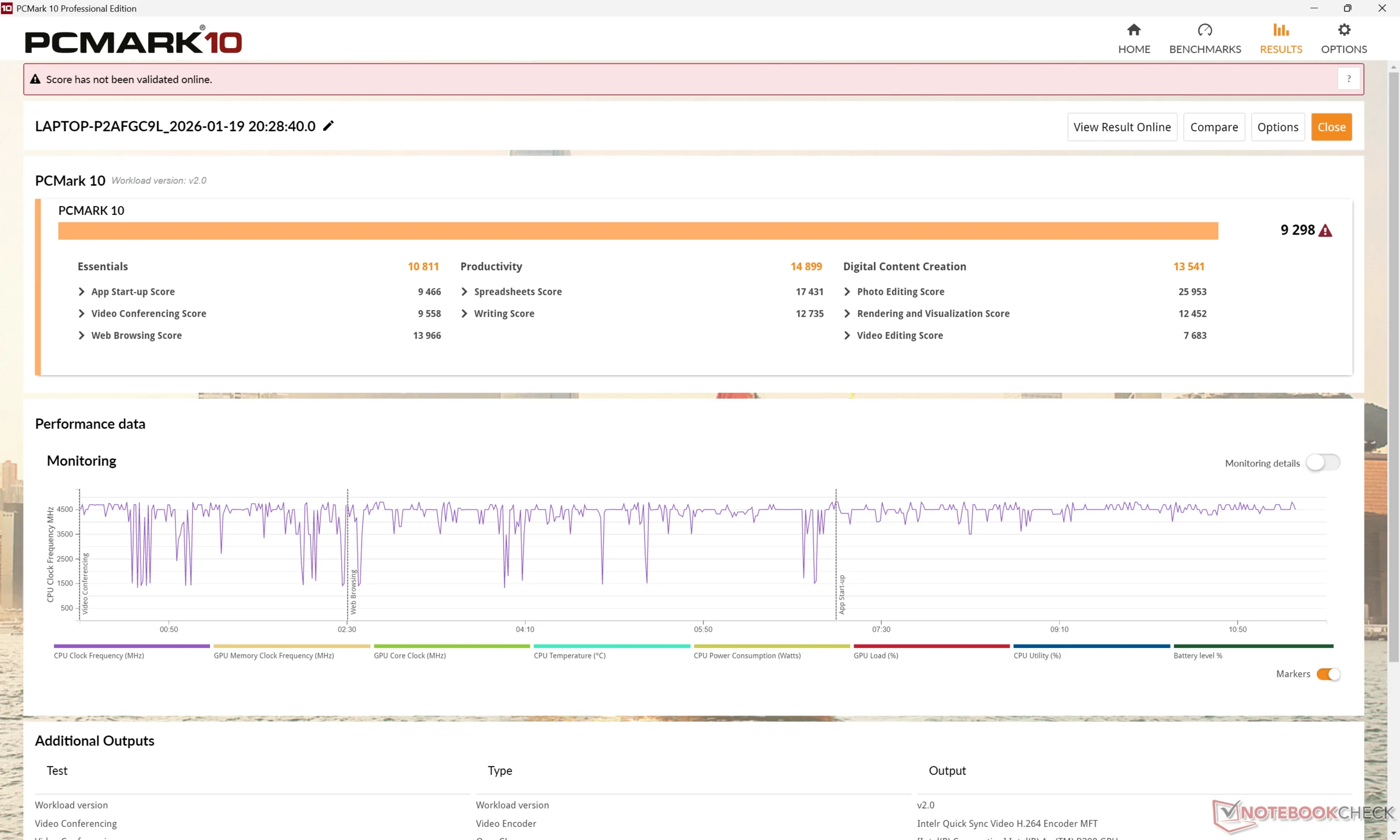
PCMark 10: Score | Essentials | Productivity | Digital Content Creation
CrossMark: Overall | Productivity | Creativity | Responsiveness
WebXPRT 3: Overall
WebXPRT 4: Overall
Mozilla Kraken 1.1: Total
Geekbench AI: Quantized GPU 1.7 | Half Precision GPU 1.7 | Single Precision GPU 1.7
| PCMark 10 / Score | |
| Asus ExpertBook Ultra B9406CAA | |
| Asus ExpertBook PM3406 | |
| HP EliteBook Ultra G1i 14 | |
| Lenovo ThinkPad P14s Gen 6 21QT0012GE | |
| Dell Pro 14 Plus PB14255 GH77W | |
| Samsung Galaxy Book5 Pro 14 940XHA | |
| CrossMark / Overall | |
| Asus ExpertBook Ultra B9406CAA | |
| Lenovo ThinkPad P14s Gen 6 21QT0012GE | |
| Dell Pro 14 Plus PB14255 GH77W | |
| HP EliteBook Ultra G1i 14 | |
| Samsung Galaxy Book5 Pro 14 940XHA | |
| Asus ExpertBook PM3406 | |
| WebXPRT 3 / Overall | |
| Lenovo ThinkPad P14s Gen 6 21QT0012GE | |
| Dell Pro 14 Plus PB14255 GH77W | |
| Asus ExpertBook Ultra B9406CAA | |
| HP EliteBook Ultra G1i 14 | |
| Samsung Galaxy Book5 Pro 14 940XHA | |
| Asus ExpertBook PM3406 | |
| WebXPRT 4 / Overall | |
| Lenovo ThinkPad P14s Gen 6 21QT0012GE | |
| HP EliteBook Ultra G1i 14 | |
| Asus ExpertBook Ultra B9406CAA | |
| Samsung Galaxy Book5 Pro 14 940XHA | |
| Asus ExpertBook PM3406 | |
| Dell Pro 14 Plus PB14255 GH77W | |
| Geekbench AI / Quantized GPU 1.7 | |
| Asus ExpertBook Ultra B9406CAA | |
| Samsung Galaxy Book5 Pro 14 940XHA | |
| Geekbench AI / Half Precision GPU 1.7 | |
| Asus ExpertBook Ultra B9406CAA | |
| Samsung Galaxy Book5 Pro 14 940XHA | |
| Geekbench AI / Single Precision GPU 1.7 | |
| Asus ExpertBook Ultra B9406CAA | |
| Samsung Galaxy Book5 Pro 14 940XHA | |
* ... smaller is better
| PCMark 10 Score | 9298 points | |
Help | ||
| AIDA64 / Memory Copy | |
| Average Intel Core Ultra X7 358H (102745 - 132135, n=10) | |
| HP EliteBook Ultra G1i 14 | |
| Samsung Galaxy Book5 Pro 14 940XHA | |
| Dell Pro 14 Plus PB14255 GH77W | |
| Lenovo ThinkPad P14s Gen 6 21QT0012GE | |
| Asus ExpertBook PM3406 | |
| AIDA64 / Memory Read | |
| Asus ExpertBook Ultra B9406CAA | |
| Average Intel Core Ultra X7 358H (97755 - 120727, n=12) | |
| HP EliteBook Ultra G1i 14 | |
| Samsung Galaxy Book5 Pro 14 940XHA | |
| Lenovo ThinkPad P14s Gen 6 21QT0012GE | |
| Dell Pro 14 Plus PB14255 GH77W | |
| Asus ExpertBook PM3406 | |
| AIDA64 / Memory Write | |
| Asus ExpertBook Ultra B9406CAA | |
| Average Intel Core Ultra X7 358H (105712 - 134998, n=12) | |
| HP EliteBook Ultra G1i 14 | |
| Samsung Galaxy Book5 Pro 14 940XHA | |
| Dell Pro 14 Plus PB14255 GH77W | |
| Lenovo ThinkPad P14s Gen 6 21QT0012GE | |
| Asus ExpertBook PM3406 | |
| AIDA64 / Memory Latency | |
| Lenovo ThinkPad P14s Gen 6 21QT0012GE | |
| Dell Pro 14 Plus PB14255 GH77W | |
| HP EliteBook Ultra G1i 14 | |
| Samsung Galaxy Book5 Pro 14 940XHA | |
| Asus ExpertBook PM3406 | |
| Average Intel Core Ultra X7 358H (84.1 - 104.4, n=11) | |
* ... smaller is better
DPC Latency
LatencyMon reveals no DPC issues and no dropped frames when playing 4K60 video content.
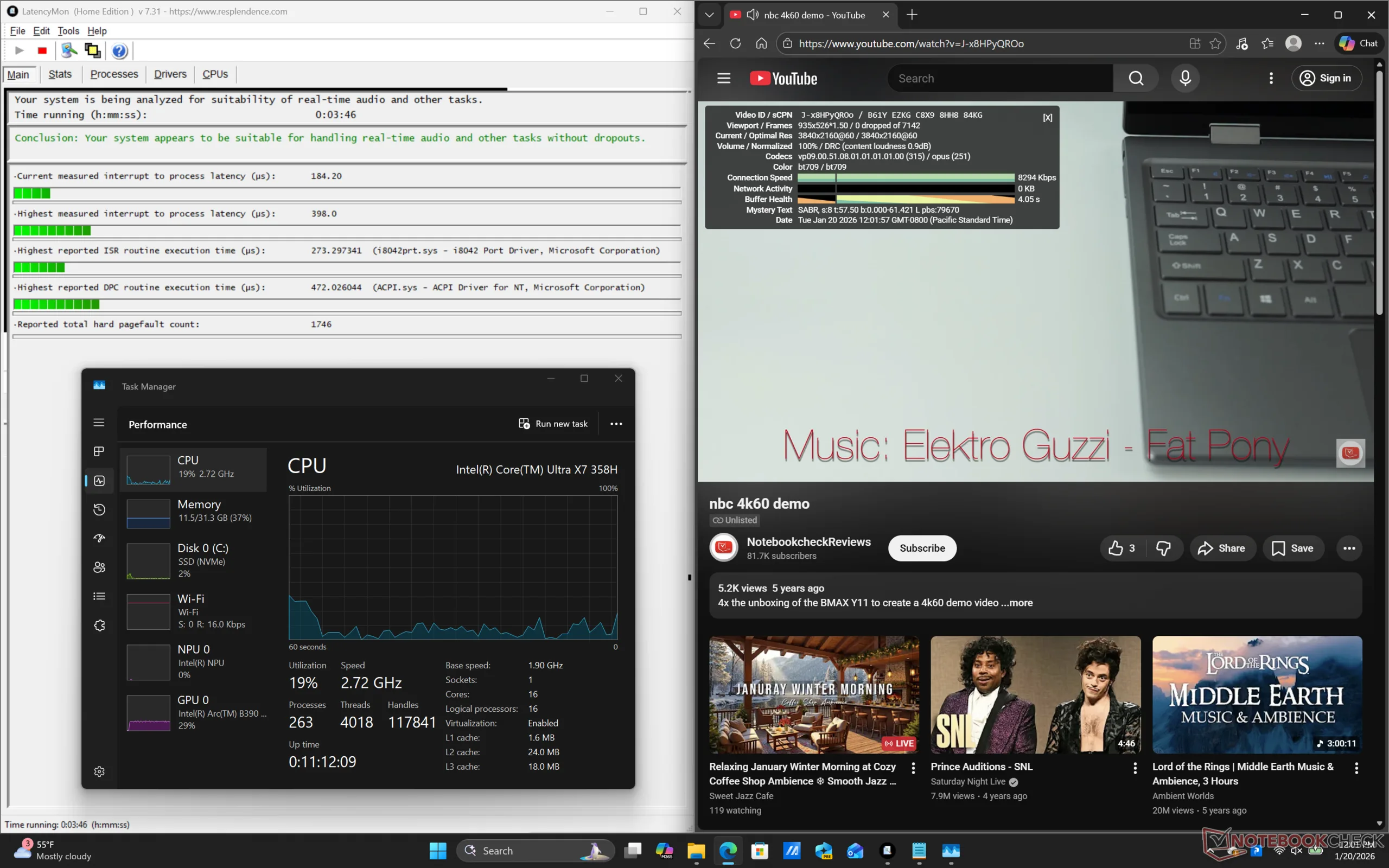
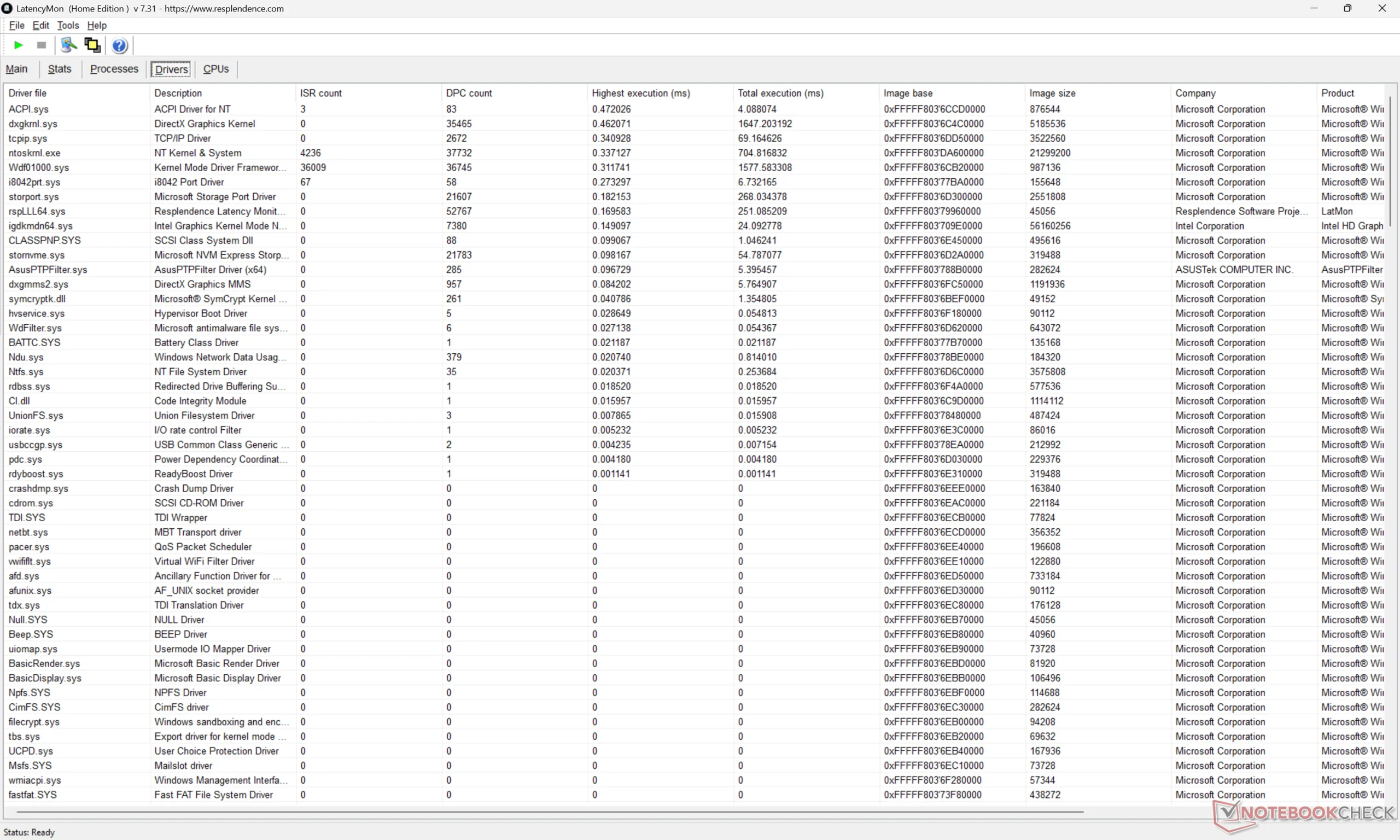
| DPC Latencies / LatencyMon - interrupt to process latency (max), Web, Youtube, Prime95 | |
| Asus ExpertBook PM3406 | |
| Dell Pro 14 Plus PB14255 GH77W | |
| Samsung Galaxy Book5 Pro 14 940XHA | |
| Lenovo ThinkPad P14s Gen 6 21QT0012GE | |
| HP EliteBook Ultra G1i 14 | |
| Asus ExpertBook Ultra B9406CAA | |
* ... smaller is better
Storage Devices — PCIe5 NVMe SSD
Our test unit ships with a 2 TB Samsung MZVLC2T0HBLD PCIe5 x4 NVMe SSD for transfer rates of up to ~14000 MB/s. As shown by the graph below, however, this rate is only sustainable for a minute or so before throttling down to the 5000 MB/s range. Even so, overall performance is still faster than most PCIe4 drives despite the throttling.
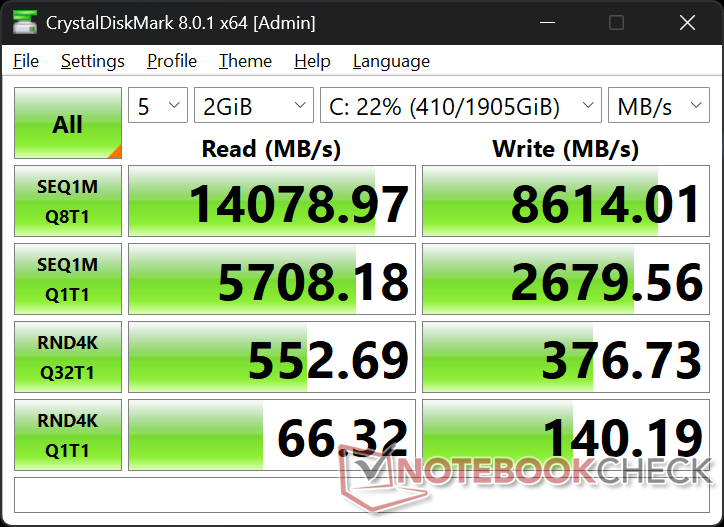
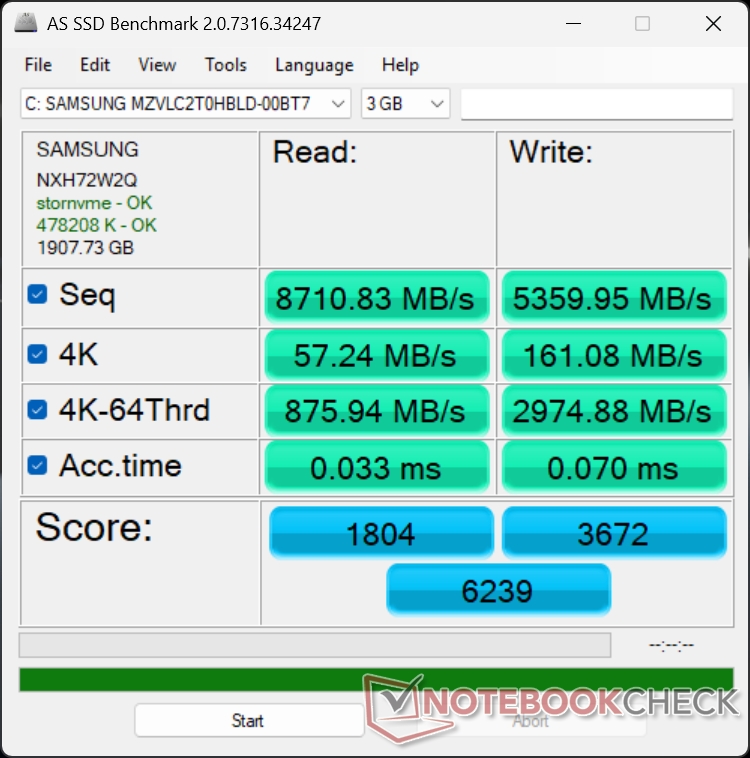

* ... smaller is better
Disk Throttling: DiskSpd Read Loop, Queue Depth 8
GPU Performance — Surprisingly Capable For Gaming
The integrated Arc B390 is a significant improvement over the previous Arc 140T, Arc 140V, or competing Radeon 890M by up to 80 percent according to 3DMark benchmarks. The jump is so large that the B390 is just 10 to 15 percent behind the discrete GeForce RTX 4050 in the same synthetic gaming benchmarks.
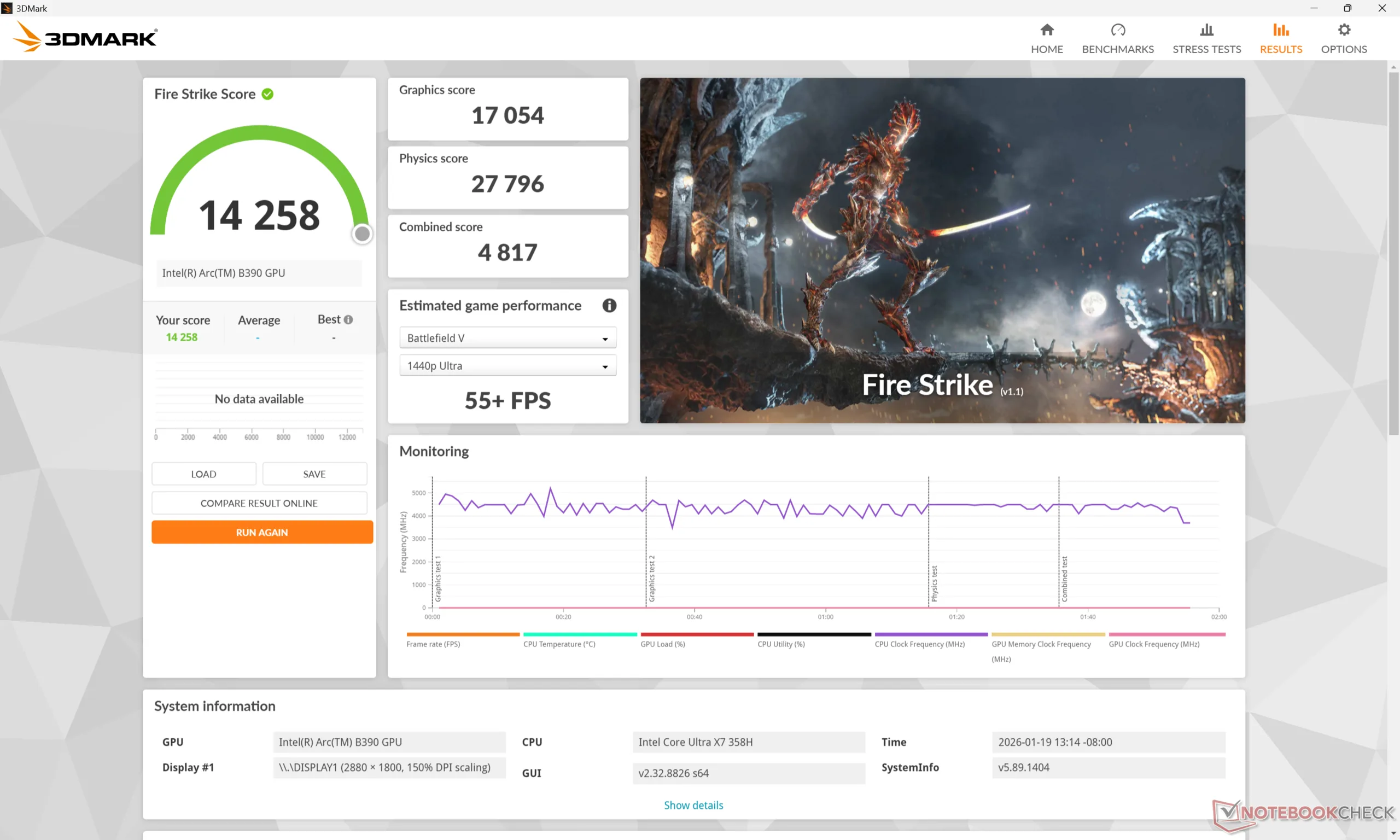
Running on Balanced mode instead of Performance mode will impact overall performance by quite the margin as shown by our Fire Strike results table below.
| Power Profile | Graphics Score | Physics Score | Combined Score |
| Performance Mode (45 W+) | 17054 | 27796 | 4817 |
| Balanced Mode (25 W+) | 14823 (-13%) | 22613 (-19%) | 3813 (-21%) |
| Battery Power | 14912 (-13%) | 22146 (-20%) | 4236 (-12%) |
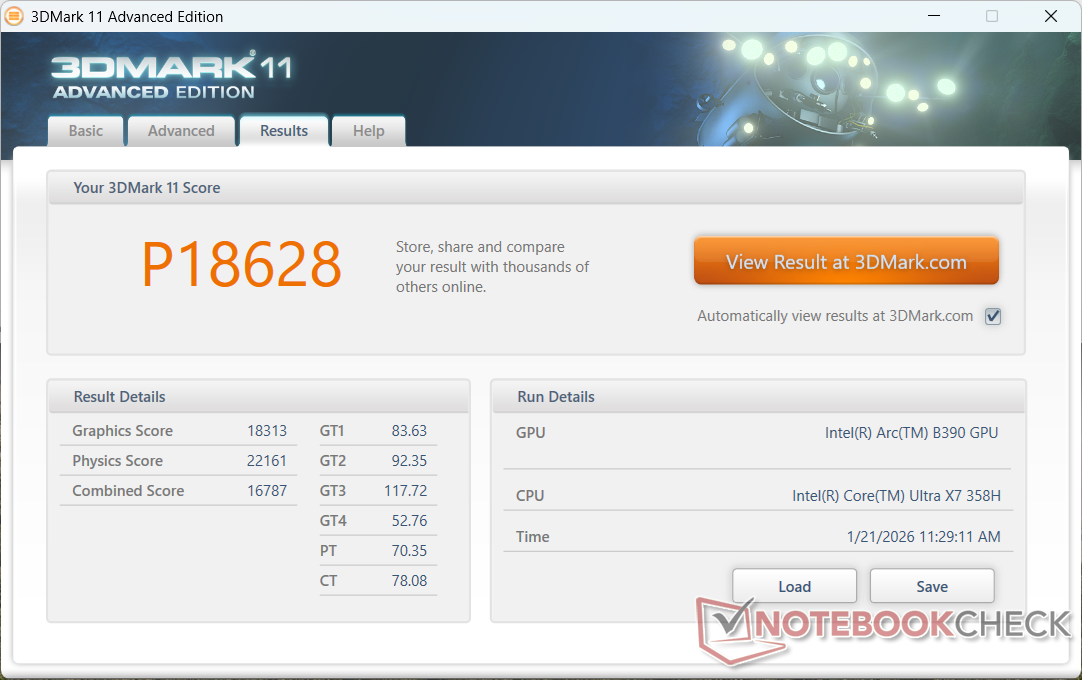
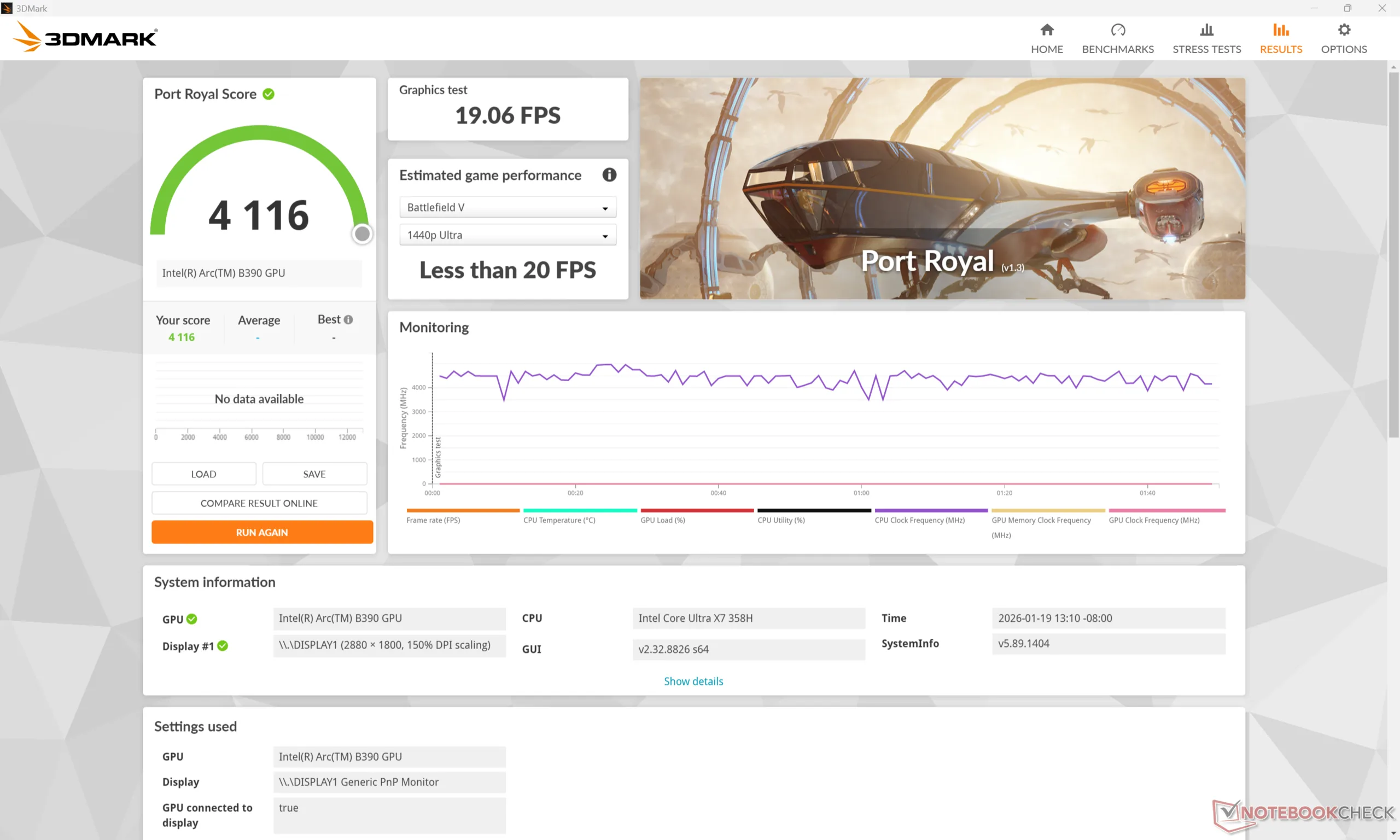
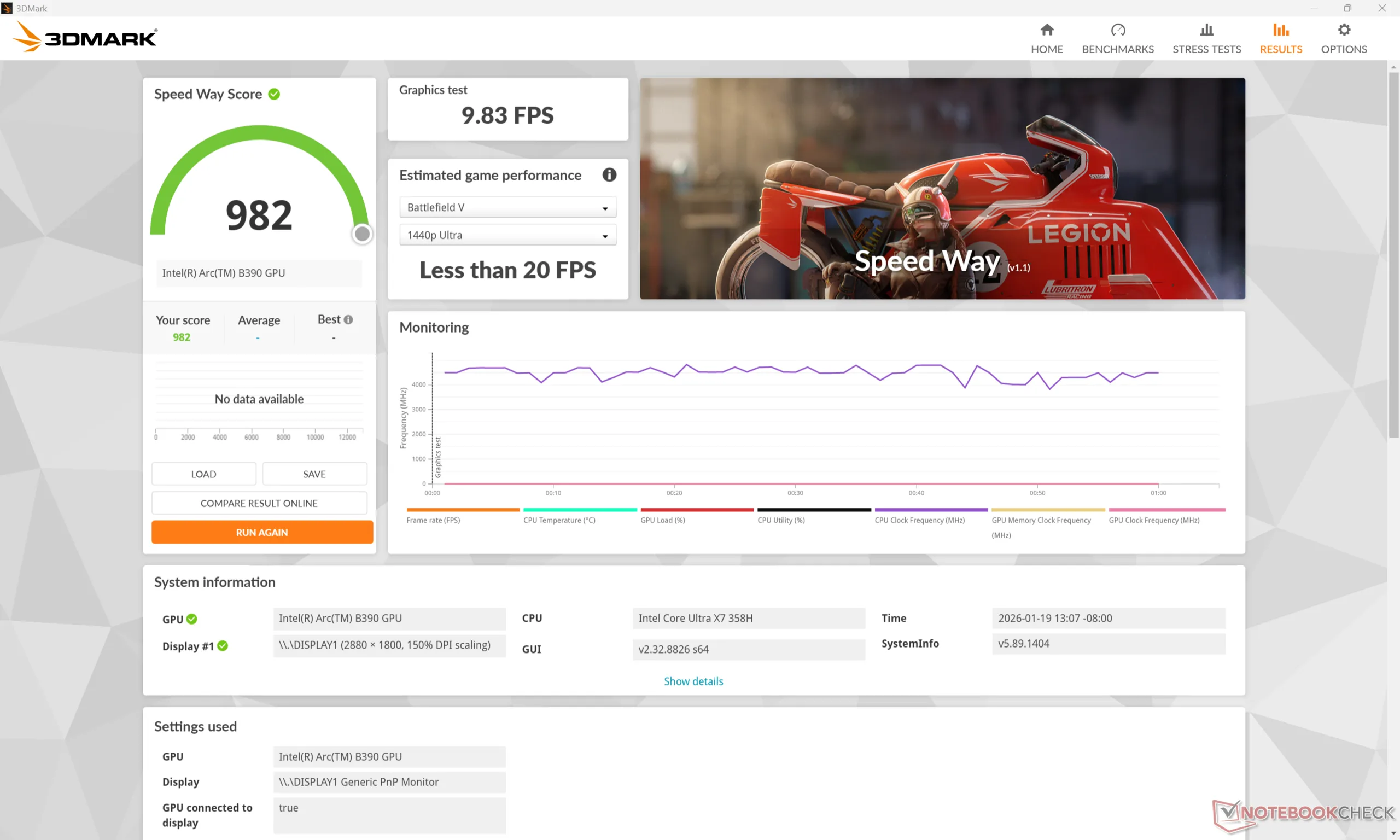
| 3DMark 11 Performance | 18628 points | |
| 3DMark Cloud Gate Standard Score | 44565 points | |
| 3DMark Fire Strike Score | 14258 points | |
| 3DMark Time Spy Score | 7270 points | |
Help | ||
* ... smaller is better
Gaming Performance
Though not a gaming machine, the B890 is powerful enough to run even demanding titles like Cyberpunk 2077 on 1080p Medium settings at an average 63 FPS before applying any AI upscaling or frame generation features. Black Myth Wukong can also run at 1080p Medium settings with a reasonable 35 FPS average.
| GTA V - 1920x1080 Highest AA:4xMSAA + FX AF:16x | |
| Lenovo Yoga Pro 7 14IMH9, RTX 4050 | |
| Lenovo ThinkPad P14s Gen 6 21QT0012GE | |
| Asus ExpertBook Ultra B9406CAA | |
| HP EliteBook Ultra G1i 14 | |
| Samsung Galaxy Book5 Pro 14 940XHA | |
| Asus ExpertBook PM3406 | |
| Strange Brigade - 1920x1080 ultra AA:ultra AF:16 | |
| Lenovo Yoga Pro 7 14IMH9, RTX 4050 | |
| Asus ExpertBook Ultra B9406CAA | |
| HP EliteBook Ultra G1i 14 | |
| Samsung Galaxy Book5 Pro 14 940XHA | |
| Asus ExpertBook PM3406 | |
| Black Myth: Wukong | |
| 1280x720 low TSR 100 | |
| HP ZBook Ultra G1a 14 | |
| Average Intel Arc B390 12 Xe3 Panther Lake iGPU (51 - 71, n=3) | |
| Asus ExpertBook Ultra B9406CAA | |
| 1920x1080 low TSR 100 | |
| HP ZBook Ultra G1a 14 | |
| Asus ExpertBook Ultra B9406CAA | |
| Average Intel Arc B390 12 Xe3 Panther Lake iGPU (43 - 47, n=3) | |
| 1920x1080 medium TSR 100 | |
| HP ZBook Ultra G1a 14 | |
| Average Intel Arc B390 12 Xe3 Panther Lake iGPU (34 - 37, n=3) | |
| Asus ExpertBook Ultra B9406CAA | |
| 1920x1080 high TSR 100 | |
| HP ZBook Ultra G1a 14 | |
| Asus ExpertBook Ultra B9406CAA | |
| Average Intel Arc B390 12 Xe3 Panther Lake iGPU (26 - 29, n=3) | |
| 1920x1080 cinematic TSR 100 | |
| HP ZBook Ultra G1a 14 | |
| Asus ExpertBook Ultra B9406CAA | |
| Average Intel Arc B390 12 Xe3 Panther Lake iGPU (14 - 16, n=3) | |
| 2560x1440 cinematic TSR 100 | |
| HP ZBook Ultra G1a 14 | |
| Asus ExpertBook Ultra B9406CAA | |
| Average Intel Arc B390 12 Xe3 Panther Lake iGPU (11 - 11, n=2) | |
| ARC Raiders | |
| 1920x1080 Low Preset | |
| Asus ExpertBook Ultra B9406CAA | |
| HP ZBook Ultra G1a 14 | |
| Average Intel Arc B390 12 Xe3 Panther Lake iGPU (104.3 - 176.7, n=3) | |
| 1920x1080 Medium Preset AA:TSR | |
| HP ZBook Ultra G1a 14 | |
| Asus ExpertBook Ultra B9406CAA | |
| Average Intel Arc B390 12 Xe3 Panther Lake iGPU (57 - 58.1, n=3) | |
| 1920x1080 High Preset AA:TSR | |
| HP ZBook Ultra G1a 14 | |
| Average Intel Arc B390 12 Xe3 Panther Lake iGPU (42.4 - 43.8, n=3) | |
| Asus ExpertBook Ultra B9406CAA | |
| 1920x1080 Epic Preset + Epic Raytracing AA:TSR | |
| HP ZBook Ultra G1a 14 | |
| Asus ExpertBook Ultra B9406CAA | |
| Average Intel Arc B390 12 Xe3 Panther Lake iGPU (28 - 30.4, n=3) | |
| 2560x1440 Epic Preset + Epic Raytracing AA:TSR | |
| HP ZBook Ultra G1a 14 | |
| Asus ExpertBook Ultra B9406CAA | |
| Average Intel Arc B390 12 Xe3 Panther Lake iGPU (19.2 - 20.9, n=3) | |
Cyberpunk 2077 ultra FPS Chart
| low | med. | high | ultra | QHD | |
|---|---|---|---|---|---|
| GTA V (2015) | 179.4 | 173 | 111.9 | 45.3 | 31.5 |
| Dota 2 Reborn (2015) | 119.8 | 92.6 | 103.5 | 102.5 | |
| Final Fantasy XV Benchmark (2018) | 134.5 | 76.1 | 55.4 | 41 | |
| X-Plane 11.11 (2018) | 58.5 | 45.5 | 39.7 | ||
| Strange Brigade (2018) | 388 | 132.7 | 107.6 | 99.5 | 72.3 |
| Baldur's Gate 3 (2023) | 71.4 | 60.8 | 54.3 | 53.4 | 37.8 |
| Cyberpunk 2077 (2023) | 77.7 | 63.1 | 53.8 | 47.2 | 28.3 |
| F1 24 (2024) | 146.3 | 135 | 104.3 | 38 | 25.2 |
| Black Myth: Wukong (2024) | 45 | 35 | 28 | 15 | 11 |
| ARC Raiders (2025) | 176.7 | 57.5 | 42.5 | 29.4 | 20.1 |
Emissions
System Noise
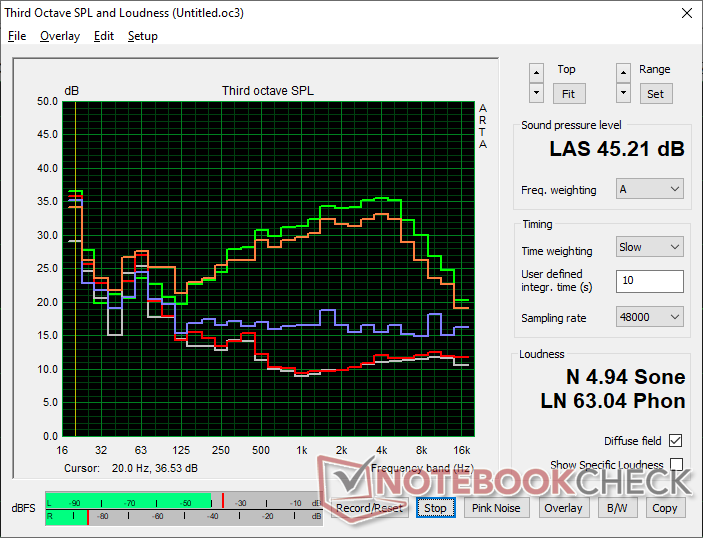
Fan noise when running low to low-medium loads behaves more like a U-series laptop even though the ExpertBook Ultra runs on an H-series processor. When running more demanding loads like games, however, fan noise would top out in the mid 40 dB(A) range which is more typical of an H-series system.
Note that fan noise if gaming on Balanced mode would stabilize at 31.8 dB(A) versus 42.8 dB(A) if on Performance mode. The lower noise entails a performance hit as noted above.
Noise level
| Idle |
| 23.4 / 23.4 / 23.4 dB(A) |
| Load |
| 28.6 / 45.2 dB(A) |
 | ||
30 dB silent 40 dB(A) audible 50 dB(A) loud |
||
min:  , med: , med:  , max: , max:  Earthworks M23R, Arta (15 cm distance) environment noise: 22.9 dB(A) Earthworks M23R, Arta (15 cm distance) environment noise: 22.9 dB(A) | ||
| Asus ExpertBook Ultra B9406CAA Ultra X7 358H, Arc B390 Panther Lake iGPU | Dell Pro 14 Plus PB14255 GH77W Ryzen AI 7 PRO 350, Radeon 860M | Asus ExpertBook PM3406 Ryzen AI 7 350, Radeon 860M | Lenovo ThinkPad P14s Gen 6 21QT0012GE Ultra 7 265H, RTX PRO 500 Blackwell Generation Laptop | Samsung Galaxy Book5 Pro 14 940XHA Core Ultra 5 226V, Arc 130V | HP EliteBook Ultra G1i 14 Core Ultra 7 258V, Arc 140V | |
|---|---|---|---|---|---|---|
| Noise | -2% | -5% | -15% | 1% | 7% | |
| off / environment * (dB) | 22.9 | 24.9 -9% | 25.7 -12% | 25.1 -10% | 25.1 -10% | 23.9 -4% |
| Idle Minimum * (dB) | 23.4 | 24.9 -6% | 25.7 -10% | 25.1 -7% | 25.1 -7% | 23.9 -2% |
| Idle Average * (dB) | 23.4 | 24.9 -6% | 25.7 -10% | 25.1 -7% | 25.1 -7% | 23.9 -2% |
| Idle Maximum * (dB) | 23.4 | 27.6 -18% | 25.7 -10% | 29.4 -26% | 25.1 -7% | 23.9 -2% |
| Load Average * (dB) | 28.6 | 29.3 -2% | 33.6 -17% | 42.3 -48% | 29.3 -2% | 28.4 1% |
| Cyberpunk 2077 ultra * (dB) | 42.8 | 37.5 12% | 39.1 9% | 45.4 -6% | 33.1 23% | 31.5 26% |
| Load Maximum * (dB) | 45.2 | 37.5 17% | 39.1 13% | 45.5 -1% | 38.7 14% | 31.5 30% |
* ... smaller is better
Temperature
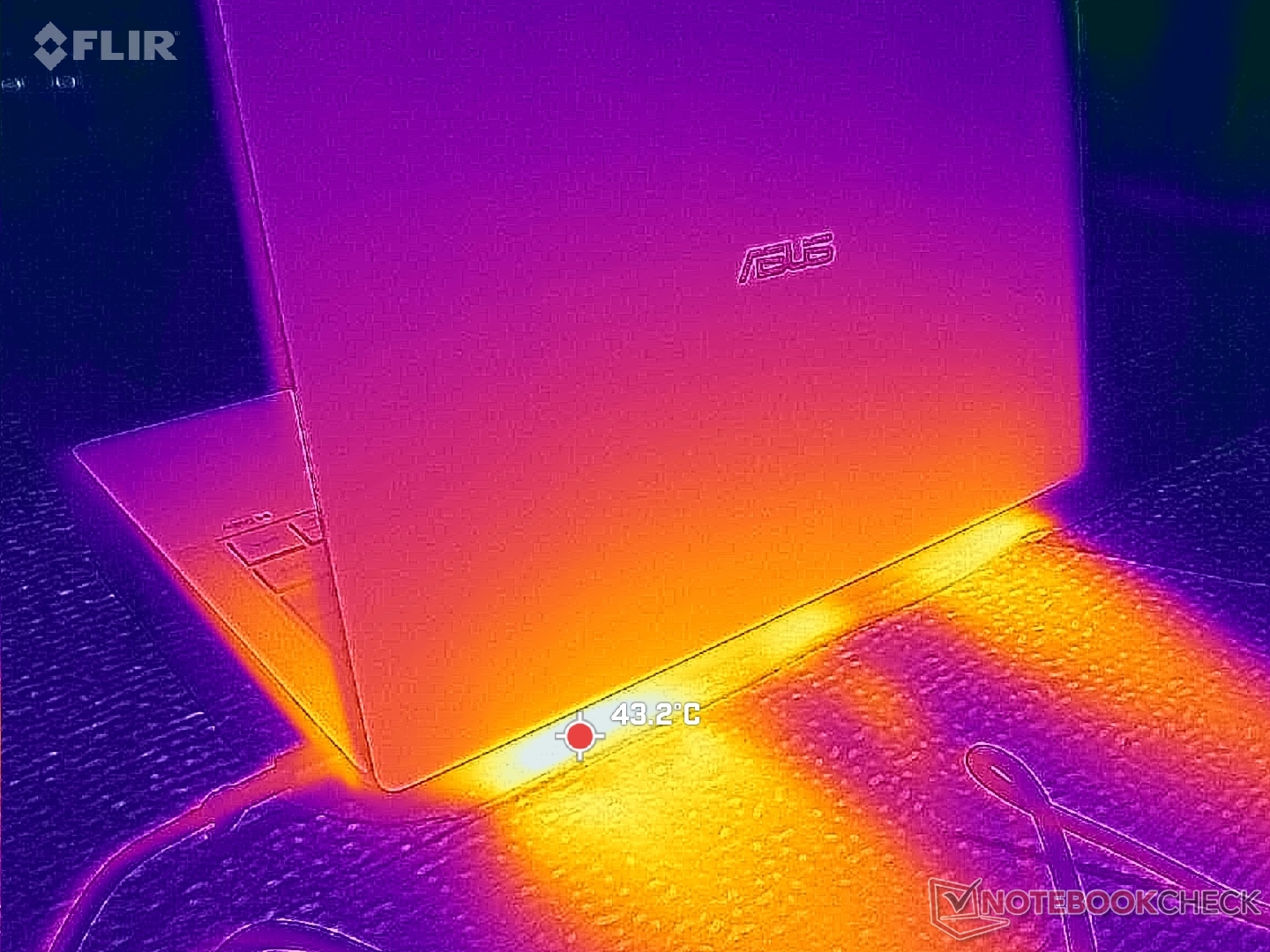
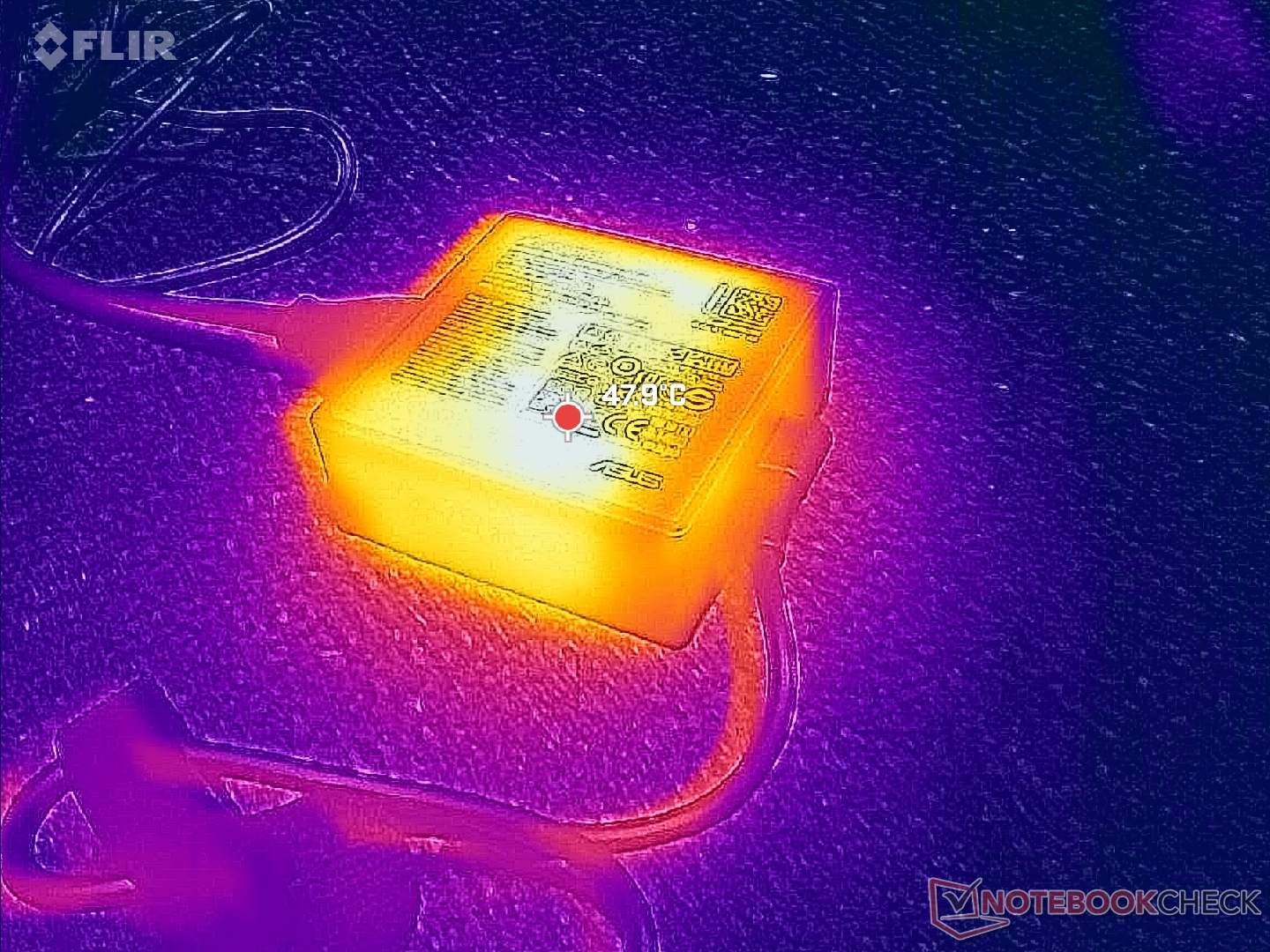
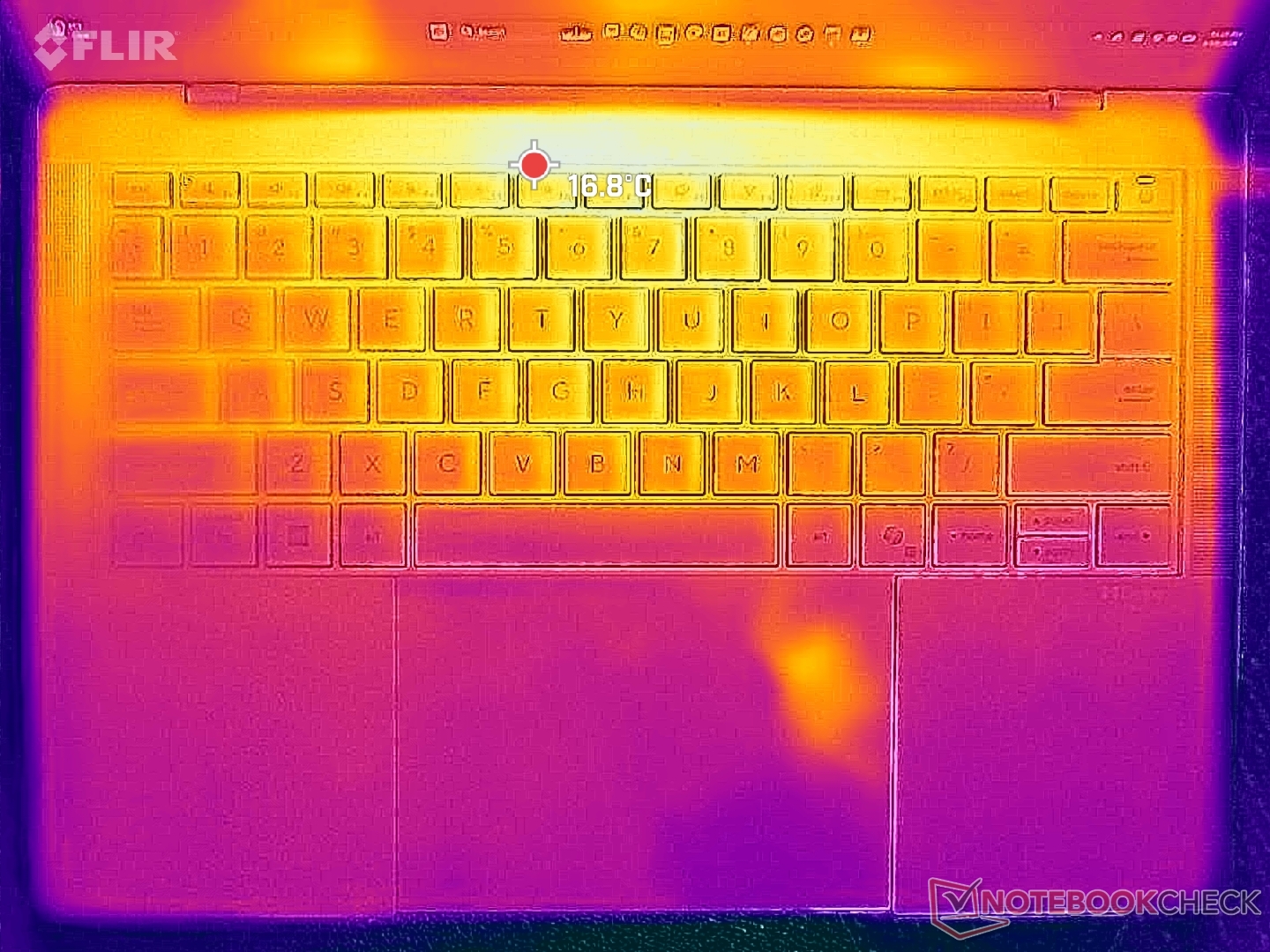
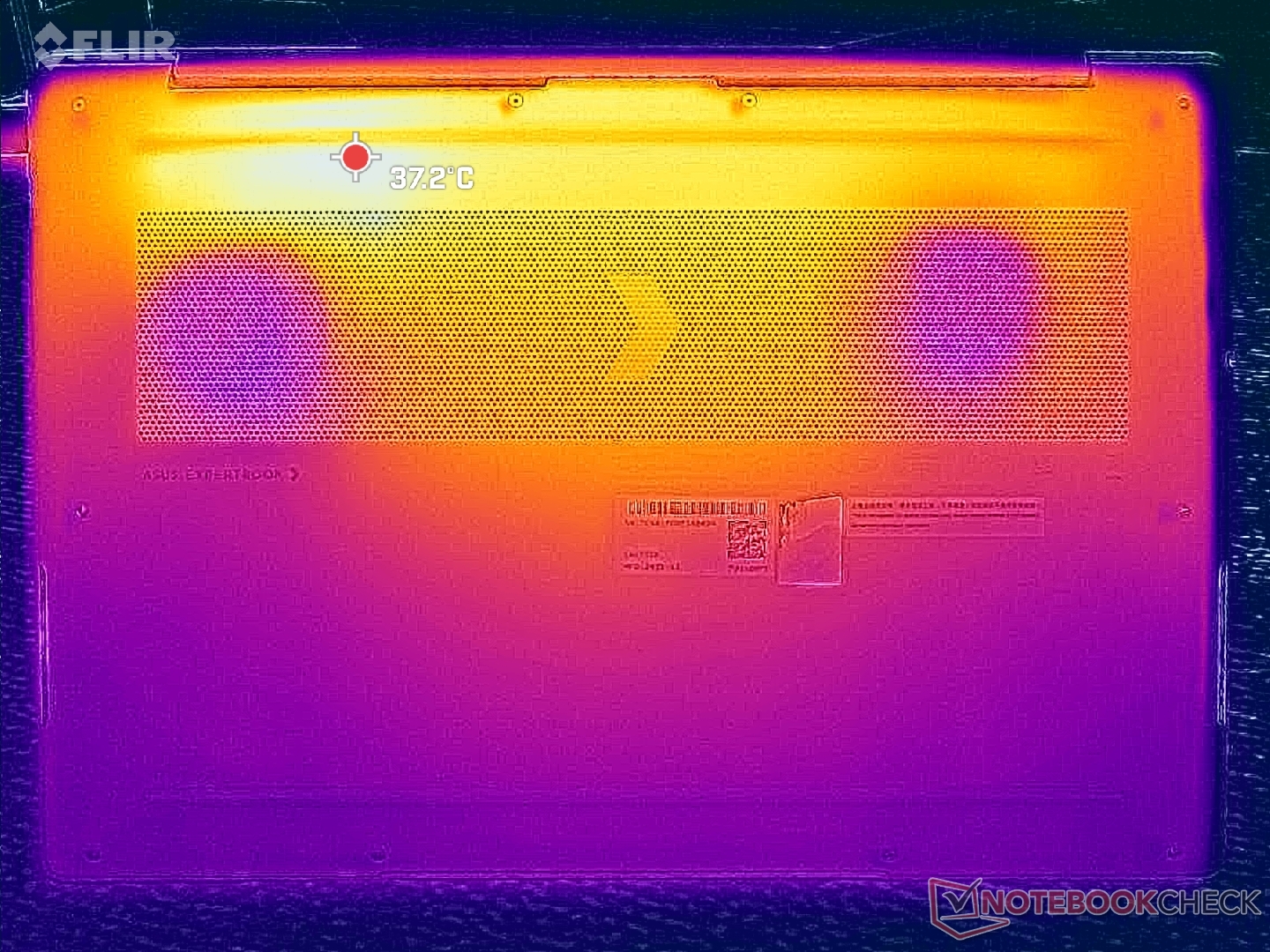
Surface temperature gradient is more or less symmetrical due to the cooling solution underneath. The hot spots on the keyboard center and bottom panel can reach up to 41 C each when running demanding loads for extended periods which is slightly cooler than on the HP EliteBook Ultra G1i 14 equipped with a slower Lunar Lake-V CPU.
(+) The maximum temperature on the upper side is 38.6 °C / 101 F, compared to the average of 34.4 °C / 94 F, ranging from 21.2 to 62.5 °C for the class Office.
(+) The bottom heats up to a maximum of 38.4 °C / 101 F, compared to the average of 36.8 °C / 98 F
(+) In idle usage, the average temperature for the upper side is 23 °C / 73 F, compared to the device average of 29.5 °C / 85 F.
(+) 3: The average temperature for the upper side is 31.8 °C / 89 F, compared to the average of 29.5 °C / 85 F for the class Office.
(+) The palmrests and touchpad are cooler than skin temperature with a maximum of 26.6 °C / 79.9 F and are therefore cool to the touch.
(±) The average temperature of the palmrest area of similar devices was 27.6 °C / 81.7 F (+1 °C / 1.8 F).
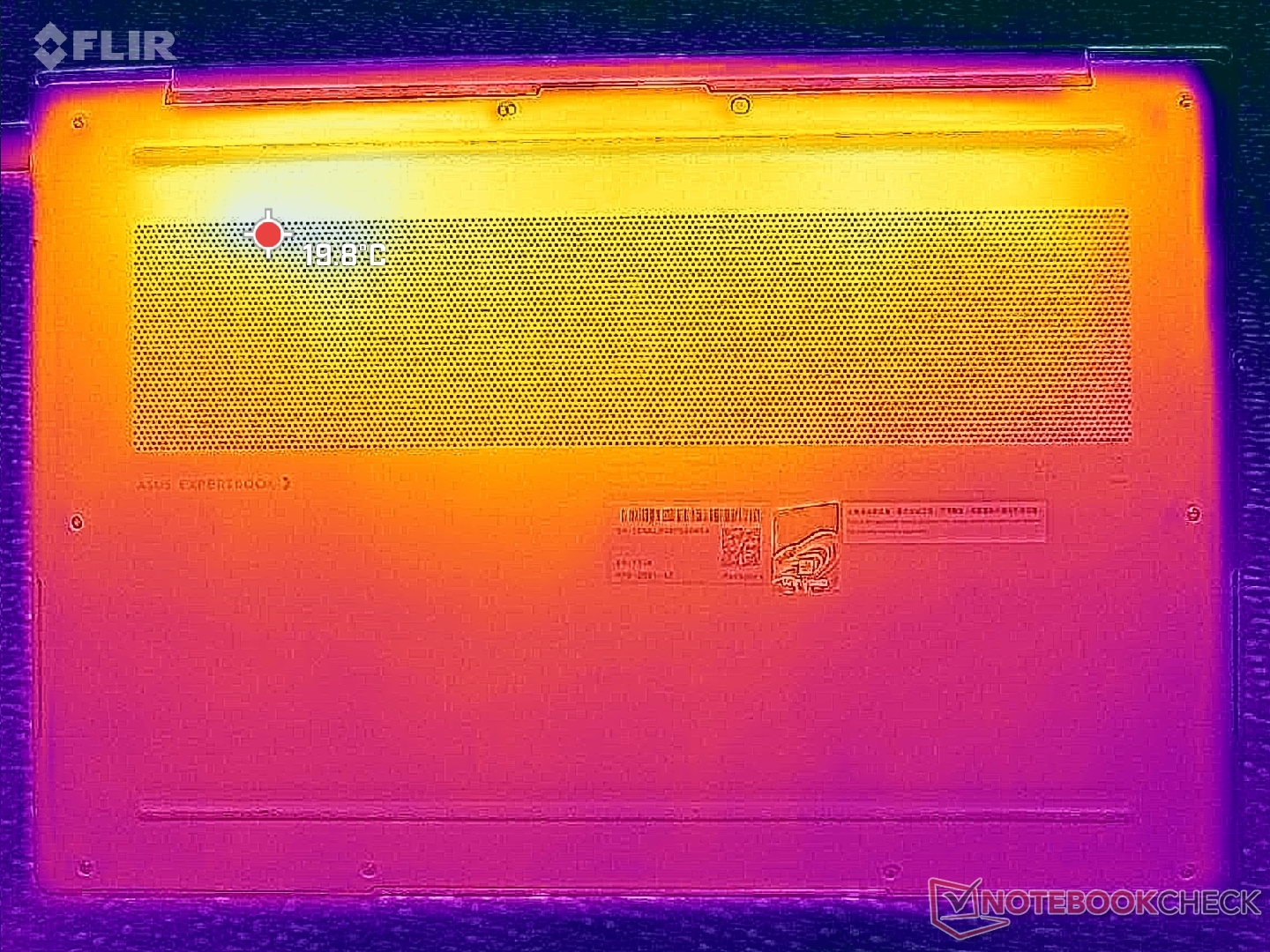
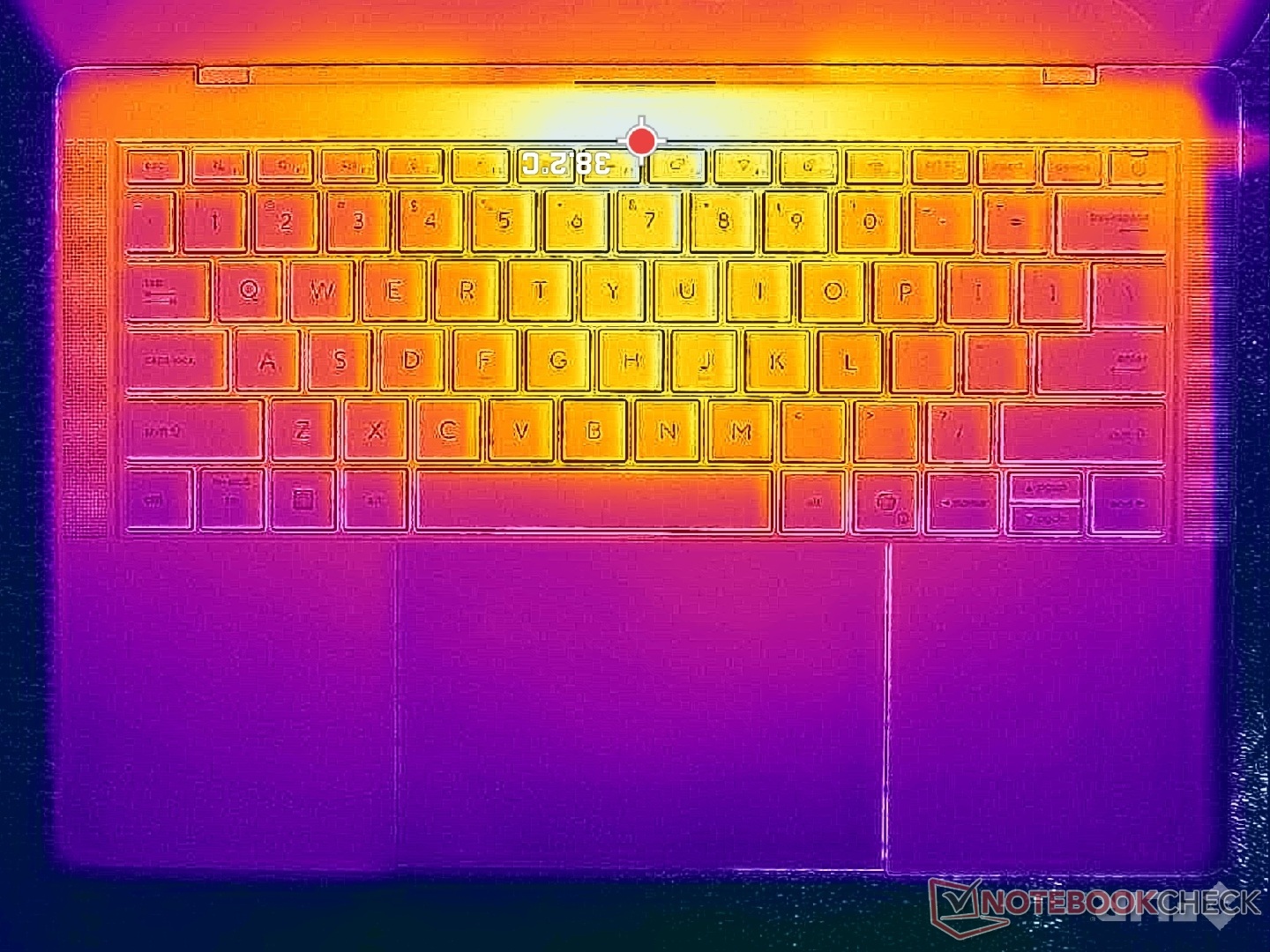
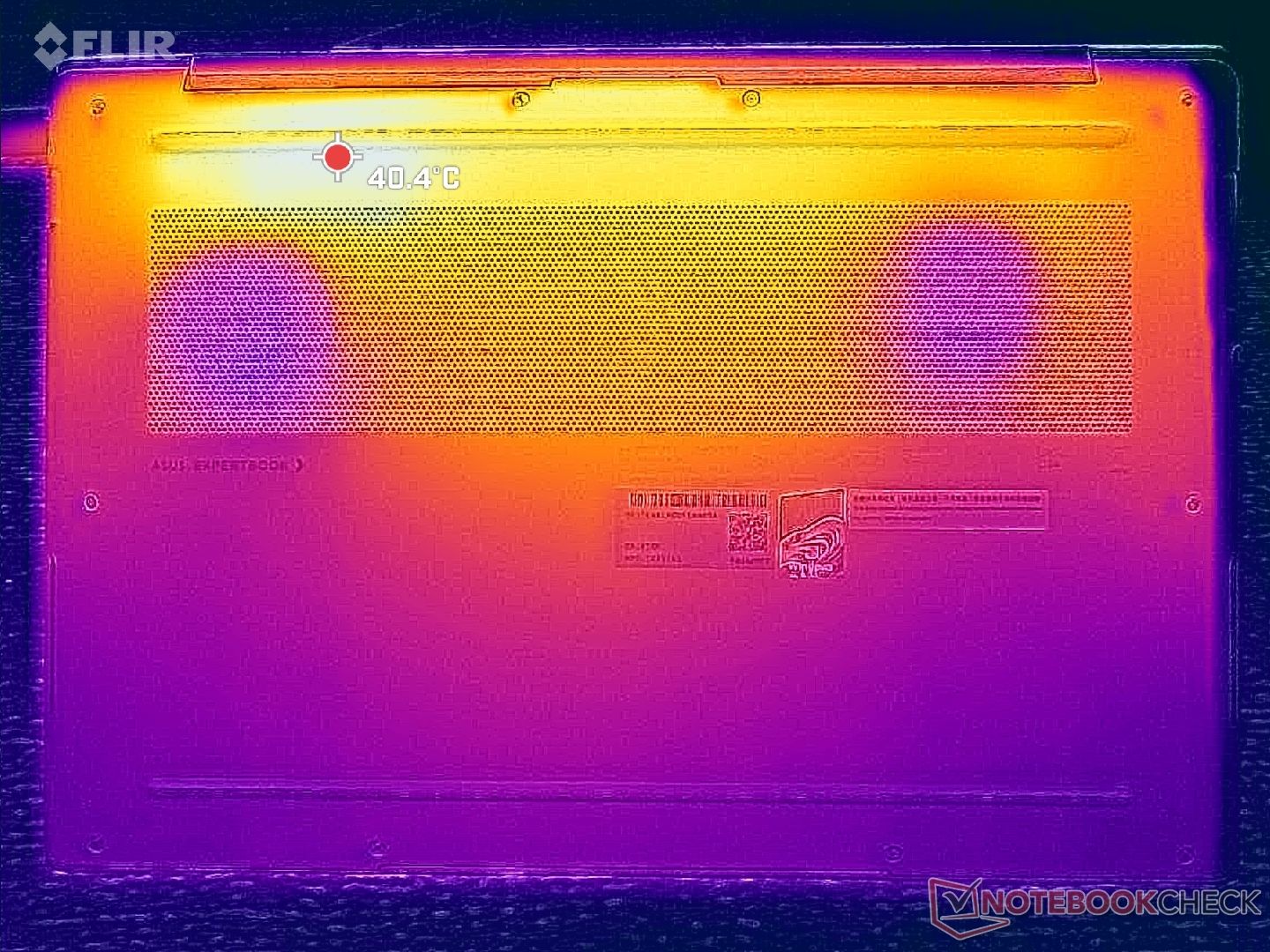
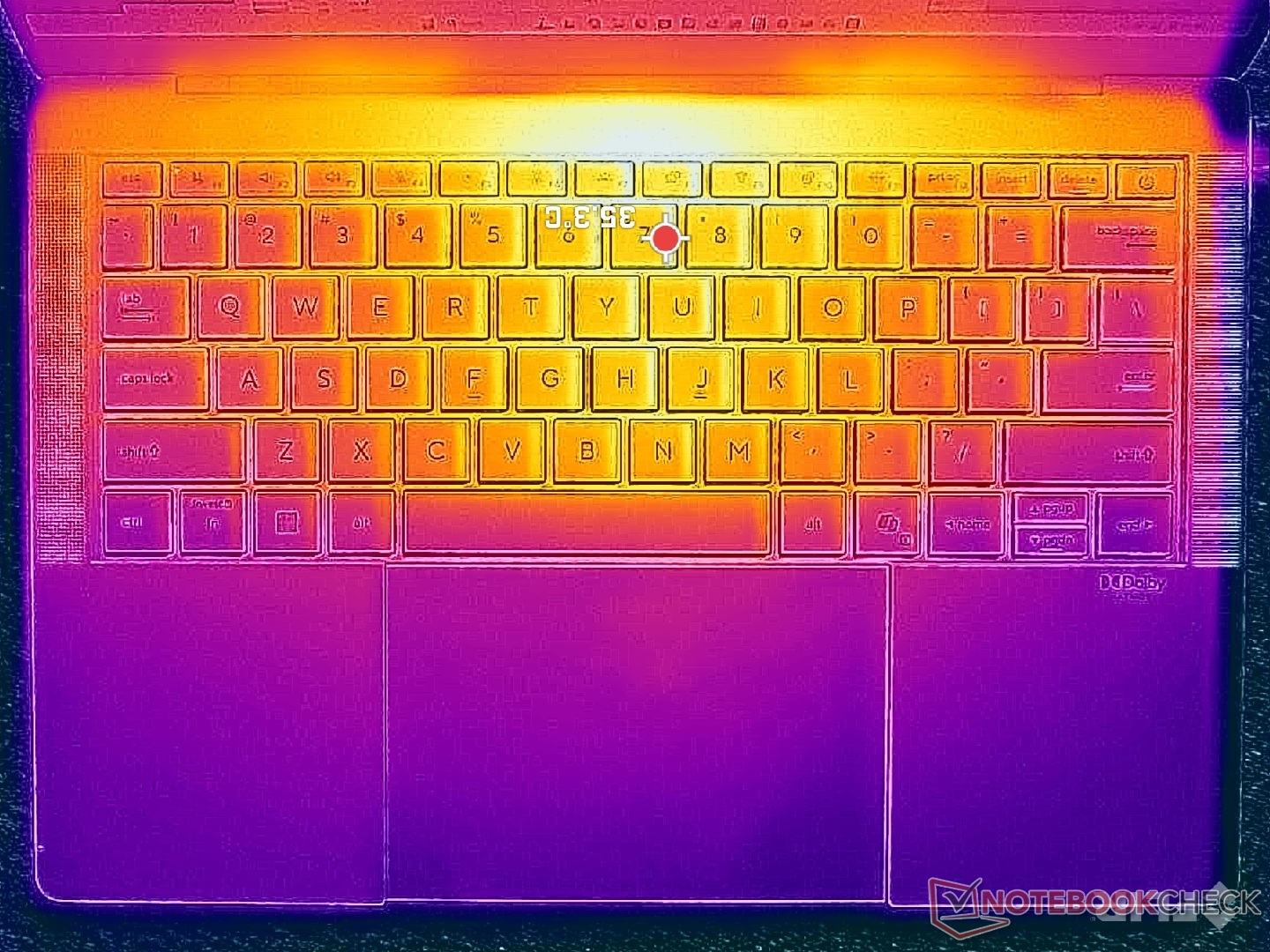
| Asus ExpertBook Ultra B9406CAA Ultra X7 358H, Arc B390 Panther Lake iGPU | Dell Pro 14 Plus PB14255 GH77W Ryzen AI 7 PRO 350, Radeon 860M | Asus ExpertBook PM3406 Ryzen AI 7 350, Radeon 860M | Lenovo ThinkPad T14s Gen 6 Intel Core Ultra 5 228V, Arc 130V | Samsung Galaxy Book5 Pro 14 940XHA Core Ultra 5 226V, Arc 130V | HP EliteBook Ultra G1i 14 Core Ultra 7 258V, Arc 140V | |
|---|---|---|---|---|---|---|
| Heat | -9% | -4% | -9% | -6% | 0% | |
| Maximum Upper Side * (°C) | 38.6 | 38.1 1% | 39.8 -3% | 42.6 -10% | 41.4 -7% | 37.9 2% |
| Maximum Bottom * (°C) | 38.4 | 40.1 -4% | 40.8 -6% | 41.6 -8% | 44.6 -16% | 44.3 -15% |
| Idle Upper Side * (°C) | 24.6 | 28.9 -17% | 26 -6% | 27.1 -10% | 24.9 -1% | 23.3 5% |
| Idle Bottom * (°C) | 26 | 29.6 -14% | 26.3 -1% | 27.6 -6% | 25.5 2% | 23.6 9% |
* ... smaller is better
Stress Test
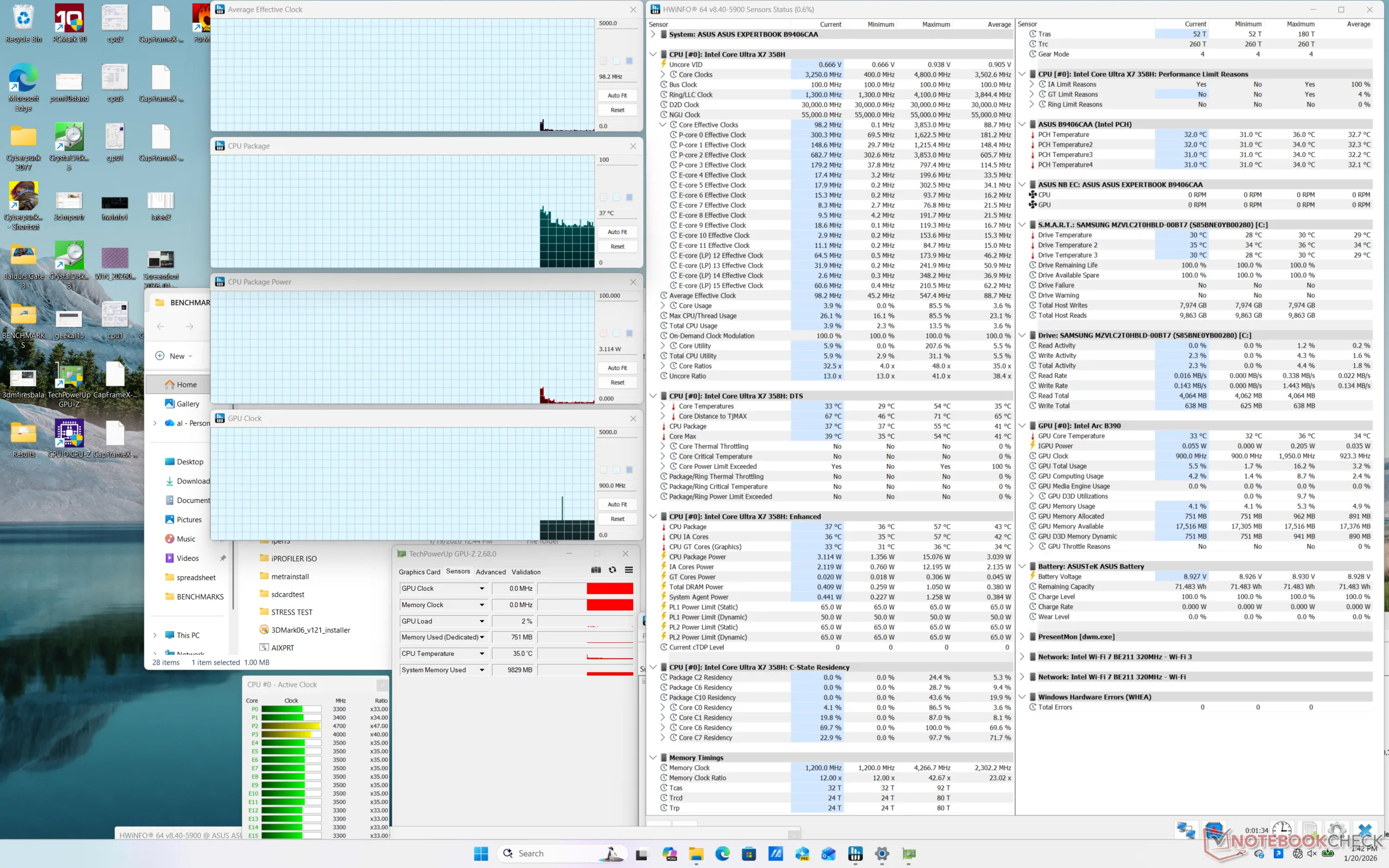
The CPU would boost to 2.8 GHz and 62 W when initiating Prime95 stress before reaching a core temperature of 98 C about a minute later. Performance thereafter would drop to 2.6 GHz in order to maintain a more manageable core temperature and draw of 85 C and 48 W, respectively. Maximum Turbo Boost performance is therefore only sustainable for a limited time.
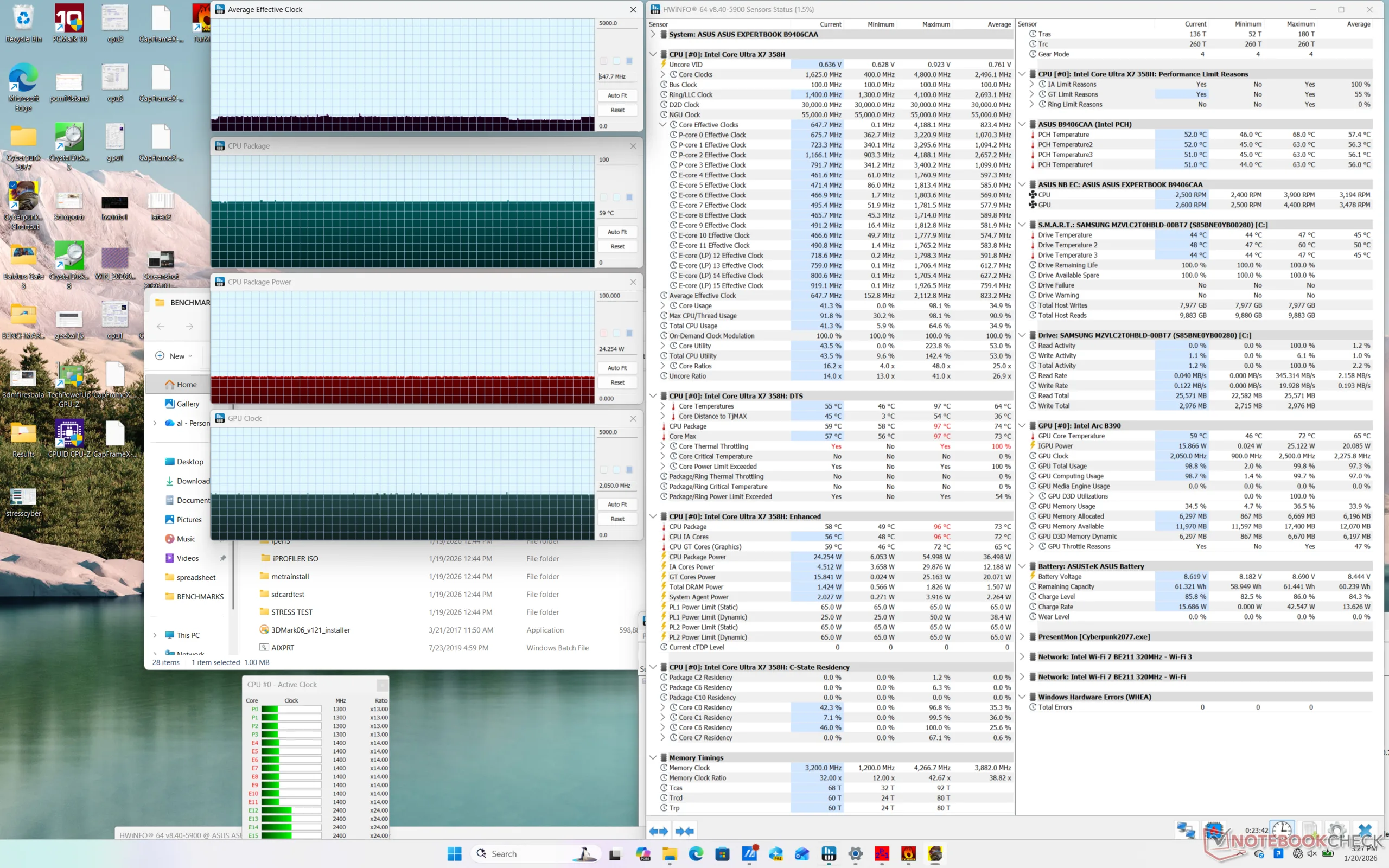
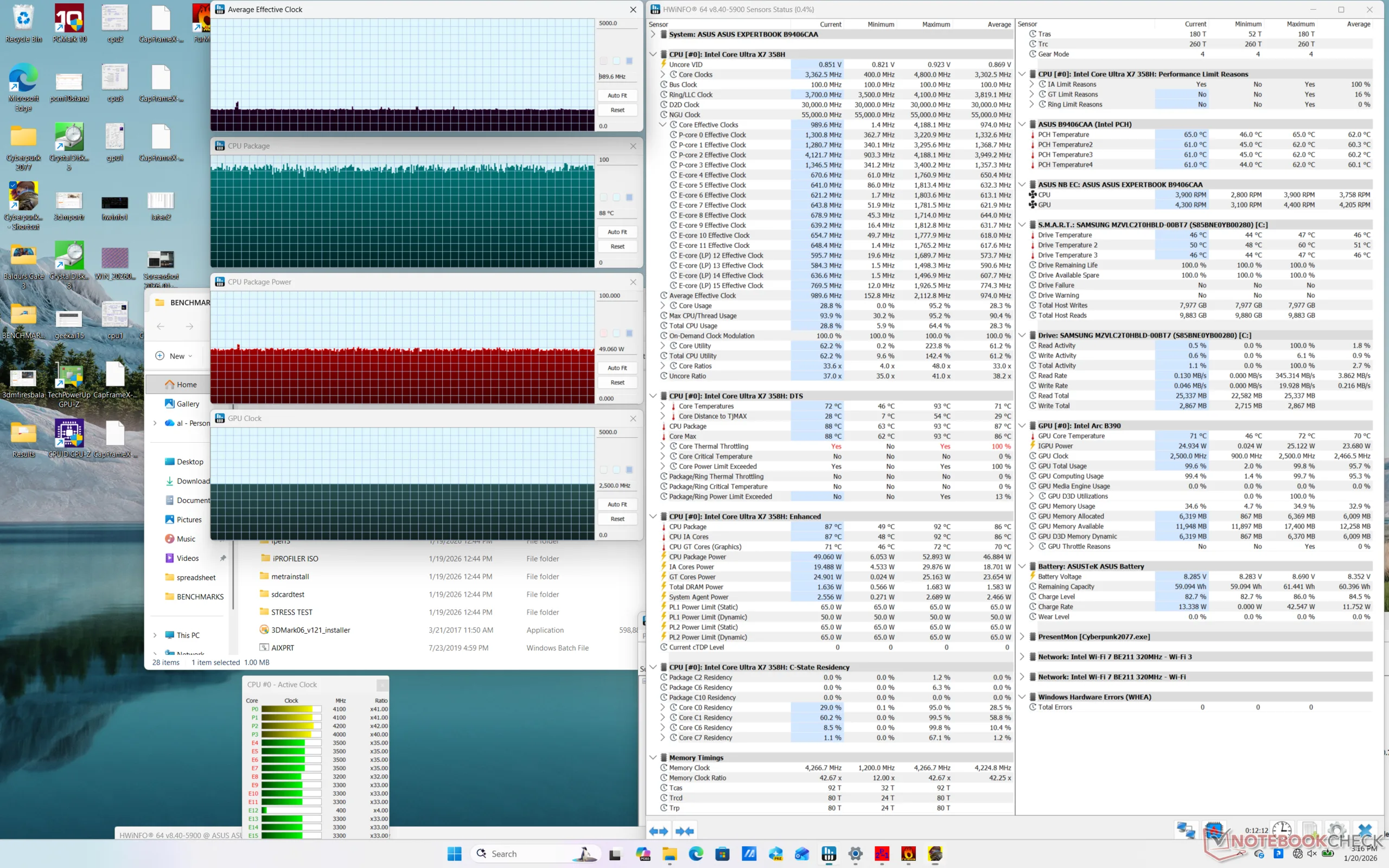
GPU clock rate and temperature when running Cyberpunk 2077 on Performance mode would stabilize at 2500 MHz and 88 C, respectively, compared to only 2050 MHz and 59 C when set to Balanced mode. Thus, you'll want to run on Performance mode when the extra horsepower is needed. 88 C on Performance mode is nevertheless warmer than we would like as the competing HP EliteBook X G1a 14 would stabilize at the cooler mid 70 C range when subjected to similar conditions.
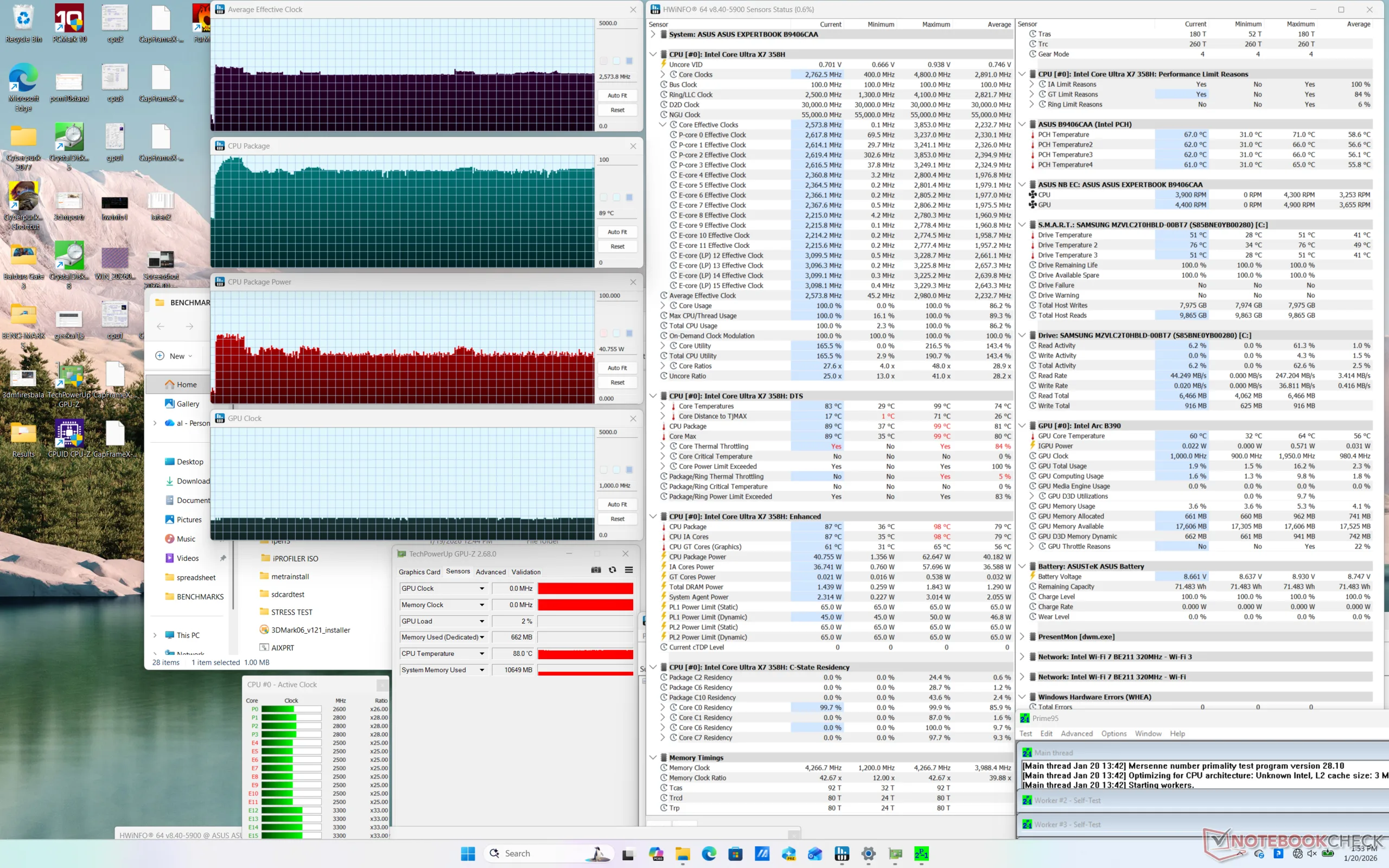
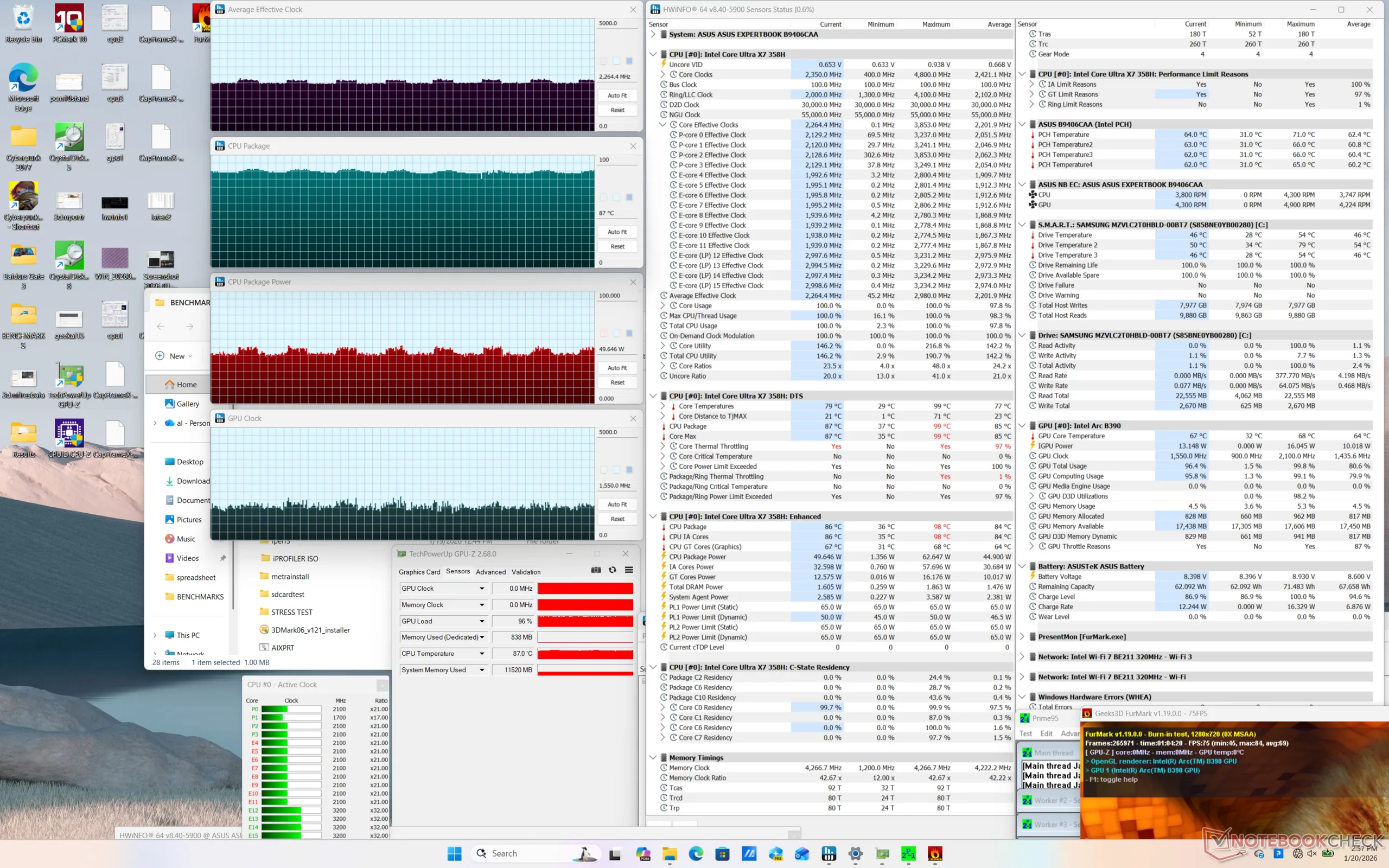
| CPU Clock (GHz) | GPU Clock (MHz) | Average CPU Temperature (°C) | |
| System Idle | -- | -- | 37 |
| Prime95 Stress | 2.6 | 1000 | 89 |
| Prime95 + FurMark Stress | ~2.2 | ~1550 | 87 |
| Cyberpunk 2077 Stress (Balanced mode) | 0.6 | 2050 | 59 |
| Cyberpunk 2077 Stress (Performance mode) | 1.0 | 2500 | 88 |
Speakers
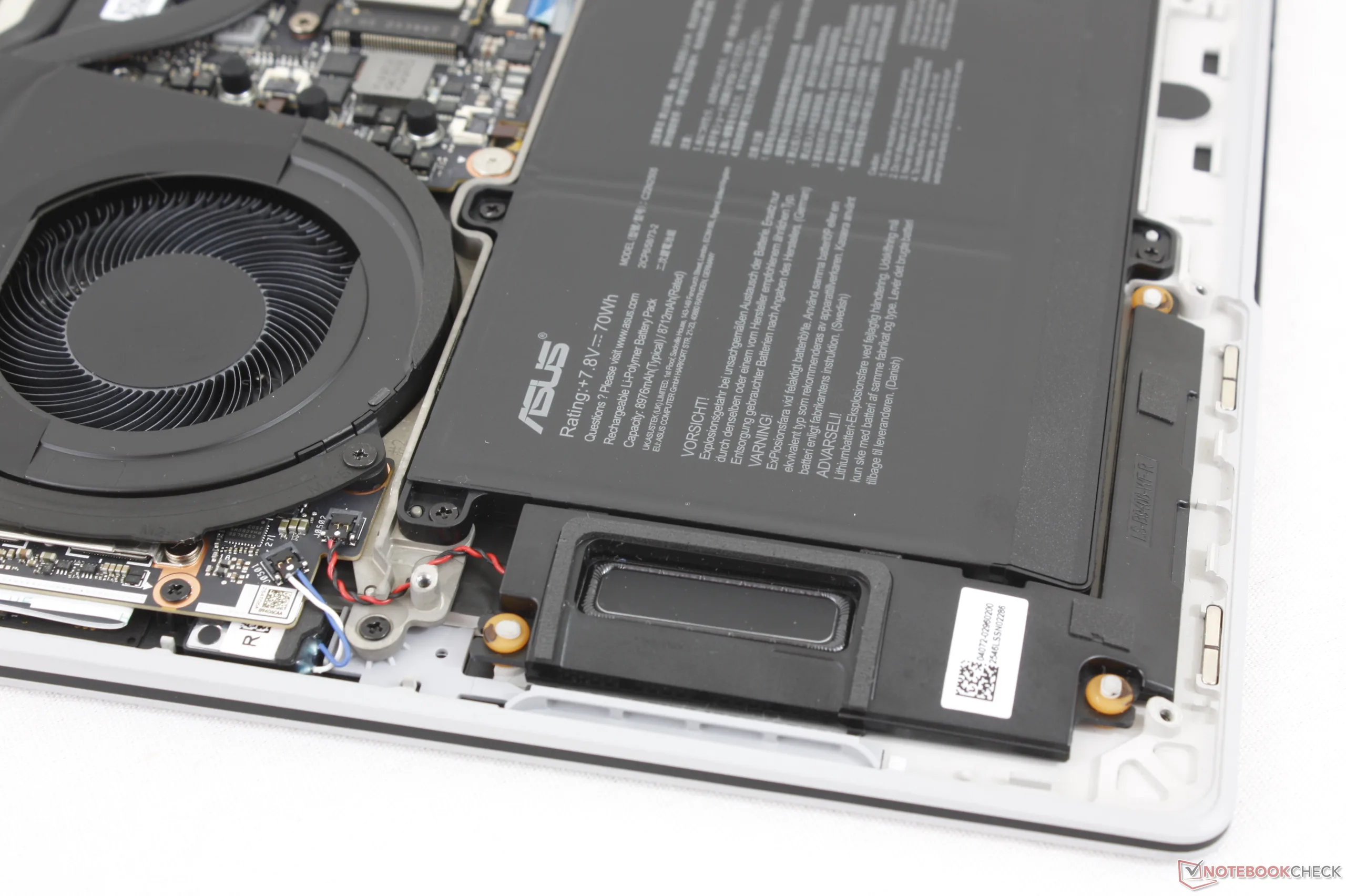
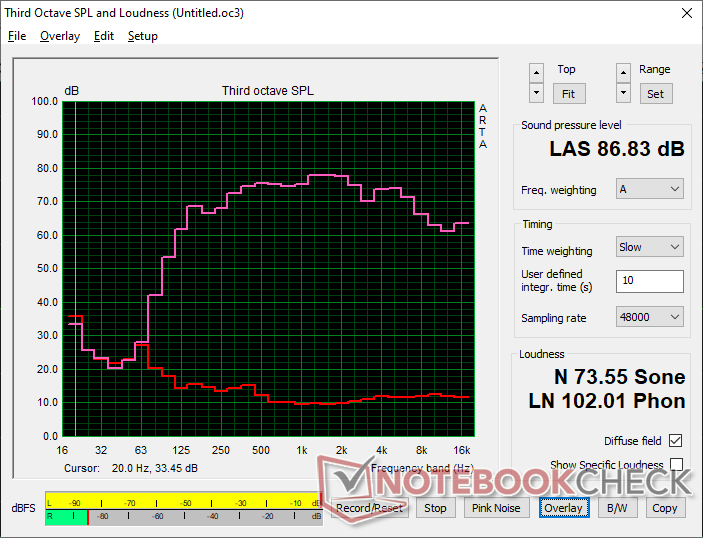
Asus ExpertBook Ultra B9406CAA audio analysis
(+) | speakers can play relatively loud (86.8 dB)
Bass 100 - 315 Hz
(±) | reduced bass - on average 8.4% lower than median
(±) | linearity of bass is average (9.3% delta to prev. frequency)
Mids 400 - 2000 Hz
(+) | balanced mids - only 2.5% away from median
(+) | mids are linear (1.5% delta to prev. frequency)
Highs 2 - 16 kHz
(+) | balanced highs - only 3.7% away from median
(+) | highs are linear (5.2% delta to prev. frequency)
Overall 100 - 16.000 Hz
(+) | overall sound is linear (8.5% difference to median)
Compared to same class
» 1% of all tested devices in this class were better, 0% similar, 99% worse
» The best had a delta of 7%, average was 21%, worst was 53%
Compared to all devices tested
» 2% of all tested devices were better, 1% similar, 97% worse
» The best had a delta of 4%, average was 23%, worst was 136%
Apple MacBook Pro 16 2021 M1 Pro audio analysis
(+) | speakers can play relatively loud (84.7 dB)
Bass 100 - 315 Hz
(+) | good bass - only 3.8% away from median
(+) | bass is linear (5.2% delta to prev. frequency)
Mids 400 - 2000 Hz
(+) | balanced mids - only 1.3% away from median
(+) | mids are linear (2.1% delta to prev. frequency)
Highs 2 - 16 kHz
(+) | balanced highs - only 1.9% away from median
(+) | highs are linear (2.7% delta to prev. frequency)
Overall 100 - 16.000 Hz
(+) | overall sound is linear (4.6% difference to median)
Compared to same class
» 0% of all tested devices in this class were better, 0% similar, 100% worse
» The best had a delta of 5%, average was 17%, worst was 45%
Compared to all devices tested
» 0% of all tested devices were better, 0% similar, 100% worse
» The best had a delta of 4%, average was 23%, worst was 136%
Energy Management
Power Consumption
Overall consumption is quite similar to the Ryzen AI 9-powered Lenovo ThinkPad P14s Gen 6 albeit with some important observations. Firstly, running Cyberpunk 2077 demands around 61 W on our Asus compared to 56 W on the Lenovo despite the Arc B890 performing up to 80 percent faster for a significant performance-per-watt advantage when it comes to graphics. On the other hand, however, running Prime95 would draw 64 W on average compared to 55 W with the same Lenovo to suggest relatively minor differences when it comes to CPU performance-per-watt.
Total consumption when the CPU is at full utilization peaks at just under 65 W with the included 90 W USB-C AC adapter.
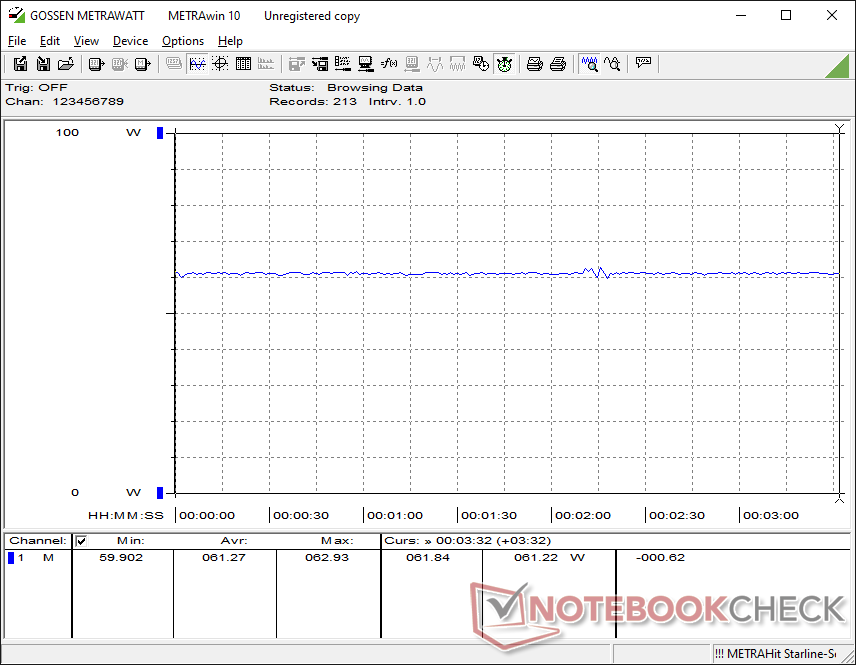
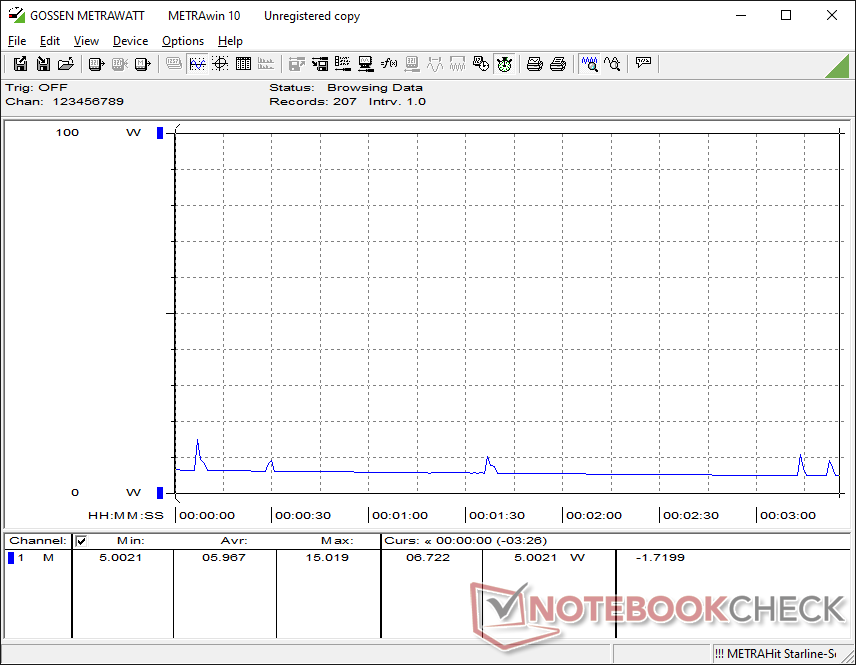
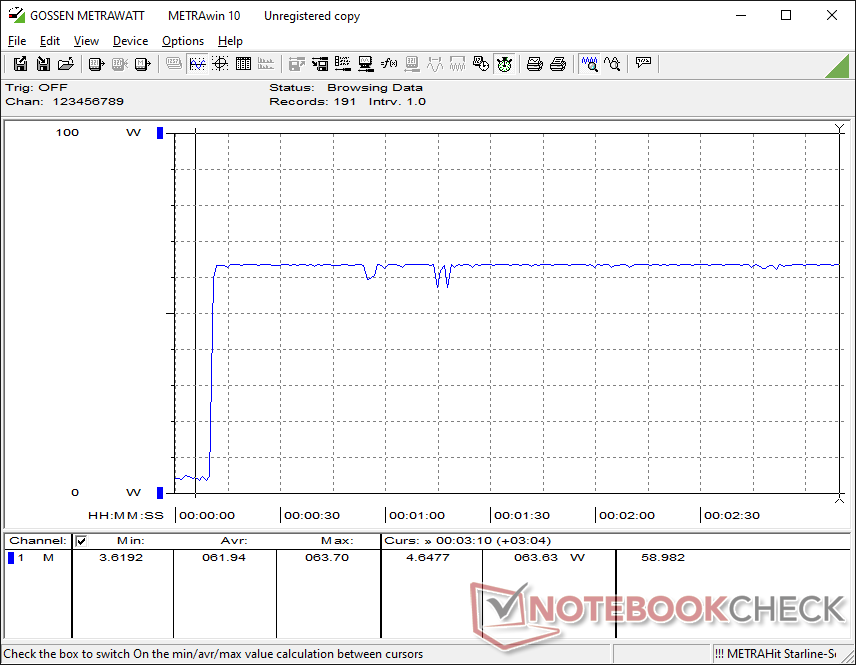
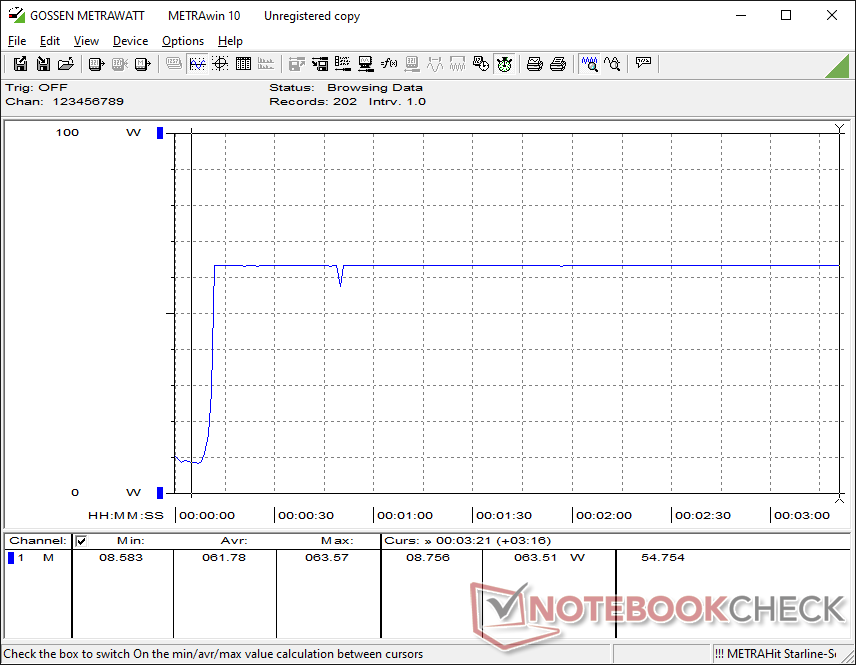
| Off / Standby | 0.29 / 5.9 Watt |
| Idle | 3.5 / 4 / 5.3 Watt |
| Load |
43.7 / 63.4 Watt |
   
| |
Key:
min: ,
med: ,
max: Metrahit Energy | |
| Asus ExpertBook Ultra B9406CAA Ultra X7 358H, Arc B390 Panther Lake iGPU, Samsung PM9E1 MZVLC2T0HBLD, OLED, 2880x1800, 14" | Dell Pro 14 Plus PB14255 GH77W Ryzen AI 7 PRO 350, Radeon 860M, Micron 2500 1TB MTFDKBA1T0QGN, IPS LED, 1920x1200, 14" | Asus ExpertBook PM3406 Ryzen AI 7 350, Radeon 860M, Western Digital PC SN5000S SDEQNSJ-512G-1002, IPS, 1920x1200, 14" | Lenovo ThinkPad T14s Gen 6 Intel Core Ultra 5 228V, Arc 130V, SK hynix PCB01 HFS001TFM9X179N GL, IPS LED, 1920x1200, 14" | Samsung Galaxy Book5 Pro 14 940XHA Core Ultra 5 226V, Arc 130V, Samsung PM9C1 MZVL8512HELU, OLED, 2880x1800, 14" | HP EliteBook Ultra G1i 14 Core Ultra 7 258V, Arc 140V, Kioxia XG8 KXG80ZNV1T02, OLED, 2880x1800, 14" | |
|---|---|---|---|---|---|---|
| Power Consumption | -9% | -15% | 15% | 8% | 7% | |
| Idle Minimum * (Watt) | 3.5 | 3.7 -6% | 3.2 9% | 3 14% | 3.7 -6% | 3.7 -6% |
| Idle Average * (Watt) | 4 | 7.3 -83% | 6.1 -53% | 4.7 -18% | 5.2 -30% | 5.4 -35% |
| Idle Maximum * (Watt) | 5.3 | 8.5 -60% | 6.9 -30% | 5.4 -2% | 5.4 -2% | 5.7 -8% |
| Load Average * (Watt) | 43.7 | 37.4 14% | 56.4 -29% | 31.8 27% | 26.2 40% | 39.4 10% |
| Cyberpunk 2077 ultra * (Watt) | 61.3 | 35.9 41% | 64.9 -6% | 38.7 37% | 47.4 23% | 35.3 42% |
| Cyberpunk 2077 ultra external monitor * (Watt) | 61.4 | 40.3 34% | 45.3 26% | 37.1 40% | 42.7 30% | 32.4 47% |
| Load Maximum * (Watt) | 63.4 | 64.6 -2% | 76.1 -20% | 58.9 7% | 63.5 -0% | 62.9 1% |
* ... smaller is better
Power Consumption Cyberpunk / Stress Test
Power Consumption external Monitor
Battery Life
While the 70 Wh capacity is ordinary for the 14-inch size class, the battery life is anything but. The Asus can last for just over 16 hours of real-world WLAN browsing before automatic shutdown to be several hours longer than many other subnotebooks including the company's own AMD-powered ExpertBook PM3406.
| Asus ExpertBook Ultra B9406CAA Ultra X7 358H, Arc B390 Panther Lake iGPU, 70 Wh | Dell Pro 14 Plus PB14255 GH77W Ryzen AI 7 PRO 350, Radeon 860M, 55 Wh | Asus ExpertBook PM3406 Ryzen AI 7 350, Radeon 860M, 70 Wh | Lenovo ThinkPad P14s Gen 6 21QT0012GE Ultra 7 265H, RTX PRO 500 Blackwell Generation Laptop, 75 Wh | Samsung Galaxy Book5 Pro 14 940XHA Core Ultra 5 226V, Arc 130V, 63 Wh | HP EliteBook Ultra G1i 14 Core Ultra 7 258V, Arc 140V, 64 Wh | |
|---|---|---|---|---|---|---|
| Battery runtime | -27% | -13% | -38% | -37% | -25% | |
| WiFi v1.3 (h) | 16.1 | 11.8 -27% | 14 -13% | 10 -38% | 10.1 -37% | 12 -25% |
| Load (h) | 1.8 | 2 |
Notebookcheck Rating
Top-of-the-line lightweight business laptop with impressive performance-per-volume but mixed input devices and matte OLED touchscreen.
Asus ExpertBook Ultra B9406CAA
- 01/26/2026 v8
Allen Ngo
 Total Sustainability Score:
 Potential Competitors in Comparison
Image | Model / Review | Price | Weight | Height | Display |
|---|---|---|---|---|---|
1. 87.6%  | Asus ExpertBook Ultra B9406CAA Intel Core Ultra X7 358H ⎘ Intel Arc B390 12 Xe3 Panther Lake iGPU ⎘ 32 GB Memory, 2048 GB SSD | 1.1 kg | 15.9 mm | 14.00" 2880x1800 243 PPI OLED | |
2. 84.5%  | Dell Pro 14 Plus PB14255 GH77W AMD Ryzen AI 7 PRO 350 ⎘ AMD Radeon 860M ⎘ 32 GB Memory, 1024 GB SSD | List Price: 1630 Euro | 1.6 kg | 22 mm | 14.00" 1920x1200 162 PPI IPS LED |
3. 84.7%  | Asus ExpertBook PM3406 AMD Ryzen AI 7 350 ⎘ AMD Radeon 860M ⎘ 16 GB Memory, 512 GB SSD | List Price: 979€ | 1.4 kg | 17.9 mm | 14.00" 1920x1200 162 PPI IPS |
4. 85.3%  | Lenovo ThinkPad P14s Gen 6 21QT0012GE Intel Core Ultra 7 265H ⎘ NVIDIA RTX PRO 500 Blackwell Generation Laptop ⎘ 64 GB Memory, 2048 GB SSD | List Price: 2760 Euro | 1.7 kg | 23 mm | 14.50" 3072x1920 250 PPI IPS LED |
5. 86.9%  | Samsung Galaxy Book5 Pro 14 940XHA Intel Core Ultra 5 226V ⎘ Intel Arc Graphics 130V ⎘ 16 GB Memory, 512 GB SSD | List Price: 1699€ | 1.2 kg | 11.6 mm | 14.00" 2880x1800 243 PPI OLED |
6. 89.6%  | HP EliteBook Ultra G1i 14 Intel Core Ultra 7 258V ⎘ Intel Arc Graphics 140V ⎘ 32 GB Memory, 1024 GB SSD | List Price: 2349€ | 1.2 kg | 12.1 mm | 14.00" 2880x1800 243 PPI OLED |
Transparency
The selection of devices to be reviewed is made by our editorial team. The test sample was provided to the author as a loan by the manufacturer or retailer for the purpose of this review. The lender had no influence on this review, nor did the manufacturer receive a copy of this review before publication. There was no obligation to publish this review. As an independent media company, Notebookcheck is not subjected to the authority of manufacturers, retailers or publishers.
This is how Notebookcheck is testing
Every year, Notebookcheck independently reviews hundreds of laptops and smartphones using standardized procedures to ensure that all results are comparable. We have continuously developed our test methods for around 20 years and set industry standards in the process. In our test labs, high-quality measuring equipment is utilized by experienced technicians and editors. These tests involve a multi-stage validation process. Our complex rating system is based on hundreds of well-founded measurements and benchmarks, which maintains objectivity. Further information on our test methods can be found here.
 Add as a preferred source on Google


