




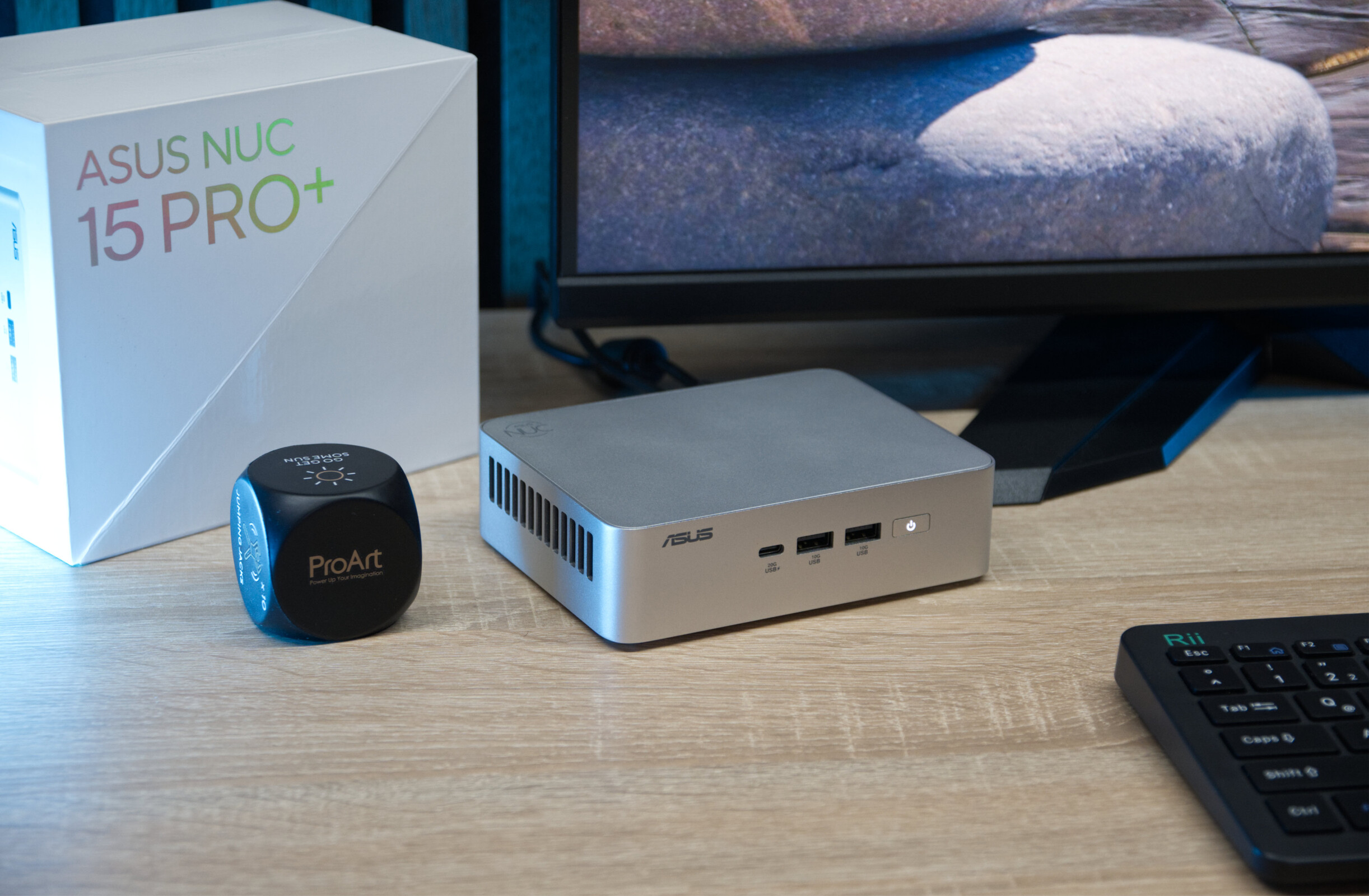
Verdict: High-end power with Intel Core Ultra 9 285H
The Asus NUC 15 Pro+ with Intel Core Ultra 9 285H is a powerful mini PC in a compact format. The modern processor offers plenty of performance for demanding tasks such as multitasking, image and video editing, and productive work. Thanks to the bright, high-quality housing design, the system looks particularly compact, even if it is slightly larger than classic NUC models. The extensive connection options, including two Thunderbolt 4 ports, which make the mini PC future-proof, are a positive feature. The almost tool-free opening of the underside, which allows RAM and SSD to be upgraded quickly and easily, is also a success.
There is criticism of the noise development under load, which is clearly audible depending on the scenario. A finer adjustment of the fan curve ex works would be desirable - especially considering the price. However, this behavior can be partially optimized using the extensive BIOS settings. Ultimately, the Asus NUC 15 Pro+ is an excellent choice for anyone looking for a compact, powerful PC for office, multimedia, and creative applications.
Pros
Cons
Price and availability
The Asus NUC 15 Pro+ with preinstalled 32 GB RAM and 1 TB SSD can be purchased for $1,160 on Amazon.

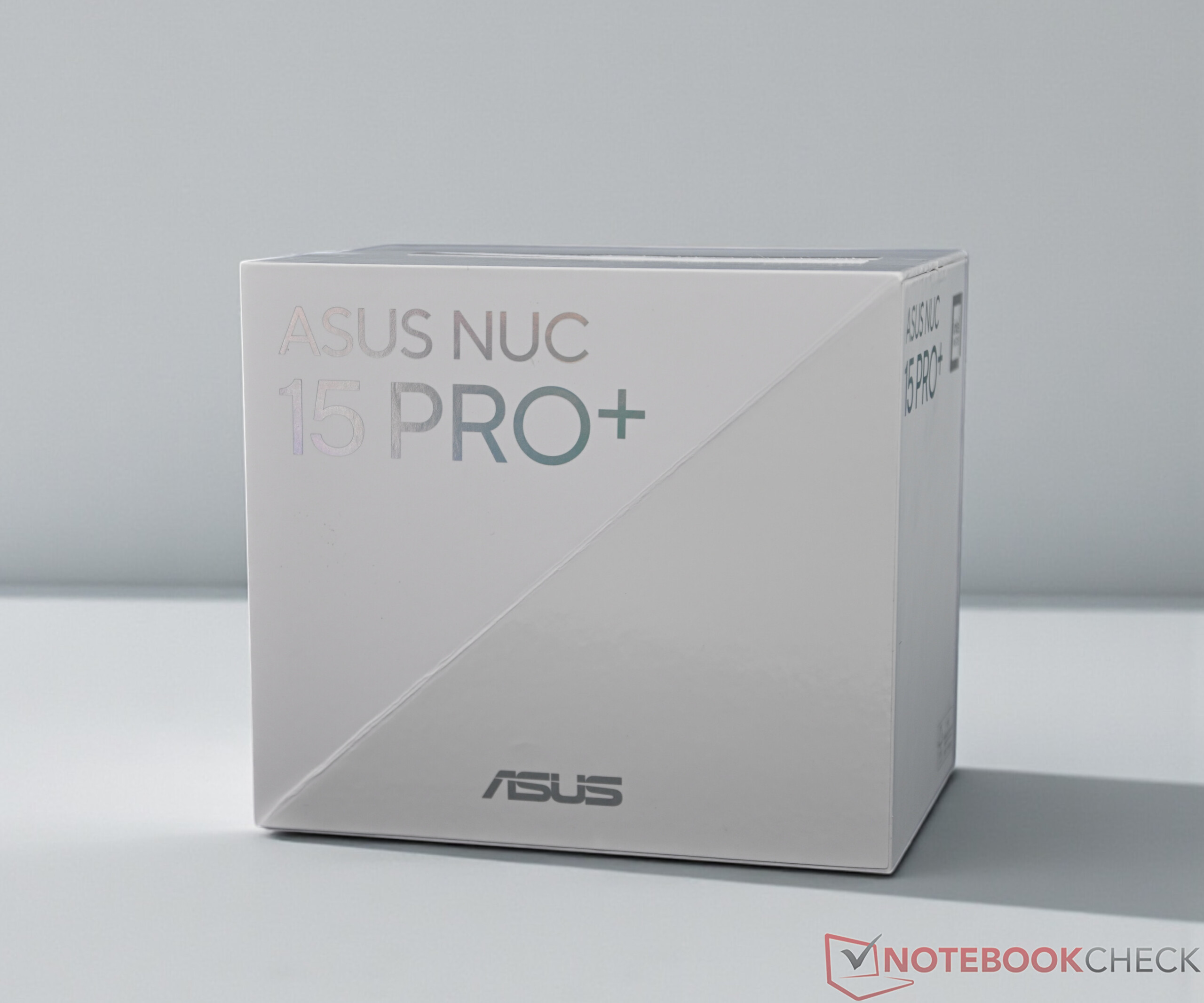
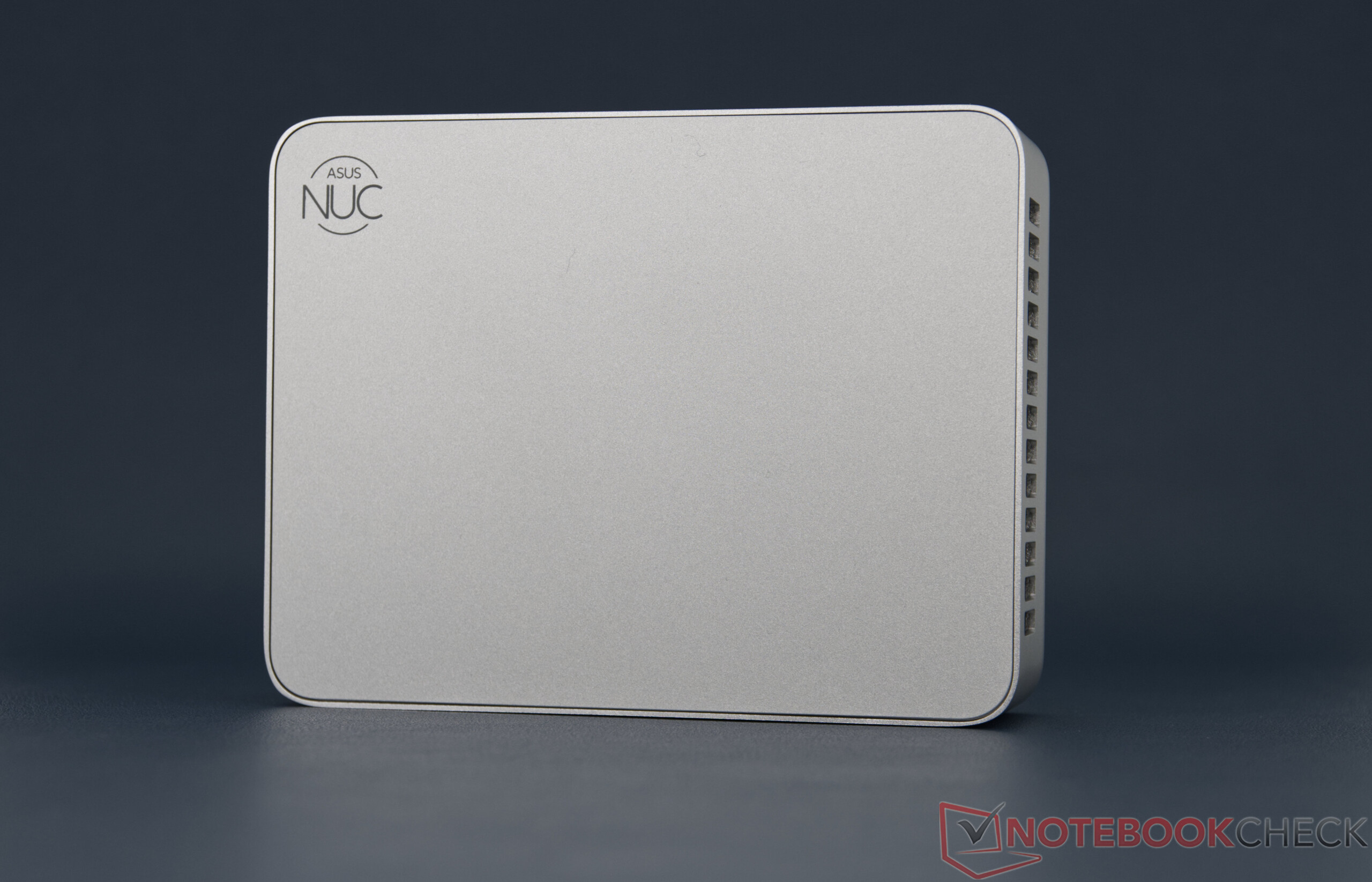
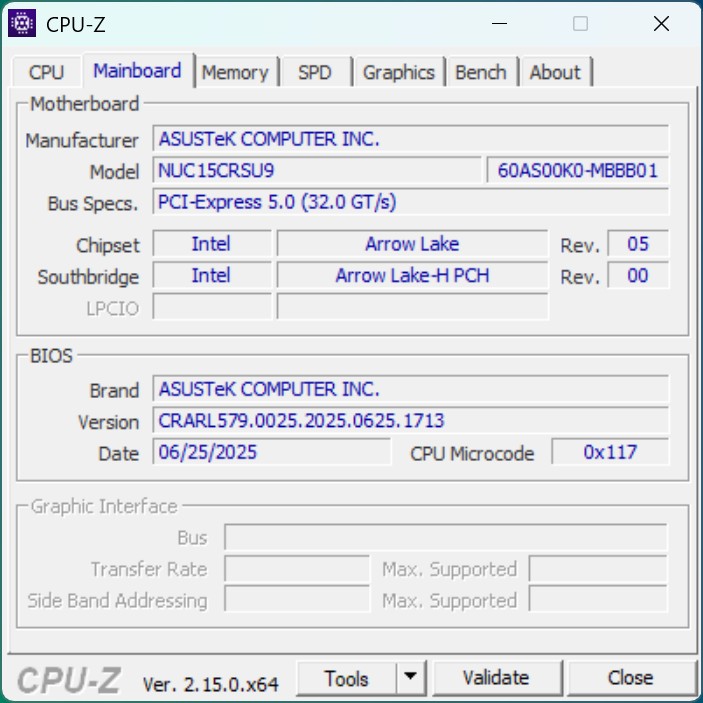
The Asus NUC 15 Pro+ clearly stands out visually from the original NUC series. Despite its slightly larger dimensions, it remains a very compact, powerful mini PC. Asus installs an Intel Core Ultra 9 285H in the top configuration, although the Nuc 15 Pro+ is also available with Core Ultra 7 or Core Ultra 5 processors.
Specifications
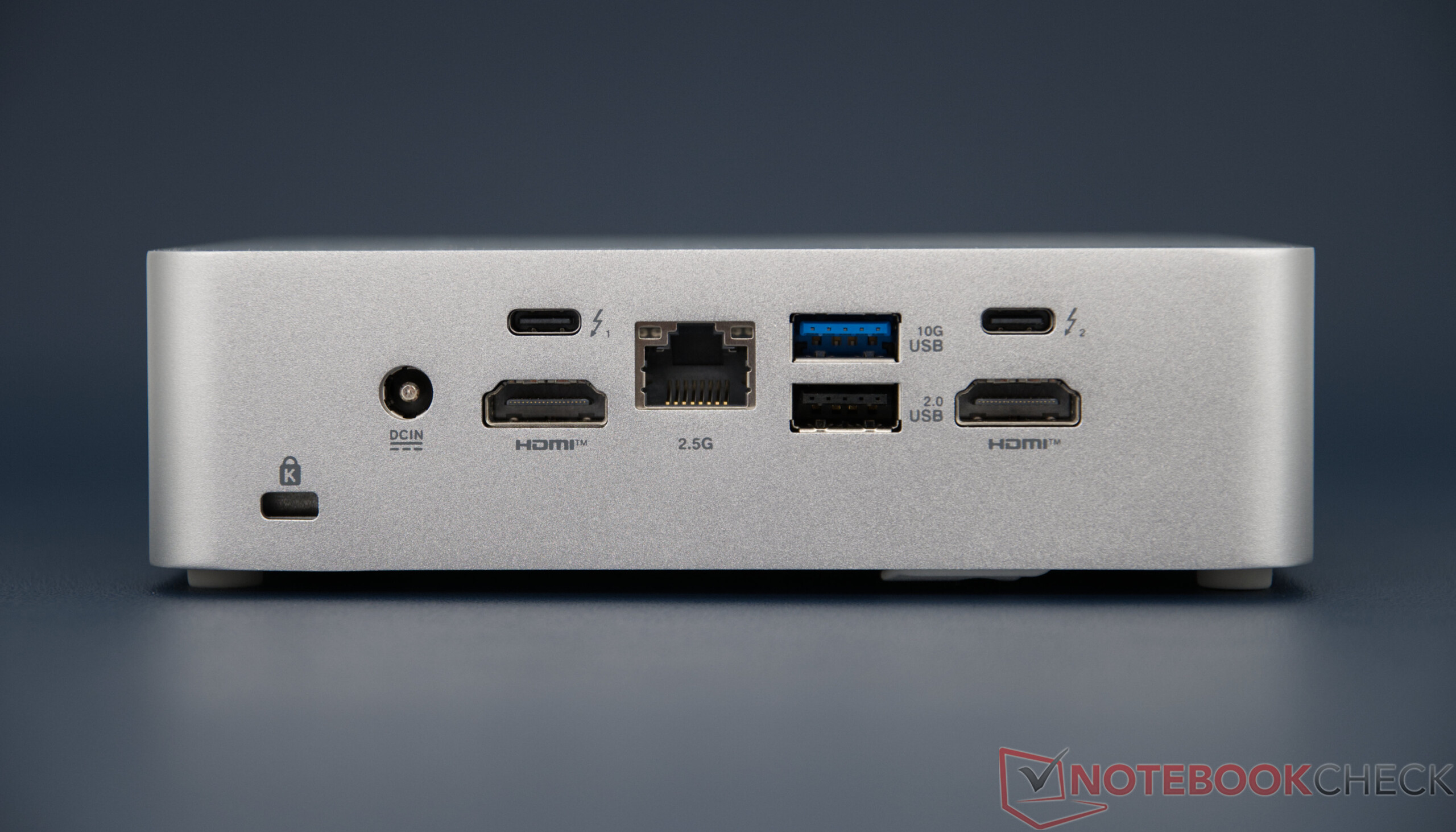


Case & Connectivity
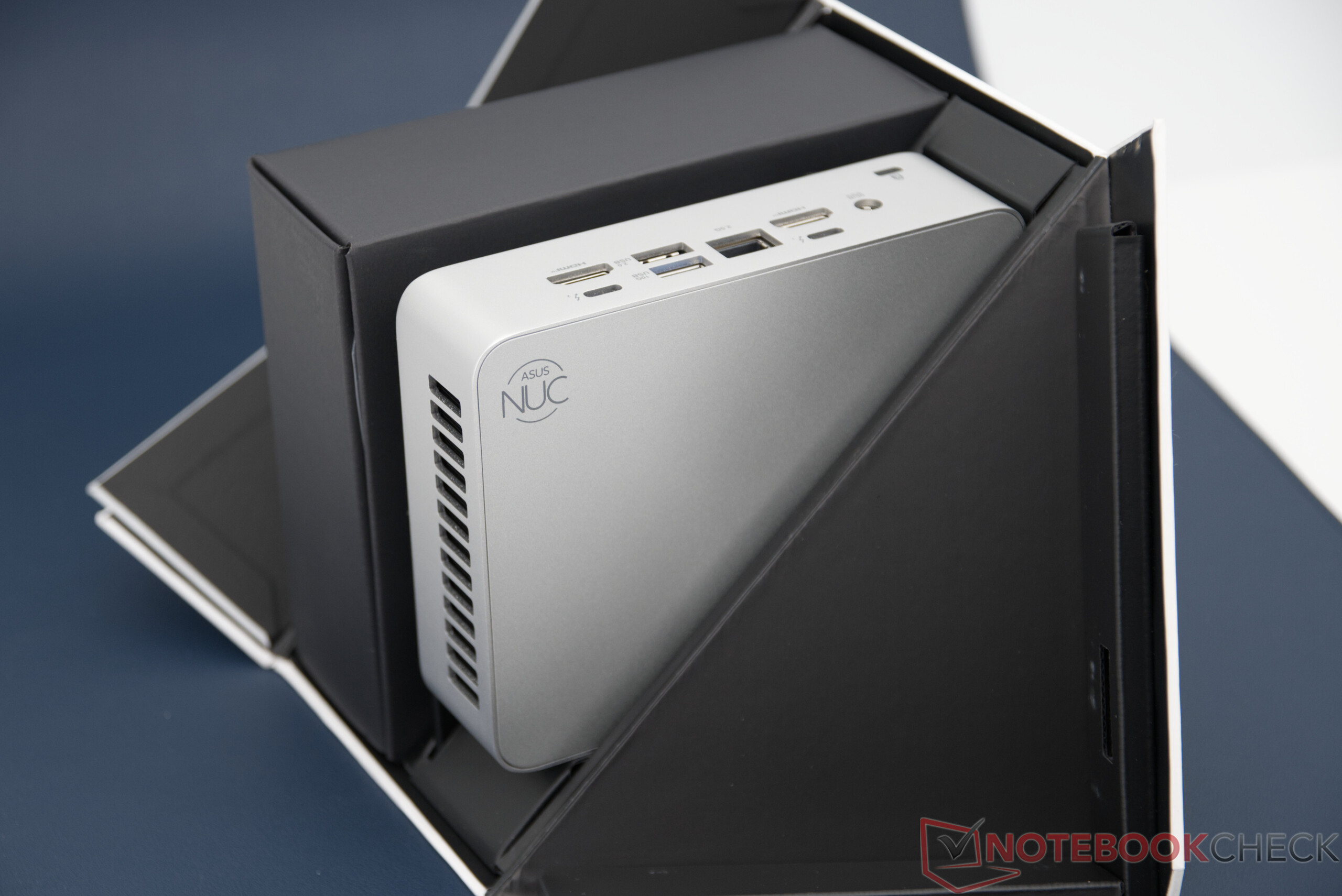
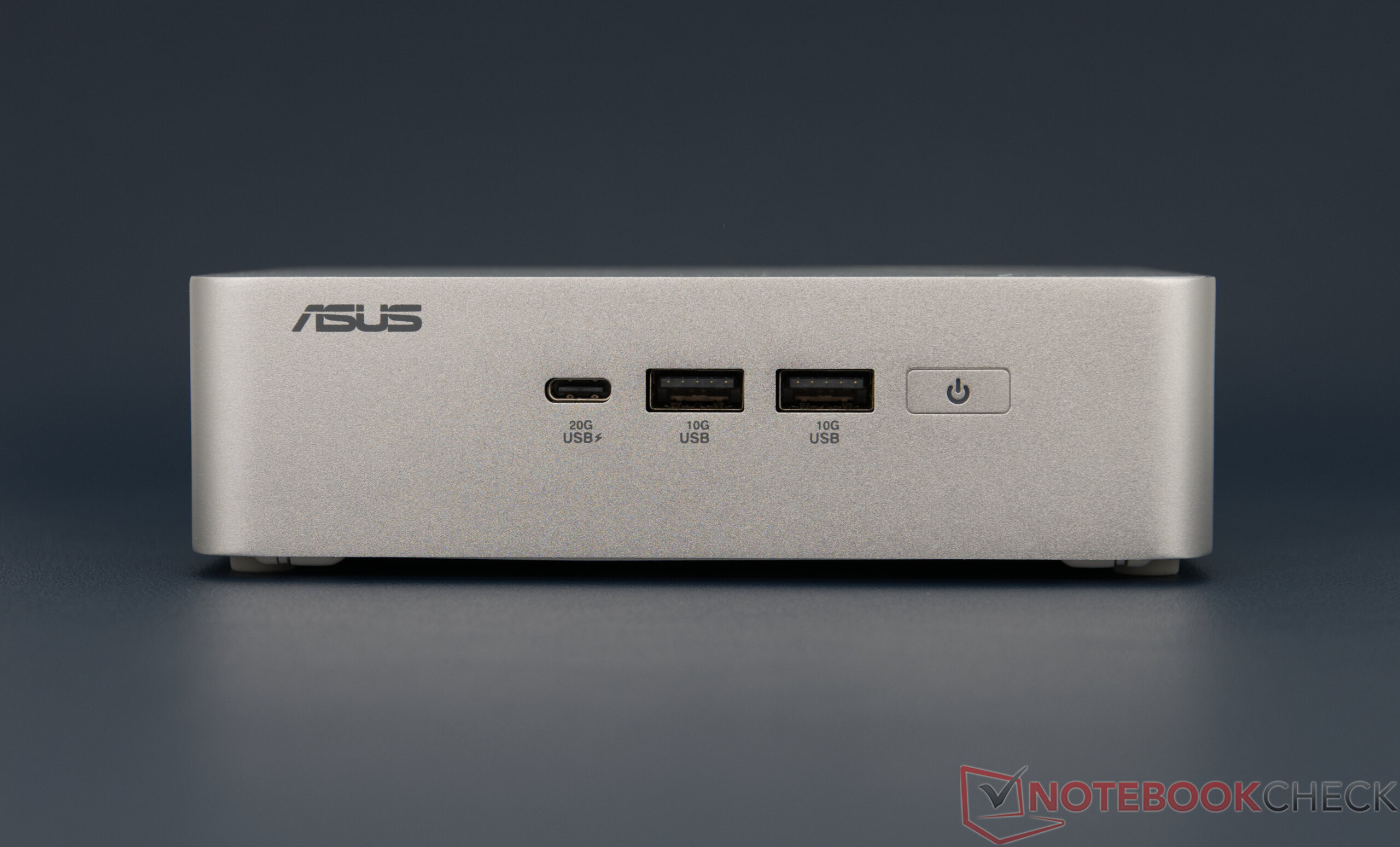
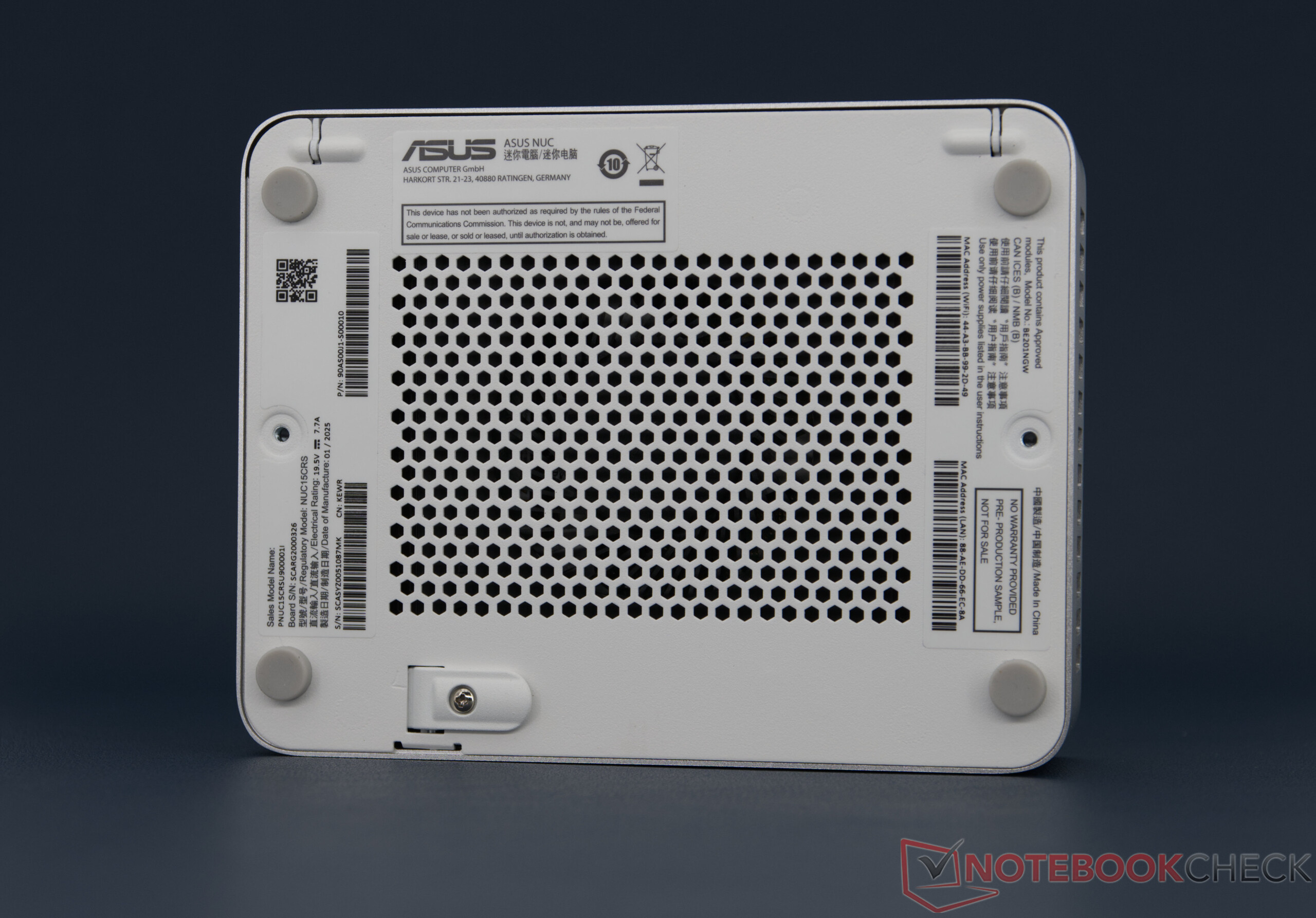
Visually, the Asus NUC 15 Pro+, like the Asus NUC 14 Pro+, clearly stands out from previous Intel NUCs. Compared to the predecessor model, Asus has completely redesigned the housing of the NUC 15 Pro+. Asus combines metal for the sides and bottom, although the top is made of plastic. The workmanship is of a high quality, and there is nothing to complain about in terms of feel. With a footprint of around 14.4 × 11.2 cm, the mini PC requires a little more space than some competitor models but remains compact enough for any desk. Thanks to the VESA mount, the NUC 15 Pro+ can be mounted directly behind a monitor.
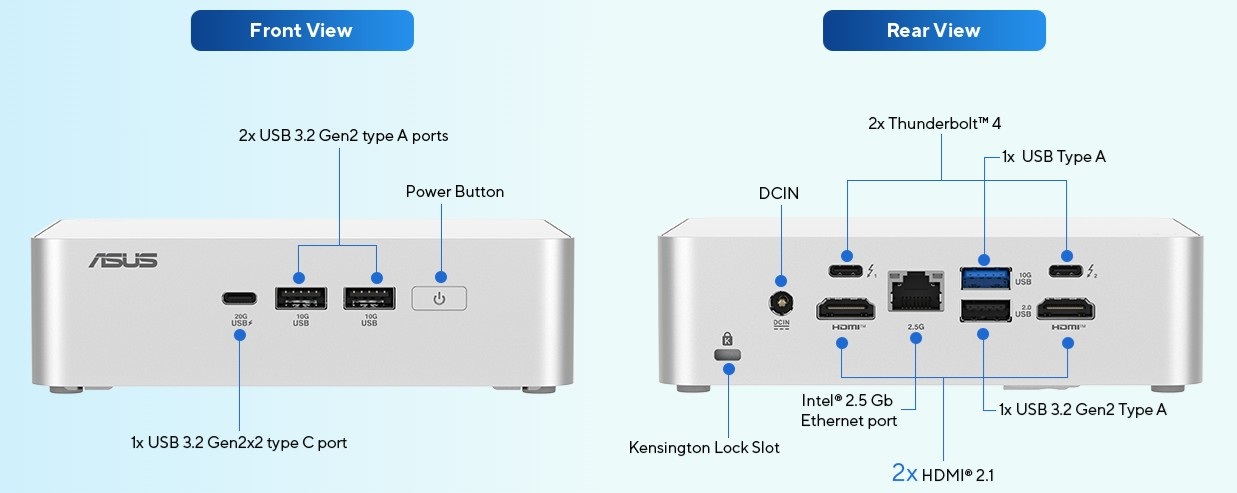
The Asus NUC 15 Pro+ offers a good selection of external ports. A total of seven USB ports are available - four USB-A and three USB-C, with two USB-C ports supporting Thunderbolt 4 and thus significantly expanding the range of functions. The range is complemented by two HDMI outputs, a 2.5 Gbit LAN port, and fast Wi-Fi. The port distribution is clearly laid out and practical.
Thunderbolt 4 Performance (ADATA SE920)
| Connectivity - USB 3.x / USB4 / TB - AS SSD Seq Read Test (1GB) | |
| Asus NUC 14 Pro+ | |
| GMK EVO-T1 | |
| Asus NUC 15 Pro+ | |
| Geekom A9 Max, AI 9 HX 370 | |
| Minisforum AI X1, Ryzen 7 255 | |
| Average of class Mini PC (423 - 3906, n=48, last 2 years) | |
| Minisforum EliteMini UM890 Pro | |
| Geekom Mini IT15, Ultra 9 285H | |
Accessories
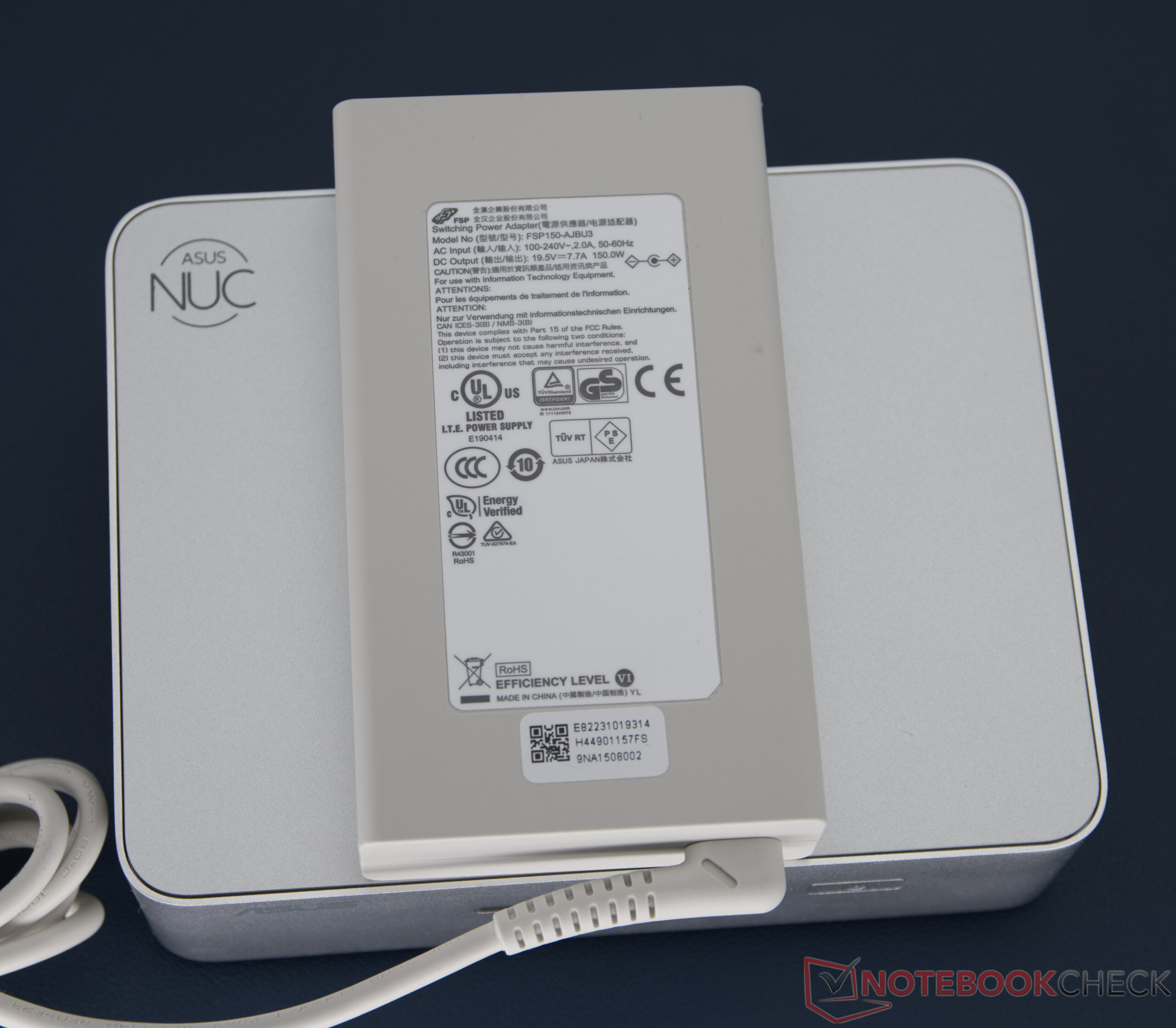
The Asus NUC 15 Pro+ comes with a 150-watt power supply unit and a VESA mount including mounting material. Additional accessories such as a keyboard or mouse are not included.

Maintenance
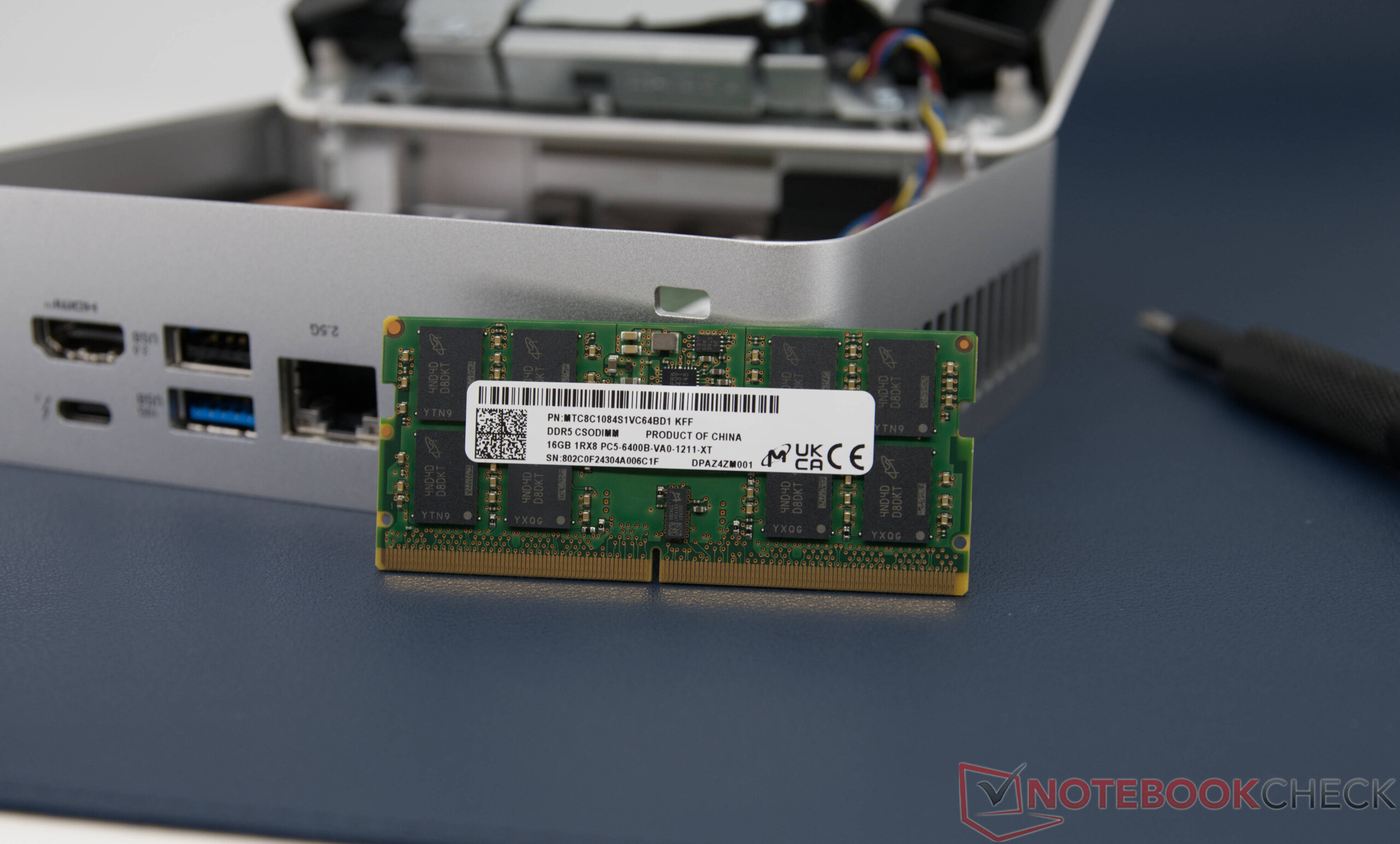
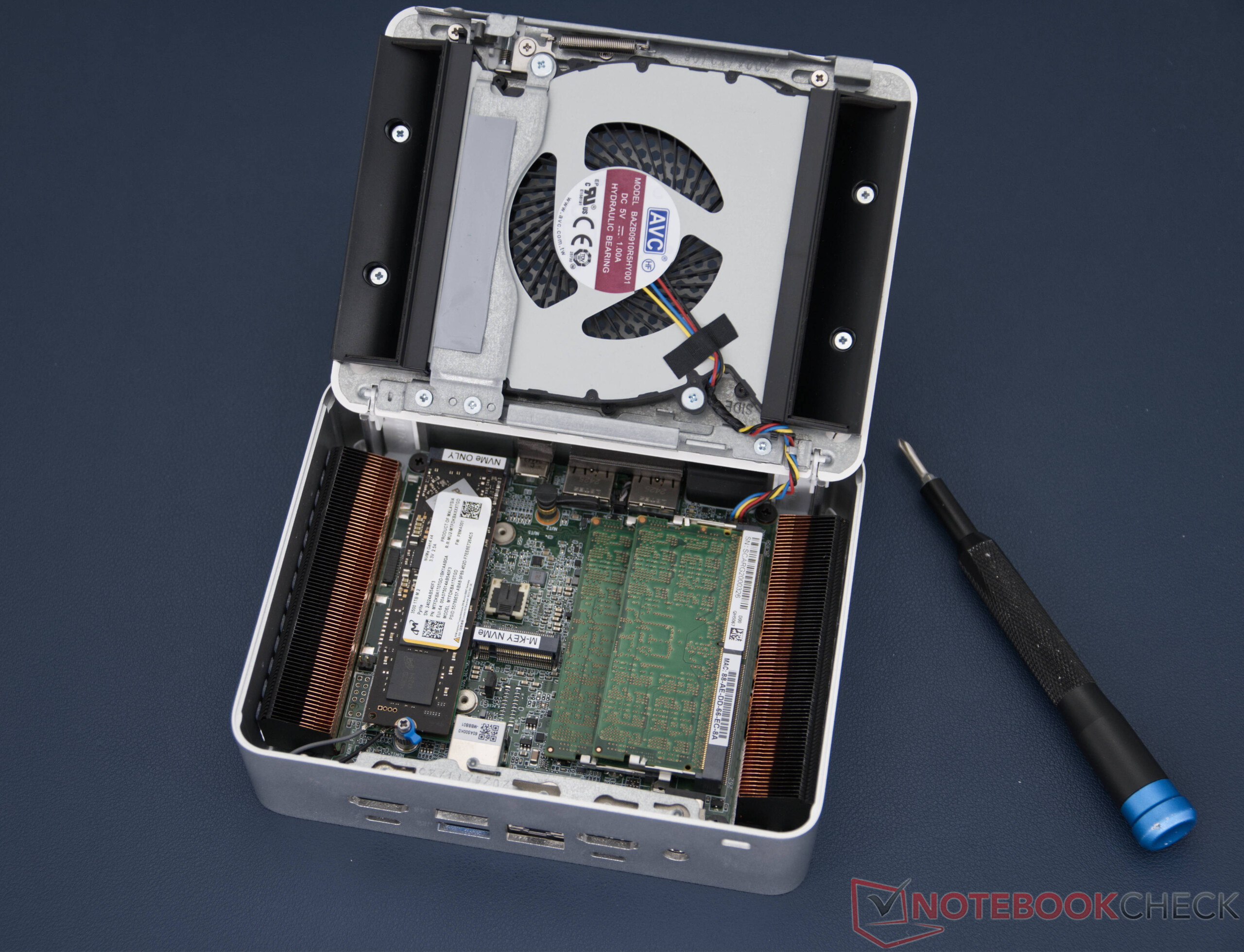
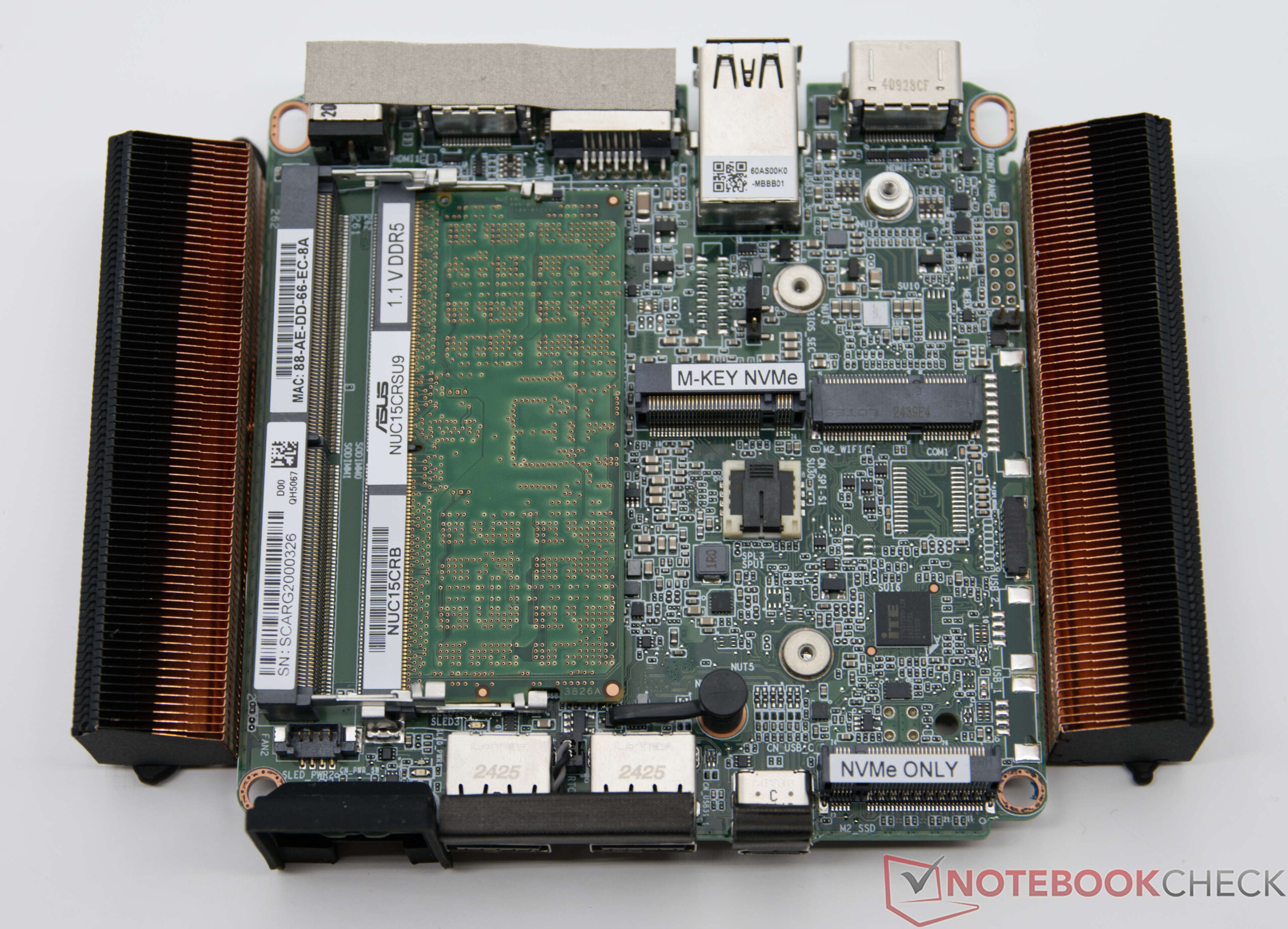
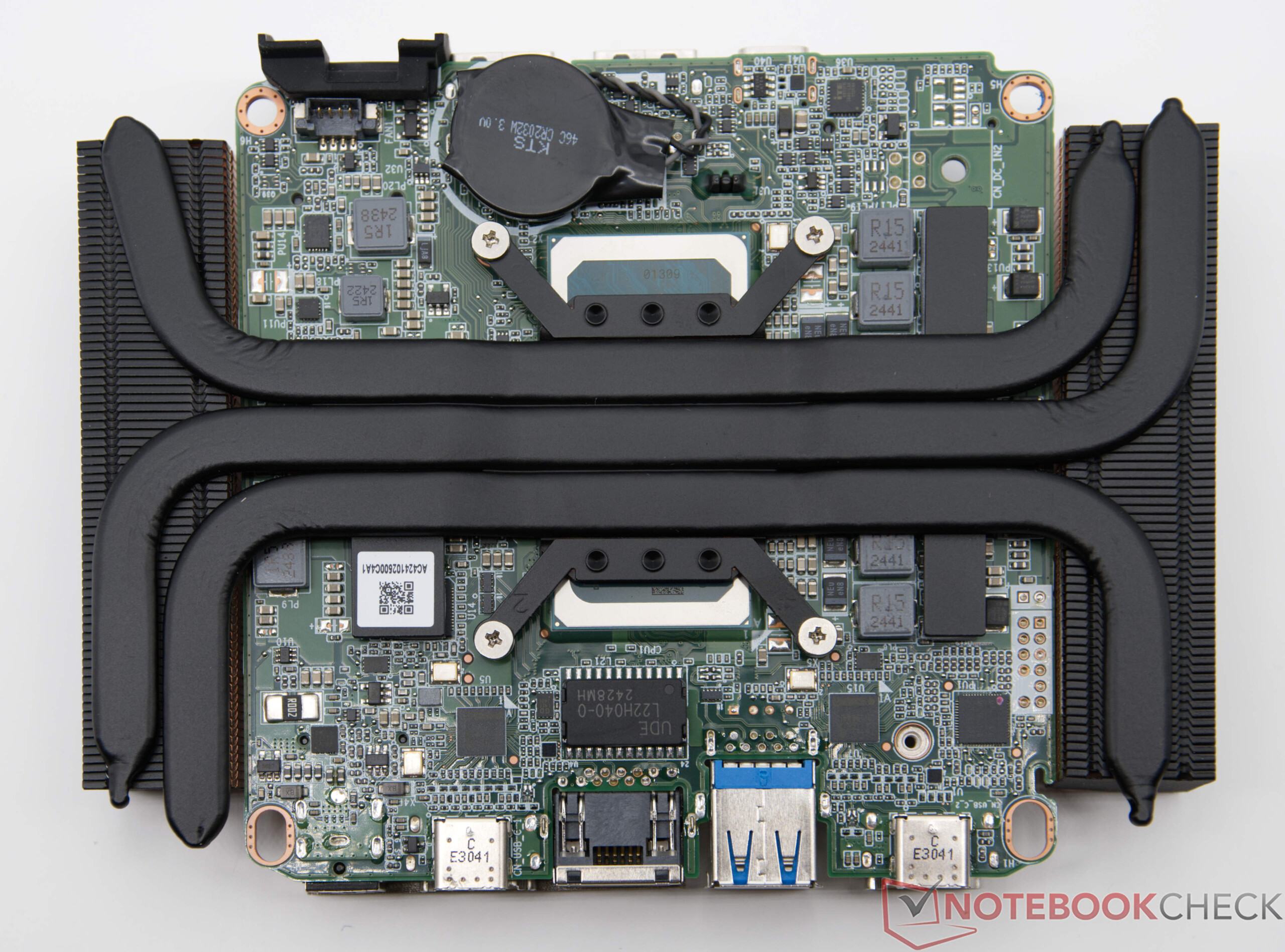
The Asus NUC 15 Pro+ is also available as a barebone version and can be easily upgraded by the user. The components can be accessed quickly via the underside. In our test, an SSD and two SO-DIMM modules are already installed. The mini PC also offers space for a second SSD, whereby a form factor with a maximum length of 42 mm must be observed.
Sustainability
The Asus NUC 15 Pro+ is a compact mini PC that is particularly energy-efficient compared to classic desktop systems. It comes in a handy and space-saving package. The housing combines metal and plastic to create a robust design. Thanks to the environmentally friendly choice of materials, the device combines a long service life with a modern and sustainable design. The positive impression is rounded off by the three-year manufacturer's guarantee.
Performance


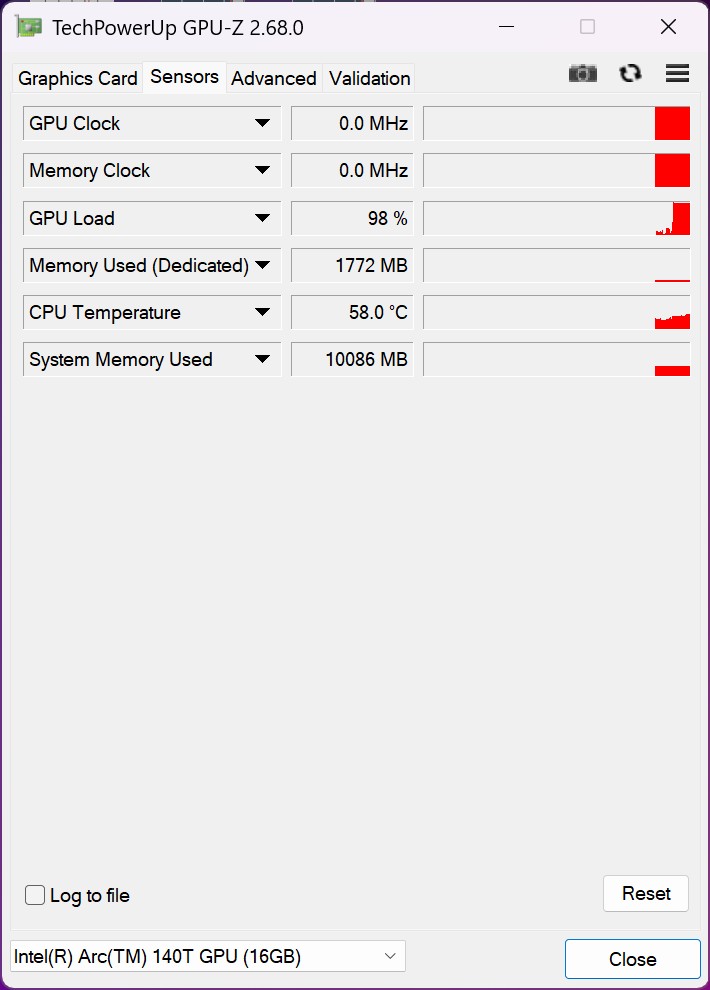
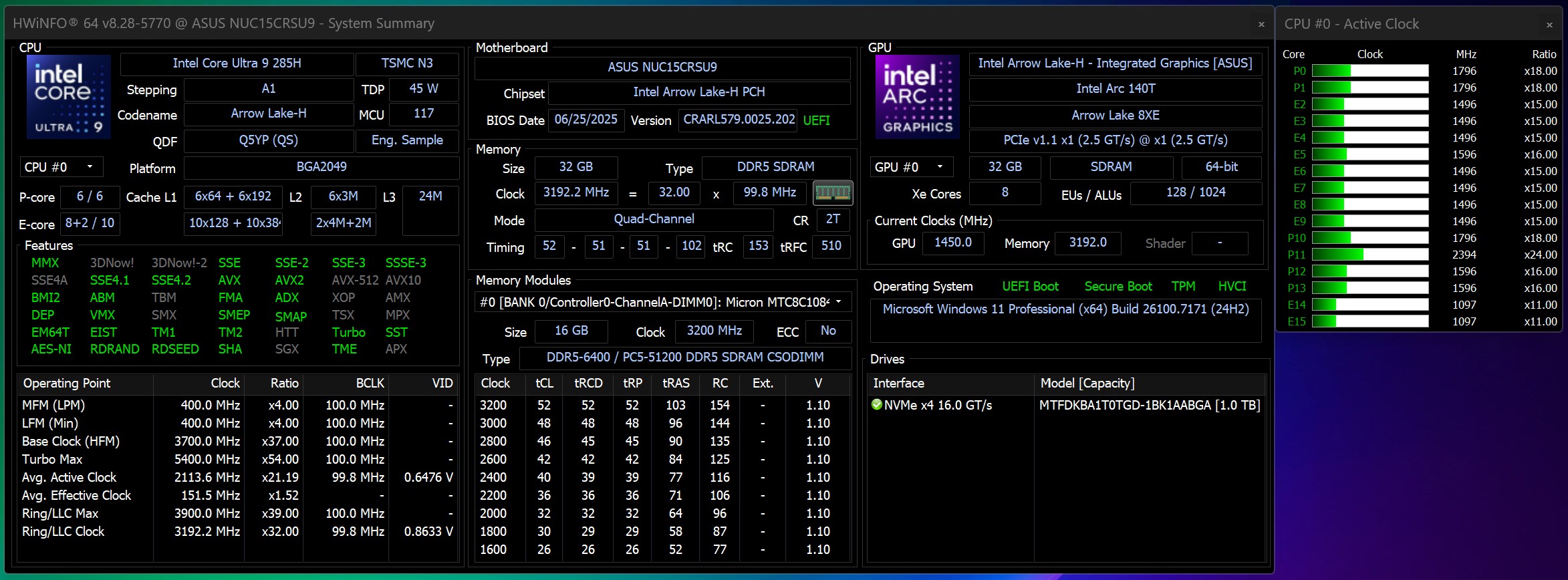
Test conditions
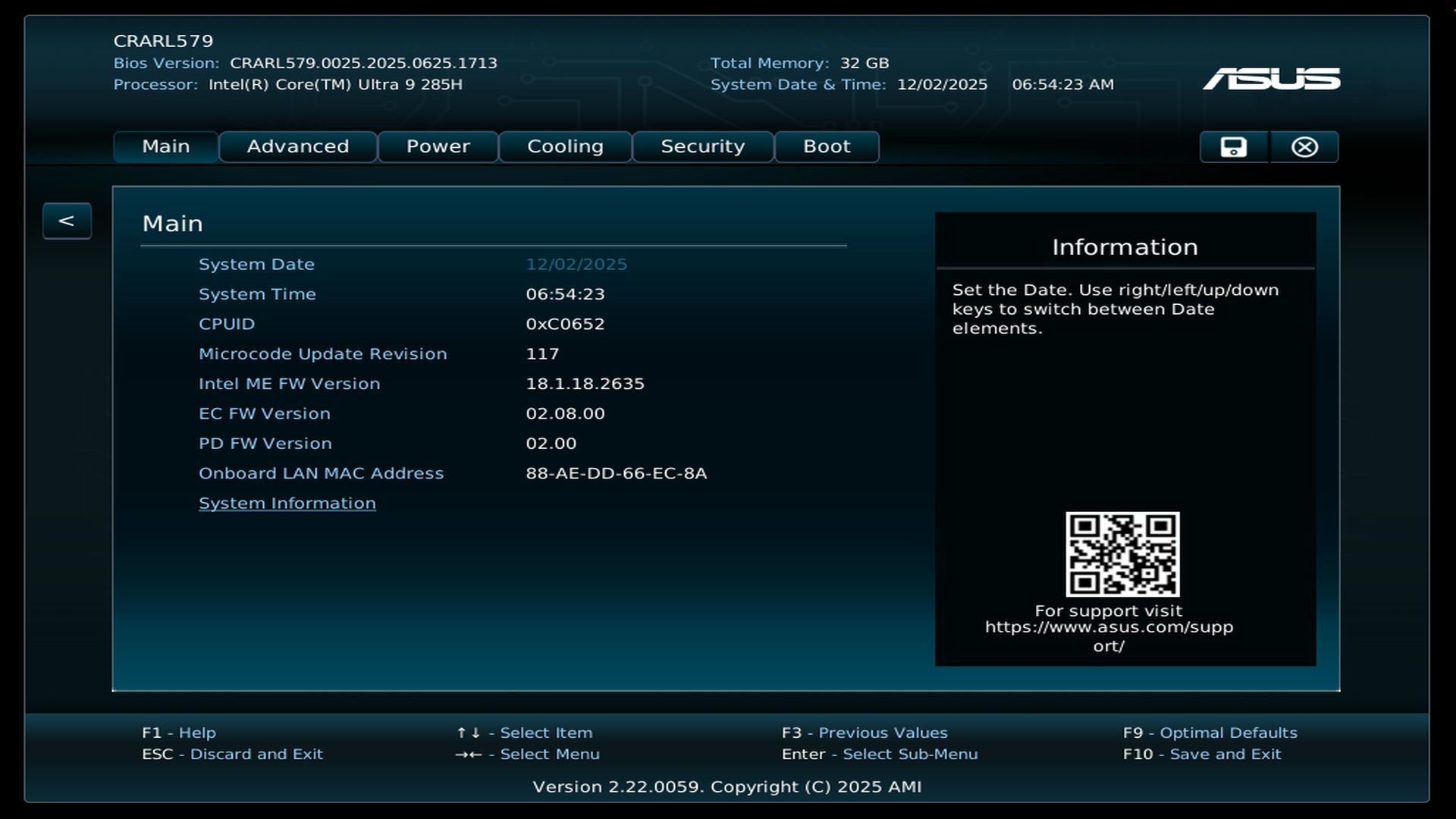
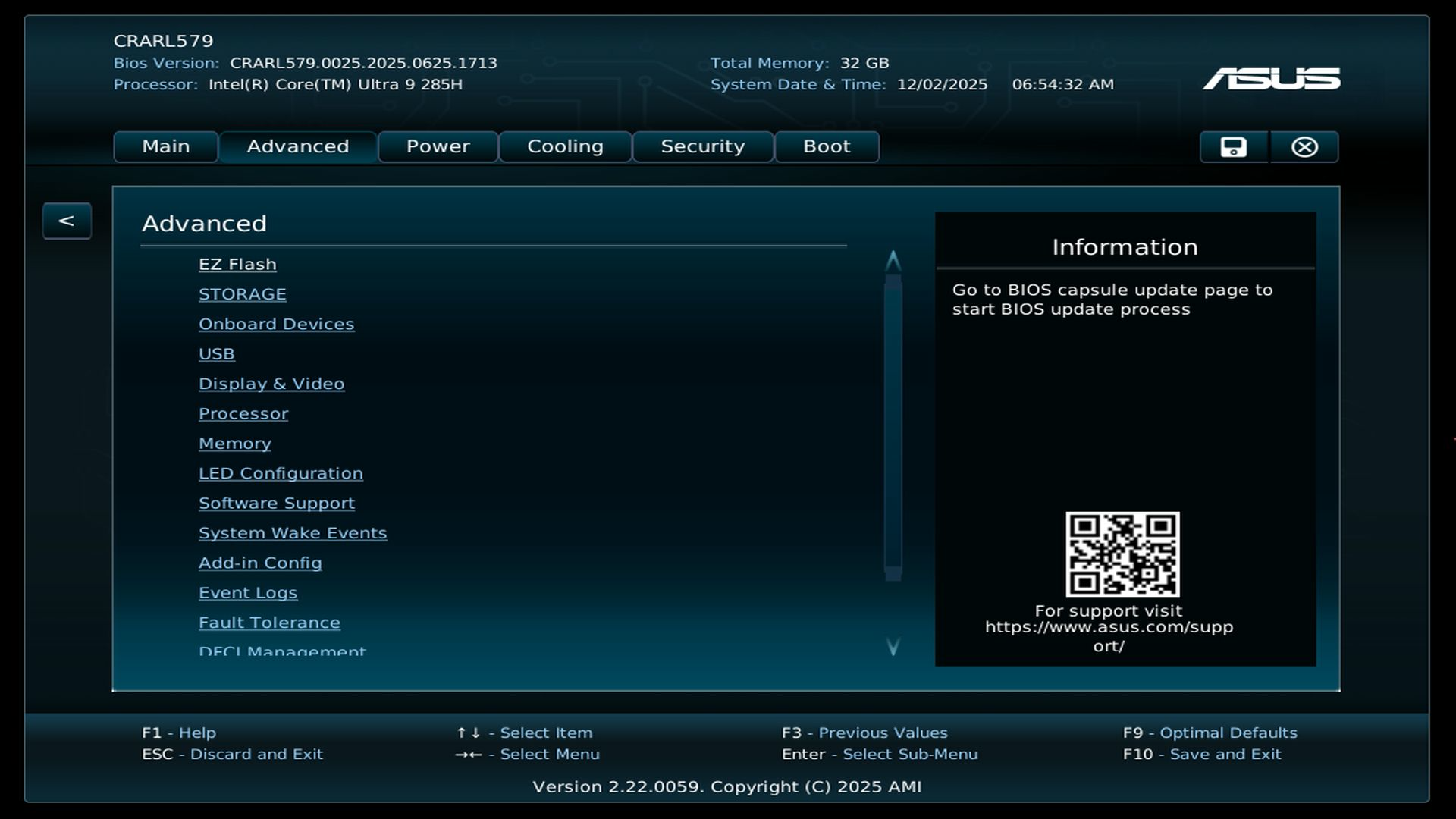
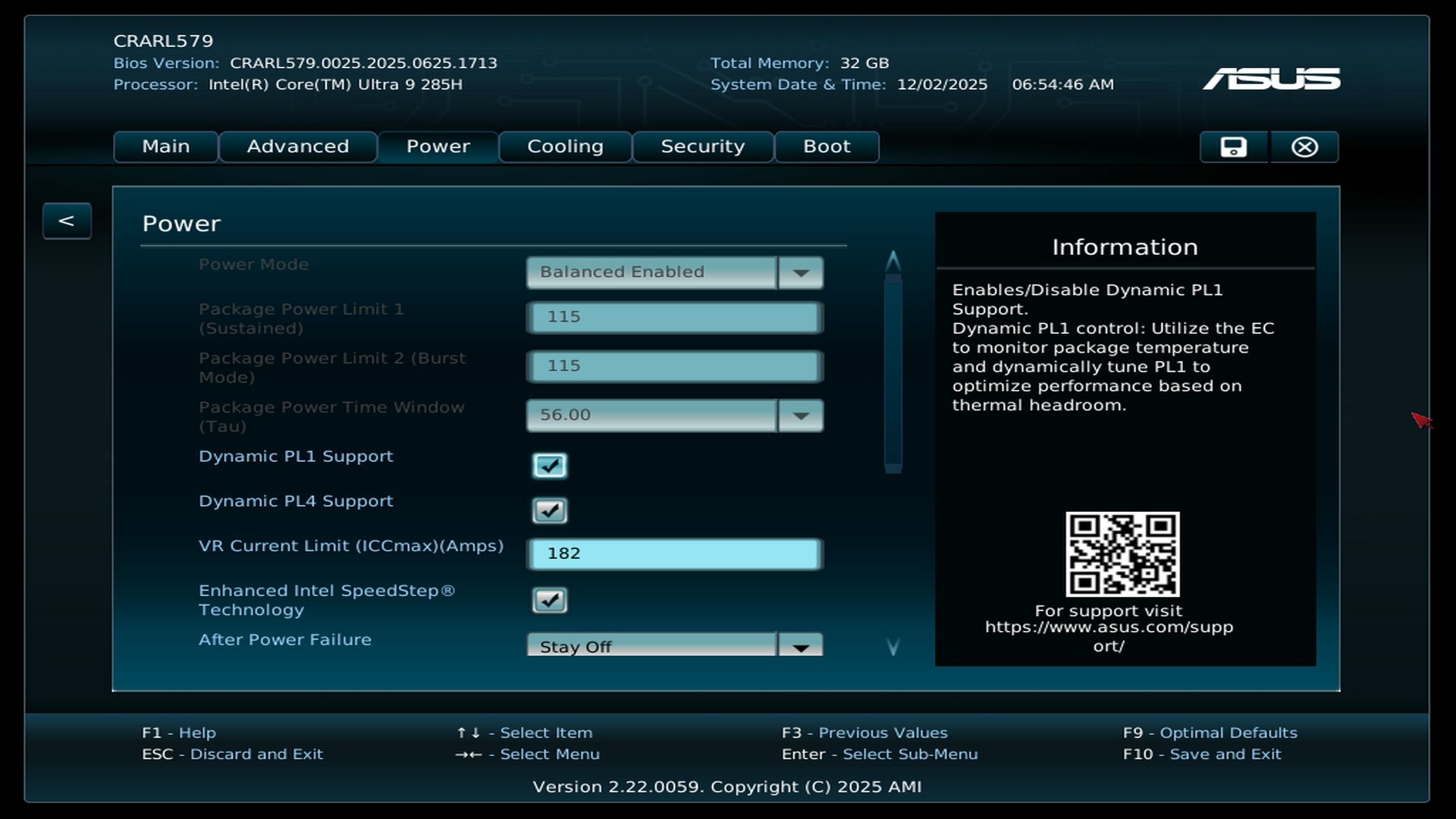
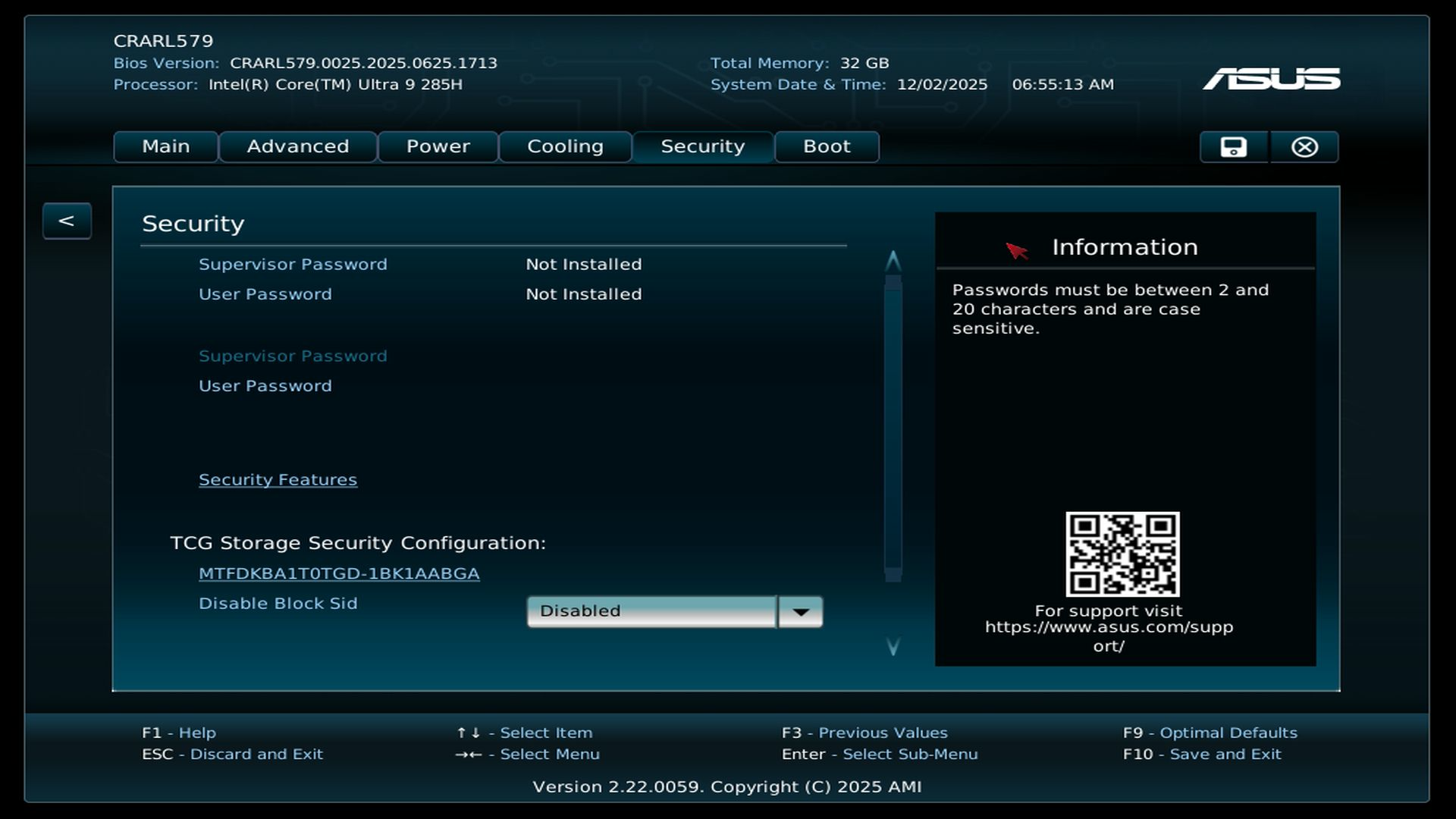
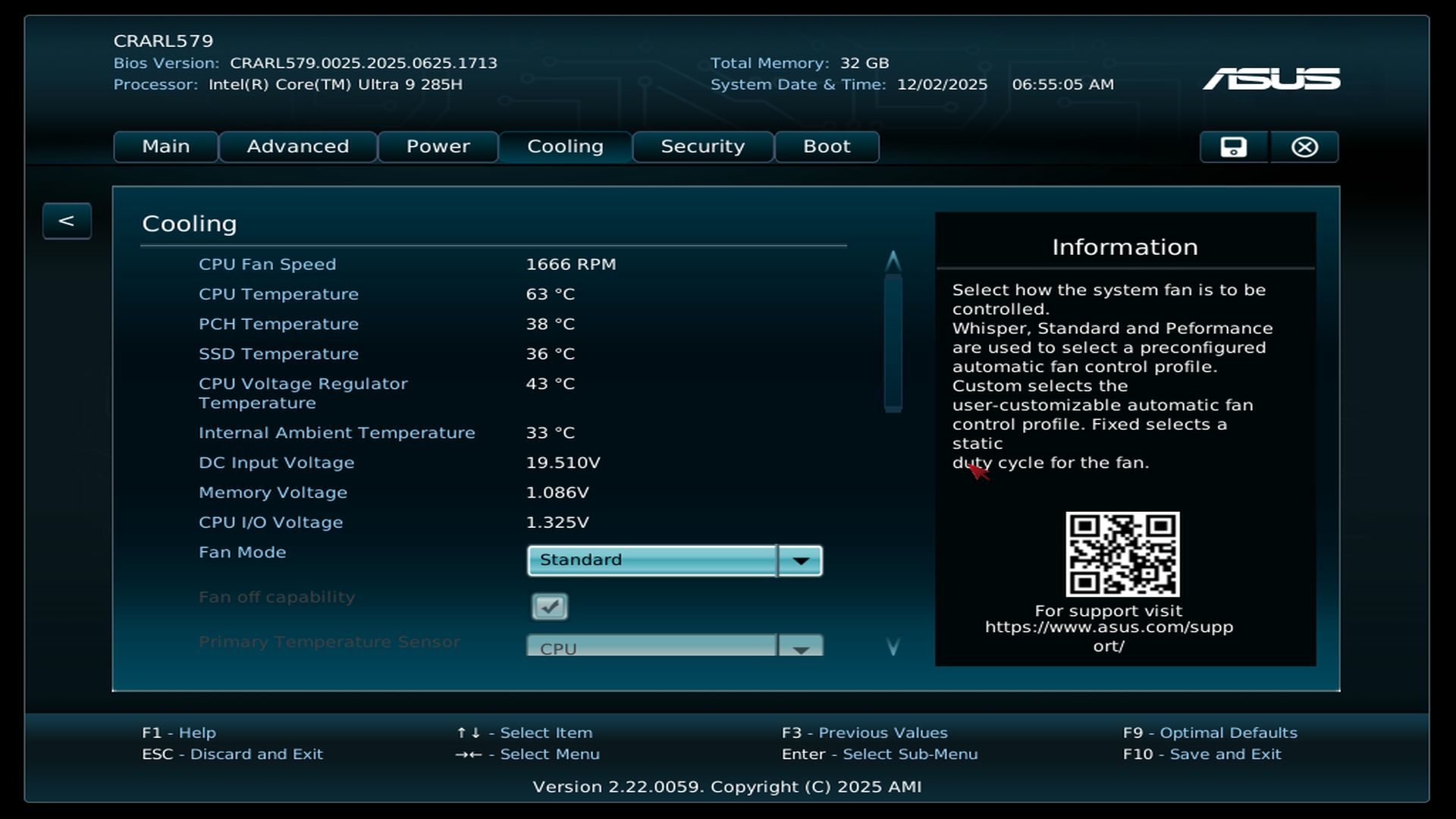
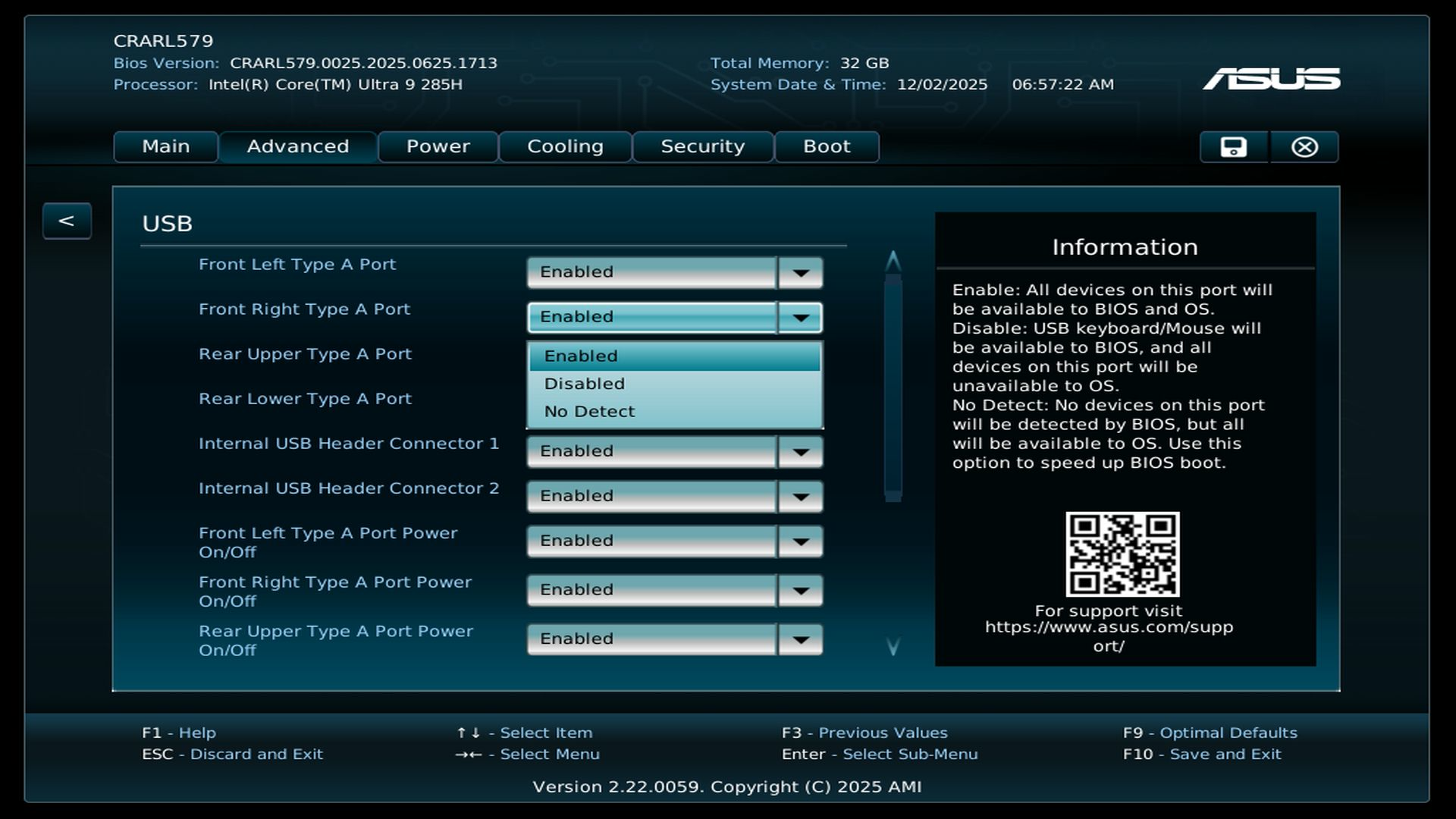
All benchmarks were performed in the factory settings. The SoC performance remained unchanged and corresponded to the factory BIOS settings in balanced mode. The very extensive BIOS options are a positive feature. Compared to mini PCs from Geekom, Minisforum or Acemagic, Asus offers significantly more intervention options here - including the targeted deactivation of individual USB ports.
UEFI Settings
Processor
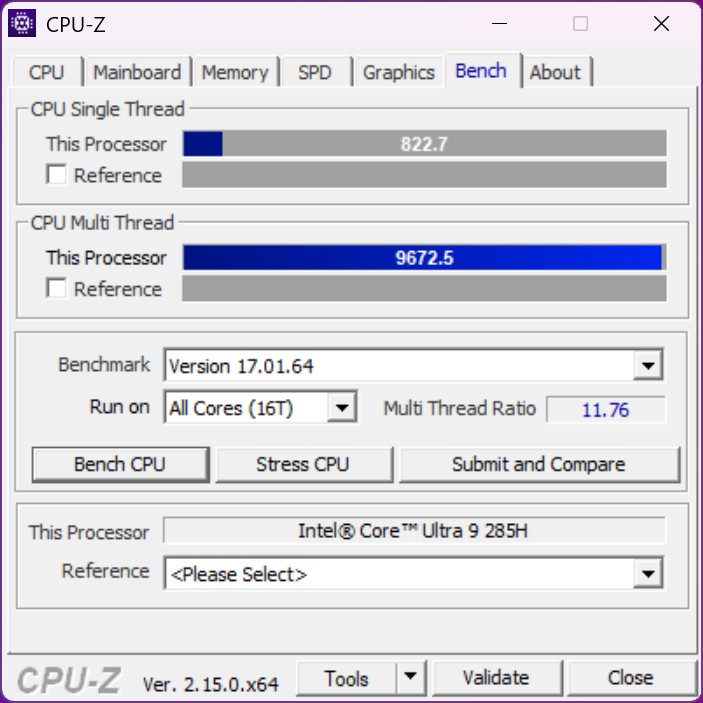
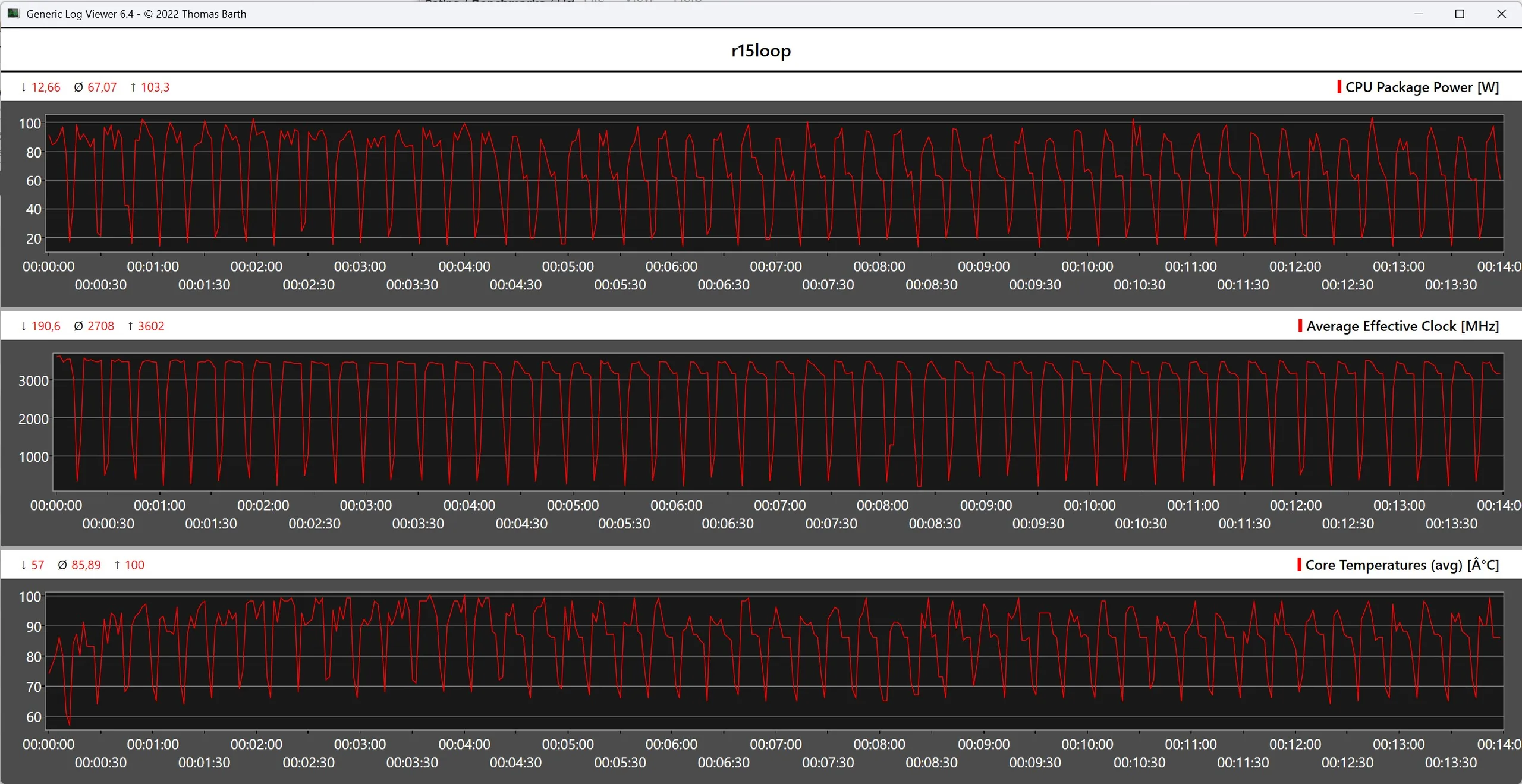
The Asus NUC 15 Pro+ uses the Intel Core Ultra 9 285H, whose power reserves are not artificially limited by Asus. As a result, the SoC can be operated with up to 115 watts. In our test, the system achieved a very high performance and came out on top - albeit only by a small margin - over the GMK EVO-T1. However, the SoC cannot maintain its full performance in the long term, as the telemetry data of the Cinebench R15 multi endurance test shows. Nevertheless, the Asus NUC 15 Pro+ offers a comparatively constant performance without the significant decline in performance that occurs with the Geekom Mini IT15.
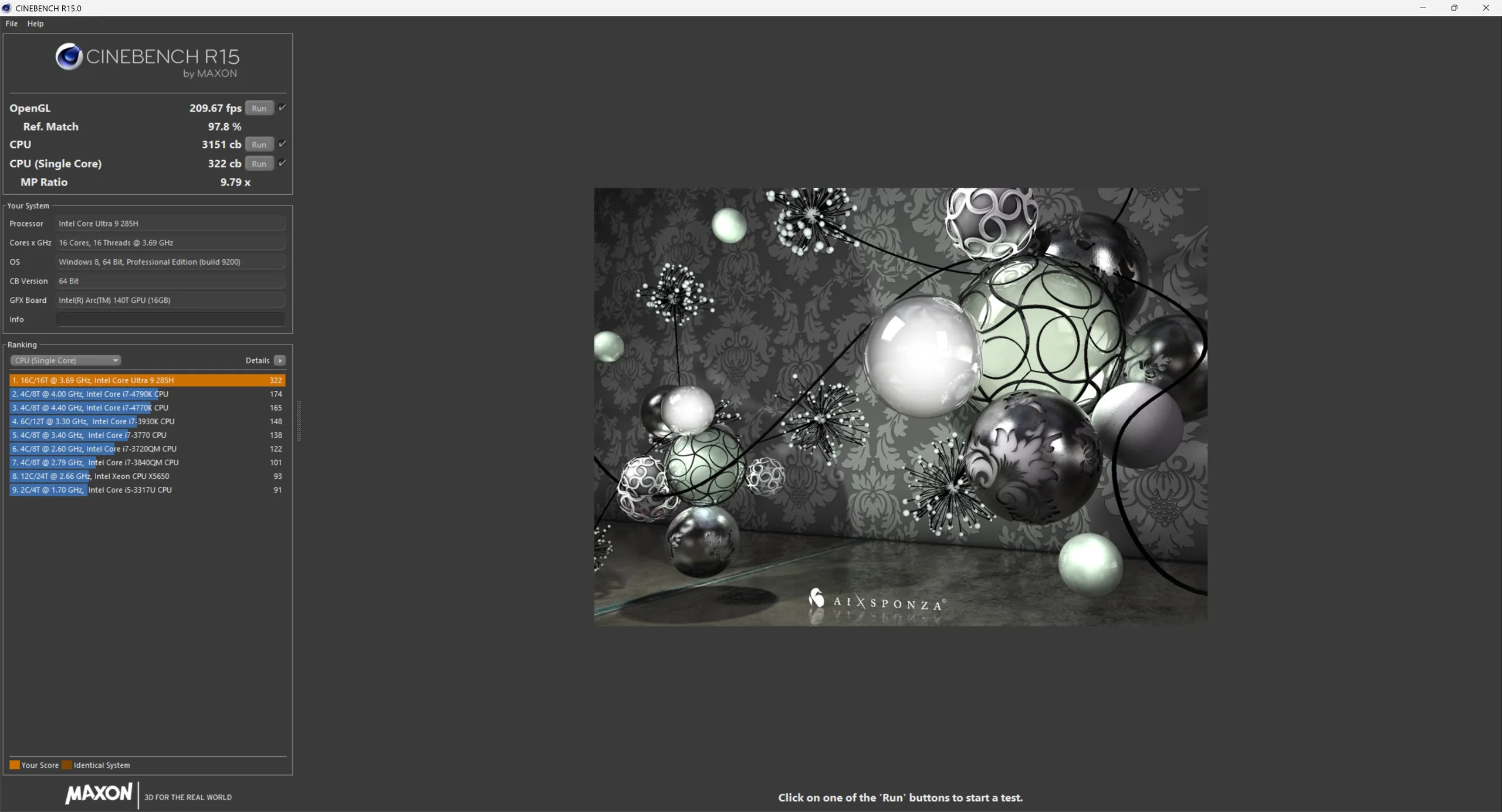
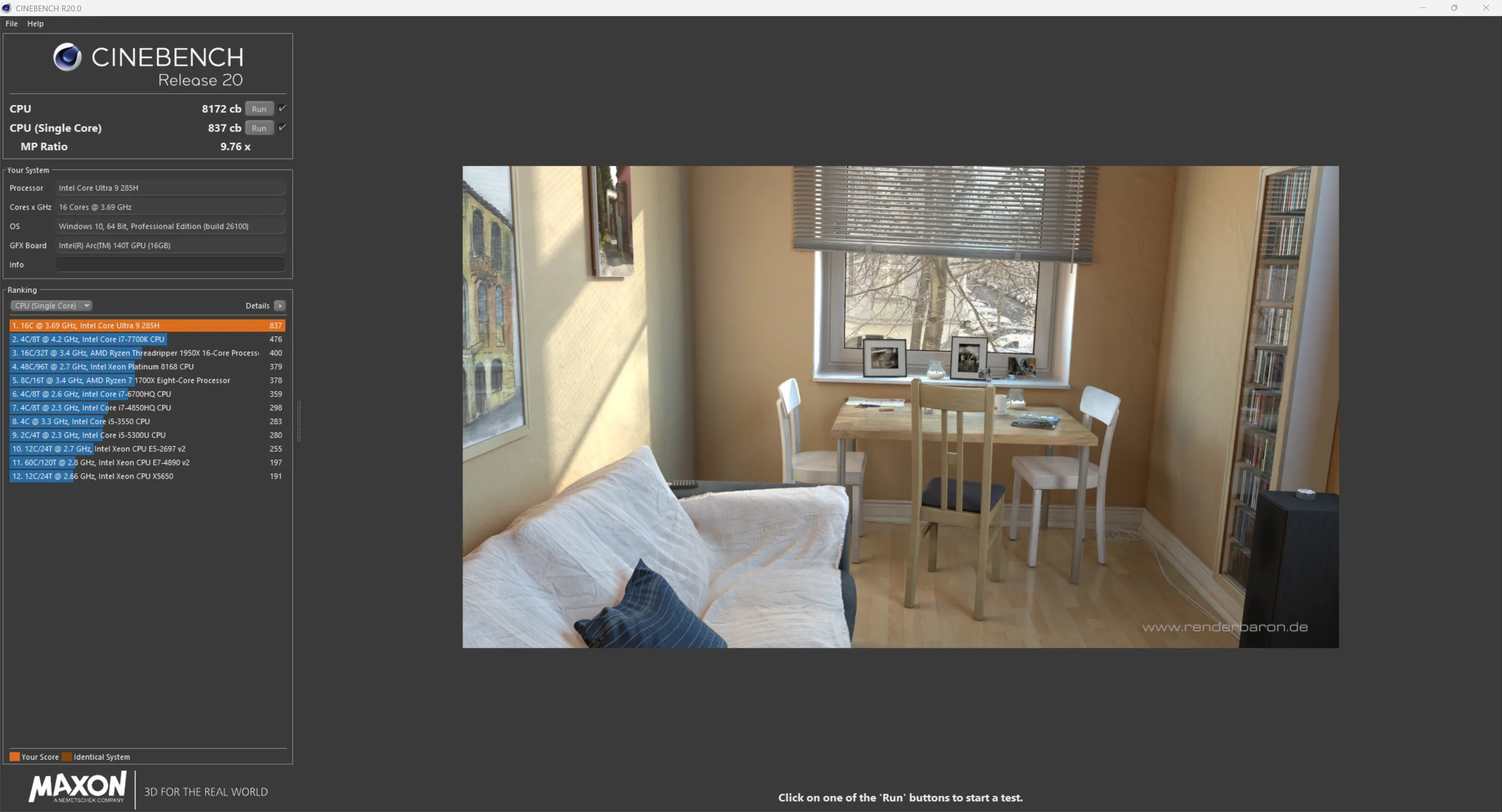
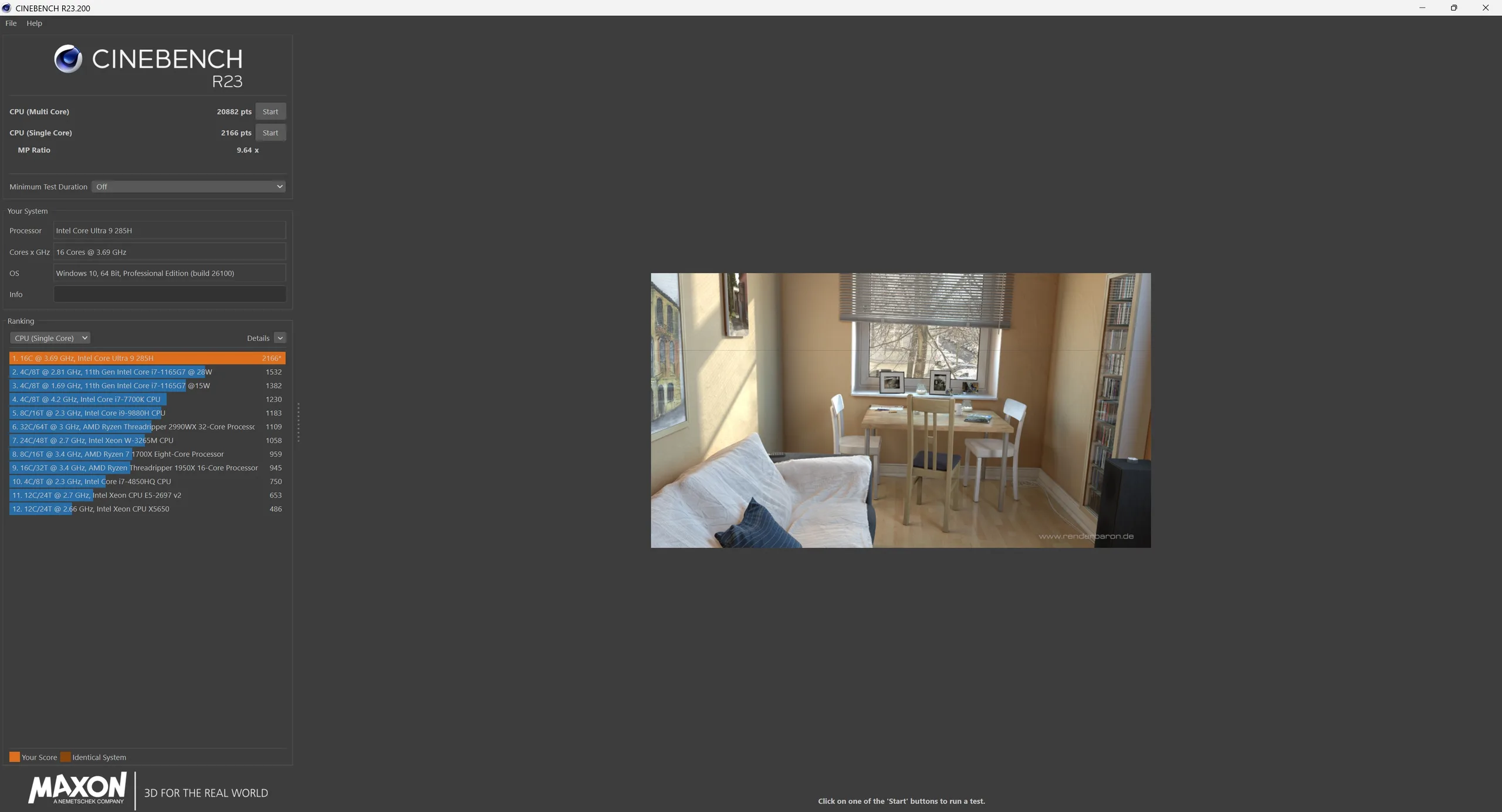
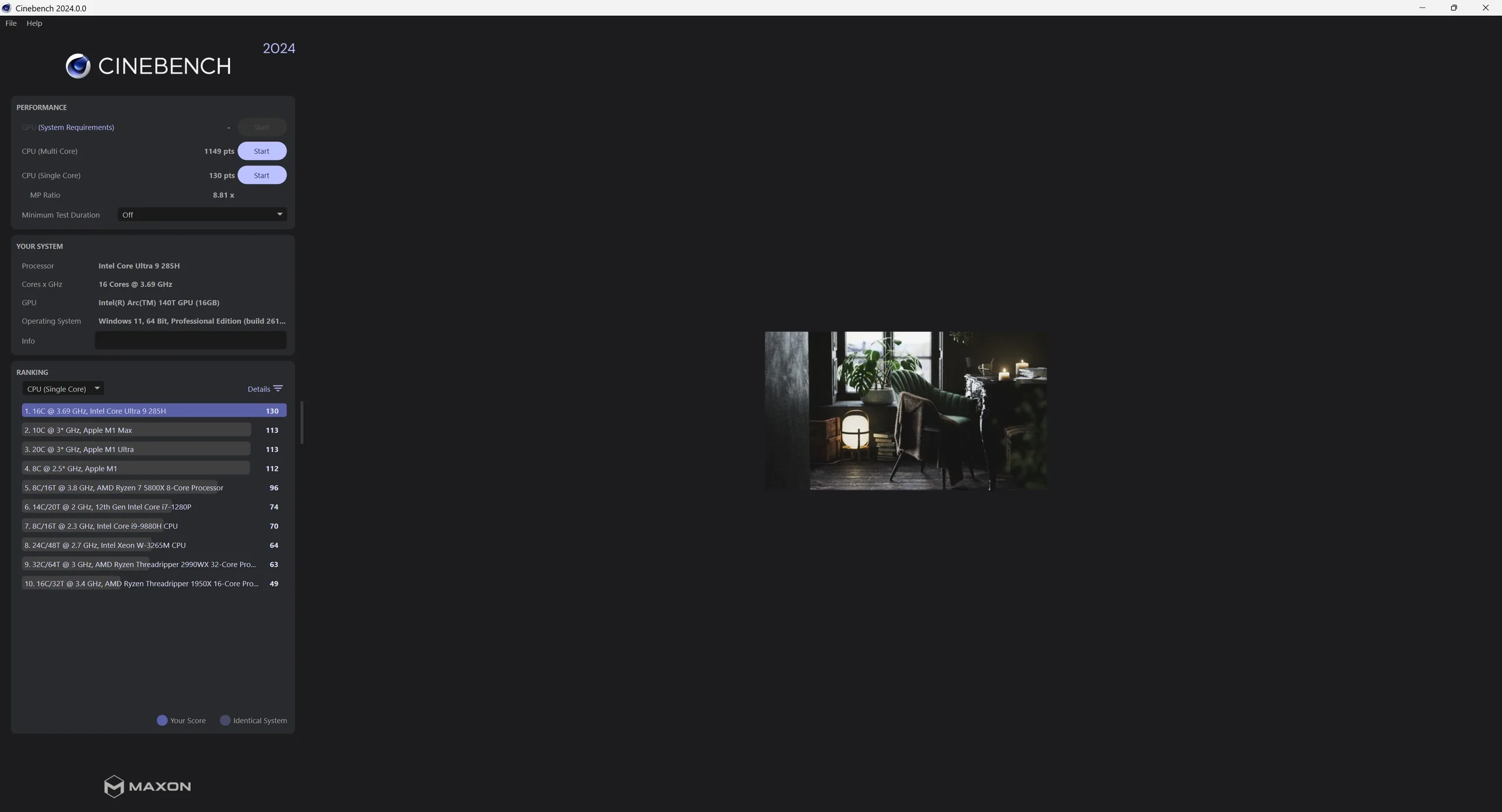
* ... smaller is better
AIDA64: FP32 Ray-Trace | FPU Julia | CPU SHA3 | CPU Queen | FPU SinJulia | FPU Mandel | CPU AES | CPU ZLib | FP64 Ray-Trace | CPU PhotoWorxx
| Performance rating | |
| BOSGAME M5 | |
| Geekom A9 Max, AI 9 HX 370 | |
| Minisforum EliteMini UM890 Pro | |
| Minisforum AI X1, Ryzen 7 255 | |
| Asus NUC 15 Pro+ | |
| Average of class Mini PC | |
| GMK EVO-T1 | |
| Asus NUC 14 Pro+ | |
| Geekom Mini IT15, Ultra 9 285H | |
Cinebench R15 Multi Loop
System performance
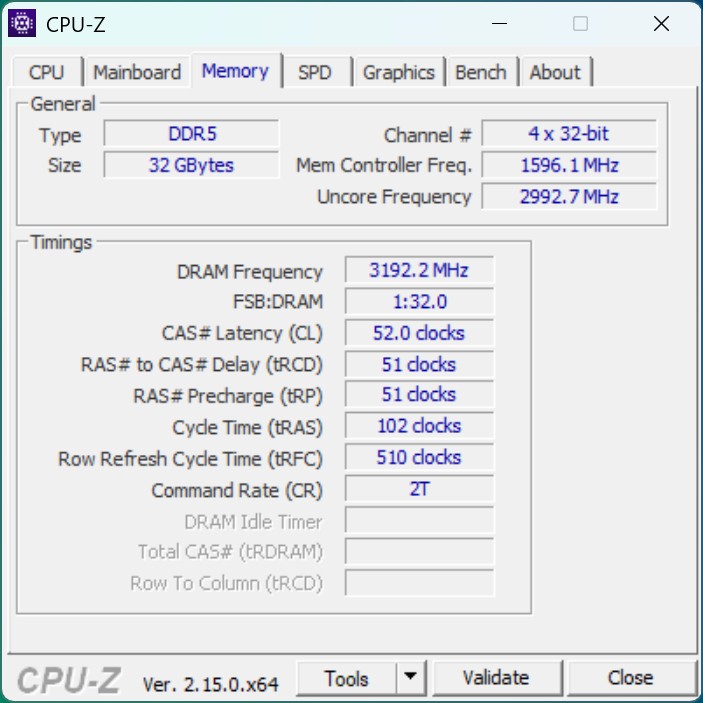
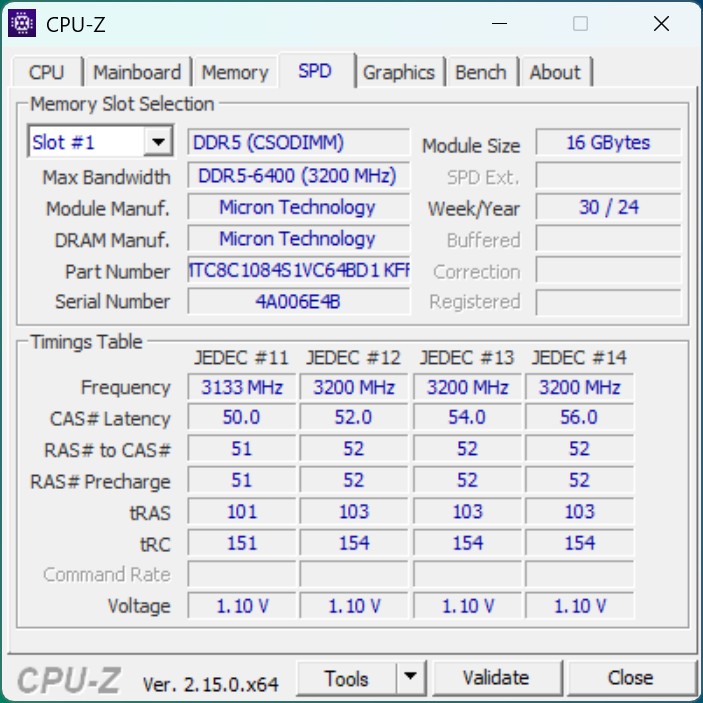
The outstanding performance of the CPU benchmarks is also evident in the system performance benchmarks. The fast DDR5 RAM with 6,400 MT/s in particular contributes to the excellent results and leaves the comparison devices behind. The integrated NPU of the Intel Core Ultra 9 285H processes AI tasks particularly efficiently and benefits from the processor's high performance releases.
WebXPRT 4: Overall
WebXPRT 3: Overall
Mozilla Kraken 1.1: Total
CrossMark: Overall | Productivity | Creativity | Responsiveness
* ... smaller is better
* ... smaller is better
NPU power
| UL Procyon for Windows / Overall Score Integer NPU | |
| Geekom A9 Max, AI 9 HX 370 | |
| Asus NUC 15 Pro+ | |
| GMK EVO-T1 | |
| Geekom Mini IT15, Ultra 9 285H | |
| Asus NUC 14 Pro+ | |
| UL Procyon for Windows / Overall Score Integer GPU | |
| Asus NUC 15 Pro+ | |
| GMK EVO-T1 | |
| Geekom Mini IT15, Ultra 9 285H | |
| Geekom A9 Max, AI 9 HX 370 | |
| Minisforum EliteMini UM890 Pro | |
| Minisforum AI X1, Ryzen 7 255 | |
| Asus NUC 14 Pro+ | |
DPC latencies
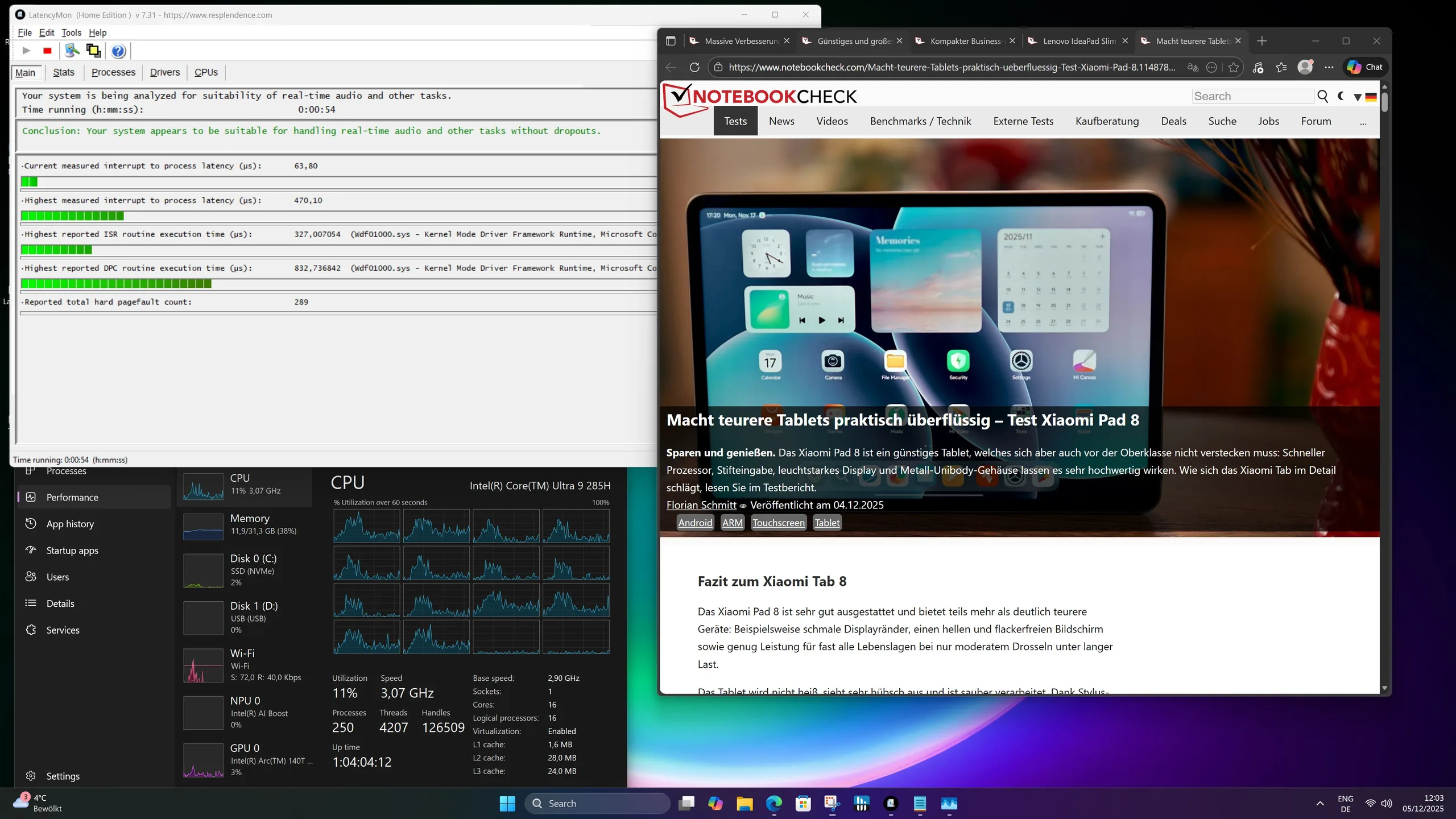
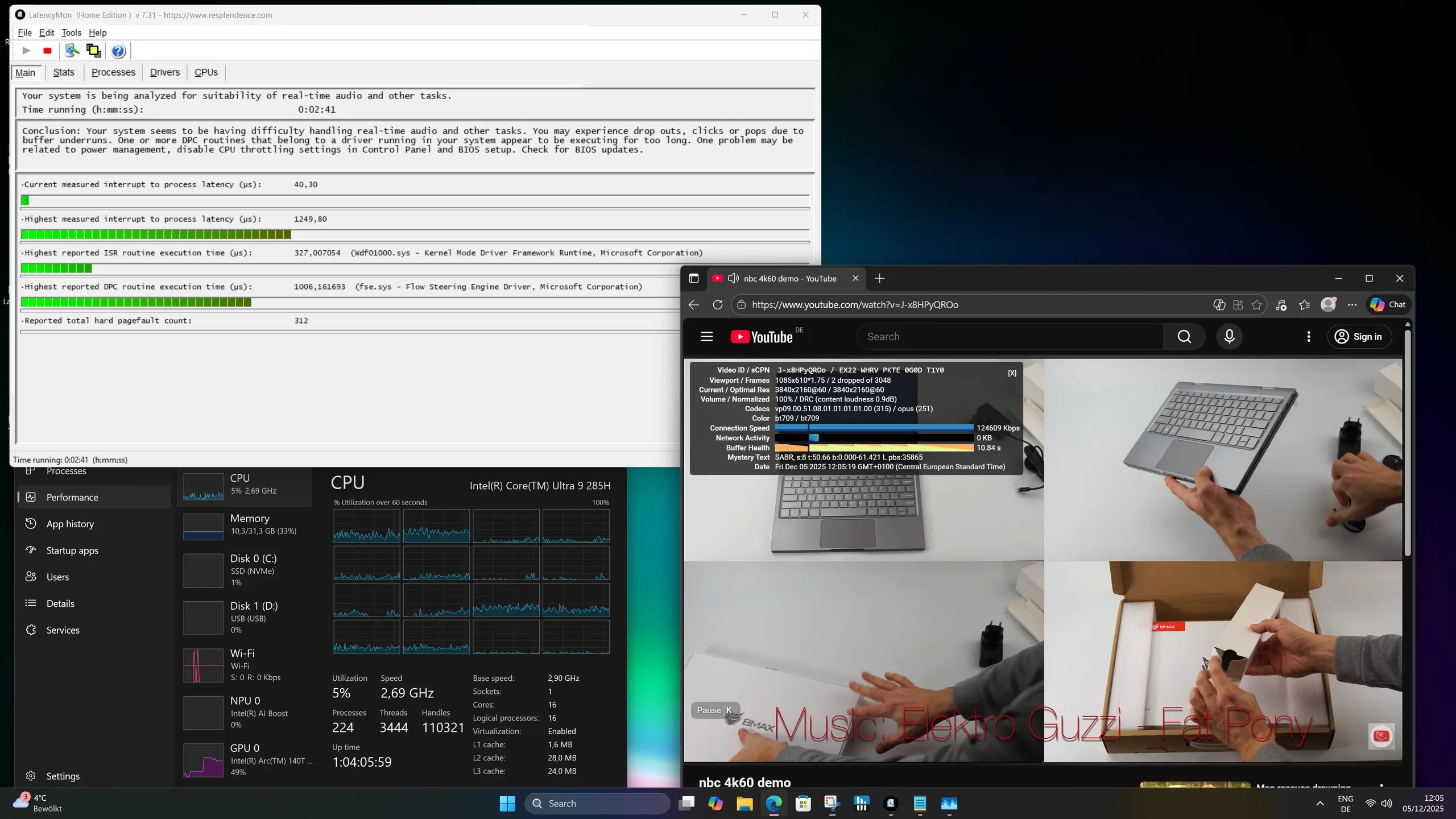
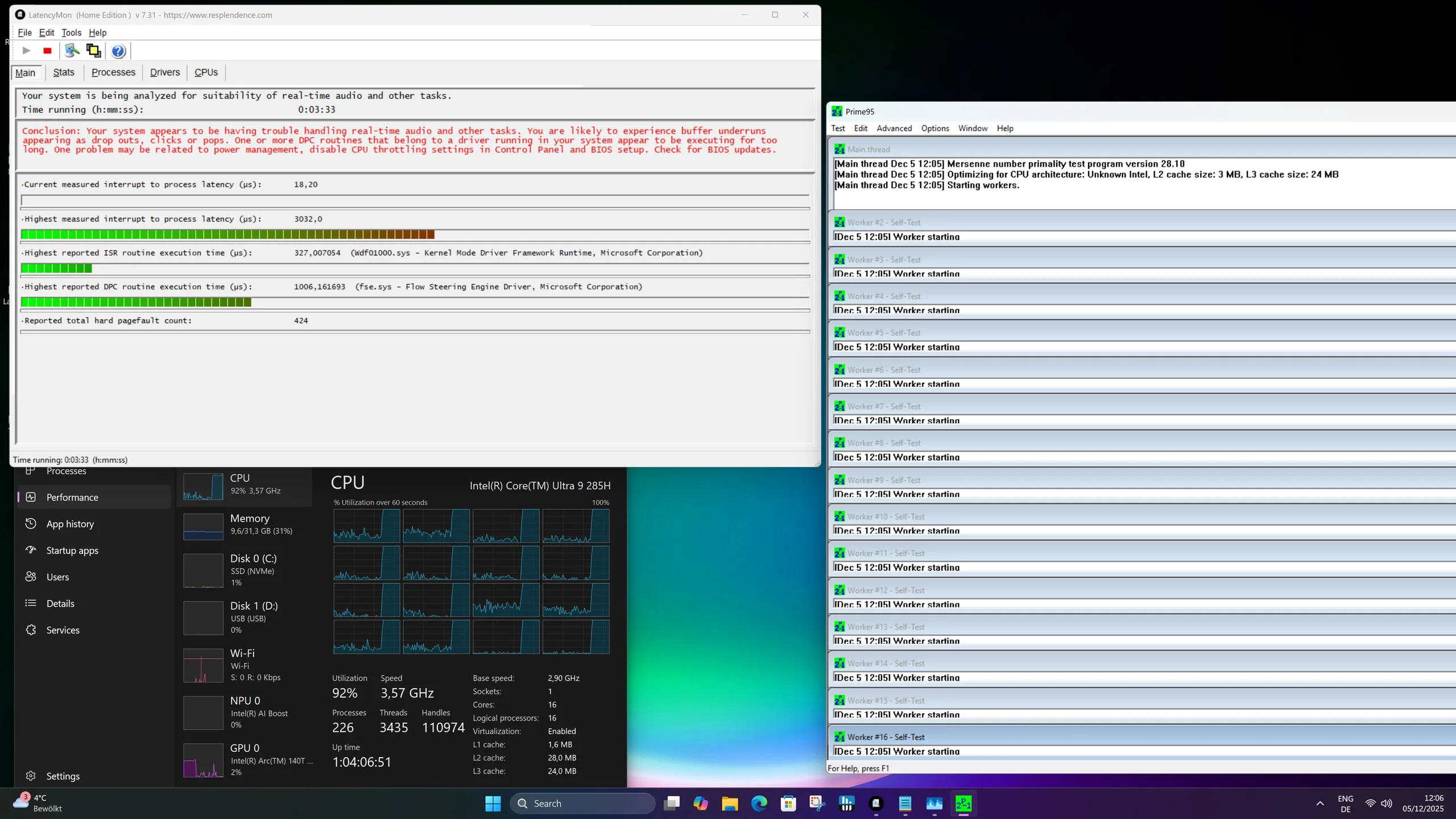

| DPC Latencies / LatencyMon - interrupt to process latency (max), Web, Youtube, Prime95 | |
| Geekom A9 Max, AI 9 HX 370 | |
| Asus NUC 14 Pro+ | |
| Minisforum AI X1, Ryzen 7 255 | |
| Asus NUC 15 Pro+ | |
| GMK EVO-T1 | |
| Geekom Mini IT15, Ultra 9 285H | |
| Minisforum EliteMini UM890 Pro | |
* ... smaller is better
Mass storage

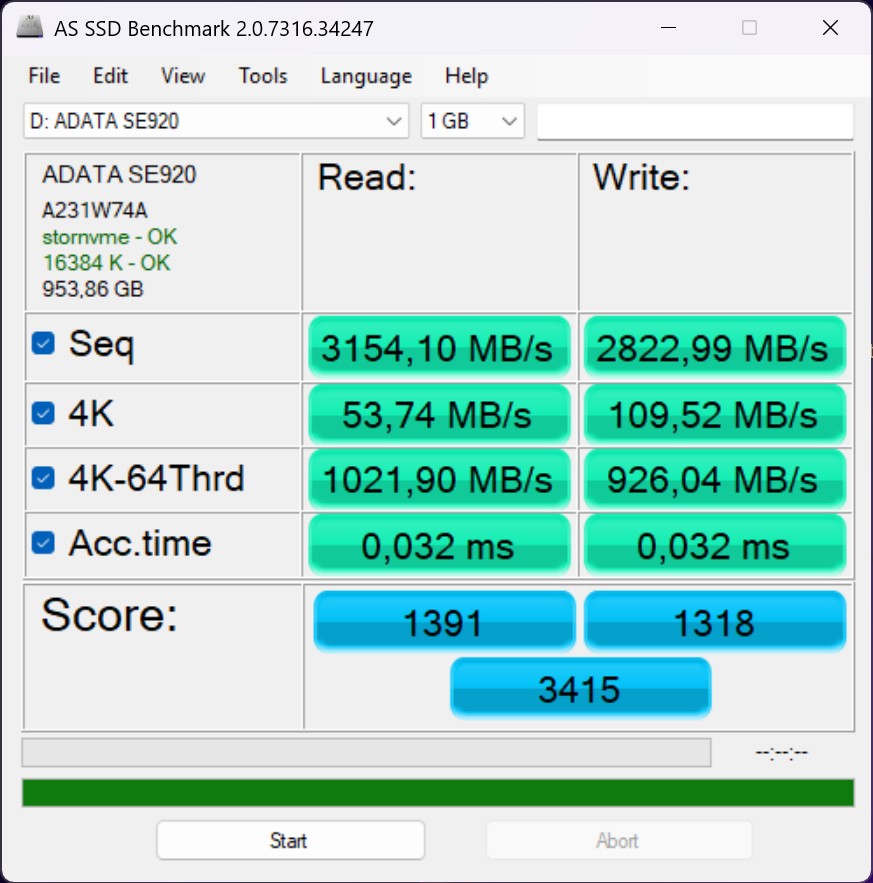
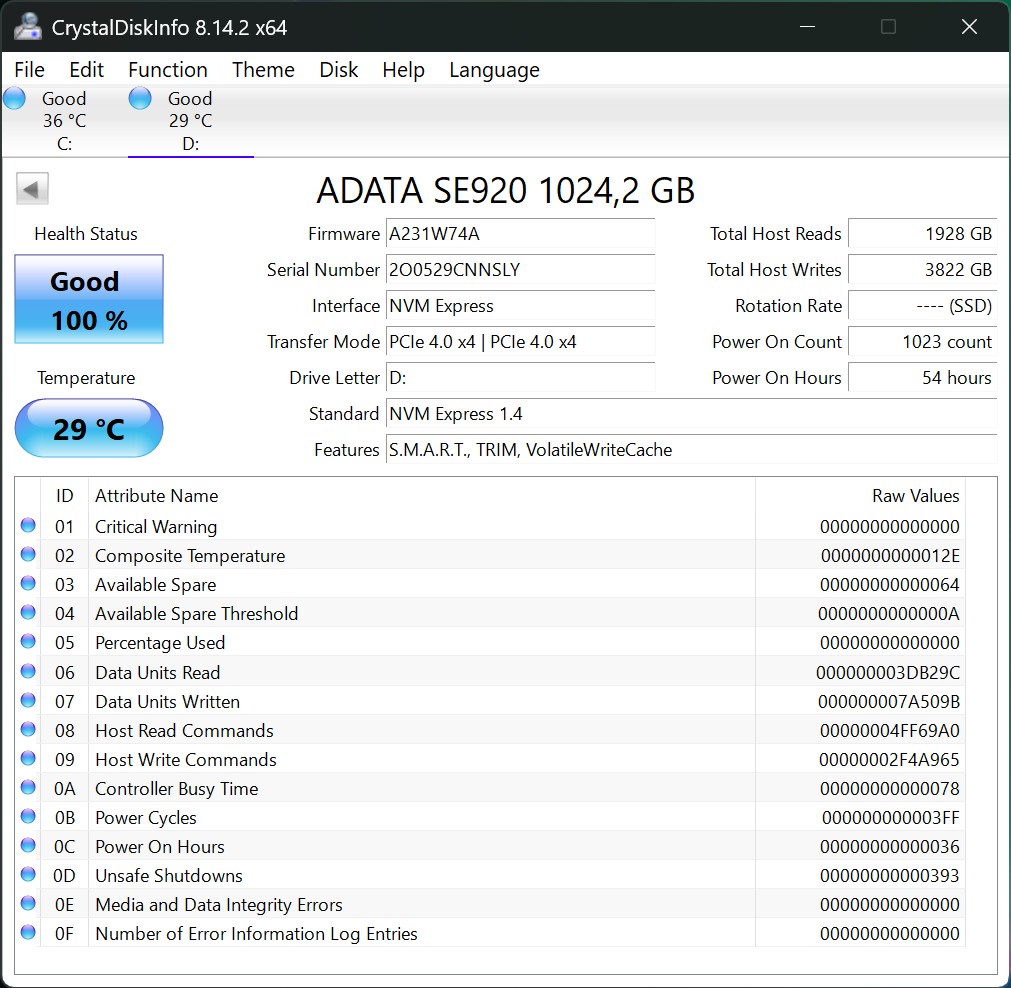
The Asus NUC 15 Pro+ uses a 1 TB SSD, which is connected via PCIe 4.0 x4 and makes optimal use of the M.2 interface. The performance of the pre-installed SSD is good, but we can also see that other models deliver better results. In addition to the pre-installed 80 mm SSD, a second M.2 slot is available for 42 mm SSDs. SSD cooling is only provided for the 80 mm SSD. In the stress test, the SSD showed no noticeable drops in performance and delivered stable results.
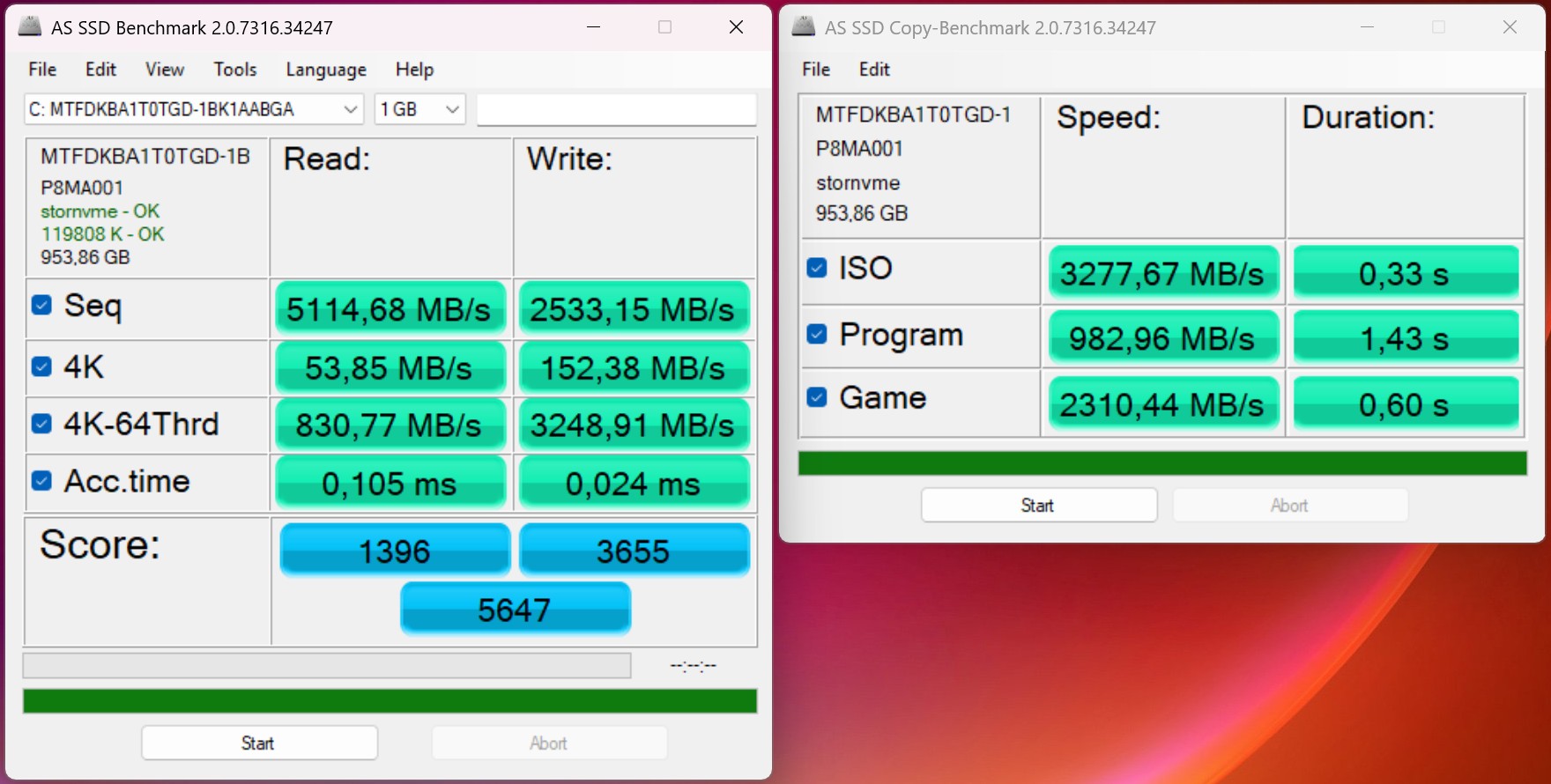
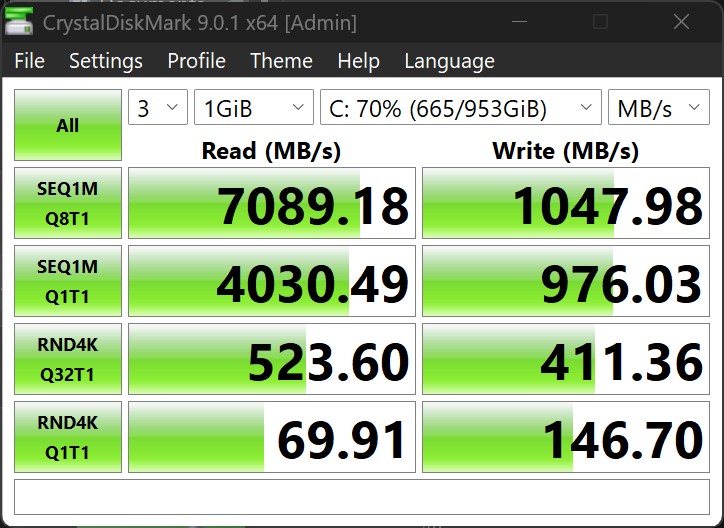
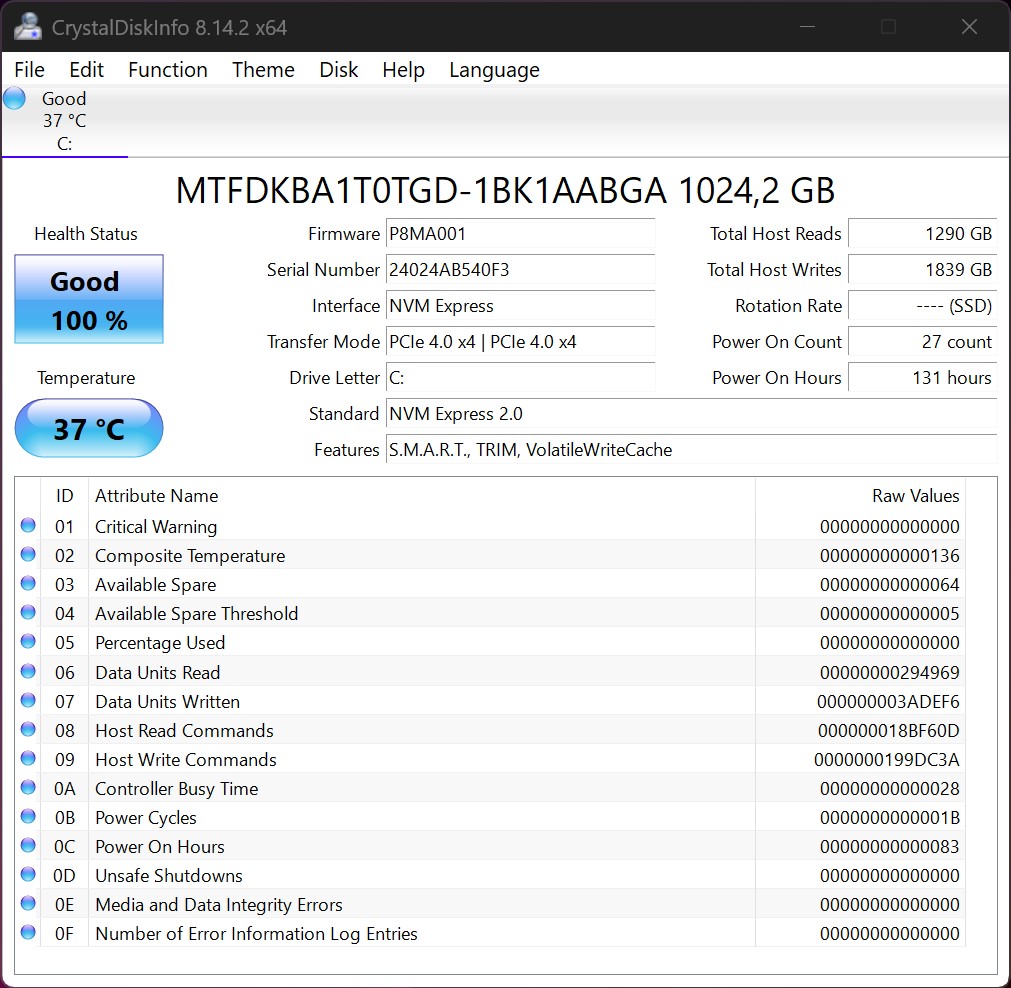

* ... smaller is better
Disk Throttling: DiskSpd Read Loop, Queue Depth 8
Graphics card and gaming performance
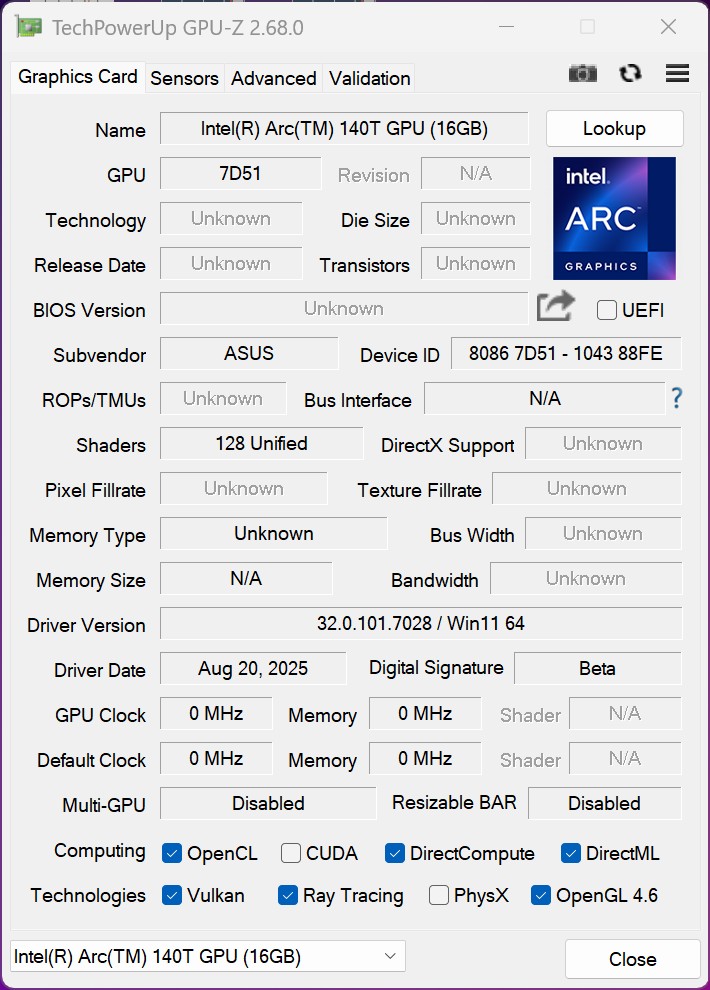
The Intel Arc Graphics 140T works in the Asus NUC 15 Pro+ and achieves excellent results in the benchmarks. The processor's generous power limit results in a clear performance advantage over the Geekom Mini IT15. In professional applications, however, the iGPU lags behind the current AMD solutions. Casual games are possible, as long as you are prepared to accept reduced graphics details.
| 3DMark Performance rating - Percent | |
| Asus NUC 15 Pro+ | |
| GMK EVO-T1 | |
| Geekom A9 Max, AI 9 HX 370 | |
| Geekom Mini IT15, Ultra 9 285H | |
| Asus NUC 14 Pro+ | |
| Minisforum EliteMini UM890 Pro | |
| Minisforum AI X1, Ryzen 7 255 | |
| 3DMark 11 - 1280x720 Performance GPU | |
| Geekom A9 Max, AI 9 HX 370 | |
| Minisforum EliteMini UM890 Pro | |
| Minisforum AI X1, Ryzen 7 255 | |
| Asus NUC 14 Pro+ | |
| Asus NUC 15 Pro+ | |
| Geekom Mini IT15, Ultra 9 285H | |
| GMK EVO-T1 | |
| Unigine Valley 1.0 | |
| 1920x1080 Extreme HD DirectX AA:x8 | |
| Geekom A9 Max, AI 9 HX 370 | |
| Asus NUC 15 Pro+ | |
| GMK EVO-T1 | |
| Minisforum EliteMini UM890 Pro | |
| Geekom Mini IT15, Ultra 9 285H | |
| Minisforum AI X1, Ryzen 7 255 | |
| Asus NUC 14 Pro+ | |
| 1920x1080 Extreme HD Preset OpenGL AA:x8 | |
| Asus NUC 15 Pro+ | |
| GMK EVO-T1 | |
| Geekom Mini IT15, Ultra 9 285H | |
| Geekom A9 Max, AI 9 HX 370 | |
| Minisforum EliteMini UM890 Pro | |
| Minisforum AI X1, Ryzen 7 255 | |
| Asus NUC 14 Pro+ | |
| Affinity Photo 2 - Combined (Single / Multi GPU) | |
| Asus NUC 15 Pro+ | |
| GMK EVO-T1 | |
| Geekom Mini IT15, Ultra 9 285H | |
| Asus NUC 14 Pro+ | |
| Geekom A9 Max, AI 9 HX 370 | |
| Minisforum AI X1, Ryzen 7 255 | |
| Minisforum EliteMini UM890 Pro | |
SPECworkstation 4.0: Graphics Score | Accelerator Score | Viewport Graphics | HandBrake | ONNX Inference
| Performance rating | |
| Average NVIDIA GeForce RTX 4050 Laptop GPU | |
| Geekom A9 Max, AI 9 HX 370 | |
| Minisforum EliteMini UM890 Pro | |
| Minisforum AI X1, Ryzen 7 255 | |
| GMK EVO-T1 | |
| Asus NUC 15 Pro+ | |
| Geekom Mini IT15, Ultra 9 285H | |
| SPECworkstation 4.0 / Graphics Score | |
| Average NVIDIA GeForce RTX 4050 Laptop GPU (n=1) | |
| Geekom A9 Max, AI 9 HX 370 | |
| Minisforum EliteMini UM890 Pro | |
| Minisforum AI X1, Ryzen 7 255 | |
| Geekom Mini IT15, Ultra 9 285H | |
| GMK EVO-T1 | |
| Asus NUC 15 Pro+ | |
| SPECworkstation 4.0 / Accelerator Score | |
| Average NVIDIA GeForce RTX 4050 Laptop GPU (n=1) | |
| Geekom A9 Max, AI 9 HX 370 | |
| Minisforum EliteMini UM890 Pro | |
| Geekom Mini IT15, Ultra 9 285H | |
| Minisforum AI X1, Ryzen 7 255 | |
| Asus NUC 15 Pro+ | |
| GMK EVO-T1 | |
| SPECworkstation 4.0 / Viewport Graphics | |
| Average NVIDIA GeForce RTX 4050 Laptop GPU (n=1) | |
| Geekom A9 Max, AI 9 HX 370 | |
| Minisforum EliteMini UM890 Pro | |
| Minisforum AI X1, Ryzen 7 255 | |
| Geekom Mini IT15, Ultra 9 285H | |
| GMK EVO-T1 | |
| Asus NUC 15 Pro+ | |
| SPECworkstation 4.0 / HandBrake | |
| Asus NUC 15 Pro+ | |
| GMK EVO-T1 | |
| Geekom A9 Max, AI 9 HX 370 | |
| Minisforum EliteMini UM890 Pro | |
| Geekom Mini IT15, Ultra 9 285H | |
| Minisforum AI X1, Ryzen 7 255 | |
| Average NVIDIA GeForce RTX 4050 Laptop GPU (n=1) | |
| SPECworkstation 4.0 / ONNX Inference | |
| Minisforum EliteMini UM890 Pro | |
| GMK EVO-T1 | |
| Asus NUC 15 Pro+ | |
| Average NVIDIA GeForce RTX 4050 Laptop GPU (n=1) | |
| Geekom A9 Max, AI 9 HX 370 | |
| Minisforum AI X1, Ryzen 7 255 | |
| Geekom Mini IT15, Ultra 9 285H | |
| Asus NUC 15 Pro+, Intel Arc Graphics 140T Ultra 9 285H | Geekom A9 Max, AI 9 HX 370, AMD Radeon 890M Ryzen AI 9 HX 370 | Minisforum EliteMini UM890 Pro, AMD Radeon 780M R9 8945HS | Minisforum AI X1, Ryzen 7 255, AMD Radeon 780M Ryzen 7 255 | Geekom Mini IT15, Ultra 9 285H, Intel Arc Graphics 140T Ultra 9 285H | GMK EVO-T1, Intel Arc Graphics 140T Ultra 9 285H | Asus NUC 14 Pro+, Intel Arc 8-Core iGPU Ultra 9 185H | Average of class Mini PC | |
|---|---|---|---|---|---|---|---|---|
| SPECviewperf 2020 | 247% | 207% | 193% | 9% | -4% | -16% | 316% | |
| 3840x2160 Medical (medical-03) (fps) | 6.59 | 26.1 296% | 13.3 102% | 12.6 91% | 7.08 7% | 7.02 7% | 6.99 6% | 24.6 ? 273% |
| 3840x2160 Energy (energy-03) (fps) | 6.61 | 18 172% | 19.7 198% | 19.1 189% | 7.94 20% | 7.4 12% | 4.94 -25% | 36.5 ? 452% |
| 3840x2160 Creo (creo-03) (fps) | 21.7 | 36.2 67% | 34.9 61% | 33.7 55% | 26.7 23% | 19.9 -8% | 18.9 -13% | 51.7 ? 138% |
| 3840x2160 CATIA (catia-06) (fps) | 15.2 | 26 71% | 24.2 59% | 24.6 62% | 14.6 -4% | 12.8 -16% | 11.2 -26% | 36.9 ? 143% |
| 3840x2160 3ds Max (3dsmax-07) (fps) | 18.4 | 25.2 37% | 21.3 16% | 21.5 17% | 17.8 -3% | 14.6 -21% | 14.8 -20% | 60.1 ? 227% |
| 3840x2160 Siemens NX (snx-04) (fps) | 6.07 | 70.6 1063% | 67 1004% | 63.1 940% | 6.81 12% | 6.13 1% | 5.37 -12% | 52.1 ? 758% |
| 3840x2160 Maya (maya-06) (fps) | 47.5 | 59.3 25% | 51.2 8% | 47.5 0% | 51.3 8% | 44.9 -5% | 37.2 -22% | 151.1 ? 218% |
| 3DMark 05 Standard | 54772 points | |
| 3DMark 06 Standard Score | 47698 points | |
| 3DMark Vantage P Result | 56447 points | |
| 3DMark 11 Performance | 13649 points | |
| 3DMark Ice Storm Standard Score | 195495 points | |
| 3DMark Cloud Gate Standard Score | 41407 points | |
| 3DMark Fire Strike Score | 8146 points | |
| 3DMark Fire Strike Extreme Score | 3801 points | |
| 3DMark Time Spy Score | 4390 points | |
| 3DMark Steel Nomad Score | 838 points | |
Help | ||
| GTA V | |
| 1024x768 Lowest Settings possible | |
| Geekom Mini IT15, Ultra 9 285H | |
| Asus NUC 15 Pro+ | |
| Geekom A9 Max, AI 9 HX 370 | |
| GMK EVO-T1 | |
| Minisforum EliteMini UM890 Pro | |
| Asus NUC 14 Pro+ | |
| Minisforum AI X1, Ryzen 7 255 | |
| 1920x1080 High/On (Advanced Graphics Off) AA:2xMSAA + FX AF:8x | |
| Geekom A9 Max, AI 9 HX 370 | |
| Minisforum AI X1, Ryzen 7 255 | |
| Minisforum EliteMini UM890 Pro | |
| Asus NUC 15 Pro+ | |
| GMK EVO-T1 | |
| Geekom Mini IT15, Ultra 9 285H | |
| Asus NUC 14 Pro+ | |
FPS chart - 30 min Cyberpunk 2077 1920 x 1080 Ultra Preset (FSR off)
| low | med. | high | ultra | |
|---|---|---|---|---|
| GTA V (2015) | 176.4 | 168.9 | 45.3 | 18.5 |
| The Witcher 3 (2015) | 180 | 112.9 | 58.4 | 32.2 |
| Dota 2 Reborn (2015) | 107.9 | 94.5 | 87.6 | 92.2 |
| Final Fantasy XV Benchmark (2018) | 77.9 | 43.6 | 30.9 | |
| X-Plane 11.11 (2018) | 71.4 | 55.7 | 48.3 | |
| Strange Brigade (2018) | 198.3 | 79.4 | 67 | 56.2 |
| Baldur's Gate 3 (2023) | 39.5 | 31.2 | 26.2 | 26 |
| Cyberpunk 2077 (2023) | 40.5 | 33.7 | 29 | 25.6 |
| F1 24 (2024) | 83 | 74.9 | 57.7 | 19.2 |
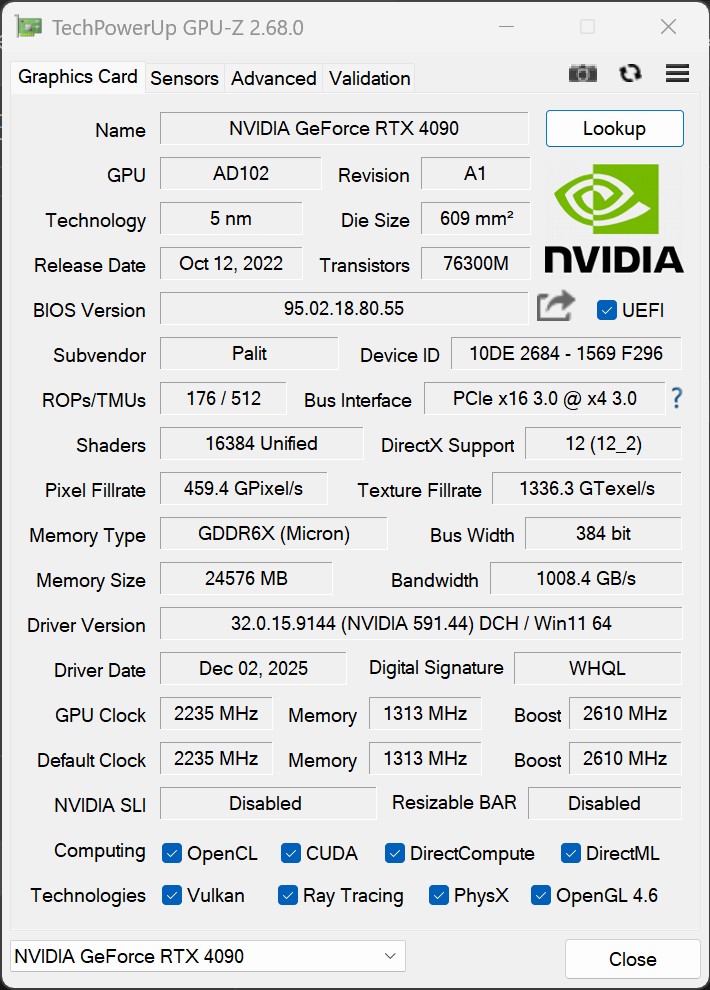
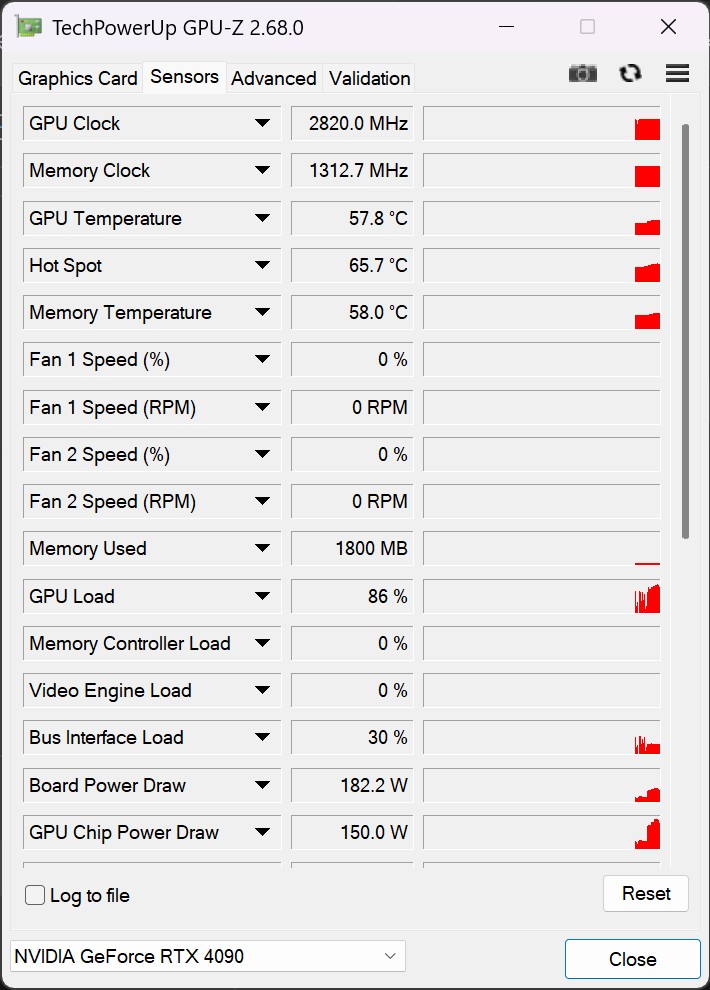
Asus NUC 15 Pro+ performance check with an Nvidia GeForce RTX 4090 via Thunderbolt 4
The Asus NUC 15 Pro+ makes it possible to use external GPUs thanks to Thunderbolt 4. In combination with our Nvidia GeForce RTX 4090, the mini PC can be upgraded to an extremely powerful mobile gaming or workstation system. The performance gain compared to the integrated GPU is enormous.
| Performance rating - Percent | |
| Minisforum AI X1, Ryzen 7 255 (Nvidia GeForce RTX 4090 @OCuLink) | |
| Sapphire Edge AI, Ryzen AI 9 HX 370 (Nvidia GeForce RTX 4090 @USB4) | |
| Asus NUC 15 Pro+ (Nvidia GeForce RTX 4090 @TB4) | |
| 3DMark 11 - 1280x720 Performance GPU | |
| Minisforum AI X1, Ryzen 7 255 (Nvidia GeForce RTX 4090 @OCuLink) | |
| Sapphire Edge AI, Ryzen AI 9 HX 370 (Nvidia GeForce RTX 4090 @USB4) | |
| Asus NUC 15 Pro+ (Nvidia GeForce RTX 4090 @TB4) | |
| 3DMark | |
| 2560x1440 Time Spy Graphics | |
| Minisforum AI X1, Ryzen 7 255 (Nvidia GeForce RTX 4090 @OCuLink) | |
| Sapphire Edge AI, Ryzen AI 9 HX 370 (Nvidia GeForce RTX 4090 @USB4) | |
| Asus NUC 15 Pro+ (Nvidia GeForce RTX 4090 @TB4) | |
| 1920x1080 Fire Strike Graphics | |
| Minisforum AI X1, Ryzen 7 255 (Nvidia GeForce RTX 4090 @OCuLink) | |
| Sapphire Edge AI, Ryzen AI 9 HX 370 (Nvidia GeForce RTX 4090 @USB4) | |
| Asus NUC 15 Pro+ (Nvidia GeForce RTX 4090 @TB4) | |
| 3840x2160 Fire Strike Ultra Graphics | |
| Minisforum AI X1, Ryzen 7 255 (Nvidia GeForce RTX 4090 @OCuLink) | |
| Asus NUC 15 Pro+ (Nvidia GeForce RTX 4090 @TB4) | |
| Sapphire Edge AI, Ryzen AI 9 HX 370 (Nvidia GeForce RTX 4090 @USB4) | |
| Unigine Superposition | |
| 1280x720 720p Low | |
| Sapphire Edge AI, Ryzen AI 9 HX 370 (Nvidia GeForce RTX 4090 @USB4) | |
| Asus NUC 15 Pro+ (Nvidia GeForce RTX 4090 @TB4) | |
| Minisforum AI X1, Ryzen 7 255 (Nvidia GeForce RTX 4090 @OCuLink) | |
| 1920x1080 1080p High | |
| Sapphire Edge AI, Ryzen AI 9 HX 370 (Nvidia GeForce RTX 4090 @USB4) | |
| Asus NUC 15 Pro+ (Nvidia GeForce RTX 4090 @TB4) | |
| Minisforum AI X1, Ryzen 7 255 (Nvidia GeForce RTX 4090 @OCuLink) | |
| 1920x1080 1080p Extreme | |
| Minisforum AI X1, Ryzen 7 255 (Nvidia GeForce RTX 4090 @OCuLink) | |
| Asus NUC 15 Pro+ (Nvidia GeForce RTX 4090 @TB4) | |
| Sapphire Edge AI, Ryzen AI 9 HX 370 (Nvidia GeForce RTX 4090 @USB4) | |
| 3840x2160 4k Optimized | |
| Minisforum AI X1, Ryzen 7 255 (Nvidia GeForce RTX 4090 @OCuLink) | |
| Asus NUC 15 Pro+ (Nvidia GeForce RTX 4090 @TB4) | |
| Sapphire Edge AI, Ryzen AI 9 HX 370 (Nvidia GeForce RTX 4090 @USB4) | |
| 7680x4320 8k Optimized | |
| Minisforum AI X1, Ryzen 7 255 (Nvidia GeForce RTX 4090 @OCuLink) | |
| Asus NUC 15 Pro+ (Nvidia GeForce RTX 4090 @TB4) | |
| Sapphire Edge AI, Ryzen AI 9 HX 370 (Nvidia GeForce RTX 4090 @USB4) | |
| Unigine Valley 1.0 | |
| 1920x1080 Extreme HD DirectX AA:x8 | |
| Sapphire Edge AI, Ryzen AI 9 HX 370 (Nvidia GeForce RTX 4090 @USB4) | |
| Asus NUC 15 Pro+ (Nvidia GeForce RTX 4090 @TB4) | |
| Minisforum AI X1, Ryzen 7 255 (Nvidia GeForce RTX 4090 @OCuLink) | |
| 1920x1080 Extreme HD Preset OpenGL AA:x8 | |
| Asus NUC 15 Pro+ (Nvidia GeForce RTX 4090 @TB4) | |
| Sapphire Edge AI, Ryzen AI 9 HX 370 (Nvidia GeForce RTX 4090 @USB4) | |
| Minisforum AI X1, Ryzen 7 255 (Nvidia GeForce RTX 4090 @OCuLink) | |
| Unigine Heaven 4.0 | |
| Extreme Preset OpenGL | |
| Minisforum AI X1, Ryzen 7 255 (Nvidia GeForce RTX 4090 @OCuLink) | |
| Asus NUC 15 Pro+ (Nvidia GeForce RTX 4090 @TB4) | |
| Sapphire Edge AI, Ryzen AI 9 HX 370 (Nvidia GeForce RTX 4090 @USB4) | |
| Extreme Preset DX11 | |
| Minisforum AI X1, Ryzen 7 255 (Nvidia GeForce RTX 4090 @OCuLink) | |
| Sapphire Edge AI, Ryzen AI 9 HX 370 (Nvidia GeForce RTX 4090 @USB4) | |
| Asus NUC 15 Pro+ (Nvidia GeForce RTX 4090 @TB4) | |
| ComputeMark v2.1 | |
| 1024x600 Normal, Score | |
| Minisforum AI X1, Ryzen 7 255 (Nvidia GeForce RTX 4090 @OCuLink) | |
| Sapphire Edge AI, Ryzen AI 9 HX 370 (Nvidia GeForce RTX 4090 @USB4) | |
| Asus NUC 15 Pro+ (Nvidia GeForce RTX 4090 @TB4) | |
| 1024x600 Normal, Fluid 3DTex | |
| Minisforum AI X1, Ryzen 7 255 (Nvidia GeForce RTX 4090 @OCuLink) | |
| Asus NUC 15 Pro+ (Nvidia GeForce RTX 4090 @TB4) | |
| Sapphire Edge AI, Ryzen AI 9 HX 370 (Nvidia GeForce RTX 4090 @USB4) | |
| 1024x600 Normal, Fluid 2DTexArr | |
| Minisforum AI X1, Ryzen 7 255 (Nvidia GeForce RTX 4090 @OCuLink) | |
| Asus NUC 15 Pro+ (Nvidia GeForce RTX 4090 @TB4) | |
| Sapphire Edge AI, Ryzen AI 9 HX 370 (Nvidia GeForce RTX 4090 @USB4) | |
| 1024x600 Normal, Mandel Vector | |
| Minisforum AI X1, Ryzen 7 255 (Nvidia GeForce RTX 4090 @OCuLink) | |
| Sapphire Edge AI, Ryzen AI 9 HX 370 (Nvidia GeForce RTX 4090 @USB4) | |
| Asus NUC 15 Pro+ (Nvidia GeForce RTX 4090 @TB4) | |
| 1024x600 Normal, Mandel Scalar | |
| Minisforum AI X1, Ryzen 7 255 (Nvidia GeForce RTX 4090 @OCuLink) | |
| Sapphire Edge AI, Ryzen AI 9 HX 370 (Nvidia GeForce RTX 4090 @USB4) | |
| Asus NUC 15 Pro+ (Nvidia GeForce RTX 4090 @TB4) | |
| 1024x600 Normal, QJuliaRayTrace | |
| Minisforum AI X1, Ryzen 7 255 (Nvidia GeForce RTX 4090 @OCuLink) | |
| Sapphire Edge AI, Ryzen AI 9 HX 370 (Nvidia GeForce RTX 4090 @USB4) | |
| Asus NUC 15 Pro+ (Nvidia GeForce RTX 4090 @TB4) | |
| Performance rating - Percent | |
| Minisforum AI X1, Ryzen 7 255 (Nvidia GeForce RTX 4090 @OCuLink) | |
| Asus NUC 15 Pro+ (Nvidia GeForce RTX 4090 @TB4) | |
| Sapphire Edge AI, Ryzen AI 9 HX 370 (Nvidia GeForce RTX 4090 @USB4) | |
| Cyberpunk 2077 | |
| 1920x1080 Medium Preset (FSR off) | |
| Minisforum AI X1, Ryzen 7 255 (Nvidia GeForce RTX 4090 @OCuLink) | |
| Asus NUC 15 Pro+ (Nvidia GeForce RTX 4090 @TB4) | |
| Sapphire Edge AI, Ryzen AI 9 HX 370 (Nvidia GeForce RTX 4090 @USB4) | |
| 1920x1080 Ultra Preset (FSR off) | |
| Minisforum AI X1, Ryzen 7 255 (Nvidia GeForce RTX 4090 @OCuLink) | |
| Asus NUC 15 Pro+ (Nvidia GeForce RTX 4090 @TB4) | |
| Sapphire Edge AI, Ryzen AI 9 HX 370 (Nvidia GeForce RTX 4090 @USB4) | |
| 2560x1440 Ultra Preset (FSR off) | |
| Minisforum AI X1, Ryzen 7 255 (Nvidia GeForce RTX 4090 @OCuLink) | |
| Asus NUC 15 Pro+ (Nvidia GeForce RTX 4090 @TB4) | |
| Sapphire Edge AI, Ryzen AI 9 HX 370 (Nvidia GeForce RTX 4090 @USB4) | |
| 3840x2160 Ultra Preset (FSR off) | |
| Minisforum AI X1, Ryzen 7 255 (Nvidia GeForce RTX 4090 @OCuLink) | |
| Sapphire Edge AI, Ryzen AI 9 HX 370 (Nvidia GeForce RTX 4090 @USB4) | |
| Asus NUC 15 Pro+ (Nvidia GeForce RTX 4090 @TB4) | |
| Baldur's Gate 3 | |
| 1920x1080 Low Preset AA:SM | |
| Asus NUC 15 Pro+ (Nvidia GeForce RTX 4090 @TB4) | |
| Minisforum AI X1, Ryzen 7 255 (Nvidia GeForce RTX 4090 @OCuLink) | |
| Sapphire Edge AI, Ryzen AI 9 HX 370 (Nvidia GeForce RTX 4090 @USB4) | |
| 1920x1080 Medium Preset AA:T | |
| Minisforum AI X1, Ryzen 7 255 (Nvidia GeForce RTX 4090 @OCuLink) | |
| Sapphire Edge AI, Ryzen AI 9 HX 370 (Nvidia GeForce RTX 4090 @USB4) | |
| Asus NUC 15 Pro+ (Nvidia GeForce RTX 4090 @TB4) | |
| 1920x1080 Ultra Preset AA:T | |
| Minisforum AI X1, Ryzen 7 255 (Nvidia GeForce RTX 4090 @OCuLink) | |
| Sapphire Edge AI, Ryzen AI 9 HX 370 (Nvidia GeForce RTX 4090 @USB4) | |
| Asus NUC 15 Pro+ (Nvidia GeForce RTX 4090 @TB4) | |
| 2560x1440 Ultra Preset AA:T | |
| Minisforum AI X1, Ryzen 7 255 (Nvidia GeForce RTX 4090 @OCuLink) | |
| Sapphire Edge AI, Ryzen AI 9 HX 370 (Nvidia GeForce RTX 4090 @USB4) | |
| Asus NUC 15 Pro+ (Nvidia GeForce RTX 4090 @TB4) | |
| 3840x2160 Ultra Preset AA:T | |
| Minisforum AI X1, Ryzen 7 255 (Nvidia GeForce RTX 4090 @OCuLink) | |
| Asus NUC 15 Pro+ (Nvidia GeForce RTX 4090 @TB4) | |
| Sapphire Edge AI, Ryzen AI 9 HX 370 (Nvidia GeForce RTX 4090 @USB4) | |
| F1 24 | |
| 1920x1080 Low Preset AA:T AF:16x | |
| Minisforum AI X1, Ryzen 7 255 (Nvidia GeForce RTX 4090 @OCuLink) | |
| Sapphire Edge AI, Ryzen AI 9 HX 370 (Nvidia GeForce RTX 4090 @USB4) | |
| Asus NUC 15 Pro+ (Nvidia GeForce RTX 4090 @TB4) | |
| 1920x1080 Medium Preset AA:T AF:16x | |
| Minisforum AI X1, Ryzen 7 255 (Nvidia GeForce RTX 4090 @OCuLink) | |
| Sapphire Edge AI, Ryzen AI 9 HX 370 (Nvidia GeForce RTX 4090 @USB4) | |
| Asus NUC 15 Pro+ (Nvidia GeForce RTX 4090 @TB4) | |
| 1920x1080 High Preset AA:T AF:16x | |
| Minisforum AI X1, Ryzen 7 255 (Nvidia GeForce RTX 4090 @OCuLink) | |
| Sapphire Edge AI, Ryzen AI 9 HX 370 (Nvidia GeForce RTX 4090 @USB4) | |
| Asus NUC 15 Pro+ (Nvidia GeForce RTX 4090 @TB4) | |
| 1920x1080 Ultra High Preset AA:T AF:16x | |
| Minisforum AI X1, Ryzen 7 255 (Nvidia GeForce RTX 4090 @OCuLink) | |
| Asus NUC 15 Pro+ (Nvidia GeForce RTX 4090 @TB4) | |
| Sapphire Edge AI, Ryzen AI 9 HX 370 (Nvidia GeForce RTX 4090 @USB4) | |
| 2560x1440 Ultra High Preset AA:T AF:16x | |
| Minisforum AI X1, Ryzen 7 255 (Nvidia GeForce RTX 4090 @OCuLink) | |
| Asus NUC 15 Pro+ (Nvidia GeForce RTX 4090 @TB4) | |
| Sapphire Edge AI, Ryzen AI 9 HX 370 (Nvidia GeForce RTX 4090 @USB4) | |
| 3840x2160 Ultra High Preset AA:T AF:16x | |
| Minisforum AI X1, Ryzen 7 255 (Nvidia GeForce RTX 4090 @OCuLink) | |
| Asus NUC 15 Pro+ (Nvidia GeForce RTX 4090 @TB4) | |
| Sapphire Edge AI, Ryzen AI 9 HX 370 (Nvidia GeForce RTX 4090 @USB4) | |
| Final Fantasy XV Benchmark | |
| 1280x720 Lite Quality | |
| Asus NUC 15 Pro+ (Nvidia GeForce RTX 4090 @TB4) | |
| Minisforum AI X1, Ryzen 7 255 (Nvidia GeForce RTX 4090 @OCuLink) | |
| Sapphire Edge AI, Ryzen AI 9 HX 370 (Nvidia GeForce RTX 4090 @USB4) | |
| 1920x1080 Standard Quality | |
| Asus NUC 15 Pro+ (Nvidia GeForce RTX 4090 @TB4) | |
| Minisforum AI X1, Ryzen 7 255 (Nvidia GeForce RTX 4090 @OCuLink) | |
| Sapphire Edge AI, Ryzen AI 9 HX 370 (Nvidia GeForce RTX 4090 @USB4) | |
| 1920x1080 High Quality | |
| Asus NUC 15 Pro+ (Nvidia GeForce RTX 4090 @TB4) | |
| Minisforum AI X1, Ryzen 7 255 (Nvidia GeForce RTX 4090 @OCuLink) | |
| Sapphire Edge AI, Ryzen AI 9 HX 370 (Nvidia GeForce RTX 4090 @USB4) | |
| 2560x1440 High Quality | |
| Minisforum AI X1, Ryzen 7 255 (Nvidia GeForce RTX 4090 @OCuLink) | |
| Sapphire Edge AI, Ryzen AI 9 HX 370 (Nvidia GeForce RTX 4090 @USB4) | |
| Asus NUC 15 Pro+ (Nvidia GeForce RTX 4090 @TB4) | |
| 3840x2160 High Quality | |
| Minisforum AI X1, Ryzen 7 255 (Nvidia GeForce RTX 4090 @OCuLink) | |
| Sapphire Edge AI, Ryzen AI 9 HX 370 (Nvidia GeForce RTX 4090 @USB4) | |
| Asus NUC 15 Pro+ (Nvidia GeForce RTX 4090 @TB4) | |
Ultra 9 285H | Asus NUC 15 Pro+ (Nvidia GeForce RTX 4090 @TB4) | Sapphire Edge AI, Ryzen AI 9 HX 370 (Nvidia GeForce RTX 4090 @USB4) Ryzen AI 9 HX 370 | Minisforum AI X1, Ryzen 7 255 (Nvidia GeForce RTX 4090 @OCuLink) | Average of class Mini PC | |
|---|---|---|---|---|---|
| SPECviewperf 2020 | 590% | 746% | 866% | 316% | |
| 3840x2160 Medical (medical-03) (fps) | 6.59 | 41.4 528% | 41.5 530% | 43 553% | 24.6 ? 273% |
| 3840x2160 Energy (energy-03) (fps) | 6.61 | 67.2 917% | 136 1957% | 139 2003% | 36.5 ? 452% |
| 3840x2160 Creo (creo-03) (fps) | 21.7 | 99 356% | 111 412% | 117 439% | 51.7 ? 138% |
| 3840x2160 CATIA (catia-06) (fps) | 15.2 | 79.9 426% | 84.6 457% | 85.1 460% | 36.9 ? 143% |
| 3840x2160 3ds Max (3dsmax-07) (fps) | 18.4 | 158 759% | 145 688% | 209 1036% | 60.1 ? 227% |
| 3840x2160 Siemens NX (snx-04) (fps) | 6.07 | 31.4 417% | 33.5 452% | 38.2 529% | 52.1 ? 758% |
| 3840x2160 Maya (maya-06) (fps) | 47.5 | 394 729% | 392 725% | 542 1041% | 151.1 ? 218% |
| low | med. | high | ultra | QHD | 4K | |
|---|---|---|---|---|---|---|
| The Witcher 3 (2015) | 439 | 338 | 282 | 148.8 | 139 | 180.9 |
| Dota 2 Reborn (2015) | 186.9 | 170.9 | 169.6 | 152.4 | 144 | |
| Final Fantasy XV Benchmark (2018) | 223 | 213 | 167.8 | 153.6 | 109.4 | |
| X-Plane 11.11 (2018) | 104 | 103.1 | 93.1 | 80.9 | ||
| Baldur's Gate 3 (2023) | 203 | 169.4 | 153 | 152.3 | 133.2 | 95.3 |
| Cyberpunk 2077 (2023) | 109.6 | 110.2 | 100 | 94.5 | 84.2 | 53.4 |
| F1 24 (2024) | 118.3 | 116.8 | 111.9 | 72.7 | 68 | 52.1 |
Emissions
System noise
The Asus NUC 15 Pro+ uses a fan on the underside for active cooling. Under continuous load, the cooling system quickly reaches its limits and the fan is clearly audible. With an average of around 44 dB(A) and peak values of approx. 53 dB(A), the device is clearly audible under load. The Mini PC remains quiet when idle, but the fan continues to run.
Noise level
| Idle |
| 25.4 / 25.5 / 37.3 dB(A) |
| Load |
| 44.4 / 52.7 dB(A) |
 | ||
30 dB silent 40 dB(A) audible 50 dB(A) loud |
||
min:  , med: , med:  , max: , max:  Earthworks M23R (15 cm distance) environment noise: 25.3 dB(A) Earthworks M23R (15 cm distance) environment noise: 25.3 dB(A) | ||
| Asus NUC 15 Pro+ Ultra 9 285H, Arc 140T | Geekom A9 Max, AI 9 HX 370 Ryzen AI 9 HX 370, Radeon 890M | Minisforum EliteMini UM890 Pro R9 8945HS, Radeon 780M | Minisforum AI X1, Ryzen 7 255 Ryzen 7 255, Radeon 780M | Geekom Mini IT15, Ultra 9 285H Ultra 9 285H, Arc 140T | GMK EVO-T1 Ultra 9 285H, Arc 140T | Asus NUC 14 Pro+ Ultra 9 185H, Arc 8-Core | |
|---|---|---|---|---|---|---|---|
| Noise | 2% | 15% | 7% | -8% | -14% | 2% | |
| off / environment * (dB) | 25.3 | 24.8 2% | 23.7 6% | 24.9 2% | 24.3 4% | 24.7 2% | 24.6 3% |
| Idle Minimum * (dB) | 25.4 | 25.4 -0% | 27.2 -7% | 31.1 -22% | 33.7 -33% | 38.7 -52% | 24.7 3% |
| Idle Average * (dB) | 25.5 | 25.4 -0% | 27.3 -7% | 31.2 -22% | 33.7 -32% | 38.8 -52% | 29.6 -16% |
| Idle Maximum * (dB) | 37.3 | 25.5 32% | 27.3 27% | 31.2 16% | 33.8 9% | 38.9 -4% | 29.8 20% |
| Load Average * (dB) | 44.4 | 49.8 -12% | 33.6 24% | 36.7 17% | 47.6 -7% | 51.6 -16% | 45.7 -3% |
| Witcher 3 ultra * (dB) | 47.7 | 49.7 -4% | 37.9 21% | 38.7 19% | |||
| Cyberpunk 2077 ultra * (dB) | 46.2 | 49.6 -7% | 34.4 26% | 37.8 18% | 47.7 -3% | 52 -13% | 47.7 -3% |
| Load Maximum * (dB) | 52.7 | 49.8 6% | 34.4 35% | 38.4 27% | 47.9 9% | 51.6 2% | 47.4 10% |
* ... smaller is better
Temperature
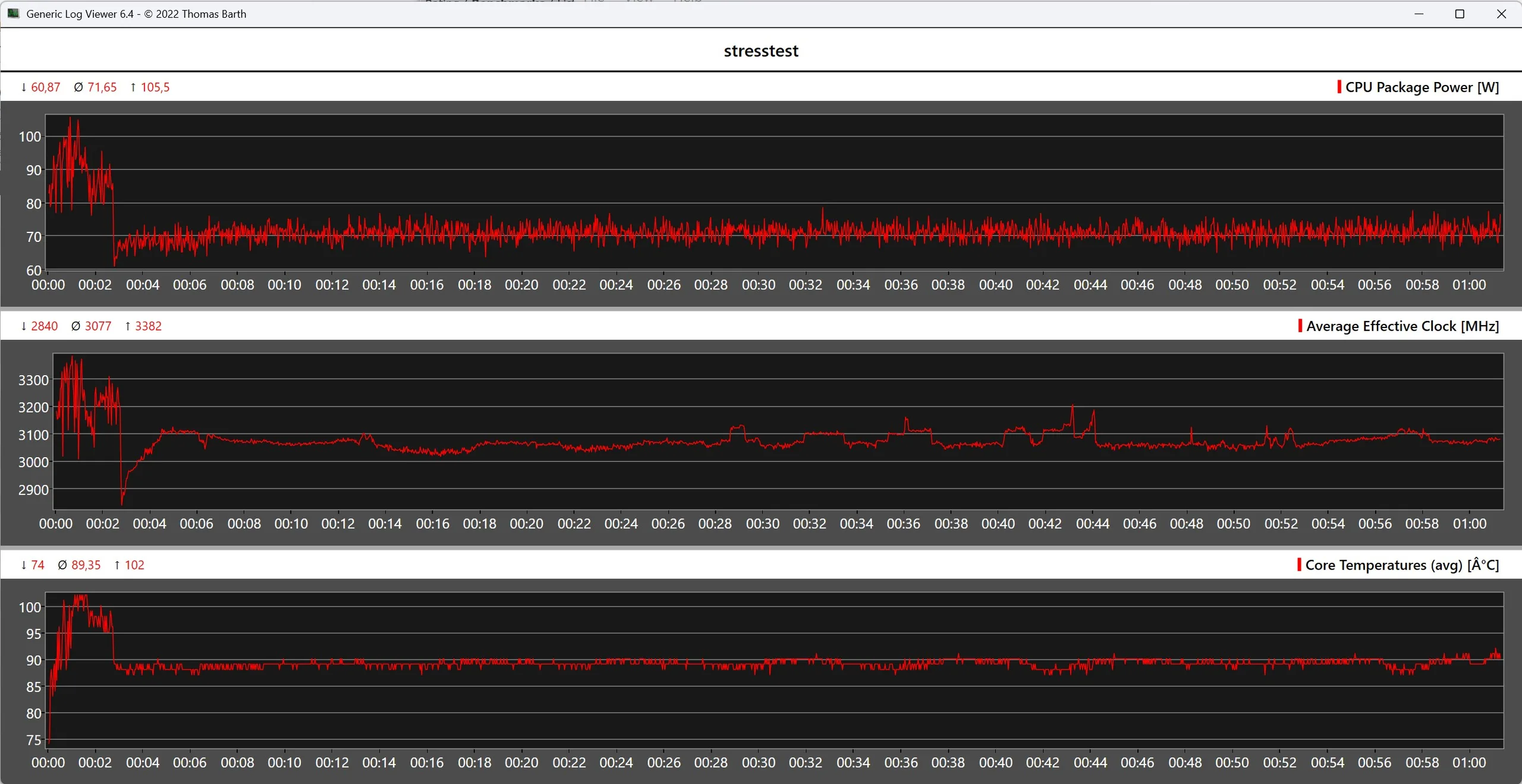
The surface temperatures of the Asus NUC 15 Pro+ increase significantly under load, but do not reach any critical hotspots thanks to the plastic surface. The Intel Core Ultra 9 285H reaches temperatures of around 100 °C in the stress test. Short-term power consumption of over 100 watts is possible, while the continuous load settles at around 71 watts. These temperatures are within the specification, as the processor is designed for up to 110 °C.
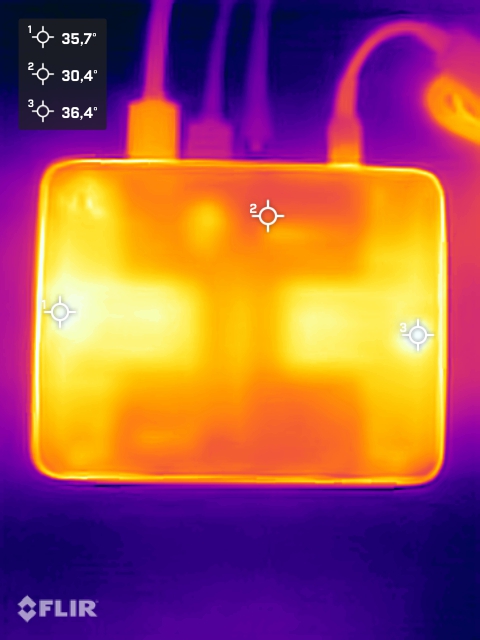
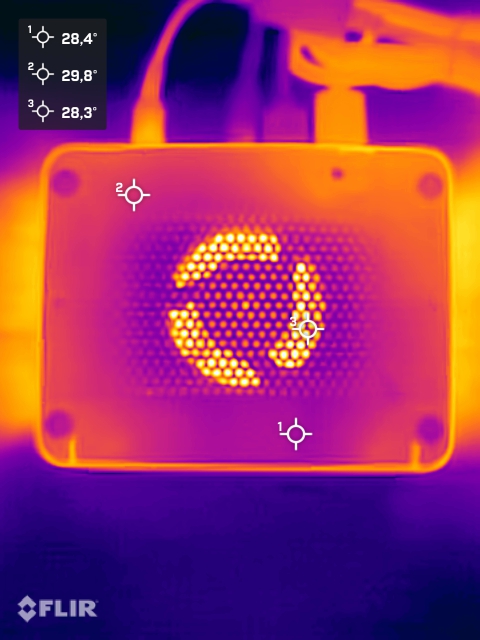
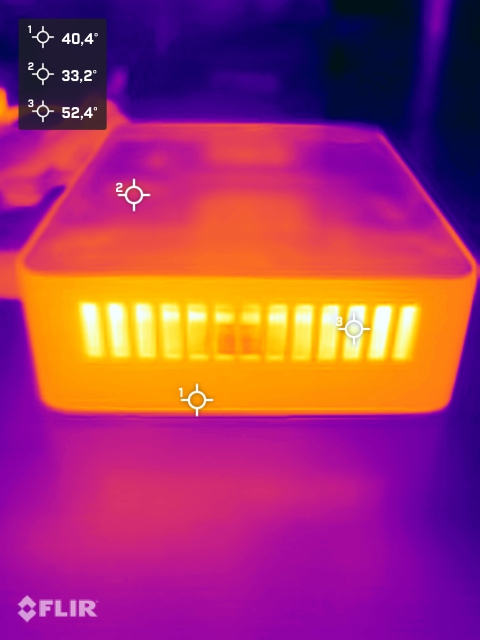
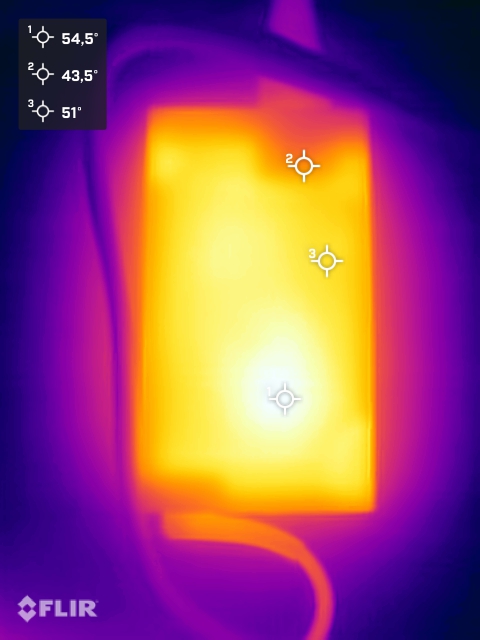
(±) The maximum temperature on the upper side is 42.2 °C / 108 F, compared to the average of 35.3 °C / 96 F, ranging from 20.6 to 69.5 °C for the class Mini PC.
(+) The bottom heats up to a maximum of 31.3 °C / 88 F, compared to the average of 35.9 °C / 97 F
(±) In idle usage, the average temperature for the upper side is 33.7 °C / 93 F, compared to the device average of 32.1 °C / 90 F.
(±) 3: The average temperature for the upper side is 34.8 °C / 95 F, compared to the average of 32.1 °C / 90 F for the class Mini PC.
Energy management
The Asus NUC 15 Pro+ is generally energy-efficient, especially in idle mode and under medium load. Due to the processor's unrestricted power release, consumption increases significantly for a short time under full load. Peak values of around 160 watts were measured in the test, but these only occur briefly. The 150 watt power supply unit is able to reliably absorb these short-term load peaks, so that no stability problems occurred during testing.


| Off / Standby | 0.78 / 6.8 Watt |
| Idle | 3.9 / 6.1 / 8.2 Watt |
| Load |
56.1 / 160.6 Watt |
   
| |
Key:
min: ,
med: ,
max: Metrahit Energy | |
| Asus NUC 15 Pro+ Ultra 9 285H, Arc 140T | Geekom A9 Max, AI 9 HX 370 Ryzen AI 9 HX 370, Radeon 890M | Minisforum EliteMini UM890 Pro R9 8945HS, Radeon 780M | Minisforum AI X1, Ryzen 7 255 Ryzen 7 255, Radeon 780M | Geekom Mini IT15, Ultra 9 285H Ultra 9 285H, Arc 140T | GMK EVO-T1 Ultra 9 285H, Arc 140T | Asus NUC 14 Pro+ Ultra 9 185H, Arc 8-Core | Average Intel Arc Graphics 140T | Average of class Mini PC | |
|---|---|---|---|---|---|---|---|---|---|
| Power Consumption | 5% | -50% | -2% | 15% | -22% | -19% | -28% | -37% | |
| Idle Minimum * (Watt) | 3.9 | 2.4 38% | 9.8 -151% | 4.4 -13% | 3.8 3% | 6.1 -56% | 4.2 -8% | 6.59 ? -69% | 7.87 ? -102% |
| Idle Average * (Watt) | 6.1 | 4.6 25% | 10.5 -72% | 5.9 3% | 5.2 15% | 7.9 -30% | 7.2 -18% | 9.52 ? -56% | 9.91 ? -62% |
| Idle Maximum * (Watt) | 8.2 | 9.2 -12% | 13.6 -66% | 6.9 16% | 8.4 -2% | 13.2 -61% | 13 -59% | 12.9 ? -57% | 12.5 ? -52% |
| Load Average * (Watt) | 56.1 | 78.4 -40% | 67 -19% | 70.4 -25% | 50.1 11% | 60.7 -8% | 68.5 -22% | 57.7 ? -3% | 59.7 ? -6% |
| Cyberpunk 2077 ultra external monitor * (Watt) | 63.9 | 77.8 -22% | 85.9 -34% | 85.8 -34% | 51.6 19% | 67.4 -5% | 74.1 -16% | ||
| Load Maximum * (Watt) | 160.6 | 95.1 41% | 96.2 40% | 97.4 39% | 91.9 43% | 117.1 27% | 144.9 10% | 87.9 ? 45% | 101.2 ? 37% |
* ... smaller is better
Power efficiency
| Performance rating - Percent | |
| Geekom Mini IT15, Ultra 9 285H | |
| Geekom A9 Max, AI 9 HX 370 | |
| GMK EVO-T1 | |
| Asus NUC 15 Pro+ | |
| Minisforum AI X1, Ryzen 7 255 | |
| Minisforum EliteMini UM890 Pro | |
| Asus NUC 14 Pro+ | |
| Power Consumption | |
| Cinebench R23 Multi Power Efficiency - external Monitor | |
| Geekom A9 Max, AI 9 HX 370 | |
| Geekom Mini IT15, Ultra 9 285H | |
| GMK EVO-T1 | |
| Minisforum EliteMini UM890 Pro | |
| Minisforum AI X1, Ryzen 7 255 | |
| Asus NUC 14 Pro+ | |
| Asus NUC 15 Pro+ | |
| Cinebench R23 Single Power Efficiency - external Monitor | |
| Geekom Mini IT15, Ultra 9 285H | |
| Geekom A9 Max, AI 9 HX 370 | |
| Asus NUC 15 Pro+ | |
| Minisforum AI X1, Ryzen 7 255 | |
| GMK EVO-T1 | |
| Minisforum EliteMini UM890 Pro | |
| Asus NUC 14 Pro+ | |
| Cinebench R15 Multi Efficiency (external Monitor) | |
| Geekom A9 Max, AI 9 HX 370 | |
| Geekom Mini IT15, Ultra 9 285H | |
| Minisforum EliteMini UM890 Pro | |
| Minisforum AI X1, Ryzen 7 255 | |
| GMK EVO-T1 | |
| Asus NUC 15 Pro+ | |
| Asus NUC 14 Pro+ | |
| Cyberpunk 2077 ultra Efficiency | |
| Geekom Mini IT15, Ultra 9 285H | |
| Asus NUC 15 Pro+ | |
| GMK EVO-T1 | |
| Geekom A9 Max, AI 9 HX 370 | |
| Asus NUC 14 Pro+ | |
| Minisforum EliteMini UM890 Pro | |
| Minisforum AI X1, Ryzen 7 255 | |
Power consumption - external monitor
Power consumption - external monitor
Notebookcheck rating
Asus NUC 15 Pro+
- 12/09/2025 v8
Sebastian Bade
 Total Sustainability Score:
 Possible alternatives in comparison
Image | Model / Review | Price | Weight | Dimensions |
|---|---|---|---|---|
1. 77.5%  | Asus NUC 15 Pro+ Intel Core Ultra 9 285H ⎘ Intel Arc Graphics 140T ⎘ 32 GB Memory, 1024 GB SSD | List Price: 991€ | 690 g | 112 x 144 x 42 mm |
2. 82%  | Geekom A9 Max, AI 9 HX 370 AMD Ryzen AI 9 HX 370 ⎘ AMD Radeon 890M ⎘ 32 GB Memory, 2048 GB SSD | List Price: 999€ | 709 g | 132 x 135 x 46.9 mm |
3. 81.3%  | Minisforum EliteMini UM890 Pro AMD Ryzen 9 8945HS ⎘ AMD Radeon 780M ⎘ 32 GB Memory, 1024 GB SSD | List Price: 739 EUR | 709 g | 127 x 130 x 60.6 mm |
4. 81.1%  | Minisforum AI X1, Ryzen 7 255 AMD Ryzen 7 255 ⎘ AMD Radeon 780M ⎘ 32 GB Memory, 1024 GB SSD | List Price: 579€ | 658 g | 126 x 128 x 52 mm |
5. 76.5%  | Geekom Mini IT15, Ultra 9 285H Intel Core Ultra 9 285H ⎘ Intel Arc Graphics 140T ⎘ 32 GB Memory, 2048 GB SSD | Amazon: List Price: 1099€ | 595 g | 112 x 117 x 49.2 mm |
6. 75.4%  | GMK EVO-T1 Intel Core Ultra 9 285H ⎘ Intel Arc Graphics 140T ⎘ 64 GB Memory, 1024 GB SSD | List Price: 999€ | 946 g | 151 x 154 x 73.6 mm |
7. 75.3%  | Asus NUC 14 Pro+ Intel Core Ultra 9 185H ⎘ Intel Arc 8-Core iGPU ⎘ 32 GB Memory, 1024 GB SSD | List Price: 1250 EUR | 622 g | 112 x 144 x 41 mm |
Transparency
The selection of devices to be reviewed is made by our editorial team. The test sample was provided to the author as a loan by the manufacturer or retailer for the purpose of this review. The lender had no influence on this review, nor did the manufacturer receive a copy of this review before publication. There was no obligation to publish this review. As an independent media company, Notebookcheck is not subjected to the authority of manufacturers, retailers or publishers.
This is how Notebookcheck is testing
Every year, Notebookcheck independently reviews hundreds of laptops and smartphones using standardized procedures to ensure that all results are comparable. We have continuously developed our test methods for around 20 years and set industry standards in the process. In our test labs, high-quality measuring equipment is utilized by experienced technicians and editors. These tests involve a multi-stage validation process. Our complex rating system is based on hundreds of well-founded measurements and benchmarks, which maintains objectivity. Further information on our test methods can be found here.
 Add as a preferred source on Google


