




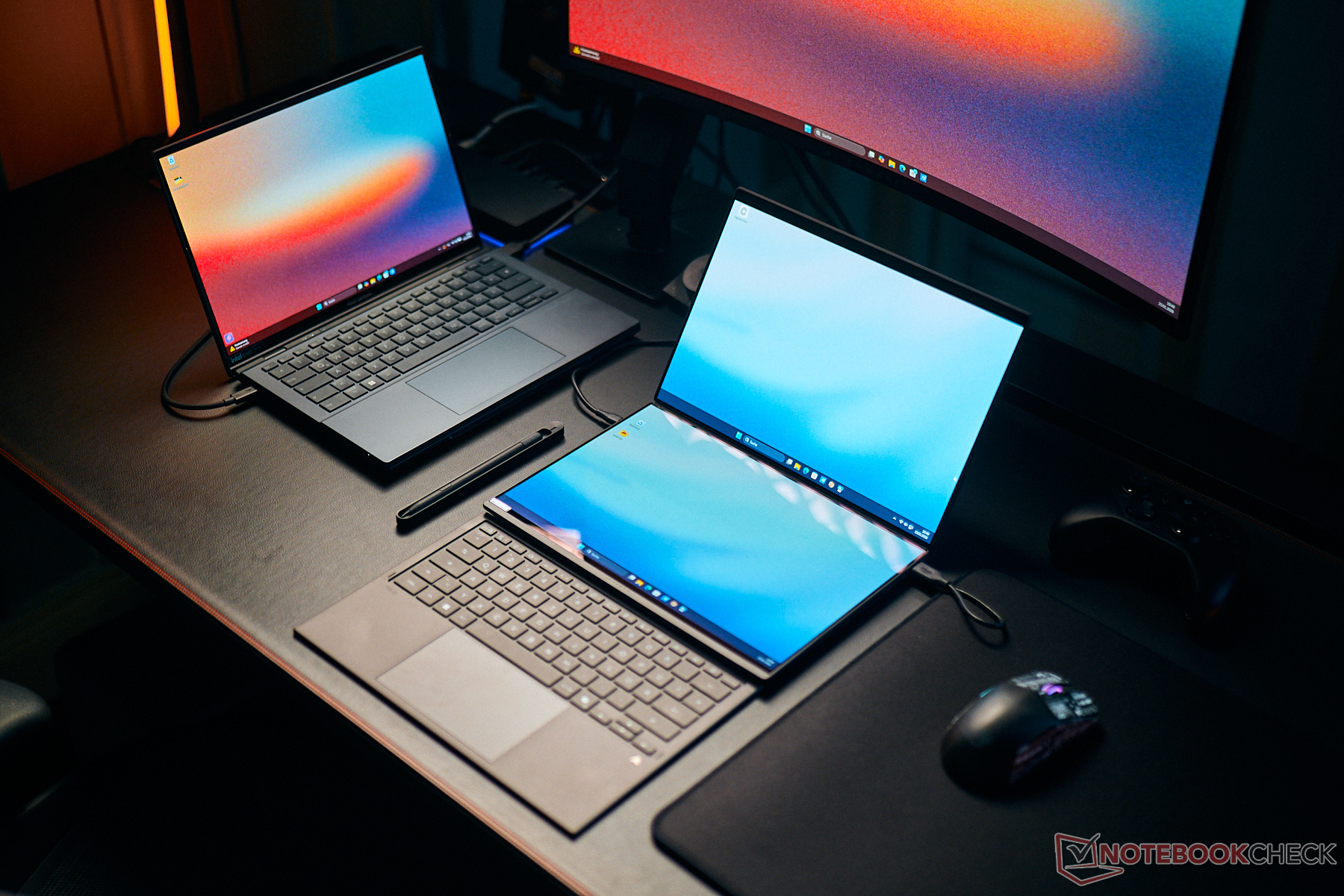
Conclusion - Best dual-screen convertible, not only because of Panther Lake
Asus has massively redesigned its ZenBook Duo with the UX4807, eliminating several weaknesses of older models. This starts with the new hinge design, putting the two screens closer together. Using the machine opened like a book is now much more comfortable. While this new model is a little thicker, it is lighter in a sort of a compensation. Just make sure you actually have a good use for the two screens, because otherwise it makes little sense to purchase such a (comparatively) thick system.
Basically, the concept of having two screens works very well, and picture quality has improved even further. The combination of the optimized software and a wealth of ways to set the ZenBook Duo up on your desk make it extremely versatile. Its magnetic keyboard offers an excellent typing experience. The new stylus also works very well and battery life is excellent, all things considered.
The second major highlight is of course the new Panther Lake mobile processor from Intel which does not disappoint. It offers the multi-core performance of faster Arrow Lake processors, but is significantly less of a power hog. It is therefore a successful combination of the two previous series, Arrow Lake and Lunar Lake, which co-existed while catering to vastly different user categories. With the new graphics adapter, there is a massive leap in performance of around 70 %, which is considerable. Keep in mind the fast B390 iGPU is limited to select few Panther Lake chips. With the ZenBook Duo, that means you have to go for the top SKU priced at 2,599 euros, as the base one at 2,299 euros has a significantly weaker iGPU.
All in all, the ZenBook UX8407 is the best dual-screen convertible on the market and definitely worth its price. There are hardly any real weak points, although it is annoying that there is no power adapter in the box in the EU. This might be something Europeans will have to get used to.
Pros
Cons
Price and availability
In Germany, the new ZenBook Duo UX8407 can be pre-ordered from Asus for the RRP of 2,599 euros (around $3,080 with late January 2026 exchange rates). Deliveries commence February 18.
Table of Contents
- Conclusion - Best dual-screen convertible, not only because of Panther Lake
- Specifications
- Case - Ceraluminum and a new hinge
- Features - Thunderbolt 4
- Input devices - 1.7 mm keystroke
- Display - 2 OLED panels with 144 Hz
- Performance - Intel Panther Lake
- Emissions
- Energy management - plenty of stamina
- Notebookcheck overall rating
- Possible alternatives in comparison
Asus has extensively revised its dual-screen ZenBook Duo convertible for 2026 and now relies on new high-resolution OLED panels with 144 Hz, which both SKUs available employ. Then there are the new Panther Lake CPUs from Intel, although there is a difference between the two SKUs in this regard. The base model, costing €2,299 with its 32-GB RAM and a 1-TB SSD, is equipped with the Core Ultra 9 386H, which features a slower iGPU with fewer computing blocks enabled. Only the top 2,599-euro SKU (32-GB RAM, 2-TB SSD) comes with the Core Ultra X9 388H and the fast Arc B390 iGPU.
Specifications
Case - Ceraluminum and a new hinge
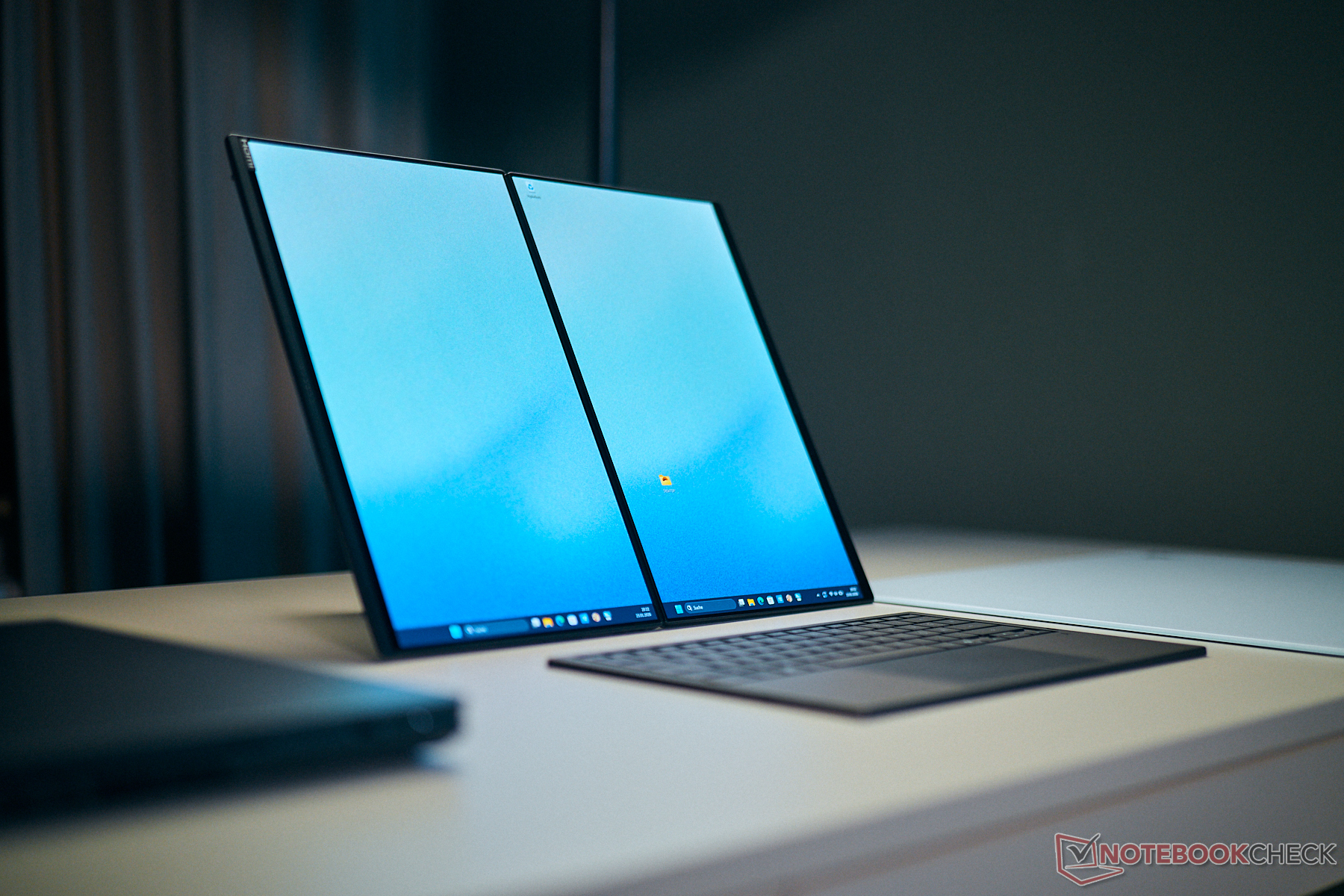
Speaking of the case redesign, the first thing you notice is the large new hinge. It's smaller and largely hidden away which is why the distance between the two displays with the Zenbook wide open is significantly smaller than before. The hinge is well-adjusted and only allows minimal tilting. The maximum opening angle is 180 degrees.
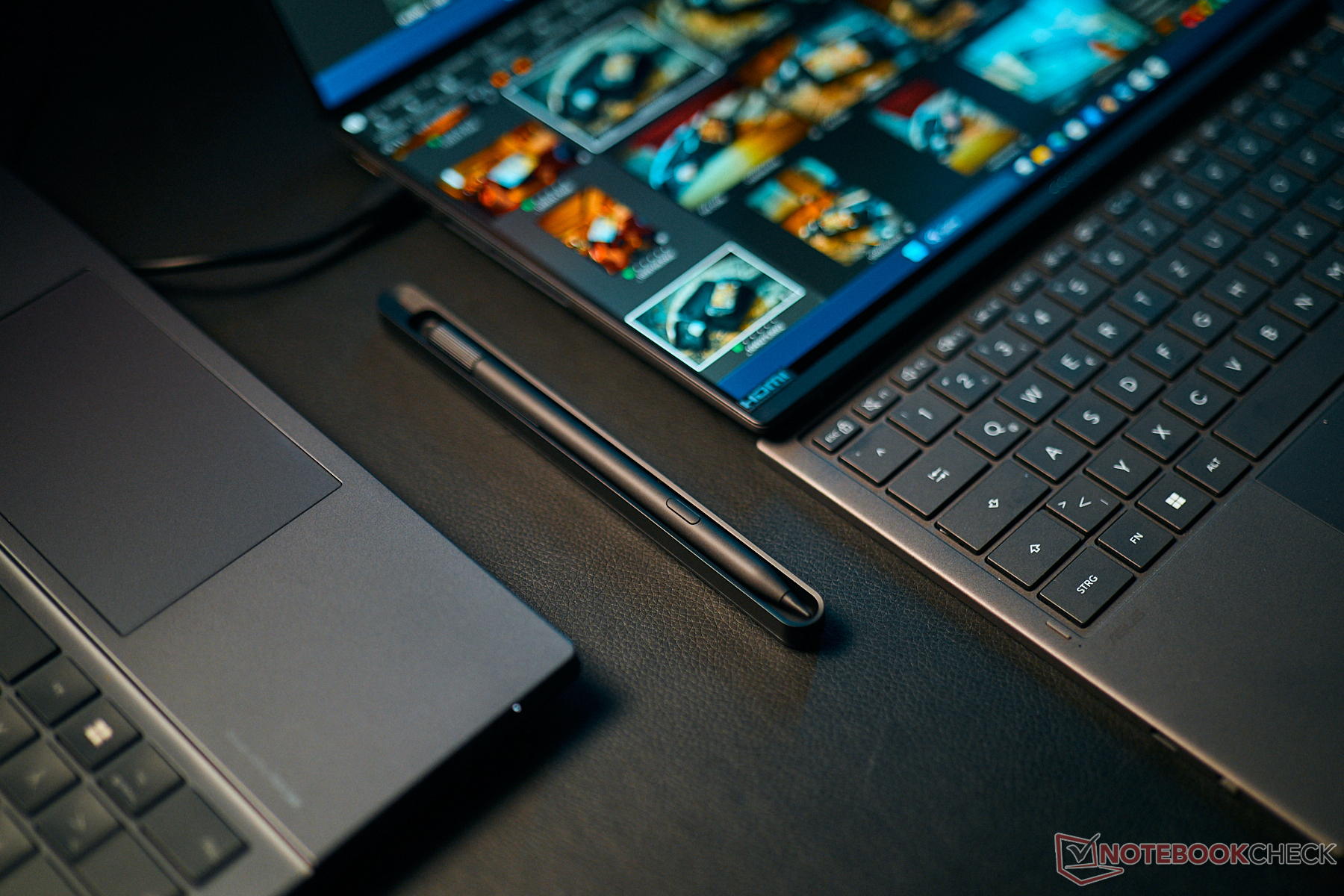
The basic concept - two identical displays and a detachable keyboard - has not changed. This means the ZenBook Duo is once again very versatile, as you can see in the following pictures. The integrated Screen Expert software makes it very easy to either expand the screen's contents or mirror it for presentation mode, so that two people facing each other can see the same content, as a possible use example.
The integrated kickstand now seems a little more stable than before. One of our concerns last year, the somewhat wobbly "desktop mode" (unfolded like a book and placed standing vertically) is no longer an issue.
Build quality is excellent and the Ceraluminum material we already know from other Zenbooks makes a very high-quality impression. It is not particularly sensitive to fingerprints, either, and it's stable with no twisting or creaking noises when applying force intentionally. This also applies to the keyboard, which is magnetically attached very firmly to the lower display and is connected (as well as automatically charged) via pogo pins.
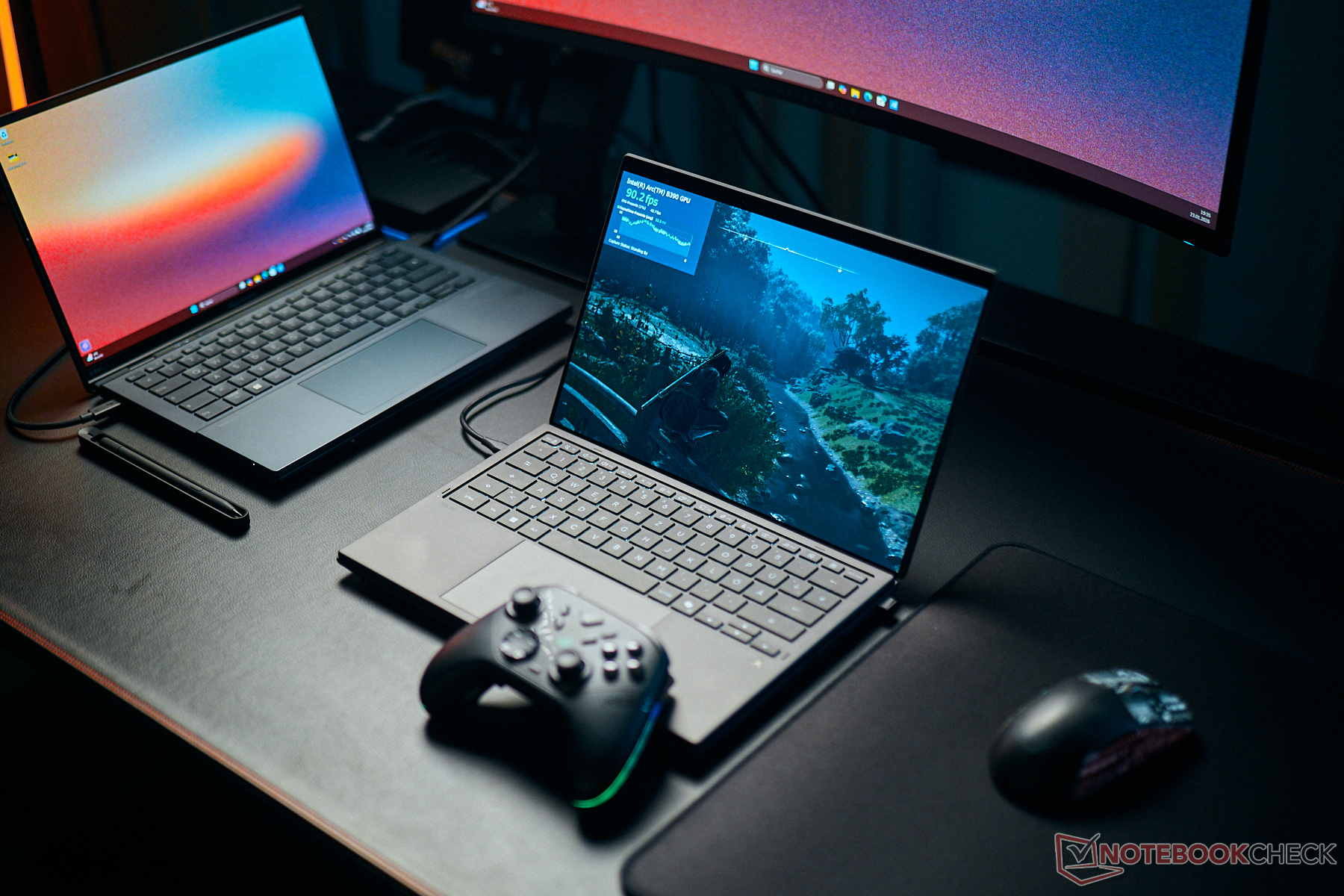
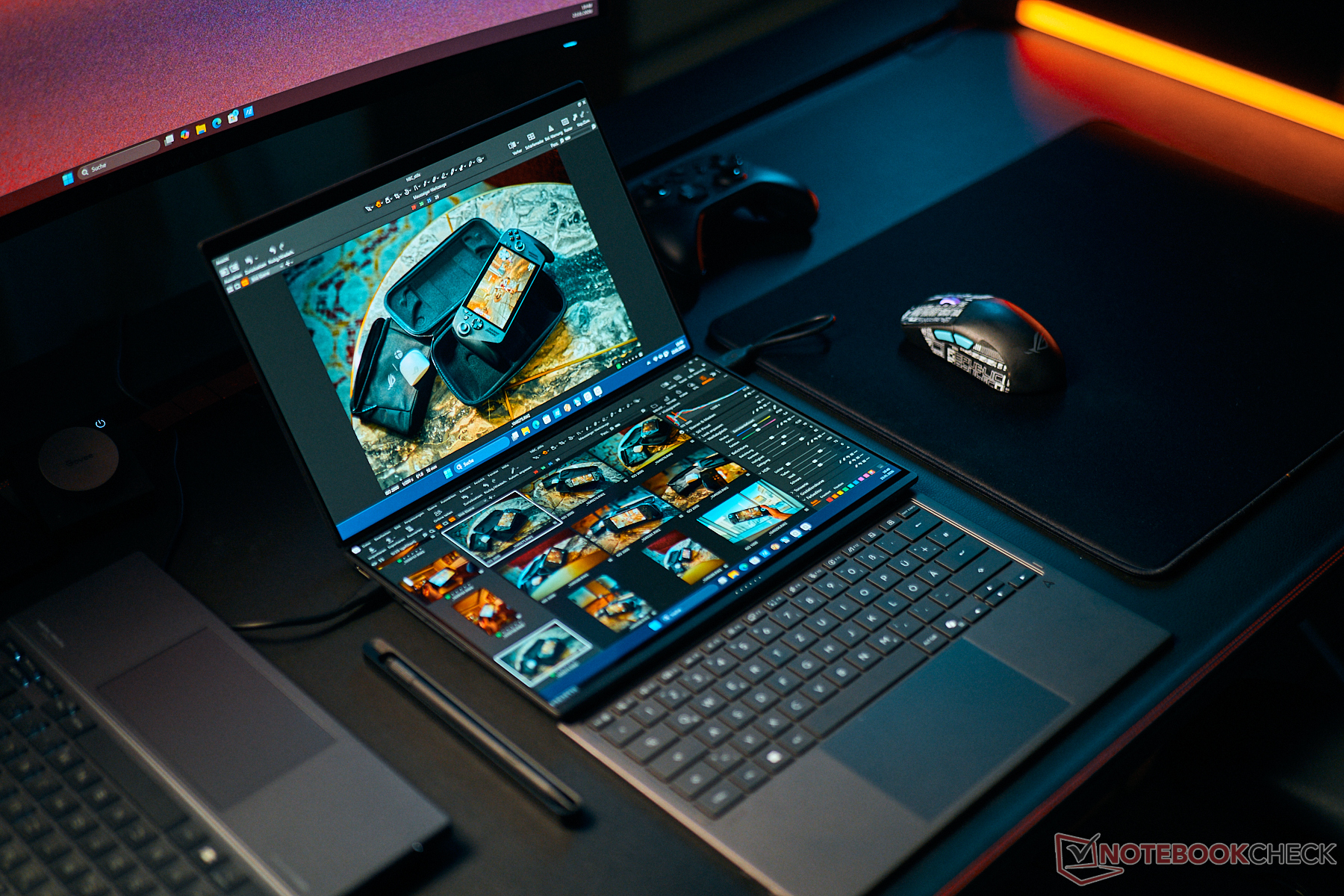
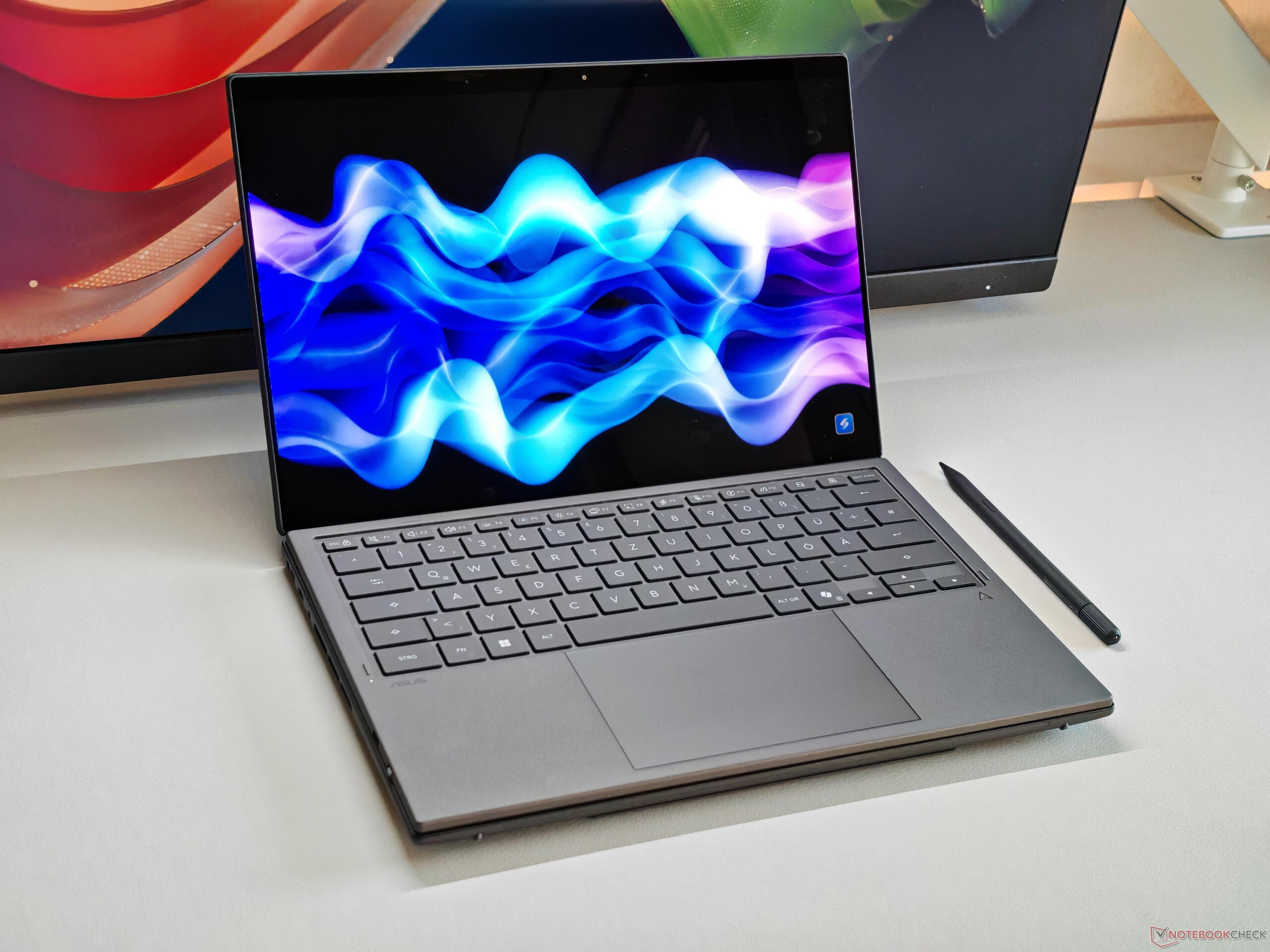
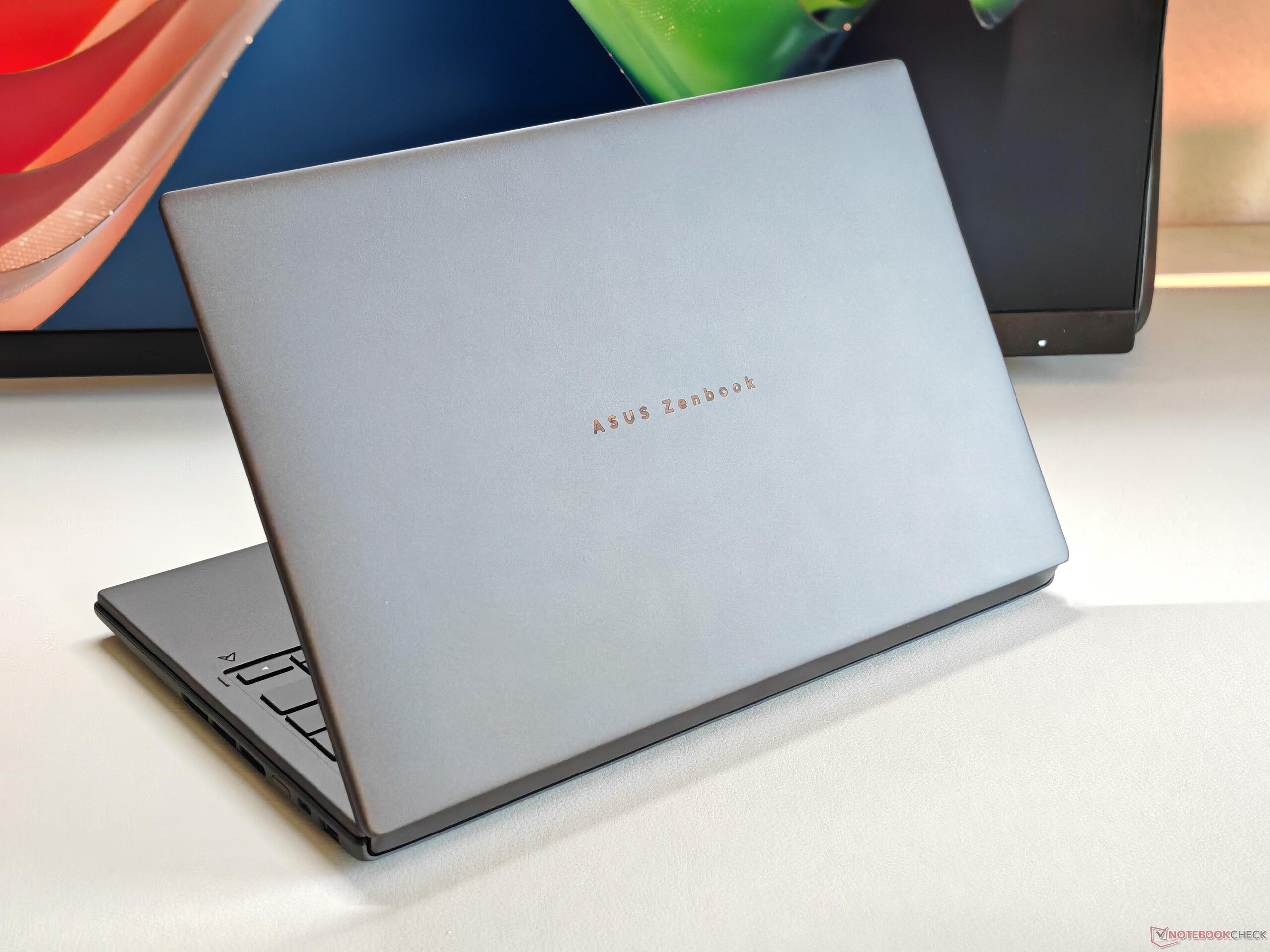
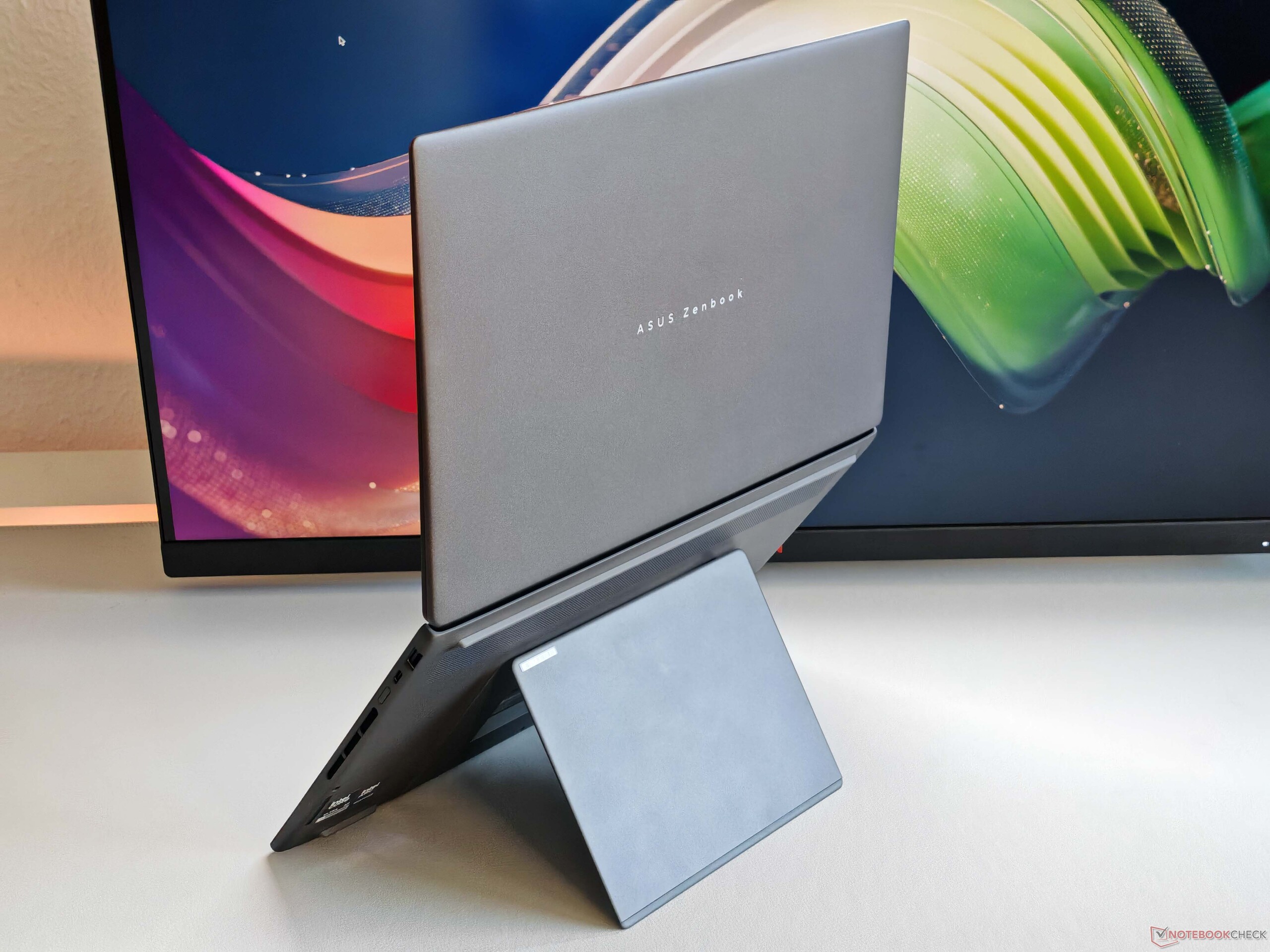
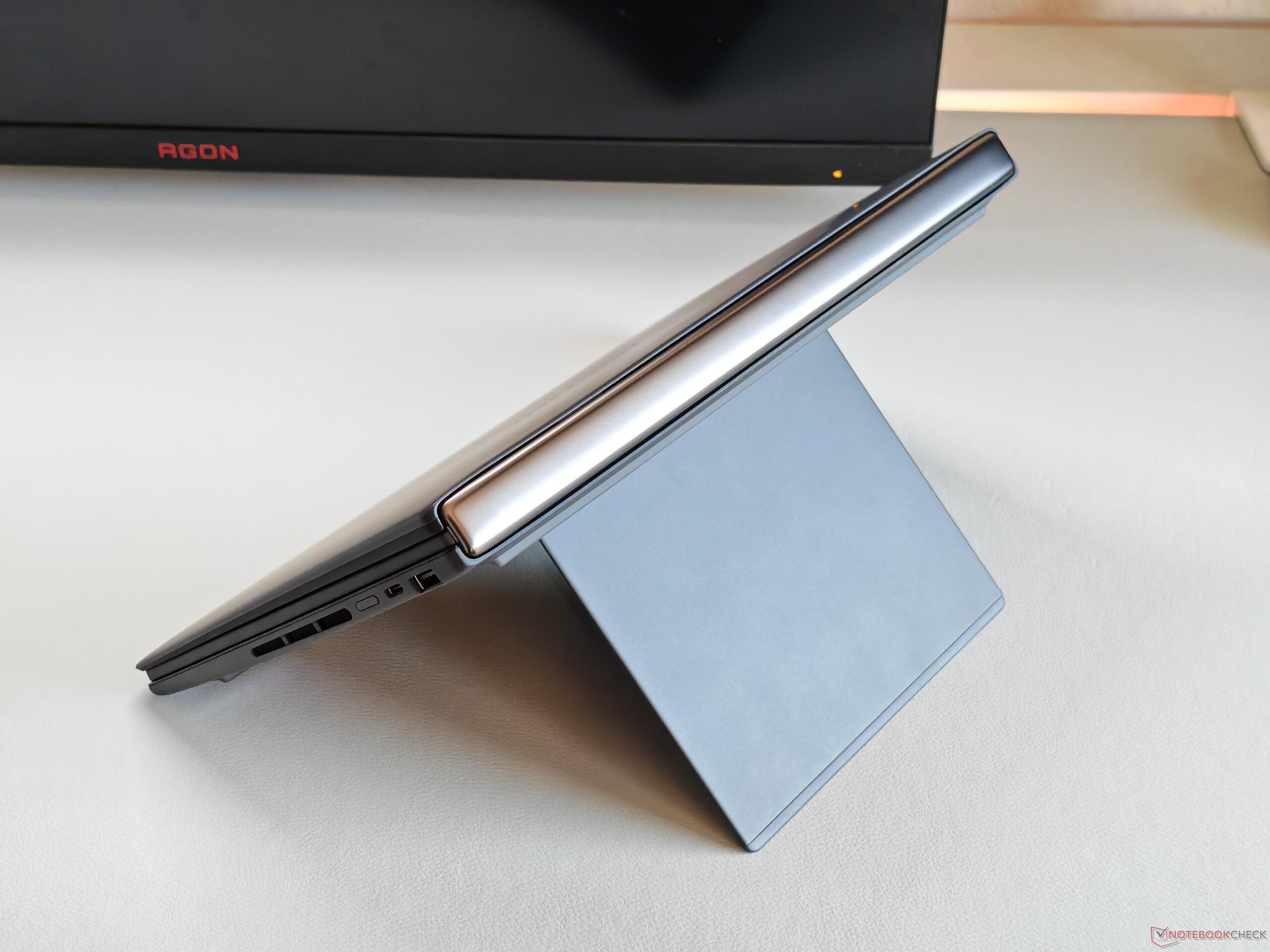
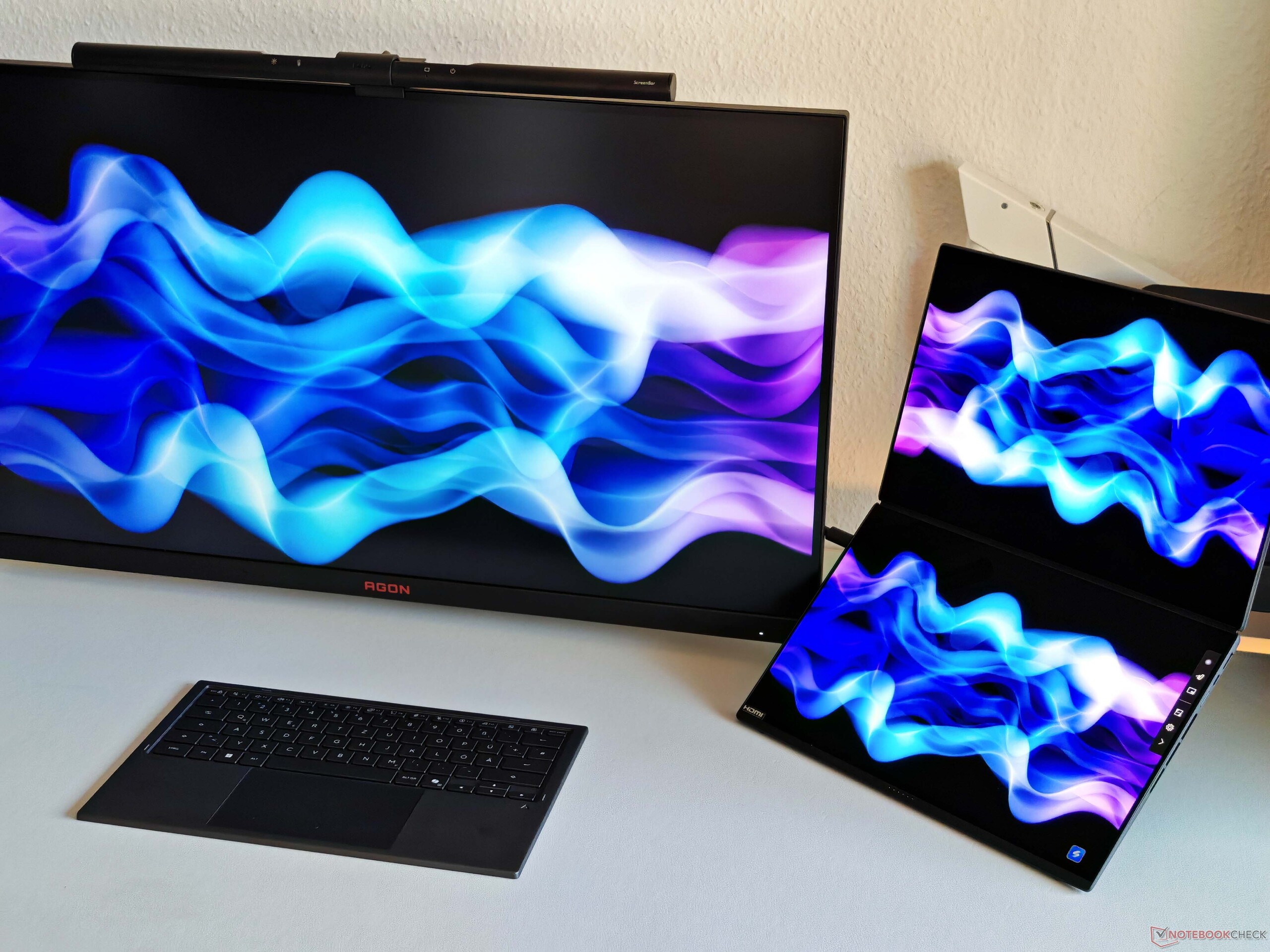
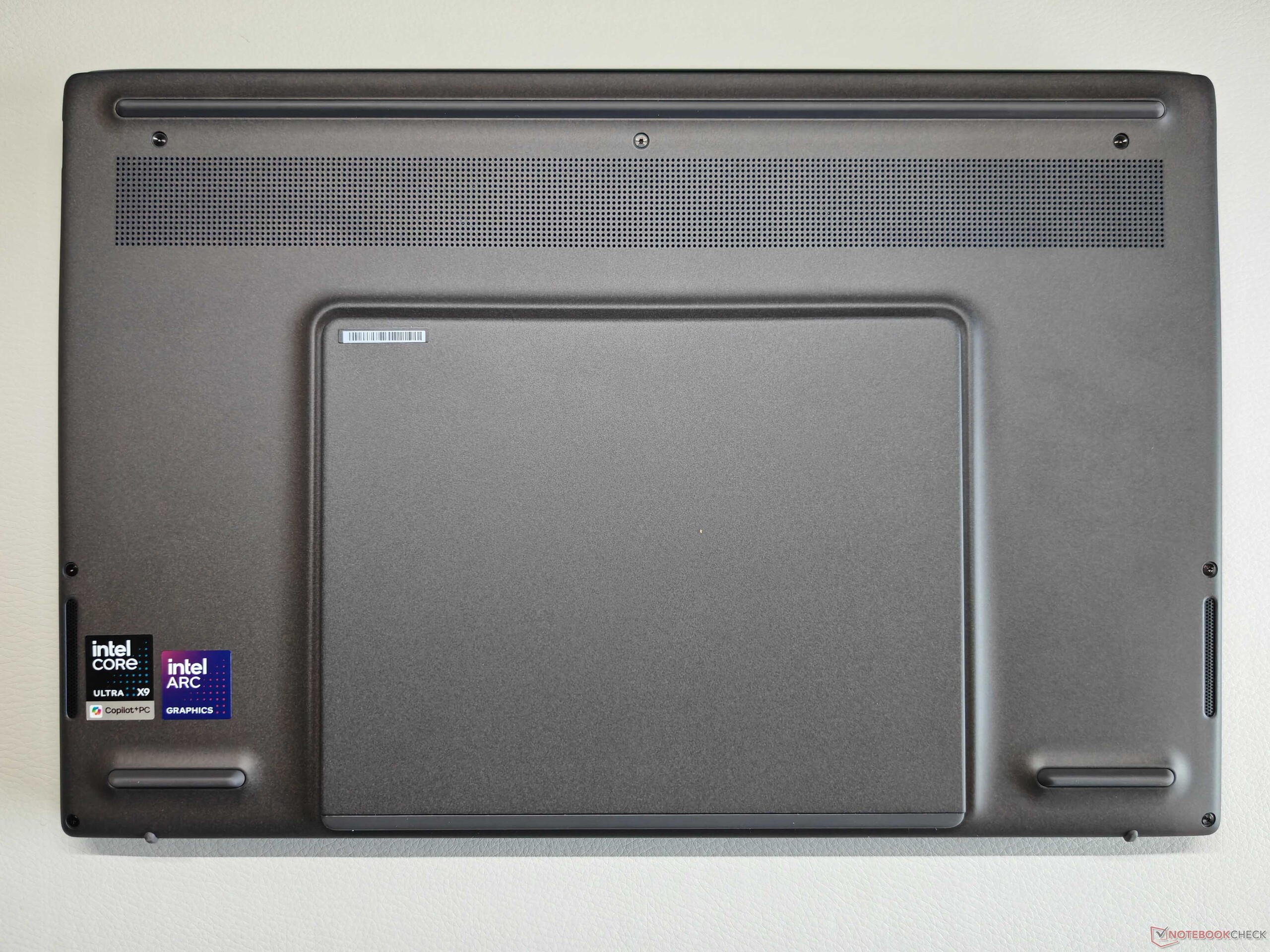
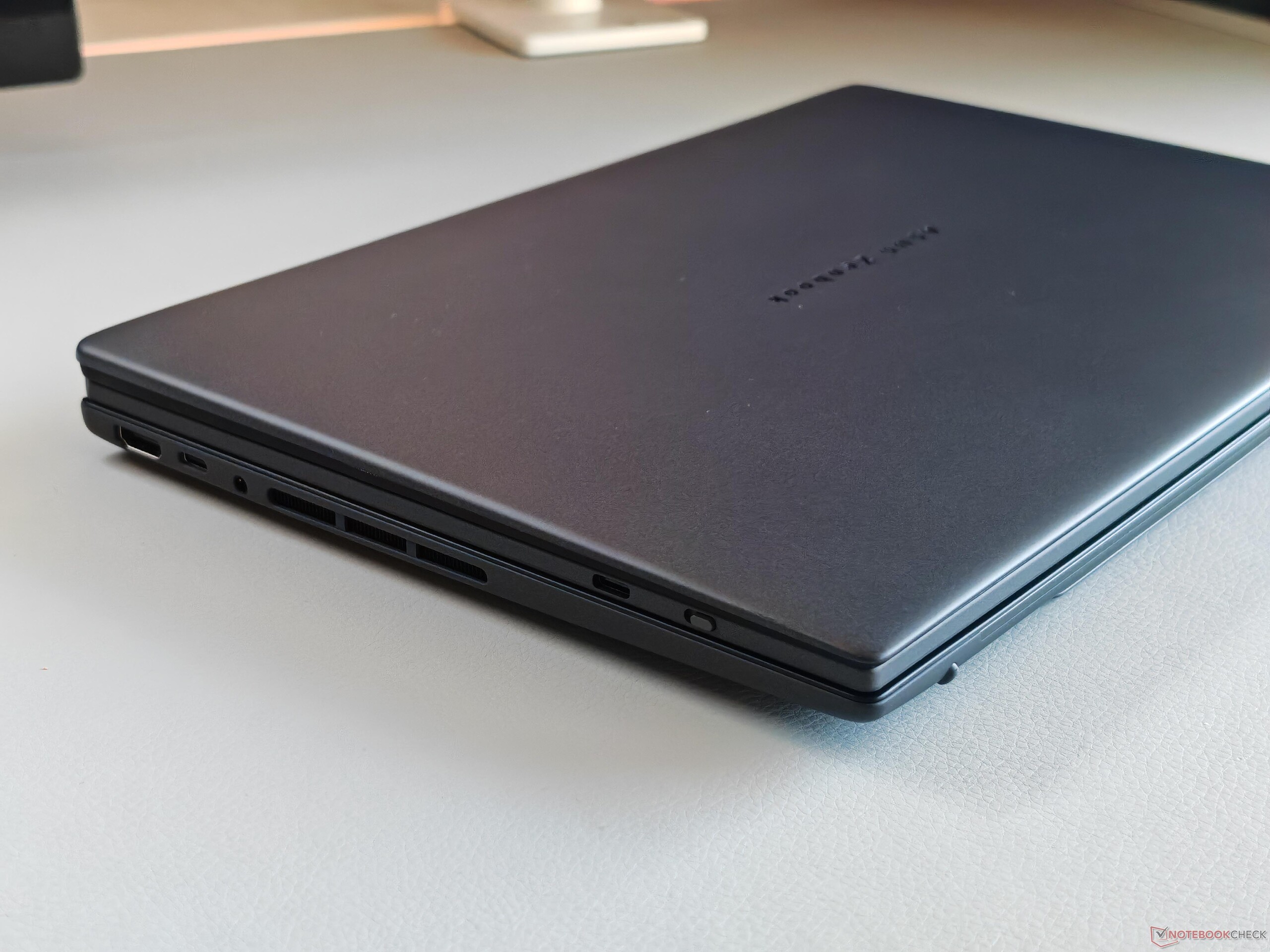
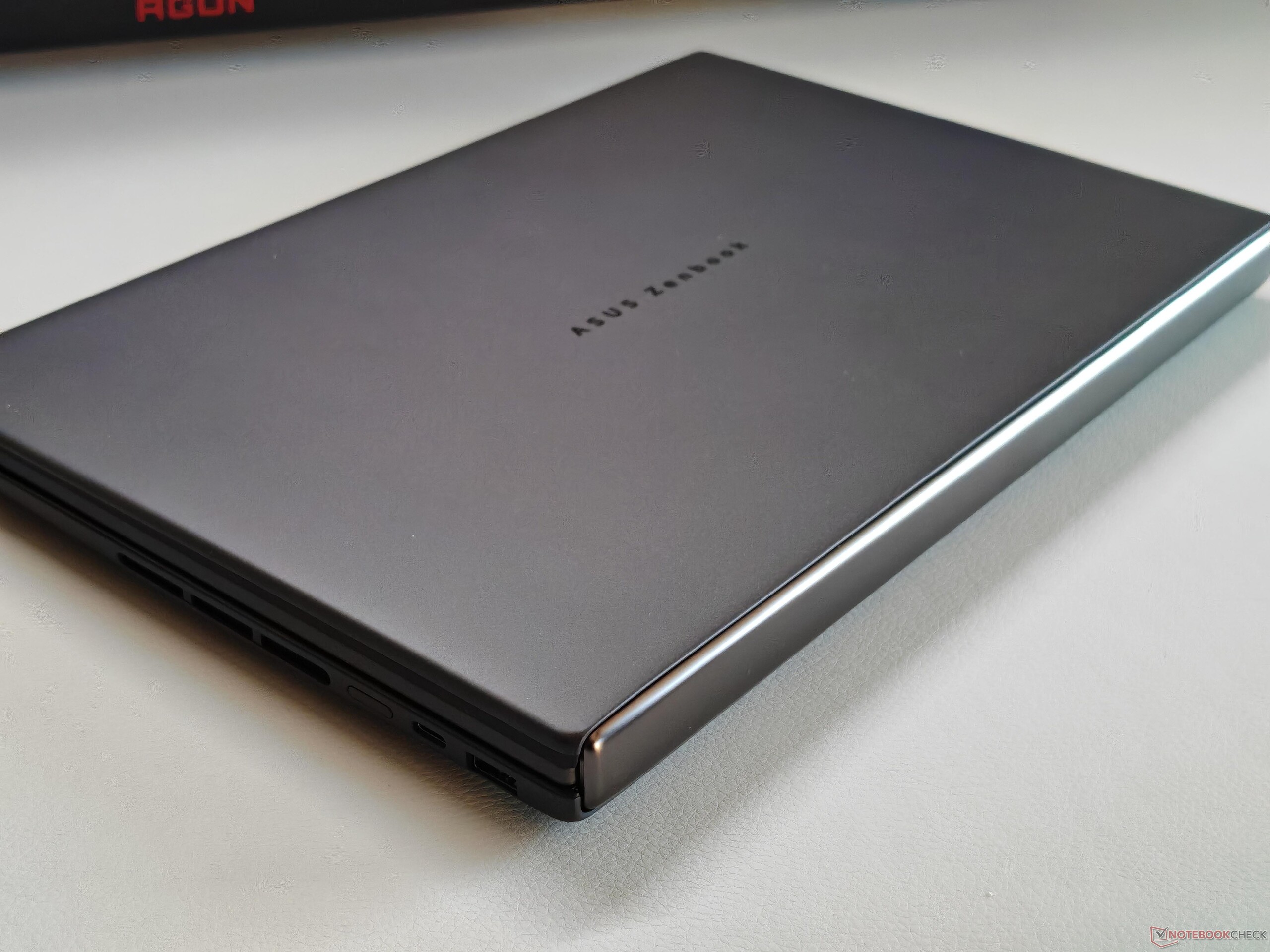
The two-screen system is actually very usable in practice, but also bulky (around 2.3-cm-thick without feet, 2.7 cm with them) and not particularly light at 1.7 kg. This is a noticeable difference to conventional 14-inch laptops and the new model is also slightly thicker than its immediate predecessor.
Features - Thunderbolt 4
No changes to port selection. In addition to two Thunderbolt 4-enabled USB-C ports, there is also a regular USB-A port and an HDMI port. One of the two USB-C ports is now on the right-hand side, so you can charge the device from both sides. There is still no card reader. The integrated Wi-Fi module (BE201) supports Wi-Fi 7 and Bluetooth 5.4, achieving both high and stable transfer rates in our tests with 0 signal quality issues.
The integrated 1080p webcam includes an IR sensor but no without aperture. Picture quality is average.


| Networking | |
| Asus ZenBook Duo UX8407AA | |
| iperf3 transmit AXE11000 | |
| iperf3 receive AXE11000 | |
| Asus ZenBook Duo OLED UX8406CA | |
| iperf3 transmit AXE11000 | |
| iperf3 receive AXE11000 | |
| Lenovo Yoga Book 9 14IAH10 | |
| iperf3 transmit AXE11000 | |
| iperf3 receive AXE11000 | |
| iperf3 transmit AXE11000 6GHz | |
| iperf3 receive AXE11000 6GHz | |
| Lenovo ThinkPad X1 2-in-1 Gen 10 | |
| iperf3 transmit AXE11000 | |
| iperf3 receive AXE11000 | |
| iperf3 transmit AXE11000 6GHz | |
| iperf3 receive AXE11000 6GHz | |
| HP EliteBook X Flip G1i 14 AI | |
| iperf3 transmit AXE11000 | |
| iperf3 receive AXE11000 | |
| iperf3 transmit AXE11000 6GHz | |
| iperf3 receive AXE11000 6GHz | |
| Asus ROG Flow Z13 GZ302EA-RU073W | |
| iperf3 transmit AXE11000 | |
| iperf3 receive AXE11000 | |


Accessories
In addition to an active pen, the top SKU model also comes with a matching black laptop sleeve for traveling.
No power supply unit is included with EU sales, as far as we are aware.
Maintenance
The ZenBook Duo has a small maintenance/upgrades hatch on its underside, under the kickstand, which provides direct access to the sole M.2 2280 slot. Removing the bottom panel is a lot more difficult than it is with regular laptops due to how the second display is attached and wired. We did try to take the test system apart but ultimately gave up so as not to damage it.


Input devices - 1.7 mm keystroke
We liked the predecessor model's detachable keyboard, and it has been improved once again for the 2026 model. It is now even more rigid and stable, and key travel has been increased to 1.7 mm for an extremely comfortable typing experience, since there is practically no flex at all in "normal laptop" mode. You shouldn't notice any difference to typing on a regular laptop.
Overall, this is one of the best experiences available on a 14-inch notebook. The integrated clickpad (12.7 x 7.8 cm) offers very good gliding properties and works flawlessly. There are additional gestures for the edges (e.g. volume and brightness control), but unlike haptic trackpads, there is no vibration involved.
Full clicks (not taps) performed in the lower area are accompanied by good feedback and are not particularly loud.


Display - 2 OLED panels with 144 Hz
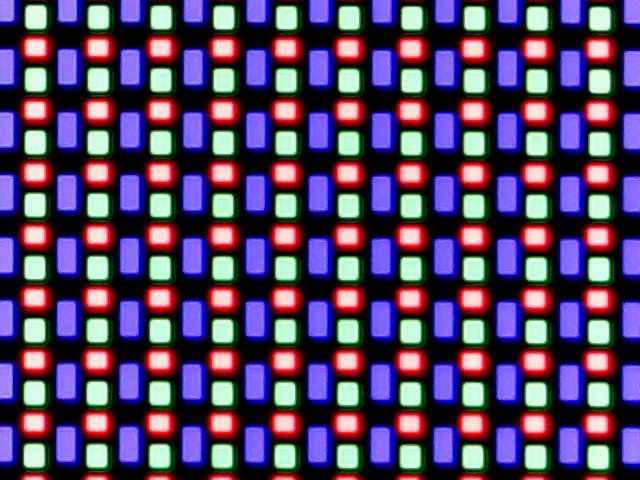
While the 2025 model of the ZenBook Duo was available with two different display variants (either Full HD 60 Hz or 3K 120 Hz), Asus now exclusively uses high-resolution 16:10 OLED panels with 2,880 x 1,800 pixels and 144 Hz. Subjectively speaking, image quality is excellent and despite the touch mesh layer, even brighter surfaces do not appear grainy. Display brightness can be adjusted automatically if you need that, but color temperature cannot.
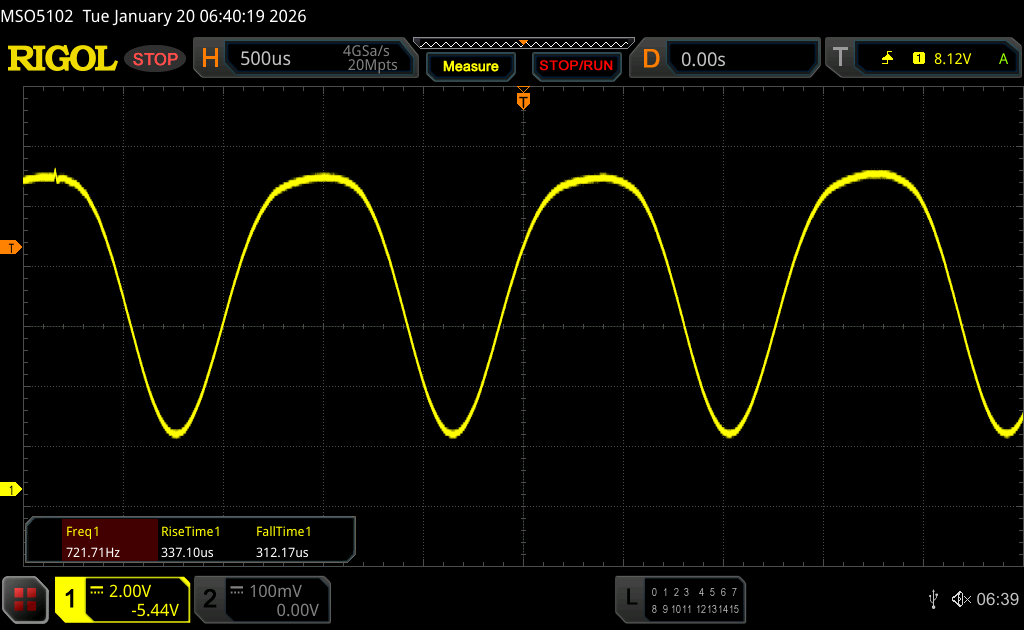
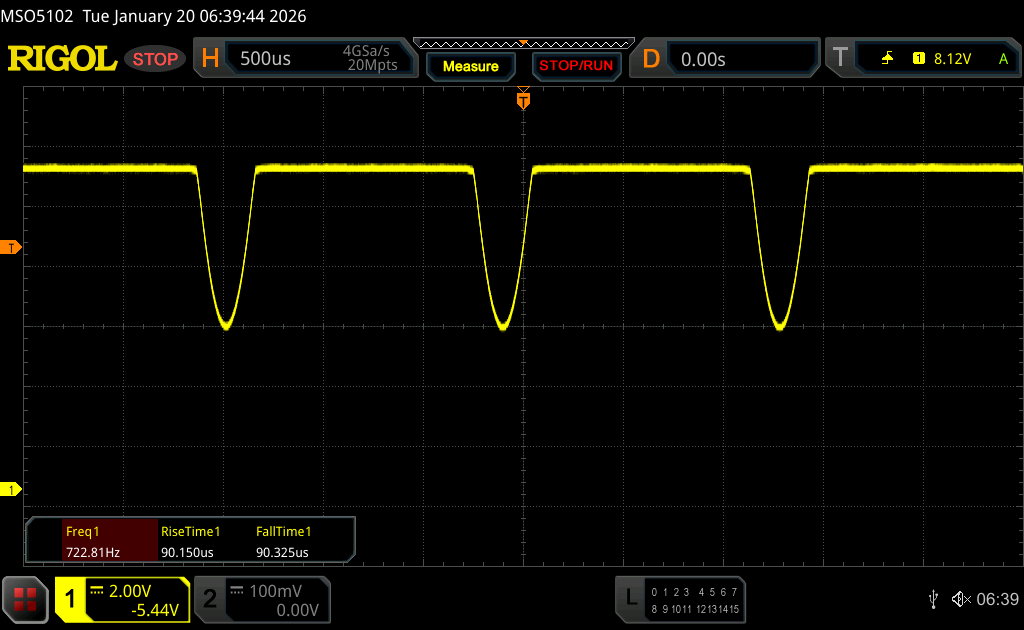
Response times are very fast. PWM flickering with a frequency of 720 Hz is present no matter the brightness level. DC dimming is used up to a brightness level of 70 %; as soon as you reduce the brightness further, a message appears stating that DC dimming is no longer available, inviting you to use the flicker-free OLED dimming mode as found in MyAsus software. It would be nice if this feature could be integrated into brightness control so the user doesn't have to go to the Asus tool all the time.
Rather than Samsung panels, BOE panels are used, and their brightness is significantly higher than with last year's model. With SDR content, it is now just under 500 cd/m². It's nearly 1,000 cd/m² in HDR mode. In our measurements, this value with attainable with the ambient light sensor activated only; otherwise, the maximum HDR brightness would fall to around 640 cd/m². We have contacted Asus in regards to the issue and it is possible that this will be changed via an update.
| |||||||||||||||||||||||||
Brightness Distribution: 96 %
Center on Battery: 497 cd/m²
Contrast: ∞:1 (Black: 0 cd/m²)
ΔE ColorChecker Calman: 1.6 | ∀{0.5-29.43 Ø4.68}
calibrated: 1.5
ΔE Greyscale Calman: 2.5 | ∀{0.09-98 Ø4.93}
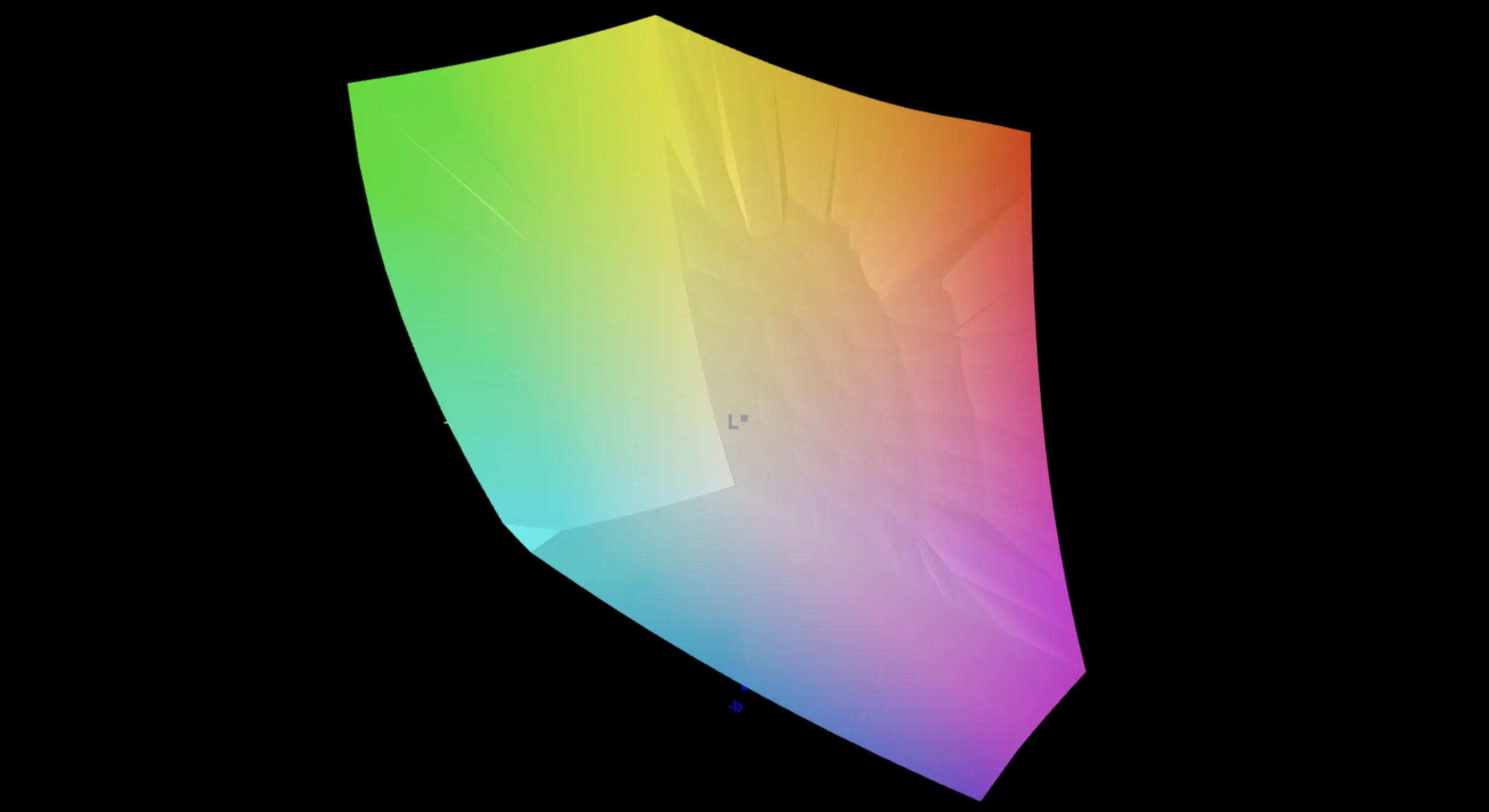
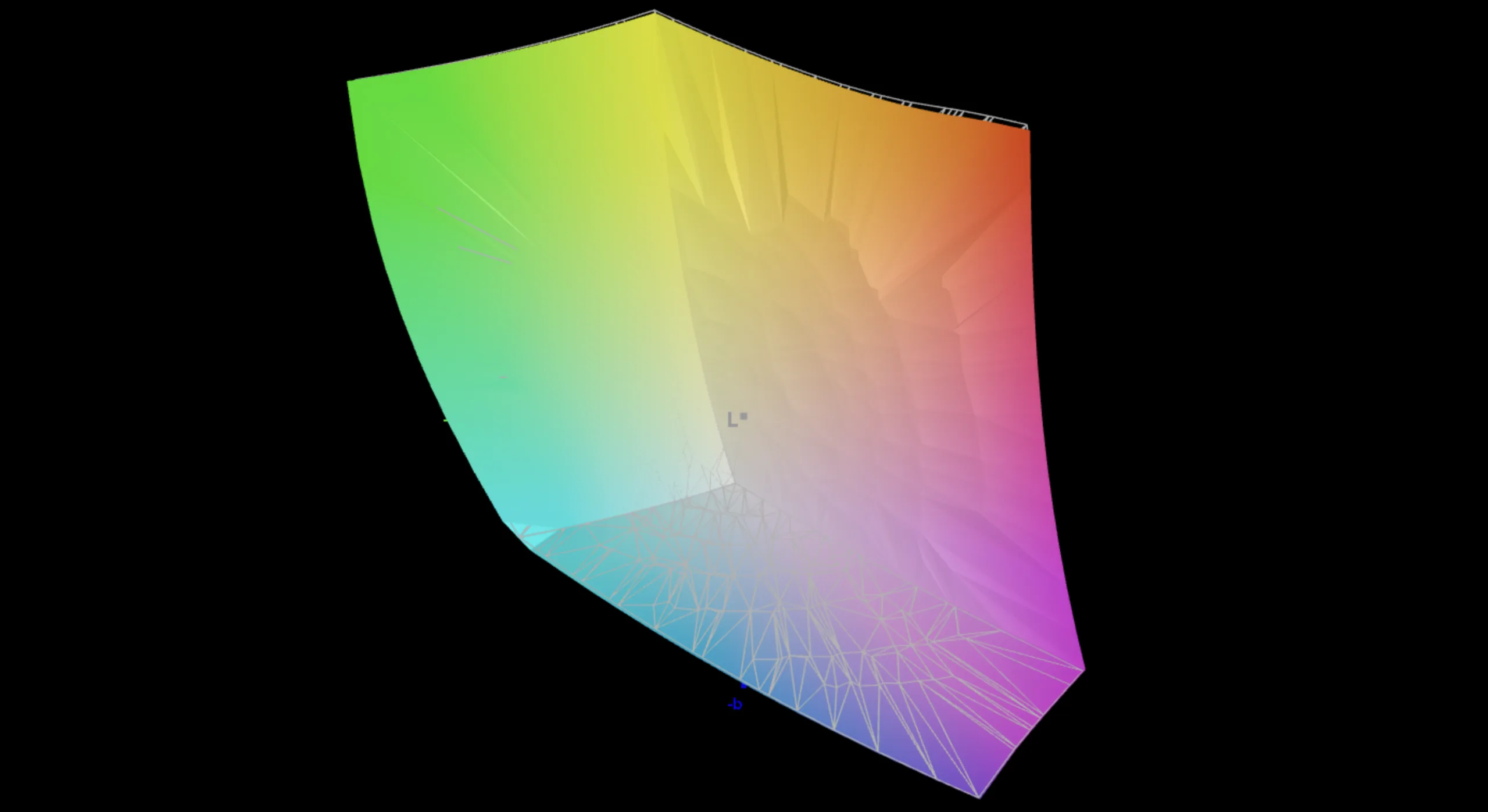
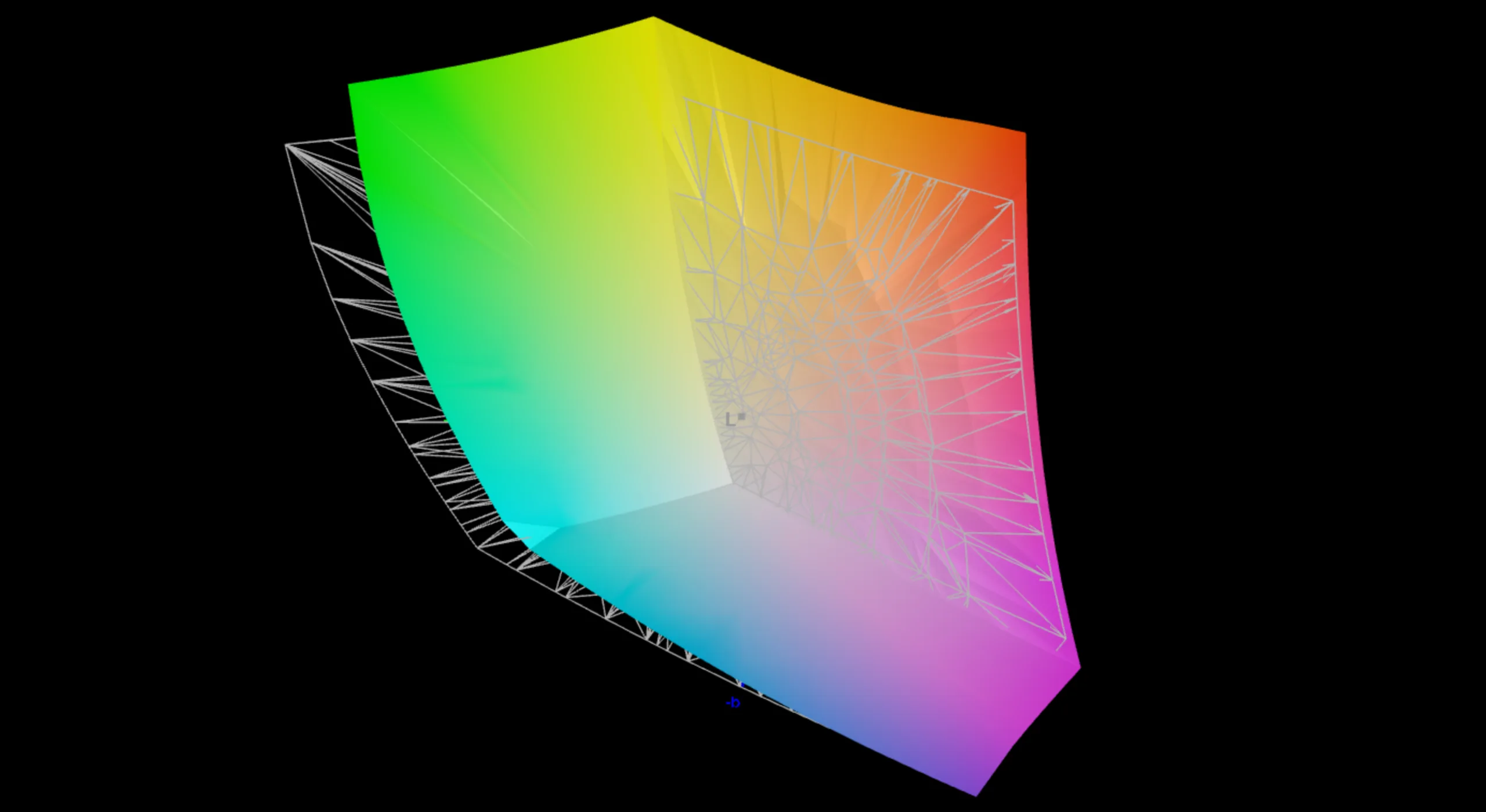
88.7% AdobeRGB 1998 (Argyll 3D)
100% sRGB (Argyll 3D)
99.5% Display P3 (Argyll 3D)
Gamma: 2.19
CCT: 6567 K
| Asus ZenBook Duo UX8407AA NB140B9M-T01, OLED, 2880x1800, 14", 144 Hz | Asus ZenBook Duo OLED UX8406CA ATNA40CT02-0, OLED, 1920x1200, 14", 60 Hz | Asus Zenbook Duo OLED UX8406MA SDC419D, OLED, 2880x1800, 14", 120 Hz | Lenovo Yoga Book 9 14IAH10 LEN140WQ+, 2x, OLED, 2880x1800, 14", 120 Hz | Lenovo ThinkPad X1 2-in-1 Gen 10 N140JLG-GT3, IPS, 1920x1200, 14", 60 Hz | HP EliteBook X Flip G1i 14 AI AUO8FB5, IPS, 1920x1200, 14", 60 Hz | Asus ROG Flow Z13 GZ302EA-RU073W TL134ADXP03, IPS, 2560x1600, 13.4", 180 Hz | |
|---|---|---|---|---|---|---|---|
| Display | -1% | 1% | 1% | -19% | -12% | -1% | |
| Display P3 Coverage (%) | 99.5 | 98.4 -1% | 99.6 0% | 99.9 0% | 67.8 -32% | 76.7 -23% | 95.1 -4% |
| sRGB Coverage (%) | 100 | 99.8 0% | 100 0% | 100 0% | 97.2 -3% | 98.2 -2% | 99.6 0% |
| AdobeRGB 1998 Coverage (%) | 88.7 | 86.7 -2% | 91.8 3% | 92.2 4% | 69.8 -21% | 78.2 -12% | 89.7 1% |
| Response Times | -214% | -143% | -81% | -11865% | -12462% | -1464% | |
| Response Time Grey 50% / Grey 80% * (ms) | 0.26 ? | 1.51 ? -481% | 0.77 ? -196% | 0.6 ? -131% | 44.6 ? -17054% | 49.2 ? -18823% | 5.4 ? -1977% |
| Response Time Black / White * (ms) | 0.4 ? | 1.36 ? -240% | 0.76 ? -90% | 1 ? -150% | 27.1 ? -6675% | 24.8 ? -6100% | 4.2 ? -950% |
| PWM Frequency (Hz) | 720 ? | 480 ? | 480 ? | 480 ? | |||
| PWM Amplitude * (%) | 70 | 14 80% | 43 39% | ||||
| Screen | 3% | 2% | -5% | -23% | -59% | 11% | |
| Brightness middle (cd/m²) | 497 | 359 -28% | 381 -23% | 381.7 -23% | 459 -8% | 572 15% | 518 4% |
| Brightness (cd/m²) | 495 | 362 -27% | 384 -22% | 398 -20% | 455 -8% | 541 9% | 489 -1% |
| Brightness Distribution (%) | 96 | 98 2% | 98 2% | 94 -2% | 89 -7% | 78 -19% | 91 -5% |
| Black Level * (cd/m²) | 0.24 | 0.2 | 0.3 | ||||
| Colorchecker dE 2000 * | 1.6 | 1.2 25% | 1.6 -0% | 2.93 -83% | 3.14 -96% | 4.19 -162% | 1.5 6% |
| Colorchecker dE 2000 max. * | 4.5 | 3.2 29% | 2 56% | 5.93 -32% | 6.55 -46% | 8.65 -92% | 4 11% |
| Colorchecker dE 2000 calibrated * | 1.5 | 0.61 59% | 0.58 61% | 2.11 -41% | 1.1 27% | ||
| Greyscale dE 2000 * | 2.5 | 2.1 16% | 2.6 -4% | 0.8 68% | 3.9 -56% | 5.65 -126% | 1.6 36% |
| Gamma | 2.19 100% | 2.24 98% | 2.2 100% | 2.16 102% | 2.16 102% | 2.45 90% | 2.23 99% |
| CCT | 6567 99% | 6433 101% | 6784 96% | 6404 101% | 5867 111% | 5959 109% | 6536 99% |
| Contrast (:1) | 1913 | 2860 | 1727 | ||||
| Total Average (Program / Settings) | -71% /
-52% | -47% /
-25% | -28% /
-21% | -3969% /
-1995% | -4178% /
-2115% | -485% /
-238% |
* ... smaller is better


As usual, Asus offers several color profiles for users to choose from. Both the Display P3 and sRGB profiles are very accurate by default, but our analysis with the professional CalMAN software shows that there is still some potential for further optimization, especially with grayscale.
With our own calibration profile (the file is available for free download up above in the display brightness distribution box), we managed to improve things somewhat. Editing images and videos (both within P3 and sRGB) is possible without a problem.


Display Response Times
| ↔ Response Time Black to White | ||
|---|---|---|
| 0.4 ms ... rise ↗ and fall ↘ combined | ↗ 0.21 ms rise | 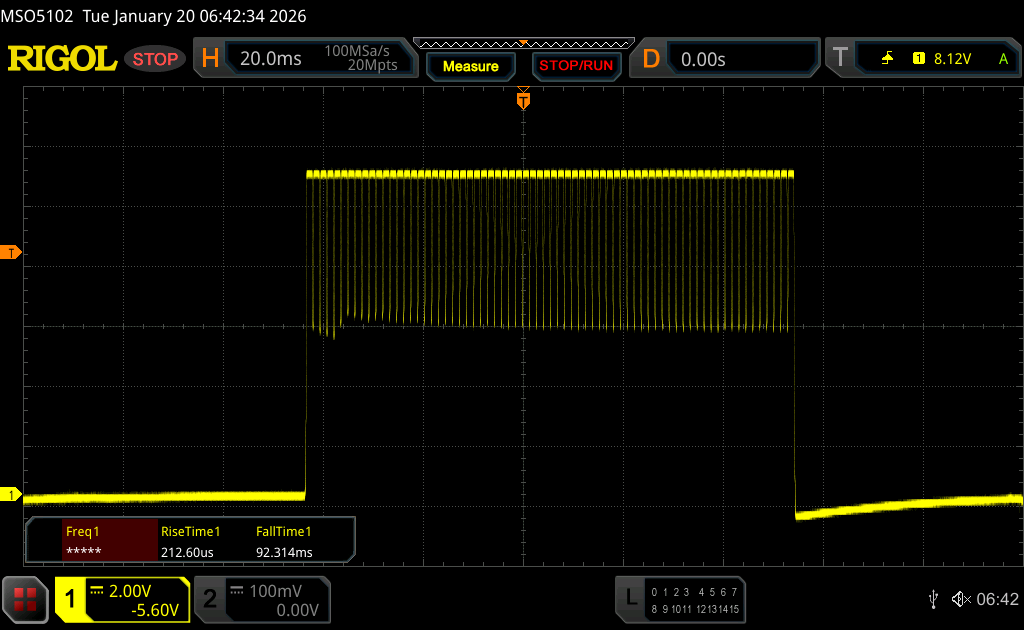 |
| ↘ 0.19 ms fall | ||
| The screen shows very fast response rates in our tests and should be very well suited for fast-paced gaming. In comparison, all tested devices range from 0.1 (minimum) to 240 (maximum) ms. » 0 % of all devices are better. This means that the measured response time is better than the average of all tested devices (19.6 ms). | ||
| ↔ Response Time 50% Grey to 80% Grey | ||
| 0.26 ms ... rise ↗ and fall ↘ combined | ↗ 0.15 ms rise | 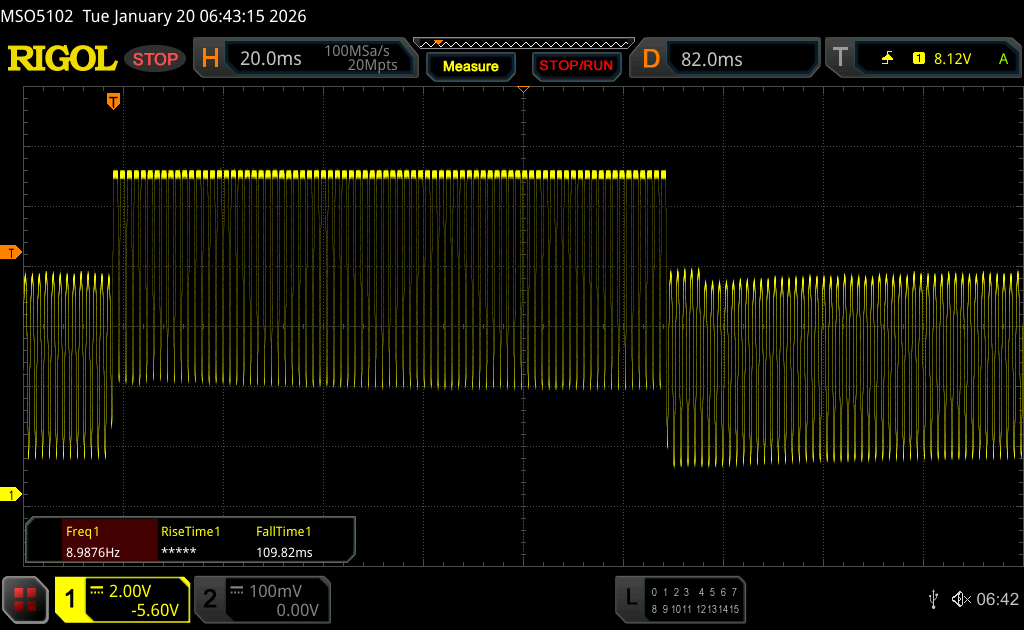 |
| ↘ 0.11 ms fall | ||
| The screen shows very fast response rates in our tests and should be very well suited for fast-paced gaming. In comparison, all tested devices range from 0.13 (minimum) to 636 (maximum) ms. » 0 % of all devices are better. This means that the measured response time is better than the average of all tested devices (30.7 ms). | ||
Screen Flickering / PWM (Pulse-Width Modulation)
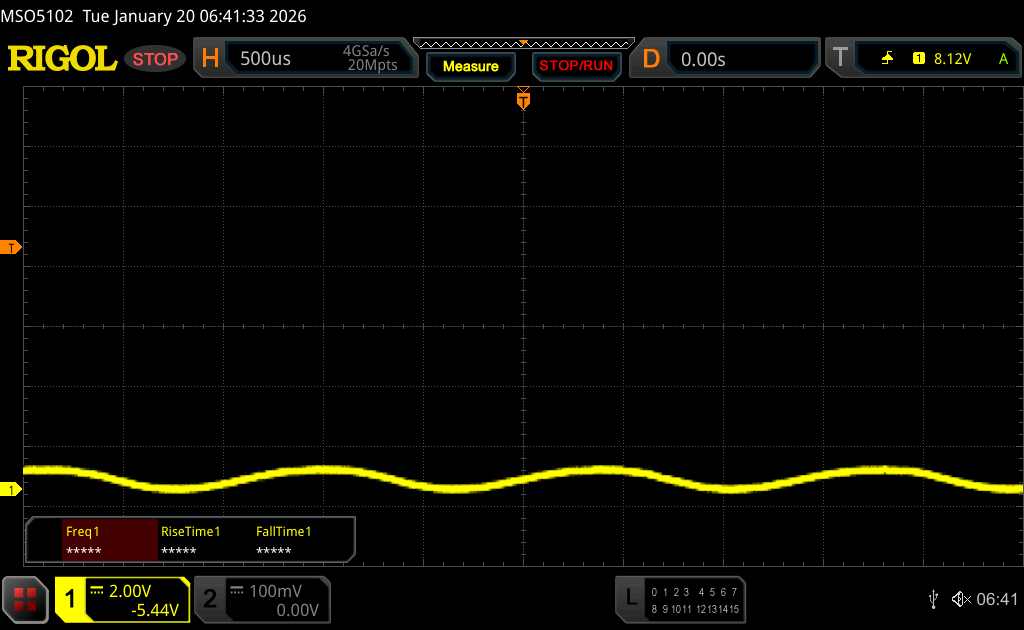
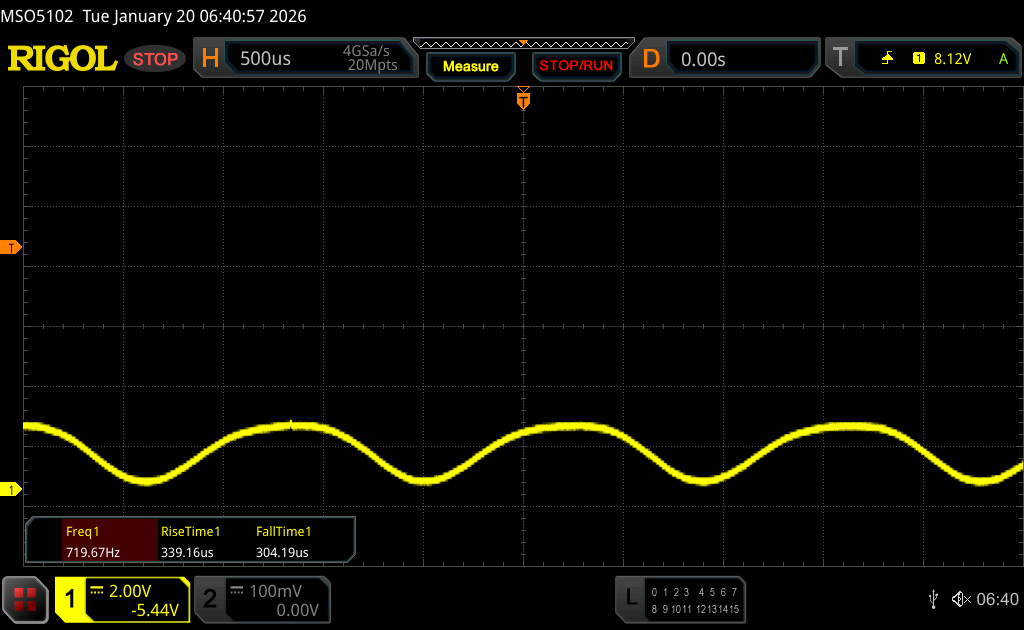
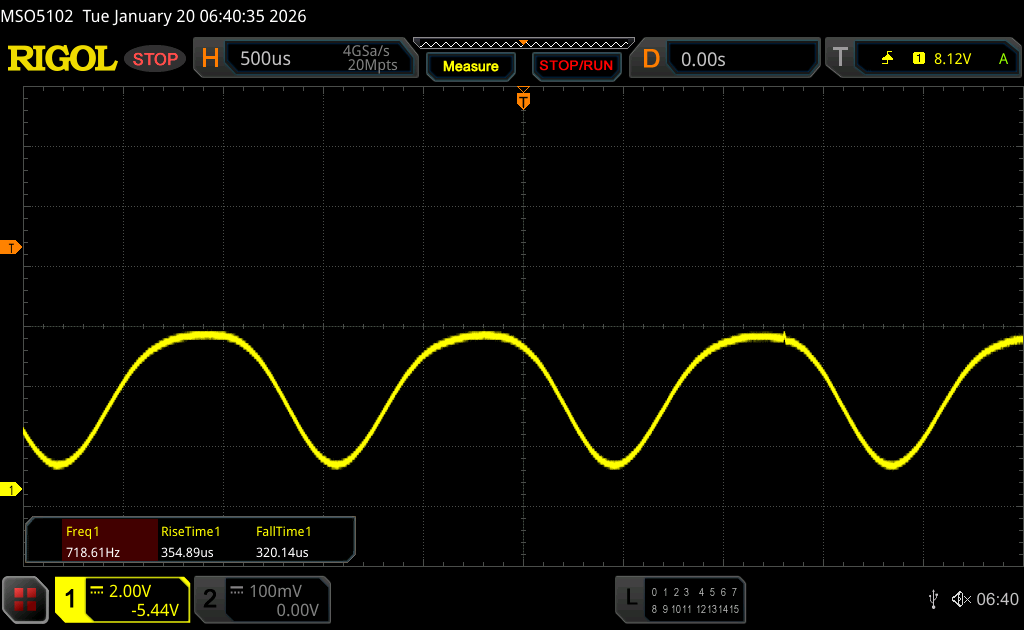
| Screen flickering / PWM detected | 720 Hz Amplitude: 70 % | ≤ 100 % brightness setting | 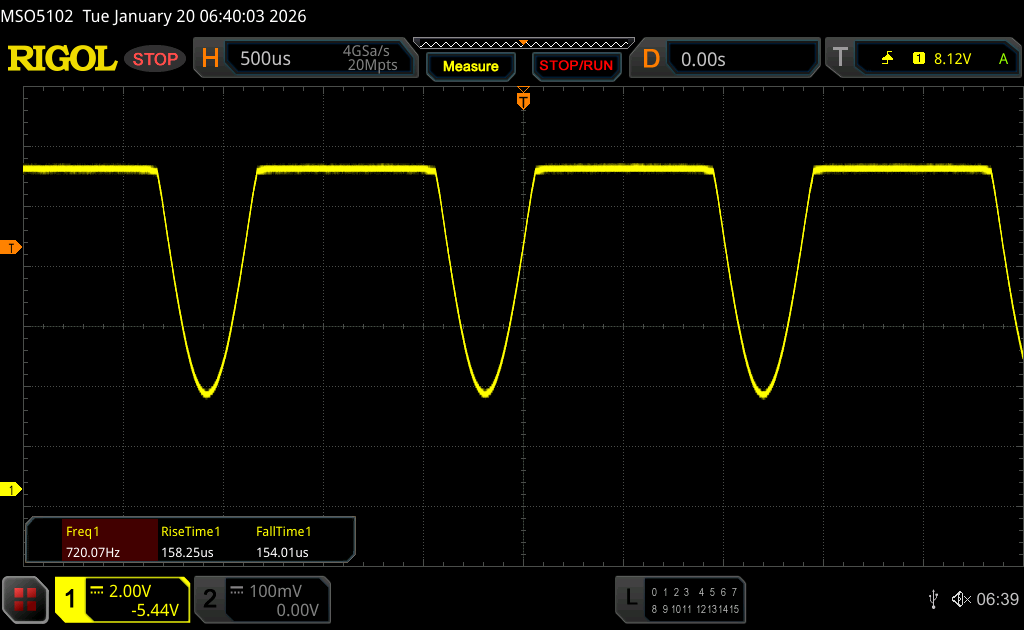 |
The display backlight flickers at 720 Hz (worst case, e.g., utilizing PWM) Flickering detected at a brightness setting of 100 % and below. There should be no flickering or PWM above this brightness setting. The frequency of 720 Hz is quite high, so most users sensitive to PWM should not notice any flickering. In comparison: 52 % of all tested devices do not use PWM to dim the display. If PWM was detected, an average of 7572 (minimum: 5 - maximum: 343500) Hz was measured. | |||


The reflective OLED screens are not ideal for outdoors, with reflections quite noticeable. Their good brightness and contrasts help, but very bright environments or reflections from light sources should still be avoided.
Viewing angles are very good here.

Performance - Intel Panther Lake
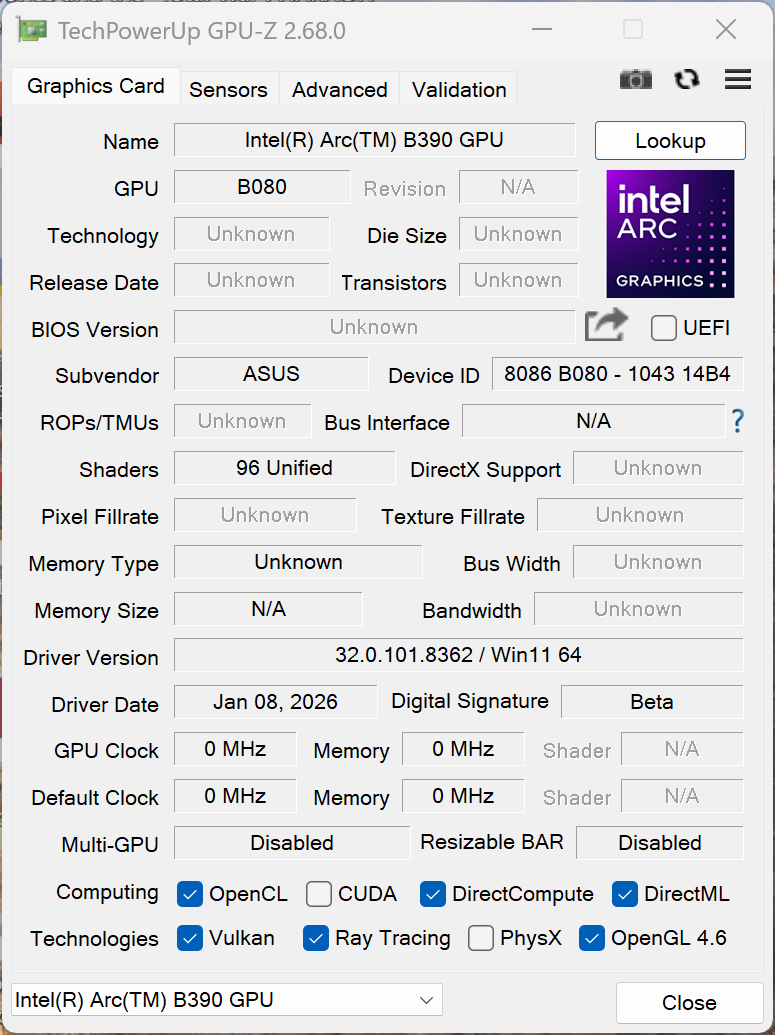
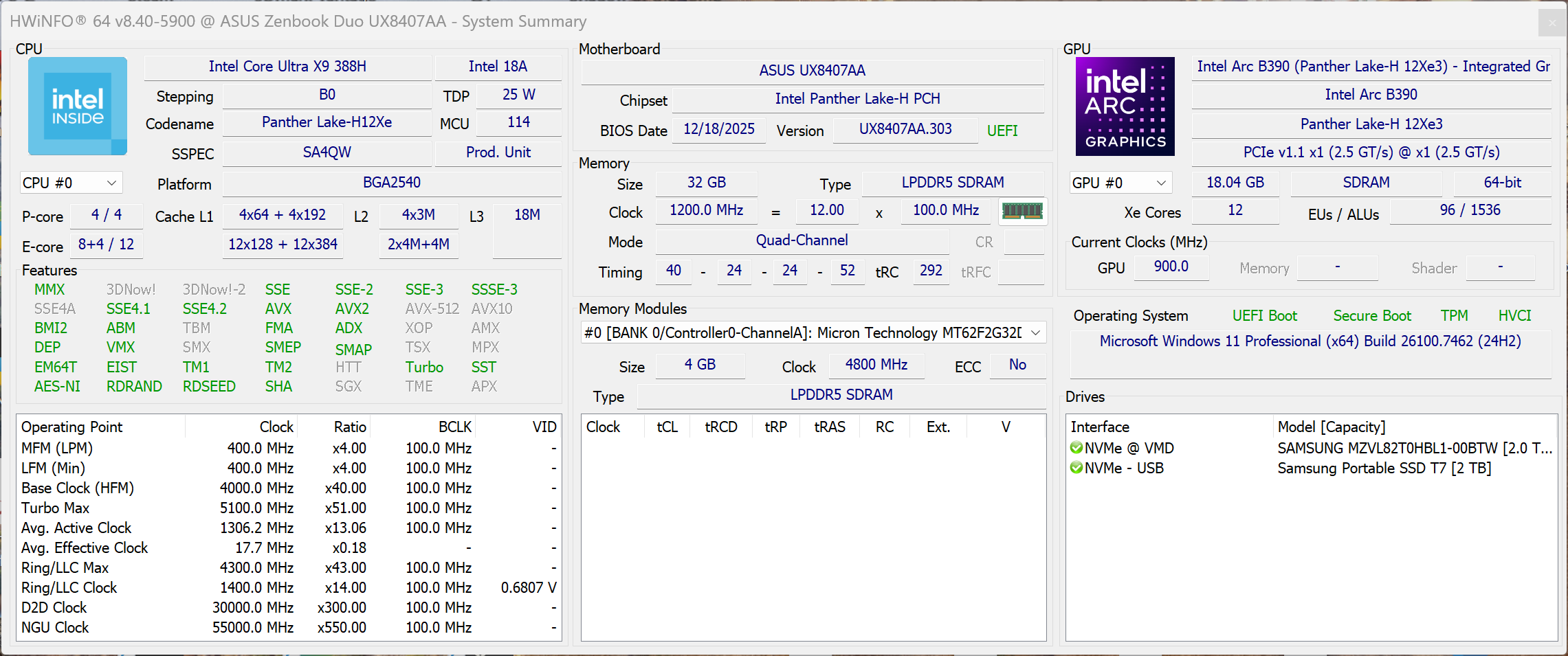
Testing conditions
As usual, Asus offers various performance profiles that can be conveniently switched between via the Fn+F key combination. The profiles are listed below. The Performance mode was used for performance tests.
| Energy profile | TDP | CB2024 Multi | Time Spy Graphics | Cyberpunk 2077 1080p Ultra | max. fan loudness |
|---|---|---|---|---|---|
| Whisper mode | 35/20 watts | 868 points | 6,224 points | 35.9 FPS | 32.2 dB(A) |
| Balanced | 64/28 watts | 1,057 points | 7,146 points | 47.7 FPS | 39 dB(A) |
| Performance | 64/46 watts | 1,172 points | 7,190 points | 47.7 FPS | 45.9 dB(A) |
| Battery | 64/46 watts | 1,158 points | 7,189 points | 47.7 FPS | 45.9 dB(A) |
Processor - Core Ultra X9 388H
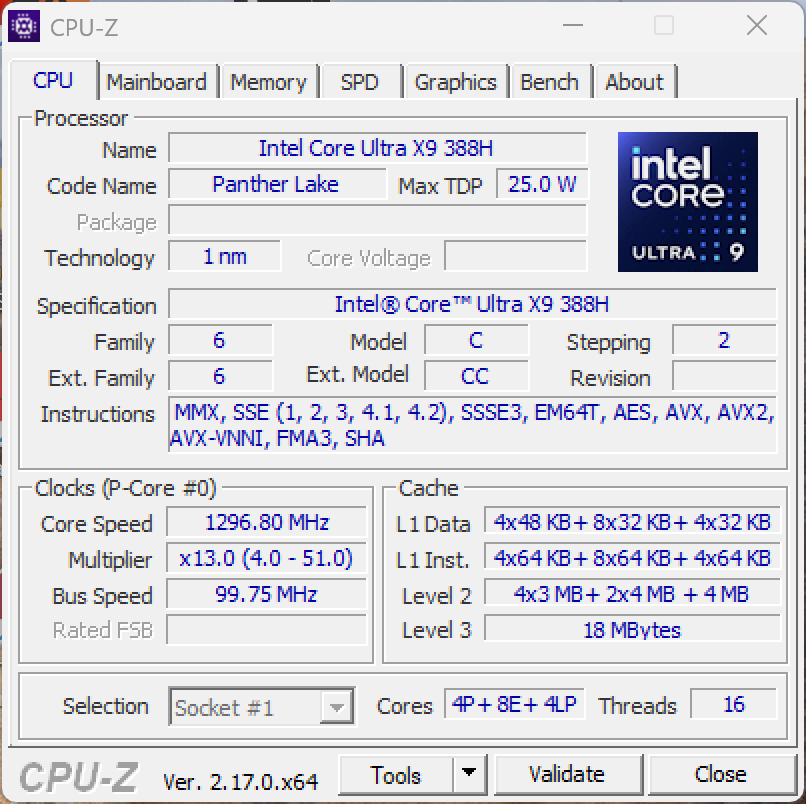
The ZenBook Duo tested features a Core Ultra X9 388H. That's the fastest mobile processor in Intel's new Panther Lake family.
Power limits are set to 64 and 46 watts (short-term, long-term) and overall, the machine's performance is very good. Improvements on the efficiency front are particularly evident in multi-core tasks, as the new chip delivers performance values that Arrow Lake chips can only achieve using significantly higher power targets. More details, including extensive efficiency measurements and comparisons, are available in this detailed 388H CPU analysis article.
Performance is fairly constant, both under continuous load and on battery. In the convertible segment, the new ZenBook Duo is therefore only beaten by the ROG Flow Z13, as AMD's Strix Halo processor flies far too high for Panther Lake to reach.
Cinebench R15 Multi endurance test
Cinebench 2024: CPU Multi Core | CPU Single Core
Cinebench R23: Multi Core | Single Core
Cinebench R20: CPU (Multi Core) | CPU (Single Core)
Cinebench R15: CPU Multi 64Bit | CPU Single 64Bit
Blender: v2.79 BMW27 CPU
7-Zip 18.03: 7z b 4 | 7z b 4 -mmt1
Geekbench 6.7: Multi-Core | Single-Core
Geekbench 5.5: Multi-Core | Single-Core
HWBOT x265 Benchmark v2.2: 4k Preset
LibreOffice : 20 Documents To PDF
R Benchmark 2.5: Overall mean
| CPU Performance rating | |
| Asus ROG Flow Z13 GZ302EA-RU073W | |
| Asus ZenBook Duo UX8407AA | |
| Average Intel Core Ultra X9 388H | |
| Lenovo Yoga Book 9 14IAH10 | |
| Asus ZenBook Duo OLED UX8406CA | |
| Average of class Convertible | |
| Lenovo ThinkPad X1 2-in-1 Gen 10 | |
| HP EliteBook X Flip G1i 14 AI -2! | |
| Cinebench 2024 / CPU Multi Core | |
| Asus ROG Flow Z13 GZ302EA-RU073W | |
| Asus ZenBook Duo UX8407AA | |
| Average Intel Core Ultra X9 388H (794 - 1172, n=6) | |
| Lenovo Yoga Book 9 14IAH10 | |
| Average of class Convertible (271 - 1673, n=49, last 2 years) | |
| Asus ZenBook Duo OLED UX8406CA | |
| Lenovo ThinkPad X1 2-in-1 Gen 10 | |
| Cinebench 2024 / CPU Single Core | |
| Asus ZenBook Duo UX8407AA | |
| Average Intel Core Ultra X9 388H (129 - 129.8, n=2) | |
| Asus ZenBook Duo OLED UX8406CA | |
| Lenovo Yoga Book 9 14IAH10 | |
| Lenovo ThinkPad X1 2-in-1 Gen 10 | |
| Asus ROG Flow Z13 GZ302EA-RU073W | |
| Average of class Convertible (88 - 151, n=45, last 2 years) | |
| Cinebench R23 / Multi Core | |
| Asus ROG Flow Z13 GZ302EA-RU073W | |
| Asus ZenBook Duo UX8407AA | |
| Average Intel Core Ultra X9 388H (17663 - 20159, n=2) | |
| Lenovo Yoga Book 9 14IAH10 | |
| Asus ZenBook Duo OLED UX8406CA | |
| Average of class Convertible (1317 - 30959, n=50, last 2 years) | |
| Lenovo ThinkPad X1 2-in-1 Gen 10 | |
| HP EliteBook X Flip G1i 14 AI | |
| Cinebench R23 / Single Core | |
| Average Intel Core Ultra X9 388H (2188 - 2213, n=2) | |
| Asus ZenBook Duo UX8407AA | |
| Asus ZenBook Duo OLED UX8406CA | |
| Lenovo Yoga Book 9 14IAH10 | |
| Asus ROG Flow Z13 GZ302EA-RU073W | |
| Lenovo ThinkPad X1 2-in-1 Gen 10 | |
| HP EliteBook X Flip G1i 14 AI | |
| Average of class Convertible (740 - 2188, n=50, last 2 years) | |
| Cinebench R20 / CPU (Multi Core) | |
| Asus ROG Flow Z13 GZ302EA-RU073W | |
| Asus ZenBook Duo UX8407AA | |
| Average Intel Core Ultra X9 388H (7008 - 7864, n=2) | |
| Lenovo Yoga Book 9 14IAH10 | |
| Asus ZenBook Duo OLED UX8406CA | |
| Average of class Convertible (595 - 12102, n=50, last 2 years) | |
| Lenovo ThinkPad X1 2-in-1 Gen 10 | |
| HP EliteBook X Flip G1i 14 AI | |
| Cinebench R20 / CPU (Single Core) | |
| Asus ZenBook Duo UX8407AA | |
| Average Intel Core Ultra X9 388H (832 - 834, n=2) | |
| Asus ZenBook Duo OLED UX8406CA | |
| Lenovo Yoga Book 9 14IAH10 | |
| Asus ROG Flow Z13 GZ302EA-RU073W | |
| Lenovo ThinkPad X1 2-in-1 Gen 10 | |
| HP EliteBook X Flip G1i 14 AI | |
| Average of class Convertible (273 - 834, n=50, last 2 years) | |
| Cinebench R15 / CPU Multi 64Bit | |
| Asus ROG Flow Z13 GZ302EA-RU073W | |
| Asus ZenBook Duo UX8407AA | |
| Average Intel Core Ultra X9 388H (2712 - 3198, n=2) | |
| Lenovo Yoga Book 9 14IAH10 | |
| Asus ZenBook Duo OLED UX8406CA | |
| Average of class Convertible (727 - 4940, n=49, last 2 years) | |
| Lenovo ThinkPad X1 2-in-1 Gen 10 | |
| HP EliteBook X Flip G1i 14 AI | |
| Cinebench R15 / CPU Single 64Bit | |
| Asus ROG Flow Z13 GZ302EA-RU073W | |
| Lenovo Yoga Book 9 14IAH10 | |
| Asus ZenBook Duo OLED UX8406CA | |
| Average Intel Core Ultra X9 388H (306 - 313, n=2) | |
| Asus ZenBook Duo UX8407AA | |
| Lenovo ThinkPad X1 2-in-1 Gen 10 | |
| HP EliteBook X Flip G1i 14 AI | |
| Average of class Convertible (206 - 317, n=49, last 2 years) | |
| Blender / v2.79 BMW27 CPU | |
| HP EliteBook X Flip G1i 14 AI | |
| Lenovo ThinkPad X1 2-in-1 Gen 10 | |
| Average of class Convertible (105 - 683, n=48, last 2 years) | |
| Asus ZenBook Duo OLED UX8406CA | |
| Lenovo Yoga Book 9 14IAH10 | |
| Average Intel Core Ultra X9 388H (170 - 198, n=2) | |
| Asus ZenBook Duo UX8407AA | |
| Asus ROG Flow Z13 GZ302EA-RU073W | |
| 7-Zip 18.03 / 7z b 4 | |
| Asus ROG Flow Z13 GZ302EA-RU073W | |
| Asus ZenBook Duo UX8407AA | |
| Average Intel Core Ultra X9 388H (62372 - 68350, n=2) | |
| Lenovo Yoga Book 9 14IAH10 | |
| Asus ZenBook Duo OLED UX8406CA | |
| Average of class Convertible (21971 - 121368, n=48, last 2 years) | |
| Lenovo ThinkPad X1 2-in-1 Gen 10 | |
| HP EliteBook X Flip G1i 14 AI | |
| 7-Zip 18.03 / 7z b 4 -mmt1 | |
| Average Intel Core Ultra X9 388H (6655 - 6699, n=2) | |
| Asus ZenBook Duo UX8407AA | |
| Asus ROG Flow Z13 GZ302EA-RU073W | |
| Asus ZenBook Duo OLED UX8406CA | |
| Lenovo Yoga Book 9 14IAH10 | |
| Lenovo ThinkPad X1 2-in-1 Gen 10 | |
| Average of class Convertible (4151 - 6655, n=49, last 2 years) | |
| HP EliteBook X Flip G1i 14 AI | |
| Geekbench 6.7 / Multi-Core | |
| Asus ROG Flow Z13 GZ302EA-RU073W | |
| Asus ZenBook Duo UX8407AA | |
| Average Intel Core Ultra X9 388H (16568 - 17924, n=3) | |
| Asus ZenBook Duo OLED UX8406CA | |
| Lenovo Yoga Book 9 14IAH10 | |
| Average of class Convertible (2291 - 21269, n=50, last 2 years) | |
| Lenovo ThinkPad X1 2-in-1 Gen 10 | |
| HP EliteBook X Flip G1i 14 AI | |
| Geekbench 6.7 / Single-Core | |
| Average Intel Core Ultra X9 388H (3020 - 3066, n=3) | |
| Asus ZenBook Duo UX8407AA | |
| Asus ROG Flow Z13 GZ302EA-RU073W | |
| Lenovo Yoga Book 9 14IAH10 | |
| Asus ZenBook Duo OLED UX8406CA | |
| Lenovo ThinkPad X1 2-in-1 Gen 10 | |
| HP EliteBook X Flip G1i 14 AI | |
| Average of class Convertible (1003 - 3801, n=51, last 2 years) | |
| Geekbench 5.5 / Multi-Core | |
| Asus ROG Flow Z13 GZ302EA-RU073W | |
| Asus ZenBook Duo UX8407AA | |
| Average Intel Core Ultra X9 388H (15933 - 17350, n=2) | |
| Lenovo Yoga Book 9 14IAH10 | |
| Asus ZenBook Duo OLED UX8406CA | |
| Average of class Convertible (1608 - 22023, n=47, last 2 years) | |
| Lenovo ThinkPad X1 2-in-1 Gen 10 | |
| HP EliteBook X Flip G1i 14 AI | |
| Geekbench 5.5 / Single-Core | |
| Asus ROG Flow Z13 GZ302EA-RU073W | |
| Average Intel Core Ultra X9 388H (2191 - 2224, n=2) | |
| Asus ZenBook Duo UX8407AA | |
| Lenovo Yoga Book 9 14IAH10 | |
| Lenovo ThinkPad X1 2-in-1 Gen 10 | |
| Asus ZenBook Duo OLED UX8406CA | |
| HP EliteBook X Flip G1i 14 AI | |
| Average of class Convertible (806 - 2275, n=47, last 2 years) | |
| HWBOT x265 Benchmark v2.2 / 4k Preset | |
| Asus ROG Flow Z13 GZ302EA-RU073W | |
| Asus ZenBook Duo UX8407AA | |
| Average Intel Core Ultra X9 388H (20.6 - 23.7, n=2) | |
| Lenovo Yoga Book 9 14IAH10 | |
| Asus ZenBook Duo OLED UX8406CA | |
| Average of class Convertible (4.11 - 36.2, n=49, last 2 years) | |
| HP EliteBook X Flip G1i 14 AI | |
| Lenovo ThinkPad X1 2-in-1 Gen 10 | |
| LibreOffice / 20 Documents To PDF | |
| Average of class Convertible (39.6 - 75.5, n=49, last 2 years) | |
| HP EliteBook X Flip G1i 14 AI | |
| Asus ZenBook Duo OLED UX8406CA | |
| Asus ROG Flow Z13 GZ302EA-RU073W | |
| Lenovo ThinkPad X1 2-in-1 Gen 10 | |
| Average Intel Core Ultra X9 388H (43.6 - 45.9, n=2) | |
| Asus ZenBook Duo UX8407AA | |
| Lenovo Yoga Book 9 14IAH10 | |
| R Benchmark 2.5 / Overall mean | |
| HP EliteBook X Flip G1i 14 AI | |
| Average of class Convertible (0.3915 - 0.745, n=49, last 2 years) | |
| Lenovo ThinkPad X1 2-in-1 Gen 10 | |
| Lenovo Yoga Book 9 14IAH10 | |
| Asus ZenBook Duo OLED UX8406CA | |
| Asus ZenBook Duo UX8407AA | |
| Average Intel Core Ultra X9 388H (0.4045 - 0.4052, n=2) | |
| Asus ROG Flow Z13 GZ302EA-RU073W | |
* ... smaller is better
AIDA64: FP32 Ray-Trace | FPU Julia | CPU SHA3 | CPU Queen | FPU SinJulia | FPU Mandel | CPU AES | CPU ZLib | FP64 Ray-Trace | CPU PhotoWorxx
| Performance rating | |
| Asus ROG Flow Z13 GZ302EA-RU073W | |
| Lenovo Yoga Book 9 14IAH10 | |
| Asus ZenBook Duo OLED UX8406CA | |
| Average Intel Core Ultra X9 388H | |
| Average of class Convertible | |
| Lenovo ThinkPad X1 2-in-1 Gen 10 | |
| Asus ZenBook Duo UX8407AA | |
| HP EliteBook X Flip G1i 14 AI | |
| AIDA64 / FP32 Ray-Trace | |
| Asus ROG Flow Z13 GZ302EA-RU073W | |
| Average of class Convertible (1480 - 64158, n=49, last 2 years) | |
| Lenovo Yoga Book 9 14IAH10 | |
| Asus ZenBook Duo OLED UX8406CA | |
| Average Intel Core Ultra X9 388H (12225 - 15651, n=2) | |
| Asus ZenBook Duo UX8407AA | |
| Lenovo ThinkPad X1 2-in-1 Gen 10 | |
| HP EliteBook X Flip G1i 14 AI | |
| AIDA64 / FPU Julia | |
| Asus ROG Flow Z13 GZ302EA-RU073W | |
| Asus ZenBook Duo OLED UX8406CA | |
| Lenovo Yoga Book 9 14IAH10 | |
| Average of class Convertible (14234 - 188126, n=49, last 2 years) | |
| Average Intel Core Ultra X9 388H (32079 - 82749, n=2) | |
| Lenovo ThinkPad X1 2-in-1 Gen 10 | |
| HP EliteBook X Flip G1i 14 AI | |
| Asus ZenBook Duo UX8407AA | |
| AIDA64 / CPU SHA3 | |
| Asus ROG Flow Z13 GZ302EA-RU073W | |
| Asus ZenBook Duo UX8407AA | |
| Average Intel Core Ultra X9 388H (4178 - 4419, n=2) | |
| Asus ZenBook Duo OLED UX8406CA | |
| Lenovo Yoga Book 9 14IAH10 | |
| Average of class Convertible (892 - 8291, n=49, last 2 years) | |
| Lenovo ThinkPad X1 2-in-1 Gen 10 | |
| HP EliteBook X Flip G1i 14 AI | |
| AIDA64 / CPU Queen | |
| Asus ROG Flow Z13 GZ302EA-RU073W | |
| Asus ZenBook Duo UX8407AA | |
| Average Intel Core Ultra X9 388H (n=1) | |
| Average of class Convertible (14686 - 148874, n=34, last 2 years) | |
| Lenovo Yoga Book 9 14IAH10 | |
| Asus ZenBook Duo OLED UX8406CA | |
| Lenovo ThinkPad X1 2-in-1 Gen 10 | |
| HP EliteBook X Flip G1i 14 AI | |
| AIDA64 / FPU SinJulia | |
| Asus ROG Flow Z13 GZ302EA-RU073W | |
| Average of class Convertible (1468 - 29155, n=49, last 2 years) | |
| Asus ZenBook Duo OLED UX8406CA | |
| Lenovo Yoga Book 9 14IAH10 | |
| Average Intel Core Ultra X9 388H (5099 - 7015, n=2) | |
| Asus ZenBook Duo UX8407AA | |
| Lenovo ThinkPad X1 2-in-1 Gen 10 | |
| HP EliteBook X Flip G1i 14 AI | |
| AIDA64 / FPU Mandel | |
| Asus ROG Flow Z13 GZ302EA-RU073W | |
| Asus ZenBook Duo OLED UX8406CA | |
| Lenovo Yoga Book 9 14IAH10 | |
| Average of class Convertible (4929 - 100132, n=49, last 2 years) | |
| Average Intel Core Ultra X9 388H (15864 - 44749, n=2) | |
| HP EliteBook X Flip G1i 14 AI | |
| Lenovo ThinkPad X1 2-in-1 Gen 10 | |
| Asus ZenBook Duo UX8407AA | |
| AIDA64 / CPU AES | |
| Asus ROG Flow Z13 GZ302EA-RU073W | |
| Lenovo Yoga Book 9 14IAH10 | |
| Asus ZenBook Duo OLED UX8406CA | |
| Average of class Convertible (5271 - 190280, n=49, last 2 years) | |
| Lenovo ThinkPad X1 2-in-1 Gen 10 | |
| HP EliteBook X Flip G1i 14 AI | |
| Average Intel Core Ultra X9 388H (5271 - 61890, n=2) | |
| Asus ZenBook Duo UX8407AA | |
| AIDA64 / CPU ZLib | |
| Asus ROG Flow Z13 GZ302EA-RU073W | |
| Asus ZenBook Duo UX8407AA | |
| Average Intel Core Ultra X9 388H (984 - 1170, n=2) | |
| Lenovo Yoga Book 9 14IAH10 | |
| Asus ZenBook Duo OLED UX8406CA | |
| Average of class Convertible (257 - 2017, n=49, last 2 years) | |
| Lenovo ThinkPad X1 2-in-1 Gen 10 | |
| HP EliteBook X Flip G1i 14 AI | |
| AIDA64 / FP64 Ray-Trace | |
| Asus ROG Flow Z13 GZ302EA-RU073W | |
| Lenovo Yoga Book 9 14IAH10 | |
| Average of class Convertible (1561 - 34297, n=49, last 2 years) | |
| Asus ZenBook Duo OLED UX8406CA | |
| Average Intel Core Ultra X9 388H (6440 - 8317, n=2) | |
| Asus ZenBook Duo UX8407AA | |
| Lenovo ThinkPad X1 2-in-1 Gen 10 | |
| HP EliteBook X Flip G1i 14 AI | |
| AIDA64 / CPU PhotoWorxx | |
| Asus ROG Flow Z13 GZ302EA-RU073W | |
| Lenovo Yoga Book 9 14IAH10 | |
| Average Intel Core Ultra X9 388H (33033 - 85600, n=2) | |
| Asus ZenBook Duo OLED UX8406CA | |
| Lenovo ThinkPad X1 2-in-1 Gen 10 | |
| HP EliteBook X Flip G1i 14 AI | |
| Average of class Convertible (14193 - 85327, n=49, last 2 years) | |
| Asus ZenBook Duo UX8407AA | |
System performance
System performance of the Zenbook Duo is excellent and the new Panther Lake system is at the top of the comparison field in synthetic benchmarks. We could not detect any stability problems no matter if one or two screens were in use.
PCMark 10: Score | Essentials | Productivity | Digital Content Creation
CrossMark: Overall | Productivity | Creativity | Responsiveness
WebXPRT 3: Overall
WebXPRT 4: Overall
Mozilla Kraken 1.1: Total
| Performance rating | |
| Asus ZenBook Duo UX8407AA | |
| Asus ROG Flow Z13 GZ302EA-RU073W | |
| Average Intel Core Ultra X9 388H, Intel Arc B390 12 Xe3 Panther Lake iGPU | |
| Lenovo Yoga Book 9 14IAH10 | |
| Asus ZenBook Duo OLED UX8406CA | |
| Lenovo ThinkPad X1 2-in-1 Gen 10 -1! | |
| Average of class Convertible | |
| HP EliteBook X Flip G1i 14 AI | |
| PCMark 10 / Score | |
| Asus ZenBook Duo UX8407AA | |
| Average Intel Core Ultra X9 388H, Intel Arc B390 12 Xe3 Panther Lake iGPU (9939 - 10123, n=2) | |
| Asus ROG Flow Z13 GZ302EA-RU073W | |
| Lenovo Yoga Book 9 14IAH10 | |
| Asus ZenBook Duo OLED UX8406CA | |
| Average of class Convertible (4809 - 10123, n=45, last 2 years) | |
| Lenovo ThinkPad X1 2-in-1 Gen 10 | |
| HP EliteBook X Flip G1i 14 AI | |
| PCMark 10 / Essentials | |
| Asus ROG Flow Z13 GZ302EA-RU073W | |
| Lenovo Yoga Book 9 14IAH10 | |
| Average Intel Core Ultra X9 388H, Intel Arc B390 12 Xe3 Panther Lake iGPU (11094 - 11646, n=2) | |
| Lenovo ThinkPad X1 2-in-1 Gen 10 | |
| Asus ZenBook Duo UX8407AA | |
| Asus ZenBook Duo OLED UX8406CA | |
| Average of class Convertible (7605 - 12222, n=45, last 2 years) | |
| HP EliteBook X Flip G1i 14 AI | |
| PCMark 10 / Productivity | |
| Asus ZenBook Duo UX8407AA | |
| Average Intel Core Ultra X9 388H, Intel Arc B390 12 Xe3 Panther Lake iGPU (16606 - 17914, n=2) | |
| Average of class Convertible (6042 - 17914, n=45, last 2 years) | |
| Asus ROG Flow Z13 GZ302EA-RU073W | |
| HP EliteBook X Flip G1i 14 AI | |
| Lenovo Yoga Book 9 14IAH10 | |
| Lenovo ThinkPad X1 2-in-1 Gen 10 | |
| Asus ZenBook Duo OLED UX8406CA | |
| PCMark 10 / Digital Content Creation | |
| Asus ROG Flow Z13 GZ302EA-RU073W | |
| Asus ZenBook Duo UX8407AA | |
| Average Intel Core Ultra X9 388H, Intel Arc B390 12 Xe3 Panther Lake iGPU (13779 - 14164, n=2) | |
| Asus ZenBook Duo OLED UX8406CA | |
| Lenovo Yoga Book 9 14IAH10 | |
| Lenovo ThinkPad X1 2-in-1 Gen 10 | |
| HP EliteBook X Flip G1i 14 AI | |
| Average of class Convertible (5633 - 16551, n=45, last 2 years) | |
| CrossMark / Overall | |
| Asus ROG Flow Z13 GZ302EA-RU073W | |
| Asus ZenBook Duo UX8407AA | |
| Average Intel Core Ultra X9 388H, Intel Arc B390 12 Xe3 Panther Lake iGPU (2048 - 2155, n=2) | |
| Lenovo Yoga Book 9 14IAH10 | |
| Asus ZenBook Duo OLED UX8406CA | |
| Lenovo ThinkPad X1 2-in-1 Gen 10 | |
| Average of class Convertible (524 - 2274, n=50, last 2 years) | |
| HP EliteBook X Flip G1i 14 AI | |
| CrossMark / Productivity | |
| Asus ZenBook Duo UX8407AA | |
| Asus ROG Flow Z13 GZ302EA-RU073W | |
| Average Intel Core Ultra X9 388H, Intel Arc B390 12 Xe3 Panther Lake iGPU (1834 - 1942, n=2) | |
| Lenovo Yoga Book 9 14IAH10 | |
| Asus ZenBook Duo OLED UX8406CA | |
| Lenovo ThinkPad X1 2-in-1 Gen 10 | |
| HP EliteBook X Flip G1i 14 AI | |
| Average of class Convertible (554 - 1988, n=50, last 2 years) | |
| CrossMark / Creativity | |
| Asus ROG Flow Z13 GZ302EA-RU073W | |
| Asus ZenBook Duo UX8407AA | |
| Average Intel Core Ultra X9 388H, Intel Arc B390 12 Xe3 Panther Lake iGPU (2390 - 2613, n=2) | |
| Lenovo Yoga Book 9 14IAH10 | |
| Asus ZenBook Duo OLED UX8406CA | |
| Lenovo ThinkPad X1 2-in-1 Gen 10 | |
| Average of class Convertible (550 - 2949, n=50, last 2 years) | |
| HP EliteBook X Flip G1i 14 AI | |
| CrossMark / Responsiveness | |
| Average Intel Core Ultra X9 388H, Intel Arc B390 12 Xe3 Panther Lake iGPU (1651 - 1797, n=2) | |
| Asus ROG Flow Z13 GZ302EA-RU073W | |
| Asus ZenBook Duo UX8407AA | |
| Lenovo Yoga Book 9 14IAH10 | |
| Asus ZenBook Duo OLED UX8406CA | |
| Average of class Convertible (381 - 1985, n=50, last 2 years) | |
| Lenovo ThinkPad X1 2-in-1 Gen 10 | |
| HP EliteBook X Flip G1i 14 AI | |
| WebXPRT 3 / Overall | |
| Asus ROG Flow Z13 GZ302EA-RU073W | |
| Average Intel Core Ultra X9 388H, Intel Arc B390 12 Xe3 Panther Lake iGPU (339 - 354, n=2) | |
| Asus ZenBook Duo UX8407AA | |
| Lenovo Yoga Book 9 14IAH10 | |
| Lenovo ThinkPad X1 2-in-1 Gen 10 | |
| Average of class Convertible (171 - 552, n=49, last 2 years) | |
| Asus ZenBook Duo OLED UX8406CA | |
| HP EliteBook X Flip G1i 14 AI | |
| WebXPRT 4 / Overall | |
| Asus ROG Flow Z13 GZ302EA-RU073W | |
| Average Intel Core Ultra X9 388H, Intel Arc B390 12 Xe3 Panther Lake iGPU (314 - 318, n=2) | |
| Asus ZenBook Duo UX8407AA | |
| Lenovo Yoga Book 9 14IAH10 | |
| Average of class Convertible (91.2 - 391, n=49, last 2 years) | |
| Asus ZenBook Duo OLED UX8406CA | |
| HP EliteBook X Flip G1i 14 AI | |
| Mozilla Kraken 1.1 / Total | |
| Average of class Convertible (270 - 1089, n=52, last 2 years) | |
| HP EliteBook X Flip G1i 14 AI | |
| Lenovo ThinkPad X1 2-in-1 Gen 10 | |
| Asus ZenBook Duo OLED UX8406CA | |
| Lenovo Yoga Book 9 14IAH10 | |
| Average Intel Core Ultra X9 388H, Intel Arc B390 12 Xe3 Panther Lake iGPU (430 - 431, n=2) | |
| Asus ZenBook Duo UX8407AA | |
| Asus ROG Flow Z13 GZ302EA-RU073W | |
* ... smaller is better
| PCMark 10 Score | 10123 points | |
Help | ||
| AIDA64 / Memory Copy | |
| Asus ROG Flow Z13 GZ302EA-RU073W | |
| Average Intel Core Ultra X9 388H (129450 - 131023, n=2) | |
| Asus ZenBook Duo UX8407AA | |
| HP EliteBook X Flip G1i 14 AI | |
| Lenovo ThinkPad X1 2-in-1 Gen 10 | |
| Lenovo Yoga Book 9 14IAH10 | |
| Average of class Convertible (23880 - 161475, n=49, last 2 years) | |
| Asus ZenBook Duo OLED UX8406CA | |
| AIDA64 / Memory Read | |
| Asus ZenBook Duo UX8407AA | |
| Average Intel Core Ultra X9 388H (120487 - 131960, n=2) | |
| Asus ROG Flow Z13 GZ302EA-RU073W | |
| Lenovo ThinkPad X1 2-in-1 Gen 10 | |
| HP EliteBook X Flip G1i 14 AI | |
| Lenovo Yoga Book 9 14IAH10 | |
| Asus ZenBook Duo OLED UX8406CA | |
| Average of class Convertible (19931 - 131960, n=50, last 2 years) | |
| AIDA64 / Memory Write | |
| Asus ROG Flow Z13 GZ302EA-RU073W | |
| Asus ZenBook Duo UX8407AA | |
| Average Intel Core Ultra X9 388H (135141 - 135182, n=2) | |
| Lenovo ThinkPad X1 2-in-1 Gen 10 | |
| HP EliteBook X Flip G1i 14 AI | |
| Average of class Convertible (17473 - 216896, n=49, last 2 years) | |
| Lenovo Yoga Book 9 14IAH10 | |
| Asus ZenBook Duo OLED UX8406CA | |
| AIDA64 / Memory Latency | |
| Asus ROG Flow Z13 GZ302EA-RU073W | |
| Asus ZenBook Duo OLED UX8406CA | |
| Lenovo Yoga Book 9 14IAH10 | |
| Average of class Convertible (6.6 - 536, n=48, last 2 years) | |
| HP EliteBook X Flip G1i 14 AI | |
| Lenovo ThinkPad X1 2-in-1 Gen 10 | |
| Average Intel Core Ultra X9 388H (84 - 85, n=2) | |
| Asus ZenBook Duo UX8407AA | |
* ... smaller is better
DPC latencies
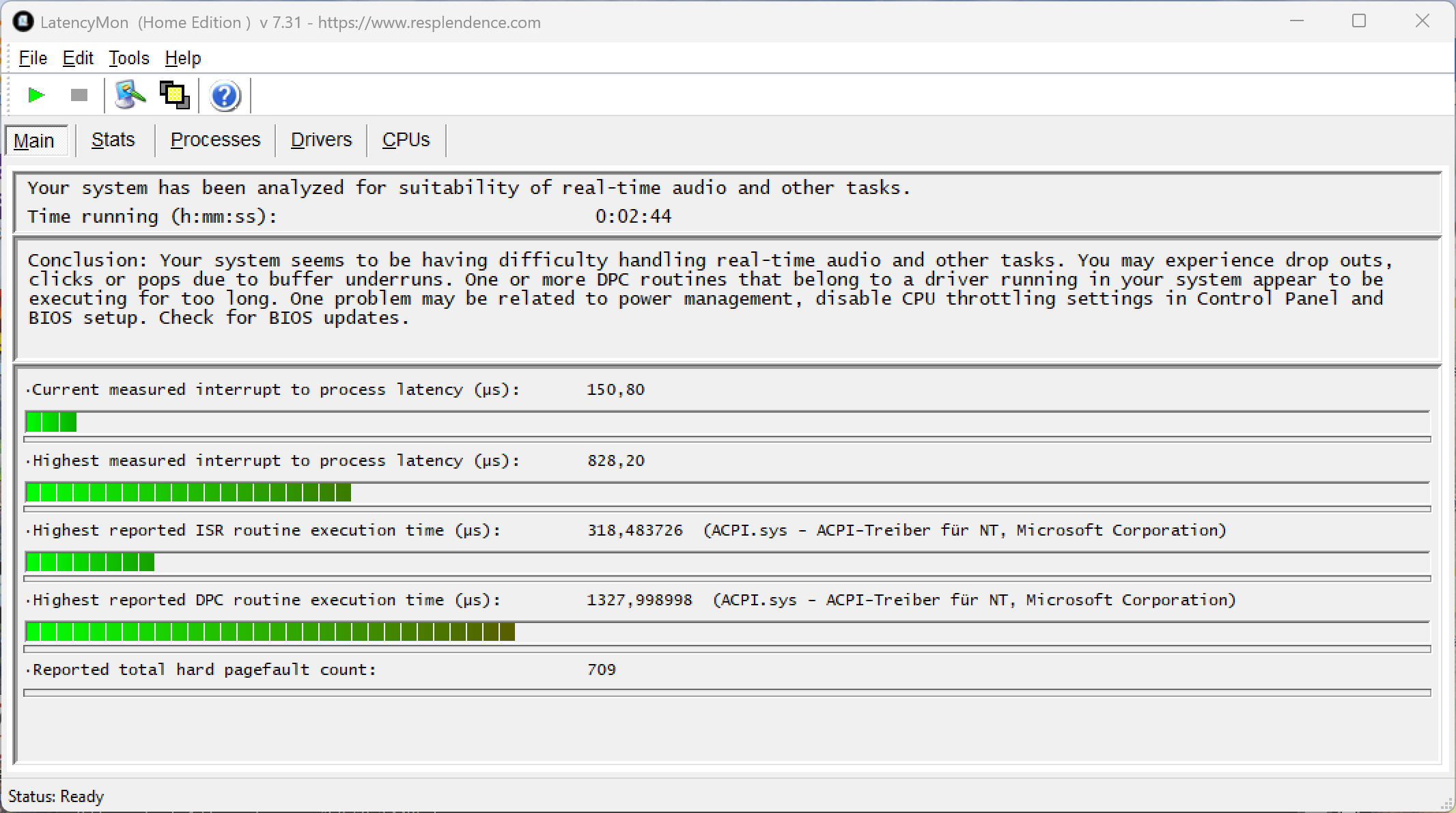
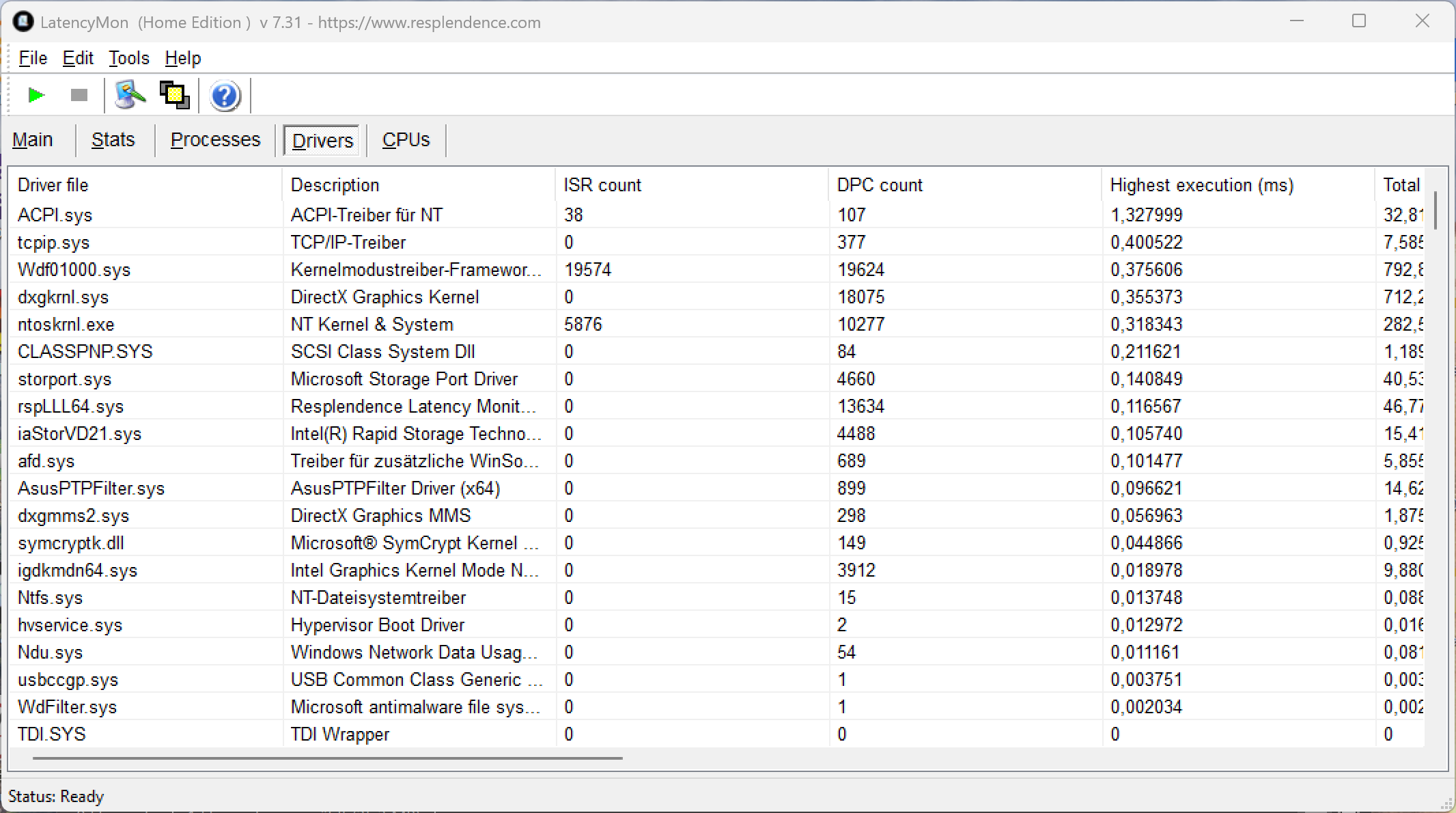
Our standardized latency test (surfing the Internet, 4K YouTube playback, CPU load with Prime95) revealed some slight issues. This means the system is not great for real-time audio processing, not with the current BIOS version and drivers, at least.
| DPC Latencies / LatencyMon - interrupt to process latency (max), Web, Youtube, Prime95 | |
| Lenovo Yoga Book 9 14IAH10 | |
| HP EliteBook X Flip G1i 14 AI | |
| Asus ZenBook Duo UX8407AA | |
| Lenovo ThinkPad X1 2-in-1 Gen 10 | |
| Asus ROG Flow Z13 GZ302EA-RU073W | |
| Asus ZenBook Duo OLED UX8406CA | |
* ... smaller is better
Storage devices
The Zenbook Duo has a regular M.2 2280 slot on its motherboard, connected via PCIe 4.0. A 2-TB SSD from Samsung is used in the test device, with 1.77 TB available after the first start-up. Its transfer rates are very good, and stable as well.

* ... smaller is better
SSD stress-testing: DiskSpd Read Loop, Queue Depth 8
GPU performance
Higher-end Panther Lake chips are equipped with the fast Arc B390 which offers 12 latest-gen Xe cores and is certainly the highlight of the new Intel chips. Team Blue has managed to massively increase graphics performance compared to older offerings such as the Arc Graphics 140T.
In the synthetic tests, we are talking about an advantage of around 70 %, which means that the new B390 is no longer far behind the Radeon 8050s of AMD's Strix Halo chips. In addition, its Time Spy scores are comparable with a 60-watt version of the GeForce RTX 4050 laptop GPU, and there are other tests showing a similar picture. It is only in the old 3DMark 11 benchmark that the performance boost is not particularly impressive.
Further information on the new B390 GPU, including extensive performance and efficiency measurements, can be found in this dedicated analysis article.
GPU performance remains stable both under sustained load and on battery.
| 3DMark 11 Performance | 19256 points | |
| 3DMark Fire Strike Score | 14605 points | |
| 3DMark Time Spy Score | 7807 points | |
| 3DMark Steel Nomad Score | 1667 points | |
| 3DMark Steel Nomad Light Score | 6338 points | |
Help | ||
| Blender / v3.3 Classroom CPU | |
| Lenovo ThinkPad X1 2-in-1 Gen 10 | |
| HP EliteBook X Flip G1i 14 AI | |
| Average of class Convertible (159 - 1458, n=49, last 2 years) | |
| Asus ZenBook Duo OLED UX8406CA | |
| Lenovo Yoga Book 9 14IAH10 | |
| Average Intel Arc B390 12 Xe3 Panther Lake iGPU (282 - 409, n=16) | |
| Asus ZenBook Duo UX8407AA | |
| Asus ROG Flow Z13 GZ302EA-RU073W | |
| Blender / v3.3 Classroom oneAPI/Intel | |
| HP EliteBook X Flip G1i 14 AI | |
| Average of class Convertible (147 - 382, n=15, last 2 years) | |
| Lenovo ThinkPad X1 2-in-1 Gen 10 | |
| Lenovo Yoga Book 9 14IAH10 | |
| Average Intel Arc B390 12 Xe3 Panther Lake iGPU (105 - 254, n=6) | |
* ... smaller is better
Gaming performance
The new B390 iGPU is very suitable for gaming and here we again see an advantage of around 70 percent compared to the old ZenBook Duo featuring the outgoing Arc Graphics 140T. AMD's mighty Strix Halo iGPUs are still noticeably faster, but how faster or slower they are as compared to a GeForce RTX 4050 laptop GPU can differ greatly depending on the title. In modern games such as Cyberpunk 2077 and Baldur's Gate 3, for example, the B390 is only just beaten by the 60-watt version of the RTX 4050.
With the new frame generation features of XeSS3, frame rates can be increased even further, image quality very good in our initial tests. We believe you really can use the tech. We were able to make demanding titles such as Assassin's Creed Shadows run significantly faster at 1080p with medium details (with balanced profile selected), getting around 100 FPS. More tests with other games are planned for the upcoming few days.
| Game | Native | MFGx2 | MFGx3 | MFGx4 |
|---|---|---|---|---|
| Cyberpunk 2077 1080p Ultra | 47.7 FPS | 83.5 FPS | 111.3 FPS | 121.5 FPS |
| F1 25 1080p Ultra | 30 FPS | 51 FPS | 74 FPS | 93 FPS |
Cyberpunk 2077 Ultra FPS chart
| low | med. | high | ultra | QHD | |
|---|---|---|---|---|---|
| GTA V (2015) | 113.8 | 45.1 | 30.6 | ||
| Dota 2 Reborn (2015) | 154.5 | 102.3 | 109.8 | 111.8 | |
| Final Fantasy XV Benchmark (2018) | 134.8 | 83 | 54.1 | 43.1 | |
| X-Plane 11.11 (2018) | 51.8 | 47.5 | 41.2 | ||
| Far Cry 5 (2018) | 142 | 87 | 79 | 73 | 53 |
| Strange Brigade (2018) | 400 | 141.2 | 103.4 | 99.4 | 68 |
| Shadow of the Tomb Raider (2018) | 180 | 87 | 81 | 70 | 48 |
| Baldur's Gate 3 (2023) | 68.2 | 52.3 | 45.7 | 44.6 | 31.4 |
| Cyberpunk 2077 (2023) | 78.7 | 63.9 | 54 | 47.7 | 28.9 |
| Total War Pharaoh (2023) | 225 | 150.3 | 108.9 | 91.9 | 62 |
| F1 24 (2024) | 145.2 | 134.3 | 104.7 | 38.6 | 25.4 |
| Indiana Jones and the Great Circle (2024) | 42.6 | 34.2 | 33.2 | 29.6 | 21.1 |
| Monster Hunter Wilds (2025) | 40.1 | 33.1 | 31 | 25.4 | |
| Civilization 7 (2025) | 267 | 154.2 | 98.8 | 69.8 | |
| Assassin's Creed Shadows (2025) | 34 | 33 | 29 | 21 | 18 |
| F1 25 (2025) | 147.8 | 121 | 92.8 | ||
| Battlefield 6 (2025) | 62 | 54.4 | 46.9 | 34.8 | 25 |
| The Outer Worlds 2 (2025) | 52 | 43.6 | 33.4 | 17.9 | |
| ARC Raiders (2025) | 111.2 | 58.1 | 43.8 | 30.4 | 20.9 |
| Anno 117: Pax Romana (2025) | 58 | 42.9 | 30.4 | 17.7 | 12.3 |
Emissions
Noise emissions
How loud the cooling is depends largely on the selected power profile. In everyday and less demanding tasks, the machine remain very quiet overall even with the fastest profile selected. Under higher loads, however, the higher power limits compared to the previous-gen model are noticeable, as the fans are noticeably louder at 45.9 vs. 39.8 dB(A).
With slower power profiles selected, the Asus is much quieter (Balanced: 39 dB(A), Whisper: 32.2 dB(A)) and yet its performance values are still better than the predecessor.
No coil whine was perceivable when working on the test machine.
Noise level
| Idle |
| 25 / 25 / 25 dB(A) |
| Load |
| 36.4 / 45.9 dB(A) |
 | ||
30 dB silent 40 dB(A) audible 50 dB(A) loud |
||
min:  , med: , med:  , max: , max:  Earthworks M23R, Arta (15 cm distance) environment noise: 25 dB(A) Earthworks M23R, Arta (15 cm distance) environment noise: 25 dB(A) | ||
| Asus ZenBook Duo UX8407AA Ultra X9 388H, Arc B390 Panther Lake iGPU | Asus ZenBook Duo OLED UX8406CA Ultra 9 285H, Arc 140T | Lenovo Yoga Book 9 14IAH10 Ultra 7 255H, Arc 140T | Lenovo ThinkPad X1 2-in-1 Gen 10 Core Ultra 7 258V, Arc 140V | HP EliteBook X Flip G1i 14 AI Core Ultra 7 258V, Arc 140V | Asus ROG Flow Z13 GZ302EA-RU073W Ryzen AI Max+ 395, Radeon 8060S | |
|---|---|---|---|---|---|---|
| Noise | 6% | 3% | 8% | 17% | 3% | |
| off / environment * (dB) | 25 | 23.6 6% | 23.9 4% | 23.3 7% | 23 8% | 23.6 6% |
| Idle Minimum * (dB) | 25 | 23.6 6% | 23.9 4% | 23.3 7% | 23 8% | 23.6 6% |
| Idle Average * (dB) | 25 | 23.6 6% | 23.9 4% | 23.3 7% | 23 8% | 23.6 6% |
| Idle Maximum * (dB) | 25 | 23.6 6% | 23.9 4% | 23.3 7% | 23 8% | 23.6 6% |
| Load Average * (dB) | 36.4 | 39.8 -9% | 39.1 -7% | 38 -4% | 27.14 25% | 37.5 -3% |
| Cyberpunk 2077 ultra * (dB) | 45.9 | 39.8 13% | 42 8% | 37.8 18% | 31.65 31% | 45.4 1% |
| Load Maximum * (dB) | 45.9 | 39.8 13% | 44.5 3% | 40.6 12% | 31.65 31% | 45.4 1% |
* ... smaller is better
Temperature
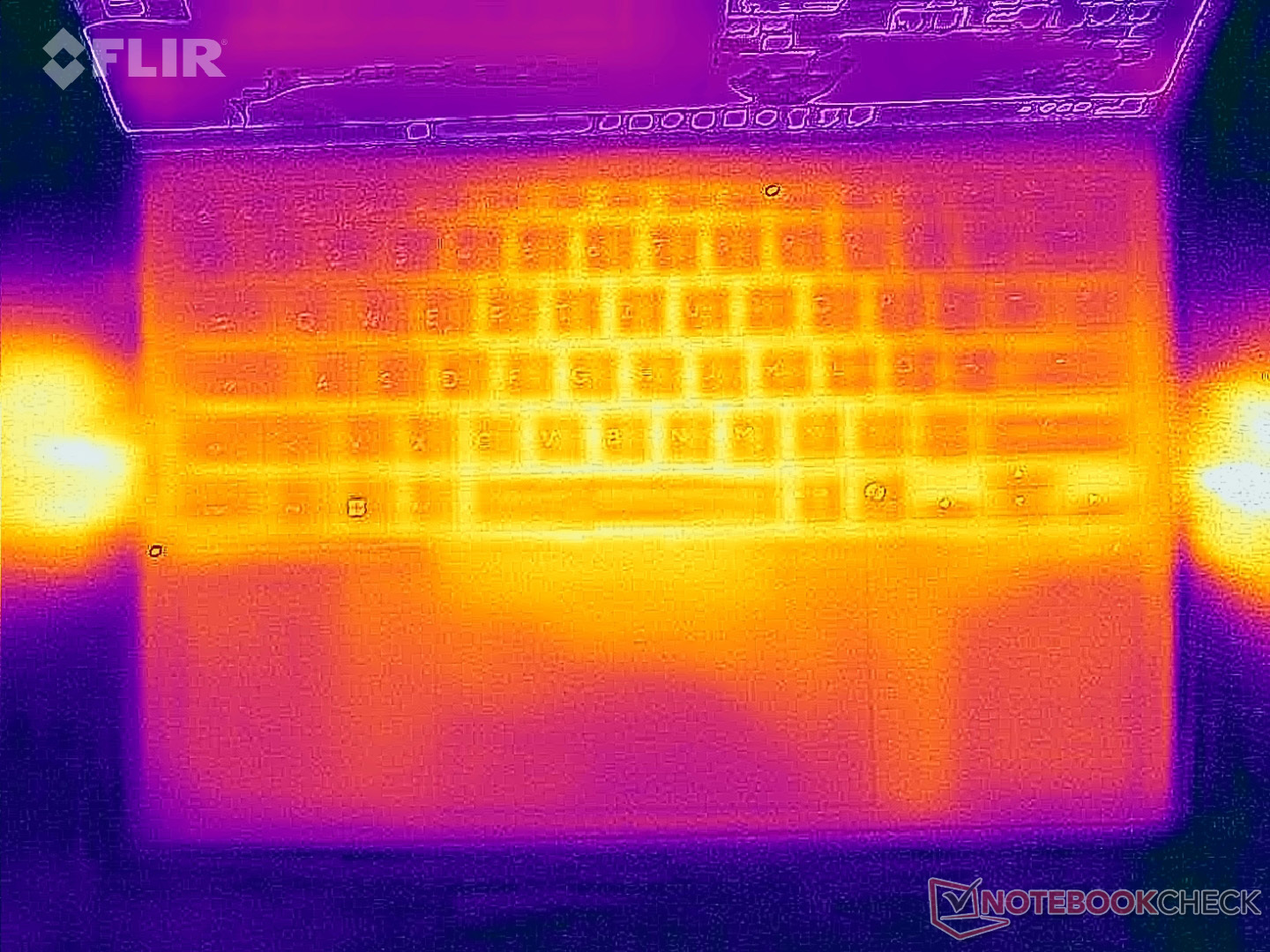
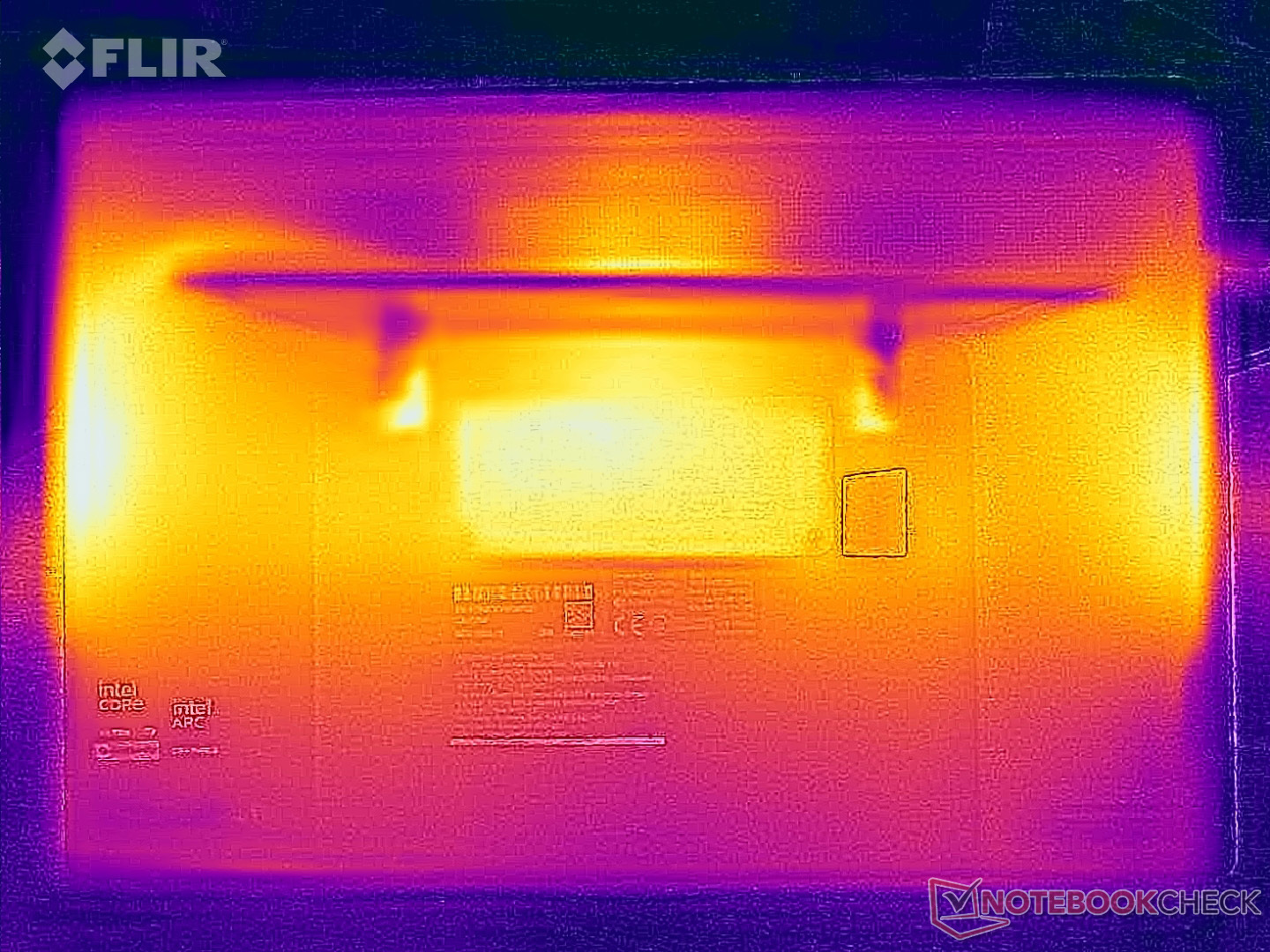
When it comes to surface temperatures, the Zenbook benefits from its design. When used in a "regular laptop" mode, the keyboard never gets uncomfortably warm, even when the system is stress-tested. Bottom temperatures also cause no concern.
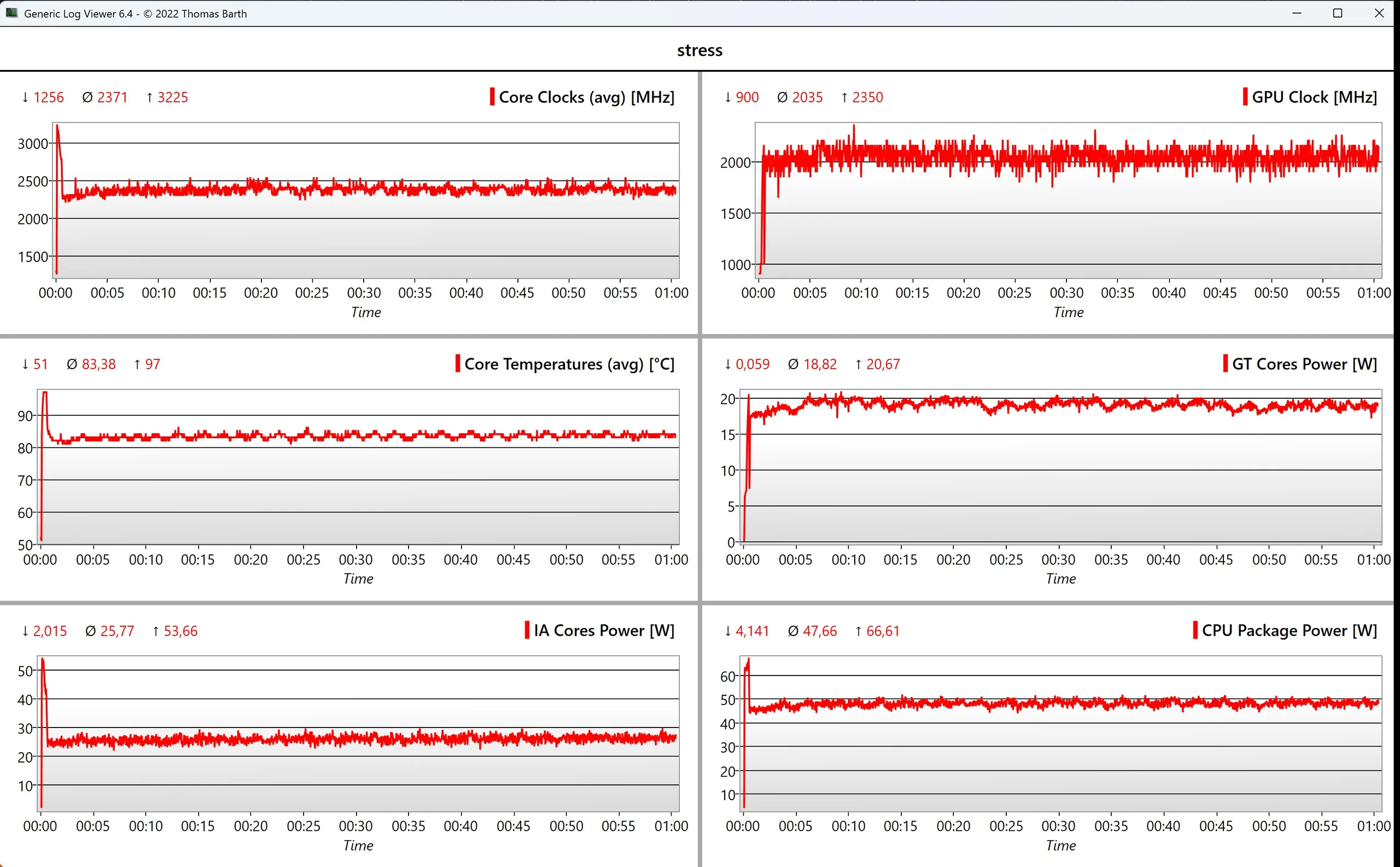
When stress-tested, the SoC briefly consumes 66 watts, then stabilizes at around 48 watts which corresponds to 83°C.
(+) The maximum temperature on the upper side is 35.3 °C / 96 F, compared to the average of 35.4 °C / 96 F, ranging from 19.6 to 60 °C for the class Convertible.
(±) The bottom heats up to a maximum of 44.3 °C / 112 F, compared to the average of 36.9 °C / 98 F
(+) In idle usage, the average temperature for the upper side is 25.2 °C / 77 F, compared to the device average of 30.3 °C / 87 F.
(±) 3: The average temperature for the upper side is 33.4 °C / 92 F, compared to the average of 30.3 °C / 87 F for the class Convertible.
(+) The palmrests and touchpad are cooler than skin temperature with a maximum of 31.9 °C / 89.4 F and are therefore cool to the touch.
(-) The average temperature of the palmrest area of similar devices was 28 °C / 82.4 F (-3.9 °C / -7 F).
| Asus ZenBook Duo UX8407AA Ultra X9 388H, Arc B390 Panther Lake iGPU | Asus ZenBook Duo OLED UX8406CA Ultra 9 285H, Arc 140T | Lenovo Yoga Book 9 14IAH10 Ultra 7 255H, Arc 140T | Lenovo ThinkPad X1 2-in-1 Gen 10 Core Ultra 7 258V, Arc 140V | HP EliteBook X Flip G1i 14 AI Core Ultra 7 258V, Arc 140V | Asus ROG Flow Z13 GZ302EA-RU073W Ryzen AI Max+ 395, Radeon 8060S | |
|---|---|---|---|---|---|---|
| Heat | -1% | -13% | 1% | 1% | -12% | |
| Maximum Upper Side * (°C) | 35.3 | 35.3 -0% | 38.2 -8% | 40 -13% | 36 -2% | 42.5 -20% |
| Maximum Bottom * (°C) | 44.3 | 47.2 -7% | 38.8 12% | 38.6 13% | 41 7% | 44.9 -1% |
| Idle Upper Side * (°C) | 25.5 | 24.8 3% | 32.6 -28% | 25 2% | 26 -2% | 29.6 -16% |
| Idle Bottom * (°C) | 26.7 | 26.2 2% | 33.8 -27% | 26.6 -0% | 27 -1% | 29.5 -10% |
* ... smaller is better
Speakers
Like its predecessor, this new Asus system utilizes very good speakers. Bass could be a bit more powerful, but that's just us being overly strict. It's definitely possible to watch videos or play some music here without craving for full-size external speakers.
Asus ZenBook Duo UX8407AA audio analysis
(+) | speakers can play relatively loud (83.7 dB)
Bass 100 - 315 Hz
(±) | reduced bass - on average 6.6% lower than median
(±) | linearity of bass is average (8.3% delta to prev. frequency)
Mids 400 - 2000 Hz
(+) | balanced mids - only 4.4% away from median
(+) | mids are linear (5% delta to prev. frequency)
Highs 2 - 16 kHz
(+) | balanced highs - only 3% away from median
(+) | highs are linear (3.8% delta to prev. frequency)
Overall 100 - 16.000 Hz
(+) | overall sound is linear (9.8% difference to median)
Compared to same class
» 6% of all tested devices in this class were better, 1% similar, 93% worse
» The best had a delta of 6%, average was 20%, worst was 57%
Compared to all devices tested
» 4% of all tested devices were better, 1% similar, 95% worse
» The best had a delta of 4%, average was 23%, worst was 136%
Asus ZenBook Duo OLED UX8406CA audio analysis
(+) | speakers can play relatively loud (84.9 dB)
Bass 100 - 315 Hz
(±) | reduced bass - on average 10% lower than median
(±) | linearity of bass is average (10% delta to prev. frequency)
Mids 400 - 2000 Hz
(+) | balanced mids - only 3.1% away from median
(+) | mids are linear (3.2% delta to prev. frequency)
Highs 2 - 16 kHz
(+) | balanced highs - only 2.2% away from median
(+) | highs are linear (3.1% delta to prev. frequency)
Overall 100 - 16.000 Hz
(+) | overall sound is linear (10.2% difference to median)
Compared to same class
» 7% of all tested devices in this class were better, 2% similar, 91% worse
» The best had a delta of 6%, average was 20%, worst was 57%
Compared to all devices tested
» 5% of all tested devices were better, 2% similar, 93% worse
» The best had a delta of 4%, average was 23%, worst was 136%
Lenovo Yoga Book 9 14IAH10 audio analysis
(+) | speakers can play relatively loud (83.8 dB)
Bass 100 - 315 Hz
(±) | reduced bass - on average 9.7% lower than median
(±) | linearity of bass is average (9.7% delta to prev. frequency)
Mids 400 - 2000 Hz
(±) | higher mids - on average 5.2% higher than median
(+) | mids are linear (4.3% delta to prev. frequency)
Highs 2 - 16 kHz
(+) | balanced highs - only 3.4% away from median
(+) | highs are linear (4% delta to prev. frequency)
Overall 100 - 16.000 Hz
(+) | overall sound is linear (11.5% difference to median)
Compared to same class
» 10% of all tested devices in this class were better, 3% similar, 87% worse
» The best had a delta of 6%, average was 20%, worst was 57%
Compared to all devices tested
» 8% of all tested devices were better, 2% similar, 90% worse
» The best had a delta of 4%, average was 23%, worst was 136%
Lenovo ThinkPad X1 2-in-1 Gen 10 audio analysis
(+) | speakers can play relatively loud (86.3 dB)
Bass 100 - 315 Hz
(±) | reduced bass - on average 9.2% lower than median
(±) | linearity of bass is average (9.2% delta to prev. frequency)
Mids 400 - 2000 Hz
(±) | higher mids - on average 5.3% higher than median
(+) | mids are linear (4.7% delta to prev. frequency)
Highs 2 - 16 kHz
(+) | balanced highs - only 3.4% away from median
(+) | highs are linear (4.3% delta to prev. frequency)
Overall 100 - 16.000 Hz
(+) | overall sound is linear (11.9% difference to median)
Compared to same class
» 12% of all tested devices in this class were better, 3% similar, 85% worse
» The best had a delta of 6%, average was 20%, worst was 57%
Compared to all devices tested
» 9% of all tested devices were better, 3% similar, 88% worse
» The best had a delta of 4%, average was 23%, worst was 136%
HP EliteBook X Flip G1i 14 AI audio analysis
(+) | speakers can play relatively loud (90.72 dB)
Bass 100 - 315 Hz
(±) | reduced bass - on average 12.3% lower than median
(±) | linearity of bass is average (8.3% delta to prev. frequency)
Mids 400 - 2000 Hz
(+) | balanced mids - only 3.4% away from median
(+) | mids are linear (4.9% delta to prev. frequency)
Highs 2 - 16 kHz
(+) | balanced highs - only 3.2% away from median
(+) | highs are linear (5.4% delta to prev. frequency)
Overall 100 - 16.000 Hz
(+) | overall sound is linear (9.7% difference to median)
Compared to same class
» 6% of all tested devices in this class were better, 1% similar, 93% worse
» The best had a delta of 6%, average was 20%, worst was 57%
Compared to all devices tested
» 4% of all tested devices were better, 1% similar, 95% worse
» The best had a delta of 4%, average was 23%, worst was 136%
Asus ROG Flow Z13 GZ302EA-RU073W audio analysis
(±) | speaker loudness is average but good (79.9 dB)
Bass 100 - 315 Hz
(±) | reduced bass - on average 10.7% lower than median
(±) | linearity of bass is average (10.6% delta to prev. frequency)
Mids 400 - 2000 Hz
(±) | higher mids - on average 6.7% higher than median
(+) | mids are linear (6.3% delta to prev. frequency)
Highs 2 - 16 kHz
(±) | higher highs - on average 9.2% higher than median
(±) | linearity of highs is average (9.7% delta to prev. frequency)
Overall 100 - 16.000 Hz
(±) | linearity of overall sound is average (23.7% difference to median)
Compared to same class
» 72% of all tested devices in this class were better, 4% similar, 23% worse
» The best had a delta of 6%, average was 20%, worst was 57%
Compared to all devices tested
» 71% of all tested devices were better, 6% similar, 23% worse
» The best had a delta of 4%, average was 23%, worst was 136%
Energy management - plenty of stamina
Energy consumption
Power consumption of OLED panels is known to vary depending on what's displayed, and the Zenbook Duo's second panel naturally matters a lot in this respect. In "regular notebook" mode, the maximum idle consumption measured is 10.2 watts with the default wallpaper. That rises to around 18 watts with the second display activated. If you use a darker wallpaper, the values drop to 6.7 and 12 watts respectively.
Under load, we can see a maximum of 96 watts, which then quickly levels off at 80 watts after around 45 seconds. Outside of the EU, the Zenbook Duo is delivered with a 100-watt power supply, which seems powerful enough.
| Off / Standby | 0.31 / 0.51 Watt |
| Idle | 4.8 / 9.8 / 10.2 Watt |
| Load |
47.3 / 96 Watt |
   
| |
Key:
min: ,
med: ,
max: Metrahit Energy | |
| Asus ZenBook Duo UX8407AA Ultra X9 388H, Arc B390 Panther Lake iGPU, Samsung PM9C1b MZVL82T0HBL1, OLED, 2880x1800, 14" | Asus ZenBook Duo OLED UX8406CA Ultra 9 285H, Arc 140T, Western Digital PC SN5000S SDEQNSJ-1T00, OLED, 1920x1200, 14" | Lenovo Yoga Book 9 14IAH10 Ultra 7 255H, Arc 140T, Samsung PM9C1a MZAL81T0HDLB, OLED, 2880x1800, 14" | Lenovo ThinkPad X1 2-in-1 Gen 10 Core Ultra 7 258V, Arc 140V, , IPS, 1920x1200, 14" | HP EliteBook X Flip G1i 14 AI Core Ultra 7 258V, Arc 140V, Western Digital PC SN5000S SDEPNSJ-1T00-1006, IPS, 1920x1200, 14" | Asus ROG Flow Z13 GZ302EA-RU073W Ryzen AI Max+ 395, Radeon 8060S, Kioxia BG6 KBG60ZNS1T02, IPS, 2560x1600, 13.4" | Average Intel Arc B390 12 Xe3 Panther Lake iGPU | Average of class Convertible | |
|---|---|---|---|---|---|---|---|---|
| Power Consumption | 19% | -29% | 43% | 30% | -70% | 20% | 18% | |
| Idle Minimum * (Watt) | 4.8 | 4.1 15% | 9.9 -106% | 1.5 69% | 2.9 40% | 10.4 -117% | 3.47 ? 28% | 4.26 ? 11% |
| Idle Average * (Watt) | 9.8 | 8.2 16% | 11.6 -18% | 4.8 51% | 8.2 16% | 17 -73% | 6.03 ? 38% | 6.9 ? 30% |
| Idle Maximum * (Watt) | 10.2 | 8.7 15% | 23.2 -127% | 5 51% | 8.6 16% | 17.3 -70% | 8.38 ? 18% | 8.73 ? 14% |
| Load Average * (Watt) | 47.3 | 56.7 -20% | 58.5 -24% | 44.2 7% | 39.6 16% | 92.9 -96% | 46.4 ? 2% | 45.1 ? 5% |
| Cyberpunk 2077 ultra external monitor * (Watt) | 75.3 | 47 38% | 56.6 25% | 39.3 48% | 36.4 52% | 113.2 -50% | ||
| Cyberpunk 2077 ultra * (Watt) | 76.3 | 48.7 36% | 58.5 23% | 47.8 37% | 41.9 45% | 109.3 -43% | ||
| Load Maximum * (Watt) | 96 | 65.1 32% | 70.1 27% | 60.2 37% | 70 27% | 138.1 -44% | 80.6 ? 16% | 68.6 ? 29% |
* ... smaller is better
Energy consumption, Cyberpunk 2077 / Stress test
Energy consumption with external monitor
Battery life
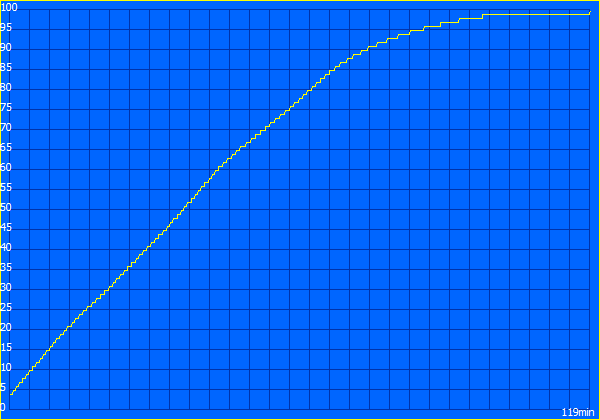
Asus has significantly increased the machine's battery capacity gen-to-gen, from 75 Wh to 99 Wh, by integrating a battery into the upper part of the casing. Runtimes are excellent overall, especially when you consider the good image quality of the high-resolution OLED screens. Some of the competitors also achieve long runtimes, but that's with significantly weaker Full HD panels.
We carried out our usual Wi-Fi Web browsing test with both two and one displays active. At a brightness of 150 cd/m², we were able to record 17 hours (1 display) and just under 12 hours (2 displays). At full SDR brightness, it was 11 hours with one active display and still more than 8 hours with two displays. Video playback with one display on and set to 150 cd/m² is possible for more than 21 hours.
| 1 display | 2 displays | |
|---|---|---|
| 150 cd/m² | 1,022 minutes | 713 minutes |
| max. brightness | 664 minutes | 489 minutes |
| Asus ZenBook Duo UX8407AA Ultra X9 388H, Arc B390 Panther Lake iGPU, 99 Wh | Asus ZenBook Duo OLED UX8406CA Ultra 9 285H, Arc 140T, 75 Wh | Lenovo Yoga Book 9 14IAH10 Ultra 7 255H, Arc 140T, 88 Wh | Lenovo ThinkPad X1 2-in-1 Gen 10 Core Ultra 7 258V, Arc 140V, 57 Wh | HP EliteBook X Flip G1i 14 AI Core Ultra 7 258V, Arc 140V, 68 Wh | Asus ROG Flow Z13 GZ302EA-RU073W Ryzen AI Max+ 395, Radeon 8060S, 70 Wh | Average of class Convertible | |
|---|---|---|---|---|---|---|---|
| Battery runtime | -28% | -64% | 29% | -2% | -49% | -27% | |
| H.264 (h) | 21.4 | 16.9 -21% | 20.6 -4% | 12.7 -41% | 15 ? -30% | ||
| WiFi v1.3 (h) | 17 | 11.1 -35% | 6.1 -64% | 22 29% | 18.4 8% | 9.3 -45% | 12.4 ? -27% |
| Load (h) | 2.3 | 2.1 -9% | 0.9 -61% | 1.725 ? -25% |
Notebookcheck overall rating
Asus ZenBook Duo UX8407AA
- 01/25/2026 v8
Andreas Osthoff
 Total Sustainability Score:
 Possible alternatives in comparison
Image | Model / Review | Price | Weight | Height | Display |
|---|---|---|---|---|---|
1. 88.5%  | Asus ZenBook Duo UX8407AA Intel Core Ultra X9 388H ⎘ Intel Arc B390 12 Xe3 Panther Lake iGPU ⎘ 32 GB Memory, 2048 GB SSD | Amazon: $2,255.24 List Price: 2599€ | 1.7 kg | 23.4 mm | 14.00" 2880x1800 243 PPI OLED |
2. 86.5%  | Asus ZenBook Duo OLED UX8406CA Intel Core Ultra 9 285H ⎘ Intel Arc Graphics 140T ⎘ 32 GB Memory, 1024 GB SSD | List Price: 2099€ | 1.8 kg | 19.9 mm | 14.00" 1920x1200 162 PPI OLED |
3. 83.4%  | Lenovo Yoga Book 9 14IAH10 Intel Core Ultra 7 255H ⎘ Intel Arc Graphics 140T ⎘ 16 GB Memory, 1024 GB SSD | 1.2 kg | 15.5 mm | 14.00" 2880x1800 243 PPI OLED | |
4. 88.8%  | Lenovo ThinkPad X1 2-in-1 Gen 10 Intel Core Ultra 7 258V ⎘ Intel Arc Graphics 140V ⎘ 32 GB Memory | List Price: 2300 USD | 1.4 kg | 18.3 mm | 14.00" 1920x1200 162 PPI IPS |
5. 89.9%  | HP EliteBook X Flip G1i 14 AI Intel Core Ultra 7 258V ⎘ Intel Arc Graphics 140V ⎘ 32 GB Memory, 1000 GB SSD | List Price: 2889 Euro | 1.5 kg | 14.7 mm | 14.00" 1920x1200 162 PPI IPS |
6. 86.8%  | Asus ROG Flow Z13 GZ302EA-RU073W AMD Ryzen AI Max+ 395 ⎘ AMD Radeon 8060S ⎘ 32 GB Memory, 512 GB SSD | Amazon: 1. $109.99 200W Charger for Asus ROG Fl... 2. $1,814.27 ASUS ROG Flow Z13 2.5K 180Hz... 3. $69.99 ROG 200W 20V Charger for Asu... List Price: 2499€ | 1.6 kg | 14.9 mm | 13.40" 2560x1600 225 PPI IPS |
Transparency
The selection of devices to be reviewed is made by our editorial team. The test sample was provided to the author as a loan by the manufacturer or retailer for the purpose of this review. The lender had no influence on this review, nor did the manufacturer receive a copy of this review before publication. There was no obligation to publish this review. As an independent media company, Notebookcheck is not subjected to the authority of manufacturers, retailers or publishers.
This is how Notebookcheck is testing
Every year, Notebookcheck independently reviews hundreds of laptops and smartphones using standardized procedures to ensure that all results are comparable. We have continuously developed our test methods for around 20 years and set industry standards in the process. In our test labs, high-quality measuring equipment is utilized by experienced technicians and editors. These tests involve a multi-stage validation process. Our complex rating system is based on hundreds of well-founded measurements and benchmarks, which maintains objectivity. Further information on our test methods can be found here.
 Add as a preferred source on Google


