




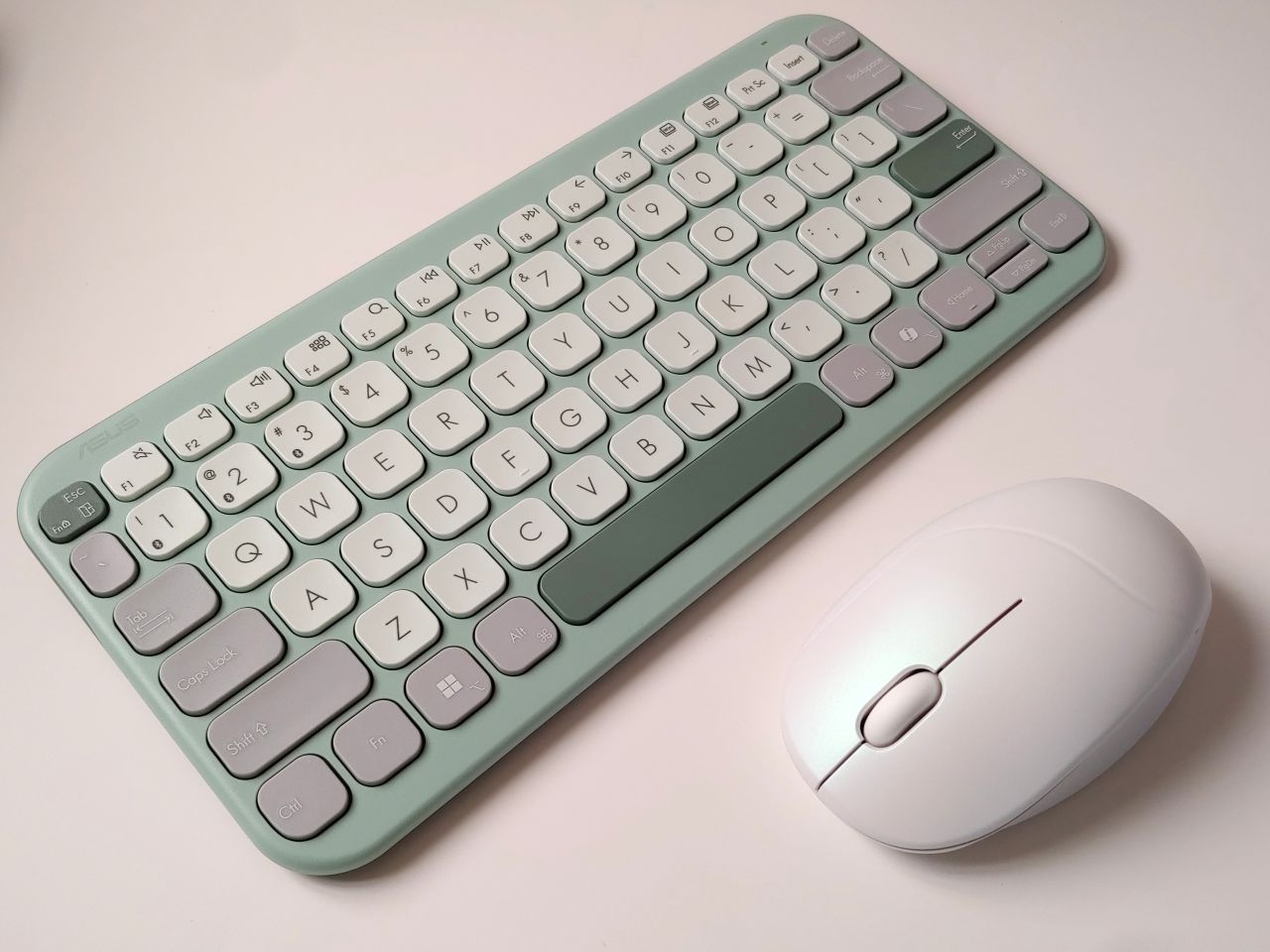
Asus Fragrance mouse and Marshmallow keyboard hands-on: A soothing combo for offices
Relaxing offices.
Computer users can now enjoy a more soothing décor thanks to the muted natural colors of the Asus Marshmallow keyboard. For sensory relaxation, the accompanying Fragrance mouse has a refillable scent vial that allows users to match their daily moods.David Chien Published 🇫🇷 🇪🇸 ...
Verdict – A relaxing change of pace
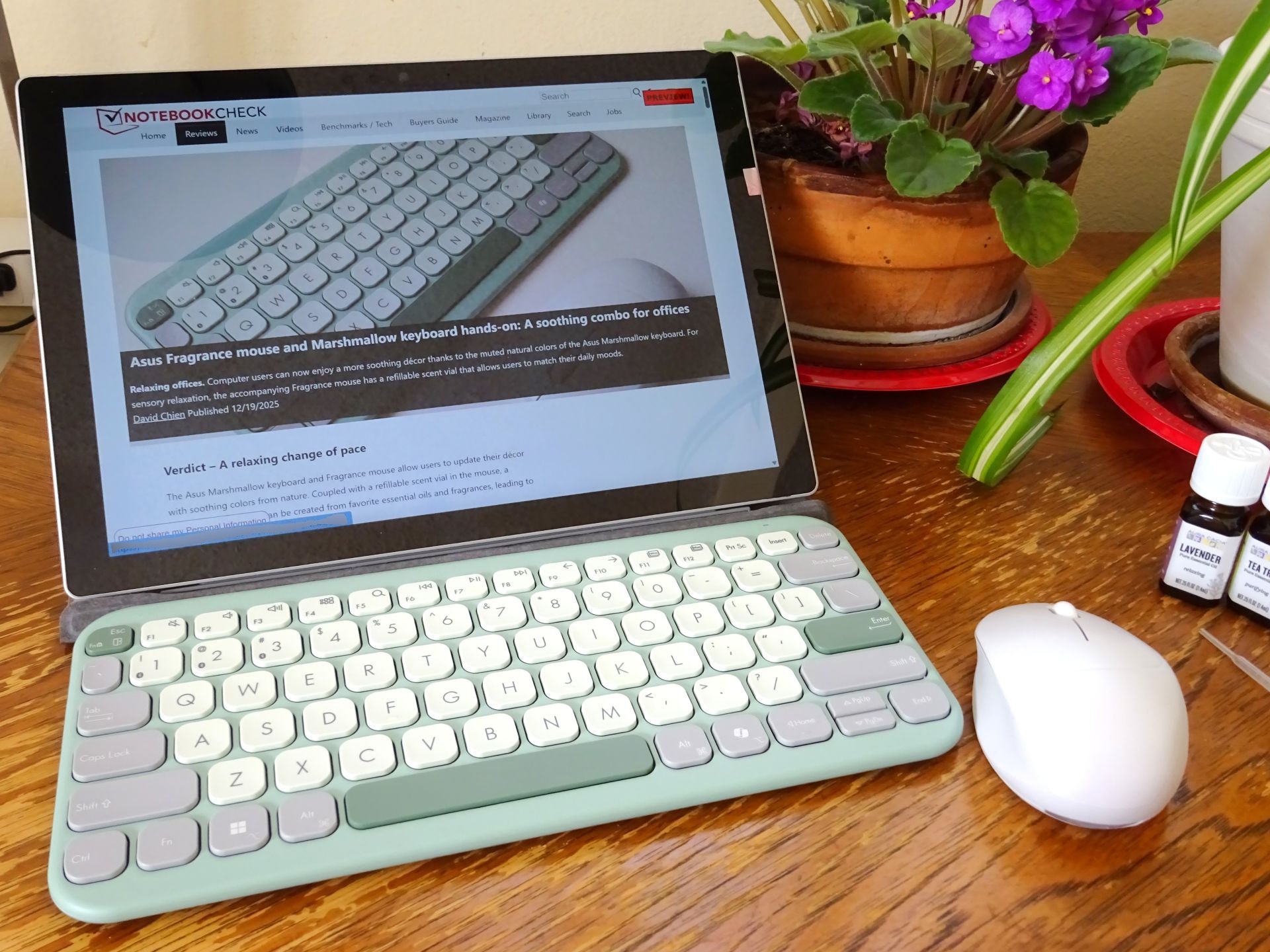
The Asus Marshmallow keyboard and Fragrance mouse allow users to update their décor with soothing colors from nature. Coupled with a refillable scent vial in the mouse, a relaxing environment can be created from favorite aromatic oils for less stress. Both immediately felt good in use and were a delight to use across weeks of testing, with high typing speeds.
However, the arrow keys are cramped, the scroll wheel has higher-than-ideal resistance, and the mouse is designed for right-handed use.
Pros
Cons
Price and availability
The Asus Marshmallow keyboard lists for $54.99 at the ASUS eShop. The Asus Fragrance mouse lists for $59.99 at the ASUS eShop. The mouse will be coming soon to Amazon and Microcenter.
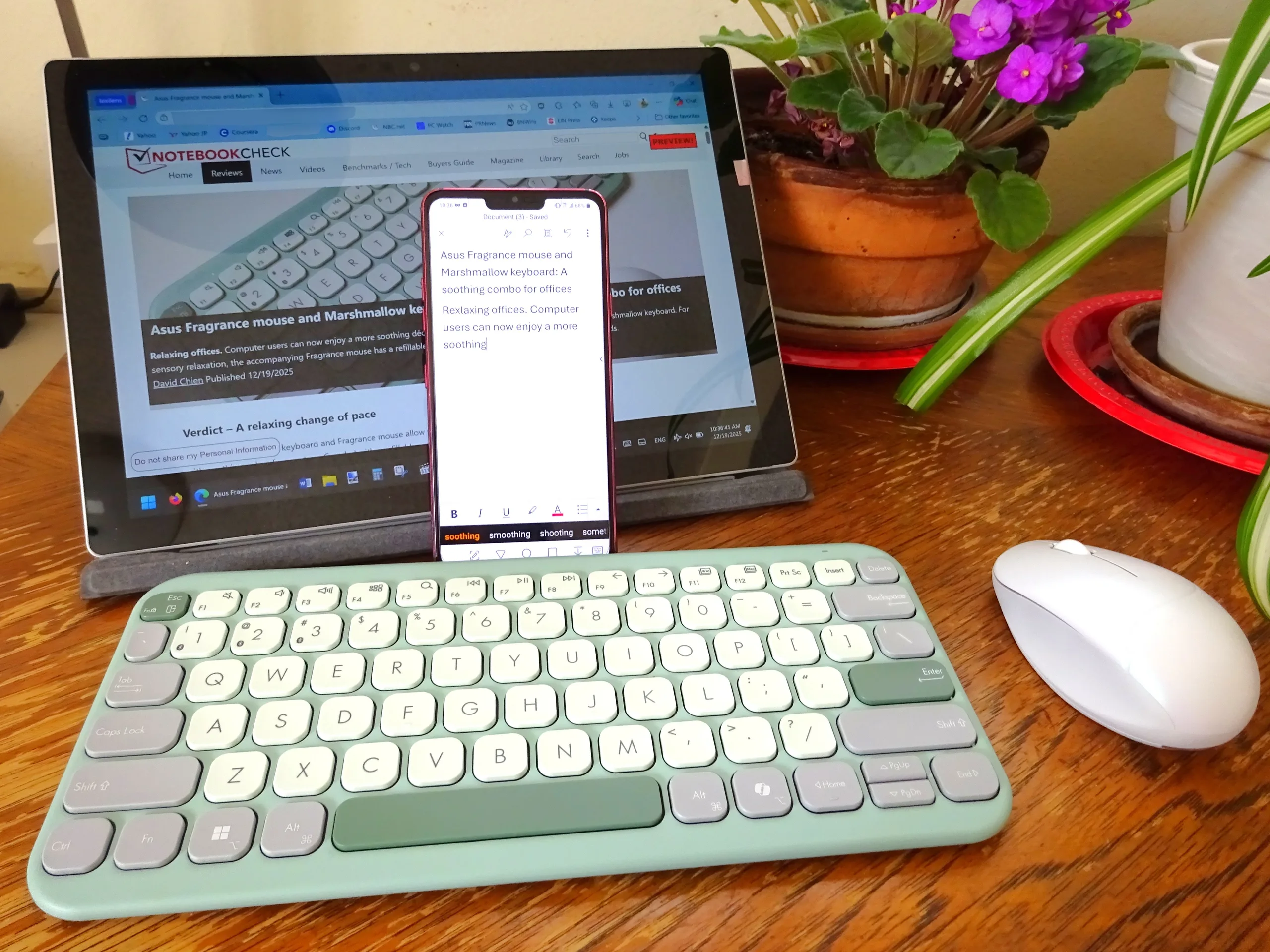
The Asus Fragrance mouse and Marshmallow keyboard in a soothing choice of natural colors can be used with phones, tablets, and computers.
Specifications
| Specifications | Fragrance Mouse MD101 |
| Colors | Iridescent White, Rose Clay |
| Design | Mild right-handed side sculpting |
| Buttons | Low-noise design with 10-million-click lifespan |
| Connectivity | Bluetooth wireless |
| 2.4 GHz wireless with USB-A dongle | |
| OS Support | Windows 10/11, macOS 12, Chrome OS |
| Tracking Resolution | 1200, 1600, 2400 dpi |
| Power | 1x AA battery |
| Runtime | Up to 12 months |
| Dimensions | 103.6 x 62.4 x 40.2 mm (4.1 x 2.5 x 1.6 in.) |
| Weight | 66 g (2.3 oz.) |
| Specifications | Keyboard KW100 |
| Colors | Green Tea Latte, Iridescent White, Rose Clay, Oat Milk |
| Form Factor | 75%, full-sized keys |
| Key Style | Scissor keys with 10-million-click lifespan |
| Key Travel | 1.6 mm |
| Noise Level | Under 50 dB |
| Connectivity | Bluetooth 5.0 with triple device pairing |
| OS Support | Windows 10/11, macOS, iOS, iPadOS, Chrome OS |
| Power | 2x AAA batteries |
| Runtime | Up to 24 months |
| Dimensions | 282 x 130 x 18.4 mm (11.1 x 5.1 x 0.72 in.) |
| Weight | 374.8 g (13.2 oz.) |
Packaging
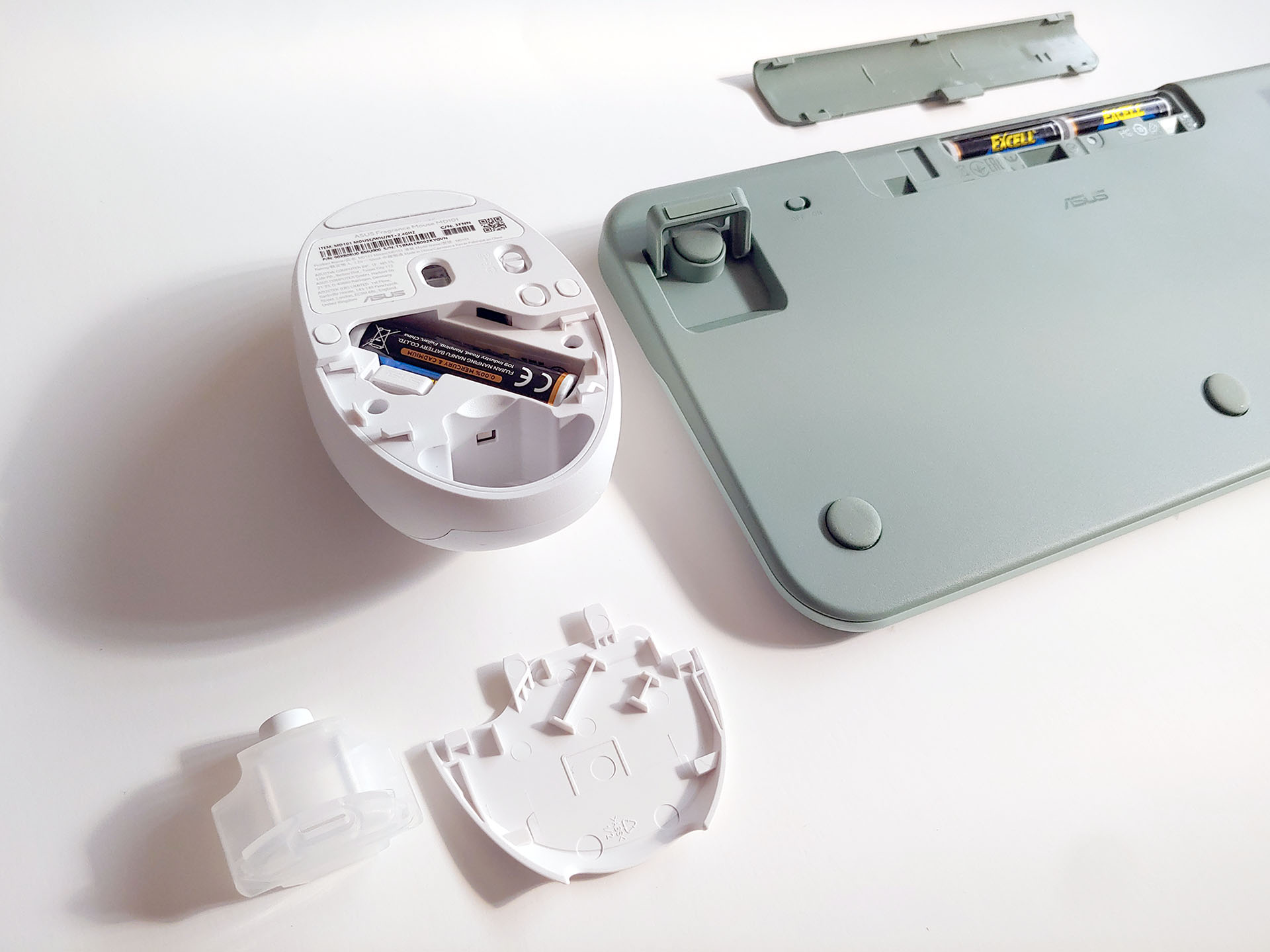
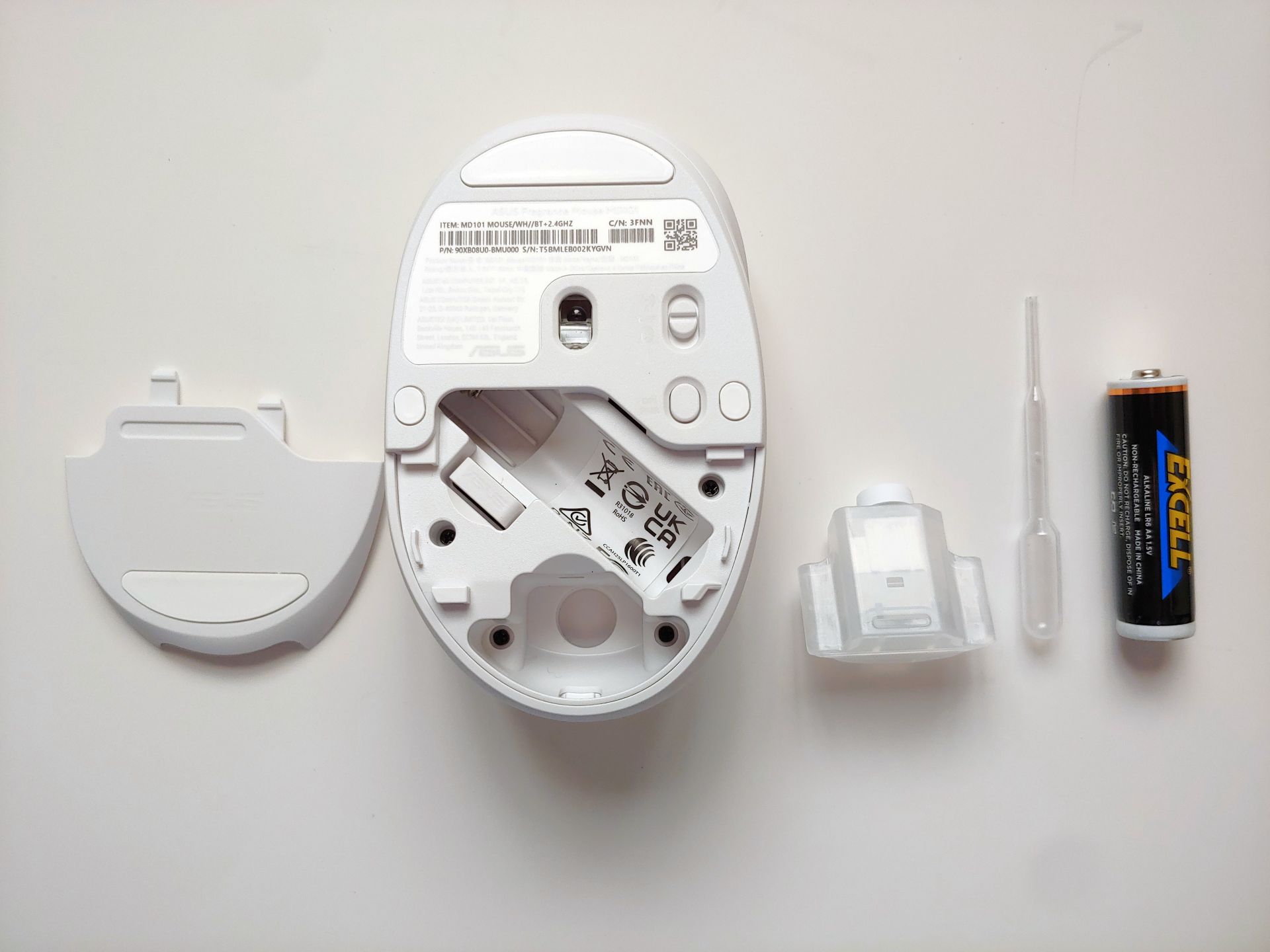
The keyboard includes two AAA batteries and manuals, and the mouse includes one AA battery, a plastic dropper, and manuals.
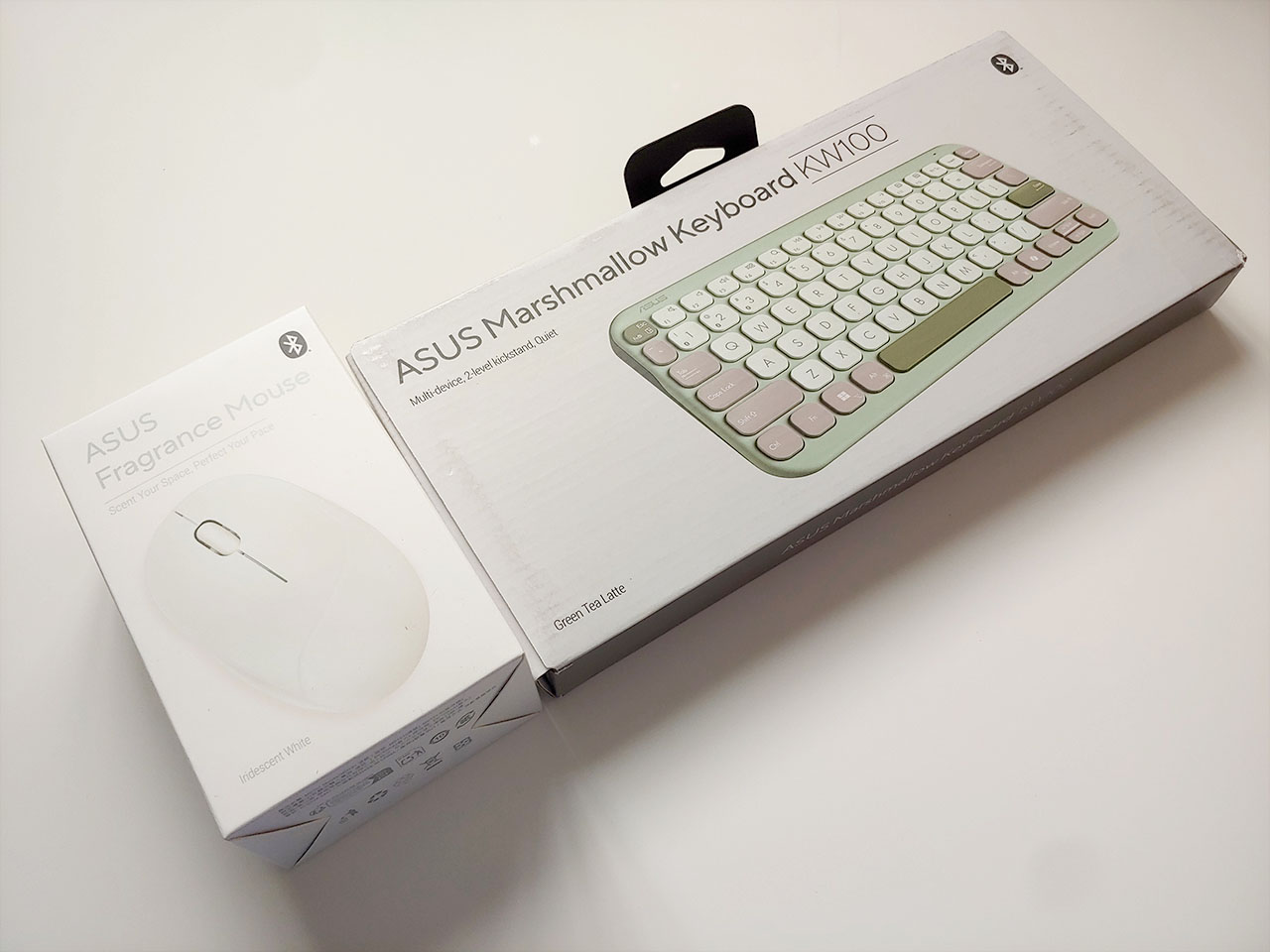
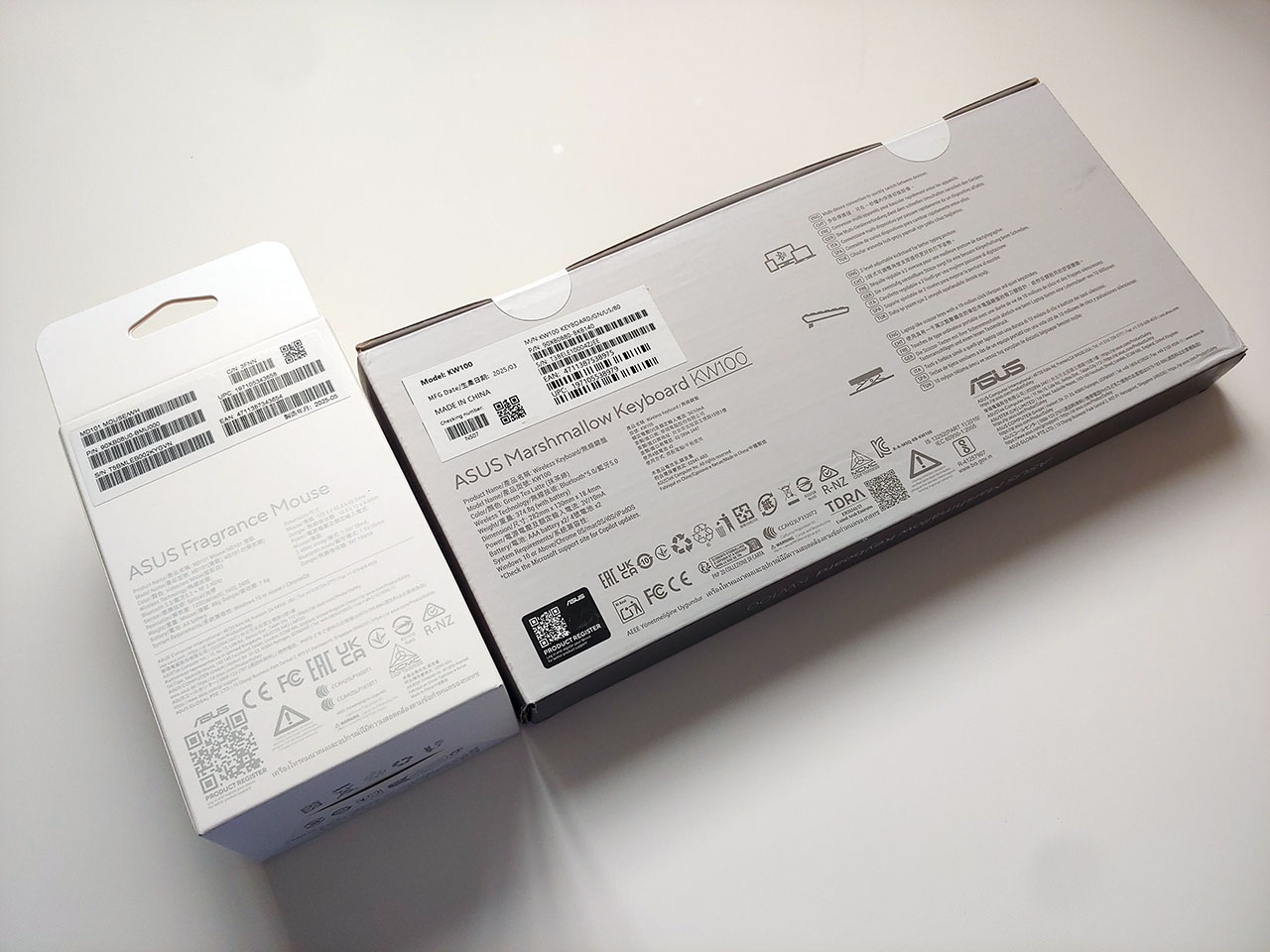
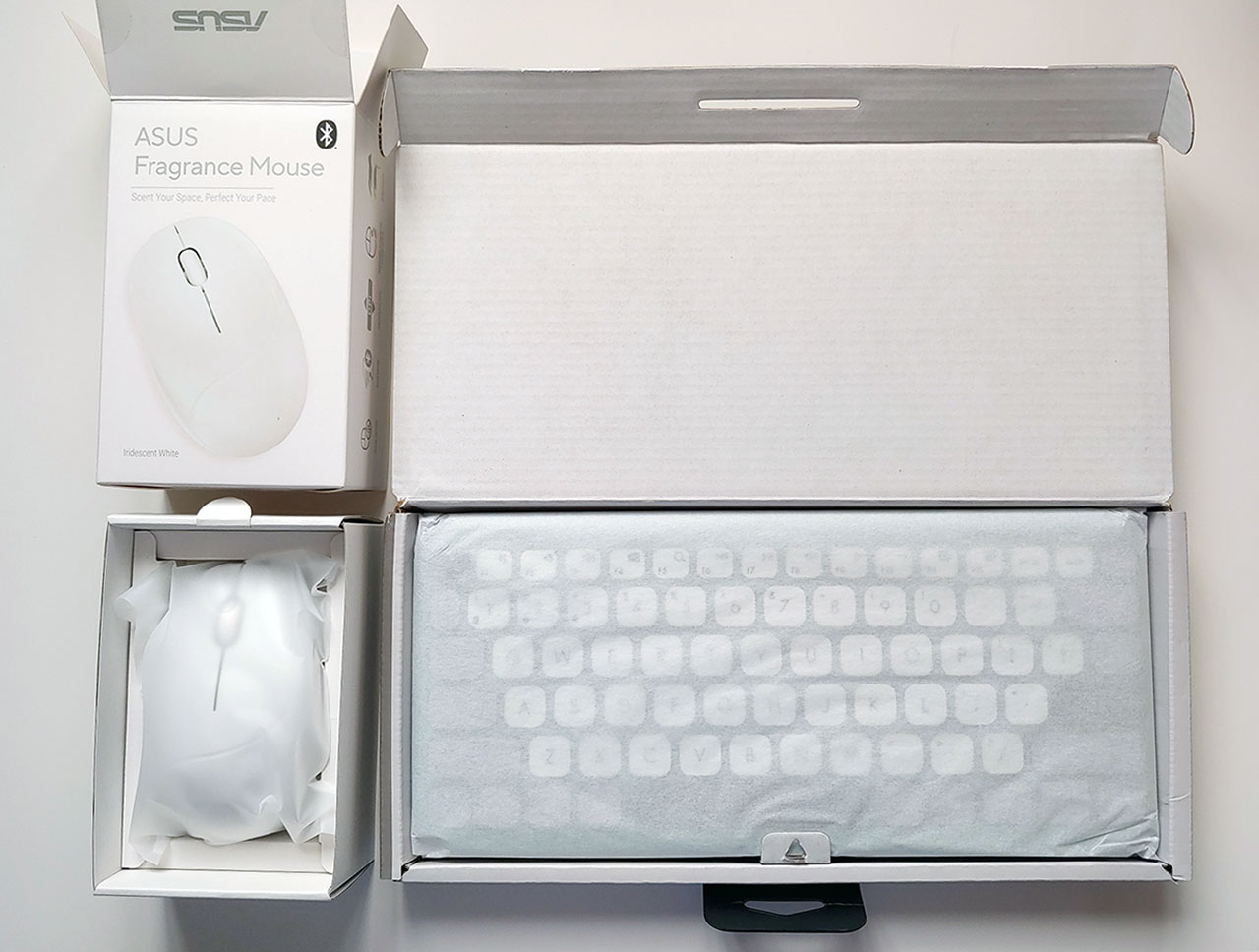
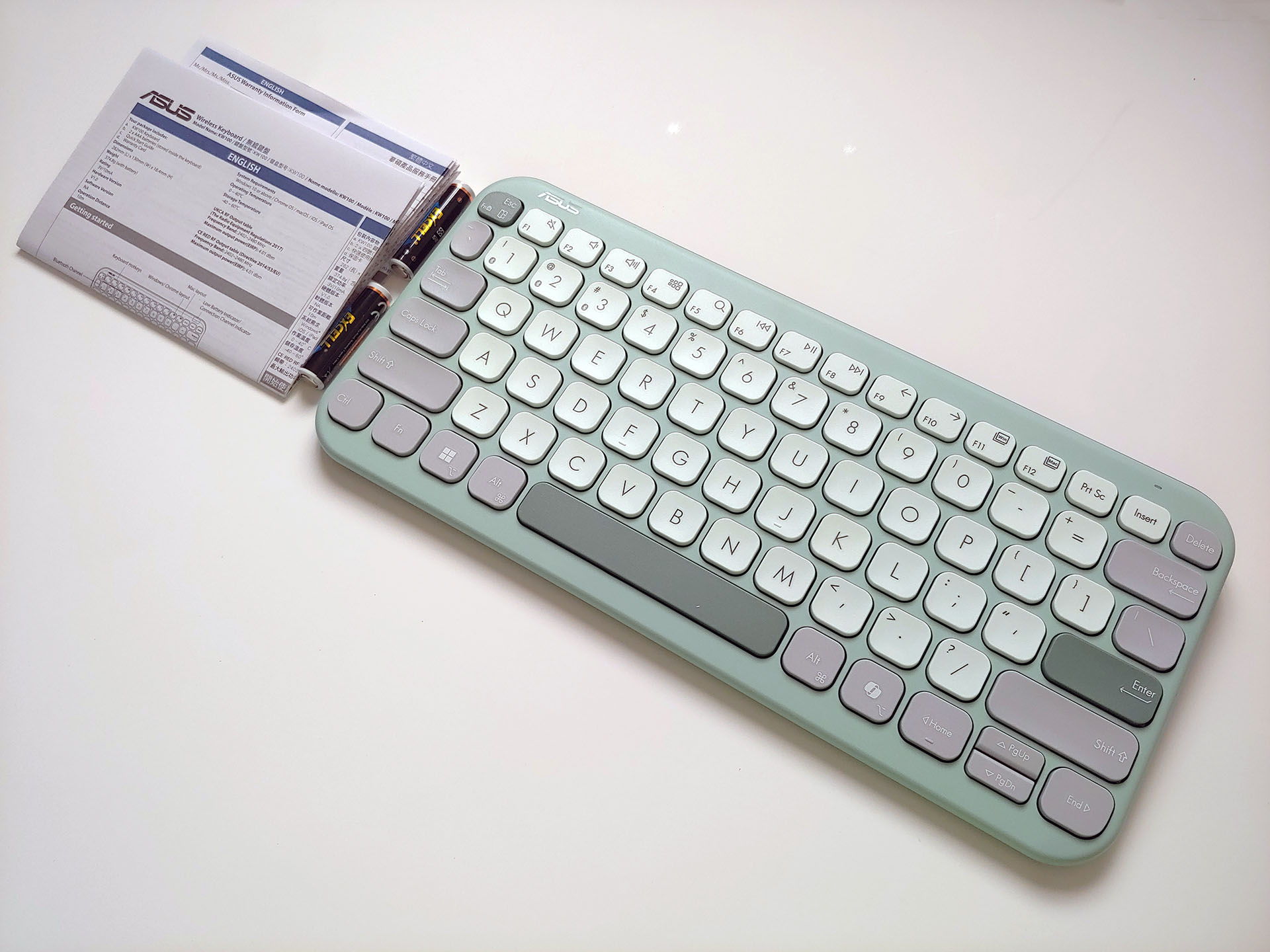
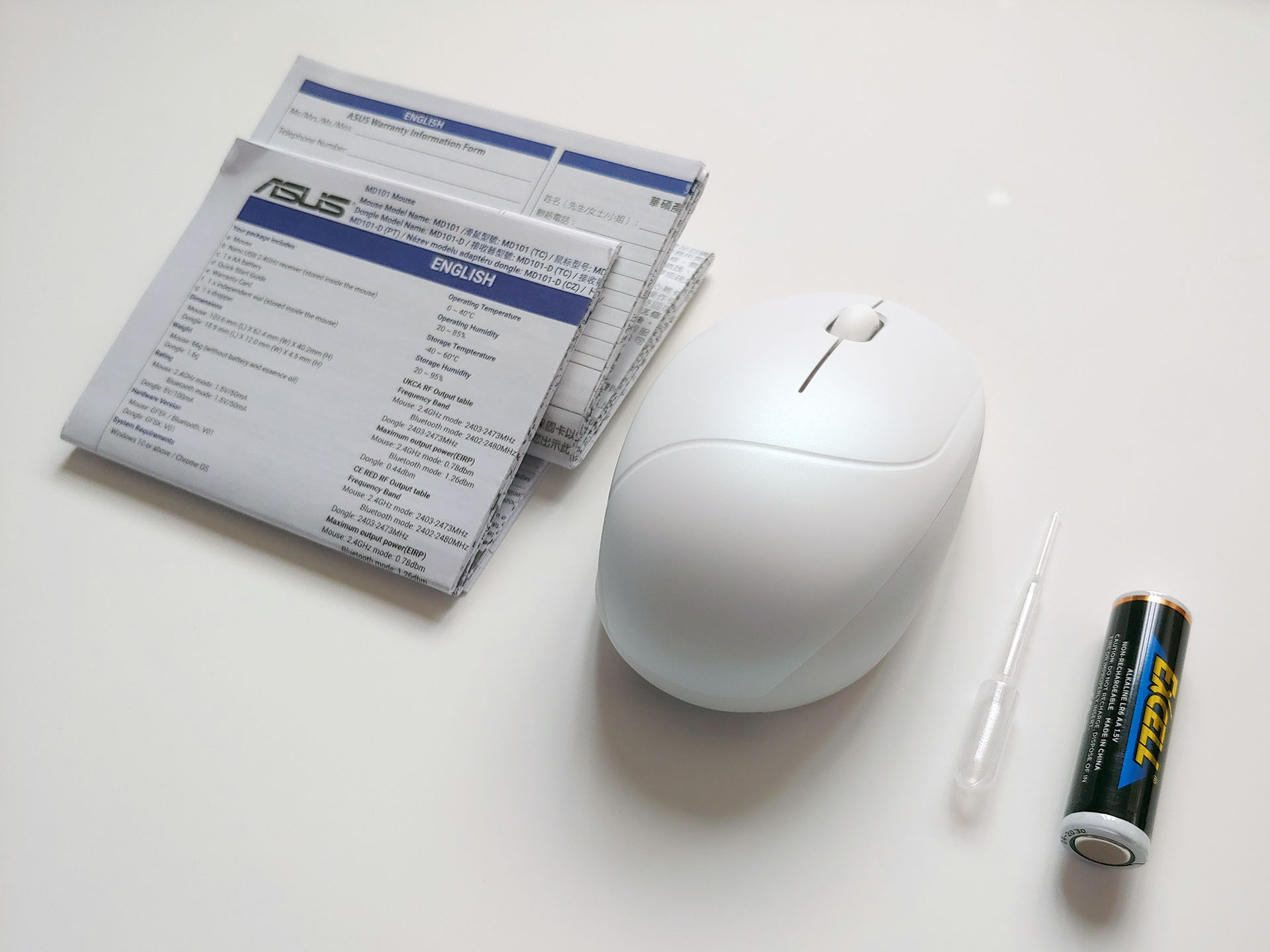
Natural-color Design
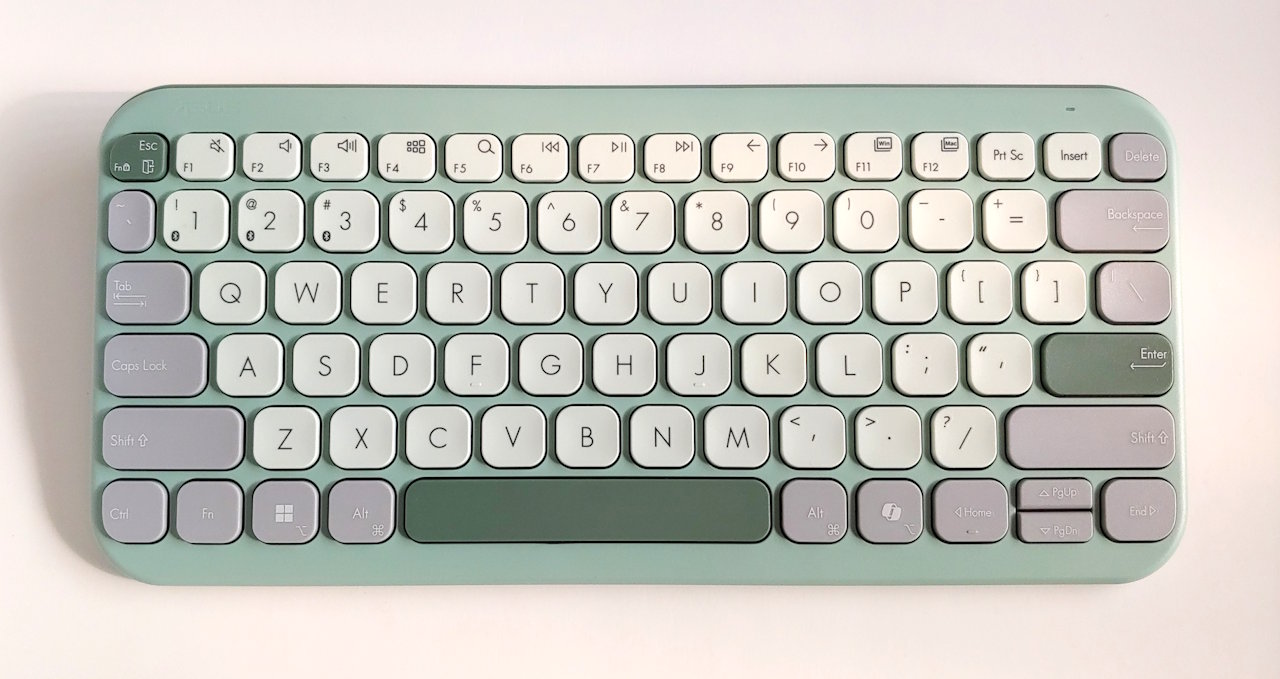
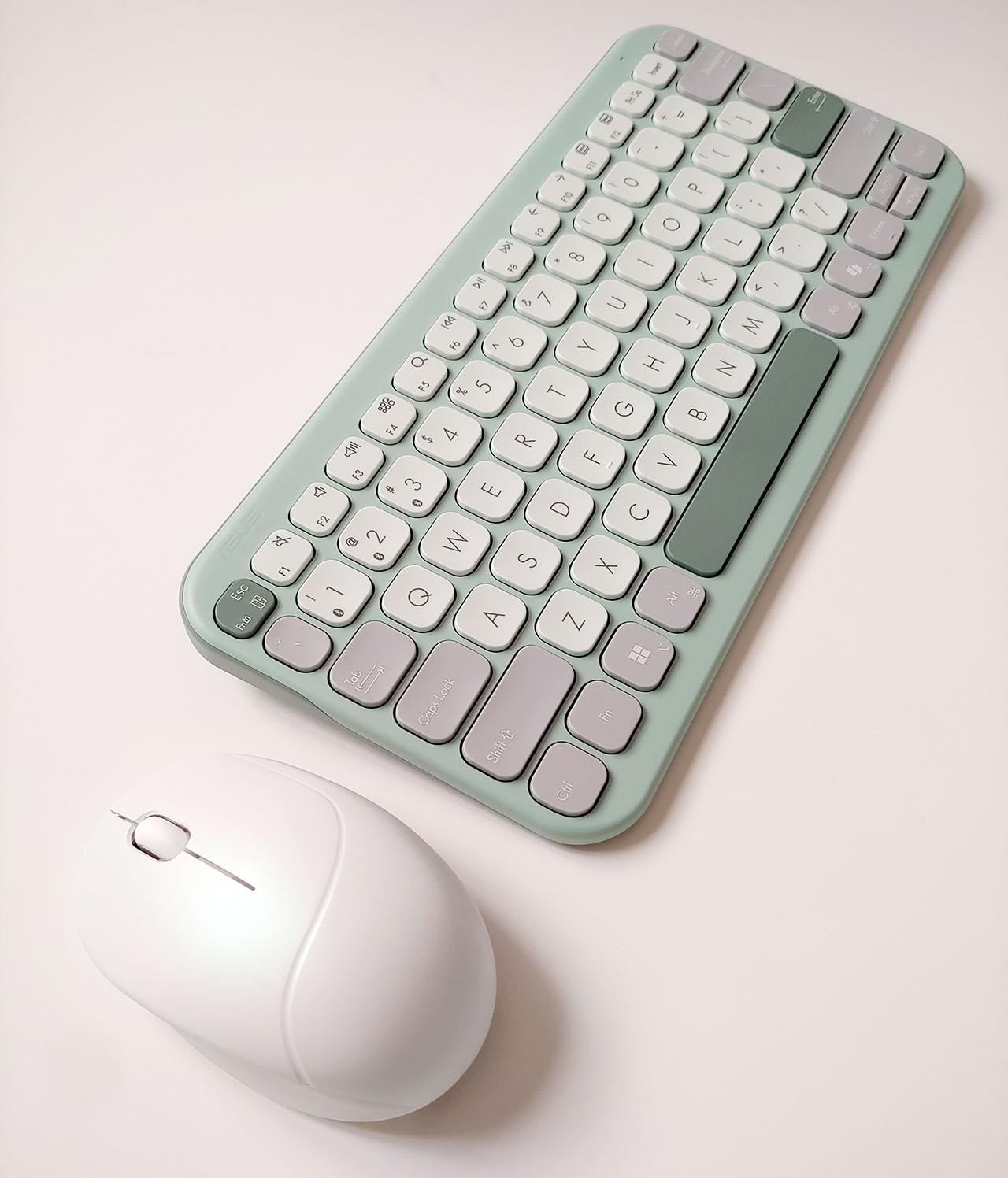
The Asus Marshmallow keyboard and Fragrance mouse come in nature-inspired colors, with a fine matte finish that hides fingerprints.
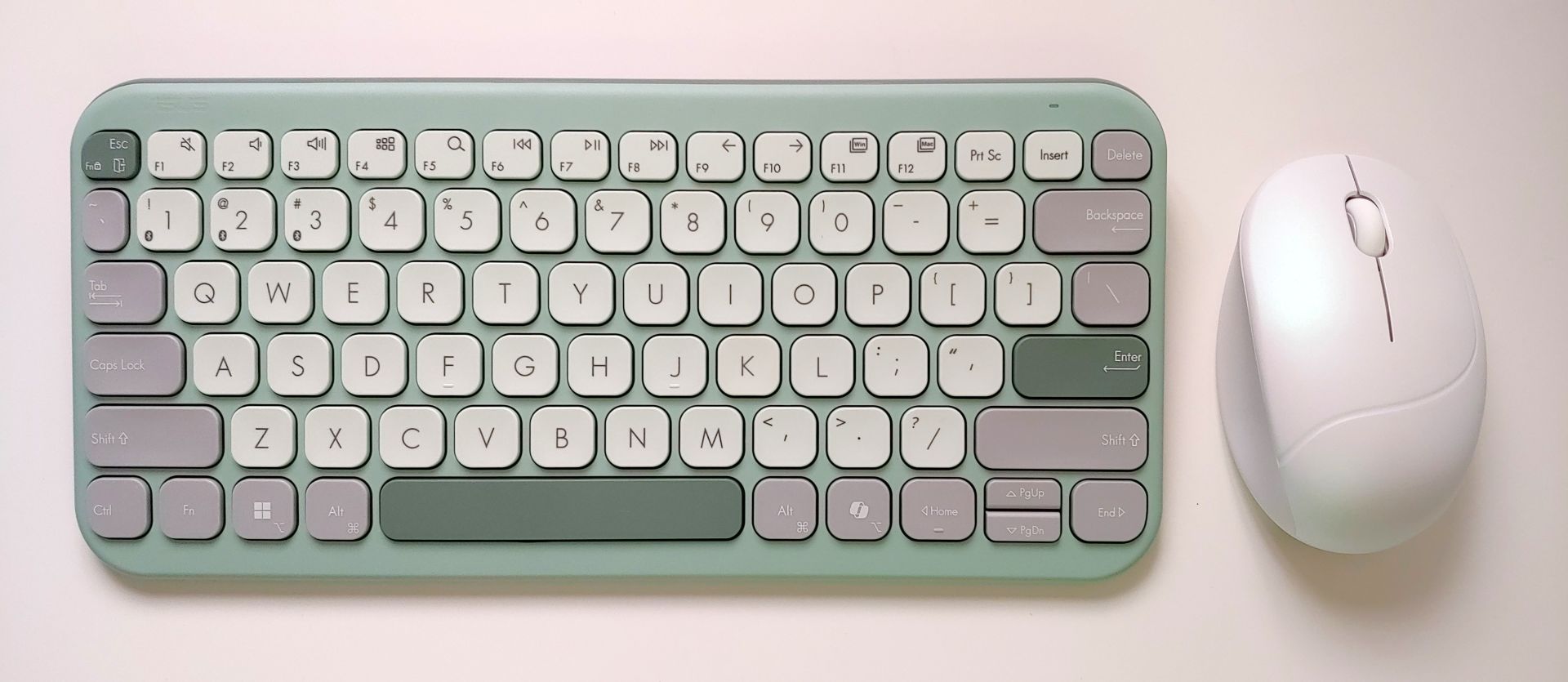
The keyboard utilizes noise-dampened scissor keys with short travel, while the mouse uses quiet switches. The keyboard is rated under 50 dB while typing, and both can be used in libraries without annoying others.
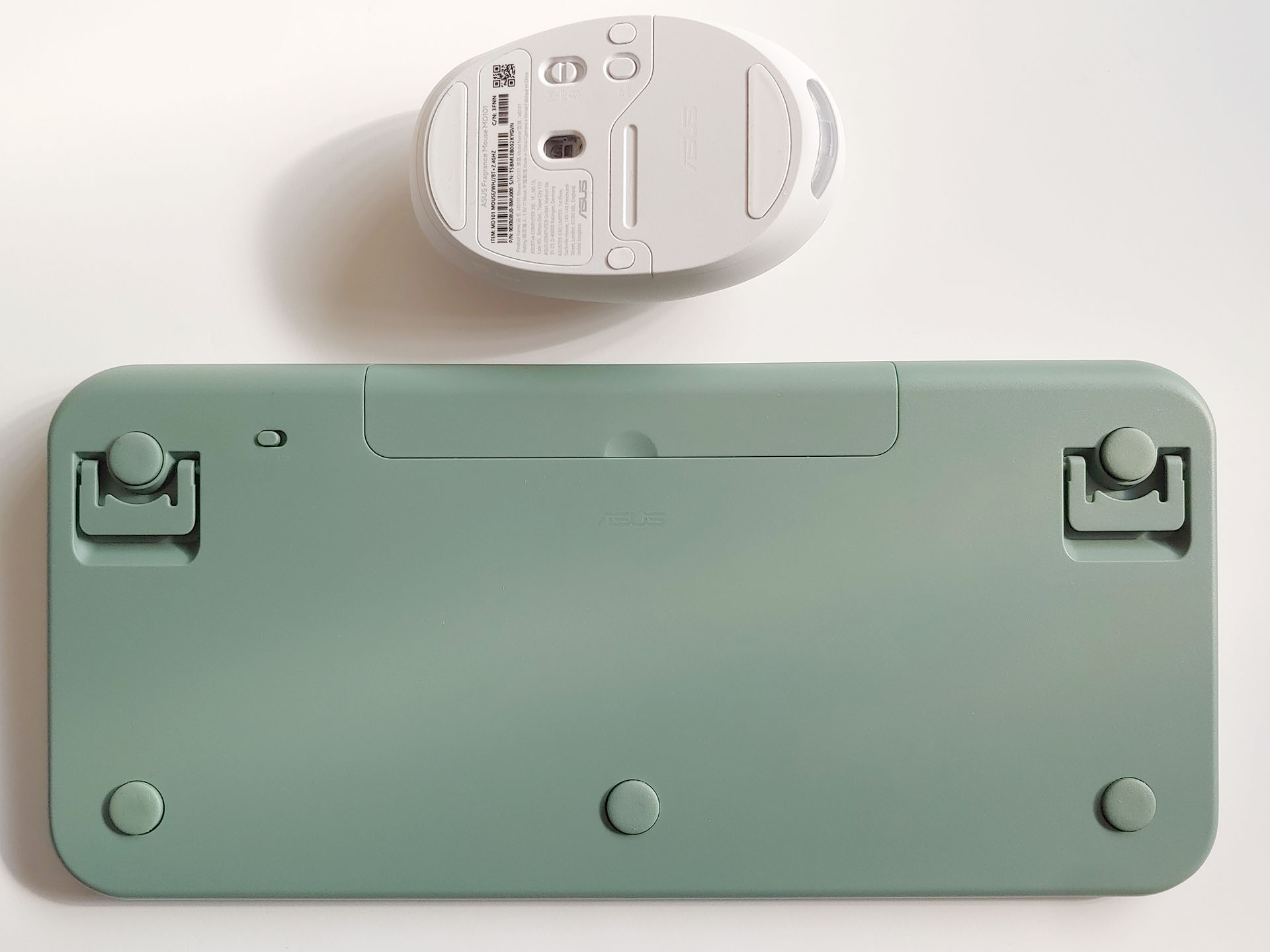
The keyboard has a tiny rear power switch that protrudes about 0.5 mm (0.02 in.), while the mouse has a flush power switch with a slot across its middle. A fingernail is required to operate them because neither can be pushed with a thumb.
Marshmallow Keyboard
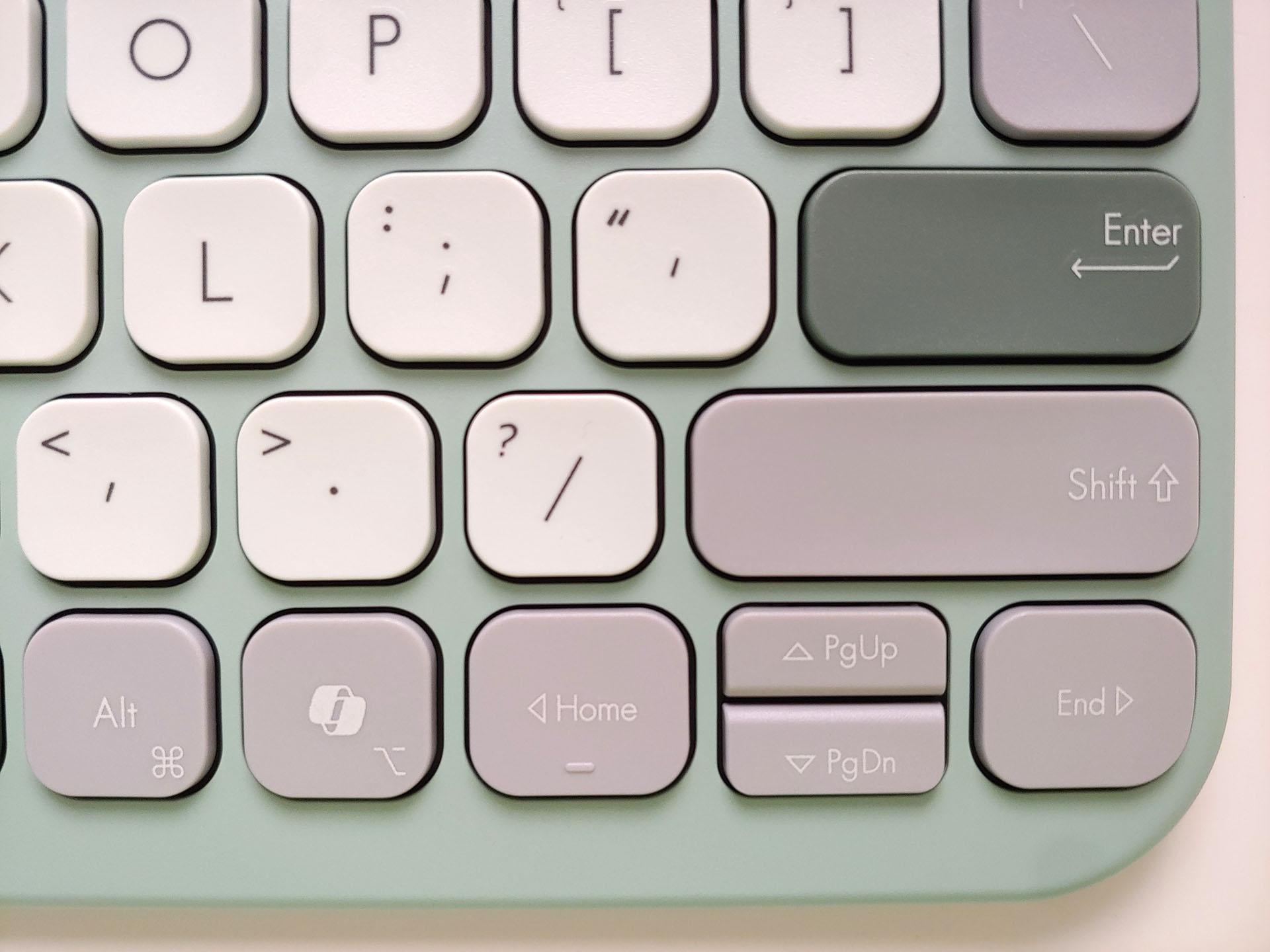
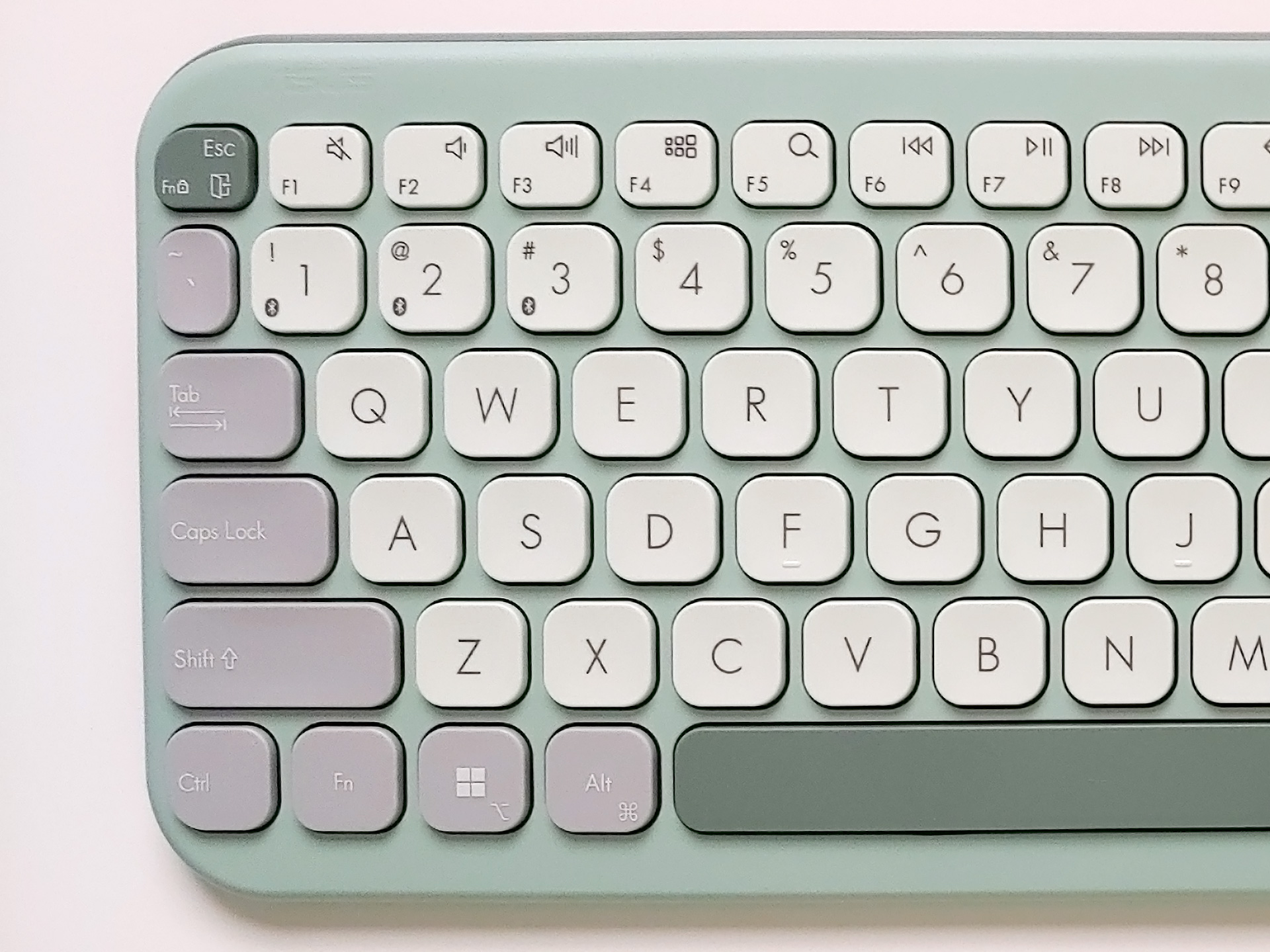
The Green Tea variant uses black-on-white keycaps with high legibility, and the F and J keys have dimples for easier locating. The keycaps on both the far left and right, such as Tab, Shift, Fn, Alt, Ctrl, Delete, and Backspace, have lower legibility due to the use of thin, soft-white lettering on light or dark grey.
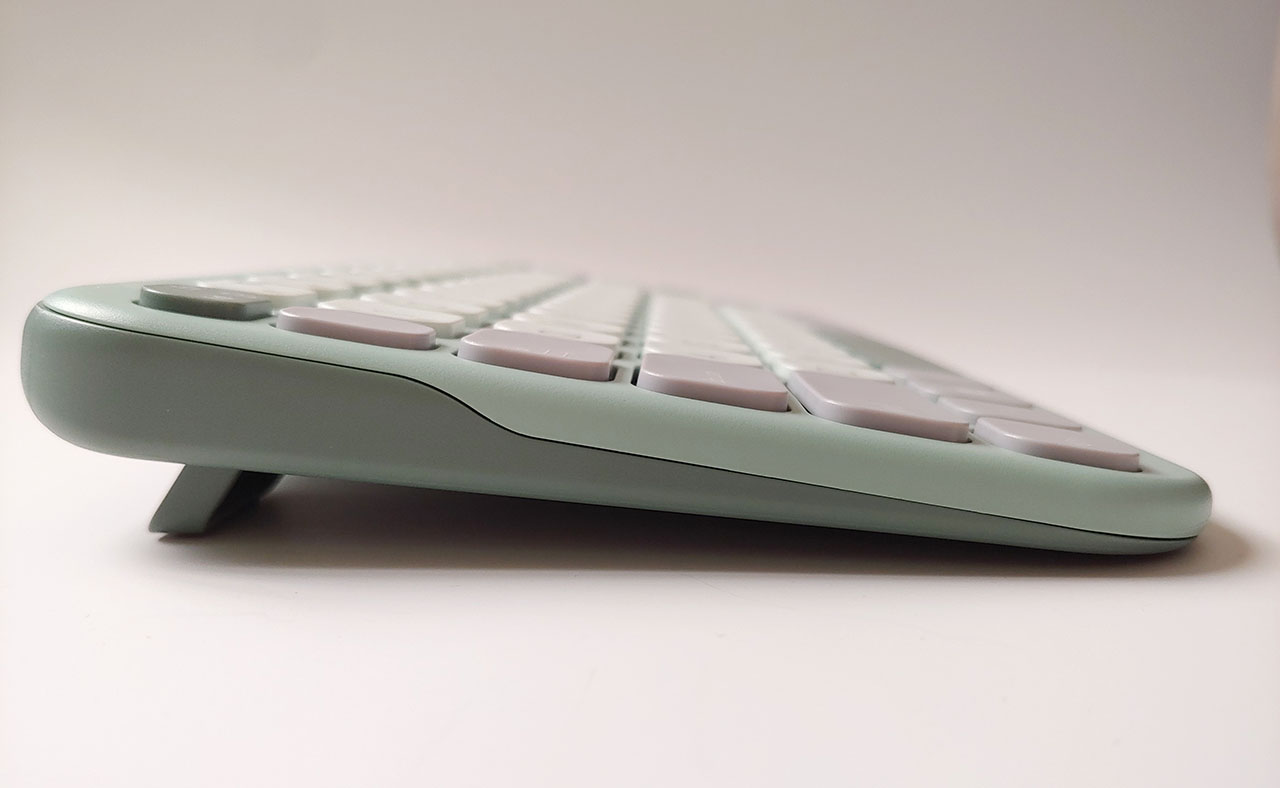
Most edges are rounded, with the exception of the flip-open keyboard feet, which have a trapezoidal edge. None of the keys are backlit.

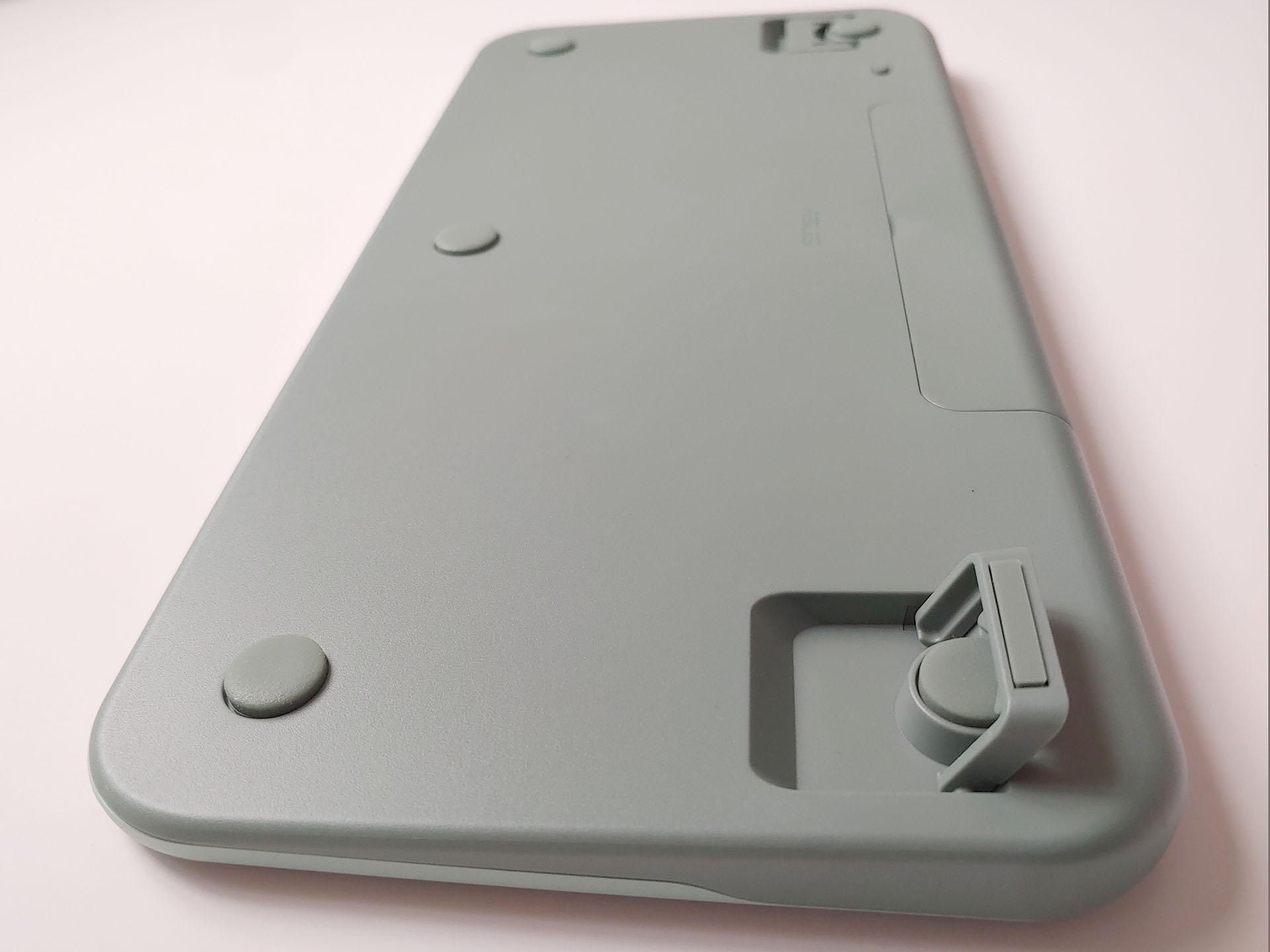
Fragrance Mouse
The mouse has a right-handed design along with a sculpted left side for the thumb. This asymmetry can hinder lifting and moving the mouse. The raised left-side edge provides a secure thumb grip, but the fingers on the right side have no such edge, causing the mouse to tilt and slip toward the right when lifted, unless gripped tighter than a symmetric mouse.
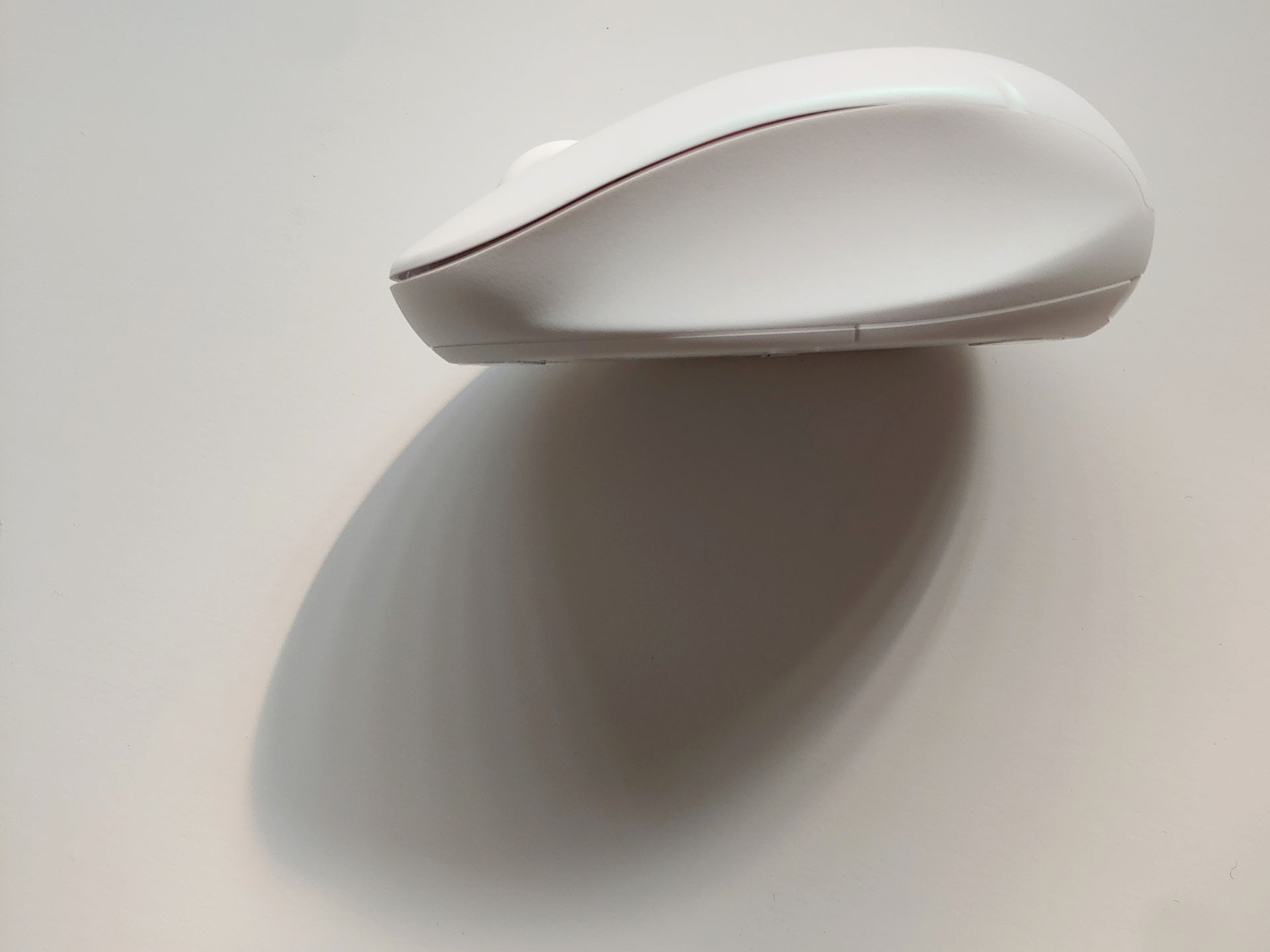
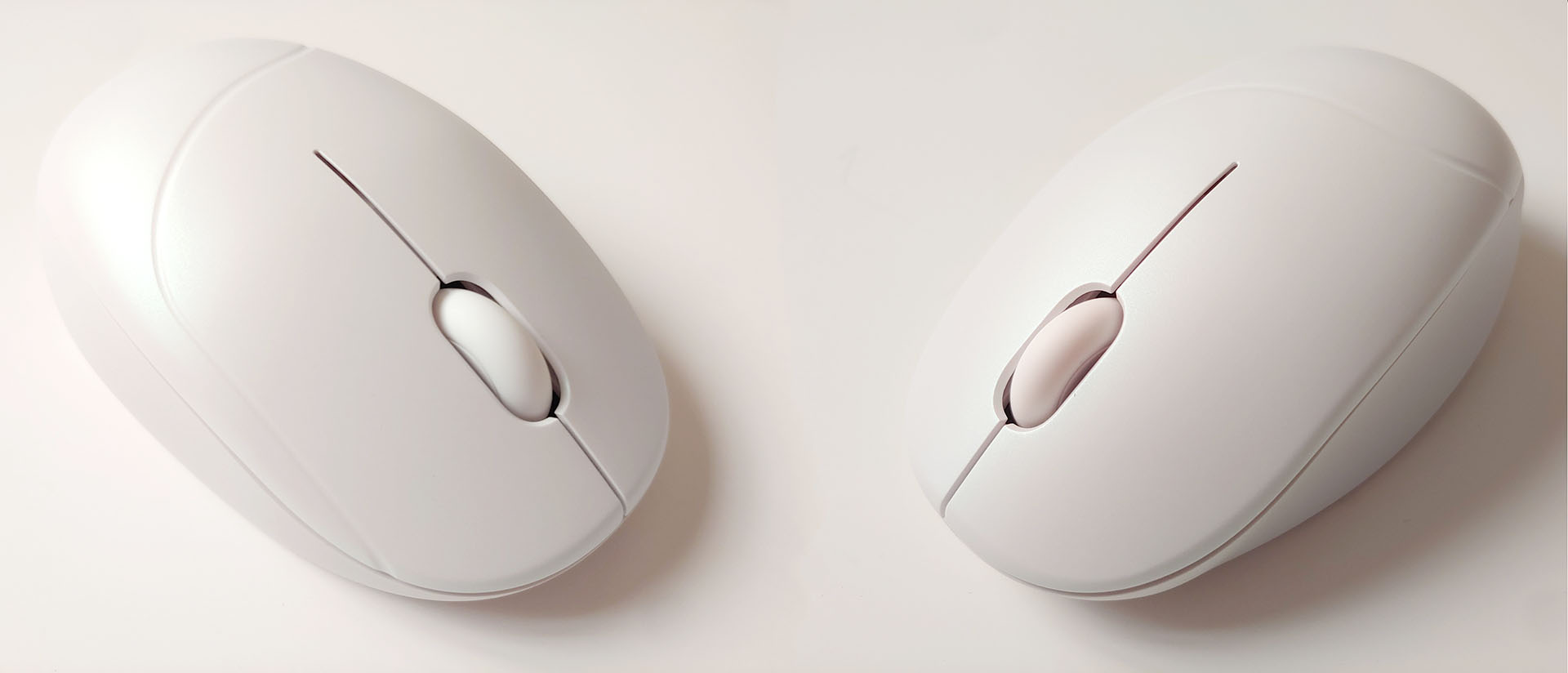
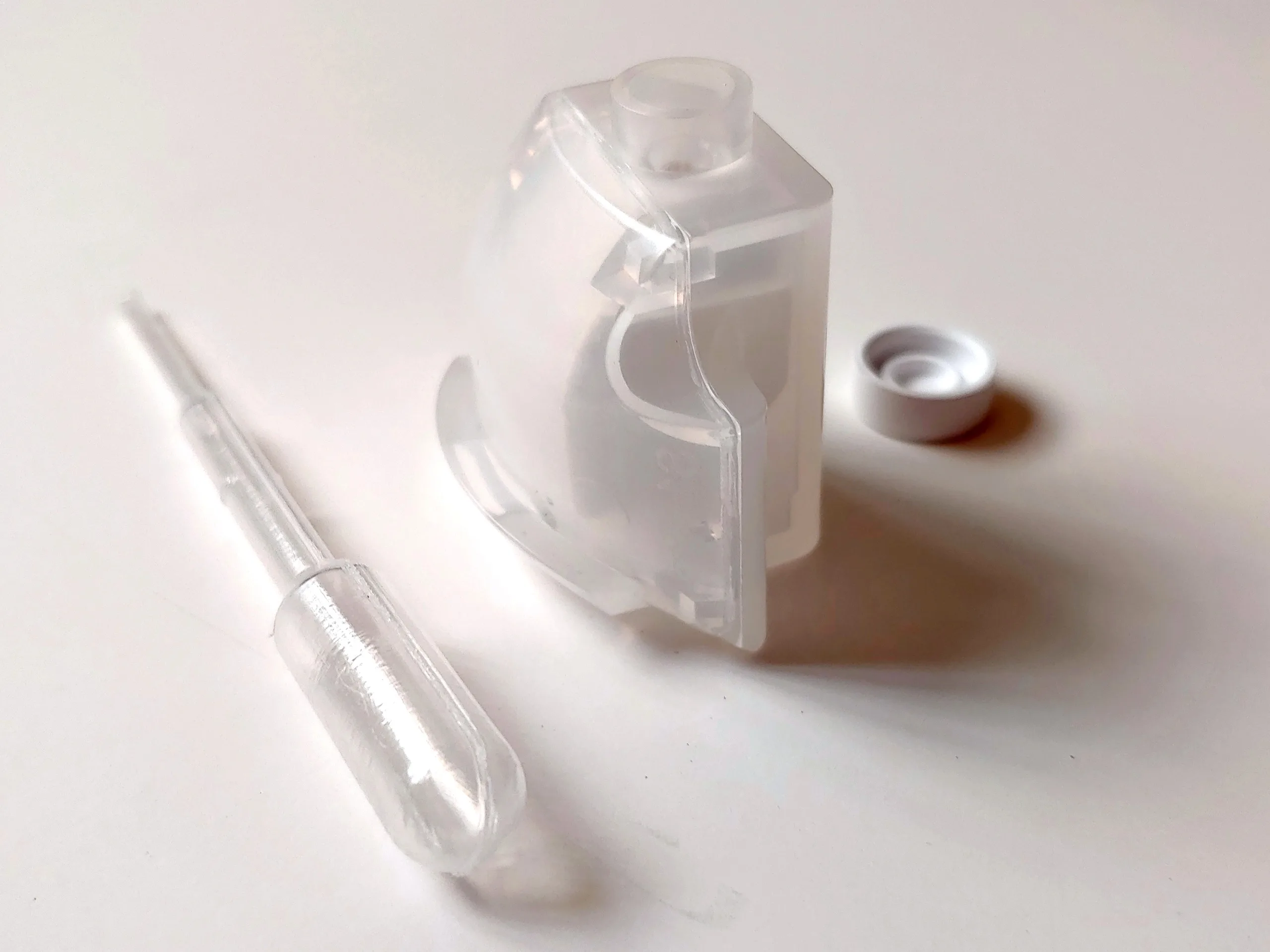
The mouse has a plastic fragrance tank in the battery compartment with a rear-facing vent. The semi-translucent plastic also acts as a light guide for the indicator surrounding the vent.
Controls and Connections
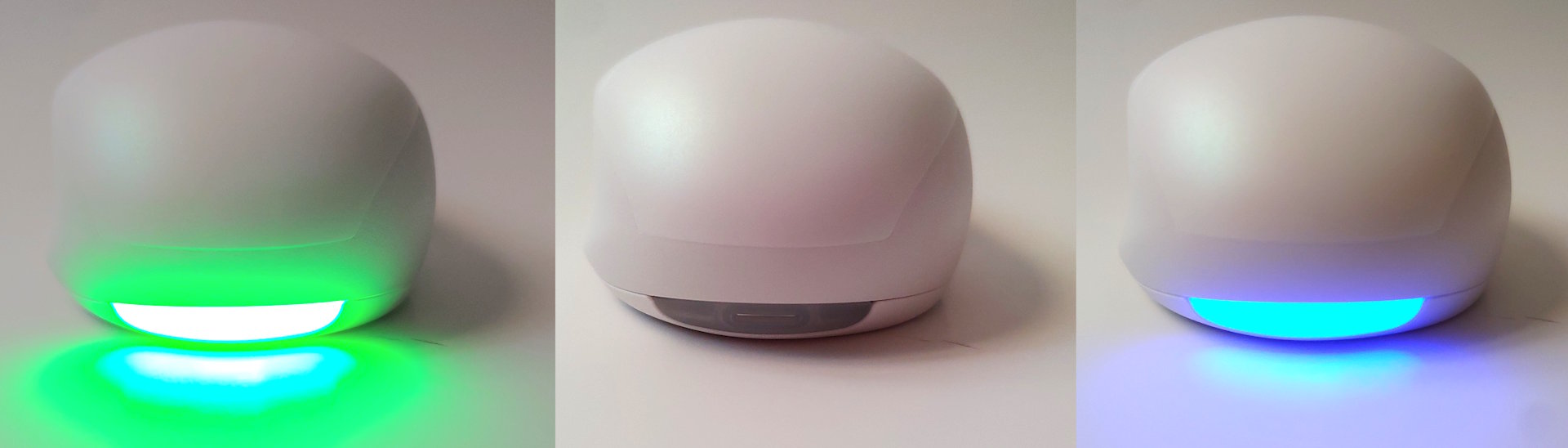
The mouse has two power modes: 2.4 GHz using the included USB dongle, coupled with a green rear light, or Bluetooth, coupled with a blue light. A long press of the PAIR button in this mode connects the mouse with devices, then a single press of the DPI/PAIR button switches among three tracking resolutions, while the rear light blinks once, twice, or thrice.
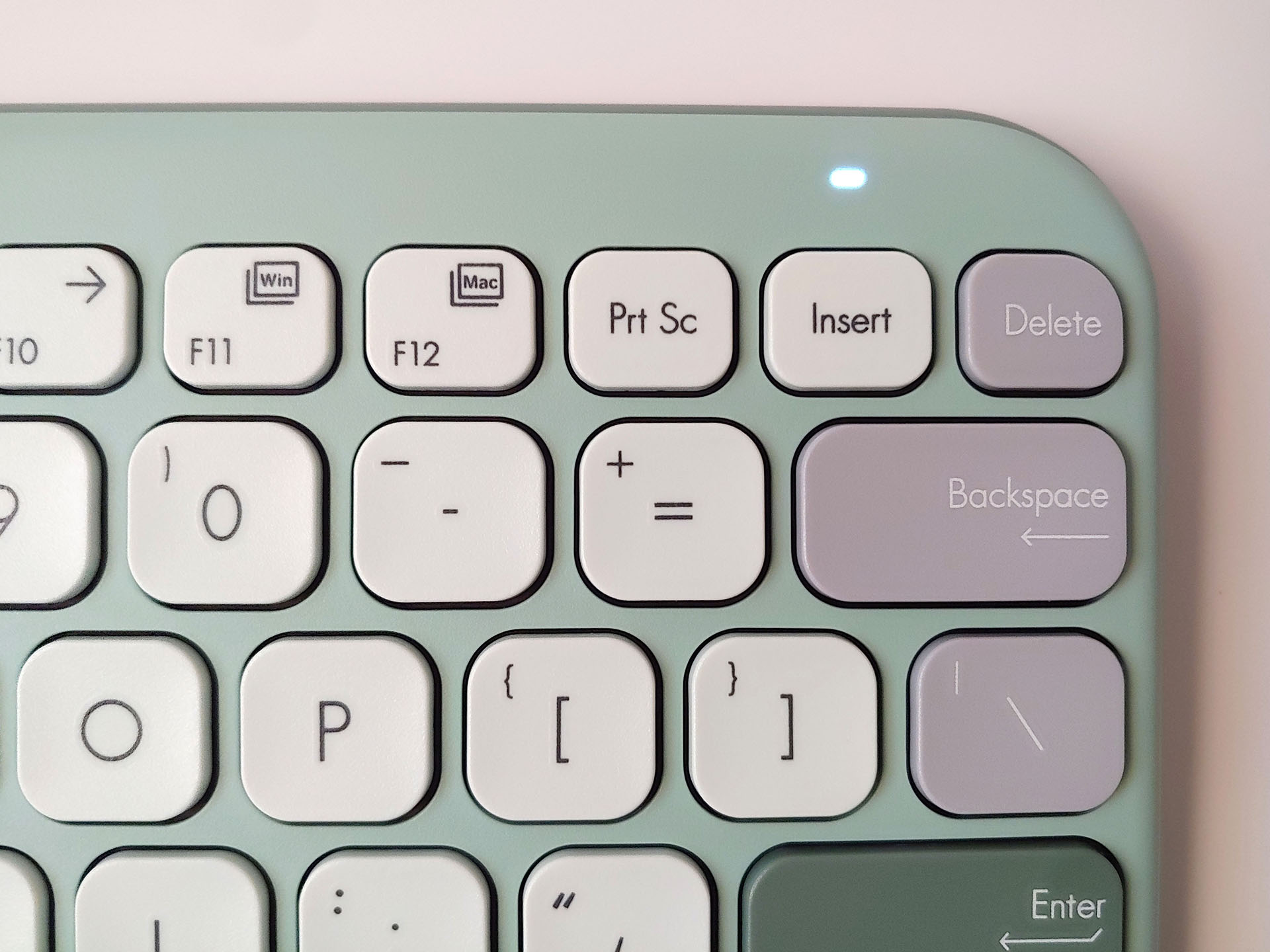
For the keyboard, a press of the FN + 1/2/3 keys pairs it with up to three new devices. A small white status light above the DEL key indicates its status. The layout switches between Windows and Mac modes when pressing FN + F11/F12. Pressing FN + ESC keys toggles the function-key-row lock for users who prefer using F1-F12 over system controls, such as mute or volume up. The Copilot key brings up the Copilot AI on Windows 11 PCs.
In-use
The Asus Fragrance mouse and Marshmallow keyboard were easy to like from first use thanks to their fine matte surfaces, good balance and weight, and crisp but muted key and button presses.
Audio recordings—two inches from the devices using an LG G7 in manual hi-res recording mode. (Video source: Notebookcheck)
Marshmallow Keyboard
The Marshmallow keyboard was immediately enjoyable to use for its snappy, crisp feel and concave keycaps. It has a good balance with evenly distributed weight, just heavy enough to prevent skidding.
The keys are full size, so the only adjustment needed was for compressed arrow keys that hinder rapid use. Typing speeds hovered around 80 wpm during tests, similar to a Surface Pro Type Cover.
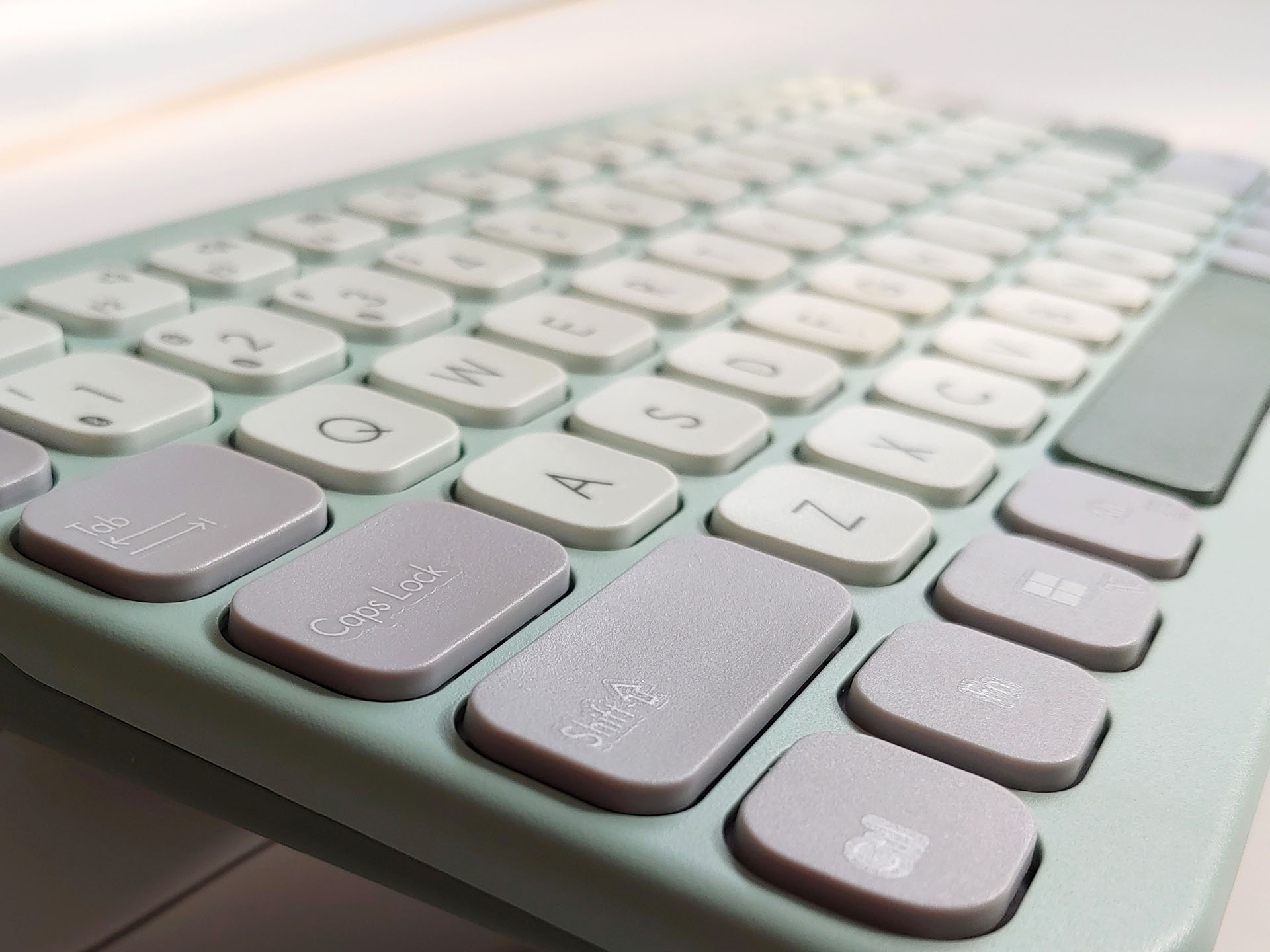
The key travel is short, just slightly longer than on a Type Cover. They activate with certainty, with no discernible slack. The similar pressure required to activate the keys enabled hours of low-fatigue typing. N-key rollover is unreliable, so the Marshmallow is not for keyboard jockeys.
Multi‑device pairing worked without issue, though some keys depend on device support. For example, the Copilot key will bring up the Copilot AI only on a Windows PC, but not an Android smartphone.
Fragrance Mouse
The Fragrance mouse has a semi-translucent scent tank under the battery cover. A white rubber cap can be removed to add essential oils using the included dropper, infusing a hard, white insert. The cap is not 100% watertight, so the mouse may leak if kept tipped.
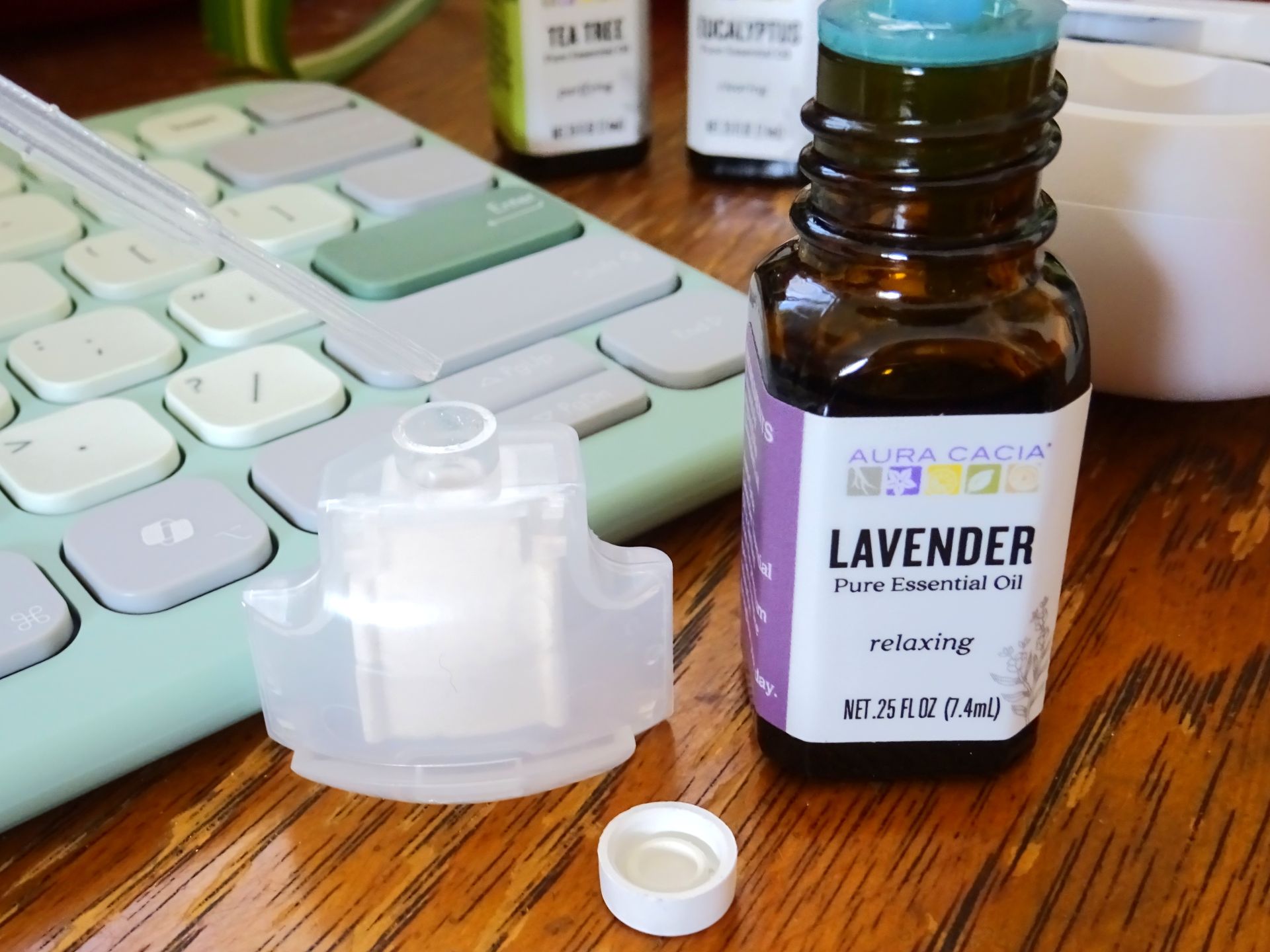
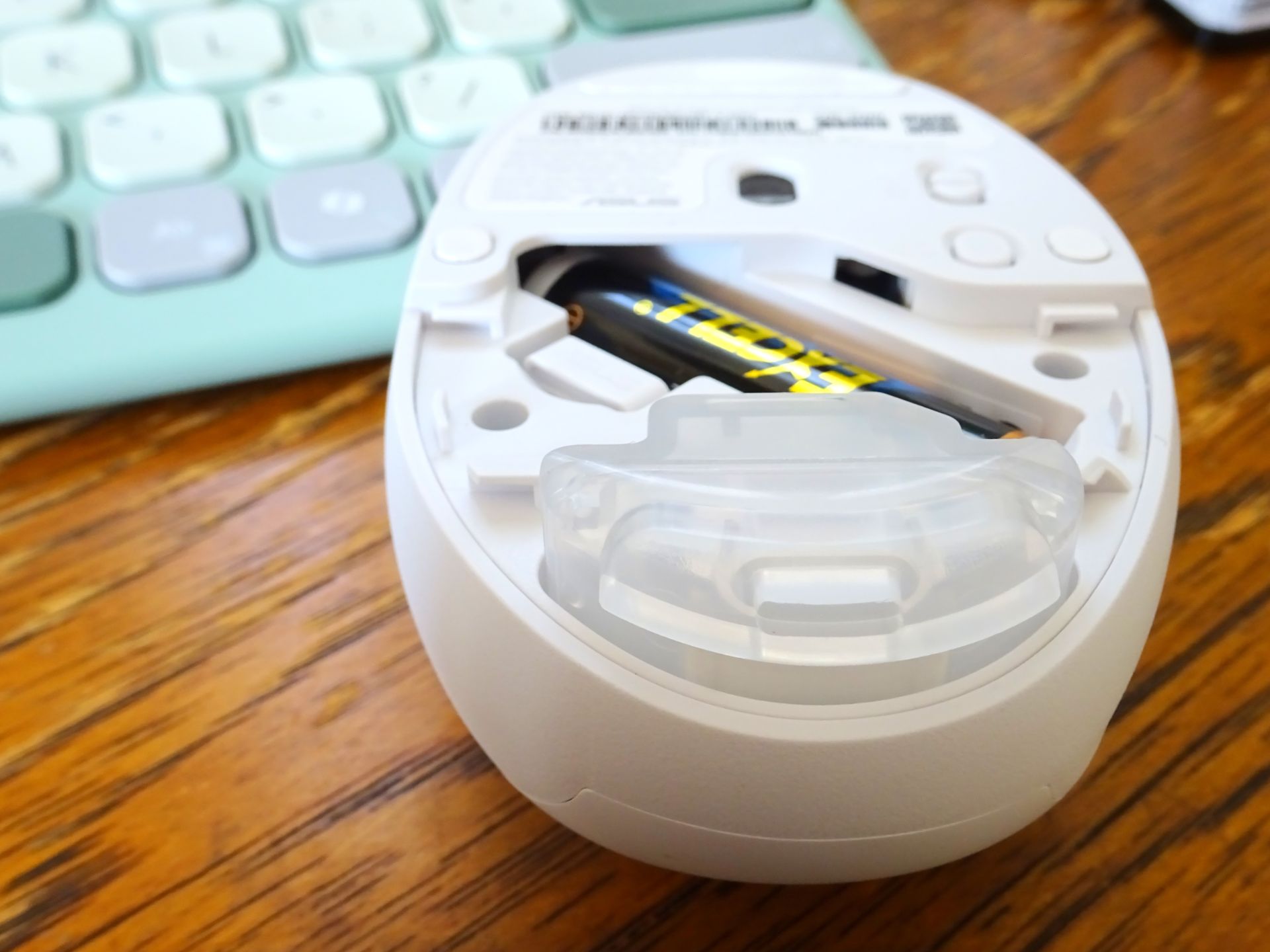
The tank lacks an adjustable vent, so scent strength is controlled by diluting the fragrances or adding only a few drops. A few drops of Dolce & Gabbana Light Blue were enough to infuse the air around the laptop, but not farther away. Scents spread by natural diffusion and will continue to fill the air during transport unless the vent is taped closed. The tank can be rinsed, but strong oils like peppermint might require more rinsing.
Mouse tracking was smooth across desks and tables, but can be poor on some surfaces like a flexible plastic cutting mat for art. The adjustable DPI was useful when editing images.
Conclusion
The Asus Fragrance mouse and Marshmallow keyboard bring a calming appeal to any work environment through subdued colors, soothing scents, and quiet keys.
Transparency
The selection of devices to be reviewed is made by our editorial team. The test sample was given to the author by the manufacturer free of charge for the purposes of review. There was no third-party influence on this review, nor did the manufacturer receive a copy of this review before publication. There was no obligation to publish this review. As an independent media company, Notebookcheck is not subjected to the authority of manufacturers, retailers or publishers.
 Add as a preferred source on Google


