




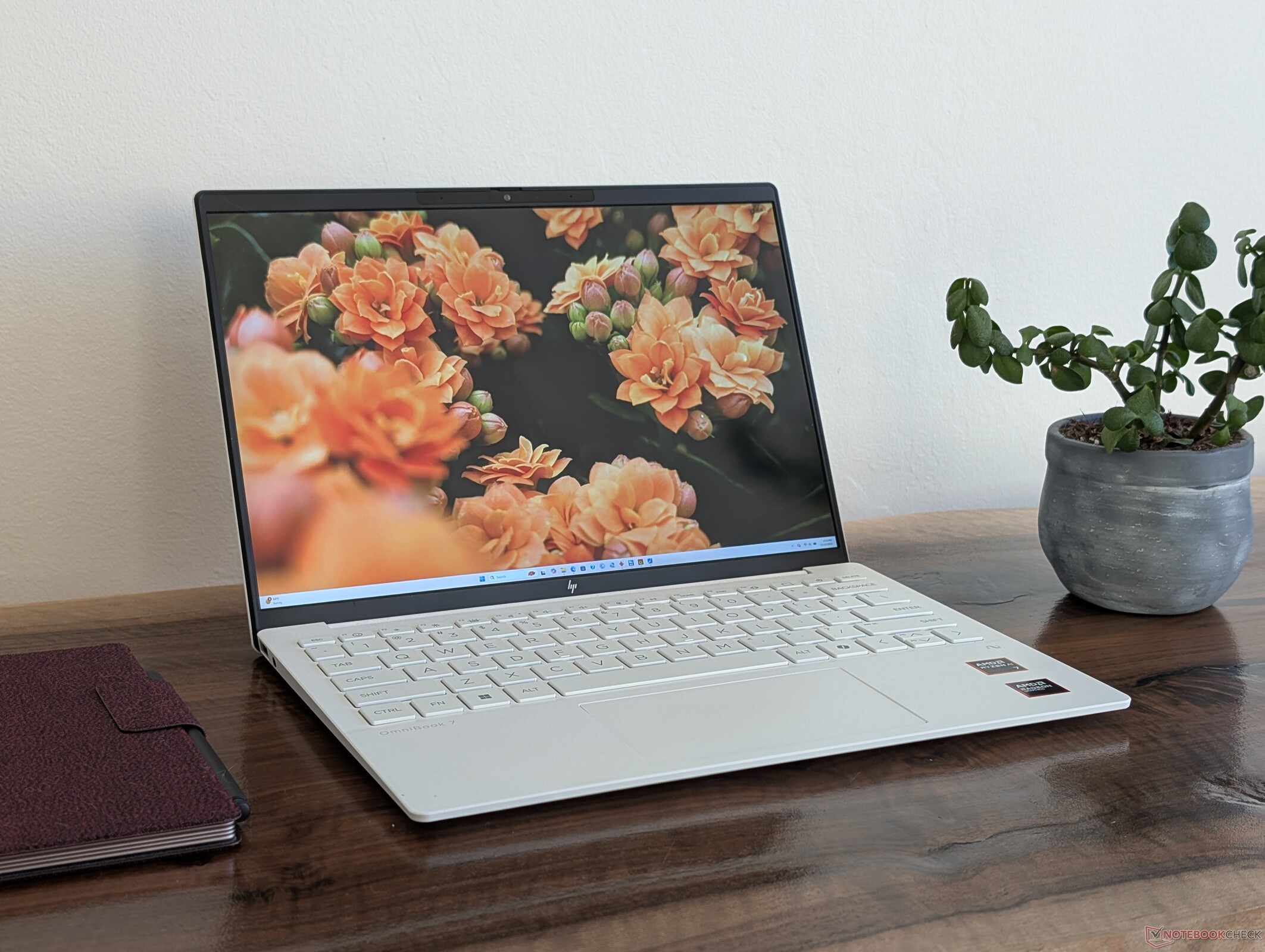
Verdict — Super Lightweight With Careful Compromises
The HP OmniBook 7 Aero 13 manages to avoid a lot of the pitfalls that plague many other ultralight 1 kg laptops. Processor performance, battery life, port options, and chassis rigidity are all better than expected for the weight for a higher sense of quality. The hardware is much closer to a professional EliteBook laptop than it is to a cheaper Pavilion option. We particularly appreciate the quiet fan noise, full sRGB colors as standard and relatively easy servicing which isn't something we can say for most subnotebooks.
Cutbacks are inevitable when you have such a lofty weight target of just 1 kg, but each one has been carefully selected as to minimize the impact to the core user experience. Features like Turbo Boost, HDR, touchscreen, high refresh rates, Thunderbolt, and battery capacity are all either limited or unsupported in order to keep weight as low as possible, but the target audience of travelers or students who just want a decently powerful and super lightweight subnotebook might be ok with the missing features since battery life and rigidity are still very strong. If your daily workloads consist of browsing, streaming, and light editing on-the-go, then you're not going to care for the limited docking capabilities or relatively poor graphics performance.
For potential future revisions, we'd love to see a larger clickpad with more display options supporting VRR and at least an extra USB-C port along the left edge for easier charging.
Users who want something more powerful in the subnotebook category can consider the thinner yet heavier OmniBook Ultra 14.
Pros
Cons
Price and Availability
HP is now shipping the OmniBook 7 Aero 13 for $1250 USD with the Ryzen AI 7 350 and 16 GB of RAM.

Table of Contents
- Verdict — Super Lightweight With Careful Compromises
- Specifications
- Case — Lighter Than It Looks
- Connectivity
- Input Devices — Comfy Keyboard But A Tight Clickpad
- Display — Basic 60 Hz IPS Only
- Performance — Great For The Size And Weight
- Emissions — Small But Quiet
- Energy Management
- Notebookcheck Rating
- Potential Competitors in Comparison
The OmniBook 7 Aero 13 is HP's latest subnotebook to prioritize weight reduction over most secondary or auxiliary features. It is an evolution of the older Pavilion Aero 13 but with higher-end materials and hardware to reflect the OmniBook 7 family. Users who want the lightest 13-inch notebook they can find should consider the OmniBook 7 Aero 13 on their list.
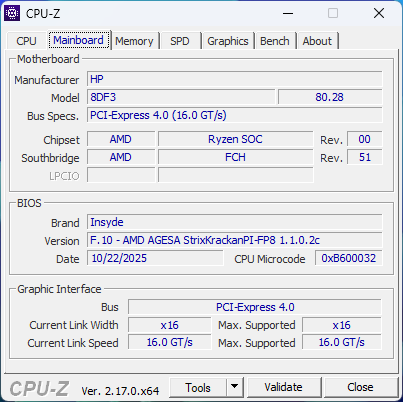
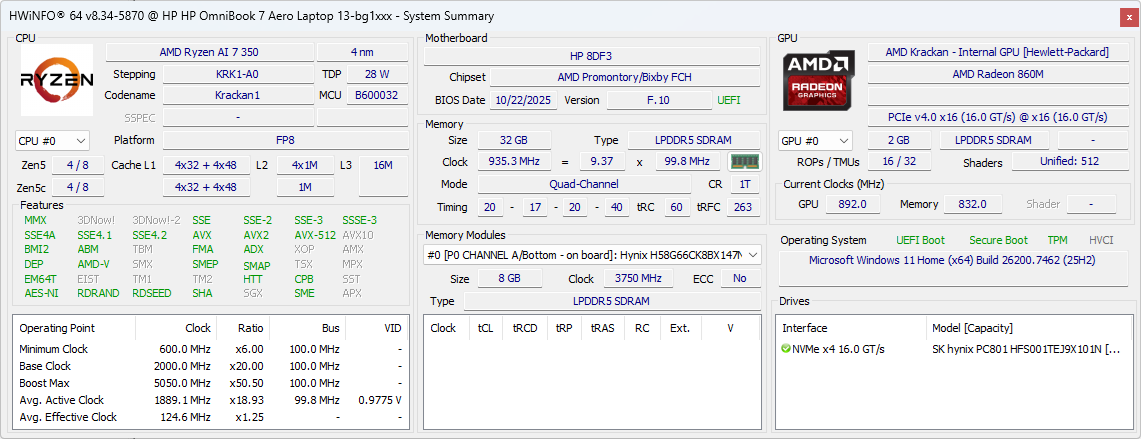
Our test unit is an upper configuration with the Ryzen AI 7 350 CPU, 32 GB of soldered RAM, and 1920 x 1200 IPS display for approximately $1300. Other SKUs may ship with 16 GB of RAM instead or have a denser 2560 x 1600 resolution display, but all options have integrated graphics and IPS only.
The OmniBook 7 Aero 13 competes with other ultralight subnotebooks like the LG Gram series, Samsung Galaxy Book series, or the Asus ZenBook S 13 series.
More HP reviews:
Specifications
Case — Lighter Than It Looks
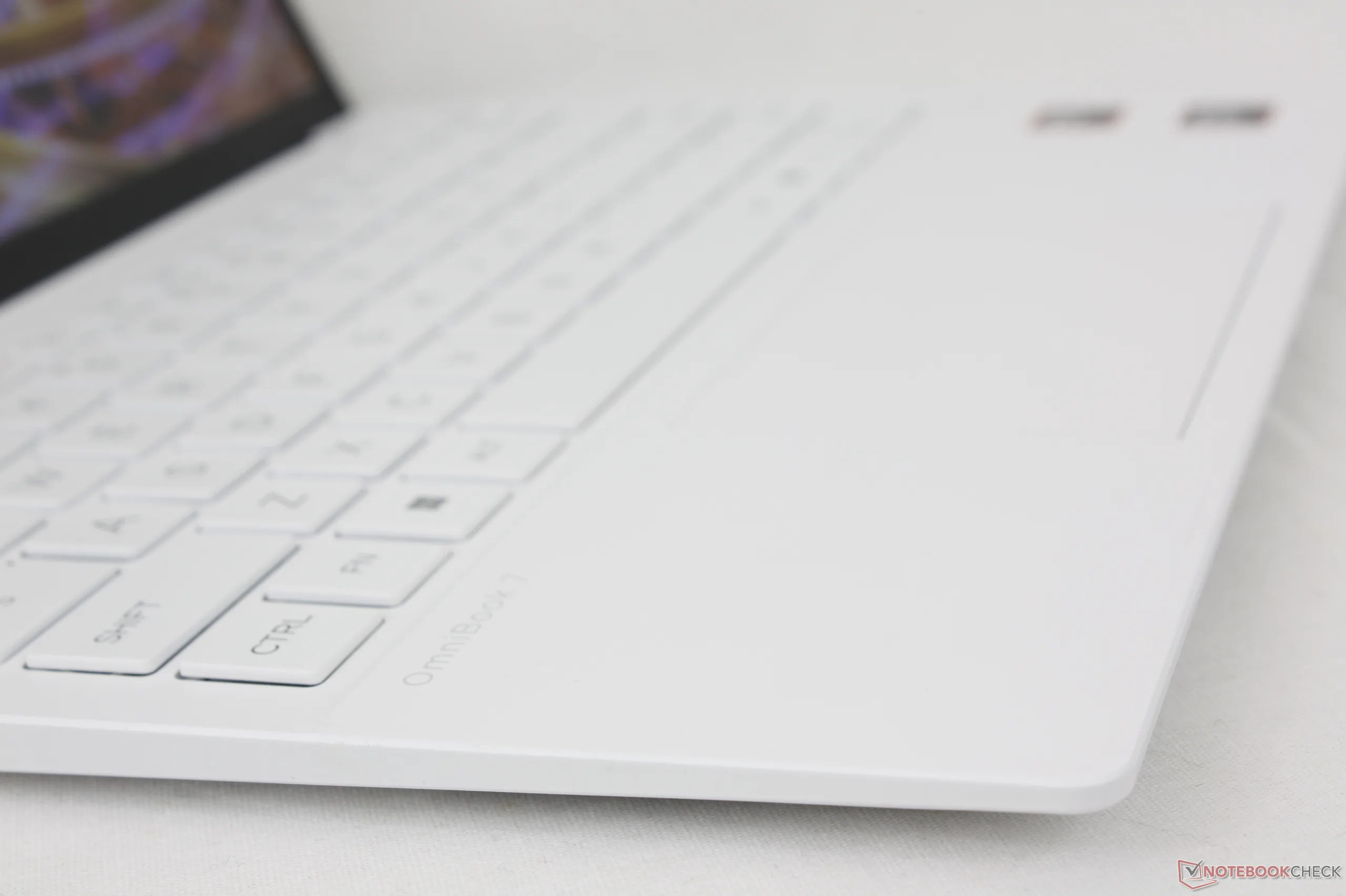
A notable drawback to superlight 1 kg subnotebooks like the LG Gram, Toshiba Portege, Samsung Galaxy Book, or Asus ZenBook S 13 is that their bases and lids tend to flex much more easily than "regular" weight subnotebooks like the Dell XPS, Lenovo Yoga 9, or HP Spectre models. To our surprise, the base of the OmniBook 7 Aero 13 is quite rigid for better-than-expected first impressions. The lid is slightly more susceptible to flexing, but it is again much less than on competing models like the LG Gram or Galaxy Book.
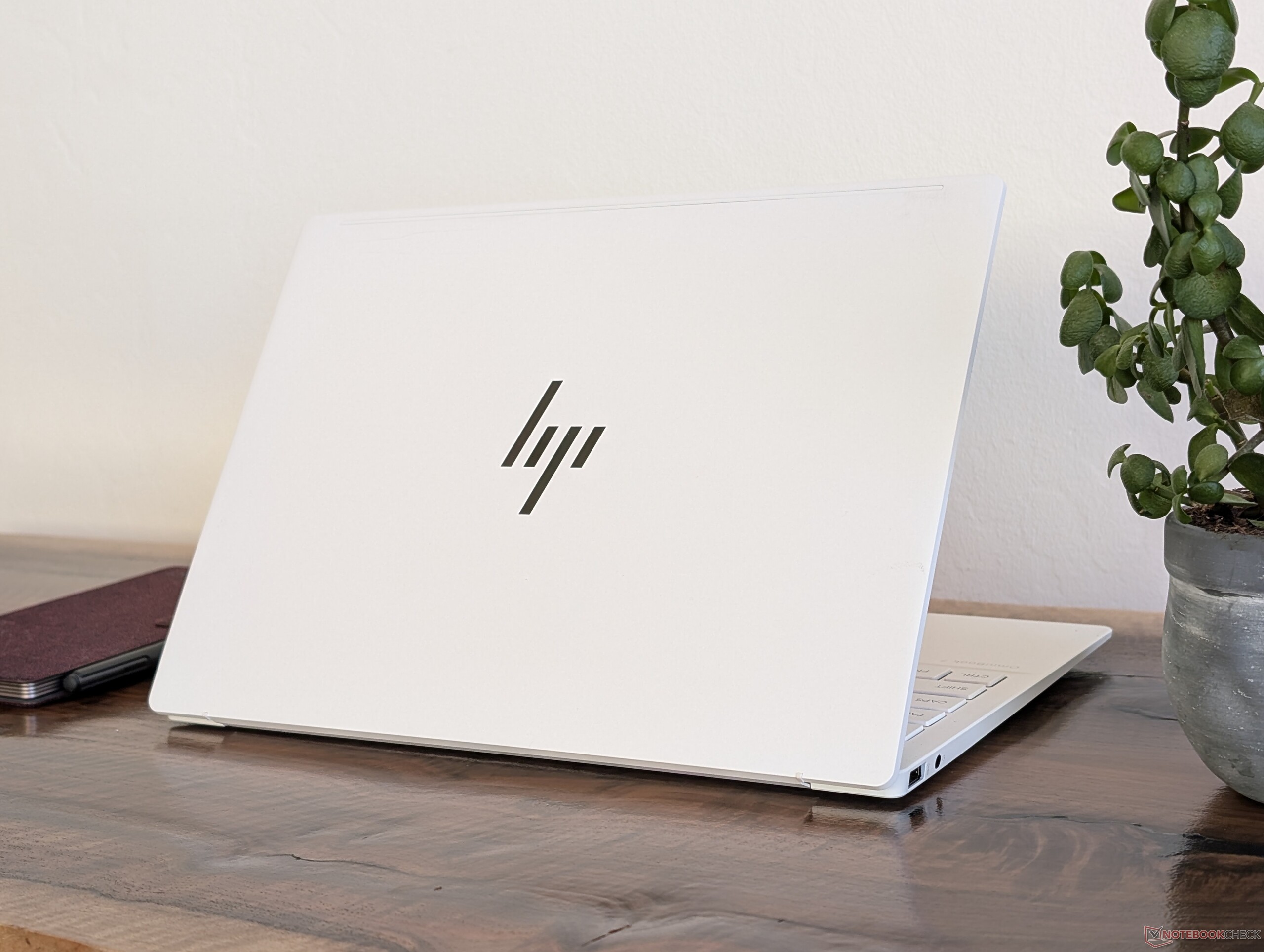
HP claims a starting weight of just under 997 g for the base 16 GB configuration, but even our 32 GB test unit is only a hair heavier at 1.06 kg. The model is slightly lighter than the ZenBook S 13 while being noticeably thicker.
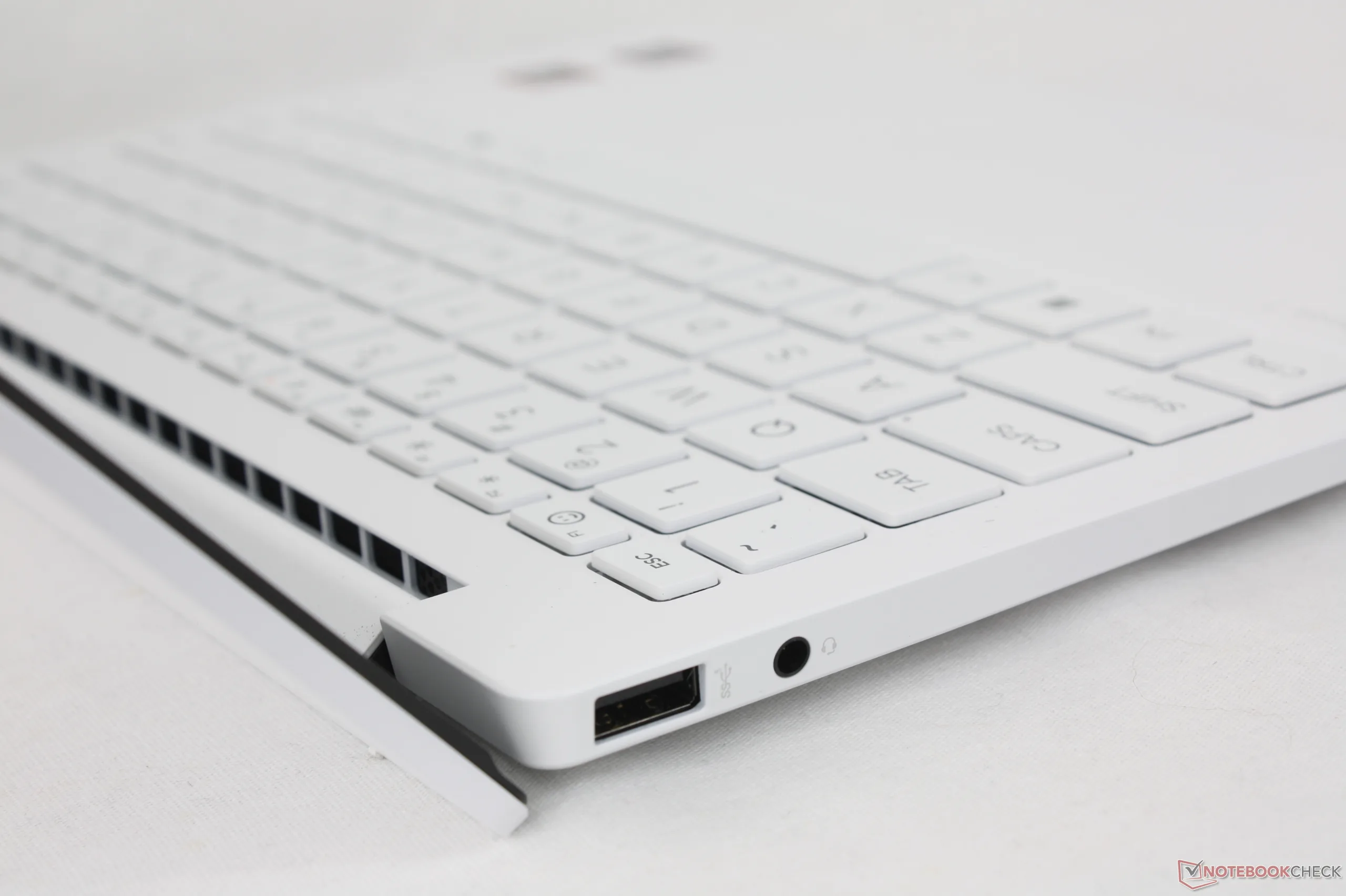
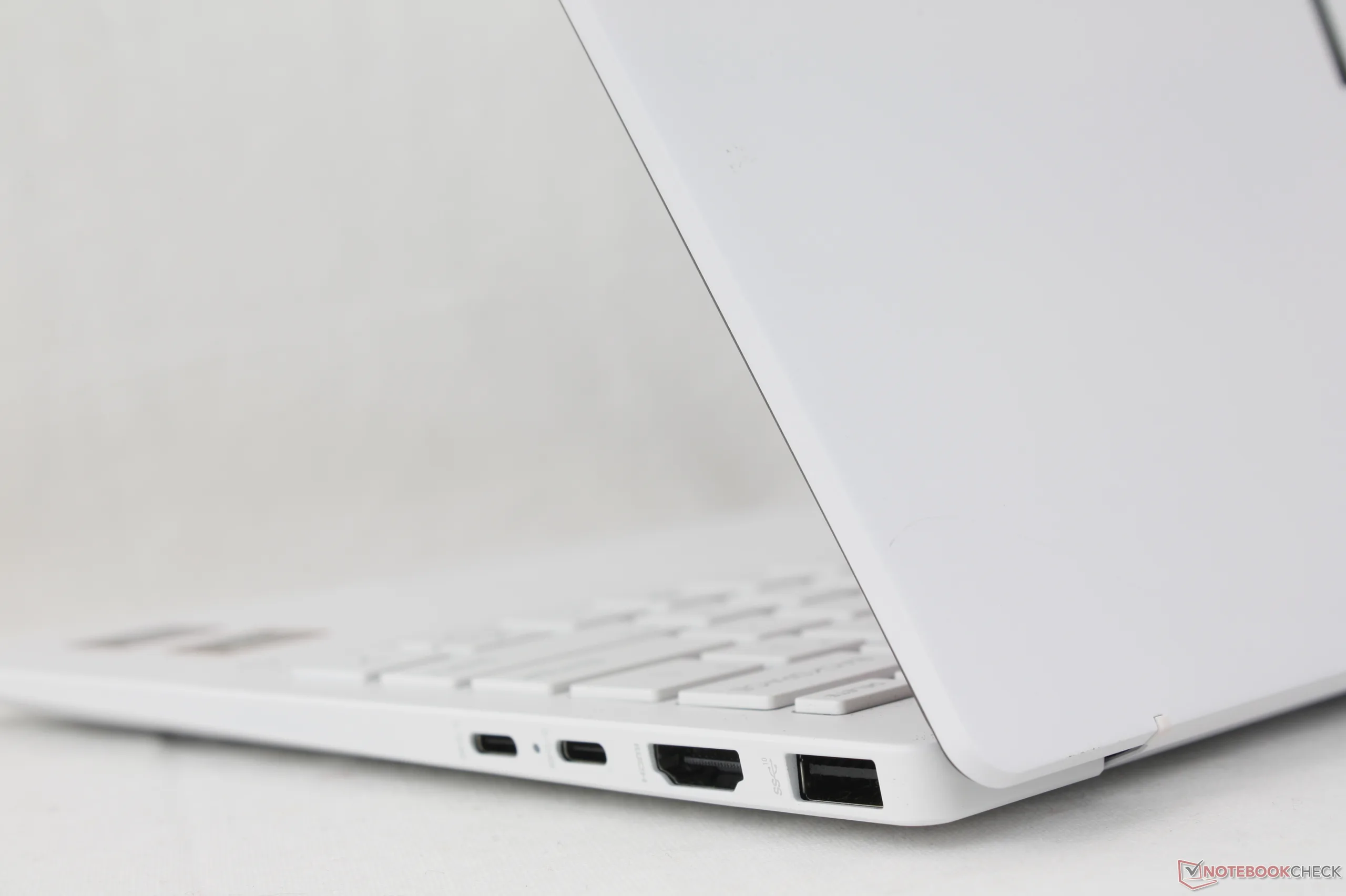
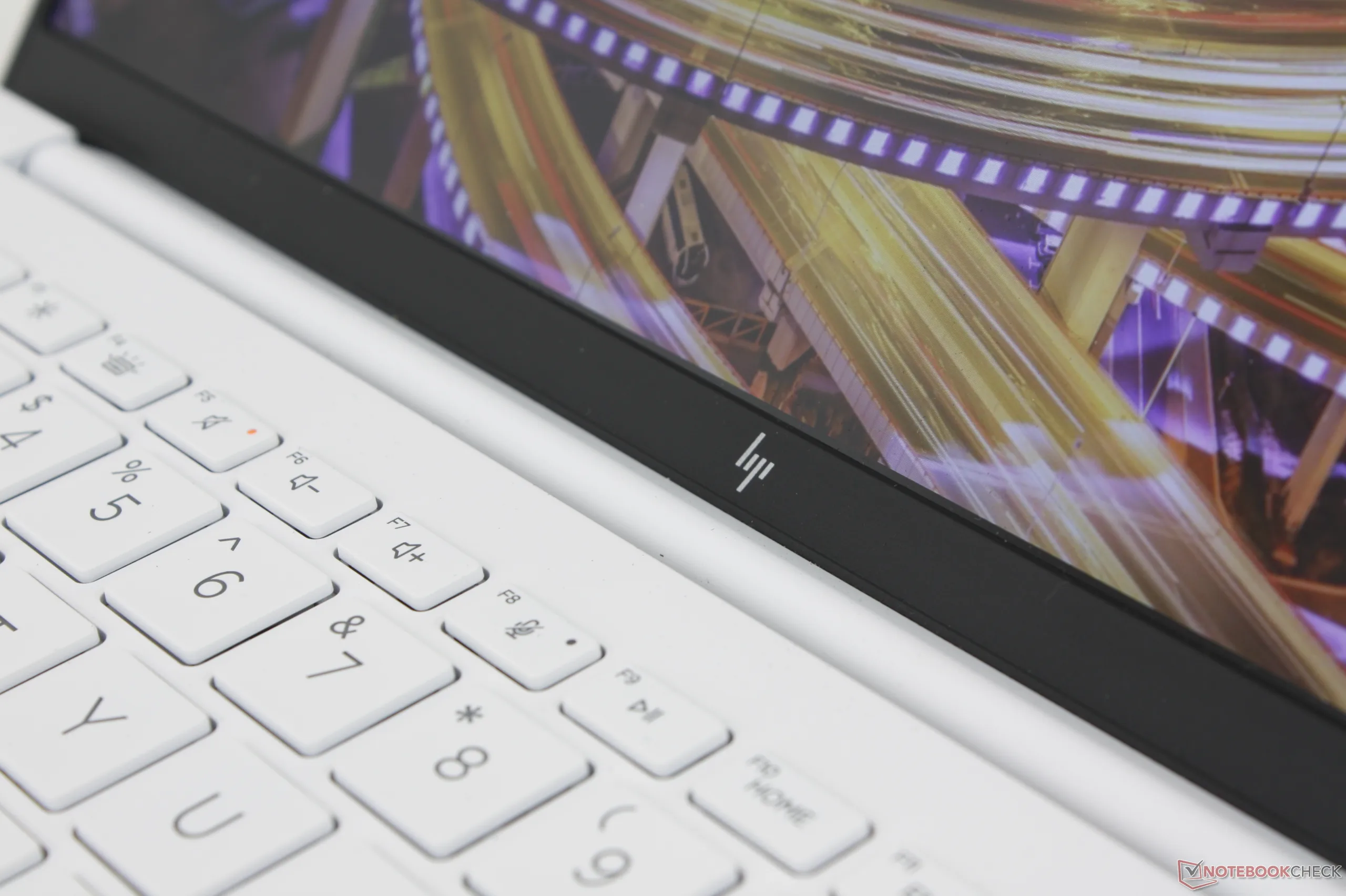
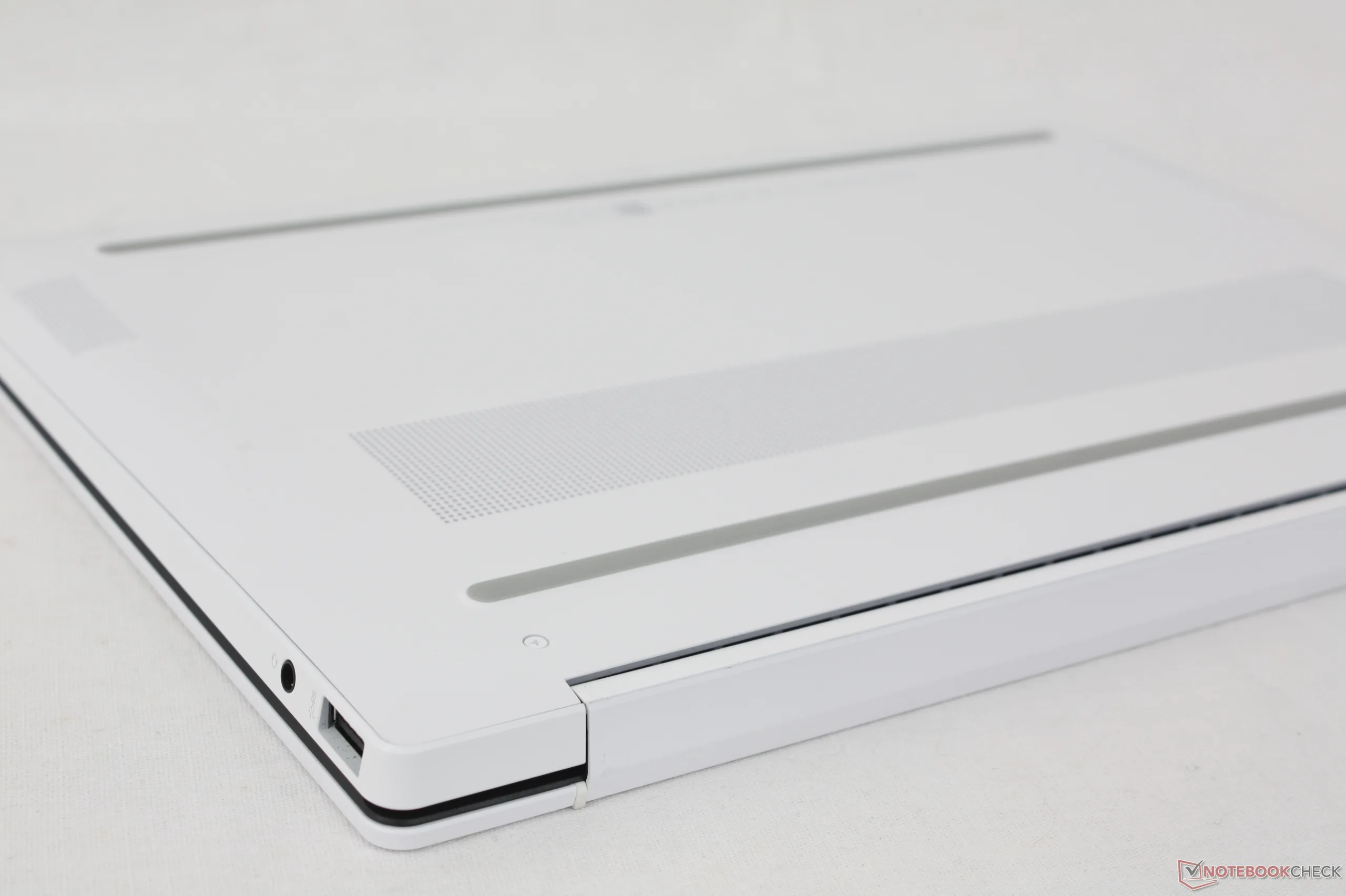
Connectivity
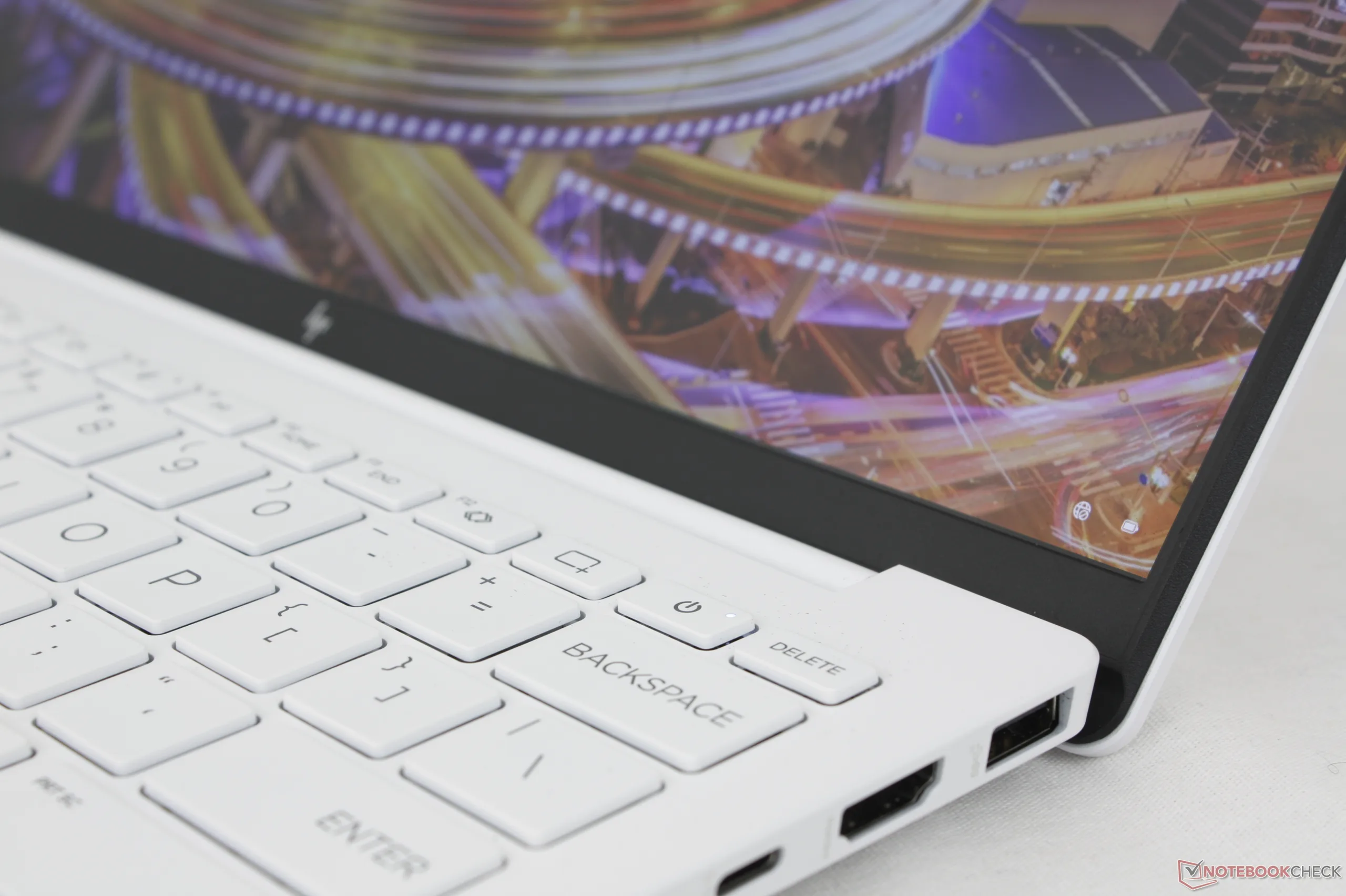
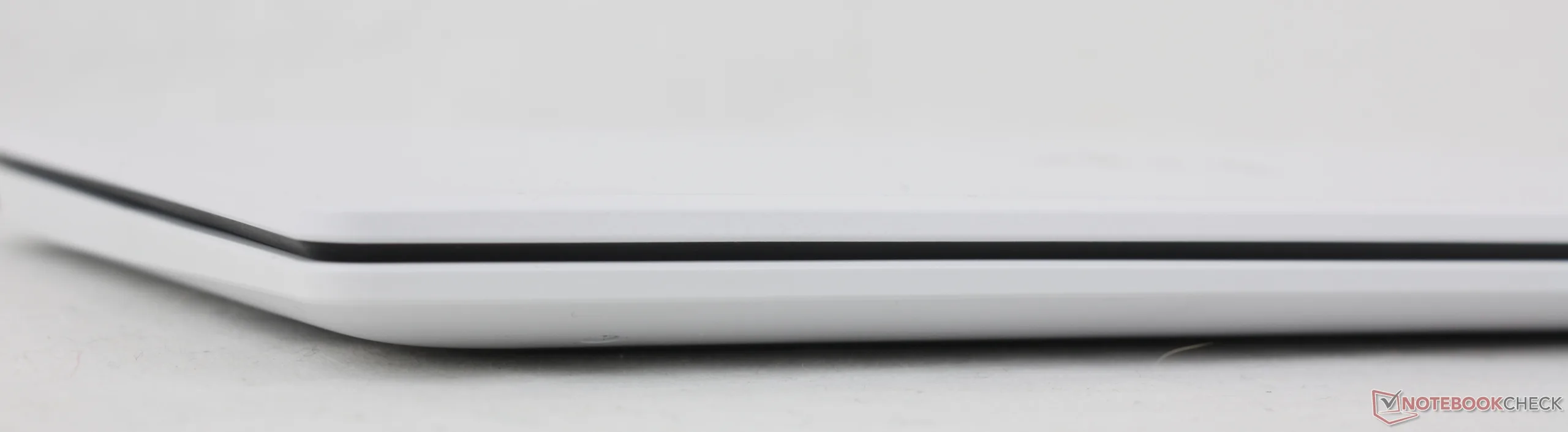
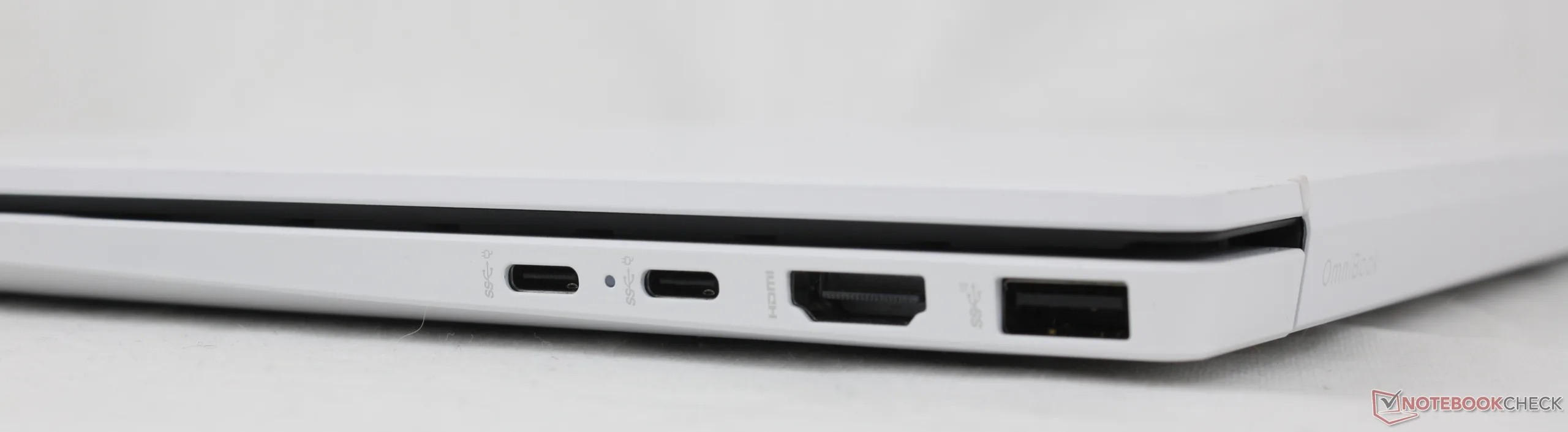
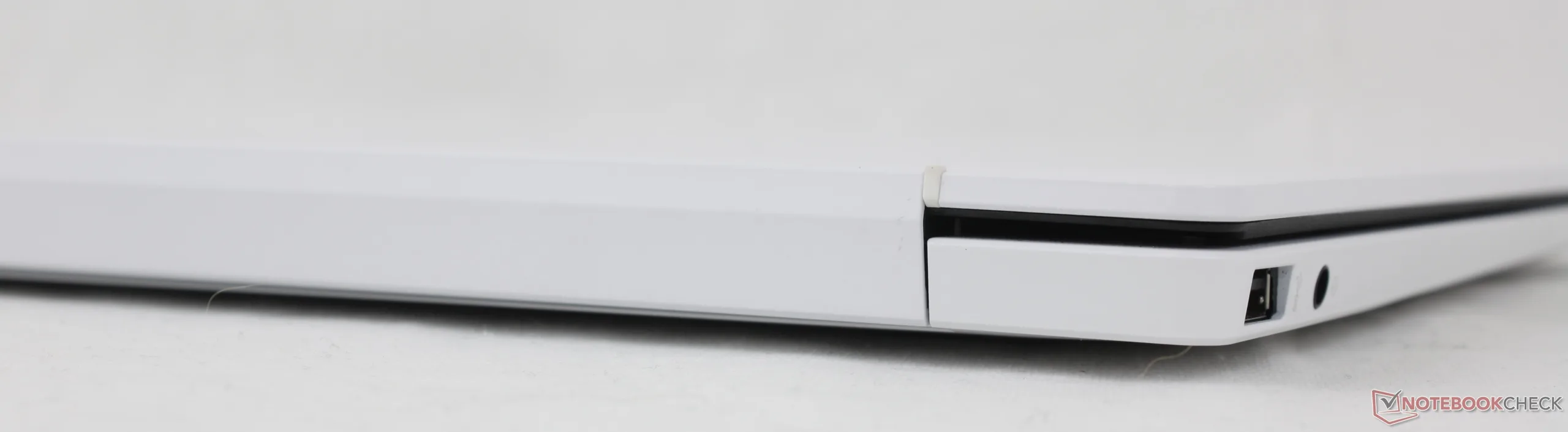
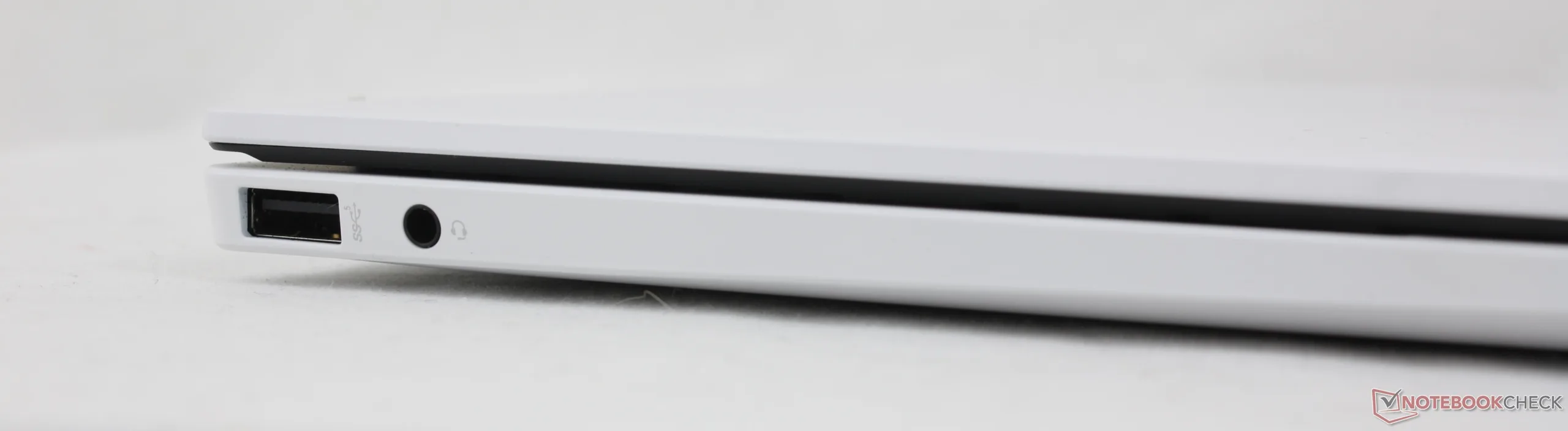
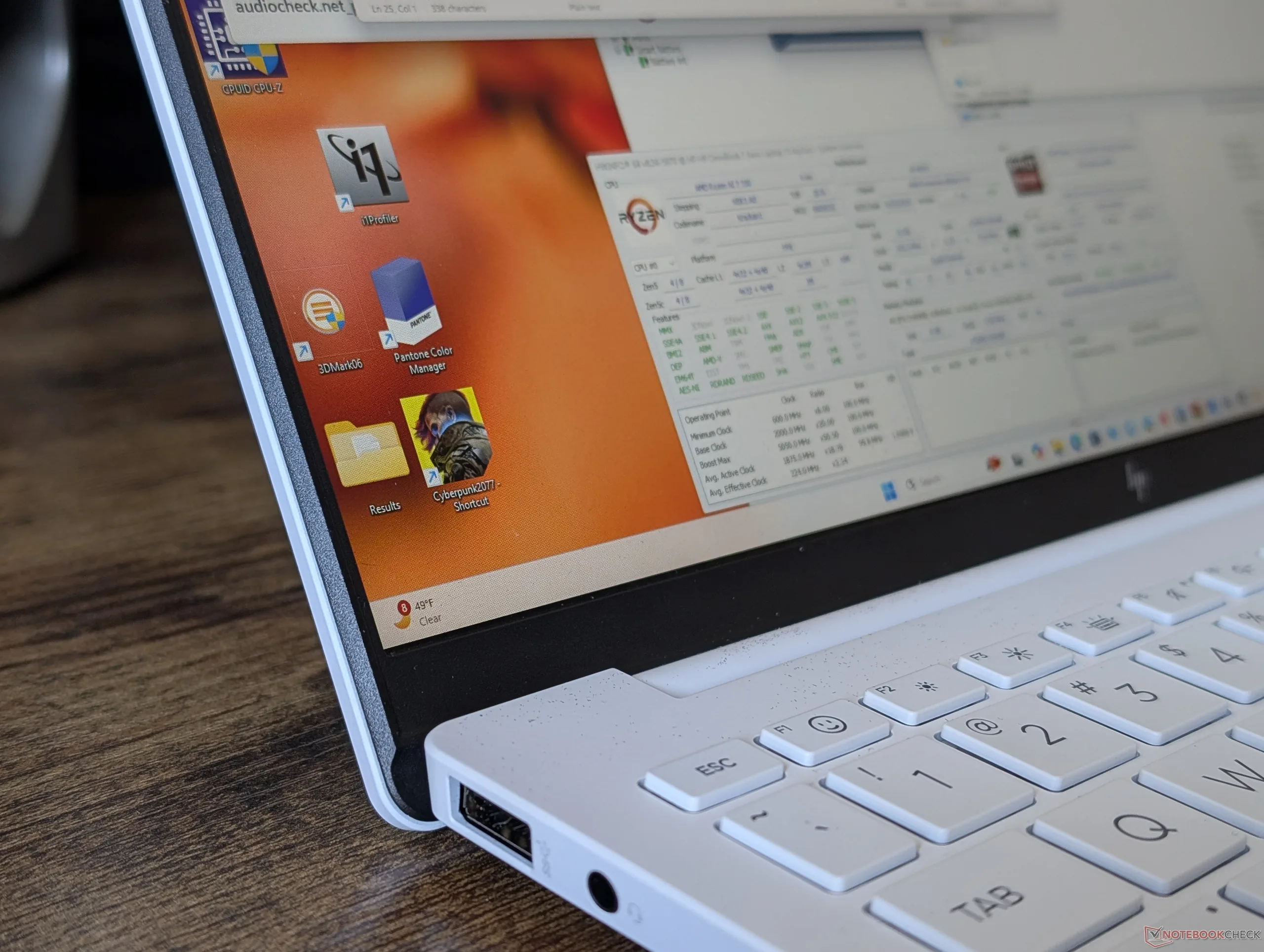
There are a fair number of integrated ports despite the very low weight. In fact, the HP offers more ports than on the ZenBook S13. The only downside is that the USB-C ports are not Thunderbolt compatible and so the docking capabilities of the OmniBook 7 Aero 13 are not as strong as most Intel-powered Ultrabooks.
Furthermore, the right side of the HP can feel cramped with cables. Moving one USB-C port to the left edge would have allowed for better charging ergonomics much like on the Razer Blade 14.
Communication
Though our test unit ships with Wi-Fi 6 connectivity only, other configurations are available for Wi-Fi 6E compatibility. There are no Wi-Fi 7 options.
Webcam
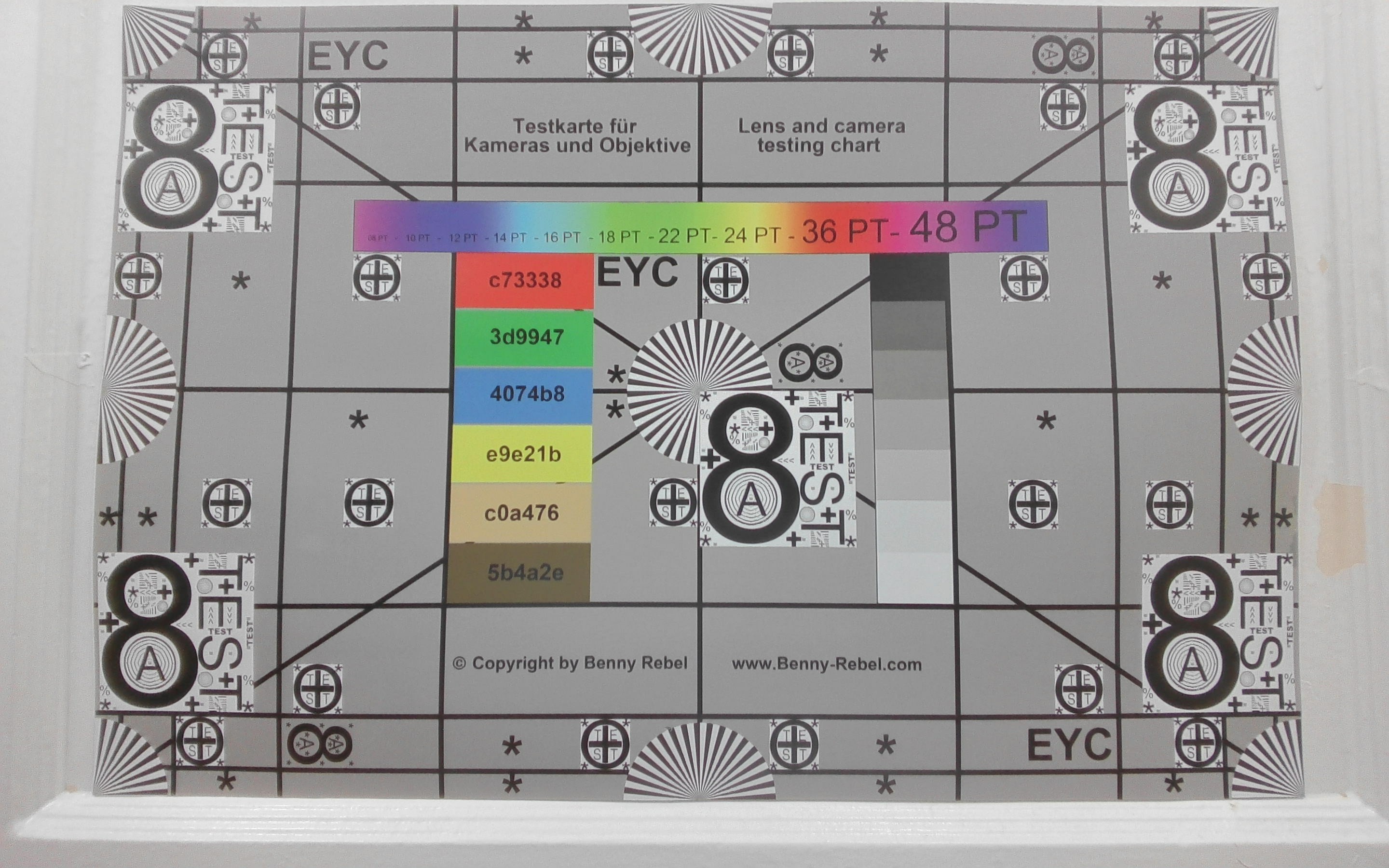
A 5 MP webcam comes standard with IR and a physical shutter.


Maintenance
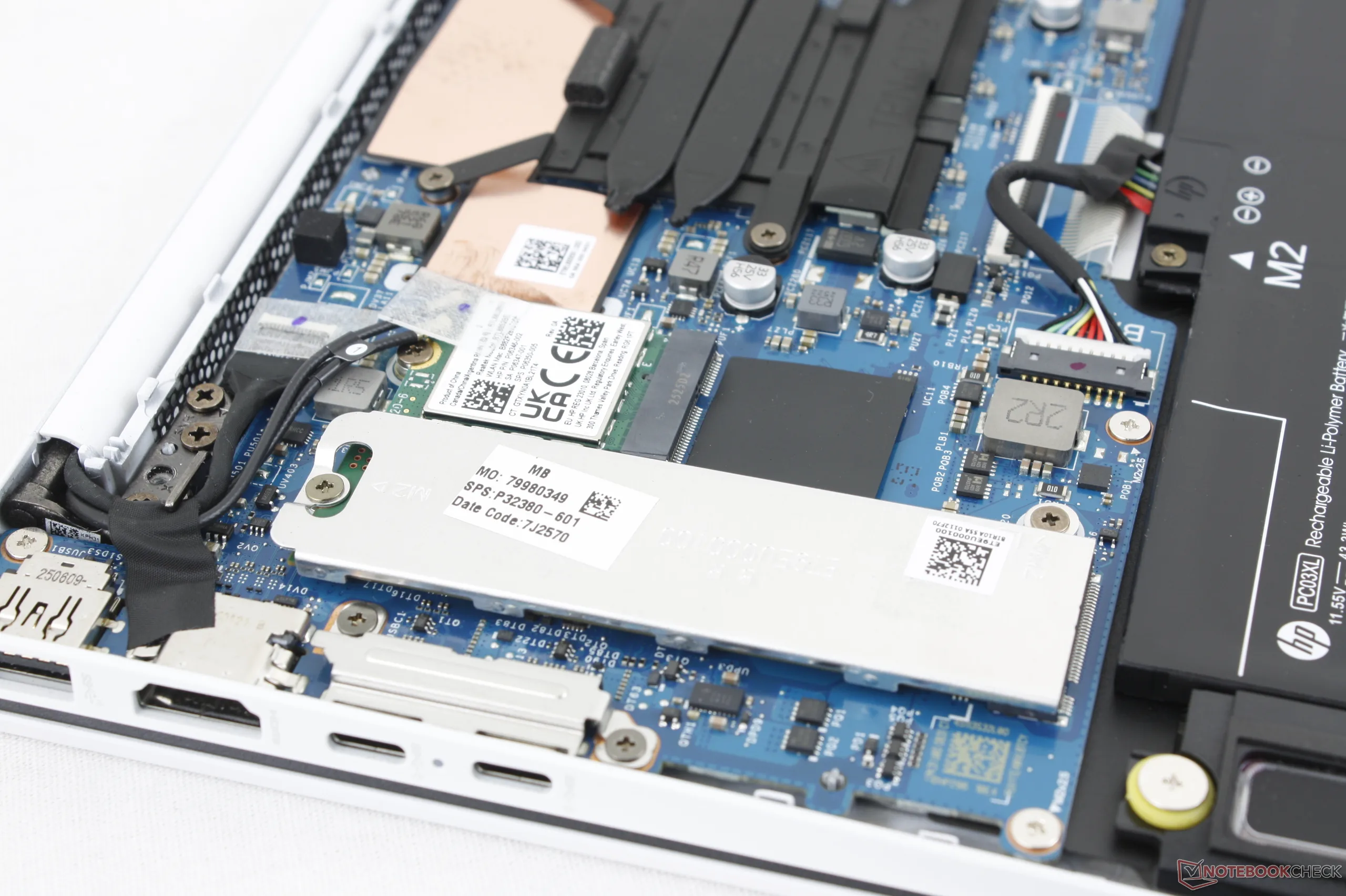
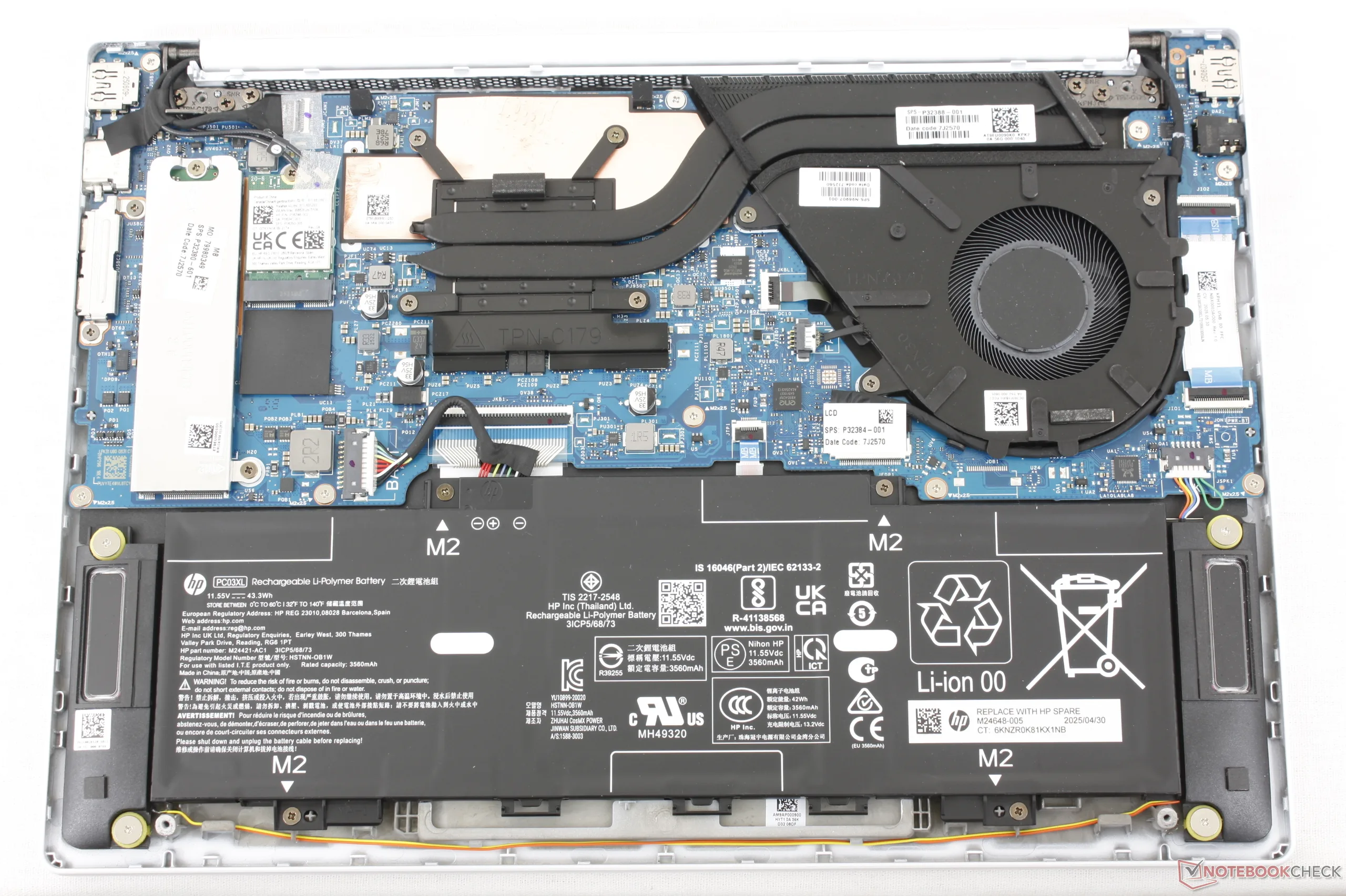
The bottom panel is secured by just four small Philips screws for easy servicing. Thankfully, the model doesn't hide any additional screws beneath the rubber feet unlike on many other HP laptops.
There isn't much to upgrade once inside as RAM is soldered and the system only supports up to a single M.2 SSD.
Sustainability
The outer cover consists of recycled magnesium-aluminum while the keyboard and speakers consist of recycled plastics in various percentages. The packaging itself is all cardboard and paper with no plastic.
Accessories And Warranty
There are no extras in the box other than the AC adapter and paperwork. The usual one-year limited manufacturer warranty applies if purchased in the US.
Input Devices — Comfy Keyboard But A Tight Clickpad
Keyboard
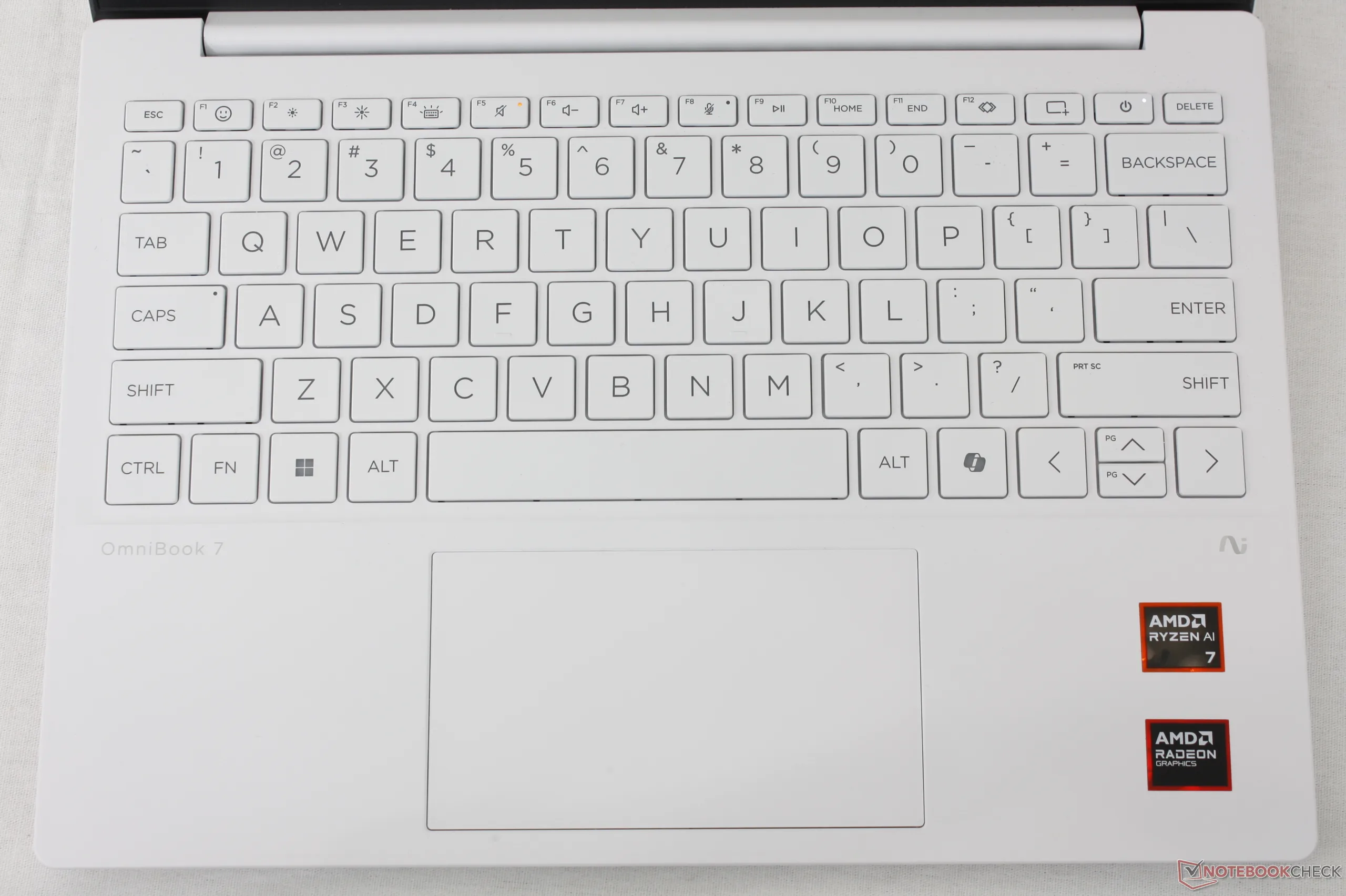
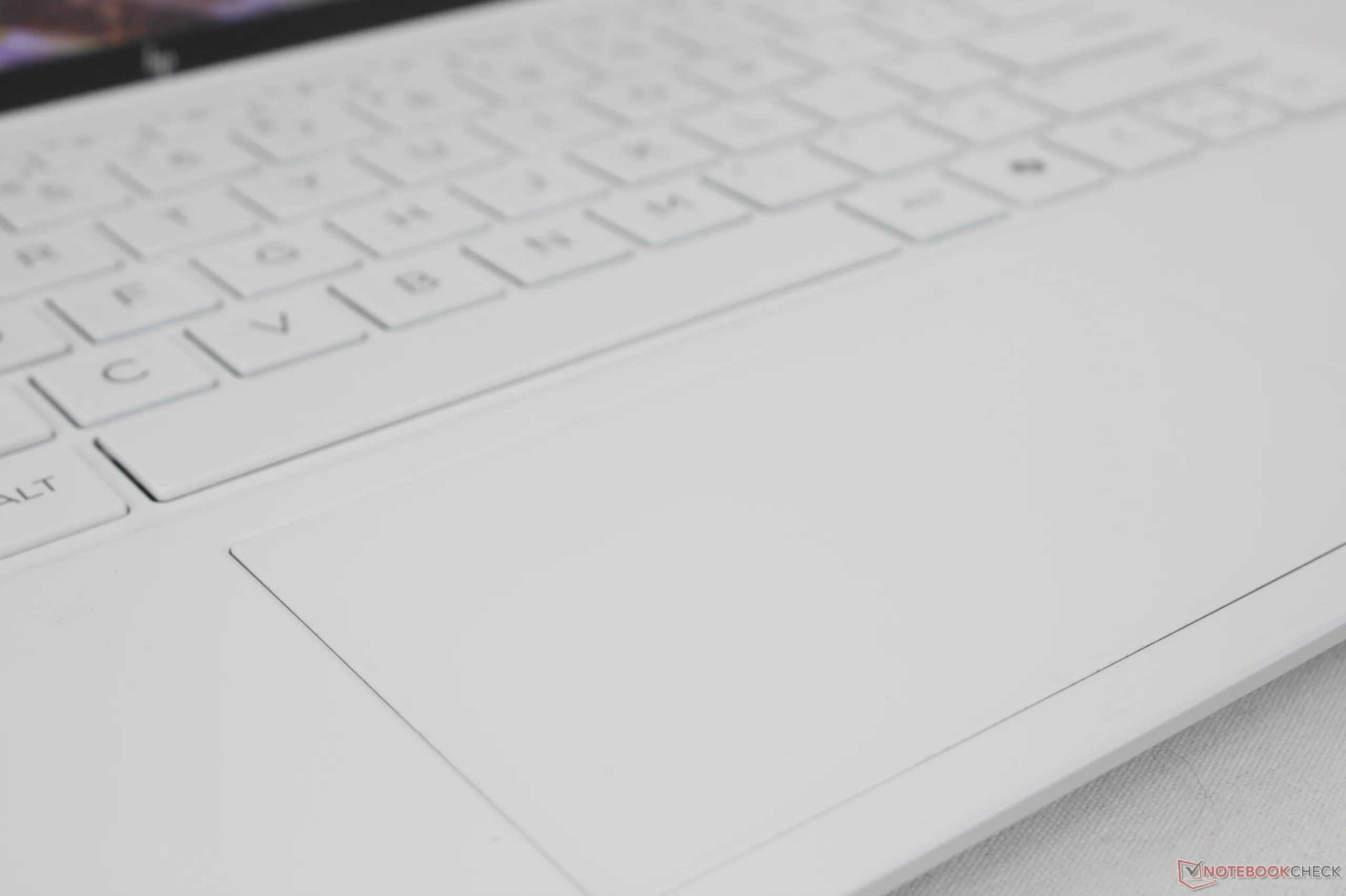
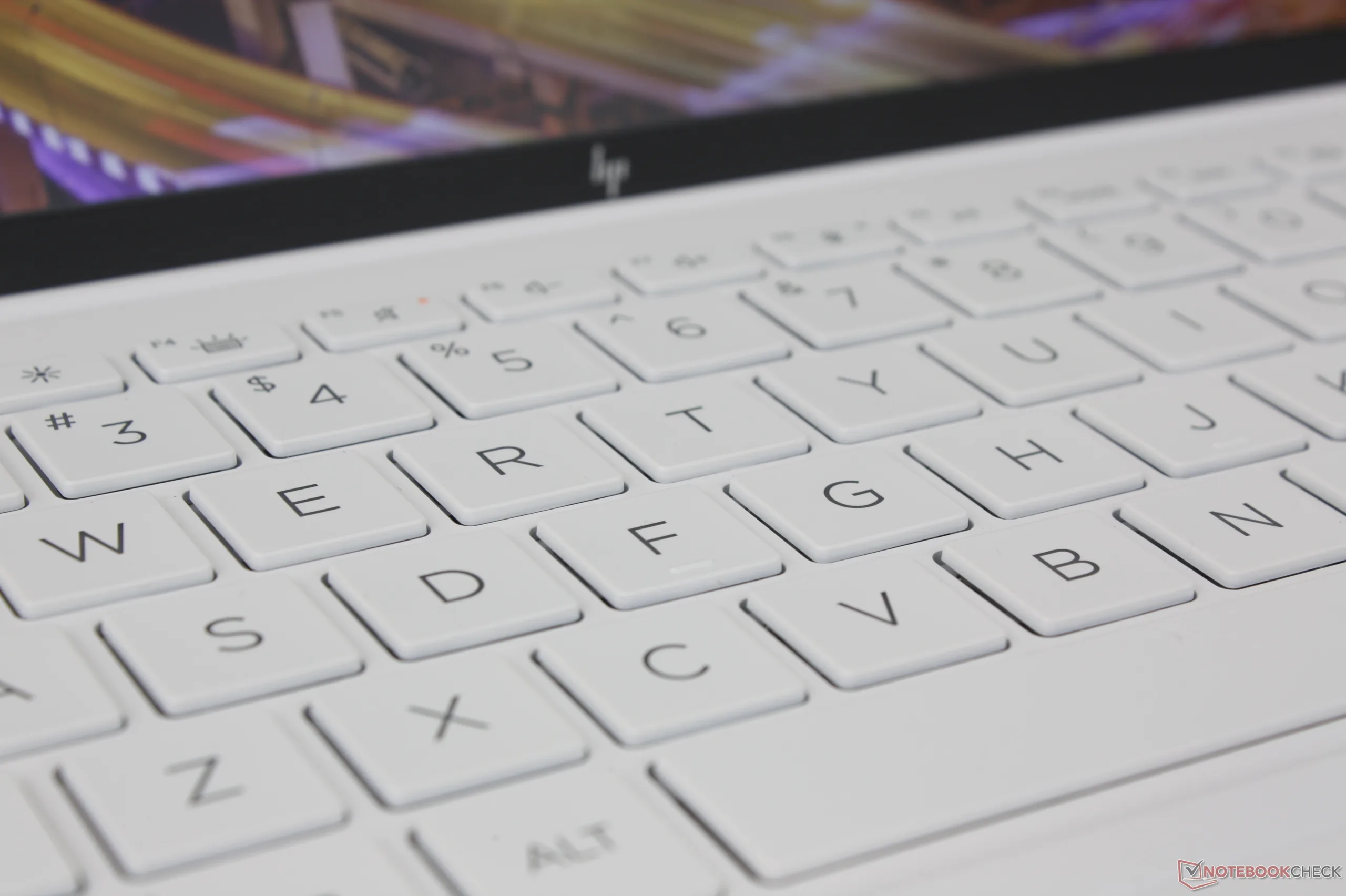
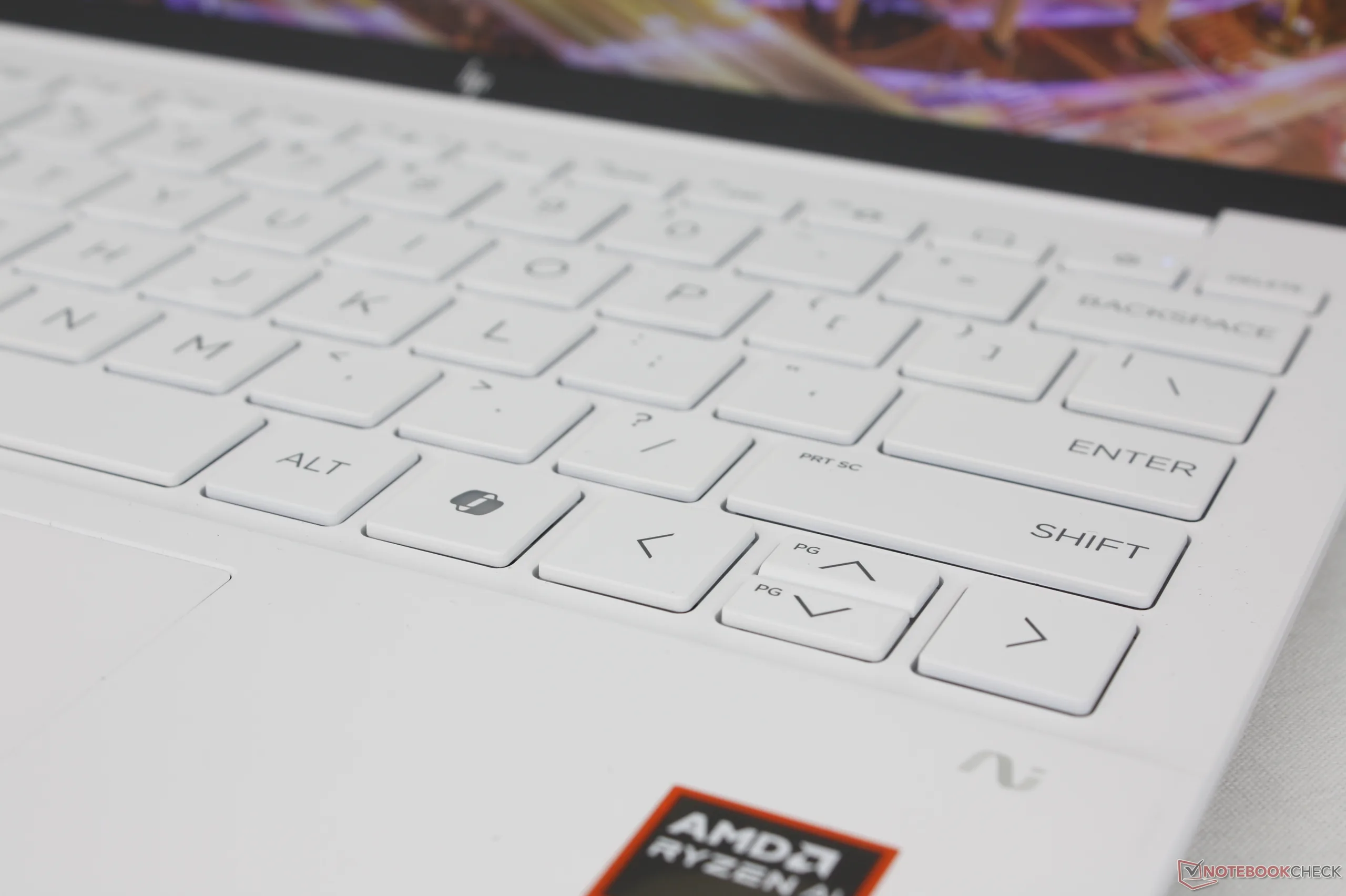
The typing experience is closer to an EliteBook than to a Pavilion which is a good thing as the EliteBook series has some of the sharpest keys on a non-gaming laptop for comfortable typing. However, clatter is generally louder than on most laptops and some users may not like the short travel of the keys.
Touchpad
The 11.5 x 6.5 cm clickpad is noticeably smaller than the clickpads on the Dragonfly G4 (12 x 8 cm) and ZenBook S 13 (13 x 8.1 cm). While cursor control is smooth and reliable, the small surface area feels cramped and the soft feedback when clicking isn't very satisfying.
Display — Basic 60 Hz IPS Only
Just two display options are available as follows. Note that there are no touchscreen options likely to keep weight at a minimum:
- 1920 x 1200, IPS, matte, 400-nits, 100% sRGB, 60 Hz
- 2560 x 1600, IPS, matte, 400-nits, 100% sRGB, 60 Hz
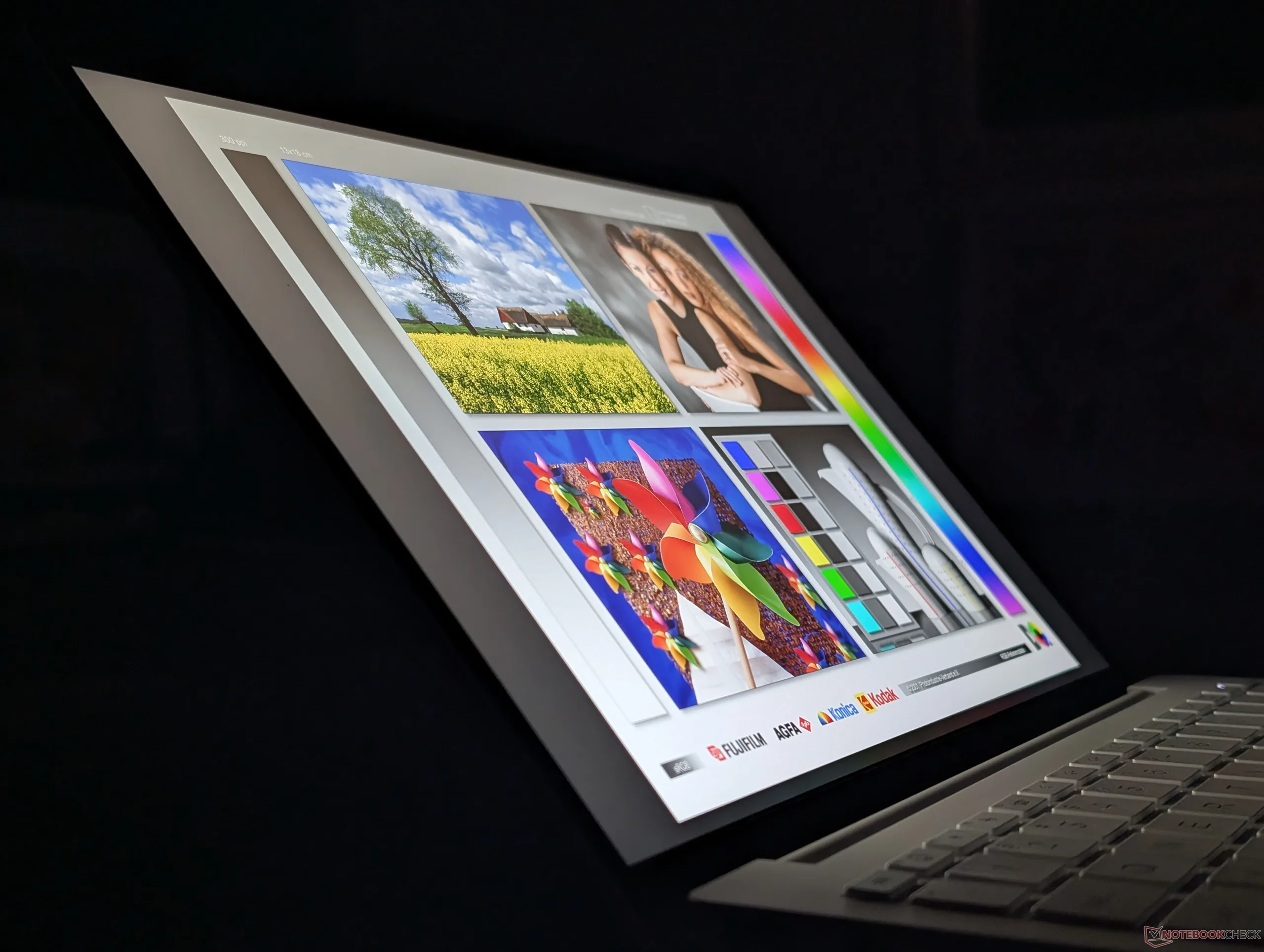
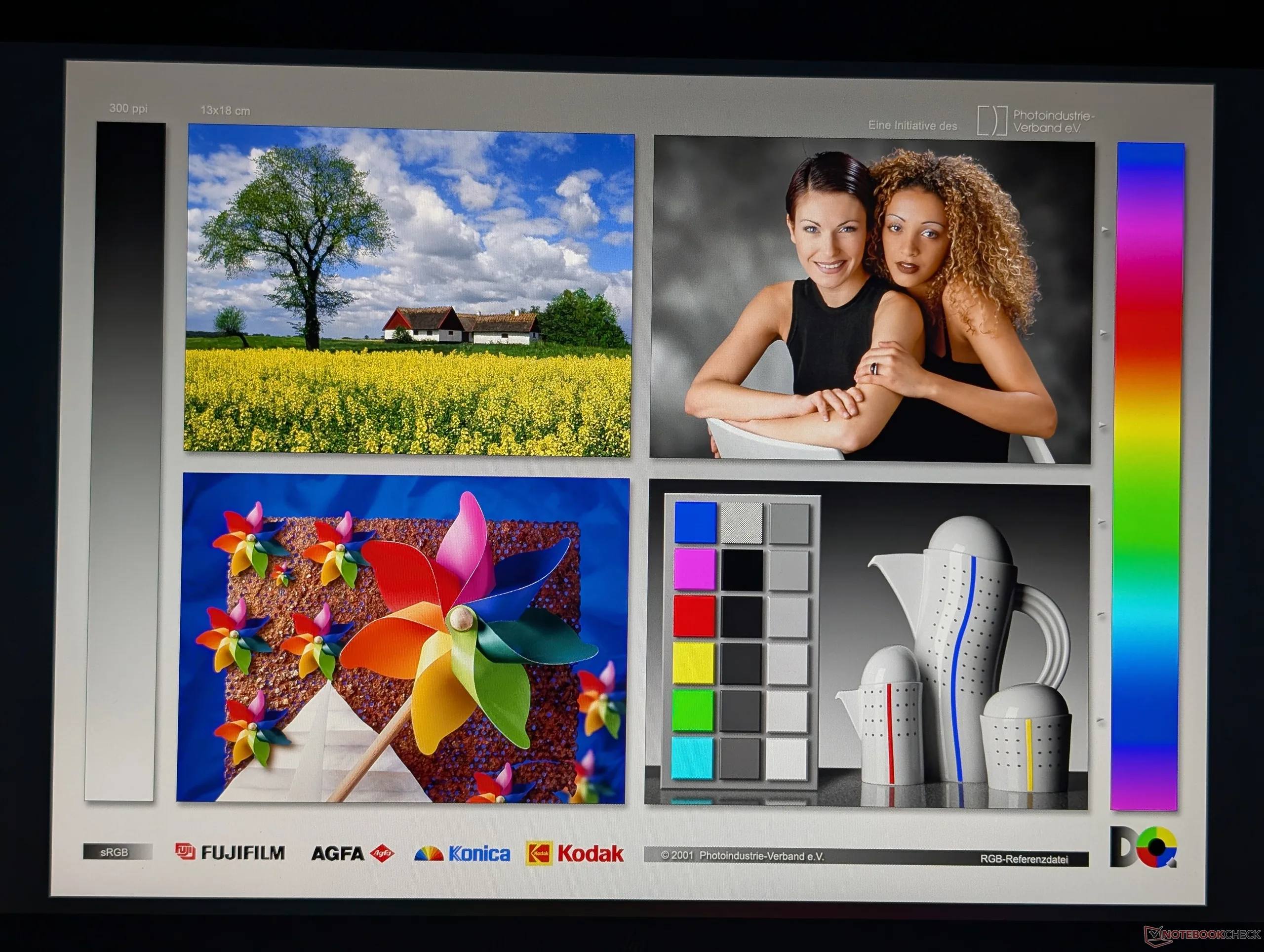
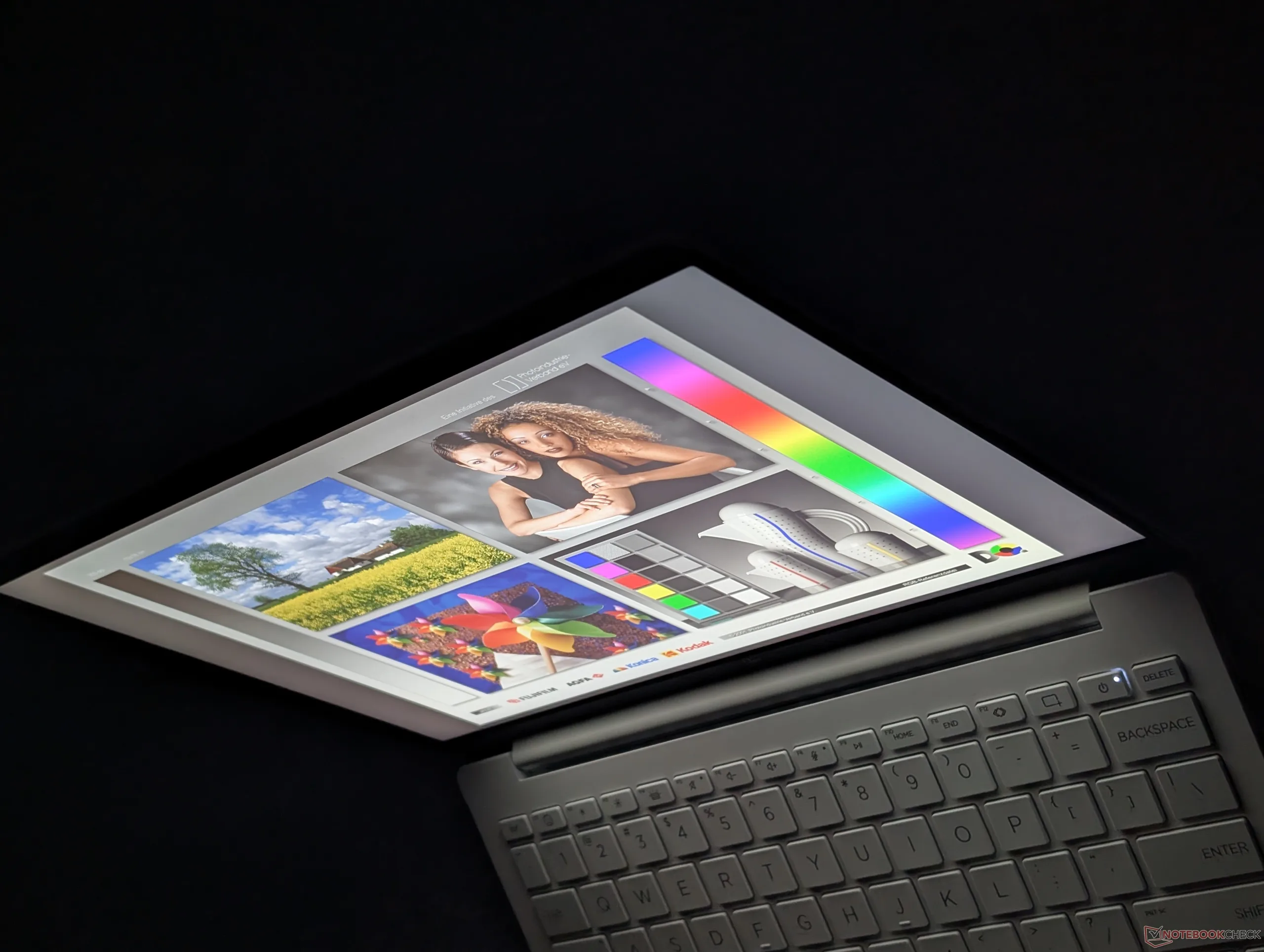
The panels are quite basic when compared to other subnotebooks where OLED, HDR support, and higher refresh rates are common. The OmniBook Ultra or OmniBook X, for example, offer more visual features than the OmniBook 7 Aero 13 that multimedia users would appreciate. The viewing experience here is therefore good but nothing special. We do, however, appreciate that full sRGB coverage comes standard no matter what configuration users choose.
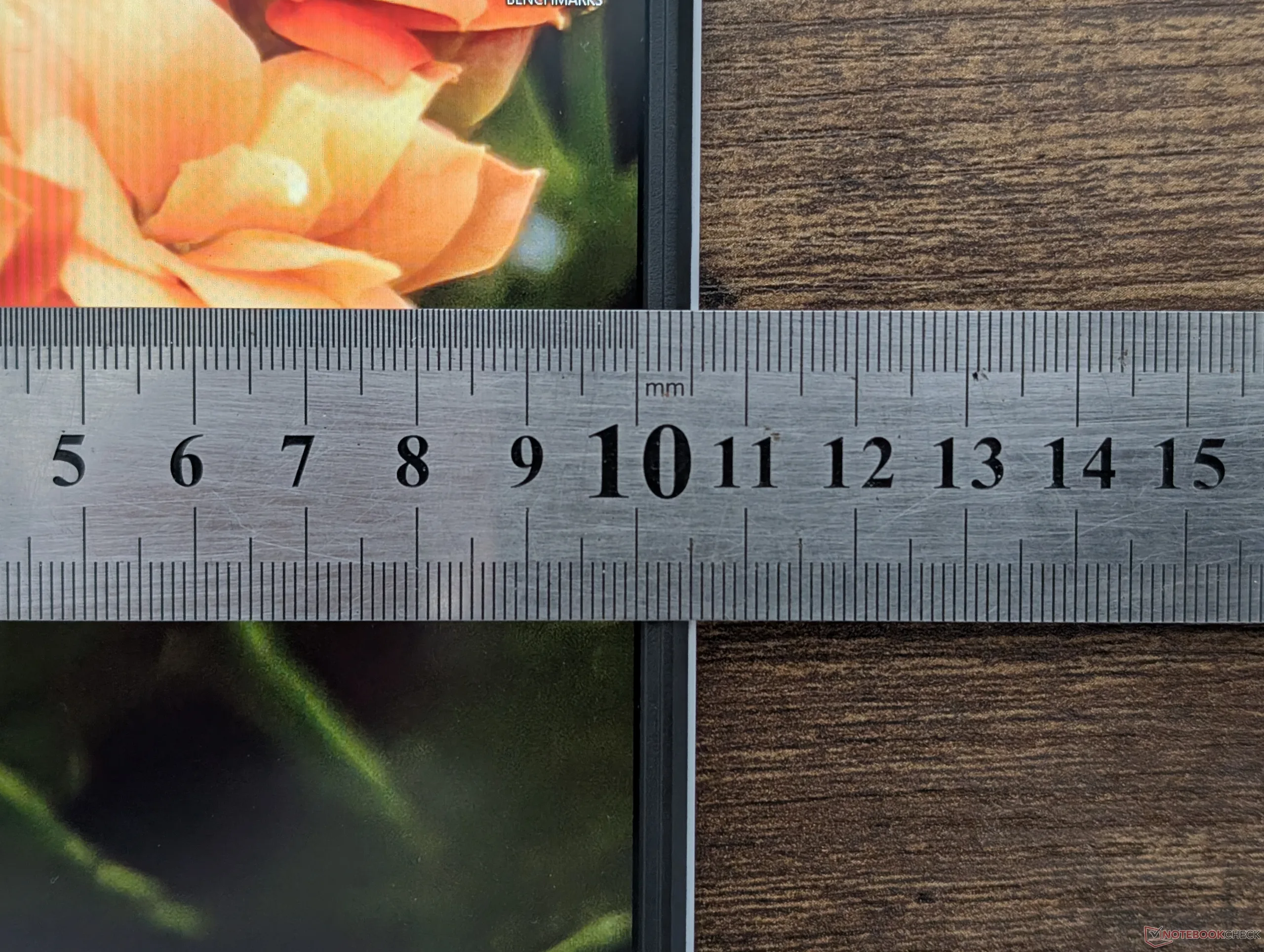
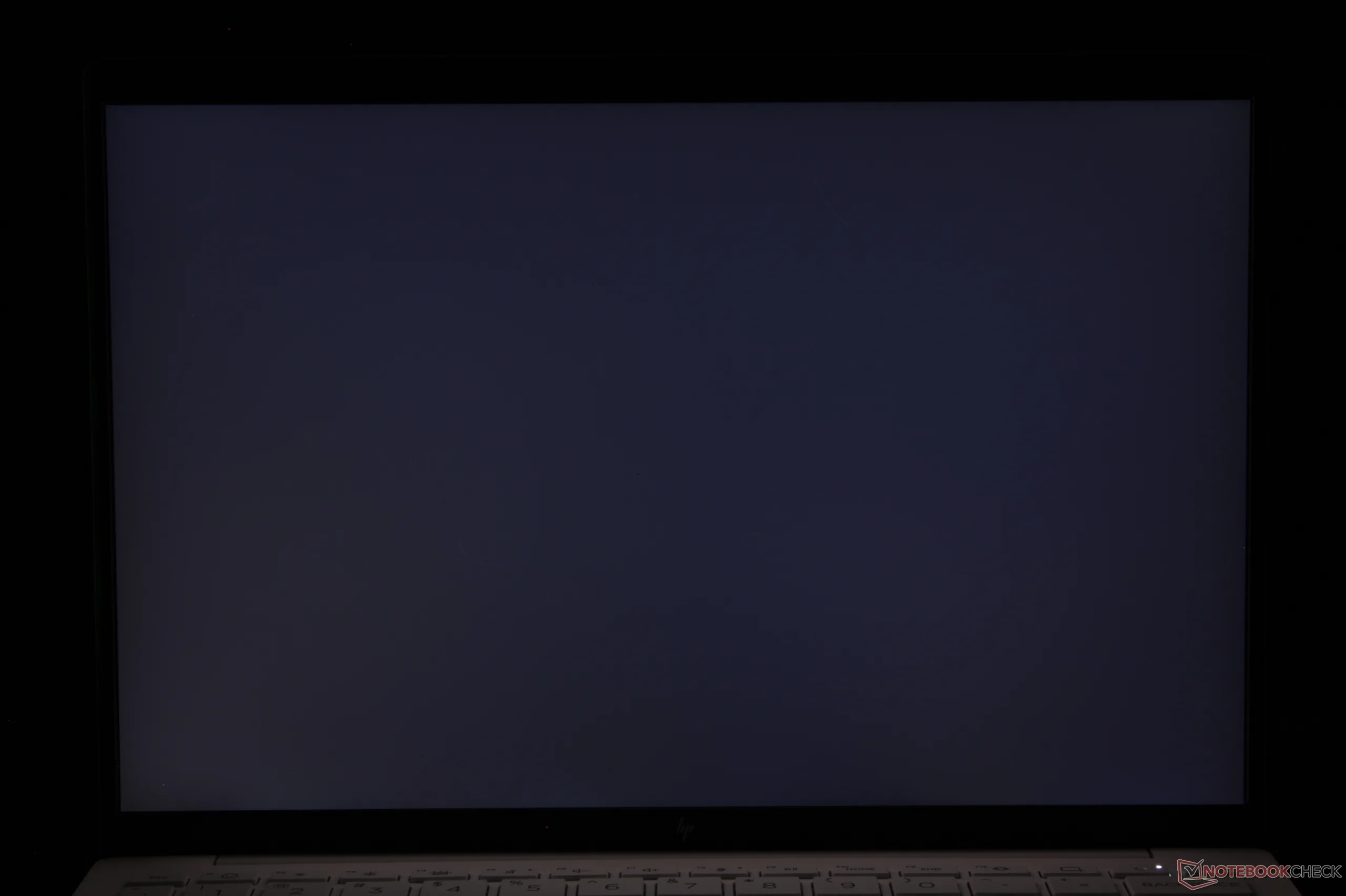

| |||||||||||||||||||||||||
Brightness Distribution: 88 %
Center on Battery: 442 cd/m²
Contrast: 1473:1 (Black: 0.3 cd/m²)
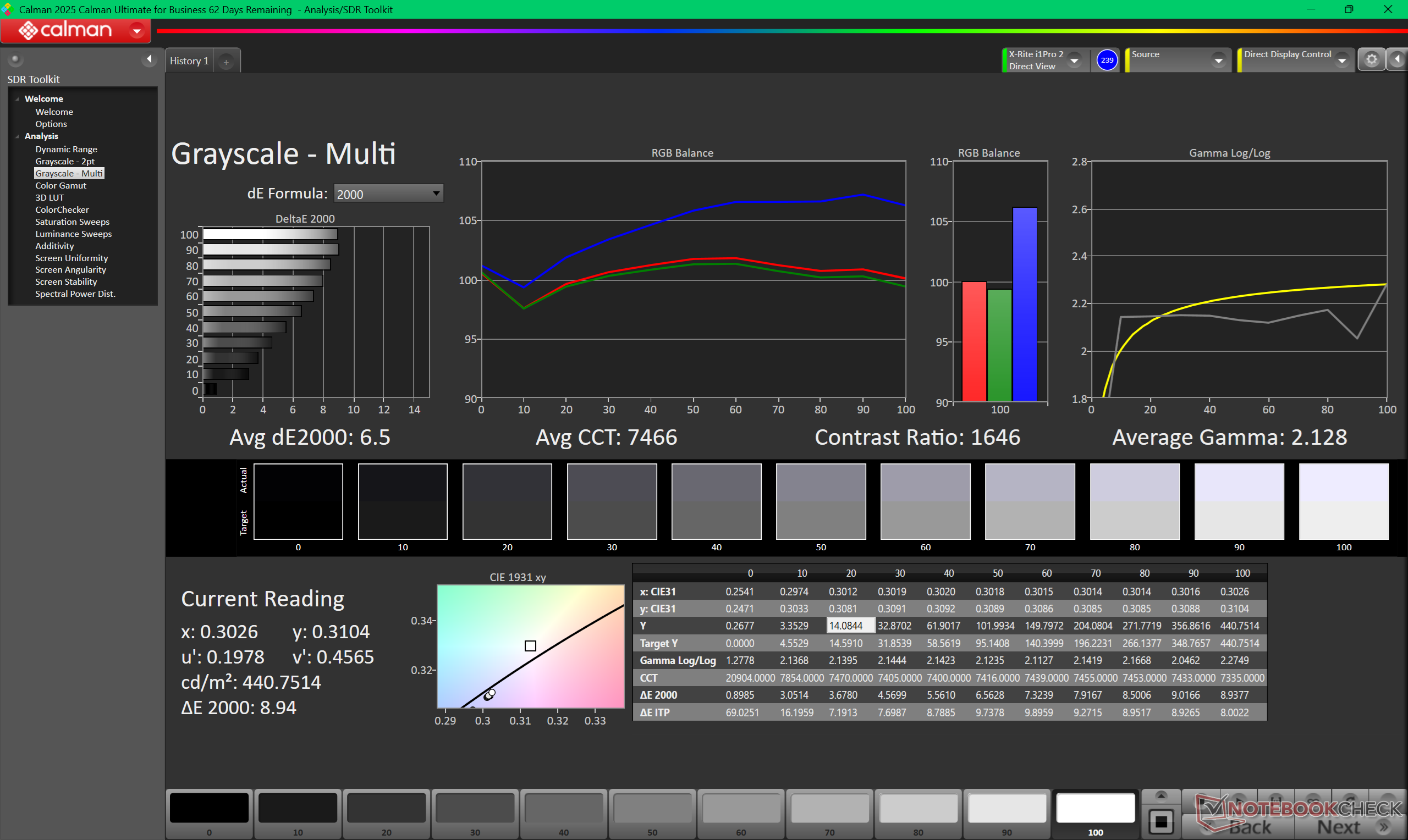
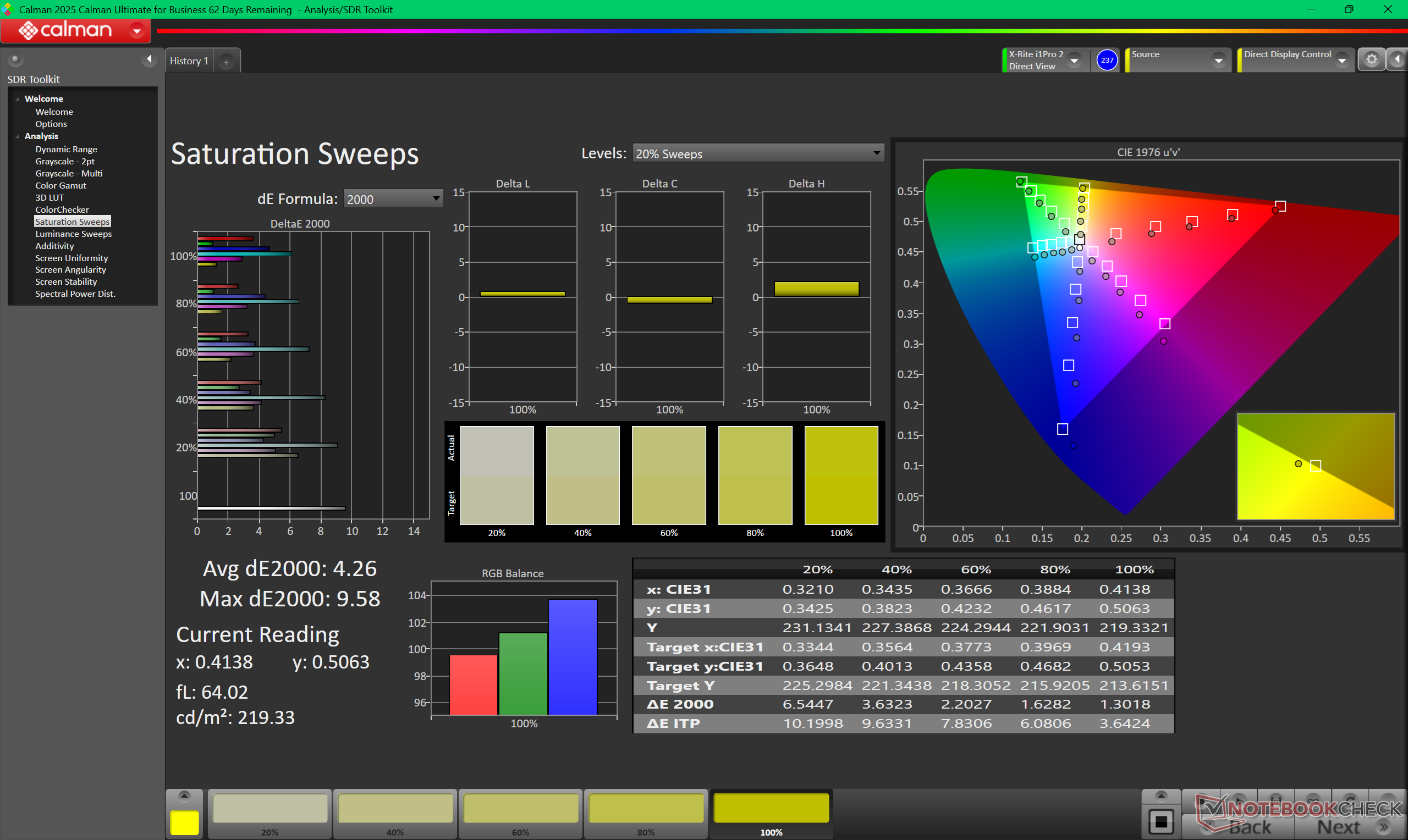
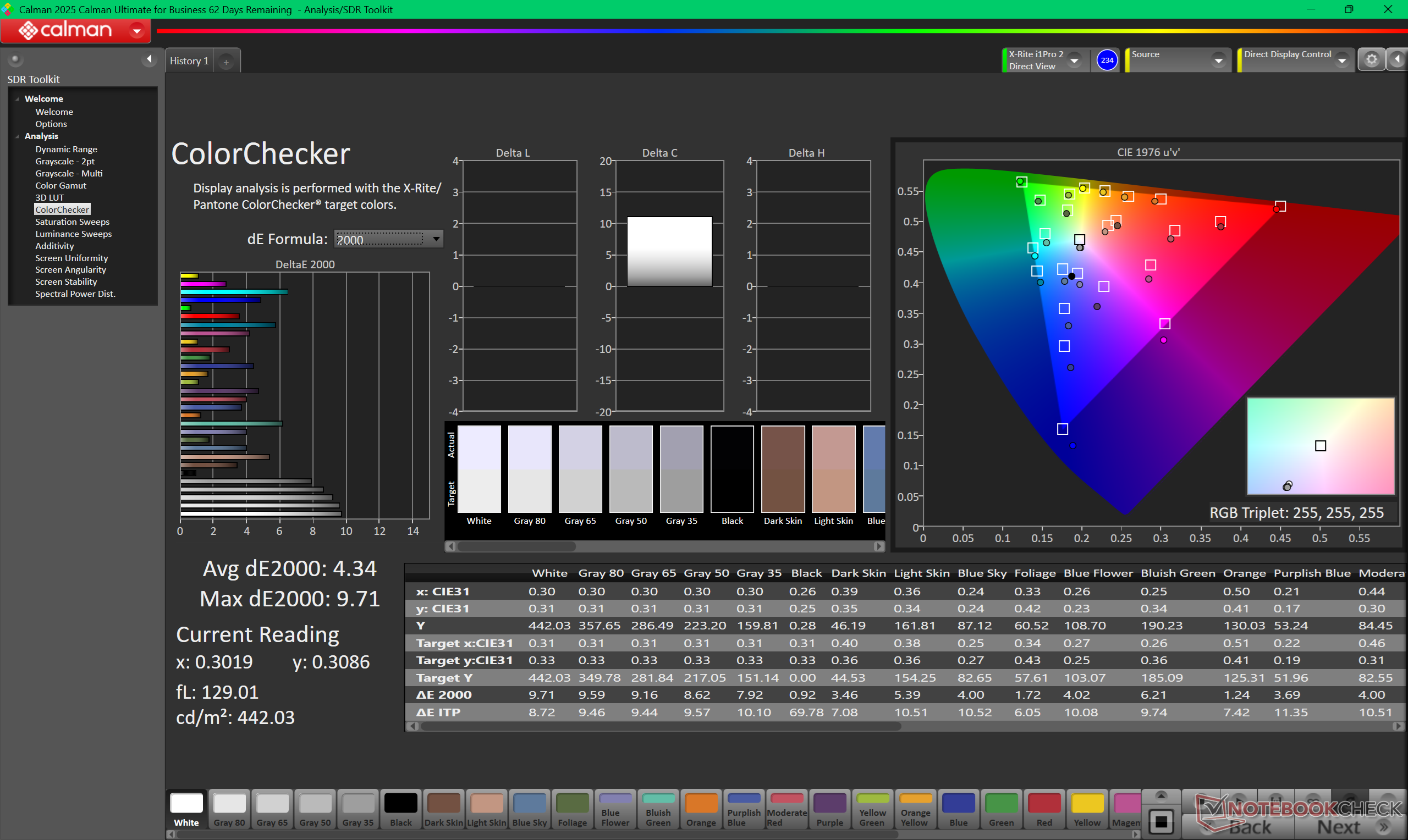
ΔE ColorChecker Calman: 4.34 | ∀{0.5-29.43 Ø4.68}
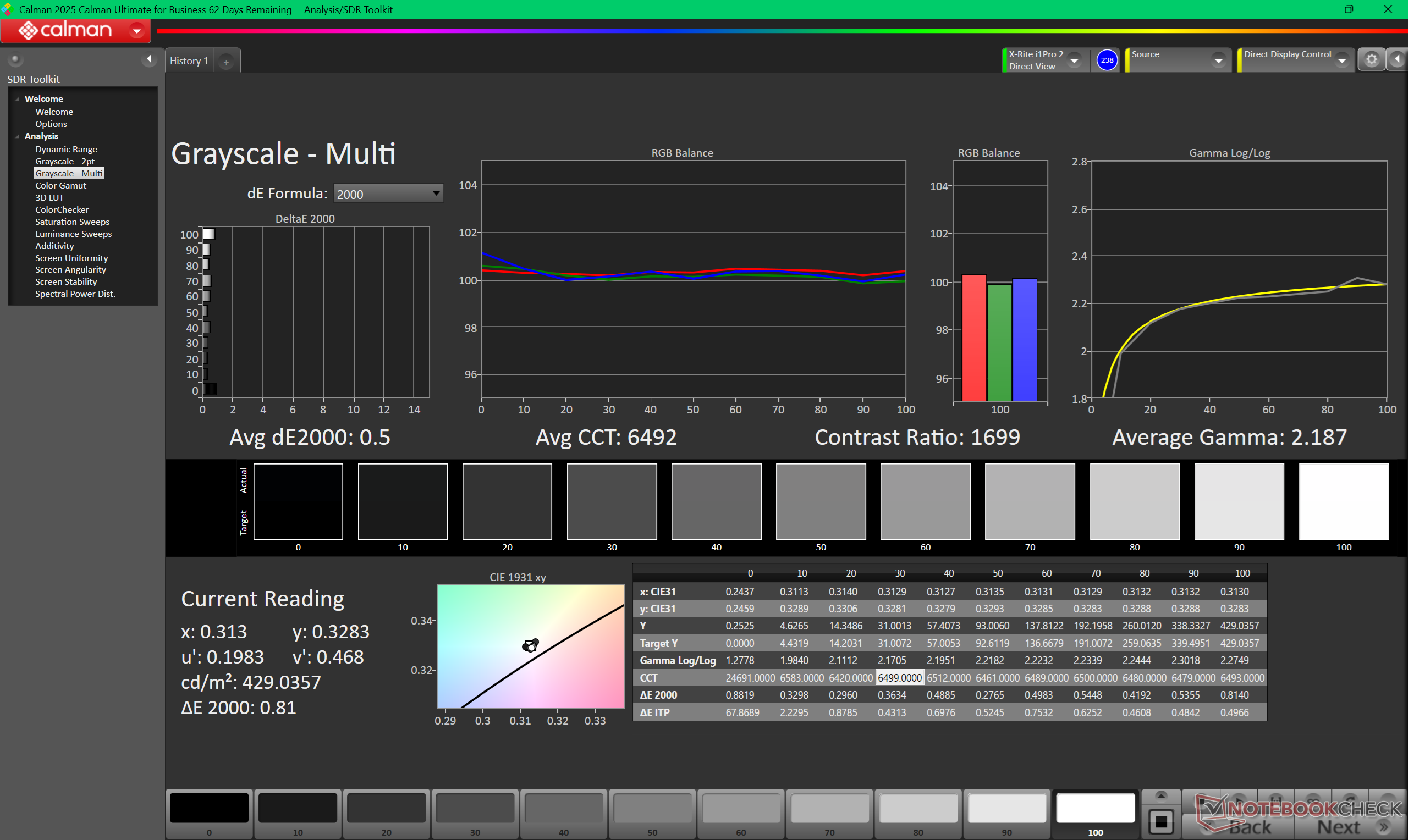
calibrated: 0.58
ΔE Greyscale Calman: 6.5 | ∀{0.09-98 Ø4.93}
67.3% AdobeRGB 1998 (Argyll 3D)
96.8% sRGB (Argyll 3D)
66.5% Display P3 (Argyll 3D)
Gamma: 2.13
CCT: 7466 K
| HP OmniBook 7 Aero 13-bg1077nr LG Philips LGD0746, IPS, 1920x1200, 13.3", 60 Hz | MSI Summit E13 AI Evo A1MTG CMN13C6, IPS, 1920x1200, 13.3", 60 Hz | Framework Laptop 13.5 Ryzen AI 9 HX 370 BOE NE135A1M-NY1, IPS, 2880x1920, 13.5", 120 Hz | HP Dragonfly G4 Chi Mei CMN13C0, IPS, 1920x1280, 13.5", 60 Hz | Lenovo Yoga Book 9 13IMU9 SDC ATNA33AA02-0, OLED, 2880x1800, 13.3", 60 Hz | Asus ZenBook S13 OLED UX5304 SDC417B, OLED, 2880x1800, 13.3", 60 Hz | |
|---|---|---|---|---|---|---|
| Display | 6% | 4% | 3% | 32% | 32% | |
| Display P3 Coverage (%) | 66.5 | 71.6 8% | 71.9 8% | 68.4 3% | 99.7 50% | 99.7 50% |
| sRGB Coverage (%) | 96.8 | 98.6 2% | 95.9 -1% | 98.3 2% | 100 3% | 100 3% |
| AdobeRGB 1998 Coverage (%) | 67.3 | 73.1 9% | 70.8 5% | 70.4 5% | 97 44% | 96.9 44% |
| Response Times | -26% | 18% | -7% | 95% | 96% | |
| Response Time Grey 50% / Grey 80% * (ms) | 44.7 ? | 60 ? -34% | 40 ? 11% | 48.8 ? -9% | 1.88 ? 96% | 2 ? 96% |
| Response Time Black / White * (ms) | 29.7 ? | 35.1 ? -18% | 22.3 ? 25% | 31.3 ? -5% | 2.1 ? 93% | 1.6 ? 95% |
| PWM Frequency (Hz) | 60 ? | 240 ? | ||||
| Screen | 15% | -16% | 16% | 9% | 36% | |
| Brightness middle (cd/m²) | 442 | 405.2 -8% | 529.9 20% | 408.8 -8% | 362.6 -18% | 361 -18% |
| Brightness (cd/m²) | 420 | 372 -11% | 506 20% | 399 -5% | 368 -12% | 365 -13% |
| Brightness Distribution (%) | 88 | 88 0% | 94 7% | 90 2% | 97 10% | 98 11% |
| Black Level * (cd/m²) | 0.3 | 0.34 -13% | 0.3 -0% | 0.32 -7% | ||
| Contrast (:1) | 1473 | 1192 -19% | 1766 20% | 1278 -13% | ||
| Colorchecker dE 2000 * | 4.34 | 2.4 45% | 5.7 -31% | 2.02 53% | 4.66 -7% | 1.2 72% |
| Colorchecker dE 2000 max. * | 9.71 | 3.56 63% | 10.6 -9% | 3.84 60% | 7.25 25% | 1.9 80% |
| Colorchecker dE 2000 calibrated * | 0.58 | 0.54 7% | 1.5 -159% | 0.61 -5% | 0.56 3% | |
| Greyscale dE 2000 * | 6.5 | 1.9 71% | 7.5 -15% | 2.3 65% | 2.6 60% | 1.2 82% |
| Gamma | 2.13 103% | 2 110% | 2.07 106% | 2.2 100% | 2.2 100% | 2.27 97% |
| CCT | 7466 87% | 6503 100% | 6967 93% | 6203 105% | 6055 107% | 6486 100% |
| Total Average (Program / Settings) | -2% /
7% | 2% /
-7% | 4% /
10% | 45% /
29% | 55% /
46% |
* ... smaller is better
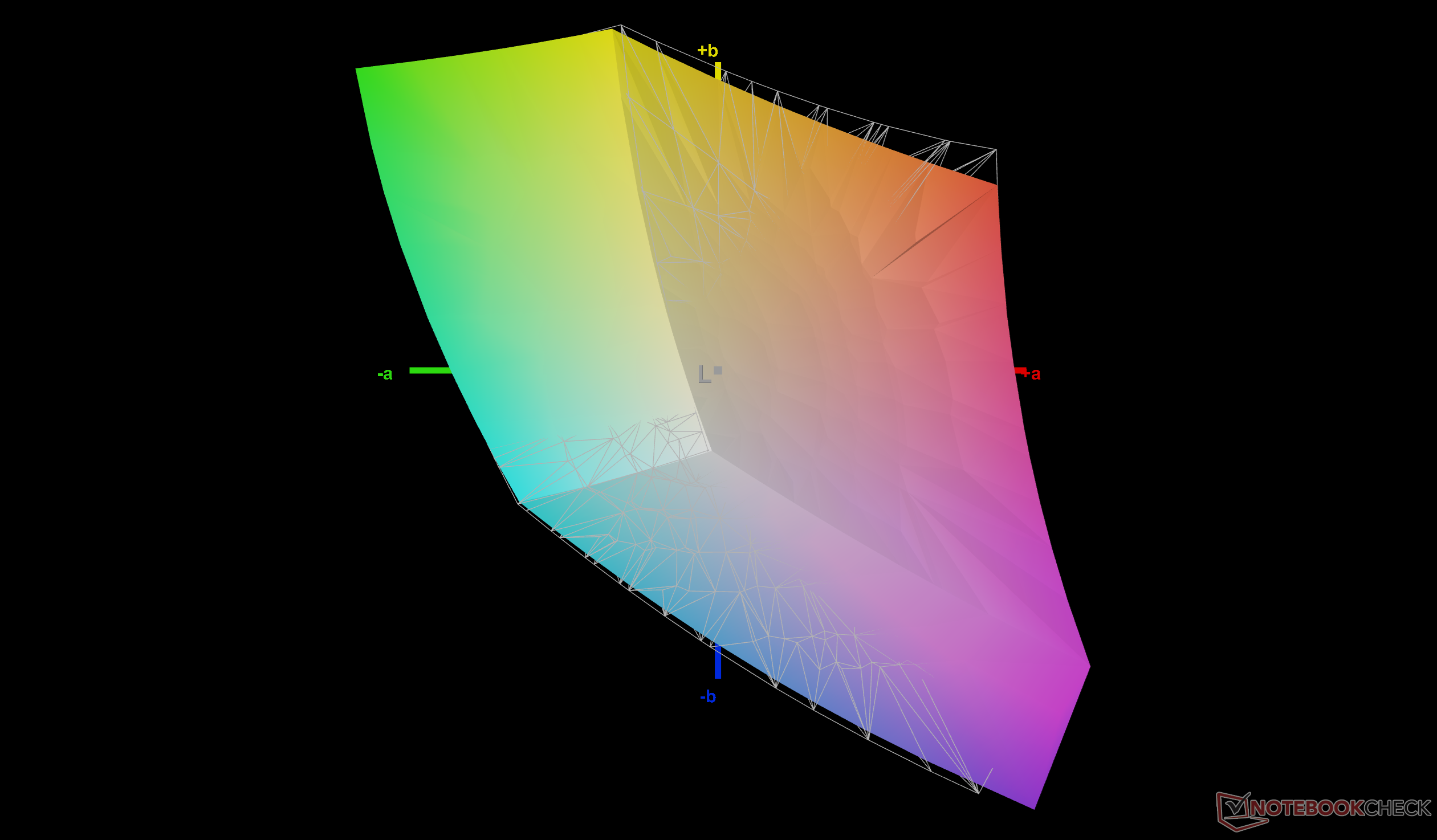
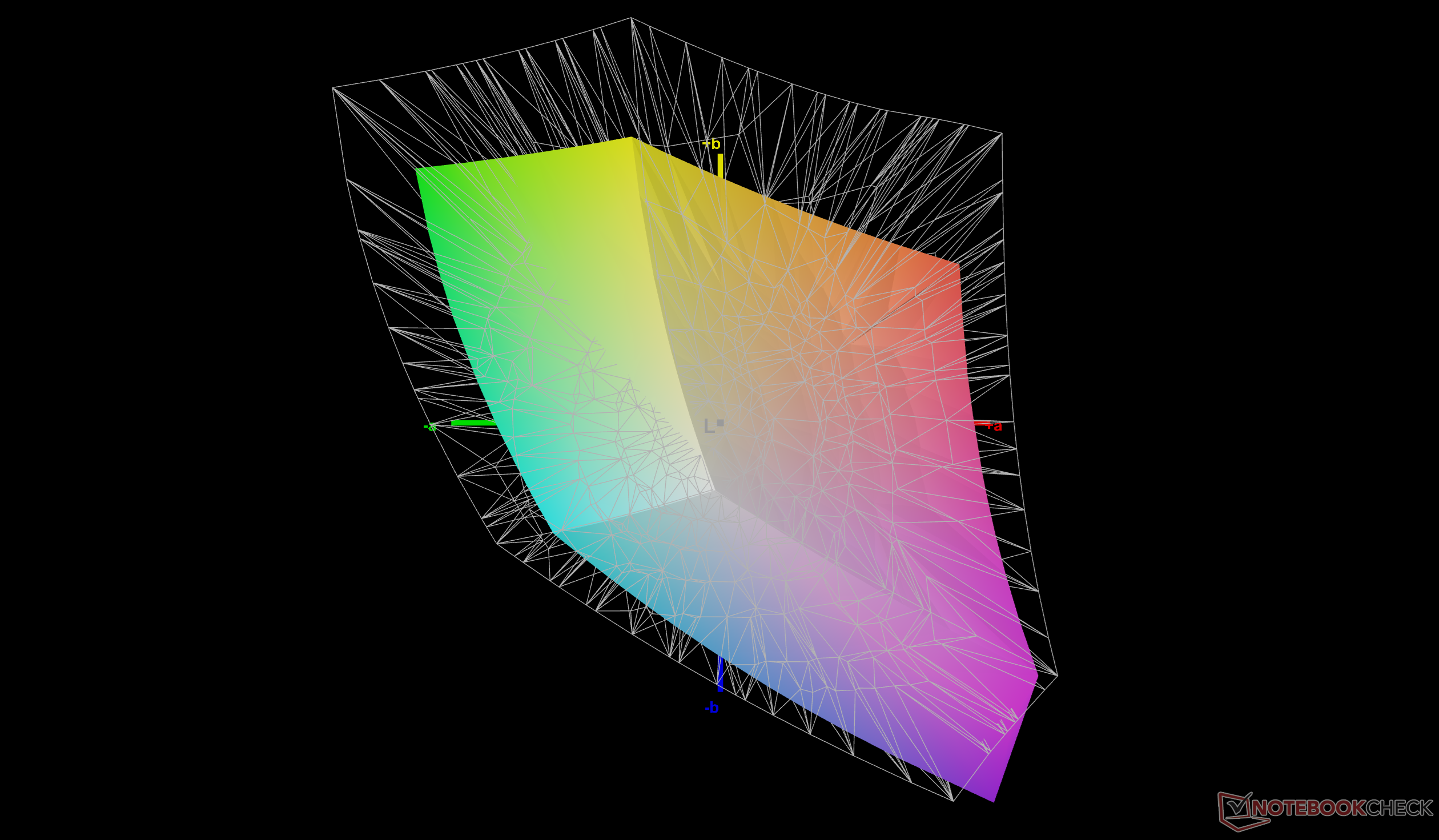
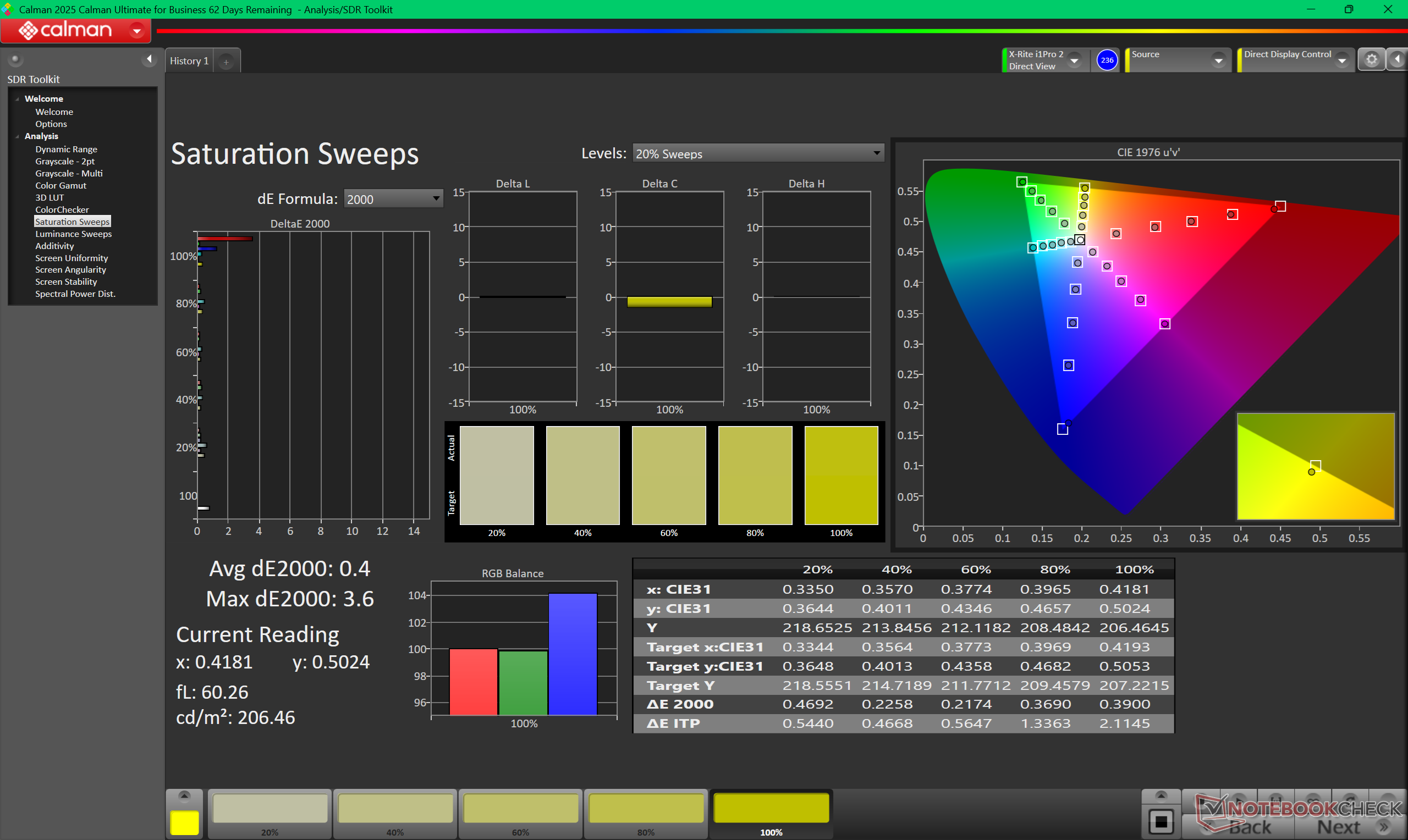
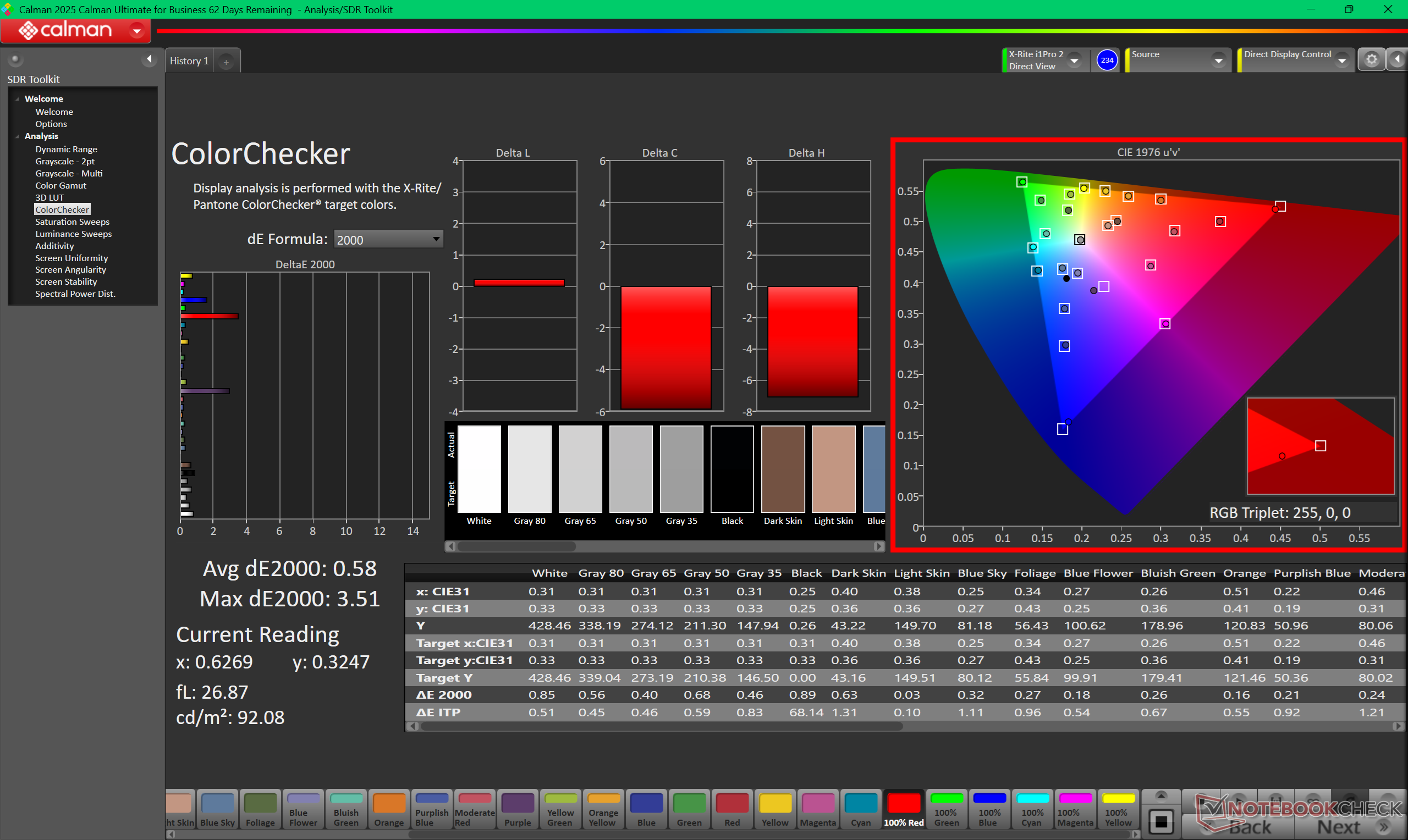
The display doesn't come well-calibrated and so average grayscale and color deltaE values out of the box are underwhelming at 6.5 and 4.35, respectively. Color temperature is also on the cool side at almost 7500K. Calibrating the display ourselves with an X-Rite colorimeter would improve average grayscale and colors to just 0.5 and 0.58, respectively, while also improving the color temperature. We recommend applying our calibrated ICM profile above to better exploit the full sRGB display.
Display Response Times
| ↔ Response Time Black to White | ||
|---|---|---|
| 29.7 ms ... rise ↗ and fall ↘ combined | ↗ 14.8 ms rise | 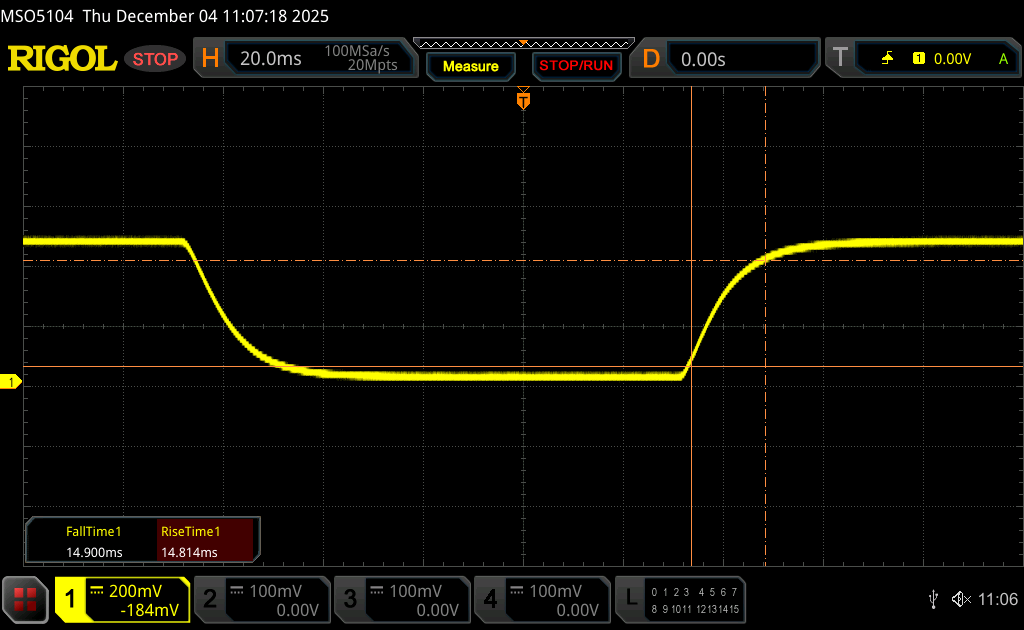 |
| ↘ 14.9 ms fall | ||
| The screen shows relatively slow response rates in our tests and may be too slow for gamers. In comparison, all tested devices range from 0.1 (minimum) to 240 (maximum) ms. » 80 % of all devices are better. This means that the measured response time is worse than the average of all tested devices (19.6 ms). | ||
| ↔ Response Time 50% Grey to 80% Grey | ||
| 44.7 ms ... rise ↗ and fall ↘ combined | ↗ 20.3 ms rise | 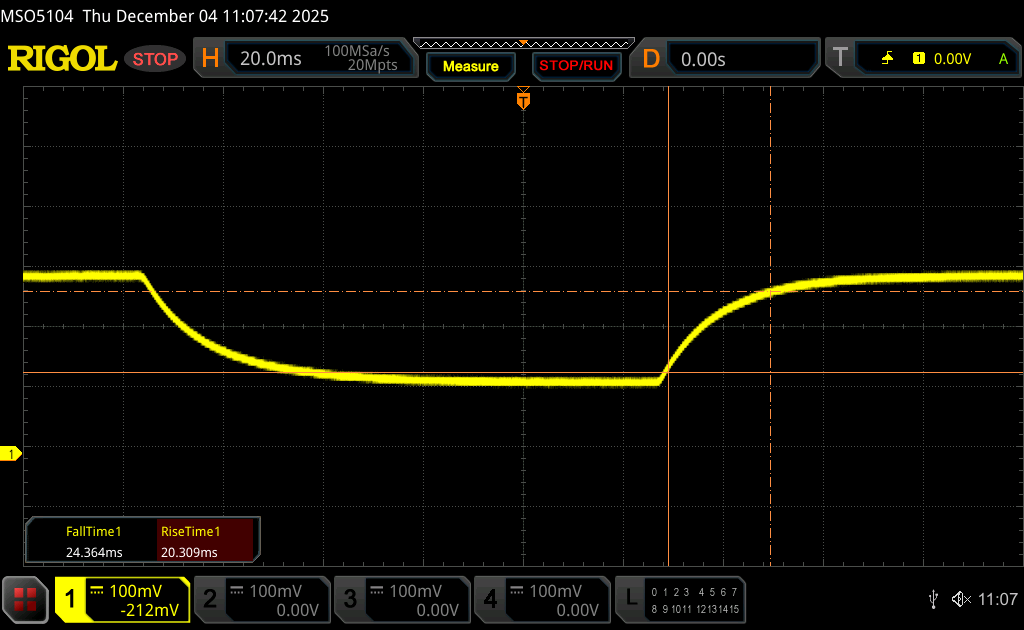 |
| ↘ 24.4 ms fall | ||
| The screen shows slow response rates in our tests and will be unsatisfactory for gamers. In comparison, all tested devices range from 0.13 (minimum) to 636 (maximum) ms. » 76 % of all devices are better. This means that the measured response time is worse than the average of all tested devices (30.7 ms). | ||
Screen Flickering / PWM (Pulse-Width Modulation)
| Screen flickering / PWM not detected |  | ||
In comparison: 52 % of all tested devices do not use PWM to dim the display. If PWM was detected, an average of 7572 (minimum: 5 - maximum: 343500) Hz was measured. | |||
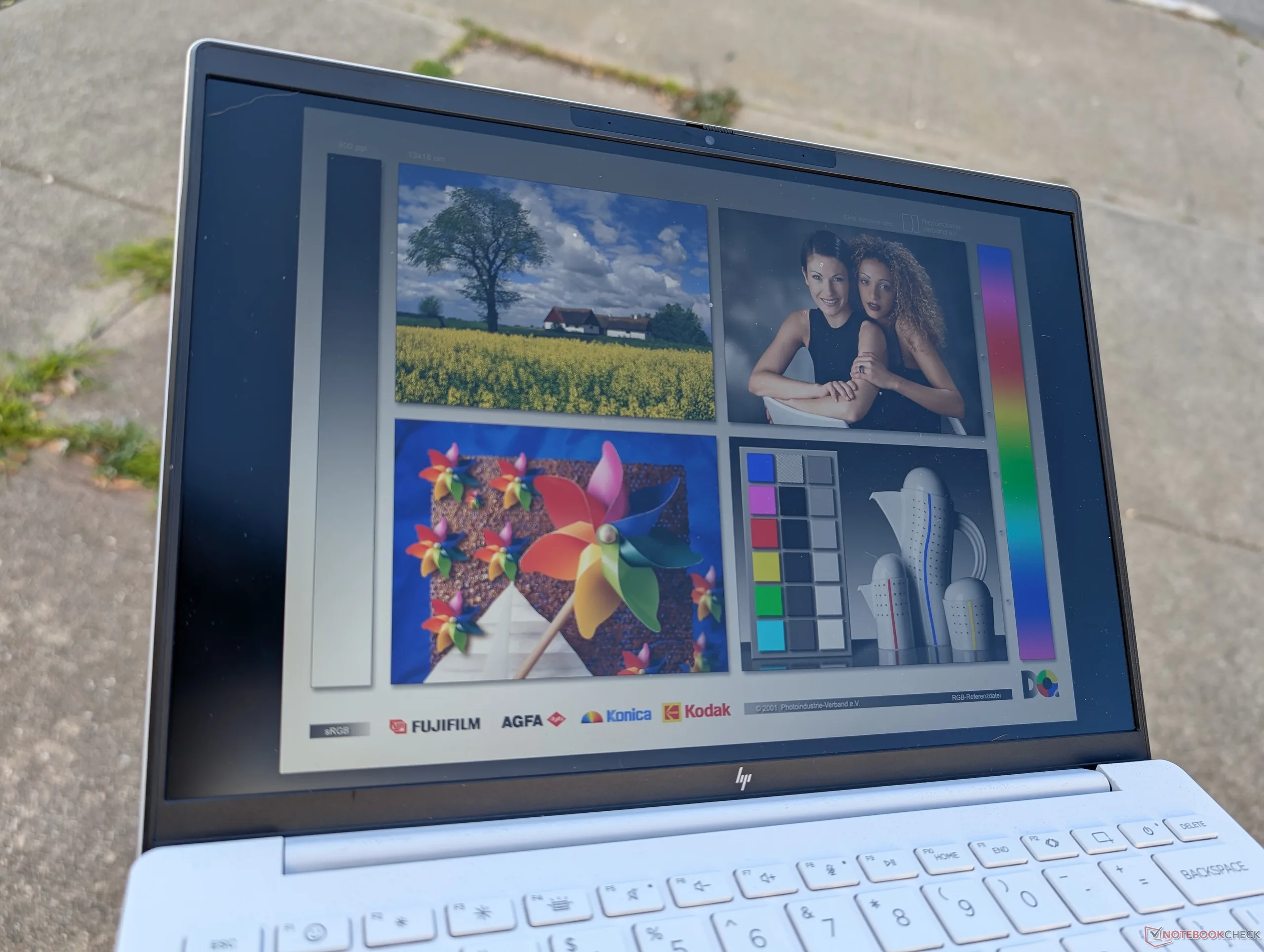
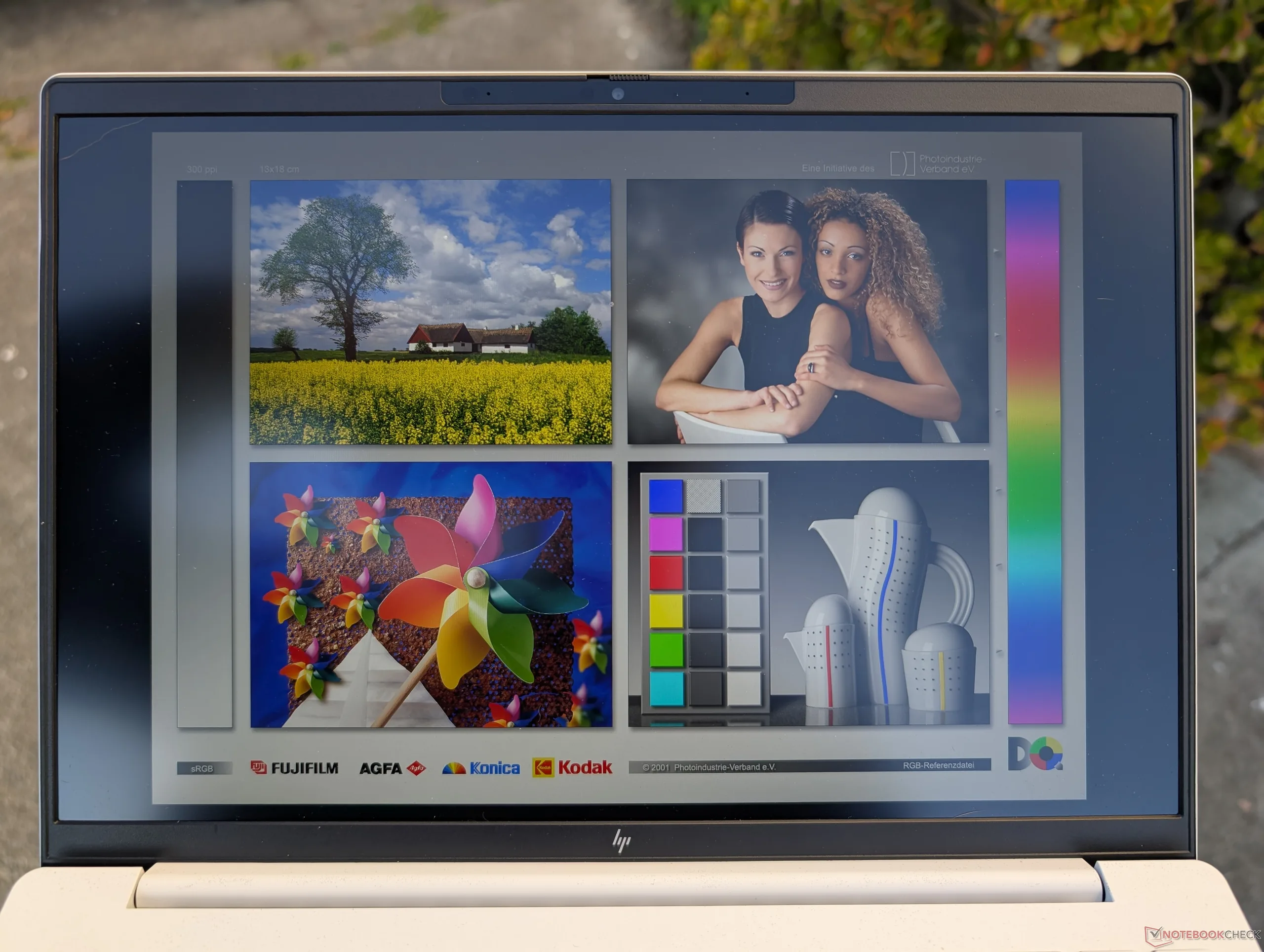
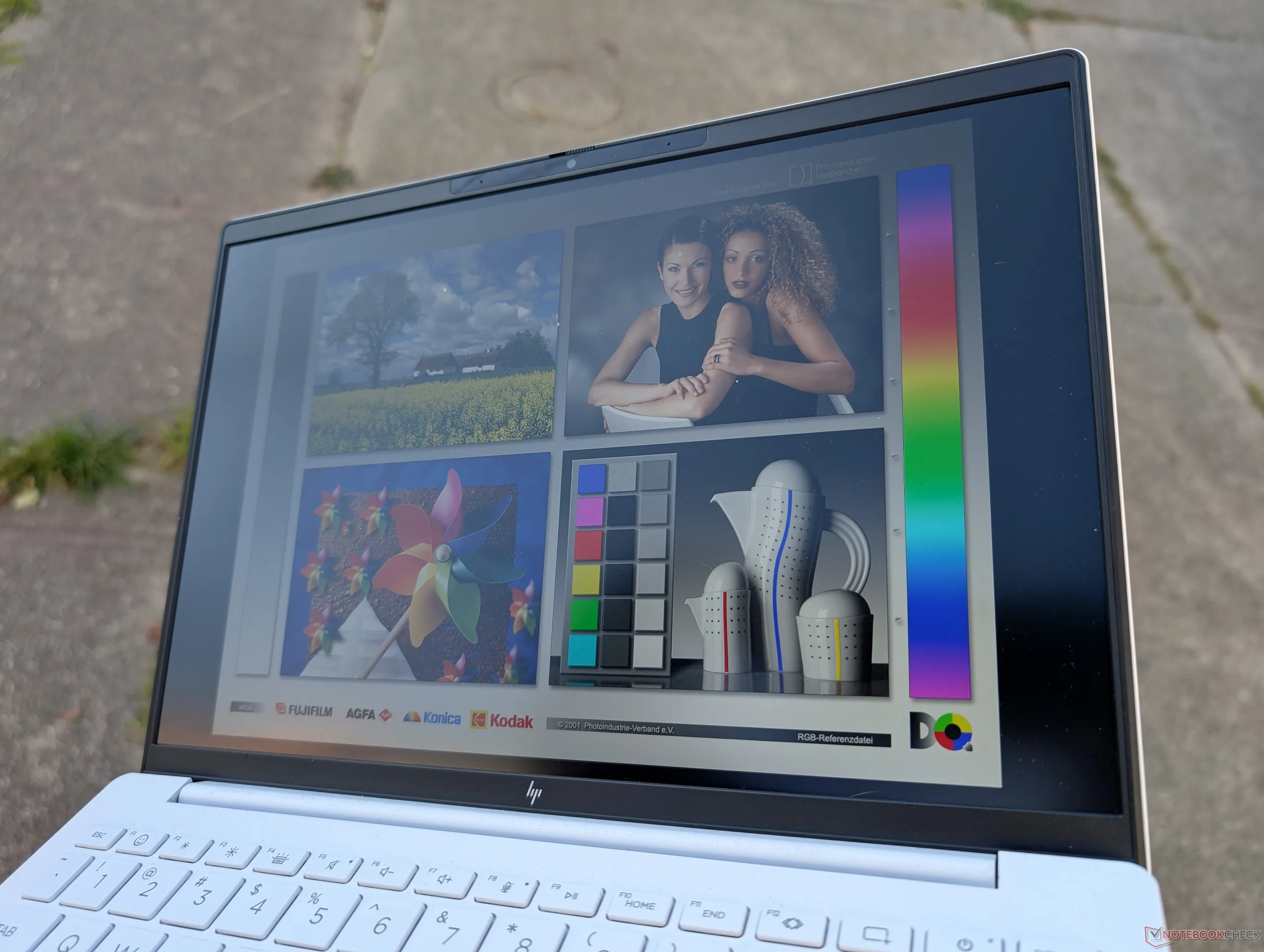
The 400-nit display is decently bright for outdoor conditions, but we feel it could be brighter considering how lightweight and travel-friendly the OmniBook 7 Aero 13 is supposed to be. Unfortunately, HP does not offer brighter options which would have made this OmniBook even better for outdoor use. Ultrabright 1000-nit options are only available on select Elite models for now.
Performance — Great For The Size And Weight


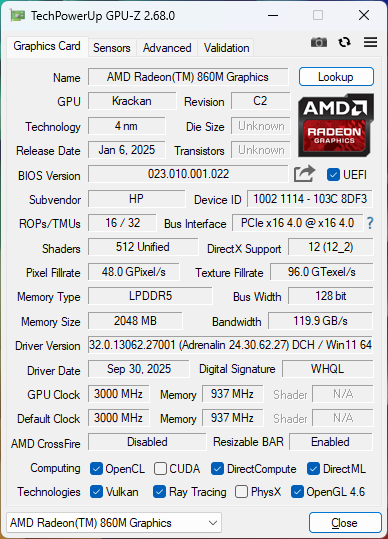
Testing Conditions
We set Windows to Performance mode prior to running the benchmarks below.
Processor
The AMD Ryzen AI 7 350 is a fast CPU considering how small and lightweight the OmniBook Aero form factor is. Our system outperforms almost every recently released 13-inch laptop including the Core H-powered MSI Summit E13 AI Evo. The Framework Laptop 13.5 is noticeably faster, but it is also significantly heavier as well.
Downgrading to the Ryzen AI 5 340 is expected to impact multi-thread performance by about 15 percent based on our time with the Lenovo Yoga 7 2-in-1 14. The OmniBook 7 Aero 13 maxes out at the Ryzen AI 7 350 and so there is unfortunately no Ryzen AI 9 365 option; users will have to look towards the larger Razer Blade 14 for that level of performance.
Turbo Boost performance is very limited as our Stress Test section below will show.
Cinebench R15 Multi Loop
Cinebench R23: Multi Core | Single Core
Cinebench R20: CPU (Multi Core) | CPU (Single Core)
Cinebench R15: CPU Multi 64Bit | CPU Single 64Bit
Blender: v2.79 BMW27 CPU
7-Zip 18.03: 7z b 4 | 7z b 4 -mmt1
Geekbench 6.7: Multi-Core | Single-Core
Geekbench 5.5: Multi-Core | Single-Core
HWBOT x265 Benchmark v2.2: 4k Preset
LibreOffice : 20 Documents To PDF
R Benchmark 2.5: Overall mean
| Geekbench 6.7 / Multi-Core | |
| Framework Laptop 13.5 Ryzen AI 9 HX 370 | |
| HP OmniBook 7 Aero 13-bg1077nr | |
| Average AMD Ryzen AI 7 350 (10774 - 14194, n=17) | |
| MSI Summit E13 AI Evo A1MTG | |
| HP EliteBook 8 Flip G1i 13 | |
| Lenovo Yoga Book 9 13IMU9 | |
| Lenovo ThinkPad L13 2in1 G5 21LNS4AM00 | |
| Geekbench 6.7 / Single-Core | |
| HP OmniBook 7 Aero 13-bg1077nr | |
| Framework Laptop 13.5 Ryzen AI 9 HX 370 | |
| Average AMD Ryzen AI 7 350 (1874 - 2942, n=17) | |
| HP EliteBook 8 Flip G1i 13 | |
| Lenovo Yoga Book 9 13IMU9 | |
| MSI Summit E13 AI Evo A1MTG | |
| Lenovo ThinkPad L13 2in1 G5 21LNS4AM00 | |
* ... smaller is better
AIDA64: FP32 Ray-Trace | FPU Julia | CPU SHA3 | CPU Queen | FPU SinJulia | FPU Mandel | CPU AES | CPU ZLib | FP64 Ray-Trace | CPU PhotoWorxx
| Performance rating | |
| Framework Laptop 13.5 Ryzen AI 9 HX 370 | |
| Average AMD Ryzen AI 7 350 | |
| HP OmniBook 7 Aero 13-bg1077nr | |
| MSI Summit E13 AI Evo A1MTG | |
| Lenovo Yoga Book 9 13IMU9 | |
| HP Dragonfly G4 | |
| Asus ZenBook S13 OLED UX5304 | |
| AIDA64 / FP32 Ray-Trace | |
| Framework Laptop 13.5 Ryzen AI 9 HX 370 | |
| Average AMD Ryzen AI 7 350 (20203 - 28112, n=16) | |
| HP OmniBook 7 Aero 13-bg1077nr | |
| MSI Summit E13 AI Evo A1MTG | |
| Lenovo Yoga Book 9 13IMU9 | |
| HP Dragonfly G4 | |
| Asus ZenBook S13 OLED UX5304 | |
| AIDA64 / FPU Julia | |
| Framework Laptop 13.5 Ryzen AI 9 HX 370 | |
| Average AMD Ryzen AI 7 350 (75098 - 110301, n=16) | |
| HP OmniBook 7 Aero 13-bg1077nr | |
| MSI Summit E13 AI Evo A1MTG | |
| Lenovo Yoga Book 9 13IMU9 | |
| HP Dragonfly G4 | |
| Asus ZenBook S13 OLED UX5304 | |
| AIDA64 / CPU SHA3 | |
| Framework Laptop 13.5 Ryzen AI 9 HX 370 | |
| Average AMD Ryzen AI 7 350 (3395 - 4399, n=16) | |
| HP OmniBook 7 Aero 13-bg1077nr | |
| MSI Summit E13 AI Evo A1MTG | |
| Lenovo Yoga Book 9 13IMU9 | |
| HP Dragonfly G4 | |
| Asus ZenBook S13 OLED UX5304 | |
| AIDA64 / CPU Queen | |
| Framework Laptop 13.5 Ryzen AI 9 HX 370 | |
| Average AMD Ryzen AI 7 350 (67317 - 77400, n=16) | |
| HP OmniBook 7 Aero 13-bg1077nr | |
| HP Dragonfly G4 | |
| MSI Summit E13 AI Evo A1MTG | |
| Asus ZenBook S13 OLED UX5304 | |
| Lenovo Yoga Book 9 13IMU9 | |
| AIDA64 / FPU SinJulia | |
| Framework Laptop 13.5 Ryzen AI 9 HX 370 | |
| Average AMD Ryzen AI 7 350 (11916 - 13856, n=16) | |
| HP OmniBook 7 Aero 13-bg1077nr | |
| MSI Summit E13 AI Evo A1MTG | |
| Lenovo Yoga Book 9 13IMU9 | |
| HP Dragonfly G4 | |
| Asus ZenBook S13 OLED UX5304 | |
| AIDA64 / FPU Mandel | |
| Framework Laptop 13.5 Ryzen AI 9 HX 370 | |
| Average AMD Ryzen AI 7 350 (39456 - 59540, n=15) | |
| HP OmniBook 7 Aero 13-bg1077nr | |
| MSI Summit E13 AI Evo A1MTG | |
| Lenovo Yoga Book 9 13IMU9 | |
| HP Dragonfly G4 | |
| Asus ZenBook S13 OLED UX5304 | |
| AIDA64 / CPU AES | |
| Framework Laptop 13.5 Ryzen AI 9 HX 370 | |
| Average AMD Ryzen AI 7 350 (56915 - 87670, n=16) | |
| HP OmniBook 7 Aero 13-bg1077nr | |
| MSI Summit E13 AI Evo A1MTG | |
| Lenovo Yoga Book 9 13IMU9 | |
| HP Dragonfly G4 | |
| Asus ZenBook S13 OLED UX5304 | |
| AIDA64 / CPU ZLib | |
| Framework Laptop 13.5 Ryzen AI 9 HX 370 | |
| Average AMD Ryzen AI 7 350 (663 - 1140, n=16) | |
| MSI Summit E13 AI Evo A1MTG | |
| HP OmniBook 7 Aero 13-bg1077nr | |
| Lenovo Yoga Book 9 13IMU9 | |
| HP Dragonfly G4 | |
| Asus ZenBook S13 OLED UX5304 | |
| AIDA64 / FP64 Ray-Trace | |
| Framework Laptop 13.5 Ryzen AI 9 HX 370 | |
| Average AMD Ryzen AI 7 350 (10707 - 15222, n=15) | |
| HP OmniBook 7 Aero 13-bg1077nr | |
| MSI Summit E13 AI Evo A1MTG | |
| Lenovo Yoga Book 9 13IMU9 | |
| HP Dragonfly G4 | |
| Asus ZenBook S13 OLED UX5304 | |
| AIDA64 / CPU PhotoWorxx | |
| Framework Laptop 13.5 Ryzen AI 9 HX 370 | |
| Lenovo Yoga Book 9 13IMU9 | |
| HP OmniBook 7 Aero 13-bg1077nr | |
| MSI Summit E13 AI Evo A1MTG | |
| Average AMD Ryzen AI 7 350 (25170 - 47405, n=16) | |
| Asus ZenBook S13 OLED UX5304 | |
| HP Dragonfly G4 | |
Stress Test
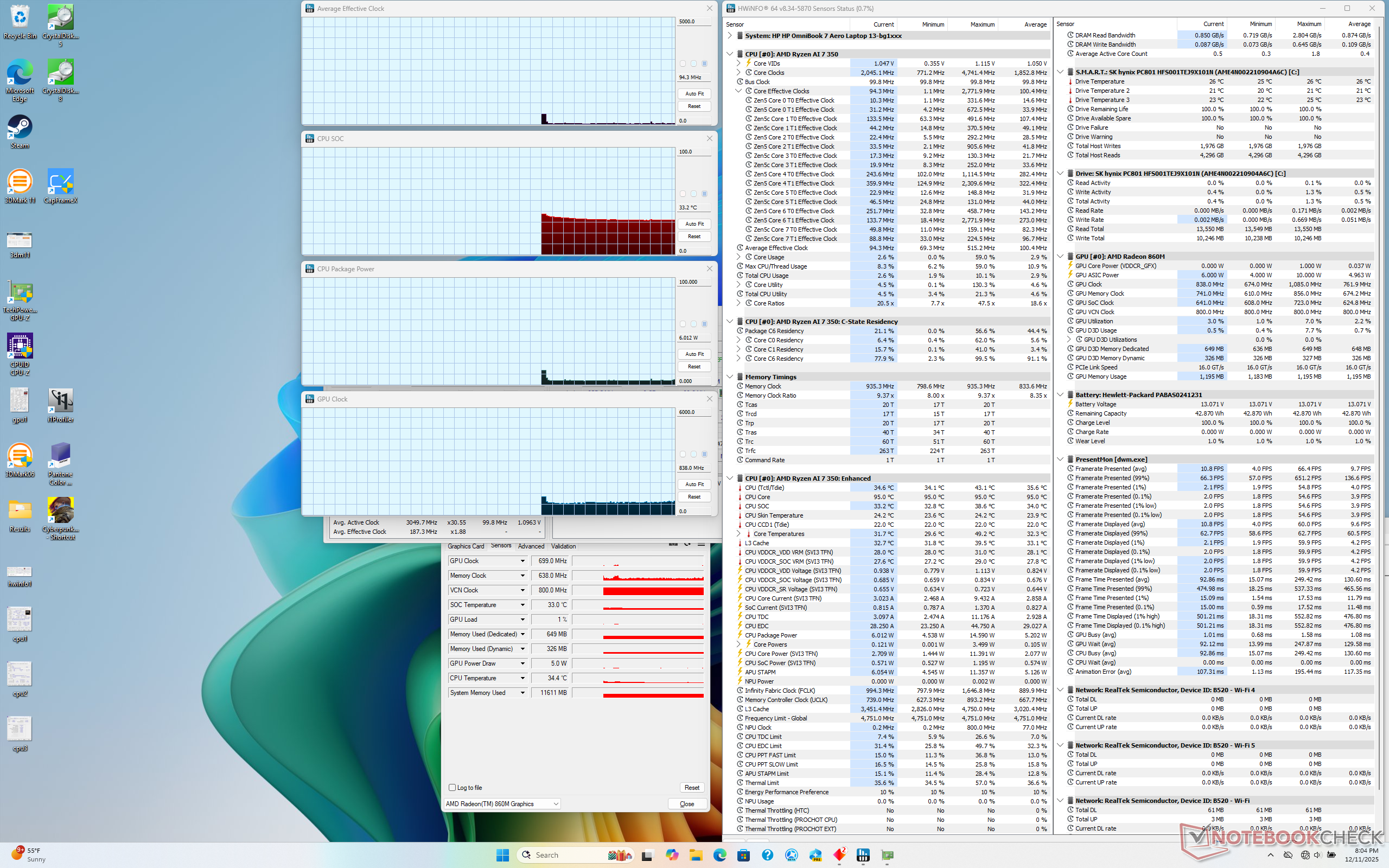
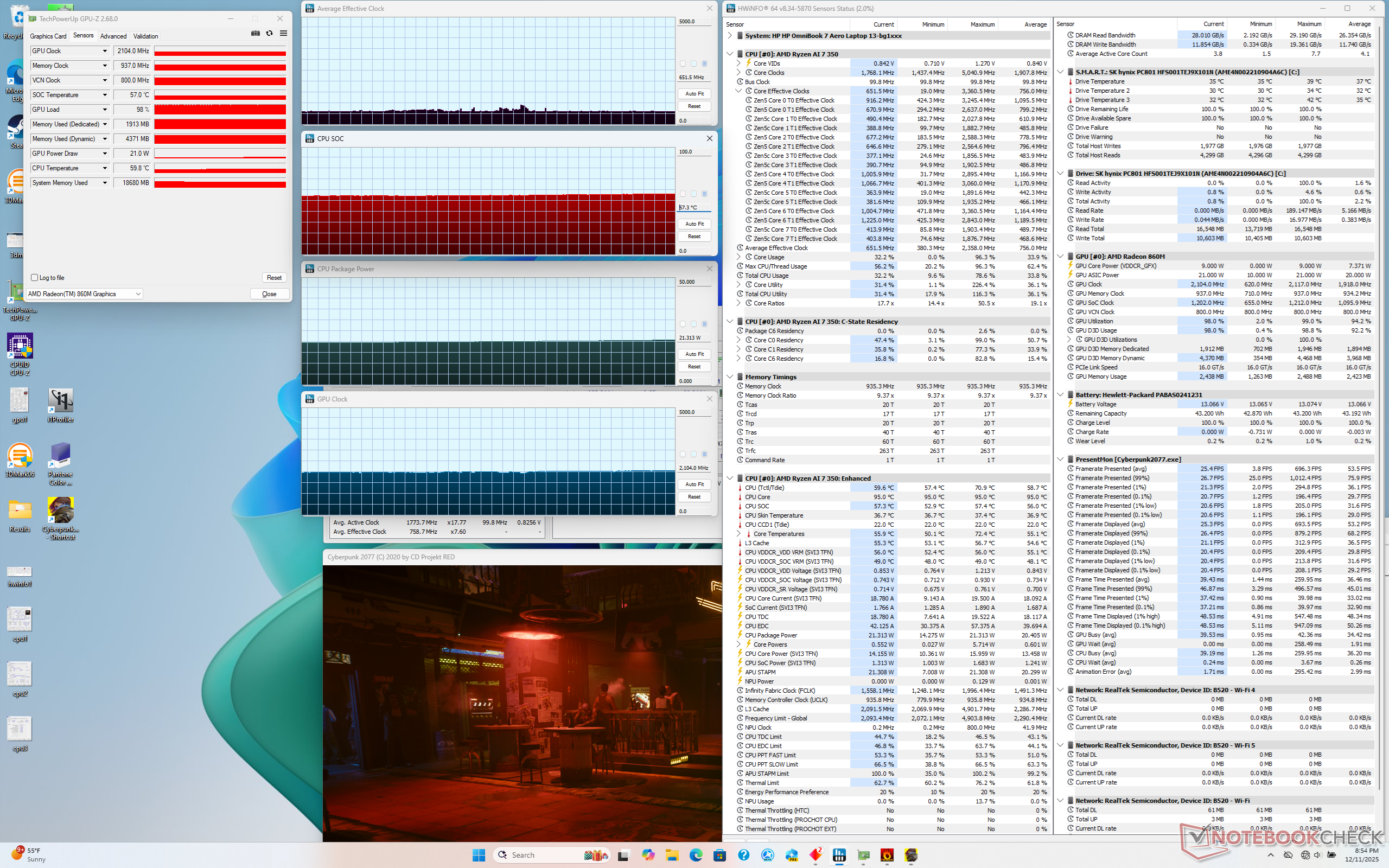
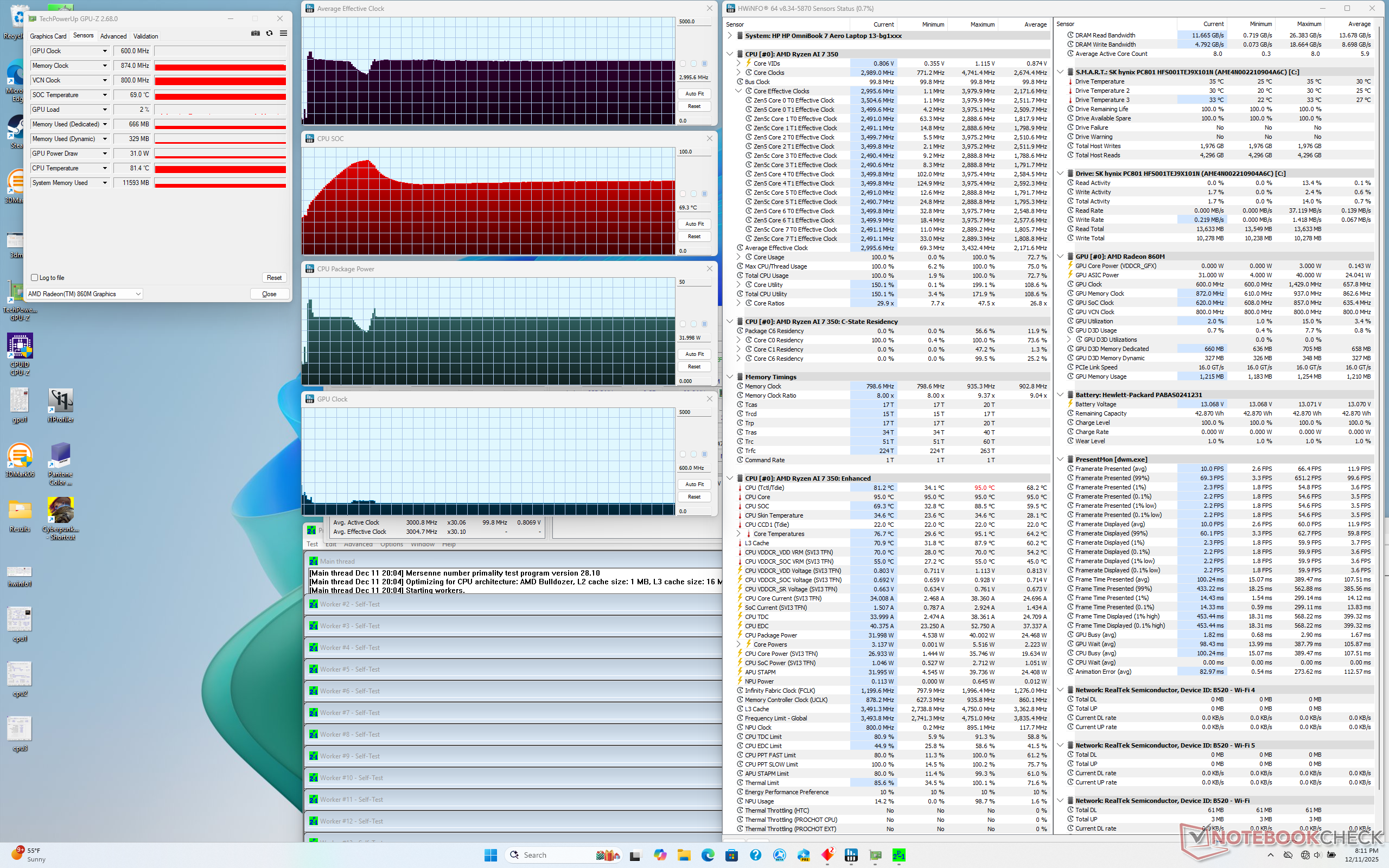
When initiating Prime95 stress, the CPU would boost to 3.4 GHz and 40 W until quickly falling and stabilizing at 3.0 GHz and 32 W a short moment later in order to maintain a core temperature of just under 70 C. Turbo Boost potential is therefore very short-lived which is unsurprising given the small cooling solution and high prioritization on overall weight reduction. The Ryzen AI 9 in the heavier 13.5-inch Framework Laptop, for example, can sustain 46 W for at least a minute before falling to 33 W when running the same stress test.
Core temperatures would remain relatively cool even when under load. When running Cyberpunk 2077, for example, the CPU would hover just below 60 C compared to 70 C or 80 C on the Dragonfly G4 or aforementioned Framework Laptop, respectively.
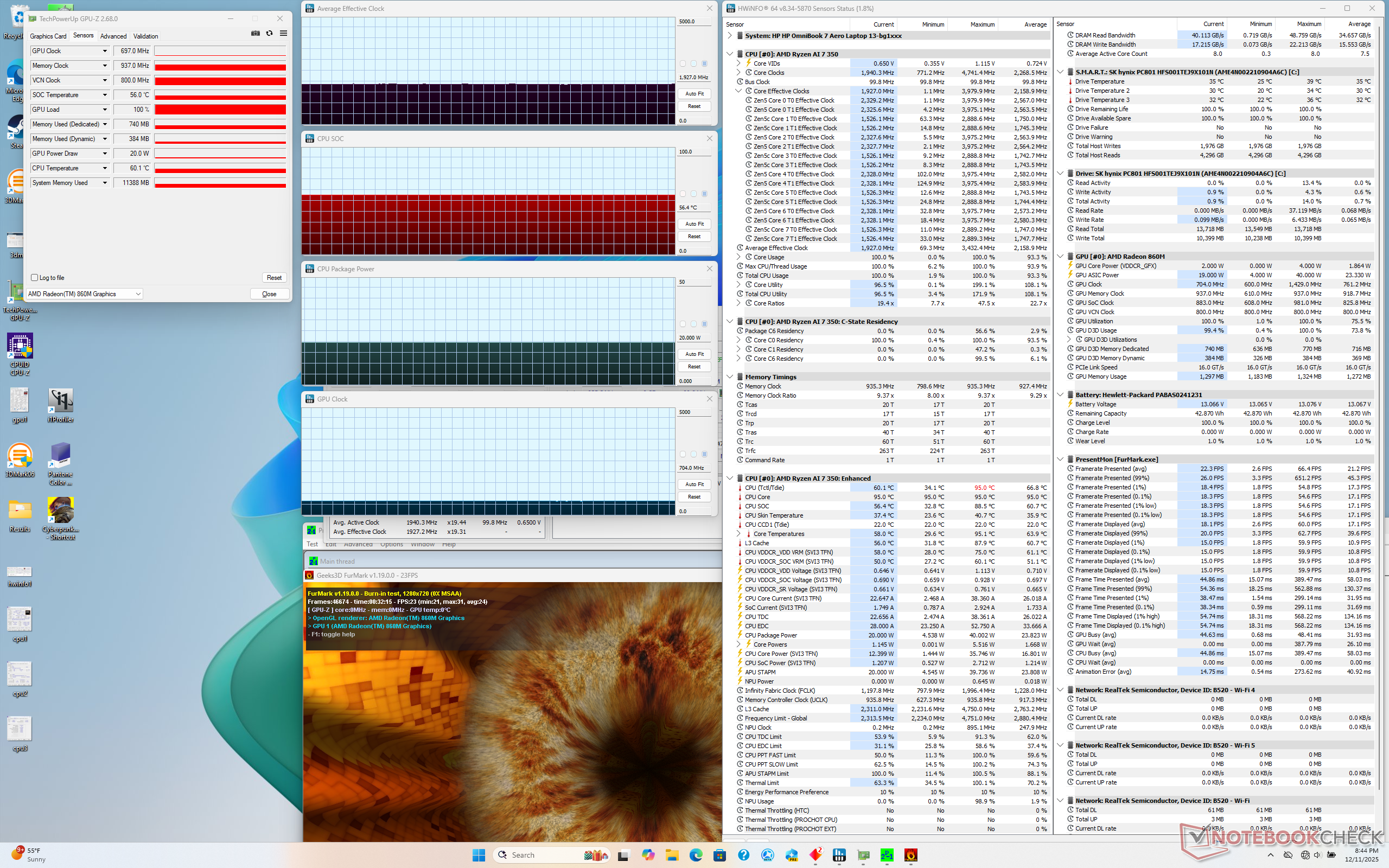
| CPU Clock (GHz) | GPU Clock (MHz) | Average CPU Temperature (°C) | |
| System Idle | -- | -- | 33 |
| Prime95 Stress | 3.0 | -- | 69 |
| Prime95 + FurMark Stress | 1.9 | 704 | 56 |
| Cyberpunk 2077 Stress | 0.65 | 2104 | 57 |
System Performance
PCMark 10 scores are high especially in regards to the Productivity subtest even after rerunning the benchmark to confirm the initial results.
AIDA64 memory copy and write results are very good for such a lightweight system powered by a midrange CPU. The high scores can be attributed to the 7500 MT/s soldered RAM whereas most other subnotebooks have slower <6000 MT/s memory.
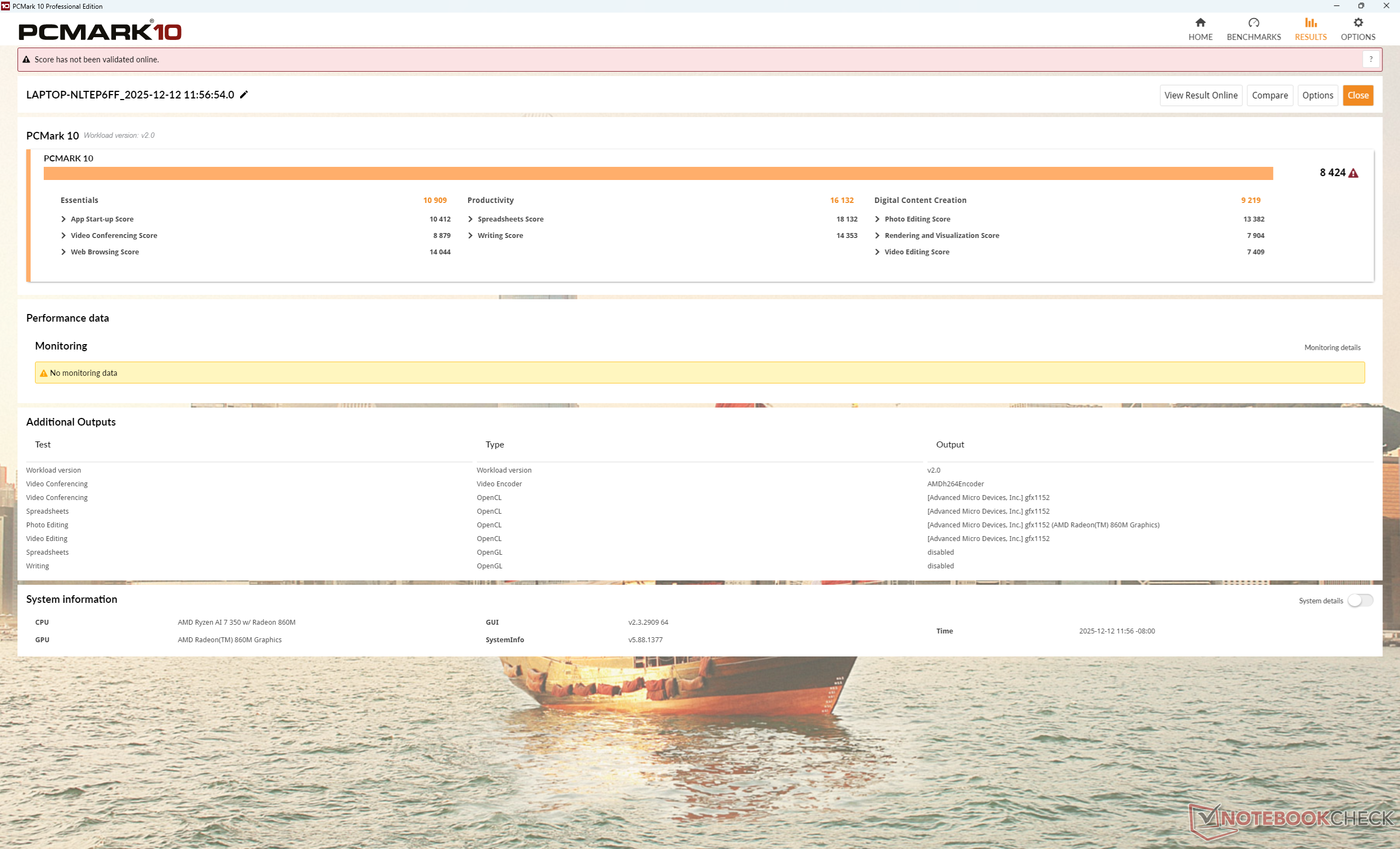
PCMark 10: Score | Essentials | Productivity | Digital Content Creation
CrossMark: Overall | Productivity | Creativity | Responsiveness
WebXPRT 3: Overall
WebXPRT 4: Overall
Mozilla Kraken 1.1: Total
Geekbench AI: Quantized GPU 1.7 | Half Precision GPU 1.7 | Single Precision GPU 1.7
| Performance rating | |
| Framework Laptop 13.5 Ryzen AI 9 HX 370 | |
| Average AMD Ryzen AI 7 350, AMD Radeon 860M | |
| HP OmniBook 7 Aero 13-bg1077nr | |
| HP Dragonfly G4 -3! | |
| Asus ZenBook S13 OLED UX5304 -3! | |
| Lenovo Yoga Book 9 13IMU9 -3! | |
| MSI Summit E13 AI Evo A1MTG -3! | |
| PCMark 10 / Score | |
| HP OmniBook 7 Aero 13-bg1077nr | |
| Average AMD Ryzen AI 7 350, AMD Radeon 860M (6982 - 8588, n=12) | |
| Framework Laptop 13.5 Ryzen AI 9 HX 370 | |
| Lenovo Yoga Book 9 13IMU9 | |
| HP Dragonfly G4 | |
| Asus ZenBook S13 OLED UX5304 | |
| MSI Summit E13 AI Evo A1MTG | |
| PCMark 10 / Essentials | |
| Average AMD Ryzen AI 7 350, AMD Radeon 860M (10801 - 12383, n=12) | |
| Framework Laptop 13.5 Ryzen AI 9 HX 370 | |
| Lenovo Yoga Book 9 13IMU9 | |
| HP OmniBook 7 Aero 13-bg1077nr | |
| HP Dragonfly G4 | |
| Asus ZenBook S13 OLED UX5304 | |
| MSI Summit E13 AI Evo A1MTG | |
| PCMark 10 / Productivity | |
| HP OmniBook 7 Aero 13-bg1077nr | |
| Average AMD Ryzen AI 7 350, AMD Radeon 860M (9674 - 17243, n=12) | |
| Framework Laptop 13.5 Ryzen AI 9 HX 370 | |
| Lenovo Yoga Book 9 13IMU9 | |
| HP Dragonfly G4 | |
| Asus ZenBook S13 OLED UX5304 | |
| MSI Summit E13 AI Evo A1MTG | |
| PCMark 10 / Digital Content Creation | |
| Framework Laptop 13.5 Ryzen AI 9 HX 370 | |
| Average AMD Ryzen AI 7 350, AMD Radeon 860M (8746 - 10028, n=12) | |
| HP OmniBook 7 Aero 13-bg1077nr | |
| Lenovo Yoga Book 9 13IMU9 | |
| MSI Summit E13 AI Evo A1MTG | |
| HP Dragonfly G4 | |
| Asus ZenBook S13 OLED UX5304 | |
| CrossMark / Overall | |
| Framework Laptop 13.5 Ryzen AI 9 HX 370 | |
| Average AMD Ryzen AI 7 350, AMD Radeon 860M (1301 - 2005, n=12) | |
| HP Dragonfly G4 | |
| MSI Summit E13 AI Evo A1MTG | |
| Asus ZenBook S13 OLED UX5304 | |
| Lenovo Yoga Book 9 13IMU9 | |
| HP OmniBook 7 Aero 13-bg1077nr | |
| CrossMark / Productivity | |
| Framework Laptop 13.5 Ryzen AI 9 HX 370 | |
| HP Dragonfly G4 | |
| Average AMD Ryzen AI 7 350, AMD Radeon 860M (1199 - 1869, n=12) | |
| Asus ZenBook S13 OLED UX5304 | |
| MSI Summit E13 AI Evo A1MTG | |
| Lenovo Yoga Book 9 13IMU9 | |
| HP OmniBook 7 Aero 13-bg1077nr | |
| CrossMark / Creativity | |
| Framework Laptop 13.5 Ryzen AI 9 HX 370 | |
| Average AMD Ryzen AI 7 350, AMD Radeon 860M (1514 - 2236, n=12) | |
| MSI Summit E13 AI Evo A1MTG | |
| HP Dragonfly G4 | |
| Asus ZenBook S13 OLED UX5304 | |
| HP OmniBook 7 Aero 13-bg1077nr | |
| Lenovo Yoga Book 9 13IMU9 | |
| CrossMark / Responsiveness | |
| Framework Laptop 13.5 Ryzen AI 9 HX 370 | |
| MSI Summit E13 AI Evo A1MTG | |
| Average AMD Ryzen AI 7 350, AMD Radeon 860M (1052 - 1784, n=12) | |
| Asus ZenBook S13 OLED UX5304 | |
| HP Dragonfly G4 | |
| Lenovo Yoga Book 9 13IMU9 | |
| HP OmniBook 7 Aero 13-bg1077nr | |
| WebXPRT 3 / Overall | |
| Framework Laptop 13.5 Ryzen AI 9 HX 370 | |
| HP Dragonfly G4 | |
| Average AMD Ryzen AI 7 350, AMD Radeon 860M (255 - 328, n=12) | |
| Asus ZenBook S13 OLED UX5304 | |
| MSI Summit E13 AI Evo A1MTG | |
| Lenovo Yoga Book 9 13IMU9 | |
| HP OmniBook 7 Aero 13-bg1077nr | |
| WebXPRT 4 / Overall | |
| Framework Laptop 13.5 Ryzen AI 9 HX 370 | |
| HP Dragonfly G4 | |
| Average AMD Ryzen AI 7 350, AMD Radeon 860M (199.1 - 275, n=12) | |
| Asus ZenBook S13 OLED UX5304 | |
| Lenovo Yoga Book 9 13IMU9 | |
| HP OmniBook 7 Aero 13-bg1077nr | |
| MSI Summit E13 AI Evo A1MTG | |
| Mozilla Kraken 1.1 / Total | |
| HP OmniBook 7 Aero 13-bg1077nr | |
| Lenovo Yoga Book 9 13IMU9 | |
| MSI Summit E13 AI Evo A1MTG | |
| Average AMD Ryzen AI 7 350, AMD Radeon 860M (434 - 702, n=12) | |
| Asus ZenBook S13 OLED UX5304 | |
| HP Dragonfly G4 | |
| Framework Laptop 13.5 Ryzen AI 9 HX 370 | |
| Geekbench AI / Quantized GPU 1.7 | |
| HP OmniBook 7 Aero 13-bg1077nr | |
| Average AMD Ryzen AI 7 350, AMD Radeon 860M (4461 - 5390, n=6) | |
| Framework Laptop 13.5 Ryzen AI 9 HX 370 | |
| Geekbench AI / Half Precision GPU 1.7 | |
| Framework Laptop 13.5 Ryzen AI 9 HX 370 | |
| Average AMD Ryzen AI 7 350, AMD Radeon 860M (9664 - 10557, n=6) | |
| HP OmniBook 7 Aero 13-bg1077nr | |
| Geekbench AI / Single Precision GPU 1.7 | |
| HP OmniBook 7 Aero 13-bg1077nr | |
| Average AMD Ryzen AI 7 350, AMD Radeon 860M (6084 - 7251, n=6) | |
| Framework Laptop 13.5 Ryzen AI 9 HX 370 | |
* ... smaller is better
| PCMark 10 Score | 8424 points | |
Help | ||
| AIDA64 / Memory Copy | |
| HP OmniBook 7 Aero 13-bg1077nr | |
| Lenovo Yoga Book 9 13IMU9 | |
| MSI Summit E13 AI Evo A1MTG | |
| Average AMD Ryzen AI 7 350 (37823 - 106997, n=16) | |
| Framework Laptop 13.5 Ryzen AI 9 HX 370 | |
| Asus ZenBook S13 OLED UX5304 | |
| HP Dragonfly G4 | |
| AIDA64 / Memory Read | |
| Framework Laptop 13.5 Ryzen AI 9 HX 370 | |
| MSI Summit E13 AI Evo A1MTG | |
| HP OmniBook 7 Aero 13-bg1077nr | |
| Lenovo Yoga Book 9 13IMU9 | |
| Average AMD Ryzen AI 7 350 (43921 - 63650, n=16) | |
| Asus ZenBook S13 OLED UX5304 | |
| HP Dragonfly G4 | |
| AIDA64 / Memory Write | |
| HP OmniBook 7 Aero 13-bg1077nr | |
| Average AMD Ryzen AI 7 350 (42576 - 110817, n=16) | |
| Framework Laptop 13.5 Ryzen AI 9 HX 370 | |
| MSI Summit E13 AI Evo A1MTG | |
| Asus ZenBook S13 OLED UX5304 | |
| HP Dragonfly G4 | |
| Lenovo Yoga Book 9 13IMU9 | |
| AIDA64 / Memory Latency | |
| Lenovo Yoga Book 9 13IMU9 | |
| MSI Summit E13 AI Evo A1MTG | |
| HP OmniBook 7 Aero 13-bg1077nr | |
| Average AMD Ryzen AI 7 350 (87.7 - 109.8, n=16) | |
| Framework Laptop 13.5 Ryzen AI 9 HX 370 | |
| HP Dragonfly G4 | |
| Asus ZenBook S13 OLED UX5304 | |
* ... smaller is better
DPC Latency
LatencyMon reveals potential DPC issues related to the DirectX graphics kernel. The GPU would also oddly be at 100 percent utilization when playing 4K60 video content, but there are otherwise no dropped frames recorded for stutter-free 4K playback.
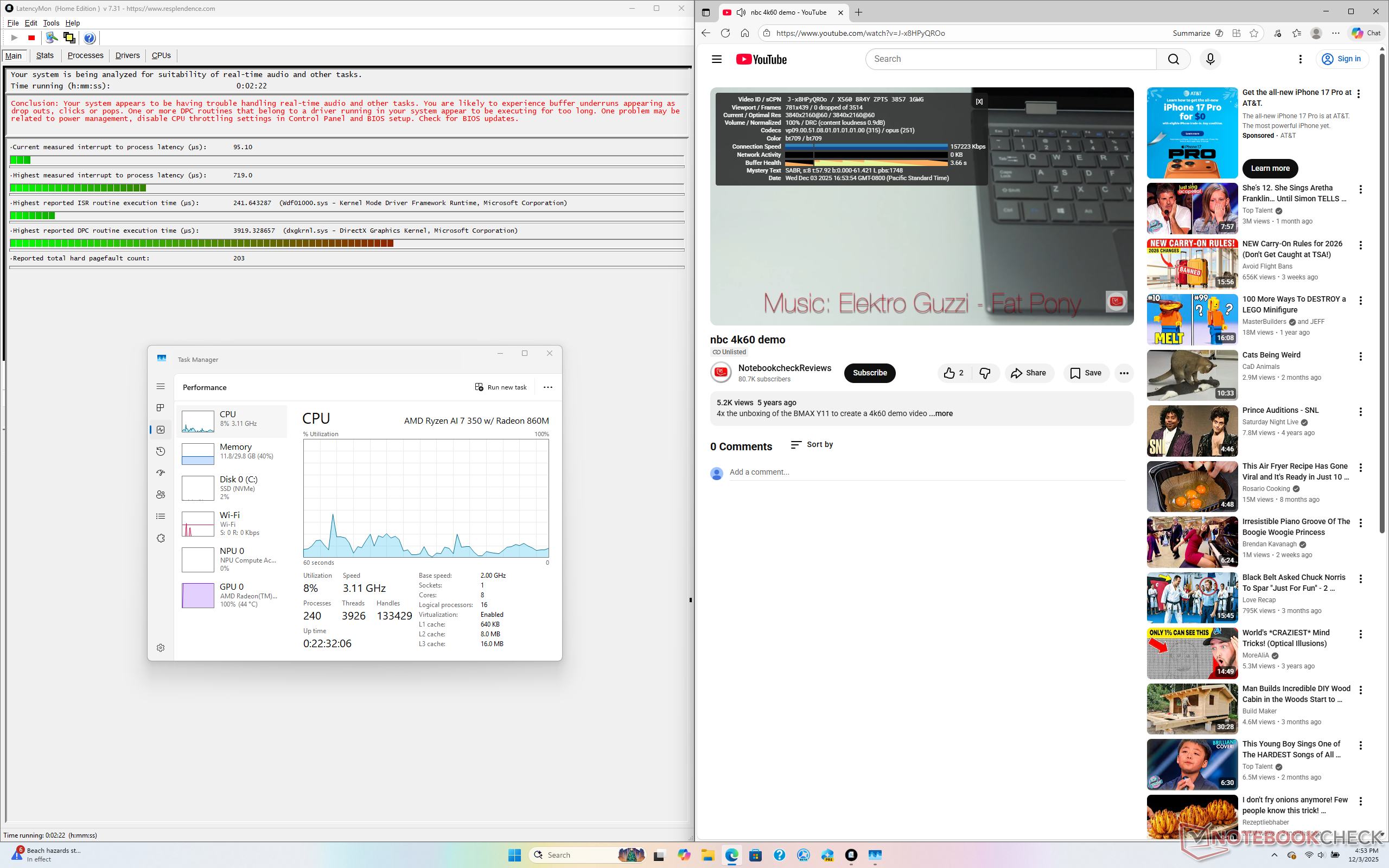
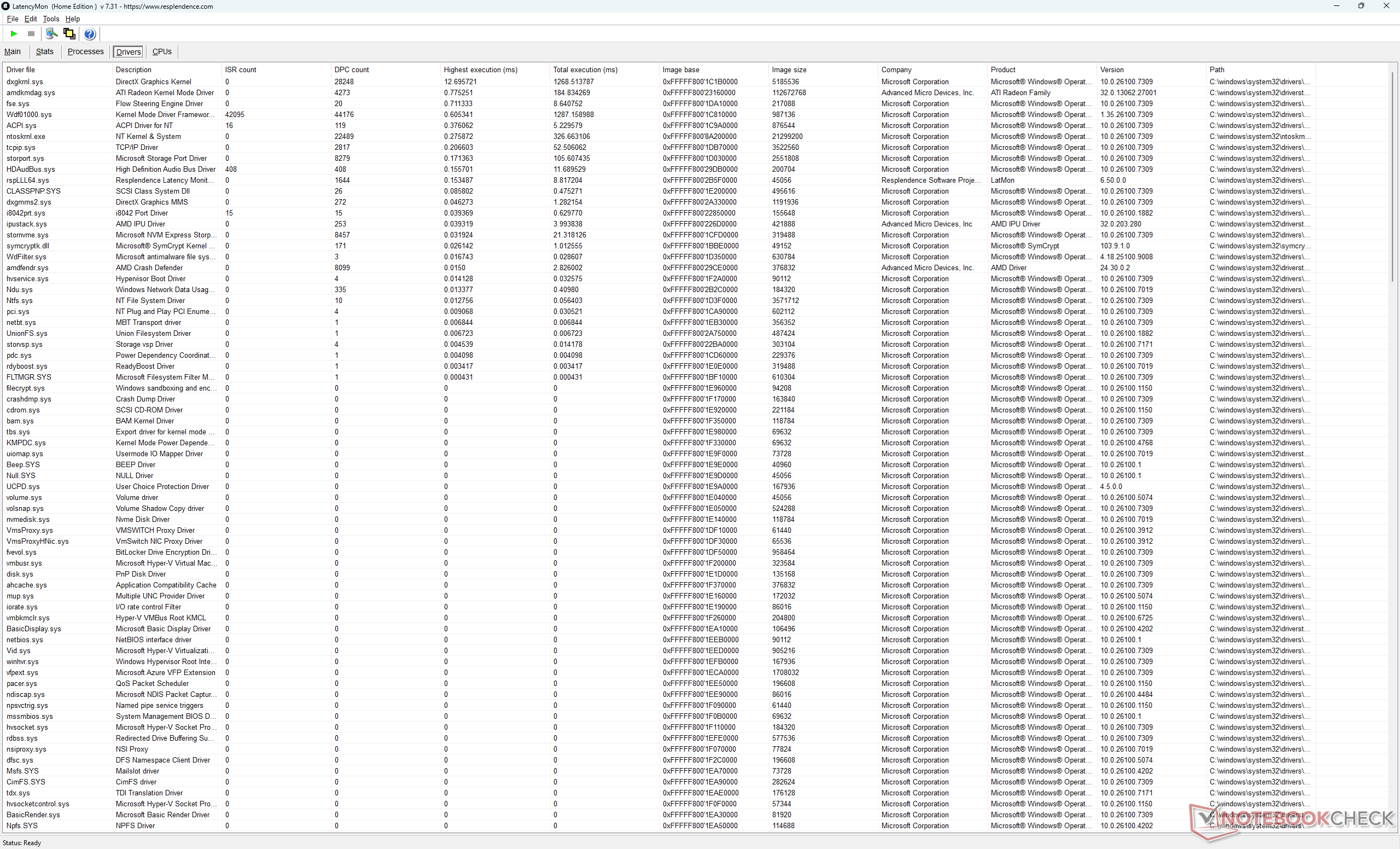
| DPC Latencies / LatencyMon - interrupt to process latency (max), Web, Youtube, Prime95 | |
| Framework Laptop 13.5 Ryzen AI 9 HX 370 | |
| MSI Summit E13 AI Evo A1MTG | |
| Lenovo Yoga Book 9 13IMU9 | |
| Asus ZenBook S13 OLED UX5304 | |
| HP Dragonfly G4 | |
| HP OmniBook 7 Aero 13-bg1077nr | |
* ... smaller is better
Storage Devices
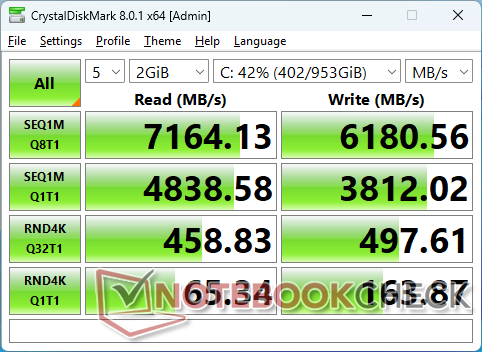
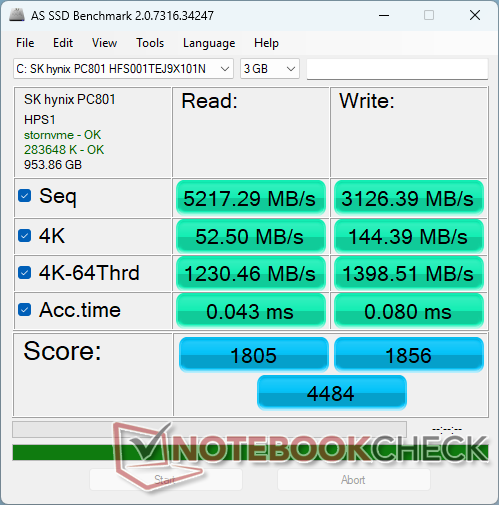
The SK Hynix PC801 can sustain transfer rates of almost 7200 MB/s with no signs of throttling.

| Drive Performance rating - Percent | |
| Asus ZenBook S13 OLED UX5304 | |
| HP OmniBook 7 Aero 13-bg1077nr | |
| MSI Summit E13 AI Evo A1MTG | |
| Framework Laptop 13.5 Ryzen AI 9 HX 370 | |
| HP Dragonfly G4 | |
| Lenovo Yoga Book 9 13IMU9 | |
* ... smaller is better
Disk Throttling: DiskSpd Read Loop, Queue Depth 8
GPU Performance
The Radeon 860M is a lower-end integrated GPU sitting below the Radeon 880M and 890M. It performs comfortably in between the weaker Iris Xe 96 EUs and faster Radeon 880M in terms of raw graphics potential. For gaming purposes, however, most titles will have to be set to Low for a crisper FHD image resolution.
Downgrading to the Radeon 840M configuration will impact graphics performance quite significantly by up to 25 percent.
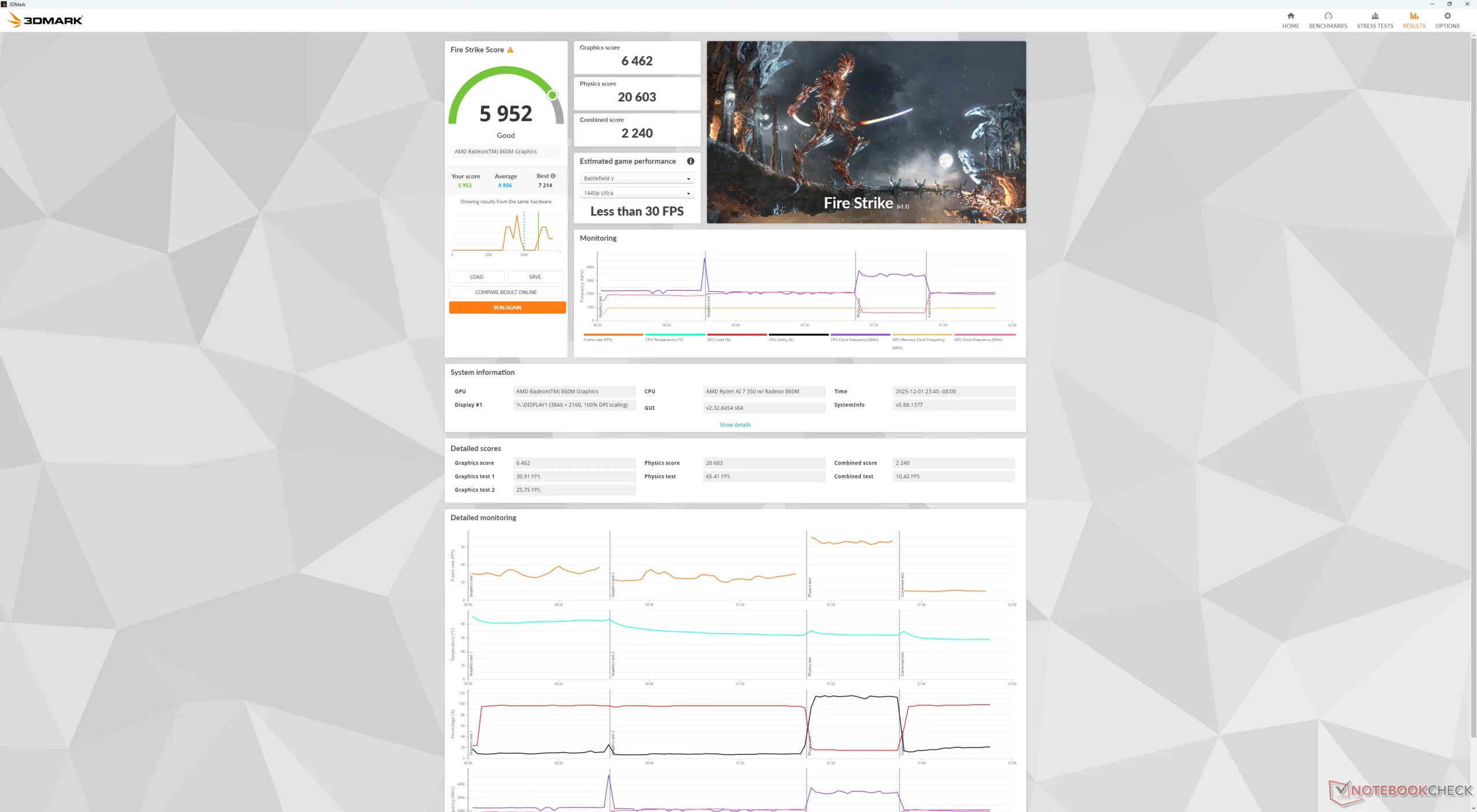
Full performance is available if running on battery power as shown by our Fire Strike results table below.
| Power Profile | Graphics Score | Physics Score | Combined Score |
| Performance Mode | 6462 | 20603 | 2240 |
| Balanced Mode | 6468 | 20626 | 2229 |
| Battery Power | 6431 | 20116 | 2208 |
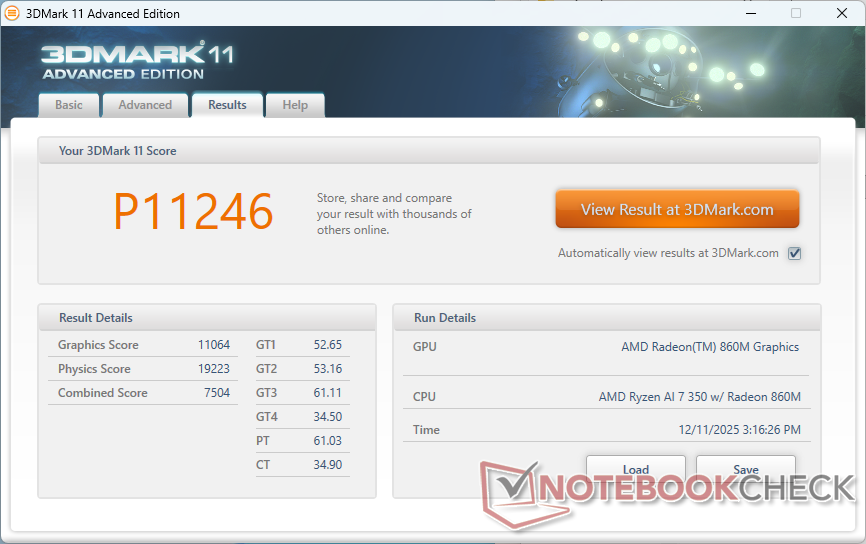
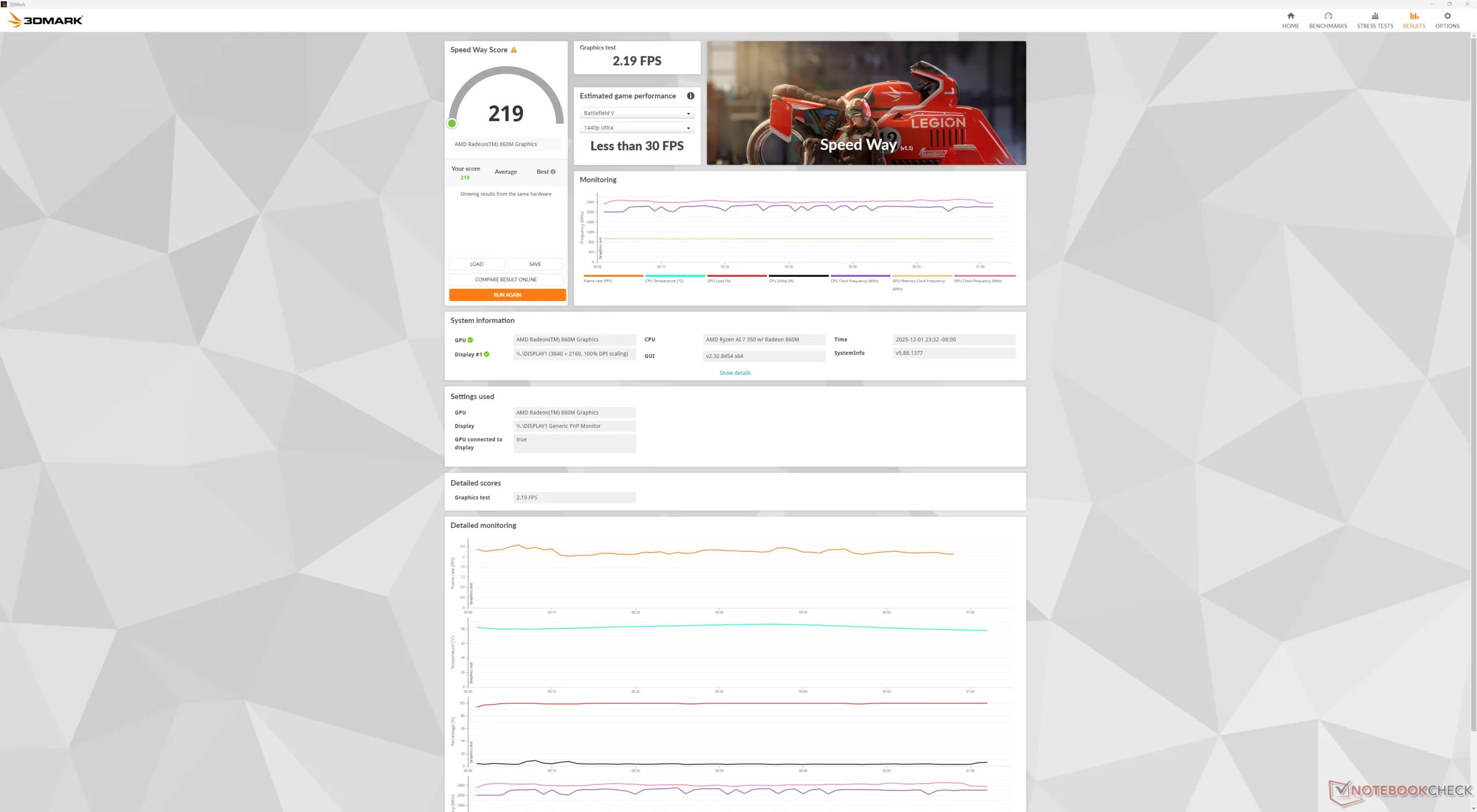
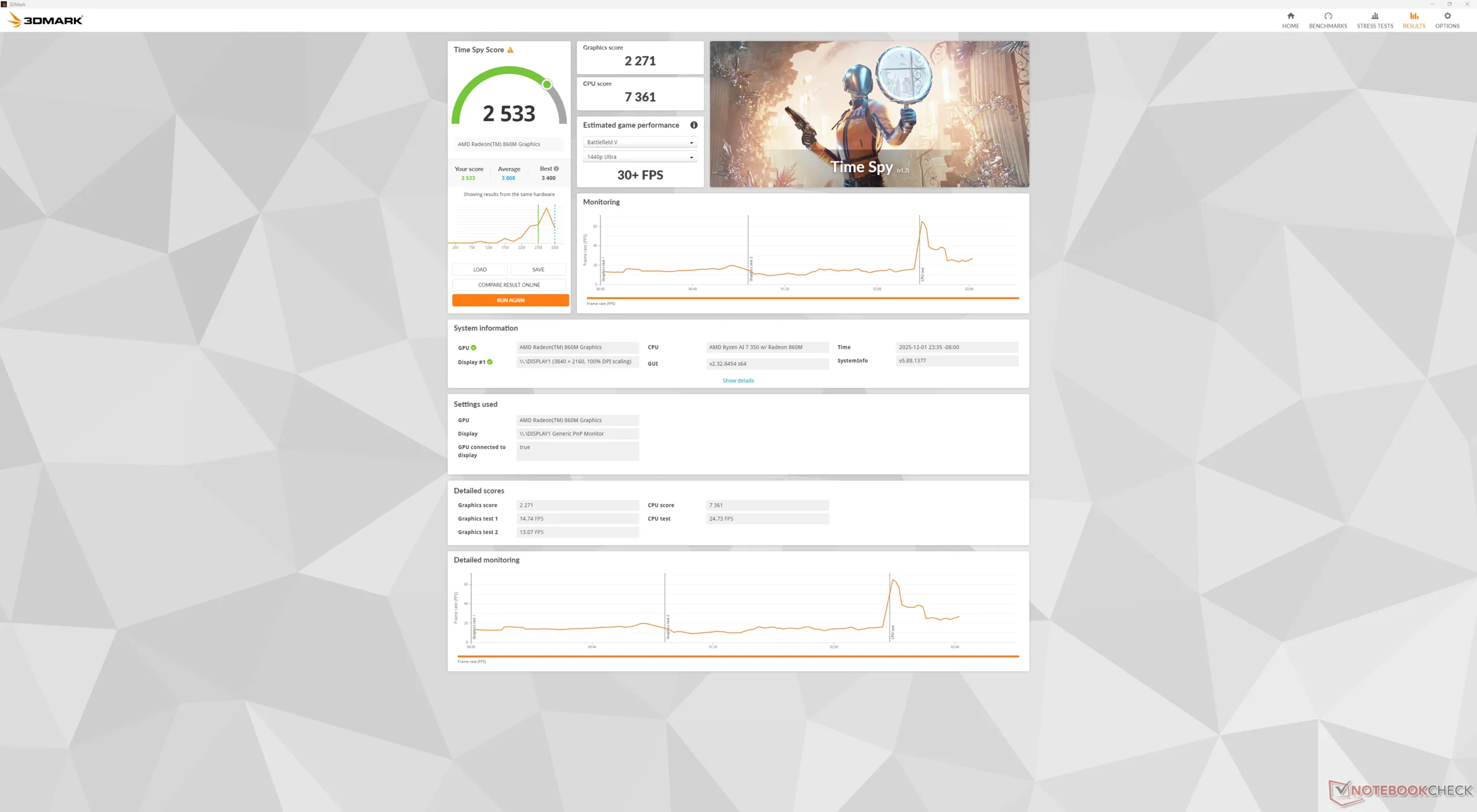
| 3DMark 11 Performance | 11246 points | |
| 3DMark Cloud Gate Standard Score | 25967 points | |
| 3DMark Fire Strike Score | 5952 points | |
| 3DMark Time Spy Score | 2533 points | |
Help | ||
* ... smaller is better
| Performance rating - Percent | |
| Framework Laptop 13.5 Ryzen AI 9 HX 370 | |
| HP OmniBook 7 Aero 13-bg1077nr | |
| MSI Summit E13 AI Evo A1MTG -1! | |
| Lenovo Yoga Book 9 13IMU9 -2! | |
| HP Dragonfly G4 -2! | |
| Asus ZenBook S13 OLED UX5304 -2! | |
| Cyberpunk 2077 - 1920x1080 Ultra Preset (FSR off) | |
| Framework Laptop 13.5 Ryzen AI 9 HX 370 | |
| HP OmniBook 7 Aero 13-bg1077nr | |
| Lenovo Yoga Book 9 13IMU9 | |
| Baldur's Gate 3 - 1920x1080 Ultra Preset AA:T | |
| Framework Laptop 13.5 Ryzen AI 9 HX 370 | |
| HP OmniBook 7 Aero 13-bg1077nr | |
| MSI Summit E13 AI Evo A1MTG | |
| GTA V - 1920x1080 Highest AA:4xMSAA + FX AF:16x | |
| Framework Laptop 13.5 Ryzen AI 9 HX 370 | |
| HP OmniBook 7 Aero 13-bg1077nr | |
| MSI Summit E13 AI Evo A1MTG | |
| HP Dragonfly G4 | |
| Asus ZenBook S13 OLED UX5304 | |
| Final Fantasy XV Benchmark - 1920x1080 High Quality | |
| Framework Laptop 13.5 Ryzen AI 9 HX 370 | |
| HP OmniBook 7 Aero 13-bg1077nr | |
| MSI Summit E13 AI Evo A1MTG | |
| HP Dragonfly G4 | |
| Lenovo Yoga Book 9 13IMU9 | |
| Asus ZenBook S13 OLED UX5304 | |
| Strange Brigade - 1920x1080 ultra AA:ultra AF:16 | |
| Framework Laptop 13.5 Ryzen AI 9 HX 370 | |
| HP OmniBook 7 Aero 13-bg1077nr | |
| MSI Summit E13 AI Evo A1MTG | |
| Lenovo Yoga Book 9 13IMU9 | |
| HP Dragonfly G4 | |
| Asus ZenBook S13 OLED UX5304 | |
| Dota 2 Reborn - 1920x1080 ultra (3/3) best looking | |
| HP OmniBook 7 Aero 13-bg1077nr | |
| MSI Summit E13 AI Evo A1MTG | |
| Lenovo Yoga Book 9 13IMU9 | |
| HP Dragonfly G4 | |
| Asus ZenBook S13 OLED UX5304 | |
| Framework Laptop 13.5 Ryzen AI 9 HX 370 | |
| X-Plane 11.11 - 1920x1080 high (fps_test=3) | |
| Framework Laptop 13.5 Ryzen AI 9 HX 370 | |
| HP OmniBook 7 Aero 13-bg1077nr | |
| MSI Summit E13 AI Evo A1MTG | |
| HP Dragonfly G4 | |
| Asus ZenBook S13 OLED UX5304 | |
| Lenovo Yoga Book 9 13IMU9 | |
| F1 24 | |
| 1920x1080 Low Preset AA:T AF:16x | |
| Average AMD Radeon 860M (44.4 - 77.2, n=13) | |
| HP OmniBook 7 Aero 13-bg1077nr | |
| Lenovo Yoga 7 2-in-1 14AKP10 | |
| HP EliteBook 8 Flip G1i 13 | |
| 1920x1080 Medium Preset AA:T AF:16x | |
| Average AMD Radeon 860M (50.2 - 69.6, n=12) | |
| HP OmniBook 7 Aero 13-bg1077nr | |
| Lenovo Yoga 7 2-in-1 14AKP10 | |
| HP EliteBook 8 Flip G1i 13 | |
| 1920x1080 High Preset AA:T AF:16x | |
| Average AMD Radeon 860M (37.7 - 51.8, n=11) | |
| HP OmniBook 7 Aero 13-bg1077nr | |
| Lenovo Yoga 7 2-in-1 14AKP10 | |
| HP EliteBook 8 Flip G1i 13 | |
| 1920x1080 Ultra High Preset AA:T AF:16x | |
| Average AMD Radeon 860M (7.94 - 11.4, n=10) | |
| HP OmniBook 7 Aero 13-bg1077nr | |
| HP EliteBook 8 Flip G1i 13 | |
Cyberpunk 2077 ultra FPS Chart
| low | med. | high | ultra | |
|---|---|---|---|---|
| GTA V (2015) | 151.9 | 143.2 | 60.8 | 25.7 |
| Dota 2 Reborn (2015) | 161.7 | 123.6 | 82.7 | 73.3 |
| Final Fantasy XV Benchmark (2018) | 63.4 | 32.7 | 23.3 | |
| X-Plane 11.11 (2018) | 60.3 | 48.9 | 40.4 | |
| Strange Brigade (2018) | 142.8 | 59.6 | 48.4 | 40.3 |
| Baldur's Gate 3 (2023) | 31.8 | 26.4 | 21.1 | 20.6 |
| Cyberpunk 2077 (2023) | 32.5 | 24.9 | 19.8 | 16.5 |
| F1 24 (2024) | 57.4 | 51.9 | 37.8 | 8 |
Emissions — Small But Quiet
System Noise
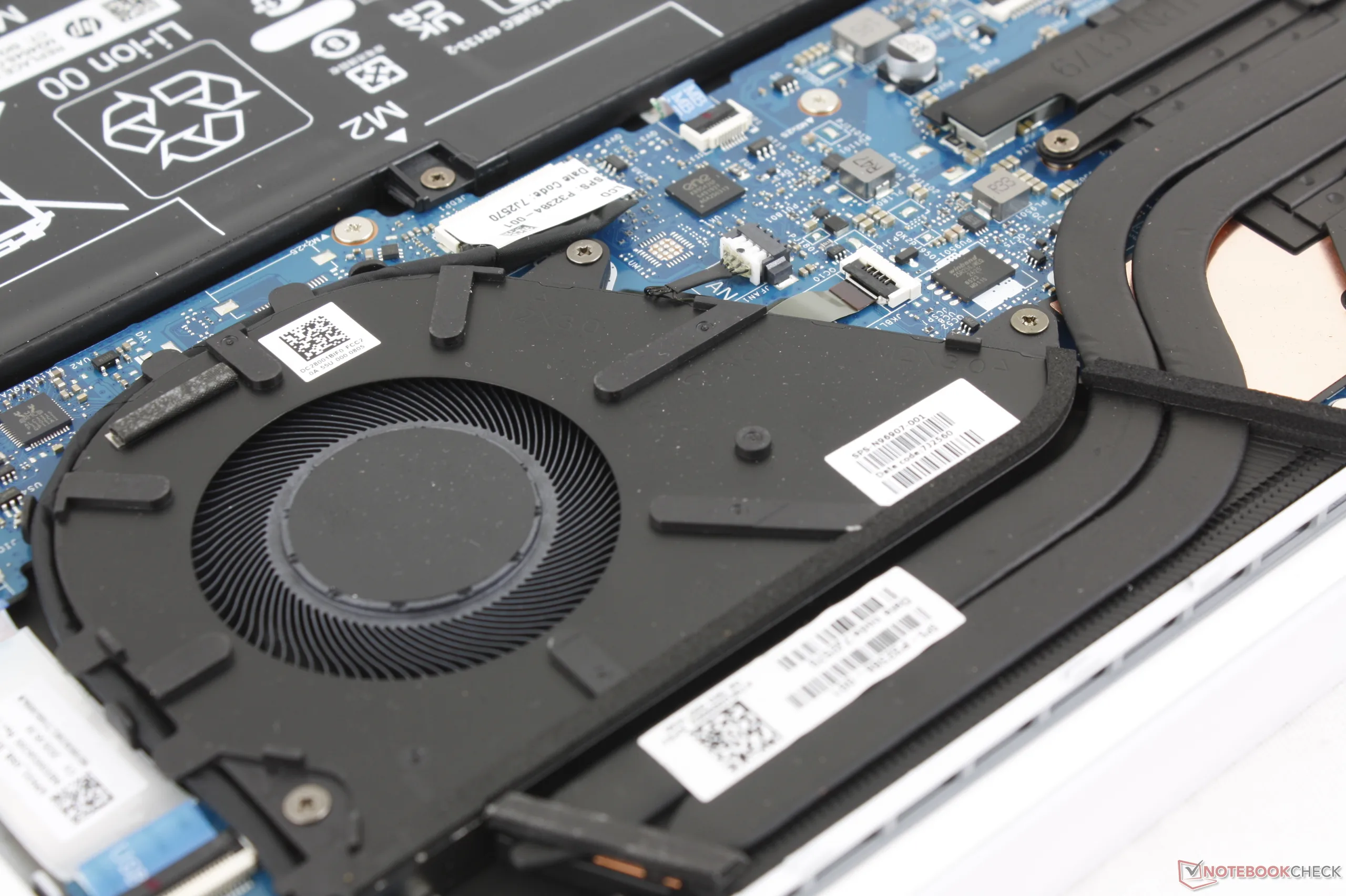
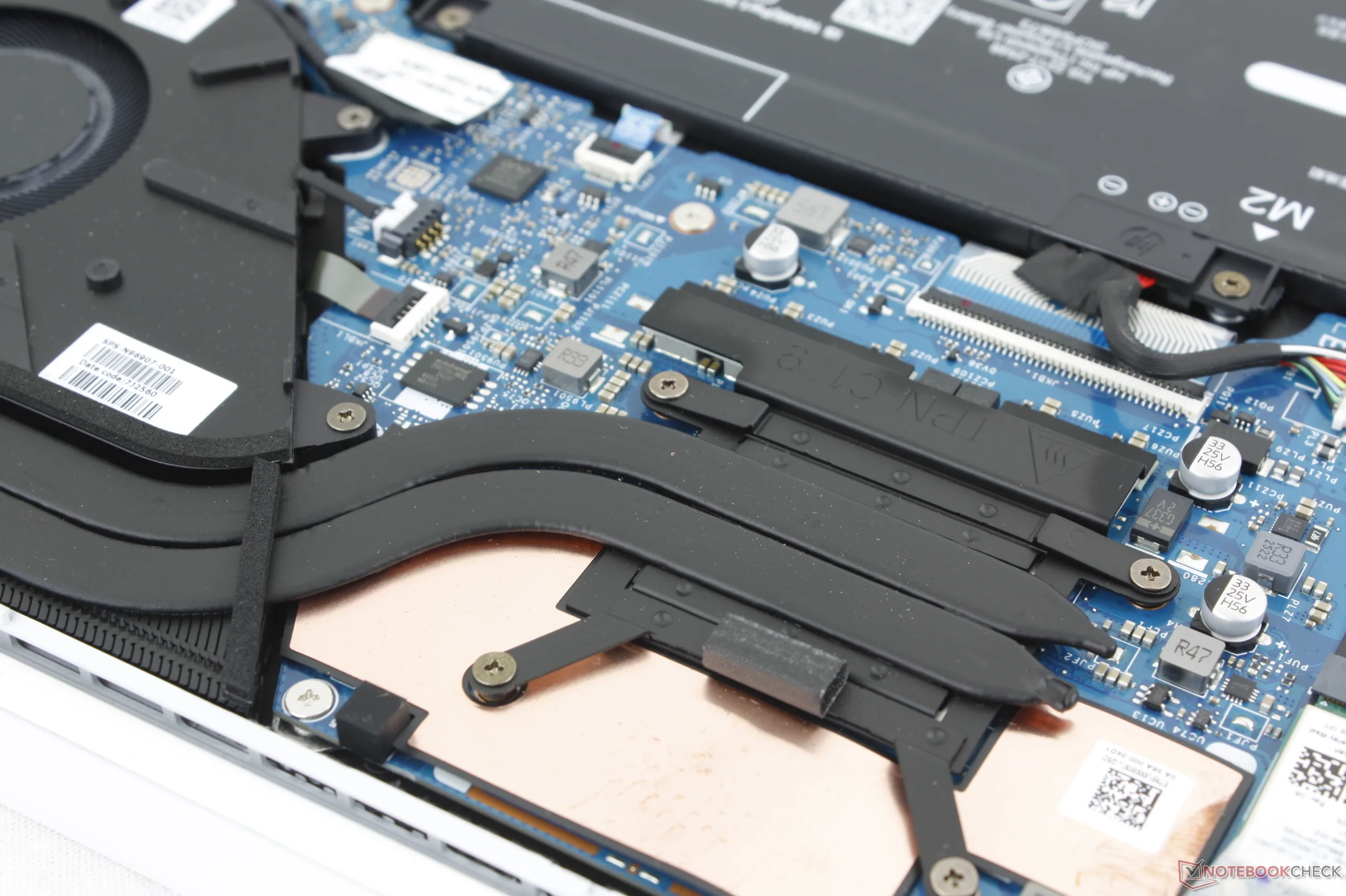
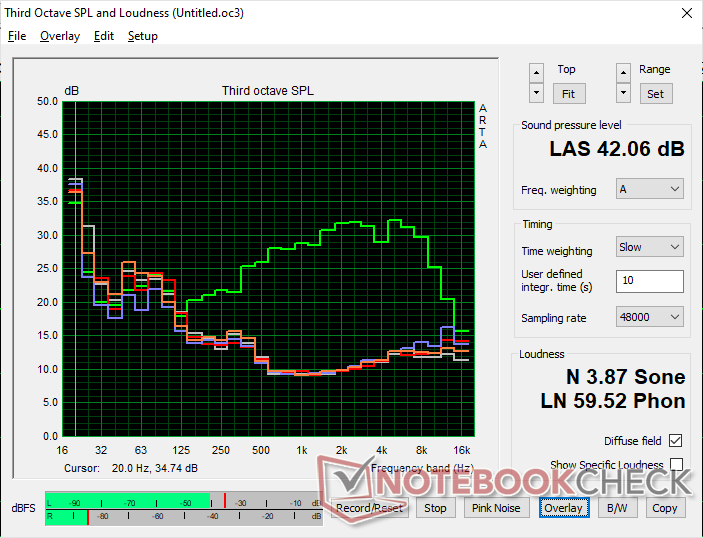
The ~60 mm fan is quite large for a 13-inch form factor which is great to see as high RPMs tend to be less noticeable due to lower frequencies. The fan would remain very quiet at just 24.7 dB(A) against a silent background of 23.2 dB(A) even after running the first benchmark scene of 3DMark 06.
Note that fan noise when running Cyberpunk 2077 on High graphics settings is very low since the CPU is being bottlenecked by the slow iGPU. When the CPU becomes stressed, fan noise would reach just over 42 dB(A).
Noise level
| Idle |
| 23.3 / 23.3 / 23.3 dB(A) |
| Load |
| 24.7 / 42 dB(A) |
 | ||
30 dB silent 40 dB(A) audible 50 dB(A) loud |
||
min:  , med: , med:  , max: , max:  Earthworks M23R, Arta (15 cm distance) environment noise: 23.2 dB(A) Earthworks M23R, Arta (15 cm distance) environment noise: 23.2 dB(A) | ||
| HP OmniBook 7 Aero 13-bg1077nr Ryzen AI 7 350, Radeon 860M | MSI Summit E13 AI Evo A1MTG Ultra 7 155H, Arc 8-Core | Framework Laptop 13.5 Ryzen AI 9 HX 370 Ryzen AI 9 HX 370, Radeon 890M | HP Dragonfly G4 i7-1365U, Iris Xe G7 96EUs | Lenovo Yoga Book 9 13IMU9 Ultra 7 155U, Graphics 4-Core iGPU (Arrow Lake) | Asus ZenBook S13 OLED UX5304 i7-1355U, Iris Xe G7 96EUs | |
|---|---|---|---|---|---|---|
| Noise | -28% | -32% | -2% | 4% | -8% | |
| off / environment * (dB) | 23.2 | 24 -3% | 24.2 -4% | 23.3 -0% | 23.3 -0% | 23.3 -0% |
| Idle Minimum * (dB) | 23.3 | 24.1 -3% | 24.4 -5% | 23.5 -1% | 23.3 -0% | 23.3 -0% |
| Idle Average * (dB) | 23.3 | 24.8 -6% | 24.4 -5% | 23.5 -1% | 23.3 -0% | 23.3 -0% |
| Idle Maximum * (dB) | 23.3 | 26.5 -14% | 28 -20% | 26.8 -15% | 24.6 -6% | 23.3 -0% |
| Load Average * (dB) | 24.7 | 39.3 -59% | 46.2 -87% | 27.2 -10% | 26.2 -6% | 37.7 -53% |
| Cyberpunk 2077 ultra * (dB) | 23.5 | 45 -91% | 45.8 -95% | |||
| Load Maximum * (dB) | 42 | 49.1 -17% | 45.9 -9% | 35 17% | 27.3 35% | 40.1 5% |
| Witcher 3 ultra * (dB) | 32.7 | 27.3 | 40.1 |
* ... smaller is better
Temperature
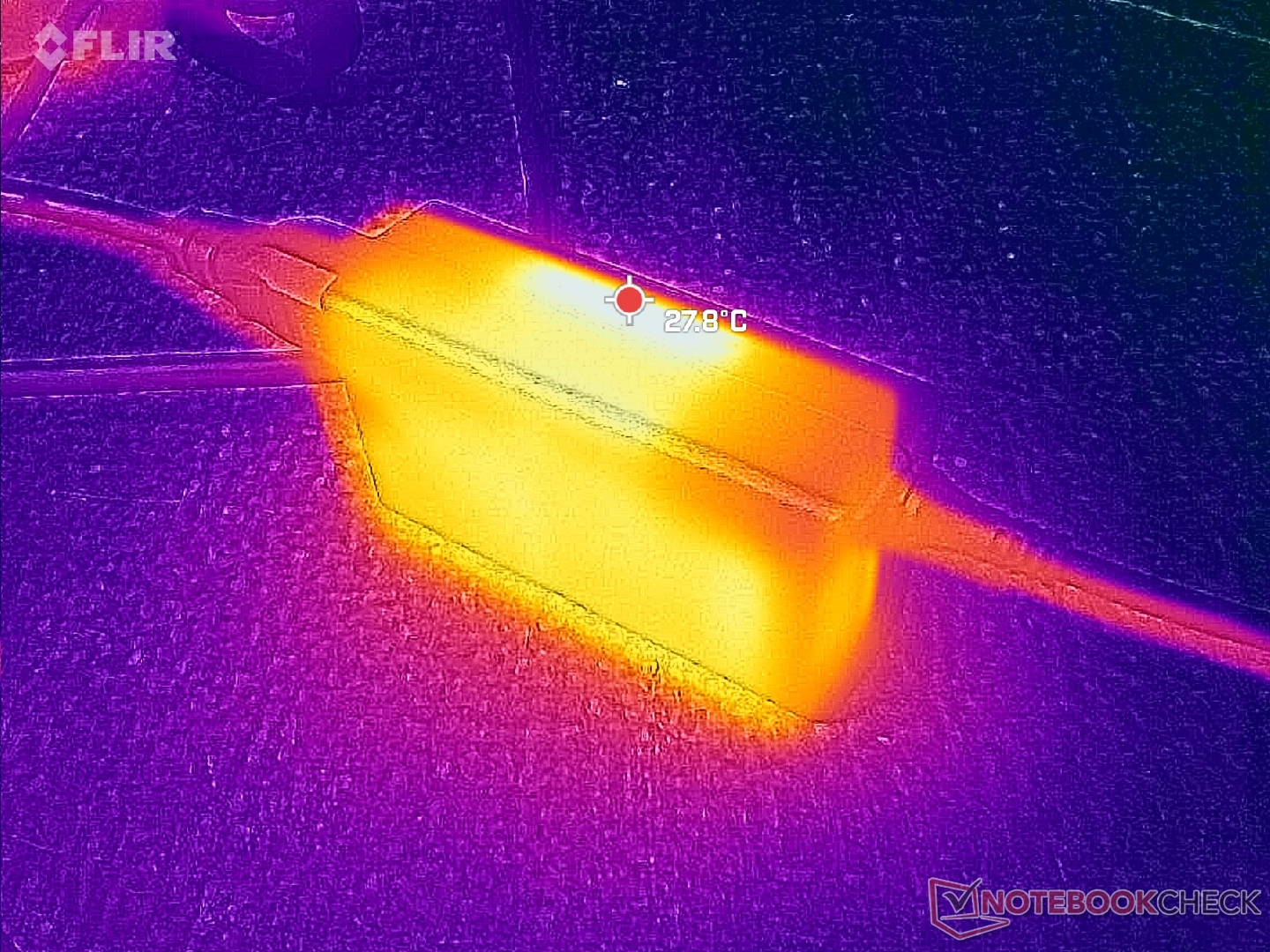
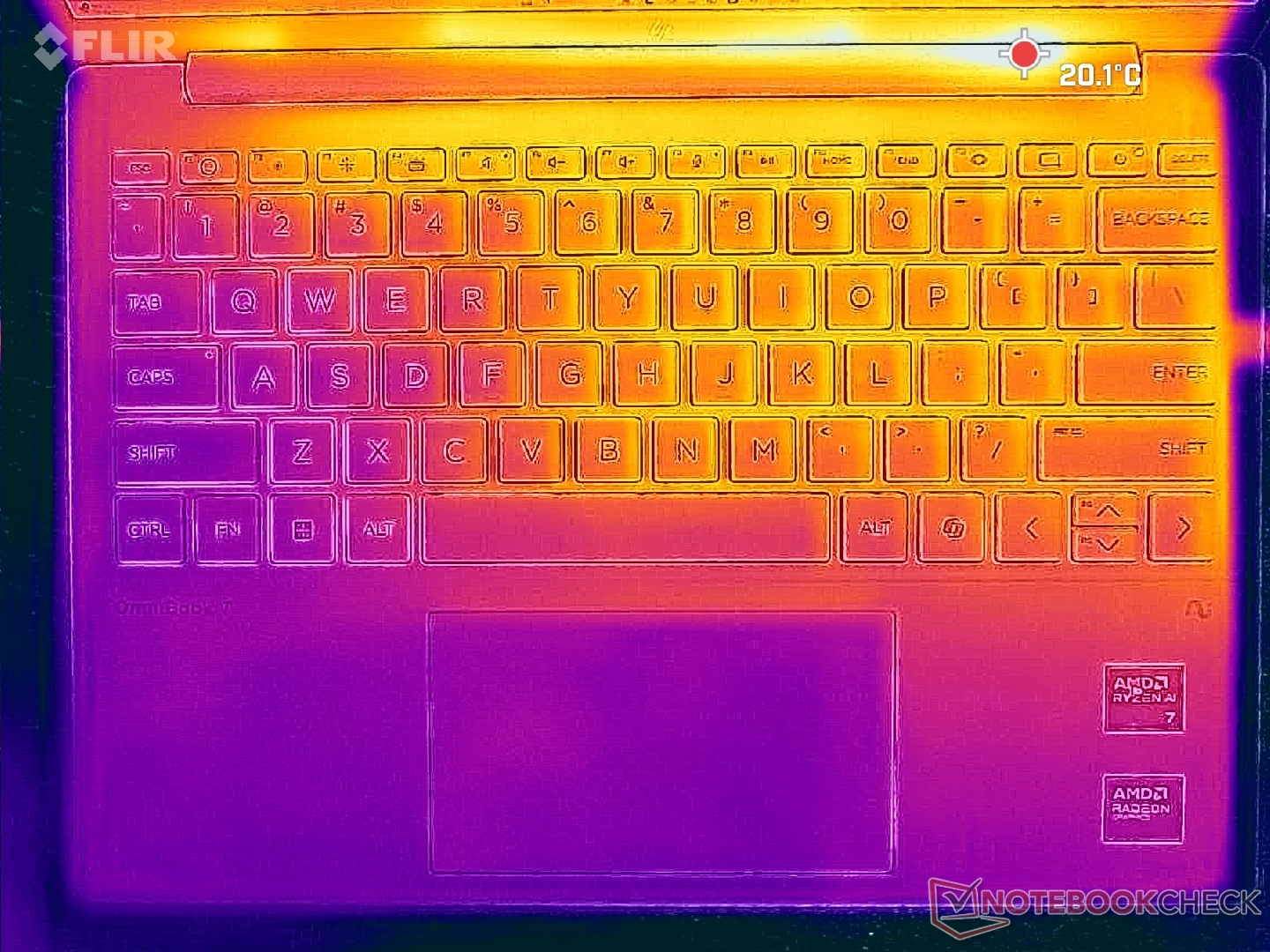
Surface temperatures are never uncomfortably warm with hot spots near the rear reaching almost 40 C when running demanding loads. This is similar to what we recorded on the older Dragonfly G4 but still much cooler than on the MSI Summit E13. The AC adapter would similarly remain very cool.
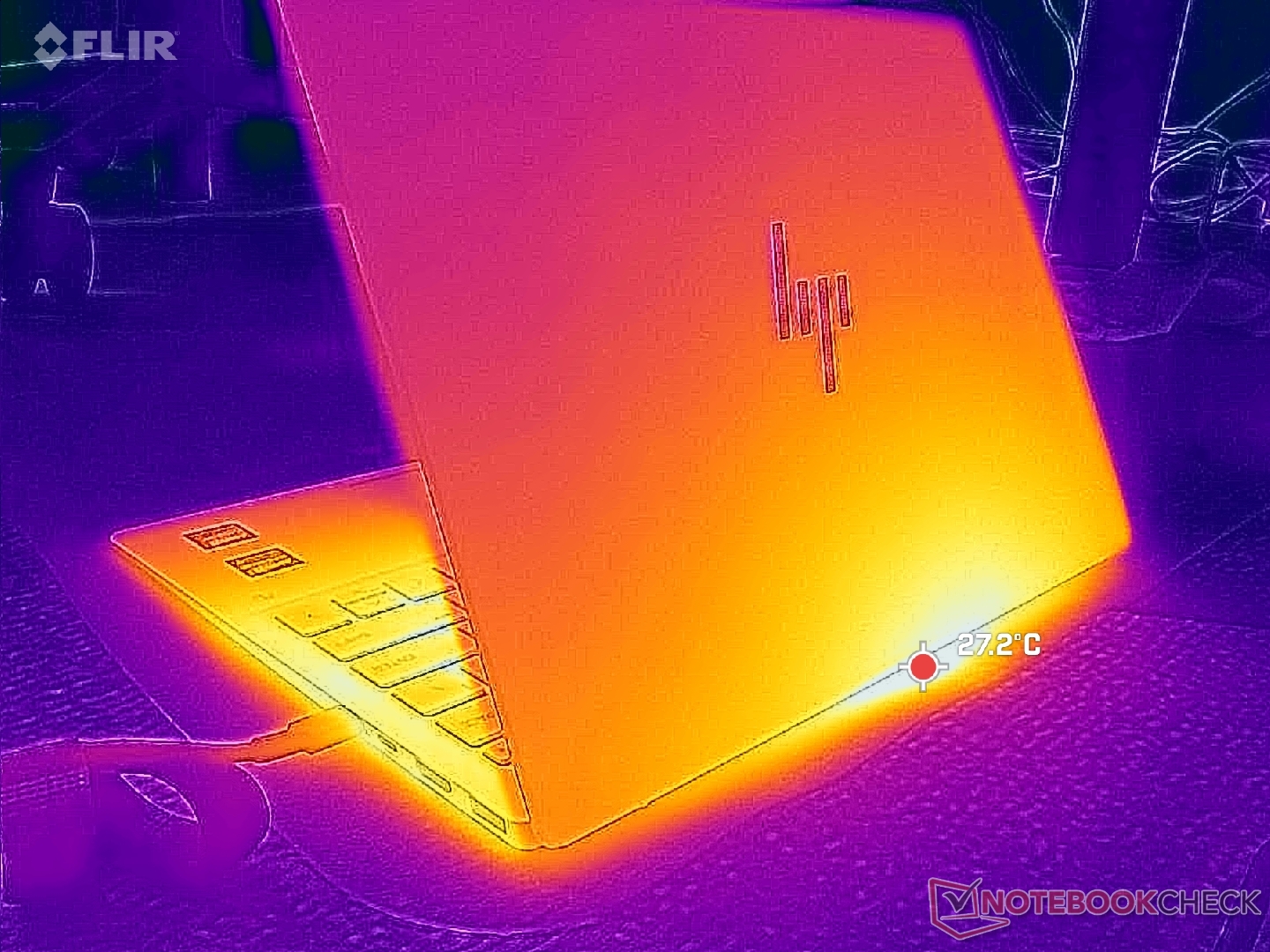
(+) The maximum temperature on the upper side is 35.8 °C / 96 F, compared to the average of 35.9 °C / 97 F, ranging from 21.4 to 59 °C for the class Subnotebook.
(+) The bottom heats up to a maximum of 37.6 °C / 100 F, compared to the average of 39.2 °C / 103 F
(+) In idle usage, the average temperature for the upper side is 22.2 °C / 72 F, compared to the device average of 30.8 °C / 87 F.
(+) The palmrests and touchpad are cooler than skin temperature with a maximum of 24.2 °C / 75.6 F and are therefore cool to the touch.
(+) The average temperature of the palmrest area of similar devices was 28.2 °C / 82.8 F (+4 °C / 7.2 F).
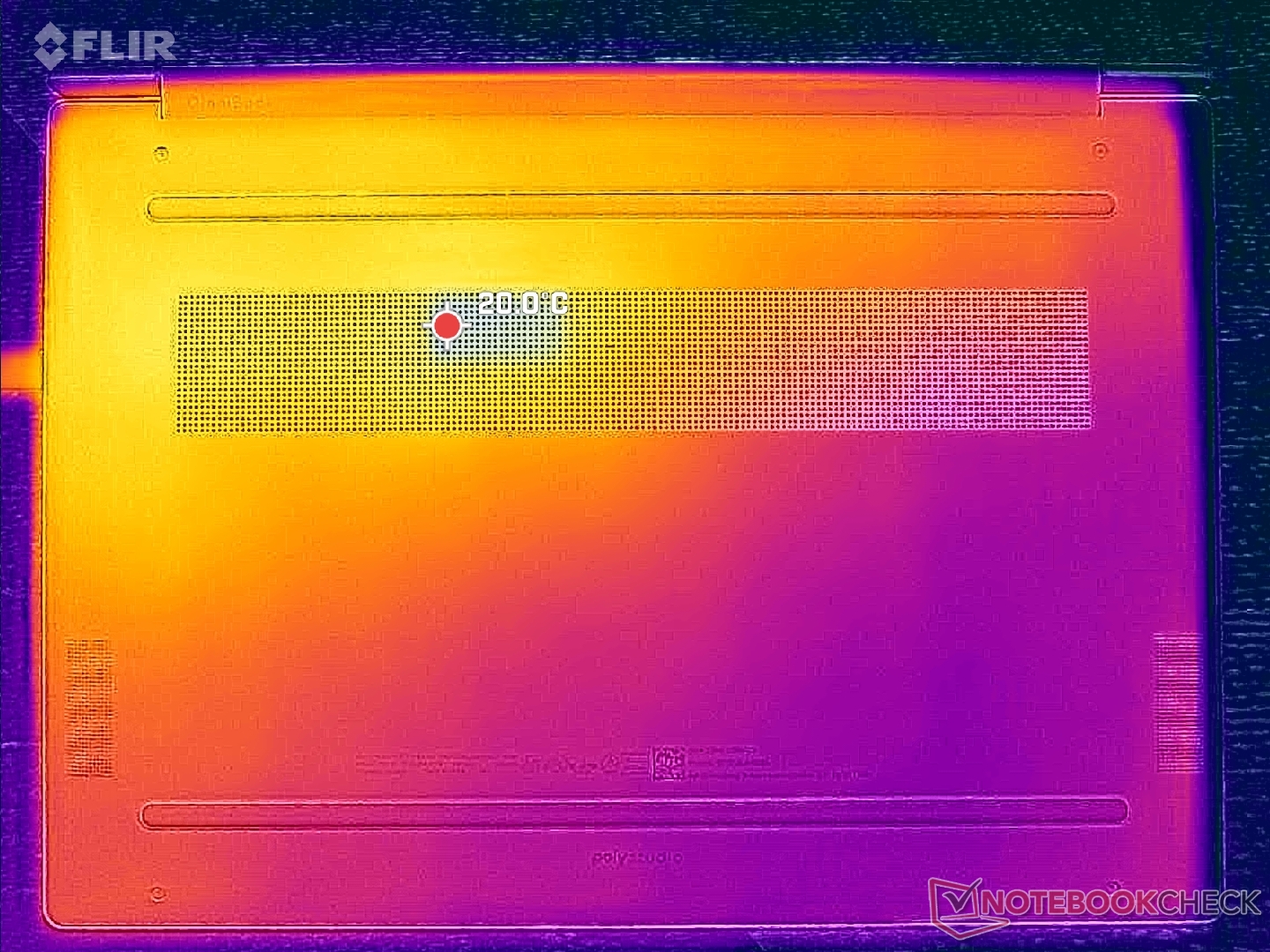
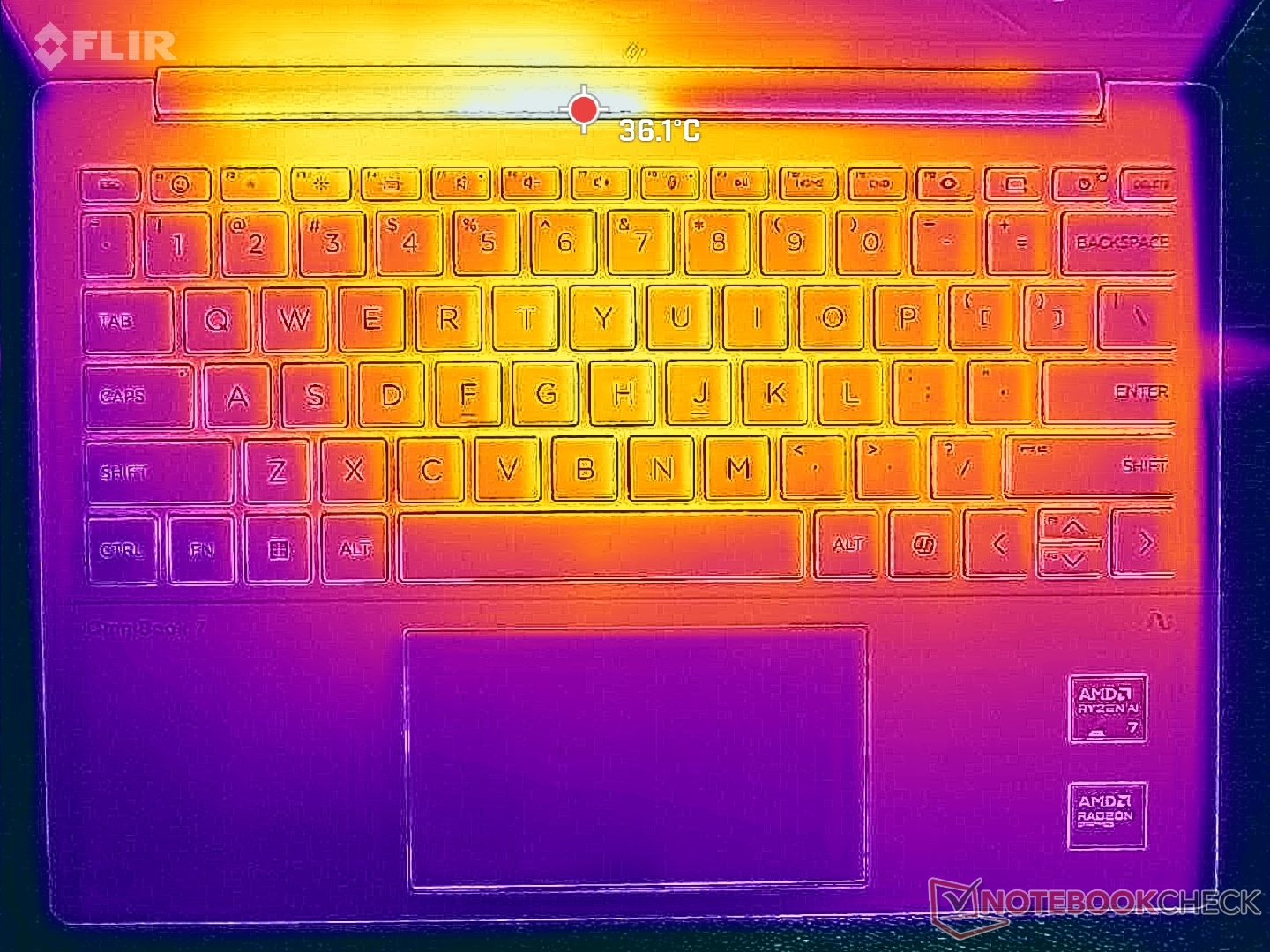
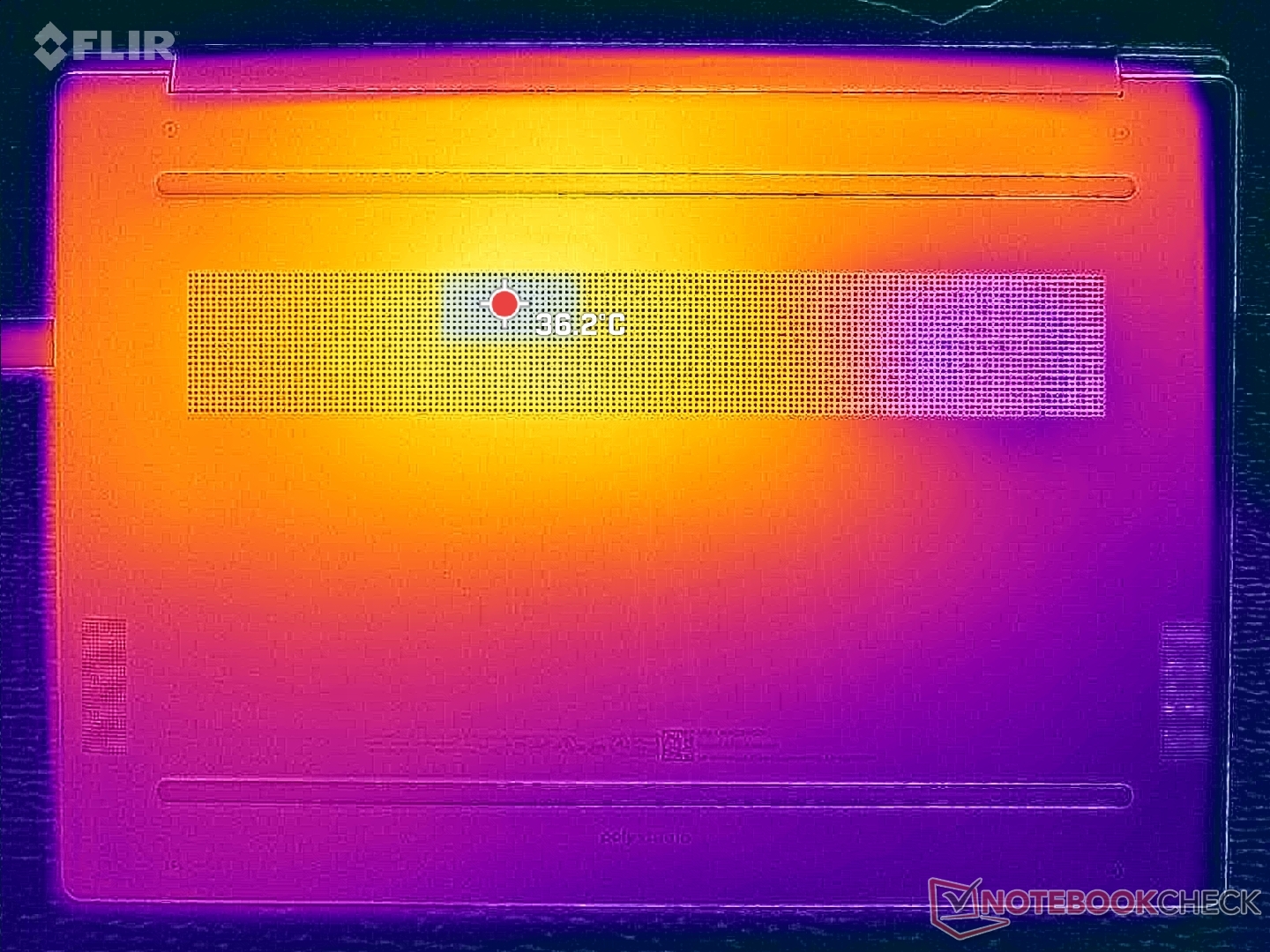
| HP OmniBook 7 Aero 13-bg1077nr Ryzen AI 7 350, Radeon 860M | MSI Summit E13 AI Evo A1MTG Ultra 7 155H, Arc 8-Core | Framework Laptop 13.5 Ryzen AI 9 HX 370 Ryzen AI 9 HX 370, Radeon 890M | HP Dragonfly G4 i7-1365U, Iris Xe G7 96EUs | Lenovo Yoga Book 9 13IMU9 Ultra 7 155U, Graphics 4-Core iGPU (Arrow Lake) | Asus ZenBook S13 OLED UX5304 i7-1355U, Iris Xe G7 96EUs | |
|---|---|---|---|---|---|---|
| Heat | -35% | -26% | -13% | -21% | -17% | |
| Maximum Upper Side * (°C) | 35.8 | 45.2 -26% | 42.2 -18% | 38.6 -8% | 39.2 -9% | 43.1 -20% |
| Maximum Bottom * (°C) | 37.6 | 44.8 -19% | 46.8 -24% | 40.4 -7% | 41 -9% | 45 -20% |
| Idle Upper Side * (°C) | 24.2 | 34.8 -44% | 31 -28% | 28.2 -17% | 32.2 -33% | 27.3 -13% |
| Idle Bottom * (°C) | 24 | 35.8 -49% | 32.2 -34% | 29 -21% | 31.6 -32% | 27.8 -16% |
* ... smaller is better
Speakers
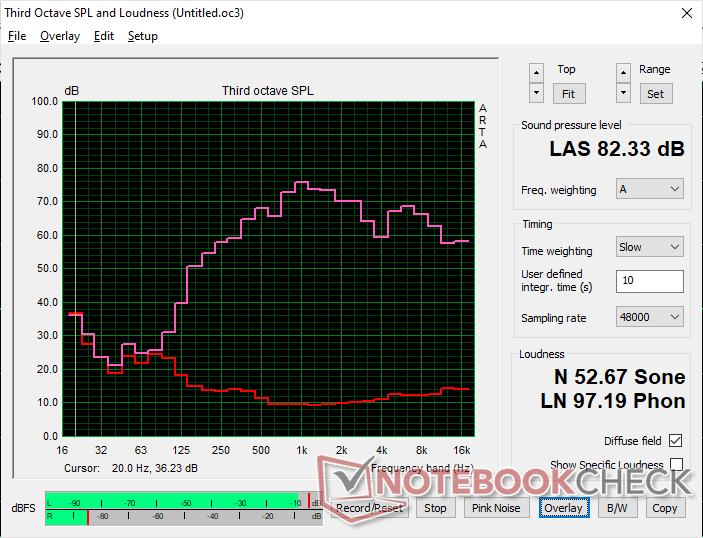
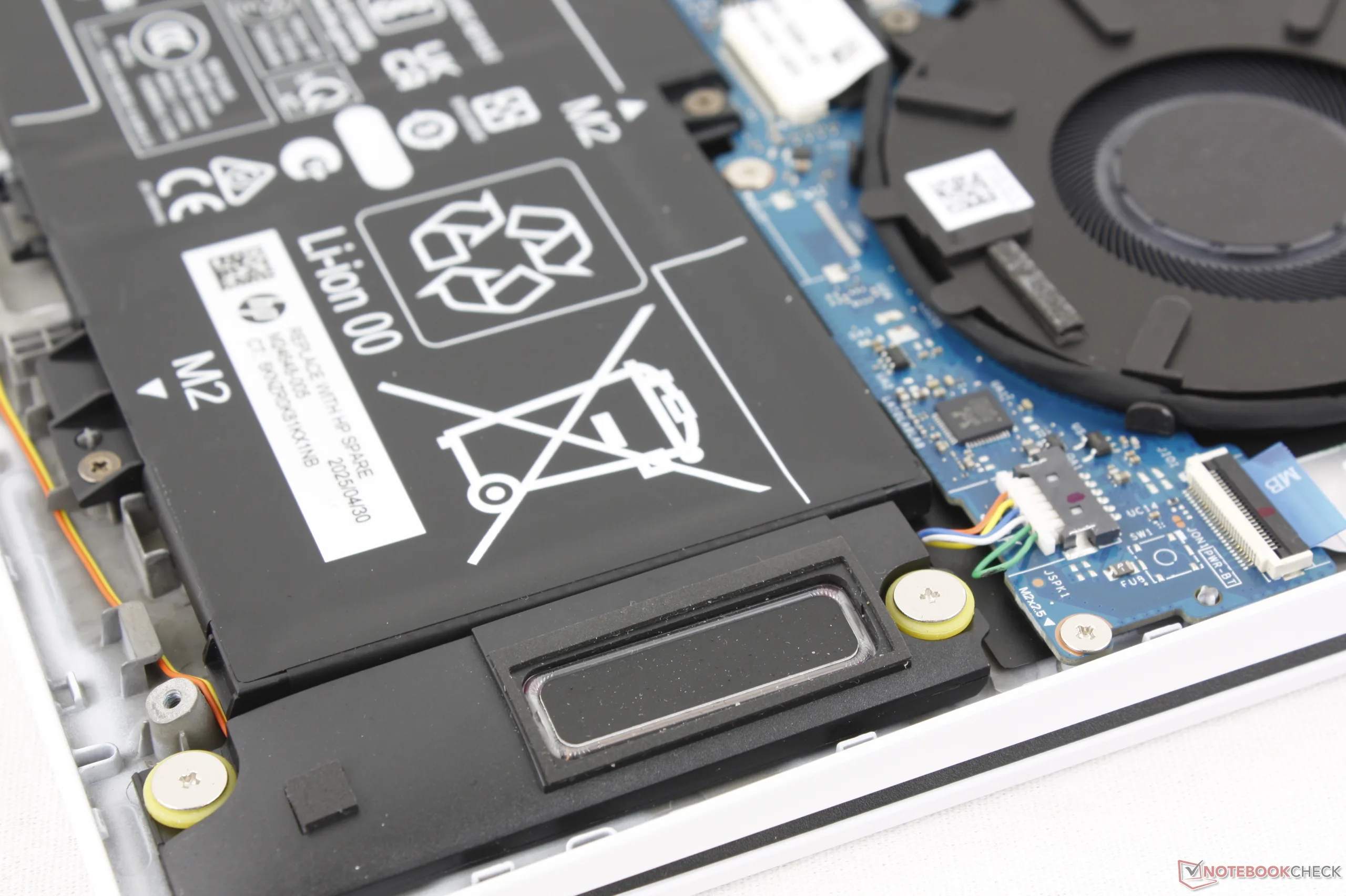
HP OmniBook 7 Aero 13-bg1077nr audio analysis
(+) | speakers can play relatively loud (82.3 dB)
Bass 100 - 315 Hz
(-) | nearly no bass - on average 15.9% lower than median
(±) | linearity of bass is average (10.5% delta to prev. frequency)
Mids 400 - 2000 Hz
(±) | higher mids - on average 5.8% higher than median
(+) | mids are linear (6.4% delta to prev. frequency)
Highs 2 - 16 kHz
(+) | balanced highs - only 3% away from median
(±) | linearity of highs is average (7% delta to prev. frequency)
Overall 100 - 16.000 Hz
(±) | linearity of overall sound is average (15.7% difference to median)
Compared to same class
» 38% of all tested devices in this class were better, 5% similar, 57% worse
» The best had a delta of 5%, average was 18%, worst was 53%
Compared to all devices tested
» 25% of all tested devices were better, 5% similar, 71% worse
» The best had a delta of 4%, average was 23%, worst was 136%
Apple MacBook Pro 16 2021 M1 Pro audio analysis
(+) | speakers can play relatively loud (84.7 dB)
Bass 100 - 315 Hz
(+) | good bass - only 3.8% away from median
(+) | bass is linear (5.2% delta to prev. frequency)
Mids 400 - 2000 Hz
(+) | balanced mids - only 1.3% away from median
(+) | mids are linear (2.1% delta to prev. frequency)
Highs 2 - 16 kHz
(+) | balanced highs - only 1.9% away from median
(+) | highs are linear (2.7% delta to prev. frequency)
Overall 100 - 16.000 Hz
(+) | overall sound is linear (4.6% difference to median)
Compared to same class
» 0% of all tested devices in this class were better, 0% similar, 100% worse
» The best had a delta of 5%, average was 17%, worst was 45%
Compared to all devices tested
» 0% of all tested devices were better, 0% similar, 100% worse
» The best had a delta of 4%, average was 23%, worst was 136%
Energy Management
Power Consumption
Overall consumption comes close to the Core Ultra H-powered MSI Summit E13 AI Evo while still offering faster processor performance and similar graphics performance. Note that consumption would steadily drop from 48 W to 35 W when idling on Cyberpunk 2077 to suggest slowing performance over time which complements our slowing frame rates recorded in the GPU Performance section above.
We're able to record a maximum temporary draw of 60 W from the small (~8.8 x 4.9 x 2.8 cm) 65 W USB-C AC adapter when the CPU is fully stressed.
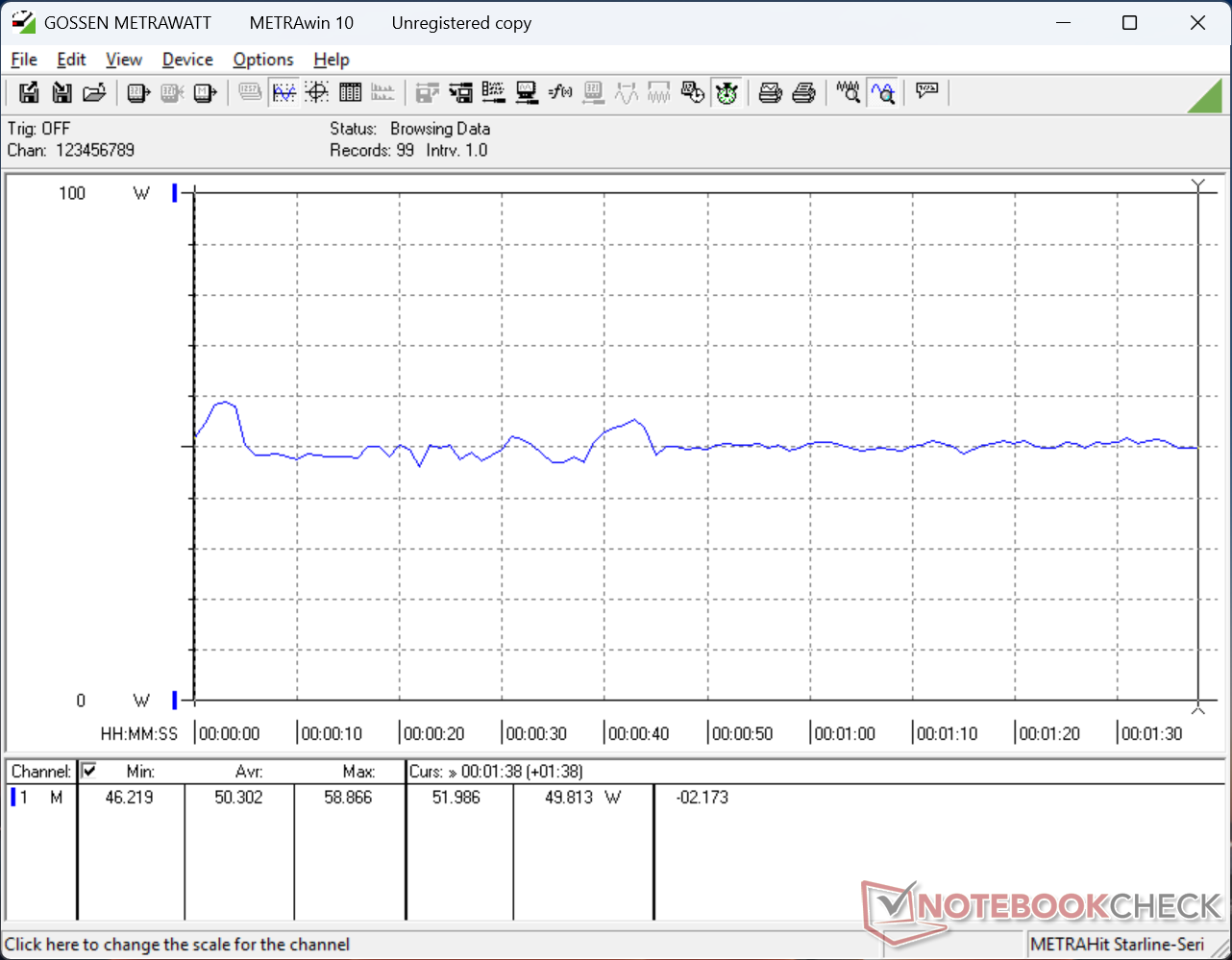
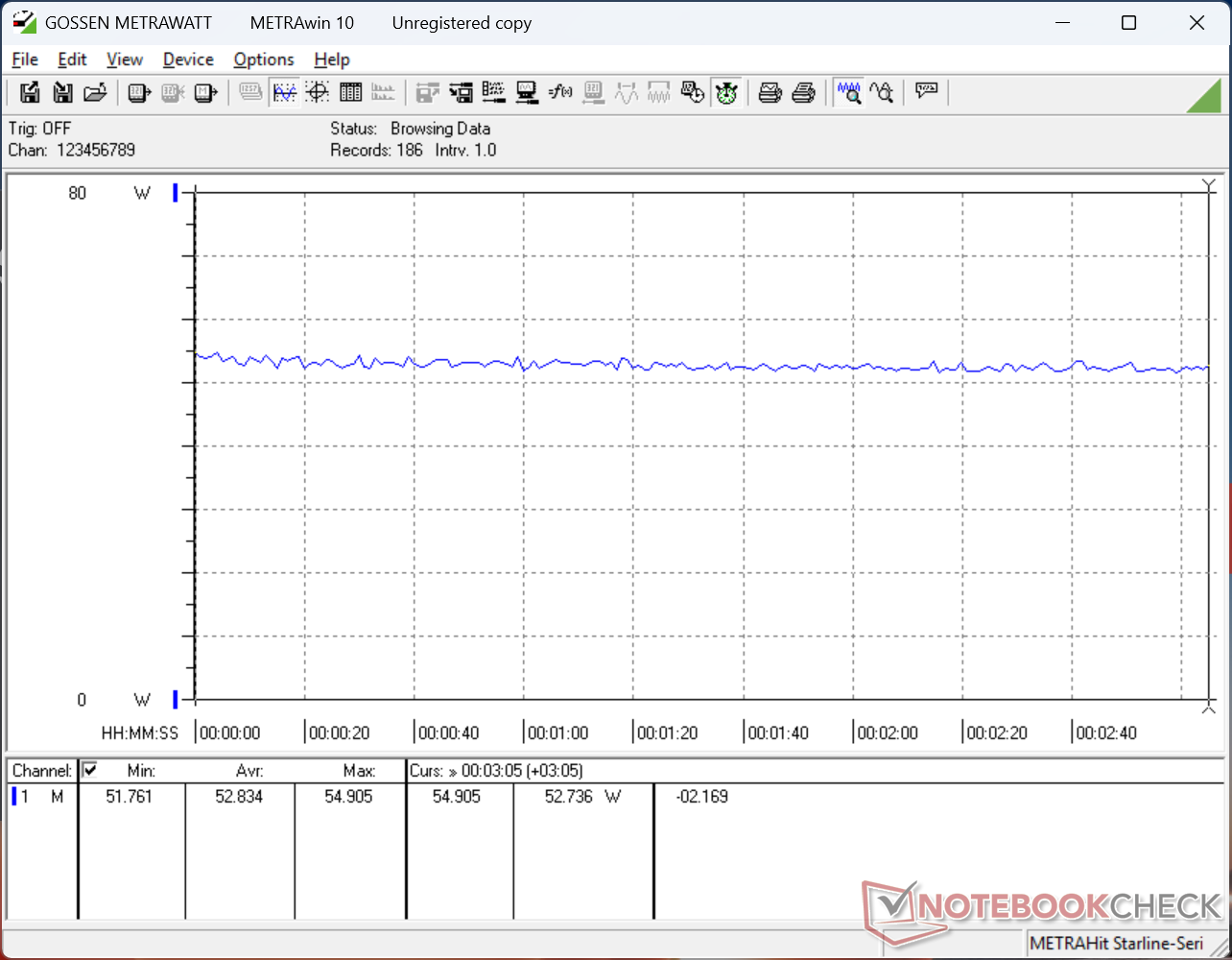
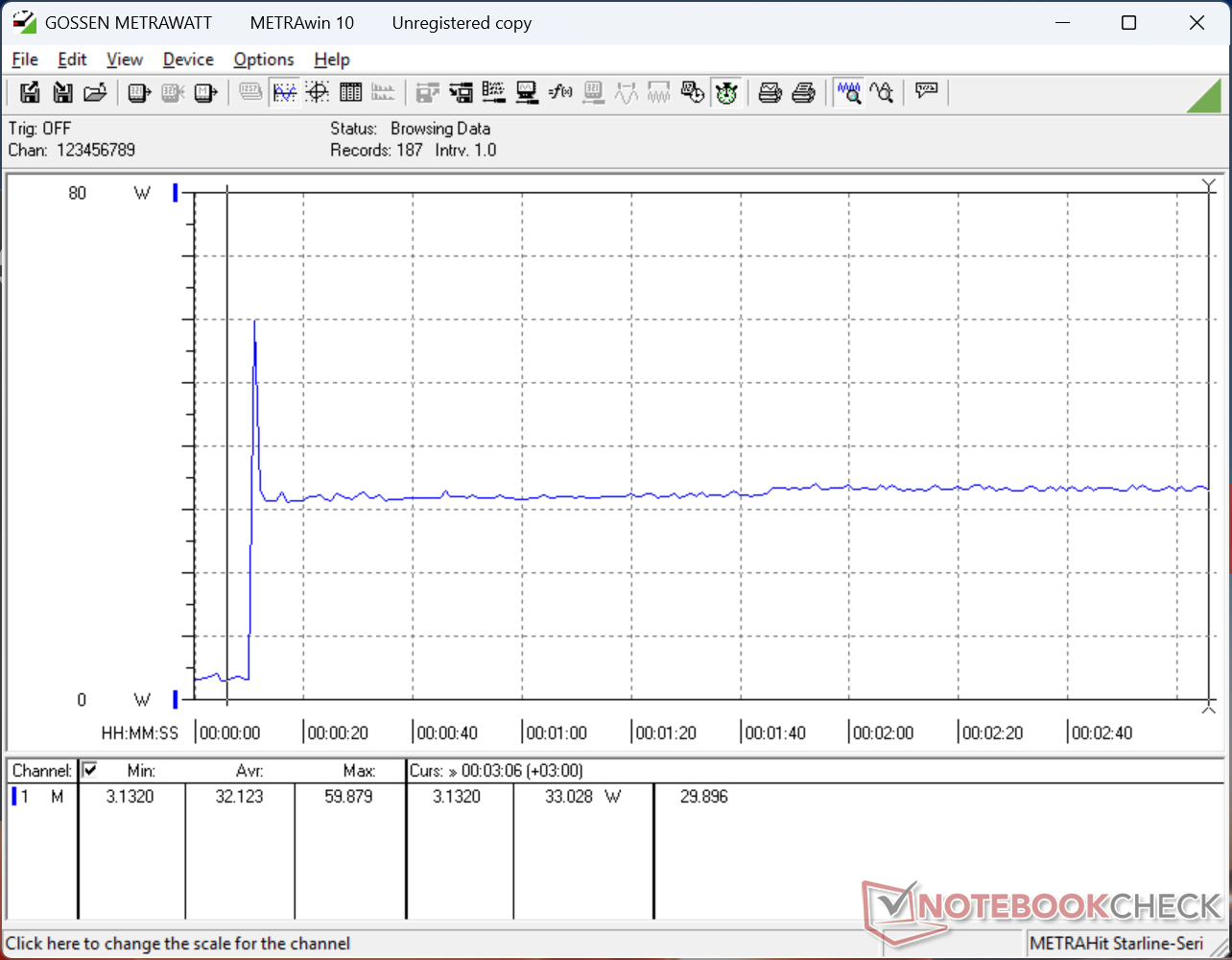
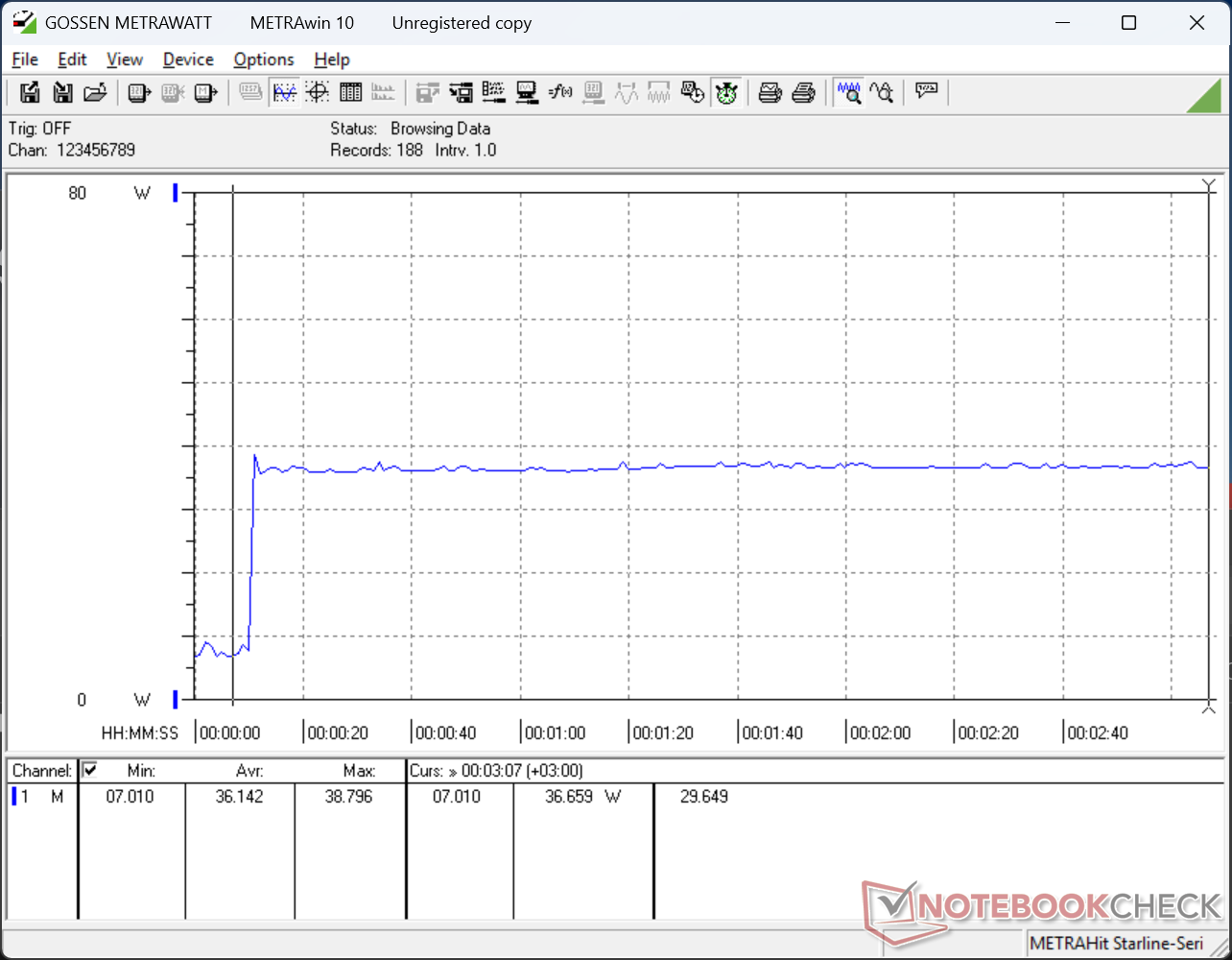
| Off / Standby | 0.34 / 1.8 Watt |
| Idle | 3.2 / 6.8 / 7 Watt |
| Load |
50.3 / 59.9 Watt |
   
| |
Key:
min: ,
med: ,
max: Metrahit Energy | |
| HP OmniBook 7 Aero 13-bg1077nr Ryzen AI 7 350, Radeon 860M, SK hynix PC801 HFS001TEJ9X101N, IPS, 1920x1200, 13.3" | MSI Summit E13 AI Evo A1MTG Ultra 7 155H, Arc 8-Core, Micron 2400 MTFDKBA1T0QFM, IPS, 1920x1200, 13.3" | Framework Laptop 13.5 Ryzen AI 9 HX 370 Ryzen AI 9 HX 370, Radeon 890M, , IPS, 2880x1920, 13.5" | HP Dragonfly G4 i7-1365U, Iris Xe G7 96EUs, Micron 3400 MTFDKBA512TFH 512GB, IPS, 1920x1280, 13.5" | Lenovo Yoga Book 9 13IMU9 Ultra 7 155U, Graphics 4-Core iGPU (Arrow Lake), , OLED, 2880x1800, 13.3" | Asus ZenBook S13 OLED UX5304 i7-1355U, Iris Xe G7 96EUs, Samsung PM9A1 MZVL21T0HCLR, OLED, 2880x1800, 13.3" | |
|---|---|---|---|---|---|---|
| Power Consumption | 14% | -43% | -7% | -66% | -20% | |
| Idle Minimum * (Watt) | 3.2 | 2.3 28% | 7.6 -137% | 4.1 -28% | 7.1 -122% | 5.8 -81% |
| Idle Average * (Watt) | 6.8 | 4.8 29% | 11.3 -66% | 7.5 -10% | 9.1 -34% | 8.5 -25% |
| Idle Maximum * (Watt) | 7 | 5 29% | 11.5 -64% | 8.2 -17% | 18.4 -163% | 8.8 -26% |
| Load Average * (Watt) | 50.3 | 46.2 8% | 54.7 -9% | 35.5 29% | 51.3 -2% | 35.1 30% |
| Cyberpunk 2077 ultra external monitor * (Watt) | 41.6 | 41.9 -1% | 51.3 -23% | |||
| Cyberpunk 2077 ultra * (Watt) | 52.8 | 44.8 15% | 54.6 -3% | |||
| Load Maximum * (Watt) | 59.9 | 65 -9% | 60.9 -2% | 66.5 -11% | 65.5 -9% | 59.5 1% |
| Witcher 3 ultra * (Watt) | 37.5 | 41.5 | 27.6 |
* ... smaller is better
Power Consumption Cyberpunk / Stress Test
Power Consumption external Monitor
Battery Life
Battery capacity is small even for a 13-inch form factor at just 43 Wh. The MSI Summit E13 and Asus ZenBook S13, for example, have larger 70 Wh and 63 Wh battery packs, respectively. The smaller capacity for the OmniBook Aero is clearly for weight mitigation purposes.
WLAN runtime is nonetheless quite long all things considered at almost 10.5 hours of real-world browsing. This is due to several factors including the use of a basic 60 Hz IPS panel instead of OLED and a relatively low-power AMD Zen 5 CPU.
| HP OmniBook 7 Aero 13-bg1077nr Ryzen AI 7 350, Radeon 860M, 43 Wh | MSI Summit E13 AI Evo A1MTG Ultra 7 155H, Arc 8-Core, 70 Wh | Framework Laptop 13.5 Ryzen AI 9 HX 370 Ryzen AI 9 HX 370, Radeon 890M, 61 Wh | HP Dragonfly G4 i7-1365U, Iris Xe G7 96EUs, 68 Wh | Lenovo Yoga Book 9 13IMU9 Ultra 7 155U, Graphics 4-Core iGPU (Arrow Lake), 80 Wh | Asus ZenBook S13 OLED UX5304 i7-1355U, Iris Xe G7 96EUs, 63 Wh | |
|---|---|---|---|---|---|---|
| Battery runtime | -9% | -23% | 53% | -3% | 9% | |
| WiFi v1.3 (h) | 10.4 | 9.5 -9% | 8 -23% | 15.9 53% | 10.1 -3% | 11.3 9% |
| Reader / Idle (h) | 42.5 | |||||
| Load (h) | 3.2 | 2.4 | ||||
| H.264 (h) | 13.8 |
Notebookcheck Rating
High quality ultra-lightweight subnotebook with all the core basics and carefully cut corners to auxiliary features.
HP OmniBook 7 Aero 13-bg1077nr
- 12/14/2025 v8
Allen Ngo
 Total Sustainability Score:
 Potential Competitors in Comparison
Image | Model / Review | Price | Weight | Height | Display |
|---|---|---|---|---|---|
1. 86.9%  | HP OmniBook 7 Aero 13-bg1077nr AMD Ryzen AI 7 350 ⎘ AMD Radeon 860M ⎘ 32 GB Memory, 1024 GB SSD | List Price: 1250 USD | 1 kg | 17.6 mm | 13.30" 1920x1200 170 PPI IPS |
2. 78.6%  | MSI Summit E13 AI Evo A1MTG Intel Core Ultra 7 155H ⎘ Intel Arc 8-Core iGPU ⎘ 16 GB Memory, 1024 GB SSD | List Price: 1100 USD | 1.3 kg | 16.2 mm | 13.30" 1920x1200 170 PPI IPS |
3. 83.8%  | Framework Laptop 13.5 Ryzen AI 9 HX 370 AMD Ryzen AI 9 HX 370 ⎘ AMD Radeon 890M ⎘ 32 GB Memory | Amazon: 1. $1,099.99 NIMO 17.3" Copilot+ AI Lapto... 2. $1,696.22 msi Katana A15 AI Gaming Lap... List Price: 2100 USD | 1.3 kg | 15.85 mm | 13.50" 2880x1920 256 PPI IPS |
4. 91.9% v7 (old)  | HP Dragonfly G4 Intel Core i7-1365U ⎘ Intel Iris Xe Graphics G7 96EUs ⎘ 16 GB Memory, 512 GB SSD | List Price: 1700 USD | 1.1 kg | 16.3 mm | 13.50" 1920x1280 171 PPI IPS |
5. 87% v7 (old)  | Lenovo Yoga Book 9 13IMU9 Intel Core Ultra 7 155U ⎘ Intel Graphics 4-Core iGPU (Meteor / Arrow Lake) ⎘ 16 GB Memory | Amazon: List Price: 2000 USD | 1.4 kg | 15.95 mm | 13.30" 2880x1800 255 PPI OLED |
6. 85.4% v7 (old)  | Asus ZenBook S13 OLED UX5304 Intel Core i7-1355U ⎘ Intel Iris Xe Graphics G7 96EUs ⎘ 16 GB Memory, 1024 GB SSD | Amazon: 1. $350.39 Compatible for Asus,Compat... 2. $779.00 ASUS Zenbook 14 Laptop 14" W... 3. $1,249.00 ASUS Zenbook-14 OLED Touchsc... List Price: 1499€ | 1 kg | 11.8 mm | 13.30" 2880x1800 255 PPI OLED |
 Add as a preferred source on Google


