




Apple M5 Pro & M5 Max GPU Analysis - M5 Max GPU on par with the GeForce RTX 5070 and faster than Strix Halo

A couple of months after Apple introduced their new M5-SoC in the iPad Pro and the entry-level MacBook Pro 14, we now get the more powerful chips M5 Pro as well as M5 Max in the more expensive MacBook Pro models. In this article, we take a closer look at the new GPU performance. We talk about the new M5 Pro & M5 Max CPUs in a separate CPU analysis, and you can obviously read our reviews of the new MacBook Pro models:
Overview - M5 Pro & M5 Max
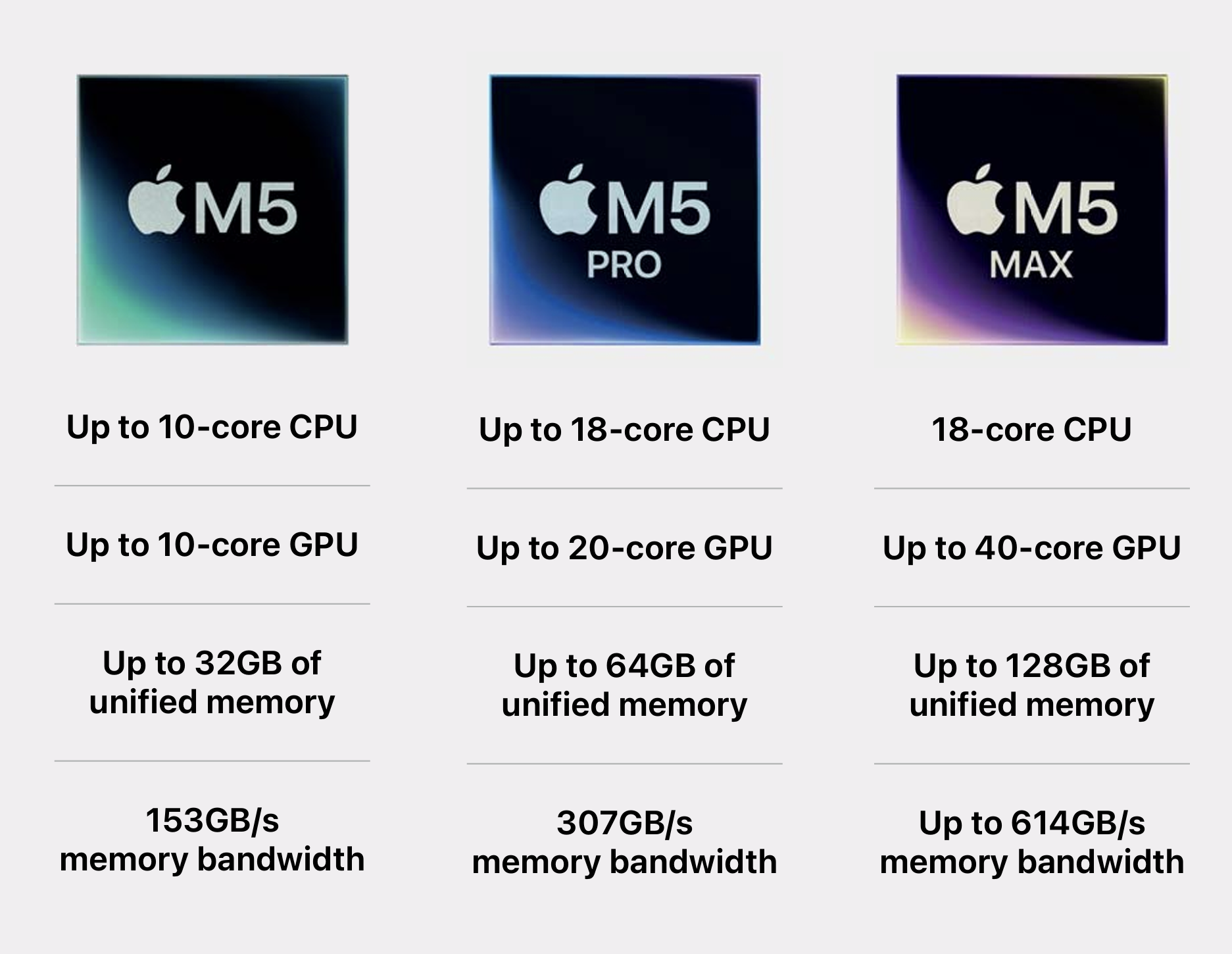
The new M5 Pro and M5 Max chips are still manufactured in a 3 nm process (third generation), but Apple's approach now follows another approach. Instead of a monolithic design, Apple now uses two tiles (basically CPU and GPU) and combines them. The M5 Pro is available with a 16-core or 20-core GPU, while the M5 Max is available with a 32-core or a 40-core GPU. As always, Apple did not talk much about the exact changes and improvements for the new GPUs. The shared memory is obviously once again a big advantage for Apple's GPUs and can be very helpful for larger projects, where dGPUs with limited amounts of VRAM (multimedia laptops often just have 8 or 12 GB VRAM) can quickly become a bottleneck.
We had the two faster models in our reviews and the 20-core M5 Pro GPU consumed up to 38 Watts, while we saw up to 72 Watts for the 40-core M5 Max GPU. However, the smaller MacBook Pro 14 only managed to maintain this value for a short moment and quickly dropped to 44 Watts, even in High Power mode (60/32 Watts in Automatic mode).
Test Systems - MacBook Pro 14 & 16
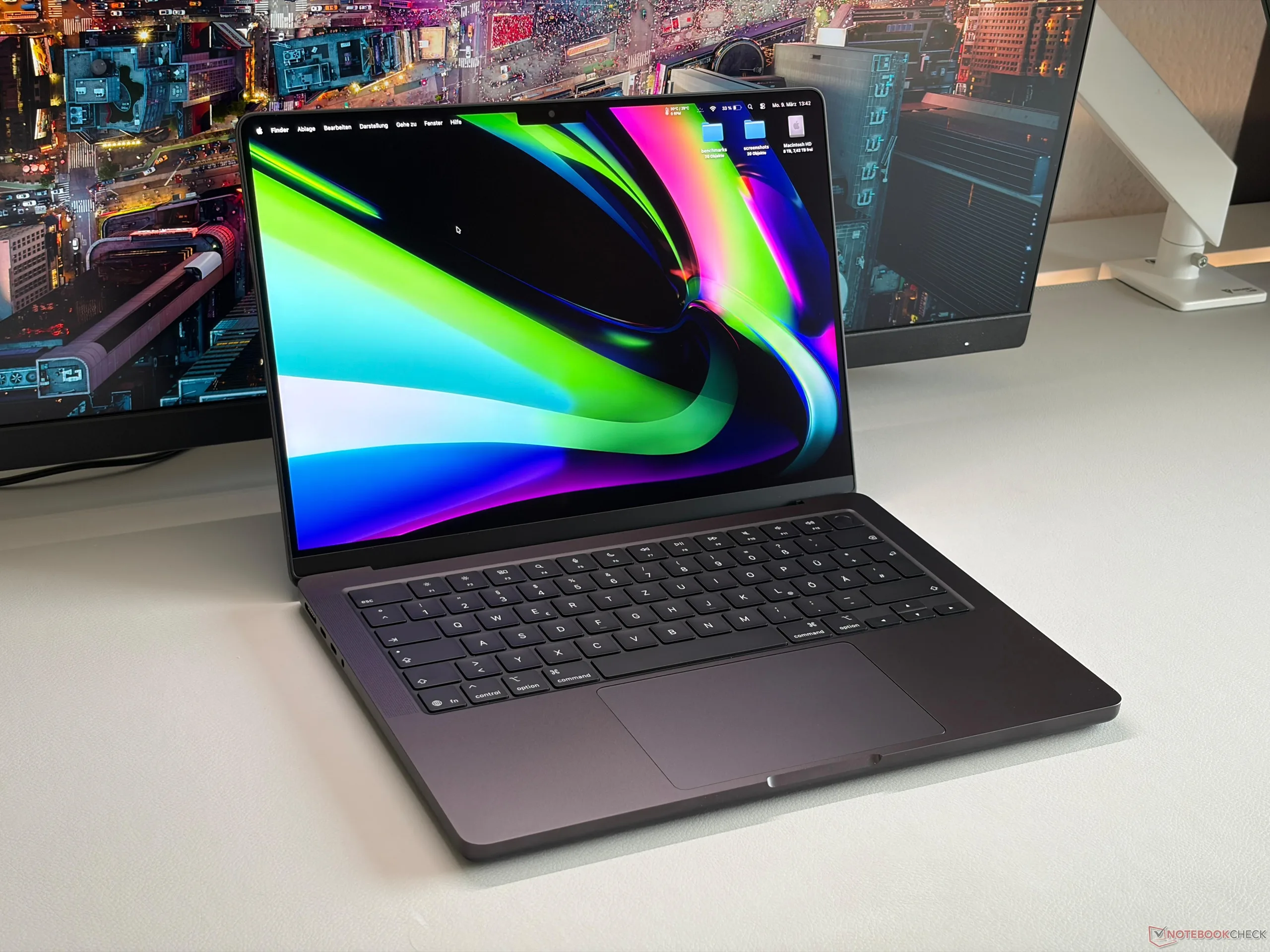
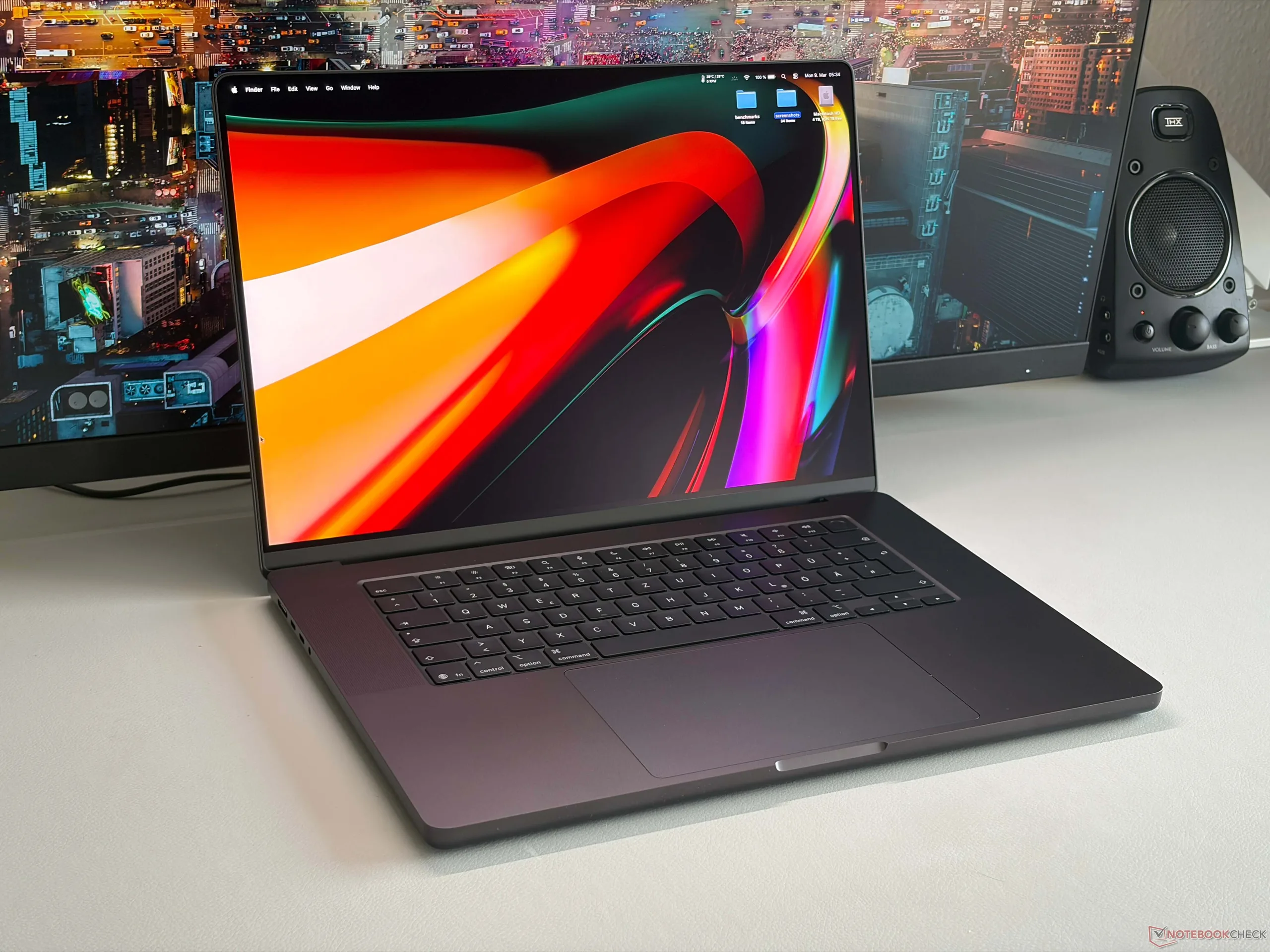
We used two new MacBook Pro models for our tests, even though the situation is not ideal. Our MacBook Pro 16 was equipped with the 18-core version of the M5 Pro with the 20-core GPU (64 GB LPDDR5x-9600 RAM), while the smaller 14-inch version was equipped with the M5 Max and the 40-core GPU (128 GB LPDDR5x-9600 RAM). While the testing was pretty straightforward on the MBP 16, the smaller 14-inch model was pretty overwhelmed by the M5 Max and we are pretty sure the MBP 16 with the M5 Max will offer more GPU performance. We will try to get our hands on the MacBook Pro 16 with the M5 Max as soon as possible and add the results.
Test Procedure
In order to make a meaningful comparison between the different graphics cards, we look at the power consumption in addition to the pure performance in synthetic benchmarks from which we then determine the efficiency.
The consumption measurements are always carried out on an external display so as to eliminate the different internal displays as influencing factors. Nevertheless, we measure the overall consumption of the system here and not just compare the pure TGP values.
GPU Performance
We start our benchmark tests with the synthetic 3DMark benchmarks where there is finally a macOS version with familiar test like Steel Nomad or Wild Life Extreme, which allows a direct comparison with other GPUs like Nvidia's Blackwell series or Intel's latest Panther Lake GPUs. If we take a look at the demanding Steel Nomad test, the new 40-core M5 Max GPU is actually just 8 % faster than the old M4 Max GPU, but also clearly ahead of the Nvidia GeForce RTX 5070 Laptop. This is also the case in the Steel Nomad Light benchmark.
The 20-core M5 Pro GPU is 41 % slower than the M5 Max GPU in Steel Nomad and sits right between the RTX 5050 Laptop and the RTX 5060 Laptop, but also 15 % ahead of the Radeon 8060S (Strix Halo).
Update: The M5 Max in the larger MacBook Pro 16 is between 10-13 % faster than the M5 Max in the MacBook Pro 14 in the synthetic benchmarks and the performance is also completely stable under sustained workloads.
In Geekbench Metal as well as OpenCL, the new GPUs show an advantage of 20-26 % over their predecessors. In terms of OpenCL performance, the M5 Max GPU is slightly faster than the RTX 5070 Laptop, while the M5 Pro GPU is beaten by Nvidia's current Blackwell GPUs and is sitting slightly ahead of the Strix Halo Radeon 8060S.
* ... smaller is better
In Blender, the result of the new M5 Max GPU is pretty disappointing and the old M4 Max was a bit faster. However, as we noticed before, we suspect the M5 Max in the larger MacBook Pro 16 will perform better. In the Cinebench 2024 GPU test, the new GPUs have a noticeable advantage of around 40 % over their predecessors.
Gaming Performance
Nobody buys a MacBook for gaming, but there are a couple of AAA-titles with native versions for macOS and they allow us to compare the gaming performance with their Windows counterparts. In our three titles Cyberpunk 2077, Baldur's Gate 3 and Assassin's Creed Shadows, the new M5 Max is faster than the old M4 Max (between 8-24 %) and usually slightly behind or comparable to the GeForce RTX 5070 Laptop.
The 20-core M5 Pro GPU on the other drops a bit further. While it was usually a bit faster than the Strix Halo Radeon 8060S in the synthetic tests, it now falls behind AMD's powerful iGPU n the gaming benchmarks and also behind all the Blackwell GPUs from Nvidia.
Baldur's Gate 3: 1920x1080 Ultra Preset AA:T | 2560x1440 Ultra Preset AA:T
Assassin's Creed Shadows: 1920x1080 Ultra High | 2560x1440 Ultra High
Baldur's Gate 3: 1920x1080 Ultra Preset AA:T | 2560x1440 Ultra Preset AA:T
Assassin's Creed Shadows: 1920x1080 Ultra High | 2560x1440 Ultra High
GPU Efficiency
In terms of efficiency while gaming, we look at the title Cyberpunk 2077. Here, the new M5 Max GPU really shines and shows a huge improvement over the old M4 Max. Once again, however, we have the suspicion that the thermal limitations of the MacBook Pro 14 help the efficiency score and the situation will most likely be a bit worse for the M5 Max in the MacBook Pro 16.
The M5 Pro GPU on the other hand is comparable to the old M4 Max GPU as well as the Strix Halo Radeon 8060S, while being more efficient than most Nvidia Blackwell GPUs.
Update: As suspected, the power measurements of the smaller MBP 14 were affected, but not only by the thermal limitations, but also due to the insufficient power supply. We have already reported about this problem and the maximum power consumption is 97 Watts for the 14-inch model, even if you use more powerful adapters like the 140W model from the MBP 16 or even more powerful USB-C adapters. The difference is compensated by the battery, but this is obviously not visible in our measurements. The larger MacBook Pro 16 with the M5 Max does not have to use the internal battery while playing Cyberpunk 2077, so the efficiency is is worse and overall comparable to the MacBook Pro 16 with the M5 Pro.
* ... smaller is better
PugetBench Creator Benchmarks
In addition to our regular benchmarks in our reviews of the MacBook Pro 14 with the M5 Max as well as the MacBook Pro 16 with the M5 Pro, we also performed additional benchmarks for creative apps for these two models as well as the large MacBook Pro 16 M5 Max. We used the latest PugetBench benchmarks for the Adobe apps Photoshop, Premiere Pro, Lightroom Classic as well as DaVinci Resolve and compared the results with other modern multimedia devices. All test devices used the same versions of the apps and the benchmarks, which means the results are comparable.
| Laptop | Photoshop 1.0.6 (PS Version 27.4) | Premiere Pro STANDARD 2.0.1 (Premiere Version 26) | Premiere Pro EXTENDED 2.0.1 (Premiere Version 26) | Lightroom Class STANDARD 1.0.0 (LR Version 15.2) | Lightroom Class EXTENDED 1.0.0 (LR Version 15.2) | Resolve STANDARD 2.0.0 (Resolve Version 20.3-Studio) | Resolve EXTENDED 2.0.0 (Resolve Version 20.3-Studio) |
|---|---|---|---|---|---|---|---|
| Apple MacBook Pro 16 (M5 Max 40-core GPU) | 15875 | 157049 | 139339 | 10662 | 12310 | 127090 | 88696 |
| Apple MacBook Pro 14 (M5 Max 40-core GPU | 15775 | 149151 | 117719 | 9496 | 12558 | 115172 | 82713 |
| Apple MacBook Pro 16 (M5 Pro 20-core GPU) | 15271 | 105296 | 89026 | 12739 | 12418 | 83560 | 58878 |
| Asus ProArt P16 (Ryzen 9 HX370 + RTX5090) | 10096 | 107130 | 82933 | 6709 | 8667 | 85114 | 63907 |
| Asus ROG Z13-KJP (AMD Ryzen Max+ 8060S) | 11932 | 57481 | 48777 | 10013 | 9480 | 53737 | 36070 |
| Asus ROG Zephyrus G14 (Ryzen 9 7940HS + RTX 4090) | 8205 | 77019 | 61578 | 5713 | 68314 | 50936 | |
| Samsung Galaxy Book6 Ultra (Core Ultra 7 365H + RTX 5070) | 8070 | 87446 | Did not run | 9290 | 9141 | 70531 | 50519 |
The results for the new Apple chips are impressive and the M5 Pro is already either much faster or just slightly slower than the mobile GeForce RTX 5090 in the Asus ProArt P16, one of the fastest 16-inch Windows multimedia laptops. The two M5 Max models are, especially when you need the GPU, significantly faster. Here we can also see the advantage of the larger MacBook Pro 16, which once again confirms that the smaller 14-inch model cannot utilize the full potential of the M5 Max.
Even though the performance of the 14-inch MacBook Pro is a bit lower, it is still significantly better compared to all the other Windows rivals with similar display sizes. If we talk about compact Windows models, the Asus ProArt PX13 with AMD Strix Halo is currently one of the best options, but the Ryzen AI Max+ 395 with the Radeon 8060S can only keep up in Lightroom, but the Strix Halo chip does not stand a chance in Photoshop, Premiere Pro or DaVinci Resolve against the M5 chips. The combination of Intel's Panther Lake and the mobile RTX 5070 cannot keep up, either.
Verdict - M5 Max & M5 Pro GPUs are roughly 20-30 % faster
If we take all the benchmarks we ran, both the 20-core M5 Pro GPU as well as the 40-core M5 Max GPU are roughly 20-30 % faster than their predecessors, which is a good result. However, especially the M5 Max results should be taken with a bit of caution, because the MacBook Pro 14 has severe throttling issues and we are pretty sure the performance figures will be better for the larger MacBook Pro 16.
Update: Our updated benchmarks clearly show that the performance of the M5 Max is limited by the smaller MacBook Pro 14 and only the 16-nch model can utilize the full potential of Apple's fastest 40-core GPU. We see an advantage between 10-18 % depending on the benchmark, but more importantly, the performance is also much more consistent. Only very short benchmarks like Geekbench or Cinebench 2024 GPU do not show a difference.
The performance is also very good in popular creative applications like Adobe Photoshop or Premiere Pro or Davinci Resolve. Even the M5 Pro can already compete with the mobile GeForce RTX 5090 and sometimes clearly beat it, while the M5 Max is simply a beast in these scenarios. However, Nvidia is still the better choice for CGI applications or when the CUDA cores are supported.
While the M5 Max performs better in in the larger 16-inch chassis, the performance is still pretty much unrivaled in the smaller 14-inch form factor, but Apple should still fix some issues like the insufficient power adapters.
 Add as a preferred source on Google


