




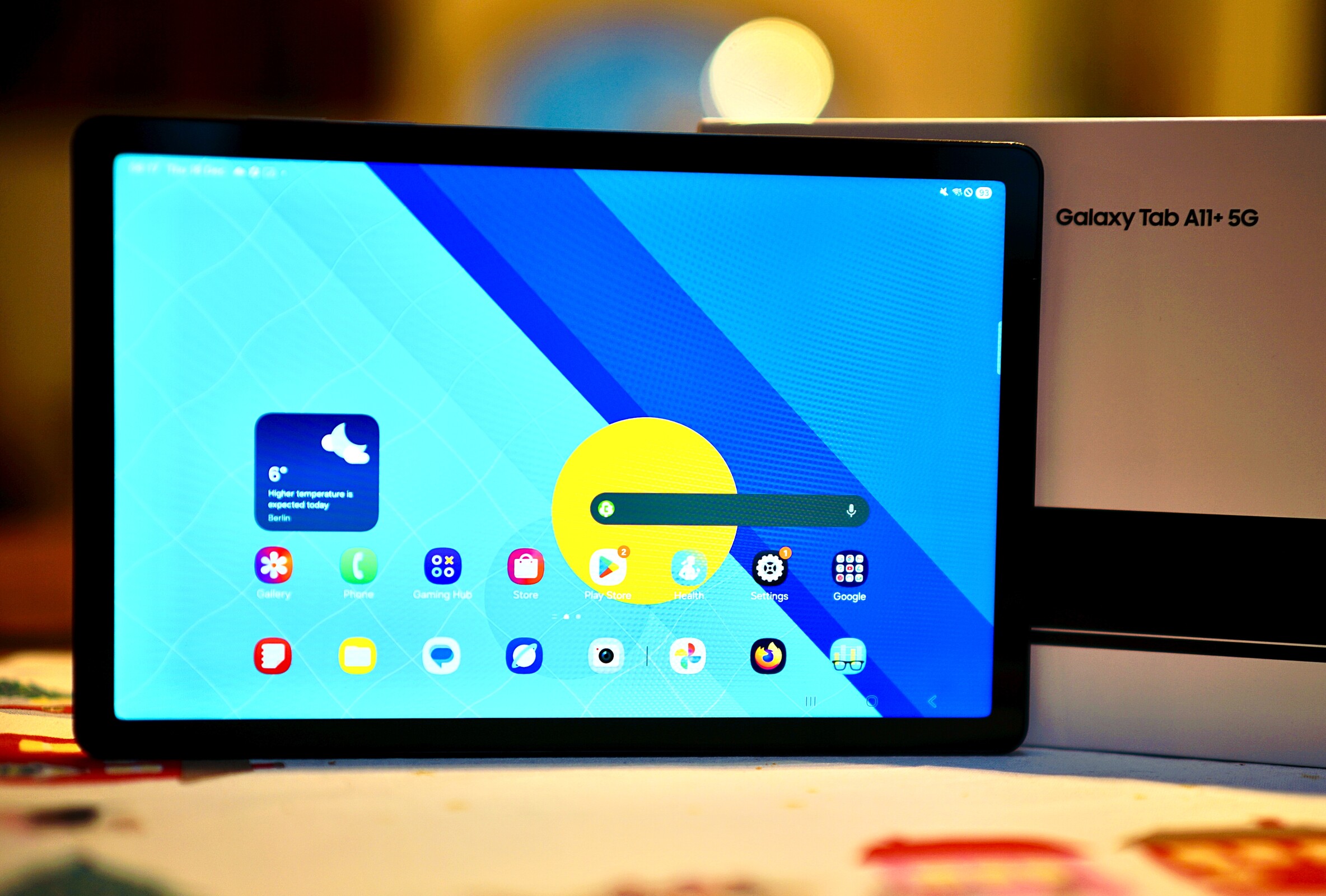
Verdict on the Samsung Galaxy Tab A11+
The Samsung Galaxy Tab A11+ is a powerful mid-range tablet regardless of whether you opt for the Wi-Fi or the 5G version. This is mainly due to the fast MediaTek Dimenisty 7300 SoC that leaves other tablets in this price range far behind.
But the Galaxy Tab A11+ also exceeds the class standard in other areas, particularly in the under €300 segment: the storage is faster, the cameras are usable, the screen is a little brighter, and satellite positioning is available in all models.
Samsung could perhaps have freshened up the design a little, but the Galaxy Tab A11+ is still appealing as it is. However, the less stable Wi-Fi, fewer Bluetooth audio codecs, and the tablet's lower sustainability are points that should be considered.
On the other hand, you get a long update promise and very well-equipped tablet overall for a low price.
Pros
Cons
Price and availability
The Samsung Galaxy Tab A11+ 5G is available in many online stores. Prices start from €230, although at Amazon DE the tablet's price is somewhat higher at the time of testing at nearly €260.
The 8 GB + 128 GB version of the Galaxy Tab A11+ can be had for $250 on Amazon US.
If you choose the WLAN model, it is possible to get the tablet for less than €200.

Table of Contents
- Verdict on the Samsung Galaxy Tab A11+
- Specifications
- Case: Identical to its predecessor
- Equipment: Available in many variants
- Software: Seven years of security updates
- Communication and GNSS: Unstable WLAN
- Cameras: Useful 8 MP optics
- Accessories and warranty: Only cable and SIM tool in the box
- Input devices and operation: Fast 90 Hz touchscreen
- Display: Slightly brighter with a bluish tinge
- Performance: Full power for the mid-range
- Emissions: Low thermals with nearly no throttling
- Battery life: Enough run time for one day
- Notebookcheck's overall impressions of the Samsung Galaxy Tab A11+ 5G
- Possible alternatives in comparison
Specifications
Case: Identical to its predecessor
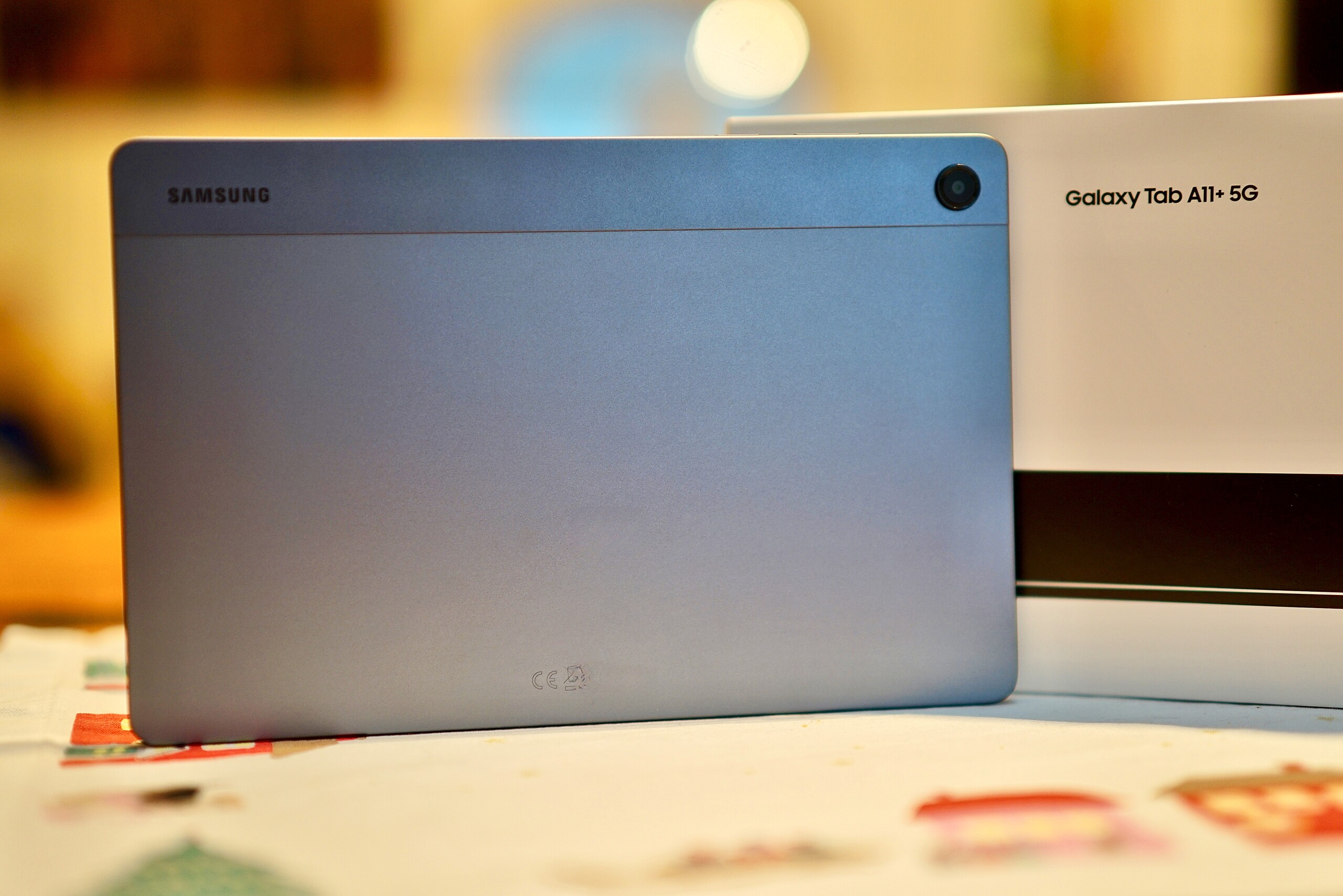
Samsung likes to rely on the tried and tested approach, so the Galaxy Tab A11+ is not a reinvention in terms of design but a new edition of its predecessor. The aluminum build looks identical and still has a very wide plastic strip in the upper area behind which the antennas are hidden for better reception.
The weight and dimensions are nearly identical to the previous iteration, and the Samsung Galaxy Tab A11+ 5G is quite similar in size to other tablets in its price range.
The housing can be twisted a little with hands and creaks a bit, but the tablet is well-made overall.


Equipment: Available in many variants
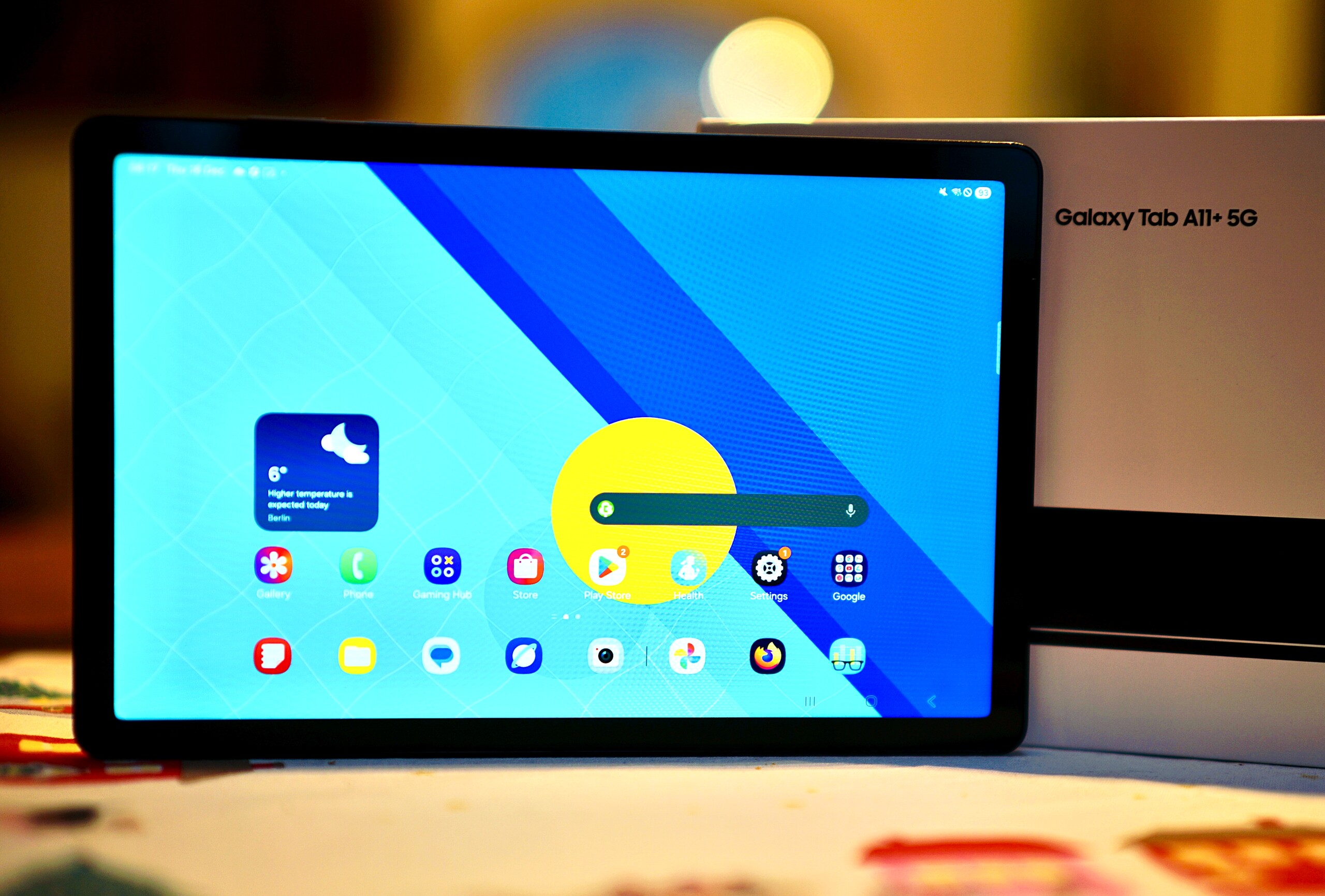
The Samsung Galaxy Tab A11+ is available in different versions:
- 6 GB RAM / 128 GB mass storage WiFi (RRP: €219)
- 8 GB RAM / 256 GB mass storage WiFi (RRP: €279)
- 6 GB RAM / 128 GB mass storage WiFi + 5G (RRP: €269)
- 8 GB RAM / 256 GB mass storage WiFi + 5G (RRP: €319)
All models are available in gray and silver. We are testing the gray Galaxy Tab A11+ with 5G in the 128 GB storage version.
The USB port has to make do with USB 2.0 speeds. NFC is not available.
You can also make phone calls with the 5G version of the tablet.
microSD Card Reader
The internal storage can be expanded via a microSD card. The card reader performs quite fast in testing with our Angelbird V60 reference card.
| SD Card Reader - average JPG Copy Test (av. of 3 runs) | |
| Samsung Galaxy Tab A9+ (Angelbird AV Pro V60) | |
| Samsung Galaxy Tab A11+ (Angelbird V60) | |
| Average of class Tablet (10.2 - 79.2, n=45, last 2 years) | |
| Lenovo Idea Tab (Angelbird V60) | |
Cross Platform Disk Test (CPDT)
Software: Seven years of security updates
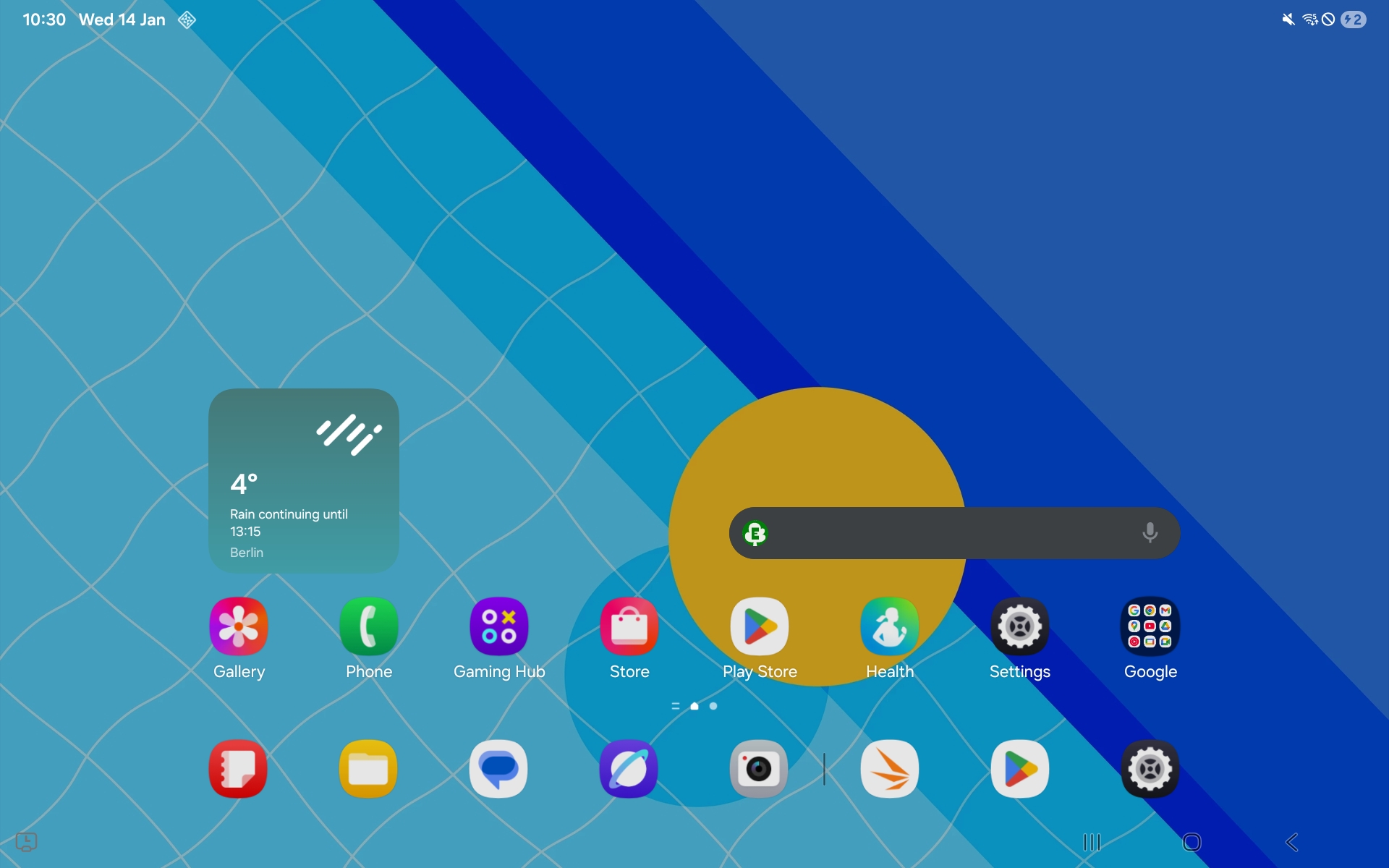
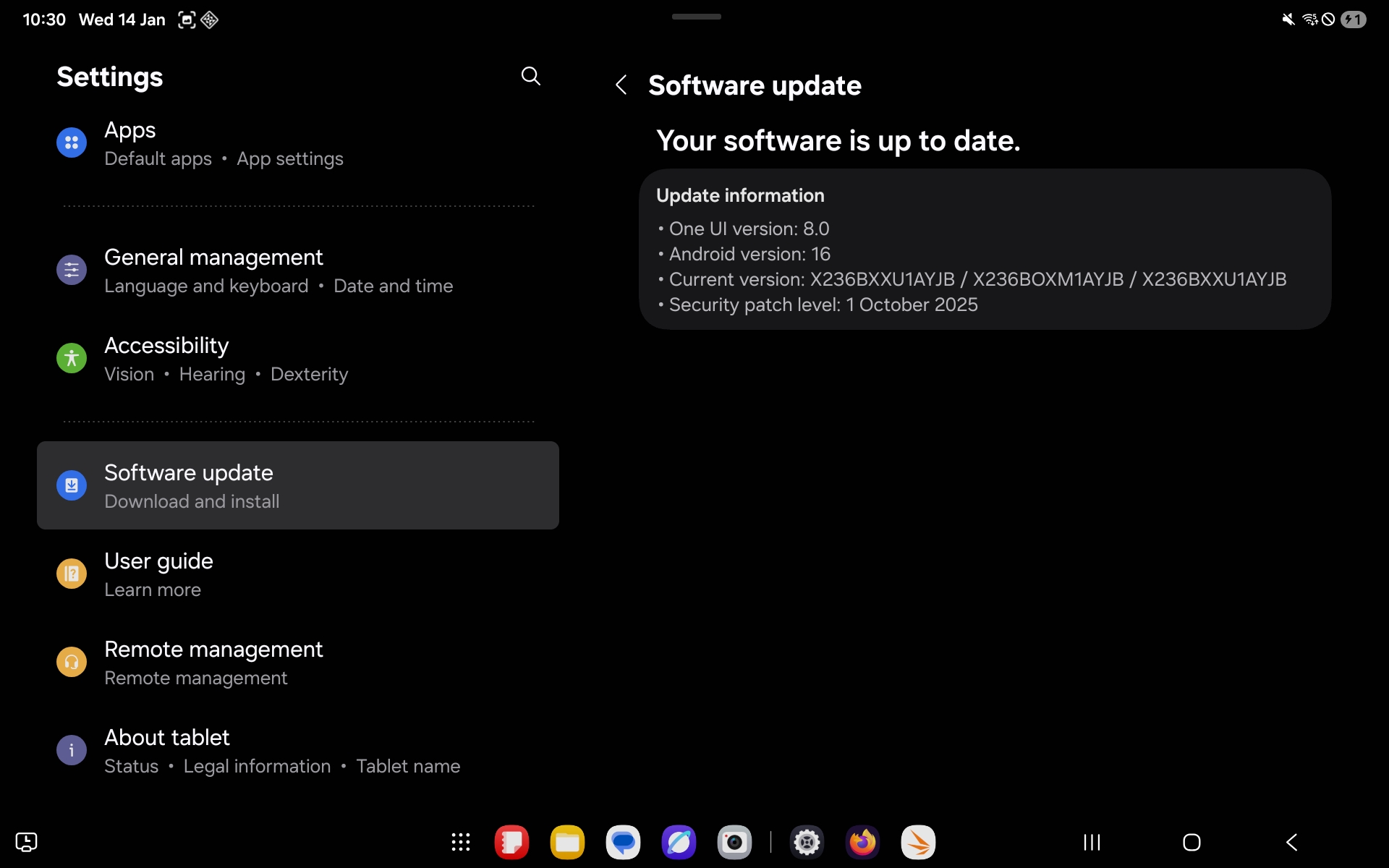
Android 16 with Samsung's own OneUI interface comes pre-installed on the Galaxy Tab A11+. The tablet is supposed to receive software updates every three months. The security patches at the time of testing were of October 2025, so it is about time it received the latest patches.
Samsung promises update support until November 2032, i.e. for a total of seven years.
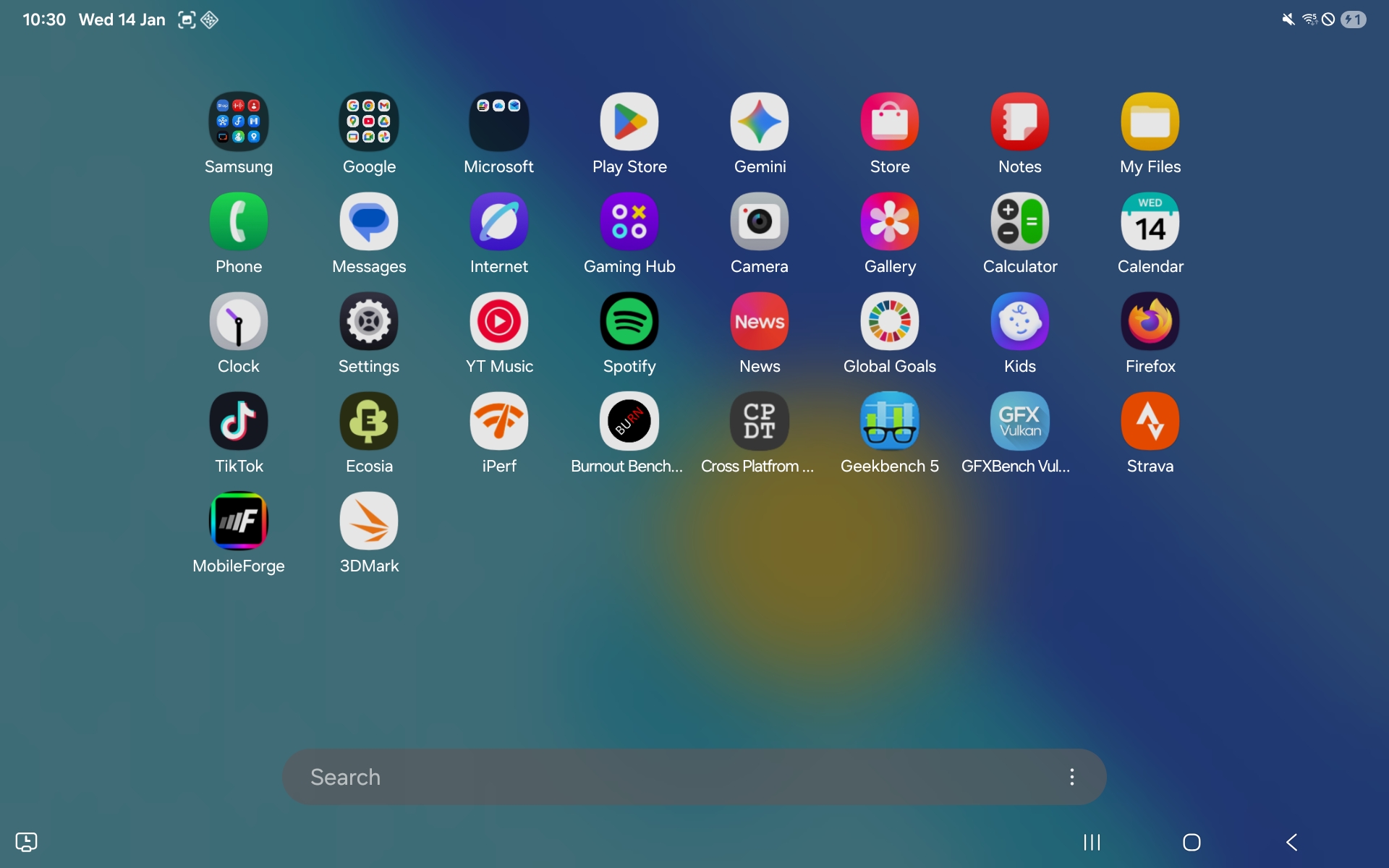
Some third-party apps are pre-installed for advertising purposes, but these can be easily uninstalled.
Sustainability
According to Samsung, less than 1% recycled material used for the tablet and only 8.5% of the device can be officially recycled.
The packaging is plastic-free. There is an official spare parts shop for those preferring self-repair.
Communication and GNSS: Unstable WLAN
The Wi-Fi performance is not very impressive. WiFi 5 is the fastest standard supported and the data rates repeatedly drop.
On the other hand, our test device offers a comprehensive selection of mobile radio frequencies and even 5G cellular radio. This means you can still get decent reception even with poor network coverage, as spot checks during our test show.
| Networking | |
| Samsung Galaxy Tab A11+ | |
| iperf3 transmit AXE11000 | |
| iperf3 receive AXE11000 | |
| OnePlus Pad Lite | |
| iperf3 transmit AXE11000 | |
| iperf3 receive AXE11000 | |
| Lenovo Idea Tab | |
| iperf3 transmit AXE11000 | |
| iperf3 receive AXE11000 | |
| Huawei MatePad SE 11 | |
| iperf3 transmit AXE11000 | |
| iperf3 receive AXE11000 | |
| Samsung Galaxy Tab A9+ | |
| iperf3 transmit AXE11000 | |
| iperf3 receive AXE11000 | |
| Average 802.11 a/b/g/n/ac | |
| iperf3 transmit AXE11000 | |
| iperf3 receive AXE11000 | |
| Average of class Tablet | |
| iperf3 transmit AXE11000 | |
| iperf3 receive AXE11000 | |


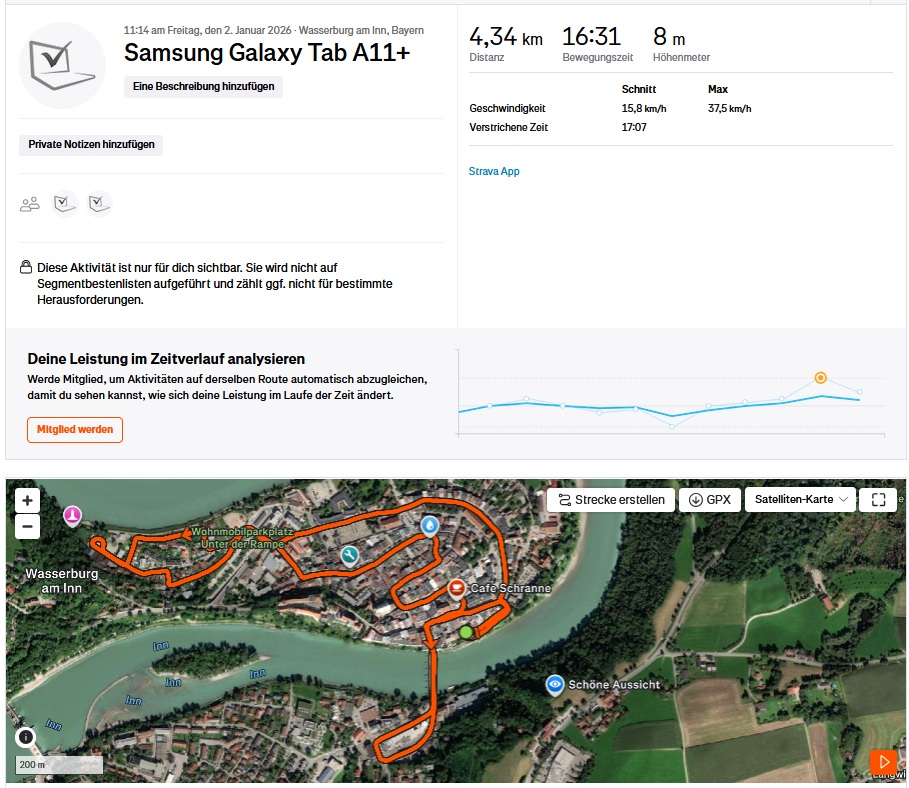
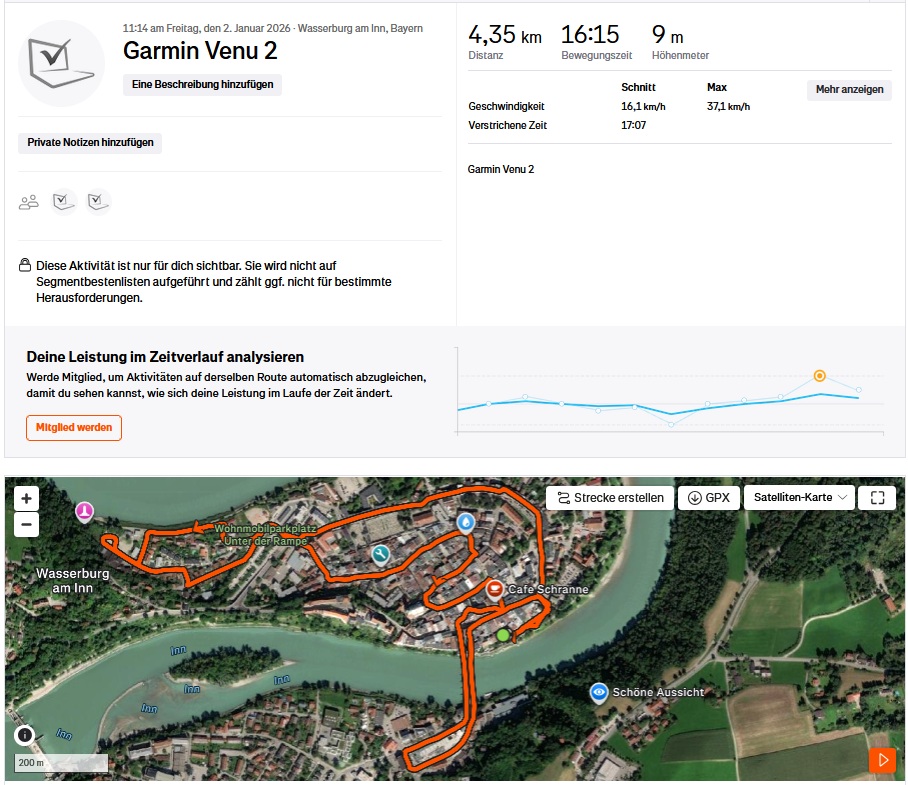
All models of the Galaxy Tab A11+ supported satellite-based positioning.
In our practical test, which we carried out by car as an exception due to the wintry weather, the tablet was not always absolutely precise in its positioning but is accurate enough for everyday use.
This means it can also be used for navigation in the car without any problems.




Cameras: Useful 8 MP optics

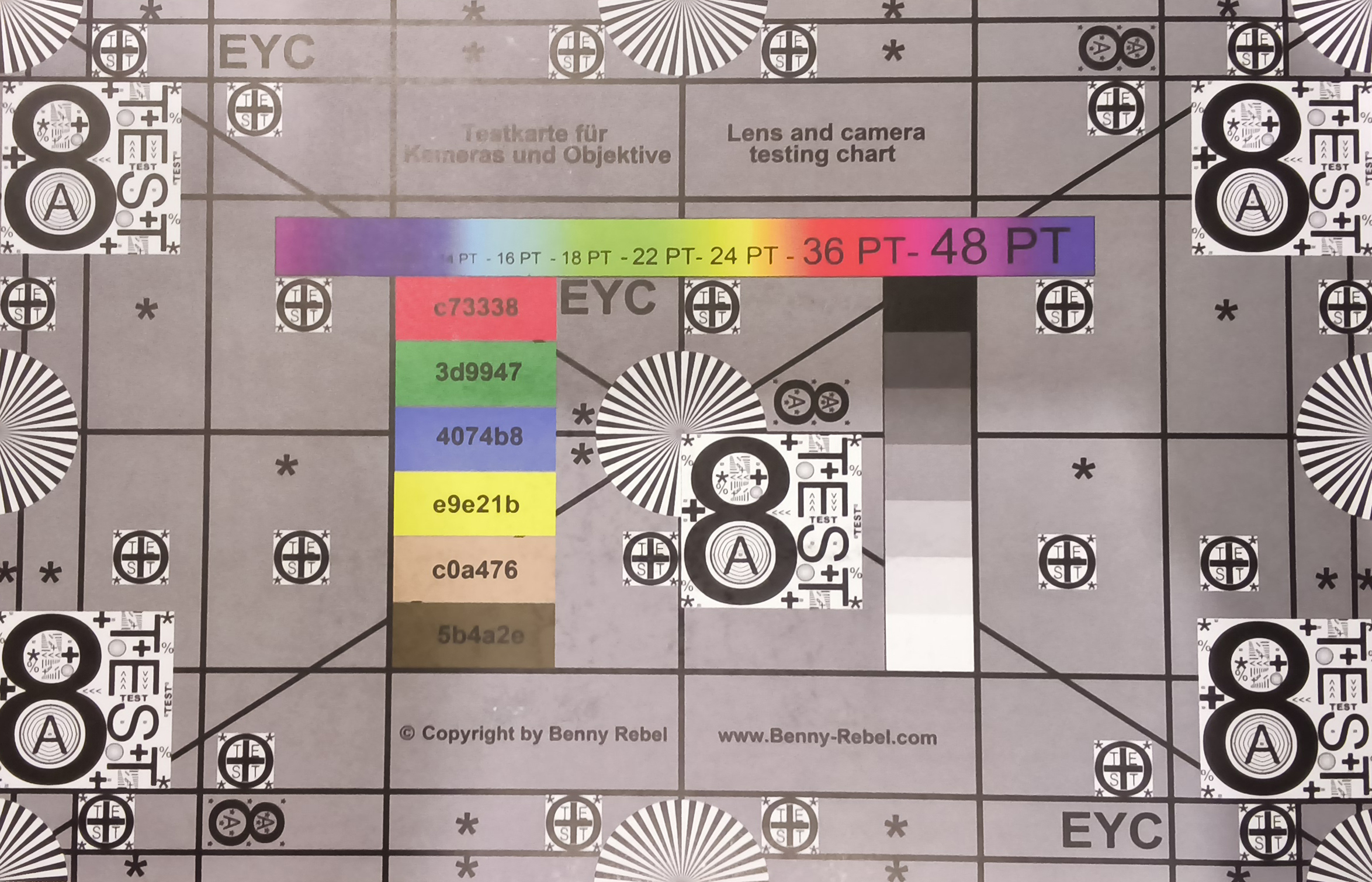
There is only an 8 MP camera on the back, and it quickly gets overwhelmed when taking pictures. The white flowers are overexposed, and the dynamic range is rather moderate even in low light.
The camera is passable for snapshots and of course for scanning documents or reading QR codes.
The 5 MP front camera takes decent selfies and the dynamic range is reasonably good.
Image comparison
Choose a scene and navigate within the first image. One click changes the position on touchscreens. One click on the zoomed-in image opens the original in a new window. The first image shows the scaled photograph of the test device.
Main camera: PlantMain camera: EnvironmentMain camera: Low light




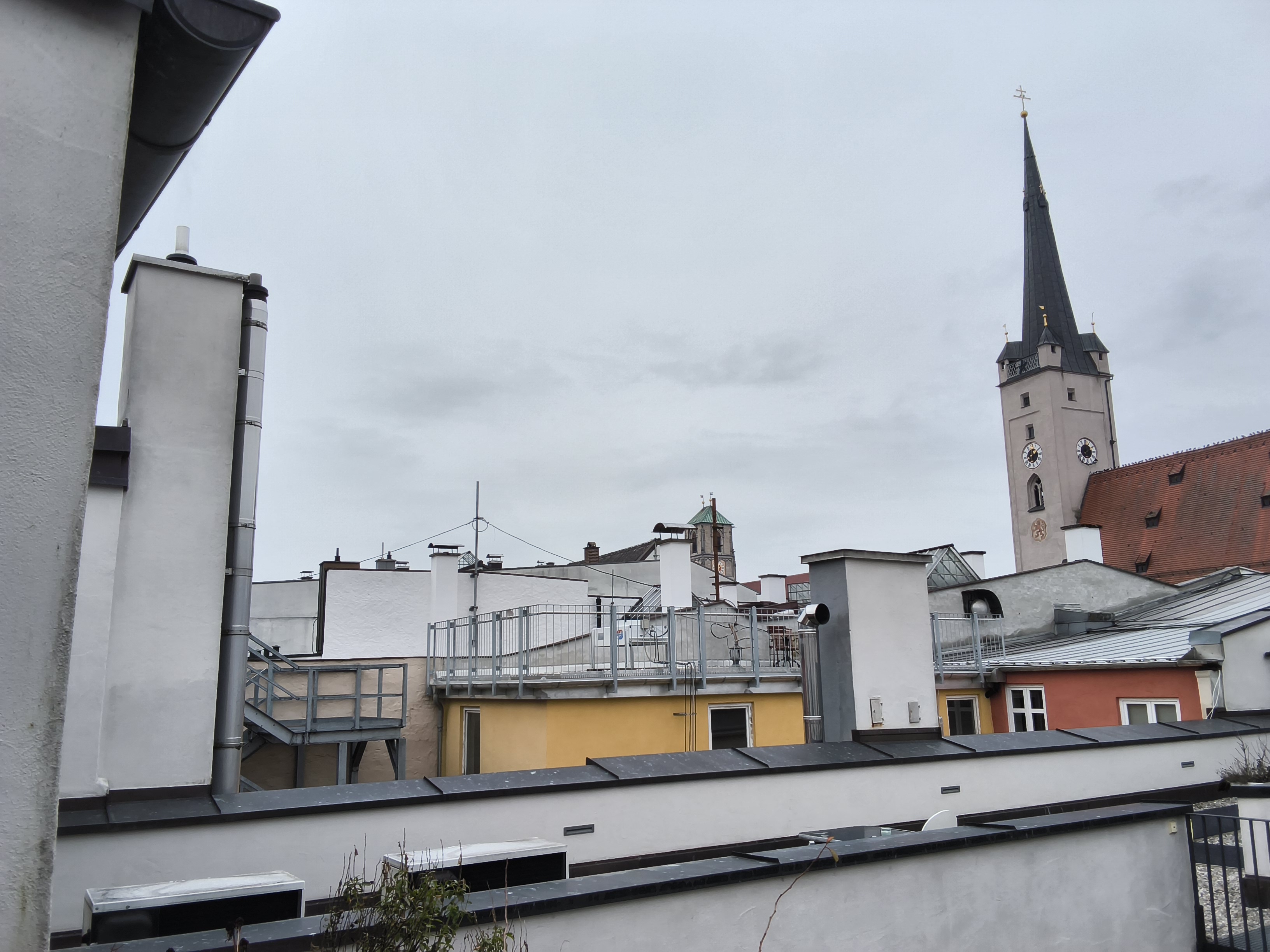
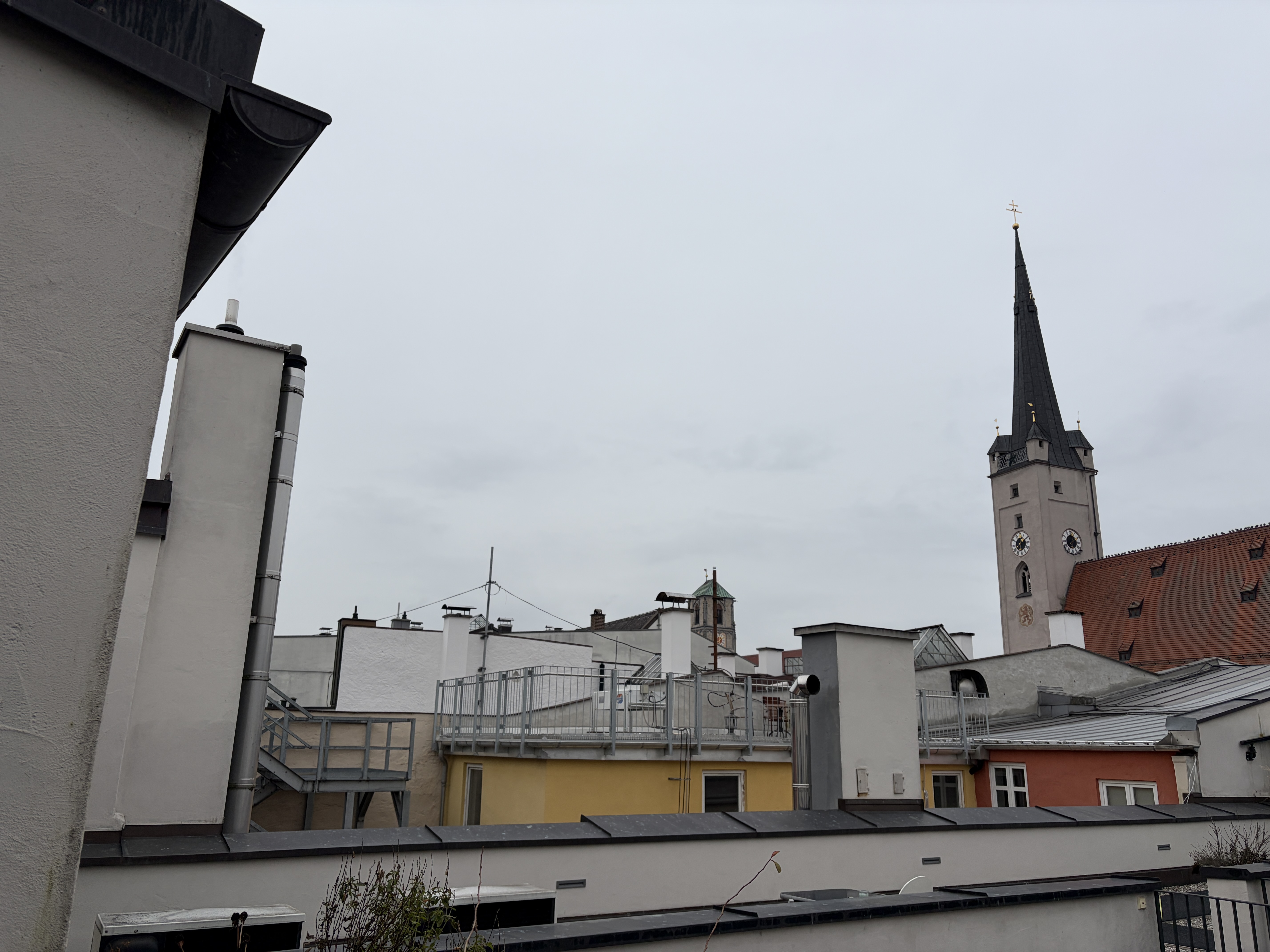
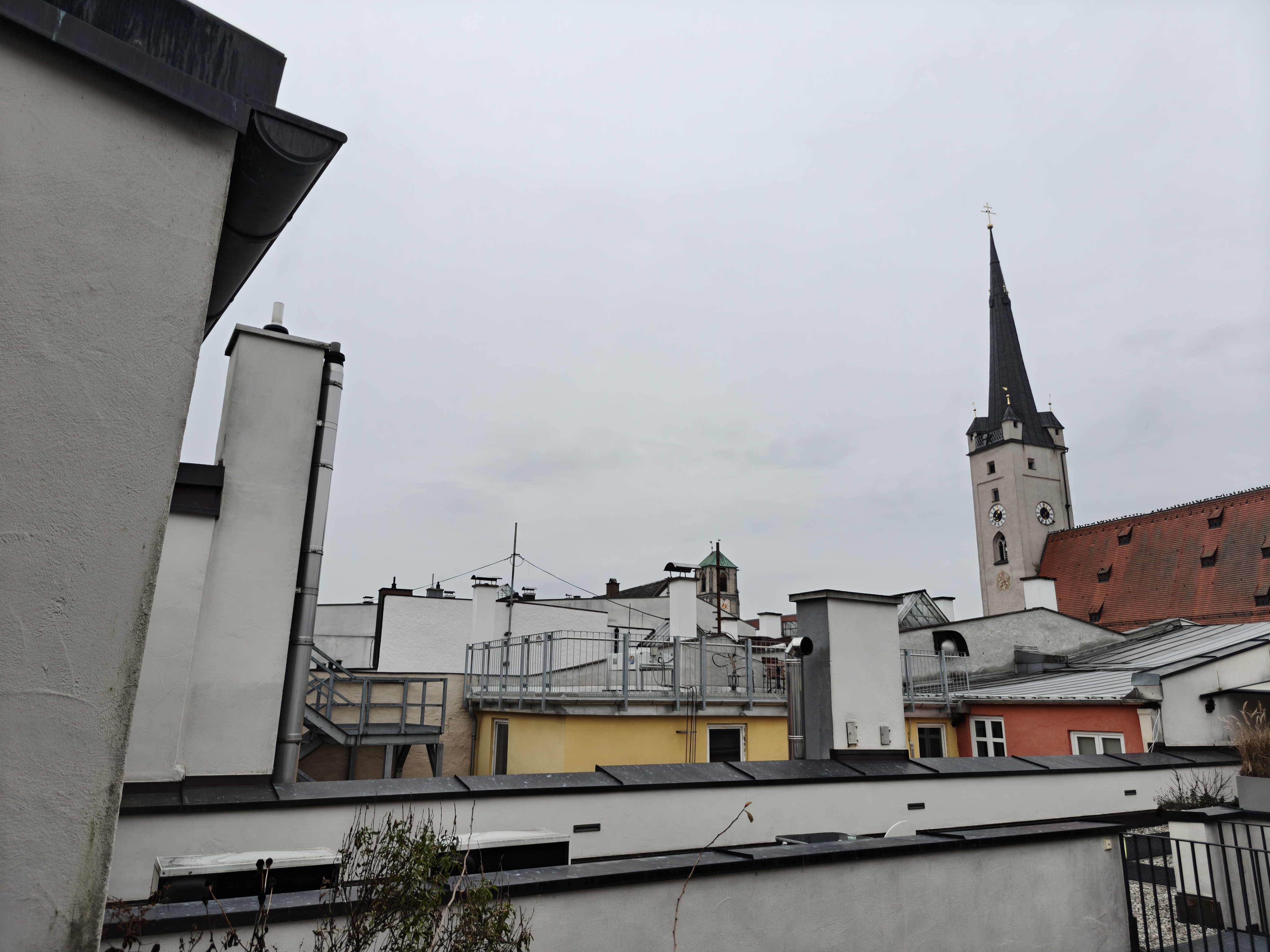
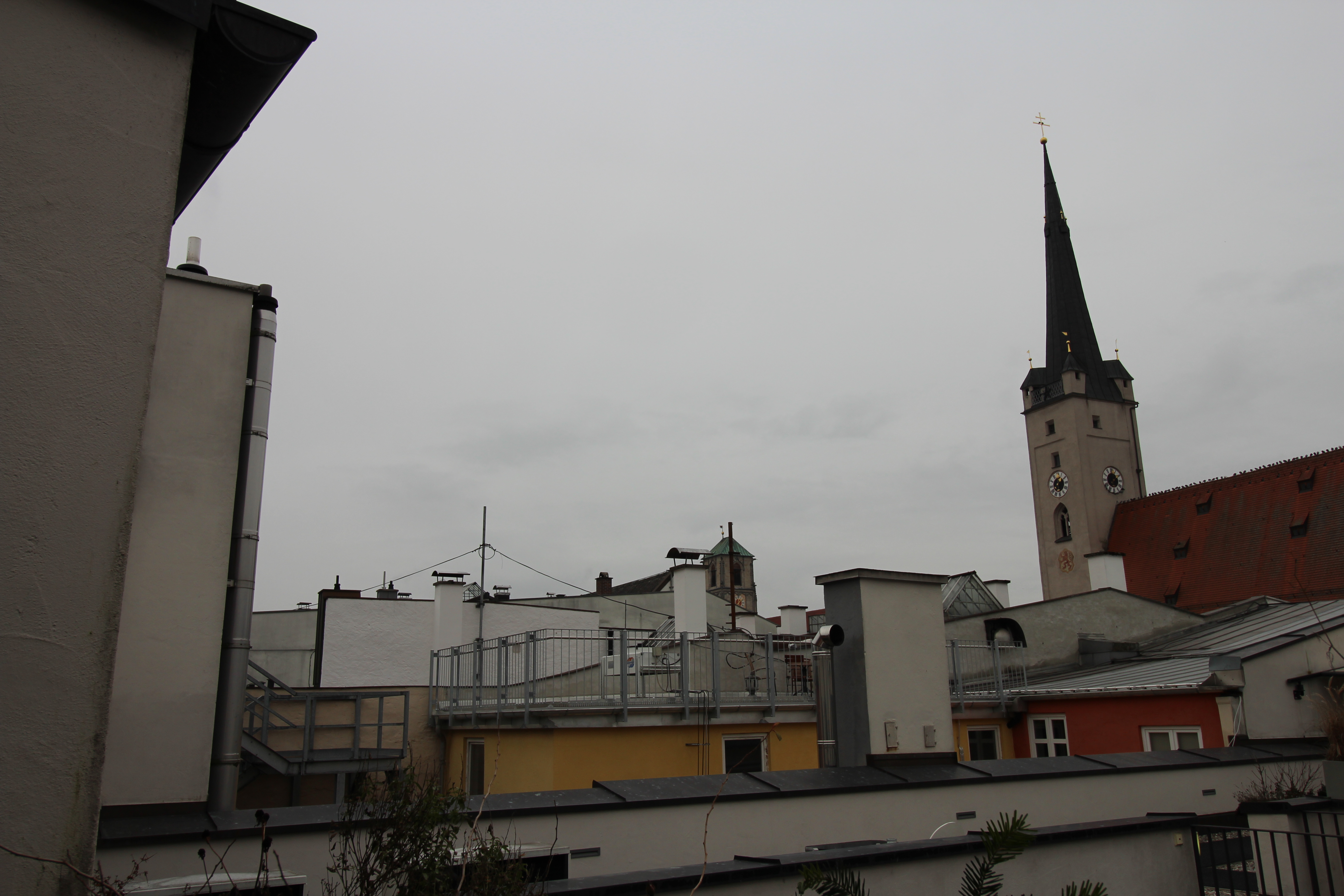




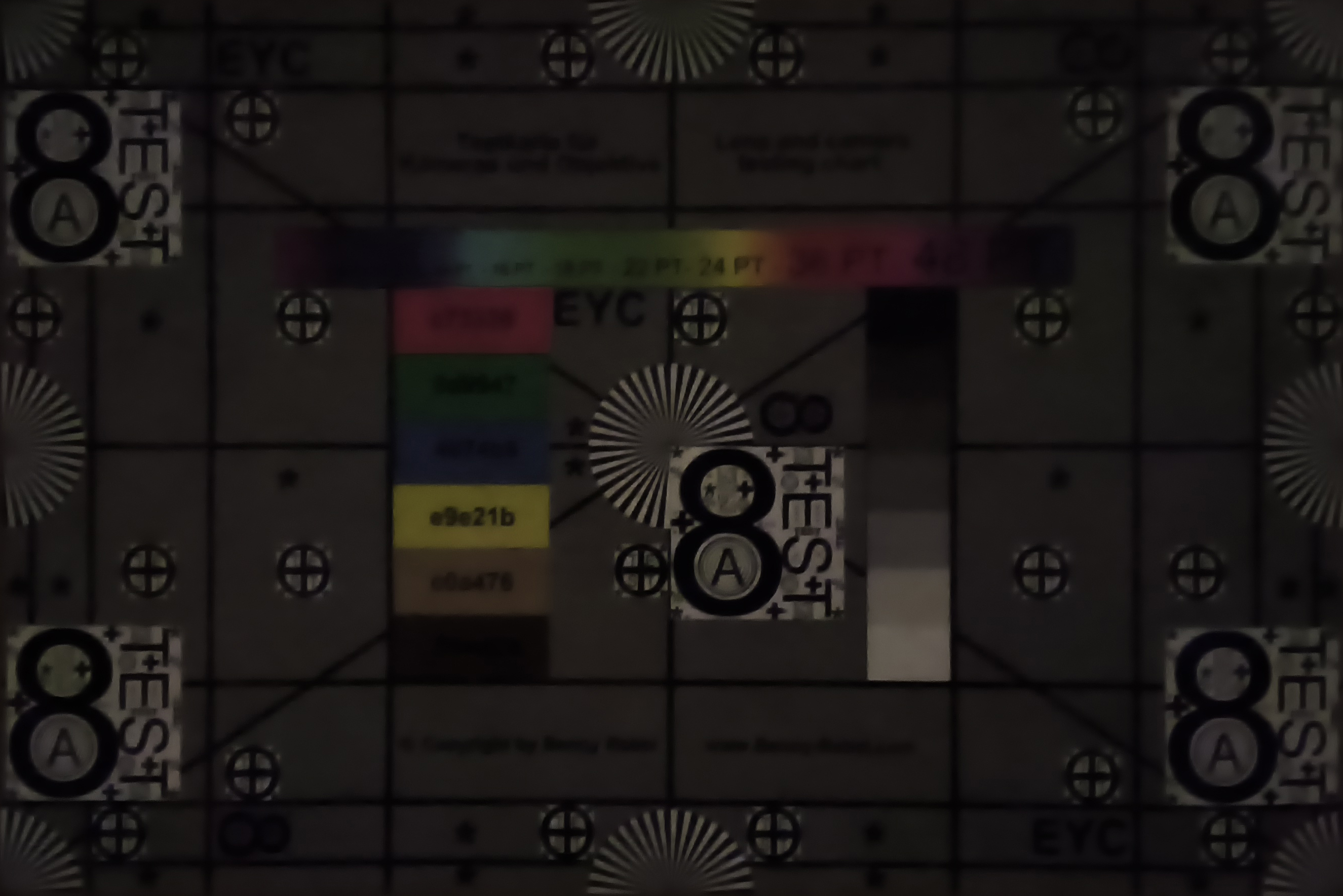
In the test lab at full illumination, the camera sometimes produces pixel artifacts and somewhat coarse structures. At only 1 lux illumination, the subject is still roughly recognizable.




Accessories and warranty: Only cable and SIM tool in the box
A charger is not included in the scope of delivery.
Samsung provides a 24-month guarantee for devices purchased within the EU.
Input devices and operation: Fast 90 Hz touchscreen
Similar to its predecessor, the Galaxy Tab A9+, the Tab A11+ features a 90 Hz screen, which is easy to use. The new SoC makes operation even smoother, but we did notice slight stutters from time to time.
There is no fingerprint sensor. However, you can use facial recognition via the front camera, which works well.
Display: Slightly brighter with a bluish tinge
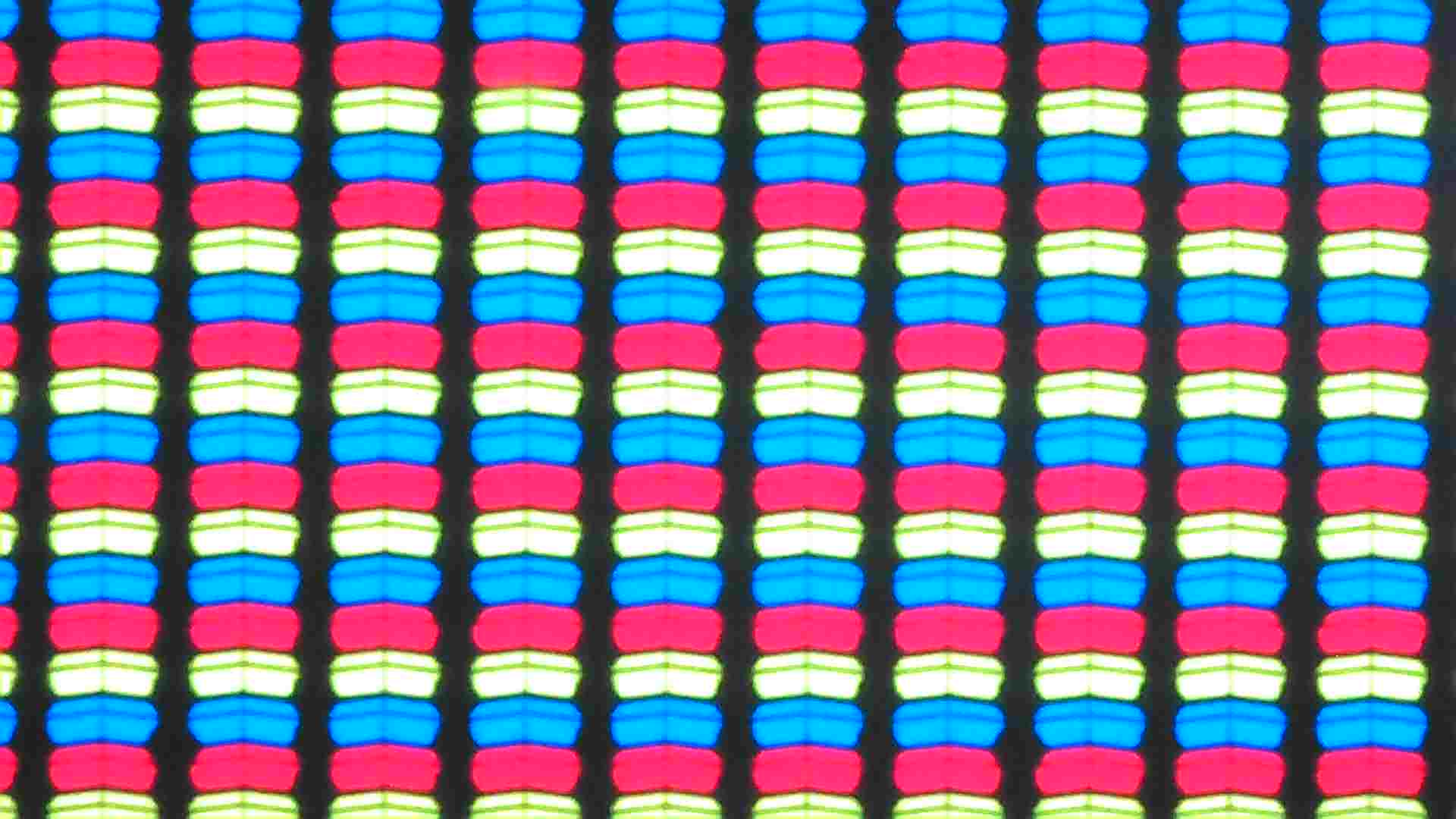
The Galaxy Tab A11+ sports a 11-inch IPS display with a 1,920 x 1,200 resolution. While this is standard for the class, the Lenovo Idea Tab shows that higher resolutions are possible at this price.
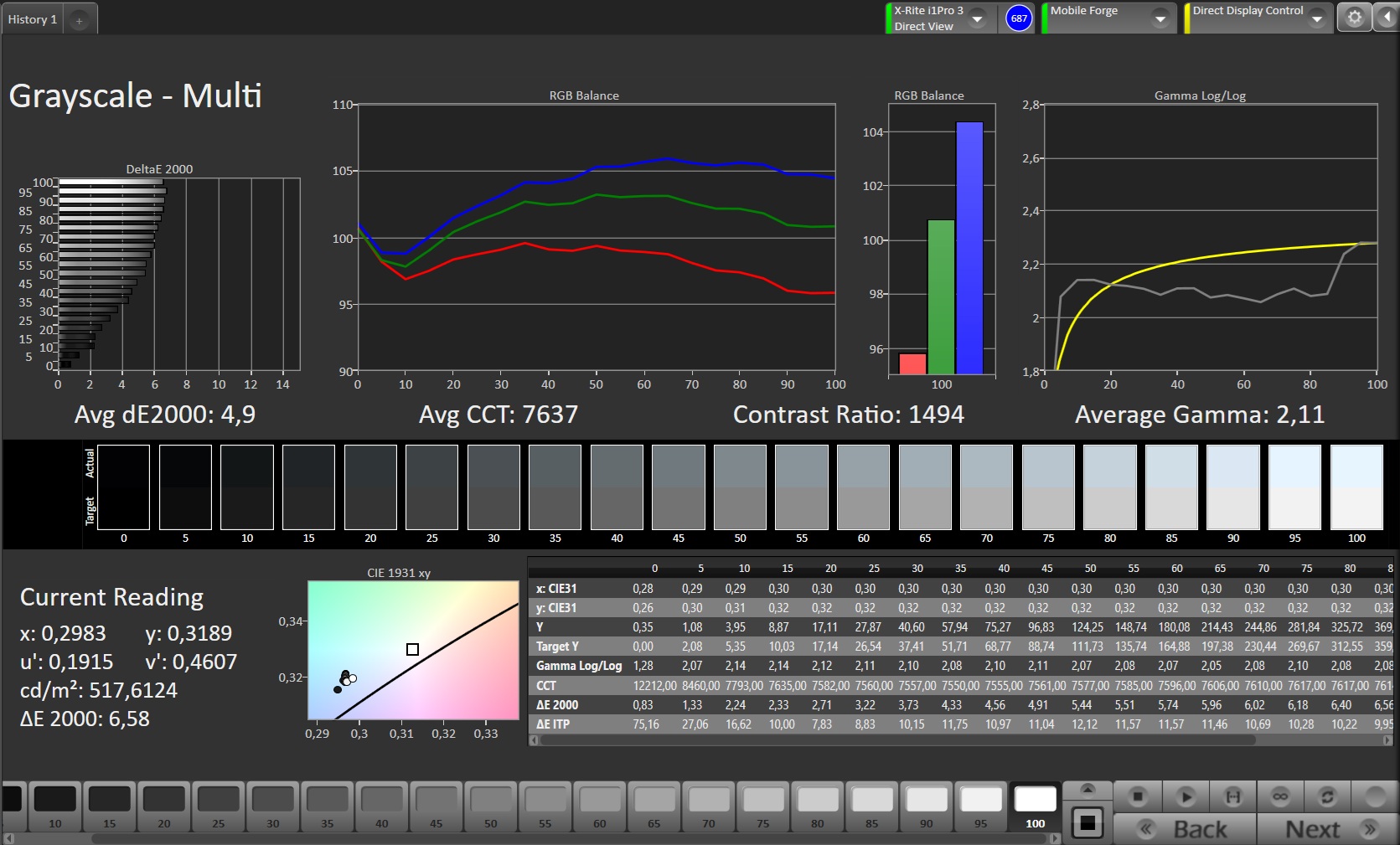
The screen of the Galaxy Tab A11+ is quite bright — we measured up to 537 cd/m² in full white. This means you can use the tablet outdoors, though the brightness is still too low in direct sunlight.
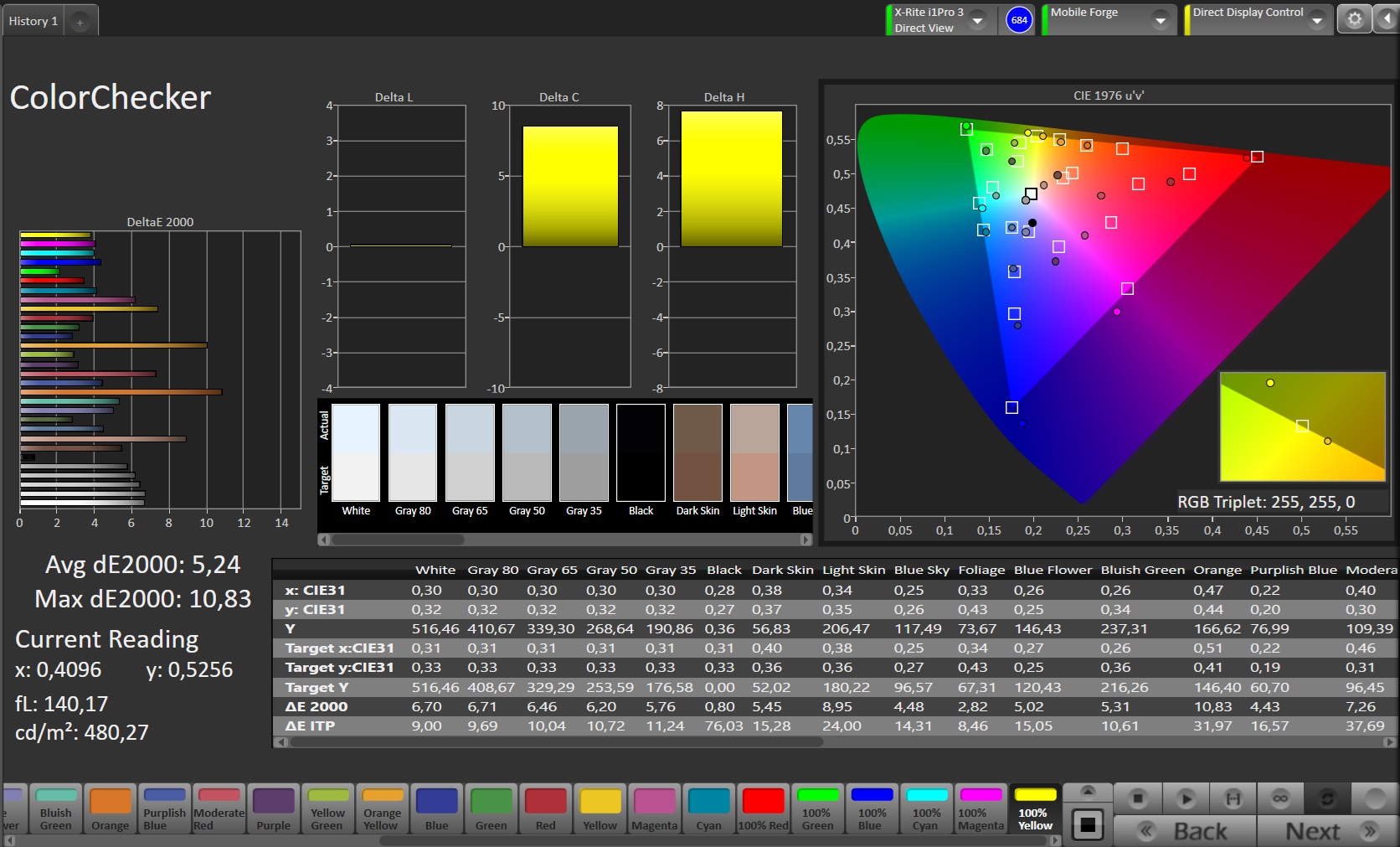
The color reproduction is slightly bluish and cannot be optimally adjusted.
We did not detect PWM flickering in our tests.
| |||||||||||||||||||||||||
Brightness Distribution: 91 %
Center on Battery: 537 cd/m²
Contrast: 1534:1 (Black: 0.35 cd/m²)
ΔE ColorChecker Calman: 5.24 | ∀{0.5-29.43 Ø4.69}
ΔE Greyscale Calman: 4.9 | ∀{0.09-98 Ø4.94}
97.2% sRGB (Calman 2D)
Gamma: 2.11
CCT: 7637 K
| Samsung Galaxy Tab A11+ IPS, 1920x1200, 11" | OnePlus Pad Lite IPS, 1920x1200, 11" | Lenovo Idea Tab LCD IPS, 2560x1600, 11" | Huawei MatePad SE 11 LCD, 1900x1200, 11" | Samsung Galaxy Tab A9+ TFT-LCD, 1920x1200, 11" | |
|---|---|---|---|---|---|
| Screen | 15% | 16% | 15% | -15% | |
| Brightness middle (cd/m²) | 537 | 519 -3% | 411 -23% | 461 -14% | 493 -8% |
| Brightness (cd/m²) | 514 | 511 -1% | 392 -24% | 451 -12% | 460 -11% |
| Brightness Distribution (%) | 91 | 97 7% | 91 0% | 87 -4% | 90 -1% |
| Black Level * (cd/m²) | 0.35 | 0.37 -6% | 0.39 -11% | 0.3 14% | 0.35 -0% |
| Contrast (:1) | 1534 | 1403 -9% | 1054 -31% | 1537 0% | 1409 -8% |
| Colorchecker dE 2000 * | 5.24 | 3.12 40% | 1.06 80% | 2.48 53% | 6 -15% |
| Colorchecker dE 2000 max. * | 10.83 | 5.8 46% | 3.92 64% | 4.9 55% | 11.7 -8% |
| Greyscale dE 2000 * | 4.9 | 2.5 49% | 1.3 73% | 3.5 29% | 8.2 -67% |
| Gamma | 2.11 104% | 2.359 93% | 2.232 99% | 2.183 101% | 2.21 100% |
| CCT | 7637 85% | 6496 100% | 6249 104% | 7471 87% | 9131 71% |
* ... smaller is better
| Display / APL18 Peak Brightness | |
| Samsung Galaxy Tab A11+ | |
| Display / HDR Peak Brightness | |
| Samsung Galaxy Tab A11+ | |
Screen Flickering / PWM (Pulse-Width Modulation)
| Screen flickering / PWM not detected | 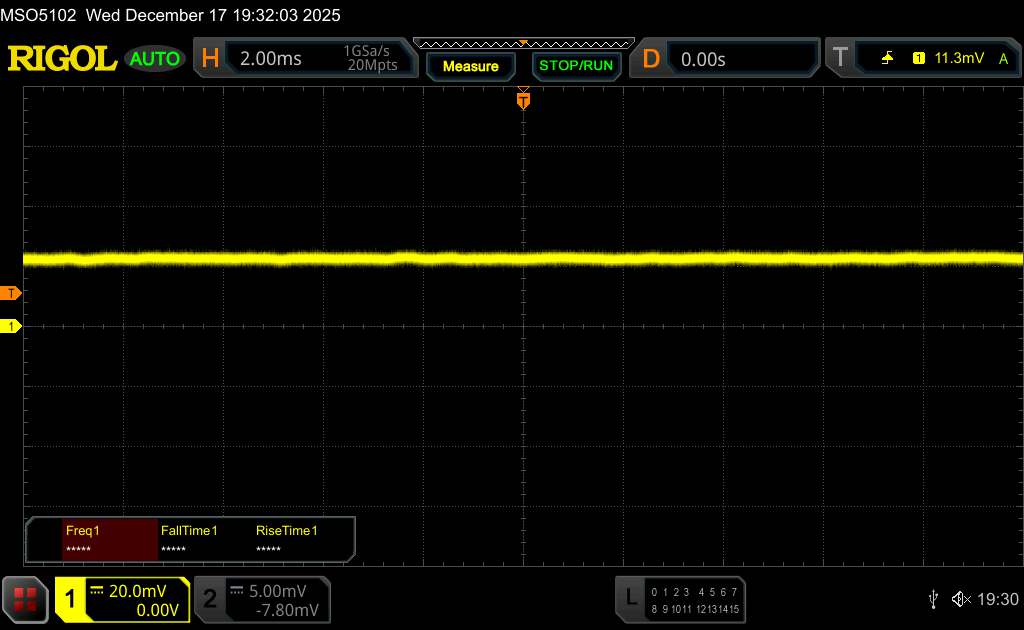 | ||
In comparison: 52 % of all tested devices do not use PWM to dim the display. If PWM was detected, an average of 7608 (minimum: 5 - maximum: 343500) Hz was measured. | |||

Display Response Times
| ↔ Response Time Black to White | ||
|---|---|---|
| 21.3 ms ... rise ↗ and fall ↘ combined | ↗ 11.9 ms rise | 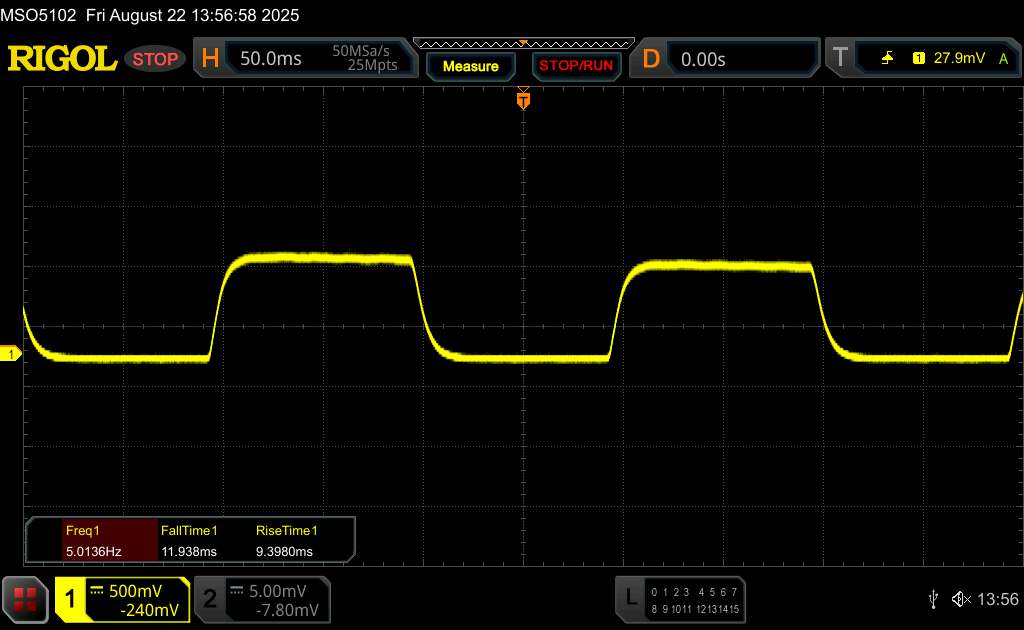 |
| ↘ 9.4 ms fall | ||
| The screen shows good response rates in our tests, but may be too slow for competitive gamers. In comparison, all tested devices range from 0.1 (minimum) to 240 (maximum) ms. » 48 % of all devices are better. This means that the measured response time is similar to the average of all tested devices (19.7 ms). | ||
| ↔ Response Time 50% Grey to 80% Grey | ||
| 29.3 ms ... rise ↗ and fall ↘ combined | ↗ 11.3 ms rise | 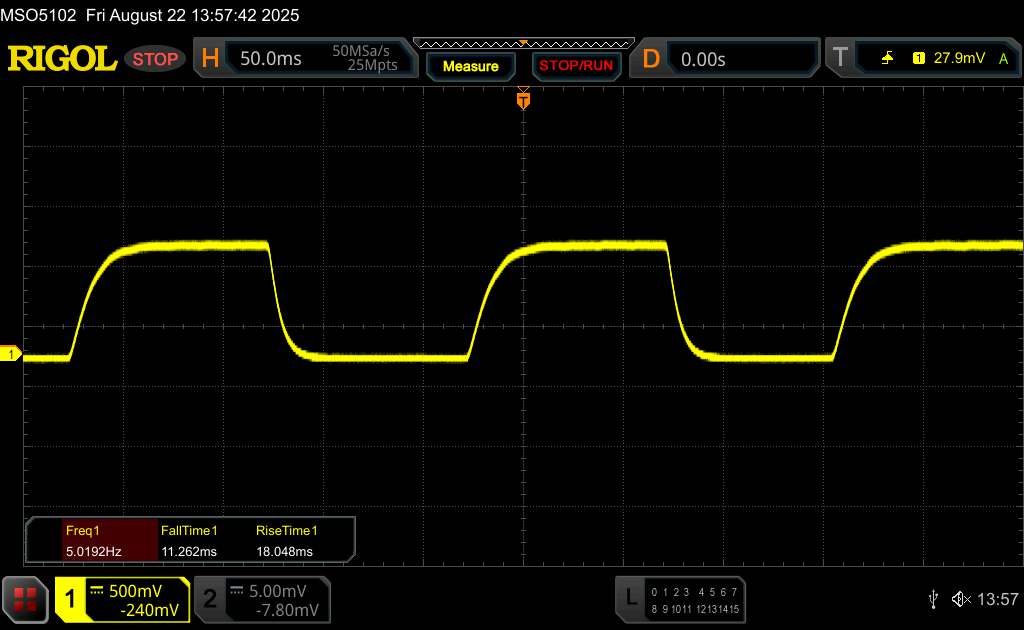 |
| ↘ 18 ms fall | ||
| The screen shows relatively slow response rates in our tests and may be too slow for gamers. In comparison, all tested devices range from 0.13 (minimum) to 636 (maximum) ms. » 40 % of all devices are better. This means that the measured response time is similar to the average of all tested devices (30.7 ms). | ||
Performance: Full power for the mid-range
The MediaTek Dimensity 7300 is a mid-range SoC that is already two years old, but it is still often used in smartphones and tablets.
There is a good reason for this. The Dimensity 7300 is relatively fast, and the Samsung Galaxy Tab A11+ 5G also benefits from this. It beats similarly priced tablets in terms of performance, sometimes significantly. This is noticeable in everyday use with significantly fewer stutters and mostly smooth system operation.
The advantage is even clearer when it comes to graphics power. In terms of browser speed, however, our test device is not always in first place.
A unique aspect in this price range is the presence of fast UFS 3.1 storage, which enables rapid data transfers and short loading times.
| UL Procyon AI Inference for Android - Overall Score NNAPI | |
| Samsung Galaxy Tab A11+ | |
| Average MediaTek Dimensity 7300 (8087 - 29436, n=10) | |
| Average of class Tablet (3600 - 76852, n=53, last 2 years) | |
| Lenovo Idea Tab | |
| Samsung Galaxy Tab A9+ | |
| Huawei MatePad SE 11 | |
| AImark - Score v3.x | |
| Average MediaTek Dimensity 7300 (13579 - 14587, n=3) | |
| Average of class Tablet (252 - 50153, n=35, last 2 years) | |
| Lenovo Idea Tab | |
| Samsung Galaxy Tab A9+ | |
| Huawei MatePad SE 11 | |
| AI Benchmark - Score V6 | |
| Average of class Tablet (70.4 - 22476, n=38, last 2 years) | |
| Samsung Galaxy Tab A11+ | |
| Average MediaTek Dimensity 7300 (232 - 581, n=8) | |
| Lenovo Idea Tab | |
GFXBench (DX / GLBenchmark) 2.7: T-Rex Onscreen | 1920x1080 T-Rex Offscreen
GFXBench 3.0: on screen Manhattan Onscreen OGL | 1920x1080 1080p Manhattan Offscreen
GFXBench 3.1: on screen Manhattan ES 3.1 Onscreen | 1920x1080 Manhattan ES 3.1 Offscreen
GFXBench: on screen Car Chase Onscreen | 1920x1080 Car Chase Offscreen | on screen Aztec Ruins High Tier Onscreen | 2560x1440 Aztec Ruins High Tier Offscreen | on screen Aztec Ruins Normal Tier Onscreen | 1920x1080 Aztec Ruins Normal Tier Offscreen | 3840x2160 4K Aztec Ruins High Tier Offscreen
| 3DMark / Wild Life Extreme Unlimited | |
| Samsung Galaxy Tab A11+ | |
| Samsung Galaxy Tab A9+ | |
| Lenovo Idea Tab | |
| OnePlus Pad Lite | |
| Huawei MatePad SE 11 | |
| 3DMark / Wild Life Extreme | |
| Samsung Galaxy Tab A11+ | |
| Samsung Galaxy Tab A9+ | |
| Lenovo Idea Tab | |
| OnePlus Pad Lite | |
| Huawei MatePad SE 11 | |
| 3DMark / Wild Life Unlimited Score | |
| Samsung Galaxy Tab A11+ | |
| OnePlus Pad Lite | |
| Lenovo Idea Tab | |
| Samsung Galaxy Tab A9+ | |
| Huawei MatePad SE 11 | |
| 3DMark / Steel Nomad Light Unlimited Score | |
| Lenovo Idea Tab | |
| 3DMark / Steel Nomad Light Score | |
| Lenovo Idea Tab | |
| Huawei MatePad SE 11 | |
| GFXBench (DX / GLBenchmark) 2.7 / T-Rex Onscreen | |
| Samsung Galaxy Tab A11+ | |
| Samsung Galaxy Tab A9+ | |
| Lenovo Idea Tab | |
| Huawei MatePad SE 11 | |
| GFXBench (DX / GLBenchmark) 2.7 / T-Rex Offscreen | |
| Samsung Galaxy Tab A11+ | |
| Samsung Galaxy Tab A9+ | |
| Lenovo Idea Tab | |
| Huawei MatePad SE 11 | |
| GFXBench 3.0 / Manhattan Onscreen OGL | |
| Samsung Galaxy Tab A11+ | |
| Samsung Galaxy Tab A9+ | |
| Lenovo Idea Tab | |
| Huawei MatePad SE 11 | |
| GFXBench 3.0 / 1080p Manhattan Offscreen | |
| Samsung Galaxy Tab A11+ | |
| Samsung Galaxy Tab A9+ | |
| Lenovo Idea Tab | |
| Huawei MatePad SE 11 | |
| GFXBench 3.1 / Manhattan ES 3.1 Onscreen | |
| Samsung Galaxy Tab A11+ | |
| Samsung Galaxy Tab A9+ | |
| Lenovo Idea Tab | |
| Huawei MatePad SE 11 | |
| GFXBench 3.1 / Manhattan ES 3.1 Offscreen | |
| Samsung Galaxy Tab A11+ | |
| Samsung Galaxy Tab A9+ | |
| Lenovo Idea Tab | |
| Huawei MatePad SE 11 | |
| GFXBench / Car Chase Onscreen | |
| Samsung Galaxy Tab A11+ | |
| Samsung Galaxy Tab A9+ | |
| Lenovo Idea Tab | |
| Huawei MatePad SE 11 | |
| GFXBench / Car Chase Offscreen | |
| Samsung Galaxy Tab A11+ | |
| Samsung Galaxy Tab A9+ | |
| Lenovo Idea Tab | |
| Huawei MatePad SE 11 | |
| GFXBench / Aztec Ruins High Tier Onscreen | |
| Samsung Galaxy Tab A11+ | |
| Samsung Galaxy Tab A9+ | |
| OnePlus Pad Lite | |
| Lenovo Idea Tab | |
| Huawei MatePad SE 11 | |
| GFXBench / Aztec Ruins High Tier Offscreen | |
| Samsung Galaxy Tab A11+ | |
| Samsung Galaxy Tab A9+ | |
| OnePlus Pad Lite | |
| Lenovo Idea Tab | |
| Huawei MatePad SE 11 | |
| GFXBench / Aztec Ruins Normal Tier Onscreen | |
| Samsung Galaxy Tab A11+ | |
| Samsung Galaxy Tab A9+ | |
| OnePlus Pad Lite | |
| Lenovo Idea Tab | |
| Huawei MatePad SE 11 | |
| GFXBench / Aztec Ruins Normal Tier Offscreen | |
| Samsung Galaxy Tab A11+ | |
| Samsung Galaxy Tab A9+ | |
| Lenovo Idea Tab | |
| OnePlus Pad Lite | |
| Huawei MatePad SE 11 | |
| GFXBench / 4K Aztec Ruins High Tier Offscreen | |
| Samsung Galaxy Tab A11+ | |
| Samsung Galaxy Tab A9+ | |
| OnePlus Pad Lite | |
| Lenovo Idea Tab | |
| Huawei MatePad SE 11 | |
| Jetstream 2 - 2.0 Total | |
| Average of class Tablet (48 - 420, n=54, last 2 years) | |
| Average MediaTek Dimensity 7300 (60.2 - 138.5, n=9) | |
| Samsung Galaxy Tab A11+ (Chrome 142) | |
| Samsung Galaxy Tab A9+ (Chrome 121.0.6167.143) | |
| OnePlus Pad Lite (Chrome 141) | |
| Huawei MatePad SE 11 | |
| Speedometer 2.0 - Result 2.0 | |
| Average of class Tablet (45 - 790, n=33, last 2 years) | |
| Average MediaTek Dimensity 7300 (76.5 - 143, n=8) | |
| Samsung Galaxy Tab A11+ (Chrome 142) | |
| Samsung Galaxy Tab A9+ (Chrome 121.0.6167.143) | |
| Speedometer 3 - Score 3.0 | |
| Average of class Tablet (3 - 49.1, n=49, last 2 years) | |
| Average MediaTek Dimensity 7300 (5.6 - 8.86, n=9) | |
| Samsung Galaxy Tab A11+ (Chrome 142) | |
| Lenovo Idea Tab (Chrome 139) | |
| Huawei MatePad SE 11 (Hauwei Browser V14) | |
| WebXPRT 4 - Overall | |
| Average of class Tablet (54 - 376, n=53, last 2 years) | |
| Samsung Galaxy Tab A9+ (Chrome 121.0.6167.143) | |
| Average MediaTek Dimensity 7300 (56 - 120, n=9) | |
| Samsung Galaxy Tab A11+ (Chrome 142) | |
| Lenovo Idea Tab (Chrome 139) | |
| Huawei MatePad SE 11 (Hauwei Browser V14) | |
| Octane V2 - Total Score | |
| Average of class Tablet (4497 - 138481, n=69, last 2 years) | |
| Average MediaTek Dimensity 7300 (22739 - 42038, n=14) | |
| Samsung Galaxy Tab A11+ (Chrome 142) | |
| Samsung Galaxy Tab A9+ (Chrome 121.0.6167.143) | |
| Lenovo Idea Tab (Chrome 139) | |
| Huawei MatePad SE 11 (Hauwei Browser V14) | |
| Mozilla Kraken 1.1 - Total | |
| Huawei MatePad SE 11 (Hauwei Browser V14) | |
| Lenovo Idea Tab (Chrome 139) | |
| Samsung Galaxy Tab A11+ (Chrome 142) | |
| Samsung Galaxy Tab A9+ (Chrome 121.0.6167.143) | |
| Average MediaTek Dimensity 7300 (1028 - 2154, n=11) | |
| Average of class Tablet (243 - 13119, n=64, last 2 years) | |
* ... smaller is better
| Samsung Galaxy Tab A11+ | OnePlus Pad Lite | Lenovo Idea Tab | Huawei MatePad SE 11 | Samsung Galaxy Tab A9+ | Average 128 GB UFS 3.1 Flash | Average of class Tablet | |
|---|---|---|---|---|---|---|---|
| AndroBench 3-5 | -37% | -46% | -66% | -62% | -24% | 5% | |
| Sequential Read 256KB (MB/s) | 1990.9 | 976 -51% | 534.11 -73% | 528.79 -73% | 485.96 -76% | 1588 ? -20% | 2117 ? 6% |
| Sequential Write 256KB (MB/s) | 1645.1 | 883.8 -46% | 489.67 -70% | 103.41 -94% | 476.37 -71% | 820 ? -50% | 1691 ? 3% |
| Random Read 4KB (MB/s) | 249.4 | 215.4 -14% | 226.81 -9% | 166.24 -33% | 130.67 -48% | 247 ? -1% | 280 ? 12% |
| Random Write 4KB (MB/s) | 332 | 214.2 -35% | 227.97 -31% | 119.02 -64% | 162.9 -51% | 251 ? -24% | 327 ? -2% |
Emissions: Low thermals with nearly no throttling
Temperature
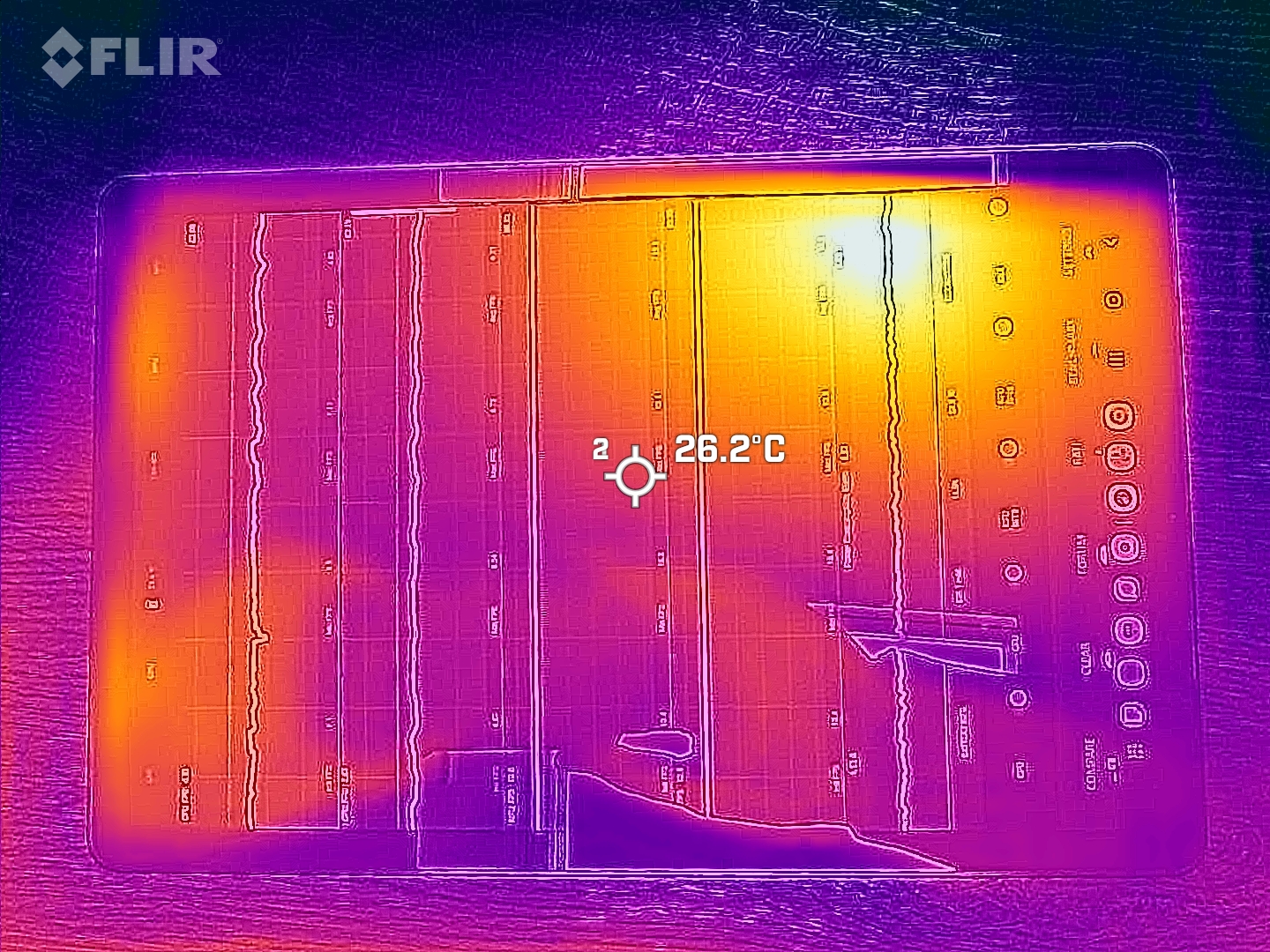
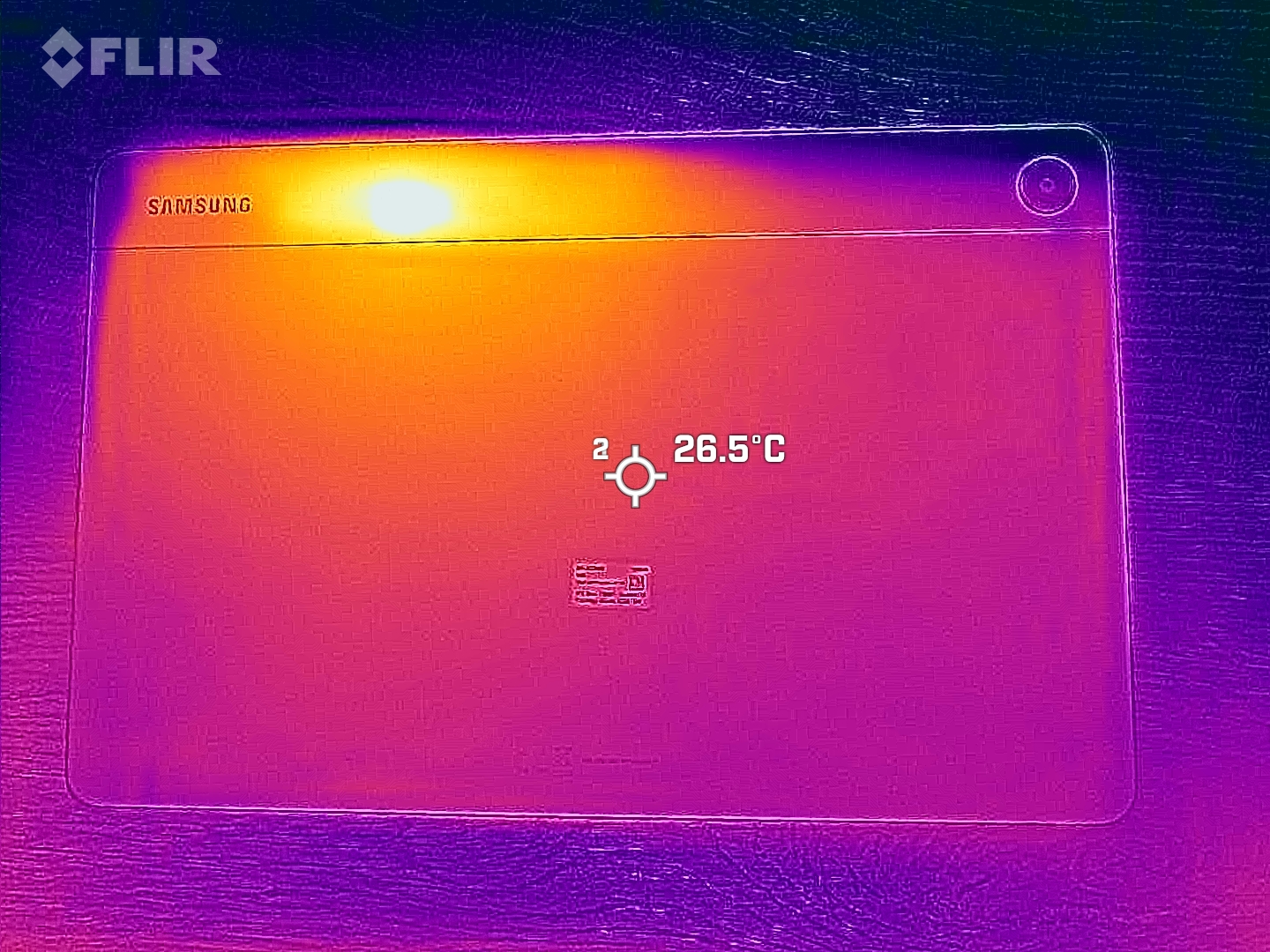
Thanks to the Galaxy Tab A11+'s large surface area, the SoC can be cooled well. We do not measure any noticeable heating on the surface after prolonged load.
3DMark stress tests indicate that no performance losses are to be expected after a longer run time.
(+) The maximum temperature on the upper side is 32.9 °C / 91 F, compared to the average of 33.7 °C / 93 F, ranging from 20.7 to 53.2 °C for the class Tablet.
(+) The bottom heats up to a maximum of 29.9 °C / 86 F, compared to the average of 33.2 °C / 92 F
(+) In idle usage, the average temperature for the upper side is 26.7 °C / 80 F, compared to the device average of 30 °C / 86 F.
3DMark stress tests
| 3DMark | |
| Wild Life Stress Test Stability | |
| Samsung Galaxy Tab A9+ | |
| Samsung Galaxy Tab A11+ | |
| Lenovo Idea Tab | |
| Huawei MatePad SE 11 | |
| Wild Life Extreme Stress Test | |
| Samsung Galaxy Tab A11+ | |
| Lenovo Idea Tab | |
| Samsung Galaxy Tab A9+ | |
| OnePlus Pad Lite | |
| Huawei MatePad SE 11 | |
| Steel Nomad Light Stress Test Stability | |
| Lenovo Idea Tab | |
Speakers
The Samsung Galaxy Tab A11+ 5G comes with four speakers. This makes it loud enough for a medium-sized room and produces decent sound. The speakers do seem a little overloaded from time to time, but overall they can be used for listening to music.
You can get better sound via external speakers or headphones, which can be connected via the 3.5 mm jack or Bluetooth 5.1.
However, it should be noted that the Galaxy Tab A11+ supports few wireless audio codecs.
Samsung Galaxy Tab A11+ audio analysis
(+) | speakers can play relatively loud (84.2 dB)
Bass 100 - 315 Hz
(±) | reduced bass - on average 13.1% lower than median
(±) | linearity of bass is average (12.1% delta to prev. frequency)
Mids 400 - 2000 Hz
(±) | higher mids - on average 10.6% higher than median
(±) | linearity of mids is average (7.7% delta to prev. frequency)
Highs 2 - 16 kHz
(±) | higher highs - on average 5.5% higher than median
(±) | linearity of highs is average (7.1% delta to prev. frequency)
Overall 100 - 16.000 Hz
(±) | linearity of overall sound is average (19.5% difference to median)
Compared to same class
» 53% of all tested devices in this class were better, 8% similar, 39% worse
» The best had a delta of 7%, average was 21%, worst was 130%
Compared to all devices tested
» 49% of all tested devices were better, 7% similar, 44% worse
» The best had a delta of 4%, average was 23%, worst was 136%
Samsung Galaxy Tab A9+ audio analysis
(+) | speakers can play relatively loud (89.3 dB)
Bass 100 - 315 Hz
(-) | nearly no bass - on average 22.4% lower than median
(±) | linearity of bass is average (10% delta to prev. frequency)
Mids 400 - 2000 Hz
(±) | higher mids - on average 5.7% higher than median
(+) | mids are linear (5.8% delta to prev. frequency)
Highs 2 - 16 kHz
(+) | balanced highs - only 2.4% away from median
(+) | highs are linear (3.7% delta to prev. frequency)
Overall 100 - 16.000 Hz
(±) | linearity of overall sound is average (15.5% difference to median)
Compared to same class
» 34% of all tested devices in this class were better, 3% similar, 62% worse
» The best had a delta of 7%, average was 21%, worst was 130%
Compared to all devices tested
» 23% of all tested devices were better, 4% similar, 72% worse
» The best had a delta of 4%, average was 23%, worst was 136%
Battery life: Enough run time for one day
Energy consumption
The Galaxy Tab A11+ has a slightly higher overall power consumption. Compared to its predecessor, however, Samsung seems to have a much better grip on power draws this time.
The battery can be charged with up to 25 W speeds, and the tablet works smoothly with all chargers in our lab. A full battery charge from 0 - 100 % takes well over 2 hours.
| Off / Standby |   0.1 / 0.2 Watt 0.1 / 0.2 Watt |
| Idle |  1.9 / 2.4 / 2.9 Watt 1.9 / 2.4 / 2.9 Watt |
| Load |
6.3 / 9.9 Watt |
    
| |
Key:
min: ,
med: ,
max: Metrahit Energy | |
| Samsung Galaxy Tab A11+ 7040 mAh | Lenovo Idea Tab 7040 mAh | Huawei MatePad SE 11 7700 mAh | Samsung Galaxy Tab A9+ 7040 mAh | Average MediaTek Dimensity 7300 | Average of class Tablet | |
|---|---|---|---|---|---|---|
| Power Consumption | -3% | 13% | -33% | 34% | -41% | |
| Idle Minimum * (Watt) | 1.9 | 2.2 -16% | 1.7 11% | 1 47% | 1.061 ? 44% | 2.15 ? -13% |
| Idle Average * (Watt) | 2.4 | 2.7 -13% | 1.9 21% | 4.76 -98% | 1.531 ? 36% | 3.87 ? -61% |
| Idle Maximum * (Watt) | 2.9 | 3.1 -7% | 2.2 24% | 4.79 -65% | 1.812 ? 38% | 4.26 ? -47% |
| Load Average * (Watt) | 6.3 | 5.7 10% | 5.9 6% | 9.52 -51% | 4.4 ? 30% | 8.87 ? -41% |
| Load Maximum * (Watt) | 9.9 | 8.8 11% | 9.7 2% | 9.92 -0% | 7.95 ? 20% | 14.4 ? -45% |
* ... smaller is better
Power consumption: Geekbench (150 cd/m²)
Power consumption: GFXbench (150 cd/m²)
Battery life
A 7,040 mAh battery comes installed in our test device. Other tablets in this price range offer significantly higher capacity batteries.
However, the nearly 15 hours run time achieved in our WLAN test is practical and sufficient for a comfortable day on the couch without a charger.
| Samsung Galaxy Tab A11+ 7040 mAh | OnePlus Pad Lite 9340 mAh | Lenovo Idea Tab 7040 mAh | Huawei MatePad SE 11 7700 mAh | Samsung Galaxy Tab A9+ 7040 mAh | |
|---|---|---|---|---|---|
| Battery runtime | 55% | -11% | -3% | 0% | |
| Reader / Idle (h) | 36.2 | 28.4 -22% | 33.2 -8% | 37.9 5% | |
| WiFi v1.3 (h) | 14.9 | 23.1 55% | 12.3 -17% | 15.5 4% | 15.3 3% |
| Load (h) | 4.4 | 4.6 5% | 4.2 -5% | 4.1 -7% | |
| H.264 (h) | 13.3 | 15.9 | 13.3 |
Notebookcheck's overall impressions of the Samsung Galaxy Tab A11+ 5G
The Samsung Galaxy Tab A11+ 5G is a fast Android tablet for its price range with support for many cellular frequencies, with even the WiFi-only model offering satellite positioning.

Samsung Galaxy Tab A11+
- 01/14/2026 v8
Florian Schmitt
 Total Sustainability Score:
 Possible alternatives in comparison
Image | Model / Review | Price | Weight | Drive | Display |
|---|---|---|---|---|---|
1. 78.4%  | Samsung Galaxy Tab A11+ MediaTek Dimensity 7300 ⎘ ARM Mali-G615 MP2 ⎘ 6 GB Memory, 128 GB UFS 3.1 | List Price: 269€ | 482 g | 128 GB UFS 3.1 Flash | 11.00" 1920x1200 206 PPI IPS |
2. 78.2%  | OnePlus Pad Lite Mediatek Helio G100 ⎘ ARM Mali-G57 MP2 ⎘ 6 GB Memory, 128 GB UFS 2.2 | Amazon: $475.00 List Price: 200€ | 530 g | 128 GB UFS 2.2 Flash | 11.00" 1920x1200 206 PPI IPS |
3. 78%  | Lenovo Idea Tab Mediatek Dimensity 6300 ⎘ ARM Mali-G57 MP2 ⎘ 8 GB Memory, 128 GB UFS 2.2 | List Price: 200€ | 480 g | 128 GB UFS 2.2 Flash | 11.00" 2560x1600 274 PPI LCD IPS |
4. 76.2%  | Huawei MatePad SE 11 HiSilicon Kirin 710A ⎘ ARM Mali-G51 MP4 ⎘ 6 GB Memory, 128 GB UFS 2.0 | List Price: 219€ | 475 g | 128 GB UFS 2.0 Flash | 11.00" 1900x1200 204 PPI LCD |
5. 84.2% v7 (old)  | Samsung Galaxy Tab A9+ Qualcomm Snapdragon 695 5G ⎘ Qualcomm Adreno 619 ⎘ 4 GB Memory, 64 GB UFS 2.2 | List Price: 249€ | 480 g | 64 GB UFS 2.2 Flash | 11.00" 1920x1200 206 PPI TFT-LCD |
Transparency
The selection of devices to be reviewed is made by our editorial team. The test sample was freely purchased by the author at his/her own expense. The lender had no influence on this review, nor did the manufacturer receive a copy of this review before publication. There was no obligation to publish this review. As an independent media company, Notebookcheck is not subjected to the authority of manufacturers, retailers or publishers.
This is how Notebookcheck is testing
Every year, Notebookcheck independently reviews hundreds of laptops and smartphones using standardized procedures to ensure that all results are comparable. We have continuously developed our test methods for around 20 years and set industry standards in the process. In our test labs, high-quality measuring equipment is utilized by experienced technicians and editors. These tests involve a multi-stage validation process. Our complex rating system is based on hundreds of well-founded measurements and benchmarks, which maintains objectivity. Further information on our test methods can be found here.
 Add as a preferred source on Google


