




Xbox mode is now live on Windows 11
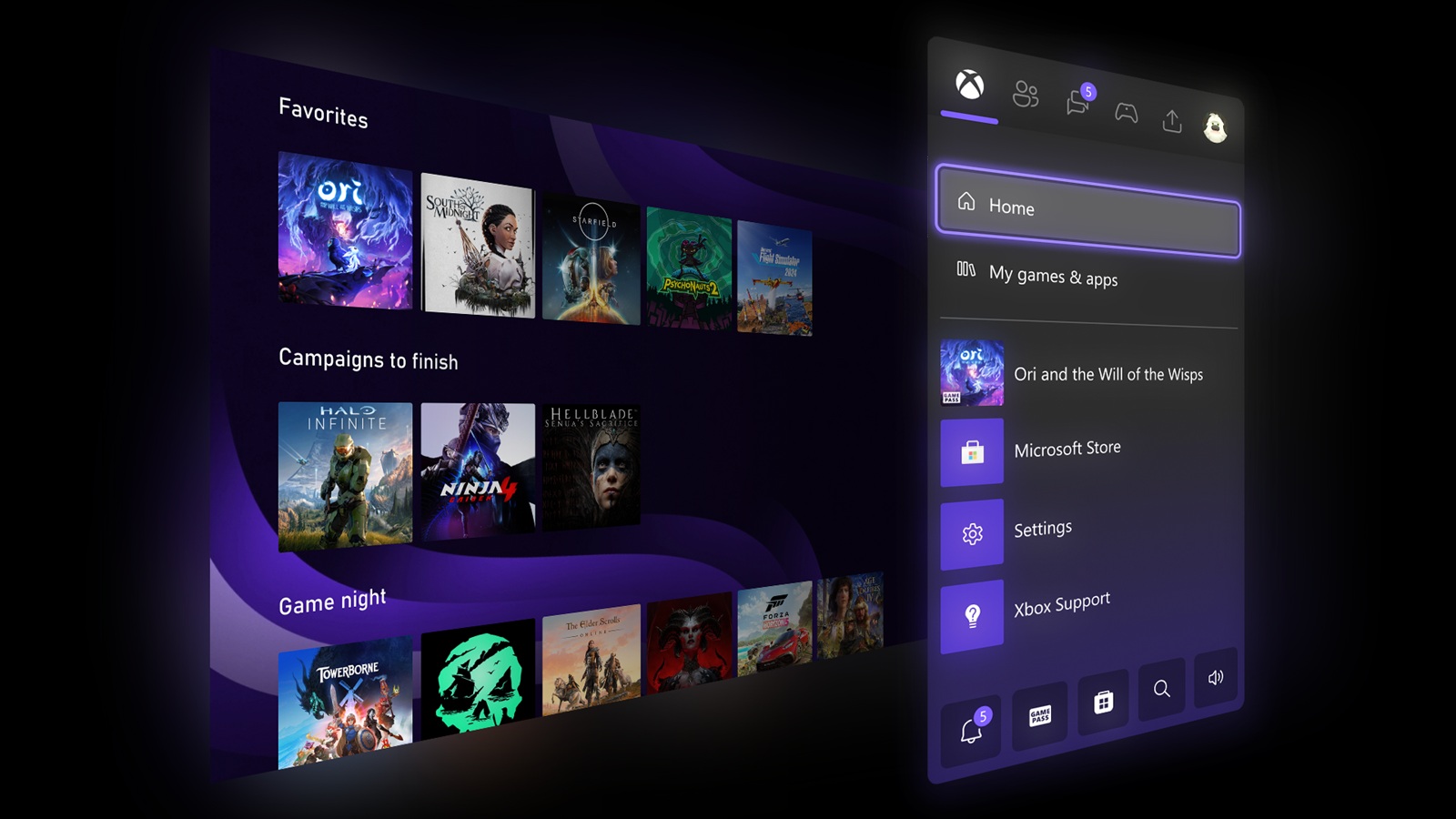
Microsoft rolled it out on April 30 through an optional preview update, KB5083631, and it does exactly what it sounds like. Open the Xbox app, hit Windows + F11, and the desktop disappears. What replaces it is a full-screen, controller-driven interface built around your game library, Game Pass, and cloud gaming.
The feature works on laptops, desktops, tablets, and handheld PCs. Background activity drops while it is active. Notifications stay out of the way. It is closer to sitting in front of an Xbox than anything Windows has shipped before. Users can enable it by going to Settings
Gaming> Xbox mode, then toggling it on. Once active, it can be launched at any time using the Windows + F11 keyboard shortcut, or accessed directly through the Xbox app or Game Bar settings.
What Xbox mode does
The mode suppresses background processes and notifications while gaming, similar to the existing Game Mode but with a full console-style dashboard layered on top. Microsoft describes it as a way to blur the line between Windows PC and Xbox console, giving users access to their Game Pass library, cloud gaming, and installed titles through a single focused interface without the usual desktop environment in the background.
Xbox mode is part of Microsoft's broader Project Helix effort to unify the Xbox and Windows ecosystems. The feature has been in testing through the Xbox Insider and Windows Insider programmes since late 2025, and KB5083631 marks its first rollout to stable channel users on Windows 11 24H2 and 25H2.
There are a few caveats, though. For one, multi-monitor support isn’t perfect, with secondary screens occasionally going blank when Xbox mode is turned on. Sleep and resume behaviour can also be unreliable on some configurations. Microsoft recommends using hibernation rather than standard sleep while the feature is in its current rollout state.
Source(s)
 Add as a preferred source on Google


