





Ranking: Best laptops for students and school-age kids
March 2026 update.
The most important criteria for school/university notebooks include high mobility, a display suitable for work, and solid input devices. An attractive price-performance ratio should be a given, too. The laptops Notebookcheck editors believe are worth a look are listed in this article here.Marc Herter (translated by DeepL) Published 🇩🇪 🇪🇸 ...
From elementary school onwards, pupils nowadays often need a laptop to communicate with their teacher and classmates, take tests, and more. Even the cheapest entry-level laptops are suitable for accessing many education websites, however, even if performance isn't a priority here, robustness and weight should be - and price, as parents may not want to spend huge sums on a laptop.
As we progress to secondary schools, demands on performance and possibly visual design increase. Ample RAM and a powerful processor are a must when preparing presentations or learning programming in computer science lessons. In some cases, only laptops with a dedicated GPU are suitable for studying or vocational training. AI tools, video editing, CAD, MatLab or other specialized tasks that require a dGPU can be found in various degree courses and apprenticeships.
Many laptop makers offer special discounts for pupils and students upon presentation of appropriate proof. This can often save a lot of money compared to the street price. Such offers are not included in the prices shown by our automatic price comparison tool.
Older, high-quality business laptops can also be a good option. Such used laptops are sold as "refurbished" by various dealers, sometimes even with a dealer's warranty.
We differentiate as follows between laptops that are more suitable for use in primary schools due to their features and price point, and laptops that have more powerful components and can therefore form a solid basis for those in middle schools and onwards.
Best laptops for upper-grade pupils, and students to buy in Q2 2026
Image | Model / Review | Price | Weight | Height | Size | Resolution | Screen |
|---|---|---|---|---|---|---|---|
1. 87.3% 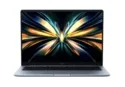 | Xiaomi RedmiBook Pro 14 2025 Intel Core Ultra 7 255H ⎘ Intel Arc Graphics 140T ⎘ 32 GB Memory, 1024 GB SSD | Amazon: 1. $285.00 Xiaomi Redmi Note 14 Pro 5G ... 2. $12.98 Puccy 2 Pack Touch Pad Film ... 3. $349.99 Xiaomi Redmi Note 14 Pro+ Pl... List Price: 1090€ | 1.4 kg | 15.9 mm | 14.00" | 2880x1800 | matte |
2. 87.4% 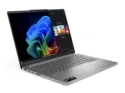 | Lenovo IdeaPad Pro 5 14AKP G10 AMD Ryzen AI 7 350 ⎘ AMD Radeon 860M ⎘ 32 GB Memory, 1024 GB SSD | Amazon: List Price: 989€ | 1.4 kg | 15.5 mm | 14.00" | 2880x1800 | glossy |
3. 87.3% 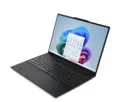 | Lenovo ThinkPad E16 G3-21SSS00F00 Intel Core Ultra 5 225U ⎘ Intel Graphics 4-Core iGPU (Meteor / Arrow Lake) ⎘ 16 GB Memory, 1024 GB SSD | Amazon: 1. $1,299.95 Lenovo ThinkPad E16 G3 Busin... 2. $979.99 Lenovo ThinkPad E16 Gen 3 AI... 3. $999.98 Lenovo ThinkPad E16 Gen 2 16... List Price: 899€ | 1.7 kg | 17.1 mm | 16.00" | 2560x1600 | matte |
4. 91.2% 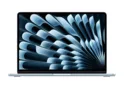 | Apple MacBook Air 13 M4 Entry Apple M4 10-Core ⎘ Apple M4 8-Core GPU ⎘ 16 GB Memory, 256 GB SSD | Amazon: List Price: 1039€ | 1.2 kg | 11.3 mm | 13.60" | 2560x1664 | glossy |
5. 87.2%  | Lenovo ThinkPad E14 Gen 7 21U2002QGE Intel Core Ultra 5 228V ⎘ Intel Arc Graphics 130V ⎘ 32 GB Memory, 1000 GB SSD | Amazon: List Price: 1199€ | 1.4 kg | 15.3 mm | 14.00" | 2880x1800 | matte |
6. 87.2% 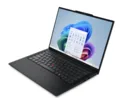 | Lenovo ThinkPad E14 G7-21SYS00H00 Intel Core Ultra 7 255H ⎘ Intel Arc Graphics 140T ⎘ 16 GB Memory, 1024 GB SSD | Amazon: 1. $1,199.95 ThinkPad E14 G7, Intel Core ... 2. $979.99 Lenovo ThinkPad E14 Gen 7 AI... 3. $849.99 Lenovo ThinkPad E14 Gen 7 Bu... List Price: 999€ | 1.4 kg | 15.3 mm | 14.00" | 2880x1800 | matte |
7. 85.9% 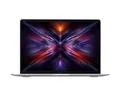 | Xiaomi RedmiBook 14 2025 Intel Core 5 220H ⎘ Intel Iris Xe Graphics G7 80EUs ⎘ 32 GB Memory, 1024 GB SSD | Amazon: 1. $15.99 Vaxson 2-Pack Film Protector... 2. $20.98 Puccy 3 Pack Screen Protecto... 3. HP OmniBook 5 Flip 2-in-1 20... List Price: 880€ | 1.4 kg | 15.9 mm | 14.00" | 2880x1800 | |
8. 86%  | Asus ZenBook 14 OLED UM3406K, Ryzen AI 7 350 AMD Ryzen AI 7 350 ⎘ AMD Radeon 860M ⎘ 32 GB Memory, 1024 GB SSD | Amazon: List Price: 1399 Euro | 1.2 kg | 14.9 mm | 14.00" | 1920x1200 | glossy |
9. 86.9% 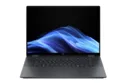 | HP OmniBook X Flip 16 Intel Core Ultra 7 258V ⎘ Intel Arc Graphics 140V ⎘ 16 GB Memory | Amazon: List Price: 950 USD | 1.9 kg | 15.5 mm | 16.00" | 2880x1800 | glossy |
10. 82.9%  | Ninkear S14, 16+1TB AMD Ryzen 5 7535HS ⎘ AMD Radeon 660M ⎘ 16 GB Memory, 1024 GB SSD | Amazon: List Price: 629€ | 1.1 kg | 15 mm | 14.00" | 2240x1400 |
Affordable laptops for elementary school kids to buy in Q2 2026
Image | Model / Review | Price | Weight | Height | Size | Resolution | Screen |
|---|---|---|---|---|---|---|---|
1. 78.5% v7 (old)  | Lenovo IdeaPad Slim 3 CB 14M868 MediaTek Kompanio 520 ⎘ ARM Mali-G52 MP2 ⎘ 4 GB Memory, 64 GB eMMC | Amazon: List Price: 250€ | 1.3 kg | 19.3 mm | 14.00" | 1920x1080 | matte |
2. 79%  | Acer Aspire Go AG15-51P-56UR Intel Core i5-1334U ⎘ Intel Iris Xe Graphics G7 80EUs ⎘ 16 GB Memory, 512 GB SSD | Amazon: List Price: 500€ | 1.7 kg | 19.9 mm | 15.30" | 1920x1200 | matte |
The tables above are overviews of the best laptops for education tested by Notebookcheck in the last 12 months as well as other products that are relevant, and still available.
Lenovo IdeaPad Slim 3 CB: the cheapest Chromebook
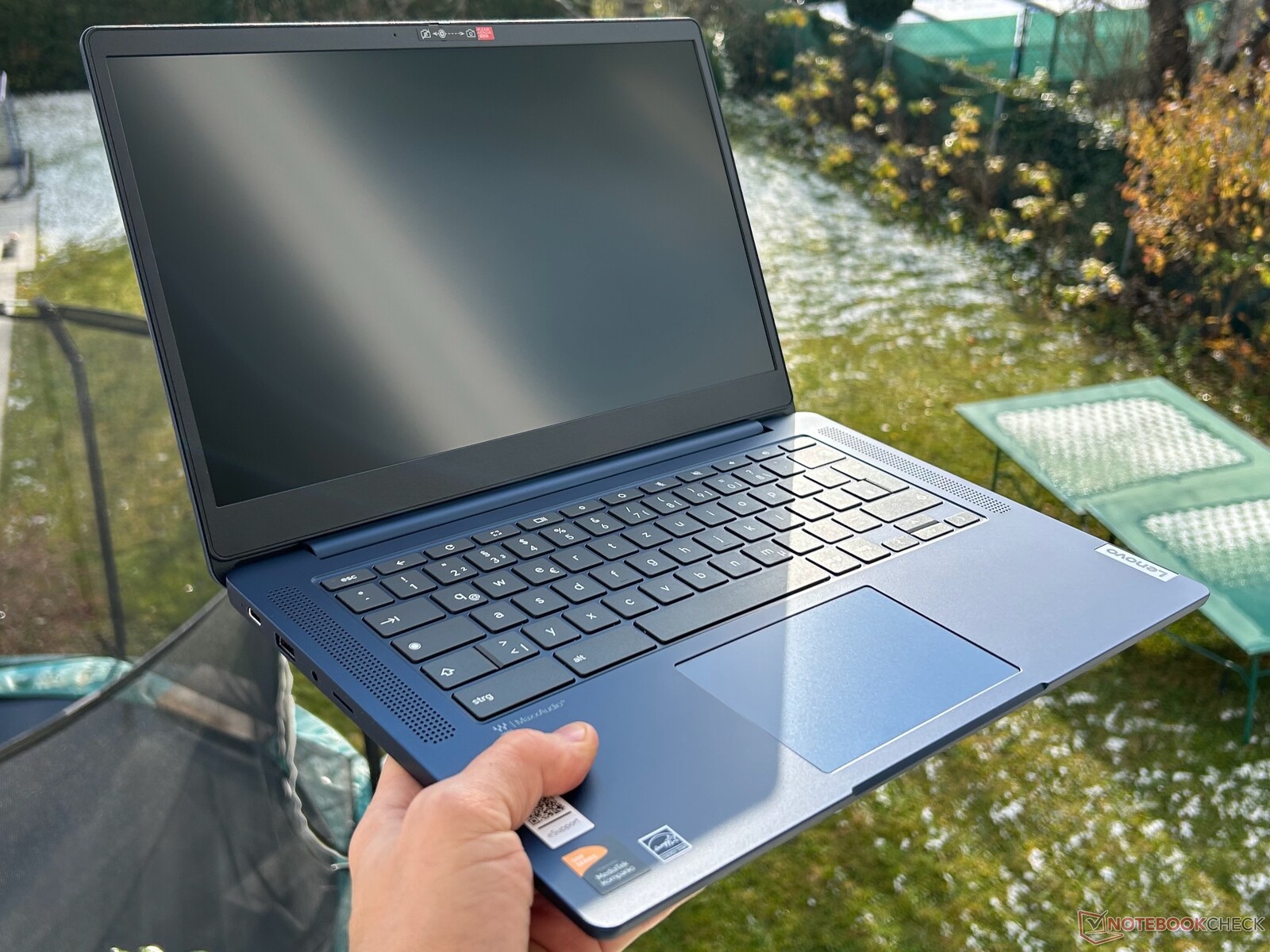
Parents who want a little more control over laptop use can easily configure a Chromebook so that screen times are adhered to and problematic web content is hidden. In terms of performance, these devices are available in all classes. The price range easily extends from inexpensive entry-level devices costing less than 200 euros to professionalChromebook devices costing well over 1,000 euros.
At the beginning of the year, we had two extremely affordable Chromebooks with MediaTek Kompanio 520 in the test. Both the Lenovo IdeaPad Slim 3 CB 14M868 as well as the Asus Chromebook CM14 impress with their price. Both devices are under 250 euros. For this, you get a laptop with good case quality, an acceptable TN panel and a long battery life. On occasions such as Prime Day, we discovered both devices for 100 to 150 euros. The Lenovo device performed slightly better in the test. You can't expect much from the Chromebook, but the author's personal opinion on the inexpensive laptop is:
A Chromebook like the IdeaPad Slim 3 CB is well suited for the first grades. The performance of the MediaTek processor is sufficient for surfing and streaming, the screen is fine and, above all, the possibility of parental control over websites that can be visited calms the nerves. The inexpensive device also makes it easier to leave the child in charge of the device.
In fact, it is much easier to manage the Chromebook in a child-friendly way than would be the case with Windows laptops. The fanless Chromebook requires very little power to operate, so it can also be run from a cell phone charger if the battery runs out of power after about twelve hours. The case quality of the IdeaPad Slim 3 exceeds our expectations, considering the low price. The IdeaPad Slim 3 CB currently costs around 235 euros on Amazon.
Acer Aspire Go 15: Office laptop for little money
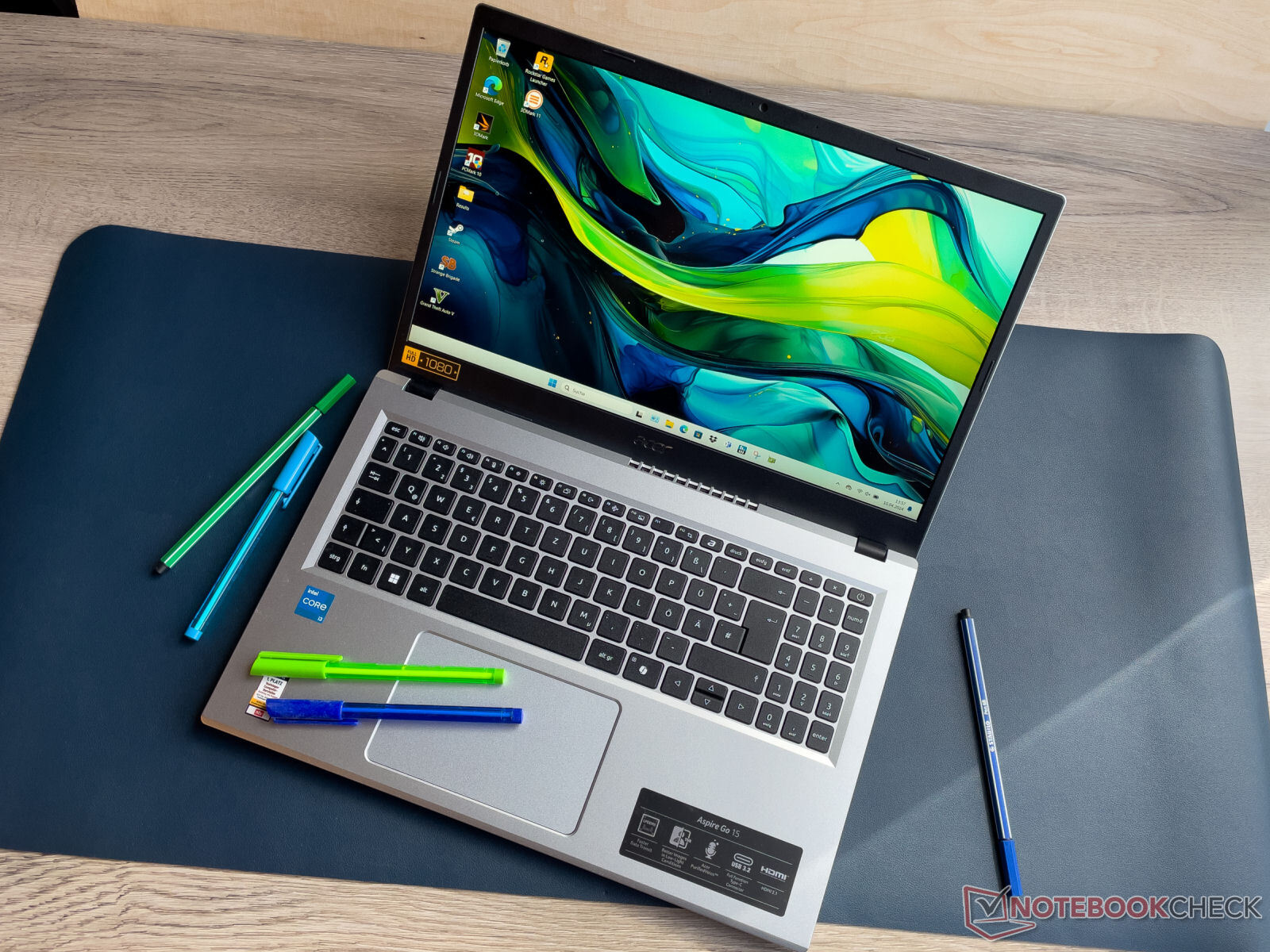
The Aspire Go 15 is often available at a discount - for cheap. The laptop sport a little more attractive looks than certain alternatives. An Intel Core i3-N305 is at work here, which fulfills the basic requirements for online learning. The system's matte-surface screen has good brightness and can also be used outdoors to some extent.
With the Aspire Go, Acer delivers a laptop that meets the essential requirements for those on a tight budget.
Notebookcheck's testing identified the notebook's fan control as its biggest weakness. The thing is constantly turning up, making it almost impossible to work in silence.
You have to pay less than 400 euros for the privilege of acquiring the Aspire Go.
1st place - Xiaomi RedmiBook Pro 14 2025
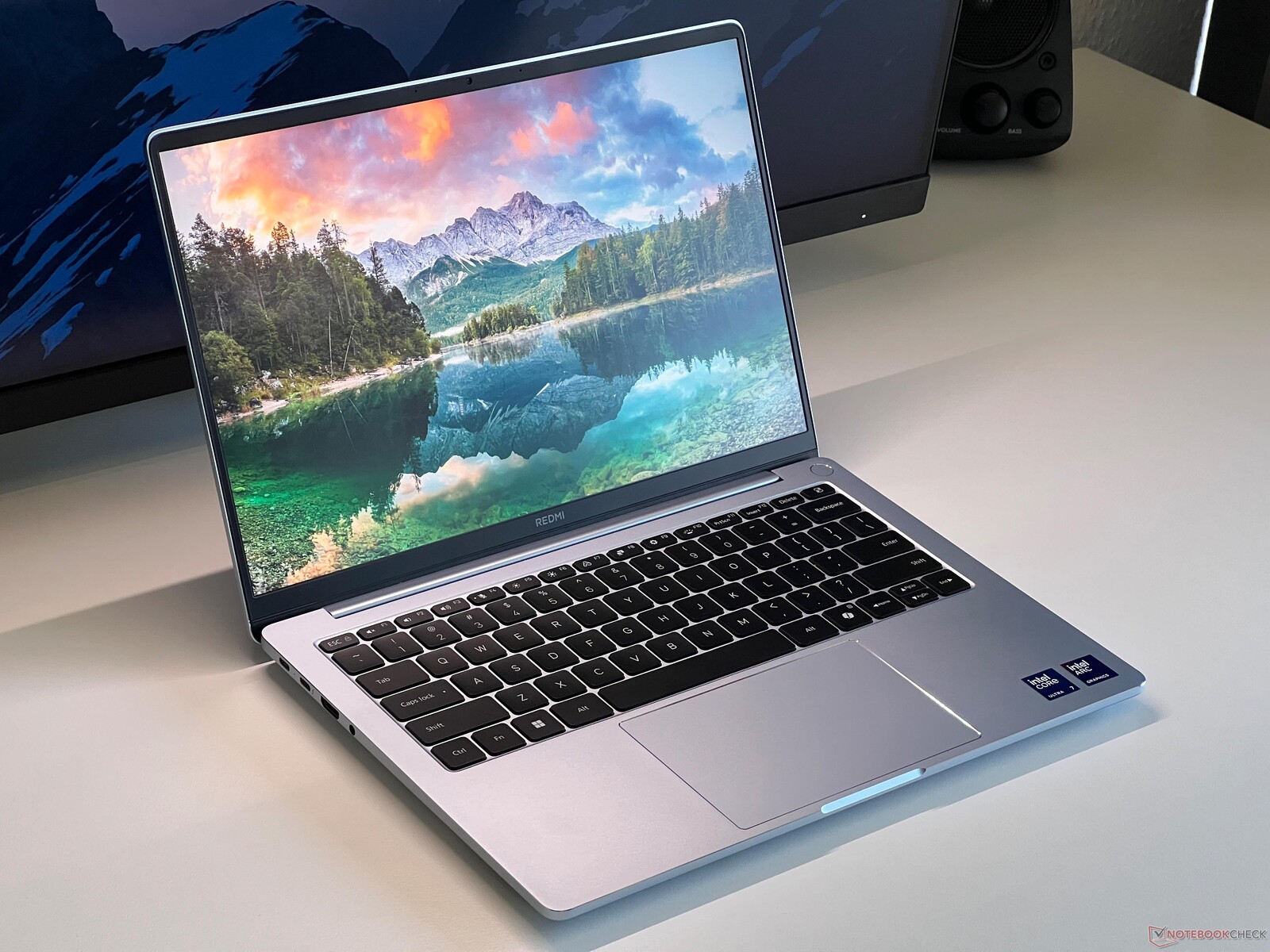
The Xiaomi RedmiBook Pro 14 2025 proves itself in the test not only suitable for school or university. With a price of just under €1,100, the compact aluminum notebook remains within the desired budget, but is only available in this country via Chinese retailers such as TradingShenzhen. A major highlight is the matte 14-inch display, which scores with 120 Hz, a high brightness of 500 nits and a very accurate image display. The device is ideally equipped for long days away from the power socket, as the battery lasts for over 16 hours when surfing. In quiet environments such as lecture halls or libraries, the notebook is not a nuisance, as the fans are usually completely silent during everyday tasks. The cooling system only becomes clearly audible under high load due to the powerful hardware. A small weak point for online seminars is the moderate quality of the 1080p webcam. If the budget is a little tighter, the regular RedmiBook 14 2025 is also included in this list, but it requires certain compromises in terms of performance and display quality.
2nd place - Lenovo IdeaPad Pro 5 14 G10

The IdeaPad Pro 5 14 Gen 10 is a solid multimedia notebook. Its OLED display in particular stands out, bright and colorful, with accurate profiles, a smooth 120-Hz refresh rate and very good HDR performance. The slight, high-frequency enough PWM flickering should not be a problem for most users. Its reflective surface is what some might dislike.
The machine's keyboard has been noticeably improved as compared to previous-gen model and now feels much more solid, which makes for a comfortable typing experience - the large arrow keys aid in that. The clickpad works well, only the clicking noises are a little loud.
Battery life is a mixed bag: For everyday tasks such as surfing the Web or watching videos, the battery lasts a pleasingly long time (over 9 hours at full display brightness, and up to 14 hours when dimmed), but it gets drained quickly under full load. The performance of the AMD processor is absolutely sufficient for everyday use and beyond. The case is more stable than its predecessor and the connectivity is good.
As for drawbacks, we'd name the rather mediocre speakers and the fans, which can become audible under heavy CPU or GPU load. Either way, for around 990 euros, the IdeaPad Pro 5 is a good enough option.
3rd place - Lenovo ThinkPad E16 G3
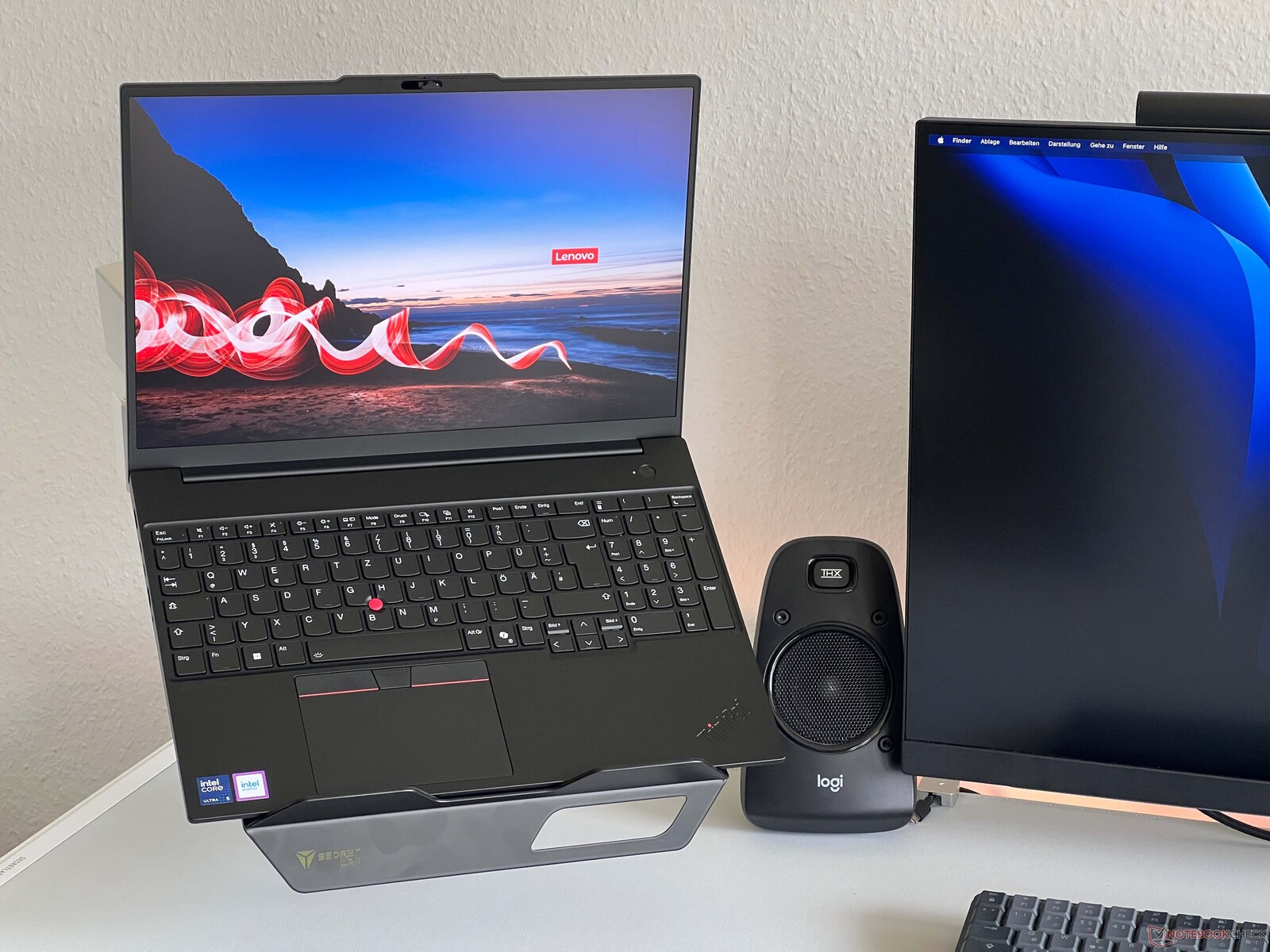
The ThinkPad E16 Gen 3 is a convincing work device for everyday study. As a 16-incher, the model offers a pleasantly large screen, which naturally comes with a slightly larger footprint. If you like it more compact, the ThinkPad E14 is a suitable alternative. Current prices are well below 1,000 euros, even for good equipment variants. The housing, which is made entirely of aluminum, has become thinner and lighter in the third generation. For a small surcharge, a matt WQHD display with 120 Hz is available, which delivers a sharp, flicker-free display with over 400 cd/m². Thanks to the 64 Wh battery, almost 13 hours of runtime are achieved in Wi-Fi mode, which is easily enough for long days on campus. However, care should be taken with the configuration, as the notebook is also offered with a significantly smaller 48 Wh battery, which noticeably shortens the runtimes. The performance of the Intel Arrow Lake processor is sufficient for all everyday tasks. The generous maintenance options with two slots each for RAM and SSDs also ensure good longevity.
4th place - Apple MacBook Air 13 (base M4 model)
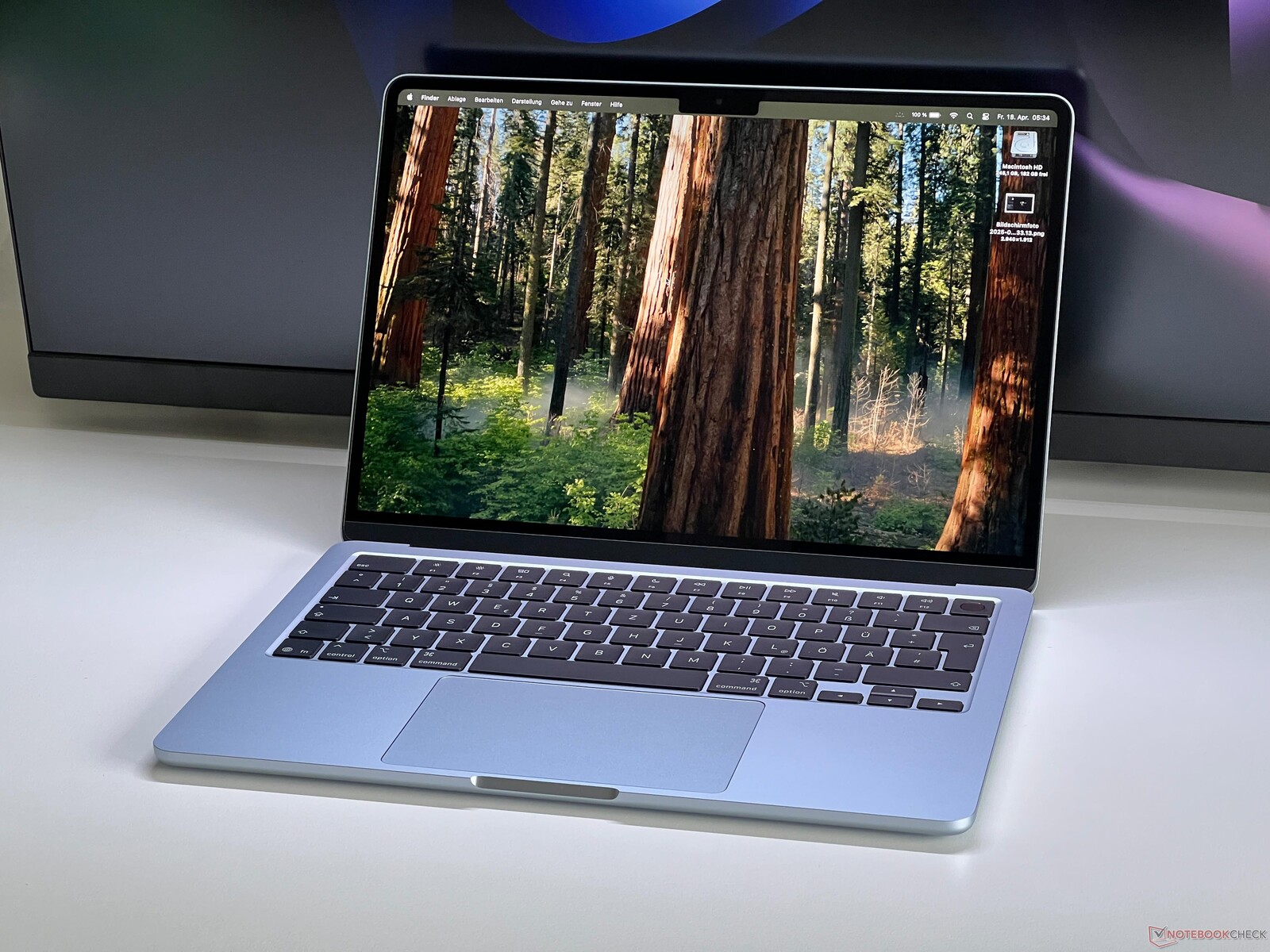
The base MacBook Air 13" SKU is a pretty powerful machine that is often discounted to way under 1,000 euros. At its heart is the lightning-fast M4 chip, which works silently thanks to passive cooling. The IPS display delivers flawless picture quality, with DisplayP3 color space fully covered. Some might not like the panel's reflective surface and a frame rate of only 60 Hz; it also consumes quite a bit of power at full brightness.
Its input devices are good, as expected. There are two sides to the battery life: An impressive 16 hours are possible with the screen dimmed, but the runtime melts down to around 7 hours at maximum brightness. The limited 256 GB SSD in the base model is even less pleasing, as upgrades are expensive and the user themselves won't be able to carry one out themselves.
Connections are limited to two USB-C ports (Thunderbolt). There is no card reader, and Wi-Fi 7 is not onboard, just Wi-Fi 6E. The included 30-W power supply unit is somewhat weak.
Despite the compromises listed, the M4-powered MacBook Air 13" is an excellent and very mobile everyday companion.
5th and 6th places - Lenovo ThinkPad E14 Gen 7
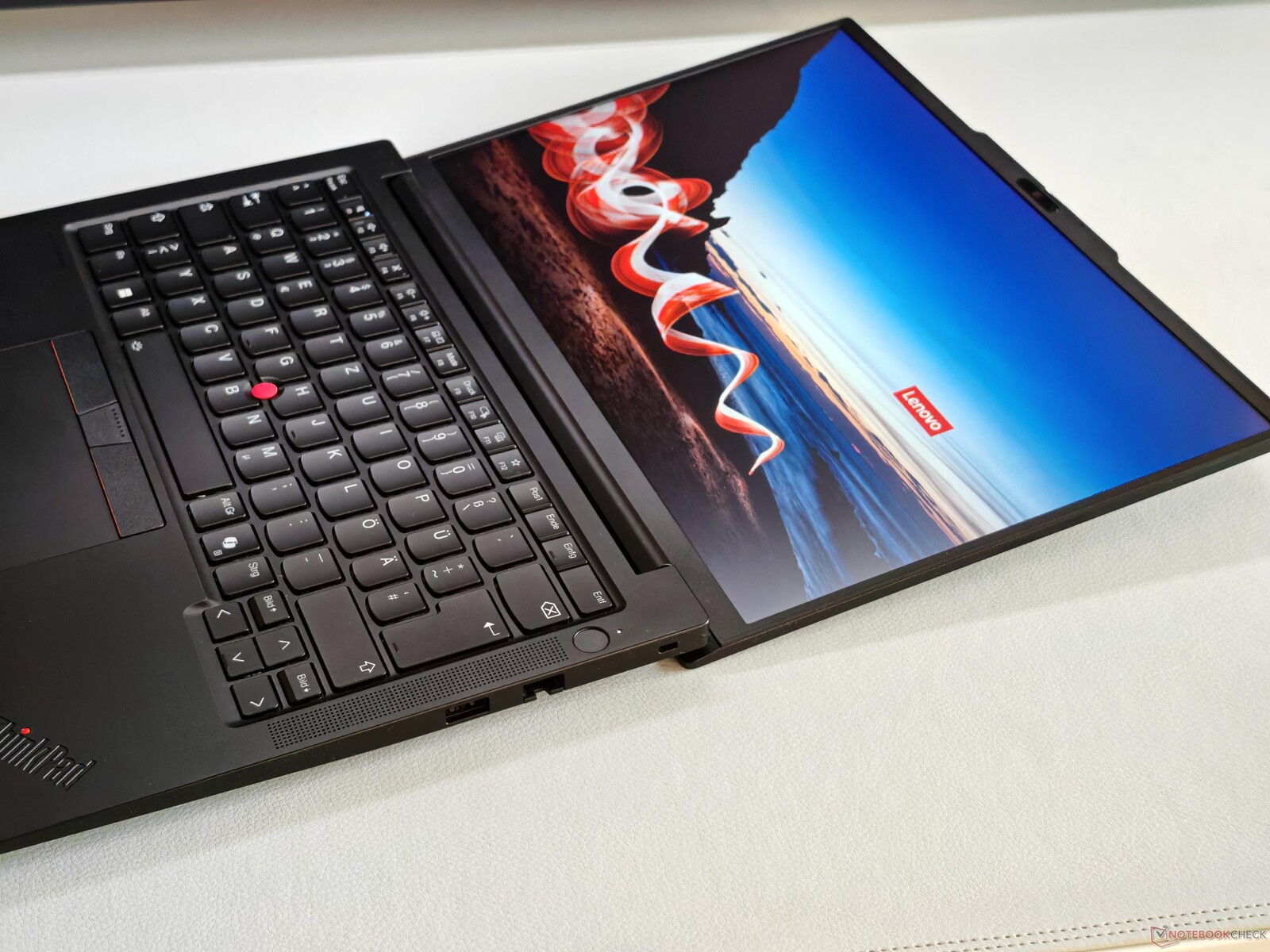
The ThinkPad E14 G7 is the more compact alternative to the E16 and is available in two versions. Depending on your preference, you can choose a laptop with Intel Lunar Lake or with an Arrow Lake processor. Both variants impress in everyday use with a solid chassis, an extremely comfortable keyboard and modern connections such as Thunderbolt 4. A big plus is the optional, high-resolution 120 Hz IPS display, which delivers vibrant colors and full sRGB coverage for a small surcharge, although bright areas can appear slightly grainy. The Lunar Lake version shines above all with its high efficiency and achieves an excellent 14.5 hours of battery life in WLAN mode, which is around two and a half hours more than the Arrow Lake model. However, this endurance advantage is accompanied by slightly lower CPU performance and severely limited maintainability: the RAM is permanently integrated and the second SSD slot has been removed without replacement. Ultimately, the personal focus here determines whether maximum runtime away from the power socket or better upgrade options for the coming semesters are more important.
7th place - Xiaomi RedmiBook 14
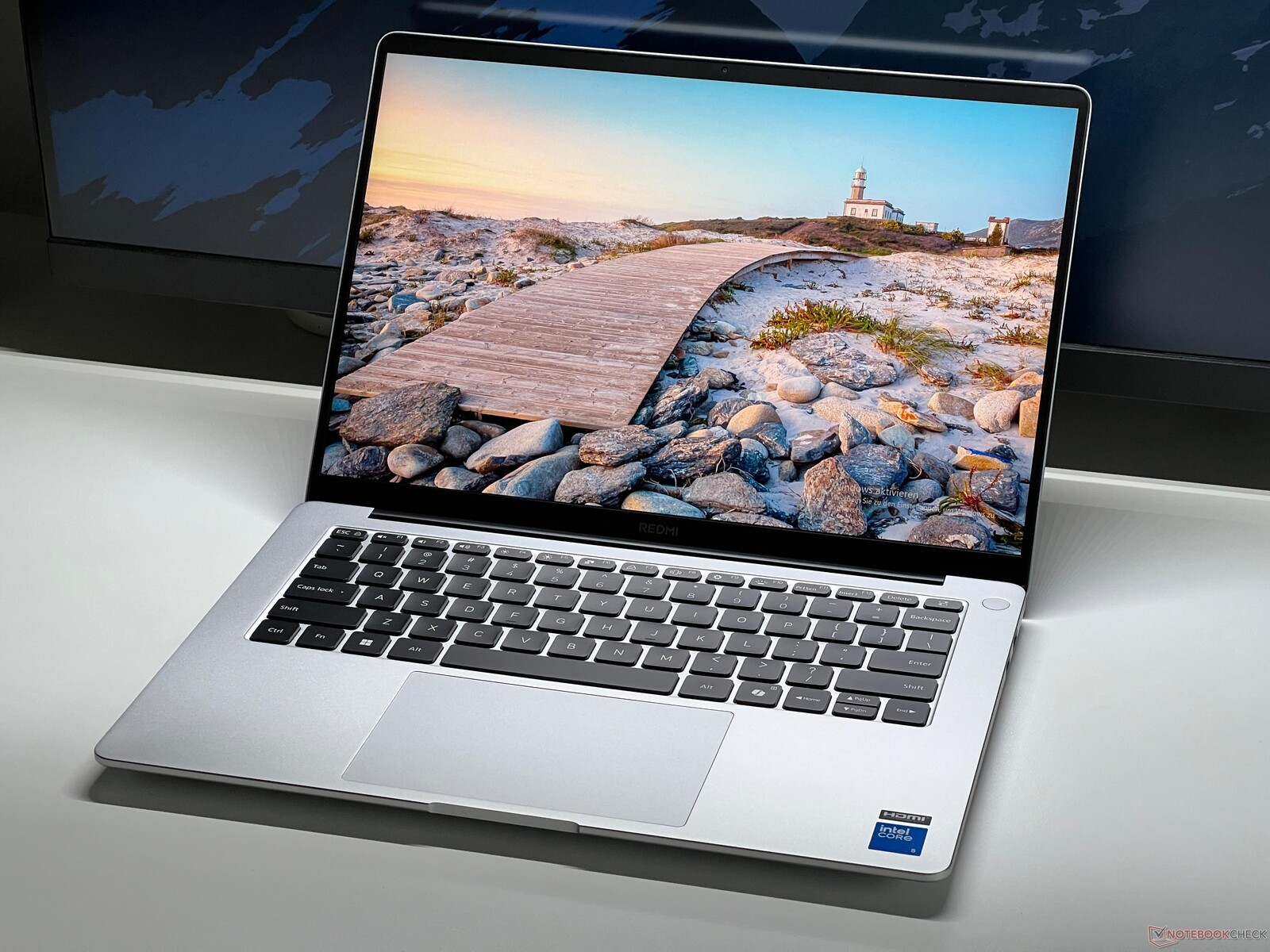
The regular RedmiBook 14 also comes with a high-quality aluminum casing and impresses with its pleasantly quiet operation, which is a great advantage in the library or lecture hall. The matte IPS display delivers a great picture with a smooth 120 Hz and very accurate color reproduction including full sRGB coverage.
Compared to the Pro model, however, significant compromises have to be made. The battery life is rather meagre at ten hours and the performance of the integrated graphics unit quickly reaches its limits with more complex tasks. Modern connections such as Thunderbolt are not available and the RAM is soldered in place. At least there is a free M.2 slot for an additional SSD. As with the Pro model, the notebook is only available in this country as an import and therefore with an international keyboard layout. If you can come to terms with these limitations, you will get a very well-rounded and reliable companion for everyday use.
8th place - Asus ZenBook 14 OLED UM3406
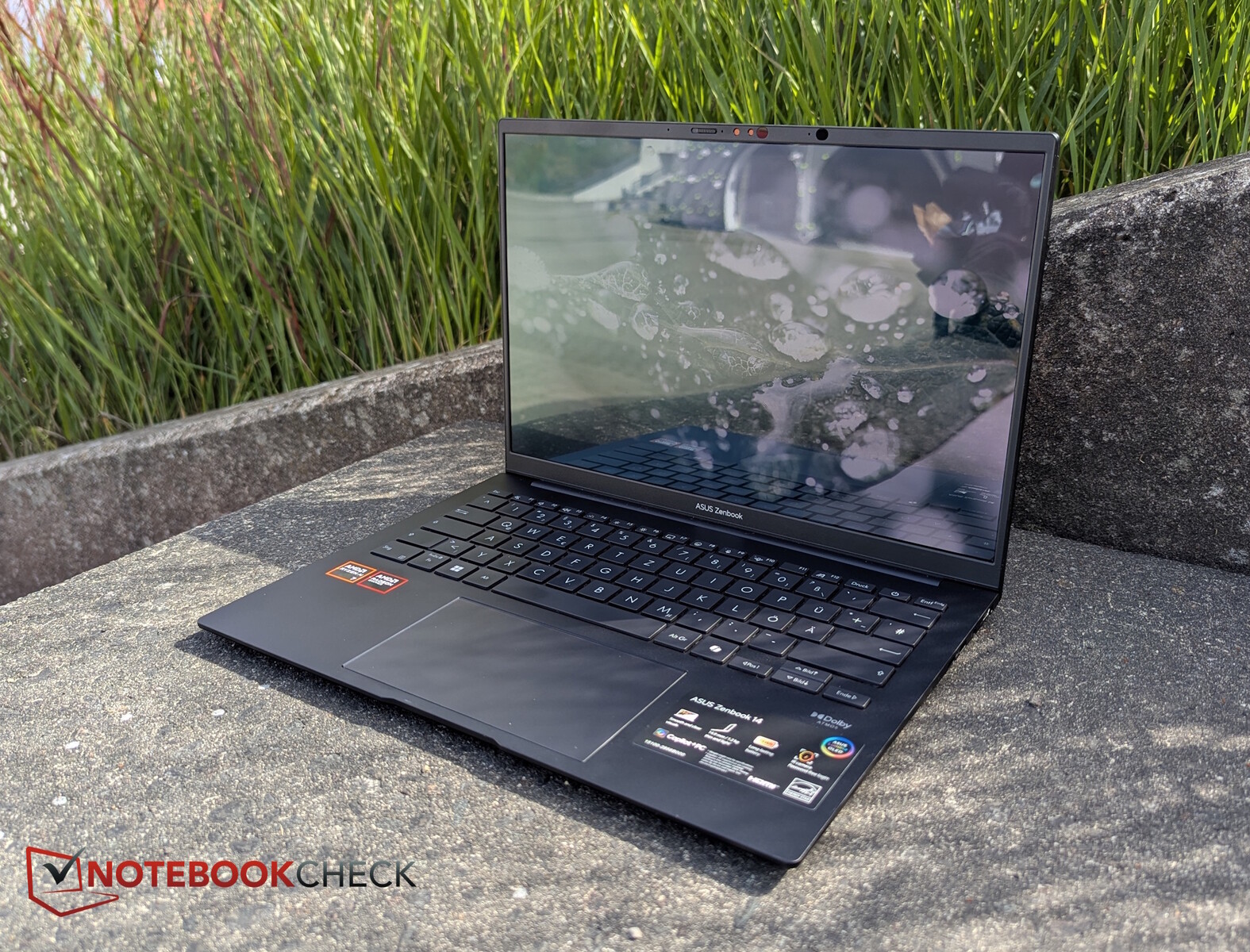
The Asus ZenBook 14 OLED is an excellent subnotebook that is ideal for everyday campus use thanks to its high-quality and lightweight casing. The built-in OLED screen delivers accurate colors and great contrasts, but has to make do with 60 Hz. On the other hand, the device scores points for its pleasantly quiet operation, as the fans on this AMD version start up very late compared to the Intel version. The laptop also demonstrates useful endurance away from the power socket and achieves a runtime of almost 13 hours in the Wi-Fi Web surfing test, and even over 15 hours during video playback. A small downer is the slightly lower processor performance compared to the predecessor, which is, however, completely sufficient for typical office and research tasks. There are deductions in terms of features: Thunderbolt and an SD card reader are missing, the RAM is permanently soldered and the casing attracts fingerprints. The webcam quality is also rather mediocre for online seminars. However, anyone primarily looking for an extremely durable, lightweight and quiet companion with first-class color display will find what they are looking for here.
9th place - HP OmniBook X Flip 16 Convertible
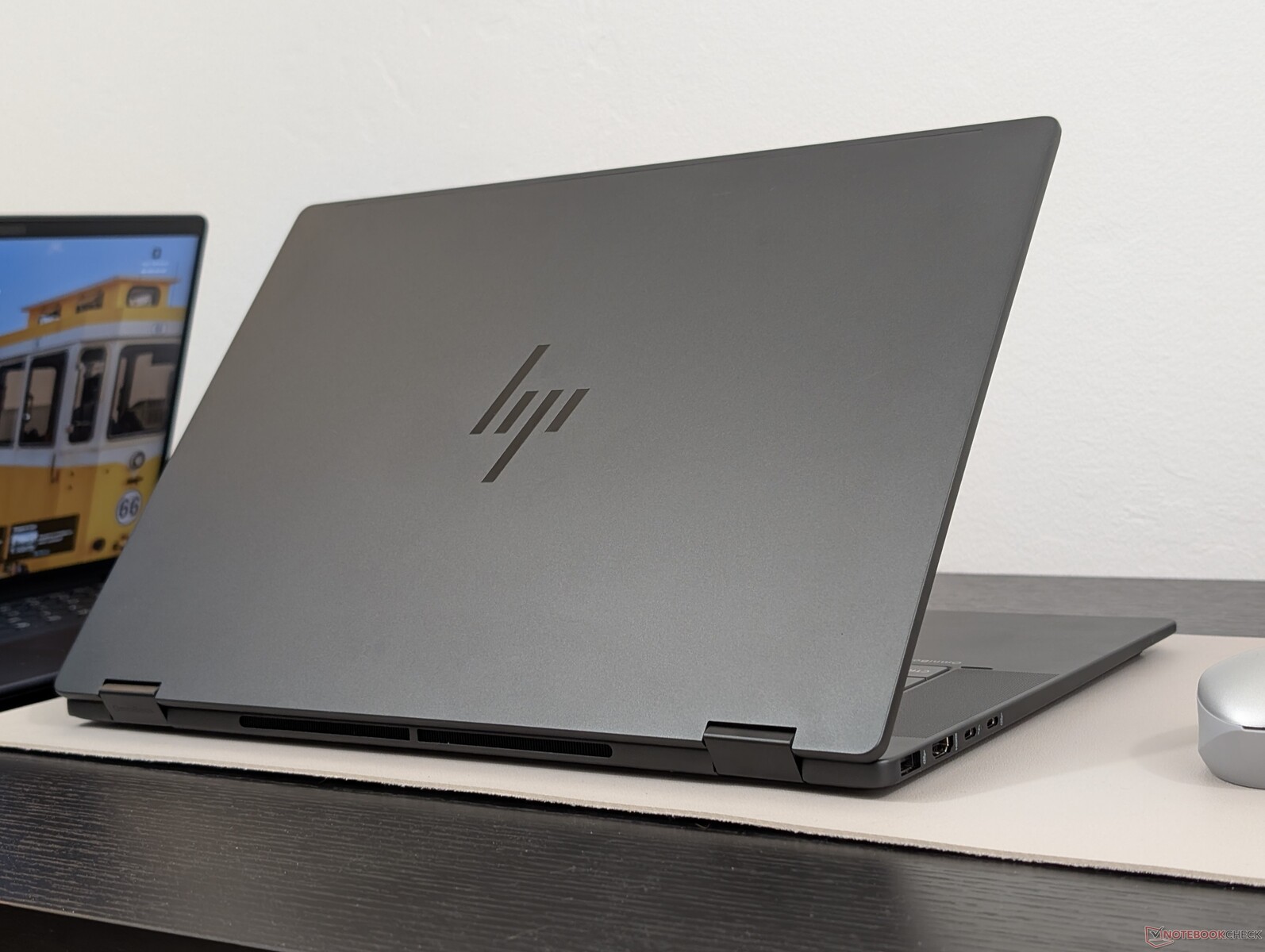
The HP OmniBook X Flip 16 presents itself as an extremely versatile 16-inch convertible with a high-quality metal casing that is strongly reminiscent of much more expensive flagship models. The entry-level model with an Intel Lunar Lake processor and a 512 GB SSD is painfully expensive at around 1,250 euros, but delivers first-class features. An absolute highlight is the brilliant OLED touchscreen, which impresses across the board with its 1800p resolution, smooth 120 Hz and P3 color space coverage. Thanks to the high energy efficiency of the modern processor, the device also scores with long battery life, which is essential for everyday mobile campus life. However, the convertible does require a few compromises: the keyboard feels a little spongy and takes some time to get used to. It also lacks an integrated SD card reader, and the CPU performance, which has not improved significantly compared to previous generations, is still somewhat lower on battery power. However, the performance is perfectly adequate for all everyday tasks related to studying.
10th place - Ninkear S14
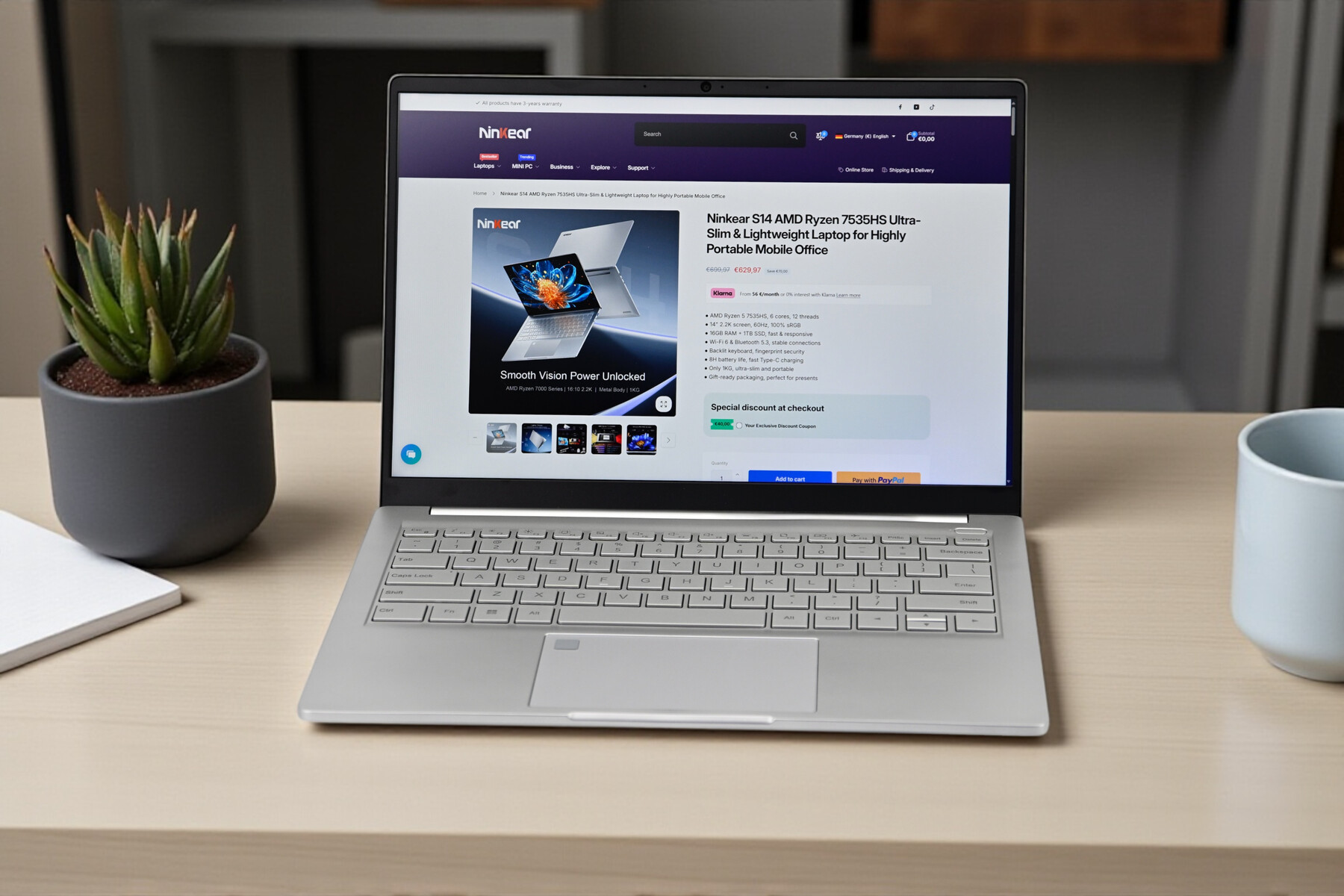
For a fair purchase price, the lightweight the lightweight 14-inch notebook from Ninkear offers a solid basic configuration for everyday school and study, powered by an AMD Ryzen 5 and flanked by 16 GB of fast RAM and a generous 1 TB SSD. A clear highlight in this price range is the high-resolution 2K IPS display, which impresses with a sharp display and pleasingly accurate colors.
In view of the low cost, however, some compromises have to be accepted. For example, the battery life of around 9.5 hours is somewhat short compared to the competition, which could be a problem on long days on campus without a power socket. In addition, the device only comes with an international QWERTY keyboard layout. Deductions are also made for the weak WLAN performance, the soldered RAM and the mediocre quality of the webcam and speakers. The graphics performance is also not sufficient for current games. However, if you are primarily on a budget and are looking for a lightweight work device with a good screen, this is a no-frills alternative worth considering.
Best laptops for studies and for teaching: Overview
Measurements
| Xiaomi RedmiBook Pro 14 2025 | Lenovo IdeaPad Pro 5 14AKP G10 | Lenovo ThinkPad E16 G3-21SSS00F00 | Apple MacBook Air 13 M4 Entry | Lenovo ThinkPad E14 Gen 7 21U2002QGE | Lenovo ThinkPad E14 G7-21SYS00H00 | Xiaomi RedmiBook 14 2025 | Asus ZenBook 14 OLED UM3406K, Ryzen AI 7 350 | HP OmniBook X Flip 16 | Ninkear S14, 16+1TB | |
|---|---|---|---|---|---|---|---|---|---|---|
| Display | ||||||||||
| Display P3 Coverage (%) | 70.3 | 99.9 | 71.3 | 98.4 | 72.2 | 72 | 99.9 | 99.9 | 67.4 | |
| sRGB Coverage (%) | 99.6 | 100 | 99.1 | 99.9 | 100 | 100 | 100 | 100 | 97.3 | |
| AdobeRGB 1998 Coverage (%) | 71.9 | 94.5 | 73.5 | 87.9 | 73.7 | 72.9 | 96.4 | 95.2 | 69.7 | |
| Response Times | ||||||||||
| Response Time Grey 50% / Grey 80% * (ms) | 26.7 ? | 0.39 ? | 12.6 ? | 34.5 ? | 32.7 ? | 33.7 ? | 1.6 ? | 0.8 ? | 42 ? | |
| Response Time Black / White * (ms) | 11.1 ? | 0.49 ? | 5.9 ? | 27.2 ? | 15.7 ? | 18.7 ? | 2 ? | 0.9 ? | 13 ? | |
| PWM Frequency (Hz) | 1200 ? | 480 | 473.8 ? | |||||||
| PWM Amplitude * (%) | 22 | 28 | 15 | |||||||
| Screen | ||||||||||
| Brightness middle (cd/m²) | 516 | 473 | 446 | 525 | 389 | 437 | 386 | 381.1 | 381 | |
| Brightness (cd/m²) | 518 | 474 | 420 | 506 | 363 | 412 | 387 | 381 | 362 | |
| Brightness Distribution (%) | 95 | 99 | 90 | 92 | 89 | 87 | 97 | 98 | 82 | |
| Black Level * (cd/m²) | 0.37 | 0.33 | 0.42 | 0.24 | 0.21 | 0.03 | 0.24 | |||
| Contrast (:1) | 1395 | 1352 | 1250 | 1621 | 2081 | 12867 | 1588 | |||
| Colorchecker dE 2000 * | 1.7 | 1.2 | 1.5 | 1.4 | 1.7 | 1.4 | 1.55 | 3.3 | 1.36 | |
| Colorchecker dE 2000 max. * | 3.2 | 3.8 | 2.4 | 2.8 | 3.5 | 2.4 | 3.39 | 6.3 | 2.24 | |
| Colorchecker dE 2000 calibrated * | 1.1 | 1.3 | 1.2 | 1 | 1.55 | 1.2 | ||||
| Greyscale dE 2000 * | 2.3 | 1.5 | 1.7 | 2 | 2.8 | 1.8 | 0.67 | 0.9 | 1.09 | |
| Gamma | 2.25 98% | 2.27 97% | 2.2 100% | 2.2 100% | 2.17 101% | 2.22 99% | 2.42 91% | 2.23 99% | 2.45 90% | |
| CCT | 6942 94% | 6214 105% | 6829 95% | 6876 95% | 6572 99% | 6392 102% | 6505 100% | 6369 102% | 6494 100% | |
| Heat | ||||||||||
| Maximum Upper Side * (°C) | 41.9 | 42.2 | 39.5 | 44.9 | 41.7 | 42.2 | 38.6 | 41 | 38 | 47 |
| Maximum Bottom * (°C) | 52.1 | 42.4 | 48.6 | 42.6 | 43.3 | 50.3 | 45.1 | 47 | 39.4 | 41.5 |
| Idle Upper Side * (°C) | 26.3 | 25.4 | 27.3 | 23.9 | 24.3 | 29.4 | 24.4 | 29 | 25 | 33.9 |
| Idle Bottom * (°C) | 27.4 | 25.7 | 29.1 | 24 | 25 | 31.7 | 24.6 | 30 | 25 | 33.9 |
| Battery runtime | ||||||||||
| WiFi v1.3 (h) | 16.2 | 13.9 | 12.8 | 16.2 | 14.6 | 12.1 | 9.8 | 13 | 12.8 | 9.5 |
| H.264 (h) | 19.6 | 18.8 | 15.7 | 9.1 | ||||||
| Load (h) | 0.9 | 1.6 | 2.3 | 1.6 | ||||||
| Reader / Idle (h) | 13 | |||||||||
| Power Consumption | ||||||||||
| Idle Minimum * (Watt) | 5.2 | 5.1 | 6.9 | 1.9 | 3.9 | 7.3 | 3.3 | 3.8 | 3.1 | 5.3 |
| Idle Average * (Watt) | 9.3 | 6.8 | 11.1 | 8.7 | 7.2 | 11.1 | 8.4 | 6.7 | 4.4 | 9.1 |
| Idle Maximum * (Watt) | 10.3 | 6.9 | 11.3 | 8.8 | 8.6 | 11.5 | 9.6 | 6.9 | 11.4 | 12.5 |
| Load Average * (Watt) | 56.5 | 71.7 | 37.3 | 29.9 | 39.9 | 51.7 | 51.9 | 51.6 | 38.3 | 44.5 |
| Cyberpunk 2077 ultra * (Watt) | 70 | 84.8 | 41.6 | 18.5 | 44.8 | 53.2 | 51 | 35.7 | 53.1 | 40.7 |
| Cyberpunk 2077 ultra external monitor * (Watt) | 65 | 83.5 | 40 | 21.5 | 42.1 | 45.4 | 51 | 45 | 48.7 | 38 |
| Load Maximum * (Watt) | 101.8 | 104.8 | 67.3 | 30.8 | 61 | 65.9 | 63.2 | 66 | 64.9 | 61.5 |
* ... smaller is better
Benchmark scores
| PCMark 10 | |
| PCMark 10 Score (sort by value) | |
| PCMark 10 Productivity (sort by value) |
| 3DMark 11 - 1280x720 3DM11 Performance Score (sort by value) |
| Cinebench R15 | |
| Cinebench R15 CPU Single 64 Bit (sort by value) | |
| Cinebench R15 CPU Multi 64 Bit (sort by value) |
| Cinebench R20 | |
| Cinebench R20 CPU (Multi Core) (sort by value) | |
| Cinebench R20 CPU (Single Core) (sort by value) |
| 3DMark | |
| 1280x720 3DMark Ice Storm Score (sort by value) | |
| 1920x1080 3DMark Fire Strike Standard Score (sort by value) |
 Add as a preferred source on Google


