





Ranking: Best laptops for editing photos and videos
April 2026 update.
A laptop primarily used for photo and video editing must excel in multiple areas. A top-tier display and high CPU performance are essential. The following is an overview of the best laptops tested by Notebookcheck recently that meet the core requirements for a mobile workstation built to tackle creative tasks.Marvin Gollor (translated by DeepL) Published 🇩🇪 🇹🇷 ...
It's often enough that photos are viewed, sorted, and edited, and videos cut, edited, and rendered using notebooks. A laptop designed for this category of tasks must have a high-quality display for accurate image representation, as well sufficient performance to enable productive work.
In the following table, we only list laptops which Notebookcheck has fully tested (the corresponding reviews are linked in the table) and which also have the highest display and application performance subratings. Please note the systems listed are ranked based on their overall ratings rather than the subratings mentioned.
Best laptops for editing photos and videos to buy in May 2026
Image | Model / Review | Price | Weight | Height | Size | Resolution | Screen |
|---|---|---|---|---|---|---|---|
1. 92.3% 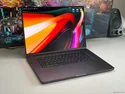 | Apple MacBook Pro 16 2026 M5 Pro Apple M5 Pro 18-Core ⎘ Apple M5 Pro 20-Core GPU ⎘ 64 GB Memory, 4096 GB SSD | List Price: 5298€ | 2.1 kg | 16.8 mm | 16.20" | 3456x2234 | matte |
2. 91.6%  | Lenovo ThinkPad P1 Gen 8 Intel Core Ultra 7 255H ⎘ NVIDIA RTX PRO 2000 Blackwell Generation Laptop ⎘ 32 GB Memory, 1024 GB SSD | List Price: 2000 USD | 1.9 kg | 20.6 mm | 16.00" | 3200x2000 | matte |
3. 90.9%  | Apple MacBook Pro 14 2025 M5 Apple M5 10-Core ⎘ Apple M5 10-Core GPU ⎘ 32 GB Memory, 1024 GB SSD | List Price: 2739€ | 1.5 kg | 15.5 mm | 14.20" | 3024x1964 | matte |
4. 90%  | Schenker XMG Neo 16 E25 RTX 5090 Laptop Intel Core Ultra 9 275HX ⎘ NVIDIA GeForce RTX 5090 Laptop ⎘ 32 GB Memory, 1024 GB SSD | List Price: 4450€ | 2.9 kg | 27.9 mm | 16.00" | 2560x1600 | |
5. 88.5%  | Medion Erazer Beast 16 X1 Ultimate Intel Core Ultra 9 275HX ⎘ NVIDIA GeForce RTX 5090 Laptop ⎘ 32 GB Memory, SSD | List Price: 4300 EUR | 2.8 kg | 30 mm | 16.00" | 2560x1600 | matte |
6. 88.4%  | Asus ROG Strix Scar 16 2025 Intel Core Ultra 9 275HX ⎘ NVIDIA GeForce RTX 5090 Laptop ⎘ 64 GB Memory, 2048 GB SSD | List Price: 4999€ | 2.8 kg | 30.8 mm | 16.00" | 2560x1600 | matte |
7. 88.2%  | Alienware 16 Area-51 Core Ultra 9 290HX Plus Intel Core Ultra 9 290HX Plus ⎘ NVIDIA GeForce RTX 5080 Laptop ⎘ 32 GB Memory, SSD | Amazon: List Price: 4000 USD | 3.3 kg | 28.5 mm | 16.00" | 2560x1600 | matte |
8. 88%  | Asus Strix Scar 18 G835LX Intel Core Ultra 9 275HX ⎘ NVIDIA GeForce RTX 5090 Laptop ⎘ 64 GB Memory, 2048 GB SSD | List Price: 5799€ | 3.3 kg | 32 mm | 18.00" | 2560x1600 | matte |
9. 87.8%  | Schenker XMG APEX 16 MAX AMD Ryzen 9 9955HX ⎘ NVIDIA GeForce RTX 5070 Ti Laptop ⎘ 64 GB Memory, 2048 GB SSD | List Price: 2815€ | 2.7 kg | 26 mm | 16.00" | 2560x1600 | matte |
10. 87.5%  | Lenovo ThinkPad T16g Gen 3 RTX 5080 Intel Core Ultra 9 275HX ⎘ NVIDIA GeForce RTX 5080 Laptop ⎘ 64 GB Memory, 2048 GB SSD | Amazon: 1. $4,999.99 Lenovo ThinkPad P16 Gen 3 w/... 2. $3,799.00 Lenovo ThinkPad P16v Gen 3 M... 3. $5,899.99 Lenovo ThinkPad T16g with 16... List Price: 4800€ | 2.6 kg | 29.8 mm | 16.00" | 3200x2000 | matte |
Note: The table above is an overview of the best laptops tested by Notebookcheck in the last 12 months as well as other products that are relevant and still available. If several products have the same rating, the newer review will be listed higher. The prices shown in the table are automatically updated daily and may change over time. Link: All tested products in this class
1st place - Apple MacBook Pro 16 with M5 Pro
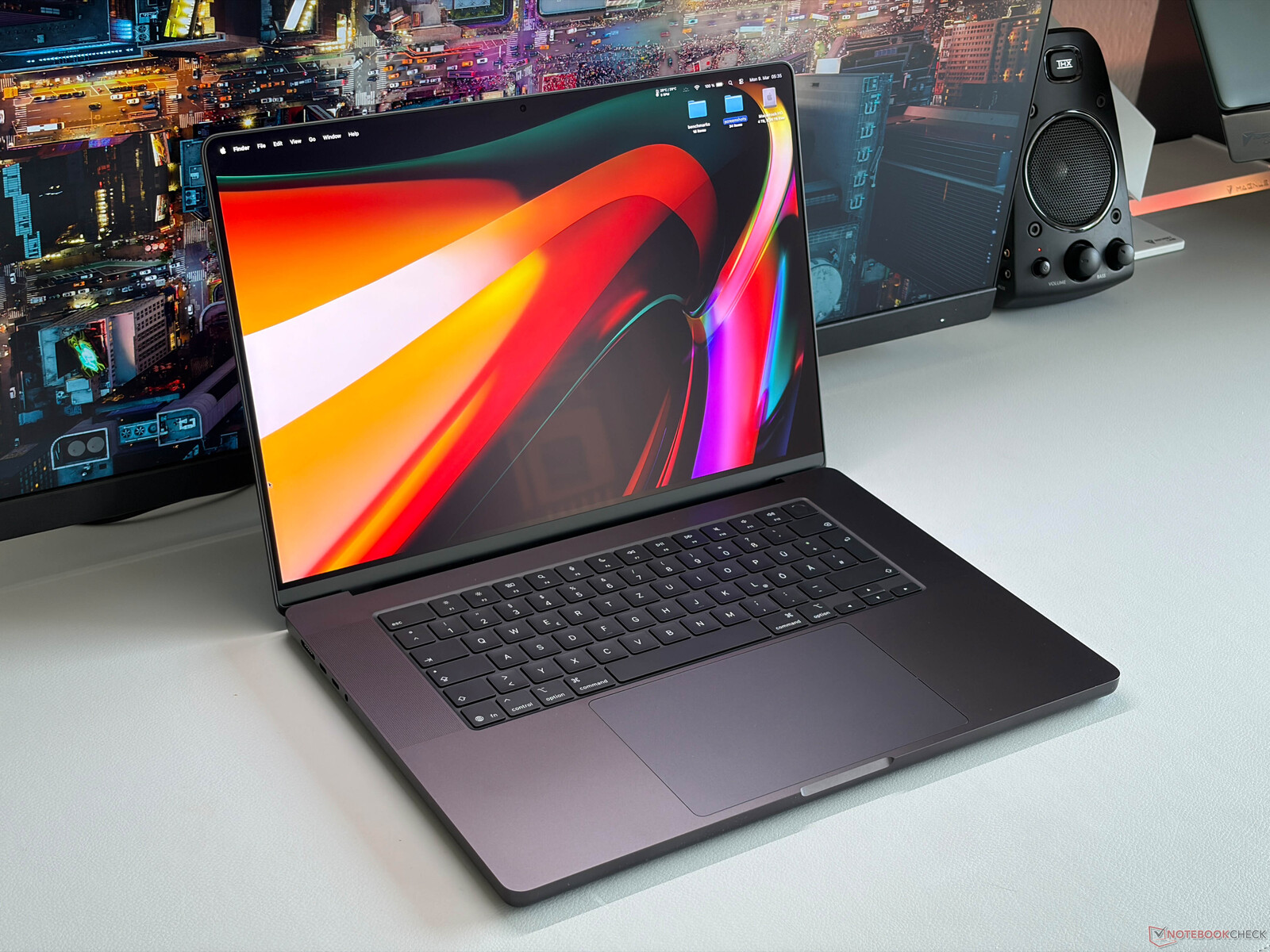
Visually, the new 16-inch MacBook Pro (M5 Pro model) is no different to older models, up to the 2023-year one. Technical improvements are limited to Wi-Fi 7 and Bluetooth 6 here, courtesy of the Apple N1 chip, as well as the new M5 Pro SoC which is around 20 percent faster in multi-core workloads than its predecessor. The integrated graphics unit has once again become 30 to 50 % faster, too, depending on the application.
Its mini-LED display has an extremely low black level and therefore delivers very high contrast values, almost like OLED panels. Subjectively, picture quality is almost perfect with the MacBook.
One point worth criticizing is the ever-present PWM flickering, and slow pixel response time. Those sensitive to this will not be happy with the MacBook Pro. The panel does cover almost 100 % of the DCI-P3 color space as usual and is very color-accurate, so we can recommend the panel for photo and video editing. One drawback is certainly Apple's expensive upgrade policy for RAM and SSD, neither of which can be upgraded by the user down the line.
Kitted out with an M5 Pro, 24 GB of RAM and a 1-TB SSD, the Apple MacBook Pro 16 costs around 2,700 euros in Germany.
2nd place - Lenovo ThinkPad P1 16 Gen 8
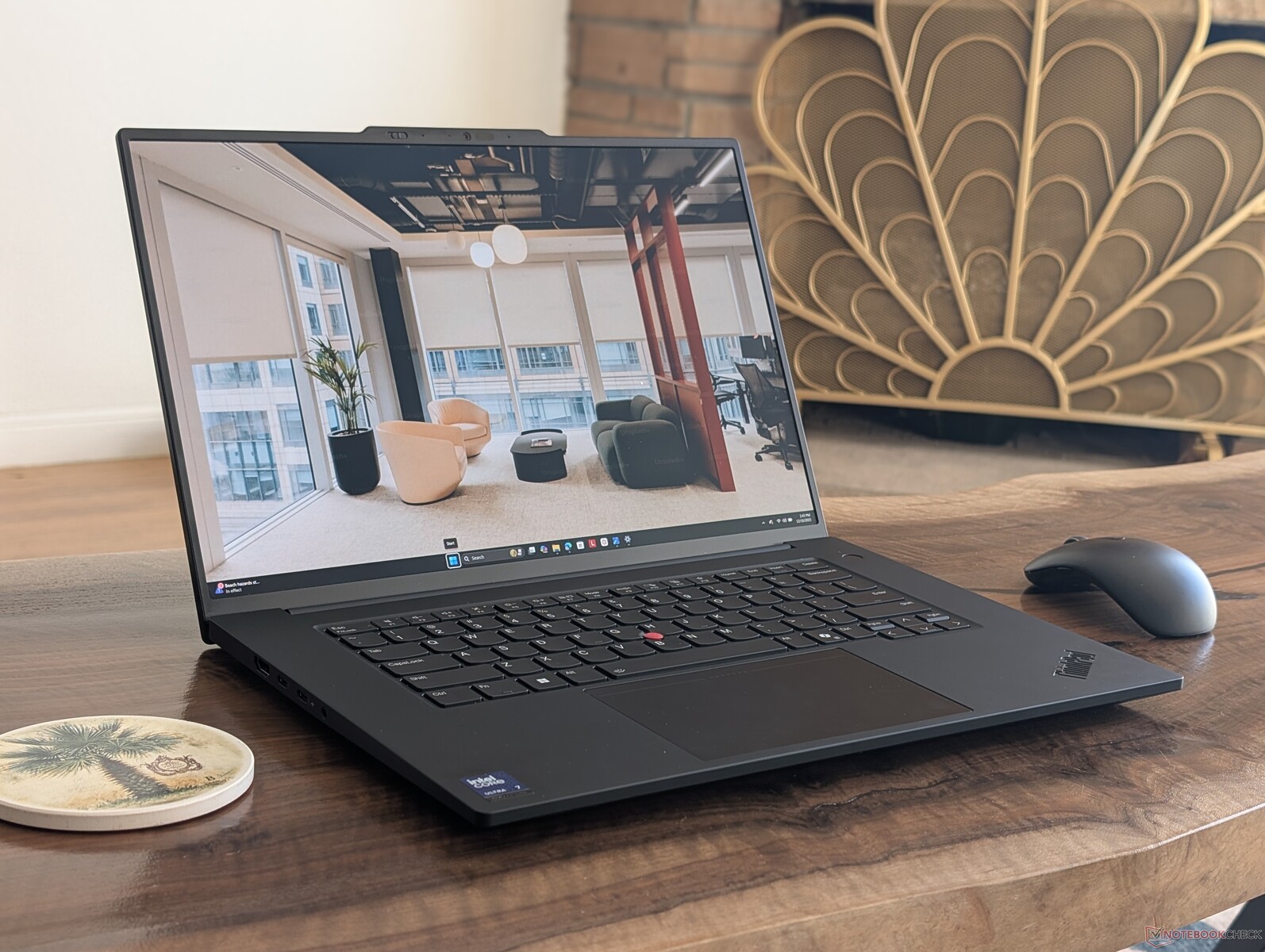
For the first time in quite a while, we have a ThinkPad occupying one of the top spots. It's for a good reason, too, as the P1 16 G8 makes use of the latest Tandem OLED display technology, as well as fast LP-CAMM2 RAM, Thunderbolt 5, and a Core Ultra 7 255H. Of course, this compact and lightweight workstation notebook cannot keep up with its beefier rivals, especially with the built-in Nvidia RTX Pro 2000 GPU only consuming 75 watts or less, but you still get plenty of computing power on the go.
Its bright matte OLED display can look a little grainy up close, and battery life is quite short. At least the display's Delta-E color fidelity values look good thanks to factory calibration. IPS-display SKUs are available as well with full DCI-P3 colors but no touch/pen support.
The system comes with two M.2 2280 SSD storage slots, while pre-installed RAM options max out at 64 GB.
Lenovo's ThinkPad P1 16 G8: The tandem OLED option is what makes it truly interesting. Either way, the machine features a well thought-out set of components.
The Lenovo ThinkPad P1 can be had directly from Lenovo Germany in the configuration tested for around €3,439.
4K+ IPS-display models featuring a slightly slower GPU come in at around 2,900 euros.
3rd place - Apple MacBook Pro 14 (M5 model)
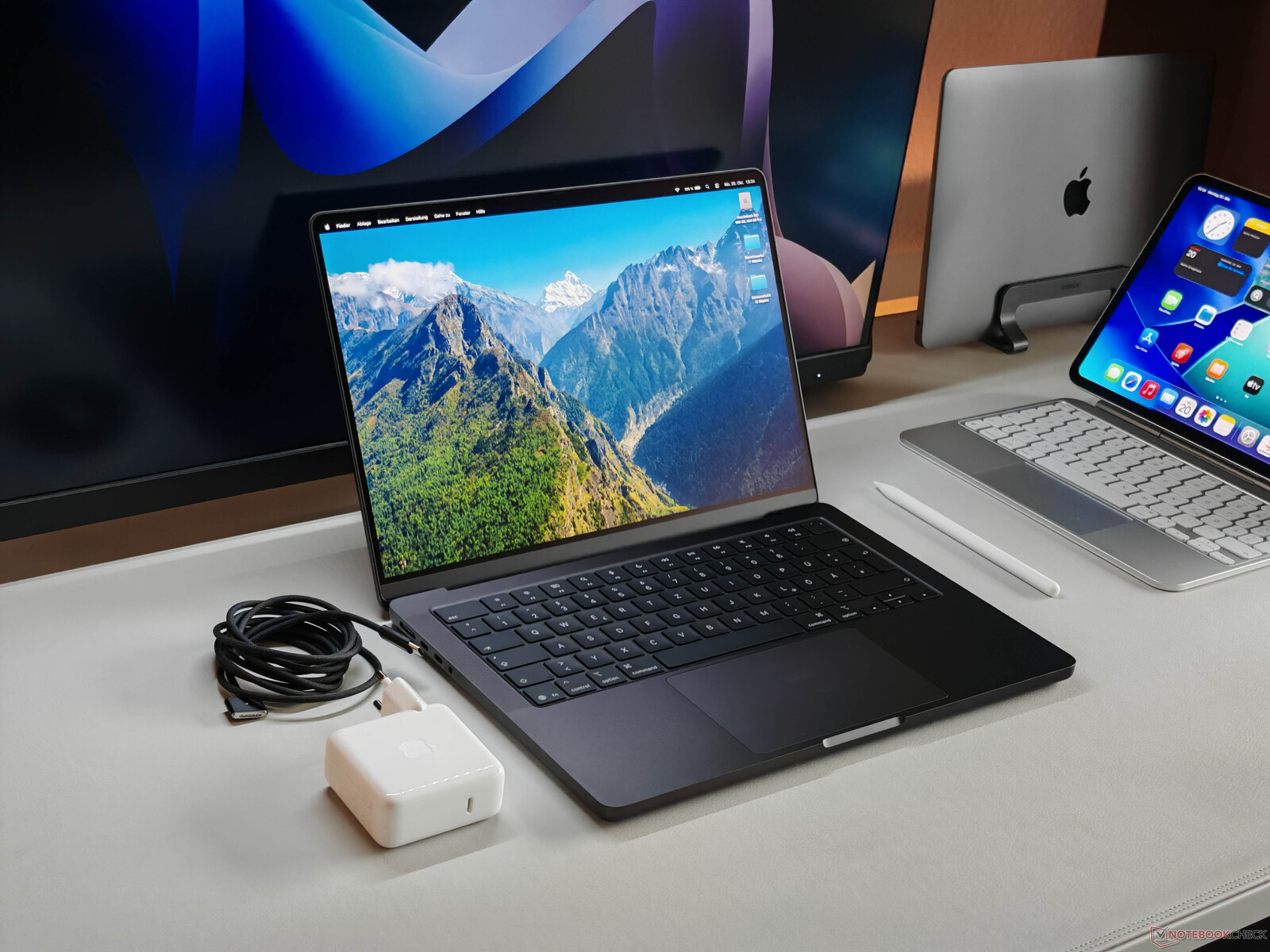
Apple's MacBook Pro 14 (2025) with the M5 chip and its 10 CPU cores is not particularly different from previous-gen models. The new MacBook's mini-LED display with around 1,000 cd/m² of brightness in SDR mode is about the same as well. There is a matte display option available with only a very slight loss of vibrancy; it's supposed to make working outdoors easier.
The new M-series chip's single-core performance is 14 % higher as compared to the M4, and unlike any other CPU currently available. iGPU-wise, there is a whopping 30 % increase in performance over the M4 GPU. The system's battery life has grown longer, and fan noise when under GPU load is now lower. You also get Thunderbolt 5 ports and a higher-resolution webcam, but Wi-Fi 7 has once again not made it to the spec sheet.
The mini-LED panel is high-resolution and contrast-rich, comes with a 120-Hz refresh rate, and offers high color accuracy.
The model's drawbacks are largely similar to its predecessors', such as the display's slow response times and ever-present PWM flickering, as well as the MacBook's lack of post-purchase maintenance/upgrade options. SKUs with more RAM and SSD storage come with a very noticeable price hike.
Either way, the configuration with 16 GB of RAM and a 512-GB SSD costs around 1,545 euros in Germany. It's 210 euros more for 1 TB of storage.
4th place - XMG Neo 16 (E25)
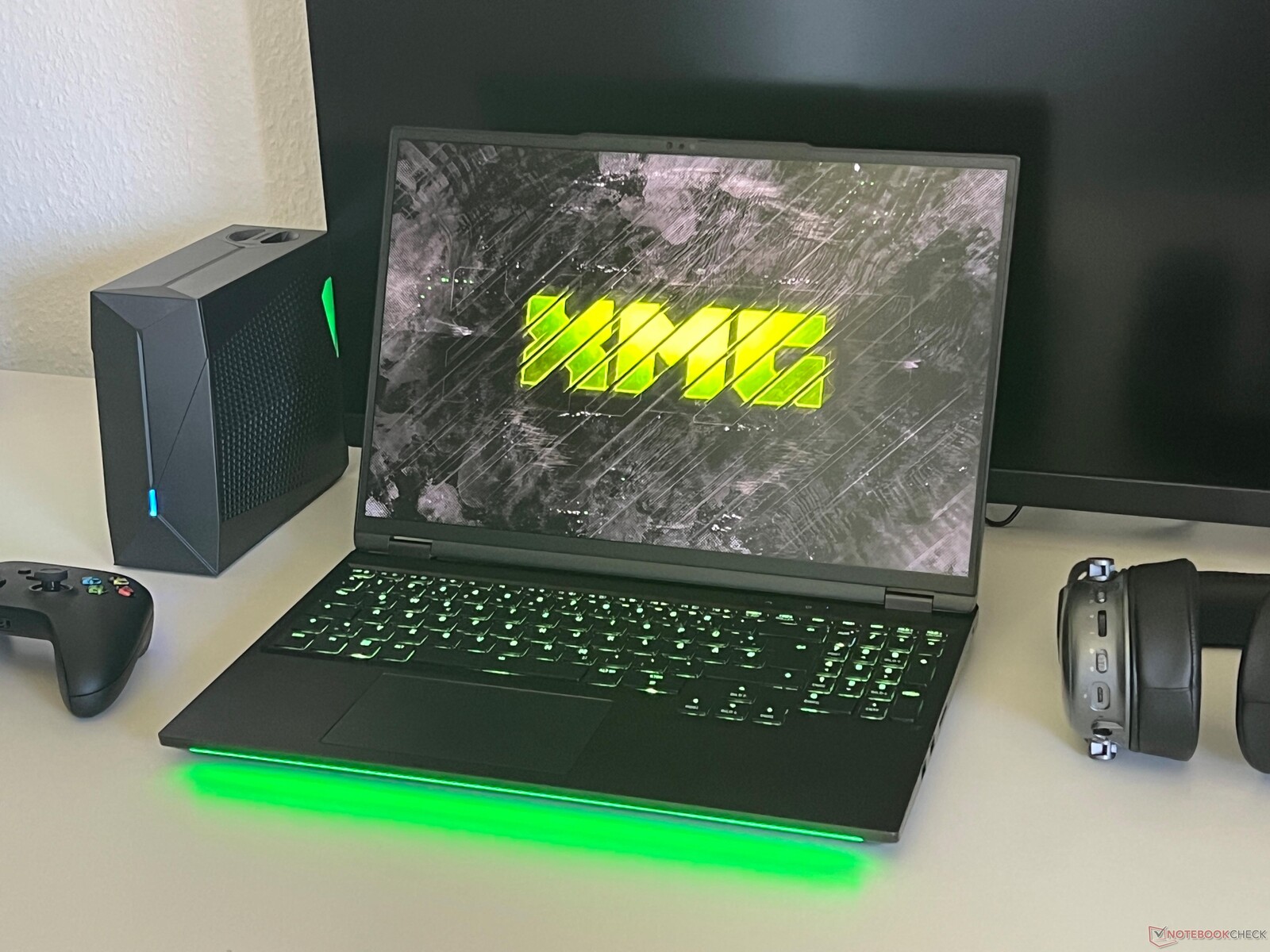
The Early 2025 Neo 16 from Schenker/XMG gets a massive boost in regards to processors, display options and GPUs. Both AMD and Intel models deliver outstanding performance, made possible by either a Ryzen 9 9955HX3D or a Core Ultra 9 275HX paired with up to an Nvidia GeForce RTX 5090.
At 300 Hz, the 16-inch mini-LED panel is super-fast, and its brightness is also outstanding at over 850 cd/m² in SDR mode. The DCI-P3 color space is completely covered, but the panel definitely requires post-purchase calibration. Local dimming can be deactivated for color-accurate work. The short charging cable is an annoyance and there is no USB 4.0 on the AMD model. The machine's keyboard is comfortable, PCIe 5.0 is supported, as are up to 128 GB of RAM. Its casing is sturdy and the SD card reader is quick with file transfers.
The mini-LED display of the XMG Neo 16 scores points with very high contrast and brightness values, but is not well calibrated out of the box. At least the local dimming zones can be temporarily deactivated when needed.
The base price for the Neo 16 is €2,639 (AMD) or €2,699 (Intel). The RTX 5080 and mini-LED SKU should cost around €3,400.
5th place - Medion Erazer Beast 16 X1
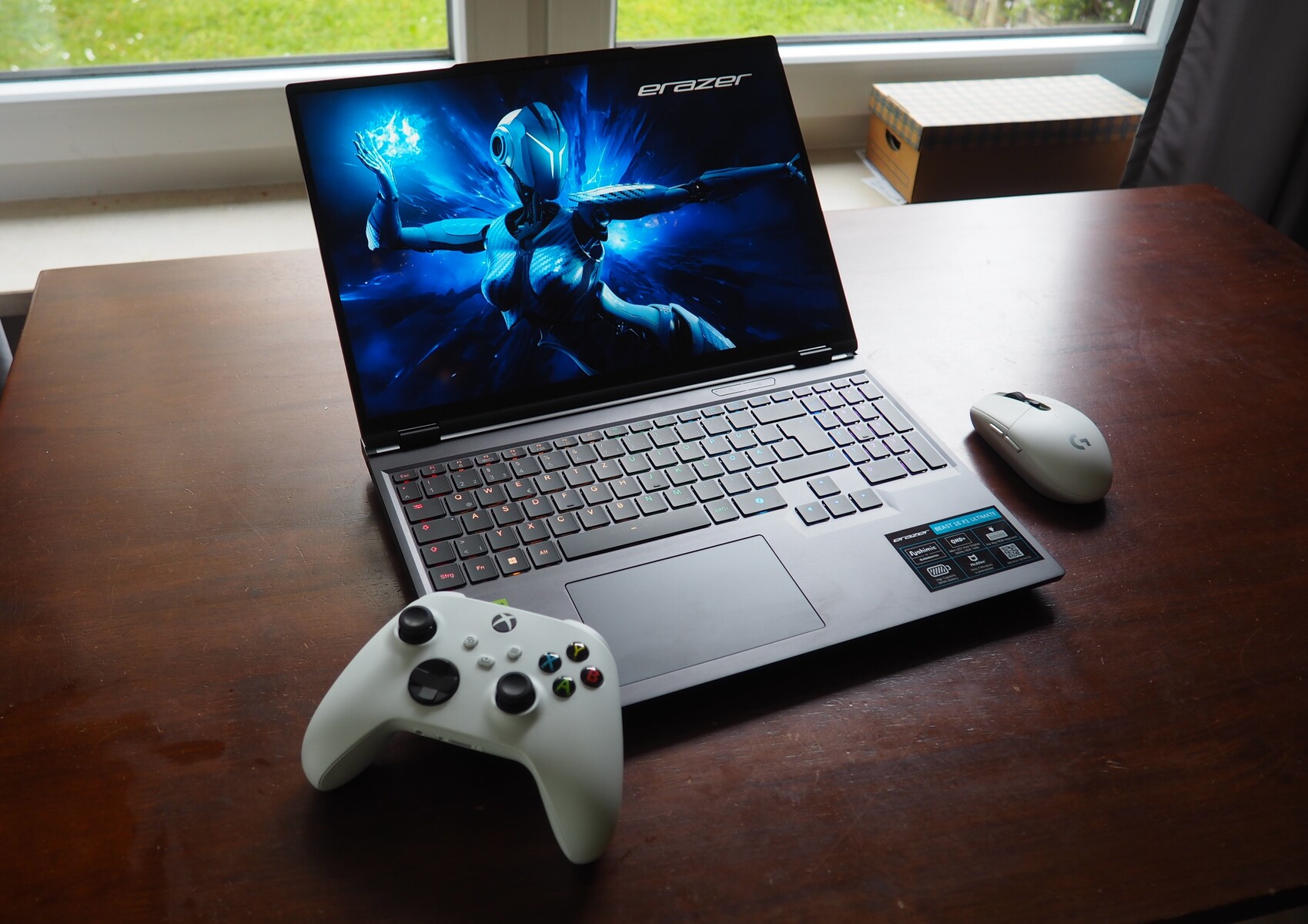
Like many other laptop brands, Medion offers a mini-LED-toting display in its Erazer Beast 16 X1; the offer includes a 300-Hz refresh rate, QHD+ resolution and SDR brightness of over 800 cd/m². Color accuracy is pretty good, but there is no way to deactivate local dimming.
Its keyboard is almost as good as a mechanical one, while Intel's Core Ultra 9 275HX offers plenty of performance, albeit with occasional dips under longer loads. Thankfully, the GeForce RTX 5090 laptop GPU with a whopping 24 GB of GDDR7 VRAM has no such issues. There are also good speakers, fairly long Web browsing battery life of 8 hours, two M.2 2280 slots (one of them PCIe 5.0), as well as solid connectivity including Thunderbolt 4 and Wi-Fi 7. RAM is upgradable with 2 slots available, not soldered-in. However, the system can get loud under load.
There are few bad things about Medion's Erazer Beast 16 X1, but its inconsistent CPU performance and the lack of a way to make the display's dimming zones act as a single zone tarnish the overall picture somewhat.
For around 4,300 euros, you can get the aforementioned specs, including 32 GB of RAM and a 2-TB SSD, directly from Medion Deutschland.
6th place - Asus ROG Strix Scar 16

Asus's ROG Strix Scar 16 is a yet another system on this list relying on a mini-LED panel, plus an Intel Core Ultra 9 275HX and an Nvidia GeForce RTX 5090. With SDR content, the 240-Hz 1600p display shines with a brightness of over 770 cd/m². Nicely calibrated P3 and sRGB profiles are available out of the box, and local dimming can be deactivated.
Its other features include a very comfortable keyboard, Thunderbolt 5, two RAM and two M.2 2280 slots. PCIe 5.0, however, has not made it. In contrast to its bigger 18-inch brother, this system comes without an AniME matrix on the lid while fortunately retaining the overall visual appeal.
The current-generation ROG Strix Scar 16 offers plenty of power as well as a brilliant mini-LED display, good upgradability and plenty of ports.
On to the shortcomings. Its ports are all on the sides; its power consumption is high, and so is fan noise under load. The lack of PCIe 5.0 means less future-proofing.
The 2025 ROG Strix Scar 16 is currently available for around 5,000 euros in a very powerful configuration including a 2-TB SSD and 64 GB of RAM.
7th place - Alienware 16 Area-51 (2026)
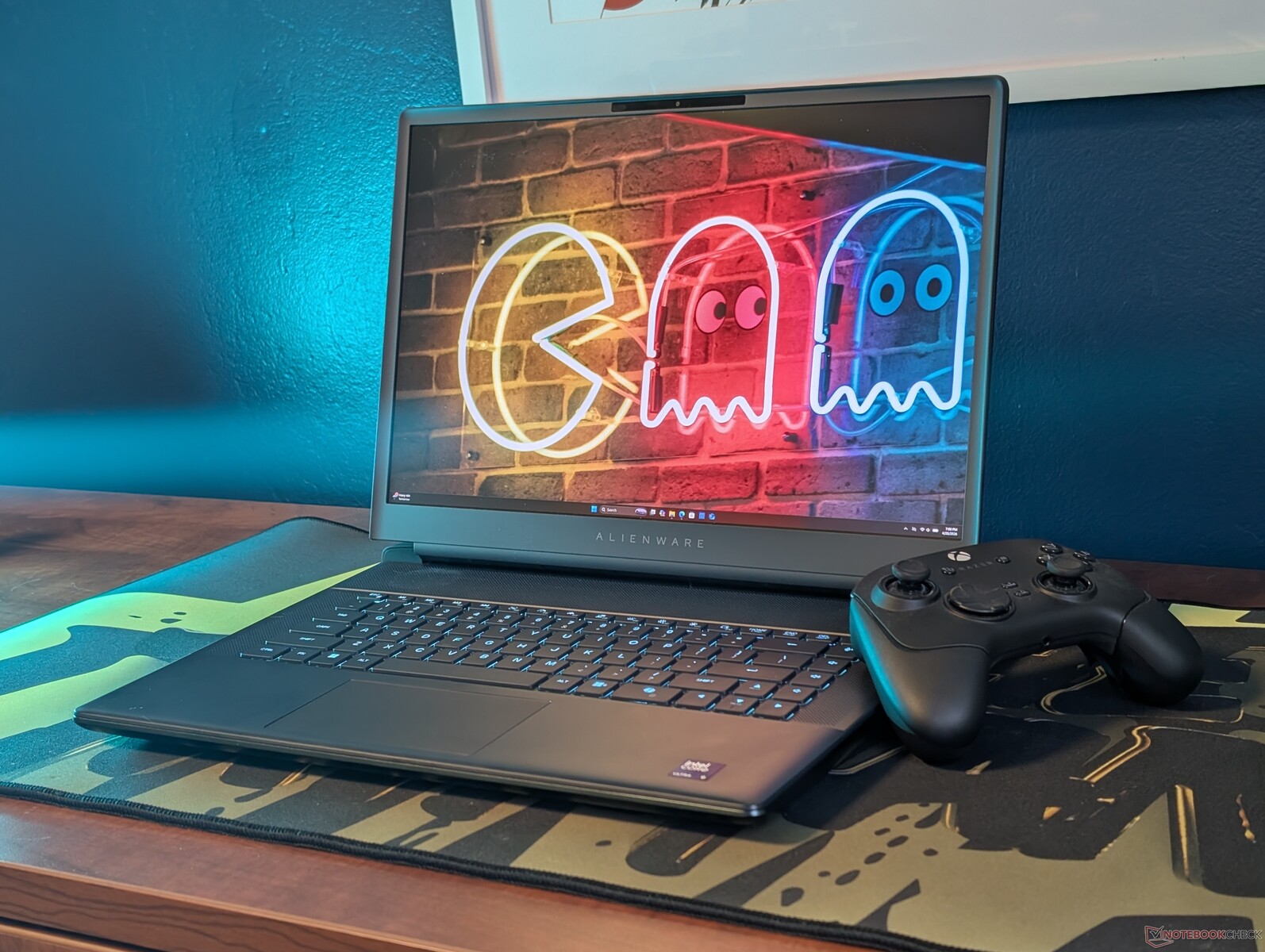
RTX 5080 and Core Ultra 9 290HX Plus offer massive performance in the Alienware 16 Area-51. and a super pre-calibrated 400 nits OLED display with QHD+ resolution and 100% DCI-P3, which appears somewhat grainy due to its matt finish. The two PCIe 5 slots are also pleasing, while the built-in SSD delivers a stable 14 GB/s. The SD card reader is also fast and the 360 W power supply unit is quite slim.
The short battery life of around 3 hours is less of an advantage, even for a gaming behemoth. The weight of 3.3 kg is also massive for a 16-inch device.
With the Alienware 16 Area-51, you get a complete and well-rounded package, which is only marred by the slightly grainy OLED display.
The Alienware 16 Area-51 can be configured directly at Dell from 2,799 euros.
8th place - Asus ROG Strix Scar 18 G835LX
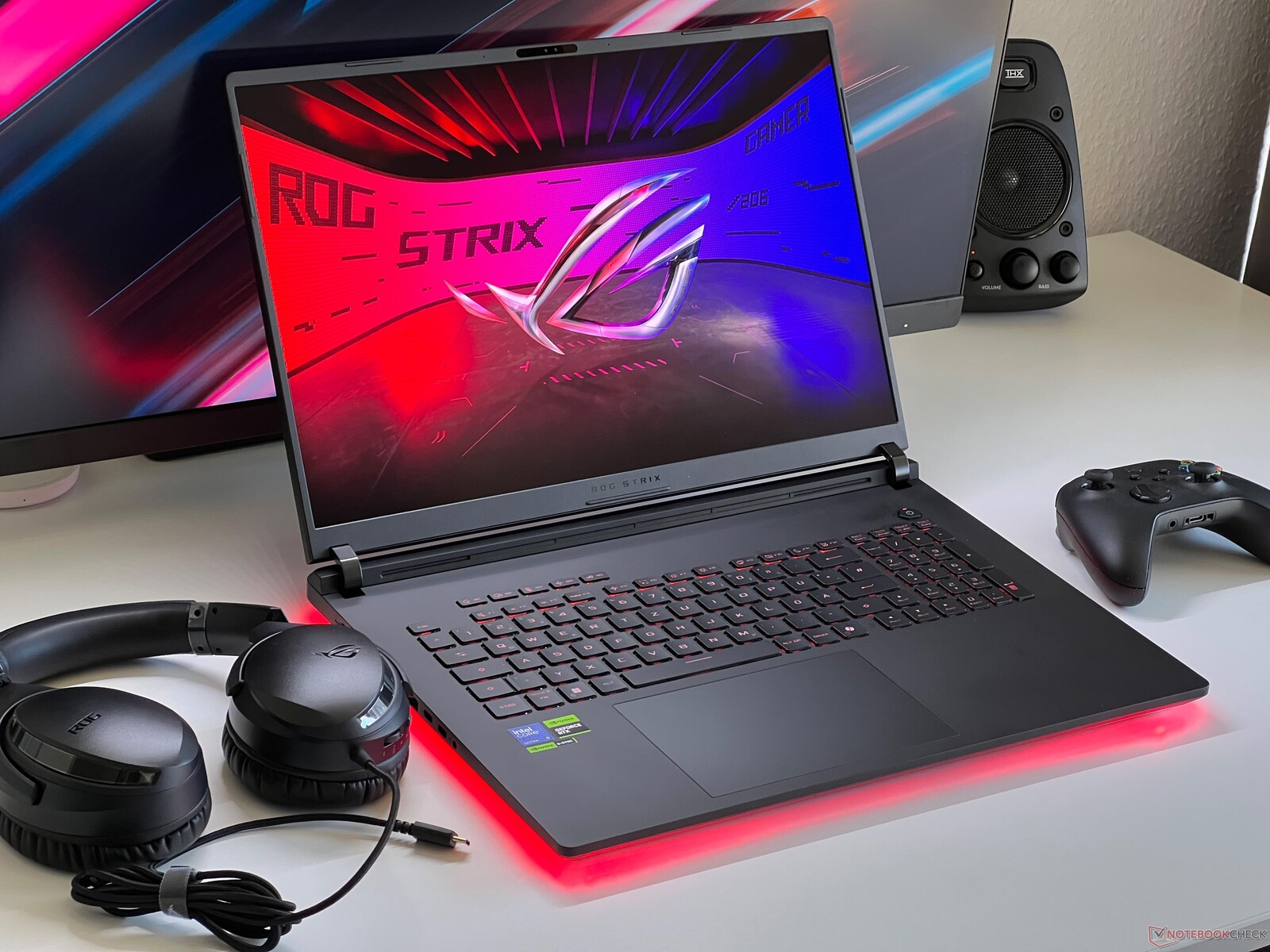
The 18-inch ROG Strix Scar G835, one of Asus' flagships, is noteworthy thanks to its enormously fast components, a Core Ultra 9 275HX and a GeForce RTX 5090. The 750-nit-bright mini-LED display resolves at QHD+ and 240 Hz with accurate P3 and sRGB color profiles available right out of the box. Local dimming can be deactivated for more accurate image editing, and sRGB content can be converted to P3 in HDR mode.
You also get a comfortable keyboard, Thunderbolt 5, two SO-DIMMs and two M.2 2280 slots for future upgrades. However, no PCIe 5.0 SSD options are available, instead, a RAID 0 array of PCIe 4 SSDs is employed. Its visual design should be appealing to potential buyers, thanks in no small part to the AniME Vision display on the lid.
The Asus ROG Strix Scar 18 currently offers the best performance and display combo among Windows laptops for creators. Upgradability and ports also look good; they are all on the sides, though.
The disadvantages to consider are - in addition to high power consumption - how loud it is with higher-performance profiles on, as well as how mediocre its battery life is, and how the case is a dirt/dust/fingerprint magnet.
The Asus ROG Strix Scar is available for 5,300 euros in Germany in the aforementioned configuration including a 2-TB SSD and 64 GB of RAM from Galaxus.de or Computeruniverse, among other options.
9th place - XMG Apex 16 Max
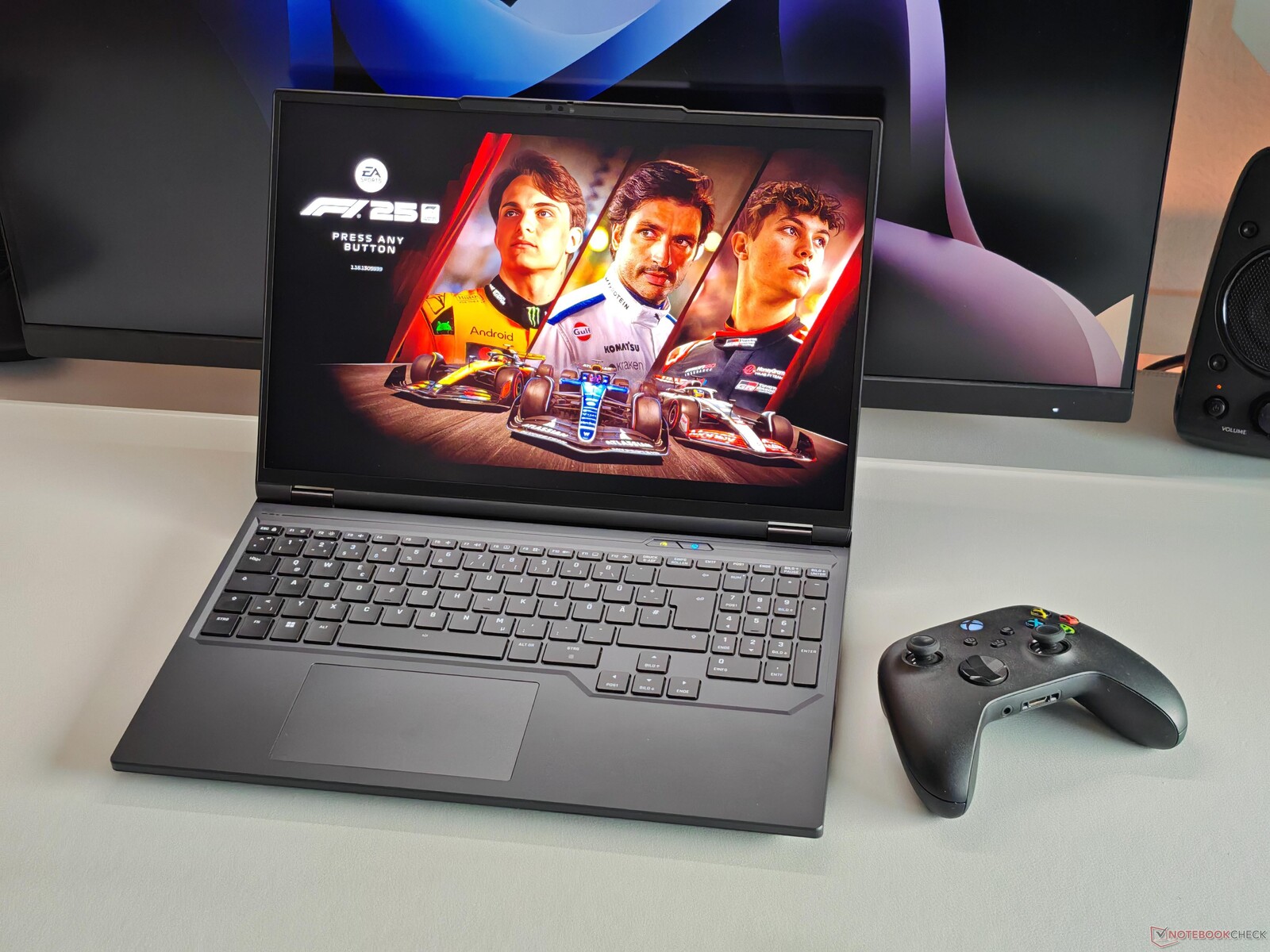
An RTX 5070 Ti with a 140-W TGP, a very bright 300-Hz mini-LED screen, very good maintenance/upgrade options, PCIe 5.0, AMD Ryzen 9 16-core CPU, and a very comfortable keyboard - all this can be had by ordering the XMG Apex 16 Max.
On the downside, it lacks Thunderbolt / USB 4, and Wi-Fi 7. It also has loud fans, which is noticeable when under longer CPU + GPU loads, as well as short battery life and an inaccurate stock P3 color profile.
Two SSDs and two RAM modules can be installed here, and a full-size SD card reader is onboard.
The Apex 16 Max is a spec monster, but finer details lack polish. For some, this might be acceptable in view of the reasonably low price.
One advantage of the XMG Apex 16 is the low entry-level price of around 2,099 euros.
10th place - Lenovo ThinkPad T16g Gen3
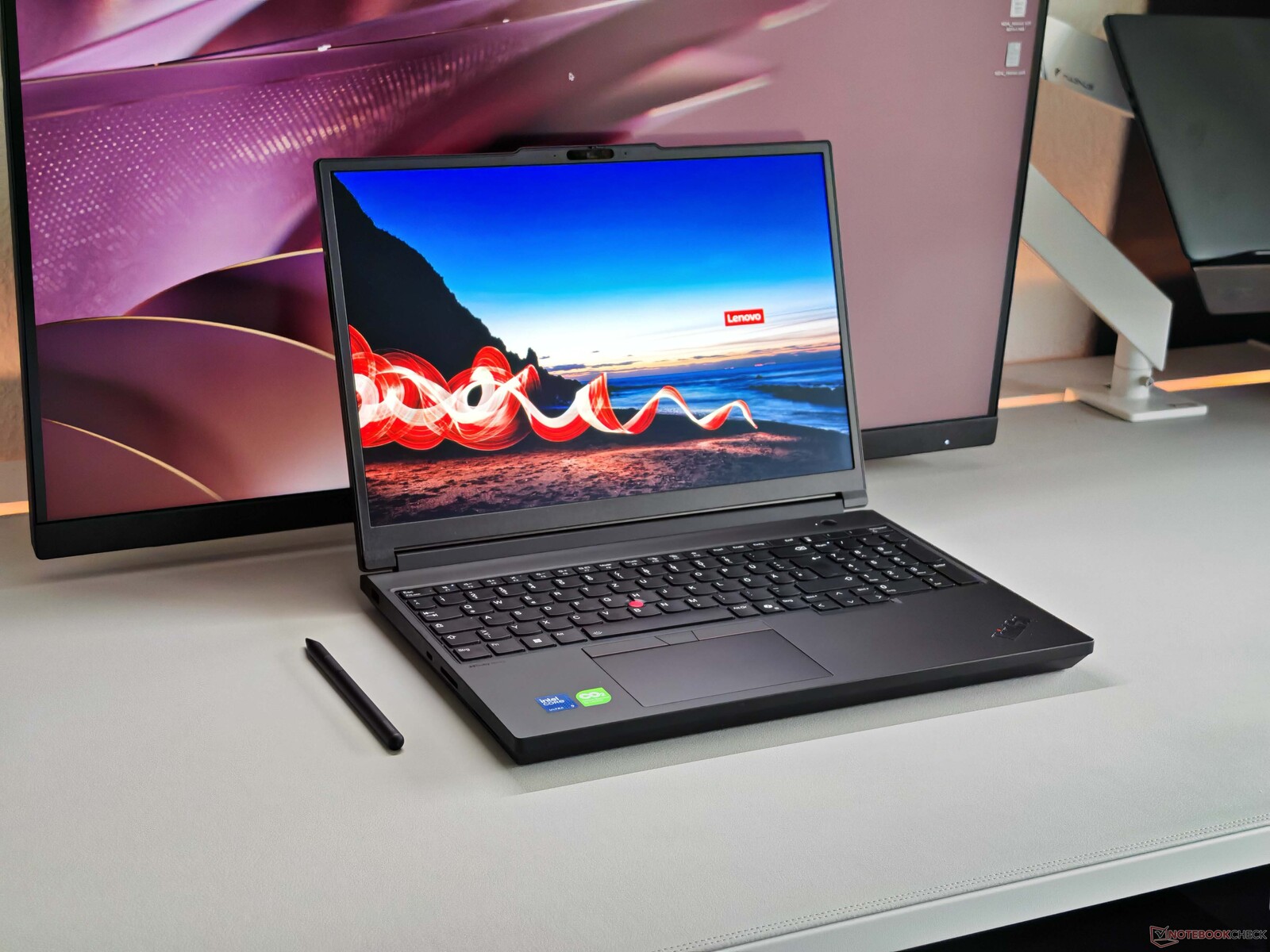
Both the ThinkPad T16g Gen 3 and the ThinkPad T1g Gen 8 have accurate and very bright, if slightly grainy, tandem OLED displays. The T16g's Core Ultra 9 275HX processor, on the other hand, is significantly more powerful than what the T1g sports. Performance sustainability of the CPU is not ideal, though.
At 105 W, the TGP of the graphics unit (RTX 5080) is also significantly higher than the 75 W of the T1g Gen 8. It is not particularly high for a 30-mm-thick and rather heavy machine. That being said, weight has been reduced by almost half a kilogram compared to the previous-gen model here.
The Lenovo ThinkPad T16g Gen 3 is a workstation with plenty of power that comes with several compromises and generates a lot of noise when under load.
The ThinkPad T16g G3 as tested is available for around 4,800 euros in Germany.
Best laptops for photo and video editing: Overview
Measurements
| Apple MacBook Pro 16 2026 M5 Pro | Lenovo ThinkPad P1 Gen 8 | Apple MacBook Pro 14 2025 M5 | Schenker XMG Neo 16 E25 RTX 5090 Laptop | Medion Erazer Beast 16 X1 Ultimate | Asus ROG Strix Scar 16 2025 | Alienware 16 Area-51 Core Ultra 9 290HX Plus | Asus Strix Scar 18 G835LX | Schenker XMG APEX 16 MAX | Lenovo ThinkPad T16g Gen 3 RTX 5080 | |
|---|---|---|---|---|---|---|---|---|---|---|
| Display | ||||||||||
| Display P3 Coverage (%) | 98.8 | 99.5 | 99.9 | 99.7 | 99.9 | 99.6 | 99 | 99.7 | 98.8 | |
| sRGB Coverage (%) | 100 | 100 | 100 | 100 | 100 | 100 | 100 | 100 | 100 | |
| AdobeRGB 1998 Coverage (%) | 97.5 | 88.8 | 88.5 | 86.9 | 88.4 | 95.6 | 87.2 | 87.9 | 88.9 | |
| Response Times | ||||||||||
| Response Time Grey 50% / Grey 80% * (ms) | 0.57 ? | 49.4 ? | 17.4 ? | 10 ? | 7 ? | 0.29 ? | 7.4 ? | 17.4 ? | 1.51 ? | |
| Response Time Black / White * (ms) | 0.73 ? | 47 ? | 13 ? | 8.6 ? | 8.4 ? | 0.41 ? | 10.4 ? | 13 ? | 0.44 ? | |
| PWM Frequency (Hz) | 1199 | 14900 | 20253 | 20457 ? | 20555 ? | 1440 ? | 20610 ? | 20253 ? | 1200 ? | |
| PWM Amplitude * (%) | 18 | 90 | 75 | 100 | 30 | 100 | 75 | 22 | ||
| Screen | ||||||||||
| Brightness middle (cd/m²) | 561.8 | 633 | 888 | 837 | 754 | 383.3 | 764 | 742 | 585 | |
| Black Level * (cd/m²) | 0.07 | 0.1 | 0.01 | |||||||
| Brightness (cd/m²) | 566 | 619 | 859 | 821 | 773 | 387 | 747 | 733 | 590 | |
| Brightness Distribution (%) | 99 | 92 | 94 | 94 | 91 | 97 | 93 | 93 | 98 | |
| Colorchecker dE 2000 * | 1.29 | 1 | 3.3 | 1.59 | 1 | 0.87 | 1.2 | 3 | 0.9 | |
| Colorchecker dE 2000 max. * | 2.96 | 2.2 | 5.5 | 5.27 | 2 | 2.23 | 2.8 | 4.3 | 2.7 | |
| Colorchecker dE 2000 calibrated * | 0.81 | 1.5 | 1.03 | 0.61 | 1.2 | |||||
| Greyscale dE 2000 * | 1.4 | 1.3 | 3.8 | 2.4 | 1 | 0.8 | 1.5 | 3.6 | 1.4 | |
| Gamma | 2.23 99% | 2.2 100% | 2.46 89% | 2.214 99% | 2.14 103% | 2.19 100% | 2.17 101% | 2.43 91% | 2.18 101% | |
| CCT | 6319 103% | 6549 99% | 6267 104% | 6186 105% | 6493 100% | 6395 102% | 6556 99% | 6559 99% | 6442 101% | |
| Contrast (:1) | 10771 | 7640 | 74200 | |||||||
| Noise | ||||||||||
| off / environment * (dB) | 25.4 | 23.1 | 24.5 | 24 | 24 | 23.8 | 23.1 | 23.3 | 25.9 | 24.7 |
| Idle Minimum * (dB) | 25.4 | 23.1 | 24.5 | 26 | 25 | 29 | 23.2 | 29.8 | 25.9 | 24.7 |
| Idle Average * (dB) | 25.4 | 23.1 | 24.5 | 26 | 27 | 29 | 28.2 | 29.8 | 26.5 | 28.9 |
| Idle Maximum * (dB) | 25.4 | 23.1 | 24.5 | 26 | 29 | 29 | 28.3 | 29.8 | 26.5 | 28.9 |
| Load Average * (dB) | 25.4 | 27.3 | 25.2 | 52.4 | 52 | 40.5 | 28.8 | 42.9 | 42.1 | 30.4 |
| Cyberpunk 2077 ultra * (dB) | 33.6 | 30 | 55.4 | 55 | 53.6 | 49 | 53.7 | 51 | 57.7 | |
| Load Maximum * (dB) | 51.7 | 47.9 | 48 | 55.4 | 55 | 53.6 | 57.1 | 53.7 | 51 | 57.7 |
| Heat | ||||||||||
| Maximum Upper Side * (°C) | 40.6 | 45 | 43.8 | 47.8 | 49 | 44.2 | 45.2 | 45.6 | 46.5 | 43.9 |
| Maximum Bottom * (°C) | 42.4 | 33 | 40.6 | 46.7 | 45 | 48.1 | 37.4 | 46 | 46.4 | 45.4 |
| Idle Upper Side * (°C) | 23.8 | 30.6 | 22.9 | 28.4 | 30 | 33 | 31.6 | 28.9 | 32.1 | 27.7 |
| Idle Bottom * (°C) | 23.6 | 31.6 | 22.5 | 28.9 | 30 | 36.1 | 30.2 | 29.2 | 33.5 | 28.6 |
| Battery runtime | ||||||||||
| WiFi v1.3 (h) | 18.5 | 5.5 | 16.7 | 9.5 | 7.9 | 6.5 | 3.2 | 5.5 | 4.9 | 9.4 |
| H.264 (h) | 7.7 | 5.8 | ||||||||
| Load (h) | 2 | 1.2 | ||||||||
| Cyberpunk 2077 ultra 150cd (h) | 0.7 |
* ... smaller is better
 Add as a preferred source on Google


