




Rivian releases Apple Watch app that puts vehicle controls on users' wrists
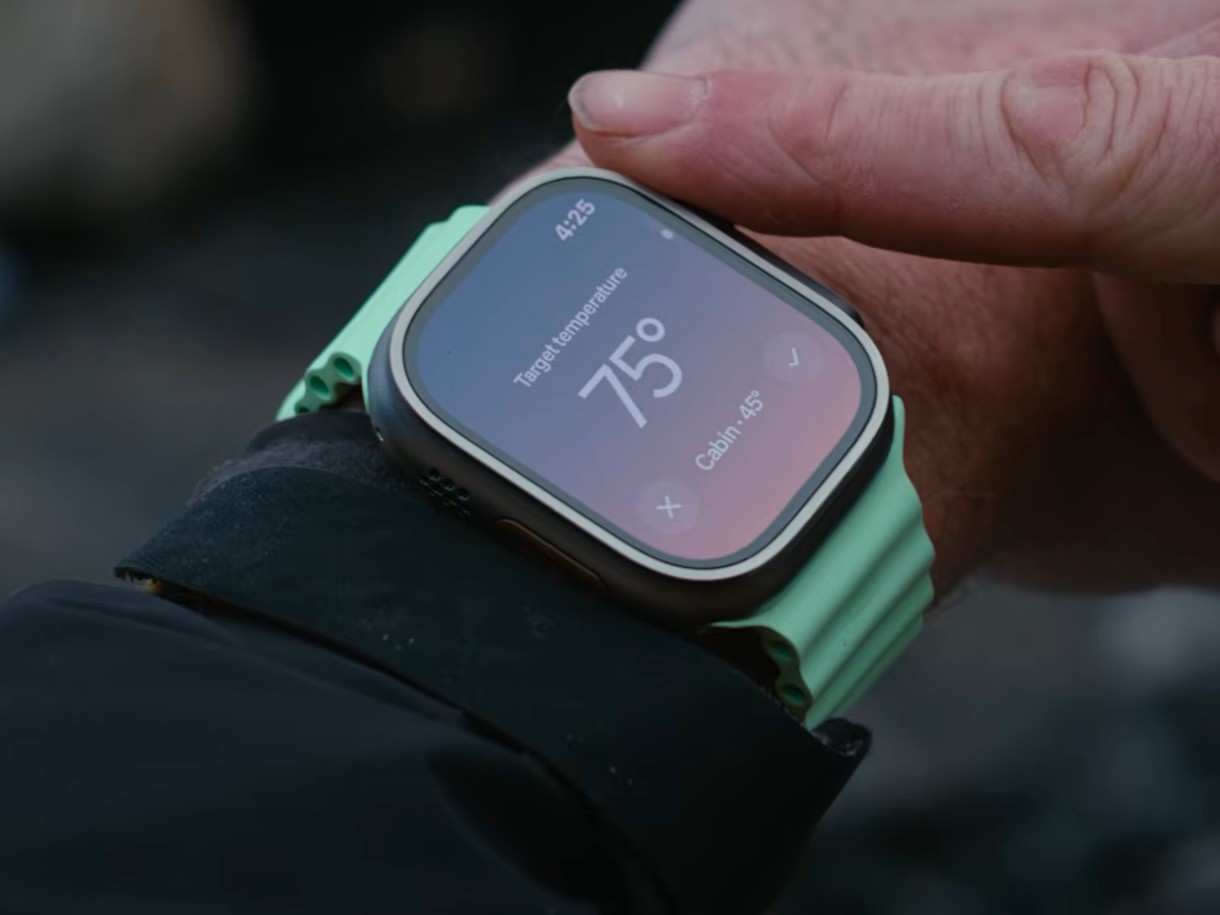
Rivian has released an update for its mobile app that brings along a companion app for the Apple Watch. The Apple Watch app practically allows users to control their cars right from their wrists, eliminating the need to pick up their phones for basic car controls.
With the Apple Watch app, users can lock and unlock their car doors and trunks, roll down the windows, or sound the alarm. However, the experience will vary based on whether a user has a Gen 1 or Gen 2 Rivian. For those with the former, they will be able to lock or unlock their vehicle by tapping the lock icon on the watch.
Gen 2 Rivian owners don't have to do anything as the car will automatically unlock as they approach it, provided they have set up a digital key, although this requires an iPhone and an Apple Watch with UWB such as the iPhone 17 and the Apple Watch Series 11 (curr. available on Amazon for $329).
The press release and product video also reveals that the digital crown on the Apple Watch can be used for precise controls such as when adjusting the cabin temperature or setting a charge state. Users can also add a battery status complication to their selected watch face, and there's the option to choose up to four frequently used controls for quick access. Rivian says more features will be added to the Apple Watch app over time.
To get the app, update (or install) to the latest version of the Rivian app, and it should install the companion Apple Watch app.
Source(s)
 Add as a preferred source on Google


