




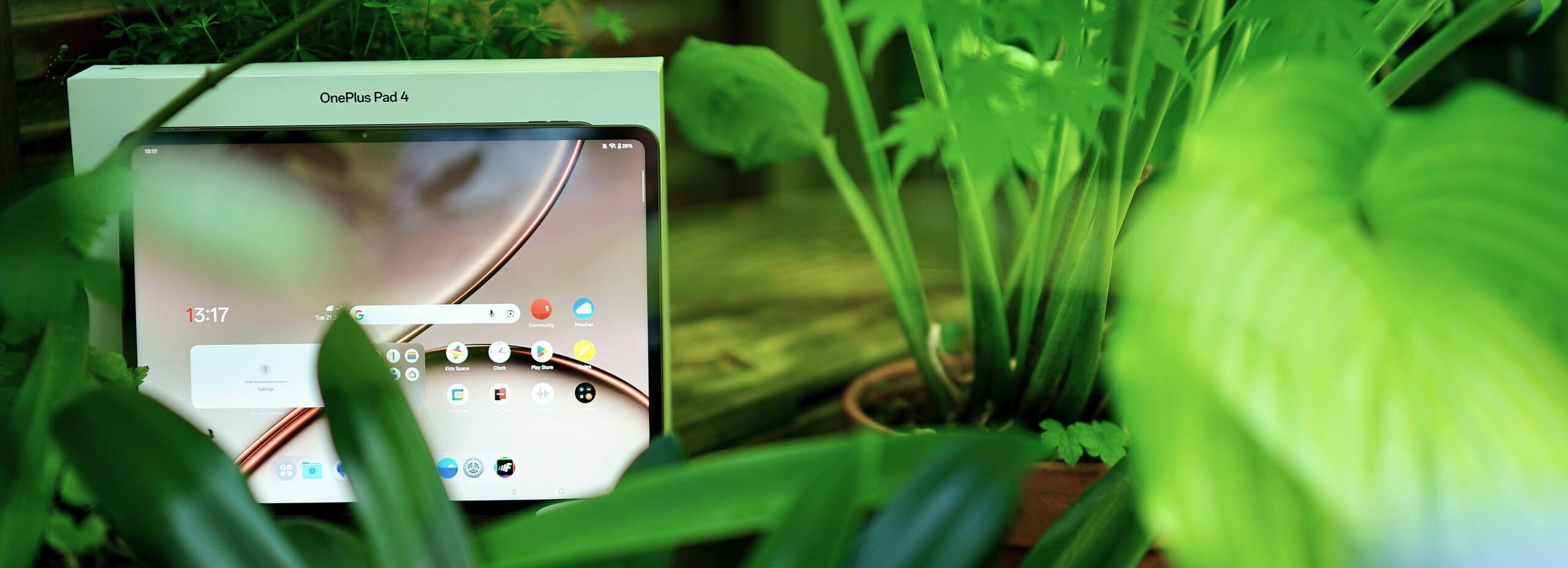
Conclusion on the OnePlus Pad 4
OnePlus is gradually pulling out of Europe and the U.S., but it’s leaving us with a nice parting gift here in the form of the Pad 4: This large tablet offers plenty of power, a long-lasting battery, a bright screen without PWM flicker, fast internet, quick charging, and—in theory—good accessories, though unfortunately those are hard to come by.
The software is very intuitive and well-suited for multitasking and connectivity with other devices. The slim, well-crafted body is attractive to look at and pleasant to hold.
We’re less pleased that OnePlus won’t commit to a specific support period for the software. So you can only hope that you will still be getting security updates in a few years.
The speakers could also be a bit more powerful; in such a large chassis, there’s room for really good speakers. The lack of a fingerprint sensor is just as baffling as the complete absence of a cellular option.
Overall, however, we really like the OnePlus Pad 4, as it offers plenty of power and a high-quality user experience at a good price.
Pros
Cons
Price and Availability
The OnePlus Pad 4 is not so easy to get in many countries as OnePlus is slowing down it's business operations.
When you find a retailer, a fair price would be around US$ 650 to US$ 750.
Table of Contents
- Conclusion on the OnePlus Pad 4
- Specifications
- Case – Slim, high-quality, but pressure-sensitive
- Features – Includes a docking port
- Software – Unclear Update Policies
- Communication and GNSS – Neither cellular networks nor GPS
- Cameras – OnePlus Tablet with Decent Photos
- Accessories and Warranty – Pen Support and Keyboard Available
- Input Devices and Operation – Faster and More Precise Tablet Touchscreen
- Display – Large, bright, and flicker-free
- Performance – It doesn’t get much faster than this
- Emissions – Only a slight reduction of performance
- Battery Life – Efficient and long-lasting
- Notebookcheck Overall Rating
- Comparison of Possible Alternatives
Specifications
Case – Slim, high-quality, but pressure-sensitive
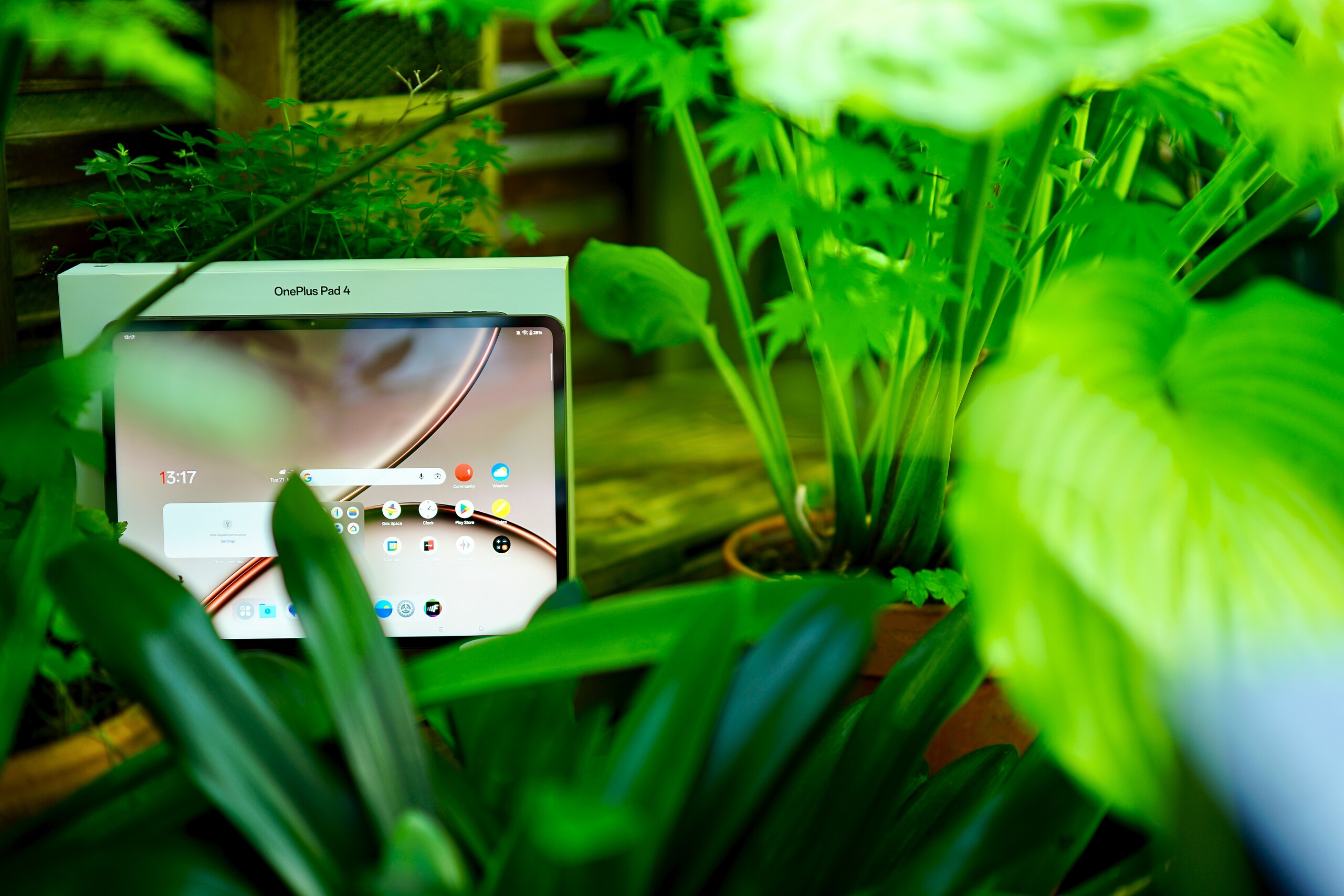
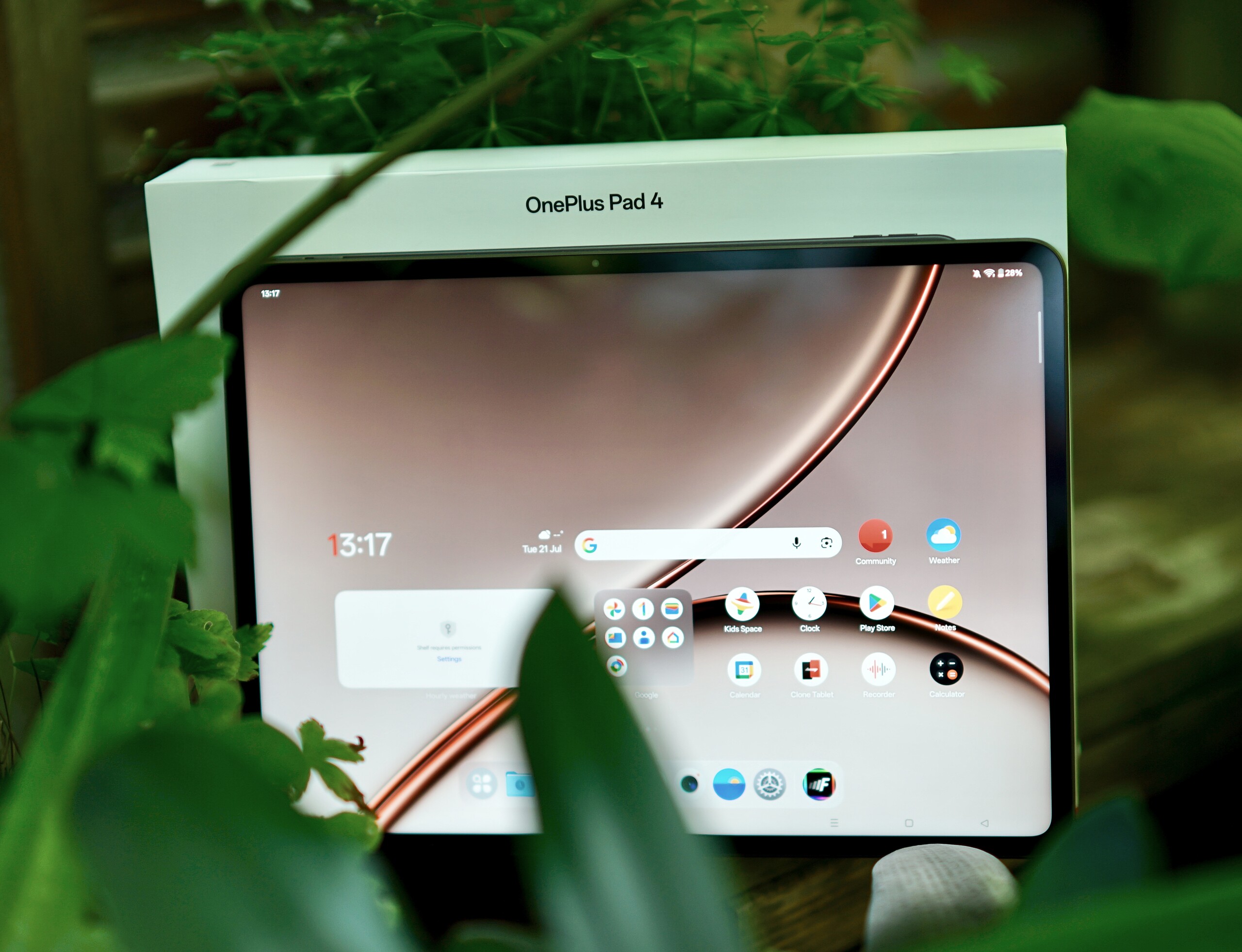
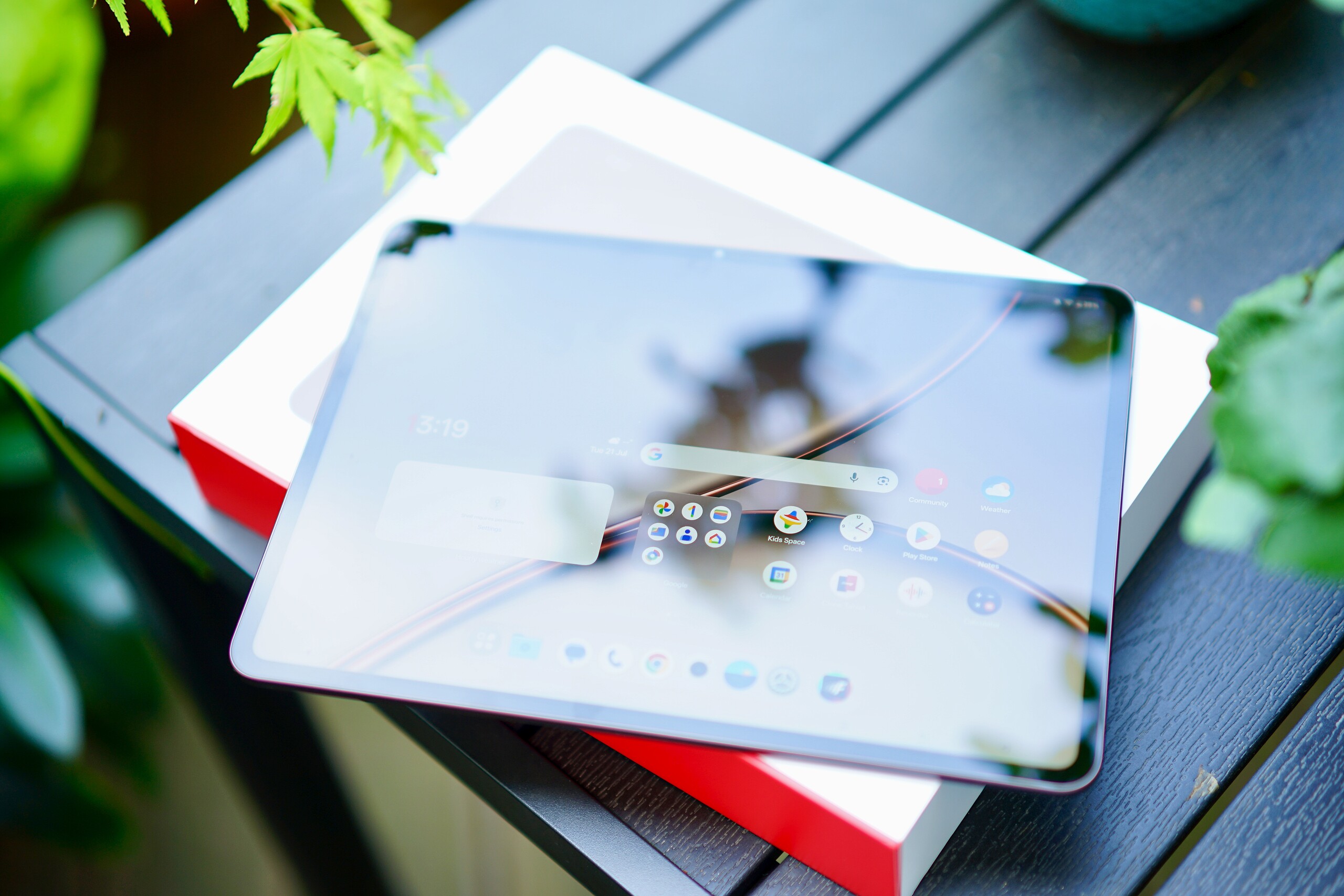
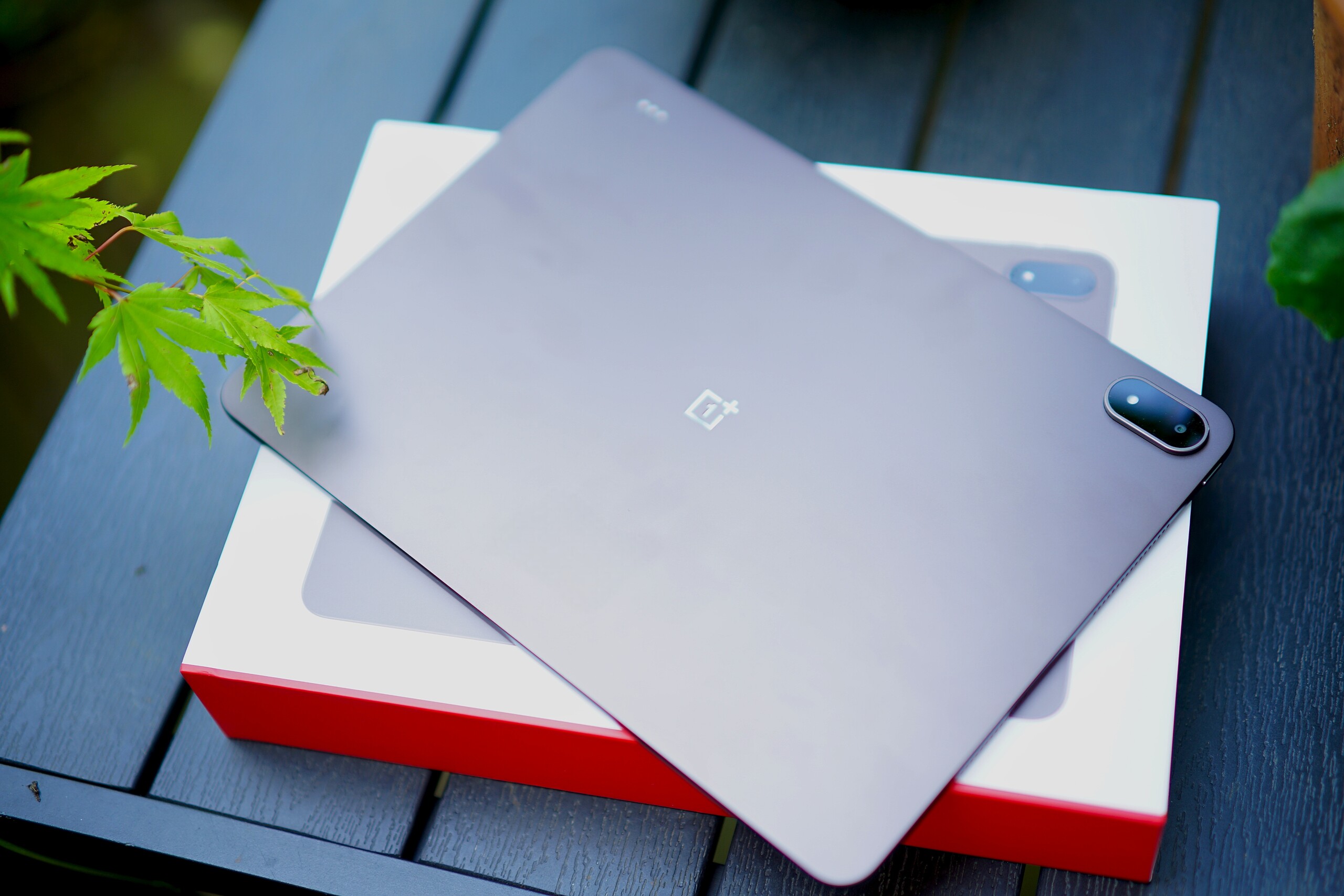
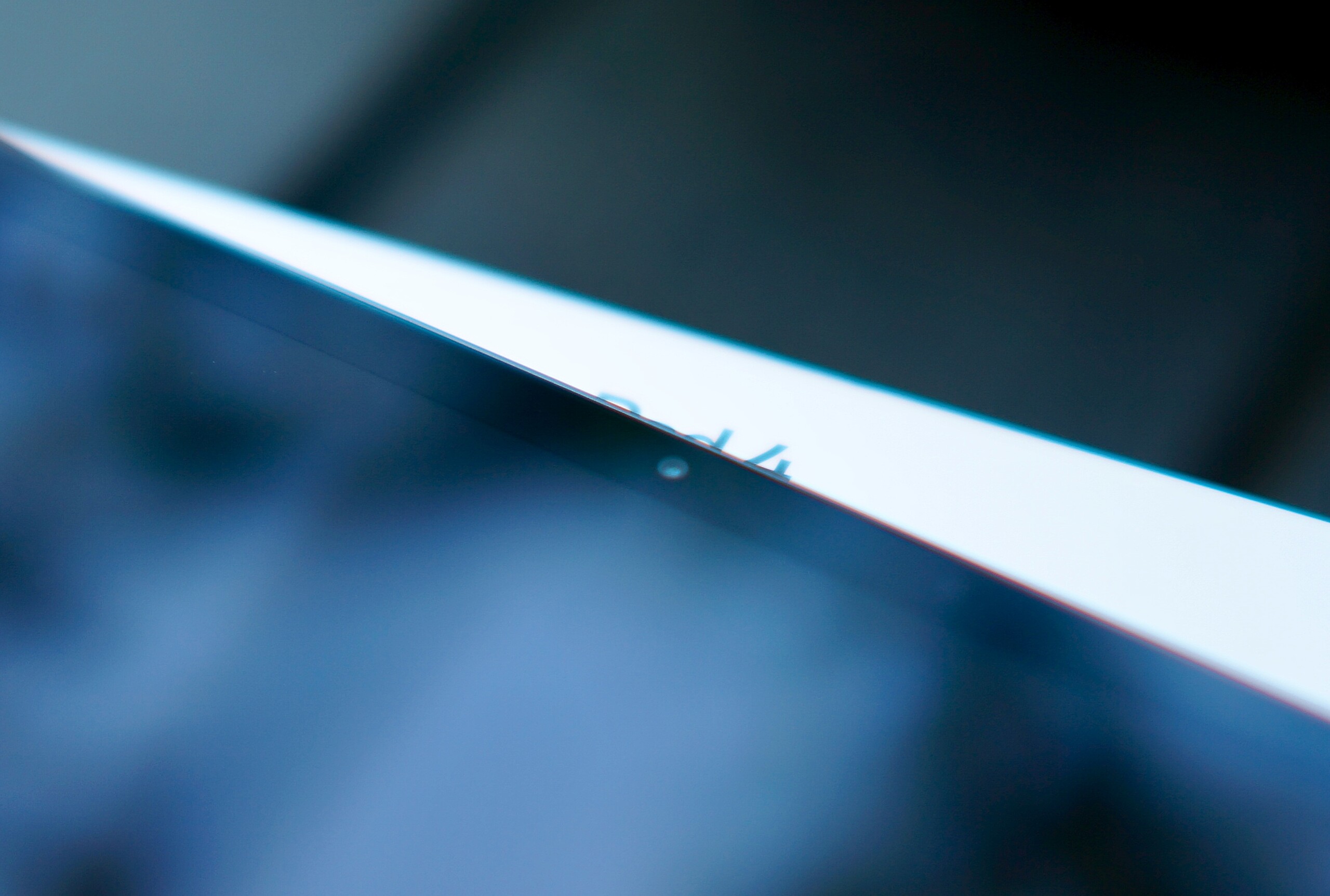
Given its massive battery with over 13,000 mAh, the OnePlus Pad 4 has turned out to be a very slim tablet; however, its weight of 1.482 lbs (675 grams) makes the powerful battery noticeable. Comparable devices are significantly lighter.
The tablet has the same design as the Oppo Pad 5 Pro we recently tested, though it comes in different colors: light green and brown. There’s no mention of an IP rating, so to be on the safe side, you should protect the tablet from dust and water.
The tablet itself is well-built, and the transitions between materials are very clean. However, even light pressure becomes visible in the liquid crystal of the LCD screen.
The thin bezels around the screen give the tablet a very modern look.
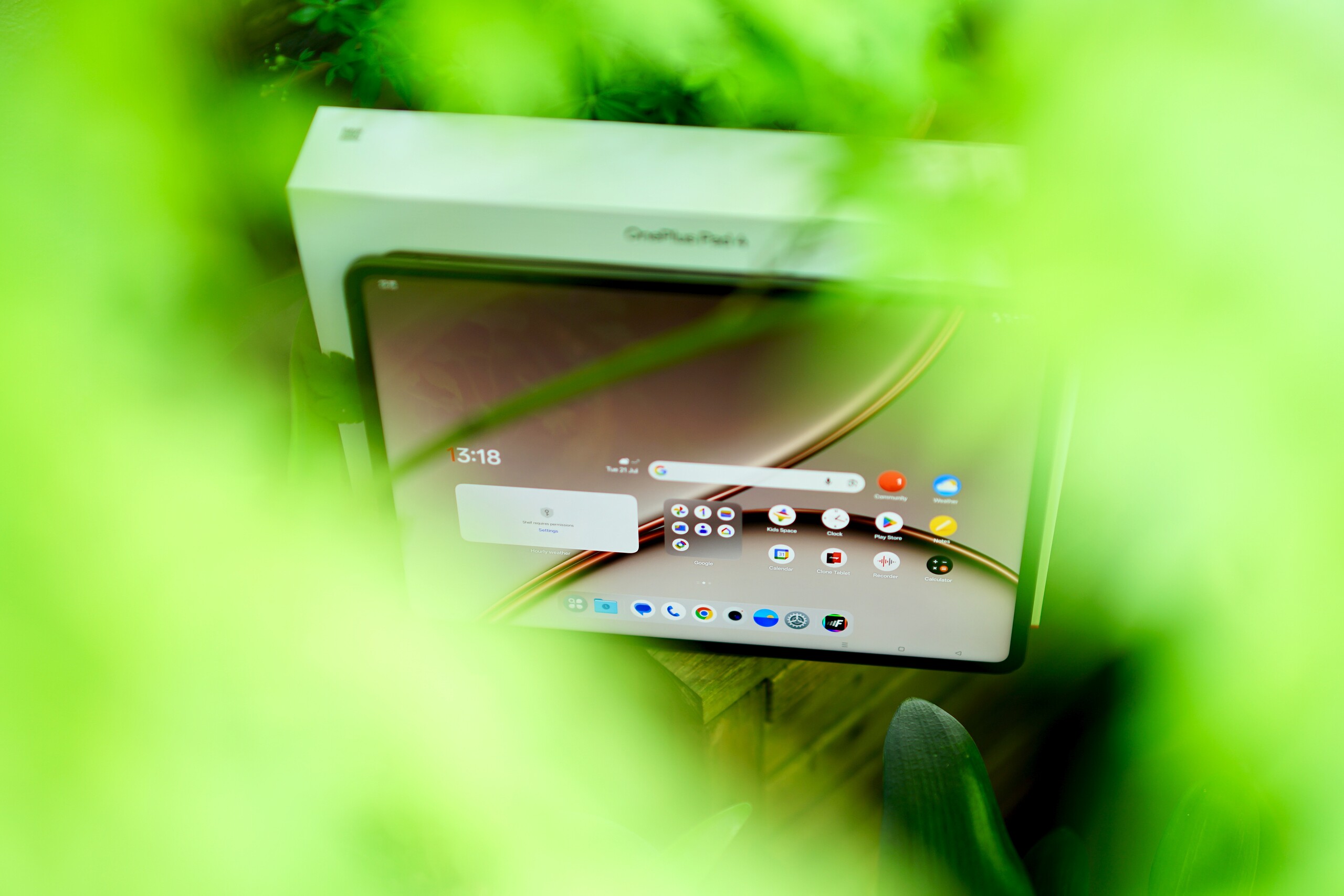
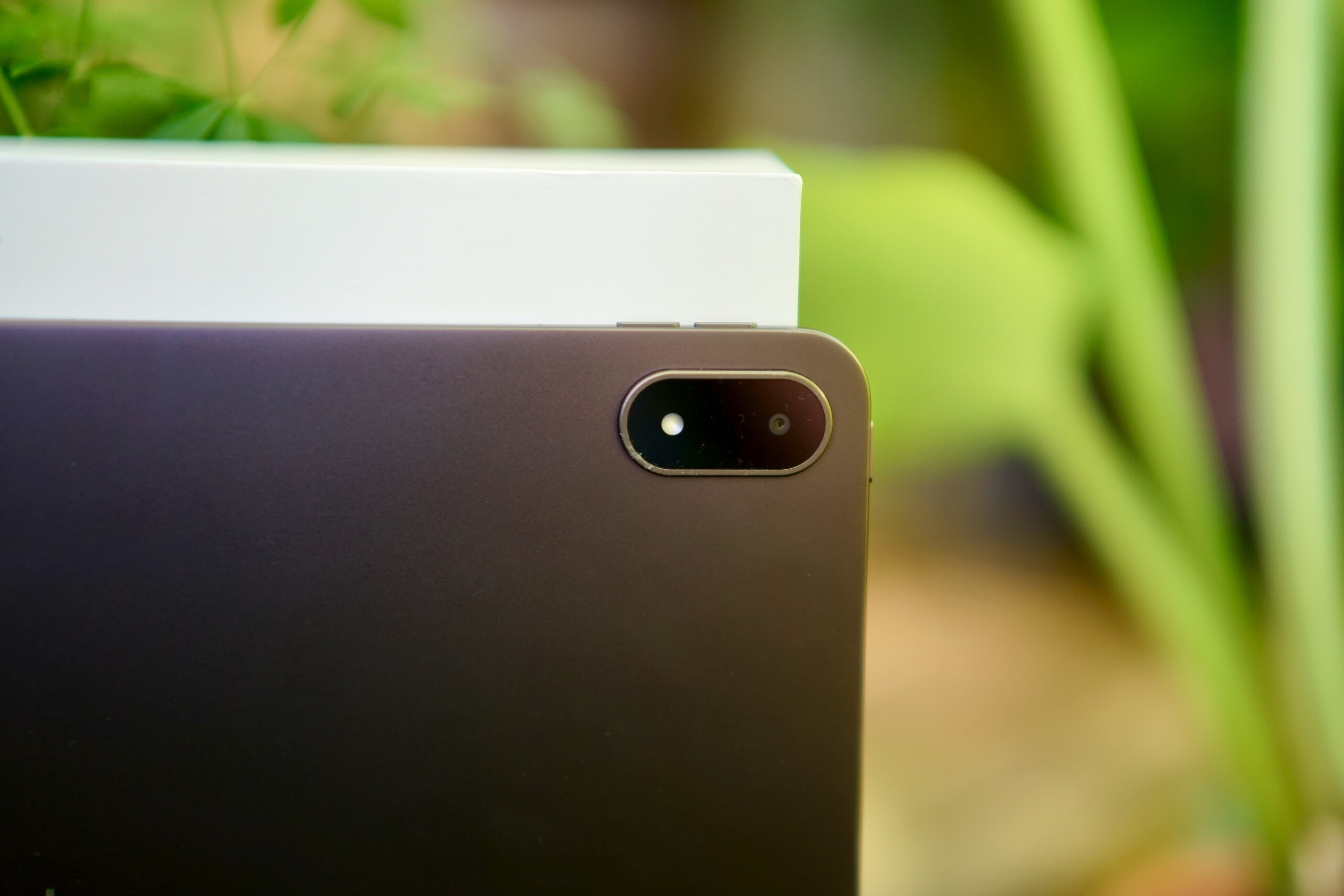
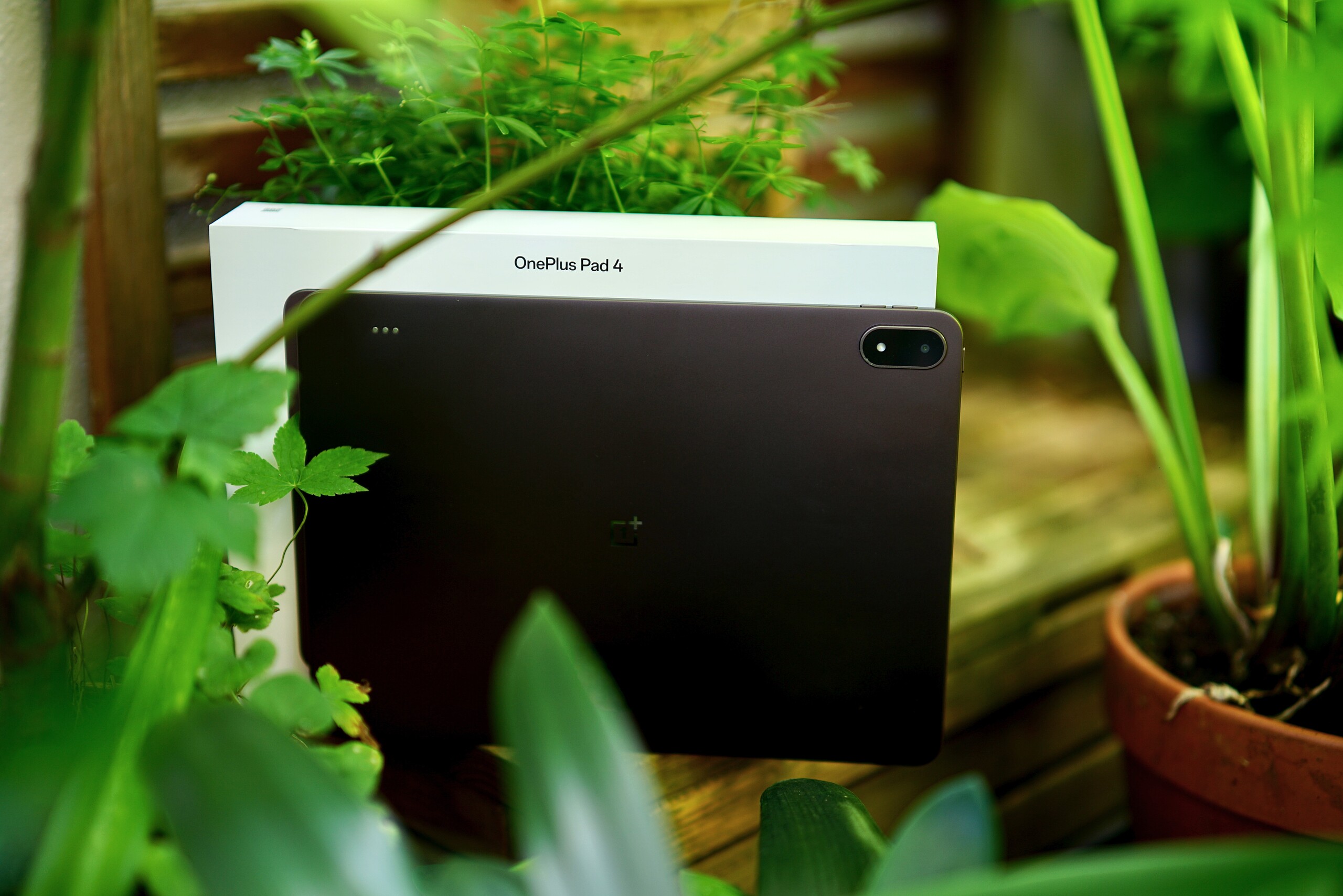

Features – Includes a docking port
On the back of the OnePlus Pad 4, there are three Pogo pins that allow you to connect a keyboard cover without having to use Bluetooth.
12 GB of RAM are standard on the European versions; internationally, models with 8 GB of RAM are also available. These are paired with 256 GB or 512 GB of storage; at the time of testing, the price difference was approximately US$ 100.
Software – Unclear Update Policies
OxygenOS 16, which is based on Android 16, comes preinstalled. There is no explicit update promise for the OnePlus Pad 4; generally, OnePlus states that it will provide at least three years of security updates for tablets. There is no entry in the EPREL database; the EU actually requires manufacturers to provide much longer update periods.
Overall, the user interface looks very clean; fortunately, there is hardly any bloatware, and the multitasking capabilities are very robust.
Sustainability
The unclear update situation is, of course, a problem for the tablet’s long-term usability. It is also still wrapped in plastic film; most other manufacturers have taken at least the step towards more environmentally friendly alternatives.
Communication and GNSS – Neither cellular networks nor GPS
The large tablet comes with modern Wi-Fi 7 and delivered very fast data rates in our test. While reception isn’t quite as stable, the measured values are more than sufficient for a gigabit Internet connection or even fast home networks.
Unfortunately, there is no cellular version of the tablet, nor can you determine its location via satellite positioning.
| Networking | |
| OnePlus Pad 4 | |
| iperf3 transmit Wi-Fi6/7 RT-BE96U | |
| iperf3 receive Wi-Fi6/7 RT-BE96U | |
| Oppo Pad 5 Pro | |
| iperf3 transmit Wi-Fi6/7 RT-BE96U | |
| iperf3 receive Wi-Fi6/7 RT-BE96U | |
| Honor MagicPad 4 | |
| iperf3 transmit AXE11000 | |
| iperf3 receive AXE11000 | |
| iperf3 transmit AXE11000 6GHz | |
| iperf3 receive AXE11000 6GHz | |
| Lenovo Idea Tab Pro Gen 2 | |
| iperf3 transmit AXE11000 6GHz | |
| iperf3 receive AXE11000 6GHz | |
| Average 802.11 a/b/g/n/ac/ax/be | |
| iperf3 transmit AXE11000 | |
| iperf3 receive AXE11000 | |
| iperf3 transmit AXE11000 6GHz | |
| iperf3 receive AXE11000 6GHz | |
| iperf3 transmit Wi-Fi6/7 RT-BE96U | |
| iperf3 receive Wi-Fi6/7 RT-BE96U | |
| Average of class Tablet | |
| iperf3 transmit AXE11000 | |
| iperf3 receive AXE11000 | |
| iperf3 transmit AXE11000 6GHz | |
| iperf3 receive AXE11000 6GHz | |
| iperf3 transmit Wi-Fi6/7 RT-BE96U | |
| iperf3 receive Wi-Fi6/7 RT-BE96U | |
Cameras – OnePlus Tablet with Decent Photos

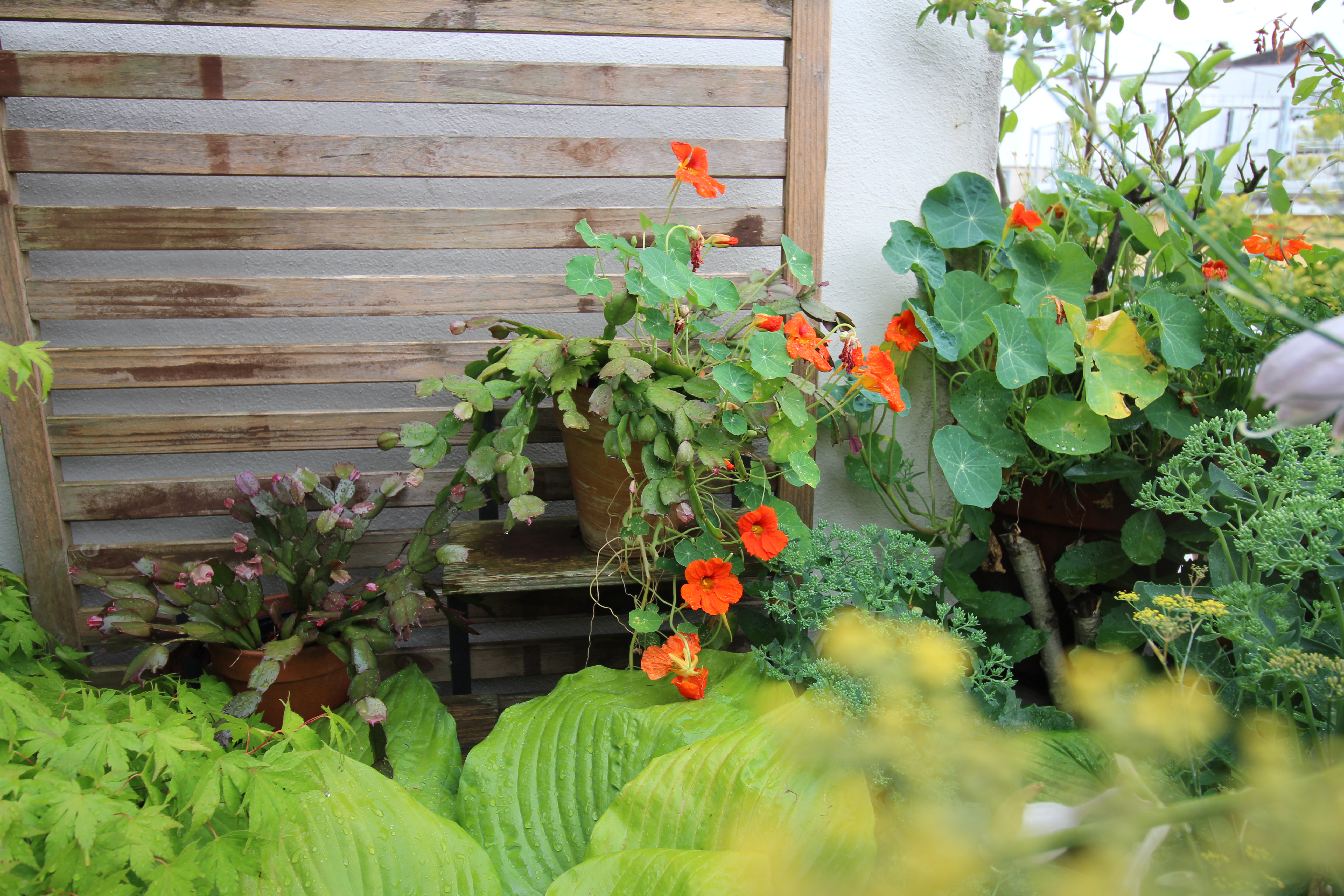
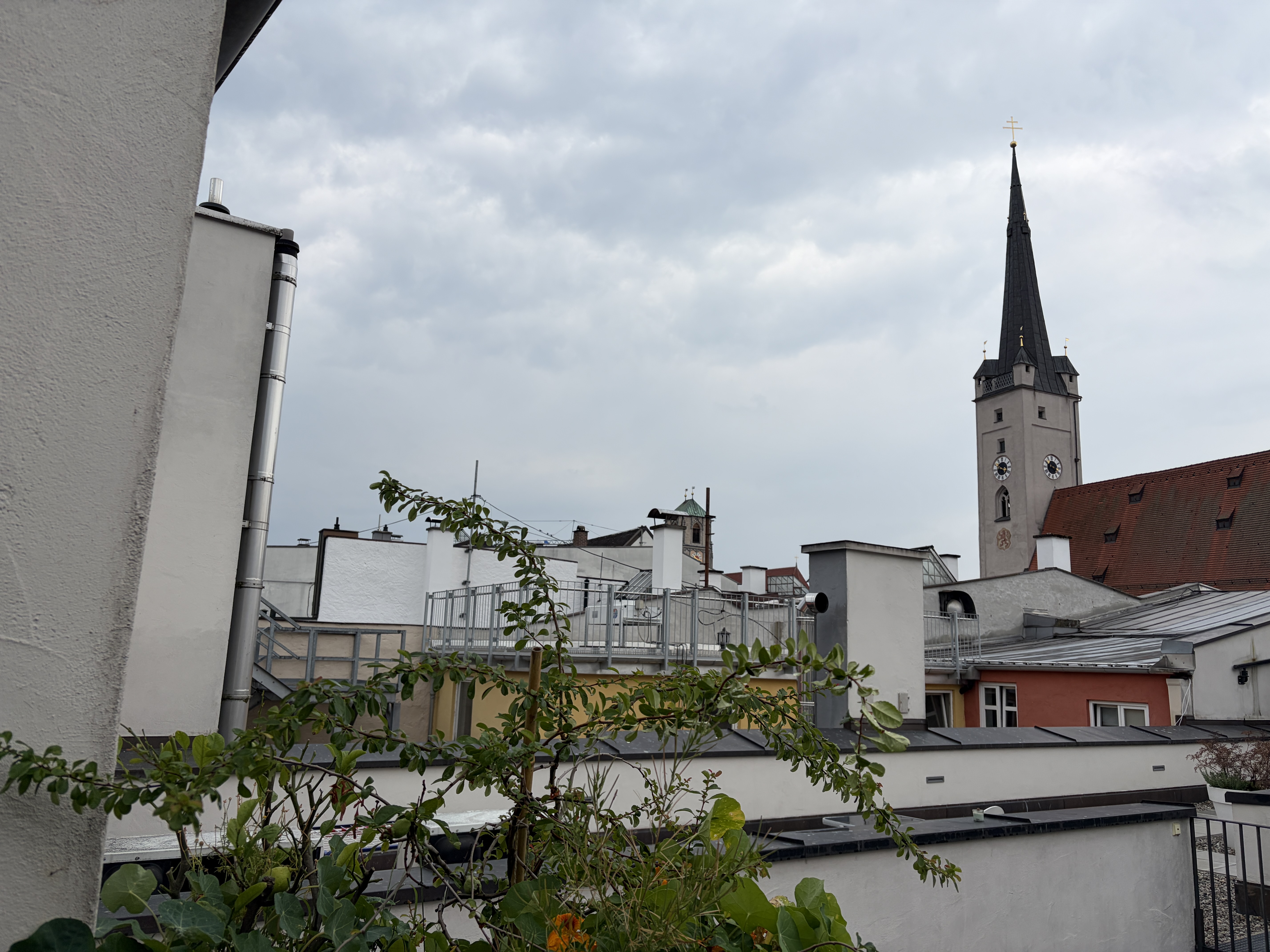
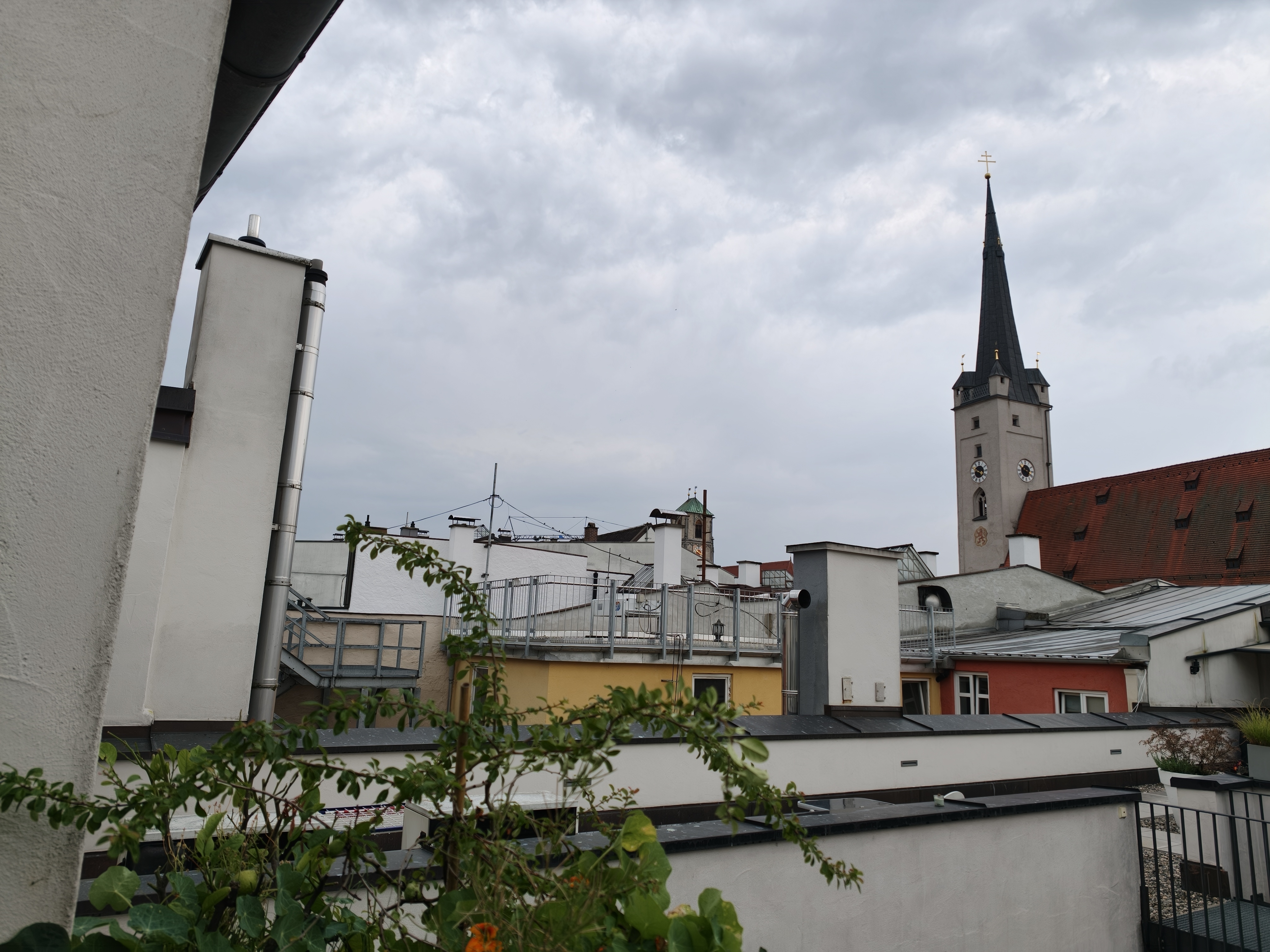
A tablet with the dimensions of the OnePlus Pad 4 is hardly suitable for taking photos, simply because it isn’t as portable or easy to hold as a smartphone. That’s why the manufacturer doesn’t place too much emphasis on good cameras, even though the SoC actually offers very good image processing.
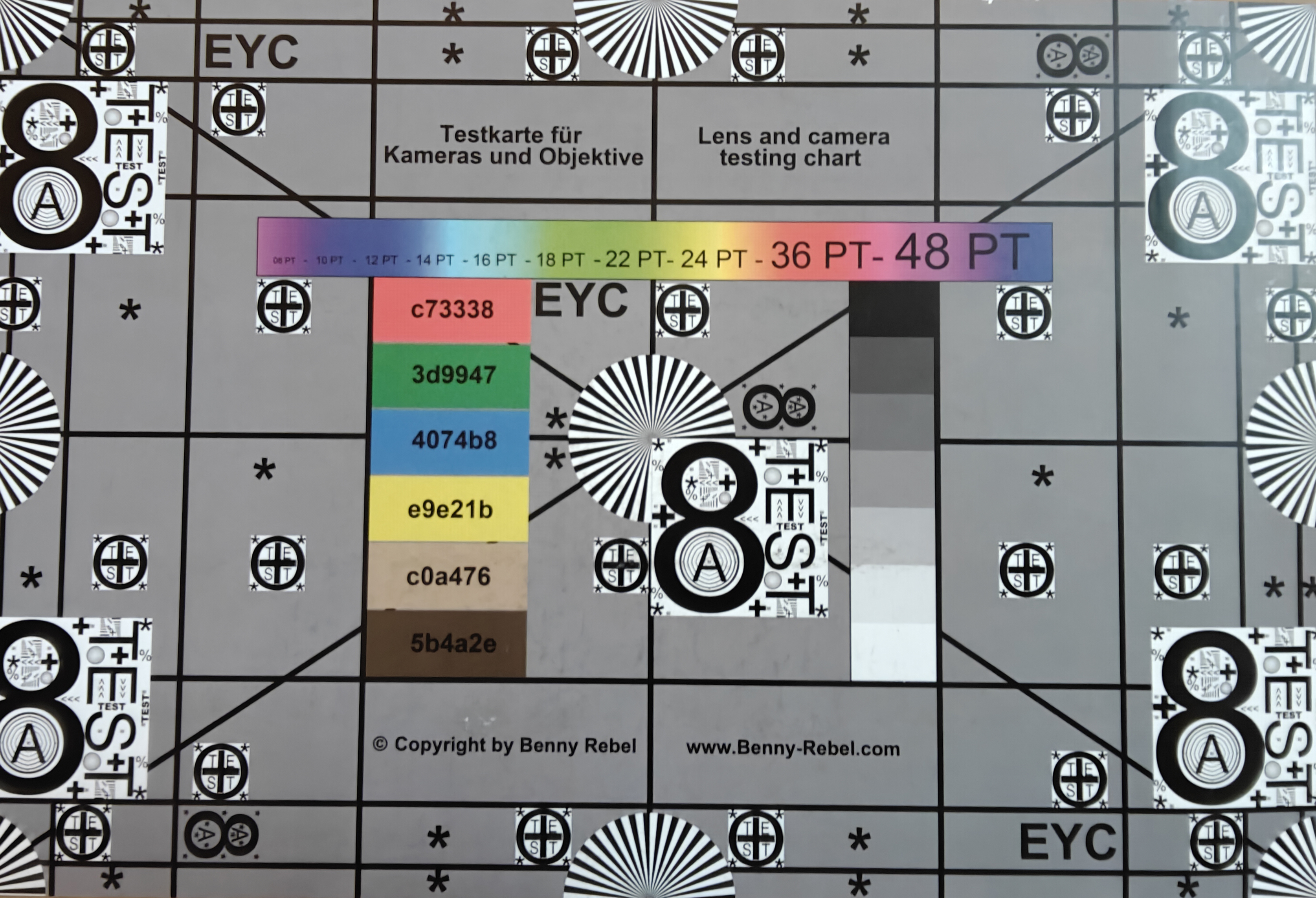
The main camera, with its 13-megapixel sensor, takes decent photos; even in low light, they’re well-exposed and reasonably sharp. Videos can even be recorded in 4K at up to 30 frames per second.
The front camera takes usable selfies, though the sharpness is only average.
There’s a special document mode in the camera app. This lets you easily digitize notes or receipts with decent quality.















Accessories and Warranty – Pen Support and Keyboard Available
Surprise: The OnePlus Pad 4 even comes with an 80-watt charger in Europe. Aside from that, a USB cable is the only other accessory included in the box.
You’ll need to purchase the OnePlus Stylo Pro separately—an active stylus with 16,000 pressure levels and replaceable tips. It supports touch and motion gestures for various shortcuts and can be located via a ringtone if you ever misplace it. However, it’s only available from a few retailers in Europe.
The same applies to the OnePlus Pad 4 Smart Keyboard, which connects to the tablet via the pogo pins on the back and then functions as both a protective case and a keyboard.
OnePlus offers a 24-month warranty for devices purchased in the EU.
Input Devices and Operation – Faster and More Precise Tablet Touchscreen
The screen is checked for touch input 540 times per second—though only in certain situations; most of the time, a sampling rate of 240 Hz will have to do. That’s still enough for very smooth input, and the screen’s ability to display up to 144 frames per second ensures a very quick response.
Unfortunately, there’s no fingerprint sensor, but at least there’s facial recognition via the front-facing camera. However, this uses only a 2D scanning method and is therefore not quite as secure.
Display – Large, bright, and flicker-free

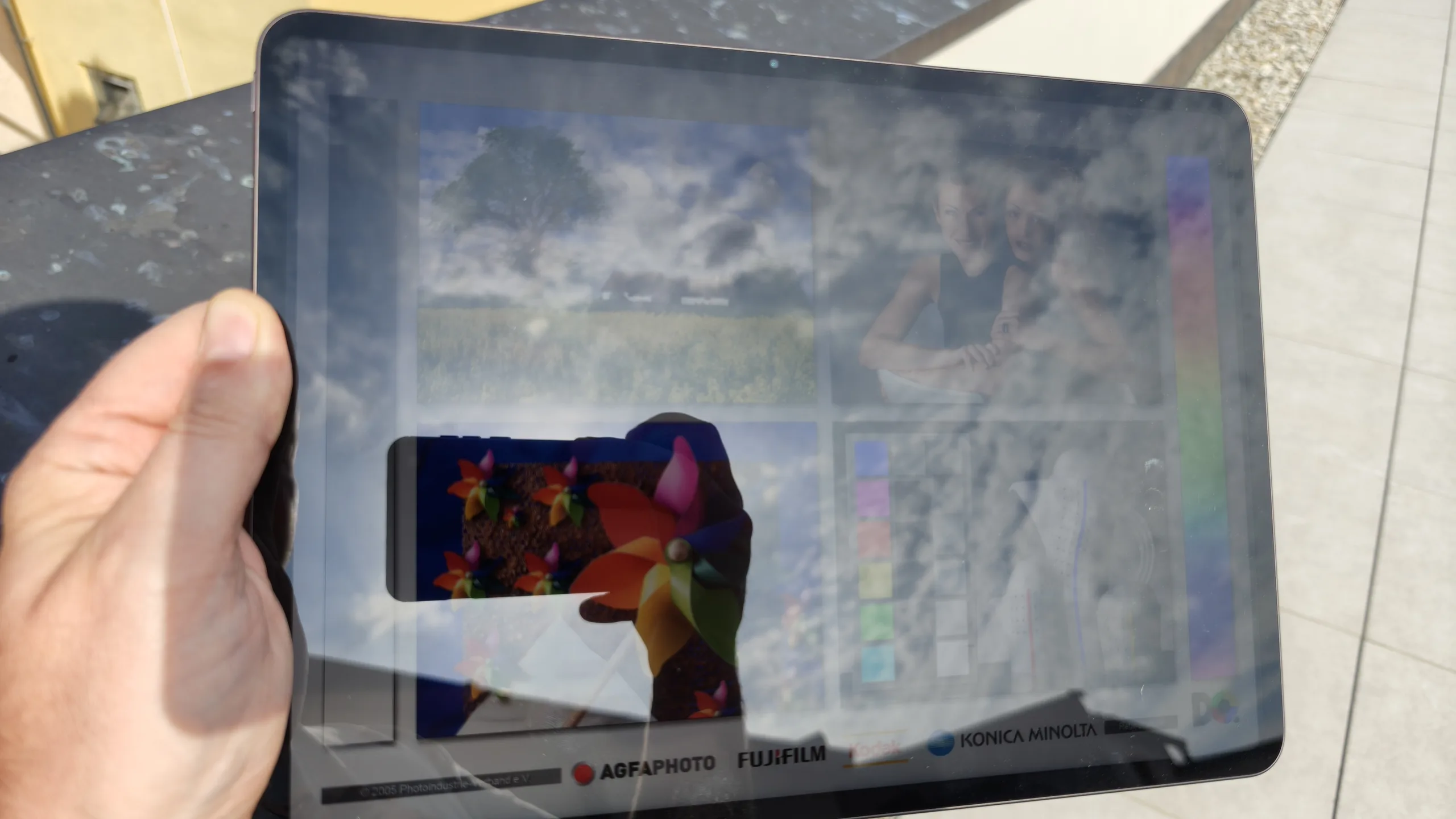
While the IPS display on the OnePlus Pad 4 isn’t quite as bright as the OLED display on the Honor MagicPad 4, its brightness of around 900 cd/m² when the light sensor is activated is sufficient for use outdoors on cloudy days.
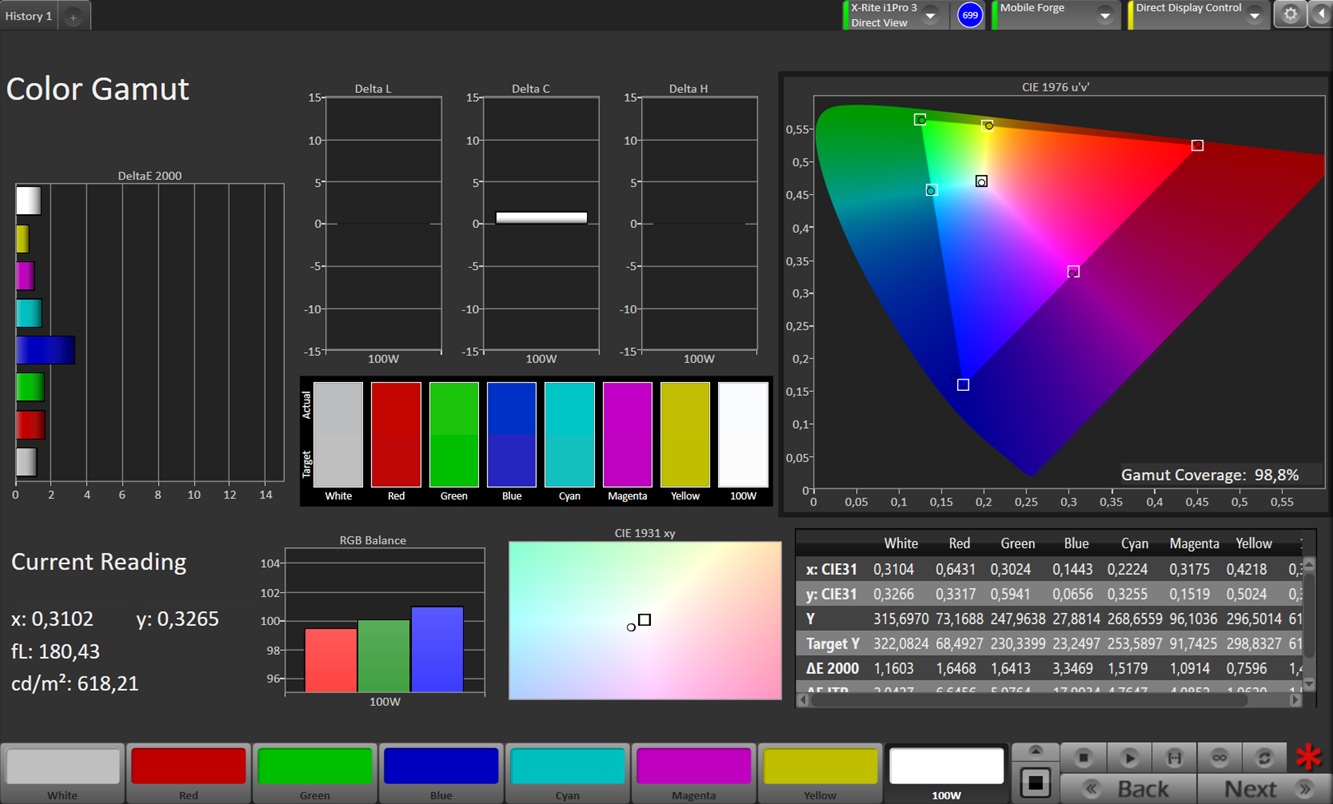
We really like the accurate color reproduction of the 13.2-inch display in the “Pro” color profile and the fact that it uses PWM-free brightness control, allowing even professionals and those with sensitivity issues to work comfortably with the tablet.
| |||||||||||||||||||||||||
Brightness Distribution: 93 %
Center on Battery: 901 cd/m²
Contrast: 1060:1 (Black: 0.85 cd/m²)
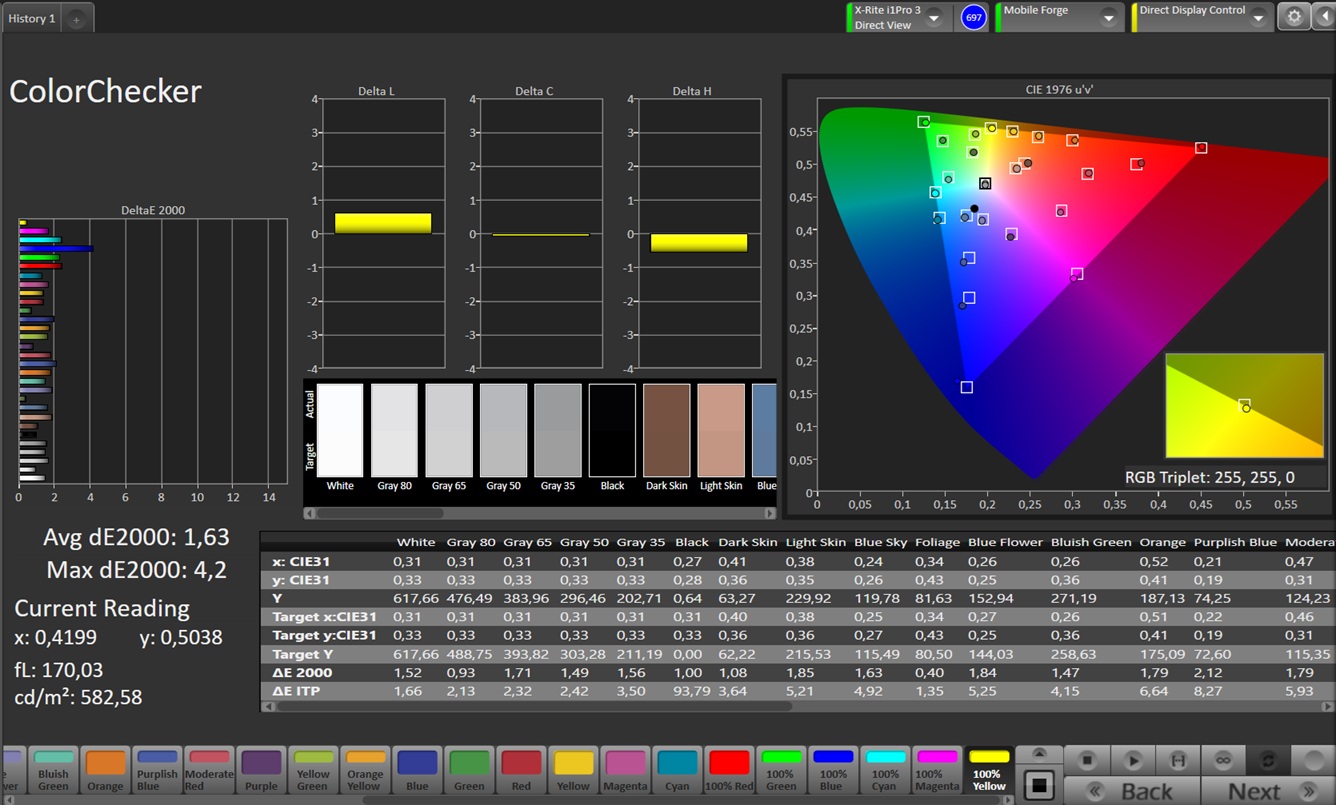
ΔE ColorChecker Calman: 1.63 | ∀{0.5-29.43 Ø4.69}
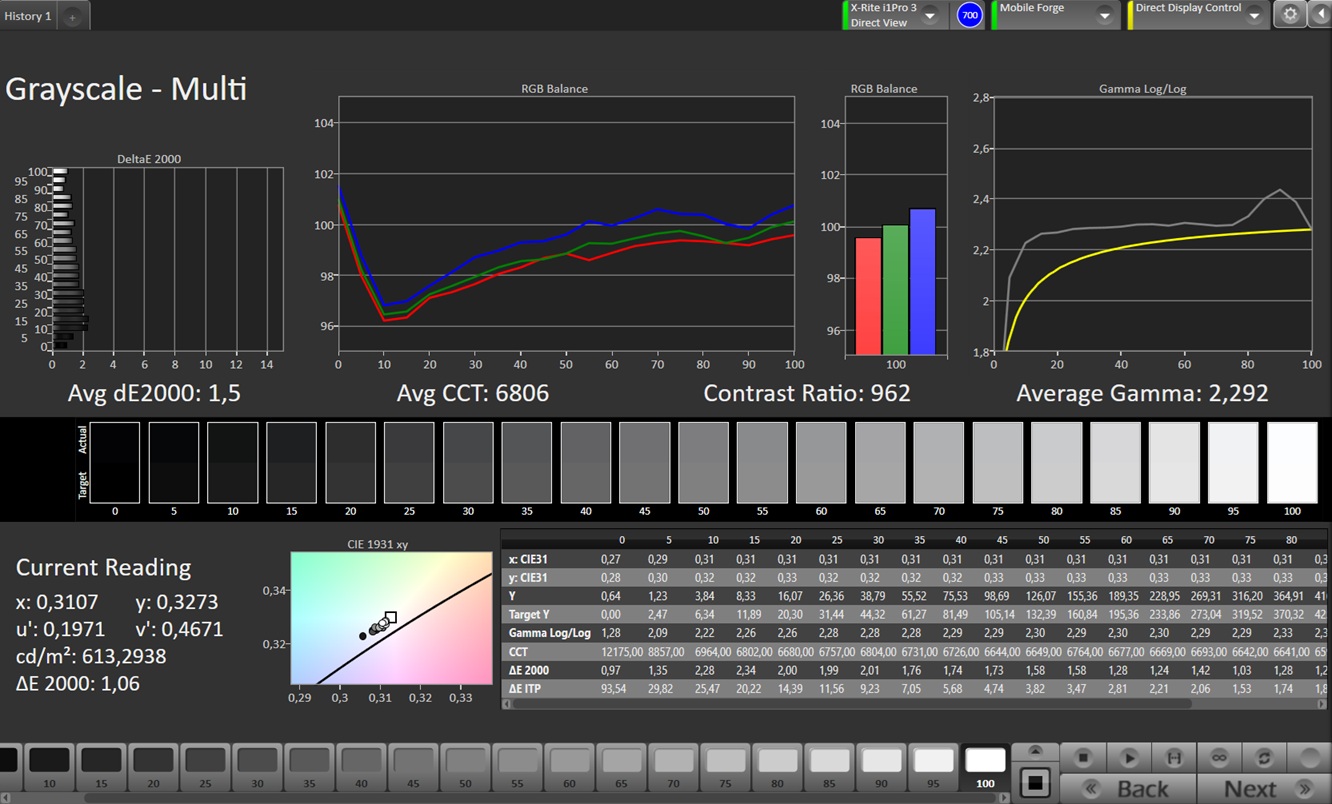
ΔE Greyscale Calman: 1.5 | ∀{0.09-98 Ø4.94}
98.8% sRGB (Calman 2D)
Gamma: 2.292
CCT: 6806 K
| OnePlus Pad 4 IPS, 3392x2400, 13.2" | Oppo Pad 5 Pro LCD, 3000x2120, 13.2" | Honor MagicPad 4 OLED, 3000x1920, 12.3" | Lenovo Idea Tab Pro Gen 2 IPS, 3504x2109, 13" | |
|---|---|---|---|---|
| Display | -1% | 197% | -19% | |
| APL18 Peak Brightness (cd/m²) | 924 | 911 -1% | 2337 153% | 751 -19% |
| HDR Peak Brightness (cd/m²) | 906 | 903 0% | 3084 240% | 738 -19% |
| Response Times | 43% | 76% | 49% | |
| Response Time Grey 50% / Grey 80% * (ms) | 37.3 ? | 27.2 ? 27% | 16.6 ? 55% | 22.8 ? 39% |
| Response Time Black / White * (ms) | 32.6 ? | 13.4 ? 59% | 0.91 ? 97% | 13.6 ? 58% |
| PWM Frequency (Hz) | 60 | |||
| PWM Amplitude * (%) | 16.05 | |||
| Screen | -0% | 17% | -1% | |
| Brightness middle (cd/m²) | 901 | 899 0% | 829 -8% | 618 -31% |
| Brightness (cd/m²) | 862 | 865 0% | 827 -4% | 599 -31% |
| Brightness Distribution (%) | 93 | 94 1% | 90 -3% | 92 -1% |
| Black Level * (cd/m²) | 0.85 | 0.9 -6% | 0.5 41% | |
| Contrast (:1) | 1060 | 999 -6% | 1236 17% | |
| Colorchecker dE 2000 * | 1.63 | 1.74 -7% | 0.9 45% | 1.59 2% |
| Colorchecker dE 2000 max. * | 4.2 | 3.56 15% | 1.7 60% | 3.79 10% |
| Greyscale dE 2000 * | 1.5 | 1.5 -0% | 1.3 13% | 1.7 -13% |
| Gamma | 2.292 96% | 2.229 99% | 2.25 98% | 2.399 92% |
| CCT | 6806 96% | 6693 97% | 6601 98% | 6583 99% |
| Total Average (Program / Settings) | 14% /
7% | 97% /
65% | 10% /
4% |
* ... smaller is better
Screen Flickering / PWM (Pulse-Width Modulation)
| Screen flickering / PWM not detected | 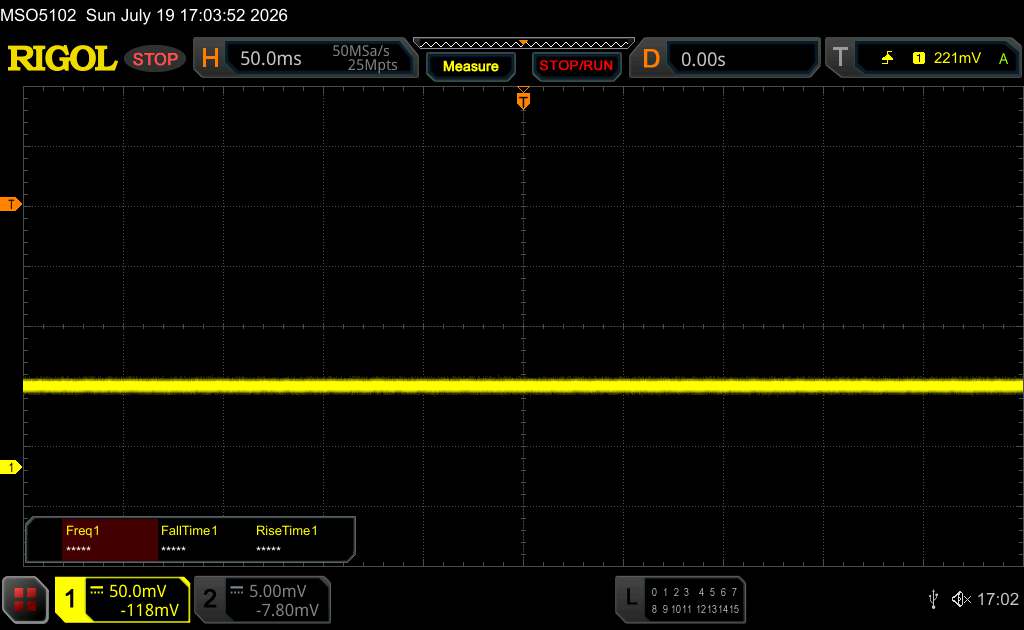 | ||
In comparison: 52 % of all tested devices do not use PWM to dim the display. If PWM was detected, an average of 7600 (minimum: 5 - maximum: 343500) Hz was measured. | |||
The response times are significantly longer than those of OLED displays. However, thanks to its high resolution, the display offers a very sharp and precise image despite its size.
Display Response Times
| ↔ Response Time Black to White | ||
|---|---|---|
| 32.6 ms ... rise ↗ and fall ↘ combined | ↗ 21.1 ms rise | 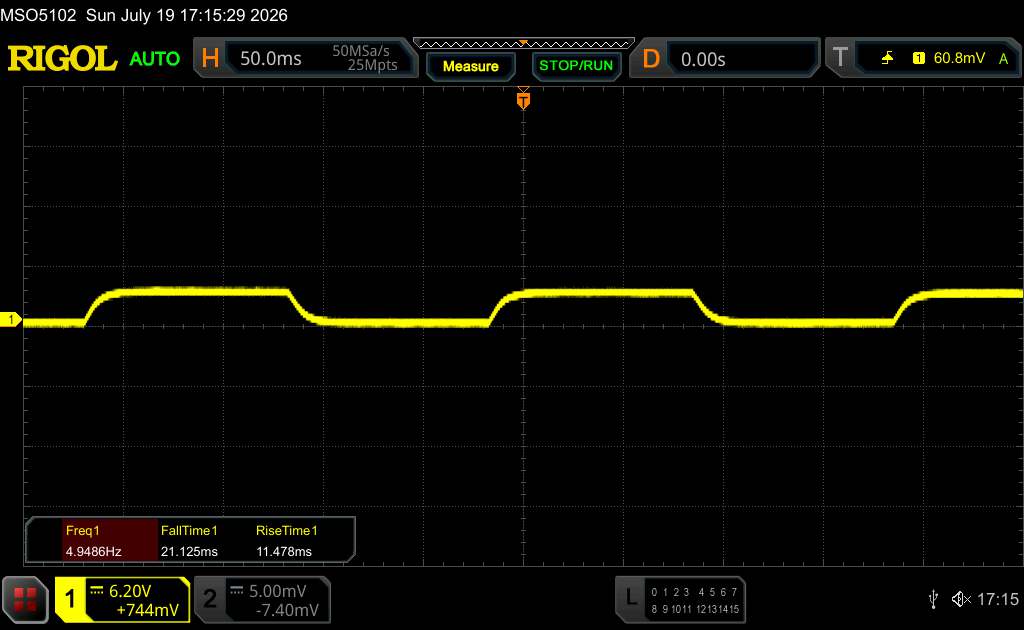 |
| ↘ 11.5 ms fall | ||
| The screen shows slow response rates in our tests and will be unsatisfactory for gamers. In comparison, all tested devices range from 0.1 (minimum) to 240 (maximum) ms. » 88 % of all devices are better. This means that the measured response time is worse than the average of all tested devices (19.6 ms). | ||
| ↔ Response Time 50% Grey to 80% Grey | ||
| 37.3 ms ... rise ↗ and fall ↘ combined | ↗ 15.8 ms rise | 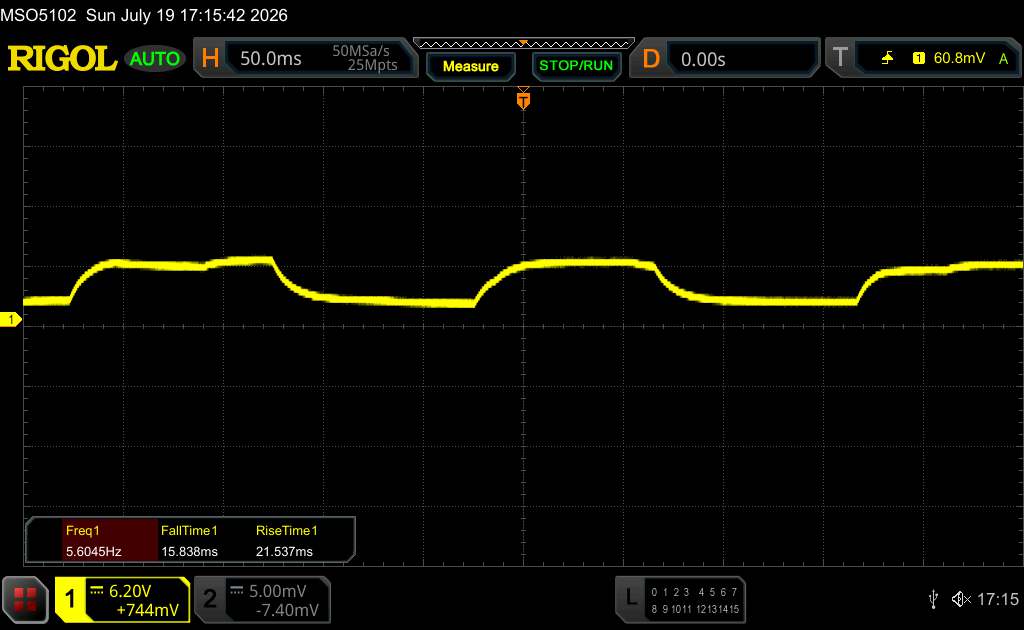 |
| ↘ 21.5 ms fall | ||
| The screen shows slow response rates in our tests and will be unsatisfactory for gamers. In comparison, all tested devices range from 0.13 (minimum) to 636 (maximum) ms. » 55 % of all devices are better. This means that the measured response time is worse than the average of all tested devices (30.7 ms). | ||
Performance – It doesn’t get much faster than this
The Qualcomm Snapdragon 8 Elite Gen 5, one of the most powerful mobile processors currently available, serves as the SoC. It handles even the most demanding apps with ease, and stuttering is unheard of during navigation.
| PCMark for Android - Work 3.x | |
| Honor MagicPad 4 | |
| Average Qualcomm Snapdragon 8 Elite Gen 5 (9790 - 28557, n=14) | |
| Average of class Tablet (7084 - 27428, n=57, last 2 years) | |
| Antutu v11 - Score | |
| Oppo Pad 5 Pro | |
| Average Qualcomm Snapdragon 8 Elite Gen 5 (3195208 - 4273120, n=10) | |
| Honor MagicPad 4 | |
| Average of class Tablet (522205 - 4184631, n=12, last 2 years) | |
| UL Procyon AI Inference for Android - Overall Score NNAPI | |
| Average Qualcomm Snapdragon 8 Elite Gen 5 (10671 - 24487, n=13) | |
| OnePlus Pad 4 | |
| Oppo Pad 5 Pro | |
| Honor MagicPad 4 | |
| Average of class Tablet (3600 - 76852, n=53, last 2 years) | |
| AI Benchmark - Score V6 | |
| Oppo Pad 5 Pro | |
| OnePlus Pad 4 | |
| Average Qualcomm Snapdragon 8 Elite Gen 5 (1098 - 22780, n=12) | |
| Honor MagicPad 4 | |
| Average of class Tablet (70.4 - 22476, n=38, last 2 years) | |
The GPU is also one of the fastest on the market for Android tablets. This means games run smoothly, even though the maximum 144 Hz is only enabled in a few games. As a result, users usually have to settle for a very stable 60 fps.
GFXBench (DX / GLBenchmark) 2.7: T-Rex Onscreen | 1920x1080 T-Rex Offscreen
GFXBench 3.0: on screen Manhattan Onscreen OGL | 1920x1080 1080p Manhattan Offscreen
GFXBench 3.1: on screen Manhattan ES 3.1 Onscreen | 1920x1080 Manhattan ES 3.1 Offscreen
GFXBench: on screen Car Chase Onscreen | 1920x1080 Car Chase Offscreen | on screen Aztec Ruins High Tier Onscreen | 2560x1440 Aztec Ruins High Tier Offscreen | on screen Aztec Ruins Normal Tier Onscreen | 1920x1080 Aztec Ruins Normal Tier Offscreen | 3840x2160 4K Aztec Ruins High Tier Offscreen
| 3DMark / Wild Life Extreme Unlimited | |
| OnePlus Pad 4 | |
| Oppo Pad 5 Pro | |
| Honor MagicPad 4 | |
| Lenovo Idea Tab Pro Gen 2 | |
| 3DMark / Wild Life Extreme | |
| OnePlus Pad 4 | |
| Oppo Pad 5 Pro | |
| Honor MagicPad 4 | |
| Lenovo Idea Tab Pro Gen 2 | |
| 3DMark / Wild Life Unlimited Score | |
| Oppo Pad 5 Pro | |
| Honor MagicPad 4 | |
| OnePlus Pad 4 | |
| Lenovo Idea Tab Pro Gen 2 | |
| 3DMark / Solar Bay Score | |
| OnePlus Pad 4 | |
| Oppo Pad 5 Pro | |
| Honor MagicPad 4 | |
| 3DMark / Solar Bay Unlimited Score | |
| OnePlus Pad 4 | |
| Oppo Pad 5 Pro | |
| Honor MagicPad 4 | |
| 3DMark / Steel Nomad Light Unlimited Score | |
| Oppo Pad 5 Pro | |
| OnePlus Pad 4 | |
| Honor MagicPad 4 | |
| 3DMark / Steel Nomad Light Score | |
| Oppo Pad 5 Pro | |
| OnePlus Pad 4 | |
| Honor MagicPad 4 | |
| GFXBench (DX / GLBenchmark) 2.7 / T-Rex Onscreen | |
| Honor MagicPad 4 | |
| Oppo Pad 5 Pro | |
| OnePlus Pad 4 | |
| GFXBench (DX / GLBenchmark) 2.7 / T-Rex Offscreen | |
| OnePlus Pad 4 | |
| Oppo Pad 5 Pro | |
| Honor MagicPad 4 | |
| GFXBench 3.0 / Manhattan Onscreen OGL | |
| Honor MagicPad 4 | |
| Oppo Pad 5 Pro | |
| OnePlus Pad 4 | |
| GFXBench 3.0 / 1080p Manhattan Offscreen | |
| Oppo Pad 5 Pro | |
| OnePlus Pad 4 | |
| Honor MagicPad 4 | |
| GFXBench 3.1 / Manhattan ES 3.1 Onscreen | |
| Honor MagicPad 4 | |
| Oppo Pad 5 Pro | |
| OnePlus Pad 4 | |
| GFXBench 3.1 / Manhattan ES 3.1 Offscreen | |
| OnePlus Pad 4 | |
| Oppo Pad 5 Pro | |
| Honor MagicPad 4 | |
| GFXBench / Car Chase Onscreen | |
| Oppo Pad 5 Pro | |
| OnePlus Pad 4 | |
| Honor MagicPad 4 | |
| GFXBench / Car Chase Offscreen | |
| OnePlus Pad 4 | |
| Oppo Pad 5 Pro | |
| Honor MagicPad 4 | |
| GFXBench / Aztec Ruins High Tier Onscreen | |
| Honor MagicPad 4 | |
| Oppo Pad 5 Pro | |
| OnePlus Pad 4 | |
| Lenovo Idea Tab Pro Gen 2 | |
| GFXBench / Aztec Ruins High Tier Offscreen | |
| Oppo Pad 5 Pro | |
| OnePlus Pad 4 | |
| Honor MagicPad 4 | |
| Lenovo Idea Tab Pro Gen 2 | |
| GFXBench / Aztec Ruins Normal Tier Onscreen | |
| Honor MagicPad 4 | |
| Oppo Pad 5 Pro | |
| OnePlus Pad 4 | |
| Lenovo Idea Tab Pro Gen 2 | |
| GFXBench / Aztec Ruins Normal Tier Offscreen | |
| OnePlus Pad 4 | |
| Oppo Pad 5 Pro | |
| Honor MagicPad 4 | |
| Lenovo Idea Tab Pro Gen 2 | |
| GFXBench / 4K Aztec Ruins High Tier Offscreen | |
| OnePlus Pad 4 | |
| Oppo Pad 5 Pro | |
| Honor MagicPad 4 | |
| Lenovo Idea Tab Pro Gen 2 | |
The OnePlus Pad 4 also proves to be very fast when browsing the Internet and loads websites reliably.
| Jetstream 2 | |
| 2.0 Total | |
| Honor MagicPad 4 (Chrome 148) | |
| Lenovo Idea Tab Pro Gen 2 (Chrome 147) | |
| Average Qualcomm Snapdragon 8 Elite Gen 5 (70.1 - 409, n=10) | |
| Average of class Tablet (48 - 420, n=54, last 2 years) | |
| 2.2 Total | |
| Honor MagicPad 4 (Chrome 148) | |
| Average Qualcomm Snapdragon 8 Elite Gen 5 (2 - 480, n=17) | |
| OnePlus Pad 4 (Chrome 150) | |
| Oppo Pad 5 Pro | |
| Average of class Tablet (61.3 - 579, n=46, last 2 years) | |
| Octane V2 - Total Score | |
| Honor MagicPad 4 (Chrome 148) | |
| Average Qualcomm Snapdragon 8 Elite Gen 5 (39303 - 126661, n=16) | |
| OnePlus Pad 4 (Chrome 150) | |
| Oppo Pad 5 Pro | |
| Average of class Tablet (4497 - 138481, n=69, last 2 years) | |
| Mozilla Kraken 1.1 - Total | |
| Average of class Tablet (243 - 13119, n=64, last 2 years) | |
| OnePlus Pad 4 (Chrome 150) | |
| Oppo Pad 5 Pro | |
| Average Qualcomm Snapdragon 8 Elite Gen 5 (284 - 1014, n=20) | |
| Honor MagicPad 4 (Chrome 148) | |
* ... smaller is better
The UFS 4.1 storage is lightning-fast and enables short load times and fast data transfers.
| OnePlus Pad 4 | Oppo Pad 5 Pro | Honor MagicPad 4 | Lenovo Idea Tab Pro Gen 2 | Average 256 GB UFS 4.1 Flash | Average of class Tablet | |
|---|---|---|---|---|---|---|
| AndroBench 3-5 | 0% | -28% | -41% | -15% | -49% | |
| Sequential Read 256KB (MB/s) | 3997.64 | 4032.65 1% | 1978.75 -51% | 1912.4 -52% | 3396 ? -15% | 2117 ? -47% |
| Sequential Write 256KB (MB/s) | 3702.2 | 3687.21 0% | 1752.63 -53% | 1852.7 -50% | 3103 ? -16% | 1691 ? -54% |
| Random Read 4KB (MB/s) | 472.13 | 471.09 0% | 513.85 9% | 347.8 -26% | 419 ? -11% | 280 ? -41% |
| Random Write 4KB (MB/s) | 700.22 | 699.38 0% | 574.85 -18% | 438.3 -37% | 586 ? -16% | 327 ? -53% |
Emissions – Only a slight reduction of performance
Temperature
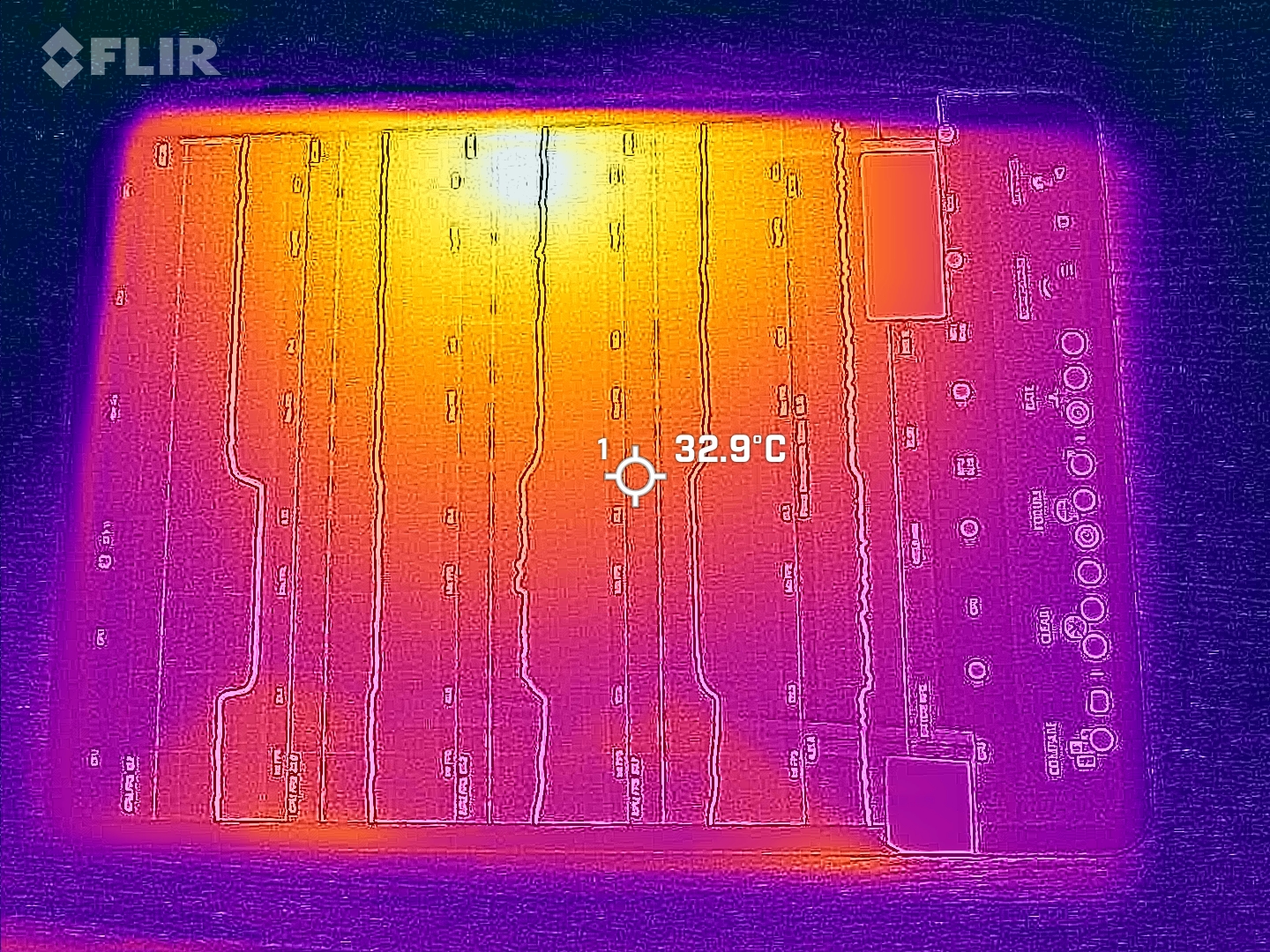
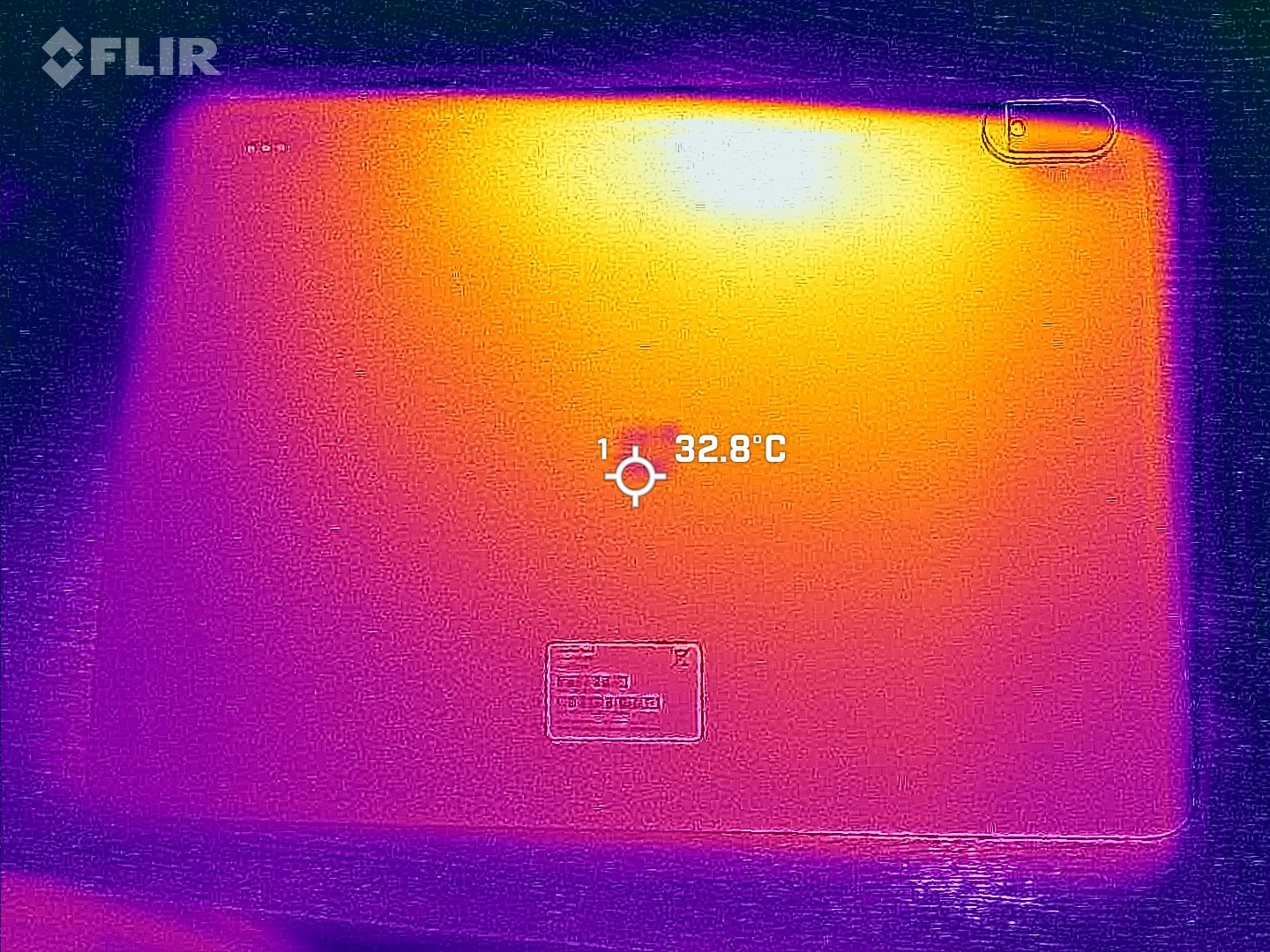
Although heat buildup is noticeable in the upper-middle section of the tablet, it is generally not a problem, at least at moderate ambient temperatures.
There are slight performance dips in the 3DMark stress tests, but overall, performance remains largely consistent even after extended use.
(±) The maximum temperature on the upper side is 40.4 °C / 105 F, compared to the average of 33.7 °C / 93 F, ranging from 20.7 to 53.2 °C for the class Tablet.
(±) The bottom heats up to a maximum of 42.8 °C / 109 F, compared to the average of 33.2 °C / 92 F
(+) In idle usage, the average temperature for the upper side is 27.8 °C / 82 F, compared to the device average of 30 °C / 86 F.
3DMark Stress Tests
| 3DMark | |
| Wild Life Stress Test Stability | |
| Honor MagicPad 4 | |
| Lenovo Idea Tab Pro Gen 2 | |
| Oppo Pad 5 Pro | |
| Wild Life Extreme Stress Test | |
| Honor MagicPad 4 | |
| Lenovo Idea Tab Pro Gen 2 | |
| Oppo Pad 5 Pro | |
| OnePlus Pad 4 | |
| Solar Bay Stress Test Stability | |
| Honor MagicPad 4 | |
| Lenovo Idea Tab Pro Gen 2 | |
| OnePlus Pad 4 | |
| Solar Bay Extreme Stress Test Stability | |
| OnePlus Pad 4 | |
| Steel Nomad Light Stress Test Stability | |
| Oppo Pad 5 Pro | |
| OnePlus Pad 4 | |
Speaker
The sound system, which has eight speakers, could certainly use a bit more bass. As it is, it sounds very midrange-heavy and offers decent, but by no means outstanding, sound quality.
Speakers and wired headphones can be connected via USB. Bluetooth 6.0 is available for wireless audio transmission, and it supports the most common audio codecs.
OnePlus Pad 4 audio analysis
(+) | speakers can play relatively loud (87.9 dB)
Bass 100 - 315 Hz
(±) | reduced bass - on average 8.6% lower than median
(±) | linearity of bass is average (8.1% delta to prev. frequency)
Mids 400 - 2000 Hz
(±) | higher mids - on average 5.6% higher than median
(+) | mids are linear (4.9% delta to prev. frequency)
Highs 2 - 16 kHz
(+) | balanced highs - only 3.4% away from median
(+) | highs are linear (6.2% delta to prev. frequency)
Overall 100 - 16.000 Hz
(+) | overall sound is linear (10.1% difference to median)
Compared to same class
» 6% of all tested devices in this class were better, 4% similar, 89% worse
» The best had a delta of 7%, average was 21%, worst was 130%
Compared to all devices tested
» 5% of all tested devices were better, 2% similar, 94% worse
» The best had a delta of 4%, average was 23%, worst was 136%
Honor MagicPad 4 audio analysis
(±) | speaker loudness is average but good (79.2 dB)
Bass 100 - 315 Hz
(±) | reduced bass - on average 6.7% lower than median
(-) | bass is not linear (16.4% delta to prev. frequency)
Mids 400 - 2000 Hz
(+) | balanced mids - only 2.2% away from median
(+) | mids are linear (6.9% delta to prev. frequency)
Highs 2 - 16 kHz
(+) | balanced highs - only 3.2% away from median
(+) | highs are linear (6.9% delta to prev. frequency)
Overall 100 - 16.000 Hz
(+) | overall sound is linear (8.7% difference to median)
Compared to same class
» 2% of all tested devices in this class were better, 2% similar, 97% worse
» The best had a delta of 7%, average was 21%, worst was 130%
Compared to all devices tested
» 3% of all tested devices were better, 1% similar, 97% worse
» The best had a delta of 4%, average was 23%, worst was 136%
Battery Life – Efficient and long-lasting
Energy Intake
Power consumption is quite low in idle mode, and even under load, this very powerful tablet with its large screen doesn’t use too much energy. Overall, the OnePlus Pad 4 is quite energy-efficient.
It can be charged at up to 80 watts, and a full charge takes about 85 minutes.
| Off / Standby |   0.1 / 0.2 Watt 0.1 / 0.2 Watt |
| Idle |  1.3 / 1.8 / 2.2 Watt 1.3 / 1.8 / 2.2 Watt |
| Load |
6.9 / 12.1 Watt |
    
| |
Key:
min: ,
med: ,
max: Metrahit Energy | |
| OnePlus Pad 4 13380 mAh | Oppo Pad 5 Pro 13380 mAh | Honor MagicPad 4 10100 mAh | Average Qualcomm Snapdragon 8 Elite Gen 5 | Average of class Tablet | |
|---|---|---|---|---|---|
| Power Consumption | 1% | -103% | 15% | -63% | |
| Idle Minimum * (Watt) | 1.3 | 1.4 -8% | 3.53 -172% | 0.882 ? 32% | 2.12 ? -63% |
| Idle Average * (Watt) | 1.8 | 1.7 6% | 4.77 -165% | 1.373 ? 24% | 3.84 ? -113% |
| Idle Maximum * (Watt) | 2.2 | 2.1 5% | 4.86 -121% | 1.586 ? 28% | 4.22 ? -92% |
| Load Average * (Watt) | 6.9 | 6.7 3% | 11.21 -62% | 8.01 ? -16% | 8.82 ? -28% |
| Load Maximum * (Watt) | 12.1 | 12.1 -0% | 11.67 4% | 11.4 ? 6% | 14.4 ? -19% |
* ... smaller is better
Power consumption: Geekbench (150 cd/m²)
Power consumption: GFXbench (150 cd/m²)
Battery life
With a capacity of 13,380 mAh, the battery is very powerful and, just like in the Oppo Pad 5 Pro, proves that it can last a very long time: Thanks to 25:16 hours in our Wi-Fi test, we can confirm that the tablet will likely last through two workdays with moderate use.
The battery capacity also won’t get in the way of a relaxing day on the couch watching streaming videos—even without a power outlet nearby.
| OnePlus Pad 4 13380 mAh | Oppo Pad 5 Pro 13380 mAh | Honor MagicPad 4 10100 mAh | Lenovo Idea Tab Pro Gen 2 10200 mAh | |
|---|---|---|---|---|
| Battery runtime | -1% | -48% | -32% | |
| Reader / Idle (h) | 33.9 | 26 -23% | ||
| WiFi v1.3 (h) | 25.3 | 25.1 -1% | 13.1 -48% | 14.2 -44% |
| Load (h) | 6 | 4.3 -28% |
Notebookcheck Overall Rating
The OnePlus Pad 4 is likely one of the brand’s last tablets to be officially released in Europe.
That’s a shame, because it offers good battery life, plenty of power, and a bright screen at a reasonable price.

OnePlus Pad 4
- 07/22/2026 v8
Florian Schmitt
 Total Sustainability Score:
 Comparison of Possible Alternatives
Image | Model / Review | Price | Weight | Drive | Display |
|---|---|---|---|---|---|
1. 87.8%  | OnePlus Pad 4 Qualcomm Snapdragon 8 Elite Gen 5 ⎘ Qualcomm Adreno 840 ⎘ 12 GB Memory, 256 GB UFS 4.x | List Price: 799€ | 672 g | 256 GB UFS 4.1 Flash | 13.20" 3392x2400 315 PPI IPS |
2. 88.1%  | Oppo Pad 5 Pro Qualcomm Snapdragon 8 Elite Gen 5 ⎘ Qualcomm Adreno 840 ⎘ 12 GB Memory, 256 GB UFS 4.x | Amazon: 1. $915.00 OPPO Pad 3 Pro 12.1 Inch 256... 2. $13.95 Gylint Case for Oppo Pad 5 P... 3. $13.95 Gylint Case for Oppo Pad 5 P... List Price: 700€ | 672 g | 256 GB UFS 4.1 Flash | 13.20" 3000x2120 278 PPI LCD |
3. 89.6%  | Honor MagicPad 4 Qualcomm Snapdragon 8 Gen 5 ⎘ Qualcomm Adreno 829 ⎘ 12 GB Memory, 256 GB UFS 4.x | Amazon: 1. $1,029.00 HONOR MagicPad4 (12.3 Inch, ... 2. $799.00 HONOR MagicPad4 (12.3 Inch, ... 3. $936.00 HONOR MagicPad4 (12.3 Inch, ... List Price: 600€ | 450 g | 256 GB UFS 4.0 Flash | 12.30" 3000x1920 290 PPI OLED |
4. 86.5%  | Lenovo Idea Tab Pro Gen 2 Qualcomm Snapdragon 8s Gen 4 SM8735 ⎘ Qualcomm Adreno 825 ⎘ 8 GB Memory, 128 GB UFS 3.1 | List Price: 529€ | 598 g | 128 GB UFS 3.1 Flash | 13.00" 3504x2109 315 PPI IPS |
Transparency
The selection of devices to be reviewed is made by our editorial team. The test sample was freely purchased by the author at his/her own expense. The lender had no influence on this review, nor did the manufacturer receive a copy of this review before publication. There was no obligation to publish this review. As an independent media company, Notebookcheck is not subjected to the authority of manufacturers, retailers or publishers.
This is how Notebookcheck is testing
Every year, Notebookcheck independently reviews hundreds of laptops and smartphones using standardized procedures to ensure that all results are comparable. We have continuously developed our test methods for around 20 years and set industry standards in the process. In our test labs, high-quality measuring equipment is utilized by experienced technicians and editors. These tests involve a multi-stage validation process. Our complex rating system is based on hundreds of well-founded measurements and benchmarks, which maintains objectivity. Further information on our test methods can be found here.
 Add as a preferred source on Google


