




YouTuber builds a desk-sized Apple AirPower that finds your phone and charges it automatically

Nine years after Apple first showed AirPower, YouTube creator HTX Studio decided waiting was no longer an option. Their solution was considerably larger than Apple's cancelled charging mat, taking the form of a full-size desk that detects a phone placed on its surface, moves a wireless charging coil underneath it and starts charging automatically.
The project took roughly two months and eventually grew well beyond wireless charging. The finished desk also integrates a transparent display, a Mac mini, motorised standing-desk legs, work reminders and even a mechanism that pushes a drinking cup towards the user every hour.
AirPower-inspired desk uses a moving charging coil
Apple unveiled AirPower in 2017 with the idea that users could place compatible devices at different positions on the charging mat instead of carefully aligning them with a single charging coil.
The creator wanted to take that same idea across an entire desktop. Filling the desk with conventional charging coils would have required around 600 of them, according to HTX Studio. Instead, the design uses a single wireless charging coil that moves underneath the desk.
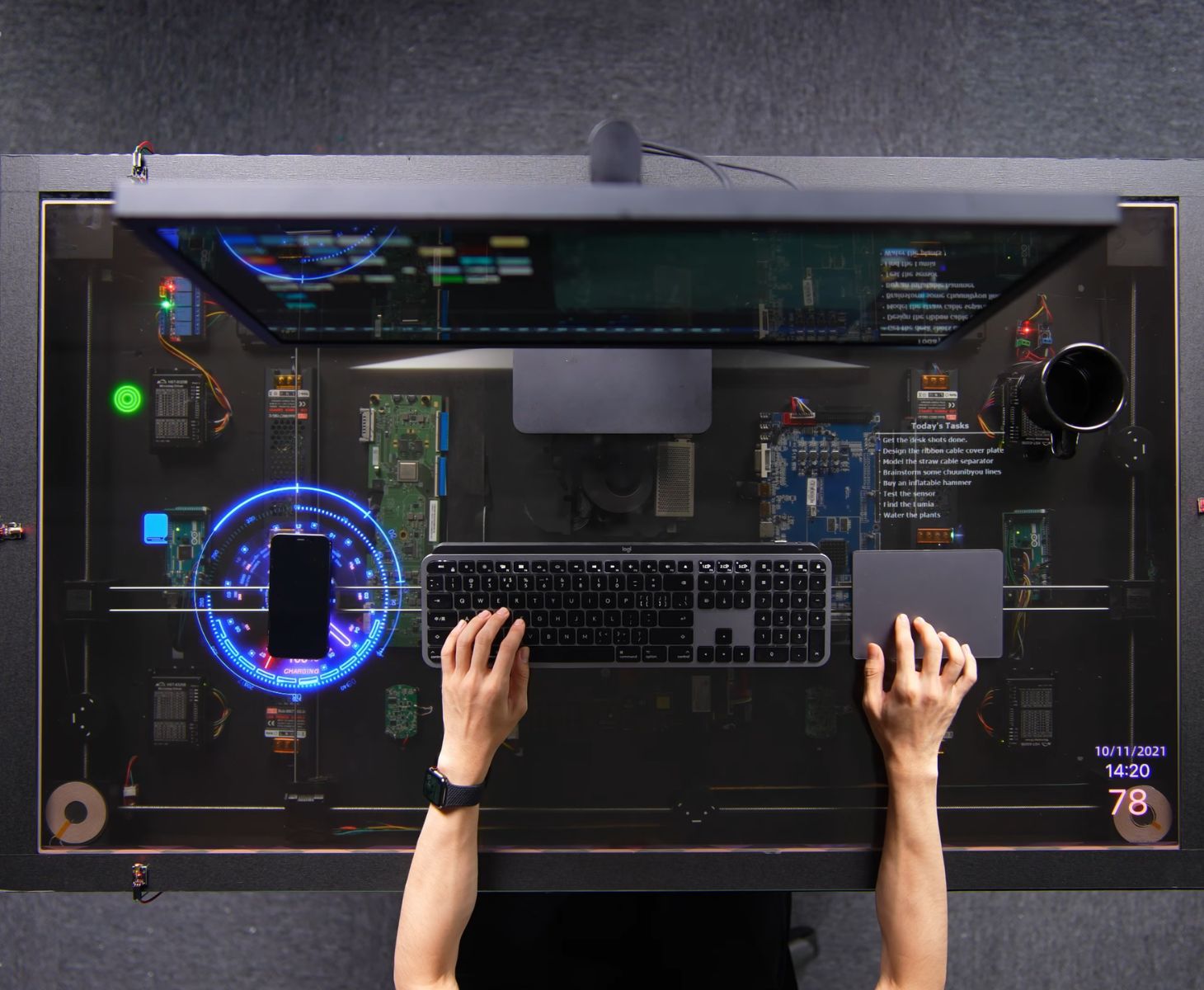
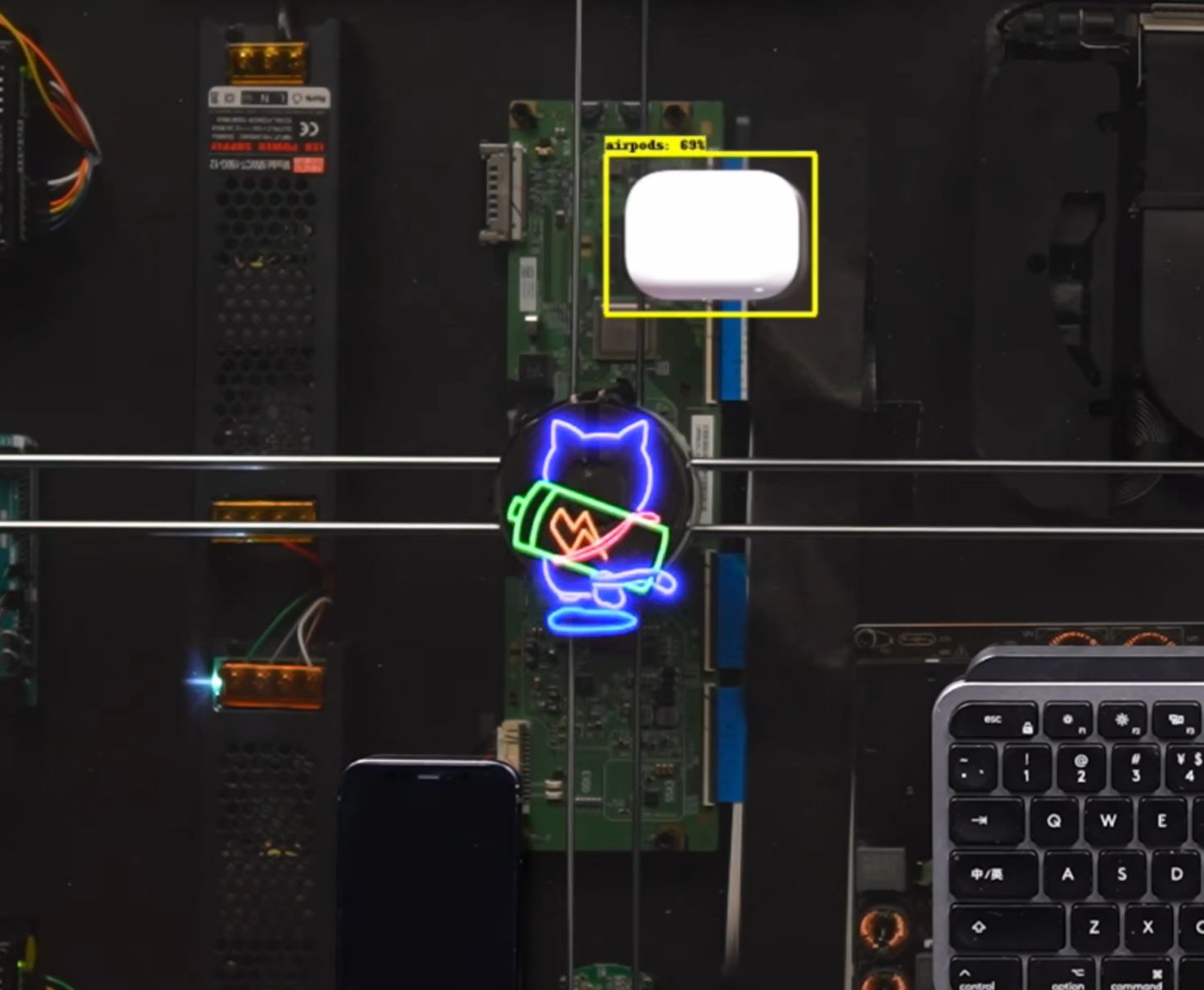
An overhead camera detects where a phone has been placed and passes its position to the desk's motor system. The motors then move the charging coil underneath the device.
The first prototype proved that the basic idea worked, but it naturally came with a few problems. Notably, the motors were slow, the moving cables could become tangled, and the whole device did little beyond charging a phone.
By the time the second version was finished, wireless charging had become only one part of the project.
The DIY AirPower desk adds a transparent display, Mac mini and Focus Mode
HTX Studio turned the desktop into a transparent display that reacts when a device is placed on it. An animated cat appears above the charging mechanism and follows the coil as it travels underneath the phone.
The moving system still relies on a single primary charging coil, so it cannot independently charge several randomly placed devices at exactly the same time. Instead, the coil can move between detected devices. HTX Studio also added two fixed charging coils in the corners for extra devices.
The keyboard can charge wirelessly as well. When the moving coil returns to its resting position, it lines up with a receiver coil inside the keyboard and starts charging it.
A Mac mini also sits inside the desk and can be connected to a monitor, turning the setup into a working computer. The transparent surface shows charging animations, basic information and a task tracker that lights up as items are completed.
The creator also connected the desk’s motorized legs to the system. If it detects that the user has been sitting for about an hour, the desk shows a reminder and an on-screen button that raises it to a saved standing height.
The moving mechanism has one more trick. An electromagnet allows it to move a compatible cup across the desk as a periodic reminder to drink water.
The AirPower desk also has its own take on Focus Mode. When you start it, a 25-minute timer appears beneath the phone. If you pick up the phone before the timer ends, the desk will refuse to charge it again when you place it back down.
There are several smaller touches and plenty of engineering behind how all of this works, particularly the charging mechanism and display. Watch the video below for the full build process and finer details.
 Add as a preferred source on Google


