




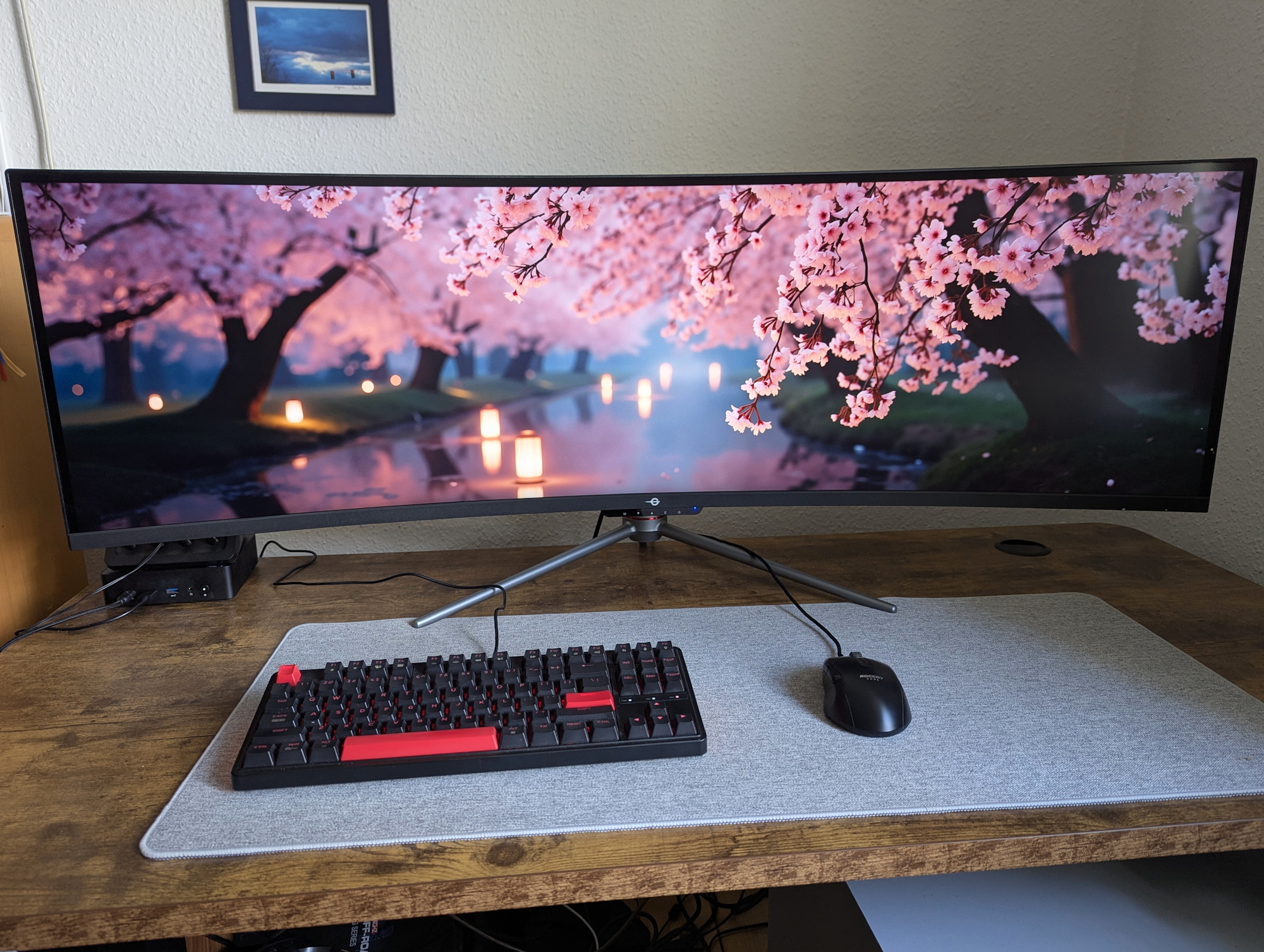
Titan Army C49C1S review: 49 inches, 240 Hz, and 32:9 can feel almost unfair in FIFA
Infinite width.
Titan Army has a new 49-inch super-ultrawide gaming monitor on offer. With 5,120 × 1,440 pixels, 240 Hz, KVM, and a maximum field of view, it aims to win over gamers. Does it succeed?Christian Hintze (translated by Christian Hintze) Published 🇩🇪 🇳🇱 ...
Verdict - Excellent after calibration
Once the monitor is properly calibrated (see our ICM profile below), the image quality—especially contrast—is impressive. Color deviations also become pleasantly low. And the extremely wide field of view makes a real difference in games, particularly racing and sports titles. In FIFA, for example, it can even translate into a gameplay advantage.
Of course, you shouldn’t expect OLED-level quality from an HVA panel, and viewing angle stability is rather weak. Still, anyone who mainly games or regularly works with lots of windows open at once may find plenty to like about this superwide display.
Pros
Cons
Price and availability
The monitor can be ordered via Aliexpress for $697.67. You can try the code “NOTEC49” to knock some credits off the total.
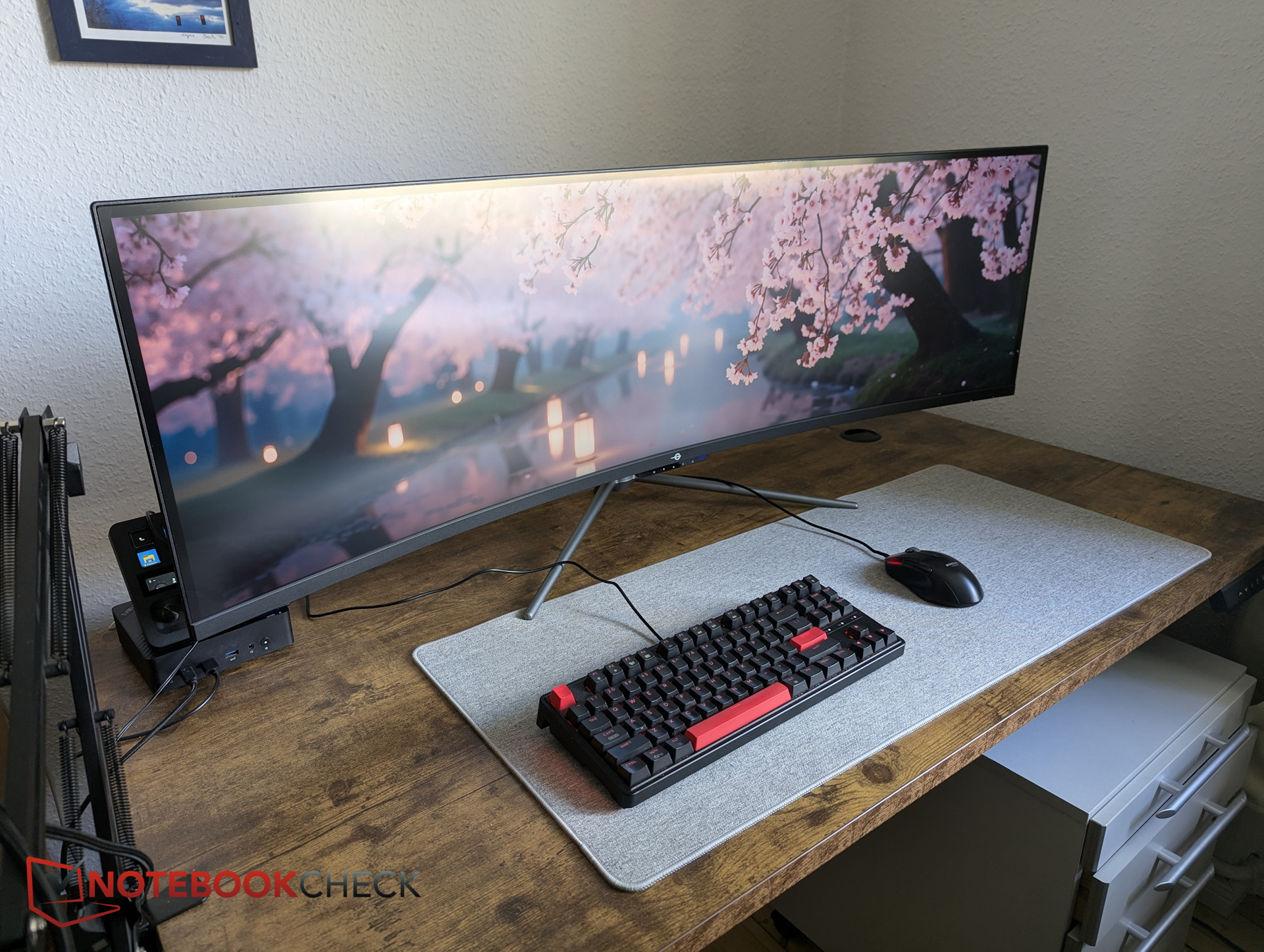
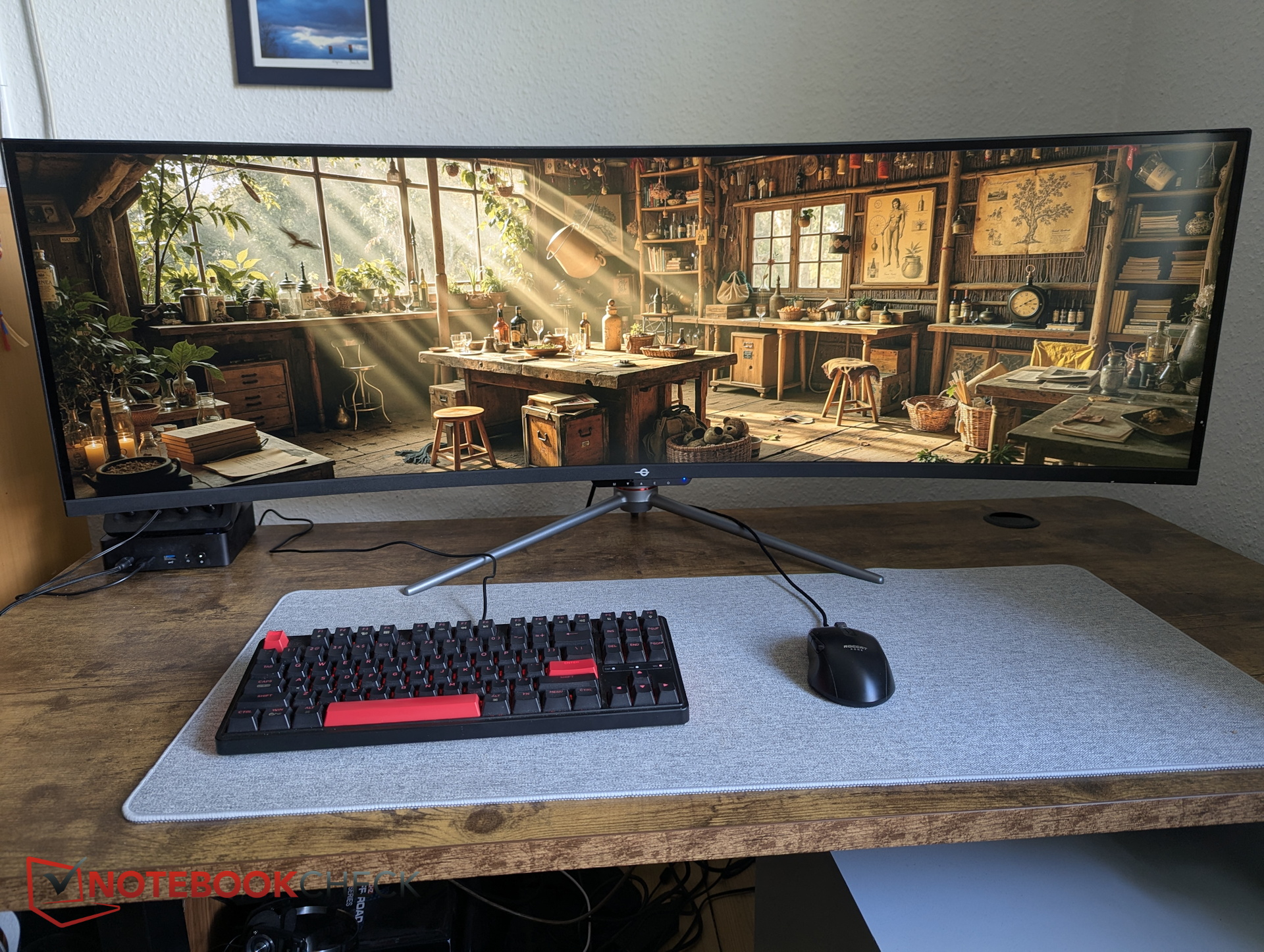
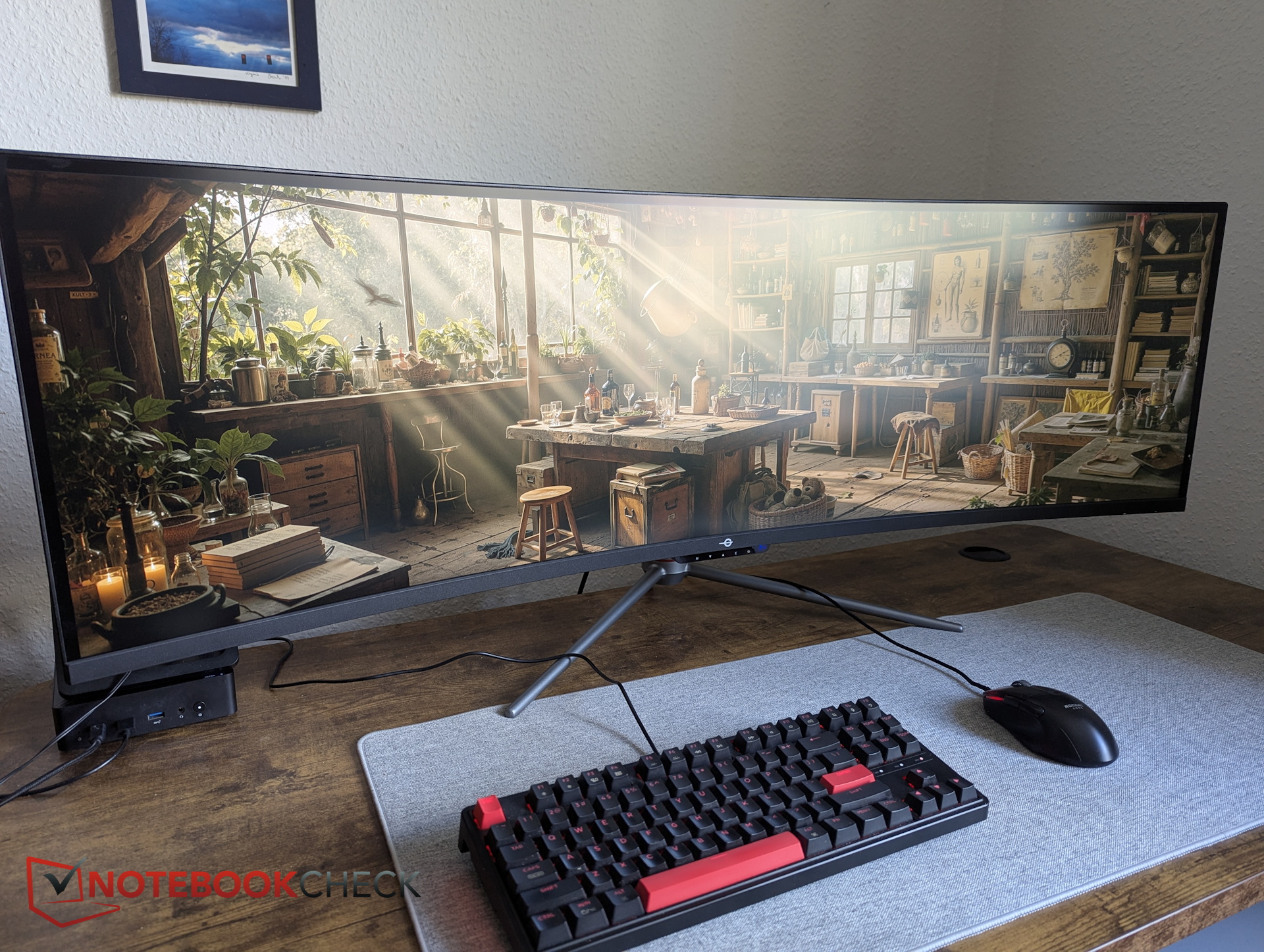
The C49C1S is essentially the equivalent of two full-sized 27-inch monitors placed side by side. At this size, Titan Army opts for a curved design, while the HVA panel is intended to reduce some of the response-time drawbacks typically associated with the technology.
Chassis and build quality - Clean design instead of flashy gamer aesthetics
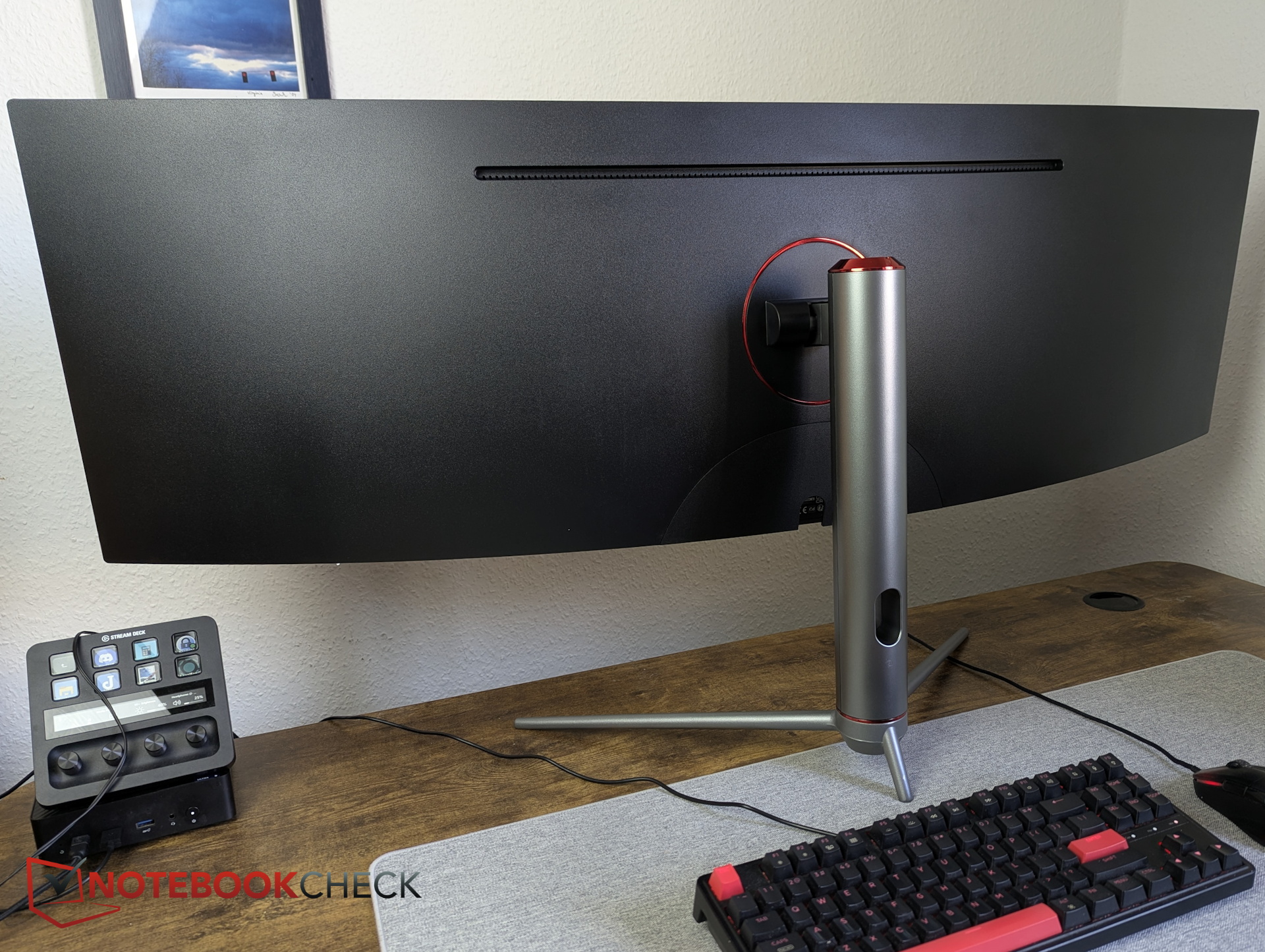
Despite its gaming label, the curved black plastic chassis comes without any LEDs. The plastic bezels are very slim everywhere except along the bottom edge, and they’re complemented by a glass border.
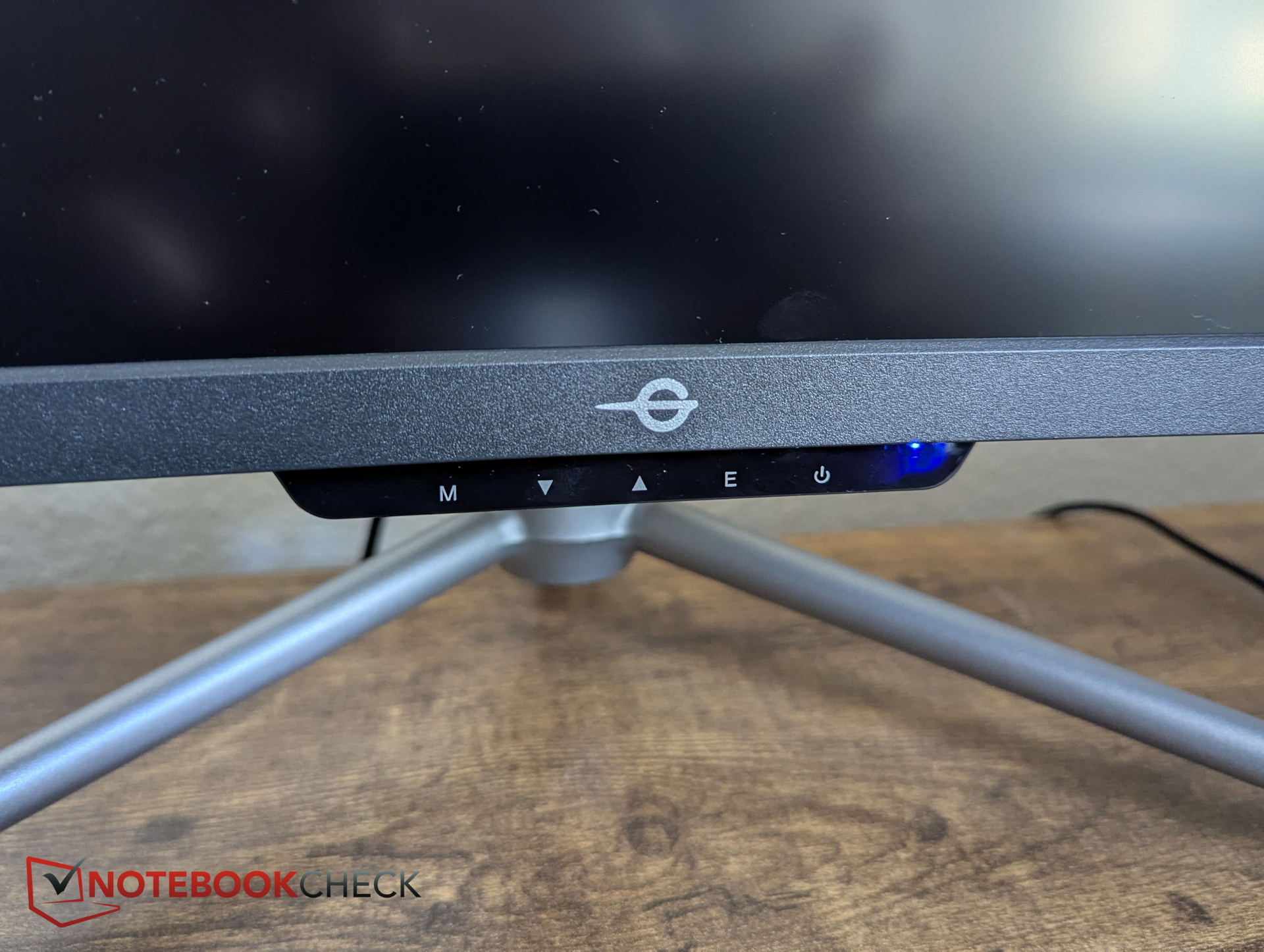
We also liked the centrally positioned control buttons underneath the display. Instead of reaching blindly under the monitor, as with the BenQ Mobiuz (review), the buttons on the Titan Army are clearly labeled.
Connectivity and KVM
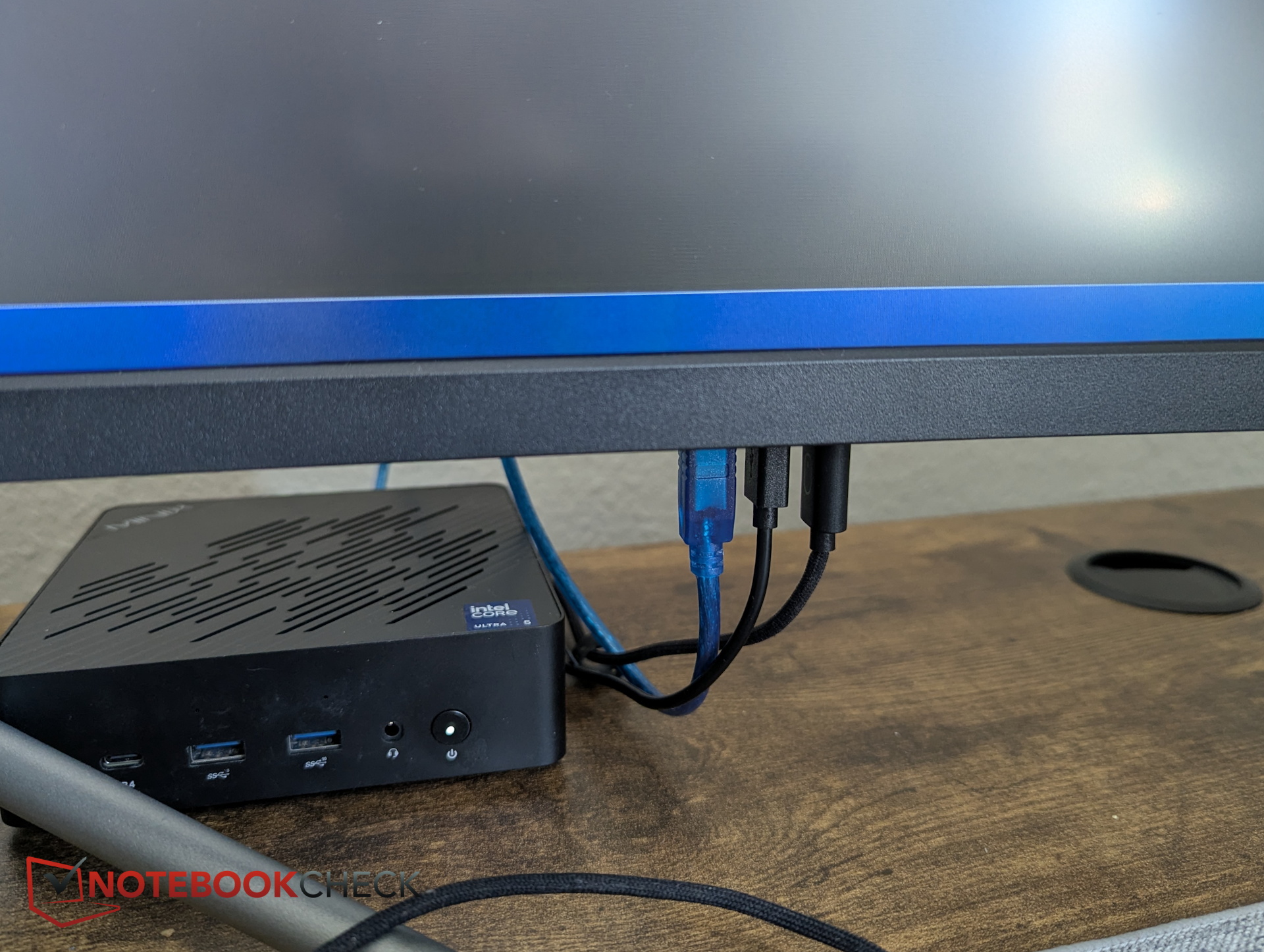
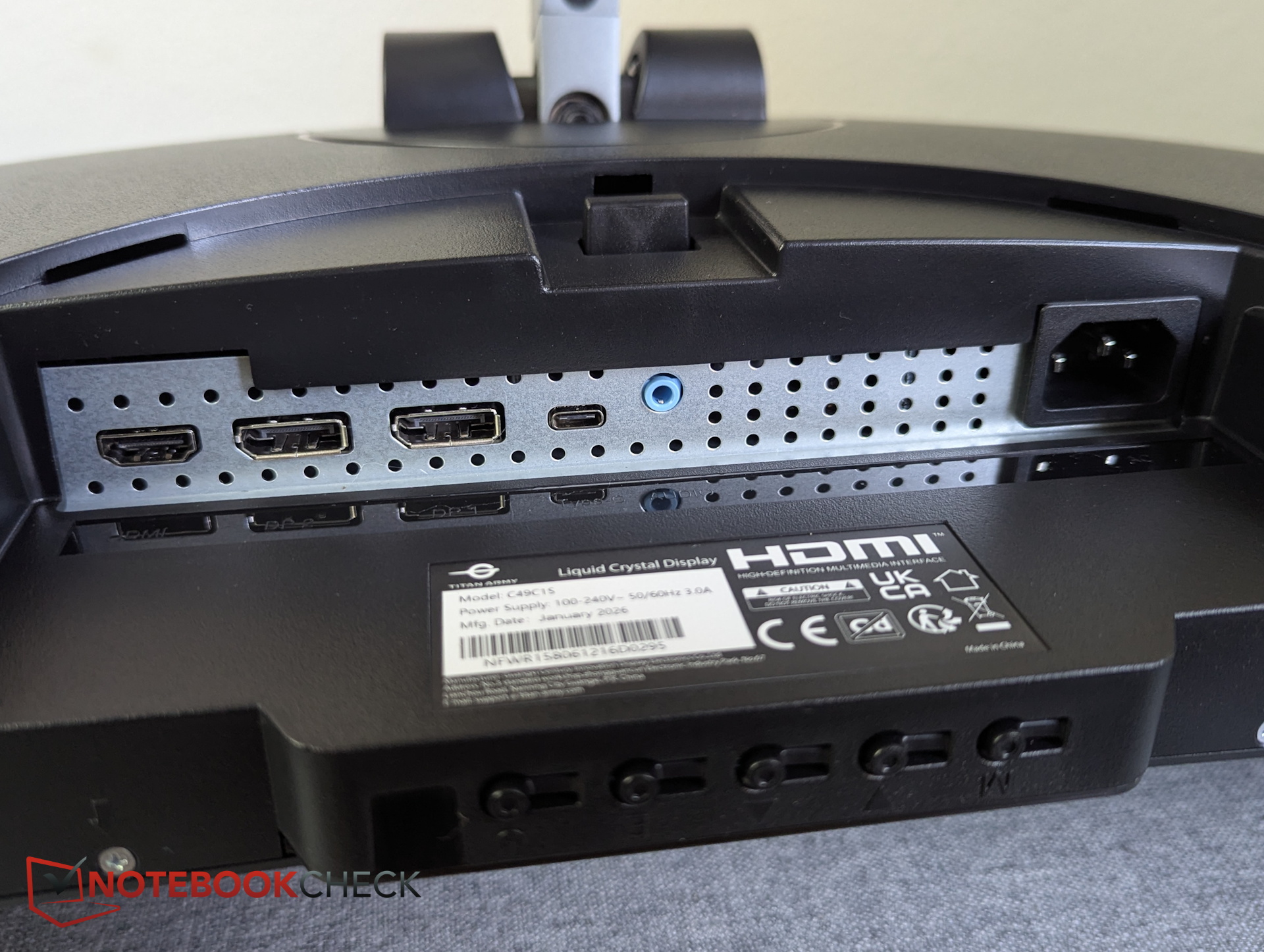
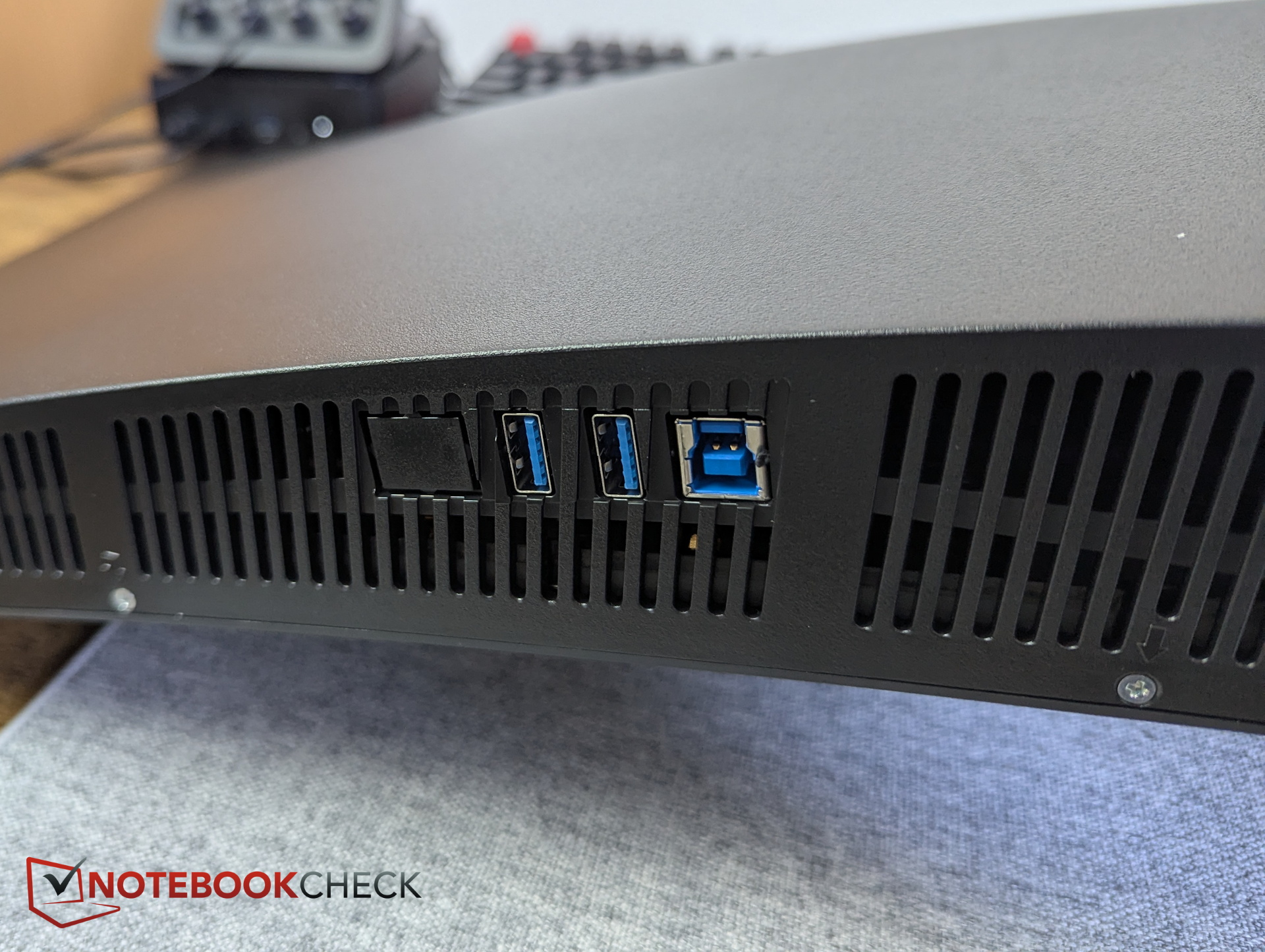
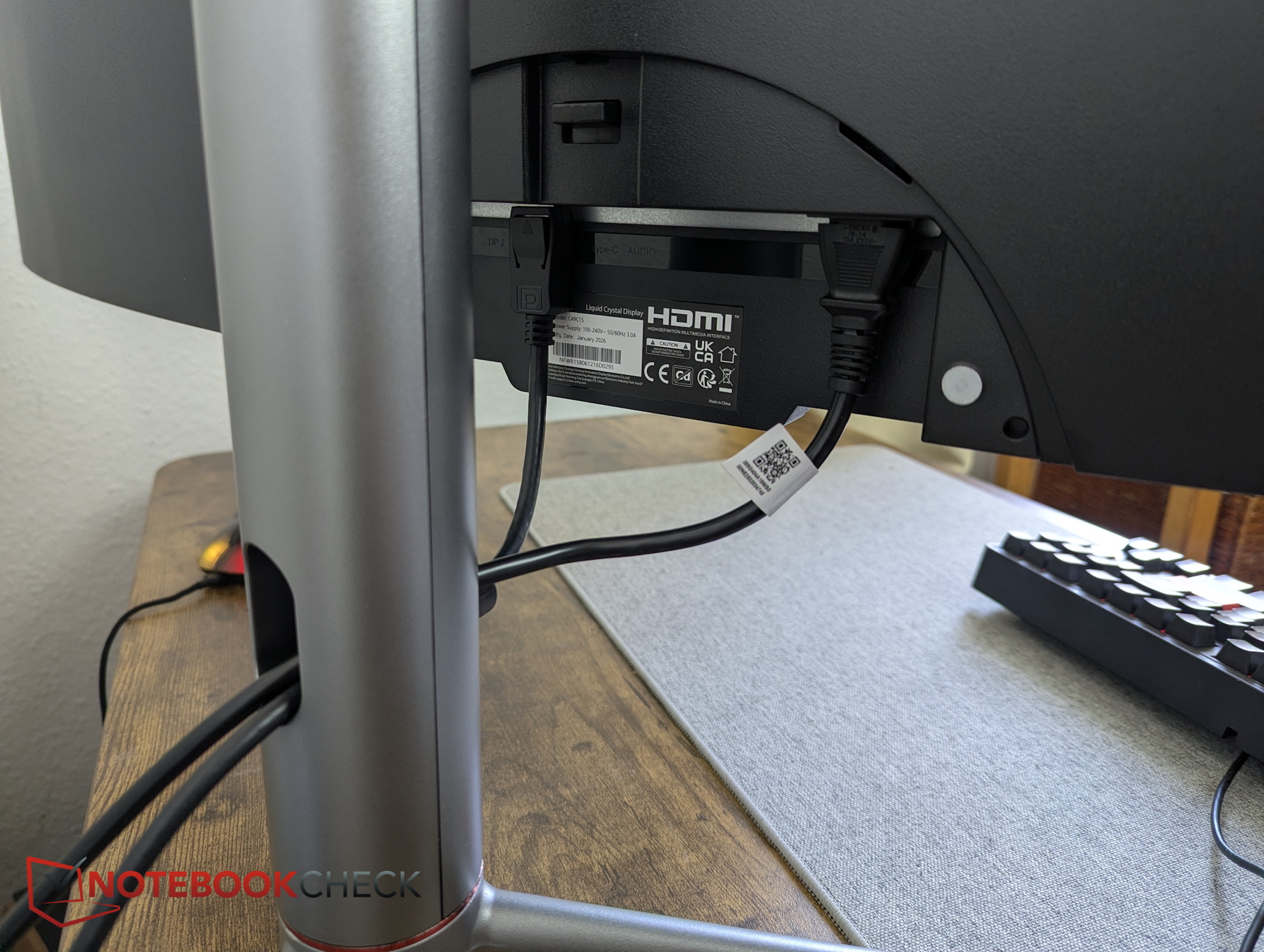
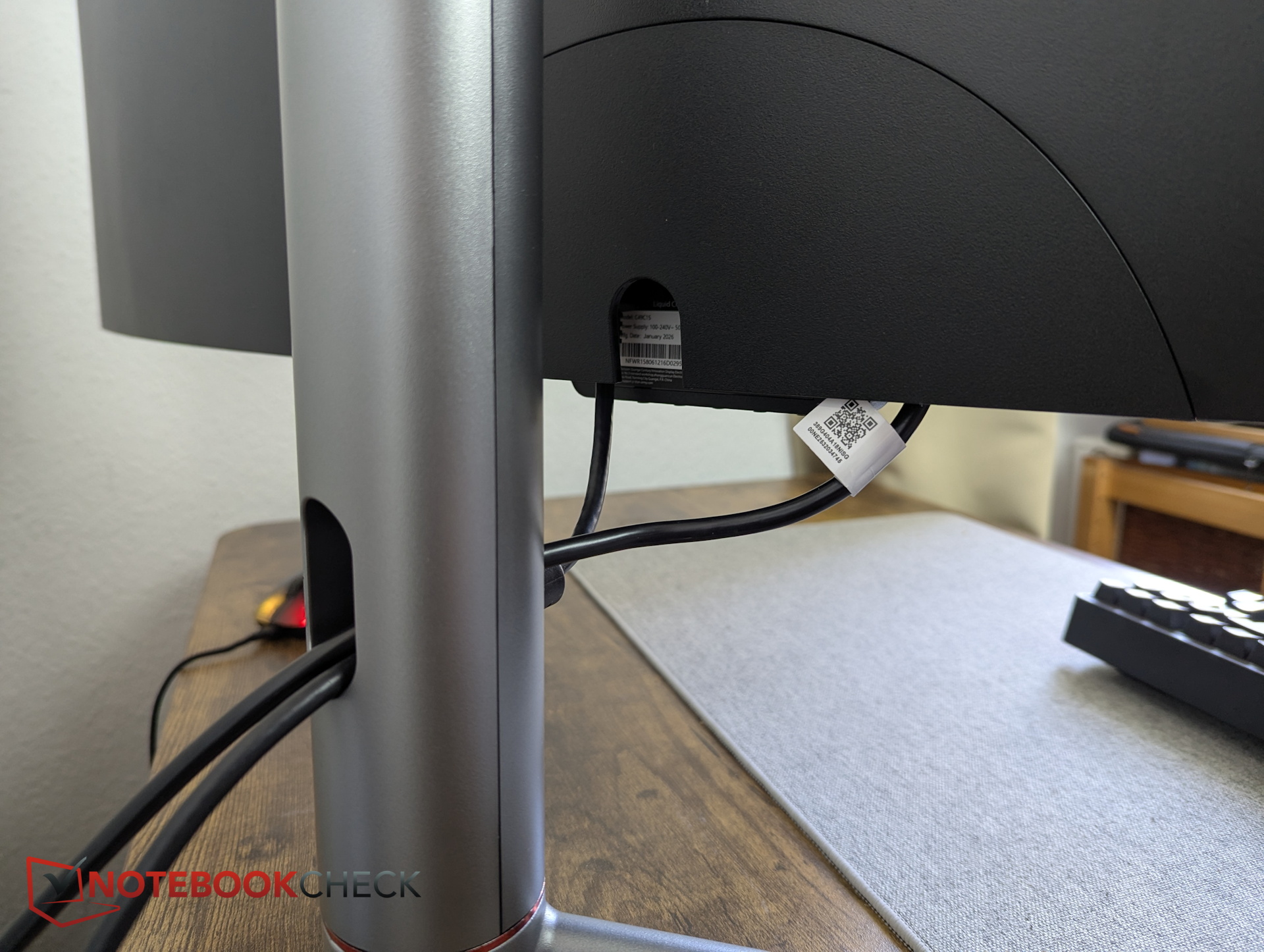
The KVM works well. We’d still like to see a USB-C input alongside the two USB-A ports for our Stream Deck (review) or other peripherals. The existing USB-C port works as an all-in-one connection for a PC (video out and data in), but not as a port for a USB device.
It’s good to see that the monitor includes built-in speakers, although their audio quality is mediocre at best.
Accessories
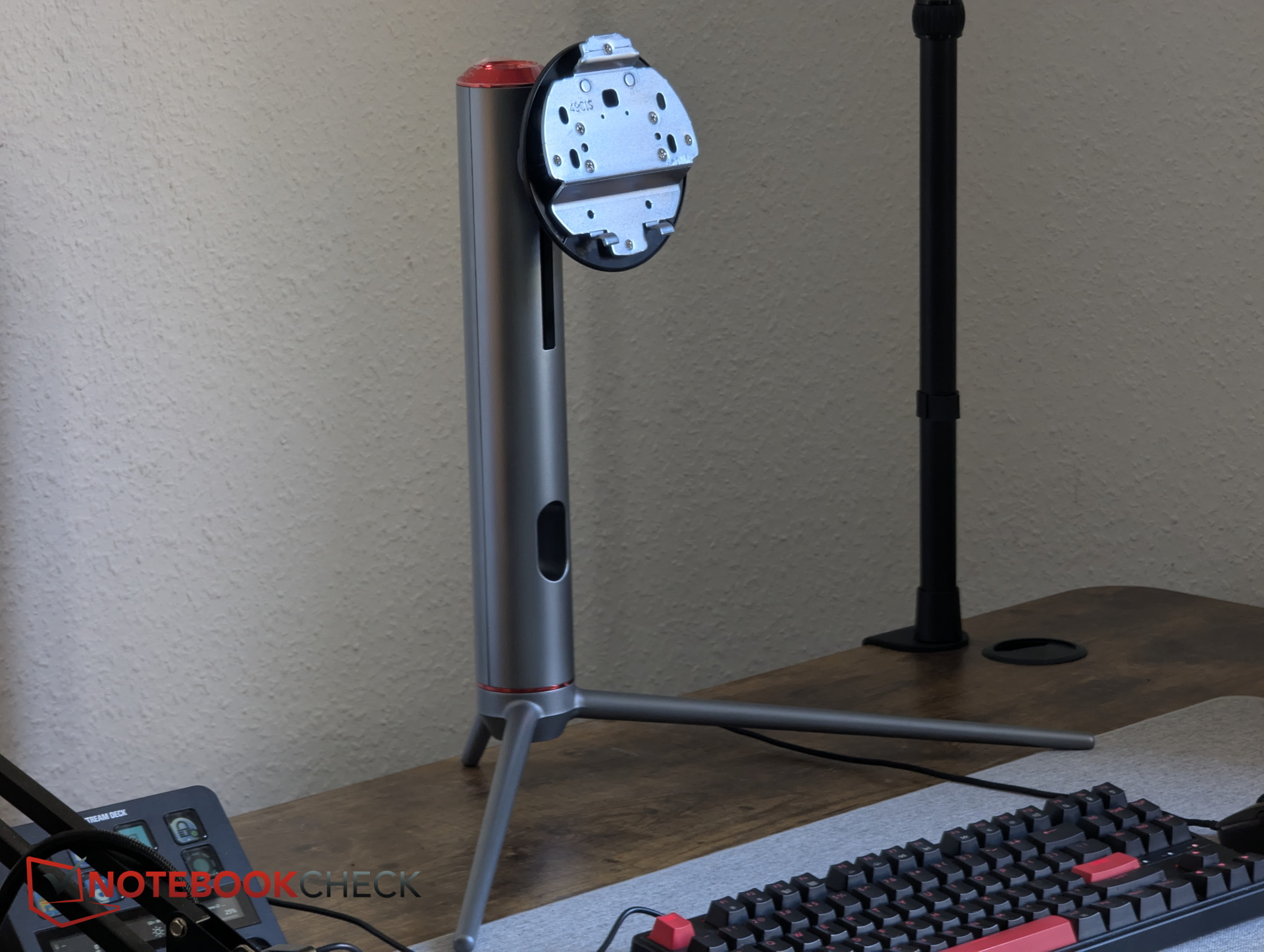
The box also includes a DisplayPort cable, an HDMI cable, a power cable, a quick-start guide, a screwdriver, and spacers for wall mounting.
Specifications - 49 inches, 32:9, 240 Hz, and KVM
The 49-inch HVA panel in a 32:9 superwide aspect ratio offers a resolution of 5,120 × 1,440, a 1800R curve, a 240 Hz refresh rate, support for FreeSync and G-Sync, and a fast 1 ms response time for a VA-based panel.
| Panel | HVA |
| Aspect ratio | 32:9 |
| Resolution | 5,120 × 1,440 pixels |
| Contrast (typical) | 3,000:1 |
| Refresh rate | 240 Hz |
| Curve | 1800R |
| Color depth | 8-bit + FRC |
| Ports | HDMI, 2x DP, USB-C, headphone jack, power, 2x USB-A, 1x USB-B upstream |
| Speakers | Dual 5 W stereo |
| Price | around $697.67 |
Image quality - Weak factory calibration
This comparison may be a little unfair: right before this, we had the QD-OLED BenQ Mobiuz EX271UZ in front of us (our review), and in terms of subjective image quality in factory settings, the gap is enormous. That said, the Titan Army simply ships with poor calibration, as shown below.
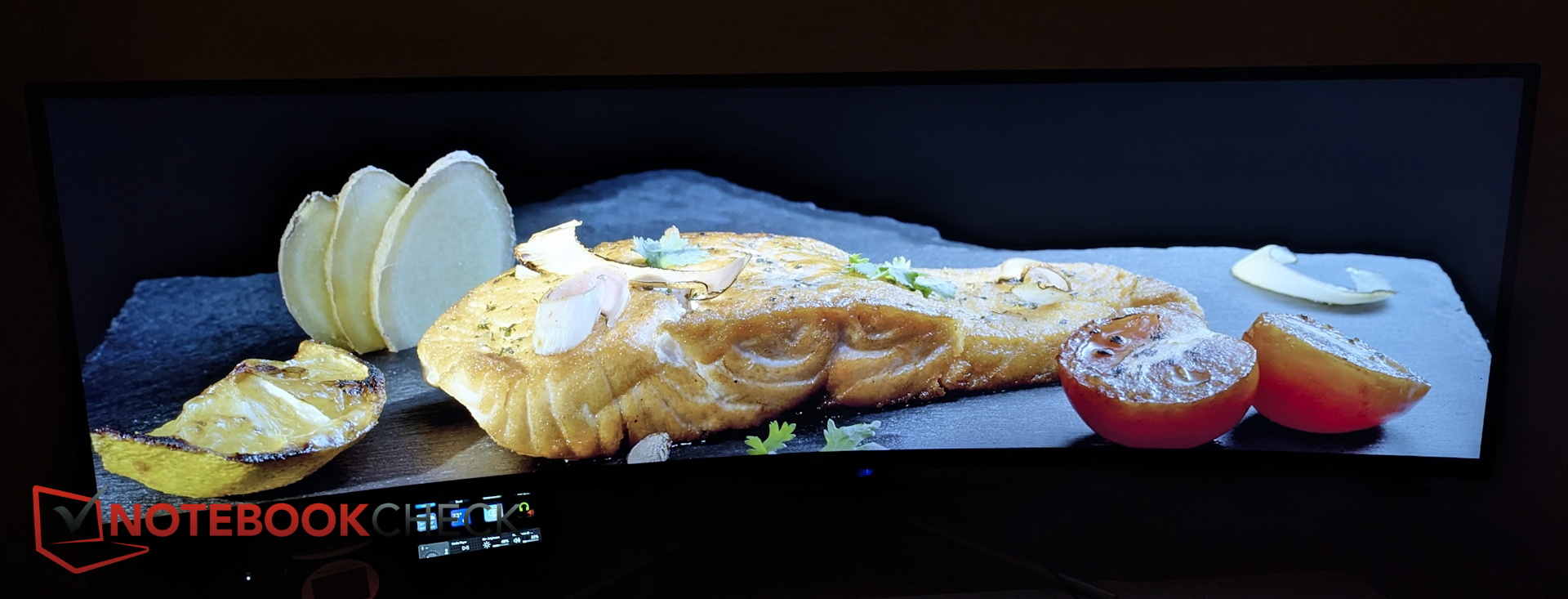
In Standard mode and also in the Display P3 profile, brightness is reduced by 50 percent on the Titan Army. That leaves it in the 160 to 200 nit range, and the monitor’s massive surface isn’t illuminated all that evenly. Overall, the image looks too dark and washed out.
Black levels are too high out of the box, which in turn hurts contrast. In general, we recommend using our calibrated profile and increasing brightness as well—once you do, the image looks significantly better.
With brightness set to 100 percent, we measured an average of 340 nits, with 385 nits at the center. HDR is not something we’d recommend on this monitor.
| |||||||||||||||||||||||||
Brightness Distribution: 82 %
Contrast: 664:1 (Black: 0.58 cd/m²)
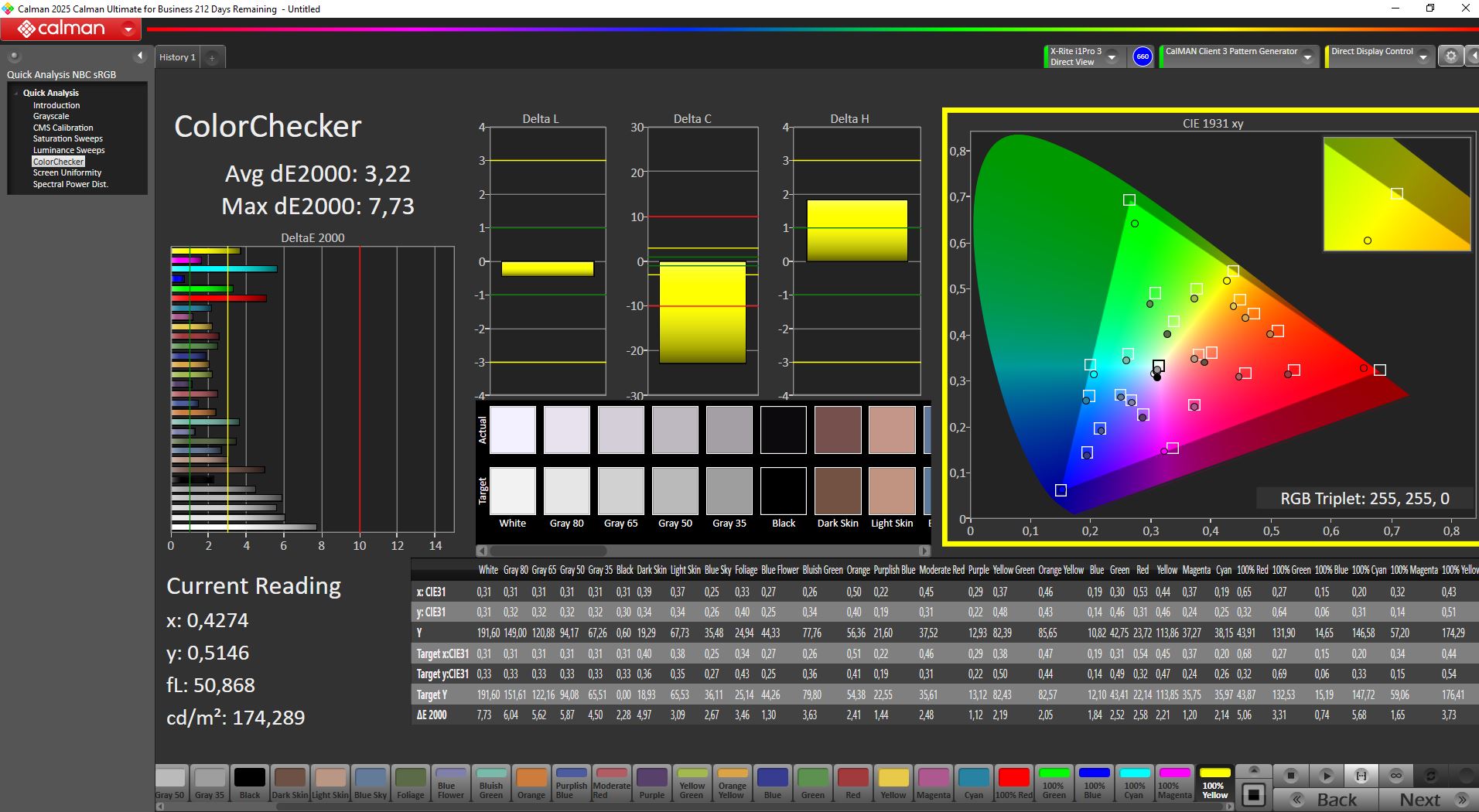
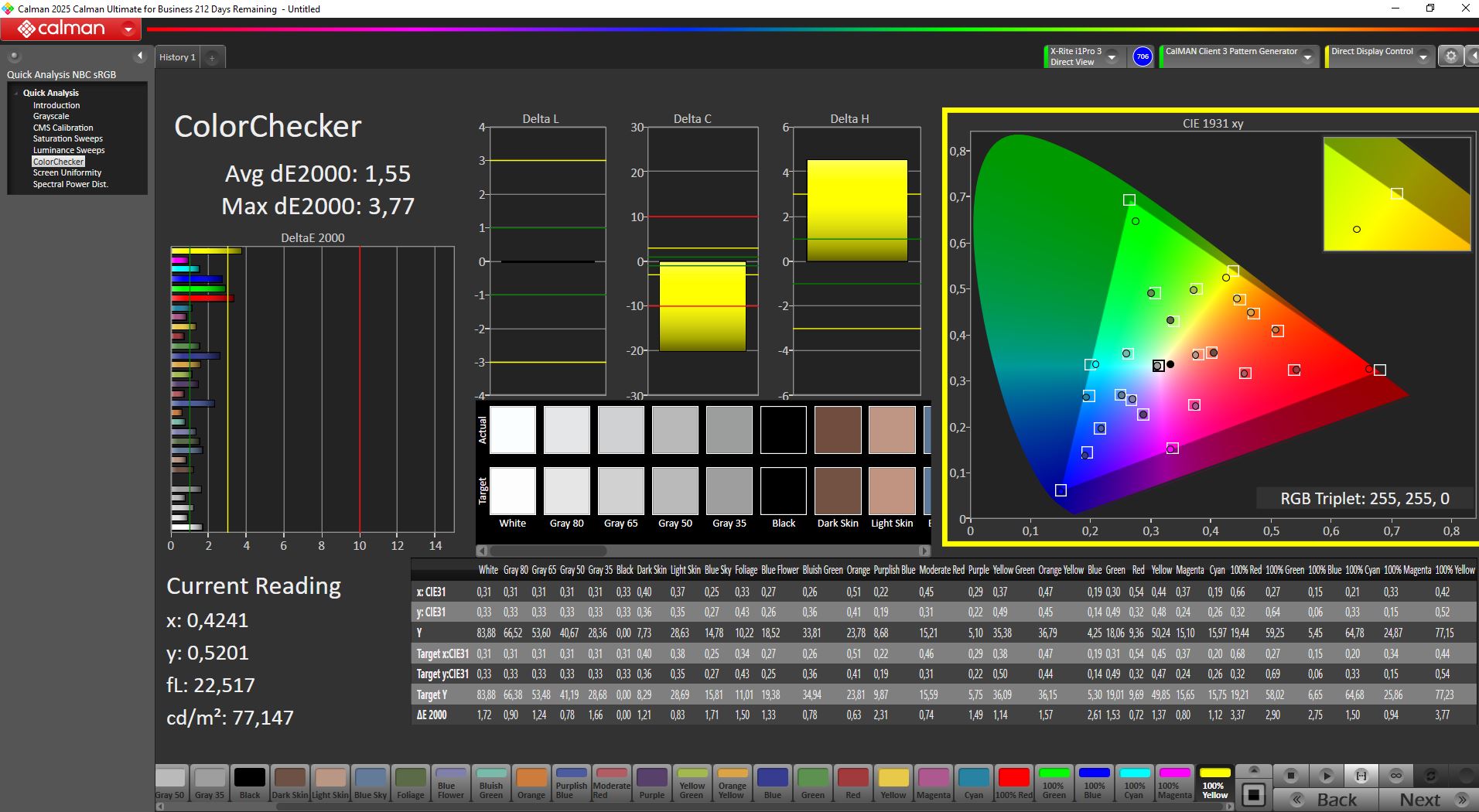
ΔE ColorChecker Calman: 3.22 | ∀{0.5-29.43 Ø4.69}
calibrated: 1.55
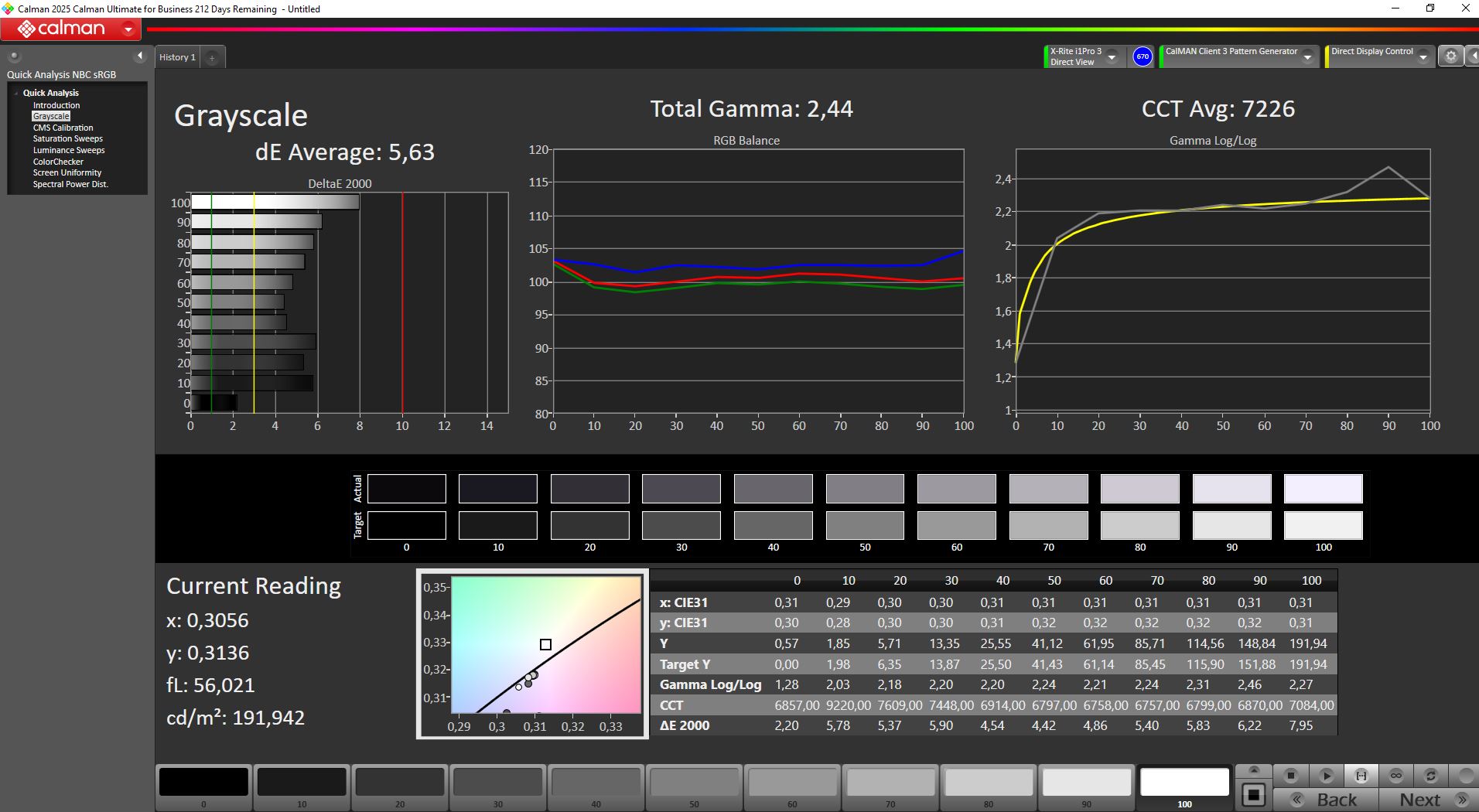
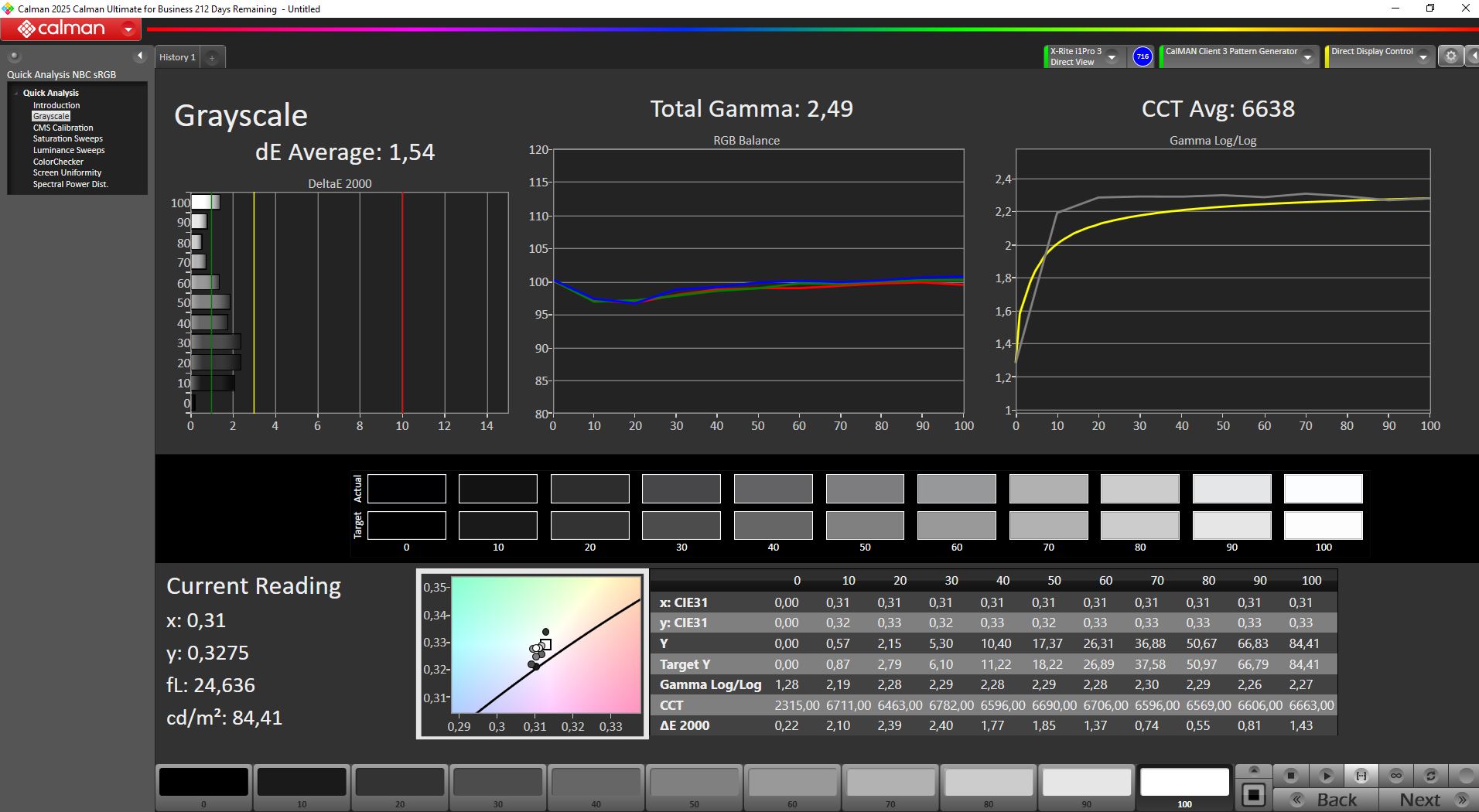
ΔE Greyscale Calman: 5.63 | ∀{0.09-98 Ø4.94}
83% AdobeRGB 1998 (Argyll 3D)
100% sRGB (Argyll 3D)
83.9% Display P3 (Argyll 3D)
Gamma: 2.44
CCT: 7226 K
| Titan Army C49C1S review: 49 inches, 240 Hz, and 32:9 can feel almost unfair in FIFA 5120x1440, 49", 240 Hz | TITAN ARMY P275MV PLUS 3840x2160, 27", 160 Hz | KTC G27P6 OLED, 2560x1440, 27", 240 Hz | KTC H27P22s AUO 7.0, IPS, 3840x2160, 27", 160 Hz | Alienware AW2725DF x, 27", Hz | MSI MAG 274QRF QD E2 MAG 274QRF QD E2, IPS, 2560x1440, 27", 180 Hz | |
|---|---|---|---|---|---|---|
| Display | 7% | 3% | 1% | 8% | ||
| Display P3 Coverage (%) | 83.9 | 94.7 13% | 86.91 4% | 86.9 4% | 97.6 16% | |
| sRGB Coverage (%) | 100 | 100 0% | 99.23 -1% | 99.8 0% | 99.7 0% | |
| AdobeRGB 1998 Coverage (%) | 83 | 88.9 7% | 86.86 5% | 81.6 -2% | 88.9 7% | |
| Response Times | -73% | 48% | -85% | -31% | -7% | |
| Response Time Grey 50% / Grey 80% * (ms) | 5.2 ? | 12.8 ? -146% | 0.8 ? 85% | 11.8 ? -127% | 6.7 ? -29% | 5.76 ? -11% |
| Response Time Black / White * (ms) | 5.6 ? | 5.6 ? -0% | 0.8 ? 86% | 8 ? -43% | 7.4 ? -32% | 5.73 ? -2% |
| PWM Frequency (Hz) | 6670 | 240 | ||||
| PWM Amplitude * (%) | 11 | 14 -27% | ||||
| Screen | 21% | 206% | 3% | 40% | -6% | |
| Brightness middle (cd/m²) | 385 | 305 -21% | 320 -17% | 454 18% | 520.3 35% | 453 18% |
| Brightness (cd/m²) | 342 | 296 -13% | 310 -9% | 398 16% | 493 44% | 404 18% |
| Brightness Distribution (%) | 82 | 92 12% | 93 13% | 79 -4% | 88 7% | 84 2% |
| Black Level * (cd/m²) | 0.58 | 0.34 41% | 0.02 97% | 0.41 29% | 0.45 22% | 0.28 52% |
| Contrast (:1) | 664 | 897 35% | 16000 2310% | 1107 67% | 1156 74% | 1618 144% |
| Colorchecker dE 2000 * | 3.22 | 2.15 33% | 10.69 -232% | 4.61 -43% | 1.8 44% | 7.97 -148% |
| Colorchecker dE 2000 max. * | 7.73 | 4.16 46% | 15.63 -102% | 8.04 -4% | 3.8 51% | 14.32 -85% |
| Colorchecker dE 2000 calibrated * | 1.55 | 1.29 17% | 4.11 -165% | 2.57 -66% | 1.4 10% | 1.71 -10% |
| Greyscale dE 2000 * | 5.63 | 3.21 43% | 7.73 -37% | 4.77 15% | 1.4 75% | 8.2 -46% |
| Gamma | 2.44 90% | 2.52 87% | 2.2 100% | 2.28 96% | 1.46 151% | |
| CCT | 7226 90% | 6617 98% | 8070 81% | 7540 86% | 6743 96% | 7427 88% |
| Total Average (Program / Settings) | -15% /
5% | 86% /
134% | -27% /
-10% | 5% /
27% | -2% /
-3% |
* ... smaller is better
Calibration is worth it - Contrast and colors improve dramatically
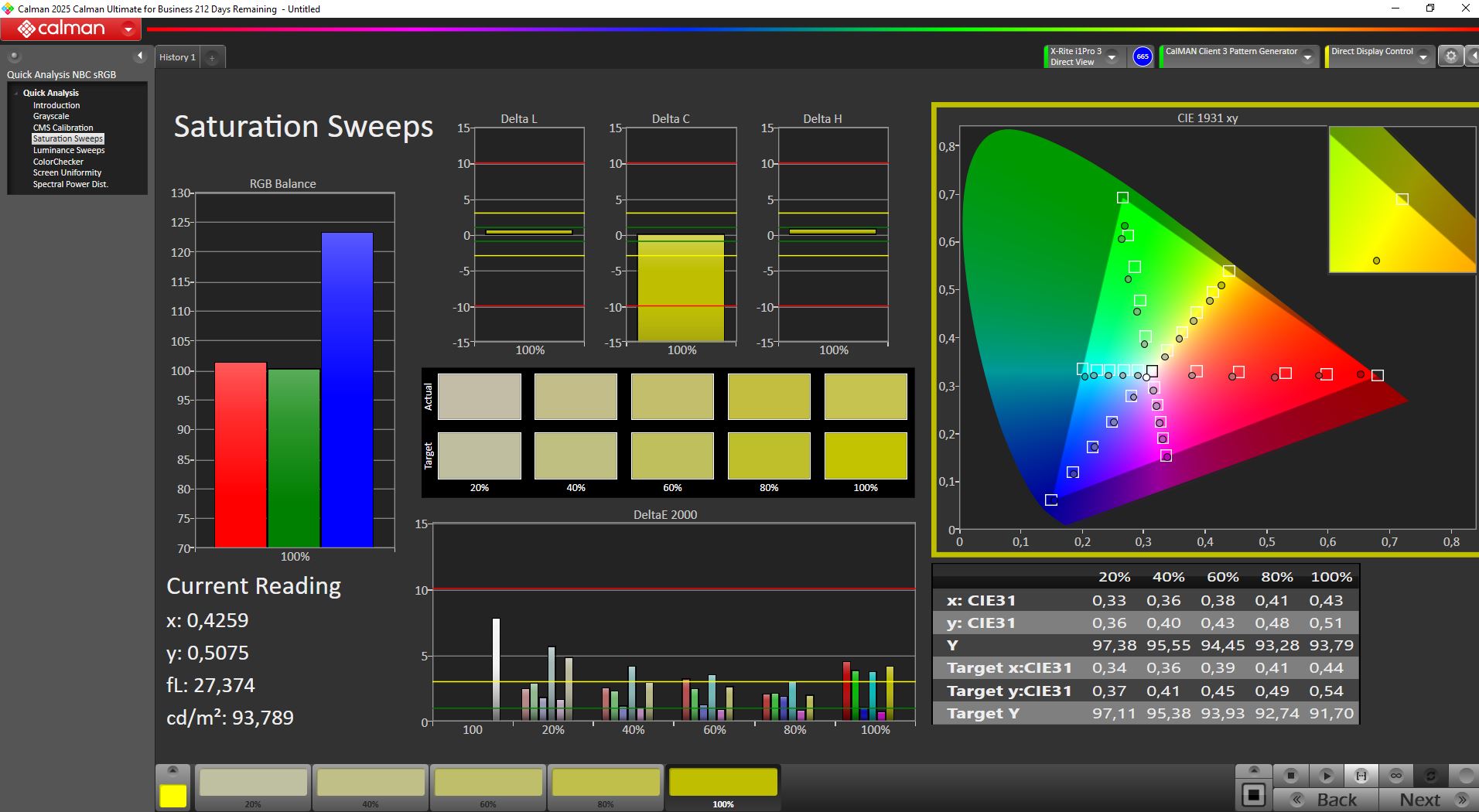
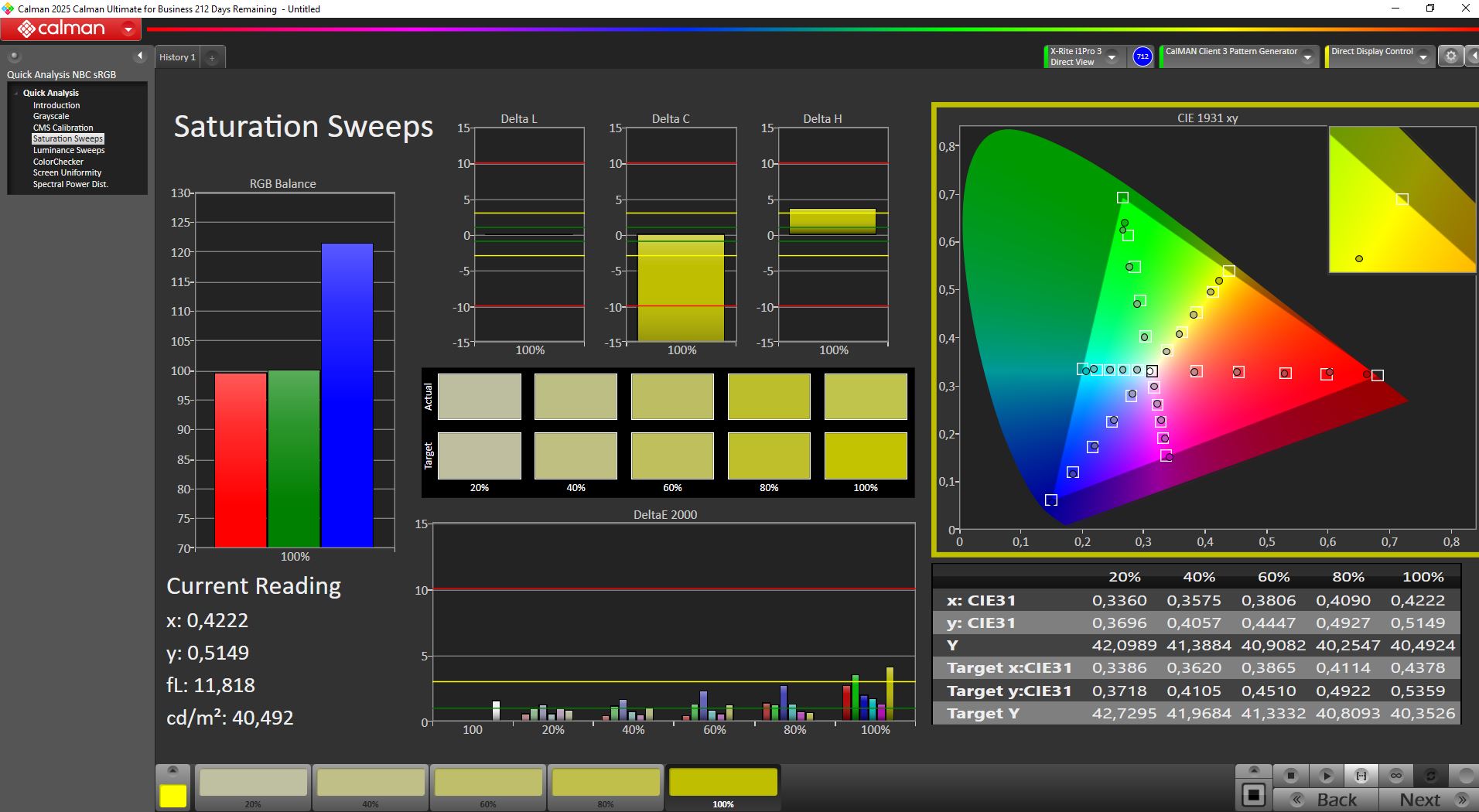
Titan Army isn’t doing itself any favors with the factory setup. Despite the included P3 calibration certificate, the monitor is not well tuned out of the box. Our manual calibration significantly improves black levels, contrast, and DeltaE values.
Most notably, black levels drop to nearly zero, resulting in a substantial increase in contrast. We were also able to reduce DeltaE values to around 1.5.
Our ICM profile can be downloaded for free further up in the article.
Color space
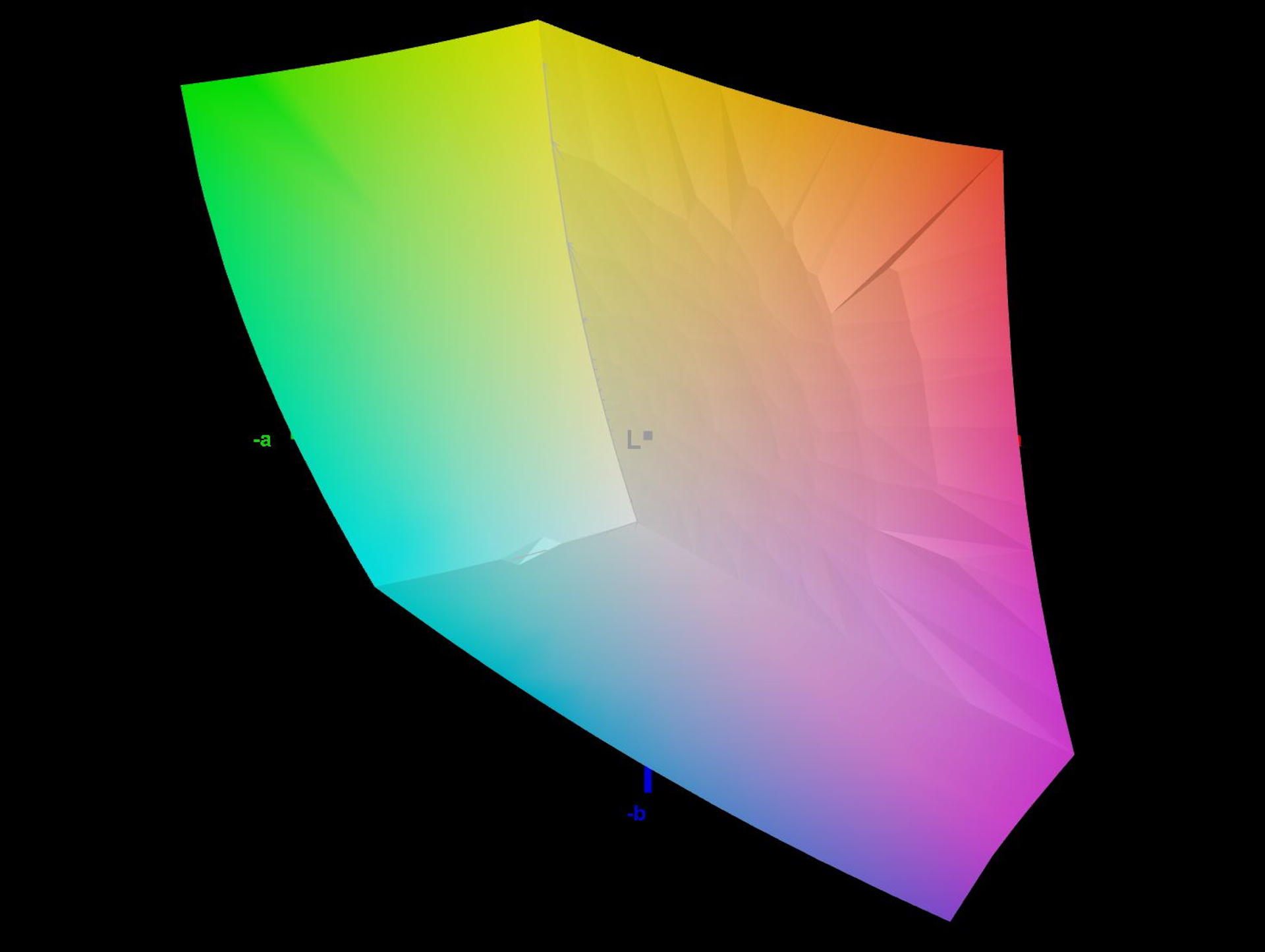
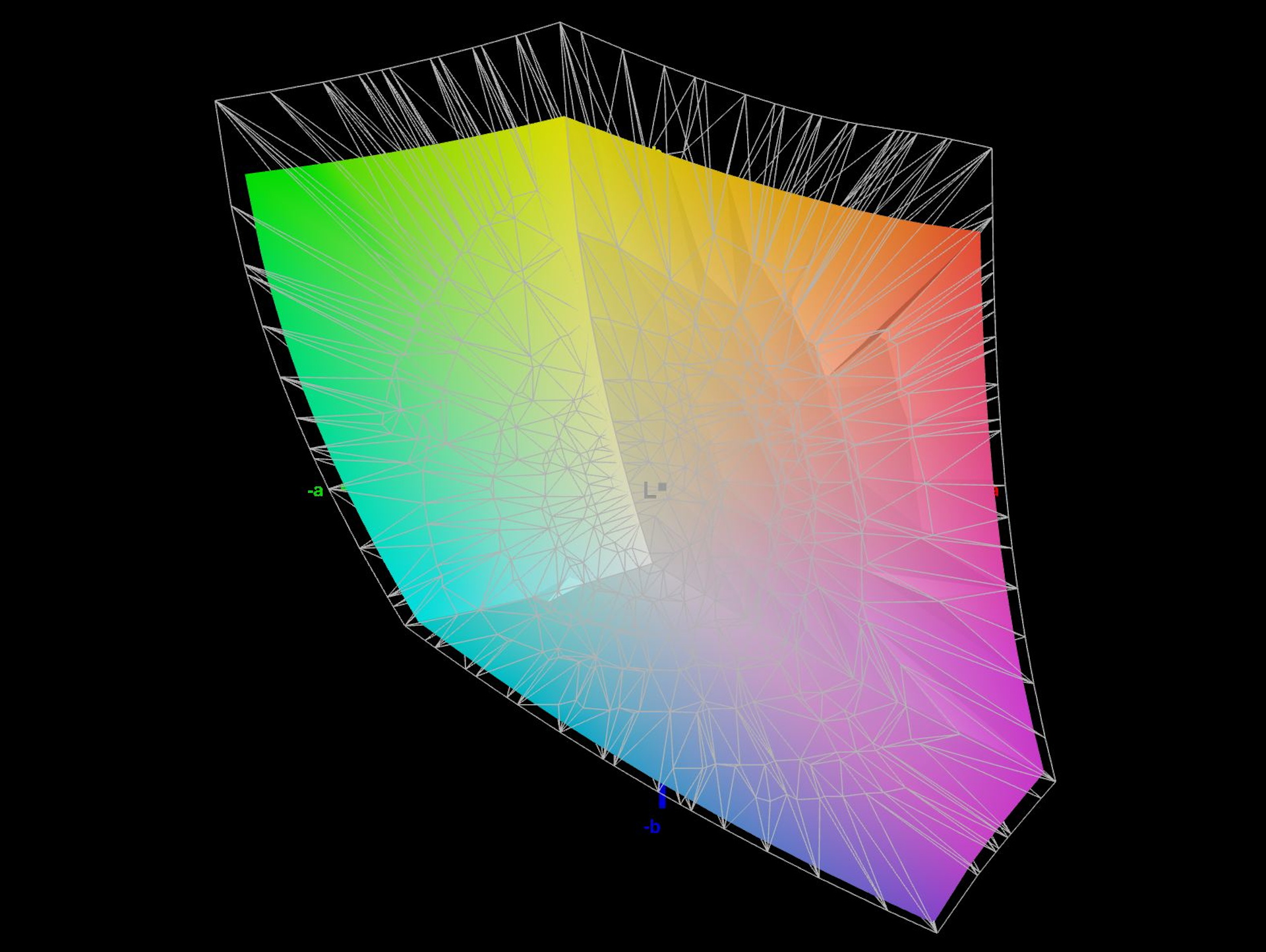
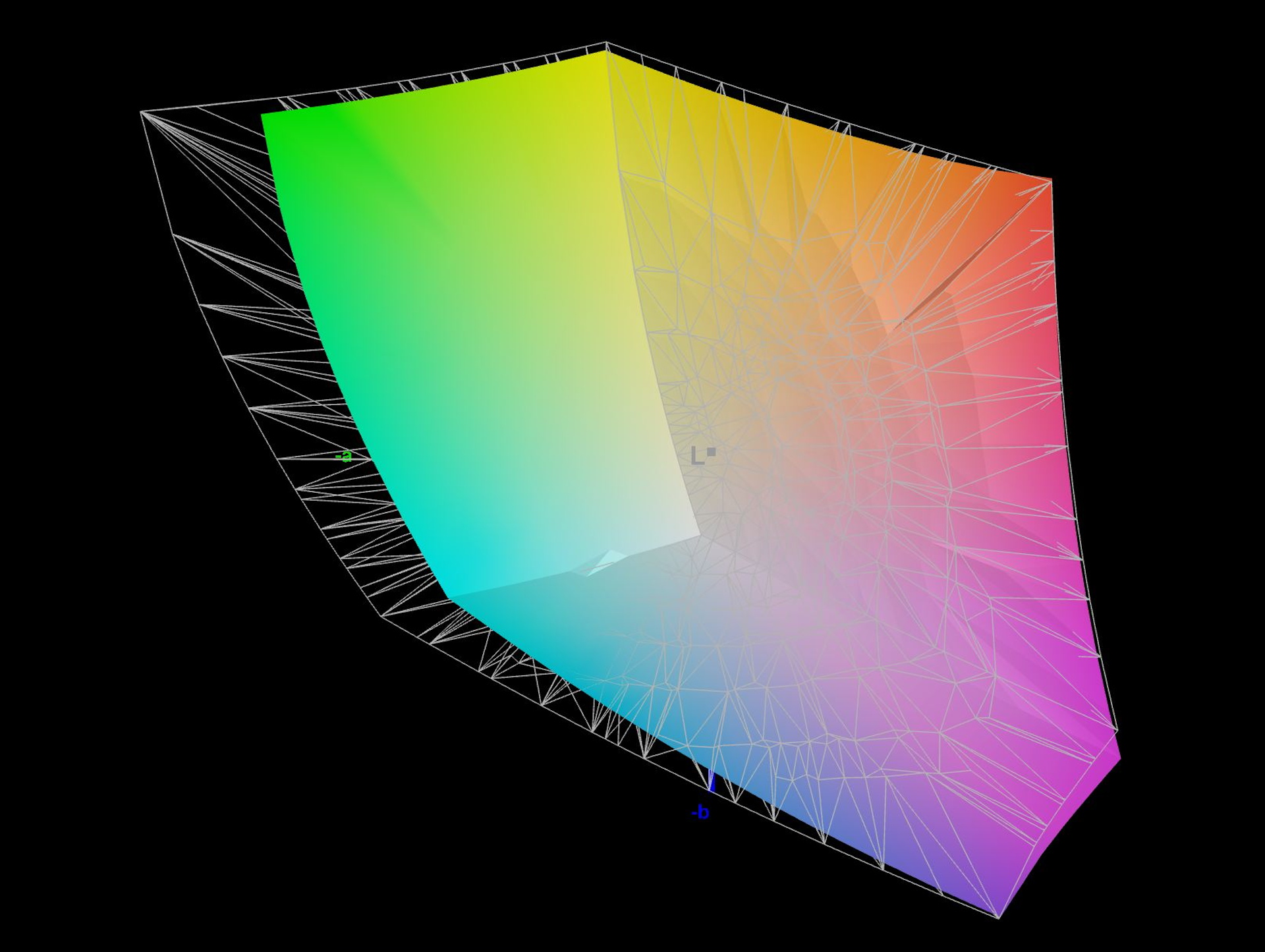
Titan Army advertises the monitor with P3 color gamut support. According to our measurements, it covers around 84 percent of P3, while fully covering sRGB.
Response time & flickering
On a white screen, the oscilloscope shows recurring waveforms at around 60 Hz. At the same time, the device measures a frequency of 6.7 kHz. Most likely, this is high-frequency backlight modulation (~6.7 kHz), with its visible effect being overlaid by the panel drive at 60 Hz. That high frequency should not pose an issue even for sensitive users.
Display Response Times
| ↔ Response Time Black to White | ||
|---|---|---|
| 5.6 ms ... rise ↗ and fall ↘ combined | ↗ 3 ms rise |  |
| ↘ 2.6 ms fall | ||
| The screen shows very fast response rates in our tests and should be very well suited for fast-paced gaming. In comparison, all tested devices range from 0.1 (minimum) to 240 (maximum) ms. » 18 % of all devices are better. This means that the measured response time is better than the average of all tested devices (19.7 ms). | ||
| ↔ Response Time 50% Grey to 80% Grey | ||
| 5.2 ms ... rise ↗ and fall ↘ combined | ↗ 2.6 ms rise |  |
| ↘ 2.6 ms fall | ||
| The screen shows very fast response rates in our tests and should be very well suited for fast-paced gaming. In comparison, all tested devices range from 0.13 (minimum) to 636 (maximum) ms. » 18 % of all devices are better. This means that the measured response time is better than the average of all tested devices (30.7 ms). | ||
Screen Flickering / PWM (Pulse-Width Modulation)
| Screen flickering / PWM detected | 6670 Hz Amplitude: 11 % |  | |
The display backlight flickers at 6670 Hz (worst case, e.g., utilizing PWM) . The frequency of 6670 Hz is quite high, so most users sensitive to PWM should not notice any flickering. In comparison: 52 % of all tested devices do not use PWM to dim the display. If PWM was detected, an average of 7625 (minimum: 5 - maximum: 343500) Hz was measured. | |||


Gaming experience with Forza und Fifa: The strength of the super -wide format
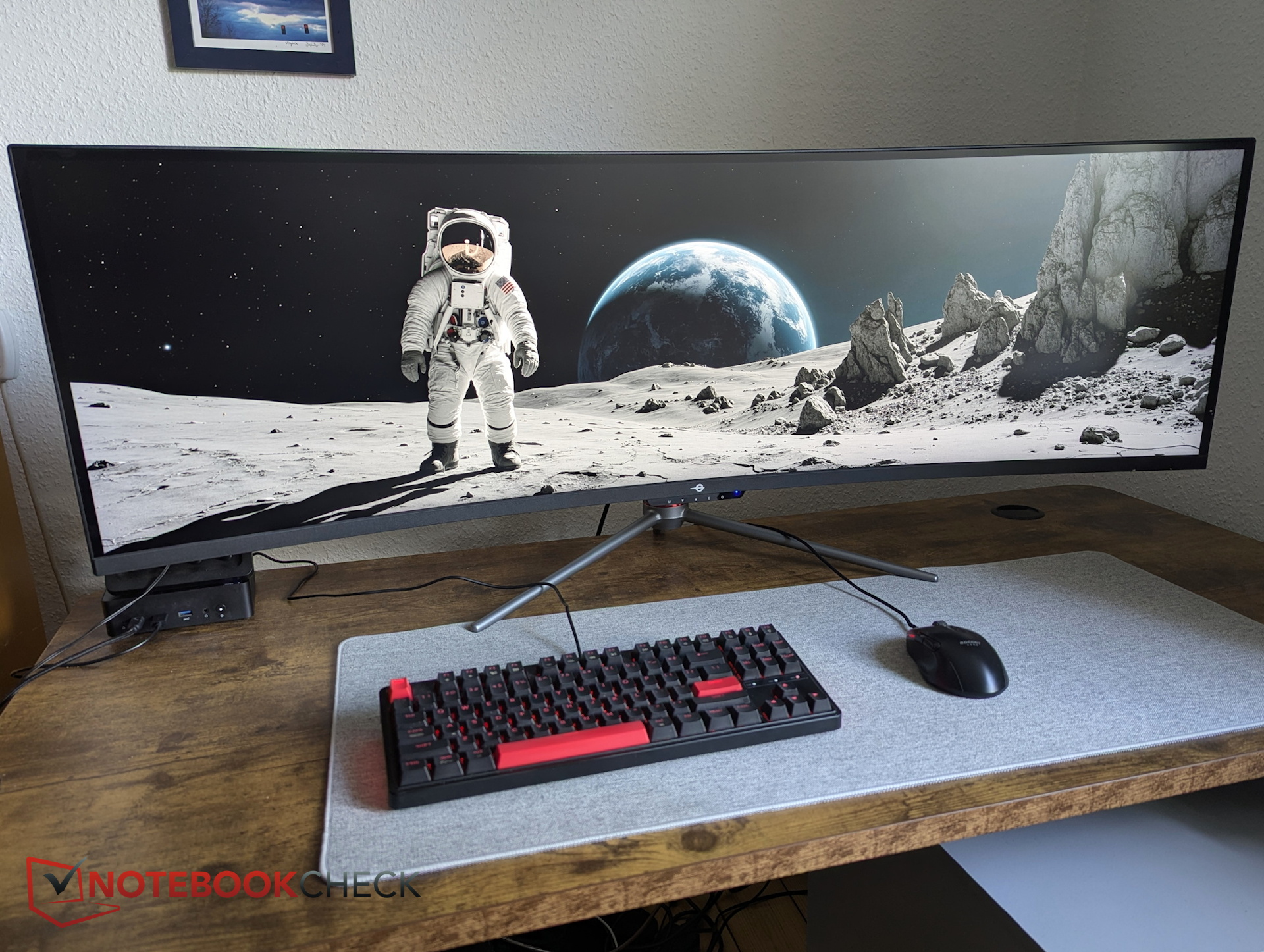
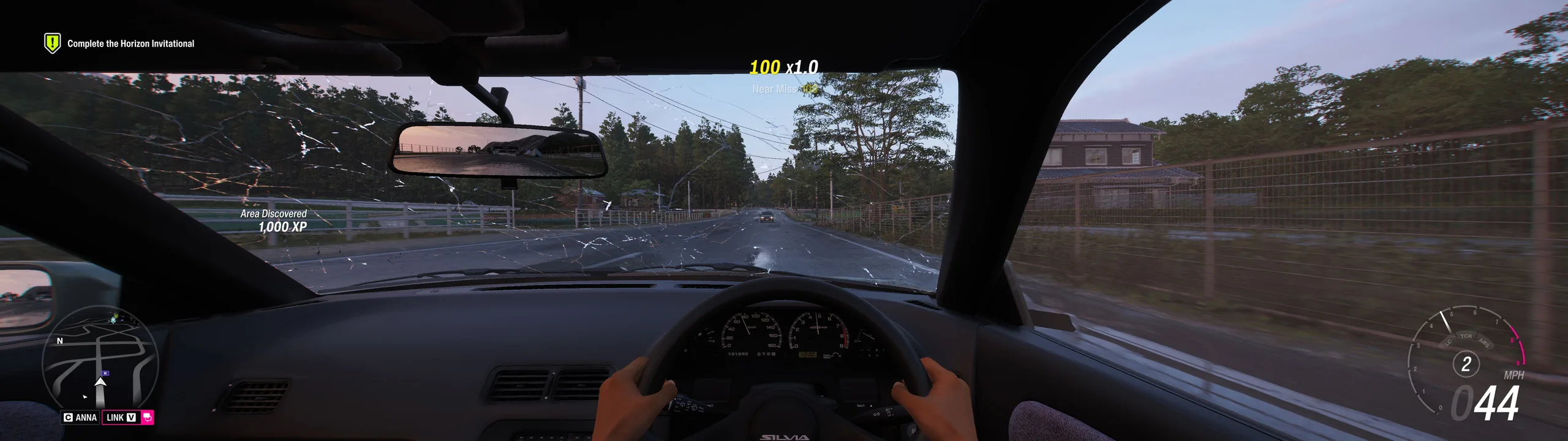
Gaming is where the superwide format really comes into its own. In Forza Horizon 6 (our review), the driver’s perspective in particular reveals much more of the cockpit, which makes the racing experience feel even more immersive.
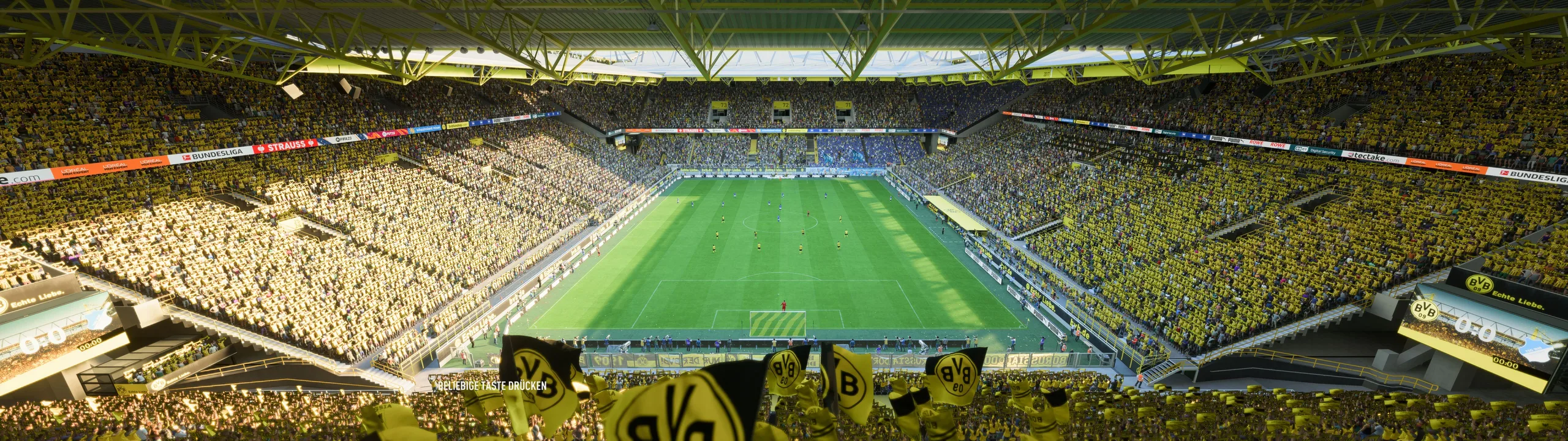
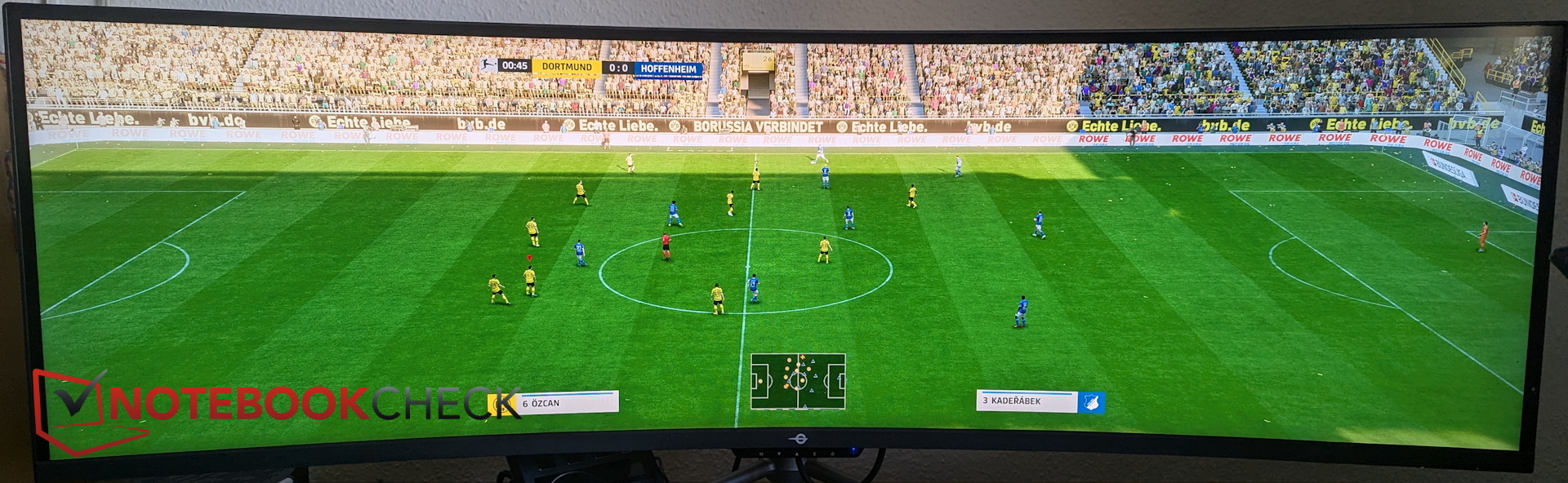
In FIFA, the difference is arguably even more dramatic and borders on cheating. Not only do the cutscenes let us take in the entire stadium for a fantastic sense of atmosphere, but during matches we can also see almost the entire pitch at once. That makes it much easier to spot when a player starts a run well ahead of the line and react more effectively to specific situations in play.
Viewing angles
This is one of the more significant weaknesses of VA panels, as viewing angle stability is often less than ideal—and that’s true of Titan Army’s 49-inch display as well.
Power consumption - 50 to 70 W
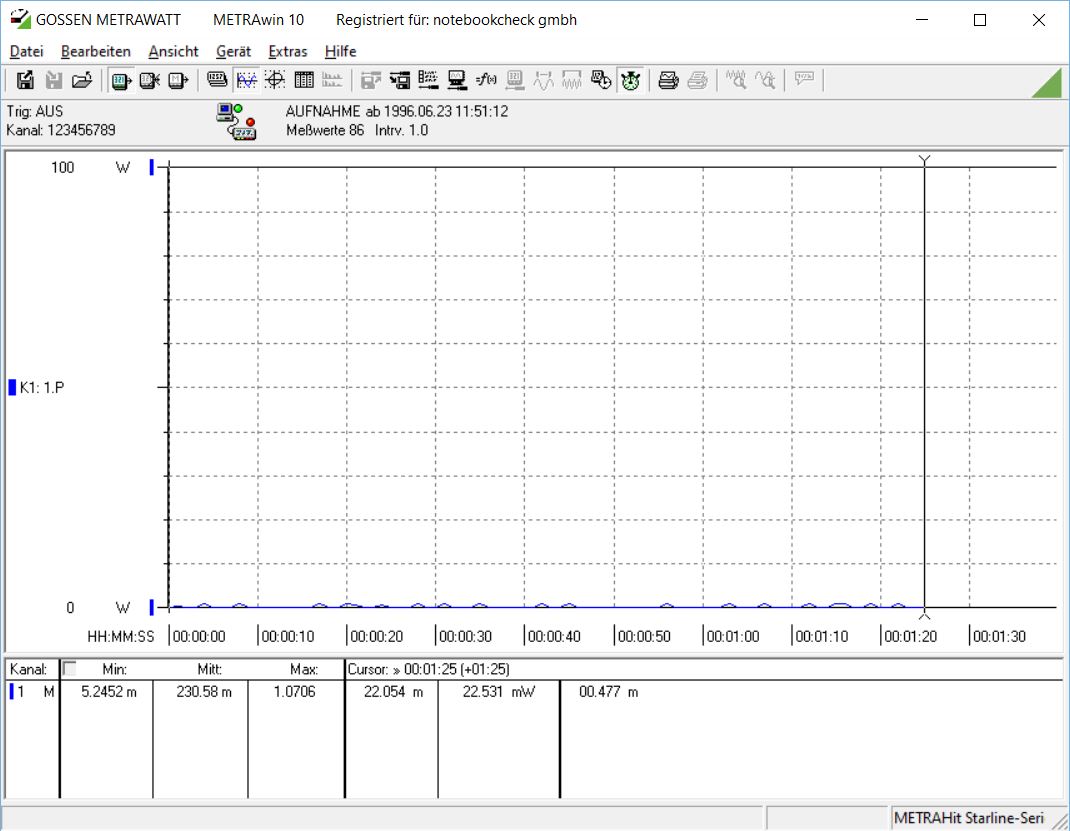
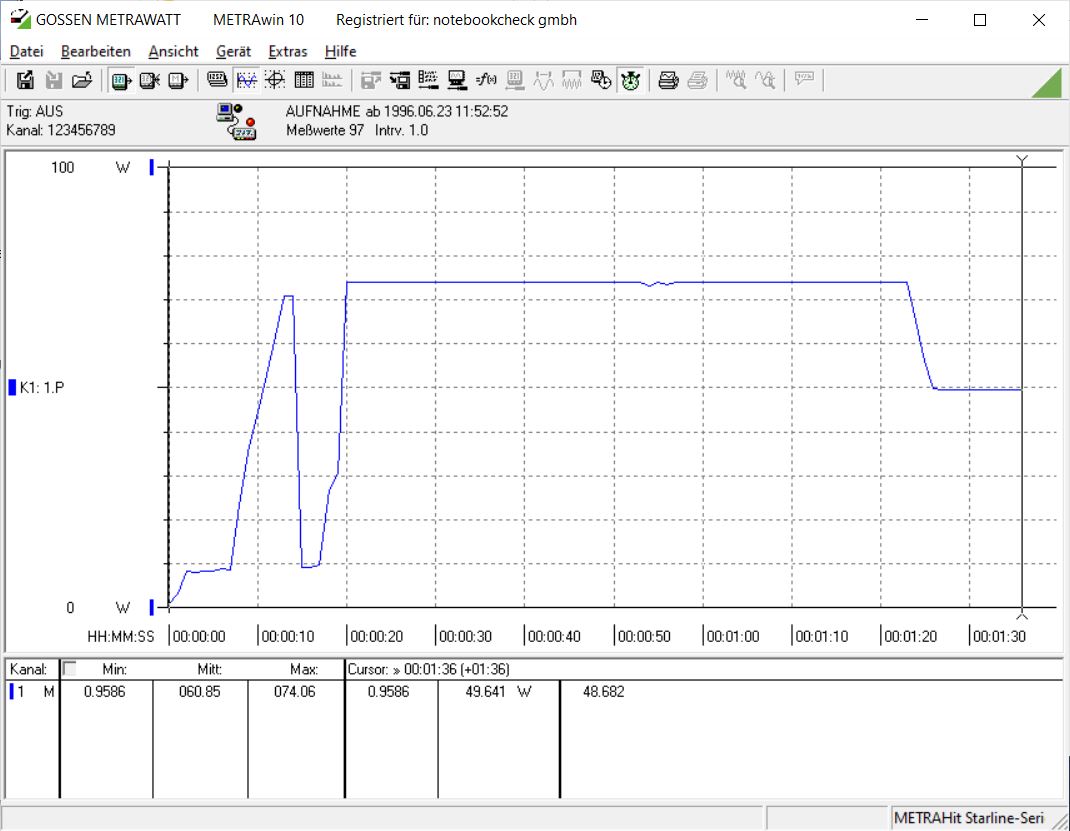
When switched off, the 49-inch giant draws just 0.25 W. Once powered on, consumption depends entirely on brightness. At full brightness, the monitor pulls around 70 W; at 50 percent brightness, it draws about 50 W from the wall.
Transparency
The selection of devices to be reviewed is made by our editorial team. The test sample was given to the author by the manufacturer free of charge for the purposes of review. There was no third-party influence on this review, nor did the manufacturer receive a copy of this review before publication. There was no obligation to publish this review. As an independent media company, Notebookcheck is not subjected to the authority of manufacturers, retailers or publishers.
 Add as a preferred source on Google


