




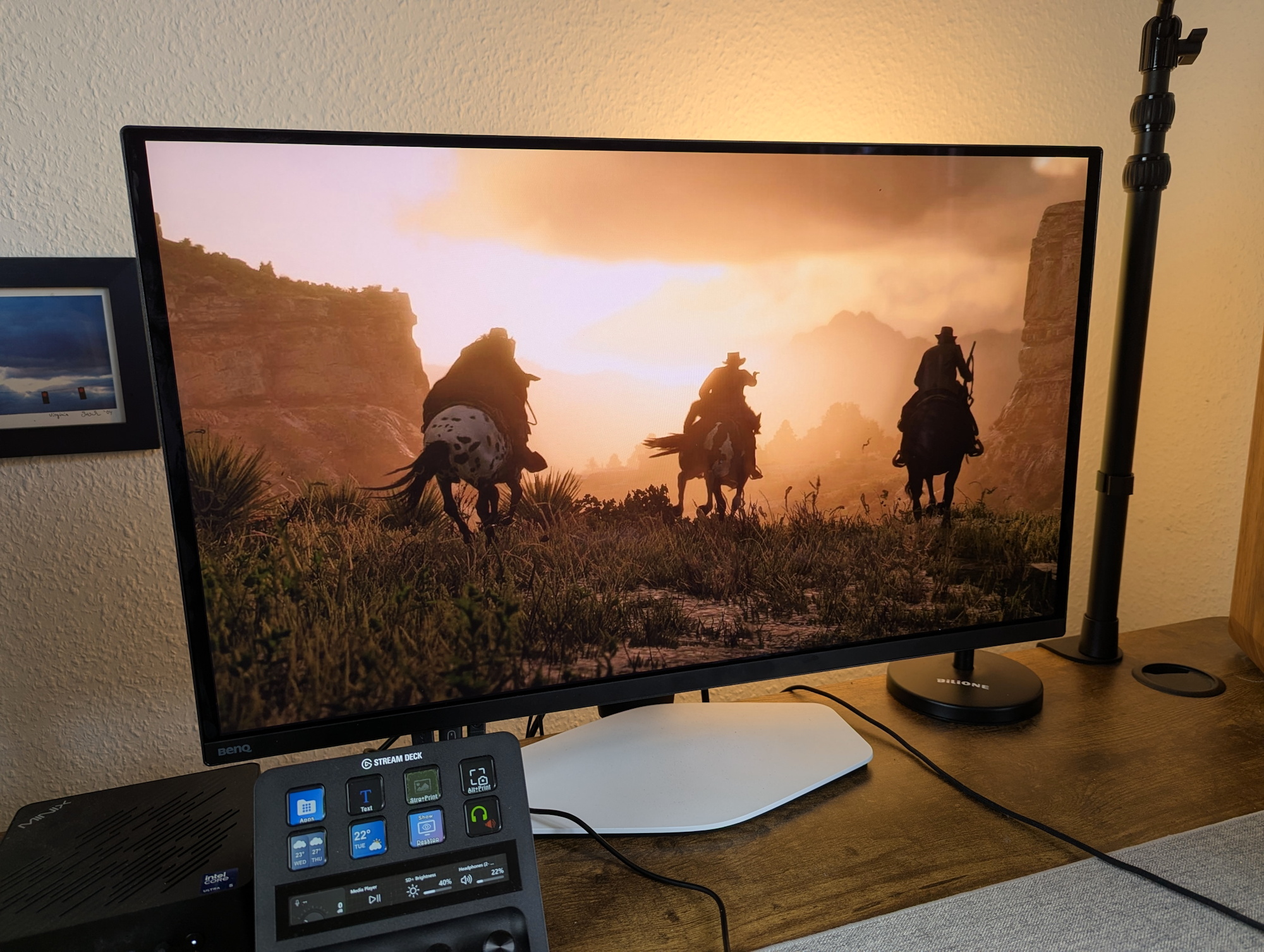
BenQ Mobiuz EX271UZ monitor review: 27 inches, 4K, QD-OLED, 166 PPI, 240 Hz and remote control
Forced coffee time.
4K, up to 1,000 nits, 240 Hz, 0.03 ms, KVM switch: beyond raw spec-sheet extremes, the BenQ QD-OLED monitor aims to impress gamers with an especially vibrant visual presentation. How? Through game-specific color profiles designed to make the image look more contrast-rich, brighter, and overall more spectacular.Christian Hintze (translated by Christian Hintze) Published 🇩🇪 🇳🇱 ...
Verdict - OLED enjoyment with refresh frustration
The OLED image quality is thoroughly convincing, with outstanding colors and contrast, while the game-optimized profiles are a welcome addition—even if the accompanying app still feels somewhat unfinished. What the BenQ Mobiuz delivers visually is genuinely impressive.
However, being forced to take a nearly six-minute break every 24 hours of use for a mandatory pixel refresh feels highly disruptive and user-unfriendly. A better implementation is clearly needed.
Pros
Cons

With the Mobiuz EX271UZ, BenQ offers a 27-inch external QD-OLED monitor for gamers. However, the manufacturer does not rely solely on the high-end panel: with more than 120 color profiles from the Color Shuttle game-art database, the display is intended to be perfectly tuned to our favorite games at all times.
Chassis & design - white, black and silver, but no LEDs
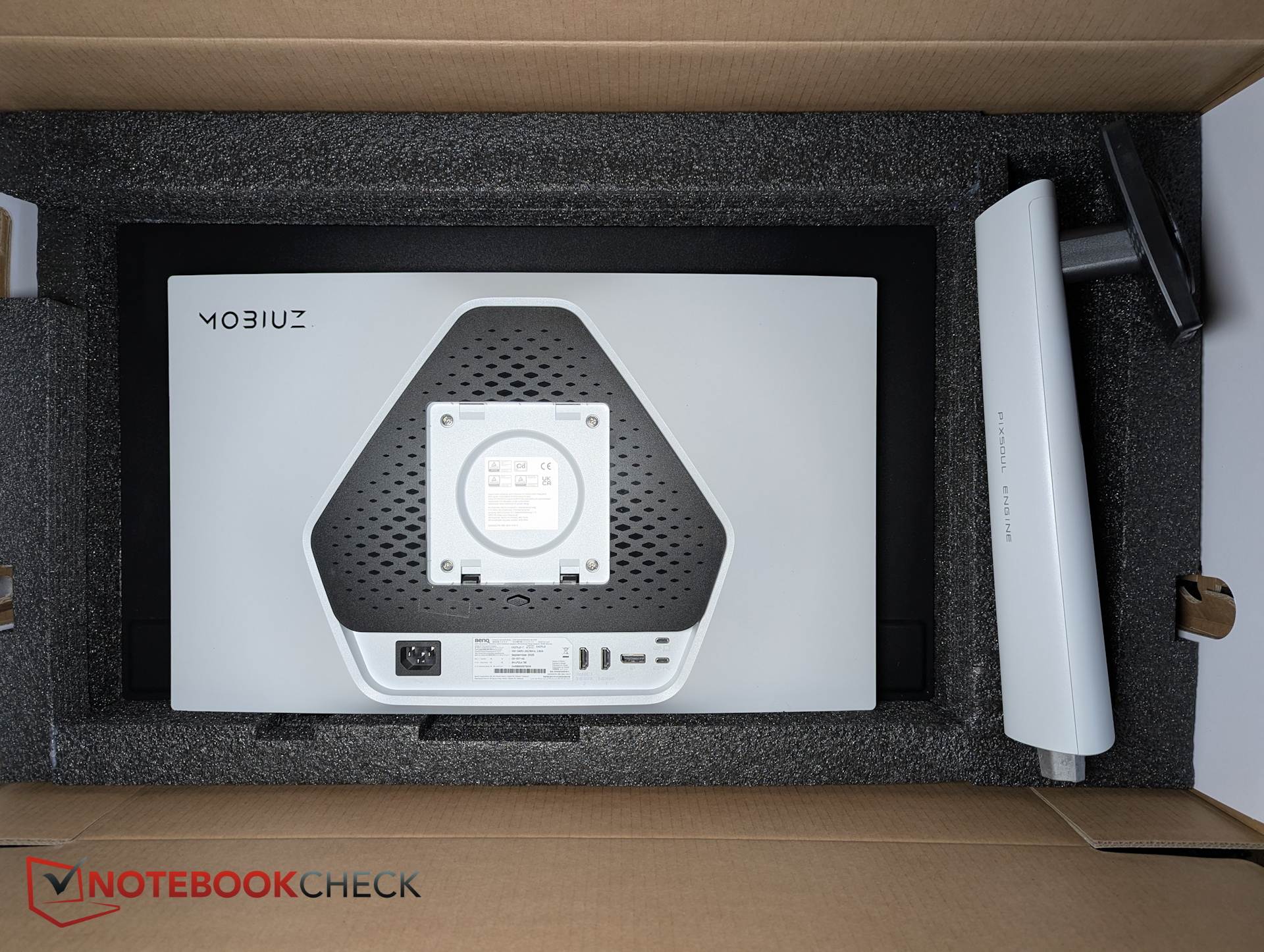
Visually, the EX271UZ makes a solid impression. Its rear plastic shell looks quite premium thanks to a white finish, black accents, and a silver Mobiuz logo, giving it a refined aesthetic despite the lack of RGB lighting.
From the front, the Mobiuz appears almost understated. A very thin plastic bezel frames the glass edge of the panel, with only the bottom edge being slightly thicker at around 1.5 cm.
The hinge on the VESA mount does not support pivot rotation (portrait mode). Instead of rotating 90 degrees, the monitor can only be tilted slightly. However, height adjustment and swivel are supported.
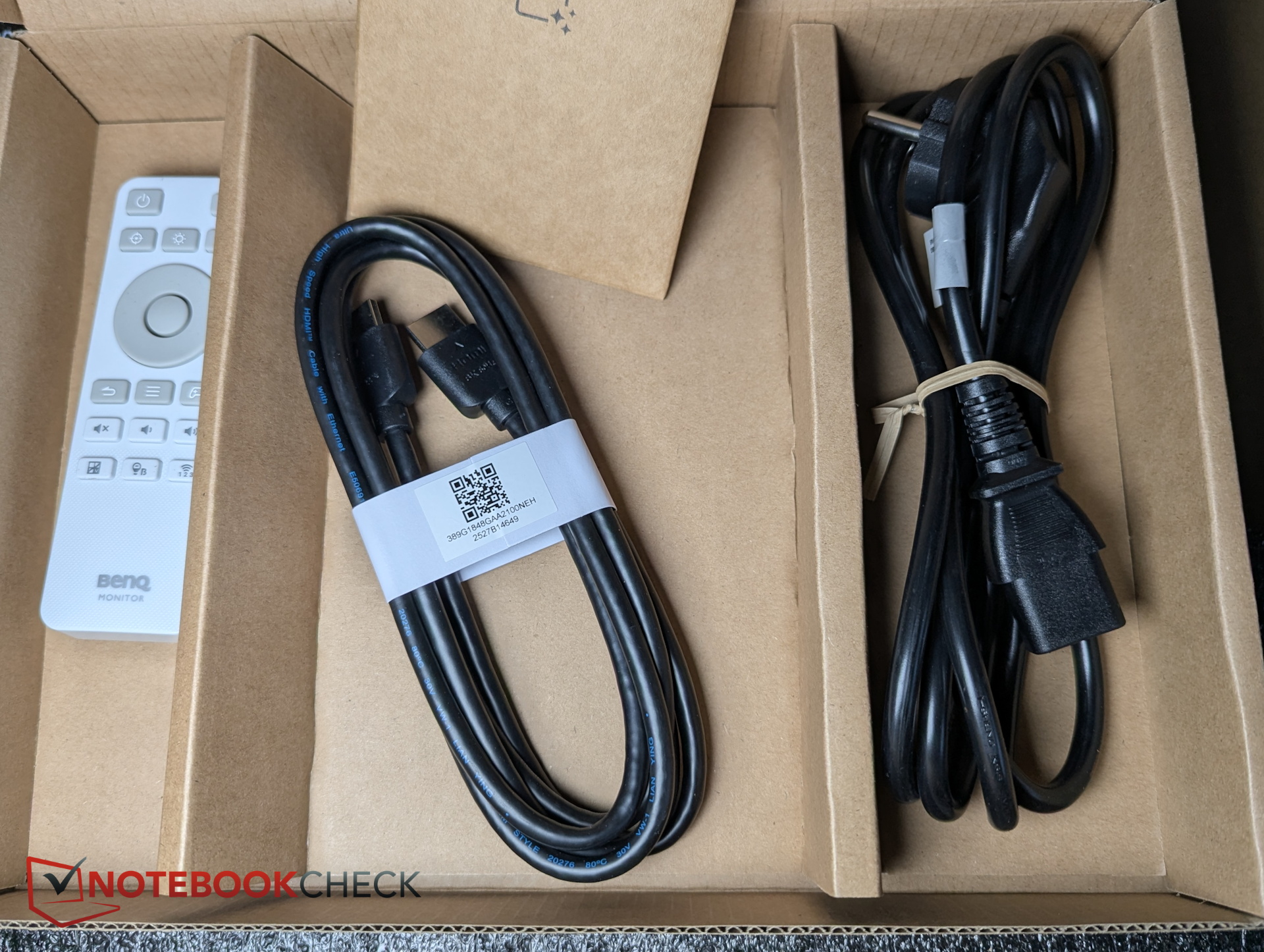
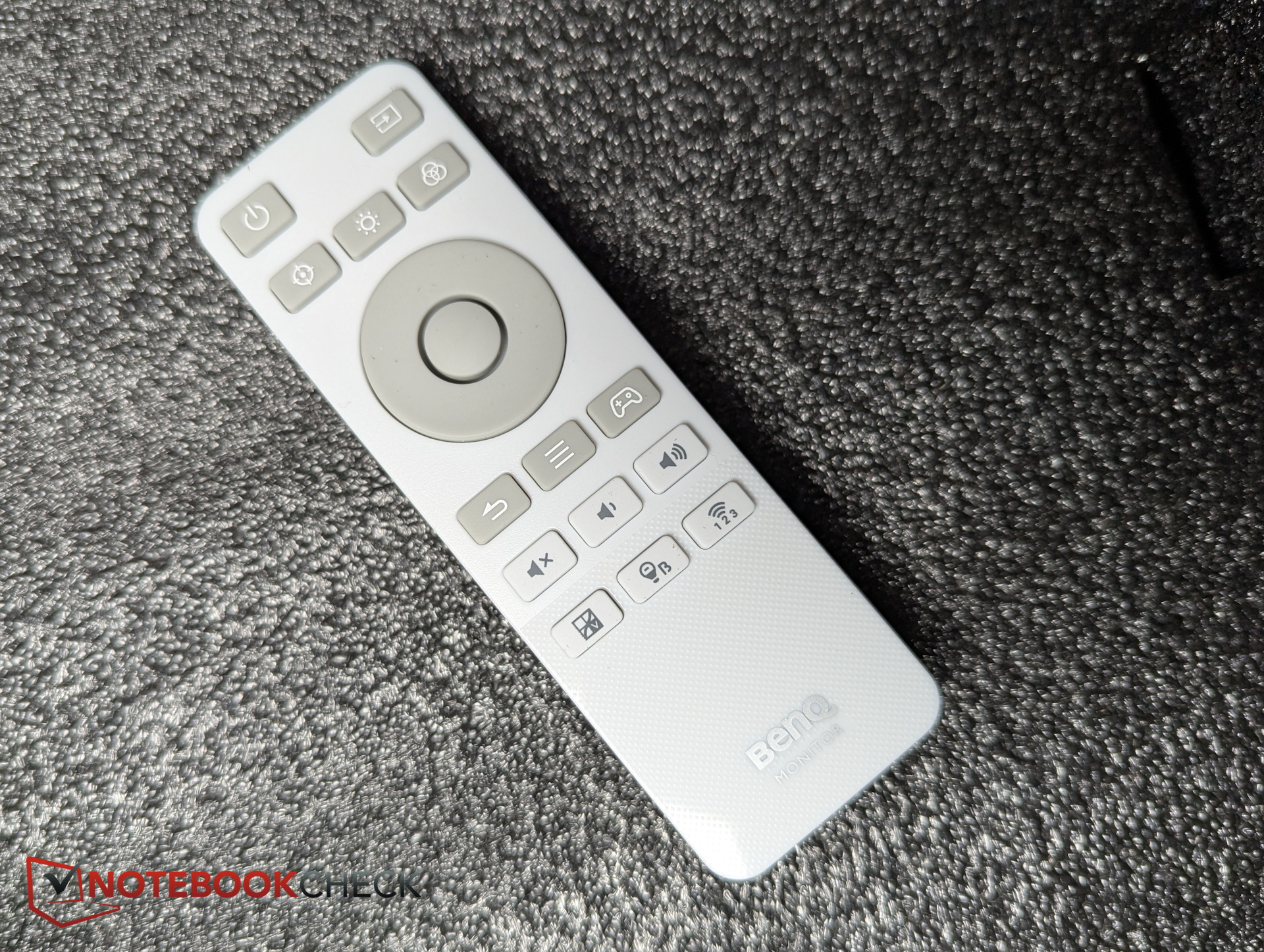
Extras
Connectivity - KVM switch and In/Out seperation
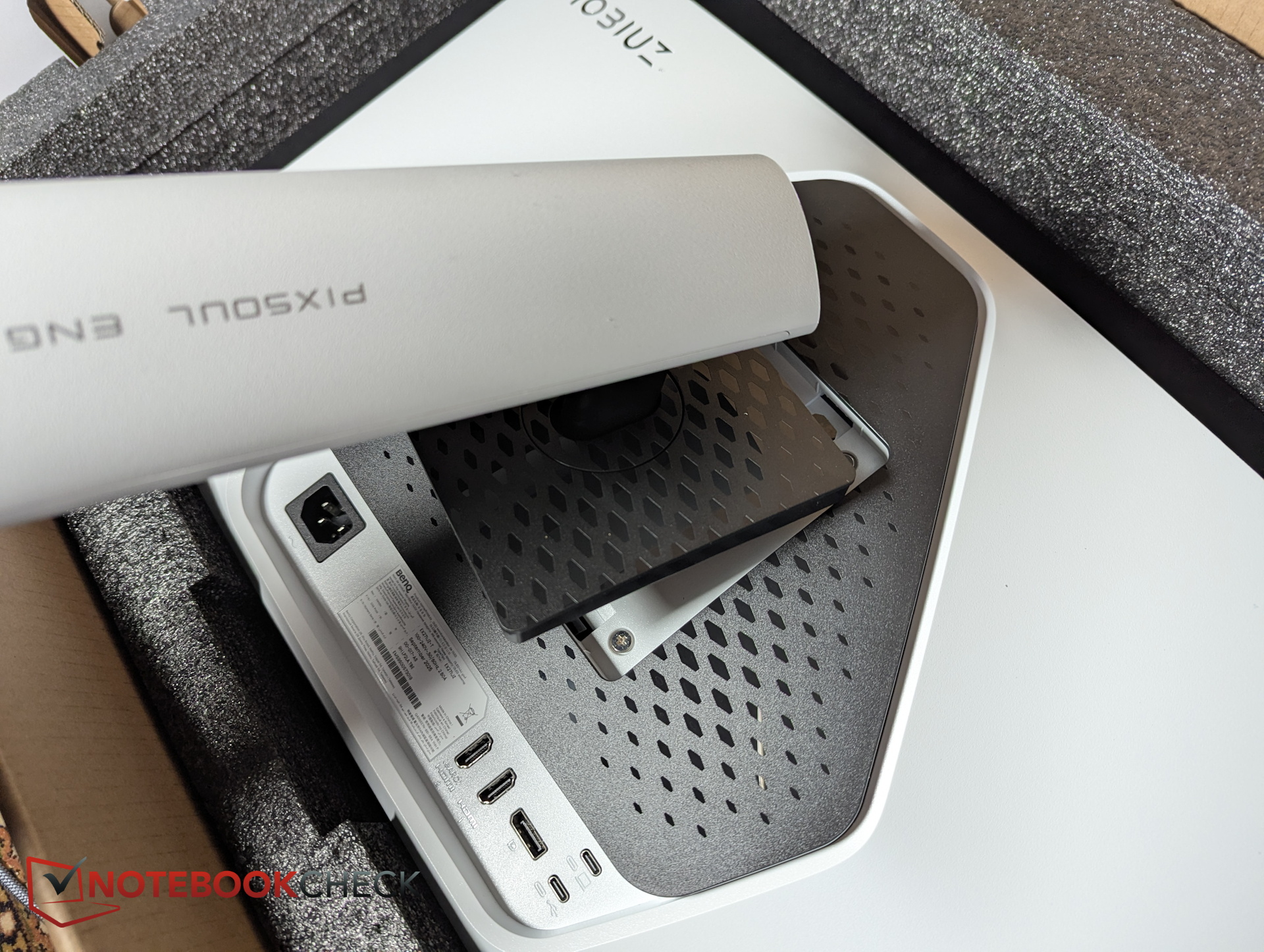
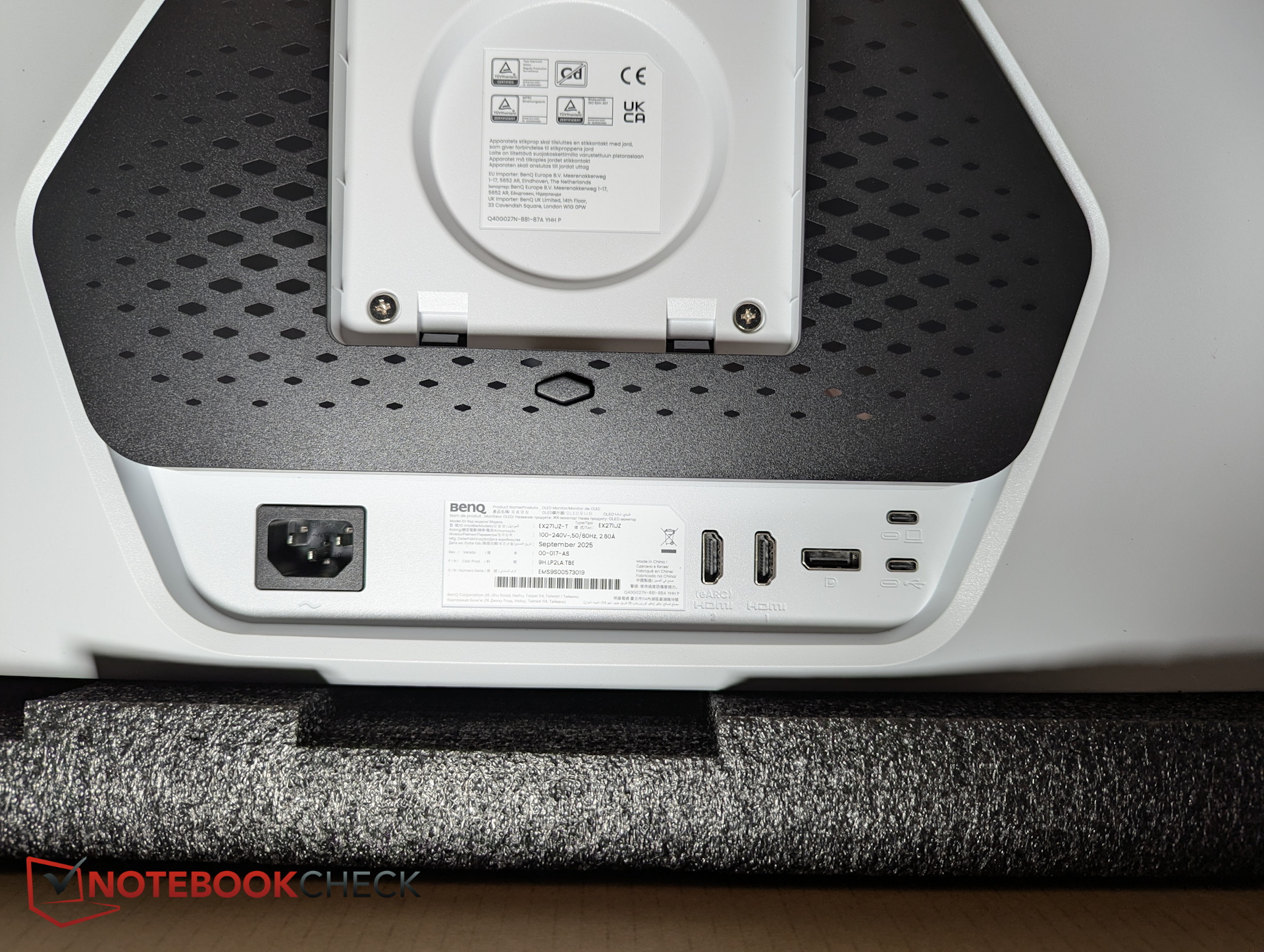
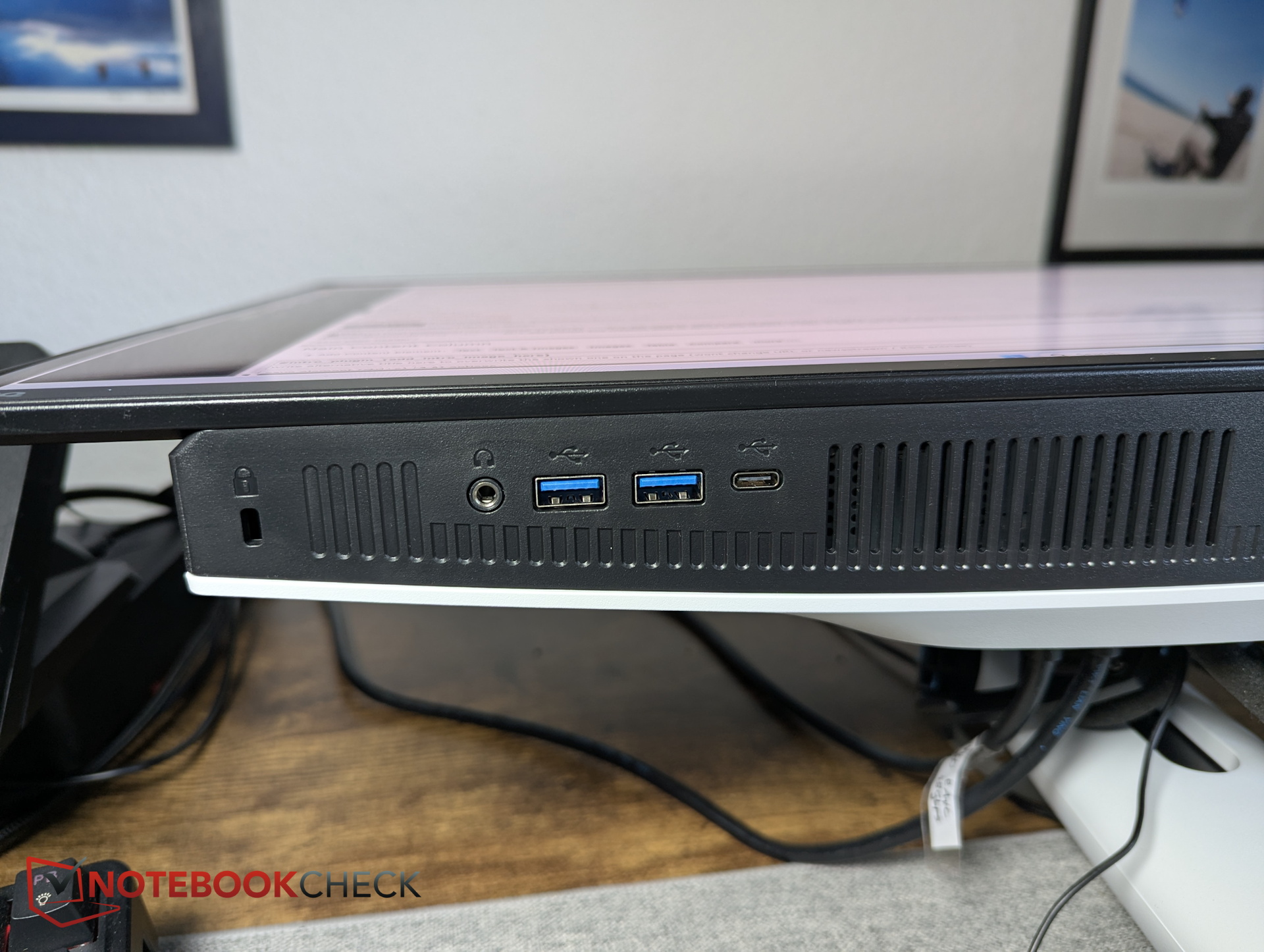
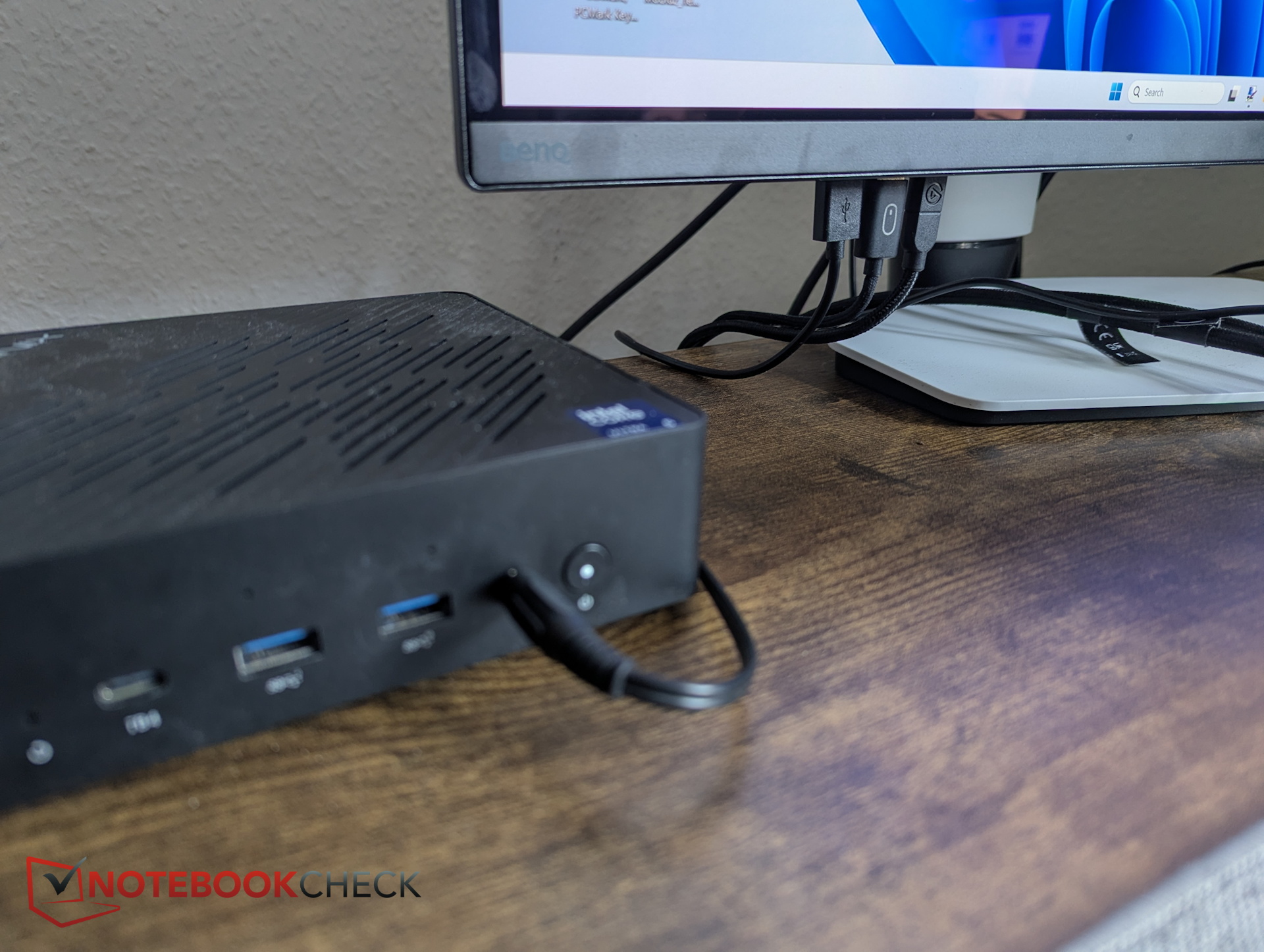
A KVM switch is onboard. For upstream connections, there are two different USB-C ports. However, only the primary host supports eARC and 90 W power delivery.
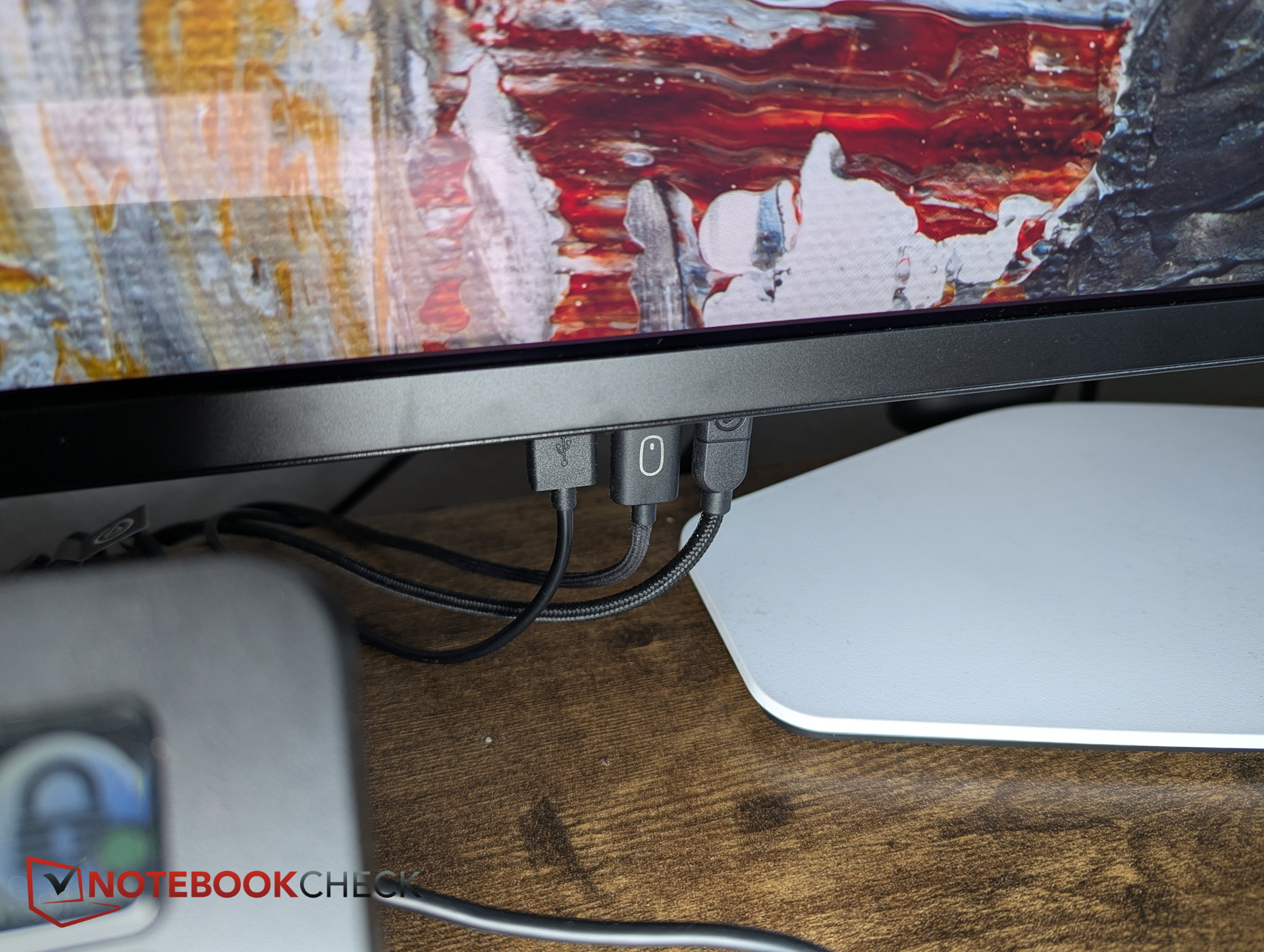
For peripherals, there are 2x USB-A ports and one USB-C port, each with 5 Gbps, plus two HDMI 2.1 ports (one with eARC) and one DisplayPort (v1.4). Thanks to the KVM, several valuable ports on my mini PC have been freed up; keyboard, mouse, and the Elgato Stream Deck+ are now connected directly to the monitor.
Specifications
| Screen size | 26.5 inches |
| Panel type | OLED |
| Resolution (max.) | 3,840 x 2,160 |
| Brightness (typ./peak) | 250 nits / 1,000 nits |
| HDR | VESA DisplayHDR True Black 400 |
| Refresh rate | 240 Hz |
| Response time (GtG) | 0.03 ms |
| Native contrast | 1,500,000:1 |
| Color gamut | 99% P3 |
| Color modes | Cinema HDR, Fantasy HDR, Realistic HDR, Sci-Fi HDR, Display P3, sRGB, User, DisplayHDR, Cinema, Sci-Fi, Realistic, Fantasy, Gamer 1, Gamer 2, Gamer 3 |
| Display colors | 1.07 billion colors |
| PPI | 166 |
| HDCP | 2.3 |
| Power consumption (typ./max.) | 37 W / 230 W |
| Price | $ 949.99 |
Image quality - Great colors, optimized profiles
In SDR, we measure 260 nits. With HDR enabled, the display reaches 820 nits. At smaller measurement windows, the panel may get even brighter, but our equipment and software are the limiting factor here.
Uniformity is very even, black levels are excellent, and contrast is equally strong. Subjectively, the BenQ also delivers a highly impressive image.
It becomes even more contrast-rich and punchy when selecting one of the preset gaming modes in the monitor menu.
| |||||||||||||||||||||||||
Brightness Distribution: 97 %
Contrast: 6515:1 (Black: 0.04 cd/m²)
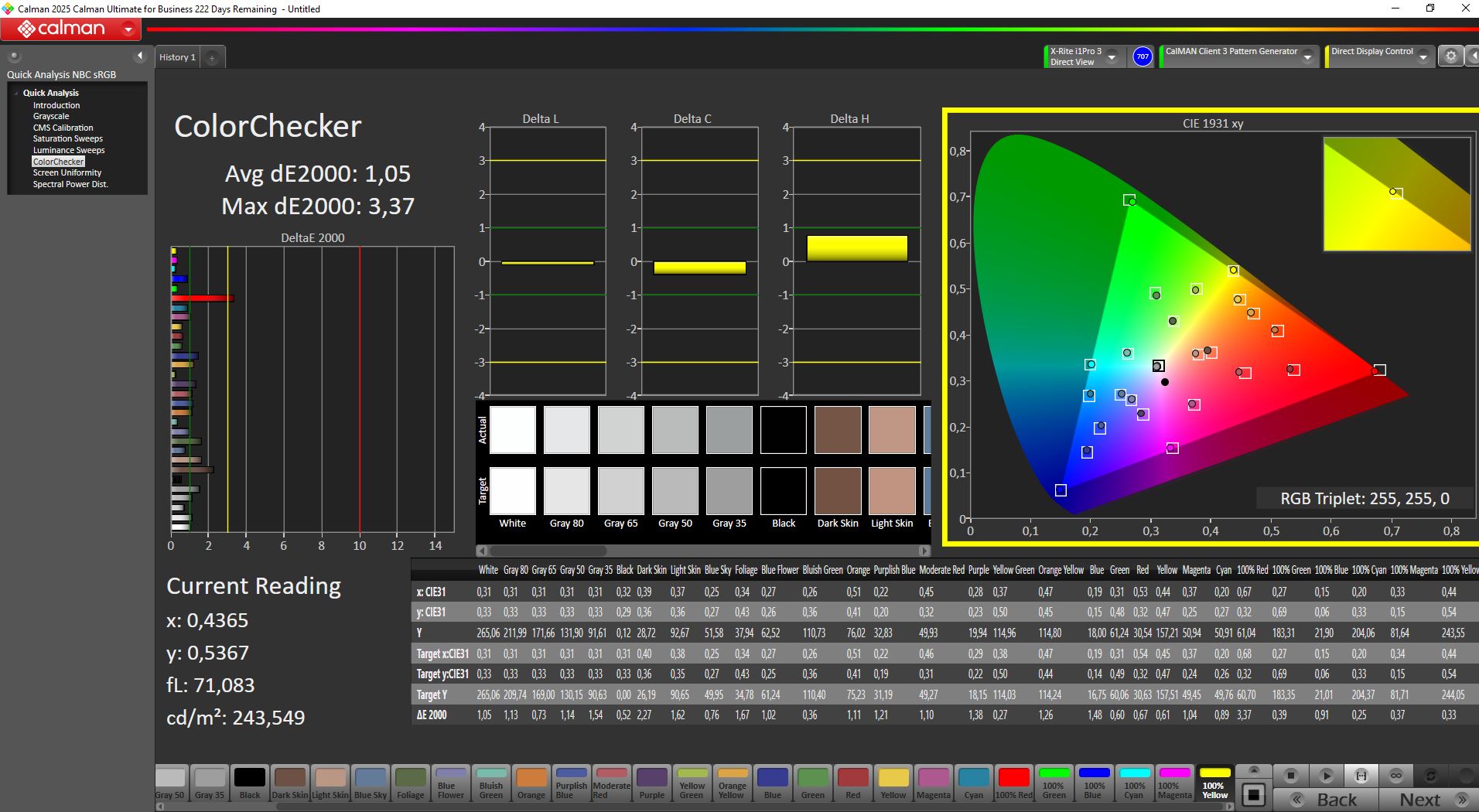
ΔE ColorChecker Calman: 1.05 | ∀{0.5-29.43 Ø4.7}
calibrated: 1.05
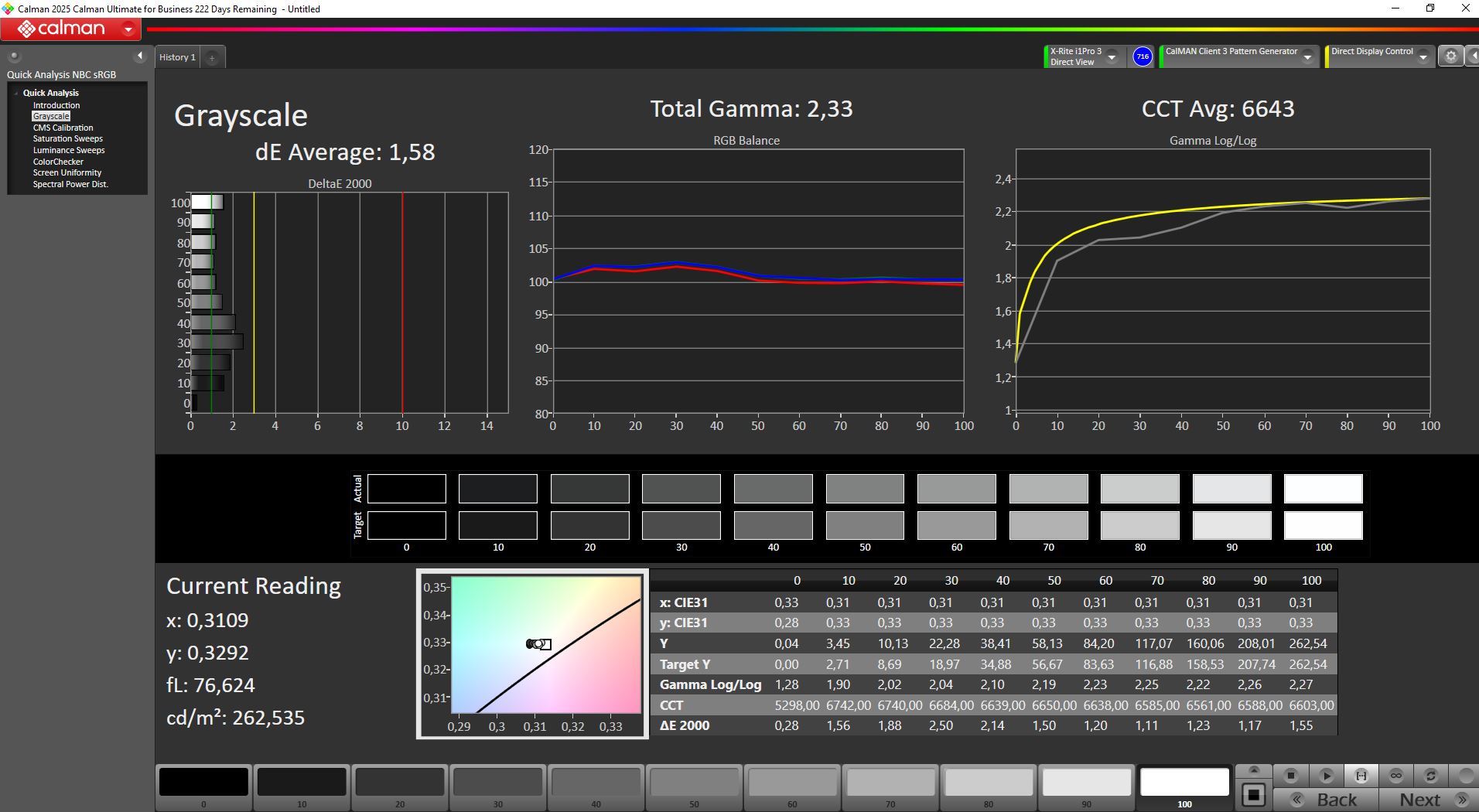
ΔE Greyscale Calman: 1.58 | ∀{0.09-98 Ø4.95}
86% AdobeRGB 1998 (Argyll 3D)
99.9% sRGB (Argyll 3D)
96.7% Display P3 (Argyll 3D)
Gamma: 2.33
CCT: 6643 K
| BenQ Mobiuz EX271UZ monitor review: 27 inches, 4K, QD-OLED, 166 PPI, 240 Hz and remote control 3840x2160, 26.5", 240 Hz | TITAN ARMY P275MV PLUS 3840x2160, 27", 160 Hz | KTC G27P6 OLED, 2560x1440, 27", 240 Hz | KTC H27P22s AUO 7.0, IPS, 3840x2160, 27", 160 Hz | Alienware AW2725DF x, 27", Hz | MSI MAG 274QRF QD E2 MAG 274QRF QD E2, IPS, 2560x1440, 27", 180 Hz | |
|---|---|---|---|---|---|---|
| Display | 0% | -3% | -5% | 1% | ||
| Display P3 Coverage (%) | 96.7 | 94.7 -2% | 86.91 -10% | 86.9 -10% | 97.6 1% | |
| sRGB Coverage (%) | 99.9 | 100 0% | 99.23 -1% | 99.8 0% | 99.7 0% | |
| AdobeRGB 1998 Coverage (%) | 86 | 88.9 3% | 86.86 1% | 81.6 -5% | 88.9 3% | |
| Response Times | -715% | 14% | -740% | -467% | -367% | |
| Response Time Grey 50% / Grey 80% * (ms) | 1 ? | 12.8 ? -1180% | 0.8 ? 20% | 11.8 ? -1080% | 6.7 ? -570% | 5.76 ? -476% |
| Response Time Black / White * (ms) | 1.6 ? | 5.6 ? -250% | 0.8 ? 50% | 8 ? -400% | 7.4 ? -363% | 5.73 ? -258% |
| PWM Frequency (Hz) | 230 | 240 | ||||
| PWM Amplitude * (%) | 11 | 14 -27% | ||||
| Screen | -120% | -197% | -194% | -116% | -230% | |
| Brightness middle (cd/m²) | 260.6 | 305 17% | 320 23% | 454 74% | 520.3 100% | 453 74% |
| Brightness (cd/m²) | 261 | 296 13% | 310 19% | 398 52% | 493 89% | 404 55% |
| Brightness Distribution (%) | 97 | 92 -5% | 93 -4% | 79 -19% | 88 -9% | 84 -13% |
| Black Level * (cd/m²) | 0.04 | 0.34 -750% | 0.02 50% | 0.41 -925% | 0.45 -1025% | 0.28 -600% |
| Contrast (:1) | 6515 | 897 -86% | 16000 146% | 1107 -83% | 1156 -82% | 1618 -75% |
| Colorchecker dE 2000 * | 1.05 | 2.15 -105% | 10.69 -918% | 4.61 -339% | 1.8 -71% | 7.97 -659% |
| Colorchecker dE 2000 max. * | 3.07 | 4.16 -36% | 15.63 -409% | 8.04 -162% | 3.8 -24% | 14.32 -366% |
| Colorchecker dE 2000 calibrated * | 1.05 | 1.29 -23% | 4.11 -291% | 2.57 -145% | 1.4 -33% | 1.71 -63% |
| Greyscale dE 2000 * | 1.58 | 3.21 -103% | 7.73 -389% | 4.77 -202% | 1.4 11% | 8.2 -419% |
| Gamma | 2.33 94% | 2.52 87% | 2.2 100% | 2.28 96% | 1.46 151% | |
| CCT | 6643 98% | 6617 98% | 8070 81% | 7540 86% | 6743 96% | 7427 88% |
| Total Average (Program / Settings) | -278% /
-179% | -62% /
-116% | -313% /
-232% | -292% /
-180% | -199% /
-200% |
* ... smaller is better
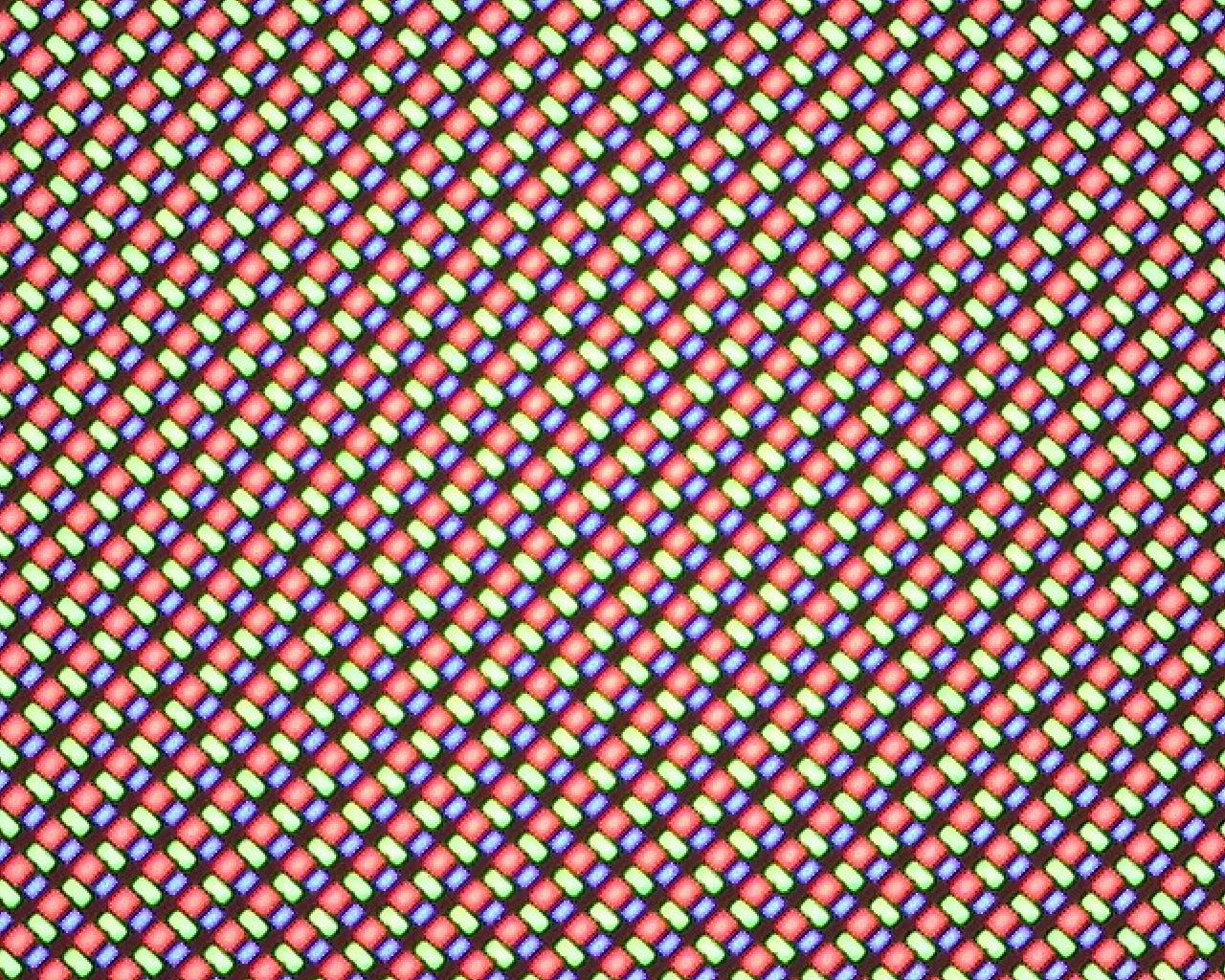
The Mobiuz OLED covers the full sRGB space, nearly complete Display P3 coverage, and still reaches 86% of AdobeRGB.
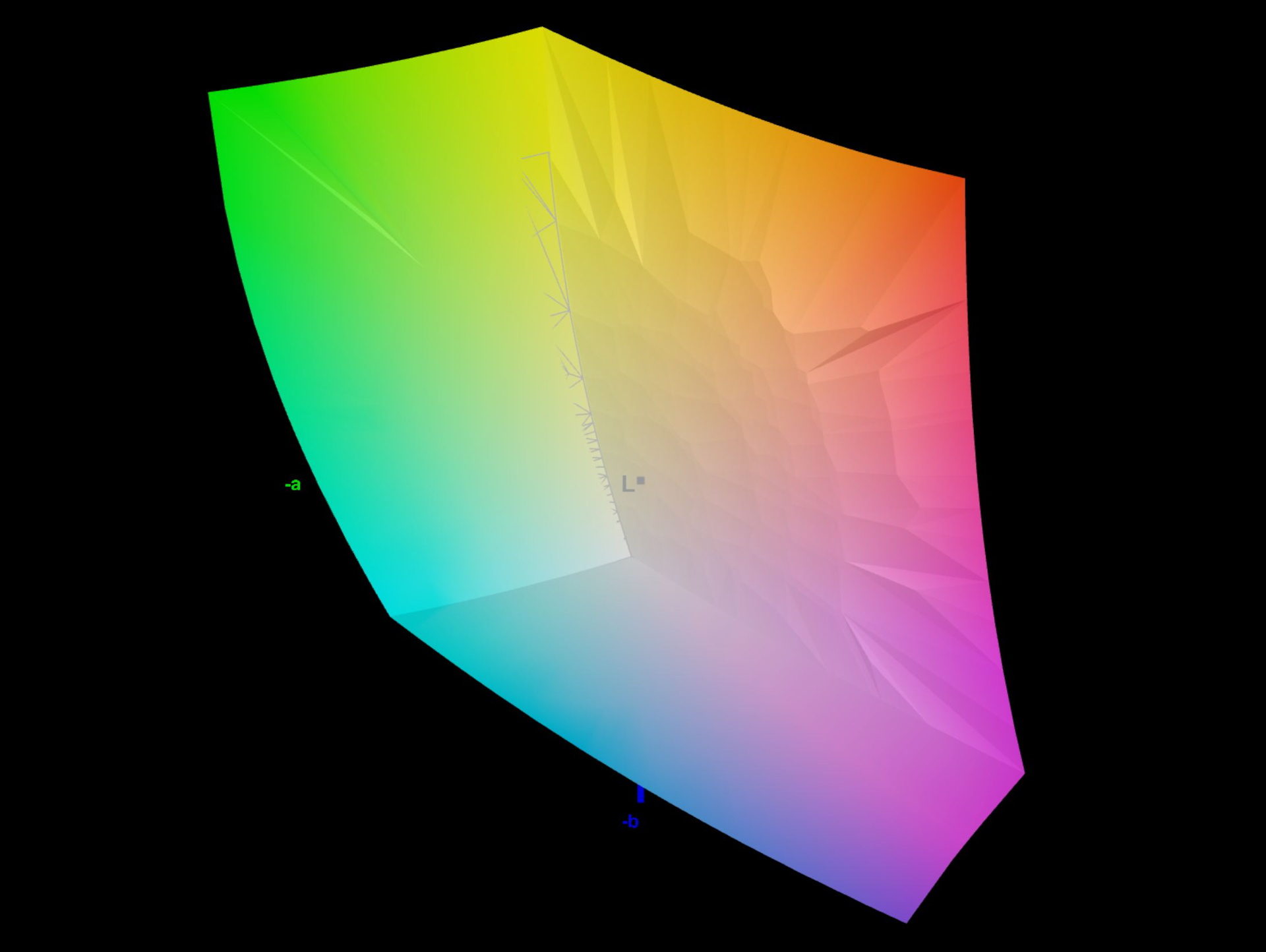
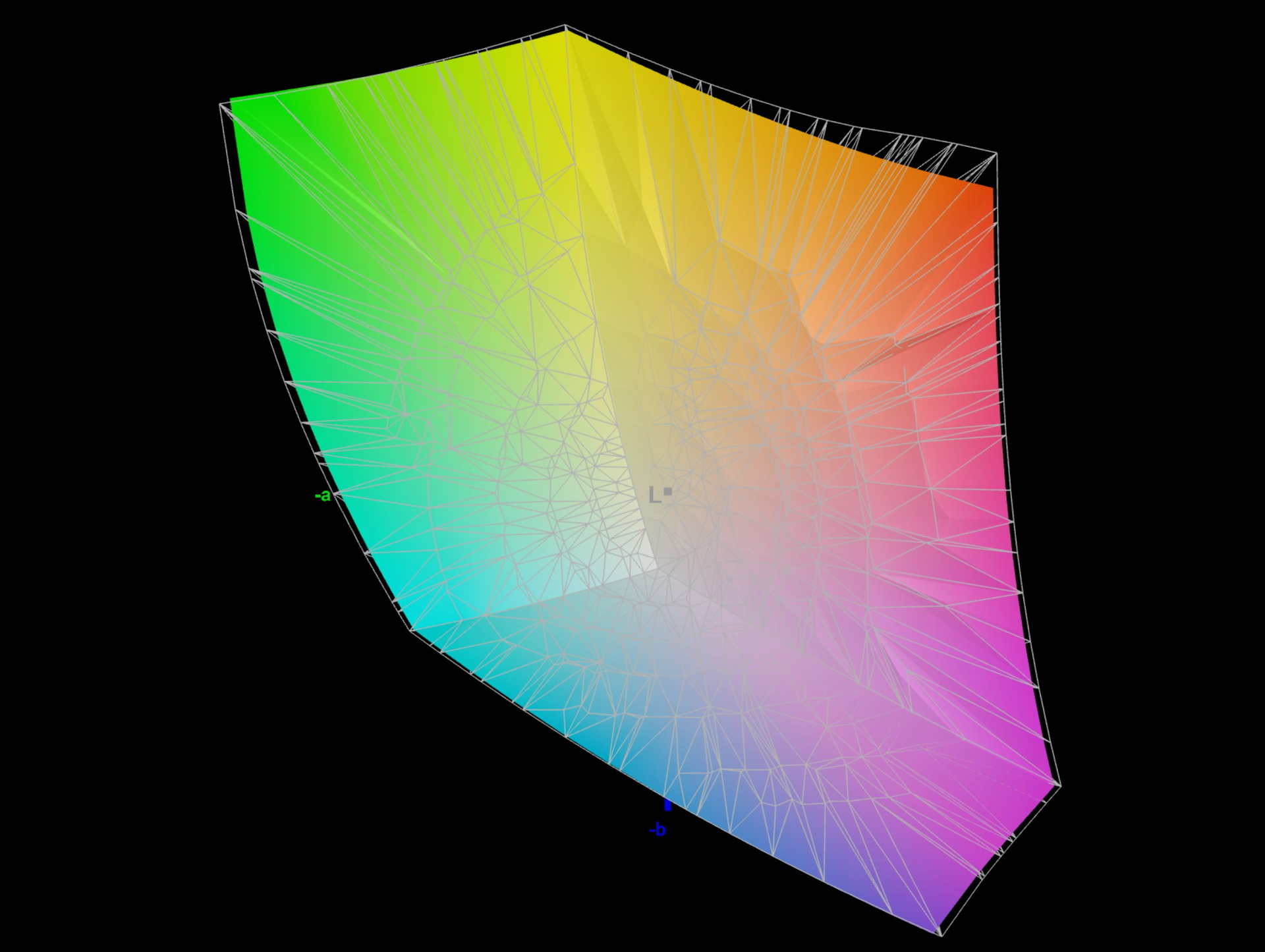
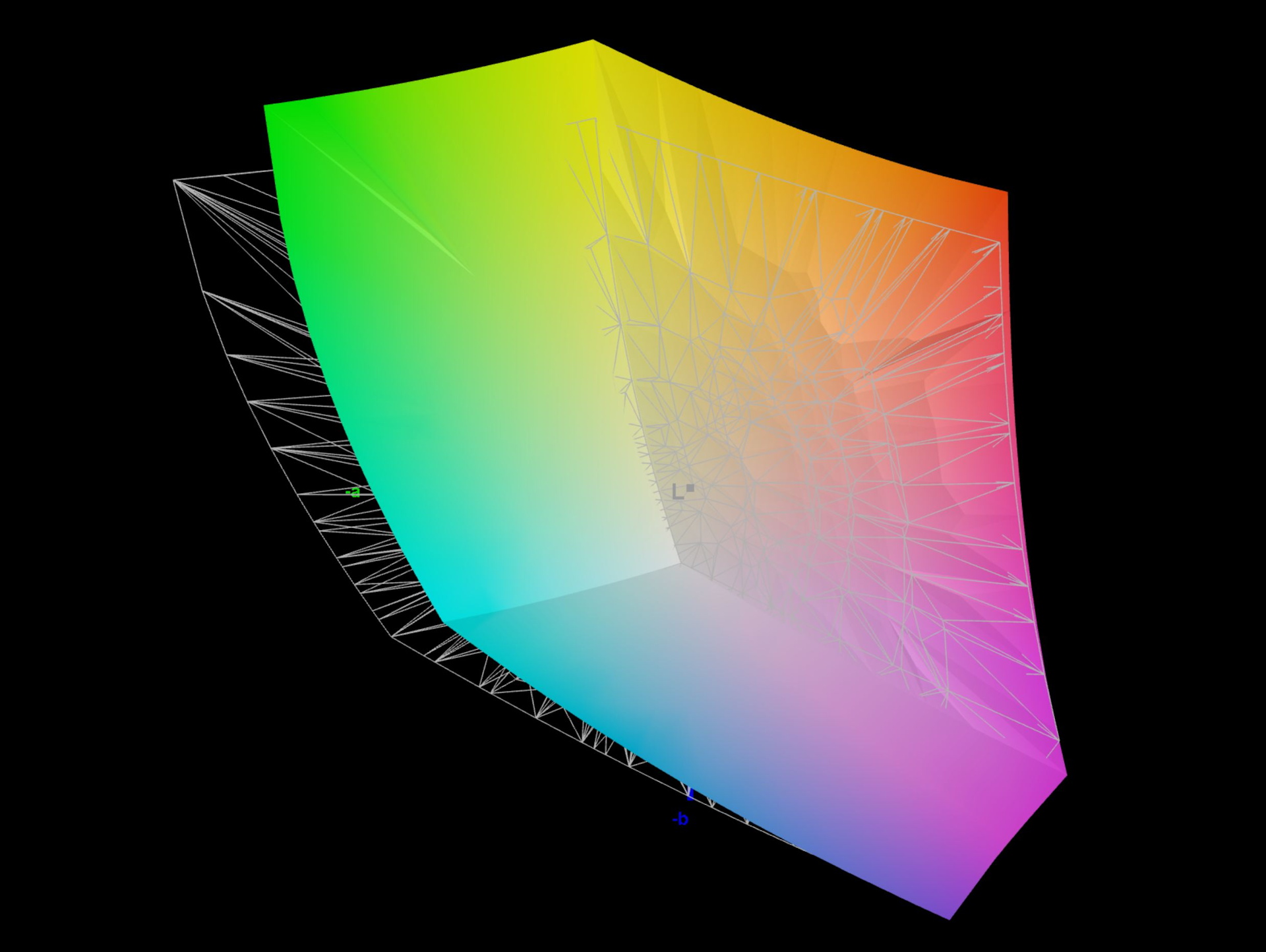
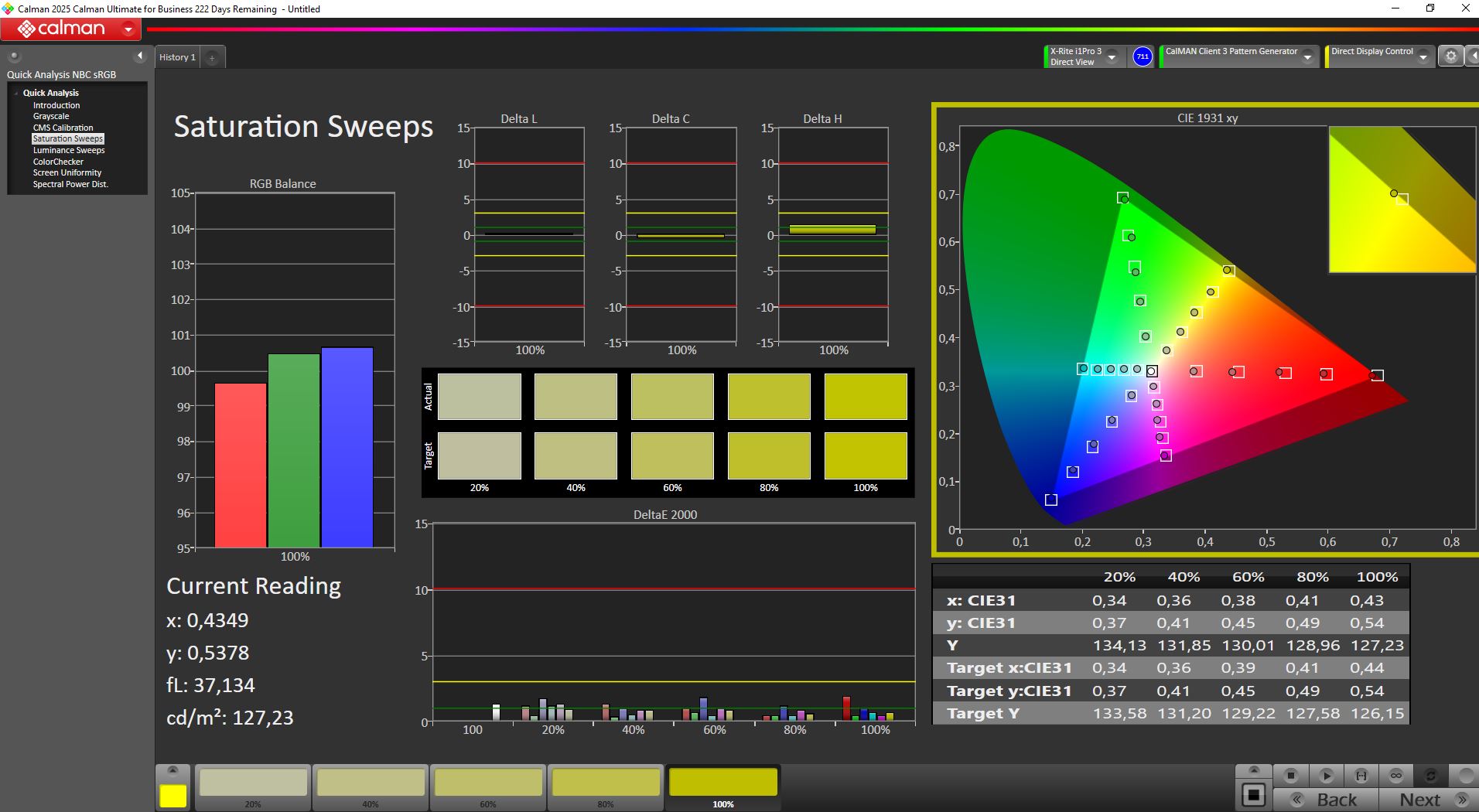
Out of the box, the panel is very well calibrated to Display P3, with deviations around Delta E ~1, and recalibration does not bring noticeable improvements.
Display Response Times
| ↔ Response Time Black to White | ||
|---|---|---|
| 1.6 ms ... rise ↗ and fall ↘ combined | ↗ 0.8 ms rise |  |
| ↘ 0.8 ms fall | ||
| The screen shows very fast response rates in our tests and should be very well suited for fast-paced gaming. In comparison, all tested devices range from 0.1 (minimum) to 240 (maximum) ms. » 10 % of all devices are better. This means that the measured response time is better than the average of all tested devices (19.7 ms). | ||
| ↔ Response Time 50% Grey to 80% Grey | ||
| 1 ms ... rise ↗ and fall ↘ combined | ↗ 0.6 ms rise |  |
| ↘ 0.4 ms fall | ||
| The screen shows very fast response rates in our tests and should be very well suited for fast-paced gaming. In comparison, all tested devices range from 0.13 (minimum) to 636 (maximum) ms. » 4 % of all devices are better. This means that the measured response time is better than the average of all tested devices (30.8 ms). | ||
PWM flickering
At full brightness, we only measure the OLED-typical 60 Hz signal. Below 50% brightness (Display P3 mode, and sometimes already under 90% in other modes), additional flickering appears. The frequency is around 230 Hz (despite the 60 Hz setting) and higher.
As long as brightness stays at or above 50%, there are no issues. At an SDR brightness of 260 nits, users are unlikely to reduce it further anyway.
Screen Flickering / PWM (Pulse-Width Modulation)
| Screen flickering / PWM detected | 230 Hz Amplitude: 11 % |  | |
The display backlight flickers at 230 Hz (worst case, e.g., utilizing PWM) . The frequency of 230 Hz is relatively low, so sensitive users will likely notice flickering and experience eyestrain at the stated brightness setting and below. In comparison: 52 % of all tested devices do not use PWM to dim the display. If PWM was detected, an average of 7656 (minimum: 5 - maximum: 343500) Hz was measured. | |||


Color Shuttle game-art database
The Mobiuz monitor includes preinstalled color profiles accessible via the menu. In addition to industry standards like sRGB and Display P3, it also offers gaming profiles such as Fantasy and Sci-Fi. There are also three custom profiles that can be populated with downloaded presets via the app.
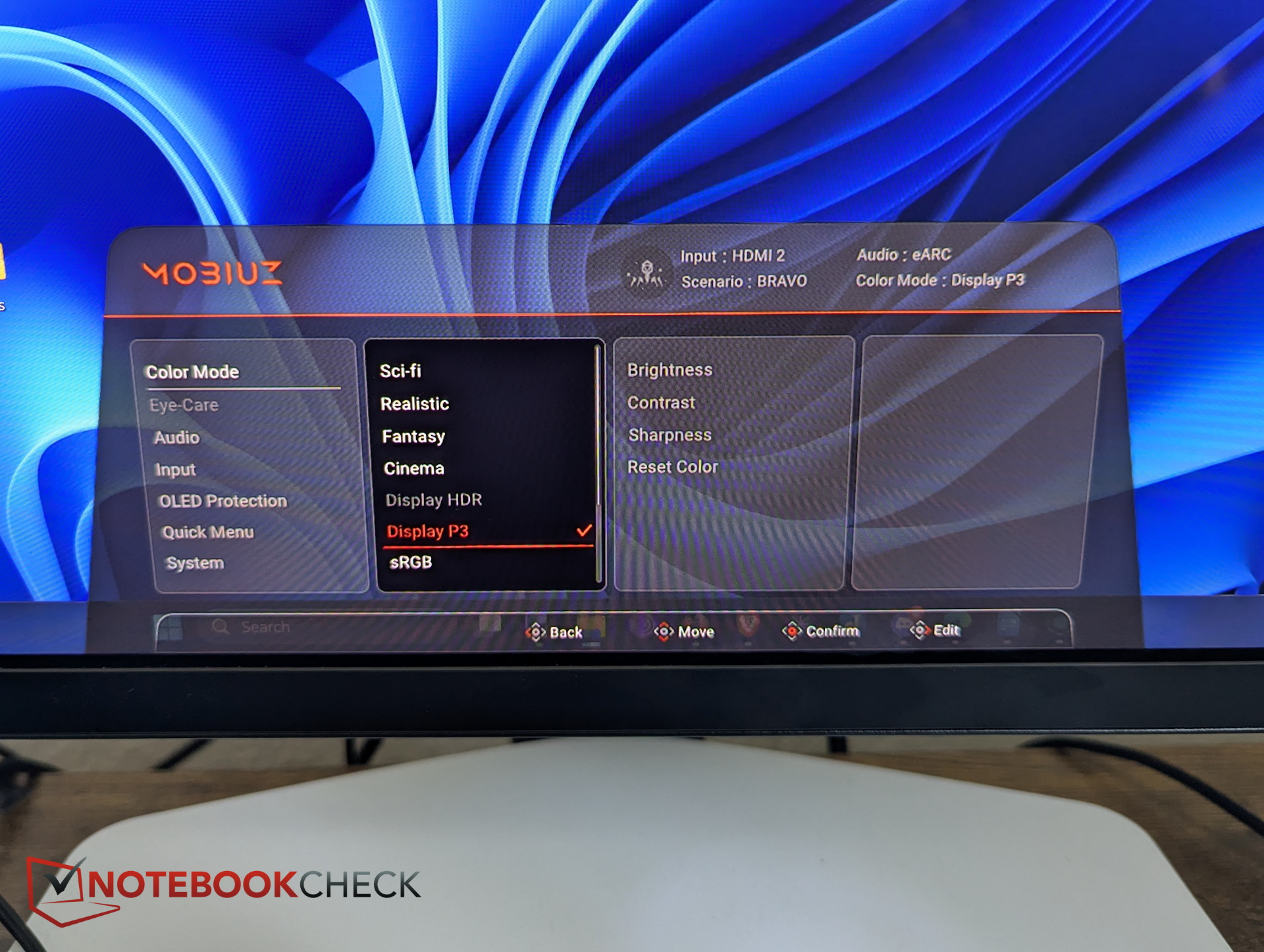
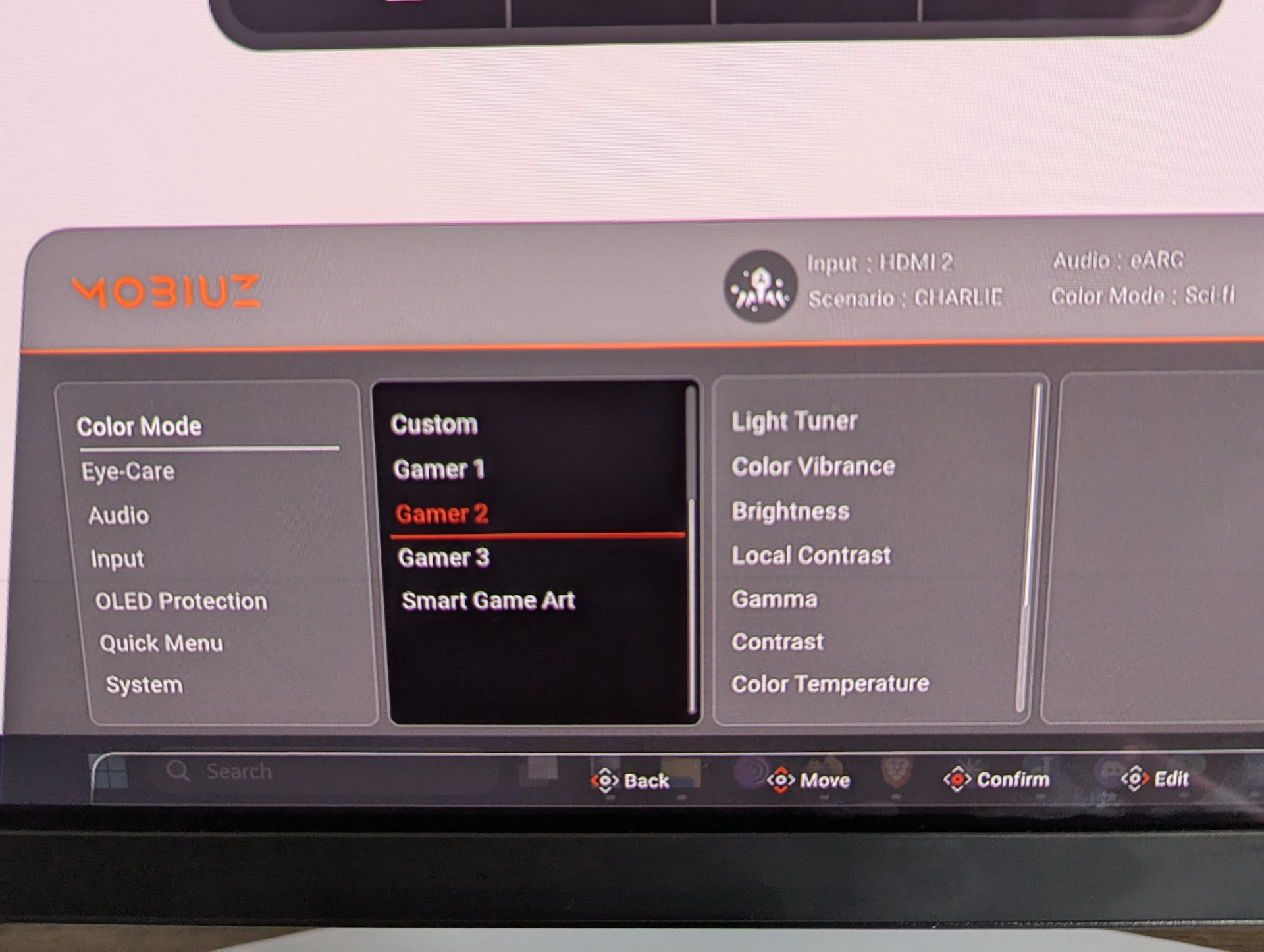
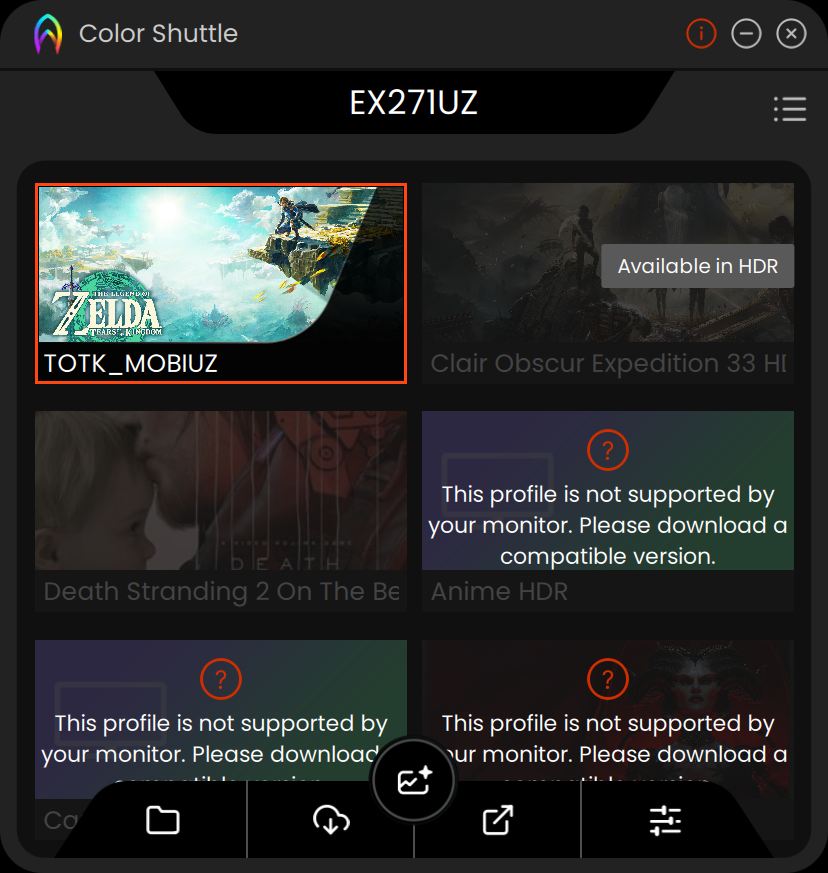
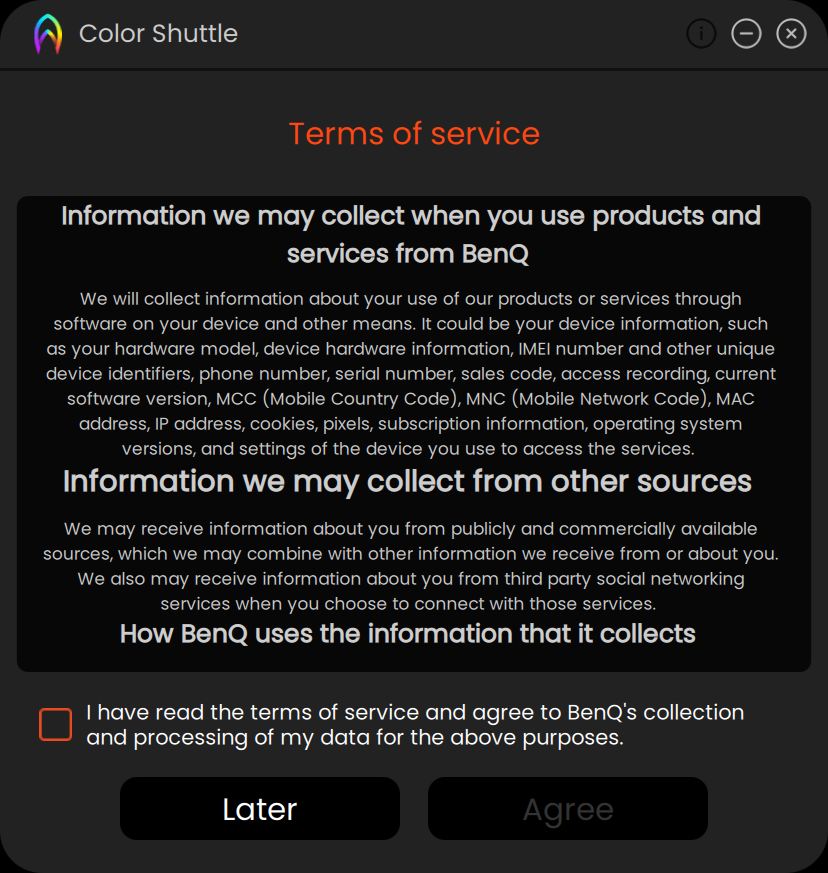
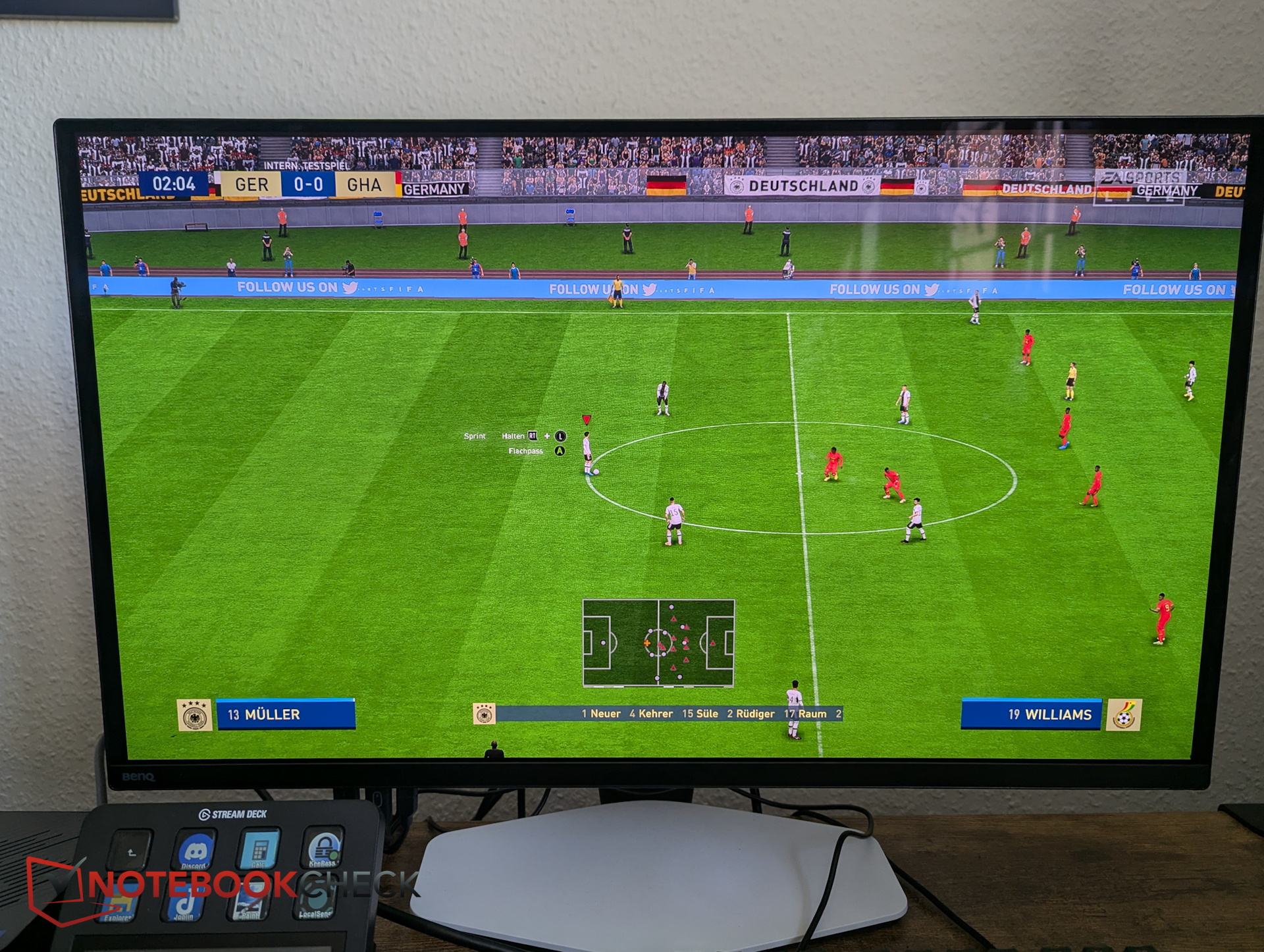
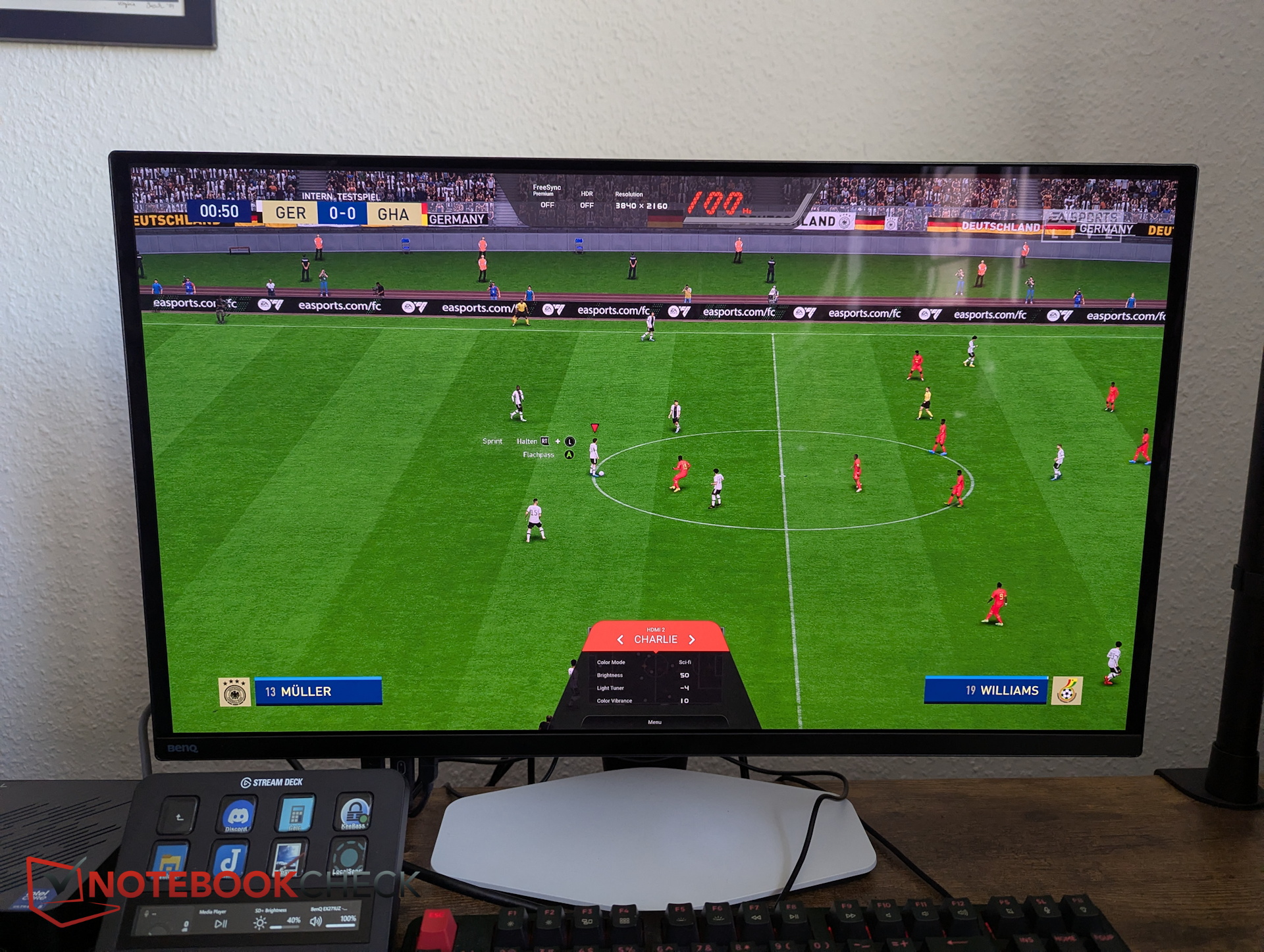
BenQ provides the Color Shuttle app. This roughly 800 MB software allows users to download various color profiles and assign them to the three game presets. These presets can significantly alter the monitor’s color rendering and are mostly a fun feature—making grass in FIFA greener or sunsets in Red Dead Redemption more dramatic.
However, the app is not particularly intuitive. For example, we couldn't figure out how to assign manually downloaded profiles from the website to one of the custom presets.

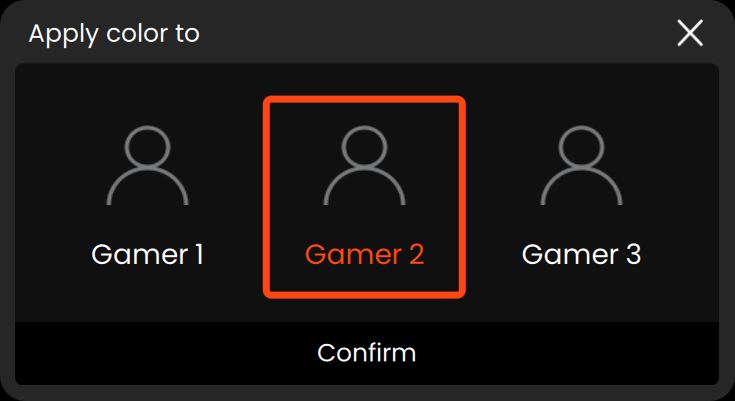
These profiles can also be combined with other monitor settings. BenQ offers four preset profiles (Alpha, Bravo, Charlie, Delta), which can be customized with parameters like color profile, brightness, light tuner, color vibrance, or low blue light. Together, these options provide extensive customization flexibility.
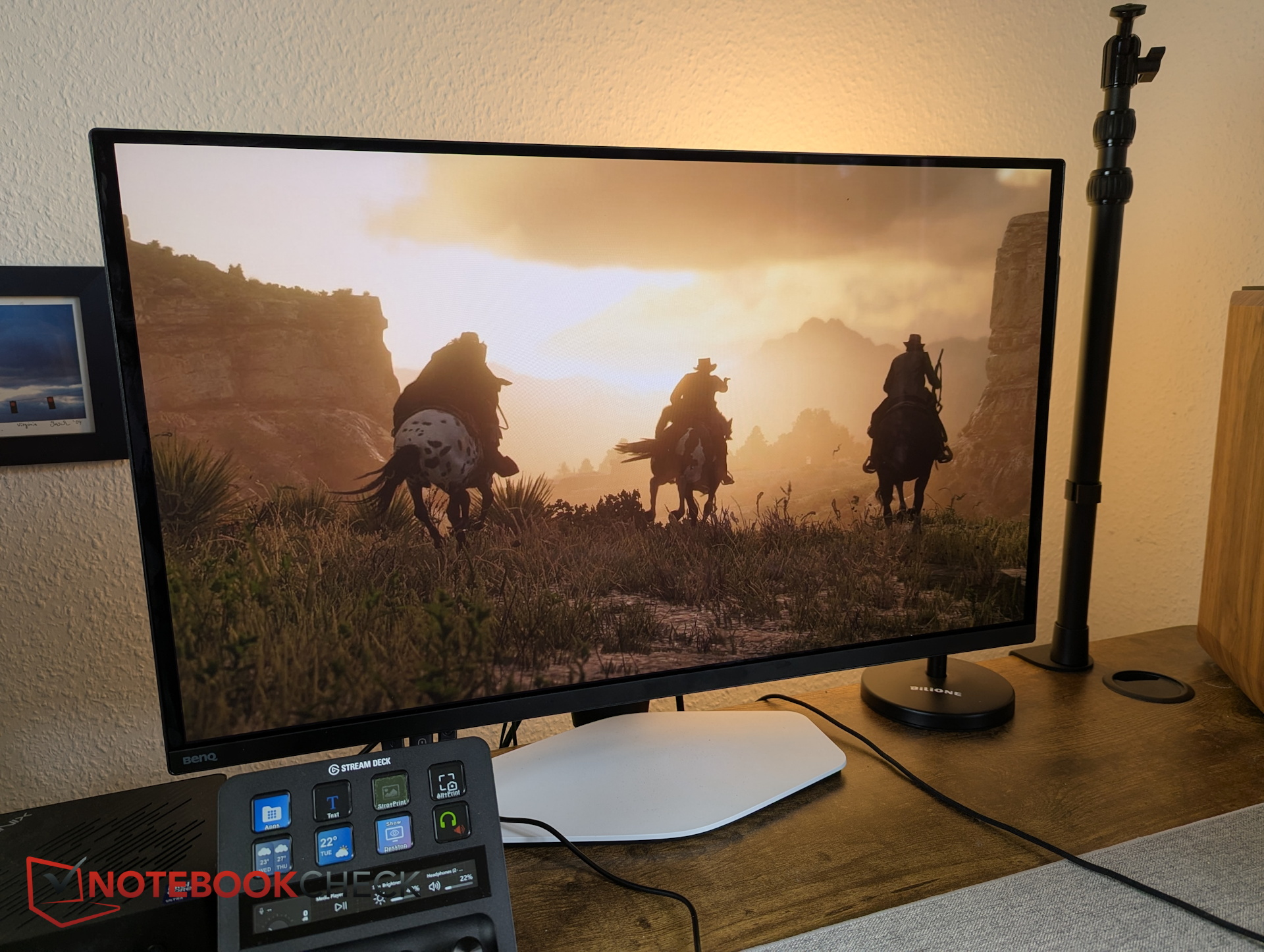
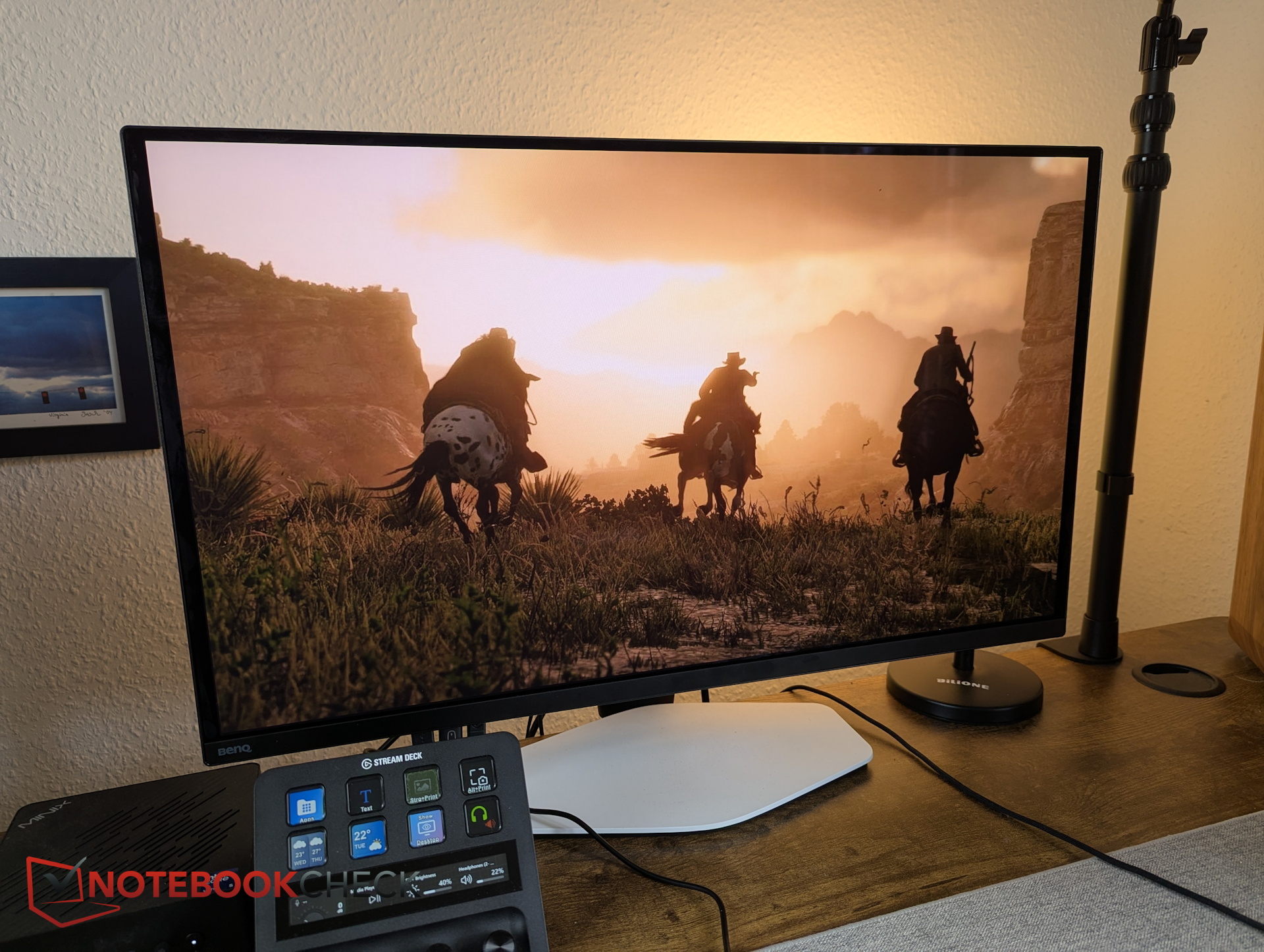
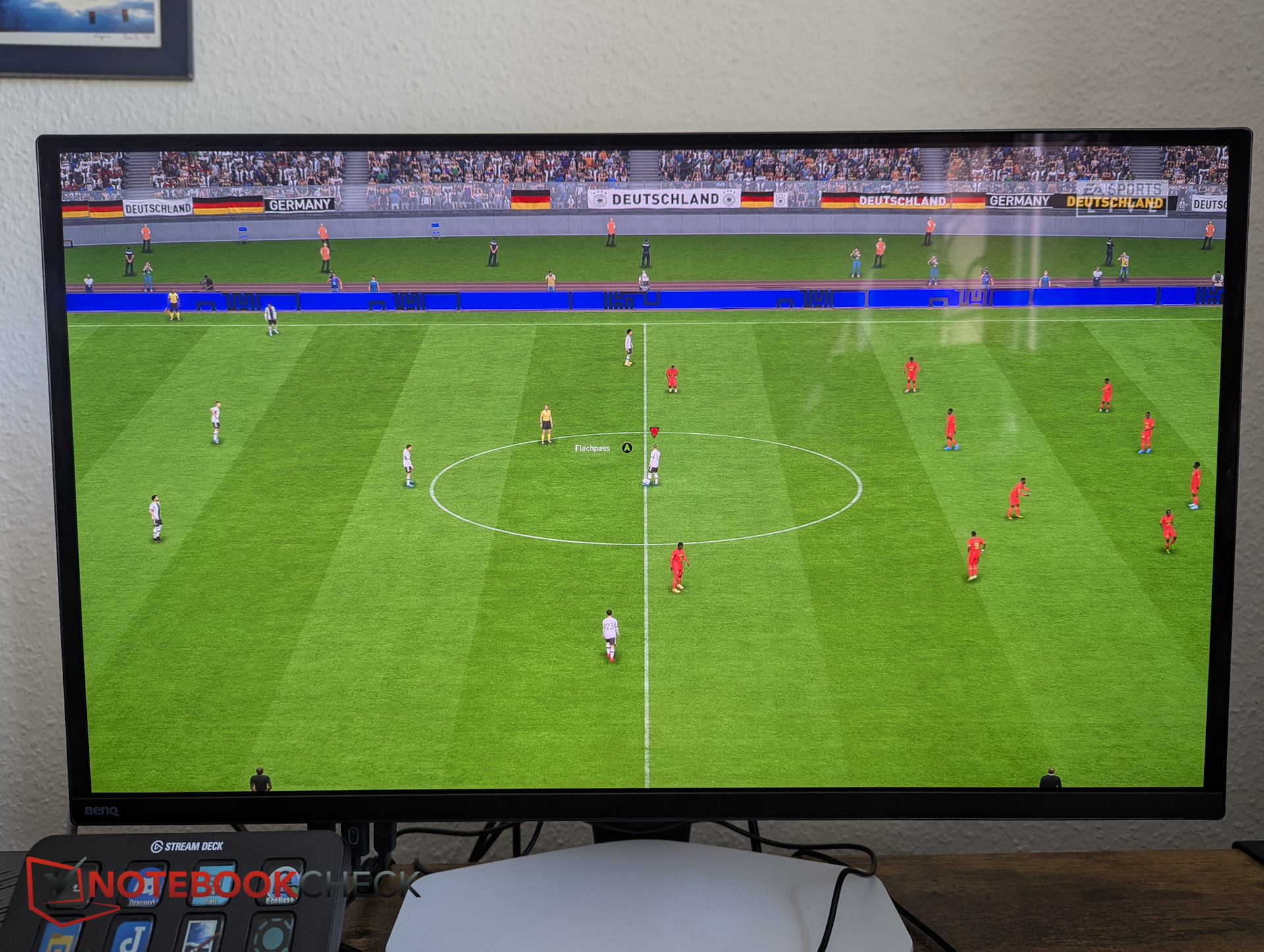
Everyday usability criticism - Pixel refresh as a disruptive factor
The image quality is undeniably strong. However, there is criticism elsewhere: to prevent OLED burn-in, modern displays use various techniques such as pixel shifting.
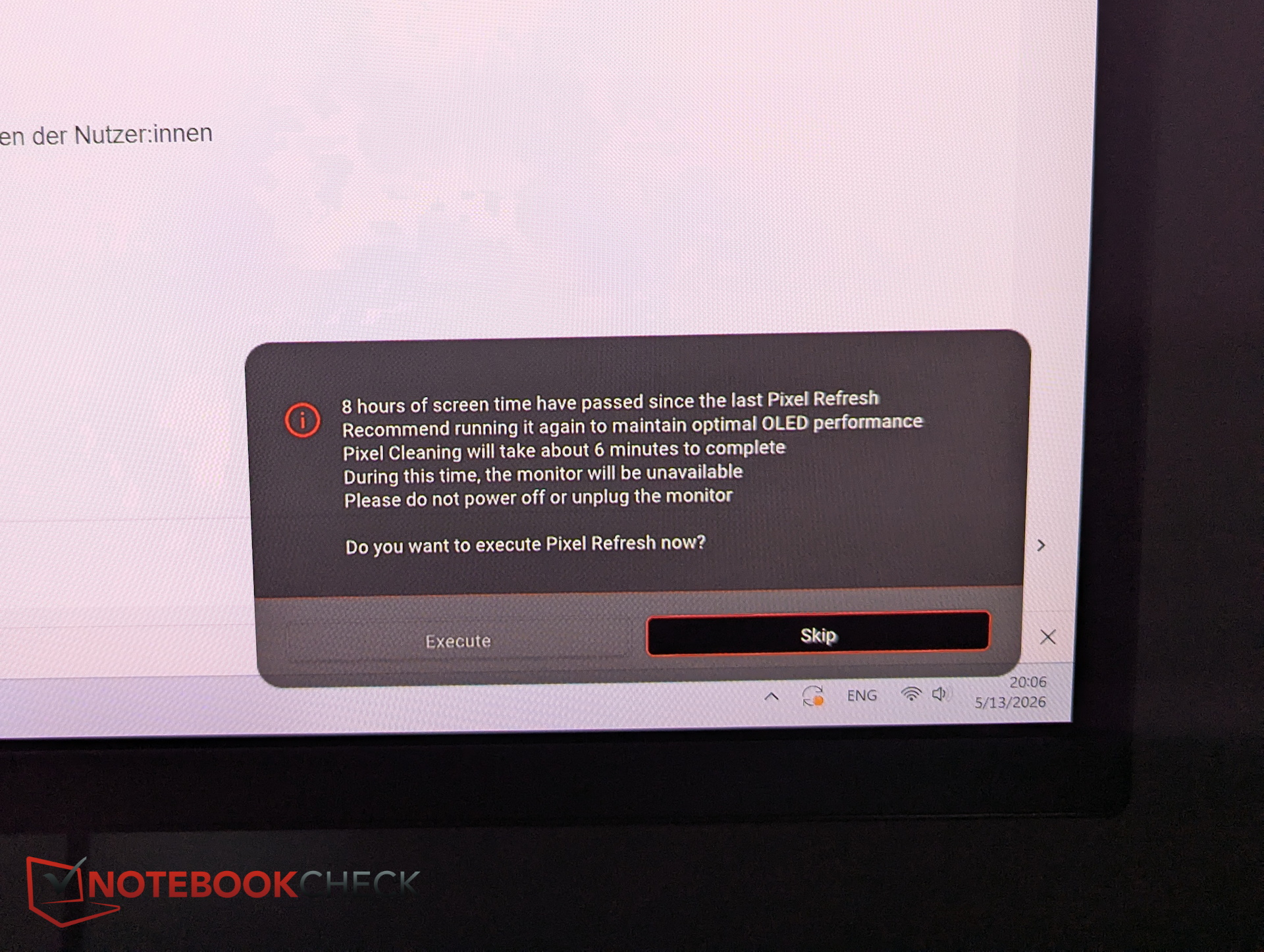
On the BenQ, automated panel maintenance is particularly intrusive. Instead of occasionally running pixel shifts in the background, the monitor prompts a pixel refresh after only a few hours of use.
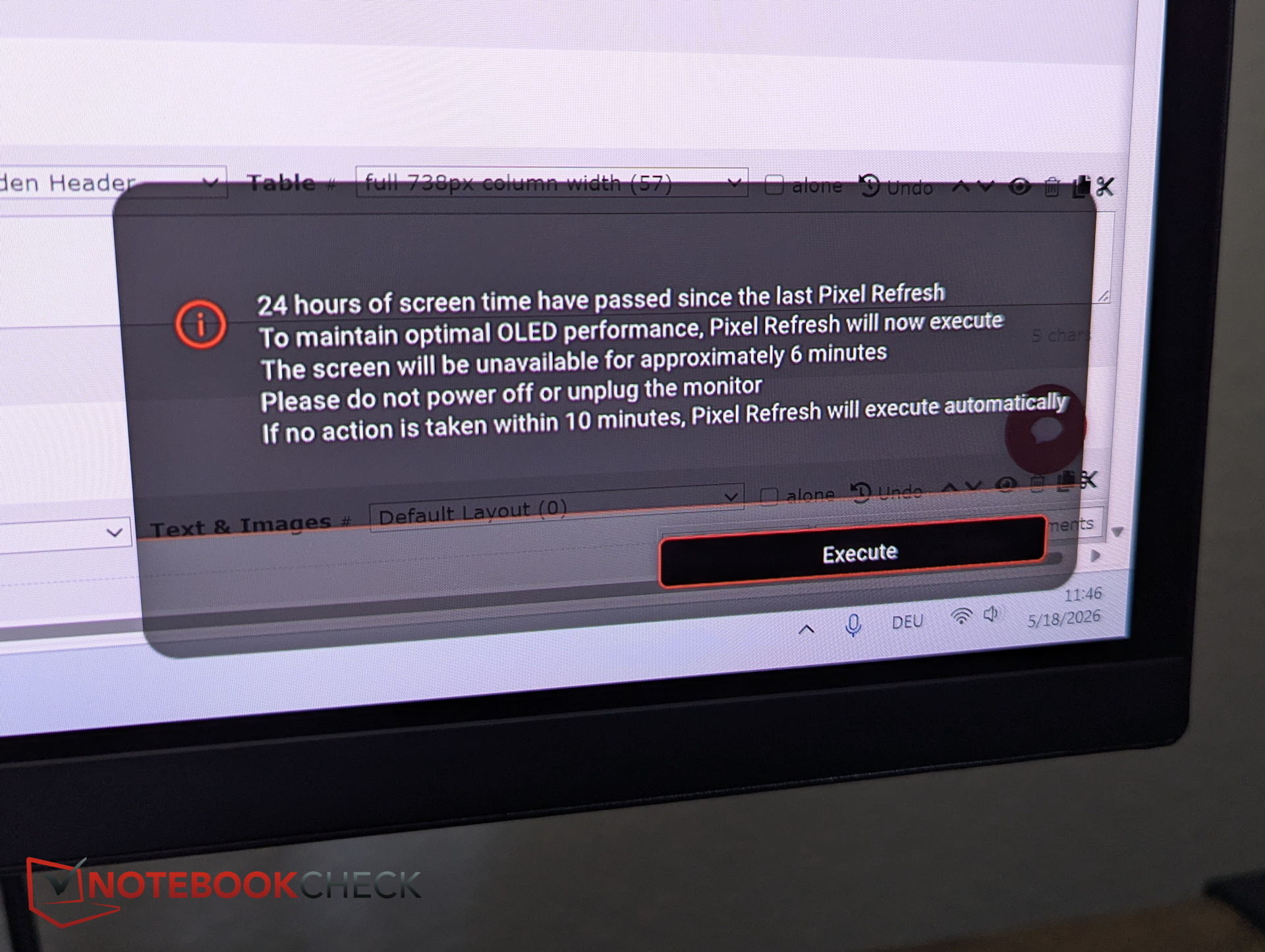
The issue: the Mobiuz pixel refresh takes a full 5.5 minutes, during which the screen goes completely black and becomes unusable. The first prompt can still be skipped. After a maximum of 24 hours of usage (repeating every 24 hours), it can no longer be dismissed. Users must either interrupt work or gaming for over five minutes or ignore a large on-screen overlay. These forced interruptions are extremely annoying.
Power consumption - 30 vs. 60 W
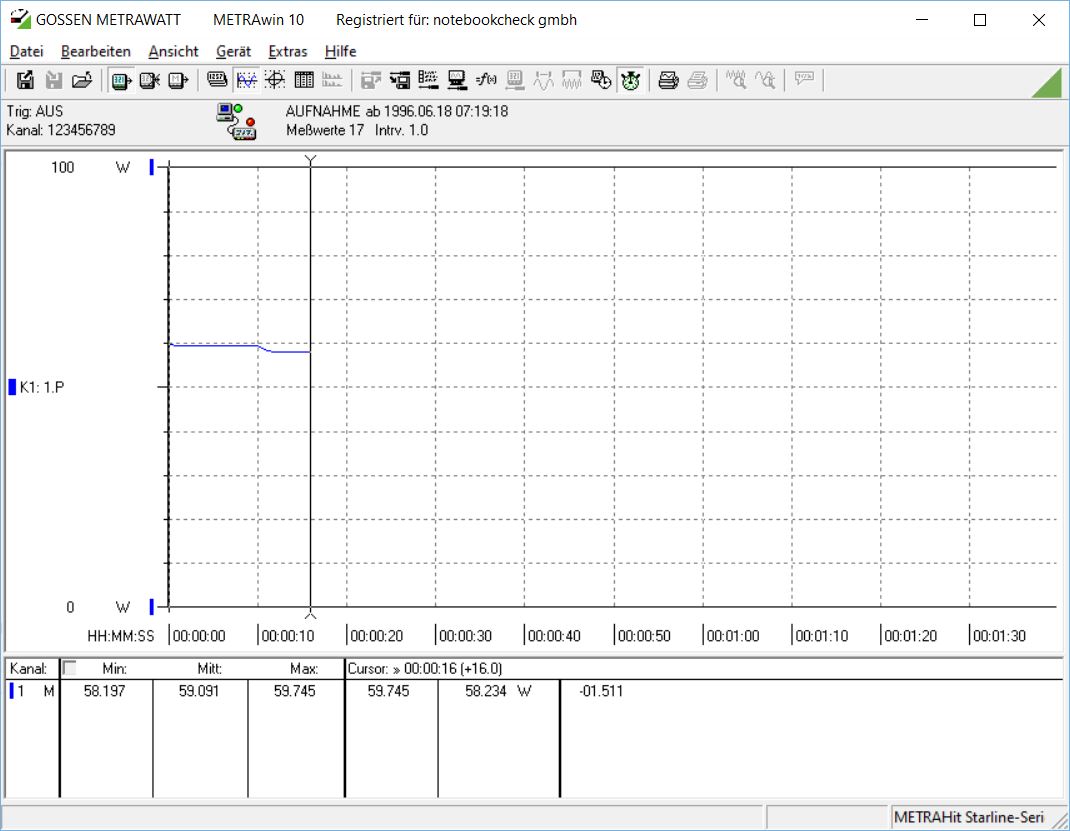
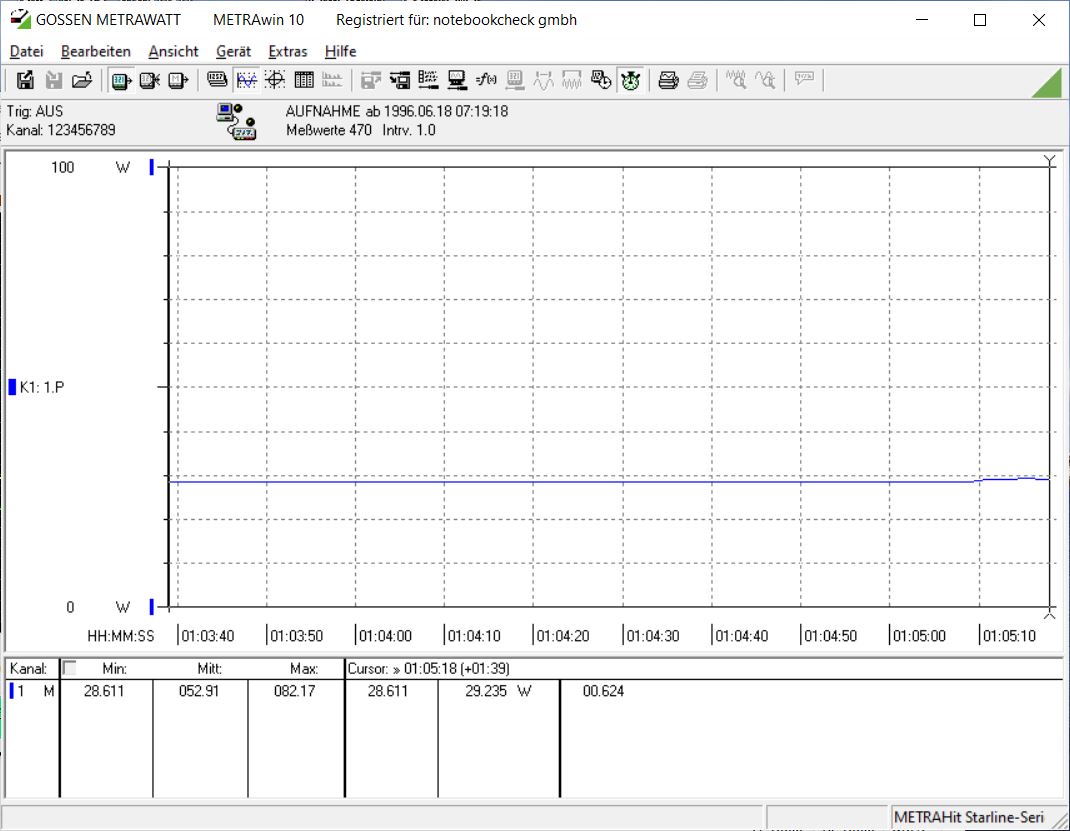
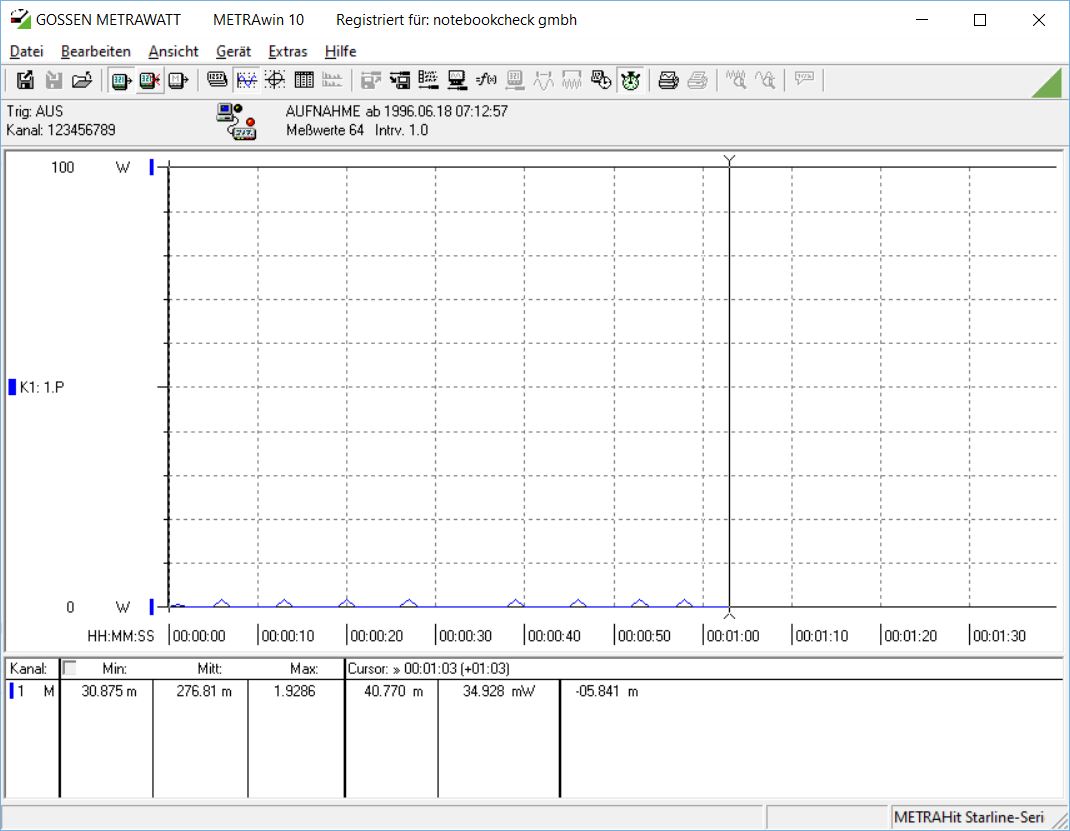
OLED power consumption, unlike IPS panels, strongly depends on displayed content. With a bright Windows theme, the Mobiuz consumes around 50 to 60 W in office use. Switching to dark mode and darker content reduces consumption to around 30 W. When turned off, the BenQ draws about 0.3 W.
Transparency
The selection of devices to be reviewed is made by our editorial team. The test sample was given to the author by the manufacturer free of charge for the purposes of review. There was no third-party influence on this review, nor did the manufacturer receive a copy of this review before publication. There was no obligation to publish this review. As an independent media company, Notebookcheck is not subjected to the authority of manufacturers, retailers or publishers.
 Add as a preferred source on Google


