




INNOCN CB32U1 review: An affordable alternative to the Apple Studio Display?
Colors instead of features.
The INNOCN CB32U1 targets creative professionals and Mac users with its 4K resolution, 120 Hz refresh rate, and high color accuracy. In our review, the 32-inch monitor impresses with exceptionally high contrast for an IPS panel, although it makes a few compromises in terms of features and build quality.Christian Hintze (translated by Christian Hintze) Published 🇩🇪 🇳🇱 ...
Verdict – Excellent image quality, few extras
The "Art Monitor" delivers extremely low color deviations and stands out with an excellent, high-contrast image that almost reminds us of an OLED display. Deep blacks despite the backlight, rich yet natural-looking colors, and an overall pleasing picture define the INNOCN. As a result, it is well suited for its intended purpose of editing photos and graphics.
Compared to the Apple Studio Display (starting at €1,449 on Amazon), it is significantly more affordable while also offering a larger screen and a higher refresh rate (120 Hz versus 60 Hz).
However, it is slightly dimmer and features an 8-bit panel rather than a true 10-bit display. Intermediate colors are simulated using FRC, allowing it to display the same 1.07 billion colors. Its price—roughly one-third that of Apple's display—is also achieved by leaving out several convenience features, including a KVM switch, speakers, camera, microphones, cable management, and pivot support.
For photographers, graphic designers, and Mac users primarily looking for a color-accurate display who can do without built-in speakers, a webcam, and seamless Apple integration, the INNOCN can be an attractive, lower-cost alternative.
Pros
Cons
INNOCN is a Chinese monitor brand focused on delivering high-quality panels with strong value for money.
The company's newest model is the CB32U1. Marketed as a "Professional Art Display," it targets artists and creative professionals while using its elegant white design and marketing terms such as "Mac View" to position itself as a more affordable alternative for Apple users. But does it succeed?
Chassis and build quality – Elegant design with one minor flaw
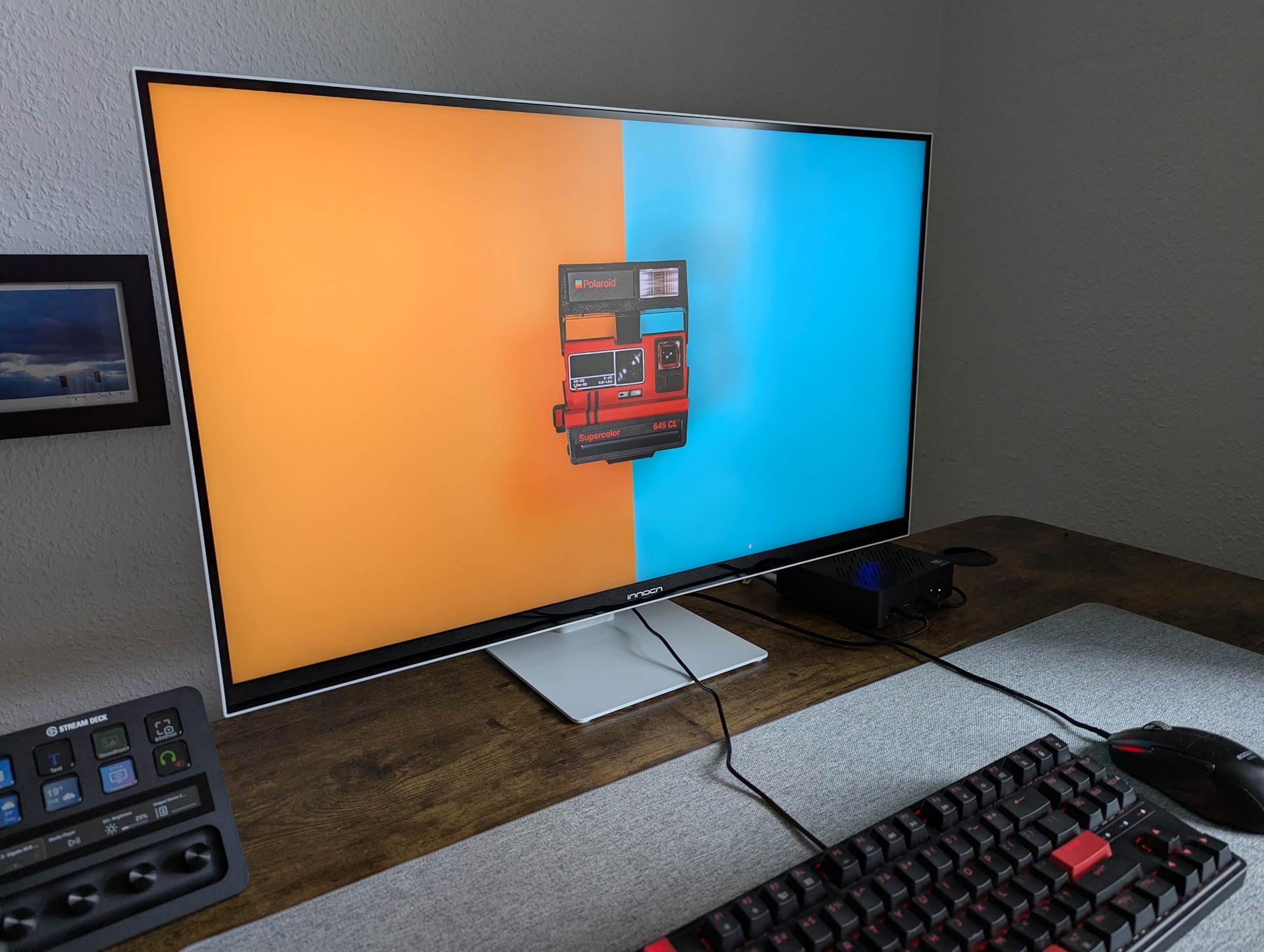
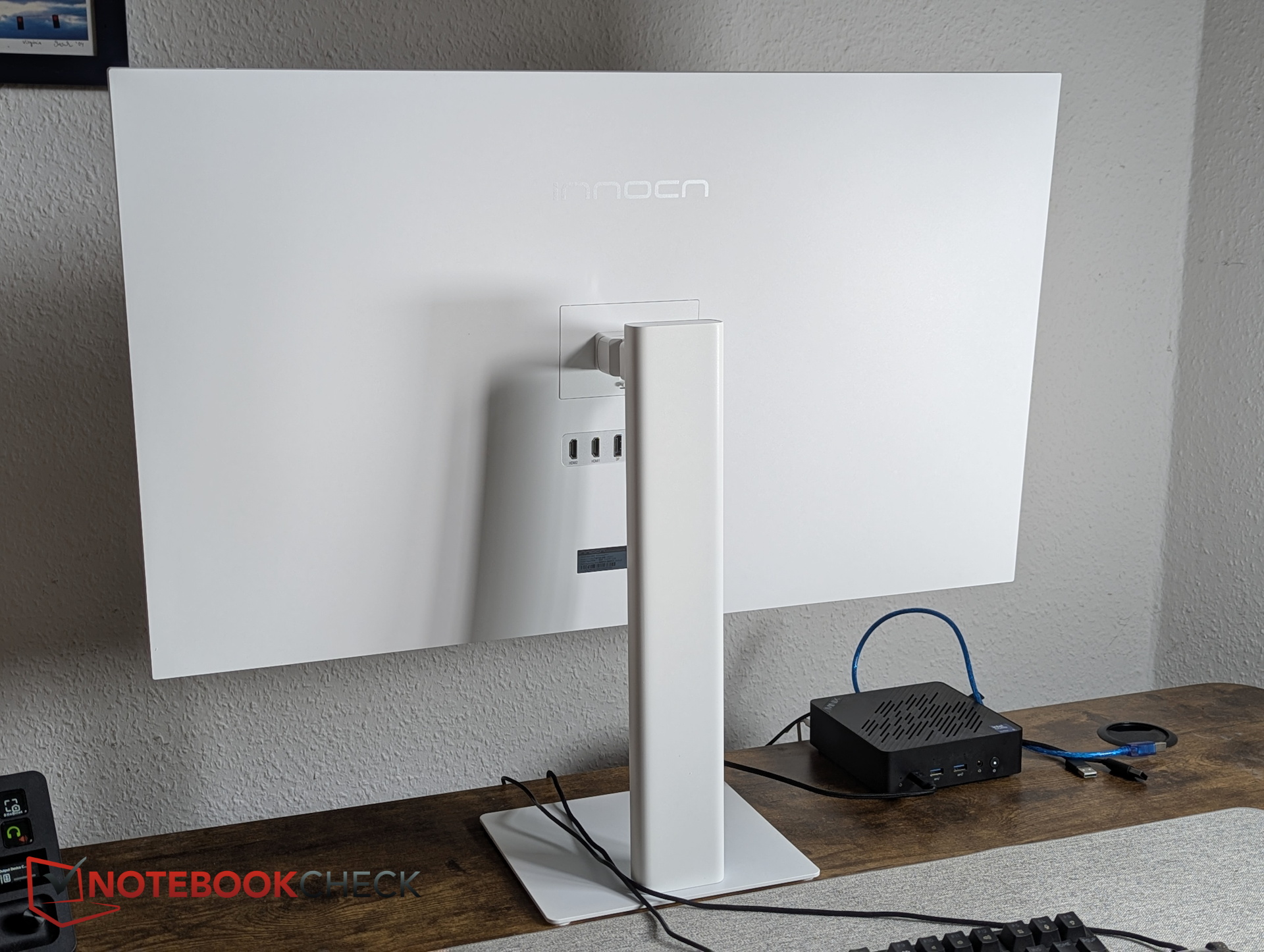
With its clean white finish and slim black glass bezels on the front, the monitor has a premium, stylish appearance. Visually, we like the design of the INNOCN.
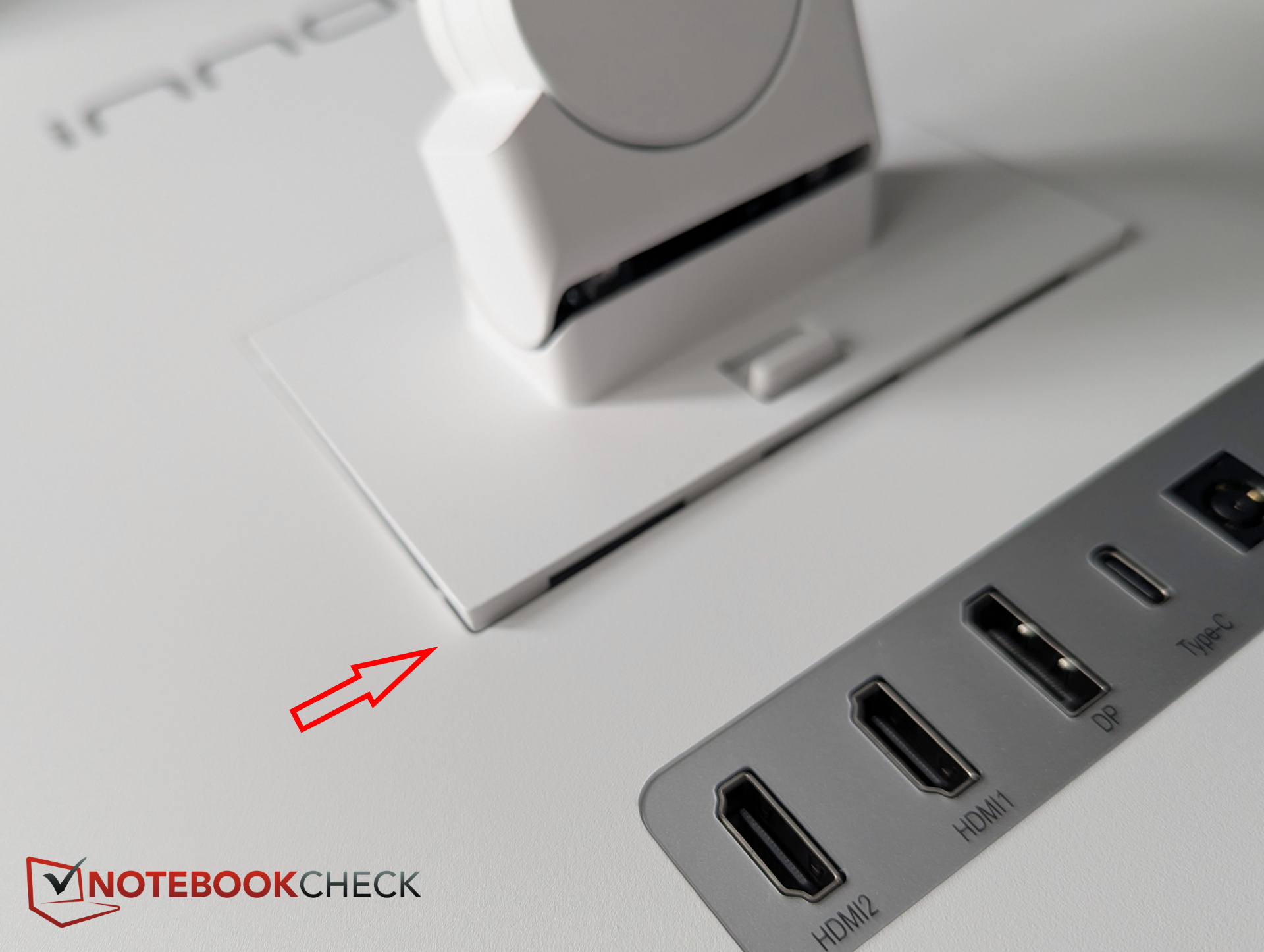
However, we did notice one weakness in the construction. The area where the stand locks into the monitor creates potential leverage on the mounting mechanism. The locking plate has a slight amount of play and can shift slightly out of its mounting point, which doesn't inspire much confidence. It raises concerns about whether the mechanism securely supports the display, particularly when lifting it out of the box by the stand.
The stand supports height adjustment, tilt, and swivel. In our experience, however, it does not rotate into portrait orientation, meaning there is no pivot function. Cable management is also absent.
Connectivity
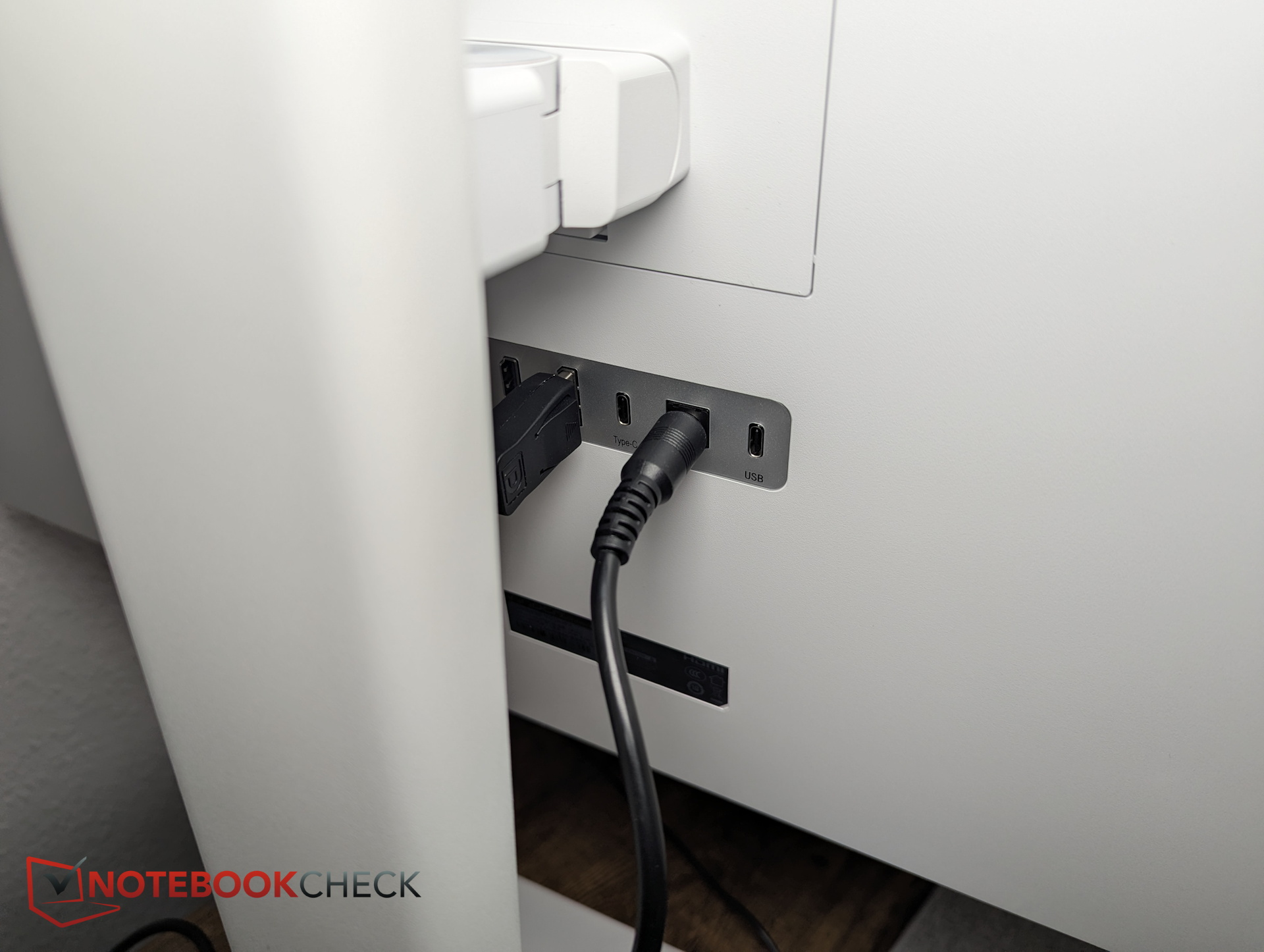
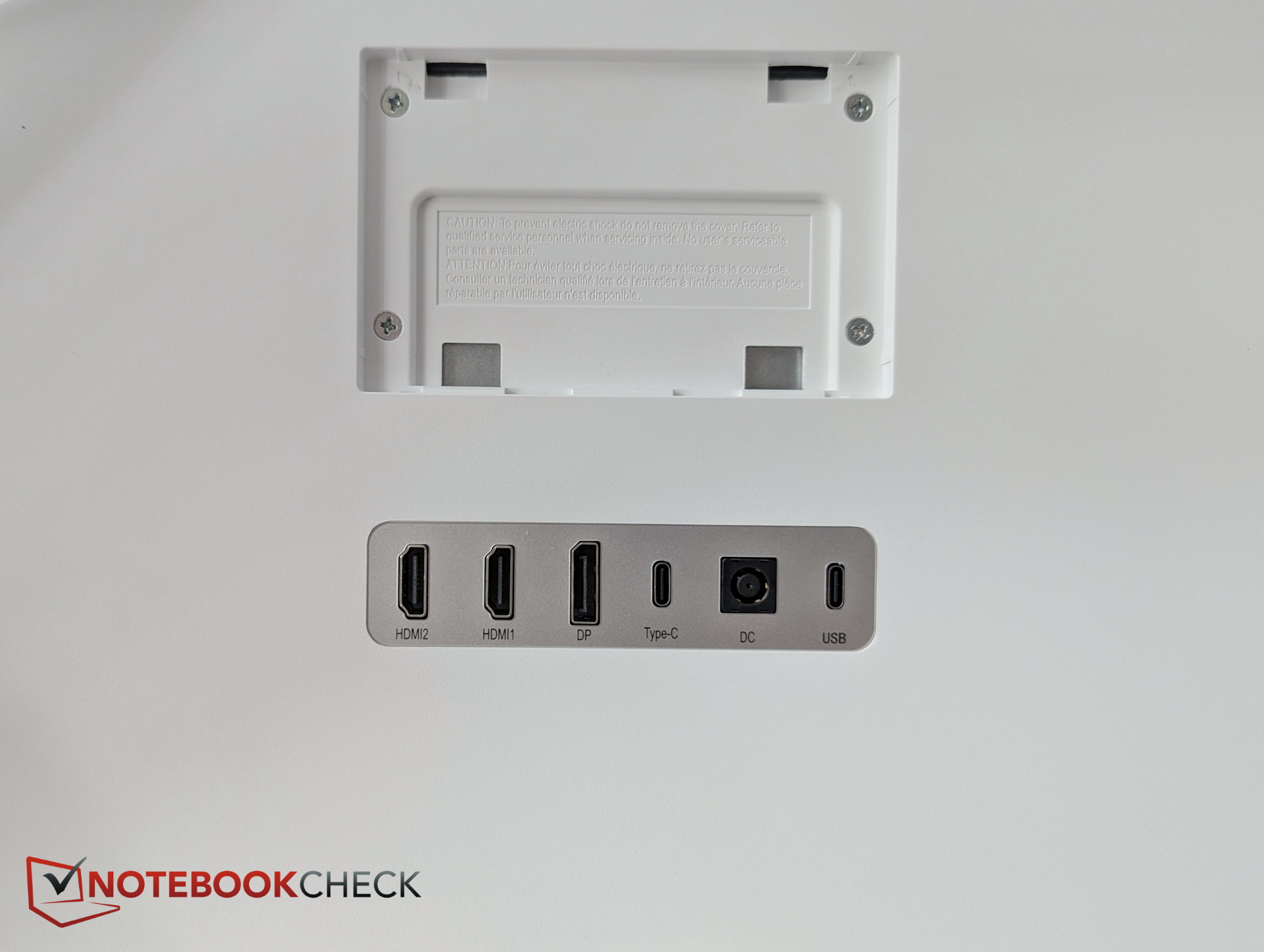
The monitor includes the essential ports, but not much beyond that. There are no dedicated USB ports for a keyboard or mouse, and even the 3.5 mm audio jack is only available through the included USB-C hub.
It is also unclear which of the two USB-C ports provides the full 90 W power delivery. One port is labeled "USB-C," while the other is simply labeled "USB," although both appear identical otherwise.
Accessories
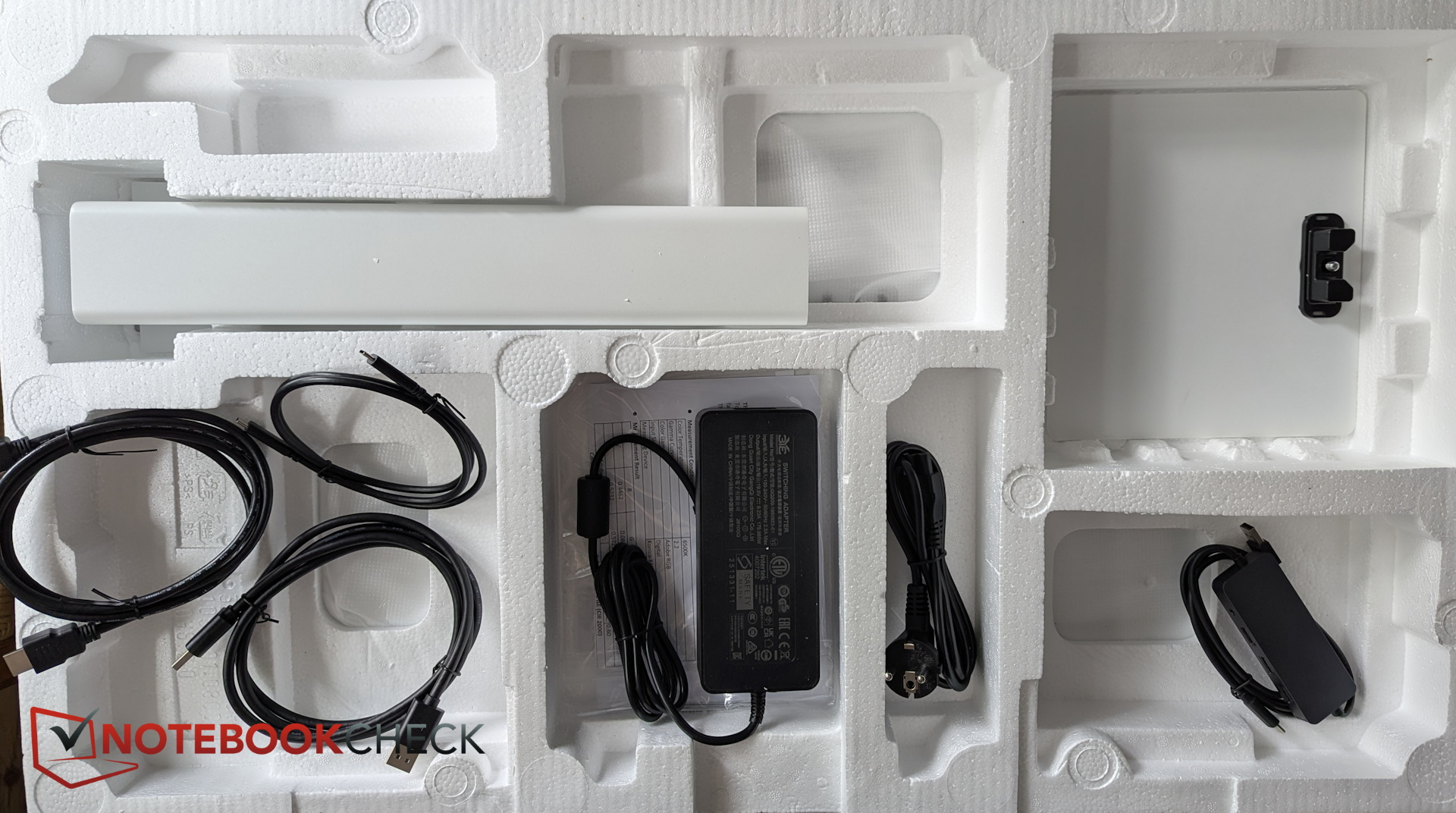
The package includes several cables as well as a USB hub featuring three USB-A ports and a 3.5 mm audio jack.
Specifications - 4K, 120 Hz and 90 W USB-C
INNOCN focuses entirely on image quality. Additional features such as a KVM switch, integrated speakers, or the previously mentioned pivot mode are not available on the CB32U1. On the plus side, the USB-C port supports up to 90 W Power Delivery, allowing it to charge external devices such as a MacBook. An integrated ambient light sensor on the top edge measures surrounding light conditions and can automatically adjust brightness and blue light levels to reduce eye strain.
According to the manufacturer, this "professional 4K monitor for photo editing" achieves a DeltaE below 1 and supports multiple color spaces, including 99% DCI-P3 and 99% Adobe RGB. A 120 Hz refresh rate is also intended to provide smoother visuals while working on creative projects.
| Specification | Details |
| Panel | IPS |
| Screen size | 32 inches |
| Resolution | 4K (3,840 × 2,160) |
| Refresh rate | 120 Hz |
| Color spaces | 100% sRGB, 99% DCI-P3, 99% Adobe RGB |
| Colors | 1.07 billion (8-bit + FRC) |
| Features | PiP mode, ambient light sensor, 90 W Power Delivery |
Image quality – Ideal for photo editing?
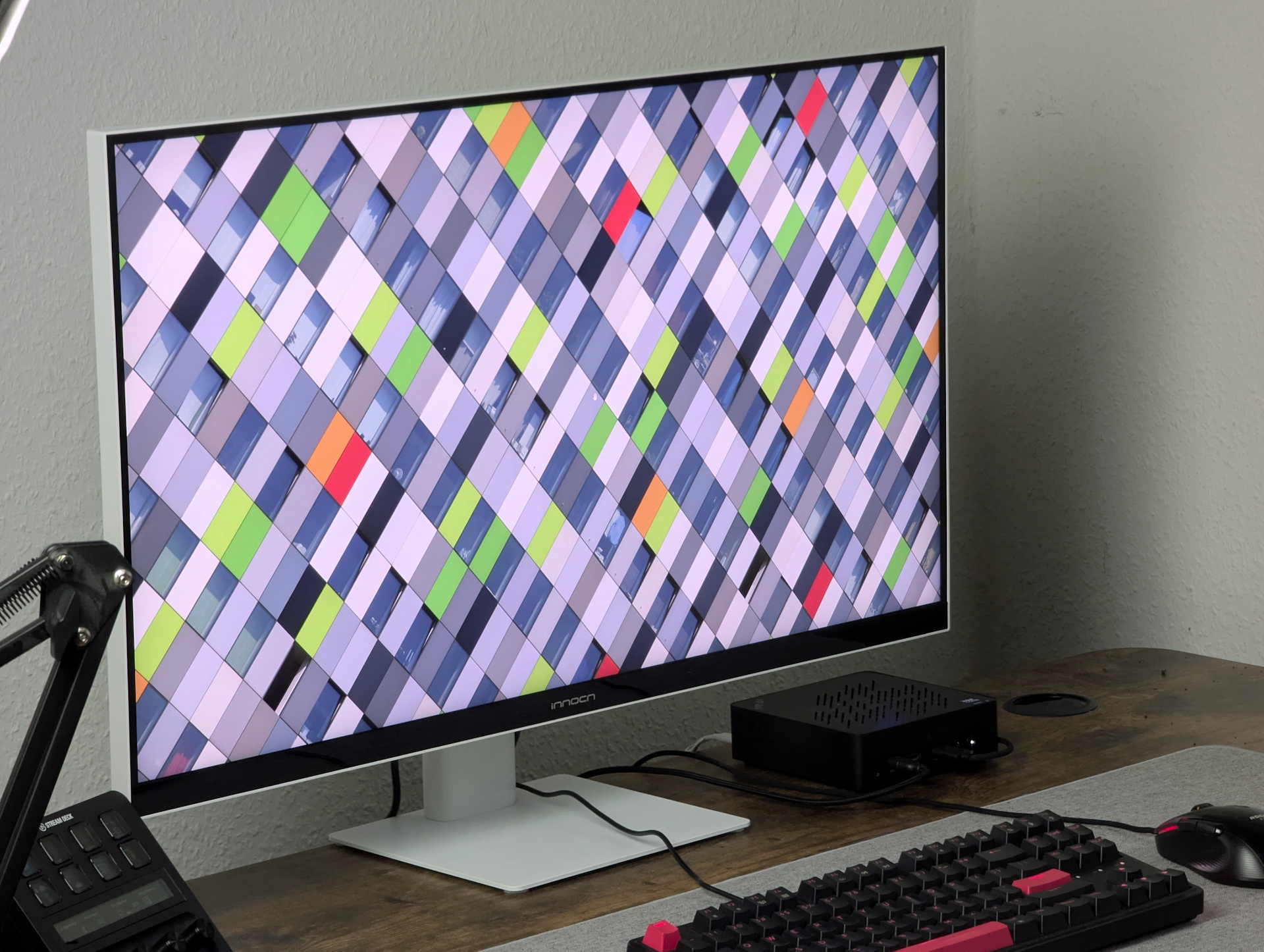
Subjectively, we were very impressed: The image is bright, blacks are deep, and colors and contrast are presented beautifully. All content looks excellent without any noticeable color distortion. The monitor also includes various pre-configured color and image modes to adjust the display, including options such as Mac View, Art Design, and others.
In our measurements, the monitor reaches around 350 nits at 90% brightness with the Display P3 mode enabled. Unfortunately, brightness decreases slightly from the center toward the edges. At 100% brightness, the INNOCN reaches almost 400 nits in the center.
| |||||||||||||||||||||||||
Brightness Distribution: 88 %
Contrast: 1427:1 (Black: 0.26 cd/m²)
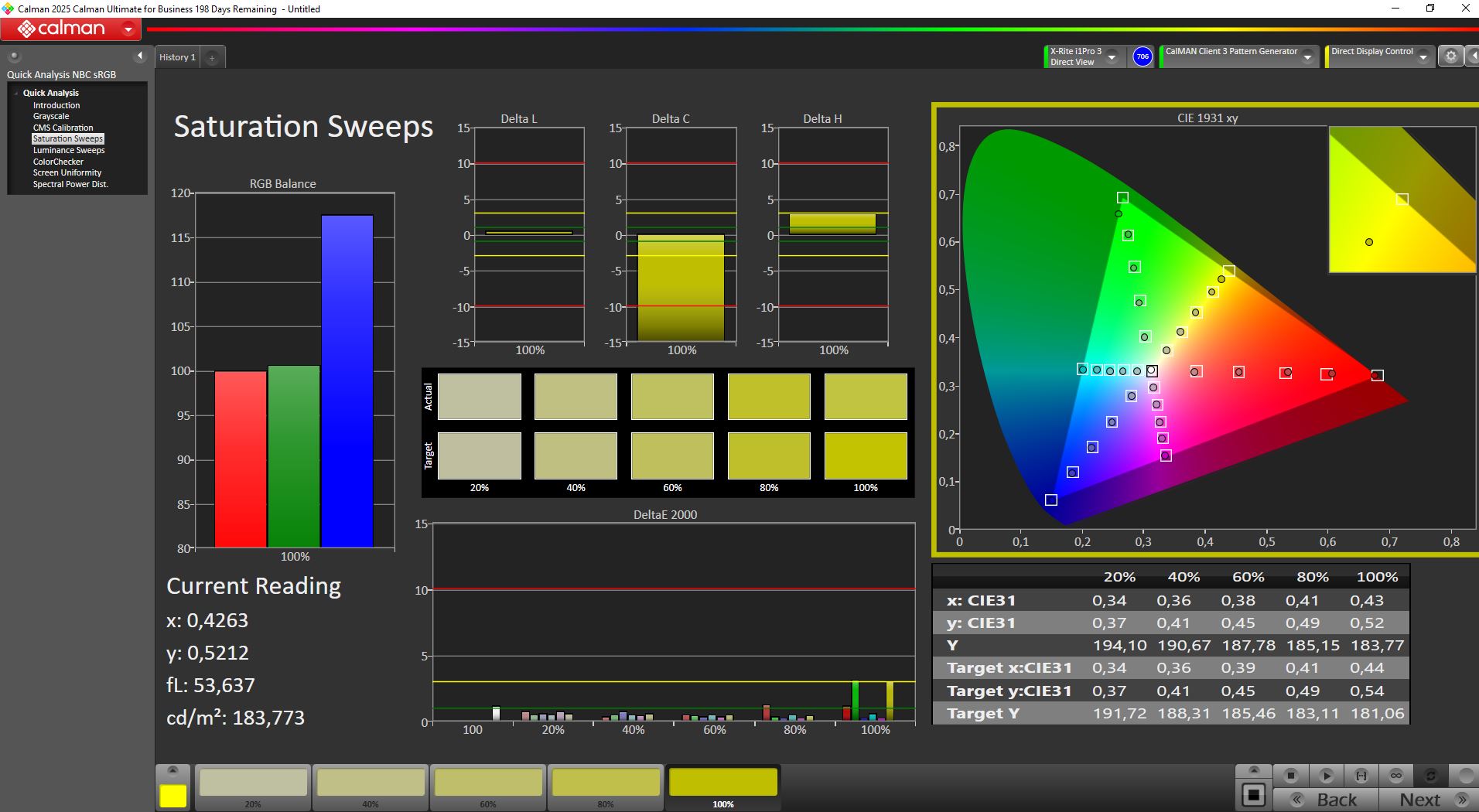
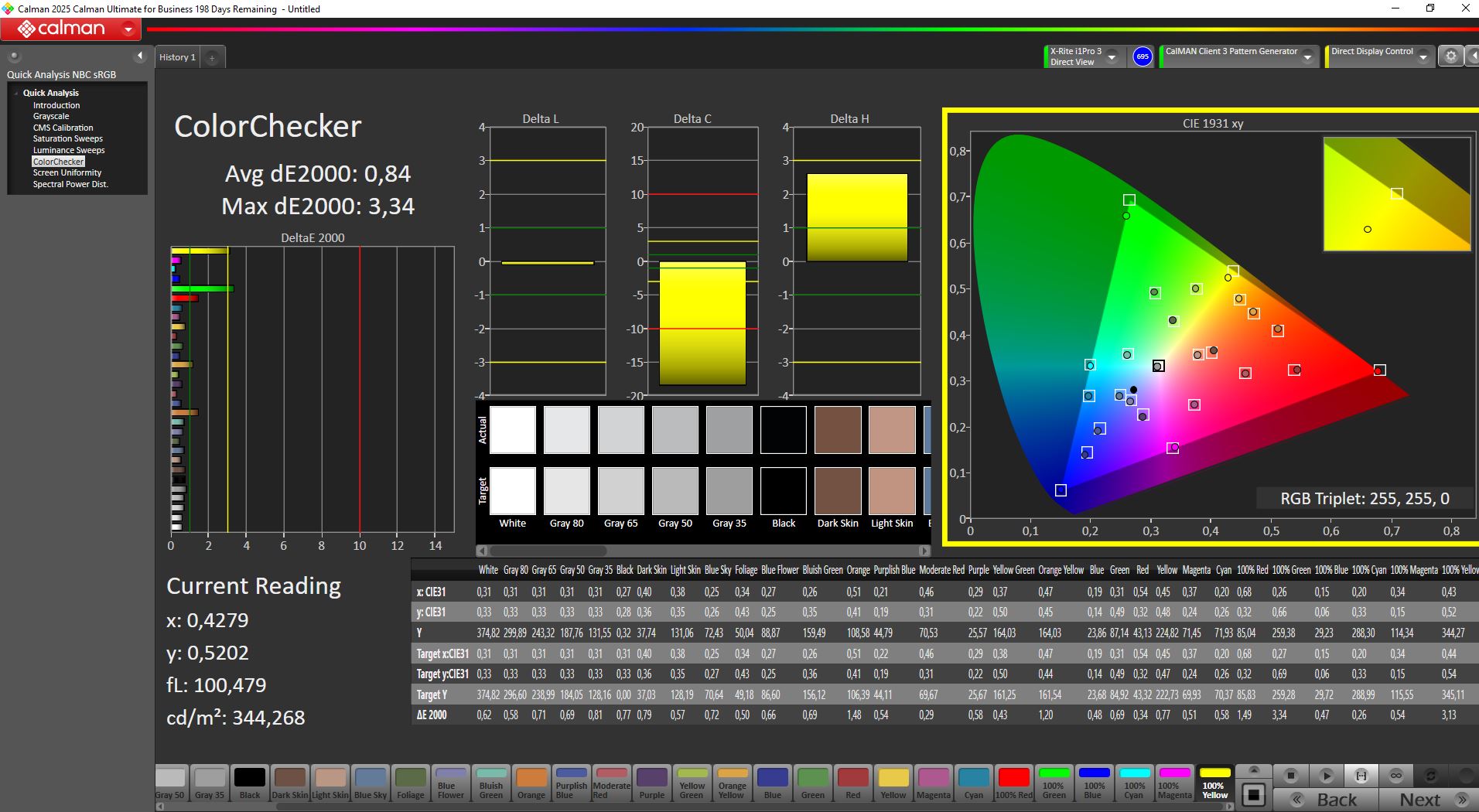
ΔE ColorChecker Calman: 0.84 | ∀{0.5-29.43 Ø4.69}
calibrated: 0.84
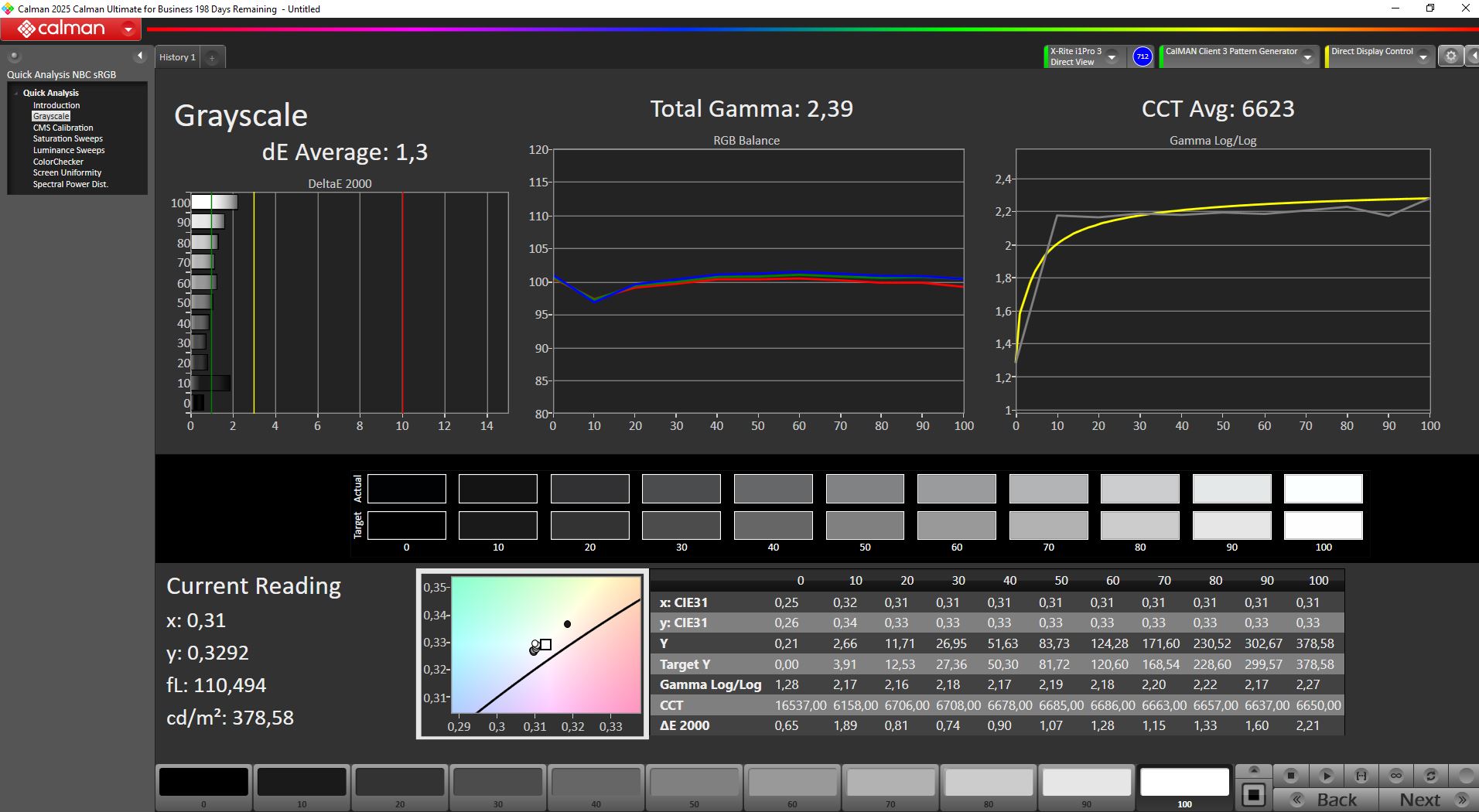
ΔE Greyscale Calman: 1.3 | ∀{0.09-98 Ø4.94}
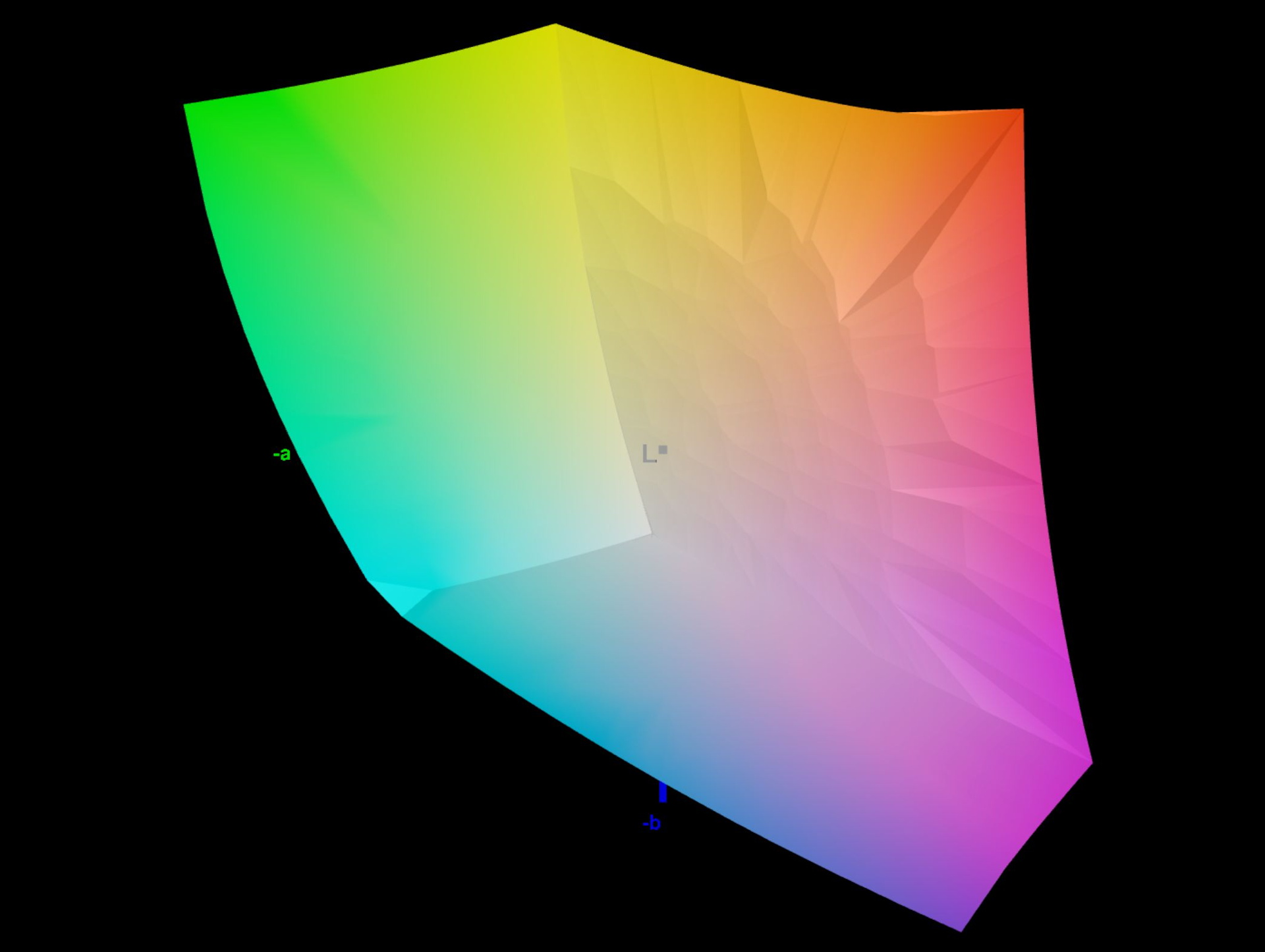
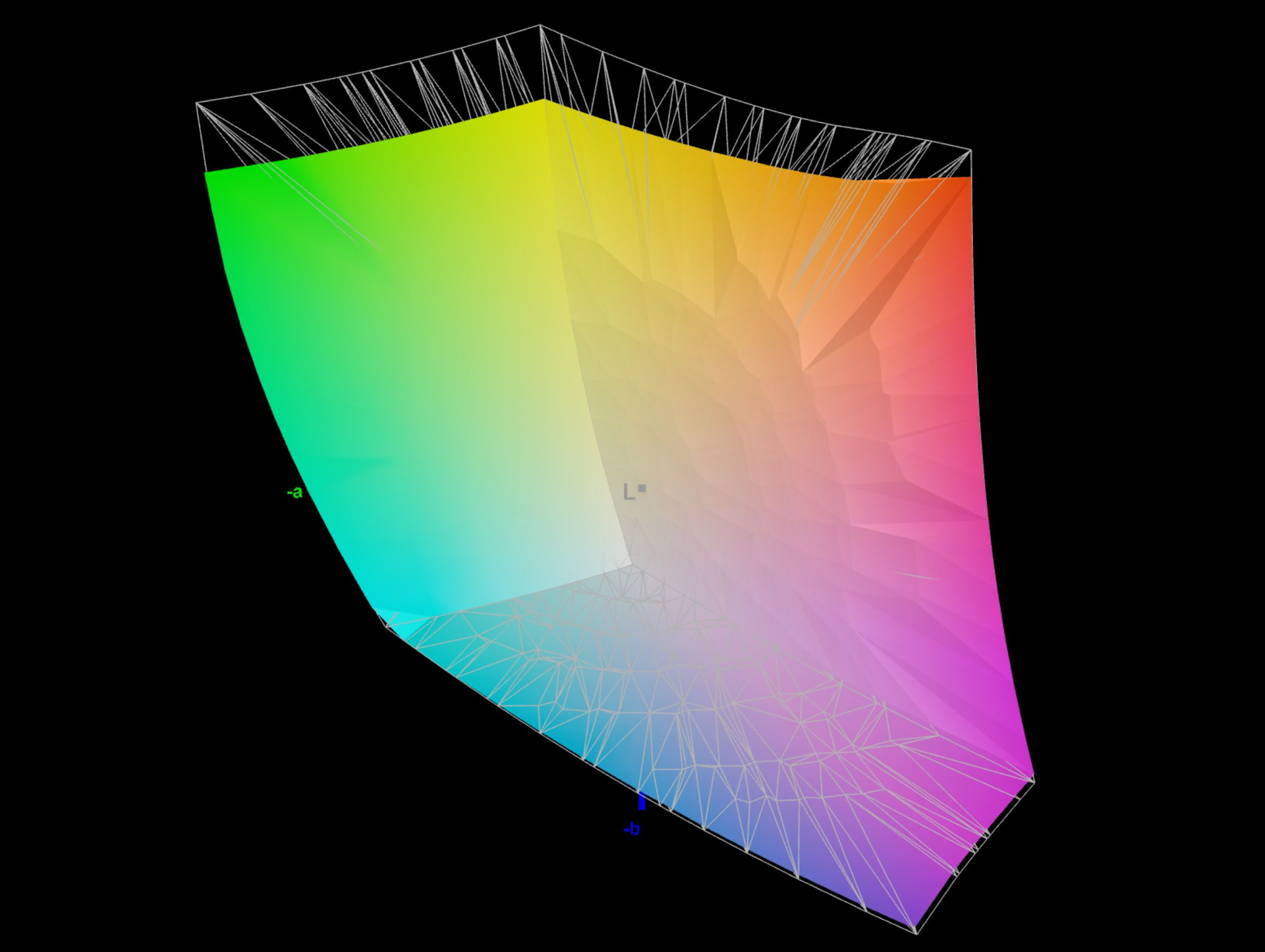
85.1% AdobeRGB 1998 (Argyll 3D)
99.1% sRGB (Argyll 3D)
87.7% Display P3 (Argyll 3D)
Gamma: 2.39
CCT: 6623 K
| INNOCN CB32U1 3840x2160, 32", 120 Hz | TITAN ARMY P275MV PLUS 3840x2160, 27", 160 Hz | KTC G27P6 OLED, 2560x1440, 27", 240 Hz | KTC H27P22s AUO 7.0, IPS, 3840x2160, 27", 160 Hz | Alienware AW2725DF x, 27", Hz | MSI MAG 274QRF QD E2 MAG 274QRF QD E2, IPS, 2560x1440, 27", 180 Hz | |
|---|---|---|---|---|---|---|
| Display | 4% | 0% | -1% | 5% | ||
| Display P3 Coverage (%) | 87.7 | 94.7 8% | 86.91 -1% | 86.9 -1% | 97.6 11% | |
| sRGB Coverage (%) | 99.1 | 100 1% | 99.23 0% | 99.8 1% | 99.7 1% | |
| AdobeRGB 1998 Coverage (%) | 85.1 | 88.9 4% | 86.86 2% | 81.6 -4% | 88.9 4% | |
| Response Times | 68% | 97% | 64% | 73% | 78% | |
| Response Time Grey 50% / Grey 80% * (ms) | 32.4 ? | 12.8 ? 60% | 0.8 ? 98% | 11.8 ? 64% | 6.7 ? 79% | 5.76 ? 82% |
| Response Time Black / White * (ms) | 22 ? | 5.6 ? 75% | 0.8 ? 96% | 8 ? 64% | 7.4 ? 66% | 5.73 ? 74% |
| PWM Frequency (Hz) | 240 | |||||
| PWM Amplitude * (%) | 14 | |||||
| Screen | -53% | -148% | -124% | -24% | -197% | |
| Brightness middle (cd/m²) | 371 | 305 -18% | 320 -14% | 454 22% | 520.3 40% | 453 22% |
| Brightness (cd/m²) | 347 | 296 -15% | 310 -11% | 398 15% | 493 42% | 404 16% |
| Brightness Distribution (%) | 88 | 92 5% | 93 6% | 79 -10% | 88 0% | 84 -5% |
| Black Level * (cd/m²) | 0.26 | 0.34 -31% | 0.02 92% | 0.41 -58% | 0.45 -73% | 0.28 -8% |
| Contrast (:1) | 1427 | 897 -37% | 16000 1021% | 1107 -22% | 1156 -19% | 1618 13% |
| Colorchecker dE 2000 * | 0.84 | 2.15 -156% | 10.69 -1173% | 4.61 -449% | 1.8 -114% | 7.97 -849% |
| Colorchecker dE 2000 max. * | 3.32 | 4.16 -25% | 15.63 -371% | 8.04 -142% | 3.8 -14% | 14.32 -331% |
| Colorchecker dE 2000 calibrated * | 0.84 | 1.29 -54% | 4.11 -389% | 2.57 -206% | 1.4 -67% | 1.71 -104% |
| Greyscale dE 2000 * | 1.3 | 3.21 -147% | 7.73 -495% | 4.77 -267% | 1.4 -8% | 8.2 -531% |
| Gamma | 2.39 92% | 2.52 87% | 2.2 100% | 2.28 96% | 1.46 151% | |
| CCT | 6623 98% | 6617 98% | 8070 81% | 7540 86% | 6743 96% | 7427 88% |
| Total Average (Program / Settings) | 6% /
-24% | -17% /
-81% | -20% /
-71% | 25% /
-6% | -38% /
-115% |
* ... smaller is better
Calibration – Excellent factory settings
Unlike the Titan Army C49c1s (our review), the factory calibration of the Display P3 color profile is very good. DeltaE values measured with the ColorChecker remain below 1, while grayscale values are only slightly higher. Users therefore do not need to calibrate the monitor themselves, and it can reproduce colors with very high accuracy — a fundamental requirement for editing graphics and photos.
Color space
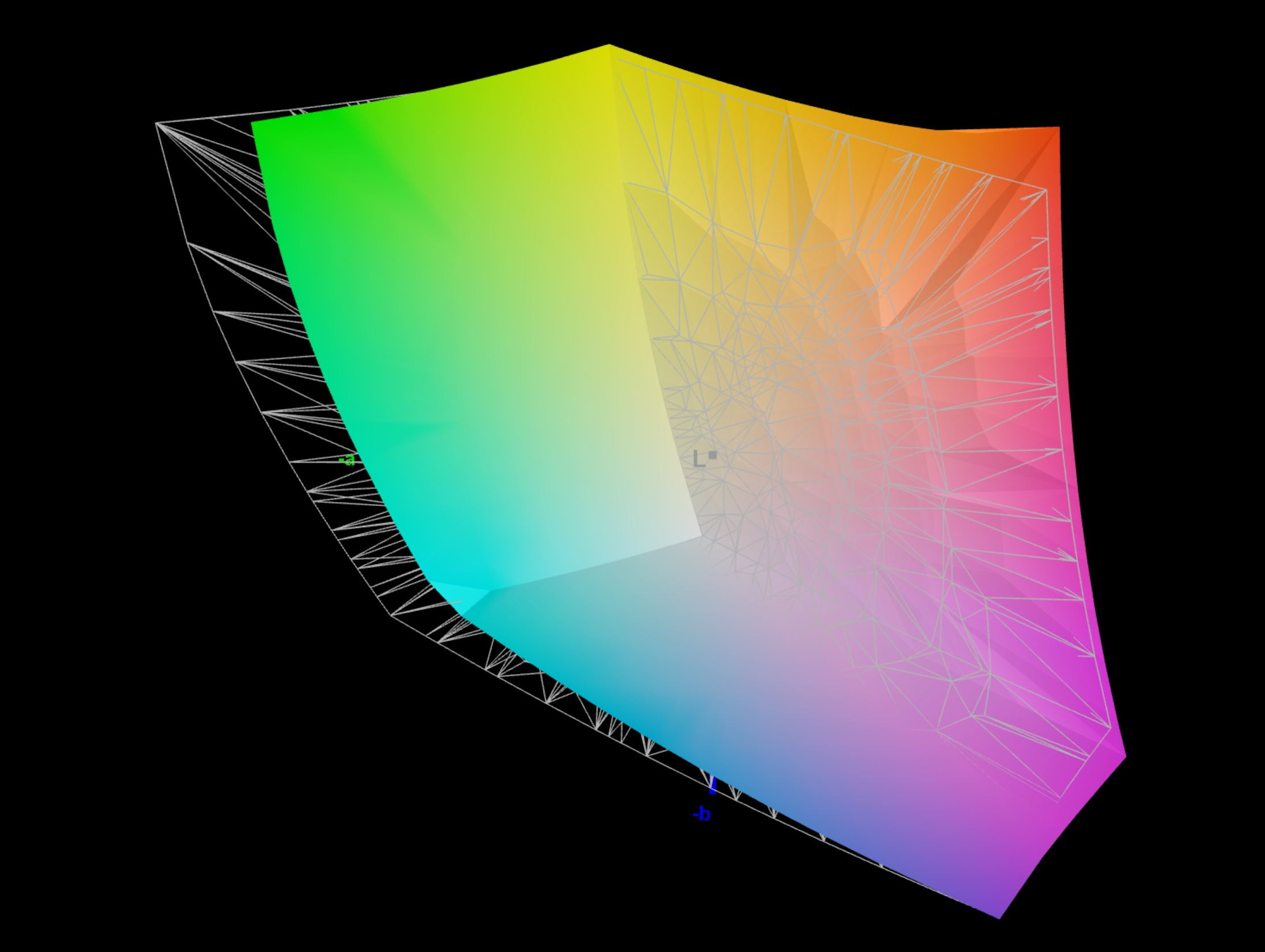
INNOCN advertises 100% sRGB and 99% DCI-P3 and Adobe RGB coverage. According to our measurements against Display P3, the monitor covers almost the entire sRGB color space, while Display P3 reaches 87% and Adobe RGB reaches 85%.
Response time and flickering

INNOCN advertises the monitor with a response time of 6 ms. The Art Monitor falls far short of this claim in our testing, measuring 22 ms (black to white) and 32 ms (gray to gray). We could not find an overdrive mode, and there is no gaming menu option in the OSD.
PWM is not used for brightness control. When zooming in very closely with an oscilloscope, DC dimming can be observed at a frequency of 120 kHz, which should not be noticeable even for sensitive users.
Display Response Times
| ↔ Response Time Black to White | ||
|---|---|---|
| 22 ms ... rise ↗ and fall ↘ combined | ↗ 10.6 ms rise |  |
| ↘ 11.4 ms fall | ||
| The screen shows good response rates in our tests, but may be too slow for competitive gamers. In comparison, all tested devices range from 0.1 (minimum) to 240 (maximum) ms. » 49 % of all devices are better. This means that the measured response time is worse than the average of all tested devices (19.7 ms). | ||
| ↔ Response Time 50% Grey to 80% Grey | ||
| 32.4 ms ... rise ↗ and fall ↘ combined | ↗ 14.2 ms rise |  |
| ↘ 18.2 ms fall | ||
| The screen shows slow response rates in our tests and will be unsatisfactory for gamers. In comparison, all tested devices range from 0.13 (minimum) to 636 (maximum) ms. » 45 % of all devices are better. This means that the measured response time is similar to the average of all tested devices (30.7 ms). | ||
Screen Flickering / PWM (Pulse-Width Modulation)
| Screen flickering / PWM not detected |  | ||
In comparison: 52 % of all tested devices do not use PWM to dim the display. If PWM was detected, an average of 7611 (minimum: 5 - maximum: 343500) Hz was measured. | |||


Viewing angle stability
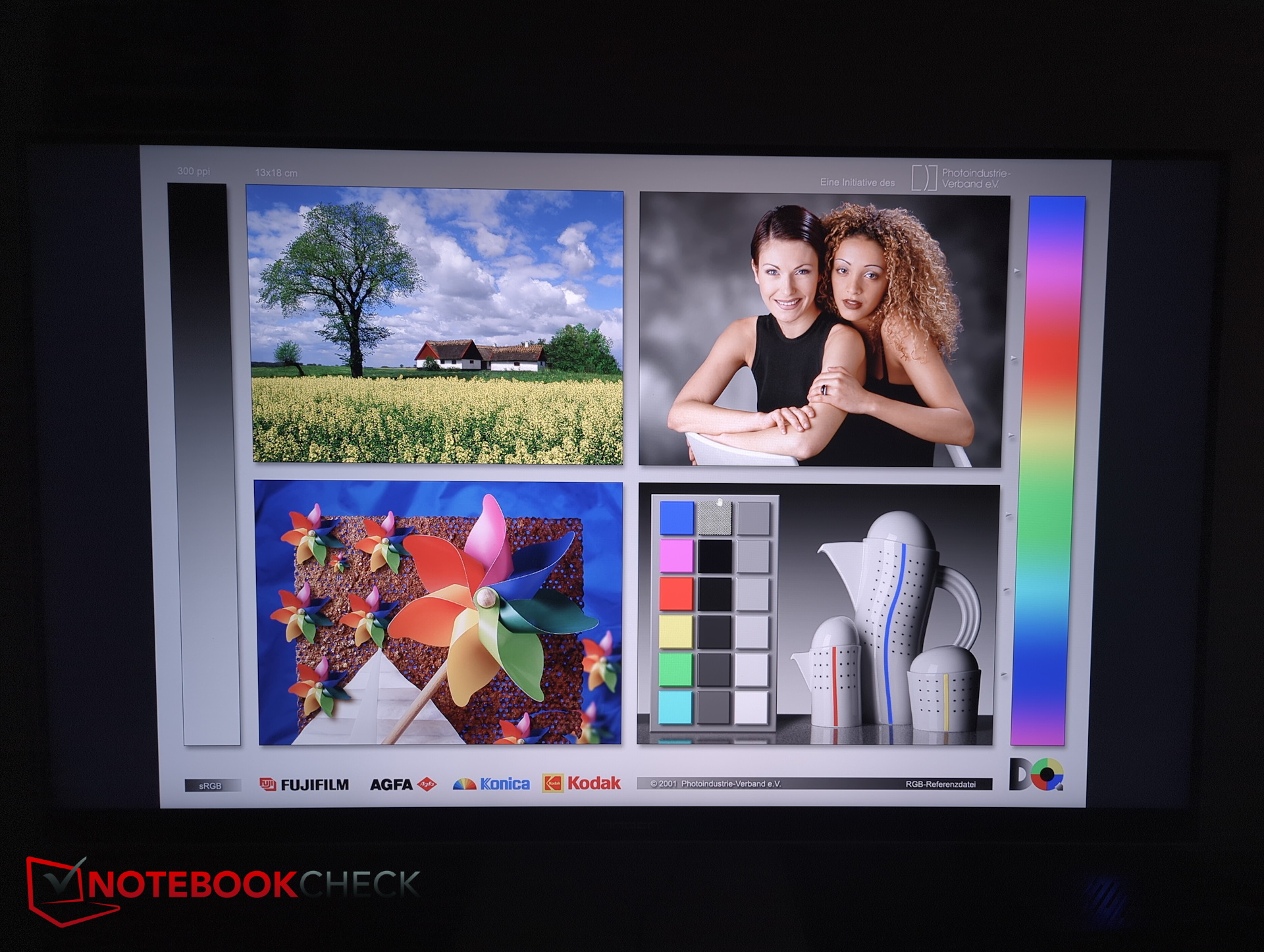
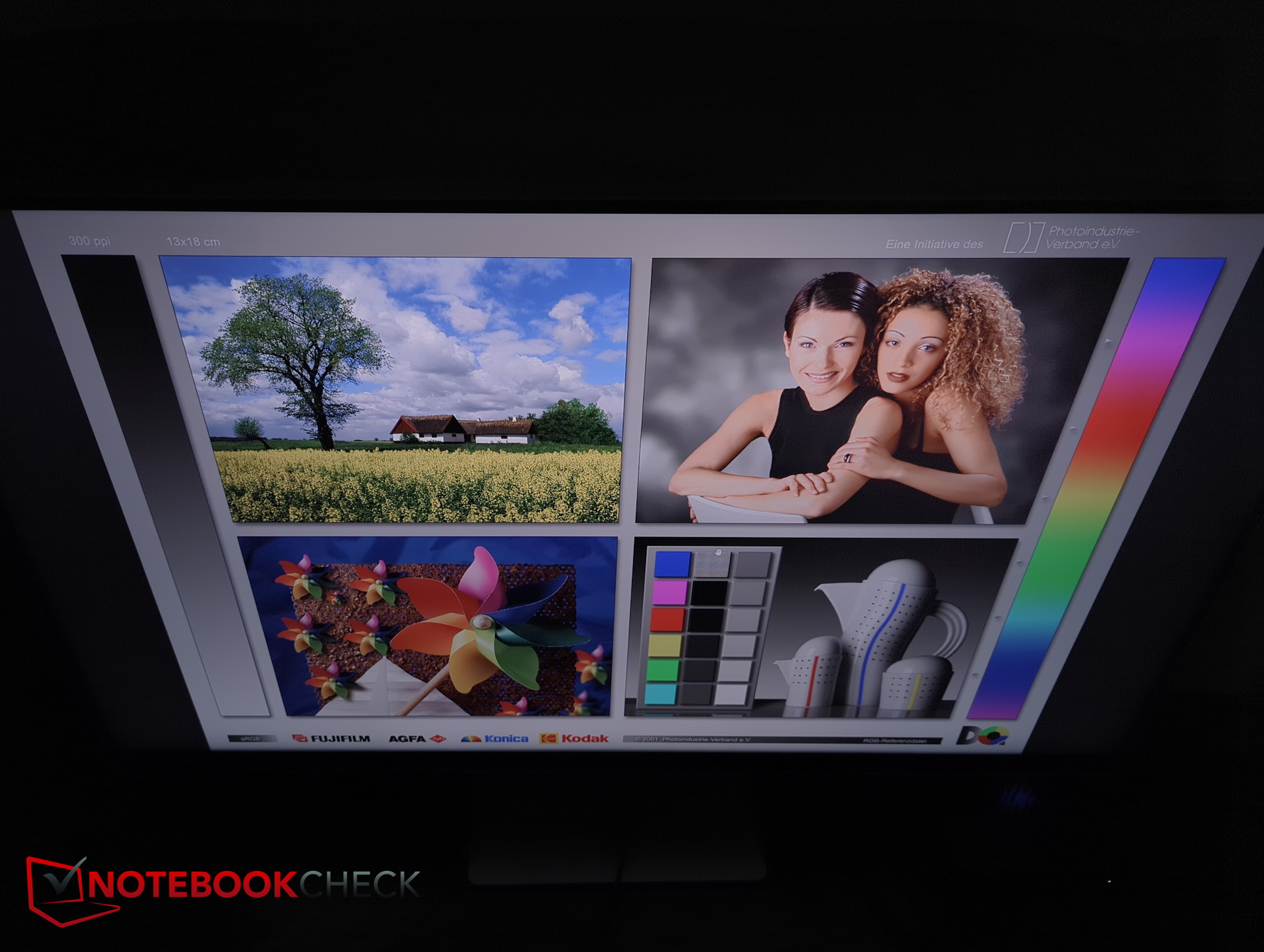
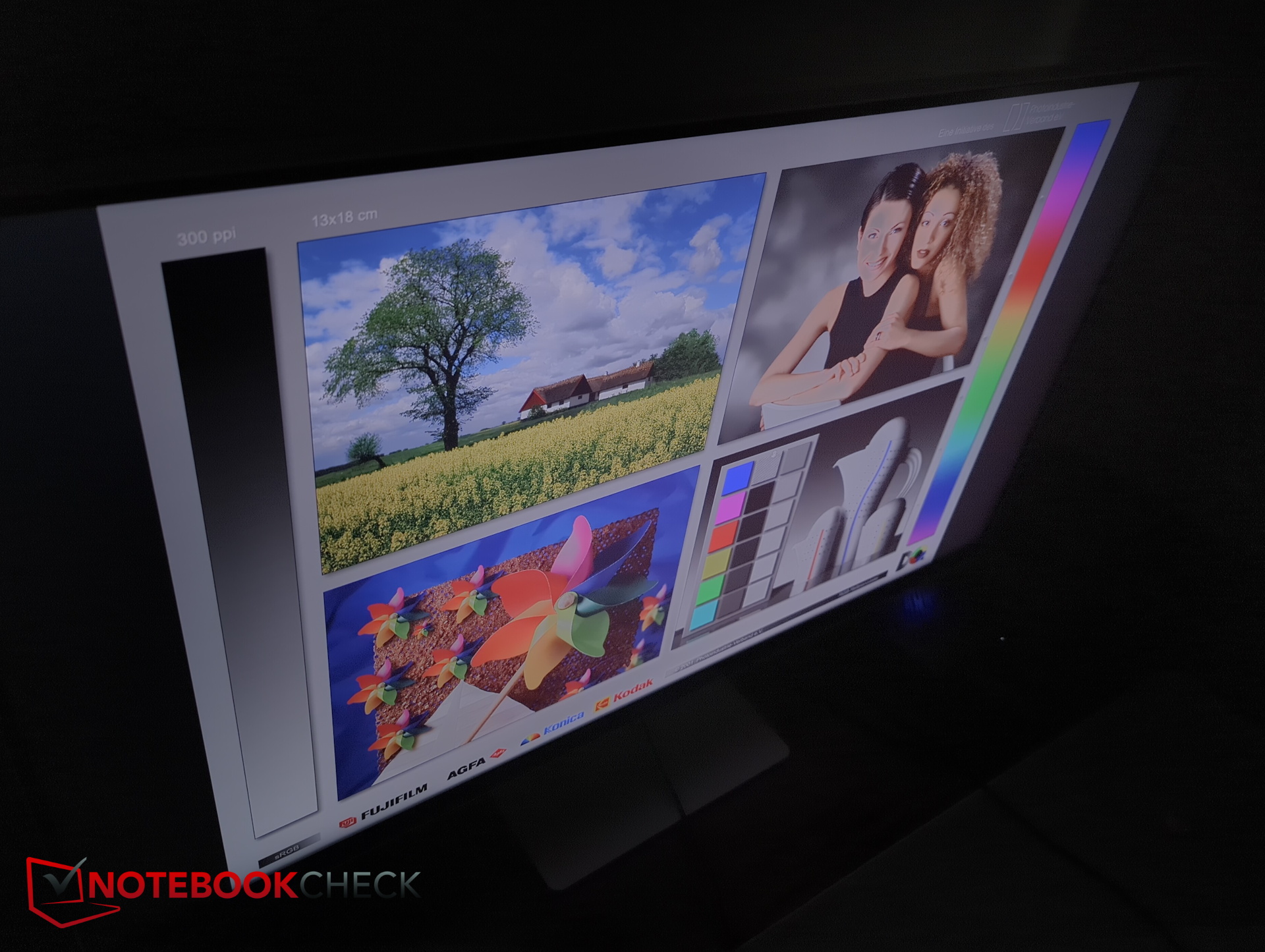
Subjectively, viewing angle stability is very good and better than the OpenCamera images might suggest.
Power consumption - 40 W at 90 % brightness
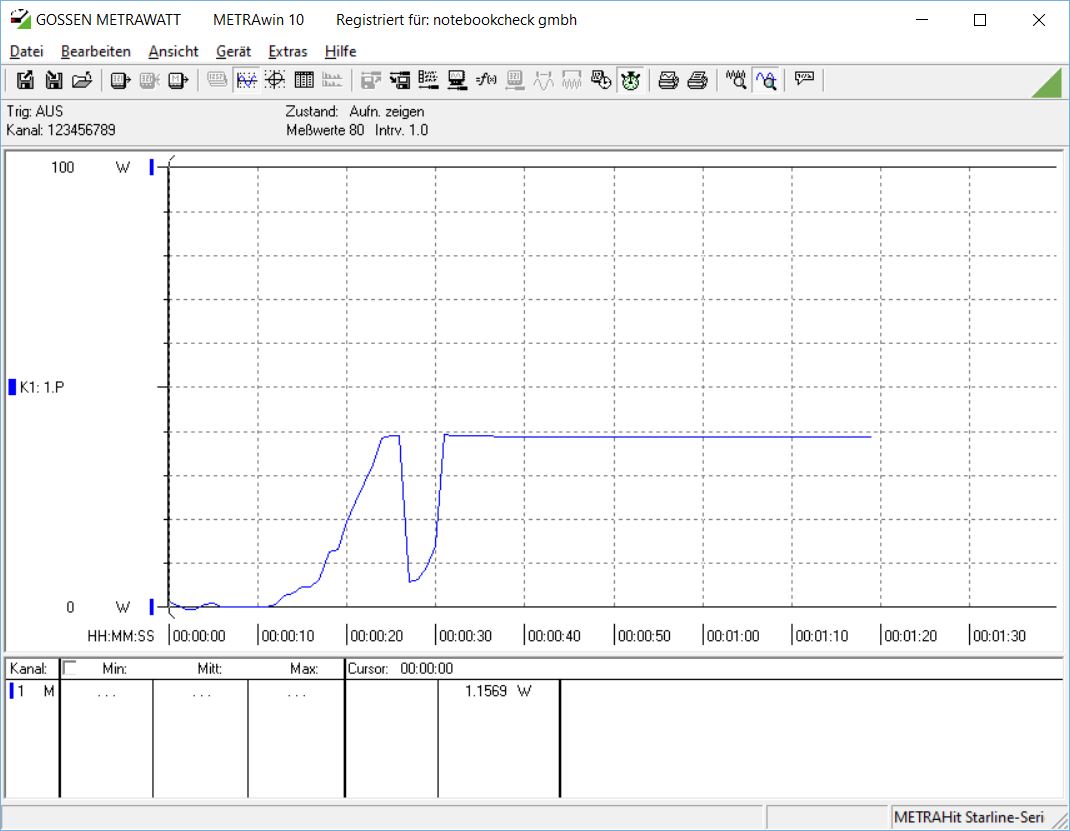
When switched off, the monitor consumes around 0.5 W. The graph below shows the startup process beginning after 10 seconds. At 90% brightness, the monitor consumes just under 40 W.
Transparency
The selection of devices to be reviewed is made by our editorial team. The test sample was given to the author by the manufacturer free of charge for the purposes of review. There was no third-party influence on this review, nor did the manufacturer receive a copy of this review before publication. There was no obligation to publish this review. As an independent media company, Notebookcheck is not subjected to the authority of manufacturers, retailers or publishers.
 Add as a preferred source on Google


