




Enable LDAC: How to get better sound quality from Bluetooth headphones (using the Marshall Milton as an example)
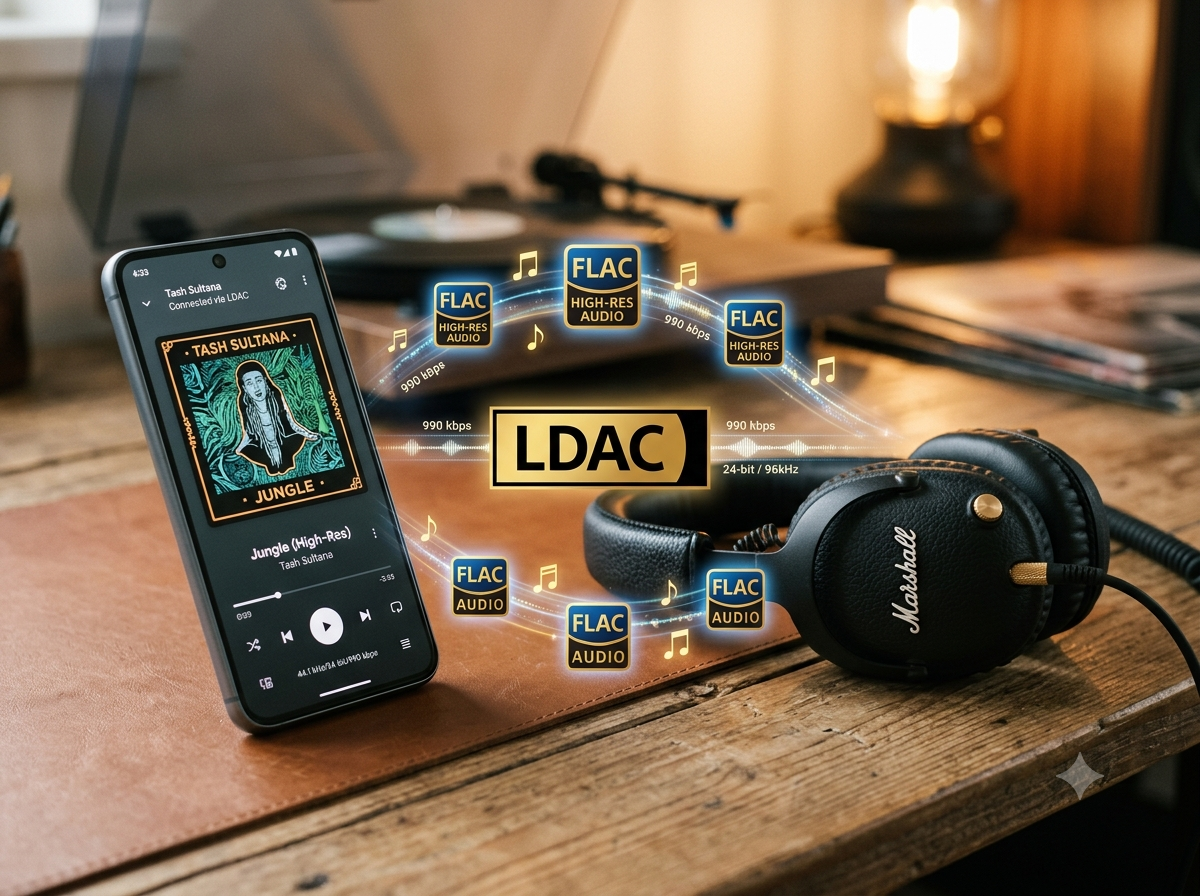
What is LDAC and what are its benefits?
First, what exactly is LDAC? LDAC is Sony's proprietary Bluetooth codec for high-resolution audio that transmits significantly more data than standard codecs such as SBC and AAC. This means audio files require less compression, resulting in less data loss. By transmitting substantially more data over Bluetooth, LDAC can theoretically deliver better audio quality.
In the best-case scenario, LDAC provides greater detail retrieval in your music—especially with high-resolution FLAC files—including cleaner highs and slightly improved spatial imaging. However, Bluetooth audio remains compressed, so the effect has its limits. In practice, the sound quality difference between LDAC and AAC is considerably smaller than the difference between two different headphone models.
Three requirements for using LDAC: headphones, smartphone, and music source
The new Marshall Milton (our review), for example, supports not only the standard codecs mentioned above but also the higher-resolution LDAC codec. So if you've bought headphones with LDAC support, how do you actually use it? Three conditions must be met:
- The headphones must support LDAC: The Marshall Milton does.
- You need a compatible playback device: This is one of the most important requirements, as LDAC is officially supported only on Android. In practical terms, you'll need an Android smartphone running Android 8 or later. The phone's Bluetooth chipset must support LDAC, which is the case with virtually all modern Android devices. iPhone users cannot take advantage of LDAC. On Windows, support is only possible through adapters or additional software and is far less convenient.
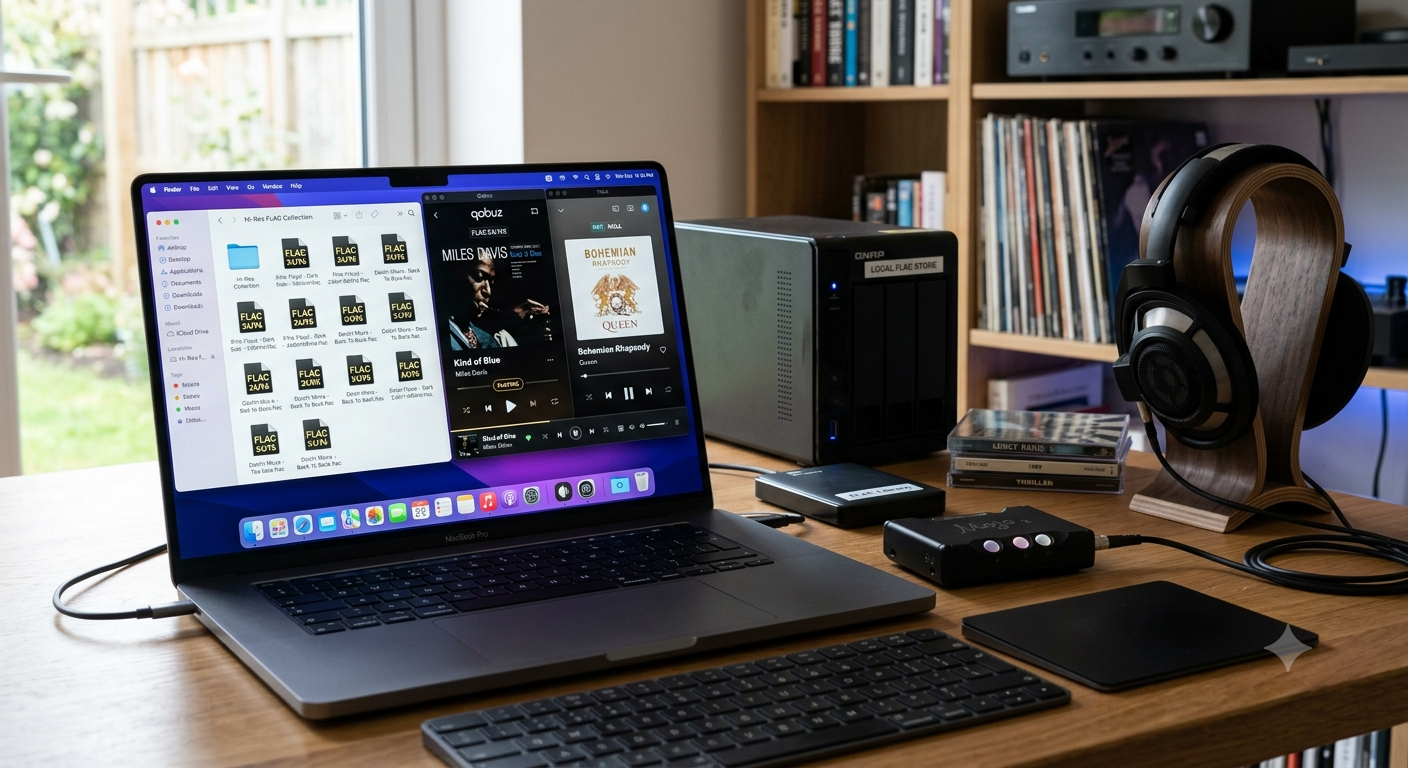
- You need an LDAC-compatible music source: Naturally, the source material must also offer sufficient resolution. This can be achieved with local files, such as FLAC files at 16-bit/44.1 kHz or higher, or through streaming services like Tidal (HiFi / Hi-Res FLAC) or Qobuz. Spotify now supports lossless audio as well.
Marshall Milton: How LDAC works in practice
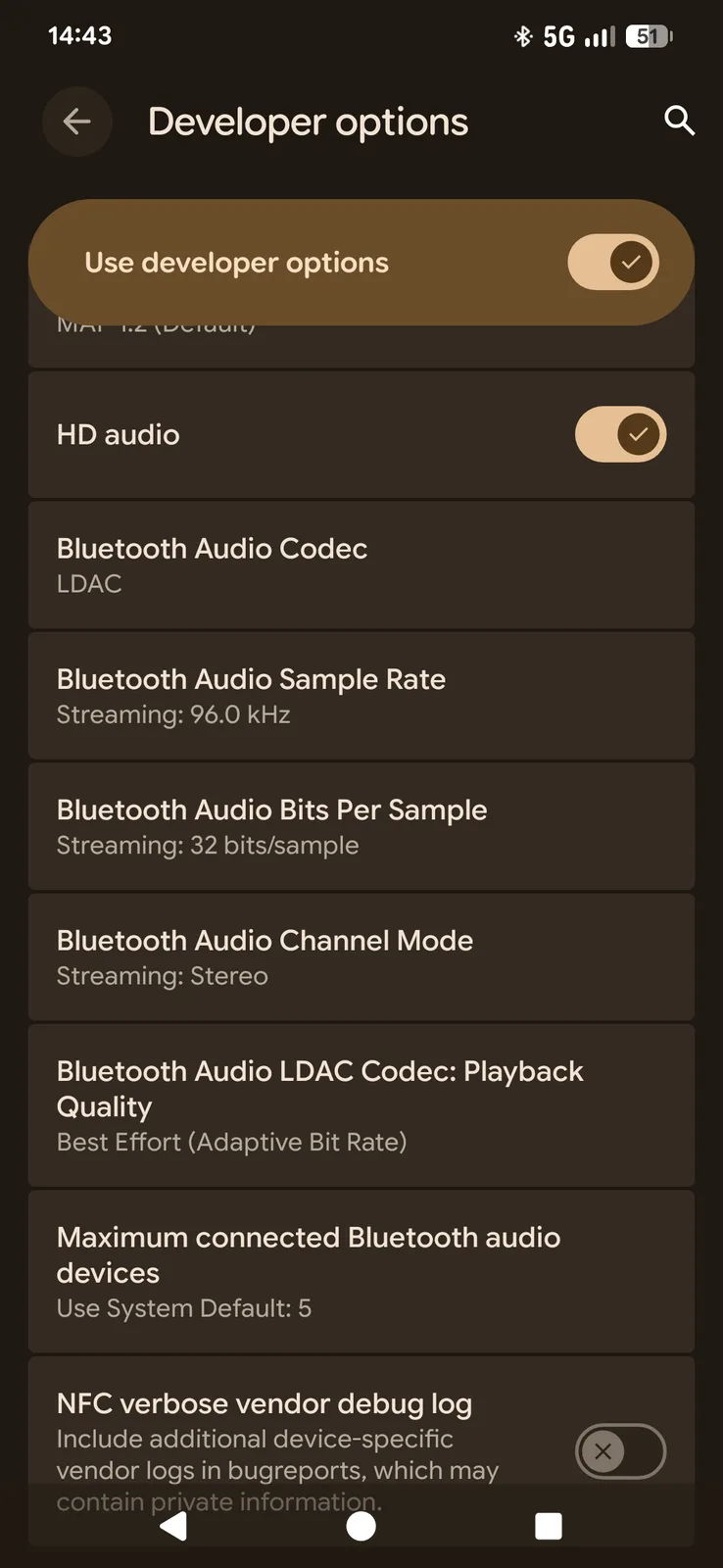
You can use LDAC as long as you have LDAC-compatible headphones, an Android smartphone, and LDAC-capable music. On the Marshall Milton, LDAC activates automatically once the headphones connect to your smartphone via Bluetooth. To verify that it's enabled, you can check the Android settings.
Enabling LDAC on Android – step by step
Open Android's Developer Options (Settings → About phone → tap "Build number" seven times). Scroll down to Bluetooth Audio Codec and select LDAC. If the headphones are not connected, the option will be grayed out and unavailable. Under "Audio Quality," you can also choose "Best Effort / Optimized for Audio Quality."
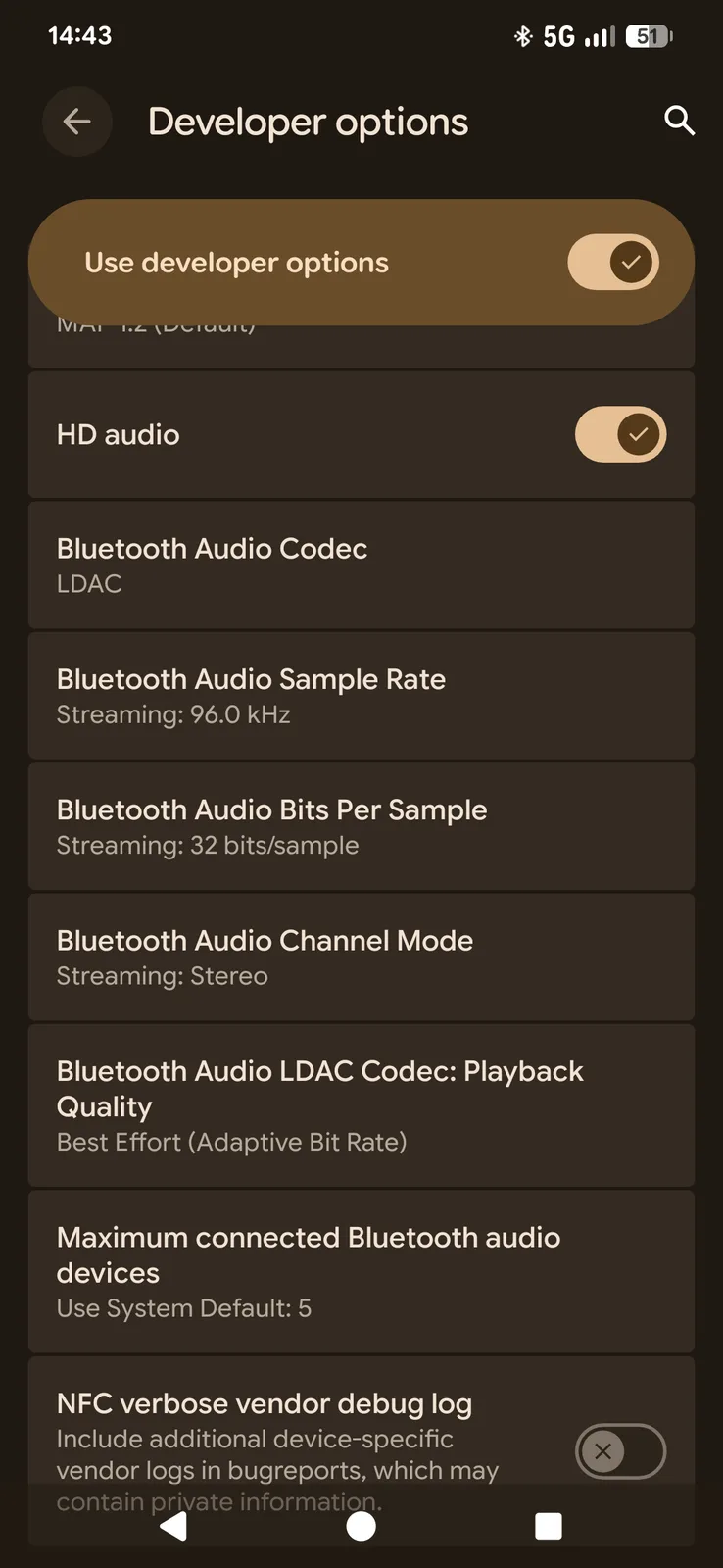
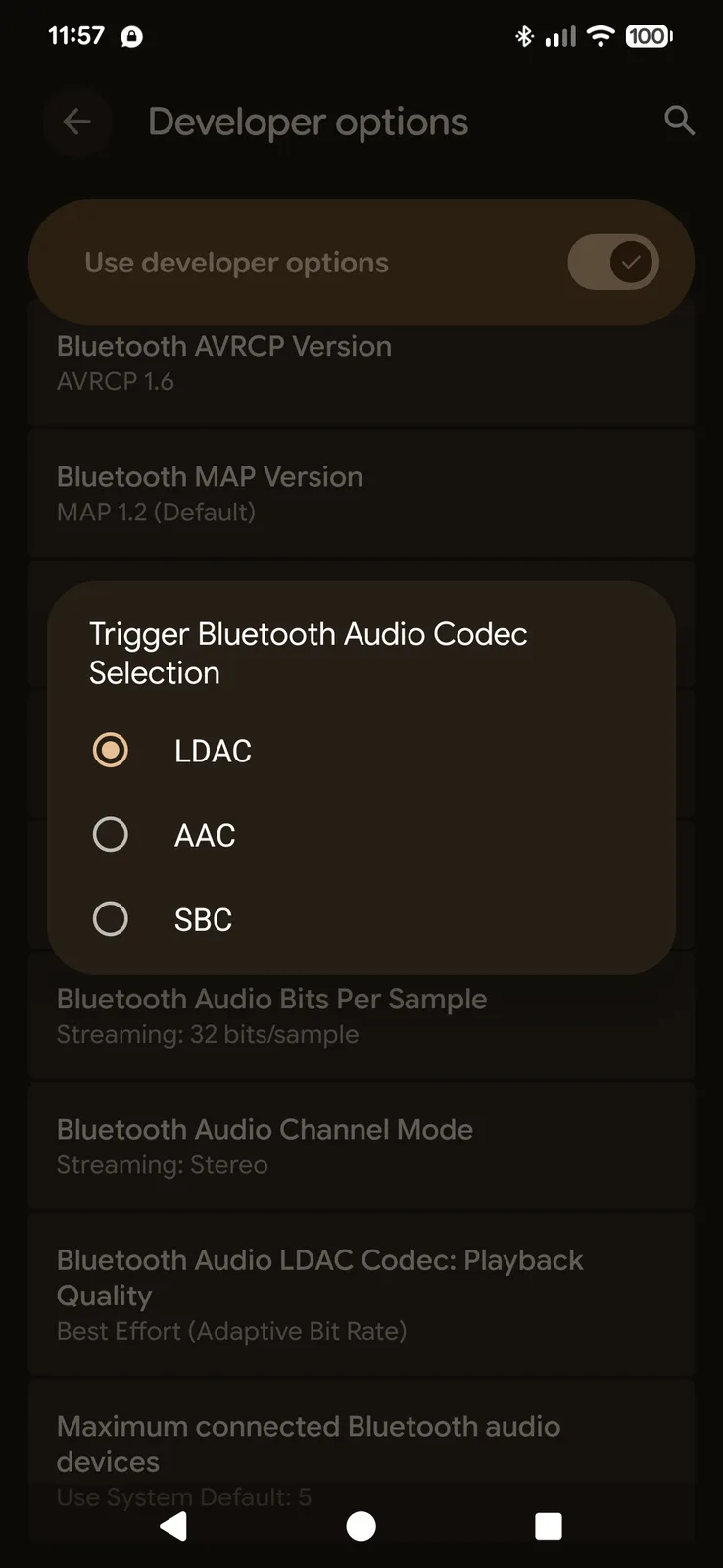
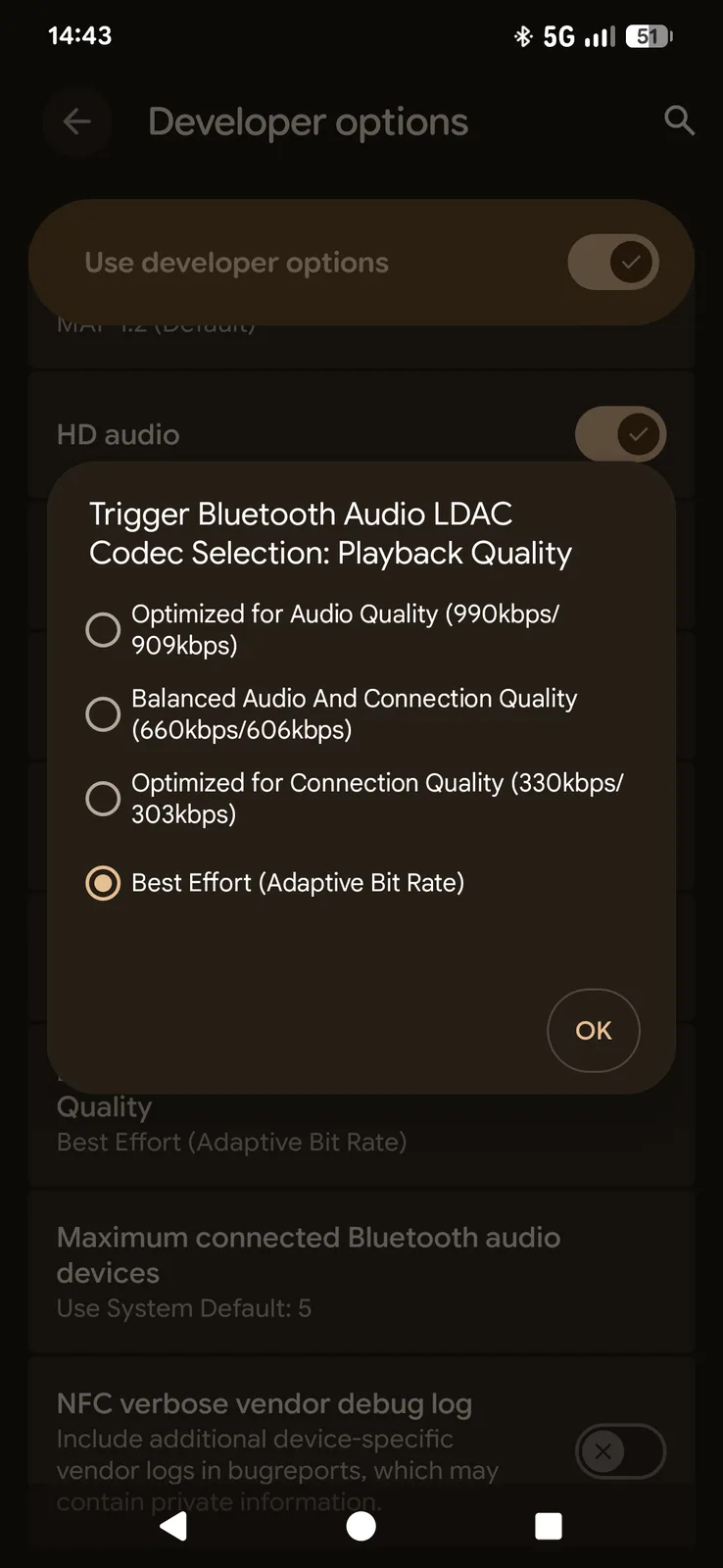
Overview of the three LDAC quality modes (330, 660, and 990 kbps)
| Mode | Stability | Quality |
|---|
| 330 kbps | Very stable | Lower quality |
| 660 kbps | Standard | Good balance |
| 990 kbps | High-resolution | Sensitive to interference |
In practice, the 990 kbps mode remains stable only in excellent wireless environments, and many smartphones automatically fall back to 660 or 330 kbps. This behavior can also be adjusted in the settings. If you manually select the highest quality mode and the connection becomes unstable, Android will automatically switch to the next lower bitrate.
Conclusion – Better sound, but not a true game changer
LDAC is not a game changer but rather a refinement codec. If your headphones feature high-quality drivers and the other requirements are met, it can extract a little more clarity and soundstage from your music. However, Bluetooth connections still involve significant compression, so the improvement is relatively subtle. And if the source material isn't high quality or the headphones themselves aren't capable enough, you're unlikely to notice much of a difference.
 Add as a preferred source on Google


