




Showdown of the fastest multimedia laptops - Apple MacBook Pro 16 M4 Max vs. Asus ProArt P16 RTX 5090

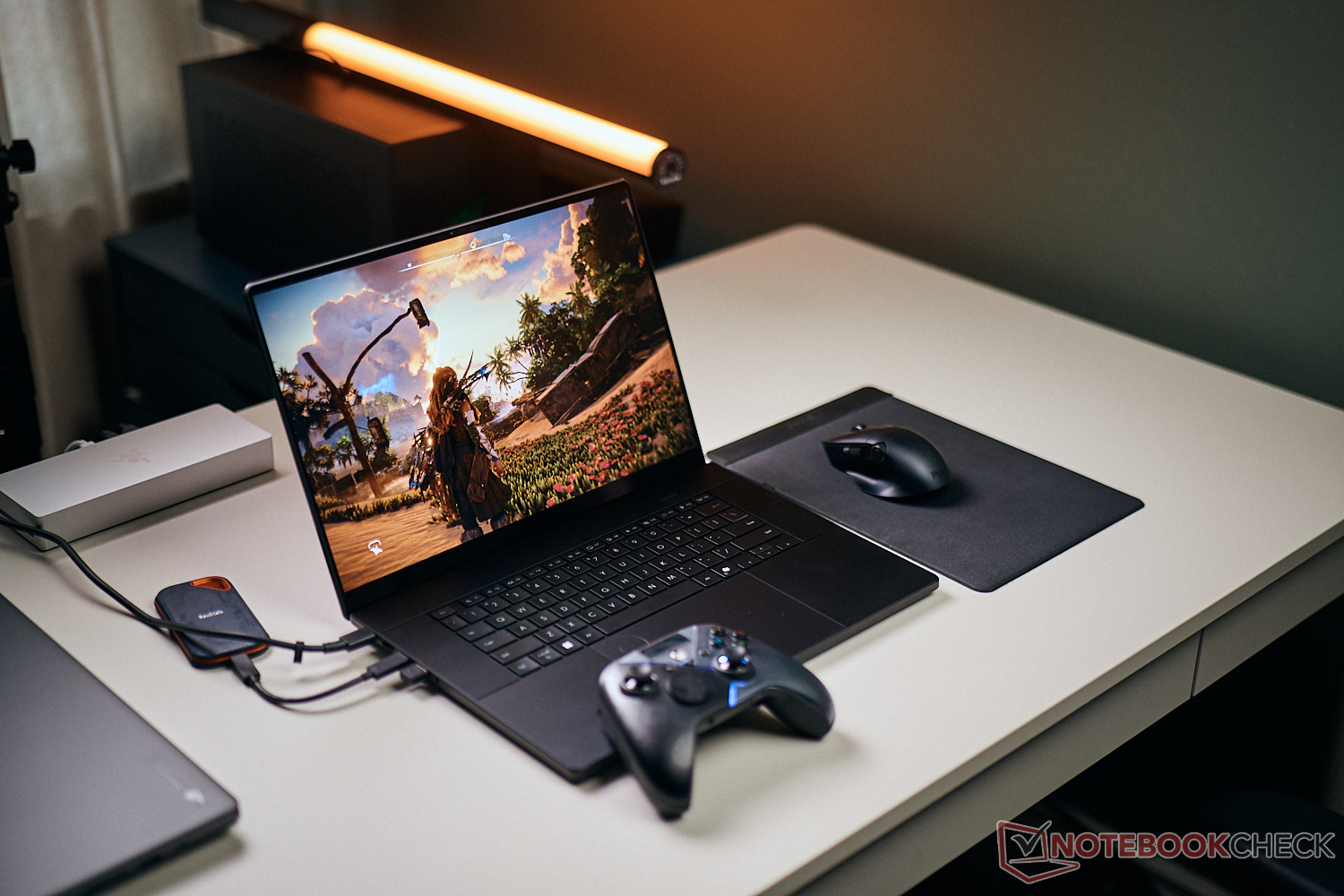
Really powerful multimedia laptops with Windows are rare, because the main focus of devices like the Dell XPS (or its successor) or Lenovo's Yoga Pro is often a sleek design with good all-round capabilities. This usually means an H-series processor and the mobile GeForce RTX 5070 as the fastest GPU option. If you want more power, you either have to get a mobile workstation or a gaming laptop, but this can have other disadvantages. This brings us to the ProArt P16, where Asus decided to introduce a more powerful model (just like the gaming model Zephyrus G16) with a slightly thicker chassis and more powerful vapor chamber cooling solution, which can be equipped with high-end GPUs all the way up to the mobile GeForce RTX 5090 (up to 120 Watts). This means the ProArt P16 is easily the most powerful multimedia laptop right now in terms of graphics performance. At the same time, Asus also included a much-improved tandem OLED screen.
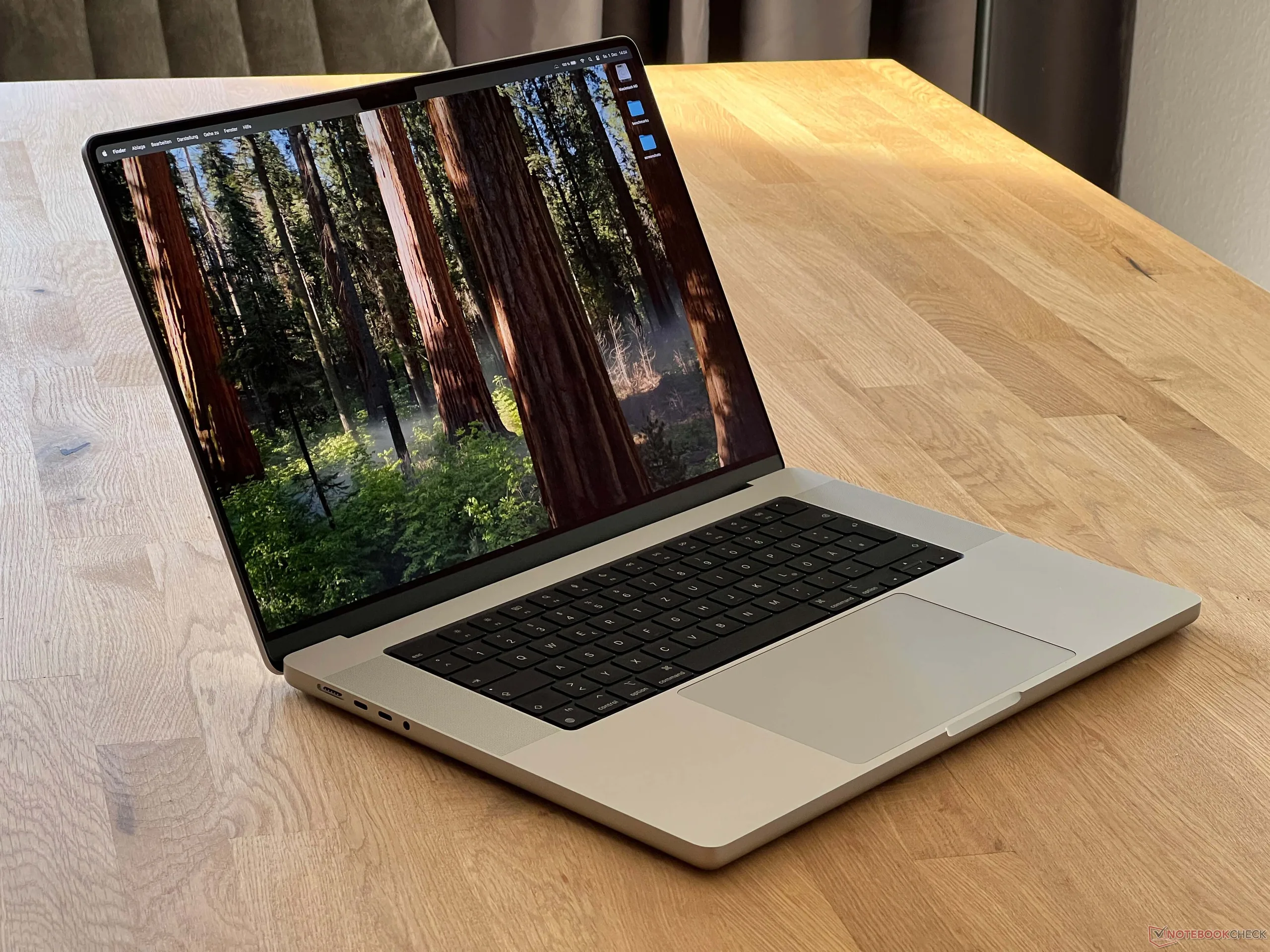
On the other side, we have the Apple MacBook Pro 16 with the Mini-LED screen, which is pretty much the benchmark for multimedia laptops for the last couple of years and the performance of its own M4 SoCs is still remarkable. We want to compare the two high-end SKUs and therefore the two most powerful multimedia laptops you can buy right now. It should be no surprise that these are no cheap machines. With comparable specs (64 GB RAM, 4 TB SSD storage) and the fastest CPU/GPU options, our two models cost €4,700/$3,999 (Asus) and €6,199/$5,199 (Apple), respectively. We focus on the most important aspects in this comparison, please see our comprehensive reviews for more details on each unit:
Case & Connectivity
Both models use high-quality metal cases with sufficient ports and fast SD-card readers. The footprint is virtually identical, but the ProArt P16 is slightly thicker yet at the same time around 200 grams lighter. This weight advantage is gone when you include the charger, though. The maintenance options are better on the Asus, but the memory is soldered on both models.
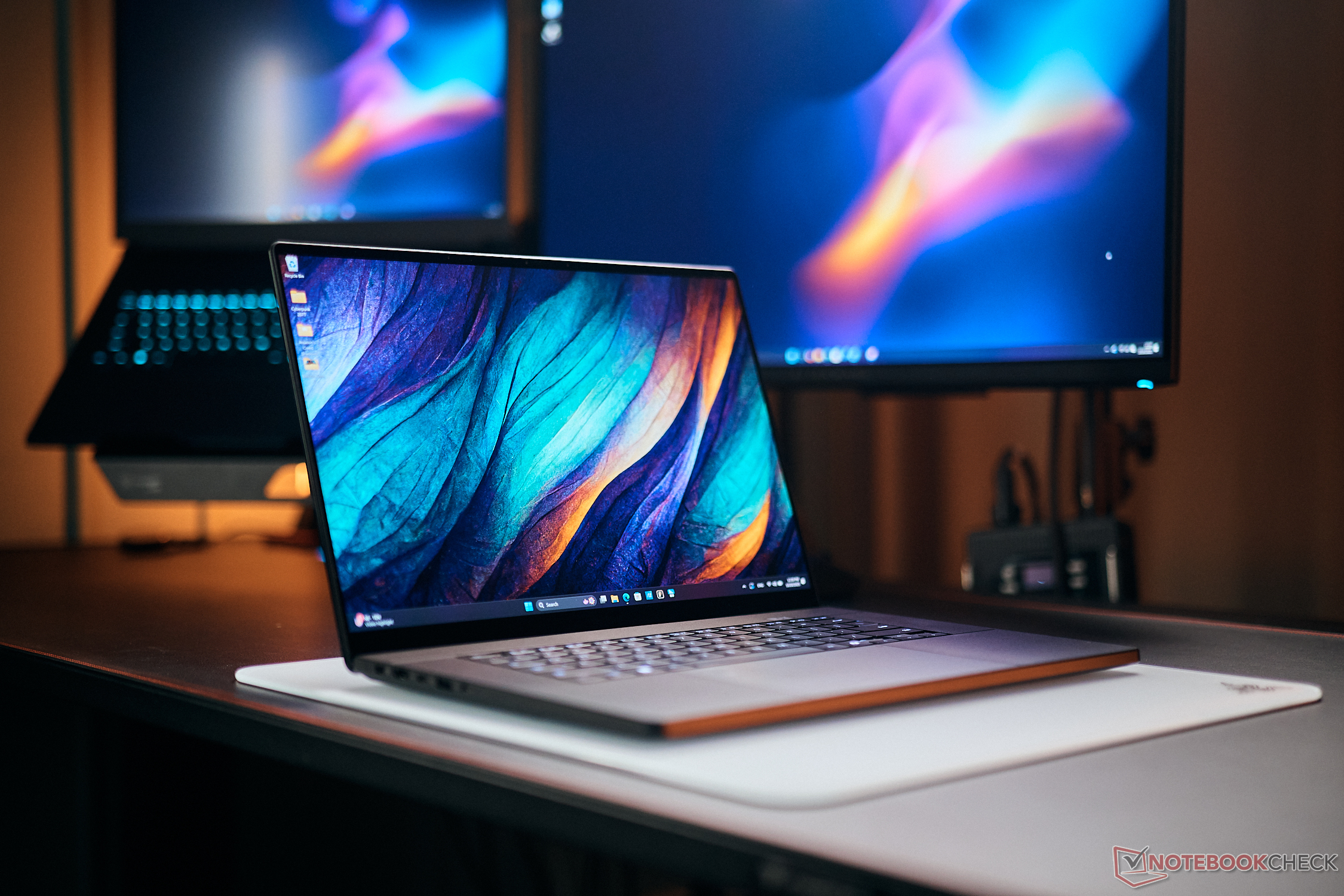


There is a noticeable difference in terms of typing experience. Even though the keyboard of the MacBook Pro is very precise, the key travel is quite shallow. The ProArt P16 offers more generous key travel and the overall typing experience is more comfortable. If you type a lot and are not happy with the MacBook input so far, we recommend you test the ProArt. The sound systems of both models are excellent and among the best on the market.
Apple MacBook Pro 16 2024 M4 Pro audio analysis
(+) | speakers can play relatively loud (84.6 dB)
Bass 100 - 315 Hz
(±) | reduced bass - on average 5.1% lower than median
(+) | bass is linear (5.6% delta to prev. frequency)
Mids 400 - 2000 Hz
(+) | balanced mids - only 1.4% away from median
(+) | mids are linear (2.4% delta to prev. frequency)
Highs 2 - 16 kHz
(+) | balanced highs - only 1.6% away from median
(+) | highs are linear (3% delta to prev. frequency)
Overall 100 - 16.000 Hz
(+) | overall sound is linear (4.8% difference to median)
Compared to same class
» 0% of all tested devices in this class were better, 0% similar, 99% worse
» The best had a delta of 5%, average was 17%, worst was 45%
Compared to all devices tested
» 0% of all tested devices were better, 0% similar, 100% worse
» The best had a delta of 4%, average was 23%, worst was 136%
Asus ProArt P16 RTX 5090 audio analysis
(±) | speaker loudness is average but good (80.8 dB)
Bass 100 - 315 Hz
(+) | good bass - only 3.3% away from median
(±) | linearity of bass is average (7.7% delta to prev. frequency)
Mids 400 - 2000 Hz
(+) | balanced mids - only 2.9% away from median
(+) | mids are linear (1.9% delta to prev. frequency)
Highs 2 - 16 kHz
(+) | balanced highs - only 4.1% away from median
(+) | highs are linear (5.5% delta to prev. frequency)
Overall 100 - 16.000 Hz
(+) | overall sound is linear (8.3% difference to median)
Compared to same class
» 9% of all tested devices in this class were better, 2% similar, 89% worse
» The best had a delta of 5%, average was 17%, worst was 45%
Compared to all devices tested
» 2% of all tested devices were better, 1% similar, 97% worse
» The best had a delta of 4%, average was 23%, worst was 136%
Display - Tandem-OLED vs. Mini-LED
Apple continues to equip its MacBook Pro models with Mini-LED panels, which support P3 color gamut and 120 Hz. In terms of brightness, rivals with OLED panels could not keep up until recently and this only changes with the latest tandem OLED screens, where two illumination layers are sitting on top of each other. Asus' ProArt P16 is one of the first laptop models with the new panel technology.
In terms of brightness, both panels reach up to 1,600 nits in HDR mode, but Apple has the advantage in SDR mode, where the Mini-LED panel can reach up to 1,000 nits when the ambient light sensor is active. Without the sensor, it reaches around 600 nits, which is comparable to the Asus. When it comes to HDR handling, there is no denying that Apple's macOS still have a huge advantage over Windows. The operating system simply recognizes when HDR contents are displayed and simply increases the brightness accordingly (either in a window or fullscreen), and the color profiles keep working. With Windows on the other hand, you always have to activate HDR mode manually, which will also ignore color profiles. The only annoying aspect on the Macbook is that the brightness is limited in sRGB mode.
| Apple MacBook Pro 16 2024 M4 Pro M4 Pro 20-Core GPU, M4 Pro 14-Core, Apple SSD AP2048Z | Asus ProArt P16 RTX 5090 GeForce RTX 5090 Laptop, Ryzen AI 9 HX 370, Micron 2500 2TB MTFDKBA2T0QGN-1BN1AABGA | |
|---|---|---|
| Display | ||
| HDR Peak Brightness (cd/m²) | 1600 | |
| Display P3 Coverage (%) | 99.7 | 98.9 |
| sRGB Coverage (%) | 100 | 100 |
| AdobeRGB 1998 Coverage (%) | 88.8 | 88.6 |
| Response Times | ||
| Response Time Grey 50% / Grey 80% * (ms) | 43 ? | 0.3 ? |
| Response Time Black / White * (ms) | 41.2 ? | 0.45 ? |
| PWM Frequency (Hz) | 14880 | 480 ? |
| PWM Amplitude * (%) | 90 | 38 |
| Screen | ||
| Brightness middle (cd/m²) | 632 | 661 |
| Brightness (cd/m²) | 616 | 663 |
| Brightness Distribution (%) | 95 | 99 |
| Black Level * (cd/m²) | ||
| Colorchecker dE 2000 * | 0.6 | 0.5 |
| Colorchecker dE 2000 max. * | 1.2 | 1.4 |
| Greyscale dE 2000 * | 0.8 | 0.6 |
| Gamma | 2.21 100% | 2.19 100% |
| CCT | 6450 101% | 6565 99% |
| Total Average (Program / Settings) |
* ... smaller is better
There are obviously general differences between the two display technologies. The Mini-LED screen is basically just a regular IPS panel, but with a different illumination. The Mini-LED illumination creates zones, which can be illuminated separately, but this also results in blooming effects for high-contrast contents. The black value is 0 just like on OLED screens, which results in high contrast ratios. The Mini-LED illumination flickers constantly at a high frequency, which makes it very hard to determine accurate response times. During daily use and in combination with 120 Hz, however, there are no visible ghosting issues. Apple also offers a matte variant, which only has a small impact on the image quality.
The OLED panel in the Asus does not suffer from blooming issues and impresses with very fast response times as well as rich colors. However, you also have to live with PWM flickering at a lower frequency. Asus also uses a touchscreen, which is obviously a huge advantage if you want to use a stylus (picture editing, for example). The Lumina Pro panel also offers the 4K resolution. We expect Apple will switch to a tandem OLED screen for the MacBook Pro series in the near future as well (already available on the iPad Pro, for example).
Performance - M4 Max vs. Zen 5 & Blackwell
We compare the high-end versions of the Apple MacBook Pro 16 with the M4 Max and the Asus ProArt P16 with the Ryzen AI 9 HX 370 as well as the RTX 5090 Laptop. Apple has the upper hand in terms of memory, because the ProArt is only available with 64 GB, while the MacBook Pro can be configured with up to 128 GB.
A look at the raw CPU performance clearly shows that the Ryzen AI 9 HX 370 does not stand a chance against the M4 Max or even the M4 Pro. It is still impressive how much performance Apple's own silicon offers and the new M5 SoC once again raises the bar with the fastest single-core performance and already indicates what we can expect from the upcoming M5 Pro/Max SoCs. You will need an Intel HX or AMD FireRange processor to beat the M4 Max, at least in multi-core scenarios.
| Performance rating - Percent | |
| Apple MacBook Pro 16 M4 Max | |
| Asus ProArt P16 RTX 5090 | |
| Cinebench 2024 | |
| CPU Multi Core | |
| Apple MacBook Pro 16 M4 Max | |
| Apple MacBook Pro 16 M4 Max | |
| Asus ProArt P16 RTX 5090 | |
| CPU Single Core | |
| Apple MacBook Pro 16 M4 Max | |
| Asus ProArt P16 RTX 5090 | |
| Geekbench 6.7 | |
| Multi-Core | |
| Apple MacBook Pro 16 M4 Max | |
| Asus ProArt P16 RTX 5090 | |
| Single-Core | |
| Apple MacBook Pro 16 M4 Max | |
| Asus ProArt P16 RTX 5090 | |
| Blender - v4.3 Barbershop CPU | |
| Asus ProArt P16 RTX 5090 | |
| Apple MacBook Pro 16 M4 Max | |
| CrossMark | |
| Overall | |
| Apple MacBook Pro 16 M4 Max | |
| Asus ProArt P16 RTX 5090 | |
| Productivity | |
| Apple MacBook Pro 16 M4 Max | |
| Asus ProArt P16 RTX 5090 | |
| Creativity | |
| Apple MacBook Pro 16 M4 Max | |
| Asus ProArt P16 RTX 5090 | |
| Responsiveness | |
| Apple MacBook Pro 16 M4 Max | |
| Asus ProArt P16 RTX 5090 | |
* ... smaller is better
The raw GPU performance of the M4 Max GPU on the other hand is clearly lower than the mobile GeForce RTX 5090 and the biggest M4 Max GPU is around 30 % slower in the synthetic 3DMark tests. if you also want to play games on your multimedia machine, the advantage for the ProArt P16 gets even bigger. Apart from the much more limited selection of games, the M4 Max is around 40 % slower compared to the combination of Ryzen AI 9 HX 370 and mobile GeForce RTX 5090.
| Performance rating - Percent | |
| Asus ProArt P16 RTX 5090 | |
| Apple MacBook Pro 16 M4 Max | |
| 3DMark | |
| Steel Nomad Score | |
| Asus ProArt P16 RTX 5090 | |
| Apple MacBook Pro 16 M4 Max | |
| Steel Nomad Light Score | |
| Asus ProArt P16 RTX 5090 | |
| Apple MacBook Pro 16 M4 Max | |
| Assassin's Creed Shadows - 2560x1440 Ultra High | |
| Asus ProArt P16 RTX 5090 | |
| Apple MacBook Pro 16 M4 Max | |
| Cyberpunk 2077 - 2560x1440 Ultra Preset (FSR off) | |
| Asus ProArt P16 RTX 5090 | |
| Apple MacBook Pro 16 M4 Max | |
The raw graphics and gaming performance is one thing, but pictured and video editing is a different topic. The mobile GeForce RTX 5090 with 24 GB VRAM is already a good step above the old RTX 4090 Laptop with 16 GB VRAM, for example, but Apple's M4 Max GPU can use the system memory. The PugetBench benchmarks for Adobe Photoshop and Premiere Pro show an advantage for the MacBook. The mobile RTX 5090 on the other hand is ahead when you use things like CGI or areas where Nvidia's CUDA cores are supported well. If you render an image in Blender 4.3, for example, the MacBook Pro is noticeably slower (58 vs. 82 seconds).
| Premiere Pro PugetBench - Overall Score 1.1 | |
| Apple MacBook Pro 16 M4 Max | |
| Asus ProArt P16 RTX 5090 | |
| Photoshop PugetBench - Overall Score 1.01 | |
| Apple MacBook Pro 16 M4 Max | |
| Asus ProArt P16 RTX 5090 | |
| Blender | |
| v4.3 Barbershop OPTIX | |
| Asus ProArt P16 RTX 5090 | |
| v4.3 Barbershop Metal | |
| Apple MacBook Pro 16 M4 Max | |
* ... smaller is better
Fan Noise
This one is easy and the clear winner is the Apple MacBook Pro. It has a much more defensive fan curve ensures that the laptop is much quieter in everyday scenarios. The Asus ProArt P16 also gets much louder under maximum load (around 10 dB(A)).
| Asus ProArt P16 RTX 5090 GeForce RTX 5090 Laptop, Ryzen AI 9 HX 370, Micron 2500 2TB MTFDKBA2T0QGN-1BN1AABGA | Apple MacBook Pro 16 M4 Max M4 Max 40-Core GPU, M4 Max 16-Core, Apple SSD AP1024Z | |
|---|---|---|
| Noise | ||
| off / environment * (dB) | 24.2 | 24.1 |
| Idle Minimum * (dB) | 24.2 | 24.1 |
| Idle Average * (dB) | 27.6 | 24.1 |
| Idle Maximum * (dB) | 32.6 | 24.1 |
| Load Average * (dB) | 42.6 | 42.2 |
| Cyberpunk 2077 ultra * (dB) | 51.2 | 42.2 |
| Load Maximum * (dB) | 53.2 | 42.2 |
* ... smaller is better
Battery Runtime
The clear winner in this section is the MacBook Pro, and the performance (CPU & GPU) is not reduced on battery power, either. At the maximum panel brightness, the difference is around 1.5 hours in our Wi-Fi test, but the MacBook lasts more than twice as long as the ProArt at 150 nits (18 vs. 8.5 hours).
| Battery Runtime | |
| WiFi Websurfing | |
| Apple MacBook Pro 16 M4 Max | |
| Asus ProArt P16 RTX 5090 | |
| WiFi Websurfing max. Brightness | |
| Apple MacBook Pro 16 M4 Max | |
| Asus ProArt P16 RTX 5090 | |
Verdict
It is almost impossible to find a clear winner in our comparison. There are differences and it also clearly depends on your workflow and what software you are running on your laptop. Considering the high prices, these configurations are not for the masses, but they are usually purchased by professionals that need reliable performance on the go.
For video and image editing, it clearly depends on the apps and the data you use. The MacBook Pro 16 with the M4 Max is the first choice when you use Adobe apps. If you are using DaVinci Resolve, for example, the two machines are basically tied and Nvidia is clearly ahead when it comes to CGI.
It is also the better choice from a mobility standpoint with the optional matte nano-texture glass, the stable performance on battery power as well as the potential for much longer battery runtimes. Another advantage of the MacBook is that you can also take the base models without sacrificing any image quality. The excellent Lumina Pro tandem OLED screen of the ProArt is limited to the more powerful SKUs with faster graphics cards (at least RTX 5070 Ti).
This does not mean that the ProArt P16 is a bad choice by any means and it is also better when you want to use a touchscreen and also like to play some games. In addition to the much larger selection of titles, the gaming performance with the RTX 5090 is simply higher.
 Add as a preferred source on Google


