


Verdict on the Lenovo Yoga Tab Plus Gen 2
The Lenovo Yoga Tab Plus Gen 2 has been improved in many areas: The case looks a little more elegant and is larger yet lighter than its predecessor, while still offering significantly greater battery capacity. Hardly any other high-end tablet manages over 20 hours in our Wi-Fi test.
The Snapdragon 8 Elite is no longer the latest chip, but it still offers enough performance for the vast majority of tasks. An excellent stylus and a high-quality keyboard cover are available as accessories.
Internal storage is limited to 256 GB, however. Lenovo has now included a microSD reader, allowing additional data to be stored on memory cards.
It is frustrating that Lenovo has not included a fingerprint sensor and that users have to do without GPS positioning or a 5G option.
Nevertheless, the Lenovo Yoga Tab Plus Gen 2 is an excellent overall package with one of the highest-resolution tablet screens we have ever seen.
Pros
Cons
Price and availability
The Lenovo Yoga Tab Plus Gen 2 is available for US$ 799 at lenovo.com.

- $399.99Lenovo Idea Tab Pro Gen 2 Tablet + Pen & Folio Case - 13″ 3.5K IPS Touchscreen Display - 144Hz - Qualcomm® Snapdragon® 8s CPU - 8GB Memory - 128GB Storage - Integrated Qualcomm® Adreno™ 825 GPU
- $639.99Lenovo Yoga Tab AI Tablet, 11" 3K 144Hz, 12GB RAM, 512GB, Pro Pen, Keyboard | 256GB UFS+256GB SD Card, Snapdragon 8, 800-Nit Touchscreen, 12-Hr Battery Life, Lightweight for Creator, Student, Android OS
- $529.99Lenovo Yoga Tab Plus with Qualcomm Snapdragon 8 Gen 3 3.3GHz | 12.7" 3K 144Hz 256GB Wi-Fi Tablet, Model ZAEG0096US, 16GB RAM, Android 14, and Seashell
Table of Contents
- Verdict on the Lenovo Yoga Tab Plus Gen 2
- Specifications
- Case – Lenovo with a sturdy metal chassis
- Connectivity – Plenty of RAM and a microSD reader
- Software – Lenovo's premium tablet with long-term updates
- Communication and GNSS – Blazing-fast Wi-Fi on the Yoga Tab Plus Gen 2
- Cameras – Yoga tablet with decent cameras
- Accessories and warranty – Pen and keyboard cover for the Lenovo tablet
- Input devices and operation – Unfortunately, no fingerprint sensor
- Display – Tablet with an extremely high resolution
- Performance – Plenty of power in the Yoga Tab Plus Gen 2
- Emissions – Little heat buildup
- Battery life – Lenovo tablet lasts for days
- Notebookcheck overall rating
- Potential alternatives compared
Specifications
Case – Lenovo with a sturdy metal chassis
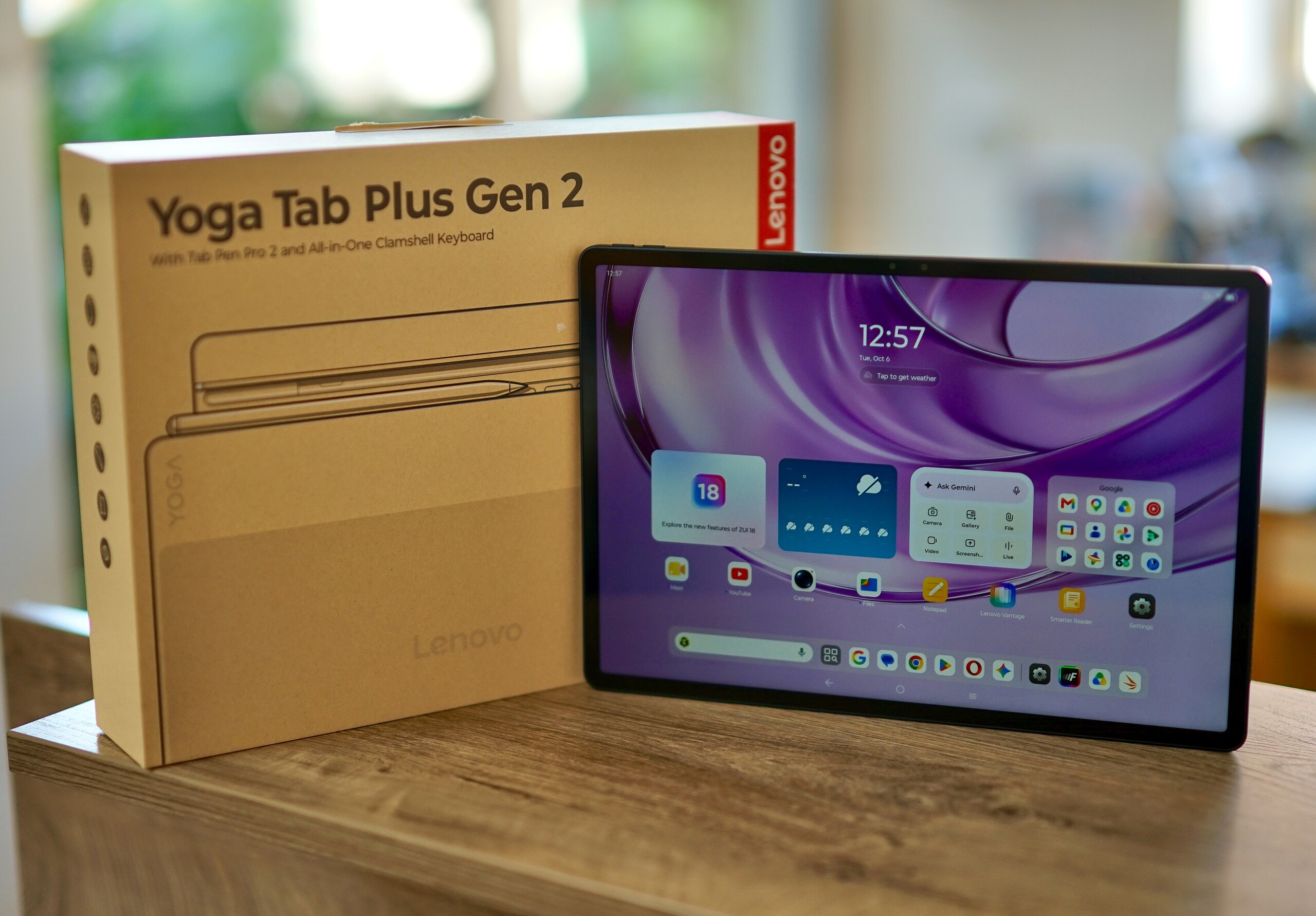
Lenovo's flagship tablet is available in just one color: Cosmic Blue, a dark shade of blue.
The metal case is very well made and has a slightly simpler design than its predecessor. The striking pill-shaped camera module houses a large LED flash that can also be used as a flashlight. Rigidity has been significantly improved: There is no creaking, and the tablet cannot be twisted despite its size.
The slim bezels around the screen give the tablet a modern look.
The Yoga Tab Plus Gen 2 has grown slightly compared with its predecessor, but at 6.1 millimeters (0.2402 inches) it is still fairly slim and offers a significantly larger battery. Surprisingly, its weight has also been reduced: At 605 grams (1.334 lbs), it now even undercuts the iPad Air 13.


Connectivity – Plenty of RAM and a microSD reader
Our Yoga Tab Plus Gen 2 review unit comes with 16 GB of RAM and 256 GB of storage. A version with 12 GB of RAM is also available for those looking to save money.
There is no option for more internal storage, but storage can now be expanded via a microSD slot. In our test with the Angelbird V60 reference card, the reader performs quite quickly.
The USB port uses USB 3.2 Gen 1 internally, enabling data transfer rates of up to 5 Gbit/s. It also supports connecting an external monitor via DisplayPort, while wireless connections to monitors via Miracast are available too.
Three pogo pins on the bottom of the tablet allow a keyboard dock to be connected. NFC for contactless payments is not available.
microSD card reader
| SD Card Reader - average JPG Copy Test (av. of 3 runs) | |
| Lenovo Yoga Tab Plus Gen 2 | |
| Average of class Tablet (10.2 - 79.2, n=44, last 2 years) | |
Cross Platform Disk Test (CPDT)
Software – Lenovo's premium tablet with long-term updates
The predecessor offered only four years of updates and three OS upgrades, but Lenovo seems to have realized that this is not enough for a premium tablet: The Lenovo Yoga Tab Plus Gen 2 will therefore receive security updates until early 2033, which means more than six years from the time of this review.
Seven new Android versions are also promised. Since the tablet ships with Android 17, updates through Android 24 are assured.
Lenovo's ZUI interface is fairly close to stock Android. An optional desktop mode makes multitasking with multiple windows and using a mouse or trackpad and keyboard easier.
Lenovo Qira is the AI assistant preinstalled on the tablet. You can ask questions directly, have notifications summarized or turn sketches into images. All of this worked quite well in a brief test. Of course, you have to grant the AI extensive access to apps and data for it to perform its tasks.
Sustainability
Lenovo only provides carbon footprints for laptops and monitors. The box is printed using few colors and is otherwise largely plastic-free.
Spare parts can be ordered through Lenovo's website, but they are not yet available for our review unit.
Communication and GNSS – Blazing-fast Wi-Fi on the Yoga Tab Plus Gen 2
The Lenovo Yoga Tab Plus Gen 2 can connect to wireless networks via Wi-Fi 7, achieving very fast data rates of well over 3,000 Mbit/s. We test these speeds using the Asus RT-BE96U reference router.
With speeds this high, making good use of fast home networks should be no problem, and the tablet is also fast enough for fiber-optic internet connections.
There is no 5G version, nor is GPS positioning available.
| Networking | |
| Lenovo Yoga Tab Plus Gen 2 | |
| iperf3 transmit Wi-Fi6/7 RT-BE96U | |
| iperf3 receive Wi-Fi6/7 RT-BE96U | |
| Lenovo Yoga Tab Plus | |
| iperf3 transmit AXE11000 6GHz | |
| iperf3 receive AXE11000 6GHz | |
| Huawei MatePad Pro Max | |
| iperf3 transmit Wi-Fi6/7 RT-BE96U | |
| iperf3 receive Wi-Fi6/7 RT-BE96U | |
| Apple iPad Air 13 M4 2026 | |
| iperf3 receive RT-BE96U WiFi7 | |
| iperf3 transmit RT-BE96U WiFi7 | |
| OnePlus Pad 4 | |
| iperf3 transmit Wi-Fi6/7 RT-BE96U | |
| iperf3 receive Wi-Fi6/7 RT-BE96U | |
| Average 802.11 a/b/g/n/ac/ax/be | |
| iperf3 transmit AXE11000 6GHz | |
| iperf3 receive AXE11000 6GHz | |
| iperf3 transmit Wi-Fi6/7 RT-BE96U | |
| iperf3 receive Wi-Fi6/7 RT-BE96U | |
| iperf3 receive RT-BE96U WiFi7 | |
| iperf3 transmit RT-BE96U WiFi7 | |
| Average of class Tablet | |
| iperf3 transmit AXE11000 6GHz | |
| iperf3 receive AXE11000 6GHz | |
| iperf3 transmit Wi-Fi6/7 RT-BE96U | |
| iperf3 receive Wi-Fi6/7 RT-BE96U | |
| iperf3 receive RT-BE96U WiFi7 | |
| iperf3 transmit RT-BE96U WiFi7 | |
Cameras – Yoga tablet with decent cameras

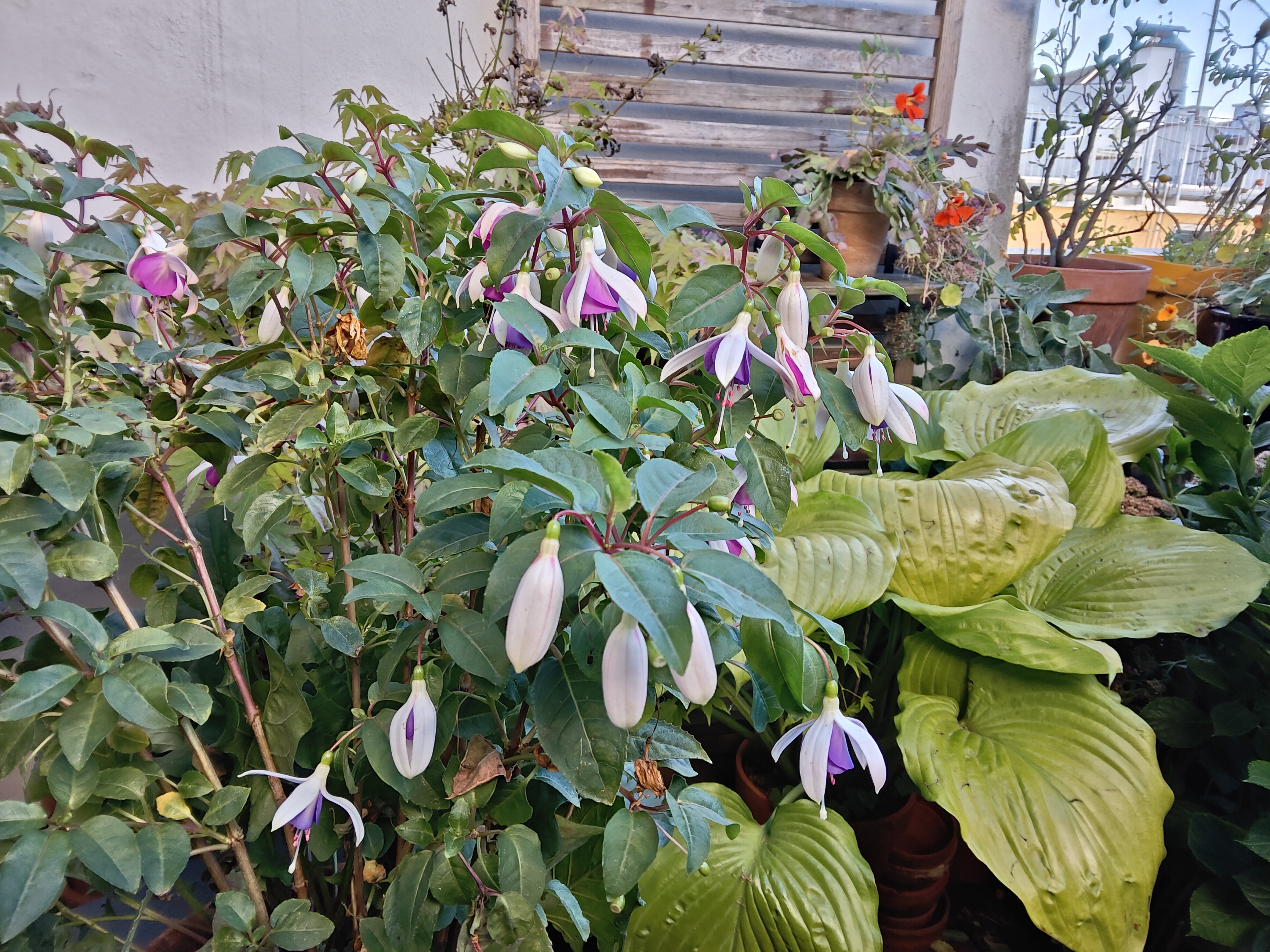
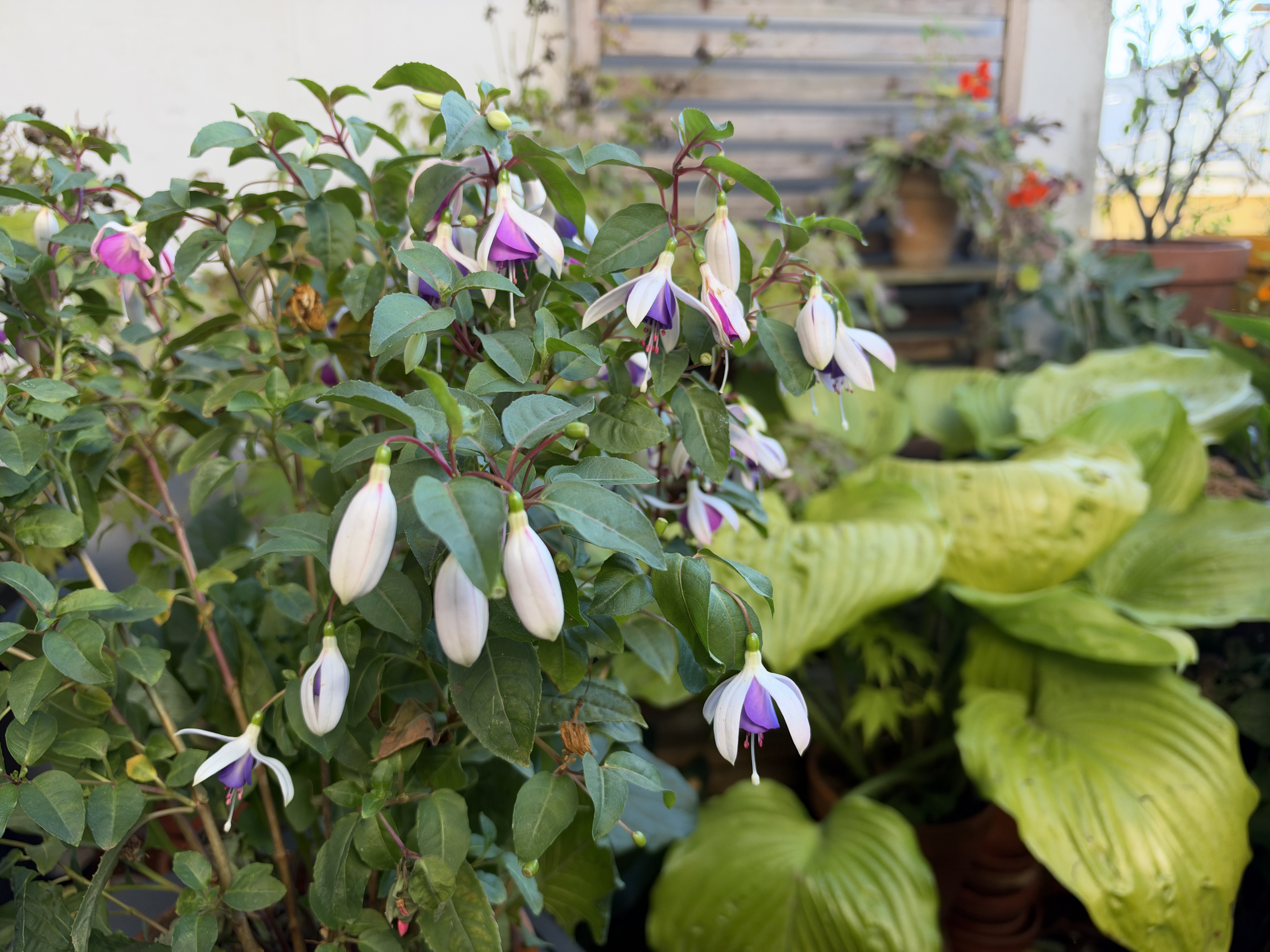
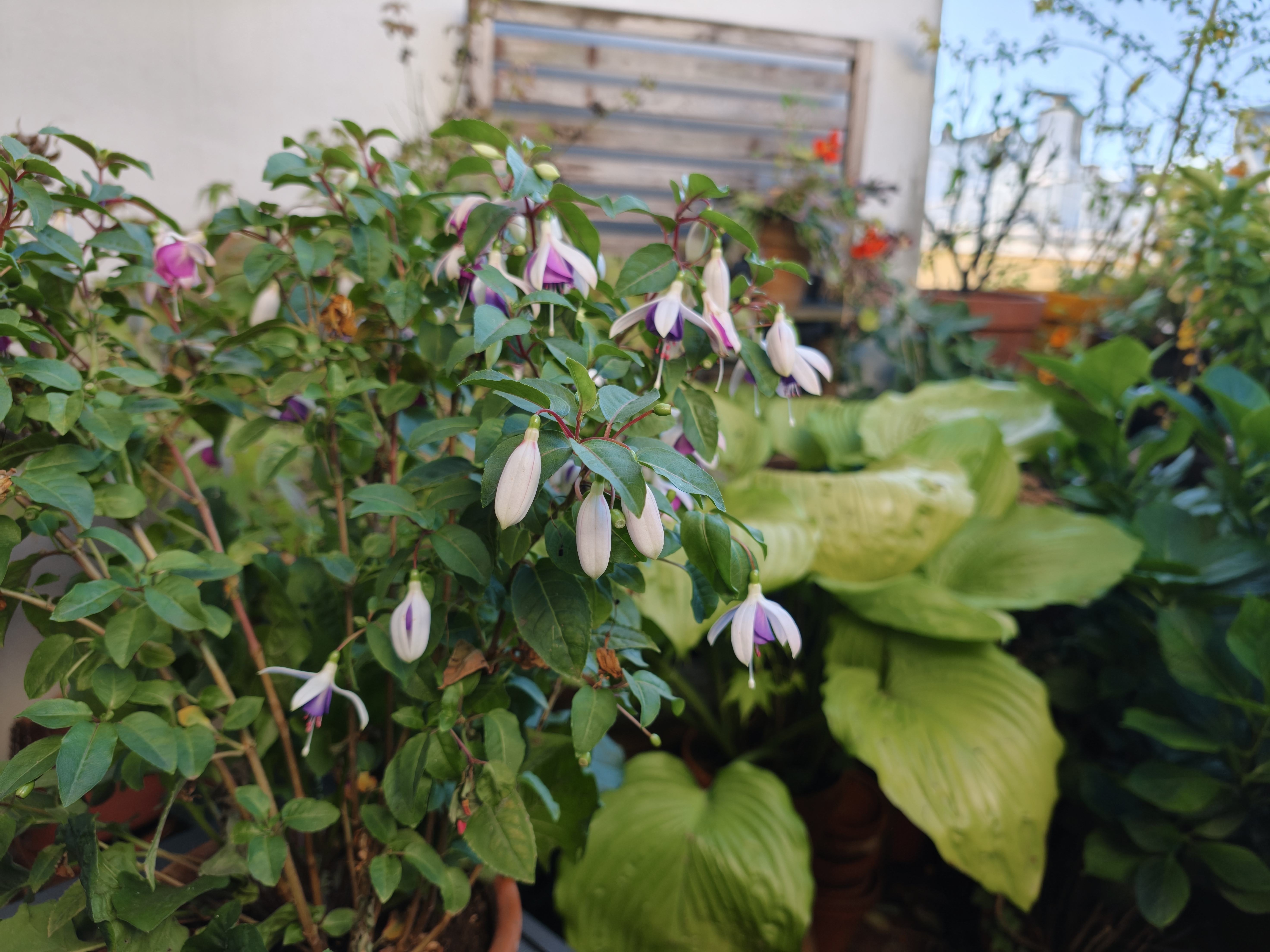
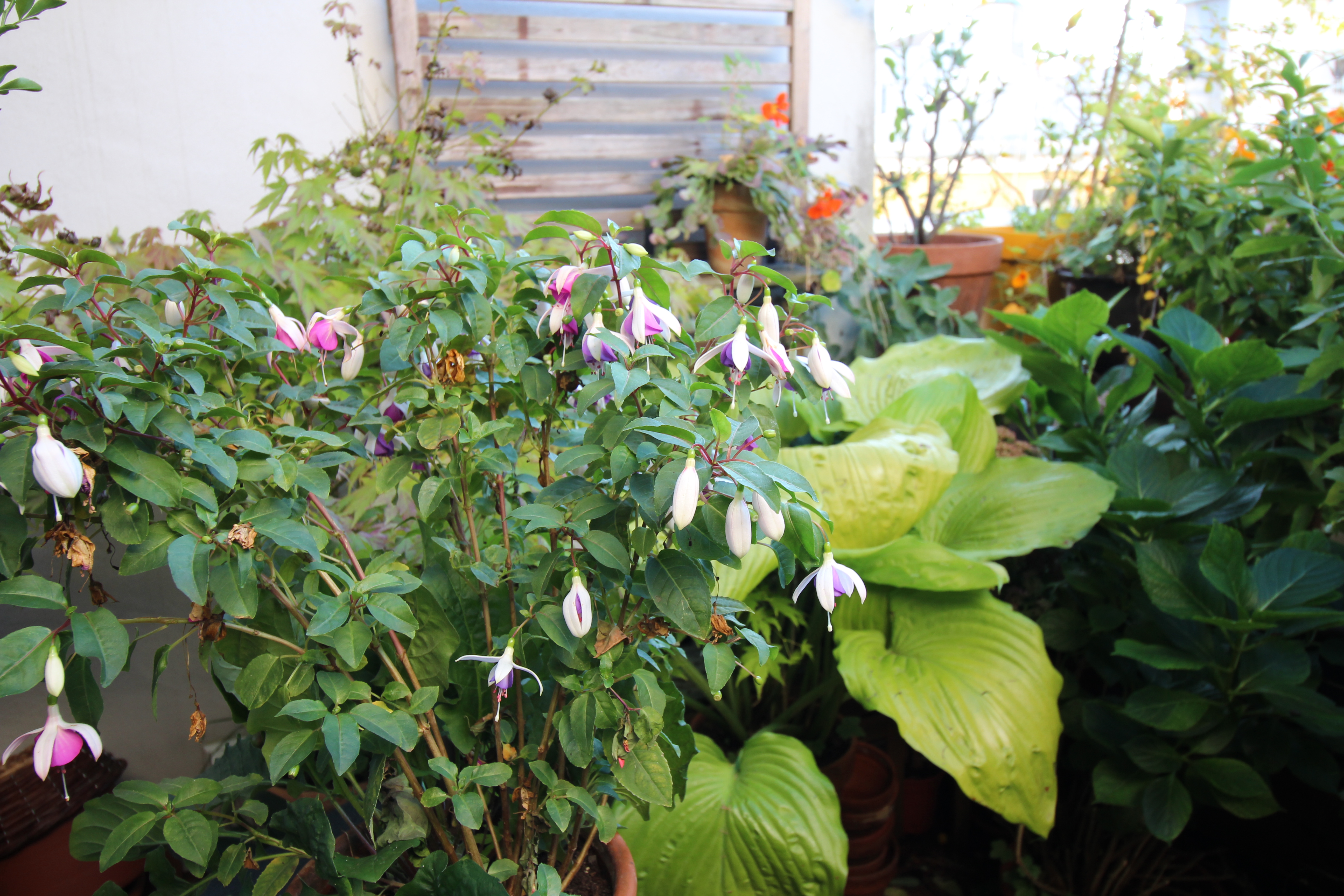
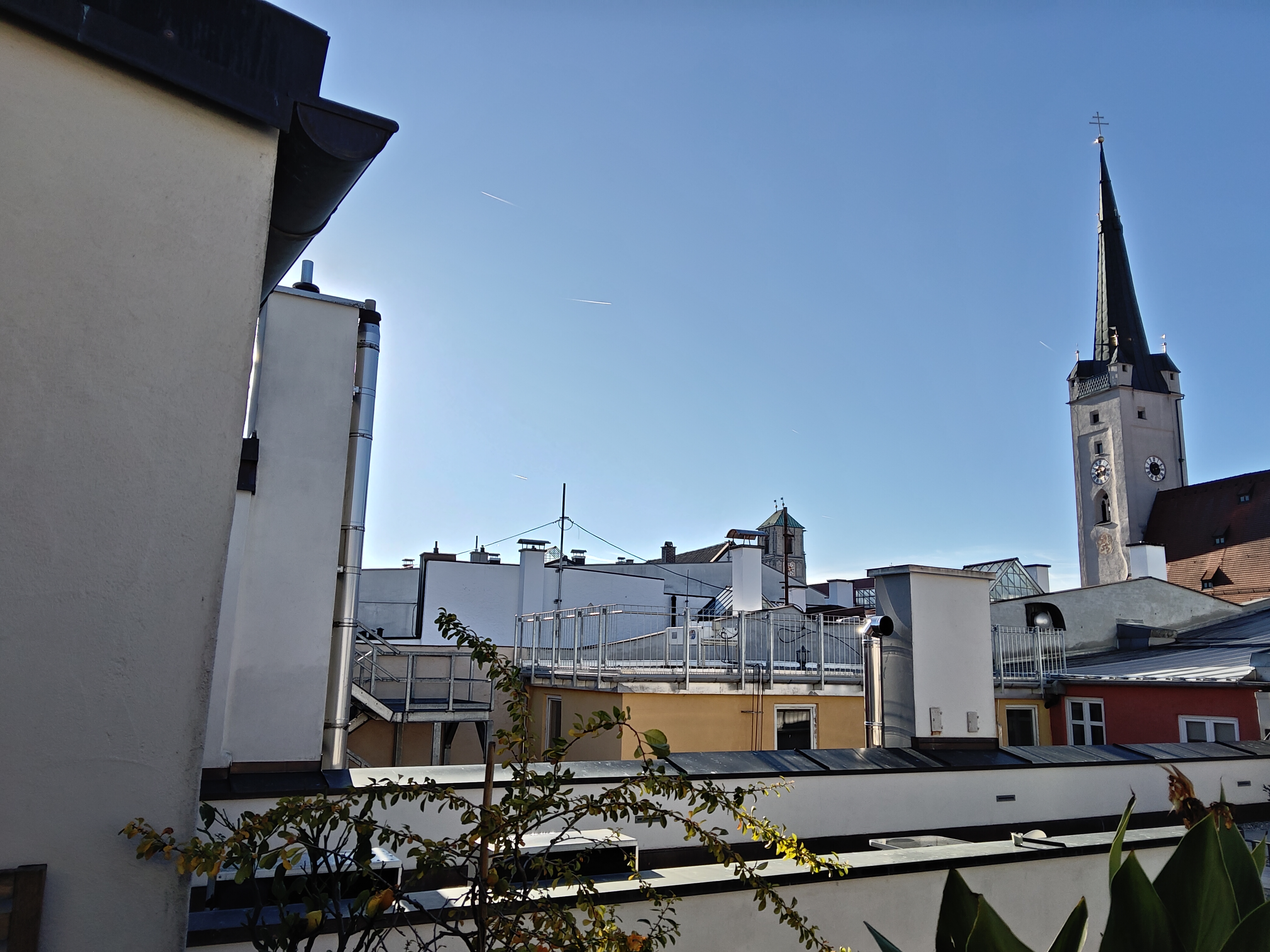
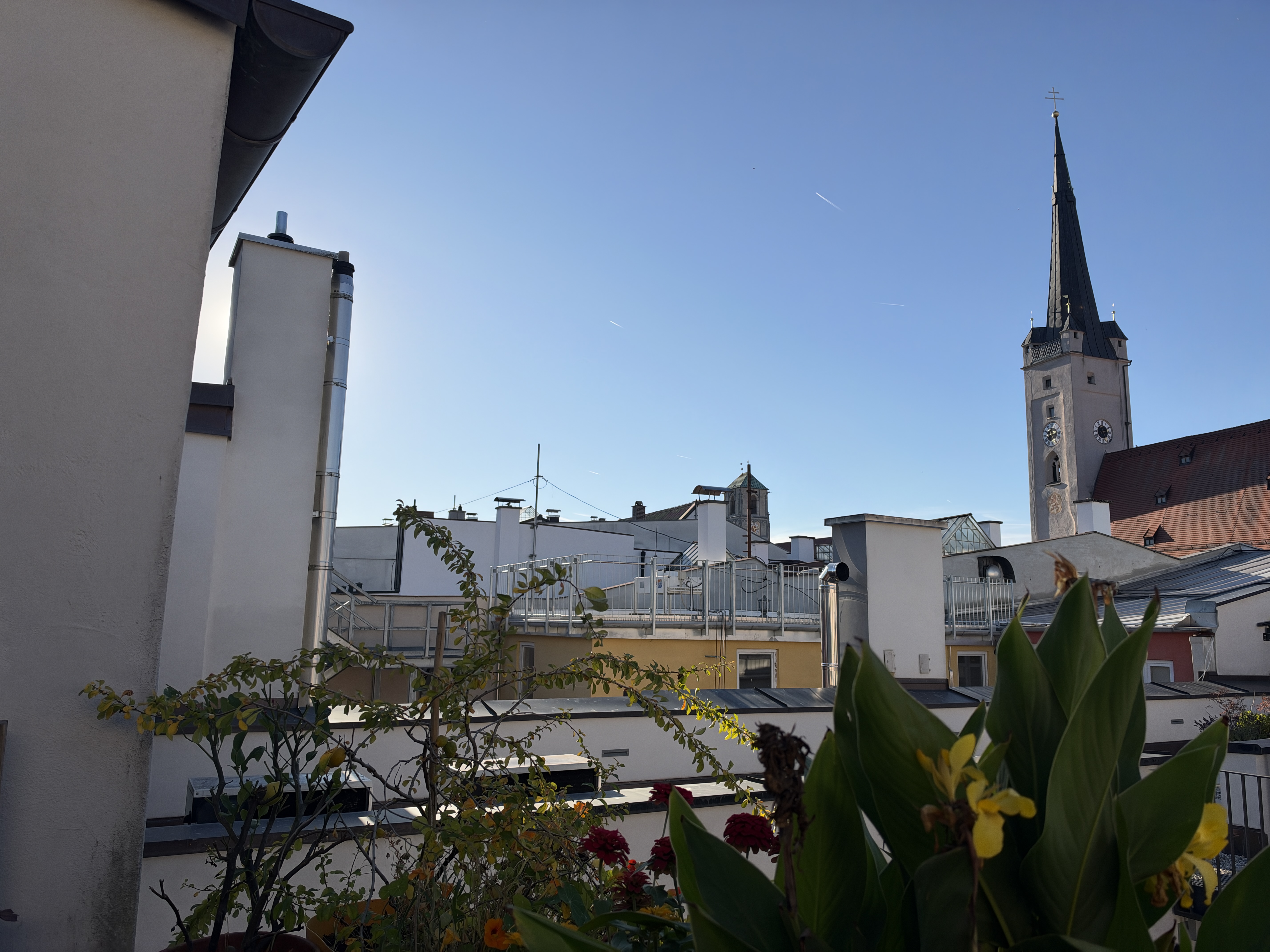
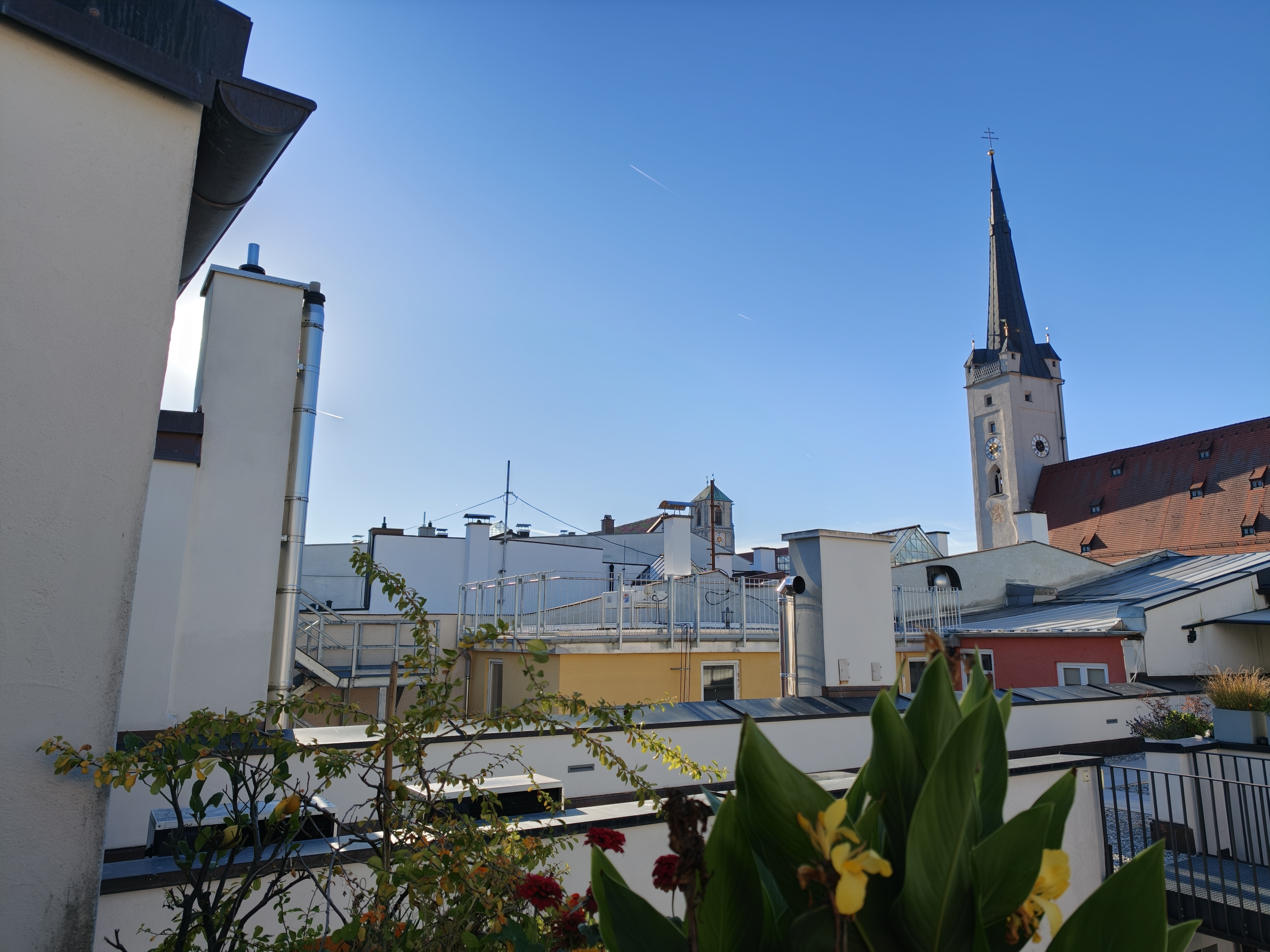
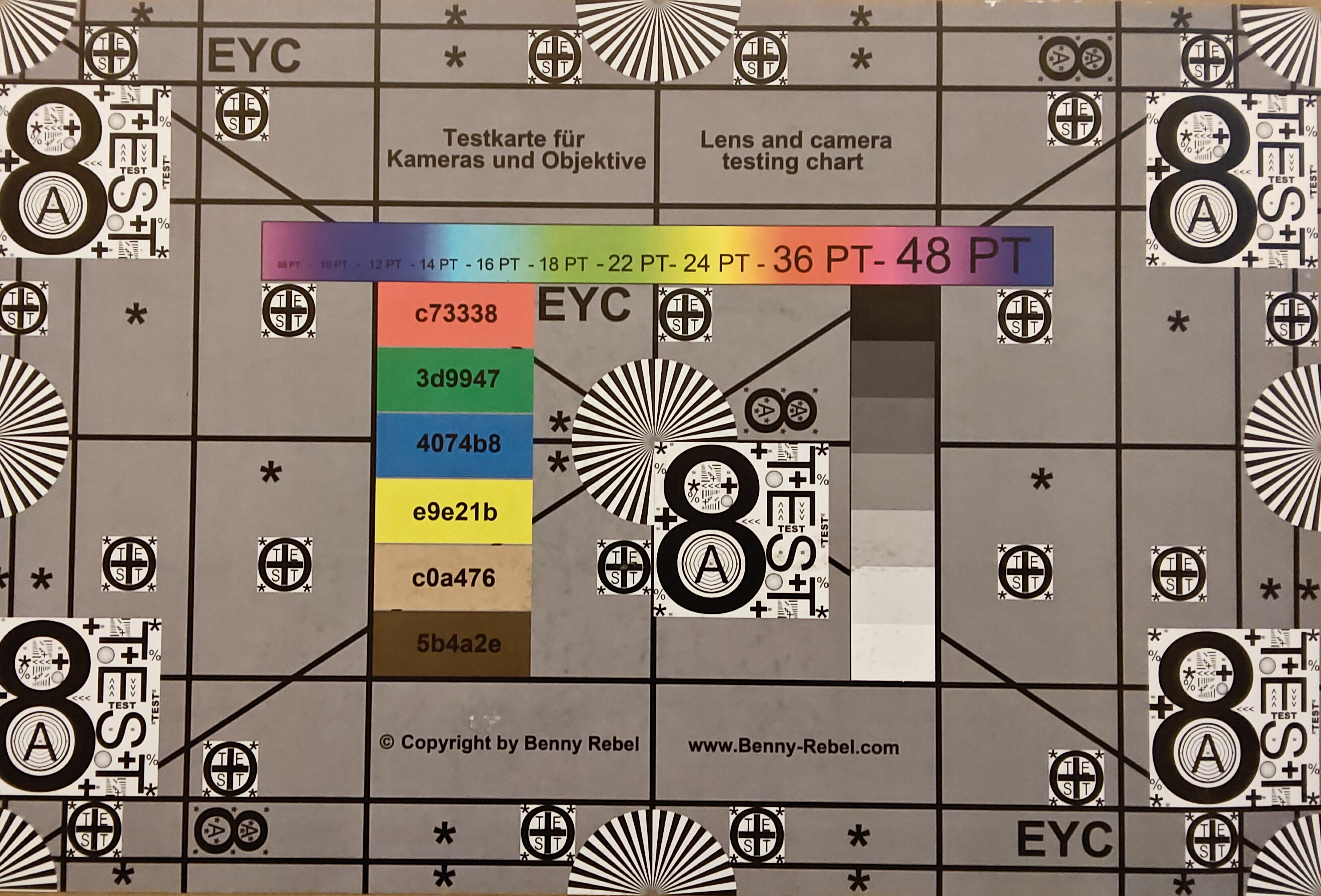
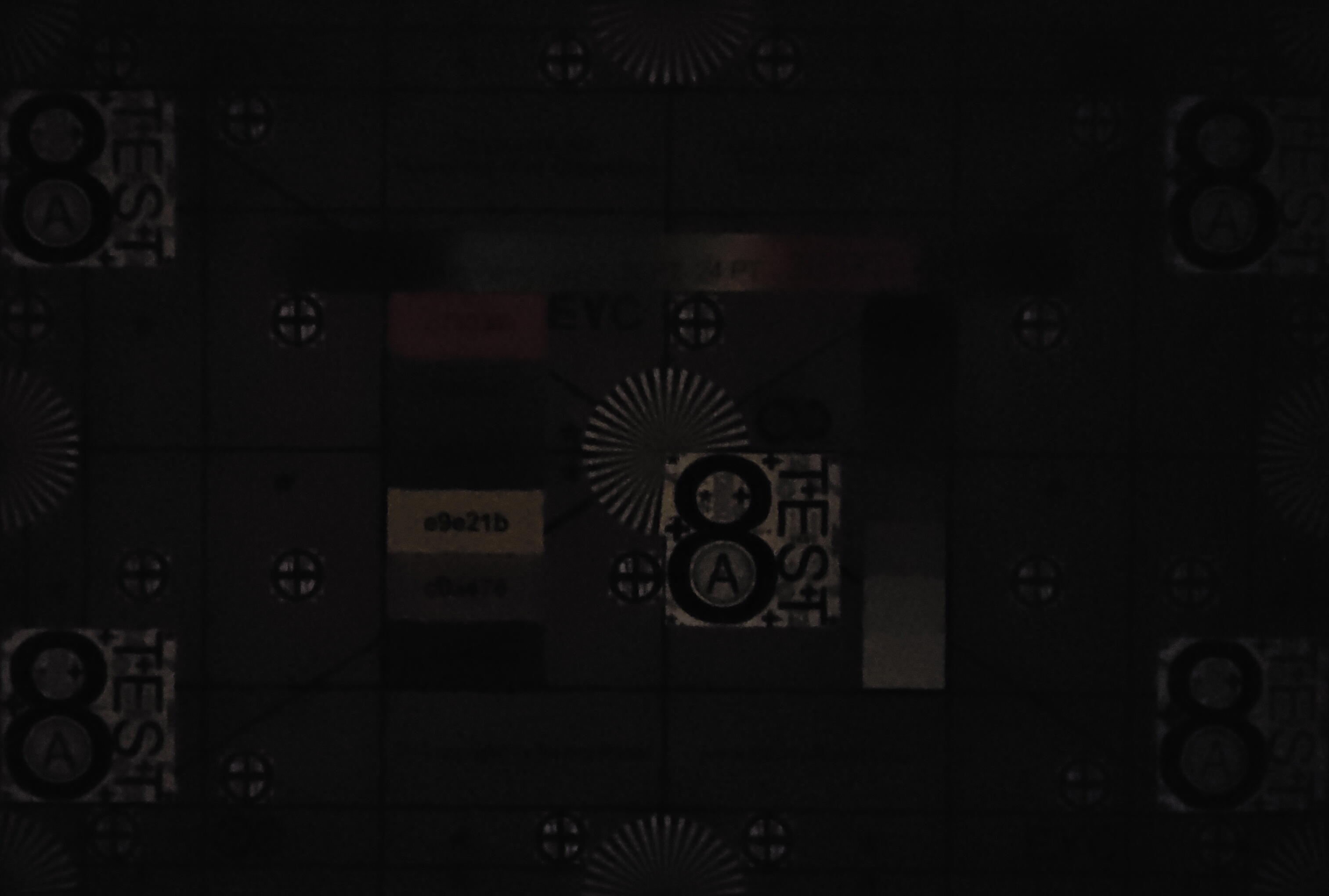
The back of the tablet houses a 13 MP camera that takes usable photos in good lighting but offers hardly any dynamic range in low light. The second camera is only intended to assist with blur effects.
Alongside the 8-megapixel front camera, there is a ToF sensor that can recognize gestures and, for example, turn them into emojis during video calls. Selfies offer only mediocre sharpness, and the level of detail is not particularly high either.
Image comparison
Choose a scene and navigate within the first image. One click changes the position on touchscreens. One click on the zoomed-in image opens the original in a new window. The first image shows the scaled photograph of the test device.
PlantSurroundingLow Light









Accessories and warranty – Pen and keyboard cover for the Lenovo tablet
The tablet only comes with a USB cable and a tool for the microSD slot. Lenovo's website also offers a bundle with the Tab Pen Pro 2 and an all-in-one keyboard case.
The pen attaches magnetically to the top of the tablet for storage and charging, and offers replaceable tips as well as haptic and audio feedback. It is also touch-sensitive, allowing various commands to be carried out directly without opening a menu.
The keyboard features a touchpad, keys with 1.5 mm of travel and even backlighting.
Input devices and operation – Unfortunately, no fingerprint sensor
The screen's refresh rate of up to 144 Hz enables smooth system responses. Since system performance is also very high, inputs feel very immediate.
Unfortunately, there is no fingerprint sensor. Facial recognition via the front camera is the only biometric authentication option. Thanks to the screen's brightness, this works reliably even in dark environments, but as a purely 2D recognition system, it is not quite as secure.
Display – Tablet with an extremely high resolution
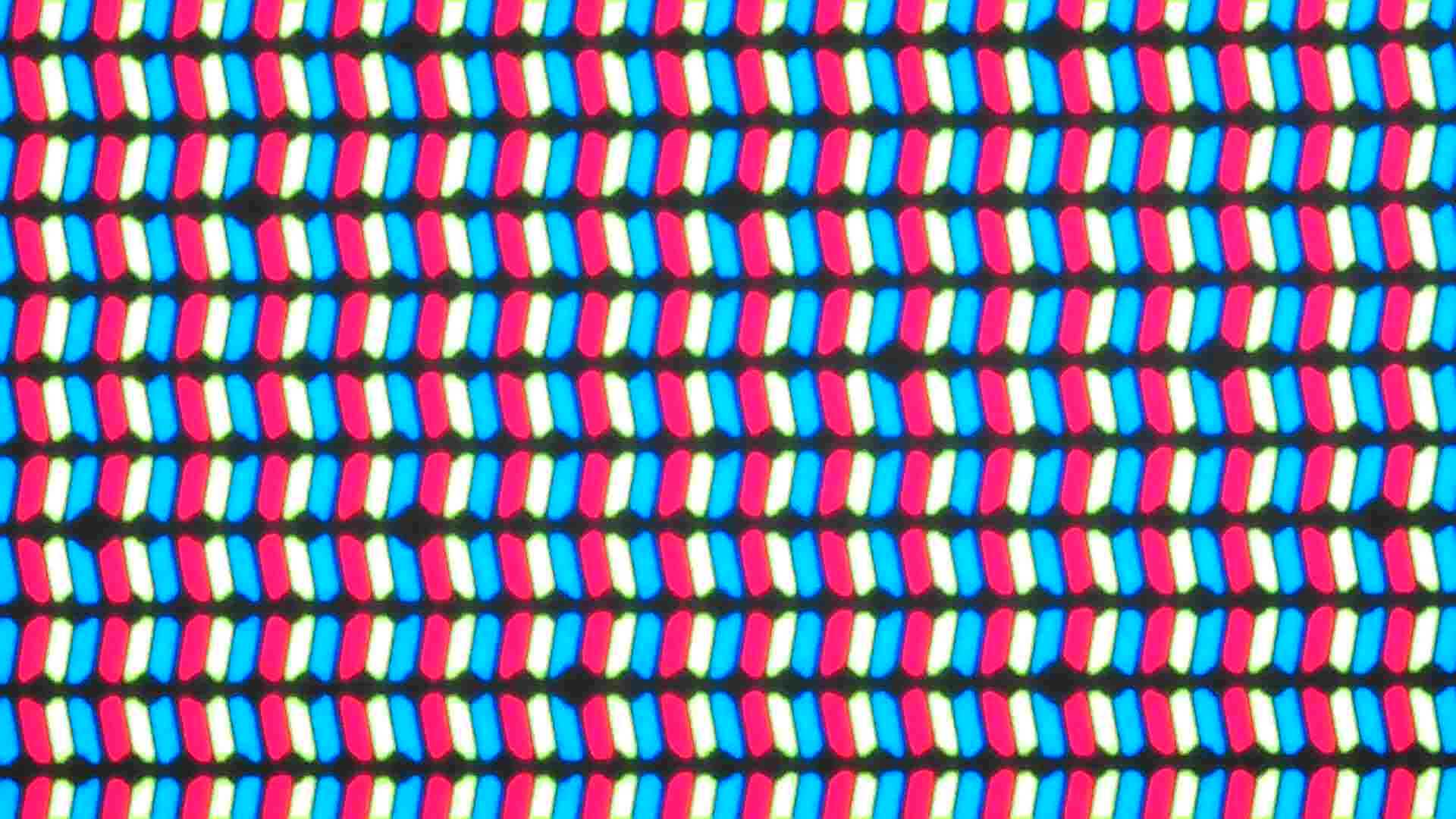
The large 13-inch screen offers the highest resolution of all the comparison devices and can also display 4K content at its native resolution.
Maximum brightness is good, although in very bright environments it can occasionally be too low to overcome reflections on the screen.
Since this is an IPS panel, PWM flickering is not an issue.
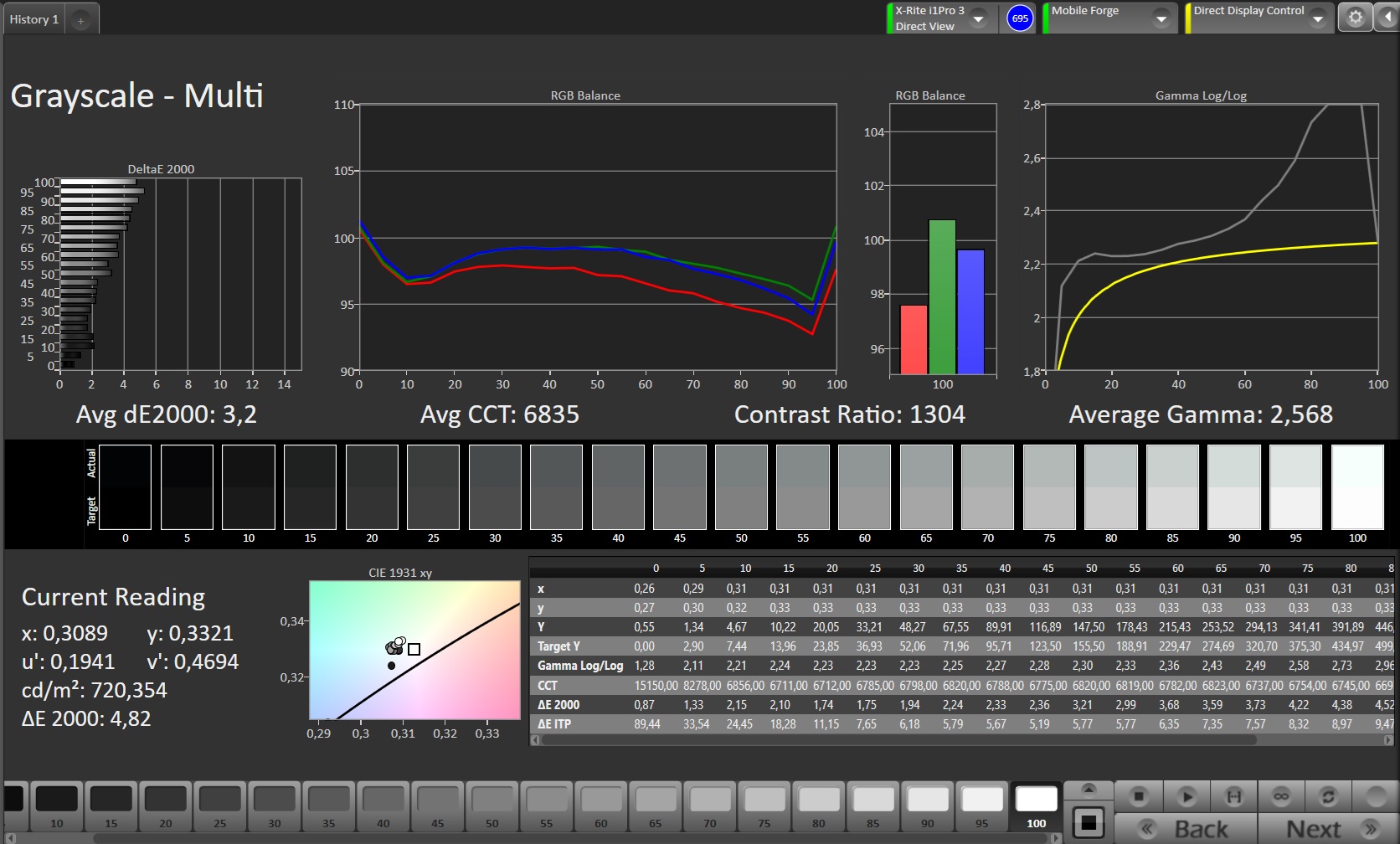
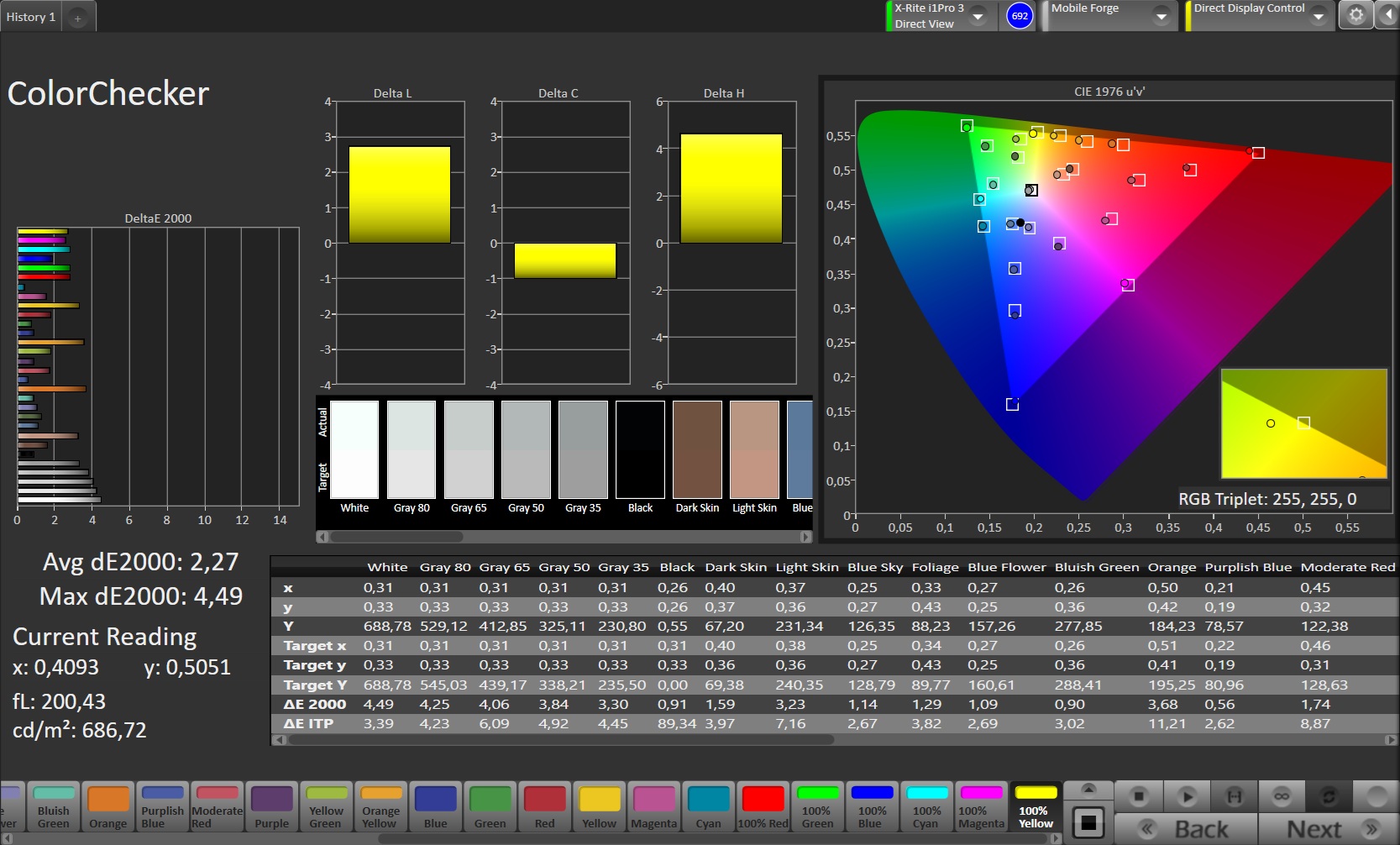
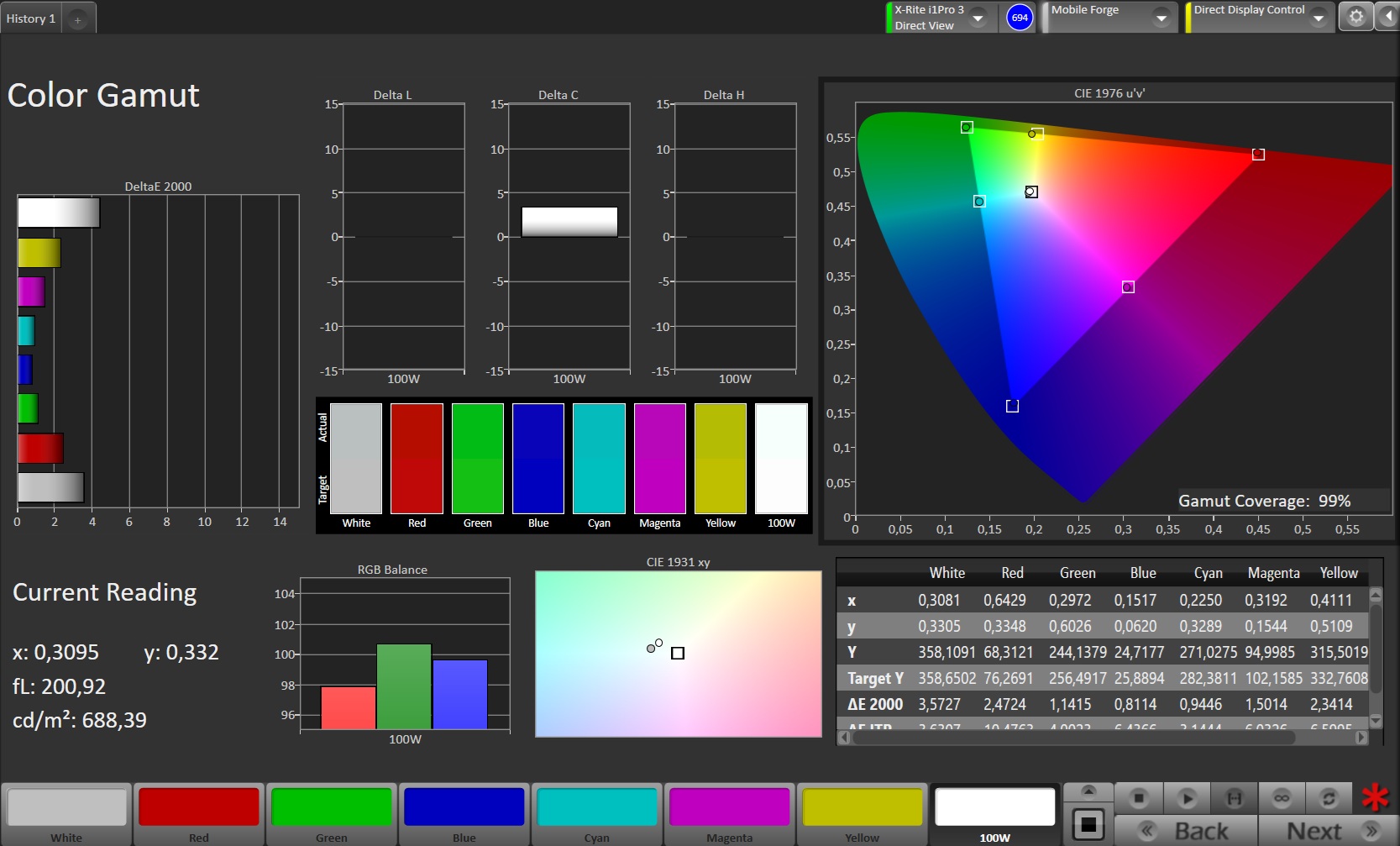
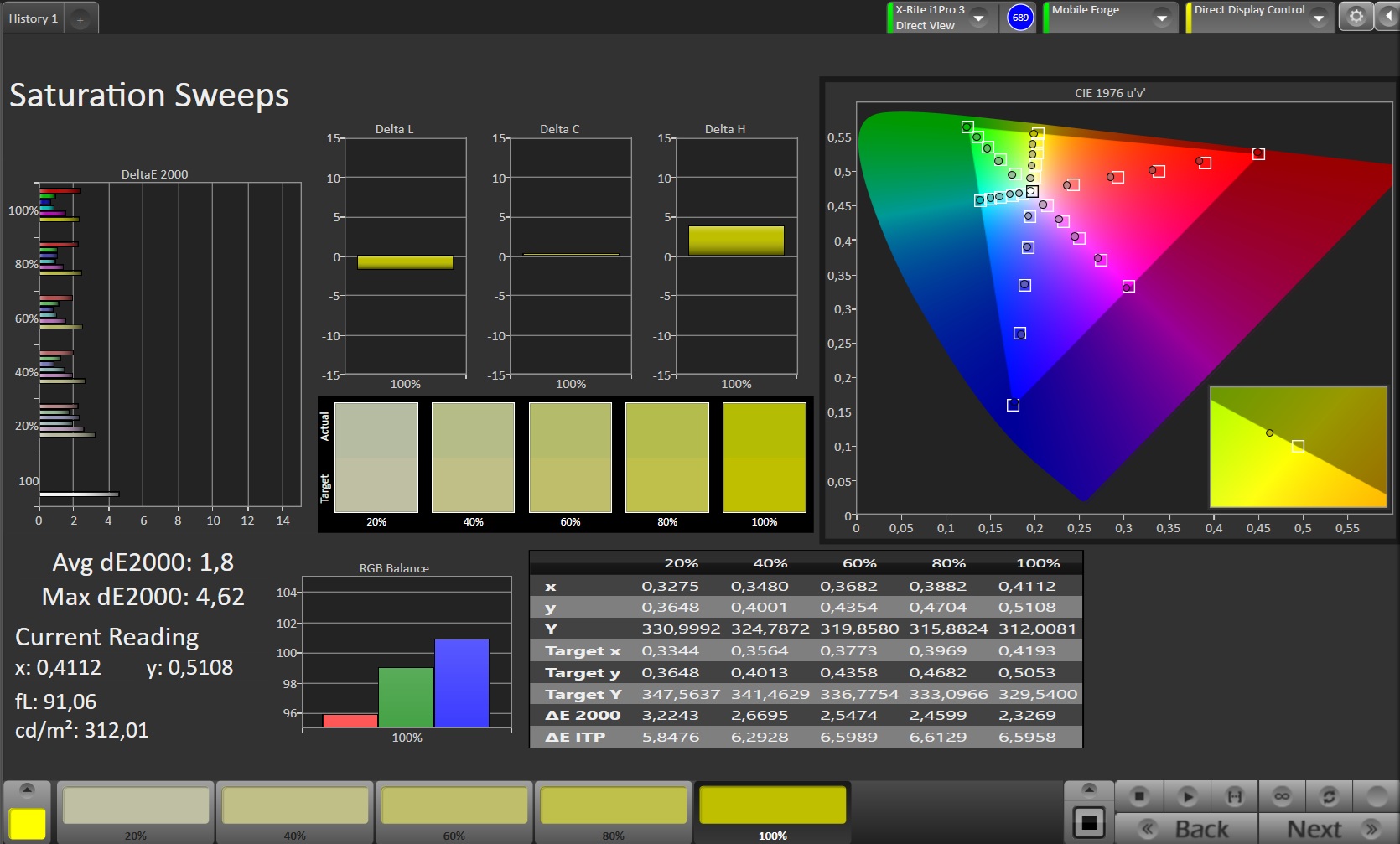
Color reproduction in the "Standard" profile is fine for everyday use, but professionals will want greater accuracy, particularly in light gray and white tones.
| |||||||||||||||||||||||||
Brightness Distribution: 81 %
Center on Battery: 759 cd/m²
Contrast: 1432:1 (Black: 0.53 cd/m²)
ΔE ColorChecker Calman: 2.27 | ∀{0.5-29.43 Ø4.68}
ΔE Greyscale Calman: 3.2 | ∀{0.09-98 Ø4.93}
99% sRGB (Calman 2D)
Gamma: 2.568
CCT: 6835 K
| Lenovo Yoga Tab Plus Gen 2 IPS, 3840x2560, 13" | Lenovo Yoga Tab Plus IPS, 2944x1840, 12.7" | Huawei MatePad Pro Max OLED, 3000x2000, 13.2" | Apple iPad Air 13 M4 2026 IPS, 2732x2048, 12.9" | OnePlus Pad 4 IPS, 3392x2400, 13.2" | |
|---|---|---|---|---|---|
| Display | 33% | -42% | -17% | ||
| APL18 Peak Brightness (cd/m²) | 1102 | 1441 31% | 644 -42% | 924 -16% | |
| HDR Peak Brightness (cd/m²) | 1098 | 1485 35% | 652 -41% | 906 -17% | |
| Response Times | -76% | 95% | -19% | -109% | |
| Response Time Grey 50% / Grey 80% * (ms) | 29 ? | 33.8 ? -17% | 0.52 ? 98% | 18.8 ? 35% | 37.3 ? -29% |
| Response Time Black / White * (ms) | 11.3 ? | 26.4 ? -134% | 0.94 ? 92% | 19.5 ? -73% | 32.6 ? -188% |
| PWM Frequency (Hz) | 360 | ||||
| PWM Amplitude * (%) | 15.71 | ||||
| Screen | -11% | 24% | 15% | 8% | |
| Brightness middle (cd/m²) | 759 | 726 -4% | 908 20% | 625 -18% | 901 19% |
| Brightness (cd/m²) | 681 | 691 1% | 898 32% | 613 -10% | 862 27% |
| Brightness Distribution (%) | 81 | 91 12% | 98 21% | 96 19% | 93 15% |
| Black Level * (cd/m²) | 0.53 | 0.55 -4% | 0.4 25% | 0.85 -60% | |
| Contrast (:1) | 1432 | 1320 -8% | 1563 9% | 1060 -26% | |
| Colorchecker dE 2000 * | 2.27 | 4.67 -106% | 1.5 34% | 1.49 34% | 1.63 28% |
| Colorchecker dE 2000 max. * | 4.49 | 5.6 -25% | 3.7 18% | 3.18 29% | 4.2 6% |
| Greyscale dE 2000 * | 3.2 | 1.8 44% | 2.6 19% | 2.1 34% | 1.5 53% |
| Gamma | 2.568 86% | 2.249 98% | 2.21 100% | 2.19 100% | 2.292 96% |
| CCT | 6835 95% | 6382 102% | 6973 93% | 6940 94% | 6806 96% |
| Total Average (Program / Settings) | -44% /
-24% | 51% /
40% | -15% /
0% | -39% /
-16% |
* ... smaller is better
Screen Flickering / PWM (Pulse-Width Modulation)
| Screen flickering / PWM not detected | 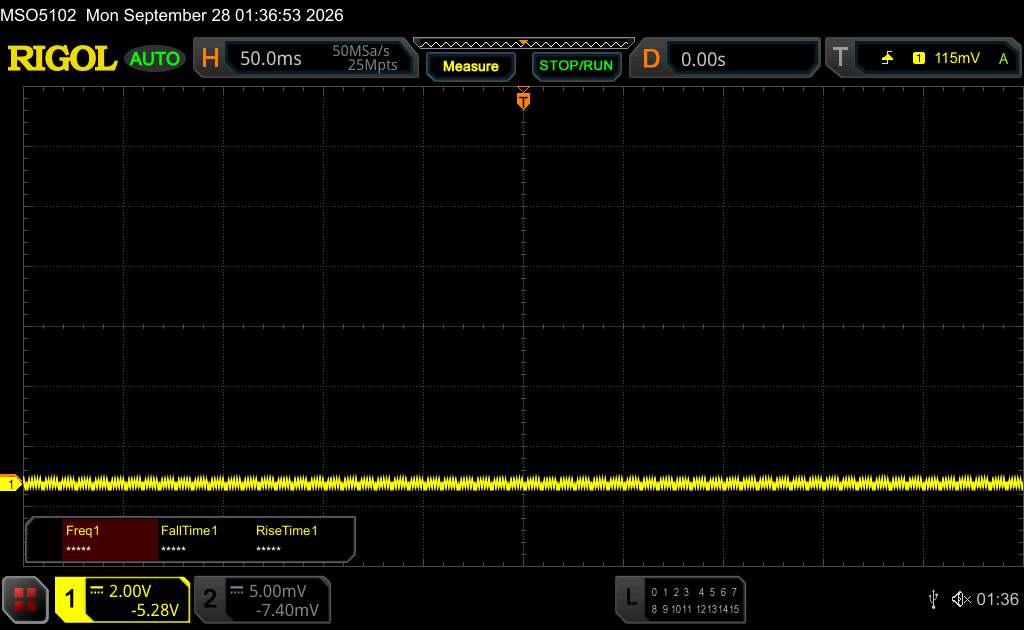 | ||
In comparison: 52 % of all tested devices do not use PWM to dim the display. If PWM was detected, an average of 7564 (minimum: 5 - maximum: 343500) Hz was measured. | |||
Display Response Times
| ↔ Response Time Black to White | ||
|---|---|---|
| 11.3 ms ... rise ↗ and fall ↘ combined | ↗ 8.2 ms rise | 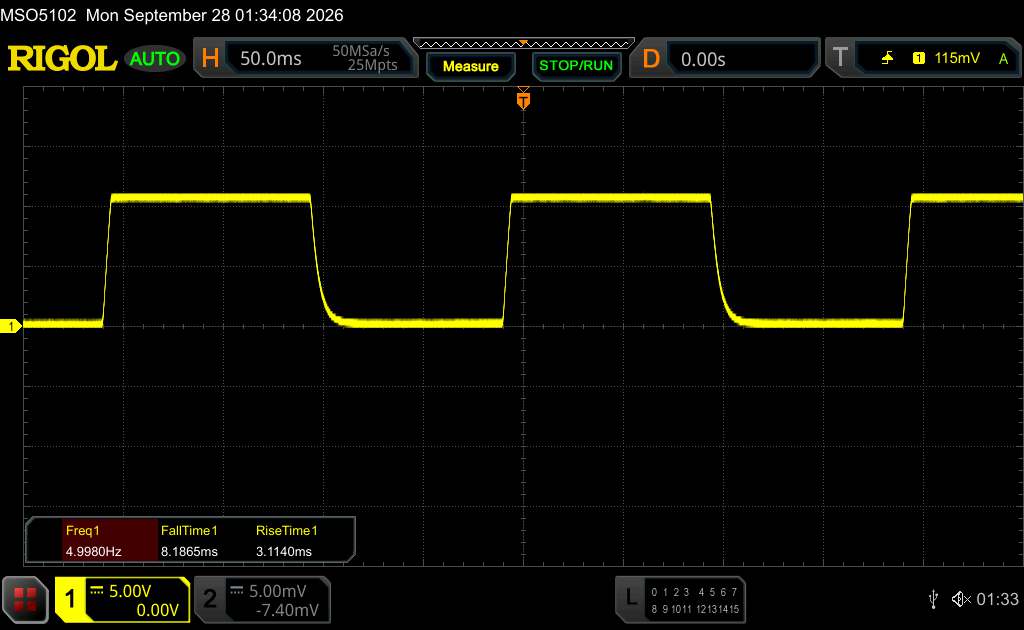 |
| ↘ 3.1 ms fall | ||
| The screen shows good response rates in our tests, but may be too slow for competitive gamers. In comparison, all tested devices range from 0.1 (minimum) to 240 (maximum) ms. » 32 % of all devices are better. This means that the measured response time is better than the average of all tested devices (19.6 ms). | ||
| ↔ Response Time 50% Grey to 80% Grey | ||
| 29 ms ... rise ↗ and fall ↘ combined | ↗ 15.2 ms rise | 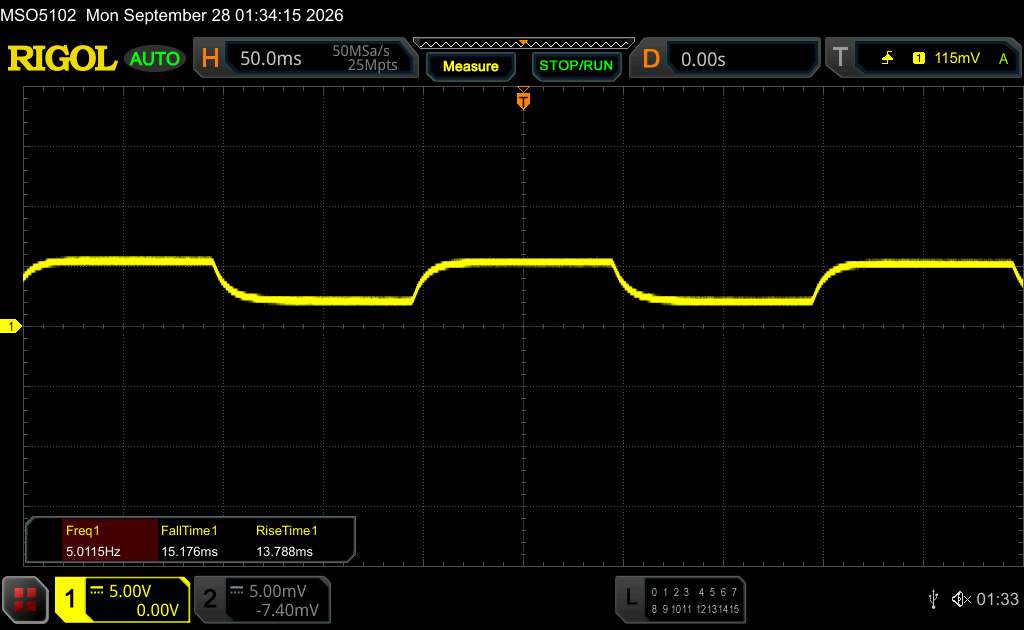 |
| ↘ 13.8 ms fall | ||
| The screen shows relatively slow response rates in our tests and may be too slow for gamers. In comparison, all tested devices range from 0.13 (minimum) to 636 (maximum) ms. » 40 % of all devices are better. This means that the measured response time is similar to the average of all tested devices (30.6 ms). | ||
Performance – Plenty of power in the Yoga Tab Plus Gen 2
The Qualcomm Snapdragon 8 Elite may be a little older now, but it can still hold its own against other high-end tablets. Those who push their tablet to its limits with the most demanding apps will notice a difference; otherwise, almost all apps run very smoothly on the Yoga Tab Plus Gen 2.
| Antutu v11 - Score | |
| Lenovo Yoga Tab Plus Gen 2 | |
| Average Qualcomm Snapdragon 8 Elite (2487378 - 3243479, n=3) | |
| Huawei MatePad Pro Max | |
| Average of class Tablet (522205 - 4184631, n=13, last 2 years) | |
| UL Procyon AI Inference for Android - Overall Score NNAPI | |
| Lenovo Yoga Tab Plus Gen 2 | |
| OnePlus Pad 4 | |
| Average of class Tablet (3600 - 76852, n=54, last 2 years) | |
| Average Qualcomm Snapdragon 8 Elite (8865 - 22767, n=19) | |
| Lenovo Yoga Tab Plus | |
| Huawei MatePad Pro Max | |
| AImark - Score v3.x | |
| Average Qualcomm Snapdragon 8 Elite (787 - 307528, n=17) | |
| Average of class Tablet (252 - 50153, n=37, last 2 years) | |
| Lenovo Yoga Tab Plus Gen 2 | |
| Lenovo Yoga Tab Plus | |
The SoC still offers good graphics performance too: At native 4K resolution, it achieves a fairly smooth 43 fps. However, it cannot always maintain a steady 60 fps, even at lower resolutions.
GFXBench (DX / GLBenchmark) 2.7: T-Rex Onscreen | 1920x1080 T-Rex Offscreen
GFXBench 3.0: on screen Manhattan Onscreen OGL | 1920x1080 1080p Manhattan Offscreen
GFXBench 3.1: on screen Manhattan ES 3.1 Onscreen | 1920x1080 Manhattan ES 3.1 Offscreen
GFXBench: on screen Car Chase Onscreen | 1920x1080 Car Chase Offscreen | on screen Aztec Ruins High Tier Onscreen | 2560x1440 Aztec Ruins High Tier Offscreen | on screen Aztec Ruins Normal Tier Onscreen | 1920x1080 Aztec Ruins Normal Tier Offscreen | 3840x2160 4K Aztec Ruins High Tier Offscreen
| 3DMark / Wild Life Extreme Unlimited | |
| Apple iPad Air 13 M4 2026 | |
| OnePlus Pad 4 | |
| Lenovo Yoga Tab Plus Gen 2 | |
| Lenovo Yoga Tab Plus | |
| Huawei MatePad Pro Max | |
| 3DMark / Wild Life Extreme | |
| OnePlus Pad 4 | |
| Apple iPad Air 13 M4 2026 | |
| Lenovo Yoga Tab Plus Gen 2 | |
| Lenovo Yoga Tab Plus | |
| Huawei MatePad Pro Max | |
| 3DMark / Wild Life Unlimited Score | |
| Lenovo Yoga Tab Plus Gen 2 | |
| OnePlus Pad 4 | |
| Huawei MatePad Pro Max | |
| 3DMark / Solar Bay Score | |
| OnePlus Pad 4 | |
| Lenovo Yoga Tab Plus Gen 2 | |
| Lenovo Yoga Tab Plus | |
| Huawei MatePad Pro Max | |
| Apple iPad Air 13 M4 2026 | |
| 3DMark / Solar Bay Unlimited Score | |
| Apple iPad Air 13 M4 2026 | |
| OnePlus Pad 4 | |
| Lenovo Yoga Tab Plus Gen 2 | |
| Lenovo Yoga Tab Plus | |
| Huawei MatePad Pro Max | |
| 3DMark / Steel Nomad Light Unlimited Score | |
| Apple iPad Air 13 M4 2026 | |
| OnePlus Pad 4 | |
| Lenovo Yoga Tab Plus Gen 2 | |
| Huawei MatePad Pro Max | |
| Lenovo Yoga Tab Plus | |
| 3DMark / Steel Nomad Light Score | |
| Apple iPad Air 13 M4 2026 | |
| OnePlus Pad 4 | |
| Lenovo Yoga Tab Plus Gen 2 | |
| Huawei MatePad Pro Max | |
| Lenovo Yoga Tab Plus | |
| GFXBench (DX / GLBenchmark) 2.7 / T-Rex Onscreen | |
| Lenovo Yoga Tab Plus | |
| OnePlus Pad 4 | |
| Huawei MatePad Pro Max | |
| Lenovo Yoga Tab Plus Gen 2 | |
| GFXBench (DX / GLBenchmark) 2.7 / T-Rex Offscreen | |
| OnePlus Pad 4 | |
| Lenovo Yoga Tab Plus Gen 2 | |
| Lenovo Yoga Tab Plus | |
| Huawei MatePad Pro Max | |
| GFXBench 3.0 / Manhattan Onscreen OGL | |
| Lenovo Yoga Tab Plus | |
| OnePlus Pad 4 | |
| Huawei MatePad Pro Max | |
| Lenovo Yoga Tab Plus Gen 2 | |
| GFXBench 3.0 / 1080p Manhattan Offscreen | |
| OnePlus Pad 4 | |
| Lenovo Yoga Tab Plus Gen 2 | |
| Lenovo Yoga Tab Plus | |
| Huawei MatePad Pro Max | |
| GFXBench 3.1 / Manhattan ES 3.1 Onscreen | |
| Lenovo Yoga Tab Plus | |
| OnePlus Pad 4 | |
| Lenovo Yoga Tab Plus Gen 2 | |
| Huawei MatePad Pro Max | |
| GFXBench 3.1 / Manhattan ES 3.1 Offscreen | |
| OnePlus Pad 4 | |
| Lenovo Yoga Tab Plus Gen 2 | |
| Lenovo Yoga Tab Plus | |
| Huawei MatePad Pro Max | |
| GFXBench / Car Chase Onscreen | |
| OnePlus Pad 4 | |
| Lenovo Yoga Tab Plus | |
| Lenovo Yoga Tab Plus Gen 2 | |
| Huawei MatePad Pro Max | |
| GFXBench / Car Chase Offscreen | |
| OnePlus Pad 4 | |
| Lenovo Yoga Tab Plus Gen 2 | |
| Lenovo Yoga Tab Plus | |
| Huawei MatePad Pro Max | |
| GFXBench / Aztec Ruins High Tier Onscreen | |
| OnePlus Pad 4 | |
| Lenovo Yoga Tab Plus | |
| Lenovo Yoga Tab Plus Gen 2 | |
| Huawei MatePad Pro Max | |
| GFXBench / Aztec Ruins High Tier Offscreen | |
| OnePlus Pad 4 | |
| Lenovo Yoga Tab Plus Gen 2 | |
| Lenovo Yoga Tab Plus | |
| Huawei MatePad Pro Max | |
| GFXBench / Aztec Ruins Normal Tier Onscreen | |
| Lenovo Yoga Tab Plus | |
| OnePlus Pad 4 | |
| Lenovo Yoga Tab Plus Gen 2 | |
| Huawei MatePad Pro Max | |
| GFXBench / Aztec Ruins Normal Tier Offscreen | |
| OnePlus Pad 4 | |
| Lenovo Yoga Tab Plus Gen 2 | |
| Lenovo Yoga Tab Plus | |
| Huawei MatePad Pro Max | |
| GFXBench / 4K Aztec Ruins High Tier Offscreen | |
| OnePlus Pad 4 | |
| Lenovo Yoga Tab Plus Gen 2 | |
| Lenovo Yoga Tab Plus | |
| Huawei MatePad Pro Max | |
| Jetstream 2 | |
| 2.0 Total | |
| Apple iPad Air 13 M4 2026 (Safari 26) | |
| Lenovo Yoga Tab Plus Gen 2 (Chrome 155) | |
| Huawei MatePad Pro Max (Chrome 151) | |
| Lenovo Yoga Tab Plus (Chrome 132) | |
| Average Qualcomm Snapdragon 8 Elite (75.1 - 341, n=19) | |
| Average of class Tablet (48 - 420, n=52, last 2 years) | |
| 2.2 Total | |
| Lenovo Yoga Tab Plus Gen 2 (Chrome 155) | |
| Huawei MatePad Pro Max (Chrome 151) | |
| OnePlus Pad 4 (Chrome 150) | |
| Average Qualcomm Snapdragon 8 Elite (113.6 - 375, n=9) | |
| Average of class Tablet (61.3 - 579, n=50, last 2 years) | |
| Speedometer 2.0 - Result 2.0 | |
| Lenovo Yoga Tab Plus Gen 2 (Chrome 155) | |
| Average Qualcomm Snapdragon 8 Elite (244 - 656, n=10) | |
| Lenovo Yoga Tab Plus (Chrome 132) | |
| Average of class Tablet (45 - 790, n=34, last 2 years) | |
| Speedometer 3 - Score 3.0 | |
| Lenovo Yoga Tab Plus Gen 2 (Chrome 155) | |
| Average Qualcomm Snapdragon 8 Elite (11.7 - 38.8, n=18) | |
| Lenovo Yoga Tab Plus (Chrome 132) | |
| Average of class Tablet (3 - 49.1, n=50, last 2 years) | |
| WebXPRT 4 - Overall | |
| Lenovo Yoga Tab Plus Gen 2 (Chrome 155) | |
| Average Qualcomm Snapdragon 8 Elite (102 - 255, n=19) | |
| Lenovo Yoga Tab Plus (Chrome 132) | |
| Average of class Tablet (54 - 376, n=51, last 2 years) | |
| Octane V2 - Total Score | |
| Lenovo Yoga Tab Plus Gen 2 (Chrome 155) | |
| Average Qualcomm Snapdragon 8 Elite (25448 - 104477, n=26) | |
| Lenovo Yoga Tab Plus (Chrome 132) | |
| Huawei MatePad Pro Max (Chrome 151) | |
| OnePlus Pad 4 (Chrome 150) | |
| Average of class Tablet (4497 - 138481, n=69, last 2 years) | |
| Mozilla Kraken 1.1 - Total | |
| Average of class Tablet (243 - 13119, n=65, last 2 years) | |
| Huawei MatePad Pro Max (Chrome 151) | |
| Lenovo Yoga Tab Plus (Chrome 132) | |
| Average Qualcomm Snapdragon 8 Elite (339 - 1258, n=21) | |
| OnePlus Pad 4 (Chrome 150) | |
| Lenovo Yoga Tab Plus Gen 2 (Chrome 155) | |
* ... smaller is better
The UFS 4.0 storage is fast enough for smooth everyday operation, although some high-end tablets offer faster storage.
| Lenovo Yoga Tab Plus Gen 2 | Lenovo Yoga Tab Plus | Huawei MatePad Pro Max | Apple iPad Air 13 M4 2026 | OnePlus Pad 4 | Average 256 GB UFS 4.0 Flash | Average of class Tablet | |
|---|---|---|---|---|---|---|---|
| AndroBench 3-5 | -18% | 53% | 29% | -3% | -30% | ||
| Sequential Read 256KB (MB/s) | 3730.6 | 3868 4% | 4327.68 16% | 3997.64 7% | 3619 ? -3% | 2238 ? -40% | |
| Sequential Write 256KB (MB/s) | 3838.3 | 3047.6 -21% | 4118.12 7% | 3702.2 -4% | 2644 ? -31% | 1809 ? -53% | |
| Random Read 4KB (MB/s) | 282.1 | 241.2 -14% | 494.4 75% | 472.13 67% | 389 ? 38% | 286 ? 1% | |
| Random Write 4KB (MB/s) | 478.9 | 290.9 -39% | 1022.64 114% | 700.22 46% | 401 ? -16% | 346 ? -28% |
Emissions – Little heat buildup
Temperature
The large tablet has enough surface area to dissipate heat from inside efficiently. Even under prolonged load, we measure a maximum surface temperature of 40.6 °C at room temperature. This is noticeable, but far from problematic.
The SoC also maintains fairly high performance in the stress tests, throttling by no more than 18%.
(±) The maximum temperature on the upper side is 40.6 °C / 105 F, compared to the average of 33.9 °C / 93 F, ranging from 20.7 to 307 °C for the class Tablet.
(±) The bottom heats up to a maximum of 40.5 °C / 105 F, compared to the average of 33.2 °C / 92 F
(+) In idle usage, the average temperature for the upper side is 22.8 °C / 73 F, compared to the device average of 30 °C / 86 F.
3DMark stress tests
| 3DMark | |
| Wild Life Stress Test Stability | |
| Lenovo Yoga Tab Plus | |
| Lenovo Yoga Tab Plus Gen 2 | |
| Huawei MatePad Pro Max | |
| Wild Life Extreme Stress Test | |
| Lenovo Yoga Tab Plus | |
| Lenovo Yoga Tab Plus Gen 2 | |
| Huawei MatePad Pro Max | |
| OnePlus Pad 4 | |
| Apple iPad Air 13 M4 2026 | |
| Solar Bay Stress Test Stability | |
| Huawei MatePad Pro Max | |
| Lenovo Yoga Tab Plus Gen 2 | |
| Lenovo Yoga Tab Plus | |
| Apple iPad Air 13 M4 2026 | |
| OnePlus Pad 4 | |
| Solar Bay Extreme Stress Test Stability | |
| Huawei MatePad Pro Max | |
| Lenovo Yoga Tab Plus Gen 2 | |
| OnePlus Pad 4 | |
| Steel Nomad Light Stress Test Stability | |
| Huawei MatePad Pro Max | |
| Lenovo Yoga Tab Plus Gen 2 | |
| Lenovo Yoga Tab Plus | |
| OnePlus Pad 4 | |
| Apple iPad Air 13 M4 2026 | |
Speakers
The Yoga Tab Plus Gen 2 has six speakers. They deliver reasonably loud sound, but bass reproduction falls short. Overall, songs and movie soundtracks sound quite decent on the tablet.
Those who want even fuller sound can connect speakers or headphones via USB or Bluetooth. A wide range of audio codecs is available for the latter.
Lenovo Yoga Tab Plus Gen 2 audio analysis
(+) | speakers can play relatively loud (85.7 dB)
Bass 100 - 315 Hz
(-) | nearly no bass - on average 19.4% lower than median
(±) | linearity of bass is average (12% delta to prev. frequency)
Mids 400 - 2000 Hz
(+) | balanced mids - only 4.8% away from median
(+) | mids are linear (3.9% delta to prev. frequency)
Highs 2 - 16 kHz
(+) | balanced highs - only 4.6% away from median
(±) | linearity of highs is average (8% delta to prev. frequency)
Overall 100 - 16.000 Hz
(±) | linearity of overall sound is average (16.8% difference to median)
Compared to same class
» 41% of all tested devices in this class were better, 5% similar, 54% worse
» The best had a delta of 7%, average was 21%, worst was 130%
Compared to all devices tested
» 30% of all tested devices were better, 7% similar, 62% worse
» The best had a delta of 4%, average was 23%, worst was 136%
Huawei MatePad Pro Max audio analysis
(+) | speakers can play relatively loud (89.3 dB)
Bass 100 - 315 Hz
(+) | good bass - only 4.1% away from median
(+) | bass is linear (6.1% delta to prev. frequency)
Mids 400 - 2000 Hz
(+) | balanced mids - only 4.1% away from median
(+) | mids are linear (3.8% delta to prev. frequency)
Highs 2 - 16 kHz
(+) | balanced highs - only 2.2% away from median
(+) | highs are linear (3.9% delta to prev. frequency)
Overall 100 - 16.000 Hz
(+) | overall sound is linear (8% difference to median)
Compared to same class
» 1% of all tested devices in this class were better, 1% similar, 98% worse
» The best had a delta of 7%, average was 21%, worst was 130%
Compared to all devices tested
» 2% of all tested devices were better, 1% similar, 98% worse
» The best had a delta of 4%, average was 23%, worst was 136%
Battery life – Lenovo tablet lasts for days
Power consumption
Overall power consumption is fairly moderate. Only at very high performance levels does the Yoga Tab Plus Gen 2 draw significantly more power than other tablets.
Charging is supported at up to 68 watts, and the tablet works very well with third-party chargers in our test.
| Off / Standby |   0.1 / 0.2 Watt |
| Idle |  1.5 / 1.7 / 2.3 Watt |
| Load |
10.5 / 21.7 Watt |
    
| |
Key:
min: ,
med: ,
max: Metrahit Energy | |
| Lenovo Yoga Tab Plus Gen 2 12700 mAh | Lenovo Yoga Tab Plus 10200 mAh | Huawei MatePad Pro Max 9760 mAh | Apple iPad Air 13 M4 2026 9705 mAh | OnePlus Pad 4 13380 mAh | Average Qualcomm Snapdragon 8 Elite | Average of class Tablet | |
|---|---|---|---|---|---|---|---|
| Power Consumption | 1% | -54% | 18% | 21% | -38% | ||
| Idle Minimum * (Watt) | 1.5 | 1.5 -0% | 2.57 -71% | 1.3 13% | 1.09 ? 27% | 2.14 ? -43% | |
| Idle Average * (Watt) | 1.7 | 1.8 -6% | 4.36 -156% | 1.8 -6% | 1.64 ? 4% | 3.71 ? -118% | |
| Idle Maximum * (Watt) | 2.3 | 2.3 -0% | 4.44 -93% | 2.2 4% | 1.884 ? 18% | 4.11 ? -79% | |
| Load Average * (Watt) | 10.5 | 11.1 -6% | 9.52 9% | 6.9 34% | 8.95 ? 15% | 8.83 ? 16% | |
| Load Maximum * (Watt) | 21.7 | 18.5 15% | 12.9 41% | 12.1 44% | 13.2 ? 39% | 14.7 ? 32% |
* ... smaller is better
Power consumption: Geekbench (150 cd/m²)
Power consumption: GFXbench (150 cd/m²)
Battery life
Thanks to its large 12,700 mAh battery, the Yoga Tab Plus Gen 2 delivers excellent battery life in our practical Wi-Fi test: Our review unit lasts 20 hours and 2 minutes without interruption.
That should be enough for several days of everyday use without recharging.
| Lenovo Yoga Tab Plus Gen 2 12700 mAh | Lenovo Yoga Tab Plus 10200 mAh | Huawei MatePad Pro Max 9760 mAh | Apple iPad Air 13 M4 2026 9705 mAh | OnePlus Pad 4 13380 mAh | |
|---|---|---|---|---|---|
| Battery runtime | -36% | -47% | -33% | 27% | |
| WiFi v1.3 (h) | 20 | 12.8 -36% | 10.7 -47% | 13.4 -33% | 25.3 27% |
| Reader / Idle (h) | 23.7 | 25.7 | 33.9 | ||
| H.264 (h) | 16.6 | ||||
| Load (h) | 3.7 | 5.1 | 6 |
Notebookcheck overall rating
Lenovo improves its Yoga Tab Plus Gen 2 in many areas: Longer battery life, more power and an even better screen.
This is a tough competitor for other high-end tablets, as Lenovo also keeps the price reasonable.

Lenovo Yoga Tab Plus Gen 2
- 10/31/2026 v8
Florian Schmitt
 Total Sustainability Score:
Potential alternatives compared
Image | Model / Review | Price | Weight | Drive | Display |
|---|---|---|---|---|---|
1. 88.2%  | Lenovo Yoga Tab Plus Gen 2 Qualcomm Snapdragon 8 Elite ⎘ Qualcomm Adreno 830 ⎘ 16 GB Memory, 256 GB UFS 4.x | Amazon: 1. $399.99 Lenovo Idea Tab Pro Gen 2 Ta... 2. $639.99 Lenovo Yoga Tab AI Tablet, 1... 3. $529.99 Lenovo Yoga Tab Plus with Qu... List Price: 999€ | 605 g | 256 GB UFS 4.0 Flash | 13.00" 3840x2560 355 PPI IPS |
2. 86.4%  | Lenovo Yoga Tab Plus Qualcomm Snapdragon 8 Gen 3 ⎘ Qualcomm Adreno 750 ⎘ 12 GB Memory, 256 GB UFS 4.x | List Price: 799€ | 640 g | 256 GB UFS 4.0 Flash | 12.70" 2944x1840 273 PPI IPS |
3. 87.5% 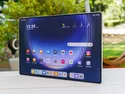 | Huawei MatePad Pro Max HiSilicon Kirin 9030 Pro ⎘ HiSilicon Maleoon 935 ⎘ 12 GB Memory, 512 GB UFS 4.x | Amazon: 1. $1,391.99 Samsung Galaxy Z Fold8 Unloc... 2. $449.99 TCL NXTPAPER 14 Android Tabl... 3. $180.49 Lenovo Idea Tab - College Ta... List Price: 1299€ | 509 g | 512 GB UFS 4.1 Flash | 13.20" 3000x2000 273 PPI OLED |
4. 87.1% 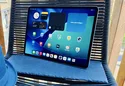 | Apple iPad Air 13 M4 2026 Apple M4 8-Core ⎘ Apple M4 9-Core GPU ⎘ 12 GB Memory, 128 GB NVMe | List Price: 849€ | 616 g | 128 GB NVMe | 12.90" 2732x2048 265 PPI IPS |
5. 87.8%  | OnePlus Pad 4 Qualcomm Snapdragon 8 Elite Gen 5 ⎘ Qualcomm Adreno 840 ⎘ 12 GB Memory, 256 GB UFS 4.x | List Price: 799€ | 672 g | 256 GB UFS 4.1 Flash | 13.20" 3392x2400 315 PPI IPS |
Transparency
The selection of devices to be reviewed is made by our editorial team. The test sample was provided to the author as a loan by the manufacturer or retailer for the purpose of this review. The lender had no influence on this review, nor did the manufacturer receive a copy of this review before publication. There was no obligation to publish this review. As an independent media company, Notebookcheck is not subjected to the authority of manufacturers, retailers or publishers.
This is how Notebookcheck is testing
Every year, Notebookcheck independently reviews hundreds of laptops and smartphones using standardized procedures to ensure that all results are comparable. We have continuously developed our test methods for around 20 years and set industry standards in the process. In our test labs, high-quality measuring equipment is utilized by experienced technicians and editors. These tests involve a multi-stage validation process. Our complex rating system is based on hundreds of well-founded measurements and benchmarks, which maintains objectivity. Further information on our test methods can be found here.
 Add as a preferred source on Google


