




Fallout 4 Anniversary Edition on Nintendo Switch 2 offers native 1440p and a consistent 30FPS in docked mode
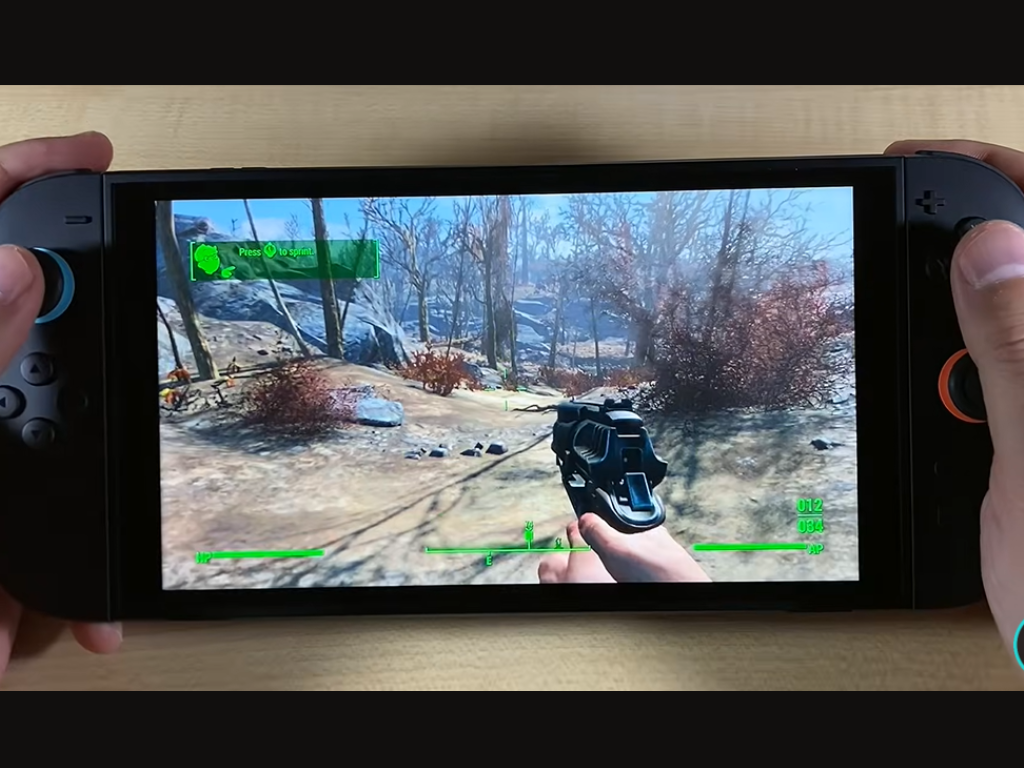
Bethesda’s Fallout 4 Anniversary Edition has finally arrived on the Nintendo Switch 2. Despite earlier criticism of the rough initial footage shown during the February 2026 Nintendo Direct reveal, the Nintendo Switch 2 edition ultimately seems to be a faithful yet significantly improved port of Fallout 4.
Fallout 4 Anniversary Edition bundles the base game with six major DLC expansions. However, it doesn’t fully address long-standing issues, such as visual bugs seen in the original PS4 and Xbox One releases that persisted on PS5 and Xbox Series X|S. This keeps it faithful to the original release, for better or worse, and the same holds true for the Nintendo Switch 2 port.
According to an in-depth analysis by Digital Foundry, Fallout 4 runs on the Nintendo Switch 2 at a native 1440p in Docked mode, delivering a consistent 30FPS that surpasses the original PS4 and Xbox One versions’ 1080p target resolution. Players exploring the early sections of Fallout 4 can expect a stable 30 FPS in the Commonwealth’s open world and downtown Boston.
However, at 1440p in Docked mode, Fallout 4 on Nintendo Switch 2 can dip below 30 FPS (in rare cases) during demanding scenes and combat encounters with multiple enemies on-screen, and can scale down to 720p during stress points. Still, this holds true for all performance modes and is sometimes lower in the 60 FPS performance mode.
In terms of visual fidelity, the game maintains consistent lighting, shadows, and textures across all performance options: 30 FPS, 40 FPS, and 60 FPS. The only major trade-off is Dynamic Resolution Scaling, which aggressively engages in the 40 FPS and 60 FPS modes, resulting in a softer image.
Right now, the performance sweet spot on Nintendo Switch 2 for Fallout 4 is the 40 FPS Docked mode, which targets 1080p on a 120 Hz display. Paired with VRR, this mode smooths out motion and improves frame pacing, resulting in a noticeably less jittery experience.
Fallout 4’s 60 FPS Docked mode pushes the hardware harder, leading to dips across the board in intensive combat encounters and when looking out over large vistas, such as from the top of the Corvega factory.
In this mode, the game’s resolution can drop to 720p or 864p under heavy load, and frame rates can fall into the sub-50s or lower. VRR helps mask these drops, making them less distracting during gameplay.
Fallout 4’s performance on Nintendo Switch 2 in handheld mode tells a different story. As expected, the system lowers clock speeds to conserve battery life, but graphical settings remain unchanged across all FPS modes. The main compromise is a more aggressive internal resolution scale.
At 30 FPS, the game maintains a native 1080p resolution, dipping to 1026p or lower in intense scenarios, making it the cleanest way to experience Fallout 4 on a portable device.
In 40 FPS mode, Dynamic Resolution Scaling keeps the internal resolution hovering between 810p and 990p. By contrast, the 60 FPS mode can drive the internal resolution down to around 504p in visually intensive scenes and 900p in less demanding sections. Even then, VRR helps smooth out motion and maintain a generally playable feel.
At launch, Fallout 4 on Nintendo Switch 2 uses Bethesda’s temporal anti-aliasing solution. The studio has announced on X that Nvidia’s DLSS (CNN model) will be added in a future patch, which should further improve performance and visual clarity on Switch 2.
Buy Fallout 4 Anniversary Edition for the Nintendo Switch 2 on Amazon here
 Add as a preferred source on Google


