




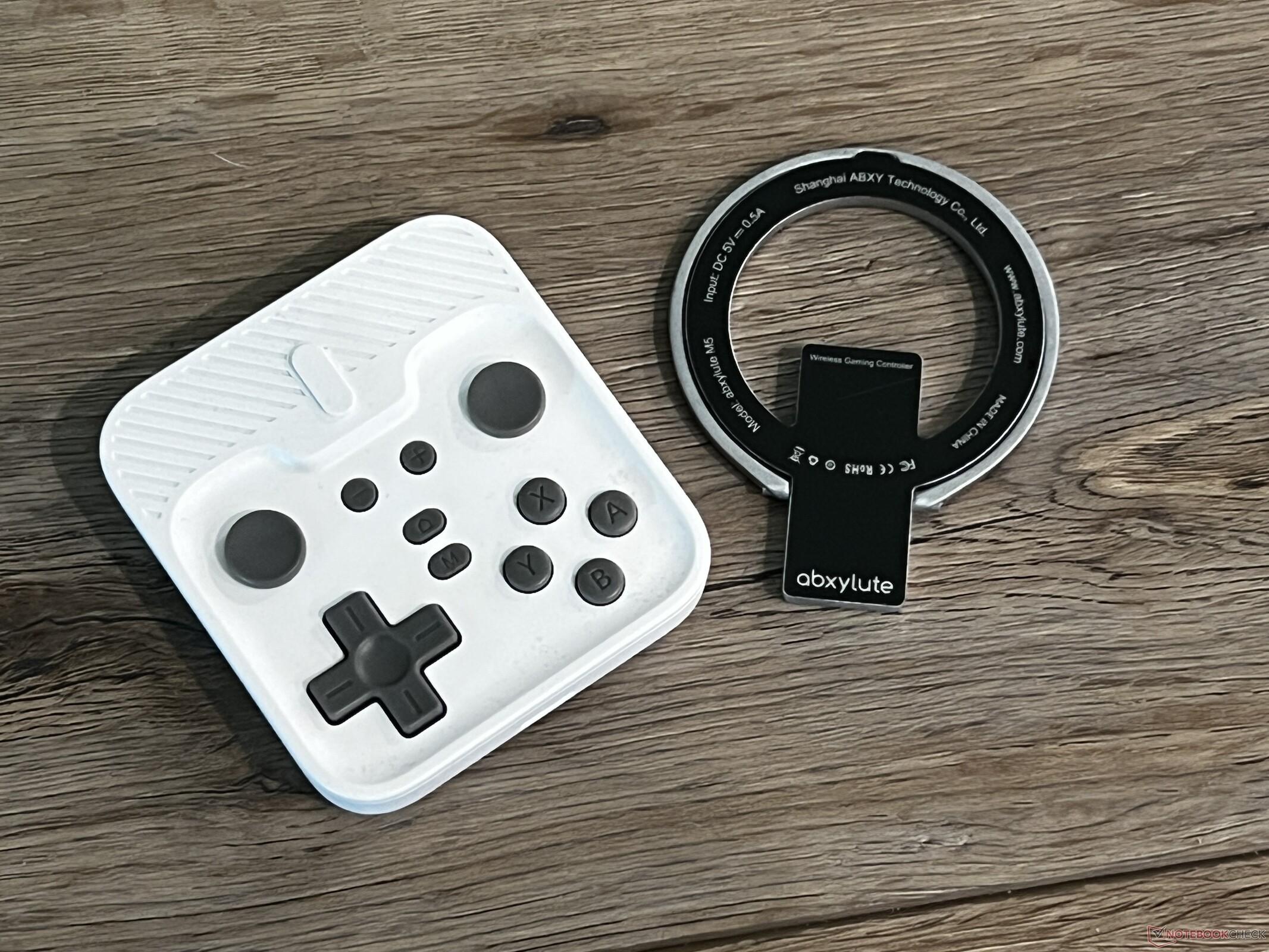
Abxylute M4 Snap-On mobile controller review: A MagSafe-compatible compact controller
Convenient but cramped.
The Abxylute M4 Snap-On mobile controller is a compact and easily-pocketable Bluetooth controller designed for MagSafe-compatible phones. While the controller is easy to carry around and pop on, its small size proves to be a hurdle for those with larger hands.Sam Medley Published 🇪🇸 🇵🇹 ...
Verdict - A compact and convenient controller with compromises
The Abxylute M4 Snap-On mobile controller is a tiny gaming controller designed specifically for MagSafe-compatible phones. It offers all the buttons needed for most retro and modern games, and its tiny footprint makes it easy to carry around. Additionally, the MagSafe design means gaming on the go is quickly accessible. However, it is a very small controller; as such, those with larger hands will find the M4 too small, leading to an uncomfortable experience over long play sessions. Additionally, the face buttons and sliding-style joysticks are not the best quality. Still, the M4 is a good option for those that favor convenience over comfort.
Pros
Cons
Price and availability
The M4 Snap-On is currently available through Abxylute's Kickstarter for HK$303 (~US$39), plus shipping. After the Kickstarter campaign ends, the controller will be available for US$49 retail from Abxylute.
Abxylute is known for making gaming handhelds and controllers geared for consoles, PCs, and mobile phones. It's this third option that the company focuses on with its latest product, the M4 Snap-On mobile controller. The M4 is a Bluetooth controller designed to attach to a phone via MagSafe-style magnets. It can also be used with the Nintendo Switch or PCs. The M4 is targeted at gamers on-the-go that opt to use their smartphones instead of a dedicated console.
Design: Convenience at a cost
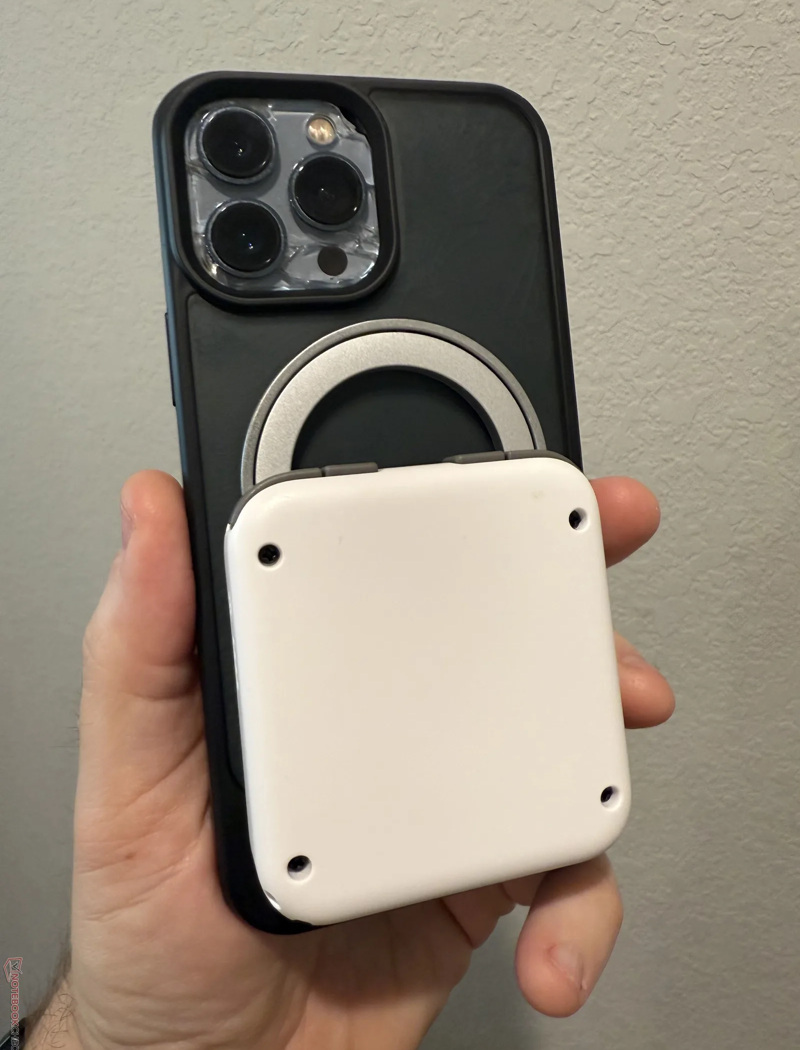
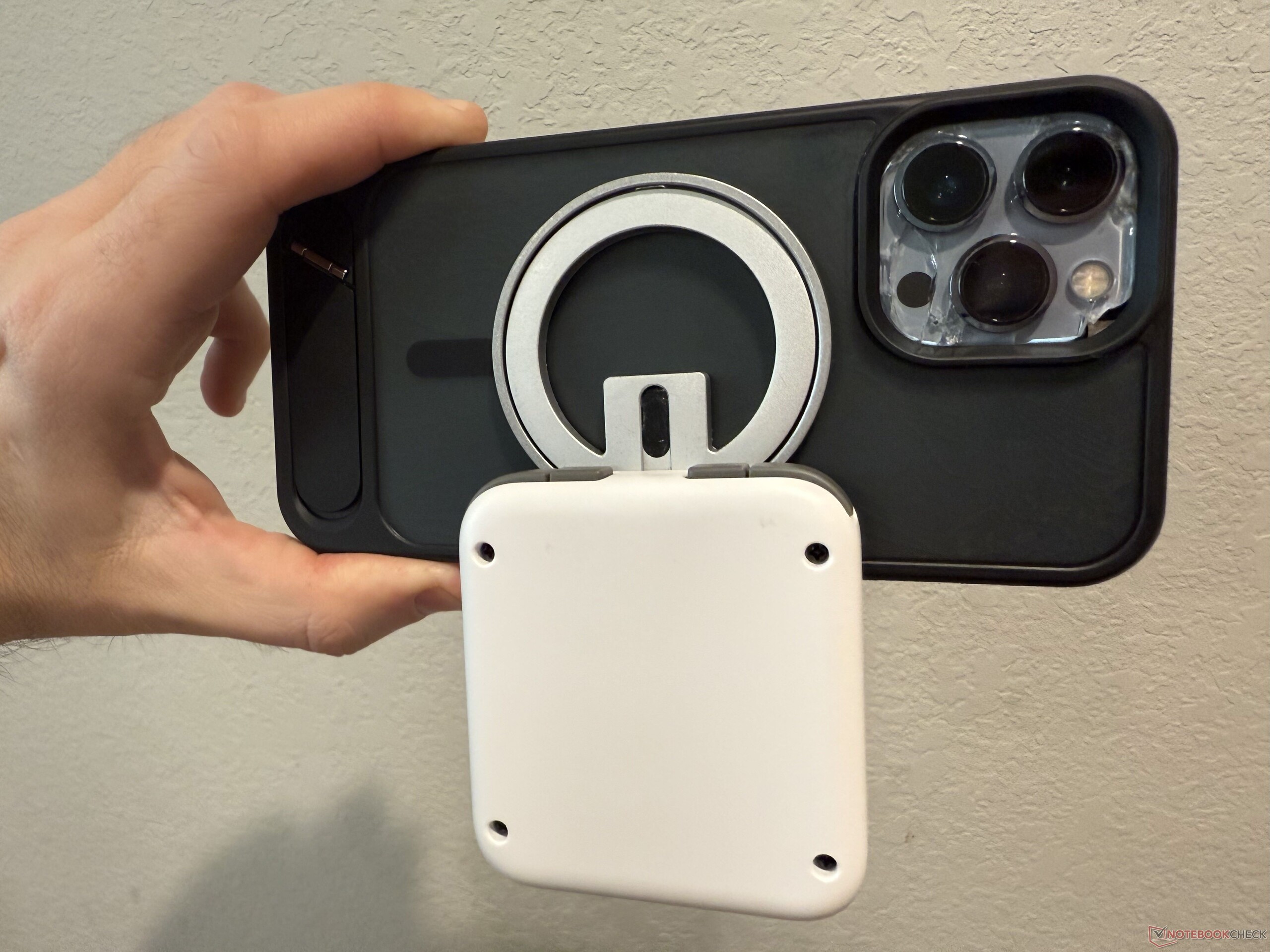
The M4 Snap-On is a tiny controller designed for portability first. As such, it has a small footprint that easily fits into a pocket. Since it uses a MagSafe-style magnet to attach to the back of a smartphone, it can also be left on a phone and "popped out" when the user wants to play. In practice, the M4 is a bit too bulky for that and sticks out about as much as a MagSafe battery pack.
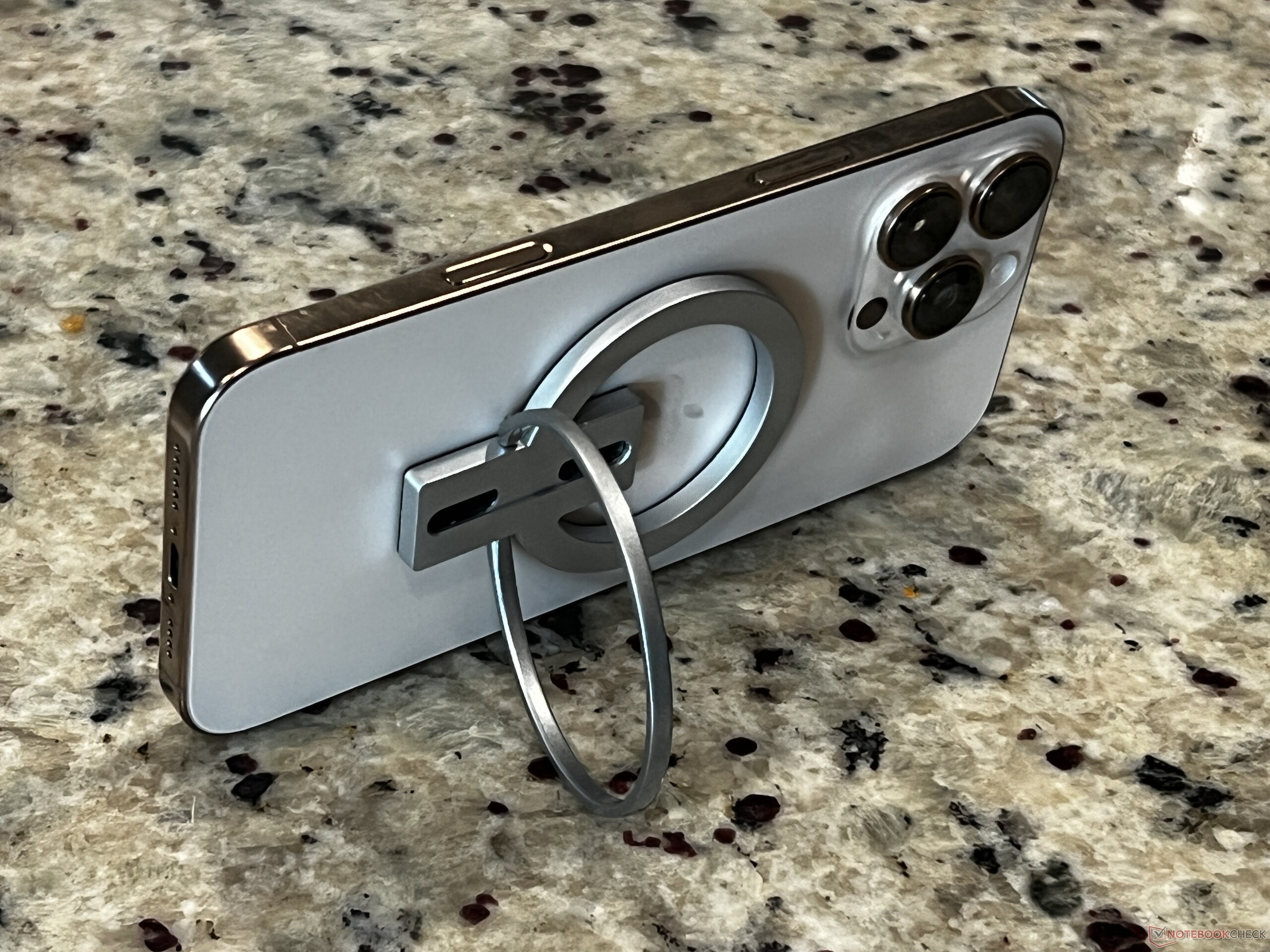
The magnet is a separate piece from the controller, which attaches to the magnet and aligns via a small peg at its top. However, this peg is not as steady as one would hope, especially with larger or heavier phones. In my testing, an iPhone 13 felt fairly secured, but an iPhone 13 Pro Max and iPhone 16 Pro Max both felt wobbly and not confidently secured. That said, the phones stayed in place unless intentionally shaken, in which case the magnetic ring detached from the controller.
The magnetic ring can function as a kickstand, and since the M4 connects via Bluetooth 5.3, it can be used as a standalone wireless controller.
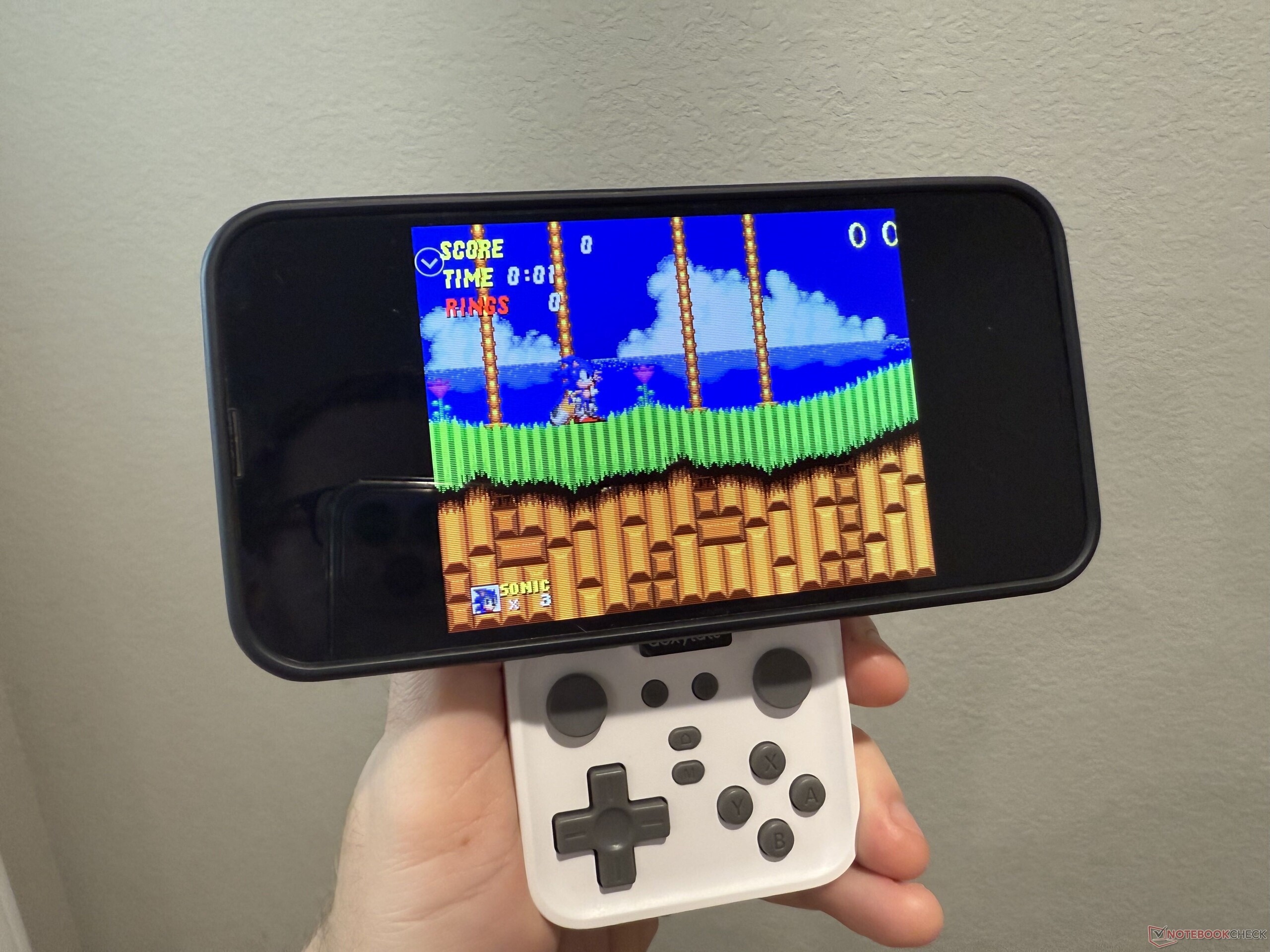
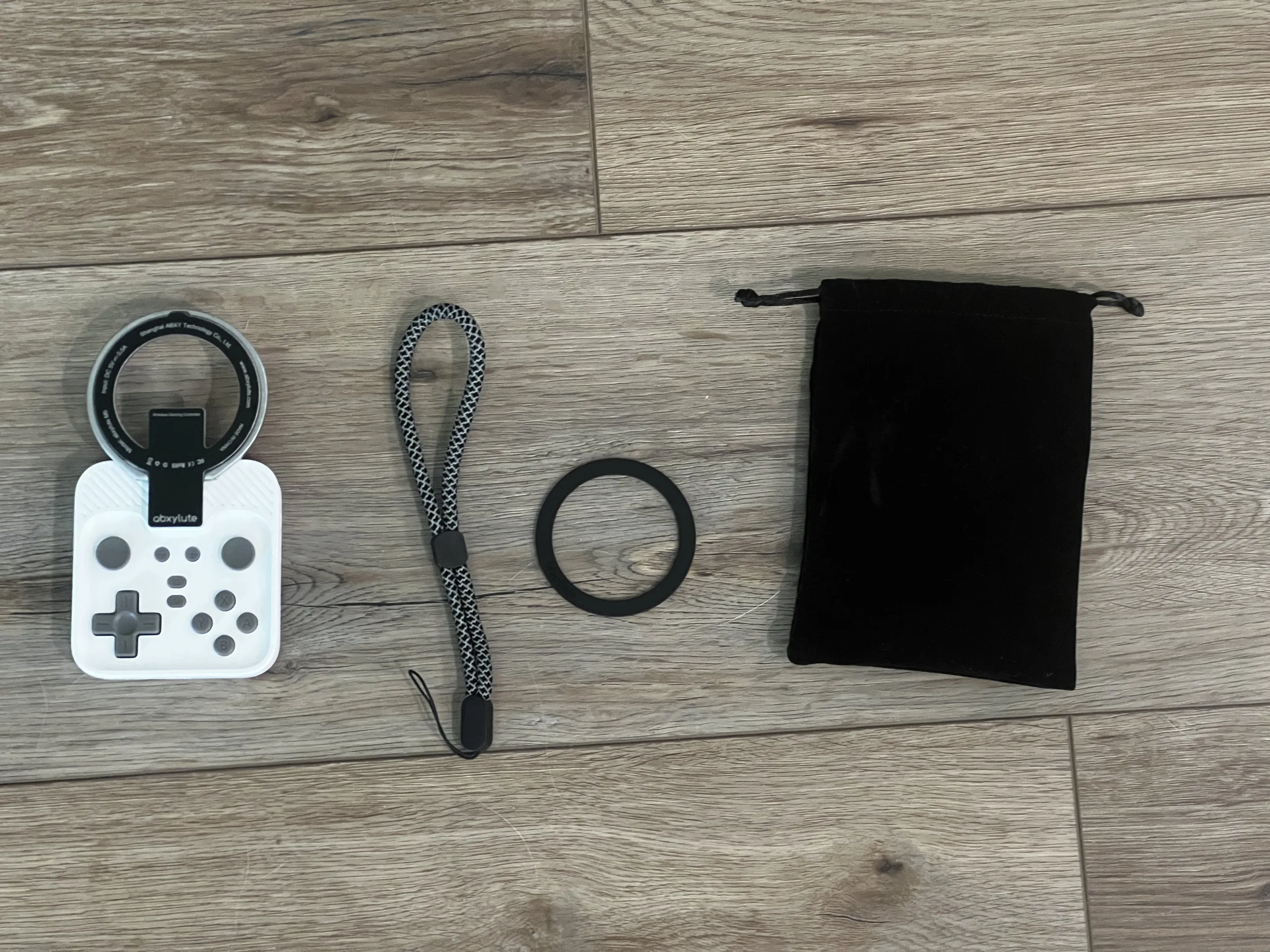
The M4 measures roughly 7.5 x 7 cm and is about 1.5 cm thick. This makes it easily pocketable, but it also presents difficulties for those with larger hands (such as myself). The controller feels cramped and can be very uncomfortable for long play sessions. The layout may not be optimal for some (joysticks at the top, D-pad and face buttons at the bottom), and it can be an awkward stretch for games that require the use of both the shoulder buttons and the D-pad. Overall, it's usable, but longer play sessions left my hands cramping. It's good for a quick 5-10 minute gaming session, but if I plan to game any longer, I reach for another controller.
Build quality and features: responsive buttons but a bit squishy
The M4 is unapologetically plastic. Since it is designed to be portable, it is very light, weighing in at about 55 grams. The outer matte shell feels well-made for the price, and the body feels more solid than other tiny mobile controllers. Overall, the shell is on par with the 8BitDo Zero 2, which is a good thing.
The inputs are a bit of a mixed bag. They are very responsive and accurate - when playing retro titles like Contra for the NES, diagonals registered perfectly, and the D-Pad works well for fighting games like Street Fighter 2. Inputs registered perfectly well with no ghost presses. However, the D-Pad and face buttons have squishy feedback. I personally prefer crisp, clicky buttons (such as those on the Backbone One controller). The D-Pad in particular feels a bit cheap, but it works well in games.
The buttons are also quite small, even for the overall footprint of the controller. This exacerbates the cramped issue discussed above.
In lieu of traditional joysticks, the M4 uses circle pads like those on the 3DS and PlayStation Portable. While this creates a flatter profile, the feedback is not great. The circle pads slide into position, which takes a fair bit of adjustment and never feels natural. The choice of these sliders is understandable, but they leave a poor impression. Still, they are perfectly serviceable in games.
A quick note: I did encounter some stick drift with the left circle pad. However, recalibrating the controller (holding the M, +, and - buttons simultaneously) fixed the issue. It should also be noted that my device is a prototype and may not be reflective of the final shipped product.
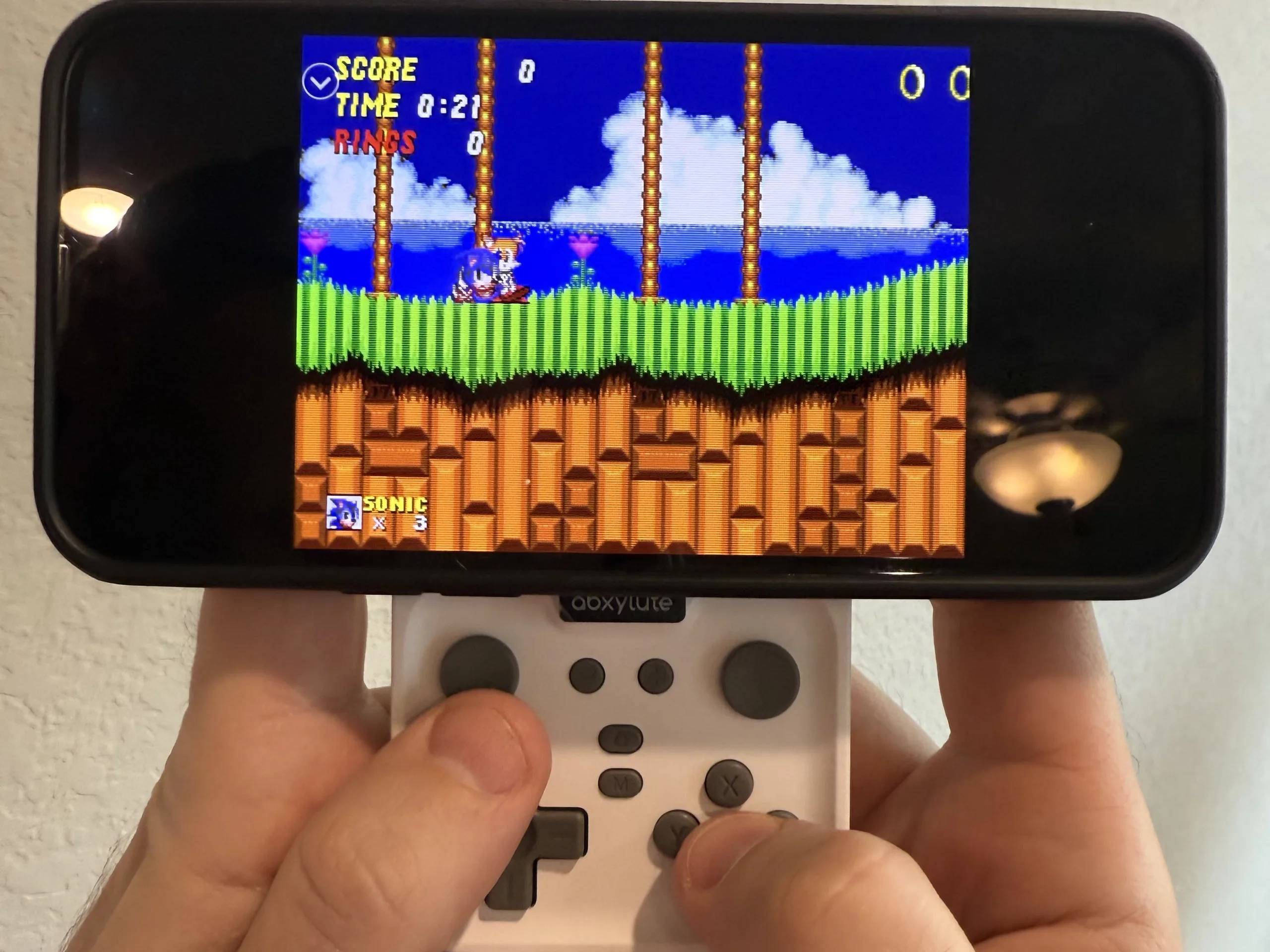
The M4 connects to iPhones without issue. Switching modes (e.g., PS, NS) is a bit dodgy and requires forgetting the controller entirely in the phone's Bluetooth settings, but pairing was straightforward. Likewise, pairing it with a Nintendo Switch is free of issues. Input lag is minimal and on par with most other Bluetooth controllers — it isn't bad enough to ruin gameplay, but a cabled controller is preferred for games that require precise timing.
The M4 has on-device turbo functionality. Holding the M button in conjunction with any face or shoulder button toggles the feature on or off. This worked as advertised. L3 and R3 buttons are activated by pressing the M button with either the - or + buttons, respectively. While clunky, this works flawlessly as well.
The M4 has a battery rated at 10-12 hours of use. In practice, I was able to routinely hit about 9 or 10 hours on a charge. The controller charges via USB-C.
Conclusion: A flawed controller in a pocketable package
The Abxylute M4 Snap-On aims to tackle an issue present with lots of smartphone controllers: convenience. Most mobile controllers either require the user to stand their phone up from a distance or attach to the phone in a clunky, bulky package. The M4, in contrast, can either be used separately from the phone or conveniently snaps on to its back. It's easy to carry around and whip out for a quick gaming session, making it the most convenient smartphone controller I've ever used.
However, this convenience comes with compromise. The M4 is tiny and, as a result, feels cramped. My hands are large, so I find the M4 too small to use for very long. Smaller hands may find it more comfortable, but it causes mine to cramp up. Additionally, larger phones feel unwieldy on the magnetic ring.
That said, the M4 is a good "grab and go" option if you need something easy to use and easy to carry. It worked with everything I threw at it, from iOS games like Sneaky Sasquatch to emulators like Delta and Retroarch to Nintendo Switch gaming. It will take some adjusting to its small form factor and choice of inputs (particularly the sliding circle pads), but it beats touchscreen controls hands-down and is good for a quick play session.
For $49 at retail, I think the M4 is a bit overpriced. Still, it has found a place in my pack because it is so convenient, but a version with a slightly larger case and buttons would be a better option.
Transparency
The selection of devices to be reviewed is made by our editorial team. The test sample was given to the author by the manufacturer free of charge for the purposes of review. There was no third-party influence on this review, nor did the manufacturer receive a copy of this review before publication. There was no obligation to publish this review. As an independent media company, Notebookcheck is not subjected to the authority of manufacturers, retailers or publishers.
 Add as a preferred source on Google


