




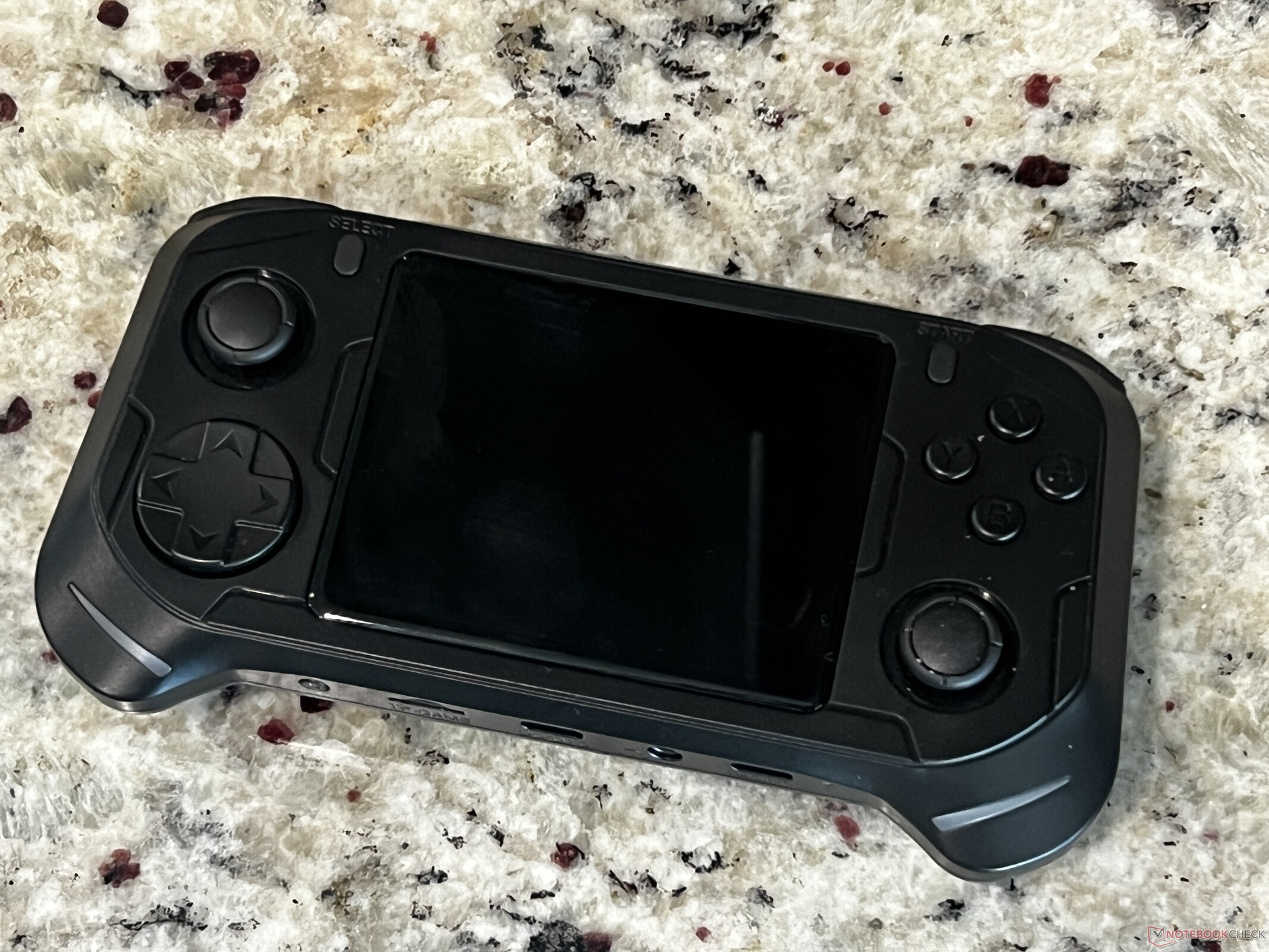
Abxylute E1 Dual-OS retro handheld hands-on
Jack of two trades, master of one.
The Abxylute E1 is a retro handheld well-suited for gaming up to the Sega Dreamcast. It's main gimmick allows users to boot into Android 11, opening the possibility of Android gaming and wireless file transfers. However, this feature is hindered by the device's lack of a touchscreen.Sam Medley Published 🇪🇸 🇵🇹 ...
Abxylute E1 Dual-OS retro handheld hands-on: A retro handheld with split personalities
The Abxylute E1 is a retro handheld that sports enough power to tackle most retro systems expected for its cost. However, it has a unique feature in this price bracket. The E1 uses a primary Linux partition for retro gaming but can also boot into Android 11. This opens the possibility for other gaming options, including FTP file transfers and Android games. The E1 lacks a touchscreen, though, so Android can be clunky to use. Game streaming works fine, though the device's screen is somewhat small and low-resolution for this. For retro gaming, the E1 is quite good considering its price. It has excellent ergonomics, responsive and tactile buttons, and enough power to play PlayStation 1, Nintendo 64, and even Sega Dreamcast games. All said, it's a good budget option for those looking to get into retro gaming, but it should have focused on retro gaming. The Android addition feels stapled on and likely won't be used by many.
Pros
Cons
Price and availability
The Abxylute E1 is available directly from Abxylute for US$89. As of press time, it is on sale for $79 with free shipping.
Abxylute is best known for its controllers (like the M4 Snap-On) and mid-tier handheld consoles. However, the company's latest entry targets the budget retro handheld market. The Abxylute E1 is a compact and inexpensive handheld with the chops to play retro titles up through the Sega Dreamcast. Abxylute bills the E1 as a "dual-OS" console as it can boot into either Linux or Android 11. This dual-partition setup is designed to ease the process of adding games to the console and allow for some Android gaming.
The E1 competes against legends of the retro handheld scene like the TrimUI Smart Pro S, Anbernic RG35XX, AyaNEO Pocket Air Mini, and Retroid Pocket 2S.
Specifications
| CPU | Rockchip RK3266 (ARM Cortex-A55 quad core), 1.8 GHz |
| GPU | ARM Mali-G52 GP2, 614 Mhz |
| RAM | 2 GB LPDDR4 |
| Storage | 32 GB on-board, microSD up to 512 GB |
| Display | 3.5-inch IPS laminated, 640x480 |
| Controls | Rocker-style D-pad, ABXY face buttons, L1/L2/R1/R2 shoulder buttons, dual carbon-film analog joysticks |
| Audio | 2x 1-Watt speakers (rear-facing), 3.5 mm audio jack |
| Ports | 1x USB-C charging, 1x USB-C OTG, mini-HDMI, 3.5 mm audio out |
| Battery | 3500 mAh lithium, rated at 5 hours playtime |
| Dimensions | 178 x 116 x 43 mm (7 x 4.57 x 1.69 in) |
| Weight | 224 g (7.9 oz) |
Design: Ergonomic and lightweight
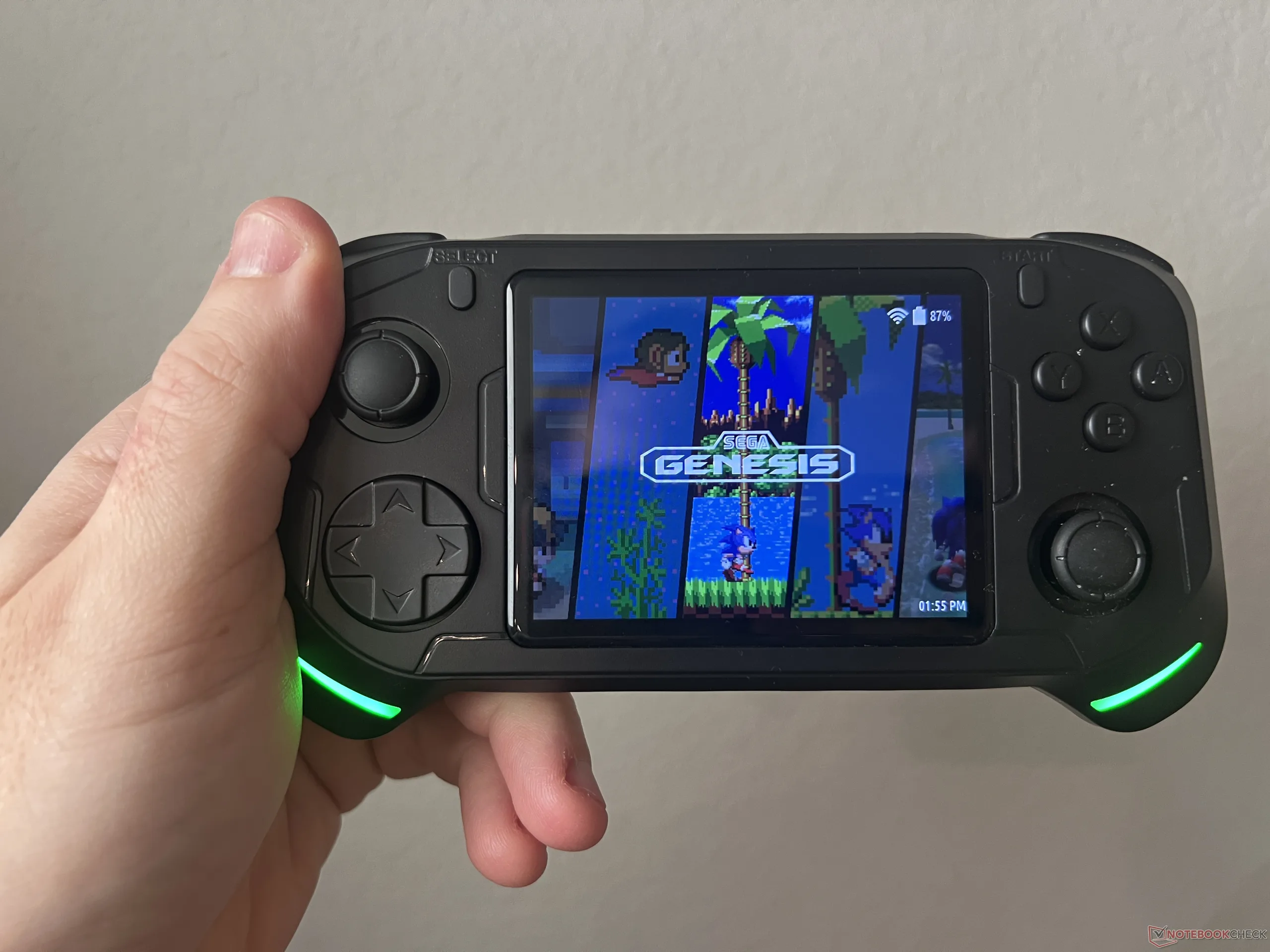
The E1 has a simple design and shares DNA with the RX6H handheld, an older budget handheld. The 3.5-inch screen is set in the middle of the console with the controls flanking it in a horizontal layout. There are small humps on the back as well as grips in the bottom corners to better match the contour of the user's hands. I have medium to large hands, and the E1 fits in them very well.
The buttons are spaced well and are all easy to reach. It's a console I can hold for hours at a time without any issue. The ABXY buttons are laid out in Nintendo style, while the joysticks are oriented like an Xbox controller. The D-Pad is a pivot-style pad, similar to that of the Sega Genesis. It is accurate; when playing Contra, I could accurately shoot diagonally, and when playing Street Fighter 2, I could reliably pull off special moves like hadokens and shoryukens.
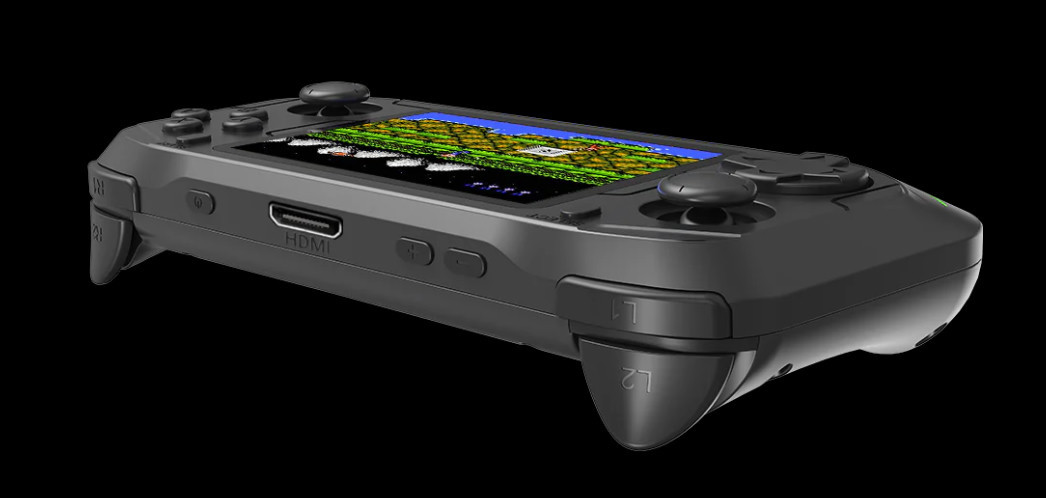
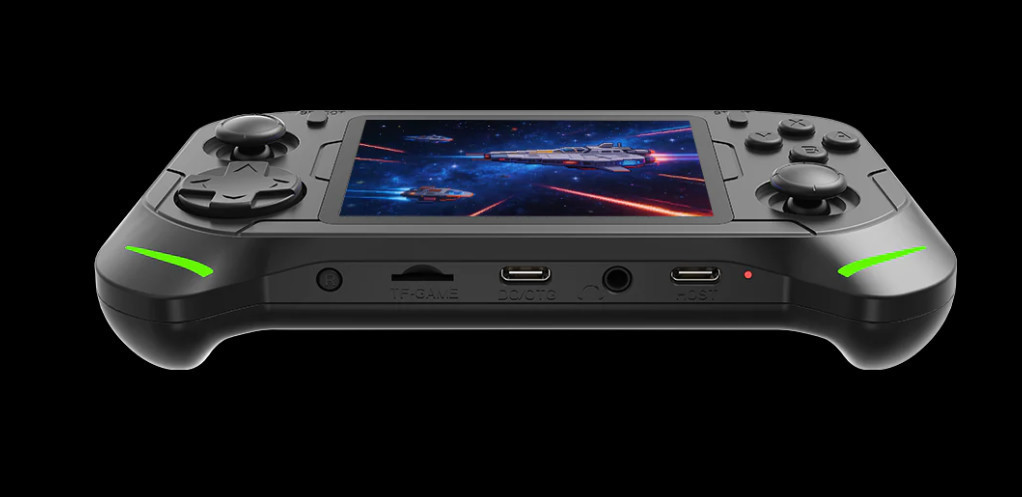
There are two green LED strips at the bottom of each grip for a bit of flair. The color cannot be changed, but it can be set to be dim, bright, or breath. There are two built-in speakers on the back as well as two USB-C ports (one for charging, one for connecting a controller) and a 3.5 mm audio jack along the bottom. The top holds a mini-HDMI port for connecting to a TV.
Build Quality: Clicky buttons with great feedback
The E1 is made from matte plastic that feels solid in the hand, despite its light weight. It doesn't show smudges or fingerprints. While the E1 isdn't what I would call pocketable, it's light enough to throw into a bag and carry around all day without noticing.
The buttons all provide excellent feedback with a satisfying click. However, this does make them loud. As such, playing the device at night or in a quiet space might annoy others.
The joysticks are Joy-Con style sticks. They are older carbon-film instead of Hall effect, but that's not unexpected considering the price. In my month of using the device, I haven't noticed any stick drift. The sticks themselves are firm and snap back into place. Like the D-Pad mentioned above, they do not register false inputs.
Overall, the E1 is well-built for its price point and offers excellent inputs.
Features: Solid gaming chops with a confusing Android add-on
The Abxylute E1 is powered by the Rockchip RK3266, a quad-core ARM chip (Cortex A55) clocked at 1.8 GHz. Paired with 2 GB of LPDDR4 RAM, the E1 is able to easily handle most retro systems. PlayStation 1 games are no issue, and more difficult to emulate systems such as the Nintendo 64, Sega Dreamcast, and Sony PlayStation Portable (PSP) are on the table. Titles like Goldeneye 007 (N64) and God of War: Chains of Olympus (PSP) run fairly smoothly, although Goldeneye had some minor stutters in open levels until it could cache assets. Dreamcast games like Jet Set Radio also ran without issue. Keep in mind these titles are run at the handheld's native resolution (640x480) and may have some slight downscaling, but the small size of the screen means the games still look fine.
The E1 runs Emulation Station, which is an excellent and fairly intuitive user interface (UI). Importing games on an SD card is a bit tricky due to the system creating multiple folders for some consoles; it took a bit to ascertain which folders were actually recognized and used by the handheld (hint: it's often the one with lowercase letters). Once ROM files are properly placed, though, the console is fluid to navigate and loads games quickly.
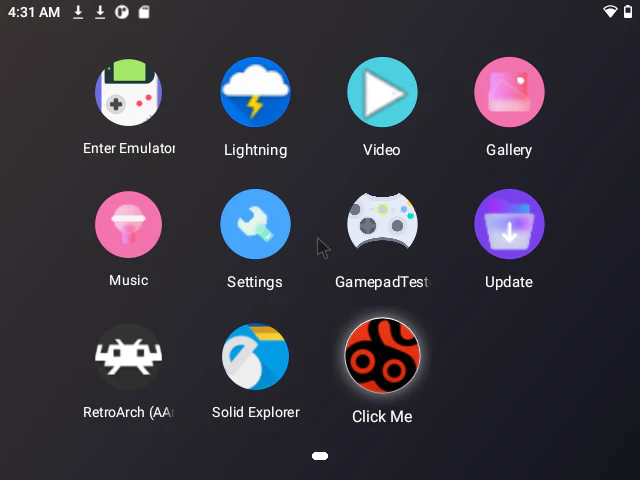
The E1 has a hidden side, though. As a dual-OS console, it can also boot into Android 11 via a menu in Emulation Station. Abxylute informed me this is primarily to aid in game management via a pre-installed app, make file management smoother, and allow for some Android gaming. Navigating Android is clunky since the E1 lacks a touchscreen. Additionally, emulation on the Android side is much worse than on Linux. The E1 struggles to run PlayStation 1 games on Android 11, and N64 and PSP titles are largely unreachable. Android games are available through the Google Play Store, though the hardware holds the system back here. Gaming should be relegated to Linux only.
Being blunt, it's confusing as to why Android 11 was included on the E1. Abxylute told me it is designed to be a way to more easily get games onto the device's SD card without having to remove it and put it in a computer with a card reader. I understand that, as not all people buying this device will have a computer or SD card reader. In that sense, it is nice to see an alternative method of importing games for people that don't have the needed hardware. Still, it's clunky to navigate and not useful for gaming. Adding an FTP file transfer option in Emulation Station would have been a more elegant solution in my opinion, though FTP transfers would require some technical know-how from users.
Conclusion
The Abxylute E1 is a curious retro handheld. On one hand, it's a genuinely good gaming device that offers great ergonomics, solid performance for retro titles, and decent battery life (~4.5-5 hours in my testing). It does have some hardware downsides, primarily its poor speakers, but these in no way ruin the whole package. The biggest hangup is the inclusion of Android 11. It offers a very niche tool for very niche users, and said tool is quite clunky for file management. Otherwise, Android 11 is largely unnecessary and takes up a lot of space on the included SD card. In my use case, I found it better to reformat the SD card and repartition it entirely for use with Emulation Station, as the default partition scheme left only about 6 GB for the Linux side of the system to use. I'm not sure if this scheme is the default for every unit or if mine was partitioned this way by accident, but it was baffling to have only 1/10th of the SD card available for ROMs. Repartitioning the card and loading my own ROMs greatly improved the overall experience, and I haven't needed to touch the Android side since.
At its price point, the Abxylute E1 is a solid retro gaming handheld. It can handle PlayStation 1, Nintendo 64, Dreamcast, and PlayStation Portable games without much issue, which isn't always attainable at this price point. Add to that good ergonomics (even for larger hands) and solid button quality and the E1 is a good choice in the sub-$100 range. There are some newer devices on the horizon (like the MagicX One 35) that pack a bit more punch, but availability for those may be spotty. All said, the Abxylute E1 offers a great feeling emulation experience with enough chops to enjoy games up to the early 2000s. Just keep in mind it may be worth it to repartition or replace the included SD card.
Transparency
The selection of devices to be reviewed is made by our editorial team. The test sample was given to the author by the manufacturer free of charge for the purposes of review. There was no third-party influence on this review, nor did the manufacturer receive a copy of this review before publication. There was no obligation to publish this review. As an independent media company, Notebookcheck is not subjected to the authority of manufacturers, retailers or publishers.
 Add as a preferred source on Google


