




49-inch, flat, ultrawide and Mini-LED: Innocn E49M1R monitor for CAD and creative work in review
Flat, not curved.
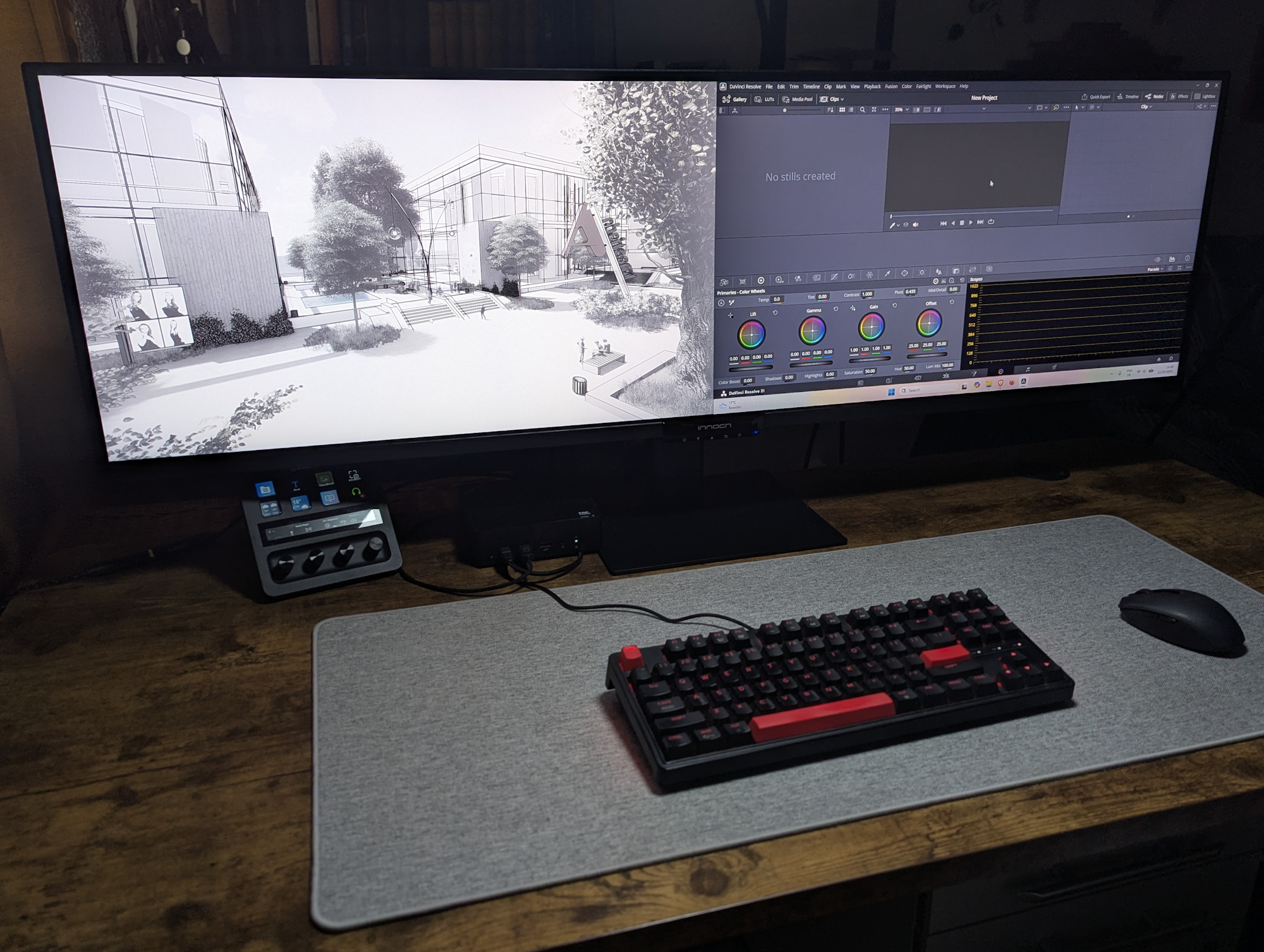
The Innocn E49M1R is an unusual 49-inch ultrawide monitor: Instead of a curved screen, it features a completely flat panel with a resolution of 5,120 × 1,440 pixels and Mini-LED backlighting. The idea is to offer particular advantages for CAD, photo editing, and other creative applications. But does it actually work?Christian Hintze 👁 (translated by Christian Hintze) Published 🇩🇪
Review verdict - Flat 49-inch design for CAD and creative work
The Innocn E49M1R aims to win over creators and professionals with its flat ultrawide design. Contrast and brightness are good, while the Mini-LED backlight provides fairly even illumination. The monitor also includes useful features such as the ability to display multiple sources side by side. For anyone working on technical drawings, the concept could therefore make sense.
The bright, ultrawide Innocn E49M1R does not distort technical drawings like curved monitors do, although the VA panel is not perfect when it comes to viewing-angle stability.
Where accurate colors are critical, however, the verdict is less clear-cut. Because of the extreme width, viewing-angle-related brightness loss and reduced saturation become noticeable toward the edges, meaning the image is not exactly the same everywhere on the monitor. On top of that, the color gamut is somewhat limited after all: according to our measurements, Display P3 coverage reaches only 83 percent.
Pros
Cons
Price and availability
The monitor has not yet made its way to Germany, but that is expected to change.
Alternatively, the display can be purchased for $889.99 directly from the manufacturer or for between $783.49 and $999.99 through the US Amazon site.

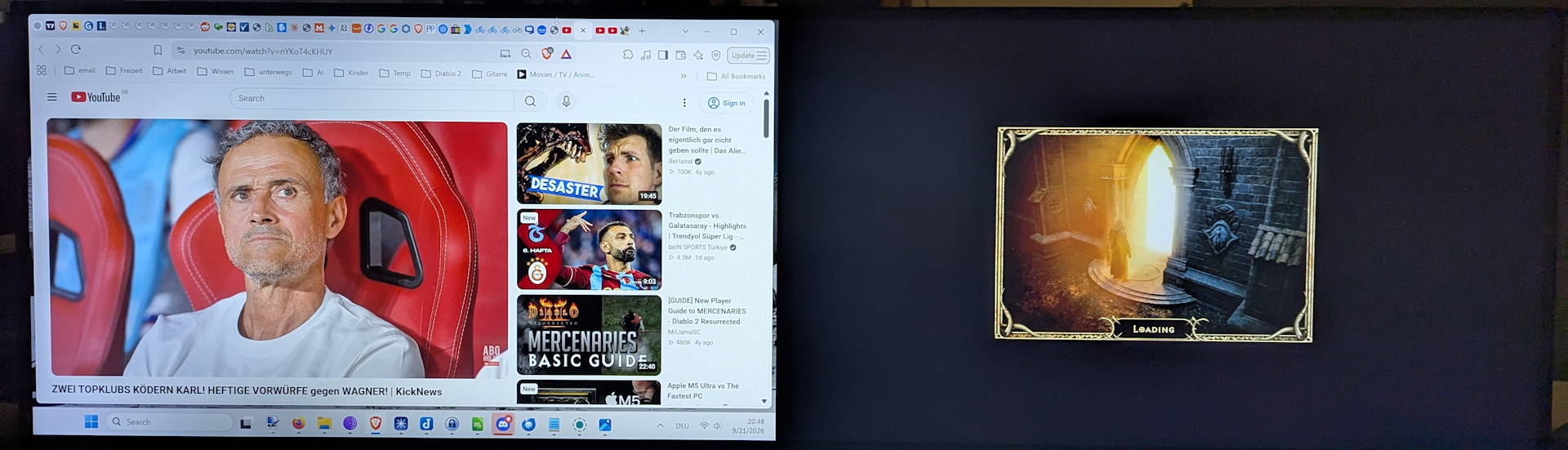
The Innocn E49M1R combines two conventional 27-inch 16:9 monitors into a single device. At an ultrawide resolution of 5,120 x 1,440 pixels, virtually all competitors are curved so that the ends of the screen are at least roughly the same distance from the viewer as the center of the screen. Not so with the completely flat Innocn monitor.
That is intentional, according to the manufacturer, because curved displays introduce optical distortion, which can negatively affect image and video editing, making its monitor better suited to these tasks. Put another way: Curved displays provide greater immersion in games, while flat monitors offer greater precision and more faithful reproduction in CAD, Photoshop, and similar applications. We took a closer look at the 49-inch display ourselves.
Build & design - Stable stand despite XXL width
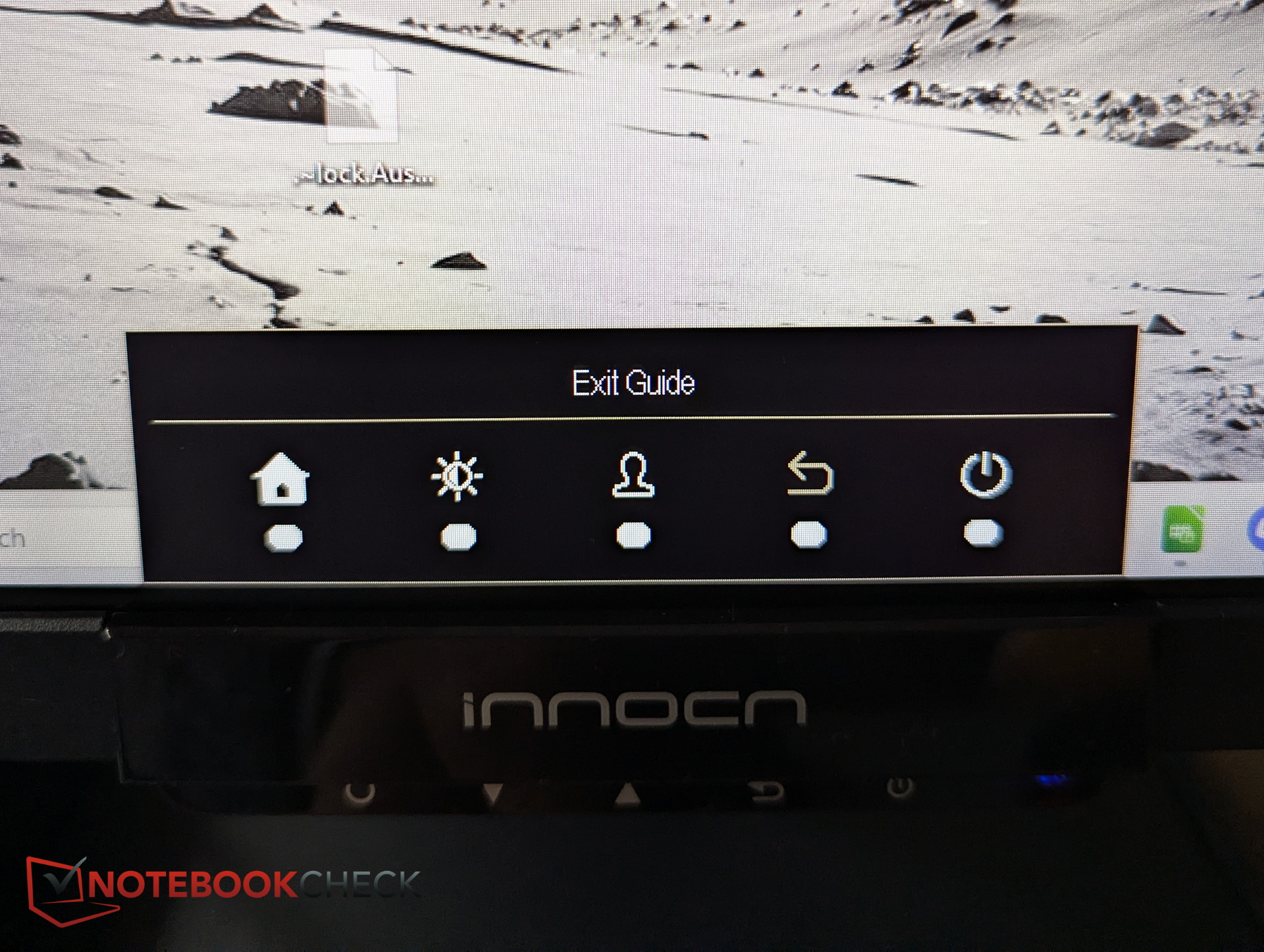
The ultrawide panel is housed in a black plastic frame. The bezels are minimal on the sides and are complemented by the glass border, while only the bottom has a somewhat wider plastic strip. At the bottom center are the controls, thankfully labeled unlike those on the Innocn CB32U1, in the form of five push buttons.
The stand, on the other hand, is made of metal and is very sturdy. It has to be, given the extreme width putting considerable demands on it. If you shake the monitor, the display unit continues to wobble for quite a while, but the stand itself remains completely stable. There is also an opening in the stand for cable management.
The mounting mechanism allows for tilting, swiveling, and height adjustment, but the ultrawide format cannot be rotated.
Ports - 4 video sources, USB hub
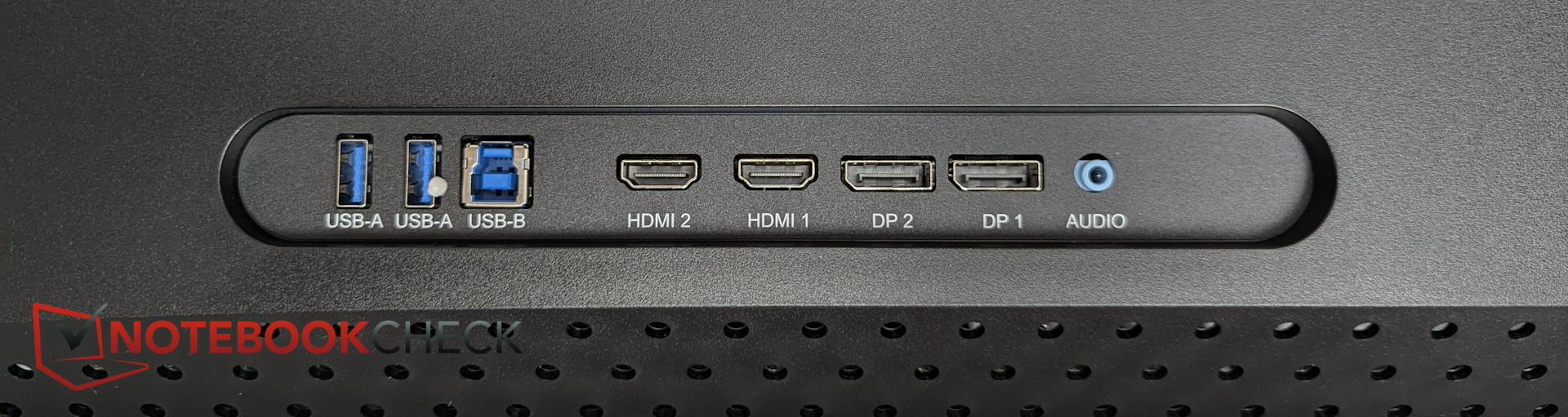
All ports are located on the back, and cables are connected directly from the rear rather than from the bottom or side.
Viewed from the front, the power connector for a standard PC power cable is located on the left, so no adapter is required. On the right are the remaining ports, including 2x USB-A (e.g. for a mouse and keyboard) and USB-B (data connection to the PC), helping to keep the desk tidy while freeing up more ports on the PC.
Accessories - HDMI and DP cables
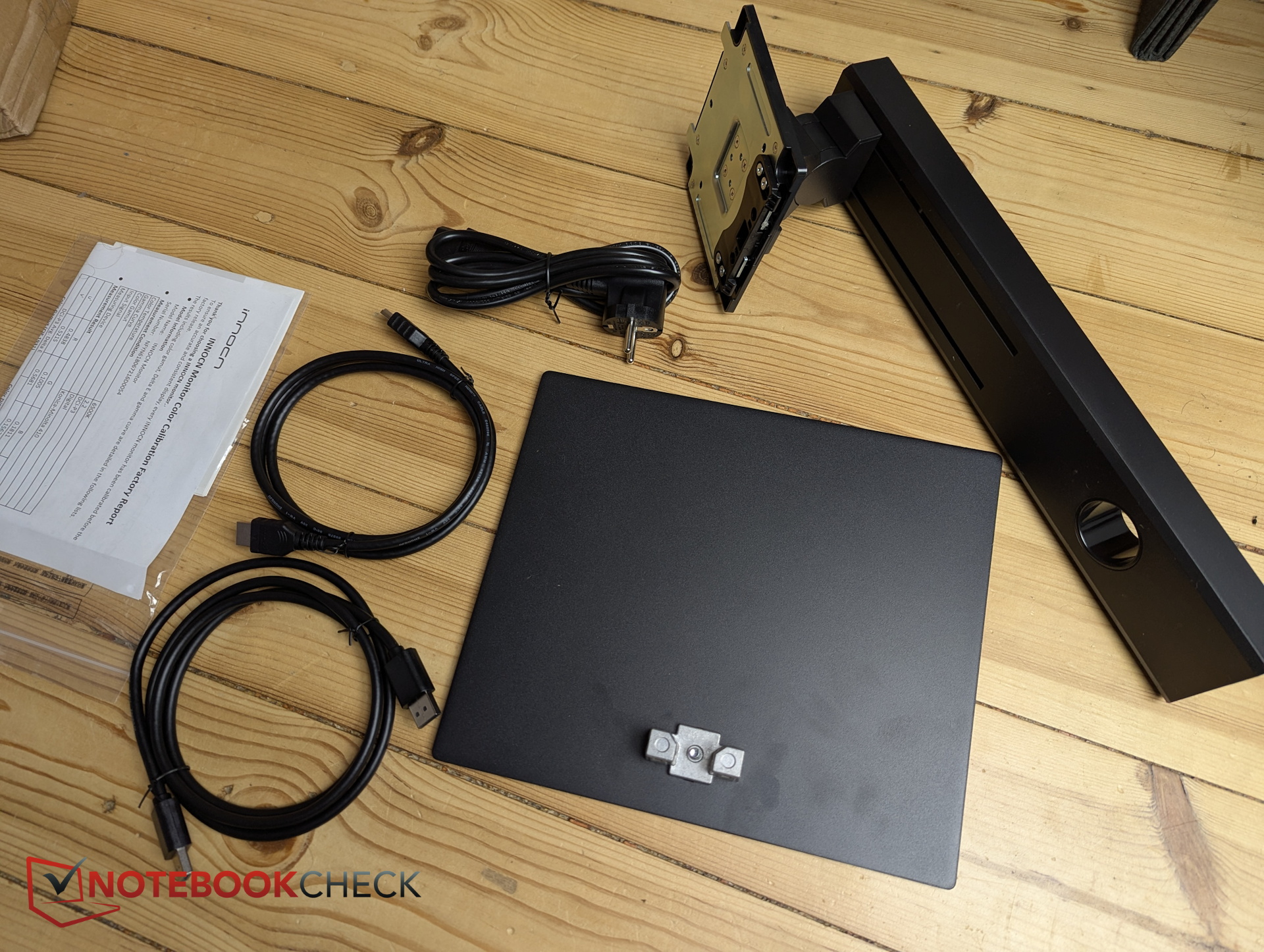
Innocn includes a power cable, an HDMI cable, a DP cable, a quick-start guide, and a calibration certificate.
Specifications - Mini-LED, 1,760 dimming zones, up to 1,000 nits
The panel is rated for brightness of up to 1,000 nits, while the Mini-LED backlight can dim across 1,760 zones. There are also features such as Picture-by-Picture, which allows the monitor to split the screen in the middle and display the output from two video inputs. In other words, you can connect two PCs/inputs and display both outputs side by side.
Unlike the Innocn CB32U1 (review), the E49M1R has a pair of speakers that output sound from the rear. Audio quality is mediocre, but it is still useful to have another option for audio output.
| Diagonal | 49 inches |
| Resolution | 5,120 x 1,440 at 32:9 |
| Refresh rate | max. 165 Hz |
| Panel | VA panel with Mini-LED backlighting (1,760 dimming zones) |
| Brightness | up to 1,000 nits |
| Color spaces | 100% sRGB, 96% DCI-P3 and 93% Adobe RGB; DeltaE<2 |
| Supported technologies | HDR1000, FreeSync, Picture-by-Picture 4-screen display function |
| Price | $899 |
Image quality - 500 nits SDR, high contrast
In SDR, we measure brightness of more than 500 nits. Under HDR, it is significantly higher, although the image also appears somewhat "washed out." Black levels and contrast are quite good in SDR.
Subjectively, despite its better measured values, the VA panel does not quite match the image quality of the Innocn CB32U1 (review) with its 4K IPS display, whose colors simply appear more saturated. For a VA panel, however, image quality is still very good, and the measurements back this up.
| |||||||||||||||||||||||||
Brightness Distribution: 93 %
Contrast: 2842:1 (Black: 0.19 cd/m²)
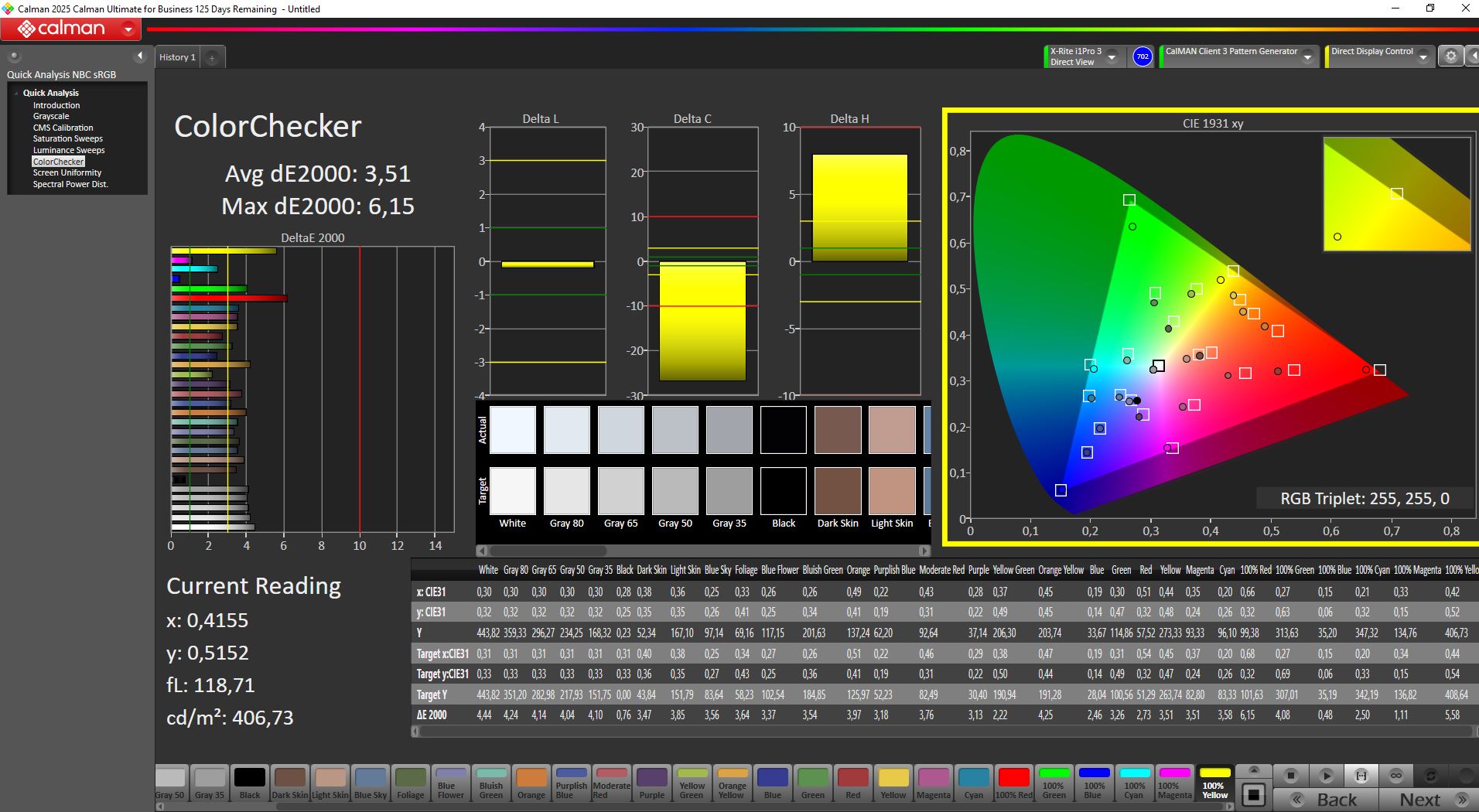
ΔE ColorChecker Calman: 3.51 | ∀{0.5-29.43 Ø4.69}
calibrated: 2.12
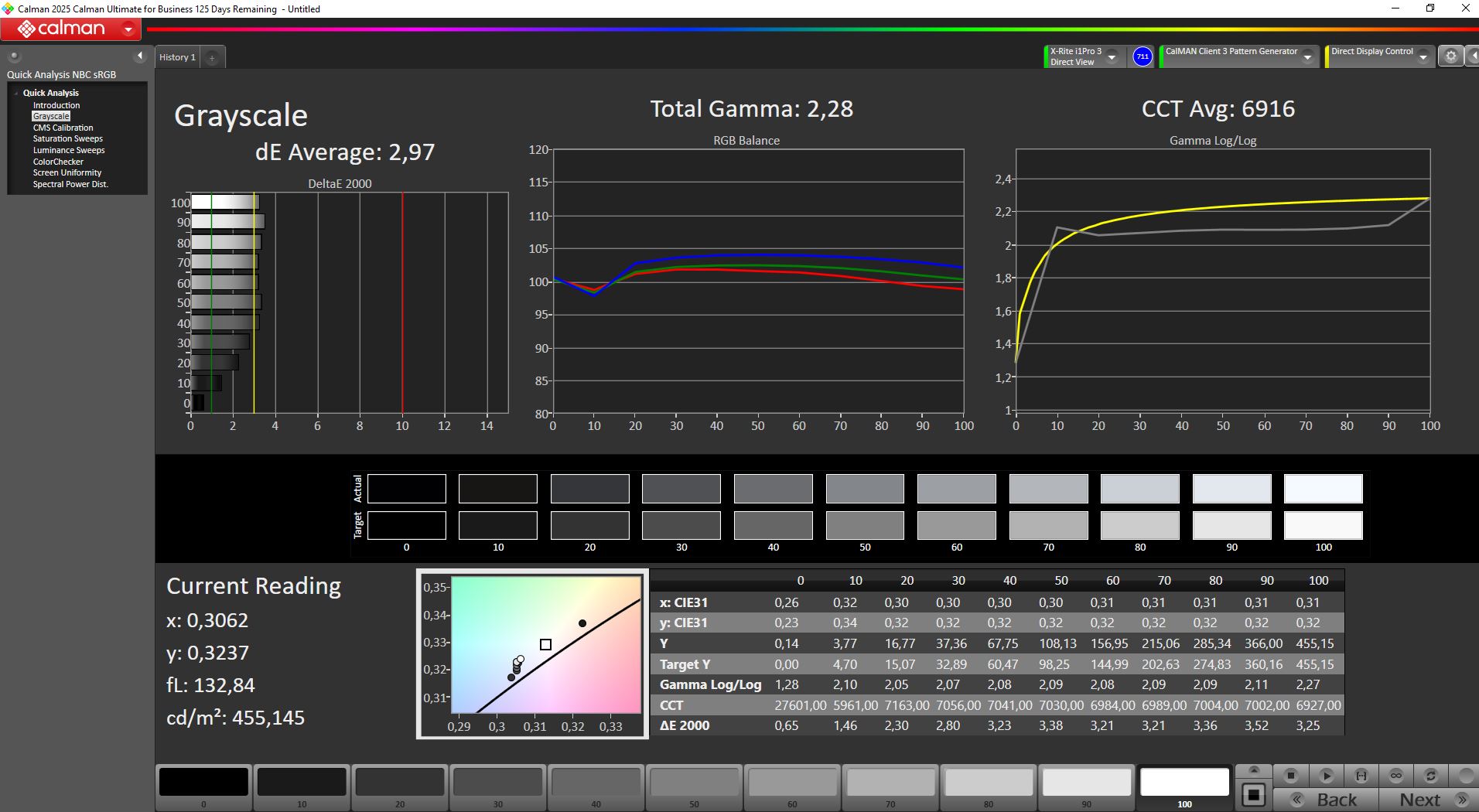
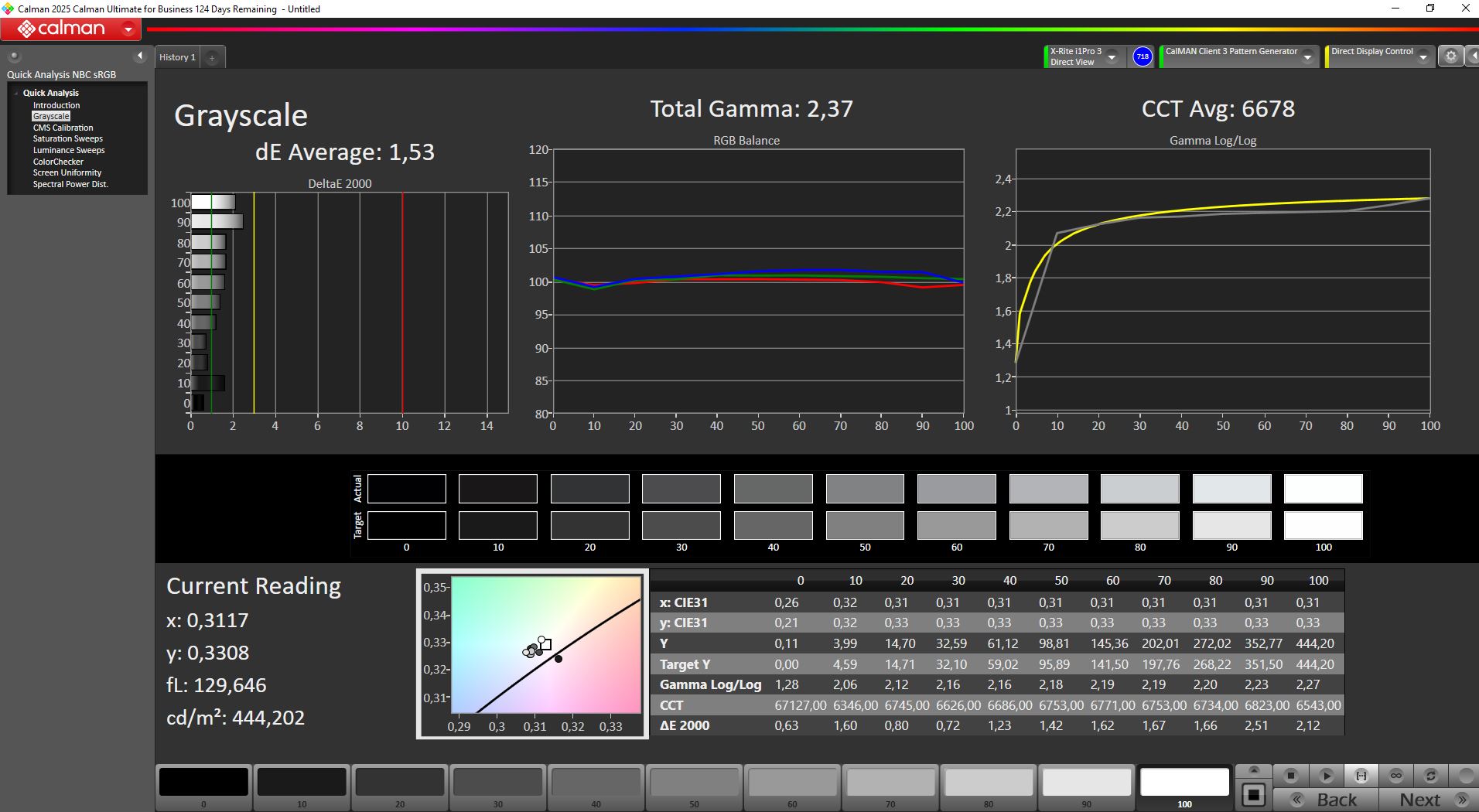
ΔE Greyscale Calman: 2.97 | ∀{0.09-98 Ø4.94}
81.9% AdobeRGB 1998 (Argyll 3D)
100% sRGB (Argyll 3D)
83% Display P3 (Argyll 3D)
Gamma: 2.28
CCT: 6916 K
| Innocn E49M1R 5120x1440, 49", 165 Hz | Titan Army C49C1S 5120x1440, 49", 240 Hz | TITAN ARMY P275MV PLUS 3840x2160, 27", 160 Hz | KTC G27P6 OLED, 2560x1440, 27", 240 Hz | KTC H27P22s AUO 7.0, IPS, 3840x2160, 27", 160 Hz | MSI MAG 274QRF QD E2 MAG 274QRF QD E2, IPS, 2560x1440, 27", 180 Hz | |
|---|---|---|---|---|---|---|
| Display | 1% | 8% | 3% | 2% | 9% | |
| Display P3 Coverage (%) | 83 | 83.9 1% | 94.7 14% | 86.91 5% | 86.9 5% | 97.6 18% |
| sRGB Coverage (%) | 100 | 100 0% | 100 0% | 99.23 -1% | 99.8 0% | 99.7 0% |
| AdobeRGB 1998 Coverage (%) | 81.9 | 83 1% | 88.9 9% | 86.86 6% | 81.6 0% | 88.9 9% |
| Response Times | 71% | 47% | 96% | 45% | 69% | |
| Response Time Grey 50% / Grey 80% * (ms) | 16.3 ? | 5.2 ? 68% | 12.8 ? 21% | 0.8 ? 95% | 11.8 ? 28% | 5.76 ? 65% |
| Response Time Black / White * (ms) | 20.7 ? | 5.6 ? 73% | 5.6 ? 73% | 0.8 ? 96% | 8 ? 61% | 5.73 ? 72% |
| PWM Frequency (Hz) | 6670 | 240 | ||||
| PWM Amplitude * (%) | 11 | 14 | ||||
| Screen | -49% | -15% | -16% | -42% | -62% | |
| Brightness middle (cd/m²) | 540 | 385 -29% | 305 -44% | 320 -41% | 454 -16% | 453 -16% |
| Brightness (cd/m²) | 522 | 342 -34% | 296 -43% | 310 -41% | 398 -24% | 404 -23% |
| Brightness Distribution (%) | 93 | 82 -12% | 92 -1% | 93 0% | 79 -15% | 84 -10% |
| Black Level * (cd/m²) | 0.19 | 0.58 -205% | 0.34 -79% | 0.02 89% | 0.41 -116% | 0.28 -47% |
| Contrast (:1) | 2842 | 664 -77% | 897 -68% | 16000 463% | 1107 -61% | 1618 -43% |
| Colorchecker dE 2000 * | 3.51 | 3.22 8% | 2.15 39% | 10.69 -205% | 4.61 -31% | 7.97 -127% |
| Colorchecker dE 2000 max. * | 6.15 | 7.73 -26% | 4.16 32% | 15.63 -154% | 8.04 -31% | 14.32 -133% |
| Colorchecker dE 2000 calibrated * | 2.12 | 1.55 27% | 1.29 39% | 4.11 -94% | 2.57 -21% | 1.71 19% |
| Greyscale dE 2000 * | 2.97 | 5.63 -90% | 3.21 -8% | 7.73 -160% | 4.77 -61% | 8.2 -176% |
| Gamma | 2.28 96% | 2.44 90% | 2.52 87% | 2.2 100% | 2.28 96% | 1.46 151% |
| CCT | 6916 94% | 7226 90% | 6617 98% | 8070 81% | 7540 86% | 7427 88% |
| Total Average (Program / Settings) | 8% /
-21% | 13% /
-1% | 28% /
4% | 2% /
-20% | 5% /
-28% |
* ... smaller is better
Calibration - Is the E49M1R suitable for professional work?
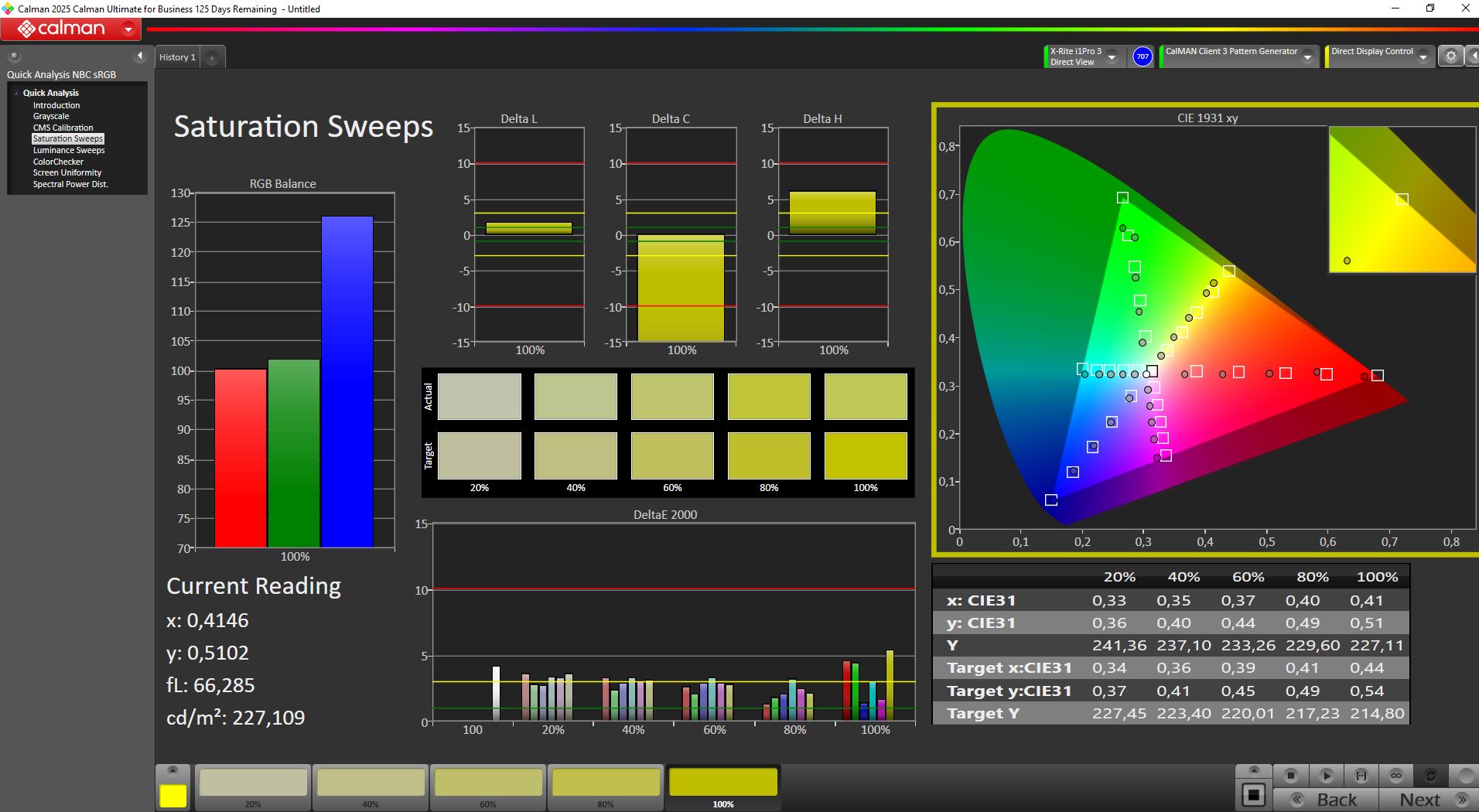
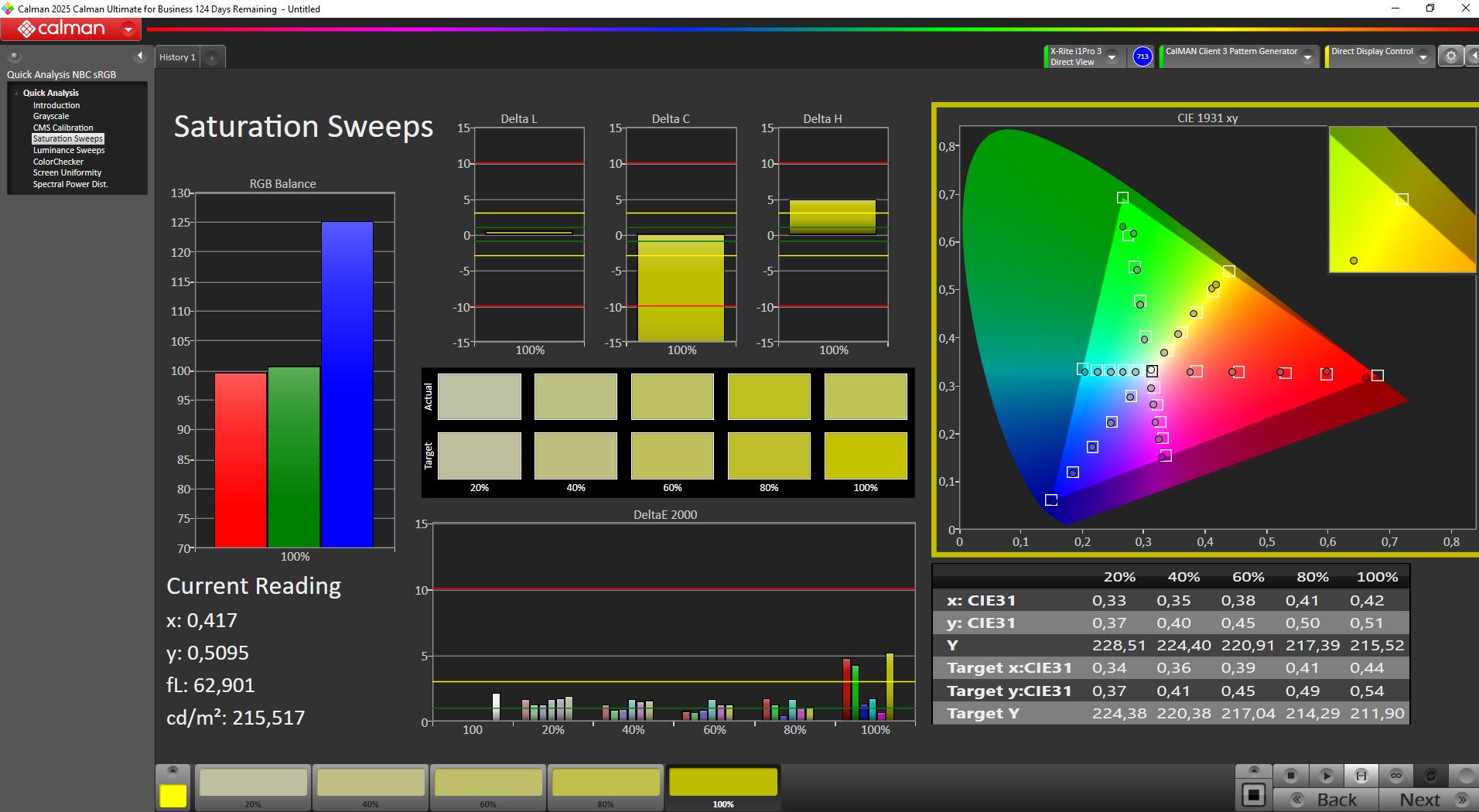
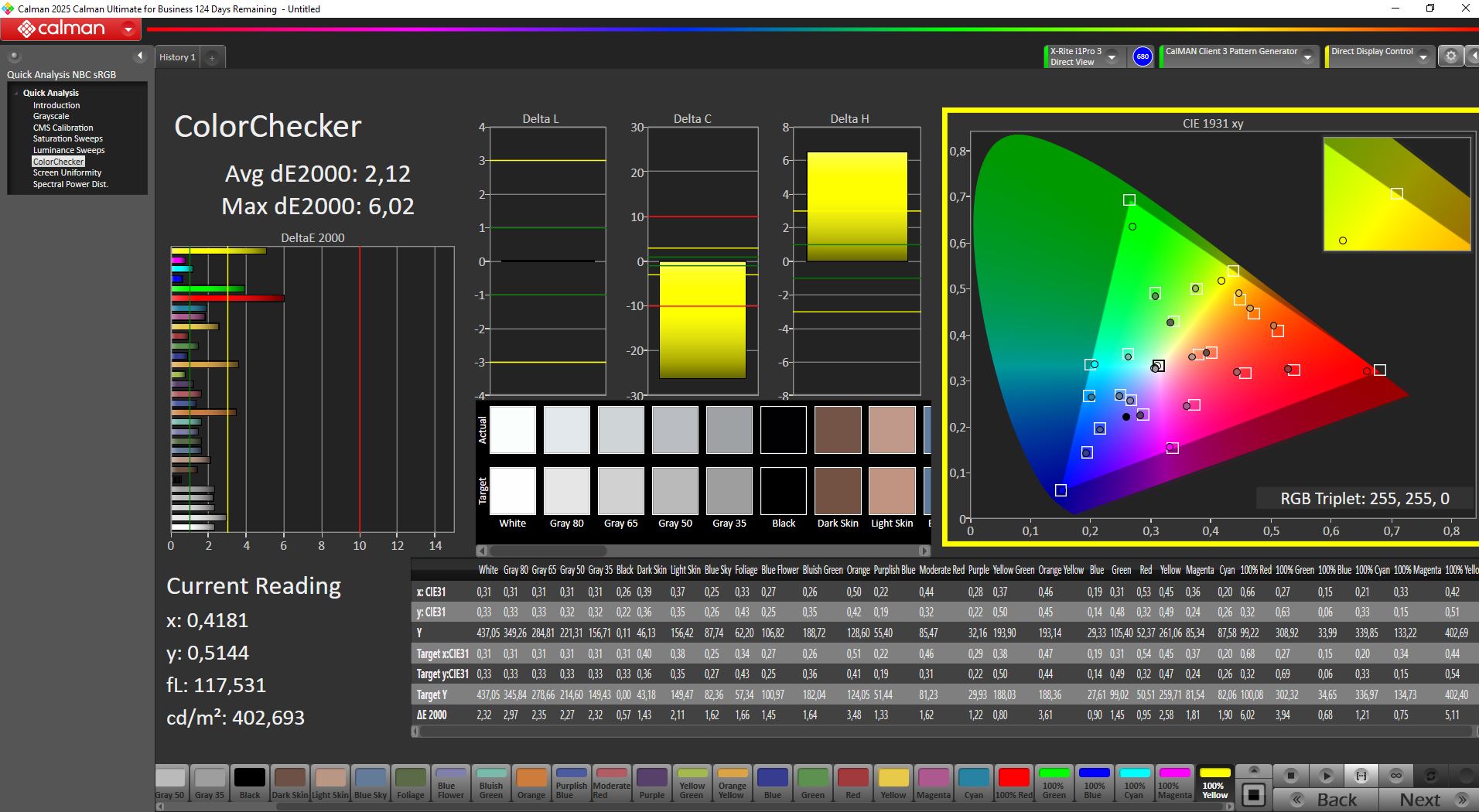
Out of the box, the E49M1R is well calibrated for sRGB, but not perfect for DCI-P3. We fine-tuned it using Calman software and our X-Rite colorimeter; the calibrated ICC color profile is available for free download above.
After calibration, the deviations in grayscale improve in particular, dropping below 2 as promised by the manufacturer, while the DeltaE for colors remains slightly above that level.
Color gamut - Full sRGB, but only 83% Display P3
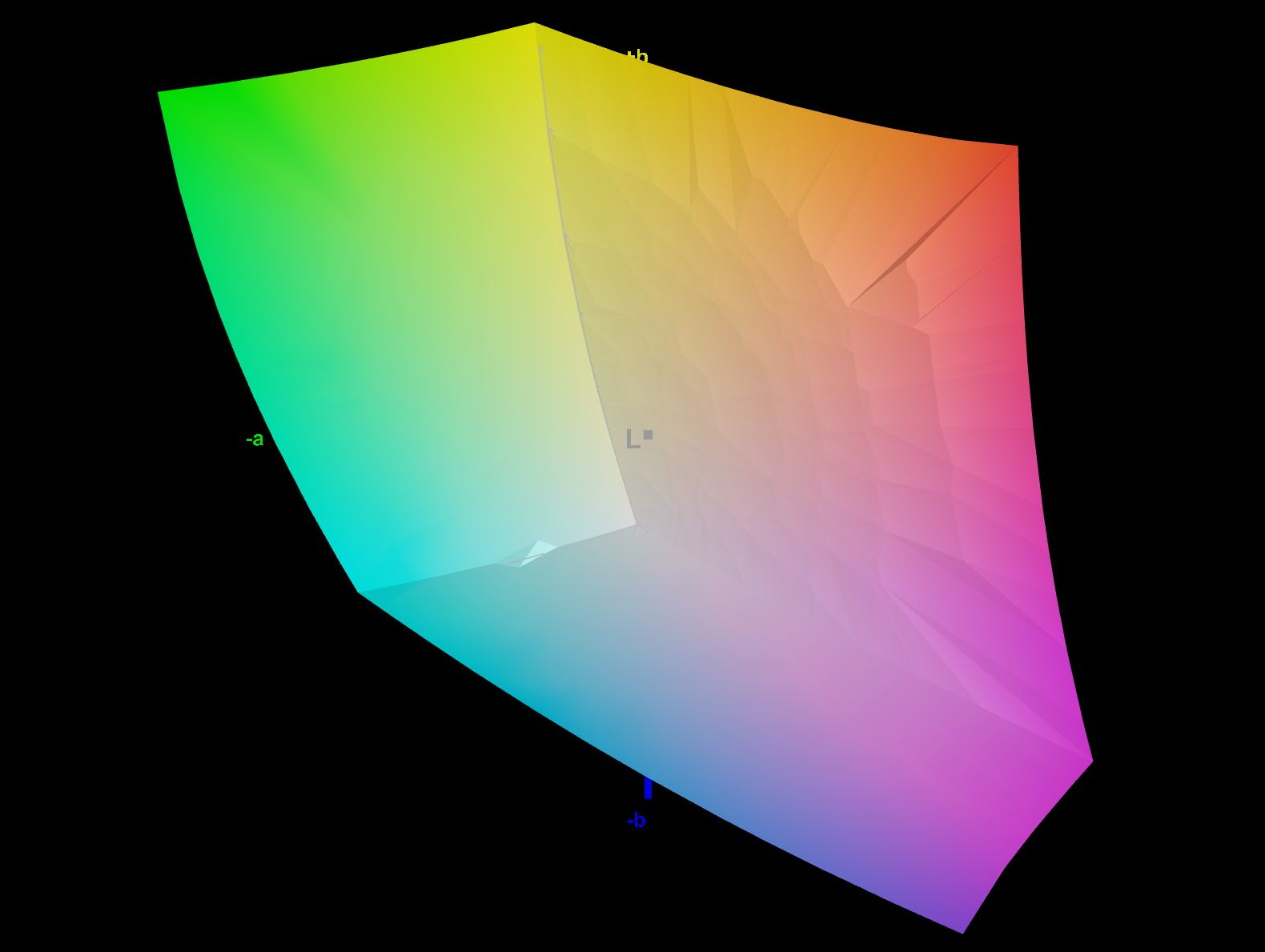
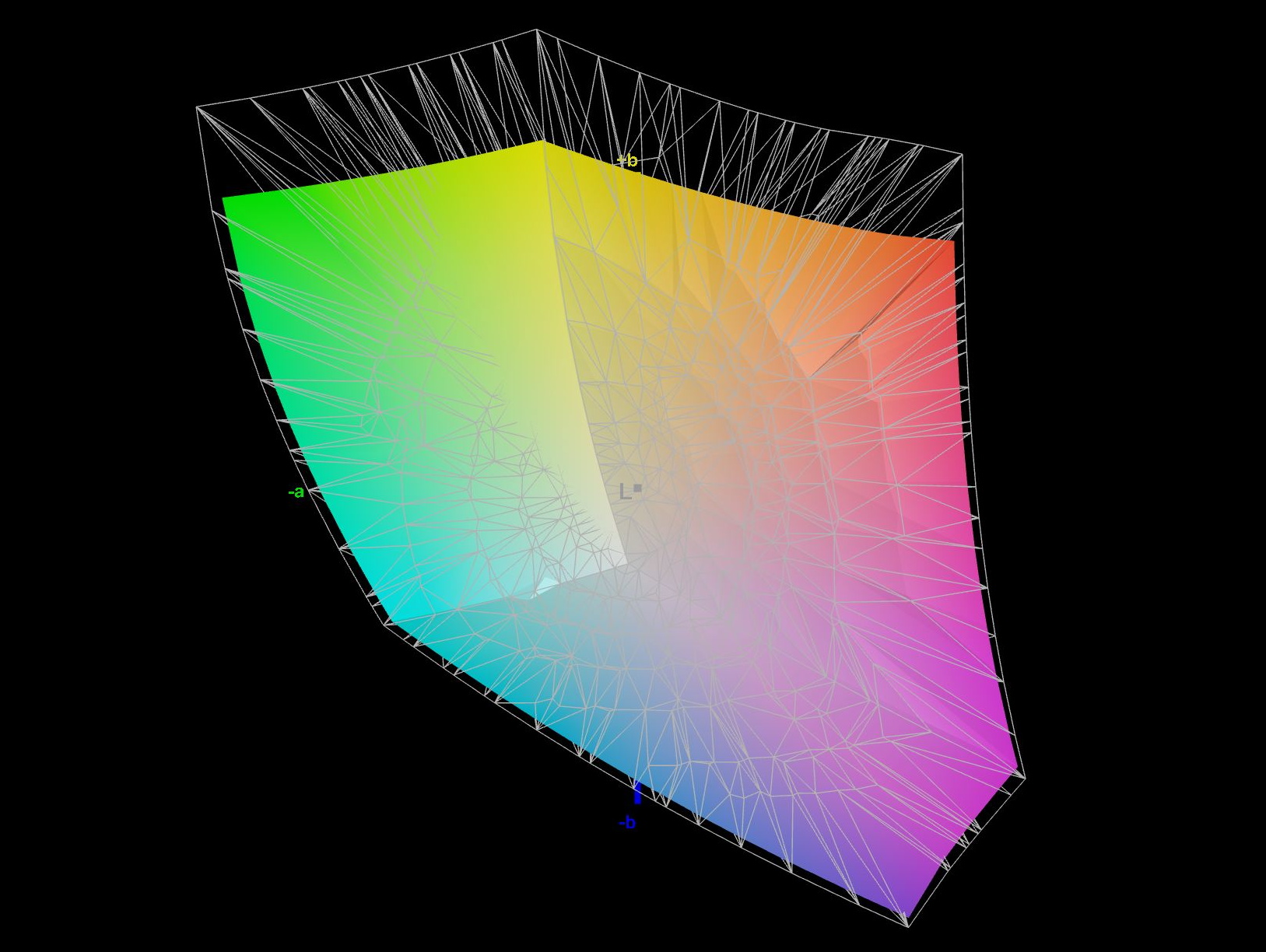
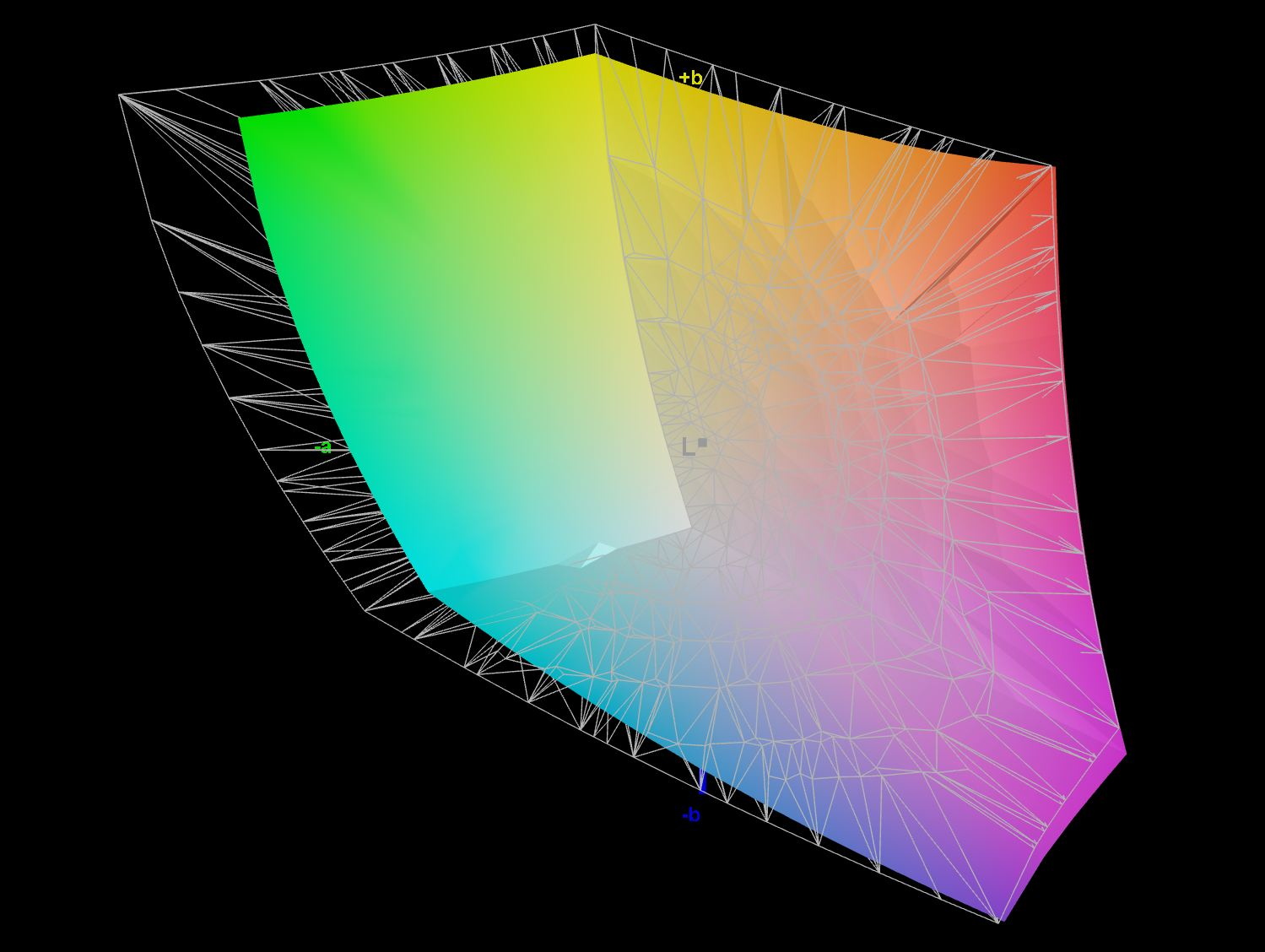
Innocn claims 96% DCI-P3 (digital cinema projection) and full sRGB coverage. In reality, sRGB is almost completely covered, while we measure just over 83 percent coverage of the Display P3 color space (P3 for displays and images), and around 82 percent for AdobeRGB.
Whether that, together with the DeltaE values, is sufficient for professional editing is something each user has to decide for themselves; the monitor is somewhat on the borderline here.
OSD & settings - PIP, PBP and 15 picture modes
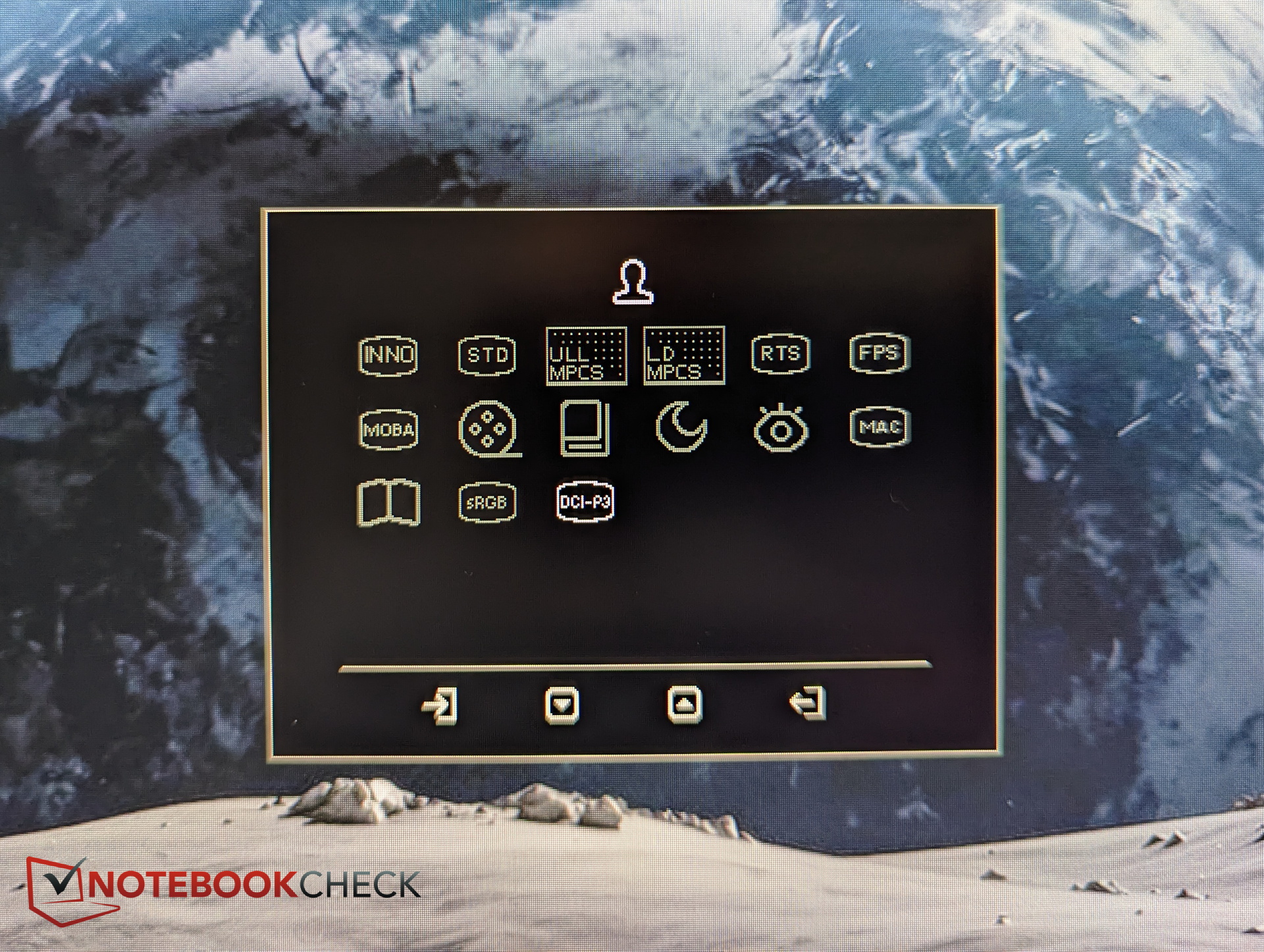
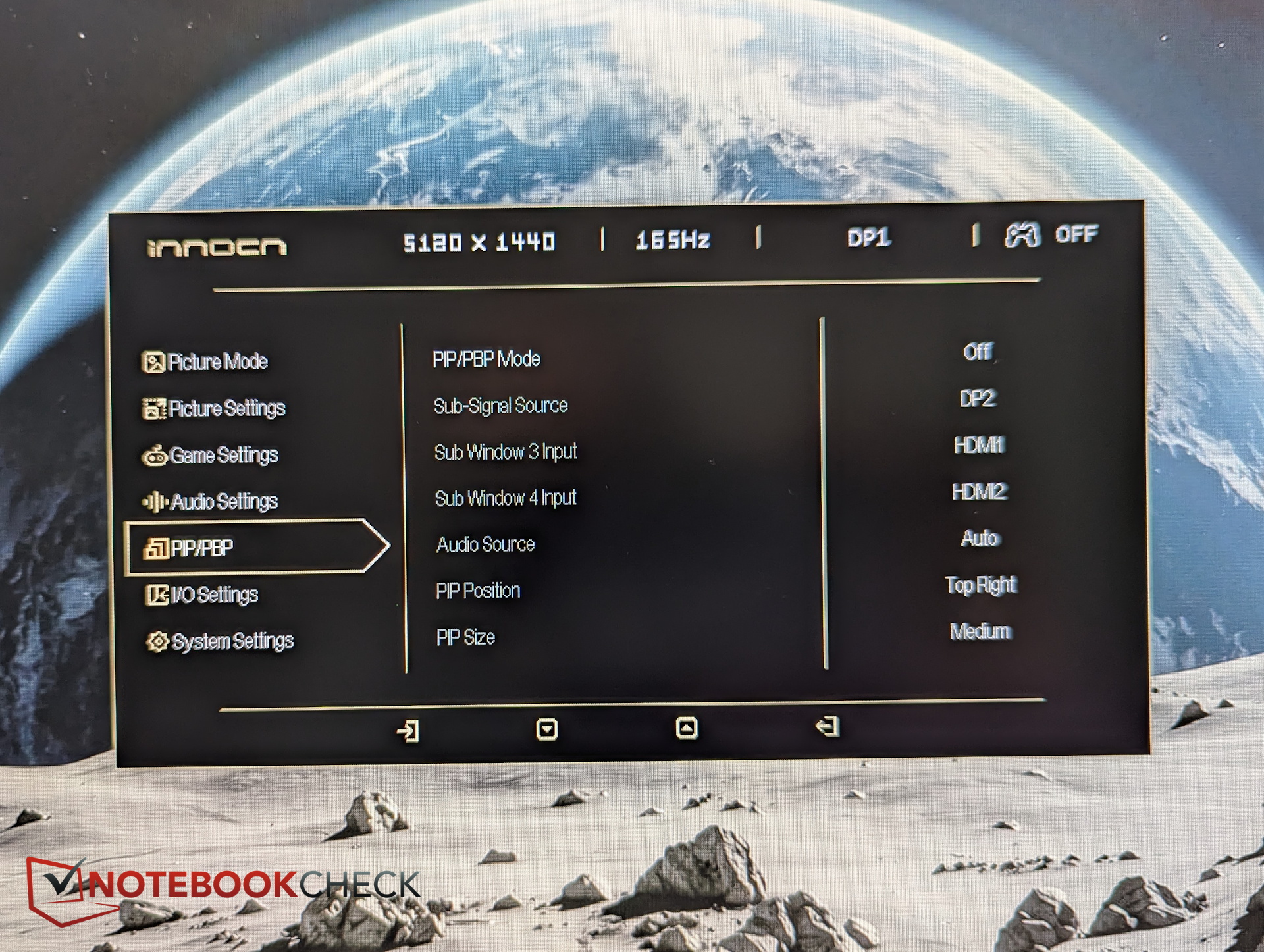
The monitor menu includes a full 15 predefined picture modes. These include color modes such as sRGB and DCI-P3, as well as Mac, Night, Eye Care, Movie, MOBA, and other modes.
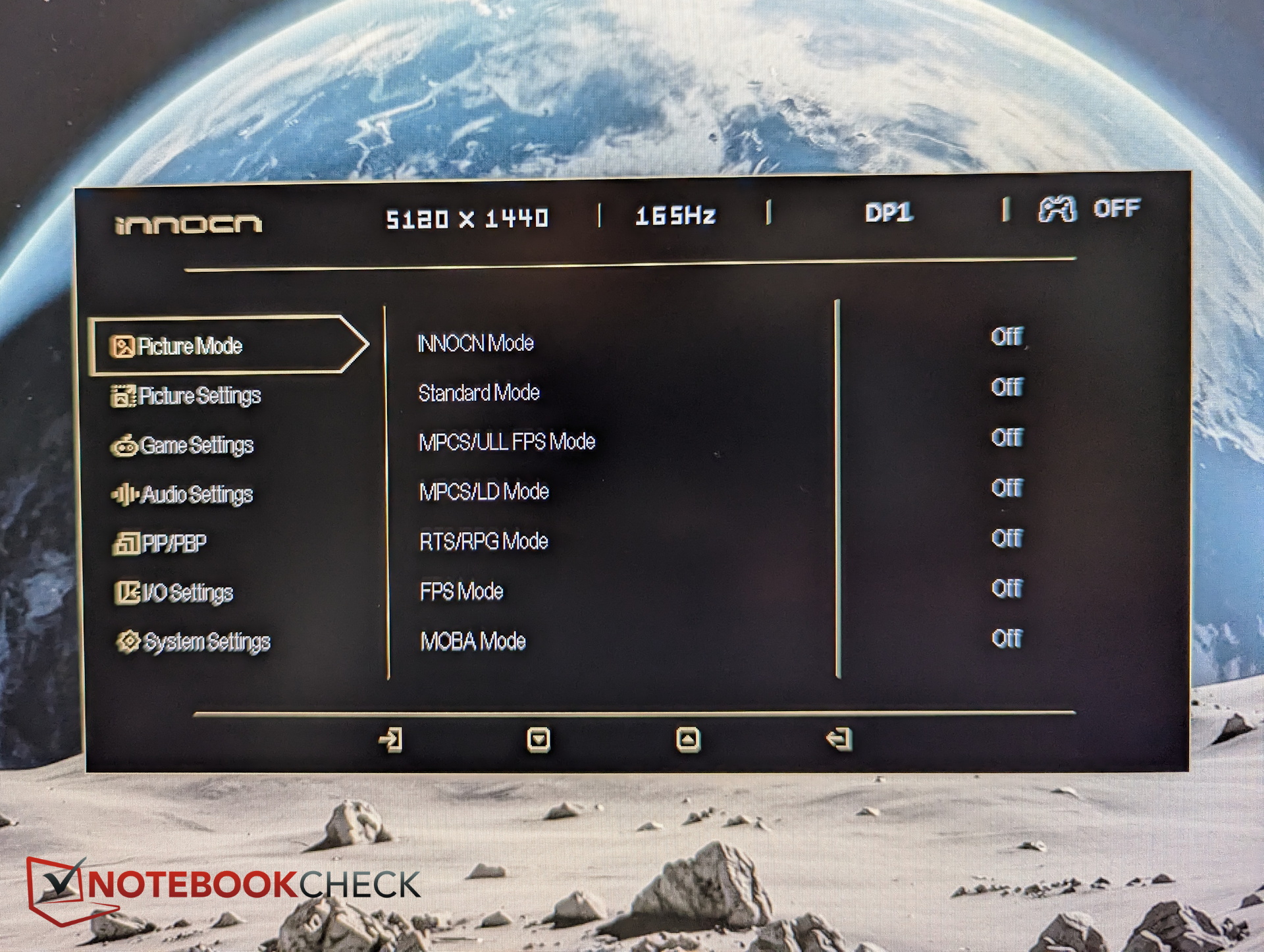
Picture modes and brightness can be accessed through the quick menu, while everything else requires entering the main menu. At the very least, we would also have liked to see the input source setting available through the quick menu.
The main menu then offers a whole range of options: from Picture-in-Picture and Picture-by-Picture to various image enhancements and gaming aids such as an FPS counter or crosshair, as well as the ability to enable Local Dimming at five different levels. Local Dimming is disabled by default in the DCI-P3 picture mode.
Response time & gaming - 165 Hz, but not an esports monitor
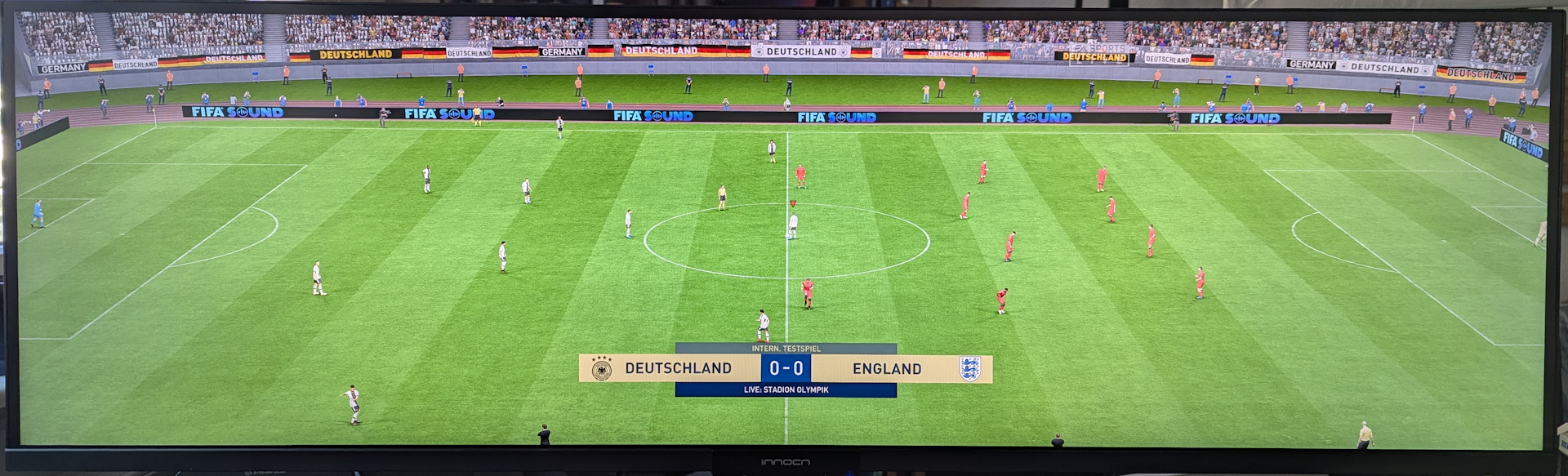
The fact that the flat ultrawide monitor is not necessarily designed for gaming is reflected in its response times: 21 and 16 ms are not particularly fast. Of course, you can still game on it quite well as long as you do not have esports-level requirements.
PWM is not used to regulate brightness. Nevertheless, a low-amplitude flicker can be detected due to the dimming circuitry, although even sensitive users are unlikely to notice it.
Display Response Times
| ↔ Response Time Black to White | ||
|---|---|---|
| 20.7 ms ... rise ↗ and fall ↘ combined | ↗ 15.07 ms rise |  |
| ↘ 5 ms fall | ||
| The screen shows good response rates in our tests, but may be too slow for competitive gamers. In comparison, all tested devices range from 0.1 (minimum) to 240 (maximum) ms. » 47 % of all devices are better. This means that the measured response time is similar to the average of all tested devices (19.7 ms). | ||
| ↔ Response Time 50% Grey to 80% Grey | ||
| 16.3 ms ... rise ↗ and fall ↘ combined | ↗ 6.5 ms rise |  |
| ↘ 9.8 ms fall | ||
| The screen shows good response rates in our tests, but may be too slow for competitive gamers. In comparison, all tested devices range from 0.13 (minimum) to 636 (maximum) ms. » 31 % of all devices are better. This means that the measured response time is better than the average of all tested devices (30.7 ms). | ||
Screen Flickering / PWM (Pulse-Width Modulation)
| Screen flickering / PWM not detected |  | ||
In comparison: 52 % of all tested devices do not use PWM to dim the display. If PWM was detected, an average of 7625 (minimum: 5 - maximum: 343500) Hz was measured. | |||


Viewing angles - The biggest weakness of the flat ultrawide
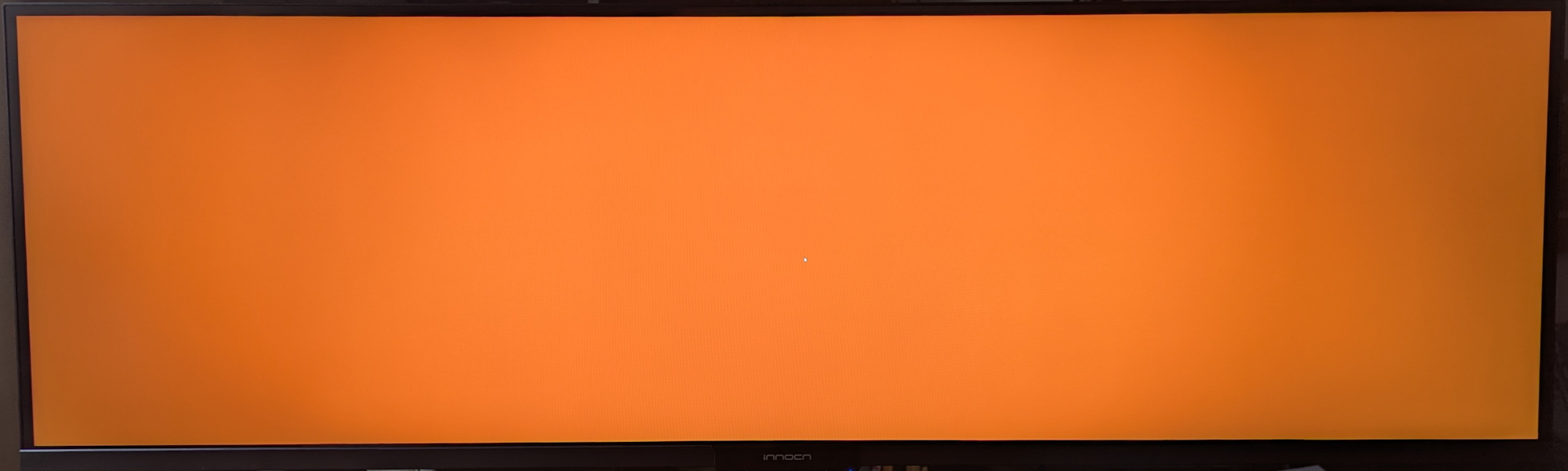
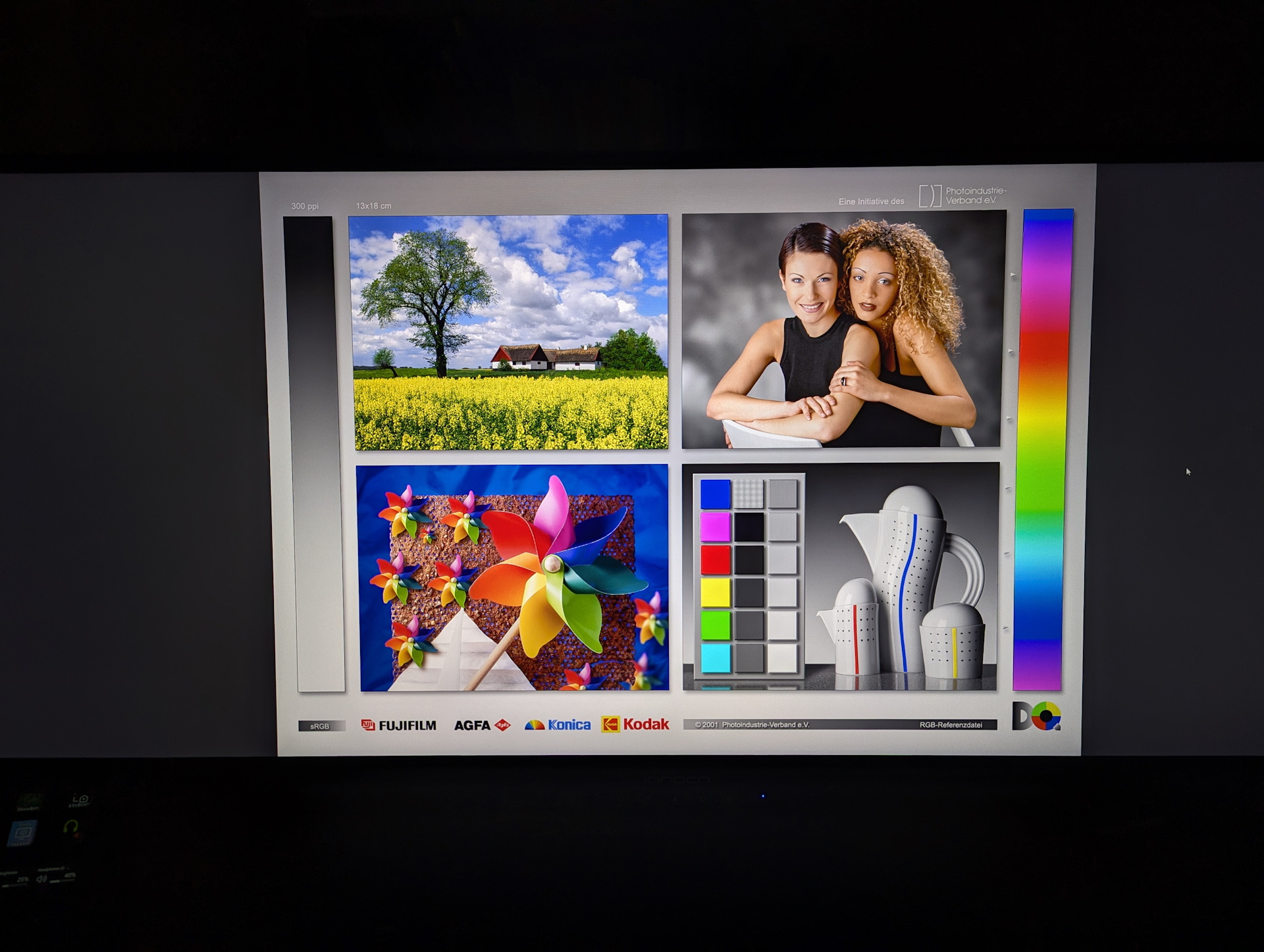
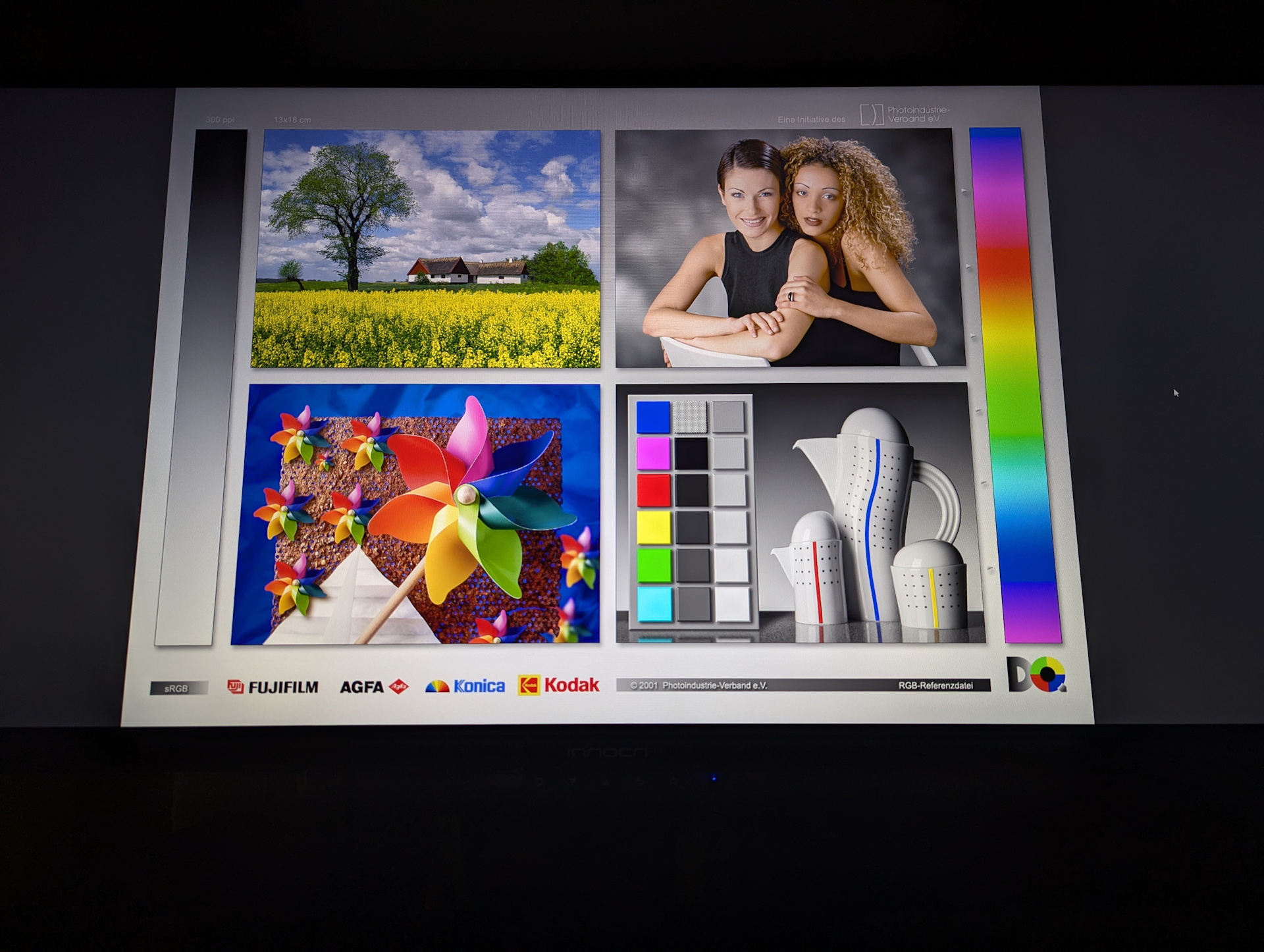
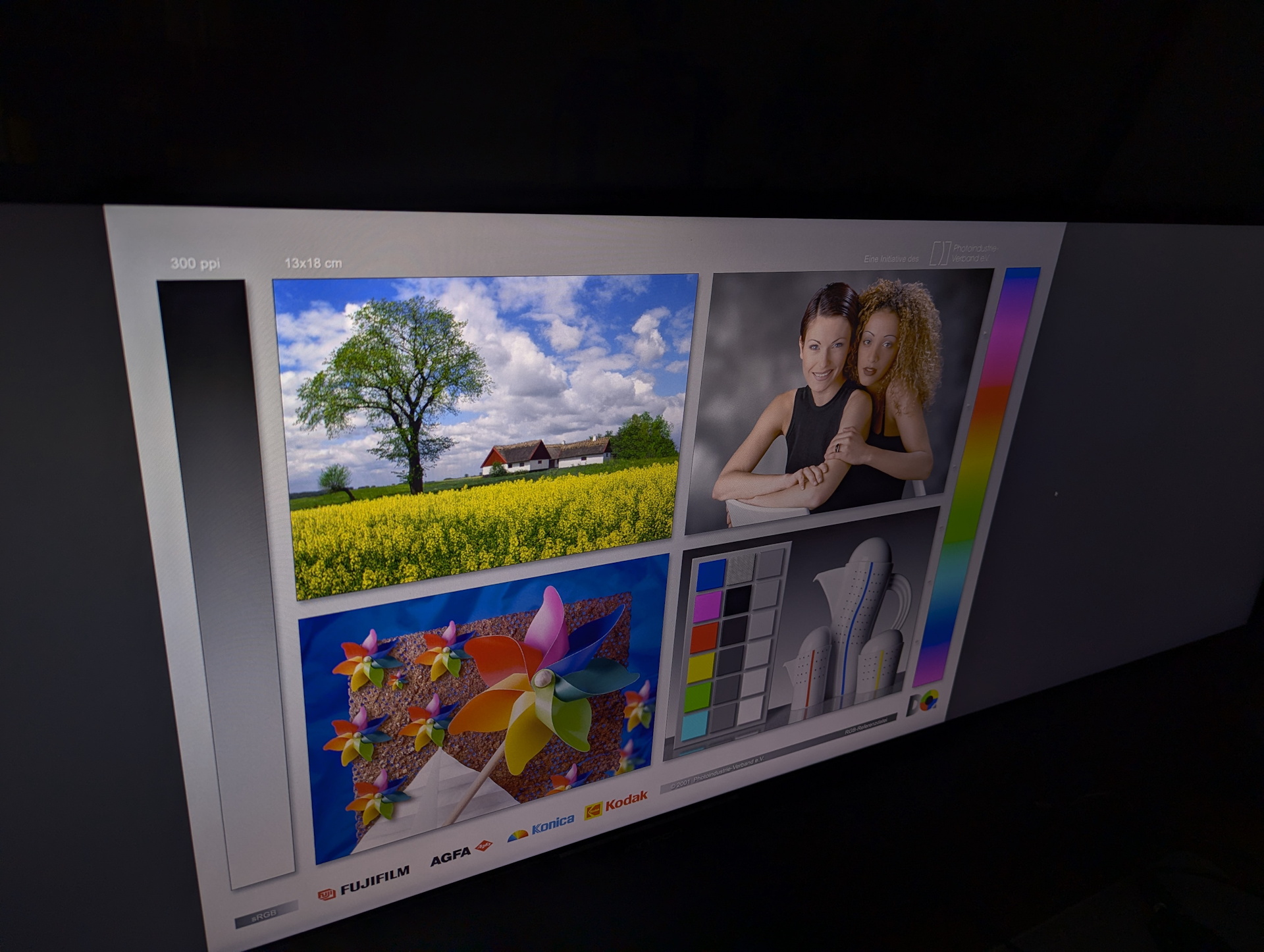
With this much width and no curvature, there should ideally be no loss of color or brightness toward the more distant edges.
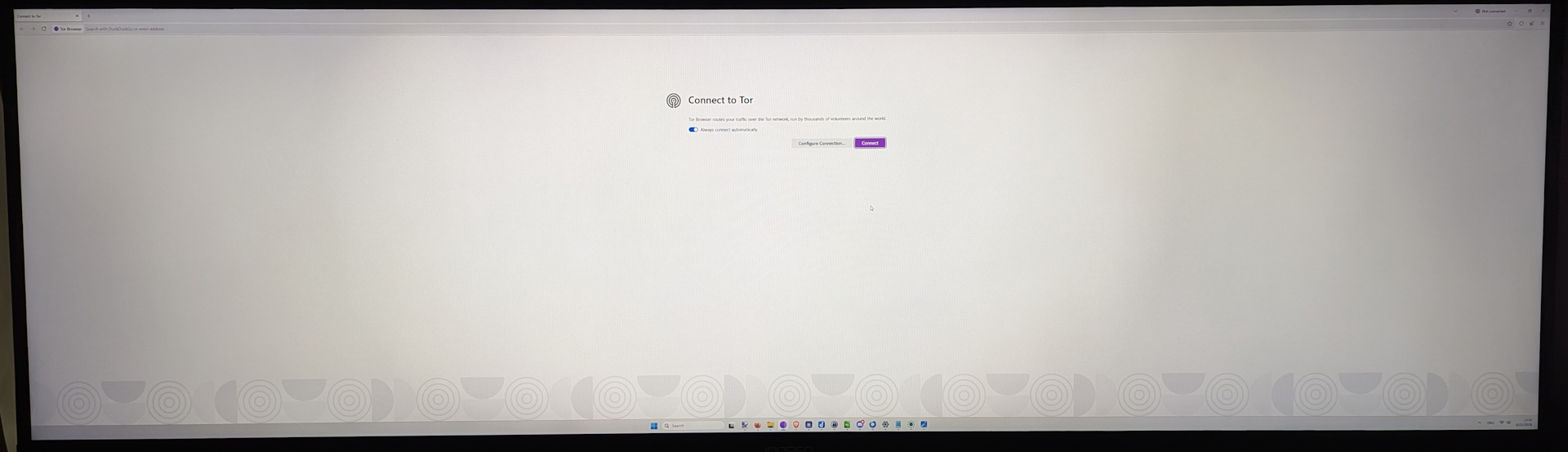
In reality, these effects are minor but definitely present. Our subjective viewing test, looking straight at a fully white browser window from the center, seems to divide the monitor into three areas: the area directly in front of us in the center and the two areas beside it toward the edges. The latter are noticeably darker, although not dramatically so.
For creators and editing work, this means that even when sitting centered in front of the monitor, the image is not exactly the same everywhere; brightness and colors appear slightly different toward the edges than they do in the center.
Power consumption - 100 W in SDR at full brightness
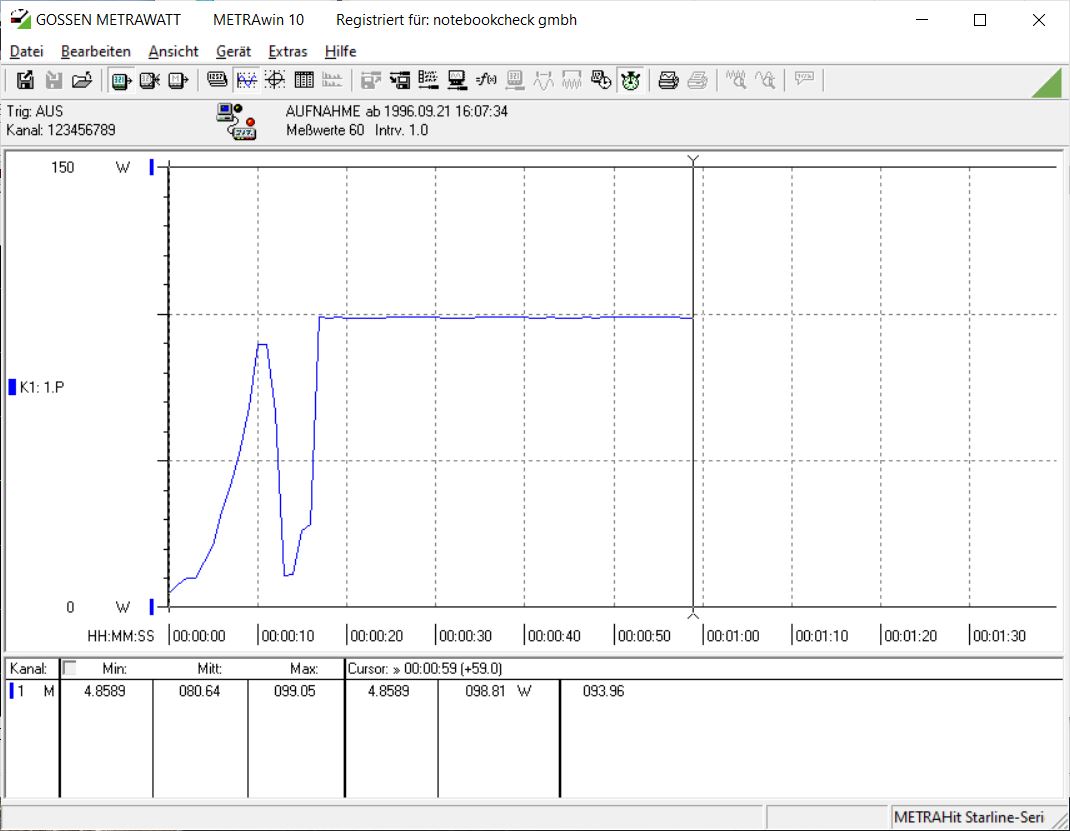
At 100 percent brightness, the monitor consumes just under 100 W in SDR. At 90 percent brightness, power consumption drops to around 93 W.
Under HDR, average power consumption decreases, while the consumption curve becomes more volatile depending on the content.
Transparency
The selection of devices to be reviewed is made by our editorial team. The test sample was given to the author by the manufacturer free of charge for the purposes of review. There was no third-party influence on this review, nor did the manufacturer receive a copy of this review before publication. There was no obligation to publish this review. As an independent media company, Notebookcheck is not subjected to the authority of manufacturers, retailers or publishers.
 Add as a preferred source on Google


No comments for this article
