



Verdict on the Samsung Galaxy Tab S12+
The Galaxy Tab S12+ is a well-rounded premium tablet with only a few weaknesses, but Samsung charges a hefty price for that flagship experience. Starting at around $1,200, it’s hard not to ask why you wouldn’t buy a MagicPad 4 for half the price, especially since Honor’s midrange tablet actually has the better OLED panel.
In everyday use, it quickly becomes clear where Samsung plays to its tablet lineup’s strengths. The excellent S Pen is included, and DeX makes the Tab S12+ particularly versatile. Samsung also keeps the software up to date for longer than its rivals with seven years of updates. There’s a reliable fingerprint sensor and an inexpensive way to expand storage with microSD cards. If you want both 5G support and GNSS positioning, neither Xiaomi nor Honor has you covered.
Despite using a previous-generation chip, Samsung’s tablet holds its own on performance, with plenty of headroom for multitasking, gaming, and AI features.
Our biggest criticism is its unexpectedly poor efficiency and the resulting impact on battery life. In our tests, it didn’t last particularly long for a tablet of this size. The low PWM dimming frequency is another avoidable drawback, especially for people sensitive to flicker.
Pros
Cons
Samsung Galaxy Tab S12+ price and availability
The Samsung Galaxy Tab S12+ starts at a MSRP of $1,199 for the 256 GB version. The premium tablet comes in two colors (Grey and Silver) and can be ordered directly from the Samsung Shop or from online retailers, like amazon.com. The 5G version costs an additional $150.

Table of Contents
- Verdict on the Samsung Galaxy Tab S12+
- Samsung Galaxy Tab S12+ specifications
- Case - A waterproof Android tablet with excellent build quality
- Features - Samsung Galaxy Tab S12+ with USB 3.2 and Samsung DeX
- Software - An Android tablet with long-term update support
- Communication and GNSS - Samsung Galaxy Tab S12+ with 5G and GPS
- Cameras - Galaxy Tab with autofocus and 4K video at 60 fps
- Accessories and warranty - Samsung Galaxy Tab S12+ with S Pen
- Input devices and operation - A large Android tablet with a fingerprint sensor
- Display - One of the best screens on a tablet
- Performance - No Snapdragon chip in the Samsung Galaxy Tab S12+
- Emissions - A large Android tablet with uneven surface temperatures
- Battery life - The Samsung Galaxy Tab S12+ draws a lot of power
- Notebookcheck overall rating
- How the alternatives compare
Samsung Galaxy Tab S12+ specifications
Case - A waterproof Android tablet with excellent build quality
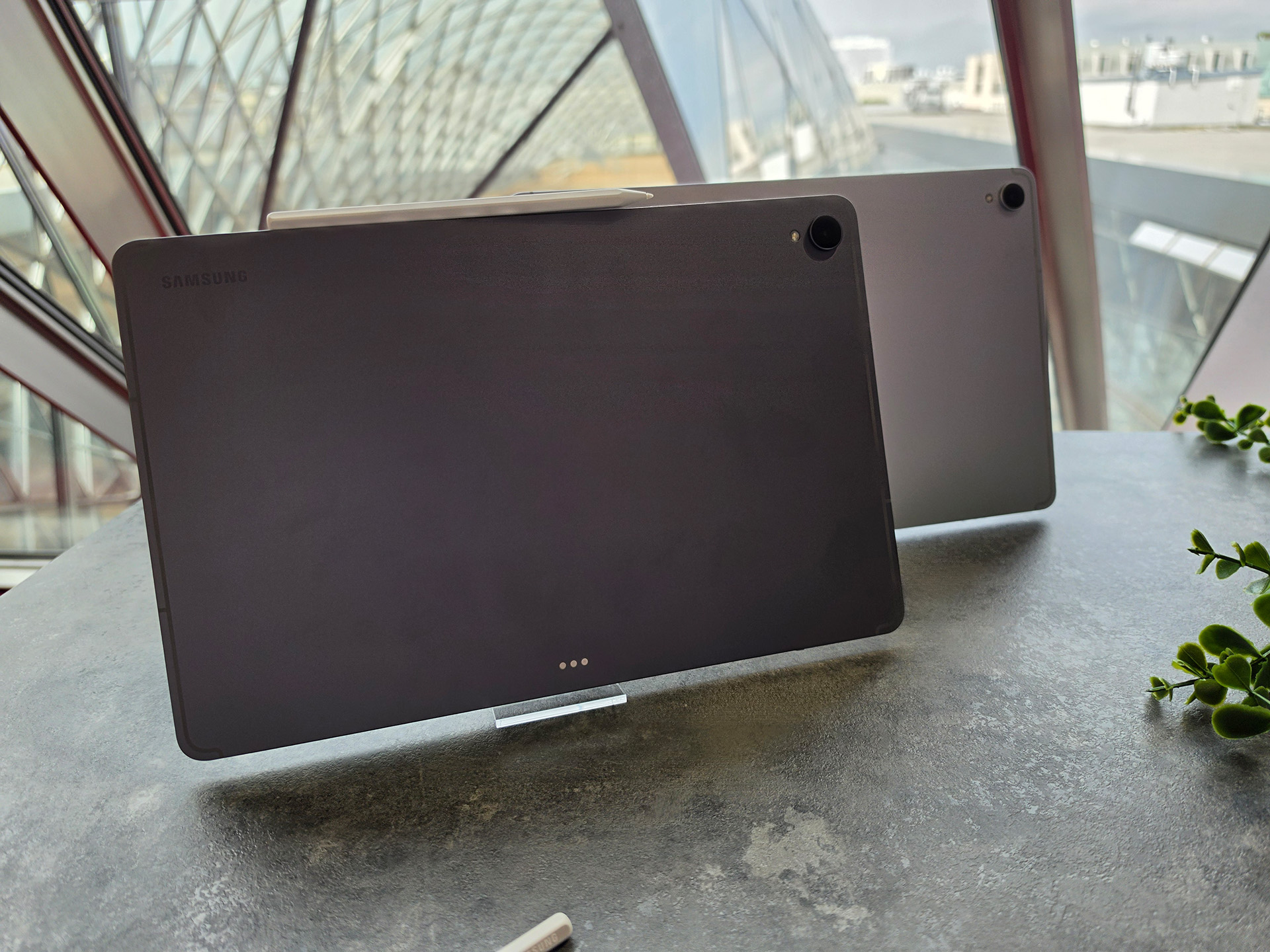
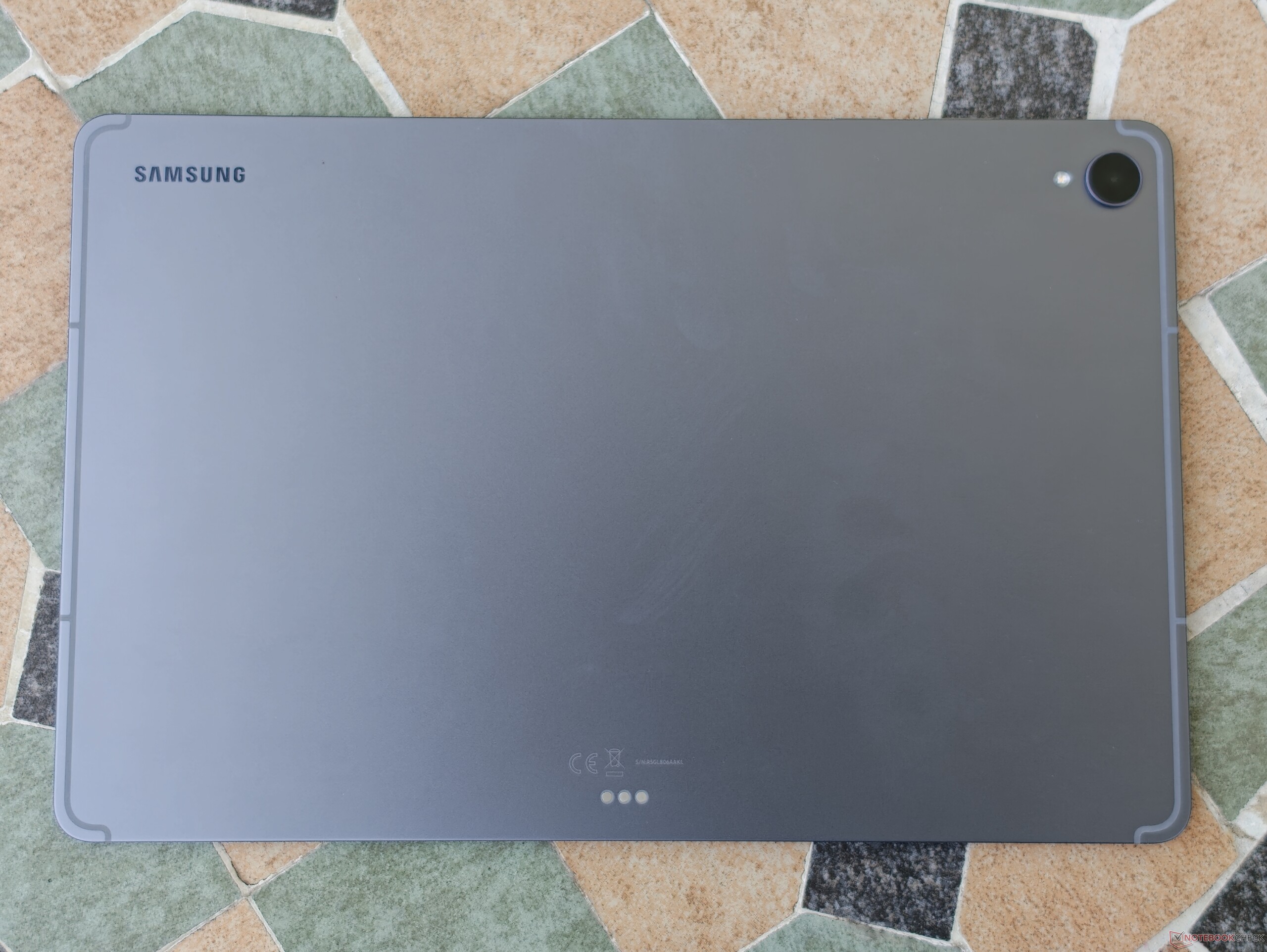
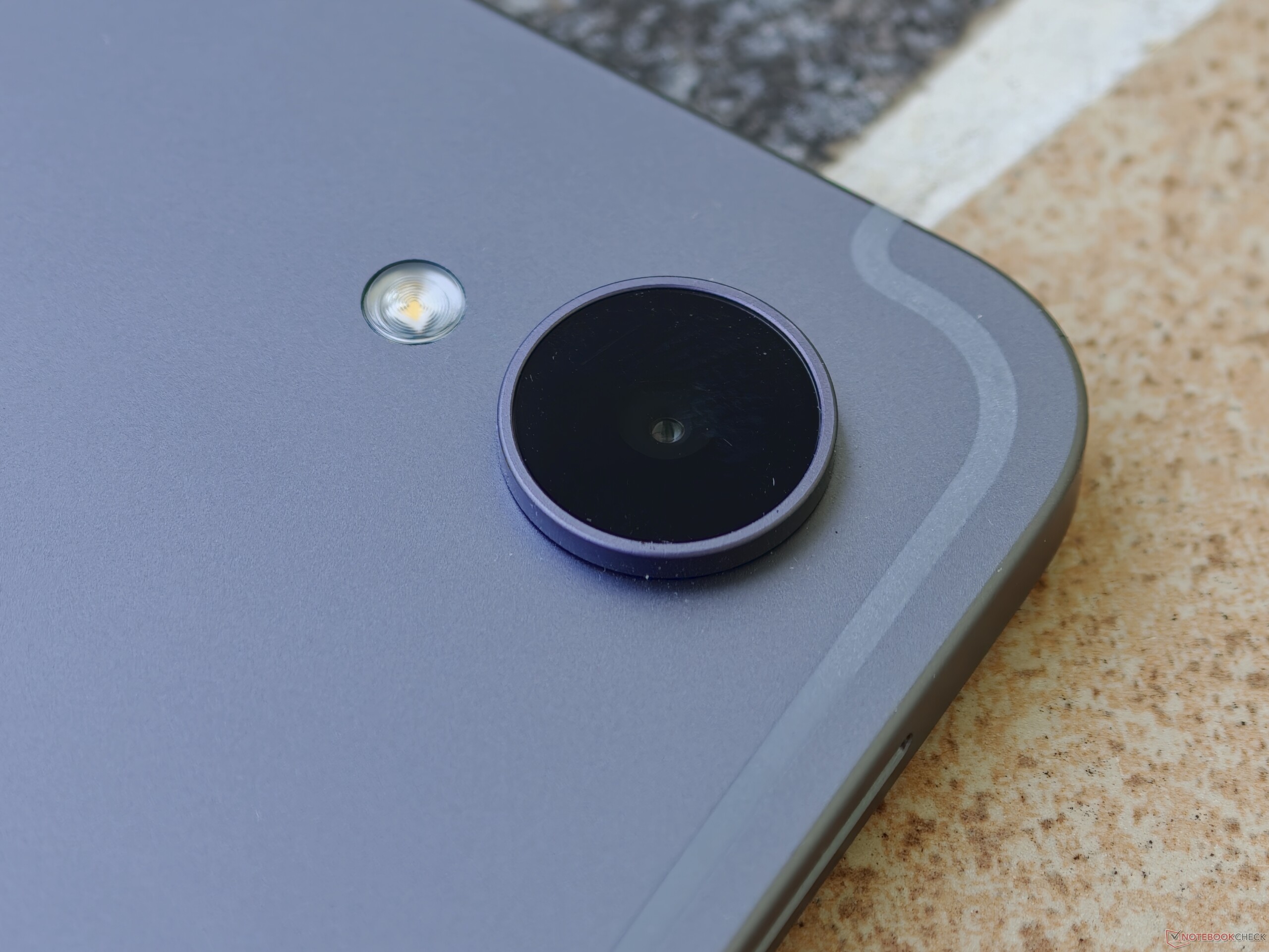
The Galaxy Tab S12+ is exceptionally well built and feels premium in the hand. It isn’t heavy for a 12.6-inch tablet, although the Honor MagicPad 4 is noticeably lighter.
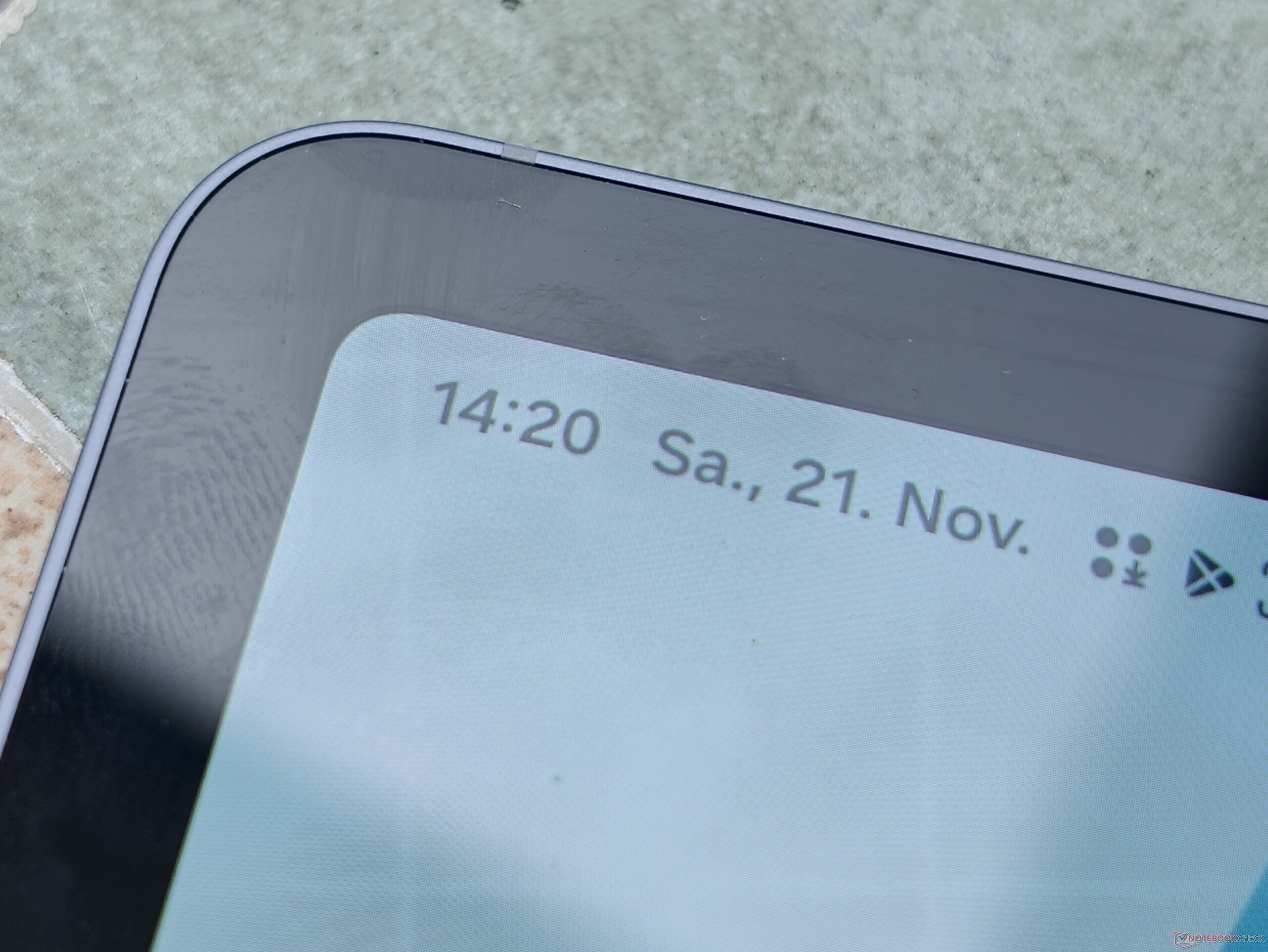
The aluminum case is IP68-rated for dust and water resistance. At just under 85%, the screen-to-body ratio is significantly lower than on the Ultra model.
Features - Samsung Galaxy Tab S12+ with USB 3.2 and Samsung DeX
Samsung equips the Galaxy Tab S12+ with a fast USB 3.2 Gen 1 port that supports Samsung DeX, video output, and USB OTG. We measured transfer speeds of up to 452 MB/s with a Samsung T7 SSD. External drives can be formatted as NTFS (read-only) or exFAT.
microSD card reader
Unlike rivals such as the Xiaomi Pad 9 Pro, the Galaxy Tab S12+ lets you expand its storage by up to 2 TB with a microSD card. We measured solid transfer speeds with our AV PRO V60 reference card, but the Lenovo Yoga Tab Plus Gen 2 is significantly faster.
| SD Card Reader - average JPG Copy Test (av. of 3 runs) | |
| Lenovo Yoga Tab Plus Gen 2 | |
| Samsung Galaxy Tab S10+ (Angelbird AV Pro V60) | |
| Average of class Tablet (10.2 - 79.2, n=45, last 2 years) | |
| Samsung Galaxy Tab S12+ (Angelbird AV Pro V60) | |
Cross Platform Disk Test (CPDT)
Software - An Android tablet with long-term update support
The Galaxy Tab S12+ ships with the new One UI 9 and Android 17. Long-term software support is a major plus: Samsung promises seven years of Android OS upgrades and seven years of quarterly security updates.


Sustainability
Samsung publishes sustainability information for its Galaxy tablets, including details on the use of recycled or critical raw materials, in its sustainability reports. The Tab S12+ is not yet listed, however. The packaging appears to be plastic-free.
Samsung also provides genuine spare parts and repair guides through its Self Repair service.
Communication and GNSS - Samsung Galaxy Tab S12+ with 5G and GPS
The Galaxy Tab S12+ supports Wi-Fi 6E but not Wi-Fi 7. Even so, the fast 6 GHz band allows for high transfer speeds. With our ASUS RT-BE96U router, speeds peaked at over 2,000 Mbps.
In addition to the Wi-Fi model we tested, Samsung offers a 5G version. It has a nano-SIM slot and also supports eSIM.
| Networking | |
| Samsung Galaxy Tab S12+ | |
| iperf3 transmit Wi-Fi6/7 RT-BE96U | |
| iperf3 receive Wi-Fi6/7 RT-BE96U | |
| Honor MagicPad 4 | |
| iperf3 transmit AXE11000 | |
| iperf3 receive AXE11000 | |
| iperf3 transmit AXE11000 6GHz | |
| iperf3 receive AXE11000 6GHz | |
| Xiaomi Pad 9 Pro | |
| iperf3 transmit Wi-Fi6/7 RT-BE96U | |
| iperf3 receive Wi-Fi6/7 RT-BE96U | |
| Lenovo Yoga Tab Plus Gen 2 | |
| iperf3 transmit Wi-Fi6/7 RT-BE96U | |
| iperf3 receive Wi-Fi6/7 RT-BE96U | |
| Samsung Galaxy Tab S10+ | |
| iperf3 transmit AXE11000 | |
| iperf3 receive AXE11000 | |
| iperf3 transmit AXE11000 6GHz | |
| iperf3 receive AXE11000 6GHz | |
| Average Wi-Fi 6E | |
| iperf3 transmit AXE11000 | |
| iperf3 receive AXE11000 | |
| iperf3 transmit AXE11000 6GHz | |
| iperf3 receive AXE11000 6GHz | |
| iperf3 transmit Wi-Fi6/7 RT-BE96U | |
| iperf3 receive Wi-Fi6/7 RT-BE96U | |
| Average of class Tablet | |
| iperf3 transmit AXE11000 | |
| iperf3 receive AXE11000 | |
| iperf3 transmit AXE11000 6GHz | |
| iperf3 receive AXE11000 6GHz | |
| iperf3 transmit Wi-Fi6/7 RT-BE96U | |
| iperf3 receive Wi-Fi6/7 RT-BE96U | |
Even the Wi-Fi version of the Galaxy tablet can determine your location. In our outdoor test, however, the Tab S12+ relied on single-band GNSS and was relatively inaccurate. Signal strength was also fairly weak.


Cameras - Galaxy Tab with autofocus and 4K video at 60 fps

The 12 MP camera in the bezel above the display has autofocus and takes decent snapshots in good light. Its wide 120-degree field of view makes it well suited to video calls. It records video in UHD.
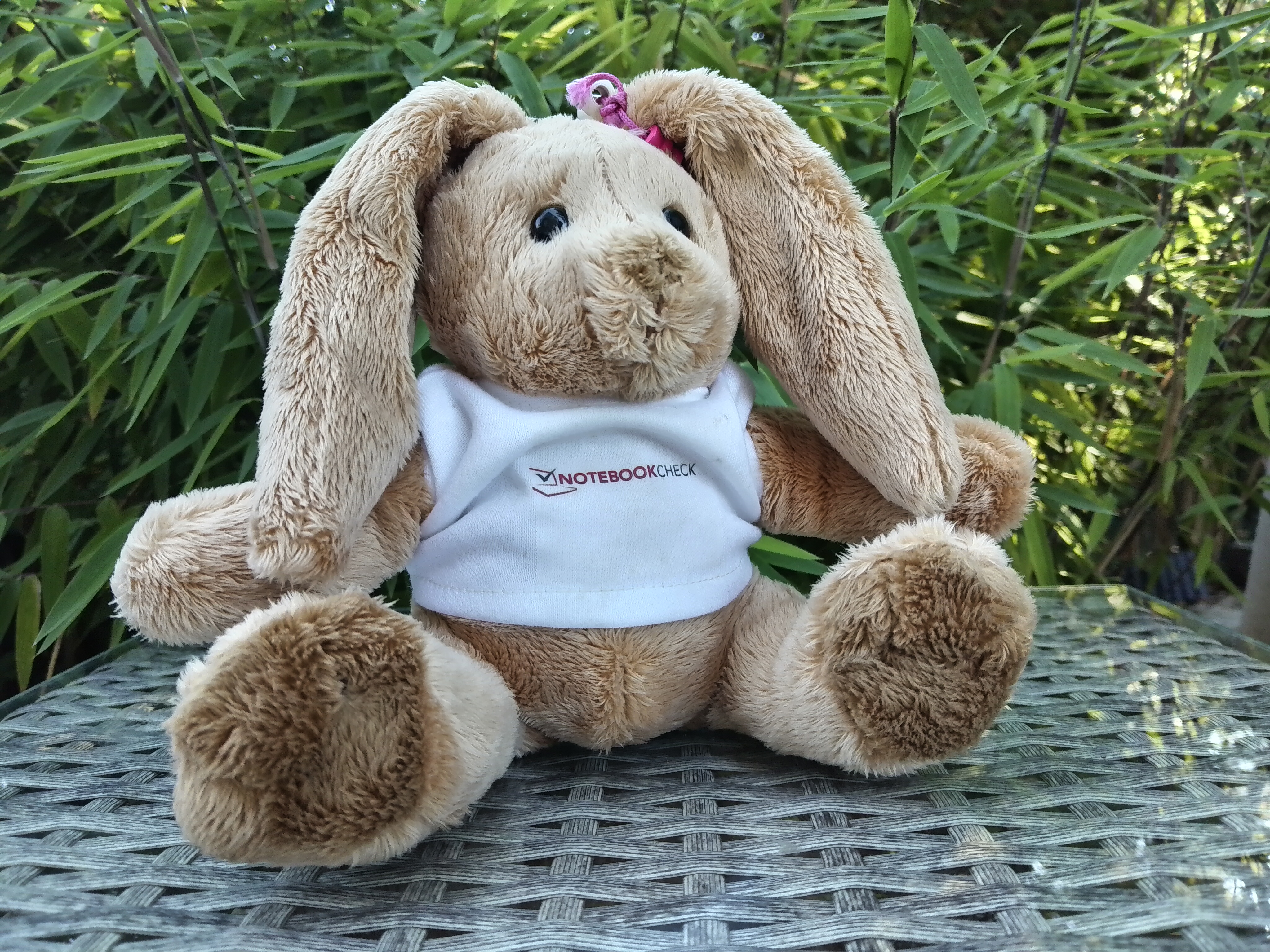
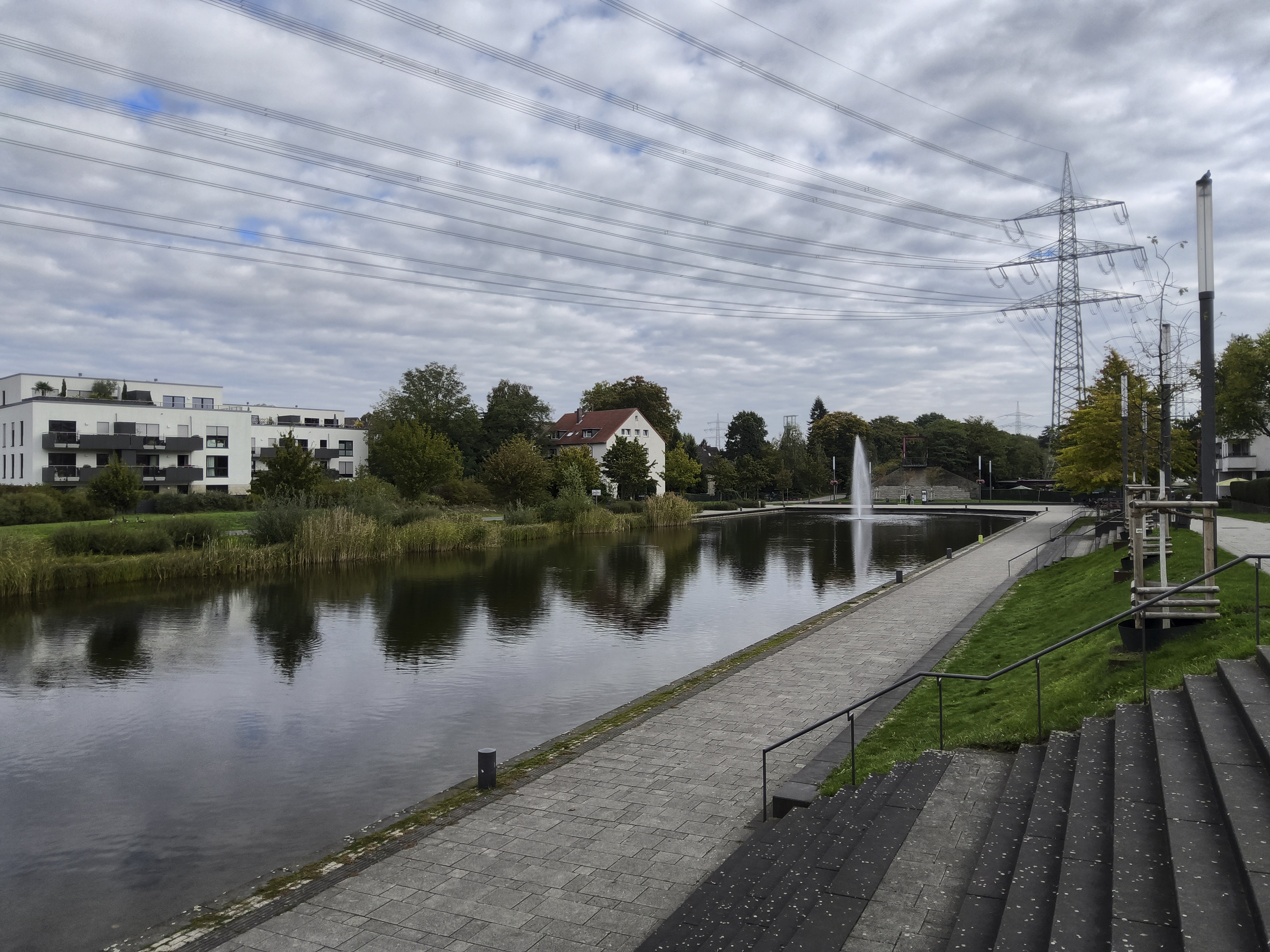
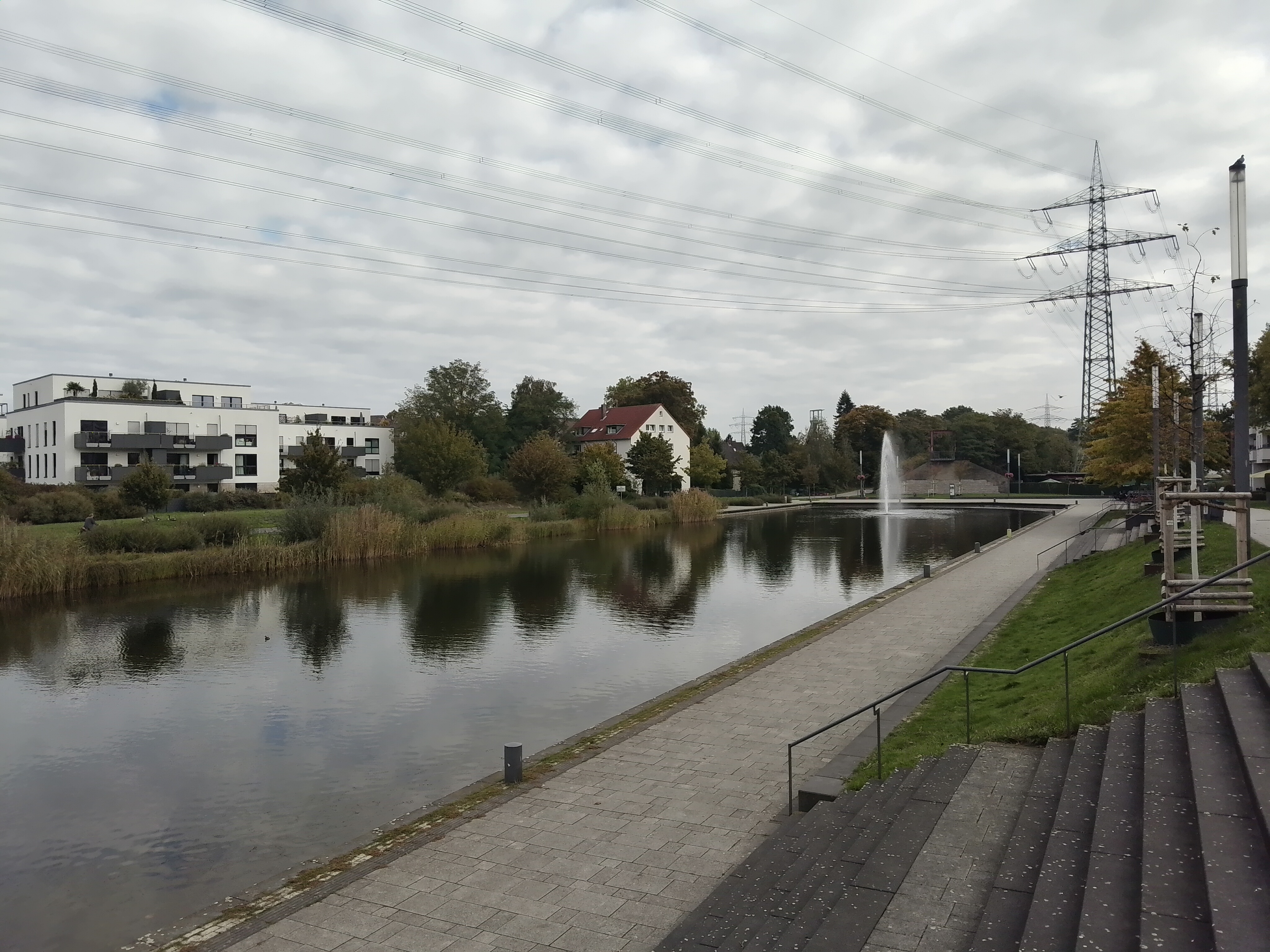
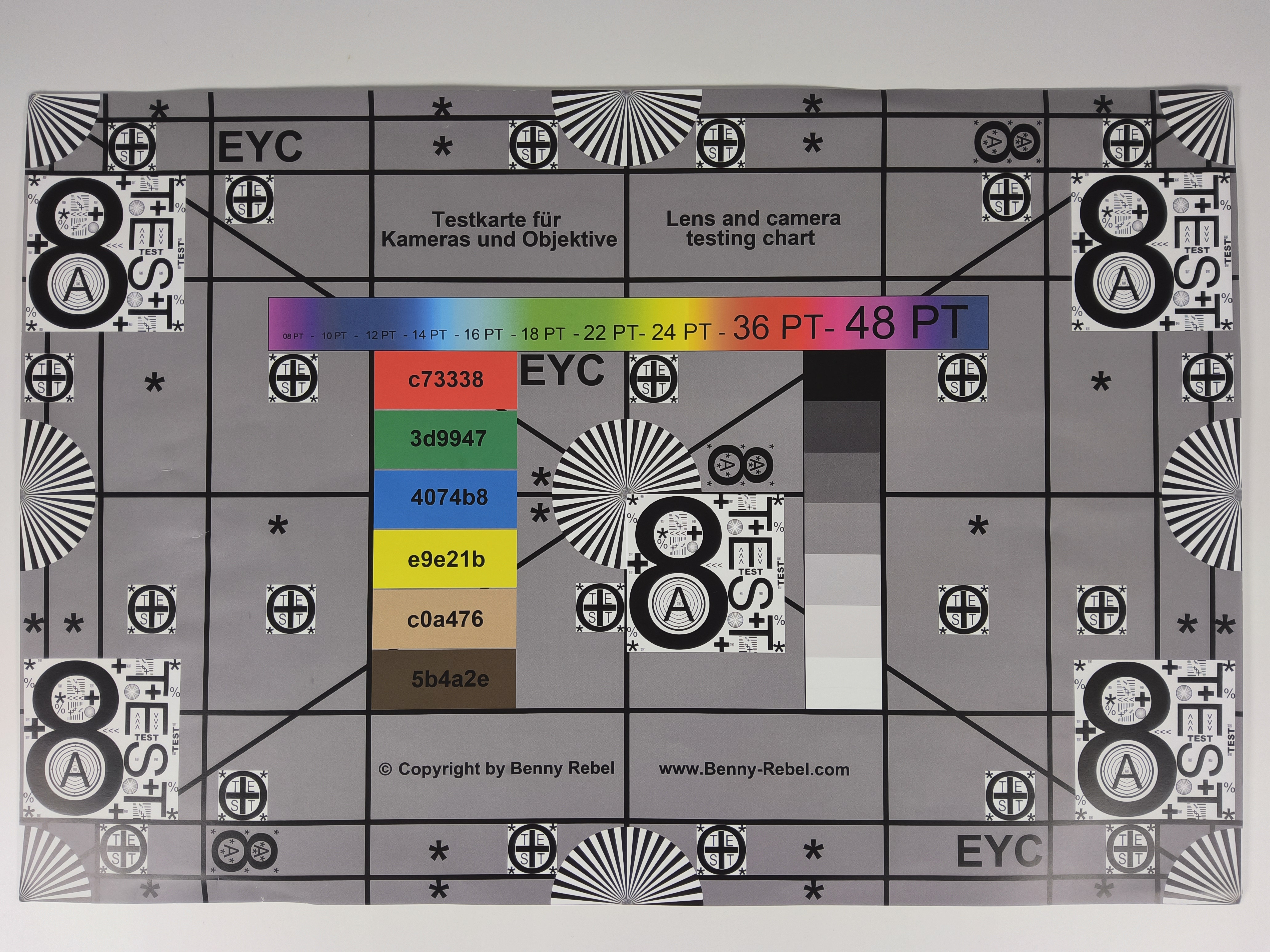
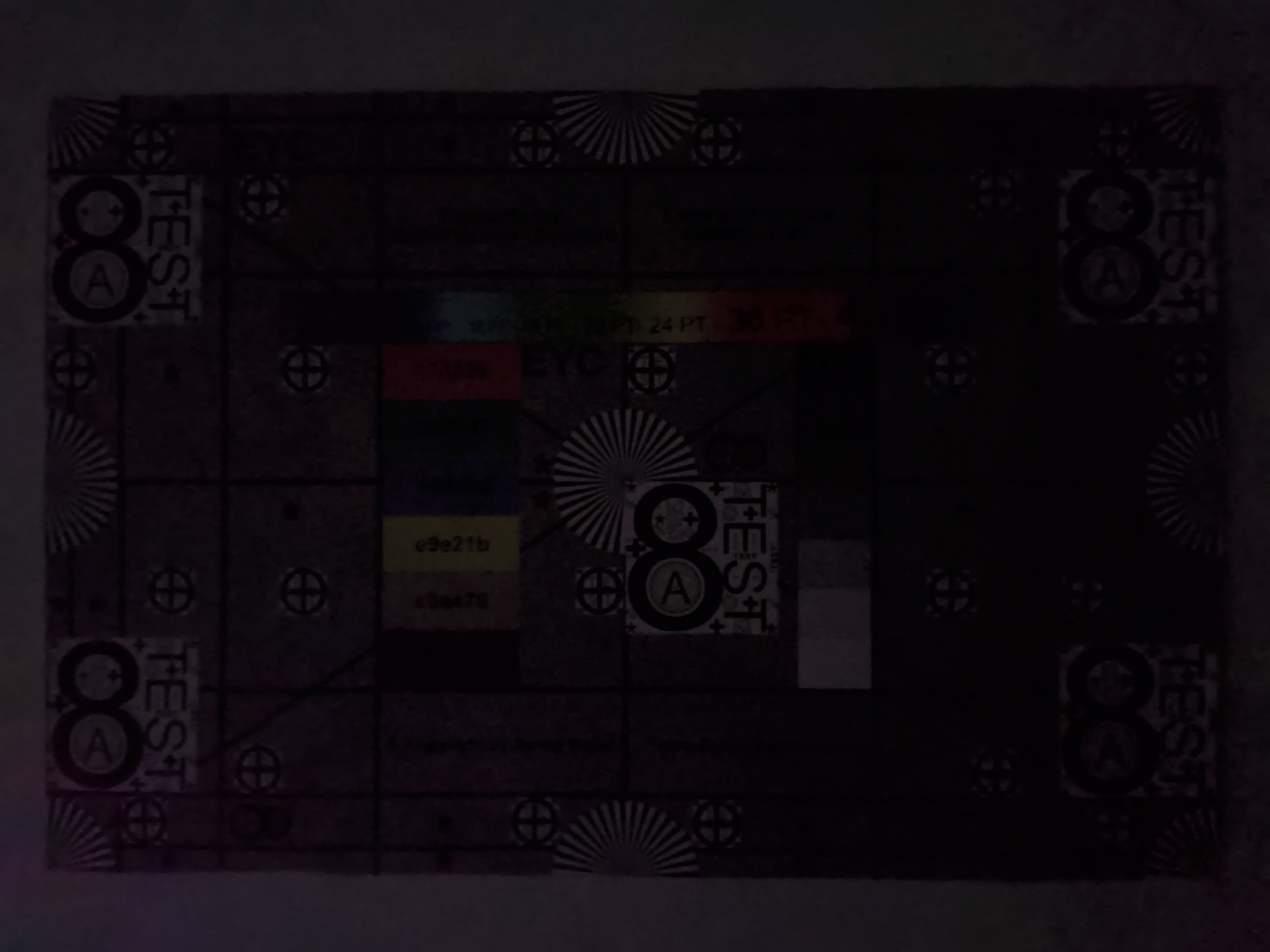
The 13 MP rear camera has only a slightly higher resolution. Its image quality is more than adequate for photographing documents, but our test shots could have been sharper and had better dynamic range. Our color analysis revealed no major outliers, and the autofocus worked reliably.

















Accessories and warranty - Samsung Galaxy Tab S12+ with S Pen
The Tab S12+ comes with a USB-C to USB-C cable, a quick-start guide, and the S Pen. Samsung also offers several optional accessories, including a Book Cover (MSRP: around $50) and an Anti-Reflecting Screen Protector (MSRP: around $20).
In Germany, Samsung provides a 24-month warranty, or 36 months through Amazon.de. Samsung also offers two years of Care+ coverage starting at around $190.
Input devices and operation - A large Android tablet with a fingerprint sensor
The 12.6-inch touchscreen responds quickly to finger input, and animations look smooth. Samsung does not include a vibration motor in this premium tablet.
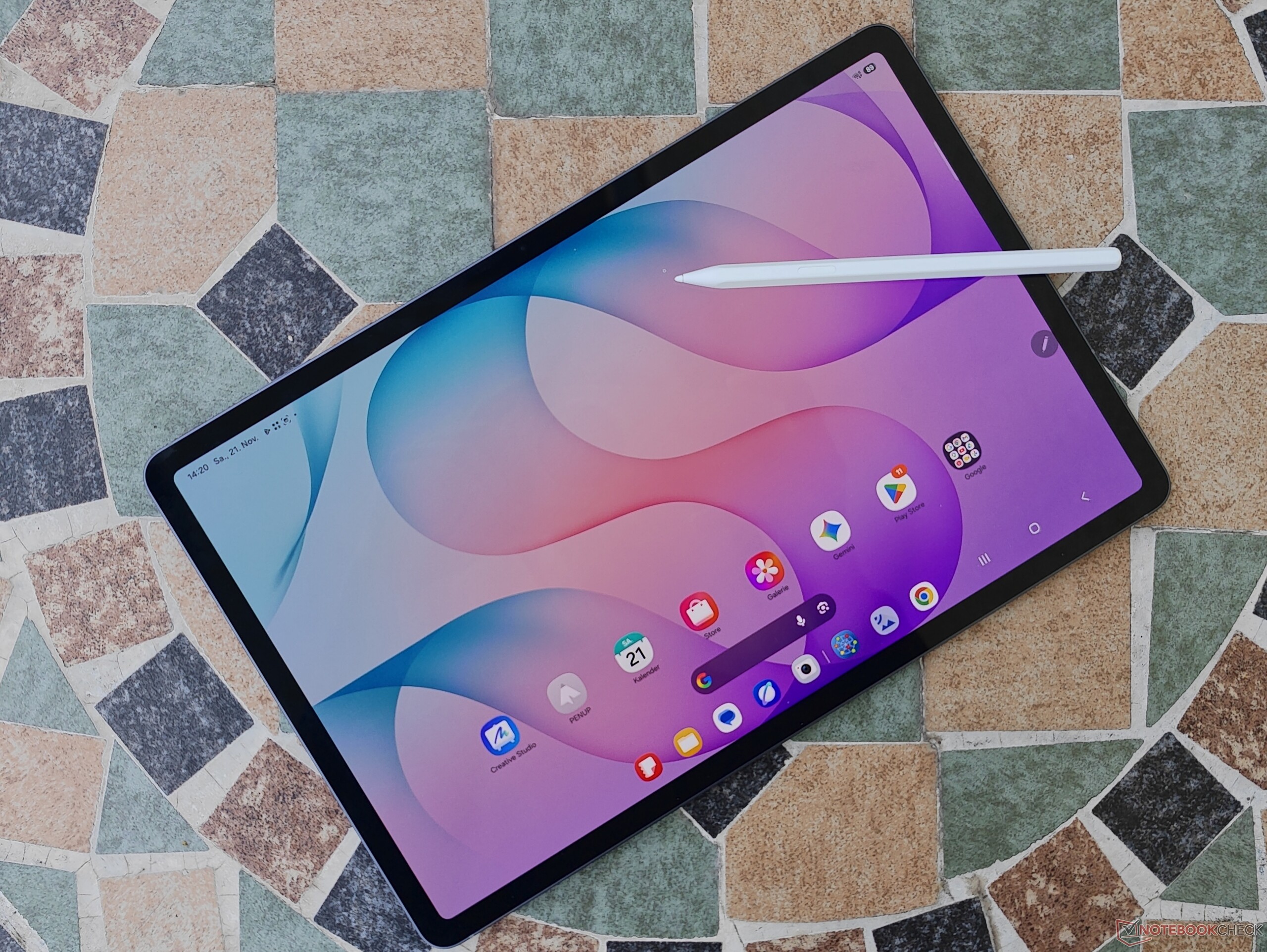
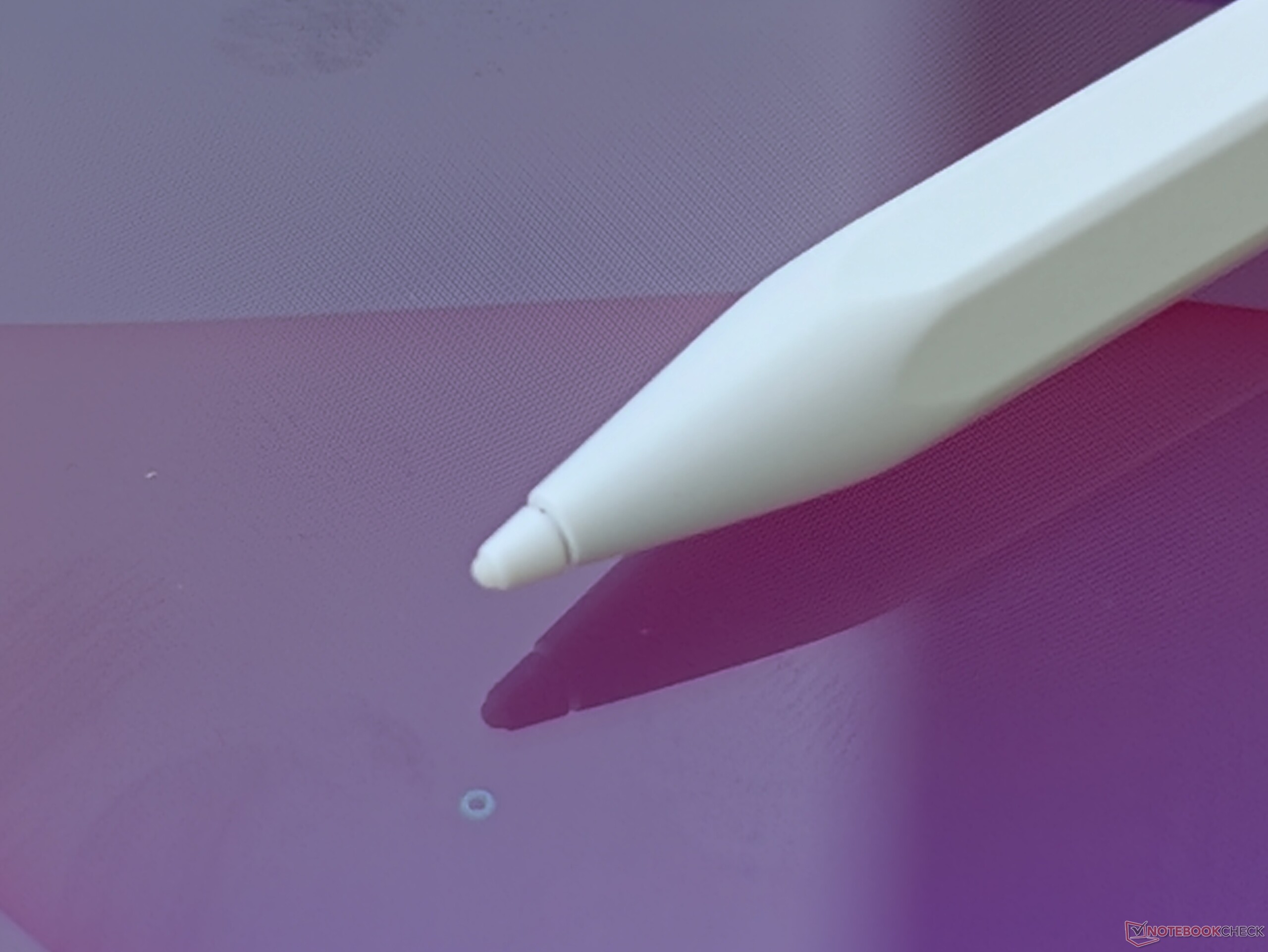
The included S Pen works very well for handwritten notes. Samsung doesn’t specify the latency, but we didn’t notice any meaningful delay in use. The S Pen conveniently doesn’t need charging, although that means it lacks Bluetooth features such as gesture controls.
The optical fingerprint sensor beneath the OLED panel is easy to reach with the right hand and comfortable to use. It recognized fingerprints reliably in everyday use. The front camera also supports a less secure face unlock option.


Display - One of the best screens on a tablet
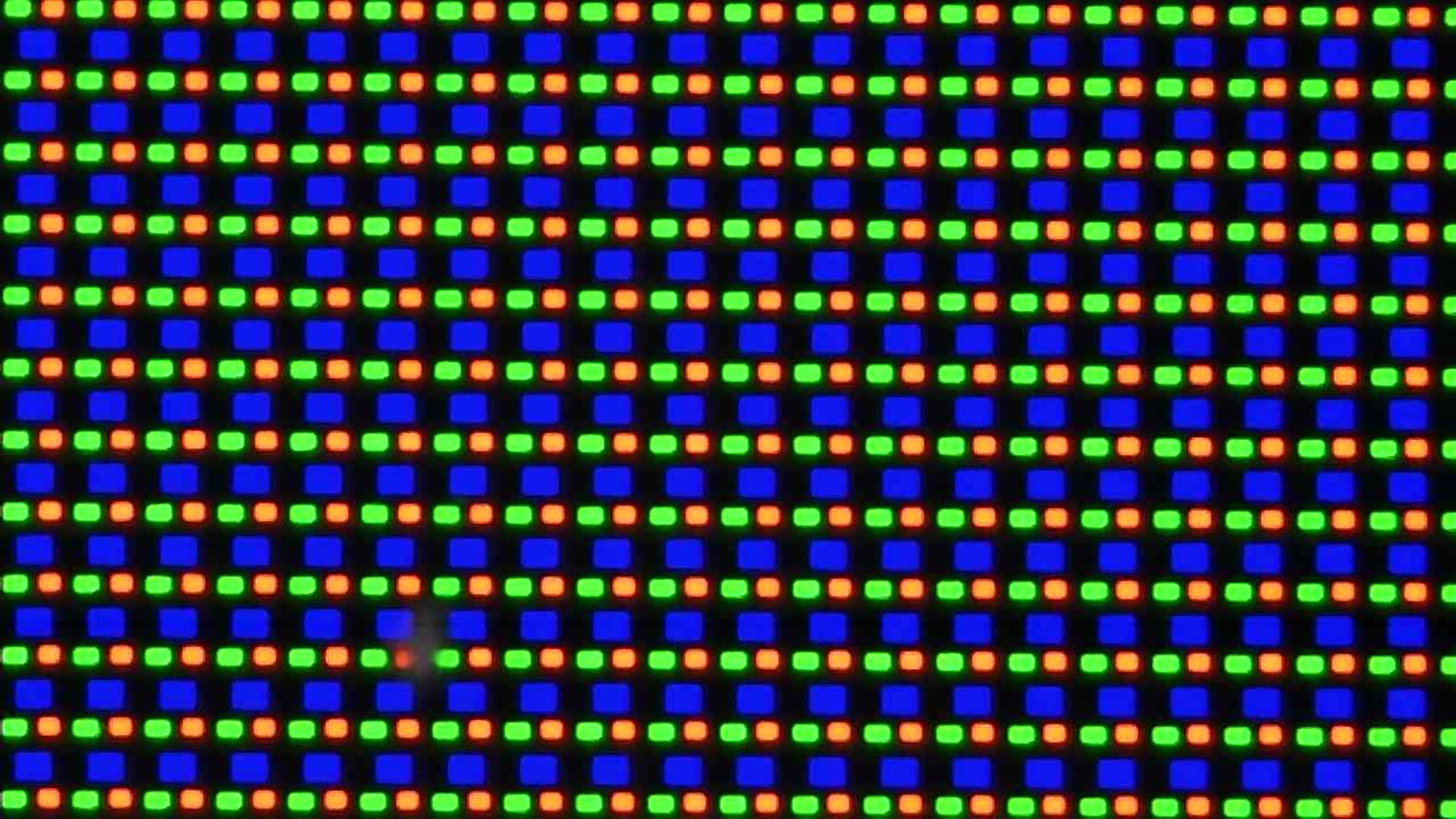
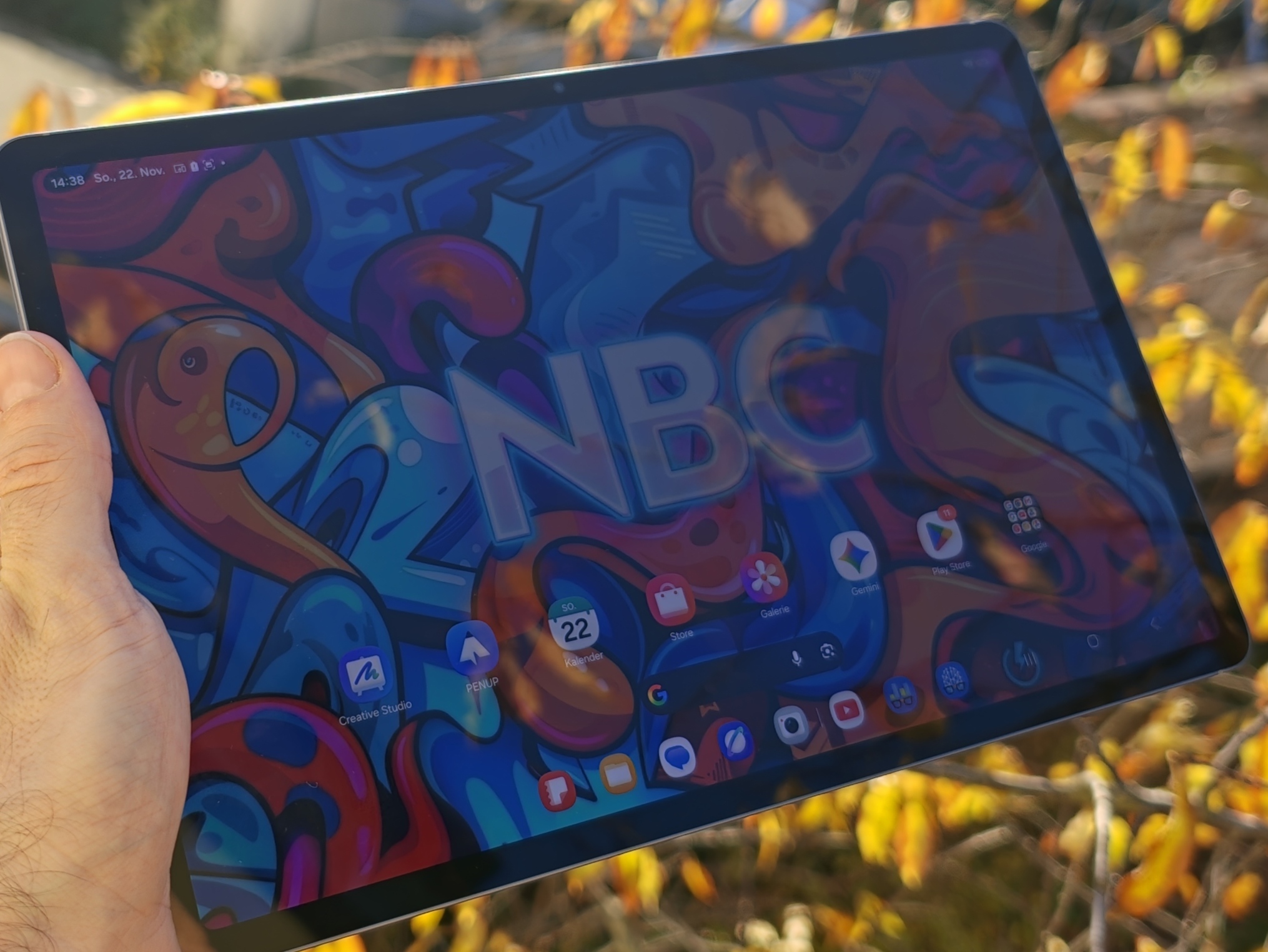
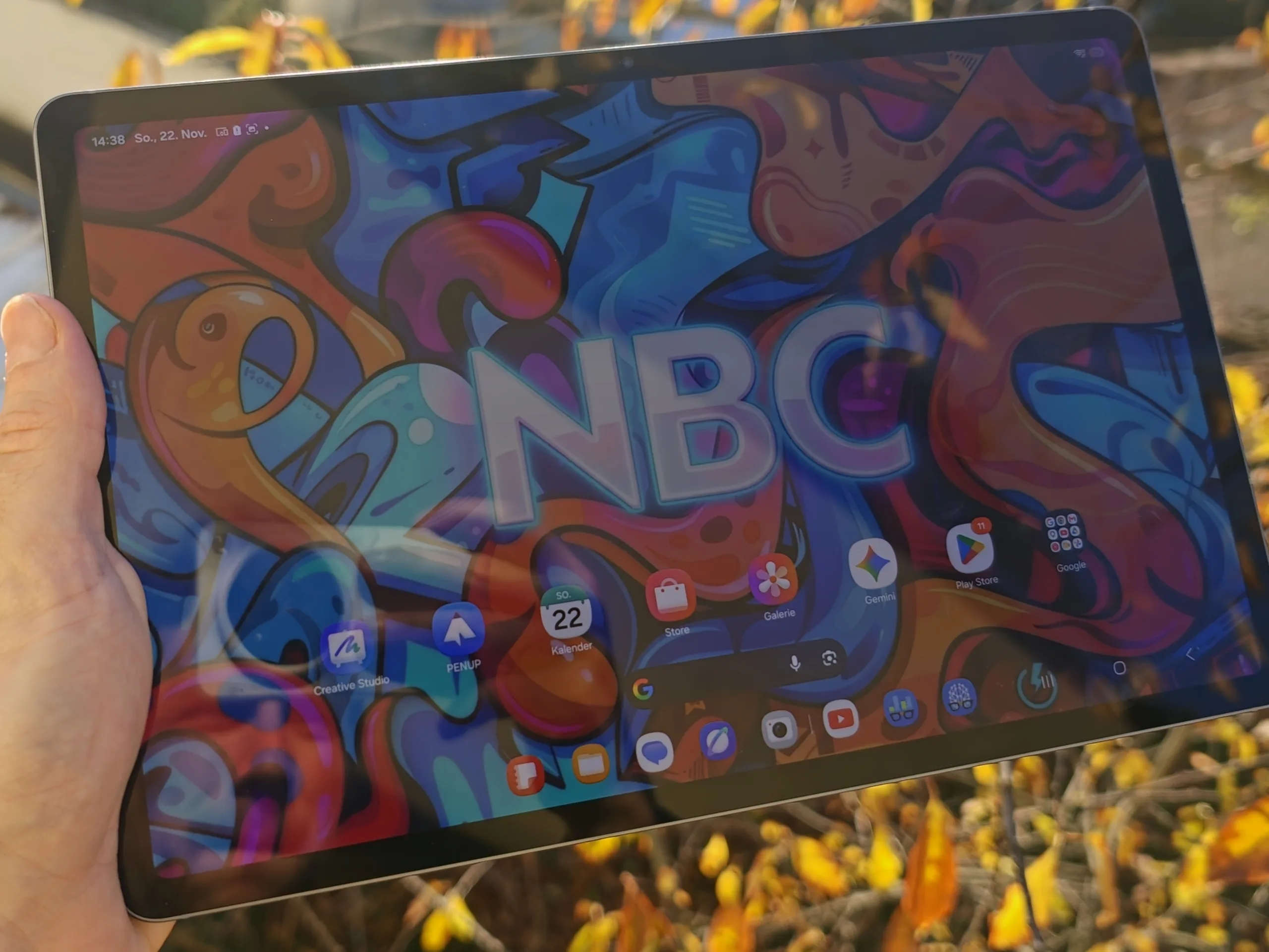
The 12.6-inch AMOLED display has a refresh rate of up to 120 Hz. Brightness is excellent for a tablet. We measured over 1,500 cd/m² both with the APL18 pattern (representative of everyday use) and during HDR video playback. The Honor MagicPad 4, however, gets noticeably brighter.
The OLED display uses pulse-width modulation (PMW) to control brightness, but it doesn’t offer high-frequency PWM dimming. We measured just 240 Hz. The MagicPad 4 has a clear advantage here too, with high-frequency PWM dimming at 5,280 Hz.
| |||||||||||||||||||||||||
Brightness Distribution: 95 %
Center on Battery: 954 cd/m²
Contrast: ∞:1 (Black: 0 cd/m²)
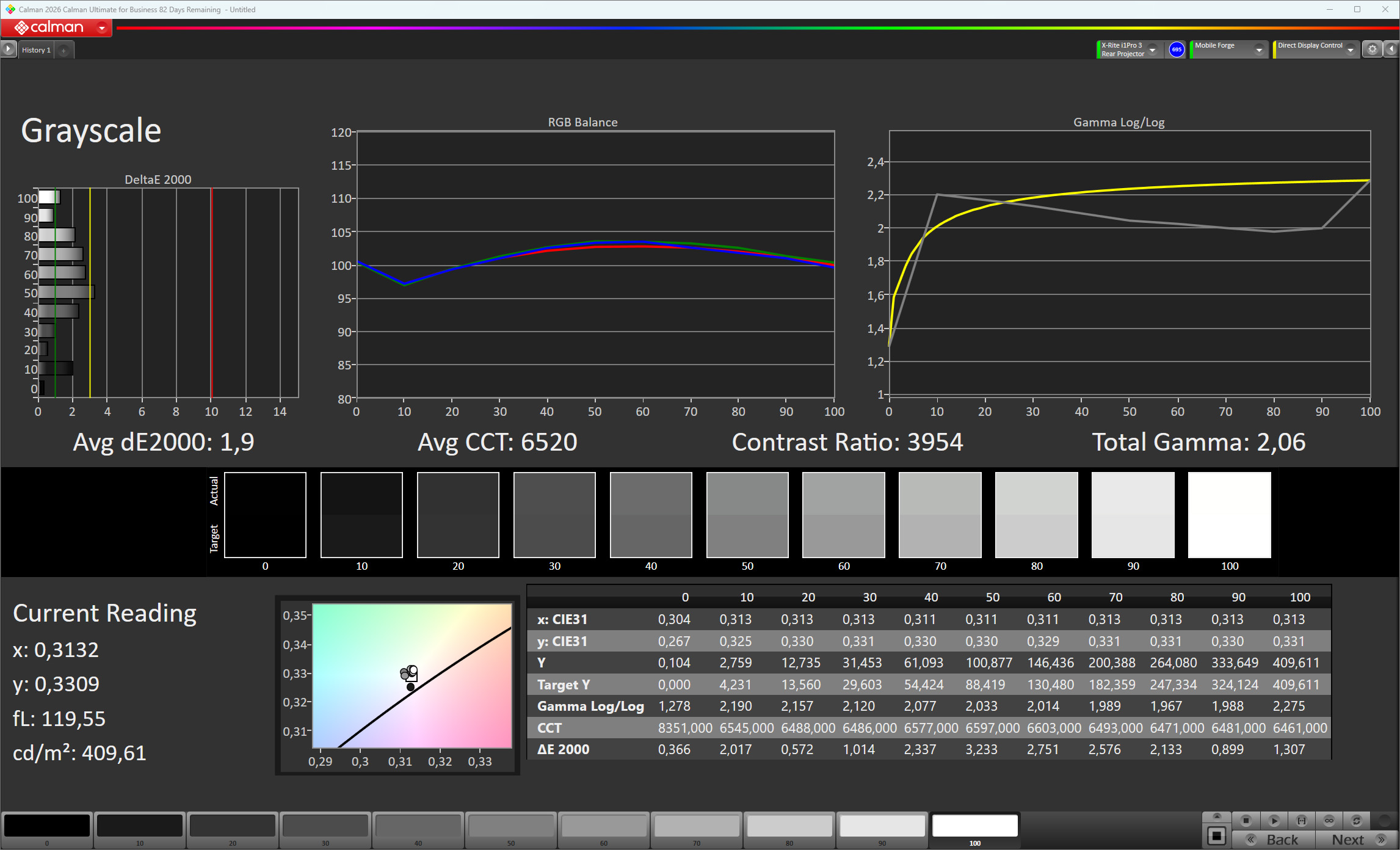
ΔE ColorChecker Calman: 2.4 | ∀{0.5-29.43 Ø4.67}
ΔE Greyscale Calman: 1.9 | ∀{0.09-98 Ø4.92}
99.9% sRGB (Calman 2D)
Gamma: 2.06
CCT: 6520 K
| Samsung Galaxy Tab S12+ AMOLED, 2800x1752, 12.6" | Honor MagicPad 4 OLED, 3000x1920, 12.3" | Xiaomi Pad 9 Pro LCD, 3200x2136, 12.5" | Lenovo Yoga Tab Plus Gen 2 IPS, 3840x2560, 13" | Samsung Galaxy Tab S10+ Dynamic AMOLED 2X, 2800x1752, 12.4" | |
|---|---|---|---|---|---|
| Display | 66% | -40% | -33% | ||
| APL18 Peak Brightness (cd/m²) | 1571 | 2337 49% | 993 -37% | 1102 -30% | |
| HDR Peak Brightness (cd/m²) | 1684 | 3084 83% | 982 -42% | 1098 -35% | |
| Response Times | -320% | -1431% | -1175% | 5% | |
| Response Time Grey 50% / Grey 80% * (ms) | 1.49 ? | 16.6 ? -1014% | 27.6 ? -1752% | 29 ? -1846% | 1.43 ? 4% |
| Response Time Black / White * (ms) | 1.87 ? | 0.91 ? 51% | 22.6 ? -1109% | 11.3 ? -504% | 1.47 ? 21% |
| PWM Frequency (Hz) | 240 | 60 | 120 | ||
| PWM Amplitude * (%) | 16.63 | 16.05 3% | 18.52 -11% | ||
| Screen | 20% | -7% | -24% | -34% | |
| Brightness middle (cd/m²) | 954 | 829 -13% | 852 -11% | 759 -20% | 471 -51% |
| Brightness (cd/m²) | 957 | 827 -14% | 832 -13% | 681 -29% | 473 -51% |
| Brightness Distribution (%) | 95 | 90 -5% | 95 0% | 81 -15% | 97 2% |
| Black Level * (cd/m²) | 0.55 | 0.53 | |||
| Colorchecker dE 2000 * | 2.4 | 0.9 62% | 1.51 37% | 2.27 5% | 3.1 -29% |
| Colorchecker dE 2000 max. * | 3.9 | 1.7 56% | 4.19 -7% | 4.49 -15% | 5.8 -49% |
| Greyscale dE 2000 * | 1.9 | 1.3 32% | 2.8 -47% | 3.2 -68% | 2.4 -26% |
| Gamma | 2.06 107% | 2.25 98% | 2.22 99% | 2.568 86% | 2.06 107% |
| CCT | 6520 100% | 6601 98% | 6638 98% | 6835 95% | 6746 96% |
| Contrast (:1) | 1549 | 1432 | |||
| Total Average (Program / Settings) | -78% /
-65% | -493% /
-298% | -411% /
-256% | -15% /
-21% |
* ... smaller is better
Screen Flickering / PWM (Pulse-Width Modulation)
| Screen flickering / PWM detected | 240 Hz Amplitude: 16.63 % | 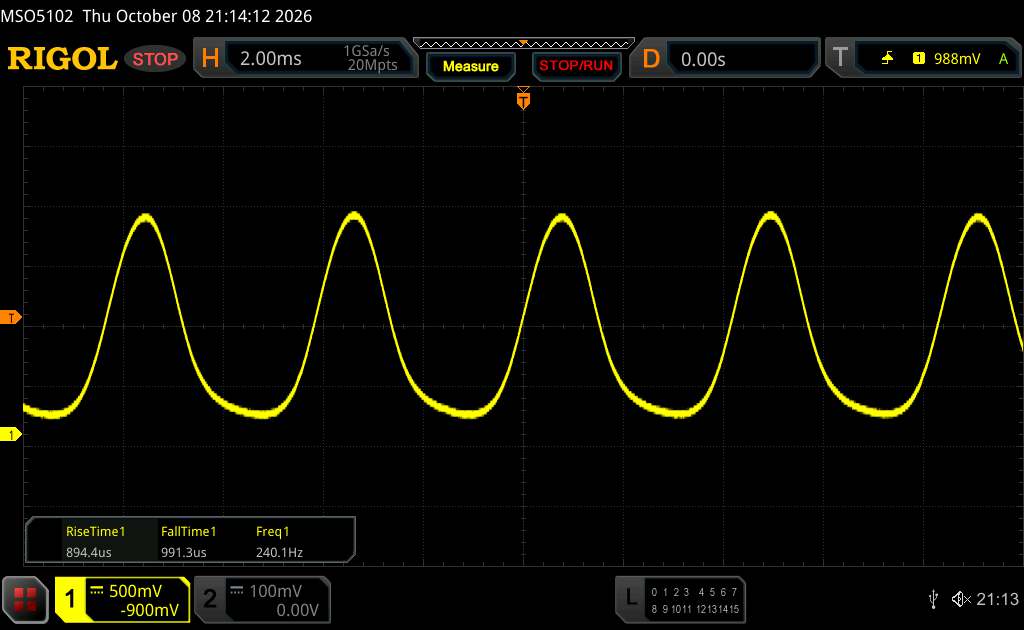 | |
The display backlight flickers at 240 Hz (worst case, e.g., utilizing PWM) . The frequency of 240 Hz is relatively low, so sensitive users will likely notice flickering and experience eyestrain at the stated brightness setting and below. In comparison: 52 % of all tested devices do not use PWM to dim the display. If PWM was detected, an average of 7515 (minimum: 5 - maximum: 343500) Hz was measured. | |||
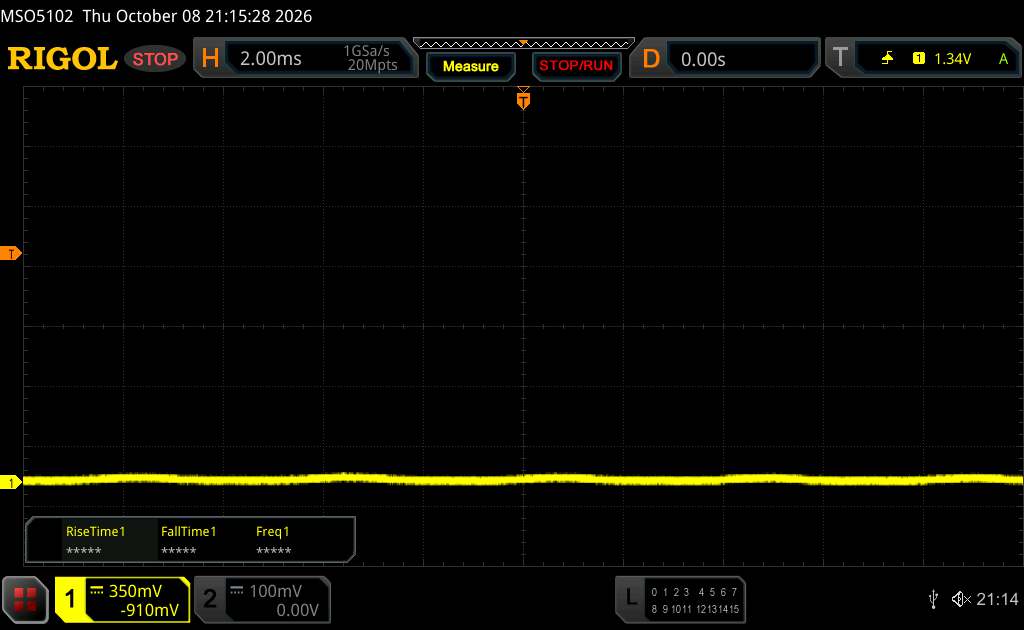
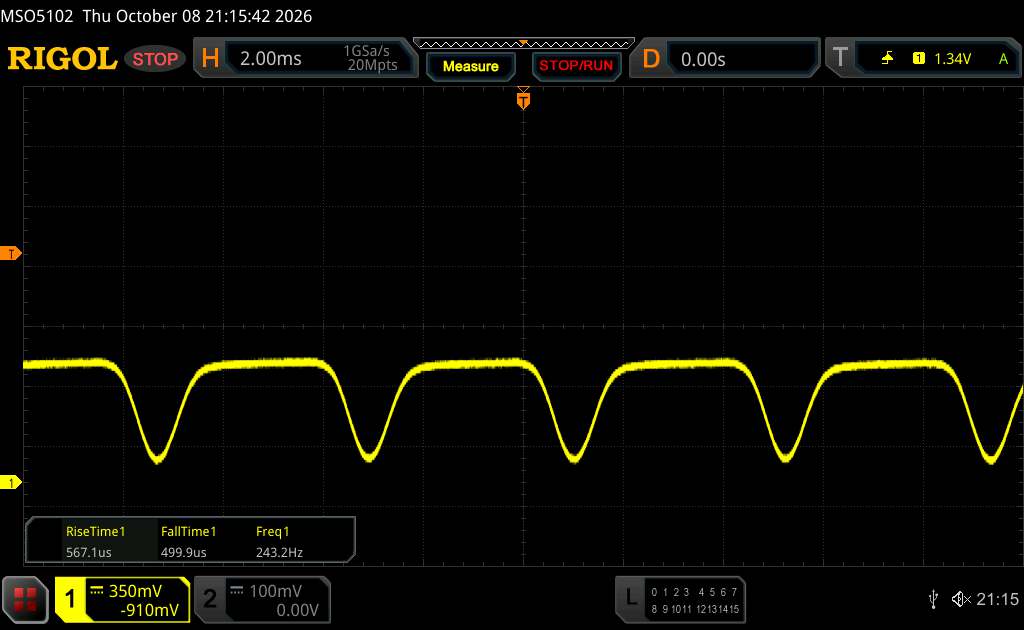
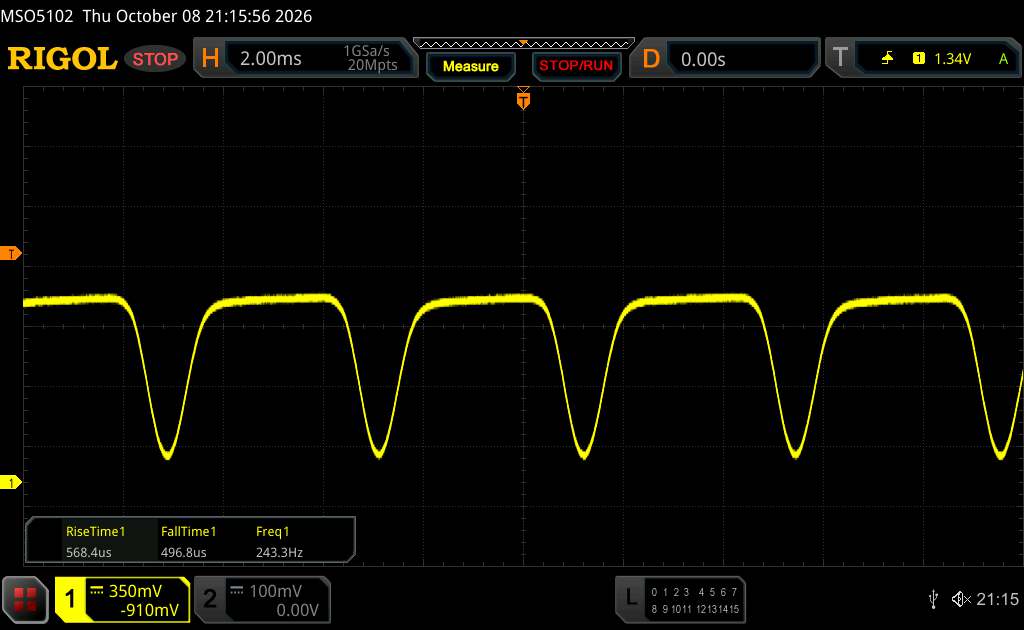
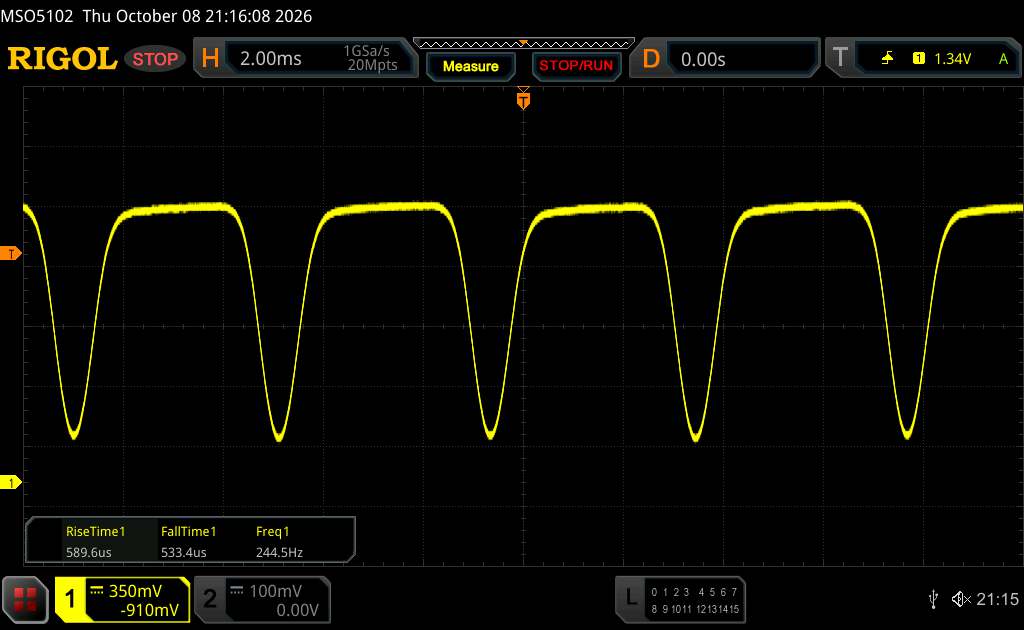
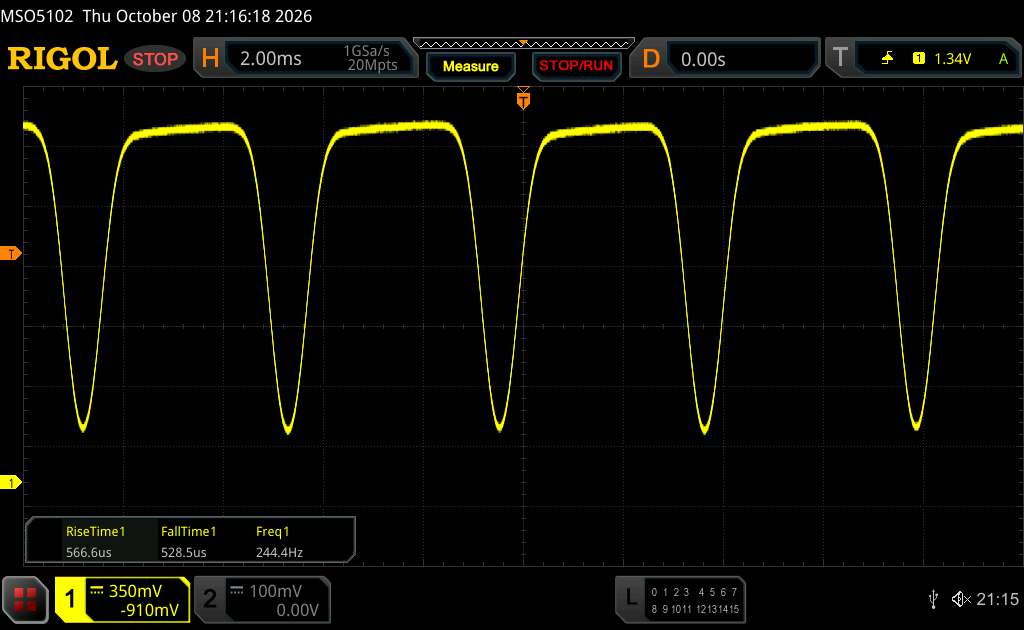
Measurements at a fixed zoom level and different brightness settings (The waveform at minimum brightness looks flat because of the scale. The inset shows an enlarged view of the waveform at minimum brightness.)
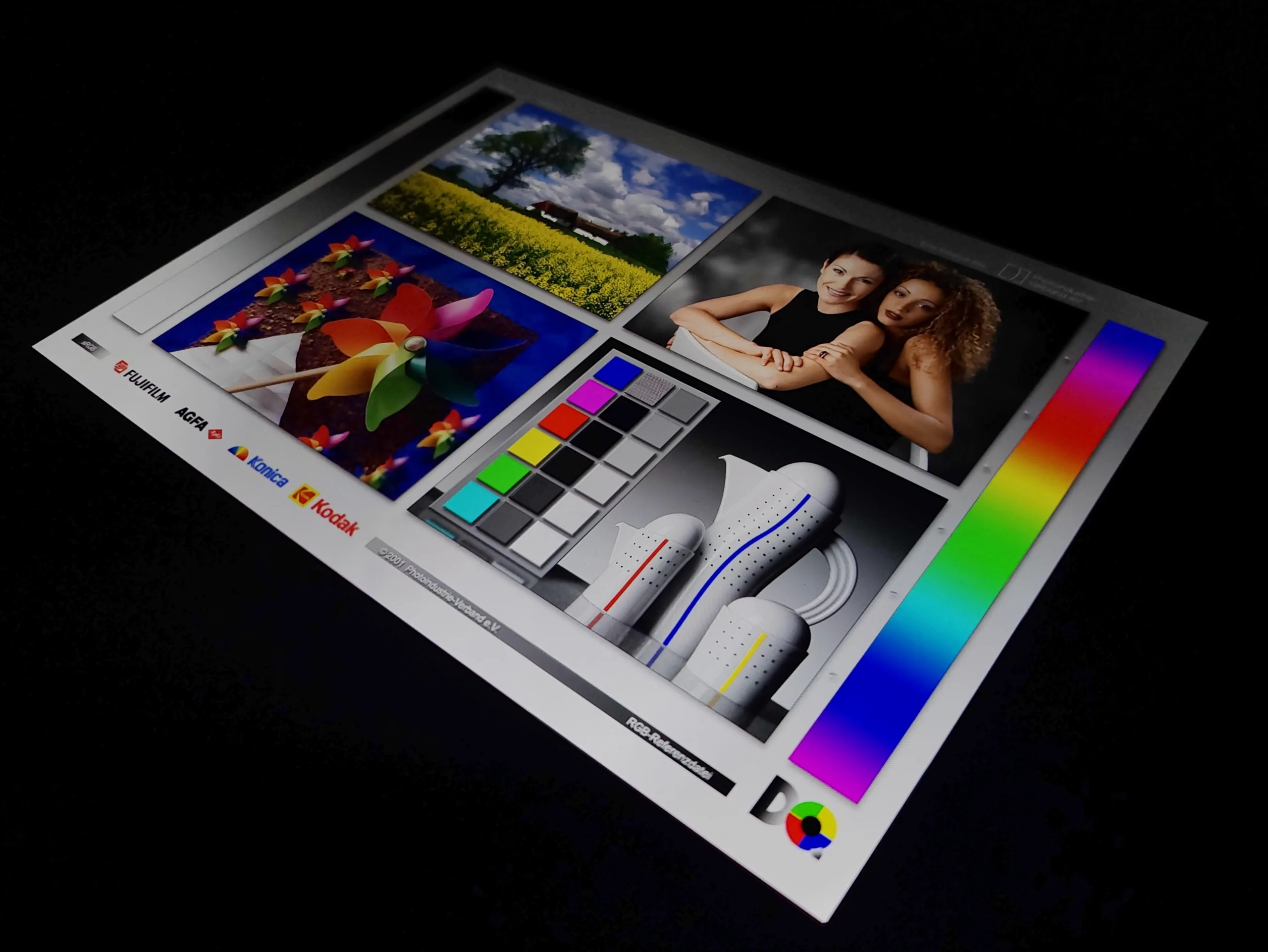
We use the Calman software to evaluate the OLED panel’s color calibration. The measured Delta E values for colors and grayscale against sRGB were within the target range (<3), so differences from the reference colors are barely noticeable. Honor once again shows that there’s room for improvement with its premium tablet.


Display Response Times
| ↔ Response Time Black to White | ||
|---|---|---|
| 1.87 ms ... rise ↗ and fall ↘ combined | ↗ 0.9645 ms rise | 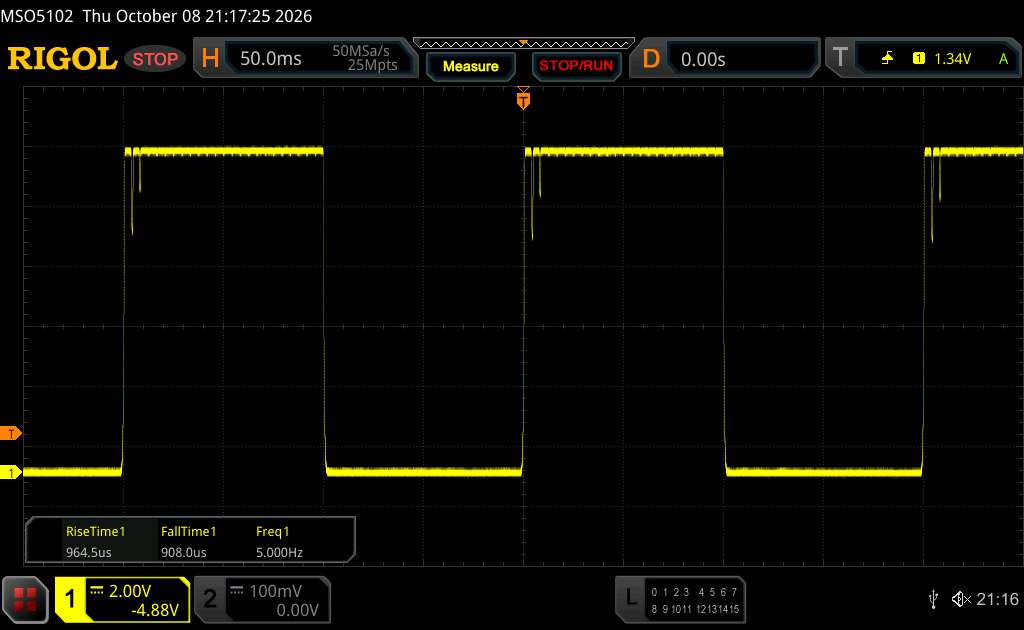 |
| ↘ 0.908 ms fall | ||
| The screen shows very fast response rates in our tests and should be very well suited for fast-paced gaming. In comparison, all tested devices range from 0.1 (minimum) to 240 (maximum) ms. » 12 % of all devices are better. This means that the measured response time is better than the average of all tested devices (19.5 ms). | ||
| ↔ Response Time 50% Grey to 80% Grey | ||
| 1.49 ms ... rise ↗ and fall ↘ combined | ↗ 0.7565 ms rise | 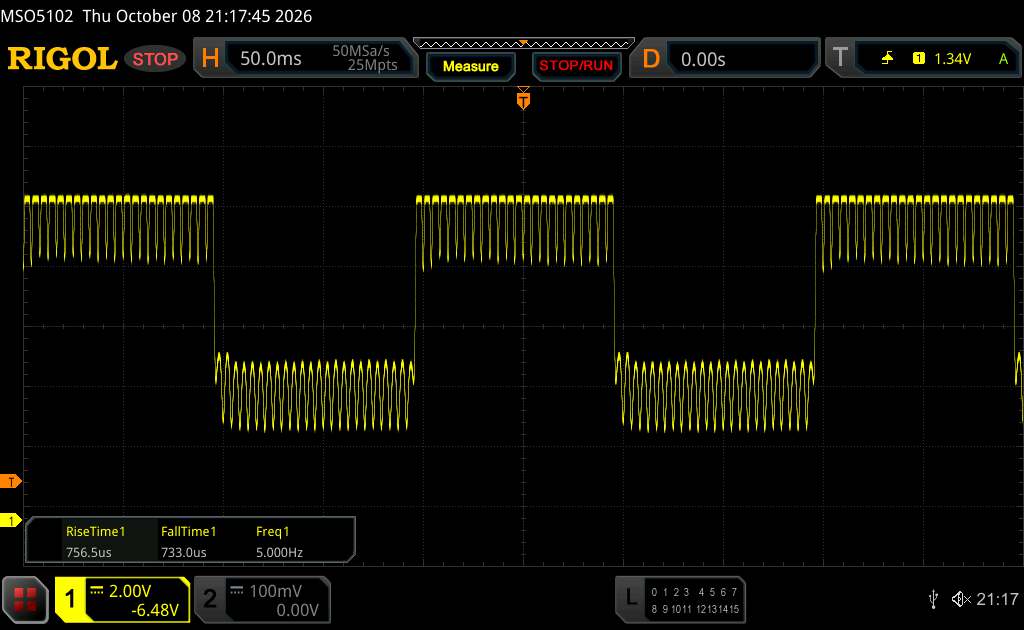 |
| ↘ 0.733 ms fall | ||
| The screen shows very fast response rates in our tests and should be very well suited for fast-paced gaming. In comparison, all tested devices range from 0.13 (minimum) to 636 (maximum) ms. » 8 % of all devices are better. This means that the measured response time is better than the average of all tested devices (30.5 ms). | ||
Performance - No Snapdragon chip in the Samsung Galaxy Tab S12+
The Galaxy Tab S12+ doesn’t use a current-generation flagship SoC, but its Dimensity 9500 is anything but slow. Last year’s high-end chipset performed well in our tests, particularly in Geekbench’s single-core benchmark.
Samsung highlights an AI performance boost of up to 61% over the previous generation. NPU performance is indeed a strength of the Tab S12+ compared with the Snapdragon 8 Gen 5 in the MagicPad 4 and Xiaomi Pad 9 Pro.
| UL Procyon AI Inference for Android - Overall Score NNAPI | |
| Samsung Galaxy Tab S10+ | |
| Samsung Galaxy Tab S12+ | |
| Lenovo Yoga Tab Plus Gen 2 | |
| Honor MagicPad 4 | |
| Average of class Tablet (3600 - 76852, n=54, last 2 years) | |
| Xiaomi Pad 9 Pro | |
| Average MediaTek Dimensity 9500 (2895 - 23383, n=6) | |
| Antutu v12 - Score | |
| Samsung Galaxy Tab S12+ | |
| Average MediaTek Dimensity 9500 (3580461 - 3631798, n=2) | |
| Xiaomi Pad 9 Pro | |
| Average of class Tablet (1176407 - 4798294, n=6, last 2 years) | |
The G1-Ultra MP12 GPU also does very well in graphics tests, although it falls short of the fastest flagship chips. A result of 60 fps in the 4K GFXBench test bodes well for smooth gaming.
GFXBench (DX / GLBenchmark) 2.7: T-Rex Onscreen | 1920x1080 T-Rex Offscreen
GFXBench 3.0: on screen Manhattan Onscreen OGL | 1920x1080 1080p Manhattan Offscreen
GFXBench 3.1: on screen Manhattan ES 3.1 Onscreen | 1920x1080 Manhattan ES 3.1 Offscreen
GFXBench: on screen Car Chase Onscreen | 1920x1080 Car Chase Offscreen | on screen Aztec Ruins High Tier Onscreen | 2560x1440 Aztec Ruins High Tier Offscreen | on screen Aztec Ruins Normal Tier Onscreen | 1920x1080 Aztec Ruins Normal Tier Offscreen | 3840x2160 4K Aztec Ruins High Tier Offscreen
| 3DMark / Wild Life Extreme Unlimited | |
| Samsung Galaxy Tab S12+ | |
| Lenovo Yoga Tab Plus Gen 2 | |
| Xiaomi Pad 9 Pro | |
| Honor MagicPad 4 | |
| Samsung Galaxy Tab S10+ | |
| 3DMark / Wild Life Extreme | |
| Samsung Galaxy Tab S12+ | |
| Lenovo Yoga Tab Plus Gen 2 | |
| Xiaomi Pad 9 Pro | |
| Honor MagicPad 4 | |
| Samsung Galaxy Tab S10+ | |
| 3DMark / Wild Life Unlimited Score | |
| Samsung Galaxy Tab S12+ | |
| Lenovo Yoga Tab Plus Gen 2 | |
| Xiaomi Pad 9 Pro | |
| Honor MagicPad 4 | |
| Samsung Galaxy Tab S10+ | |
| 3DMark / Solar Bay Score | |
| Samsung Galaxy Tab S12+ | |
| Lenovo Yoga Tab Plus Gen 2 | |
| Xiaomi Pad 9 Pro | |
| Honor MagicPad 4 | |
| Samsung Galaxy Tab S10+ | |
| 3DMark / Solar Bay Unlimited Score | |
| Samsung Galaxy Tab S12+ | |
| Lenovo Yoga Tab Plus Gen 2 | |
| Xiaomi Pad 9 Pro | |
| Honor MagicPad 4 | |
| Samsung Galaxy Tab S10+ | |
| 3DMark / Solar Bay Extreme Score | |
| Xiaomi Pad 9 Pro | |
| Samsung Galaxy Tab S12+ | |
| Lenovo Yoga Tab Plus Gen 2 | |
| 3DMark / Steel Nomad Light Unlimited Score | |
| Samsung Galaxy Tab S12+ | |
| Lenovo Yoga Tab Plus Gen 2 | |
| Xiaomi Pad 9 Pro | |
| Honor MagicPad 4 | |
| Samsung Galaxy Tab S10+ | |
| 3DMark / Steel Nomad Light Score | |
| Samsung Galaxy Tab S12+ | |
| Lenovo Yoga Tab Plus Gen 2 | |
| Honor MagicPad 4 | |
| Xiaomi Pad 9 Pro | |
| Samsung Galaxy Tab S10+ | |
| GFXBench (DX / GLBenchmark) 2.7 / T-Rex Onscreen | |
| Samsung Galaxy Tab S10+ | |
| Samsung Galaxy Tab S12+ | |
| Xiaomi Pad 9 Pro | |
| Honor MagicPad 4 | |
| Lenovo Yoga Tab Plus Gen 2 | |
| GFXBench (DX / GLBenchmark) 2.7 / T-Rex Offscreen | |
| Samsung Galaxy Tab S12+ | |
| Samsung Galaxy Tab S10+ | |
| Lenovo Yoga Tab Plus Gen 2 | |
| Honor MagicPad 4 | |
| Xiaomi Pad 9 Pro | |
| GFXBench 3.0 / Manhattan Onscreen OGL | |
| Samsung Galaxy Tab S10+ | |
| Samsung Galaxy Tab S12+ | |
| Xiaomi Pad 9 Pro | |
| Honor MagicPad 4 | |
| Lenovo Yoga Tab Plus Gen 2 | |
| GFXBench 3.0 / 1080p Manhattan Offscreen | |
| Samsung Galaxy Tab S12+ | |
| Honor MagicPad 4 | |
| Xiaomi Pad 9 Pro | |
| Lenovo Yoga Tab Plus Gen 2 | |
| Samsung Galaxy Tab S10+ | |
| GFXBench 3.1 / Manhattan ES 3.1 Onscreen | |
| Samsung Galaxy Tab S12+ | |
| Samsung Galaxy Tab S10+ | |
| Xiaomi Pad 9 Pro | |
| Honor MagicPad 4 | |
| Lenovo Yoga Tab Plus Gen 2 | |
| GFXBench 3.1 / Manhattan ES 3.1 Offscreen | |
| Samsung Galaxy Tab S12+ | |
| Honor MagicPad 4 | |
| Xiaomi Pad 9 Pro | |
| Lenovo Yoga Tab Plus Gen 2 | |
| Samsung Galaxy Tab S10+ | |
| GFXBench / Car Chase Onscreen | |
| Samsung Galaxy Tab S12+ | |
| Samsung Galaxy Tab S10+ | |
| Honor MagicPad 4 | |
| Xiaomi Pad 9 Pro | |
| Lenovo Yoga Tab Plus Gen 2 | |
| GFXBench / Car Chase Offscreen | |
| Samsung Galaxy Tab S12+ | |
| Lenovo Yoga Tab Plus Gen 2 | |
| Honor MagicPad 4 | |
| Xiaomi Pad 9 Pro | |
| Samsung Galaxy Tab S10+ | |
| GFXBench / Aztec Ruins High Tier Onscreen | |
| Samsung Galaxy Tab S12+ | |
| Samsung Galaxy Tab S10+ | |
| Honor MagicPad 4 | |
| Xiaomi Pad 9 Pro | |
| Lenovo Yoga Tab Plus Gen 2 | |
| GFXBench / Aztec Ruins High Tier Offscreen | |
| Samsung Galaxy Tab S12+ | |
| Honor MagicPad 4 | |
| Xiaomi Pad 9 Pro | |
| Lenovo Yoga Tab Plus Gen 2 | |
| Samsung Galaxy Tab S10+ | |
| GFXBench / Aztec Ruins Normal Tier Onscreen | |
| Samsung Galaxy Tab S12+ | |
| Samsung Galaxy Tab S10+ | |
| Xiaomi Pad 9 Pro | |
| Honor MagicPad 4 | |
| Lenovo Yoga Tab Plus Gen 2 | |
| GFXBench / Aztec Ruins Normal Tier Offscreen | |
| Samsung Galaxy Tab S12+ | |
| Xiaomi Pad 9 Pro | |
| Lenovo Yoga Tab Plus Gen 2 | |
| Honor MagicPad 4 | |
| Samsung Galaxy Tab S10+ | |
| GFXBench / 4K Aztec Ruins High Tier Offscreen | |
| Samsung Galaxy Tab S12+ (vulkan) | |
| Xiaomi Pad 9 Pro (es3.1) | |
| Honor MagicPad 4 (vulkan) | |
| Lenovo Yoga Tab Plus Gen 2 | |
| Samsung Galaxy Tab S10+ (vulkan) | |
| Jetstream 2 | |
| 2.0 Total | |
| Lenovo Yoga Tab Plus Gen 2 (Chrome 155) | |
| Honor MagicPad 4 (Chrome 148) | |
| Average of class Tablet (48 - 420, n=51, last 2 years) | |
| Samsung Galaxy Tab S10+ (Chrome 130) | |
| Average MediaTek Dimensity 9500 (74.3 - 305, n=9) | |
| 2.2 Total | |
| Lenovo Yoga Tab Plus Gen 2 (Chrome 155) | |
| Honor MagicPad 4 (Chrome 148) | |
| Xiaomi Pad 9 Pro (Chrome 156) | |
| Samsung Galaxy Tab S12+ (Chrome 158) | |
| Average MediaTek Dimensity 9500 (108 - 362, n=10) | |
| Average of class Tablet (61.3 - 579, n=53, last 2 years) | |
| Octane V2 - Total Score | |
| Lenovo Yoga Tab Plus Gen 2 (Chrome 155) | |
| Samsung Galaxy Tab S12+ (Chrome 158) | |
| Honor MagicPad 4 (Chrome 148) | |
| Xiaomi Pad 9 Pro (Chrome 156) | |
| Average MediaTek Dimensity 9500 (27638 - 99833, n=6) | |
| Samsung Galaxy Tab S10+ (Chrome 130) | |
| Average of class Tablet (15102 - 138481, n=67, last 2 years) | |
| Mozilla Kraken 1.1 - Total | |
| Average of class Tablet (243 - 2743, n=63, last 2 years) | |
| Samsung Galaxy Tab S10+ (Chrome 130) | |
| Average MediaTek Dimensity 9500 (362 - 1335, n=8) | |
| Xiaomi Pad 9 Pro (Chrome 156) | |
| Honor MagicPad 4 (Chrome 148) | |
| Samsung Galaxy Tab S12+ (Chrome 158) | |
| Lenovo Yoga Tab Plus Gen 2 (Chrome 155) | |
| WebXPRT 5 - Overall | |
| Samsung Galaxy Tab S12+ (Chrome 158) | |
| Lenovo Yoga Tab Plus Gen 2 (Chrome 155) | |
| Honor MagicPad 4 (Chrome 148) | |
| Xiaomi Pad 9 Pro (Chrome 156) | |
| Average MediaTek Dimensity 9500 (24 - 96, n=3) | |
| Average of class Tablet (19 - 102, n=14, last 2 years) | |
* ... smaller is better
| Samsung Galaxy Tab S12+ | Honor MagicPad 4 | Xiaomi Pad 9 Pro | Lenovo Yoga Tab Plus Gen 2 | Samsung Galaxy Tab S10+ | Average 256 GB UFS 4.0 Flash | Average of class Tablet | |
|---|---|---|---|---|---|---|---|
| AndroBench 3-5 | 84% | 152% | 80% | 20% | 63% | 25% | |
| Sequential Read 256KB (MB/s) | 3072.2 | 1978.75 -36% | 3985.4 30% | 3730.6 21% | 3574.3 16% | 3608 ? 17% | 2246 ? -27% |
| Sequential Write 256KB (MB/s) | 2336.7 | 1752.63 -25% | 3784.09 62% | 3838.3 64% | 554.67 -76% | 2632 ? 13% | 1808 ? -23% |
| Random Read 4KB (MB/s) | 237.09 | 513.85 117% | 481.65 103% | 282.1 19% | 218.43 -8% | 385 ? 62% | 289 ? 22% |
| Random Write 4KB (MB/s) | 151.3 | 574.85 280% | 776.51 413% | 478.9 217% | 374.09 147% | 394 ? 160% | 347 ? 129% |
Emissions - A large Android tablet with uneven surface temperatures
Temperature
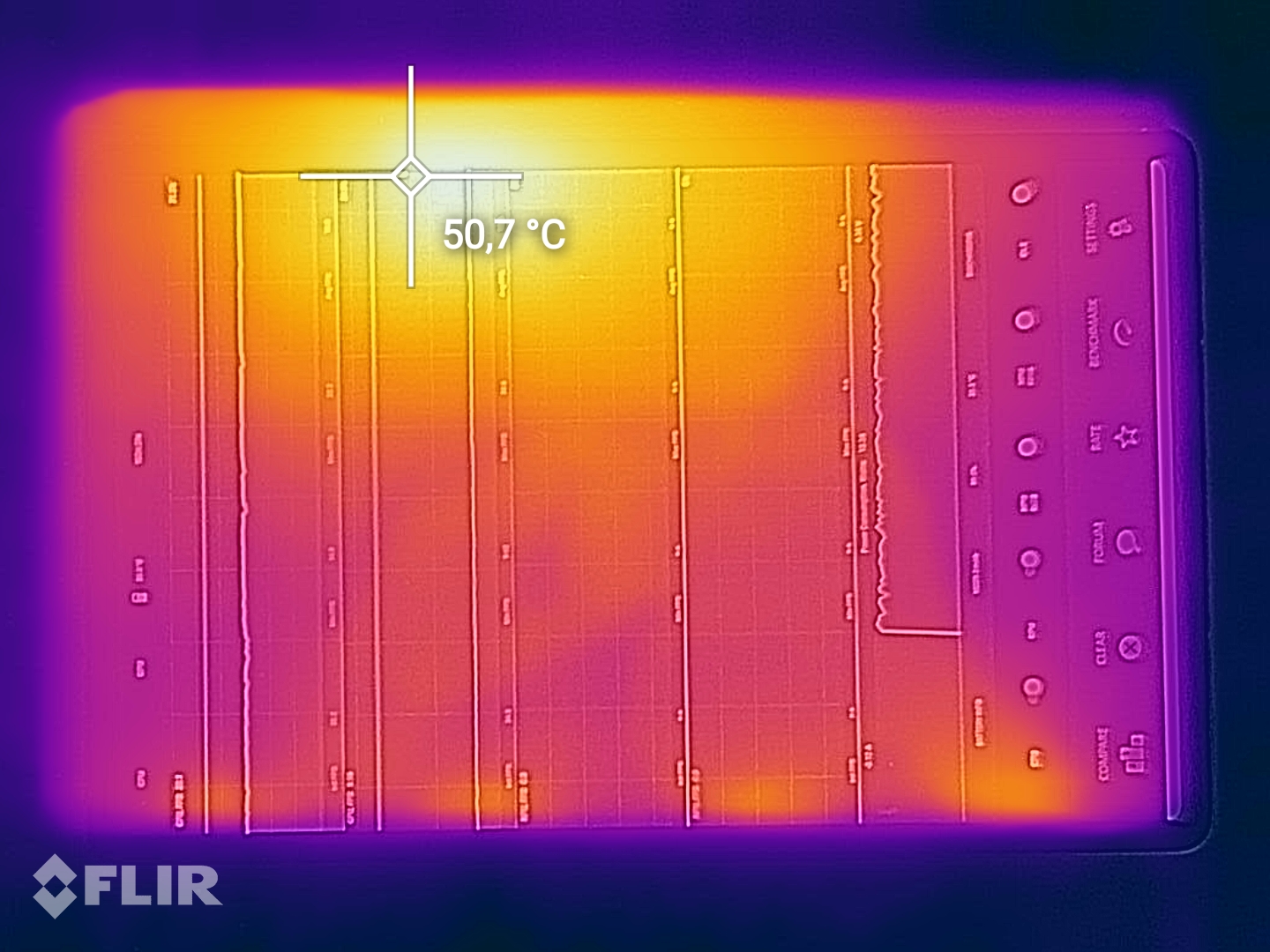
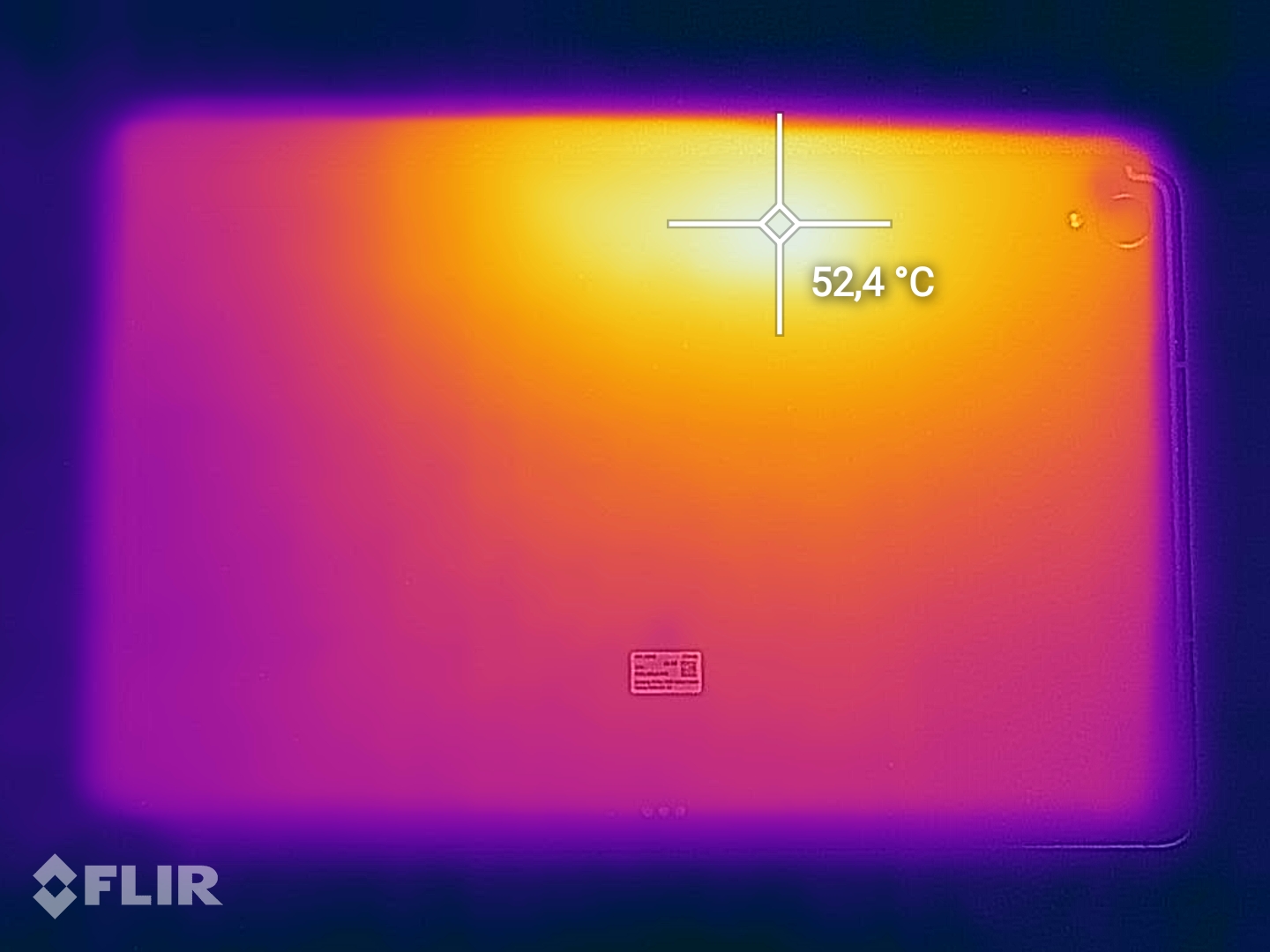
For the first time, Samsung uses a 3D vapor chamber to dissipate heat more effectively, which matters most under sustained load. Performance drops in the 3DMark stress tests are less of a problem than on the Galaxy Tab S10+. Rivals still sustain performance a little more consistently, though, which narrows the Galaxy Tab S12+’s performance advantage on paper.
(-) The maximum temperature on the upper side is 47.9 °C / 118 F, compared to the average of 33.7 °C / 93 F, ranging from 20.7 to 58.8 °C for the class Tablet.
(-) The bottom heats up to a maximum of 49.4 °C / 121 F, compared to the average of 33.2 °C / 92 F
(+) In idle usage, the average temperature for the upper side is 28.2 °C / 83 F, compared to the device average of 30 °C / 86 F.
3DMark stress tests
| 3DMark | |
| Wild Life Stress Test Stability | |
| Honor MagicPad 4 | |
| Lenovo Yoga Tab Plus Gen 2 | |
| Xiaomi Pad 9 Pro | |
| Samsung Galaxy Tab S12+ | |
| Samsung Galaxy Tab S10+ | |
| Wild Life Extreme Stress Test | |
| Honor MagicPad 4 | |
| Xiaomi Pad 9 Pro | |
| Lenovo Yoga Tab Plus Gen 2 | |
| Samsung Galaxy Tab S12+ | |
| Samsung Galaxy Tab S10+ | |
| Solar Bay Stress Test Stability | |
| Honor MagicPad 4 | |
| Lenovo Yoga Tab Plus Gen 2 | |
| Samsung Galaxy Tab S12+ | |
| Samsung Galaxy Tab S10+ | |
| Steel Nomad Light Stress Test Stability | |
| Xiaomi Pad 9 Pro | |
| Lenovo Yoga Tab Plus Gen 2 | |
| Samsung Galaxy Tab S12+ | |
| Samsung Galaxy Tab S10+ | |
Speakers
Samsung’s premium tablet sounds fairly balanced, with an emphasis on the mids and highs. Low frequencies are somewhat subdued in the pink noise test, although a little bass is still audible.
You can connect your headphones to the Galaxy Tab S12 Plus wirelessly over Bluetooth 6.0 or through the USB port.
Samsung Galaxy Tab S12+ audio analysis
(+) | speakers can play relatively loud (87.3 dB)
Bass 100 - 315 Hz
(±) | reduced bass - on average 9.5% lower than median
(±) | linearity of bass is average (8.6% delta to prev. frequency)
Mids 400 - 2000 Hz
(+) | balanced mids - only 2.3% away from median
(+) | mids are linear (4.8% delta to prev. frequency)
Highs 2 - 16 kHz
(+) | balanced highs - only 3.2% away from median
(+) | highs are linear (5.6% delta to prev. frequency)
Overall 100 - 16.000 Hz
(+) | overall sound is linear (9.7% difference to median)
Compared to same class
» 5% of all tested devices in this class were better, 3% similar, 92% worse
» The best had a delta of 7%, average was 20%, worst was 130%
Compared to all devices tested
» 4% of all tested devices were better, 1% similar, 95% worse
» The best had a delta of 4%, average was 23%, worst was 136%
Honor MagicPad 4 audio analysis
(±) | speaker loudness is average but good (79.2 dB)
Bass 100 - 315 Hz
(±) | reduced bass - on average 6.7% lower than median
(-) | bass is not linear (16.4% delta to prev. frequency)
Mids 400 - 2000 Hz
(+) | balanced mids - only 2.2% away from median
(+) | mids are linear (6.9% delta to prev. frequency)
Highs 2 - 16 kHz
(+) | balanced highs - only 3.2% away from median
(+) | highs are linear (6.9% delta to prev. frequency)
Overall 100 - 16.000 Hz
(+) | overall sound is linear (8.7% difference to median)
Compared to same class
» 2% of all tested devices in this class were better, 2% similar, 96% worse
» The best had a delta of 7%, average was 20%, worst was 130%
Compared to all devices tested
» 3% of all tested devices were better, 1% similar, 96% worse
» The best had a delta of 4%, average was 23%, worst was 136%
Battery life - The Samsung Galaxy Tab S12+ draws a lot of power
Power consumption
Samsung’s tablet is not particularly power-efficient, either at idle or under load. With a compatible power bank, the Tab S12+’s 10,600 mAh battery takes about two hours to recharge fully at up to 45 W.
| Off / Standby |   0.14 / 0.32 Watt |
| Idle |  3 / 5.89 / 5.97 Watt |
| Load |
15.67 / 15.8 Watt |
    
| |
Key:
min: ,
med: ,
max: Metrahit Energy | |
| Samsung Galaxy Tab S12+ 10600 mAh | Honor MagicPad 4 10100 mAh | Xiaomi Pad 9 Pro 11000 mAh | Lenovo Yoga Tab Plus Gen 2 12700 mAh | Samsung Galaxy Tab S10+ 10090 mAh | Average MediaTek Dimensity 9500 | Average of class Tablet | |
|---|---|---|---|---|---|---|---|
| Power Consumption | 15% | 47% | 36% | 12% | 42% | 27% | |
| Idle Minimum * (Watt) | 3 | 3.53 -18% | 1.6 47% | 1.5 50% | 3.05 -2% | 1.396 ? 53% | 2.22 ? 26% |
| Idle Average * (Watt) | 5.89 | 4.77 19% | 1.7 71% | 1.7 71% | 4.57 22% | 2.79 ? 53% | 3.88 ? 34% |
| Idle Maximum * (Watt) | 5.97 | 4.86 19% | 1.9 68% | 2.3 61% | 4.65 22% | 2.98 ? 50% | 4.28 ? 28% |
| Load Average * (Watt) | 15.67 | 11.21 28% | 8.6 45% | 10.5 33% | 13.35 15% | 9.28 ? 41% | 9.03 ? 42% |
| Load Maximum * (Watt) | 15.8 | 11.67 26% | 14.8 6% | 21.7 -37% | 15.55 2% | 13.7 ? 13% | 14.8 ? 6% |
* ... smaller is better
Power consumption: Geekbench (150 cd/m²)
Power consumption: GFXBench (150 cd/m²)
Battery life
Samsung’s premium tablet lasted only about 12 hours in our real-world Wi-Fi test with the display set to 150 cd/m². That’s unexpectedly short and a relatively disappointing result.
| Battery runtime - WiFi v1.3 | |
| Samsung Galaxy Tab S12+ | |
| Honor MagicPad 4 | |
| Xiaomi Pad 9 Pro | |
| Lenovo Yoga Tab Plus Gen 2 | |
| Samsung Galaxy Tab S10+ | |
Notebookcheck overall rating
The Galaxy Tab S12+ is a top-tier tablet with an ambitious price tag. Its 16:10 aspect ratio makes it a great fit for movies and TV shows. Optional 5G, the included S Pen, and a waterproof case also make it a good choice for university or use on the go.

Samsung Galaxy Tab S12+
- 11/27/2026 v8
Marcus Herbrich
 Total Sustainability Score:
How the alternatives compare
Image | Model / Review | Price | Weight | Drive | Display |
|---|---|---|---|---|---|
1. 89.3%  | Samsung Galaxy Tab S12+ MediaTek Dimensity 9500 ⎘ Arm Mali G1-Ultra MC12 ⎘ 12 GB Memory, 256 GB UFS 4.x | Amazon: 1. $1,199.99 Samsung Galaxy Tab S12+ 256G... 2. $1,199.99 Samsung Galaxy Tab S12+ with... 3. $1,178.94 Samsung Galaxy Tab S12+ 512G... List Price: 1299€ | 553 g | 256 GB UFS 4.0 Flash | 12.60" 2800x1752 262 PPI AMOLED |
2. 89.6%  | Honor MagicPad 4 Qualcomm Snapdragon 8 Gen 5 ⎘ Qualcomm Adreno 829 ⎘ 12 GB Memory, 256 GB UFS 4.x | Amazon: 1. $965.00 HONOR MagicPad4 (12.3 Inch, ... 2. $799.00 HONOR MagicPad4 (12.3 Inch, ... 3. $829.00 HONOR MagicPad4 (12.3 Inch, ... List Price: 600€ | 450 g | 256 GB UFS 4.0 Flash | 12.30" 3000x1920 290 PPI OLED |
3. 88.8%  | Xiaomi Pad 9 Pro Qualcomm Snapdragon 8 Gen 5 ⎘ Qualcomm Adreno 829 ⎘ 12 GB Memory, 256 GB UFS 4.x | Amazon: 1. $674.97 XIAOMI Pad 8 Pro Ai WiFi Ver... 2. $674.49 XIAOMI Pad 8 Pro Ai WiFi Ver... 3. $699.99 XIAOMI Pad 8 Pro Ai WiFi Ver... List Price: 560€ | 580 g | 256 GB UFS 4.1 Flash | 12.50" 3200x2136 308 PPI LCD |
4. 88.2%  | Lenovo Yoga Tab Plus Gen 2 Qualcomm Snapdragon 8 Elite ⎘ Qualcomm Adreno 830 ⎘ 16 GB Memory, 256 GB UFS 4.x | Amazon: 1. $949.00 Lenovo Yoga Tab Plus Gen 2 1... 2. $369.99 Lenovo Idea Tab Pro Gen 2 Ta... 3. $679.99 Lenovo Yoga Tab AI Tablet, 1... List Price: 999€ | 605 g | 256 GB UFS 4.0 Flash | 13.00" 3840x2560 355 PPI IPS |
5. 85.2%  | Samsung Galaxy Tab S10+ MediaTek Dimensity 9300+ ⎘ Arm Immortalis-G720 MP12 ⎘ 12 GB Memory, 256 GB UFS 4.x | List Price: 1119€ | 571 g | 256 GB UFS 4.0 Flash | 12.40" 2800x1752 266 PPI Dynamic AMOLED 2X |
Transparency
The selection of devices to be reviewed is made by our editorial team. The test sample was provided to the author as a loan by the manufacturer or retailer for the purpose of this review. The lender had no influence on this review, nor did the manufacturer receive a copy of this review before publication. There was no obligation to publish this review. As an independent media company, Notebookcheck is not subjected to the authority of manufacturers, retailers or publishers.
This is how Notebookcheck is testing
Every year, Notebookcheck independently reviews hundreds of laptops and smartphones using standardized procedures to ensure that all results are comparable. We have continuously developed our test methods for around 20 years and set industry standards in the process. In our test labs, high-quality measuring equipment is utilized by experienced technicians and editors. These tests involve a multi-stage validation process. Our complex rating system is based on hundreds of well-founded measurements and benchmarks, which maintains objectivity. Further information on our test methods can be found here.
 Add as a preferred source on Google


