


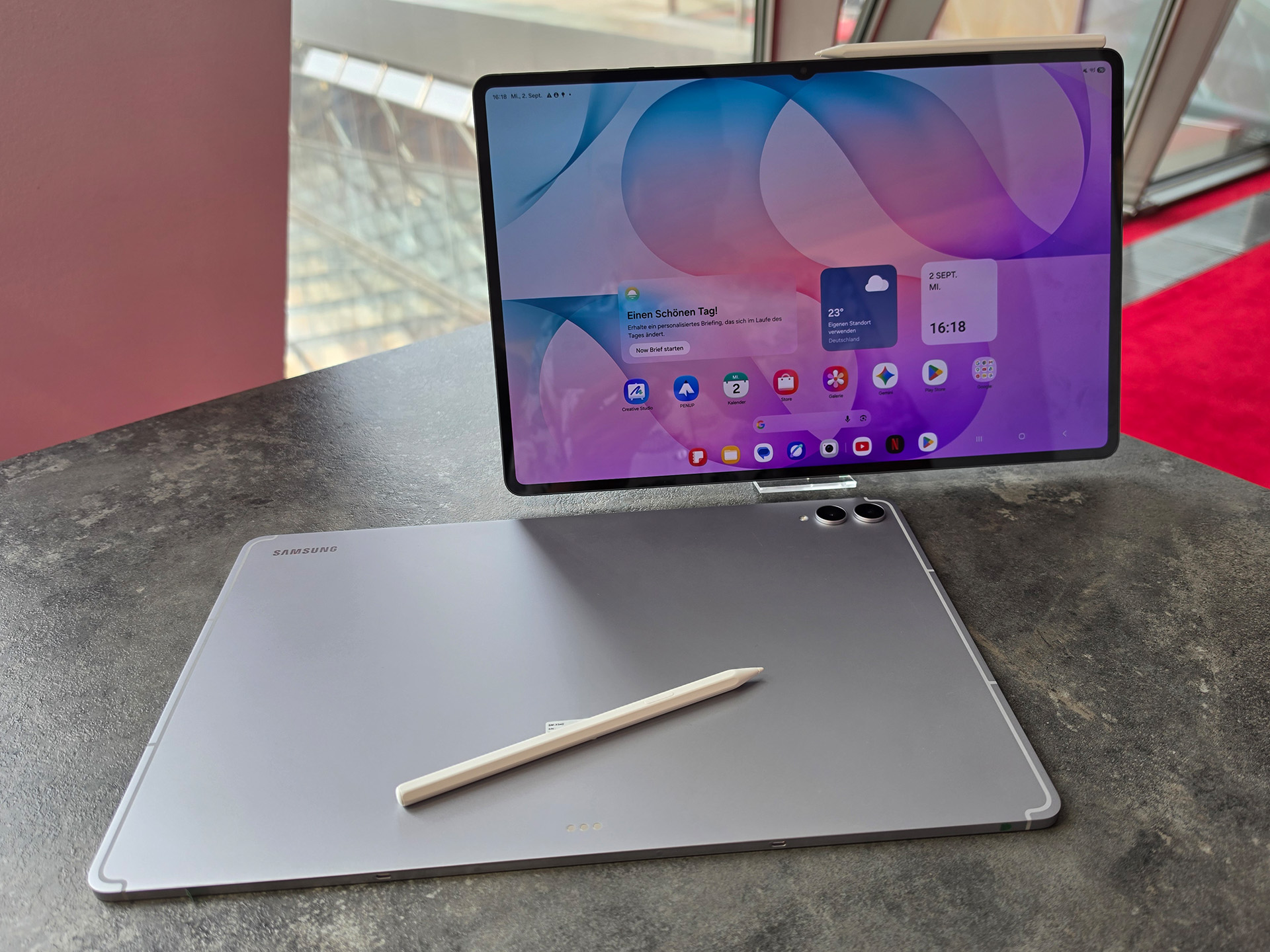
Conclusion on the Samsung Galaxy Tab S12 Ultra
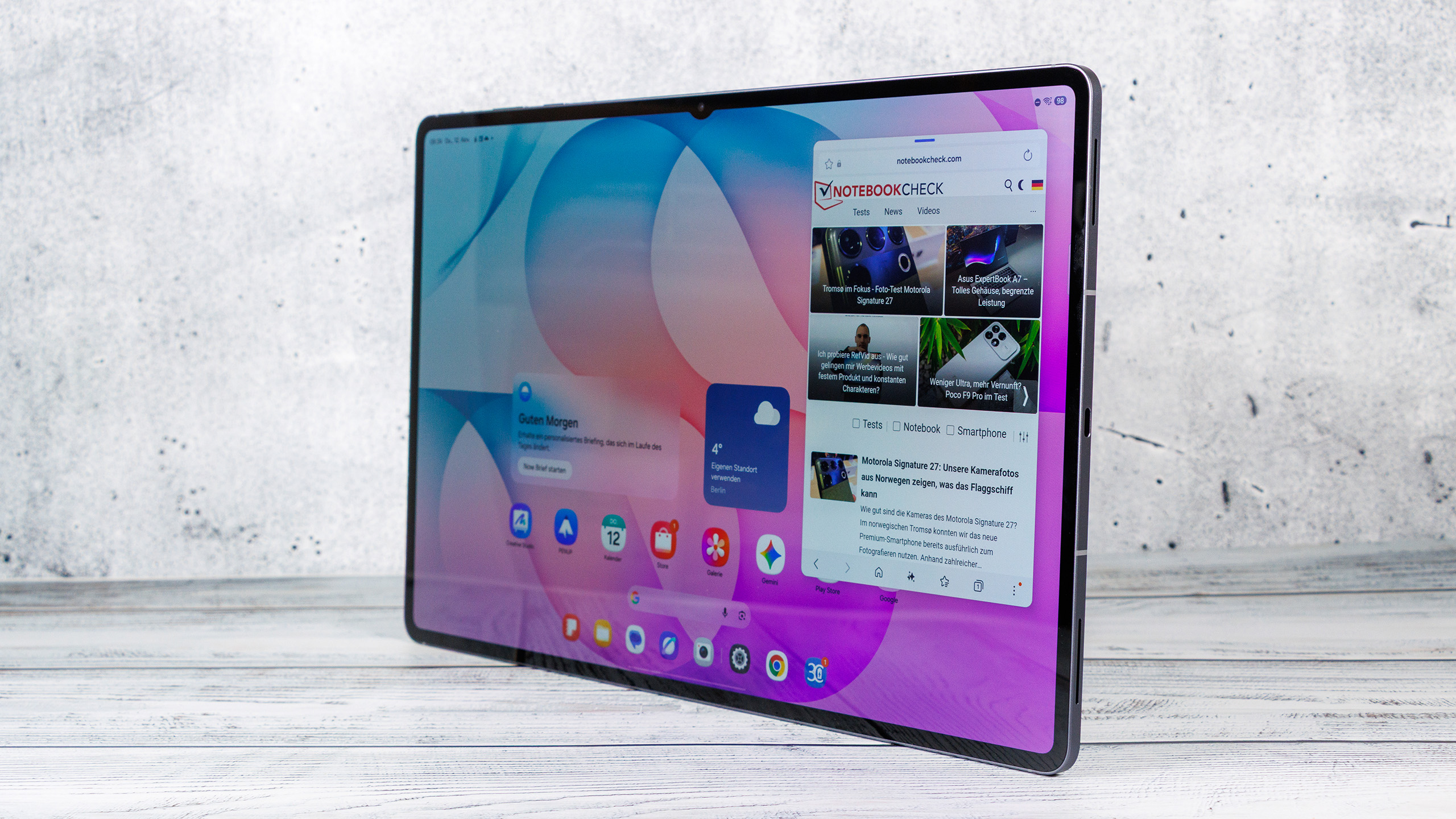
The Samsung Galaxy Tab S12 Ultra remains one of the most technically advanced Android tablets, but it has only evolved in small steps compared to its predecessor. The case is just as large as before and, at 692 grams, remains heavy. Given its massive display, this comes as little surprise. Despite its size, the tablet feels comfortable in the hands, is impeccably built, and is IP68-rated for dust and water resistance.
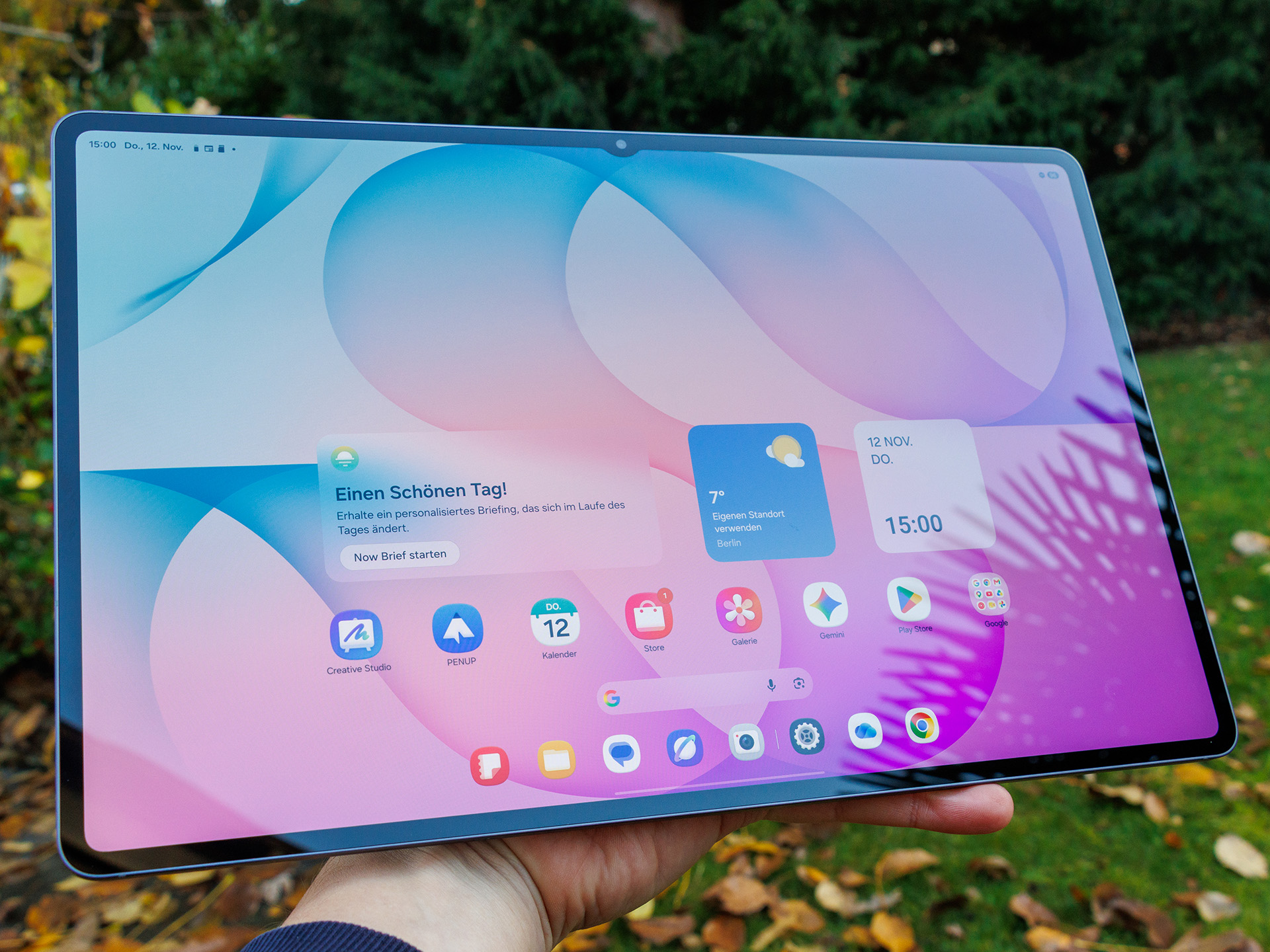
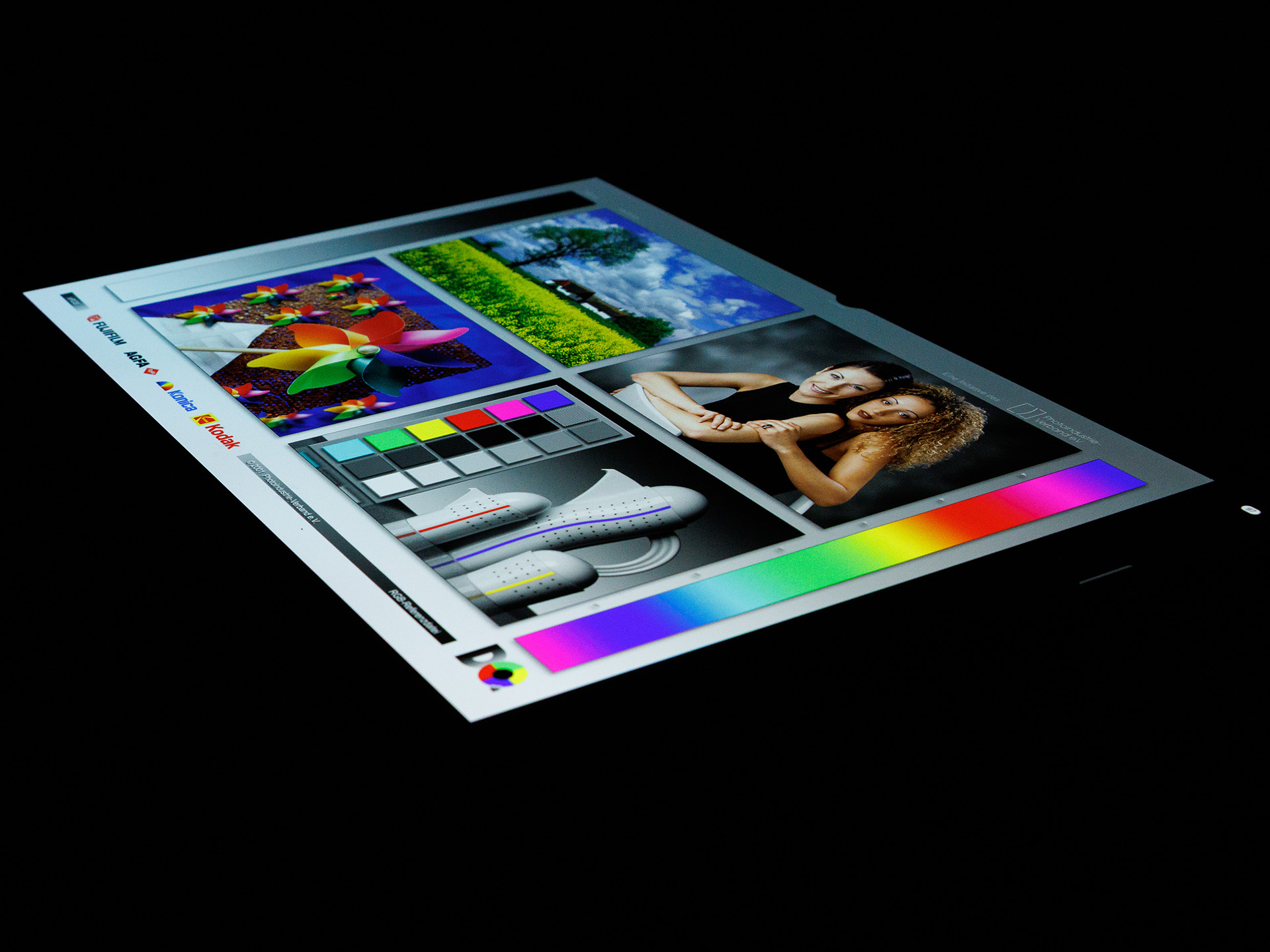
Once again, one of its greatest strengths is the 14.6-inch AMOLED display. It offers high resolution, vivid contrast, and an adaptive refresh rate of up to 120 Hz. In our tests, we measured an average maximum brightness of around 914 cd/m². With reduced white levels, this rises to 1,601 cd/m², and with HDR content, it even reaches 1,747 cd/m². These are excellent figures; however, brightness remains lower (up to 730 cd/m²) without an active ambient light sensor.
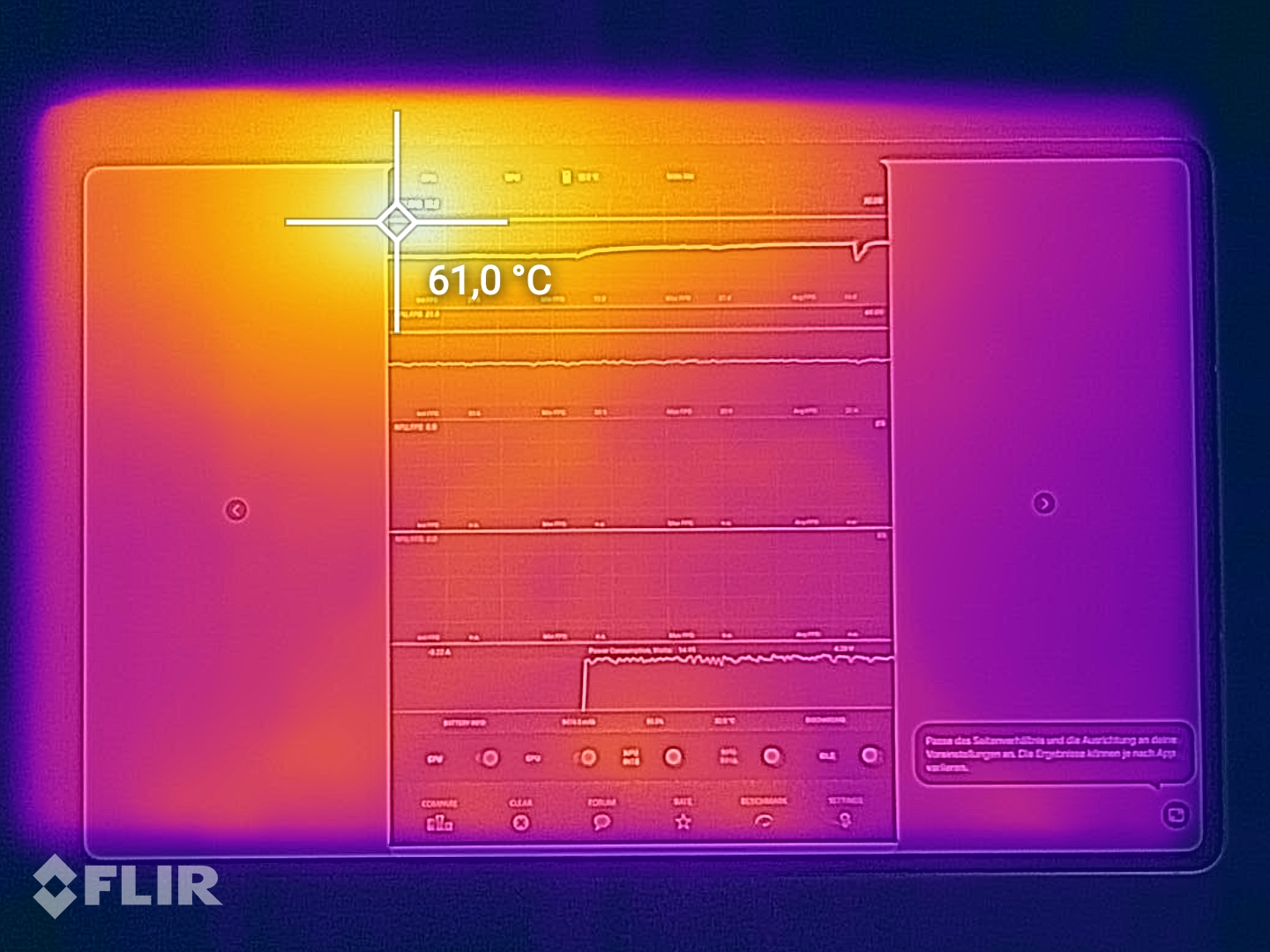
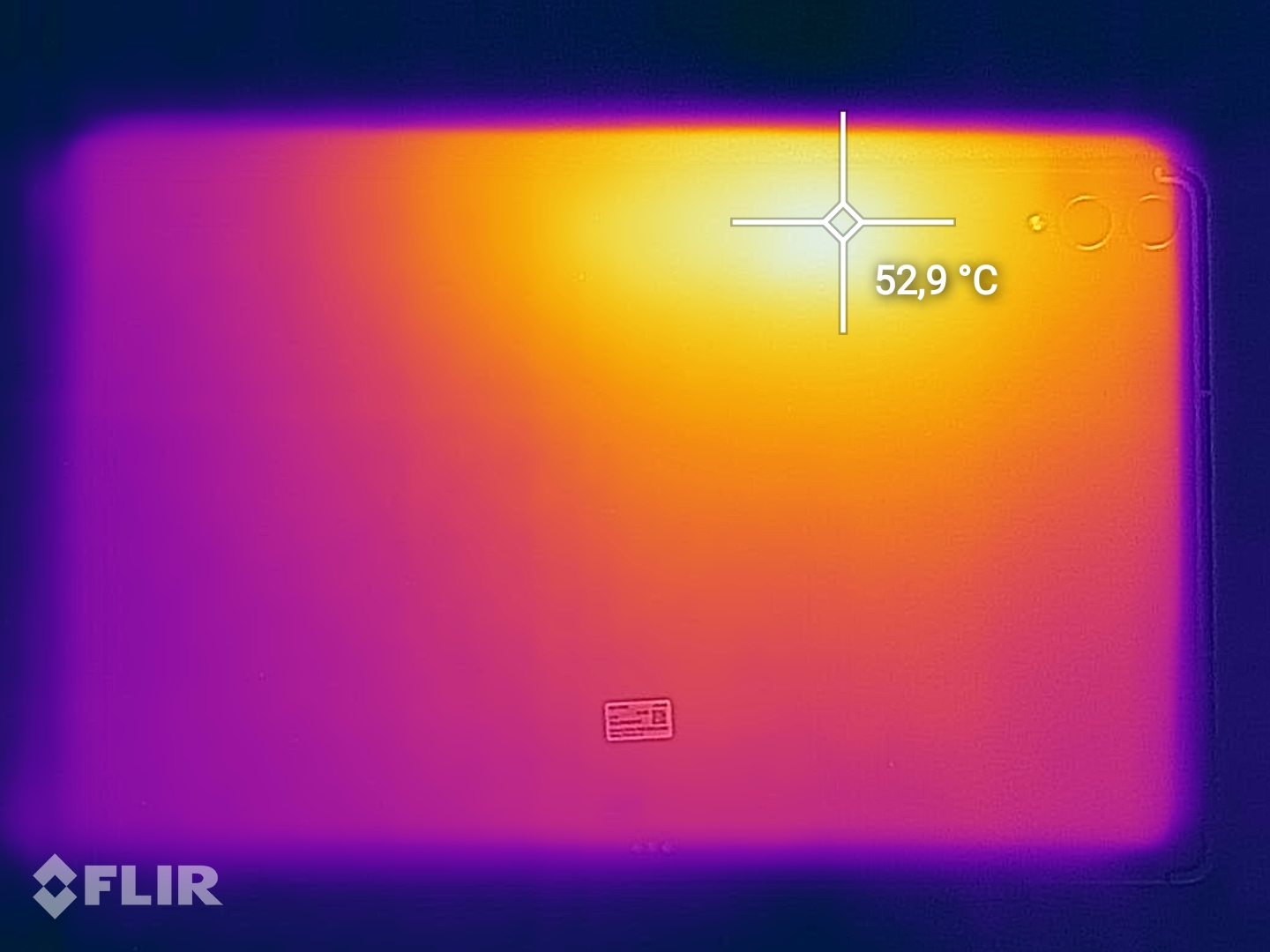
With the MediaTek Dimensity 9500, the tablet features a fairly up-to-date high-end SoC, though its performance falls short of expectations. Graphics performance, in particular, is disappointing compared to the Galaxy Tab S11 Ultra. Under sustained load, the new model throttles significantly: In the 3DMark Wild Life Extreme Stress Test, stability is only 30.8 percent, and in the Steel Nomad Light test, it’s as low as 18.7 percent. The previous model also struggles with significant throttling, but despite its older chip, it sometimes achieves higher performance. On top of that, surface temperatures reach nearly 59 °C in some areas.
When it comes to features, Samsung gets a lot right. Wi-Fi 7, Bluetooth 6.0, a fast USB-C port with video output and DeX support, and the microSD card slot are clear pluses. However, the microSD card slot only reaches 42 MB/s in a copy test. The included S Pen remains a handy tool for handwritten notes and creative applications, but offers hardly any new features compared to its predecessor. It still lacks Bluetooth support.
The cameras serve their purpose, but nothing more. They take decent photos in daylight, while the digital zoom and low-light shots, in particular, suffer from significant quality losses. The front-facing camera works well for video conferences.
The speakers reach a high volume of 87.8 dB and deliver a largely balanced sound with prominent mids and highs. However, deep bass is largely absent, which is hardly surprising given the tablet’s slim design. Nevertheless, the tablet offers good audio playback for movies, music, and video conferences.
Less pleasing is the high heat generation. The large chassis also limits portability. Users who primarily use the tablet on a desk are likely to be less bothered by this than those who frequently hold it in their hands.
Pros
Cons
Price and Availability
The Galaxy Tab S12 Ultra is available in all color and storage configurations directly from Samsung (MSRP) as well as on Amazon:
- 12 / 256 GB: $1,400
- 12 / 512 GB: $1,600
- 16 / 1.024 GB: $2,000

Table of Contents
- Conclusion on the Samsung Galaxy Tab S12 Ultra
- Specifications: Samsung Galaxy Tab S12 Ultra
- Body and features - Galaxy tablet remains waterproof
- Communication and usability - The Galaxy Tab S12 Ultra comes with the S Pen again
- Cameras - Good shots in daylight
- Display - Bright OLED with PWM flicker
- Performance, Emissions and Battery Life
- Notebookcheck Overall Rating
- A comparison of possible alternatives
Specifications: Samsung Galaxy Tab S12 Ultra
Body and features - Galaxy tablet remains waterproof
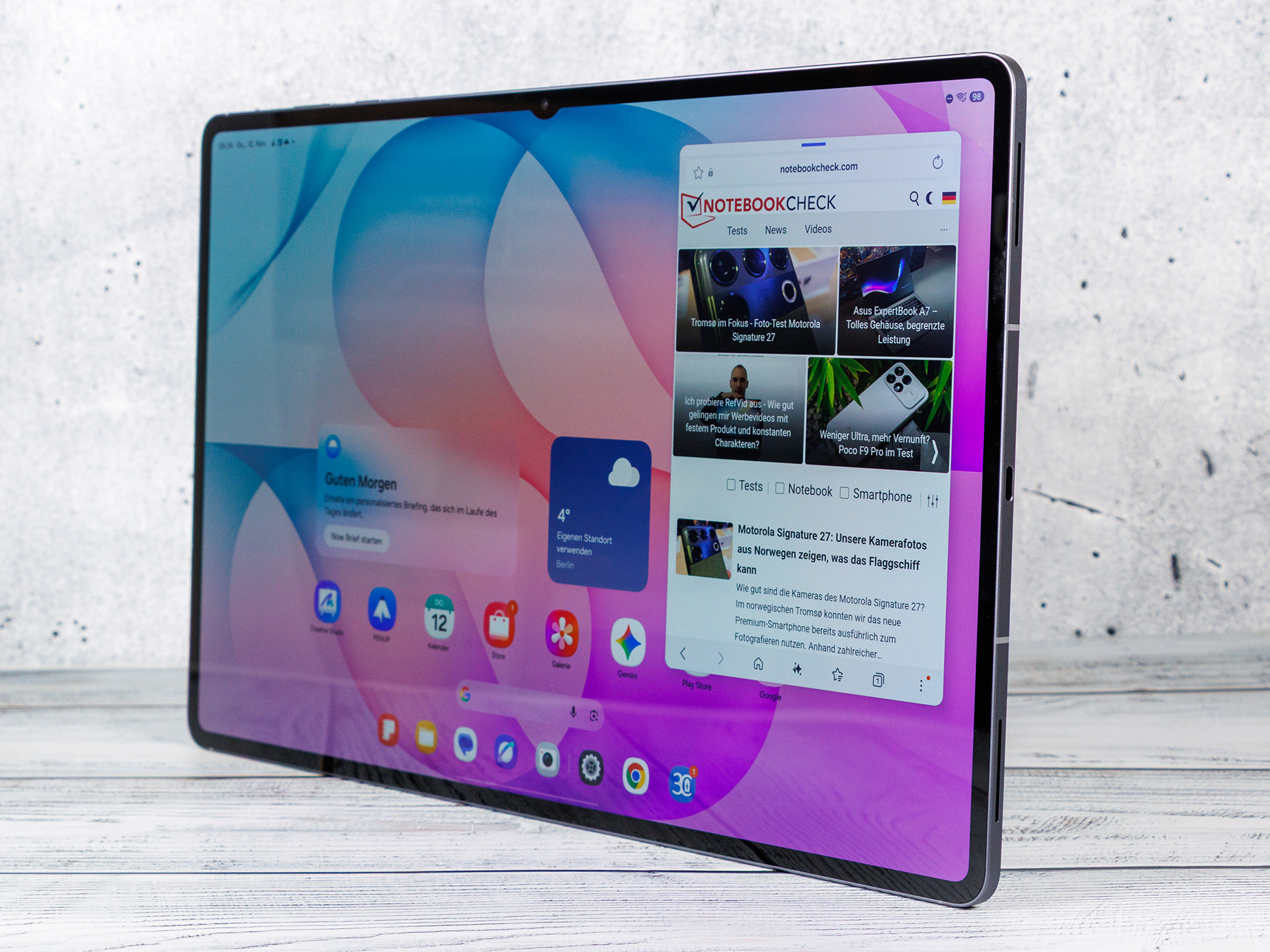
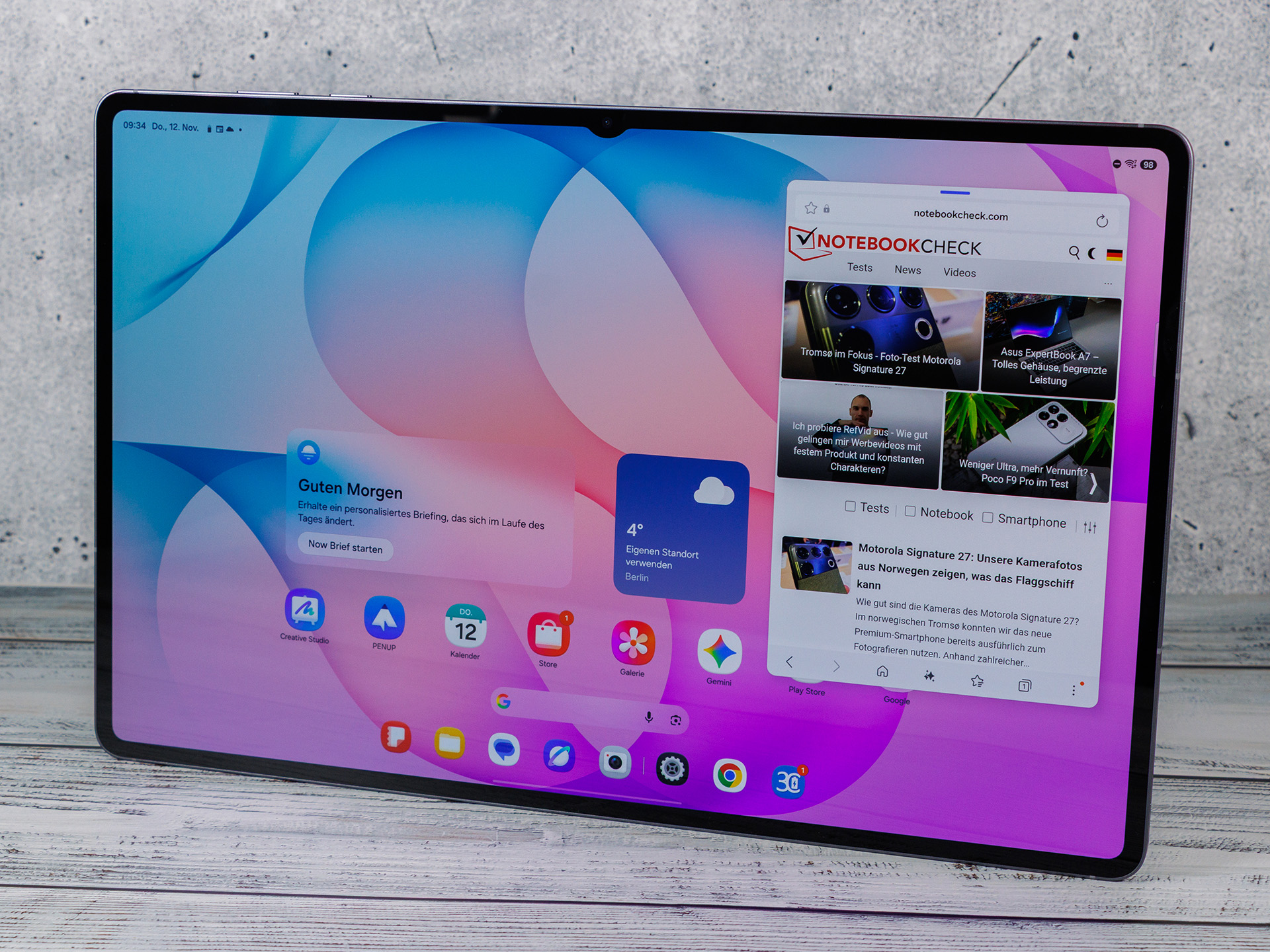
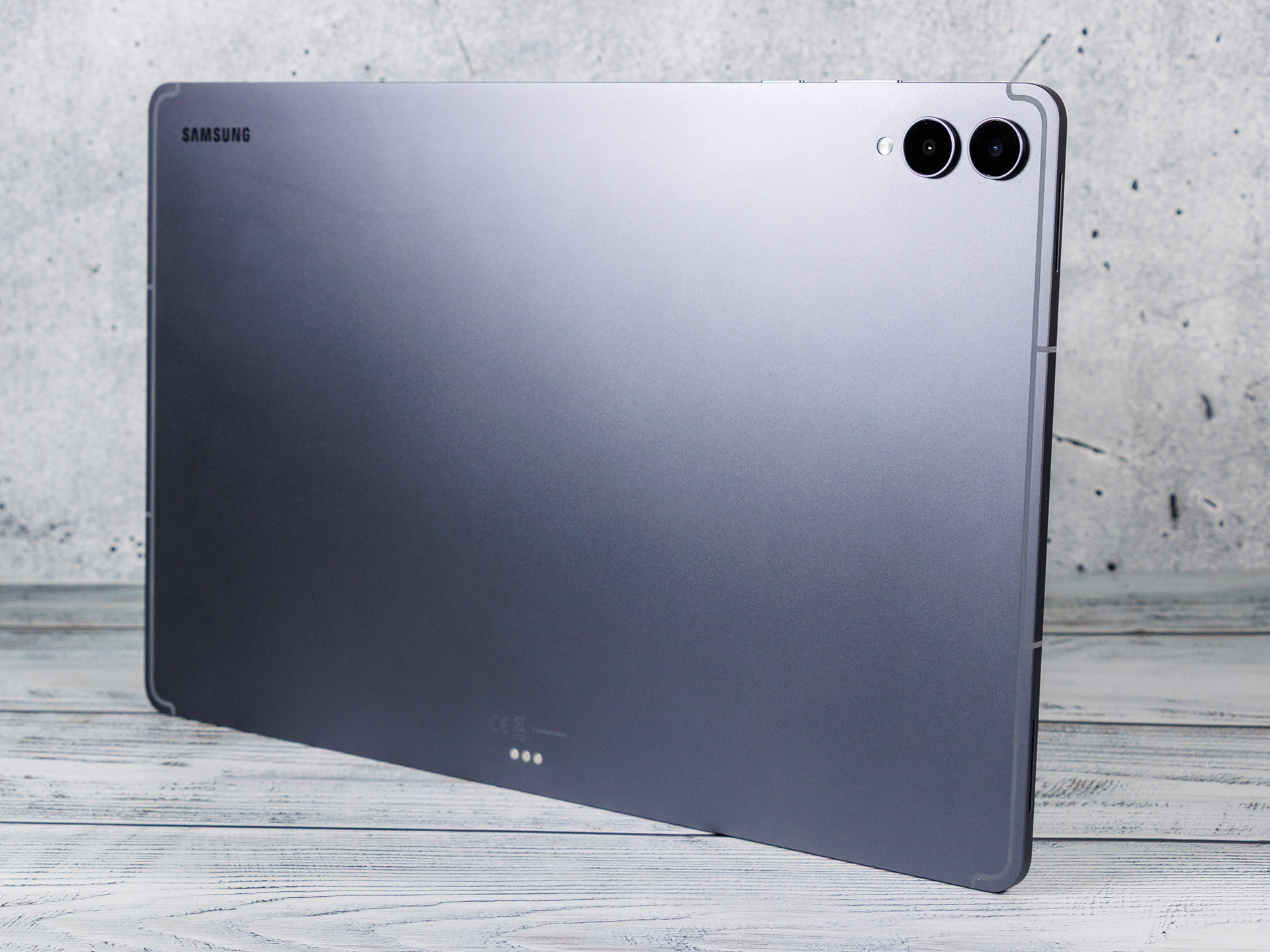
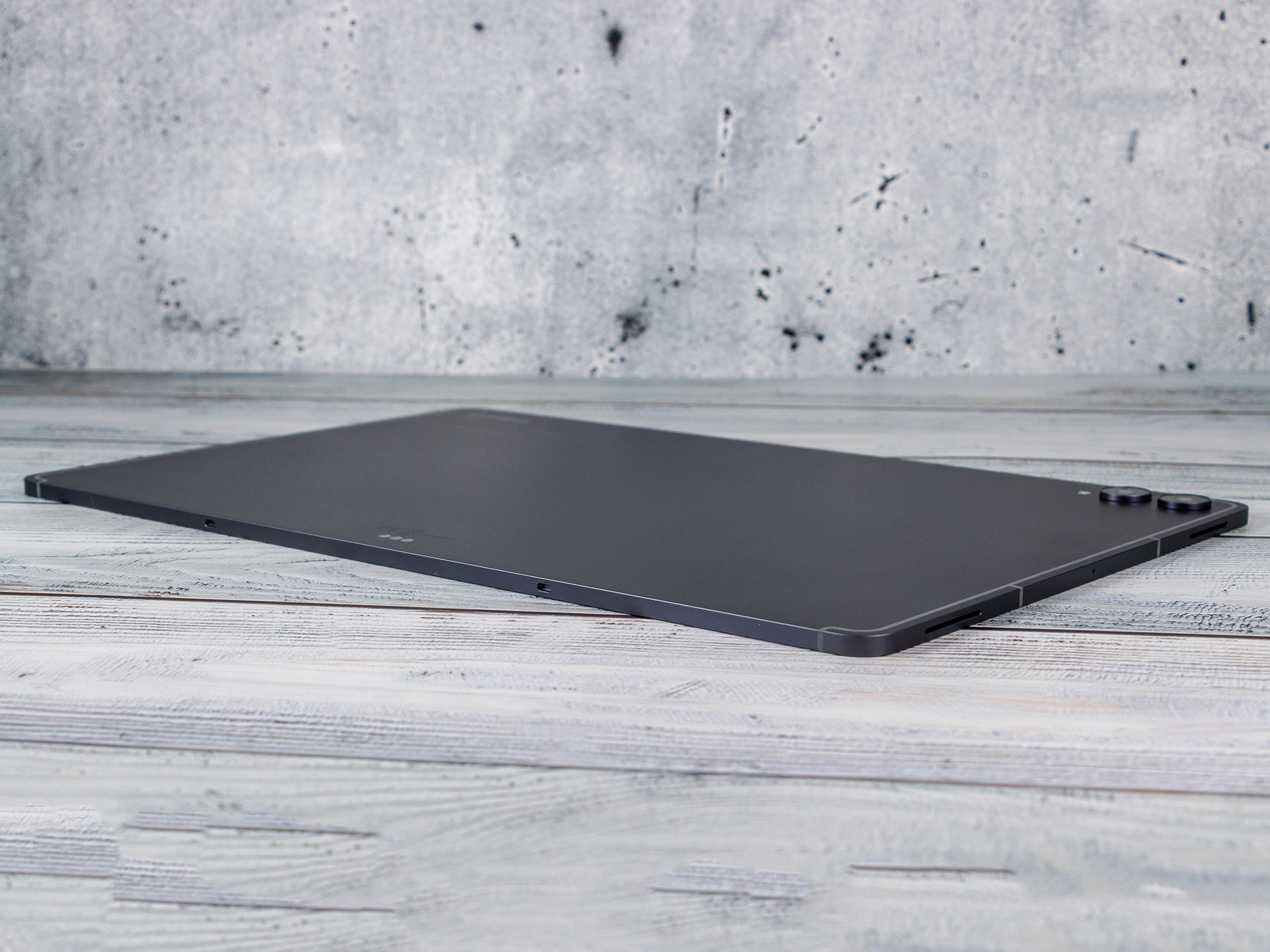
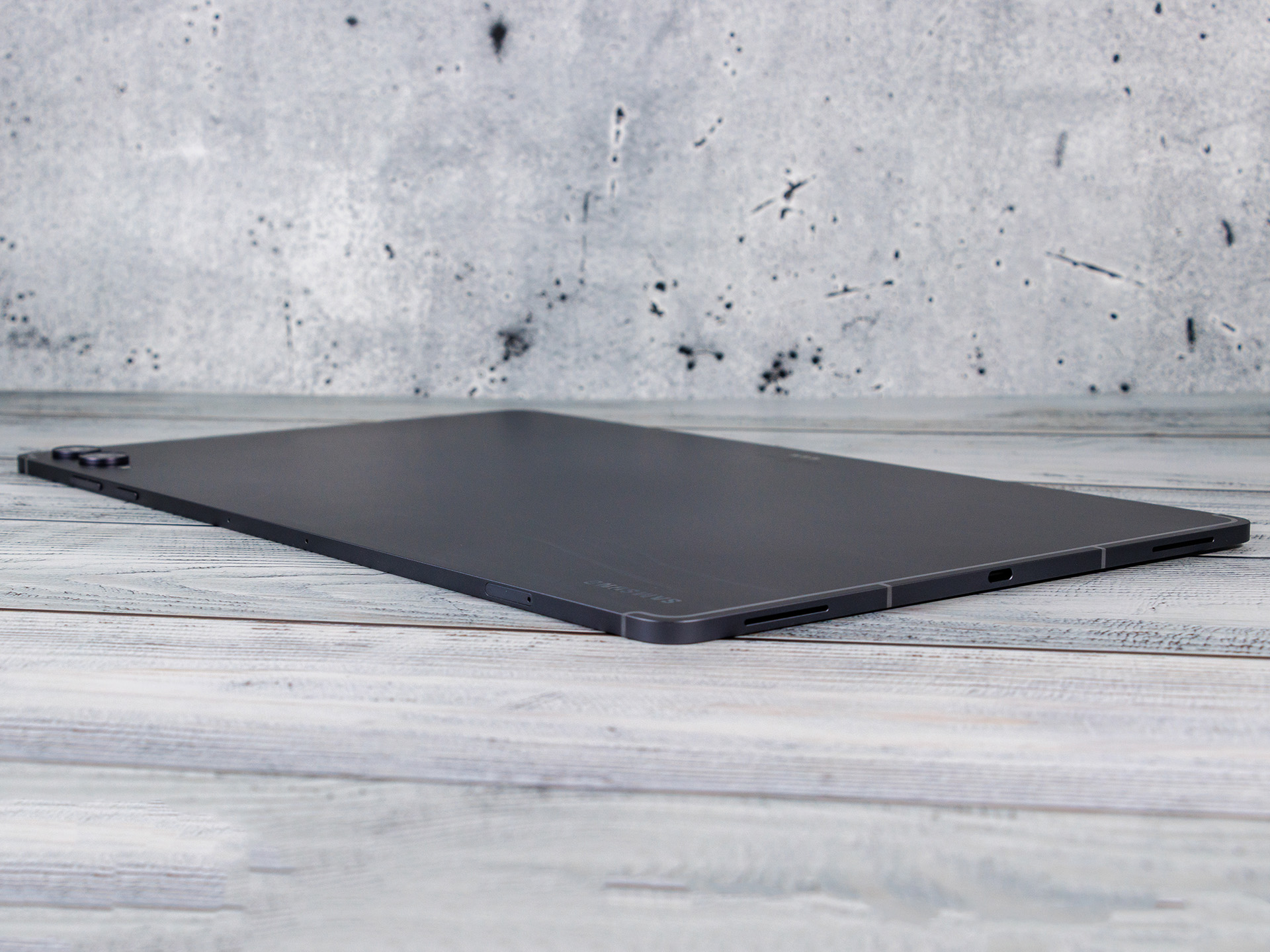
The Samsung Galaxy Tab S12 Ultra is exactly the same size as its predecessor. Although it weighs three grams less, it’s still relatively heavy. Despite its size, it fits comfortably in the hands and boasts impressive build quality; it’s also IP68-certified, making it both dust- and water-resistant.
It’s great to see that Samsung has once again included a microSD slot in its flagship tablet. The USB port isn’t just fast, but also supports wired display output, including Samsung’s DeX desktop mode. The S Pen is also included again and offers the familiar range of features, which is now complemented by additional AI capabilities.
| SD Card Reader - average JPG Copy Test (av. of 3 runs) | |
| Lenovo Yoga Tab Plus Gen 2 | |
| Samsung Galaxy Tab S12 Ultra (Angelbird AV Pro V60) | |
| Average of class Tablet (10.2 - 79.2, n=45, last 2 years) | |
Communication and usability - The Galaxy Tab S12 Ultra comes with the S Pen again
In our test, we’re using a Wi-Fi model of the Samsung Galaxy Tab S12 Ultra, though it’s also available with an optional built-in 5G modem. The Wi-Fi connection is extremely fast and stable.
For biometric security, an optical fingerprint sensor is integrated into the display; it’s positioned near the USB port, making it easily accessible even in landscape mode. It unlocks the tablet quickly and reliably, though given the price range, we would have preferred an ultrasonic model. Samsung does not include a vibration motor.
The included S Pen remains unchanged from its predecessor. Thanks to its hexagonal shape, it fits comfortably in the hand, operates without a battery, and supports pressure-sensitive input. Bluetooth functions for remote control are still missing. New possibilities arise primarily from the expanded software and AI features.
| Networking | |
| Samsung Galaxy Tab S12 Ultra | |
| iperf3 transmit Wi-Fi6/7 RT-BE96U | |
| iperf3 receive Wi-Fi6/7 RT-BE96U | |
| Huawei MatePad Pro Max | |
| iperf3 transmit Wi-Fi6/7 RT-BE96U | |
| iperf3 receive Wi-Fi6/7 RT-BE96U | |
| Apple iPad Pro 13 2024 | |
| iperf3 transmit AXE11000 | |
| iperf3 receive AXE11000 | |
| iperf3 transmit AXE11000 6GHz | |
| iperf3 receive AXE11000 6GHz | |
| Lenovo Yoga Tab Plus Gen 2 | |
| iperf3 transmit Wi-Fi6/7 RT-BE96U | |
| iperf3 receive Wi-Fi6/7 RT-BE96U | |
| Samsung Galaxy Tab S11 Ultra | |
| iperf3 transmit AXE11000 | |
| iperf3 receive AXE11000 | |
| iperf3 transmit AXE11000 6GHz | |
| iperf3 receive AXE11000 6GHz | |
| Average 802.11 a/b/g/n/ac/ax/be | |
| iperf3 transmit AXE11000 | |
| iperf3 receive AXE11000 | |
| iperf3 transmit AXE11000 6GHz | |
| iperf3 receive AXE11000 6GHz | |
| iperf3 transmit Wi-Fi6/7 RT-BE96U | |
| iperf3 receive Wi-Fi6/7 RT-BE96U | |
| Average of class Tablet | |
| iperf3 transmit AXE11000 | |
| iperf3 receive AXE11000 | |
| iperf3 transmit AXE11000 6GHz | |
| iperf3 receive AXE11000 6GHz | |
| iperf3 transmit Wi-Fi6/7 RT-BE96U | |
| iperf3 receive Wi-Fi6/7 RT-BE96U | |
Cameras - Good shots in daylight
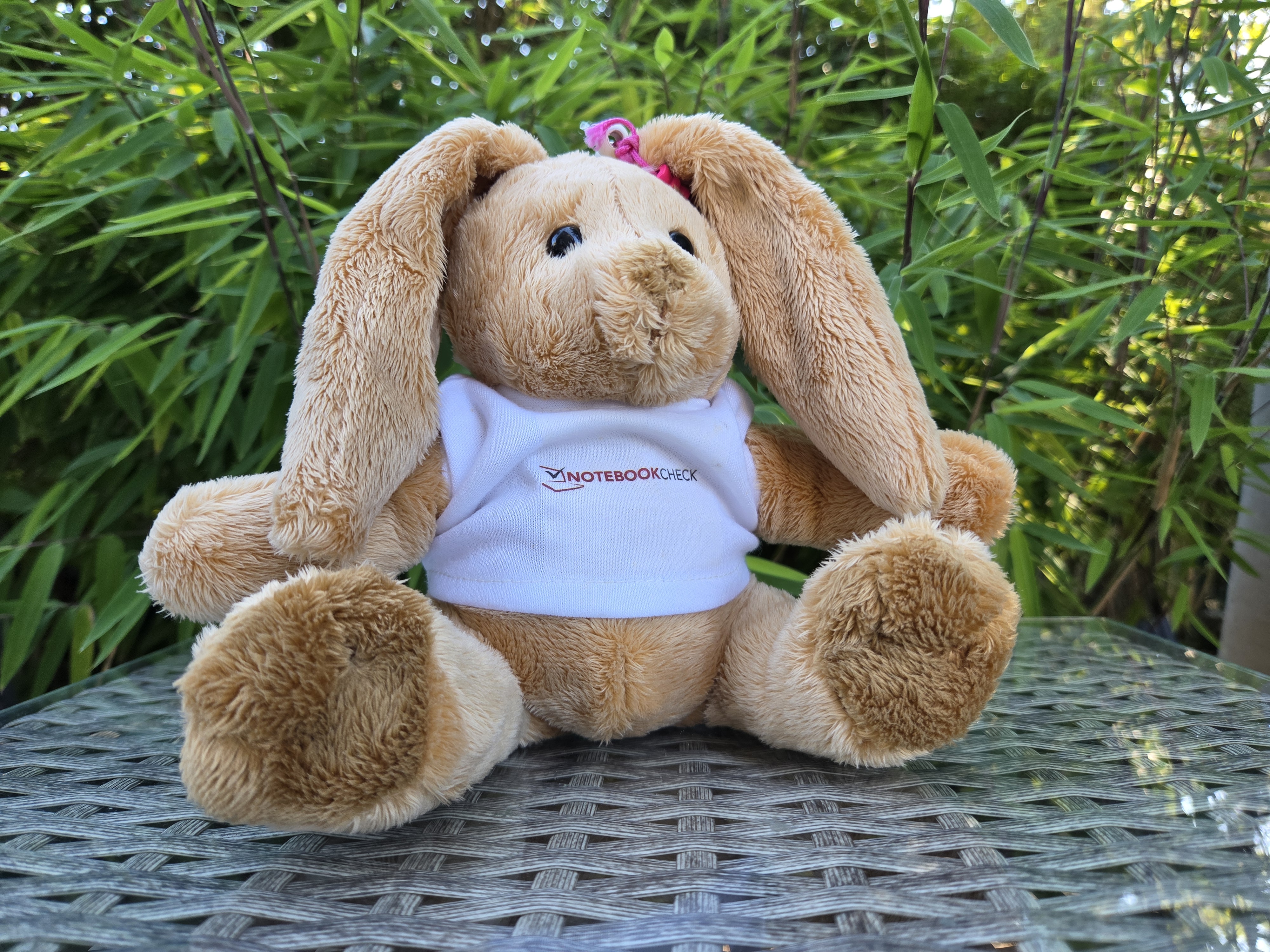
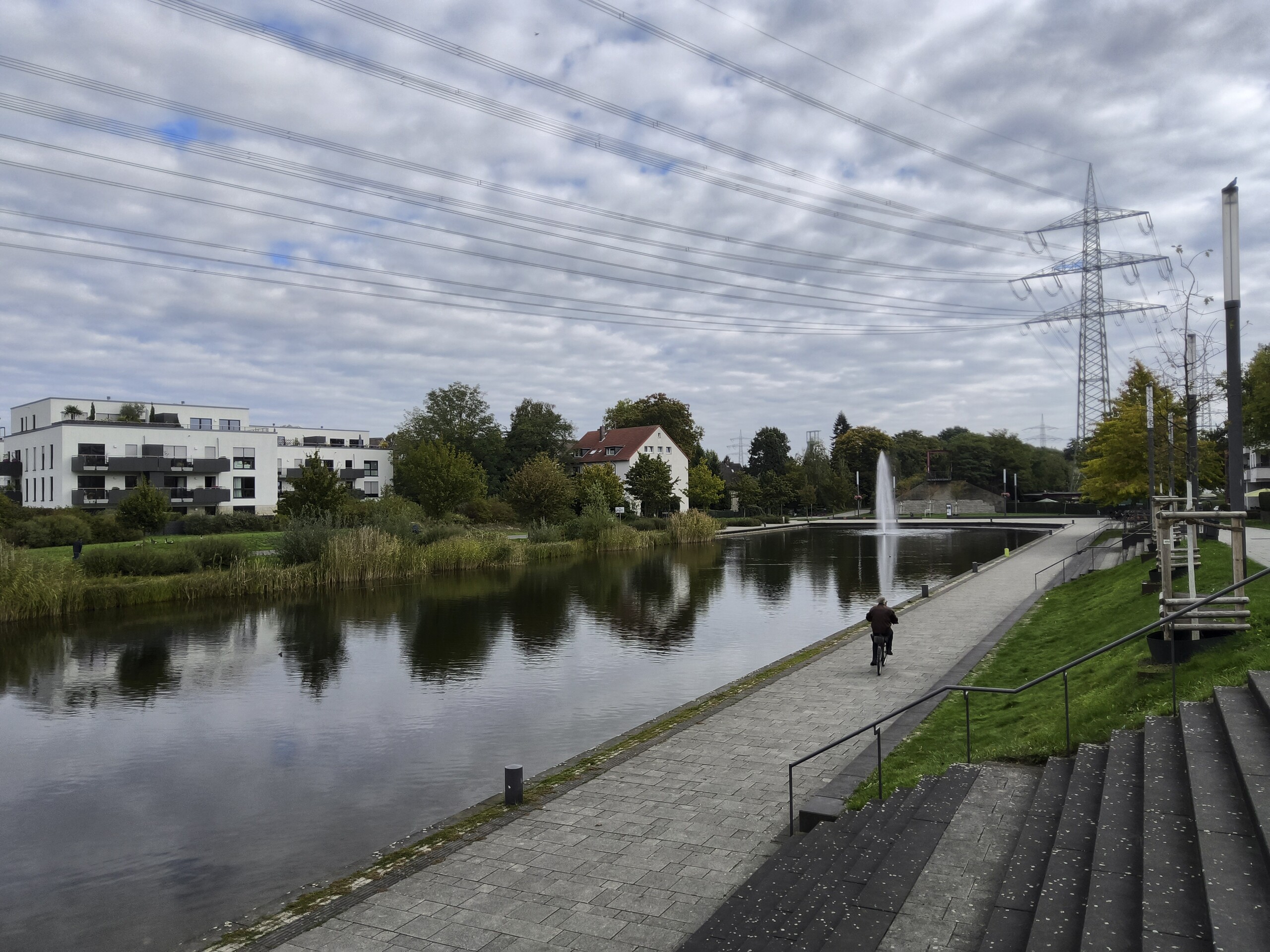
The cameras on the Samsung Galaxy Tab S12 Ultra produce usable photos in daylight with mostly natural colors and decent dynamic range. However, fine details are only moderately resolved, and the image processing visibly sharpens the image in some areas.
The ultra-wide-angle camera shows additional loss of sharpness, while the 5x digital zoom produces heavily blurred results. In low light, image noise and aggressive noise reduction significantly impair image quality. The front-facing camera impresses with good dynamic range and natural skin tones, but it slightly smooths out fine details.
Image comparison
Choose a scene and navigate within the first image. One click changes the position on touchscreens. One click on the zoomed-in image opens the original in a new window. The first image shows the scaled photograph of the test device.





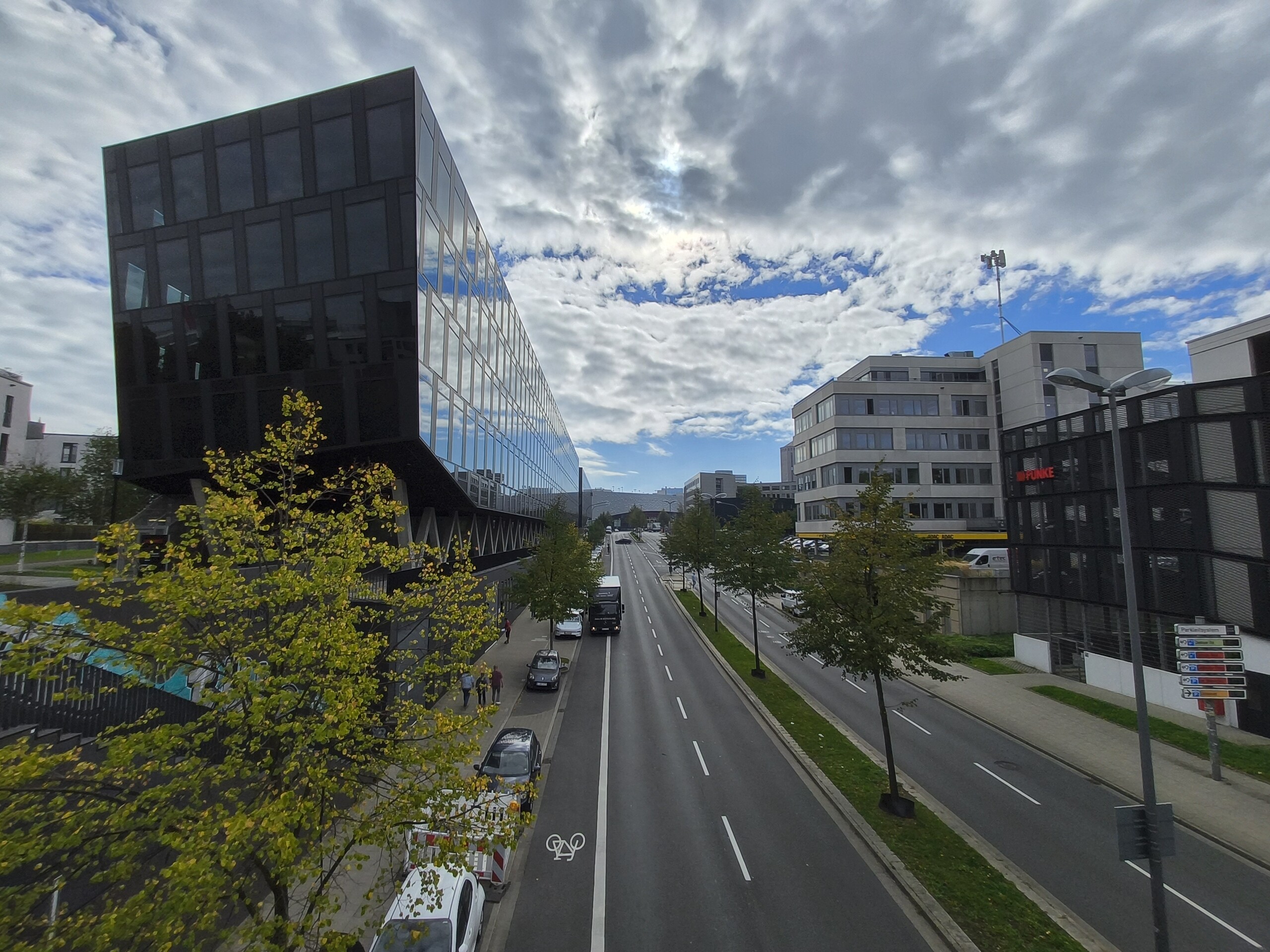




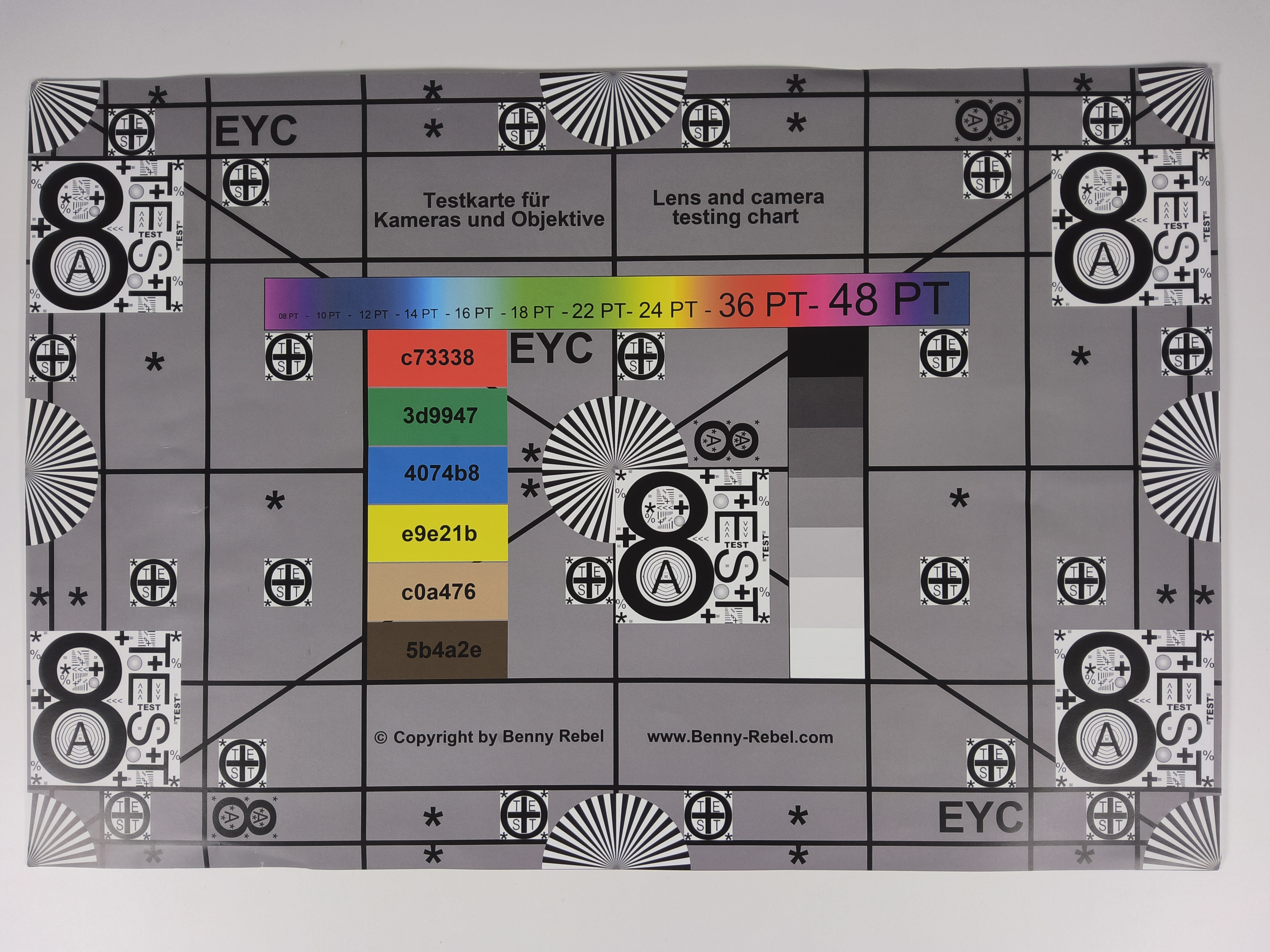

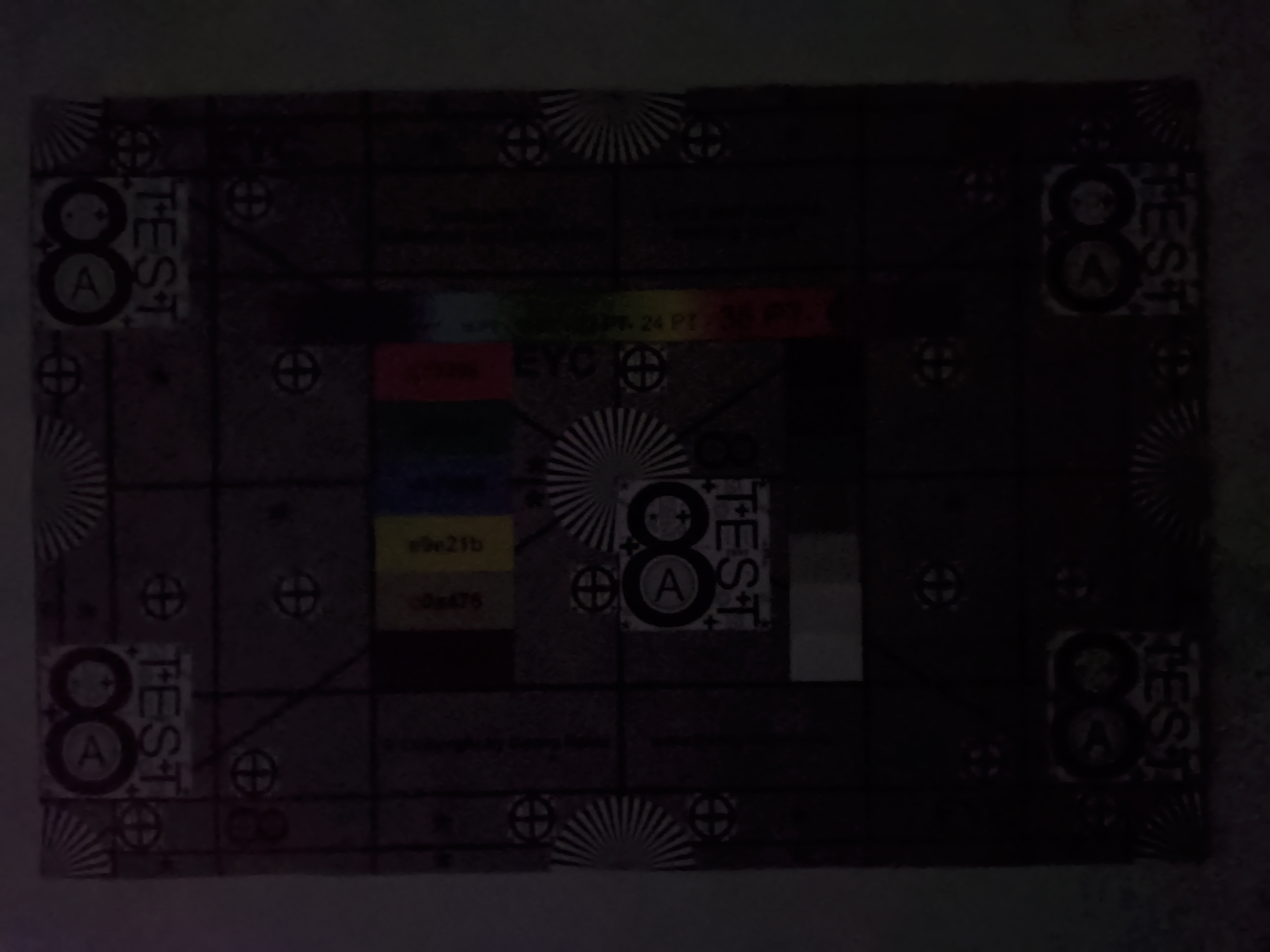

Display - Bright OLED with PWM flicker
The Galaxy Tab S12 Ultra’s Dynamic AMOLED 2X display adjusts its refresh rate based on the content being displayed. While in use, it operates at 120 Hz; when playing a 30-fps video, it reduces the refresh rate to 30 Hz. DRM Info also lists modes starting at 24 Hz. Whether LTPO technology is used for this has not yet been officially confirmed.
The Samsung tablet’s display can get very bright, but it also uses low-frequency PWM dimming at 240 Hz, which can cause discomfort for sensitive individuals.
| |||||||||||||||||||||||||
Brightness Distribution: 84 %
Center on Battery: 933 cd/m²
Contrast: ∞:1 (Black: 0 cd/m²)
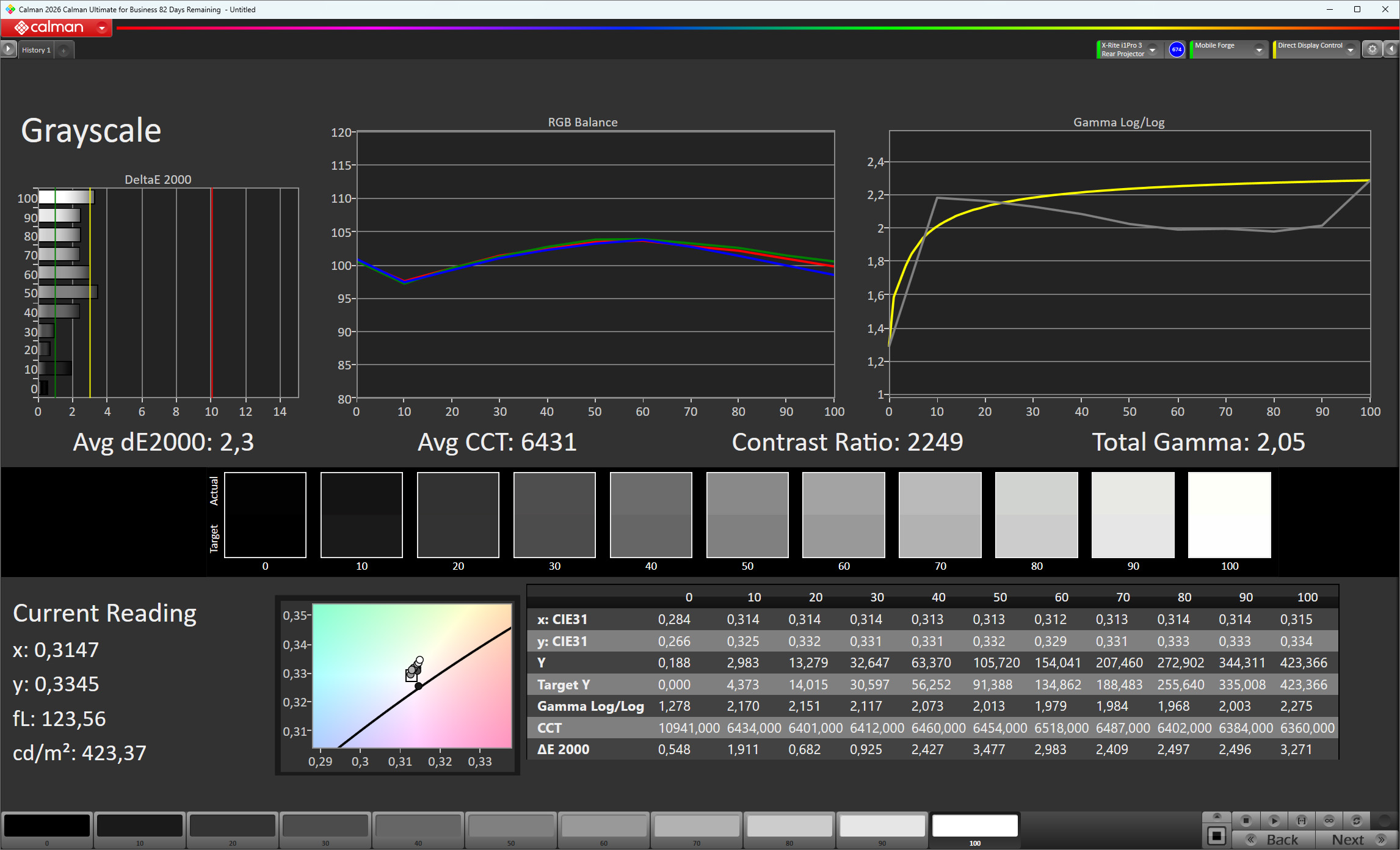
ΔE ColorChecker Calman: 2.7 | ∀{0.5-29.43 Ø4.68}
ΔE Greyscale Calman: 2.3 | ∀{0.09-98 Ø4.92}
100% sRGB (Calman 2D)
Gamma: 2.05
CCT: 6431 K
| Samsung Galaxy Tab S12 Ultra Dynamic AMOLED 2X, 2960x1848, 14.6" | Huawei MatePad Pro Max OLED, 3000x2000, 13.2" | Apple iPad Pro 13 2024 Tandem OLED, 2752x2064, 13" | Lenovo Yoga Tab Plus Gen 2 IPS, 3840x2560, 13" | Samsung Galaxy Tab S11 Ultra Dynamic AMOLED 2X, 2960x1848, 14.6" | |
|---|---|---|---|---|---|
| Display | -13% | -34% | -1% | ||
| APL18 Peak Brightness (cd/m²) | 1601 | 1441 -10% | 1102 -31% | 1575 -2% | |
| HDR Peak Brightness (cd/m²) | 1747 | 1485 -15% | 1098 -37% | 1739 0% | |
| Response Times | 34% | -44% | -1247% | -29% | |
| Response Time Grey 50% / Grey 80% * (ms) | 1.52 ? | 0.52 ? 66% | 3.39 ? -123% | 29 ? -1808% | 3.51 ? -131% |
| Response Time Black / White * (ms) | 1.44 ? | 0.94 ? 35% | 0.69 ? 52% | 11.3 ? -685% | 0.73 ? 49% |
| PWM Frequency (Hz) | 240 | 360 | 240 | 480 | |
| PWM Amplitude * (%) | 16.05 | 15.71 2% | 25.86 -61% | 16.95 -6% | |
| Screen | 11% | 28% | -11% | 3% | |
| Brightness middle (cd/m²) | 933 | 908 -3% | 1000 7% | 759 -19% | 966 4% |
| Brightness (cd/m²) | 924 | 898 -3% | 1010 9% | 681 -26% | 965 4% |
| Brightness Distribution (%) | 84 | 98 17% | 98 17% | 81 -4% | 88 5% |
| Black Level * (cd/m²) | 0.53 | ||||
| Colorchecker dE 2000 * | 2.7 | 1.5 44% | 1 63% | 2.27 16% | 2.8 -4% |
| Colorchecker dE 2000 max. * | 4.7 | 3.7 21% | 2.5 47% | 4.49 4% | 4.6 2% |
| Greyscale dE 2000 * | 2.3 | 2.6 -13% | 1.7 26% | 3.2 -39% | 2.1 9% |
| Gamma | 2.05 107% | 2.21 100% | 2.21 100% | 2.568 86% | 2.06 107% |
| CCT | 6431 101% | 6973 93% | 6661 98% | 6835 95% | 6305 103% |
| Contrast (:1) | 1432 | ||||
| Total Average (Program / Settings) | 11% /
13% | -8% /
4% | -431% /
-263% | -9% /
-6% |
* ... smaller is better
Screen Flickering / PWM (Pulse-Width Modulation)
| Screen flickering / PWM detected | 240 Hz Amplitude: 16.05 % | 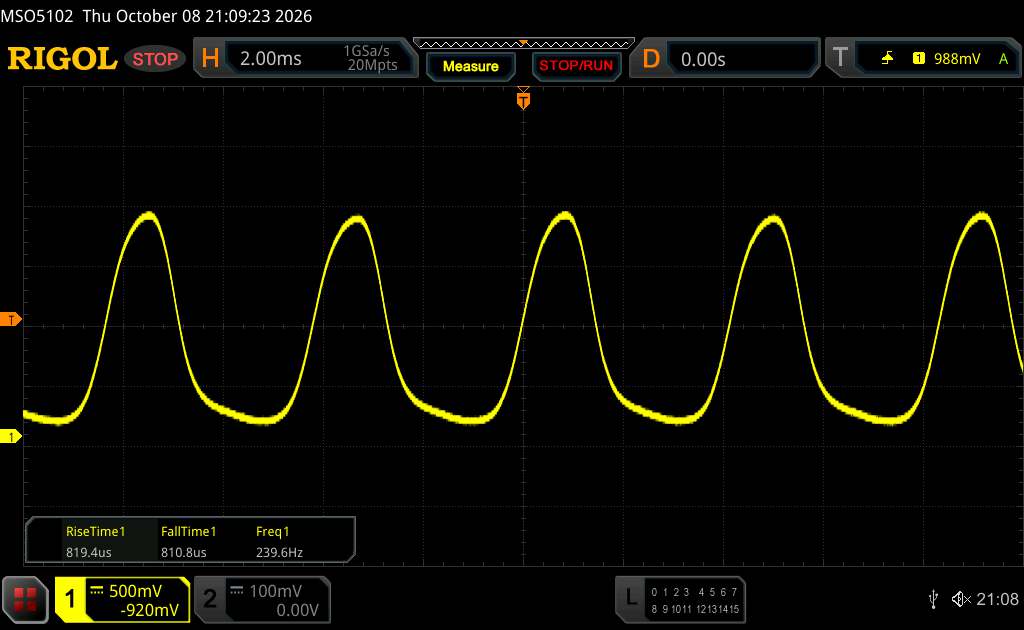 | |
The display backlight flickers at 240 Hz (worst case, e.g., utilizing PWM) . The frequency of 240 Hz is relatively low, so sensitive users will likely notice flickering and experience eyestrain at the stated brightness setting and below. In comparison: 52 % of all tested devices do not use PWM to dim the display. If PWM was detected, an average of 7547 (minimum: 5 - maximum: 343500) Hz was measured. | |||
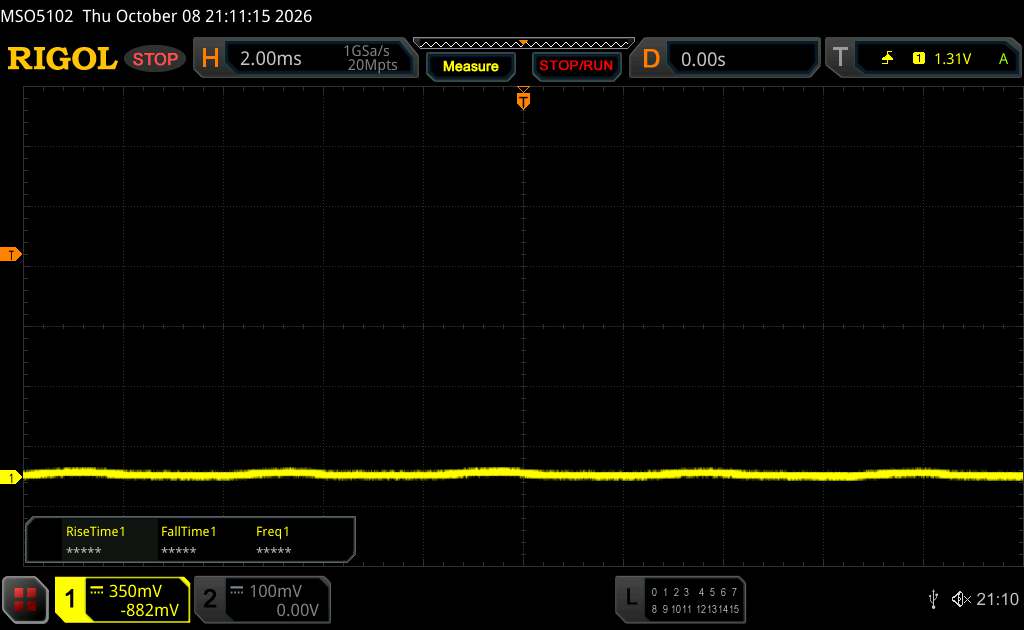
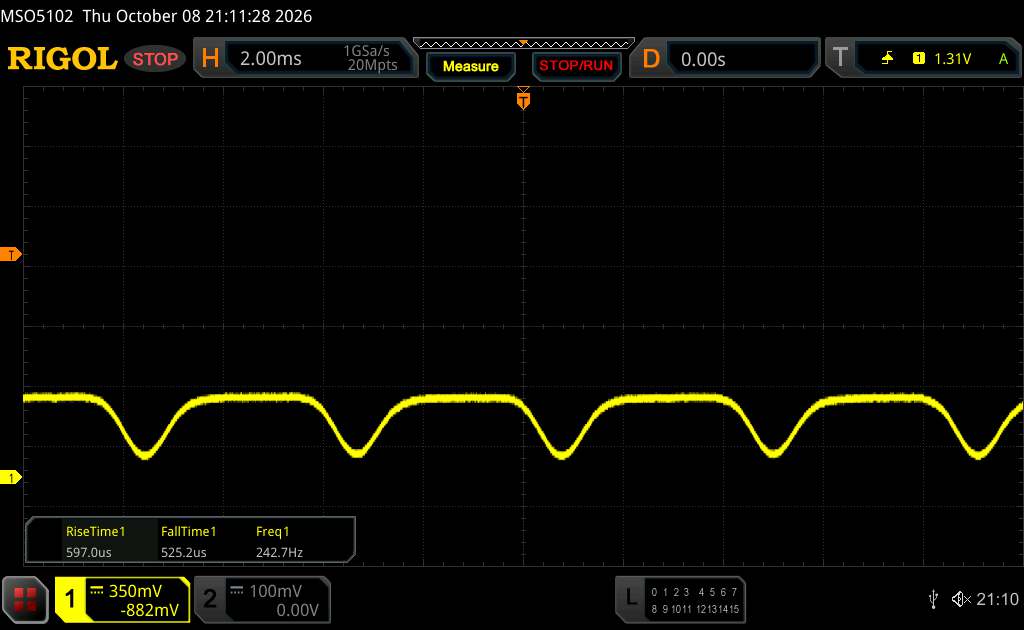
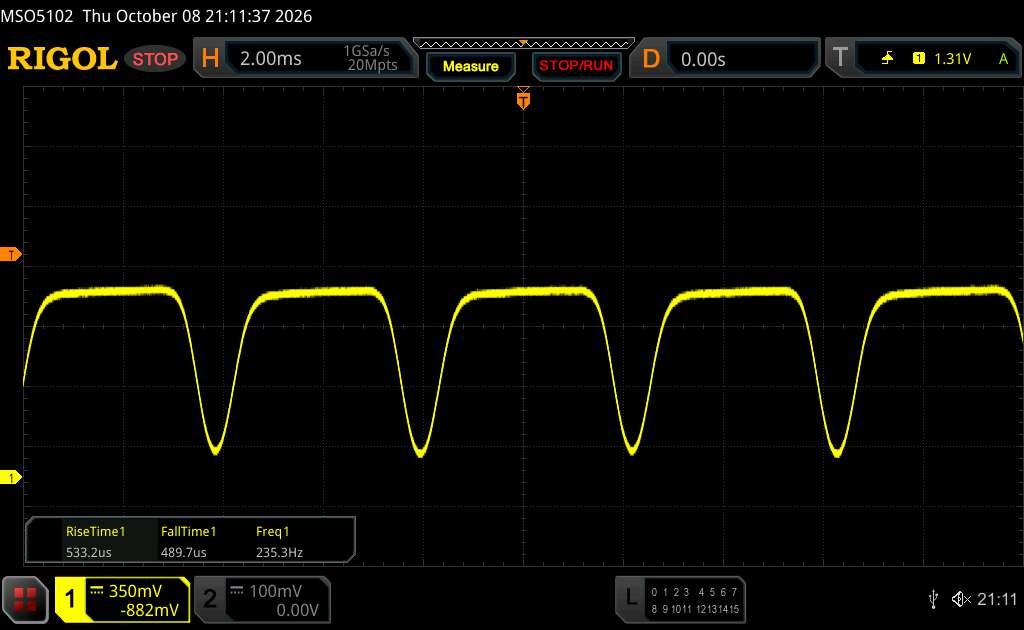
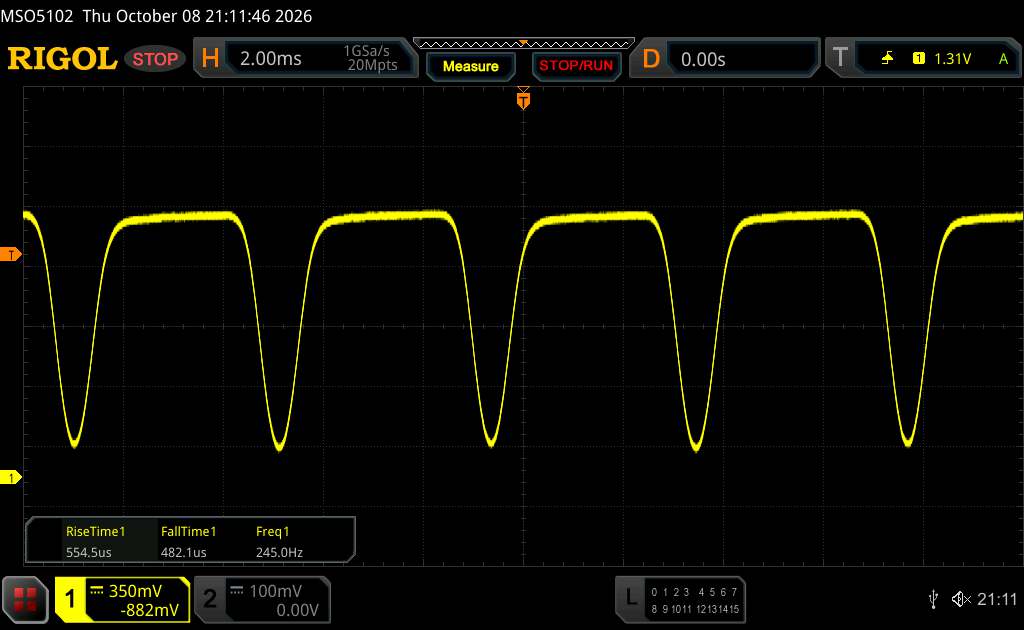
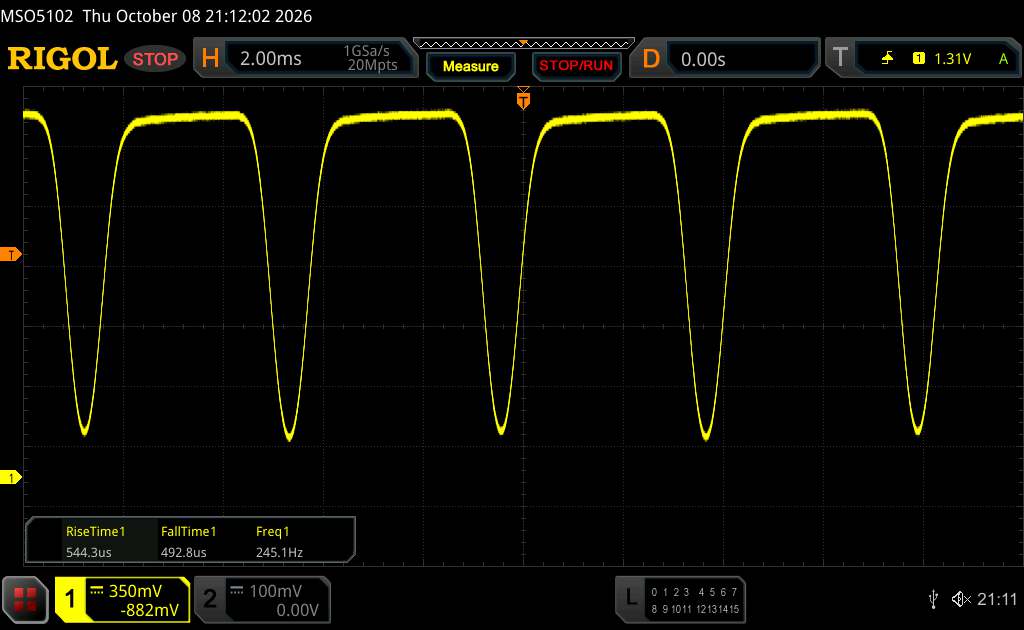
Series of measurements with a fixed zoom level and different brightness settings (Although the amplitude curve at minimum brightness appears flat, this is due to the scaling. The info box shows a magnified version of the amplitude at minimum brightness.)


Display Response Times
| ↔ Response Time Black to White | ||
|---|---|---|
| 1.44 ms ... rise ↗ and fall ↘ combined | ↗ 0.741 ms rise | 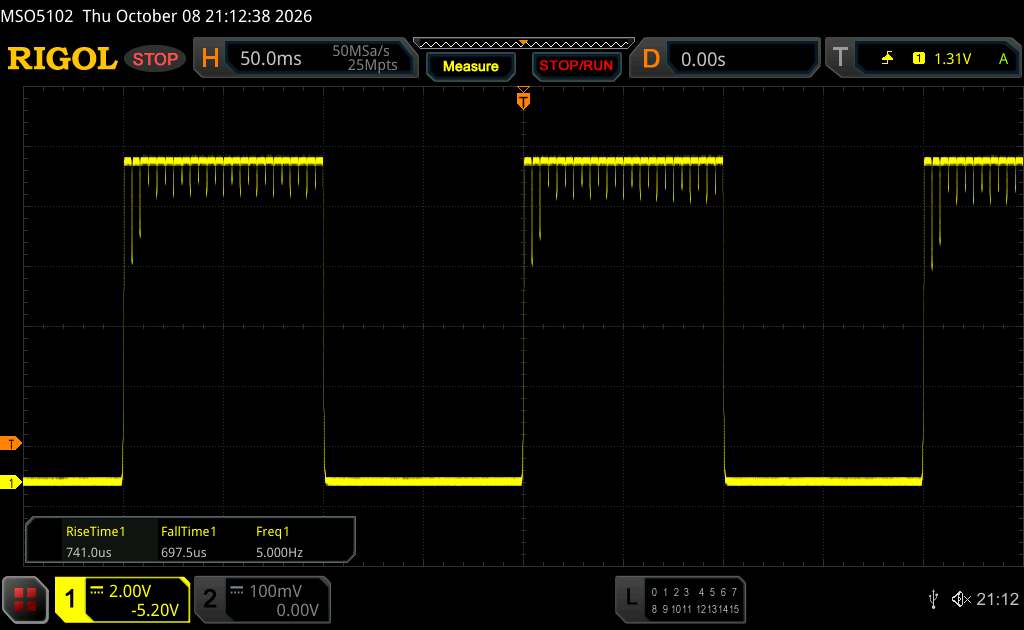 |
| ↘ 0.6975 ms fall | ||
| The screen shows very fast response rates in our tests and should be very well suited for fast-paced gaming. In comparison, all tested devices range from 0.1 (minimum) to 240 (maximum) ms. » 10 % of all devices are better. This means that the measured response time is better than the average of all tested devices (19.6 ms). | ||
| ↔ Response Time 50% Grey to 80% Grey | ||
| 1.52 ms ... rise ↗ and fall ↘ combined | ↗ 0.7605 ms rise | 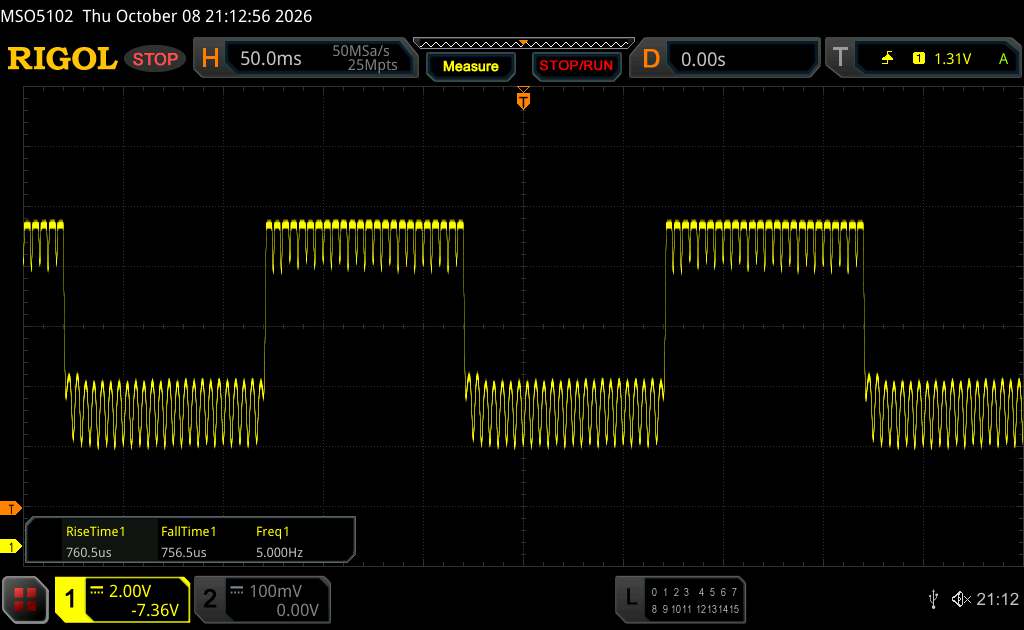 |
| ↘ 0.7565 ms fall | ||
| The screen shows very fast response rates in our tests and should be very well suited for fast-paced gaming. In comparison, all tested devices range from 0.13 (minimum) to 636 (maximum) ms. » 8 % of all devices are better. This means that the measured response time is better than the average of all tested devices (30.6 ms). | ||
Performance, Emissions and Battery Life
| Samsung Galaxy Tab S12 Ultra | Huawei MatePad Pro Max | Lenovo Yoga Tab Plus Gen 2 | Samsung Galaxy Tab S11 Ultra | Average 256 GB UFS 4.0 Flash | Average of class Tablet | |
|---|---|---|---|---|---|---|
| AndroBench 3-5 | 173% | 66% | -5% | 49% | 13% | |
| Sequential Read 256KB (MB/s) | 3449.83 | 4327.68 25% | 3730.6 8% | 4076.86 18% | 3617 ? 5% | 2236 ? -35% |
| Sequential Write 256KB (MB/s) | 2195.34 | 4118.12 88% | 3838.3 75% | 2257.93 3% | 2637 ? 20% | 1801 ? -18% |
| Random Read 4KB (MB/s) | 299.37 | 494.4 65% | 282.1 -6% | 384.4 28% | 388 ? 30% | 289 ? -3% |
| Random Write 4KB (MB/s) | 166.86 | 1022.64 513% | 478.9 187% | 50.66 -70% | 398 ? 139% | 349 ? 109% |
(-) The maximum temperature on the upper side is 58.8 °C / 138 F, compared to the average of 33.9 °C / 93 F, ranging from 20.7 to 307 °C for the class Tablet.
(-) The bottom heats up to a maximum of 50.6 °C / 123 F, compared to the average of 33.2 °C / 92 F
3DMark Stress Tests
| 3DMark | |
| Wild Life Stress Test Stability | |
| Apple iPad Pro 13 2024 | |
| Lenovo Yoga Tab Plus Gen 2 | |
| Huawei MatePad Pro Max | |
| Samsung Galaxy Tab S12 Ultra | |
| Wild Life Extreme Stress Test | |
| Lenovo Yoga Tab Plus Gen 2 | |
| Huawei MatePad Pro Max | |
| Samsung Galaxy Tab S12 Ultra | |
| Apple iPad Pro 13 2024 | |
| Solar Bay Stress Test Stability | |
| Huawei MatePad Pro Max | |
| Lenovo Yoga Tab Plus Gen 2 | |
| Apple iPad Pro 13 2024 | |
| Solar Bay Extreme Stress Test Stability | |
| Huawei MatePad Pro Max | |
| Lenovo Yoga Tab Plus Gen 2 | |
| Steel Nomad Light Stress Test Stability | |
| Huawei MatePad Pro Max | |
| Lenovo Yoga Tab Plus Gen 2 | |
| Samsung Galaxy Tab S12 Ultra | |
| Apple iPad Pro 13 2024 | |
Samsung Galaxy Tab S12 Ultra audio analysis
(+) | speakers can play relatively loud (87.8 dB)
Bass 100 - 315 Hz
(±) | reduced bass - on average 9.4% lower than median
(±) | linearity of bass is average (8.7% delta to prev. frequency)
Mids 400 - 2000 Hz
(+) | balanced mids - only 2.4% away from median
(+) | mids are linear (4.4% delta to prev. frequency)
Highs 2 - 16 kHz
(+) | balanced highs - only 2% away from median
(+) | highs are linear (2.9% delta to prev. frequency)
Overall 100 - 16.000 Hz
(+) | overall sound is linear (8.6% difference to median)
Compared to same class
» 2% of all tested devices in this class were better, 2% similar, 97% worse
» The best had a delta of 7%, average was 20%, worst was 130%
Compared to all devices tested
» 2% of all tested devices were better, 1% similar, 97% worse
» The best had a delta of 4%, average was 23%, worst was 136%
Huawei MatePad Pro Max audio analysis
(+) | speakers can play relatively loud (89.3 dB)
Bass 100 - 315 Hz
(+) | good bass - only 4.1% away from median
(+) | bass is linear (6.1% delta to prev. frequency)
Mids 400 - 2000 Hz
(+) | balanced mids - only 4.1% away from median
(+) | mids are linear (3.8% delta to prev. frequency)
Highs 2 - 16 kHz
(+) | balanced highs - only 2.2% away from median
(+) | highs are linear (3.9% delta to prev. frequency)
Overall 100 - 16.000 Hz
(+) | overall sound is linear (8% difference to median)
Compared to same class
» 1% of all tested devices in this class were better, 1% similar, 98% worse
» The best had a delta of 7%, average was 20%, worst was 130%
Compared to all devices tested
» 2% of all tested devices were better, 1% similar, 98% worse
» The best had a delta of 4%, average was 23%, worst was 136%
| Off / Standby |   0.07 / 0.5 Watt |
| Idle |  2.98 / 7.2 / 7.27 Watt |
    
| |
Key:
min: ,
med: ,
max: Metrahit Energy | |
| Samsung Galaxy Tab S12 Ultra 11600 mAh | Huawei MatePad Pro Max 9760 mAh | Apple iPad Pro 13 2024 10209 mAh | Lenovo Yoga Tab Plus Gen 2 12700 mAh | Average MediaTek Dimensity 9500 | Average of class Tablet | |
|---|---|---|---|---|---|---|
| Power Consumption | 31% | 32% | 65% | 58% | 38% | |
| Idle Minimum * (Watt) | 2.98 | 2.57 14% | 1.94 35% | 1.5 50% | 1.396 ? 53% | 2.21 ? 26% |
| Idle Average * (Watt) | 7.2 | 4.36 39% | 5.02 30% | 1.7 76% | 2.79 ? 61% | 3.84 ? 47% |
| Idle Maximum * (Watt) | 7.27 | 4.44 39% | 5.05 31% | 2.3 68% | 2.98 ? 59% | 4.24 ? 42% |
| Load Average * (Watt) | 9.52 | 8.71 | 10.5 | 9.28 ? | 9.03 ? | |
| Load Maximum * (Watt) | 12.9 | 16.93 | 21.7 | 13.7 ? | 14.8 ? |
* ... smaller is better
Notebookcheck Overall Rating
The Galaxy Tab S12 Ultra features an outstanding AMOLED display and a wide range of features, but compared to its predecessor, it falls short in terms of graphics performance and suffers from significant throttling.
Samsung Galaxy Tab S12 Ultra
- 11/19/2026 v8
Daniel Schmidt
 Total Sustainability Score:
A comparison of possible alternatives
Image | Model / Review | Price | Weight | Drive | Display |
|---|---|---|---|---|---|
1. 88%  | Samsung Galaxy Tab S12 Ultra MediaTek Dimensity 9500 ⎘ Arm Mali G1-Ultra MC12 ⎘ 12 GB Memory, 256 GB UFS 4.x | List Price: 1539€ | 692 g | 256 GB UFS 4.0 Flash | 14.60" 2960x1848 239 PPI Dynamic AMOLED 2X |
2. 87.5%  | Huawei MatePad Pro Max HiSilicon Kirin 9030 Pro ⎘ HiSilicon Maleoon 935 ⎘ 12 GB Memory, 512 GB UFS 4.x | Amazon: 1. $329.99 TCL NXTPAPER 14 Android Tabl... 2. $909.00 HONOR MagicPad4 (12.3 Inch, ... 3. $282.14 Samsung Galaxy Tab S10 Lite,... List Price: 1299€ | 509 g | 512 GB UFS 4.1 Flash | 13.20" 3000x2000 273 PPI OLED |
3. 89.2%  | Apple iPad Pro 13 2024 Apple M4 10-Core ⎘ Apple M4 10-core GPU ⎘ 16 GB Memory, 1024 GB | List Price: 2279€ | 579 g | 1 TB NAND Flash | 13.00" 2752x2064 265 PPI Tandem OLED |
4. 88.2%  | Lenovo Yoga Tab Plus Gen 2 Qualcomm Snapdragon 8 Elite ⎘ Qualcomm Adreno 830 ⎘ 16 GB Memory, 256 GB UFS 4.x | Amazon: 1. $919.00 Lenovo Yoga Tab Plus Gen 2 1... 2. $369.99 Lenovo Idea Tab Pro Gen 2 Ta... 3. $639.99 Lenovo Yoga Tab AI Tablet, 1... List Price: 999€ | 605 g | 256 GB UFS 4.0 Flash | 13.00" 3840x2560 355 PPI IPS |
Transparency
The selection of devices to be reviewed is made by our editorial team. The test sample was provided to the author as a loan by the manufacturer or retailer for the purpose of this review. The lender had no influence on this review, nor did the manufacturer receive a copy of this review before publication. There was no obligation to publish this review. As an independent media company, Notebookcheck is not subjected to the authority of manufacturers, retailers or publishers.
This is how Notebookcheck is testing
Every year, Notebookcheck independently reviews hundreds of laptops and smartphones using standardized procedures to ensure that all results are comparable. We have continuously developed our test methods for around 20 years and set industry standards in the process. In our test labs, high-quality measuring equipment is utilized by experienced technicians and editors. These tests involve a multi-stage validation process. Our complex rating system is based on hundreds of well-founded measurements and benchmarks, which maintains objectivity. Further information on our test methods can be found here.
 Add as a preferred source on Google


