





Comulytic Note Pro review: An AI dictation device with a lot of additional features
AI power in the size of a credit card!
An AI recorder can be helpful if you want to focus more on meetings without having to take notes, or if you don't want to miss any details of your doctor's examination results and want to have them available later in a prepared form. This is especially true if it is compact and powerful like the Comulytic Note Pro.Marc Zander (translated by Marc Zander) Published 🇩🇪 🇫🇷 ...
This AI note-taking device not only simplifies business life
Anyone who frequently attends meetings or participates in video calls knows the drill: you jot down notes so you don't forget things or can follow up on them later. This often requires multitasking in addition to following the conversation. An AI transcription device such as the Comulytic Note Pro can be a real help here, saving you work at the end of the day (or after a workshop, press conference, or interview). But it can also be useful outside of work: for example, at the doctor's office, so you don't miss any details (ideal for older people or for relatives who couldn't be there for the appointment and can read a detailed summary later), or at university during a lecture, although data protection and the recognition of different speakers can be difficult, as we found in our test.
Of course, you could simply use the audio recorder on your smartphone and, if necessary, summarize the file using an AI tool. But that's more cumbersome and therefore not something many people tend to do. With the app, however, all it takes is one or two touch gestures to get reasonable results. Therefore, an AI dictation device is not only recommended for stressed-out business people, but also for students and anyone who cares for elderly parents, accompanies them to doctor's appointments, etc. Minor difficulties when setting up the app for the first time are quickly forgotten when using it later, but should not go unmentioned (see Cons on the right).
The AI functions included in the basic version should be sufficient for private use, but the premium subscription is more recommended for business use. Regardless of where and in what context the AI dictation device is used, data protection and personal rights must be observed: Before each use, it is therefore essential to obtain the consent of all parties involved for the recording. The manufacturer said that the product was designed from the very beginning in alignment with GDPR, CCPA, and CPRA standards, and they strictly adhere to these regulations. The company is currently applying for relevant certifications, which are expected to be obtained in May.
Pros
Cons
Price and availability
The device is currently available in the manufacturer's own online store for $138.99 (a $20 discount from the usual price of $158.99). However, delivery is currently only available in the United States. The device is available in black, silver, and orange.
Table of Contents
The Comulytic Note Pro is more than just an AI recorder that can transcribe and summarize conversations in a structured way. It is a true AI assistant that uses GPT-5, Gemini, and Whisper to structure and organize conversations and meetings, derive tasks from what is said, and highlight and clarify important points. With its compact design, it can be taken anywhere or attached magnetically to a smartphone or iPhone, where it can also record phone calls.
Specifications of the Comulytic Note Pro AI Recorder
| Internal storage capacity: | 64 GB |
| Microphones: | 2 MEMS for recording sound waves, 1 VPU for recording structure-borne sound |
| Battery capacity: | 400 mAh (up to 45 hours of recording time/107 days of standby time) |
| Maximum speaking distance: | approx. 5 m in a hall |
| Screen: | 128 × 80 pixels, size 0.78 inches (approx. 2 cm) |
| Connection: | Bluetooth Light, WLAN |
| Weight: | approx. 27.6 grams |
| Size: | 5.18 × 0.31 × 8.56 (W × D × H) |
Especially affordable thanks to a coupon: Comulytic Note Pro for $118.99
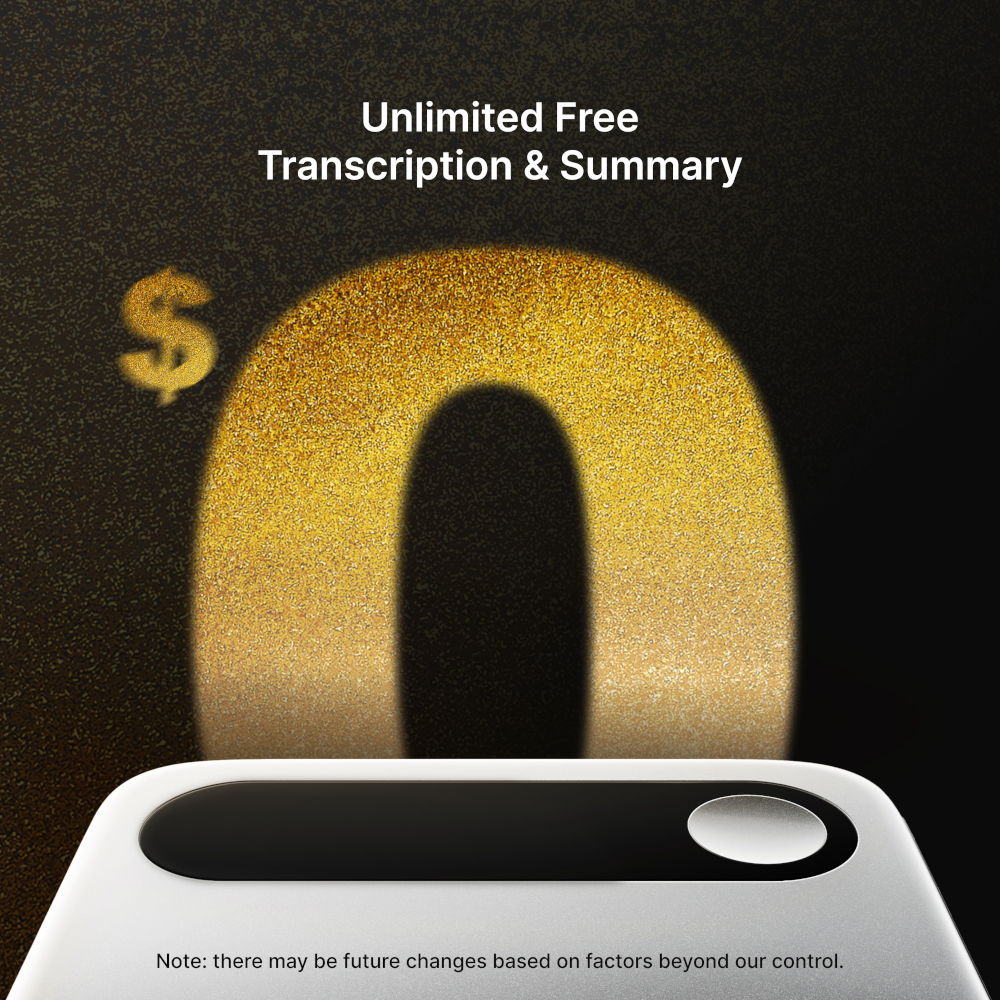
Until March 12, 2026, the Comulytic Note Pro is available at a special price. It can be ordered from Amazon for just $118.99 when using the coupon code COMULYTIC. This saves you a total of $40.
Take advantage of this opportunity to elevate your meetings and conversations to a new level of success and order the Comulytic Note Pro at this bargain price.
Scope of delivery and setup of the AI transcription device
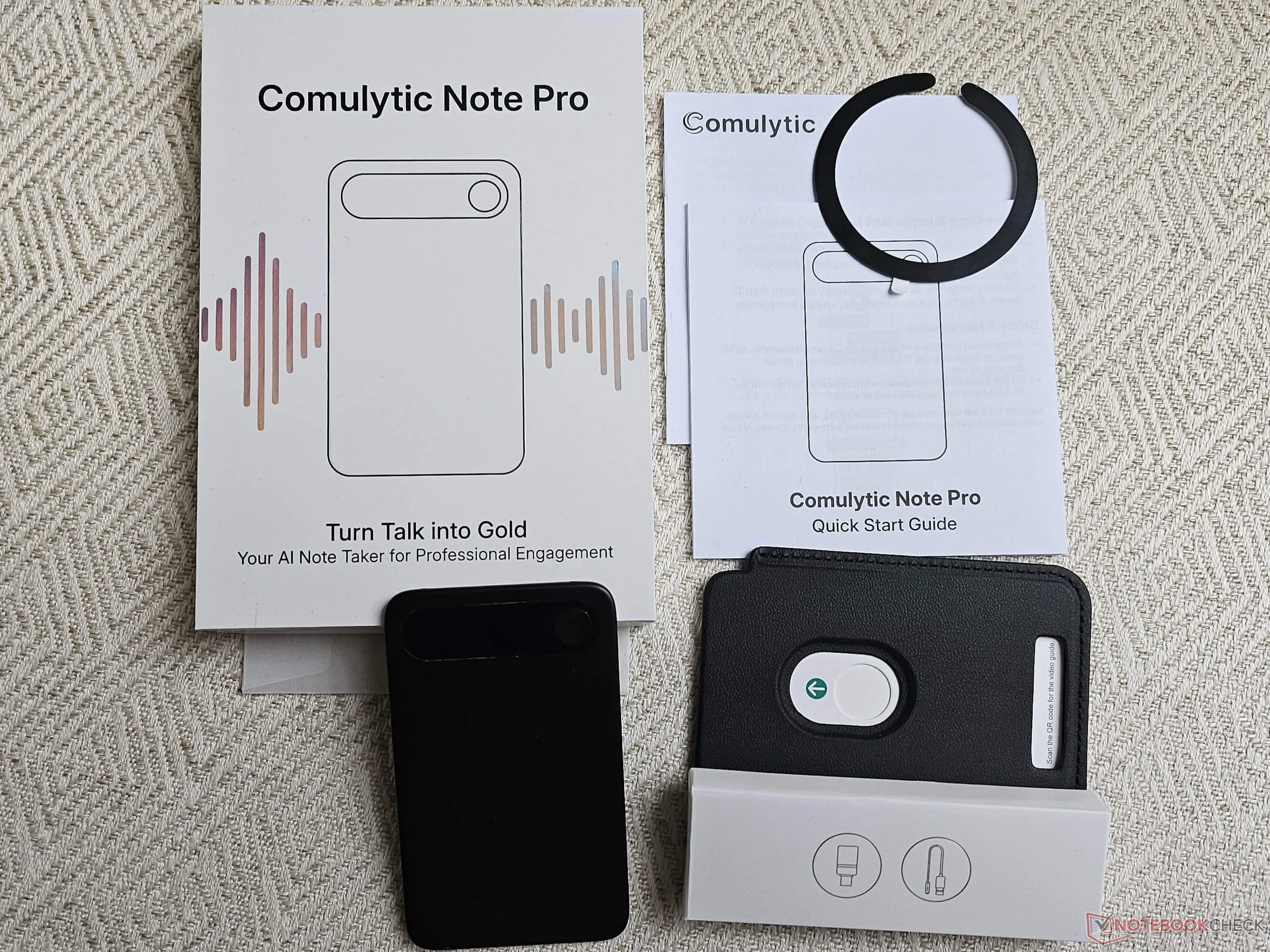
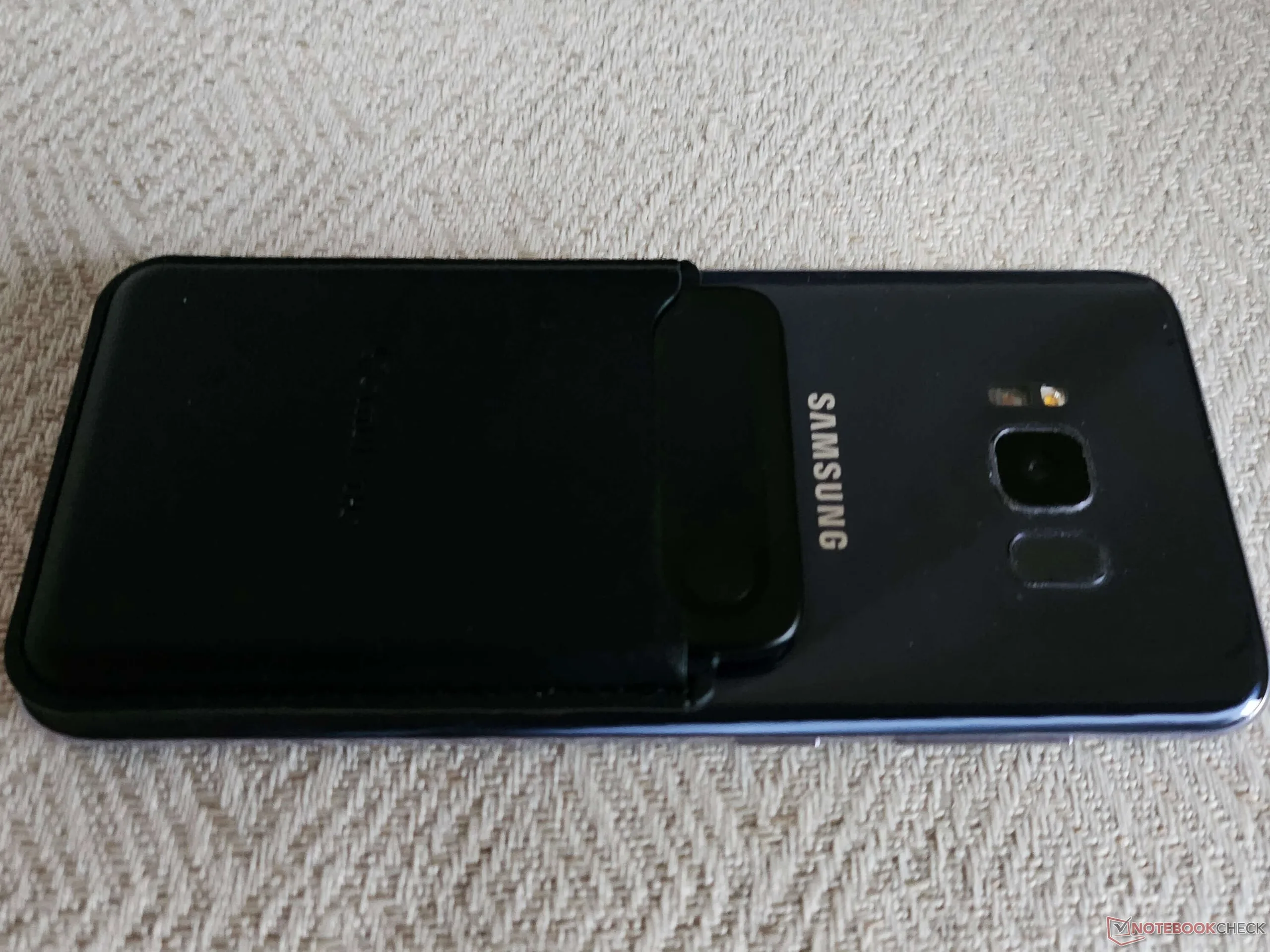
The small box, which is relatively awkward to open, contains everything you need to operate the Comulytic Note Pro: the device itself, a magnetic faux leather case, the magnetic USB charging cable with USB-A to USB-C adapter (for connecting to your smartphone, for example), a quick start guide in English, and a self-adhesive magnetic ring for the included case if your smartphone does not have a magnetic back like MagSafe or if the magnetic force is too weak. The case is designed to fit the Comulytic Note Pro perfectly, so that once you've managed to slide it in, it's very fiddly to pull the credit card-sized device out again. However, you don't need to do that, because the charging port, screen, and single control button are visible and accessible at all times. In any case, you can be sure that the device won't slip out of the case.
To use the device, you need the corresponding app. During my test, I couldn't find it in the German Google Play Store, so I used the QR code in the quick start guide and installed it as a so-called “app from an unknown source” after allowing this once in Android. After registering with my email address and password, the verification code took too long to arrive. When it finally arrived in my spam folder after more than 30 minutes, the app unfortunately rejected it as invalid. I made a total of five unsuccessful attempts before going back to the registration page and simply choosing to log in with my Google account. That worked right away.
In the app, you select your profession and connect the AI note-taking gadget via Bluetooth, which works quickly. You then receive 90 days of free premium access as a gift. Three steps personalize the AI gadget: saving your own voice for better AI recognition, activating the AWS cloud as a backup function, and customizing the AI output, where you select the AI content language from 113 possible languages. Then you can get started with the device.
The Comulytic Note Pro AI note-taking device in practical testing
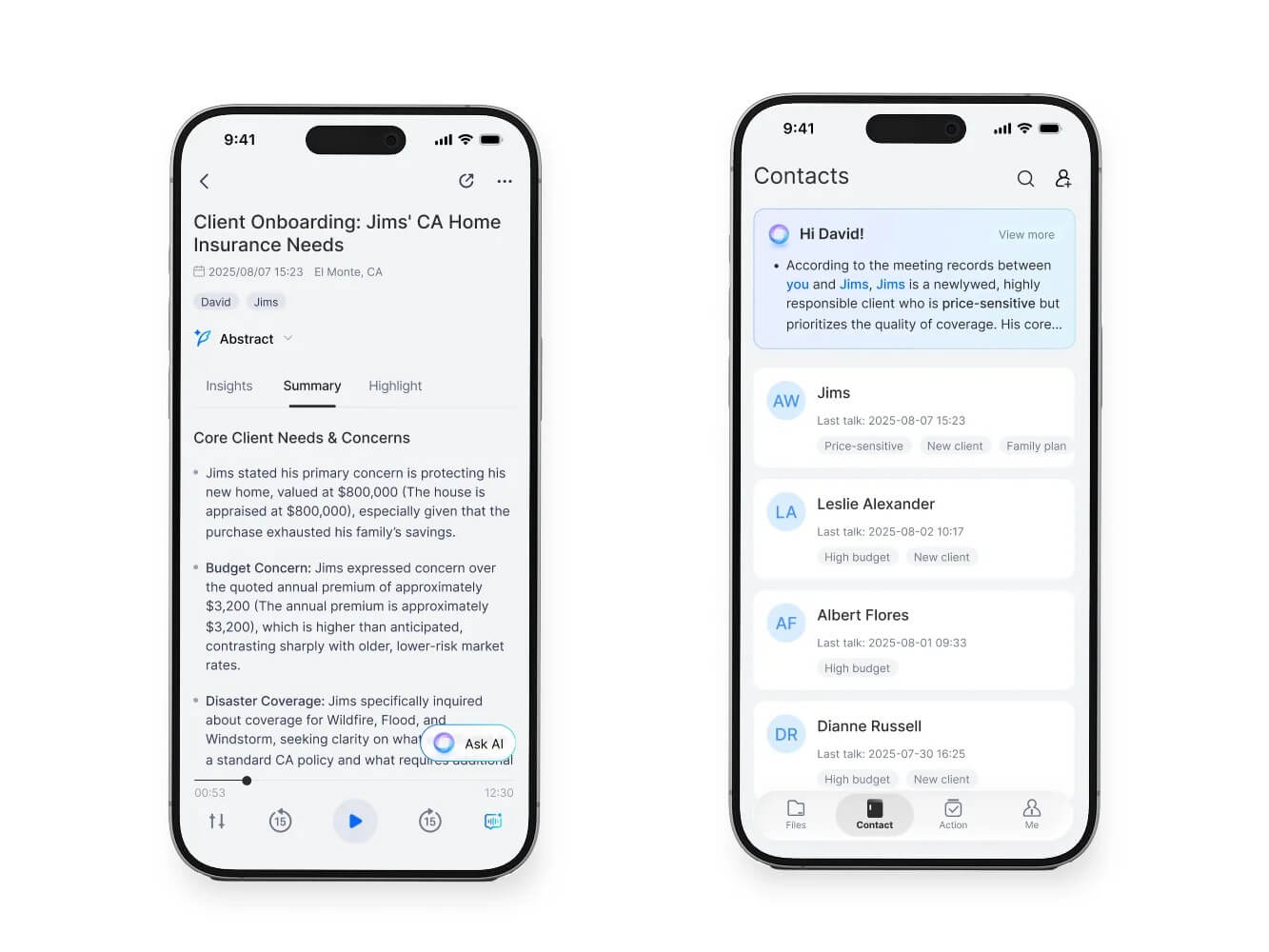
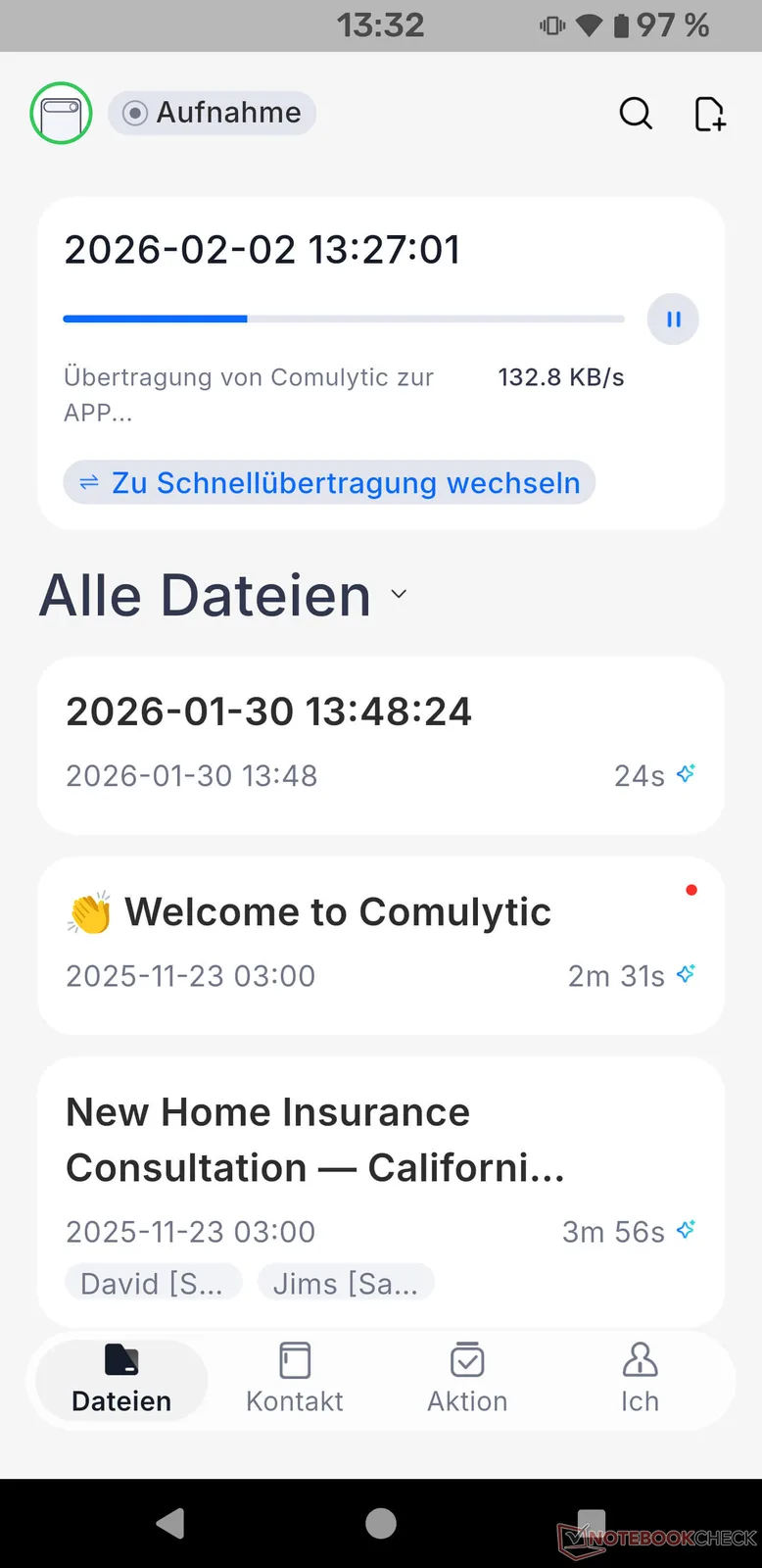
The transcription is processed in the background. Once it is complete, you receive a notification. In addition to a simple speech-to-text function, i.e. transcription, the app also offers the option of structuring the content, which can save time depending on the content if you want to review it again. In my tests, I had a conversation with my son about his compulsory subjects, sitting about 20 cm away from the device, while my son was just under two meters away. The transcription was very neat, but unfortunately my interjections were also attributed to my son, which the device should have noticed based on the voice and the change in proximity to the recording device. The conversation was summarized excellently by the AI, and the important points of the dialogue were captured correctly, so that the three out of nine subjects to be chosen were determined exactly and the reasons for this were also added. It took the AI just under five minutes to generate the summary of the approximately seven-minute conversation.
Comulytic Note Pro has summarized thematically irrelevant points, such as a brief digression on Girls' and Boys' Day, separately under “Side notes and marginal notes.” However, Girls' and Boys' Day was understood by the AI as “Gölzenbeuste.” It helps that the content generated by the AI can be changed by the user at any time. It is also possible to have the summary generated again. The second tab, “Findings,” also successfully summarized the content of the conversation. Here, the strategy of using three different LLMs—Gemini, GPT-5, and Whisper—seems to be working. The entire conversation can be played back as an audio file in the app at any time, uploaded to the cloud, or exported as a PDF, Word file, TXT file, or SRT file (the same applies to the AI summary or insights).
A floating button in the app allows you to access the AI at any time. After the summary, I asked it to write an email to the school stating which three subjects had been chosen. The AI did this relatively quickly, including the subject line, salutation, and closing. There was little room for optimization, such as removing asterisks to better identify the elective subjects.
My next test focused on the possibilities of translation into other languages. For this, I recorded a conversation between four people in English about the significance of Linux as an operating system. The audio recording was saved in English, but the AI summary was generated directly in German. However, I had no option to use a language other than the one I selected when I first set up the app. Since translations are not a key feature of Comulytic Note Pro, this is not a major issue. The translation reflected the most important points in bullet points generated in different paragraphs and did not give rise to any complaints.
My third test focused on importing audio files for use in the Comulytic app. For this, I chose a 3-minute comedy podcast with four speakers. The result was less satisfactory. Although the speakers were clearly distinguishable, all four were repeatedly combined into one, so the transcription cannot be considered successful. The words themselves were reproduced accurately, but the speaker roles were all mixed up. As soon as there was a short pause, the character speaking next was correctly identified, but shortly afterwards, all the others were included in the paragraph of speaker 3. However, the ability to upload your own audio files is very useful and a good feature.

Does the Comulytic Note Pro beat the Plaud Note?
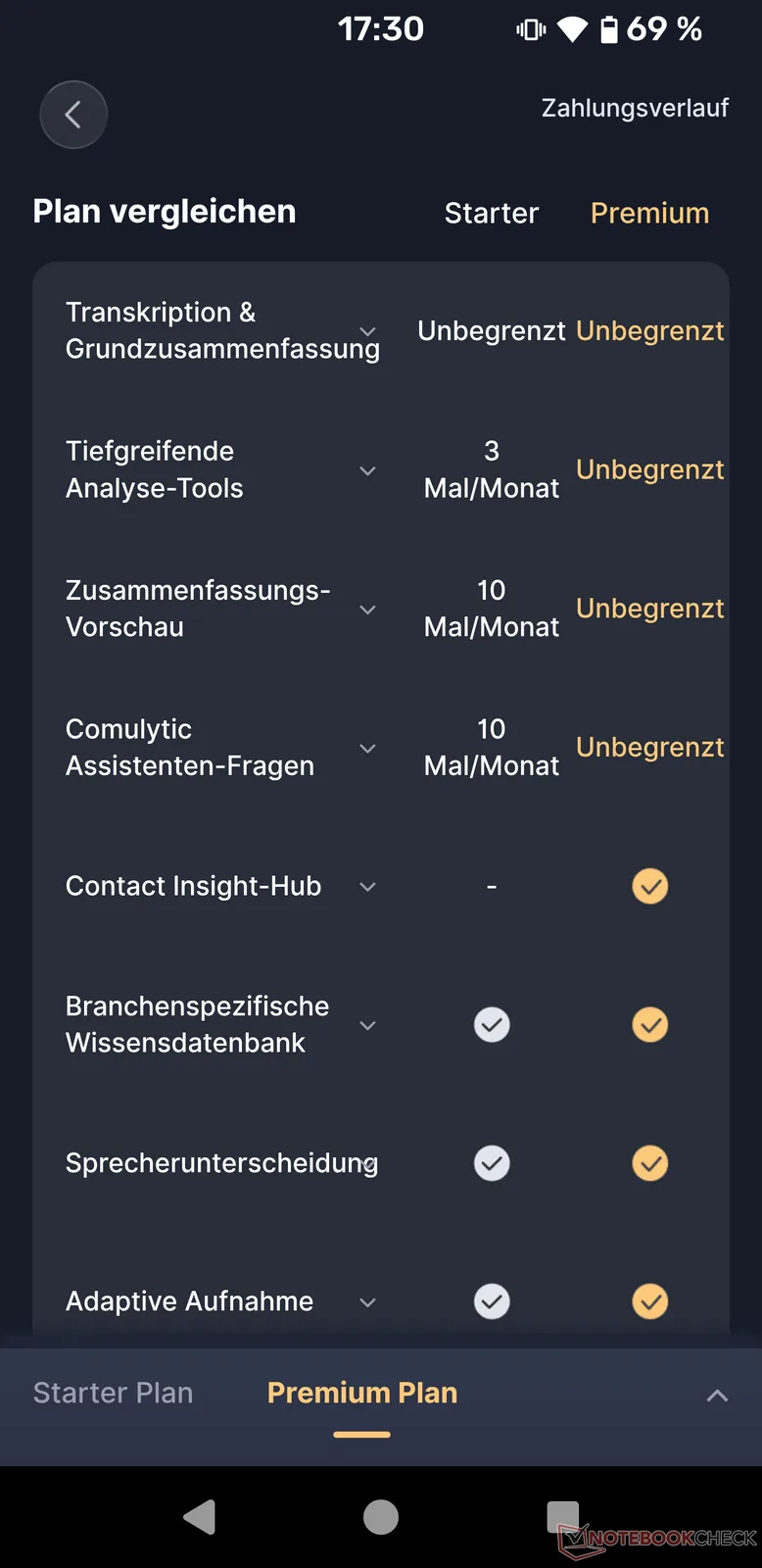
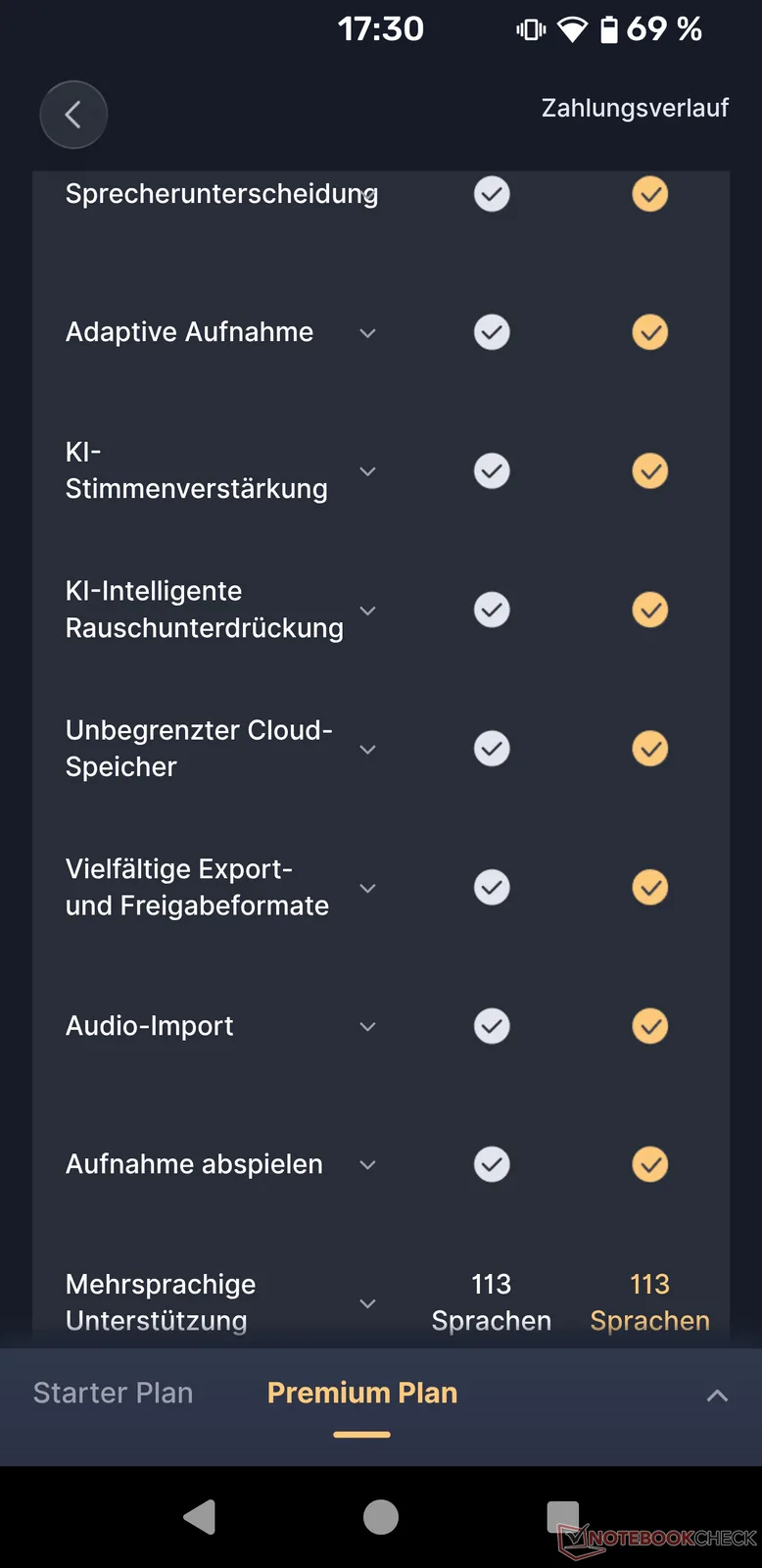
The two AI recorders, Comulytic Note Pro and Plaud Note, are very similar in design: size, battery capacity, and much more are identical. While the Plaud has a physical button that must be pressed to start recording, the Comulytic has a touch button. The most significant difference is in the payment model: while Plaud Note users must pay per minute after 300 minutes per month to receive transcriptions, Comulytic Note Pro users can make as many transcriptions as they want. Nevertheless, there is also a subscription model here called “Premium.” This allows you to add important points to a conversation: when you enter terms, they are highlighted in yellow in the summary, which makes it even easier to use, but is probably not a must-have feature for many users.
More important is the shift in AI generation away from adaptive summarization of conversations toward more job-specific tasks for brokers, salespeople, marketers, medical professionals, journalists, lawyers, asset managers, headhunters, insurance agents, and more: Selectable templates include brainstorming, team meetings, sales analysis, customer analysis, creating reports for sellers or buyers, feedback on viewings, therapy sessions, hearing transcripts, court transcripts, interviews, press articles, customer onboarding, financial analysis, and many more. If you want to use the device specifically in your profession, the premium feature makes perfect sense. After activating the app for the first time as a new user, Premium is unlocked free of charge for 90 days. After that, Premium costs $14.99 per month or $119.99 per year (approx. $10/month).


Transparency
The selection of devices to be reviewed is made by our editorial team. The test sample was given to the author by the manufacturer free of charge for the purposes of review. There was no third-party influence on this review, nor did the manufacturer receive a copy of this review before publication. There was no obligation to publish this review. As an independent media company, Notebookcheck is not subjected to the authority of manufacturers, retailers or publishers.
 Add as a preferred source on Google


