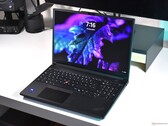
The latest Inspiron 13z and 15z - Disappointing?
Category: new notebook modelsBy: Morgan Jones
Dell' latest additions to the Inspiron series - you don't get much.
Dell's Inspiron range has been around for a few years, and the models in their newer Studio range tend to offer the customer more. Do the 13z and 15z bring anything new to the Inspiron range? I've collated the basic specifications of the entire range (excluding Dell's Inspiron Mini netbook) into a table below, and the results surprised me. With a budget of approximately £600.00 I tried to see how the 13z and 15z compared to the rest of the range, when I selected the best default options given on Dell's website (and upgrading the CPU if I was below budget). All the models have Windows® 7 Home Premium 64-bit pre-installed and come with a basic 1 year warranty.
The Inspiron 11z's price of £599.00 was surprising considering its tiny screen and lack of optical drive; despite the fact that it gave the highest special offer saving of £165.00, it was still very expensive - why? Can the cost of miniaturisation really be that high?
The 11z comes with an Intel® Pentium® Dual Core Processor ULV SU4100 (1.30GHz, 2MB Cache, 800MHz FSB), which is the weakest CPU in the range; and according to our CPU Benchmark list, has a position of just 161. The 13z and 15z are fitted with an Intel® Core™ 2 Duo Processor ULV SU7300 (1.3GHz, 800MHz FSB, 3MB Cache), which is only two places higher in the CPU Benchmark list, at number 159. The Inspiron 15 and 17 have the best CPUs on offer, as they can both be fitted with the Intel® Core™ 2 Duo Processor P7450 (2.13GHz, 1066MHz FSB, 3MB Cache), which ranks number 52 in the CPU Benchmark list. At almost £600, I would have expected a far better CPU choice for the 11z, 13z and 15z. The Inspiron 15 and 17 are clearly better choices at this stage, by considering the CPU alone.
All the systems listed are fitted with 4 GB of system memory. Dell has strangely mismatched the Front Side Bus' (FSB) speed and the RAM modules' speed for the entire Inspiron range, excluding the 11z. This shouldn't be a problem with the 13z and 15z as the CPU used in both models has a FSB of 800 MHz, whilst the memory modules are 1067 MHz. However, in the Inspiron 15 and Inspiron 17, the CPU has a FSB of 1066 MHz, whilst the supplied RAM modules are 800 MHz, which may prevent the CPU running at optimum speed should it have to wait for data from the RAM.
The 13z and 15z are fitted with energy-efficient DDR3 memory modules, therefore the battery life of the 13z and 15z may be superior to the Inspiron 15 and 17, which have the less energy-efficient DDR2 memory modules installed. However, because DDR2 memory modules have a lower latency (in ns) than equivalent speed DDR3 memory modules, the Inspiron 15 and 17 are likely to have more efficient system memory overall, especially when considering the vastly superior CPUs inside the Inspiron 15 and 17.
The 11z is a disappointing notebook, and could possibly be classified as a netbook - a very expensive netbook. You can find reviews of the 11z here. Now, assuming the 11z is no longer a purchase option, is there any reason to choose a 13z or 15z instead of an Inspiron 15 and 17? Perhaps the answer lies in the choice of graphics card? Dell had an opportunity to fit the 13z and 15z with new GPUs, to differentiate the notebooks from the rest of the range, how far did they go?
Not very far, unfortunately. The 13z is fitted with a 512MB NVIDIA® GeForce® G 105M, which is ranked 105 on our GPU Benchmark list (link below) – it's the only model in the range with this GPU. For those of us who are interested in a little gaming, it would be important to note that the G 105M cannot achieve an acceptable frame rate (around 30 fps) for most new games, even on the lowest settings. Older titles such as Quake 4, World of Warcraft and Doom 3 can run at playable framerates, sometimes with the highest settings enabled. So, with the 13z, it is possible to enjoy some limited gaming. For more information about the G 105M, you can find a short description of it here.
The 15z and the Inspiron 17's GPU is the 512MB ATI Mobility Radeon HD4330, which is ranked three places higher than the GeForce G105M, at 102 on the GPU Benchmark list. This translates into only a slight difference between the two GPUs when considering gaming performance; the 4330 achieves marginally higher frame rates. A description of the HD4330 can be found here.
The Inspiron 15 is also fitted with the ATI Mobility Radeon HD4330, but it only has 256 MB of memory installed. Once again, these are some disappointing results for the 13z and 15z; whilst the Inspiron 15 and 17 are fitted with the same or better GPUs than the 13z and 15z, they are able to make better use of such graphics processing power by having access to far superior CPUs.
Do the 13z and 15z have anything to offer over the Inspiron 15 and 17? Well, both the 13z and 15z have hard drives operating at a speed of 7200 rpm, whilst the Inspiron 15 and 17's hard drives operate at only 5400 rpm. A higher rpm on a hard drive is useful as it can reduce loading times, however, the superior CPUs found in the Inspiron 15 and 17 would certainly make up for the slightly slower hard drives.
Surprisingly, the Inspiron 17 is a superior machine to all the other models, and it offers the largest display of 17.3”, with the highest possible resolution in the range of up to 1600 x 900. The fact that it matches the CPU of the Inspiron 15, yet comes with a GPU with twice the memory, it should out-perform all the other models in the range. It is also £11.00 cheaper, but that is a minor consideration. It comes with a 500 GB hard drive, whereas the rest of the range have only 320 GB hard drives. The mismatched FSB and RAM operating speeds in the Inspiron 15 and 17 mentioned earlier should not pose a significant problem to computer users, and the option of upgrading the RAM at a later stage, if necessary, is a relatively cheap one.
The main consideration for customers seeking to buy from this range then, it seems, is the size of the relevant notebook. The Inspiron 17 is a large machine, and if portability is an issue, then the next best option, the Inspiron 15, is a fairly standard sized notebook and performs relatively well. However, regardless of which model a customer may choose to buy, the Inspiron range from Dell does not offer exceptional value for money, and the two new additions to it are surprisingly outmatched by the older models in the range.
Find our Exhaustive GPU comparison guide here.
| Inspiron 11z with special offer (expires 28.10.09) | Inspiron 13z with special offer (expires 28.10.09) | Inspiron 15z with special offer (expires 28.10.09) | Inspiron 15 with special offer (expires 28.10.09) | Inspiron 17 with special offer (expires 28.10.09) | |
CPU | Intel® Pentium® Dual Core Processor ULV SU4100 (1.30GHz, 2MB Cache, 800MHz FSB) | Intel® Core™ 2 Duo Processor ULV SU7300 (1.3GHz, 800MHz FSB, 3MB Cache) | Intel® Core™ 2 Duo Processor ULV SU7300 (1.3GHz, 800MHz FSB, 3MB Cache) | Intel® Core™ 2 Duo Processor P7450 (2.13 GHz, 1066 MHz FSB, 3 MB L2 Cache) | Intel® Core™ 2 Duo Processor P7450 (2.13GHz, 1066MHz FSB, 3MB Cache) | |
Display | 11.6" WLED HD TFT Display with TrueLife™ | 13.3" WLED High Definition (1366 x 768) TFT Display with TrueLife™
| 15.6in Widescreen High Definition (1366 x 768) WLED with TrueLife | 15.6" Widescreen WXGA CCFL (1366 x 768) TFT Display with TrueLife™ | 17.3" WLED High Definition + (1600 x 900) TFT Display with TrueLife™ | |
GPU | Intel GS45 Integrated Graphics | 512MB NVIDIA® GeForce® G 105M | 512MB ATI Mobility Radeon HD4330 | 256MB ATI Mobility Radeon HD4330 | 512MB ATI Mobility Radeon HD4330 | |
RAM | 4096MB 800MHz Dual Channel DDR2 SDRAM [1x4096] | 4096MB 1067MHz Dual Channel DDR3 SDRAM [2x2048] | 4096MB 1067MHz Dual Channel DDR3 SDRAM [2x2048] | 4096MB 800MHz Dual Channel DDR2 SDRAM [2x2048] | 4096MB 800MHz Dual Channel DDR2 SDRAM [2x2048] | |
Hard Drive | 320GB (5,400rpm) Serial ATA Hard Drive | 320GB (7,200rpm) Serial ATA Hard Drive | 320GB (7,200rpm) Serial ATA Hard Drive | 320GB (5,400rpm) Serial ATA Hard Drive | 500GB (5,400RPM) Serial ATA Hard Drive | |
Optical Drive | None | DVD +/- RW Drive (read/write CD & DVD) | DVD +/- RW Drive (read/write CD & DVD) | DVD +/- RW Drive (read/write CD & DVD) | DVD +/- RW Drive (read/write CD & DVD) | |
Special offer saving | £165,00 | £125,00 | £115,00 | £139,00 | £115,00 | |
Total cost (including VAT and shipping) | £599,00 | £599,00 | £599,00 | £599,00 | £588,99 |
- Links:
- www1.euro.dell.com/uk/en/home/Laptops/inspiron-11z/pd.aspx
- Inspiron 13z www1.euro.dell.com/uk/en/home/Laptops/inspiron-13z/pd.aspx
- Inspiron 15z www1.euro.dell.com/uk/en/home/Laptops/inspiron-15z/pd.aspx
- Inspiron 15 www1.euro.dell.com/content/products/productdetails.aspx/laptop-inspiron-1545
- Inspiron 17 www1.euro.dell.com/content/products/productdetails.aspx/laptop-inspiron-17
- www.hitechreview.com/uploads/2009/09/Dell-Inspiron-15z.jpg
Recent News
Intel releases a $125 affordable 40GB SSD
Apple's iPad up for pre-order, WiFi model arrives on the 3rd of April
Acer unveils Aspire One 752 CULV notebook
Apple is giving you a new iPad as replacement for $99
HP tries to revamp itself, spends $40,000,000
MSI Wind U100 turned into a tablet
The new ASUS Eee PC 1005PEG passes through the FCC
OCZ adopts aggressive pricing strategy for its new series of SSDs
Acer unveils its new TravelMate 6594
MSI launches the U230-033 and 040 notebooks in the US
NVidia wants Tegra to conquer the ultra-portable space
The brand-new Gateway EC14D is now shipping
Unconfirmed Quanta netbook shows up at the FCC
MSI announced the ultra-thin X-Slim X360 notebook