




Windows 11 Full Screen Experience (FSE) tested on an RTX 5050 laptop shows Quick Resume–like behaviour seen on Xbox Series X/S consoles and reduced RAM usage
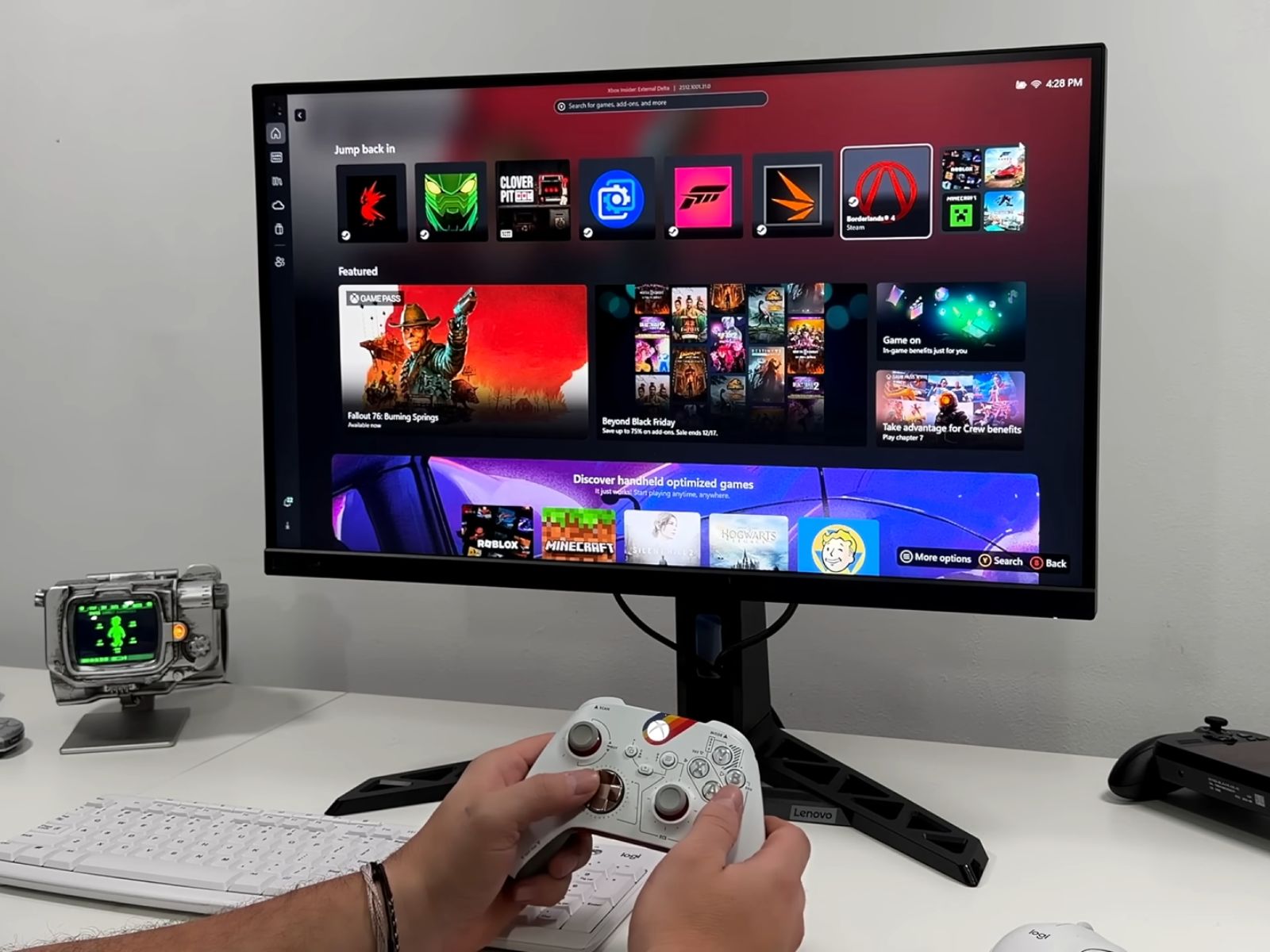
Microsoft’s Xbox Full Screen Experience (FSE) was originally introduced alongside handheld gaming PCs such as the Asus Xbox ROG Ally series, but recent updates now allow the feature to run on standard Windows 11 desktops and laptops. As shown in the latest video by ETA Prime, enrolling in the Xbox Insider Hub and updating to the Windows 11 Beta or Dev channel is sufficient to enable the mode across a wide range of hardware.
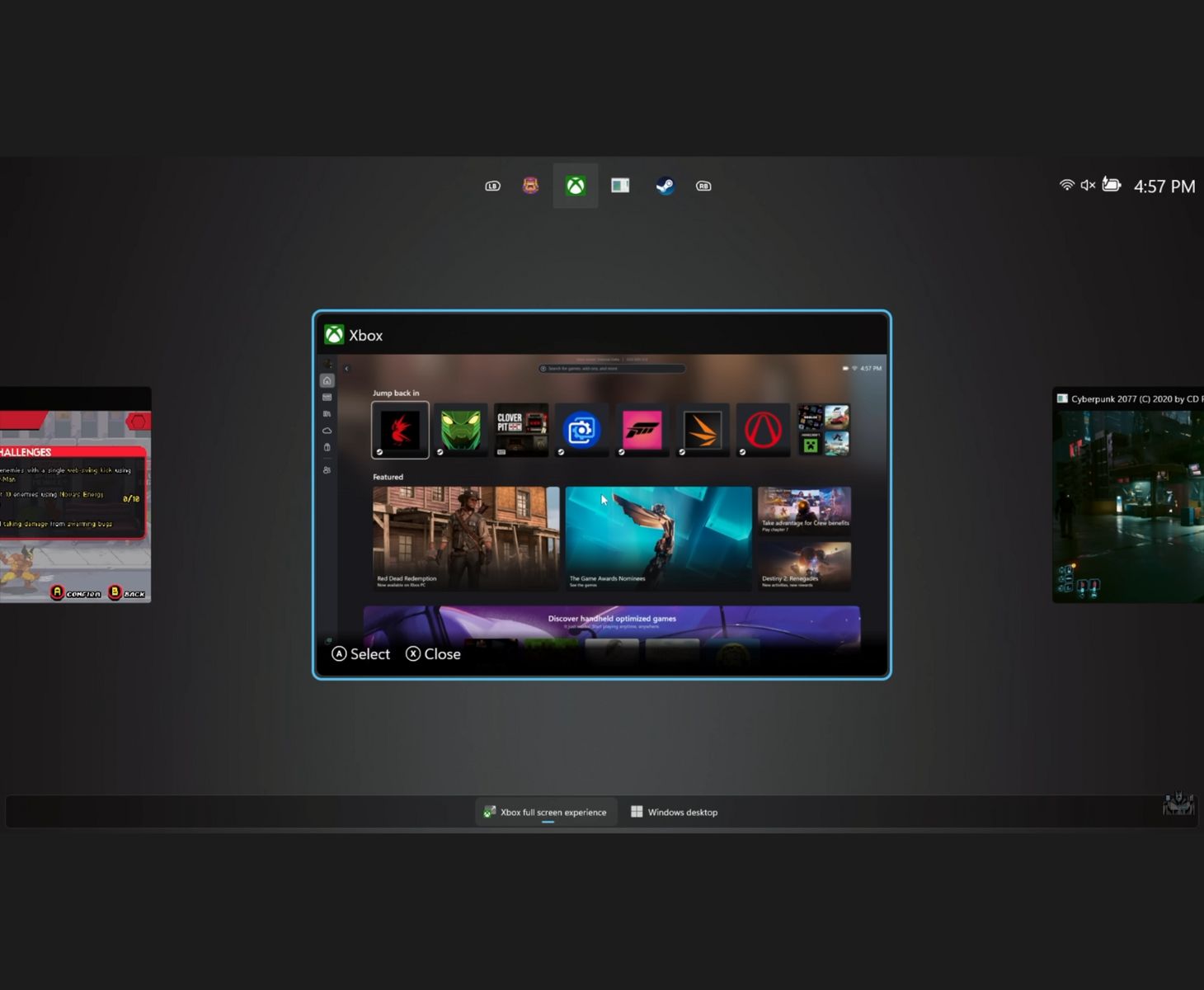
Once installed, FSE allows Windows 11 systems to bypass the usual desktop environment at boot and load directly into a full-screen launcher. At present, the Xbox app is the only selectable home screen, although Microsoft has stated that support for additional launchers may come later. The interface supports both controller navigation and quick task switching through the Xbox Game Bar. Holding the Xbox button brings up a system-level switcher that displays running applications and recently used games.
How to enable Xbox Full Screen Experience on Windows 11
Microsoft has made the feature accessible through the Insider Preview programme, and it can be activated with a few system updates and settings changes. Here is the process in brief.
- Install the Xbox Insider Hub from the Microsoft Store and sign in.
- Join the PC Gaming Preview inside the Insider Hub.
- Switch to the Windows 11 Beta or Dev Channel by opening Settings, selecting Windows Update, then Windows Insider Program, and linking your Microsoft account.
- Install all pending Insider updates and restart the system.
- Enable Full Screen Experience by opening Settings, selecting Gaming, then Full Screen Experience.
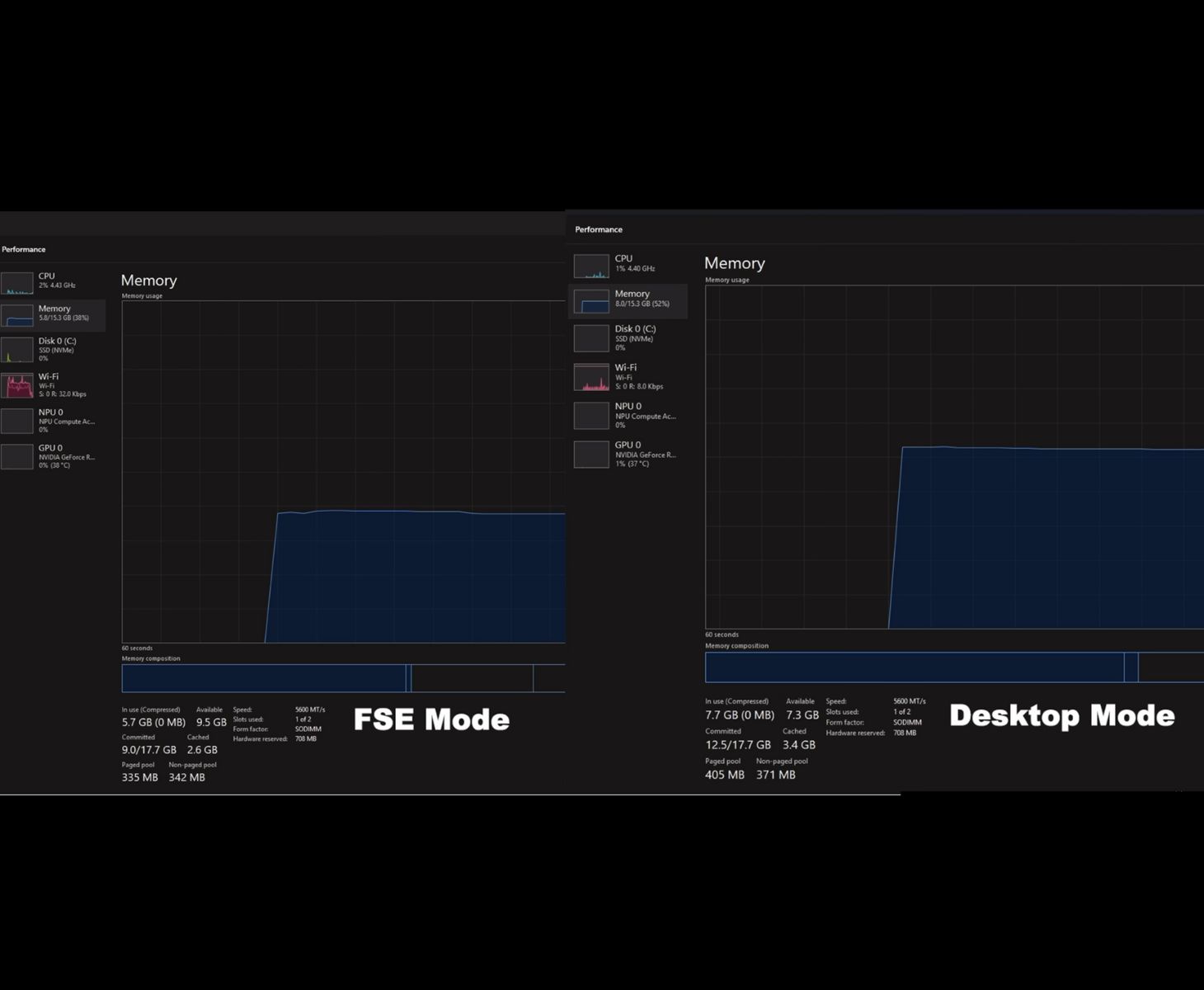
A notable aspect of FSE is its ability to suspend the standard Windows desktop environment, reducing background processes and lowering overall memory usage. In testing shown by the YouTuber, a gaming laptop equipped with an Nvidia GeForce RTX 5050 used around 5.7 GB of RAM in FSE compared with 7.7 GB in regular desktop mode, aligning with Microsoft’s claim of roughly 2 GB saved. This reduction may significantly benefit systems with limited memory or integrated graphics configurations that rely on shared RAM.
FSE on Windows 11 also mimics the feel of Xbox console multitasking, but it is not a true Quick Resume equivalent. In the video, ETA Prime switches between a low-demand indie title and a AAA game such as Cyberpunk 2077, demonstrating that the interface can juggle multiple running titles, though the behaviour still differs from the consistent suspend-and-resume system used on Xbox consoles. It functions more as a polished game-centric 'desktop replacement' mode with faster switching and fewer background processes, but it is still not as seamless as the console implementation.
Benchmarking with Cyberpunk 2077 at 1080p Ultra settings on the RTX 5050 showed negligible performance differences between desktop mode and FSE. Across multiple runs, FSE occasionally produced 1–2 FPS higher averages, although the results remained within normal margin of error. Full Screen Experience is currently limited to Windows Insider builds, and Microsoft has indicated that further refinements and additions may be introduced in the future, more likely as the feature moves toward public release.
FSE’s expansion effectively gives Windows 11 users a console-like interface that can be used to simplify living-room setups, handheld PCs, and traditional desktops. With the Steam Machine launch also expected in the near future, Microsoft is likely positioning a refined FSE to strengthen its Windows gaming ecosystem and support its upcoming Xbox hardware, which is reportedly moving toward a console–PC hybrid design.
Source(s)
 Add as a preferred source on Google


