




CheckMag | Windows 11 hack: Higher SSD speeds with new Microsoft NVMe driver

An important warning first: Modifying the registry on a Windows device can potentially lead to data loss and other issues, and it can even result in Windows failing to boot, especially since this hack is a modification that Microsoft has not officially approved. At the very least, a full backup is necessary before trying this hack, and I also recommend creating an image backup of the system if you want to be on the safe side. Personally, I did not notice any problems, but issues cannot be ruled out completely. Therefore, please carefully consider these risks before proceeding.
Background: Windows Server 2025
Microsoft is advertising a new and native NVMe driver for Windows Server 2025 that can be activated via a registry key. This has been introduced with a recent update and promises massive IOPS gains in addition to lower latency and higher CPU efficiency, which is practically a free performance boost. More specifically, the native NVMe driver no longer internally converts all NVMe commands into SCSI commands, which has been the case with Microsoft's stock driver until now.
Potentially also available in Windows 11
Resourceful developers have now found a way to activate this exact driver on Windows 11. It suffices to add three commands to the registry, after which users only need to restart Windows 11. It is important to note that the following commands must be integrated into the registry with admin rights. In my case, a simple double click on a reg file did not work, so instead I started Command (cmd.exe) with a right click and admin rights. Afterward, I entered the following commands:
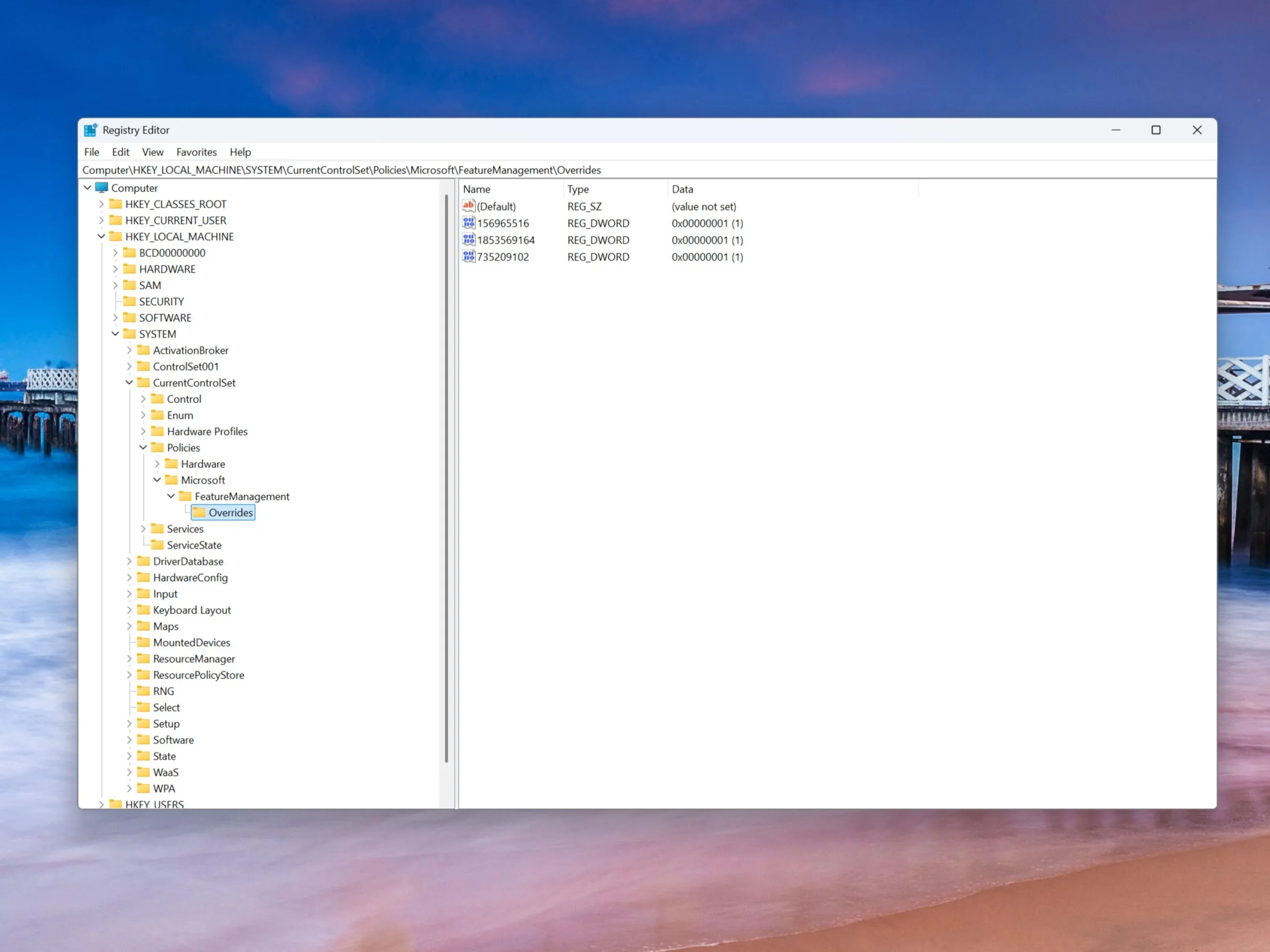
Step 1: Command to add the values to the registry
reg add HKEY_LOCAL_MACHINE\SYSTEM\CurrentControlSet\Policies\Microsoft\FeatureManagement\Overrides /v 735209102 /t REG_DWORD /d 1 /f
reg add HKEY_LOCAL_MACHINE\SYSTEM\CurrentControlSet\Policies\Microsoft\FeatureManagement\Overrides /v 1853569164 /t REG_DWORD /d 1 /f
reg add HKEY_LOCAL_MACHINE\SYSTEM\CurrentControlSet\Policies\Microsoft\FeatureManagement\Overrides /v 156965516 /t REG_DWORD /d 1 /f
Step 2: Checking the device manager after a restart
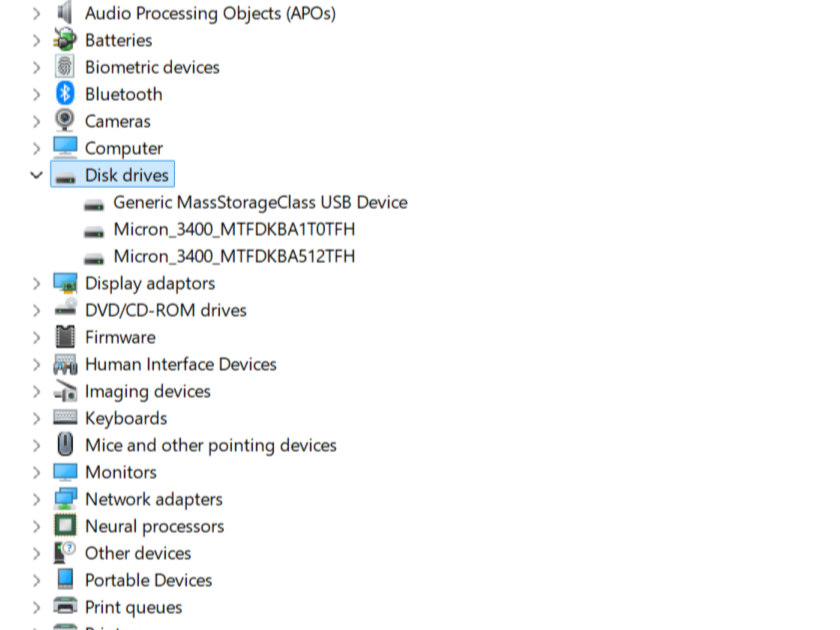
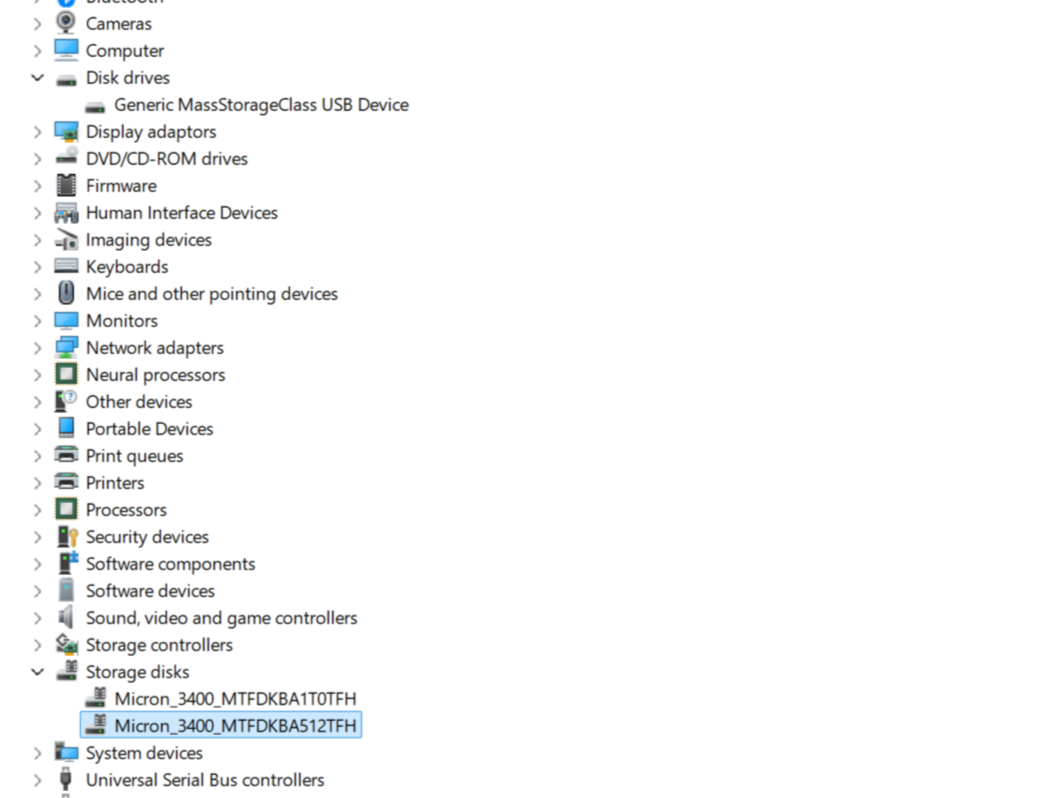
After the restart, the following changes should be visible in the Device Manager, which can be accessed via a right click on the Start icon on Windows.
- Before: The SSD drives are visible in the Device Manager under "Disk drives".
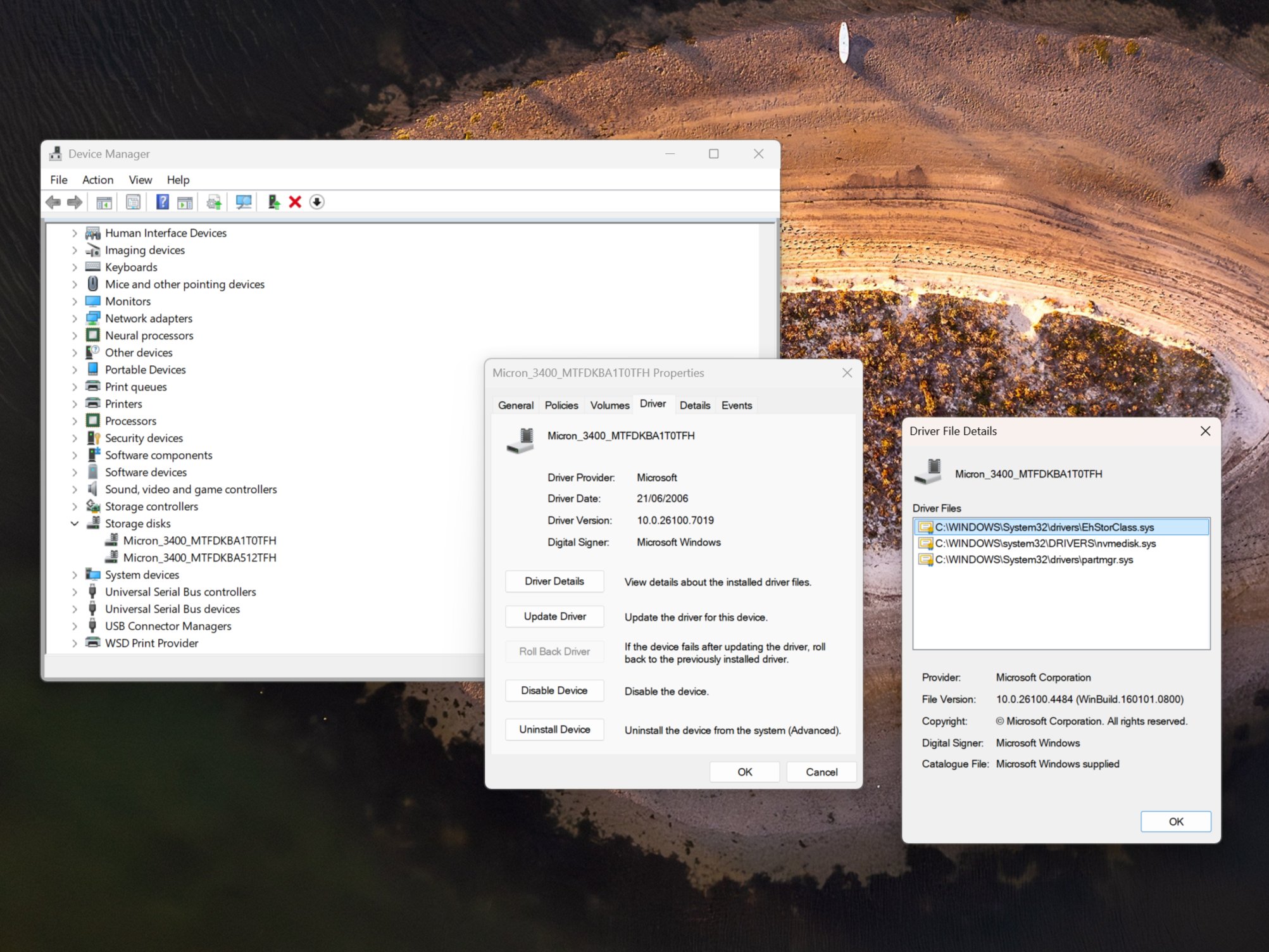
- After: The SSD drives are now visible in the Device Manager under "Storage disks".
More changes after the successful hack
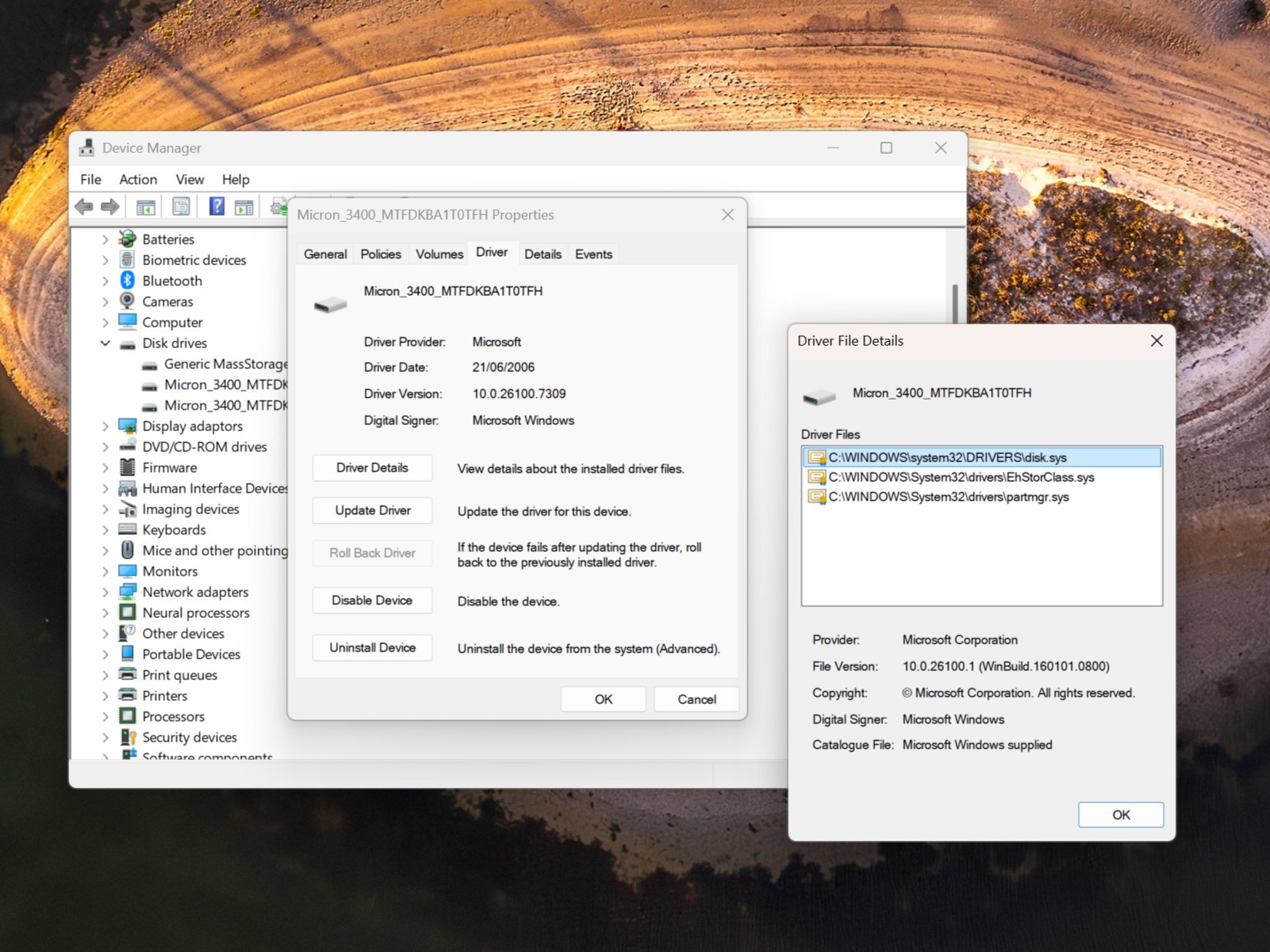
Naturally, these changes are also visible in the driver, as that was the goal of the entire process. After successfully activating the new driver, the nvmedisk.sys driver should be used in the driver dialog for the respective SSD, where you can also search for updates just to be safe. However, no update was found on my Windows 25H2 system.
What does it bring? Quite a lot in my case
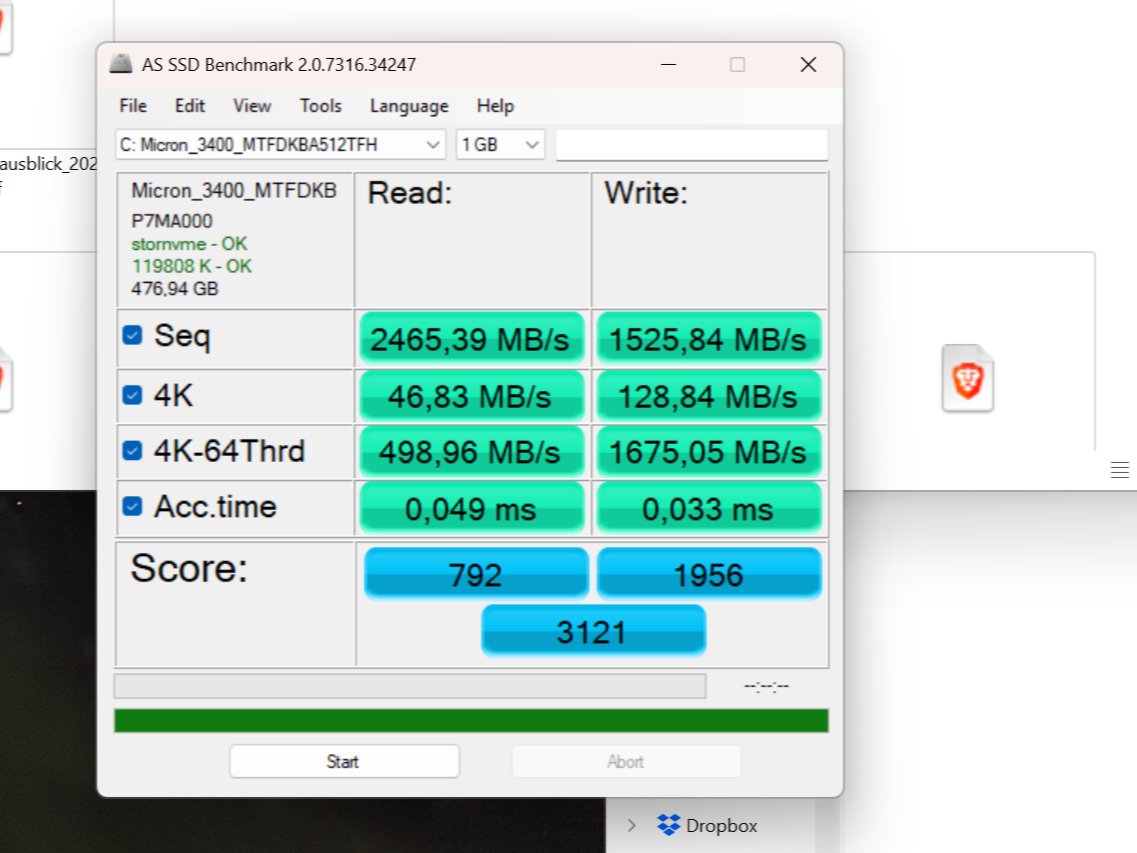
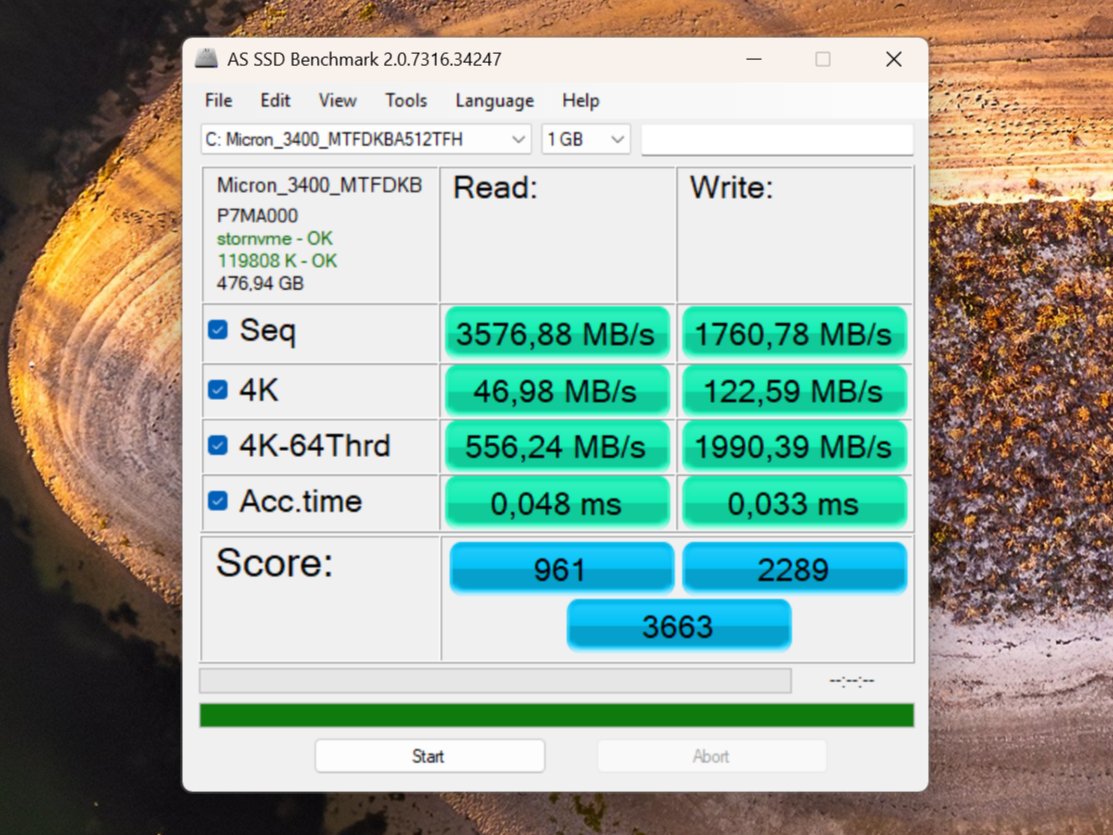
And what is the point of this entire process? The answer heavily depends on the specific system configuration. According to a report by Heise, a 10 to 15% increase in data speeds was possible with a PCIe 4.0 SSD in a workstation. As tested by the German publication, a PCIe Gen 3.0 SSD also benefited from this hack. My Acer Swift 16 Edge laptop is equipped with two Micron 3400 PCIe 4.0 SSDs, one with 1TB and another one with 512GB of storage capacity.
As you can see in the before and after comparison with AS SSD benchmark, increases of up to 45% are possible in sequential reading performance, which is significantly above the numbers from Heise. For writing, it is 15%. Noticeably, the 4K-64 thread test also produces higher numbers after the driver change, but this will be more relevant for servers. By the way, these are the metrics for my system drive.
More performance for the secondary SSD
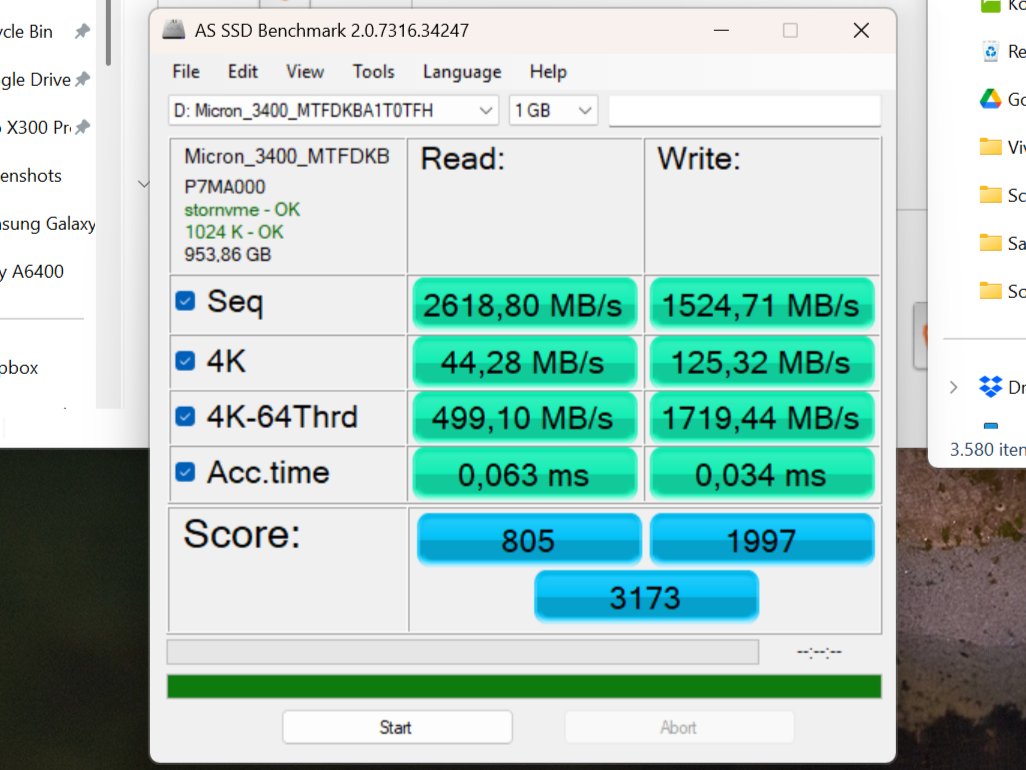
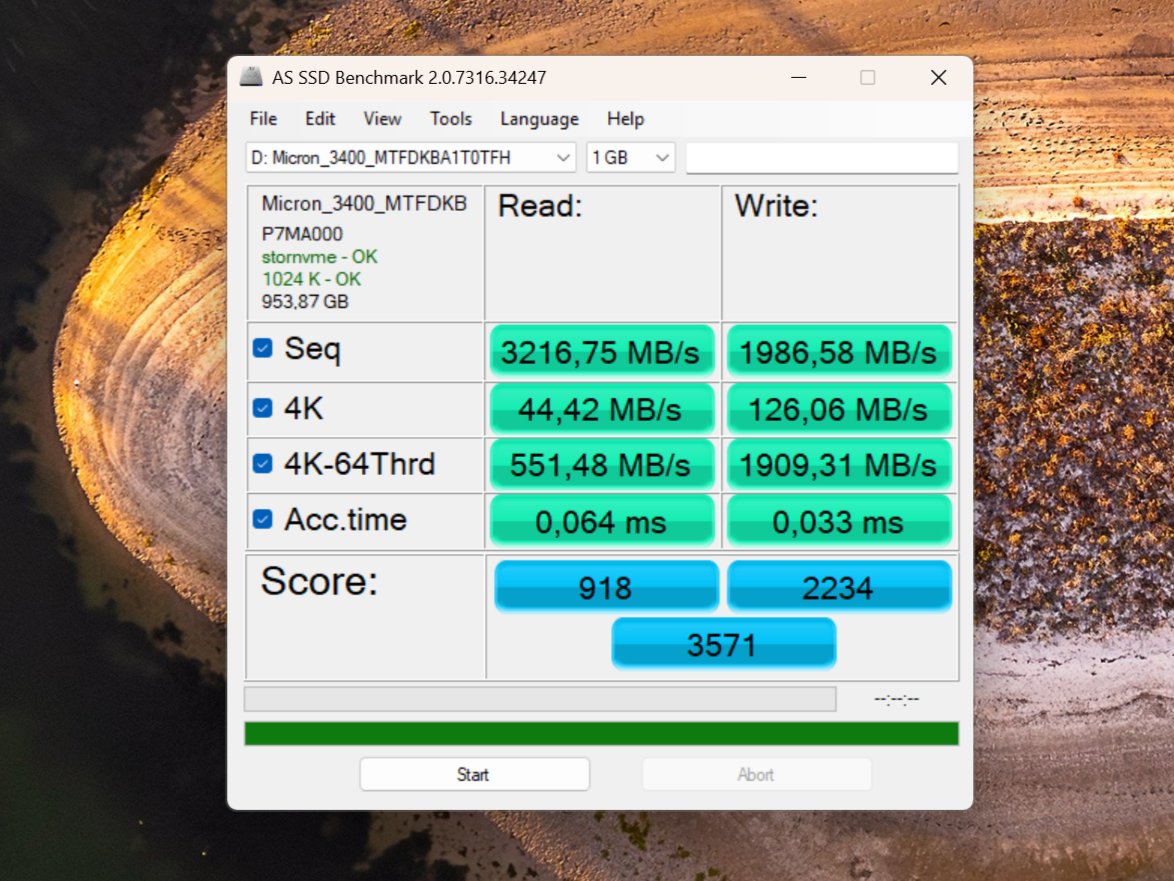
On my second drive with 1TB of storage, the values are somewhat different. Sequential read performance increased by about 23%, while write performance improved by 30%, which is twice as much as on the primary drive. In both cases, these are excellent performance gains for no money. Considering the rising prices for RAM and SSDs, this is something most will be very happy with, which is why I can definitely recommend the hack. That said, please note the involved risks mentioned at the beginning.
Be careful when using various SSD tools
As comments under an article in the German Deskmodder forum show, various problems have been reported with SSD tools such as Samsung Magician or the Western Digital Dashboard. The partitions also appear to be modified, as one reader warns. So even if the hack may save a few seconds in everyday use when booting, moving files or launching larger applications, anyone with more complex requirements should be cautious. In addition, it’s not guaranteed that all NVMe SSDs will work with this driver.
Source(s)
Own
 Add as a preferred source on Google


