




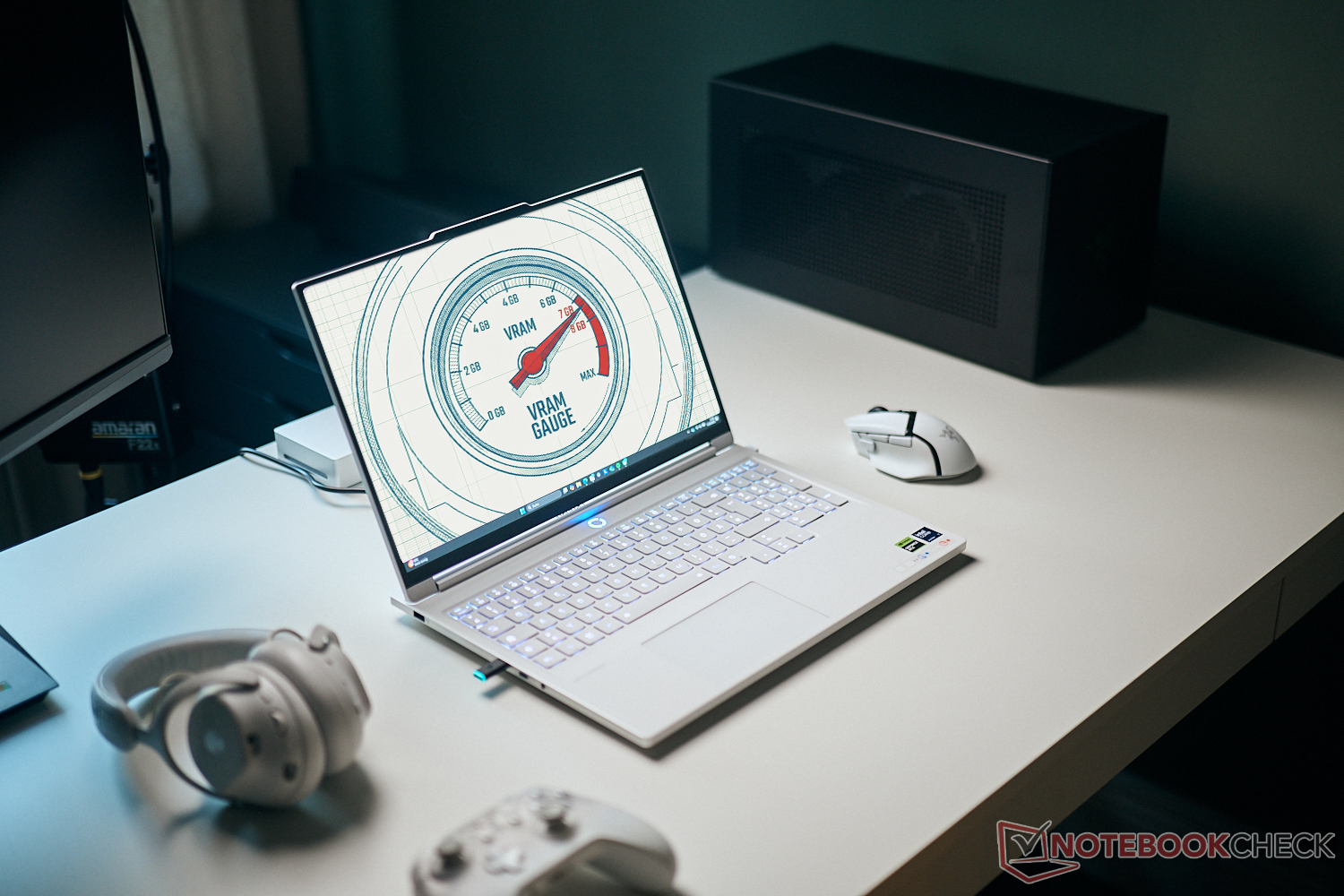
Is 8 GB VRAM enough for modern games? We tested it
8, 12 or 16 GB VRAM?
When you look at modern graphics cards, there is always the question about VRAM. Is 8 GB of mainstream GPUs like the GeForce RTX 5060 and RTX 5070 really sufficient, or are you going to have problems? We tested it with a couple of modern games.Andreas Osthoff 👁 (translated by Andreas Osthoff) Published 🇩🇪 🇪🇸 ...
8 GB VRAM is not enough - you can hear this statement very often and it is also a criticism of the latest GPU generation from Nvidia, where the mobile version of the GeForce RTX 5070 - just like its predecessor RTX 4070 - is once again shipped with 8 GB VRAM. We originally expected new versions of the mobile GPUs at the upcoming CES, where the 2 GB memory chips would have been replaced by 3 GB chips, so a new RTX 5070 would have been equipped with 12 GB VRAM. However, due to the current cost explosion of memory chips, these plans were cancelled and we do not expect refreshed Nvidia graphics cards before the end of 2026.
This also means that we have to manage with the existing RTX 5000 GPUs for now and gaming laptops with high-end GPUs are just not affordable for most users. We therefore want to take a closer look at the question whether 8 GB VRAM on the RTX 5070 or RTX 5060 is really insufficient for modern games.
Test systems & test procedure
Our test systems are the current XMG Fusion 16 (M25) with the Nvidia GeForce RTX 5070 with 8 GB VRAM and a TGP of 115 Watts. The next step is the RTX 5070 Ti with 12 GB VRAM in the XMG Apex 16 Max with a TGP of 140 Watt. If this is still facing issues, we can also use the old RTX 4090 Laptop with 16 GB VRAM or even the RTX 5090 Laptop with 24 GB VRAM.
However, our main focus in this article is not the pure performance, but whether the available amount of VRAM results in limitations when you play games, like stutters or frame drops or performance losses when you play for longer periods. In addition to integrated benchmarks, we primarily recorded and analyzed the performance figures with the tool CapFrameX. We started our tests with the RTX 5070 Laptop (8 GB VRAM) and then switched to the RTX 5070 Ti Laptop with 12 GB VRAM when we noticed issues.
Assassin's Creed Shadows
The current entry of the Assassin's Creed franchise is very demanding in terms of graphics power. Thanks to the integrated benchmark and comprehensive settings, you can still adjust it very well to your own hardware. The options menu also shows the VRAM load and how the individual options affect ist.
We can already see a VRAM load of around 95 % in the 1080p resolution with very high details, but there is no warning message and the game also runs smoothly. Once you use DLSS upscaling, the VRAM load will drop slightly.


If you switch to the QHD resolution, the game will show a VRAM warning message and we can also see the VRAM filling up during the benchmark run and it even surpasses 8 GB. This results in isolated stutters, but to be honest, this is not a huge issue for this type of game. In addition to the benchmark, we also played the campaign with these settings (w/o DLSS) and we did not really notice any serious stutters that would affect our gaming experience.
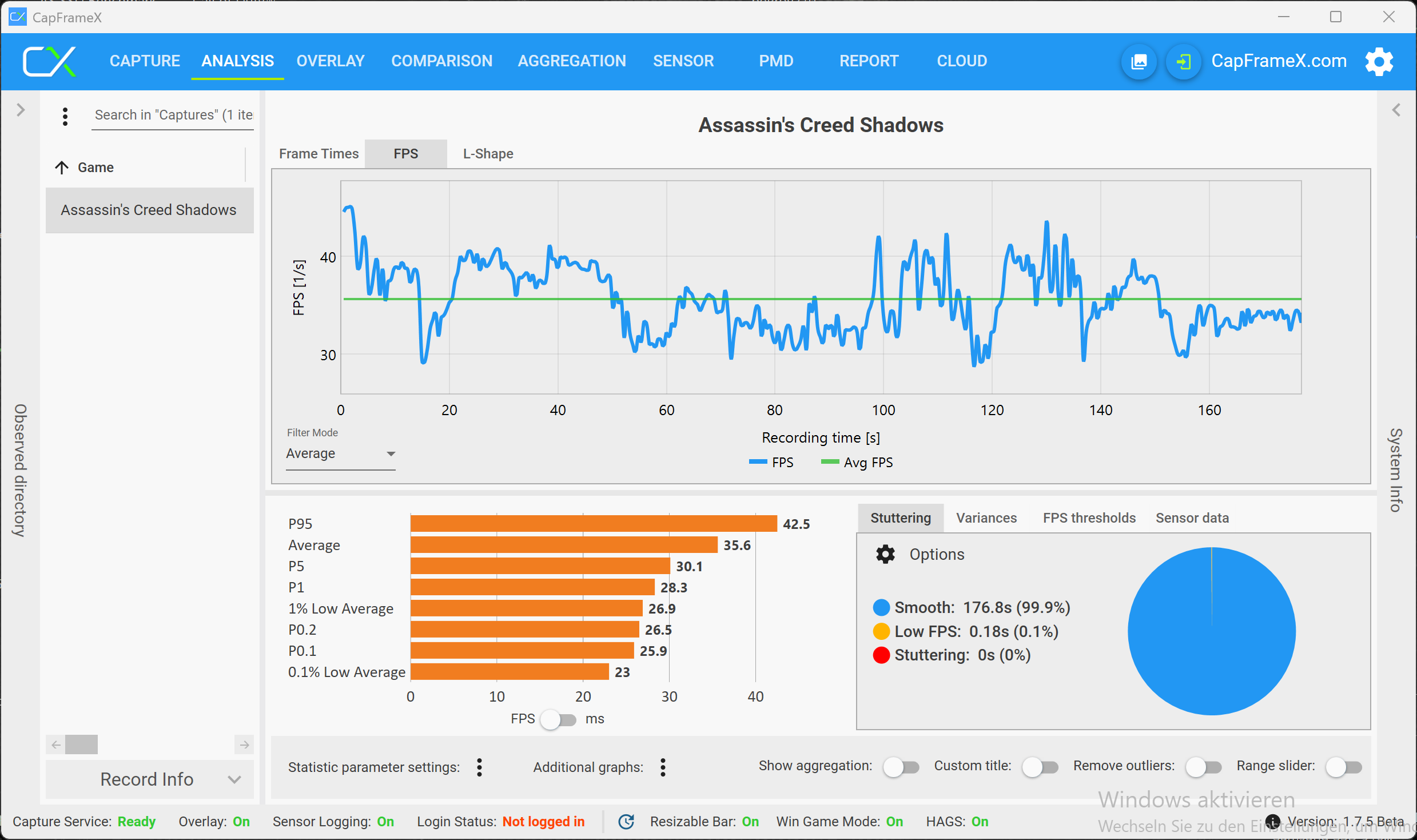
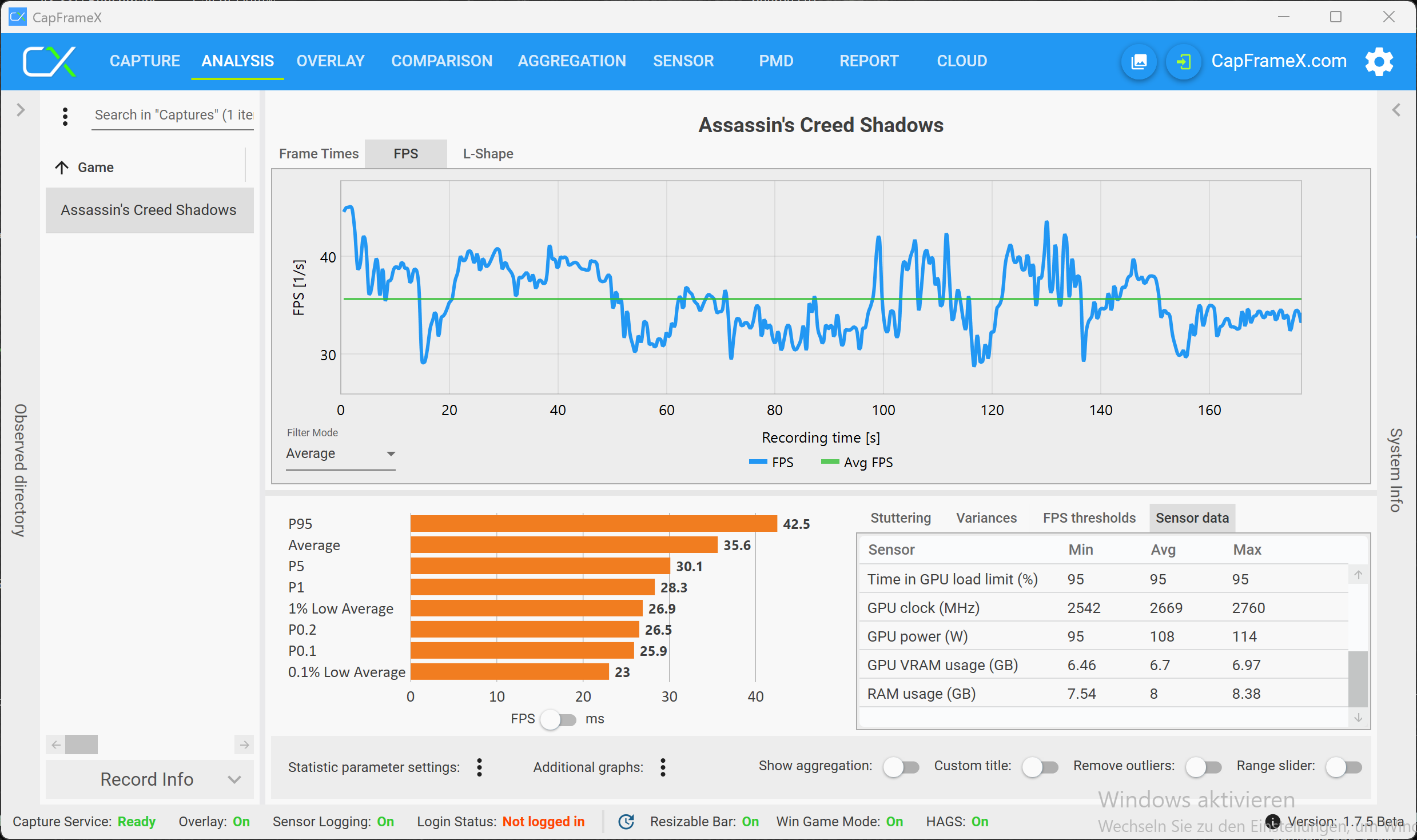
If you switch to the 4K resolution, the RTX 5070 with 8 GB VRAM gets in trouble and there are also more noticeable frame drops. However, the performance is not sufficient for smooth gameplay anyway (not even with DLSS), so this limitation does not really matter. The RTX 5070 Ti does not show VRAM issues, but the performance is once again insufficient for the 4K resolution.
Battlefield 6 - 8 GB VRAM is only enough for 1080p
Battlefield 6 is an interesting case, because you can easily check the fps number (even distributed across CPU/GPU) and also the VRAM utilization with the integrated monitoring tools. We started in the Full-HD resolution and the preset Overkill, where the VRAM load starts at slightly below 7 GB.
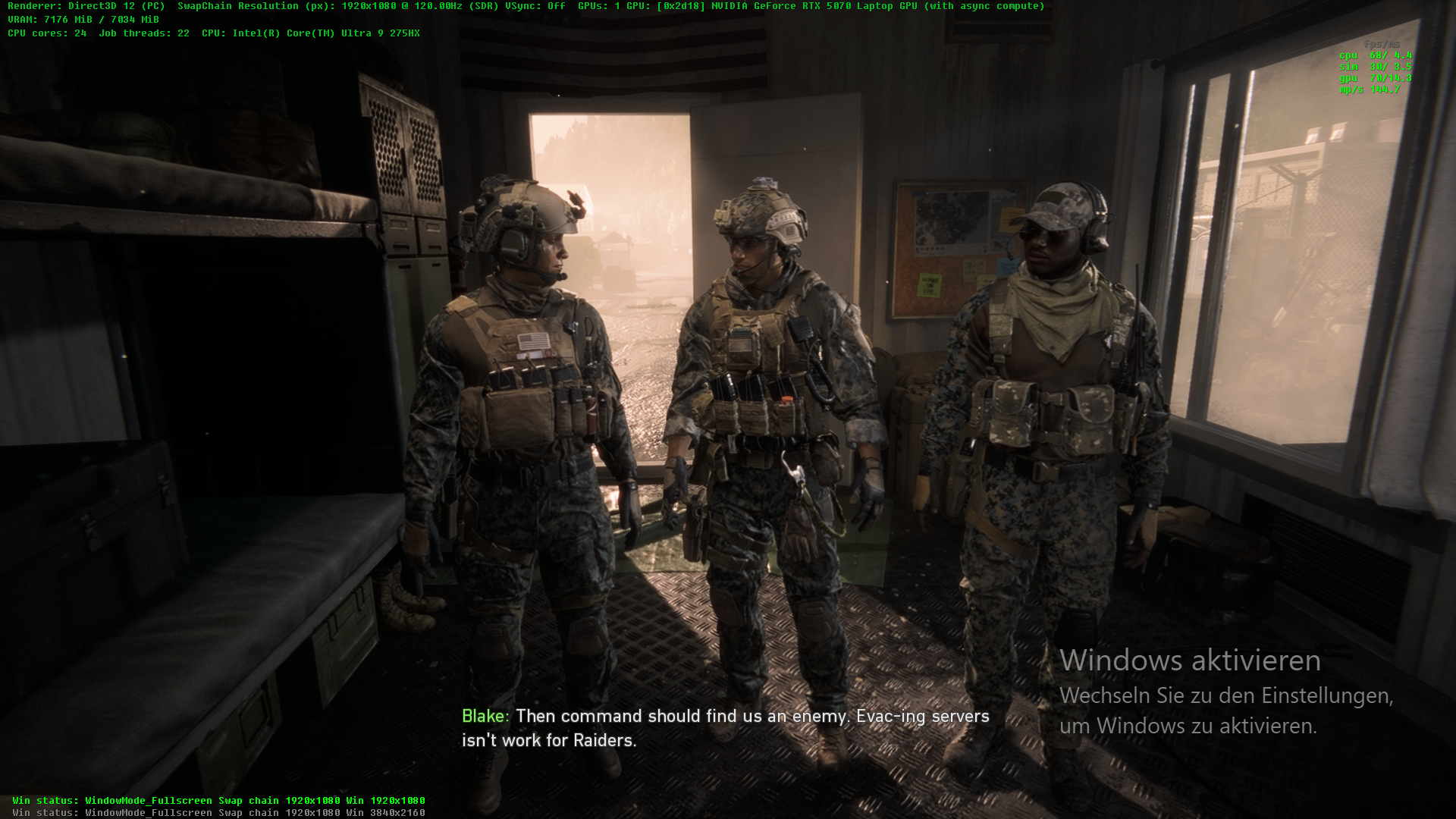
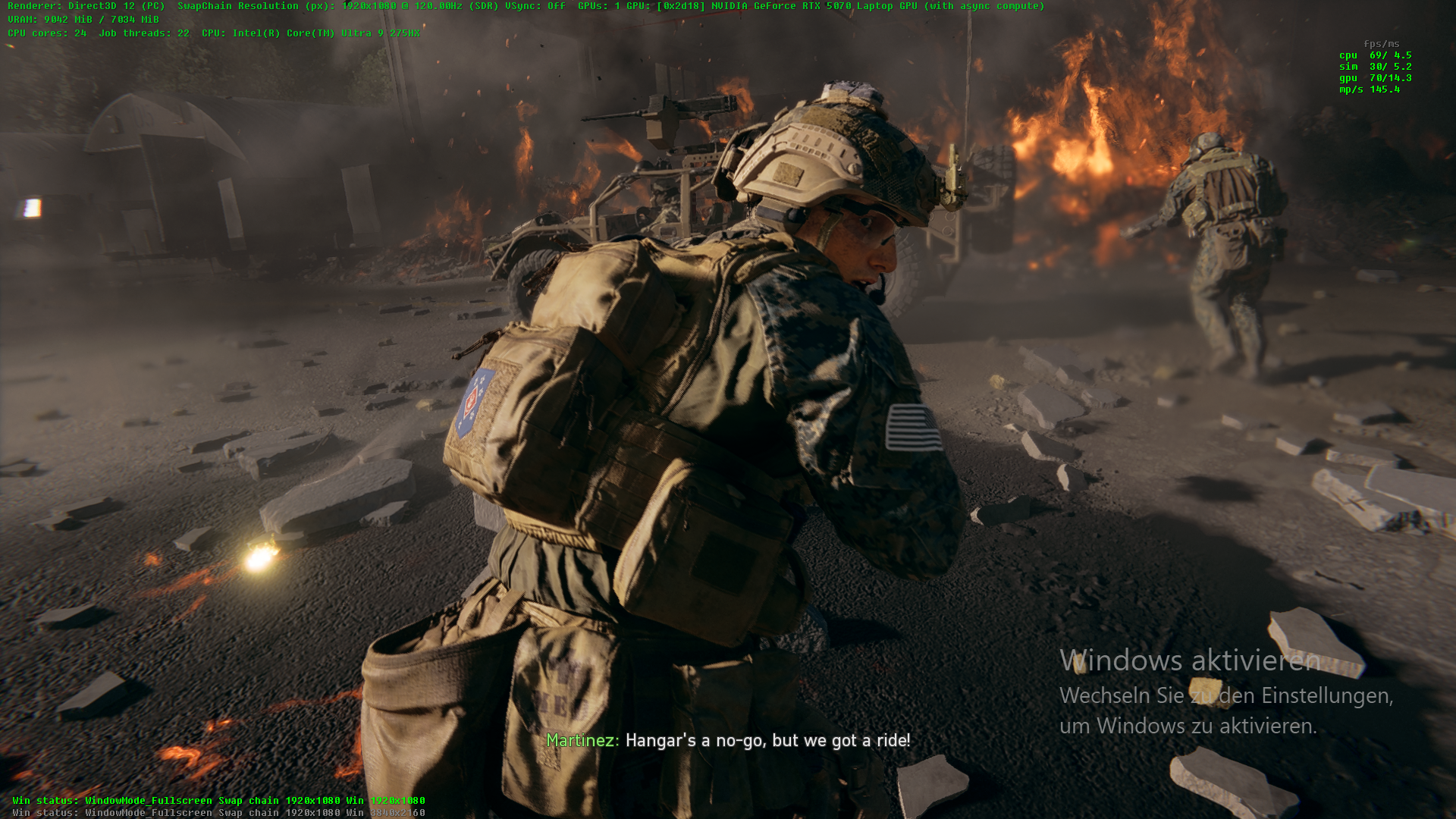
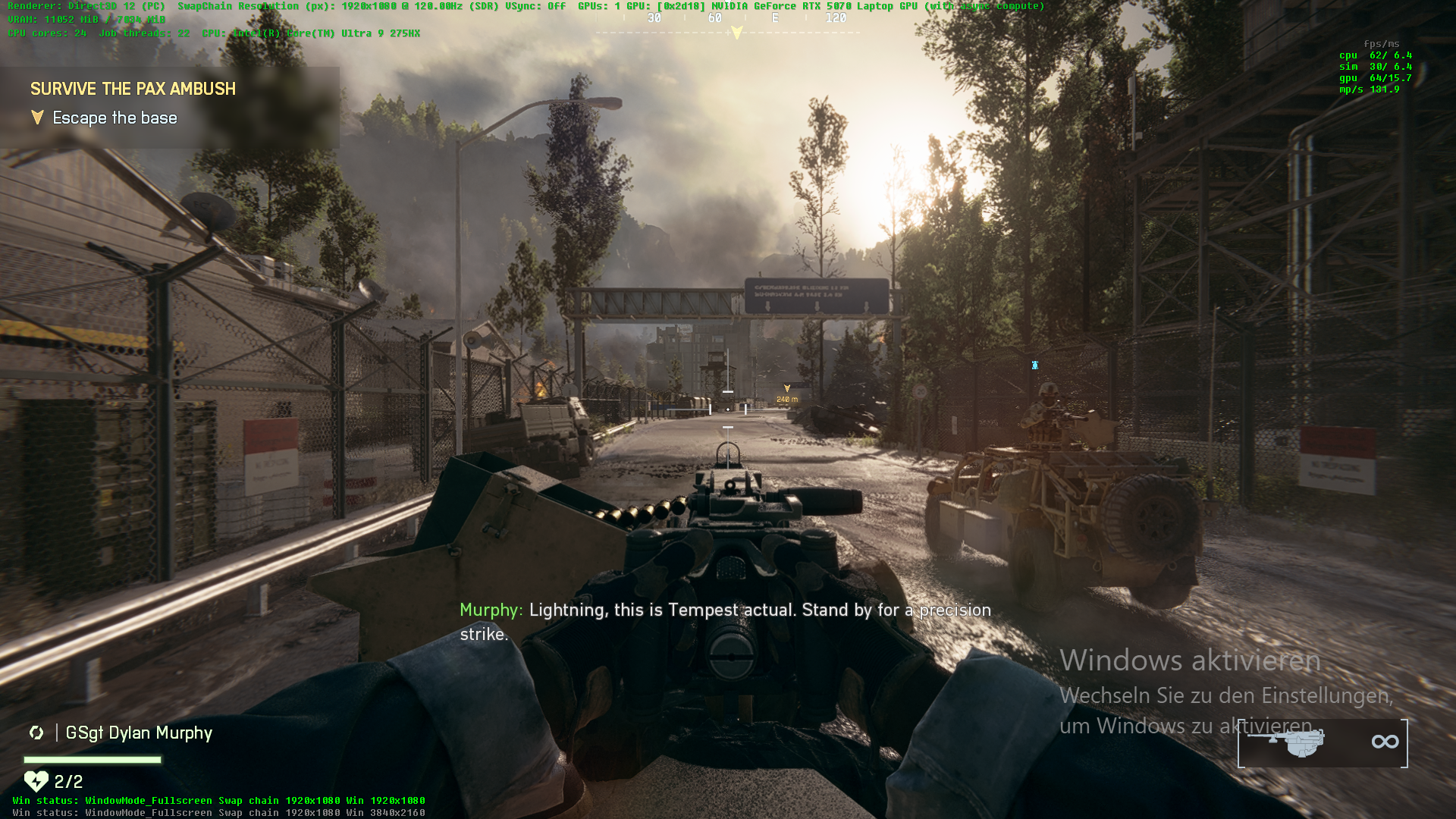
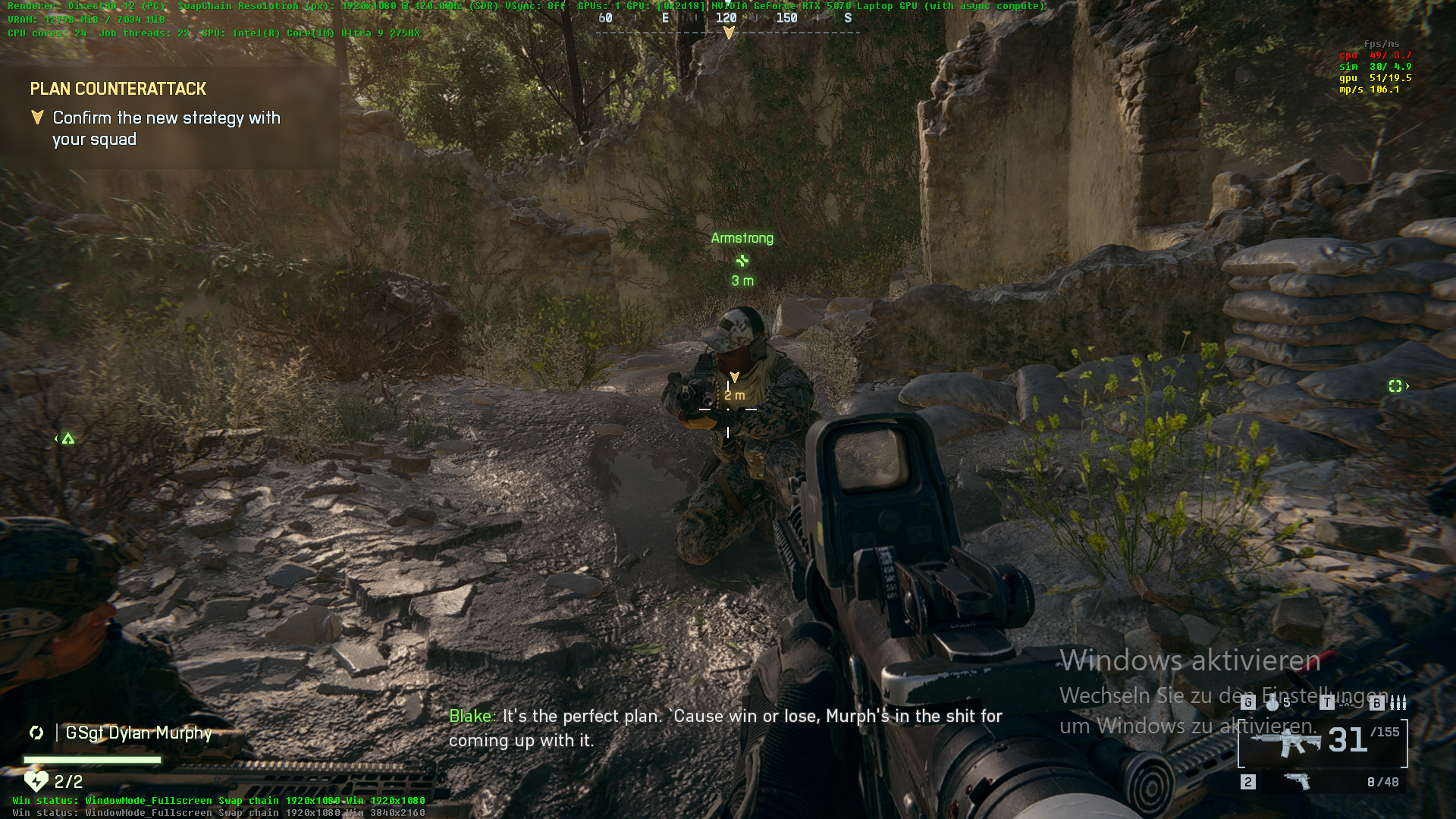
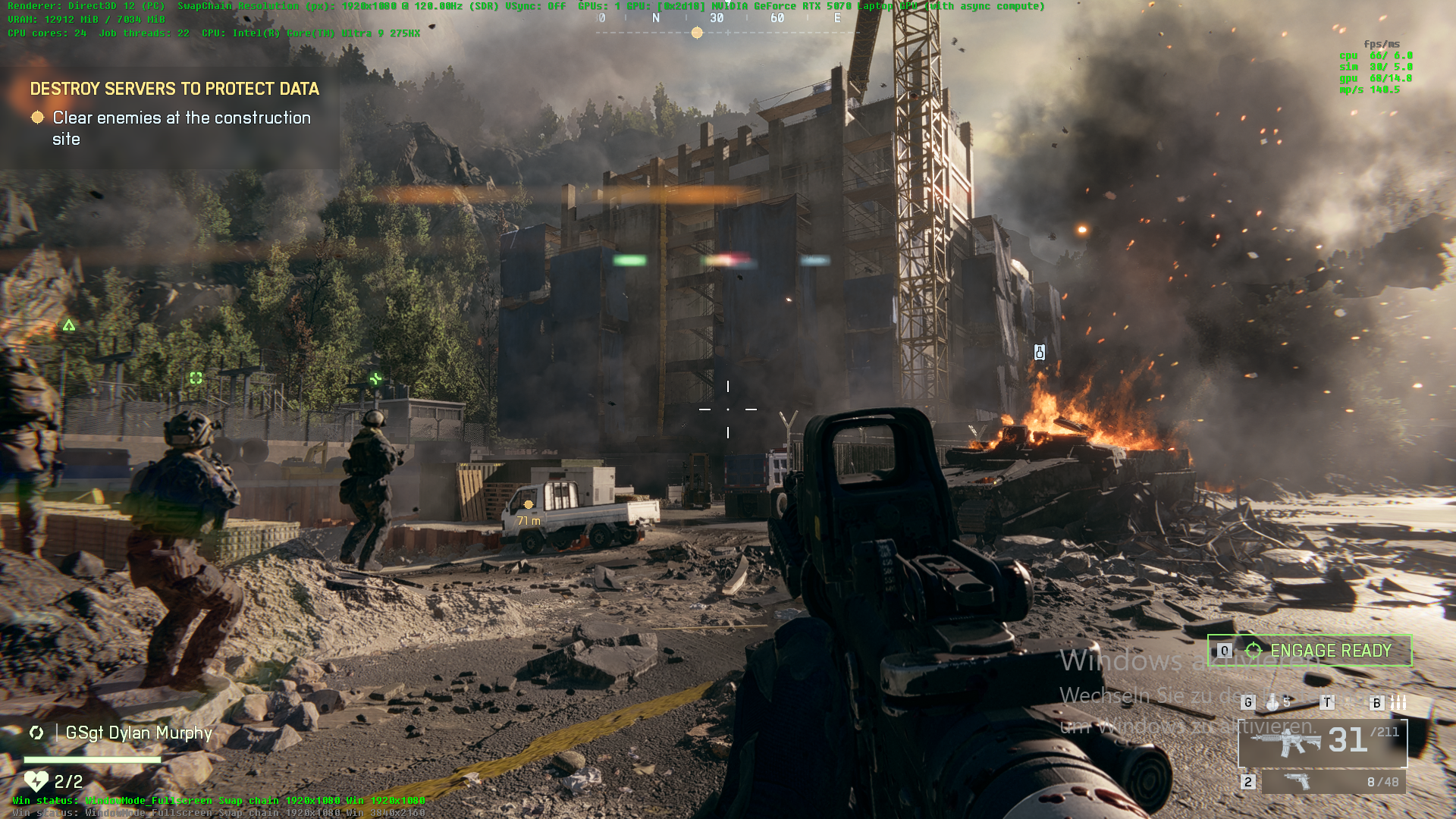
Once you start to play the game, however, the VRAM load increases steadily. We played the first campaign mission and noticed that the VRAM load jumps to 12.9 GB according to the integrated monitoring tool. Quite interestingly, we still did not notice any performance issues in the 1080p resolution, neither during the campaign, nor a multiplayer match.
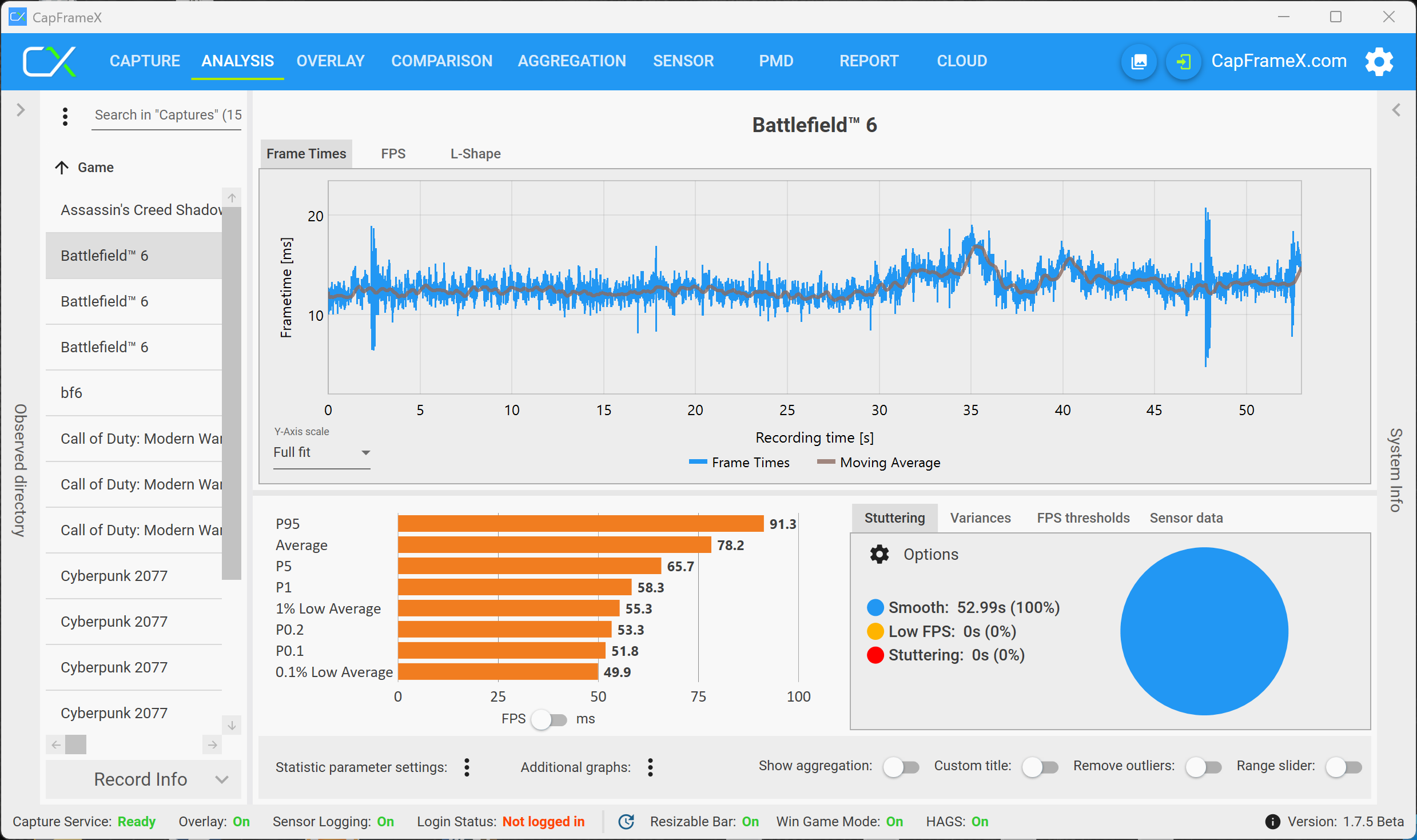
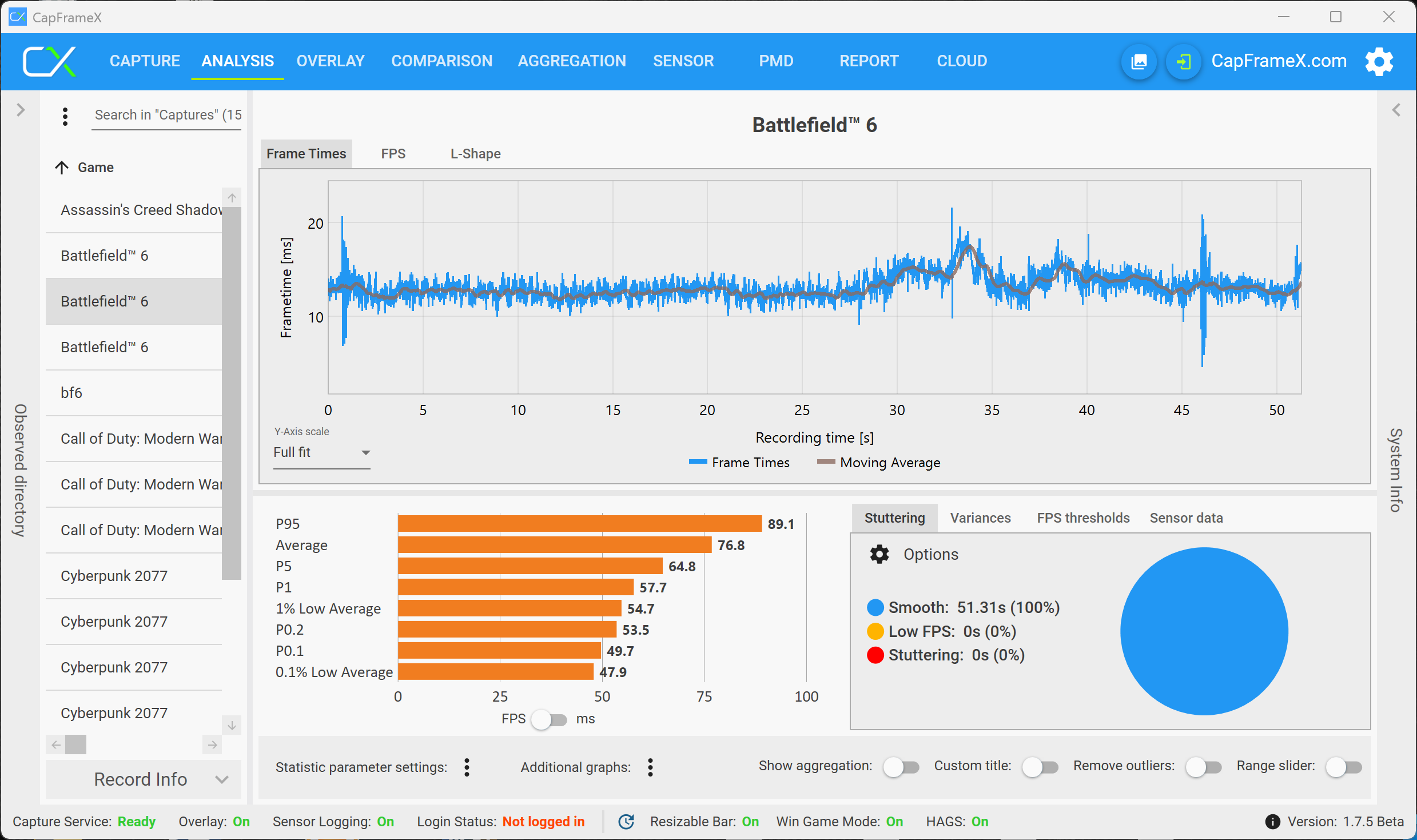
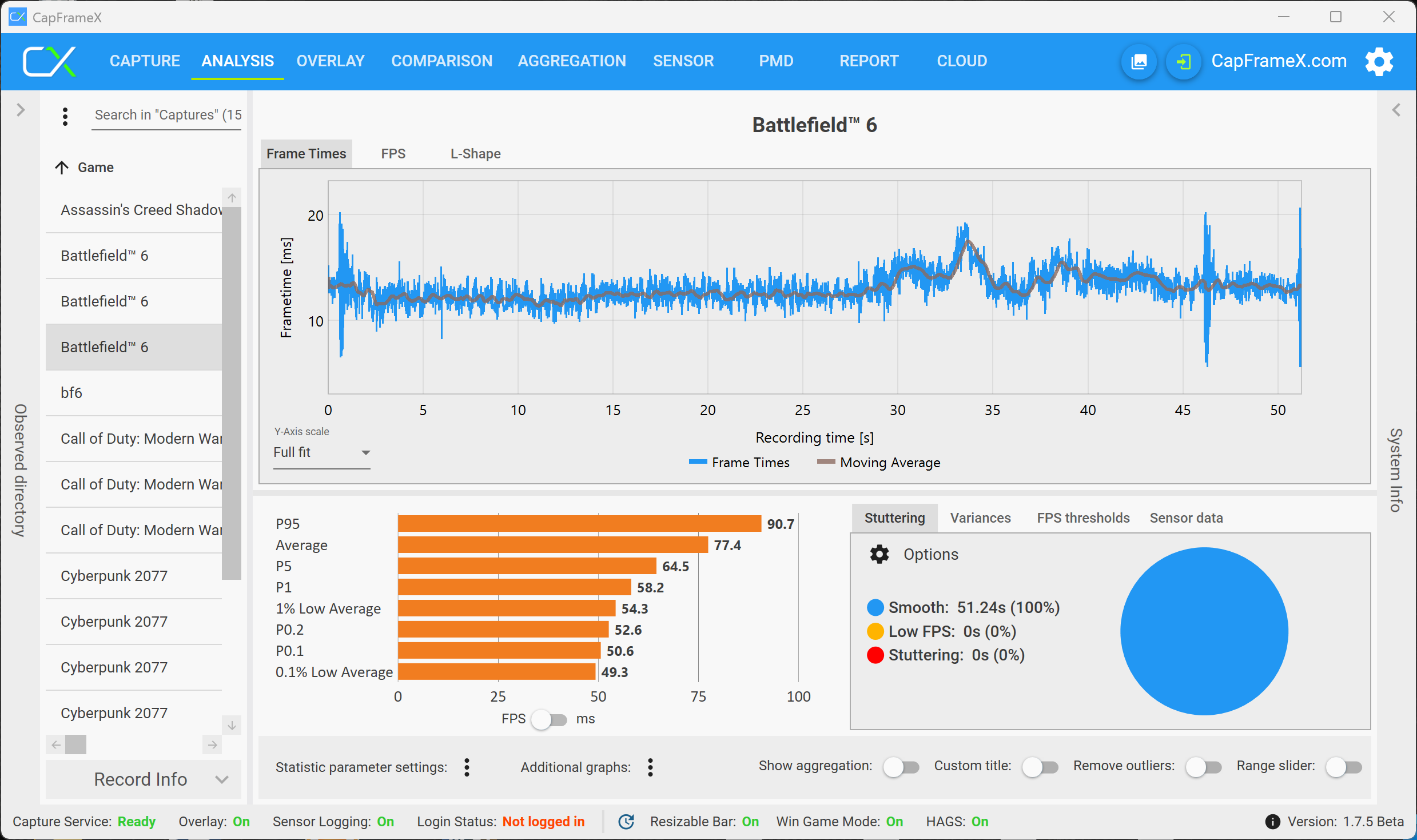
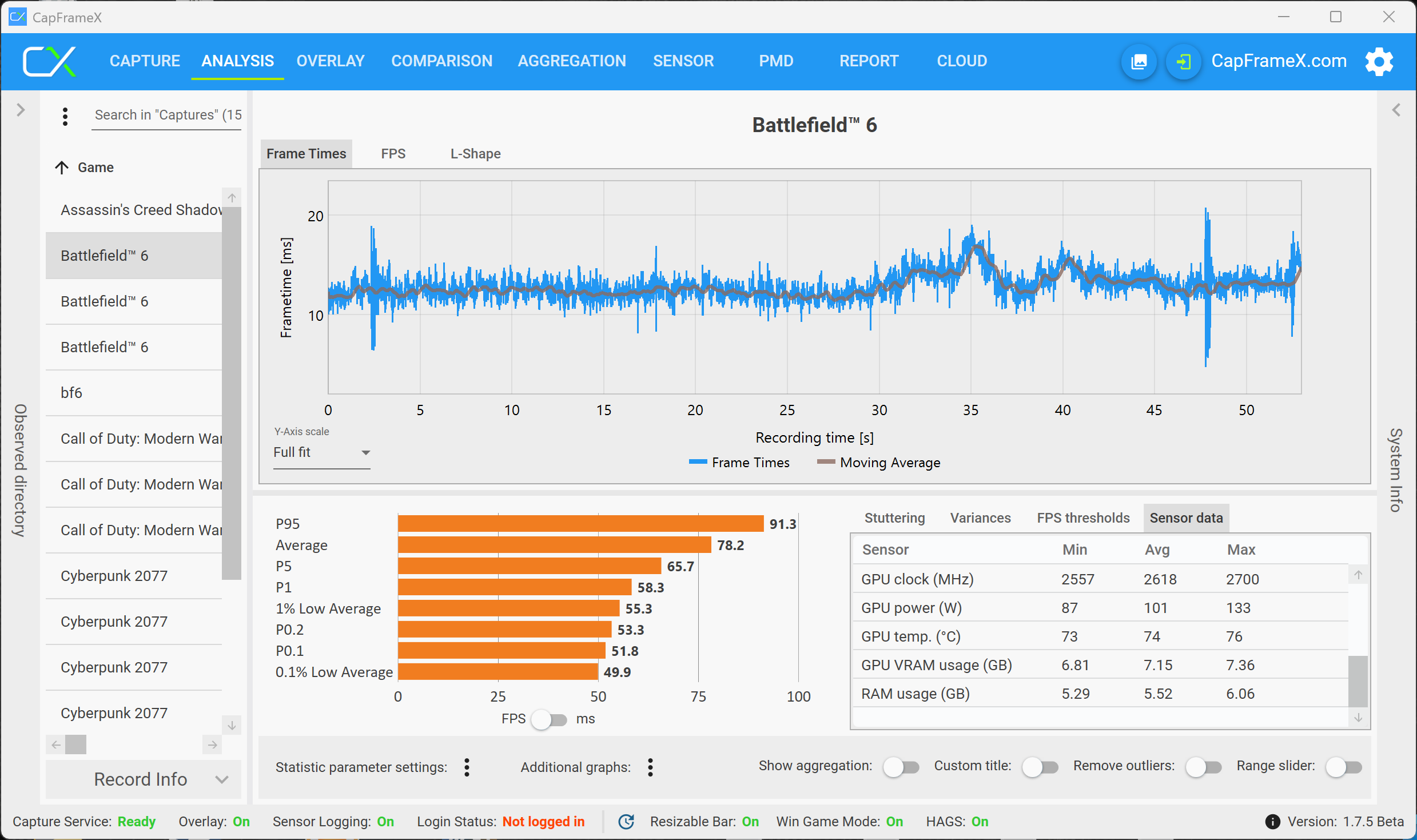
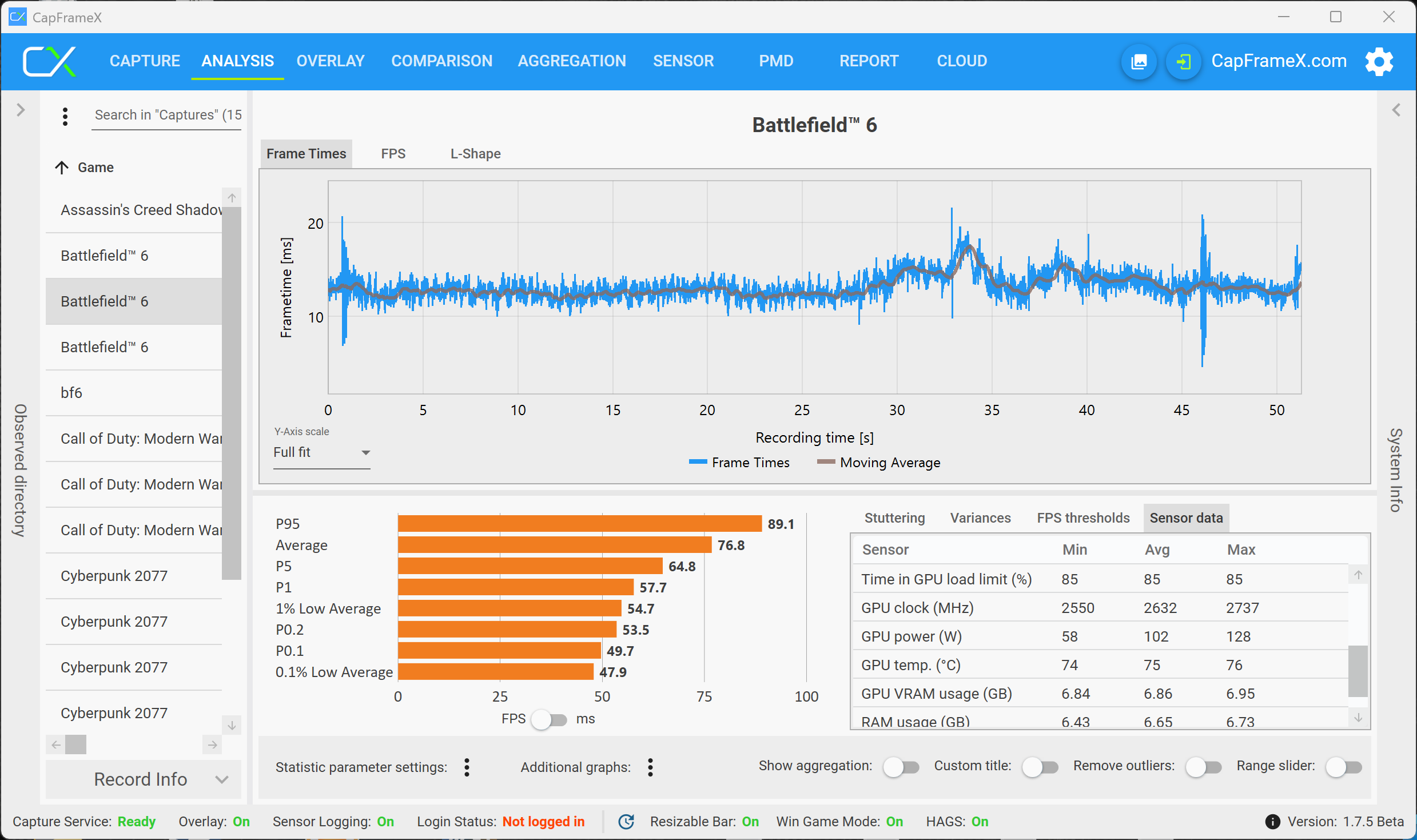
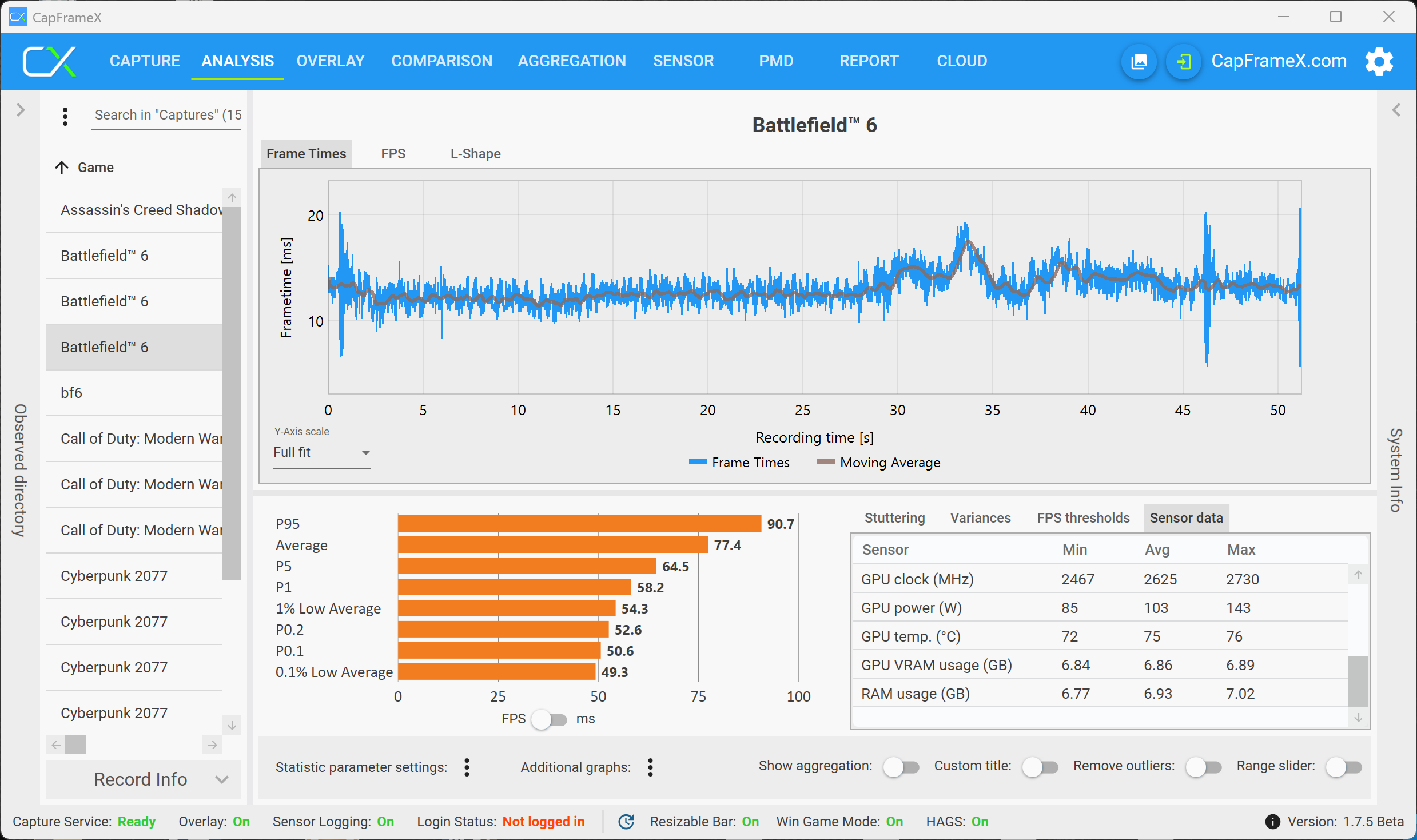
The situation quickly changes when you switch to the QHD resolution (2560 x 1440 pixels). Our second benchmark run (which takes about one minute) already shows a noticeable performance drop and the average fps number drops from 53 to around 30 fps and then to 26 fps (or even lower in demanding scenes) in the third benchmark run, so the gameplay is not smooth anymore.
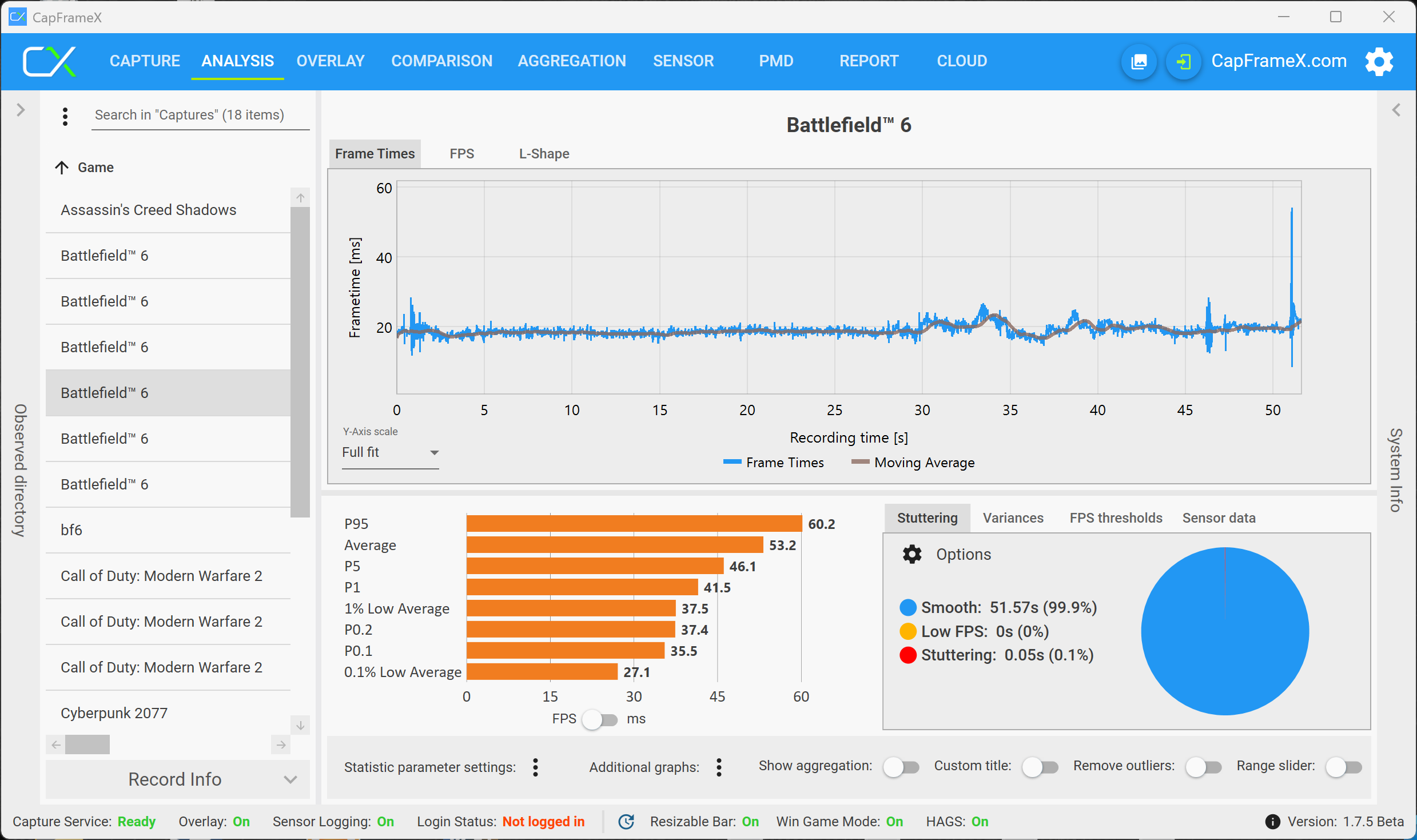
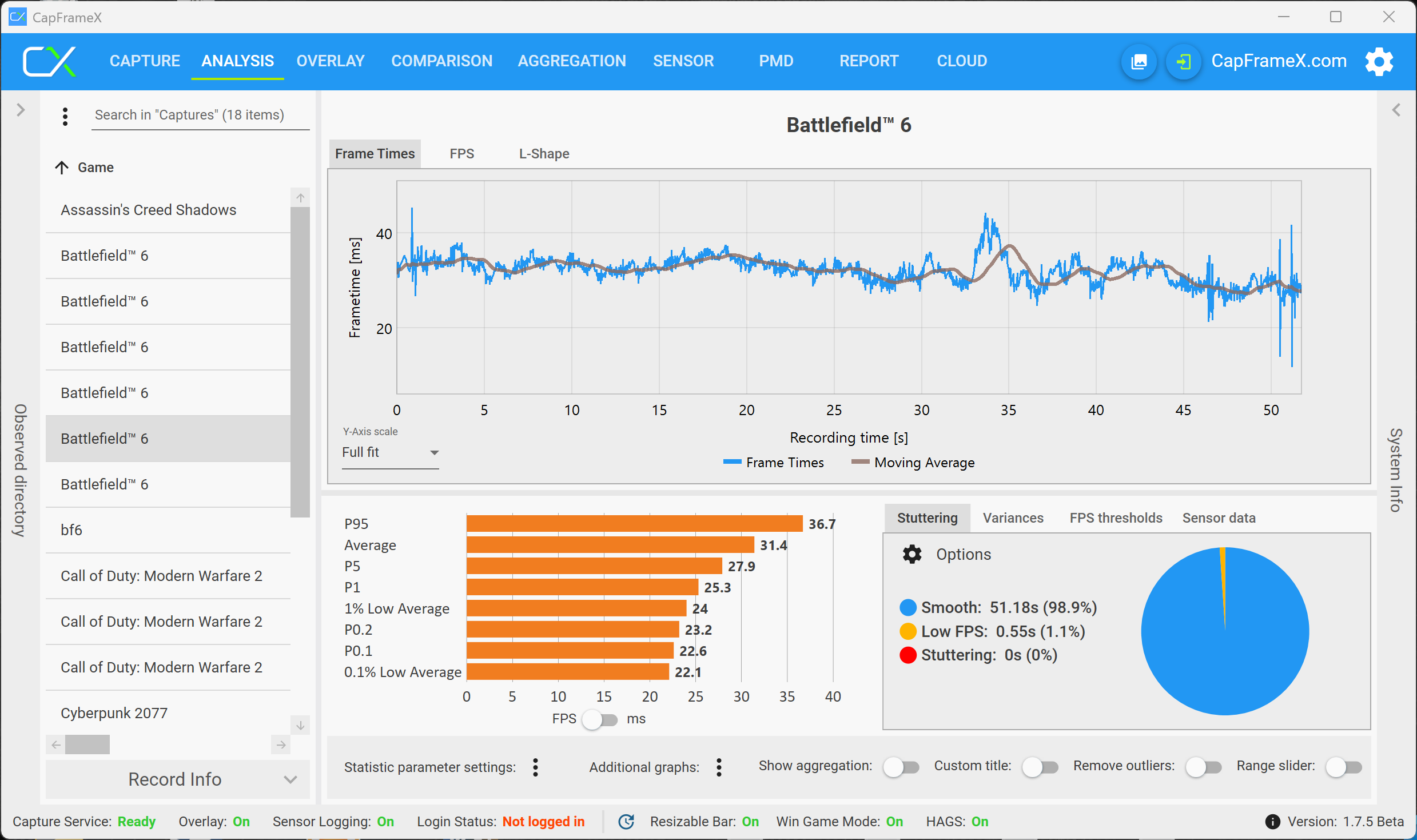
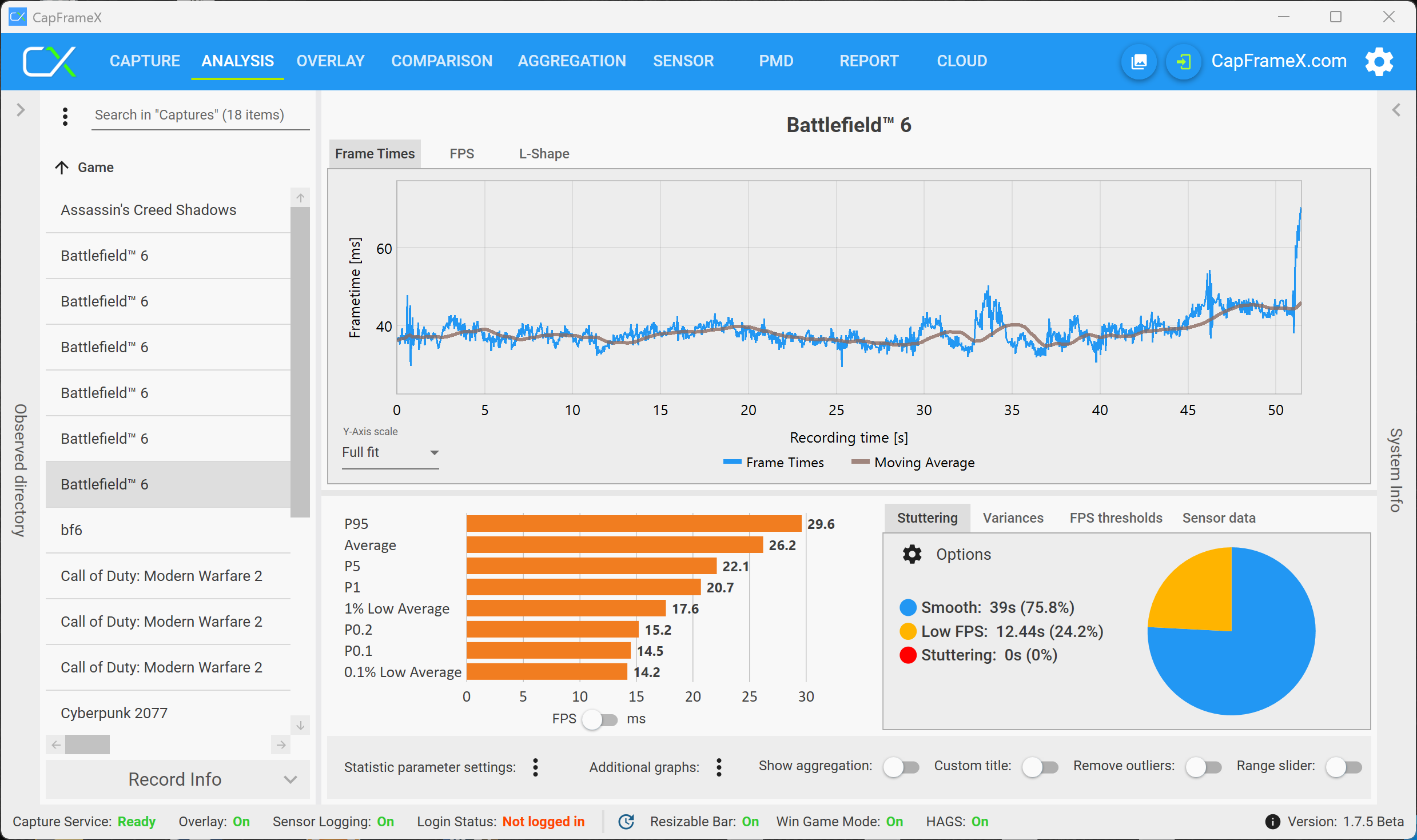
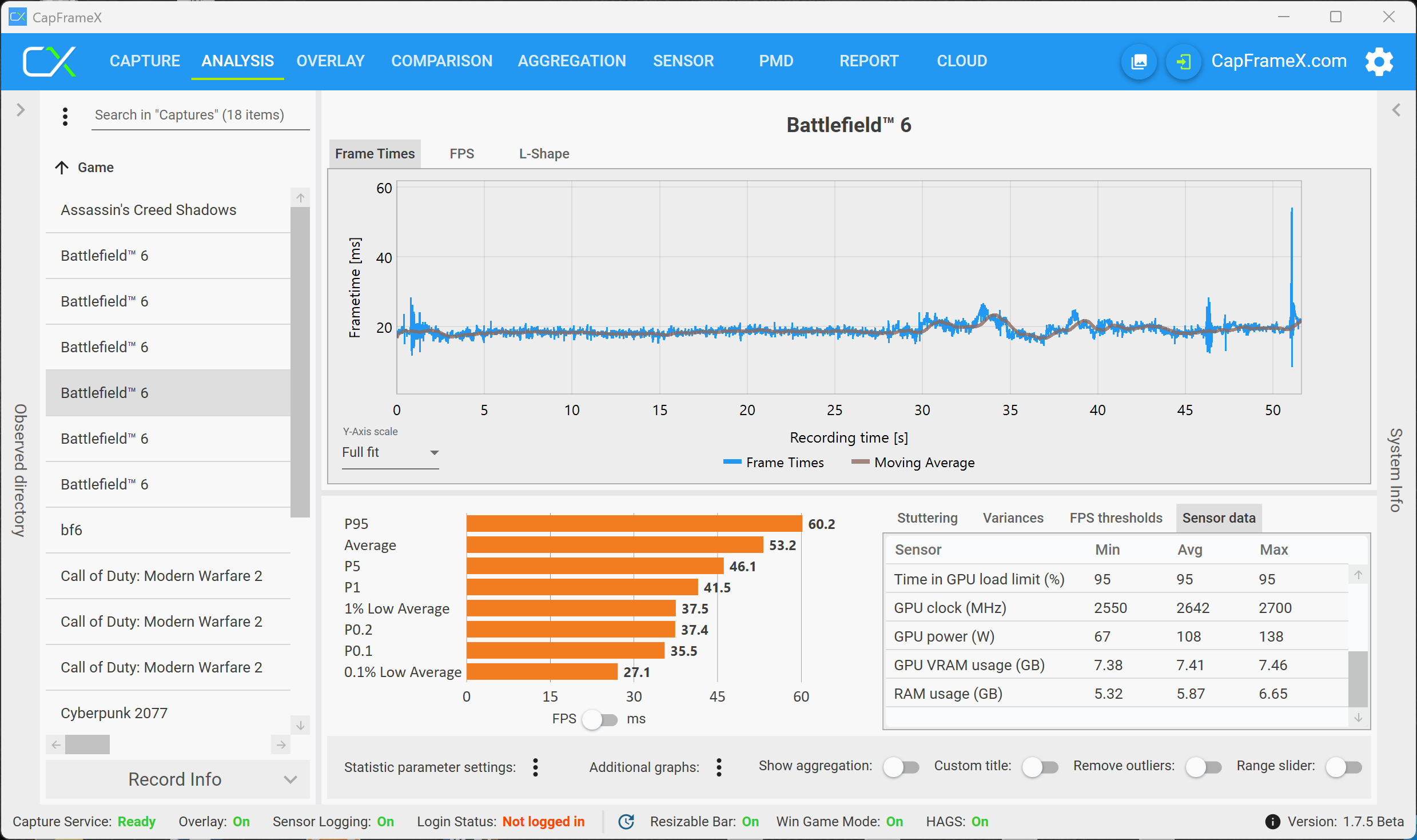
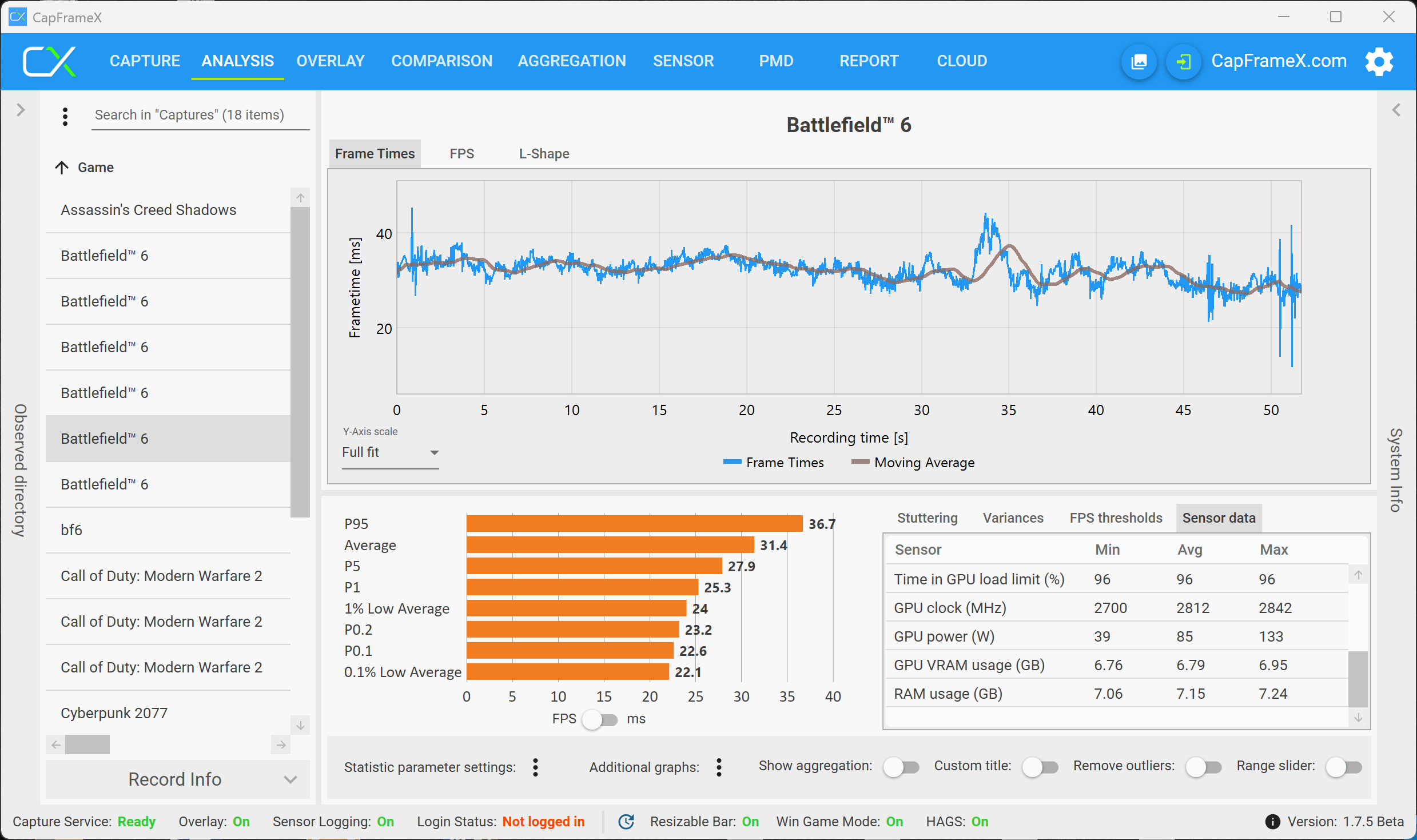
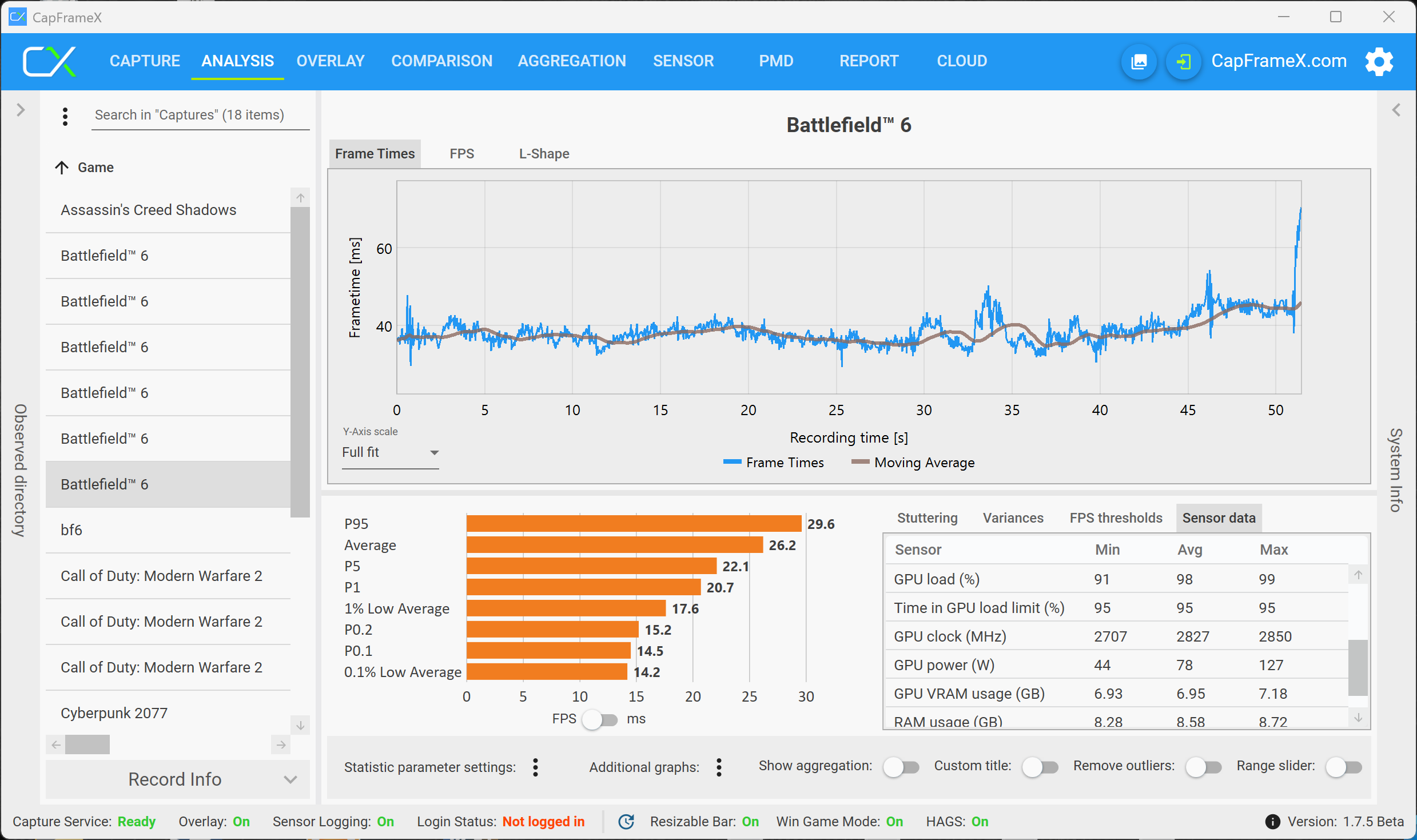
DLSS (Quality) will increase the initial fps number, but the behavior is still pretty much the same and the performance once again drops very quickly from 70 fps in the initial benchmark rund to just 35 fps in the third benchmark run.


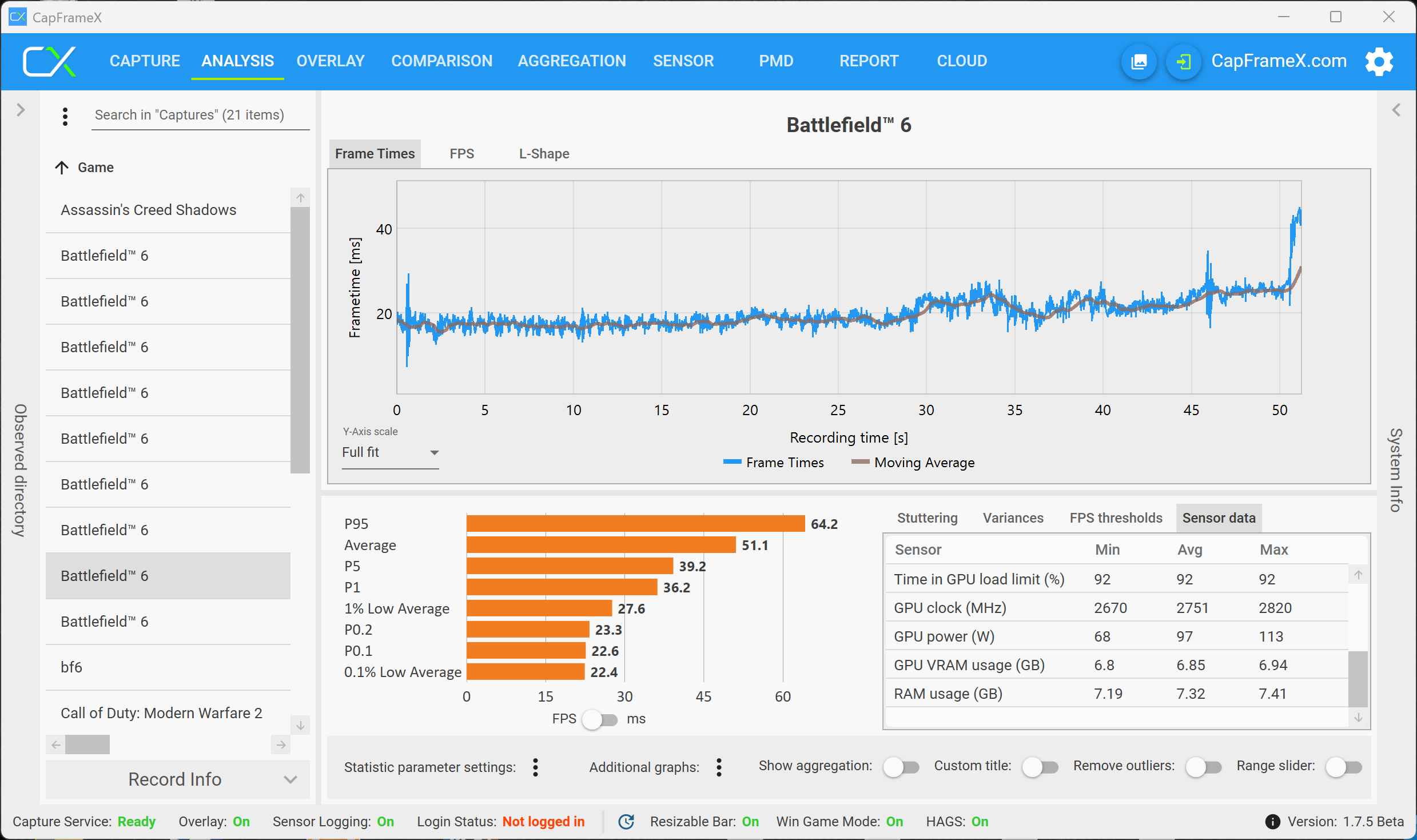

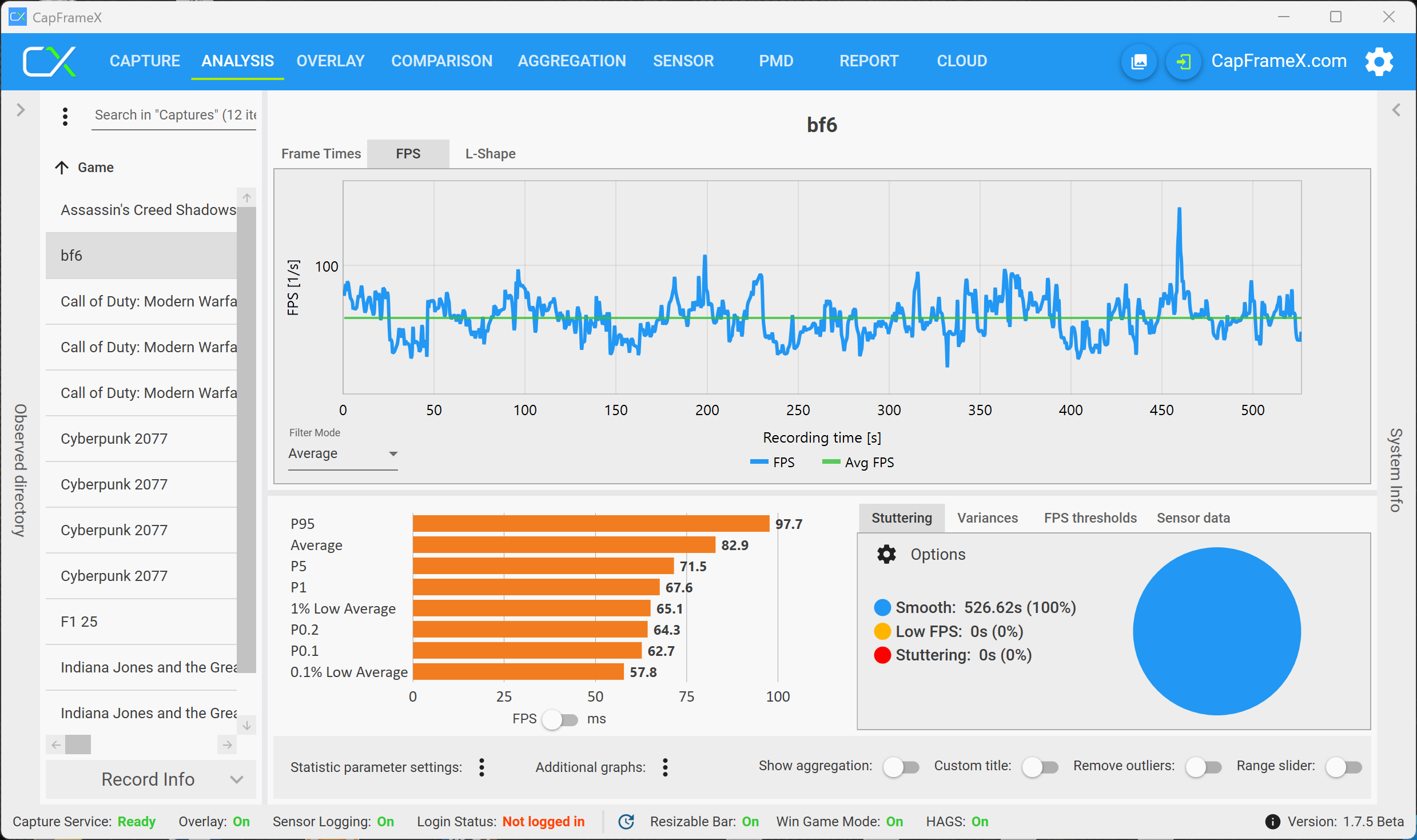
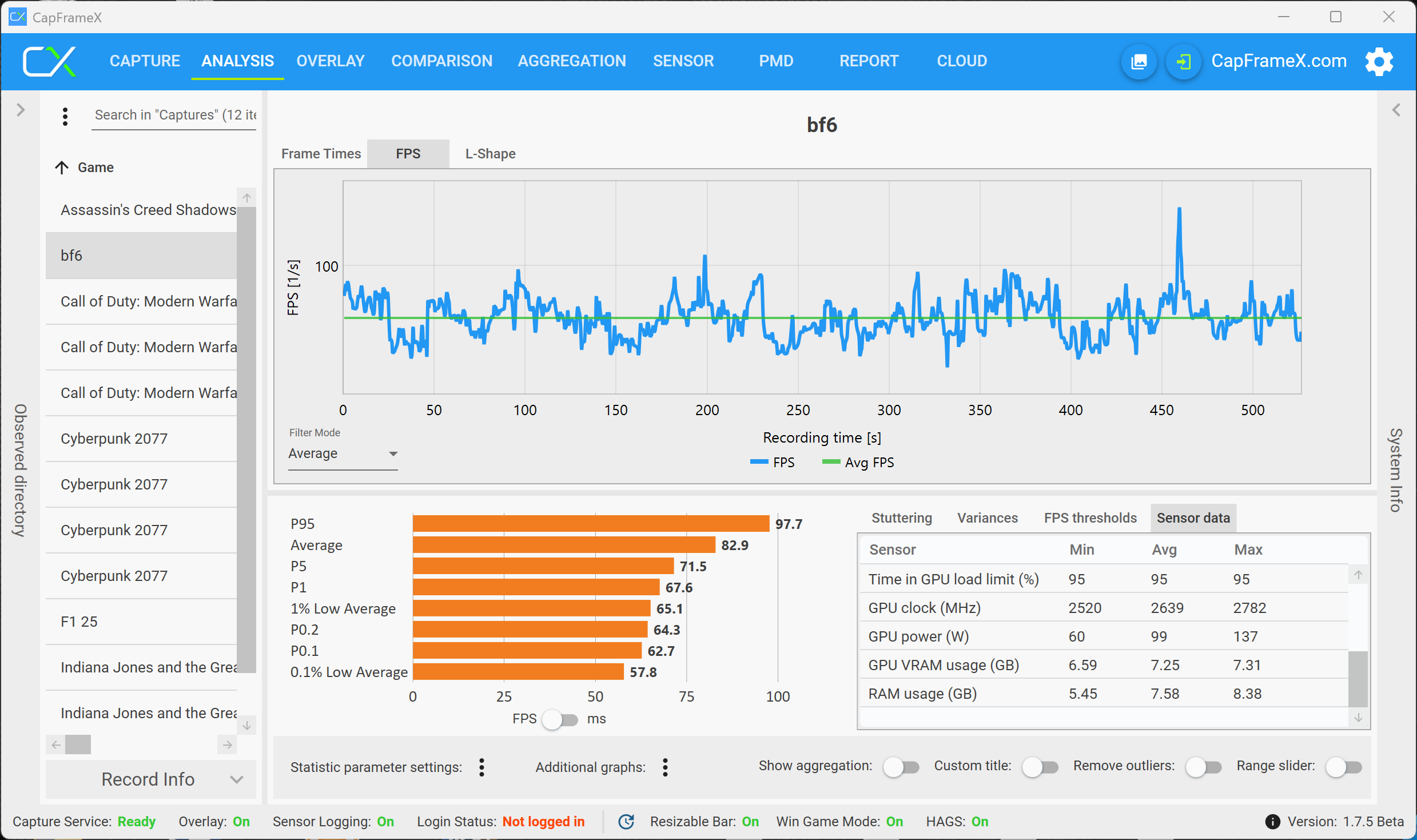
For multiplayer matches, there is a difference whether you play small-scale or large scale-battles. A small scale battle is no problem in QHD and the performance was stable on the RTX 5070. This changes once you join a large-scale battle, where the behavior is identical to the campaign and the performance will drop noticeable within a couple of minutes to the point where you cannot play smoothly anymore. If you respawn, the situation is better but the performance quickly drops again.




Call of Duty Black Ops 7
Similar to previous installments of Call of Duty, the latest Black Ops 7 once again offers a VRAM load indicator in the options menu and you immediately see how graphics settings will affect the VRAM load. The latest entry of the shooter series is not really that demanding and the RTX 5070 with 8 GB VRAM will only produce a warning message once you activate Raytracing. Without Raytracing, there is not even a warning message in the 4K resolution, but the performance of the 5070 is simply insufficient. Once you activate DLSS, the VRAM load is slightly lower.
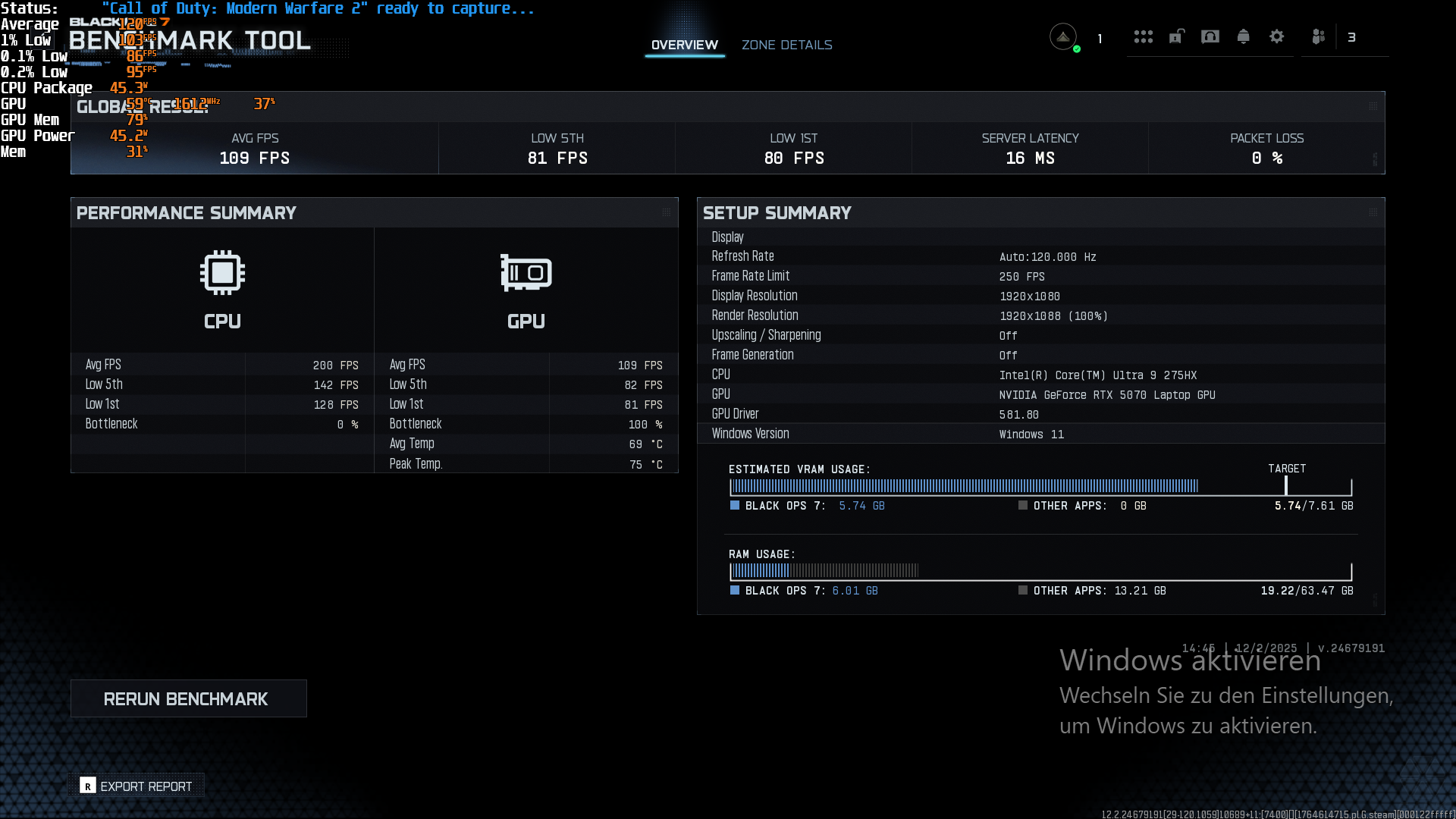
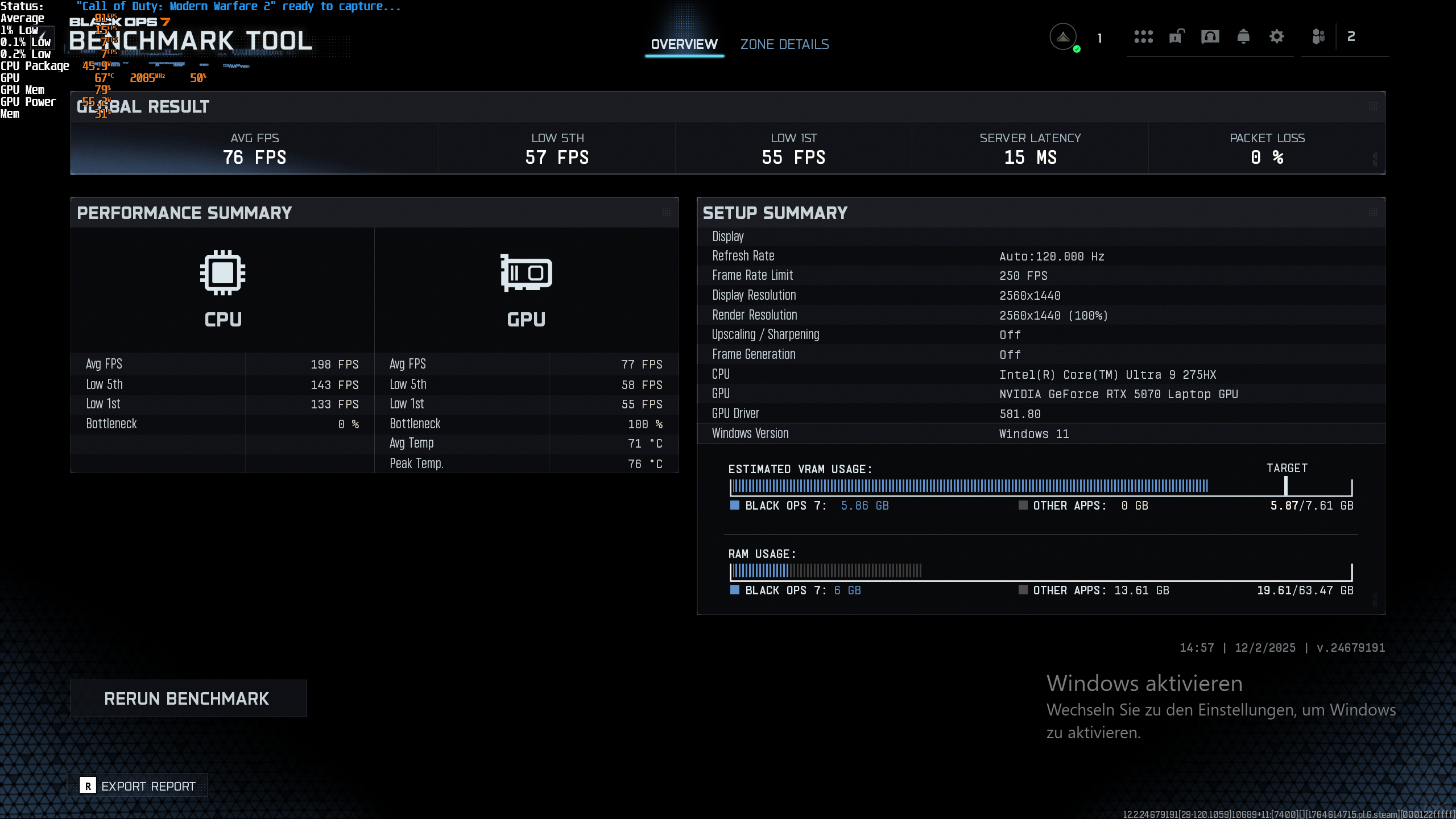
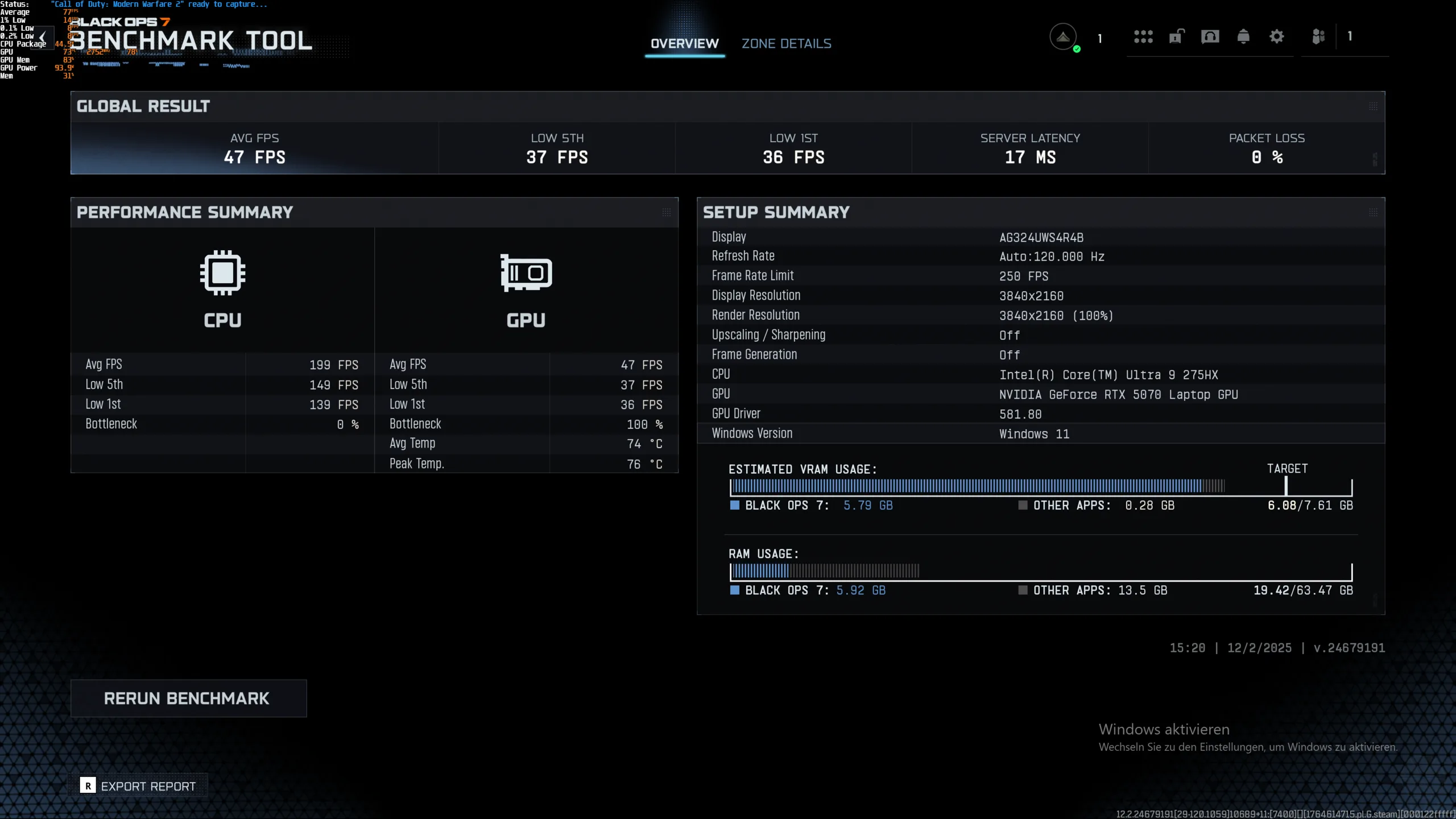
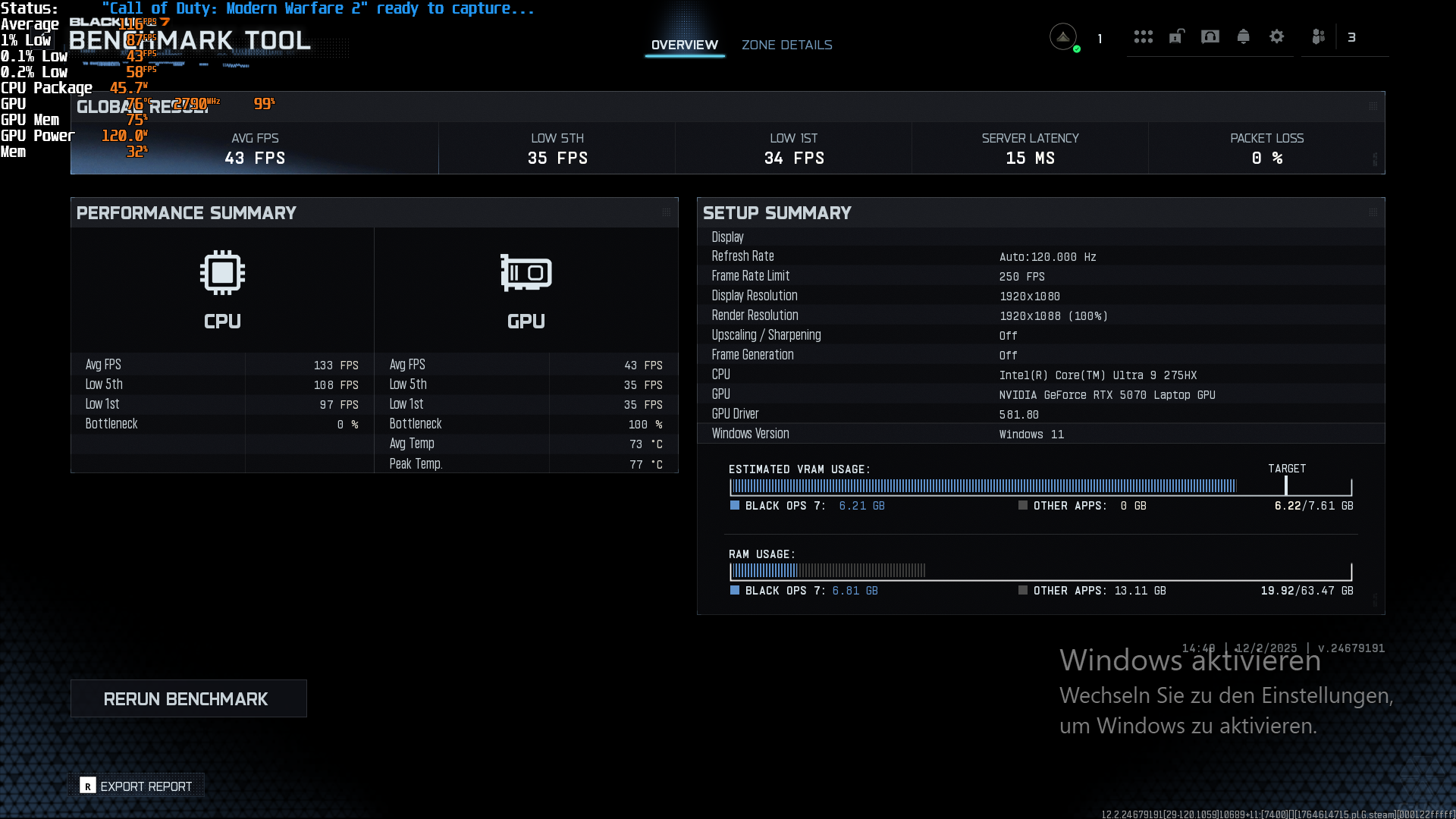
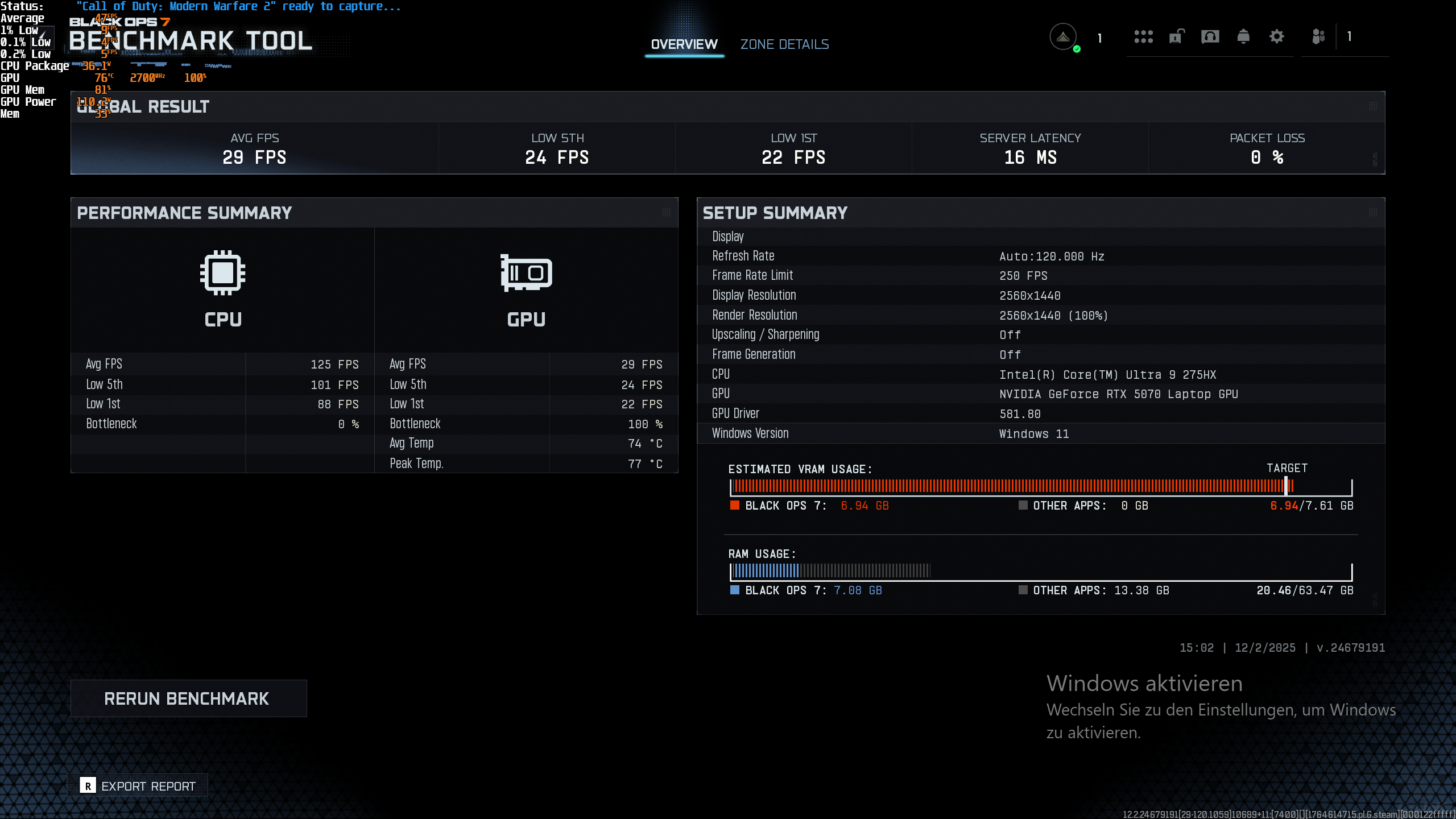

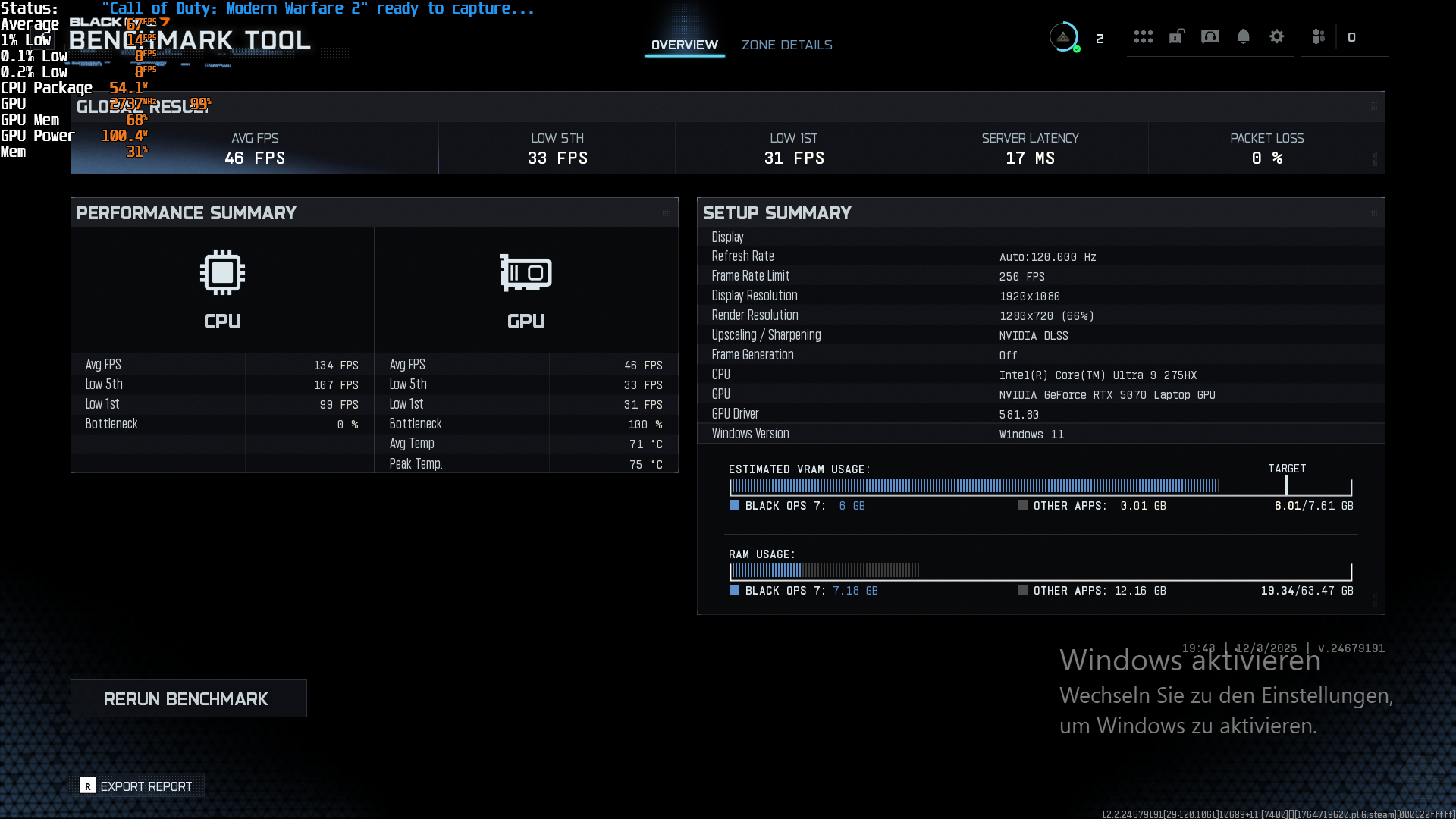
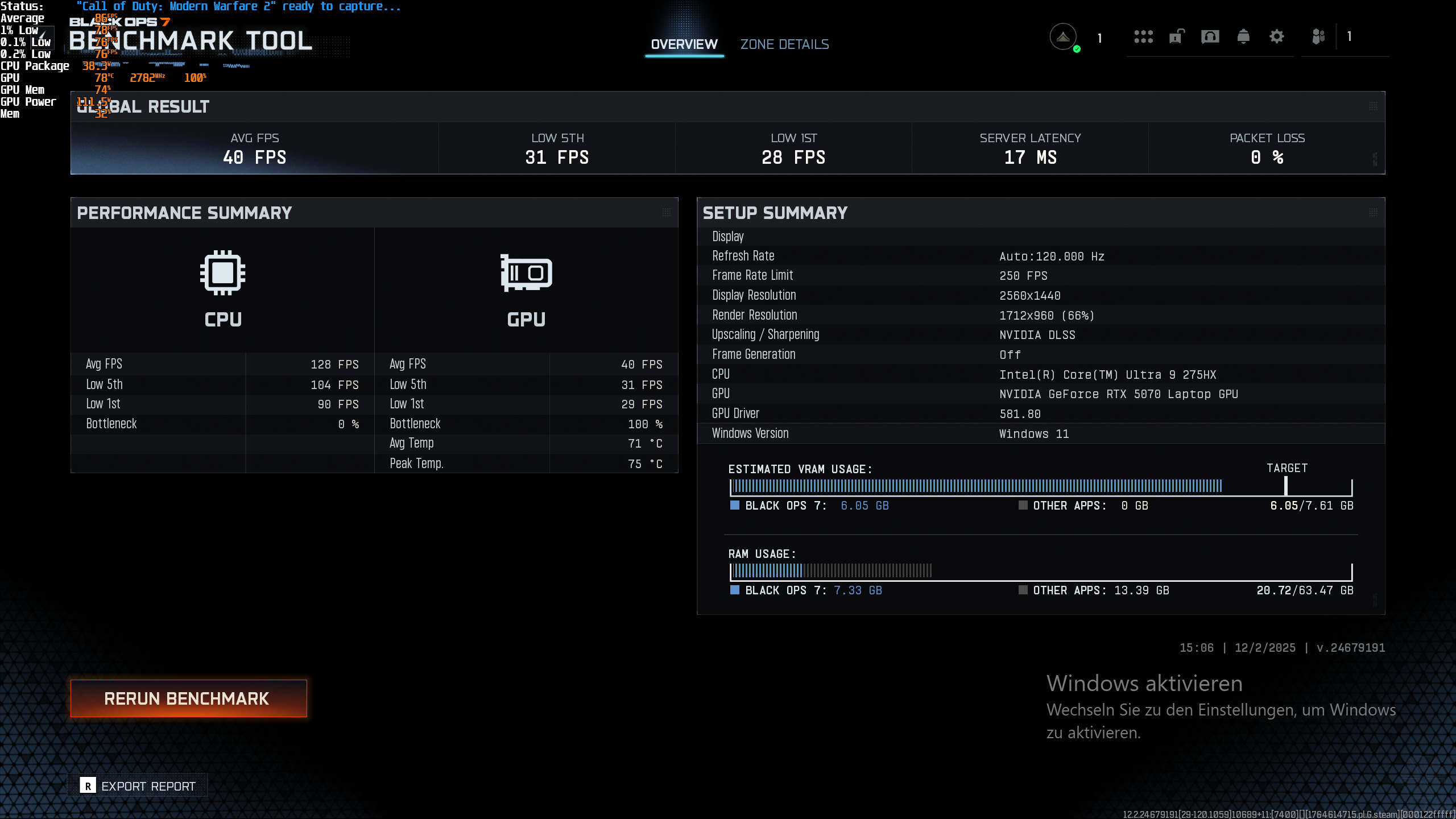

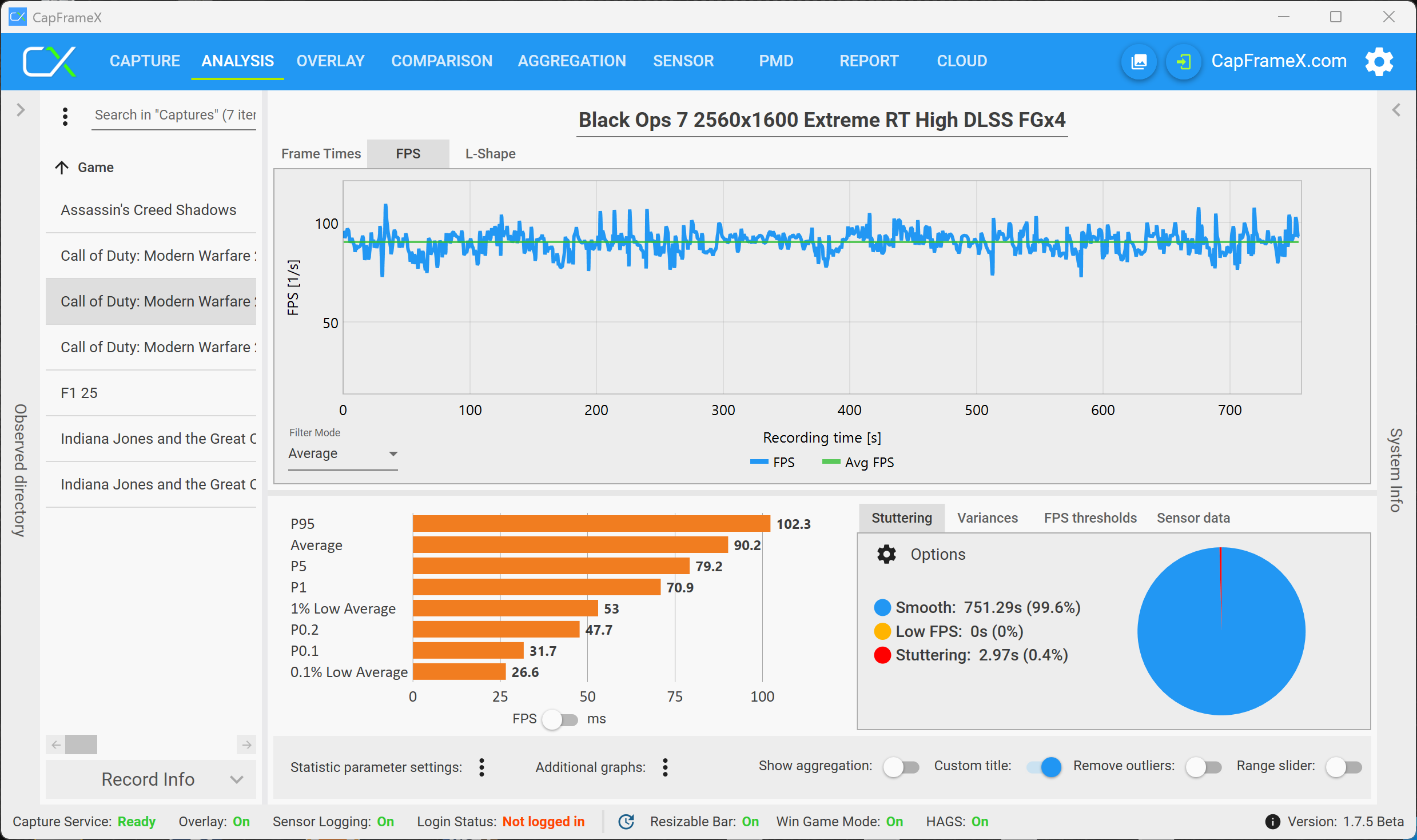
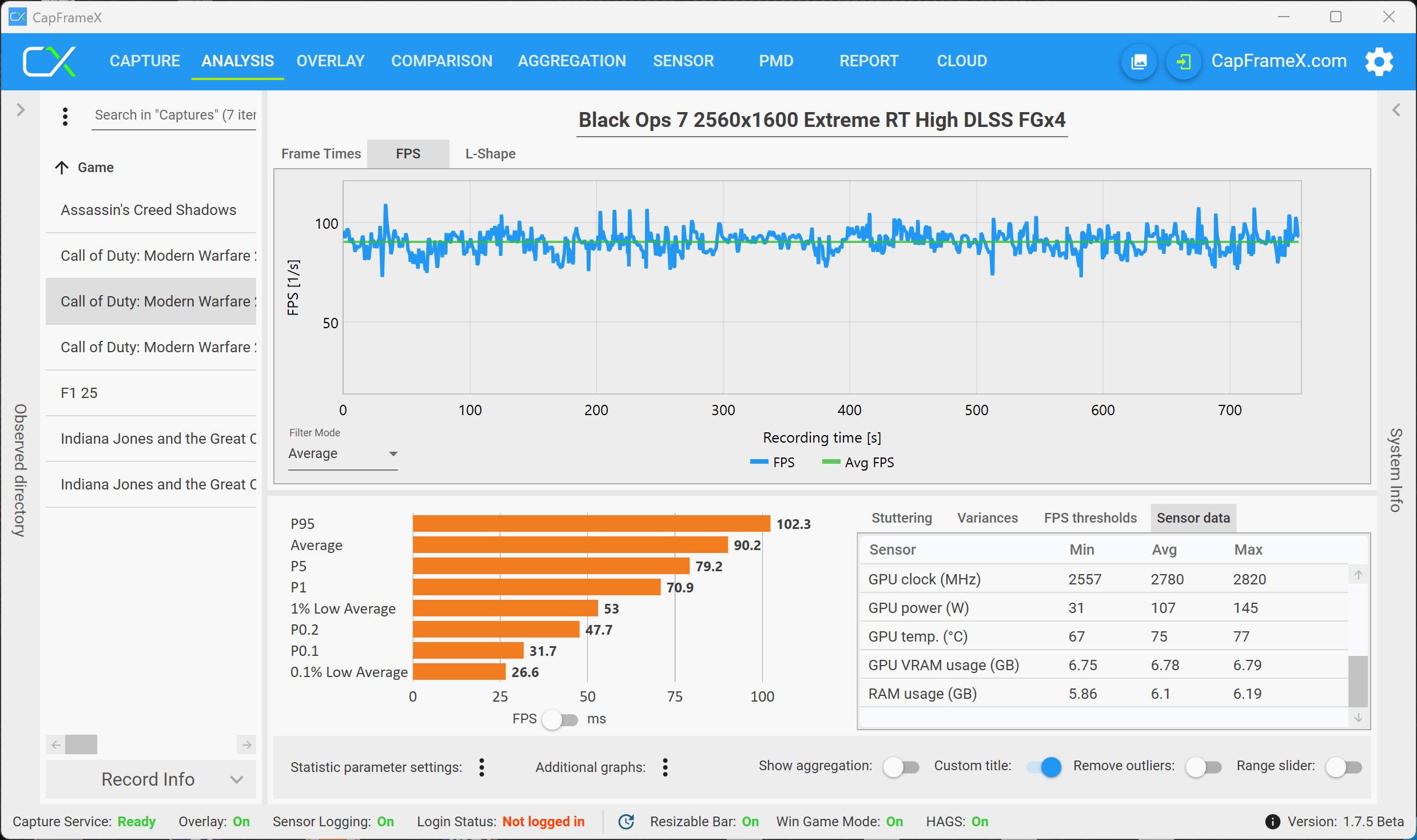
The fact that there is a VRAM warning, however, does not mean that you necessarily experience issues while gaming. With maximum load for the RTX 5070 (highest VRAM load, but still smoothly playable), we used the setting 2560 x 1600 pixels, Raytracing (High), DLSS and Frame Generation (QHD RT is not playable without DLSS, but at the same time 4K with RT is not always above 30 fps, despite DLSS and MFGx4) and played the multiplayer. As an example, the following analysis shows a multiplayer match, and it clearly shows that there are no limitations. The RTX 5070 Ti with 12 GB VRAM does not have any issues with the 4K resolution.
Cyberpunk 2077 Phantom Liberty
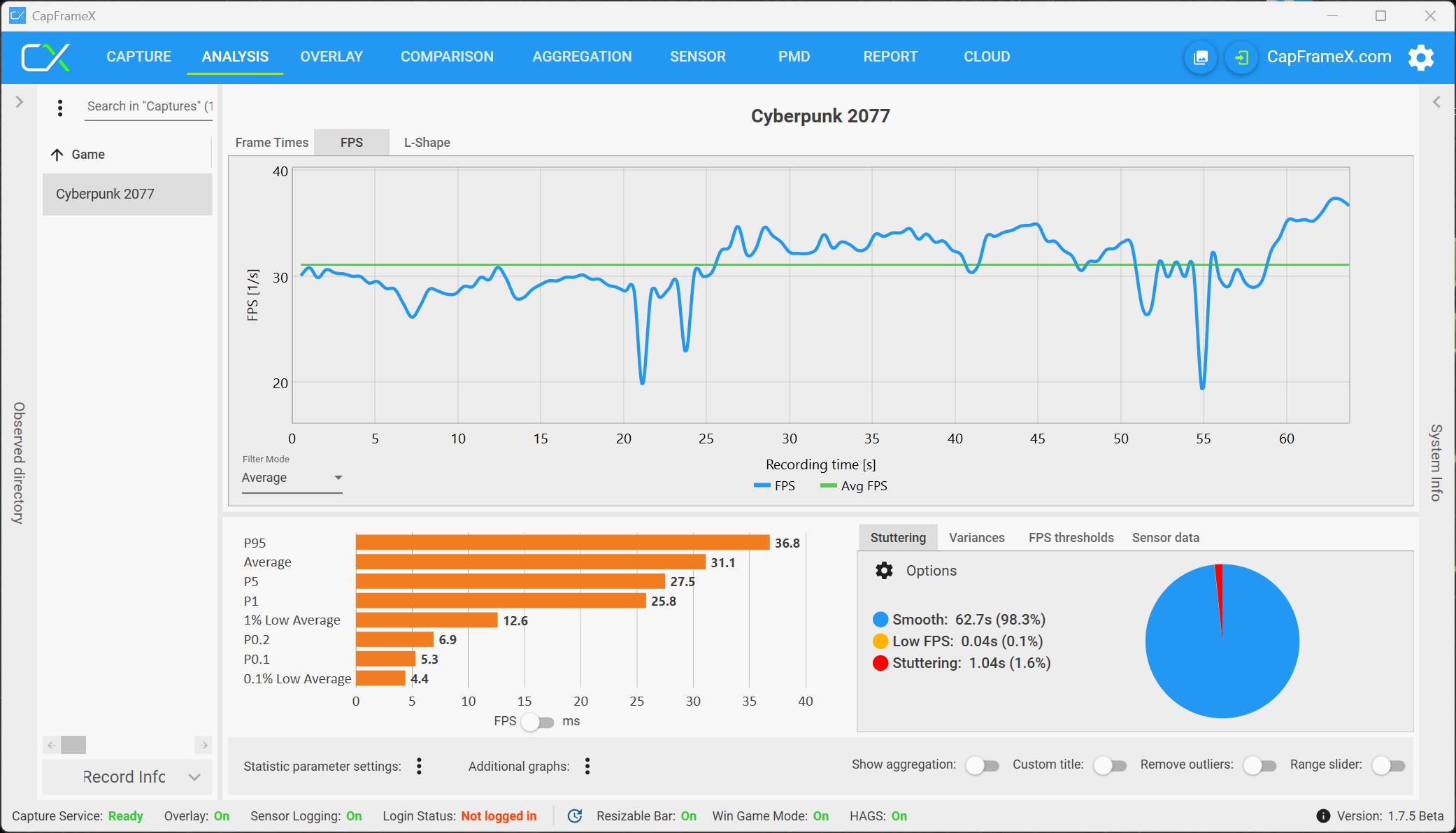
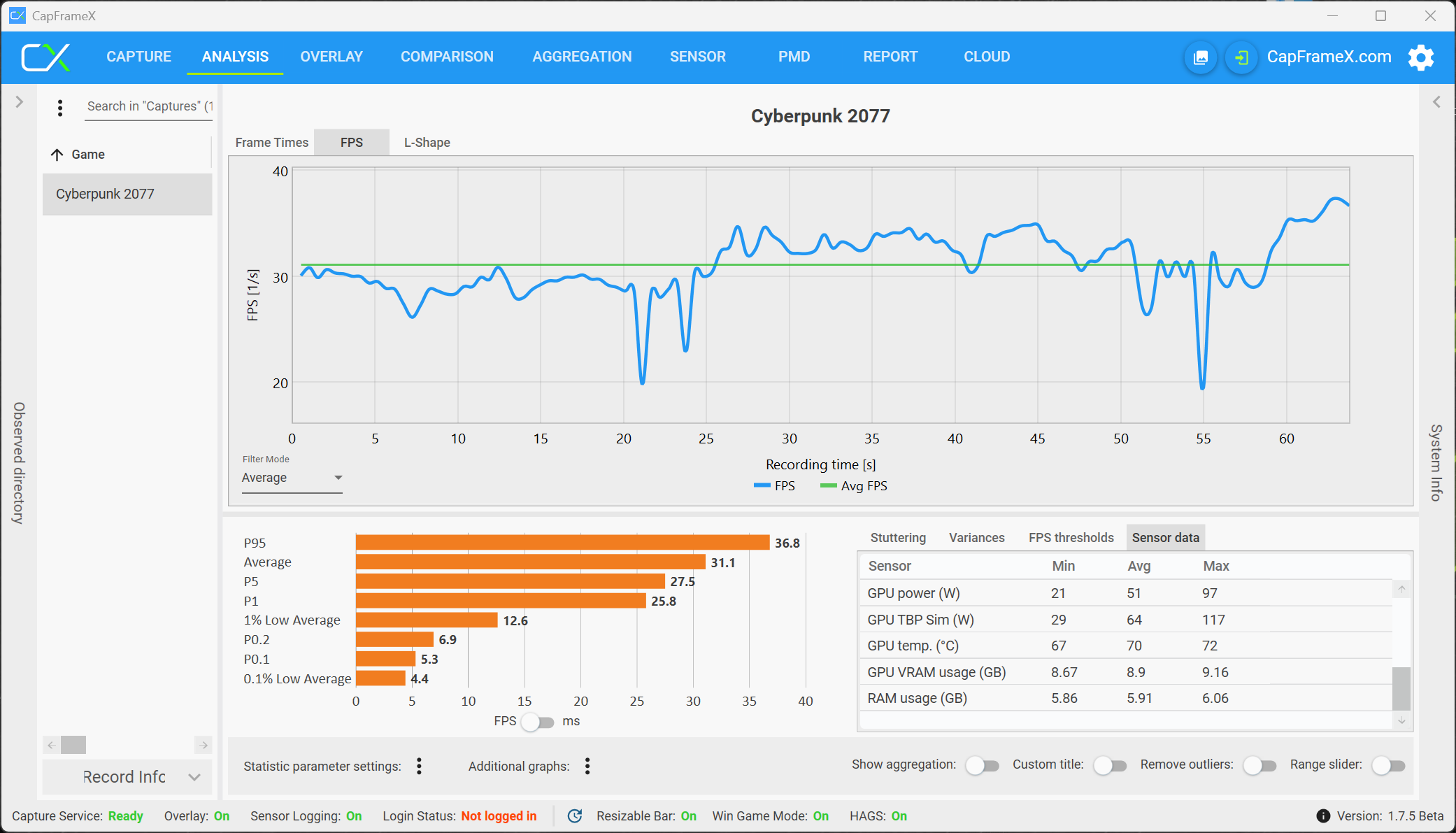
Cyberpunk 2077 is already a couple of years old and this is noticeable when you look at the VRAM load. The RTX 5070 with 8 GB VRAM is easily sufficient for the QHD resolution with Raytracing, even in the highest Overdrive setting. The 4K resolution is also okay, but there will be noticeable stutters with Raytracing because it increases the VRAM load by around 1 GB.
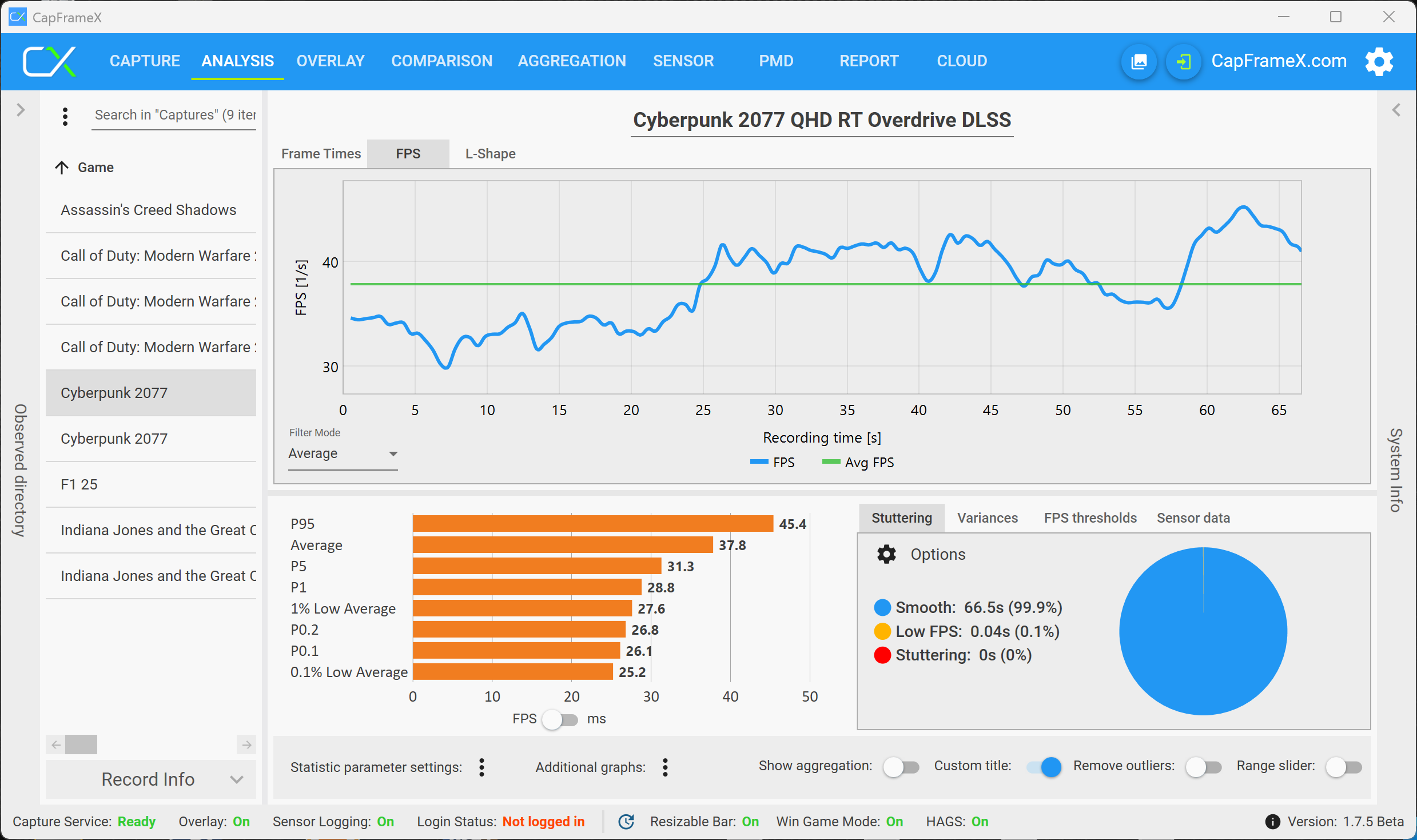
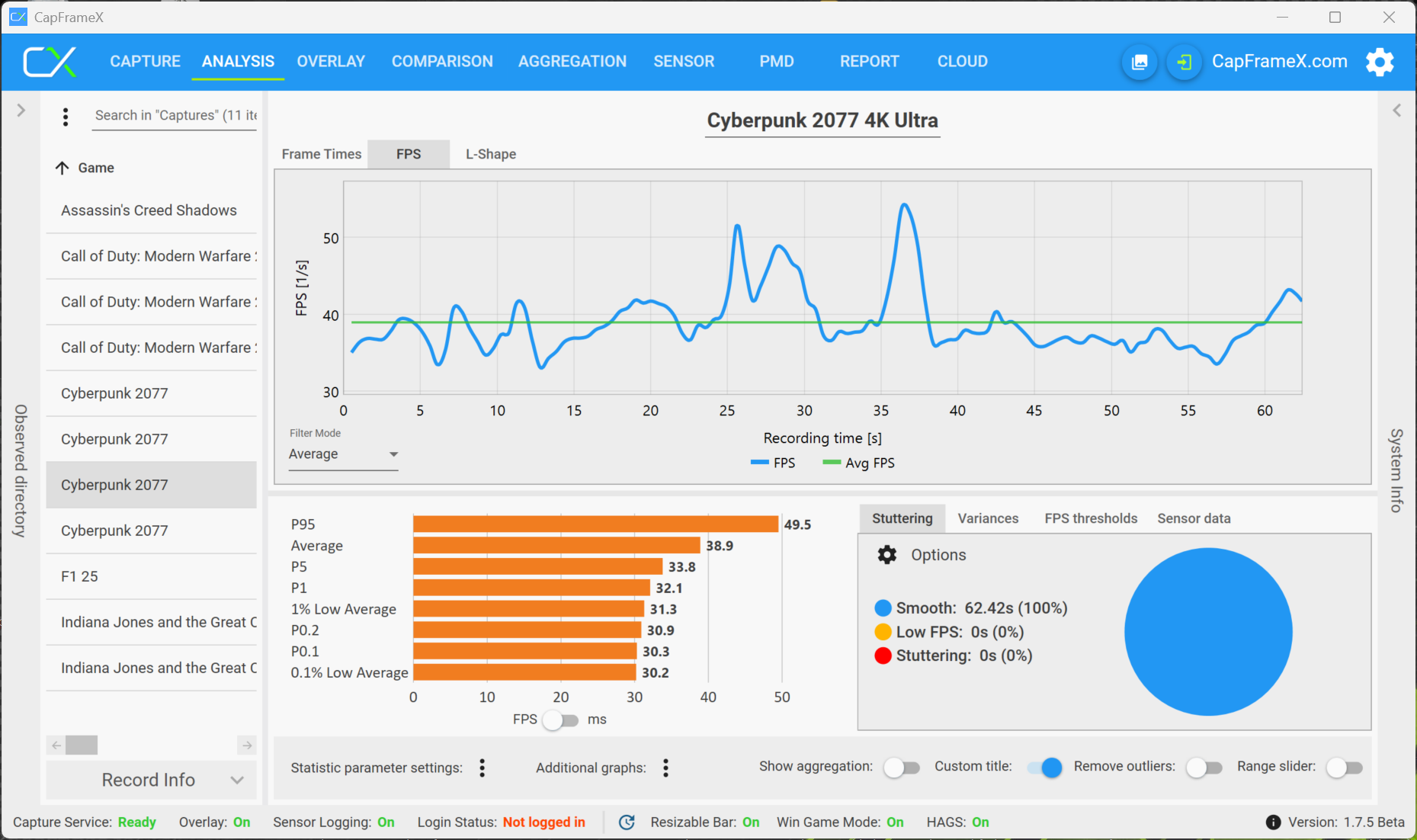
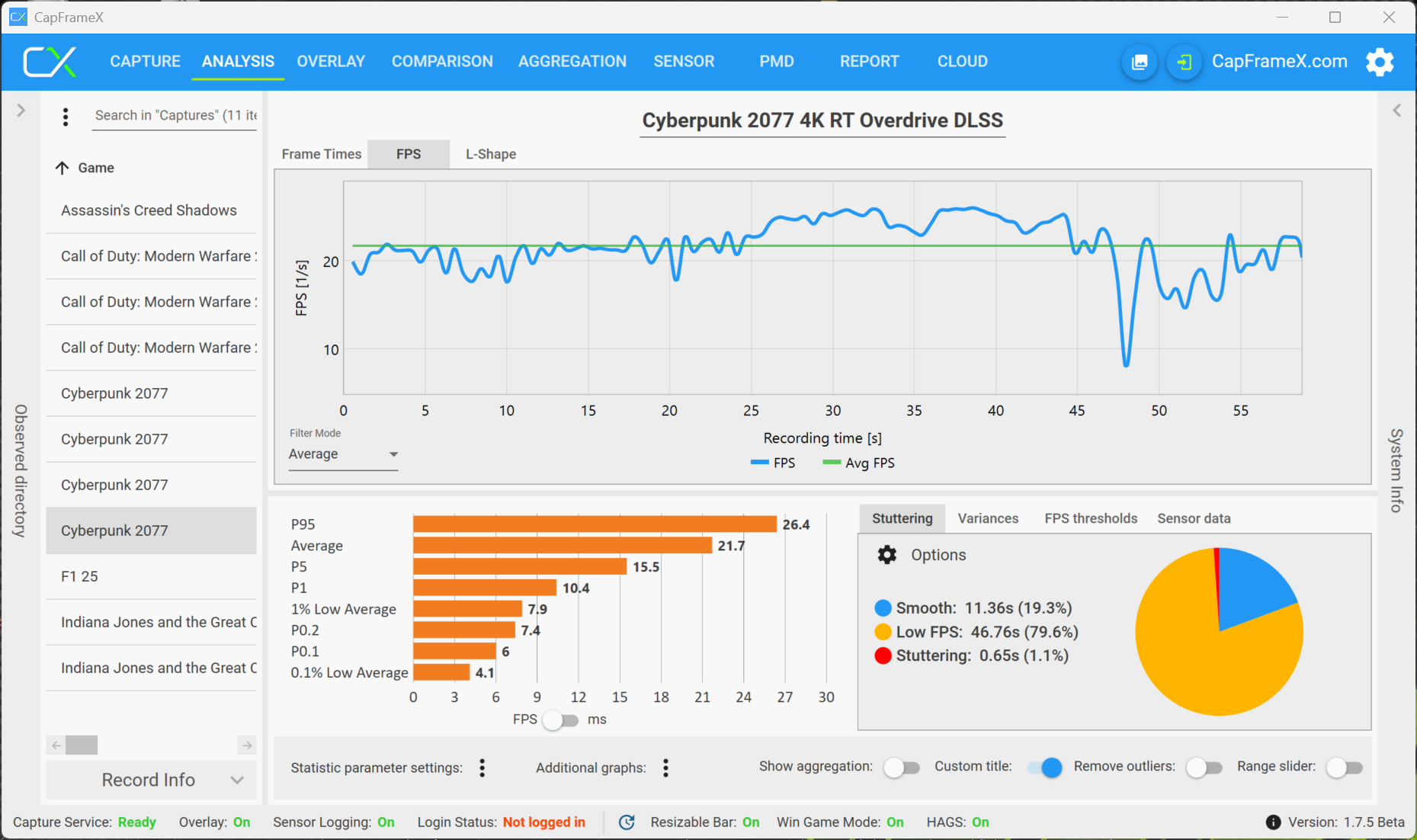
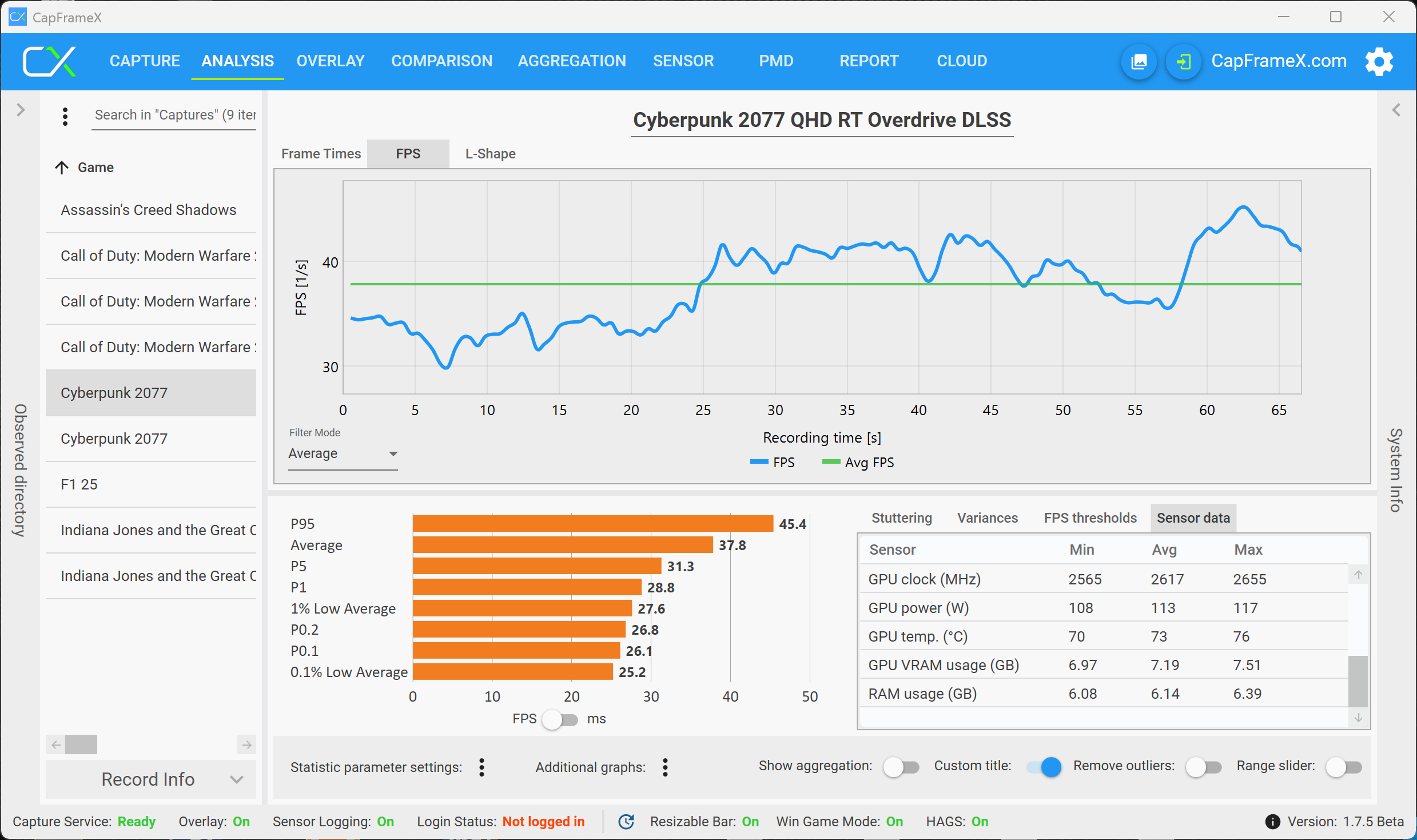
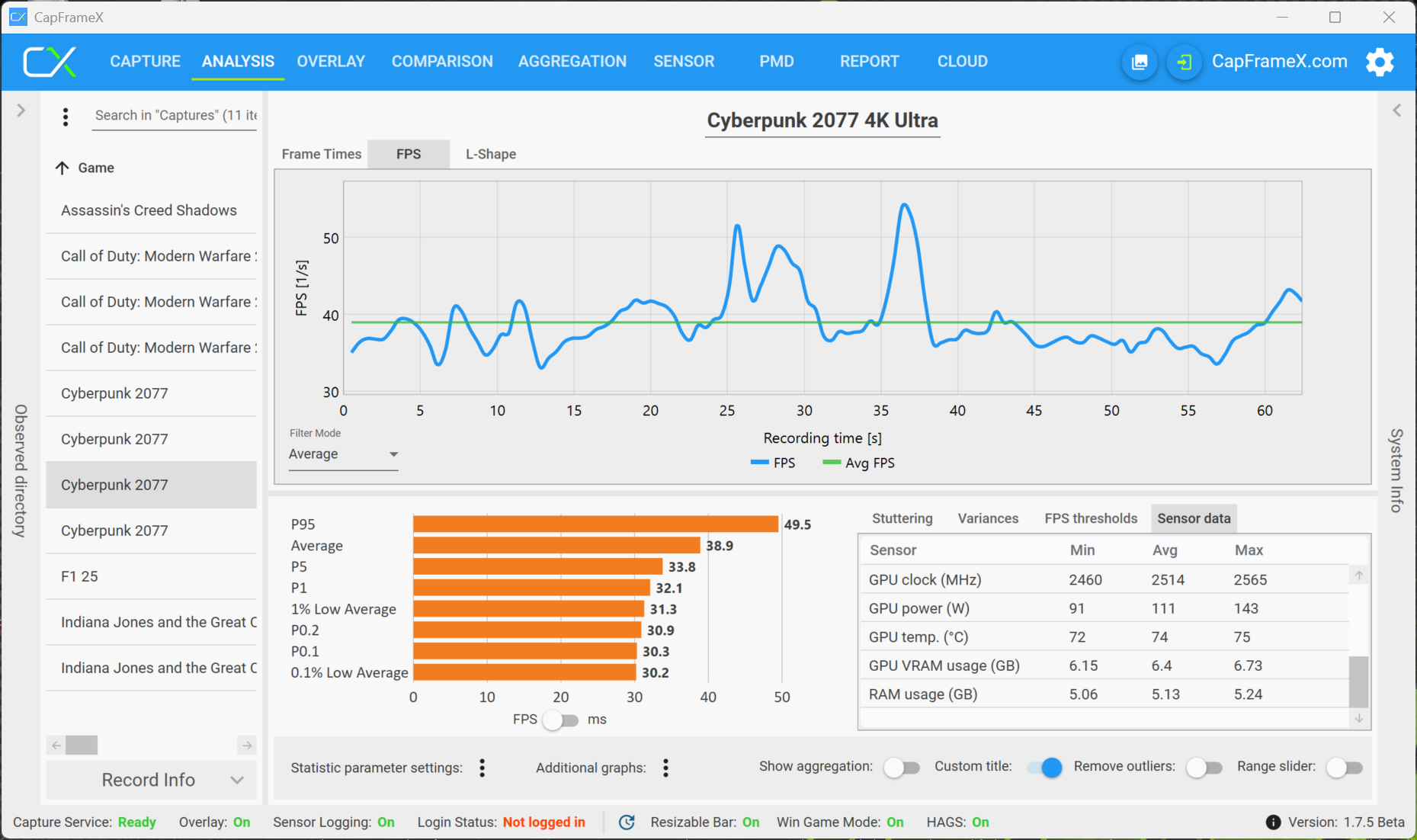
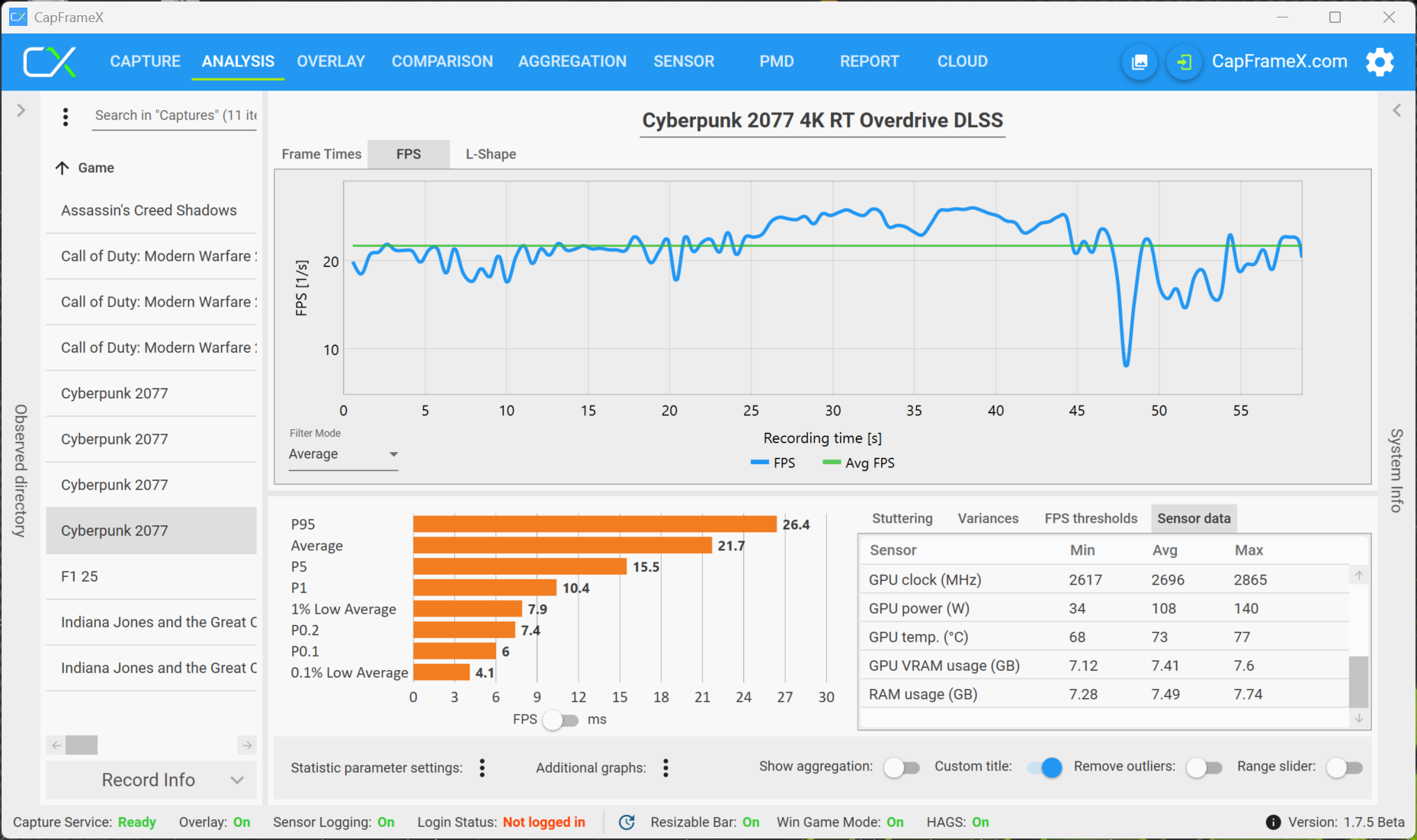
The RTX 5070 Ti with 12 GB VRAM does not have any memory issues, but the performance in the 4K resolution with the preset Raytracing Overdrive is barely playable at around 30 fps and there are some frame drops, despite DLSS. For really smooth gameplay in this setting you also need frame generation or a more powerful GPU like the RTX 5080.


F1 2025
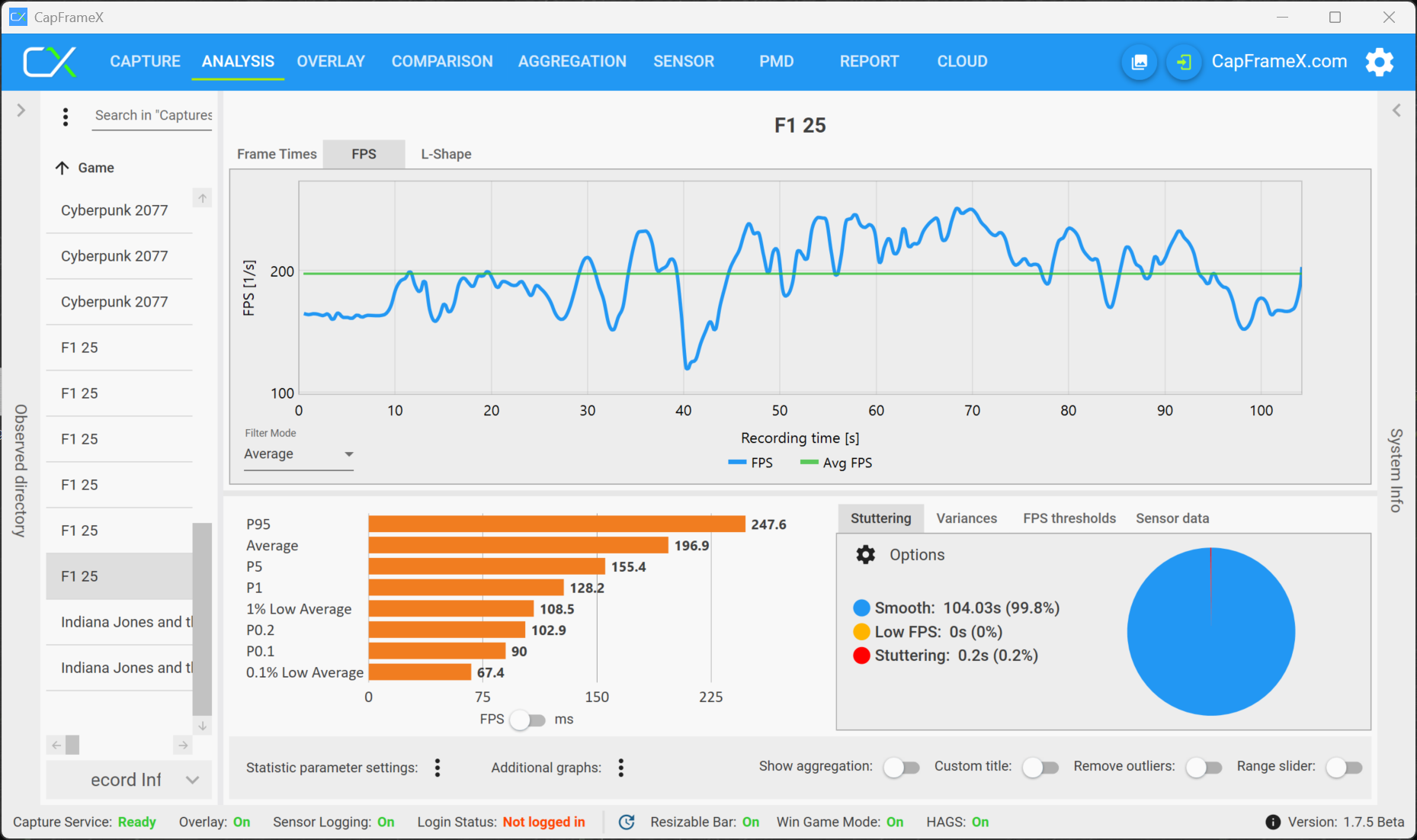
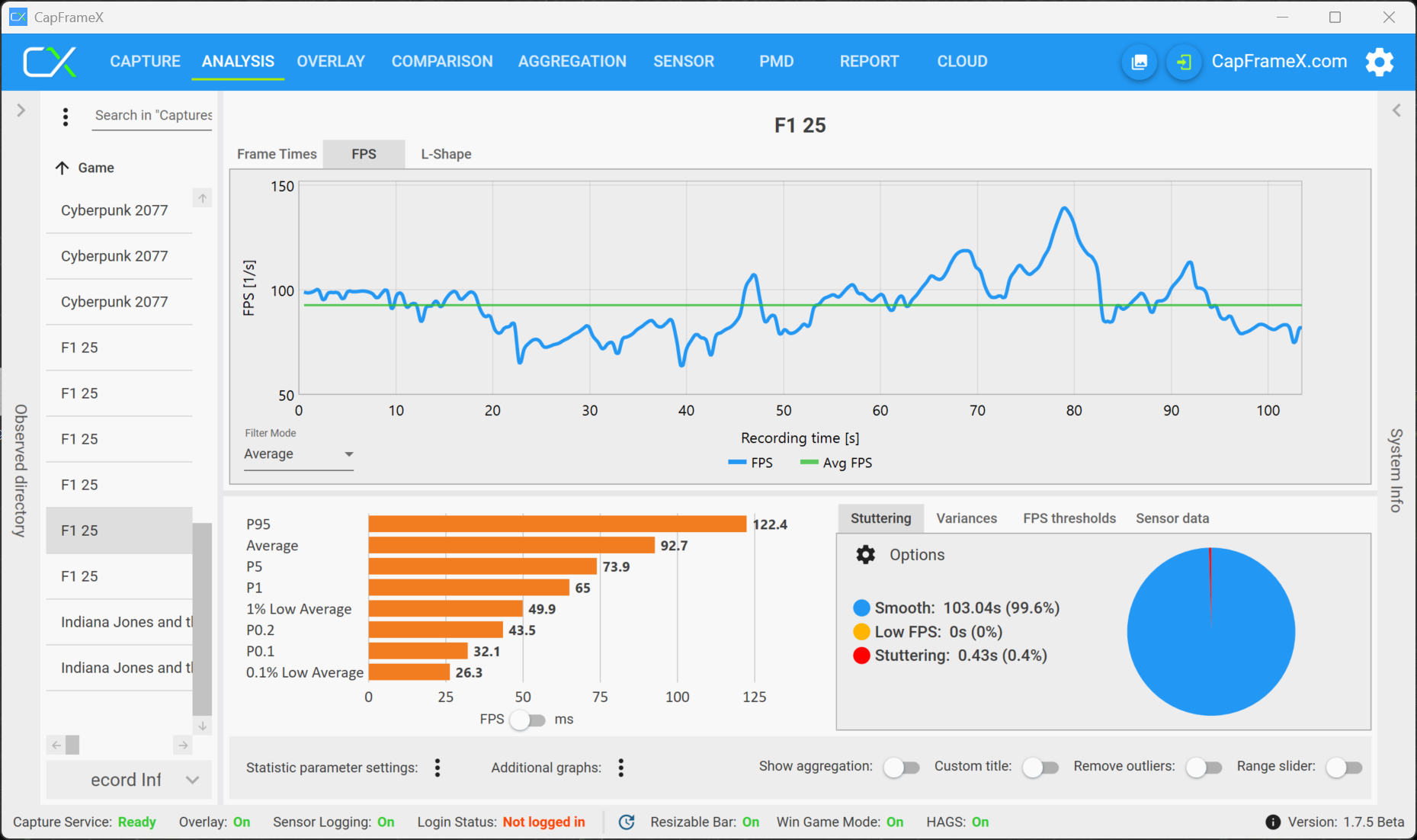
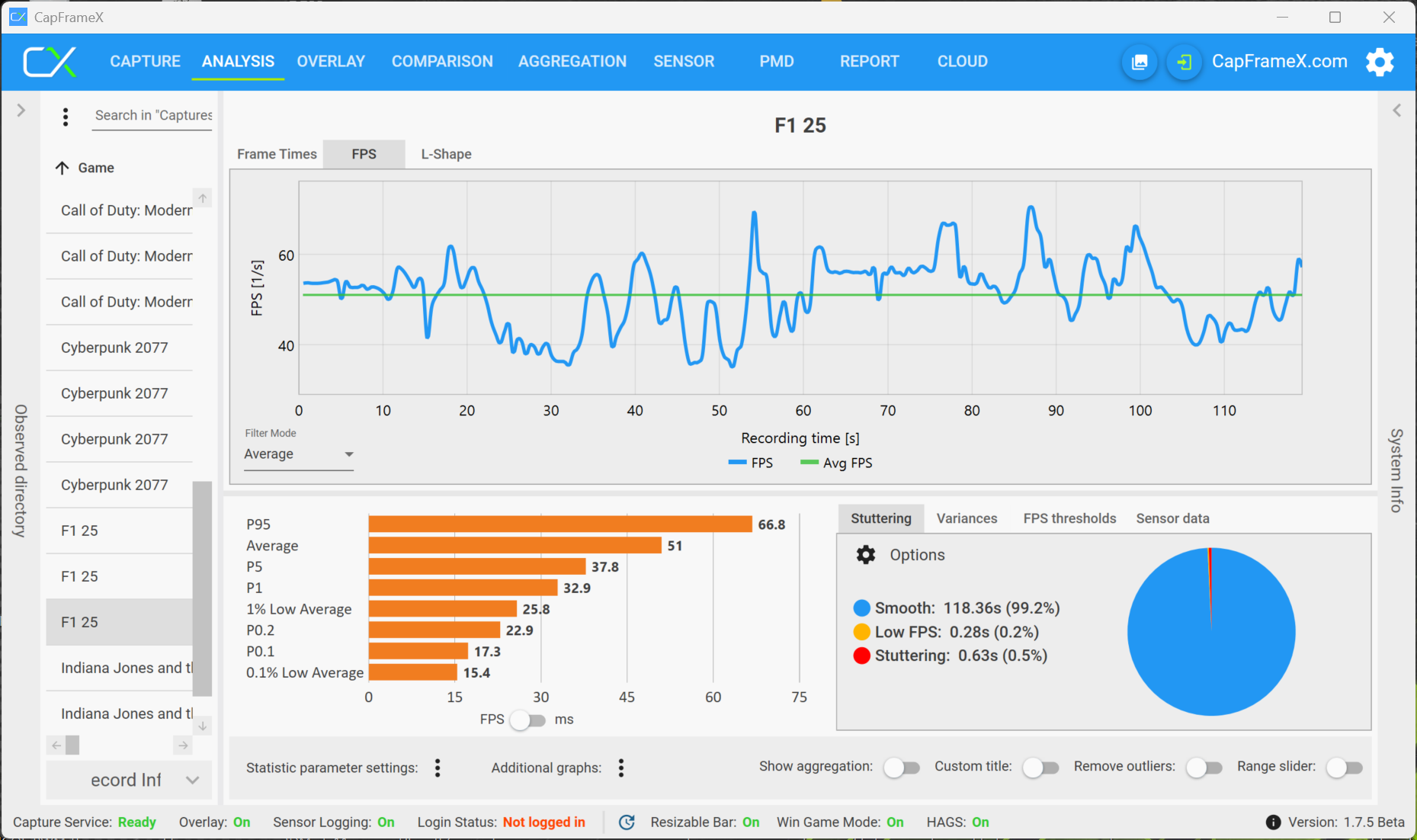
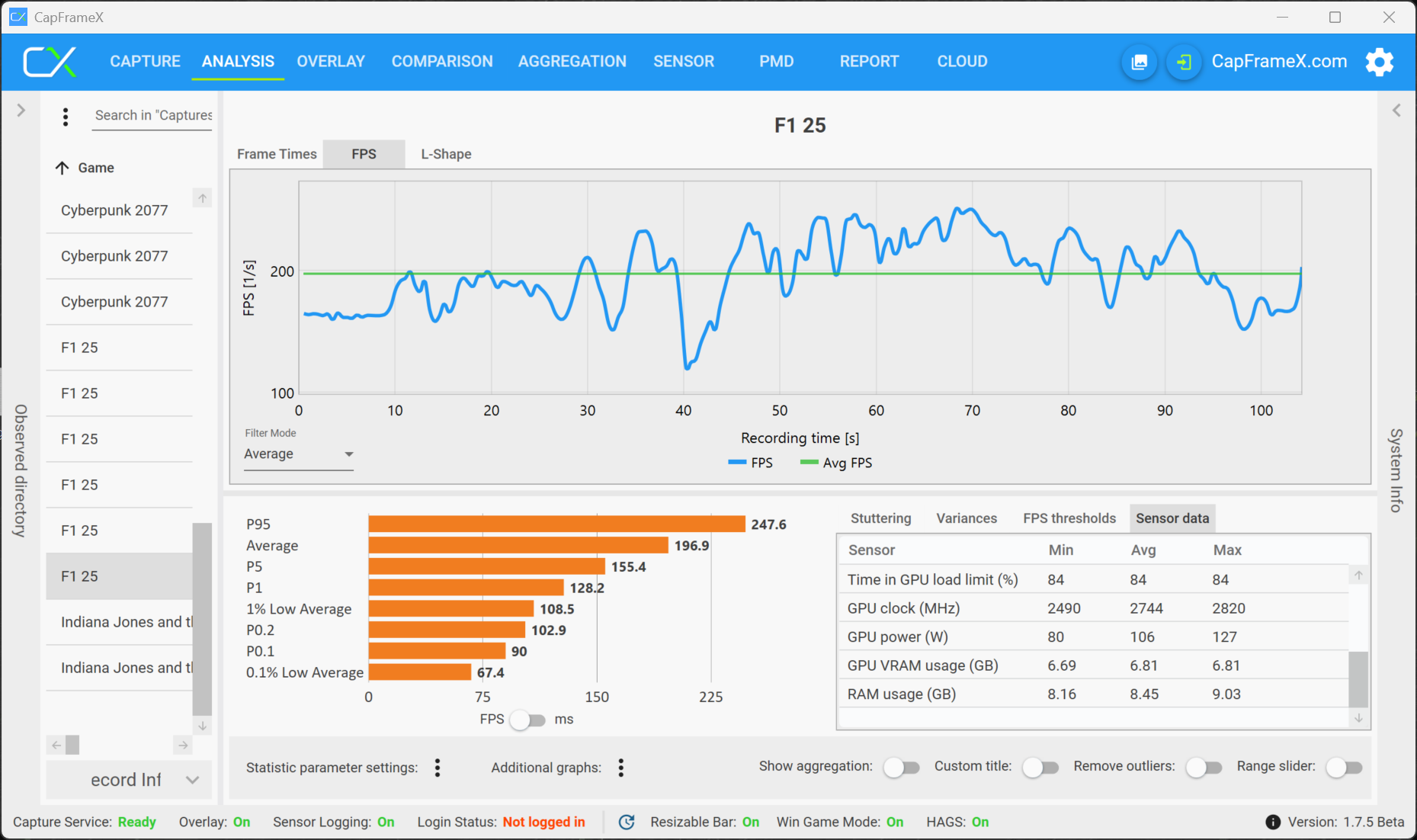
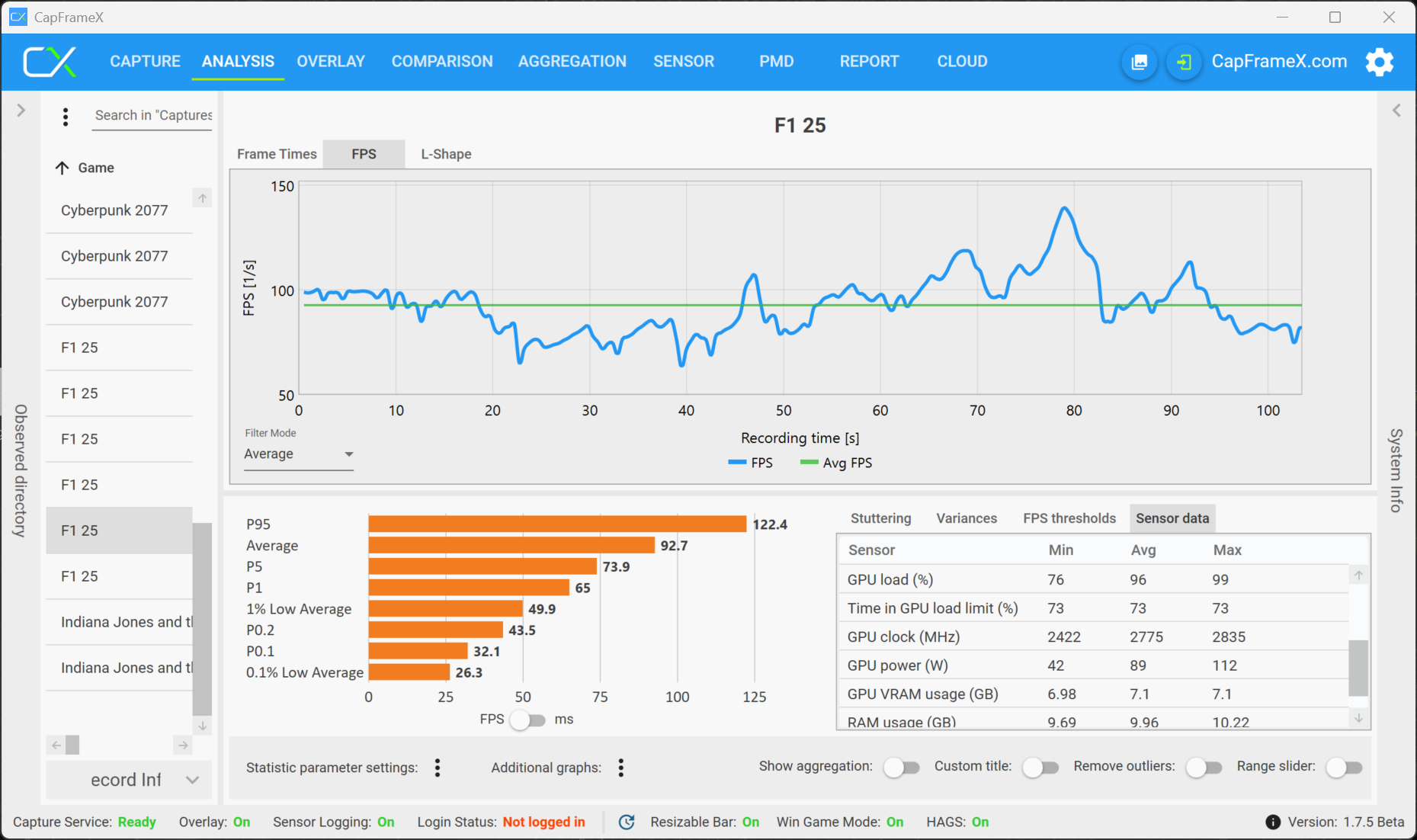
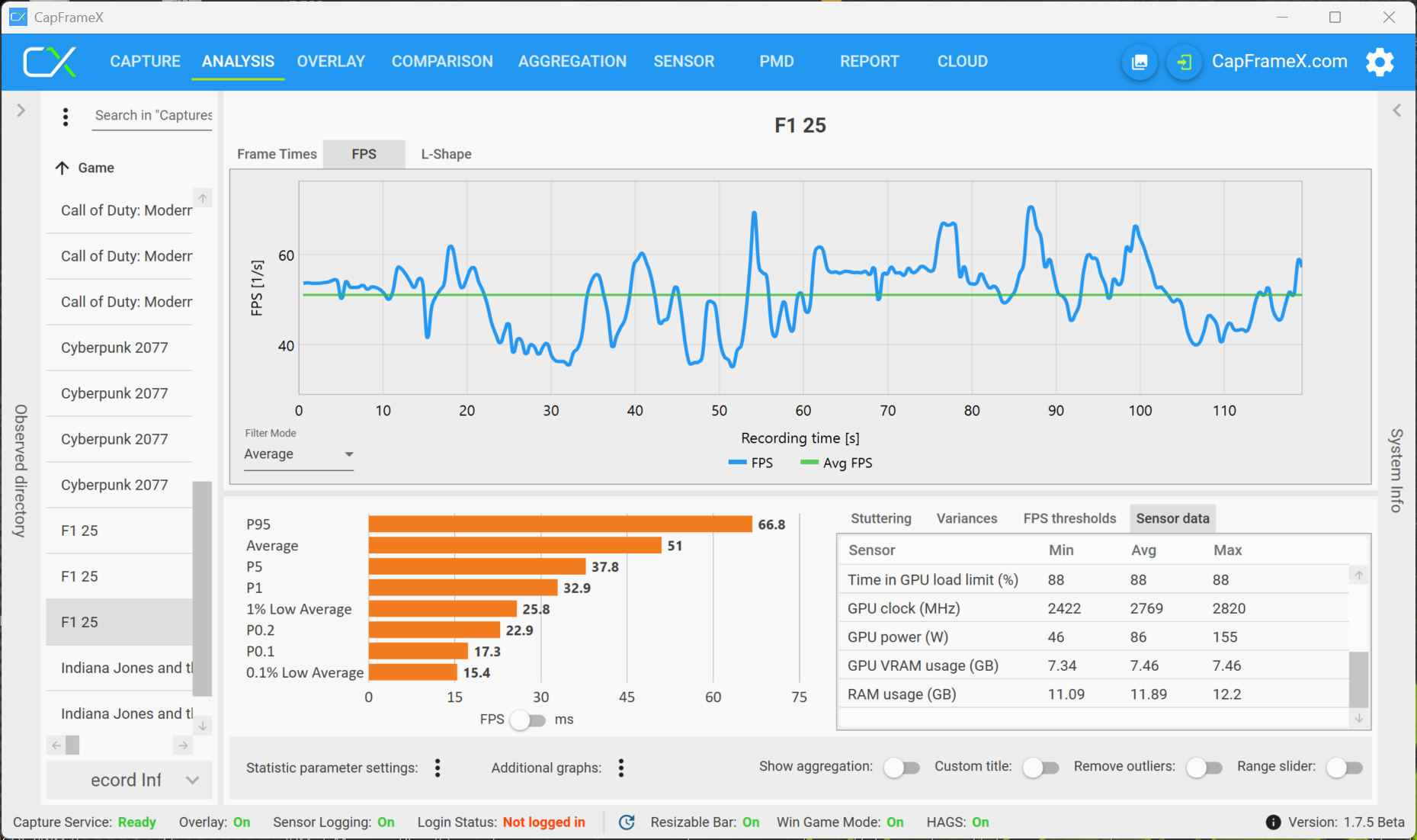
F1 2025 is a very demanding title and high graphics setting (starting from Ultra), where Raytracing is active by default, are also a challenge for high-end GPUs. To ensure smooth gameplay with the RTX 5070 Laptop, you need to limit the settings to the High preset, which will run very well even in the QHD resolution. The 4K resolution is already challenging for the 5070 Laptop, because the frame rate sometimes already drops below 30 fps, but there are no VRAM issues.
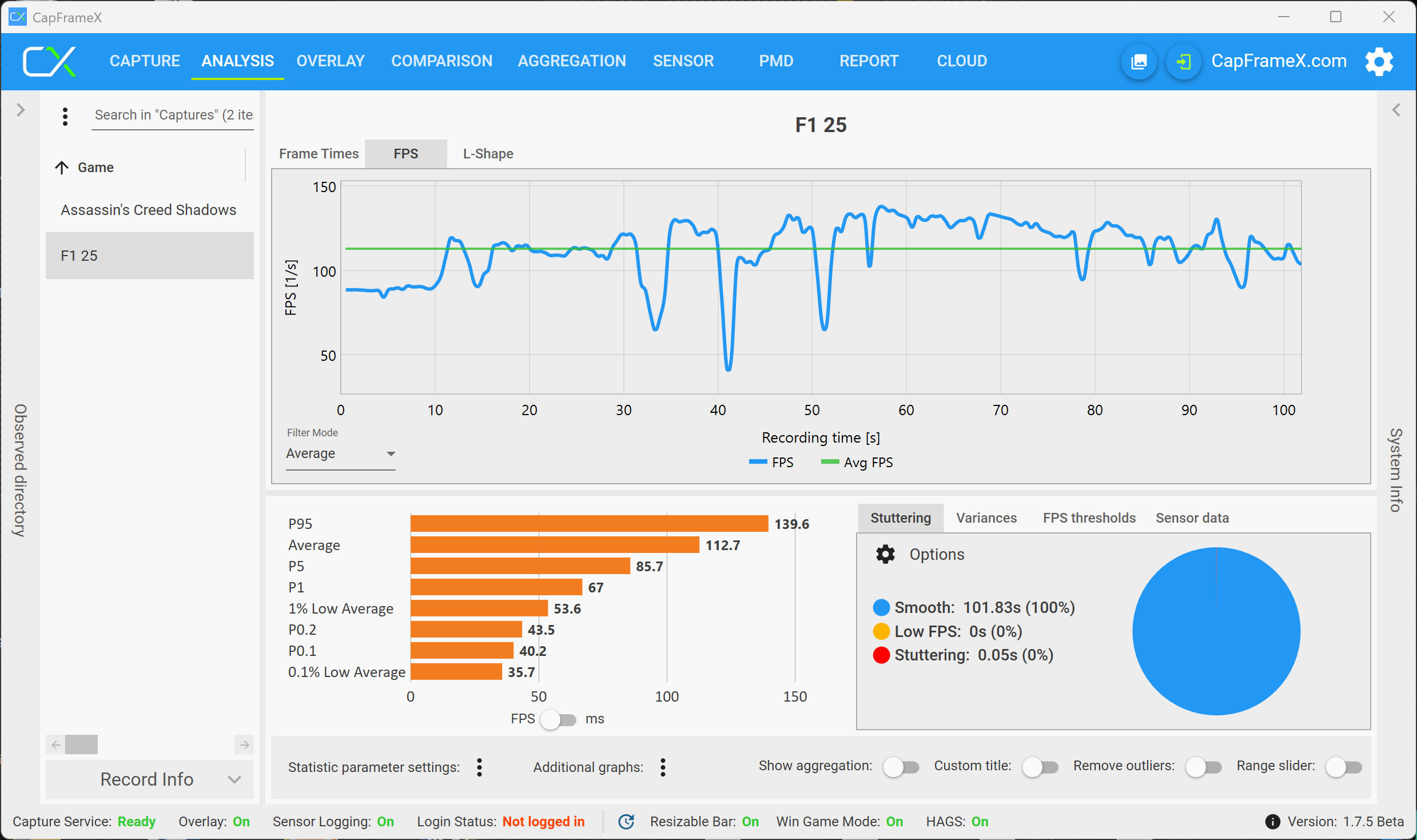
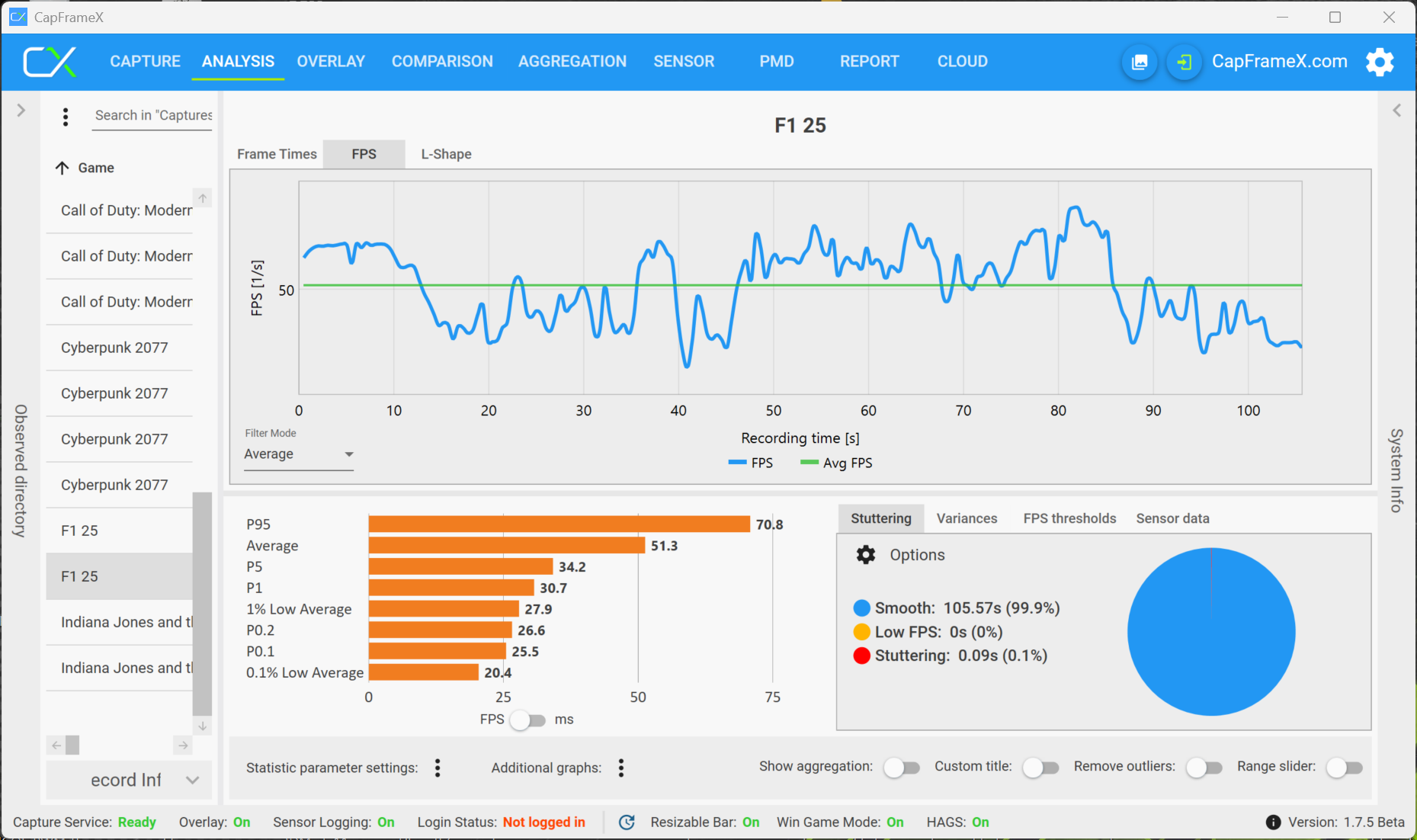
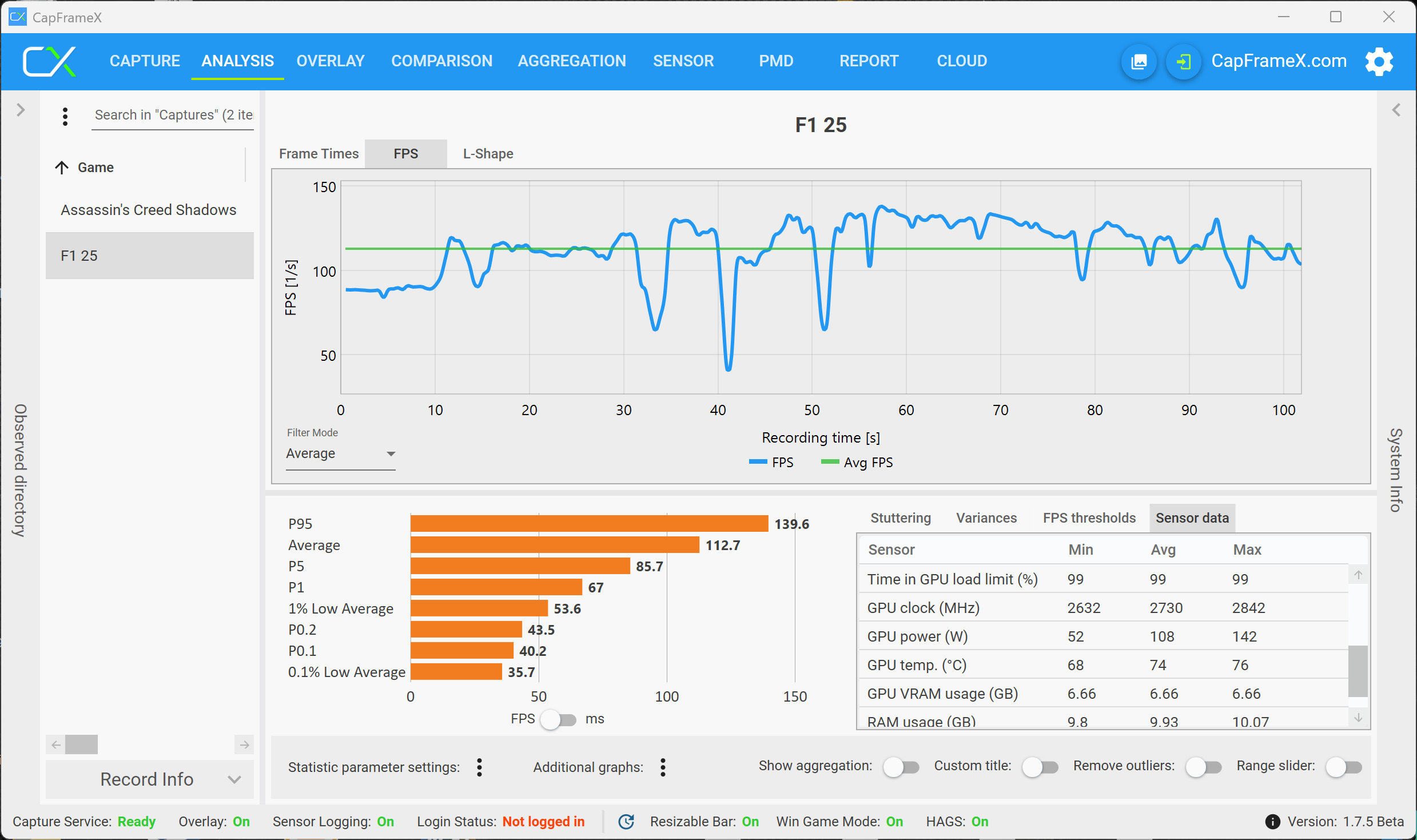
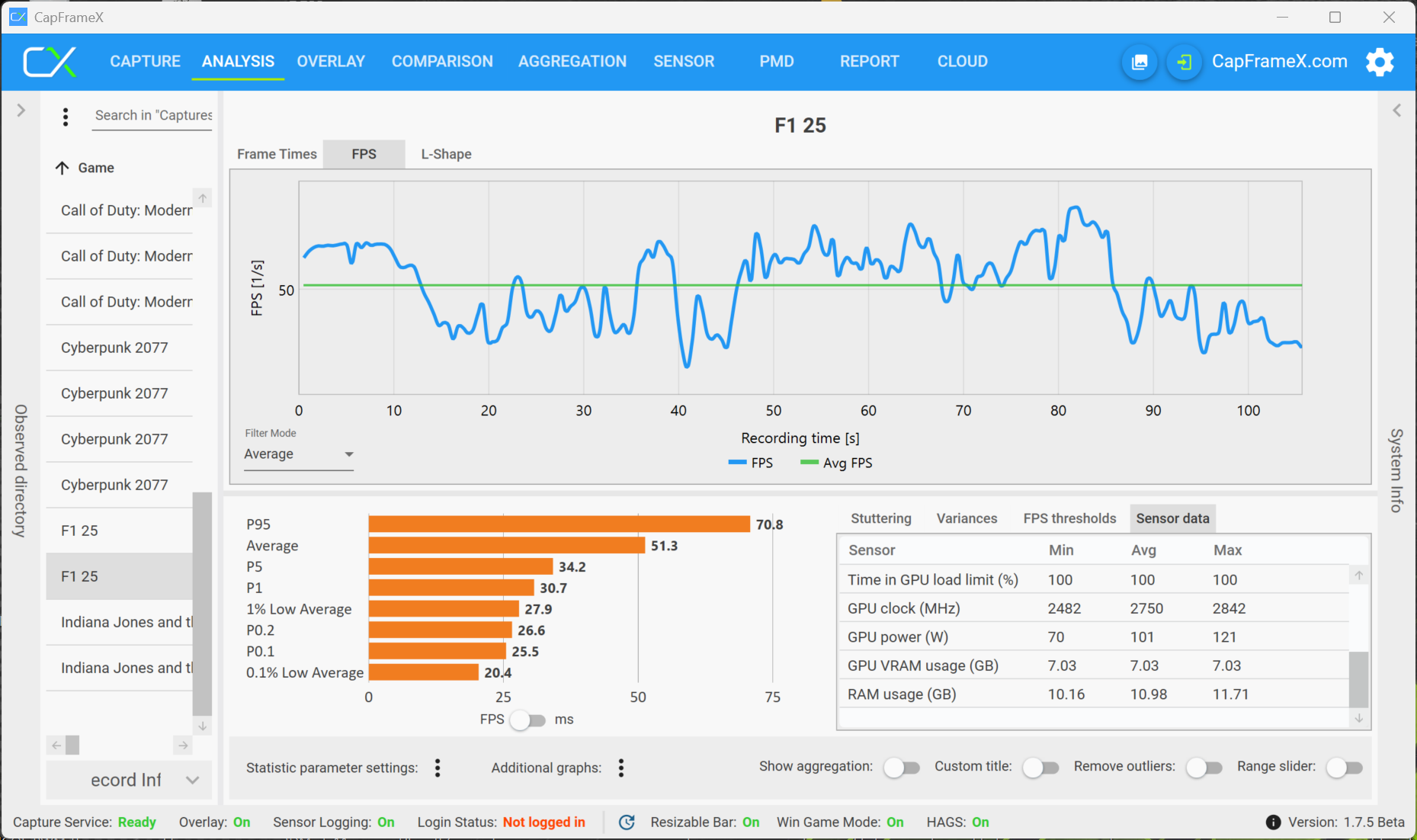
If you select the Ultra High preset (not even Ultra Max), the VRAM load is increased and the RTX 5070 is also not powerful enough. You can counter that a little bit with DLSS and frame generation, but the image quality will suffer noticeably, so we would not recommend it. All in all, the 8 GB VRAM limitation of the 5070 does not really play a role here.
Indiana Jones and the Great Circle - The final boss for VRAM
Indiana Jones and the Great Circle is currently the most demanding title in terms of VRAM requirements. You can activate comprehensive performance monitoring in the settings menu and it also shows the VRAM load. The RTX 5070with 8 GB VRAM quickly reaches its limit, because there can already be crashes in 1080p when you select the High preset. The game will run without any issues in 1080p and the Medium preset with a VRAM load slightly below 7 GB.
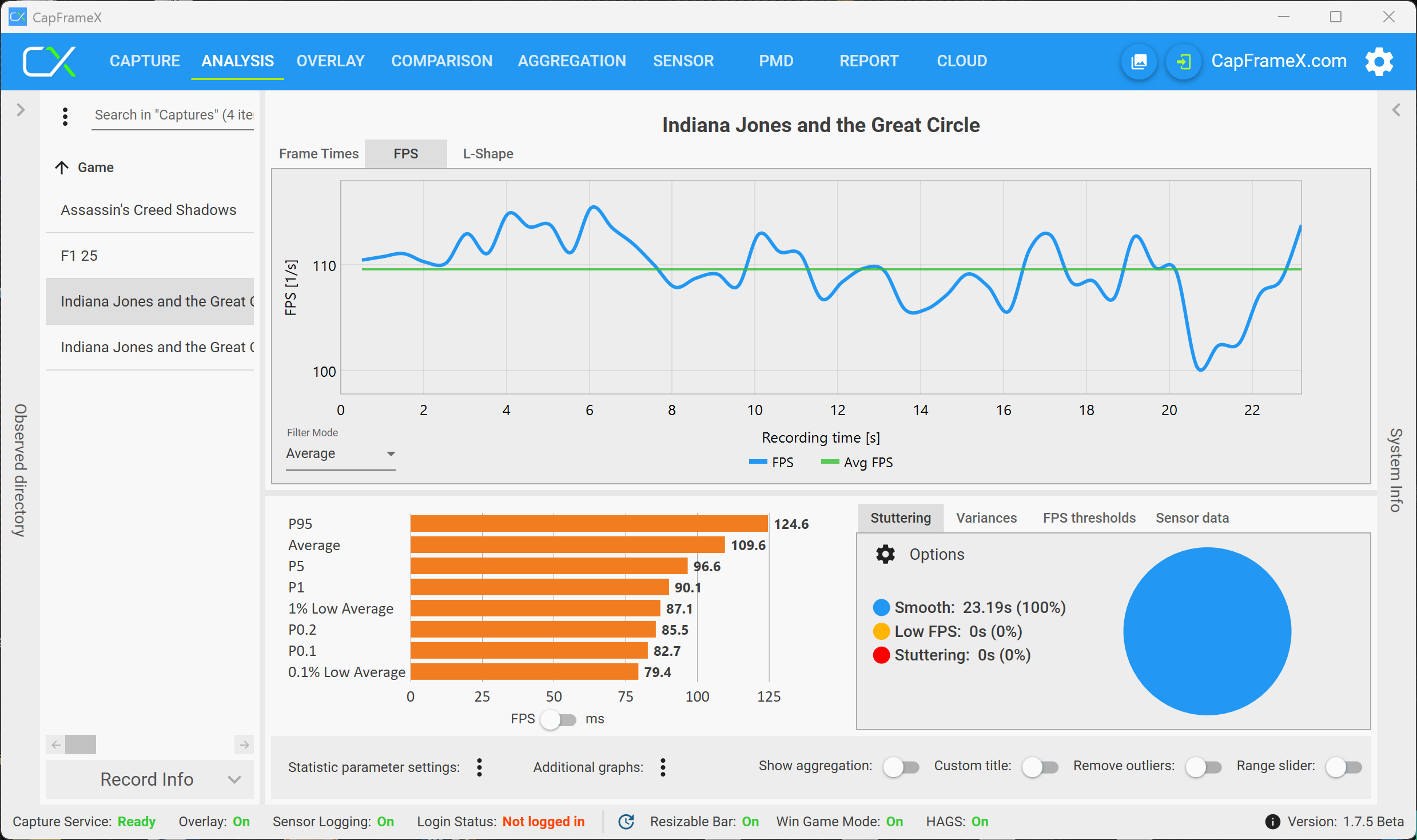
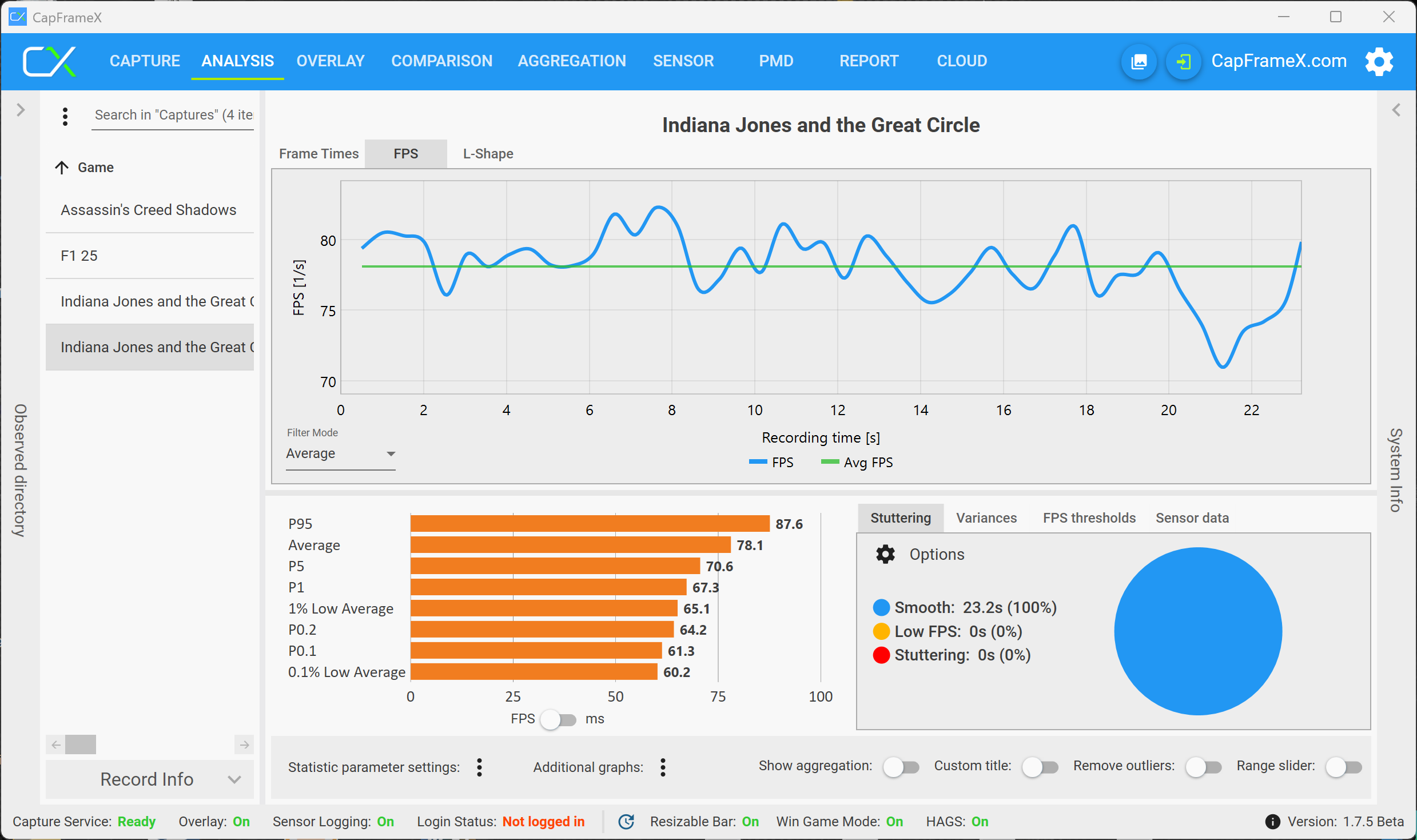
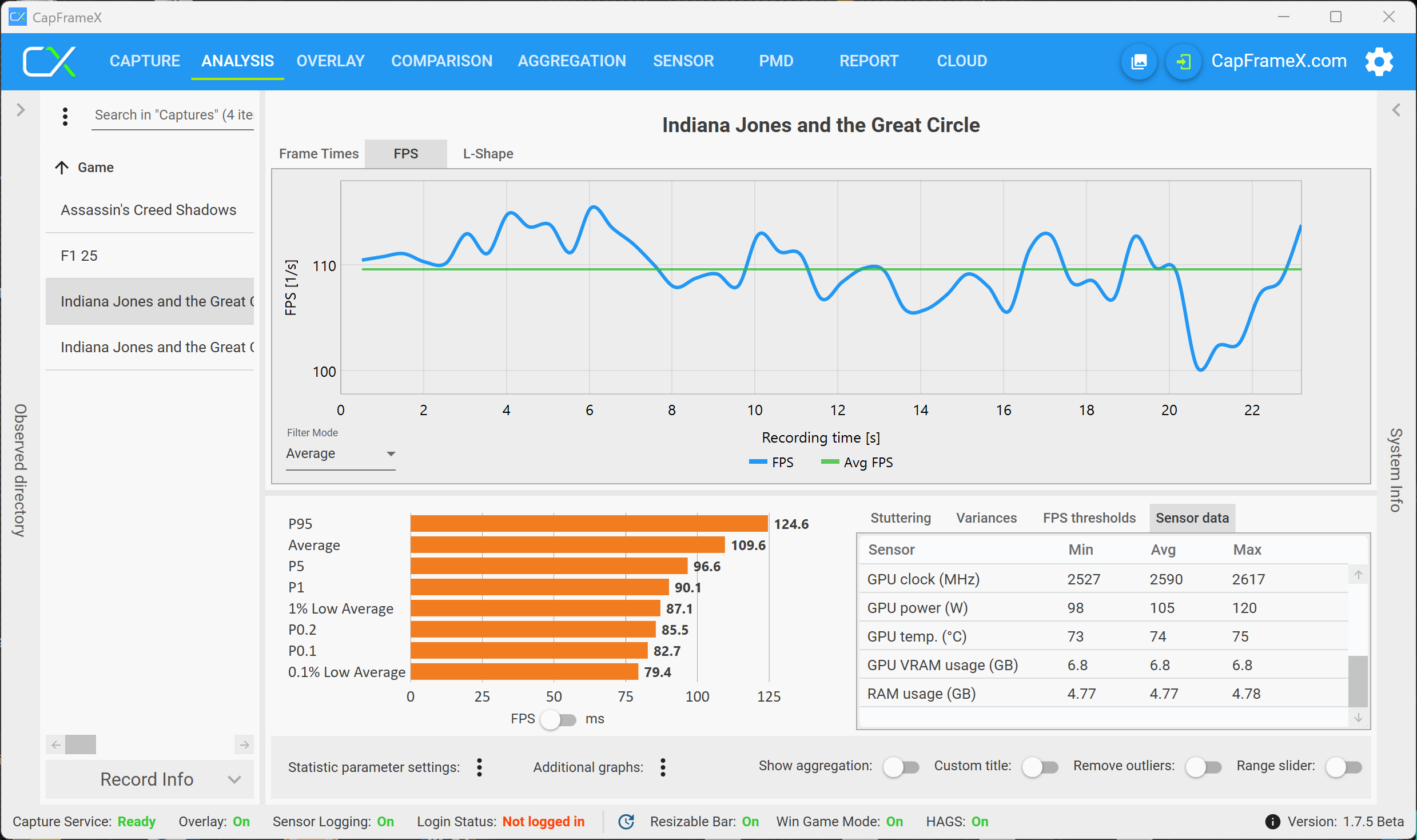
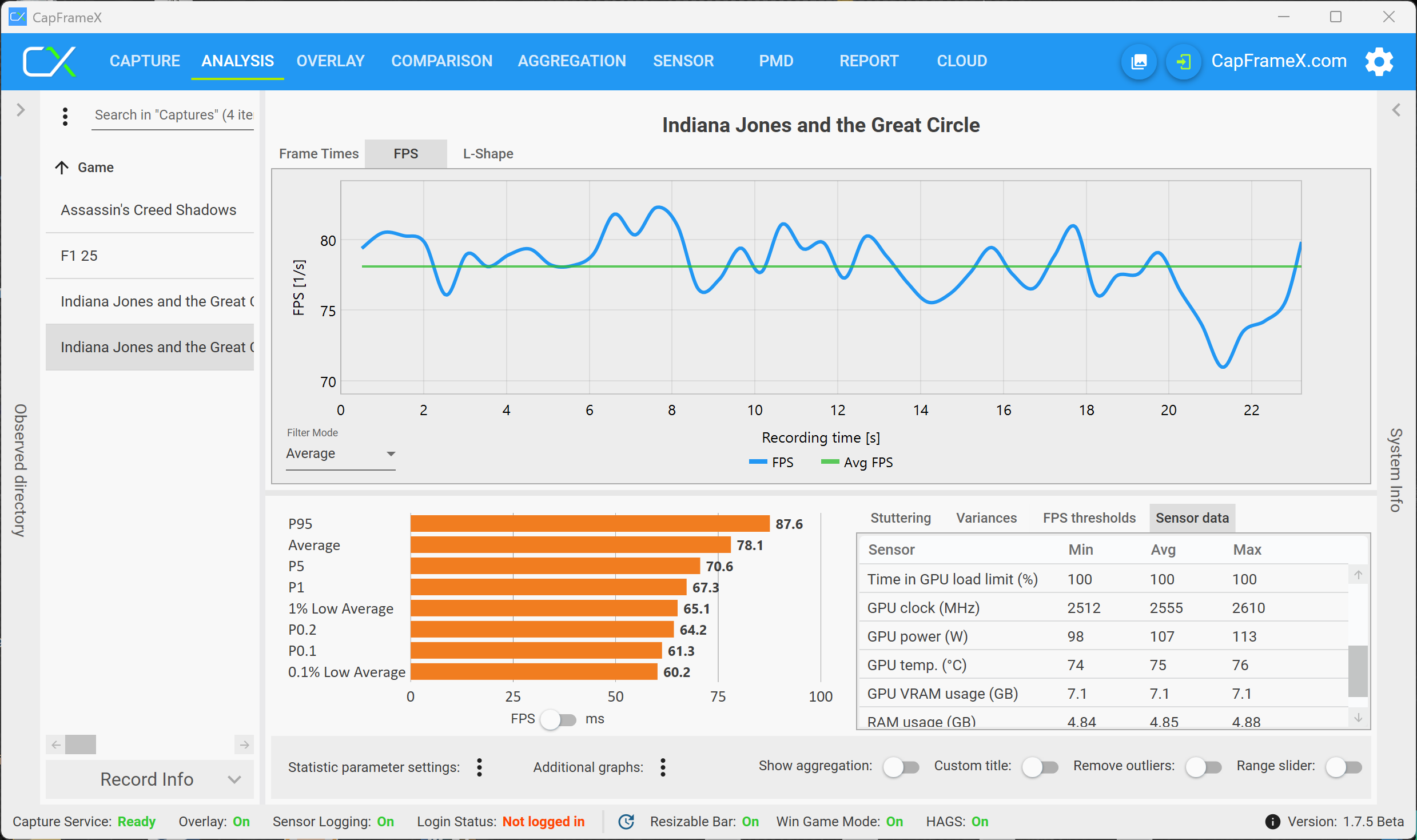
The following table shows the VRAM load for multiple resolutions and graphics presets. With the maximum settings (Supreme) and Raytracing, you can actually increase the VRAM load to more than 16 GB, so even the RTX 5080 will start to struggle. Fortunately, Indiana Jones is currently the exception in terms of VRAM requirements.
| Resolution | Medium | High | Very High |
|---|---|---|---|
| 1080p | ~6.9 GB | ~8.3 GB | ~9.3 GB |
| QHD | ~7.3 GB | ~8.7 GB | ~9.7 GB |
| 4K | ~8.9 GB | ~10 GB | ~11 GB (~15 GB w/ RT) |
Verdict - You can enjoy modern games with 8 GB VRAM!
After our tests we can say that there can be some limitations depending on the game, but in general, you can still enjoy all modern games with 8 GB VRAM. You should simply manage your expectations and if you want to have the highest graphics settings combined with the QHD resolution, well then you simply will not be happy with the mobile versions of the GeForce RTX 5060 as well as RTX 5070. However, there are definitely settings where you can play smoothly, even in very demanding titles.
Apart from a few exceptions, you can generally say that mobile GPUs are more limited by their performance and not the amount of VRAM. A reduction to the Full-HD resolution is usually sufficient, and DLSS upscaling can also help to improve the performance or slightly reduce VRAM load. We obviously could not test all titles and there will certainly be games with high VRAM requirements in the years to come, but our tests are definitely a good indicator.
Everyone of us would certainly prefer to play with the GeForce RTX 5090, but considering prices of high-end gaming laptops, this is simply not possible. And it obviously makes sense to get a machine with the RTX 5070 Ti instead of the RTX 5070, for example, and there are some laptops models with overlapping prices, but if the budget simply does not allow it, you do not have to worry that you cannot play modern games on the mobile RTX 5060 or the RTX 5070.
 Add as a preferred source on Google


