




Rufus, BalenaEtcher? My current USB boot tool beats them all
Maybe some of you know the scenario: over time, you accumulate a bunch of USB boot sticks that you can never find when you need them. First, because you have multiple sticks, and second, because, like me, you didn’t label them well—or not at all. On top of that, most tools require you to completely rewrite the stick every time there’s a new version of an image file, which is frustrating.
With the open-source tool Ventoy, all of this becomes much simpler. What makes it special: Ventoy lets you store as many image files as you want on a single USB stick. When you boot from it, a handy menu appears, letting you choose which image to load or install.
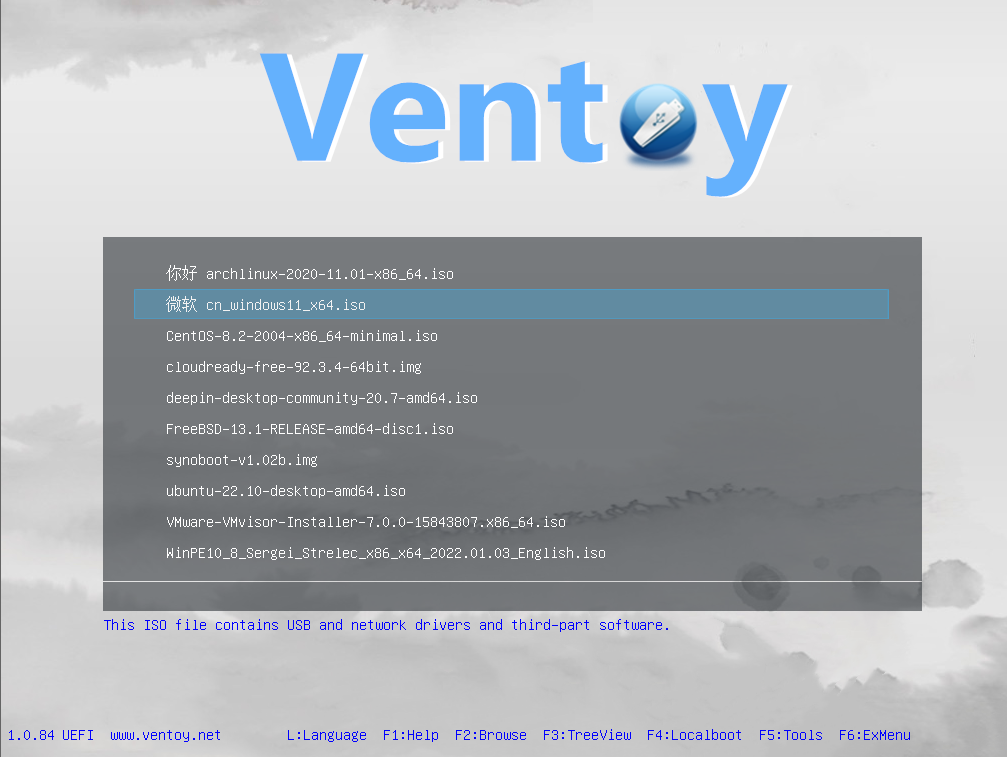
Here’s how it works: unlike Rufus, BalenaEtcher, or similar tools, where you select one image file that gets written to the stick along with its boot information, setting up a USB stick with Ventoy is a two-step process:
- Install Ventoy on the empty USB stick. The neat trick: the tool creates two partitions on the stick—a tiny one for the tool itself and a much larger one (using the remaining space) for your image files.
- Now you can simply drag as many image files as you want onto the image partition until you run out of space—or motivation.
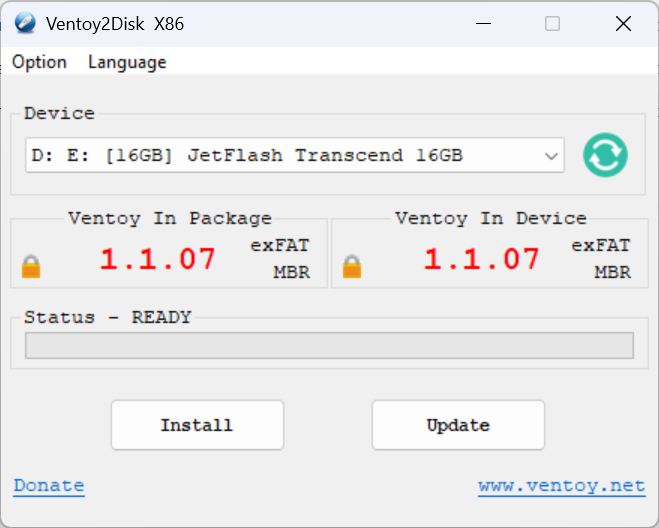
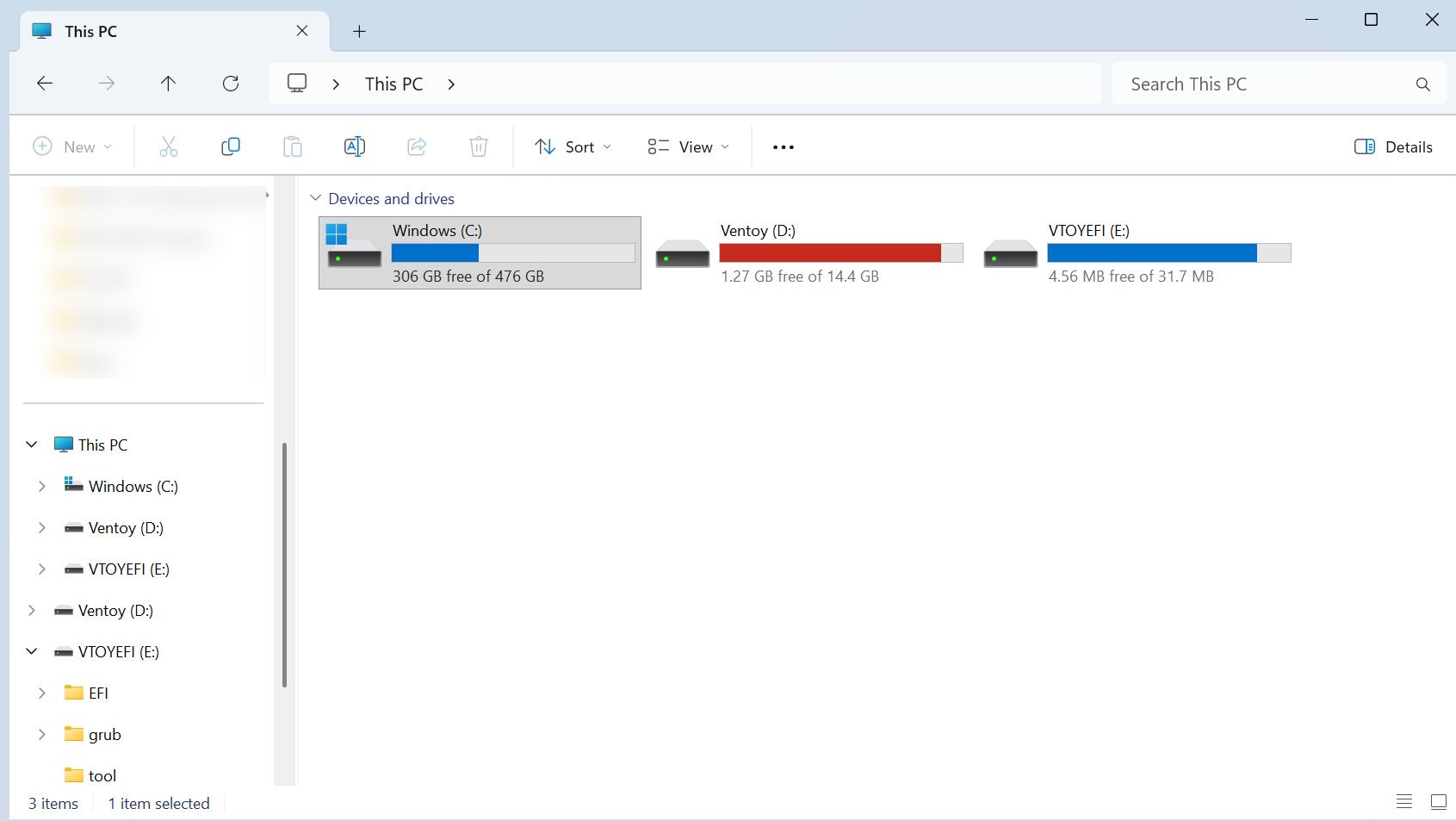
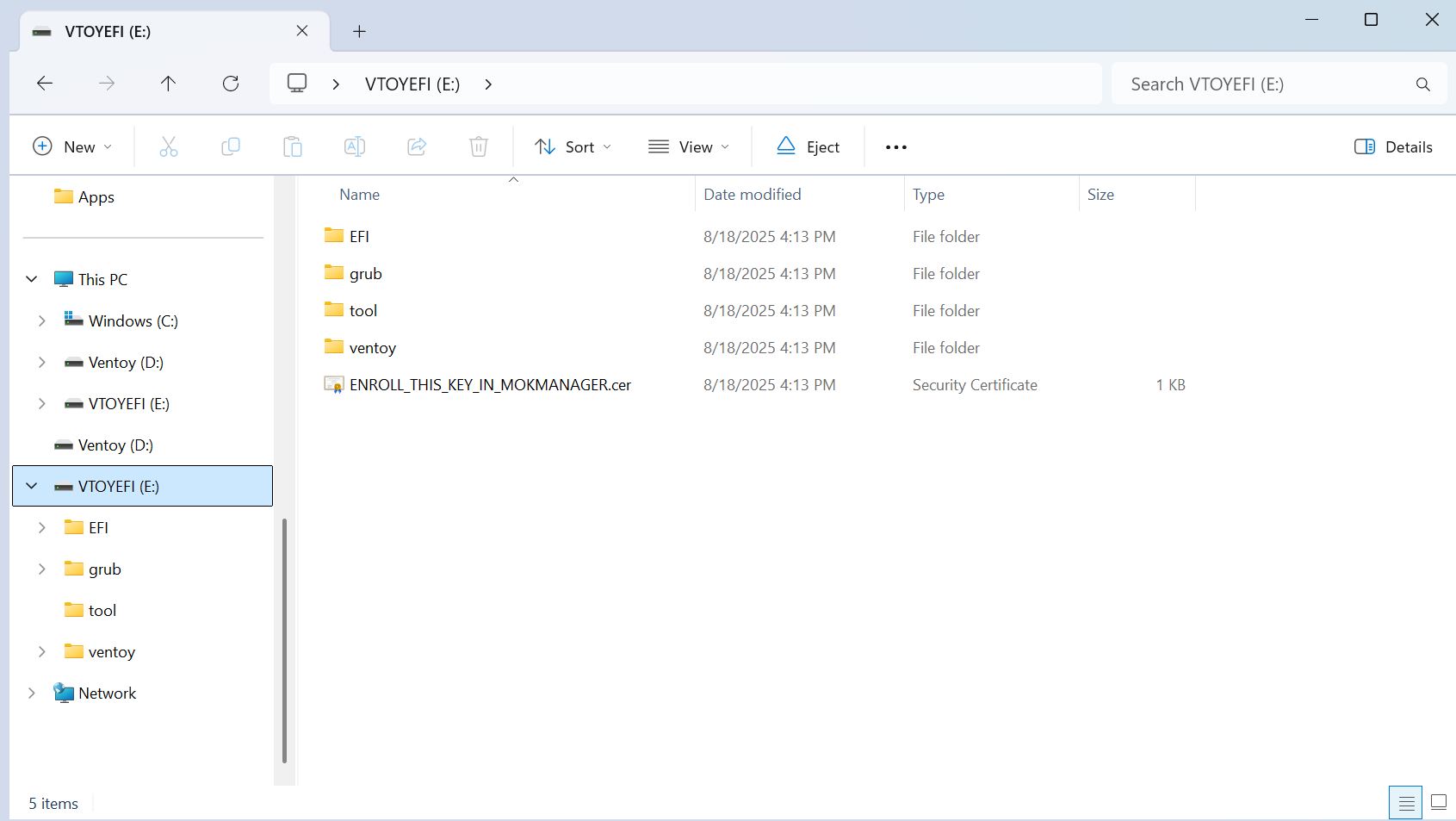
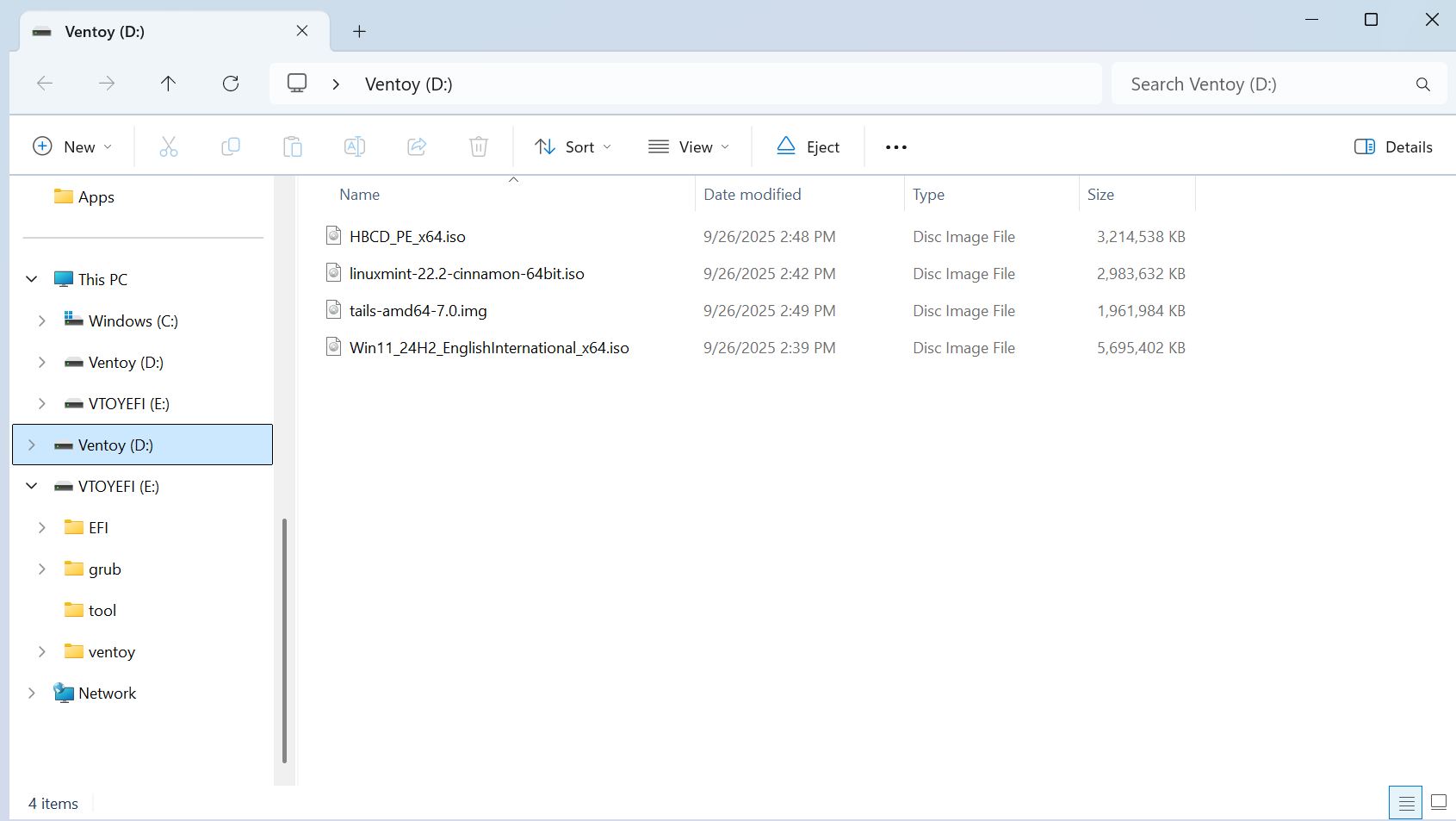
This way, a single USB boot stick can hold a Windows 11 image, multiple Linux distributions, rescue tools, Tails, or other operating systems. And if you ever want to replace an image, just delete the old one and add a new one—no need to set up the stick again. For me, it’s the perfect image-flashing tool for OS ISOs. Ventoy works on both Windows and Linux, you can download it here for free.
 Add as a preferred source on Google


