




I dumped Windows 11 for Linux, and you should too
CheckMag
With the growing number of users jumping from Windows to Linux, I decided to fully take the plunge and dive deep into the Open Source ocean. A few months and several headaches later, it has proved to be the best computer-related decision I've made in over a decade (and perhaps in my entire life).Sam Medley 👁 Published 🇪🇸 🇵🇹 ...
I run Artix, by the way.
There. That's out of the way. I recently installed Linux on my main desktop computer and work laptop, overwriting the Windows partition completely. Essentially, I deleted the primary operating system from the two computers I use the most, day in and day out, instead trusting all of my personal and work computing needs to the Open Source community. This has been a growing trend, and I hopped on the bandwagon, but for good reasons. Some of those reasons might pertain to you and convince you to finally make the jump as well. Here's my experience.
The crash-prone catalyst: Telemetry and unstable software

Why are so many articles and YouTube videos lately regaling readers and watchers with the harrowing tales of techies switching from Windows to Linux? Anyone who has read one of those articles or watched one of those videos will know it boils down to two main issues: telemetry and poor software stability.
It's no secret that Windows 11 harvests data like a pumpkin farmer in October, and there is no easy way (and sometimes no way at all) to stop it. The operating system itself acts exactly like what was called "spyware" a decade or so ago, pulling every piece of data it can about its current user. This data includes (but is far from limited to) hardware information, specific apps and software used, usage trends, and more. With the advent of AI, Microsoft made headlines with Copilot, an artificial assistant designed to help users by capturing their data with tools like Recall. It turns out that Copilot has largely been a flop and helps Microsoft (and data thieves) more than its users.
The other main reason folks uninstall Windows is due to the overall poor software experience. Windows 11 has multiple settings modules to handle the same task (such as setting up networking or adding devices), and none of them seem to talk to each other. Additionally, each new update (which will eventually be forced upon you) seems to bring more bugs than fixes. Personally, I encountered 2-3 full system crashes a week when I ran Windows 11, and my hardware is fairly decent: AMD Ryzen 7 6800H, 32 GB of RAM, and a 1 TB PCIe NVMe drive. Still, a few times a week, my computer would freeze for a few seconds, the displays would go dark, and the PC would either restart or hang indefinitely.
After dealing with these issues and trying to solve them with workarounds, I dual-booted a Linux partition for a few weeks. After a Windows update (that I didn't choose to do) wiped that partition and, consequently, the Linux installation, I decided to go whole-hog: I deleted Windows 11 and used the entire drive for Linux.

Decisions, decisions
The first question often asked of Windows refugees migrating to Linux is, "Why Linux?" It's a good question, and one that needs to be asked before dumping Windows for anything else. Personally, I tried macOS first. The experience was smooth and easy but ultimately felt restrictive (installing from third-party developers, anyone?). Additionally, the only Apple computer I have is a 2014 MacBook Air. As such, the latest version of macOS I could actually run is 11 (Big Sur), which was released in 2020. Overall system operation was quite sluggish on the older hardware, and I knew that time would inevitably take its toll on the software experience — apps would soon be out of date and I wouldn't be able to update them. I also tried the OpenCore Legacy Patcher to push the laptop to macOS 13. While performance improved, key features like iMessage and Continuity Camera were either buggy or flat out refused to work. It felt like my laptop was running in mud with its hands tied behind its back. Plus, I needed something for my desktop. Not wanting to drop a mortgage payment or two on new hardware, I opted for Linux.
Linux promised me the potential of what I wanted - high hardware compatibility with full software freedom. The operating system can run on pretty much anything, and it grants users a huge amount of control over their system. I tried out a few ditributions, or distros, of Linux. A distro is like a "flavor" of Linux, and each one has unique factors (e.g., app/package management, bundled user interface). With most distros, these differences are largely irrelevant; most distros offer the same main packages as others.
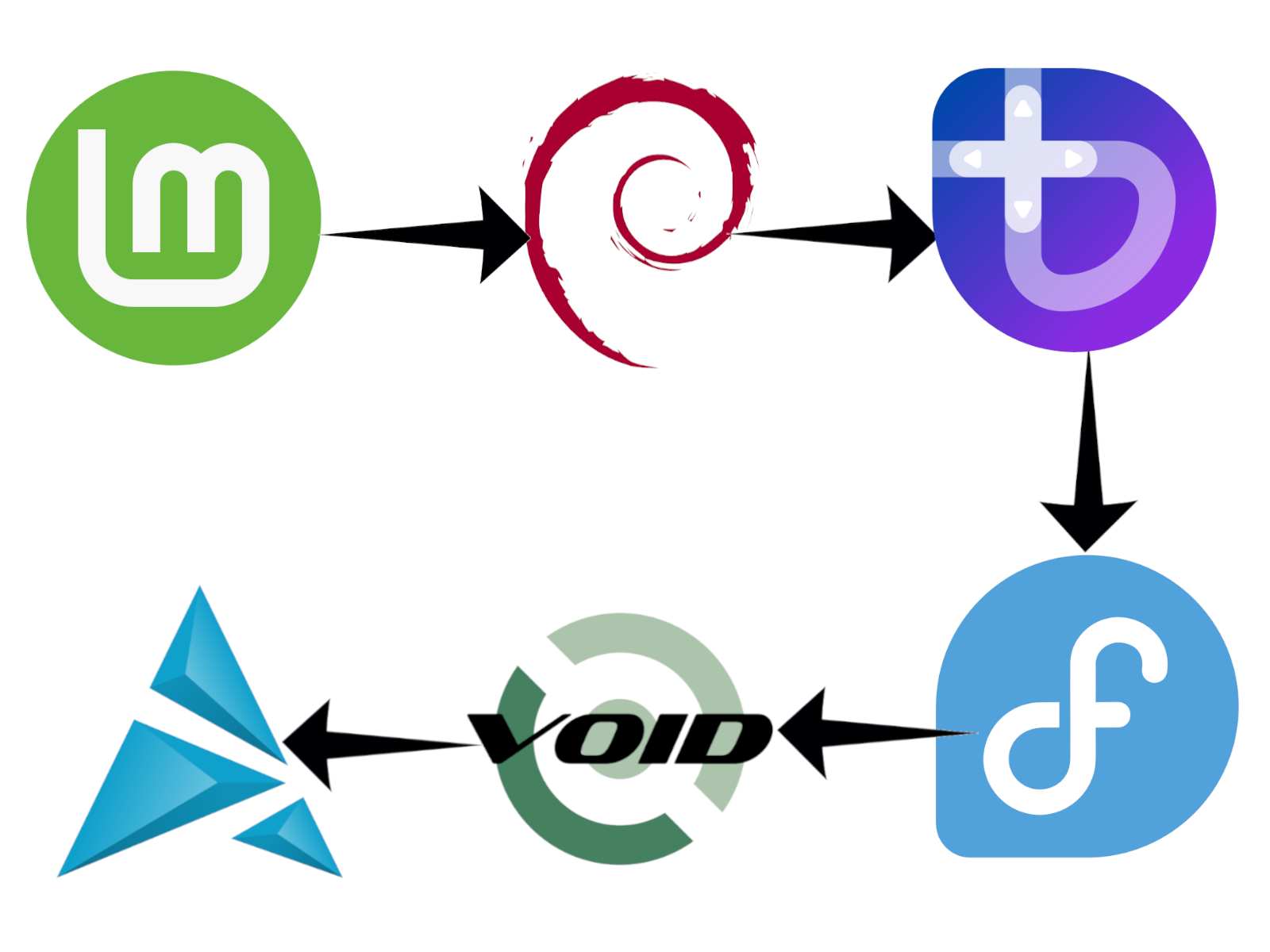
I tried Mint, a popular option for beginners, first. I started this journey with some Linux experience under my belt; I have installed Linux on Chromebooks and old laptops (which I briefly referenced in this article). Mint is considered a "just works" distro since it usually comes packaged with all the drivers and software most users would need. You can get to work within seconds of booting a fresh install without needing to fuss about in text files and the package manager. Mint was a nice experience, but it was a bit too bloated for my tastes (meaning it came with too much software preinstalled). I settled for Mint on my family's home theatre PC due to its stability and wide array of packages, and it hasn't failed us yet. For my own personal use, I wanted something a bit more "techy" and robust in terms of user features and system control.
I tried out a few other distros, including Debian (which I ran on my work laptop and now use on the office PC at the coffee shop I own and manage), Bazzite, Fedora, and Void. These were all fine, save for Void — the XBPS repository of Void Linux was too sparse for what I needed, and driver compatibility was a big issue on my work laptop and home PC. I finally settled on Artix Linux, which is a derivative of Arch Linux. Artix has all the features and control of Arch, including the robust Arch User Repository for plenty of packages and applications. It is also a pretty lightweight distro in that it doesn't come with much out of the box. Artix differs from Arch in that it does not use SystemD as its init system. I won't go down the rabbit hole of init systems here, but suffice it to say that Artix boots lightning quick (less than 10 seconds from a cold power on) and is pretty light on system resources. However, it didn't come "fully assembled."
Hurdles and hangups
My laptop is a 2014 MacBook Air, which is still a pretty solid machine. Unfortunately, Linux doesn't always play nice with Apple products. The biggest problem I ran into after installing Artix on the Air was the lack of wireless drivers, which meant that WiFi did not work out of the box. The resolution was simple: I needed to download the appropriate WiFi drivers (Broadcom drivers, to be exact) from Artix's main repository. This is a straightforward process handled by a single command in the Terminal, but it requires an internet connection... which my laptop did not have. Ultimately, I connected a USB-to-Ethernet adapter, plugged the laptop directly into my router, and installed the WiFi drivers that way. The whole process took about 10 minutes, but it was annoying nonetheless.
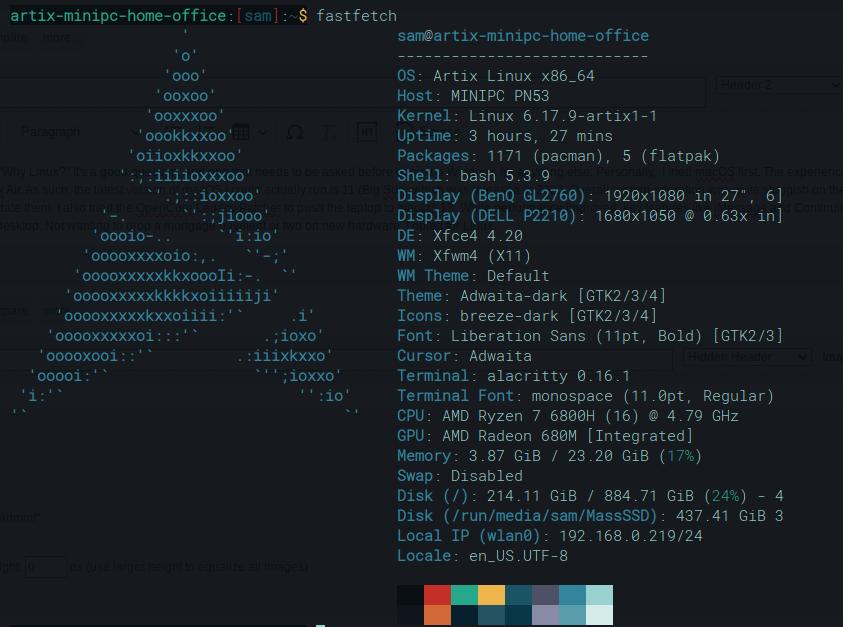
For the record, my desktop (an AMD Ryzen 7 6800H-based system) worked flawlessly out-of-the-box, even with my second monitor's uncommon resolution (1680x1050, vertical orientation). I did run into issues with installing some packages on both machines. Trying to install the KDE desktop environment (essentially a different GUI for the main OS) resulted in strange artifacts that put white text on white backgrounds in the menus, and every resolution I tried failed to correct this bug. After reverting to XFCE4 (the default desktop environment for my Artix install), the WiFi signal indicator in the taskbar disappeared. This led to me having to uninstall a network manager installed by KDE and re-linking the default network manager to the runit services startup folder. If that sentence sounds confusing, the process was much more so. It has been resolved, and I have a WiFi indicator that lets me select wireless networks again, but only after about 45 minutes of reading manuals and forum posts.

Other issues are inherent to Linux. Not all games on Steam that are deemed Linux compatible actually are. Civilization III Complete is a good example: launching the game results in the map turning completely black. (Running the game through an application called Lutris resolved this issue.) Not all the software I used on Windows is available in Linux, such as Greenshot for screenshots or uMark for watermarking photos in bulk. There are alternatives to these, but they don't have the same features or require me to relearn workflows.
Smartphone paradise
Surprisingly, smartphone management is heavenly on Artix Linux, but it didn't start that way. Android management is fairly straightforward due to how Android manages USB connections. An Android smartphone tends to be immediately recognized by Linux and act as a USB mass storage device. There's also ADB (Android Debugging Bridge) via the terminal for executing commands to an Android device. However, I use an iPhone.
As mentioned above, Apple products and Linux don't always play together very well. This was certainly the case with my iPhone 13 Pro Max and Artix running the XFCE4 desktop environment. My phone would only charge when plugged in but wouldn't show up. I tried installing applications like KDE Connect, which promised to offer most of the same functions available between iPhones and Mac computers. Unfortunately, it was a no-go. But I found a solution in an unlikely place.
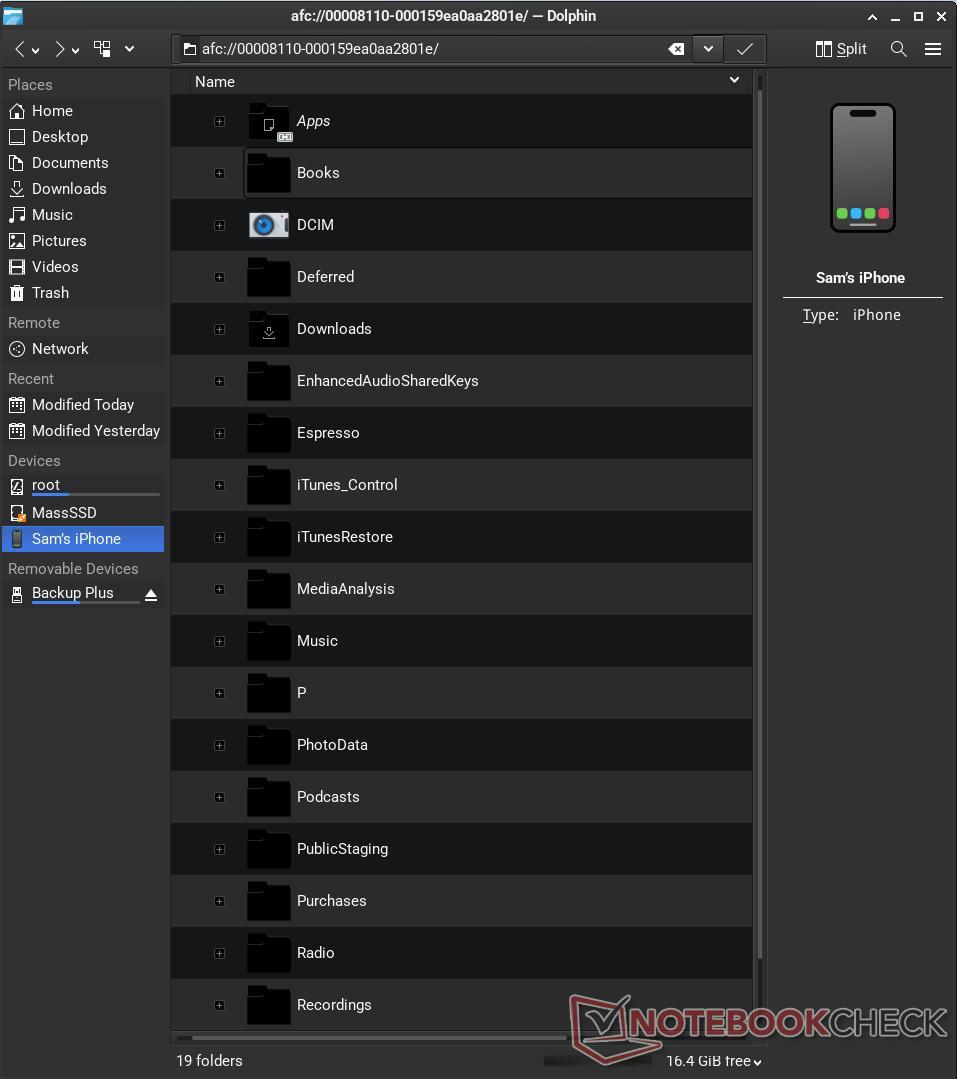
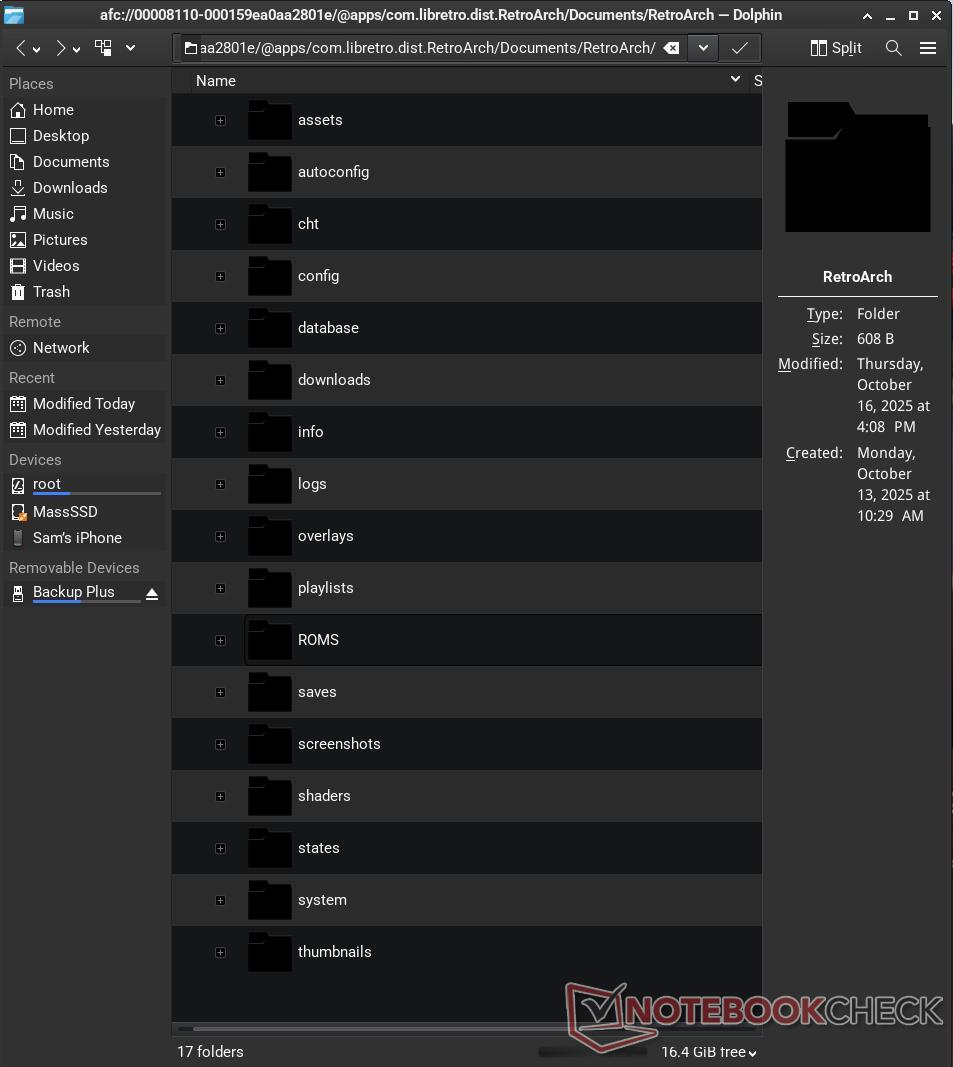
When I tried installing KDE (read above), it left the Dolphin file manager on my device. I started using Dolphin and preferred it to the default file manager for XFCE4 (Thunar). Dolphin held a pleasant surprise: it could detect my iPhone when it was plugged in. This made it a snap to transfer files to and from my phone as the file manager granted full file access to the iPhone. Due to how far Apple's file management has come on iOS, there were specific folders for each of my apps. The overall process is significantly easier than it was on Windows as iTunes is no longer needed.
Operating system with benefits
So why did I switch to Linux, and why am I writing this article about the experience? In a word: joy. I like using my computers again and find the experience fun. There's always something I can tweak or learn about how it operates. The fact that it runs faster than it did on Windows and is significantly more stable are huge bonuses.
There are lots of other points to discuss that would make this article more long-winded than it already is, so I will be brief on a few final specifics. Installing games via Steam is as simple as it is on any other OS, though compatibility will be a bit smaller than on Windows. Still, I've been able to play all of my Steam games (with the exception of Civilization III mentioned above) without any hiccups. In some cases, gameplay is a little bit smoother due to the lack of things like anticheat software running in the background.
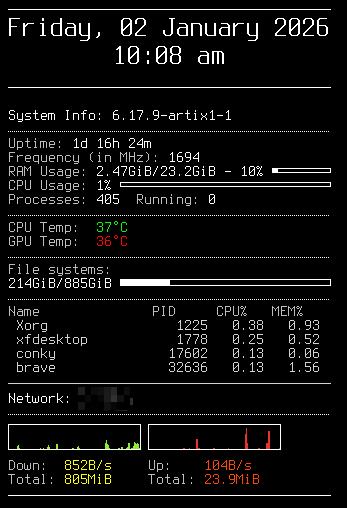
Customization is a give and take and will vary based on your chosen desktop environment or window manager. I use XFCE4, which can be customized quite a bit but requires some technical knowledge to beautify. It supports a tool called Conky, which can display system information on your desktop. It is highly customizable but uses a typescript format in a config file to do so.
Power management is a bit wonky on Linux. My MacBook Air seems to last as long as it did with macOS (it's an old laptop, so the battery has worn down), but sometimes a rogue process will keep the machine from sleeping when the lid is closed. However, the lighter nature of Artix means the laptop's fan rarely ramps up. This is true of my desktop as well.
Transferring one's system configuration, including desktop and application settings, is as easy as transferring a single folder, so my MacBook can look exactly like my desktop (provided it has the same packages installed) with a simple drag-and-drop. The additional flexibility in choosing my computer's UI is unrivaled: if I don't like something in XFCE, I can either tweak the actual configuration file or just install a new environment (though this comes with risks, as mentioned above).
Overall system stability has been excellent. My computer hasn't crashed a single time, and I've never run into graphical issues rendering a black screen like I did with Windows 11.
Conclusion: Linux takes time but is worth it

Linux is not a "one and done" silver bullet to solve all your computer issues. It is like any other operating system in that it will require users to learn its methods and quirks. Admittedly, it does require a little bit more technical knowledge to dive into the nitty-gritty of the OS and fully unlock its potential, but many distributions (such as Mint) are ready to go out of the box and may never require someone to open a command line. Our main media PC runs Mint and my younger children (aged 4 and 5 as of this writing) are able to navigate it without issue. My older kids are able to load games on it and play with Bluetooth controllers with no issue.
Personally, I like a bit of a challenge, and Linux balances usability with the carrot of a deeper computing experience. Depending on the distribution, I could have been up and running immediately after installation, but I wanted something more. The beauty of Linux is its flexibility; you can use a distribution that is as challenging or straightforward as you like.
Installing Linux not only saved three machines in my house (my laptop, desktop, and our media PC); it resurrected the joy of using a computer. It has been frustrating at times, but the rush of finally fixing a problem after a bit of work is unlike anything I felt on Windows. When I fix a problem on Windows, it's more of a shrug of the shoulder and relief that I'll no longer feel like I'm being stabbed in the eye.
I think that's because the issues I ran into on Linux were, for the most part, my fault. On Windows or macOS, most problems I run into are caused by a restriction or bug in the OS. Linux gives me the freedom to break my machine and fix it again, teaching me along the way.
With Microsoft's refusal (either from pride or ignorance) to improve (or at least not crapify) Windows 11 despite loud user outrage, switching to Linux is becoming a popular option. It's one you should consider doing, and if you've been thinking about it for any length of time, it's time to dive in.
Source(s)
Sam Medley - Notebookcheck
Teaser image source: ChatGPT Image 1.5; Anastase Maragos on Unsplash
 Add as a preferred source on Google


