




Frame generation does boost FPS, but at what cost?
Anubhav Sharma 👁 Published 🇪🇸 🇵🇹 ...
Both Nvidia and AMD have been aggressively adding AI-driven frame generation to their graphics toolkits for a little while now, with the former's DLSS 5 being the latest announcement to stir up the internet. Official materials show that DLSS Multi-Frame Generation (MFG) can generate up to 3-5 synthetic frames for each real frame, which multiplies effective frame rates by "up to 8×" compared to brute-force rendering.
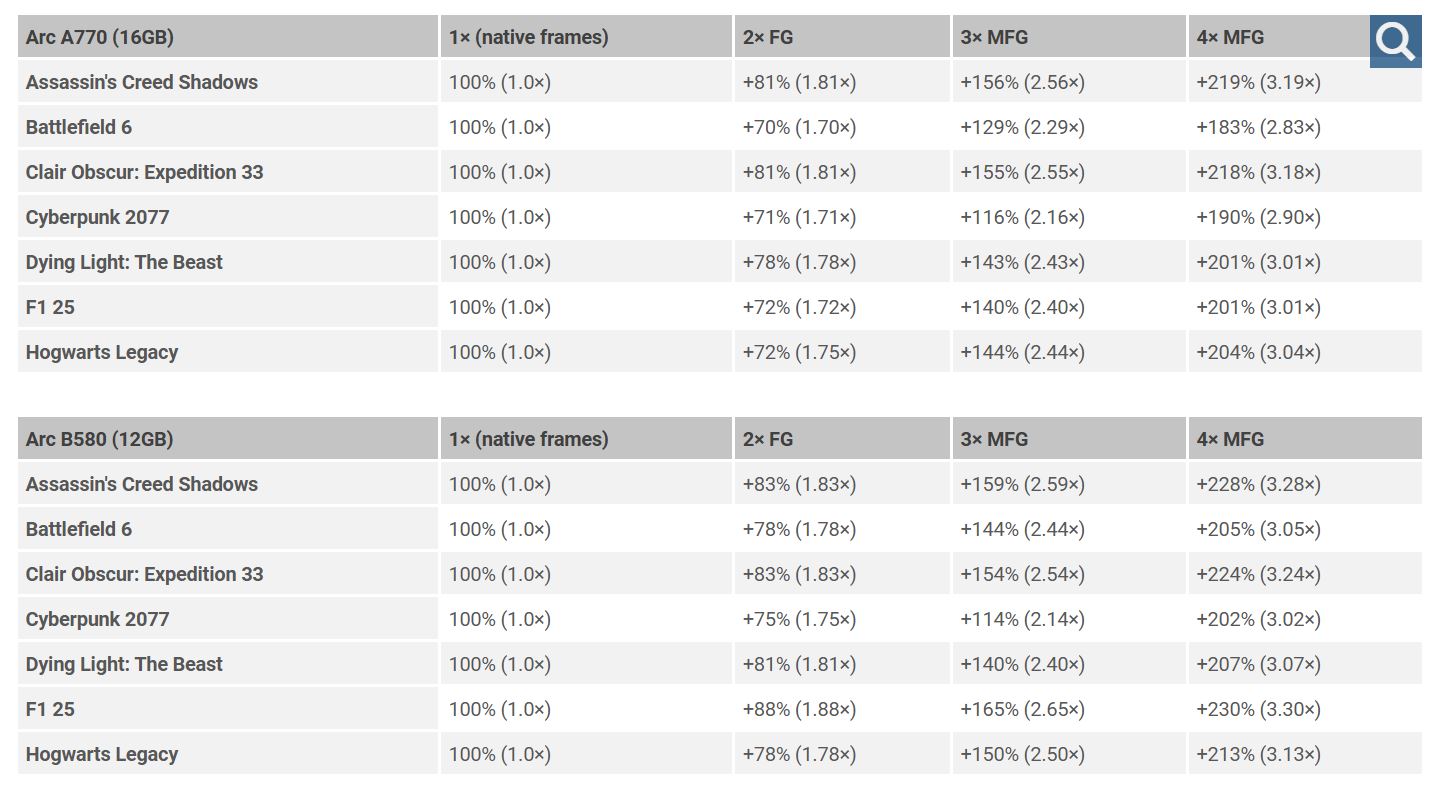
In practice, independent tests also confirm massive framerate gains. For instance, our past coverage states that enabling 4× frame gen on Intel’s Arc B580 or A770 roughly doubled or more than doubled FPS in games like Battlefield 6. Similarly, AMD’s internal benchmarks show FSR 3.1 frame generation roughly 2.5-3.6× higher FPS on real titles (e.g. 3.6× in Ratchet & Clank). Frame generation is now pretty common in high-end PC games and even works on older GPUs via DLSS/FSR and Intel’s upcoming Xe Frame Gen.
Benchmarks are the best way to look at just how large these boosts can be. Nvidia advertises DLSS MFG’s 8× multiplier, and our data backs this up: with 4× MFG enabled, an RTX 5090 laptop saw Battlefield 6 go from ~83 FPS to ~219 FPS (4K, Ultra settings). Intel’s XeSS 3.0 MFG gave the Arc B580 over 200% FPS gains in titles like Battlefield 6. AMD reports similar jumps: for example, in Ghost of Tsushima the RX 7000-series saw ~3.1× FPS with FSR 3.1 frame gen. In short, any fast-moving title easily hits hundreds of FPS with these techs, well above what raw GPU power alone could do.
However, many analysts are warning that these headline FPS figures don’t tell the whole story. Frame generation inherently increases frame latency: each extra interpolated frame adds delay. FG cannot reduce base input lag - it only raises the displayed framerate - so responsiveness is tied to the original update rate. In other words, a game loop still runs at its native speed, even if your monitor shows 4× more frames. Tools like CapFrameX show that metrics like frame-time consistency and 1% lows can degrade under FG, even as average FPS soars. FPS numbers only tell part of the story when FG is active.
This becomes especially relevant in games that rely on fast inputs. In competitive or reflex-heavy titles like Counter Strike, the added latency from frame generation can slightly delay player actions, which may negatively affect gameplay.
There is also a broader implication for how games are being optimized these days. As frame generation becomes more and more common, there are early signs that some titles are being designed with these technologies in mind. Instead of aiming for a strong native performance, developers can rely on upscaling and frame interpolation to reach higher frame rates. This makes raw performance harder to judge across different hardware, especially when comparing GPUs with and without access to similar features.
| 3.840 x 2,160, Overkill Settings | DLSS Quality | DLSS Quality + MFGx2 | DLSS Quality + MFGx4 |
| GeForce RTX 5090 Laptop | 83 FPS | 132 FPS | 219 FPS |
| GeForce RTX 5080 Laptop | 67 FPS | 109 FPS | 182 FPS |
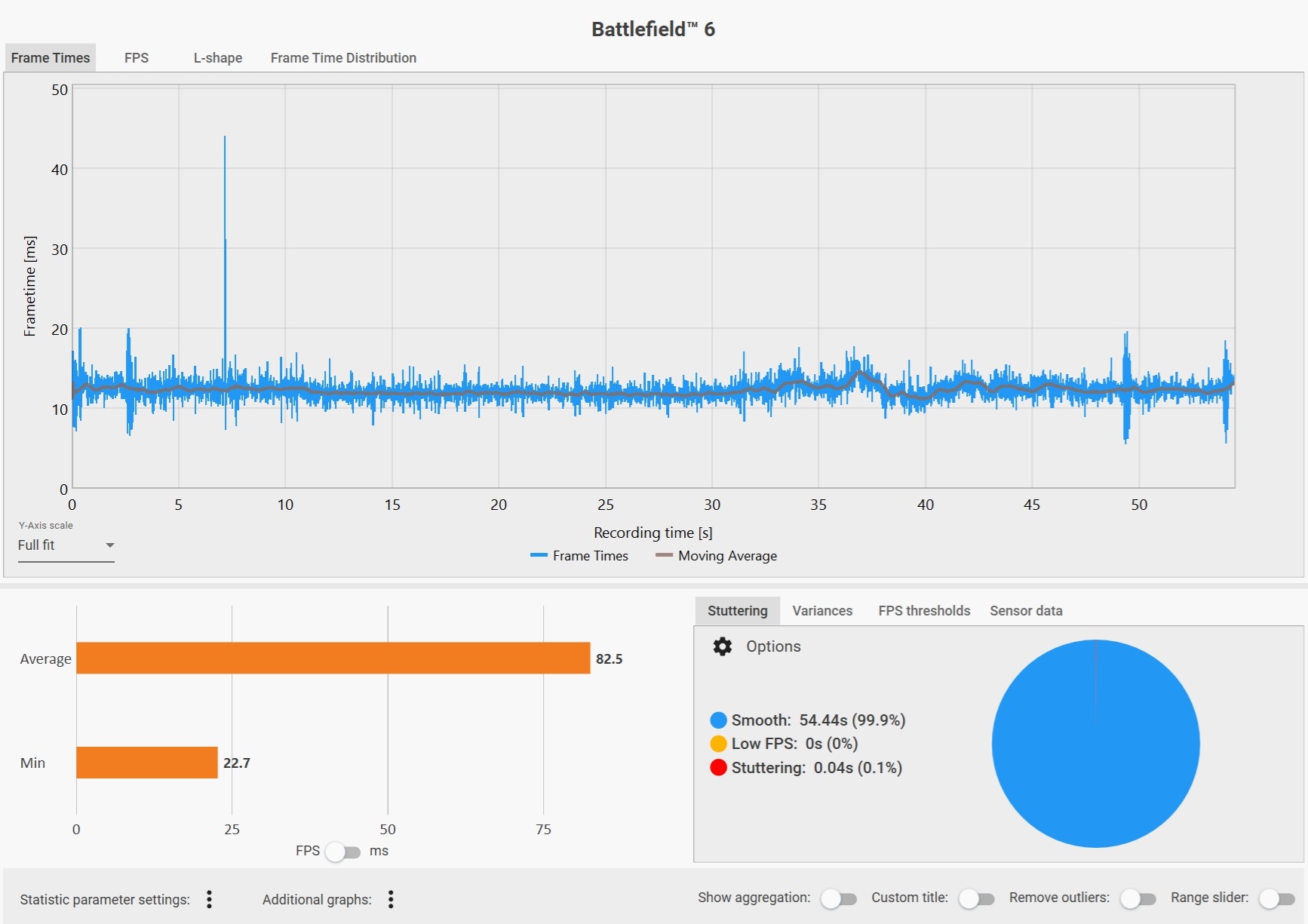
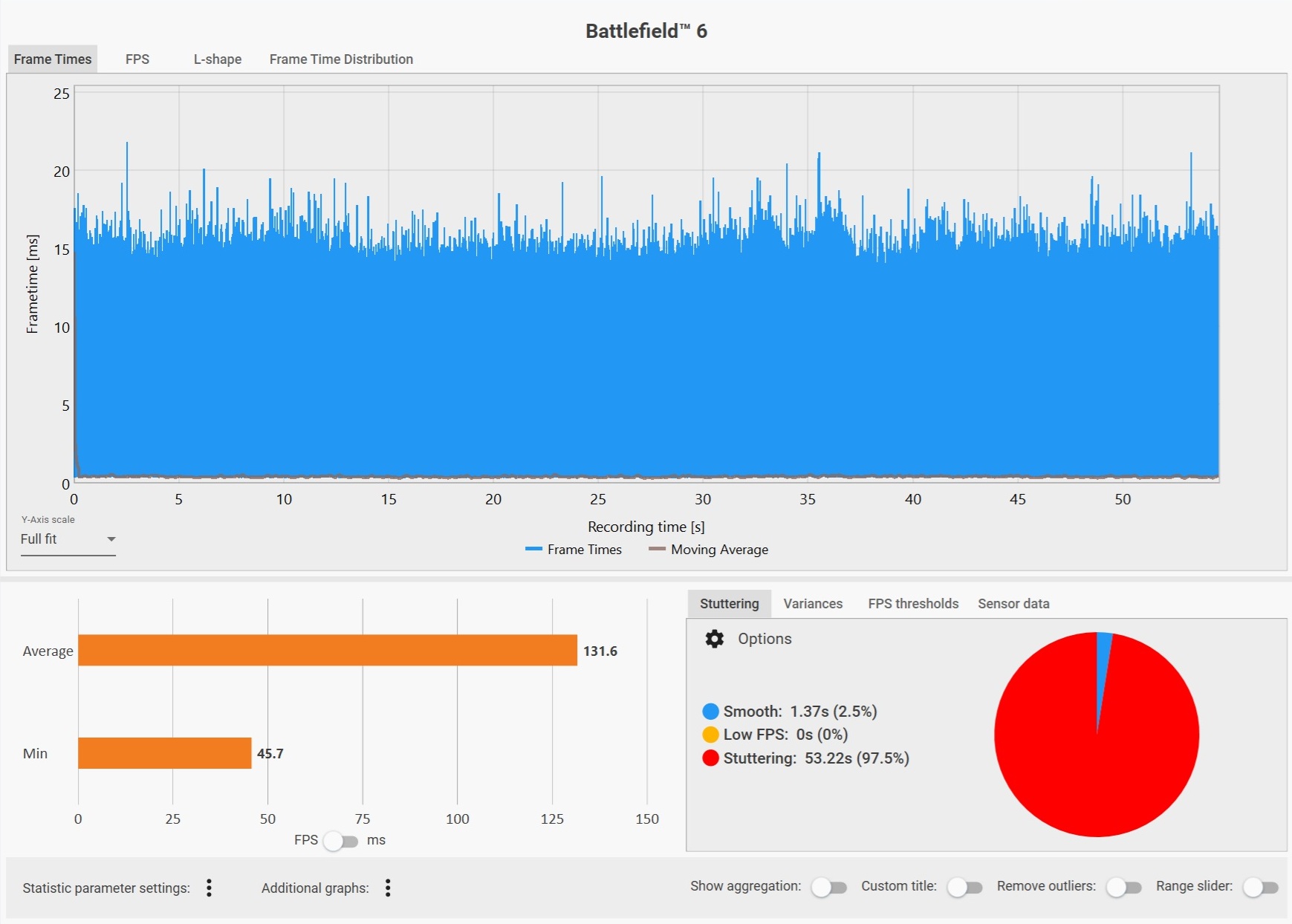
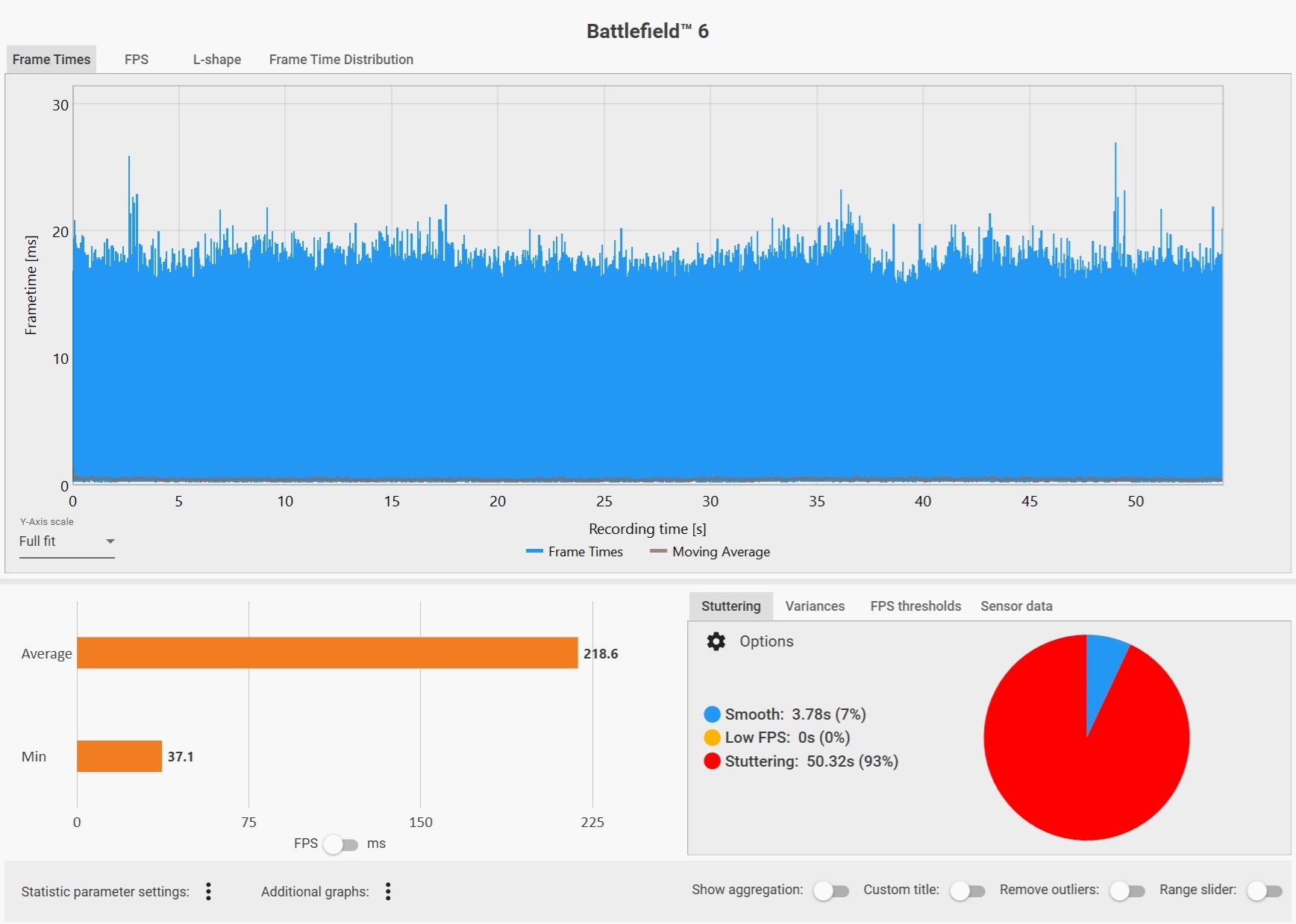
That said, frame generation is not without value. It can greatly improve perceived smoothness, especially at higher resolutions where raw rendering is more demanding. For single-player games or slower-paced experiences, the trade-off is often acceptable, and in some cases, genuinely beneficial. The problem is not the technology itself, but how its results are interpreted. It is also legitimately useful for lower-power hardware, such as handheld gaming PCs (like the Asus ROG Xbox Ally, currently $549 on Amazon), where hitting high native frame rates is often not possible. In these scenarios, frame generation can make games feel smoother and more playable without requiring significantly stronger hardware.
Benchmarks and reviews are also asking users to be cautious: don’t trust FPS alone. Use detailed tools that measure frametimes and input-to-photon latency (Nvidia FrameView, Intel PresentMon) to gauge real performance. Look at 1% lows and latency charts, not just average FPS. For competitive gaming, enabling Reflex/Anti-Lag and keeping high base FPS is vital. Frame generation should be viewed as a bonus feature that inflates numbers, not as a cure-all.
Source(s)
Notebookcheck testing, Nvidia, AMD, Tom's Hardware, Wccftech, r/nvidia
 Add as a preferred source on Google


