


Fancy questing on Steam Deck? WoW Forever runs “amazing” – here’s how
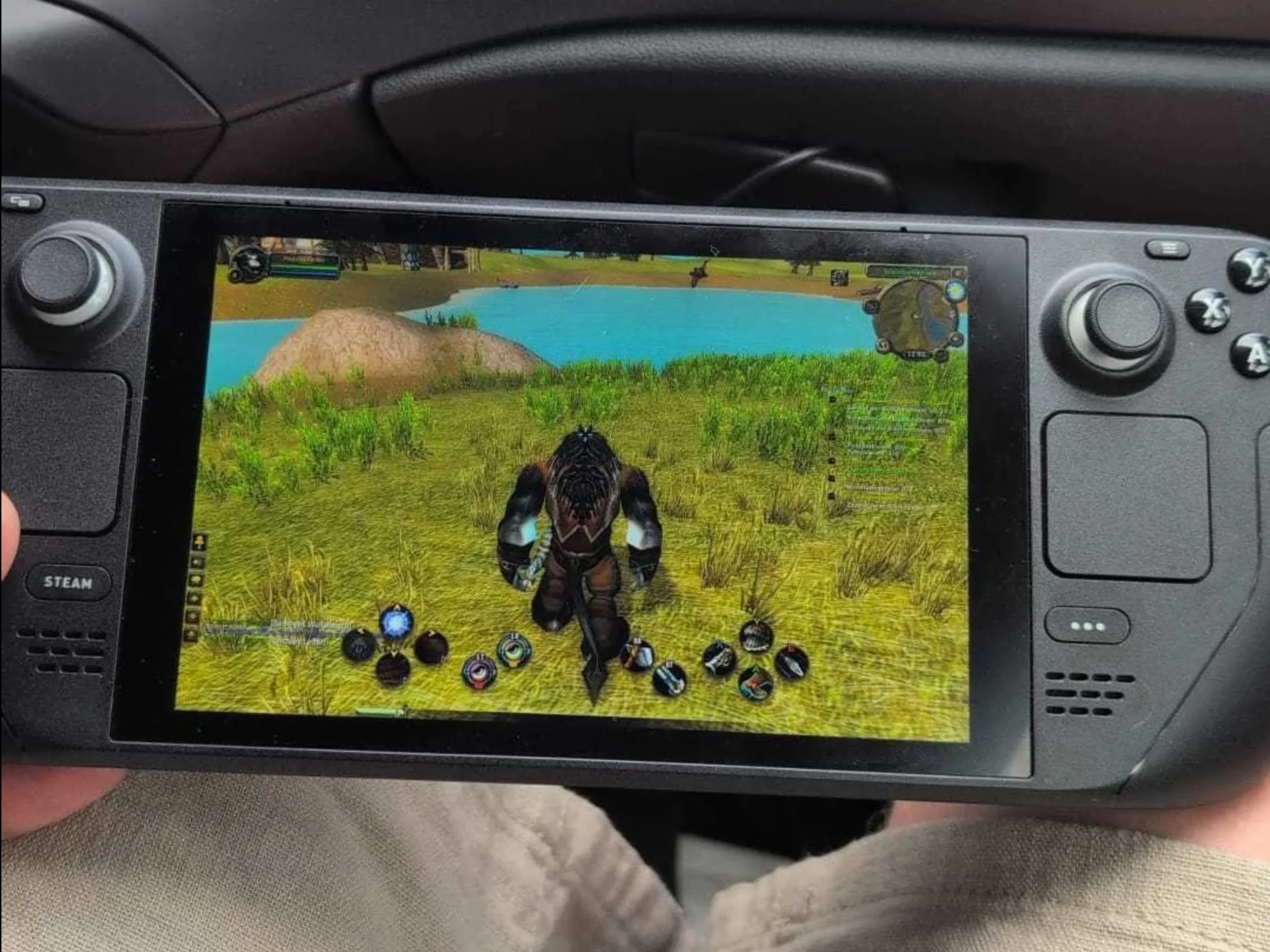
It's no secret that WoW can run well on the Steam Deck. But what about the new WoW Forever? According to player reports, it works too – and getting it set up isn't all that difficult. World of Warcraft Forever had a somewhat rocky launch (in German), essentially rebooting the original WoW experience with new zones, additional dungeons and reworked classes in classic Azeroth. We've already shared our impressions from the first ten levels as a Tauren Druid. Anyone planning their own adventure in the new Azeroth can apparently bring along a Steam Deck.
WoW has always been a good fit for handheld gaming, especially when leveling. That was true even before Forever. But can the new version, with its more detailed character models and improved lighting effects, run smoothly on the Steam Deck? According to a player report from the beta, it can – and "surprisingly well," at that. Reddit user u/Emberflux shared their experience under that very title, reporting that they played with the default settings and a 30 FPS cap. Another player mentioned a six-hour session in the comments, with the only notable issues involving the activation of certain quest items. According to a separate beta report, 60 FPS may also be achievable at graphics preset 5.
Getting WoW comfortable to play on the Steam Deck does require a fair amount of initial tweaking, particularly when it comes to button mapping. However, with a new character who barely has any abilities to begin with, much of that setup can be done naturally while leveling. As with most workarounds, not everything works flawlessly all the time. Still, being able to play WoW comfortably on the couch or while traveling may well be worth the effort.
How to install WoW Forever on the Steam Deck
Since Blizzard doesn't offer a native Linux version of Battle.net, installing WoW on the Steam Deck requires a workaround. Fortunately, the process isn't particularly complicated. A recent guide from Steam Deck HQ explains how to get everything running:
- Switch to Desktop Mode and download the Windows version of the Battle.net installer from Battle.net.
- Add the downloaded Battle.net-Setup.exe file to your Steam library using the "Add a Non-Steam Game" option.
- Open the new entry's properties, go to Compatibility and select Proton Experimental.
- Install Battle.net. Return to Gaming Mode, launch the entry and complete the launcher installation. Then close Battle.net.
- Switch back to Desktop Mode. In the Steam entry's properties, change the Target field to point to the installed Battle.net Launcher.exe instead of the installer. Under Start In, enter the corresponding Battle.net folder. The launcher is usually located in a numbered subfolder of
~/.steam/steam/steamapps/compatdata/. - Launch Battle.net in Gaming Mode, sign in and download WoW Forever. Once in the game, enable controller support under Options > Gamepad.
- Anyone who prefers not to use a mouse and keyboard on the Steam Deck can install the ConsolePort add-on to adapt the controls to the handheld. It allows abilities to be assigned to buttons and button combinations while also making menus and action bars accessible with a controller.
Source(s)
 Add as a preferred source on Google


