




Core Ultra X7 358H and Asus ExpertBook Ultra are a perfect pair, but there's a catch
Arguably the most notable benefit of upgrading to Intel Panther Lake is for its new integrated Arc B390 GPU. It runs under similar power envelopes as the previous generation Arc 140V/140T series or competing AMD Radeon 890M while offering up to 1.5x to 2x the raw graphics power even before factoring any AI upscaling. Thin-and-light laptops can therefore run even faster than before without necessarily needing louder fans or shorter runtimes.
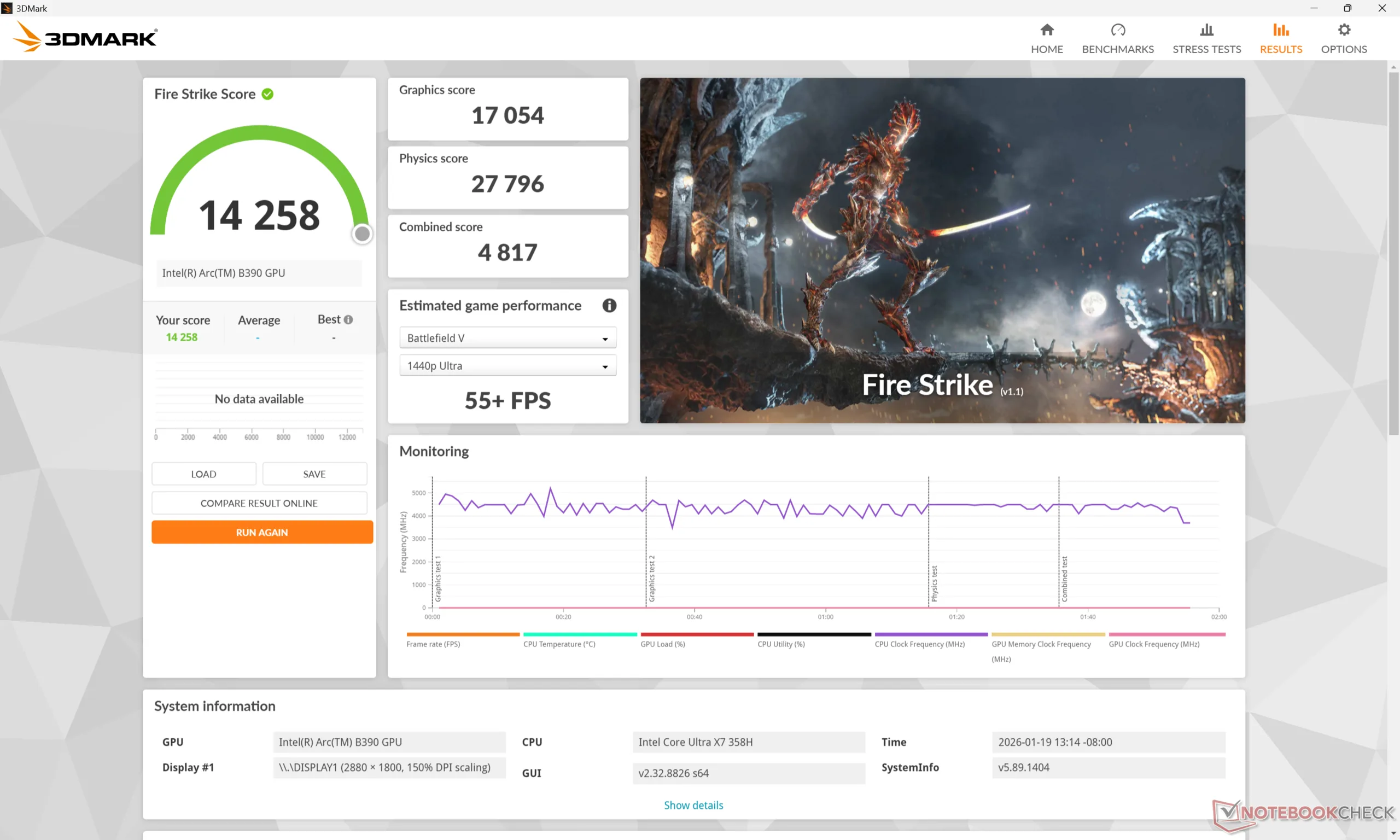
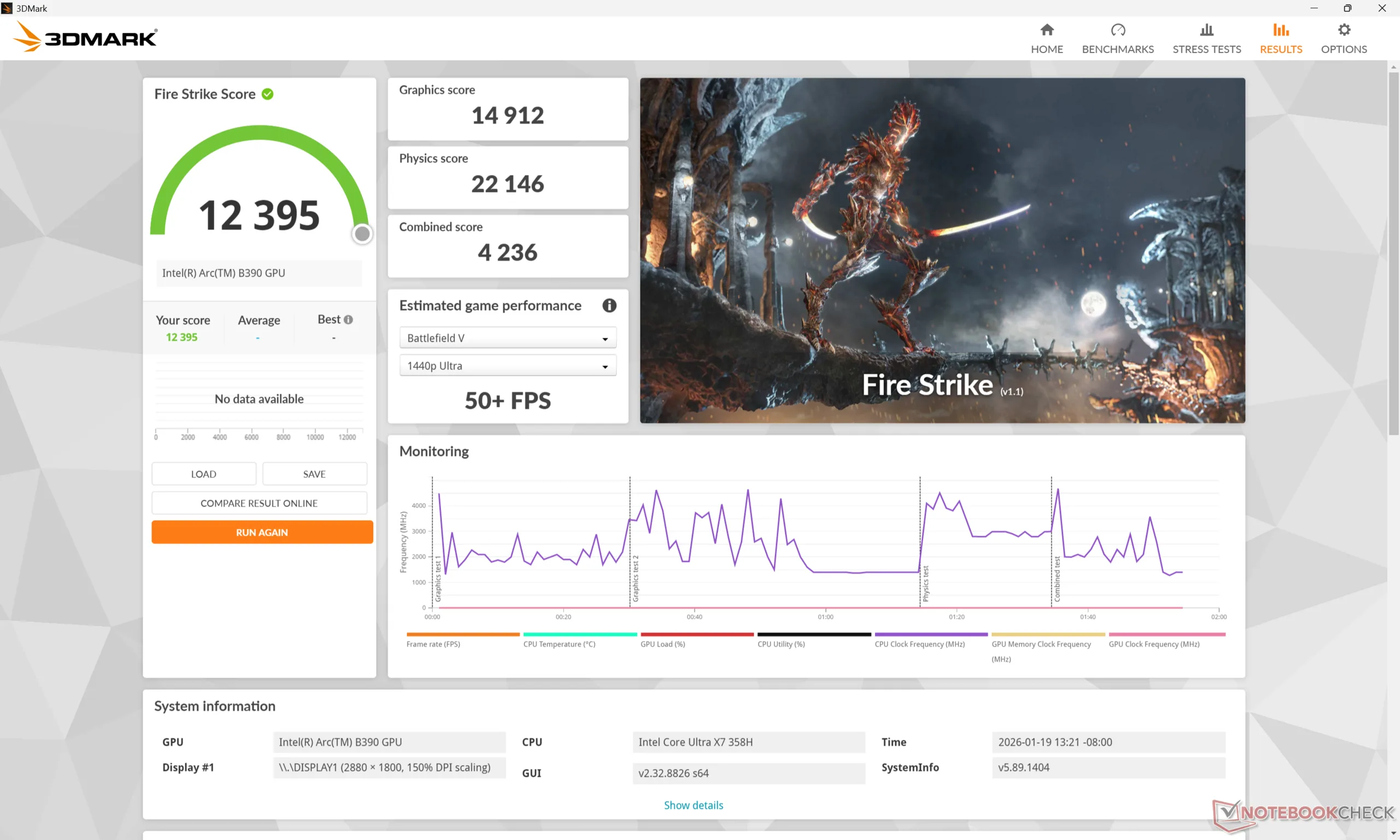
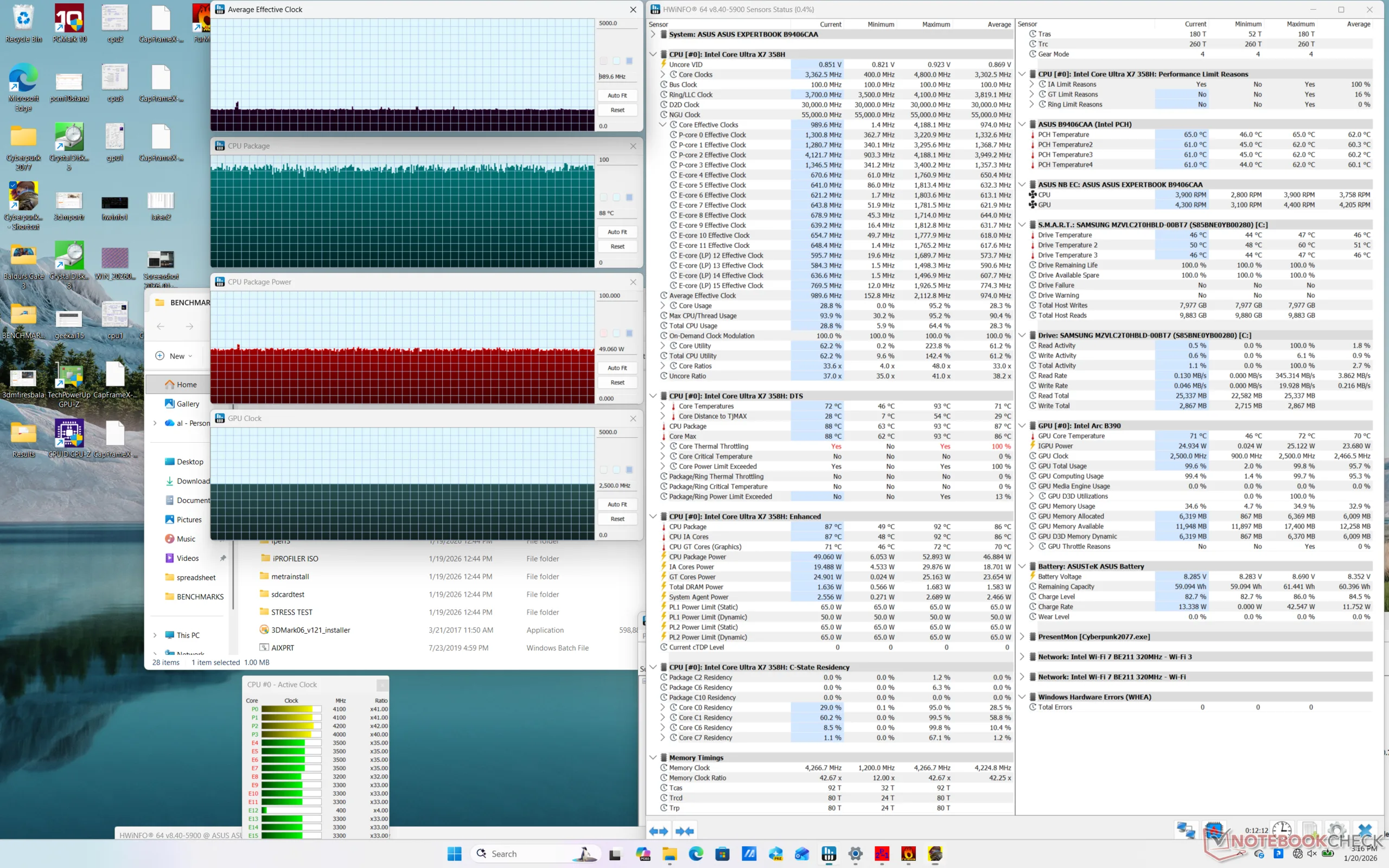
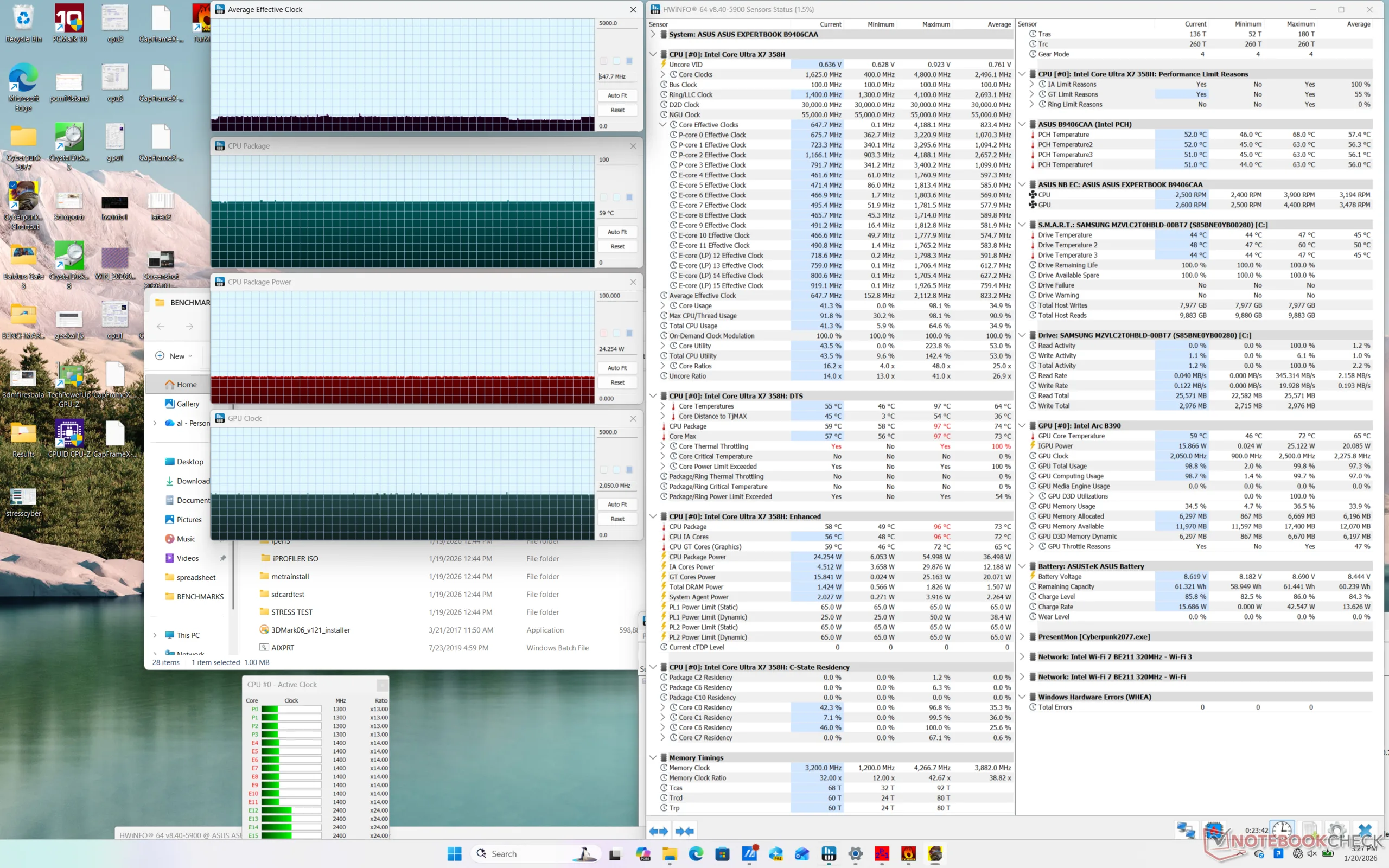
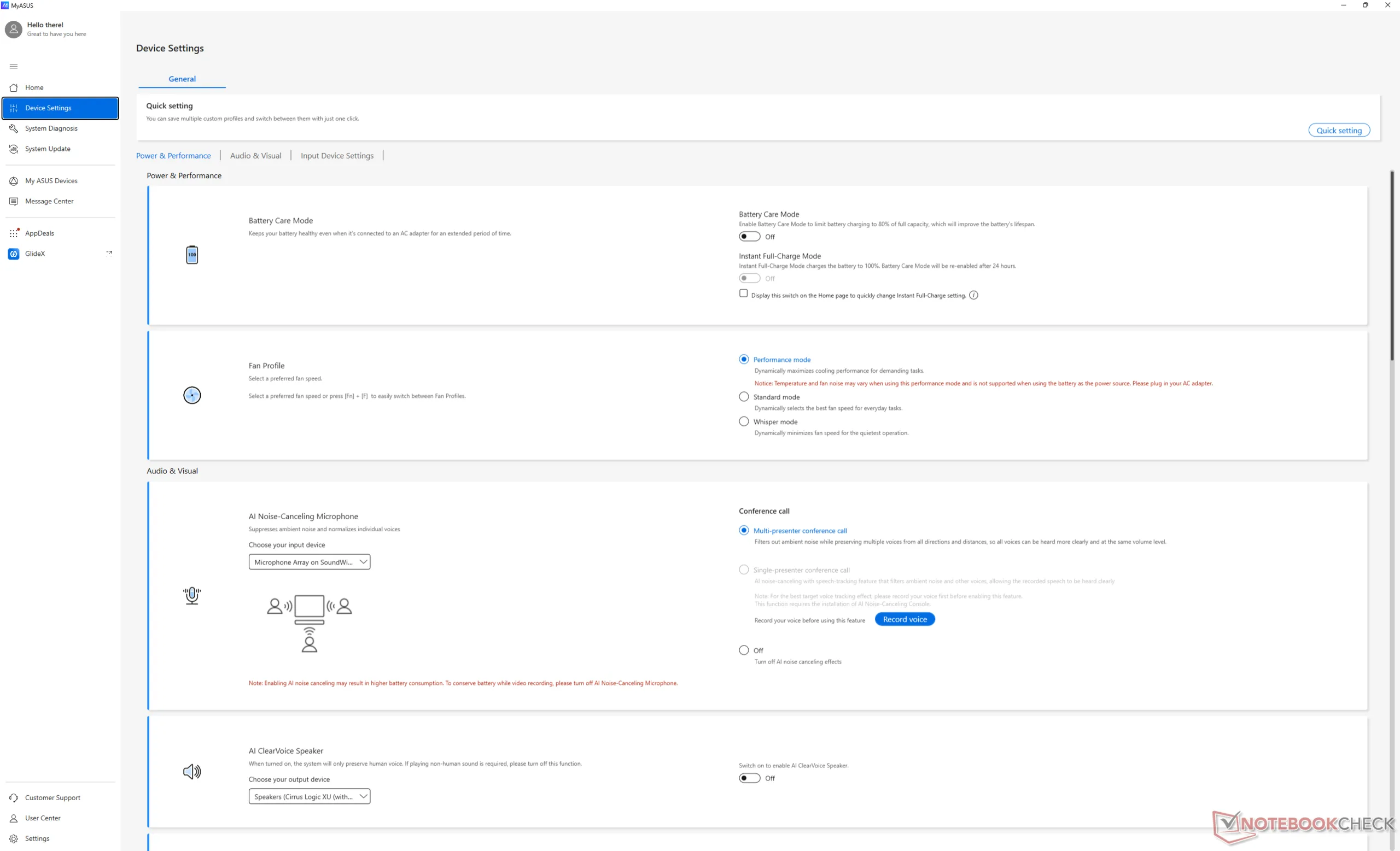
On the Asus ExpertBook Ultra, however, maximum processor performance comes with one condition: mains power. As shown by the screenshots below, running on batteries can slow performance by roughly 10 to 15 percent. The MyAsus software even confirms this with a red text stating "this performance mode is not supported when using the battery as the power source".
The performance drop on battery power is interesting as most other laptops with integrated GPUs don't exhibit as large of a dip. The Dell 14 Premium with Arrow Lake-H, for example, has a much narrower performance delta between mains and battery power.
The ExpertBook Ultra is nonetheless one of the fastest 14-inch laptops for the weight even after considering the performance deficit when not connected to mains. We recommend checking out our full review on the Asus system for more benchmarks and comparisons.
 Add as a preferred source on Google


