Review Dell XPS M1730 Gaming-Notebook
IMPRESSIVE. The Dell XPS M1730 convinces especially with its case and the impressive LED illumination. But this gaming notebook from Dell is good in other areas as well. These areas are the high-resolution WUXGA display, the great performance of the used hardware (Geforce 8700M GT SLI graphic) and surprisingly the sound emissions of the notebook: hardly audible in the idle operation and even under load still quiet.
Case
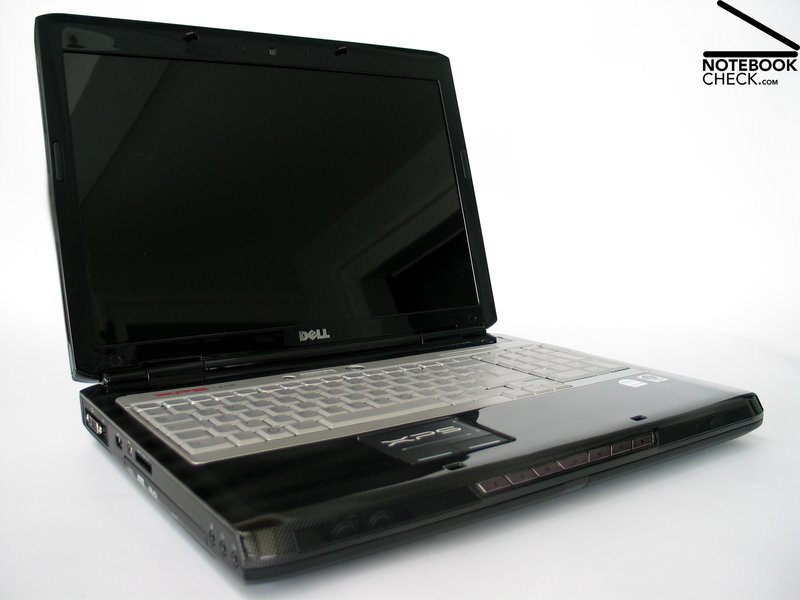
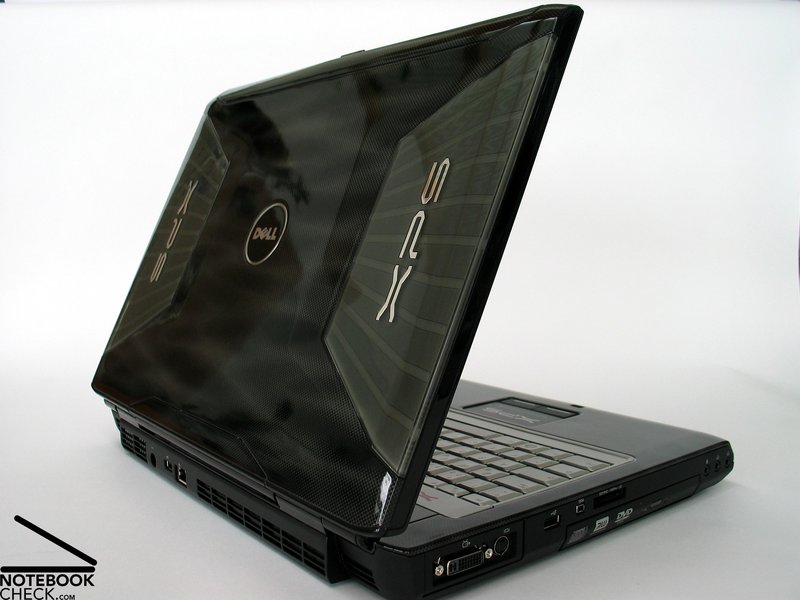
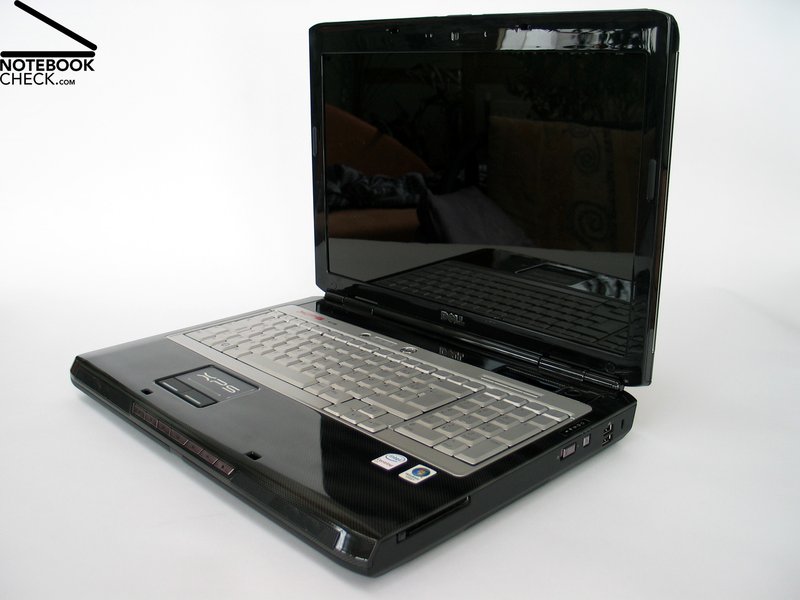
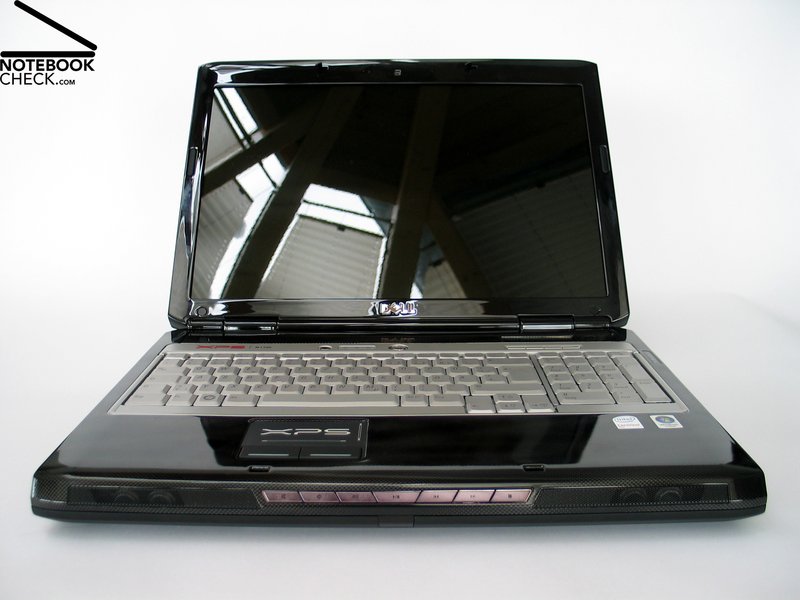
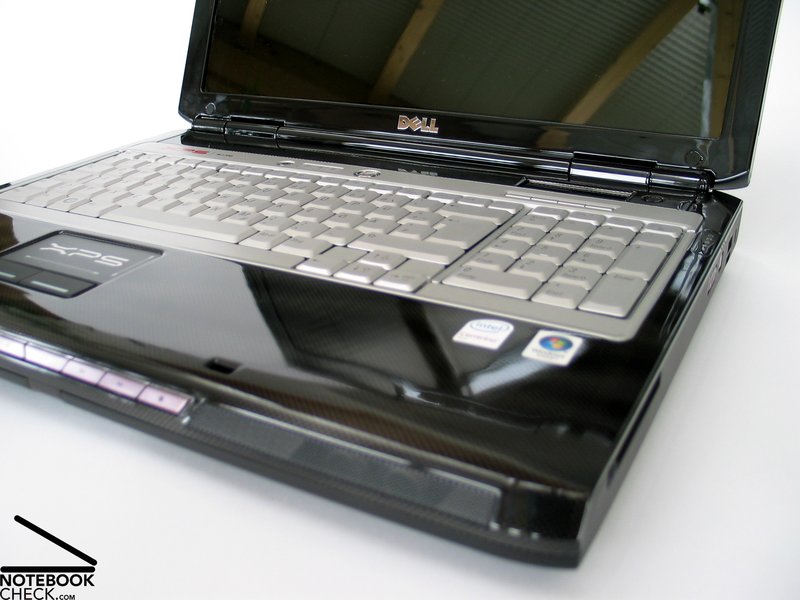
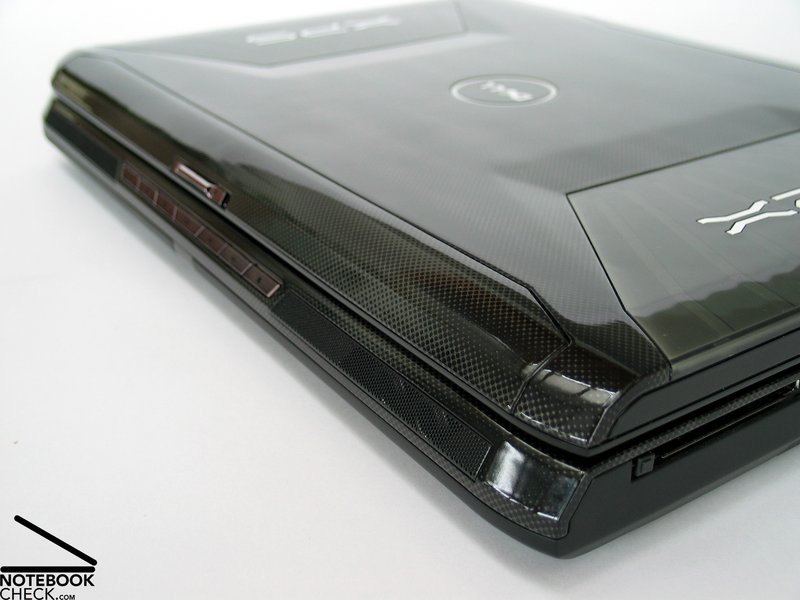
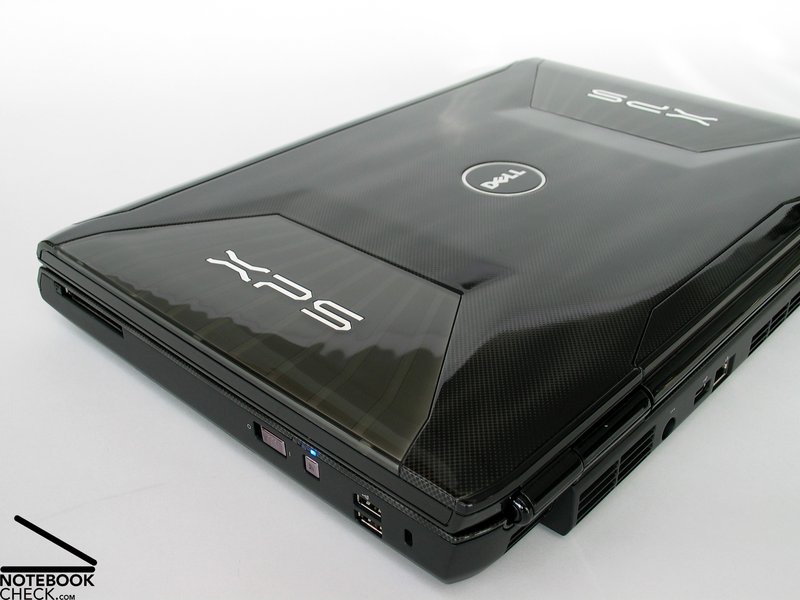
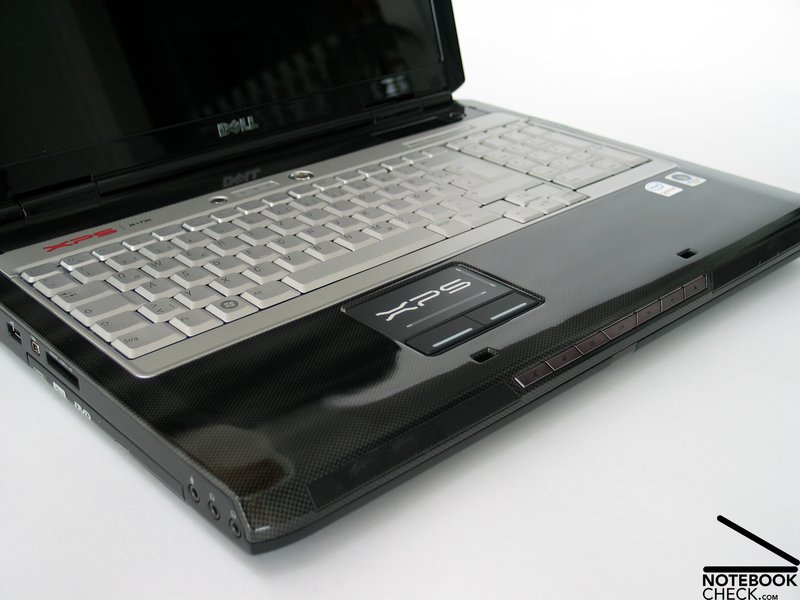
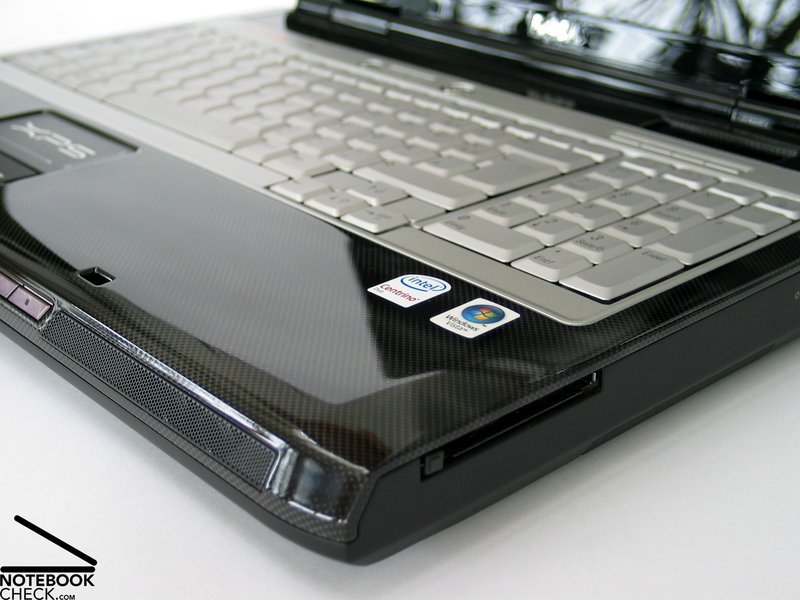
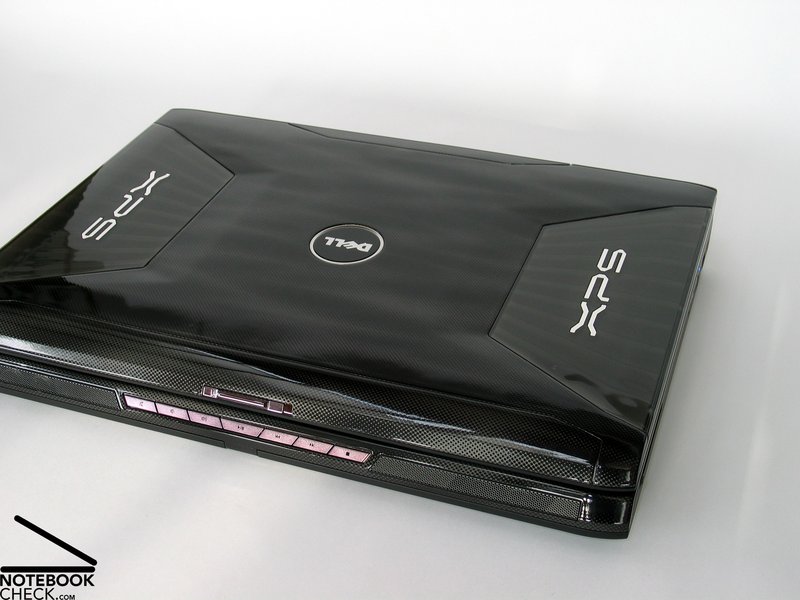
According to the notebook supplier a good gaming console needs, next to efficient hardware above all an attractive design with additional lighting effects. The notebook deserved in this respect a full score. Even without enabled LED illumination the case of the Dell XPS M1730 is impressive and looks great with its shiny surface that looks like carbon.
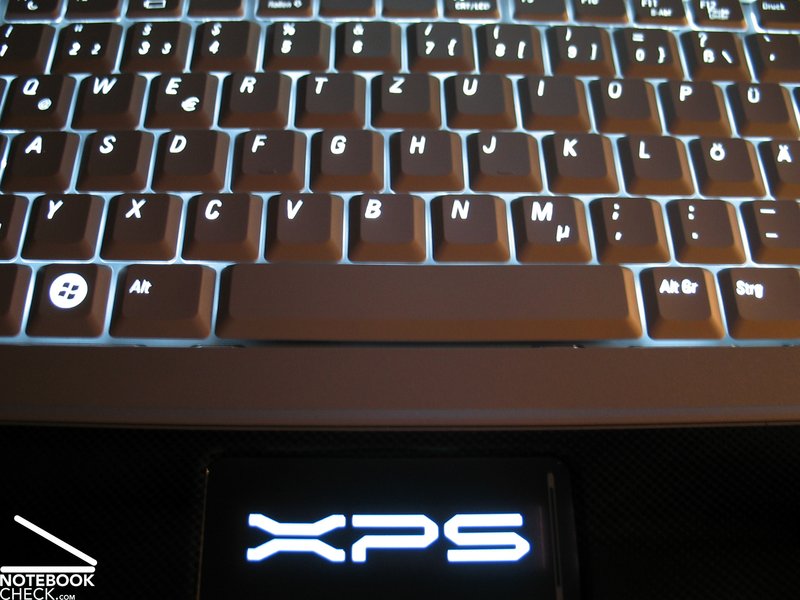
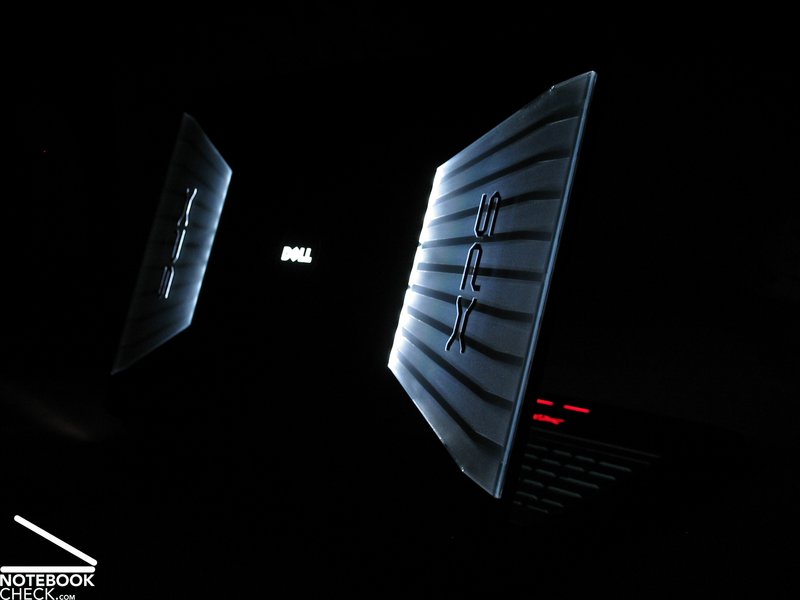
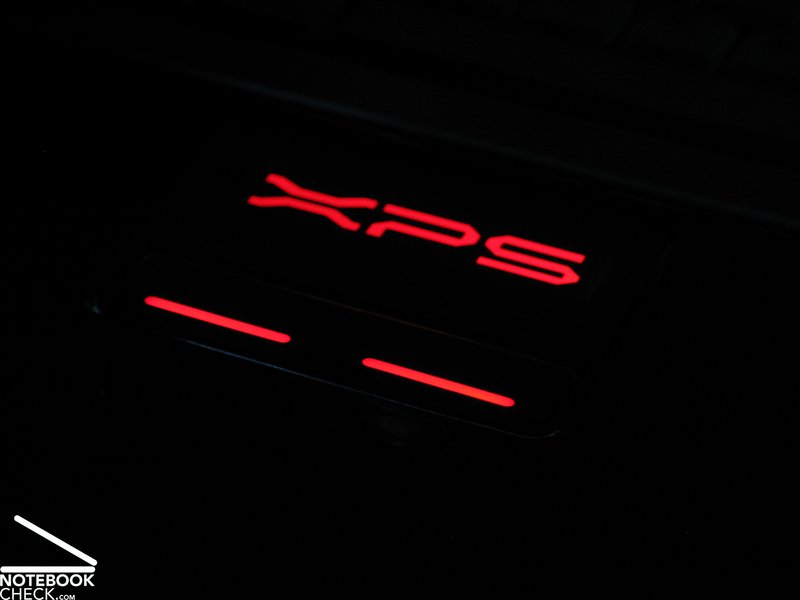
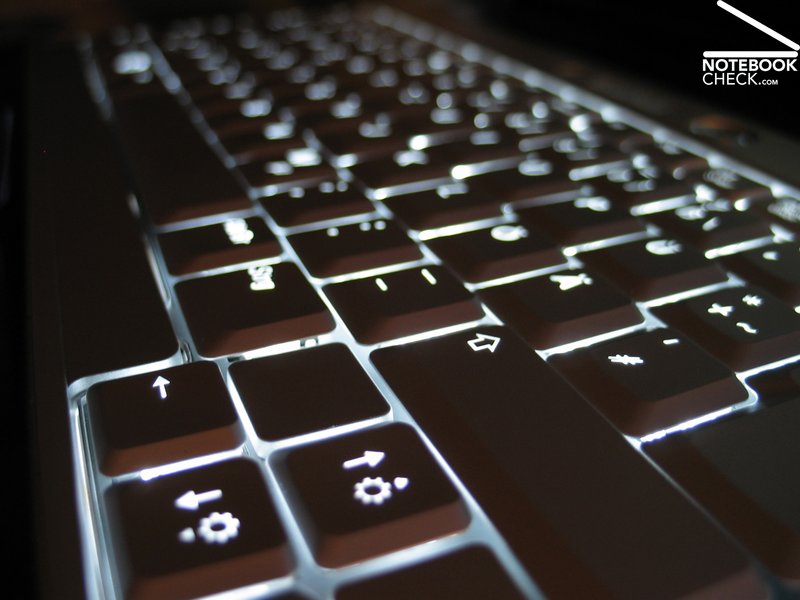
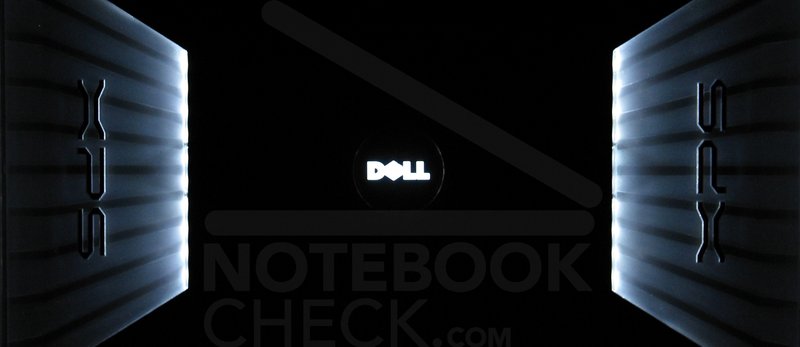
If the LED illumination of the display cover, speakers, touchpad and keyboard is activated in dimmed light the most users will be quite impressed.
But there is still more. By means of the Dell Quickset Software tools the colors of the LEDs can be adjusted to suit the taste of the proud owner. For light jockeys and other disco fans the option of pulsing and other dynamic lighting effects is available. Apart from the color of the illumination also the color of the display cover can be chosen. It is possible to choose between four colors upon purchase of the console.
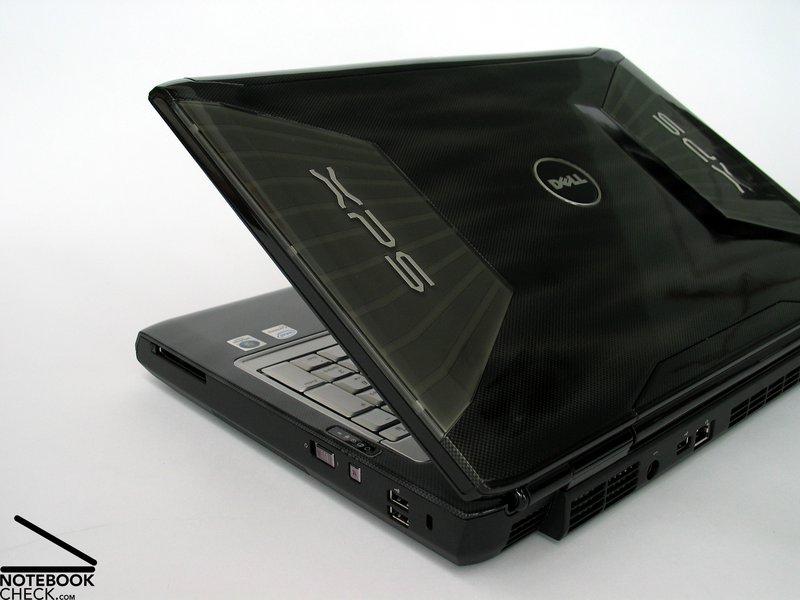
Also the shape is rather good. The compact case has a base unit with smooth curves and an eye-catching designed display cover, which reminds of the known alien structure. Like already mentioned the XPS M1730 has a very brilliant surface, which is prone to fingerprints but is also easy to clean. One wipe with the supplied cloth and the notebook shines like on the first day. But it is strongly recommended to care well for this beautiful console, because scratches can occur as fast as the mentioned fingerprints.
In respect to the workmanship the notebook is pretty good, but the big slit measures around the molding do not fit the high-class image of the XPS M1730.
The case of the Dell XPS showed in the test a good torsion-resistance. But because the height of the base unit amounts 40mm and a lot of aluminum is used nothing else was expected. Even at selective pressure the case doesn’t show any weak point, only the keyboard is an issue but about this later. The display cover creaks slightly at strong pressure, but it is very torsion-resistant.
The hinges of the display make a solid impression and hold the display in its position. The angle at which the display can be positioned is limited by the hinges. The display disposes of a double hook lock system but for a less mobile console such as the XPS M1730 it is not really necessary.
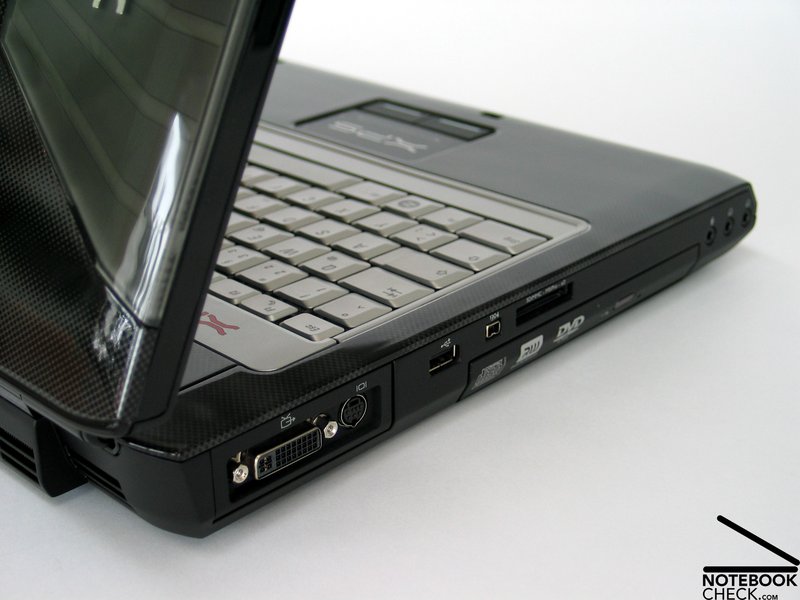
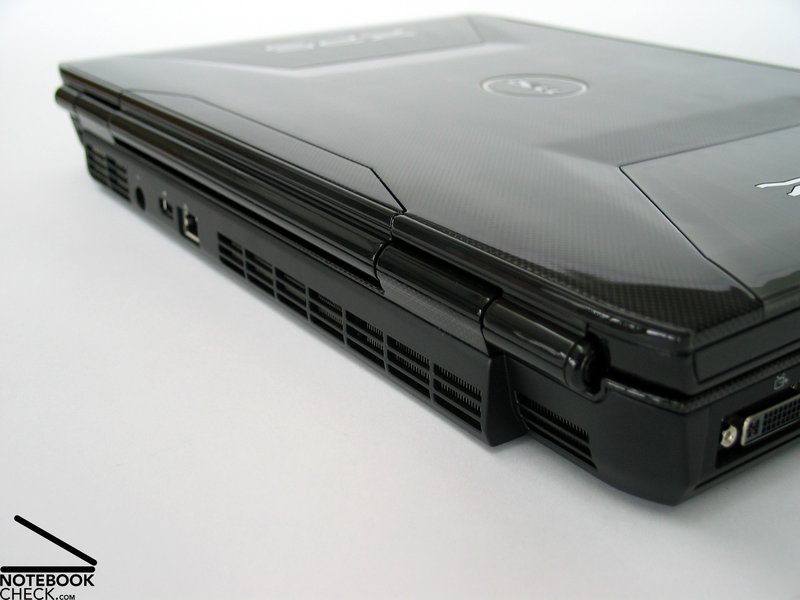
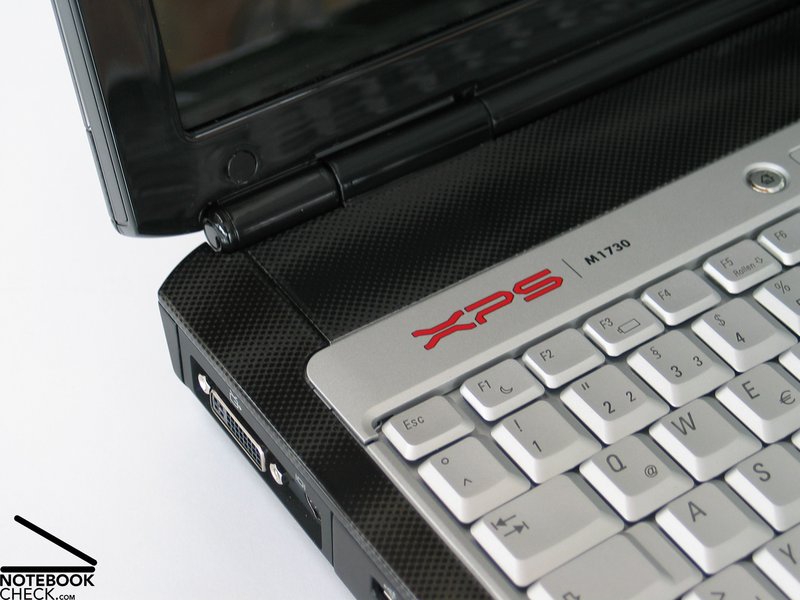
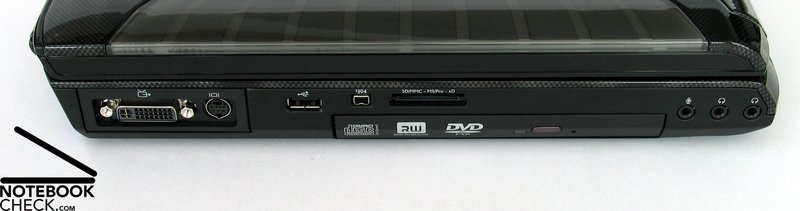
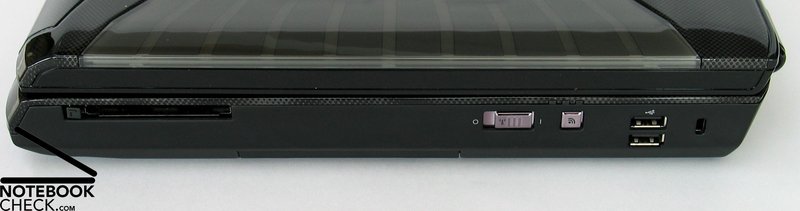
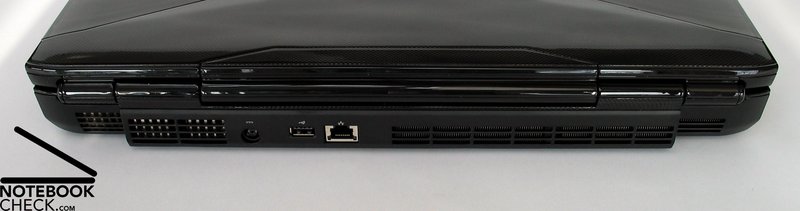
The provided ports of the gaming console are nearly all located on the back end of the sides. Provided are four USB 2.0 Ports, Firewire, S-Video (with S/PDIF support through dongle) and a Dual-Link DVI-D-I Port which allows the connection of a monitor via analog signals (with suitable dongle) and also supports 30 inch displays (for example QXGA, max.2560x1600 pixel).
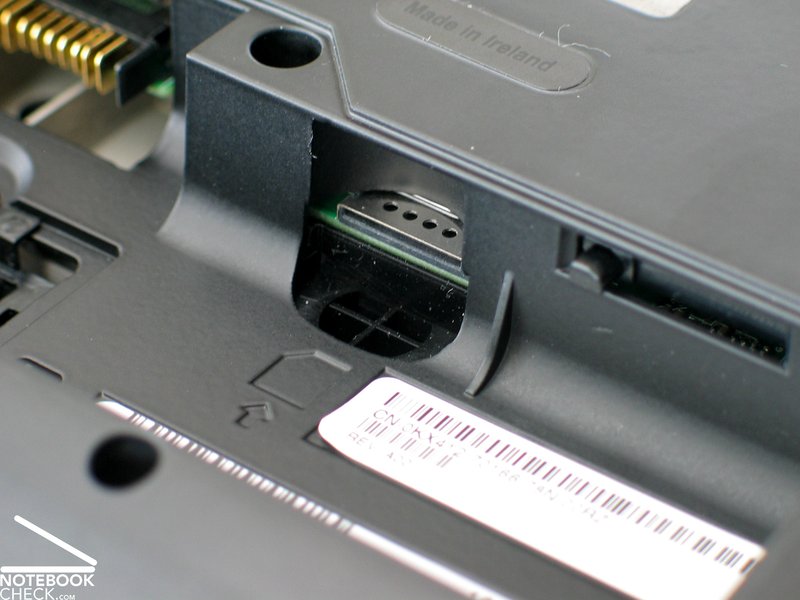
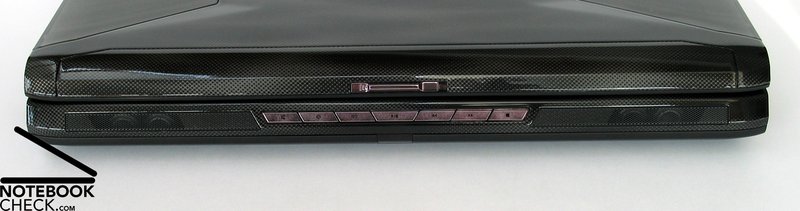
Moreover a LAN port (10/100/1000 - Gigabit) is provided, 8in1 Cardreader, a ExpressCard slot (54mm) and a Consumer IR port to control the notebook with the provided remote control. Furthermore 2 head phone ports and a micro port as well as 5.1 audio support (6 channels) are provided. Hidden close to the battery the Sim-Card slot of the UMTS/HSDPA Module is located, which can be ordered optional for the Dell XPS M1730. As a whole the Dell XPS M1730 has suitable equipment for gaming purposes.
Input Devices
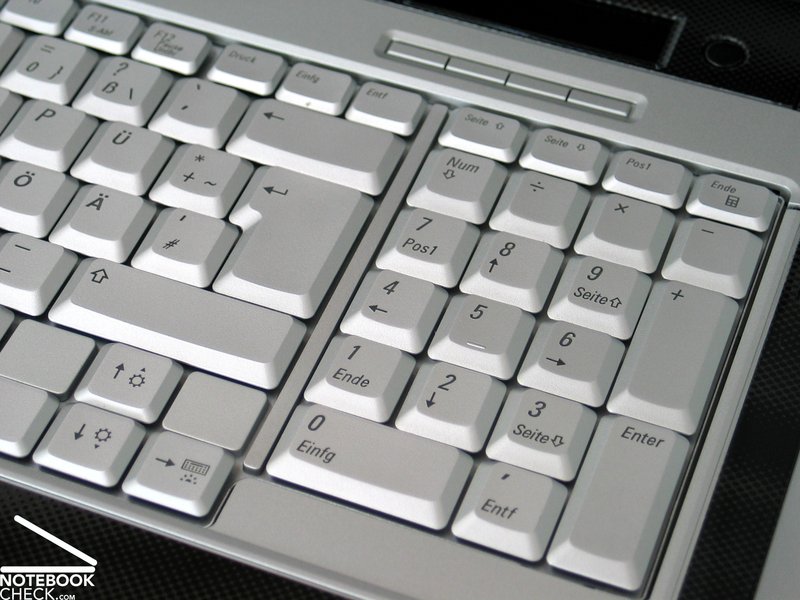
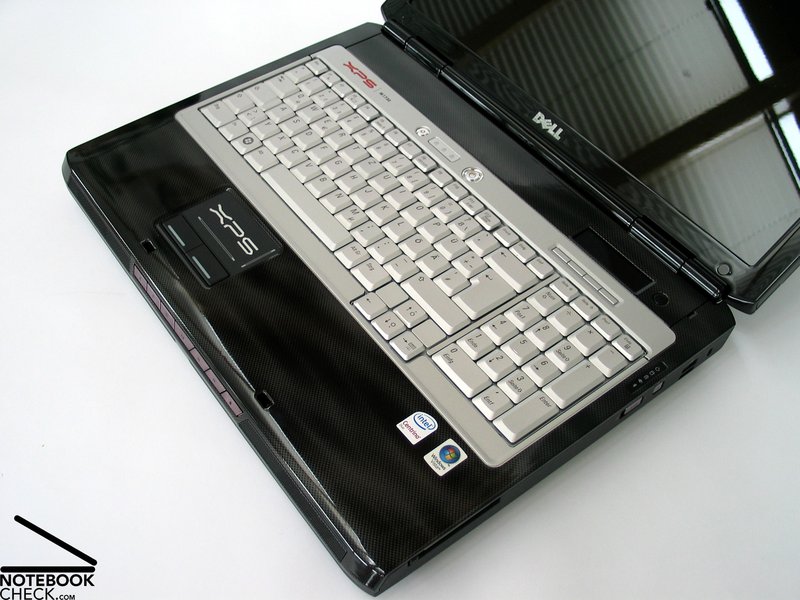
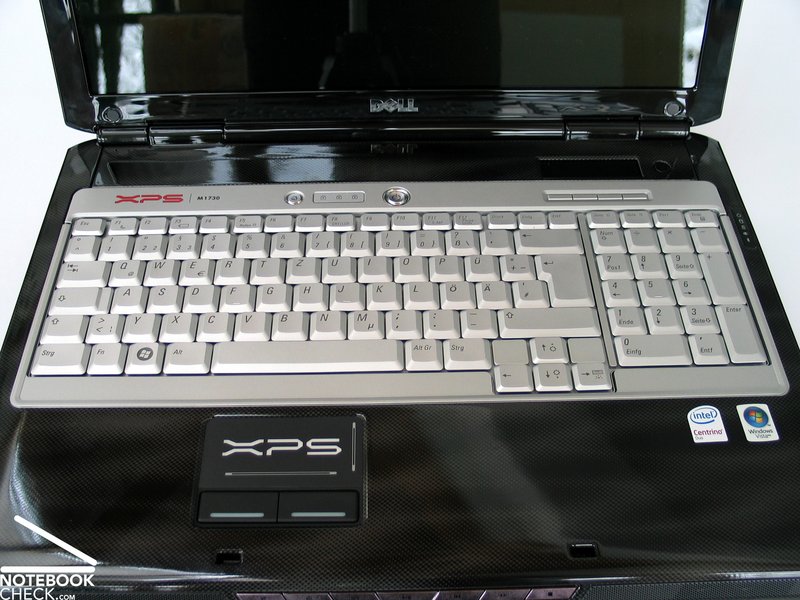
The keyboard of the test console is light-grey, clear in contrast to the rather dark case. The keyboard is clear and the layout has an arrangement in groups of single key groups. Moreover the keyboard provides a separate number block. The size of the keys is a standard size.
Typing for long periods on the Dell XPS M1730 can be tiring because the keyboard requires an unfamiliar position of the hands. But the hand rests have a pleasant form and give typing comfort.
When hitting individual keys we noted a clear deflection of the keyboard. Especially in the central area when hitting G, H,.. at strong pressure ugly deformations appeared. In respect to the typing feeling we have no criticism. The keys provide a clear action point with a pleasant resistance and also the typing sounds are quite pleasant.
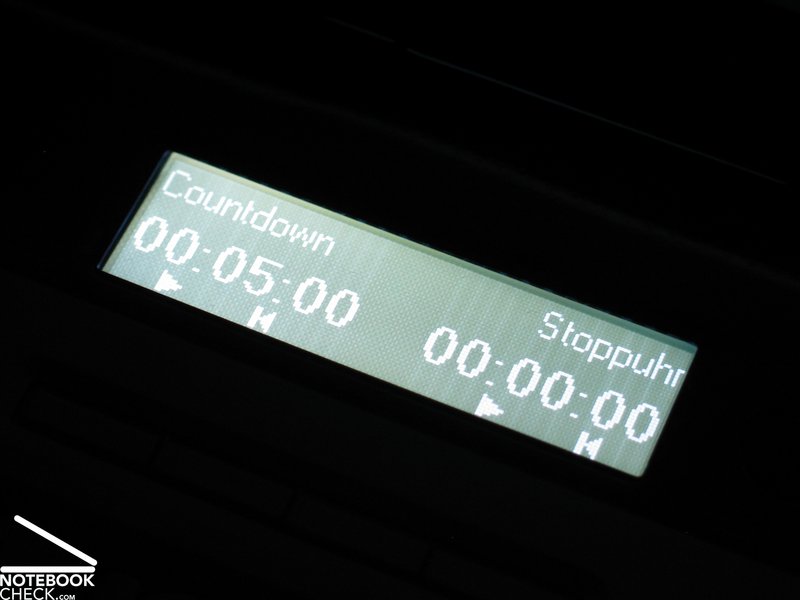
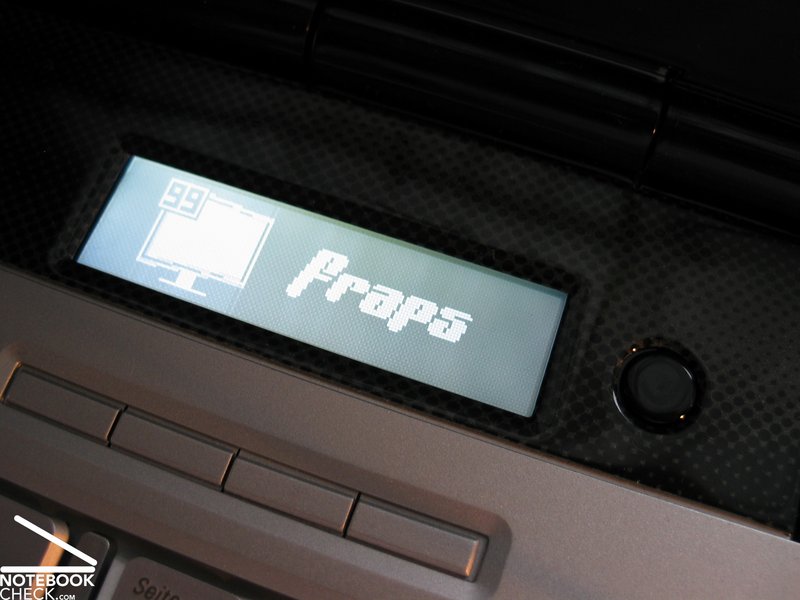
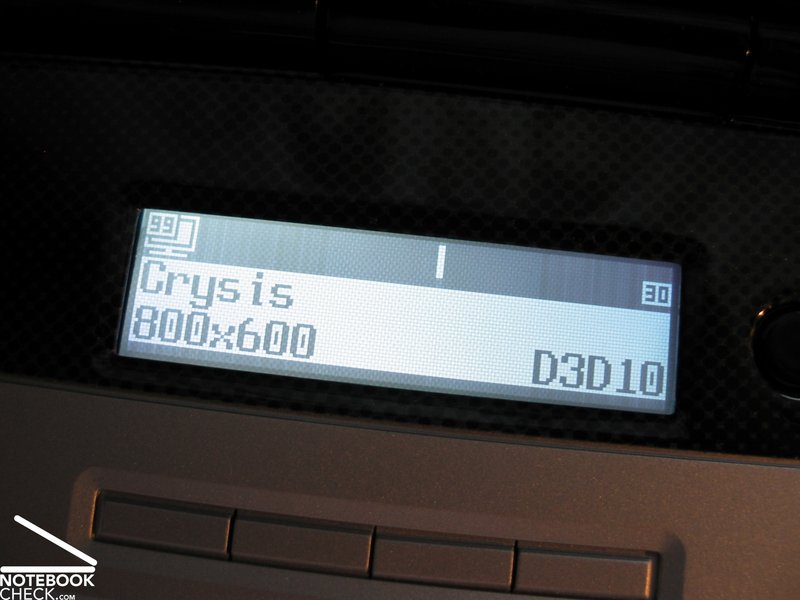
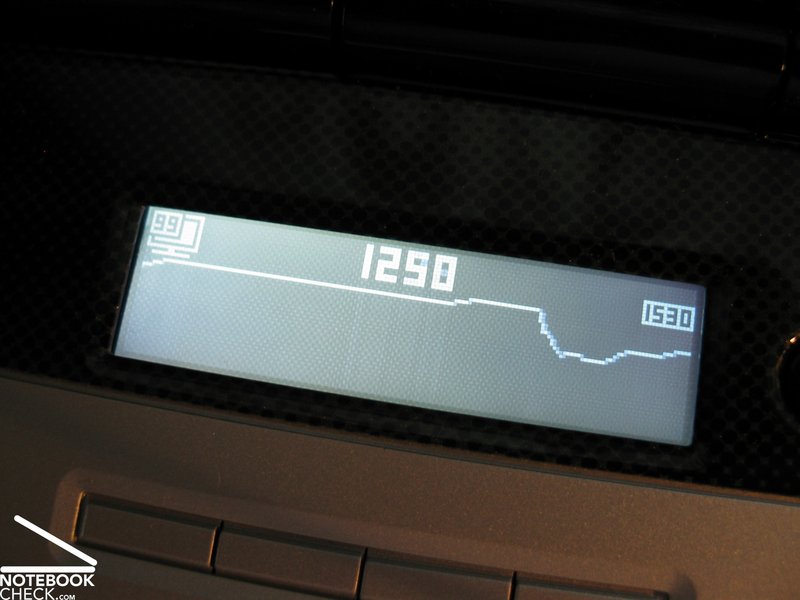
A nice feauture is the provided Logitech Game Panel wich shows additional useful information. This can be the date and time, information about various games or the performance at the application of the tool FRAPS. Moreover, the frame rate in various games can be seen. Current games which support the game panel are Battlefield 2142, World of Warcraft and many more. A complete list is available here.
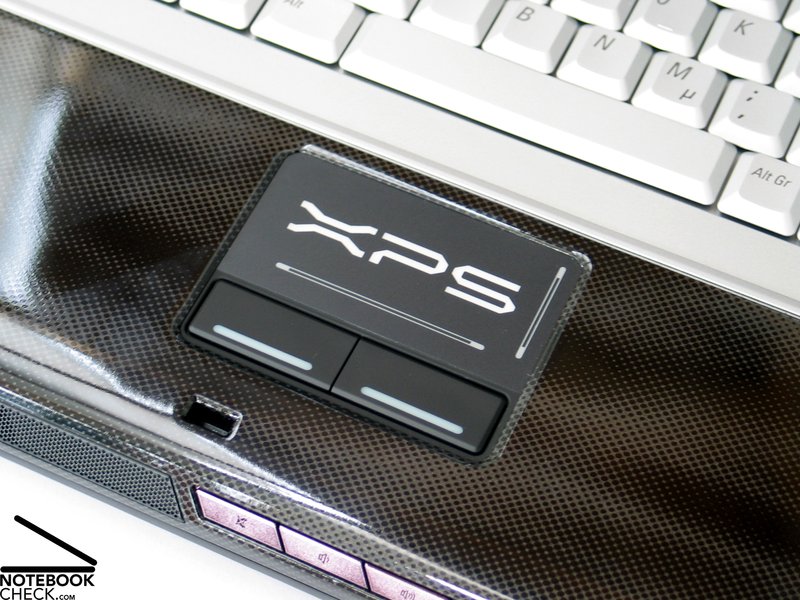
The nice touchpad with XPS logo can be operated very well and the keys convince with a pleasant travel – typical Dell.
Also the typical Dell additional keys for the control of the Media player are available at the XPS M1730. Moreover, keys for the volume control are available.
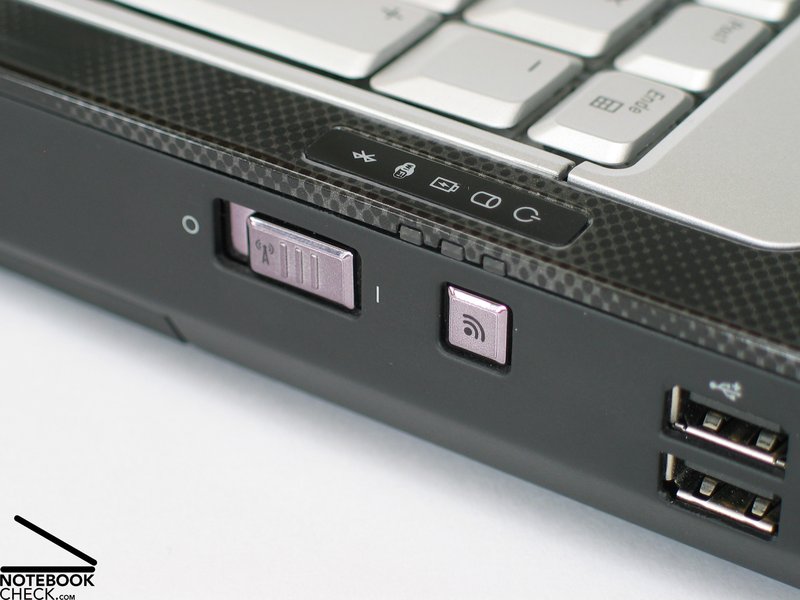
On the right side of the console a hardware switch for the WLAN function and a key to enable the WiFi-Catcher tool are located. This shows all wireless networks in the area.
Another nice feature is of course the illumination of the keyboard. With the Apple MacBook Pro notebooks the brightness changes automatically, but with the Dell XPS M1730 this needs to be done manually. FN+Cursor is here the correct combination.
Display
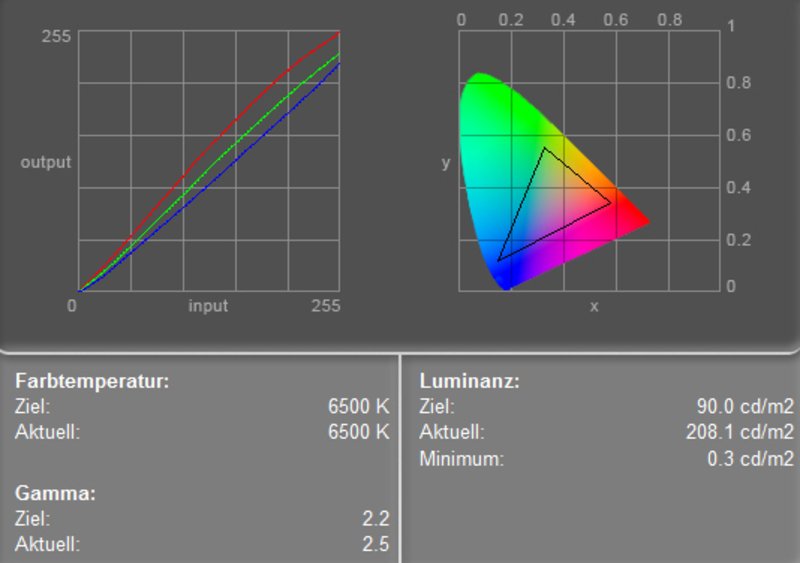
The 17“ WUXGA Display with a resolution of 1920x1200 Pixel provides excellent overview and a great focus and convinces with its good indicators.
The maximum value of the brightness is 242.8 cd/m². A brightness drop on the edges and corner areas of the display is an average brightness of a good 213.1 cd/m². The illumination is 76.9%.
| |||||||||||||||||||||||||
Brightness Distribution: 75 %
Contrast: 741:1 (Black: 0.3 cd/m²)
High class is the maximal contrast value of the WUXGA display. The minimal brightness is 0.3 cd/m², together with the maximal brightness it results in great 809:1.
The speed of reaction is first class 7 milliseconds. Also in the practical game test we didn’t find any negative aspects.
As you can see in the video about the viewing angle the weak point of the display is its reflecting surface. Even with moderate surrounding brightness and a rather dark display disruptive reflections in inner rooms occur. So it is recommended to check the position of the notebook to the source of light. The usage outside is bad because of the strongly reflecting surface.
In respect to the vantage point stability the used WUXGA display shows a sufficiently big stable working area, in the horizontal and vertical area. With a greater viewing angle a darkening or lightening of the display can appear in the vertical direction, in the horizontal direction reflections can appear.

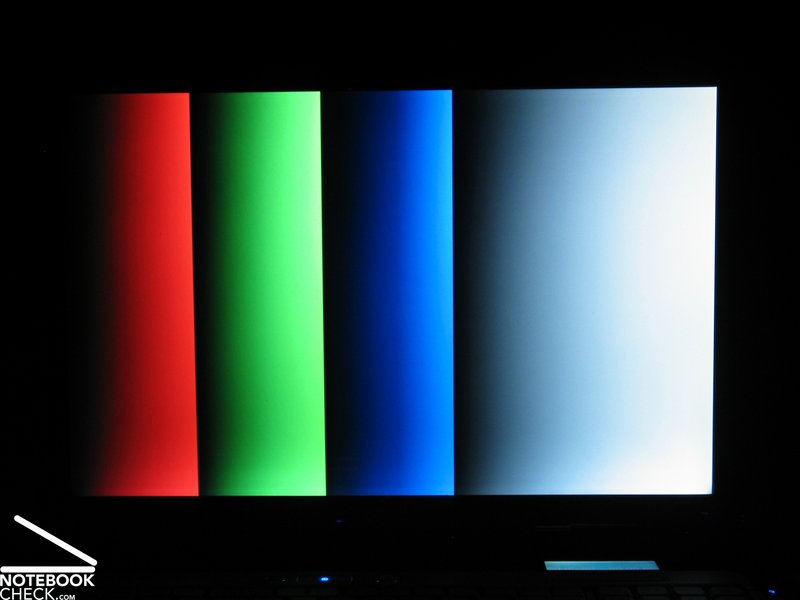
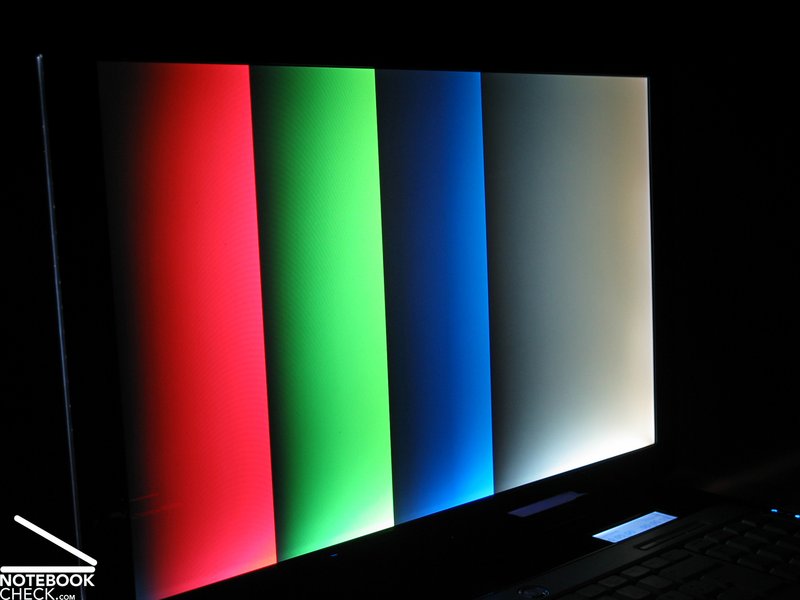
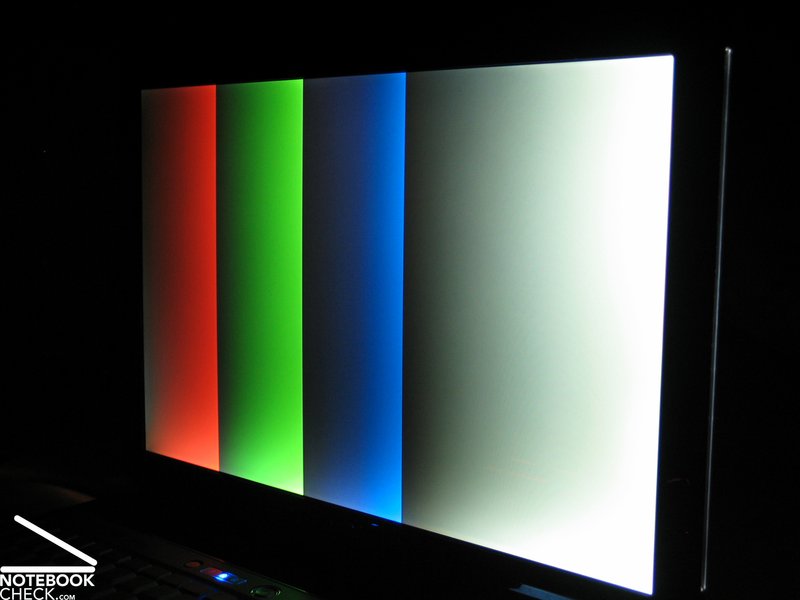
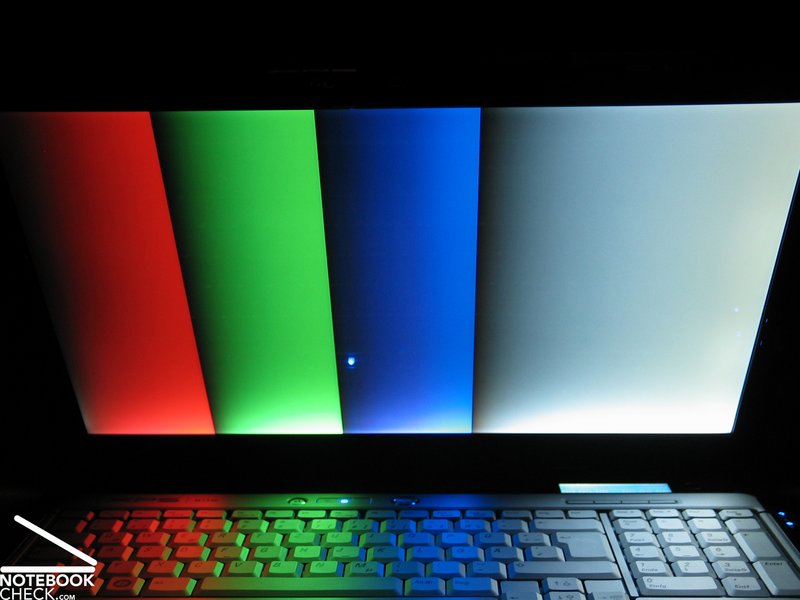
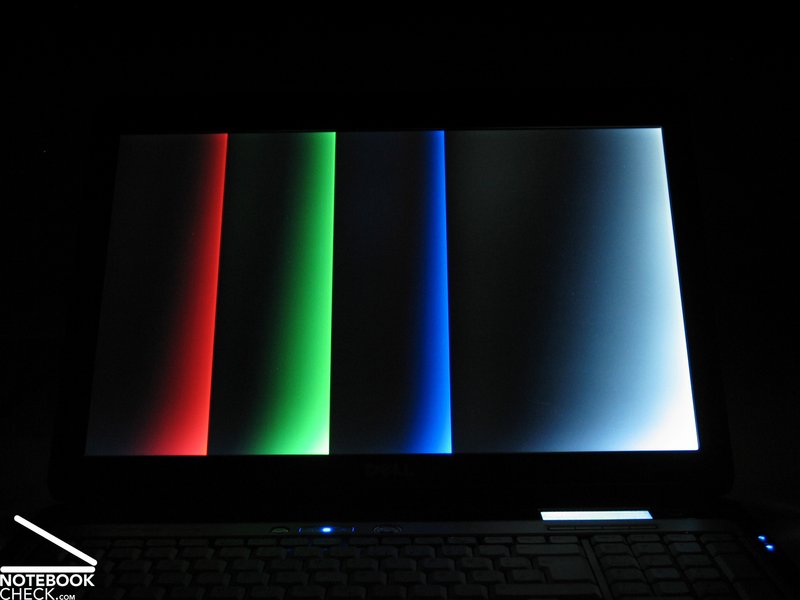
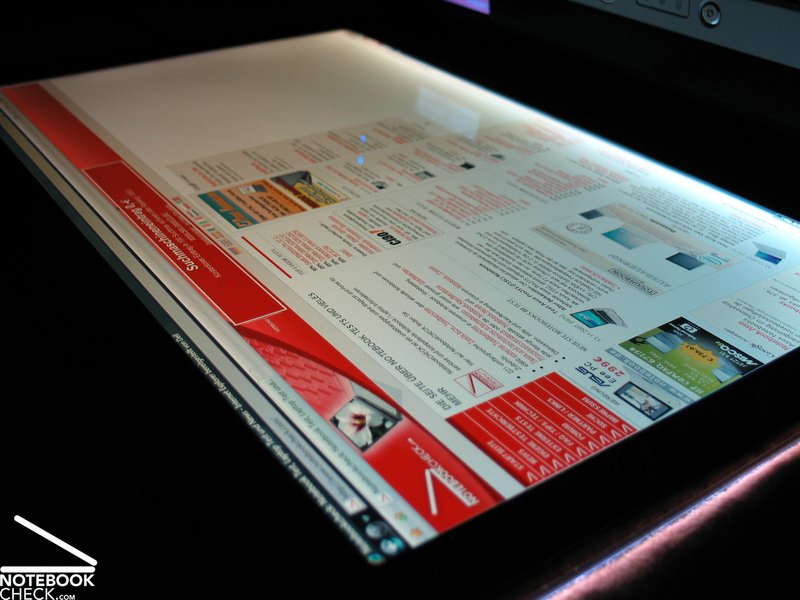
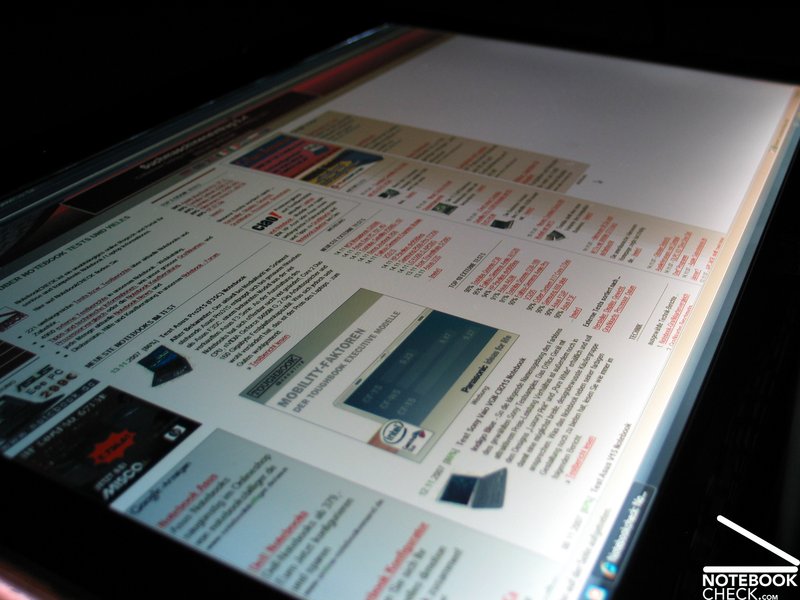
viewing angle video of the display
Performance
Expectations of a gaming notebook are of course high. With the provided hardware the Dell XPS M1730 is quite good. The test console provided an Intel Core 2 Duo T7500 processor, with a clock of 2.2 GHz (4 MB L2 Cache, 800 MHz FSB, VT, DAT - 35 watt) this means good performance.
Alternatively, in the online configuration Dell offers currently a T7700 CPU (2.4 GHz) and a Core 2 Extreme X7900 CPU with believe it or not 2.8 GHz. But this costs just a mere 990.- euro extra. Cheaper would be theT7700 CPU which cost „only" 100.- Euro (70 dollar/50 pound) more.
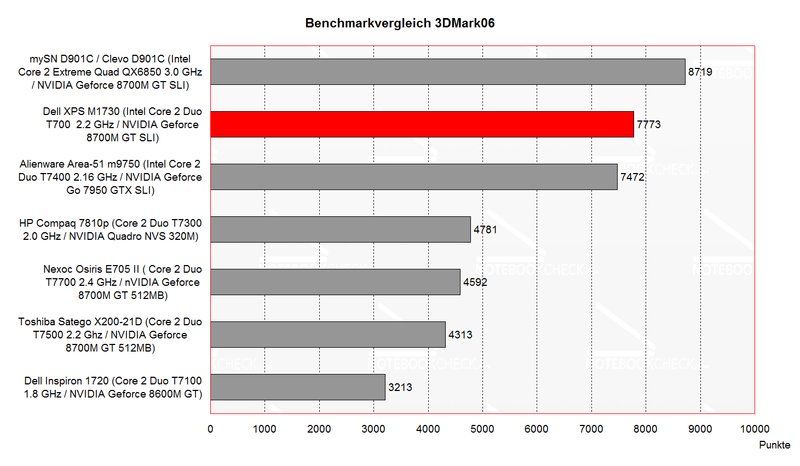
The graphic provide two nVIDIA Geforce 8700M GT video cards (SLI) with in total 512MB memory. This should provide the console first class graphic performance but who thinks 2x1=2, is mistaken. By means of the benchmark tests could be found only a moderate difference (+/- 10 to 20%) between enabled and deactivated SLI function.
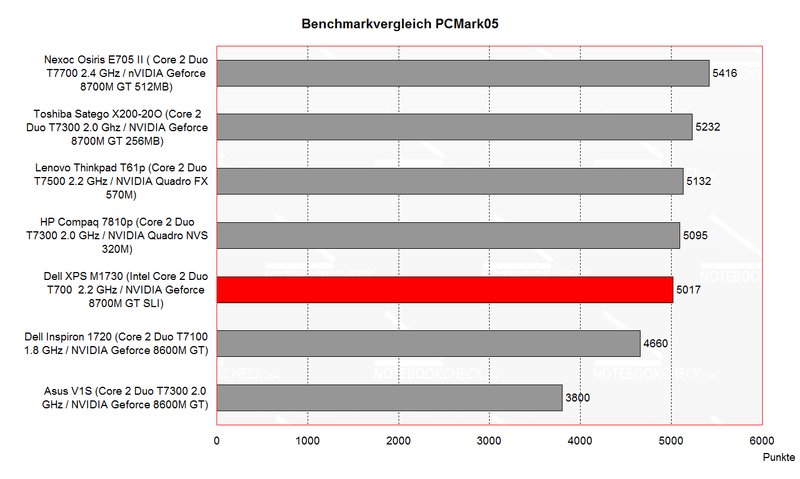
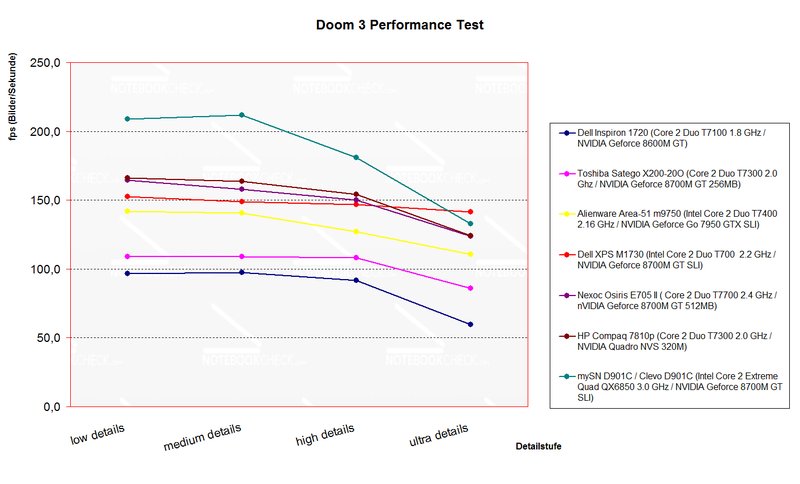
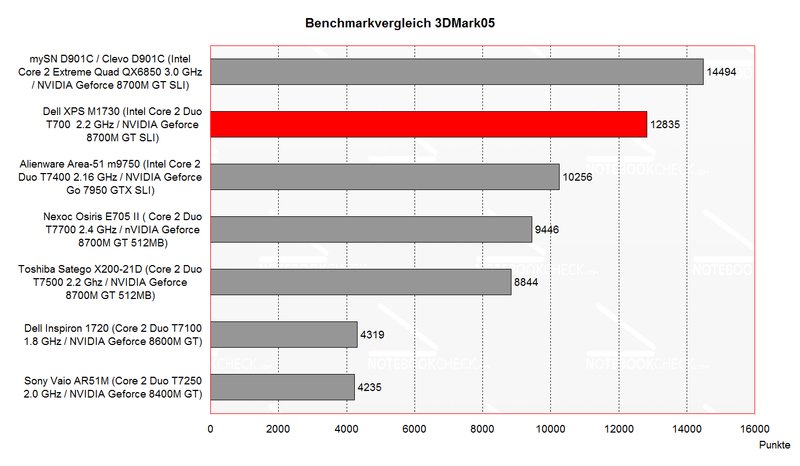
The SLI system can only score if this function is provided by the software. It remains to be seen how useful this technology will be at the upcoming new games. But there is still one question: Will be the Dell XPS M1730 be available with the presented nVIDIA Geforce 8800M GTS/8800 GTX ?
There are already possible rivals: Alienware with the models mx17x and mx15x or the SR17 of Cyber-System. First benchmark tests showed that the 8800M GTX provides high class performance at current games like Crysis and allows fluid playing on the notebook, even with high resolutions.
But now back again to the provided hardware of the XPS M1730. Apart from T7500 CPU and 8700MGT Graphic there is another piece of hardware which is supposed to raise the performance of the XPS. A PhysiX-accelerating card of AGEIA. Like the name lets assume this PCI card is only intended to calculate the physical processes like explosions or the movements of detailed surfaces like water or grass.
Besides this the CPU discharged is and more details are possible in the game. But often the support of the game is necessary (current: Gears of War, Gothic 3, Ghost Recon,… - More about this on the official homepage of AGEIA.)
Apart from first class results of the 3D benchmark tests the Dell XPS M1730 reached good results also in the game tests. Doom 3 provides at ultra still excellent 141.5 fps and even FEAR could reach with maximal GPU and CPU configuration very good 55 fps.
In the Crysis benchmark test with a resolution of 1280x800 with medium detail the limit was reached. An average of 19.13 fps and therefore unsuited to play. With lower resolution and details better results could be reached but really beautiful graphics? No.
Apart from all benchmark tests we have the following conclusion: The provided hardware masters older games easily and gives first class performance but has its problems with the coming standards.
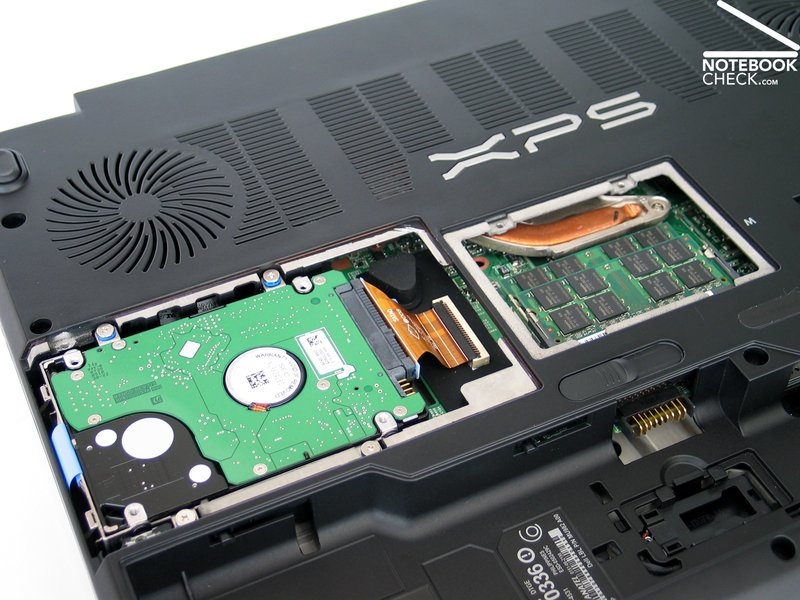
Also in respect to the hard disc many options are available. These are fast 200GB hard discs with 7200r.p.m.s., a 320GB hard disc with 5400r.p.m.s. or RAID solutions with 2x160GB/7200 r.p.m.s., 2x200GB/7200 r.p.m.s. and 2x250GB/5400 r.p.m.s. With these good performance or maximal capacity is possible.
| 3DMark 2001SE Standard | 26572 points | |
| 3DMark 03 Standard | 26254 points | |
| 3DMark 05 Standard | 12835 points | |
| 3DMark 06 Standard Score | 7773 points | |
Help | ||
| PCMark 05 Standard | 5017 points | |
Help | ||

| Doom 3 | |||
| Resolution | Settings | Value | |
| 1024x768 | Ultra, 0xAA, 0xAF | 141.5 fps | |
| 800x600 | High, 0xAA, 0xAF | 146.8 fps | |
| 640x480 | Medium, 0xAA, 0xAF | 148.9 fps | |
| 640x480 | Low, 0xAA, 0xAF | 152.4 fps | |
| F.E.A.R. | |||
| Resolution | Settings | Value | |
| 1024x768 | GPU: max, CPU: max, 0xAA, 0xAF | 55 fps | |
| 800x600 | GPU medium, CPU medium, 0xAA, 0xAF | 82 fps | |
| 640x480 | GPU min, CPU min, 0xAA, 0xAF | 357 fps | |
| Crysis - GPU Benchmark | |||
| Resolution | Settings | Value | |
| 1440x900 | High, 0AA, 0AF | 14 fps | |
| 1280x800 | High | 17 fps | |
| 1024x768 | High | 20 fps | |
| 800x600 | High | 23 fps | |
| Lightsmark | |||
| Resolution | Settings | Value | |
| 1920x1200 | 73.9 fps | ||
| 1680x1050 | 86.4 fps | ||
| 1440x900 | 101.1 fps | ||
| 1280x1024 | 99.5 fps | ||
Loudness
Especially on this point Dell amazes, and the same goes for the XPS M1730. Although the tested notebook uses up to date and efficient technology the case temperatures and the sound emissions are quite good.
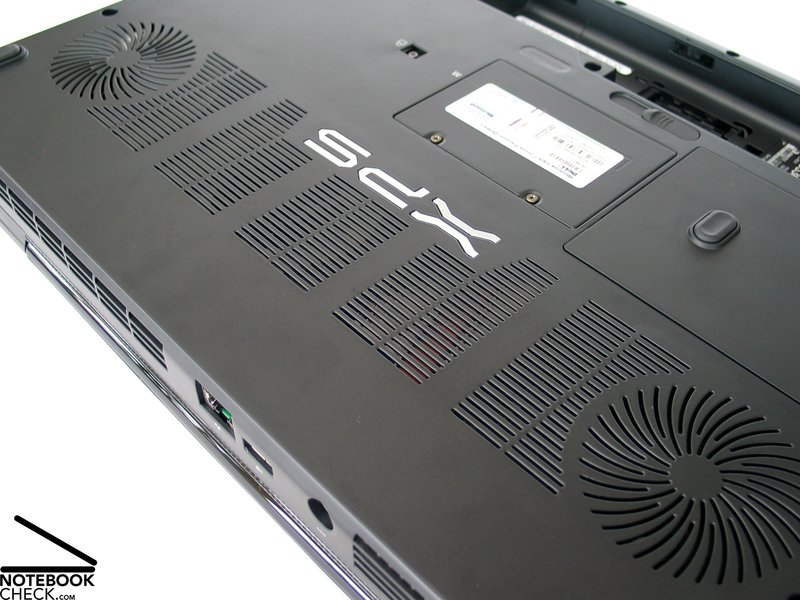
At the idle operation the fan was mostly deactivated and the notebook ran quiet (31.2 dB) and hardly audible. Even at some office actions and/or internet surfing the fan remained silent. When under load the fan starts and emits warm air on the back side.
Even after some hours of gaming action the fan was quite quiet and we were sure: 37.7 dB under load is the maximum of the Dell XPS. Other office notebooks are louder even at the idle operation than the XPS after some hours of gaming action. Dell did a fantastic job here.
Noise level
| Idle |
| 31.2 / 31.2 / 37.7 dB(A) |
| HDD |
| 31.2 dB(A) |
| DVD |
| 35.9 / dB(A) |
| Load |
| 34.7 / 37.7 dB(A) |
 | ||
30 dB silent 40 dB(A) audible 50 dB(A) loud |
||
min:  , med: , med:  , max: , max:  (15 cm distance) (15 cm distance) | ||
Temperature
The surface temperature is like the sound emissions of the notebook. On the top side only slight heating is noticeable. First on the rearward area where the CPU and video chip are located in the case increases the temperature few, but stays at a good 41.1°C.
Temperatures on the bottom are similar to the top side. With maximal 40.6°C in the rearward area the temperature is even better than on the top side.
(±) The maximum temperature on the upper side is 41.1 °C / 106 F, compared to the average of 40.4 °C / 105 F, ranging from 21.2 to 68.8 °C for the class Gaming.
(±) The bottom heats up to a maximum of 40.6 °C / 105 F, compared to the average of 43.2 °C / 110 F
(+) The palmrests and touchpad are cooler than skin temperature with a maximum of 31.2 °C / 88.2 F and are therefore cool to the touch.
(-) The average temperature of the palmrest area of similar devices was 28.8 °C / 83.8 F (-2.4 °C / -4.4 F).
Speakers
The Dell XPS has two 18mm Speaker per speaker case. So the XPS has two speakers on every side, in total four speakers.
The provided sound is quite good, but varies with the kind of music. Basses are there but they don’t reach the level of notebooks with separate subwoofer. The maximal loudness is ok, but could be somewhat higher for music and DVD.
Battery Runtime
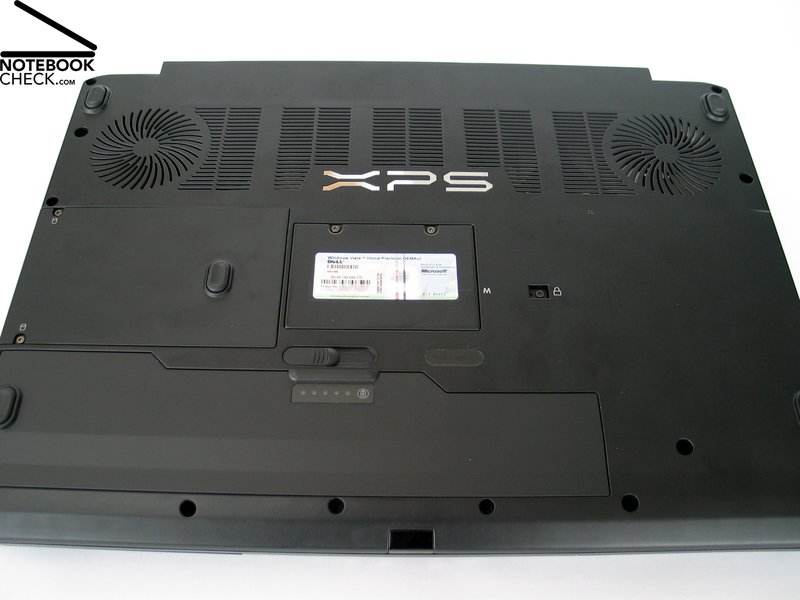
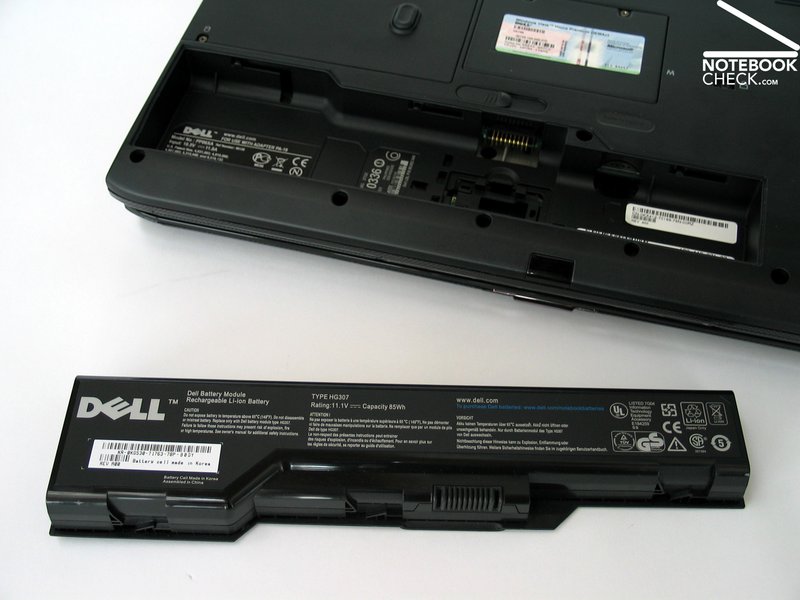
Of course, the Dell XPS M1730 has a battery, but in practical use it will only rarely be used. The battery located on the bottom side with a capacity of 85Wh is in spite of its strong current consumption still capable to provide the XPS with power for some time.
Under load the runtime is only about 60 minutes. At maximal energy saving configuration (min. brightness, WLAN deactivated, energy saving profile,..) can the runtime increase up to 110 minutes.
In total the Dell XPS is not a very mobile console, but with this performance the runtime is still ok. Short WLAN sessions are possible with this console.
| Off / Standby | 0 / 0 Watt |
| Idle | 61.7 / 65.9 / 69.5 Watt |
| Load |
125.5 / 138.6 Watt |
   
| |
Key:
min: ,
med: ,
max: | |
Verdict
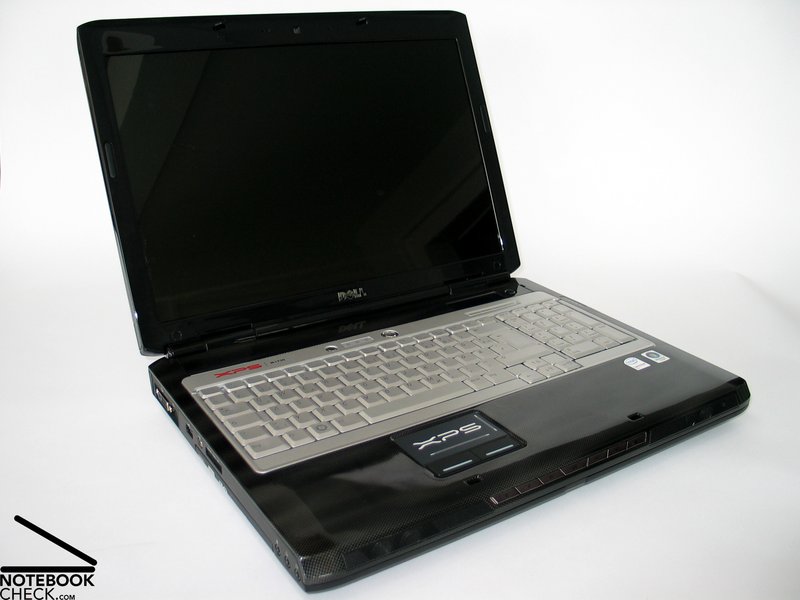
The Dell XPS M1730 could score with more than only its appearance. The highlights of the gaming console are especially the attractive case, the bright display the good performance and the low sound and temperature emissions.
Except for some ugly big parts and slits the nearly five kilo console still looks compact. The design of the case is very nice, especially the LED illumination.
The keyboard is for a gaming console ok. The possible deflection point was somewhat too big, but in total this shouldn’t be a problem for a notebook which is not intended for long texts. The same goes for the unusual position of the keys because of the big case.
We also liked the additional features like the gaming display or the impressive keyboard illumination.
The display in the WUXGA format provides a good resolution and passable brightness. Very good was the maximum contrast because of the low black level. Also the vantage point stability is very good, as long as the ambient brightness is not so high to avoid reflections on the display.
In respect to the performance the Dell XPS M1730 provides a good performance which was recently still the limit in notebooks. Two nVIDIA Geforce 8700M GT video chips and strong Core 2 Duo CPUs from Intel provide a good game performance. But at new DX10 titles like Crysis the performance is rather low. Better is the new Geforce 8800M GTX, which has only recently started to be used in the notebooks.
The very low emissions of the gaming notebook are quite impressive. In the idle operation the XPS M1730 is nearly silent and also under load is the fan quiet. Moreover the surface temperature is quite low.
Secondary is the battery runtime of the XPS M1730. With runtimes between one and two hours the XPS is not really a mobile console.
 Add as a preferred source on Google