




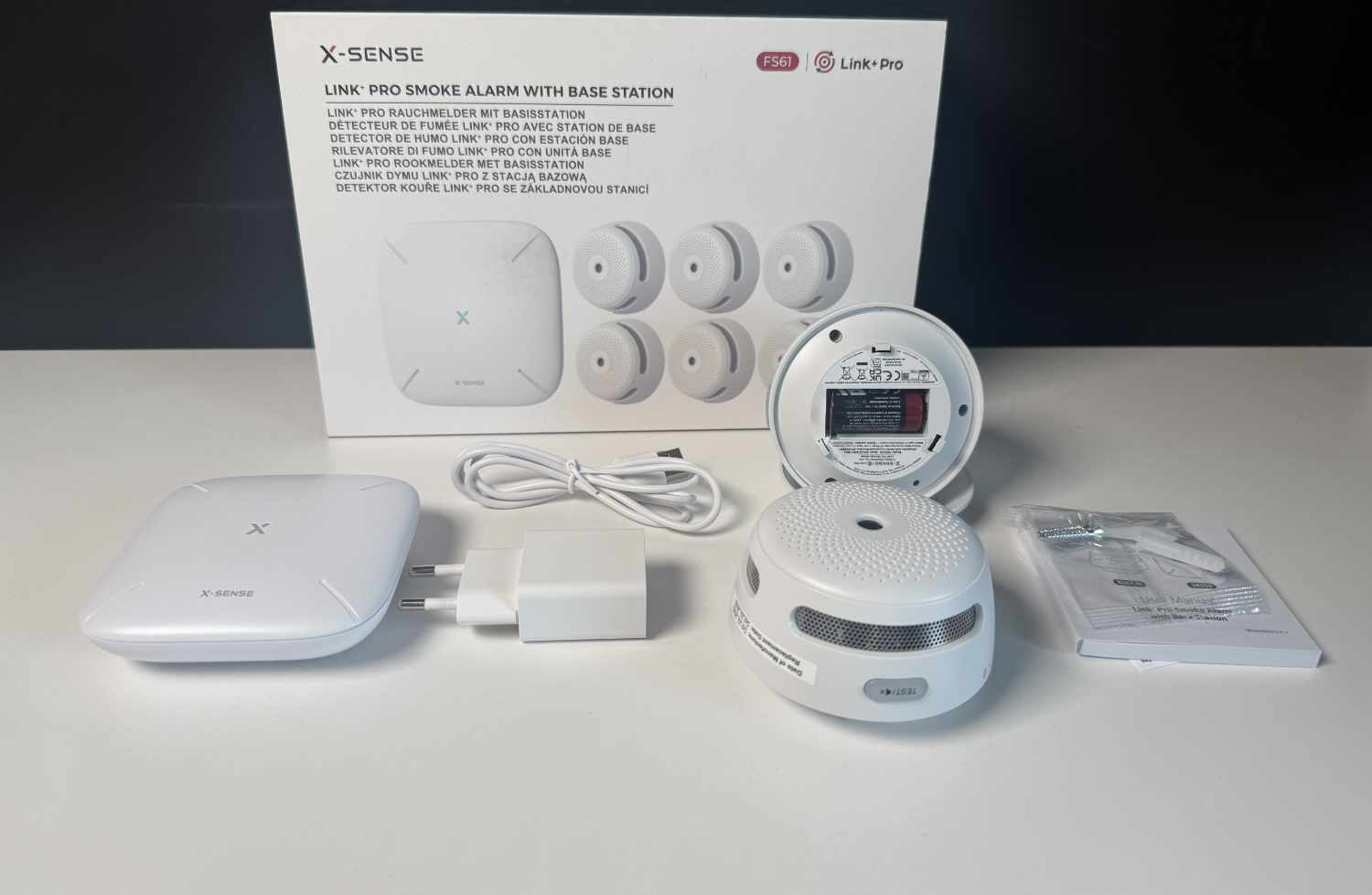
Smoke detector with Smart Home connectivity: X-Sense XS01-M (FS61) review
Smart fire alarm.
X-Sense offers smart smoke detectors that can be integrated into a smart home via Home Assistant. We took a look at how well this works with the XS01-M (FS61) and what possibilities it opens up.Marcus Schwarten (translated by DeepL / Marcus Schwarten) Published 🇩🇪 🇳🇱 ...
X-Sense XS01-M (FS61) Test Verdict: A Solid Foundation with Potential
Smart, connected smoke detectors make perfect sense, as they can contribute even more to safety than “dumb” alternatives. X-Sense, for example, offers the XS01-M (FS61) as a solution that can be set up and managed via the app. The app also offers additional features such as app notifications and more, though some of these are available only through a subscription at an affordable price (19.99 euros per year).
In our test, we focused on the connectivity of X-Sense’s smoke detectors and other devices. This worked seamlessly via Home Assistant and greatly expands the possibilities. However, there are still some limitations where we’d like to see improvements—in addition to further smart home integrations.
Pros
Cons
Price and Availability
X-Sense offers the X-Sense XS01-M (FS61) smart smoke detector in various configurations. For example, the suggested retail price for the 6-pack with the SBS50 base station is 139.99 euros, and it is available directly from X-Sense as well as on Amazon.
Table of Contents
Smoke detectors are essential in occupied buildings and help ensure safety. However, many households still use “dumb” models that, while they do sound a loud alarm in the event of smoke or a fire, do nothing more than that.
The next generation consists of interconnected smoke detectors that at least alert each other, making the alarm sound audible from far away. X-Sense takes this a step further with its smart, connected smoke detectors, such as the XS01-M (FS61). This model not only offers app control but also integration with a smart home system. Our X-Sense Smart Smoke Detector review explains what this means, what possibilities it opens up, and how it works.
Features: Smart Smoke Detector with Home Assistant Integration
Before we dive into the smart features, here are a few general notes about the X-Sense XS01-M Smart Connected Smoke Detector (FS61). It is available in various kit sizes, but in every case includes and requires the SBS50 base station for connectivity. The package also includes mounting hardware for installing the smoke detectors on the ceiling.
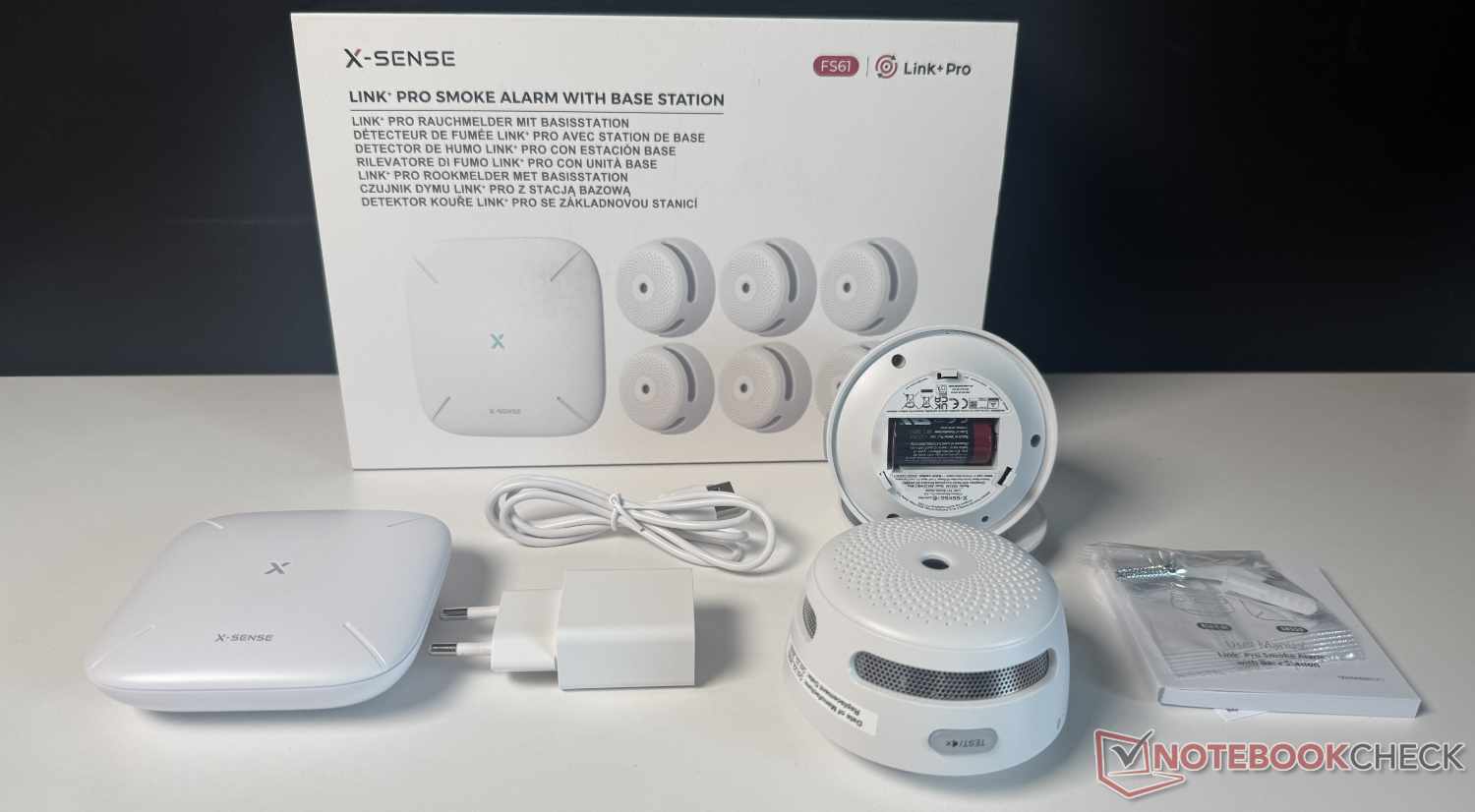
The smoke detector itself is equipped with a photoelectric sensor. This review is explicitly not intended to assess its functionality or reliability. Since the product has been certified by TÜV Rheinland, among others, and a small practical test we conducted also triggered an alarm, its basic functionality is likely assured—though we cannot guarantee it.
Instead, we want to focus on the smart home connection and integration of the X-Sense XS01-M (FS61). According to the manufacturer, the smoke detector—which uses 2.4 GHz Wi-Fi—is compatible with Home Assistant via the SBS50 base station. This is (unfortunately) the only option currently available. Matter, for example, is not supported.
Home Assistant is an open and widely used smart home system that’s very popular among hobbyists and tinkerers, for example. It offers the ability to connect countless smart home devices and other systems with one another. We’ll explain exactly how this works with this smoke detector below.
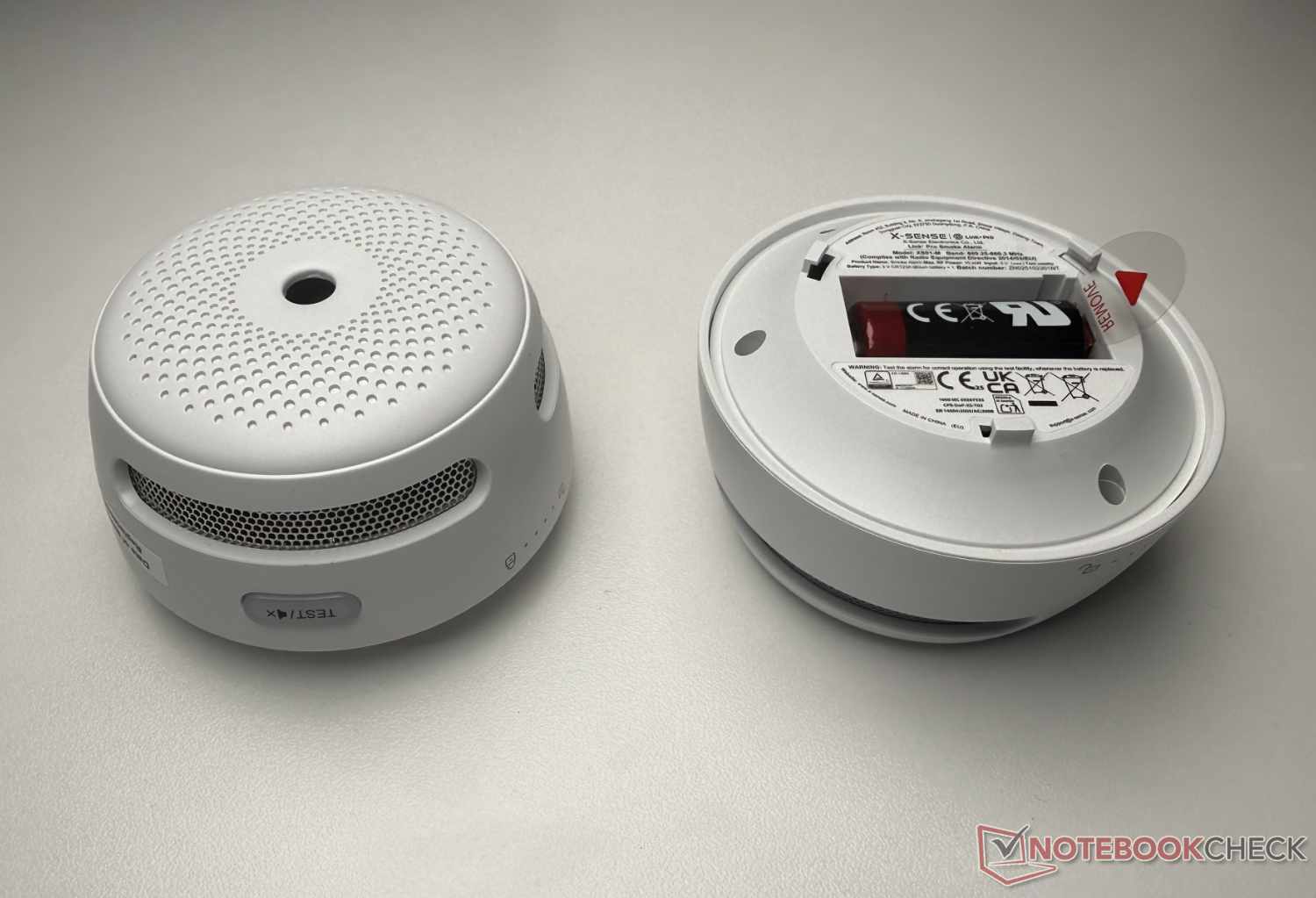
First, a few more words about the hardware. The X-Sense XS01-M Smart Connected Smoke Detector (FS61) is relatively compact, with a diameter of about 7.5 cm, but it’s quite thick at just under 5 cm. Other models are significantly flatter, such as the X-Sense XS0B-MR. That model also offers voice output, which the XS01-M lacks.
Unfortunately, additional sensors—such as those for indoor air quality—are not built in either. However, the manufacturer offers many other products, such as CO detectors, water sensors, thermometers, and hygrometers, all of which can be connected to the base station via Link+ Pro. This allows various areas related to safety and comfort to be covered.
Especially affordable right now: X-Sense FS61 Smart Smoke Alarm Kit for €92.39 (34% OFF)
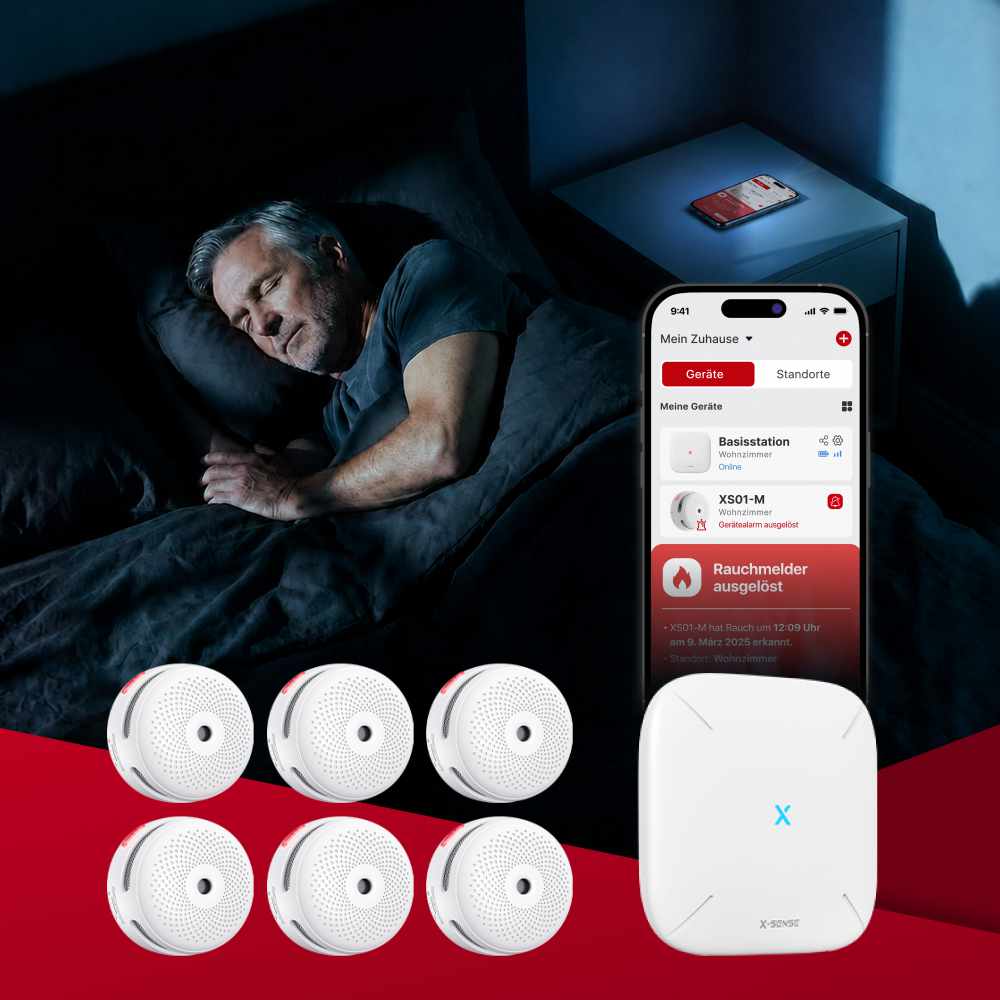
Apply discount code AFQ2XSENSE at checkout to get the X-Sense FS61 Smart Smoke Alarm Kit for €92.39 (34% OFF) - that’s just €13.2 per smart smoke alarm.
FS61 links multiple alarms through a base station for instant app notifications and whole-home control in one place. You can check device status, run a quick test, and silence nuisance alarms remotely—no ladder needed. Alerts can also be shared with family members, so everyone stays informed even when you’re away.
Grab the deal now and start by covering high-priority areas like bedrooms, basement, and hallway.
App: With an Optional Premium Subscription
The first step is to connect the X-Sense XS01-M (FS61) to the SBS50 base station. To do this, connect the base station to a power outlet using the included USB-C-to-A cable and the included USB-A power adapter (or any other compatible one). According to our measurements, power consumption is very low and therefore negligible.
You’ll also need the X-Sense Home Security app, which is available for iOS and Android. After creating an account (with an email address and password) or logging into an existing account, you can connect the base station by tapping the “+” icon. To do this, simply scan the QR code on the back of the station with your smartphone’s camera and enter the Wi-Fi password—that’s it. The connection process worked without any issues during our test.

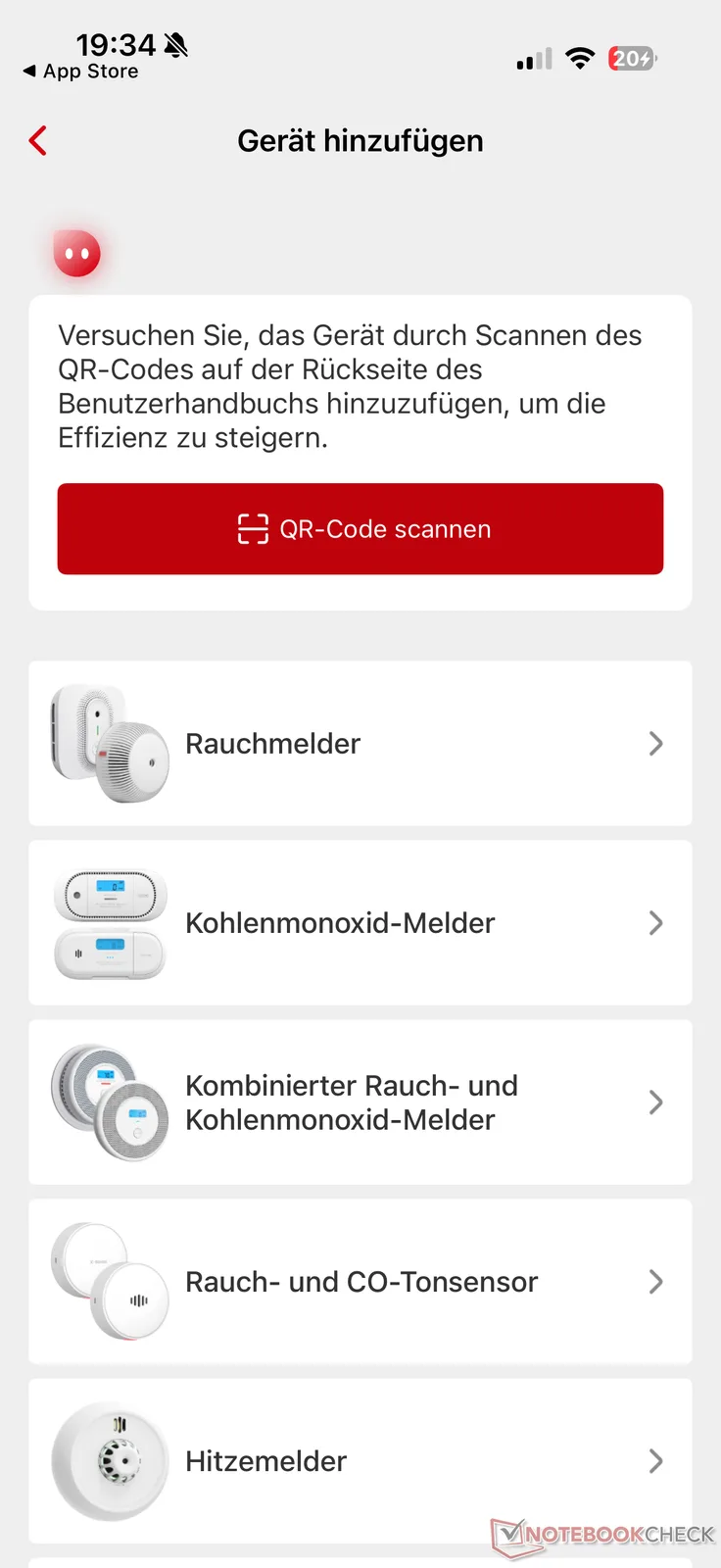
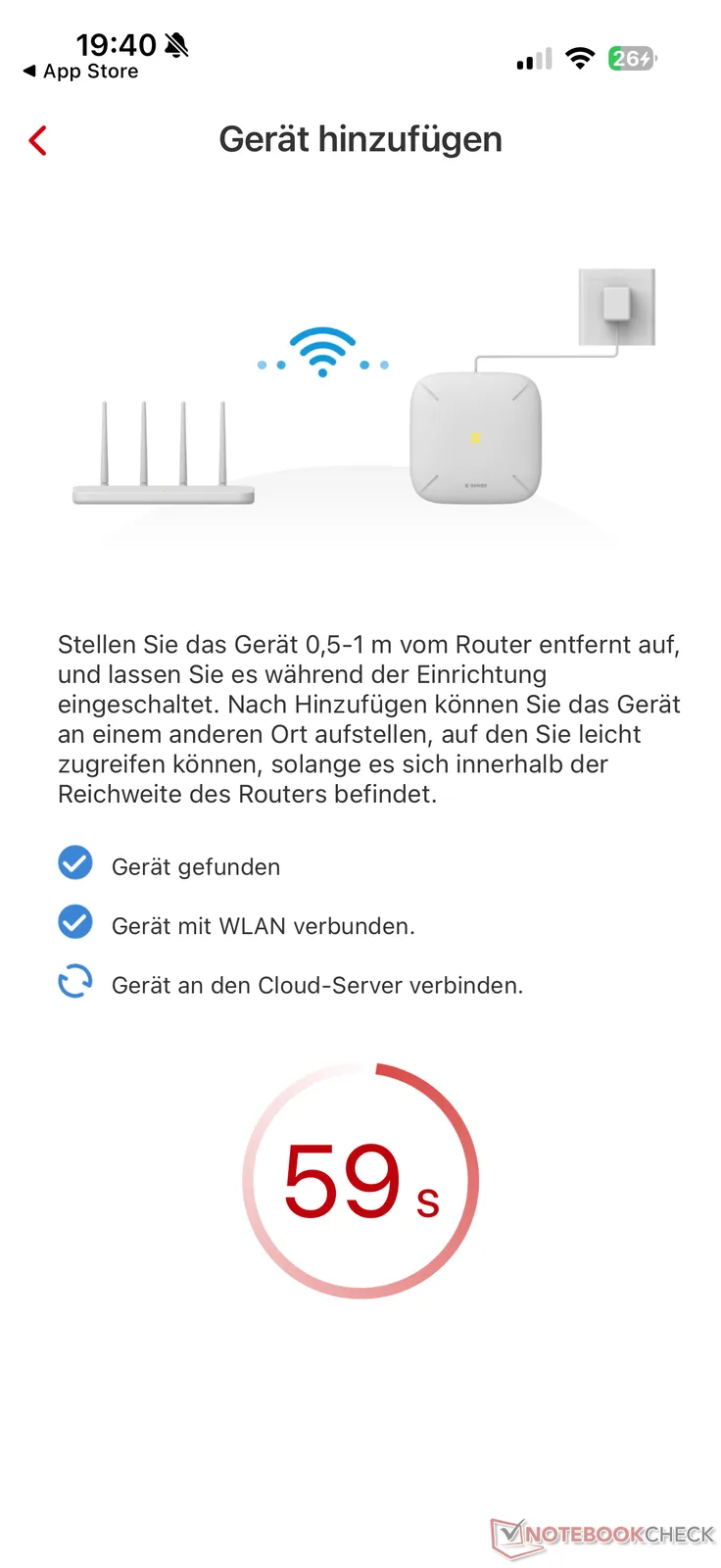
You can then connect the individual smoke detectors and other components to the app. Simply follow the instructions in the app after selecting the appropriate type from the menu. Caution: During setup, the smoke detector will emit a short but very loud warning tone twice.
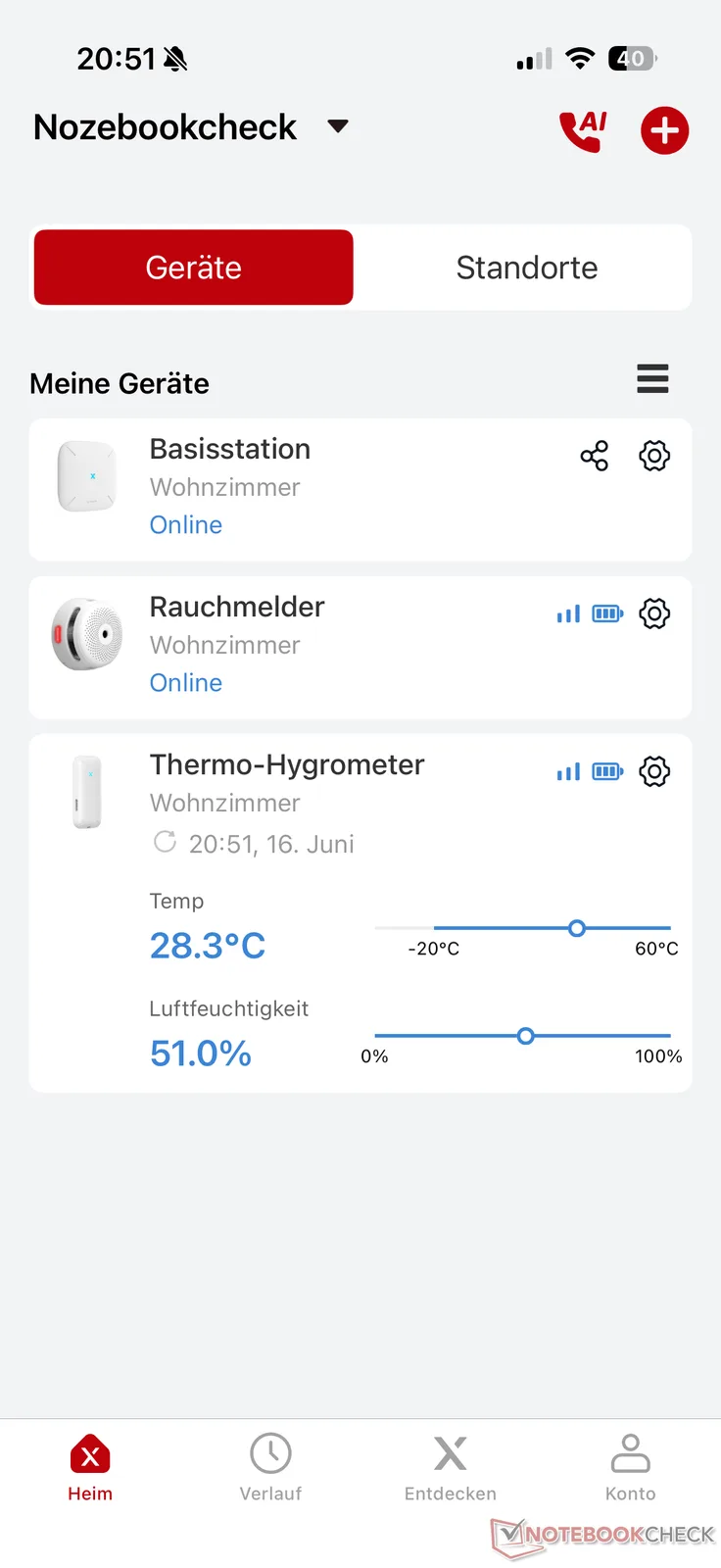
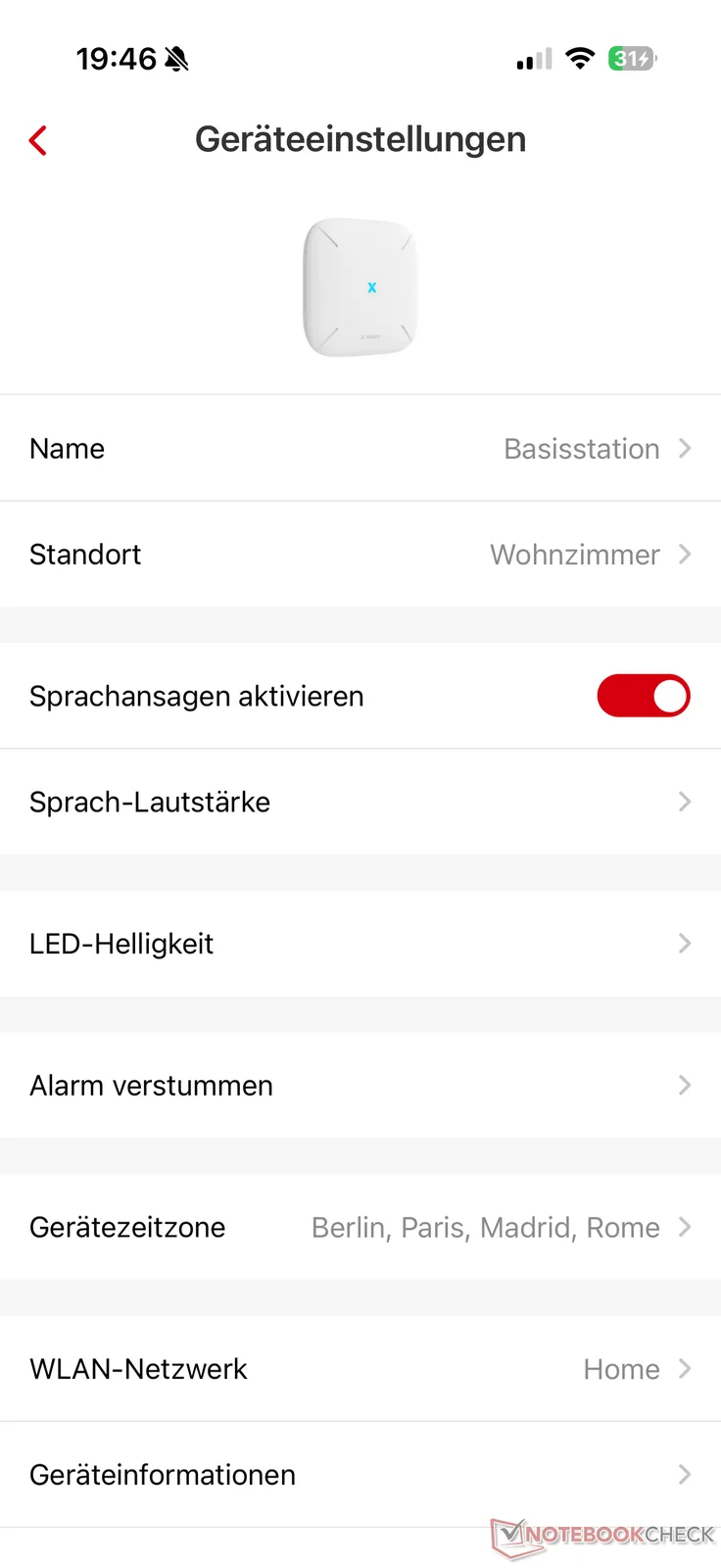
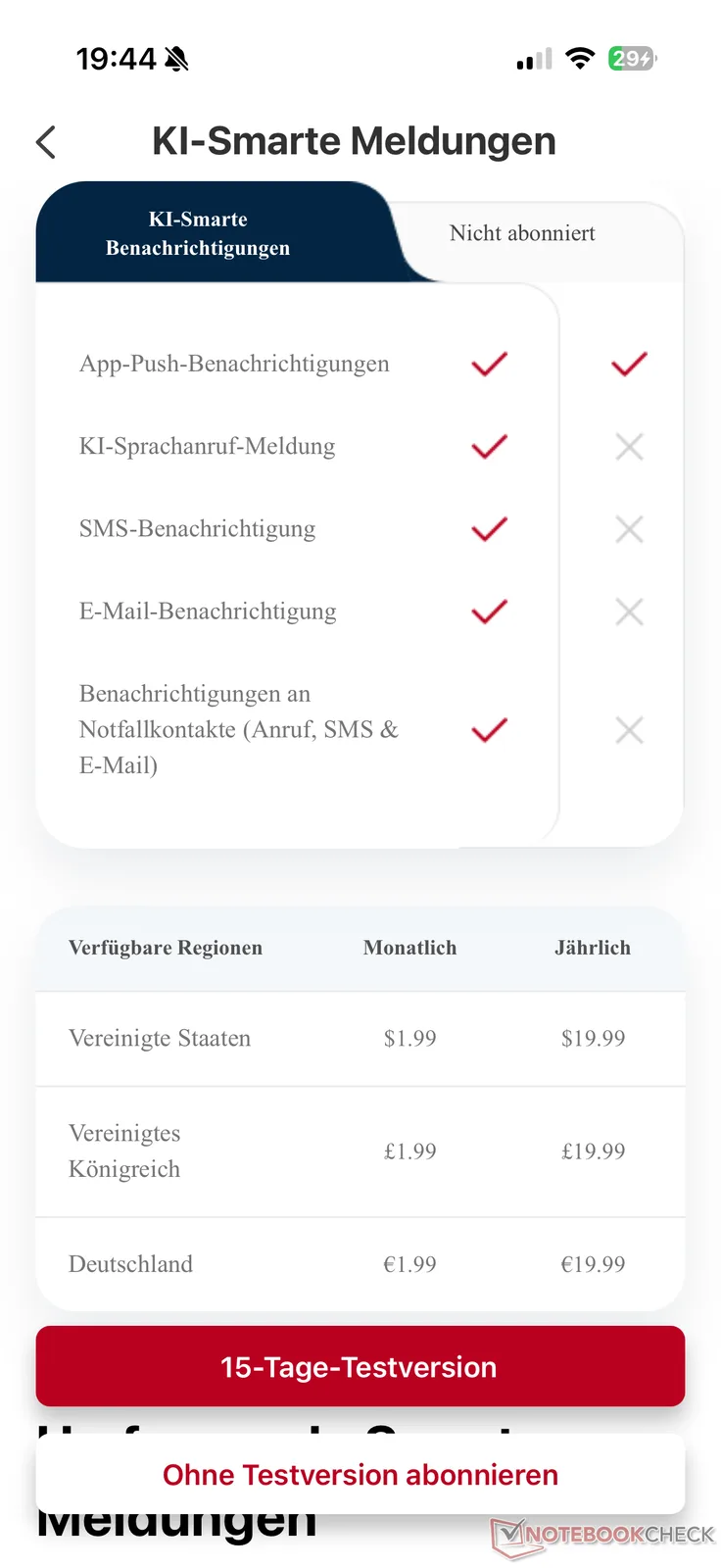
In addition to configuring individual devices, the app enables push notifications in the event of an alarm. If that’s not enough, you can use additional options—but only with a paid subscription. This subscription costs 1.99 euros per month or 19.99 euros per year, making it relatively affordable, and includes AI voice calls, SMS and email notifications, as well as notifications to emergency contacts via phone call, SMS, and email. If you’re interested, you can try the subscription for free for 15 days.
Networking: Establishing a Connection with Home Assistant
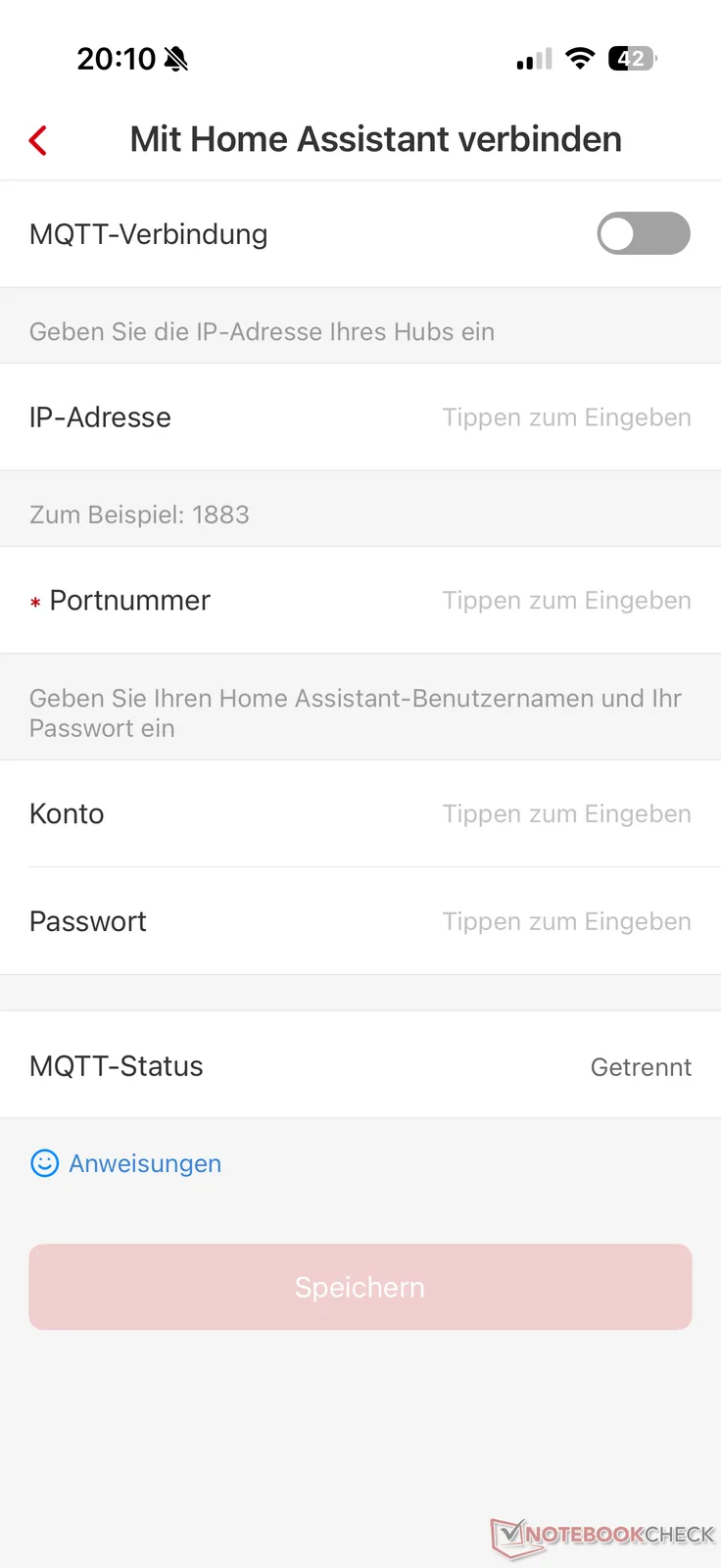
If you want to integrate X-Sense products into your Home Assistant smart home, you'll find instructions for doing so in the app. First, you'll need to install the official Mosquitto Broker add-on under "Settings -> Add-ons" if you haven't already done so. Next, you’ll need the IPv4 address, the MQTT port number, and your Home Assistant login credentials. That’s all it takes to connect your X-Sense devices to Home Assistant locally, without using the cloud.
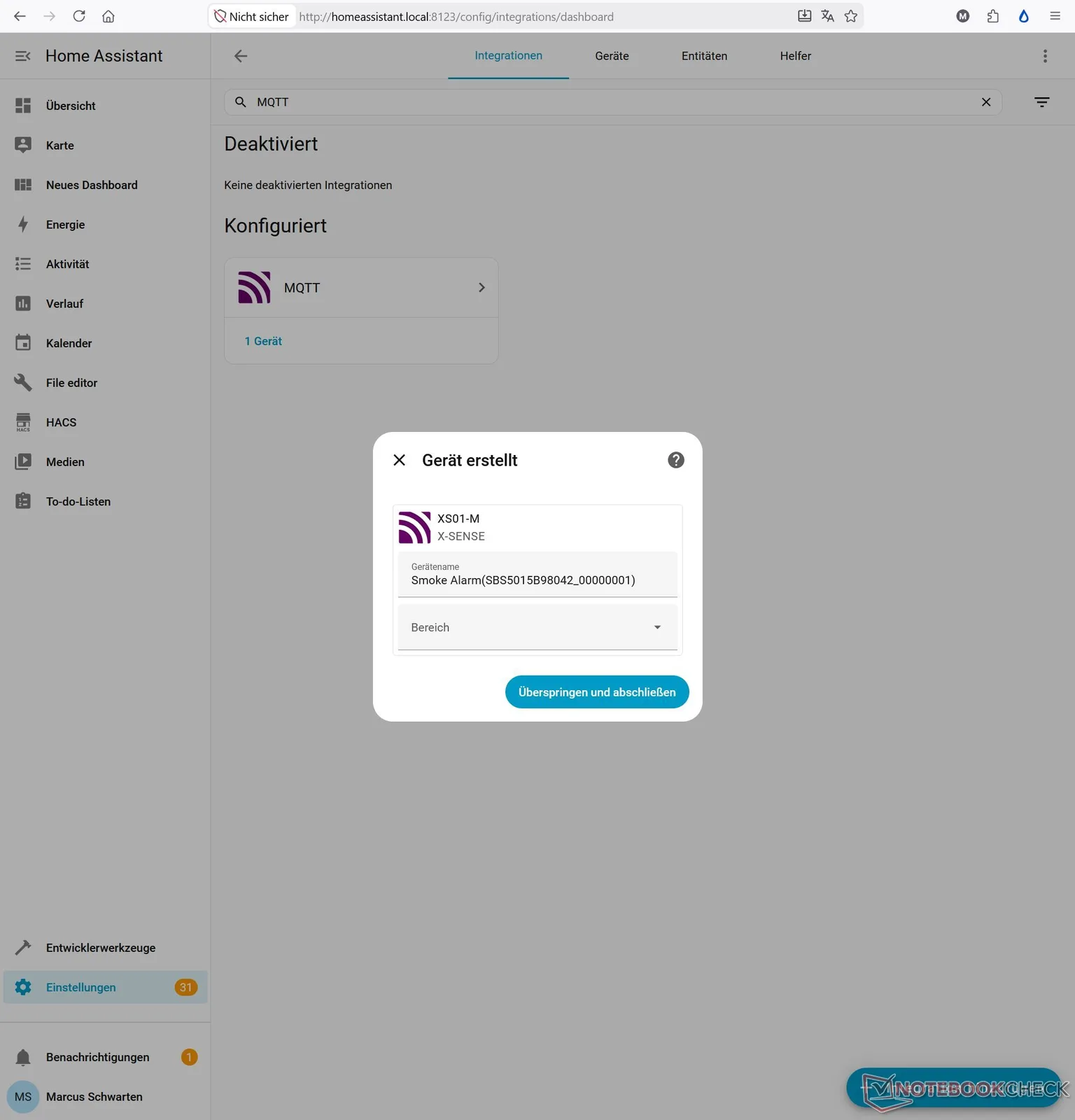
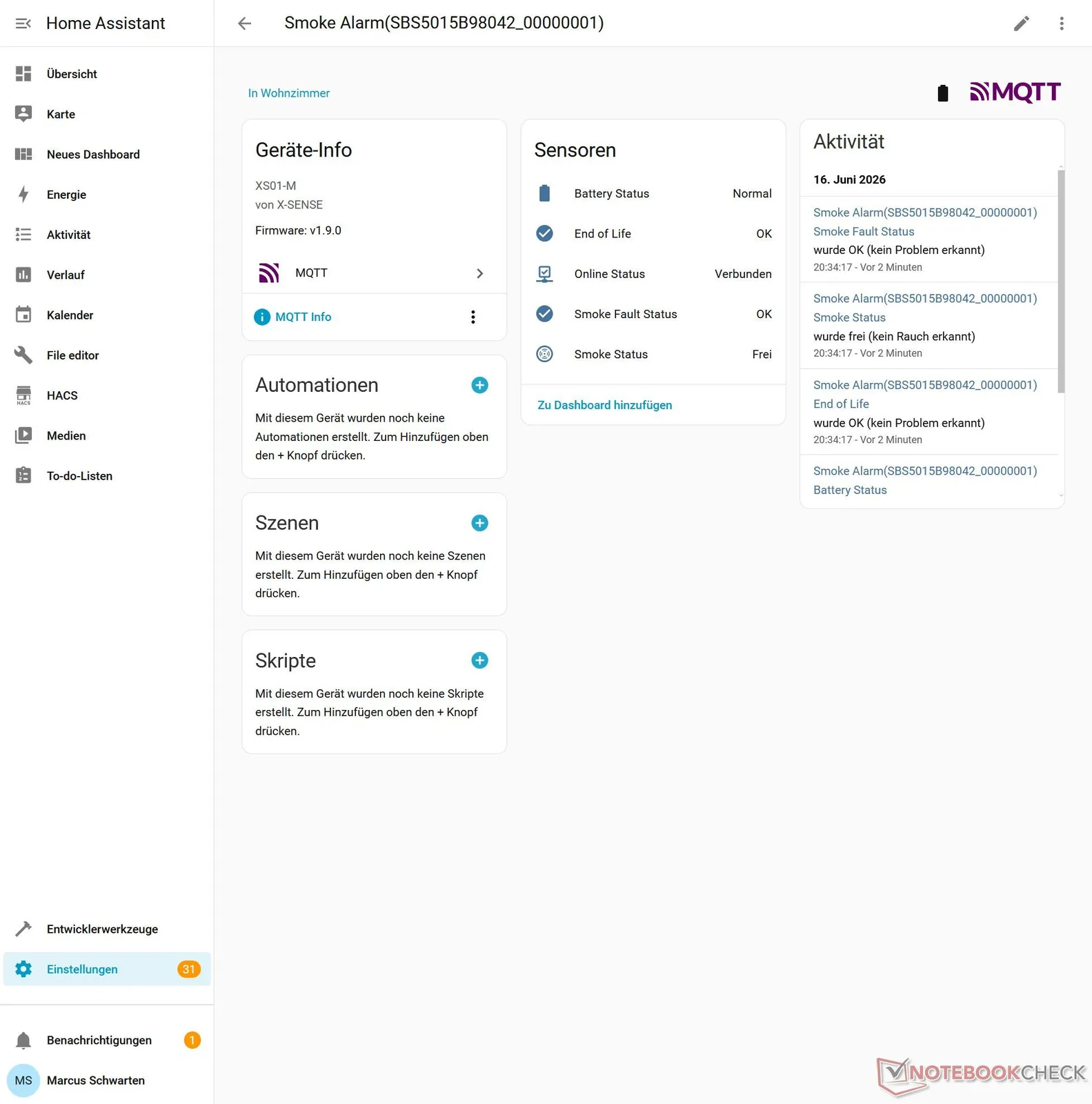
The smoke detectors and other devices connected to the SBS50 base station are now integrated in Home Assistant as devices. For the smoke detector, the following entities are available: "Battery Status," "End of Life," "Online Status," "Smoke Fault Status," and "Smoke Status." In testing, event transmission worked quickly.
Alternatively, integration via HACS is also possible. However, this is the significantly more complicated route and, in my opinion, not recommended since X-Sense now offers official Home Assistant support including an MQTT solution.
In Practice: Useful Automations, but Also Limitations
By connecting X-Sense smoke detectors and other devices, you can set up useful automations in your smart home that can provide even greater safety in addition to the features available through the X-Sense app.
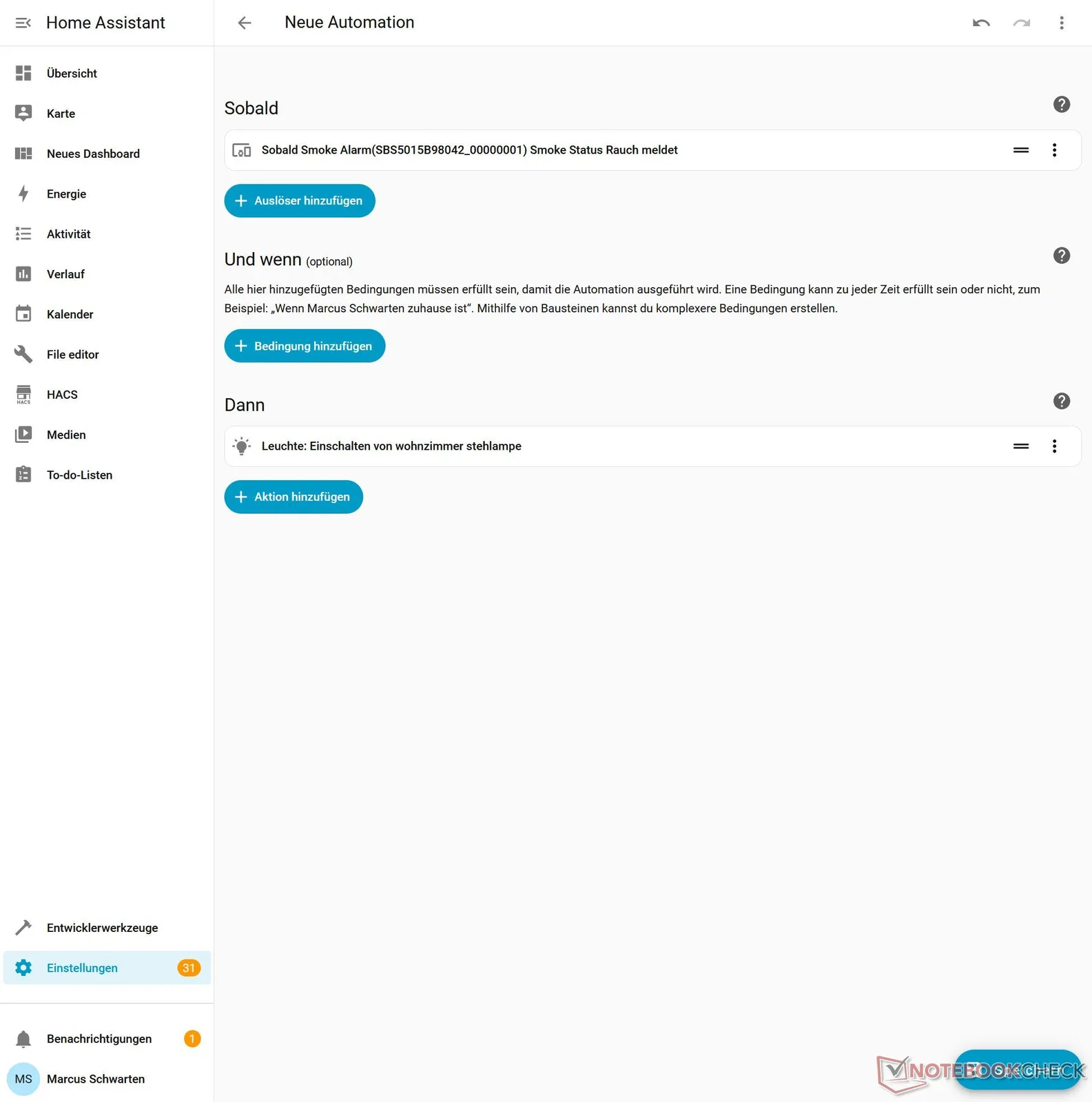
For example, smoke detection by one of the connected smoke detectors can be used as a trigger and a condition for an automation in Home Assistant. This way, in the event of an alarm, the lights throughout the entire house can be turned on automatically, the exterior shutters can be raised, and other useful links can be created. Depending on the number of connected devices in the home, the possibilities are virtually limitless. Visual alarms are also possible, and escape routes can be illuminated and opened. Many other scenarios can be considered and implemented here.
Unfortunately, there are also a few limitations. For example, the smoke detector’s siren cannot be controlled directly to use it as part of an alarm system. Additionally, the selection of devices that X-Sense currently has integrated into Home Assistant is limited to detectors. For instance, the STH0B thermo-hygrometer—which is also compatible with the SBS50 base station—can be connected to it, viewed via the app, and is compatible with Alexa, but it cannot be integrated into Home Assistant.
So there is still room for improvement for X-Sense to ensure that the integration of X-Sense products into the smart home via Home Assistant is truly comprehensive. Additional smart home integrations, including Matter, would also be desirable.
Transparency
The selection of devices to be reviewed is made by our editorial team. The test sample was provided to the author as a loan by the manufacturer or retailer for the purpose of this review. The lender had no influence on this review, nor did the manufacturer receive a copy of this review before publication. There was no obligation to publish this review. As an independent media company, Notebookcheck is not subjected to the authority of manufacturers, retailers or publishers.
 Add as a preferred source on Google


