




CheckMag | What was old is new again: Hands-on with the new Lenovo ThinkPad X1 Carbon Gen 14
 CES 2026
The year is 2011. In this year, Lenovo introduced a new addition to the ThinkPad brand that would stick around: The Lenovo ThinkPad X1 series. What would not stick around was the original machine that introduced this brand name. The original Lenovo ThinkPad X1 was not a success, and only the second model of the series, the Lenovo ThinkPad X1 Carbon Gen 1, would finally bring the success, establishing the ThinkPad X1 as the premium ThinkPad, the flagship of the brand. The ThinkPad X1, the original, is significant for a different reason: It was the one and only X1 ThinkPad with a user-replaceable keyboard.
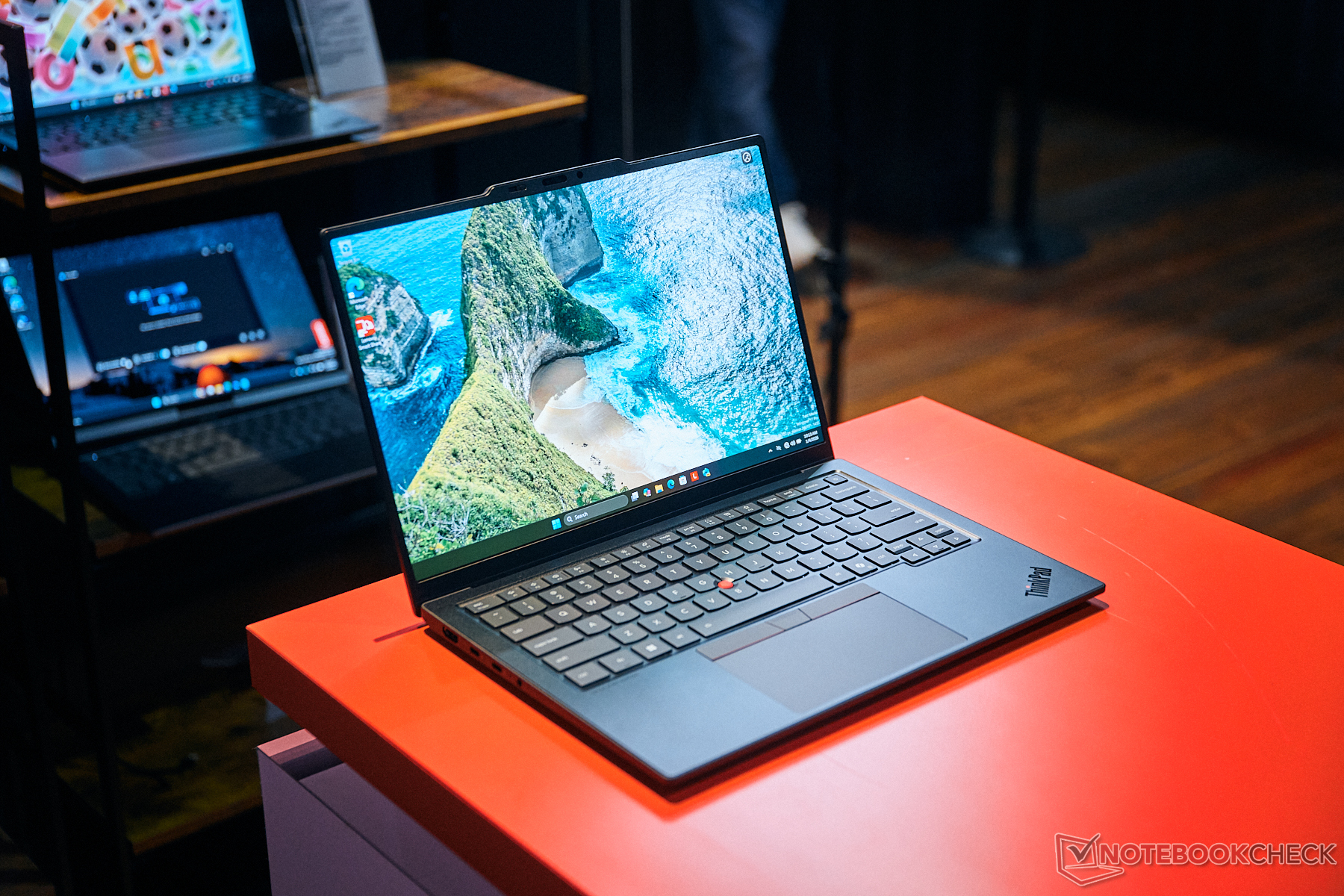
That was the case until 2026. At CES, Lenovo introduced the newest iteration of the X1, the ThinkPad X1 Carbon Gen 14 and its convertible brother Lenovo ThinkPad X1 2-in-1 Gen 11. The design changes these new models bring are the biggest ones for this thin and light laptop series in a long time - we were able to take a look at them.
The "Roll Cage" is back as "Space Frame" in the new 2026 ThinkPad X1 laptops
20 years ago, Lenovo introduced their first ThinkPad laptops after the acquisition of the brand from IBM. The 2006 models, like the Lenovo/IBM ThinkPad T60, were the first ones to include a new feature that would be a huge deal for ThinkPads going forward: The roll cage, an internal magnesium structure frame that would make the laptops much more durable. Over the years, as ThinkPads went thinner and thinner, the roll cage as a dedicated frame mostly disappeared, as Lenovo simply made the entire base part of the laptop out of Magnesium on the more expensive models.
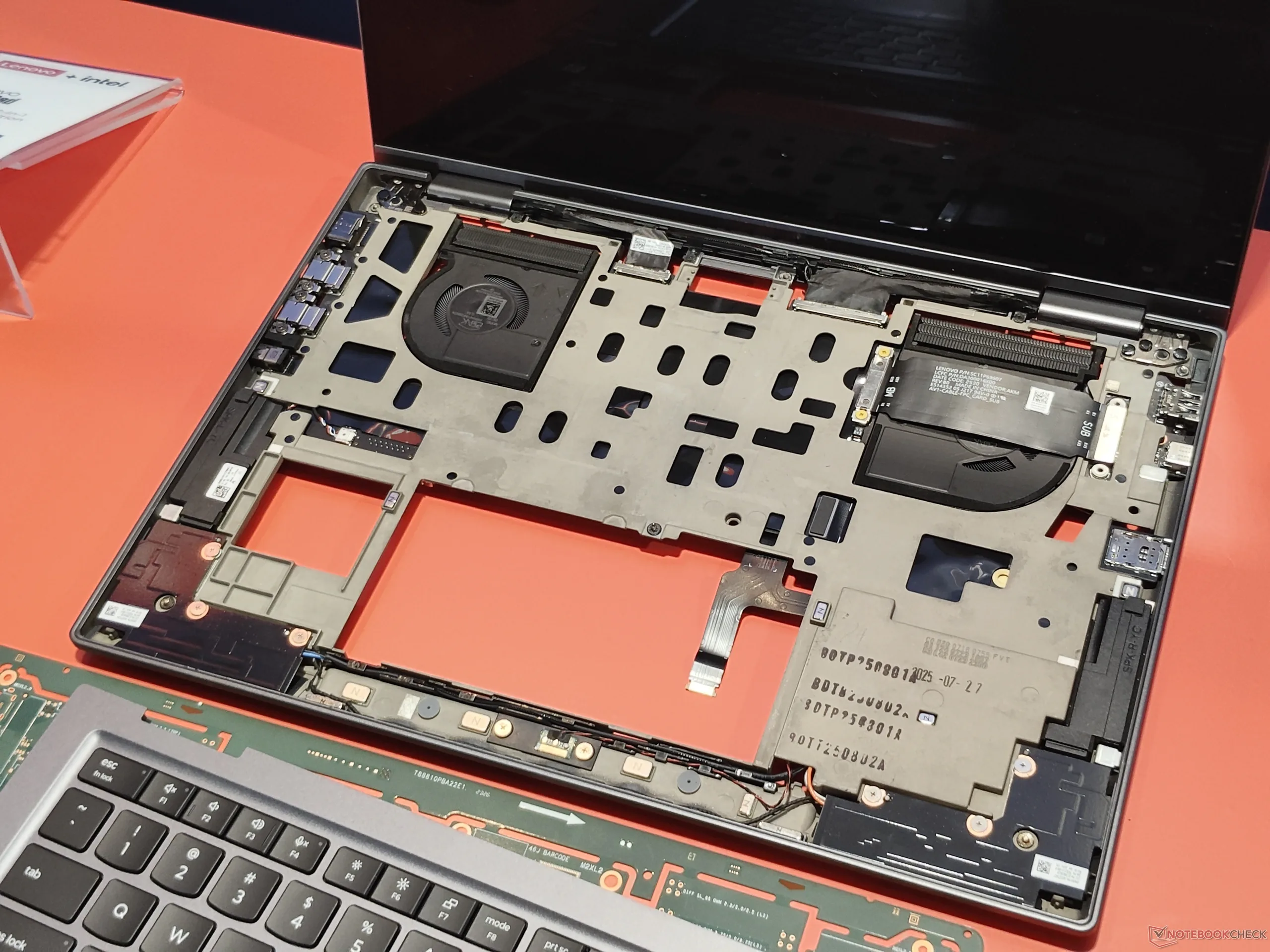
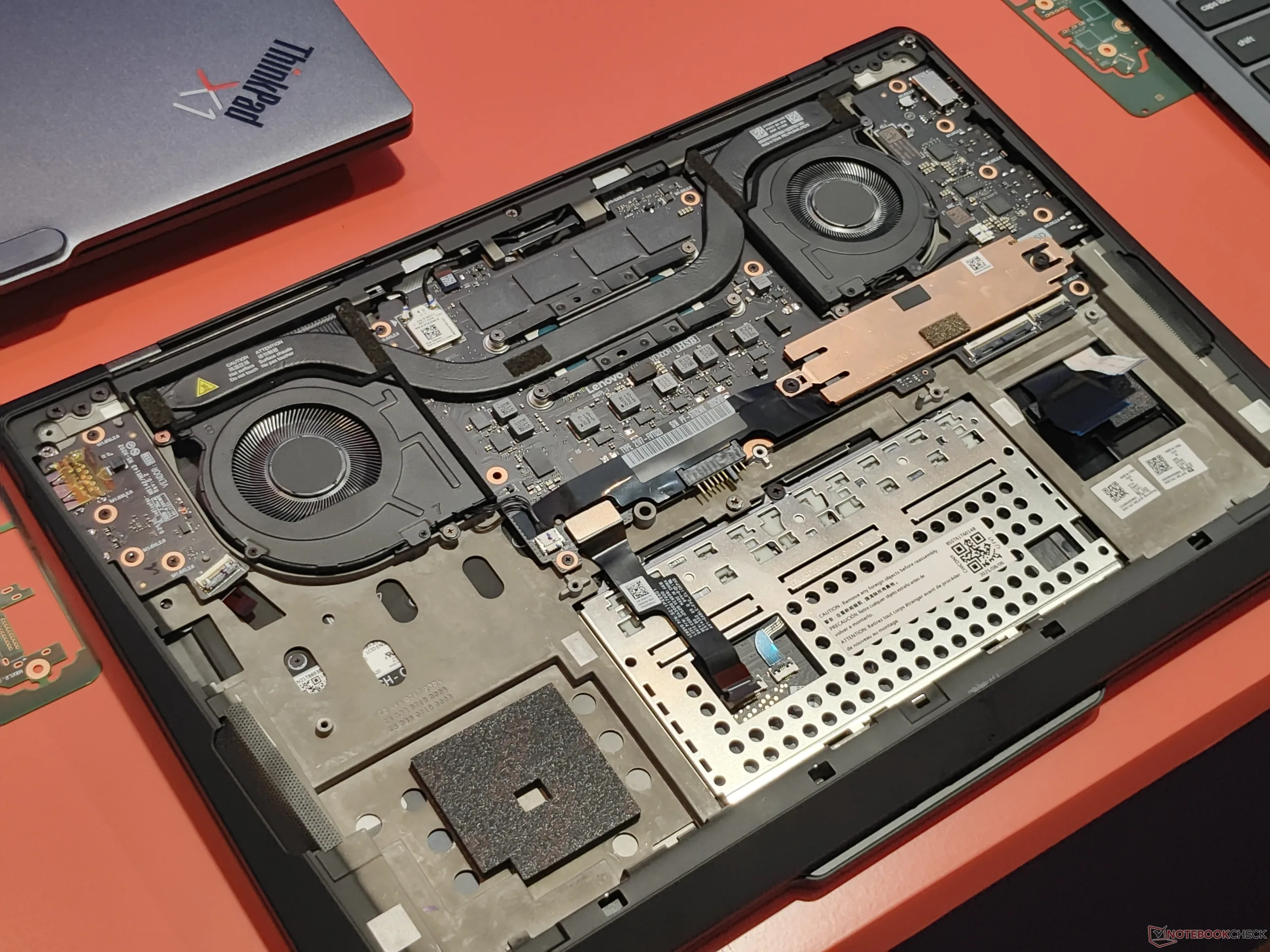
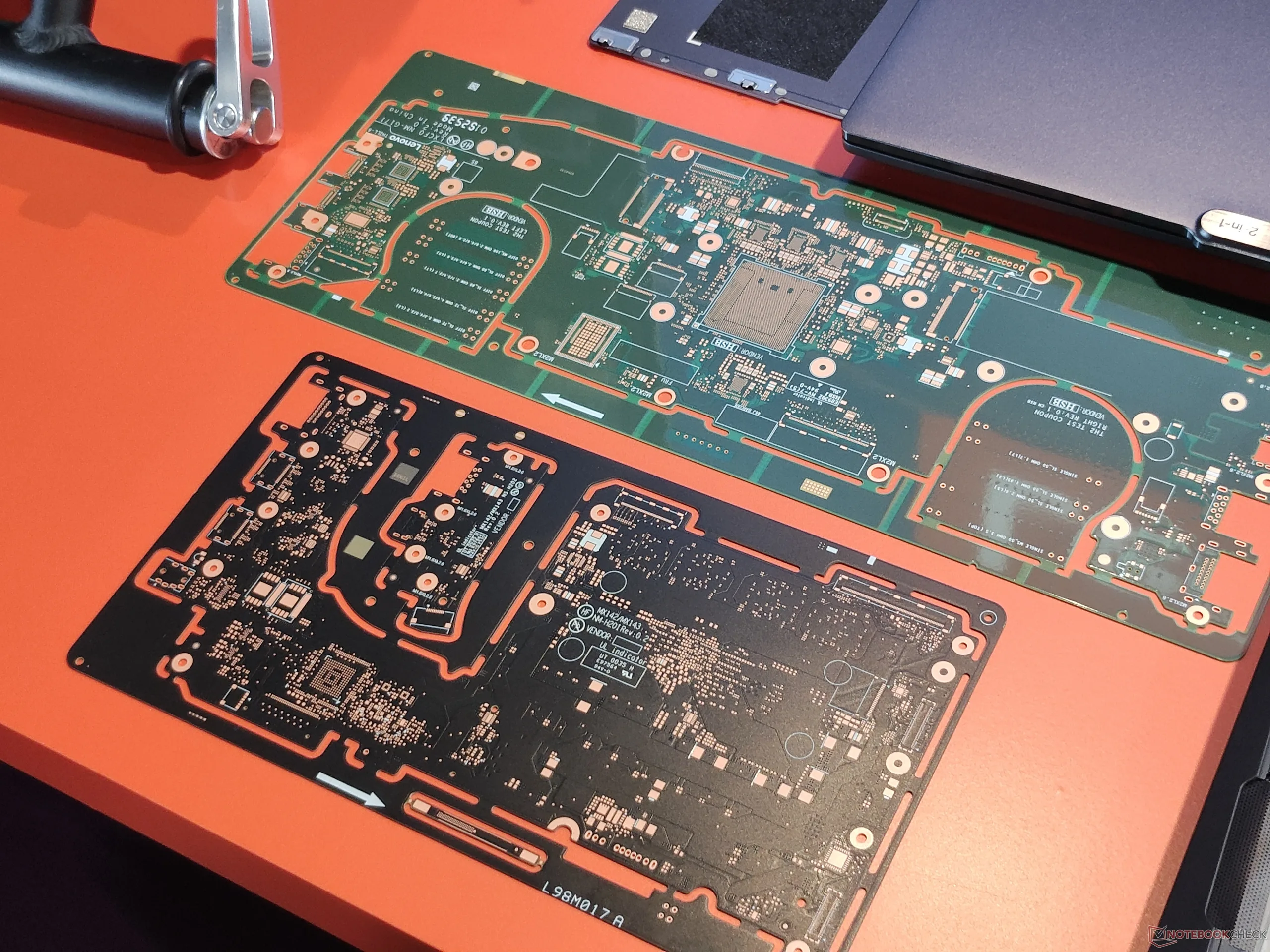
Well, the Roll Cage is back! Lenovo now calls it "Space Frame". Uniquely, this new roll cage 2.0 that debuts in the X1 2026 models is indeed integrated into the thinnest and lightest of the series, and it does not make the X1 Carbon Gen 14 any heavier than the preceding X1 Carbon Gen 13, the model with the lowest weight of the series thus far. According to Lenovo, the new construction will increase stability, although that was not even the reason why Lenovo invented this new space frame design.
"Space Frame" drives Lenovo's design changes: larger trackpad, better cooling system
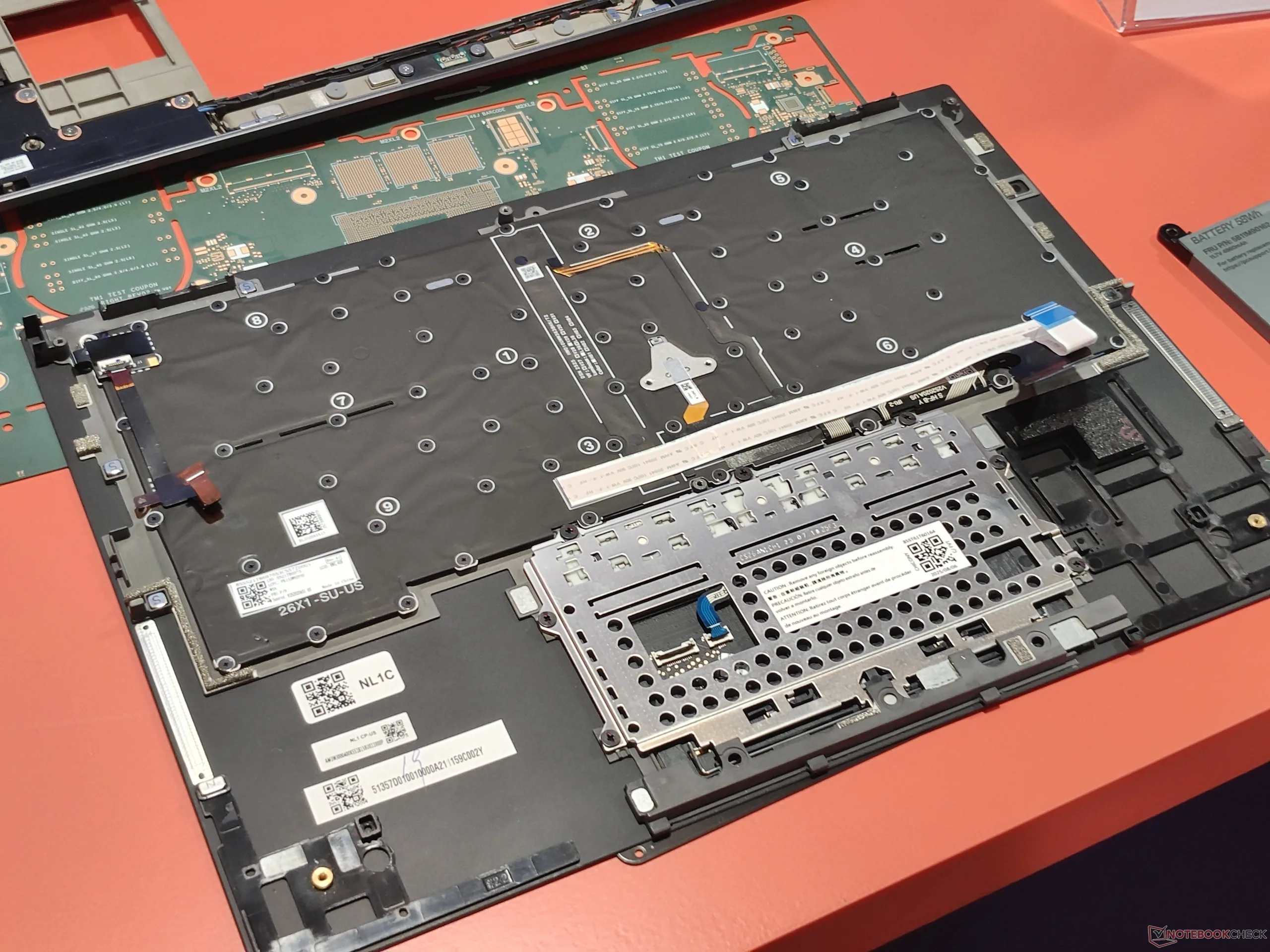
The most important reason for this new design was repairability. As mentioned in the intro, X1 ThinkPads are not usually equipped with keyboards that are easily swapable. On all X1 Carbon models thus far, to change the keyboard, you had to take the entire system apart, since the keyboard was fused into the palmrest, to which all other components of the system were attached. The keyboard is still part of the palmrest assembly on the X1 Carbon Gen 14, but the internal components of the X1 are no longer bolted to the palmrest.
Instead, they are attached to the dedicated structure frame, which means the palmrest assembly can be more easily removed on its own. To access it, users have to remove the bottom cover (four screws), remove the battery (three screws) and then loosen six more screws that hold the palmrest in place. A replacement process that used to take 45 minutes was thus reduced to around three minutes. According to Lenovo, aside from easier repairs, this design also helps to enable customers to customize their ThinkPad laptops, citing an example where an Italian company in the USA wanted Italian layouts and being unable to install such keyboard easily on prior versions.
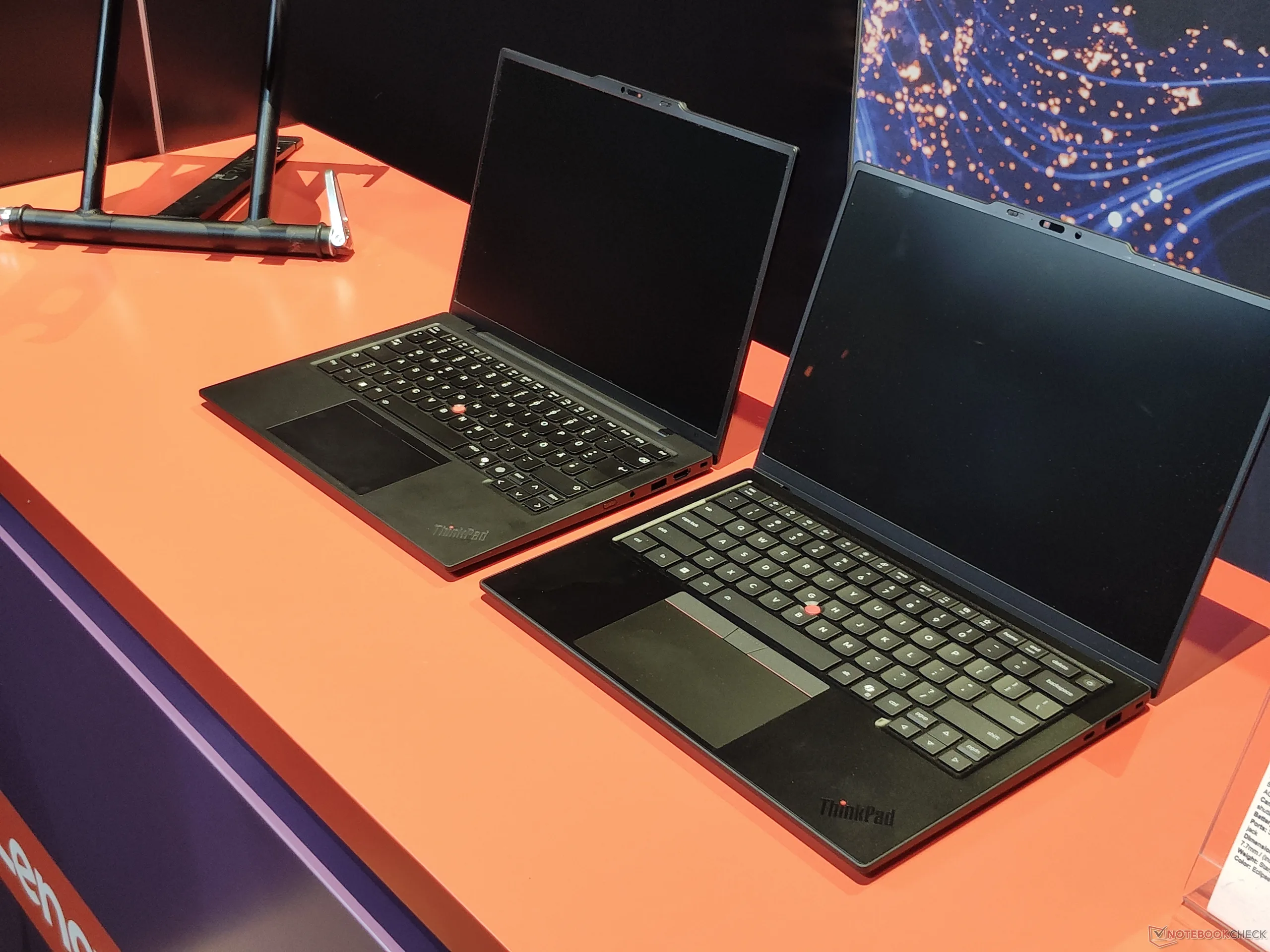
Another benefit is the better use of the available space, hence "space frame". By putting some components on the other side of the new mid-frame, like the display connectors and the Wi-Fi antennas, Lenovo was able to free up valuable space, which was used to increase the size of the cooling system - enabling to cool up to 30 W under full load instead of just 22.5 W on the previous X1 Carbon Gen 13 (available on Amazon). This is especially handy with the new Panther Lake CPUs, as the Intel Core Ultra X7 needs more energy to perform signifcantly better than the previous Lunar Lake CPUs. Additionally, with the new smaller motherboard, Lenovo was able to make the USB C ports modular and put some of the other ports on a seperate daughterboard.
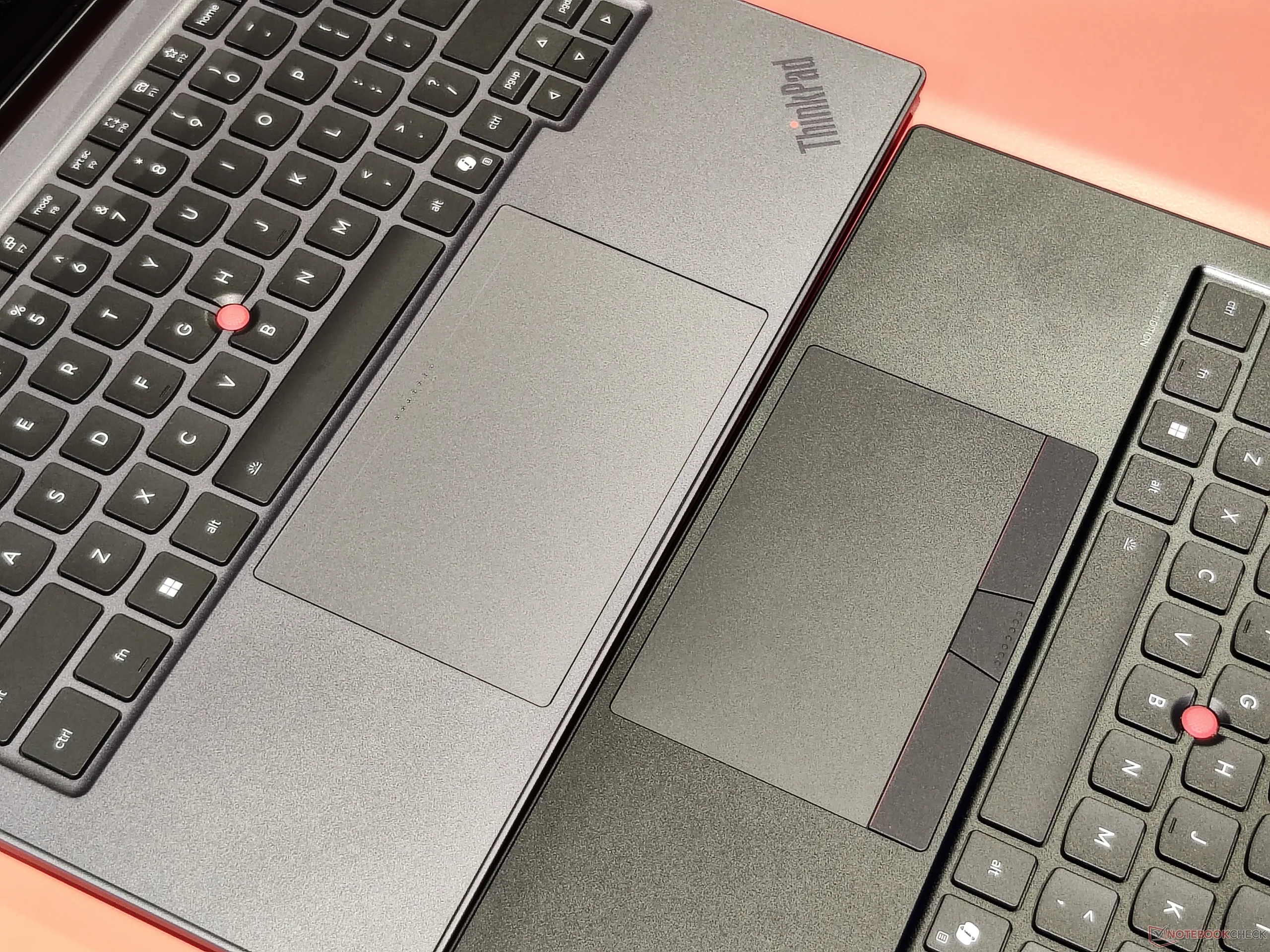
But that is not all: Thanks to the space frame design, the trackpad size of the X1 Carbon increases, at least when you choose the haptic version. On earlier models, the haptic trackpad had to have the same dimensions as the mechanical option, which was limited, as the dedicated TrackPoint buttons can only have a certain width before their function is impaired. With the new cover design, the haptic touchpad can have a bigger cutout and thus can be much larger than before.
ThinkPad keyboard: Changes always have the potential to be controversial
While the space frame design is something most customers will no doubt welcome, the changes that Lenovo are doing to the ThinkPad keyboard may be a slightly different story. With the new X1 Carbon Gen 14, Lenovo is changing the keyboard font, the position of the print on the keys and also the layout, by shifting the fingerprint sensor, which also acts as a power button, to the top right corner. The last change means that the insert keys is sacrificed, and of course, having the fingerprint sensor here may interfere with trying to hit the Delete key, which formerly occopued this position.
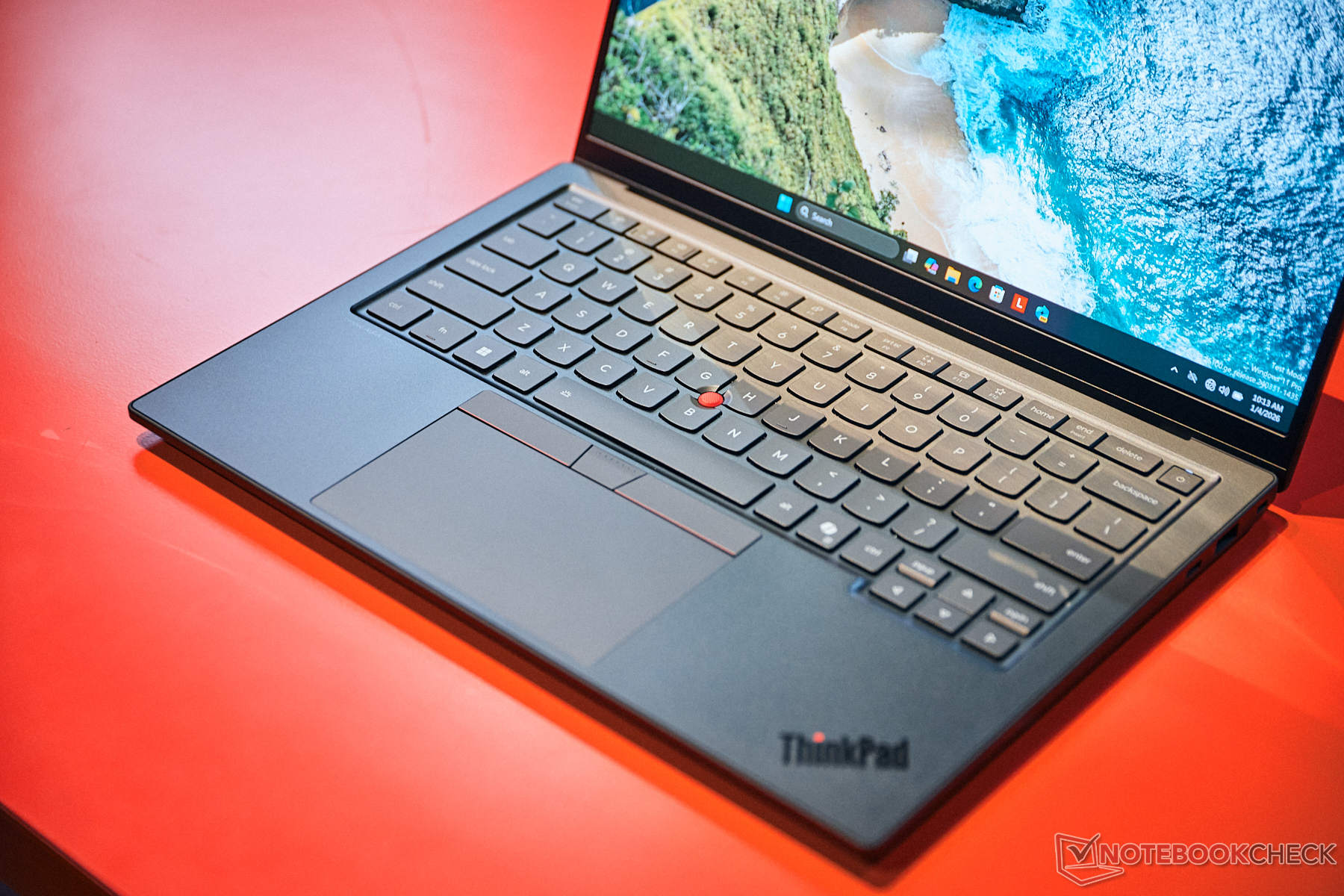
The visual change to the keyboard may be less critical. Lenovo says that the font is updated to make the ThinkPad keyboard conform with the design most other Lenovo keyboards use, standardizing the look of the keyboard more accross all Lenovo laptop series. This means that Lenovo drops the old ISO standard that dictates the position of the key-print on the upper left corner of the keys, centering it instead. We are curious how this will work for international layouts, which have more key functions per key.
At least, Lenovo did not shorten the key travel again - the new X1 Carbon Gen 14 Aura Edition still has 1.5 mm of travel, and we can confirm that the typing feeling does not differ significantly from earlier models.
For more information on the specifications as well as the price and release date, see our previous article on the announcement of the Lenovo ThinkPad X1 Carbon Gen 14.
Source(s)
Own
Lenovo
 Add as a preferred source on Google


