




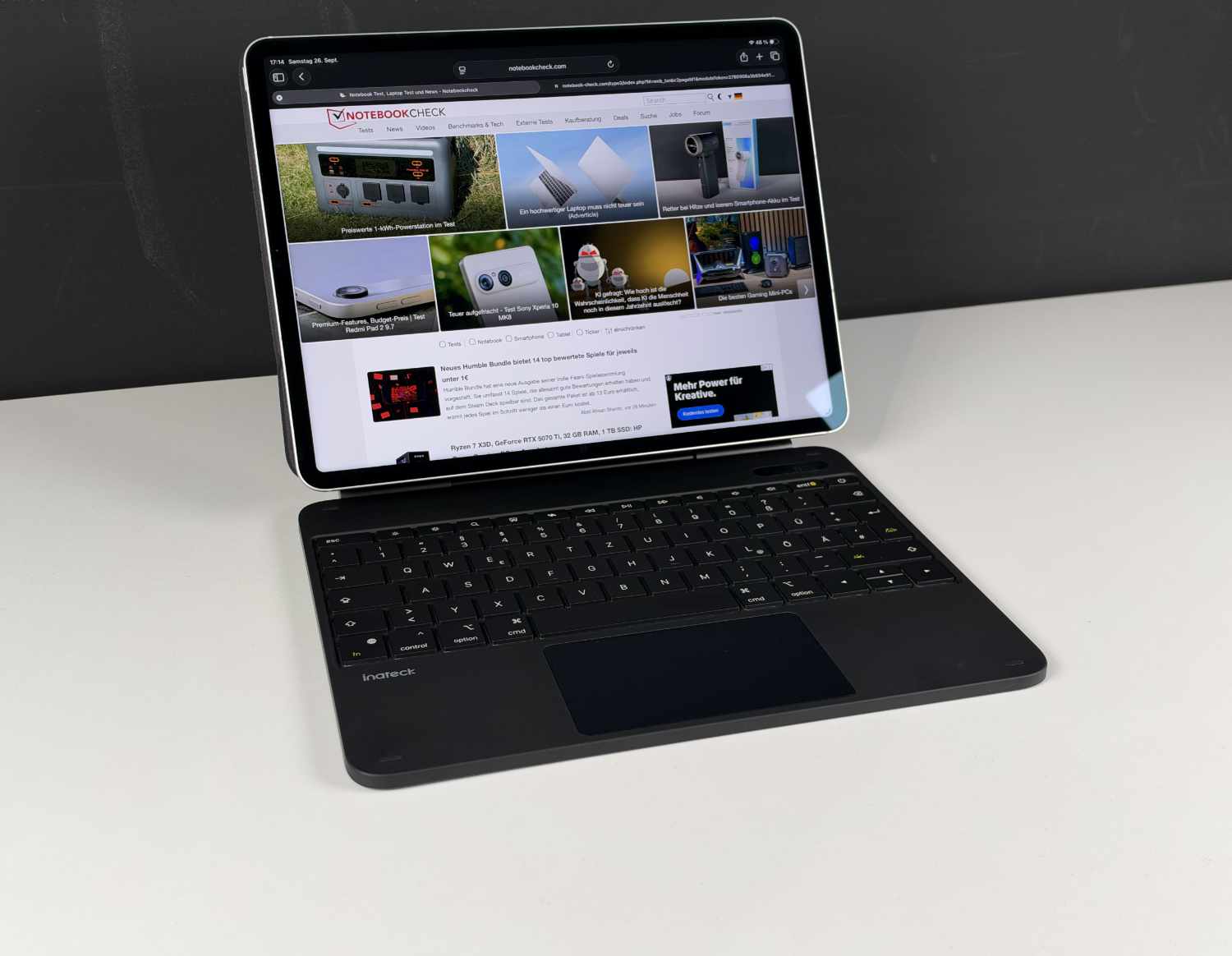
Turns iPad into a laptop alternative: Inateck NeoMagic keyboard case review
With trackpad & app.
The Inateck NeoMagic keyboard case with trackpad and display turns an iPad into a laptop alternative. Our review reveals how well it works in practice.Marcus Schwarten (translated by Marcus Schwarten (translation supported by DeepL)) Published 🇩🇪
Inateck NeoMagic review verdict: Practical extra features
The Inateck NeoMagic can certainly turn an iPad into a laptop replacement—at least in terms of hardware. Naturally, there are some differences when it comes to software, but these are not due to the keyboard case we tested. Overall, it made a good impression in our test. The typing feel is okay and comparable to that of an inexpensive notebook.
Useful features include the special swipe gestures and the separately assignable key, although the options here are limited. At just over 850 g, its weight is typical for products of this kind, whereas the practical display is not found everywhere.
Pros
Cons
Price and availability
According to the manufacturer, the suggested retail price for the "Inateck NeoMagic Magnetic Keyboard Case for iPad Air 13" M4/M3/M2 (2026/2025/2024) and iPad Pro 12.9" 6th/5th/4th/3rd Gen" we tested is $199.99.
It is already available for considerably less from retailers, for example directly from Inateck or from Amazon. It is available in black and white.
Modern tablets like the iPad are increasingly giving laptops a run for their money, even in their traditional areas of use. This is especially true when an iPad is paired with a keyboard case like the Inateck NeoMagic. We tested it in practice with an iPad Pro 12.9".
Incidentally, this review was typed partly on the tested keyboard and iPad.
Specifications Inateck NeoMagic
| Model number | KB903-13A / N0073 |
| Compatibility | iPad Air 13" M4/M3/M2, iPad Pro 12.9" 6/5/4/3 Gen |
| Keyboard (number of keys) | QWERTZ (79) |
| Backlighting | 3 brightness levels/7 colors |
| Trackpad size | approx. 11 x 6 cm |
| Connectivity | Bluetooth 5.3 |
| Dimensions | 28.4 × 22.4 × 1.7 cm |
| Weight | 855 g |
Features: Keyboard case with trackpad and display
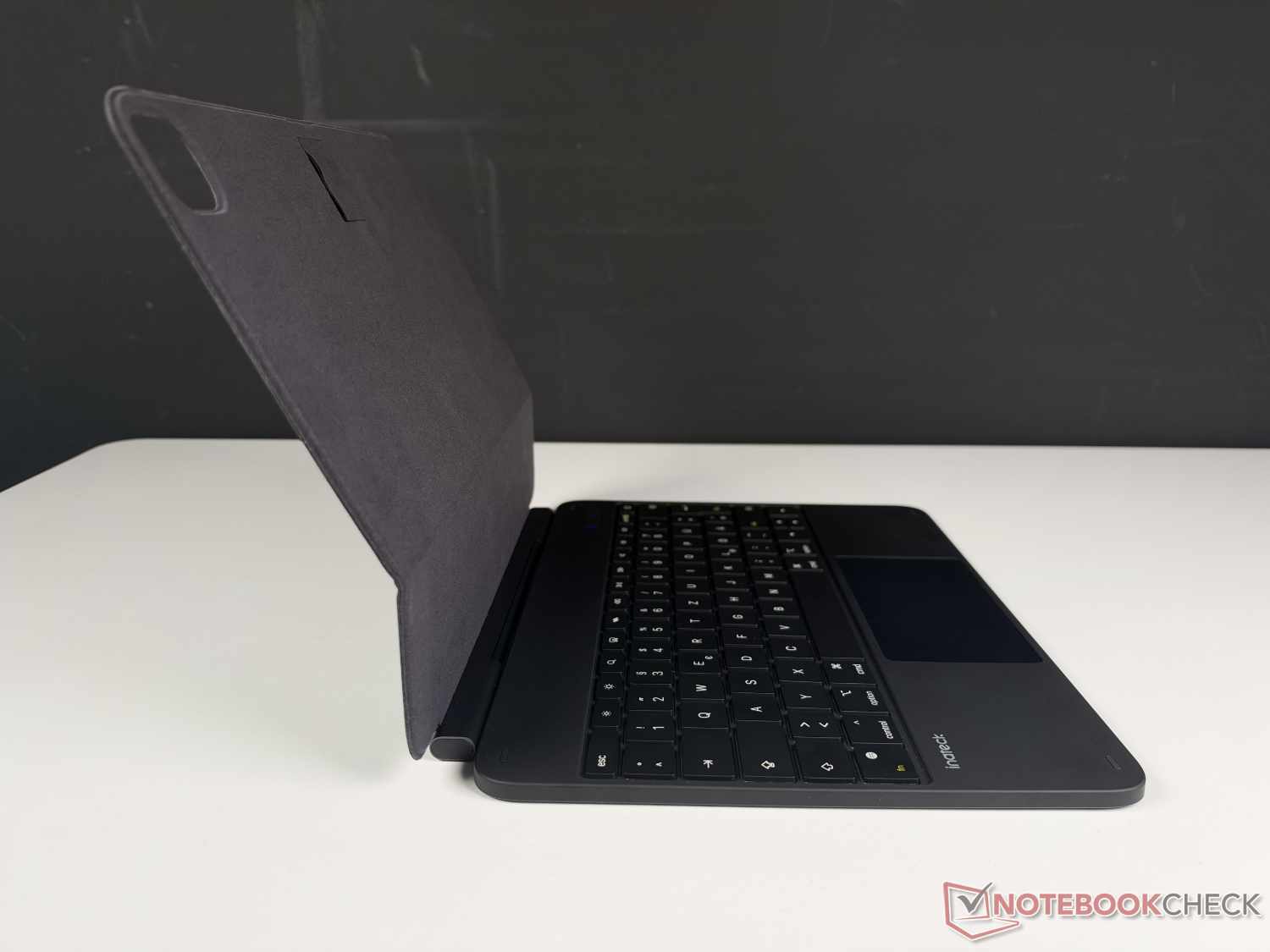
The Inateck NeoMagic is a combination of an iPad case and an external keyboard. It encloses the iPad at the top and bottom and opens via a hinge. This turns the iPad into a kind of notebook, with the keyboard below and the iPad, magnetically attached to the case, propped up as a display. Hidden behind it is a small loop where an Apple Pencil can be inserted if needed.
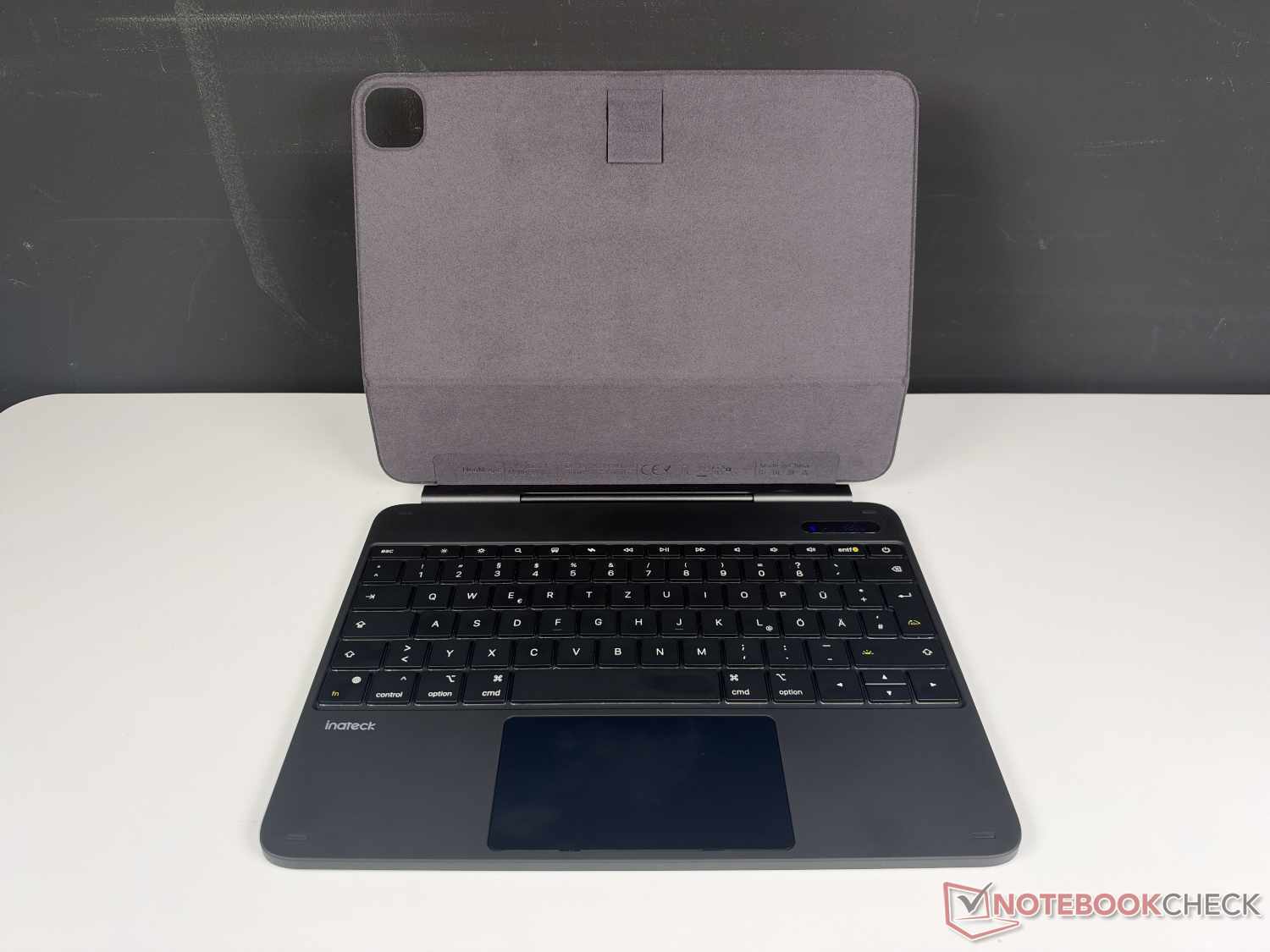
The keyboard with a European QWERTZ layout (QWERTY is also available) has six rows with a total of 79 keys, making it a fully featured computer-style keyboard, albeit without a number pad. Above the number row is a row of function keys for volume, display brightness and more, all of which worked without issue in our test. There is also a customizable key here. More on that below.
You don’t have to go without keyboard backlighting, either. Its brightness can be adjusted across three levels, and it can also light up in seven colors (white, yellow, green, light blue, dark blue, purple, red). The full-area backlighting makes it easy to work with the keyboard case in the dark.
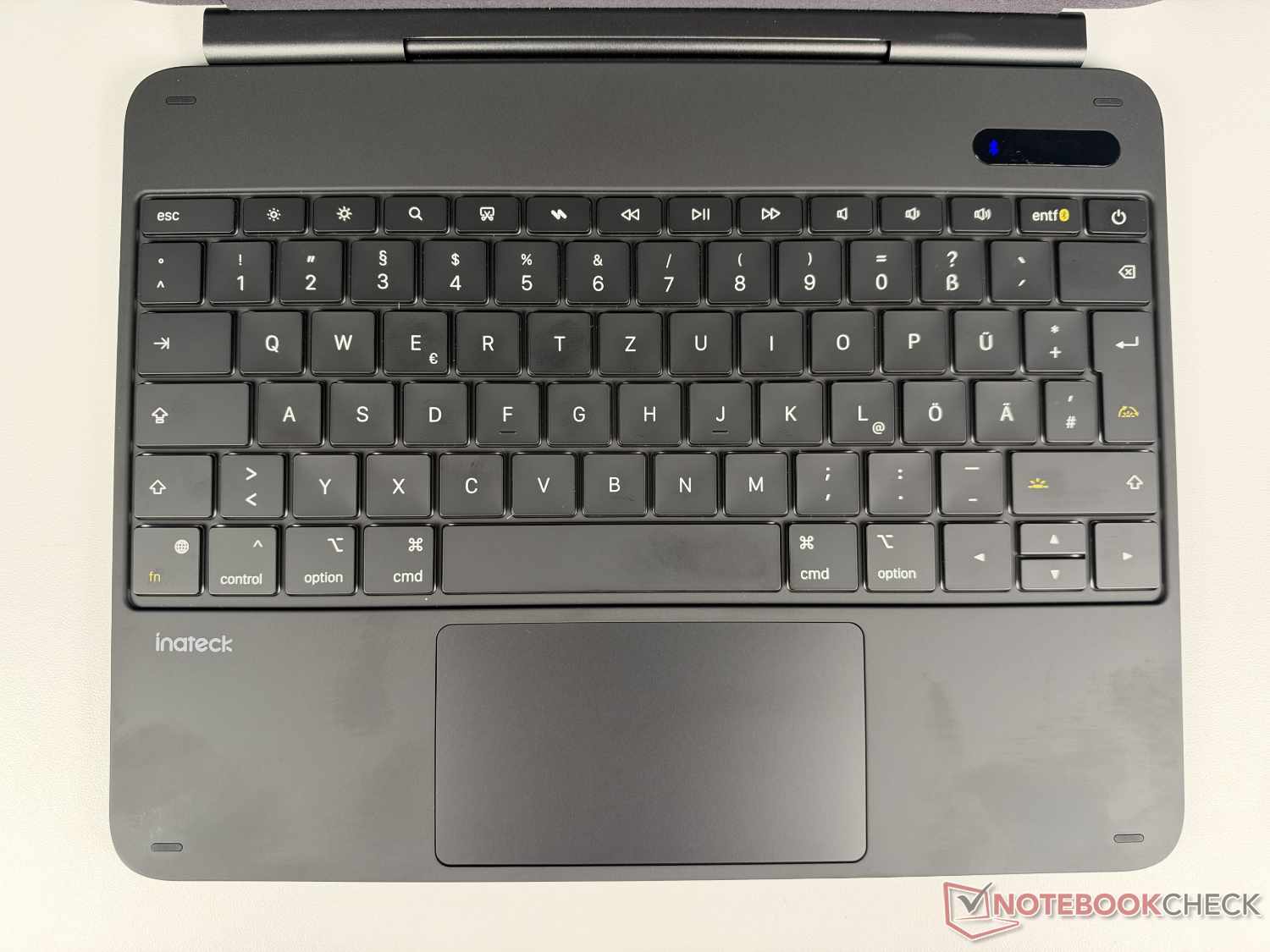
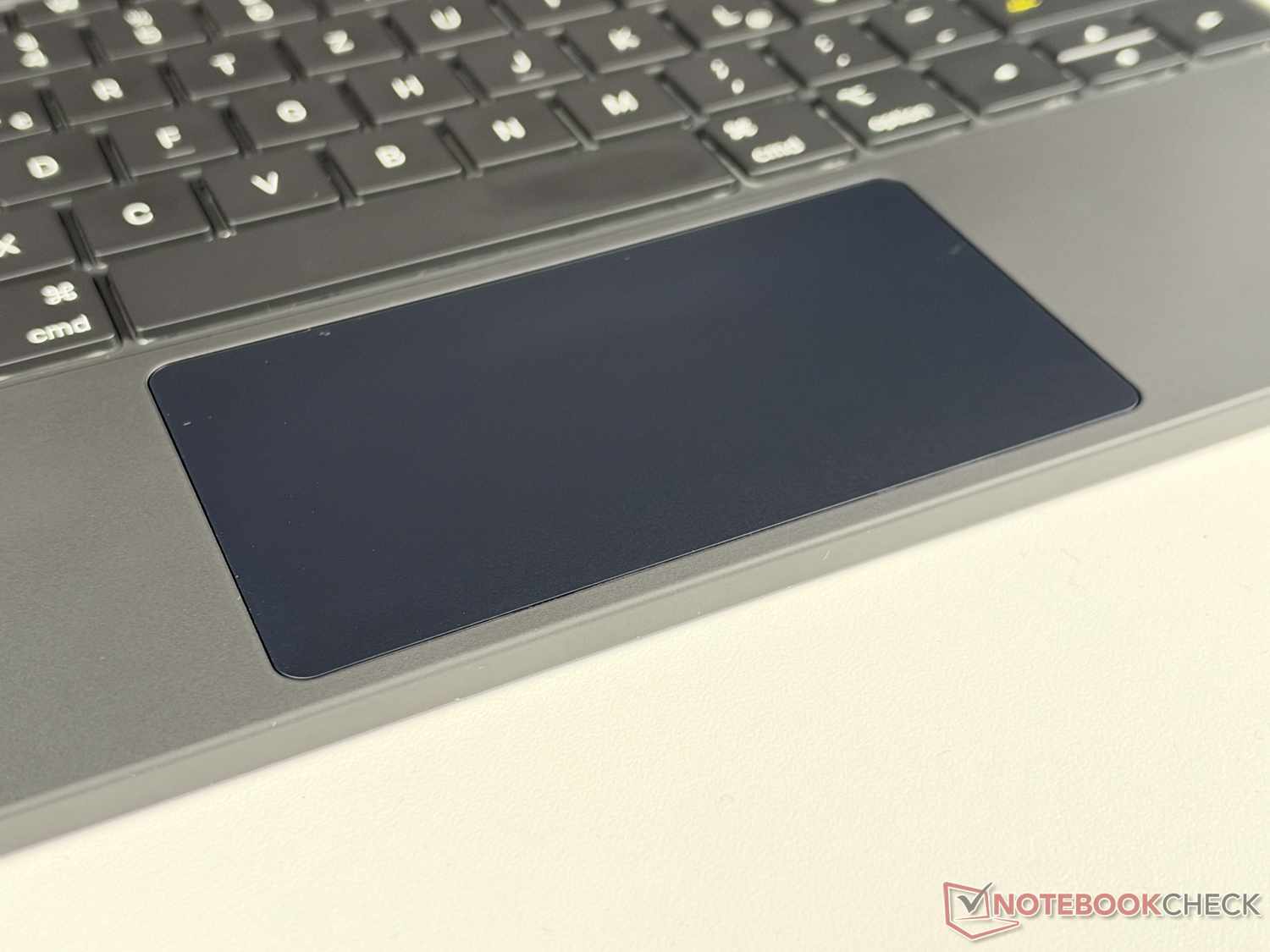
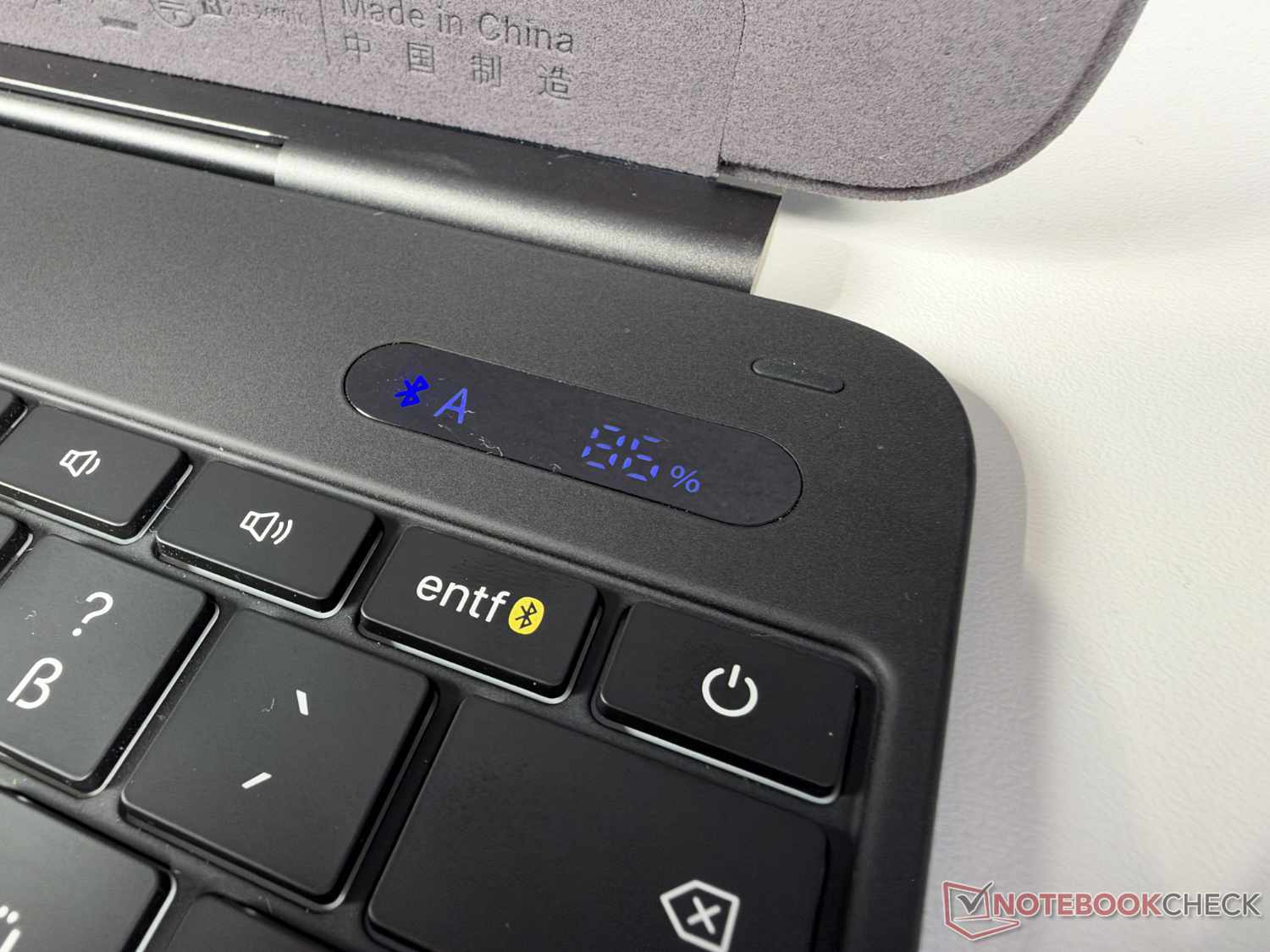
Below the keyboard is a trackpad measuring approximately 11 x 6 cm, which lets you move the mouse pointer across the iPad screen just like on a laptop. It also supports gestures with up to three fingers for zooming, switching between apps, and more. Inateck has also built a small display into the upper right, above the power button. Not every iPad keyboard case on the market has one, and it shows not only the connection status and battery level, but also whether Caps Lock is on.
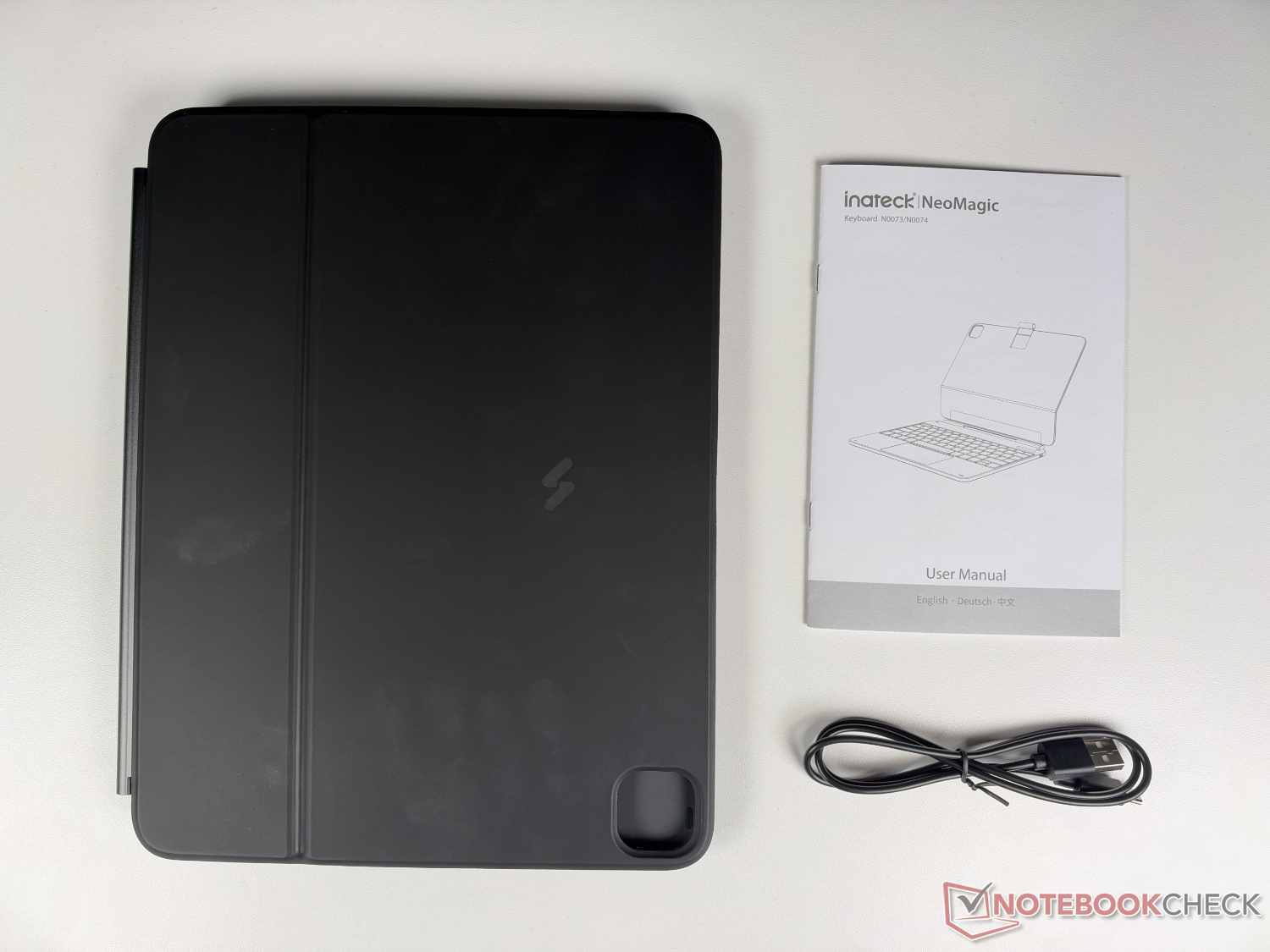
In addition to the keyboard case itself, the Inateck NeoMagic comes with instructions in English, German, and Chinese, as well as an 80 cm USB-C-to-USB-A cable. This seems a little outdated, since a USB-C-to-USB-C cable would be more up to date. But presumably everyone still has a power adapter with a USB-A port lying around somewhere. A power adapter for charging the battery integrated into the case is not included in the package.
In practice: Almost like a laptop
The iPad Pro 12.9" attaches magnetically to the cover of the case, protecting the back from scratches and the like, except for the camera. The camera cutout fits precisely. The tablet is covered by the hinge on one side. On the other three sides, the case protrudes by around one millimeter. At first glance, this makes it look like the fit isn't quite perfect with the iPad Pro 12.9" used for the test, but it does offer the device some protection when carrying it in a bag. The keyboard and case cannot be detached from each other.
The NeoMagic connects to the iPad Pro 12.9" via Bluetooth 5.3, and pairing was quick and problem-free during the test. Even after being switched off and on again, the keyboard automatically reconnected to the iPad within a few seconds. During initial use, we noticed that the iPad uses the QWERTZ keyboard as a QWERTY keyboard. However, this can quickly be fixed in the iPad settings under "General > Keyboard > Hardware Keyboard".
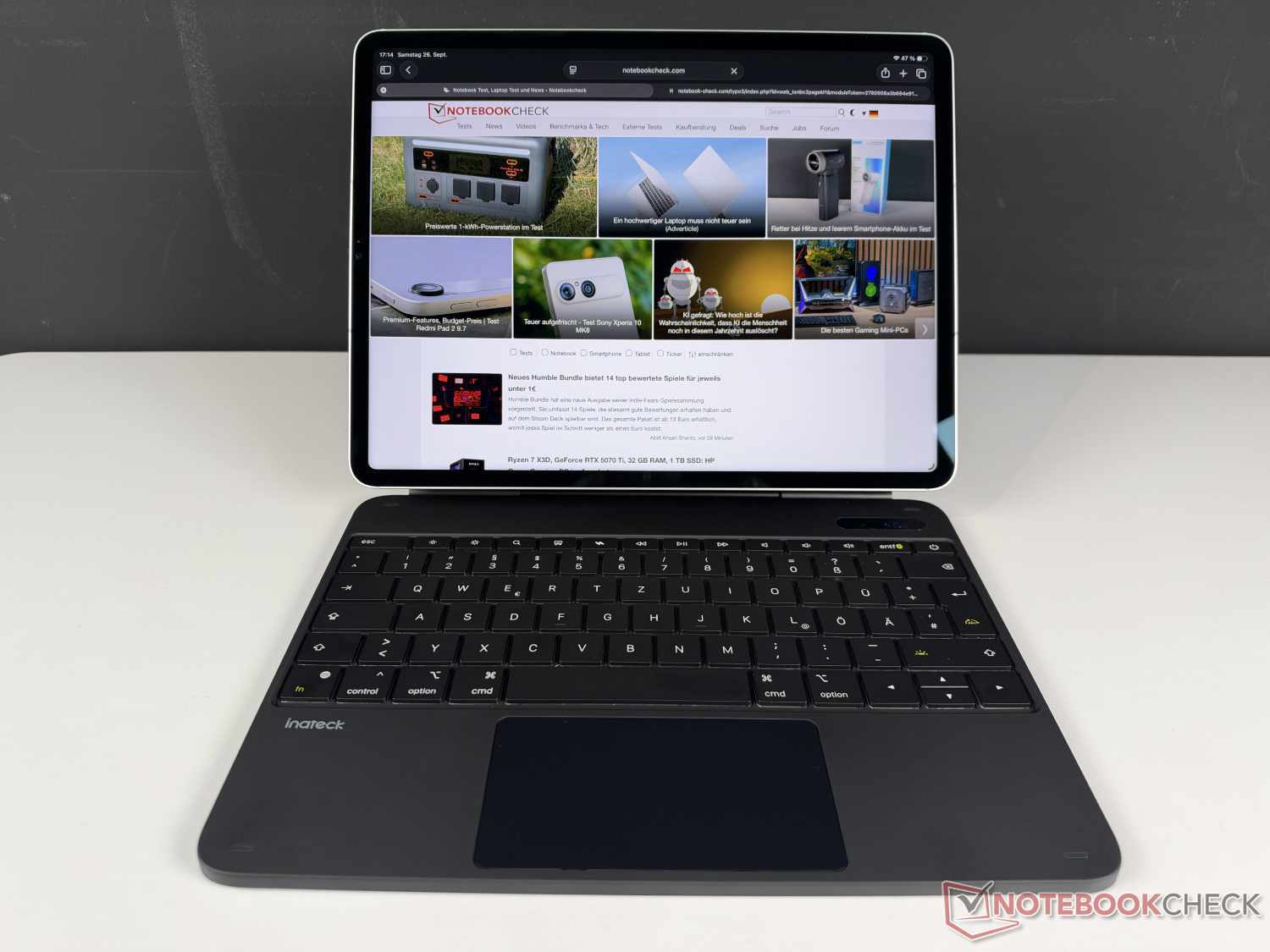
After that, you can start typing. During testing, we found that the typing feel was a little stiff for our liking. The individual keys have no ergonomic shape, just the two usual small markings on “F” and “J”. The actuation point is also not as pleasant as on a high-quality laptop or PC keyboard. Ultimately, though, it’s also a matter of getting used to it, so after a little while we were able to type quickly and the keyboard felt solid.
The trackpad in the lower section also proves practical when using an iPad, despite its touchscreen—especially since it supports iPad gestures. You can move the virtual mouse around the iPad screen with one finger and click by tapping. Swiping up with three fingers, for example, minimizes the currently open app and displays the usual view of recently used apps. Selecting multiple words is also quick and easy.
Apart from the operating system and software, one way an iPad Pro 12.9 with a keyboard case differs from traditional laptops is its weight distribution. When open, the center of gravity is shifted more toward the display, whereas on traditional laptops it is more centrally located in the base. It is relatively stable on a flat surface, but the iPad in its case can wobble slightly when typing quickly and forcefully.
The Inateck NeoMagic weighs around 855 g, making it slightly heavier than the iPad Pro 12.9". Together, they weigh around 1.55 kg—more than typical 13-inch laptops. The same applies when paired with the iPad Air 13", which is around 70 g lighter. The case permits only a relatively limited range of viewing angles for the iPad. We also found the NeoMagic quite prone to fingerprints, both on the outside and around the keyboard.
App: Useful extra features
Inateck offers its own app called Inateck Origin, which is compatible with the NeoMagic keyboard case. It can be downloaded free of charge from the App Store and provides additional options for using the keyboard.
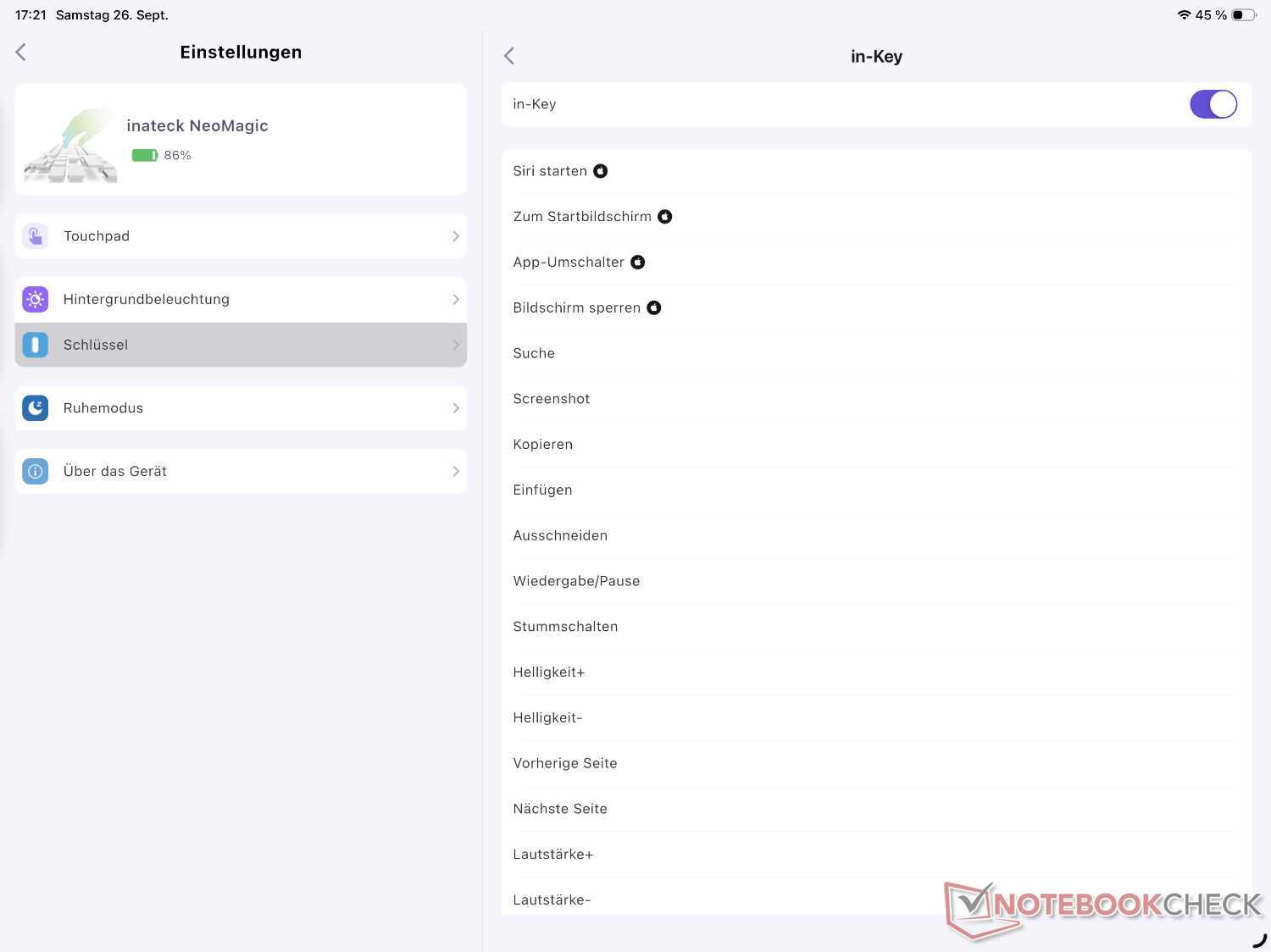
In addition to adjusting the backlighting (brightness and color), which can also be done directly using the keyboard, you can assign special actions to the dedicated Inateck key (in the top row above 5 and 6) and four swipe gestures (S, Z, N, and W). For example, you can launch Search or Siri, or take a screenshot. Unfortunately, however, you can’t assign specific apps to them.
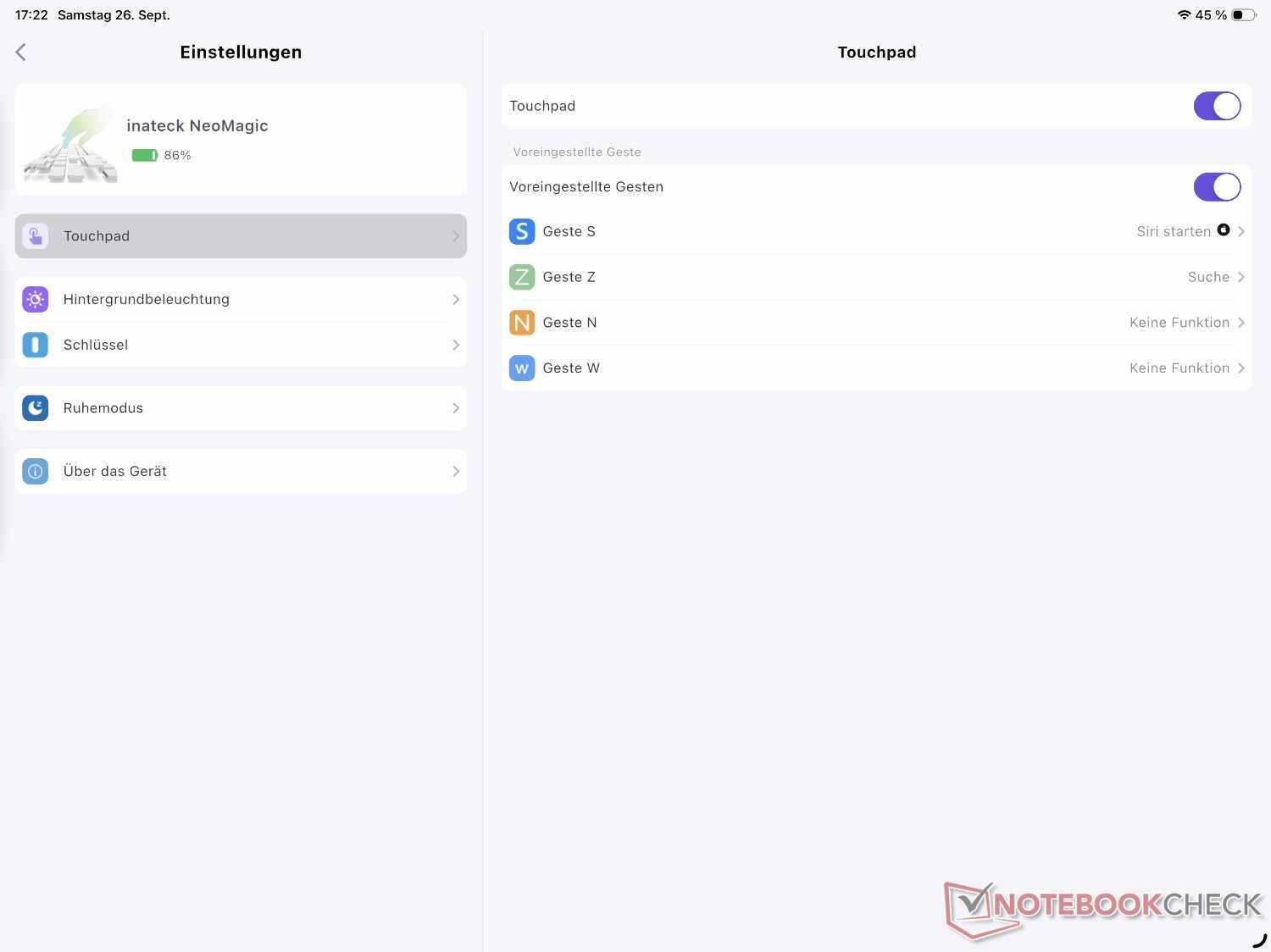
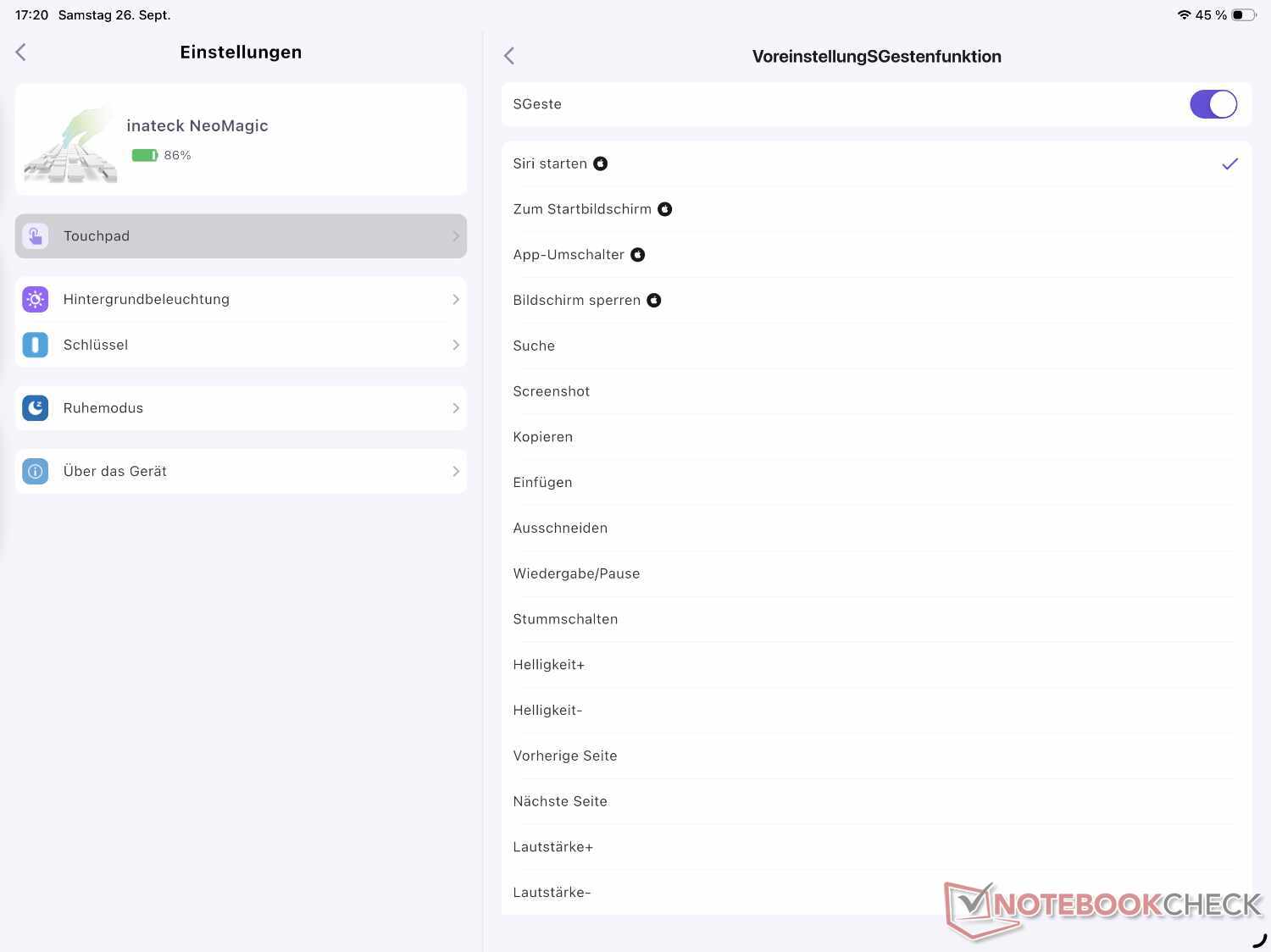
A sleep mode can also be set in the app. This lets you choose how many minutes of inactivity pass before the keyboard switches off. This is important for saving battery power. While the iPad locks automatically when you close the case, the keyboard initially stays on.
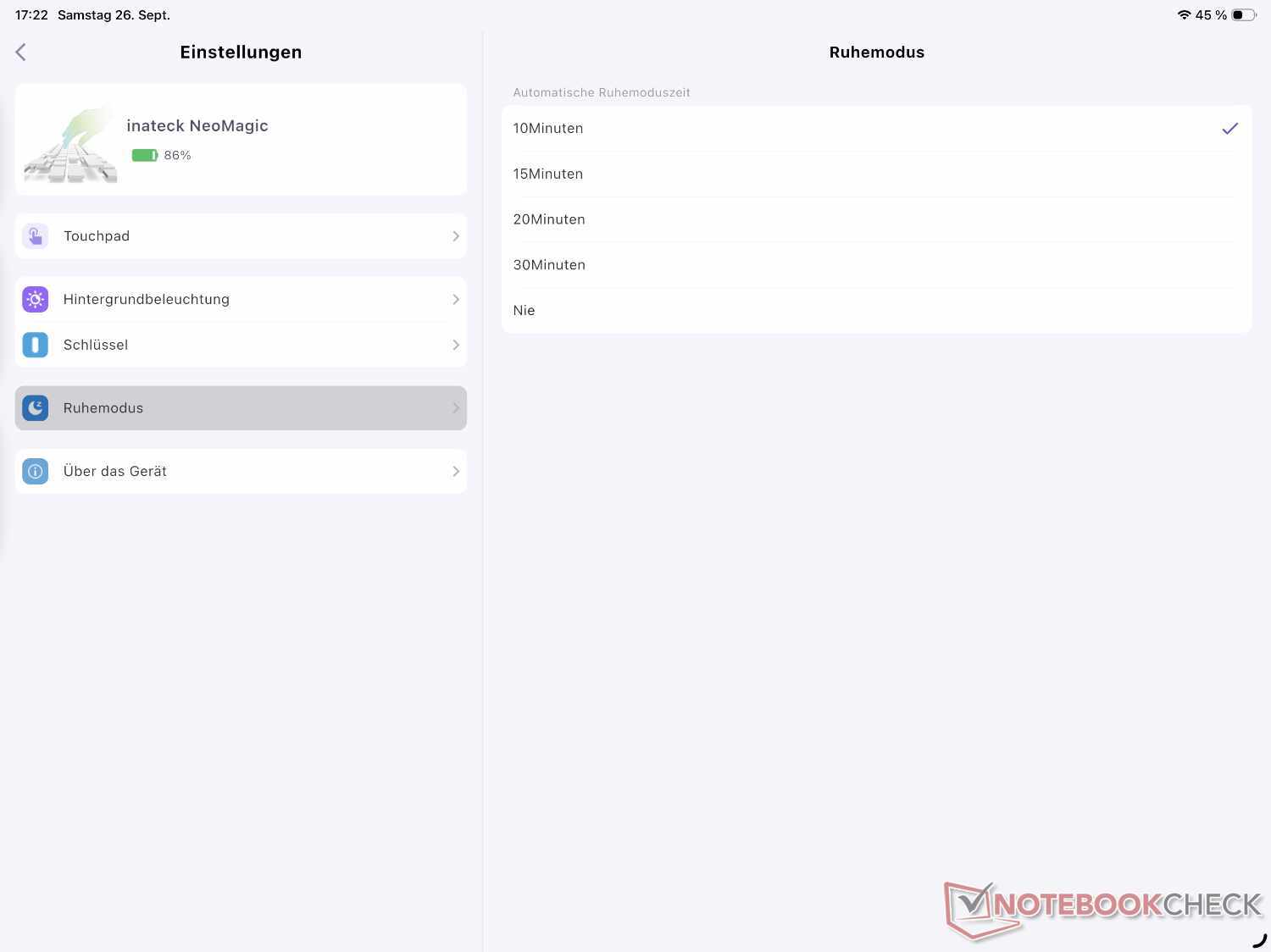
This brings us to the final part of the test: battery life. This naturally depends heavily on how intensively the device is used and the brightness of the backlight. The manufacturer advertises up to 100 hours, but that is only possible with the backlight switched off.
In our experience, even with intensive use, the Inateck NeoMagic easily lasts for several working days before it needs to be recharged via the USB-C port on the side. The display makes it easy to keep an eye on the charge level. And if the battery is running low, a power bank will do the trick.
Transparency
The selection of devices to be reviewed is made by our editorial team. The test sample was given to the author by the manufacturer free of charge for the purposes of review. There was no third-party influence on this review, nor did the manufacturer receive a copy of this review before publication. There was no obligation to publish this review. As an independent media company, Notebookcheck is not subjected to the authority of manufacturers, retailers or publishers.
 Add as a preferred source on Google


