




The share link you forgot still shows your email

A cloud file has two kinds of access, and most people only clean up one of them. There is the list of names, each with a small menu that offers Remove. Below it is general access, identified by an address instead of a name. On many files it is set to Anyone with the link, because that was the fastest way to share at the time.
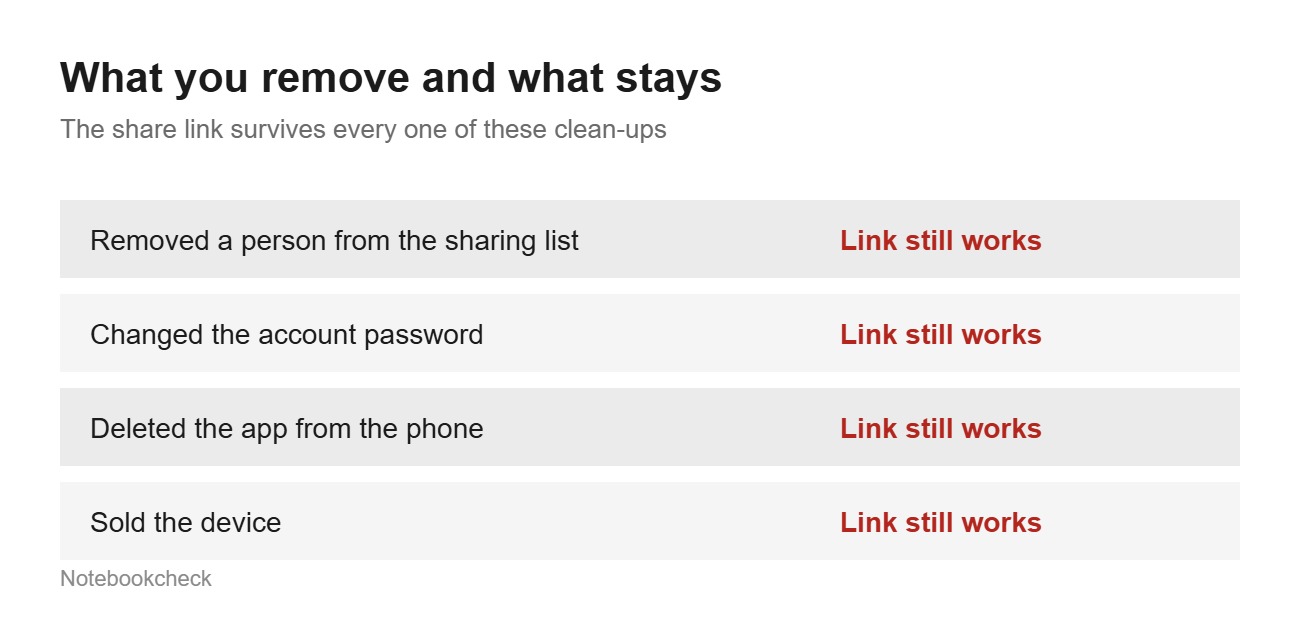
Removing a person from the list does not touch the link. It works afterwards as it did before. Google documents the two routes separately. One covers sharing with named people, the other covers general access. Only the second creates an address that opens without a sign-in. That is why it survives so long.
The same page contains one sentence that is easy to skip. "When you share a link to a file, your name and email will be visible as the owner of that file." Your email address is visible on every file you have shared this way, and it is visible to everyone who opens it. The tax documents from 2021 matter less than the address shown next to them.
Whoever opens the link has no name
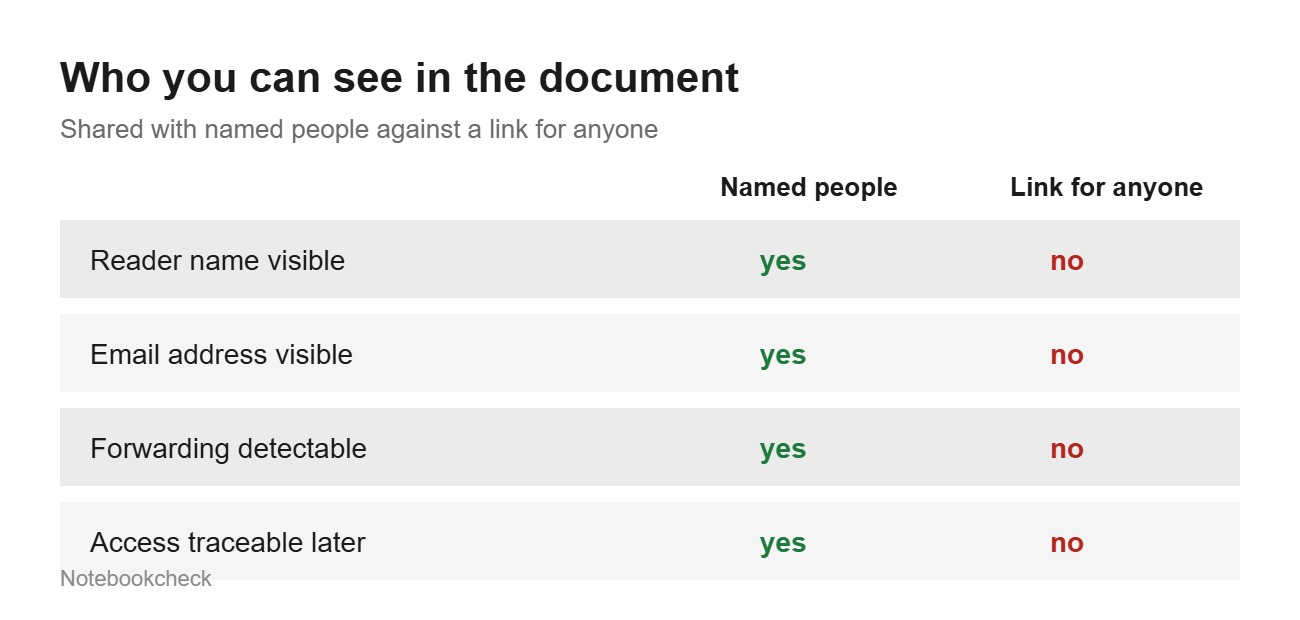
Google keeps a separate help page for this question, because people ask it often. It is called "Anonymous or unknown people in a file" and the answer leaves no room. "If you share or open a file with a link, you may not see the names of people who view it." Anyone you did not invite individually appears in the document as an anonymous animal, an anonymous tapir or an anonymous meerkat.
Names appear under one condition, and Google spells it out. "You can only see other people's names when you give them individual permission to view a file or if they are part of a mailing list." With link sharing that condition is never met, no matter how long the file remains shared.
The same page lists the reasons an unknown person can show up in your document. The file was shared with a mailing list, someone is not signed in to Google, someone changed their account name. The fourth reason explains most cases. A person with access passed the link on. Microsoft describes the same thing in its own instructions, plainly and without a warning. "They can also forward the link to other people."
The chain is open from there. You sent the link to one person once, in an email or in a chat that is long gone. There is no record of what happened to it afterwards. No log contains a name, and none ever will, because those views happened without a sign-in.
The expiration date is a paid feature
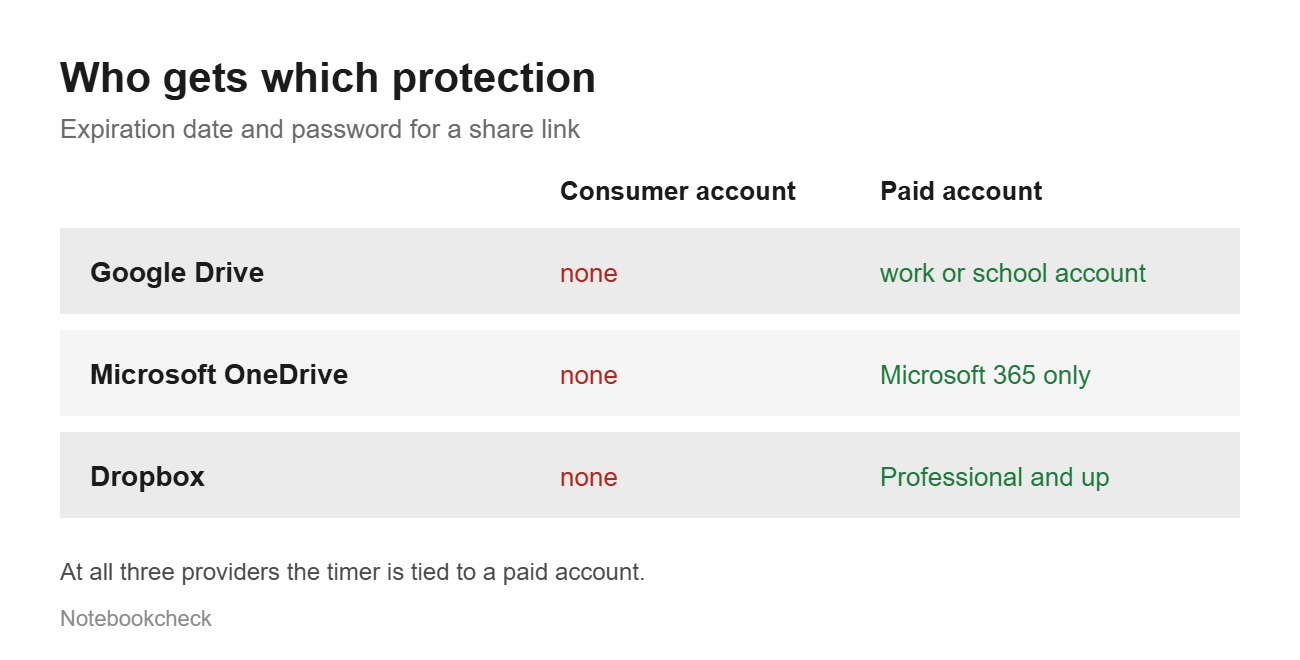
The advice you read everywhere on this topic is to set an expiration date. For a consumer account that is not possible at any of the three large providers. Google puts it in a single sentence. "The expiration date feature is only available for eligible work or school accounts." The option also shows up only in the dialog for named people. For general access it does not appear at all, not even on a work account. That is the sharing type this article is about.
In November 2025 Google added expiration dates for files and folders in shared drives. Shared drives belong to Workspace, and a consumer Google account does not have them. The feature therefore did not reach the people who need it most, the ones who have not looked at their storage in years.
Microsoft adds the same footnote to both features. The expiration date reads "Only available to Microsoft 365 subscribers", and the same line appears again under password protection. At Dropbox the list of eligible plans is easiest to read by checking who is missing. The help page names Professional, Essentials, Standard, Advanced, Business, Business Plus and Enterprise, with a date of October 2, 2025. Basic and Plus, the two consumer plans, are not on the list.
Three providers, one line. Anyone who does not pay gets a switch instead of a timer. They have to flip it themselves, at a point when the file is long forgotten. That is why links from 2021 still open today.
What you can do in 10 minutes today
The unwelcome part comes first. Google does not offer consumer accounts a ready list of every file they have shared by link. The documented filters in Drive search are Type, People and Modified. There is no filter for general access, and the documented search operators do not cover the question either.
Start with the folders rather than the links. Taxes, contracts, job applications, medical paperwork, photos from an earlier relationship. Open the sharing dialog on each file and set general access to Restricted. After that only the people named in the list get in. The link then stops working for everyone, including whoever passed it on. The same round is worth doing for the services you signed into with Google, and for the accounts your old phone is still in.
In OneDrive you work from your own shared items. In Dropbox you work from the list of links you created. The same rule applies in both. A link does not disappear on its own. It disappears the moment you turn it off.
One more point belongs here, because it limits the result. Turning off a link stops future access. It does not retrieve anything that was downloaded in the years before. Those copies are on other people's machines, and they stay there, without you ever learning how many there are.
Source(s)
Google Drive Help: Share files from Google Drive, expiration dates and the visible owner address
Google Docs Help: Anonymous or unknown people in a file
Google Workspace Updates: Sharing expirations for files and folders in shared drives
Microsoft Support: Share files and folders in OneDrive, expiry and password for subscribers only
Dropbox Help: Shared link permissions and the plans they apply to
Google Drive Help: Search for files, documented filters and search operators
 Add as a preferred source on Google


