




Orbital Pathfinder mouse review: Infinite customization, with a great mouse to boot
Too many options is not always a bad thing.
The Pathfinder gaming mouse allows for unmatched customizability that gamers looking for the perfect grip will surely appreciate. With 3D printing, the possibilities become endless.Vineet Washington Published 🇳🇱 🇫🇷 ...
Verdict - A great gaming mouse at its “core”
The Orbitalworks Pathfinder sits in a category of its own as there is no other brand offering this level of customizability. There are a variety of modules that can be used in an even wider variety of configurations, all of which make a meaningful difference to ergonomics. All kinds of grip styles are catered to with this one mouse kit, except for people with large hands. The PAW3950DM sensor is excellent, the weight is ideal for gaming, and the battery life is great.
All this does come at a cost, but it’s still cheaper than the premium offerings from Logitech, Razer, and Glorious. Those, however, are more widely available whereas the Pathfinder can only be purchased from the company website, with seemingly limited stocks.
Overall, the Pathfinder is a strong contender for “the endgame mouse,” even in the era of haptic switches and infinite battery life.
Pros
Cons
Price and availability
You can’t get just the Core mouse and the only option is the $189 Core + Explore Box (sold out at the time of publishing). There are white and black color options, and that determines the color of the accessories as well. The company does sell different colored Core shells that cost $24 each (discounted to $20 at the time of publishing). Unfortunately, everything is only available via the official website.
Specifications
| Size | 50.5 mm – 117 mm to 55.5 mm – 125 mm |
| Weight | 52 g to 55 g |
| Sensor | PAW3950DM |
| Max Speed (IPS) | 750 |
| Max Acceleration (G) | 50 |
| Polling rate | 125 – 8,000 Hz |
| Buttons | 6 |
| Switch Type | Omron: D2LS-(5M) |
| Switch durability | 5 million clicks |
| Connectivity | 2.4 GHz, wired |
| Battery | 300 mAh |
| Claimed battery life | 1.5 days on 8K polling, 3-4 days on 4K, 5 days on 2K, 1 week+ on 1K |
| Feet | X-Raypad Obsidian (Red), X-Raypad Obsidian Pro air (Grey), Pure PTFE (White) |
| Customization software | Orbital Control |
Unboxing and accessories
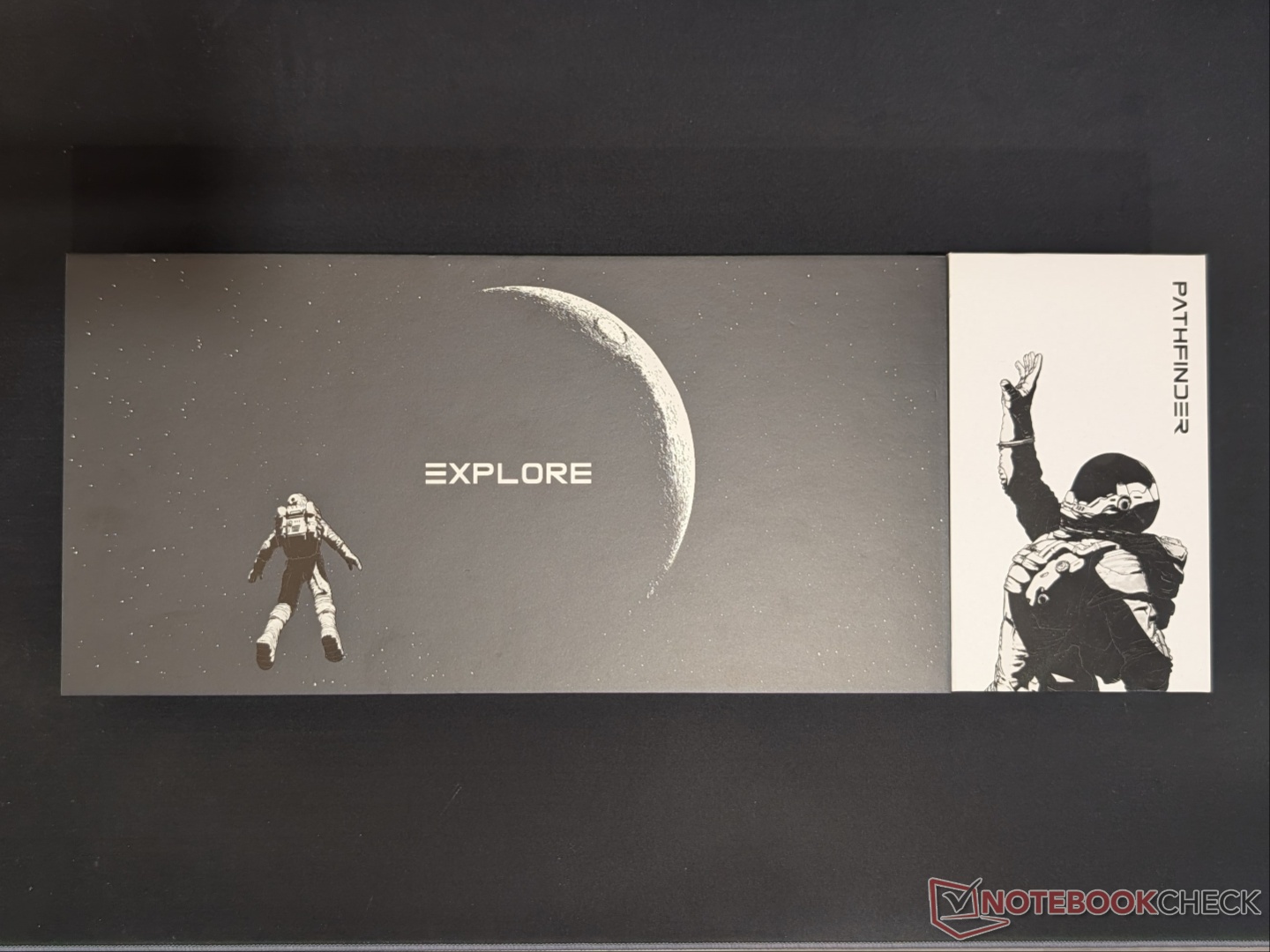
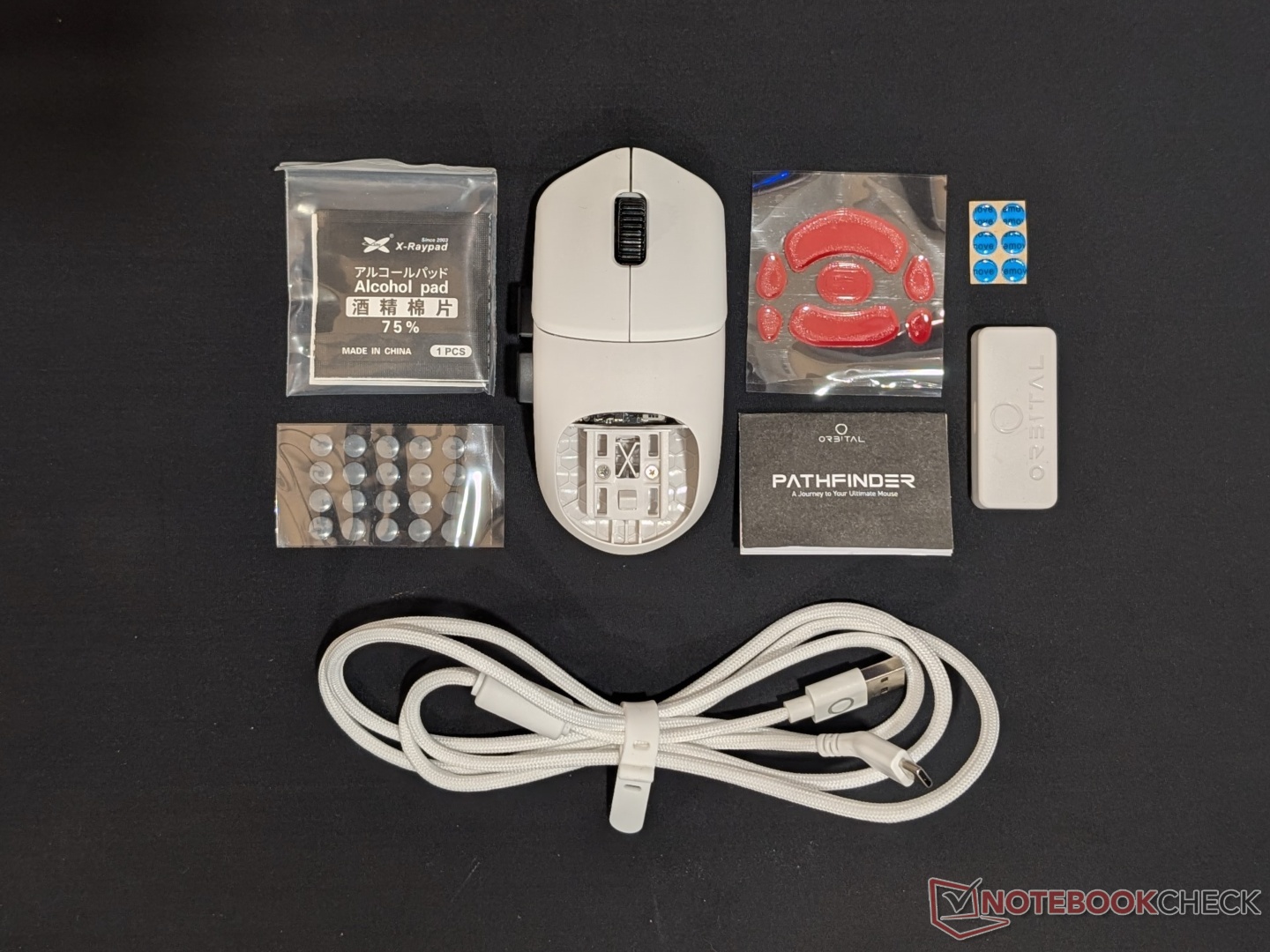
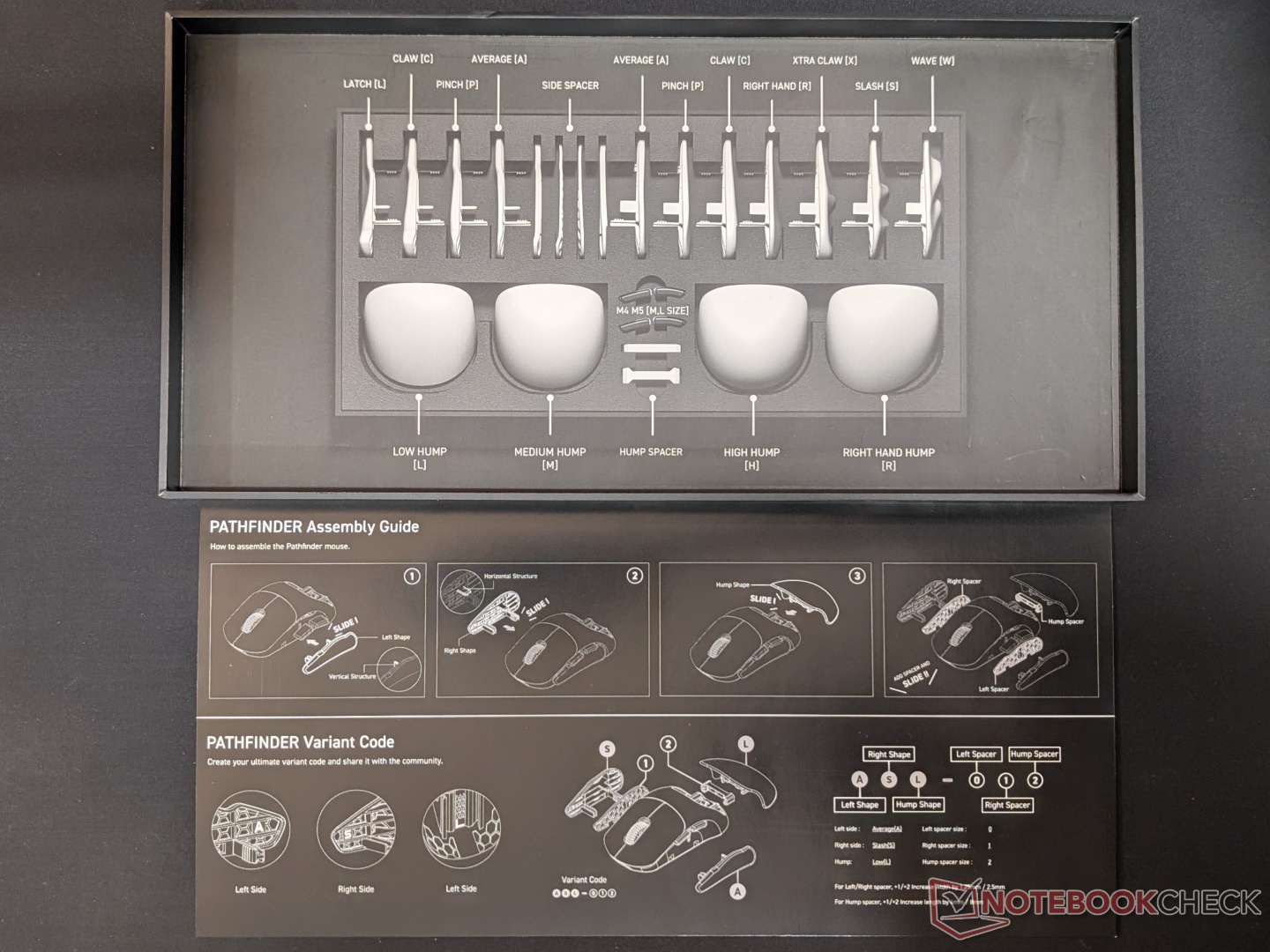
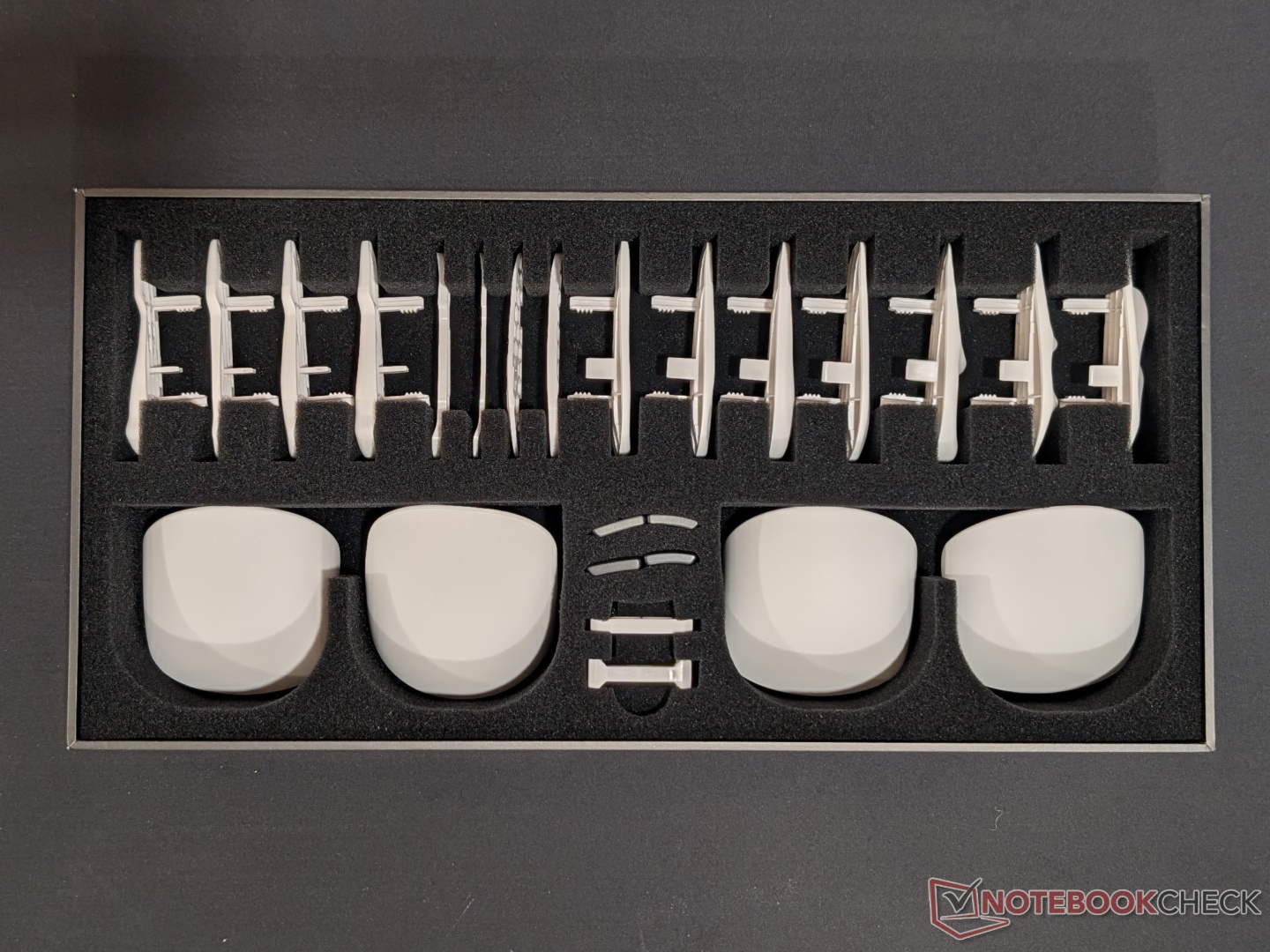
The Core Box + Exploration Box have some beautiful artwork on them. The Core includes the mouse, 8K receiver, the USB Type-C cable, and the trio pack of skates. The Explore Box, on the other hand, houses all the modules in foam cutouts, along with a handy guide acting as a key for the modules. Nothing too special about the unboxing experience, but the minimal use of plastic (except for the mouse itself) is appreciated.
Design and build quality
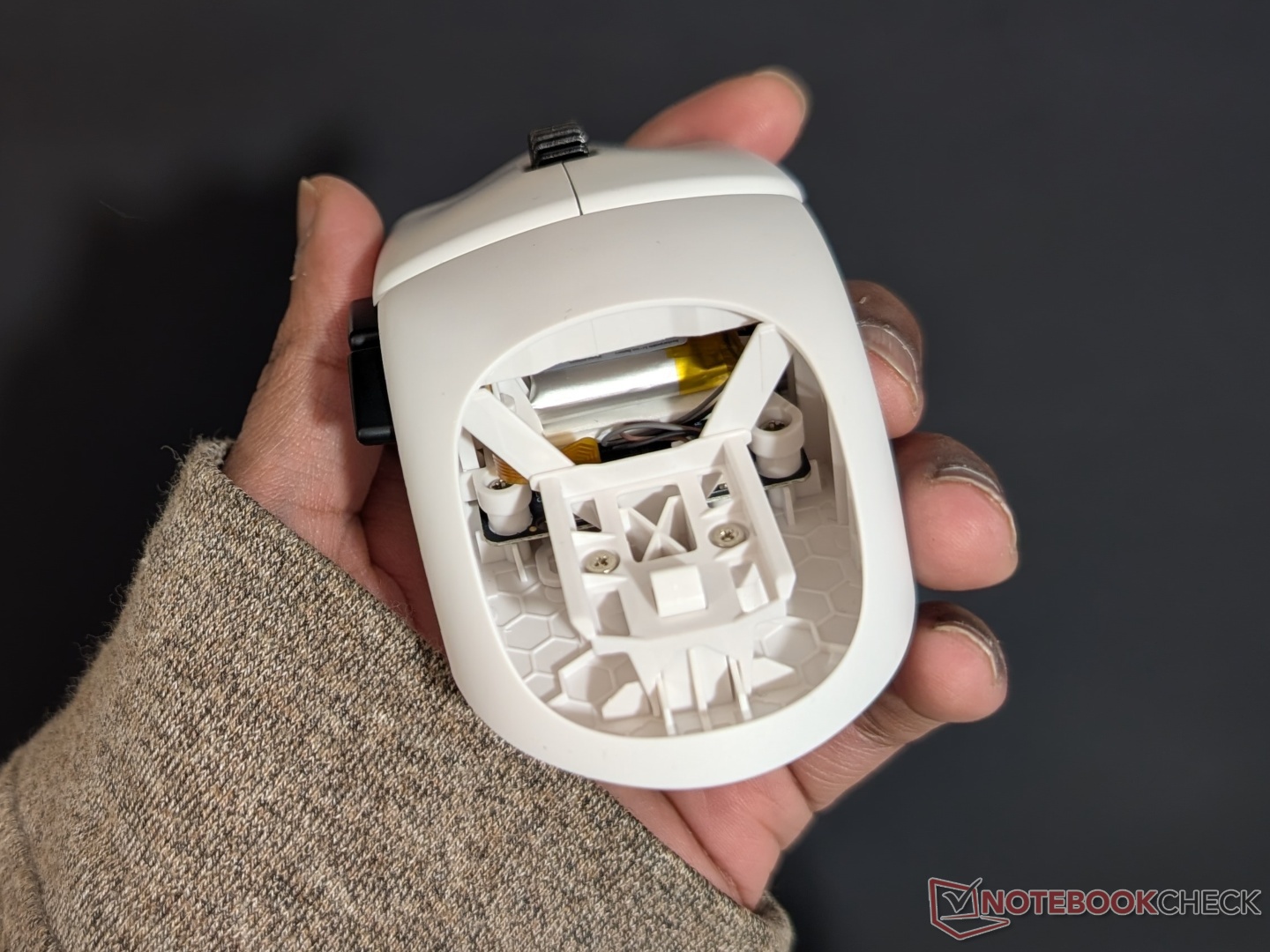
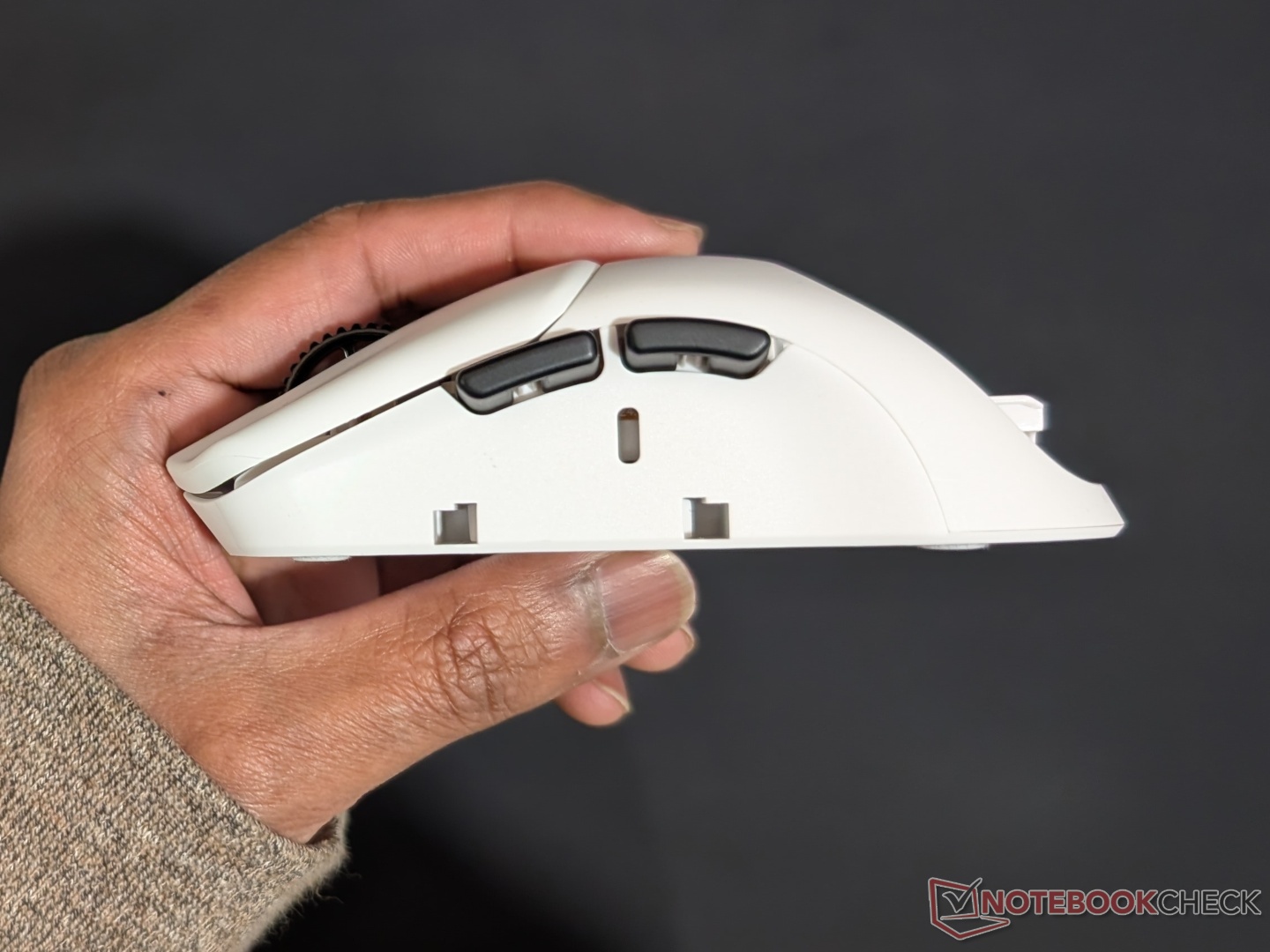
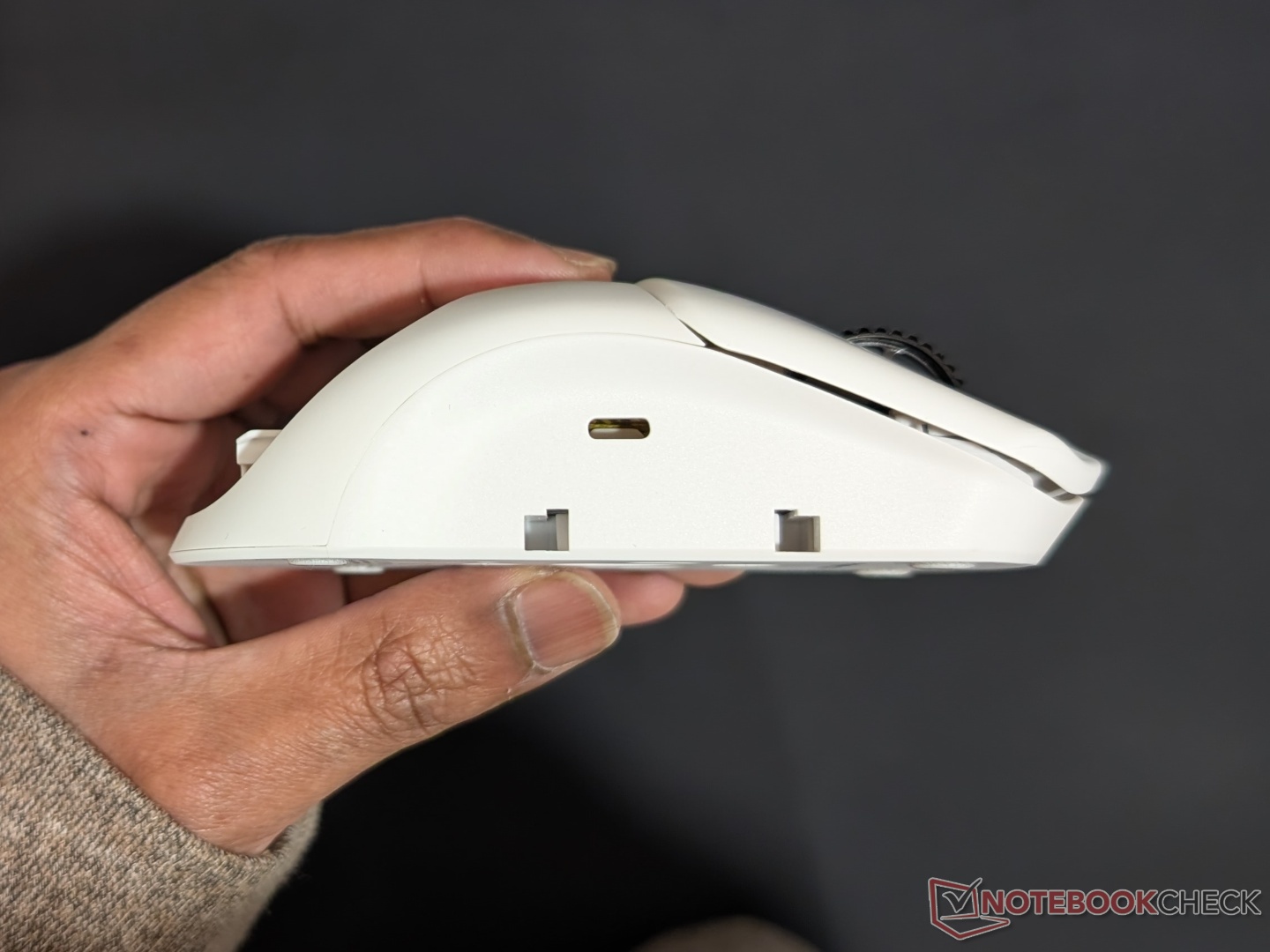
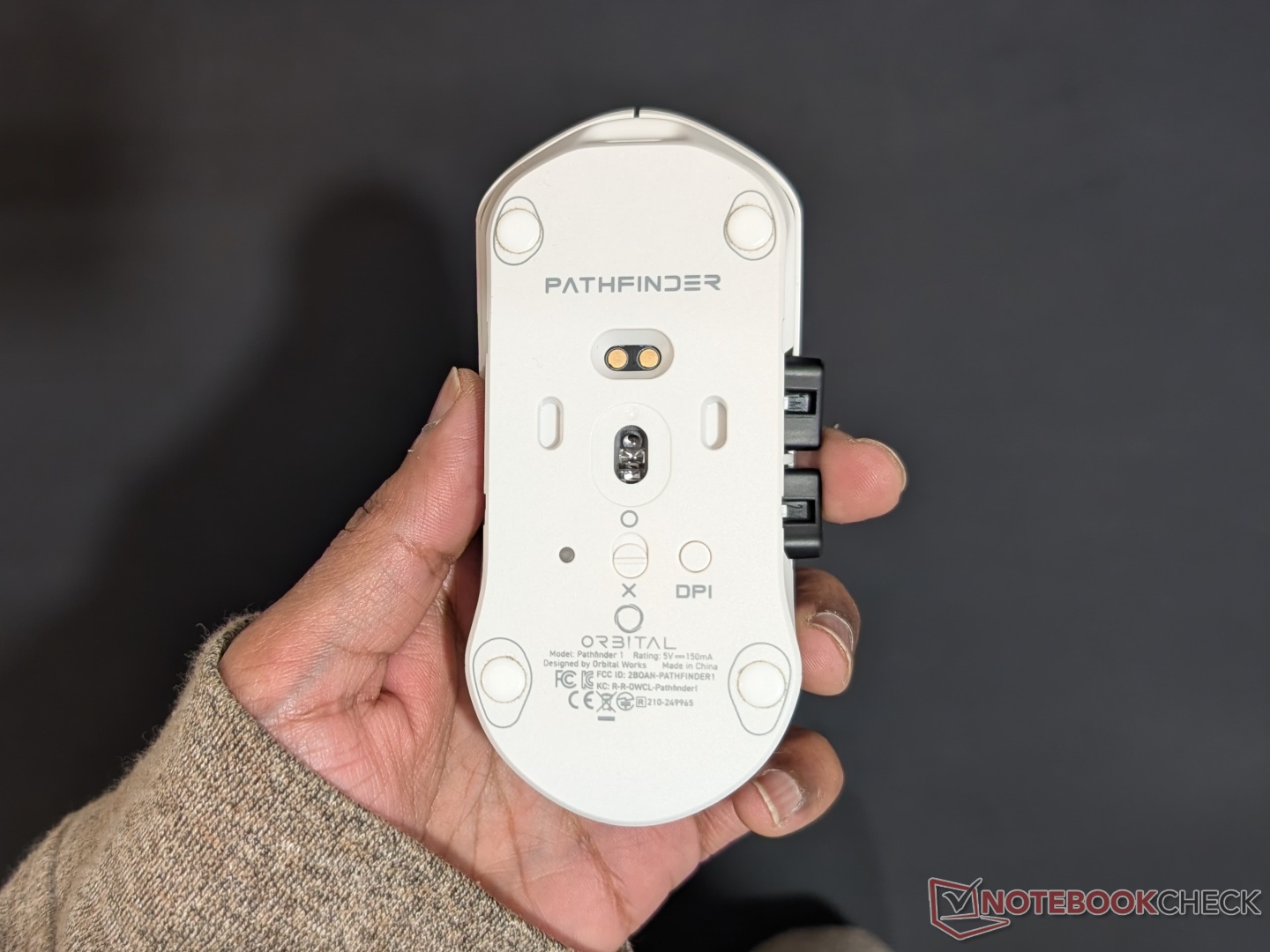
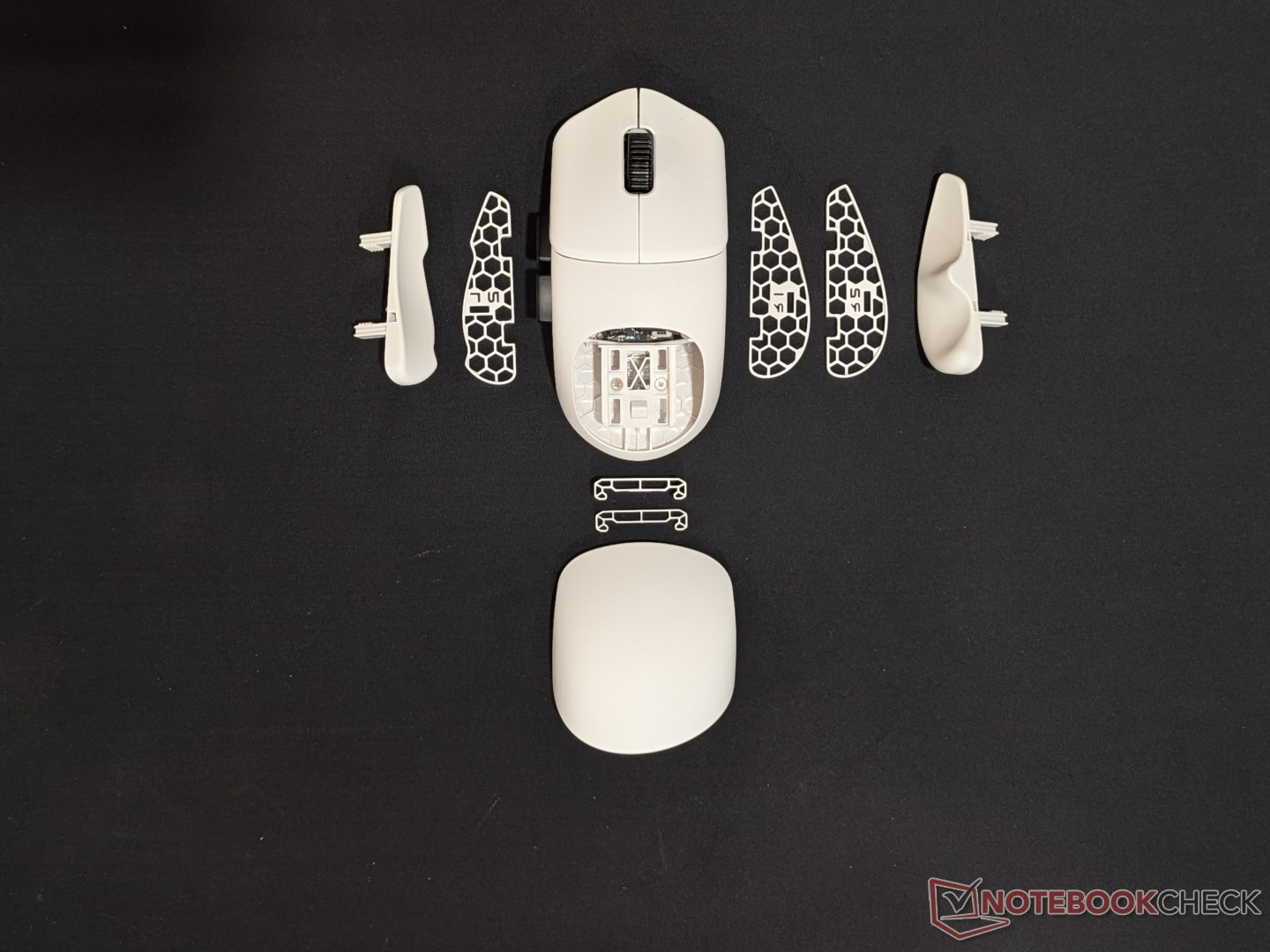
The Core Pathfinder is just a half shell that houses the buttons and the sensor. Those brave enough and don’t care for ergonomics can use it as is, but that would defeat the whole purpose of customizability. Orbital also has different color shells so you can swap out the base white/black shell, but the buttons and attachments will be either white or black. The modules and their clipping mechanism may look delicate but I had no issues - cracks or snaps - swapping them in and out. The Pathfinder is a symmetrical mouse, but with one module that sort of makes it ergonomic.
Performance
The USP of the Pathfinder is the customizability and ability to personalize the “in hand feel” to a degree that no other mouse offers. While it excels at that, it’s not limited to just being customizable. At its core, it is a solid lightweight gaming mouse with accurate tracking, high polling rate support, consistent and pleasant clicks, and a grippy scroll wheel. The PAW 3950DM doesn’t miss a beat and while no one games at 30,000 DPI, the incremental adjustment is much appreciated. Similarly, I only used the mouse at 8,000 Hz polling rate briefly and switched to 1,000 Hz for better battery life.
Speaking of which, the battery life is good enough and meets the company’s claims. Using the mouse at 1,000 Hz polling, it easily lasts more than a week, which is what Orbital claims. The 300 mAh drains much quicker in 8,000 Hz and 4,000 Hz modes, with no perceptible improvement in latency. There’s a reason why even the pros stick to 1,000 Hz. Charging with the included USB Type-C cable is very quick, but the angled connector forces you to plug it in only one way. That's probably a feature to prevent cable drag on the desk during wired operation, to some degree. The connector does allow the receiver to be more planted on the desk with the cable naturally falling behind the desk top.
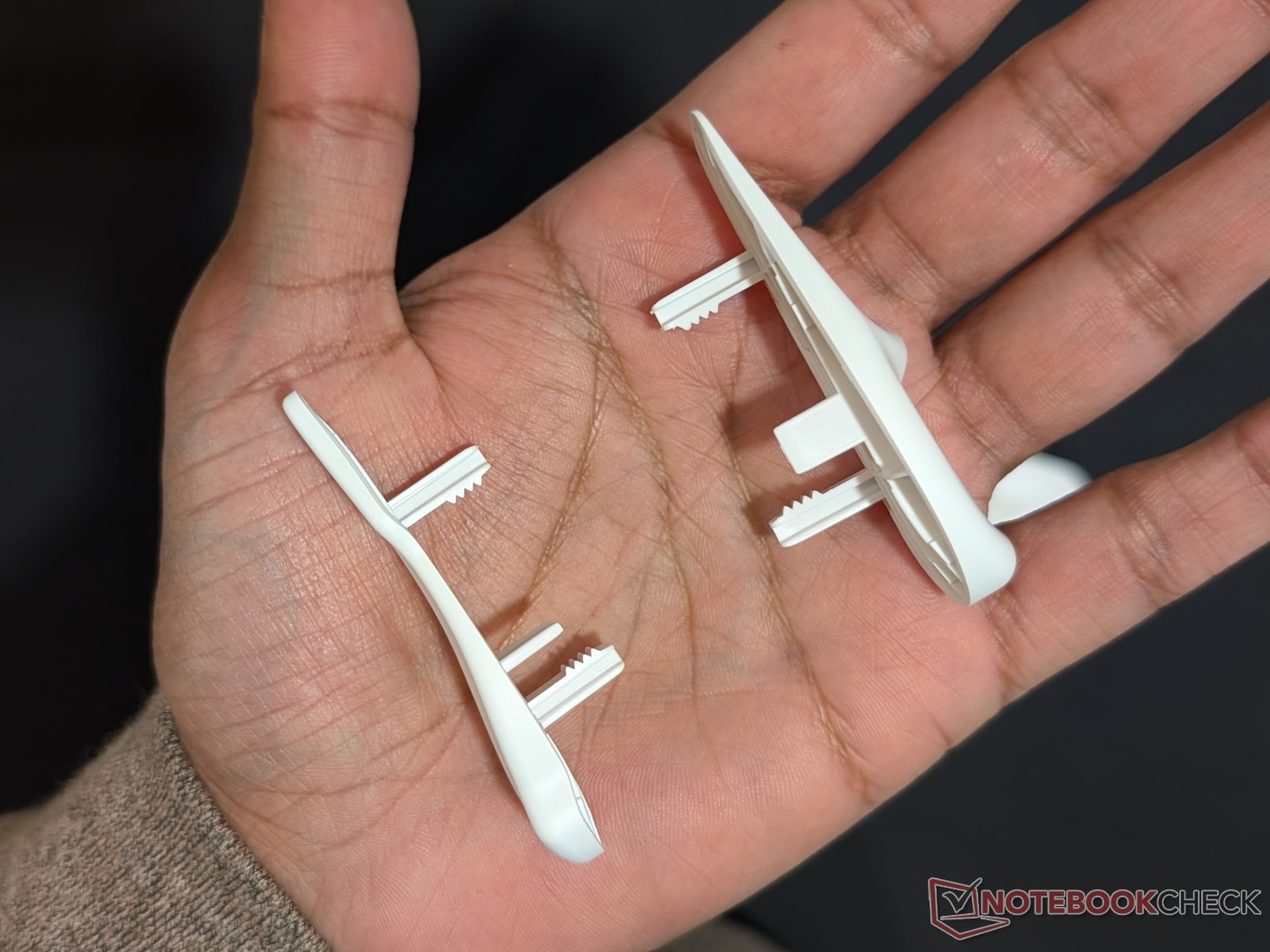
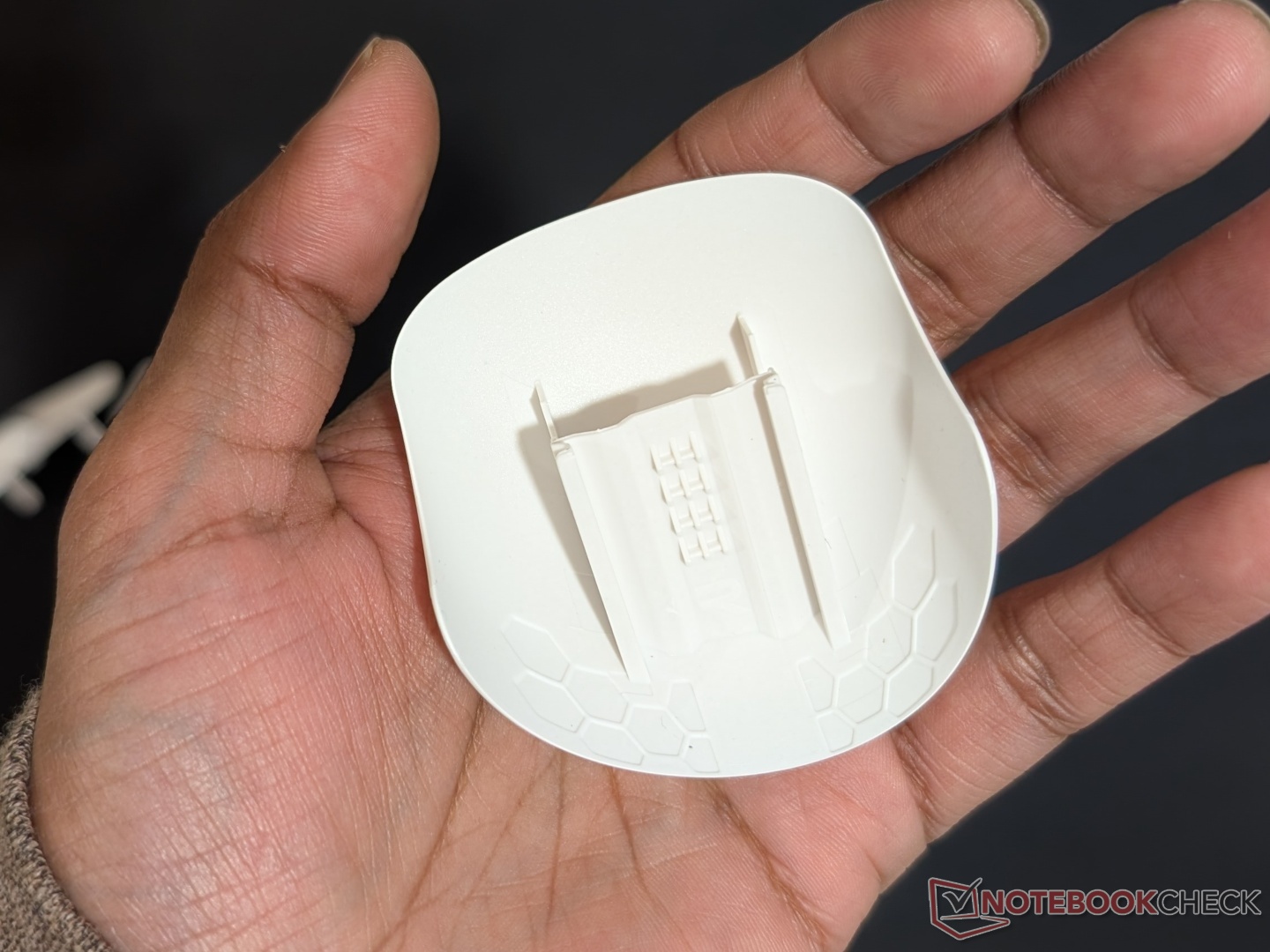
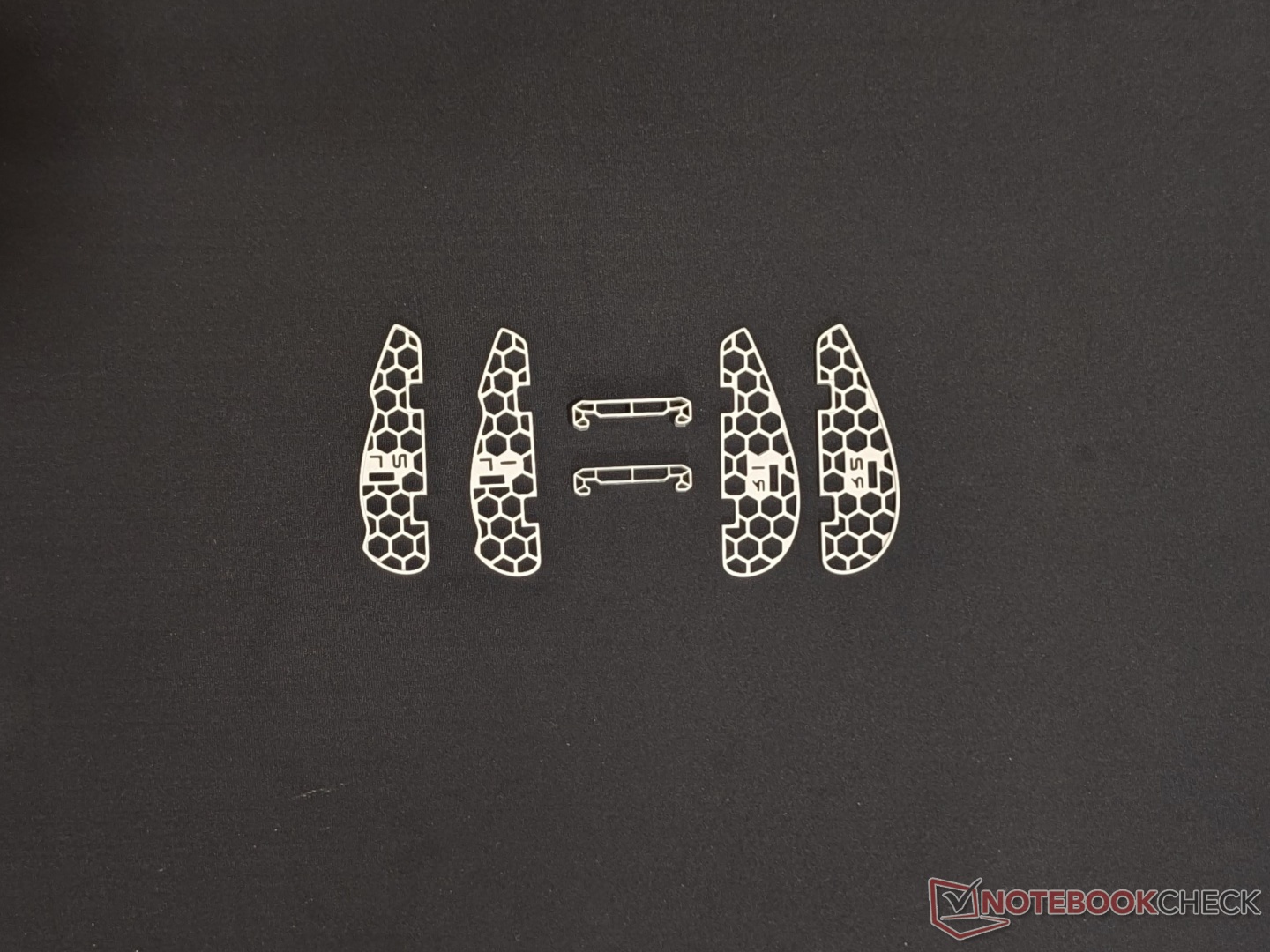
Coming to the customizability, as Orbital claims, there are more than 3,000 possible combinations with the different attachments in the Explore Box. With 3D printing, there are infinite customization options, and there is an active community creating and sharing models. Basically, how it works is, there are numerous modules for the left grip, right grip, and the hump. Each of these can be used with or without spacers for a slimmer or wider profile. Additionally, each module is connected using a rail and ratchet system with four “teeth” to lock the modules in four depth levels. Once in place, the teeth are strong enough to hold the shape during light use, but they may compress with a tighter grip. That’s where the spacers come in. Each module can have two spacers that go in before it, increasing the width and keeping the modules in place. Not to forget, the two extra buttons (typically forward and back) can also be customized with small, medium, and large sizes.
Also included in the Core Box are three types of skates for more control or more speed. I prefer the high control despite the higher friction.
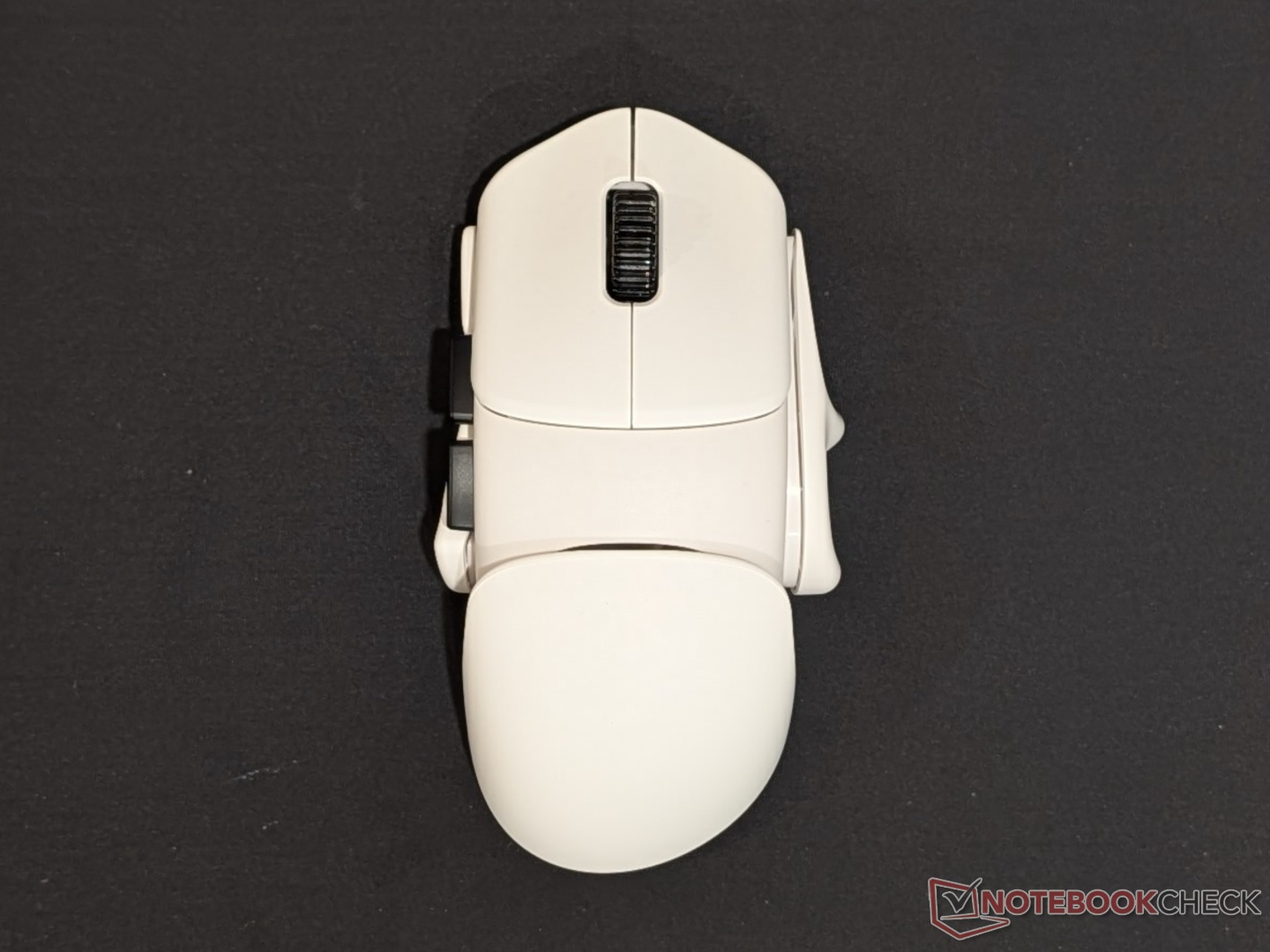
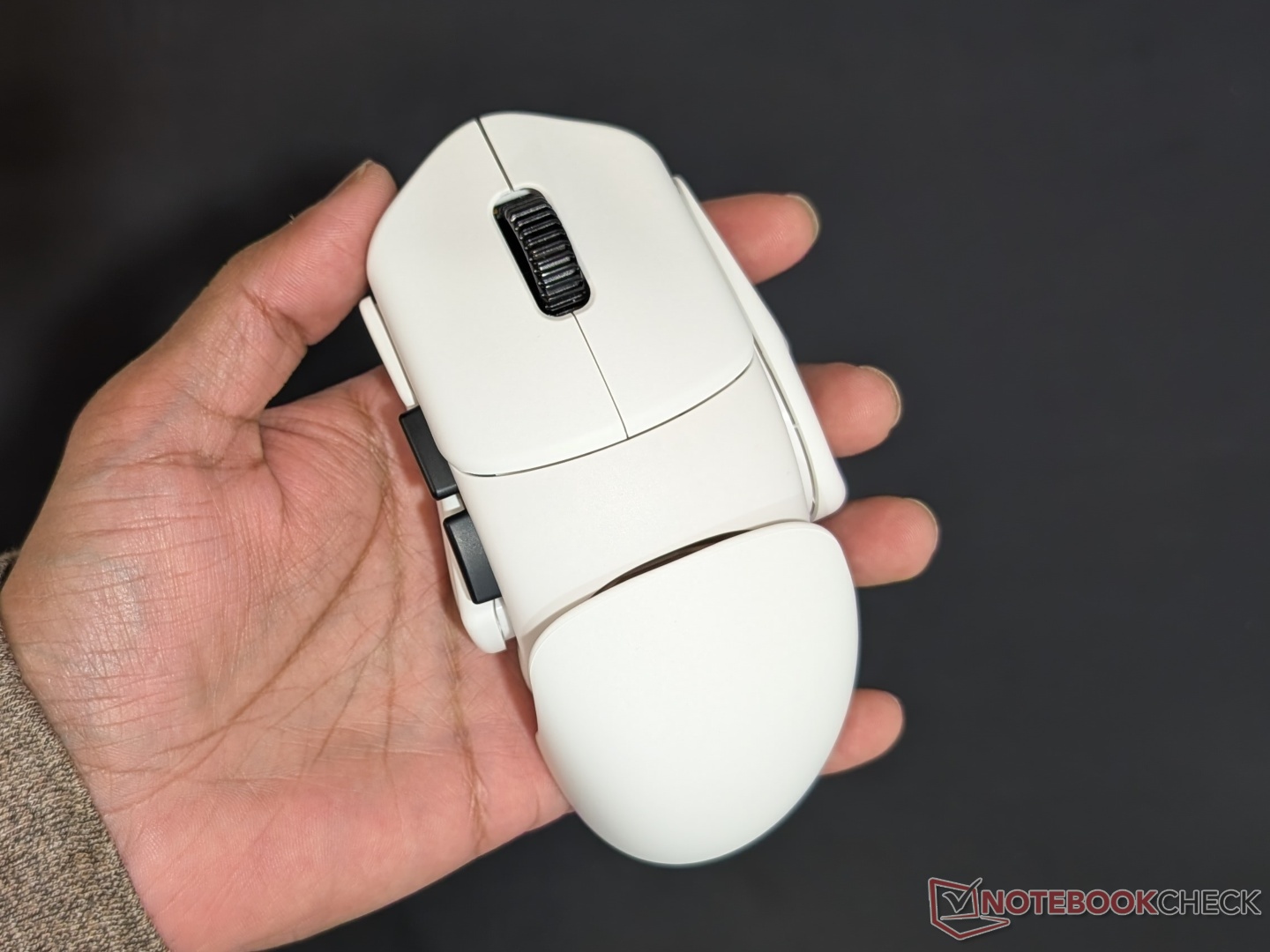
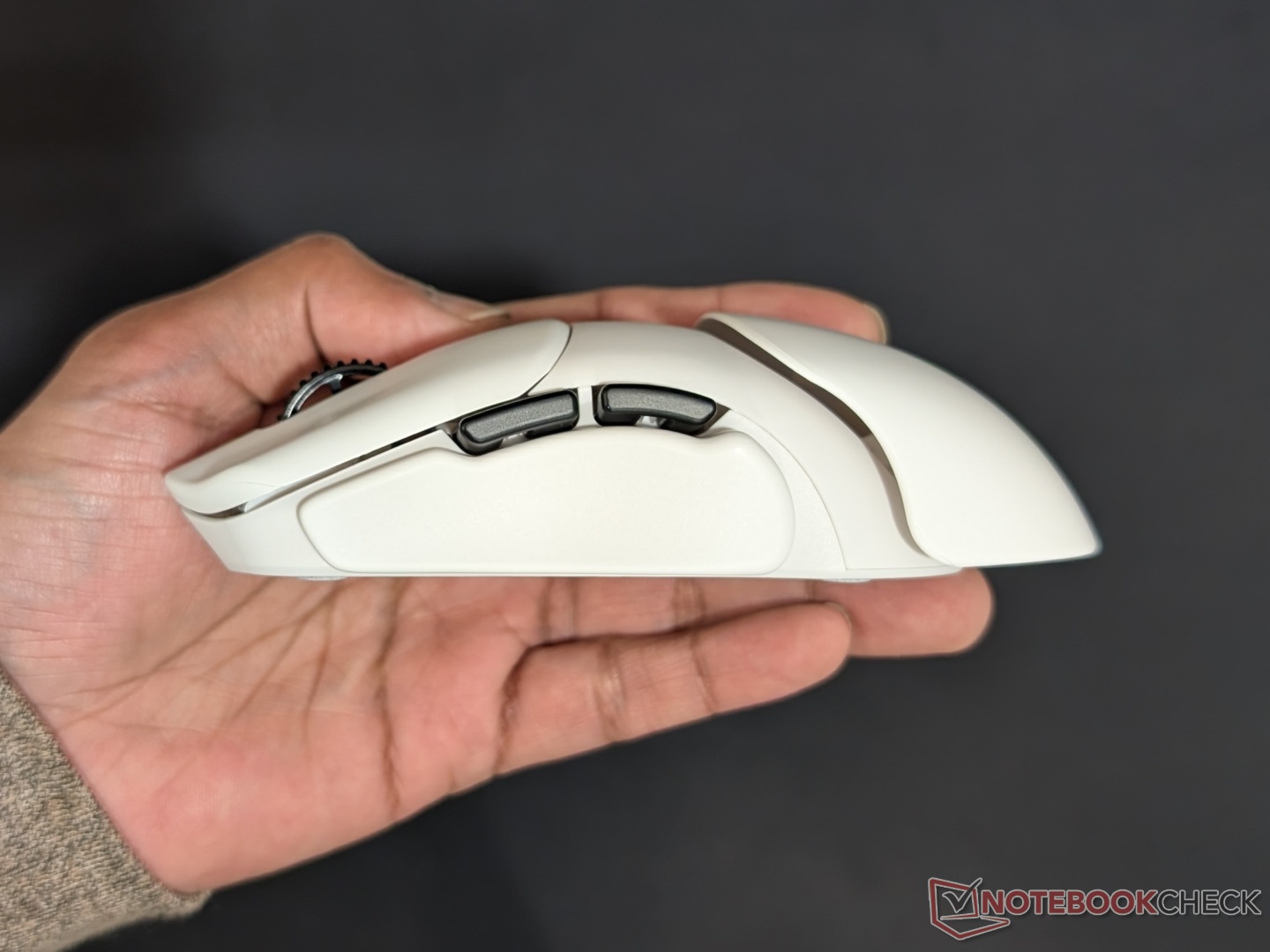
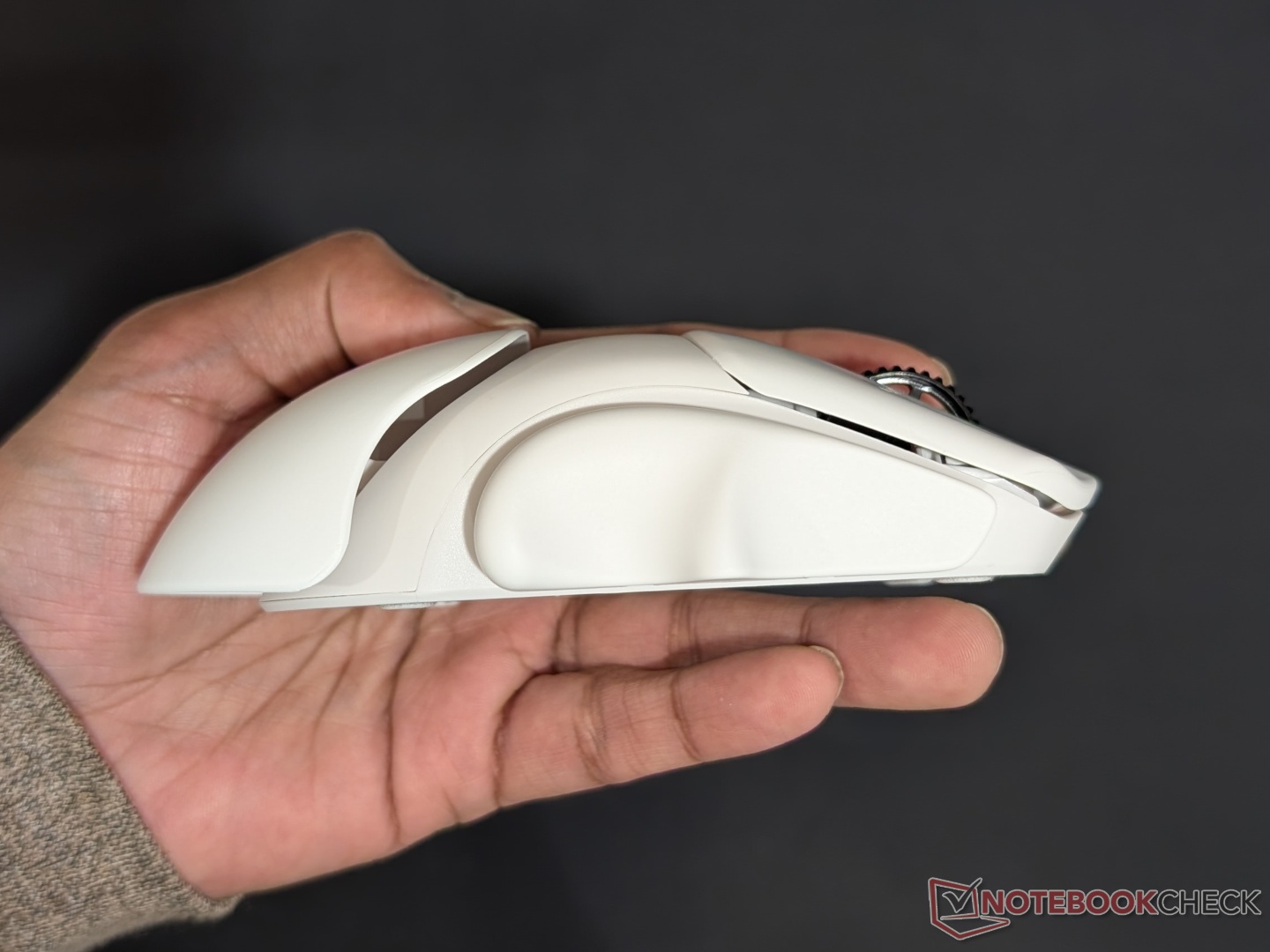
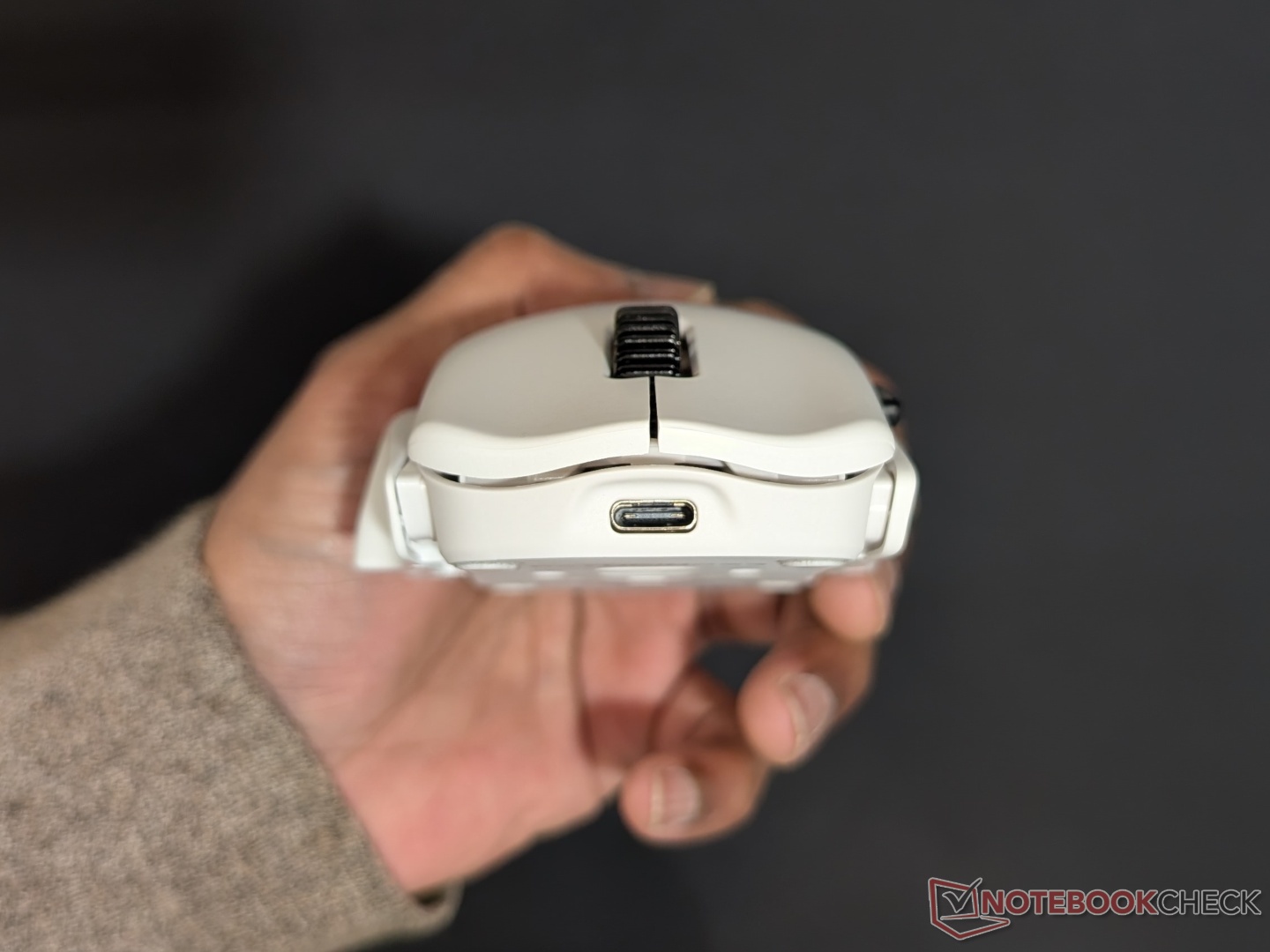
Finding the right combination can be overwhelming with so many options, and it was. Orbitalworks recommends taking a few days or even weeks with a customized shape and then deciding what works best. I kept swapping the modules based on my grip style and shape of the mouse that felt the best. I found that you can get to the right shape fairly quickly, but fine tuning that shape can take longer. For example, an ergonomic shape works best for me and there’s only one hump module out of the four that allows for it. And, I like somewhat larger mice so adding both spacers was ideal. Same with the right grip, and for my hybrid grip style, the ‘Xtra Claw’ module worked great. There are more options for the right grip than the left, so finding the correct left grip was quite easy. I ended up with the combination that you see in the photos above, and it’s been working great.
Shortcomings
Now, despite all this customization, there are still some gaps that can’t be filled with the Pathfinder. The overall size of the mouse even at maximum thickness (using all spacers) might still feel small for those with larger hands. Even for my medium sized hands, the high hump wasn’t high enough. The software is easy to use but a web driver would’ve been ideal. There is no Bluetooth connectivity so for someone like me who uses a Mac for work and Windows PC for gaming, separate mice are required for a wireless, dongle-less experience. The DPI button is on the bottom so no on-the-fly sensitivity switching. There are only flat spacers and if there were angled ones, the modules could be adjusted for finer precision. Lastly, there is no RGB, for those who prefer their peripherals to light up. Some of these gripes can be addressed with 3D printing but not everyone has access to a printer or the modeling skills.
Transparency
The selection of devices to be reviewed is made by our editorial team. The test sample was given to the author by the manufacturer free of charge for the purposes of review. There was no third-party influence on this review, nor did the manufacturer receive a copy of this review before publication. There was no obligation to publish this review. As an independent media company, Notebookcheck is not subjected to the authority of manufacturers, retailers or publishers.
 Add as a preferred source on Google


