




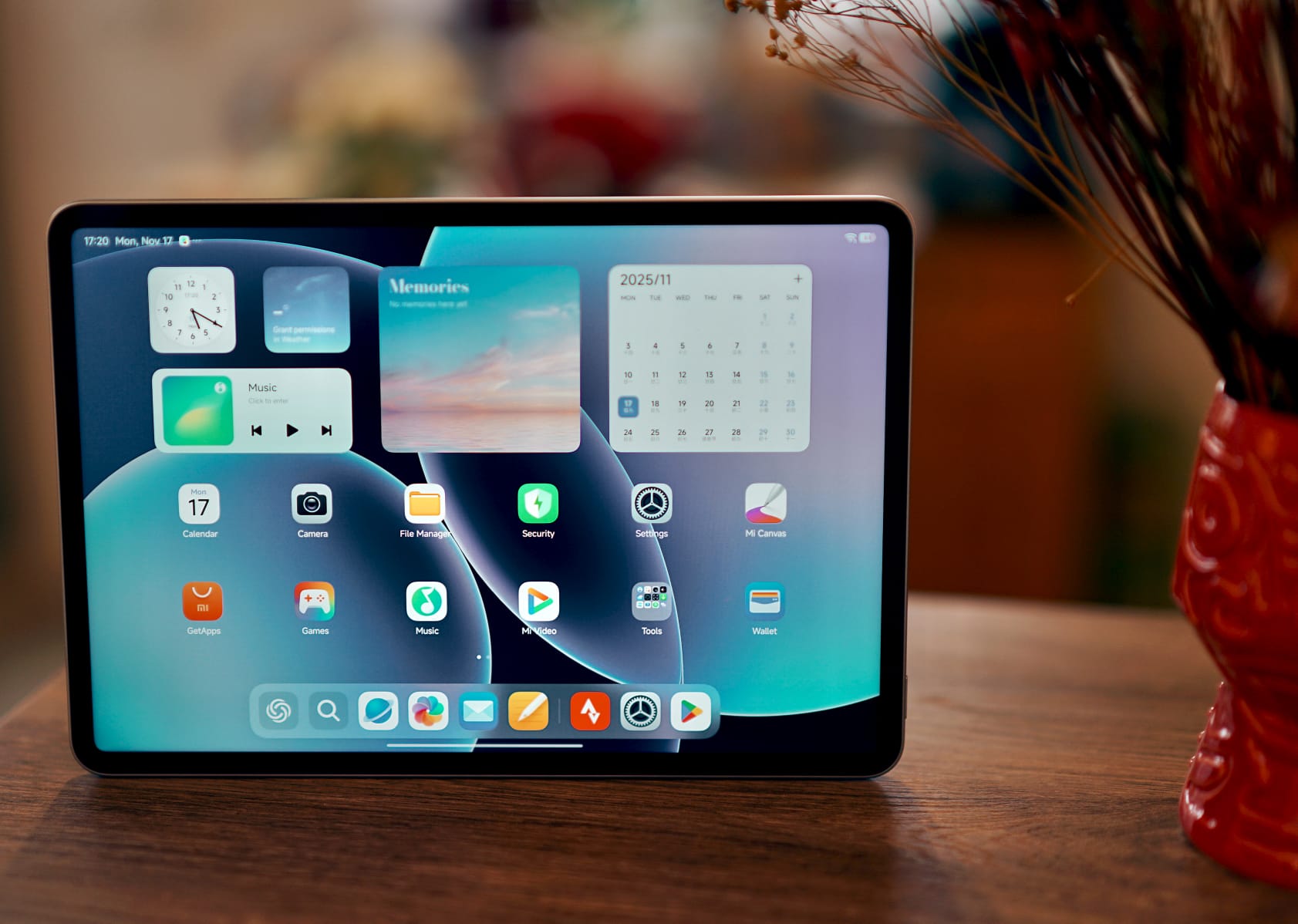
Verdict
The Xiaomi Pad 8 is very well equipped and offers more than significantly more expensive devices: for example, narrow display edges, a bright and flicker-free screen, and enough power for almost all situations with only moderate throttling under prolonged load.
The tablet doesn't get hot, looks very attractive, and has a clean finish. Thanks to stylus support and desktop mode, it is also very suitable for work. You can also expect long updates.
Compared to the Xiaomi Pad 8 Pro, you lose a little in terms of maximum performance and storage space. There are also weaker cameras and no fingerprint sensor, but the battery life of our test device is even a little longer.
Whether you buy the tablet now as an imported device or prefer to wait for the international version is a matter of taste: The Xiaomi Pad 8 from China has limitations in terms of language selection and Android Auto, but can otherwise be used worldwide without any problems.
Pros
Cons
Price and availability

The Xiaomi Pad costs from 337 euros (approximately US$390) when imported from our rental supplier TradingShenzhen.
As with its predecessor, a European launch is probably only a matter of time.

- $379.50XIAOMI Pad 8 Ai WiFi Version Global (No Calls or Text) 11.2 inches 3.2K 144Hz 9200mAh Four Speakers 13 Mp Model 25097RP43G (Gray, 128GB + 8GB)
- $432.00XIAOMI Pad 8 Ai WiFi Version Global (No Calls or Text) 11.2 inches 3.2K 144Hz 9200mAh Four Speakers 13 Mp Model 25097RP43G (Gray, 256GB + 8GB)
- $372.00XIAOMI Pad 8 Ai WiFi Version Global (No Calls or Text) 11.2 inches 3.2K 144Hz 9200mAh Four Speakers 13 Mp Model 25097RP43G (Pine Green, 128GB + 8GB)
Table of Contents
- Verdict
- Specifications
- Case - Metal unibody for under 400 euros
- Features - Limited memory
- Software - You can expect 6 years of updates
- Communication and GNSS - WiFi 7 on the Xiaomi tablet
- Camera - How important are good cameras for tablets?
- Accessories and warranty - Good accessories available
- Input devices and operation - The fingerprint sensor is missing
- Display - The IPS screen in the Pad 8
- Performance - Completely sufficient for almost everything
- Emissions - Only moderate throttling under load
- Battery life - Plenty of stamina thanks to the huge battery
- Notebookcheck overall rating
- Possible alternatives in comparison
Specifications
Case - Metal unibody for under 400 euros
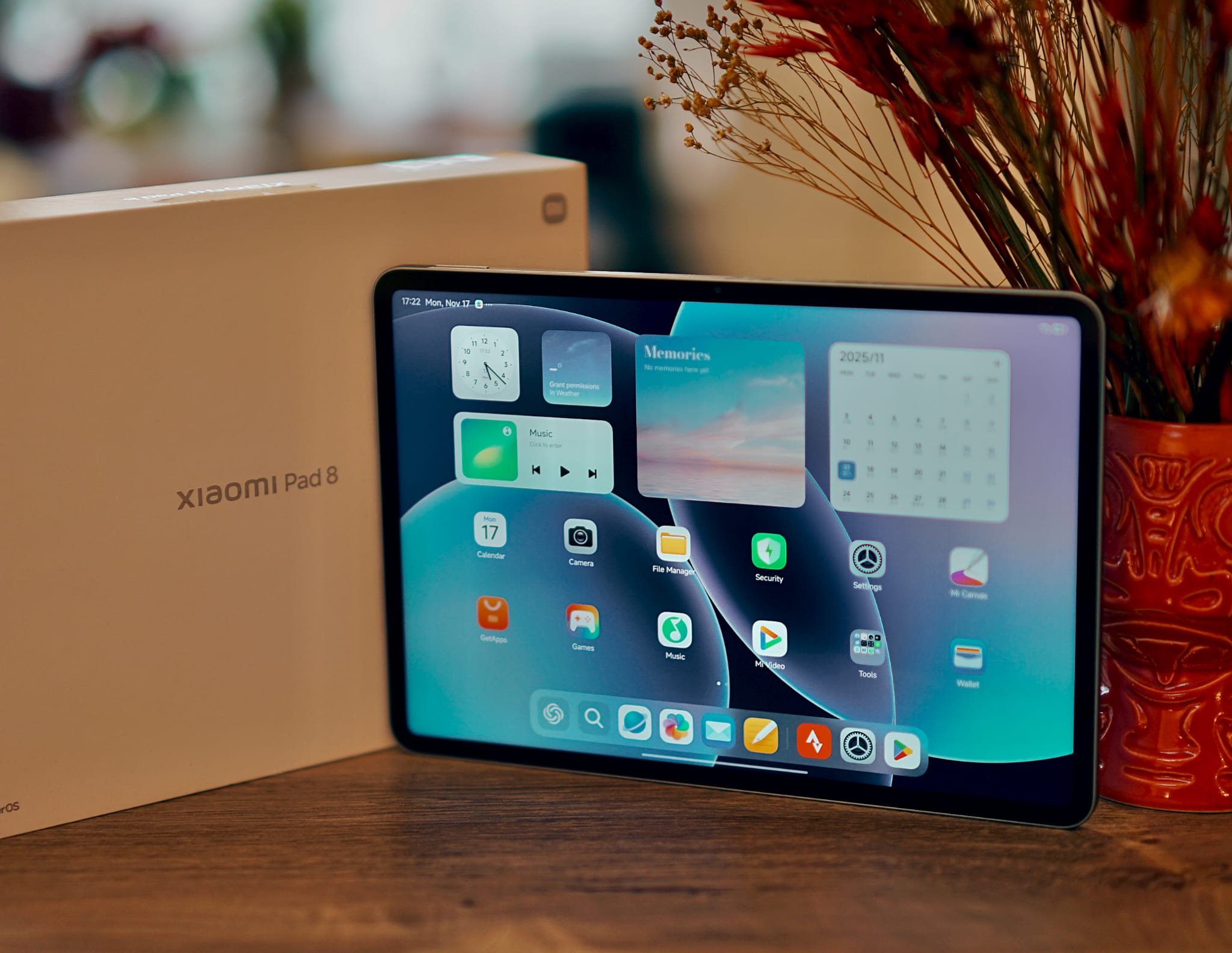
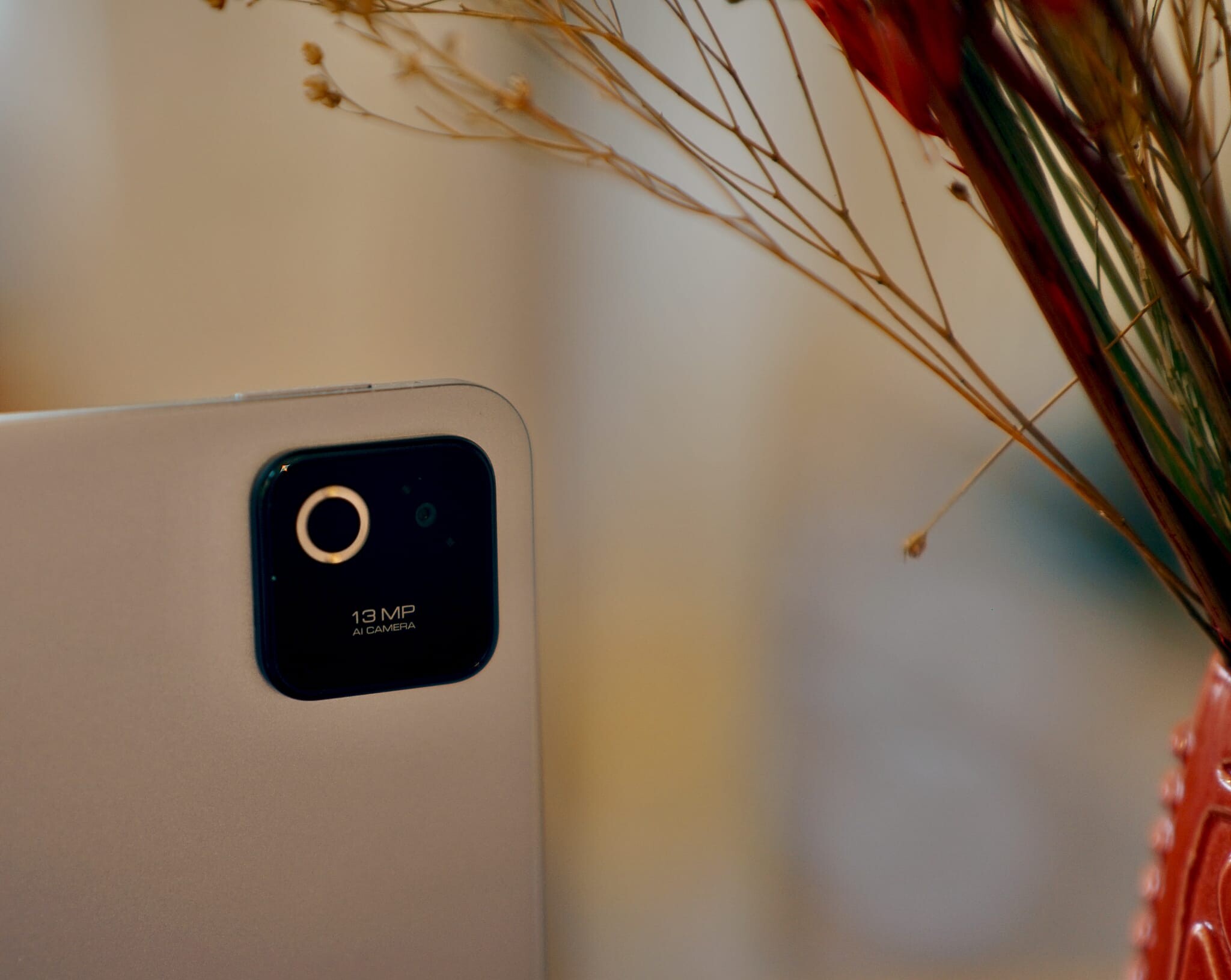
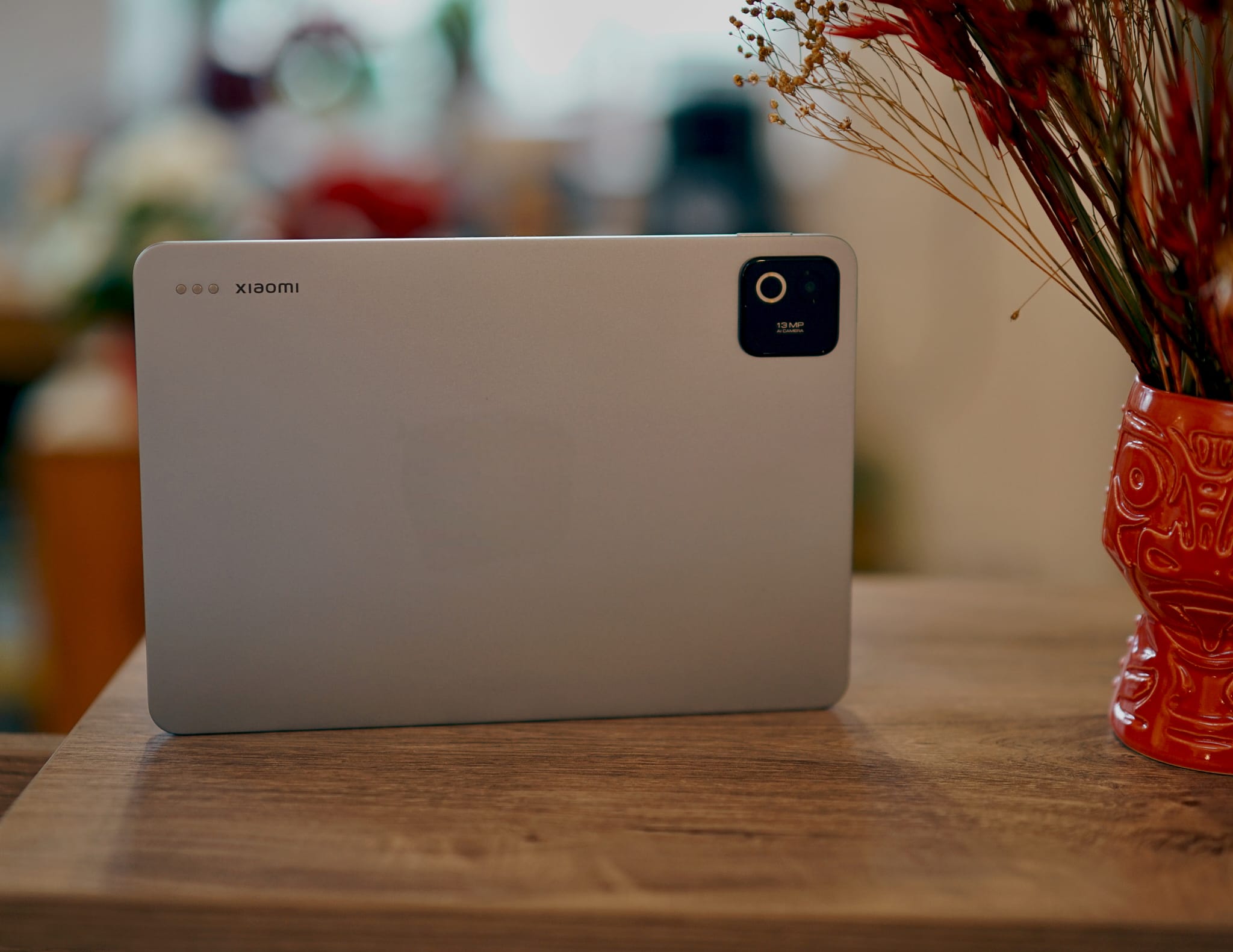
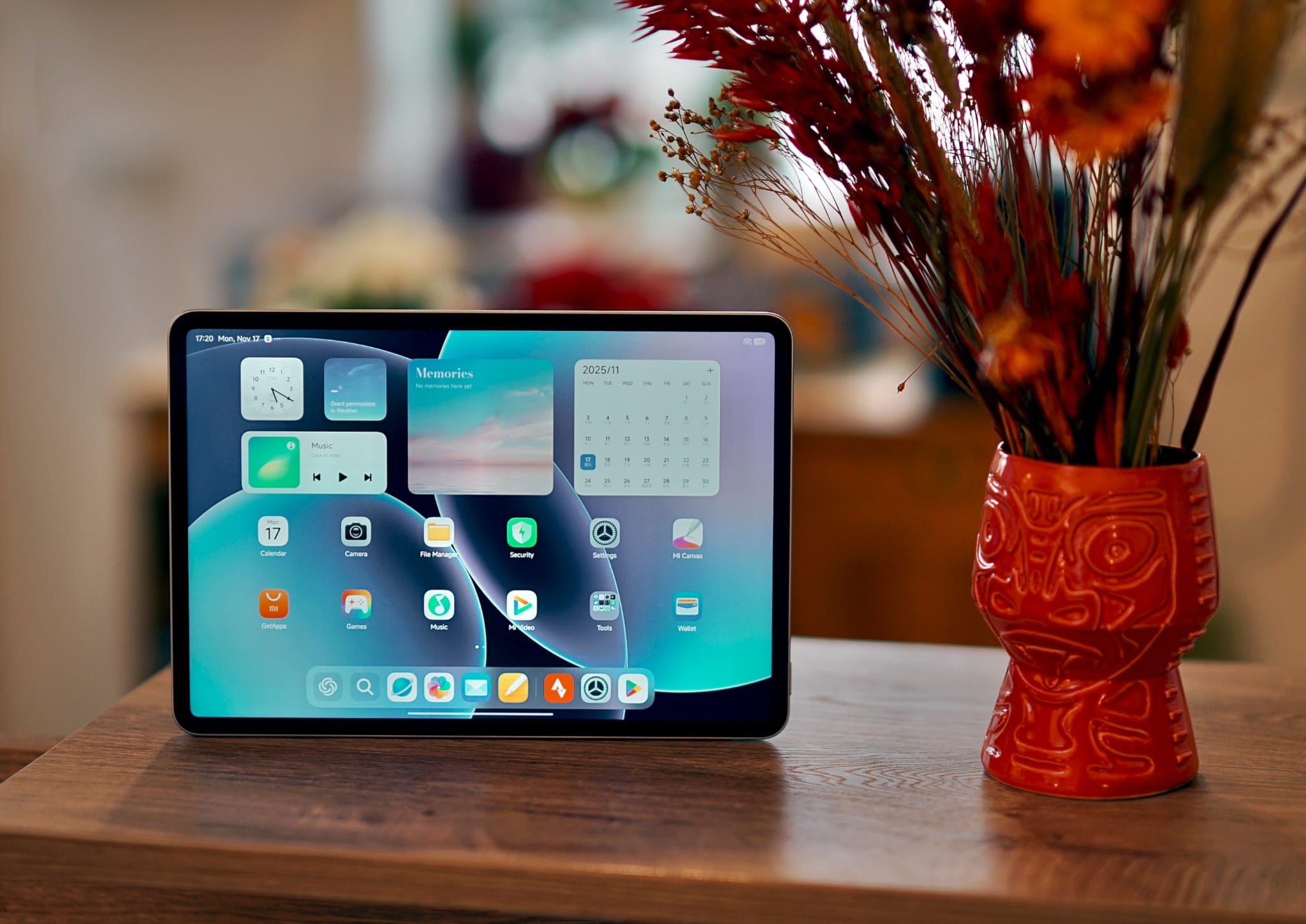
The Xiaomi Pad 8 is slightly lighter and a little slimmer than its predecessor, the Pad 7. However, if you compare the two tablets side by side, you will notice only minor differences, such as in the design of the camera module.
The practical 3:2 aspect ratio remains the same, and with a screen-to-body ratio of almost 86%, the Xiaomi Pad 8 looks very modern. A significantly more expensive iPad Air 11 cannot keep up.
The Xiaomi Pad 8 can only be twisted slightly due to its stable aluminum unibody, but you might hear some quiet creaking noises. The matte back in the delicate colors green, blue or gray is resistant to fingerprints. There is still no certification for water and dust resistance.
Features - Limited memory
The equipment is very complete for a comparatively inexpensive tablet: infrared blaster, pen input, a fast USB port including display port support, and NFC, for example, for wireless payment services.
There are also three memory variants:
- 128 GB UFS 3.1 Flash / 8 GB LPDDR5X RAM
- 256 GB UFS 4.1 Flash / 8 GB LPDDR5X RAM
- 256 GB UFS 4.1 Flash / 12 GB LPDDR5T RAM
If you need more storage space, you will have to look elsewhere, especially as a microSD card is not supported.
Software - You can expect 6 years of updates
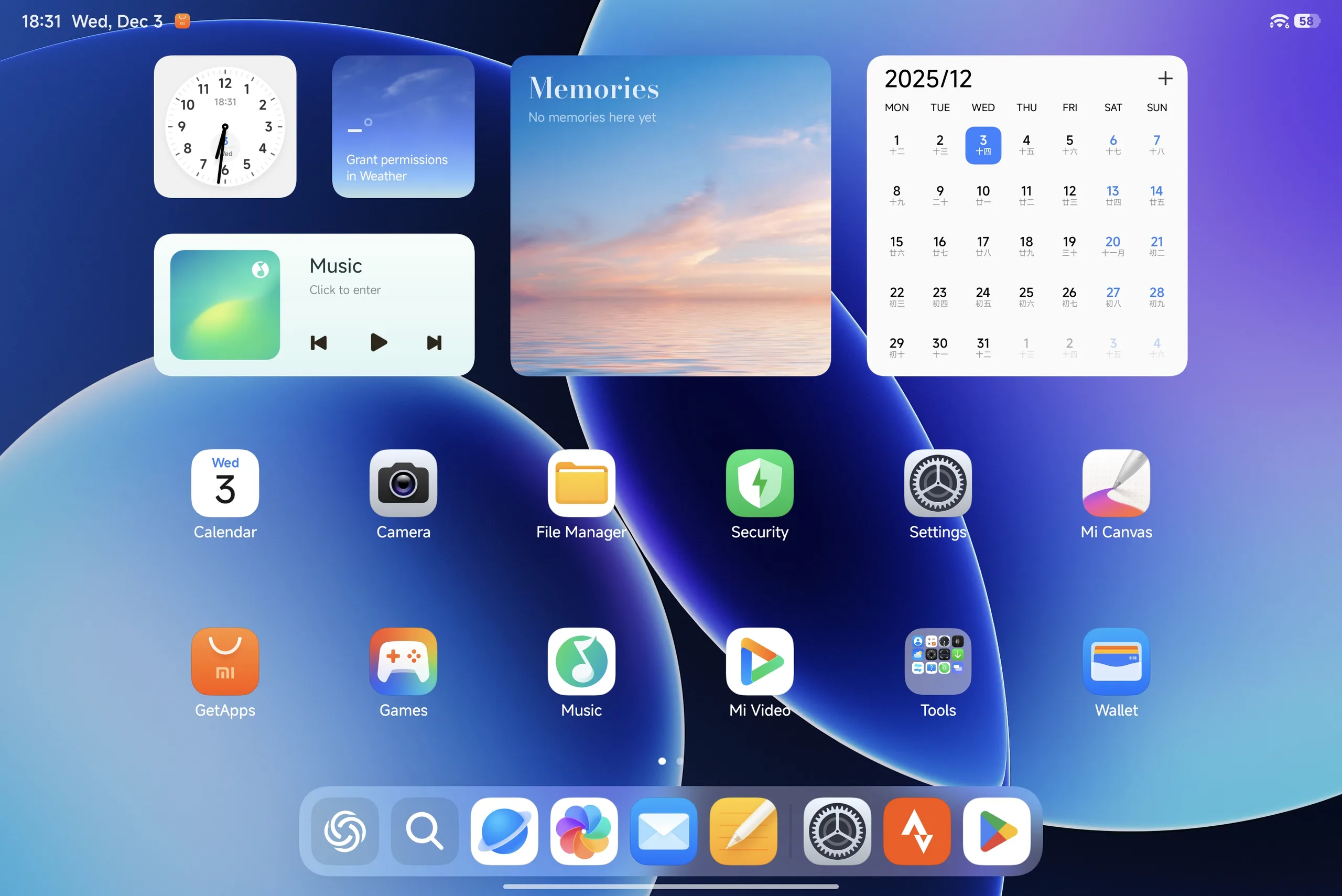
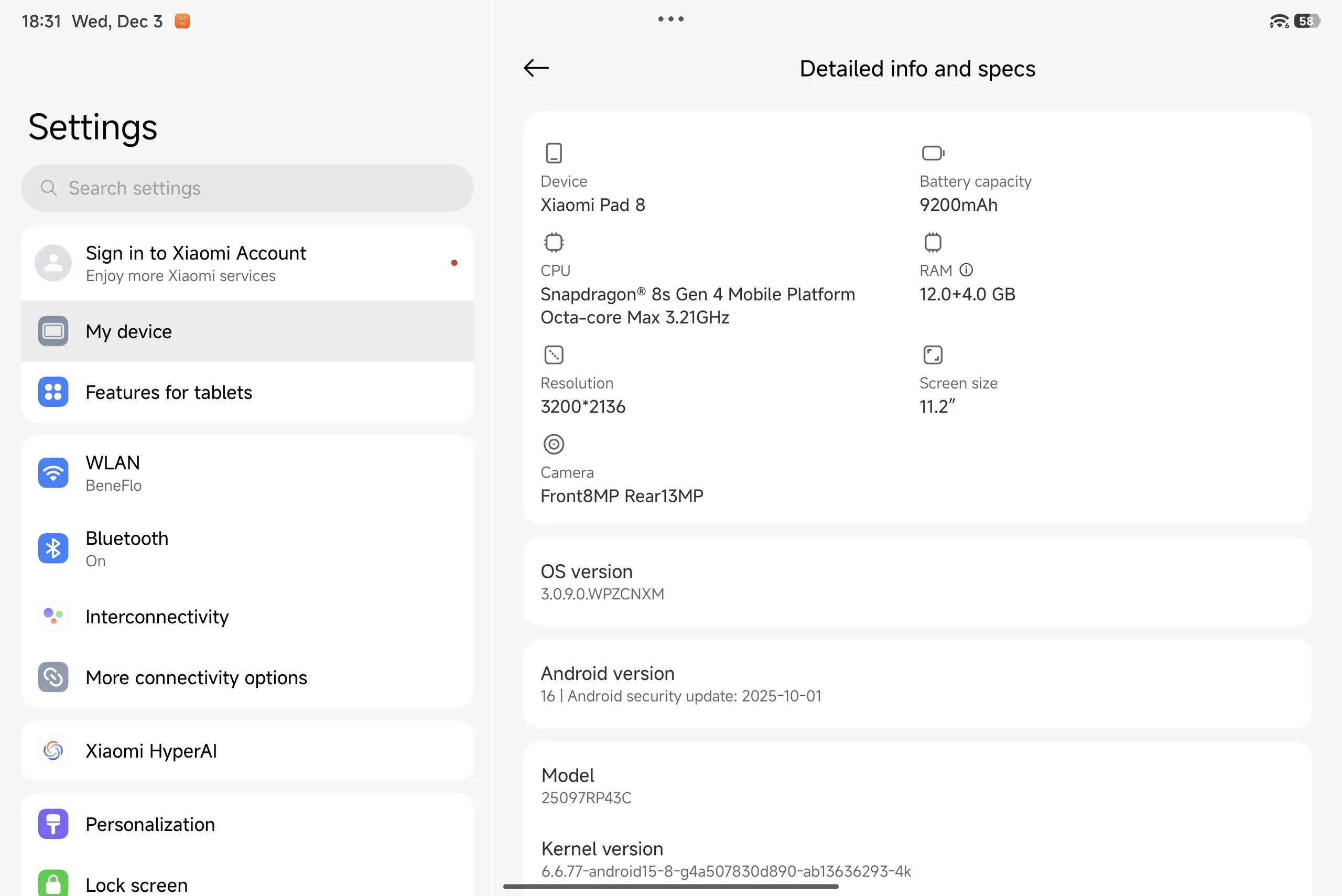
The Xiaomi Pad 8 uses HyperOS 3 as its operating system, which is based on Android 16, can handle multiple windows more flexibly, and also offers a desktop mode similar to Samsung DeX.
We are testing the import version with the Chinese ROM, which does not support any European languages apart from English, but Google services can be installed without any problems. However, Android Auto is not supported.
If you want to set your home language in Europe and use all the features, you will probably have to wait for the global version of the tablet, especially as it is difficult to unlock the bootloader outside of China.
Our test device comes with the security patch from October 2025, which is still reasonably up-to-date at the time of testing.
In the Xiaomi Security Center, there is still no information on the update duration of the tablet. The predecessor receives 6 years of updates and at least 4 new Android versions. This can therefore be assumed for the Xiaomi Pad 8 as a minimum.
Sustainability
The packaging is plastic-free. However, there is no information on other sustainability aspects, such as the CO2 footprint.
Communication and GNSS - WiFi 7 on the Xiaomi tablet
A major innovation of the Xiaomi Pad 8 is that the WiFi 7 standard is also supported.
Unfortunately, we are not yet able to test the latest standard with our Asus ROG Rapture AXE11000 test router, but the transfer rates in a WiFi 6E network are quite stable and fast overall. This means you can easily utilize a gigabit Internet connection, and it is also equipped for even faster networks.
There is no 5G option, nor is there support for satellite positioning.
| Networking | |
| Xiaomi Pad 8 | |
| iperf3 transmit AXE11000 6GHz | |
| iperf3 receive AXE11000 6GHz | |
| Xiaomi Pad 7 | |
| iperf3 transmit AXE11000 | |
| iperf3 receive AXE11000 | |
| iperf3 transmit AXE11000 6GHz | |
| iperf3 receive AXE11000 6GHz | |
| Huawei MatePad 11.5 S | |
| iperf3 transmit AXE11000 | |
| iperf3 receive AXE11000 | |
| Samsung Galaxy Tab S10 Lite | |
| iperf3 transmit AXE11000 | |
| iperf3 receive AXE11000 | |
| Average 802.11 a/b/g/n/ac/ax/be | |
| iperf3 transmit AXE11000 | |
| iperf3 receive AXE11000 | |
| iperf3 transmit AXE11000 6GHz | |
| iperf3 receive AXE11000 6GHz | |
| Average of class Tablet | |
| iperf3 transmit AXE11000 | |
| iperf3 receive AXE11000 | |
| iperf3 transmit AXE11000 6GHz | |
| iperf3 receive AXE11000 6GHz | |
Camera - How important are good cameras for tablets?
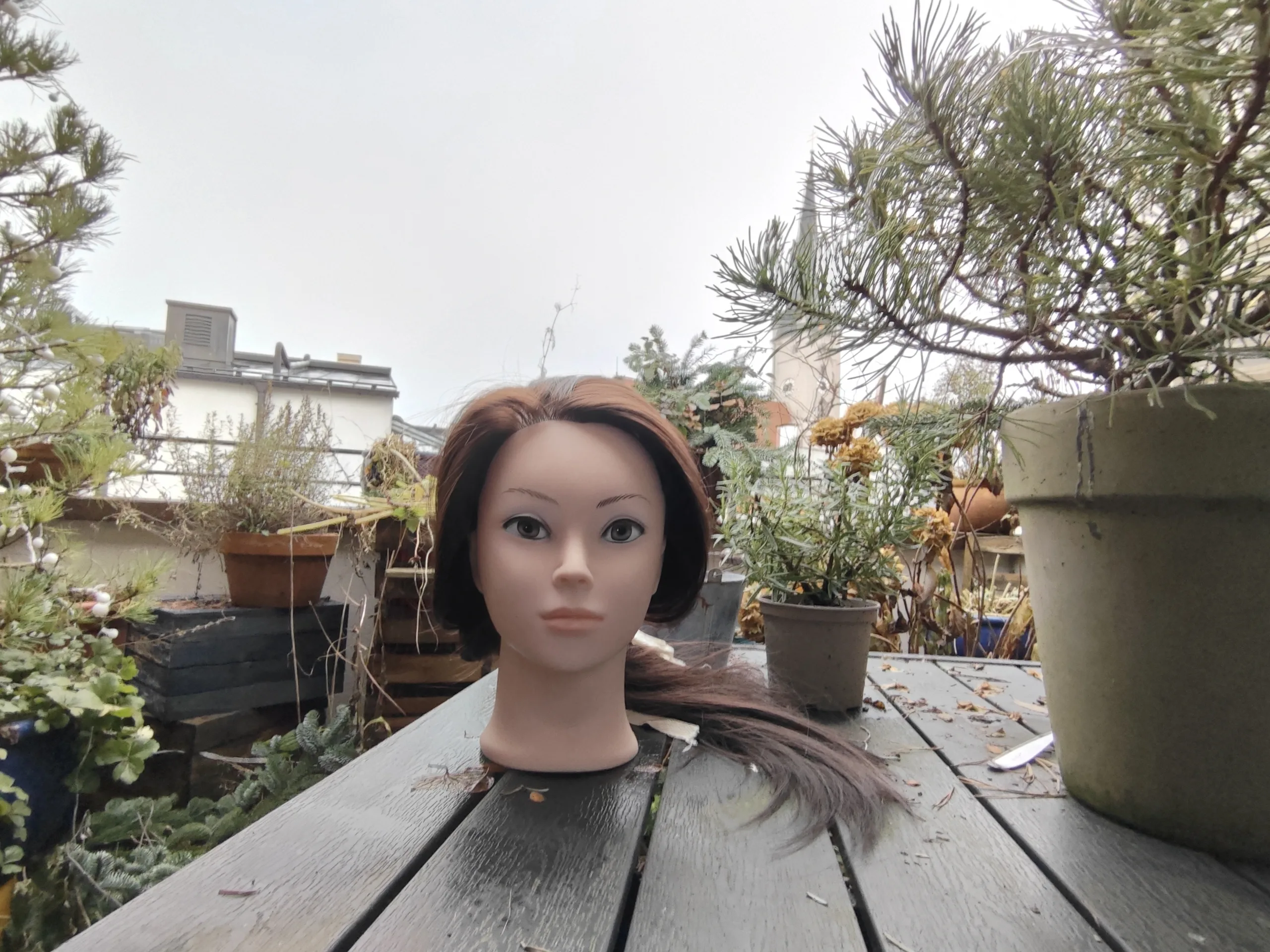
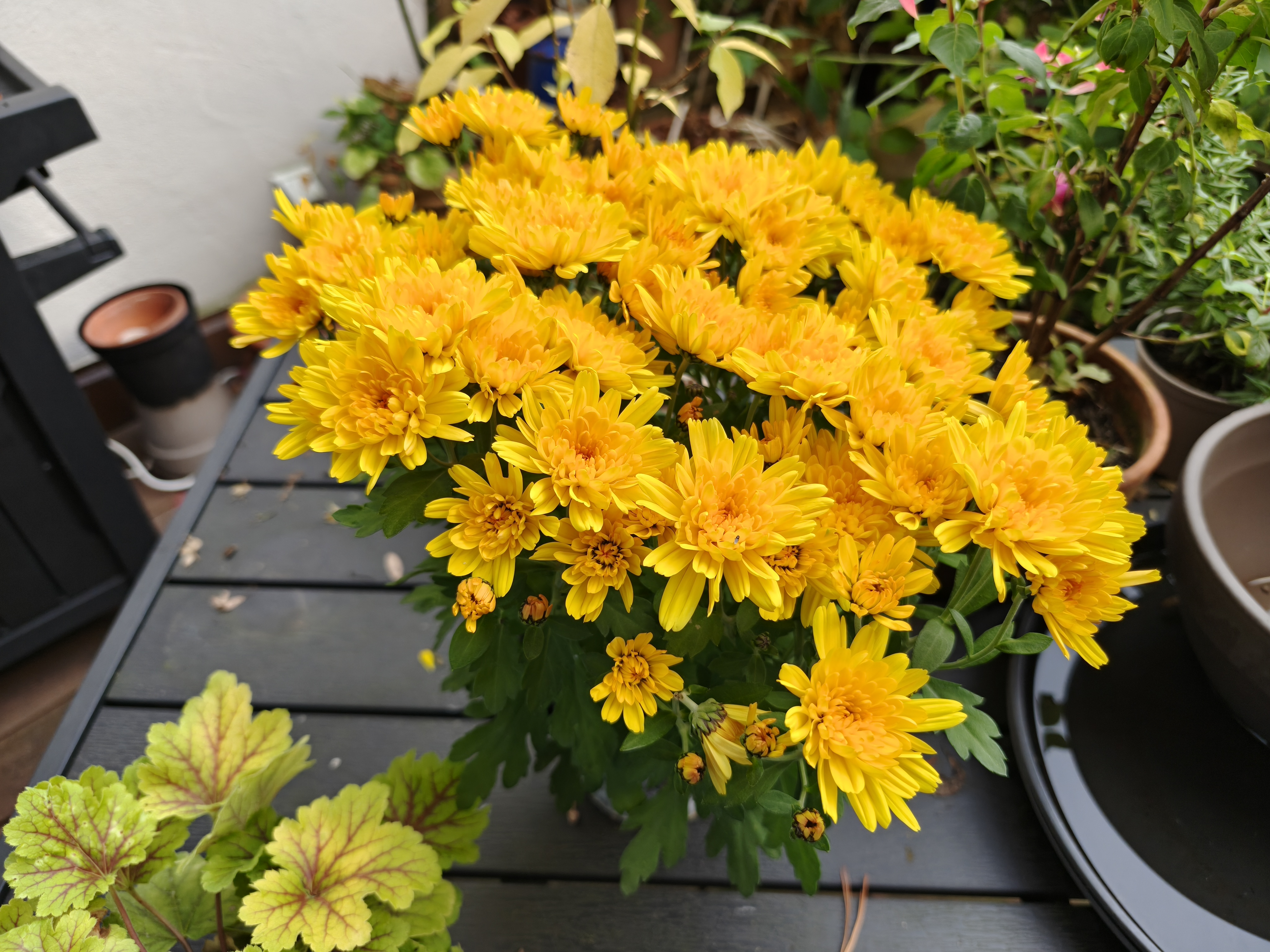
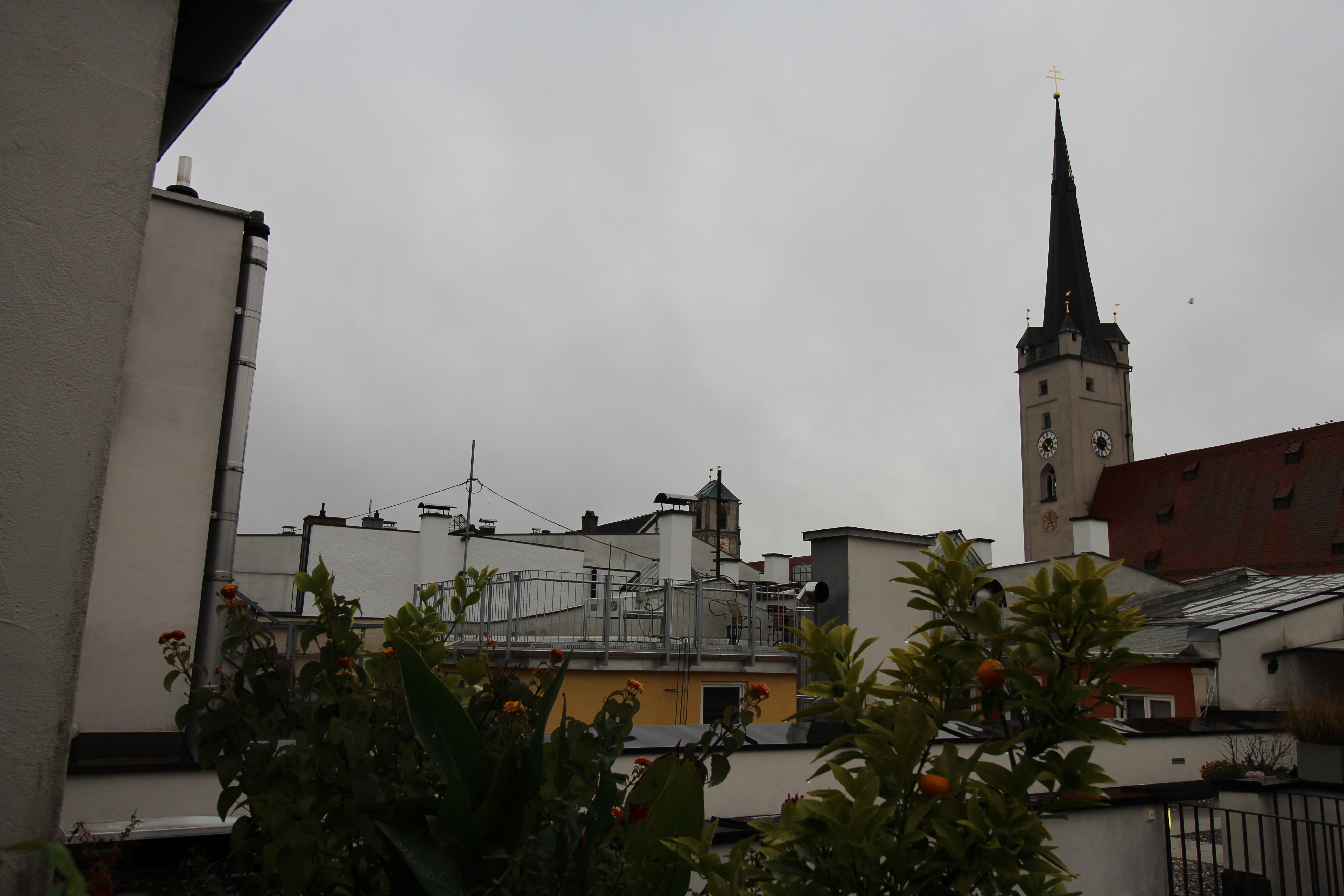
There are some compromises to be made with the cameras compared to the Pro model, but a tablet is rarely used for photography anyway. You can also connect a smartphone with HyperOS via Hyper Connect to use its camera as a webcam, for example.
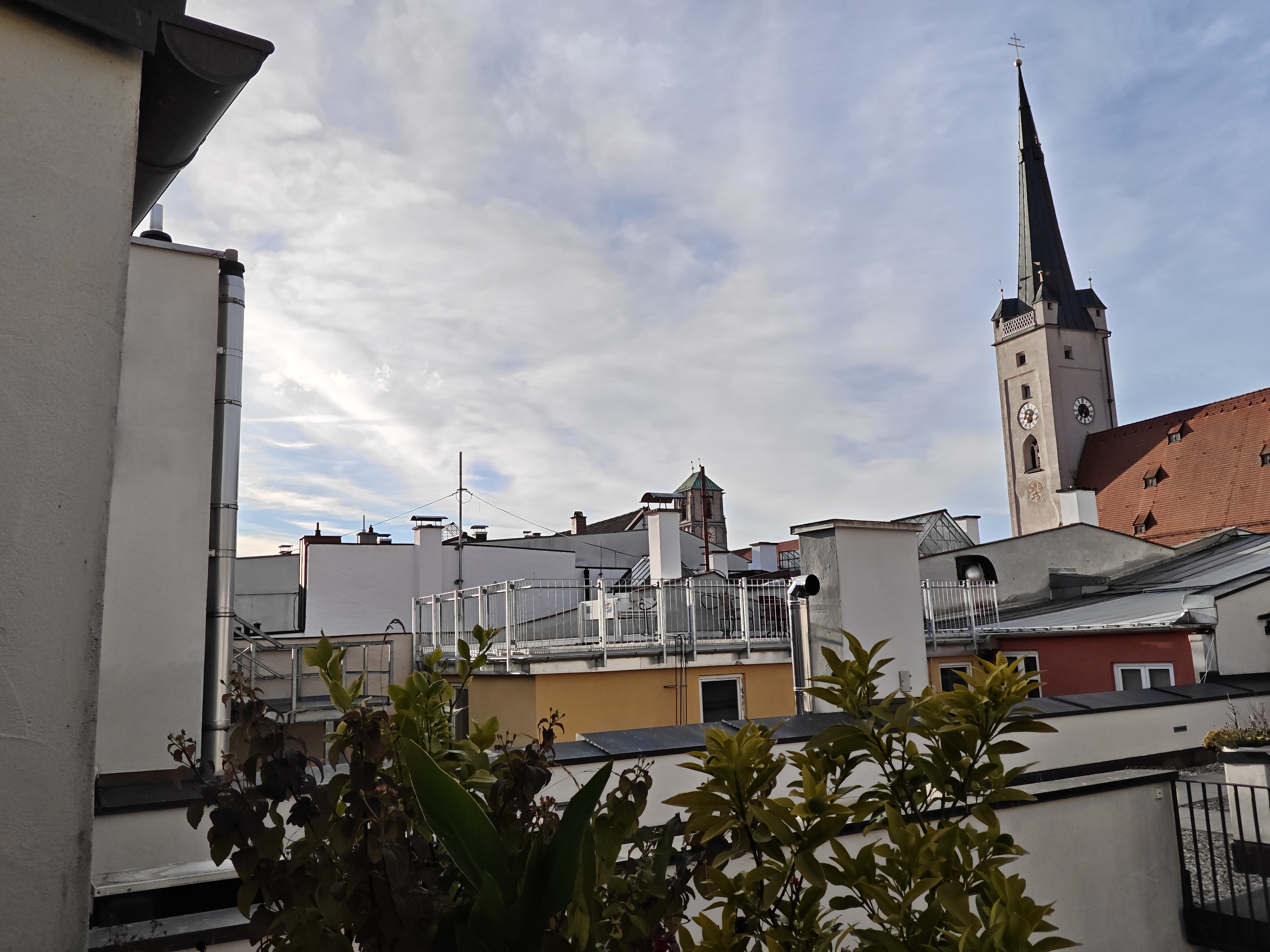
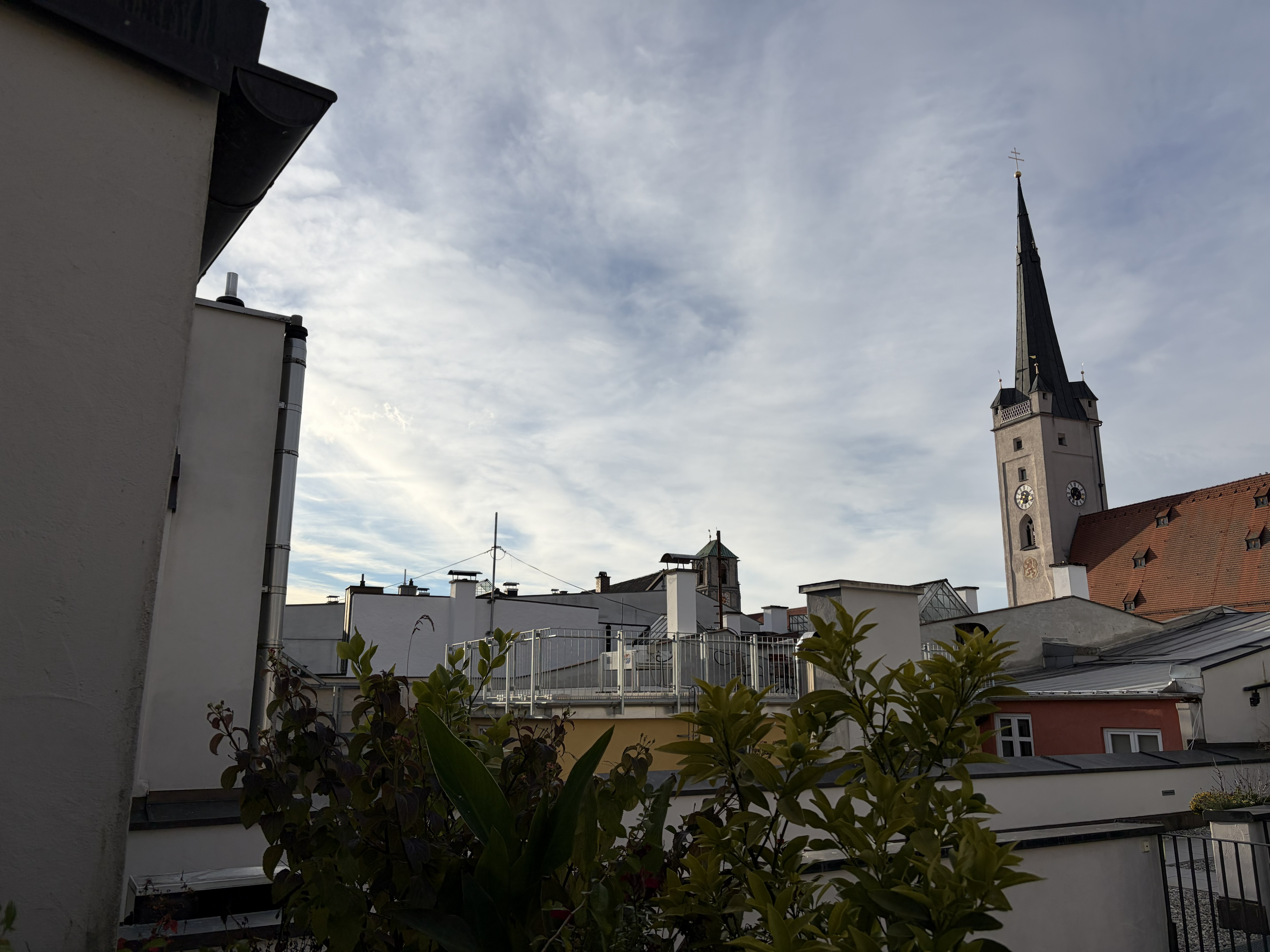
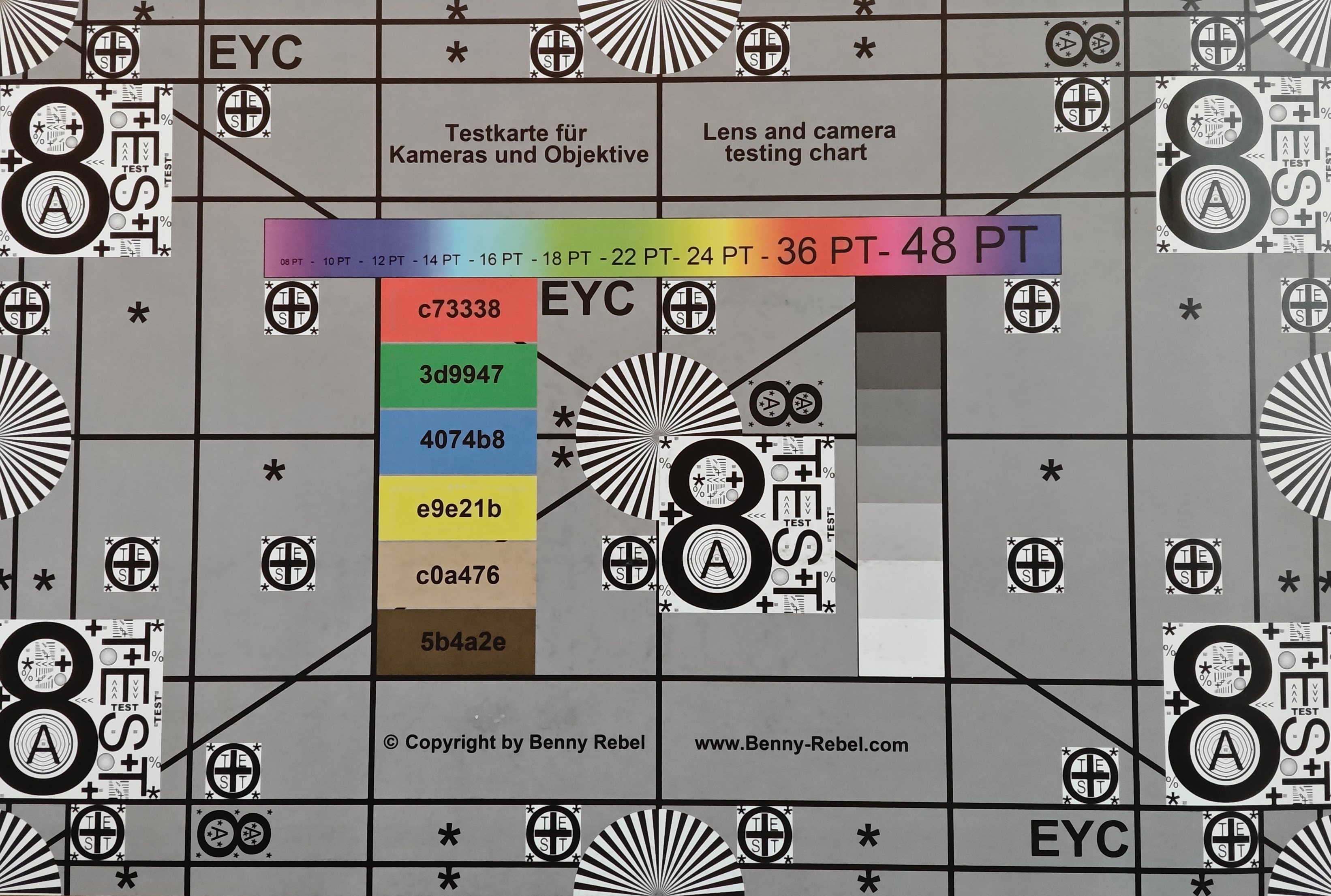
The Xiaomi Pad 8 itself has a 13-megapixel camera on the back, which has a lower resolution, is less sensitive to light, and has less sensor surface than the camera on the Pro model. Photos are still quite respectable in good light, but objects further away sometimes look a little coarse.
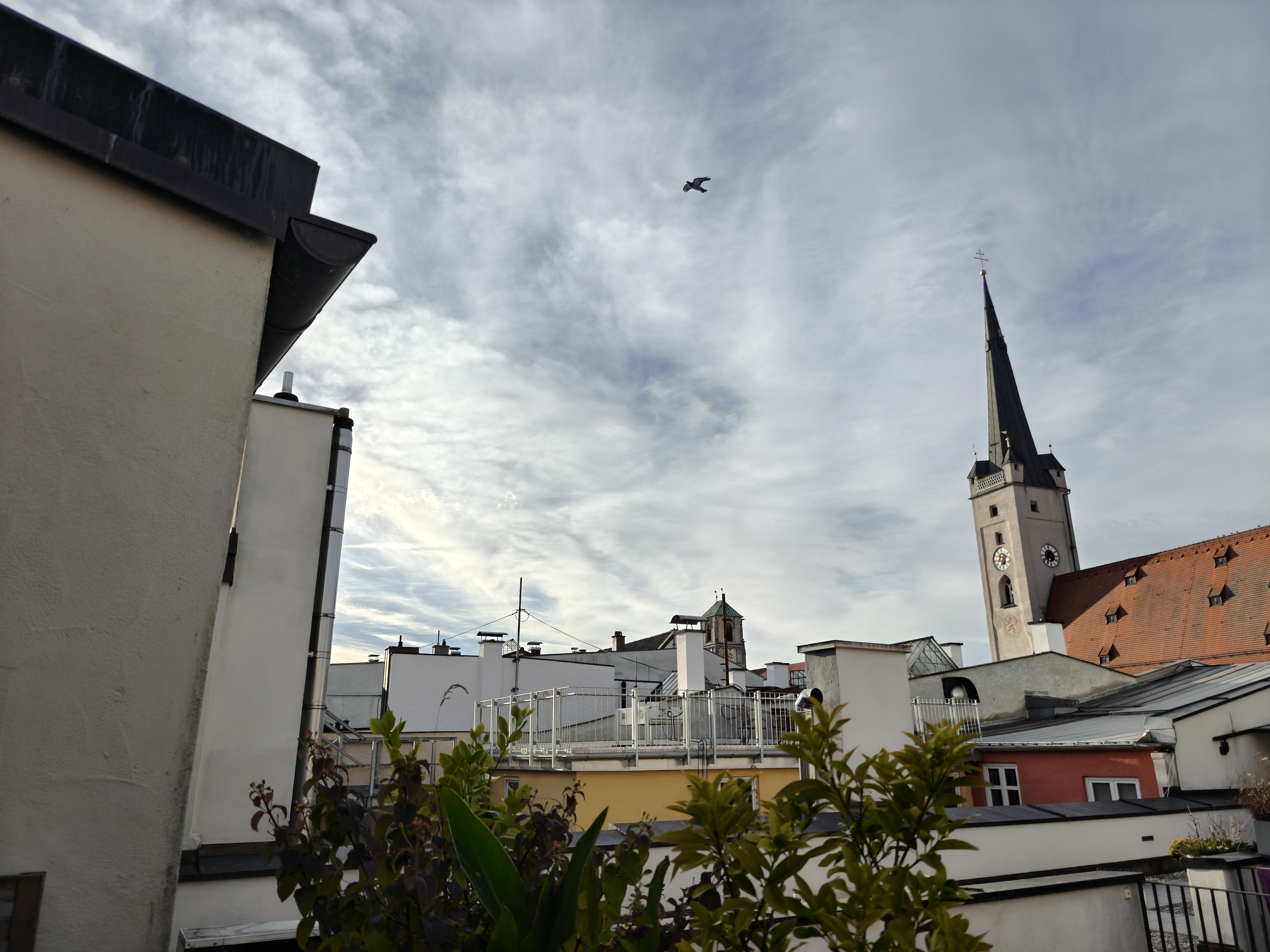
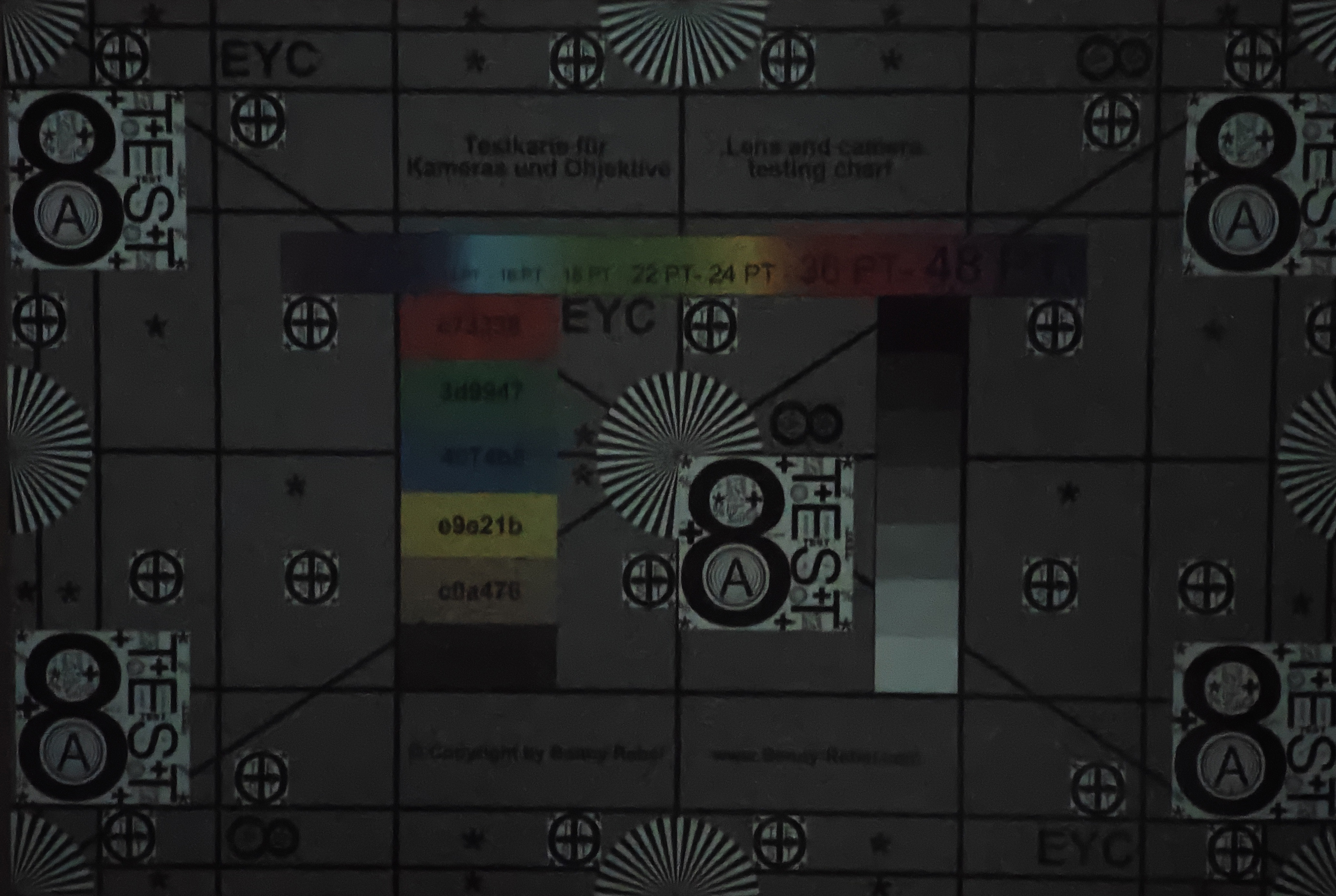
In low light, there is a lack of detail in dark areas, and details are lost.
Videos can be recorded at a maximum of 4K and 30 fps, and the image quality here is also quite decent in good light.
The selfie camera takes somewhat dull pictures in terms of color and only shows approximate details.
Image comparison
Choose a scene and navigate within the first image. One click changes the position on touchscreens. One click on the zoomed-in image opens the original in a new window. The first image shows the scaled photograph of the test device.
Main cameraMain cameraLow Light











Accessories and warranty - Good accessories available
A stylus and a keyboard cover are available as accessories for the Xiaomi Pad 8. Both were also available for the predecessor in Europe, so you can also expect them for the Pad 8.
The Warranty is usually 12 months at Xiaomi, and TradingShenzhen allows you to send the device to a German address for a warranty claim.
Input devices and operation - The fingerprint sensor is missing
The screen can display up to 144 images per second. The touchscreen's sampling rate is up to 360 Hz. This is less than the Pro model, but only professional gamers will really notice the difference: The Xiaomi Pad 8 is also buttery smooth to operate.
However, the fingerprint sensor from the Pro model is missing, so you can only use facial recognition via the front camera for biometric unlocking.
Display - The IPS screen in the Pad 8

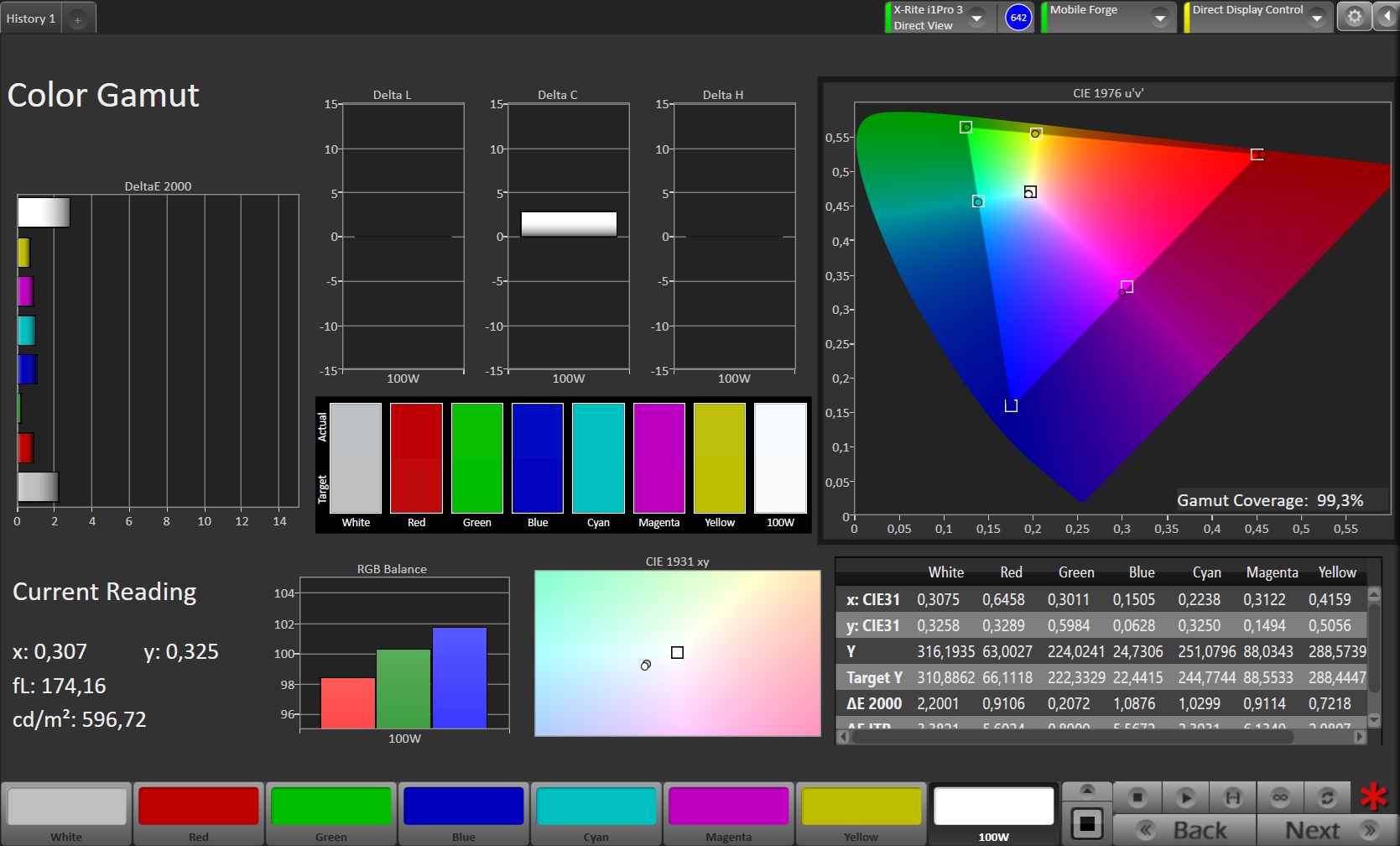
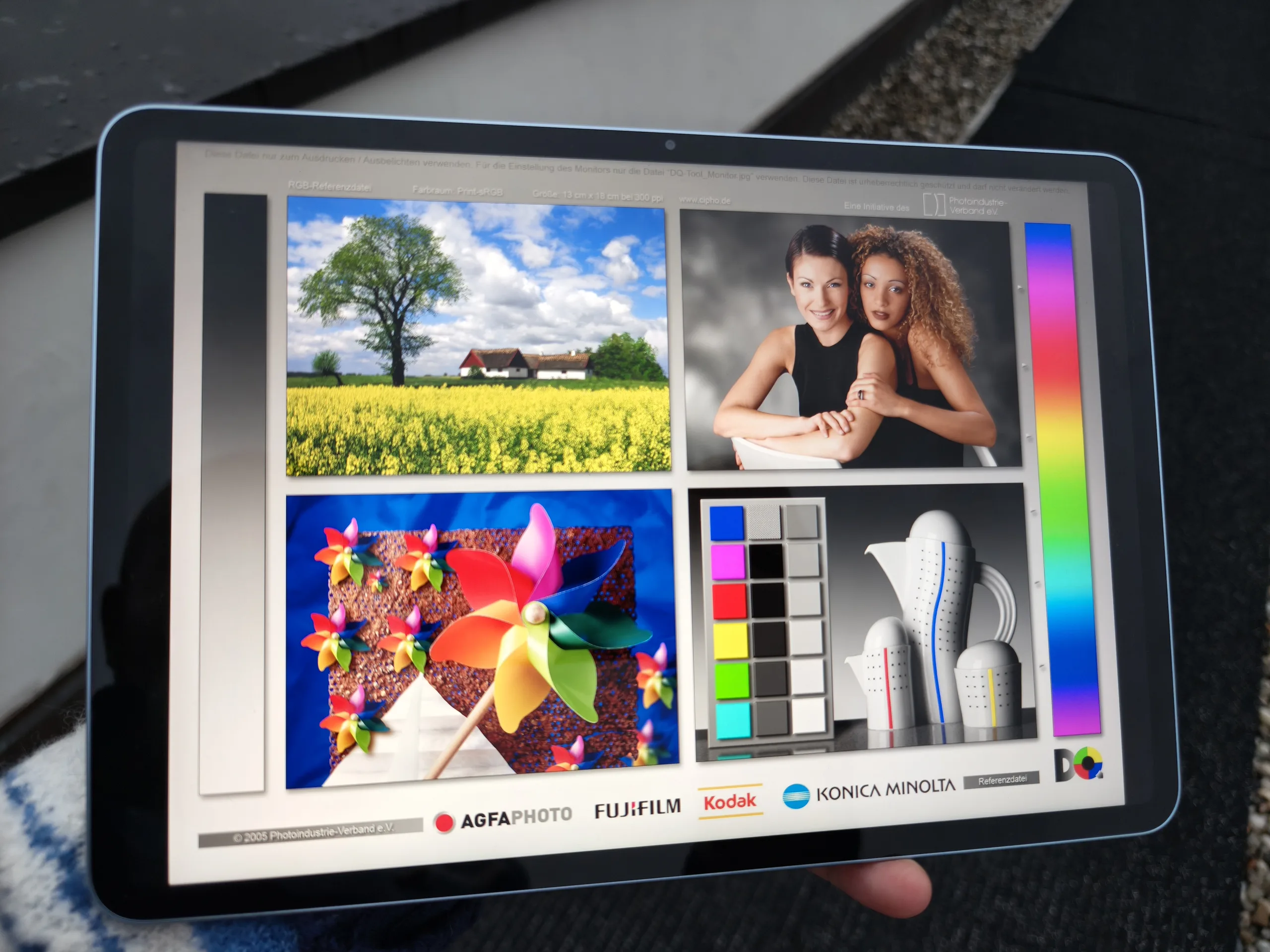
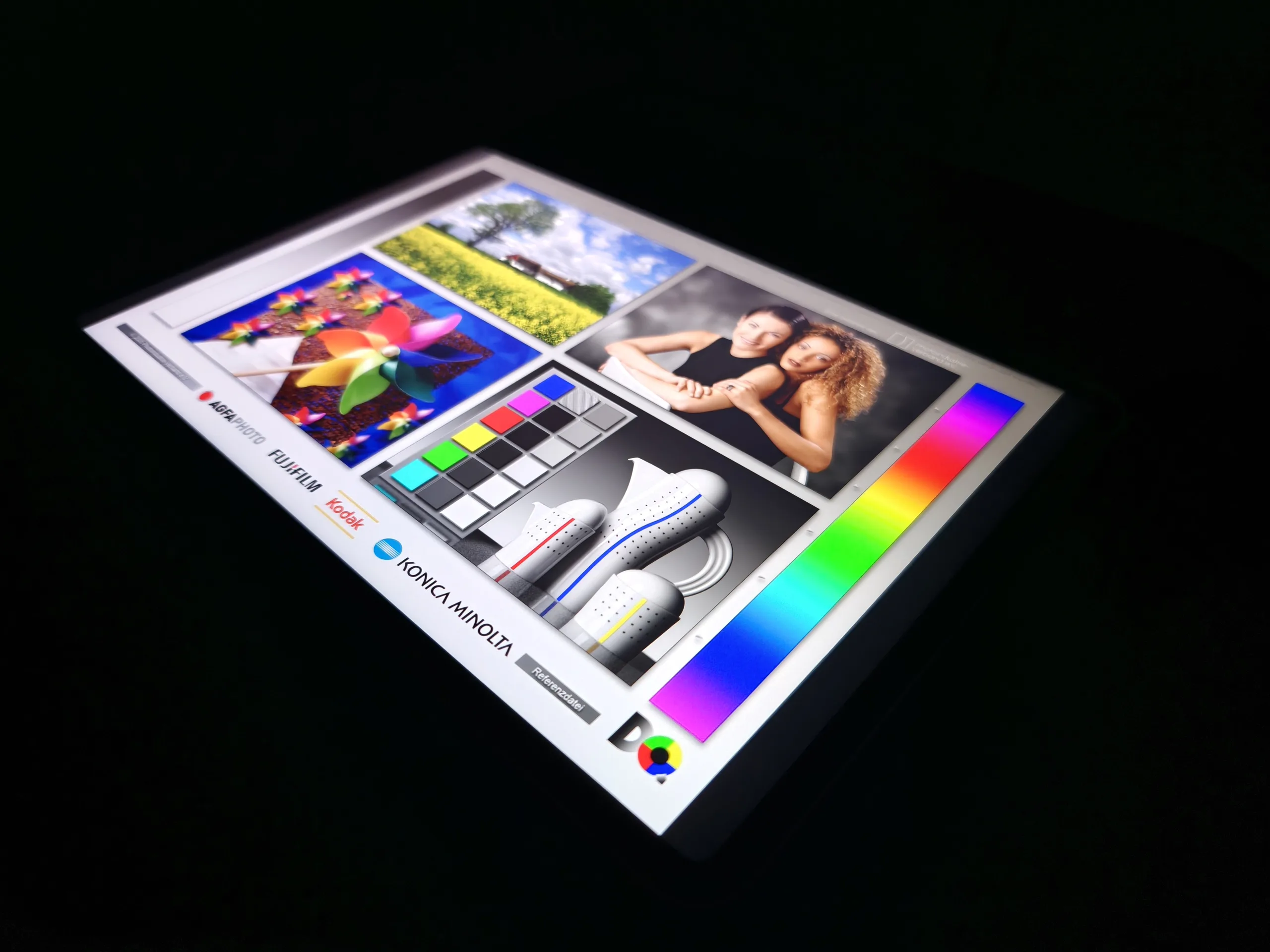
The resolution of the IPS display in the Xiaomi Pad 8 is 3,200 x 2,136 pixels, which, together with the 11.2-inch diameter, results in a pixel density of a good 344 PPI. Although the screen is not quite as bright as its predecessor in everyday use, it still easily beats most other tablets in its price range.
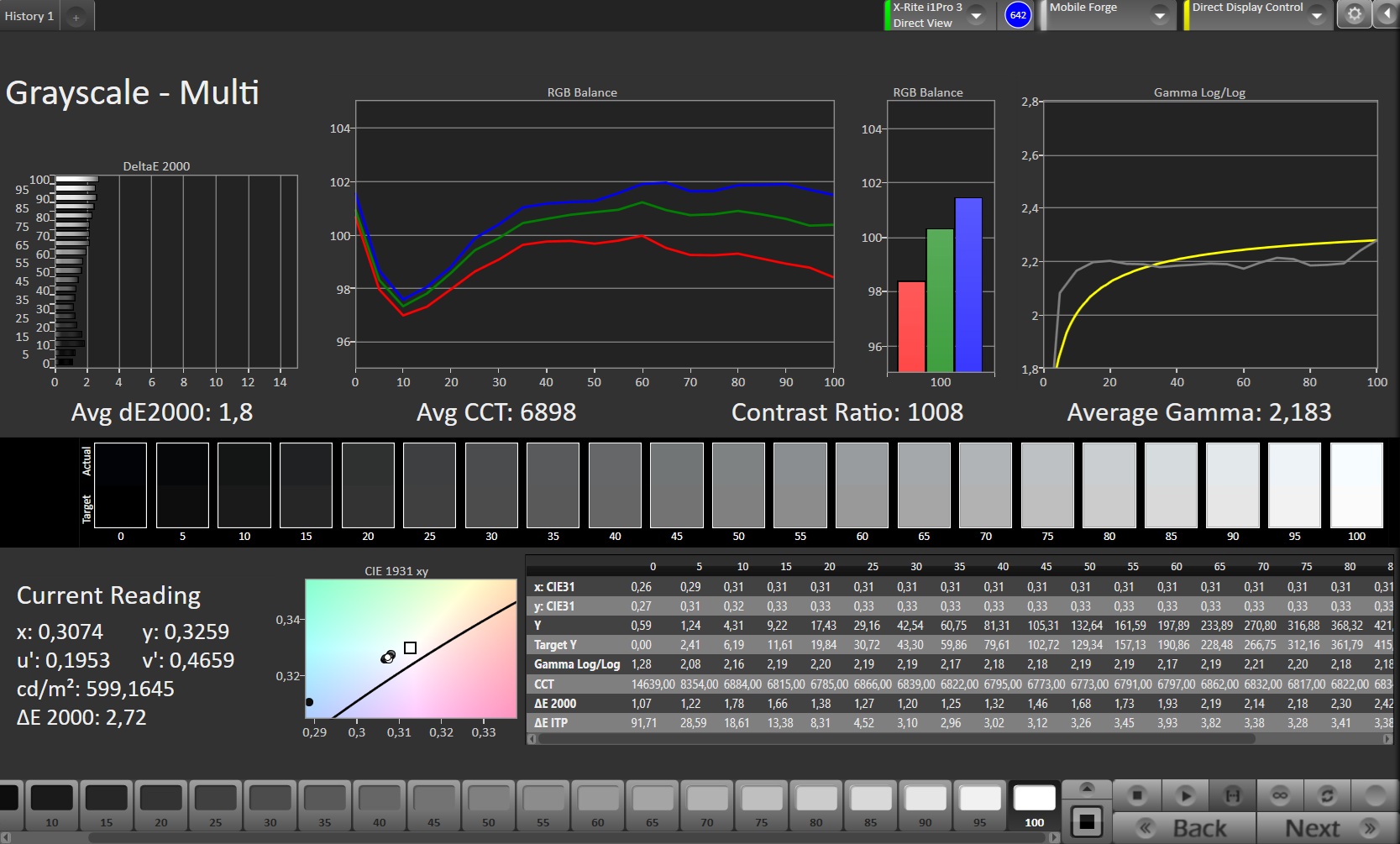
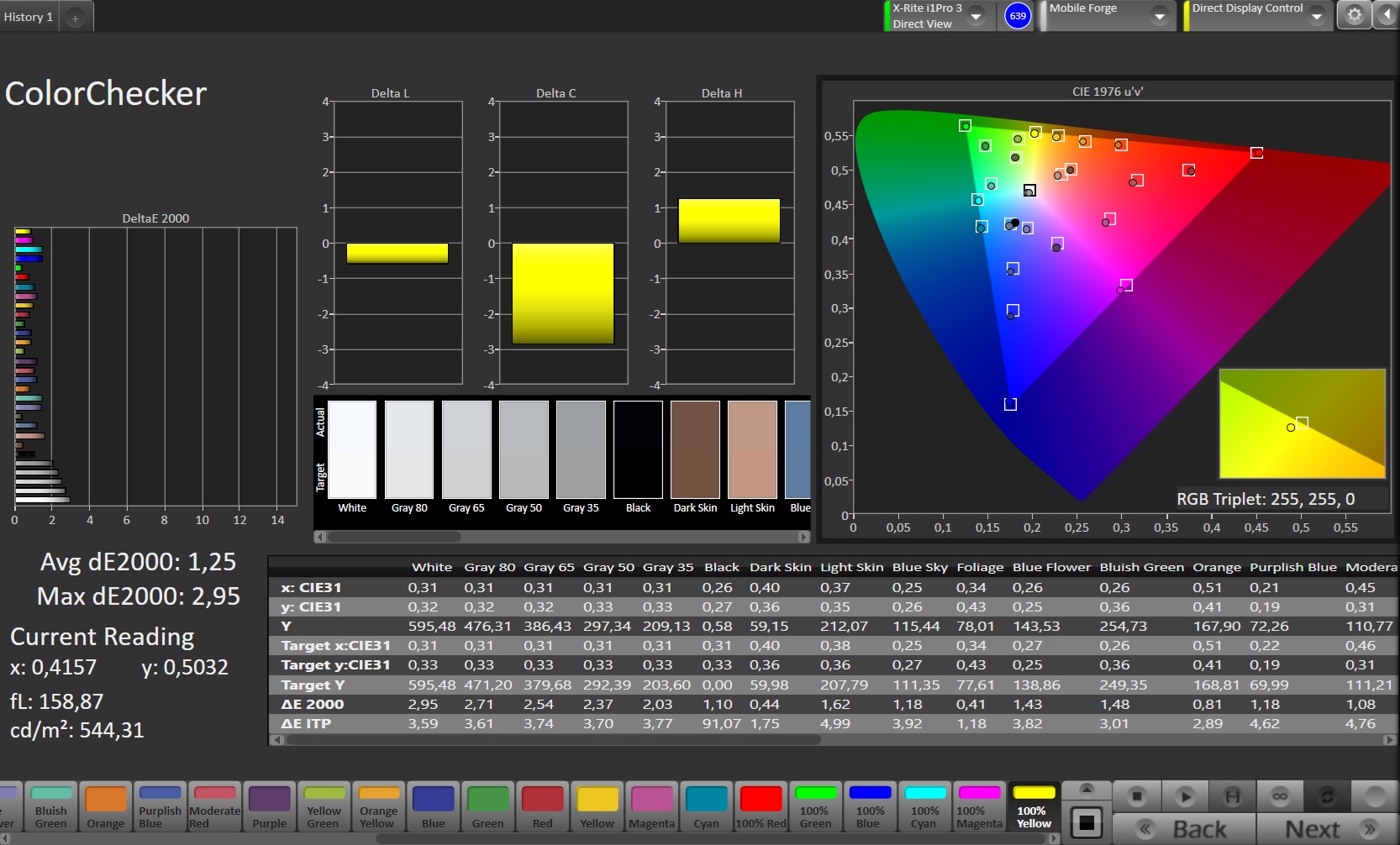
This means you can also work in bright environments without any problems. The color display is impressive with high accuracy in Original Color Pro mode. If desired, the colors can also be automatically adjusted to the ambient light.
The display is flicker-free; we do not measure PWM.
| |||||||||||||||||||||||||
Brightness Distribution: 96 %
Center on Battery: 627 cd/m²
Contrast: 2090:1 (Black: 0.3 cd/m²)
ΔE ColorChecker Calman: 1.25 | ∀{0.5-29.43 Ø4.69}
ΔE Greyscale Calman: 1.8 | ∀{0.09-98 Ø4.94}
99.3% sRGB (Calman 2D)
Gamma: 2.183
CCT: 6898 K
| Xiaomi Pad 8 IPS, 3200x2136, 11.2" | Xiaomi Pad 7 LCD, 3200x2136, 11.2" | Huawei MatePad 11.5 S TFT-LCD, 2800x1840, 11.5" | Samsung Galaxy Tab S10 Lite TFT LCD, 2112x1320, 10.9" | |
|---|---|---|---|---|
| Screen | -37% | -114% | -83% | |
| Brightness middle (cd/m²) | 627 | 838 34% | 511 -19% | 468 -25% |
| Brightness (cd/m²) | 613 | 815 33% | 449 -27% | 437 -29% |
| Brightness Distribution (%) | 96 | 96 0% | 83 -14% | 83 -14% |
| Black Level * (cd/m²) | 0.3 | 0.88 -193% | 0.99 -230% | 0.26 13% |
| Contrast (:1) | 2090 | 952 -54% | 516 -75% | 1800 -14% |
| Colorchecker dE 2000 * | 1.25 | 1.8 -44% | 3.6 -188% | 3.74 -199% |
| Colorchecker dE 2000 max. * | 2.95 | 3.9 -32% | 7.5 -154% | 8.51 -188% |
| Greyscale dE 2000 * | 1.8 | 2.5 -39% | 5.5 -206% | 5.5 -206% |
| Gamma | 2.183 101% | 2.25 98% | 2.27 97% | 2.234 98% |
| CCT | 6898 94% | 6912 94% | 7566 86% | 7958 82% |
* ... smaller is better
Screen Flickering / PWM (Pulse-Width Modulation)
| Screen flickering / PWM not detected | 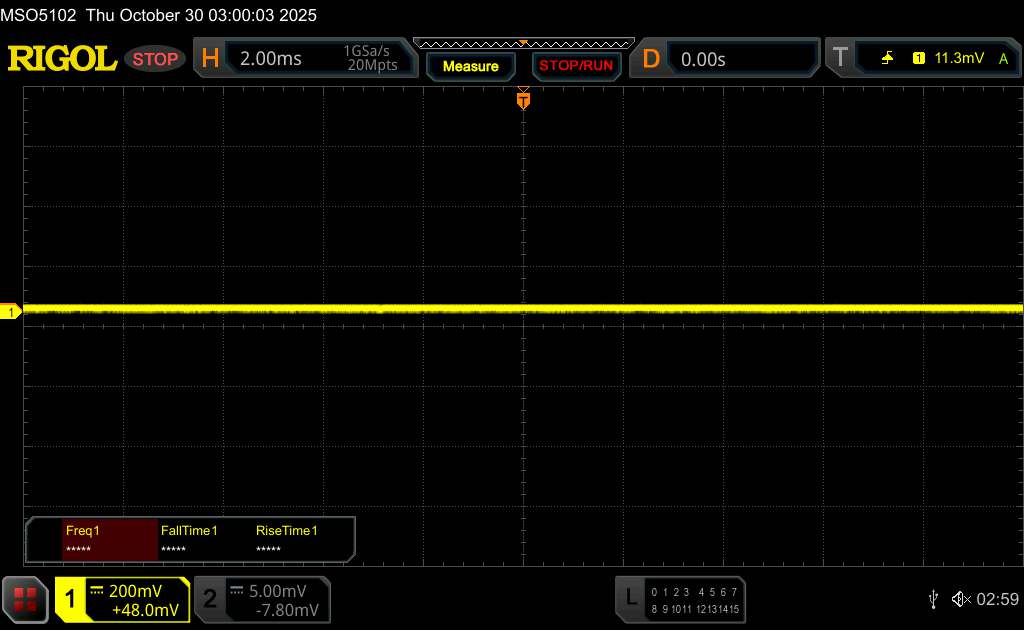 | ||
In comparison: 52 % of all tested devices do not use PWM to dim the display. If PWM was detected, an average of 7585 (minimum: 5 - maximum: 343500) Hz was measured. | |||
Display Response Times
| ↔ Response Time Black to White | ||
|---|---|---|
| 23.2 ms ... rise ↗ and fall ↘ combined | ↗ 11.5 ms rise | 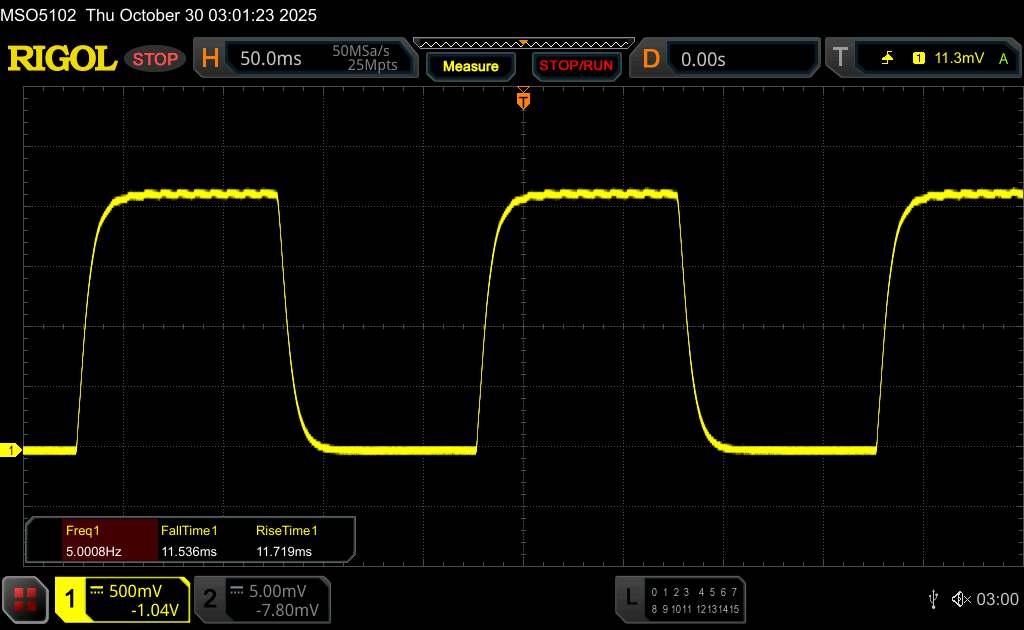 |
| ↘ 11.7 ms fall | ||
| The screen shows good response rates in our tests, but may be too slow for competitive gamers. In comparison, all tested devices range from 0.1 (minimum) to 240 (maximum) ms. » 54 % of all devices are better. This means that the measured response time is worse than the average of all tested devices (19.6 ms). | ||
| ↔ Response Time 50% Grey to 80% Grey | ||
| 33.6 ms ... rise ↗ and fall ↘ combined | ↗ 18.1 ms rise | 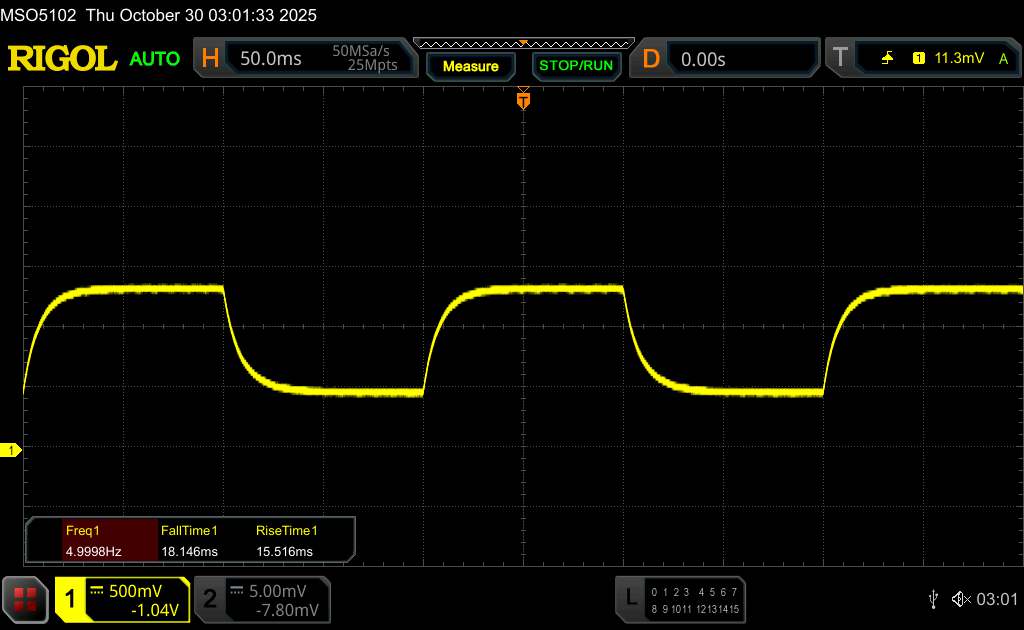 |
| ↘ 15.5 ms fall | ||
| The screen shows slow response rates in our tests and will be unsatisfactory for gamers. In comparison, all tested devices range from 0.13 (minimum) to 636 (maximum) ms. » 47 % of all devices are better. This means that the measured response time is similar to the average of all tested devices (30.7 ms). | ||
Performance - Completely sufficient for almost everything
With the Snapdragon 8s Gen 4, the Xiaomi Pad 8 gets an SoC from the second performance league, which nevertheless offers much more power than is usual in this price range and should easily be sufficient for most activities.
There are also no limitations in everyday use or gaming.
| CrossMark - Overall | |
| Average of class Tablet (319 - 2375, n=48, last 2 years) | |
| Xiaomi Pad 7 | |
| Huawei MatePad 11.5 S | |
| Average Qualcomm Snapdragon 8s Gen 4 SM8735 (783 - 961, n=2) | |
| Samsung Galaxy Tab S10 Lite | |
| UL Procyon AI Inference for Android - Overall Score NNAPI | |
| Average of class Tablet (3600 - 76852, n=53, last 2 years) | |
| Xiaomi Pad 8 | |
| Average Qualcomm Snapdragon 8s Gen 4 SM8735 (16446 - 17213, n=3) | |
| Xiaomi Pad 7 | |
| Huawei MatePad 11.5 S | |
| Samsung Galaxy Tab S10 Lite | |
GFXBench (DX / GLBenchmark) 2.7: T-Rex Onscreen | 1920x1080 T-Rex Offscreen
GFXBench 3.0: on screen Manhattan Onscreen OGL | 1920x1080 1080p Manhattan Offscreen
GFXBench 3.1: on screen Manhattan ES 3.1 Onscreen | 1920x1080 Manhattan ES 3.1 Offscreen
GFXBench: on screen Car Chase Onscreen | 1920x1080 Car Chase Offscreen | on screen Aztec Ruins High Tier Onscreen | 2560x1440 Aztec Ruins High Tier Offscreen | on screen Aztec Ruins Normal Tier Onscreen | 1920x1080 Aztec Ruins Normal Tier Offscreen | 3840x2160 4K Aztec Ruins High Tier Offscreen
| 3DMark / Wild Life Extreme Unlimited | |
| Xiaomi Pad 8 | |
| Xiaomi Pad 7 | |
| Huawei MatePad 11.5 S | |
| Samsung Galaxy Tab S10 Lite | |
| 3DMark / Wild Life Extreme | |
| Xiaomi Pad 8 | |
| Xiaomi Pad 7 | |
| Huawei MatePad 11.5 S | |
| Samsung Galaxy Tab S10 Lite | |
| 3DMark / Wild Life Unlimited Score | |
| Xiaomi Pad 8 | |
| Xiaomi Pad 7 | |
| Huawei MatePad 11.5 S | |
| Samsung Galaxy Tab S10 Lite | |
| 3DMark / Solar Bay Score | |
| Xiaomi Pad 8 | |
| Xiaomi Pad 7 | |
| 3DMark / Solar Bay Unlimited Score | |
| Xiaomi Pad 8 | |
| 3DMark / Steel Nomad Light Unlimited Score | |
| Xiaomi Pad 8 | |
| Xiaomi Pad 7 | |
| 3DMark / Steel Nomad Light Score | |
| Xiaomi Pad 8 | |
| Xiaomi Pad 7 | |
| Huawei MatePad 11.5 S | |
| GFXBench (DX / GLBenchmark) 2.7 / T-Rex Onscreen | |
| Xiaomi Pad 7 | |
| Xiaomi Pad 8 | |
| Samsung Galaxy Tab S10 Lite | |
| Huawei MatePad 11.5 S | |
| GFXBench (DX / GLBenchmark) 2.7 / T-Rex Offscreen | |
| Xiaomi Pad 8 | |
| Xiaomi Pad 7 | |
| Huawei MatePad 11.5 S | |
| Samsung Galaxy Tab S10 Lite | |
| GFXBench 3.0 / Manhattan Onscreen OGL | |
| Xiaomi Pad 8 | |
| Xiaomi Pad 7 | |
| Samsung Galaxy Tab S10 Lite | |
| Huawei MatePad 11.5 S | |
| GFXBench 3.0 / 1080p Manhattan Offscreen | |
| Xiaomi Pad 8 | |
| Xiaomi Pad 7 | |
| Huawei MatePad 11.5 S | |
| Samsung Galaxy Tab S10 Lite | |
| GFXBench 3.1 / Manhattan ES 3.1 Onscreen | |
| Xiaomi Pad 8 | |
| Xiaomi Pad 7 | |
| Huawei MatePad 11.5 S | |
| Samsung Galaxy Tab S10 Lite | |
| GFXBench 3.1 / Manhattan ES 3.1 Offscreen | |
| Xiaomi Pad 8 | |
| Xiaomi Pad 7 | |
| Huawei MatePad 11.5 S | |
| Samsung Galaxy Tab S10 Lite | |
| GFXBench / Car Chase Onscreen | |
| Xiaomi Pad 8 | |
| Xiaomi Pad 7 | |
| Samsung Galaxy Tab S10 Lite | |
| Huawei MatePad 11.5 S | |
| GFXBench / Car Chase Offscreen | |
| Xiaomi Pad 8 | |
| Xiaomi Pad 7 | |
| Huawei MatePad 11.5 S | |
| Samsung Galaxy Tab S10 Lite | |
| GFXBench / Aztec Ruins High Tier Onscreen | |
| Xiaomi Pad 8 | |
| Xiaomi Pad 7 | |
| Samsung Galaxy Tab S10 Lite | |
| Huawei MatePad 11.5 S | |
| GFXBench / Aztec Ruins High Tier Offscreen | |
| Xiaomi Pad 8 | |
| Xiaomi Pad 7 | |
| Huawei MatePad 11.5 S | |
| Samsung Galaxy Tab S10 Lite | |
| GFXBench / Aztec Ruins Normal Tier Onscreen | |
| Xiaomi Pad 8 | |
| Xiaomi Pad 7 | |
| Huawei MatePad 11.5 S | |
| Samsung Galaxy Tab S10 Lite | |
| GFXBench / Aztec Ruins Normal Tier Offscreen | |
| Xiaomi Pad 8 | |
| Xiaomi Pad 7 | |
| Huawei MatePad 11.5 S | |
| Samsung Galaxy Tab S10 Lite | |
| GFXBench / 4K Aztec Ruins High Tier Offscreen | |
| Xiaomi Pad 8 | |
| Xiaomi Pad 7 | |
| Huawei MatePad 11.5 S | |
| Samsung Galaxy Tab S10 Lite | |
The Xiaomi Pad 8 also performs well when surfing the Internet and loads even complex websites very quickly.
| Jetstream 2 - 2.0 Total | |
| Xiaomi Pad 8 (Chrome 142) | |
| Average Qualcomm Snapdragon 8s Gen 4 SM8735 (174.8 - 245, n=5) | |
| Xiaomi Pad 7 (Chrome 135) | |
| Average of class Tablet (48 - 420, n=54, last 2 years) | |
| Huawei MatePad 11.5 S (Huawei Browser V14) | |
| Speedometer 2.0 - Result 2.0 | |
| Xiaomi Pad 8 (Chrome 142) | |
| Average Qualcomm Snapdragon 8s Gen 4 SM8735 (339 - 348, n=3) | |
| Average of class Tablet (45 - 790, n=33, last 2 years) | |
| Xiaomi Pad 7 (Chrome 135) | |
| Huawei MatePad 11.5 S (Huawei Browser V14) | |
| Speedometer 3 - Score 3.0 | |
| Xiaomi Pad 8 (Chrome 142) | |
| Average Qualcomm Snapdragon 8s Gen 4 SM8735 (19.7 - 22.1, n=3) | |
| Xiaomi Pad 7 (Chrome 135) | |
| Average of class Tablet (3 - 49.1, n=49, last 2 years) | |
| Huawei MatePad 11.5 S (Huawei Browser V14) | |
| WebXPRT 4 - Overall | |
| Xiaomi Pad 8 (Chrome 142) | |
| Average Qualcomm Snapdragon 8s Gen 4 SM8735 (137 - 185, n=3) | |
| Average of class Tablet (54 - 376, n=53, last 2 years) | |
| Xiaomi Pad 7 (Chrome 135) | |
| Samsung Galaxy Tab S10 Lite (Chrome 140) | |
| Huawei MatePad 11.5 S (Huawei Browser V14) | |
| Octane V2 - Total Score | |
| Xiaomi Pad 8 (Chrome 142) | |
| Average Qualcomm Snapdragon 8s Gen 4 SM8735 (71781 - 71902, n=3) | |
| Xiaomi Pad 7 (Chrome 135) | |
| Average of class Tablet (4497 - 138481, n=69, last 2 years) | |
| Samsung Galaxy Tab S10 Lite (Chrome 140) | |
| Huawei MatePad 11.5 S (Huawei Browser V14) | |
| Mozilla Kraken 1.1 - Total | |
| Huawei MatePad 11.5 S (Huawei Browser V14) | |
| Average of class Tablet (243 - 13119, n=64, last 2 years) | |
| Samsung Galaxy Tab S10 Lite (Chrome 140) | |
| Xiaomi Pad 7 (Chrome 135) | |
| Xiaomi Pad 8 (Chrome 142) | |
| Average Qualcomm Snapdragon 8s Gen 4 SM8735 (521 - 534, n=3) | |
* ... smaller is better
The UFS 4.1 memory is reserved for the large memory configuration that we are testing. Data transfers are very quick here, and loading times are short.
| Xiaomi Pad 8 | Xiaomi Pad 7 | Huawei MatePad 11.5 S | Samsung Galaxy Tab S10 Lite | Average 256 GB UFS 4.1 Flash | Average of class Tablet | |
|---|---|---|---|---|---|---|
| AndroBench 3-5 | -1% | -19% | -72% | 19% | -29% | |
| Sequential Read 256KB (MB/s) | 3899.2 | 3911.82 0% | 1837.4 -53% | 523.85 -87% | 3396 ? -13% | 2117 ? -46% |
| Sequential Write 256KB (MB/s) | 3391.2 | 3387.43 0% | 1134.93 -67% | 237.31 -93% | 3103 ? -8% | 1691 ? -50% |
| Random Read 4KB (MB/s) | 325.1 | 311.09 -4% | 334.71 3% | 241.12 -26% | 419 ? 29% | 280 ? -14% |
| Random Write 4KB (MB/s) | 348.2 | 344.51 -1% | 498.29 43% | 62.52 -82% | 586 ? 68% | 327 ? -6% |
Emissions - Only moderate throttling under load
Temperature
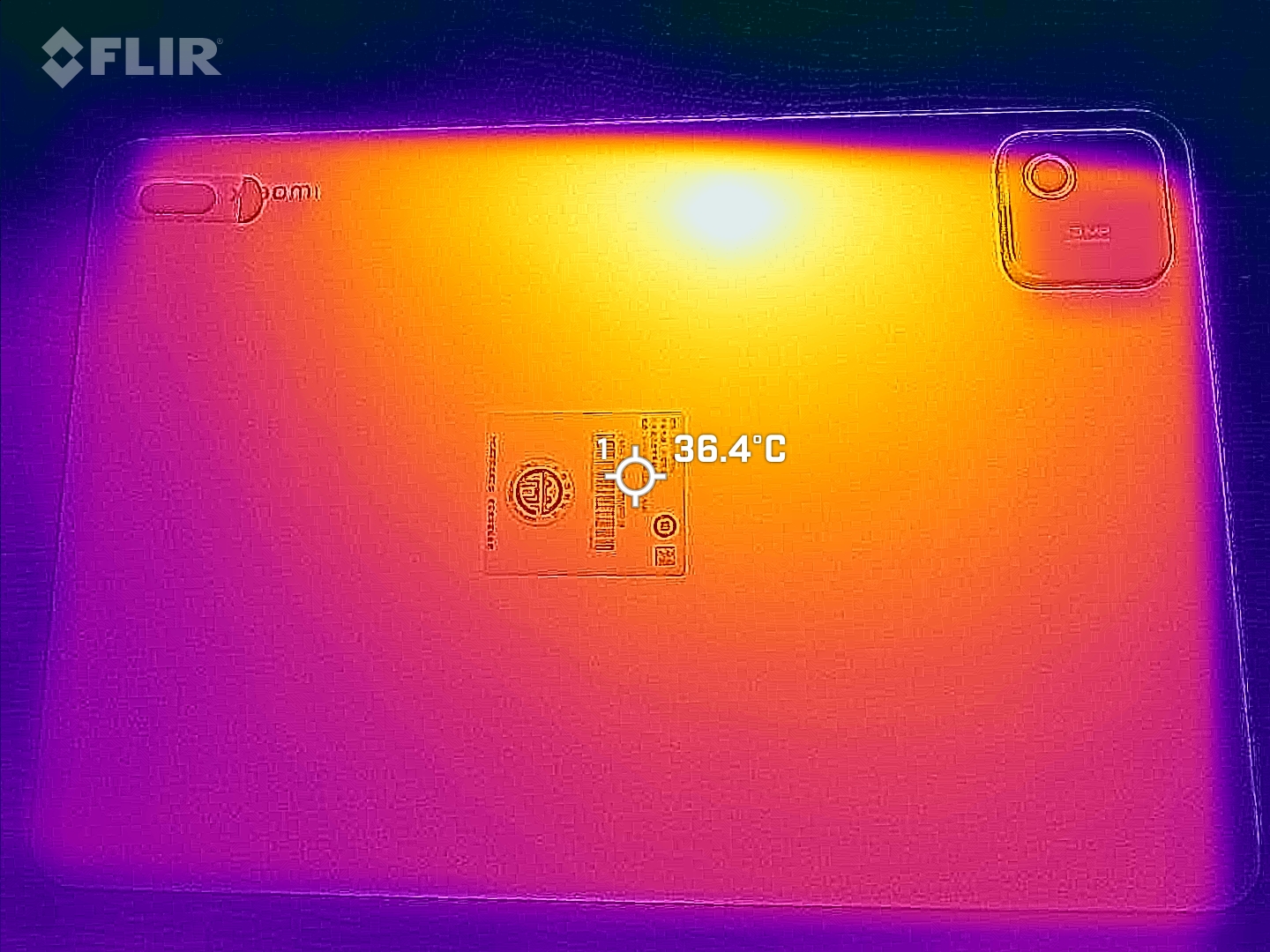
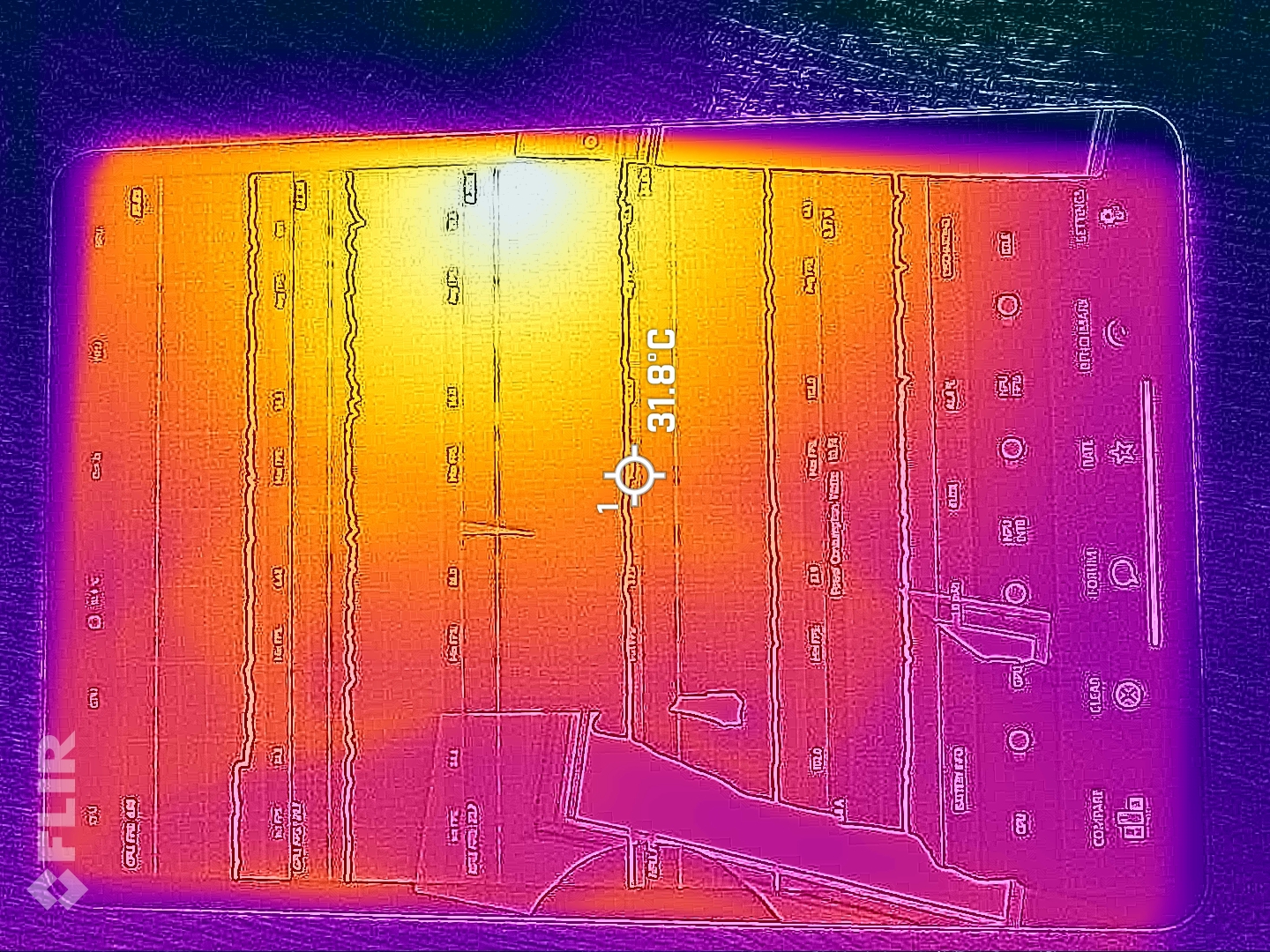
The heat build-up on the casing under load remains within limits: we measured 41.8 °C at room temperature. Of course, this value could increase in hot environments, but there is still a significant reserve before it becomes uncomfortable.
If the tablet is loaded for a longer period of time, the 3DMark stress test shows performance losses of up to 18%.
(±) The maximum temperature on the upper side is 40.2 °C / 104 F, compared to the average of 33.7 °C / 93 F, ranging from 20.7 to 53.2 °C for the class Tablet.
(±) The bottom heats up to a maximum of 41.8 °C / 107 F, compared to the average of 33.2 °C / 92 F
(+) In idle usage, the average temperature for the upper side is 24.2 °C / 76 F, compared to the device average of 30 °C / 86 F.
3DMark Stress Tests
| 3DMark | |
| Wild Life Stress Test Stability | |
| Huawei MatePad 11.5 S | |
| Samsung Galaxy Tab S10 Lite | |
| Xiaomi Pad 7 | |
| Xiaomi Pad 8 | |
| Wild Life Extreme Stress Test | |
| Samsung Galaxy Tab S10 Lite | |
| Huawei MatePad 11.5 S | |
| Xiaomi Pad 7 | |
| Xiaomi Pad 8 | |
| Solar Bay Stress Test Stability | |
| Xiaomi Pad 8 | |
| Steel Nomad Light Stress Test Stability | |
| Xiaomi Pad 7 | |
| Xiaomi Pad 8 | |
Speaker
The Xiaomi Pad 8 comes with four speakers, which provide a decent stereo sound and can also be loud enough for a larger room. Slight bass is audible, and the overall sound is very balanced.
You can connect headphones or speakers via USB or wirelessly via Bluetooth 5.4. All important wireless audio codecs are available here, so you can connect your external audio solution with a high probability of good quality.
Xiaomi Pad 8 audio analysis
(+) | speakers can play relatively loud (86.9 dB)
Bass 100 - 315 Hz
(±) | reduced bass - on average 13% lower than median
(±) | linearity of bass is average (11.4% delta to prev. frequency)
Mids 400 - 2000 Hz
(±) | higher mids - on average 5.2% higher than median
(+) | mids are linear (5.6% delta to prev. frequency)
Highs 2 - 16 kHz
(+) | balanced highs - only 3.1% away from median
(+) | highs are linear (6.2% delta to prev. frequency)
Overall 100 - 16.000 Hz
(+) | overall sound is linear (11.9% difference to median)
Compared to same class
» 15% of all tested devices in this class were better, 4% similar, 80% worse
» The best had a delta of 7%, average was 21%, worst was 130%
Compared to all devices tested
» 9% of all tested devices were better, 3% similar, 88% worse
» The best had a delta of 4%, average was 23%, worst was 136%
Samsung Galaxy Tab S10 Lite audio analysis
(+) | speakers can play relatively loud (85.9 dB)
Bass 100 - 315 Hz
(±) | reduced bass - on average 10.9% lower than median
(±) | linearity of bass is average (9.8% delta to prev. frequency)
Mids 400 - 2000 Hz
(+) | balanced mids - only 4.7% away from median
(+) | mids are linear (5.4% delta to prev. frequency)
Highs 2 - 16 kHz
(±) | higher highs - on average 6.5% higher than median
(±) | linearity of highs is average (8.7% delta to prev. frequency)
Overall 100 - 16.000 Hz
(+) | overall sound is linear (14.1% difference to median)
Compared to same class
» 29% of all tested devices in this class were better, 4% similar, 67% worse
» The best had a delta of 7%, average was 21%, worst was 130%
Compared to all devices tested
» 17% of all tested devices were better, 4% similar, 79% worse
» The best had a delta of 4%, average was 23%, worst was 136%
Battery life - Plenty of stamina thanks to the huge battery
Power consumption
The power consumption is quite low considering the large display. However, higher power peaks can occur under high load.
The tablet can be charged with a maximum of 45 watts, and wired reverse charging is possible with up to 22.5 watts.
| Off / Standby |   0.1 / 0.2 Watt 0.1 / 0.2 Watt |
| Idle |  1.3 / 2 / 2.3 Watt 1.3 / 2 / 2.3 Watt |
| Load |
6.6 / 13.3 Watt |
    
| |
Key:
min: ,
med: ,
max: Metrahit Energy | |
| Xiaomi Pad 8 9200 mAh | Xiaomi Pad 7 8850 mAh | Huawei MatePad 11.5 S 8800 mAh | Samsung Galaxy Tab S10 Lite 8000 mAh | Average Qualcomm Snapdragon 8s Gen 4 SM8735 | Average of class Tablet | |
|---|---|---|---|---|---|---|
| Power Consumption | 22% | -67% | -31% | 19% | -56% | |
| Idle Minimum * (Watt) | 1.3 | 0.74 43% | 1.53 -18% | 2.3 -77% | 0.96 ? 26% | 2.12 ? -63% |
| Idle Average * (Watt) | 2 | 1.72 14% | 5.96 -198% | 2.8 -40% | 1.38 ? 31% | 3.84 ? -92% |
| Idle Maximum * (Watt) | 2.3 | 1.74 24% | 6.07 -164% | 3.1 -35% | 1.663 ? 28% | 4.22 ? -83% |
| Load Average * (Watt) | 6.6 | 7.26 -10% | 6.87 -4% | 6.8 -3% | 7.11 ? -8% | 8.82 ? -34% |
| Load Maximum * (Watt) | 13.3 | 8.11 39% | 6.88 48% | 13.1 2% | 11.1 ? 17% | 14.4 ? -8% |
* ... smaller is better
Power consumption: Geekbench (150 cd/m²)
Power consumption: GFXbench (150 cd/m²)
Battery life
In our practical Wi-Fi test, the tablet achieved very good runtimes of well over 20 hours. No wonder, as the Xiaomi Pad 8 also comes with a huge 9,200 mAh battery, which is 350 mAh more than its predecessor.
This means you can spend a rainy day on the couch with the tablet without having to charge it, and you don't even have to plug it in when working - even a long train journey can be bridged effortlessly.
| Xiaomi Pad 8 9200 mAh | Xiaomi Pad 7 8850 mAh | Huawei MatePad 11.5 S 8800 mAh | Samsung Galaxy Tab S10 Lite 8000 mAh | |
|---|---|---|---|---|
| Battery runtime | -10% | -33% | -26% | |
| Reader / Idle (h) | 46.7 | 41.4 -11% | ||
| WiFi v1.3 (h) | 20.7 | 18.1 -13% | 13.9 -33% | 15.3 -26% |
| Load (h) | 4.2 | 4 -5% | ||
| H.264 (h) | 20.8 |
Notebookcheck overall rating
The Xiaomi Pad 8 is comparatively inexpensive and offers strong features.
Compared to the Xiaomi Pad 8 Pro, you don't have to make any major compromises.
Xiaomi Pad 8
- 12/04/2025 v8
Florian Schmitt
 Total Sustainability Score:
 Possible alternatives in comparison
Image | Model / Review | Price | Weight | Drive | Display |
|---|---|---|---|---|---|
1. 87.1%  | Xiaomi Pad 8 Qualcomm Snapdragon 8s Gen 4 SM8735 ⎘ Qualcomm Adreno 825 ⎘ 12 GB Memory, 256 GB UFS 4.x | Amazon: 1. $379.50 XIAOMI Pad 8 Ai WiFi Version... 2. $432.00 XIAOMI Pad 8 Ai WiFi Version... 3. $372.00 XIAOMI Pad 8 Ai WiFi Version... List Price: 437€ | 485 g | 256 GB UFS 4.1 Flash | 11.20" 3200x2136 344 PPI IPS |
2. 85.9% 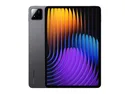 | Xiaomi Pad 7 Qualcomm Snapdragon 7+ Gen 3 ⎘ Qualcomm Adreno 732 ⎘ 12 GB Memory, 256 GB UFS 4.x | List Price: 400€ | 500 g | 256 GB UFS 4.0 Flash | 11.20" 3200x2136 344 PPI LCD |
3. 81.1% 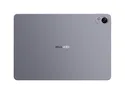 | Huawei MatePad 11.5 S HiSilicon Kirin 9000W ⎘ HiSilicon Maleoon 910 ⎘ 8 GB Memory, 256 GB UFS 3.1 | List Price: 399€ | 510 g | 256 GB UFS 3.1 Flash | 11.50" 2800x1840 291 PPI TFT-LCD |
4. 79.9%  | Samsung Galaxy Tab S10 Lite Samsung Exynos 1380 ⎘ ARM Mali-G68 MP5 ⎘ 6 GB Memory, 128 GB UFS 2.1 | List Price: 399€ | 524 g | 128 GB UFS 2.1 Flash | 10.90" 2112x1320 228 PPI TFT LCD |
Transparency
The selection of devices to be reviewed is made by our editorial team. The test sample was provided to the author as a loan by the manufacturer or retailer for the purpose of this review. The lender had no influence on this review, nor did the manufacturer receive a copy of this review before publication. There was no obligation to publish this review. As an independent media company, Notebookcheck is not subjected to the authority of manufacturers, retailers or publishers.
This is how Notebookcheck is testing
Every year, Notebookcheck independently reviews hundreds of laptops and smartphones using standardized procedures to ensure that all results are comparable. We have continuously developed our test methods for around 20 years and set industry standards in the process. In our test labs, high-quality measuring equipment is utilized by experienced technicians and editors. These tests involve a multi-stage validation process. Our complex rating system is based on hundreds of well-founded measurements and benchmarks, which maintains objectivity. Further information on our test methods can be found here.
 Add as a preferred source on Google


