




3D printing big stuff on small printers made easy with new free, browser-based tool
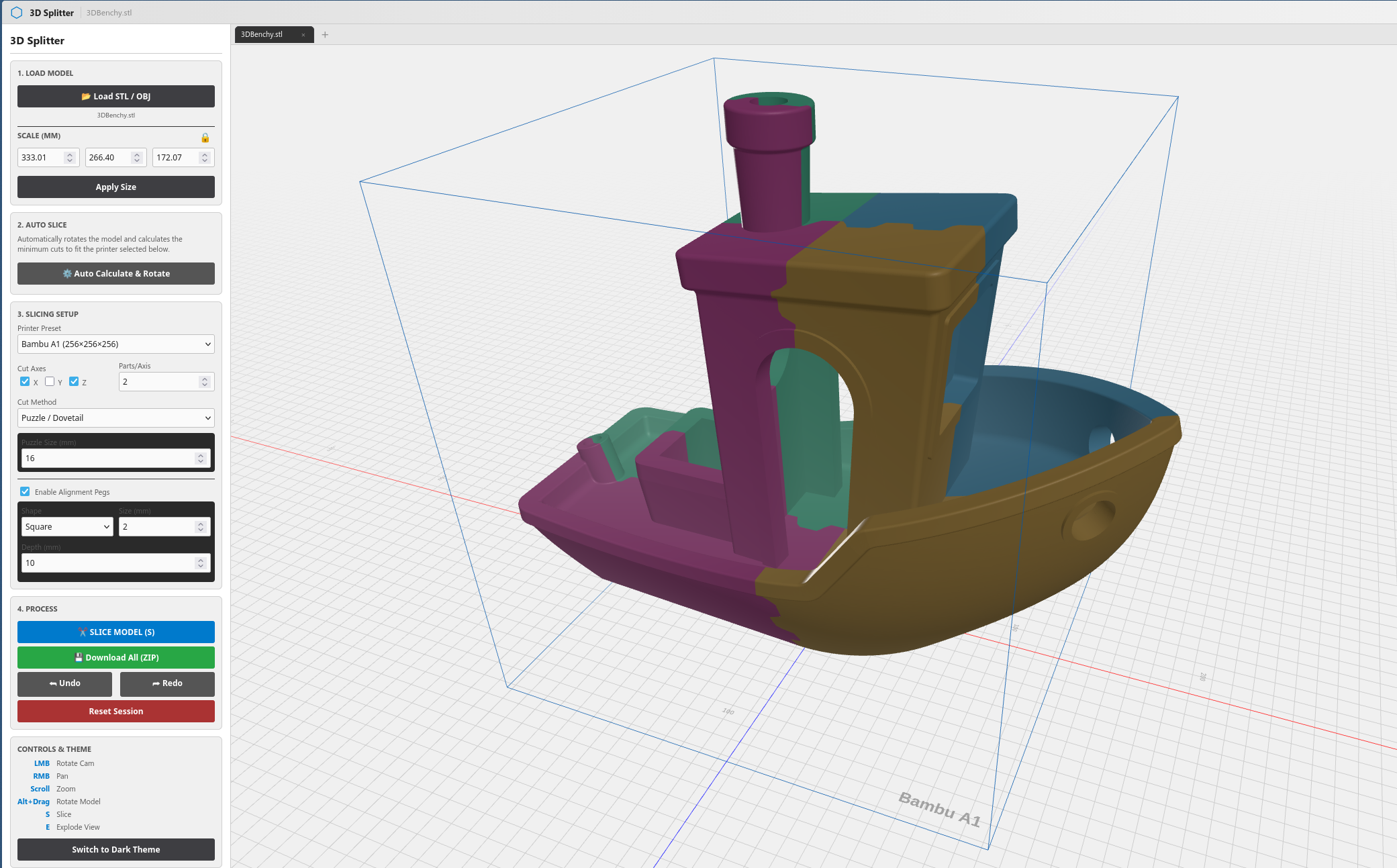
Splitting 3D prints into multiple parts to print them on small printers is nothing new, but, aside from a handful of proprietary 3D printer slicers that offer automatic splitting, with varying degrees of control, this is largely a manual process that involves splitting the model into a few component parts and adding features that allow the part to easily be put together after printing. An enterprising developer recently posted about a new project, 3D Splitter, on Reddit that aims to offer an easy-to-use, cross-platform tool to automatically split STL and OBJ files into multiple parts for printing. The tool is especially promising for makers who have started their 3D printing journey or have some experience with something like the Anycubic Kobra 3 V2 we recently reviewed (curr. $359.99 on Amazon), and those who are looking to step up to bigger, more complex projects.
3D Splitter features and highlights
3D Splitter offers all of the basics that you might expect from a tool that handles 3D models, including scaling, transforming, and otherwise rotating the parts, splitting it into multiple parts, and cutting the part along various planes. Perhaps most interestingly, though, is that 3D Splitter also lets you do multiple cuts per plane, move the cutting planes individually across each axis, and creating both alignment holes and dovetails for joining the parts together after the fact. The diameter and depth of the alignment holes can be adjusted, as can the dimensions of the dovetails, and you can opt for square or round alignment holes or a straight cut instead of using the puzzle/dovetail method.
Aside from automatically splitting parts based on the manually defined parameters, 3D Splitter also has a number of built-in 3D printer profiles that it can use to both analyse whether the resulting part will fit into the print area and automatically rotate and slice the part to make sure the resulting parts fit into the selected print profile. The UI is also intuitively laid out, with clear labels and tooltips explaining more complex features where needed.
The creator of the 3D Splitter acknowledges that the tool is still in a beta state and that there are issues that need to be worked on, however, the developer has tested some fairly complex models — up to 2.5 million triangles — without issue, and the beta is regarded as stable, making it a promising resource for 3D printing beginners and veterans alike.
Source(s)
 Add as a preferred source on Google


