World of Tanks v8.0 Benchmarked

Florian Glaser (translated by B Gabrielse), 10/12/2012

Tanks a lot. Over 40 million registered users and a bigger E3 stand compared to many (former) top publishers: Wargaming.net shakes up the Free2Play sector with World of Tanks. In order to investigate the ongoing trend we tested version 8.0 with a variety of notebook GPUs.

World of Tanks Logo (Wargaming.net)

Developer Wargaming.net, founded in 1998 and based in Belarus, achieved its biggest hit in 2011: World of Tanks, a free to play online game which evolved into a very popular and successful Free2Play hit due to its absorbing and tactical PvP battles.

The developers mainly make money by selling in game gold, a premium currency. The users can use this gold to buy specific tanks and upgrades. Experience and earning bonuses can also be bought with real money. Unfair advantages do not exist in World of Tanks - the Free2Play game offers enough gaming pleasure for users who do not want to pay any money.

Description

As the name implies, World of Tanks is about battles between tanks. In the standard mode two teams, each with 15 players, compete on more or less open terrain in the competitive PvP mode. The goal is simple and exciting: destroy all enemy tanks or capture the flag zone of the enemy. In order to get acquainted with the game controls and to get along during the thrilling battles you will need some time to accustom yourself to the gameplay.

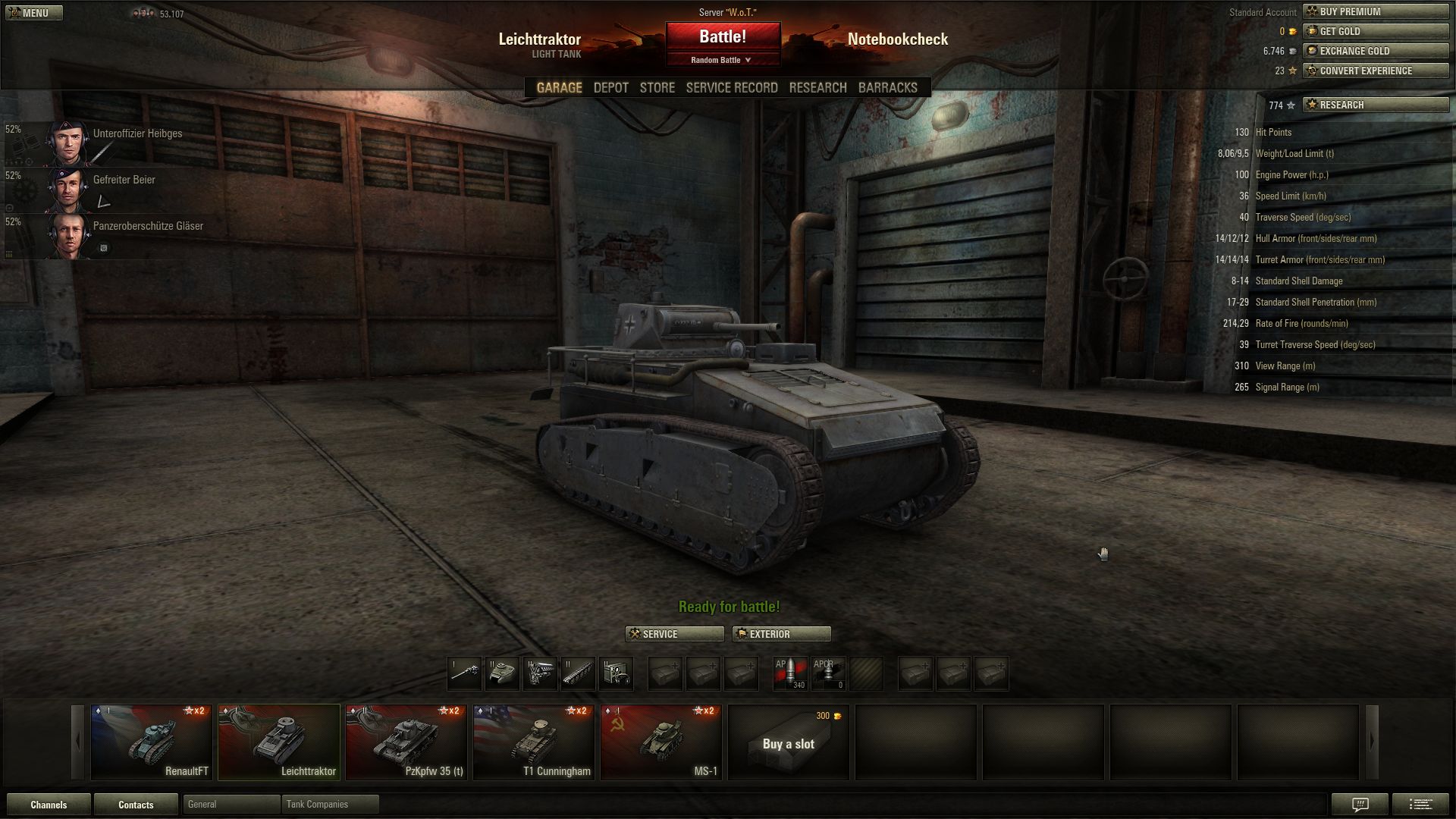
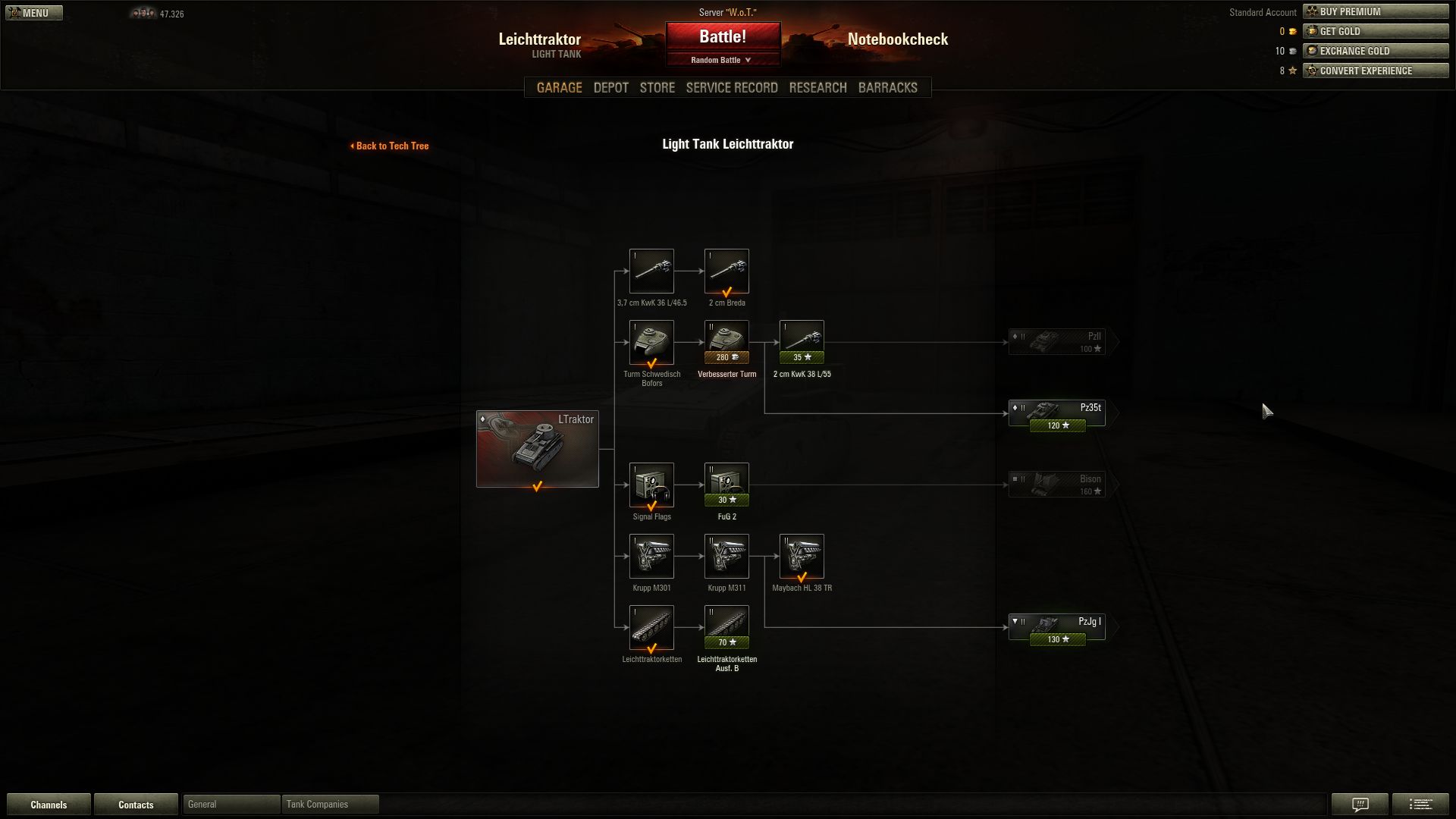
The main menu confuses newbies completely: dozens of icons and menu items can be selected. Next to the InGame-Store, the depot and the barracks; the research menu is especially interesting. Here it is possible to buy new tank models and to upgrade the tanks you already purchased. Should it either be a better barrel or a stronger engine? In order to unlock all the items, an average gamer will need weeks, months or even years.
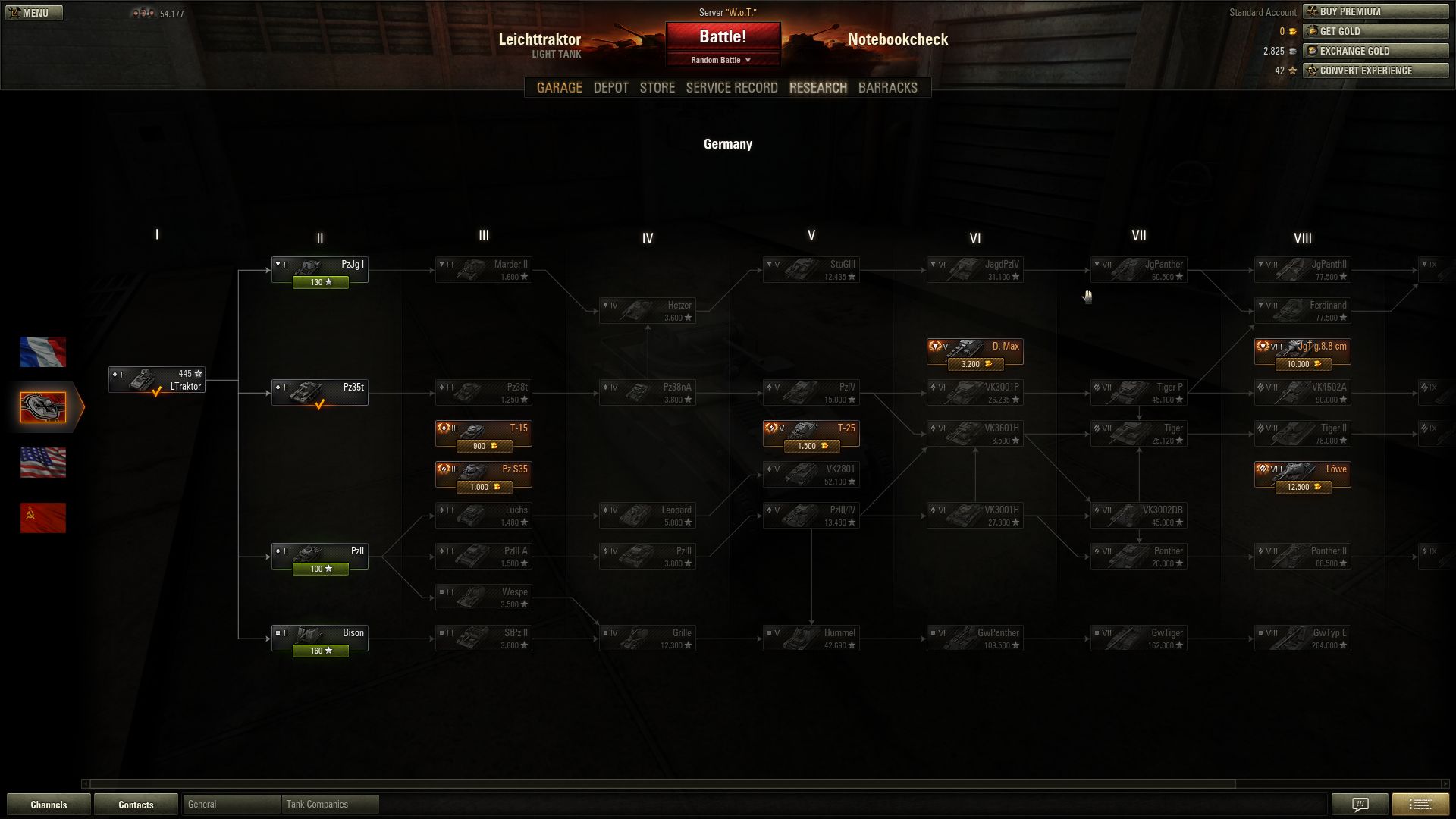
Every nation offers dozens of tanks.
All the vehicles can be extensively upgraded.
You have to get acquainted with the different menus.

The battles themselves are played at a fast pace - depending on the tank you choose - without neglecting a certain tactic. Am I going to confront the enemy in a direct battle or am I going to flank the enemy in a smart way? Thanks to the relatively short time a round takes (after 15 minutes the map usually ends) the game can be played anytime of the day.
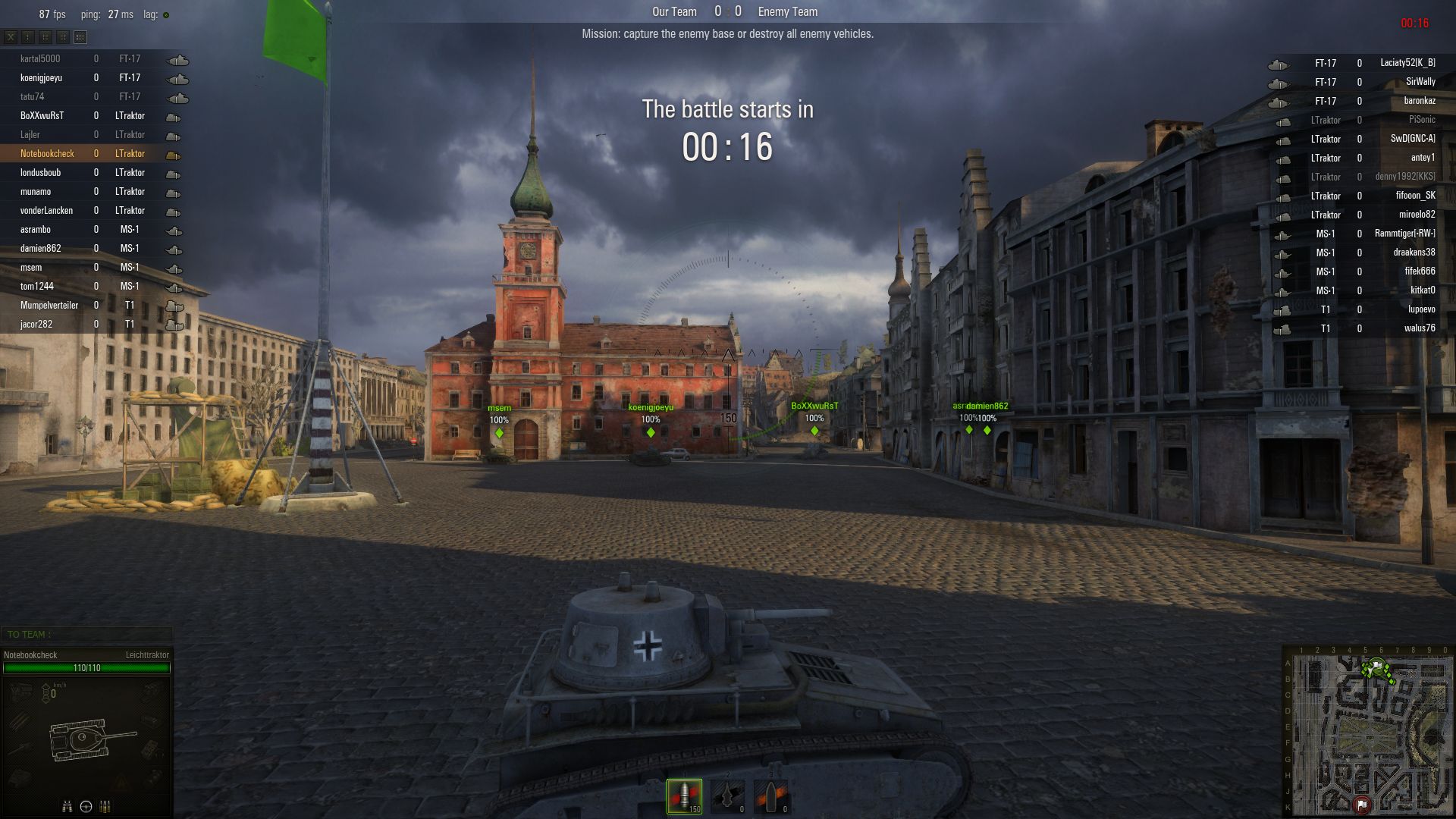
Distinctive buildings serve as orientation.
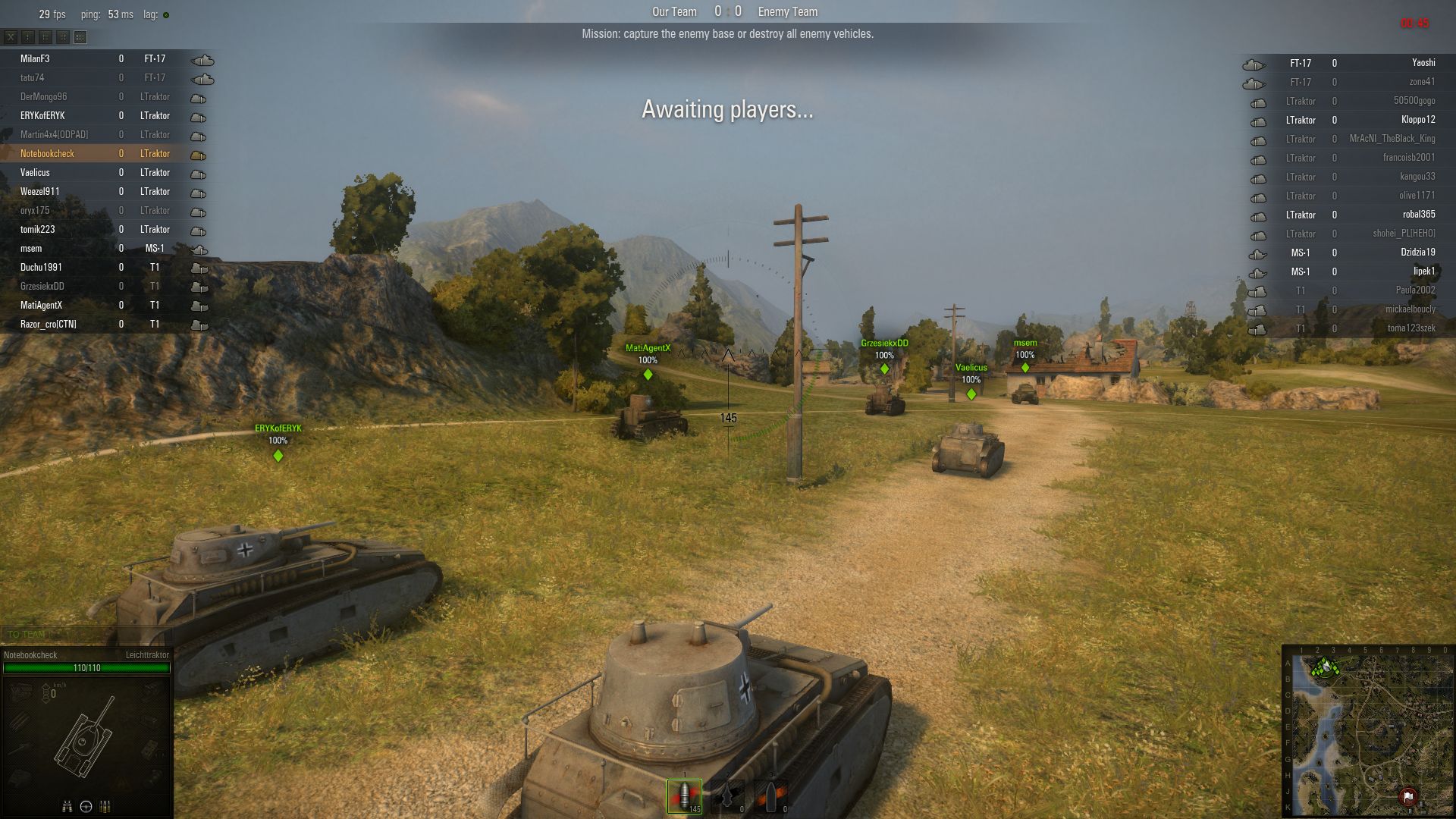
The game concentrates on team battles full of action.
Some maps are quite idyllic.

Benchmark

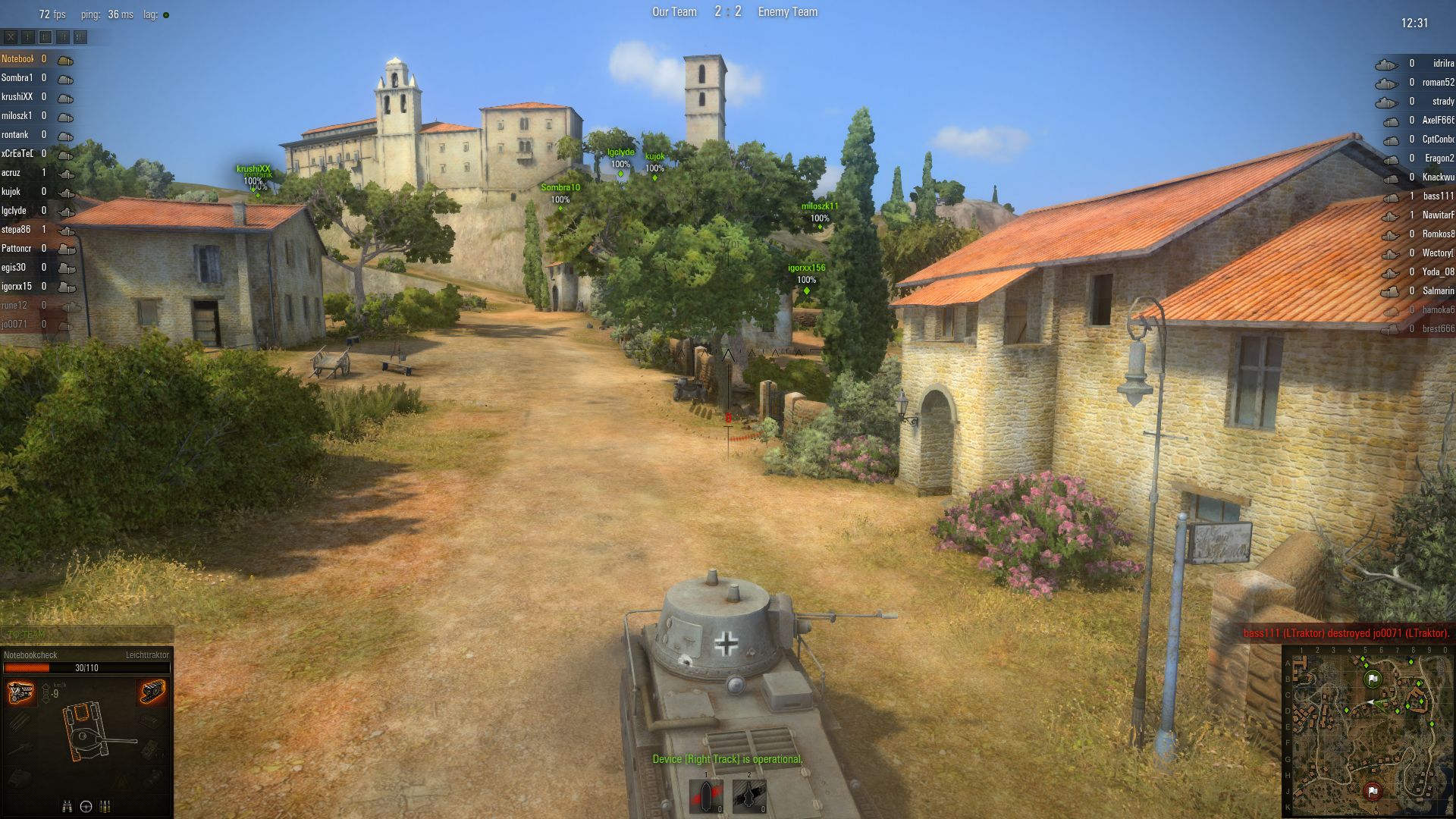
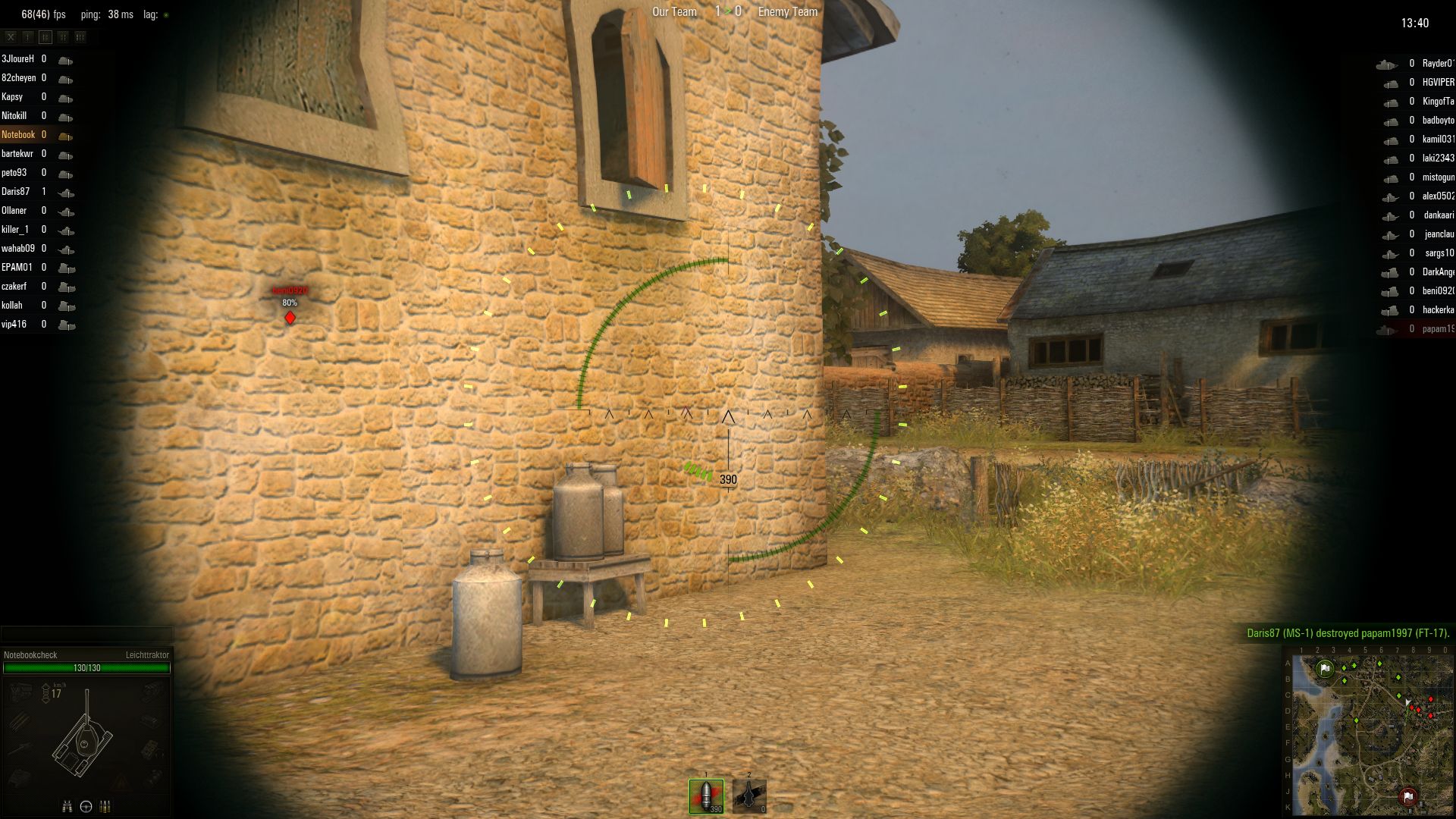
Having activated the item "battle recording" in the settings menu, World of Tanks saves all the completed battles. The recordings are located in a map of the same name in the game directory and can be replayed with a simple click. In order to guarantee comparability, we used a self-made replay during the benchmarks (see the video).

Since every round starts with a 30-second countdown we skipped the initial phase using the key-combination Ctrl + right arrow. During the sequence of almost 1.5 minutes the tool Fraps will be used to record the average refresh rate. The played map "Mines" is, in our experience a bit more demanding than other maps such as "Himmelsdorf" (which in English means "Sky Village"), which is more compact and has a considerably smaller area of grass. Depending on the environment you are in and how many tanks have to be displayed the frame rates fluctuate strongly. 30 fps will be used as guiding value during our benchmarks in order to play the game properly.

Settings

Let's discuss the change log of the eagerly awaited update. According to Wargaming.net, they did not only implement more tanks, design options and personalization options but they also improved the appearance. Especially the rendering as well as the lighting systems have been significantly revised. The same applies to the physics and some effects (i.e. water waves).
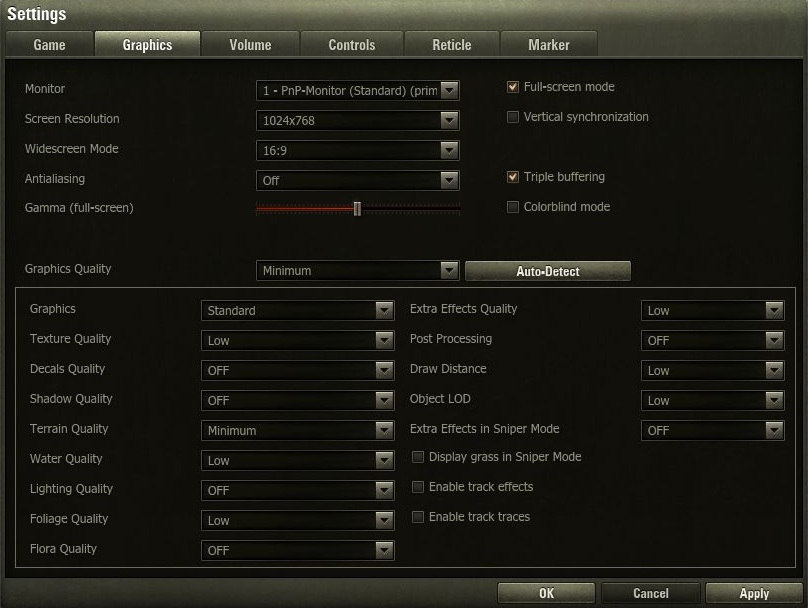
Minimum Preset
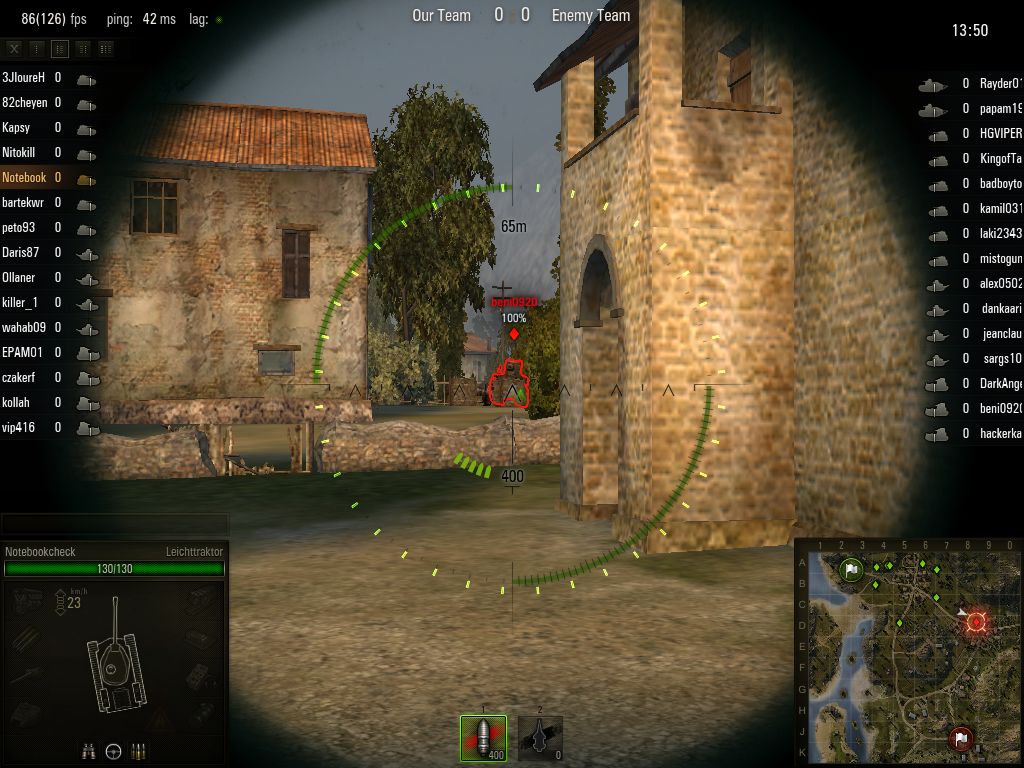
Minimum Preset (1,024 x 768)
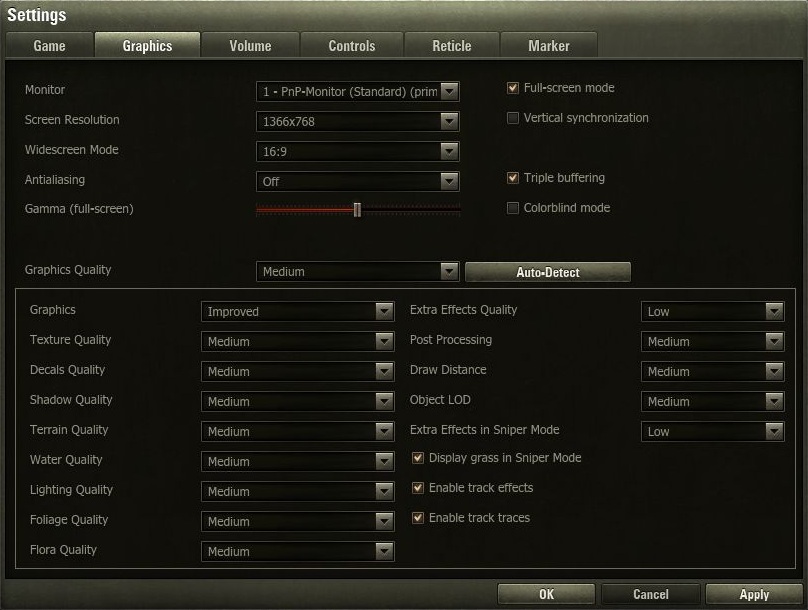
Medium Preset
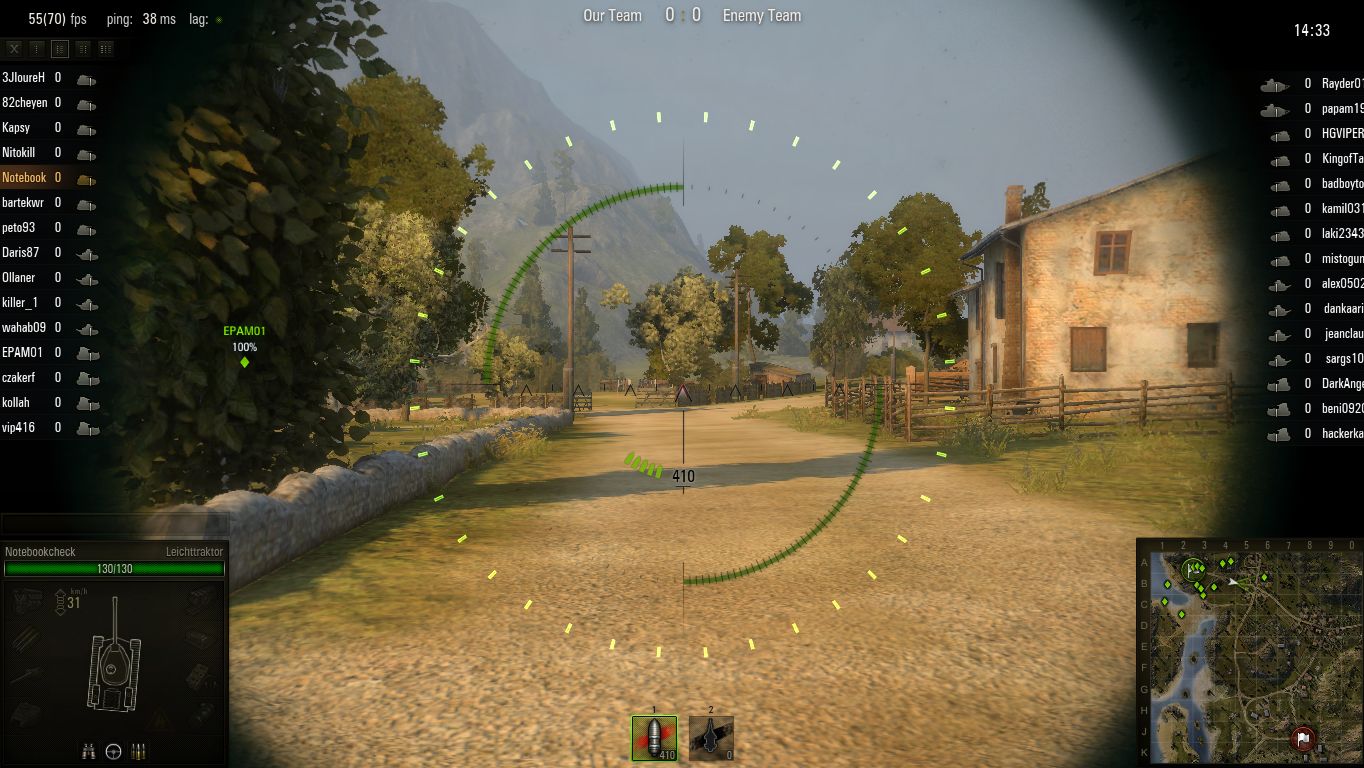
Medium Preset (1,366 x 768)
High Preset
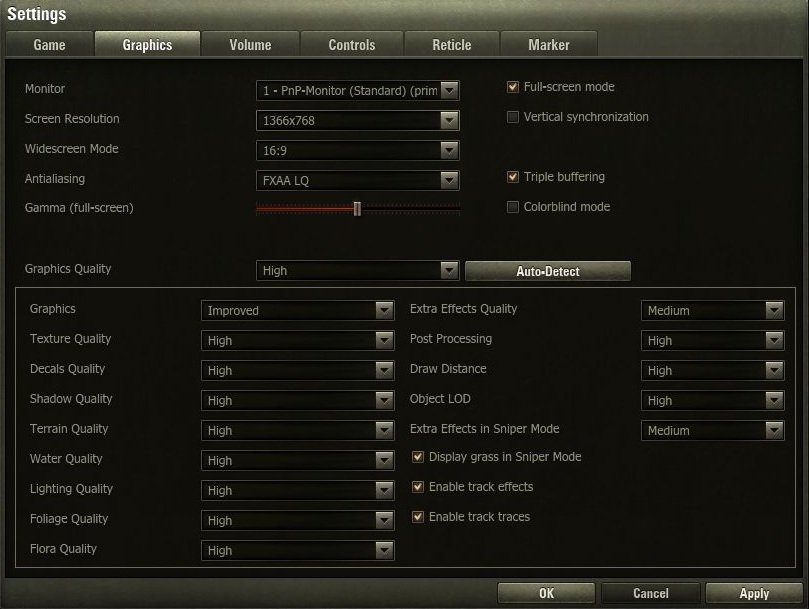
High Preset (1,366 x 768, LQ FXAA)
Maximum Preset
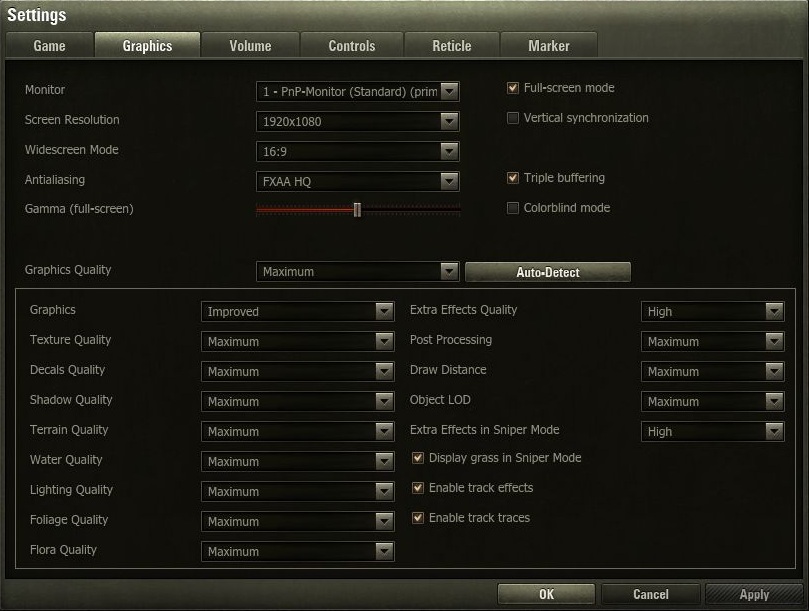
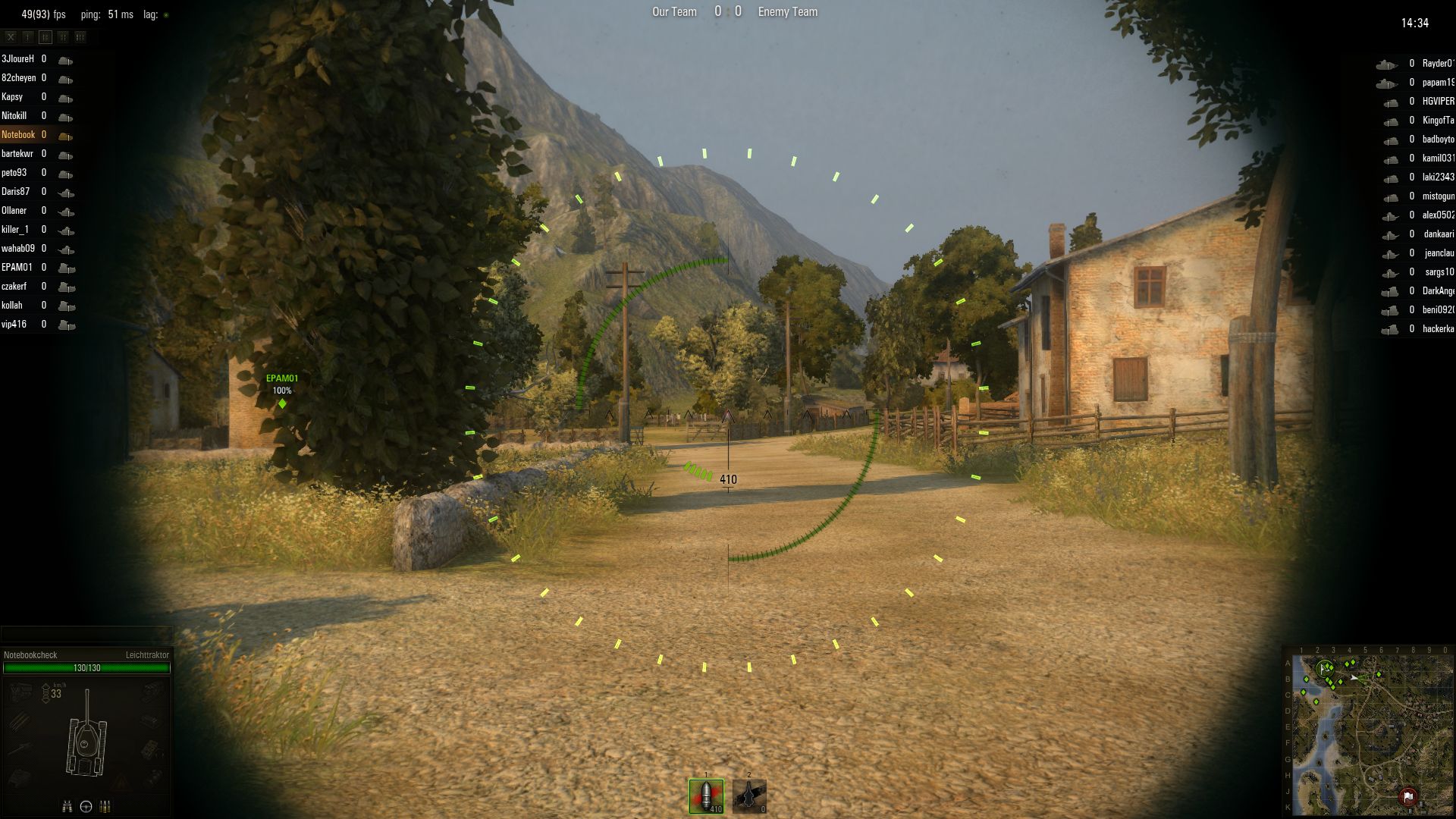
Maximum Preset (1,920 x 1,080, HQ FXAA)

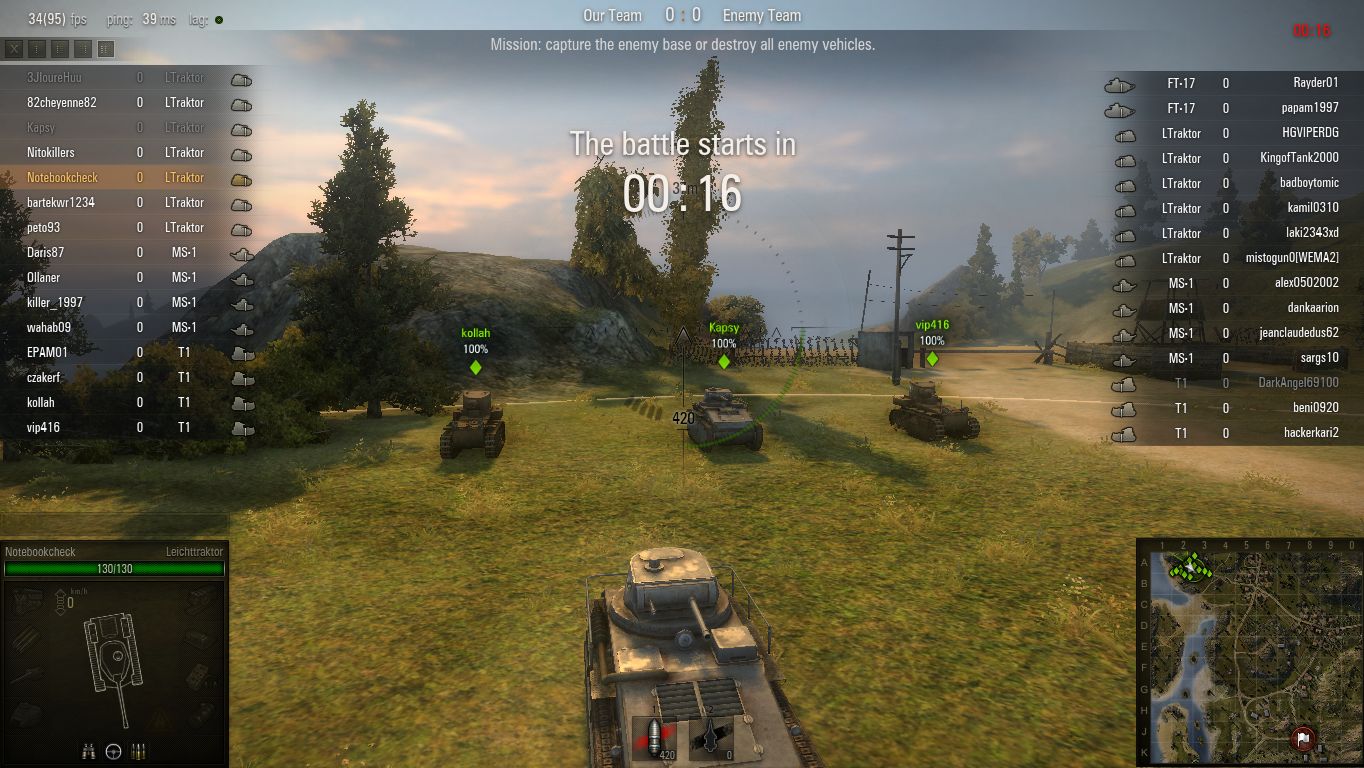
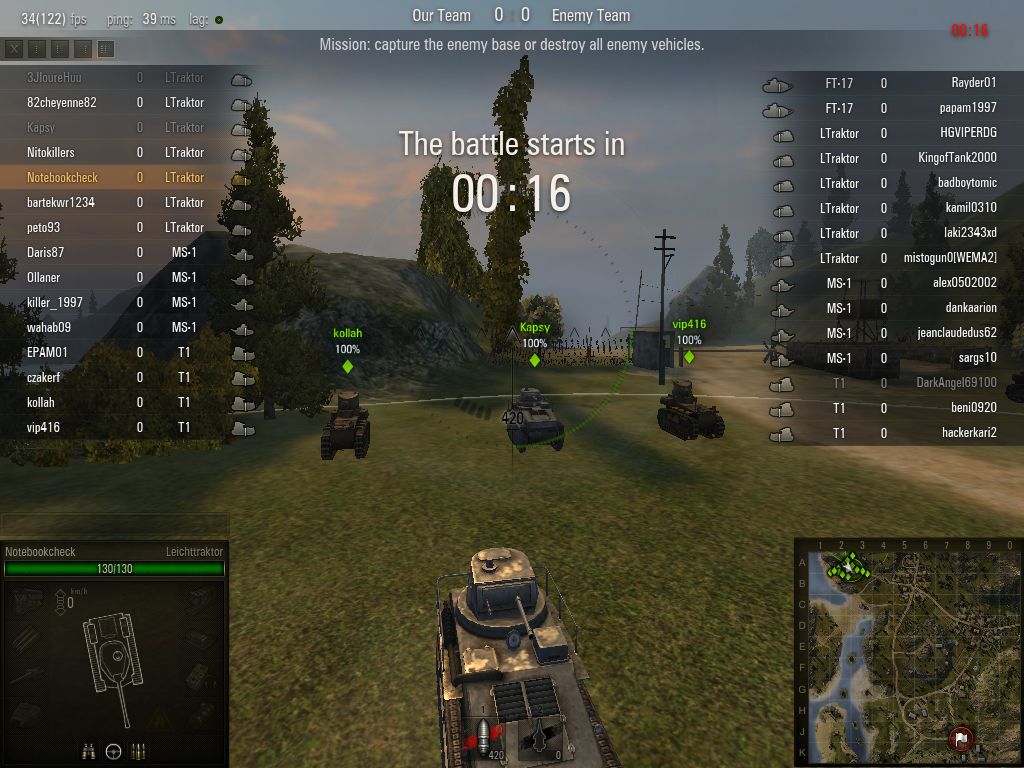
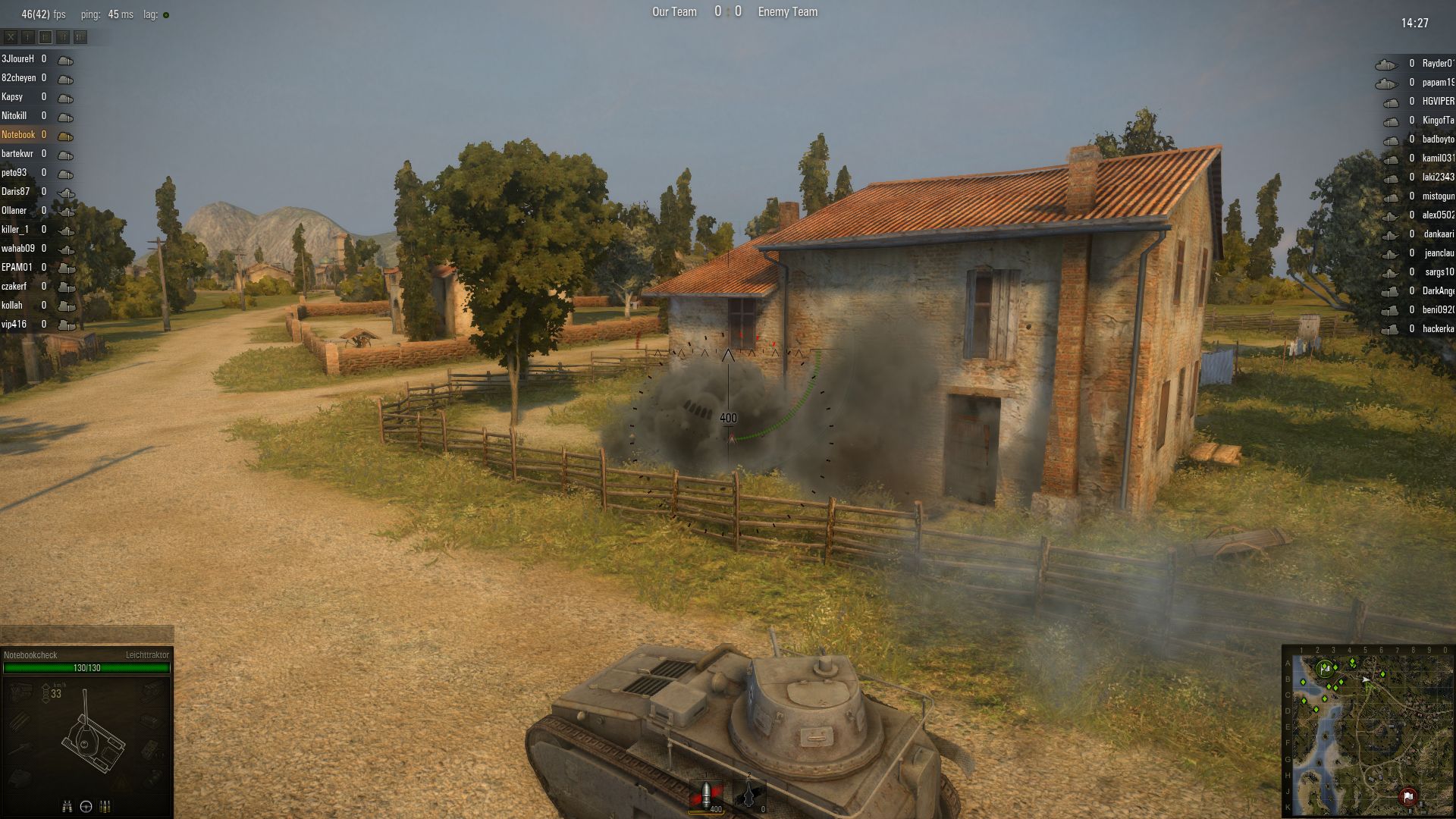
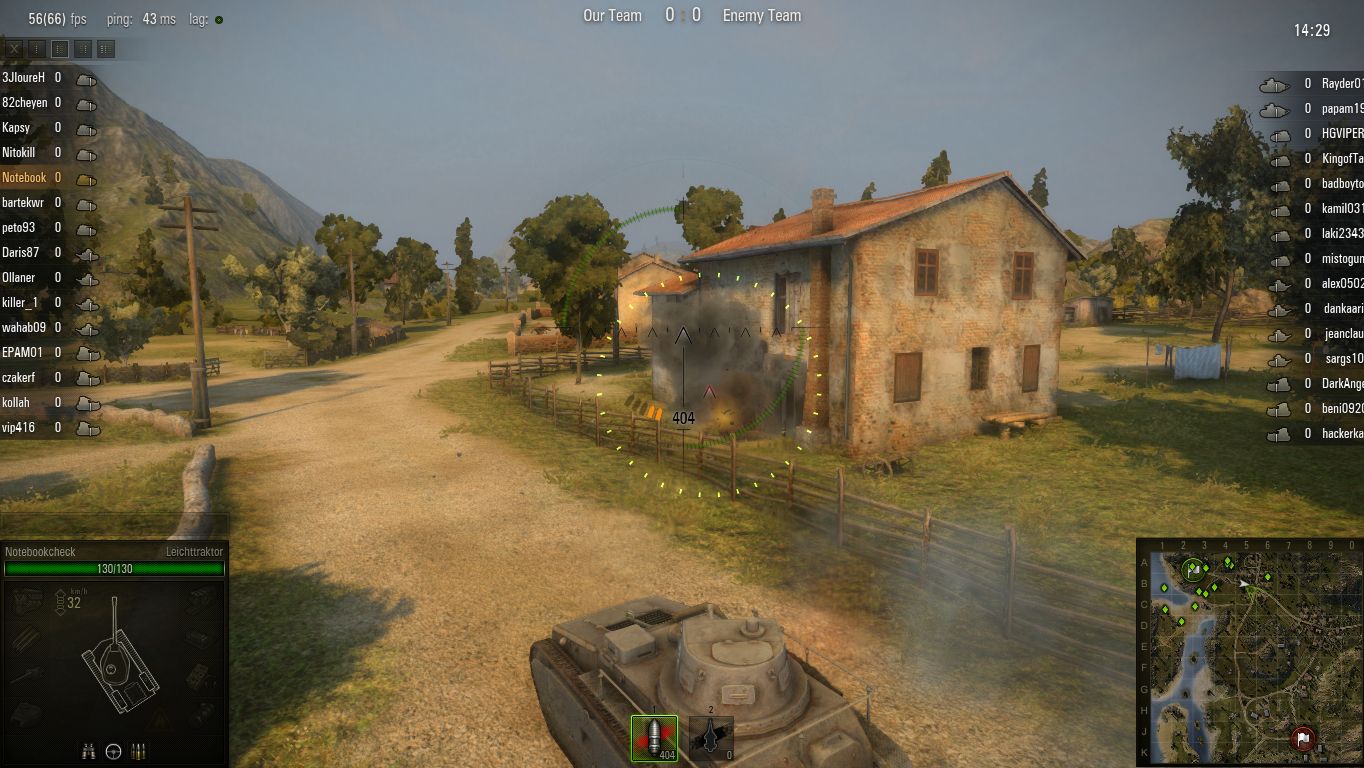
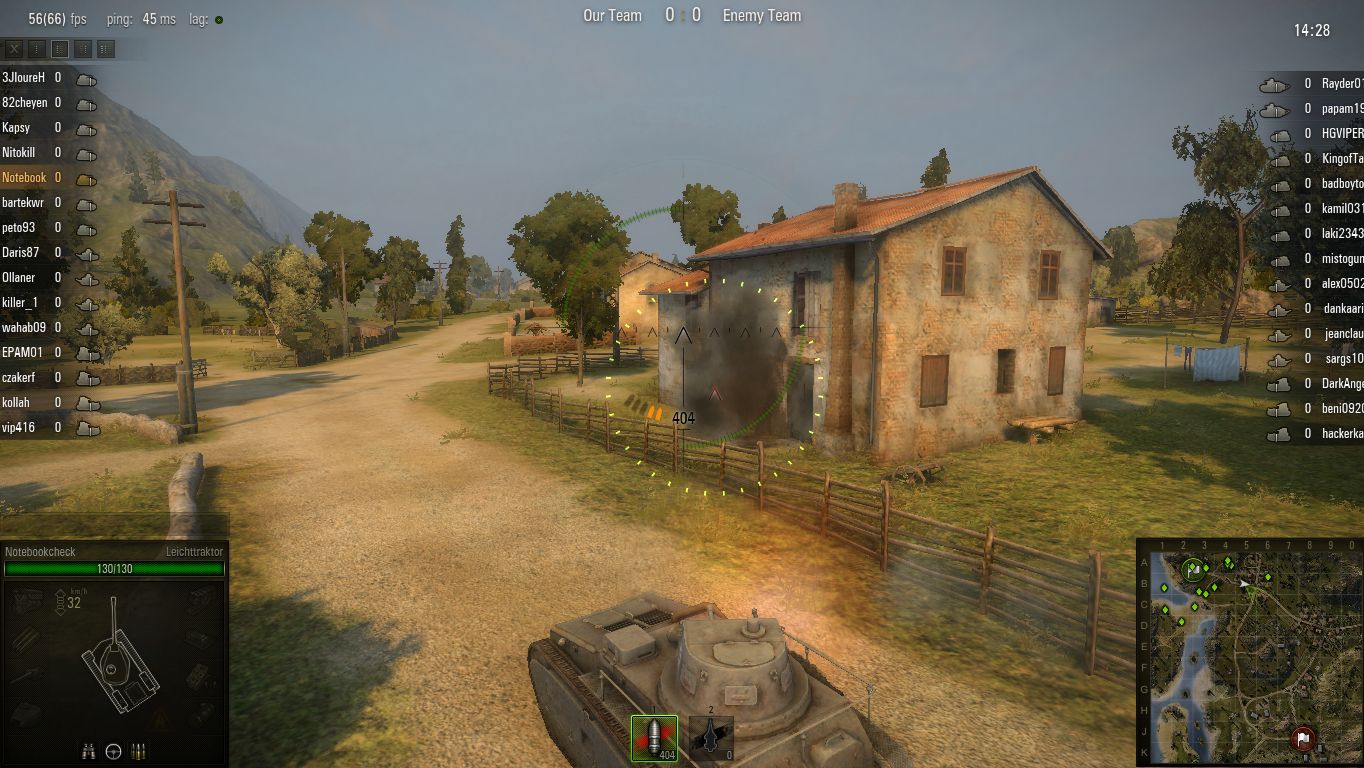
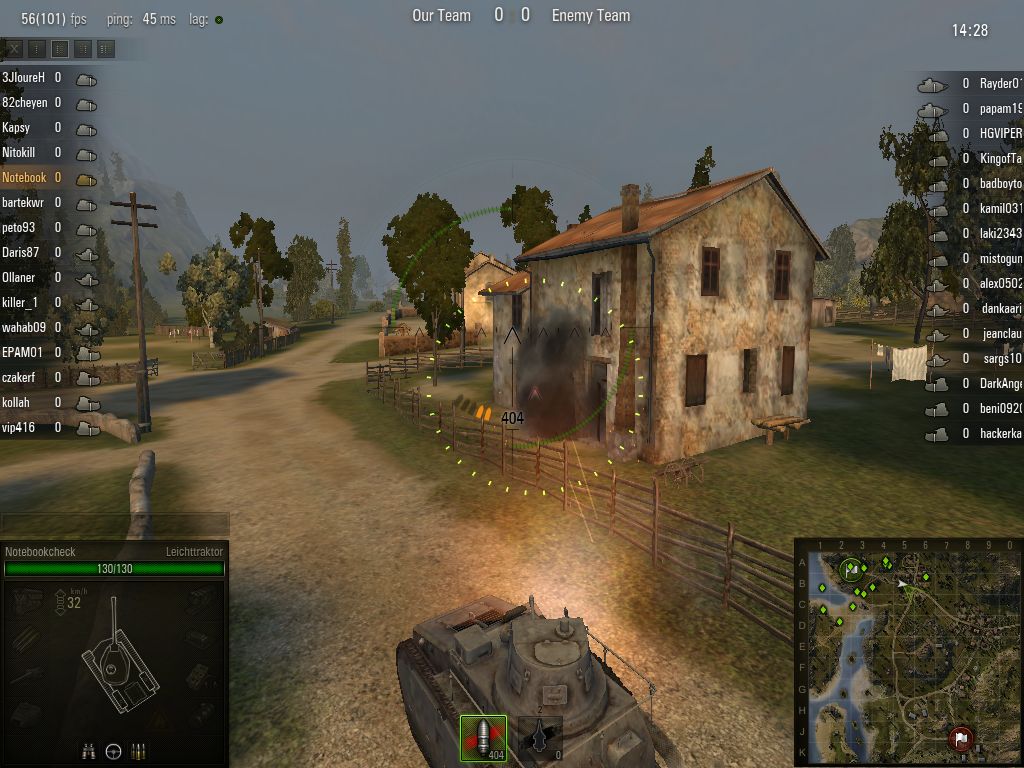
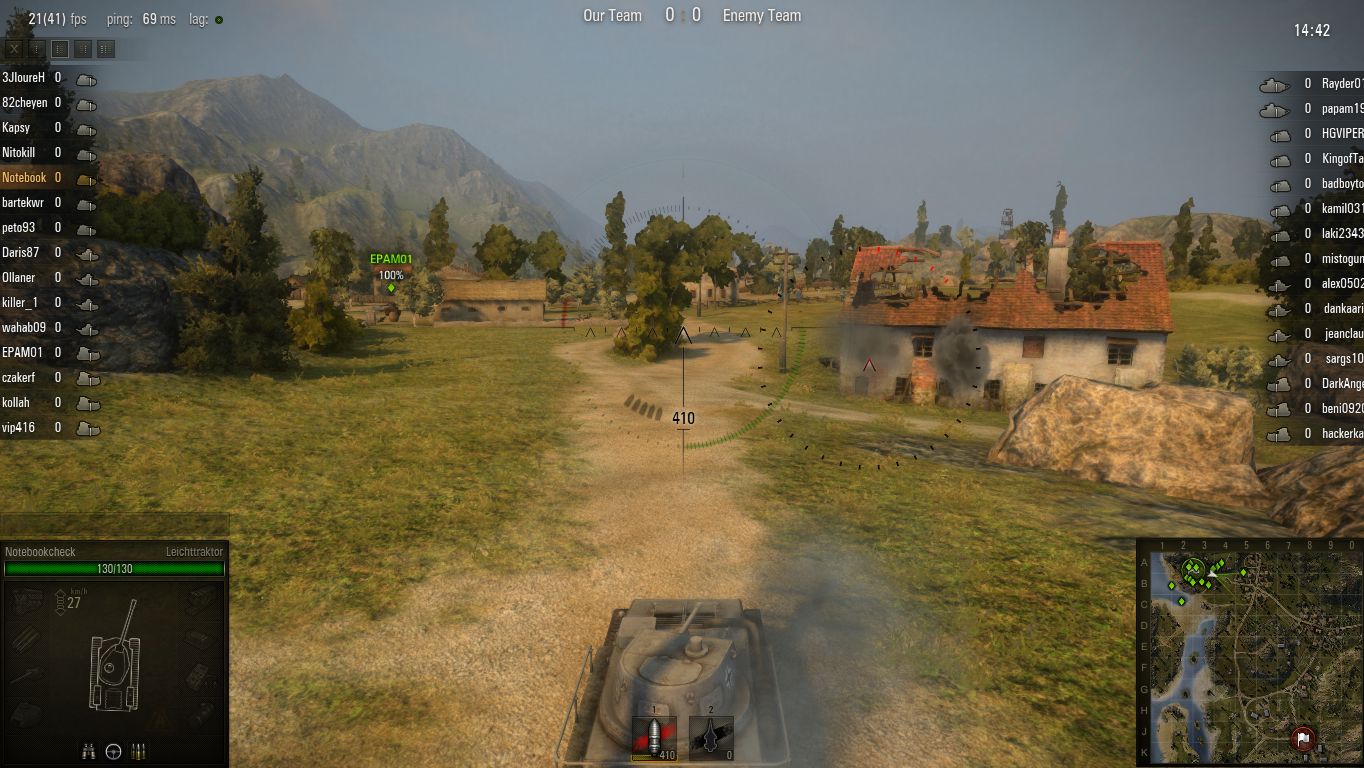
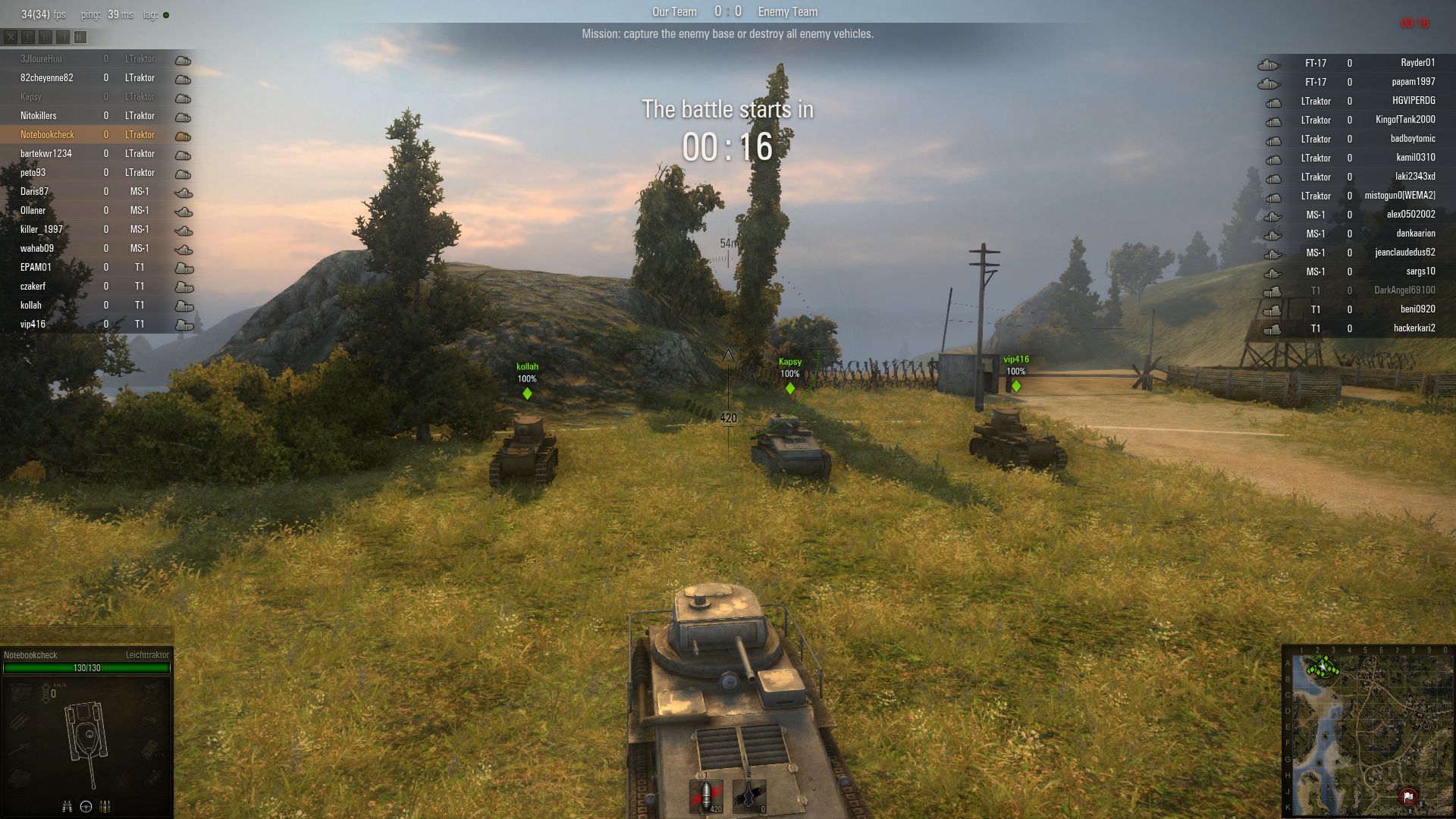
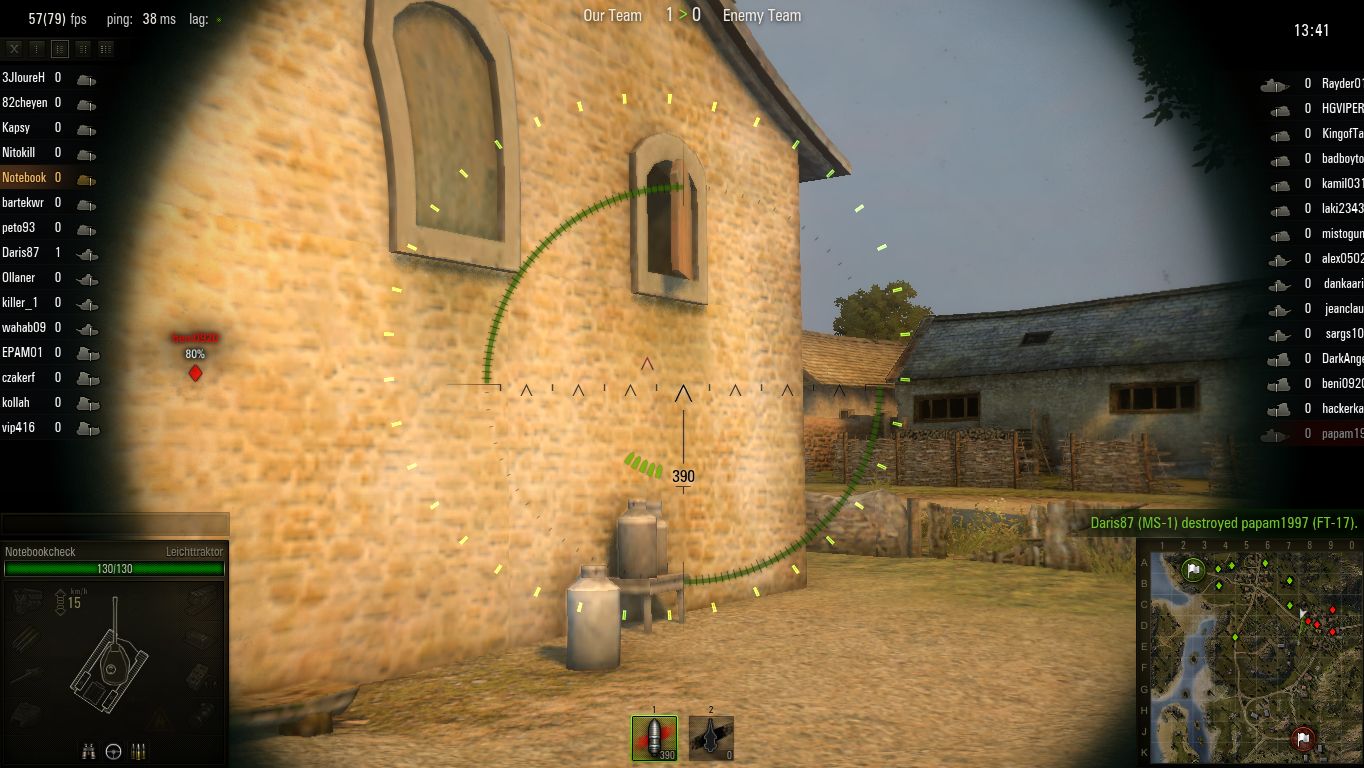
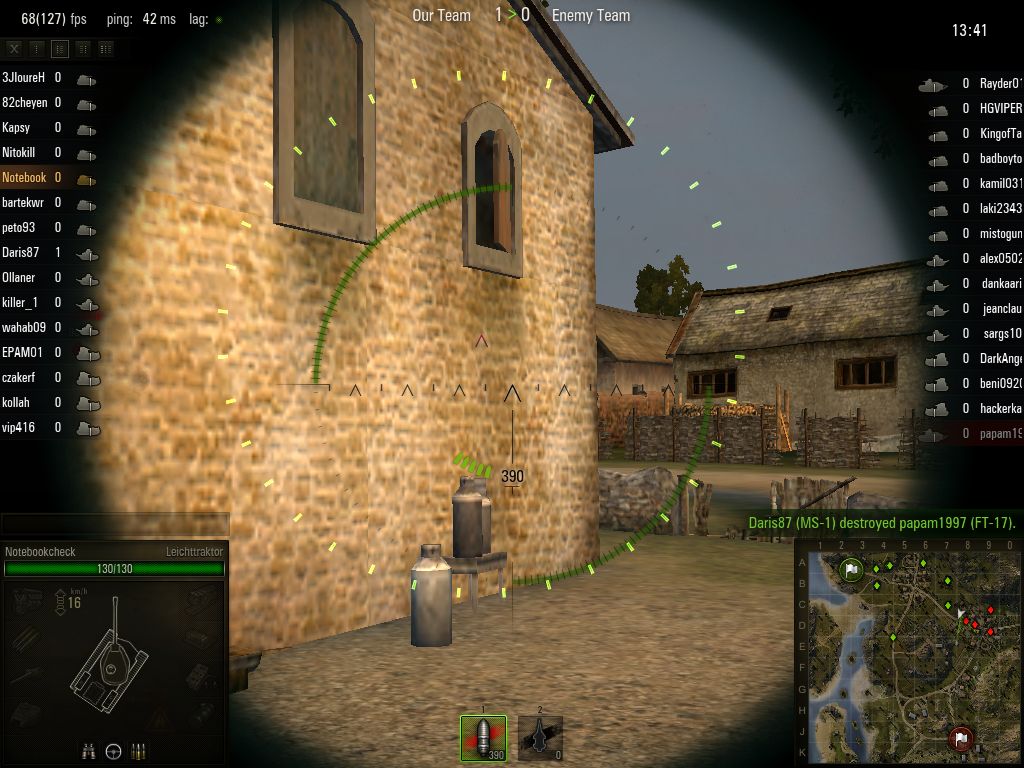
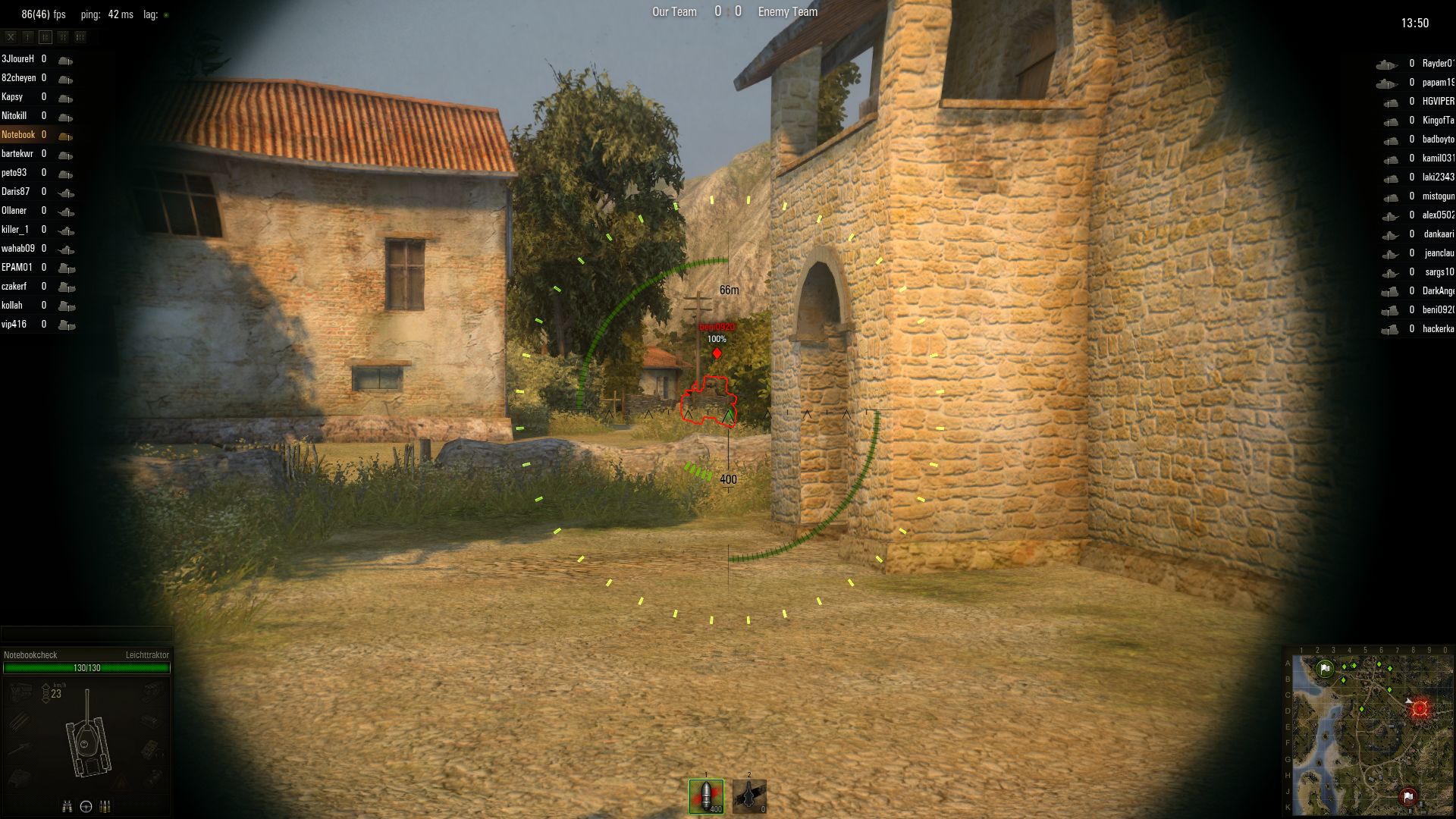
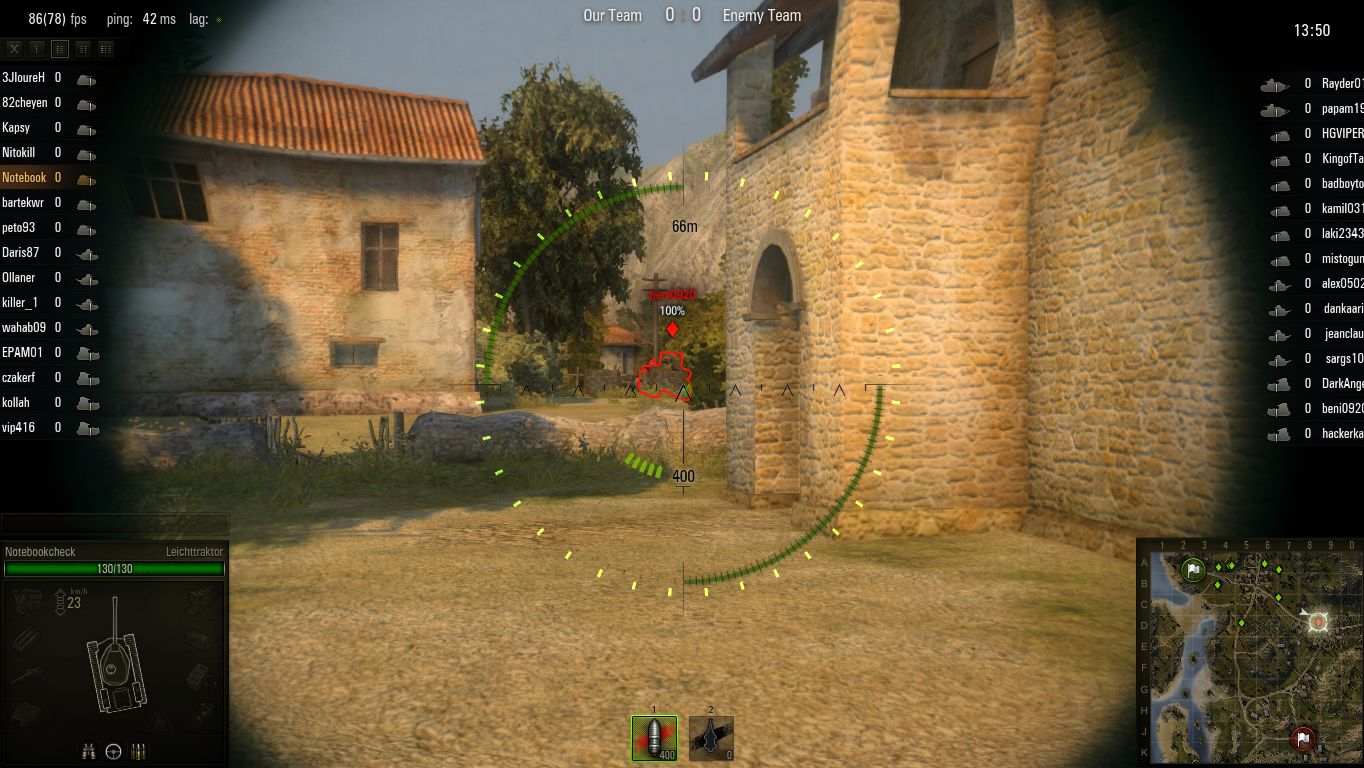
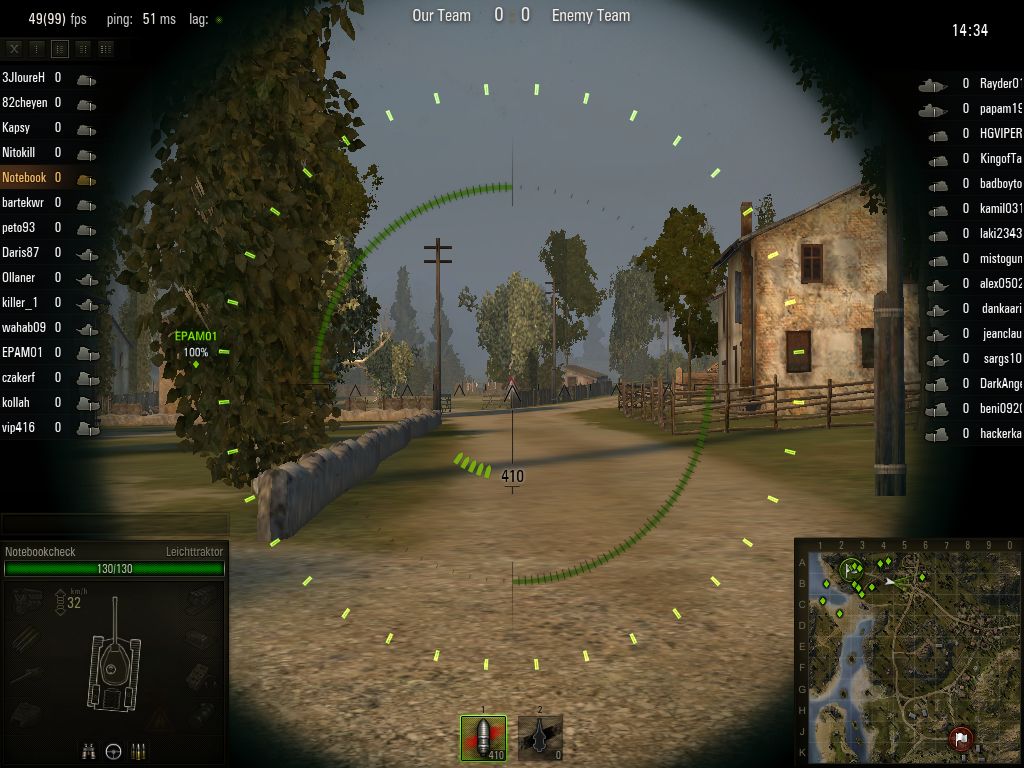
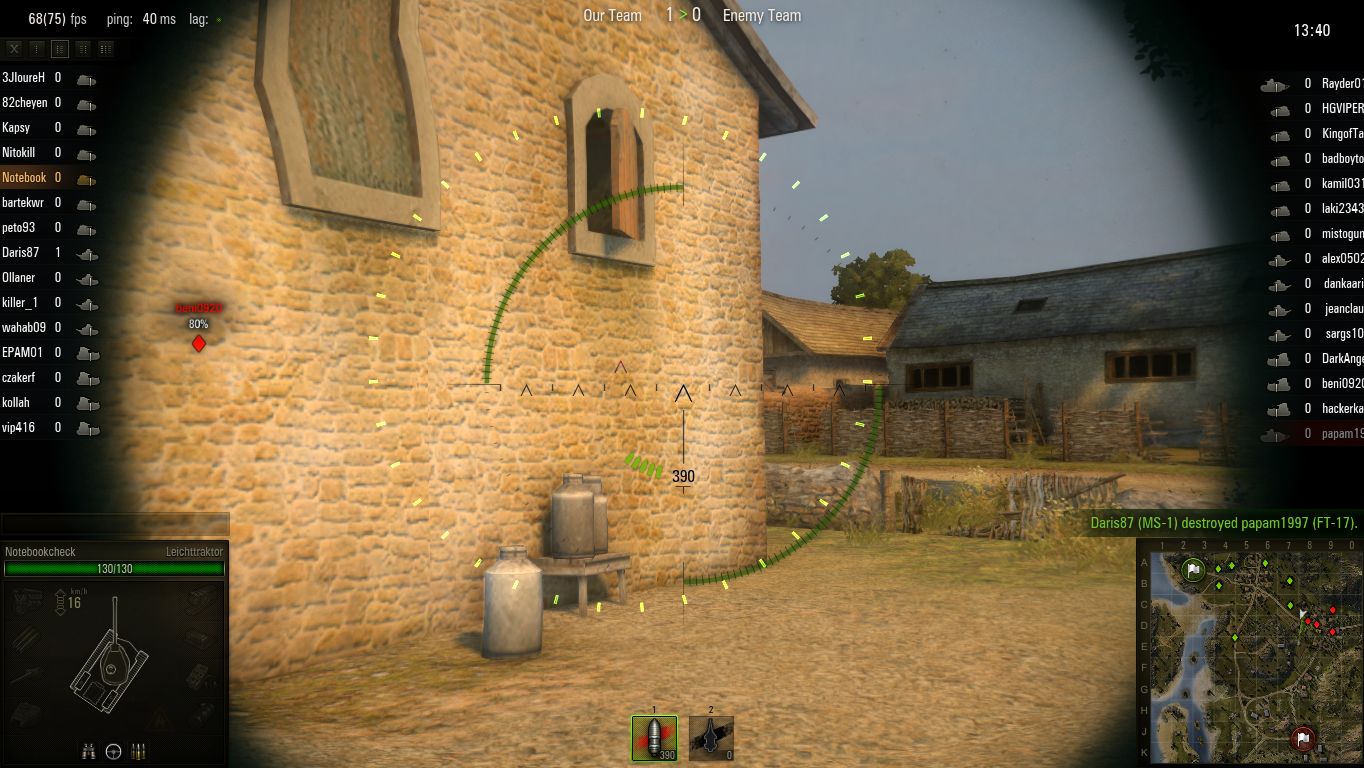
Exemplary: the improvements of version 8 can easily be activated or deactivated in the settings (Standard vs. Improved). Overall we have to compliment the developer for the abundant graphics menu. Using the five different presets (Graphics Quality) the graphics can quickly be adapted to the capabilities of the your own hardware. Contrary to Medium, High and Maximum, the minimum preset offers the old graphics level.
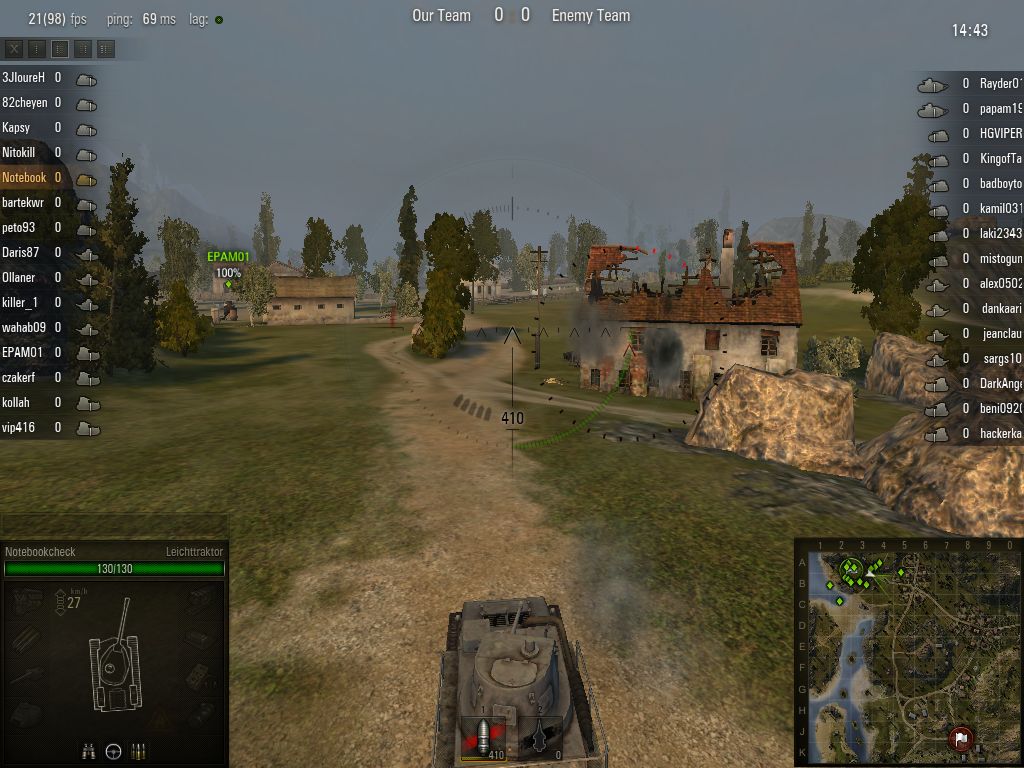
Minimum Preset
Minimum Preset (1,024 x 768)
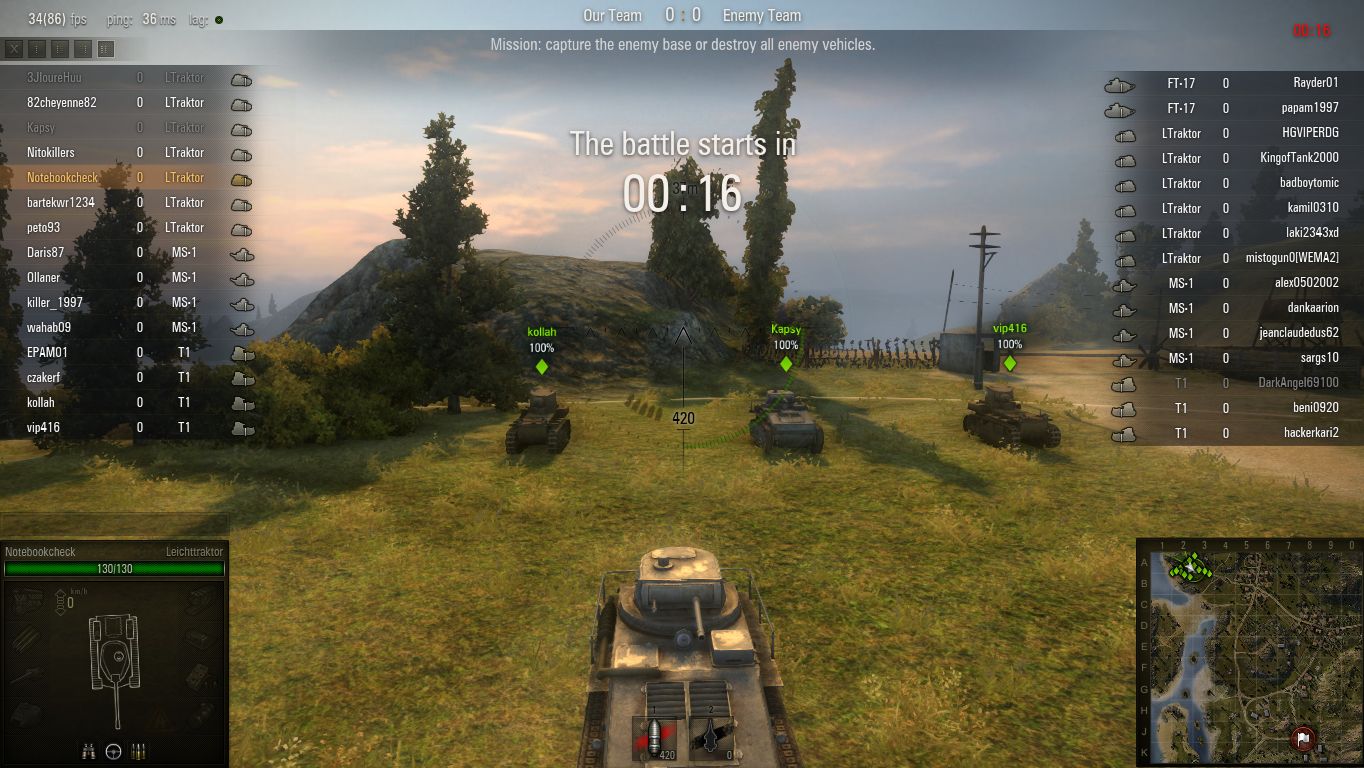
Medium Preset
Medium Preset (1,366 x 768)
High Preset
High Preset (1,366 x 768, LQ FXAA)
Maximum Preset
Maximum Preset (1,920 x 1,080, HQ FXAA)
Minimum Preset
Minimum Preset (1,024 x 768)
Medium Preset
Medium Preset (1,366 x 768)
High Preset
High Preset (1,366 x 768, LQ FXAA)
Maximum Preset
Maximum Preset (1,920 x 1,080, HQ FXAA)
Minimum Preset
Minimum Preset (1,024 x 768)
Medium Preset
Medium Preset (1,366 x 768)
High Preset
High Preset (1,366 x 768, LQ FXAA)
Maximum Preset
Maximum Preset (1,920 x 1,080, HQ FXAA)

The differences between the various graphic levels are considerable. The minimum preset especially distinguishes itself from the other presets: weak textures, poor shadows as well as dull and barely existing lighting effects influence the atmosphere of the game. The quality of the appearance changes considerably starting from the medium preset, while the texture sharpness does not improve until the high or maximum preset. The higher the graphics setting the more grass is displayed.

Next to the global presets and the 17 detailed options the graphics menu offers a variety of other options. Among these options are the resolution, gamma value, display mode, vertical synchronization and anti-aliasing.
Minimum Preset
Minimum Preset (1,024 x 768)
Medium Preset
Medium Preset (1,366 x 768)
High Preset
High Preset (1,366 x 768, LQ FXAA)
Maximum Preset
Maximum Preset (1,920 x 1,080, HQ FXAA)
Minimum Preset
Minimum Preset (1,024 x 768)
Medium Preset
Medium Preset (1,366 x 768)
High Preset
High Preset (1,366 x 768, LQ FXAA)
Maximum Preset
Maximum Preset (1,920 x 1,080, HQ FXAA)
Minimum Preset
Minimum Preset (1,024 x 768)
Medium Preset
Medium Preset (1,366 x 768)
High Preset
High Preset (1,366 x 768, LQ FXAA)
Maximum Preset
Maximum Preset (1,920 x 1,080, HQ FXAA)

Results

Those of you who do not demand high graphics settings can play World of Tanks even with a low-end graphics card without any problems. The minimum preset should not even be a problem for the HD Graphics 3000 or 4000. However, for the considerably nicer medium preset a better GPU is required. Our replay was displayed fluently using one of the upper mid-range GPUs. All graphics cards below the GeForce GT 650M did not achieve more than 30 fps with a resolution of 1366x768 pixels. High details demand a high-end GPU such as the GeForce GTX 660M. A resolution of 1920x1080 pixels and the maximum details setting was only displayed fluently by the top models GeForce GTX 680M and Radeon HD 7970M .

Considering Radeon: as can be seen in the benchmark table, World of Tanks belongs to one of the few games that can get along with the AMD-GPUs.  As a result the apparently weaker or older graphics cards such as the Radeon HD 7660G or the HD 5650M got higher fps rates than its Nvidia competitors (in this case the GeForce GT 630M). The difference between the HD 7970M and the GTX 680M are 20 fps with the maximum settings.

Update 13.10.2012: Some GTX 680M users report a significant higher performance. Since we tested three different drivers und installed W.o.T. on another HDD, the problem should be up to Optimus or our GPU-example. We will adjust the article, if changes appear.

Verdict: in order to enjoy all of the graphical and technical improvements you will need to have a good multimedia notebook or a gaming notebook.
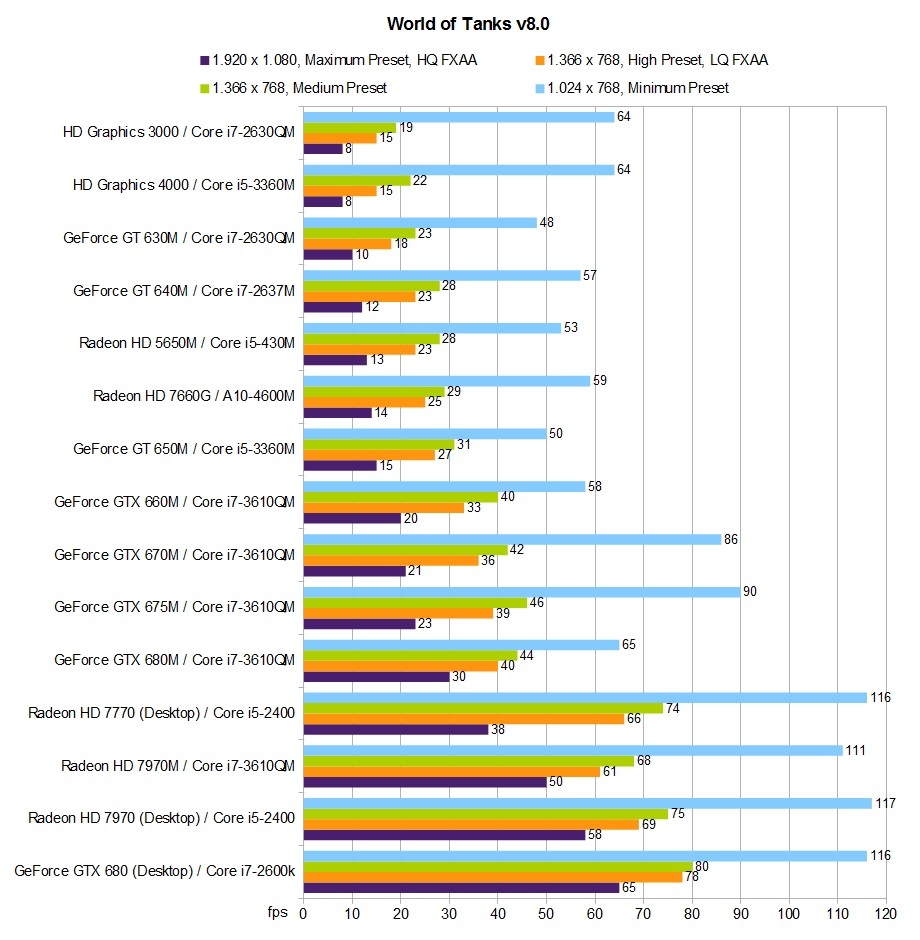
Benchmark table World of Tanks v8.0

Test Systems

Many thanks to Schenker notebooks, who kindly provided us with the following laptop (mysn.de):

  • XMG P502 (Core i7-3610QM, GeForce GTX 660M, GTX 670M, GTX 675M, GTX 680M & Radeon HD 7970M, 8 GB RAM)
  • XMG A502 (Core i5-3360M, GeForce GT 650M & HD Graphics 4000, 8 GB RAM)
  • Xesia M501 (Core i7-2630QM, GeForce GT 630M & HD Graphics 3000, 8 GB RAM) 

GPU driver of the three platforms: 306.23 (Nvidia), 12.9 Beta (AMD) respective 8.15.10.2761 (Intel).
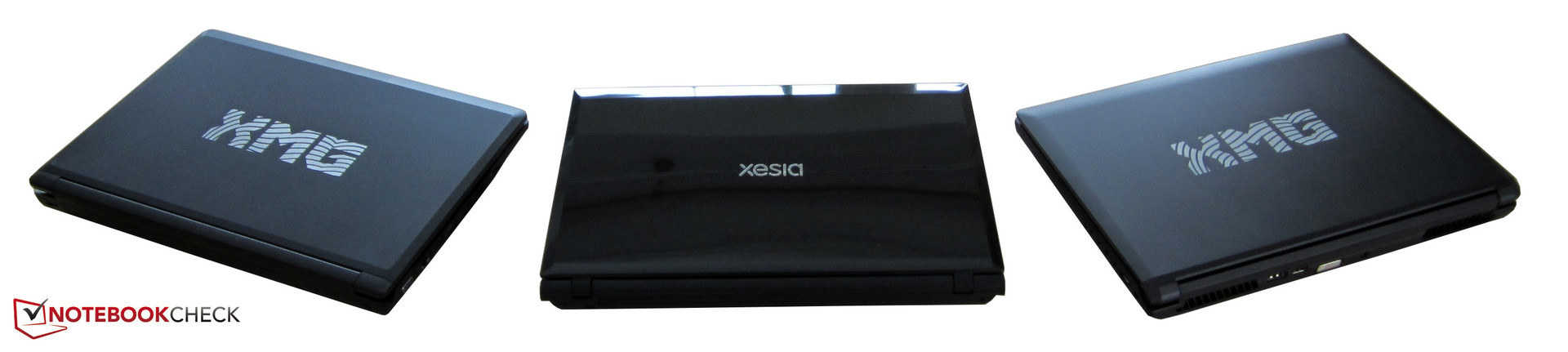
from left to right: Schenker XMG A502, Xesia M501 & XMG P502

Overview

Show Restrictions
Pos      Model                                     World of Tanks v8
 World of Tanks v8 (2012)
low
1024x768
Minimum Preset
med.
1366x768
Medium Preset
high
1366x768
High Preset
LQ FXAA
ultra
1920x1080
Maximum Preset
HQ FXAA
 2NVIDIA GeForce GTX 680M SLI
118
93
83
59
 6NVIDIA GeForce GTX 680
116
80
78
65
 7AMD Radeon HD 7970
117
75
69
58
 8NVIDIA GeForce GTX 660 Ti
114
73
67
60
 15NVIDIA GeForce GTX 670MX SLI
114
44
52
33
 17NVIDIA GeForce GTX 680M
65
44
40
30
 18AMD Radeon HD 7970M
111
68
47
40
 19NVIDIA Quadro K5000M
110
78
71
50
 27NVIDIA GeForce GTX 675MX
44
39
27
 32NVIDIA GeForce GTX 470
118
80
72
52
 36NVIDIA Quadro K4000M
102
73
62
36
 39NVIDIA GeForce GTX 675M
90
46
39
23
 42AMD Radeon HD 7770
116
74
66
38
 51NVIDIA GeForce GTX 670MX
115
74
66
38
 53NVIDIA GeForce GTX 670M
86
42
36
21
 58NVIDIA Quadro K3000M
71
36
28
11
 60AMD FirePro M6000
112
56
51
33
 68NVIDIA GeForce GTX 660M
58
40
33
20
 75NVIDIA GeForce GT 650M
50
31
26
15
Pos      Model                                     World of Tanks v8
lowmed.highultra
 81NVIDIA GeForce GTS 450
58
28
 93*NVIDIA GeForce GT 645M
52
40
33
15
 99NVIDIA GeForce GT 640M
48
28
24
13
 142NVIDIA Quadro K1000M
87
30
22
12
 171NVIDIA GeForce GT 630M
48
23
18
10
 183AMD Radeon HD 7660G
59
29
25
14
 193AMD Radeon HD 7650M
79
35
25
15
 194AMD FirePro M2000
89
11
 198ATI Mobility Radeon HD 5650
53
28
23
13
 204NVIDIA GeForce GT 620M
36
18
16
 249Intel HD Graphics 4000
50
22
19
8
 263NVIDIA GeForce GT 520MX
43
15
13
 332Intel HD Graphics 3000
58
19
15
8
 335NVIDIA GeForce G210M
23
 389*Intel HD Graphics (Sandy Bridge)
44
12
9
 434Intel Graphics Media Accelerator (GMA) 4500MHD
11
* Approximate position


Legend
5Stutters – This game is very likely to stutter and have poor frame rates. Based on all known benchmarks using the specified graphical settings, average frame rates are expected to fall below 25fps
May Stutter – This graphics card has not been explicitly tested on this game. Based on interpolated information from surrounding graphics cards of similar performance levels, stutters and poor frame rates are expected.
30Fluent – Based on all known benchmarks using the specified graphical settings, this game should run at or above 25fps
40Fluent – Based on all known benchmarks using the specified graphical settings, this game should run at or above 35fps
May Run Fluently – This graphics card has not been explicitly tested on this game. Based on interpolated information from surrounding graphics cards of similar performance levels, fluent frame rates are expected.
123Uncertain – This graphics card experienced unexpected performance issues during testing for this game. A slower card may be able to achieve better and more consistent frame rates than this particular GPU running the same benchmark scene.
Uncertain – This graphics card has not been explicitly tested on this game and no reliable interpolation can be made based on the performances of surrounding cards of the same class or family.
The value in the fields displays the average frame rate of all values in the database. Move your cursor over the value to see individual results.

8 comments

Got questions or something to add to our article? Even without registering you can post in the comments!
Read all comments / answer
#8 Re: World of Tanks v8.0 Benchmarkedslj, 18:24 21.03
WOT 8.4 added support for NVidia SLI. Could we perhaps rerun some of these benchmarks. Note be careful on driver versions. There are still some hickups for SLI....
#7 Re: World of Tanks v8.0 BenchmarkedRichard Brandt, 05:02 27.12
remember that WOT is not optimized for multiple cores, and with quad cores having a slower clock speed than dual cores they will face a larger bottleneck than others, its not the graphics cards at fault. Wargaming just hasn't invested in a multi core engine, and thus the processor is the bottleneck for MOST mobile systems. :p...
#6 Re: World of Tanks v8.0 BenchmarkedFlorian Glaser, 12:18 13.10
Even with the newest nvidia-driver i get only 30 fps in maximum settings. We will probably order a fresh gtx 680m....
#5 Re: World of Tanks v8.0 BenchmarkedHræsvelgr, 10:05 13.10
My System:Clevo P370EM , i7-3820QM, 680M, 8GB 1600mhz Corsair, 1tb Seagate Momentus HDD 5400U/minNvidia Driverversion: 306.97Fraps won't recognize Wot, so you just have to belive me.FPS are allways between min. 50 and max 60. According to the displayed Framrate of Wot its the most time around 57-59 FPS.Update:Fraps Update:Frames 9830Time (ms) 180000Min 39Max 62Avg 54.611...
#4 Re: World of Tanks v8.0 BenchmarkedFlorian Glaser, 01:27 13.10
We are talking about ONE game out of thousands. So i wouldn´t take the problem too seriously. By the way: One of our users will test our replay with his gtx 680m notebook. Just wait for the results....
#3 Re: World of Tanks v8.0 Benchmarkedsid, 00:53 13.10
Both Wargaming.net and Nvidia should be warned about the 680M performance failure vs the 7970M to identify whether an update could occur from either the driver or from WOT to rectify this difference. The performance of the 680M is completely out of line for WOT. Users who purchase an Alienware for WOT customization(the flashing lights) should be aware of the major difference in their choices. What is surprising is the fact that Wargaming.net gamers in Russia use Alienware heavily and didn't notice this difference in the 680M vs 7970M? ...or did they ? Its an astonishing difference. Folks getting the latest video card from Nvidia are expecting to have the best performance on wot and not be blown away from an older nvidia 675M or by the 7970M. Did the new 8.0 rendering nerf the 680M? Or was performance vs the 7970M always that bad relatively. Not only should be looking at explaining the difference between the 680M and AMD but also between the 680M and its predecessors. Degrading performance with newer top of line cards is not cool to see at all....
#2 Re: World of Tanks v8.0 BenchmarkedFlorian Glaser, 22:24 12.10
I tested both GPUs (HD 7970M & GTX 680M) twice - same results. I even used a different HDD and GPU-driver. And yes, especially the FHD-result is kind of strange....
#1 Re: World of Tanks v8.0 Benchmarkedsid, 22:09 12.10
What the heck happened to your 680M tests. Based on your review : http://www.notebookcheck.net/Review-GeForce-GTX-680M-vs-Radeon-HD-7970M.77110.0.html the results of the 680M vs 675M vs 7970M for WOT make no sense AT ALL....
Read all 8 comments / answer

Comment this article:

> Notebook / Laptop Reviews and News > Reviews > Archive of our own reviews > World of Tanks v8.0 Benchmarked
Author: Florian Glaser, 2012-10-12 (Update: 2013-06- 6)