Review Asus V2S Notebook
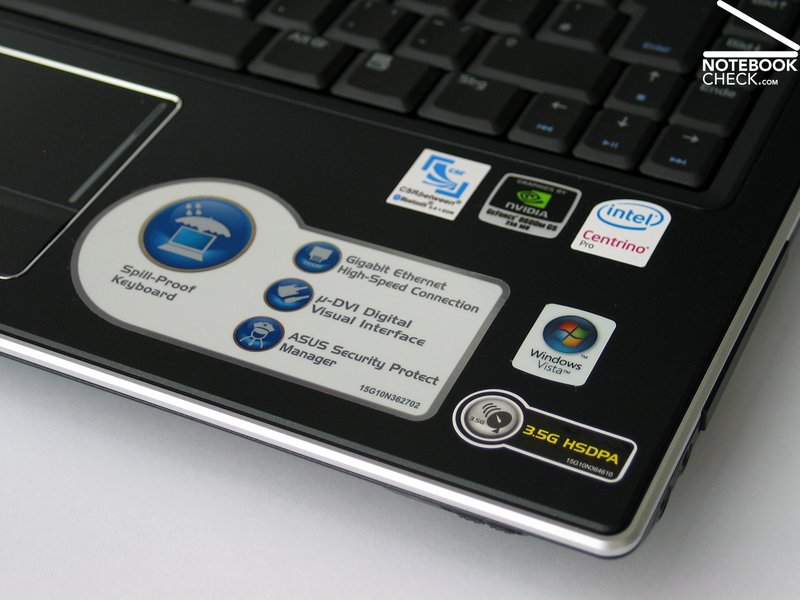
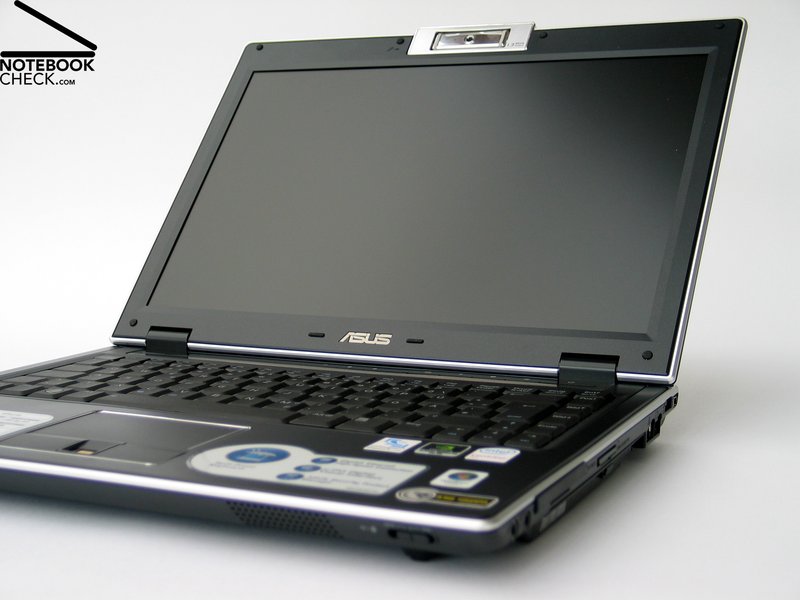
Compact Business by Asus. The Asus V2S tries to score points by mobility with a 14 inch format, and at the same time by an adequately big display and good equipment. The basic data of this notebook sound interesting: Compact 2.5kg case, 14" WXGA+ display with non-reflecting surface, Intel Core 2 Duo CPU with 2.0 GHz, and nVIDIA Geforce 8600M GS video card. So, this laptop is even fit for multimedia and graphics.
Case
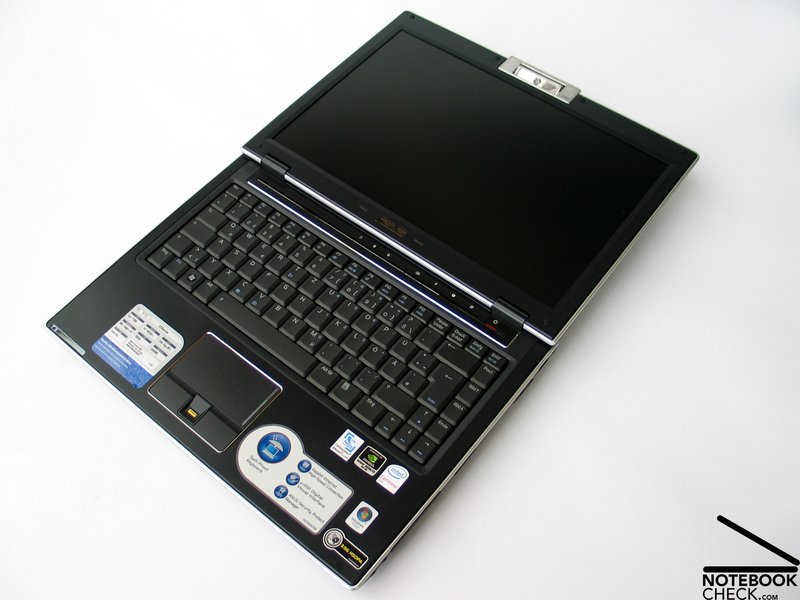
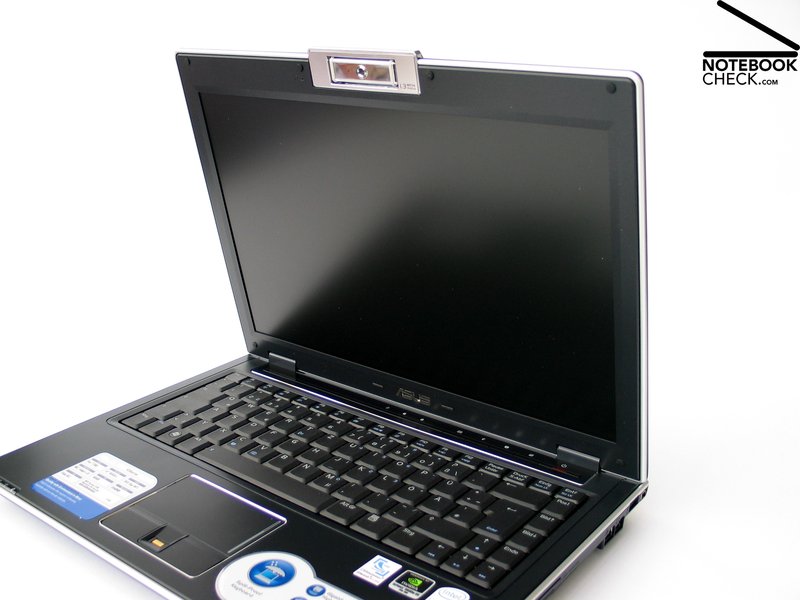
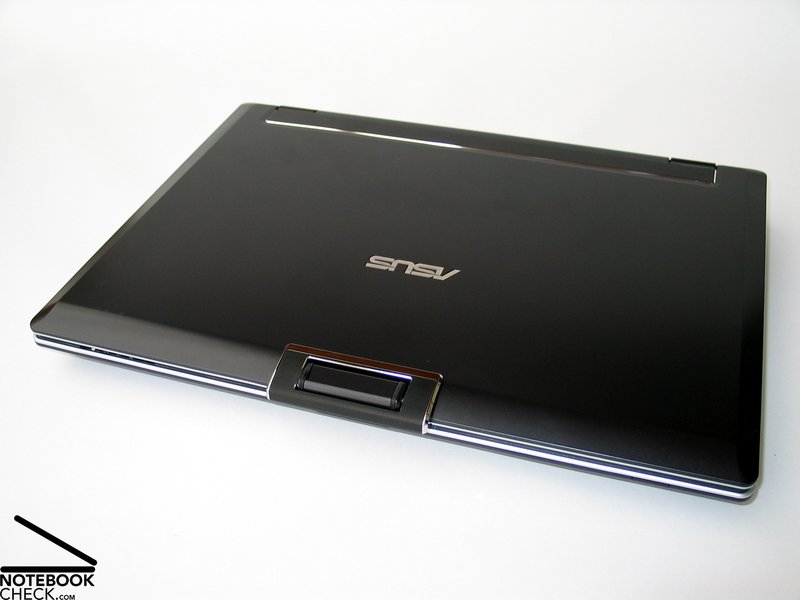
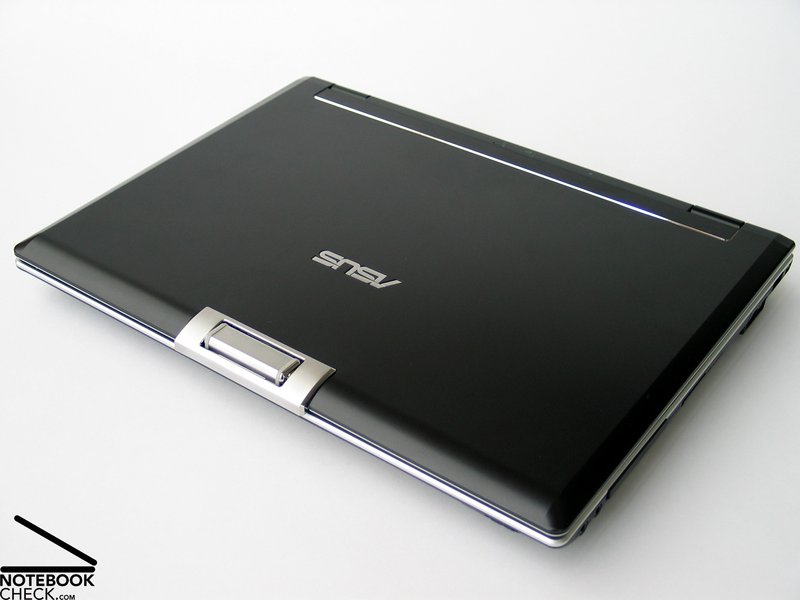
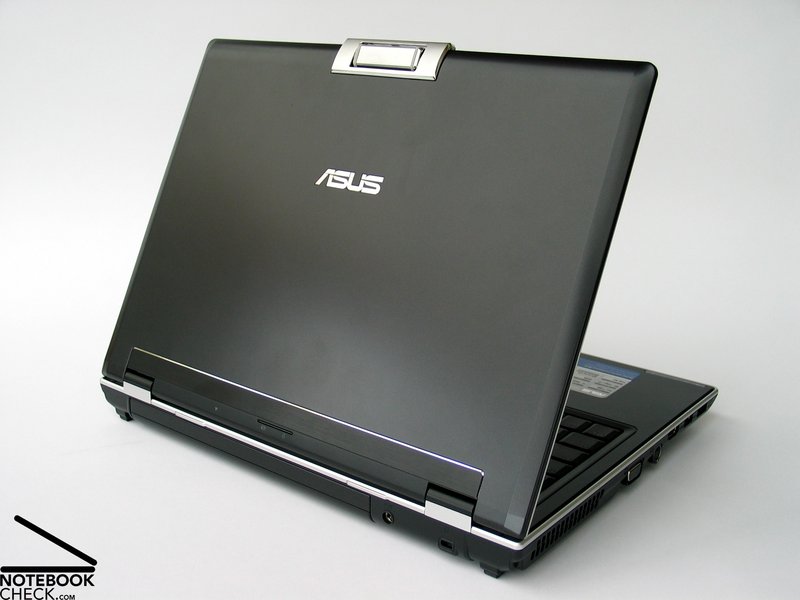
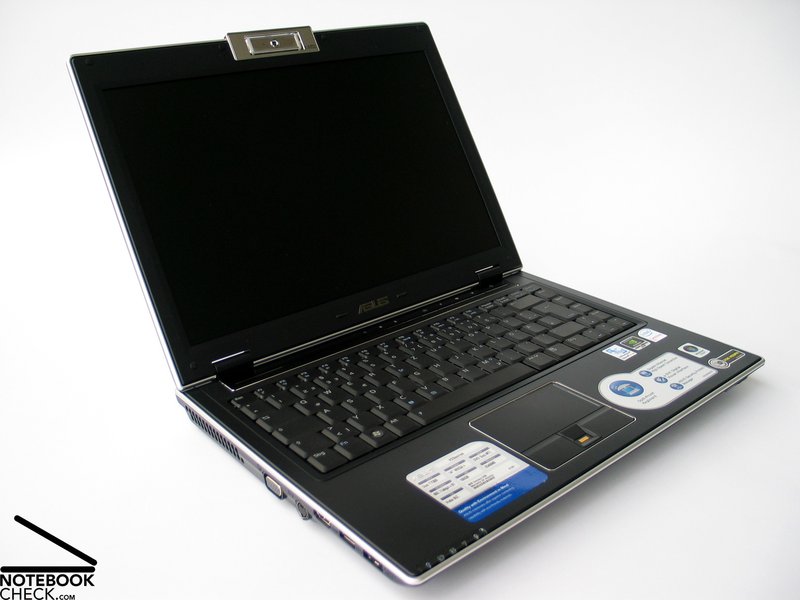
Quickly, you'll recognize the typical Asus notebook qualities. The Asus V2S's case is decently colored in matte black, whereas silver moldings surround the outer edges and further improve the look of the notebook. Also the chrome molding around the touchpad and the hot keys contribute to its elegant look.
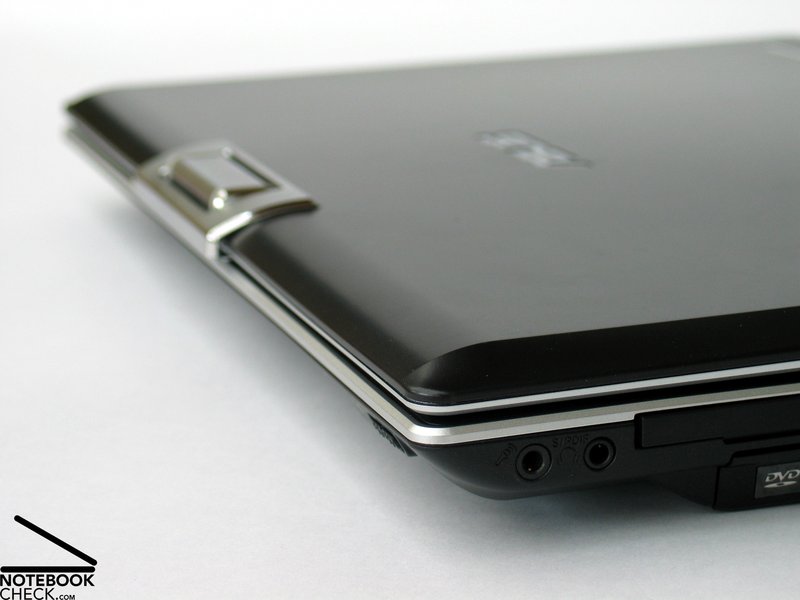
The case stands out by a very thin form. Small, tapered front edges contribute to this appearance. But, also the real height of the V2S is rather small and fits well to its dimensions.
The workmanship of the Asus V2S is impressing. Clear, even edges, surfaces with very user-friendly haptics, and a compact design without any wobbling parts contribute to the high-quality impression, which is proved every time you handle the V2S.
Here also the stability and robustness of the case is important. The base unit hardly deflects when applying force. Only the part of the DVD drive yields when applying directed force.
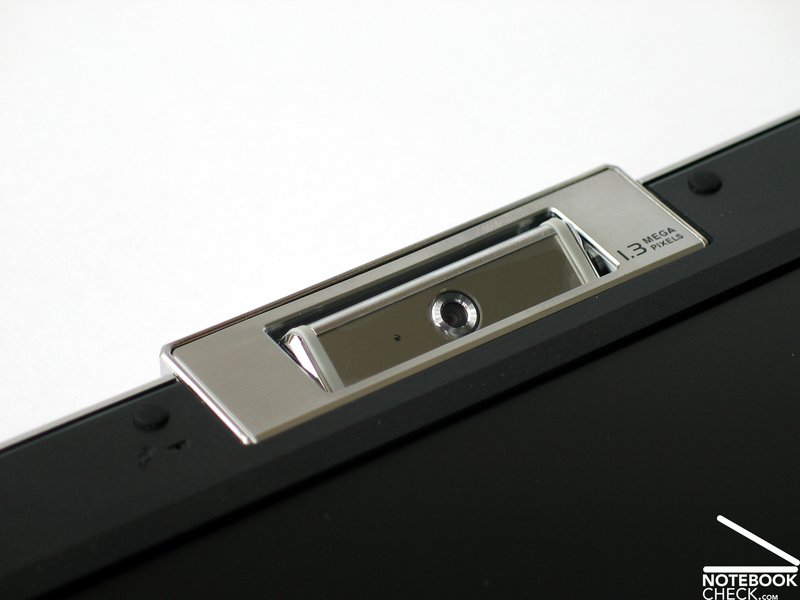
Alike the base unit also the display of the V2S appears to be very compact. The test uncovered that the lid is slightly too pressure sensitive. The flexural rigidity of the display is sufficient. The web cam, which is located in the upper edge of the display seems to be very durable too.
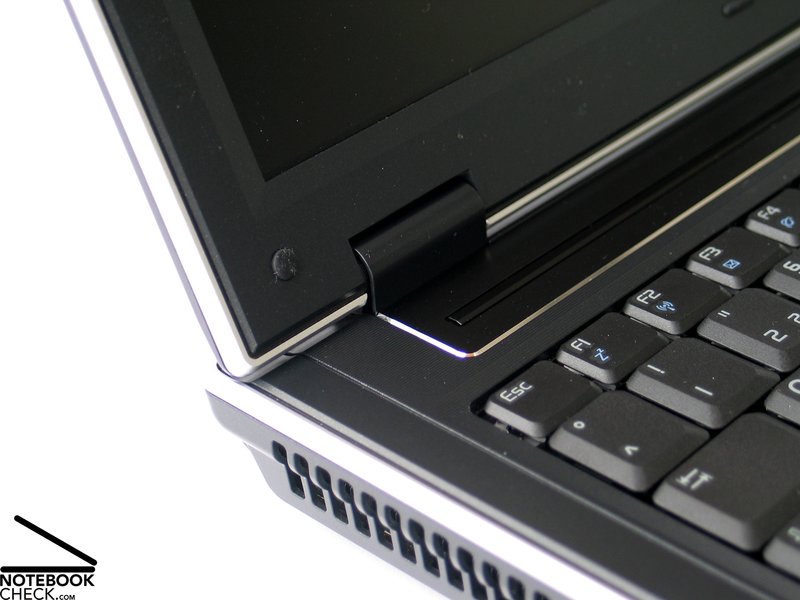
Although the hinges appear to be rather small, they are able to keep the display's position without recognizable see-saw. Furthermore, the Asus V2S misses out a transport hook or a similar mechanism. Only a mechanism in the hinges keeps the display closed. So, you should take care to avoid object penetration when carrying the V2S.
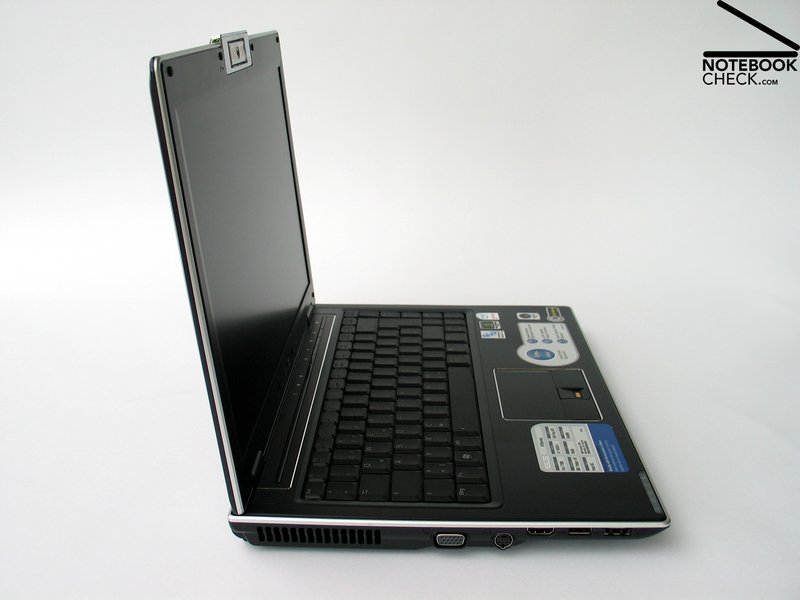
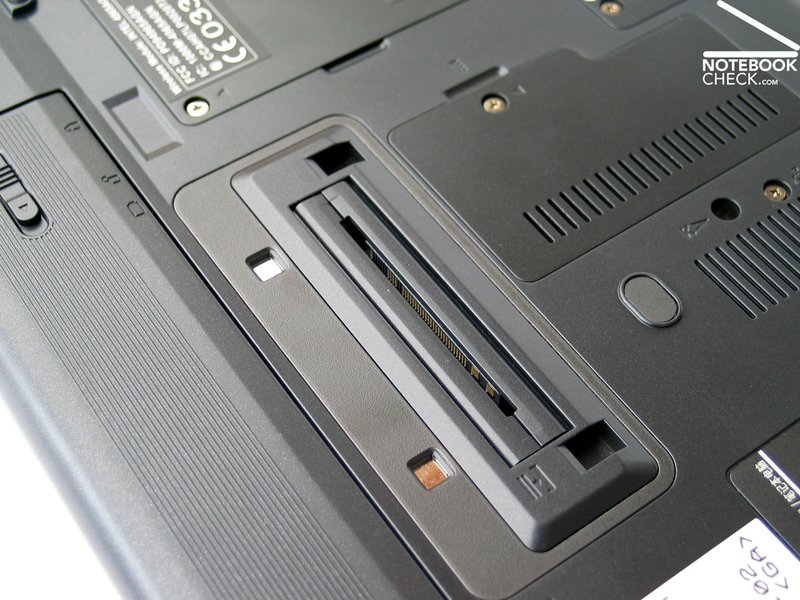
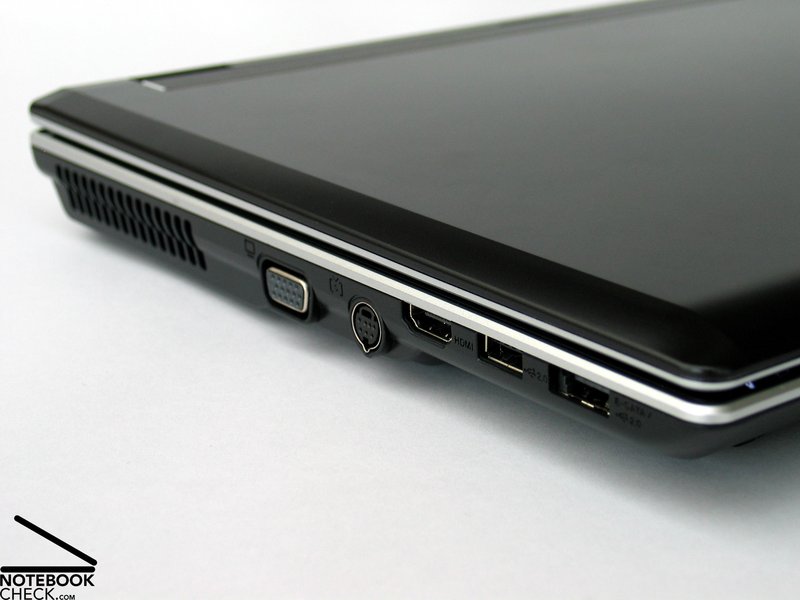
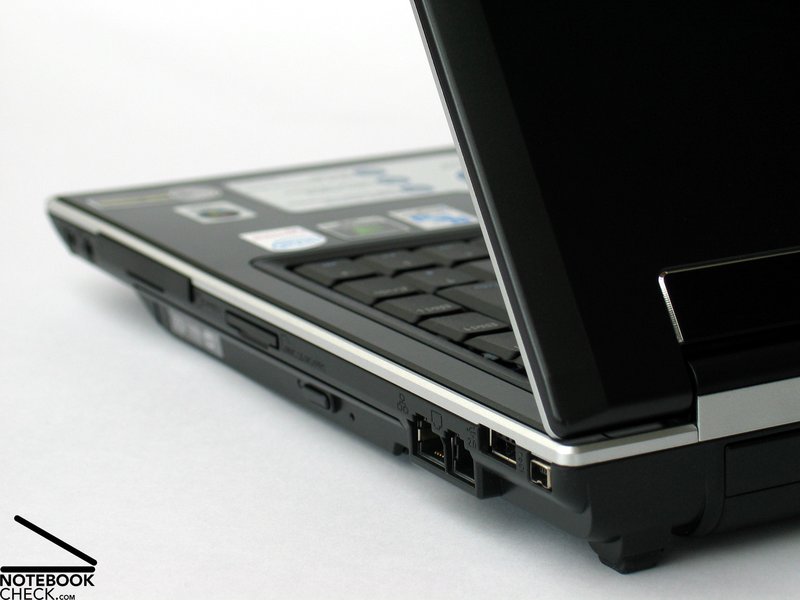
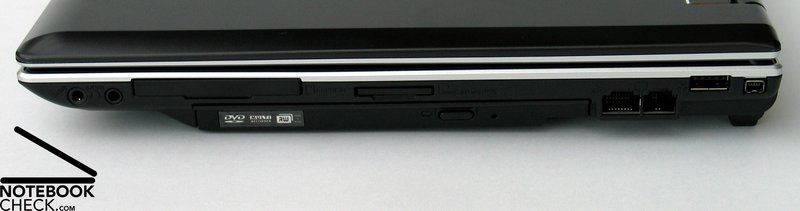
An interface equipment proper for business notebooks is provided. This consists of a Firewire port, a HDMI port, and a S-ATA interface for attaching an external harddisk, which can also be utilized as USB port. Also the docking port, a required port in the business notebook class, is provided.
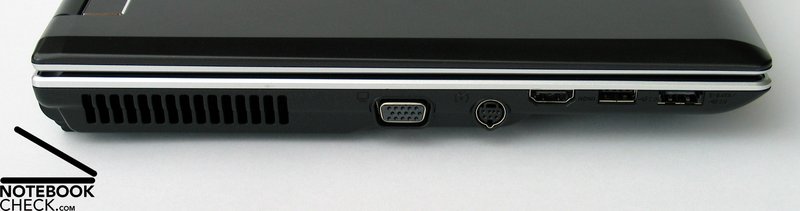
Regarding position of interface one might possible criticizes that some ports (S-ATA, HDMI, USB) at the left side are a little too far to the front. However, because of the mobility of this notebook and the docking option, this should not be too important.
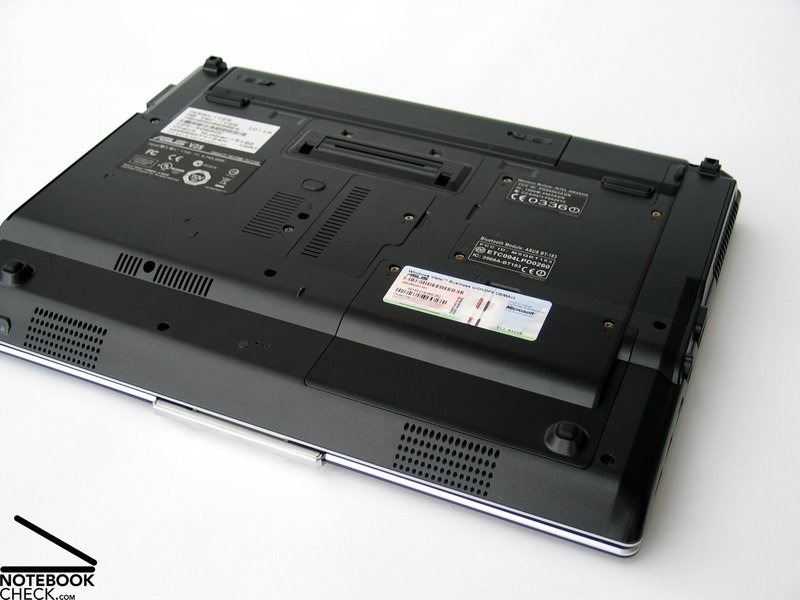
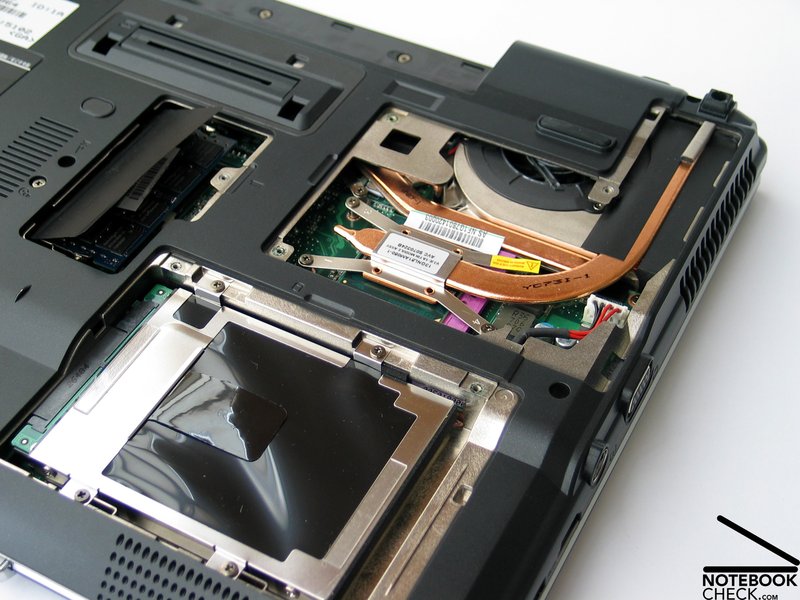
Furthermore, the Asus V2S provides an integrated UMTS modem, which can be used for mobile Internet access. The specific SIM of each provider, has to be inserted in a slot at the bottom side of the notebook. According to experiences of users signal quality and transfer rate are alright.
Interfaces
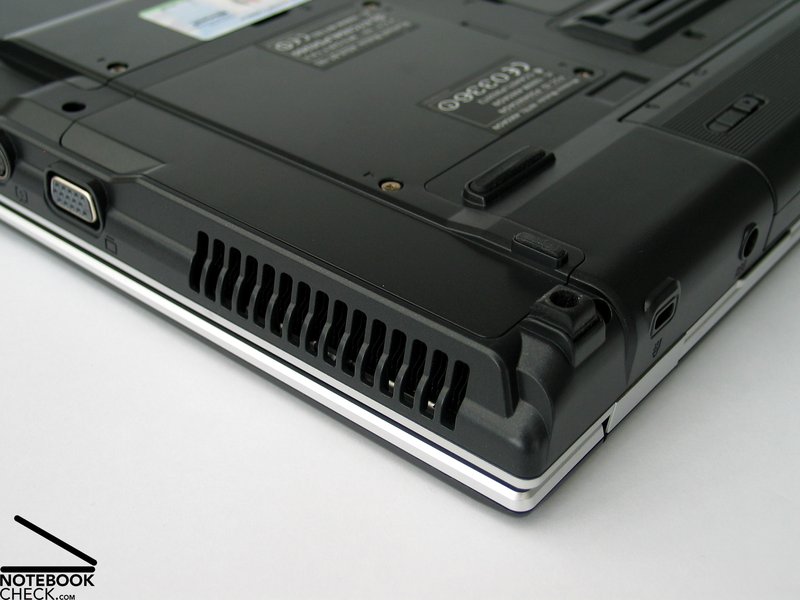
Left Side: Fan, VGA-Out, S-Video Out, HDMI, USB, S-ATA/USB Combo
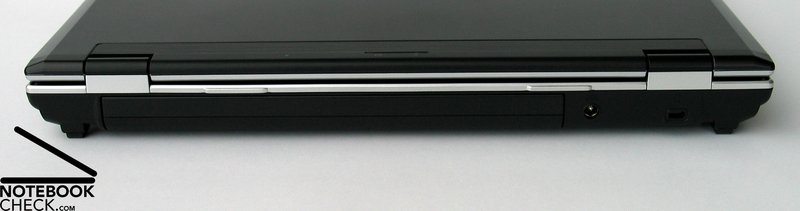
Back Side: Battery, Power Connector, Kensington Lock
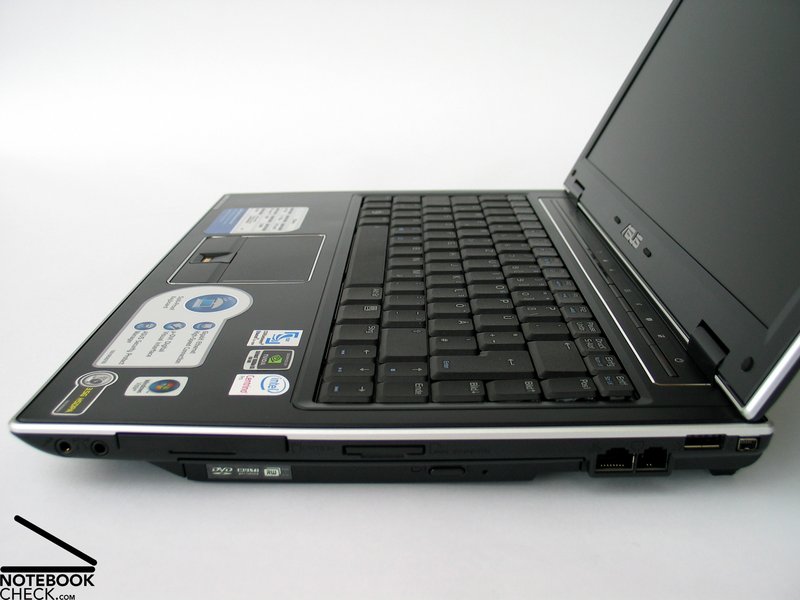
Right Side: Audio Ports, ExpressCard, Cardreader, DVD-LW, LAN, Modem, USB, Firewire
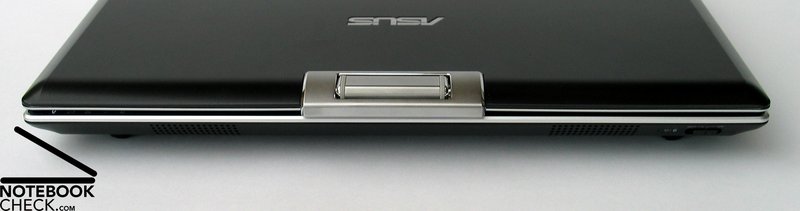
Front Side: No Ports
Input Devices
This is an very important aspect considering that the Asus V2S is optimized for office applications. Generally, we were satisfied, but, not without some reservations.
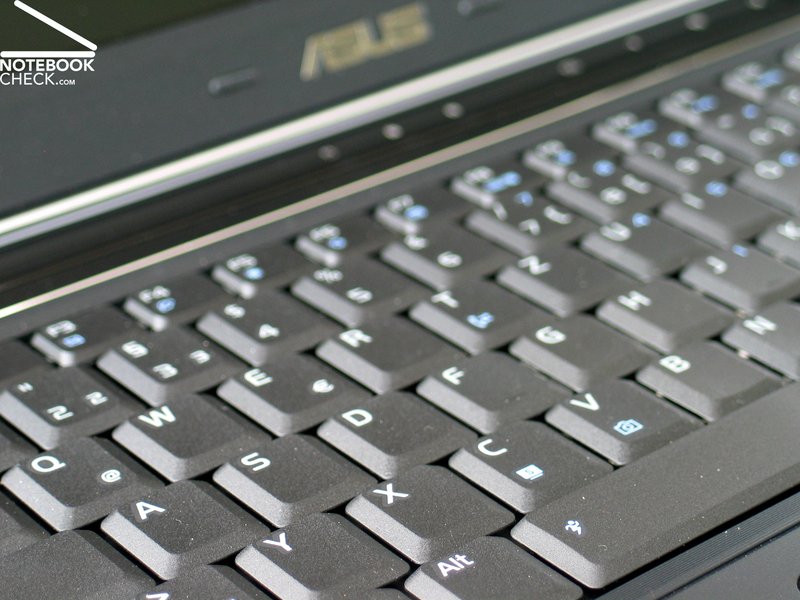
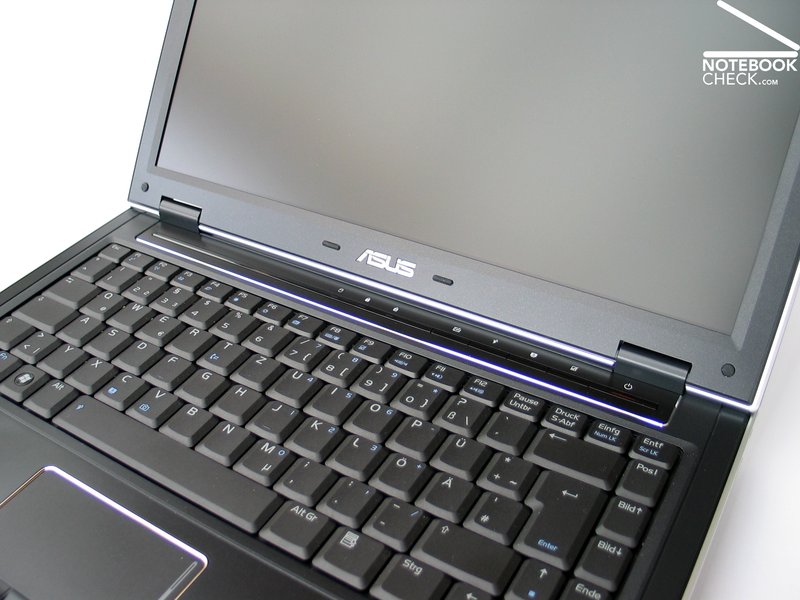
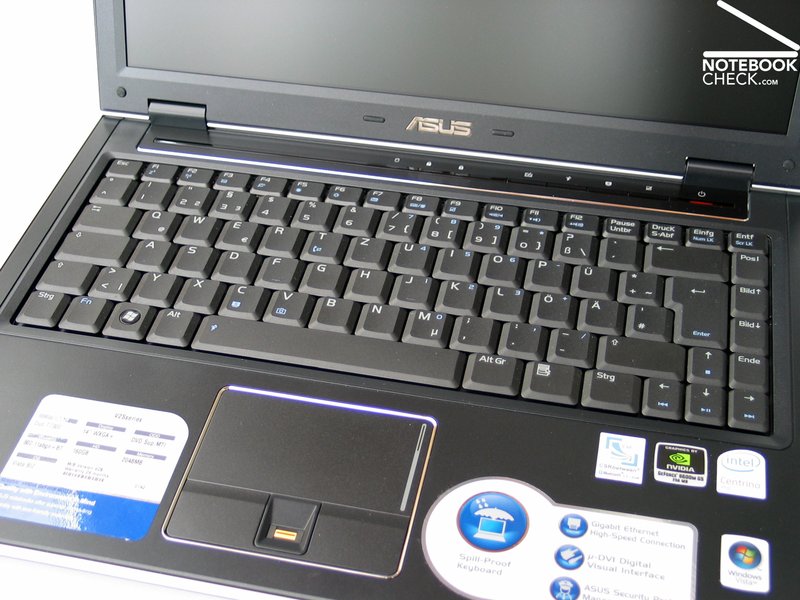
The keyboard is comfortable in use and the way typing feels convinces. The pressure resistance of the keys is ideal and also travel and point of pressure are alright. Regarding layout, the keyboard appears dense, but, it can still convince in practice.
The keyboard unit does not solidly seat at the right side and, so, it slightly clatters, when typing somewhat more forcefully. On the contrary, the left side is alright.
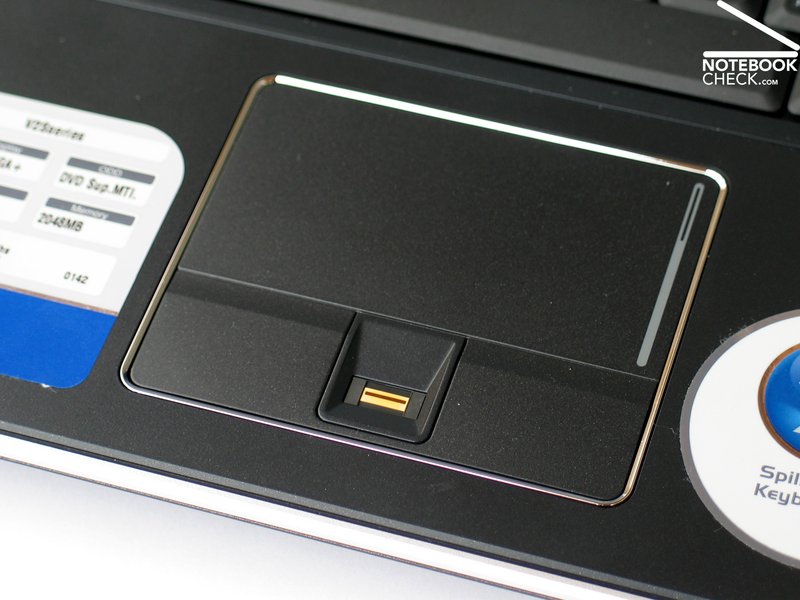
The sliding properties of the touchpad are good and it reacts well. Its position relative to the case seems to be ideal. The beautiful chrome molding around it is well, but, decently distinct. So, you can even navigate well, without looking at the pad.
Both touchpad buttons have a slightly increased dead zone at their upper third, but, can still be comfortably and nearly silently used at their front edge. In between them a fingerprint reader is located.
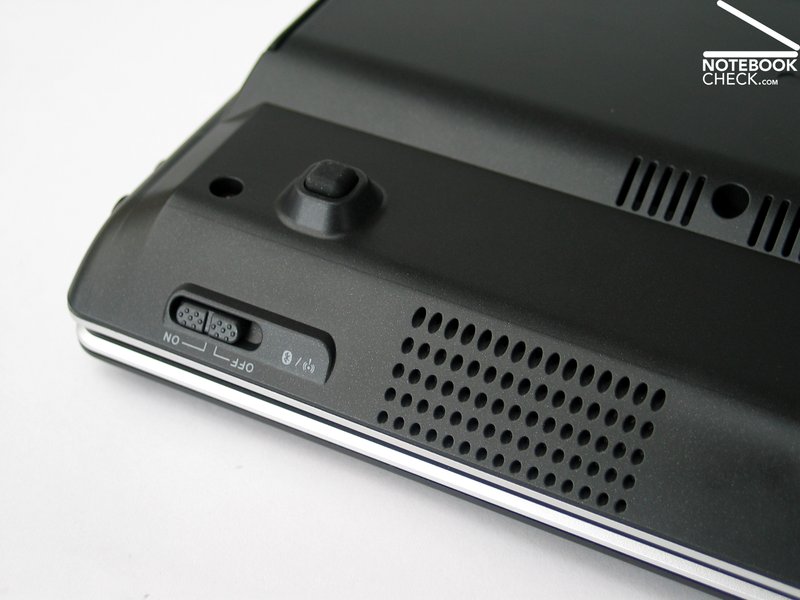
A number of hot keys above the keyboard provide some short-cuts for switching between different energy profiles and also for quick deactivation of the touchpad. A hardware switch for deactivating the WLAN is at the front edge of the notebook.
Display
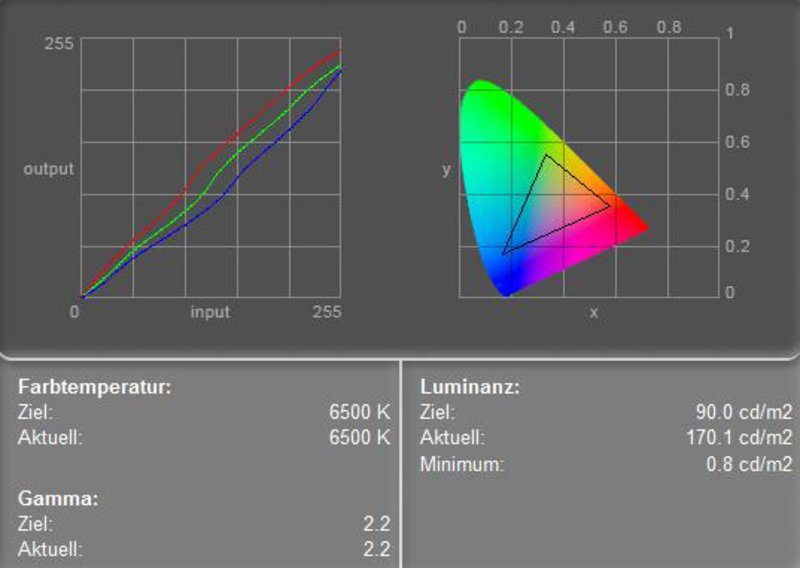
The Asus V2S is equipped with a 14 inch WXGA+ panel with a resolution of 1440x900 pixels. So, the desktop size of the compact 14 inch display is despite of its size alright. Doubtless, the biggest advantage of the built-in panel is presumably its matte and non-glare surface.
We were pleased to measure a maximum brightness of 173.9 cd/m² and also the illumination of at least 85.3% is good. The average brightness of 163.2 cd/m² is just alright.
| |||||||||||||||||||||||||
Brightness Distribution: 85 %
Contrast: 213:1 (Black: 0.8 cd/m²)
The possible maximum contrast ratio of 217:1 calculated from the measured maximum brightness and the measured black value of 0.8 cd/m² is acceptable. We did not detect any anomalies during our scrolling tests.
The good brightness of the display and its matte and, therefore, non-reflecting surface make the Asus V2S even fit for outdoor work. The test proved that the picture stayed even in very bright environments well legible. So, working at the balcony or the patio should be possible, unless the powerful midday sun shines directly into the display.
The horizontal viewing angles of the WXGA+ display are rather passable. Color changes can only noticed at very acute angles.
Vertically, the area of operation is unfortunately rather small. Outside it, you'll quickly face darkening and whitening of the display. So, the display position has to be often adjusted in mobile use.

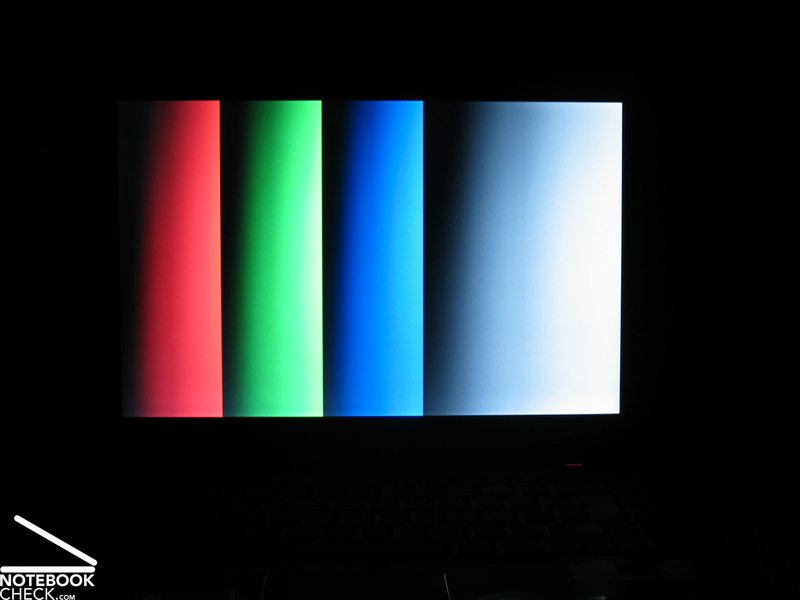
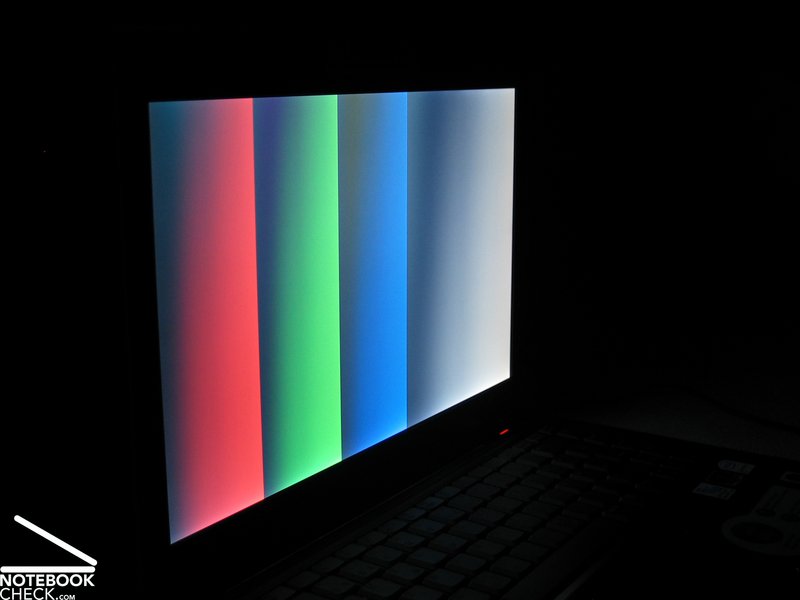
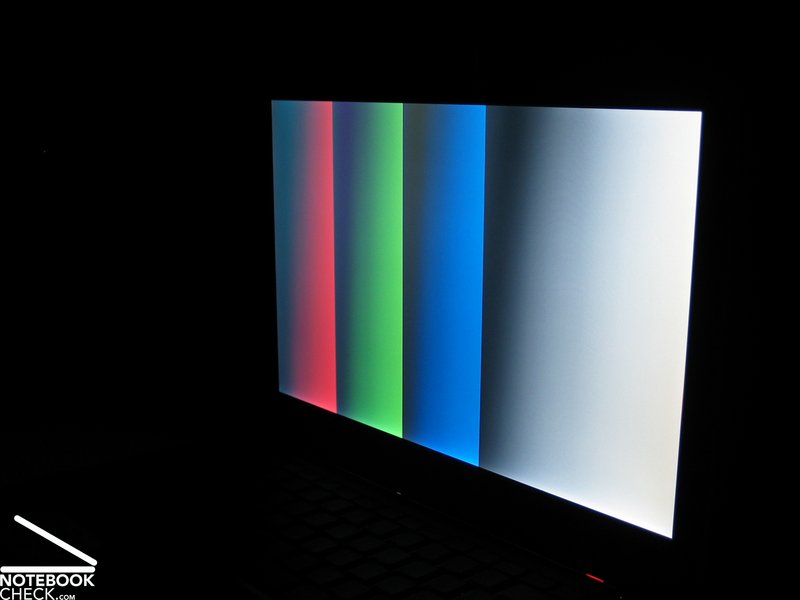
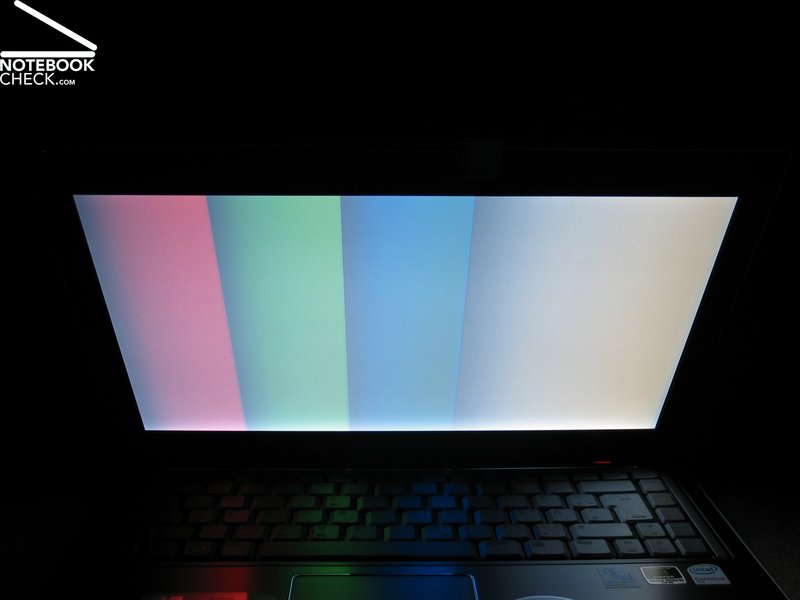
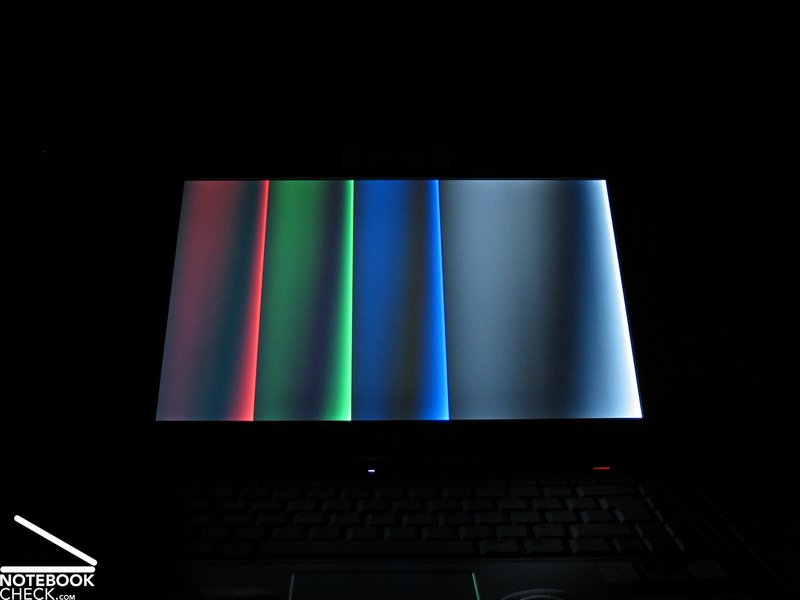
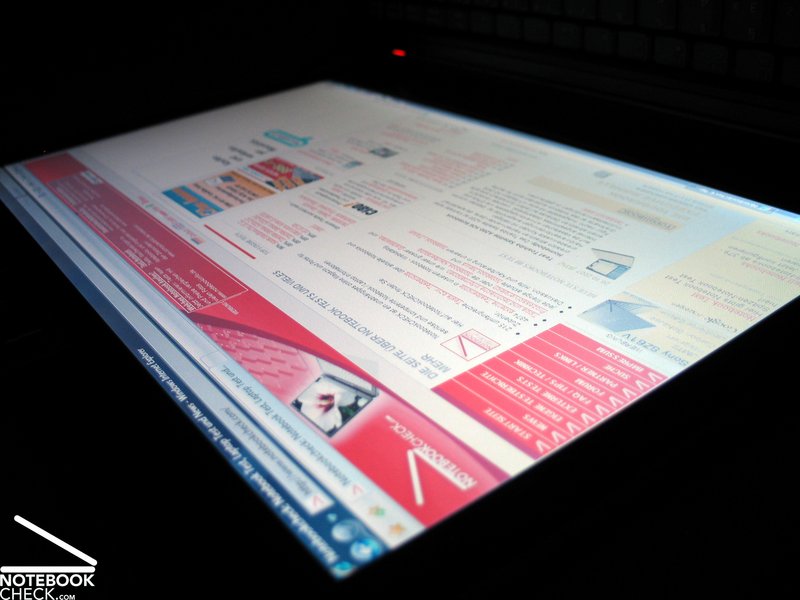
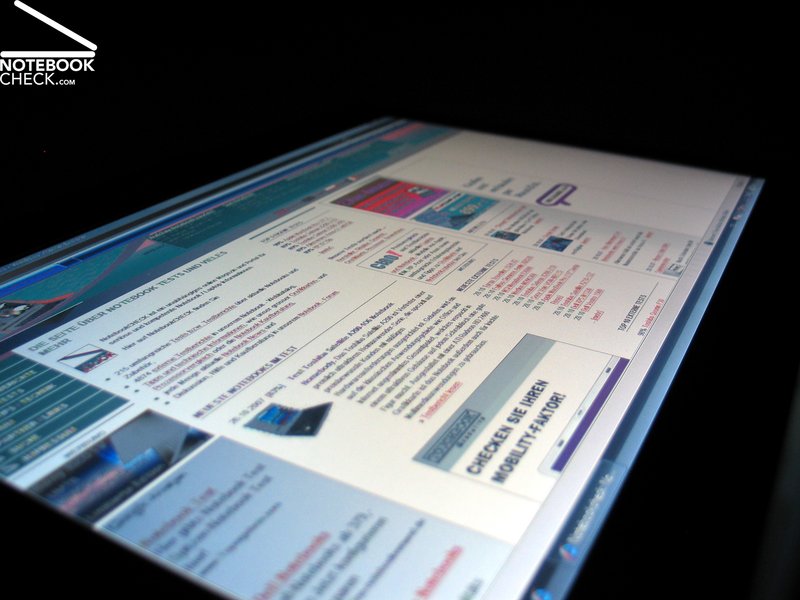
Video of Display's Viewing Angles
Performance
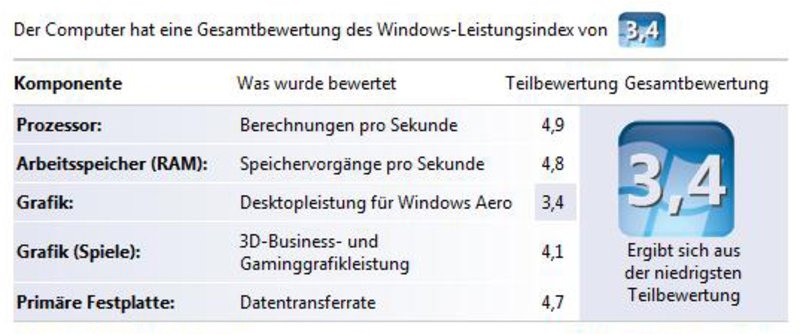
As already mentioned in the introduction the hardware equipment of the Asus V2S is good. So, it is also fit for multimedia applications. This makes the V2S a mobile general-purpose notebook which can also be used to play one or the other game.
Technically speaking, the Asus V2S is equipped with an Intel T7300 CPU with a clock-rate of 2.0 GHz and a nVIDIA Geforce 8600M GS video card with 256MB video memory. Furthermore, it comes with a 160GB harddisk (5400 revs/min) and a total of 2 GB main memory.
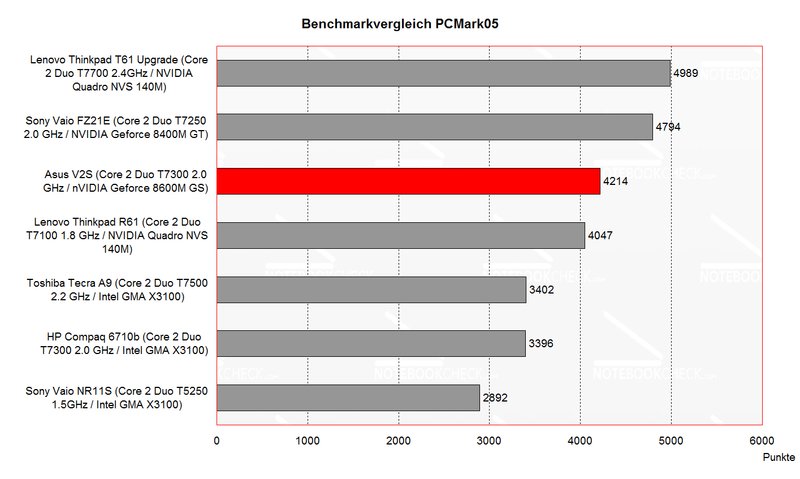
So, the Asus V2S rates very good regarding office performance. This is also proved by the benchmark tests. Furthermore, also the graphics and 3D performance is due to built-in Geforce 8600 video card good.
Although the V2S is advertised as business notebook, the multimedia performance makes it also attractive for private users. Additionally, the video card is also fit for current games, however, you must live with some limitations regarding resolution and details.
According to the software tool RivaTuner, the video memory is only connected to a 64-bit connection. This could explain the somewhat lower 3D benchmark results.
In total the Asus V2S still is an attractive bundle with a wide range of application. Even more, because it stays very mobile due to 14 inch format and still provides good performance.
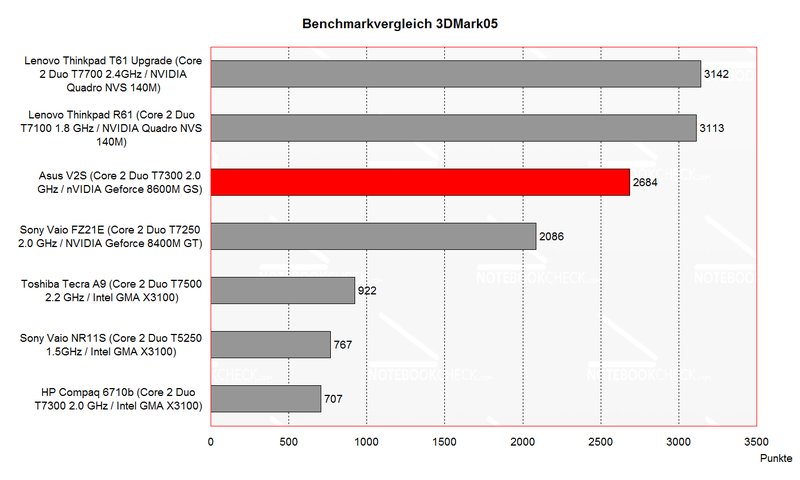
| 3DMark 05 Standard | 2684 points | |
| 3DMark 06 1152x864 Score | 1554 points | |
Help | ||
| PCMark 05 Standard | 4214 points | |
Help | ||

| Doom 3 | |||
| Resolution | Settings | Value | |
| 1024x768 | Ultra, 0xAA, 0xAF | 34.9 fps | |
| 800x600 | High, 0xAA, 0xAF | 61.3 fps | |
| 640x480 | Medium, 0xAA, 0xAF | 61.3 fps | |
| 640x480 | Low, 0xAA, 0xAF | 94.2 fps | |
| F.E.A.R. | |||
| Resolution | Settings | Value | |
| 1024x768 | GPU: max, CPU: max, 0xAA, 0xAF | 14 fps | |
| 800x600 | GPU medium, CPU medium, 0xAA, 0xAF | 54 fps | |
| 640x480 | GPU min, CPU min, 0xAA, 0xAF | 278 fps | |
| Quake 3 Arena - Timedemo | |||
| Resolution | Settings | Value | |
| 1024x768 | highest, 0xAA, 0xAF | 275.3 fps | |
Emissions
Loudness
Unfortunately, the fan runs permanently even in idle mode. The noise level caused by the fan can be called clearly audible, but, the rustling noise is yet acceptable.
After we worked a while with the energy profile „Battery Saving“, i.e., with lowest performance the fan finally slowed down and the notebook got passably quiet (36.3 dB). Work is also comfortable and smooth with these settings.
Under load the fan still turns up and reaches a maximum noise level of 43.1 dB, which is tolerable.
Noise level
| Idle |
| 36.3 / 36.3 / 39.6 dB(A) |
| DVD |
| 40.5 / dB(A) |
| Load |
| 39.5 / 43.1 dB(A) |
 | ||
30 dB silent 40 dB(A) audible 50 dB(A) loud |
||
min:  , med: , med:  , max: , max:  (15 cm distance) (15 cm distance) | ||
Temperature
The aspect surface temperature increase rates very positive, because it is very low. At the bottom side we measured a maximum of about 34°C. The temperature increase of the top side was partly similarly high.
Considering the built-in hardware components and the rather compact case, we were please even more.
(+) The maximum temperature on the upper side is 36.9 °C / 98 F, compared to the average of 34.3 °C / 94 F, ranging from 21.2 to 62.5 °C for the class Office.
(+) The bottom heats up to a maximum of 34.9 °C / 95 F, compared to the average of 36.9 °C / 98 F
(+) The palmrests and touchpad are cooler than skin temperature with a maximum of 31.3 °C / 88.3 F and are therefore cool to the touch.
(-) The average temperature of the palmrest area of similar devices was 27.5 °C / 81.5 F (-3.8 °C / -6.8 F).
Speakers
The Asus V2S provides two speakers at the front edge of the base unit. Because of the chosen form of the case they sound against the surface the notebook is placed on. So, the sound seems a little damped.
The sound itself is also not really convincing. Neither the sound nor the maximum volume were satisfying.
However, you can use a headset instead. The sound output via 3.5mm stereo out was without any anomalies. Digital sound is available by means of a proper adapter to the HDMI port at the left side of the case.
Battery Runtime
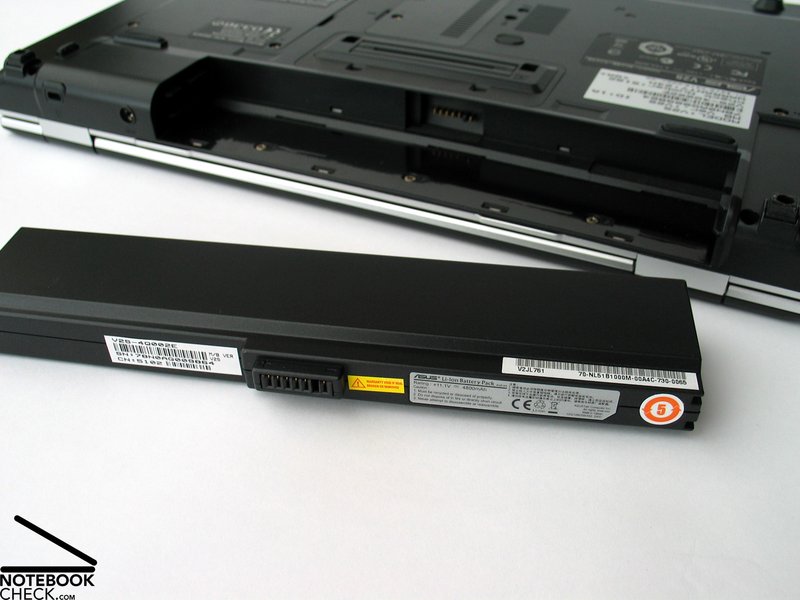
The reviewed Asus V2S came with a 6 cells battery with a capacity of 4800 mAh (53 Wh). Therewith, the runtime was only moderate. It ranges from at least one hour to a maximum of nearly 3 hours.
The runtime can be improved by the also available 9 cell battery with a capacity of 7800 mAh (86 Wh). Herewith, it should be possible to work about 50-60% longer unplugged. However, you can expect that the battery protrudes the back side of the case.
| Off / Standby | 0 / 0 Watt |
| Idle | 27.6 / 37 / 41.4 Watt |
| Load |
58.3 / 69.6 Watt |
   
| |
Key:
min: ,
med: ,
max: | |
Verdict
The Asus V2S convinces in a lot of aspects. First of all by its compact, decently stylish case, which left a high-quality impression. The 14 inch format fits well to this notebook and well balances mobility and comfort.
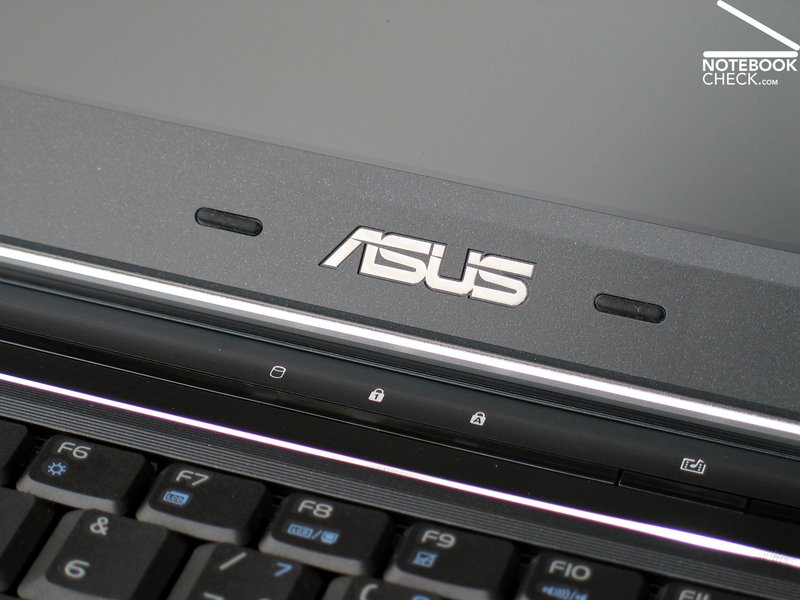
The input devices, first of all the keyboard, are really business-like, at least if you do not type too forcefully. We also liked the white indicator LEDs above the keyboard.
Actually, it should go without saying that business notebooks must not be equipped with reflecting displays. The Asus V2S's display scores points by being fit for outdoor usage by good brightness combined with a matte display. However, the viewing angles could be better.
The hardware equipment of the V2S leaves nothing to be desired. A powerful T7300 CPU by Intel and a Geforce 8600M GS video card make it completely fit for multimedia applications.
Regarding emissions, we want to mention that the fan is rather audible especially under load, and that the surface temperature only slightly increases. Obviously, the speakers are a really cheap solution, which are not worthy of the V2S.
The battery runtime of the provided 6 cells battery is somewhat useful, but could be better. Fortunately, also a 9 cells battery is available for the otherwise very mobile V2S.
 Add as a preferred source on Google